#ue4-general
1 messages · Page 161 of 1
 ashen brook
it has problems
tends to be really loud for one
and frost builds up around the cpu
 proven ivy
I will buy a dedicated freezer and put my computer in a sealed bag
should do the trick
 fierce tulip
Icpuicle
 floral pagoda
lol
proven ivy
or wait.... I will create a huuuuge aquarium amd use the water to cool down my computer
I won't even need fans anymore
just a bigger house

 frank escarp
SLI never worked, people
its a driver thing nvidia/amd themselves implement for you
proven ivy
ah no, that's mineral oil
fierce tulip
almost the same :p
frank escarp
you "can" make their work much easier if you dont have per-frame dependency, to do alternate rendering
in wich case it might actually even work
but sadly, opengl and directx dont know SLI exists at all
so you are 100% at the mercy of the driver
proven ivy
the thing that disturbs me the most is that opengl and Directx don't even know 64bits exists...
frank escarp
given that deferred engines have frame dependencies everywhere, plus compute shaders, SLI is harder than ever to implement
floral pagoda
@fierce tulip Just needs fish with that.
proven ivy
@floral pagoda as it's mineral oil the fish won't live more than 10 sec inside lol
floral pagoda
@ashen brook What CPU?
ashen brook
my cpu
floral pagoda
I mean is it is threadripper for example
ashen brook
ah, no
frank escarp
it isnt,looks like 8 cores there
floral pagoda
ok
ashen brook
i7 6700K @ 4.7GHz
floral pagoda
ok
frank escarp
tis the season of overclocks
ashen brook
mostly I'm just sitting here waiting for world machine and lightmass to finish their shit 😉
floral pagoda
ok
 rocky portal
does anyone know how you read the arguments sent to a php script through an HTTP Post request?
It is sent through Response->SetContentAsString(JsonString);
 safe rose
nvm, fps reckage came back
rocky portal
I'm not sure how I access that from my php file
safe rose
oh wells, this editor bug is annoying to track down
rocky portal
since POST doesn't send arguments through url
 main pewter
$inputJSON = file_get_contents('php://input');
$input = json_decode($inputJSON, TRUE);
rocky portal
cool thanks
 swift spindle
hey.. I'm looking for some help to troubleshoot my Unreal editor
 chrome ivy
Hello
I have a question that is totally unrelated to game development.. :)) Can I ask?
 south ridge
Sure
swift spindle
yes.. the world sucks for everyone 😛
rocky portal
How do you parse json string to array of structs
Converts from an array of json values to an array of UStructs.
rocky portal
What does an "array of json values" look like
I kind of need to know how the php output should look to test it
 zenith lily
Where would it be best for this kind of ask for help ? I've tried multiple sources but noone seems to know ? This happens upon opening blueprints:
I know that GameAnalytics messes it up but I have no idea how to fix it as it still shows like this after disabling or removing it
proven ivy
you might need to reinstall the engine
zenith lily
@proven ivy its a slightly edited one and no that doesn't work DevilsD , already tried that multiple times, this really confuses me 🤔
 weary basalt
Have you tried deleting Intermediate/Saved/DDC folders?
weary basalt
Is this an Source Build or Launcher Build?
zenith lily
seems to be a Source one afaik, I work for someone but I can't seem to get contact with him for weeks
otherwise I could redownload his whole build but I can't so I have to figure this out
weary basalt
Try rebuilding the Editor?
zenith lily
Can I without having access to the source?
weary basalt
No? I thought you said it was an Source Build
zenith lily
I basicly just downloaded his editor and his content and work in there, then submit to perforce
strange thing is, it only happens upon opening blueprints, the rest works fine
rocky portal
ahh so close to having my player Equipment generated from MySQL db....and then I forgot where I found the solution to spawning an Actor by String instead of classname
didn't want to make a DataTable but that would work
 fiery ridge
I am trying to package my game
there is error in packaging
help pls
here is the error message
UATHelper: Packaging (Windows (64-bit)): ERROR: UBT ERROR: Failed to produce item: D:\unreal projects\topdownexp\Binaries\Win64\topdownexp-Win64-Shipping.exe
UATHelper: Packaging (Windows (64-bit)): ERROR: Command failed (Result:5): F:\Program Files\Epic Games\UE_4.18\Engine\Binaries\DotNET\UnrealBuildTool.exe topdownexp Win64 Shipping -Project="D:\unreal projects\topdownexp\topdownexp.uproject" "D:\unreal projects\topdownexp\topdownexp.uproject" -NoUBTMakefiles -remoteini="D:\unreal projects\topdownexp" -skipd
eploy -noxge -NoHotReload -ignorejunk. See logfile for details: 'UnrealBuildTool-2017.12.28-06.06.06.txt'
PackagingResults: Error: Unknown Error
i am super stuck here! 15hours and no big improvements
weary basalt
@fiery ridge The actual error(s) will be further up in the log, this is just telling you that Packaging failed. Could you paste the entire Packaging Log into something like PasteBin and then link it here so we can take an look please.
rocky portal
hey DevilsD do you remember if it was possible to spawn an Actor from a string instead of UClass*
without using a DataTable
@weary basalt forgot to mention
 weary basalt
@rocky portal Take a look at the FindObject, LoadObject, and LoadClass functions in UObjectGlobals.h. They can be used to load stuff from string paths at runtime.
rocky portal
thanks...and is this more costly than a DataTable or less
I always thought FindObject was an expensive thing to do but maybe I was wrong
weary basalt
@fiery ridge UATHelper: Packaging (Windows (64-bit)): LINK : fatal error LNK1181: cannot open input file 'delayimp.lib'
Missing an file?
fiery ridge
If the file is missing, where would it be
i did not delete or remove anything
sorry if i sound noobish
okey, it seems the file is from visual studio
weary basalt
You might not have the most up to date version of windows required or you VS Install is outdated or some other library isnt up to date.
fiery ridge
yes, That very much makes sense
is is fine if i remove older visual studio 2015,2013 etc...
and install only visual studio community 2017
weary basalt
Yes
weary basalt
No worries, good luck!
weary basalt
@rocky portal It can be expensive, but as long as your not doing it on Tick or something silly then it will be fine.
fiery ridge
Thanks a lot
weary basalt
Doesnt have the same ring to it 😛
rocky portal
just have to get info from my DB in a form usable by Unreal
then I need to figure out how often I want to do validations against the DB bc that's the only way it could become too frequent
heh well this compiled....
doesn't mean it will work lol
void UEquipmentManagerHTTPSync::OnGetEquipmentResponseReceived(FHttpRequestPtr Request, FHttpResponsePtr Response, bool bWasSuccessful)
{
    if (!ResponseIsValid(Response, bWasSuccessful)) return;

    //GetStructFromJsonString<FGetEquipmentResponse>(Response, EquipmentResponse);
    FString JsonString = Response->GetContentAsString();
    FJsonObjectConverter::JsonArrayStringToUStruct<FGetEquipmentResponse>(JsonString, &EquipmentResponse, 0, 0);

    const TCHAR* ClassName = *EquipmentResponse[0].classname;
    UClass* ActorToSpawn = FindObject<UClass>(GetOwner(), ClassName, false);

}```bottom part is sent FString "BP_Backpack"
if that works...i should be able to use that to spawn the Actor?
weary basalt
You could use it to find an Class Object sure
Which you would use to then spawn the Actor
rocky portal
awesome
dont have to worry about pulling "defaults" or anything then bc they're all on the Blueprinted assets
will just have to get dynamic data from database like Durability
yeah that didnt work
damn
fiery ridge
so, basically if the package did not go well, we have to look the log
i am currently searching for key word error in it to find what went wrong
do i need to look for other keywords in general, to find out why it did not finish
weary basalt
No, i did the exact same, searched for error and thats the only error message
@fiery ridge
fiery ridge
ye, now i get a different one
LINK : fatal error LNK1181: cannot open input file 'ws2_32.lib'
removed the older versions and installed 2017 community one
weary basalt
Do an Windows Update as well
You may need to repair your VS install, it may have missed some stuff.
fiery ridge
oh ye, doing the same
fiery ridge
@weary basalt AutomationTool exiting with ExitCode=0 (Success)
finally! after 18hours of efforts
weary basalt
Awesome
fiery ridge
it was looking for something
i had 2015 version before
but it wanted 2017
after installing 2017, it wanted more
guess what i did
went into 2017 modules
checked the boxes whatever said it had c++ in it
hehe
update was 30gb total i guess
may be more
but it worked
weary basalt
Probably missed some toolkit or somehting
fiery ridge
ya, but i checked the unreal documentation and checked whaever it mentioned
now my ssd is full
Thanks to you, now i know how to look for build errors
this is my first ever multiplayer build!
fiery ridge
will purchase Fxxxing m.2
weary basalt
Worth it, ive got 2 of them
fiery ridge
raid?
fiery ridge
the nvme one's?
weary basalt
Yeah
fiery ridge
dats cool
 nova heath
Everytime the Unreal Editor crashes an orphan is eaten by a wildebeast
 charred raptor
can someone help me
south ridge
@charred raptor What is the problem
nova heath
@floral pagoda it's either going to be extremely expensive or it's going to die and not have support
floral pagoda
Both are plausable
south ridge
Took me a while to figure out what it was
 oblique sorrel
Are there really no tutorials on 3D platformers?
There's some level design, sure, but nothing that goes into camera, animation, or AI...
The only results I'm getting are basically my exact question, always left unanswered
 warm mountain
this might seem to be a dumb question but
I always wondered why do we use TGA files as a standard in the gaming industry?
when it comes to textures
Google tells me its the best format when it comes to packing textures in a way that preserves its intended use by modern game engines
is there any truth in that?
south ridge
Cause TGA is easy to write
It takes 5 minutes to write a TGA exporter/importer in C
 floral heart
It looks more professional than using .bmps, too.
south ridge
BMP's are dumb
They are device-dependent and have obscure variants
And even the normal BMP stores data backwards for whatever reason
TGA is a simple header with data that can be directly fed into any graphics API (opengl or directx) with no postprocessing
No scanline reversing junk
In short, the mathematicians won. Everything in PM was saddled with a bottom-left origin, including window coordinates. And that's how DIBs came to be this way.```And on the other hand, you have TGA which just stores pixels and none of this weirdness. So TGA became defacto standard for storing intermediate graphical data
nova heath
Are overlapping objects considerably bad for performance?
Also is it possible to fix the flickering caused by the overlapping meshes?
south ridge
Overlapping how
Visually or physics?
You can fix flickering caused by overlapping meshes by adding a small offset to the vertices of one of the objects along camera vector
Shifting object closer on depth axis does not change visuals, but changes Z values just enough to remove flickering
(this is what decals etc do)
Overlapping objects can increase overdraw and stuff like that
nova heath
It's a top down game and we have a build system but when we place walls we have a problem: corners.
We can either add posts the user can place to fill the gap which isn't ideal or we can allow the walls to overlap which also isn't ideal as it causes flickering that's really noticeable from above.
south ridge
Is it possible to design art assets that never overlap like that?
For example, fences with posts, where posts are part of the mesh and conceal presence of overlap
It should be fine rendering-wise
south ridge
CPU-bottlenecked
nova heath
@south ridge Not sure how different meshes would work with a simple polygon like our walls (just a rectangle with a material)
nova heath
There is no artist it's just me and my nephews.
south ridge
In that case, you might be I/O bottlenecked
 surreal viper
memory/disc usage? 🤔
south ridge
Or otherwise waiting in a sleep on some thread due to incorrectly set up multithreading or just some other reason
 short dagger
UE4 is being dumb and not properly taking over my GPU
south ridge
Have you considered trying to profile it
short dagger
because it worked 3/4 of the time
but sometimes PIE just doesn't use my GPU properly
south ridge
It may be a user error
south ridge
Or it's a user error
In any case, run profiler
If it's sitting in a lock of some sort, it'll come up
short dagger
it's not
surreal viper
idk why do you use a piece of shit tho
south ridge
If you're running a custom version of the engine/can debug it, you can also press F12 when your FPS is low
By chance it will most likely break inside the place where there's a bottleneck
short dagger
i guess after being 2 years into development i'm stuck with it 😄 lol
south ridge
Did you do the profiling?
short dagger
i've done it plenty of times, but not for this issue
south ridge
stat startprofile?
short dagger
only started happening recently
south ridge
Are you running Win2012?
short dagger
nope
nova heath
Is there a way to get the nearest axis to a point?
or do I just need to do a distance calculation to each?
surreal viper
do you mean the global axis like {1,0,0} {0,1,0} {0,0,1}?
surreal viper
can't you just check the max value and go with that?
e.g. you have a point (100, 1, 1) -> you go with (1, 0, 0)
nova heath
The max works, but I don't know how to associate "Max" with the axis without indvidually comparing each axis using > and branching the result
i.e. "Max" will get you the max value, but it doesn't tell you which axis that is
The Vector "Get Max Element" for example tells me the max value, but I don't know which axis it is without doing additional compares
surreal viper
i can think of math tricks to do this but idk how it would handle same values
like you could subtract the max from all coordinates, then a sign function, then +1
but it would produce (1, 1, 0)
if X and Y are the same
I don't think you can handle this properly without doing the compares manually
nova heath
I see
Thank you that answers my question
Can I have Visual Studio and the Editor open simultaneously? Or do I have to reboot the editor to see the changes?
south ridge
What changes?
Code changes?
It's best to re-load the editor
Hot reload is a thing, but it's nearly useless
nova heath
I don't suppose unreal engine has any capacity to terminate the play test in the event of an infinite loop?
main pewter
@zenith lily I have exactly the same problem with vanilla installed 4.18.2 and all plugins removed! Did you find any solution? But my problem is not every blueprint, only levelBP and function/macro libraries the editor gets completely useless!
any help would be really welcome - I've tried in a new clean project and reinstalled the engine multiple times- I'm really fu...d if I don't get it to work.
looks also like yours https://cdn.discordapp.com/attachments/225448446956404738/395720819709444106/unknown.png
zenith lily
Yeah its really anoying, nothing seems to work.. ive seen a couple more people having this issue but theres not much support for this it seems
 grim juniper
Something I thought I'd share since I had been messing around with DoF today. I found hidden in the release notes for 4.11 that you can increase the sample count for CircleDoF using r.DepthOfFieldQuality 4. Perfect for cutscenes and screenshots. I'm surprised this isn't mentioned anywhere in the DoF page of the docs.
main pewter
I'm just trying to build the 4.18 from source. maybe I get something from there...
 oak linden
I cannot see my light cones
Does anyone know how to turn them on again?
Because I seem to have disabled them somehow by accident
main pewter
@oak linden G - Key?
main pewter
@zenith lily removing my %localappdata%\UnrealEngine\4.18 fixed it for me !!! If not try removing the Common folder in the mentioned path as well. Something in UEs internal DataCache was not amused about the 4.17->4.18 update, me too 😄 That was an expensive bug for me.... hope it helps you and others
rocky portal
What are some best practices when dealin gwith web requests from a game?
should there exist essentially an HttpActor that handles and throttles requests?
like an HttpRequestQueue
 plush yew
You could read the documentation on the Networking module.
And that probably won't be an HttpActor, since it doesn't need to be exist in the level per se
Hey so I was working with the First Person Template, and couldn't help but notice Blueprint properties on the FP Character such as "Can Crouch", "Crouch Half Height", as if pointing to an in-built crouch feature. How do you use it?
It's not fairly obvious to me, anyone got any ideas?
rocky portal
This isn't for networking. I use http requests to pull data from MySQL server
To do thinks like generate inventories and validate loot
Although I don't need any loot validation yet because it's all done server side I suppose
But events like equipping something must post to db
rocky portal
lol bro
i already have this working
im asking if this stuff should route through 1 actor which queues these requests
in terms of performance
and not hitting web server with too many requests
because there would be many requests potentially
Logins
Generating equipment and inventories
Generating container contents
plush yew
Can you code that behaviour on your own?
rocky portal
I have it in Actorcomponents right now
and yes it works
but that would mean every Actor handles their own responses and sends them immediately when they need to
plush yew
That's probably not something you'd want every actor to do right?
rocky portal
versus some HttpRequestHandlerActor that might queue things up and only allow X number of requests to send per frame
nah not every actor
just players really
so i might be over optimizing too early
plush yew
It'd be more lightweight to code such a component but only be used as a reference
there'd not be much of a point spawning this into a level
rocky portal
Yeah now that i think of it
if there's only 6-20ish players
it's not many requests
plush yew
well the closest thing that enters my puny mind is something similar to an ObjectPool
rocky portal
these components only need to exist on the server as well
plush yew
yeah
rocky portal
only way I know of to do that would be to spawn the players from the server, then call function on all clients to destroy the component
but only purpose that would server is to save memory
since component wont do anything on client to begin with
plush yew
or simply a property that isn't replicated in the clients
rocky portal
well I have an EquipmentManager on all things that can equip stuff
so AI and players use same one
but AI would have an EquipmentGenerator
while players need to get their equipment from Server on load
so different components
right now im only working on Generating equipment for players so they can persist equipment and inventories between levels
but certain events do indeed need to read/write to the DB through requests
like when player unequips something...it needs to remove the record from playerequipment
or I just rewrite it all on load/unload of level....this is something i have to figure out
if game were to crash, player would lose all their equipment if it's not sync'd in realtime to db
server side
plush yew
you could trigger events for fetching/posting changes to the DB
but this could be queued for smaller transactions
rocky portal
i think most games don't sync every action actually
so if server crashes...you end up with a roll-back
plush yew
say, the number of exachanged/consumed items crosses 20, you'd trigger an event to sync that state
rocky portal
player has whatever they started with...nothing they acquired in the level
when they leave and want to keep loot from the level...then loot is validated and database updated
plush yew
also, clients don't really need to know the state of another client's inventory unless they're dead or being pickpocketed
rocky portal
yeah i still have to figure out how i'll handle that part
plush yew
however a transaction between players must be immediately updated
 glacial totem
I'm having some problems with my dedicated servers to show up in-game servre browser. My friend can see server in steam browser. Anyone got idea whats wrong?
Using own app id for game and toolappid for dedicated server
rocky portal
hmm that's true Vivraan
because then you could dupe stuff
if u didn't update this immediately
though..as long as you hold a "validloot" table
if you gave player B an item and player B left the map to keep that item
it would have to update the db to reflect that
because if server crashed..you wouldn't want Player B to still have that item
 cursive dirge
ummmm
why does UE4 try to run iPhonePackager certificate thing when you package for windows 64bit ? 😄
hmmm, it's probably due to some apple ar kit etc plugin that's enabled by default on those templates
zenith lily
Clearing the localappdata UnrealEngine folder + deleting the Intermediate and Saved and DDC folders in both the project and the custom engine doesnt seem to work
rocky portal
well that sucks..just killed my anydesk connection to my home pc...now I'll have to find something else to kill holiday downtime at work
 fair violet
@cursive dirge also curious about that error- thought I had disabled all mobile / vr / ar plug-ins.
fair violet
Yep! It doesn’t affect the build but always pops up as an error
I probably have to go through the plugins again after upgrading the project
Would be nice to not run anything more than what is needed when packaging.
fiery ridge
2nd player not able to control the character
steam multiplayer
help
The host works fine, the people who join cant control the player
any help is welcome
this is the bp for join game
fair violet
@fiery ridge try setting the controllers input mode to GameOnly
It might be in UIOnly if in the menu
 long garnet
Is it good idea to use UPROPERTY on everything or it will slow my game down?
rocky portal
You need uproperty if u want it to work with reflection...which handles garbage collection, visibility in editor, and replication among other things
long garnet
does it have a big impact on performance?
rocky portal
perhaps it affects build time but I don't see where it would greatly impact performance
it basically allows the engine to know about the property
 tawdry quail
how to post a job offering again?
 weary remnant
Using UE4.18, can someone tell me how to turn on the scalability window for a shipped build? I've seen it in a previous version, disabled it, but now trying to enable it again. Unfortunately I haven't found the setting. Just to clarify, it is the settings window presented to the user at startup.
 upper heart
You have seen an ootb scalability window for packaged games? I'm pretty sure that has never been a thing.
weary remnant
IIRC, it allowed the user to set the resolution and quality. Possibly fullscreen vs. windowed too. At least I think I have. . .
 grim ore
Unity allows that, UE4 out of the box doesn't
upper heart
No, you might be thinking of unity
weary remnant
Ouch, okay, yes I have used Unity since 2014.
Correction, last time was in 2014.
I do see two widgets in the Marketplace. Thanks 😃
upper heart
yep plenty of Marketplace content for that
plush yew
Would anyone know how to create a stationary player where you can only pitch , yaw/ look up down left right?
weary remnant
@grim ore, nice video and source. Thank you.
https://www.youtube.com/watch?v=clUyKve2B2o
https://github.com/MWadstein/wtf-hdi-files/tree/master/Content

What is the Game User Settings: Overall Scalability Level Node in Unreal Engine 4 Source Files: https://github.com/MWadstein/wtf-hdi-files
 fringe olive
Hello guys! I just started to work on a game! https://www.youtube.com/watch?v=-XJlsXddQ1k soon new update! Thank you 😃

https://www.patreon.com/exotical Project updates : - MiniMap - Damage System - Particle for projectile
grim ore
@plush yew Create a new project and just remove the code that lets them move. should be easy enough.
and if you want to limit it you can modify the settings in the player camera manager to limit your view to certain angles
plush yew
Thanks @grim ore im guessing i would just migrate this to an existing scene/ main project?
rocky portal
any clue why this doesn't work?
grim ore
@plush yew you could use the migrate assets or just import the third or first person package into your existing project
plush yew
Alright that worked thanks @grim ore
zenith lily
Blueprint window has been fixed, I had to get back the original config, delete the localappdata, delete saved and intermediate and it worked 😄 @main pewter
rocky portal
is GameInstance the best place to add persistent data such as a Unique PlayerID?
Universally Unique Player ID i should say
or for Actors should I just set their Name on spawn to my UUID?
385675dfebe811e7a19c1c1b0d0a4ed6 instead
that could instead be the Actor name right?
fiery ridge
HELP
quick doubt
steam multiplayer build using advanced sessions
using listen server
host can move, people who join cant move
where would be the problem, any idea!
all movement is set under player controller
input mode set to both ui and level
nova heath
Anyone here familiar with Instanced Static Meshes?
 silver crown
Used it a little bit for the grass in my Voxel Plugin
nova heath
Hey @silver crown fancy seeing you outside Voxel Plugin chat 😮
silver crown
😉
nova heath
I'm using InstancedStaticMeshComponents in my actors but my Statitic list draw calls still increase linearly with every instance of the Add Instance call.
The problem I'm having is I'm trying to place wall segments using a brush, but even 100 or so brings the game to it's knees despite GPU being at very low utilization
i.e. Place Actor and Static List Draw Calls increases by 2.
My understanding from this: https://answers.unrealengine.com/questions/127435/using-instanced-meshes-doesnt-reduce-draw-calls.html
Leads me to believe that shouldn't happen.
silver crown
Indeed
nova heath
My setup is really straight forward.
I have a blueprint with an Instanced StaticMesh Component and I set the mesh, in game I spawn it, then the counter ticks up by 2 even though I don't think it should after the first instance is spawned.
Does the instancing only apply to additional "Add Instance" calls on that actor?
silver crown
Didn't used instanced mesh this way, not able to help here 😐
nova heath
Ah gotcha
It appears I'm correct however -.-
Get Instance Count always returns 1 which means it's instancing per Actor which isn't what I want.
fiery ridge
steam multiplayer - host moves, people who join cant move? where would be the problem
nova heath
"If you want it to be one static mesh container, what you can do is create an actor that has the instanced static mesh component that acts as a global container, and pass a reference to that to your other actors, who then add instances to this global container. "
That also won't work for me though because I need each segment to have it's own Health
nova heath
Given that Instanced Static Meshes don't work with Skeletal Meshes I don't understand how people make games with large numbers of actors?
rocky portal
because having a large number of actors is not a big deal
you have to optmize animations, AI processing, and such
fierce tulip
lod into animated meshes can also help. think thats what they do in fortnite
rocky portal
and ifyou had REALLY large number of moving actors
you could do some crazy stuff with an Actor pool of sorts
and load/unload actors
and do some gimmicky pathing simulation on less relevant actors
ie just moving some point around
and load/unload the actual actors that matter
so there are only x number of these expensive actors out at one time
and they move in and out with the cheap "things"
IN THEORY
 bright shoal
music doesnt fit the mood to good
 obsidian nimbus
AI usually doesnt need to run locations on tick
nova heath
I did notice that the animations actually are consuming the majority of the game time.
Forget the exact name of the thread in the Session but it was Animation Pre something
obsidian nimbus
@nova heath That also won't work for me though because I need each segment to have it's own Health .... you can make a health array?
nova heath
@obsidian nimbus That's essentially how I fixed it, I made an array associating actors to instances
Then I noticed my new major performance issue was AI
obsidian nimbus
humanoid AI?
if i make a skeletal mesh in blender and forget to turn off subsurf on or B4 export vert count goes up and animations get verry heavy
 tall sage
Hey there~
If there is someone who used the UnrealEnginePython plugin, I could have few questions (more likely after importing fbx assets how to set some settings to this asset from python)
Have a lovely coding day~
nova heath
@obsidian nimbus It's actual the default RTS Character from the demo, haven't gotten around to importing the character yet as it gets imported all inside-out (it's a pretty horrifying sight)
 light thunder
How do I jump to/teleport to a location in the editor?
nova heath
You can press f to focus a selected object
obsidian nimbus
that guy shouldt be too heavy on animations
nova heath
Let me load up the stat file and see what the actual name was
obsidian nimbus
do a screen of stat unit
obsidian nimbus
how many are there?
nova heath
~600
It begins around 300 though
I just took it high enough that it was always terrible so I could get a less intermittent trace.
obsidian nimbus
hmm 600 is a lot of em
nova heath
At 300 I get 27 FPS
obsidian nimbus
iver done over 1000 but had to remove lots of logic
nova heath
150 I'm at ~45 FPS
I have a powerful machine too, this doesn't bode well 😐
Speaking of, my machine only shows ~4% GPU usage and an extremely low amount of CPU usage though I'm sure the number of cores I have skews the latter.
obsidian nimbus
yea i hit gpu limit way B4 i hit cpu
nova heath
I've had the opposite problem, GPU is almost idle.
I'm not sure how to get accurate CPU readings
obsidian nimbus
what if u turn of shaddows on the skel meshes?
nova heath
You mean like setting r.Shadow.PerObject to 0?
I get a slight boost but it's not nearly enough.
obsidian nimbus
hmm, i dunno
nova heath
Is there some way to find out what the various threads mean? i.e. AnimGameThreadTime
Evidently the fact that I set Mesh Collision was a major part of the problem
plush yew
anyone experienced any issues with ue4 4.18.2?
ever since updating to it my project runs at 9-10 fps
tall sage
I got issue with some mesh that were packaged into Blueprints.
It was making a huge fps drop.
(The occlusion culling was not working well)
plush yew
just wish it was back to how it was
game was running built at 50 fps, so many regrets updating
nova heath
You got source control?
tall sage
Yup, any backup kept before updating ?
plush yew
i do yeah but its missing a few changes
nova heath
If not then it's time to join me in the magic land of profiling
 pallid compass
These are the reasons im still on 4.16.3
nova heath
You done a stat unit yet?
obsidian nimbus
what time freq are those red lines?
u can click em and check whats goin on at that exact time
plush yew
tbh i've never done any profiling i was told to leave it at the end when im optimizing everything
@nova heath
obsidian nimbus
who told u that?
did u punch him in the face when he said that?
if not ur both wrong 😛
tall sage
oh hoho hoho
obsidian nimbus
ok, but if u profile at the end you might find out u been doin wrong all this time
nova heath
I've found this helpful

Unreal Engine
Is the frame rate in your game low? Do you know why? Could it be because you have too many enemies spawned at once or is it because one specific enemy is expensive? Could it be because you have a ton of visual effects or because of that sweet skill system you wrote? Read on to find out.
tall sage
(Unity is quite interesting too, I use both engines for different purposes, it is good to know how work both imo)
nova heath
Gotta find out if you're CPU\GPU bound first though
 obsidian nimbus
well ur code is doin good 😃
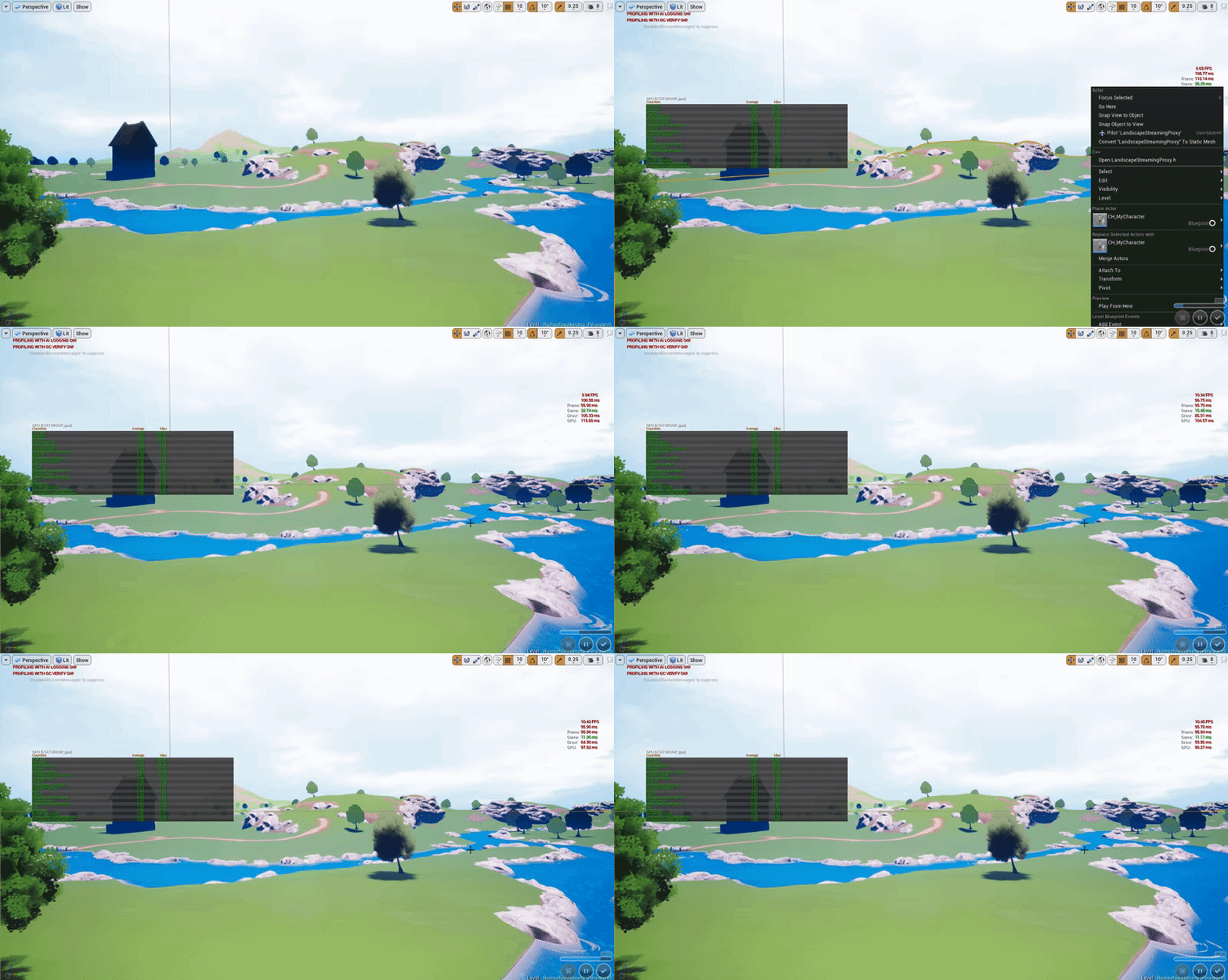 nova heath
Did you view your statfile yet?
nova heath
Windows -> Developer Tools -> Session Frontend
Then go to profile (top right tab) and click Load
nova heath
Looks like you need to look at the Game Thread in the bottom right panel
Odd how you have those dips
obsidian nimbus
there is a tree in one of those free nature packs (not epic) and it tanks fps like hell
nova heath
What does your render thread show in that same view Greggy?
nova heath
Yeah, in the graph right above that can you click on the left where that blue line spikes?
You can highlight a portion of that graph as well, just remove the portion where it recovered
 robust turtle
Hi everyone! I'm with the team that created Scene Fusion. We have plans to bring it to Unreal Engine. If you haven't heard of it yet, here is what the Unity version does: https://www.youtube.com/watch?v=DJVhuMYb8Ow

In this video we guide you through the basics of using Scene Fusion for real-time multi-user Unity scene collaboration. We cover how to use the tool, its pur...
PM me if you're interested in early access.
floral pagoda
You want access to that BTW
Great stuff when you are working on large or small worlds with a team
swift spindle
sounds useful man
 covert socket
What's a good place to find a UE4 dev team to work with as a 3D modeler?
Was looking at the forum, but doesnt seem all that active
 final tree
Hi, does anyone know of any professional environment artists who record their process? I just watch a bunch of random video tutorials and they often have different workflows
 digital anchor
@covert socket look at #looking-for-talent or place your portifolio in #looking-for-work
south ridge
@elfin dock so probably better to move the questions here
From #introductions
Are you the lead dev for those?
robust turtle
@floral pagoda HI! 👋
 abstract trail
Hey guys I have a rather stupid question of which I can't seem to find the answer on google. I've been using all sorts of variables in unreal for a while now, but I have a question. I know a boolean value is either true or false, but what exactly is a float value? I can't seem to find it anywhere. Thanks,
 fallen urchin
Guys please have a look at this issue I'm having : https://answers.unrealengine.com/questions/726258/unable-to-load-module-in-development-build.html
I'm not able to package the modules i have in my server
fallen urchin
however everything works fine when I start server from uproject file
abstract trail
Are you using the newest Unreal version?
Some people seem to have nasty bugs with it
fallen urchin
I'm using unreal engien 4.14.3
 vale osprey
@abstract trail https://www.techopedia.com/definition/23980/float

Techopedia Inc.
Techopedia - Float Definition - Float is a term is used in various programming languages to define a variable with a fractional value. Numbers created using a...
So it’s a signed number with a fractional part, pretty much the same across all programming languages
fierce tulip
bit harsh.
also, bsp shouldnt be used if possible. use meshes. (personal opinion)
cursive dirge
bsp itself would be useful if the editor was better
now it's just super slow and tedious to use
which kinda beats the very purpose of it existing
also, if you tweak the UV's of the BSP
those changes get lost the moment you convert BSP to mesh
unless they've fixed it since I've used it last time
plush yew
u mean convert to mesh?
plush yew
yes i learned it the hard way 😄
had a quite complex bsp imported to another program... hehe
cursive dirge
I actually haven't tested if that still happens on export thing
it kinda does different things
I mean, File->Export Selected
plush yew
i export bsp as a fbx
maps are really weird after that
also this bsp editing is just buggy as hell
fierce tulip
havent used bsp since UT3, never want to anymore either.
cursive dirge
just use any 3D modeling app
it's WAY faster
I'm all for in-editor tools like BSP
but they'd have to work to be useful
and not be such half-baked solution
fierce tulip
what about those tools they showed off making that lighthouse etc?
cursive dirge
landscape editor for example still baffles me
there's a lot of power in it
but the UX is text book example how to not make a user interface
it wouldn't even require huge changes to make it usable
just fix the very basic things
like get rid of drop down menus
have hotkeys for common actions
etc
fierce tulip
I think if someone made a plugin which mostly redid the ux/ui, it could be quite a seller
cursive dirge
yeah I guess
it's just, editor extensions are so painful in UE4
in unity, you do that in few minutes
in UE4 you get sent straight to slate-hell
fierce tulip
hehe
cursive dirge
I've done small extensions on both
it took me a day to get anything running on UE4 front
and the thing broke when next UE4 released 😄
my first extension in Unity took few hours, including the actual functionality, not just the UI aspect
and it works even today
plush yew
landscape editor ❤
cursive dirge
you actually like it?
I mean, features are there
it's just tedious to use
at least, to anyone who's done sculpting on proper tools
or used other engines landscaping tools
cursive dirge
you can put custom keybinds to it from editor settings
plush yew
oh nice
cursive dirge
but in past at least you couldn't change the tool while having viewport active
which kinda beats the purpose
plush yew
but can u change like the strtenghts and stuff with hotkeys
cursive dirge
you need to click on the menu, then hit the key to change the tool and then use it on viewport
instead of just hitting the keys while sculpting
I can't remember what was tweakable or not
plush yew
I love stuff where u can just right click everything and then there is a menu that insert shortcut key
why cant people do that on all software 😄
cursive dirge
I'd just want sane workflow out of the box
customization is a plus
but if they defaults are well thought out, you don't need to (customize)
fringe olive
Hello guys, can you give me an example 'bout how to add pushback on character when projectiles hit me? I tried to understand from internet but no chance 😦 ! Thank you!
plush yew
wow
just cliecked make a mesh from bsp and everything just disappeared
XD
and i crashed ue
I promise to everyone that I will not touch bsp anymore in my life until they have fixed it
also
can someone explain why i have a subtractive bsp brush floating in the air but i cant find it in the list
if i put anything bsp there it just gets subtracted XD
fiery ridge
help
creating custom event inside game instance(steam multiplayer)
create session is set to run on server
find and join session = where to set? server, multicast, on client
confused! help!
light thunder
What happens if you try to package without cooking content?
fiery ridge
@light thunder was that for me?
 copper forge
Can someone tell me why changing these 2 variables doesn't affect my character's crouch height & view?
like the crouching works fine but when I change the variables it doesn't apply the change I made
fiery ridge
Check if the camera is the active camera in the scene
copper forge
nvm it was my mistake
so it seems the character won't crouch further than the radius of himself
so like if the character's radius is 55 then the character will only crouch until half height 55
fixed it by making character radius 22
fiery ridge
👍
surreal viper
yeah that's how capsulecomponent work
copper forge
didn't know that, just started using UE4 4 days ago 😋
surreal viper
well yeah, it's easier to understand if you face the problem when you try to modify a capsule in editor 😦
not indirectly... but at least you managed to find out the reason 😄
it could log a warning or something 🤔
light thunder
WIN, no, it was a general question and you have a really hard name to tag when I'm on mobile lol
copper forge
is it possible to create a simultaneous tick in ACharacter? Because I made one tick function overrided from AActor class but it only updates whenever the game receives inputs (eg. Mouse movements, Keyboard pressed)
Am I doing something wrong?
nova heath
Anyone here know if it's possible to use UCX collision with Instanced Static Meshes?
fringe olive
Guys can anyone tell me how to shoot more projectiles in the same time?
 muted minnow
Hello, something is wrong with collision on my terrain... my character can run onto it, but every time I drag a mesh from the content browser onto it, it places it on the water plane below the terrain. My projectile isn't spawning explosions on the terrain, and right click > play from here plays from the water plane below, not the terrain. The landscape collision is set to block all.... any ideas on what else might be missing?
 dark flax
Anyone know where the input mappins are located out of the editor? Like the config file
muted minnow
@dark flax Settings > Project Settings > Input ?
Oh, out of the editor
Yes, one sec
dark flax
thanks!
dark flax
Nice!
rocky portal
I'm juggling interaction systems around in my head for first person shooter
which do you guys think is better
- standard center of screen interaction
- mouse cursor interaction....ie push some button to bring cursor up allowing you to do mouseover events
muted minnow
- has the benefit of being a standard that just about all gamers are familiar with and therefore would be the most intuitive.
- Has the benefit of providing probably easier more precise interactions... at a cost of immersion and breaking out of the normal game mode.
I'd say 1) should be your default, and 2) only if your game can make a strong argument for it (required, it's one of many such 'mouse' interactions, etc, etc)
My 2 cents
rocky portal
yeah 1) is also faster and more responsive
I could also implement both as an option
thanks
plush yew
Has anyone experienced there engine performing really bad since the latest 4.18.2
 sacred crater
Anyone know if global time dilation affects timers?
nova heath
Any reason why Add Instance would work when playing in the editor but not work when launching the game?
When it's launched Add Instance just returns 0 every time, in the editor via Play it works perfectly
 keen birch
Does anyone understand why, despite my Agent Max Slope being set to 89 everywhere, slopes such as this one aren't being generated?
grim ore
did you check the cell height and max step height as well?
nova heath
@obsidian nimbus I have an actor which I spawn on Event Init in my Game Instance and store as a variable called Placeables, that actor has a Hierarchical Instanced Mesh Component.
I get the reference from the Game Instance and call Add Instance on it.
keen birch
@grim ore Why would step height be relevant here? Isn't step height only used for non-connected parts of the navmesh?
Like
It worked
Now I just don't get what it means anymore
😛
obsidian nimbus

When I play VRChat I keep my VR experience 100% family friendly. 👍 If you enjoyed this video hit that "like" button and Subscribe! - https://goo.gl/ezG2U4 FO...
im like 2 min in and im soo confused
 restive eagle
is it possible to set keyboard focus for both parent widget and its childs?
frank escarp
@obsidian nimbus its a hilarious video
muted minnow
@keen birch What's generating that?
keen birch
A navmesh bounds volume...? Don't think I get the question
obsidian nimbus
how does one let players add skel meshes to a MP game like this?
muted minnow
@keen birch Sorry, I'm new to Unreal, I misunderstood your issue.
The navmesh isn't generating up that slope because , even though you've got nav mesh generating for any slope up to 89 degrees, did I get it now?
final tree
Hi, can someone clear up where I'd plug in my AO/Rough/Metallic map for 3ds max for the FBX workflow? I can't for the life of me find any output maps for them in the standard material. 😦 I guess I can just import these textures seperately and plug them in manually in ue4?
fierce tulip
I'd always suggest manual import. less fbx bloat, easier updating textures
keen birch
^
And half the time it stuffs up anyway, making it more work to get it all working nicely in the end
final tree
good to know. thanks
final tree
just learn it if you want to learn it?
I started learning it this week
I dont think learning any software package is easy but then again im a doofus
i'm not even touching the coding. Focusing on the art and level design
fair violet
@tiny dagger work hard, spend time and you’ll know pretty much anything you need to know. There’s info everywhere from the forums to YouTube etc
I recommend getting a strong grasp on blueprints first, it’ll help a lot
vale osprey
Blueprints help you to learn UE4 API, which is most of what you will be doing when you work with engine
fair violet
You’ll understand a lot of same concepts behind c++, but it’s much faster to iterate on and make mistakes. If you want to sit and let c++ compile for hours while learning, go for it, but the things you learn with Blueprint (how the engine works, the relationships with classes, communication, replication etc) is all completely relevant when moving to c++. If you learn better visually then I don’t see BP as a waste at all. C++ is much harder to grasp for me personally, but thanks to Blueprint, I could get into it much more easily and understand what’s going on.
If you are more comfortable with code then by all means just use c++
But I wouldn’t worry about optimization at all yet
You’ve a lot to learn first
Depends on the game you want to make
Will the end user jump up and say “this wasn’t made with c++! Terrible game”
If it works in the end, it works
The performance difference is often a lot smaller than people make it out to be
But of course the best option would be a mix of C++ and BP
Good choice
It’ll make c++ MUCH easier to get into imo.
You’ll already know what you need to do in your head, and it’s more a matter of translating the same nodes you’d use in BP to c++
And it’s often much simpler and cleaner in c++
frank escarp
i would kick it but only <@&213101288538374145> have the power
sacred crater
Bye
fair violet
Thank you
fierce tulip
hey i wanted to swing it
sacred crater


 frank escarp
insert banhammer.gif
fair violet
Is jumper still in? He was the main person starting stuff
final tree
is there really no way to import meshes with origins intact? I'd imagine there are people like me who like to build the environment's assets all inside 3ds max then import them over.
fierce tulip
jumper has jumped
there was a tool for something like that @final tree but iunno what it was called
 fair hornet
I just started the un4 editor up and I am going threw the tutorials anything else I should be doing?
fierce tulip
keep having fun!
 rustic sandal
Hey everybody, that's some freaking insane number of people on this channel, nice to see something like that.
Hi, @fierce tulip , I do really enjoy your stuff on youtube 😃
fierce tulip
thanks!
obsidian nimbus
some1 got banned? what did i miss? 😛
fair hornet
https://docs.unrealengine.com/latest/INT/Engine/Content/QuickStart/1/2/index.html I can not find Basic_Asset1 and Basic_Asset2 where can I find this?
Learn how to import meshes into your Unreal Engine 4 project.
fair hornet
I need some help
restive eagle
whats the file format you are trying to import? @fair hornet
restive eagle
you are looking for the specific assets shown in tutorial?
cause they are just examples, you cant download them
 lavish glacier
restive eagle
lavish glacier
restive eagle
np, it just shows how to add files to your project, it doesnt have to be the exact ones
@lavish glacier you are not alone my friend
lavish glacier
@restive eagle I figured its a wide issue. Very inconsistent.
restive eagle
i get low fps even working with blueprints
lavish glacier
Mine is super drastic difference too, I get 120fps sometimes but most of the time its super slow.
restive eagle
trying to run game in PIE is even worse than viewport
lavish glacier
Does your packaged game run well?
restive eagle
yup
lavish glacier
what version are you on?
restive eagle
4.16.2 , i had noe issues for a long time
if i had to guess nvidia driver update did smth
lavish glacier
hmm, i can't recall but I also think it just started to deteriorate gradually
restive eagle
i read there are even more problems with 4.17 and 4.18 just waiting for 4.19 first hotfix and hoping that it will be fixed
lavish glacier
I see. I'll wait till its completely resolved.
restive eagle
reopening the editor fixes this issue for a short while atleast for me, but its really irretating to do that
fringe olive
https://www.youtube.com/watch?v=hXwleGz7l6U&feature=youtu.be new update to my game guys, leave a suggestion if you want ! Thank you !

UPDATE : Framerate Per Second Right and Left Dodge Destroy Enemy
fair hornet
I made a campfire yay
restive eagle
@lavish glacier someone responded to your problem, i currently dont get the fps drop, but curious to know if it solved your issue
 flat shell
Hey guys, does anyone know a good sollution for distant trees casting static lighting? Using distance fields is not a possibility for me.
I'm ok with using cascaded shadow maps near the camera, but when those eventually fade at a distance would be great if they could blend to a static shadow cast by the foliage.
So basicaly i'm looking for a solution where at a distance you get static shadow and as you get close to the tree, it blends to shadow maps.
lavish glacier
@restive eagle It did not. But I'll try rebooting later to test it out.
I disabled overlay, same issue
restive eagle
ahh thats a shame, cause i have overlay on all the time, would have been a perfect solution :<
lavish glacier
yeah 😛 would have made me very happy
fair hornet
I am having the same issue
light thunder
Can someone recommend a good learning resource for packaging a game? I've read through the official docs and watched some of the Youtube videos but none of them really deal with diagnosing packaging errors. UE answerhubs helps some however, it is very fragmented and I'd like to have a firmer foundation to learn from if possible.
 worn granite
I highly doubt a suitable single source exists
light thunder
@flat shell check the graphics section you might have more specific help...my knowledge is fragement so anything I might suggest is probably a bad idea ...you could try something where you have two sets of trees...one that are from a distance with static shadows and they get culled/replaced with identical trees that have their own shadow/lighting system
@worn granite that's either a good thing because it's so rare to have problems and they are simple fixes, or it's bad ....not sure yet
worn granite
Hate to be the bearer of bad news, but if you're having to ask...
Depending on the nature of the errors it could be highly project specific and like I said knowing how to diagnose these things isn't really going to be a single source tutorial/series kinda deal
flat shell
@light thunder Like a LOD for shadows, interesting. That could work, tkx.
weary basalt
@light thunder Theres no resource that has solutions to every error you may encounter. Its just one of those things that you learn through experience. Google is your friend and so is this Discord 😃
 hazy lynx
hey everyone!
does anyone know what "Build UAT" option in project launcher -build - advanced options means?
 zealous spade
user acceptance testing
plush yew
hey guys thinking of using unreal but i am torn between unity
anything unreal does better than unity?
weary basalt
What type of game do you want to make should be the question you need to ask
safe rose
Use GameMaker Studio 2.0
weary basalt
You choose the tools for the job not the other way around lol
safe rose
Well
weary basalt
Unity does 2D better than UE4.
safe rose
More importantly, you choose the tool that you know the best
weary basalt
Tools can be learnt
hazy lynx
@Snugglebash#5265 isn't UAT Unreal Automation Tool?
weary basalt
Yes UAT is the Automation Tool
 tacit kelp
Can someone please help me out with a minor problem
plush yew
i want to make 3d games
tacit kelp
plush yew
or muliltiplayer fps to be exact
tacit kelp
4.17.2 worked just fine and now that Im on 4.18.2 I cannot get any multi-player stuff to work
weary basalt
@plush yew Thats not really what i meant, like the Genre type is important as well. You need to define exactly what game you want
Well in that case UE4 would be better in my opiniion
@tacit kelp You need to get the Plugins for that version
tacit kelp
I have them but where to put them
plush yew
alright thanks
tacit kelp
C:\Program Files\Epic Games\UE_4.18\Engine\Binaries\ThirdParty\Steamworks
plush yew
also in blueprint am i able to edit the code later in c++
tacit kelp
google has failed me
weary basalt
Really..
tacit kelp
everything is years old and doesn't give a more exact answer
Docs page says /YourUnrealEnginePath/Engine/Binaries/ThirdParty/Steamworks/Steam[Current Version]/Win64
which is for me C:\Program Files\Epic Games\UE_4.18\Engine\Binaries\ThirdParty\Steamworks
4.18.2 came with Steamv139 which is outdated, 142 is the current
weary basalt
How to create Unreal Engine plugins.
weary basalt
Because you updated your engine, you need to update your plugins to that version as well....
I said that earlier
tacit kelp
I did that
I downloaded and put in the correct 4.18.2 advanced session plugins
I uninstalled 4.17.2 and deleted any trace of my old 4.17.2 advanced session plugins to prevent issues
so my plugins are up to date and correctly installed. I can activate them in UE4 just fine but when I activate them they require a restart and thats when I get the Binaries missing or outdated errors
I uninstalled UE4 completely last night and running a fresh install and it comes from epic with outdated binaries
weary basalt
Talk to the Author of the Plugin.
tacit kelp
I had a noob member of my team do a Pyrodev tutorial to make multiplayer steam setup. Took him an hour and it was working. but beats me why I had it working just fine in 4.17.2 and even on a fresh install of 4.18.2 I cannot get it to work
something to do maybe that my project was originally made in 4.17.2 and then cloned to 4.18.2
just found in my project "advancedSessions" in a plugins folder lol
those would be the old 4.17 stuff
(BANGS HEAD HARD ON DESK) why did I put the plugins into my project files. that was the issue
can someone who has their editor open look to see what it says your advance steam sessions and advance sessions version is
cursive dirge
@tacit kelp just recompile the plugin for 4.18
if it's BP only project, it's bit more involved
at least, I don't know if they've fixed the old limitation yet
but in past you needed a c++ project to be able to compile the plugins
which you can do by adding a dummy c++ file to your BP project, or just create another c++ project from template and put the plugin there so you can compile it
and then bring the compiled version to your BP project
actually nevermind, that plugin comes precompiled
tacit kelp
I found that since the project had for some reason a copy of the advanced session plugins in it and not just in the engine files. I deleted them, then enabled the plugins again
it resolved the issue along with one other thing
cursive dirge
ah
tacit kelp
I created a folder called Steamv142 and copied in the files from the current Steam SDK into that from the redist folder
seems to be working fine. Just need to pop in the find host since I added create server already. And few other minor features. Told my team I would have this ready by 10pm EST (3.5 hours from now) so we could do a multi-test
plush yew
when i downloaded unreal i did not enable the shortcut option
how do i make a shortcut for unreal?
weary basalt
You can find the EXE here Epic Games\Launcher\Portal\Binaries\Win64\EpicGamesLauncher.exe
@plush yew
weary basalt
Just open it from the Launcher?
If your talking about an Shortcut for an specific project, you can navigate to that projects directory and create an shortcut of the .UPROJECT file and that opens your project in the Editor.
copper forge
I have a C++ gamemode and I want it to tick everyframe.
#include "GameModeBase.h"
#include "FPSCharacter.h"

AGameModeBase::AGameModeBase(const class FObjectInitializer& ObjectInitializer)
    : Super(ObjectInitializer)
{

    PrimaryActorTick.bStartWithTickEnabled = true;
    PrimaryActorTick.bCanEverTick = true;

    DefaultPawnClass = AFPSCharacter::StaticClass();

}

void AGameModeBase::StartPlay()
{
    Super::StartPlay();

    if (GEngine)
    {
        GEngine->AddOnScreenDebugMessage(-1, 5.f, FColor::Yellow, TEXT("HELLO WORLD"));
    }
}

void AGameModeBase::Tick(float DeltaSeconds) {
    Super::Tick(DeltaSeconds);
    if (GEngine)
    {
        GEngine->AddOnScreenDebugMessage(-1, 5.f, FColor::Yellow, TEXT("TICK"));
    }
}
but it only calls the StartPlay() function and prints "HELLO WORLD" but it doesn't print the tick one.
Am I doing something wrong?
copper forge
nvm fixed
final tree
Hi, does anyone know how to apply a material slot to multiple meshes? i.e. 100 meshes use the same material but I need a slot per mesh before I can select and apply the material to them. sorry for such a newbie question but cant find an answer online.
 keen ridge
Hmm?
south ridge
Discord can't highlight the other guys name
The script adds an extra option into the context menu of the asset browser. Selecting an asset and more assets will share materials from one asset onto all others based on material slot names
final tree
ooh that sounds like exactly what i need!
do you happen to have a link for that patch?
south ridge
No link, but if you are willing to clean up the module a little, I can send the CPP module
It doesn't change the engine itself actually
Just some code you can drop into your game module even
final tree
I need to come clean, it's my first day on UE4 so I'll need to read up on what a cpp module is and get back to you 😳
fierce tulip
hehe
south ridge
Oh haha. Well, if your game is based on C++, you just add that code into the main module (which is like a collection of functions, objects etc, all in C++)
final tree
ah ok. sorry for late response. I dont want to be that newbie who constantly depends on bugging people for answers so I hope you dont mind if I go read up a bit on it.
Dont even know if my game level is based on c++ -_-
plush yew
is there any information about when is Epic going to stop spending 90% of their time on VR and other platforms and just concentrate on PC for a change?
 glossy flame
Not sure if you've noticed, but in the last few engine versions there have been a lot of general improvements, especially to MP (albeit due to things like Paragon and Fortnite, but still)
One thing is for sure though: at this point, the VR market definitely isn't shrinking.
glossy flame
What, you're telling me they don't have an exact date of when they're ending work on what I ignorantly percieve they are?
 snow crown
they just lead with VR features, most of their features aren't VR specific
glossy flame
😛
 bitter iris
Could someone give me guidence on source control
glossy flame
Head over to #source-control and just go ahead and ask the question 😃
 weak peak
anyone here intrested in space games? like no mans sky or elite dangerous?
send me a PM!
im currently working on terrain gen and could use some help
 sage stag
the power of what you can do is ridiculous, it really is work though. eef
 storm venture
if someone were to release a game for sale that had non-commercial use content, that would obviously be illegal, but what if the game was free?
Is a free game on Steam considered commercialized?
weary basalt
Depends on who you ask i guess. Even if an game is free, it may still have paid content, ingame shop etc etc.
 little salmon
Well if the content creators actually provide a public license for non-commercial use. I'd reckon legally it's fine. But what Valves stand is on that, I'm not sure.
If the game is one hundred percent free of course.
storm venture
Yeah I wouldn't bother with paid content and stuff, once revenue is made I would consider it commercialized
even ad revenue would probably label is commercialized, i'd assume
little salmon
Jepp.
I mean some people do this with a work around. "Check out my donation page" 🤔
storm venture
Ohh, very true
little salmon
Used to be a pretty known method a couple of years back, haven't seen it much lately. I guess the new version is patreon. But if we consider that taking your project, filling it with non-commercial content, then showing a patreon / Donation method to consumers.
Like a texture, fine it wont be game changing and you could probably replace it within a very short time. But if you just download everything for free that contains Non commercial licenses and slap that somewhere and get a lot of revenue from third-party websites. Not to my taste I guess.
Not sure how that would work legally tho. :D
 proven aurora
Where's the best place here to look for someone to join in on a project with me? Nothing paid and just something casual and for fun, so I don't believe it would fit in #looking-for-talent.
little salmon
What do you have in Mind Gurbo, just some simple mini project? :)
proven aurora
Doing a little remake of Valve's Ricochet. It was a pretty simple game that flopped back in 2000 but I thought it had potential. Would be cool to see a modern version of it
little salmon
I actually played that back in the back, strange quake type game. 🤔
So extremely simple level design, fast upbeat movement and one weapon.
proven aurora
Pretty much, it sounds fairly easy to recreate imo
Hardest part would be multiplayer but even that shouldn't be too difficult
proven aurora
Either decapitating them or knocking them off the platforms
little salmon
Alright.
proven aurora
You get three discs, throw one individually to knock them back or throw three at once to decapitate
little salmon
I personally have zero clue how to do weapons / equips etc.
I've looked around for guides but the amount of variations for one thing in UE4 is just insane.
proven aurora
Lol yeah. I've done a bit of weapons and stuff, shouldn't be too difficult
little salmon
I mean the level design part, should not be the most difficult. Really just Neon platforms, you could probably take it further with slightly more effort. Did the game have jump pads?
proven aurora
Yeah, it had little arrows on the ends of platforms that would launch you
proven aurora
Ikr lol
proven aurora
? 🤔 🤔 🤔
little salmon
It needs one intense looping Sci-Fi beat.
proven aurora
That it does
plush yew
i have my particle candle and id like to add light to it
i add but nothing happens
i change all parameters
why so hard to put one light
 winter onyx
So; last-time that I really wanted to learn this engine there were a few things in the way. I want to give this another shot. How do I learn this engine from the perspective of a developer without the ability to provide my own graphics while still managing to learn advanced content? I've already got C++ knowledge\experience. I was just shut-out last time because I didn't know how to learn it without having to deal with "pretty" myself; and myself doesn't dev "pretty" stuff to give a purpose too.
Am I making sense there?
weary basalt
There are plenty of free content packs that have been released on the Marketplace by Epic, the InfinityBlades pack is completely free to use throughout any commercial project.
south ridge
Make a mod for Ark
weary basalt
You can also pay for packs on the Marketplace if you need assets.
winter onyx
Well; right now I am starting with the map. I do want to learn to dev from the map->the character, rather than the character->map. That is because I feel it may solve a lot of rendering bugs and it would definitely be easier achieved if done sooner than later.
I can achieve that in raw C++. Is it achievable in the UE4 framework? (Basically; relative placement of the user to the world rather than the relative placement of the world to the user.)
plush yew
hey why in the hell my particles are not selectable
and they are not in the list
they just exist there in the gameplay
cant do shit on them
little salmon
@proven aurora Have you started the remake by the way? :)
proven aurora
Just started working on it @little salmon
Got the jump pad things working, working on the discs now
 fallen schooner
I could use some help making a decision with how to build a Beatemup.
little salmon
Sweet! Hey it alright if I just make a Geometry map based on Rico? I want to learn them jump pads.
Are you doing Jump pad Wild launch or launch from A to B?
proven aurora
You can set the launch velocity for each side, both X/Y and Z
So it's not A to B but it's pretty easy to adjust it accordingly
fallen schooner
I am attempting to build a more generic, modular system for attacks and spells.
Consider a basic "Punch" move.
little salmon
I'd think Free Jump would be more engaging and fun, I guess from A to B would be way too static considering the nature of the game.
fallen schooner
The punch will have a windup, a hit, and then a period of recovery.
little salmon
@fallen schooner Wish I knew, haven't touched that part of UE4 yet.
fallen schooner
My first thought was a series of Phases, objects laid end to end that do things when they start and then last for a period of time.
things like spawning a hitbox, or flagging the character to be immobile.
little salmon
@proven aurora For the Cubemap etc, what are your plans there?
fallen schooner
Once all phases are complete the spell is over.
little salmon
Time to open PS and just slap on some purple 🤔
fallen schooner
But then I saw someone else make a Timeline in Unity that behaves similarly except you could do far more at once
IE you can have overlapping tracks
I am wondering if it's worth making such a system in Unreal
Unity makes editor-scripts really easy.
Should I make one for Unreal or should I attempt to use an existing thing, like Sequencer.