#ue4-general
1 messages · Page 128 of 1
 half mango
nice changes? i read the patch notes but didnt really understand what a lot of it meant
 plush yew
Huh, i suck at ue4 and i hate it. i dont know why i keep installing every update
plush yew
but damn! i love the look of that baked lighting. yeah am on that phase too i guess. am a unity fan u know.
half mango
looks amazingg yeah, i think it just requires constant attention
for a few months
to get used to anything
then youl think more of it
plush yew

 fossil ore
@plush yew Consider this. Learning anew software is like a investment.... Is better than playing shitty games
plush yew
that looks like a 3d render ❤
fossil ore
yes
plush yew
Yep @fossil ore and i switch from playin games to tryin to understand how games are made.
and that made me loose the hype of playing video games.
fossil ore
same.
I'm no longer hyped by Industrial games
Microtransactions man.... ughh!
I can tolerate DLC's to some degree... but I have no tolerance to microtransations in 60$ games
plush yew
microtransations should be illegal ! it doesnt make any sense; paying real money to gain XP/ features in game.
Why playing anyways ?
plush yew
Amazing ❤
half mango
fossil ore
If you would have post it in Blender Discord
I would automatically assume It was done in Cycles Render
half mango
i think cycles a lil better in stills
fossil ore
Limitations vs No limits
fossil ore
There is so many options in UE4
Question.
Method CircleDoF in DoF meant to be "grainy" ?
 fair violet
@fossil ore it’s a side effect of it being a real-time effect. Try increasing the aperture to find a good balance of blur and grain. I do believe there is a console command that can bump up the quality further but I don’t have it at hand
plush yew
does epic release those new feature sample scenes that would help a noob like me.
half mango
also anyone know how to add fag
fog*
into just one area
would like it on the exterior of my scene
but not the interior
 whole turtle
^this might help 😃 https://youtu.be/N4mkgbwLg7U

Announce Post: https://forums.unrealengine.com/showthread.php?146354 Daniel Wright joins the livestream once again, this time to talk about Volumetric Fog, a...
plush yew
normal behaviour for fans @plush yew
 short onyx
@whole turtle It's for the 4.18 or the older one? Or it's the same parameter but better?
 upper heart
Volumetric fog was introduced in 4.16
short onyx
I know, and i still can't use it properly xD
short onyx
Both 🤷
 wary wave
HHnnnnrg. Volumetric lightmaps
short onyx
I'm bad with both
wary wave
does anyone know if they support changing light colour at run time?
plush yew
i canbe your senpai @short onyx
wary wave
I assume not, because of shadowing requirements, but it'd be good to know
short onyx
🤔
 honest vale
I wonder if volumetric lightmaps could be used with dynamic/movable skylight to provide some approximation of sky occlusion
short onyx
But have you the courage and the time? xD
short onyx
Well, i'm free in 1h40 if you have the time, you can pm me 😃
 thorny kayak
I was kinda worried for two seconds there cos my destructible meshes weren't working... then remembered they've started to disable plugins (like apex) by default in the editor now
short onyx
Sorry i'm french, MP is for Message Privé, Private Message x)
plush yew
xD message me privéle
thorny kayak
qui
plush yew
NO NO
short onyx
wat xD
thorny kayak
chatouiller mon porte-monnaie, s'il vous plaît
plush yew
ki pimili bumbam
short onyx
What the..... xD
thorny kayak
@honest vale älä ala riehuun
plush yew
XD
short onyx
You all lost me x)
honest vale
moonspeak time
plush yew
for completed_model in completed_models:
print(completed_model)
fureva completela_modela ine completela_modela:
printo(completela_modela) <-- french
xD i am hyped
plush yew
i know XD i find it f unny
plush yew
do you maybe need help with blender?
short onyx
Me?
plush yew
so what do you do with UE then? oO
thorny kayak
Hmm, updated to .18 and my game started to crash like crazy
I thought I fixed it already, but nope
and now restarting, it doesn't crash anymore
almost like I have to have the editor running for a while before it starts to crash
plush yew
i am really sorry 😦
@short onyx oh bp. gameplay goes into BP o.ö interaction also into BP. and for maps you need content :D.....
short onyx
i gonna learn to make 3d model soon cause i need a weapon and arms (FPS view)
And animation in UE and skeleton and everything xD
 vale halo
LogModuleManager: Warning: No filename provided for module OnlineSubsystemSteam
LogModuleManager: Warning: ModuleManager: Unable to load module 'OnlineSubsystemSteam' because the file 'C:/Program Files/Epic Games/UE_4.17/Engine/Binaries/Win64/' was not found.
``` 🤦(such an easy fix - yet I still somehow wasted over an hour on it 😛 )
plush yew
quick question, when installing ue4 from backup you cna put a file named $movedmarker to quickly verify the engine installation... i just can't remember where to put it.:( anyone?
thorny kayak
Weird, the last entry in both two latest crashlogs was "BP_Enemy_76 is stuck and failed to move!" Can't imagine why that would crash the whole editor.
short onyx
What? AI can't move so the editor crash? xD
 cloud cobalt
@thorny kayak What's the call stack in the crash reporter ?
That's your entry to knowing what's wrong
Install the editor symbols if you don't have the stack
 safe rose
@wary wave aye.I ended up just spawning the BPs and attaching them. A shame, they were working just fine in 4.15.
wary wave
ah so they are indeed broken
sadface
I haven't had much luck spawning BPs with the generated procedural mesh either, to be fair
thorny kayak
@cloud cobalt I have no idea how to do any of that
cloud cobalt
When you have a crash, there is a smaller window that pops with some text.
That text is called a call stack, a history of what exactly the code was doing when it crashed. It's very helpful to see what happened.
thorny kayak
yeah, it's empty
because I don't have the symbols I assume
But I have no idea how to install them
cloud cobalt
Go to the launcher and you have an "options" thing on each engine installation in your library
Under a drop-down arrow
You'll have "Engine symbols for debugging" somewhere inside
thorny kayak
Only 13GB?
cloud cobalt
Yeah
thorny kayak
Maybe some day
 light thunder
I try to build lighting and it takes forever despites removing nearly every light - I'm getting this error here:
Missing cached shader map for material FDebugViewModeMaterialProxy lambert8, compiling
on nearly EVERY SINGLE MATERIAL.. ..
I've tried looking here https://answers.unrealengine.com/questions/385572/cant-start-missing-cached-shader-map.html but it doesn't seem applicable...
thorny kayak
The destructible mesh components collide with an enemy that is on a navmesh and push it to a wall after which it can't move anymore...
And I guess that crashes the thing
And I can't turn off the collision on the particles after the mesh is destroyed for some reason. Yeah, I gotta install those editor symbols... 😑
half mango
jesus this software
why cnat i delete this fking camera actor now
so frustrating
no matter what i do i cant delete this cine camera actor
thorny kayak
UE4Editor_Engine!SetHitResultFromShapeAndFaceIndex() [d:\build++ue4+release-4.18+compile\sync\engine\source\runtime\engine\private\collision\collisionconversions.cpp:379]
can't really find any info about this stuff
I assume it's a line trace that somehow hits a null pointer error
wary wave
seems that way, I'd anticipate that's an engine bug
something to do with the geometry it's hit
thorny kayak
hmm
Yeah, I didn't get this at all in 4.16
Well I posted a forum post.
https://answers.unrealengine.com/questions/718749/line-trace-null-pointer-issue.html
Thanks for all your help so far guys!
 sour pumice
Greetings, I have a question regarding ue4 console command. Whenever I enter a console command and press enter, nothing happen
Do I have to do something prior?
 fierce tulip
some keyboard country settings add some weird stuff after you press tilde (console) try backspacing first, then writing your thing
sour pumice
Oh, wow, it worked! I brought a table with numbers! 😃
How do I make it disapear though?
rewriting the same command dow not hide it
oh, nevermind!
light thunder
My build is stopping because of yellow errors? aren't these more like information and not critical?
I've made sure precomputed lighting is enabled and I've put down both a lightmass importance volume and a precomputed visibility volume down as well...why is my lighting not building?????
 quasi lake
Need to make a third-person auto-rotate action game camera like dark souls/zelda bow/ninja gaiden 3d series/devil may cry etc,
Anyone has any demonstration?
thorny kayak
Hmm, maybe it isn't a line trace issue. If I run into the destructible mesh rubble with my player actor, it crashes the editor, as well. Ah, but it doesn't happen if I don't do the line trace. If I just let the meshes crack with impact damage, then it doesn't crash.
thorny kayak
Well, I managed to change the collision checks so that it avoids the issue. Not ideal since I liked the previous functionality better, but what can you do.
 fallow cliff
very nice
you should post these in the UE4 ArchVis forums, so i can find them in case i make another best-of-archviz blog post in the future
don't forget to add name and website 😉
 surreal viper
what is the best way to add level related info to player character before begin play? it needs to have a reference to an actor which is placed to the level
I was thinking about creating an actor which can provide the info, and it could be found from the character's begin play via an actor iterator but maybe there is a more elegant/faster way to do this
 rocky kayak
watching https://www.youtube.com/watch?v=1PeA1hdSU14&list=PLL0cLF8gjBpqDdMoeid6Vl5roMl6xJQGC&index=53 and apparently he sets up his main menu as simply a HUD in front of his game. is this unusual for the majority of games made using this engine? wouldnt this mean a player is also loading the initial level when they load into the main menu? also, what does this mean for blueprint functions that use "main menu" for game instances? one in particular "returns to the main menu and disconnects any players".

This is episode 53 of my unreal engine 4 beginner tutorial series, in today's episode we we continue to work on our main menu, showing you how to add the bas...
 grim ore
There is nothing wrong with this approach depending on your game. It gives you some interaction in the menu if you choose plus gets you right in the game. If you are using streaming levels you don't have to load in the entire game you can have just your menu level loaded up for example.
it has it's uses just have to see if that use works well for your project 😃
for example an arch viz project might benefit as you are going to load the level anyways and its probably all self contained.
 obtuse sable
What channel should i ask about cinematics?
 vital jackal
say I want to bring an UE4 project to class, is there a way I can do that without installing UE4 on the school's computer?
cloud cobalt
Package it
vital jackal
I meant in a way so that I can edit it
 keen birch
You can, though, run UE4 off a USB or external drive
vital jackal
@keen birch yeah this is what I meant, as long as I run it through the USB, everything should be fine right?
keen birch
Yup
upper heart
@obtuse sable what about cinematics? Specific questions around Sequencer/Matinee?
plush yew
Hi.... I come in peace... I brought cookies.
But i guess I'll get ignored :p
Yay,i was right! Look I'm just a pre-teen programmer that uses UE4 and would like to get closer to the community
obtuse sable
@upper heart Yeah and cameras
I got a scene where i got a camera stuck on a object
thats moving
The object is a model imported with animations
When i try to render it
The camera is not being rendered for some reason
in the preview window if i move my mouse
the preview window moves
plush yew
Yep, ignored
upper heart
@plush yew welcome
obtuse sable
you kinda baeraly said anything xD
upper heart
@obtuse sable this channel is fine for that question
obtuse sable
Ah okay 😃
Do you know the answer? xD
I even tried going through every frame and making a key frame on the camera position
still didnt record the camera when rendering
plush yew
Someone adopt me pls
 ionic sedge
Do you have a camera cuts track?
plush yew
I lost my other server adoption. They disowned me
obtuse sable
not sure what that is even xD
dont think i have it
ima check
Im using Matinee @ionic sedge
idk if that helps
ionic sedge
Why not use sequencer?
obtuse sable
i have converted it to sequencer
i just dont get why its not rendering the camera
its really weird
dont have any other camera
ionic sedge
So did you have a camera cuts track in sequencer? 😛
Demonstrates how you can use multiple cameras with the Camera Cuts Track.
from 12.
 shut gulch
@plush yew I would hit up VA's on twitter or try to contact people that worked on games with similar budget levels to what you are willing to pay
upper heart
#career-chat is the correct place to post. We do not currently have a channel specifically for voice acting.
 hot ledge
Unreal engine 4.18 released with sort of improved AR support
lighting update
And new updated hyped physics asset
 wild kestrel



Made 2 scripts Bubble which contraols way particule move and Spread which makes particule spawn on random position in set radius
also made a hack to make Scale work by setting SpriteSize based on Scale
you can code any particule bahavior oyu want in niagara
without any C++ codeing
only issues is it graphs are more complicated then then material
editor
I probably gonna make demo video later today :>
posted this to wrong chat lol
fossil ore
Anyone knows how to turn seconds into frames in Sequencer?
ionic sedge
@fossil ore You set the snapping to frames.
 ruby chasm
Can I prevent the sky sphere from being culled?
 solar quarry
about 25% through blockout of level
realises
I should probably ease up on the trees. I've got over 7000 blocks acting as trees
like seriously, the majority of this area won't even be accessible
in fact all of this area will be inaccessible
I just realised I have a lot of free landscape space going to waste
 tulip vault
use tree cards
solar quarry
@tulip vault tree cards?
 worn merlin
Anyone know of anywhere where I could find free low poly stylized environment assets that isn't TurboSquid, TF3DM (Free3D) or cgtrader?
tulip vault
basically planes that are tree pictures
it's an age-old technique
but it works and is cheap
solar quarry
@tulip vault oh so a gigantic plane that has a gigantic "This will be trees" text render on it?
tulip vault
something like that
solar quarry
@tulip vault I could do that.... in fact no I probably SHOULD do that
tulip vault
each plane can have a picture of a tree, and instead of several hundred polys per tree, it's two
solar quarry
But it wont be a plane, it'll be a gigantic block
in either case this is a blockout so as long as I have an idea where the trees will be
I'll worry about the cards later
for now, I gotta finish this blockout so I have a lifesize map of my level
which, I'm realising, my level is pretty ambitious for an assignment I'm supposed to finish by this december
tulip vault
https://cdn.pixabay.com/photo/2014/12/22/00/07/tree-576847_960_720.png you'd put this on a flat plane

for example
solar quarry
yeah
then I'de have a large portion of landscape not filled with trees but planes that have trees rendered on them
so if anyone were to get past the actual trees, they'de wind up with a sight similar to if they get around in north yankton in gta 5 somehow
lol
@tulip vault
tulip vault
hehehe
solar quarry
good plan
tulip vault
it works for optimization
solar quarry
I shall note this down
solar quarry
YOUR DAMN STRAIGHT IT'S GOOD FOR OPTIMISATION. JUST WHAT I GOT OF THIS BLOCKOUT RIGHT NOW IS TAKING AN ENTIRE 3 MINUTES TO LOAD
solar quarry
so 12 x 7 = 84
over 84000 polys
That I just purged a majority of
this is going to be a bitch to build lighting for
tulip vault
to be honest, 84k polys is the amount of polys in a AAA game's main character
computers can take that easily
solar quarry
... WHAT KIND OF FUCKING ENGINE IS SUPPOSED TO HANDLE THAT?
tulip vault
heck, Warframe can take 200k in a four-man squad because each warframe is about 50k polys
and then add the enemies and environment
solar quarry
and unreal engine struggled to load a bunch of blocks
tulip vault
that GPU needs to go
solar quarry
if I could afford one
tulip vault
team green boy?
solar quarry
I can't do any sort of upgrades whatsover because my case is too small
tulip vault
the RX 560 i have is the size of a harddrive
solar quarry
also... team green boy?
tulip vault
nVidia is green, AMD red
solar quarry
is rx 560 amd?
tulip vault
yes
 buoyant echo
If you're getting a 1070 might as well get a 1080.
solar quarry
@buoyant echo true
tulip vault
People tell me that the RX560 equates to a 1060, but i call bullcrap on that
it's a snappy card, handles my games on max with my screen being a 2560x1080
tulip vault
better, 12k fps
solar quarry
😏
tulip vault
there's actually a hard limit for applications, so no 12k redraws
solar quarry
for real tho how does it fair to games like... erm... witcher 3?
solar quarry
I see then.... hitman the entire first season
@tulip vault ADD ME ON STEAM... please?
tulip vault
it's what i call the monolith project
tulip vault
Well, i have an old description i'm fine letting go public
but i can share the site
which has a better one
solar quarry
@tulip vault I like those landscapes
solar quarry
@tulip vault ahh I see
tulip vault
we don't actually have a whole lot made, just a story and a will
solar quarry
@tulip vault well as long as its story rich, it should interest me
solar quarry
@tulip vault oh no I don't have any skills to get hired
tulip vault
i'm a hobbyist
solar quarry
I meant it shoud interest me as a game to play
as of now I'm still learning how to use ue4
tulip vault
heh me too
solar quarry
I still haven't even made any ai
or any actual landscapes
or characters
or animations
or ui
or anything really
I'm still making a blockout
tulip vault
blockouts are good
solar quarry
great way to map out where everything is gonna be
tulip vault
matter of fact i respect blocking out more than the average person here, i came from Source as an engine i worked with
i still make maps for it
solar quarry
@tulip vault well, I'm still a noob, this is what a blockout is to me
or at least, it's a blockout that I'm able to make
solar quarry
yeah I mean, you can clearly see it's a lake lol
tulip vault
LAKE
solar quarry
how to bold text?
tulip vault
asterisks
solar quarry
LAKE
tulip vault
one is italics, two is bold, three is bold italics
solar quarry
ok
tulip vault
like reddit
solar quarry
LAKE
somehow seeing lake in bold text after this screenshot is funny to me
well Imma go off now, it's 12:38 am Imma sleep
@tulip vault much better than having over 7000 blocks lol
 trim trail
how to stop ue from logging "WorldSettings_1 Maps need lighting rebuilt" ?
light thunder
I cannot build lighting because I have a bunch of these LogMaterials " LogMaterial: Missing cached shader map for material FDebugViewModeMaterialProxy Color_002, compiling. " One time i spent 18 hours building yesterday and it only got to 2.5%
This has been like day 3 of trying to fix this error
 prisma vector
Does anyone know how to update the gameplay debugger? I tried using this guide https://docs.unrealengine.com/latest/INT/Gameplay/Tools/GameplayDebugger/ but those component classes don't exist anymore
Tool that enables analyzing realtime gameplay data at runtime.
plush yew
this sign is a sign
 tulip bobcat
Guys
it won't let me install the EpicInstaller
well, it tries to install it
but it always says the download fails
grim ore
based on what you said is it installed and then failing to download the update or the engine?
tulip bobcat
no, the installer to install the engine won't exactly install on my PC for some reason, even though my PC is able to handle the download
grim ore
ah. Super weird. the installed you download should install the launcher and not download anything else
I just checked that installer and it didnt download until it was done installing
 mint raptor
if using multiple camera which camera does Unreal know to use for a lot of its methods that work with a camera?
 zinc bison
has anyone imported morph targets recently, i cant get mine to import
keeps giving me an array index out of bounds error
and crashes my editor
-sigh-
no call stack either, so its impossible for me to actually look at the code to see what it could be failing on
grim ore
@mint raptor the Player camera manager manages the camera and knows which one is active https://docs.unrealengine.com/latest/INT/Gameplay/Framework/Camera/
The Camera represents the player's point of view; how the player sees the world.
mint raptor
@grim ore Hey I recgonize you from your WTF youtube video! They've been a great aid!
grim ore
@mint raptor awesome to hear 😃
mint raptor
Thanks a lot for doing them 😄
light thunder
Is there a way to check what is being culled and not culled via a global setting...here's the PROBLEM - THIS is not an overly complex scene, so why is the cost so high?
 modest heron
is there another place to ask questions about unreal? it normally takes about 8 hours to get a reply here
grim ore
@light thunder do a profilegpu and see what it is showing is taking.
light thunder
already done....I even watched your occlusion volume video today and was curious about using it
modest heron
or should i just throw every question into general chat and ignore all the sub-channels
grim ore
@modest heron there is the GameDevLeague discord as well as the forums and answerhub but most of the sources are the same people and some questions just need certain people =/
light thunder
It's a pretty big map with poor optimizaiton but what I don't understand is even if I go to "simple" areas, it runs like 20 m/s
mint raptor
@modest heron your milage will vary, but just cover as many bases as you can, while respecting rules that is
light thunder
@modest heron Try to simpify your questions by watcing as many videos on Youtube and narrowing down the problem, it's something to do while you wait for a response
mint raptor
@light thunder did you check your shaders?
light thunder
the foliage is pretty bad but should it be that rough? I'm using a 1080TI on this thing
mint raptor
Explanations for the available View Modes within the viewports.
modest heron
right now i'm jsut wondering why I can't see the trigger flow in my widget blueprint. I have no option to select a debug object in the widgets graph. while playing I can't see what is happening in the BP flow.
mint raptor
Shader Complexity and Light Complexity
grim ore
here is a good page on culling, http://timhobsonue4.snappages.com/culling-visibilityculling.htm
grim ore
@modest heron if you can't see your active object in the debug filter drop down then perhaps you don't actually have one in the world
light thunder
Lightmap density....
grim ore
and yes foliage is really really rough if it's not instanced or its using a large amount of transparency
modest heron
@grim ore how do i see what's going on in a UMG widget graph during play?
grim ore
@modest heron you should be able to debug it like any other graph, are you sure it's created and added to your viewport? You can also always hit F9 to put a breakpoint on the Begin Play node to check that it's running and then debug from there
light thunder
@grim ore It's a LOT of instances but how can it be rendering so much? also, this shadowmap, it's that just on the light
I'm not sure where that split takes place
grim ore
are all of your lights set to static?
light thunder
nope
I'm having a lighint issue due to a missed cached shader problem I think
LogMaterial: Missing cached shader map for material FDebugViewModeMaterialProxy Swat_Mat, compiling it does that for a BUNCH of materials
grim ore
yeah if your lights are generating real time shadows and you have large objects it could definitely be causing problems
you could always disable all shadow casting on the lights as a quick test and see if that helps
light thunder
How do I globally disable shadow casting? on the direciotnal light?
modest heron
@grim ore if i add a breakpoint it will stop there, but I still can't see anything flowing through the blueprint like normal. Earlier this evening i did see stuff flowing so I believe it should be working. The bluepring belongs to a UMG widget, and I'm triyng to debug while the widget is shown in the viewport. there's just no activity.
grim ore
yeah just disable the cast shadows option on your light(s)
light thunder
here's the thing..... there are ALOT of them......how do I make a single AREA of my map run well, then I can rinse and repeat
grim ore
you can always type in light at the top of the world outliner, select all the lights, and disable them all at once
light thunder
This is for a Firefighter Incident Command (I'm a FF/PM trying to learn Unreal)
there are BP lights but I get your point
grim ore
well bp lights should be simple you just change the one BP
light thunder
it tends to crash unreal but I think that's because I'm in the level that has so many BP instances that suddenly change
Yup lol
tulip bobcat
wait
grim ore
something to consider for the future would be to look at level streaming. You could put all your lights in one, and each section in another to make it easier to edit. or even just break it all up into chunks
tulip bobcat
can someone link me to the site I get unreal engine?
grim ore
tulip bobcat
no... the site is the same one I got the installer from
so it's not a virus I assume
light thunder
you have to download it in the installer
tulip bobcat
and I wasn't on a scam site
yea I know
my computer is having trouble downloading the installer
it's almost done now
but I've had to hit retry on the download multiple times
 tepid steeple
Anny Aussies here? Hiring for some roles on my team at Boeing (Brisbane based). Feel free to ask me Q's, I'll be here for a while. https://forums.unrealengine.com/community/got-skills-looking-for-talent/job-offerings/1375598-paid-3d-artist-software-engineer-computational-geometry-research-engineer-boeing
grim ore
@modest heron yeah I just checked. If the widget is valid in the world then it should show up under the debug filter if you open that widget up when running. If its not then maybe your creating it then destroying it?
light thunder
@grim ore One thing... there is NO precomputed visibility .....should I just throw down a huge volume covering the entire map, set lighting quality to preview, and build and see what happens?
grim ore
i guess that cant hurt to start out with
but if your not getting a finished lighting build it's not going to help much
light thunder
foliage settings
grim ore
even without the volume you should still get the lights to bake. This thing might just be too big as it is now
well you have almost 10 of something that is near invisible
have you tried making a new scene and seeing what you get for stats ? then add in a building or a small section and go from there.
you are bound to find your issue that way
light thunder
I thought about rebuilding from scratch but I wanted to learn the concepts first and if figured if I did it this way I would learn more
Plus, other than optimizaiton, the demo is largely done, so I would be recreating everything
grim ore
if you had the process for how everything worked then yeah
but right now your pretty much just randomly trying stuff and hoping something will "fix" it but it might be 10 different fixes
light thunder
For example, i disabled cast shadows on ALL my foliage instances and it didn't affect anything AT ALL
grim ore
well your foliage is static and instanced so it's probably pretty optimized if used right
if you start up the level and just look straight down is the performance still bad?
light thunder
yes, let me confirm but I remember doing that early on
grim ore
if so is it bad in a blank scene? if not maybe just recreate one small corner and see if that triggers the issue so you can figure it out easier. Add the terrain, add foliage, add scene meshes, add lighting. testing each step
light thunder
InstancedFoliageActor_0 The total lightmap size for this InstancedStaticMeshComponent was too big and it was automatically reduced. Consider reducing the component's lightmap resolution or number of mesh instances in this component
grim ore
I know zak did a video recently on optimization but every project is different and put together different so it's hard to just guess at whats wrong 😦
light thunder
THIS is what's driving me crazy...... WTF is it even RENDERING???? that's the GROUND
It's MIPS and Lights
light thunder
okay so why are the lights being rendered when they aren't even visible ?
grim ore
well I would assume they are still casting the light
if its not static its going to have a cost
large worlds dont work well with static tho soo....
light thunder
this is the base pass...WTF is : Static EBasePassDrawListType = 0
associated screenshot
grim ore
I wish I knew. This is part of the engine I am horrible with 😦
light thunder
is that from r.OneFrameThreadLag
?
okay, I'll rewatch some level streaming videos but how do I "section off" one part of the map so I can try that
grim ore
the content examples on the learn tab shows the basics for it but for your stuff it's going to be some setup
an "easy" way might be to make a new empty level, then use the levels tab to add that new blank level as a sub level
then you can literally go into the main level, cut out some stuff, and then swap to the sub level and paste it
light thunder
Can't I just um, make a level volume where I want and go from there?
grim ore
you can make the level volume sure but you still need stuff to be in a sub level to load in and out
light thunder
but there's no real easy to way copy everything off is there? i can't get landscape/foliage or can I?
grim ore
you should be able to do what I mentioned above. The Level tab shows your main level and any sub levels
you can double click the main level, grab stuff from it, then double click the sub level and now anything you do goes into that level including pasting
but with your setup it's basically going to take some work. Level streaming is one of those things that works best when planned for.
If you check out the kite demo for example you will see how they have multiple parts of the world in different chunks along with parts of lighting and parts of foliage
light thunder
That's the issue...I don't mind spending the time but what if there is some global setting I'm forgetting and that's why it runs like crap...you have to admit, that wasn't a very complex scene I showed you
grim ore
it doesnt seem too complex but its always hard to tell by looking
it does seem like it might just be a design issue like culling but it's weird because it should work out of the box at the minimum if the level lets you
light thunder
how can I confirm that?
grim ore
I wish I knew for sure, that page I linked earlier has some info on culling but I don't know if there is an engine command to show it
yeah it's kinda hard as the camera is going to show you what you can see and not really what is being culled lol
ah ha
'r.VisualizeOccludedPrimitives 1'
in the console will show occluded items in the viewport
light thunder
seems normal? or do you see a problem (hopefully)
grim ore
well occlusion looks like it's working atleast
light thunder
ugh, HOW DID IT JUMP, I didn't do anything
now it is double unless I look at ground
grim ore
the grass seems like its being culled as well so its got to be something else
you might have to just try and recreate a part of it to figure it out. it could be the house models being a billion polys for all I know lol 😦
light thunder
would that show up on the quad mode?
also, do I need a precompute visibliity volume to, um you know, actually precompute visibility?
 late adder
Does anyone have any examples of Sci-Fi Racing projects? Like Wipeout or F-Zero?
light thunder
one issue is there are static meshes of those and not instantiated foliage
grim ore
if you dont use the volume it will just do it all in hardware when running, if you use the volume and bake it out it will figure that out at design time instead of runtime and use it
foliage is a killer 😦
late adder
How to create a Hover Vehicle in Unreal Engine 4.7+ with blueprints. I used Unreal Engine's Hover Component Tutorial as a basis, be sure to check it out here...
I Followed this Tutorial
But I need to work out how to tie said vehicle to the Spline I am using as the track
So that the track go upside down and the like without the Vehicle falling out.
light thunder
okay ....
BEFORE removing all static mesh foliage AND for testing, ALL OF THE FOLIAGE
late adder
This is where I get stuck.
light thunder
there is practically NO difference
ALSO for shits and giggles, I changed scalability settings to LOW
basically no improvement
the good news is, I can change it to EPIC for no cost it seems
err, stat.streaming
grim ore
Yeah your looking at something else then or your simply not using those features or quality on epic
light thunder
is there another dianogstic/console command I'm forgetting...
grim ore
There are a ton of them
light thunder
shadow compling is that normal
grim ore
How to optimize the CPU demands of your game.
Then at the bottom is the GPU profiling link
There is a chance you have a bad material or you need to build sure but you won't really know without a smaller trst sample probably.
light thunder
Well, I have multiple asset packs from different authors but it peformance basically the same wherever i am on the map
also, i'm definately not pixel bound....I SetScreenRes to 50 percent and performance didn't change a tenth of a m/s
from 22.50 to 22.50
how do I maximize this?
I guess I need to know, how can I delve DEEPER into the BASEPASS
and how can I check for tesselation problems?
I really appreciate your help and your videos @grim ore , I'm going to get some sleep to try this again with a fresh mind
wary wave
anyone managed to get the volumetric lightmaps working in 4.18?
as far as I can tell, it just doesn't work, so I must be doing something wrong
I used one of the IB maps, cranked up the exponential fog's scattering, as well as included an emissive and point light source, and don't get anything
there's a visual difference between using the volumetric fog and not, but absolutely no difference when toggling volumetric lightmaps on and off
wary wave
I would have though that was obvious, given that they're lightmaps :p
 next badger
i think they are more LPVs 😃
fossil ore
Can someone help me?
#blueprint
 steep flicker
Anyone an idea how I can find the problem problem with Swarm which causes this:
[Interface:OpenChannel] Error: System.IO.IOException: The process cannot access the file 'C:\Users\hps\AppData\Local\UnrealEngine\4.18\Saved\Swarm\SwarmCache\AgentStagingArea\v1.6EFB70D5DC9A10A1AA51DEB815BBC2B3E48C6477.mtrlgz' because it is being used by another process.
I tried to create a new project and import my level, tried to find duplicate material instances, still no luck.
wary wave
the file it is trying to access is read only
it could be being used by another process, but that seems unlikely
steep flicker
I found infos that this could be caused by duplicate material instances (with the same name), but I am pretty sure I don't have any.
Clearing/validating cache I already tried.
I may have to go through the level and dissect it piece by piece...
Except someone knows a way to identify the object/material behind the cache file name?
 paper kernel
cloud cobalt
paper kernel
cloud cobalt
It's an UE4 app
 dim geyser
I'm not sure where to post my problem but I can't "package" my game for some reason
I get this error
UELinkerFixups.cpp.obj : error LNK2019: unresolved external symbol "void __cdecl EmptyLinkFunctionForStaticInitializationLiveLinkMessageBusFramework(void)" (?EmptyLinkFunctionForStaticInitializationLiveLinkMessageBusFramework@@YAXXZ) referenced in function "void __cdecl UELinkerFixups(void)" (?UELinkerFixups@@YAXXZ)
I'm using UE4.18 from the (not)Epic Launcher
next badger
wrap code in triple `
dim geyser
ty
 feral echo
I dont know where to ask this question: but is there something special to how navmesh should be done in case of world with streaming levels? It looks like it dont want to build after streaming level is loaded even with runtime navmesh generation
I placed my navmesh volume into persistent level and I can see generated navmesh over my streaming level in editor, but it just disappears in game 😦
fossil ore
I'm getting sick of your shit UE4.
I have made 10 level sequences
6 of them are "corrupted"
 short moat
Does anybody here know a good tutorial series for making an RPG type of game which is not in blueprints ?
fossil ore
@short moat I doubt there is a tutorial that doesn't use blueprints....
feral echo
you can try to follow blueprint tutorial and implemen everything in c++
short moat
damn, cuz id really like to learn unreal engine, and obviously these tutorial series come in handy with that but i dont really wanna get into blueprints
wary wave
blueprints directly mirror the native code structure of classes
short moat
but thats kind of hard because a lot of stuff is a lot more straight forward in blueprints, like dragging something into the editor replacing some complicated implementation code
feral echo
there is ue4 c++ course on udemy
wary wave
lol, Udemy
feral echo
well, at first it's harder because there is no such thing as context browser in c++ :d
wary wave
I wouldn't buy from them due to their sales practices
feral echo
but after some time you just know where to look for things that you need
wary wave
always having a product 'on sale' is dodgy as feck, and illegal in most countries
feral echo
yeah, but some courses are still nice there
I watched several courses about c++, even about new standards and they was nice, not perfect of course..
@short moat that small window where you choose what thing you want to add in blueprint graph
short moat
you mean when right clicking ?
i just meant generally, for example animations or audios you can just drag into the blueprint with some simple and not a lot of work but in code its not as straight forward, so you have to know how to convert blueprints to code in some parts
feral echo
you just need to start google and try to write stuff in c++, after some time, like several weeks, depends on your programing experience it will become much more easier to write stuff in c++ than blueprints
and you actually get all info about what c++ files are used for animations, sounds and all other stuff from editor, so you will know what thing you need to add in you own c++ to play that animation or sound
fair violet
It seems pretty common in competitive UE4 games for many users to tweak the .ini files and turn almost everything they can off in order to gain performance, but this also can result in foliage and meshes not being rendered, along with no shadows and visuals you otherwise wouldn’t intend any user to see. Is it possible to prevent these kind of changes and limit users to the in game quailty options by simply resetting all relevant .ini vars on begin play or something similar?
wary wave
you can control which variables are exposed, and what their ranges are
many of them will be defined natively though
fair violet
So if they are defined natively, I either have to make them private in the source, or re initialize after the game has started?
wary wave
best to make the modifications you need natively, I think
shouldn't be too hard to do, just means you need to track down where each of those config options you want to limit are actually used
fair violet
Ok gotcha- basically want to not allow the user to change these kind of settings
Completely changes the look of the game and can provide a big competitive advantage
Most of the sites and articles with the “GET MORE FP$$$$” clickbait titles don’t really know what they are doing and are just turning everything off possible
wary wave
well, turning off every feature sure does improve the frame rate 😉
fair violet
😄
Just to double check- any changes players make to the .ini only get applied once when lauching, correct?
So as long as a quality setting is applied on begin play and the relevant vars are set again, it shouldn’t be an issue
wild kestrel
niagara :p https://www.youtube.com/watch?v=BxpBJ8yAinE
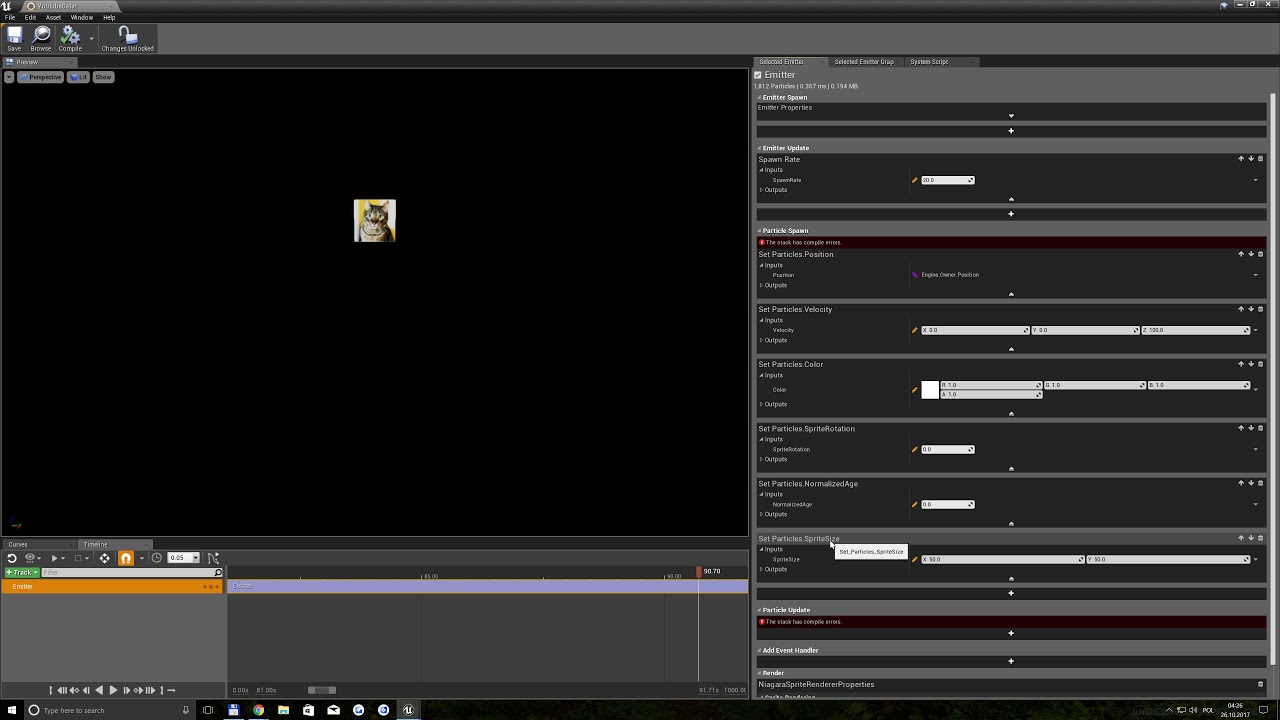
Demoing and playing with Niagara new UE4 particle system, in full 4K and 60FPS.... because i can :p
fair violet
@wild kestrel ooooohhh gotta check this out! Very excited for it.
light thunder
WHY can't I import new action mappings?
ionic sedge
Has the editor preferences import/export function ever functioned correctly? 😛
light thunder
i'll literally have to manually copy it over ugh
 jade radish
Hey all
 undone granite
Yo guys, so I heard (and read) that 4.18 is out, but my launcher only has 4.18 Preview 4, and not the final release, anybody else got this issue (is it one? seems naming should have changed as usual)
 craggy nymph
A friend of mine has the same issue. No idea how to fix it, though.
quasi lake
How could be do an inertia interpolation in event graph?
undone granite
Nevermind, some-how nuking the launcher process and bringing it back up worked. Very odd, it wasn't running yet when I opened it the first time. Maybe there was an internal update that didn't stick on that open. Either way, that solved it for me @craggy nymph
craggy nymph
K, thanks for the info
ionic sedge
@undone granite It's only the tooltip that's wrong, for example if you had preview 4 and 4.18 was released you could click "Update" and it would say preview 4 even after updating until you restarted the launcher.
undone granite
No, I didn't have the preview, I was still on 4.16, and wanted to jump to 18, but it only appeared in the available versions as "4.18 preview 4". But then I restarted the launcher, and it showed up correctly.
ionic sedge
Still, if you had downloaded that it wouldn't be the preview 4, it would be the real 4.18. 😛
Still just a tooltip issue.
ionic sedge
http://go.twitch.tv/unrealengine livestream live 🤖

 stable crest
Goodeveneing Anyone knows where is Launcher Plugin installing cache or something like that ? I have this weird problem that launcher dont allow me to install Plugin on particular Version of engine how ever it allowes it to instal on other versions. If i trie to install it nothing just happans .. i can press that Install to Engine Button 10000 times and nothing happans. anyone had something like this ?
it looks like this https://streamable.com/dmz7x
Streamable
2017-10-26_19-55-47.mp4 - Streamable
I tried Restarting Launcher , Varify Engine , Delated all other Plugin version
nothing Helps
 ionic sedge
Usually yeah.
If you want custom meshes or custom animations.
Or you could just buy everything from the marketplace. 😛
tulip bobcat
Is there a place I could see all the other programs I need?
stable crest
Video game development is the process of creating a video game. The effort is undertaken by a game developer, which may range from a single person to an international team strewn across the globe. Traditional commercial PC and console games are n...
ionic sedge
No one else has any idea what your needs are, so not really. 😛 Blender is good for creating static/skeletal meshes and animation though.
 faint juniper
How do you create collision that is compatible with Unreal. I am new to all of this, read that I just need to duplicate object then put UCX_ in front of object name... However unreal doesn't seem to like that.
Any tutorial or pointers appreciated.
ionic sedge
You need to make sure it's actually convex collision if you do that.
Er, convex hull.
stable crest
DD14 this will help you alot https://docs.unrealengine.com/latest/INT/Engine/Content/FBX/StaticMeshes/
Setting up, exporting, and importing Static Meshes using the FBX content pipeline.
faint juniper
Thank you both, Iwill look into it!
ionic sedge
What 3d software are you using?
faint juniper
Maya
ionic sedge
There's probably some plugin for that then.
ionic sedge
Converting a mesh into a convex hull shape that can then be exported with the UCX_ thing.
ionic sedge
Unless you want to model the collision yourself, yes, you would need a plugin that converts your mesh into convex hulls. 😛
stable crest
Ok then what is wrong with UE4 auto Collison making if you wanna do it auto ?
Custom Collison in my world means i plan my collsion and make it like i need it
if i wanna auto generate something UE4 does Exelent job
ionic sedge
Yeah but if you want several convex hulls, you only get one with the auto generated thing.
stable crest
what ?
faint juniper
ahh i think i was doing it right, but my names were different. I duplicated, of course maya renamed the copy differently! I think I have this one 😛
stable crest
cyaoeu stupid question have you ever opened UE4 ?
ionic sedge
... Yes. 😛
 ruby robin
Hey guys, who can help me with this error, wich appears when package my game to Android?
FAILURE: Build failed with an exception.
What went wrong:
A problem occurred configuring project ':app'.
> Could not resolve all dependencies for configuration ':app:_debugApk'.
> A problem occurred configuring project ':permission_library'.
> You have not accepted the license agreements of the following SDK components:
[Android Support Repository].
I have already set all the SDK's and have accepted all the licenses..
stable crest
and generated collisision and then read in corrner how many hulls it makes ?
ionic sedge
The autogenerated collision is one primitive.
stable crest
It is not
ionic sedge
Yes, if you import it and autogenerate collision.
tulip bobcat
Unreal engine wants to install into Program Files and not Program Files (x64)
ionic sedge
Program Files is x64, (x84) is for 32bit stuff.
Unless you're running a x84 OS (o_O)
In that case it's a bug.
ionic sedge
Then that should be correct. 😛
tulip bobcat
So is it ok if I install it in just Program Files and not Program Files(x86)
Uh oh
Got an error
MD-0005
stable crest
I would suggest instaling all UE4 related things in C:/UE4
Not using Program Files
or even install all on other Hard drive
tulip bobcat
Gonna have to try network connectivity troubleshooting
stable crest
UE4 is notiories of not liking long path names + path names with spaces in them (this might be fixed but i still dont use spaces in path names)
tulip bobcat
I don't seem to have a C:/UE4
stable crest
Make it
do all custom instals
when you instal something you can choose where to install it
dont Instal in Defult paths
tulip bobcat
So Just create a folder in Local Disk (C:) and name it UE4?
stable crest
Ye and install , launcher and all Engines there
tulip bobcat
Hmm
stable crest
if you have HUGE C: Drive
i use C drive only for Win
K : Drive is 2 TB only for Unreal Engine
thats my Setup
tulip bobcat
Wait, so what all goes in the Created UE4 file? Do I have to move the launcher stuff into the UE4 file I create?
stable crest
If you allready installed launcher in program files ok .. keep it there
just when you download engine .. Download it in C:/UE4 or whatever you wanna name your UE4 Folder
stable crest
np
light thunder
A level streaming volume is the same as a trigger volume right, it's just up to be a little quicker to set up right?
fossil ore
Does anyone else has a problem with achieving Volumetric lighting in 4.18 ?
nvm, I was previewing it in wrong settings
tulip bobcat
ok
so
what's this Prerequisites thing I got after the verify thing completed??
what's uproject?
 weary basalt
uproject is the file type for an Unreal Engine 4 Project
tulip bobcat
I know
weary basalt
Then why did you ask?
weary basalt
👍
tulip bobcat
anyway it said the files weren't associated with the launcher and asked me if I wanted to fix them
was it ok If I clicked to fix them?
weary basalt
Yeah thats fine
 weary hull
is there any way to force the game viewport into wireframe?
 rich sparrow
if I have 2 meshes that are the same size and transform, can I set the draw order?
 main cedar
Hello all where would one go to ask Questions
safe rose
¯_(ツ)_/¯
main cedar
?
safe rose
❓
Did you not just ask a question?
Also #more-resources
Although I do admit it needs some work
main cedar
I am importing a model with mesh targets and UE 4.16.3 Will Crash or Stall
 cobalt scaffold
in the meantime try exporting the model in a different fbx version or something
 tall sage
Hi~ Have a nice day everyone ~ Hope your projects are going well
plush yew
Will executed console commands in a Shipping Build last between play sessions like they do in editor?
Or do I have to save and apply when the game is launched again?
light thunder
Someone be a hero....HOW do I RESIZE this? (the current asset panel, like when you are selecting a mesh for a spline or blueprint)
grim ore
Change the view options at the bottom back to the first option instead of the list View
light thunder
@grim ore You mean the tiles? No, I WANT the list view because of all of those columns...I just wantto be able to read what the columns say, other than turning off some of them
grim ore
Ah. I don't think you can on a popup
You can always try dragging the column line at the top but I have never used column view for pretty much anything LOL
 fiery harbor
hm, -scriptstackonwarnings doesnt work any more?
 mild valve
Howdy people. I'm new to here, so I was wondering if someone could pooint me into the right direction. I'm also new to UE4, but I am looking at creating a sliding scale that generates more and more fire on screen. It's to backup a Granular Synth that I have made. I just want to make it look cool as well and need help understanding how to realise the concept that I have in mind.
tulip vault
i wish there was an easy way to rename projects
fiery harbor
for BP projects it's relatively easy, for c++ projects it's a huge pain
 proven aurora
Does UE4 take a long time to load up for anyone else?
Both the new project thing and the actual editor
I've got a 4GHz quad core i7 CPU + SSD and it takes me anywhere from 5-10 minutes to get a project open/created. Just getting to the menu to create/open a project takes ~2 minutes to load
fiery harbor
that's not how it should be
unless you factor in shader compile time, then it can take 10 minutes
 oak tulip
Takes 5 mins to load up on mine at max.
fiery harbor
it takes something like 15 seconds to open the editor with my project I think
otherwise I couldn't constantly make changes to the source in visual studio and quickly restart it
oak tulip
Well my pc is and i3 at 3.7Ghz
fiery harbor
well yeah, i3 is below ue4 recommended spec I think
oak tulip
It works good still
ruby chasm
Not sure where to post this
Anyone know why I get these compression artifacts when rendering a 'movie'?
fiery harbor
with sequencer?
ruby chasm
It's via the 'Render Movie' button, is that called a sequencer?
fiery harbor
bmp
ruby chasm
Alright, brb a few min
fiery harbor
you don't need to render the whole movie to see if its better
outputting uncompressed bmp is slower than compressed png I think
ruby chasm
It went faster, same problem though. It also crashed after like 30 frames
fiery harbor
faster?
ruby chasm
Yeah, usually when I do PNG it renders frozen then it moves forward a few frames, then freezes again, then moves forward. With BMP it was smooth and fast, I'm rendering at a high resolution and it rendered 30 frames in like 5 seconds
fiery harbor
interesting
ruby chasm
Still looks compressed as hell
fiery harbor
then its not compressed though
ruby chasm
Yeah
ruby chasm
I think it may have something to do with the exponential fog
And yes, in editor it looks fine
fiery harbor
strange
 devout gulch
Change 3713115 by Laurent.Delayen
AnimDistanceMatching plugin framework. (Just a functional empty plugin to build from)
praise gods of chaos
something is happening! ;d
keen birch
@proven aurora Is it always slow, or only when you open it in a new engine version or location?
 buoyant mesa
can someone give me that unreal4 mannequin robot fbx?
 brittle gulch
Hello, is it possible to send an asset to someone and keep all the connections? I want to send a Static mesh + material + texture
modest heron
i can not for the life of me figure out what object to link to when casting
im trying to cast to an actor blueprint from a widget blueprint. what do i put as the object. i cant find anything that will work
thorny kayak
Draw from the widget pin and see what it offers?
modest heron
jack shit, same thing i always see when i draw from a target pin
i can't figure out target pins, and especially object. and context sensitive does nothing for helping me narrow down my options
thorny kayak
No, i meant that get the widget and cast from that
modest heron
what?:
i said im trying to cast from a widget, to an actor
you're telling me to cast from a widget?
can someone explain to me what the hell a wildcard is. Why do i need to define a reference to the object when the cast to defines what i'm trying to cast to
is it because there are limitations on what kinds of blueprints can be casted to one another?
brittle gulch
@modest heron when you cast, if you want your cast to succeed you'd have to be sure that what you are casting to is the same type of object type as what you are gettin out of the "As" pin of the cast node.
For exemple, if you want your cast to flavortextActorBP succeeds, you'd have to be sure that what you have in the object pin will be a flavortextActorBP object type
modest heron
is there a way i can put flavortextactorBP in the object pin? i dont understand the logic behind what I am defining with that pin
i only have one flavortextactorBP. its an actor bp and im trying to cast to it to pull a variable from it. if theres some better way to do this, im all ears
i dont know why there are apparently a multitude of ways for bps to communicate with eachother but defining a variable in one and calling it in another is the most complicated thing ive tried to do since starting to use the engine
fair violet
@modest heron well it makes sense- if you had many actors of that type in the level, how would the cast know which one you wanted to change the variable on?
brittle gulch
@modest heron https://www.youtube.com/watch?v=EM_HYqQdToE watch this, it's 2 hours and a half, it's long, but how by god it's useful

Announce Post: https://forums.unrealengine.com/showthread.php?101051 This Training Stream takes a look at Blueprint Communication. We find that Unreal Develo...
fair violet
@modest heron if you don’t have a direct reference, you could always use “GetAllActorsOfClass” at begin play, since there is only one of them in the level, you’d get the 0 index, set that as a reference, and then you could plug that reference in to the cast input. I’m sure there’s a better way to do it though.
 regal mulch
Yeah that's def not the best way
Watch the vid and think it through.
I never have to use that node
fair violet
@regal mulch say if you have 10 spawn points and want to pick one that isn’t already occupied by something- would GetAllActorsOfClass and a for loop not be the best option there?
regal mulch
Yeah, however that's a special case where you would get the spawn points ONCE in the whole game and save them.
You could always have the spawnpoints on begin play add themselves to an array of the game mode
That would get around the getall node
fair violet
Well in a scenario where the player is dying and respawning and therefore has to evaluate which spawn point is free every now and then?
Ah yeah that makes sense
Then have the GameMode perform the loop
regal mulch
You don't add new spawnpoints
fair violet
But only get them once
regal mulch
Getting and saving them once is enough
fair violet
Yeah sorry didn’t think it through
fair violet
Right now I use GetAllActorsOfClass only on begin play of very certain actors so I’m sure it’s fine
Any performance issues don’t matter as the round hasn’t started
regal mulch
Only downside is that it saves the spawnpoint
Native functions don't reevaluate the points once one is found for the initial spawn
fair violet
I use a simple spawn Actor with a few vars so it’s probably easier to just make the array on begin play as you said
regal mulch
Yus
Just saying as these functions grab for the default pawn in the gamemode
And when you call restart player
Also build in
Most people tend to code that stuff again
fair violet
Ah yeah I had been coding it again
regal mulch
Even though epic gives respawning to you already
regal mulch
I use a combination of DelayedStart and that
Delayed start waits till ReadyToStartMatch is true
Which i override with a simple playernum check
But as said, only downside is that the spawnpoint found once is reused
Even if someone is overlapping. So if you need it dynamic, you need to atleast replace part of the respawn logic
fair violet
Interesting stuff, thanks for the info!
Oh another possible use of GetAllActorsOfClass- if at the end of each round you wanted to reset the map and clean up any dropped weapons, remove decals, destroy any pawns remaining etc. Would it be valid to use the node in that case to just go through and destroy any remaining actors? (if they hadn’t been already). Again performance doesn’t matter as the players are viewing the end of round UI and are not playing
regal mulch
Ue4 has build in functions for restarting
Every actor can override what should happen on a restart
Giving you the ability to let them destroy themselves or reposition
fair violet
Oh interesting! So everything can be reset except the PlayerState and GameState vars that need to stay up to date?
regal mulch
Afaik, yes
fair violet
Is the restart called on each actor or on the GameMode? Gotta look into this, thanks!
regal mulch
GameMode which then should call it on everyone
Check Youtube, mathew made a tutorial about the nodes
On my phone at an airport so can't link
modest heron
@fair violet @brittle gulch thanks for the replies
 wild ivy
for some reason, UE4 keeps telling me that visual studio 2017 needs to be installed in order to create a new c++ project.. even though i have a licensed visual studio professional installation on my pc :C any idea?
regal mulch
Sounds like ue4 is simply not finding it
Have you tried letting ue4 install the default version and later changing it to yours in the editor settings?
wild ivy
so i should let it install the community version? 😃
cloud cobalt
Pro should work well
wild ivy
i just installed comm from ue4 and its still giving me an error
light thunder
I'm sure everyone encounters this issue, how do I manage lighting when doing level streaming???
 magic scarab
ive got a name variable that says its "culture invariant". what does this mean?
 worn granite
of type Text or Name?
Text having "culture invariant" means that when you localize your game it won't consider that text for localization - I think.
wary wave
it means it will not be localised
light thunder
Here's a weird thing...I'm playing with merged actors to keep draw counts low....WHY when I copy their location exactly, do they not line up completely on top of one another....the only difference in the merge was resolution of materials
proven aurora
@keen birch Late response, my bad. UE4 is always slow starting up, regardless of version.
 harsh tiger
Hey guys, I have a slight problem. In my scene I have some cans on the floor that the player can hit and they move around. The problem is when the player hits a can the camera glitches out.


 harsh tiger
@light thunder I'm a noob so this might not be 100% correct but it sounds like a piviot point issue
 fierce bluff
How much server space would you say is required for an Unreal SVN server? I know it depends heavily on the project itself, but this is a simple prototype currently taking up about 7GB of space.
Also, are there any host that you would recommend for a server if I were to purchase one?
 dreamy mango
Hello guys
I'm trying to switch engine version
from 4.15
to 4.18
I can't get it to work though
1>------ Clean started: Project: RunOfMydan, Configuration: Development_Editor x64 ------
1> Cleaning RunOfMydanEditor Binaries...
1>EXEC : error : No modules found to build. All requested binaries were already part of the installed engine data.
1>C:\Program Files (x86)\MSBuild\Microsoft.Cpp\v4.0\V140\Microsoft.MakeFile.Targets(32,5): error MSB3073: The command "D:\Ue4-15\UE_4.15\Engine\Build\BatchFiles\Clean.bat RunOfMydanEditor Win64 Development "E:\Unreal_Group_Project\RunOfMydan - 4.18\RunOfMydan.uproject" -waitmutex" exited with code -1.
2>------ Clean started: Project: UE4, Configuration: BuiltWithUnrealBuildTool Win32 ------
========== Clean: 1 succeeded, 1 failed, 0 skipped ==========
I disabled all the plugins for now
 unique spire
Hi guys my game is live on kickstarter and you can also download the demo from there free of course! https://www.kickstarter.com/projects/1641015398/whiteside-horror-video-game

Hi there i am creating a true first person horror game designed to scare the gamer, the game is inspired by Outlast but with a twist.
main cedar
Any one know how to Export Camera into maya via FBX with Correct Rotations?
 frank void
is blueprint actually represented in cpp?
and if so is it possible to look at the cpp it's generated?
safe rose
@frank void no and yes
frank void
????
frank void
i just wanna find out how exactly it does some of the stuff there aren't really any examples for
safe rose
But yes, you can see generated BP->CPP if using Blueprint Nativization
frank void
neat
frank void
hrm
safe rose
I wish I could be clearer
frank void
well, how do i turn it on and see what you mean i guess
safe rose
Let me find a thread on it
ionic sedge
It's not meant to be readable. 😛
 maiden swift
The Blueprint nativizer doesn't generate human-readable C++.
safe rose
Yes it does
frank void
daw
safe rose
It just doesn't show what it would be for Blueprint
Basically, you couldn't use it to code
@frank void https://docs.unrealengine.com/latest/INT/Engine/Blueprints/TechnicalGuide/NativizingBlueprints/

Technical guide for programmers exposing gameplay elements to Blueprints.
Oh nice
there's a video on it
frank void
noice
safe rose
Even better
That might be a little old though
Some changes have occured
But you can see the Nativized Code
maiden swift
To be clear, the Blueprint Nativizer is an optional feature that compiles Blueprints down to C++ for improved performance.
safe rose
Like I said, it is C++
plush yew
i always wonder , why no baked lighting inside pubg interiors ?
safe rose
But it's not something that you can use for programming BP
frank void
of course
frank void
i'm interested to see how it does stuff like defining perception stimuli sources as components
of which there's very little reference code
safe rose
?
Well, we just said it wouldn't be a 1:1 interpretation
While it is C++, it's not something that can be read as is
frank void
regardless with luck maybe i can get pointed in the right direction
plush yew
concedering how many features been added we already using ue5 😄
safe rose
Or used
frank void
or, i'll be disappointed
safe rose
Meh, you could try
frank void
and return to head banging
safe rose
But, you can just use the Source
And it'll be even better
Still C++ and much more clearer wtf is going on
frank void
the Source?
frank void
oh :u
safe rose
The Source
Otherwise, you could just ask whatever question you may have in #gameplay-ai
Lots of smart folks in there
rich sparrow
Is it possible to sent the draw order of 2 perfectly overlapping meshes?
safe rose
@rich sparrow Oh, I meant to respond last night to you
There isn't anything that's implemented by default
You would have to do a simple little logic
Stating when one or the other would be hidden/unhidden
rich sparrow
@safe rose np, I had a scan through to see if anyone replied 😃
safe rose
k
rich sparrow
Floor is a grid, mesh instances. 'blueprint' is exact same size, the floor of the BP would be (normally) in exact same place as floor tile
you can see Ive just nudged it up 20 units - was looking to keep the crisp / exact look for the height (which is 2m)
but more than anything, it just posed the question that I had no answer for 😃