#ue4-general
1 messages · Page 127 of 1
 pallid compass
 iron nacelle
i have heared from one of my friend that blender is a good software
 ionic sedge
For just masks you could use Krita or other free stuff.
iron nacelle
but i didnt get to ask him if it is for both modeling and texturing
also how is working the thing with polygons?
pallid compass
I am yet to find anything that matches quixel for mask generation for curvature, wear and tear, scratch, grime etccc
ionic sedge
It's not as smooth as Substance but it's possible. There's also addons like PBR painter (https://blenderartists.org/forum/showthread.php?438724-Addon-PBR-painter/page2) but I didn't test it myself.
 tall pendant
PS still has its place. But yeah SP, SD are the main tools for textures now. Plus any 3D Package.
iron nacelle
@ionic sedge how many polygons a model should generally have to be considered HD?
i heared that it has to have over 11k polygons
ionic sedge
Good question. 😛
ionic sedge
Of course.
pallid compass
i think the most i got on the engine in 1 char
ionic sedge
The Smaug dragon in the Hobbit VR thing had 30 million trianges when they tried to import it the first time. 😛
pallid compass
was just under 1.2mil
then it started chugging like fuck
took forever to import
iron nacelle
y but i bet it had a really good looking
tall pendant
Horizon Zero Dawn's Thunderjaws have ~550k polycount btw 😛
pallid compass
dam son
Them thunderjaws look amazing though
i honestly wonder how the hell they got that to run on ps4
ionic sedge

Announce Post: https://forums.unrealengine.com/showthread.php?95702 Sr. Community Manager Chance Ivey is joined by Founder and CEO Tim Sweeney, Technical Dir...
tall pendant
ps4 is pretty beefy tbh
 livid haven
Horizon Zero Dawn was the Killzone guys, yeah?
tall pendant
yup
pallid compass
heyy sion 😃
livid haven
That could explain a lot. They had a lot of experience making games exclusively for the PS3, probably got onboard with PS4 early on too. Good dev relations with Sony.
Yo!
I think you messaged me and I forgot about it.
pallid compass
dont worry i understand :p
livid haven
Excuse: Just calculated that I've worked 340 hours in 5 weeks.
pallid compass
Im not even suprised anymore lmao
livid haven
Got to do what you got to do. Things should be back to a reasonable pace shortly.
ionic sedge
Introductory information for developers starting out creating games with Unreal Engine.
iron nacelle
cheers
pallid compass
Your worse than me when it comes to herming somthing 😂
livid haven
herming?
pallid compass
Going non stop with out touching other things
tall pendant
had to consult urbandictionary for that one 😄
pallid compass
#britishThings
 sand wolf
I need your opinion on a engine choice between UE4 and Unity regarding Multiplayer. I want to create a "match making" type of game and find that with Unity there are many more resources available, and that UE4 is lacking in that regard. With that said, the maximum player support and many other features are better in UE4. What do you guys think?
Please @ me when you reply...
pallid compass
my first thought it you havent looked properly
the ue4 engine is pretty much built from the ground up for match making multiplayer
and there is alot of examples, live training and doc out there
and example projects for multiplayer
sand wolf
Okay. I'll look into that. Thanks.
 drifting spindle
Is there a way to have UE4 randomly place and tile terrain on a surface?
Can anyone point me in the right direction?
 brave lark
I'm struggling here. I have a camera that is it's own pawn and I want to controll a seperate pawn on the same xbox controller
but I don't want the camera locked to it
 ruby chasm
So you want to view the game through one camera (pawn) but control a different pawn
ruby chasm
There are a few ways you could probably achieve this, I do VR too so if you tell me what you're trying to achieve exactly it would help
Is this camera moving at any point?
Or is it always fixed in one place
brave lark
vr character is non replicated and has no mesh. It's just for room scale viewing of a city where you control a super hero
the camera just needs to be locked to hmd and not be tethered to the hero
not motion controllers or anything. just a camera
 earnest cape
So why does it take so long for marketplace submissions to go through?
brave lark
cuz epic likes to bite more than they can chew constantly
earnest cape
Like there are still things waiting to be updated to 4.17 and 4.18 is almost out
livid haven
What companies do you think are like Epic Games, in terms of scale?
brave lark
yep. theres a bug for landscape tool and foliage thats been in there since 4.15
ruby chasm
The only thing I can think of is to cast to your superhero on input and to control him in that way. So instead of setting the input in the hero's BP, set it in the camera's. But on input, cast to the hero and create all the logic there for what that input would do, to itself.
brave lark
might be pushed to 4.19 at this point
livid haven
Pawns are controlled. Actors are not.
ruby chasm
On the hero's pawn, set the receive auto input to 0
brave lark
well no because it needs to be operable out of vr as well. In the non vr scenario it will be a third person bp
already did
ruby chasm
Are you casting to him on input and handling logic there or does this not work
brave lark
this set up has only worked with the camera actor being placed in level and not an actor
no casting yet
shouldn't have to
ruby chasm
You're trying to be in control of two pawns simultaneously, I don't think that's possible because you can only possess one at a time
brave lark
i had it work that way already
just now that it is a pawn for the camera instead of a camera placed in the level it doesn't worl
*work
I have auto manage camera turned off too
it's nonsense that this doesn't work this way, but I suppose two controllers controlled by a master controller wouldn't be a bad option either
this will be multiplayer online though so I'm trying to figure this out in a way that I can pass to server
goal is to check if theres an hmd and if so use room scale, if roomscale isn't supported then just lock camera behind the third person character. same if theres no hmd. Just lock behind the shoulder. When player dies then the camera should be able to fly around to look about the level
on respawn it should snap back to the player
if the hero goes past the extent of the roomscale boundaries then the entire roomscale box should pan with the player
oh yeah the other thing is that the vr camera allows you to change the world to meters value so you can "scale" your view. You can be as tall as the player or grow up to the size of a sky scraper
 honest raven
Guys
Why I cant install Nvidia CodeWorks?
Its keep telling me: Install Visual Studio
But I already have VS17
brave lark
i forget does it ask you for the install location?
 fossil ore
I have some blueprints that appears in Play Mode.
I also made several scenes in sequencer... but the question is.
Is It possible to be in Play Mode with sequencer?
 safe rose
Damn. POS Child Actors.
If anyone's ever run into this and knows a way to repro, hit me up.
 storm venture
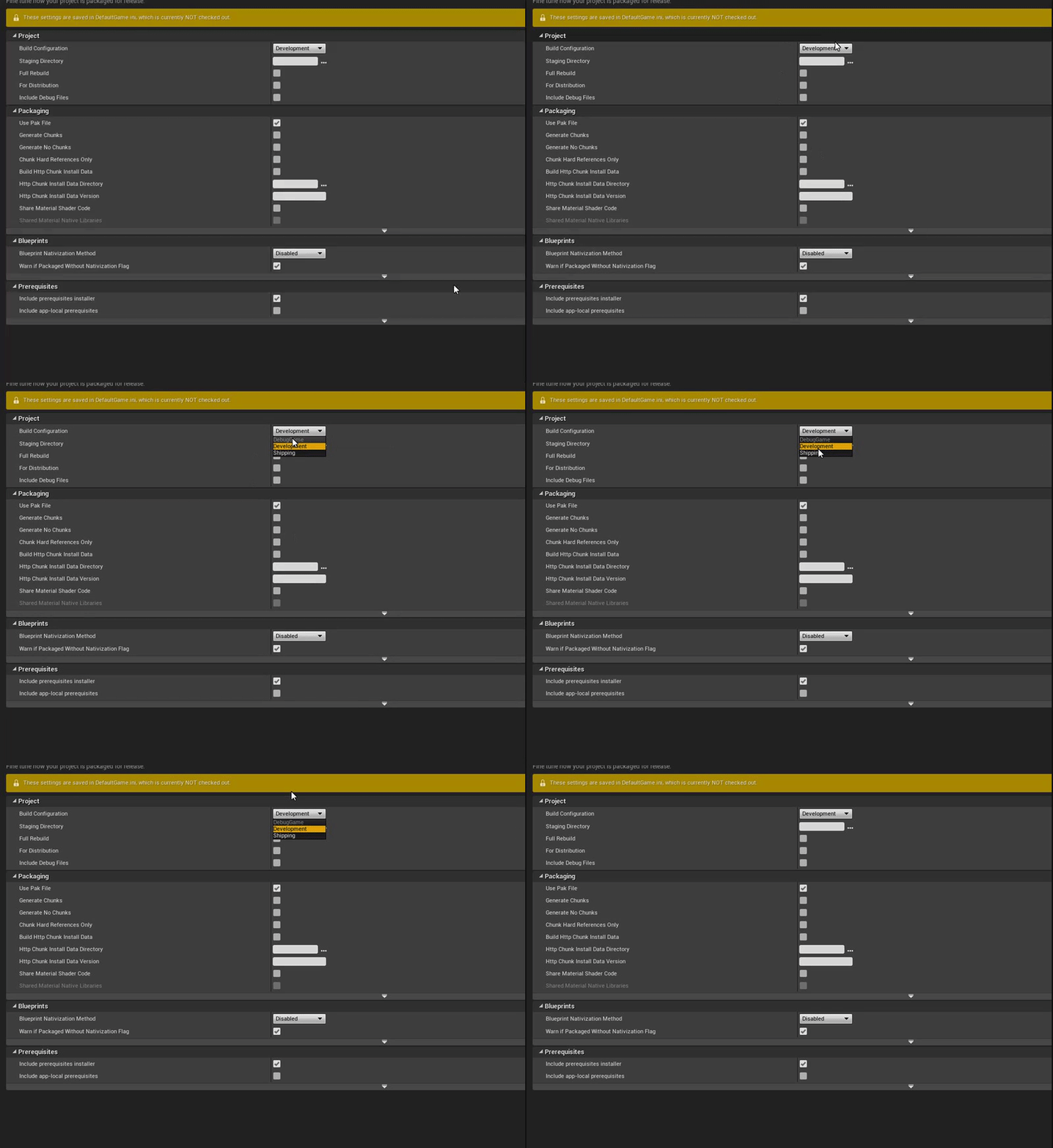
can i run a shipping build with the conole enabled?
i have a project packaged for shipping but i would like to enable the use of the console
livid haven
I think that's what Testing builds are.
They're shipping builds with a few dev mechanisms left in, I believe.
Confirm via the docs.
storm venture
True but I was hoping to use pre-existing shipping builds instead of rebuilding
safe rose
Nah, Development builds are life!
That's why they are called that 😃 Don't do shipping unless you are truly ready to ship it. Or just want to test what the final experience will be like.
But you should definitely not be only doing shipping builds.
livid haven
Test This configuration is the Shipping configuration, but with some console commands, stats, and profiling tools enabled.
VS
Development This configuration is equivalent to Release. Unreal Editor uses the Development configuration by default. Compiling your project using the Development configuration enables you to see code changes made to your project reflected in the editor.
Admittedly, that first bit of Development is ambiguous
safe rose
Well
livid haven
Nothing is called Release. so...
safe rose
That's only in C++ though
livid haven
... Assume that means Shipping?
safe rose
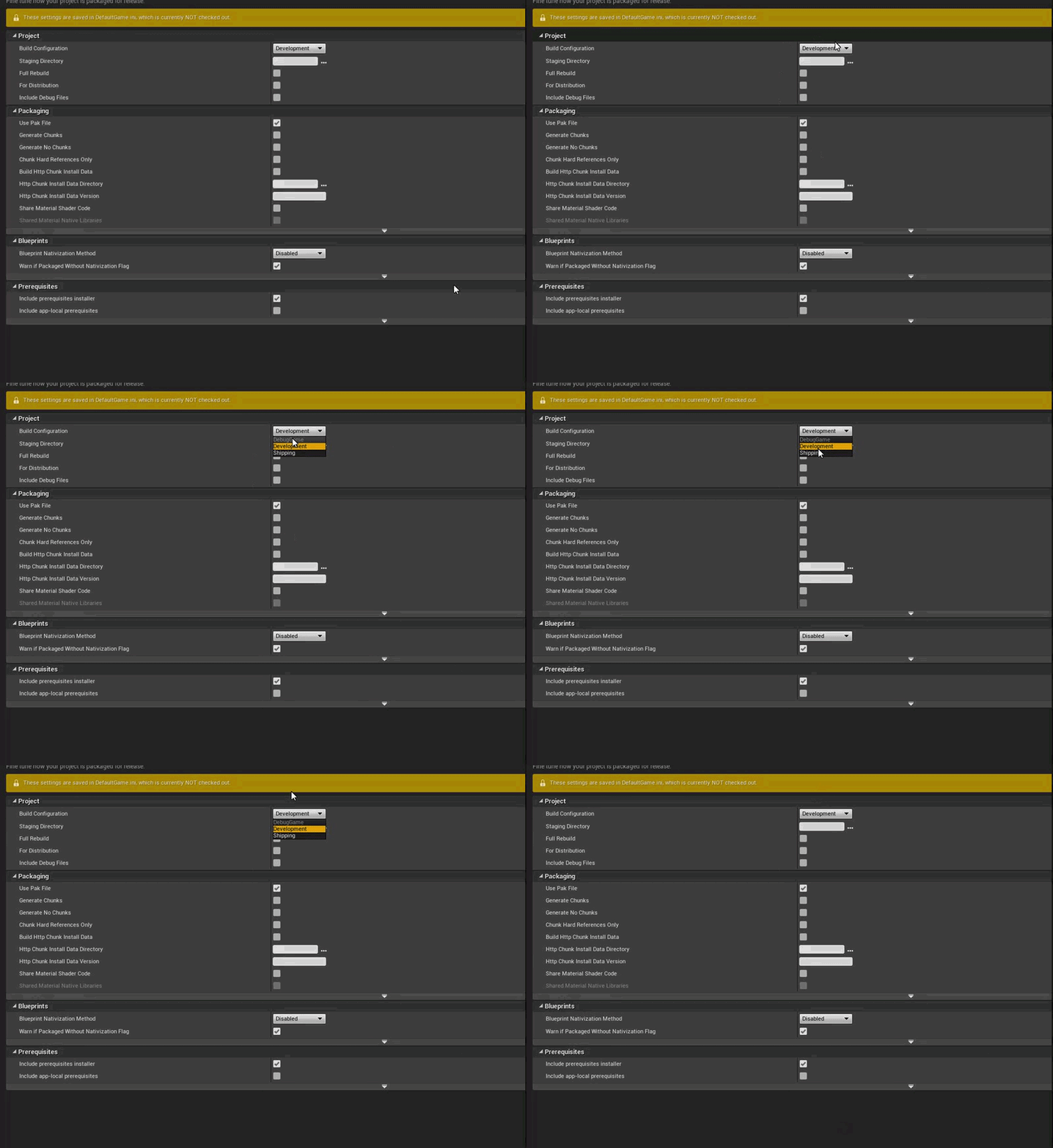
These are the only options in editor
And Debug is not toggable for some reason
who knows
Not for content-only projects
livid haven
I don't mess around with non-source builds. 🤷 I know others do but... opinions. Strong ones.
safe rose
Ok, that makes sense I guess
 tulip vault
FBXImport: Warning: Can't detect import type. No mesh is found or animation track. this is annoying as i clearly have a mesh https://i.imgur.com/AJtyHKK.png
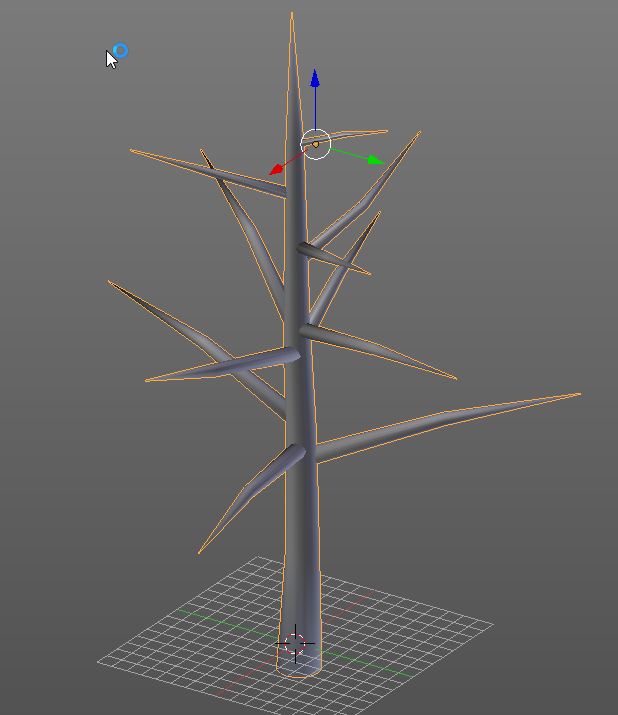 safe rose
@tulip vault What DCC?
You look this over? https://docs.unrealengine.com/latest/INT/Engine/Content/FBX/index.html
Content import pipeline using the FBX format for meshes, animations, materials, and textures.
tulip vault
i'm just using blender to export an fbx
worked before
huh, just found an exporter that says it's an unreal mesh data exporter
psk/psa
livid haven
That sounds ancient.
 ruby aspen
Question. I'm making a basic tower defense game, but I don't like how my towers instantly rotate to target. Can someone point me in the basic direction to rotate at a certain speed? See the picture. I know about interp but if I rotate over 1 second for example, wouldn't it always take one second no matter how far it has to rotate?
tulip vault
set a speed to the roation motor?
livid haven
Psuedocode:
void Tick(float DeltaSeconds)
{
    DesiredDeltaOrientation = DesiredOrientation - CurrentOrientation;
    NormalizedDelta = Normalize(DesiredDeltaOrientation);
    CurrentOrientation = NormalizedDelta * Min(MaximumDeltaPerSecond * DeltaSeconds, DesiredDeltaOrientation.Size);
}```Technically, might be better off comparing the maximum delta for this frame against the desired delta and, if the former is lesser, use it, otherwise, just set the desired orientation as the current orientation. This avoids being slightly off due to floating point math.
ruby aspen
thanks
livid haven
Whether you use matrices, rotators, or quats, exactly how you write the code changes.
But that is, conceptually, what you want to do.
ruby aspen
I think there's a function already built in that I just found. probably works pretty similarly. it's called VInterp To
livid haven
Nah, that does vectors.
ruby aspen
oh 😦
livid haven
That's what the V is
ruby aspen
yeah LOL
livid haven
You want rotator interpolation, which is not interchangable.
ruby aspen
welp there's RInterp To as well 😄
sry I should have googled. I just figured this would be much harder...
livid haven
So you can use that, but that's still a sort of LERP.
If you want to use that, then you'll have to figure out, again, the delta between current and desired
And if you only want to turn, say, 90 degrees per second, you'll have to figure out what to feed RInterpTo to get the appropriate percentage to get at most 90 degrees of rotation OR the remaining difference.
IE: Current = RInterpTo(Current, Desired, FMath::Min((MaxAngleDelta * DeltaSeconds) / DeltaAngleToDesired, 1.0f)
So for example, if the total delta between current and desired is 180 and you can turn 90 per second, and DeltaSeconds is 0.5... you want to rotate 45 degrees this frame. Numbers are larger in this example for the sake of clarity.
But if the desired is 20 degrees away, you only want to rotate 20 degrees this frame.
livid haven
I won't say that rotational kinematics are exactly the same linear kinematics, but they're extremely similar equations.
If you don't like how the linear rotation works, you can get fancier.
You could opt to instead do a smoother type of interpolation, but have both a minimum and a maximum duration, or minimum and maximum speed.
For Fortnite, I did a combination of both for when we count numbers up or down.
So if you go from 0 to 10,000, we'll do the whole ticker-counter effect for, say, 3 seconds, but we'll never tick slower than an increase of 1 per 0.5 seconds, so an increase of 0 to 1 takes 0.5s second instead of 3.
So small changes play out quickly enough that you can tell it's counting up (waiting 3 seconds to see a change of 1 makes the game look like it's lagging)
safe rose
@ruby aspen Is it going to be looking at a specific target?
livid haven
And if the change is massive, it doesn't last double digits number of seconds
safe rose
Like locked on?
ruby aspen
yeah maybe I should have mentioned that lol. it will track enemies in range as they move
but I think all the same concepts still apply, just have to factor in the new enemy location each time
safe rose
If so: FindLookAtRotation https://docs.unrealengine.com/latest/INT/BlueprintAPI/Math/Rotator/FindLookatRotation/index.html , but still do what Sion said about lerping it.
ruby aspen
i use find look at rotation right now
livid haven
Yeah, that function will get you the desired rotation.
@tulip vault You did catch what I said about what you find being ancient, yeah?
ruby aspen
but right now I just use set actor rotation and it looks terrible lol
TowerRotation = UKismetMathLibrary::FindLookAtRotation(Mesh->GetComponentLocation(), TrackedEnemy->GetActorLocation());
        Mesh->SetWorldRotation(TowerRotation);
https://i.imgur.com/9YeVUAU.jpg i got it to work
 livid haven
Even a LERP will be better than that.
ruby aspen
here's how it looks right now...sorry for the ugly box components The big one is the range tower can track enemies

this is what i'm doing in tick now
FRotator DesiredRotation = UKismetMathLibrary::FindLookAtRotation(Mesh->GetComponentLocation(), TrackedEnemy->GetActorLocation());
        TowerRotation = UKismetMathLibrary::RInterpTo(TowerRotation, DesiredRotation, DeltaTime, RotationSpeed);
        Mesh->SetWorldRotation(TowerRotation);
    }
 plush yew
Asked this earlier in the graphics channel. Is it possible to block out certain parts of mesh with decals? Maybe like an ID map on its material?
ruby aspen
omg rotation speed was 0 in that video -_-. idk why that doesn't stop the tower from rotating altogether but it made it snap instead. I set it to 5 and it looks a lot better but it seems like it's too slow to start tracking the enemy before he leaves the range lol. idk. i will have to keep playing around with it.
am i correct in assuming that as it gets closer and closer to the desired rotation, it will track faster? idk if that makes sense. i turned it up to 10 and it looks much better 😄
 paper kernel
you definitely don't want it to lag behind either
to avoid mismatching visuals, or if you plan to use the tower rotation to spawn projectiles
 tall sage
(mh if I have a question related to blueprint AND graphics, where should it be? haha)
But maybe it could be usefull for eveyone
I was using polypixel assets for my work
and they have some buildings that were pretty cool (not really suitable for a game but these days for research it is trendy to have buildings)
(woops better non hangul nickname )
anyway
There was two kinds of buildings on the packasset:
- bunch of staticmesh in one blueprint that is the building
- one static mesh building
the bunch of static mesh in one BP was kind of exemple that is supposed to be "modular"
But by using 4 of these building in a city make the fps drop to 30fps
safe rose
Use LODS
or Instanced Static Meshes

Download assets: https://gumroad.com/techartaid Learn how to render millions of polygons with Hierarchical Instanced Static Mesh in Unreal Engine 4. Optimize...
casualdistraction
tall sage
for the LODS if the artists did not make the job, then it is not possible right ?
tall sage
I will take a look
safe rose
Or read what I just linked
tall sage
Yep yep, not bad to get more doc about it
Thank you @safe rose ~
I was thinking of using only the single static mesh, but it is good if I kind do some mmodular buildings too if I found solution in these links
plush yew
@safe rose Do you by any chance no the name of that missile that has the same blast radius as nuke, but isn't a nuke?
 wary wave
No conventional explosive has the same yield as anything but the smallest tactical nuclear warhead.
plush yew
There is one, it was developed by the US around 2006. I saw it one the news, they showed a test, the radius is 2km or something.
Afaik it hasn't been used in the field.
Just can't remember the things name.
wary wave
I'm skeptical that such a thing exists
the MOAB has something like 11tons of HE and doesn't even come close to the yield of a nuke
plush yew
Lol ok 2km is not that much compared to an actual nuke.
Fireball radius just over 3km, thermal radiation 77km
wary wave
You're aware that nuclear weapons have differing yields, right?
 cloud cobalt
Also MOAB isn't a missile.
wary wave
yeah, MOAB is dropped from large cargo aircraft
cloud cobalt
No missile has anything near the blast raidus of the smallest functional nukes
wary wave
my point is, the MOAB doesn't even come close to something like Little Boy in terms of effect
@cloud cobalt - not strictly true, some of the smallest tactical nukes have very small yields
plush yew

The Russian Tsar Bomba was the most powerful nuclear device in the history of mankind. This video shows the original footage of the detonation. The ethereal ...
wary wave
Mk-54 had on a 20 ton yield, so quite a bit smaller than a conventional bomb
plush yew
The music makes it super eerie
wary wave
I'm aware of the Tsar bomb, I am however baffled as to what your point is?
cloud cobalt
Anyway, pretty sure this isn't UE4 related
wary wave
true that
 worthy steppe
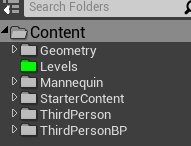
this may seem really stupid but how do you move a folder up or down in the content browser... https://i.gyazo.com/61a6d0653e92d3ffb1e9ebf72c07d40a.png
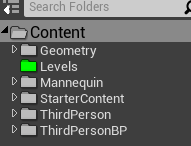
I want the level to be above the geometry
plush yew
I think it stays alphabetical
worthy steppe
so there is not a way to do it >_<
plush yew
You could maybe add a number sequence before the folders like 00_Levels
plush yew
No probs
pallid compass
I just turned up to college on half term oops
plush yew
Sounds awkward
 brittle gulch
Hello guys will there be a live strem today?
 jovial nova
Hey everyone. For all my searching I can't figure out how to add a sun(lens flare) to the blueprint sky sphere sun. Can anyone point me in the right direction, please?
wary wave
Lens flares are a post process effect, so they probably wouldn't have anything to do with the blueprint sky sphere?
brittle gulch
@jovial nova maybe the sun into the BP sky is not bright enough to generate a lens flare ( even if you have set it into the post process volume or camera), so you'd have to fake the sun by placing a geometry right at the place where the sun is in the BP skuy and apply an emissive material onto.
jovial nova
ah ok thanks @brittle gulch ! I'll give that a try. 🙇
brittle gulch
@jovial nova No prob! good luck!
ionic sedge
@tulip vault Could you share that .blend? I want to test if I get the same error. 🤖
 buoyant echo
@pallid compass turns out you're a professor. Woops
 solar quarry
what was the name of this lighting effect again and how do I turn it off?
non top down view
top down view
 upper heart
shadows? not sure what else you are talking about just from the screenshot
solar quarry
@upper heart ... I'm talking about the way the lighting goes the way it does
upper heart
🤔
solar quarry
it basically brightens up like someones suddenly shining a gigantic flashlight all over everything
upper heart
are you talking about how it can get brighter and darker based on the angle/location you are looking at?
solar quarry
@upper heart yeah that
upper heart
That is called auto-exposure
pallid compass
Omg
upper heart
You turn it off by going to the auto exposure settings under your post process volume and setting the min and max to the same value.
solar quarry
@upper heart where are the post process volumm settings?
upper heart
You should have a post process volume in your world
if not you can add one and check unbound on it
but it looks like you started from an example, so I would expect it to already be there
solar quarry
@upper heart I'm a noob, I still don't know where everything is
upper heart
There is a search box in the world outliner (upper right hand of your screen)
type in "post" and it should come up
pallid compass
Also note there is auto exposure setting in player camera incase no post processing
solar quarry
no post processing
upper heart
The left hand side (modes tab) has things you can drag into the world. Click volumes and you will find the post process volume. Drag it into your world.
upper heart
Check unbound. And then look for the auto exposure settings and change min and max to the same value.
upper heart
np
solar quarry
my friend was also having trouble with that a few days ago
though he managed to fix it himself
solar quarry
@pallid compass yeah that's what I changed it to
the max is default 2
the min is default 0.03
I changed the min value
pallid compass
Yeah i think thats what i did
solar quarry
alright time to actually get this blockout made
I've wasted so much time just trying to figure out how to get started
pallid compass
u always do starting off
solar quarry
@pallid compass no I mean I was struggling to figure out how to get the blockout itself started
pallid compass
So it turns out if u build big in ue4, u start getting weird shading issues?
ionic sedge
Got any screenshots? The default light shadow settings are set up for "normal" scale.
pallid compass
Can u see the banding?
its dynamic light btw
just the default ue4 calibrated adv lighting room
ionic sedge
Ah yeah, but that's a normal shading issue, you need to change the cascade length and/or bias.
fossil ore
what the fuck is wrong with my sequencer!?
I create a new shot and when I go back to previous shots , animation just doesnt work anymore.....
plush yew
4.18 is out ... but where are the release notes 😦
 frank escarp
they are writing them
due to buggy new forums, mods can see ALL the sections of the forum, and the name of the last one
there is a "Staged" forum, where epic writes the stuff
the last one is "UE4.18 release notes", so i guess they are finalizing their review
plush yew
aah great! 😃
ionic sedge
Nice.
solar quarry
I want to take a break... but I don't at the same time... damn
 grim ore
Hit a pause point and take a break.
tulip vault
@ionic sedge i can't pm you the tree blend
says you're blocked to everyone not befriended
solar quarry
tfw your mum looks at the work you've been working on all day and laughs at it
tulip vault
not that the tree is anything special, but i suppose you understand the concern
Hozzy was it comedy?
solar quarry
@tulip vault it's a blockout
tulip vault
oh, thats rude
none of them really understand, our generation will be the coolest parents though
cuz we get it
solar quarry
yeah she was like "what is this?"
me: this is work
her: that's work? hahahahaha
tulip vault
my mom disses my stuff regularly
solar quarry
tulip vault
LAKE
tulip vault
yeah i know
ionic sedge
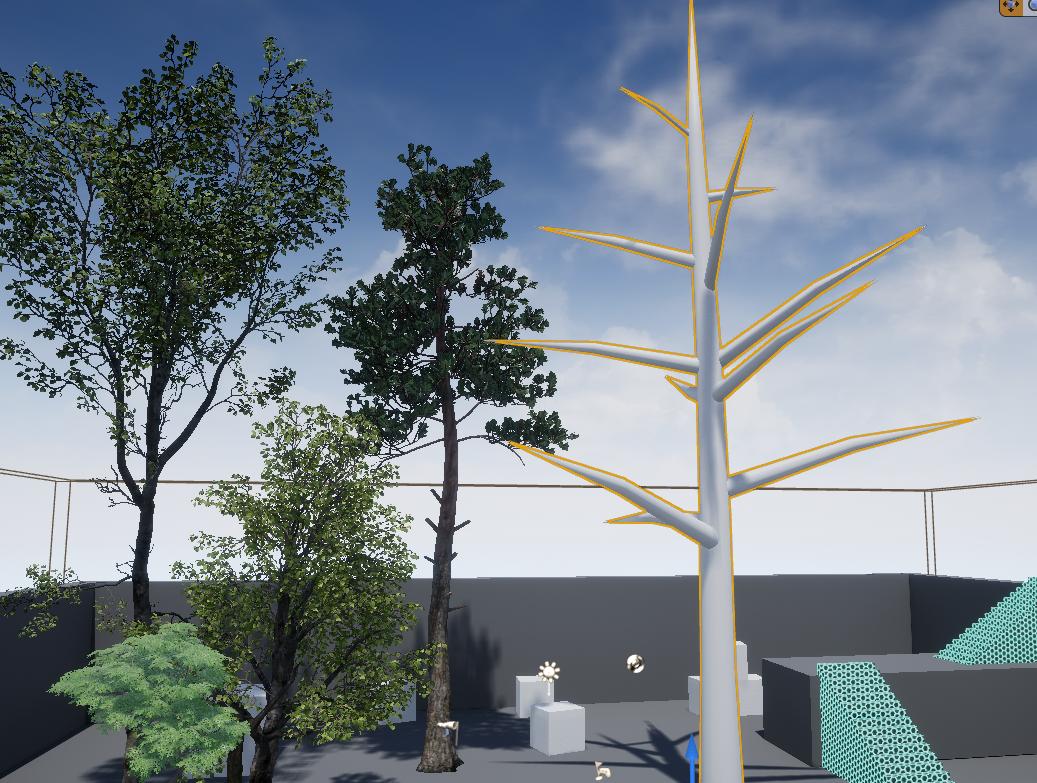
It's supposed to be that size?
tulip vault
i haven't figured out blender scaling to perfectly import into Unreal at the intended size
ionic sedge
I can explain it. 😛
First off you don't want transforms on your mesh so you can select it and do Apply Object Transforms selecting everything in the bottom left.
Next you want to set the units, static meshes import the same way but default settings won't work with skeletal meshes, you can set the scene unit scale to metric 0.01.
ionic sedge
Actually maybe you had that set up right from the start and I had the wrong Blender version when opening the file. 🤔
tulip vault
I've tended to find blockouts don't impress anyone outside of game dev
I use bforartists 0.95 most of the time
it's the Blender 2.78 equivalent
ionic sedge
Nah it was your file. 😛
But after setting the unit scale to metric 0.01 it was the correct size.
So I'm guessing you were exporting at scale 0.01 or something?
It's better to just export at scale 1 with edited scene unit settings, then you don't have to change the scale in the export settings every time.
solar quarry
I'm listening to eurobeats while working on my blockout. que the initial d memes
tulip vault
I wish i could find somebody i could bother to walk me through programs like blender, so i can go along and then ask a dumb question
tutorials never help me
nothing wrong with eurobeat
ionic sedge
Well there are Blender discords too (or just ask here) 😛
solar quarry
@tulip vault ever watched initial d?
tulip vault
no, don't watch a lot of stuff.
also, yeah i'm in a buncha modelling discords https://i.imgur.com/5kOtTxb.png

none really help
they expect you to know already
solar quarry
ffs it did it again
 sharp crest
A question I have been thinking about lately, how are you guys splitting the $$ you get from your games with your indie team? Are you doing a split % thing? An amount every month? An amount for each thing someone does?
 minor thistle
I need some experienced insight into something. Swarm has failed consistently for some time for me. "Swarm failed to complete. Rebuild lightmass volume." I have never been able to actually rebuild lighting in any capacity in the ~2 weeks I've been tinkering with UE4 & going through various tutorials. I reinstalled UE4 completely last night (UI install, not built from souce) and opened the default "first person" game build/template. Immediately, I hit "rebuild lighting" and all of my cores got slammed (which is great) but then the system stopped responding 100%. This is a new 1950x and a massive GPU and I don't understand why the most basic of levels seems to be railing the system so hard. I don't have any visibility into the swarm activity while this is happening (mouse input does not work, progress bar does not update) so I can't check my CPU temps and that's bad. I've just been shutting down the machine as a precaution.
anybody have any advice?
for reference, it seemed to handle the procedural foliage test/tutorial reasonably well, but I haven't had the nerve to rebuild lighting for this reason.
https://streamable.com/vpl78
 grim ore
Sounds super weird for sure. Swarm should be 100% CPU so maybe it's trying to build and it's confused by the CPU type. You should be able to start up swarm by itself before he build and adjust it's settings.
 tiny loom
is that OSX?
minor thistle
win10 x64
solar quarry
I'm struggling a bit. Should I continue trying to sculpt under this waterfall blockout, or should I just put a block under it and leave it at that?
tiny loom
my bad, looked like mac volume control icon
minor thistle
just a goofy OBS template for recording, I guess. @onyx zinc what am I looking for in the swarm config?
grim ore
Assuming your os is up to date I would run swarm by itself and adjust the settings. Maybe drop the number of cores it uses down
tiny loom
you tried monitoring your computer hardware via other software?
like get it to record a log file or something over time
minor thistle
yeah it did just fine through various stress tests to date -- ty MW. I'll check that out
tiny loom
might be drivers too
when you re-installed UE4 did you do a complete clean? I know that the way windows is built there are mutliple directories left scattered everywhere
and registry entries too
all of those must be deleted in order for a clean install
minor thistle
well I removed via the Epic launcher, rebooted, and reinstalled (after redownloading the huge package)
tiny loom
uninstalling from windows apps & features list doesn't completely remove from the system
config files and such can be left around in app data folders and user docs folders etc
minor thistle
it's not listed in appwiz
tiny loom
i'm not sure if ue4 has any of those though
minor thistle
it was removed via the epic launcher, which was the only uninstall util I could fine
only Epic app is in appwiz, not unreal
so there's a bunch of manual deletions required, even in the registry, to fully reinstall??
tiny loom
to clean uninstall *
i'm not aware of which files those maybe (i have never looked for them or had a broken installation) it may perhaps not even be the problem
it could be purely hardware related
it might be worth asking an unreal support tech
minor thistle
yep seems like it could be a number of things. Thanks for the ideas. For sure @ support. Cheers
sad panda
minor thistle
run appwiz.cpl from cmd
tiny loom
i see
it's just the windows component for Apps & Features
yea that doesn't do "real" uninstallations
minor thistle
again, unreal is not and has never been present there. Just the Epic application
tiny loom
it does do basic things like remove "some" registry edits
yea so when you install epic, epic manages it's own files and doesn't manage the registered apps on windows
it's kind of complicated
tiny loom
np, didn't mean to assume my bad
minor thistle
no stress at all, g-money. Thanks for the help
@onyx zinc do you know where the swarm.exe util actually lives, by chance?
(how I can launch it in a standalone capacity unconnected from an active job?)
solar quarry
I'm gonna sculpt this once I've gotten through this blockout. For now, A block that is the same colour as the ground
grim ore
@minor thistle your binaries dot net folder, here is mine for example C:\Epic Games\UE_4.18\Engine\Binaries\DotNET
minor thistle
tyvm
grim ore
if you unlock the developer options in the normal settings, the dev options have the # of cores settings. maybe try 1 to see if it still freaks out
 winter panther
Excuse me, does anyone know a good way to make a simple blueprint for a scoring system. I'm trying to make it so when I destroy rubber ducks it gives me an input for a score and I could put it into the hud.
solar quarry
lol this starting to look like a cargo plane
minor thistle
ty I'm in the dev settings now
winter panther
It looks cool @solar quarry though I'm wondering what you're doing.
solar quarry
@winter panther a blockout for my level
minor thistle
@winter panther the #blueprint homies can probably help
solar quarry
it's gonna be set in a forest
winter panther
Thank you @minor thistle I'll go over there soon.
solar quarry
got a map for it and everything
minor thistle
cheers
solar quarry
just gotta get this done by the end of the week and I'll meet the deadline for the blockout part of this assignment
winter panther
Cool!
 fierce tulip
when a fricking doofus spams your youtube, email, and now even random ue4 forum thread because he wants something for free: https://forums.unrealengine.com/unreal-engine/marketplace/82845-luos-s-particle-toolkit-vol-1?p=1374704#post1374704
minor thistle
rip
upper heart
He was generously offering 35 cents tho
winter panther
I love your videos though I don't know what's happening from time to time.
drifting spindle
Lol 0.35
tiny loom
ripparoni
drifting spindle
Anyone use the Simplex Noise plugin to generate terrain?
fierce tulip
wait, am i a particle dude? :p
grim ore
@minor thistle ouch. maybe just try 1 and see if it barfs?
solar quarry
@fierce tulip lol what? That guy had some bad grammar
fierce tulip
im fine with bad grammar, but if you spam me on the video giving away the function for free, along with many others that you want it..
hulk smash .gif
solar quarry
bro I'd be like "either learn to read or fuck off and stop trolling you cunt"
fierce tulip
I'd do that a year ago, but I try to be a lot nicer nowadays :p
solar quarry
@fierce tulip even if they be spamming cunts?
fierce tulip
yea, not worth my time. block/mute & done
winter panther
Out of sight Out of Mind
fierce tulip
yup
solar quarry
true
fierce tulip
i have a bleepload of filters on facebook/twitter because I dont want to deal with a lot of the micro-agression-hurt folks out there filling my feeds :p
solar quarry
lol
ok so I'm working on the blockout for the river connected to the waterfall
problem is I think I over complicated things in my map
anyone got any ideas how I should go about getting that river connected to a stream?
pretty much trying to follow my map
minor thistle
cleared the swarm cache for the nth time in C:\Users\xxxxxx\AppData\Local\UnrealEngine\4.17\Saved\Swarm\SwarmCache and it's finally building, seemingly successfully
ionic sedge

Unreal Engine 4.18 is now available for download. It includes new lighting features, improved AR support, a major overhaul of the Physics Asset Editor, and more! to Read the full release notes here.

minor thistle
nice
tiny loom
@minor thistle if you figure out the issue i'd like to know what it was, can i ask you to keep me posted?
minor thistle
that's what lighting rebuild swarm operation looks like with 1 remote & 1 core allowed via swarm dev settings
yeah @tiny loom
tiny loom
thnx
winter panther
@solar quarry You can make a curved L in either in maya or blender then you can add a texture simulating water
upper heart
oooh phat was redone in 4.18 😃
solar quarry
@winter panther not trying to get down to simulated water just yet
just trying to map together where everything is going to be
and how I'm gonna make it look
winter panther
Oh! Sorry
minor thistle
so far, @tiny loom it looks like the clearing the swarm cache was helpful and limiting the local cores in the swarm developer settings are allowing it to complete. I'm testing with different local core counts now
solar quarry
for now I wanna know how I can get a stream connected to a river without making it look like a stream that just suddenly evolved outta nowhere
minor thistle
why it completely locks up when all cores are available is unknown
winter panther
You can connect it to the lake
as far I'm seeing in the pictures you've been sending
drifting spindle
I'm new to UE4, is there any real reason to upgrade to 4.18, is it like a patch, or would it screw with stuff?
winter panther
It wouldn't look out of place if the lake spawned a stream.
tiny loom
i wonder if it's threading issues with that many cores
ionic sedge
@drifting spindle You could open your project in 4.18 as a copy, then you can see if it works or breaks. 😛
In a huge project you might not want to upgrade but it should be fine for smaller projects.
solar quarry
@winter panther I guess. hmmm, should I just worry about it when I'm doing the real thing?
drifting spindle
So it's not like having a game, you can not upgrade, and it'd be fine, you're really only missing out on bugfixes and features?
ionic sedge
Yeah you don't have to upgrade if you don't want to.
minor thistle
maybe, yea. It completed logically faster with more cores, completion time scaled as one would expect
winter panther
@solar quarry It's fine if you block it out for now since later on you can visually see how everything is supposed to go.
fierce tulip
<_< and the dorkweed keeps annoying me on the forums. sigh.
solar quarry
@winter panther yeah that's what I was thinking
 sour bough
fighting with perforce and start to hate it
ionic sedge
As a bonus we also get multiple bounces from Emissive meshes interesting. 🤖
minor thistle
how do you update to 4.18 via the epic launcher?
drifting spindle
I know it's a little vague, but what's the best way to move a system I've created that uses materials and blueprints, to a new project?
When I try to just open it up from the content folder, it seems that not everything moves over.
Do I need to move all the associated files from the content folder of the orignal, to the new project's content folder?
winter panther
So
ionic sedge
@minor thistle If you didn't download the preview you can add new versions using Add Versions.
fierce tulip
@drifting spindle "migrate"
minor thistle
ty @ionic sedge I found that in the UI. Preciate it
ionic sedge
That's why you read the blog post instead. 😛
minor thistle
if I don't have any critical projects in 4.17, is it recommended I remove that first?
ionic sedge
You don't have to, but you can if disk space is a problem.
winter panther
@drifting spindle There's migrate and there's also a silly way I don't know if it will work for you but I've learned that if you copy the system and put it into word you can post it into the new project you're working on. Though I don't know if everything will get put into the proper place.
drifting spindle
So migrate is the best option?
winter panther
Probably if you don't want to lose files
ionic sedge
Yes, migrate is the best option. 😛
drifting spindle
cool, thank you
plush yew
the blog says 4.18 is released, but the latest commit on github isn't 4.18
it's normal?
tiny loom
sounds normal
grim ore
its probsably 4.19 or even .20 at this point
 languid forge
What does a lightmap do?
grim ore
make a level look pretty without any extra performance cost
it takes your lights that are meant to be baked/mapped, makes a texture, then applies that texture on your stuff in your level. It lets you have lights in your scene without having to calculate the cost of the light and what it hits every frame
the downside is the lights are "baked" and cannot be changed at runtime
tiny loom
no performance cost eh 😯
grim ore
well compared to lights its negligible
grim ore
its the new setup that makes lightmaps more pretty basically
 thorny kayak
"Volumetric Lightmaps enable high quality lighting on movable objects from low cost precomputed lighting"
tiny loom
probs a bad idea
grim ore
the easiest way to see it is to open a normal level and in the world settings set it to VKM lightmaps (the old system) then build and show the lightmap stuff in the visualize options. Then switch to the volumetric lightmaps and rebuild and show them.
 maiden swift
...resulting in fewer cases of light leaking.
My heart sings for volumetric lightmaps.
grim ore
it goes from a few lightmapped sources a few meters off the ground to saturating the scene in sources
It's really cool, I wish epic would finish approving the highlight videos so I could show it easily lol
ionic sedge
 maiden swift
@grim ore I still need to watch your Blueprint input remapping videos. I started playing with it myself and I'm curious if your approach was much different.
Either way I'm stoked to see it finally getting Blueprint access. 😄
grim ore
@maiden swift probably not if you use the new nodes, its pretty basic
maiden swift
Ah, yeah I've been experimenting with the new nodes.
 whole turtle
hello everyone! o/ I was animating a couple of cameras in sequencer (version 4.17) does anyone know why everything has yellow outlines only in the sequencer cameras? and how to turn that off in order to render output a video file?
plush yew
new update got my dick hard
 brisk osprey
^
ionic sedge
@whole turtle You mean like selection outlines or something else?
Is it a cinematic camera or a normal one?
whole turtle
cinematic cameras
ionic sedge
Are you using the focus feature?
solar quarry
alright, finally got somewhere with this blockout
whole turtle
it's simillar effect as the selection outline, but a bit faded
I'm using manual focus, don't know about the 'feature' (my first time using sequencer xD)
ionic sedge
If you select the camera you get a bunch of settings to the right, you can try changing those around and see if it helps.
whole turtle
I've been fiddeling around with those but can't find anything taht looks relevant to the thing..
btw the debug focus plane is off
but yeah it seems to be somehow related to focus but idk whats making the outlines
thorny kayak
I love that clothing tool they added
ionic sedge
You can try disabling it by setting the focus method to none.
brisk osprey
Aw shit gotta wait for substance plugin to hit 4.18
 short onyx
Preview? So it's not a final and stable release?
solar quarry
lol Imma just stick with 4.17 for now
whole turtle
but then, it wont use focus?
maiden swift
@short onyx It's the final stable release.
plush yew
The dreaded new release incompatibility
maiden swift
If you have a preview installed already, there should be an Update button.
ionic sedge
@whole turtle It won't but you can see if that fixes the issue first. 😛
You need to close the launcher and reload it for the preview text to disappear.
whole turtle
yes it does
thorny kayak
Doesn't say Preview to me
short onyx
It's only propose the preview for installing :/
ionic sedge
It is the real version but says preview, if you close the launcher and open it again you'll see the right text. 😛
short onyx
Ok, thanks x)
whole turtle
@ionic sedge disabling focus clears these outlines indeed
ionic sedge
@whole turtle Do you have a screenshot of how it looks with the focus enabled?
 vivid girder
You need to restart Epic Games Launcher. Just closing it won't do. Close it and then end the process through your task manager @short onyx
ionic sedge
We've made improvements to the XGE (Incredibuild) shader compiler, which have greatly reduced the stalling and latency seen in the old system and allow us to stream new shader jobs asynchronously into XGE.``` Is this faster than the normal shader compiler?@ionic sedge here's the thing with focus - https://i.imgur.com/8AosqQc.png
and without - https://i.imgur.com/kAnvpg4.png
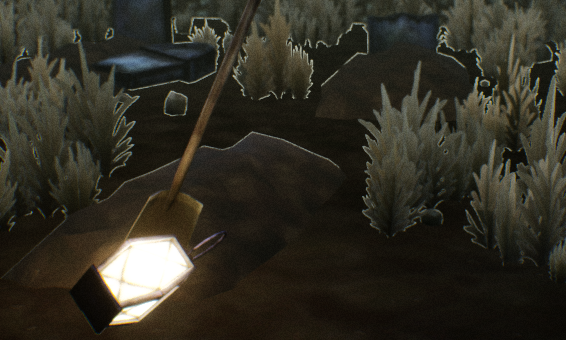
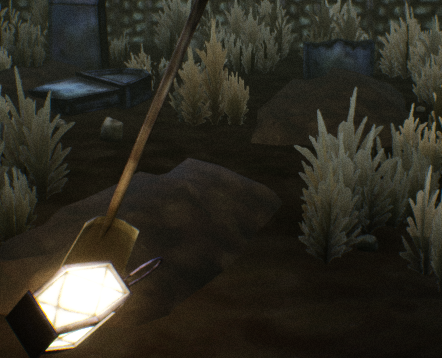 whole turtle
I have a post processing volume, but just standart color grading/correction stuff, grain, chromatic abherration and a lens dirt mask
ionic sedge
Not really sure what's the problem with that.
You could try using depth of field instead for the focus stuff.
whole turtle
yeah that's an option
ionic sedge
It probably looks better too. 😛
whole turtle
well I'll save the project restart the engine and see if this is some of those weird memory bugs idk..if not then I'll give the depth of field a try
short onyx
I need to learn more than just BluePrints ;.;
whole turtle
yes sure does xD only found that after finishing animating the cameras xD
ionic sedge
New: TimeStretchCurve system for AnimMontages. Allows adjusting playback time of montages in a non constant way. This optional curve allows the user to determine how animation frames are influenced by play back time scaling, instead of using a constant play rate scaling. For example, with an attack animation, the strike could have zero influence (no play rate), and the recovery time could have 100% influence (most play rated). This system is entirely optional and compatible with current Montage API. You still determine desired play back time via the Play Rate parameter. Based on desired playback time, if there is a curve named 'MontageTimeStretchCurve' then, it will use the curve to determine animation frames to play based on playback time and TimeStretchCurve. Otherwise, if no curve exists, it is done using the constant supplied PlayRate. That sounds really useful. 🤖
 quasi lake
Anyone has a third-person action game tracking tail camera solution?
whole turtle
they just posted on facebook announcing 4.18 release 😃
quasi lake
I can make one with pure code but if we can do it with visual tools it could be better
grim ore
damn made it 20 minutes before I crashed 4.18 =/
ionic sedge
You need to open 4.18 from the launcher, then open your project and click open a copy of your project.
whole turtle
ah well, the focus outlines weird thingy are still there, will animate the focus again 😛
short onyx
🤔
grim ore
It's opening, its compiling all the shaders for the DCC cache
upper heart
It will take longer the first time you open
plush yew
@fossil ore Did you close the Engine and restart it? I had an issue where I closed it and it was still compiling shaders in the background, so it didn't want to open.
@fossil ore All I could do was pause task manager and kill all those processes, then it opened.
ionic sedge
Yes, it's generating base shaders for the new engine version. 😛
fossil ore
more like It's killing my CPU x(
ionic sedge
It's using it effectively. 😛
You wouldn't want it to use 10% of your CPU power and take 10 times as long. Probably. 🤔
 lost ember
ummm how do i set visual studio code as my default editor?
maiden swift
@lost ember Editor Preferences > Source Code
lost ember
I don't see it tho 🤔
sharp crest
I though global finding in blueprints was already a thing? xD
lost ember
maiden swift
It should be the last option if you're on 4.18.
maiden swift
Nope. You need to initiate the install yourself. 🙂
Only the launcher itself does automatic updates.
lost ember
Yeah found the menu, thanks !
maiden swift
👍
ionic sedge
@sharp crest If you were already in a blueprint. 😛
maiden swift
Yeah. Now you can do it without a Blueprint editor open.
sharp crest
oh okey so how do you use it now? @ionic sedge
also I dont have the new version for download hmm
will try to restart
maiden swift
Window > Find In Blueprints
sharp crest
Cool
maiden swift
You can have up to 4 of them, I believe.
sharp crest
okye got the new version now :P Gonna be so much fun converting my project to this new version lol I hate doing that xD
 gentle ivy
My epic game launcher client says 4.18 preview 4 still
I've relaunched it and etc
k nvm I guess I didn't relaunch hard enough cause I just relaunched and it updated
ionic sedge
😛
grim ore
I wonder how much this change is going to bite people in the ass for multiplayer testing "The new port is set by default to 17777, which may conflict with projects that have hardcoded their ports when playing in editor."
 violet cove
Anyone know why when I export a mesh that has LODs, only the last LOD exports?
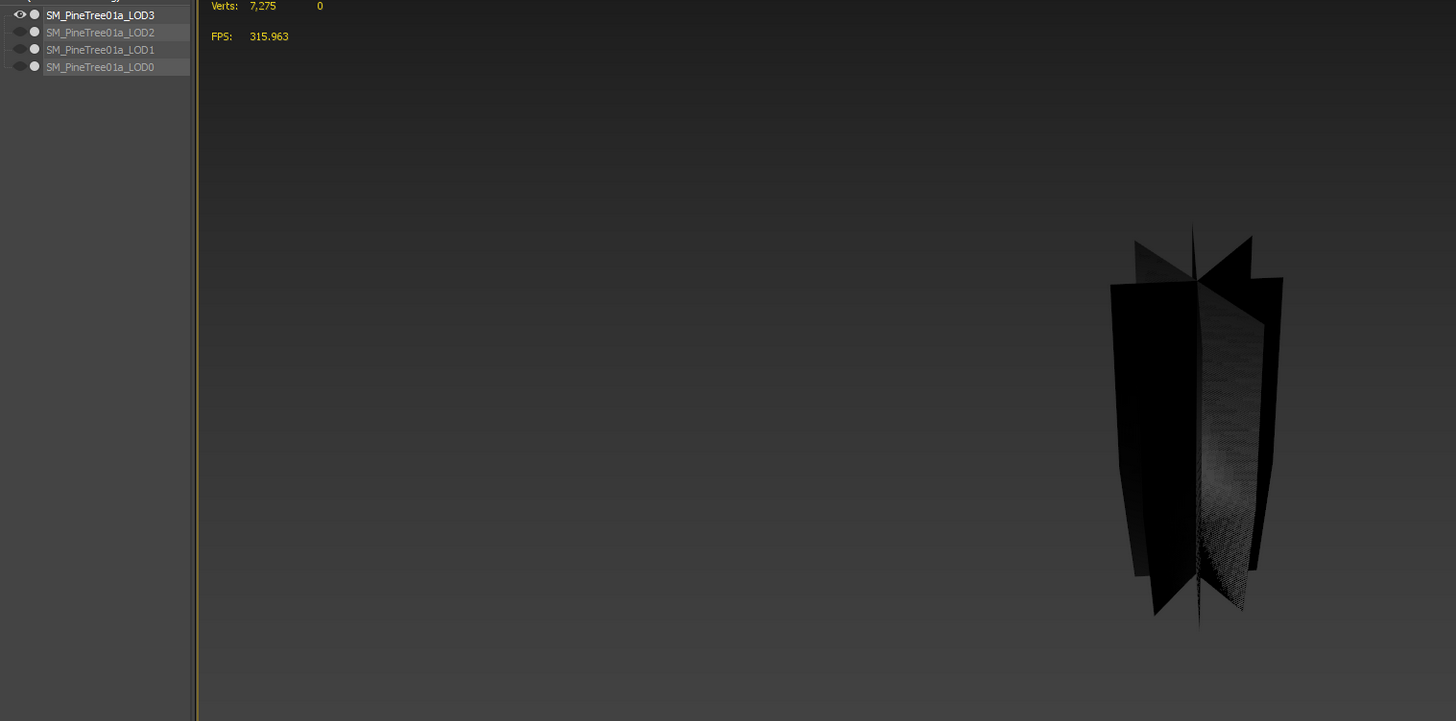
Cant unhide those since they dont actually exist
 brave mason
what are you exporting from?
minor thistle
@tiny loom rebuilding lighting is working for me on super basic maps in 4.18 with 26/32 threads allocated. Gonna do another procedural foliage test and rebuild lighting and see if the world explodes
brave mason
@violet cove I've got blender 3D lod exports, but idk how to do it in another package
minor thistle
"super basic" = open first player template, move a couple objects, rebuild
tiny loom
interesting
grim ore
well I hope it works now @minor thistle 😃
tiny loom
are you doing this foliage test with a new project?
minor thistle
ey ty man @onyx zinc . I'll let yall know if I die when it runs full cores vs some actual geometry
tiny loom
wonder if something fishy happening in project files
minor thistle
ya I shift deleted everything related to UE after I used the Epic launcher to uninst it
then rebooted, then inst 4.18
and just shift deleted all my test projects from 4.17
tiny loom
 grim ore
Just blame Unity for it all 😉
tiny loom
savage
lost ember
any idea why vscode gives me this: there are too many errors for the intellisense engine to function properly
 feral echo
@lost ember intellisense cant work with ue4 codebase because it's very big, so just dont worry
 obtuse sable
Hey
quick question
Can you lower the amount of ticks position or rotation gives
when you move something?
like if i wanna do small adjustments
on position or rotation
ionic sedge
You can uncheck the snapping in the top right of the viewport.
obtuse sable
ty
plush yew
@minor thistle can i see the background of this img ?
minor thistle
yo you want the background picture?
plush yew
i wanna see the e nvi
with the nice fog
with nice highvisuals
i t hink i should use UE for 3d over 2d image composition and not blender
how do i do that?
drifting spindle
I'm trying to add the SimplexNoise plugin, and cant seem to figure out how.
I put it in what I thought was my plugins folder, but it doesnt appear in the list
Or is is specific to each project?
Ah, nevermind, it seems it's not compatible with 4.17
Bummer. Gotta find something else then
whole turtle
@ionic sedge just found out that the outlines problem comes from the exponential Height Fog (popping the Fog Cutoff Distance on makes it go of..just really weird why this doesnt happen with the normal 'player camera' and why focus and depth of field trigger this bug (I've tried with DoF and it hase the weird outlines the same way)
whole turtle
how do I do that? xD sorry for all my noob quirks I am yet to dive into ue4 stuff so yeah I'm winging it with this small project will be watching tutorials after this 😛
ionic sedge
You go to https://answers.unrealengine.com, click Post a question, set the section to Bug Reports, then fill out what's broken, steps to reproduce.
So you say that you're getting some artifacts in sequencer when using the cinematic camera when using exponential height fog, it doesn't happen outside of sequencer and so on.
😛
whole turtle
yup! alright thank you! 😃
ionic sedge
You could add some screenshots too so they see how bad it is too.
whole turtle
yup will add those I've sent you
ionic sedge
👍
drifting spindle
Any recommendations on good terrain generation, or is World Machine the best bet for decent-scale landscapes?
frank escarp
Houdini works great, but its a bit slower than worldmachine
much more customizable tho
sour bough
feels stupid can't getting perforce working properly
 livid bison
@maiden swift got a invite? i need it for my discord
livid bison
thanks
tiny loom
@minor thistle damn!
plush yew
😭 he forgot me
minor thistle
 whole turtle
there ya go, poseted the problem here https://answers.unrealengine.com/questions/718589/weird-outlines-appear-when-using-sequencer-cinema.html @ionic sedge
minor thistle
actually
plush yew
omg wow it loks so real
minor thistle
 plush yew
yaaa. like from mtv
minor thistle
that's full res
tiny loom
was this rendered with ue4?
minor thistle
just did a google search for "forest" and probably maxed out the size filter
tiny loom
oh
minor thistle
it's an actual photograph
tiny loom
nvm
haha
i was like, this is crazy render
thought it may have been a render cause you working with foilage 😛
tiny loom
❓ ❓ ❓
plush yew
nono nothing
earnest cape
Why don't I use the latest version? Well...
plush yew
hiii
 weary basalt
 oblique sorrel
Are they even updated anymore?
And will they help me fix this Makehuman skeleton?
ionic sedge
No, and no, but it's the best rig for Blender.
oblique sorrel
No point using it then 🤷
ionic sedge
For example you could edit the makehuman mesh to fit it to the UE4Tools (and thereby mannequin) skeleton.
oblique sorrel
I'd need to manually paint weights for each bone, though, wouldn't I?
ionic sedge
Nah, just rename them (the vertex groups). That's a bit annoying too though.
oblique sorrel
From what I've seen, the bones and all in this MH skeleton are named the same as UE skeleton bones
ionic sedge
I don't know if the makehuman rig has twist bones though.
oblique sorrel
It has 53 bones total
ionic sedge
Nice, then it should work without renaming anything.
plush yew
hello guys
oblique sorrel
Of which, it has two root bones
ionic sedge
o_O
tulip vault
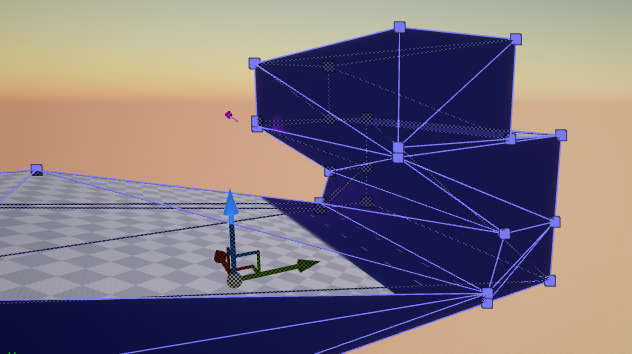
could you guys tell me what the point of triangulating geometry is
plush yew
getting more detail i think
oblique sorrel
@tulip vault To precisely represent it and be able to calculate it
If you have a square, you can fold it on a line between two corners
 ionic sedge
It's done automatically on UE4 import but you can do it to export with tangent space, and to get the same triangle results when using a mesh in different software (like Substance and UE4 for example).
plush yew
is it called poligons or triangles ?
oblique sorrel
Just tris
oblique sorrel
Or, at leats, that's the common name for them
plush yew
just started 2 mounths ago
oblique sorrel
Tris and quads
ionic sedge
Squares = quads, triangles = triangles. 😛
ionic sedge
Yeah.
plush yew
poligone*
ionic sedge
Polygons. 😛
plush yew
i just learned that today in math class xD
ionic sedge
@tulip vault Is that the dev geometry branch or something else?
tulip vault
i found the extrude tool
for the CSG
it's somewhat useful with my background in source, i love me some BSP
cheap, easy to use (when in hammer, not Unreal)
plush yew
guys do you make games ? what do you make in UE4 ?
im currently learning to make materials
tulip vault
Well ,i want to make a game but my team has hit a snag on worldbuilding
the writing side
tulip vault
The monolith project is what we call it publicly, and sure thing
stick em in #graphics
plush yew
ok
oblique sorrel
Okay, Makehuman skeleton is... Weird
Epic Skeleton has an Empty, with Armature as its child, and with Pose, Skeleton and Mesh as children
MH has Armature, with Pose and Mesh as its chilren
ionic sedge
The Epic skeleton is as weird. 😛
oblique sorrel
And Armature and Skeleton as... Armature's..? children
ionic sedge
You just need a mesh and a rig. Usually the mesh is parented to the rig.
ionic sedge
The empty is the result of converting some weird Maya thing into something Blender can use, it's not required.
plush yew
lol
ionic sedge
Btw the Pose and Armature are the same thing, in pose mode you get the bones under Pose, in edit mode under Armature (or whatever the rig name is).
plush yew
angius what are you using ?
 robust roost
is my unrealengine corrupt ._.
plush yew
wow
oblique sorrel
Or so I hoped, but the skeleton shenanigans are a headache
plush yew
phil thats sad
robust roost
uhh
not really
Just a built-in function is not working
(landscape editor), I'm looking to see if I broke something
plush yew
ok
safe rose
@wary wave @tough berry @kindred fable @wild kestrel Sorry for the bother: but do you all handle Answerhub moderation as well?
https://answers.unrealengine.com/questions/718501/417-child-actors-issues-cont-packaging.html if so. Not sure why it's moderated, maybe the asterisks... who knows.
robust roost
@oblique sorrel How good is makehuman?
plush yew
victorBurgos the link isnt working
oblique sorrel
Modded character creation in Skyrim good
plush yew
says : error
plush yew
An Internal error has occurred and we are sorry for the inconvenience.
We are doing our best to fix the problem as soon as possible.
oblique sorrel
Just download it and play around. It's free, open source, and doesn;t take much space, @robust roost
robust roost
Coolio
Sorry I shouldn't ask in general, but am I doing something wrong in #level-design
ionic sedge
There's also Manuel Bastioni Labs for Blender, it will have pose retargeting in an upcoming update so you can get a mannequin pose, then just use that rig or UE4Tools with it.
 tough berry
@oblique sorrel I don't recall ever being notified of an answerhub post myself. Can't speak for other moderators though.
 safe rose
tough berry
Oh well... message got through to correct person, so 😛
oblique sorrel
Okay, so I just checked Manuelbastionilab, no UE4 pipeline.
Makehuman - no UE4 skeleton
Fuse - no UE4 skeleton
Manuelbastioni - no UE4 skeleton
Looks like my character will be t-posing for a good while yet
ionic sedge
o_O
Why not just use a control rig that works in UE4 (like UE4Tools) and edit the mesh to fit the UE4Tools skeleton?
Besides both makehuman and manuel bastioni characters are already in a A-pose.
oblique sorrel
Makehuman is in T-pose
Also, I have no idea how to transfer the mesh to a new skeleton, or whatever it is that needs to be done
The most I did when it comes to rigging, is I rigged a chest lid
ionic sedge
Not on the official page anyway. 😛
Mesh can be exported in T-pose
You need to edit it so it fits the skeleton (by dragging around limbs with proportional editing), make sure the vertex groups are the same, that's it.
But even that doesn't matter, you can pose the character in pose mode (using the makehuman skeleton) so it resembles the mannequin skeleton, apply armature modifier, add a new one, choose the new skeleton and so on.
oblique sorrel
Aight, I'll try
ionic sedge
That may be easier to do if you're not used to 3d modeling.
oblique sorrel
So, could I just export the default UE mannequin as FBX, load it up into Blender, remove mesh, leave just the skeleton and use that?
ionic sedge
No. 😛
oblique sorrel
And for MH model, I'd do the opposite - remove the skeleton, but leave the mesh
ionic sedge
Why do you want a crappy rig without controls?
oblique sorrel
Default animations
ionic sedge
You can just retarget those to your new skeleton.
oblique sorrel
So why even swap skeletons?
I could just use default MH skeleton and retarget animations?
ionic sedge
So you can animate in a 3d software instead of animating in UE4 (not recommended).
Yeah but the makehuman skeleton is not perfectly aligned to the mannequin skeleton so animations will look bad.
(if you don't fix the base pose to be the same)
I think editing the mesh in Blender is easier than editing the pose in UE4.
And then you'll get a perfect result for retargeting.
tough berry
Have any of you tried Auto-Rig Pro?
It has a new feature to export out to a mannequin compatible rig that works quite well.
Nothing stops you taking a MH or MB mesh/rig, rigging it with auto-rig and then exporting it.
oblique sorrel
MH skeleton is way different than UE4tools skeleton
Wait, auto-rig? In Unreal?
How do I get to it?
Ah, no, you mean some other program for auto-rigging
tough berry

Demonstration of FBX export as Mannequin skeleton from Blender to Unreal, with the Auto-Rig Pro addon. Ready for humanoid retargetting. Same workflow for Uni...
oblique sorrel
I'd gladly use it, if not for the fact that it costs half of my monthly scholarship
I'd like to think of $40 as pocket change, but I don't
tough berry
Fair enough.
$30-40 for this sort of program is rediculously cheap vs some other commerical solution though 😛
ionic sedge
You can scale the UE4Tools skeleton too (and apply transforms) to match the height. Then match the makehuman rig to the UE4Tools rig by rotating bones (and copy pose, paste x flipped pose), apply the armature modifier, do the final touches using proportional editing (for the fingers for example), then add another armature modifier and target the UE4Tools rig.
oblique sorrel
I'll try that tomorrow maybe
But I still firmly believe, that it's ridiculous that nothing just straight out exports to UE4 skeleton
Especially since I remember both Fuse and Makehuman having that option back in the days
ionic sedge
I tried the Makehuman - UE4Tools approach, it took like 5 mins. 😛
Except I scaled the arms and forgot to enable all of the bone layers so the deform bones ended up in a different place. 🤔
@oblique sorrel If you try that tomorrow you should remember to enable all of the bone layers in the UE4Tools rig before doing any scaling.
plush yew

Epic Games and GamesBeat scoured the E3 2016 show floor to give praise to the best games and VR experiences powered by the Unreal Engine. Here are the ten re...
my favorite game is abzu
did you guys try it ?
 drowsy sage
WHy tho
safe rose
lmfao
drowsy sage
Child actors I assumed it'd literally be a chracter pawn at a lower scale
But it's a good thing. you'll receive more dopamine if you figure it out because your brain can't work out the pattern
 next badger
Hmm...4.18 released right? I see no one in the launcher? only p4
safe rose
Yeah
I downlaoded it myself
And nothing happened
I've been trying to get my game packaged with my child actors all day lol
Think I'm just going to have to face the music and move my logic elsewhere.
 light thunder
What is a missed cached shader map error? (I'm building light maps as I learn about optimization)
safe rose
light thunder
@safe rose thanks, do you think that's why my lighting building were taking so long? 15 hours and it was at 2% and I had less than 30 lights (the map was big I guess)
safe rose
Did you try it?
next badger
@safe rose i've uninstalled p4, restarted the launcher an release popped up
 wild kestrel
what do we have here :> https://twitter.com/ShadowriverUB/status/923027704903020544


@Luos_83 but we just found you can open script editor in emitter editor ;3 check this out https://t.co/dmgFPTVELc
 Twitter
grim ore
Twitter
grim ore
You can literally not read anything in that gif lol
next badger
@grim ore it's not necessary...
maiden swift
Niagara goodies?
I was poking around in there, too. It's not functional, but interesting to see new bits trickling in.
There's a bunch of new asset classes, asset editors, etc.
next badger
@maiden swift it is functional...we've managed to make some effects already
wild kestrel
no we dont knwo how to set material
but we able to update particules
postion and naimate them
maiden swift
Nice. 😄
next badger
Okay. Main question is...how to kill them...
plush yew
Yall hear lumberyard just got visual code support?
I think I might fuck around with that engine for a bit
wary wave
@safe rose - don't use Child Actors, they cause all kinds of problems
one example is that they don't get deleted properly, so when you travel between levels, you can end up with asset caching issues that crash the engine
 sudden agate
Blueprint input nodes for key, action, and axis can now be subclassed from other modules.
What does that mean?
wary wave
good question - I suspect it means you can override them in subclasses?
 honest vale
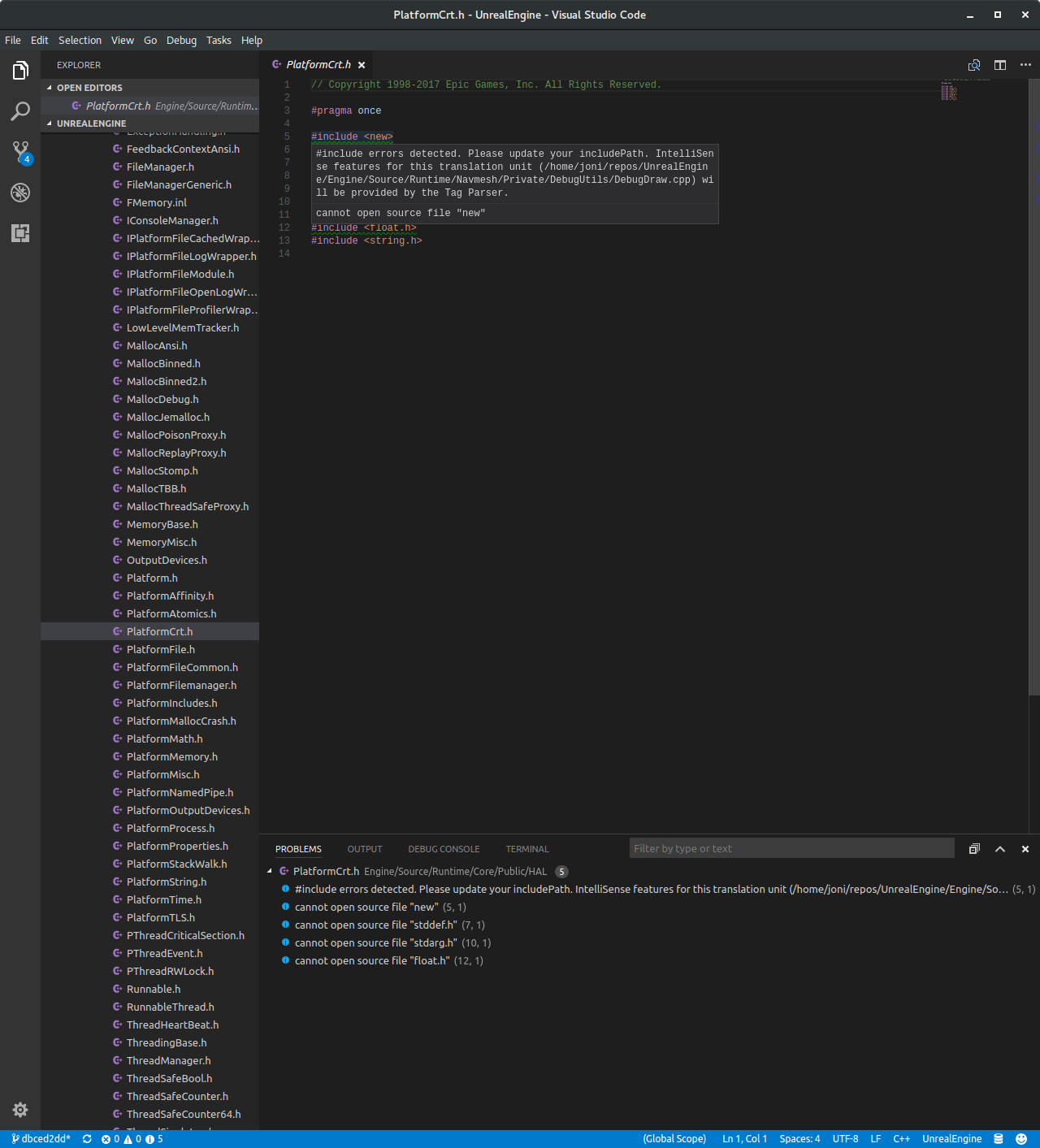
kinda annoying errors with includes in 4.18 vscode
and what on earth even is "new"?
well, stack overflow seemed to have an answer to that
thorny kayak
did anyone here use UnrealEd that came with the original game?
thorny kayak
Unreal
cloud cobalt
Same
thorny kayak
Yeah, I was waaay too young to understand any of it
sudden agate
does Niagara work now?
thorny kayak
I did Quake maps with... Qoole
thorny kayak
Can you copy it manually to the required location?
It doesn't say that you don't have it, just that it can't copy it there.
short onyx
Ok good, it was the perm





 frank escarp
@fossil ore you trying to do warframe machinima?
 half mango
hi guys
ive got some glass materials from another scene where it looks perfectly fine
exact same material instance but the glass has no affect in my scene
no reflection or anytihng
and when i change the settings i just get horrible weird affects
half mango
yeah
its strange, every other material is fine but with glass i just cant get the look i want no matter what i try
my problem is that outside the window the tree's are pretty distracting for my interior scene, too much detail in them
trying to get a foggy look
to kinda fog everything outside a little
fossil ore
maybe It has to do something with map settings , light , skylight , relcetion spheres?
fossil ore
skylight
half mango
my skylight is inside the BP light studio
blueprint
what woudl i need to change about it
problem is i cant really bake the light again if needed, this production bake took all night
fossil ore
I have no clue man.
plush yew
wow the v4.18 was a fast release ?
fossil ore
It's been like 2.5 month since 4.17 so yeah
half mango
just finished installing mine now