#ue4-general
1 messages · Page 123 of 1
 frank escarp
ive seen top body, legs, head, and weapon
and hair and eyes
head, hair, eyes being separate becouse they are different shaders
 pallid compass
Yeah i know, but every MF u layer in each piece
frank escarp
so ends up top/down body
frank escarp
but a few of them might be reused
 plush yew
Make sure you texture pack!
plush yew
So let's say you have a metallic and roughness map
plush yew
Both of these maps are grayscale, which means they only need one channel
I'm not sure what RMA stands for
pallid compass
ROughness Matalic, AO
its packing term
like umm
whats the one for substance called?
plush yew
Ah right I gotcha
plush yew
What did you mean by reflection? Specular map?
pallid compass
i didnt say reflection
plush yew
"I guess i could drop the reflection out of some of them"
pallid compass
oh sorry
i mean the RMA maps
for MF
well this makes no sense
Removed the map from MF in use
texture samples didnt change
 grim sinew
Look at how characters in UT4 are set up, those use the layering as well
A lot of it is just using shared texture samples for everything
pallid compass
yeah i can imagine
just having to give up reflection maps
r i p
to bring count down
grim sinew
Why do you need a reflection map
 vale halo
I can't seem to figure this out from quite some research - is there a way to A. get a free TCP port or B. create a FTcpListener that will bind to a free port?
grim sinew
RMA = roughness, metalness, ambient occlusion. No reason to need to get rid of that, that's pretty much the whole material definition.
If you're doing mateiral layering, the mateiral definitions should be marked as shared to save on texture samples.
grim sinew
Open the material function, Epic got lazy on some of those and didn't hook everything up
Emissive might not be connected to anything
grim sinew
Also if I remember right that AO node is actually wrong, it multiplies it into diffuse instead of adding it to the AO path
 fair violet
@pallid compass you can definitely get rid of your roughness and metallic( metallic depending on if the mask is necessary), they can be derived well enough from your albedo and then just premultiply the AO on the albedo if it’s necessary.
pallid compass
iv swapped them over to leach off the grime maps
grim sinew
Also you should maybe not post screenshots from pirated windows btw
pallid compass
its not pirated
there is something wrong with my licence
from win8 upgrade
does the AO even work?
grim sinew
And I mean, what @fair violet said is true, if you're -really- desperate you could import a library of grime textures and build the materials entirely with Unreal using multiply nodes and 3 vectors... but you really don't need to do that. It's complete overkill optimization for current games unless you're on mobile, and makes it harder to make interesting looking textures.
pallid compass
i dont even see any budging
fair violet
I don’t think the AO input works as you’d expect
grim sinew
AO only shows up in shadows when hooked up correctly
fair violet
They said something about having to remove it a while ago
pallid compass
gotcha
fair violet
@grim sinew Well the reason is that most people won’t notice a unique roughness map unless it’s very specific and also many albedo maps for guns and other objects are very plain colours that can easily be tinted after, using a single channel mask
grim sinew
@fair violet When you start making decisions like that arbitrarily before you have an active need to optimize, you start needlessly chipping away at your scene's overall quality for no return. There's no practical reason to start doing things like that unless it's just you being lazy and not wanting to build a proper material.
 worn granite
I used to judge people for the windows watermark too, but then I got it on one of the PCs in my house for literally no reason.
Fully licensed and everything
grim sinew
Which I get, sometimes I want to be lazy too, but I'm not going to call that general advice people should do.
worn granite
if MS can't even properly activate their product IDGAF. I'd crack it just to remove the mark tbh
grim sinew
Anything short of a live chat support with MS is useless, they let bots handle too much
worn granite
I have a buddy who had their PC get fully wiped by win10
his fault for not running backups
pallid compass
man where did they put there advanced lighting cortyard
thingy
i thought it was in the learn tab
aparently not
i need snag it for temp calibration cordyard
cort yard*
grim sinew
Think that's just in starter content
fair violet
@grim sinew Nah it’s just to keep things nice and simple- much cleaner to only have to input 2 textures per asset and have generic detail maps to add detail / variation where necessary. If an asset doesn’t absolutely need a unique albedo, then I can just bake the normal and a packed mask texture (AO / curvature / thickness etc) and then texture in engine. Though of course for some objects you need the full setup for best results.
pallid compass
thats what i thought but its not in there
grim sinew
I'm like 99% sure it is, it's in my project's starter content. I turned it into a massive asset zoo.
grim sinew
@fair violet That sounds like a horrible workflow for any artist to deal with, and I feel sorry for your team. I shall send them a supply drop of substance painter screenshots to give them hope that texturing is not dead.
fair violet
@grim sinew look at how loads of the environment for UT’s Outpost map is done
Most of the unique detail is decals
And a clever master material
I work solo so I’ll only have to deal with my own workflow 😄
grim sinew
Yeah, I have. And all of the masking is hand painted in painter. All they did was strip out the masks into RGBA packed textures and re-do the layering in-engine after the fact. But every material still has its own full set of textures, they're not extracting single channels.
Epic even -has- GDC talks on how they use substance for like 90% of the work and then automate it imported into the engine with their layering setup.
They put out hours upon hours of it for GDC and Paragon
fair violet
They used Quixel suite to generate the masks but it’s the same principle- generate input masks, do the layering in engine with good use of detail maps for variation. Of course for anything detailed you need more than that
But most building pieces can fall into that category
grim sinew
I... wait what? They haven't used Quixel since early UT4 days, everything recent and everything Paragon is substance.
fair violet
Then hero objects like guns, small props etc need their own unique textures
They used Quixel for Outpost that’s all I know
grim sinew

Explore the Substance pipeline and toolset for Paragon heroes with Epic Games' Brad Smith. https://www.allegorithmic.com/
Outpost was -it-. That was the only one. Everything after that isn't using Quixel to that extent, if at all. It's just substance now, they made a whole internal toolset of nodes for it.
fair violet
Well anyway bottom line- do whatever you need to get a good result
Whatever works
No one will care what tools were used or what workflow was used
pallid compass
u seen the new one?
fair violet
All personal preference
pallid compass
the new pipline video
fair violet
Nah I haven’t I’m excited to see it
pallid compass
im also about 5 seconds away from chucking quixel
in the bin
the only thing i still use it for is generating scratch maps
and that is it
grim sinew
You'll never look back. The one thing Quixel has going for it is the material library, which any half decent artist can recreate in a week.
pallid compass
so i use quixel for scratch and curv maps
fair violet
Well the scans can’t be beaten procedurally but the speed is definitely a factor
grim sinew
Substance has a "make tilable" button.
pallid compass
u grab what u need from quixel
and slam it in to the engine
i do my other bits in substnace
substance
the less time in quixel the better
 tall pendant
ndo2 can still be pretty useful tho
fair violet
Play to the strengths of the tools 😃
tall pendant
ddo ... yeah no need if you can use Substance Painter
pallid compass
ndo2 would be good
if it didnt
crash all the time
and run like shit
iv stopped using it
I just stamp everything now
cant even be fucked tbh
takes too long
tall pendant
yeah thats the issue i have as well with ndo2
grim sinew
I've given up on ndo2 and just make all my base normals straight up in Maya. Gets better displacement for zbrush anyway.
tall pendant
at least more recent versions. it did run good in the past
grim sinew
It's a product of its time. When it was first made, Photoshop was still the king of game texturing.
pallid compass
if people start buying quixel to use it just to extract all materials and make masks
i dont blame em
fair violet
Yeah the scans are great but from what I’ve seen the speed of substance makes it a more efficient tool
frank escarp
substance has eaten it so fast its not funny
ive seen substance come from niche into "literally everyone has it" in essentially months
pallid compass
quixel might as well be a
frank escarp
when PBR started getting popular
grim sinew
Substance's problem always was and remains to be the learning curve to do all the badass stuff you always see with it. Some people can do https://www.allegorithmic.com/sites/default/files/designer_6_decor_render_b_high_0.jpg in a matter of like 2 hours, from scratch, 100% in substance, but to get to that point you need to go hard into learning the nodes
 pallid compass
Generate Curvature maps and download textures button
frank escarp
substance allowed studios to build internal material libraries, and material filters/nodes, and reuse them ad infinitum
pallid compass
god dam the advanced lighting cortyard
frank escarp
that is more or less what epic is doing
pallid compass
is washing the living daylights out of red emissive
grim sinew
I can't imagine texturing without substance anymore though. I never want to copy and paste modified layers manually between diff/spec/normal/gloss ever again.
frank escarp
and even painter has some seriously flashy shit
pallid compass
i only use painter
frank escarp
you only need to look at the paragon videos
grim sinew
Oh yeah, the UV reprojection alone is a godsend
frank escarp
they create like a filter for rusted paint, and it is mostly procedural
they paint where they want rust, and the procedural texture makes the paint fall off
grim sinew
Your modeler can hit auto uv, send it off to texturing, and they both work simulatneously on the same asset. Once the UVs are done properly, you just reimport it and it works.
grim sinew
Yeah, substance's UV reprojection is amazing
frank escarp
what about the seams?
frank escarp
usually if you are auto uving, the texture will have fucktons of seams
grim sinew
It just does it
frank escarp
damn
grim sinew
So you can have seams when you initially work on it, fix the UVs, and as long as you ONLY worked in 3d view, it should be fine
frank escarp
thats one hell of a killer feature
pallid compass
big question for u all
how do u do ur decal maps
and layer them on
i lack exp in that area alot
grim sinew
You mean like on the main texture, or on a decal actor?
pallid compass
Decal map
u know say for
hard surface
decal stuff
Text
numbers
markings
etc
grim sinew
Oh, you mean like mesh decals
frank escarp
holy shit
well, you have a decal atlas
and reuse it as much as you can over multiple objects
decals are small, so with a 1024 atlas you will probably pack a huge amount of decals
pallid compass
decal atlas?
grim sinew
Not quite. For things like screws, text, etc? What I do is duplicate the mesh, delete all the faces except the one i want the detail on, then cut the mesh and fit it on the decal atlas. This way the mesh is perfectly aligned and I can freely mess with it in local space.
pallid compass
never heard of that term before
grim sinew
https://www.gamasutra.com/features/20060126/figure1.jpg This, except with decal stuff
 grim sinew
You also need do double the radial polycount
pallid compass
some back detail, text, numbers, signs, maybe some textures in normal areas
frank escarp
looks good
frank escarp
normally you do that with a decal material
frank escarp
unreal has a special "mesh decal" material type
grim sinew
I will! ;-;
frank escarp
so you do your stamps as geometry
pallid compass
yeah but general players wont haha
frank escarp
(tools do that), and then just use that material on those parts
frank escarp
they added mesh decals not much ago
pallid compass
oh?
grim sinew
This is an overview of the Mesh Decals feature in Unreal Engine 4.
tall pendant
@pallid compass also check out this: https://www.youtube.com/watch?v=66IGMnPgEW0
 frank escarp
you essentially do this
but imagine the texture is an actual screw
with normal maps and stuff
yeah, that video is the one that shows it
grim sinew
Speaking of rendering features, any word on any kind of mesh terrain integration? Haven't heard anything about it, not even if they're considering it. Would be a pretty significant difference in visual quality for a lot of scenes. And no, PDO doesn't count, the temporal artifacts are too distracting.
pallid compass
yeah im watching the video
hes not really explaining much though
wait
u using meshes
2d meshs?
grim sinew
Polygon planes.
frank escarp
yes
pallid compass
what about drall call cost for each one tho?
grim sinew
A mesh decal is basically just projecting a mesh down onto whatever's below
frank escarp
they are quite literally like decals on a plastic model
frank escarp
1 drawcall for all your decals in a mesh
pallid compass
i always wondered how they did that
worn granite
can't you just stamp that on the normal after the bake though?
frank escarp
becouse its their own material
worn granite
or does this yield better results?
frank escarp
@worn granite this has infinite resolution
grim sinew
You can stamp it on, but this has a potentially better texture resolution
pallid compass
man thats fucking awesome
frank escarp
you can have pixel perfect diagonal lines and things like that
worn granite
Yeah ok, that does make sense
frank escarp
btw there is a blender plugin specifically designed for this
pallid compass
dam im a maya LT guy 😦
frank escarp
that lets you place the decals directly, even from an atlas
grim sinew
Maya has mesh projection, you can at least get the surface on it with that
pallid compass
brb 5 mins then i got million questions
frank escarp
 tall pendant
You can adopt this to Maya. I'm using Maya as well 😛
frank escarp
yeah but no kickass plugin for like 5 dollars
there is probably a plugin for it for maya
btw, check second 35
when he adds lines
from a boolean, into textured planes
tall pendant
yeah for 5 bucks decal machine is worth it.
grim sinew
https://knowledge.autodesk.com/support/maya/learn-explore/caas/CloudHelp/cloudhelp/2016/ENU/Maya/files/GUID-9EE8C21E-89F8-4494-A990-84866C6F7376-htm.html I know this is a thing, not sure if there's a better way to do it but this is usually my solution

Confrom wraps the vertices of one object (the wrapper) onto the surface of another object (the target). Note: In Maya 2015 and earlier versions, Conform was called Shrinkwrap and was located in the Modeling Toolkit menus. To conform vertices to a surface In Maya, open a scene with at least two polygon meshes. Make the target object a live surface. See Set a live surface. Select the wrapper mesh in your scene. In the main menu, select Mesh > Conform
 quasi hound
hey guys
grim sinew
It's live too when you do it, you can move it around
tall pendant
Well Decal Machine is 20 bucks. Still worth it.
frank escarp
the guy in the video is using a cycles mesh decal shader, but the ue4 one works more or less the same
you can also change the colors and roughnes with decals, i think
so its not for normals only
star citizien abuses the hell out of this stuff
quasi hound
does anyone know any concept artists?
frank escarp
as ships are big, you dont have resolution for the bolts
quasi hound
that game has been in development forever
quasi hound
are they still using a modified cryengine?
grim sinew
yes
frank escarp
they migrated to lumberyard branch
wich makes total sense becouse lumberyard is by Amazon, wich is more legit than crytek
grim sinew
only networking though, if you look at their editors the UI didn't change
frank escarp
and will implement tons of MMO style features
quasi hound
oh makes sense , I used to use CryEngine and that thing can not handle a game like that
frank escarp
becouse amazon cloud
quasi hound
sadly yeah, Cryengines documentation isn't really good and outdated
yeah Lumberyard is far better , support-wise too
grim sinew
They don't need documentation when they poached like 60% of Crytek
frank escarp
kind of crytek fault for being worthless
quasi hound
plus its peformance
grim sinew
Their Germany studio is basically 100% Crytek
frank escarp
they have been a spectacular disaster since 2009 or so
quasi hound
cryengine is great it just needs alot of work imo
they made alot of dumb changes in the newer versions that basically made stuff harder for devs
frank escarp
"we are famous for PC master race cool as shit open world games, LETS CHASE COD MONEY and consoles"
"we do AAA games, what if we fully migrate into F2P"
frank escarp
"hey, other engines do indies, lets open our engine to indies, but still ask them half a million dollars for the license"
quasi hound
its free now
frank escarp
too late
quasi hound
its been free for 2 years
frank escarp
its also more or less as bad as it was back then
quasi hound
it really is
quasi hound
but I used to love Cryengine, it had a great UI and level designing in it was great
frank escarp
you used to need a specific maya/max plugin
 safe rose
RPGMaker is still the best engine
grim sinew
No such thing as too late, I would drop UE and go over to another engine if I genuinely thought it would be better for a project I was working on. With the cryengine in the state it's in though, that's not happening.
frank escarp
animation and programming were, and still are, absolutely shit tier
quasi hound
yeah
grim sinew
For what I need, Unreal is the best fit. Simple as that as for why I use it.
quasi hound
yeah thats why I switched too
worn granite
There is such a thing as too late in the context of a company. Aren't they constantly in trouble for not paying their devs?
quasi hound
sadly theres literally dozens of great projects that were cancelled due to cryengine
worn granite
Sounds pretty close to "too late"
frank escarp
they have been too late since crysis 2
quasi hound
cryengine used to make you export models into a cfg file if I remember correctly
frank escarp
they went to chase COD money too late
and then F2P wich was a horrible decision
cryengine has allways had great tech, and some of the worst leadership in history of gamedev
quasi hound
yes
frank escarp
crysis 2 was also dissapointing
quasi hound
I love Unreal though
frank escarp
and crysis 2 essentially killed the franchise
crysis 3 was great, but people were already burned
quasi hound
no Crysis 4
quasi hound
Hell I hated paying $10 a month for EaaS version of cryengine
frank escarp
becouse crysis 2 wasnt even a good port at the start
quasi hound
they put their engine on steam for a subscription model
frank escarp
Press Start to continue
on a pc game
also locked DX9 and only "general" options
no texture/detail/shadows/etc
nah
quality: low/mid/high/extreme
worn granite
somebody wanted me to pay for cryengine to learn it from scratch while not paying me because I was "learning"
tall pendant
didnt Rage had such a screen too?
worn granite
gg guy
frank escarp
no, rage didnt
rage had incredible troubles
with AMD
becouse shit drivers
it was a great game tho
but it was not ready
the tech was too advanced
so drivers just choked
and textures had to be super low res
this tech is now mature, and its what drives Doom
and the new wolfenstein
(talking about megatextures)
tall pendant
I'm pretty sure Rage had an Press Enter screen to start the game on PC
pallid compass
back
tall pendant
Hm fair enough. Yeah i had luck and got no issues with Rage back in the days
on nvidia tho
frank escarp
it choked hard on amd
the issue is that drivers werent ready, the feature was basically hacked in
now, with DX12/vulkan, this stuff is actually part of the gpu
with sparse resources
so you can do the feature "natively"
pallid compass
mesh decals tho
grim sinew
The one thing I don't like is it takes a bit of control out of the actual modeling process to use it. I vastly prefer being able to just see exactly the model as it'll be in the final game in maya or zbrush.
ZBrush of course especially, you're never getting sculpted detail on that
pallid compass
ah yeah that makes alot of sense
grim sinew
It has a place though
pallid compass
one thing i always find is lacking
would be umm,
getting good normal resolution
so some extra res
would be so nice
grim sinew
For what, like details or large forms/edges?
grim sinew
Ah, yeah those work pretty well for that.
pallid compass
prob my lack of expert uving too much
grim sinew
For a lot of things, I'm just at the point where I don't even care. "Screw it, I'll add the extra 10 polygons, it's so insignificant in the scheme of things"
pallid compass
haha
omg
i dont blame u
watching this guy do it
trying to figure out how u atlas this stuff
grim sinew
Like, I -can- make super low poly stuff, I used to do custom models for halo 1 and warcraft 3 modding. But today? Where even consoles have 20-40 million polys onscreen at any given time? I just can't be bothered, my first priority is making it look good.
If I need to scale back, that's easier than making it look better.
pallid compass
yeah man i really get what u mean
sometimes i hate going super high poly
because it can make other things
a nightmare later
grim sinew
SubD modeling. Do it.
pallid compass
not a fan of it
end up with a ton more faces in area's u dont need sometimes
or creasing
is messing normals up
etc
can be a nightmare
grim sinew
Creasing isn't an issue if you have good topology
SubD is basically the whole film industry.
And it bakes really, really well onto lowpoly
pallid compass
yeah haha i understand that
depends what im doing really tbh
sometimes its faster when im hard surfacing
to just not subdiv and crease
because i spend fuck ton of time
creasing everything
grim sinew
I can't escape it, especially since I don't think I have -any- assets that don't pass through zbrush anymore. It has to subdivide well or I'm in for hell.
pallid compass
man i give up zbrushing alot of stuff
the fact zbrush turns every edge hard
sometimes when ur doing stuff
and bring it out
i had to go back in
and crease
and subdiv upt
so it smooth certian area's
unless its char's i just cant be fucked
id rather stamp it lmao
grim sinew
It recognizes Maya creases
just import it with those
Make it smooth well in Maya first, then ZBrush will handle it just fine
pallid compass
ooo
didnt know that
watching this guy do it
my god is this video slow
its killing me
inside
grim sinew
https://www.youtube.com/watch?v=ImY6h2eSOa4&feature=youtu.be Considering buying this in all honesty. I'm on the fence since I know I can just zbrush stamp these things, but at the same time... it really does do its job well
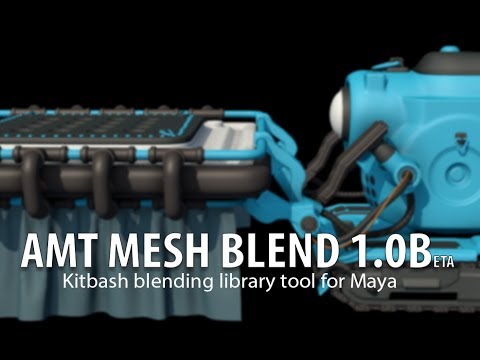
https://gumroad.com/l/MeshBlend AMT Mesh Blend is a kitbash modeling tool that allows you to manage your kitbash assets, place them on selected faces and ble...
pallid compass
did u say
If its all on same material
all the draw calls are same
no matter how many u have right?
grim sinew
It's treated as a single mesh/material set.
grim sinew
yeah
grim sinew
Negligable. Just don't make the decals 128k or something silly like that.
grim sinew
Depends on the asset and how many I need. As a rule I try to keep to 512 texel density.
So if that means an asset only needs 64x64, so be it.
pallid compass
not sure what u mean by that
grim sinew
Texel density = texture pixels per square meter
pallid compass
can u give me the res? 😂
grim sinew
Yes. 512 texture pixels per square meter in world space.
pallid compass
im not arty guy
grim sinew
It's not art, it's math.
grim sinew
Take out a yard stick.
worn granite
the physical size of the mesh
grim sinew
That yard stick, 1 meter, is 512 pixels.
worn granite
directly gives you the resulution of its texture map
grim sinew
Measure your stuff and use that.
worn granite
or at least roughly an idea
pallid compass
no idea what that means tbh
grim sinew
You don't know what a yard stick is?
grim sinew
And I'm telling you, it's subjective.
pallid compass
idk how i can put it any simpiler than that
worn granite
he's giving you how he decides that
pallid compass
give me something generic then
grim sinew
It depends on the asset.
fair violet
Depends on the size of the mesh on the screen
worn granite
it is generic lol
pallid compass
512, 1k, 2k, 4k,
grim sinew
Okay fine, let me try again
Let's say you have an asset that's 1 meter by 4 meters large. Just a flat plane, to keep it simple. That asset's texture would be 512 pixels by 2048 pixels. If you needed a decal on that, you would follow the same process. Take a look at how big the decal needs to be, and use some simple math to figure out how large the texture needs to be.
grim sinew
Keeping it consistent like this will make your entire project look better, just on merit of texture quality being uniform in the scene.
worn granite
what about in between though - say 1m x 1.6m
do you round up to nearest power of 2?
pallid compass
Then what resolution do you use for the atlas?
grim sinew
You round up and just leave the empty space. You never scale UVs up or down more than 30% to fit.
pallid compass
There must be a limit though?
grim sinew
The atlas resolution is the combined total of all the decals for that single object. Only that object. As tightly as you can.
pallid compass
like what if ur atlas reaches 4kx4k
grim sinew
If your atlas is 4k x 4k for a single asset, you need to rethink your life.
Because that should never happen.
pallid compass
LOL
gotcha
im asking because
i dont know what size to make a blank image
to start building some decals to test this
grim sinew
Who cares, you can resize it later right?
You can work high res, see what you need, and then repack it later. It helps to have a plan going in though.
pallid compass
right gotcha
grim sinew
Because otherwise you're messing with UVs and things may not align
pallid compass
the decals must be flat planes right?
grim sinew
Just say like "I need this list of 5 decals for this asset, measured in the world they need X resolution total. I can pack it like this."
No, not mesh decals. They can be any shape.
grim sinew
They're often used around like edges of things to break up tiling, like on a broken piece of concrete.
pallid compass
ahh ;o
grim sinew
Yeah, Maya has measuring tools, generally its' easy though. The grid does all the work for you.
Grid is CM scale, you're already importing it at 100x size when you import it into unreal, right? So just treat 1 grid unit in maya as 1 meter in your measurements.
pallid compass
oh my grids not really setup
grim sinew
It'll set up your grid properly, and you can make shelf buttons with gridUp() and gridDown() to make the grid larger or smaller while you work so you can easily stick to the grid when modeling.
It'll make things a LOT easier if you're doing anything modular.
pallid compass
ahh thank u ver much
il give it a shot now
wth
how do i run it
its not running like python scripts
grim sinew
It's a MEL script. Just load it in the script editor or drop it in the maya scripts folder
It's like the most common maya script format 😛
grim sinew
There's no reason why it wouldn't work
pallid compass
"/ Error: Line 88.17: Cannot find file "gridOps" for source statement."
grim sinew
you sourced the script?
pallid compass
yup
grim sinew
and gridOps() isn't working?
pallid compass
it wont even load
sourcing it
it causing the error as well
"// Error: "C:\Users\Halycon\Downloads\gridOps.mel" line 88.17: Cannot find file "gridOps" for source statement. "
which makes
0 sense
grim sinew
that's not your maya scripts folder btw
grim sinew
but fine. copy and paste all the text, put it into your script editor, and just run it from there?
or that, as long as it works
grim sinew
counting what
grim sinew
reset your grid settings then run gridOps()
pallid compass
i did
pallid compass
pallid compass
CM
grim sinew
I've never seen the grid that dense, it doesn't even support it that dense, it's something in your scene/config
pallid compass
us4 is cm right?
grim sinew
https://knowledge.autodesk.com/support/maya-lt/learn-explore/caas/CloudHelp/cloudhelp/2015/ENU/MayaLT/files/Scene-management-Measure-the-distance-between-two-points-htm.html take this out and test it. find out exactly how big those objects are
Select Create > Measure Tools > Distance Tool. Click two points. Maya creates two locators with a distance measurement. You can select and move the locators to edit the measurement. If you snap a measurement locator to an object, the locator moves with the object
pallid compass
152cm
grim sinew
so is that turbine 152 meters large?
pallid compass
152cm long
grim sinew
right but i mean, is it supposed to dwarf most buildings?
grim sinew
Maya handles measurements weird. Its tools actually don't work properly if you work at meter scale like this. It's meant for centimeter. That's why I said you import it at 100x uniform scale.
grim sinew
Like you'll notice its modeling tools getting imprecise at meter scale
That's.... weird
pallid compass
my ue4
i mean
my maya is setup in CM
and matches ue4 perfectly
when im working i use char model for size ref
alot of the time
grim sinew
Alright, whatever. Just change your grid settings to be 10x their current size to fix it.
100x*
I'm not running tech support all day on this.
Your scale setup is different to how most people use Maya, so the script as it is won't work for you
plush yew
is there such thing for someone to teach a nother person how to use unreal engine for beginners?
grim sinew
Epic has a bunch of tutorials on youtube for that
pallid compass
right gotcha
dw about it anyway
gotta figure out this decal thing first
step 1
how to make decals 😂
wonder if i can do it in substance


 grim sinew
Generally not, unless you want to bake it all onto one texture anyway
plush yew
😂
pallid compass
or maybe quixel with there stamps
thought i was putting it all on to one texture sheet, an atlas that is?
iv never made decal atlas before, just wondering what software i should go with hmm
grim sinew
It's still a second texture map/material
pallid compass
wat that be slow af
when i can stamp em on?
il be basic hoe and try basic text in photoshop first lmao
so you said every 1m is 512 right?
worn granite
If you make the mesh decal or w/e then you can use it with the workflow of the plugin, but if you just stamp it on you can't. Also they said stamping can be inferior
pallid compass
what plugin?
pallid compass
is that belnder?
grim sinew
Yes, 1m = 512 texture pixels. That's what 512 texel density means.
worn granite
There are probs other plugins that are around the same concept
if you have a plane which starts off with your stamp UV'd to it, then you can deform the mesh and the UVs can be updated
or something I dunno
not an artist but that's what I see going on
 unborn urchin
hey folks, anyone able to point me towards documentation on lighting with an orthographic camera? many thanks
pallid compass
wait
do u have to perfectly
place the meshes on top?
i thought they just had to hover
plush yew
Hover otherwise they will z-fight
pallid compass
does it project the details
grim sinew
Hover a tiny bit, I think mesh decals have an offset of some kind though from the documentation
pallid compass
down on to the mesh?
or do they stay hovering
im just trying to figure out if im doing it right
did quick test
but its obviously hovering
it may look flat in SS
but its obviously hovering
plush yew
Wait what is this mesh decal you speak of?
frank escarp
@plush yew the blender video above shows it clearly
frank escarp
yes
pallid compass
i think im missing something obvious here
frank escarp
you model and bake some stamps
and then you put them as a mesh on top of something
you then have a 3d model to export (the cube)
and you create stamps with simple quads(or whatever)
you then put the stamps wherever you want
like this
as floating geometry
now, this thing has 2 materials
the normal box material, and the decal material
and you setup it on the material
frank escarp
no it doesnt
pallid compass
like actual decals?
well not project the mesh down
but project the visuals down?
if theres no projection
or anyrthing
then how are they even decals o-o
frank escarp
becouse i made them a mesh myself
i projected them inside blender
thats why they are not projected
of course my alpha is whack
becouse i painted it in a shitty way
but you get the point
pallid compass
im just bit confused
why this is called decals
there not really decals at all
there just mesh slates on top
Swapped it to surface
from special decal
renders the same
0 difference
unless im doing it wrong
frank escarp
no, they are cheaper
plush yew
Yeah they're not really decals in the way you think they are
plush yew
Literally just meshes on top of your geometry
frank escarp
this is blending the normal map from the decal for example
again, sorry for the whack alpha
but thats the idea, it renders on top, but its in a way that it blends with the stuff below
pallid compass
hmmm
mine does not look blended at all
i was just trying to do umm, simple text
maybe im not placing these quads right
frank escarp
texture resolution effectively infinite for this details
you can keep adding that hex bolt everywhere, or the rails
and they will stay sharp no matter their world size
the actual cube is not even UV-d
and yes you can override color
and roughness
and metal
pallid compass
can u show me in engine
mine just look like crap
and its just text
maybe im just potato
 ionic sedge
How did you set it up?
frank escarp
This guide will cover setting up and using Mesh Decal Materials.
google intensifies
pallid compass
mine just looks
crap omg
tried keep shot at it
with just colour text
and it just
dosent look right
frank escarp
pretty close
pallid compass
maybe im not close enough?
pallid compass
okay
i wasent as close as ai should of been
no where near
ty vblanco
to the rescue as always
frank escarp
as youi see, they affect roughness if you want
i think it would be best to have 2decal materials
one for the purely normal map ones
and other for the texts/stuff that colors it
frank escarp
yes
pallid compass
nothing to worry about to intergrate it for all main workflow stuff
like important things
 robust tree
Why there is no bool if it has been found?
worn granite
it returns -1 if not found
worn granite
you can probably request a bool
robust tree
that would be more obvious, right?
worn granite
yeah maybe but -1 works for now right?
robust tree
of course 😃
when you said "request a bool" did you mean that I can ask Epic to add it to next version?
worn granite
yeah
It won't make it into the direct next version though
but yeah you can put up a request on the forums
robust tree
now when you told me -1 is enough 😃 it's not worth the effort
 inner mountain
Hey guys!
I'm trying to make LineTrace by ECC_WorldStatic and my landscape is missed by the trace fro some reason.
Why it could happens?
CollisionPreset is BlockAll and I see ObjectType is WorldStatic
the same code is working good for a static mesh
plush yew
So ive create a 1d blend space when i opened it, it wasnt the same as the video
Picture of my game: http://prntscr.com/gxg05m
Picture of the tutorial: http://prntscr.com/gxg0fd
Link to tutorial: https://docs.unrealengine.com/latest/INT/Videos/PLZlv_N0_O1ga0IoRrpI4xkX4qmCrhGu56/7b9WM8TVdpA/index.html
So idk what ive done wrong ive followed the video exactly but idk why its not showing up like the videos


(00:05) - Intro to Blend Spaces
 rotund scroll
so after a some research and googling on the subject, I can't seem to find out how to attach a socket to another socket
 frosty copper
hey @plush yew , you could turn off the qwerty bullshittery so it doesn't behave like maya. 8)
rotund scroll
does anyone here know?
frosty copper
o_o I wish I could say yes, but I've not touched sockets in several months. DX
Going entirely off memory; there's a box to select a parent socket in the properties of any socket
rotund scroll
I've seen this parent socket thing, but there's no documentation on what it does
and I'm not even sure it's useful in my case
I basically need to attach one skeleton to another skeleton
frosty copper
ah, in that instance you'd use something akin to "attach to socket" via blueprints (or code)
rotund scroll
I'm using attach to currently, however you only get to pick the socket of the destination
not the socket from the actor or component to attach from
plush yew
LMAO @frosty copper
frosty copper
@plush yew I hate maya d: So turning off everything that makes it behave like that clanktrap increases my sanity :p
anyway
I do remember some way of specifying the originating socket, just not how exactly; sorry chap. I'm too rusty. DX
rotund scroll
thanks for trying... feel free to tag me if it comes back to you! 😃
plush yew
Am just glad i started learning max since 2013. am a hobbyist even thought i would be very disappointed if i learnt maya from first place. i cant say same thing for ue4 !
frosty copper
Will do~ :3 though knowing my luck by the time it comes back to me you'd have figured it out. 😛
I can certainly say UE4 isn't as hair-pulling an experience to learn as autopoop maya was/is o_e
rotund scroll
3d packages and their UI are abysmal
frosty copper
xD
I dunno; UE4 UI reminds me of Blender, and I prefer that over Max & maya any day. o_o
rotund scroll
I raged harder using them at first than I've ever done in dark souls
frosty copper
XD
The one thing that does make my blood curl in UE4 is when I install/open a new engine;
- Icons are obnoxiously huge.
- qwerty shit gets in the way
- WASD-QE only works if I hold down the mouse.
- ... it doesn't remember my god damn layout! DX
and I knoe it's just a few seconds in the preferences, but every new engine I always do the same raging fists and "FFFFFFFFUUUUUUUUUUUUU!!!!" noise/expression. :I
rotund scroll
yeah I always thought it was funny that there was a "reset layout" and "save layout" but not a "load layout"
 knotty pawn
Hey guys. New to game dev.
Hope to make the next Pubg by next week
frosty copper
funny but back of the mind rage inducing. xD
especially back in the days of Uni. good gawd. x_x
good luck with that Dimax. :p
knotty pawn
Haha thanks. Hopefully by next year maybe some prototype
frosty copper
maybe sooner than ya think. 😉 just go one feature at a time~
knotty pawn
Should I start by learning C++ ?
frosty copper
you'll start snowballing soon. :3
knotty pawn
Soon to univ. so would like to get an idea if coding is my thing and all of that
frosty copper
tough call to be honest. If you have some knowledge of code you could. Blueprints are also good.
if you're on your own you'll eventually start doing both (arty stuff & code) either way
knotty pawn
Yeah I can imagine
Still "code" is the base of everything, so I guess the better I know, the better
frosty copper
starting up though; just ask if for the immediate future:
Do I want to make things functional first and pretty later? (Code, then art)
Or do I want to make things pretty first and functional afterwards? (art first then code)
knotty pawn
I know the pure basics. Made a few 2D games with Unity before
worn granite
Any prior experience with C/C++
knotty pawn
Years ago. So Forgot pretty much everything
knotty pawn
Yes I'm really interested
worn granite
Alright if you're mainly interested in the code, I'd recommend brushing up on C++ first and then maybe start picking away at some example C++ projects.
While UE4 is downloading you can brush up on the Gameplay Framework
 cursive dirge
I recommend starting with the c++ template
c++ sample projects that you can find for UE4 are outdated
or, done in a way that new projects shouldn't be done at this point
worn granite
BP isn't a bad way to learn the engine either - I'd say its important to be capable of using BP
worn granite
Its intended to be a mixture anyway
knotty pawn
Lots of good advices here
frosty copper
afaik, blueprints help with learning some of the names of functions & shenanigans, no~?
worn granite
Well they can
cursive dirge
blueprints help you familiarize yourself with the engine
c++ has similar functions
sometimes they are the same functions
frosty copper
.... and every now and again the function you need is named something compeltely obfuscated. 😄
tall pendant
even for Bp's i'd still recommend knowing at least the basics of OOP
rotund scroll
which degree you going to uni for @knotty pawn
worn granite
@knotty pawn Make sure you install source when you download the engine (or if you grab from github that's obviously done when you do that) - if you use BP it may be neat to peak at how those nodes are implemented (function or the actual node)
knotty pawn
Either Comp. Science or Software Engineering
worn granite
UE4 can open VS directly to a func called from BP
rotund scroll
start simple
like really simple
like basic blueprints
everything else will just make it harder for you to learn
 next badger
for serious c++ only github source
i had no luck with debugging rocket build
worn granite
Not for debugging, really, just so they can view both easily
knotty pawn
What do you mean by Install Source?
 muted kraken
I'm trying to delete a map but this error keeps showing up
``World /Game/ShooterGame/Maps/Sanctuary.Sanctuary is in use.
Running the editor with '-NoLoadStartupPackages' may help if the object is loaded at startup.
External referencers of World /Game/ShooterGame/Maps/Sanctuary.Sanctuary:
UnrealEdEngine /Engine/Transient.UnrealEdEngine_0 (root) (2)
0) [[native reference]]
1) [[native reference]]
Shortest reachability from root to World /Game/ShooterGame/Maps/Sanctuary.Sanctuary:
World /Game/ShooterGame/Maps/Sanctuary.Sanctuary [target] (standalone)``
worn granite
there should be an option when you download the engine
worn granite
the binary version of the engine can also have the engine source
you can't change it, but you can view it
if you wanna be able to change it you have to clone github
 ripe zenith
Hey, I unpluged, then pluged my xbox controller, and since then, it doesnt work anymore in UE4 (but it still works in other games), any ideas how to fix it?
worn granite
what kind of controller @ripe zenith ?
tall pendant

knotty pawn
You guys are super helpful, Thank you
worn granite
Nah seriously the brand matters
next badger
@worn granite it doesn't work properly, if you click on widget inspector link, it will point to some crazy path(probably compile state) and not install one
worn granite
My Windows 10 will only use my official microsoft controller
frosty copper
also, big tip; if you're on shitdows- make sure to download the debugging symbols
worn granite
but I can use the same controller on other PCs
but that's more the entire OS
not UE4 specifically
plush yew
What are the debugging symbols for? I never install them
ripe zenith
The thing is, until I unpluged/repluged it, it worked perfectly...
next badger
@plush yew for debugging, obviously
plush yew
What use case though? I can already debug...
worn granite
@next badger right, but they're just starting. doubt the reflector would even be open at any point
plush yew
🤔
worn granite
Can you debug engine code?
frosty copper
it's for when you're building & debugging the source, iirc.
worn granite
Even if you can't change it directly you can still know your input is causing a problem
next badger
@worn granite ofc you can
plush yew
Got confused with the multiple conversations. I've never gone into the engine code so dunno anything about it 😅
worn granite
You'd normally only step into it if you'd already debugged everything else but something is still being weird.
next badger
@plush yew its not a necessity, downloading them won't make you cooler...
worn granite
Or with crashes or something
next badger
^ main reason is bugs and crashes
plush yew
I see. Good to know 🙂
frosty copper
afaik, trying to build the engine from source without the symbols usually didn't end well. xD
next badger
@frosty copper thats silly, what you just said...
frosty copper
wait really? o_o
next badger
@frosty copper symbols are generating in the process of compilation
ripe zenith
Restarting my comp didnt even solve my issue...
frosty copper
huh.
next badger
sources + libs => vs => binaries + debugging symbols
frosty copper
my group at uni had a lot'f issues opening a c++ project in the 2nd year; had a load'f lecturers stumped for a while too. O_o debug symbols fixed some of the issues. shrug
worn granite
Uhhhhhhh
next badger
debugging symbols storing the info about compiled files relations
ripe zenith
And my controller works in the editor, but when I click "Play", it doesnt work
worn granite
Its possible some other file came in the symbol pak but that doesn't make sense to me that symbols made UE4 work
frosty copper
tbh chap, a lot'f things that happened that year didn't make much sense
worn granite
fair
next badger
@frosty copper if the project was source only - no pdb files are required, those are only needed if there's no source available, like example third party libs
and, again...only for debugging
@ripe zenith what does it mean...my controller works in the editor, but when I click "Play", it doesnt work ? is it suppose to work?
worn granite
If it works in editor but not in PIE then you're missing something in the input stack
frosty copper
yea, makes sense. that year didn't. xD guess I just made a bad assumption d:
next badger
since in game all actions on the controller are captured by "player controller"
worn granite
either your inputs aren't defined or your input component isn't routing input
@ripe zenith
if its the latter its most likely because you're trying to have input in an actor
next badger
^ probably
worn granite
with next most likely thing being that your gamemode is using the wrong playercontroller
ripe zenith
@next badger Well, 30 minutes ago it worked, and for the last few weeks it worked
worn granite
Oh neat
ripe zenith
It's since I unpluged then repluged my gamepad, it doesnt work anymore
next badger
@ripe zenith have you plugged it in to the same usb?
ripe zenith
@next badger Yes
next badger
since it may be the reason it's not the "same" controller anymore
worn granite
'tis FUBARd
next badger
i wonder if ue4 may reset the controls/binding if controller is missing
like: oh, no controller available, i should switch it to default
ripe zenith
But how can I fix this?
frosty copper
slap it with a fish
worn granite
try an alternate controller and then curse windows like me
ripe zenith
Curse windows?
frosty copper
you could also theoretically cycle through all 4 players on the controller?
swear at/threaten to destroy Shitdows. ^
ripe zenith
The issue is from Unreal, not windows...
 tardy ocean
hi, i have small question, what is the best ads system for our games in android?
 humble rivet
anyone know if 4.15 had a bug with references ?
all my references are a bust ! (logic is correct)
 livid haven
That's an awfully vague issue to have.
plush yew
I am making a resume for this job.
 vague crescent
Ah
plush yew
All of my experience is either on my own PC or from different clients.
I have not worked at any establishment doing PC work.
vague crescent
You can say that you are skilled in computer maintenance in the about you portion.
(I've never written a resume so if my advice is stupid just tell me)
plush yew
They probably want references.
vague crescent
Do you have any of your old clients numbers?
vague crescent
I might be able to help
plush yew
And I haven't contacted anyone.
vague crescent
I can come up with a fake problem and you can help with it and then you could use me as a reference
 autumn sandal
hey
 weary basalt
hey
plush yew
Well I'm A+ certified @plush yew, for all the good that is
Is it like geek squad or a break fix position?
If it's Geek Squad you'll want to emphasize sales experience, also helps a lot if you have a ceritification
 toxic oriole
Hey, I'm going to leave the server for now. It's been a while since I've posted, or contributed, and I've gotted a bit distracted from game development. I may join back once I get back on track with practicing development.
Farewell, for now.
plush yew
Roommate of mine said he's send my resume over to a guy he knows.
(He speaks a bit of English)
next badger