#ue4-general
1 messages · Page 115 of 1
 gloomy horizon
or is that all texture
I have to assume the interior outlines are texture and exterior shader
 frank escarp
outline is ez pz
they render the character twice
but with the normals reversed
in fact, its the same way selection outline works in blender
gloomy horizon
I just need to be careful with my game because it's all VR based
so I don't want to go crazy with processing demands
but I imagine cell shading is much cheaper than some of the other lighting solutions
frank escarp
thats not postprocess
its rendering the object twice
once for the outlines
and then you render the actual object on top
frank escarp
the textures are a trip
they are axis aligned so theydont have stair step
at all
gloomy horizon
what's stairstep?
frank escarp
grab paint
gloomy horizon
but haha that looks so cool
frank escarp
draw a diagonal line
 safe rose
@frank escarp yo mr UE4 god-lite
gloomy horizon
@frank escarp yeah I do pixel art sometimes too so I hear you I get it now
the non-aliased edges
safe rose
Do you know off hand if I don't have Symbol Debugging installed on Engine Versions, if I still get proper logs?
frank escarp
you dont
safe rose
Or anyone on here?
safe rose
Okay, just wanted to make sure, cause I mean, I always install it
So, I never knew
Trying to put this in the book
Right, so no callstack
BUT, do you still get that in the logs?
frank escarp
you get an assembly callstack
with the memory direction of each function
but not the actual function name
safe rose
Hmm, I am trying to figure out how to intentionally crash engine, I guess I'll have to test
frank escarp
if you want the name you gotta load that crash dump from visual studio, and point it to debugging symbols
@safe rose assert(false)
safe rose
Right, ok, just wanted to clear that up in my head, thanks
So, for BP only project, no point
Hmm
Actually, how does Epic get their Crash Log info then
Since we need Editor Symbols on for them to get the stack
frank escarp
they get a crash dump
the crash dump allows "debugging" from VS
if you point it to the correct symbols
if you are using editor build, then epic has the symbols
safe rose
So, they will be able to see it. The dev user won't.
gloomy horizon
@frank escarp they really wrote the book on this technique didn't they
their UV work for the interior outlines are brilliant
I'm curious how they squared their UV's like that
I assume they just did it by hand
but still pretty impressive
Oh man they even added bendable bones for the weapons so they could do smearing
gloomy horizon
so are all the animations done like an albido file
or is it just not interpolated in-engine
as an option?
 uneven fractal
what do you guys do for brain overload lol
gloomy horizon
Take.. a break?
uneven fractal
yeah but I ain't getting anything done if I take a break every 5 minutes haha
gloomy horizon
Then don't take a break every 5 minutes? Do you consider every problem you run into as brain overload?
I mean, solving problems is part of the job dude.
 plush yew
is is harder to have 100 rooms a 10 players than 2 rooms a 10 players? is it more work?
gloomy horizon
what?
plush yew
is it more developing then u want a lot players?
to have them logistically at the same time
multiplayer.sry
supaaa
 livid haven
I think... I think he's having a stroke.
plush yew
Please welcome @brittle vapor to the community! :beers:
 sacred crater
@livid haven , stay nice.
 cloud latch
Well, I feel stupid. Trying to find details on how input works between Actors, UMG, PlayerController etc. i.e. consumption order etc. I've got touch released on a player controller and an actor, but both always get fired when the actor is clicked. Anyone know where docs running through the proper way to structure this are?
safe rose
@cloud latch Consumption order
IIRC: PlayerController gets first hit, then Pawn/Character, then other objects
And you can obviously check off consumption at anytime
cloud latch
Thanks, @safe rose. Looks like what I was missing was needing to enable inputs for actors. Though, once it's on - they got it all the time (compared with player controller - didn't check buttons). UMG grabbed it first, no need to enable input, it just worked, and did so as expected (only when clicked on - otherwise, the player controller grabbed it).
plush yew
Please welcome @sly holly to the community! :beers:
uneven fractal
@sly holly tbh there is probably more people here regularly then you can memorize
 sly holly
Hopefully I can remmeber a few of them eventually haha
plush yew
Please welcome @strong shoal to the community! :beers:
Please welcome @gusty belfry to the community! :beers:
 wild relic
Hello guys. Have little question right here. how blueprints and c++ should work together. i know how to call c++ function from blueprint and e.t.c. but how i should use it (what i should do in BP and what in c++). thanks for any advice/opinion.
livid haven
Briefly, since I'm on my way out the door:
@wild relic Write most of your logic in C++, use C++ for abstract base classes, and subclass them in blueprints.
Make heavy use of UPROPERTY with EditAnywhere (and the other keywords that control editability).
And general use TSubclassOf with your ABCs (abstract base classes).
This way you end up using blueprints not as scripting but merely as assets for powering your native C++ logic in a data-driven manner.
wild relic
hm
livid haven
You'll be able to change values via simply changing the defaults of the BP that subclasses your native class, compile the BP, and play in editor (PIE) quickly.
wild relic
This way you end up using blueprints not as scripting but merely as assets for powering your native C++ logic in a data-driven manner.
what exactly i should do in blueprints ?
livid haven
Literally just create a blueprint, select your native class, then set all of the properties in the defaults panel.
Especially references to assets. Hardcoding asset references is a pain.
Since the properties were declared in C++, you can access the values in C++.
wild relic
Can i use blueprints for moving my components or using c++ and setting pos/rot offsets there ?
livid haven
You can use blueprints for some logic, sure. I'd keep it relatively light though.
Sprawling graphs or complex algorithmic logic are a sign you've gone too far in using blueprints over C++.
When I say avoid blueprints for logic, I meant the whole visual scripting part, with the graphs and nodes and pins and links/connections.
Try to keep that to a minimum.
wild relic
That means that i can move my blueprint components in this 3D blueprint view thingy, right ?
wild relic
that's kinda cool
wild relic
nope
i love using blueprints for prototyping things tbh
and then manually port logic to c++
uneven fractal
I find it easier to understand what the hell I'm doing looking at blueprint viewport as opposed to a black and white screen covered in code tbh
plush yew
Quick question... I'm stuck with a color grid cube with 4 spheres on top of it as a cursor. How do I toggle this off?
some kind of lighting visualization thingy. Can't click on anything or make any progress until i figure out hot to get rid of this.
uneven fractal
does it say compiling shaders in the bottom right?
plush yew
no, it did but its done
uneven fractal
yeah compiling shaders usually takes alot of processing power so it will slow everything down or stop it out right
plush yew
yeah, totally forgot the key too. seen this thing before, never used it now i'm stuck with it lol
and I don't know what it's called so hard to google, couldn't find anything.
 worn granite
its the \ key
plush yew
ah thank you so much!
worn granite
how'd that get stuck
you normally gotta hold it down
Anyway its called "preview meshes"
yeah not vague at all
plush yew
duno, hit a few keys by mistake and it stayed
worn granite
that's so niche too
I can't think of anyone that uses it (maybe a level design thing though actually)
plush yew
hmm can we change the mesh to anything? like simulate a monster moving through an area?
plush yew
cool, maybe one day i'll care about it 😃
plush yew
Please welcome @vagrant glen to the community! :beers:
 vagrant glen
hey anyone familiar with the unreal engine vr template and willing to help teach me something?
want to blow my lecturer away
safe rose
@vagrant glen #virtual-reality channel, be very detailed on your issue and what you need help on
vagrant glen
okay, virtual reality template, i need to code a bench to swing out and back through use of the vive motion controllers (in the vive level) so that when in vr i can swing out the bench for use and put it back into place just like in real life
safe rose
stop
vagrant glen
lol sorry
 earnest cape
What happened to dark mode for the unreal forums?
uneven fractal
does clamp work on strings?
worn granite
@uneven fractal what are you trying to do by clamping a string?
plush yew
Please welcome @languid sparrow to the community! :beers:
uneven fractal
@worn granite I'm tryin g to prevent putting too much info into a string thus breaking my beautiful ui
well really I just want a nicer solution then this https://forums.unrealengine.com/filedata/fetch?id=1079016&d=1432818766
 worn granite
There's no lenght clamping, you gotta do you own
uneven fractal
darn I was hoping for a nicer solution like there is for clamping int's but oh well
plush yew
Please welcome @tacit gulch to the community! :beers:
 rich plank
is there a way to generate hit events without simulating physics?
wait
nvm im not dumb i dont thin
or can i only generate overlap events without physics being simulated?
nvm i am in fact just dumb
plush yew
Please welcome @elder token to the community! :beers:
Please welcome @frozen flax to the community! :beers:
Please welcome @plush yew to the community! :beers:
 warm mountain
I just had this hilarious idea for a random encounter in my game XD
I was thinking if the player goes about randomly attacking or hitting passing cars
they have a small chance to trigger a secret boss fight
where 5 fat guys wearing chicken suits would exit the car to beat the living crap out of them while moving like ninjas or super saiyans XD
plush yew
Please welcome @warm oak to the community! :beers:
plush yew
since when does Ue has hdri lighting in asset window?
.o
if you double click a asset.
since when is there a hdri environment lighting map?
 keen birch
Got added in 4.16 or 4.17 I believe
 slate ermine
Hello
can you give me the definition and explain to me what does these elements in UE4 (Landscape, Blueprint, morning, Dungeon, gameplay, collisionLevel)
STP
plush yew
Please welcome @gritty swift to the community! :beers:
keen birch
If you have to ask what "Morning, Dungeon and Gameplay" are, I'm assuming you're a troll or just... Need to read up on games.
And English
keen birch
...
slate ermine
i don't know that
plush yew
Please welcome @lone grove to the community! :beers:
plush yew
Please welcome @half dagger to the community! :beers:
plush yew
Please welcome @modern oracle to the community! :beers:
 modern oracle
Yay
plush yew
Please welcome @hardy spruce to the community! :beers:
 hardy spruce
Ohai!
plush yew
Please welcome @topaz axle to the community! :beers:
Please welcome @stable gulch to the community! :beers:
hardy spruce
@modern oracle Someone, do you happen to drop by the DGG occasionally?
updating dependencies fiddles thumbs
plush yew
can i select 3 objects and uE bakes the light?
hardy spruce
@plush yew I don't know, I suggest you try 😉
plush yew
i doesnt work
just to bake the light for the 3 objects.. not the whole level
baking light is really a bad workflow
keen birch
@hardy spruce Might be going to DGG this Thursday 😃
hardy spruce
I am doing the incubator, and maybe the network borrel.
sadly I live a bit far away to just drop by everyday 😉 ( Enschede )
Setting up Unreal Engine 4 project files...
crossing fingers
ok done, I'll make another day, need to head home for dinner..
plush yew
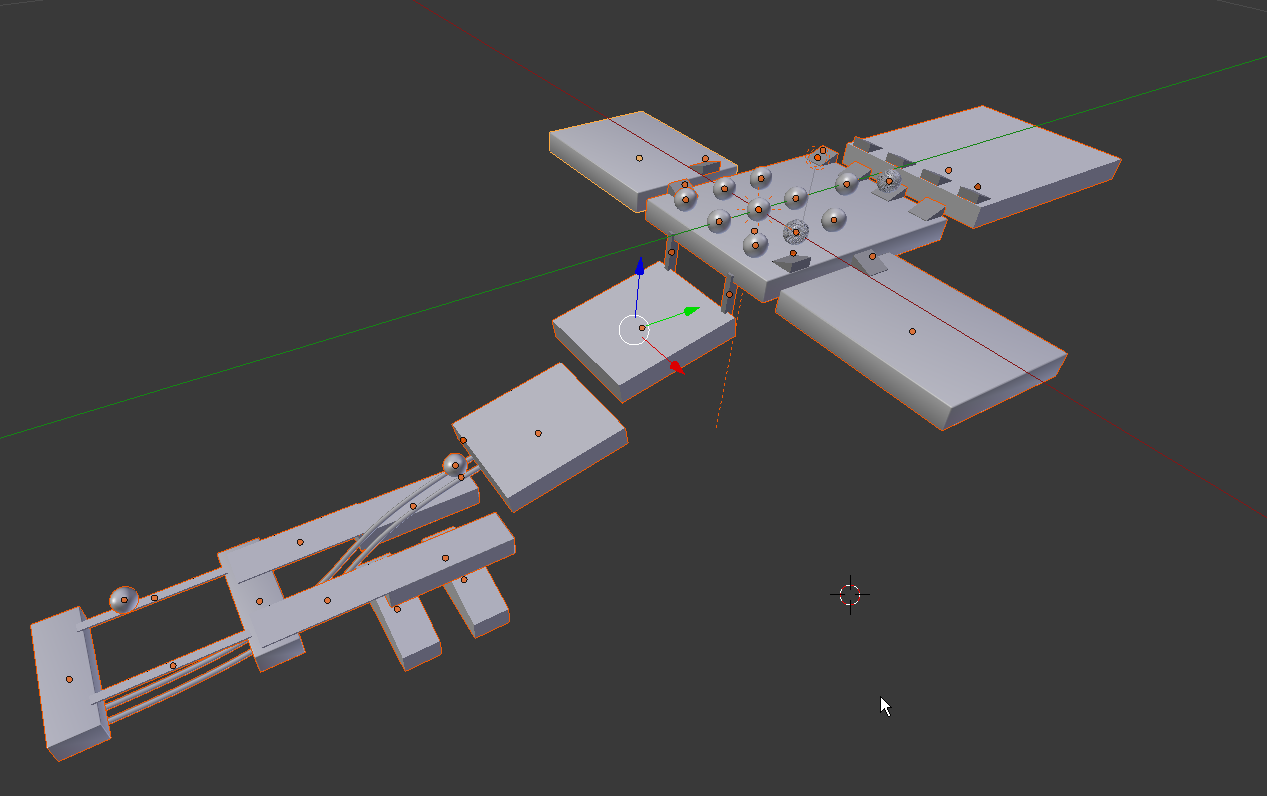
this is in blender.
so now i have to export every object? i can't export everything at once?
frank escarp
import option
in ue4
you export the fbx so it exports everything
and there is an option in the ue4 importer, something like "Combine meshes", that should be Off
"Convert Scene" also has to be off so objects keep their places
if you want export everything as 1 object, then have the Combine Meshes as On
frank escarp
what you want to do of exporting a full map from blender
is plain not possible
in ue4
if you have the Convert Scene as "true" and combine meshes as false
then each of the objects will be one static mesh
and they will be offset
so you can select all of them and drag them into the world
but thats not a good idea at all
as now all your meshes have huge offsets, and cant really be used for other places
frank escarp
it does exactly as it seems, it doesnt have the concept of "scenes" as importable through FBX
plush yew
::(
and this is the right way?
- making everything in blender. (see my image)
- one for one, make uv and lightmap. export one by one to a folder.
- import all stuff in ue
frank escarp
no, its not
plush yew
o0
frank escarp
you create the objects in blender
import them to ue4
and then create the level in ue4 by assembling the pieces you created in blender
plush yew
eh i can't make every time a new file in blender. i need sizes
frank escarp
have this
its a DVD that was paid, now free. about ue4 level design
uses 3dsmax, but the concepts are the same
you dont need to have multiple .blend
you can have several stuff on the same.blend
i do that myself
plush yew
that is what i meant
frank escarp
normally i have each "set" of objects in one .blend, to have them in one place
then you export them with combine meshes off, and it will import each mesh as one static mesh
plush yew
i make one single .blend and export one by one to ue
Please welcome @pine atlas to the community! :beers:
frank escarp
just make sure combine meshes is off
plush yew
ah
plush yew
but will it then come with the same offset?
frank escarp
properly
depends if you have Convert scene on or off
If you have Convert Scene on, it will import everything with 0,0,0 as center
if you have it off, it will import everything with its own object center as center
frank escarp
yes
that way you can drag drop all your meshes and they will be on the same place
but this has issues
you should just have your set of meshes, and assemble the level in ue4
plush yew
@frank escarp 😄 the http://www.hourences.com/product/the-solus-project-level-introduction/ tutorial has missing content. do you know anything about it?
plush yew
i get help much faster in godot server for examp.
keen birch
It really depends on the question 😛
 ionic sedge
Also you're just asking random stuff in general, ask in a specific channel instead.
 regal mulch
Blender Questionsshould be graphics for now
uneven fractal
where do I put the steamworks SDK to use the steam online subsystem?
plush yew
Please welcome @strange valve to the community! :beers:
 strange valve
Thank You 😄
uneven fractal
so enabling the steam subsystem plugin causes my project to fail when I attempt to simulate it launching to desktop
plush yew
Please welcome @ionic frigate to the community! :beers:
plush yew
Please welcome @vernal crest to the community! :beers:
plush yew
Please welcome @sour grove to the community! :beers:
Please welcome @plush yew to the community! :beers:
 pallid compass
Finally got 30 mins to talk on here jesus
plush yew
Please welcome @restive eagle to the community! :beers:
 vernal crest
👋
plush yew
Please welcome @stable marlin to the community! :beers:
Please welcome @uneven cedar to the community! :beers:
plush yew
everytime I close UE4's editor something seems to be missing or wrong when I start the project up again
now it's telling me a thirdperson.dll is missing and I need to "build it from source"
Please welcome @jagged meteor to the community! :beers:
 jagged meteor
on a scale of "ez" to "up for 32 hours" how hard is it to code something in unreal
plush yew
Please welcome @dry crater to the community! :beers:
plush yew
Please welcome @tropic plover to the community! :beers:
 tiny loom
hey uh, anyone know how to display the senses in run/simulate modes?
oh, maybe you just have to select the desired pawn
hmm
safe rose
@tiny loom you figure it out?
you should also have to do some strange combo
shift-alt-'
or something like that
maybe cntl-alt-'
Or maybe just the '
apostrophe key
 dire storm
darn my forums post didn't get any love 😦
safe rose
@dire storm link?
dire storm
safe rose
@dire storm You're asking the wrong questions, that's why
a) too subjective
There are no pitfalls if you plan for them
b) no
c) it is already possible
see fortnite
or ark
There are quite a few voxel plugins for ue4
if you're looking for that also
dire storm
Do I need to go a dedicated server approach to generate the worlds and store all the town/city info while the player runs around adjacent areas?
I don't think voxel is the route I want to go
safe rose
Again, you are asking the wrong question
You do what you need to do, however you want to do it.
You have many options available to you
You could go the dedicated server route. Or, you could go ListenServer and keep saved info on a backend server
You should look into world composition
dire storm
I'm aware that there are a lot of options. I've been looking through some of them. I guess I'm trying to figure out what route would be my best option before I dump hundreds of hours into a prototype and finding out then its a computer killer.
safe rose
No one can really tell you that
I mean, if you haven't done any research yet
You should
There are PLENTY of threads on it
dire storm
That's what I'm working on now.
safe rose
Plenty of people have asked the question
You could probably find the same question asked on here
Use the search bar
dire storm
Thanks for the feedback
plush yew
Hey guys, had an issue with the project running into runtime errors due to assertion fails when nativizing a project inclusively, which wouldn't occur when nativization is disabled.
So the packaged project wasn't working while the PiE version was
 kindred viper
did you happen to post this problem on the UE4 facebook group? Someone else had that issue earlier this week and they may have found the solution
safe rose
@plush yew check the error
Find the bad BP
Don't nativitize it
Usually if you have a crapton of macros
It won't nativitize
Not sure if that's been fixed in 4.18
I just try to use functions as much as possible unless I need some custom flow or latent sexy stuff
kindred viper
I just don't nativize. If it's not running tip top before nativization, then I would be silly to presume nativizing it would fix any optimisation issues anyway. I like the idea, but necessity is key.
 drowsy sage
Uhmm
real quick question
visual studio 2015 yeh? that's what we use for unreal engine
Can't remember
I used to use 2013
kindred viper
depends what version of unreal you are using
2013 will work upto 4.15 I think. But you want 2015 for 4.15 generally. 4.16 and above needs vs2017
drowsy sage
Much appreciated. Downloading 2017 now.
I just remember starting off with 2013 and not realising it was 2015++ etc...
plush yew
Yeah, I almost never use Macros
 wary wave
I'm using VS2015 for 4.17
plush yew
Use 2017
wary wave
I see no reason to
plush yew
as you wish 😅
there's no major change
save a few features here and there, experimental stuff
@safe rose the error appears as a runtime assertion fail in some super core library code
kindred viper
I tried to use 2015 with 4.16.0/1 and it complained at me. Cant remember why but I just switched it up to 2017 and it worked.
@plush yew got the error message still?
kindred viper
c0003 (or something) ?
plush yew
It looked like a recursion limit error
it didn't evaluate on the assertion check and crashed
kindred viper
the problem with recursion limit errors is they keeping happening again and again and again and again and..... thank you i'll be here all night.
plush yew
oddly when I rummaged a bit more the game would run silently in the background
without any errors, just hanging in the task manager
kindred viper
like its failing to exit?
plush yew
It runs silently in the background as two processes
one which takes about 120 odd MB of memory, the main one
another silent process
none of them show any activity on CPU or GPU
kindred viper
crash reporter crashing maybe?
plush yew
of course, all of this if nativization is on
dire storm
poking around github and googles. Really suprised no one has made a runtime terrain editor yet or mayble I'm looking for it wrong. Not looking for voxel based. I'm more interested in something like city skylines uses with Unity which I believe applies directly to the terrain.
plush yew
Please welcome @tribal burrow to the community! :beers:
wary wave
there are plenty of attempts at runtime terrain editing, but it's not exactly a trivial task
dire storm
Thats what I'm getting from all of the posts and videos.
I'm trying to research the best approach for me.
My game concept is pretty standard. Build towns/buildings. I'm breaking everything down to determine what would be the best approach for me. Using the terrain editor or using generated meshes for the world. One of the features I had in mind was player terrain editing.
kindred viper
I was talking to someone who was making a dynamic terrain the other day. Ill see if I can find the post, im sure he had some code he attached
dire storm
But mostly it was for building. When buildings are placed into the world I need the world to flatten around them so they don't look tarded
There's so many great games that have terrain editing it kinda blows my mind that its not in the editor but its also understandable since epic isn't really known for those kinda games
I mean honestly I can completely leave out the player editing part but I do need the buildings and structures to deform the terrain when they are placed if I'm going the terrain route
wary wave
editable terrain just plain has different considerations than the landscape system
kindred viper
@dire storm here is the code the guy posted, not sure how much use it will be. https://gist.github.com/ChrisPikul510/e3a1131b73d556d3222c29d6fd53a2fa
 plush yew
Well, forgive me for sounding blunt or too straightforward without full idea of what I might be saying but do check out the engine landscape editor source code
dire storm
Thanks Marc I'll take a look at it and see if it will be of any help.
wary wave
editor landscape code will be fairly monolithic, but also the license terms prevent you from using it in game code
dire storm
@plush yew I have planned to review it. Its beyond my level of knowledge at this time but sitting next to me is my mountain of learn to code books. I've been sitting at my desk for 14 hours a day trying to cram as much knowledge as I can.
@wary wave I read that in a post but also read from epic staff it was allowed to be edited which confused me. I can try to find the post hold on
plush yew
Yeah,cramming never does 😅 again, not speaking from experience
dire storm
okay that clarifies
plush yew
copyright stuff yay?
dire storm
@kindred viper That appears to be for generating terrain not editing ingame unless it can be used for both.
dire storm
Thats kinda what I was looking for vivraan hoping a good one was publicly available.
EQS?
kindred viper
Yeah its for generating terrain. Given the procedural nature though, its probably easier to work with than landscape proxies, although less optimal for performance. I just thought it might give you options really
plush yew
Environmental Query System for generating AI navigation in runtime
kindred viper
does that generate a mesh from the proxy to work with?
dire storm
I can't wait to know wtf I'm doing in this engine/coding. I came from a military career and I'm pretty new. I got the motivation but not knowing how everything works is frustrating when you know exactly where you want to end up.
plush yew
Aye, it may seem overly frustrating if somebody applies the military discipline in learning coding
dire storm
I always have 13 windows open, 17 things to learn randomly spread across my desk, youtube tutorials playing.
kindred viper
necessity is the mother of invention, so you know what you need, the path is more direct. Hence easier. Plus its damn fun to learn so just enjoy the ride 😃
dire storm
I'm enjoying the ride honestly
plush yew
That's what counts 😃
dire storm
Its scaring everyone. The whole "wtf are you doing all day" I'm LEARNING people! I'm learning and it hurts.. because the more you learn the more you need to learn
and I'm not making enough stuff 😦
 midnight mantle
does UE4 have it's own rigging/animation/modeling tools at all?
kindred viper
I've been studying something or other since I was 23 years old and I got bored of drinking and partying. I wish I had started earlier but I guess I had to get it out of my system
dire storm
I mean.. I could just make my maps so that where ever there is buildable areas the ground is completely flat but thats kinda a cop out and visually less appealing i feel
plush yew
@midnight mantle Nope, it's all outsourced
dire storm
Ideally I want there to be castles on hills with roads/ramps up to them
plush yew
Animation, yes
kindred viper
well landscape splines take care of the roads and ramps
flattening it at runtime I haven't really looked at though unless you ran some kind of spline to do that too. Not sure if that works at runtime or not
dire storm
I want the player to be able to say... look at that bad ass outcropping of rocks. I want to build my castle there for my town. (city builder style) and then build a road to it.
plush yew
Well ideally if it isn't there the most painful but rewarding thing is to make your own landscape mesh derivative
investigating the editor tools may help us get to runtime
dire storm
I'll take that one as a lookup. *writes it down feverly
dire storm
I could see how other engines do it. Literally every city builder has a terrain editor built in
plush yew
Please welcome @limber light to the community! :beers:
@midnight mantle there's animation retargeting and stuff, not really all animation-y. Best look at Blender or something, then deploy in UE4
kindred viper
UE4 landscapes are a different breed of mesh though. They have some memory optimisations to help with large landscapes that those others may or may not have. Its just a bit different in respects to plain meshes
plush yew
@dire storm yeah, even ancient stuff like Warcraft 3 had a terrain editor
UE4 landscapes apparently do take less than 6 times the memory or sumfin idk Google it
kindred viper
the landscape proxy does have the ability to export a RawMesh data object which might be useful if you can do something with the data but im not sure of the application yet. https://docs.unrealengine.com/latest/INT/API/Developer/RawMesh/FRawMesh/index.html
plush yew
Probably for importing/exporting data from image files
dire storm
@kindred viper which is great. I'm glad its optimized. I just need to figure out how to tackle this. Like I could generate the map and then have all the interesting parts be editable meshes or something that will deform to player interaction
kindred viper
I thought it might be for the LOD system but I guess its more useful than just one task
plush yew
with that, landscapes basically use heightmaps, which are basically glorified image files
on thr fly image editing = runtime landscapes?
again, I am only gesticulating
kindred viper
landscapes use tile components for optimisation, and they also have a system for adding holes. So you could have specific tile components flagged for building, then replace them with a hole, and add a base mesh in that place to build on
dire storm
hmm thats interesting and complex
The shit you have to know so that you can generate angry sims for players... smh
plush yew
yeah, the land provides 😌
dire storm
Can you modify the heightmap during gameplay which would then deform the terrain during runtime?
kindred viper
not that I am aware of. It's a baked system.
of course its also c++ so requirement modifications are unlimited in that sense.
dire storm
@plush yew I spent so much time in blizzards terrain editors lol
kindred viper
its such a pain in the arse that I only ever see people doing dynamic terrains with planar meshes, which means writing any functionality you need for streaming and LOD and such.
if performance isn't affected over the landscape system though, I dont see a problem using procedural and instanced meshes. Its all about what your requirements are
kindred viper
in terms of performance. what platform you are on, what min system specs are needed, what else you have in the gameplay taking up processing, AI, etc. It all adds up which is why landscape in UE is pretty cool for optimisation
dire storm
Does anyone else go to bed thinking "If I won 200million in the lottery I would blow it on game developers making me games"? I used to daydream about blowing money on other things lol
plush yew
Yeah 😂
kindred viper
nope. I wouldn't spend my own money on games dev. Its too risky. I'd invest in something more tangiable
dire storm
@kindred viper I'm targeting midrange PC audience.
plush yew
Btw do check out LandscapeEdMode.h/.cpp
did some searching and found some unanswered UE4 answerhub posts
however most files are guarded by a WITH_EDITOR
preprocessor placeholder
dire storm
@kindred viper I've done some reading on simcity, civ 6, city skylines. Simcity's engine was kinda terrabad but thats kinda where I want to go with it.
I read that too vivraan. Let me link a post I found interesting one sec.
plush yew
kindred viper
I've no idea about those engines. I think simcity was a custom engine, probably the others too. Im kind of just an Unreal guy 😃
plush yew
This thread though
by the looks of it you may try Unity for runtime landscapes as of now
Of course if you're loyal to Unreal do help us make a Runtime Landscape Editor plugin 😬
dire storm
Actually almost all of the code you need to dynamically create landscapes and edit them is in Runtime code, but some of it is not fully initialized unless you are running the editor. The files you want to be looking at are LandscapeEdit, LandscapeDataAccess, LandscapeInfo, LandscapeProxy, Landscape and LandscapeComponent. These have pretty much everything you need to be able to create new landscapes, edit heights, update collision and change materials, and they're all in Runtime code. An example of a problem you'll run into right now though, is a large number of useful functions in those classes are decorated with "#if WITH_EDITOR". For example the ALandscapeProxy::Import() function is very useful for creating a new landscape out of some initial raw height data and materials, but it's compiled out in the game unless you go and modify that source code and recompile the engine.
--Mike
plush yew
exactly
kindred viper
see if its as simple and editing out that.... it would be awesome to do so.
if that works with EditorApplySpline at runtime, then you can make a tool from a spline + mesh (which can be dynamic) and deform the landscape with it.
dire storm
We only restrict shipping with code compiled from source files under the Editor and Development subfolders. You can modify the engine to remove "WITH_EDITOR" and "WITH_EDITORONLY_DATA" checks as you see fit for your project. However, there might be some other reliance on editor code under the hood there, I'm guessing you will need to do some fix up here and there to get it fully working. I would start by looking at any Landscape runtime code that checks GIsEditor. In my earlier post I didn't realize that most of the Landscape creation and editing code was actually in the Runtime folder already. Let us know how it goes! As I said earlier, ideally everyone could benefit from having access to terrain creation features in their game so we might be able to get the changes merged back in.
kindred viper
so basically you can do it, but you cant ship it until you replace epic's code. Well that sucks 😄
plush yew
wait
Nah it appears people have some version already working, but not released
it's also okay to remove the #ifs
dire storm
I've been browsing the voxel stuff. I'm kinda scared of voxels
kindred viper
nothing to be scared of. Just an array of stuff :p
plush yew
yeah
dire storm
I had a link to a voxel world plug in. I'm not scared of the array stuff. I just don't like the voxel look I guess. I do want a stylized world I guess I just don't know enough on how it impacts performance
plush yew
kindred viper
yeah I always get worried performance will suffer at higher resolution setups. If its only for the base layer and make you make your landscape nice and lush with content though, you get away with it because nobody really sees the landscape
that cubiquity looks nice though with the triplanar materials and everything
dire storm
I'm aiming for a stylized look simiar i guess to most mobas out there right now (heroes of the storm, dota) look and feel but a city builder if that makes sense. I mean if I can achieve a functioning sim empire in a voxel world I'm all for it.
btw thank you guys so much for your time. Its hard finding people to work with/discuss.
kindred viper
its lucky im slacking today otherwise I wouldn't see the chat 😄
but now I want to go play with procedural mesh tiles + tessellation material + heightmaps and see what I can do without bricking the cpu/gpu
plush yew
I'll work on improving my general skills😅
dire storm
still searching to see if this is currently available for unreal
doesnt appear to be the case
plush yew
Please welcome @kind egret to the community! :beers:
dire storm
I really don't want to switch to unity
plush yew

reddit
UE4 has everything I want except for one feature - the ability to edit landscapes at runtime like you can in games like Cities Skylines or...
Ah, thanks @Discord!
dire storm
whoops
alt tabbed for too long. I now have 21 windows open
please dont crash google chrome!
reddit.. I've should have known
minus the 've
Welp. Gonna have to put this on my "hire a programmer to do this for me" list
plush yew
Please welcome @lavish eagle to the community! :beers:
keen birch
@dire storm Why exactly is a voxel terrain not good for your usecase?
dire storm
Hey Goosey whats up 😃
keen birch
Sick 3:
dire storm
oh noes! Hope you get better soon
I'm actually strongly considering going with a tile based map generator now
keen birch
So just putting a bunch of premade terrain tiles together (pseudo-)randomly?
dire storm
So far I haven't seen a voxel terrain pluggin I'm interested in to get the look/feel. I'm unsure of how the impact performance. I'm gonna have a quite a few citizens roaming around my towns as they build up. Think banished style. Where people have jobs and whatnot. Its basically a mini sim city style game where the player can assume control as a hero unit and run off to do stuff then come back and help build his town.
I'm going to work on implementing that I was just trying to think of future roadblocks and the biggest one that comes to my mind was how to solve for the player wanting to build on hills and cliffs and such.
And then I fell into the rabbit hole of terrain editing during runtime
I think I can implement mesh editing during runtime.
plush yew
Okay so here I'd introduce my aspect of interest, which is procedural generation from scratch.
In a project from a Udemy course, I went on to implement it by randomly checking for positions on a tile blueprint by spawning sphere traces to check for colliding objects, avoiding positioning objects too close to each other and the walls. However, this is thrashing players by causing a very visible lag during gameplay.
The best I could do is defer spawning of several tiles, thereby making a longer lag but after a longer session of smooth gameplay.
So, I find it terribly obvious that I can do better. Question is, where do I start?
.
Even in the course, the lecturer describes Perlin noise maps and such for generation
wary wave
you start by solidly defining your requirements
plush yew
My requirements are: engaging gameplay, randomly spawning obstacles in tiles which are AI navigable, where each tile is a bunch of meshes with a grassy floor, which spawn one after the other. FPS.
as we progress through tiles, the one before becomes inaccessible
wary wave
you need to define the requirements from your terrain system
wary wave
which means you need to know what the game is going to do with it precisely
AI navigation is one such interesting quandary 😉
plush yew
This was resolved by EQS and enabling vision on AI bots 😬
define requirements from my terrain system?
Yeah, I guess I do that already
wary wave
EQS / vision sounds expensive if you're going to have more than a couple of NPCs
plush yew
Couple of NPCs, yes
The ones before disappear from existence
By couple, 2-4 bots per tile
bots can walk between tiles too
so realistically >10
wary wave
if you're generating your own geometry, you can generate your own pathfinding data at the same time
from there you can do something like have a pathing manager that pools requests and feeds out A* results as framerate allows
plush yew
Currently, I maintain an object pool for nav meshes
I keep 5 nav meshes throughout the game, each reused to generate a default pathfinding for AI
As for terrain, I'm spawning bots as well as static meshes
for the latter both rotation and scale can be randomised to a limit
however, the number of objects and variants can be well upto 30 a tile
all serially generated through a function provided through blueprints
I'm practically a noob in most aspects 🤐
dire storm
I'm back. I fell sleep reading about runtime mesh generation plugin
hardy spruce
\o/ it compiles, ship it! ( UnrealED on ubuntu 16.04) installed successfully
 digital anchor
is there a way to make floats accept commas
plush yew
Please welcome @acoustic crater to the community! :beers:
 acoustic crater
🙌
 brittle gulch
Hey guys, Do you know the shortcut to translate by the Z axis?
Like Ctrl + LMB to translate by the X axis and Ctrl + RMB to translate by the Y axis
 stable crest
Hallo anyone here knows where i can Read new 4.17.2 bugfixes ? im trying to find the Post but it looks like there is no Post about this Version
frank escarp
stable crest
thank you
 green spear
Anyone versed in Perfroce that can tell me how to change how different filetypes are handled, ie how many revisions that are kept?
green spear
@worn granite Thanks, you are right.
pallid compass
got new laptopp
4k screen
7820HK,
32gb drr4 ram,
512 gb m.2 drives in raid 0
1tb m.2 SSD
1tb SSD
SLI GTX 1070's
boi am i happy
 inner mountain
 surreal viper
yeah but that would not be the same
 atomic siren
why?
atomic siren
what
surreal viper
I have never seen a strong laptop gpu not having cooler problems after a year or so
surreal viper
btw if mobility was an important part of his decision I guess it was okay
sometimes you just can't allow yourself to have a PC
atomic siren
if you're carrying this thing on a daily basis
this thing will ruin your back
the only case where I can imagine such a laptop being a worth investment would be for someone who has no steady workplace at all
or if you work on a oil plateform in the middle of the ocean
surreal viper
this thing will ruin your back
<- a laptop is nothing compared to my schoolbag I had when I visited primary school 😢
but e.g if you have to travel between home and student hostel it's cool 😄
pallid compass
omfg intergrated graphics
actally daft
the 1070's in mobile
are faster than the desktop versions
and i only paid £2700
surreal viper
only 2700 😮 😄 😄
pallid compass
including a huge range of goodie stuff i got with it
my main rig was like a £5000 build 😂
atomic siren
the mobile GTX are faster than desktop versions?
which versions are you even talking about 😛
pallid compass
the clock and cores
atomic siren
my bullshit radar is off the charts
pallid compass
on mobile 1070
is more than the normal 1070
go look it up m8
i was very suprised to find this out my self
atomic siren
you mean than a gt1070?
atomic siren
Unless you have sources for that I'm not buying it
and I'm too lazy to check by myself
pallid compass
u dont have to buy it, go look it up if u want i not fussed lmao
im happy with this work rig though
gonna help alot while im teaching
atomic siren
are you carrying this to your workplace on a daily basis?
atomic siren
it will fuck up your back and posture I'm not even joking
pallid compass
its not heavy at all
lmao
its lighter than my custom built 970m laptop
and the bag is more comfy
as someone who use to work in the dance industry, i can assure you its not going to displace my posture, its no where near heavy enough or do i spend enough time with it on my back
atomic siren
hopefully you're right
pallid compass
i wouldnt put my self in danger for a laptop
plush yew
I have a question i download a world for ue4 and it's in a file, how do i preview it in ue4
how do i create it a project
atomic siren
btw dancers often end up with completly fucked up joints and bones
atomic siren
it comes as a package?
 atomic siren
then you just have to make an empty project in UE and import the folder from the content browser I guess
plush yew
i will try
surreal viper
btw dancers often end up with completly fucked up joints and bones
not like coders 😄
atomic siren
it depends
sitting in front of a computer all day surely fucks up your posture too
you have to excercise and take good habits
livid haven
Be like me, sit in weird positions every so often so your body posture doesn't even know what normal is.
realizes he's currently sitting Indian-style
I say it half jokingly, but legitimately switching between lots of different postures seems to do a great deal to help prevent issues.
atomic siren
I'm too bent towards the screen so I try to be aware of that
livid haven
Standing, sitting like a normal human being, sitting "Idian-style", sitting on your knees, sitting with one knee up and the other leg underneath it (hard to explain)
Get in to space sims or flight sims, so you end up with too much shit between you and the monitor to even be able to get that close to it.
atomic siren
I think I only ever saw one person sitting on his knee on an office chair
that was the random fact of the day
don't thank me
livid haven
😛
It's kind of on topic, to be fair. Work-life balance, mitigating health risks, be they mental or physical.
I've not ever used a standing desk, I just sometimes stand at my desk if I'm not doing a lot of typing at the time.
atomic siren
oh I forgot that standing desks were a thing
well
time to go to rest
good night
uneven fractal
is it possible to test lan functionality by running 2 programs on the same computer?
well I've tested it and I've got one running in the engine and another running as it's own program the one joining the host can see the host session but when it tries to join it the joining fails
livid haven
You can test networking using 2 processes on the same computer. Not 100% sure what you mean by LAN functionality though.
You mean, like, multicasting over the network to detect running servers on the LAN?
uneven fractal
like I have a game and I want to test if it's able to connect to the other game over lan will 2 games on the same computer be able to test that?
they would have the same ip address so I'm curious if that would generate errors or not
livid haven
Nah, that should be fine.
Multiple servers on one machine over the same network device would definitely require multiple ports.
But multiple clients on the same machine and network device should work.
I've done that numerous times to test multiple clients and a server all on the same machine.
That will effectively test that your code is at least basically networking properly.
It's not just the IP address that matters, but also the port.
uneven fractal
alright I'm doing some funky stuff because I don't want to deal with steam atm
livid haven
I'm hazily recollecting my UDP and TCP knowledge.
uneven fractal
networking is the worst part of making a program
livid haven
IIRC, you generally let the clients take any old IP that's free.
So when you launch multiple clients, they should nab different ports, and thus the server and clients can uniquely identify eachother as recipients/senders.
livid haven
You don't.
uneven fractal
the programs just take a free ip?
livid haven
Low level concern already handled for you by the engine.
uneven fractal
ah I see
livid haven
Relevant advice: Always, always test your networked game with separate server and client processes.
frank escarp
in fact, do a dedicated server build and test that
becouse it can be different
from just running commandline dedicated server
livid haven
Can it? I guess it could, but I feel like you'd have to have done something very silly to really have an effect.
I just use an Editor build and run with -game vs -server.
frank escarp
it can
and its common
becouse the actual fully dedicated server does not have meshes
for example
some times actual traces will be different
you need to be really careful with that stuff
livid haven
Hmmm...
I wouldn't expect that to be untrue of running with -server though.
You could double down and do -server -nullrhi I suppose.
frank escarp
its about actual #ifdef SERVER
editor server build will not have those
not a lot stuff changes, but gotta test now and then
livid haven
Right, but I thought runtime behavior would be very similar with -server, including stuff like not having meshes loaded and such.
Pretty sure client-only modules won't be loaded, for instance.
uneven fractal
now I feel sorry for all the people I've confused by nerding out about computer things
frank escarp
@livid haven just try it just in case
package a server only build and a client build, and see if it still works
livid haven
Oh I'd definitely do it as part of proper testing once in a while.
uneven fractal
I mean in my case it's not designed with a dedicated server I'm just using a listen server and the clients
livid haven
But I'd probably stick to regular testing with -server and -game. I also don't ever build non-Unity locally... CIS can yell at me if I fucked up my includes. 😛
Testing with a listen server and a separate client is basically the same thing (from the perspective of the separate client) as being connected to a dedicated server. 🤷
uneven fractal
so where do I put those launch commands in?
livid haven
They're commandline args. Just -log and -debug and such
 blazing crane
Could somebody please recommend a good resource for text based (not video) tutorials for UE4?
uneven fractal
ehh you could try reading the transcriptions for the videos
it's really hard to learn anything without it being demonstrated and not having an essay with half the words being made up unreal 4 jargon
could probably find a website that gives you the plaintext version of a video tutorials english transcription
blazing crane
I guess I'm just the type of person who learns best from reading, not watching.
I also get very very impatient with listening to videos
uneven fractal
you could always just use the videos for getting the genrally gist and just do your own thing from there while refrencing the unreal 4 text documentation
worn granite
@uneven fractal you'll probably want a .bat file, formatted like "PathToEditorBinary" "PathToUProject" MapName <flags>
livid haven
You can do a bat or just make a shortcut and edit it
worn granite
true
blazing crane
is the c++ documentation up to date?
livid haven
@blazing crane Don't ever use the online reference for the C++ code.
There's no point. It's literally just an exported/processed version of what's in the actual source code.
blazing crane
@livid haven What should I use then? I've wanted to jump into Unreal Dev for a while but the lack of docs has been a huge stumbling block coming from unity
livid haven
The source code is always going to be what you want to look at. Of course, looking at comments is worthwhile, but be wary of trusting them.
livid haven
Use the "documentation" that explains things, but don't use the actual documentation that's just telling you what a class name is, it's functions, their arguments.
blazing crane
So I should build Unreal from source every time?
and just use the source code itself as the docs?
frank escarp
use blueprints
you can right click them "go to definition"
and then you see the source code of the exact node
livid haven
No, you don't need to build from source, I'm just saying reference the source for comments/API.
frank escarp
that thing is a massssive time saver
livid haven
The online code reference can't be any better than what's in the code, and if anything you risk the online code reference being a different version than you're running, eventually.
 torpid ingot
In #lounge I posted a link to a course for UE4 that is very good. It is aimed at both beginners and more advanced people. It is focused on the programming aspect of it and C++, but it is currently on sale for 94% off. Please have a look. They even just launched a new course tackling the challenges of multiplayer and networking.
livid haven
There's a lot of documentation for UE4, but there's SO much to UE4 that it can't possibly cover the massive swath of things to cover.
blazing crane
What's the password?
livid haven
Ah
blazing crane
@livid haven
torpid ingot
@Celeste 🍕#4080 You might want to temporarily pin this post and the one in #lounge. It is up to you ofc I prolly should write @regal mulch as well.
@blazing crane You have to make an account.
blazing crane
I have an account.
torpid ingot
NP. I hope it helps someone. It did help me greatly.
plush yew
Please welcome @dreamy dock to the community! :beers:
plush yew
Please welcome @torpid pollen to the community! :beers:
Please welcome @flat parrot to the community! :beers:
 oblique sorrel
Ha! Fuck you, Adobe! I managed to import your skeleton and your animations even though you didn't want me to!
plush yew
Please welcome @old yarrow to the community! :beers:
 old yarrow
Gday
plush yew
Please welcome @rancid schooner to the community! :beers:
plush yew
Please welcome @reef nimbus to the community! :beers:
Holy shit
I cant believe it
@plush yew please for the love of god let me speak to you
@plush yew 5 minutes, that is all im asking for
plush yew
more video ram
 storm venture
i hear its only good for 4k resolutions
plush yew
nah
my r9 fury runs 4k ue4 projects fine
Its just the lack of video memory on my end that pisses me off
storm venture
would the more video ram be worth it over what the 1080 gives me?
like is there an aspect of development that relies on more video ram?
plush yew
textures primarily
I managed to go past the "memory barrier" on my end
speaking of which
who the hell set ue4 to only use 2.5gb of vram?
thats something I need to override asap
storm venture
so when i have to sit there and wait for it to compile shaders, i can blame the gpu?
plush yew
no
from what i saw thats mainly cpu
saim as building lighting
except building lighting uses a shit ton of ram (especially for the shit i do tfw i use like 32gb of ram to build lighting lol)
storm venture
oh jeez
plush yew
yes buuuuuut
storm venture
my new build is gonna have 32gb, would you recommend that or should i go more or less?
plush yew
im building large environments
storm venture
oh i see
storm venture
i mainly do archvis so its always small
storm venture
awesome, sounds good
plush yew
you wanna see?
storm venture
sure!
livid haven
@storm venture FWIW: I run 32 GB of RAM, but that's for working on Fortnite, and it lets me handle having a server and 2 clients and the editor and VS running simultaneously.
And I'm an engineer, so I'm not doing light builds or any of that.
storm venture
ohh but that makes sense, i see
yeah i was only thinking of a single instance of a project but when it comes time to the hardcore stuff i'll need to have multiple instances
or very cooperative friends
lol
livid haven
So 32GB is probably just fine, at least for engineering, even on a AAA multiplayer title. I'd think. For an artist though, I don't know how much you're going to have to budget RAM to running your content creation tools and their large memory footprints.
If you're just doing it for kicks/portfolio, that's totally fine.
livid haven
I'd probably suggest not even having a potentially distasteful alias though...
storm venture
that's really cool, hopefully dice likes it! 😛
plush yew
they get a good gag out of this
livid haven
It's silly and inoffensive, but it just has to be tracked back to you through linking that to make it harder to get in the door.
storm venture
also thanks sion, im all over the place with development so I'll probably go 32 to be safe
plush yew
Dont worry man, I already have an internship when I get into senior year at college
Im just using this as extra mmmph for when i go on that final interview
storm venture
although im nowhere near working on AAA content so maybe i'll tone it down, lol
storm venture
i think i have to get 32 tbh
im getting a threadripper 1950x and I dont want to bottleneck the cores
so 4 ram slots being filled is required as far as i know, and id rather not cram it full of 4gb sticks
plush yew
Please welcome @tardy wasp to the community! :beers:
uneven fractal
do you guys cook often so that there are no errors with it when it matters?
dire storm
I stopped cooking and starting eating MRE's so I can spend more time in the engine to fix errors /kappa 😉
livid haven
@uneven fractal I'd probably set up automation to cook weekly once you've got to the point where cooking is a real pain.
plush yew
Please welcome @gritty junco to the community! :beers:
 weary basalt
@Xanjis#5079 Like @livid haven once you have an automated build process you can literally just cook whenever you want. Our setup involves an dedicate build server that polls our Perforce repo every 15 mins for new commits, if it finds something new it syncs and then does an full cook and notifies us on completion with an full log as well.
@Xanjis#5079
Gah why does Discord not like to mention people who are offline....
plush yew
that is one annoying failing of discord
if you don't keep the member list open to save space you have no idea when someones gone
livid haven
Oh, is that the criteria for it failing?
Initially I thought it meant they left the server or were kicked.
Or blocked you, potentially.
plush yew
no I'm saying discord fails to properly indicate when someone is offline
livid haven
Aye, but I meant the failed tagging.
plush yew
like if it made a persons name dark grey or somethin you'd know
I can't say for sure, but I never know most of the time
weary basalt
I think the criteria is if someone tagged them previously and then they went offline.
Its been around for ageeees
plush yew
the discord app on desktop is... not very compact
it basically sucks up half of my monitor - which would bother me more if I didn't have two more of them I guess, maybe I'm just used to tiny irc chat windows though
so doing job interviews over discord is a thing now is it?
I think someone was talking about an interview with Bungie over discord the other day
doing coding questions or something
livid haven
Skype at least, I've heard.
Not heard of doing it with Discord, but I'll believe it.
plush yew
yeah skypes been used for a while
I had an interview over skype once, much prefer in person though
@sly glen ur in this server too 
 sly glen
tiny loom
sly glen
tiny loom
is there an alternative way to enable ai debug for perception via numpad, i don't have one
plush yew
Please welcome @pliant gorge to the community! :beers:
plush yew
Anyone play black desert
livid haven
Tediously and painfully.
Also, no need to use @here. You can expect this is the most populated channel on the server.
And unfortunately, nothing to do for the organization issue. Ostensibly, one could try to write a commandlet to rename these things based on some criteria, but it'd be a lot of work to do a one-time operation.
Absolutely make sure you rename within the content browser.
Do not work outside of the editor.
dire storm
@proven aurora Nuke it from orbit (the asset folder)
but honestlly... keeping your shit organized from the project get go is a real time saver
the amount of time you save by just 15 minutes of preplanning over the life of a project... is pretty obsurd
plush yew
Please welcome @red cradle to the community! :beers:
atomic siren
I woke up to the biggest fucking spider I ever seen in my life just chillin on the wall inches from my face
how the fuck am I supposed to sleep ever again now
 fiery harbor
put flyscreens on every window so that spiders can't get into your house any more
atomic siren
I live on the 6th floor
I don't know how it managed to get there because I cleaned my whole flat yesterday and I'm a maniac
FUCK YOU SPIDER GOD
fiery harbor
I don't think reaching the 6th floor is anything special for a spider. you know, they can walk up the wall
and you probably had some windows opened since yesterday
plush yew
Please welcome @abstract vigil to the community! :beers:
atomic siren
@fiery harbor fair enough
livid haven
Error's straight forward, what aren't you understanding?
Without a particular question, I don't know what to help you with.
There's a physics constraint between to things that can't move, and thus the constraint would do nothing, so the constraint isn't being created.
That's the warning.
The error is telling you that the blueprint SwimingBlueprintCharacter is calling Possess but in doing so it is accessing a null object reference from somewhere where you called GetController.
Not knowing anything else but that error, it implies that you are calling Possess on a Controller, but you don't actually have a Controller.
You're probably trying to get the Character's controller but there is none. I don't know why you're messing with possessing and unpossessing things.
 plucky reef
trying to kill and respawn my character
so I need to add controller? I really don't know what's happening here
livid haven
And you're doing that from the character?
plucky reef
yes
livid haven
So... you're killing your character from the character's code?
plucky reef
yes and respawning it
livid haven
And then trying to do more things from inside the character, who you've now killed?
livid haven
It would help a lot if you showed a screenshot of the relevant part of your blueprint.
plucky reef
sure wait
wait, my main problem is that
whenever I start the game
MY blueprint character is not YELLOWED in world outliner meaning not possessed or active, but if I kill it and respawn it , it now became active, I don't know what's happening, le me take screenshots
livid haven
I don't know the significance of being yellow in the outliner is. Not something I've ever noticed. Did you place the pawn in the map, using the editor?
plucky reef
this is starting it first, it's not active
livid haven
Because the engine has a mechanism for having the player controller automatically possess a pawn, but the pawn has to actually be setup so that the engine knows that it should automatically be possessed.
livid haven
Hold on
I asked an important question - how are you spawning this pawn?
Is it placed in the level already?
plush yew
Please welcome @split frost to the community! :beers:
plucky reef
I deleted it in world and problem occur
livid haven
If you do, you need to edit the pawn. There's some property that controls this.
I don't know the name.
Open up the pawn's BP and search, in the details panel, for "possess"
There's a bunch of properties related to having a pawn be automatically possessed when it is already placed in the world OR spawned during gameplay.
plucky reef
livid haven
If you don't see it in the BP for the pawn, then look at the details of the pawn that exists in the map when you have the pawn selected.
safe rose
The issue is he has Posses in Begin Play logic on Character BP
When the game starts
The Player Controller is not spawned yet
But the Character Body is already in the level
livid haven
I don't have any basis to arrive at that conclusion.
safe rose
Look at his first message
The error message
Access None
On Possess, from Begin Play
livid haven
Where are you seeing BeginPlay?


 livid haven
Since it's in the UberGraph, it's impossible to tell what event it's originating as part of, unfortunately.
He provided a screenshot of the offending logic, I guess, but the initial issue is that the pawn isn't being possessed in the first place.
I think it's bad practice to have a pawn pre-existing in the level, generally, but whatevs.
I do not have the patience to go down that whole diatribe right now.
livid haven
Just going to suggest using the auto-possess feature for now to get them moving forward, since that's the extent of my willingness to hand-hold right now - I've been spending double digits number of minutes waiting so I can load up and debug something.
plucky reef
my main issue here is that my game menu setting only appear AFTER killing and respawning
safe rose
So, the Pawn BP that's placed in the level, does not have a controller attached to it
Which is how that Access None is occuring
livid haven
Right, but it would have a controller attached if they made it auto-possess.
safe rose
^
livid haven
Which they seem to now be refusing to try out.
livid haven
If it is, I'm definitely bowing out as not having the bandwidth to process that right now.
safe rose
I am curious how that Possess logic is being called
@plucky reef Do you have that logic on Begin Play?
livid haven
I think it's in their character, when the character dies.
plucky reef
I really don't know
plucky reef
this is a free asset
safe rose
And you're new?
safe rose
As in, how many days have you been using Unreal Engine?
livid haven
I'm going to go back to keeping my head down in my work I need done by tomorrow evening now. Good luck.
safe rose
I suggest looking up the Official Starter Tutorials
plucky reef
thank you sion
safe rose
Before taking on other people's shit logic