#ue4-general
1 messages · Page 53 of 1
 upper yew
I put a PlayerController BP class (which is what my GameMode is using) onto my character and still nothing :/
 tired oracle
"hit undo barrier; can't undo any further" is this a bug?
 weary basalt
Doubt it. There is probably a limited amount of undos you can perform.
tired oracle
my undo history has none in there
its a new level
is there something outside of the engine i can delete to clear it up or something
or do i need to open all my other levels and delete the history?
tired oracle
hmm I dont get it. my undo history is empty no matter what level im on. but I cant undo anything.
same "hit undo barrier; can't undo any further"
 still lake
@tired oracle did you save the map? After a you save the map, the undo history gets cleared
tired oracle
that might be it. i havent noticed it before but maybe its been doing it all along
 tawdry quail
is there any way to get a pack ready to be added to a project just like the assets you buy from the marketplace, but private?
I am making a series of tools for my team and I need a consistent way to share them
 candid smelt
@tawdry quail - package it as a plugin, but distribute privatly via github or whatever then they can just add it to their project as needed
 green spear
Is there any connection between the physical size of a SM and its resource size?
Because I have a mesh that is very big but has fewer tirangles than many smaller SM with higher triangle ammounts.
I have a 2x2km big with 2048 triangle mesh that has RS ~650kb, but one of the starter content SM is about 150x150cm big with more than 4300 triangles and has ~320kb resource size.
 fierce tulip
it depends more on the locations of the vertices
a vertex on 0/0/0 is less data than one on 12313,1231234/34535,345345/57657567,56756756
green spear
Right. So it was that. So the file gets bigger because each vertex need more memory to store its location?
So it could be preferable to make many smaller parts.
fierce tulip
not particularly
values behind the dot/comma cost more than before
so 100000.09 costs less than 100.000009
green spear
Hmm. Shouldn't be many decimals. Most of the vertices should be meter values on x and y. might be a few on the z axis.
I tried to split in up and center the peices but not worth it.
What I am doing is exporting a landscape at Max LOD.
So, no real way of fixing this then?
 heavy flicker
Hey guys is anyone here an expert when it comes to materials in UE4?
 south ridge
What do you need with materials?
fierce tulip
just ask the question, that gets more results than asking if anybody has experience with something
heavy flicker
Im working on this landscape material based on this tutorial i found but even after step by step, my end result doesnt follow like the tut. Ive went based about a dozen types withno change. It comes down to my height map not tesselating properly. Ive tested the method on a plane and it worked fine. Also the only way it does work is if i ramp up the height value to like 100 but that causes very large bumps and cracks
 fathom elm
Anybody ever seen anything like this? I try to start the game on mobile, but the editor keeps ticking this message to me, while the game stays on splashscreen.
 next badger
I'm looking for UDKInstall-2015-02.exe anyone?
 sage topaz
Hey guys, I'm playing a levelsequence from c++ but had a problem setting the starting position of a spawnable? I've already set some possessables, and even attaching an spawable to an object (via template object), but I wasn't able to set the initial location, these templateobjects don't have rootcomponent so you can't set their transform. Anyone knows how can I set the initial transform of a sequencer spawnable?
 sand onyx
Hmm anyone got any idea on terrain painting not rendering? http://i.imgur.com/hyLoYFR.png
 weary basalt
Have you setup layerinfo?
sand onyx
yup
 copper wedge
when i start a new level i have a different char there.... so i put the CH_MyCharacter in the scene and the health/stamina/magic problem is I cant use my inventory or equipmetn or anything
weary basalt
Does your inventory system rely on a specific PlayerController or other class that isnt your character? You may need to add that class as well.
 hazy lynx
Hey all!
Having an issue with my camera during PIE
every time it resets to 0,0,0 location
does anyone have any ideas on why that might be happening or how to stop it?
weary basalt
Is your Character spawning inside of geometry?
weary basalt
If your character is spawning inside geometry it causes the character actor to be destroyed and your controller will not have an possessed pawn so your camera will be that of the controllers camera which generally just sits at World Origin (0,0,0)
hazy lynx
hmm, I actually destroy the default pawn myself
weary basalt
Well you might need to revise how your doing that if its interfering
hazy lynx
yea
I see
thanx man, you pointed me in the right direction
yeah, basically I do
for (APlayerController* controller : controllers)
{
UGameplayStatics::RemovePlayer(controller, true);
}
And then
for (int i = 0; i < aNumPlayers; ++i)
{
    UGameplayStatics::CreatePlayer(this, -1, true);
}
because otherwise otherwise i'd had a a default player created in a way I don't control
 worn merlin
What's this type of thing called again I forgot. It's not a 3D model, it's a series of 2D images of each angle it can be viewed at.
fierce tulip
imposter
worn merlin
ty
 gentle ivy
worn merlin
gentle ivy
worn merlin
Got it, thanks 😃
worn merlin
@gentle ivy or @fierce tulip about halfway down that tutorial it says "Select the desired buffer targets under "capture settings"... Play the game in a new window" And the screenshot of his game in a new window is just the screenshot, how do I get this?
Do I have to draw the RenderToLevel_BP into the scene and on BeginPlay use that camera instead?
fierce tulip
dunno, never used it myself
gentle ivy
same
 inland granite
Hmm, anybody could tell what is the difference between visibility and camera when doing a tracing?
 safe rose
yes
but it's much better via this: https://www.unrealengine.com/blog/collision-filtering
 brave horizon
Is there a performance bump on a packaged game vs a simulation in the editor?
 static viper
 regal spire
what can i do if i want the engine to only pack contents that are actually used in the game for iOS?
the engine packs loads of unused assets
gentle ivy
@brave horizon depends on the game. my game acts better in the editor
 shadow ermine
can someone help me with perforce pls?
 velvet fern
no one can if you don't post a question
 solemn forge
While I am probably missing something obvious. Has anyone had an issue with orthographic views showing either lower quality versions of meshes, degenerate geometry or faces missing?
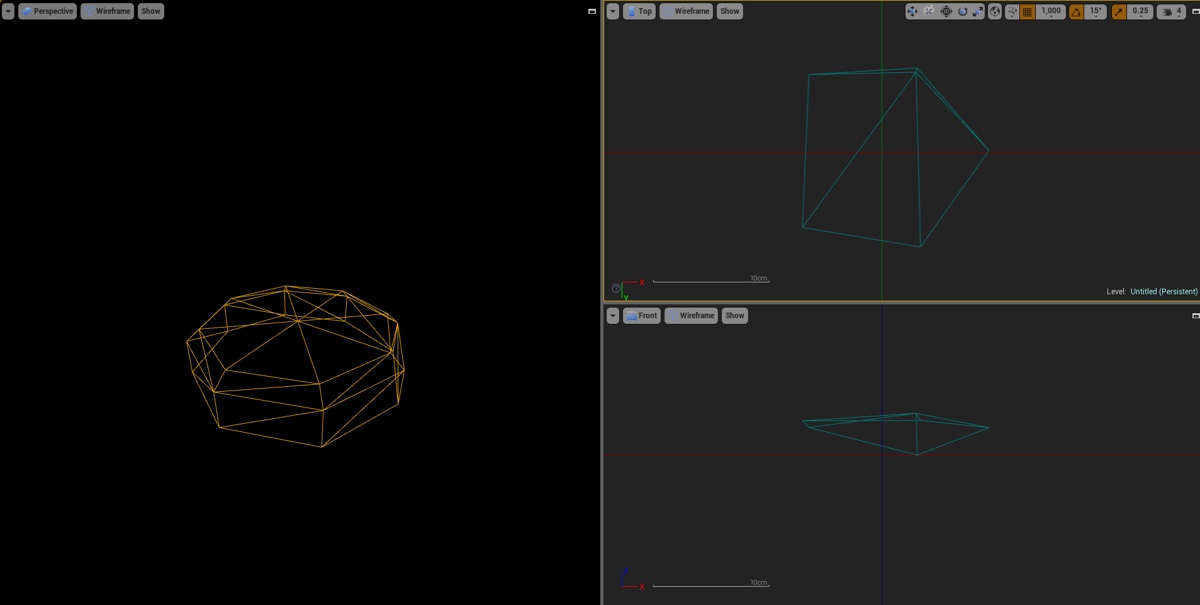
I was right, I was missing something obvious. LOD parenting was on the viewports. xD
 plush yew
Hi, i have a question - I want to implement a simple rowboat that can be controlled by the player.
My first idea is to create the boat as a pawn and than posses the boat by the player controller. But i have quite a view different components attached to my player pawn ( particle effects, sounds, etc. ) that i also want to keep active while the player is in the boat.
Should i just duplicate all components on my boat pawn, or what would be the best option to handle this?
weary basalt
@plush yew When you unpossess your Player Pawn you could attach that to your boat when you possess the boat.
plush yew
@weary basalt thanks, i will try that
 tight hollow
whats the go with using APIs with ue? is it possible to feed in an API from something like stock market and have values drive charts in widgets for example??
weary basalt
Its C++ you can do whatever you like lol
tight hollow
is it something that would have to be done just with c++ or is it achieveable with blueprints?
fierce tulip
@tight hollow you should ask @sacred crater who recently made a ue4 plugin using toggle's Api
 swift wedge
If you have to ask that... Well, I won't say that. Don't want to make @maiden swift mad.
 sacred crater
Def not in blueprints
 worn granite
you can probably implement it in a hacky way with a plugin
sacred crater
But c++ you can do whatever you want really
tight hollow
ye it is
sacred crater
Well def not by default, in any way I'd not use a plugin to do that, use cpp for it
You can easily do json put, get, post in c++ in the engine
IHTTPModuleInterface or something like that
tight hollow
hmm ok, well thanks everyone
 unreal harness
Hey. Is there any way I can import fire effects however they are to the blueprints of a weapon in the unreal tournament editor?
 rocky tendon
Hello, so I recently tried building UE from the git repository, and upon attempting to sync my fork with the master, I saw that my version didn't have a .git folder. I figured I'd add the .git myself through git init in the bash. Was this the right thing to do? Or did I mess something up.
fathom elm
Anyone knows why "Launching" a game on mobile gives the error Failed to open description file "../../../Mygame/Mygame.uproject" ?
 bronze cedar
hello everyone , how is my new profile pic 😃
 full atlas
shouldn't there be a "bugs" chat?
bronze cedar
yeah that's right and nice, yep i agree, but maybe we can report it in other channel not sure about it because i am new to UE4 and new to this group too
brb
copper wedge
CNa someone tell why this is happening
The asset '/Game/Interactables/Weapons/BP_BaseWeapon' (BP_BaseWeapon.uasset) failed to save.
Cancel: Stop saving all assets and return to the editor.
Retry: Attempt to save the asset again.
Continue: Skip saving this asset only.
 vale osprey
@copper wedge is this during automatic saving?
copper wedge
@vale osprey No , manual saving
vale osprey
do you have some custom component in it?
or using another BP in it? Re-compile and save those first
copper wedge
found the issue
had another UE4 open
right i have another issue....i have a spring arm atached to my char...but whn i rotate the spring arm, the character rotates with it
 ruby chasm
For some reason all of the mesh in my scene is black even with lights
Any ideas?
There are floors, walls and ceilings in this scene
One mesh (the tree and grass below it) are self-illuminated so they do show up
The reflections on the floor (due to planar reflection) also show up
But none of the mesh
 drifting fern
go down the list:
Try adding a Directional light
Do you have a skysphere - Is it set to Black?
Are any of your materials set to unlit
Self illuminated as in emissive? Is that hooked up proper?
Have you built lights?
If so, are they Static, movable etc?
What happens when you hit Play?
And the question i should have probably asked first...Do all of your models have a lightmass UV?
Lastly, you might get more help over in the graphics channel so i'd try posting this over there as well.
 thorn prism
hey everyone how can I enable Landscapes to cast shadows while hidden in game? I am working in a top down game and when I enter a cave the landscape becomes hidden which causes it to no longer cast shadows and the dynamic sun light ends up lighting my cave.
 rich stream
anyone here remember the console command for turning off postprocessing?
@ruby chasm coudl be good to check the debug render modes to see where the issue is.
for example, set it to unlit to see if it's related to lighting, or the material.
@thorn prism wild guess, but there is a "hidden shadow" checkbox
primitive will cast shadow even if bVisible is set to true
So, I guess that's worth enabling.
drifting fern
or that ^ lol
rich stream
hm, seems like landscape doesn't actually have that property.
maybe you can have a super lowres mesh which is just there to cast shadow..?
sort of hacky, but whatever works..
so, just keep the mesh invisible, but enable the cast sahdow property when you enter the cave.
thorn prism
I have been looking like crazy for a solution, I really wish the landscape had a hidden shadow option
I like the method you suggestedKJ its hacky but it should work
rich stream
you could also disable the sun?
maybe better
have a sort of darkening "screen" as you go into the cave, and as you walk through you fade out the sun and disable it.
better performance that way anyway..
oh
and you can use lighting channels
set the cave to channel 2
thorn prism
Oh let me try that
rich stream
and any other assets you don't want the sun to affect.
guess the problem there is that the character will get the sun, so you'd need to change the character mesh as well. dynamically.
I would just turn off the sun..
just turn it off at the same time as you hide the landscape.
that said, lighting channels are pretty neat.
rich stream
yeah, you'd have to change the lighting channel on the cahracter.
as you enter the dungeon.
better disabling the light.
thorn prism
I wonder if hidden shadows is somthing that could be added at the C++ level of the landscapes
there must be a significant reason it is not included
drifting fern
The mesh idea would work if you wanted to do some sort of hanging but not always visable stuff in the cave as well. Like stalactites or something. But yeah, disable lighting is more performace friendly and less to sort if something goes wrong later.
rich stream
yeah. I would go that route. You can fake sunlight coming into th ecave using spots. Just have as low fov as possible on them and it'll be ok.
thorn prism
thanks guys i will try this out and post the result
rich stream
coolio
drifting fern
Good luck yo
 late parrot
Hello everyone
Can anyone help me to figure out how to make a health bar vertical which is filled with red fluid ( water lets say or blood ) . How to connect the player health with the fluid so when the player loses health the fluid gets lower.
The project is in c++. But i need a general idea how to do this, i will figure it out afterwards how to make it in c++.
 loud vapor
@late parrot you'd need to make your own images that resemble fluid afaik
ruby chasm
@rich stream What do you mean debug modes? If I set it to Unlit, how exactly do I then proceed to check for problems?
 ebon dagger
I must have selected something accidentally in my editor.. now I cant see the widgets representing my actors in my scene view!
normally I would expect to see teh VRPawn I have selected represented as a camera etc in the scene view there
and be able to adjust its position/rotation/scale
what did I do?
I just loaded a different project I have
this is what it should be doing:
notice how I can see the red blue green arrows to adjust location
I want to get that back!
safe rose
@ebon dagger Hit the letter "G"
ebon dagger
Nice.
safe rose
You good now?
ebon dagger
You nailed it, yeah
safe rose
😉
ebon dagger
thanks. what setting is that?
safe rose
Game Mode
ebon dagger
I see, gotcha.
safe rose
So you see exactly what you would see in game
 tepid steeple
Does anyone know of any good version control software for game development? Git works great for my C++ code, but for 3D assets the history files can get massive.
safe rose
@tepid steeple Perforce duh
BUT
If you want something new and shiny...
I say Perforce, since you can get 5 licenses free
tepid steeple
Thanks Victor
safe rose
@tepid steeple that's 5 commercial licenses btw
Seems Plastic doesn't allow that unless you pay
 unreal sonnet
Does anyone know how to browse only the already-been-answered questions on the AnswerHub? Because I had the idea recently that it'd be a good way to learn extra stuff about how to do things in Unreal.
weary basalt
You would be better off going through tutorials on Youtube and walkthroughs you find on Google. AnswerHub stuff is pretty targeted at users specific usecase and isnt collated into finer topics all together.
 cursive dirge
Or.. Just start making games
You learn tons of things when you actually have to use the engine
I could never learn the game engines just by reading around. Otherwise it's hard to see what is relevant/good to know and what is just a user being lazy to open ue4 docs when you browse through answerhub
 gray forum
Hi, a quick question about static mesh instancing. When creating the blueprint for it is the correct BP blass "Actor" or "Actor Component"?
gray forum
Oh. Wrong channel sorry.
 fossil socket
also i wouldn't recommend plastic
it doesn't scale at all
you must always be on the latest revision
and sometimes it will create a merge for no reason if you try and submit something while behind and that's scary to a lot of non-programmers
perforce is a dinosaur but it actually works
 silk mural
I just checked perforce website they have a trial for 30 days not 5 licenses, am I in the right place or ?
 sturdy turtle
@ebon dagger
G - game mode
oops, forgot to bring the latest messages
full atlas
why is this channel called unreal slackers ??
worn granite
from a long time ago, when the community was on slack
slack + many people "slacking" == unreal slackers
fossil socket
did perforce get rid of the 20/20 thing?
or 25/25 whatever it was
free for 5 users
 pallid compass
Question if i have a sword thats animated on few bones, and i import the skeletal mesh how do i stop UE4 merging all 3 pieces of the sword in too one mesh?
 wild dagger
Wheres the last twitch training session stream about ai bieng uploaded, its been a week and i dont see it on thier channel
plush yew
Hi there. I have a general question. Inside of the Static Mesh Editor, what does "Approx size" tell you? Does it "approx" the size of the "simple collision"-model or what does this value really mean?
 thorn topaz
The engine crashes whenever I try to use the merge tool giving the error Assertion failed: Revision.IsValid() any idea why that's happening
 brave kelp
Please add any UT-Related Discord servers to this list: https://www.epicgames.com/unrealtournament/forums/showthread.php?26194-UT-Discord-Server-List
 lone sundial
Does anyone know if most developers use ray-casting for bullets or use actors with projectile movement?
weary basalt
Depends on what you want.
The projectilemovementcomponent can act a little funny sometimes so alot of the times if you want a projectile based weapon devs will roll their own movement solution for it.
 floral heart
Depends on the bullets. If they hit instantly you might as well use ray casting.
lone sundial
It just seems easier to use ray casting because I can't find a solution on how to destroy a bullet actor if it hits literally anything
 ivory gorge
my decal material is using one of the default textures and i can't seem to change it... wtf?
floral heart
Just call Destroy(Self)
south ridge
Source Engine uses raycasting for all bullets
It's much more reliable for networked games to do raycast bullets
lone sundial
seems like the BF games don't use raycasting
 thorny cipher
Bf?
Projectiles are bad for close range combat
If they are moving fast
They will likely miss
And go right through
Also replicating that is quite hard too
I ended up raycasting because of this
Raycasting seems more responsive and reliable
floral heart
BF probably uses repetitious raycasting.
Cast a new ray each tick from the end point of the previous ray, over a limited distance.
lone sundial
Aha that make sense, thanks
floral heart
Hilariously basic question: How do you rotate something in the editor by a specific amount?
weary basalt
You can access exact transform values in the details panel when you select an Actor. You can the edit its exact rotation however you like.
If you want to rotate it by 90degrees just add 90 to the existing values
floral heart
In this case, I wanted to rotate multiple objects as a group, so it's not just their individual rotations but their positions that change as well.
And in some ways I'd rather not calculate by hand.
weary basalt
You can change the rotation scale that the editor uses at the top right of the viewport. Im pretty sure you can go all the way to 1degree
floral heart
In this case I needed 26.535. (I settled for 26.59 rotating freehand)
There's a Delta Transform action in the transform menu, but it only offers translation. (And I don't think it respects local/world.)
floral heart
So much talk about geometry 2.0 and I never noticed how bare the actor manipulation tools are.
floral heart
Problem: Can't get pivot point in the right spot. Solution: Add a box and use it as pivot point. 😒
 sour shard
cursive dirge
sour shard
cursive dirge
@lone sundial all AAA shooters most likely use raycasting for tons of things, it doesn't make sense to sweep a geometry that's that small when raycast can do the work
.....
sorry
 modern root
Haha was about to say
cursive dirge
discord tagging derped
modern root
I swear I didnt say that
cursive dirge
yeah
I really hate it when this thing decides to change the person I tag =/
but I'm sure if you ask discord staff they tell it's user error 😄
they are pretty protective about UX issues
@lone sundial also, even unreals projectiles use raycasts in the background if the projectile mesh itself is small enough
there's a condition on sweeps (that projectiles use) that if the thing to sweep is small, it uses raycast, it's not a projectile thing but it should apply to it too
@floral heart you could probably write a helper tool with blutility, no idea how much work it would be
I've only ever done "lets make a button with blutility" example 😄
plush yew
Anyone know of a way to programmatically replace all references to an asset, with a reference to another? but Without deleting the original?
cursive dirge
@plush yew right click the asset, asset actions, replace references?
plush yew
oooh asset actions
cursive dirge
actually I don't even know how that works 😄
plush yew
i always forget about that
cursive dirge
oh
you need to select both the source and target asset
then do that
it allows you to select then which to use
oh crap
it's not what you wanted
it will delete the old one still
I dunno then
just make a duplicate of the one you want to replace references for, then delete and change the refs on the delete thing
then rename the duplicate name back to deleted asset
that definitely works
but it could be smoother workflow
@plush yew ^
plush yew
Oh, I didn't know that rename trick worked, I thought Unreal used asset IDs behind the scenes, not names/paths
green spear
Anyone got a clue about the risk of future updates screwing up a project if you haven't changed the source code?
green spear
I know that there is of course a risk that it will. But I am also guessing that they try their best to make version compability or conversion friendly.
I guess I just want to feel more calm about not loosing it all if I want to upgrade to new versions of the engine...
fossil socket
well using source control would be a good start so you can revert any changes during an upgrade
functions do get deprecated but these produce compiler warnings a couple of engine versions before they remove it entirely
 frosty drift
this isn't ue4, but does anyone know how to orbit a camera around an actor using console commands in UDK?
preferably freeze and actor in place
debugcamera while close doesn't allow me to orbit around a particular actor
 earnest junco
anyone have any expereince with sequencer?
fierce tulip
4.15 Preview 4 has just been released!
full atlas
in widget bps, if you start PIE game, and minimize the editor, any sliders are bugged when you use them. Somebody report this please.
sorry bad explaining, i hope you understood
plush yew
Hello!
I see box object is defined by max and min vectors. Can anyone help me figure out what exactly do they represent?
copper wedge
anyone know a good tutorial or math for parkour and free running?
 timber relic
I am informed that Conan Age of Exiles uses Unreal ( 12.5) and didn't compress or encrypt their files.
If you find one, I'm also interested. The closest is Adventure Kit which requires specific zones
lone sundial
Thanks for the help @cursive dirge 😁
worn merlin
Quick question: What's the best practice for working with UMG HUD's? If you have a lot of elements, some elements only visible and animated on certain event triggers do you create them all one 1 UMG Widget? Or is it best to create multiple widgets and add it to the viewport when the events are triggered then remove them after the animation ends
weary basalt
Do not just have a single widget that you add all your elements to
Its better to create a modular HUD which would be made up from multiple widget classes when needed
plush yew
Anyone know a way to export an entire UE4 map as a fbx file
i need to do it to create a pipeline that perfectly fits my map
plush yew
how?
safe rose
plush yew
whats that
safe rose
IKR
I pretty much told you what you need to do though
Look at the UE4 docs
Type this into Google: UE4 Merge Actors
plush yew
but i need to export as fbx
safe rose
How to use the Actor Merge tool to combine multiple Static Meshes into one in UE4.
Right...
plush yew
thats the problem, you cant export as fbx in the engine right?
plush yew
yes but again, i need it in a .fbx format so i can open it in maya, then build my pipeline on that
safe rose
😃
Google in your friend though: https://answers.unrealengine.com/questions/160454/fbx-export-from-unreal-to-3ds-max-1.html
unreal sonnet
With all of the "cast to myplayercontroller" stuff that I see happen all the time in the tutorials I do as well as in my personal projects, I was thinking that maybe I should make a habit out of condensing that stuff into my own "get playercontroller" thing or whatever as a function or macro library thing. Is that proper? Do you guys do that a lot as well in your own things?
Because I know that frequently the way they do things in tutorials is rarely the "proper" way to do stuff (e.g. using the tick function when you could use event delegates).
safe rose
@unreal sonnet yes, it is a good habit to get into
functions are good for those things
since you can make them pure
unreal sonnet
Looks like Star Wars
unreal sonnet
the only way I was sure about it was the turret thing on the top and the three-winged ship thing parked ont he left side.
@safe rose If I do it as a library blueprint, though, then I'll need to select a parent class that it'll apply to. Should I just pick "Actor" so that I can use it for playercontroller, pawn, etc? I don't know if it works that way.
plush yew
theres no turret?
unreal sonnet
Really? What are those things in the top right supposed to be?
plush yew
OH
those, those are actually meant to be there, theyre canon for the environment
imperial controlled planet sollust, weapon manufacturing plant
unreal sonnet
yeah
plush yew
anyway im done for the night, been working on that map for a week now, almost done...
safe rose

 unreal sonnet
.. does that answer my question? I don't get it
tawdry quail
if I am to setup all the features I don't use on a project (ssao, ssr, DoF, motion blur, etc) where do I tell the project these settings? defaultengine.ini - RendererSettings? Is there any compiled ini with all the options? my ini only displays the ones that I changed from default, I'd like to go throught every settings and ponder wether to put true or false
weary basalt
The Default configs should have all the settings your looking for.
unreal harness
Hey. Anyone here use the Lightning Rifle blueprint in the Unreal Editor?
I need help figuring out a problem I've had with it.
Can anyone here help me with said problem?
 empty belfry
Hey i am trying to modify a the Material of the Mesh of an existing spline, does anybody know how or where i can do that in the Editor?´
full atlas
allowing us to modify the color of wires/reroute nodes, would be incredibly useful. Do you disagree?
where can i request this, if it hasn't already been requested?
cursive dirge
 storm helm
Hey guys, bizzare situation I suppose. On my local copy of the project, my collisions work totally fine. However, when the project is opened in a different machine, the collisions seem to be reverting to whatever UE4 tries to generate (even though that should be off on the specific meshes in question). This goes for both custom collision UCX and auto-collisions with manual settings (higher accuracy for example)
 fallow raft
hi guys ! i was wondering if there is a way to assign a png image sequence as a texture directly ? or does sprite sheets are the only way to go for that sort of things ?
 versed pawn
Anyone had problems removing from view a UMG Widget? I'm doing a drag and drop event from a pop-up menu, but I want it to be destroyed/removed/whatever, when the Drag event occurs. I tried remove from parent but it does nothing. Tried to set it to collapsed or hidden, it disappears, but it still does not work. On drop event 100% sure works, because if I move away the pop-up menu from the way, and drop it in the zone of my choice, it works. But that way it look ugly. Any ideas?
 uneven ravine
Hey I'm a beginner experimenting crashes when I am calling a function from my hud writing text to the middle of the screen
The function works in the class but not outside the class
I want my actor to call the function
How do I get the current HUD from the actor and how do I make the actor call the HUD function without a crash?
 pallid talon
Question. I imported multiple files and disabled "Auto Gen Collision", "Generate UVs", and a few other options. Closed out of my project (using Perforce Source control), and when I returned the next day all of my imported objects had their import settings reset. So clicking on those objects shows "Auto Gen Collision" enabled, etc. I didn't change this and no one else is working on the project.
How can I quickly disable or modify these changes instead of opening each one, one at a time to fix it? Also, what caused it to reset in the first place?
Also, is it possible to mass remove collisions?
cursive dirge
@uneven ravine you shouldn't crosspost and if you do want to get attention on several channels, please ask people to answer for it in a channel where you've originally presented the issue
( I'm referring to the conversation on #cpp )
pallid talon
Never mind. I figured it out. Asset Action > Bulk Edit.
 pure stratus
This is probably really obvious, but what do I put in the UPROPERTY of a boolean so I can only toggle it in the editor if the game isnt running? ie, I cant hit play then Shift->F1 and toggle it, I have to stop to change it
worn granite
meta=(EditCondition="bSomeBool")
Barring anything more clever, set a bool to true by default and then set it to false on begin play
And then back to true on end play
I guess
pure stratus
Thought there was a built in way ahaha, that'll definitely work if nothing else 😃 Thank you
 alpine furnace
random question but what's the more acceptable convention:
USceneComponent& parent;
USceneComponent* parent;
or
USceneComponent &parent;
USceneComponent *parent;
as much as the former makes more sense to me when I'm thinking of objects, I see more of the latter
worn granite
"Pointers and references should only have one space, which is to the right of the pointer / reference. This makes it easy to quickly Find in Files for all pointers or references to a certain type."
Standards and conventions used by Epic Games in the Unreal Engine 4 codebase.
 warm trail
It has been awhile (4.6) since I packaged from the editor, but it still seems entirely broken in 4.14. In preferences it's set to only package Map X, and it does, but it also packages the entire Content folder rather than assets referenced in Map X. Does anyone package via the editor and actually get this to work as expected?
cursive dirge
@warm trail I thought it was always like that. You can exclude maps though.
warm trail
It seems it has always been like this, just seems odd that anyone would need to not package a map if all it does is exclude the <100 kb map file
cursive dirge
That is, unless they actually detect used assets nowadays.. In past the reason was that you could load the assets in some cases so that ue editor couldnt detect it
warm trail
as per-usual, going to need to read the source and figure out what's going on
cursive dirge
if you really need to slim your project down
you could just make a temp project and migrate your maps into it, it should only bring the included parts with it
 steady quiver
I just moved an asset into a folder in the content browser, how do I freely move it back up the folder hierarchy without breaking its references?
cursive dirge
if you move the asset using ue4 editor, it should change the refs automatically
it wasn't battle proven in past though
I usually right click and update redirectors after each move myself
steady quiver
I'm not seeing an option to cut/paste or drag it to a parent folder
cursive dirge
usually they don't break if they don't bounce around
steady quiver
I'm pretty new to this, I'm might just be overlooking something obvious
cursive dirge
in case you didn't know, when you move a referenced asset using content browser, it leaves a redirector in the folder structure for the asset
so if something did try to access it from the old location, it would redirect it into new place
to truly change the assets references to point into new location, you'd have to manually "fix up the redirector" by right clicking either the folder or asset
I personally dislike the whole redirector thing as it can keep some ghost directories around
ue4 editor doesn't show the redirs by default
so you keep seeing empty folders that you can't delete
unless they've fixed that already
I guess the redirs are more important with bigger teams though
as you can only fix the redirs if you have all existing files in the editor at once
and in bigger teams, different people could be working on some of them at same time
but to the original question
you should be able to just drag it back where it belong
steady quiver
when I try to drag to the folder names at the top, nothing happens 😦
I want to move MyGame back into "Kin" folder
weary basalt
There is a little button under the green Add New button. It opens the directory list. You can move assets by drag and dropping to the directory list.
alpine furnace
Double clicking any of my blueprints no longer opens a window, it actually seems bugged

clicking it brings up nothing. I thought maybe it's super small but using the windows resize hotkey does nothing either
all my BPs are experiencing the same thing
ill probably just restart my computer
still bugged...
restarting layout fixed it!
 swift spindle
Anyone had experiance with submitting a ue4 experiance to steam ?
 bitter seal
'GetPlayerController' returns none from a level BP, wtf.
weary basalt
What index are you using? You maybe asking it for a Controller that doesnt exist...
bitter seal
0
Not a multiplayer environment
Get player pawn is also returning none
It's a VR experience, and there's def a motion controller pawn
steady quiver
If Fix Up Redirectors in Folder doesn't work, is there something else I can do?
bitter seal
To solve what?
weary basalt
@steady quiver Whats the problem your having?
weary basalt
Go and delete the folder from your Windows directory.
It will be empty anyways
If you have fixed up redirectors.
steady quiver
that did it
been so used to handling all asset managment in-engine recently
thank you
weary basalt
Its a small issue and doesnt really happen all to often.
Try and avoid changing your asset names all the time. Think about your project structure more before importing or creating new assets and you wont have to deal with these types of things very often at all
steady quiver
I started with a tutorial BP project and got it to the point where I had made everything separately
weary basalt
Being consistent with your naming and asset locations is a good habit
weary basalt

GitHub
ue4-style-guide - An attempt to make Unreal Engine 4 projects more consistent
steady quiver
oh nice
weary basalt
Follow this style guide if you have trouble managing your projects
bitter seal
Sigh, getplayercontroller required me to delay for 0.5 seconds
 glacial belfry
Anyone has any idea what can happen when you start up a project that worked yesterday and now it crashes on loading?
plush yew
heya someone where who got a moment to help me out. pretty new to unreal
 cloud cobalt
Ask your questions directly, people will answer if they can help
plush yew
thanks, so here is what i would like to know. I created a 1k material in substance designer. now i know the result would not be exactly the same in unreal engine but the differences are sorta huge. i have no idea about shaders and stuff but how can i get the result in unreal closer to the one in Designer?
this is what i have in designer
well when i importet the material as a sbsr it looked better. anyway the materials is build up like this
when i pluged in the textures my self i got a different result
 polar hawk
Every time someone links my style guide @weary basalt an angel gets its wings
weary basalt
That seems counterproductive... hmm
swift spindle
Anyone know why compiled versions always give retarded exe names ?
and wont let u change names ?
cloud cobalt
Like GameProject-Shipping.exe ?
swift spindle
yup
cloud cobalt
When you create a game release, you get a GameProject.exe at the root of the output, which just loads the actual binary
So it's a bit less tragic
swift spindle
but I can't change that name without it bugging out
cloud cobalt
I don't know if you can change this though
swift spindle
hmmm it worked that time
very odd
different machine and compiler gave diff results
plush yew
Hey guys I got a problem with FBX import. The FBX has around 300 Objects, they get imported, but there are many warnings about very small objects. When it finished importing I only got like 100 Objects in the folder and not 300. It's CAD Geometry with unique object names
 pliant python
Hey guys, is there a way to avoid LODs from getting exported while doing a export selected from the file menu?
green spear
How do you box deselect actors in 2D view?
becuase this is not working
Ctrl + RMB + Drag Removes any select Actors in the box from the current selection.
 pseudo parrot
Hey guys, does anybody know how I can set up a device profile to set the max size of all textures per target platform?
We have a LOT of 4k textures for the PC version of our project, however when trying to get it working on other devices we have a lot of issues with memory usage due to our high res textures. seems pretty crazy that we would have to manually set the size of each texture individually every time we change target platform and i can't seem to find much of anything online other than this thread which ends nowehere:
https://forums.unrealengine.com/showthread.php?59433-Feature-Request-Set-Texture-Max-Size-Per-Platform
 sour bough
Hi gentles, anyone succeed using svn ?
pseudo parrot
depends what you mean by "succeed"
we used to use TortoiseSVN with out project but we siwtched over to TortoiseGit and GitBucket a few months back now
sour bough
well
sour bough
I try to use TortoiseSVN with free hosting deveo.com
@plush yew how to work collaborative without ?
plush yew
use git
thats the new hip collaborative work tool
since idk, 6 years or so
again no disrespect meant (readin back i give to short and snippy awnsers lol, sry)
cloud cobalt
Yeah, Git + Gitlab is a really solid workflow for gamedev these days
sour bough
@plush yew I used git for webDev since years but git is not final on ue4, nor the most used and it's difficult tu make it work efficiently with binary failes (assets)
plush yew
thats true i guess
pseudo parrot
EpicGames GitHub lets you clone the fork to your machine and switch between their branches, using gitLFS lets you store all of your large files & binaries
the only real problem is if you have multiple people working on a source version of hte engine, you will ALWAYS have your .uproject file in a conflicted state 'cause it relies on a has key generated at build time
plush yew
i guess ive just sorta learned to accept git's 'issue' with binary files
sour bough
but I guessed svn for more conveniant for ue4 project
pseudo parrot
also doesn't UE4's built in source control use Git?
plush yew
yea
sour bough
and ? it's only code
plush yew
true
pseudo parrot
I don't use the built in one so i haven't a clue, like I say we use TortoiseGit or SourceTree
pseudo parrot
depends if you want it for code or everything
SourceTree struggles with large projects with UE4 i've found, when you use LFS too that is
plush yew
we just do code, most assets we actualy have listed in gitignore
pseudo parrot
LFS being Large File Storage if you didn't know
sour bough
@pseudo parrot waht you say is that you don't use ue4 bluit in checkout/checkin and so on ? only from the third part tools ?
pseudo parrot
Yeah that's correct @sour bough
sour bough
ok
plush yew
what like grabbing and building different versions of the engine?
sour bough
In fact I succeed using only tortoiseSVN dialogs, my problemes appear from UE4
pseudo parrot
TortoiseGit is my go-to software, a couple of the guys in the office prefer to use SourceTree though, we host our own Git/GitLFS server for storage
sour bough
what like grabbing and building different versions of the engine? @plush yew <--- ? what for ?
pseudo parrot
@plush yew if you clone/fork from epic's gitHub repo then yeah you can switch branch between all versions/tags/commits on there
plush yew
idk i suddenlly thought that was what you where talking about
pseudo parrot
we (I) use that to update our engine and to test new versions for stability
plush yew
yea i do to gotsomepills
sour bough
ok GotSomePills I think I'll keep out from UE4 built in svn commands and see how we go, thanks 😃
plush yew
actually been trying to update some of them nvidia spinoffs
that are all on outdated versions of the engine >_>
pseudo parrot
like i say i've never used the built in one, to my understanding it should work just fine if you set it up, we just have always used external software
cloud cobalt
Same
sour bough
Cool 😃
sour bough
maybe 😃
I'm not in that area
hmm so you disabled the source control in UE projet
if you try to edit a locked by other file, unreal can know it ?
ebon dagger
what's the difference between a "rotation" and a vector?
south ridge
You mean FRotator?
ebon dagger
don't know what that is, so probably not, lol
when you're setting something's transform, you need a location, a rotation, and a scale. A rotation, to me, is a vector. Except that, I suppose, it has no magnitude
is that the only difference? to plug a vector in where a rotation is expected, it has to normalize the magnitude?
south ridge
No, rotation isn't a vector
Rotation is a quaternion, but for simplicity for you it's exposed as three euler angles (pitch yaw roll)
Instead of a full 4-component quaternion
FRotator is the set of pitch, yaw, roll euler angles. It has no magnitude, all three angles are independant
ebon dagger
ah, interesting. is the 4th component of a quaternion the speed at which it rotates?
south ridge
No
Quaternion is a 4-component vector
(w,x,y,z)
Its induvidual components don't have an intuitive meaning
But you can imagne quaternion as encoding a vector (axis around which rotation is done) and an angle that is magnitude of this rotation
But neither of w, x, y, z directly show you that data
The only linking property is that w^2 + x^2 + y^2 + z^2 = 1
pseudo parrot
@sour bough its not that we disabled it, we just never set it up to enable it. we don't bother locking files as we only have a small handful of assets that multiple people may need to work on, in which case we just ask if anybody is working on any of those
Organization is key 😛
sour bough
lol 😃
ebon dagger
thanks @south ridge
 oblique fern
is it faster to do many point lights with small range, or few point lights with large range?
plush yew
id say fewer lights fewer processing
oblique fern
and is there seting for point light not to show up as a lit bulb in one of my reflecting windows? looks like a light bulb floating in mid air.. or is that more a function of the material setting fo rthe window?
ebon dagger
... my arrow keeps going through the floor and not colliding with anything.. can anyone tell from this screenshot what im doing wrong?
oblique fern
and one more question for now . in blueprint, is there a way to look up in a tree or other what all it inherits from? Sometimes i find i have to pull from another blueprint i wouldn't have considered, to handle a function that might be two or mroe levels deep.
ebon dagger
plush yew
Mechrophile what lol
plush yew
your setting makes it not collide
with anything
it doesnt check for collisions
wait no lol
ebon dagger
what?
plush yew
im getting c++ stuff mixed up with interface stuffs
sry
hmm idk actually, need to know more, how does your arrow fly? is it physics based?
or is it just beeing moved along a curve, not caring about collision events the tip may be firing
ebon dagger
the arrow flies using the projectile motion component
plush yew
hmmmmm
not entirelly sure, checked my own arrows, dont really see a difference
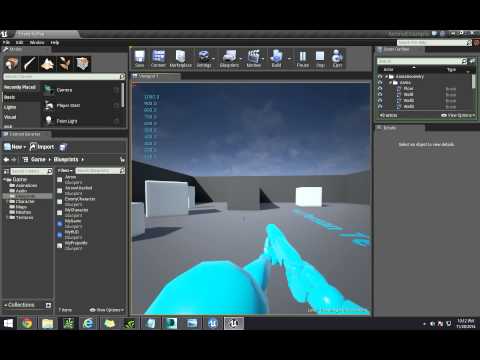
i made mine following this tut, maybe check that out https://www.youtube.com/watch?v=kYJkZM_yWs4&list=PLY_FQXauSxlAiaLUllZv_u8YykldnKHaE&index=1
 ebon dagger
yeah, im using the same tutorial hahaha
plush yew
hahaha nice 😛
 kindred mountain
you need to check that the floor is blocking the object type of the projectile
ebon dagger
isnt the floor going to block all dynamic?
kindred mountain
best check it
ebon dagger
lol, i dont even know how. its a "box brush" in the world outliner
it doesnt have a blueprint
kindred mountain
ugh I forget how to set the collision on them
swap it out for a static mesh box and you can configure the collision yoursel
oblique fern
in a blueprint, is there a way to look up in a tree or other what all it inherits from? Sometimes i find i have to pull from another blueprint i wouldn't have considered, to handle a function that might be two or mroe levels deep.
versed pawn
How to check a variable type NAME or STRING for a null value? Whenever I don't enter anything in the text box, and press confirm, the returned NAME is: None.
ebon dagger
okay so, for collision to work properly, the collision component should be the root.
to control the scale of my actor (so that 1.0, 1.0, 1.0 is the normal size) the scene root should be the root component.
Is there any way to get both?
 kindred marlin
Is there a way for me to have a cinematic play out in level but as soon as that is done it switches to another level?
oblique fern
is there a way to not have these roundish bars show up on your walls and ceilings?
plush yew
how do i activate color overlife more like change the values
fierce tulip
what do you want to achieve @plush yew
plush yew
i want to create a fire particle so i would like to change the color over life of my particles to match that of a torch or something similar
oh man im pretty retarded xD nvm i found the menu
anyway thanks @fierce tulip
fierce tulip
okies :p
fierce tulip
install a program like https://gyazo.com/ for screengrabs

Gyazo
The easy way to save screenshots, GIFs, and websites. Make everyone happy by sharing smarter, faster, and with your point crystal clear.
i find discords upload thing horrible :p
plush yew
haha alright 1 sec
fierce tulip
ill check these ones out for now though


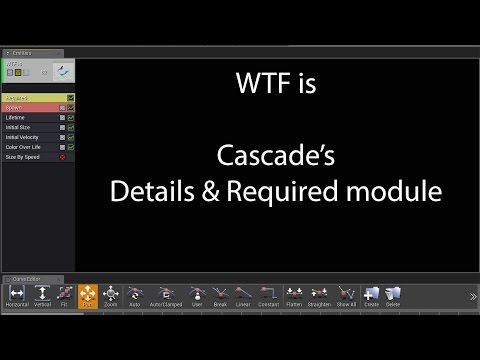 plush yew
i guess mine is alpha?
fierce tulip
bottom one explains color over life in detail
plush yew
argh curse those old videos xD really need to create a decent flame
fierce tulip
old? :p i made em recently
plush yew
nooo i mean the tutorial haha
fierce tulip
same, i made em recently
plush yew
haha i didnt mean you. much appricate the video
the one im talkin about is a tutorial roughly 3 years old
fierce tulip
anyways, you want to change the color or the alpha overl ife?
explain in detail what you want :p
oh the imbueFX ones?
plush yew
really no idea tbh https://www.youtube.com/watch?v=hZLbGvtyS6g

this is what i am following
18:38 in
fierce tulip
yea thats the color over life
press the > icon on the constant curve in your color over life menu
fierce tulip
if there is nothing, press the + button
plush yew
clicking on the + adds one more position
fierce tulip
check the video I linked you on color over life
plush yew
will do
fierce tulip
that explains it better than I can do in a chat
plush yew
thank you anway much appricated 😄
fierce tulip
hope it helps
plush yew
not working at all
plush yew
sure
fierce tulip
I might run off for a second to grab my snack thats baking in the oven, but that be about it
plush yew
yea 1 sec figuring mike out
fierce tulip
ok
fierce tulip
watching what someone is doing makes it all so much easier hehe
plush yew
@fierce tulip could you help me out again?
fierce tulip
sup?
plush yew
i need help on two things first is changing the direction light of the sun 2nd is some help with lightning now that i've done the flames
fierce tulip
bit much for when im about to head off to bed.
plush yew
no worries then i will figure it out somehow haha
fierce tulip
😃
pallid talon
Question, when viewing your scene with Lightmap Density, do you want everything Green? Or are blue items ok?
floral heart
They're ok if you're expecting them. The view is there as a reference point rather than strict rule; to that end, you can change the 'optimal' values if you find yourself needing a different reference point.
candid smelt
4.15 release is out? my launcher isn't saying preview anymore, but i cant find anything on the forums about it?
swift spindle
only seeing preview 4 still
weary basalt
@candid smelt I had that same glitch
Preview 3 wouldnt show up as a preview for me and i thought it was out haha
plush yew
Any reason why a WidgetBP will fail to save? I know of the issue where i'm using a dynamic render target instance inside a level, but this is just a bp that lives in the content browser
bitter seal
2 copies of the project open?
candid smelt
@plush yew - also try right clicking on your content folder and hit "Fix up redirectors in folder"... if you've moved stuff around this can also sometimes be an issue
 frank bane
guys please lemme know what you think 😄
https://www.youtube.com/watch?v=GESGCt4pTLs&t=201s

 visual spear
4.15 is crashing verry frequently on blueprint compile/save ever since i enabled the steamworks plugin. anyone else got this?
candid smelt
@frank bane - i'm assuming everything is network ready for that plugin?
frank bane
@candid smelt it will be in later free update 😃
unreal sonnet
@frank bane looks like Gears of War
frank bane
@unreal sonnet 😄
tired oracle
I'm using a material instance to override part of my landscape for a different biome. But the grass layers from the first material is still being applied to my components that are overridden. This feels like a bug but I'm not sure
 sand spear
Hello guys, I'm trying to make a bullet effect eject for weapon, but I don't know why there's a little delay when i fire and start particle, how i can fix it ?
 teal tulip
@visual spear you have any other plugin not enabled by default, enabled now ?
there was a problem with the network testers not sure if has been fixed
tired oracle
Actually seems like the bug I'm experiencing is that the Grass Types in my overridden material aren't being placed in the world at all. It's only allowing me to use the same grass types from the original material
Is there a better way to use multiple materials per landscape instead of overriding?
plush yew
is it possible to mirror a camera track? like i am recording one side of a wall from left to right and would like to record the other side of the wall with the same camera movement
 safe shoal
I don't suppose anybody has experience implementing a Voronoi split-screen system do they?
I want to tackle it in an efficient way that doesn't involve rendering the entire scene multiple times. Ideally rendering to the GBuffer in sections would be better
plush yew
@fierce tulip are you here ?
fierce tulip
half half, sup
plush yew
well i figured ot half ot trhe work yesterday thanks to you haha. but one quick question when working with manitee when i want to modify my camera position after i set keyframes. it spins forever without being able to do anything. what could i do to fix that
fierce tulip
I know a lot of about materials, particles, 3dsmax and photoshop. anything else you better just ask in the chat/answerhub/forums because I probably cant help you with that :p
plush yew
haha alright, thanks tho! i will tag you when the render is done
fierce tulip
alrighty
 tender violet
is there a cpu cost to an actor that has tick enabled but no tick event?
south ridge
@indigo mason what do you mean no tick event?
If you have tick enabled, the actor will tick with the default (empty) tick, so kinda yeah
tender violet
ok, so sounds like its worth going through and disabling tick on actors even if its empty
was never sure if it was actually doing a tick if the event was empty
south ridge
Well, you shouldn't have actors tick if they don't tick
I'm not 100% sure if blueprints will disable ticking when you remove the event (but I think they still get processed for ticking)
tender violet
ya that's my hunch as well, thx!
 chrome plover
Anyone knows why inthe new updates of unreal when I press "play" I`m not "inside" the game yet until i click inside the game window ? Where I change that ?
kindred marlin
I'm trying to get a camera to go along the cinematic rail but it isn't working. I followed the online tutorial to no avail. Does anyone else have a better guide or video to follow along with?
kindred marlin
...
kindred marlin
Just no response in awhile, so I figured the .. would mark the channel as having a new message. I can't get this to work even after following the tutorial 1:1... :/
safe rose
Right
But, you didn't leave a link to said tutorial
So you aren't really helping anyone to try to help you
kindred marlin
An example of how to set up and shoot from the Camera Rig Rail.
The one that Epic made.
safe rose
Okay
And what's the problem exactly?
Not 'it doesn't work'
You have to be very descriptive if you want help from people 😃
kindred marlin
Made the spline, attached the camera but it is not following the spline.
safe rose
And you redid the whole tutorial?
People usually make mistake, miss one crucial step....then complain that the tutorial is bad
kindred marlin
Yep, a few times over. Albeit not in their exact project/level.
safe rose
But if they redid it, they figure out, oops, missed something silly
?
You should probably do it once the right way
And then go ahead and expand upon it however you want
kindred marlin
Nothing changed other than not having a "look at" or the level geometry. Everything pertaining to the tutorial is the same.
safe rose
So, you're saying if I followed this tutorial right now, it won't work?
kindred marlin
Yes.
kindred marlin
Its cool, but it is not working in 4.13.2. I don't have the ability to move versions right now. I went back, restarted everything except for making the rails, and it still doesn't work. :/
safe rose
@kindred marlin Ehhh
No, I agree, something is missing from this tutorial
I just did it twice to make sure
Ah
I see what the problem is
But, not sure how to fix it
hmm
oh
lol
okay, so that was dumb
So, in the tutorial they tell you to key the Transforms
Usually, in most apps also, when you change a value it will autokey
Usually most people disable that
Anyway, you have to make sure to manually key the Current Position on Rail to 1 when you go to frame 150
Pretty sure I had done that
It even says it
So, just make sure you manually key those frames right and you should get this: https://gyazo.com/54cc0b7a51b68b0b5351717527d10ff0
 kindred marlin
Thanks!!!
kindred marlin
@safe rose How'd you get the last transform key? I followed the tutorial and what you said, the values for "Current position on rail" changes, but my camera does not move. 😐
kindred marlin
Okay
safe rose
click on the rail
and then go over to the details tab
and type in 1
and then go back to the left
kindred marlin
Yep, got that.
safe rose
and manually set the key
kindred marlin
My only keys are 0.0 and 1.0.
safe rose

right
so it will translate from 0 to 1
from frame 0 to frame 150
Essentially a lerp
kindred marlin
It does when playing, but the camera does not move.
safe rose
then you did something wrong 😉
here I will zip this project up for you
@kindred marlin wait
did you child the camera to the rig?
kindred marlin
Yep, in the world outline like in the tutorial.
safe rose
can you take a screen shot of your whole screen?
But here's the project: https://drive.google.com/open?id=0B-h1MEzkve0ANEs3U0dRdkNmckU
Google Docs
safe rose
um
kindred marlin
I'm not under NDA, but I was asked to not share pictures of the project. (Hence the blacked out editor)
kindred marlin
I know I'm missing the key at the end.
Its keyed at the beginning, but they never show how to key the end.
kindred marlin
I know how to add the key.
kindred marlin
They do it for the rail.
 kindred marlin
Oh, never realized that I had to select the transform and then do it.
safe rose
¯_(ツ)_/¯
safe rose
@kindred marlin hmm?
You still dont have an end point key
so it will never move
0 to 1 lerp is keyed probably
but, your transform is still at the start
since frame 599?
is still not keyed
kindred marlin
Just adding a key to the transform makes it the same spot as start. (ie. No movement.) I can't find a way to tie the rail and the camera.
safe rose
did you actually move it?
to the end?
You need to redo that tutorial, just one more time
with all the knowledge I just gave you
Make sure to read every word
There is a key concept I think you are misunderstanding
 weary basalt
Press F1
 kindred marlin
This stupid thing is still not working... 😦 I've tried time and time again with getting the CineCameraActor to follow the rail and it won't.
@safe rose For some reason it is the map/project that was giving me issues. I loaded up a new project and doing the same steps I'd been repeating for hours got it working in no time. 😐
Thanks for your help earlier though.
No idea why it isn't working in that map, but at least I know I'm not crazy. I'll leave that for me to work on Monday.
 umbral trout
Is there a console command to toggle rendering of debug lines on the fly?
safe rose
Dead End Thrills
Was searching for a website similar to the UDK one for Unreal Engine 3 with this info but I have not been able to find one yet but I did find this pastebin info.
I think maybe just DEBUG ?
ah
you get flush them
umbral trout
@safe rose Sweet! but there's no flag or way to just keep them disabled entirely, some of our designers love going crazy with them and I'd rather not look at them in editor (or have to make a ship build)
inland granite
Any idea what setting is causing the far away textures to go blurry and the part where two mesh is about to attach to go all flikkering? Everything is normal when they come close to player http://imgur.com/a/vdZ4b I tried every AA method i could and set settings to Epic

Imgur: The most awesome images on the Internet.
 safe rose
@inland granite Change mipgen setting to no mipmaps
get texturegroup to ui
click down on compression
change to ui
cclick down on texture
change filter to nearest
that's what I use for my voxel games
safe rose
@inland granite Glad to hear it
 spare topaz
is there a good guide to integrate SteamSDK? every guide I have found either breaks the installation or results in SteamSDK failing at every step
engine version 4.14
safe rose
@spare topaz You need newer version of SDK?
If not, use integrated one. Just enable it vai plugin
spare topaz
even 1.32 is fine
spare topaz
well, I'll try that again
that didn't work either
it tries, but the log fills with Steamworks failures
safe rose
You are doing something wrong
Literally all I've done is enable that plugin
restart editor
Add to the config
and made sure steam was on
spare topaz
well, that resulted in 31 lines saying that various steamworks stuff failed
safe rose
What version @spare topaz ?
safe rose
K
I mean, I'm on my 3rd steam project on 4.14
And that's literally the only thing I've needed to do
spare topaz
same results
spare topaz
former BP, latter c++
safe rose
hmm
spare topaz
well, I'll just nuke every engine installation and wipe the launcher too, maybe starting from scratch will fix these problems
safe rose
Even then, I was able to do it
Information specific to the Steam Online Subsystem
So, double check you have all those set up right
in your buildcs
You don't need to add any .dlls though
that is prior to 4.13
jeez
that's 4.9 doc update
Anyway
[/Script/Engine.GameEngine]
+NetDriverDefinitions=(DefName="GameNetDriver",DriverClassName="OnlineSubsystemSteam.SteamNetDriver",DriverClassNameFallback="OnlineSubsystemUtils.IpNetDriver")

[OnlineSubsystem]
DefaultPlatformService=Steam

[OnlineSubsystemSteam]
bEnabled=true
SteamDevAppId=480

[/Script/OnlineSubsystemSteam.SteamNetDriver]
NetConnectionClassName="OnlineSubsystemSteam.SteamNetConnection"
DynamicallyLoadedModuleNames.Add("OnlineSubsystemSteam");
That last bit is what you need for C++ projects
spare topaz
yeah, I have those
safe rose
yeah, so it should be working
You have steam logged in?
And overlay is not turned off in steam settings?
spare topaz
yeah, I have steam online and overlay enabled
safe rose
no clue then
spare topaz
I'm going to reinstall everything, seems like the last option
thanks for help though
 past pilot
is it a bug that when im in play mode if i try to open a BP it crashes the editor?
safe rose
@past pilot 4.14?
past pilot
yea
past pilot
so its a bug and not just something i should never do
safe rose
Oh
Well
Pretty sure I've done that before with no issues
Usually so I can debug executions
safe rose
Yeah, let me try
past pilot
learned my lesson lol
past pilot
hmmmm. if i open the bp first, no issue
past pilot
if im in play then go to UI mode in game and then double click a BP
safe rose
UI mode?
past pilot
set the input mode to ui only
safe rose
ah
past pilot
so i get my mouse back
safe rose
And you can escape the play window?
safe rose
Yeah, that's definitely intended behavior then probably
Well
DO this...
Hit F8
whenin play mode
and then open a bp
past pilot
crash
safe rose
But I am pretty sure since UI mode is looking for in game behavior, it's bugging out
hmm
past pilot
i just wont do it lol
safe rose
😃
past pilot
cant wait for 4.15... i hope its fixed.
frank bane
guys
did you read that : http://venturebeat.com/2017/02/10/steam-greenlight-is-dead-valve-introduces-steam-direct/

VentureBeat
Valve wants to take itself out of the equation when it comes to the Steam PC gaming marketplace, and that means it is ending the Steam Greenlight program and introducing a far more open platform.
Greenlight R.I.P
floral heart
The King is dead, long live... the same thing as the King, but worse?
 tall pendant
old news
plush yew
hey wait, does that mean that the new steam direct will not take 30% royalties?
fierce tulip
better ask in lounge, there is a discussion about this going on
south ridge
@plush yew as far as I'm aware, they will not charge you royalties for a little while
Until you recoup the costs of application fee
After that, it's the same as before
lone sundial
Does anyone know how to change the lighting in Blender to unlit?
full atlas
shouldn't there be a Select on String node? Because now, we have to use switch on string instead.. :/
worn granite
There probably should be
worn granite
¯_(ツ)_/¯
seems like an easy engine contributor badge
Take select on string code
merge with select node code
ez pz
 slim mica
Anyone knows if there is a volumetric spotligh plugin or something that is free?
It's weird that there are only two payed plugins :l
plush yew
which do you mean?
there is one volumentric light plugin but that is already integrated into the engine afaik
I mean the functionality in integrated, not the plugin
 weary totem
Hi all.. Can a static mesh be used as a "ProceduralFoliageBlockingVolume"?
 flat spade
what are good resources for a ue4 newbie? I don't remember what I used when I was starting
weary totem
ue4 youtube channel
fathom elm
Anyone here knows about proper iOS packaging? We got a problem we cannot get past, no matter how we try.
@weary totem AFAIK the "Procedural Foliage Blocking Volume" is a volume actor itself, thus it's not an "option" that can be toggled for Static Meshes.
 halcyon cradle
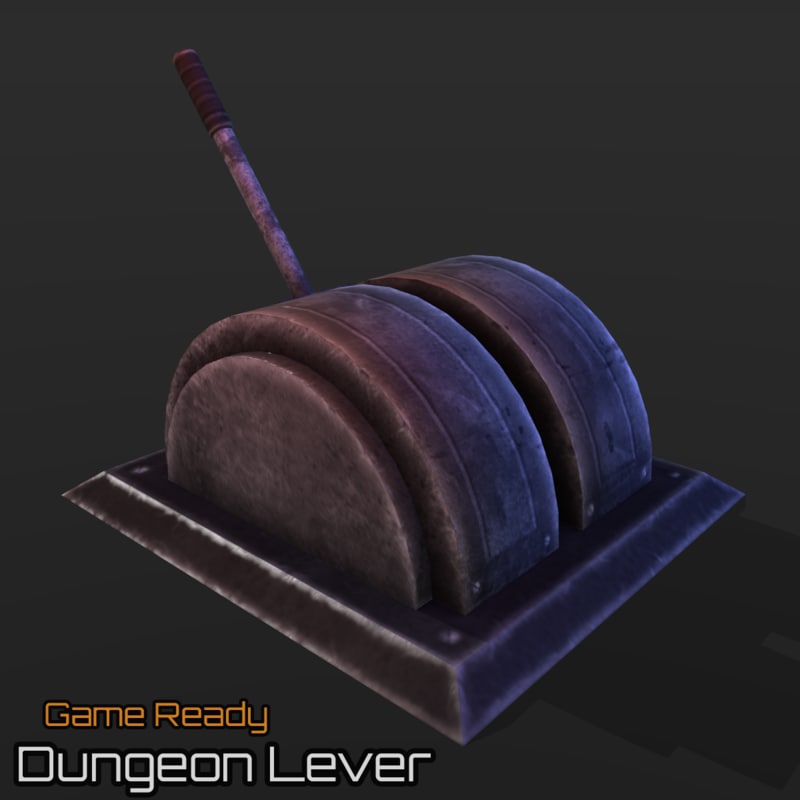
I am trying to model something like this for VR http://preview.turbosquid.com/Preview/2014/12/01__18_47_32/Preview01.pngf7620b59-ba1e-4f51-b000-7bd772011719Original.jpg

Question is: Do i put lever and base into different models or is it one skeletal mesh?
south ridge
Mmm
It's the easiest to make it all a skeletal mesh
Generally if the non-moving part doesn't have a lot of vertexes, it's totally fine to have it be part of skeletal mesh for simplicity
 sturdy kernel
has anyone written a runtime OBJ->ProceduralMeshComponent loader? I'd pay for a solid implementation
 sharp crest
Best name for a game from these? http://www.strawpoll.me/12318476

Straw Poll - Instant, Real-Time Polls
Vote Now! [Unlimited] [Endless Expanse] [Eternal] [Infinite]
 kindred viper
What is the game about?
sharp crest
In this game, the player will drive, and not the game for him - he will do exactly what he wants whenever he wants, and everything that he does will progress him in different aspects of the game.
When the player starts a save, he will have to choose a gamemode theme, each gamemode theme will include a different map, story, creatures, items, weapons, tools and more. The vanilla game will have at least 3 themes at launch, and modders will be able to create their own themes.
"It's technically one game, but every game."```All of these names will fit, just gotta pick the best one :P
sharp crest
You have a better idea then? :P @craggy nymph
 craggy nymph
nope 😛
sharp crest
So be silent in your little corner xD
kindred viper
"Eternal" is a pretty good one in that case, but I would probably use something less generic but still as catchy. Maybe "The determined few" or "Sandbox City"
craggy nymph
Maybe you could give the game an encompasing story or theme. Cause "this game does everything" is a bit broad :). If you make up an interesting story why you can create different things, games, story lines, you might find a better suiting name.
kindred viper
maybe something really prolific like "City of God" or something creationist.
sharp crest
Thats an interesting idea, will write it down, thanks :P @craggy nymph
kindred viper
I dont really understand how you can pimp the idea of "you can do anything" though. Unless the player is coding their own experience, it's limited by the tools you give them, and that cannot be everything they want to do
sharp crest
Well even with coding things are limited :P
craggy nymph
Or just call it "The not so limited game" 😛
kindred viper
yeah. I wouldn't mind a game with a full scripting language to do things with though
sharp crest
Why wont you just send players to Unreal for that? :P @kindred viper
kindred viper
hmmm reading that back.... Unreal is that for me :p
sharp crest
Yep lol
kindred viper
all I need is the engine to make the art for me whilst I code away.
kindred viper
it would be pretty cool if there was a nice method created to hook up with CG websites to aquire models in-game and on-the-fly (purchase and free) that downloads, registers and imports FBX for such purposes.