#ue4-general
1 messages · Page 49 of 1
 fiery harbor
well you probably either don't use collision on them
fiery harbor
or the bug is fixed
 robust owl
probably just fixed
fiery harbor
it was back in 4.11 when I last did that
fiery harbor
it's quite official, epic uses that too
robust owl
they need to come up with a more pleasant name
like
Radical Mesh
Mesh of the Future
robust owl
I haven't dabbled with those yet
fiery harbor
the hierarchical ones
robust owl
not really sure what they're for
robust owl
hmm interesting.
you know, I was wondering about LODs with ISMC about a month ago
I doubt i'll be using lods any time soon
so if HISMCs support lods - does that mean that the draw call count is higher?
fiery harbor
@robust owl I don't think so
since only 1 lod is visible at a time for each instance
the draw call might be more while a lod transitions an instance
but that only takes very few time
 inland granite
Could somebody explain where the Transform Direction or Inverse Transform Direction should be used? Isn't it kinda same as Dot Product?
Or i dont know.. Now that i think of it.. I dont know what the heck it does
i tried to put a simple actor in screen then use Transform Direction and put the actor as location and my movable actor in transform.. I don't know what the values are that are coming out
If i look exactly the same direction as the object.. The return value is the actors location. hmm
 vale halo
Wait can anyone tell me what the benifit of using a dotproduct is over comparing rotators?
 floral crane
Not sure where to put this, but Im looking at an old tutorial that uses a float curve in UE4.10
Im using UE4.12 for my project, and dont have the same option? I just see a curve.
 plush yew
I've never used float curve but I would think a Timeline is what you'd want
floral crane
Has the feature been ommited completely, or will i find it elsewhere?
really? hmmm
Ohwait, nvm. I'm such an idiot. The float curve is available under the curve option.
 plain gazelle
what is the new way to migrate assets between projects now?
 cursive dirge
there's a new way?
I think I've migrated them the same way since 4.0
menu entry changed a bit at some stage
plain gazelle
from what I see, the migration method only works to migrate inside the project now.
cursive dirge
?
has it worked some another way?
open a project where you want to move your assets from, then migrate, pick target projects content folder...
plain gazelle
Ignore me, I misread the situation, it works as normal
plush yew
I'm making an RTS, and I'm wondering where's best to store the player's unlocked techs, like in a tech tree. APlayerState? AGameState?
 spice scarab
Getting errors when packaging my game.
How can I find fk
" : D "
How can I fix issues where it says "cannot find file or asset"?
plush yew
@spice scarab You either have missing assets, or you have redirectors to assets that you have deleted
It's usually solved by right clicking your content folder, and click "Fix Up Redirectors"
Now be aware, that if you've never done it, and you've been working on your project for a while that this process can take a while or in some rare instances crash the engine
So make sure you backup and save
Sometimes however, I've never been able to fix all of them... but it only turns into a problem if you're actually referencing those assets somewhere (IE loading a class with a mesh that doesn't exist)
@plush yew Is the unlocked techs only for the current instance of the game, or is it something that will be unlocked the next time he/she plays?
spice scarab
@plush yew Yea I always fix up all redirectors before packaging.. And the last build worked.. Seems the IvyBlueprint is the issue since I did sone renaming (didn't force delete stuff I think, just replaced with the new things...)
But I think the folders and files that it "needs" are deleted so I was wondering if there's somekind of "master database" that would show all dependencies and I could manually delete the missing redirectors or something...
plush yew
You can right click and asset and see the reference viewer
spice scarab
Yea but it's for single files. I was something like that for the whole game.
The reference viewer doesn't seem to show things that it's referring to but it cannot.
And actually.. If I remember correctly I deleted all the Ivys from all the maps and then replaced the old IvyBlueprint with the new one. They were both in the same project but in different folders.
plush yew
@plush yew probably a little of both
spice scarab
Getting errors while building and google wasn't helpful. Same issue as last night but now I'm able to provide some data at least..
plain gazelle
you should probably pate output to a paste site and not have people download a file.
 fierce tulip
^ pastebin ftw
plain gazelle
I like gist.github.com
spice scarab
Yea I tried pasting it to pastebin but it was "too big" for them.
fierce tulip
promised not to make stupid jokes again in 2017.. but you are making it really hard for me
spice scarab
I know.. :E
Oh and "Hi, Luos!". Nice to see you here. 😃
(Even tho these emoticons in discord are pretty horrible and that smile made me look like an insane person)
 solid matrix
anyone know how to output a sequence with the h.264 codec?
i'm troubleshooting some annoying sequence bugs when i'm rendering it and I think it has to do with the avi format
plain gazelle
When adding content to a prject, does UE4 do anything different?
as aposed to manually adding it.
I mean does it change anything other then just some names?
plain gazelle
Stuff from the Marketplace, mostly uassets
anything really that epic puts in the VaultCache folder.
fierce tulip
i wouldnt move em manually, breaks links to materials, meshes, blueprints etc
 mint raptor
I need some help with Animation Notifications specifically with sound
Testing in editor I can hear the sounds but in game I don't
cursive dirge
could it be some visibility thing? I have no idea how unreal handles those
I just know that in Unity sounds didn't trigger from animations that got culled off screen, could be some similar thing with unreal
just guessing here
mint raptor
@cursive dirge Maybe? I hide my Third Person mesh on local so maybe that is why?
 paper quartz
Regarding source control, I know UE supports SVN but is SVN and subversion the same thing or is SVN specifically the apache brand of subversion?
 errant nacelle
Is anyone else having trouble with crashes after blueprint compiling in 4.14?
It compiles 4-5 times just fine. But then it compiles (succeeds) and just instantly crashes and I have to restart. Nothing is lost, no errors etc.
 woven cliff
guys can you please check this
https://answers.unrealengine.com/questions/543388/nvdia-ansel.html
Ansel plugin crashes when ever i try to take a streo or 360 snaps
ansel screen shot works fine.
 versed pawn
Hey guys! Happy new year to @everyone !
mint raptor
Hey guys, for some reason if I go to a certain folder UE Editor crashes. No message or warning
 brave adder
Hey guys, not sure if this is the right place to ask this... I'm slightly new to UE4 and not that great at modelling however I'm learning. What would be the best workflow for creating characters with morph targets & clothing that would also morph & possibly have APEX support. I have Daz3d and the amount of work it requires to export & import into UE4 is incredible tedious, I don't mind but my current work flow is similar to http://y2u.be/WNif-UAwjN4 - though I feel like after 100+ blendshapes for the body, face & then clothing optimization may become a problem. My ultimate goal is to create http://y2u.be/ZvALq8G48Fk but not as complex. How does ARK do theirs? Any links or documentation that would steer me in the right direction would be helpful! Thanks all 😃

This give a quick look into how you can go about incorporating a Fuse character with my pack.

- Order Black Desert Online here: http://goo.gl/XWxXc8 - Official site: https://www.blackdesertonline.com Or stay in touch with us via social media: https://...
 velvet fern
has anyone encoutered a problem when working on a project on different machines shared by google drive?
 pseudo ridge
So I'm getting a pretty nasty engine crash... And I have no idea why.
 tender violet
has anyone had any luck cooking a project with the event driven loader enabled? I get linker table errors during cook when I try it
pseudo ridge
So I fixed it. If anyone is interested... It was an issue with a Structure that references a Actor Class Type... Which is super weird... And yeah. I still have no idea why. Best 48 hours of my life.
errant nacelle
@pseudo ridge structures seem to cause all kinds of weird issues and crashes in UE4 - had my fair share of fun with them as well
 urban kettle
hey guys looking to generate large even hex grids in the editor (ie not needing to hit play to populate them)
what would be a good way to do that
 orchid sable
is there anything I have to do besides add a blendable to a camera and set its level for it to work? I made one and added it to my camera, but it doesnt seem to do anything.
 floral heart
@urban kettle There's a flag on blueprint functions to let you activate them manually in the editor. Could give you more control over how much generating you do, as opposed to running everything via construction script.
urban kettle
thanks!
plush yew
@tender violet Are you in launcher or source?
paper quartz
How do you guys keep your project sizes down after adding asset packs from the marketplace? it's like > 1gb for some of these products.
 weary basalt
Projects get big when you have alot of content. The packaged game in the end will be significantly smaller in size though.
paper quartz
So when you build it's smart enough to not include unused assets? @weary basalt
 cloud cobalt
I have a 5GB project that ships as a 1GB game
That's mostly because of compression
Source assets feature uncompressed textures
(I don't have any useless content)
paper quartz
Thanks for your help, guys.,
 pseudo parrot
anyone know how i can find what's causing this?
 hollow cove
Best practice question, when working on a game project, should I keep the unreal version I started the game with? and just work with that. Or continously update my game project with newer unreal versions.
So far my game has not broken but it's really tiny project now but as it expands I can imagine these copy conversions of projects to newer engine versions oughta brake one day.
 random mulch
Work with Source Control and update, if something breaks, roll back, if everything collapse, you can still do a new project and migrate everything, but that's the worst case. If you are working for a bigger company, I would say don't change versions, but I'm no pro, just my 2 cents
 thin haven
@hollow cove depends. if the new version has something you really need, I'd update (I went from 4.13 to 4.14 because of auto-LOD and the feature to make static meshes from actors).
you can't really roll back the update because it changes version in the project and assets, as I discovered once
but if you're using source control, you could make the update a separate branch... and just nix the branch if it doesn't work
hollow cove
thanks, I think I will update unreal, but keep now 4.14 unless something major appears, Im doing a 2d pixel art game so 😄 most stuff in the updates haven't been that super important for me. so far.
tender violet
@plush yew using source
fiery harbor
@hollow cove 2d will likely not get any updates, yeah
 potent lark
Upgraded to 4.14.1 from 4.13.2, inside scene is a lot darker suddenly - any quick tips before I spend more time google-fuing?
fiery harbor
@potent lark using baked lighting?
potent lark
nope
fiery harbor
they fixed some bugs where stuff was too bright earlier I think
so maybe that's what you're seeing
potent lark
all righty
 copper silo
What happened to the example game projects? I can't seem to find a place to download them anymore
plush yew
Learn tab
urban kettle
is there a way to group and rename objects with blutilities?
 wet berry
having to write a utility function in C++ with multiple conversions to use an existing quaternion functionality is SUPER annoying.
(super annoying)
 glacial coral
did anybody experienced UE4 not using 100% of the CPU on gameThread even if you put infinite loop in it? I tested on 2 system ( i7 6700k and i7 5820k) on both gameThread will run max 25% of a core 😐 any clue?
 short dagger
what happens if you set the affinity in task manager? i'm pretty sure unreal for me has no problem locking down my cpu lol
glacial coral
if I start reducing cores on UE4 process
it will slowly increase usage on that core
so if I leave 2 core for UE4 its 50% on each
1 core is 100%
short dagger
this is in the editor?
could be something with development vs debug vs shipping configurations
could be something with development vs debug vs shipping configurations
 silk comet
how can I recompile my code without entering the editor
glacial coral
in VS Build -> Build Solution (F7)
silk comet
but its not attached to ue4 anymore tho
cuz I cannot startup the editor since I fked up something
 zinc bison
if anyone is a 2D artist looking for work, dm me
 inner bane
Hi all,
I'm a big fan of the classic Populous games. I'm currently trying to get an idea how I can solve the terrain editing during runtime with the UE4 like shown in this video: https://www.youtube.com/watch?v=eiin0IkJ9Fs&t=14s.
Basically I think there are two methods: Using isometric tilemaps or modifying a plane mesh. How would you solve it? Requirement would be that the player can rotate and zoom the isometric camera.
 short dagger
why is it when i uncheck "colors determined by sun position" in the skysphereblueprint i get this crazy glow? i want to change the color of the skybox, but don't want this nasty ass glow
cursive dirge
The 4.14.2 Hotfix is now live! This hotfix resolves a handful of important issues with the 4.14 release. It also includes the recent QFE "quick fix" to resolve a number of the crashes with the error message "Unreal Engine is exiting due to D3D device being lost. (Error: 0x887A0006 - 'HUNG')"
Feel free to discuss this release on the 4.14 Forum thread.
If you experience a bug with the 4.14.2 Hotfix, please follow the How to Report a Bug guide to report it on the UE4 Answerhub.
Known
 eternal jetty
Is there a way to hide some details in the asset browser for animations?
 pallid root
I'm curious how packaging / updating a game for Steam works. When I build I see one massive .pak file containing everything. I read there is a way you can have it not bundle all the assets into the pak file. Is that what most people do for Steam releases so updating only needs to include the delta changes?
cursive dirge
I haven't seen oddities with steam game patching (on ue4 games)
but I've seen oddities with Dirt Rally, it's possible the codemasters changed most of the content on each minor patch ( I doubt it ) during it's early access but most patches were over 10GB
which was painfull
pallid root
I watched some videos on how steam pipe worked and the way it calculated what needed to be downloaded again looked as if it took a hash of each file and if the hash changed it would ahve the file download again. So if you have a very large pak file it seems like that would be redownloading the game each time unless Steam can read the contents and unzip / rezip the pak file.
If all the files were individual or not contained in the pak I could see it working really well with Unreal, but I just don't know if that's what people do in practice.
velvet fern
anyone want to take a guess why i can't import a specific asset?
plush yew
@pallid root I've been updating frequently to steam and the only time I see a large update go through is when I push new art assets and materials. I have two separate projects on there right one, one of which is a completely different project at it's core, and when I swap between them I only have to download 1/4th of the size
@velvet fern What does the message log say?
plush yew
@velvet fern Restart engine, delete intermediate, restart computer
Sometimes it just fails, but it could be something with your asset and export options
velvet fern
the whole intermediate folder?
plush yew
Make sure you don't have two versions of your project open
Yeah, unreal will create it again when you start it
fierce tulip
@velvet fern looking at all the ../ ../ ../ ../ stuff, you passed the 256 string thingy letter limit
velvet fern
i exported the asset with a different name, imported it and it worked
fierce tulip
O_o
cursive dirge
ah
there's old redirector then
that will prevent you from importing the mesh with same name, even when you'd deleted the asset
you can get rid of the redirs by right clicking the root of content browser list on your project and select "fix up redirectors" etc
backup before you do that though
@velvet fern ^
it's a common thing to happen if you for example import a mesh, delete it and try to import it with different settings etc
cursive dirge
for that not to happen, you'd either need to change the import settings on mesh and use reimport or use the fix up redir thing before importing again
fierce tulip
or actually enable redirectors showing in the content browser, right clicking on them, and then "fix up" which seems to work better when there is a lot of em
cursive dirge
yeah, you can fix up individual folders and inidividual redirs too
I used to do them by redir files initially
nowadays I just fix up the whole project when I move things around or delete stuff that may leave redirs behind
I don't want those to end up in the version control
cursive dirge
I'm all about keeping folders in order, having redirs keeping old / bad folder naming around is chaos to me 😄
but tbh, not every ue4 dev even know about redirs
fierce tulip
+1
cursive dirge
usually people find out about them only when they struggle to organize things and empty looking folders keep sticking around
fierce tulip
i do find it annoying that in the explorer you occasionally find empty folders for no reason that are ue4 project related
even after cleaning all them redirs
cursive dirge
they have had something on them before though for that to happen
I just manually wipe them once they are empty
or used to, not sure if the new fixes now actually work for that
there was a change about deleting folders for real on 4.14 I think
haven't checked if that actually works now or not
fierce tulip
havent tried
but would be nice if it just deleted them empties
manual work is annoying when a one/two click thing could suffice
fierce tulip
then you'll love a plugin i forced shadowriver to make :)
keeps it total secrit
cursive dirge
that's also main reason why I dislike c++ headers 😄 it's like completely unnecessary step for me but most devs don't understand my point
most seem to be fine for doing extra steps for no gain
to me, it's like having a software where you always press buttons 1, 2 and 3 in order instead of just pressing one button
that's an example from real life (I've fixed one app that did that)
fierce tulip
its why I have one mouse button replaced the spacebar in ue4, so I can easily swap between gizmo's
no more useless arm moving to spacebar hehe
yet, nobody wants to make me a plugin for 3dsmax that does the same
cursive dirge
space does something? 😄
fierce tulip
and since I cant even properly write my own name, coding is out of the question :p
space swaps between gizmo's
fierce tulip
hehe
cursive dirge
probably every other modeling too out there too
well, probably not blender
as they don't do anything like others
fierce tulip
dont forget zbrush, you basically need to jump into a wall and then hit your head on the keyboard to change gizmos
cursive dirge
yeah, looking forward to 4R8 where they actually have more casual gizmo for that
I think zb core already has it
actually scratch that

that doesn't look like any gizmo I know 😄
but they demonstrated it being highly moddable
fierce tulip
that looks like all the gizmo's pulled a train on a sphere mesh
 fierce tulip
ooh
cursive dirge
 fierce tulip

https://renderman.community.pixar.com
port80
Piper Look-Dev HDRI Collection
heh, cannot be used commercially
still though, very cool
 tulip narwhal
Somehow I can't make the background change color in the particle editor, am I missing something?
tulip narwhal
I feel dumb right now -_- Thanks!
 dusk dew
hi can i ask a question ? or i'm in the wrong chan ?
 green spear
That depends on what the subject of the question is
dusk dew
it's about the format to us when you want to export a map, generaly i use tga but i wonder if there is an other i can use to optimize my project
green spear
I have no clue, but here probably works to ask.
dusk dew
ok thank you tsuzumi 😄
 humble crow
I use tga. Unreal optimizes maps for you, so you can use whatever you want
maps is probably not the best word to use. Textures or images might reduce confusion since maps are also levels
humble crow
lol
fierce tulip
png, tga, psd, its all good. ue4 compresses it all, so its best to use a non-compressed format to reduce artifacts
because i.e. jpg is already under heavy compression, you'd be adding more compression on top of that
green spear
I have a question about using Hierarchical Instanced Static Meshes for as much as possible vs making a few groups with HISM, with Culling in mind and a scene like this.
https://puu.sh/tc41X/3293dd852a.png
https://puu.sh/tc4kh/221f210c38.png

 humble crow
the only optimisation you can use it texal density. Meaning be careful how and what size texture you are using
how are you breaking that up now?
green spear
me?
dusk dew
Thank you all 😄
humble crow
per "room"? where that separator is, yeah @green spear
and what are the needs, is the player flying through it, is it 3rd person walking around only with that as a view?
green spear
right now the floors are done like this
https://puu.sh/tc6NG/2d3457d8fe.png
Then it repeats adding instances for the right ammount of floor copies.
Then I have 3 more BPs that copies the Transformation data from the first.

Same with the Loby floors.
The elevator tubes works similary but there is one BP per floor or Lobby.
If that makes any senes...
humble crow
but why, does the player need to see a lot of the same levels? I guess it seems that this isn't the way to make the end result
green spear
The goal is for both first and third person and be able to walk on all floors
humble crow
and you are building them in BP?
green spear
How else to make HISM?
humble crow
what is I mean
green spear
Hierarchical Instanced Static Meshes
humble crow
I guess I'm getting at why will a player want to walk floor after floor of the same level? and why not build them as meshes?
sorry I'm not answering your question
green spear
No, its alright. It is a valid question.
I want to be able to get to every floor and walk on them all.
that wont change.
humble crow
if you will have to set dress all those floors?
green spear
I guess I could make one floor one mesh and only copy that.
humble crow
basically you're making a procudural dungeon but as a sky scraper
green spear
But that would make the UV mapping...
fierce tulip
keep collision in mind, having one entire floor one mesh means ffed up collision or expensive collision
green spear
that too
The biggest question here is. Keep all the floors as one big HISM BP or split it up so that each floor is one BP so that it can cull better.
2nd would increase Draw calls. But might be kinder on the GPU
humble crow
if its a 1st or 3rd person game I'd make only 1 floor the rest would be fakes, whatever floor you get to is the only real floor
green spear
what is "fake" in this case?
humble crow
give the appearence that there are floors there with things on them, but they may only be textures with (whats that called when the images changes with your view?)
pallid root
@humble crow Sprites?
green spear
Yeah, that is a question of LODing
humble crow
parrallax occlusion
green spear
Everything outside the Atrium will most likly be ots own map that loads when you are on that level.
humble crow
look at the stores in the Showdown VR demo
great example of what looks like an interiour but not
green spear
But, whenyou stand at the bottom or near the egde you will see many floors.
humble crow
ok to answer your question @green spear Unreal will not ever do that well, nor will any 3d engine. So you should look to make good fakes/hacks to make it appear that the same result exists
cursive dirge
I thought the showdown store window trick was something else actually
like this https://forums.unrealengine.com/showthread.php?7444-Watch-Dogs-style-Interior-Mapping-material
Hey guys, happy Ascension day!
Today I devoted my day to bringing the Interior Mapping technique to Unreal Engine 4! :) For those that are not in the know, Interior Mapping is a technique to simulate virtual geometry with only a pixel shader. It's been most recently used in Watch Dogs:
https://www.youtube.com/watch?v=LLG3bK3pOJ4
30/5 UPDATE
I've migrated the material function + sample textures and materials over into a new project, which you can download here:
InteriorMapping.rar
I haven't checked the material myself though
just seen the effect
humble crow
yeah my mind is blanking on what its called, might be wrong
I've done it, and its a nice trick
cursive dirge
green spear
Mmh, I think I know what I will have to do first. Thanks for the input and the thoughts. Made me want to continue instead of go play games 😄
humble crow
@green spear you will see many floors but those floors can be a simplified shell of what they appear to be, and when you get to that floor it builds the "real" level with collisions and such
hah great!
good luck
green spear
Thanks.
When objects are culled then they don't take up any resources. Right?
Well. A bit. But if the same type of mesh is in the view then it wouldn't take up any extra RAM etc. Or?
green spear
Urk. I tried without using HISM and it killed the FPS outright.
 obsidian topaz
Hey has anyone else's PIE as standalone become broken since the 14.2 patch?
4.12*
sorry, 4.14.2 lol
 smoky lotus
Hi together, knows anyone how to made a project with 2 Monitors on the same computer? ( 2 different Cameras from a different angle?) In the internet I find no proper description how to it)
 proper quiver
I'm upgrading from 4.12.5 to the latest.. how screwed am I...
proper quiver
what do I do if I'm upgrading engine versions and it tells me "Couldn't find module rules file for module...."
I had a plugin that I manually installed, it's now on the marketplace
but I can't get rid of the old plugin... ?
proper quiver
when I install a plugin through the marketplace, where does it end up?
cursive dirge
full path of course depends on where you've installed it
yeah
you can also copy/paste the plugin from there into your own project
proper quiver
what's the recommended way of working? putting it in the project or leaving it with the engine?
cursive dirge
I usually do that because I absolutely hate ue4 polluting each project with the same plugin even I only need it for one project
recommended way is to just to keep it on where it gets installed
proper quiver
inside epic/unrealengine/etc..
proper quiver
I'm using this plugin called Unreal.js, been happily working for months, but now that I've upgraded to a new version of Unreal it's now a marketplace plugin
and so everything is kind of fucked
cursive dirge
yeah, that's also one reason why I prefer keeping plugins on my own projects
as I'm in control when I update them
proper quiver
so what happens if the plugin is in both folders, does it just use the game folder /plugin as priority?
you're right.. maybe I should nuke the plugin from marketplace
do it manually
I have stuff I need to compile using the plugin's source anyway
cursive dirge
worlds collide 😄
if I only need the plugin for one or two project, I just install it from marketplace to copy the plugin for initial copy/update and then remove the plugin from the engine after I've done that
proper quiver
did lights just get a lot more expensive in the latest release?
I was getting 90 fps before, same number of lights
now I get 30 fps...
cursive dirge
I wouldn't suspect lights first
there could be some other issues that cause game to run badly
proper quiver
ohhh everything got set to Epic
epic is really hard on the machine isn't it
like.. I have a GTX980
yeah the lights is 4.22ms
damn.. I dunno what I was doing before but I'm pretty sure it didn't take so long
cursive dirge
I've always set everything to Epic even on my older gtx670
of course things depend on what you have on the scene too
proper quiver
I think the expensive ones are the ones with large radius
I have a lot of lights..
fiery harbor
@proper quiver didn't we talk about that a while ago? 😛
yeah we did
I wondered why your performance is so good with so many lights...
 hallow kite
whenever i load a map i get the warning
LogPhysics:Warning: AddConvexElemsToRigidActor: [/Engine/BasicShapes/Cube.Cube] ConvexElem[0] invalid
about a hundred times, google doesn't help
anyone have an idea what could cause this?
fiery harbor
sounds like something with a cube
these warnings are definitely super annoying because they don't tell you what causes it
so it could be anything in your project that uses the basic cube mesh
hallow kite
😦
pseudo parrot
so we recently upgraded to 4.14.2 and a lot of our textures are broken now, we get the error " GetMipData failed for" a bunch of textures that are set to never stream although there appears to be no correlation between which are affected and which aren't. some are UI textures some are textures for the player some are environmental, the only thing that is clear is the affected ones are all set to never stream. although there are other textures set to that which are working perfectly fine
any ideas?
as soon as i change any option on the textures they appear to work again
thin haven
4.14.2 seems to have a lot of issues 😛
pseudo parrot
until we push it to source control then they break again
fierce tulip
^ its why i always wait with updating till a few days after release. and keep a close eye on answerhub
pseudo parrot
well 14 seemed to look stable from what the community was saying about it, we were on 4.11.2
fierce tulip
heh thats where I stopped updating for vfx, till 14.1
pseudo parrot
we wanted a bunch of the new shiny stuff, like auto-mesh-lodding
thin haven
I wanted auto-LOD, so I got 4.14 and haven't updated to the hotfixes as they have so much problems
 heady root
Could someone help me with media player?I've 3 videos in playlist. I'm using binded event OnEndReached and want to pause it so it wont go to the next vid in list. The event is firing but pause not working.
 safe rose
Fuck 4.12
That crap should have stayed in 2016
This is 2027, bring out the fresh goodness
2017, damn. I AM FROM DA FUTURE
thin haven
😄
 wheat vapor
Is anyone else on 4.14.2 and noticed that AA settings seem to do nothing?
safe rose
4.14.2 is bugged to hell
safe rose
It "fixed" 6 things, broke another 30
wheat vapor
can't wait
I have to ship a build of my game lol
I might push out with a version with AA turned off
and then release a hotfix in a couple days after transfering back
fierce tulip
this is getting more regular though, needing to skip basically whole versions in the hope they fix stuff
id be fine with a few versions only focussing on optimisation and stability
fierce tulip
hehe 4.15 bsp support only
safe rose
But I heard they threw some new festures in there
fierce tulip
and a gif of mark & tim walking off flipping fingers
safe rose
So, 50% of the bugs probably got broken again, or new ones sprouting up
fierce tulip
haha oh god numeral files keep breaking in ue4
so it starts 10 11 12 - 99 and then 01, 02 etc
was fixed in one or two versions
then back to 10 11 - etc > 01
wet berry
For a cube rotating around it's center, what is the minimum amount of information that you'd need to track to determine the relative location of every face + edge?
I'm thinking one vert and one edge, but my brain is frying.
Relative to it's starting position, I should clarify.
Or maybe one vert and one face would be easier.
I think that's my answer. One vert + one face. For a specific face position a vert can have four possible positions (assuming fixed 90° movement) so tracking the vert should allow me to derive every other relative face, vert, and edge.
Thanks yellow duckey chat! :-)
wheat vapor
If anyone is curious I got the AA working on 4.14.2
but you have to be a bit hacky to get it to work
And temporal AA no longer seems to work
 keen ridge
Quick question: If i were making a multiplayer game, and I wanted to have multiple gamemodes that a single map can play, would I have to create a duplicate of that map then override the gamemode in that map in world settings, or is there a better way?
wet berry
I think duplicating the map is the easiest way. May be able to use Level streaming to work around explicit duplication.
Yeah, streaming is what you'll want to do.
Build your map level. It's game mode/whatever will be irrelevant, as you'll be using it as a sublevel. Create two game mode levels. Set up your game mode, then set your map as the sublevel. When you load the game mode level, stream in your map.
Should be able to edit map independently and have game modes with a synced map.
 craggy nymph
Huh? Copying levels? No need for that, you can set the game mode when loading a level.
The game mode in the world settings is just default game mode the map will load with, if not specified otherwise.
plain gazelle
hello
keen ridge
Is it under the options parameter for load level?
wet berry
Can you set game mode in blueprints before opening a level? I know you can in C++
craggy nymph
You can set the level as option parameter with the open level blueprint node
keen ridge
well, I did some reaserch, I know you can give game modes shorthands in the .ini files, and apperently you can do it through the console commands, I'm more or less having issues implementing the shorthands
craggy nymph
e.g. "game=/Game/Blueprints/GameModes/MyGameMode.MyGameMode_C"
keen ridge
ah, that's why then. I tried doing file paths like that with console commands but it never worked, apperently it was just the options tab in open level command, thanks!
wet berry
That options tab could really use some love. @craggy nymph do you know if there is a place where all the possible arguments are for the options on Open Level?
craggy nymph
Nope sorry, no idea if the options are documented somewhere.
proper quiver
@fiery harbor well it WAS good lol
maybe now I'm seeing the side effects
its really odd because the fps is almost perfect zoomed out but awful zoomed in
when you zoom in you see way less so...
no idea why
 sharp crest
There is an easy way like an option or something to make blueprints in the regular Unreal look like this? http://prntscr.com/dsbswg

From the ARK Dev Kit
Or did they customized it via code?
vale halo
It looks like that may be a child of a c++ class
wet berry
How many possible ways can a cube be...I want to say arranged, but not arranged...rotated?
I need to think of a better way to ask that question. Hm.
Though I think the answer is 24.
Possible faces at position * possible rotations at that position (assuming 90° intervals).
Creating 24 walk patterns is gonna suck.
Phone is gonna die, I'll explain In a couple hours.
wet berry
So to explain my weird questions: I have a 3d array of bools that I am rendering using a marching cubes algorithm.
I am seeding variations to my 3darray as well as giving tools to modify it in real time (then redrawing my procedural mesh with the new 3d array)
What I am trying to do now is build a way to identify patterns in the 3darray regardless of orientation
so if for instance, [2][2][3] and [2][2][4] are the only trues in one array
and [2][3][2] and [2][3][3] are the only trues in another array
they'd hit as matching patterns
So I either need to walk from every possible orientation (don't want to do this one)
Or use my proc mesh rendering to determine orientation of the walk, then walk for the pattern
Or something else I haven't thought of
THough it occurs to me I'd only need to do 12 sets, not 24, as reverse walking a set wil cover the opposite orientation
 vale silo
Does anyone know of any decent tutorial for Blender about making first person view weapons for UE4 ? (mostly interested in sizing it, orienting it, what essential bones should be in the model, getting it into UE4 and putting it all together - skeletal model + anims)
wet berry
Still a PITA, but less so
versed pawn
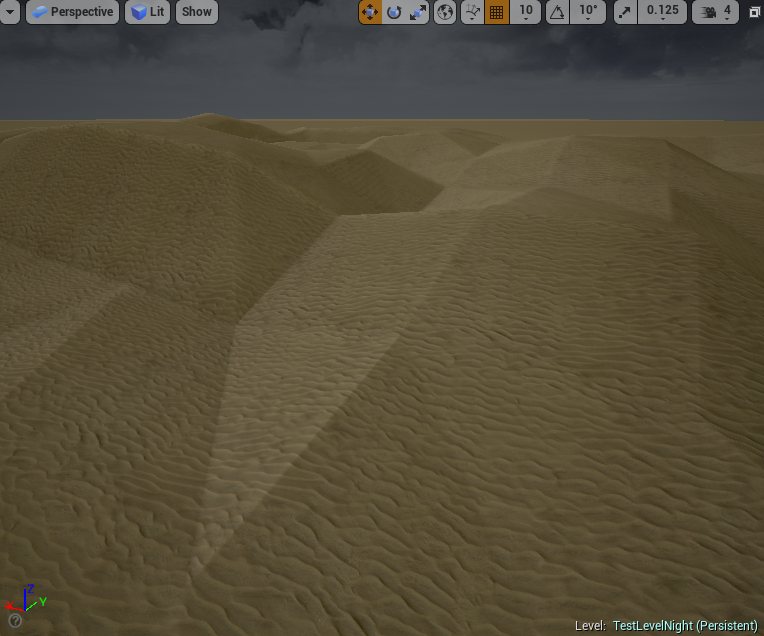
Have you guys ever encountered this weird problem inside the editor when you create a landscape, you shape it like you want. Save, restart editor and all of a sudden, everything is "edgy"?
https://i.gyazo.com/f45a62e4ade549450be08d2d7bc69bd4.png
Those were sand dunes, real smooth and stuff. Now it looks like this. Haven't changed ANYTHING regarding of rendering ot graphics
 floral heart
A fpv weapon is pretty much the same as any other model, isn't it? I mean, I've made one, and all I learned from that is how bad I am at modeling.
Also the root bone armature thing.
...I should probably try making a mesh with an empty armature just to see what happens.
vale silo
@floral heart well, maybe, but how to put model and anims together into an actor that I can attach to player and shoot it ?
floral heart
I've only seen the viewmodel added to the character as a component. I never got as far as understanding how to switch weapons myself.
When you make an armature in blender and then add the armature modifier to a mesh, then export that to an .fbx
vale silo
I know all that 😃
I am wondering if there are bones in the weapon that have to have certain naming in order for the new weapon to work out of the box
floral heart
If you're starting from scratch you wouldn't.
That said, it helps to rename the armature to 'root', so you don't look in the animation editor and see 'Armature' sitting there like a loose hangnail.
The first person shooter template has a basic weapon with animations.
Changing weapons I never implemented, and the template doesn't have that either, so how you change weapons and decide whether to use a consistent naming scheme or define each weapon as its own blueprint with unique animations is up to you.
vale silo
aye, thx
safe rose
@wet berry still working on that huh?
wet berry
haha @safe rose I took most of december off from development after I burned out on the Dec GJ.So this is probably about week two
I should be able to wrap it up this week...at this point it's just a lot of manually defining set alterations/set walk patterns
And then figuring out what I can thread and how to thread it....20,000 calculations in a frame causes a pretty nasty hitch!
 umbral trout
Anyone successfully using speech recognition in their projects? Sphinx is the only one I could find, wondering if there were other additional plugins out there since it sounds like sphnix has memory issues with non-english languages https://wiki.unrealengine.com/Speech_Recognition_Plugin
 blazing shell
I have a situation where I'm trying to have a material that i created be able to be used with landscapes in 4.14. However in the details panel for the material "used with landscapes" is not there. Has this been removed?
wet berry
@safe rose https://www.youtube.com/watch?v=vTcOP8HuoJU

See? not too far left to go. Just defining...36-ish 2d array sets for cut definitions manually (ref table? Maybe? not sure yet how I am gonna do this). Then devising a way to identify matching patterns in 3d arrays
the solution to which involves writing 12 different patterns for walking a 3d array
so that isn't gonna be fun either
but still!
safe rose
@wet berry I don't even know
So, you say it's for crafting though
So do you want like a crafting puzzle mechanic?
Or am I missing something totally?
wet berry
Yep
So the idea will be the player will be given a goal
so maybe like a simple 3x3 cube with a single flaw running through the center
so 3 levels of
xxx
xox
xxx
They find a gem, which is seeded with variety
(missiong pieces)
and use the cuts to craft a matching gem
Floor buttons will obviously be replaced with a console or something
Each mesh has something like a quarter million possible combinations?
Or rather, initial seed has a quarter million possibilities
Once I have all the blades set up and the checking it should be a little more clear
mint raptor
Hey guys if I get a crash in editor which logs do I need to look at?
 unborn matrix
What are the coolest, least used things in UE4?
cursive dirge
Debuggers:p
safe rose
Print Strings op
 real iron
Hey Everyone, i decided to upgrade my pc rig with a new storage disk. im hesitating between ssd and hdd. We working on a huge project (content is nearly 35gb) and i do mostly programmer thing, but sometime i need to work on material, and take a look at meshes etc.
ue caching and load meshes, materials faster etc on ssd?
at the moment if i put some mesh in world i need wait 5 min aprox for load and cache and this is weird :D
Will this faster on ssd?
fiery harbor
if youre programming you want a ssd to speed up compile times I think
plush yew
you want an ssd for everything
fiery harbor
yeah
real iron
yep i want speed up compile times too 😄 but i know compile will be faster on ssd, but not sure chaching, load things will run faster or ist locked by cpu speed 😃
fiery harbor
loading everything is faster from SSD
real iron
hmm well thanks, 1:0 for ssd 😄
 latent shadow
@real iron you don't even have to get a big ssd you can get a small one and use symbolic links to put important stuff on it
I followed this and I pretty much spend 70% less time to compile
and my cpu isn't really that great even
haven't tried compiling a big project but I'm sure the speed would be even faster
cursive dirge
I wouldn't consider HDD for main projects in any case
it's just silly to cripple yourself if you can get SSD
computer equipment is cheap
at least if you compare to your working hours
to get full benefit, you need OS, VS and it's libraries, UE4 and your own project on SSD
 stable otter
I never had any problems using a HDD. Its more storage space at the cost of a bit of speed.
fierce tulip
a bit?
its the difference between traveling to the next city or the moon in the same time
cursive dirge
if you ever compile the whole engine, that bit can be bit longer ;D
I haven't clocked on recent engines (as it makes very little sense for me to install everything on HDD again) but I did test this on 4.2 (yes, that was 2.5 years ago)
on both runs, I had fully clean UE4 clone from github which I built
with VS + ue4 sources being in the HDD, it took around 45 minutes back then, VS + sources on SSD took 17 minutes
engine has grown a ton since that and now engine compiles in around 50 minutes on my SSD, I can just imagine how long it would take from HDD nowadays
it would be hours anyway
I think most of the HDD vs SSD difference comes from linking stage as that's clearly bound by disk speeds
when compiling the engine that is
plush yew
Is your scroll bar in UE also changing the size all the time ? Was this bug reported ?
plush yew
fiery harbor
@plush yew add a gif
 trim trail
how to disable steamvr? its small widow launching every time i open project bugs me
i disabled it in plugins menu, but it seems to be separate for every project
is there way to disable it globally?
fiery harbor
some setting in steam there surely is
trim trail
i dont have steam launched, does it matter?
fiery harbor
yeah
 idle quartz
are there any known issues that make the editor crash when you try to reimport or import some static mesh?
thin haven
grab the QFE if you're on 4.14.2 @idle quartz
idle quartz
@thin haven thank you very much 😃 anybody else with the issue the link is https://forums.unrealengine.com/showthread.php?3147-Current-Available-Quick-Fix-Solutions&p=647161#post647161
Since the launch of UE4, we have been working as quickly as possible to resolve important issues as they have been reported to us. Once an important fix has been made, we sometimes respond directly to the affected users by providing a QFE (“Quick Fix Engineering”) which we share here on the forums and Answerhub.
These QFEs eventually get rolled into the hotfixes and major version release updates that we provide for all, but until those updates we want to make sure that they are available to
 wintry prawn
Hey anyone ever have an issue where when updating in epic games launcher, your update keeps going to 0 b/s jumps for a moment and then sits back at 0 b/s for a while
It will surge up to regular download speed after a few minutes
then tank back down to 0 fast
this 2 gb update should have only take a few
thin haven
the launcher has issues. I've seen people on forums and here say that the launcher progress reverses(!) sometimes
wintry prawn
any fixes?
 abstract socket
Hey, does anyone know of a tutorial / guide on creating a similar effect as seen here? - https://i.gyazo.com/f6b4bbe0c701cc837613c257d82bd963.gif - Looking to get the whole portal warp thing for a project going
 fierce tulip
never seen an in cascade shot of that
Ive been asking about a showcase of that effect for.. as long as paragon exists
but its basically an expanding mesh with a panning texture, some gpu particles, and a massive awesome that was modeled
abstract socket
Thanks luos, I'll see if i can replicate it
sharp crest
omg @abstract socket thats awesome
 modest trench
figured out how to change the chalkboard-nails screech Compile Failed sound to tim allen grunting
thin haven
how?
modest trench
make sure you enable engine content in the view options
and then just go here and mess with the cues http://i.imgur.com/rJubNbf.png

oddly enough there are cues for starting/ending simulation that don't seem to get called
I saved my .wav in there but I think it can be anywhere. you just have to change the cue to use it
(if this has unforseen consequence I don't know but it works for me)
mint raptor
Hey guys for some reason ticking a bool in a blueprint causes the editor to crash. How can I go about figuring out what is wrong?
versed pawn
@mint raptor Hmm... Are you setting that bool on every tick somewhere else? Anyway, it shouldn't do that. I'm not entirely sure the bool is causing the crash
safe rose
@mint raptor figure it out via the crash reporter...
Or even better, using debugger
or both
 rare kraken
anyone on that could help take a look at this respawn system and see where i messed up lol cant figure it out
safe rose
Get better at #ue4 and #gamedev in general by participating in game jams! I am hosting one next weekend, there will be prizes and glory to be had!
Details: https://goo.gl/v4YKe9
SoloWarriors and Teams (up to 5) are allowed! Special categories that you can compete in will be announced soon!
So, most of you have already heard, but perhaps not, that Epic's #ue4jams are no longer being held on a monthly basis for a variety of reasons. For those who competed or at least tried to compete on a monthly basis, this is a pretty sad outcome. Epic's official #ue4jams will be held (until further notice) in March, June, September (Megajam) and finally December.
But, just because Epic is no longer holding it officially, it does not mean the community cannot come together and hold their own
 leaden perch
Hey everyone
My buddy is working on a Windows machine, just made some edits to some of our UI and Blueprints, and now the editor is crashing on startup.
In the crash reporter it claims "You do not have the debugging symbols" so we can't get a stack trace to figure out what is failing
How can we go about fixing this?
fierce tulip
you can install them during install of engine
leaden perch
Do I have to uninstall and reinstall in order to get debug symbols?
craggy nymph
Revert your changes and do the edits again without breaking stuff. Happens sometimes when you break some critical references/structs/whatever.
leaden perch
We've already done that. Twice.
And we're sick of it
We are looking for a more general solution and information to file a bug report
craggy nymph
Ah, k, then I guess installing the debug symbols is the way to go.
I'm pretty sure you don't have to reinstall
Yeah, in the launcher, click the little arrow in the engine box and choose options. You can get the debug symbols there.
leaden perch
Thanks! More info to come
 past pilot
Anyone know when 4.14.3 is comming out? would really love to start importing meshes lol.
leaden perch
Thanks for the help! We determined that the crash was happening becuase a superclass widget was embedding one of its subclasses in its layout.
This caused the UMG widget parser to fail
 rare holly
anyone ever used the WheeledVehicle, VehicleWheel etc... system to make a car ?
because i'm having issues getting a simple car with 4 wheels to work correctly
cursive dirge
you could try #legacy-physics
there are few people here that use the ue4 vehicle though
rare holly
is there a good alternative ?
cursive dirge
not really no, if you need something that's ready
I've been doing my own vehicles for a long time already but it requires plenty knownledge of physics in general and from vehicle dynamics
rare holly
yeah i guess
cursive dirge
there are bunch of constraint based vehicles on the ue4 community but I can't recommend them myself due to the underlying issues with that approach
rare holly
yeah, i want to be able to have my own vehicles
cursive dirge
it's what people usually do though when they try to make their own as it seems like logical approach
but it has issues that are really hard to solve and you'll just get glitchy physics
rare holly
but is the ue4 vehicle really bad?
cursive dirge
it has it's own issues
I'd still recommend you to try it out first as it's probably still the best alternative unless you put months of your own time on building your own thing
rare holly
yeah true, thanks anyway!
cursive dirge
what kind of game are you building?
cursive dirge
it's not that well documented and their vehicles have some issues, you'd find more tutorials/answers if you started with something else
heh
you can do whatever you want though, it'll just be harder to get going if you pick harder projects at start
there's nothing builtin for airplanes in ue4
so you'd need to figure things on your own or find a plugin that implements some stuff for it
rare holly
i found this
As some of you might know, I'm working on blueprint only implementation of tracked vehicles:
https://forums.unrealengine.com/showthread.php?83483-ASSETS-OPEN-SOURCE-Tanks-tracks-and-N-wheeled-vehicles
Blueprints and custom physics don't go along too well when FPS changes from what it was during development. One of the ways to solve this is to enable physics sub-stepping. Unfortunately we don't have an event, accessible from blueprints, which would notify us about physic update during
cursive dirge
just given him few c++ snippets and base thing for the substepping part, he's cleaned up them since
nah
rare holly
oh
cursive dirge
he's focused on tanks mainly
but there's simple plane example
here's two community projects with custom vehicles
hello there
edit:
alright here is the last version of this i will give out. its a custom pawn class with custom 4 wheeled vehicle physics.
its the full project with an example car. the code is all nicely packed into a plugin so you can add it to your own project.
please feel free to use or modify it in any way you see fit. if you find a way to improve it please let everybody know on here.
big credits to Olento and BoredEngineer without whom it would not have been possible :)
CarPlugin
Hi! I made this vehicle class in blueprint for various reasons, watch the video and please tell me what you think of it :)
This is version 1.0, check the replys lower on the page for the updates.
https://www.youtube.com/watch?v=Mbg5hwLKjr4&feature=youtu.be
Also, feel free to download the project file and have some fun with it!
Forgot to say that the car 3D model come from the internet, I have no idea if it can be used in commercials projects so it would be safe to assume it is not.
first one is linetrace/raycast based and other is constraint based
both have some issues on the implementations though so I couldn't recommend either of them as replacement of built-in ue4 vehicles
cursive dirge
if you read the thread, you can see my posts about the issues on that constraint based thing
some issues are specific to that project, some are to constraint based vehicles in general (with physx)
yeah, they all have their own things that are not so good, hence going for completely custom approach myself
I don't even use phyx anymore
cursive dirge
but physx is not really an issue, you can get proper vehicle physics with it
just don't use the built-in stuff
main reason for me is that I'd need to mod physx integration on ue4 for many different reasons and it's easier to keep up with engine updates if I don't rely on heavily modified ue4
for me two biggest reasons I'd need to change things are 1) ue4 physics are not calculated with fixed timesteps 2) there's no built-in way to rewind and resimulate anything (needed for proper multiplayer)
if you just do something for fun, you can get really nice single player experience with custom vehicle using physx forces
rare holly
then i'll keep physx
cursive dirge
yeah, really, do learn the engine for a while before doing anything crazy like that 😄
reinventing everything is time consuming and you'd want to know beforehand what you can use and what you can't for your own purposes
and if you do that, you are not really learning the engine but rather how to make engine
rare holly
yeah true haha
safe rose
!invite
plush yew
Unreal Slackers is a Discord community where Unreal Engine users come from all over the world to socialize, get help and share their work. All skill levels & backgrounds welcome.
 brave horizon
Anyone know how to prevent the spawning of an UI UMG from creating the cursor?
It's interrupting VR - I have to re-click on my game window to re-enable click and input events.
velvet fern
if i migtrate a static mesh asset to a project made with a different version, would there be a problem?
because i migrated this asset and it's copied but doesn't show up in the content browser
fiery harbor
@velvet fern Yeah that doesn't work
you can only migrate "up"
so from 4.13 to 4.14 works
other way doesn't work
velvet fern
i'm migrating from 4.12 to 4.14
i had to export the mesh and reimport it in the newer version
fiery harbor
4.12 to 4.14 should work without problems
 gentle bridge
Hi, I'm a bit new to this, and I have a problem.
I'm using the following BP for left-right movement on a 2D plane, and it mostly works.
But if I check "show mouse cursor" in the Controller class, the movement only applies while I hold a mouse click.
Whether or not I have click/mouse over events enabled.
weary basalt
Axis Value is between -1 and 1. It remains at 0 if no change in input is registered. MouseX being movement of the mouse in the X axis. If there is no movement in that plane then AxisValue will remain 0
gentle bridge
Thing is, if I check off "show mouse cursor", it detects movement fine.
I didn't realize the axis value was between -1 and 1, thanks for that.
 bleak schooner
think of a joystick's X axis, it goes from left - center - right
so -1 / 0 / +1 and whatever value is inbetween
 glad smelt
Good morning everyone. I'm following the Sequencer tutorial on the UE youtube channel and currently having some issues with an animation not staying on the last pose after it's finished. Would anyone be able to assist me with this issue? Apologies if this belongs in the animation channel instead.

 grave nebula
Gentlemen, has anyone encountered an issue when UE4 re-imports whole FBX into one mesh, instead of re-importing individual mesh from the said FBX ? That is I've imported a bunch of meshes in one FBX, updated source FBX file and when re-importing a single asset, whole file gets into a single mesh.
 quartz ether
Hi guys,
Can anybody please tell me where is the proper forum for asking for help on getting perforce to work with UE4?
 shadow ermine

 lavish glacier
anyone know of a sublime-like right side column that shows entirety of the text of the current file?
- know of a plugin
for visual studio
nm its actually part of vs, just have to turn it on
 tidal lichen
does anyone know how to setup swarm over hamachi?
 wary cove
hmmmm I wonder if that would actually save you time...
you are trying to farm out your lighting builds via non local systems?
 loud vapor
Yeah would that even have much benefit?
wary cove
I shouldn't think so
 marble lava
Herew a weapon line traceing diagram if anyone may find use for it
https://s-media-cache-ak0.pinimg.com/originals/b2/af/5a/b2af5a837baf994cadd158a63ba085bf.jpg
And the rest of my diagrams that I store for later refrence, hope it wil find some use by people here
https://www.pinterest.com/kyledail/ue4-blueprint-screengrabs/


Pinterest
Various screenshots of different blueprints. Either to help show images to others on highlighted features or to have a place to save out graph builds for examples to reference later.
 hollow dirge
Not sure if ue4 supports Spriter but there's some awesome software pay what u want at Humblebundle.com right now
wet berry
Infinite loop errors: how you know your mirror mechanic is working too well.
lavish glacier
I always try to see if there is lag in reality in those situations.
If the angle is tight enough, speed of light should be a factor, but it never is.
 buoyant echo
@grave nebula did you check on the "import bone meshes" area of the importer? It's on the advanced or "more" tabs.
If I can get to my pc tomorrow I'll look for it.
grave nebula
@buoyant echo It appears that this is a known bug. https://issues.unrealengine.com/issue/UE-38925
pseudo parrot
has anyone found a fix for the FBX bug in 4.14.2 yet?
thin haven
@pseudo parrot just download the qfe
pseudo parrot
aye i found that now, wasn't aware it was a thing 😛
buoyant echo
Ah. It happened to me with a skeletal mesh, and I changed it to only import the full mesh.
 glacial belfry
Anyone here have any experience in running source control on local servers?
rare holly
what's the best way to make roads?
thin haven
@rare holly: I say 'splines', because that's what I use in my prototype, but you can also use modular assets
rare holly
okay, i'll go for splines then
unreal engine won't stop crashing/freezing(not answering)
at random moments
rare holly
4.14.2
thin haven
ouch. it has a ton of issues. having a certain node in blueprints could crash the engine. importing fbx could crash. etc. etc.
thin haven
download the qfe, top one from the list: https://forums.unrealengine.com/showthread.php?3147-Current-Available-Quick-Fix-Solutions
Since the launch of UE4, we have been working as quickly as possible to resolve important issues as they have been reported to us. Once an important fix has been made, we sometimes respond directly to the affected users by providing a QFE (“Quick Fix Engineering”) which we share here on the forums and Answerhub.
These QFEs eventually get rolled into the hotfixes and major version release updates that we provide for all, but until those updates we want to make sure that they are available to
thin haven
I think yes
rare holly
hey, i'm wondering how gaussian blur works in unreal
like, for a given radius
does it compute the kernel and all the stuff?
or is it a magic shader that works for any radius
inland granite
Hey! Is it possible to disable the smoothing. Lets say the mesh is like this: http://imgur.com/a/fEmo8

Imgur: The most awesome images on the Internet.
is it possible for unreal not to smooth out the edges for lets say with eyes?
http://imgur.com/a/hFp3R this is the original

Imgur: The most awesome images on the Internet.
 grim sinew
set texture mip type to nearest
plush yew
question, are you guys getting MASSIVE frame drops when opening blueprints?
my output log always says "stalling engine so gpu could catch up 0.5min"
or something to that effect
 open seal
Makes sence, Blueprint is a visual scripting software
It can lag a lot depending on (what i think) your CPU
plush yew
no i mean i cant do anything,, i literally drop to around 2-3fps
open seal
Oh, s**t
plush yew
and ram usage is like 10gb
open seal
Try JUST having the Blueprint windows open and not the other Unreal Engine window
plush yew
as in close the launcher?
open seal
As well, yes
plush yew
nothing
open seal
Oh, crap
plush yew
its the actual engine itself thats using like 10gb
and it only happens when i open blueprints
plush yew
my team isnt having a problem
yah i was gonna say ggimme the link
whats the link to the bug reporting thread
open seal
I dont know
It's in the Launcher
While your doing that, my Unreal Engine is doing this
plush yew
ok, well even in small scenes like maybe 500k polys, im losing frames hard
open seal
Probably just Blueprint
plush yew
yah im hoping they fix it in 4.15
open seal
It's probably still in development, you should report the bug
plush yew
remember that fucking ANNOYING bug back in 4.13 when the landscape would dissapear and shit
open seal
no lol
plush yew
dude omg it literally stopped production on 4,13, i had to wait for 4.14 to come out in order to start work again
open seal
rip
I just started Unreal Engine after palying Unreal Tortament back in the summer of 2016
Like, 2 weeks ago I started
rare holly
Tortament
plush yew
yah i am too :/
over a year of game development and i only know basic to mid level code
plush yew
its a mess, youll have to dive deep into it if you want to learn it
open seal
(the level maker interface)
rare holly
I started to really use UE4 3 days ago, but I had the engine since it became free
plush yew
ive been using ue4 nonstop everyday for a year straight
most of my time was just experimenting
rare holly
Damn
open seal
^
plush yew
idk, i got sooooo bored of games
rare holly
Haha
plush yew
so i was like "fuck it, i wanna do what i want"
its like an adult version of minecraft lol
open seal
When I had the mind of a child I was like "Im'a make my own game" back in the summer. Then I relized that Unreal ran like crap. I thought to myself like 2 weeks ago with my new computer, maybe I should give it a shot.
rare holly
But most of the time i create things (producing, game dev, programming)
open seal
Yeah
rare holly
True, never got into it
open seal
Why?
open seal
I know how to animate with the skeleton thingys
open seal
Tru lol
Attempting to Import a FBX file that is the OpenGL test for Cinebench. Importing it into Unreal rn
Over 500 assets
plush yew
jesus christ dude
open seal
Yeah
plush yew
each one?
open seal
ur joking
open seal
I'm dead lol
plush yew
oh my fucking god
pallid root
wow GG
plush yew
dude what the fuck did you do
even with me having 10 million polys on one map i have never seen a number that high
open seal
no
plush yew
oh mine its just like "blah blah blah exported blah blah blah"
ok guys my pc might crash
rare holly
AUTO DESTRUCTION SCHEDULED: 10 SECONDS REMAINING
plush yew
testing code
rare holly
rip






 plush yew
where did he even get the assets from
rare holly
Unreal Engine is 3D not 4D thats why
open seal
xd
plush yew
anyone know where to find footstep audio?
rare holly
Anyone knows where to find audio?
open seal
In StarterContent
plush yew
am too lazy to go outside and record my footsteps
rare holly
Ask Hollywood
open seal
I'm blaming C4D for this
pallid root
Footsteps, rattle, and jump sounds for 8 different floor types with Blueprint setup.
I'm really happy with that
fierce tulip
@robust tree someone is really happy with your sounds :p
pallid root
and his tutorials to implement it!
rare holly
Okay lets see if you have this: can i have a Lincoln Navigator Engine's Sound for different RPM levels + wheels sound for different type of floor (road, dirt, grass)
rare holly
(each sound with a version from inside and outside of the car)
rare holly
Anyone
open seal
OK, thank god
every time you see "maxon" or a cinema 4d logo take a shot
xd
thats just one frame
rare holly
"Anyone" includes you, me, Luke, Michael Jordan, Mickey Mouse, Mom's Spaghetti and Mr. Bean
rare holly
Ooh yeah then okay
open seal
Used Blender, but then got C4D Student (was eligable for it)
Thank god, my unreal engine is fine
(my edit of the fps template playing the "firstperson_jumpstart" animation that i made)
and the thumb is messed up
great
open seal
Yeah
plush yew
im so shit at animation
plush yew
atleast you can animate
open seal
Who says you cant lol
Made that with persona
Should I show the full animation in a gif or no
plush yew
idk
open seal
It's stupid how I got into Unreal
Because I made 3D Intros in C4D I came to Unreal, thinking it would be something new lol
It was but I still have to use C4D and I'm like "boi"
plush yew
well i mean............
open seal
Oh shoot I still have the project file for my FPS Template animation
(you wont belive this)
Since there was no real Ammo Socket, I just made the guy punch the gun
open seal
I guess xd
plush yew
"oh shit im out of ammo" punches gun
open seal
lol
let me get it open
there was a error though, a: couldnt get it to play and b: arms were swaped and it was in teh wrong pos.
To avoid cringe, I'll just take a screenshot and edit it
ill put it into sections lol
(for unreal, the right arm was considered the gun lol)
open seal
Wat happened
plush yew
im trying to make it so when you press space to LAND, the audo stops for the engines
but each time i go and put the volume multiplayer x0 to the land code, it loops to the take off code, which means either i can take off and cant land or nothing happens
plush yew
well im trying to find a node that wouldnt allow me to loop back to the take off but i cant find any
WHICH MEANS
i have to make an all new line
i know what to do but i cant remember the exact line by memory
i think what ill do is just go from the E button to stop the sound effect
fuck
ok my pc might crash rip
 robust tree
@pallid root at your service 😃
 scarlet echo
I figured this is somewhat UE4 related due to Epic Games using a Trello board for engine roadmap | http://blogs.atlassian.com/2017/01/atlassian-plus-trello/

Atlassian Blogs
We're thrilled to announce our agreement to acquire Trello! Learn more about our plans to add their amazing product to our growing family.
proper quiver
hey guys, is it possible to have hit detection take pixel depth offset into account?
I have "land" using pixel depth offset drawing underneat some buildings because I don't want to modify the geometry to make it work
however the land is still screwing with hit detection
 violet cove
I have a mesh with a mask on it that can change the colour of part of the texture. Would it be more optimal to make the mesh a blueprint and change the material values by the blueprint, or to just create a new instanced material for every colour I want to use?
 candid smelt
if you had a choice between an i7-7700K vs i7-6950X for a development system, which would you choose and why? assume the rest of the specs are going to be the same, and price isn't an issue
also assume the 7700K is overclocked to around 5ghz
cloud cobalt
7700K
The 7700 will have much better single thread perf
If you're doing anything UE4-related @candid smelt you want that single thread perf
It's not like UE4 uses more than 2 cores
candid smelt
cloud cobalt
Yeah, when building
Well if you're going to build UE4 all the time and you can afford the other, go for it
 kindred mountain
personally for a development workstation I'd take the extra cores
cloud cobalt
But UE itself will be slower
Slightly
Also the other CPU is like 5 times more expensive, even where I work where we hand out three huge screens to newcomers we don't have anything close to that 😄
kindred mountain
true that 10 core is ridiculous
candid smelt
assume you can get both for the same price, for the sake of arguement 😃