#virtual-reality
1 messages · Page 230 of 1
 ancient sleet
 tired tree
the caveat being that their package allows you to modify things like that, assuming its BP only, should be simple, if its c++ and hardcoded you would have more of an issue as you would have to edit code if they didn't leave it flexible.
 viscid moat
Ok so I resolved getting the motion controllers to work when I spawned them in the Character constructor with the default UMotionControllerComponent class, but when I subclass it and create the two motion controllers the exact same way, the controls stay on the ground and never track. Anyone happen to know if there's something special that needs to be done in the subclass?
@tired tree do you happen to know if you lost tracking when you created your custom UMotionControllerComponent subclass? I find it strange that subclassing it but connecting it through default subobject in the exact same way doesn't wake them up for tracking.
tired tree
no, you just have to make sure that the tracking target is set correctly
viscid moat
Hmm, well I definitely set tracking motion source properly in the constructor. I'll keep fiddling
Ok. It appears messing with tick at all will break them. Good to know.
tired tree
@viscid moat call super on tick, it tracks to the controller data in tick
viscid moat
Yea I should have known better. I turned tick off because I usually try to keep all of my components and actors from ticking unless I specifically need to do something on tick. Will make a note of it and try to be more cognizant of messing with any kind of tick functionality in a subclass in the future.
 reef lily
So, I'm making a VR game and the space that the player is able to move about is no larger than a room/house, so I don't need to make use of UE4s capability to have a 20x20km world
Can I somehow easily change the world scale or something so I get better small-scale floating point precision for physics instead?
So a 2x2km limited world but with 10x better precision for physics calculation?
Because I've noticed that small things like pens etc have a tendency to fall through things even with CCD
 steep compass
I will copy this to #looking-for-talent: Assistance needed in building experimental interactions within #virtual-reality. DM me if you are interested and have a high level of experience doing this in #UE4 blueprints. GREAT OPPORTUNITY fir the right person.
 muted scarab
I sked a while back but still struggling.
UMG widget component looks ok but I use Stereo Layers instead the widget renders with extra gamma correction (dark). With textures I have confirmed this and can overcome it but it messes all the UMG colors too.
Anyone familiar with this? I cannot find any settings or answers online.
muted scarab
Nevermind.
In the widget component there is a checkbox!
 wispy cradle
Anyone checked out the volumetric clouds in 4.26 yet? They don't seem to render properly in both eyes, I already tried unchecking instanced stereo but it doesn't seem to make a difference. Same problem with the SingleLayerWater material
viscid moat
I’ve been having an issue with rendering in both lenses for landscapes as of version 4.24 onward. Unless instanced stereo is checked the landscape flickers everywhere, it’s so annoying.
wispy cradle
Strange, I haven't had that as a problem but its a bummer that a bunch of these new things coming out are not VR compatible yet. When Ryan brucks bfirst demo'd the volumetric cloud tech it was in VR but now its not even working properly anymore 😦
 gritty moon
Anyone have some guidance on how I could go about incorporating VR expansions physics grip into a full body mannequin ?
tired tree
@gritty moon entirely depends on how you want it to behave, and if you want the full body to be physically active as well or not
gritty moon
@tired tree Would like to be the full body to be physically active, so swords and the like can hit limbs and limbs can be used to hit enemies. I also like how the fingers dynamically find a position to grip based off collision. Having the fingers have physics/collisions seems useful for small interactions as well.
Not sure if that cleared anything up lol, thank you for the help.
Also aren't you the author of the plugin? Great work on that!
tired tree
well i wasn't talking about collision itself, i was talking about if you want the body to be simulating
like boneworks
that is a ton more effort than just collision responses
you can PM me with direct questions though
gritty moon
Awesome thank you. Yea I'm new to this so sorry if I get some basics wrong
 heady plaza
I'm working in 4.25 on win, but deploying to ios and utilizing arkit. It's an extremely simple app for prototyping. Do I still need access to a mac/vm machine any elements?
 mighty carbon
you need dev account with Apple and you need access to Mac (one of those remote servers) to sign your binaries
heady plaza
Thanks motorsep... we do know that but we're not deploying to store. There seems to be some language between BP only architecture versus "code" only requiring the access to a physical mac and there are a LOT of questions/comments relative to this but, as this is a very isolated vacuum, 1 device, 1 prototype I didn't know what was essential. Certainly having a mac for virtualization/testing is essential for any real production.
mighty carbon
I don't do Mac/iOS, but from what I understand you can't sideload anything to Apple devices. You need that dev account and signed builds to be able to prop it to your device, even if it's not for the store.
I don't see how you can test AR on desktop/laptop Mac
therefore I don't think you need it when using UE4
How to remotely compile on a Mac from a Windows machine to create an iOS build.
heady plaza
you can "sideload" and you don't need a mac
that's correct for iOS
however if ARkit is in the loop that's where documentation is not "clear" on whether or not you need it
certainly for some apps you don't need ARkit
mighty carbon
how can you sideload to you iPad/iPhone without jailbreaking it ?
heady plaza
yes
this is the part of the documentation that is a little confusing to one of us
Apple's ARKit prerequisites and setup for augmented reality.
and it's a little dated
heady plaza
now ARkit 4 is out... and 4.26 brings a number of unified spatial anchors to xR development
mighty carbon
might want to use ARCore, since it works on iOS and is not a black box.
heady plaza
you can't avoid developing for mobile if you're looking for an audience
and you're serious.... all depends what you're doing
I appreciate your thoughts... if anyone could clarify I'd really appreciate it!
 obtuse spruce
How might I differentiate my VRRootComponent bumping into a wall or ceiling vs. landing down on a platform? I'd like to play different effects for each
Is there a simpler system than constantly doing a downward trace, banking the highest worldstatic object as PlatformBelowUs, and checking on Overlap/Hit if OtherActor == PlatformBelowUs?
edit: Apparently, it's as simple as using Event OnLanded
viscid moat
I think you would be better off changing "VRRootComponent" to "RootComponent" in your question and asking somewhere in perhaps C++ or BP since it seems like more of a general algorithm for how to differentiate a landing platform vs. a bumping platform. Having said that, I think that your best bet is to simply allow the collision to happen so OnHit or OnOverlapBegin whichever is the one you use for the collision event where it gets stopped and then do a line trace down at that moment and see if it matches what you collided with. If it does, you clearly collided with a platform on the bottom, if not, then it most likely is a top or side collision. That's how I would do it at least.
Yea event on landed could work as well. That's a good point.
obtuse spruce
@viscid moat Thanks for chiming in. Yeah, prolly should have asked this in #blueprint since it's not VR-specific
viscid moat
Not an issue. I have trouble figuring out where to ask general gameplay/algorithm questions sometimes. On landed sounds good though. Then any other collision event would be the bumping on ceiling or side.
reef lily
https://www.youtube.com/watch?v=dEl1M2UK2Is
Anyone got a clue how he's done these character physics so well? It can really interact with the world in a very natural way.
He's explained that he is not using IK for the character.
(It's in Unity, hence why it's not super glitchy with jaggies everywhere and things that fall through the ground :P)
Join the Discord ► https://discord.gg/PPX5qcq
Patreon ► https://www.patreon.com/nimsony
Twitter ► https://twitter.com/nimSony
Itch.io ► https://nimsony.itch.io/
Perfect VR is coming people... codename, ProjectTX.
I'll explain more about the new project later on.
Check out th...
 sonic lake
@reef lily pretty sure he is using some form of IK (or at least joint transform estimation) simply because there are no tracking sensors on the elbows, shoulders and knees (and very likely not on the feet either) so the only way is to estimate their position and rotation in relation to the rest.
reef lily

Join the Discord ► https://discord.gg/PPX5qcq
Patreon ► https://www.patreon.com/nimsony
Twitter ► https://twitter.com/nimSony
Itch.io ► https://nimsony.itch.io/
A number of questions were asked... some how, mostly why!
Here's at least 1 answer.
Check out the rest of the vide...
He does explain some things in this, but not enough. He's mostly explaining the problems of using IK
sonic lake
I believe he means the traditional/built-in IK.
reef lily
But my guess is he calculates the angle from the shoulder to the elbow to the hand, so more like FK than IK
sonic lake
That's how we do it in the UBIK plugin
reef lily
Yeah, there's a lot of comments saying that he's actually using IK without realizing it, but he vehemently disagrees. I dunno
Are you able to get physical interactions with the body with UBIK? So like that things can push the elbow to prevent you from sticking it through geometry
@sonic lake
sonic lake
No, it is not physics driven at this stage
But it can be implemented
Solving collisions becomes an extra constraint to deal with
If you had a physics arm, you could in theory drive its geometry with motors and let the physics do the rest
reef lily
Okay, I'm still not sure about the difference between that and just using FABRIK in that case, but I'll read up more on UBIK!
sonic lake
FABRIK out of the box doesn't support constraints
You cannot tell it to limit the rotation between certain angles or avoid certain configurations
reef lily
Oh? Had no clue, I think it looks pretty natural with my arm constraints
sonic lake
There is a version of FABRIK which does support constraints
It looks natural until you reach extreme positions with the effector
Try hand on shoulder or hand behind your back
reef lily
Yeah, just did, you're right, the forearm twists when the elbow joint shouldn't allow for that
sonic lake
That's what you would need constraints for
UBIK uses a mathematical solver
It allows only configurations that are possible for a human body
It has an underlying model of the upper body and its allowed configurations
Still it is not perfect
A cool thing to try out would be a kinematic model based on deep learning
Needs a lot of motion capture data to be trained but after that it should be good to go
@reef lily this is the paper UBIK is based on: https://www.markussteinberger.net/papers/HumanUpperBodyIK.pdf
reef lily
@sonic lake DeepMotion does exactly that, kinematic deep learning tracking, and they recently got a Epic Megagrant, but they're B2B focused so no consumer version available 😦

DeepMotion's VR Avatar Tracking solution brings to life realistic full-body motion and interaction with as little as 2 or 3 trackers. By using our Motion Brain, which uses the latest in AI and physics simulation, we are able to generate a full-body avatar that moves with you ...
They have better videos that show off more and look better, but that one's UE4 at least. Others are mainly in Unity
sonic lake
They also seem to do 3D animation from 2D videos
Which of course provides them with a huge training set to do the VR avatar tracking
reef lily
True, although the quality of those animations were decent at best
reef lily
@sonic lake Wow, I'm trying out UBIK now and the tracking/prediction is really really good! Very impressed!
Trying to get it to work with linear soft constraints so the arm can stretch (even if that's unnatural, I'd prefer that to the hand not reaching the controller location when the arm is fully stretched out)
Ah right, I think I understand now, UBIK doesn't make use of the constraints at all, but sets its own constraints in code
reef lily
Getting physicality to it unfortunately isn't as simple as just enabling physical animation on the mesh I've noticed. It crashes hard and I have to ctrl alt del the editor. When bypassing the UBIK solver in the AnimBP, it works.
But it's close. Sometimes I can have it run for a second or two, and it seems to be working, but then all freezes
sonic lake
@reef lily yeah, it has not been designed for that.
You can try to blend between physics animation and UBIK, but I would to test myself.
UBIK uses an adapted methodology from the Parger paper I linked above. @eternal inlet has done all the work to port it and fine tune it.
reef lily
@sonic lake I actually got it to work by just changing the tick group on the mesh to either Pre or Post physics
sonic lake
@reef lily Cool. So what is the effect of your changes?
Can you show bumping your elbow into a wall?
reef lily
I'm just using the example scene so I haven't tweaked the physbody too much, but the hand stops against static geometry quite nicely
There's still issues like I can put the hand on the other side of a small wall and then try an pull through the wall and the physics go crazy
But perhaps that can be solved by making the character capsule simulate physics. I think that's how Nimsony does it. His character would get dragged up if one moves the hands over a ledge and pulls down for example
Just tried elbow against static geometry. It works, and looks pretty nice except for the jumpy physics which I suspect is the above issue
sonic lake
Nice experiment! 🙂
In VR there is a whole school of thoughts that you should never decouple the body representation in VR with the body stand in real life.
Doing that may make someone perceive its body has having a different stand and they may fall or hurt themselves.
I may also be biased since we do VR experiences for elderly/rehab and the like so safety is a major concern.
This said, I would be curious to try it out and experience how it feels.
reef lily
I agree with that, though I've tried one of his earlier demos, namely this one:
https://nimsony.itch.io/hybrid-presence-samples2
and while the spiderman swinging and the running around part of that is quite intense, and I initially thought that the act pushing your whole body to the left when you push out your hand to the right against a static wall would be really barftastic, it's actually not so

itch.io
Sample demos for my new VR specific Ragdoll Physics systems.
It's like the brain translates it to that you push the entire world to the right, because it feels no acceleration towards the left
tired tree
ninsony is using actual constraints on the joints and is just pushing the hand around to and hoping that the other joints just "work out" for him
he isn't actually using real IK
which also means that he doesn't have any real control over how they fully behave
part of the reason why an amorphous body works good for him is you have a harder time noticing that bones just don't behave correctly with it
its like gang beasts
sonic lake
@tired tree he is letting the physics solver do the IK for him, which is not a bad idea per se, but then you have indeed no control over the body configuration. You are right, it won't work as well with a more human-like figure.
It would be worth trying out though
First I need to make a marshmallow guy like his
tired tree
yeah its the least effort approach honestly
doesn't take any special coding or setup beyond joint limits
so anyone willing to just let it solve out shouldn't have much issue attaining the same thing
 rich canopy
Has anyone tried uiws plugin before on quest? It just crash immediately when I try to launch on quest. @shadow radish I saw u tried it before haha but not sure if yours is pc vr or quest
 shy merlin
Well! Pitch was denied by Oculus.
Hopefully can get in start.
Wish there was more feedback on determining factors. Its kind of a blackbox at the moment.
 storm crag
need help im a beginner in the vr game making
sonic lake
@storm crag just state your issue/ask your question, someone will help you out
storm crag
using a windows mixed reality vr samsung oddessy+ and Im having troubles mapping my motion controllers on the input and blueprints in version 4.25.3
i can move my hands and everything but i cant move walk or teleport
@sonic lake
sonic lake
@storm crag my experience with the WMR devices is limited, but this seems pertinent to your issue: https://forums.unrealengine.com/development-discussion/vr-ar-development/1591448-when-will-wmr-thumbstick-input-support-be-added
Unreal Engine Forums
This has been an issue for quite some time, I've found threads that date as far back as 2015 that highlight the fact that thumb stick input support is just not
Read the last post
storm crag
@sonic lake ty ill find a work around for now btw what version is the best for VR i am using 4.25.3
sonic lake
In general it is ok to stick to the latest release (not the Preview one though), so you should be fine with it
I would also experiment with the OpenXR plugin and see whether anything improves respect to inputs
storm crag
need help with vr controlls i got some movement but when i stop moving my character very slowly glides ?
 urban ridge
May be drift on the joystick
 real needle
Can u tell me how to solve delay between server and client
viscid moat
Mamba is possibly correct. My older Vive wands have some of this issue. You should print out the axis value for the joystick to see what it's set at and if it's not 0 there's your issue. If it is 0 then you have a ground friction issue I would think.
 west bay
I had a similar issue which ended up being a connected gamepad controller that was stuffed into a basket, pushing slightly on the thumbstick.
reef lily
PSA: If anyone is on Oculus and has problems with controller inputs mysteriously not working suddenly, open up the Oculus Dashboard and go through the new Facebook owns you and terms of service pages -_-
That stumped me for an hour or so
 silk ibex
There a new oculus update that breaks it ?
reef lily
Nah doesn't break it. It just needs you to accept the new terms before any buttons work again
silk ibex
Yeah, just saw the update. Everything was still functioning though (rift s).
Thankfully we can still use our oculus accounts. Never going to allow facebook near my pc.
 shadow radish
@rich canopy sorry I just saw this--I have not tried it on quest, but I might try to release something on there eventually.
I do remember seeing a flag on it where it's specified by platform, so maybe you have to tick a platform box on your uiws manager actor?
rich canopy
Thanks i will try it out!
 tough silo
I am so confused about hand and head coordinates with VR lol.
Seems like whenever I get it right, it's by pure fluke.
Right now I have two motion controllers attached to the root of my pawn... the head is the right height, but the hand looks to be off by about 50 centimeters too low.
I have the controller over my head, but the mesh on that component is below my head.
Any good tutorials for setting up correct tracking, preferably in C++?
(I've been referencing another VR game I've worked on, and the VR template btw.)
viscid moat
I strongly recommend VRE plugin. It’s extremely well made and a good reference. Great way to learn how things are put together even though some parts are very advanced.
 kind echo
hey, I want to develop for Q2 and for that I need to build UE4 from source it seems, am I correct this far? 🙂
sonic lake
@tough silo you want to have a scene component in between the root and your motion controllers (and the camera/HMD by the way). Also, as you wear your HMD and pick up the controllers, you should try to issue a Reset Orientation and Position command and see if everything re-aligns as expected.
real needle
Has someone successfully tried the VRE plugin example on 4.26 p2?
tired tree
@real needle it works, but that doesn't mean try it
chaos is entirely unstable currently
no point in trying out 4.26 besides curiosity atm, plugin has a seperate 4.26 porting branch where the plugin itself is stable, but its waiting on engine fixes
rich canopy
@kind echo yep but the oculus branch not the stock one
tough silo
@sonic lake Thanks!
 trail shale
is there a console command to change the spectator screen type?
trail shale
did they change the spectator screen at some point? why am I getting this curved thing?
west bay
@trail shale - Only fix I know of right now for this is to run in standalone - and press alt+enter to get it back to proper resolution
started for me in 4.25
trail shale
welllll shit
@west bay THANK YOU for letting me know, that was going to drive me crazy
west bay
its been driving me nuts too man
trail shale
I've messed with the specator screen stuff - there should be a workaround for it like using this
tired tree
its just a bug
 vale badger
Heyo, after adding all inputs for HTC vive idk why steam VR don't find the key binding of the game, do we need a special plugins or setting to use Steam VR ?
heady plaza
I'm working on Windows, with an iOS Developer license and developing an iOS/ARKit application.
It's all Blueprint based, I'm sideloading to a single machine for prototyping.
There is no distribution or signing for the AppStore needed.
Do you even need to have access to a physical or virtual machine running OSX and XCode to simply deploy to a device for testing if it's already registered to your account?
Could someone who has developed for ARKit on Windows please give me a confirmation as to YES or NO?
tired tree
@sturdy coral nice, they merged in your VR pie multiplayer fix today
viscid moat
Where will that fix be available? 4.26?
 blissful bear
@heady plaza If using ARKit then YES
 hollow bane
Hey does anyone know why my htc vive pro is capped at 45 fps in the vr preview mode? even if its just an empty level its still stuck at 45 fps. thanks
mighty carbon
is there a way to specify sound to be played on the HMD (Oculus Rift) and not through PC speakers ?
 hard relic
Hi there!
I have the ES3.1 Preview active to display my game on the PC as it will be in the QUEST.
It was working as a charm then for an unknow reason, It become to display totally black when i'm playing in the selected Viewport and PIE.
Any idea?
It is dispaying right in simulate mode, and when i hit F8. But if i possess the pawn, it become black again.
mighty carbon
not supported perhaps
you should use SM5 with all PP effects off (including tonemapper) and make sure PIE has all that turned off too (probably via console cmd in runtime)
or test on the device
hard relic
It was working. It suddenly not working.
hard relic
and it is working in anther project...
mighty carbon
which is also a VR project ?
hard relic
@mighty carbon Yes, it is also a VR project. working. No problem.
In my broken project, i have for sure enabling/disabling some things there... and it is not displaying anymore...
mighty carbon
then it's a broken project 😆
real needle
Can sb tell me where can I find some info about SimpleHMD plugin?
shy merlin
Anyone deploy a project from ue4.25 oculus branch to quest 2?
shy merlin
Not sure if there are some new steps to ensure a deploy. Im not getting anything in my output log, but the application is crashing on start in hmd
mighty carbon
you need 4.25.3 + 1.52.1 integration @shy merlin
if that doesn't work then we have to wait for 1.53 (v21) integration and OS update
shy merlin
ouch
upgrading engine versions isnt a walk in the park
basically out a few days of work
im at "Version: 4.25.3-0+++UE4+Partner-Oculus-4.25"
mighty carbon
I am not sure what you expect to happen.. It's a new hardware and it needs updated integration which comes with engine source
and once 21.0 comes out, you will have to build new engine again
shy merlin
Nah, its expected. Just a lot of various apps just "work" as it stands
but thats mainly precooked apks, i get why the deploy wouldnt play nice
viscid moat
@sturdy coral do you know what version of UE can expect your merged changes to have an effect on running PIE multiplayer with VR? I haven't been able to get multiplayer VR support working and I'm wondering if your fixes will do the trick for me.
 reef hill
Anyone recommend a better VR framework than Adavanced VR Framework? or a tutorial I could follow
mighty carbon
VRE ?
 olive ferry
Is it better to use Oculus from source Github file or use the normal Unreal Launcher for Quest to have the best performance possible?
 carmine yoke
@olive ferry The official UE4 will be a few versions behind the Oculus branch so if you're building for quest/quest2 its better to be on Oculus fork generally
 balmy scarab
anyone had luck with oculus's ovr lipsync plugin? i cant get it to work on my skeletal mesh when its in a char class
skeletal mesh expresses precomputed morphs when its in a simple actor bp setup like demo, but precomputed speech doesnt seem to like the chars skeletal mesh
ironically the realtime lipsync works on the char but not the simple actor bp setup (like in the demo)
and yes i am using the correct ovr lipsync components for playback and realtime
just need the playback to work.
obtuse spruce
Trying to get the velocity of tracked hands on the Quest, but the root scene comp, MotionController comp, and OculusHand comp of my hand BP always report a vel of 0,0,0 using GetComponentVelocity.
Any ideas to get the vel? Using Oculus fork v19 for 4.25.3 btw.
 white gulch
So VR Editor in 4.24, 4.25, and 4.26 Preview 2.
Using the Vive Pro HMD and Controllers.
The Undo function is basically broken. Swipe Right-to-Left doesn't Undo anything. I can tap Right then tap Left on the trackpad and have it work.. sometimes. Any idea what's going wrong?
More generall, for the VR Editor, can I access the Control scheme web somewhere?
heady plaza
Does anyone know why "Set World to Meters Scale" might not be functioning correctly, in the most basic sense, in a simple ARKit build?
Any help would be appreciated!
 round helm

Unboxing de l'Oculus Quest 2, un gros gain de performance!
Un jeu en cours de développement:
NeverDawn:
https://discord.gg/JAsQ2W4
 short drum
Guys im having problem with VR Preview in Unreal engine with quest 2. its grayed out. any solutions to get it working?
west bay
what version @short drum ? Check your editor preview resolution settings, try running in standalone, and try pressing alt+enter
mighty carbon
you need to get Oculus fork of UE4 @short drum
tired tree
@obtuse spruce component velocity has to be specifically filled out, currently no in engine components actually implement that function unless simulating
so you'll either need to get the velocity of a collidable body attached to the motion controller by getting its linear physics velocity, or calculate the velocity manually by taking the position of the controller last frame and subtracting it from the current position and then dividing by the delta time.
You may want that in relative space or world space, depending on what you need it for.
shy merlin
Soooo after a 10 hour recompile of my engine, Im deploying with no errors to the Quest 2, but the app just runs black.
mighty carbon
ughh
shy merlin
cleared anything previously deployed to it, set up that quest 2 platform build to in the android settings, etc.
Its a black box right now, i dont have any errors to chase.
Wait, this is all I can get-
LogPlayLevel: Warning: 10-14 22:21:48.948 19612 19863 D UE4 : [2020.10.15-02.21.48:948][ 0]LogRenderer: Warning: Resizing VR buffer to 1440 by 1584
LogPlayLevel: Warning: 10-14 22:22:19.207 19612 19863 D UE4 : [2020.10.15-02.22.19:207][ 0]LogHMD: Warning: 45 x 50 variable resolution swapchain is not a divider of 1440 x 1584 color swapchain, potential edge problems
only thing throwing a warning
mighty carbon
probably worth reporting to Oculus
 mighty carbon
or wait for 21.0 release
I am not rushing to dev for Q2 until they release v21
I haven't even unboxed mine 😛
shy merlin
There is an update for vulkan, but it just doesnt make sense that it would clog this up.
I know a lot of unity projects just build to quest 2 no prob
or previously built apks just work
mighty carbon
Unity is their in-house engine.. UE4 is a second class citizen
mighty carbon
heh
short drum
you need to get Oculus fork of UE4 @short drum
@mighty carbon OH, i just downloaded the one from UE website
mighty carbon
nah, if you dev for Quest, you need that fork
short drum
@west bay version is 4.25.3
shy merlin
oculus fork is different
short drum
getting 404 error on github @mighty carbon
shy merlin
^Follow that documentation, you need to sign in and request
mighty carbon
@shy merlin did you do this https://developer.oculus.com/documentation/unreal/unreal-set-get-device-type/ ?
describes how to use project settings to set target device and get the device type at runtime
@short drum you need to login into Github
shy merlin
I did not, I set it up in project settings, but this makes sense.
Where is that supposed to be injected?
mighty carbon
Steps for connecting to the source code repository and downloading the latest build of Unreal Engine.
short drum
@shy merlin did you do this https://developer.oculus.com/documentation/unreal/unreal-set-get-device-type/ ?
@mighty carbon actually on that, i didnt have option for quest 2
describes how to use project settings to set target device and get the device type at runtime
just shows quest
mighty carbon
basically applies to anything that is a fork of UE4 or plugin or docs
follow that doc @shy merlin , UE4 will add whatever is needed into manifest automatically (if not, it's a bug)
shy merlin
Should I check that at the pawn level, or level BP?
short drum
@mighty carbon same error
mighty carbon
you don't really need to check it, just configure project @shy merlin
@short drum
be an Unreal Engine subscriber.

have a GitHub account.

have associated your GitHub account with your Unreal Engine account as described on the UE4 on GitHub page.```read the docs please
mighty carbon
once you set up to access UE4's source, you'll be able to access Oculus source
shy merlin
Right, I did make the manifest change. Still just rendering black, recalling back a few times something like this happened was from having multiview on, or something similar.
mighty carbon
see what logcat yields
shy merlin
alright, getting on it
mighty carbon
adb logcat -d >Q2log.txt
mighty carbon
@shy merlin any luck?
shy merlin
removing api 30, running logcat and then gunna pull when it crashes again
mighty carbon
why api 30 ?
shy merlin
read someone had a similar error previously and that fixed it
only error i can find is the swapchain resolution one
and its warning
Im not sure how to pull the crashlogs from this thing tbh
mighty carbon
mobile HDR disabled ?
mighty carbon
well, connect Quest to PC via USB cord
shy merlin
check
shy merlin
check
mighty carbon
let it run for a bit, then quit it
then do adb logcat -d >Q2log.txt
then open Q2log.txt and search for "error" and "crash"
shy merlin
where does that get pulled to?
mighty carbon
current folder you are in
usually if you open cmd line and do nothing, it should be C:\Users\ <your user name>
shy merlin
got it
scouring
yeah i was just opening powershell from my search bar
lets see what the mystical log reveals
mighty carbon
btw, I am using target and min SDK set to 25, and android-21 NDK
and SDK API Level set to "latest"
shy merlin
yes, same
OH
looks like my sdk target locations are reset
i remember in 4.25 there was a new process, and you even had to change some directors in a config?
mighty carbon
no idea, I've always used Android Studio instead of Codeworks so I had no issues transitioning
shy merlin
Yeah I switched over in 4.25. Looks like updating cleared the references in the project
 vivid solar
is the issue with shadow intensity with VR still present? x_x gotta say it's really annoying
 polar valve
@shy merlin https://forums.unrealengine.com/development-discussion/vr-ar-development/1810696-oculus-quest-4-25-3-issues I had issues with getting a black screen on the Quest, posted a hacky solution in this thread
Unreal Engine Forums
So I started a new project with the latest version of UE4 after all the android setup I was able to successfully build and push to my Oculus quest. The problem is that when the apk is run all I get is a black screen. I have all of the map options setup correctly and even chang...
Might be a different issue though, I wasn't even getting any log output
shy merlin
Okay so its not my SDK and all that stuff. I point to those directories in my config file
I have both quest and quest 2 in my device manifest, going to try just quest 2
these settings worked flawlessly for the quest 1, not sure if there is something new i need to do here
mighty carbon
I have slightly different settings
Disable OBB verify is on for me; Allow Large OBB files is on; instead of Sensor Landscape I have Landscape (as I recall)
@shy merlin ^^
btw, did you get the logcat log ?
shy merlin
yeah trying to grab it buts its only pulling in a small amount
mighty carbon
well, there is nothing going on I guess, so you won't get a ton of data then
are you running you app from unknown sources or straight from UE4 ?
shy merlin
tried it both ways
LogPlayLevel: Warning: 10-15 09:35:29.777 13940 14369 D UE4 : [2020.10.15-13.35.29:777][ 0]LogRenderer: Warning: Resizing VR buffer to 1440 by 1584
LogPlayLevel: 10-15 09:35:29.777 13940 14369 D UE4 : [2020.10.15-13.35.29:777][ 0]LogRenderer: Reallocating scene render targets to support 1440x1584 Format 37 NumSamples 4 (Frame:1).
still the only warnings im getting
do you have mobile multiview and round robin occlusion queries on?
also- are you using vulkan?
mighty carbon
yep, using all of those, and arm64
shy merlin
okay same
do we still have to do the hacky -vulkan on the shortcut to get the engine to initially boot with vulkan active?
mighty carbon
no idea..
I asked reliable source about this and the source doesn't know what's going on. I guess I am going to have to activate my Q2 and dig into it to provide my source with details about the issue if I encounter any
shy merlin
Cmd: MAP LOAD FILE="../../../../metropolis/ProjectMetropolis/Content/Levels/PlaytestPrototype01/LV_PlaytestPrototype_01.umap" TEMPLATE=0 SHOWPROGRESS=1 FEATURELEVEL=3
LightingResults: New page: Lighting Build
New lead ^ getting this at the beginning of the launch command in unreal
 karmic kelp
Hey guys, I am trying to build ndisplay project. I am almost through the process but struck at a point where i map VRPN tracker data into unreal.Can antonne help me with this.. i can share my config file and unreal setup for this..
shy merlin
@mighty carbon deleted saved and intermediate, turned off mobile-multiview and relaunched
works now
shy merlin
it has to be something with the multiview or something, because i had cleared saved and intermediate
yeah
trying to see if i can tick it back on now that it deployed
okay so mobile-multi + round robin causes the black/crash
mighty carbon
what about just multiview without round robin occlusions ?
gotta pin it down so I let rendering dev at Oculus know exactly what causes the issue
shy merlin
trying with just mobile-multiview now
yeah multiview causes the black void and then crash
got a better crash log, im scouring now
mighty carbon
if you can put it up to pastebin, I can link it to the guy at Oculus
 gilded hamlet
Any insights on when Mobile HDR might be enabled for Quest? I think it's super important to be able to use post process volumes even if it kneecaps performance,
shy merlin
Any insights on when Mobile HDR might be enabled for Quest? I think it's super important to be able to use post process volumes even if it kneecaps performance,
@gilded hamlet I think most would disagree that its important even if it kneecaps performance
can make some great looking games on the hardware without post
I havent been able to test q2 with mobile hdr, but i suspect it will still not be usable
(You can use mobile hdr on quest, but it does make things unplayable)
gilded hamlet
thanks @shy merlin I haven't been able to get a build to load with mobile hdr enabled with many combinations of settings multi view msaa etc
shy merlin
You can generally expect a 20-30 fps hit automatically by enabling it.
olive ferry
@shy merlin Im getting the same thing since yesterday it driving me craaazy
The first time I build an empty project using the Oculus Github repository, everything works, but as soon I migrate anything from my real project to the empty one the app just run black
I did everything today to fix this but still getting this whole black screen
mighty carbon
did you see my PMs by chance @shy merlin ?
shy merlin
checking up on it now
olive ferry
Once I build my app
The name on the Oculus Quest is com.epicgames.ue4.GameApplication and when I launch it
I spawn on the lobby but I get this black rounded border and when I click on something to get to another map
The loading screen pop-up correctly and the app just freeze on that
Did anyone already had this issue ?
Tried to migrate my project to another empty clean project but I get this black screen everytime I re-compile exactly like @shy merlin just above
 copper zenith
Does anyone know how to animate the default VR motion controller meshes that can be turned on in the vizualization category?
Basically looking to animate the floating controllers like steamVR does in Unity or this asset in the marketplace.
https://www.unrealengine.com/marketplace/en-US/product/vr-immersive-hands
Primarily as a learning experience that I can show to my class when teaching them about VR in UE4

Unreal Engine
VR Immersive Hands is an optimized and easy to use system that adds immersiveness to VR applications.
tired tree
@copper zenith manually, they are seperated procedural components per part of the controllers in steamvr
think the oculus ones are a solid static mesh
reef hill
Anyone have a good VR tutorial channel they'd recommend
copper zenith
@tired tree So would I need to extract the SteamVR models and import them into my project as skeletal mesh, add some nodes in the BP motion controller to update the animation on the mesh?
How would you hook up the animation BP with the BP motion controller? With OpenXR being built in, it's getting harder and harder to abstract the VR input compared to before.
balmy scarab
you could export the models (fbx) from ue4 and break the mesh up in 3d modelling software to separate the buttons from the mesh.
depending on your skill you could rig and animate presses or (programmatically) just drive them manually using the axis values in ue4
if you rig and animate them it would be just like any other anim bp I imagine...
 rose current
Hi guys
Do you know if it is possible to enable real keyboard input in text boxes in VR?
tired tree
@balmy scarab each subcomponent is seperated already for steamvr specifically for one of the loading modes, so they must exist as such already. They also have a fully combined mesh. @copper zenith I think most just load the subcomponents and manually animated them if thye are using the steam ones, but yes you could recombine to a skeletal mesh and drive bones too, it would be easier.
most games don't bother trying to animate all of the controllers, more so considering that more will / are coming out
is easier to represent hands alone
real needle
I want to joystick-control a platform where the player is standing on. Someone knows a tutorial for this?
the player should be able to move on the platform
 thin solstice
I'm using VRExpansion, and I'm trying to attach an object to my virtual waist. I place an arrow in the Vive_PawnCharacter blueprint and place it along the VRRootReference where I would like for the object to spawn. If I press "simulation", everything looks good. However, when I run in the editor, the object spawns behind me, and does not move around with me as I walk or turn. However, it DOES teleport, maintaining the same relative position. I'm spawning the object with "Add ChildActorComponent" and using the arrow's relative transform as the input value. Any ideas why it is teleporting but not otherwise moving around with me?
tired tree
@thin solstice attach it to the ParentRelativeComponent
you are attached it to the actors root, which doesn't move with the HMD
thin solstice
@tired tree I tried attaching it to the ParentRelativeAttachment component, but when I do, it doesn't show up at all. the "body" is still shown though
tired tree
@thin solstice then you had it too low or high is all
by default that component follows the Z of the hmd as well, you can change it to be foot level and only track X/Y in its properties
obtuse spruce
For hand tracking, how could I go about detecting the pose of certain fingers, such as on a 0-1 scale where 0 is fully curled into the palm and 1 is fully extended?
The Pinch input events don't help, since they require two finger tips to touch. I have no idea what the PinchStrength inputs are for (assumed they'd output some numeric value).
Outside of the Oculus Hand stuff, is there any functionality for skeletal meshes that lends itself to finger pose recognition?
thin solstice
That was it, @tired tree . thanks as always for your help!
 sly elk
I have an oculus user who wants to launch wrench in VR with steamvr and not oculus sdk
is this doable?
It launches oculus when they select the steamVR option from our setup. We have it configured like this:
is -steamvr instead of -vr an option? someone is suggesting that but I can't find documentation for these launch arguments
tired tree
@obtuse spruce you can simply compare joint transforms for poses
and for 99% of poses, doing it in component space and tracking the finger tip location is going to be good enough as joints don't really inversely rotate.
you can just have a threshold to consider as valid within
reef hill
Anyone know of a good tutorial to follow to create my character in VR -> implement HP -> and be able to kill enemies / take dmg (all in vr)
i would love making a small shooter or 1v1 against an ai like blade and sorcery type melee fighting
just to play around with
 eager pine
Was able to setup tracking an androids location to another ue4 application, but im experiencing some weird framedrops
120 to suddenly 5 and thdn back to 120.
It happends in intervals (like every 4 second etc)
I havent optimized the project as i wanted to use it as an POC that i can track an androids location
Im wondering if anyone has good links to optimizing for phone? 😊
Its an samsung galaxy s20 ultra
 south trench
question for those deving with mutiple hmds, my performance in oculus is perfect but in index it stutters, should I create a check and set the vr.pixeldensity differently based on what hmd is being used?
rose current
You should profile the game at first to see where the bottleneck is located. It can be either GPU or CPU
@south trench
 tulip wasp
Im having trouble getting MSAA to work, Im using forward render, ive selected it in project settings, but when i set r.msaacount to 2/4/8 everything goes black.
south trench
@rose current do you ( or anyone ) have profiling tutorials that they recommend? Shamed to say that I use fps for everything and profiler still makes no sense
tulip wasp
I was reading this last night and found it helpful https://docs.unrealengine.com/en-US/Engine/Performance/GPU/index.html
How to optimize the GPU demands of your game.
south trench
ty
rose current

This in-depth presentation from Unreal Indie Dev Days 2019 outlines CPU and GPU-related overheads, identifying bottlenecks, and how to plan optimization strategies and pipelines early and as a team. Learn the tools and how to employ them to identify key performance problems as...
Really nice overview
Somewhere at the start they are talking about identifying what is your actual bottleneck and then you basically either optimize CPU time or GPU time.
south trench
k will run thru this shortly
 sturdy coral
@sly elk I think it's -hmd=SteamVR
 stable portal
Hi guys!
I'm facing a problem Launching to my Quest using the Launch button
The Quest is connected to the computer but it doesn't show as an option to launch for
However, It's there in the project launcher but it's taking forever launching there
anyone know what is the problem?
 abstract forum

 worthy quest
Hey guys! Has anyone tried the Azure Spatial Anchors for ARKit plugin yet and had success deploying it to an iOS device? Without the plugin enabled I'm able to deploy the app to the device, when enabled it successfully builds but fails at deploying with "failed with Unable to validate signature (there is a problem with a signed code resource)" . Hope someone has an idea - Thanks alot
sonic lake
@stable portal first check is to do an adb devices from the command prompt and see if the Quest is being listed
Also make sure your Quest is in dev mode
 granite marsh
Hi all, is there any "general" workflow or plugin for real-time tracking?
I'm receiving 2d coordinates via UDP and want to connect them to object/camera (non iphone,android,vive etc). Been playing with it for 10 days, looking at forums, google etc.
Is there any better approach than SetActorLocation and lerping , AddMovementInput etc for getting smooth movement? All of that introduces small lag
sonic lake
@granite marsh not that I am aware of. Of course you can always look into the source code of the engine to see how certain stuff is done. I think a lot in this area can be borrowed form networking prediction, for example interpolation filters, trajectory prediction and so on.
granite marsh
ok, thank you very much!
sonic lake
@granite marsh something that also comes pretty close is the Live Link plugin
You may want to have a look at it
granite marsh
Yeah I'm researching about it for past few days
 long quest
hey!
can anyone tell me where i can find basic and good course for vr
 lament spoke
does anyone know how to achieve object detection in arcore?
worthy quest
Hey guys! Has anyone tried the Azure Spatial Anchors for ARKit plugin yet and had success deploying it to an iOS device? Without the plugin enabled I'm able to deploy the app to the device, when enabled it successfully builds but fails at deploying with
"failed with Unable to validate signature (there is a problem with a signed code resource)". Hope someone has an idea - Thanks alot
@worthy quest Update in case someone else runs into the same issue. It seems that that plugin doesn't work if you try to build remotely from windows. It compiles and deploys fine on a iMac directly. If anyone has an idea to make it work remotely it'd be appreciated.
 agile ridge
Lets say I launch the game on the quest.
Quit.
Launch the game again.
It uninstalls and reinstalls the entire game:
Is there a way to only update changed files?
 maiden willow
@agile ridge for quick testing you can use the Oculus desktop app and launch your Quest with Link prior to booting UE4. Then you'll have the option to play in VR rather than having to build the project each time.
agile ridge
Oh shit, thanks!
 urban igloo
What kind of setup do I need to do for a Pimax 8kx performance wise? Can't find any docs.
sturdy coral
@urban igloo If you want it to run without parallel projection fixup you have to modify some engine shaders depending on your lighting setup
mostly around shadow blending
eager pine
What can be the reasons for google AR is frame dropping on a samsung phone? Its mostly 120, then drops to 5 and then up again. Happends every 3 - 4 seconds
eager pine
@karmic kelp
You still having issues getting vrpn track data inn? Ive setup this succesfully with htc vive tracker
 upbeat eagle
Anyone done throwing with dedicated server auth?
 spiral marlin
Anyone's VR preview super zoomed in?
eager pine
@spiral marlin
Did you figure? This seems weird.
Seems like something is changing the fov or it its not connected properly? Spawning correctly?
spiral marlin
didnt figure it out
notice "lighting needs to be rebuilt" is in the top right. Lighting needs to be rebuilt is always in the top left...hope that sheds light on the resolution/scale
to clarify: it looks like its in the right because of how zoomed in it is
 daring pasture
Its an engine bug in 4.25. Add a console command and change the res using SetRes in your character or something on begin play.
I call the command twice first to 1279x720 then to 1280x720. Its annoying but thats the only fix I know of.
rose current
@spiral marlin maybe changing resolution with which new windows are spawned in Play In Editor Settings could help
 dreamy ivy
Hey, I hope everyone's week is going well. I posted a tutorial Video last Friday showing how to make the pickups within Unreal Interactable based on the hand/controller holding the object. Though it could be helpful for you all.
#Unrealngine4 #VR #Weapon
► Join the Discord: https://discord.gg/xw65fg7
► Patreon: https://www.patreon.com/GameDevXR
► Twitter: https://twitter.com/GameDevXR
► Instagra...
 gaunt pumice
hello! are there any recommendations/limits for texture maps size with oculus quest? trying to decide between a few objects with 2048/4096 maps or lots of objects with smaller maps...
shy merlin
Larger maps but fewer.
Atlas what you can, here is a video on quest performance statistics.

The introduction of standalone means the arrival of more approachable devices and, for developers, a broader range of consumers to target. The good news is you’re already ready. A stable of universal techniques and best practices can help reduce draw calls and hit perf without...
Really good info here
gaunt pumice
thx @shy merlin
another quick question: i am using the scene stat console to check for draw calls. as far as i can tell its only showing me the mesh draw calls. is there a way to show the overall calls?
or is renderdoc also the best way for that=
shy merlin
definitely want render doc i find the viewport stat to be very loose
i have noticed that when i switch to vulkan preview mode my draw calls are much more accurate there
(instead of sm5) in my viewport preview mode.
gaunt pumice
thx ❤️
urban igloo
Yo, if you start a VR Collab Template and turn RT Translucency on, then your pawn's "Owner No See" head mesh will be visible and it'll block your view. Is this is a known bug,or should I report it? Is RT Translucency still experimental?
 sullen vortex
@agile ridge for quick testing you can use the Oculus desktop app and launch your Quest with Link prior to booting UE4. Then you'll have the option to play in VR rather than having to build the project each time.
@maiden willow if you do that you will be testing your app under Windows environment, not Android, just keep that in mind
maiden willow
@sullen vortex that is correct! Hopefully the part about quick testing signifies that in my original comment 🙂
for basic functionality this should be fine - but you are 100% correct in that it will be in a Windows environment.
ancient sleet
This question relates to VR expansion, but is a general UE question as well - is there a way to check if one blueprint is overriding another?
It seems that my VRE Vive character and FPS vive are getting overridden in a way where if I disable visibility of some components in both characters, the components still show up regardless. This does not occur in the default VRE project, so it seems something is amiss in my current project, but I cannot figure out how to troubleshoot such a situation.
tired tree
@ancient sleet did you create subclasses of the defaults or just port them over
there is no real reason for it to not work
unless you have perforce running or something and they are locked in it
ancient sleet
@tired tree
Very simple. Had programmer follow fansi’s tutorial of moving the vive character to a new folder and modifying it directly. It has then since been moved to another folder since.
We are using plastic but not using the plugin yet within UE.
And yeah, it doesn’t make sense. The character has new functions in it that work, and new colliders. But it seems like a copy of the original unmodified blueprint is somehow magically popping up and overriding any visibility changes of the default components possibly
Cannot disable visibility on hands themselves in our project, etc. but works fine to do so in new default project so clearly something is up with our project
 chrome siren
every 10-15 seconds on multiple cards, no matter the quality settings, and even on an empty level with just a plane on the floor, the frames will drop from 90 to 87 and then back to 90.
what could be causing this?
it is a very concerning issue especially since it doesn't seem to be hardware
 hollow sedge
Has anyone made a proper blue print for valve index controllers for UE4? The blueprint that comes in UE4 is only for vive controllers and it doesnt work well
hollow sedge
nvm i finally worked to figure it out
 gentle pelican
Hello! I'm trying to set up a tracked camera in UE4.25 using Oculus Rift Touch controller through SteamVR. I'm following this tutorial https://www.youtube.com/watch?v=GjCo4p7DNPM. Inside Unreal I get the rotation from the controller but I can't make the buttons to work. There's zero response from them. Everything works normally outside of Unreal, so I guess there's some communication problem between the two. What could be the problem?
In this tutorial, I explain how to set up a virtual camera in the unreal engine using the oculus rift.
Link to the 3d printed mount: https://developer.oculus.com/downloads/package/mixed-reality-capture-mount-accessory-guidelines/
00:00 Intro
1:17 Creating The Project
1:58 S...
sonic lake
@gentle pelican does it work if you keep a finger on the proximity sensor inside the HMD?
Or bypass it using the Oculus Debug Tool
 weary swallow
hello everybody- I'm trying to create a sword that forms in the hand only when the grip buttons are pressed, but can't get the effect. There are lots of tutorials for grabbing something but I don't want to spawn it and then grab it, but just for it to spawn into place in the hand while the grip is pressed only. Any ideas?
 amber spruce
Hello, is anyone using a Zed Camera in UE around here?
copper zenith
When using VR PIE, the game works normally, but as soon as I press Shift+F1 to release the mouse from the window and go back to VR while the mouse if free, my code breaks.
Can't teleport, can't grip, can't grab.
Added print strings print, but the code does not update properly.
My project is 80% based on the VR template. I get print strings from grip input event, from the grab function, and print string from the BP_Cube that uses the BPI_PickupActor interface, from the pickup event.
I'm wondering if this is solvable. If not, should I implement some warning to the player that they should refocus the game window again?
 tepid fossil
Hey Guys, new here, was anyone able to make VR Splash screen work in 4.24 or 4.25?
 chilly ocean
So, I forgot to enable steamvr in my packaged build. Third time this has happened because it is SO GODDAMN ANNOYING in popping up in UE4 editor all the time.
Anyway to reenable it when it is already packaged and compiled?
sturdy coral
@chilly ocean you can make a shortcut to launch the editor with the -nohmd option
but you need this pull request or it can still end up launching: https://github.com/EpicGames/UnrealEngine/pull/6980
 chrome elk
Is there a way from BP to know the HMD's max framerate? For example, if using the Vive this would report 90, the Oculus Rift 80, the Index would be different numbers based on SteamVR settings, etc.
viscid moat
@weary swallow the best way to do this I would think is to have it already spawned but turned off from visibility, then just attach and turn on visibility on grip and on release just turn off visibility and detach or attach it elsewhere to the character but not visible.
spiral marlin
is anyones VR preview resolution wrong? it just changed for me and I cant see anything
its like super zoomed in
notice that its so zoomed in that the "lighting needs to be rebuilt" appears at the top right of the vr preview
I use the VR preview to record videos to demo it
daring pasture
@spiral marlin i told you how to fix it yesterday.
spiral marlin
@daring pasture changing the resolution in editor preferences did not work, I appreciate you taking the time to respond and sorry for not directly describing my experience afterwards
daring pasture
Not in editor preferences. You need to set the resolution using ExecuteConsoleCommand in blueprint.
spiral marlin
man I cant get enough of these cashews im eating
ohh
wow I totally missed your comment
im sorry @daring pasture !
daring pasture
You'll essentially set it twice
spiral marlin
once to 1279 and then to 1280?
spiral marlin
🙂
giving it a go
BY GEORGE @daring pasture you've saved the town!
thank you SO MUCH
daring pasture
No problem
ancient sleet
I messaged earlier here about some VRE issues, and I have seemed to pinpoint it to the fact that when Grasping Hands are enabled, they override any settings for my character's hand components, and seemingly spawn their own set of hands with their own settings. Has anyone worked with Grasping Hands here and been able to modify its unique components so you can turn off their collider visibility, turn off shadows, etc?
daring pasture
Do it in the grasping hand actor directly @ancient sleet
ancient sleet
@daring pasture ah, thank you very much! Now I see.
gentle pelican
@sonic lake I just tried it now, both solutions, doesn't work unfortunately. Still no button input
sonic lake
@gentle pelican typically it is enough to configure the inputs under Project Settings --> Inputs, then use those input events within your Blueprints (or C++ code). You may want to check that your Pawn is indeed possessed (Player 0) and place some Print String immediately after the input events to log whether those events are actually being triggered.
gentle pelican
@sonic lake I set up a Print String after input events. It looks like it only started working when I made sure there's no SteamVR or Oculus in the HMD running. However, I get input from everything but the thumbstick. On top of that the rest of the buttons give doubled input? I click once and I get double Print of text. If I do the same with a keyboard there's a singular print.
sonic lake
@gentle pelican do you have both the Oculus plugin and the SteamVR plugin enabled? Can you try disabling SteamVR?
gentle pelican
I had SteamVR enabled and Oculus disabled. With Oculus enabled and SteamVR disabled I get no input.
sonic lake
@gentle pelican With the Oculus plugin enabled and the proximity sensor active, you should receive all the inputs.
 livid fern
Hello! Has anyone here had issues getting movable spotlights working with the Quest? It's supposed to be an engine feature (when enabled) since version 4.22. On the Quest 1 they are working as expected in debug builds, but ISMs disappear when hit with the light in release builds. On the Quest 2 I get a crash with the error
10-21 22:09:05.362 20348 20510 D UE4 : Attempted to set fewer bytes than the shader required. Setting 64 bytes on loose parameter at BaseIndex 112, Size 16. This can cause GPU hangs, depending on usage.```Using 4.25.3 oculus version
Seems someone here had a similar problem https://www.twblogs.net/a/5cc8acfebd9eee1ac30b9f7c But my Chinese is not so good and from what I can tell just commenting out the assert there as it seems they are suggesting would cause allocation of a massive INT32_MAX sized arrays for each property ..
問題描述:ue4,4.22版本中,在Engine\Source\Runtime\Renderer\Public\MeshDrawShaderBindings.h文件中,第192行,ensureMsgf(sizeof(Parameter
This can be reproduced by configuring the VR template to run on the Quest 2, activating movable spotlights and attaching a moveable spotlight to BP_MotionController
Should also mention I am using Vulkan.
Apologies if there is a better channel for this.
mighty carbon
@livid fern please report to both Oculus and Epic
I used movable spotlight on Quest 1, but didn't have any ISMs in my level. It worked fine. Haven't tried it on Quest 2 yet.
obtuse spruce
Is there any difference in quality of the hand tracking on Quest 1 vs Quest 2?
polar valve
Not noticeably
 sturdy canyon
The XR2 has a huge neural processor that isn't used yet. Eventually that will get put to use and the Quest2 will have significantly better tracking
but right now it's the same tracking on both headsets
obtuse spruce
Hope you're right about that future upgrade! Can't wait to see better hand/finger tracking
 quiet badger
wrote an article for some VR development quality of life stuff
https://lifeartstudios.net/tips-and-tricks/ue4-vr-quality-of-life-tips-pt-1/
might be helpful
real needle
Hey! I’m a 3D modeler looking for a VR project to work on, DM me!
maiden willow
@quiet badger hey thanks for sharing!
 dry wind
Anyone here have experience with google seurat?
quiet badger
@maiden willow sure. I'll be following up with more
real needle
here's some of my art:
https://www.instagram.com/jedi_ramen/
 celest shell
Hi, I've been trying to set up vive tracker for use in unreal 4.25.3 projects (to move virtual camera), and just having no luck getting any movement/position data from the tracker. I'm using a motion contoller in a blueprint set as 'Special_1' source - and I've done the whole vive bindings thing by selecting my 'vive tracker on camera' and editing action poses to enable 'Special_1' as raw data pose for the unreal project I am editing. There is a dummy axis mapping enabled in the project, Steam VR is running... everything is powered up. When running the scene I have a debug print string in the blueprint to grab the relative transform of the motion controller.. but not seeing any data (other than the default position data). Pulling my hair out all day/week on this one.. watched all the youtube videos on tracker binding etc.. Any suggestions??? thanks. (note - using vive cosmos)
 civic flume
I don't know if I'm right here but I have bought Bartender VR and I get every time when I start the game this error: https://cdn.discordapp.com/attachments/752236535126032385/765161452578799616/unknown.png
Is this a error from the game or is it my fault?
 sonic lake
@civic flume the best thing is to notify the author about the crash. In the second black pane of the Crash Reporter there is a link to the directory where the log files are stored. Make sure you share them with the author as well.
civic flume
The problem is there is no way to contact the author.
sonic lake
@civic flume there is a contact form on their website: http://www.bartendervrsimulator.com/ or you can always leave a feedback on Steam
 civic flume
Thx
hard relic
hi, sorry, this is not VR relative, but you there are the most helpful 🙂 What the diff about this 2 tools? What means icons on the titlebar?
mighty carbon
I only have one of those nodes https://docs.unrealengine.com/en-US/Engine/Blueprints/UserGuide/FlowControl/index.html
Nodes that allow for controlling the flow of execution based on conditions.
dreamy ivy
Hey guys, I've just dropped part 2 of my VR weapons tutorial series for anyone who needs it. https://youtu.be/lSFF8pAzT7o
#VRWeapon #UE4 #VR
► Join the Discord: https://discord.gg/xw65fg7
► Patreon: https://www.patreon.com/GameDevXR
► Twitter: https://twitter.com/GameDevXR
► Instagram: http...
shadow radish
I was using the SteamVR Input for Unreal Hands directly from the engine plugin folder in my project, but it was discontinued in 4.25
I tried migrating them but it broke a lot of references
mighty carbon
it would nice for someone to make tutorials about using VRE with all its bells and whistles
shadow radish
I did some digging and saw the functions broken were defined in the HandAnimInterface
so I was wondering: a) is there a smarter way I should be migrating so I don't lose all the references? and b) is there a better solution I should be considering for VR hands?
sonic lake
@dreamy ivy fantastic! (mind the typo: its not it's)
shadow radish
@split steeple just wondering if there is something more up to date on hands or if your prior hands in the plugin are some of the best available?
daring pasture
@shadow radish look at Mordentrals grasping hands, there's enough examples in them to do whatever you might need.
shadow radish
hi Spoon, does it come with some decent looking hands and a skeleton for the hands?
I had some players dog on me for using the robo unreal hands that came with VRE on my first release
daring pasture
I use the handy hands pack on the marketplace with it.
It doesnt include a left hand, but if you arent using physical hands though you can just invert the scale.
I rerigged them for a left hand to not break the physics on it.
 shadow radish
your implementation looks great
where did you get the grasping hands from? I didn't see it looking on the https://vreue4.com/
daring pasture
Its in his example project, I believe its under /VRExpansion/Vive/Testing if I remember right
shadow radish
ah thank you, I haven't gone through the example in a while
if you need help by the way I finished making a pawn that blends his Vive Pawn character with the VR IK plugin
it looks like you had some VR IK going yourself though maybe from that video?
daring pasture
If you do go with physical hands and arent familiar with maya, send it to me and ill rerig it for you
shadow radish


Experimented today with some third person controls using #VR and #IK animation. It feels cool to see your character but definitely makes me feel a bit motion sick. It's also hard blending poses between upper body and lower body motion. #indiegame #oculus #ue4 #unrealengine...
 Twitter
daring pasture
Twitter
daring pasture
Yeah im using UBIK for the upper body and powerIK for the lower body. I used yuri's plugin for a while, but decided to switch, so im in the process of that now
shadow radish
ah cool
I tried doing third person motion with a follow cam but it made me incredibly nauseous
so for now I am just designing this third person view for the tutorial so people can see how they are throwing, and eventually for multiplayer
thank you for your time!
tired tree
@shadow radish you don't use a follow cam, you use a locked one
maybe a lerped follow, but don't use a spring arm or something like that
shadow radish
@tired tree thanks for the tip I will try playing around with that later, I found it hard to adjust the angle doing springarm too so I think that approach is definitely better
for now I'm going to use third person just for the tutorial and maybe for a few unique weapons that put you out of character when you use them, but restrict your movement when using them
 split steeple
@split steeple just wondering if there is something more up to date on hands or if your prior hands in the plugin are some of the best available?
@shadow radish we dont currently have any plans to release any other hand models. but we are looking at potentially modifying the same model for native openxr use in 4.26.
storm crag
i need help with making a vr body and make be able to move with the motion controllers
shadow radish
@storm crag check out the vr expansion plugin and the VR IK plugin
sonic lake
@storm crag if you are after something just to get started, feel free to check out my tutorial here: https://youtu.be/EKR8ogonD68

This is the easiest way I found to get yourself a VR body with arm Inverse Kinematic (requires Motion Controllers) and full thumbstick locomotion. This step-by-step tutorial shows exactly how to do it. Note that room-scale movement is not supported and you will end up out of y...
Caveat: this technique does not support room scale movements
viscid moat
Math people, help! Say I want to get the relative position of a motion controller but not at the tip of the controller where it usually gets it. Say I want the relative position from the base but still relative to its parent. How can I calculate that? My best guess: Get relative location of the motion controller then get the relative vector position of the new location (say FVector(-12.0f, 0.0f, 4.0f) signifies the base of the controller) and then rotate that base location vector by the rotation of the motion controller and subtract it from the motion controller relative location. I tried this by doing GetComponentRotation().RotateVector(FVector(-12.0f, 0.0f, 4.0f)) and then subtracting but it's not giving me the right location I don't think. Anyone familiar?
 opaque sparrow
Is single pass stereo and multi-res in the main branch of UE?
tired tree
@viscid moat just make a relative transform and then transform the t by the controllers world transform
You can also cheat and add a scene component to target on it
viscid moat
@tired tree I have a scene component to cheat with but when I grabbed the relative location it was relative to the motion controller so I was trying to figure out how to use that. I think you answered that now, so I just take the scene component relative transform, and transform it by controller's world transform. Thank you sir!
Stupid question, do I just multiply to transform one by the other?
viscid moat
@tired tree GetAttachParent()->GetComponentTransform().InverseTransformPosition(BaseOfControllerComponent->GetComponentLocation()) this worked but it's not the same as what you described. Couldn't figure out how to transform the transform properly.
tired tree
That is in relative space, thought you wanted a world space position of something relative to the controller
In that case you can just GetRelativeLocation
Or without a component,have a hard relative space transform
storm crag
is there anyone out there that can 1 on 1 chat with me about vr ik and how it all works
viscid moat
Marco posted a good video tutorial above I would recommend that for getting it set up.
long quest
how to setup ui audio in it's just keep going on and not stoping.
can anyone know how to fix it?
tired tree
@viscid moat while good for testing how it feels, you would want a full ik system in the end
viscid moat
Indeed. I didn’t like any of the available systems on the market so I have been working on my own for the past year. Probably a waste of time since 4.26 has full body IK but I have learned a lot. The last piece of the puzzle for my system is getting the hand IK positions to be relative instead of world space. For some reason multiplayer world space positions were disagreeing and causing jitter.
Still quite a long way to go for little improvements but for the most part I should finally have a full body replicated character for multiplayer.
urban igloo
When I use RT Reflections on a Pimax I sometimes get this effect where the entire left eye is blown out and red. This goes away when I set r.raytracing.reflections to 0. It isn't there on new map. Something with Lightmass?
tired tree
@viscid moat from initial testing the FBIK control rig setup isn't going to be viable for vr
and that "jitter" was likely you running tick orders wrong and updates conflicting
viscid moat
@tired tree Crap. Well the FBIK not being suitable for VR is good news since I’ve spent so much time on my own. I should have asked about the jitter before assuming and trying to make everything relative. I set my tick priority on the motion controllers similar to what VRE did and made them depend on the CMC I believe. What else can I do to set up tick behavior in the right order?
tired tree
@viscid moat you set the skeletal mesh to tick post everything else and sample positions in the animbp directly
the animbp runs in the skeletal meshes tick
viscid moat
So I should be fine to call get motion controller positions on the character class inside of the animBP tick? I have it set up now to do Character->GetMCPosition() in the animBP tick.
I just need to make the mesh tick last
viscid moat
@tired tree can I accomplish this by simply changing the skeletal mesh’s tick group?
tired tree
@viscid moat yes,
just setting it to post physics would be enough
to make sure it is after all default ticking things
viscid moat
Thank you!
 vast arrow
Hello! I've imported a .las point cloud into my VR project, but it's not visible when launching to the Quest 2. I'm able to launch everything else, my controllers are tracking etc. The point cloud is visible in the Unreal editor. At one point during the feature video about point clouds for UE, the narrator notes that the automatic culling "would be great for VR". Is it possible it's not supported? Can't find anything about it in the documentation...
real needle
are there any online mp games, where the players are above the game/map and where every player is visible to others
urban igloo
I hate to spam this, but has anyone seen their right eye view turn bright and reddish with raytraced reflections and VR?
urban igloo
I don't get it. Everything looks normal in the Collb_P map, but my right screen is just tinted red in a new level with a Datasmith import.
sonic lake
@urban igloo if you have a small sample project showing the issue I can run it for you on the Oculus to see if it does it there as well
 idle osprey
Is it at all possible to get to the Oculus Library nodes (or C++ methods) in OSX? Am I beating a dead horse here? The "Oculus Library" doesn't show up at all. The plugin is there and enabled...but the nodes are missing. https://media.discordapp.net/attachments/765200535628152833/768881113006342194/unknown.png
 sonic lake
@idle osprey
Most of the plugin code is wrapped into #if...#end referring that #define
Even if the Plugin would work, how do you get the Oculus runtime on native Mac?
idle osprey
I'm deploying to Quest
idle osprey
I don't expect to be able to preview. But I am crashing with the Unreal lib for fading to black and wanted to use the Oculus "Set Color" node, but it isn't there.
And then I started to look in to Entitlements and I'm not sure I can get to that, either.
sonic lake
Preview won't work. You should be able to launch to the device though.
idle osprey
Yes, I can launch in to the device...that's working fine. The issue is that I can't get to Oculus lib calls even tho I'm targetting an Oculus device. Calling Start Camera Fade crashes the app, which is why I was looking for the Oculus version.
It works fine in Desktop VR, but not on the Quest
sonic lake
@idle osprey that requires Mobile HDR
Possible solution: http://www.dan-avram.com/blog/how-to-create-a-fade-effect-on-mobile-vr-with-unreal-engine-4-in-c

Dan's TECH BLOG
I have recently stumbled upon the issue of creating a simple Fade to Black effect, for a VR Teleport mechanic. If you enable Mobile HDR , Unreal Engine 4 (UE4) provides a very fast way to realize a...
idle osprey
yeah...I'm told Mobile HDR is a bad idea on the Quest. Maybe that's less true for the Quest 2?
sonic lake
I didn't get a Quest 2 yet so I couldn't test it. In general Mobile HDR needs to be off for the Quest.
idle osprey
Yeah...so, a 'fade to black' effect is unavailable to me, I guess.
According to Oculus docs, Mobile HDR should be disabled, yeah.
sonic lake
But the solution above should work
idle osprey
I'll have to see if I have OculusFunctionLibrary.h because I tried the Unreal "Darts" example from their Oculus course and it failed to build due to missing header files (builds on my Windows system).
I don't think this is going to work. This calls Oculus->SetColorScaleAndOffset which is the missing blueprint node I was looking for.
sonic lake
Let me check the source
idle osprey
I tried adding "OculusFunctionLibrary.h" to my source. It didn't autocomplete, so trying a compile.
sonic lake
It is there in 4.25.x
idle osprey
CompilerResultsLog: /opt/private/Unreal/UE_4.25/Engine/Plugins/Runtime/Oculus/OculusVR/Source/OculusHMD/Public/OculusFunctionLibrary.h:9:10: fatal error: 'OculusFunctionLibrary.generated.h' file not found```Looks like the Unreal Build Tool didn't generate it
idle osprey
IOculusHMDModule.h          OculusHMDRuntimeSettings.h
OculusAssetDirectory.h      OculusHMDTypes.h
OculusFunctionLibrary.h``` I got a few headers, but not many.Well, I guess I'll try building from Oculus source. This is stock Epic 4.25.4. But I'm not hopeful.
Mostly because this worked on my Windows system without an Oculus source build, but won't work on this mac.
sonic lake
@idle osprey the generated.h files are usually elsewhere
For our New Horizons Quest platform they are in NewHorizonsQuest\Intermediate\Build\Android\NewHorizons\Inc\OculusHMD
The folder looks like this ^^^
idle osprey
That's for your project?
sonic lake
Yes just replace NewHorizons with your project name, ti should be the same structure
But consider I develop on Windows 10
idle osprey
So my layout is a little different. But I don't get a generated.h file because it can't find the original header to precompile. Also, I don't seem to have the Inc in the same place.
This is the other path:
Can you tell me the location of your OculusFunctionLibrary.h?
I found one here: ```$ find . -iname "OculusFunctionLibrary.h"
./UE_4.25/Engine/Plugins/Runtime/Oculus/OculusVR/Source/OculusHMD/Public/OculusFunctionLibrary.h
That is in the engine
Engine\Plugins\Runtime\Oculus\OculusVR\Source\OculusHMD\Public
Yes that is the one
Are your project makefiles up to date? Usually missing includes happen because of that
But again I have zero experience on unreal on Mac
idle osprey
k, I'm really puzzled now, then. I added the "OculusHMD" module to my Build.cs.
Yeah, we're a minority, I know.
 limber flame
in the controller setup of UE4 VR template, how does it determine which is the left or right hand? I can't find the code
I am looking to make a ray trace only happen from one hand
viscid moat
@limber flame I don't have the UE4 VR template open, but I believe if you get the motion controller class itself you can call something like MotionControllerComponent->MotionSource == FXRMotionControllerBase::LeftHandSourceId or RightHandSourceId for the other. Make sure you include #include "XRMotionControllerBase.h"
This also assumes that you have properly set those motion sources correctly when you created the motion controllers so check to make sure that is happening as well.
limber flame
thanks!
idle osprey
I did it a little differently, based on the C++ class I took: c++ LeftController = CreateDefaultSubobject<UMotionControllerComponent>(TEXT("LeftController")); LeftController->SetupAttachment(VRRoot); LeftController->SetTrackingSource(EControllerHand::Left); RightController = CreateDefaultSubobject<UMotionControllerComponent>(TEXT("RightController")); RightController->SetupAttachment(VRRoot); RightController->SetTrackingSource(EControllerHand::Right);
viscid moat
That also works yes. Although they are referring to those sources as "LegacyMotionSources" so I'm not entirely sure if that means they will be deprecating them or not. For now, anyway, that should work as well.
idle osprey
Yeah, the class is getting kinda old at this point, being from before the Oculus Quest.
weary swallow
@ivory halo thanks for the answer the other day on weapon spawning!
 ivory halo
Weird there's another "Xero" on this server and when you mention him it pings me too
viscid moat
Hahaha wait what!
@weary swallow np! Hope it works out for you.
Light green is sus. I'm the real Xero...
 cosmic shoal
'Cause I'm Slim Xero, yes I'm the real Xero
All you other Slim Xeros, are just imitating
So won't the real Xero, please stand up
weary swallow
sorry hehe
ivory halo
You're 6474 users behind me 😛
idle osprey
You guys missed the opportunity for a Monty Python quote. "I'm Xero and so is my wife!"
 zenith coral
I am planning to develop vr project with Oculus Quest 2, is it possible?
sonic lake
@zenith coral yes it is
zenith coral
thanks 🙂
 wraith stream
Hi guys - is there a reason that I can't teleport in the default vr template? even other templates does not work.
I just don't get the pointer - the best I can get is the pointer, moved by my line of sight :/
sonic lake
@wraith stream did you open the MotionControllerMap?
wraith stream
Yep - I did
At work we have the reverb and the oculus quest - the one I am using right now.
Both had these same problem.
Few minutes ago I tested Alyx to see if it works in general. Yes, it does :/
And in general, the gameplay in the motion controller map works.
At least the grabbing function.
Ok - nevermind. I have found the fix.
It is like always. Struggling for hours, texting into discord and after some minutes I find the solution.
The level was broken.
The walls had wrong collisions and I was in a solid block - collsion wise.
Eventually caused by migrating/ upgrading to a new unreal version
sonic lake
At least you had the chance to "test" on Alyx. 😉
 timber pawn
For the people that are developing for oculus quest 2, How do you deal with the requirement to have facebook and oculus accounts for multi person development teams? are you all logging in to the same accounts? using your own personal facebook accounts?
polar valve
I use my personal account for all our Quests. Would be nice if there was an alternative...
timber pawn
thats what I am trying to avoid, I am also wondering how we pass out the headsets to students to allow them to play with an app we are developing, do we keep it logged in with our facebook account? do we ask them to use their own?
blissful bear
Keeping it logged in to your own fb protects your students privacy and prolly messes with fb's data harvesting as much as is possible at the mo.
wraith stream
@limber blaze Yep - Debugging is rough ^^
But horray! New problems. I am pretty new to VR and making blueprints are not my favorite task but I was asked by my supervisor to make a prototype.
Is there an easy way to attach a widget to the left hand? As you know the left hand is a copy of the right hand so the widget get's also duplicated and mirrored
My plan is to have the widget on the left hand and the interaciton widget on the right side.
@timber pawn Actually I grabbed the mail account of our office and registered the quest using it.
We have two quests and both seem to work. Luckily I don't have a Facebook acount so there wasn't even the option to connect both.
 carmine viper
Hello everyone, is there anyone here who has gotten the Oculus UE4 4.25 branch's samples to work for Quest 2 (building on Windows)? I have now spent +- 20 hours building UE4 from source and at least 5 hours messing around with project settings and git reverting but all I get is a black flash and then nothing. It is usually accompanied with an error over adb that complains about Axis.IsFloat not asserting (specific error following once I run another build). I would greatly appreciate any pointer into what could be going wrong here it is now day 4 of my attempt to get something to run on the damn device.....
(alternatively some other starting point would be fine too)
urban igloo
@wraith stream I think you can add Widgets to your pawn BP instead of the MotionController BP.
carmine viper
Hmmm, I rebuilt it using ETC2 instead of ASTC but afaik this device should be able to run both, no? I even read ASTC is preferred
I did reboot the Q2
I wonder if that was all it needed
shadow radish
@rich canopy I just wanted to update you--I did more testing with the UIWS plugin and it lowers my frame rate by like 30-40 frames, even when interaction is disabled
so from my perspective it seems unusable for VR for the most part probably
just not worth the performance hit
carmine viper
@shadow radish did you also tie the sim rate to a lower fps?
shadow radish
yeah I tried basically every setting on the uiws manager and waterbody
even with the uiws waterbody invisible it still lowered frames about 30-40 frames, from max 200 to ~160
carmine viper
weird, and a shame
shadow radish
maybe the 4.26 stuff will be better anyway
carmine viper
must hitsome weird code path then
yeah UE has some great stuff in the works
I can't wait for UE5
shadow radish
booyah
rich canopy
@shadow radish Thanks for the update. Yea I’m waiting for the 4.26 water haha if native works it’s better
 hardy whale
Hello everyone, I'm sorry if I asked this in the wrong channel, I am currently working with an AR project in Unreal, however the project requires me to get the AR system to recognize words for text in the Real World Environment, I have been struggling with this feature for a couple of weeks and could use any suggestions related to the topic, I might useful to note that I am a complete beginner in Unreal but not in Programming, so a detailed explanation is a appreciated. Thanks in advanced for your time and effort!
carmine viper
Emilio there are neural networks available that can do this
look up STN-OCR
@hardy whale
this has nothing to do with ar/vr though
or TextBoxes++: A Single-Shot Oriented Scene Text Detector
openvino is intel's fairly easy to use implementation w/ pretrained networks
you can even accelerate those with a neural compute 2 stick
if you end up needing more processing power than the cpu/gpu can deliver or spare
hardy whale
Thank you @carmine viper I will take a look into this!
carmine viper
You are welcome
carmine viper
hmmmm
so I think I figured out what goes wrong with my UE4 on Q2
I believe I had some issues with the sdk/ndk version which UE used
however, I can now only build and run if Vulkan is enabled
I don't believe that is right, is it? That ES/GL should work just as well?
omg
arm64
is the problem
sturdy coral
@shadow radish if UIWS uses scene capture render target stuff for the water sim there are some settings you probably need
r.SceneTargetsResizeMethod and r.SceneTargetsResizeMethodForceOverride
real needle
Do standard 3D models work with VR? Or do VR games require special types of 3d models
maiden willow
Standard ones will work, just keep in mind that it rendered twice (once for each eye)
mighty carbon
@real needle what do you mean by "standard" ?
real needle
Like a 3d model exported from blender and imported to unreal @mighty carbon
mighty carbon
right, but, is it a next-gen static prop with PBR textures or stylized low-poly? Is it's skeletal mesh with some 200+ bones for next-gen consoles or something in line with what games from 00's were?
real needle
Something in like from the 00s
real needle
Okay sweet!
shadow radish
@sturdy coral thank you for the tip I'm not sure what they use. I'll save this in my notes for later if I go back to the water stuff.
@real needle even the paragon character assets seem to work okay for PC VR in my experience, not sure about Quest
real needle
Oh that's awesome!
@shadow radish Do you just import the models in and don't need anything extra to get it working?
 wraith sky


Applauding d efforts of tireless security researchers, we hereby confirm the jailbreak of #Quest2, and together with @XRSIdotorg demand d right to repair for #XR devices.
Read our captain’s log by @KavyaPearlman Defending the Right to Repair for #XR https://t.co/ZhQN8HhIAo...
Retweets
101
Likes
282
 Twitter
mighty carbon
Twitter
mighty carbon
Welcome to the world of piracy and hacks, and not making money on the platform (hello Android)
carmine viper
I am conflicted. On the one end it's good that we get complete ownership and control over our devices, on the other hand piracy indeed. Though from what I have seen that is already easily possible with just sideloading and the right apks....
wraith sky
@mighty carbon no one stops you making an online login service for your own app
mighty carbon
the dumbest thing I've heard for a long time @wraith sky
I dare you to make one
and also retain lawyers in case of data breach
people like you just want to watch the world burn
wraith sky
@mighty carbon only if it will be an instant flash...
plus, login and password are not personal data to be worried about
mighty carbon
credit card is, address/phone are
wraith sky

Megadodo claims its $450 SteamVR headset "DecaGear 1" has ultra high res with controllers combining best of Touch/Index, plus face and hip tracking. Wait, what?
@mighty carbon i don't mind Facebook burn as a company, that would be true
https://uploads.disquscdn.com/images/d26c33ff036c86d6665c2a935a5e417c02f891e573b9b6250d1b1d136300e692.jpg
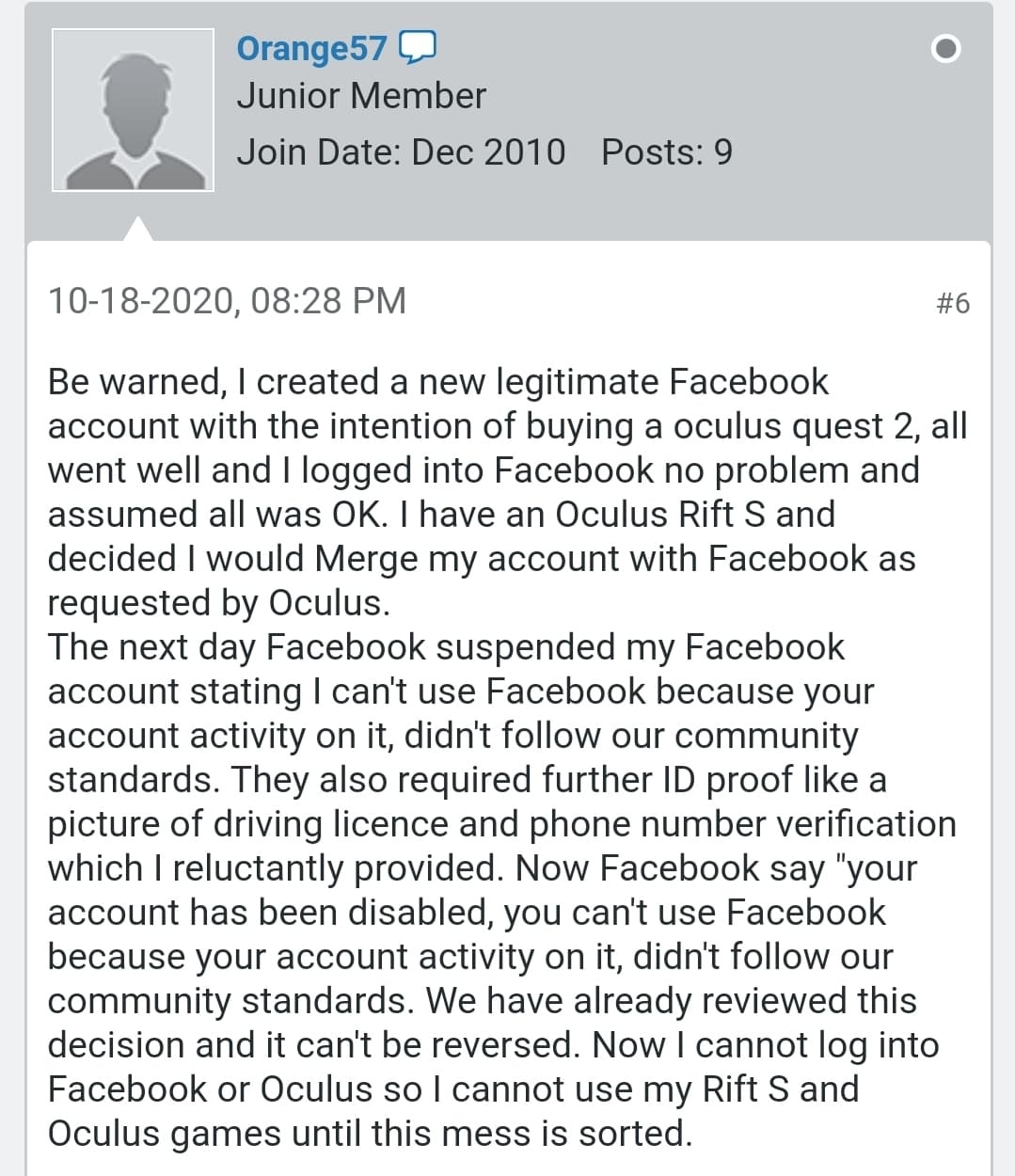
 mighty carbon
stupid people do stupid things.. I have no other words for it
I have only one Fb account that I rarely use, 3 HMDs and everything just works
I know people who had issues and Oculus Supported sorted those out
don't use Oculus and Fb, please just don't and save your time and everyone else's.. Ecosystem will not suffer and we won't miss you on the platform 😂
wraith sky
@mighty carbon https://www.engadget.com/facebook-bans-oculus-owners-with-multiple-headsets-191421857.html

Engadget
Facebook will not ban Oculus owners with multiple VR headsets (updated)
mighty carbon
do your legwork
Oculus already posted clarifying statemnt
are you one of those Facebook haters who ignore facts?!
wraith sky
@mighty carbon nope, i've read it, the point remains...people are concerned they can ban you, and you won't be able to use the hardware
wraith sky
wait, how is that related to my hardware?
mighty carbon
you are paying $299 for the top of the line HMD
it's comes with terms and conditions
if you don't agree - don't buy it
get yourself Index or HP Reverb G2
Sony and Nintendo can do the same thing - block your account and you won't be able to use your console
you can make a new account and ... buy games all over again
wraith sky
yeah, no wonder people still modding those
wraith sky
well
- you can have a disc distro on consoles, means no loss if account lost
- no legal action in area where I live for that kind of stuff, thankfully
mighty carbon
with a lot of games getting day 0 patches and DLCs, disk aren't all that valuable and they are attached to your account anyway
wraith sky
well, you can get new account and get all the patches
mighty carbon
you'd have to buy the same game again (PS5)
wraith sky
on disc?
mighty carbon
yep
wraith sky
is that true for Europe?
mighty carbon
I read they want to make sure you can't resell your disk after you used it
wraith sky
iirc that is illegal in Europe too
mighty carbon
don't know, I don't plan on getting PS5
anyhow, it's really that simple - play by the rules and enjoy your Quest 2.
wraith sky
can i set my rules?
mighty carbon
hating on Facebook (which has its faults obviously) doesn't change anything and doesn't help indie devs at all
yeah, create Facebook 2.0, make a ton of money, hire scientists, make your own VR system
if not for Facebook's money, there would be no Quest 1/2
no AAA VR games either
wraith sky
wait...FB makes AAA games for PC?
mighty carbon
Robo Recall, Wrath of Asgard, Medal of Honor (which also coming to SteamVR), Lone Echo, etc.
those games are made with Fb's money
no one has cash to spend to build AAA VR games and make those money back
blissful bear
FB's money is made by stealing YOUR data and attention and selling it to bad actors.
mighty carbon
that's how Google, Apple, etc. do it.. Your data is what you put online - be smart and don't put anything there.
wraith sky
@blissful bear well, i have no FB data to steal, and I think most users giving it away to facebook for free
mighty carbon
well, I am done here.. It's like COVID-19 - why listen to science and have common sense - better read conspiracy theories. Same goes for Facebook hate.
blissful bear
Make sure you wear a fresh mask!
mighty carbon
always do
blissful bear
Why?
mighty carbon
I am surprised you are here at all @blissful bear - Tim sells your data to CCP via Tencent
wraith sky
@mighty carbon well, you started it after I've posted the jailbreak news...
it's not hate, some people prefer having their hardware not locked to software
mighty carbon
so do I.. But it is what it is - life give you lemons, make lemonade
blissful bear
Quest 2 is really good though! Really fast using 4.22 OpenGLES
wraith sky
CCP is the company that makes EVE Online or the Chinese one?
mighty carbon
why would Tim sell data to EVE Online devs?! Dude, what are you smoking!?!
also, I was being sarcastic about Tim
wraith sky
someone is too serious today
weary swallow
how can I launch on my untethered Quest 2? (Unknown Sources no longer allows me to boot up my unreal project directly on Quest 2)
muted scarab
my game runs varying FPS in editor. (60-90fps, target is 90) trying to chase down where issues might be and to do so I finally cooked the project for the 1st time. I finally got it cooked after clearing some issues. Now I get the game 64 bit, to launch and get nice 3-4(!) FPS
Oculus Rift. plays mostly fine in VR preview\
any ideas
?
oh yeah, it operates at 90fps untill I activate the HMD (put it in my head)
same with standalone (right click on the project file and using launch game)
kind echo
how can I launch on my untethered Quest 2? (Unknown Sources no longer allows me to boot up my unreal project directly on Quest 2)
@weary swallow something is corrupt then
anyone happen to know if its possible to get the preview to a quest2 via virtual desktop? 😄
or does UE4 only support directly hooked up headsets?
sonic lake
@kind echo Oculus Link should work
Configure your Quest inside the Oculus desktop app
kind echo
yeah but I want it wireless 🙂
considering virtual desktop lets you play pc games wireless I think one could get UE4 working too
sonic lake
I heard/read it is possible, but I didn't try it yet
kind echo
I still want to play PC VR and I ordered a nice wifi6 card, too cheap to not try that i can use in my pc as a hotspot
would be nice to get all apps running wirelessly
maybe if I add steam and then I get steamVR
sonic lake
@kind echo you can also do ADB over wi-fi
Download the Oculus Developer Hub, the option is in it
kind echo
but that will just allow me to send stuff over like a finnished APK etc?
sonic lake
yes it does everything you can do with ADB over a USB cable. It will be slower because you will be working over Wi-Fi though.
@kind echo
kind echo
I use it when I build and test on the quest, works fine 🙂
just got my wifi6 card so gonna hook it up in my pc
real needle
i just applied for nvidia dlss 2.0. 😦
real needle

NVIDIA's DLSS neural upscaling technology now works with virtual reality titles- though keep in mind it doesn't support Unity yet.
mighty carbon
@sonic lake by chance, did Epic ever acknowledge Chaos performance issues in 4.26 previews ?
sonic lake
@mighty carbon yes they are working hard on it
some aspects already improved in P3
more is due to come
mighty carbon
@sonic lake do you know if Chaos will perform well on Quest ? (when performance is fixed)
sonic lake
I do not have direct information on that. I expect all the basic physics to perform properly also on the Quest/Quest 2. It depends also on what you need in terms of number of simulating bodies/constraints/PBD actors
mighty carbon
I mean, Physx performs just fine on Quest for basic things done in VR (even vehicle works okay'ish). I am just wondering if they fix Chaos performance on PC/consoles, but leave performance optimizations for mobile platforms for 4.27 or UE5
sonic lake
@mighty carbon I don't know for sure, but since physics should also perform on mobile devices (think car games on iOS/Android) the Quest should be able to take advantage of that as well.
BTW P5 is out
weary swallow
@kind echo I don't know if I am remembering something that never happened but before the oculus update I was able to launch ue4 projects that I had launched previously using the link from the data stored on the quest- this was great because I could bring a demo with me pretty easily and quickly. I am pretty noob with this all, but I haven't gotten it to work the same way as before (I used to be able to open the ue4 project demo from 'unknown sources')
sonic lake
@weary swallow they are still there, just the interface has changed
Go to your library, there is a scrollbox top right. At the bottom of it you will find the Unknown Sources
weary swallow
@sonic lake thank you so much! I was pulling my hair out on this!!!
urban igloo
I've narrowed down my issue where the right lens of my HMD is bright and red to SunSky's Skylight Component with 'Cast Raytraced Shadows' on.
The scene is normal without that option checked
My scene is an interior with large bay windows, so I think I didn't even need it.
carmine viper
@sonic lake what did you mean with P5 is out?
sonic lake
@carmine viper Preview 5 of 4.26
carmine viper
Oh right, I was hoping you mistyped UE5 and I had missed that news 😦
sonic lake
Oh no, there is time for that one
mighty carbon
We understand the importance of stability. To ensure that developers can continue to ship projects with peace of mind, we’ve made the call to keep PhysX as the default system in 4.26. Chaos will be released as the default system early next year. Thank you to everyone in the community who has provided feedback so far. Please note: you are still able to use Chaos in your projects if you compile the engine from source.
sounds like a good deal
viscid moat
Darn, was hoping they had a little more confidence in their Chaos system for 4.26 release. Oh well.
sonic lake
We understand the importance of stability. To ensure that developers can continue to ship projects with peace of mind, we’ve made the call to keep PhysX as the default system in 4.26. Chaos will be released as the default system early next year. Thank you to everyone in the community who has provided feedback so far. Please note: you are still able to use Chaos in your projects if you compile the engine from source.
@mighty carbon this is unfortunate but after the feedback from the community seems like a wise choice for the time being
tired tree
it was entirly unusable @viscid moat
missing features aside, the performance is leagues below physx currently
viscid moat
Damn... really really disappointing to hear. I'm still fine using PhysX as it works great, I just know that the theoretical functionality for Chaos had me very excited/hopeful. No rush though. Would rather them have it fully working rather than trying to early release something unusable.
 sharp shell
Anybody having SteamVR crash when you VRPIE due to unexpected critical error? Just started happening out of the blue.
 rapid inlet
@sharp shell i assume you are using stereolayers
or it happens because some debug information is printed
sharp shell
nope
sharp shell
No, and I've narrowed it down to a specific project that did run VRPIE a few hours ago
rapid inlet
anyway, there is a bug in SteamVR plugin in the StereoLayer class
and what would it be?
sharp shell
I have no idea what the issue is, I just know it's only happening on a specific project
rapid inlet
@sharp shell this is on linux right?
sharp shell
Windows
rapid inlet
which RHI are you using?
sharp shell
11
rapid inlet
ah, sorry about my talking then, the issue i have is using vulkan and steamvr
sharp shell
yeah nah, this project has the same settings as my other projects....no freegin clue why steamvr is crashing on vrpie launch every single time
rapid inlet
just wonder if it is the same issue
inside the SteamVRStereoLayers.cpp around line 297
there is this:

try this one:
not sure if that will help in your case but it could
muted scarab
Putting this here and deleting from BPs soon.
This is not maybe too relevant here but the project is all BP and I was discussing yesterday so I will continue.
happened so far. My (90FPS VR project) frame rate drops sometimes to 45. Trying to find the root cause. SO cooked game yesterday. The cooked game got 4-8FPS (clearly some issue).
I switched from forward rendering to deferred. As my other project made in deferred had good FPS. Now I get 45ish FPS in PIE and worse (but 30 ish) in the standalone (cooked)
Rift and UE 4.24
Any clues how to progress hunting this down?
I got some issue cleared by migrating to a clean project as now the FPS is 45 not 8 anymore.
And it seems to be the game - not the graphics that is bogging it down.
rose current
@muted scarab The first thing that I would ask is that are you sure that you are actually bound by CPU?
The next thing is that I believe when you started the game using launch menu on project your shaders were complining in the same time as there is ShaderCompilingThread that is taking 21 ms.
 coarse vigil
Any suggestions for quest 2 dynamic shadow anti aliasing or dithering?
mighty carbon
don't do dynamic shadows on mobile VR 😅
 daring shale
Why ue4 over unity for vr?
Most vr tutorials that take you from beginner to multiplayer fps vr and further are unity, but ue4 vr tutorials are sparse
Most ue4 vr youtube content is 3 years old, is ue4 vr dead?
viscid moat
UE4 VR is very much alive, but you are correct in the fact that there is almost no content for it. You can take a udemy course on it that will help you quite a bit, and then I recommend also checking out the VRE plugin by MordenTral which is a very good plugin/example of how to do VR in UE4.
There are also some good videos by VR_Marco on youtube along with Jonas for very specific things, but you will have to piece a lot of knowledge together and try things out for yourself. Just to put things in perspective though, I've been learning and creating my own VR game for over a year now and I'm still not even done with my movement/body system. Trying to make everything work smoothly and be multiplayer compatible is quite a challenge without a lot of tutorials. Someone here will probably argue with me and say it's not that hard, but speaking from my experience, there is A LOT to cover and learn unless you just buy yourself plugins and hope everything works. I have been building my own systems from the ground up so that I have better understanding of everything I am using.
 hasty heron
I second looking at the VR Expansion plugin
it has a ton of useful stuff and the example project he's made should provide you with a lot of information
daring shale
I want my game to be as procedural as possible. I get the feeling this is harder to do in ue4 and most of the experimental stuff is done by unity devs instead of ue4. I don't understand code much, but I'm told experimental stuff is much harder if you need c++ vs c#
hasty heron
yeah unfortunately I'm pretty noobish when it comes to 3D game development in general and I have pretty much no experience with either UE4 or Unity
I will say however that when l was comparing Unity and UE4 for the project I'm currently working on, I noticed that UE4 just looked more complete than Unity
daring shale
I think I will need to learn how to convert research papers into code/blueprints, or c# if I choose unity, which I have no idea if I'll ever get to that level without a cs degree
hasty heron
for Unity it seems like the community recommends buying different assets to make up for deficiencies in the engine, whereas with UE4 it just seems like it's built in
of course I have no idea if it's actually high quality or not so take that with a load of salt
yeah I'm currently working on trying to get a VRIK setup going and there's this one research paper a few people were implementing to get it working
thankfully someone made it into an open source plugin, since I don't think I'd be able to do it on my own easily without a lot of research
daring shale
I just had an idea to compare 10 most advanced vr games made in ue4 vs unity, maybe someone in here keeps updated on showcases?
I want to see what the benchmarks are for vr dev/engine abilities
I have ideas to do things like build a procedural system to generate alien animals/enemies with automated ik rigs and behaviors, audio reactive vertex skin with niagara fx that the generated aliens emit that can attack you, machine learning to help produce better alien animal enemy/look/behavior combinations for the given environment etc. But I've never seen anyone do something like this, I don't like the idea of building characters in blender or anything like that, the fun ideas I get are all procedural and AI based.
hasty heron
what's the best way of implementing finger movement using Rift Touch controllers?
the OpenInputModule wouldn't be of any help since it's an Oculus controller right?
well based on that feature list I can tell you that no matter which engine you pick, you're going to have your work cut out for you
especially since you said you don't really know how to program
my advice would be to pick an engine and just start working on some simple games to learn the concepts
even if you never finish anything, it will for sure help you understand how everything fits together
daring shale
True, I've done a few hours of research each day for the past year and organized lists and links of stuff that might help, but perhaps things just aren't that advanced yet or everyone would do things procedurally.
Are there aspects of unity that everyone generally wishes ue4 could do?
hasty heron
keep in mind that procedural doesn't necessarily mean better gameplay
if I were you I'd spend some time learning to program
that way you'd be able to do your research more effectively
daring shale
What stuff is still better to do in c++/c# vs blueprints/bolt?
hasty heron
all of that stuff would probably be in the domain of c++/c# due to performance
but I don't really have a clue since I've never looked at doing something like that
how familiar are you with game development in general?
daring shale
My overview is very broad and high level skimming through and watching a couple thousand youtube videos and making notes in general coding/game dev/machine learning, I've been hands on to a very light degree with python/ue4/machine learning to get a feel, but my experience is shallow in terms of feel for what ideas are reasonable for good framerates, or what's doable or doable only with funding. I have a level of mastery in audio production, so I think a lot in terms of creating modular setups that generate a wide selection of a style of sounds, basically creating procedural systems for audio and then going from there, so that's the framework of my ideas for game dev and VJ stuff, which doesn't seem to translate too well to game dev. Audio production is a bit more like analog computing.
In audio I'm used to plugging in modules and hearing the result immediately. In ue4 I redo the blueprint setup and it takes minutes to compile. I heard in unity its instant or called something like realtime in-game editing.
viscid moat
If you aren't familiar with programming then doing much of anything you want by yourself is going to be a bear of a task. I still recommend you go to udemy and take the C++ class taught by Ben and Sam (originally) and see if you like it. There's a lot of great content and lessons there to get you going for usually pretty cheap.
@hasty heron what is the VRIK plugin you are referring to?
hasty heron
@viscid moat https://www.youtube.com/watch?v=TKpO5x6X8pg

I've converted the BP version into an easy to use Plugin. Thanks to Marco Ghislanzoni (channel: https://www.youtube.com/user/marcoghislanzoni)
for c++ technical assistance, bugfixing, troubleshooting and general moral support.
In this video i show how it's used in a minimal s...
works decently well and I imagine if you have more than a few hours experience in Unreal you should have no problem setting it up quickly
it took me a little while but that's just because I was trying to figure Unreal's interface and blueprints
viscid moat
Ahh yes. Jonas’s plugin. I have’t yet messed with it because I had my own IK implementation working rather decently but I will for sure check that one out.
 worthy blaze
Hey guys, I was assigning materials to my actor and it works in viewport.
However in Oculus quest, it doesn't.
Any reason? My materials are simple ue4 materials. Please ping me if you have any ideas.
muted scarab
@muted scarab The first thing that I would ask is that are you sure that you are actually bound by CPU?
@rose current
I am not positive of the CPU bound. It does seem though that it is the game thread.
Also the Shader compiling is bit of an anomaly there. most sample moments wouldn't have it.
rose current
@muted scarab You can check it out pretty quickly. There is console command stat unit which shows Game, Draw, GPU time. The one with the highest value would be the one that you are bound with.
 teal idol
hello! i have a question regarding AR: how can i make the AR work without marker with ue? can't find a way
i mean. my camera has to recognize the surface so i can tap on the screen and place the object, how can i do that?
rose current
@muted scarab yeah, looks like you are cpu bound. It is worrying that the slate is taking 5ms from your 11 ms of frame time. Are your game widget heavy?
muted scarab
I sorta am. But I don't think it should be_that heavy.
Looking at the profiling video from epic
set
r.ScreenPercentage 10
and
r.ScreenPercentage 100 to uo and down arrows. that is handy way to see if it is about GPU
also, when I laucnh standalone (not VR) I get 300fps...
But that skips on the stereo layers. I think I will remove those alltogether now and test it
carmine viper
@muted scarab
that smells like vsync
22 ms = 45
async warping = 45 hz (on oculus)
11 and change = 90 fps
muted scarab
I put this in my game mode already
carmine viper
yeah
asw = vr vsync
which is different from regular vsync
alternatively it could be something related to but not specifically vsync/asw
rose current
you can't disable vsync in oculus after some update they made