#virtual-reality
1 messages · Page 228 of 1
 mighty carbon
and test on the device using full apk deployment when I need to test performance / looks
 daring mural
any of you guys ship to the Oculus store before?
mighty carbon
What HMD?
 daring shale
Why is raytracing not compatible with VR yet?
 wintry jewel
@daring shale I'm not expert but there is most likely issues with how it renders as well as the unbearable performance hit for something like that. For some headsets like the G2, where you're running 2 4K displays at 90Hz, it would be nearly impossible
Lower end headsets, maybe, but it's still much more intensive than normal games
 spark moss
How can I use my oculus quest to play my game in the ue launcher?
 void raptor
Does anyone have a good solution for moving/rotating the shoulders properly when using two bone IK on the hands? currently my arms are stretching at the wrist since the shoulder isnt moving forward, which is sub optimal
 shy merlin
@mighty carbon so interestingly enough, Vulkan preview works just fine in a binary install, but not in my Source build.
Ah just kidding, it works for a little bit and then freezes up
mighty carbon
Don't use preview 😅
mighty carbon
there is no reason to use it really @shy merlin
shy merlin
so i do have it working on a binary install now
I just dont want to have to build each time i need to adjust some of these parameters
I do have post and tonemapper off in viewport but vulkan still behaves differently than sm5 in some ways
 keen prawn
hmm adobe medium wasnt allways free on oculus store right?
thats prolly the worst lookin worst topo sculpt i did 😄
only took like 2 min tho and never used it B4
i doubt its verry usefull but might be fun
 rich canopy
Yea the original medium came bundled initially when you buy the rift
If not you have to buy it
 upbeat eagle
Just checked. It was free for me also
 bitter perch
Hi everybody!
Ok...I know we are not supposed to play with the FOV in VR, but I would like to modify it for experimental research. Is there really no way to access / control the FOV of the headset from UE?
 sturdy coral
@bitter perch projection matrix comes from the sdk, you an modify the engine code to change it there
/mnt/c/git/UnrealEngine/Engine/Plugins/Runtime/Steam/SteamVR$ ackpp GetProjec
Source/SteamVR/Private/SteamVRHMD.cpp
1592:   VRSystem->GetProjectionRaw(HmdEye, &Right, &Left, &Top, &Bottom);
1613: vr::HmdMatrix44_t SteamMat = VRSystem->GetProjectionMatrix(HmdEye, ZNear, 10000.0f, vr::TextureType_DirectX);```don't do it
even if you are doing a sniper scope don't do it, there are better ways
bitter perch
Thank you
 foggy oxide
@frigid kite Thanks a lot! could you give me more information on how to access that SLAM mesh? or how can i do Z Testing ? is it a material thing?
also i found a node called "Get AR Camera Depth" which in theory returns some kind of texture, and i've tried plugging it into a material, but nothing shows.
Also in AR settings data asset, i've seen checks for "generate mesh data from tracked geometry" and "use mesh data for occlusion" 🥳 but i don't know how to access or use those mesh datas. Can anyone please give me some help?
 wild seal
Has anyone had any luck getting the thumbsticks to work in 4.25 with WMR?
sturdy coral
@wild seal search through recent chat, someone was running into that the other day
 magic steppe
Hi! Does anyone know how to get started and to setup vr multiplayer across network? I can't seem to find much documentation on that. Is it the same as regular multiplayer?
sturdy coral
@magic steppe it is the same as regular multiplayer, but you need a good bit of work to get the character moving in the right place, etc. Mordentral's VR Expansion plugin is all multiplayer aware and is used in several shipping games
many of the other templates and stuff aren't MP aware
magic steppe
@sturdy coral Much appreciated! I'll look into it 🙂
foggy oxide
Does anyone knows how to do some occlusion on AR?
- how to use google depth
- or how to create a mesh using the tracked planes?
mighty carbon
I think it's all coming with 4.26
 swift pilot
does anyone know if the SteamVRInput has changed a lot? I have a plugin which was made for 4.22 and uses SteamVRController
 ivory magnet
Anyone know how to browse sessions hosted on PC from Quest
 polar valve
Has anyone managed to fix the hitches on the Quest when spawning in a particle for the first time due to shader compilation? Tried PSO caching but couldn't get it to work (4.23)
mighty carbon
Nope 😫
polar valve
😢
mighty carbon
update to 4.25 and see if PSO works there @polar valve
polar valve
@mighty carbon 4.25 crashes on the Quest, but if I ever fix that I'll try it out again
mighty carbon
not for me.. I've been using 4.25.1 for a while (Oculus fork)
polar valve
Yeah it might be one of the plugins I'm using. I tried 4.25.3 Oculus fork and it crashes on launch with a very unhelpful error so I put it on hold for a while
rich canopy
@polar valve I think we tried to do a workaround by spawning all particles at the start and turning it off after
polar valve
@rich canopy We tried that and it didn't work but I'll give it another shot. It should work in theory
polar valve
@mighty carbon https://forums.oculusvr.com/developer/discussion/92146/cannot-package-for-quest-with-4-25-3-oculus-version#latest
Oculus
Join the Official Oculus Discussion Forums and talk about Oculus Rift, Oculus Touch, Samsung Gear VR, and virtual reality.
Oculus Audio is enabled yeah, you think that could be the cause?
polar valve
I'll try it out, thanks! Would be great if that fixes it
mighty carbon
Oculus Spatializer: Fixed a known issue that caused projects using the spatializer to crash when created or opened..
which.. might not fix the crash on the device
polar valve
I'll try it out tomorrow, worth a shot 🙏 thanks!
 lone quartz
Is there a way to create 3D curved UI for VR? When I used Unity I bought an asset that did exactly so but can’t seem to find any for Unreal.
polar valve
@lone quartz
 quiet swan
how do we test VR for multiplayer? When I choose to go multiplayer I cant control the other pawns when I pick them
 ember crystal
Quick clarification please - I red the documentation and that confused me a bit. For example, prerequisites page states ‘Codeworks for Android’. Page for game development states that it uses Android Studio and Codeworks should be uninstalled.
https://docs.unrealengine.com/en-US/Platforms/AR/HandheldAR/ARCorePrerequisites/index.html
https://docs.unrealengine.com/en-US/Platforms/Mobile/Android/Setup/AndroidStudio/index.html
Google's ARCore prerequisites for augmented reality.
How to set up your Android development environment for Unreal 4.25 and later
this is for AR development
mighty carbon
@polar valve have you tested v20 integration with 4.25.3 (Oculus)?
polar valve
Didn't realize there was an update. Thanks for letting me know! I'll give that a go when I can find the time
 idle osprey
I need some help. I've looked over this over and over and I can't figure out what I've done wrong. I'm trying to tackle the room-scale issue with the capsule not following you around. Right now, I don't have a headset, and that shouldn't matter for where I am at right now in this -- I'm just trying to get WASD to work. I've taken working code I've used in the default BP template VR Character and moved it in to a VR Pawn, and it works fine. I'm trying now to use that code in a VR Character, and it won't rotate. I can't figure out what is wrong -- this code works fine in the Template BP VR Character, so I don't see why it doesn't work in mine. I am completely stumped. I've put a tiny example up on https://github.com/Corysia/VRCharacter -- you need GIT LFS installed to pull it properly. Or I can send the zip file (1.9mb). But I'm completely stumped as to how to fix this.

GitHub
A work in progress -- creating an Unreal Engine VR Character that works in Room Scale VR - Corysia/VRCharacter
I can see the events firing properly in the blueprint, too. It just doesn't turn. Yet if you point the BP_GameMode to the VRPawn class, that one turns. ugh!!
 modest cliff
#AR Hey all. Anyone of you some insights on how you deal with lighting for mobile AR within Unreal? I still have some issues on Android.
mighty carbon
@idle osprey I'd use one of those plugins that provide core functionality for 6DoF VR.. I wanted to do things myself at some point, but it's just a way too much work someone else already done better (than me).
mighty carbon
on the other hand if the goal is actually coding...
idle osprey
The goal is coding. And I can work around it. But I'm stumped as to why this isn't working. It's a learning excercise. I could, and probably will be using VRExpansion in the end. But I want to understand UE4, not simply plug something in and be at a loss when it doesn't work.
 sonic lake
@idle osprey the main challenge arises from the fact the collision capsule is your root component (and it cannot be otherwise because only root components can be swept) while the HMD (VR Camera) is a child component. While moving the root also moves the children along in a relative motion, the opposite is not true. To have your collision follow you when you move IRL, you would need it to behave the other way around.
A simple solution is to use the VR Origin Scene Component which lays in between the root and the VR Camera (HMD). Whenever you move IRL (or On Tick), you get the new position of the HMD and move the actor (and hence the root) in that very same position. This also moves the VR Origin along and hence further displaces the HMD. To compensate for that, you move the VR Origin with an identical but opposite translation. Basically you are keeping the relative position of the HMD in sync with the center of the actor root (collision) using the VR Origin to do that.
This simple approach works fine, even though it has some potential flaws. For example try to push against a static actor (like a wall) and see how it feels.
 knotty tusk
Someone suggested i ask here rather than in the blueprint channel
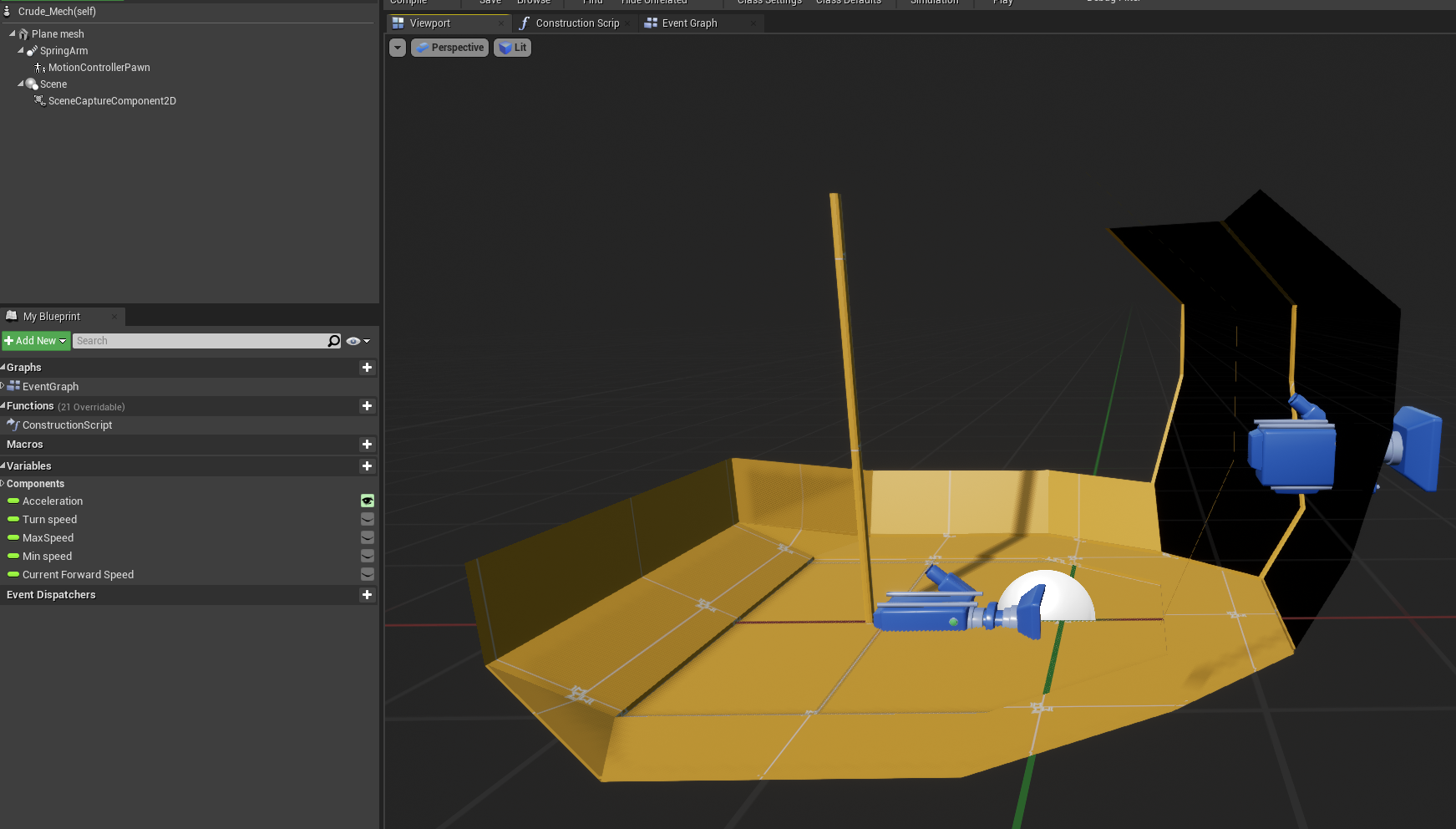
I'm making a small VR project and have my motion controller pawn (ie headset and hands) inside a small cockpit that moves around the level,
I've successfully made the cockpit move forward and strafe using AddActorLocalOffset, when the cockpit moves the pawn stays inside the cockpit relative to its position. however, as soon as I try to rotate the cockpit with the addActorLocalRotation the cockpit rotates but the player/motion controller pawn stays where it is instead of moving and rotating relative to its position inside the cockpit..
I want the players playspace to be inside the cockpit and allow them to freely walk around irl while the cockpit moves.
im not sure why this is or how i can fix it wondering if anyone has any ideas ?
https://i.gyazo.com/58107e2791daec5928b95aca9ad246a8.png
Video example of issue:
https://www.dropbox.com/s/fcabaf9w3jbjeaz/2020-09-04 09-47-55.flv?dl=0
 sonic lake
@knotty tusk you need to implement room scale rotation.

Learn how to make a snap turn function for your VR projects which supports Room Scale movements. Even if your player moves in real life the rotation will always happen around the current HMD location.
Jump to 8:00 to skip the theory and go straight to the implementation
#vr ...
sonic lake
Also bear in mind that continuous rotation in VR is very likely to trigger motion sickness, so you should prefer snap turn if possible.
knotty tusk
well my plan was to have the continous rotation match the rotation of the cockpit , minimising motion sickness by having the room rotate as a reference point
sonic lake
@knotty tusk nice experiment to try if/how it works. Curious to hear what the outcome will be.
I believe you will still be triggering an oculo-vestibular mismatch response.
knotty tusk
i dont imagine it would be too different from
something like elite dangerous's vr mode.
all im trying to do is allow the player to move around freely within the vehicle cockpit perhaps scaling the walls of the cockpit with the edges of a players play space so they can see where they can move without bumping into things
sonic lake
@knotty tusk Sure. 🙂
knotty tusk
thats assuming i can get any blue prints to actually rotate the player with the cockpit
sonic lake
@knotty tusk Follow my tut above. It has all the elements you need. At the end of the day you are rotating the cockpit and the player with it by the exact same amount of degrees.
knotty tusk
will it just rotate the player on the spot?
because..if the player is stood to the left of the cockpit they would need to move with it?
sonic lake
@knotty tusk back to what you are trying to achieve. Do you want to rotate the cockpit around the player? So the player stands still and the cockpit rotates under his/her feet?
knotty tusk
okay..so imagine the playspace, a square room, is the cockpit..
i want to rotate it (which i did) in the world, but i want the player to rotate with it..as if that room were rotating
sonic lake
@knotty tusk yes, got it. This assumes there is something else in the world which stays fixed
Otherwise if everything the player sees rotates with him, it's like nothing is rotating
knotty tusk
the video clip shows the issue well
sonic lake
viewed it
so you need to rotate the player around the same center of rotation of the cockpit
knotty tusk
yes
sonic lake
Good. Watch my tut. It starts with an explanation of how a relative rotation works.
knotty tusk
i find it odd that moving the cockpit moves the player as well but rotating the cockpit doesnt move / rotate the player
sonic lake
Are you using a Character?
knotty tusk
hm?
sonic lake
Or a VR Pawn?
knotty tusk
well currently i just have a motion controller pawn inside my vehicle pawn
the motion controller pawn is just the default one for the vr example
sonic lake
So the cockpit becomes your pawn as soon as you step on it?
Which would be a smart approach anyway
I have been doing something similar for my VR helicopter simulation
knotty tusk
well my end goal is a walking battle mech
so joysticks make the battle mech move, but the player motion pawn can move aorund freely inside the cockpit grab and move switchs plug in cables etc
sonic lake
then you should definitely implement the whole cockpit as pawn
sonic lake
can you show the structure of your pawn?
you should also check this one
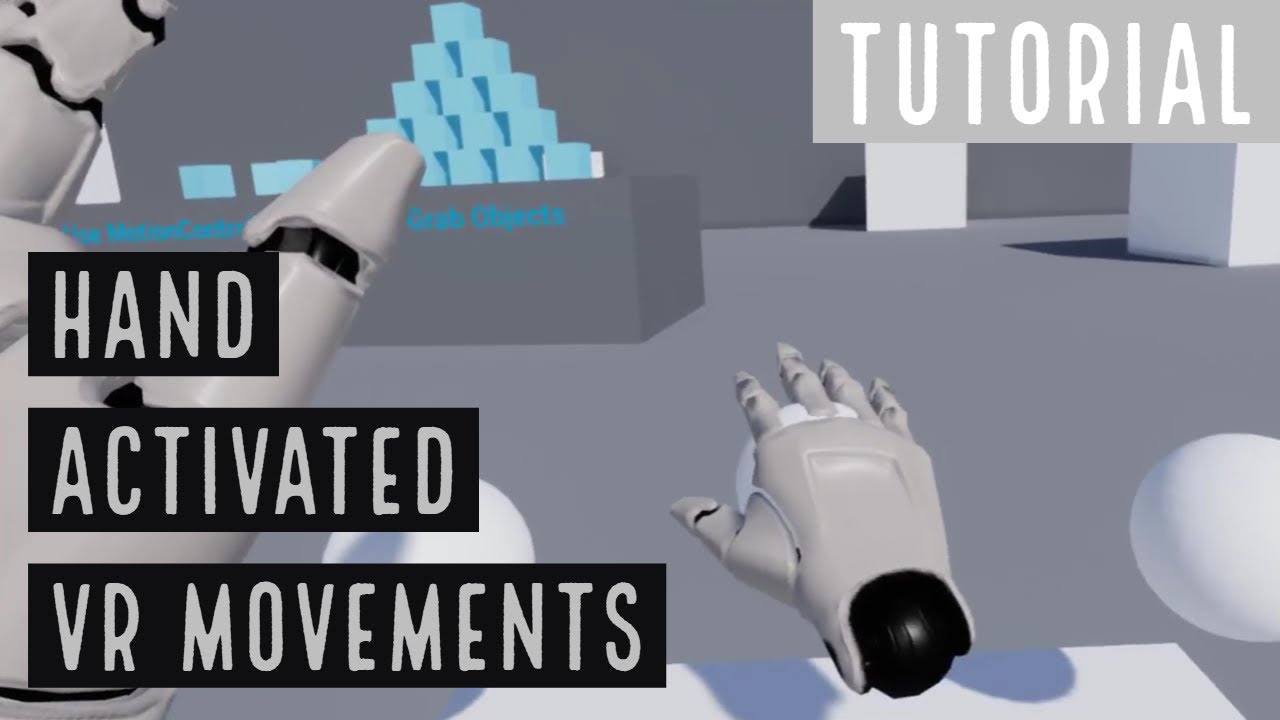
This tutorial shows how to create a VR Pawn with movements that can be steered using the virtual hands acting on internal controls.
This technique can be used for VR locomotion or to control VR vehicles, virtual machinery, space ships etc.
Demo of the finished project at 16:57.
*** for anyone reading, we moved to DM not to flood the channel ***
 placid jay
https://docs.unrealengine.com/en-US/Platforms/VR/DevelopVR/UsingTouchControllers/index.html How do I make a right hand too?
Showing you how to pick up and drop objects using Motion Controllers.
sonic lake
@placid jay in the exact same way but setting the motion controller source to be the right hand
 tired tree
@sonic lake he could literally just attach his pawn to the cockpit
sounds like he wouldn't have collision anyway
he can locomote his tracking root instead
also could handle it like the character does and tick floor base offsets prior to moving
sonic lake
@tired tree indeed, that was the solution I recommended as well
We discussed it in DM because we were flooding the channel
The issue was also linked to the use of the standard VR Pawn as child actor within the cockpit
tired tree
i generally promote never using child actors period
sonic lake
200% with you
tired tree
so many issues arise from how they get initialized
sonic lake
yeah, they require to manually reopen and save the linked actors to synch everything up. Not an ideal workflow.
Plus they break nativization 9 times out of 10
tired tree
tons of things break nativization
inclusive nativization just isn't reliable at this point, every time they fix something, something else breaks it.
sonic lake
Probably because you are pushing BP's to the extreme within your VRE Plugin! 😉
Nativization works fine for the average use case
tired tree
@sonic lake it was fully nativizing until 4.24
after working around a bunch of things
now there are three seperate new issues with nativization
it is what it is
tired tree
doubt it
4.26 is going to be one hell of a port anyway though, so likely a long time before I could know ;p
placid jay
@placid jay in the exact same way but setting the motion controller source to be the right hand
@sonic lake you mean the input? the heldobjectlocation is under the left hand though ?
sonic lake
@placid jay add a second motion controller, link it to the right hand (versus the left hand). Copy/paste the code so it refers to the right hand (you may need to create new variables as well), the structure of the code stays the same. I would suggest you start a fresh project based on the standard VR template and study how that works. It is not the easiest since the Motion Controllers are spawned dynamically, but you can learn a lot from it.
idle osprey
@sonic lake Thanks for the response, but the capsule isn't the problem I've learned about using the VR Origin to offset the HMD movement in order to keep the capsule and the HMD in sync in a class based off of ACharacter. The topic is covered very well in the GameDev.tv VR in C++ class. My issue is with rotation, not movement. And, unfortunately, it looks like my git repo is corrupted and doesn't even have my VRCharacter or GameMode blueprints in it. Yet the output log shows UE tries and fails to load them. So, I need to straighten that out today before I go any further.
tired tree
@idle osprey generally the rotation shouldn't matter too much, capsules don't change collision based on rotation and you can base movement off of the hmd or hand direction
mesh ik alignment likely wants to be done in the animation side anyway so its not hard locked to the head
sonic lake
@idle osprey I have a tut on room-scale rotation if useful
tired tree
and you need a leveled yaw
i'll note that if you are using a character class to try and have it be multiplayer that you will have issues with that offset method. singleplayer will work fine though
idle osprey
yes, I agree, rotation shouldn't matter...that's why I was baffled by this project where it doesn't work. It works in everything else I have, but not here....It's probably not important, but it was showing I didn't understand something -- either I wired something wrong or AddActorRotation didn't work in this specific instance -- but I've no idea why that'd be the case. I was hoping someone could say "you forgot to do X, dummy!" and I'd have an ah-ha moment.
but with my repo being corrupt, kinda pointless until I fix it.
sonic lake
@idle osprey let us know if you get your code back, happy to help further
 viscid moat
Someone mentioned much earlier that they were having issues with testing out replication in VR because your computer is attached to one VR headset, so both clients seem to respond to the same headset. Is there an easier way to iterate through multiplayer in VR, or is it basically: make it work without a headset and the rest will just work when you go to test it on two different computers?
My current workflow has taken the headset and motion controllers out completely to try and get it working as just a PC game with mouse and keyboard, which is working, but would be much nicer if I could test actual VR cross play
idle osprey
I've updated the repo, but just in case I've zipped it up. It's tiny...
mighty carbon
 real needle
is rtx vr a thing in 4.25?
oh lol
ok thanks
@real needle public dlss, what that?
 sullen vortex
hey guys! does anyone know if there is something like this, but for Unreal? https://gemin-id.com/creators/
GeminID lets you generate a photoreal and accurate 3D avatar of anyone with a single selfie or video. Create your own Digital Double today!
sullen vortex
@real needle thanks, though i meant something already integrated for UE on the same way as its in Unity
 warped quail
hey guys, does anyone know if you need to scale the hud for vr if you add the hud as a widget in front of the vr pawn camera?
 alpine kiln
Strange. My builds are now getting a strange pixelization in the top left corner when running on the Quest. Any ideas why?
alpine kiln
@real needle , it's the Oculus Quest UI. That's what allowed me to get the screen shot.
 gritty moon
Anyone know of any solutions to VR body (not just hands). I have my own solution right now, but it's not polished at all
sturdy coral
@gritty moon 4.26 is adding some full body ik stuff to control rig
it won't be everything you need for vr but may be worth waiting for if you are writing your own stuff
Solver is in Experimental state, based on Jacobian, and is accessible via/in ControlRig. This supports positional/rotational effector targets with a linear/angular joint motion and constraint.
Labels
Animation
gritty moon
@sturdy coral nice, good idea on keeping tabs on the trello board too. Glad to see control rig getting more investment from epic
 vagrant peak
Hi guys and girls ! I did a quick search and i didnt find any specifics on how to set up a video on VR, i may have some trouble explaining it. I want a video to be played when the game starts, but not on a kind of screen in a level but i want the player to only be able to see that video and then enter the level. I have the logic and such, but when i try to test only a black screen shows up and then my scene
Here are some screenshots of my blueprint as it is
So again, a black screen shows up when i run the simulation, and then i have my scene
I dont rly know what i did wrong so if you could point me in the right direction it would be vry nice
if you need any explanation on what exactly i did, ill gladly tell you (altho my blueprint is fairly simple)
i suspect it has something to do with my player itself (the vr pawn) but i dont know what exactly
i'm using an htc vive btw
sonic lake
@gritty moon feel free to have a look at the UBIK plugin @eternal inlet and I have worked on and released for free
Link in the video description: https://www.youtube.com/watch?v=TKpO5x6X8pg

I've converted the BP version into an easy to use Plugin. Thanks to Marco Ghislanzoni (channel: https://www.youtube.com/user/marcoghislanzoni)
for c++ technical assistance, bugfixing, troubleshooting and general moral support.
In this video i show how it's used in a minimal s...
@vagrant peak not sure how you are doing it but a way that works is to put your player (actually the VR camera) at the center of a sphere with inverted normals (pointing inward, like for the skysphere) and project the video on the inside of the sphere.
vagrant peak
@sonic lake I will try that as soon as I can! 🙂 Thank you very much for taking the time to answer me
I created a very simple widget blueprint that plays my video and pauses the game while doing so, then in my vr pawn class i just projected it using Add to Viewport but i guess it's not that easy
sonic lake
@vagrant peak in VR you have to use a 3D Widget component and hook your regular widget to it. Works for a regular video you want to place in front of the player and make it look like a TV/cinema screen.
For 360 or 180 videos you need to use a sphere like described above.
vagrant peak
@sonic lake oh yeah for sure for menus that's what i do, i just hook the 3d widget to a wall so that the player can easily access it, but my intent was not to display a screen to the player, more like just like looking at a video but not on a screen rather in vr. I may not be explaining right but i hope it's kind of understandable (my english is not the best)
again i'll try to invert the normals so i can display the video inside of a sphere
thank you for your help
sonic lake
@vagrant peak the inverted sphere will get you close to what you need, but it only works if you want to show a 360 video (or 180)
If you want to show a regular flat video (16:9) you can still have the black sphere surrounding the player with a flat rectangular 3D widget inside it, in front of the player, projecting the video
vagrant peak
@sonic lake so just a regular sphere then? since a 3d widget will be on the inside displaying the video
vagrant peak
@sonic lake ok got it! it seems feasible so i'll try it and maybe give a step by step to people facing the same issue
real needle
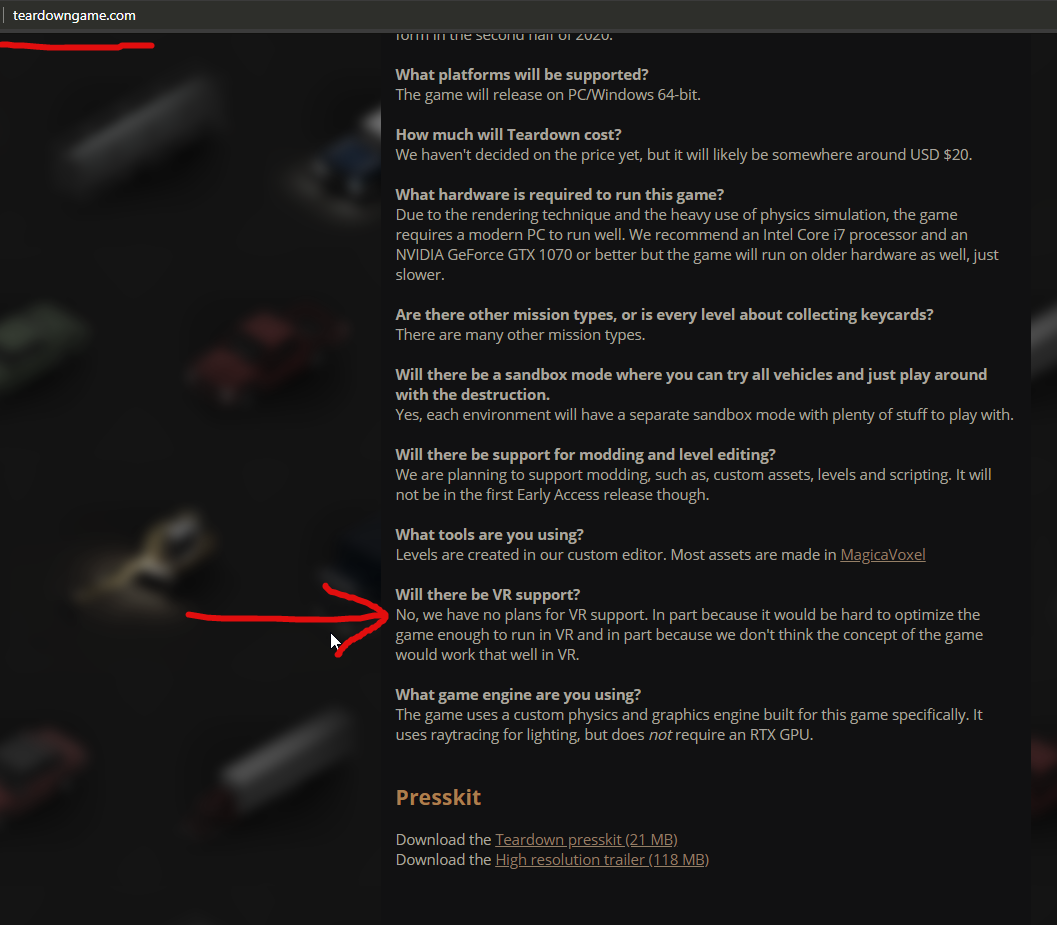
why do so many devs say this shit? https://i.imgur.com/acya12E.png
 ashen jungle
Hi guys need some help, i have a dark VR scene, but i can still see things in VR but on my screen its totally black. How could i make the spectator screen brighter? Or is it something wrong with my vr device? (oculus rift)
sonic lake
@real needle taking a traditional 2D game to VR is really that challenging. First of all from a performance standpoint since you basically have to double the frame rate. Secondly, you have to adapt all the graphics because what works well in 2D (e.g. normal maps, low poly etc.) does not work in VR. Third point, the interaction in VR is totally different, as well as the locomotion. Players expect to use their hands to interact with objects, pick them up, etc. Locomotion should support teleporting, thumbstick and possibly other methods. Last but not least the game dynamics may not be suited for VR (e.g. a puzzle game or a sidescroller are definitely not easy to port to VR) and you will have to re-design that part as well. Overall, you read "port an existing game to VR" but a programmer reads "build a completely new VR game".
real needle
Nm not working in vr?
@sonic lake
and teardowngame is totally useful in vr
first person.
easy pezy
just camera in vr is enough
sonic lake
Technically they work, sure, but they look awful, especially because the player has the possibility to get very close to a surface and look across it. They are ok for small details, the rest needs to be done with real geometry.
sonic lake
So in that case they may be concerned with performance and/or with the graphics, assuming that the rest is fine.
real needle
ue4 dlss. here you go
sonic lake
Also the VR market is not that big (yet), few people have a VR headset still. So from a return on investment standpoint it may not be worth for them to do the port.
real needle
and guess what .wont change if you dont do vr games
sonic lake
Sure. But it is a commercial decision. Follow the money.
real needle
ya. vr= more money
sonic lake
But also higher costs.
What matters is the profitability of the game: revenue - costs
sonic lake
yep
google it

HP announced its Reverb G2 headset earlier this year and plans to ship it this fall. Another, rumored version of the headset referred to as the ‘Omnicept Edition’ is said to include eye, mouth, and face-tracking. Reverb G2 is an upcoming headset that’s quite anticipated thanks...
It's still a rumor but it would be absolutely amazing if it does
real needle
a mod?
any ideas?
i thought about you can use your head to move around in first person.
and then push balls with your controllers. but you cant pick em up
shy merlin
anyone know why the video capture mode in oculus quest is off center in the capture? Right side is skewed.
 radiant garden
I haven't used Oculus Quest capture specifically, but usually when you do a video capture of VR you only get one eye.
@shy merlin
So if you are trying to make a good video you have to figure out which eye is getting captured and then exaggerate the direction you are looking to favor that.
I highly doubt there's any video capture that combines both eyes into one video. There's a lot of fairly complex considerations that depend on the specific headset for very little pay off.
I would love to be proven wrong on that point though.
@sonic lake have you heard of any multiplayer games that have successfully integrated both VR and non-VR players at the same time?
sonic lake
@sonic lake have you heard of any multiplayer games that have successfully integrated both VR and non-VR players at the same time?
@radiant garden honestly not, but I am not deep into the VR game industry. I can imagine that it would be quite hard to mix the two without giving an advantage to one type of players vs the other, depending on the situation or game dynamics. It's an interesting challenge though, maybe someone else knows more about it.
 prisma fiber
is there a way i can get the fps counter and print statements closer to my eyes or make it bigger, currently it's a bit far and small which makes it hard to read in vr
idle osprey
@radiant garden The first one that comes to mind for me is Elite:Dangerous.
Also, Star Trek Bridge Crew. And possibly The Forest.
radiant garden
@idle osprey Oh yeah I should have thought of Elite: Dangerous. Technically No Man's Sky is also both VR and non-VR.
idle osprey
Both E:D and STBC are seated experiences. That changes with ED: Odyssey, and they're not going to support VR in it (at least first cut)
Hmm, I suppose AltSpace is also VR and non-VR
radiant garden
I wonder about doing an adventure RPG with a mix of first person VR controls and 3rd person traditional controls
idle osprey
I'd like to do a single binary that supports VR and non-VR. I started to do one in Unity last year. I haven't looked in to how to tell Unreal to not launch in VR. But I think it's some console commands.
radiant garden
-nohmd
That's the param to run with no VR
I think somehow you need to parse that param from your GameMode and spawn a different pawn
I mean spawn a different PlayerController
foggy oxide
i have this error while trying to compile an android project by working on the dev-vr branch (updated today)
Any ideas ?
ScriptCompiler.FindAndCompileAllScripts: WARNING: Got type loader exception: System.TypeLoadException: Could not load type of field 'AutomationTool.UploadDDCToAWS:Region' (4) due to: Could not load file or assembly 'AWSSDK.Core, Version=3.3.0.0, Culture=neutral, PublicKeyToken=885c28607f98e604' or one of its dependencies.
foggy oxide
i just tried with the mobile ar template (barebones) and i had the exact same problem. what am i missing?
gritty moon
@sonic lake have you heard of any multiplayer games that have successfully integrated both VR and non-VR players at the same time?
@radiant garden
VR chat does this. VR Giants also does this in a assymetric way I believe
sturdy coral
Rec Room mixes both types too
 dreamy ivy
Hey everyone, I just created a new video showing the best way to set up the widget Interaction tool for VR, I show how to set it up and how you can let your player choose if they are Right or Left handed. Hope you all enjoy.

#VR #UMG #UE4
► Description
Have you ever wondered how to create a widget interaction correctly so your player can choose if they are Right or Left-handed? Well in this video I show you how you can give your user the ability to interact with UMG to make a nicer player experien...
rich canopy
Rec room has pc, pc vr, ios, quest and psvr all together. But some modes are not available to certain platform
 devout compass
for a modular gun should i do a ton of static meshes or a couple skeletal meshes?
 vocal violet
anyone willing to get into a call to help me out for a few mins pls message me : i need help with blueprint
 safe pivot
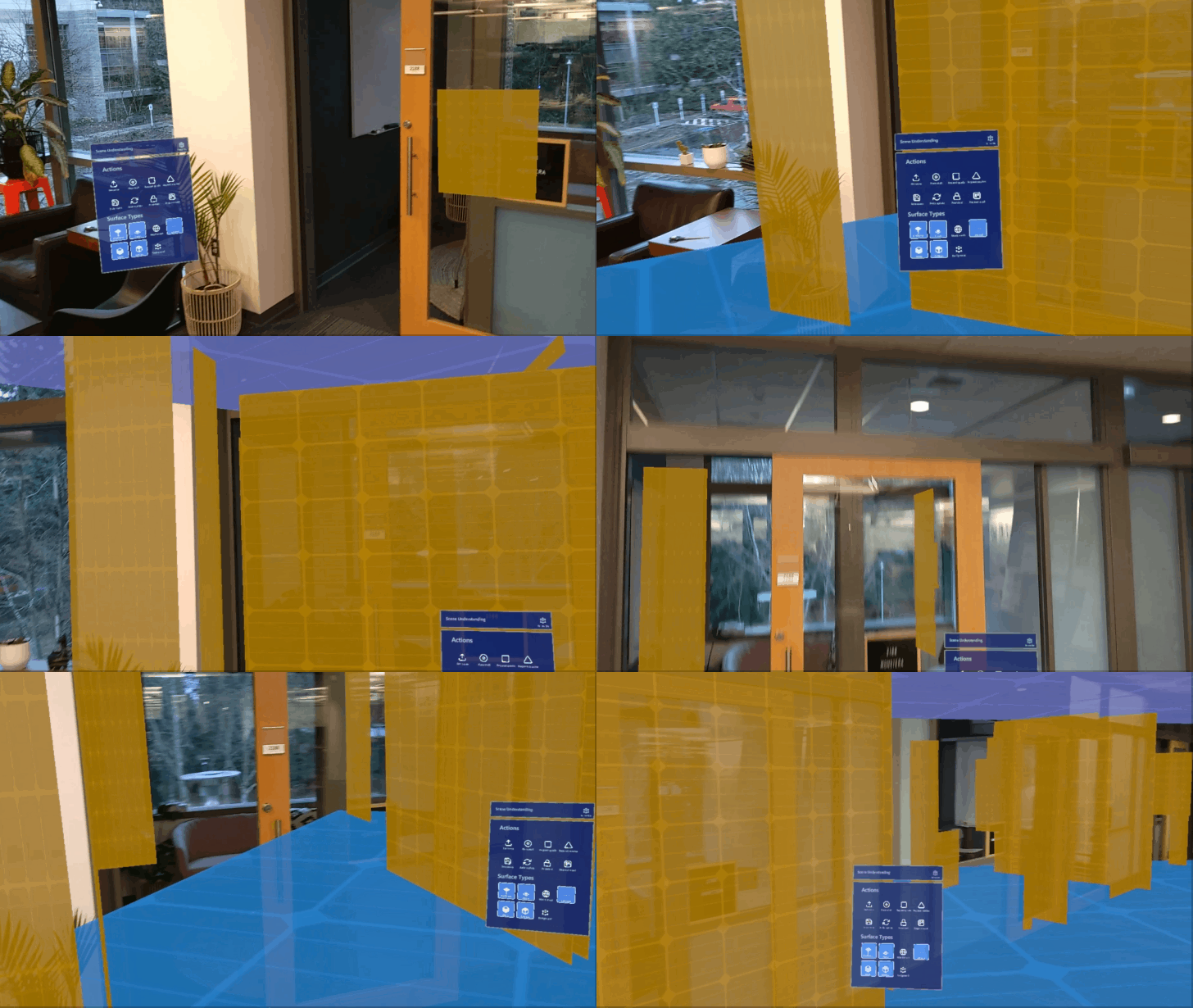
This is the spatial mesh but how to detect the vertical and horizontal planes using blueprint. Also how to use scene understanding.
This is a simple blueprint that should print "Hello" when it detects a plane, but it isn't. Can anyone explain this to me, how to do this.
 little scaffold
@safe pivot do a line trace and see in which direction goes the normal to that plane
little scaffold
well you need to look at the collision profile of the mesh and check if it blocks visibility channel
safe pivot
https://user-images.githubusercontent.com/13754172/75598388-2a319f00-5a50-11ea-9ebf-b56700d10849.gif I want to finally achieve this, is it possible in unreal
 sly elk
Our WMR users are having ahard crash on game launch- I replicated it here but it doesn't happen in PIE
have other people seen this?
sly elk
Turns out- don't include the WMR plugin with steamVR for WMR over steamVR use
foggy oxide
@safe pivot i've made something similar using custom mesh and google AR but its nowhere near that level of accuracy which i'd love. i think that might be hololens or magic leap or something. https://answers.unrealengine.com/questions/742568/creating-a-room-floor-in-augmented-reality-using-p.html?childToView=982385#answer-982385
 tame fulcrum
Hi everyone,
I have a dilemma. I need to create a VR player with full body IK, multiplayer, multiple type of locomotion (Swim, walk, climp, teleport....). Should it be a Pawn or a Character?
Thanks 😄
sonic lake
@tame fulcrum a lot of what you have listed is available through the VR Expansion plugin. Unless you need to implement everything from scratch (for some reasons) you may want to consider using it.
tame fulcrum
@sonic lake I'm looking at this, but i'll like to understand what's epic character constraint for VR
sonic lake
@tame fulcrum in general a character works fine in VR as well, until you need to implement room scale movements, then you will face some challenges due to the way it is constructed and the underlying logic
To experience that you can check out my tutorial on making a VR body with IK out of the 3rd person character
tame fulcrum
@sonic lake Cool, Thanks for tips 😉
sonic lake
You are welcome.
 wispy cradle
Has anyone had trouble getting ambient occlusion to look the same in both eyes? I feel like AO is not working properly in the deferred renderer for VR, i know forward is preferred but there were a few reasons we're on deferred now.
safe pivot
@foggy oxide I want the same thing to be done in hololens. Can we actually use both arcore and hololens sdk in the same project.
 willow trail
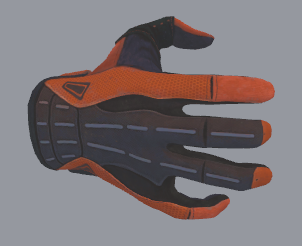
Hey I'm gonna ask here because I can't find an answer anywhere else, and I'm pretty positive you guys know! I'm trying to create a new pose for the steamVR hand (like the ones in the template). But if I just edit the pose and save, it doesn't actually save the current position. I know there's a key step to having it "stick" but I can't for the life of me remember of find online what it is... https://i.imgur.com/ScDNe9W.png
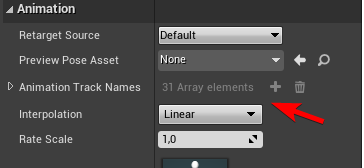
I'm just confused by the whole thing, it's an animation sequence that supposedly has 1 key, but I can't find the key, and the only difference between the default open hand and the gesturing ones are that "Animation Track Names" lists every bone instead of being empty https://i.imgur.com/003cs3d.png
(because of the kinds of project I've worked on UE4 till now I've had basically no expose to the animation system at all..)
 tulip breach
I want to detect whether or not the player is waving his controller, how would you detect this my method of using the location and comparing it wasnt working too well.
willow trail
Hmm
If you take the velocity of the controller, a hand would be waving whenever the deltas over the last few seconds are centered on an axis, and distributed across both sides 😉
if that helps
tulip breach
@willow trail A yes that makes sense. Thanks going to try this
sonic lake
@willow trail first you need to duplicate the source animation, then edit it and save it
willow trail
@sonic lake Is there really no way to save the edits you've already done on an animation?
I mean this is what I've done, duplicated it, edited and saved, but saving apparently did nothing, it's like it changed the preview state but not the default pose for the skeleton
sonic lake
@willow trail Are you sure it didn't save it? Did you try to apply the animation/pose after you selected it? We can check together on a call if you like
willow trail
Hmmm I might have missed the "apply" part, I didn't realize I had anything apply
And I very much appreciate the offer Marco, unfortunately I'm not at my work PC anymore, but if I'm missing a step that would definitely explain it
I mean to be fair, nothing prevents me from starting the project without VR here
Is this the button? I did see it but it's always been greyed out for me https://puu.sh/GqSVD/9430a8a726.png
 foggy oxide
@safe pivot i dont know much about the whole thing. Let me see if i understand you.
Can you use the both sdk in the same project? Maybe, probably yes, as they are plugins. You can enable them, and have them coexist pretty much for sure.
Will it make hololens work with googlear or viceversa? i don't think so, they are different platforms. hololens is a device. with specific hardware that allows it to do such things.
Can we have what hololens does in googlear? not yet afaik, but i really would love to :)
radiant garden
Anyone have any tips or videos on how to test multiplayer with the VR Expansion plugin? I've got a simple project based on the template. Ideally I'd love to get my Index and Quest into the same game, but I would take Index with a non-VR PC player as well.
foggy oxide
Hello I'm using Google ARCore for android on UE 4.25. i'm trying to track a couple of images while i'm also tracking the world but its not detecting any images.
I have an image that scores at least 60 on arcoreimg.
I've added my image to a google ar image db, added that db to the google ar session config.
The AR Session type is set to "world"
then on tick i'm calling "getAllARGeometries" (foreach) and casting to "GoogleARCoreAugmentedImage" but nothing is detected.
i'm not sure what i'm doing wrong.
willow trail
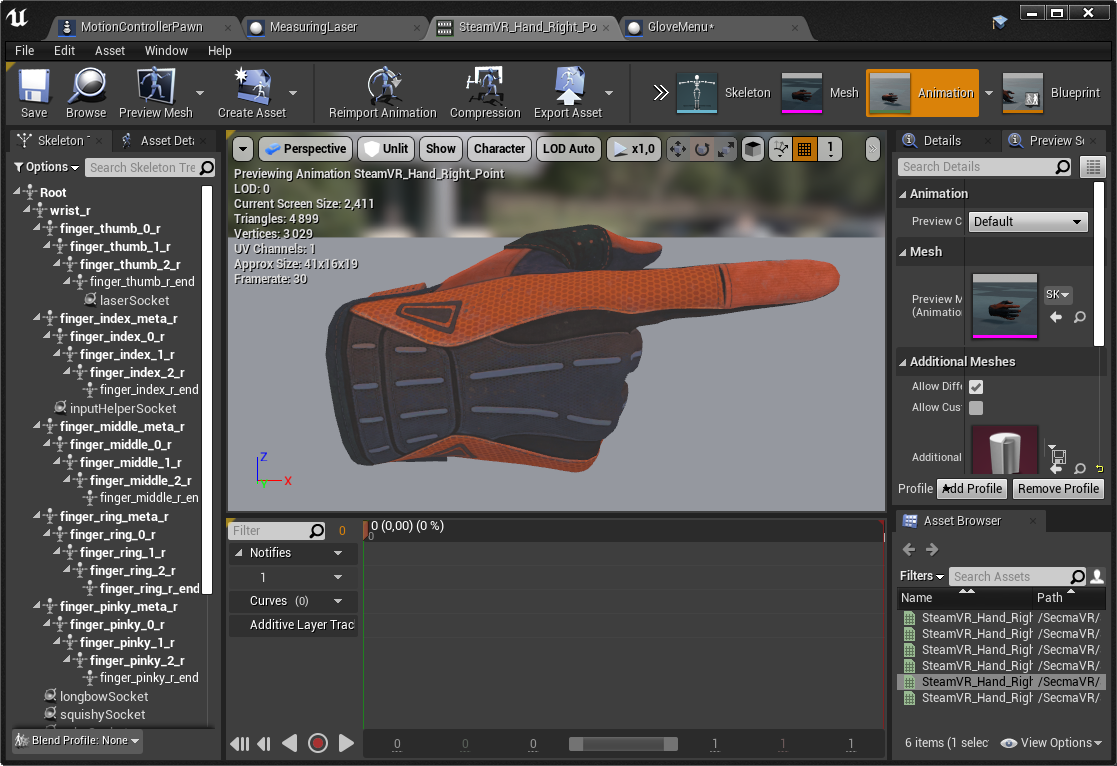
@sonic lake Morning 😄 sorry for the ping but I really can't seem to find where I'm supposed to apply the current pose to the animation sequence 😕 https://i.imgur.com/9QIAUZT.png
 sonic lake
@willow trail sorry for abandoning you, I had to jump on a call. It should actually be enough that you modify the pose (animation) and Save it with the cursor placed on frame 0.
willow trail
Oh no worries 😄 saving doesn't seem to be enough though 😕 https://puu.sh/Gr8Q2/f3ff95041d.mp4
sonic lake
Which version are you on?
willow trail
4.25.1
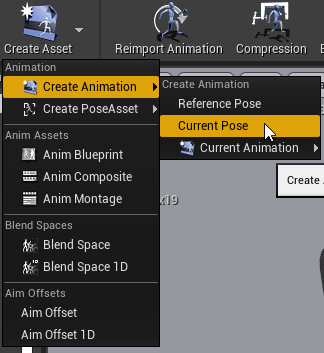
The only way I've managed to actually get the pose to stick is by creating a new asset from current pose (https://i.imgur.com/mAln1HU.png)
 sonic lake
Tried it on 4.25.3 and it works
willow trail
Hmmm okay
sonic lake
Creating a new Pose or Animation is also fine
willow trail
Do you have keys at all in your animation sequence?
sonic lake
Those are Animations with only 1 frame, but it plays them for longer
willow trail
Well the issue with creating a new pose is that for a simple edit I have to create the new asset, consolidate references with the previous one, close the editor, delete the previous dangling asset (because it never seems to really get deleted) so I can rename the previous one to it's original name 😅
I'm not sure exactly where to look, but the timeline at the bottom doesn't look (to me and my experience with blender or video editing) like there's no key at all
(the asset does say "1 key", but I can't seem to select it or anything)
sonic lake
I think it refers to the 1st key, which is on frame 0
You can add keys yourself and create a layered animation
That should also work
willow trail
Yeah I was just trying to go along with the existing poses from Valve
I'll update to 4.25.3 to see if that fixes it. I remembering having that issue previously (and other people mentioning it as well) I suppose it'd be nice if that was fixed now
Problem seem to persist with the latest version, not sure what I'm doing wrong to be honest, but I suppose I'll just live with it for now 😅
 verbal kiln
Does anyone know how many objects can be tracked by the base station 2.0?
Pucks/controllers/headsets etc
willow trail
@verbal kiln The base stations themselves are passive, if you mean how many can be supported simultaneously by SteamVR, I believe it's 64 now?
Past a certain point you'll run into bluetooth limitations anyway (even if SteamVR allows for more devices), the more trackers you add the more collisions you'll have and after a certain point (and depending on the general seemingly random nature of wireless conditions) you're gonna drop packets and severely harm the tracking
verbal kiln
Hmm I see, thanks for the info mate, good to know
shy merlin
Is there a control rig for the Vr hand?
mighty carbon
has anyone had issues with LODs in 4.25.1 ? I am forcing specific LOD (base LOD0 is too much for VR, so I am forcing LOD1), yet when I get close enough LOD0 still pops up.
shy merlin
You can reduce LOD0
willow trail
@mighty carbon Forcing LOD seems to work fine for me in 4.25.3 https://puu.sh/Grc27/3b647f7503.mp4
(forcing it in the actor's detail though, not in the mesh)
mighty carbon
That's in PIE, correct? @willow trail
willow trail
@mighty carbon Yes, I can't package at the minute
mighty carbon
I have no issues in PIE.. I do have issues with LODs on Quest (packaged shipping build)
willow trail
Ah sorry, can't help with that for now then 😕
mighty carbon
hmm... you can't ?
mighty carbon
LAN!
usually means ethernet connection
unless you mean Quest to Quest connection via WiFi
which is totally doable
found something https://blog.squareys.de/ue4-android-windows-lan-multiplayer/

Squareys' Blog
The past three months I have been fighting OnlineSubsystemNull in UE4. I want to make sure you can skip this phase of your life and buy me coffee instead. This blog post is about how to get LAN-Multiplayer …
with Quest you are probably better off running a dedicated server on PC and connecting to it with Quests
ivory magnet
Sorry yeah I meant all on same wifi
I've connected them to a windows server
But I'm trying to make a quest only experience
I have it working just fine between PC and Quest
but for some reason
Quests can't connect or even find other Quests
I'm using 4.24 if that means anything
mighty carbon
@ivory magnet sorry, I am not into MP so I haven't messed with it
 ancient sleet
Hi, are there any VR Expansion users here?
willow trail
@ancient sleet Ask, don't ask to ask 🙂 People will get around to your issue eventually, MordenTral himself is active in here
 covert ferry
Hi,
I am looking through some climbing tutorials, anyone know how much extra work it takes to make it
so that you can launch yourself into the air to climb faster or to throw yourself to the top (landing on top of the object you are climbing ?
Like the climbing system in Stormland.
devout compass
if ive got a full body system can i just make a physics asset for my skeletal mesh of the body and use that instead of having a capsule collision?
sonic lake
@covert ferry I have published a tutorial on YouTube which covers most of what you are asking for. I didn't implement the launch capability but it is pretty easy to add. Climbing faster can also be managed, even if it also depends on how quickly someone moves their hands from grab to grab, so I would be cautious with that one.
covert ferry
thank you @sonic lake for this project I think the launch aspect will be the key but I will make a base and see if I can modify it.
sonic lake
@covert ferry Launching is just combining the speed vector of the movement with the effect of gravity. Not difficult at all. Actually I did implement that already, but didn't do an add on to my tutorial yet. I have described it in the comments though as people were asking about it.
covert ferry
is the correct tutorial @sonic lake ?
that sounds great thank you, I will follow the Tut and then check out the comments
covert ferry
tyvm!
mighty carbon
I have 5 LODs, Base and 4 more (skeletal mesh). On Windows I am fine with all of them. On Android, I need for Base LOD to be LOD1 (basically I need to ignore Base LOD on Android). How do I do this?
ancient sleet
@willow trail Got it! :)
One of my students in my class is new to Unreal (4.25.3) and trying out VR Expansion for his project on his own. He is following the tutorials, but just messaged me he is getting thrown off by the tutorial "VR Expansion 02 - Gripping Fundamentals" - when it gets to the screenshot shown. It seems to be using functions already created, but my student does not see these functions available, such as "Attempting to Grip from Trace". He is also unable to find "MotionController (R) Trigger" on the left. He said the first tutorial worked for him, and got confirmation the plugins are installed, however.
I'm unfortunately unable to sit down and troubleshoot with him currently, and for the time being told him to make sure he is using the precompiled version of VR Expansion, as he is not familiar with compiling in Unreal yet. But would be grateful if anyone has run through the tutorial and knows of maybe a quick answer to the situation. My guess is an installation issue, since the plugin should be pretty straightforward. Thanks in advance.
sonic lake
@ancient sleet I cannot comment specifically on the tutorial but for what concerns the input event, mind the fact that the Motion Controller keys have changed in 4.24. They are now platform specific. For example, if you are using the Oculus, that would now be "Oculus Touch (R) Trigger"
tired tree
@ancient sleet the video he is following is a community members tutorial, it was made in an earlier version of the engine than 4.24 where they changed the inputs. He will need to create an input action and assign a button to it to have an event like that.
As for the AttemptToGripFromTrace, the guy that made those videos was following the text tutorials as a core, the function should be simular to the text vesion: https://vreue4.com/basic-gripping#attempt-to-grip-from-trace-function
i'll note that the plugin isn't exactly beginner friendly though, its intended for advanced users, to retain maximum flexibility and not to black box things the plugin itself is a mechanics layer that you are supposed to build a control layer on top of, AttemptToGripFromTrace is a user created function, not a premade.
ancient sleet
Thanks to both of you for clarifying. My understanding previously was there is an additional template implementation already built that you can start with if you choose? So you can basically port over pieces of the template that you'd like to implement in a project.
If not, what level of proficiency would you recommend they build up to? I've so far had them work so far just on the Lynda/LinkedIn Blueprint tutorials.
tired tree
@ancient sleet there is an example template yes, it offers a lot more than a student likely needs though? It has fully built in multiplayer and locomotion.
If the goal is just to be able to grip something than the plugin is likely fine to just learn from those tutorials from at as novice level, I wouldn't imagine it would be too difficult to grasp the basics of object transforms.
but as the plugin is an API like framework, the deeper you go the more proficient you need to be at good object oriented design
also those tutorials don't cover "how to make a function", "how to create a variable" questions
as they assume that level of proficiency already
ancient sleet
Oh, I just mean like they could pick and choose what they need from the template and port over certain pieces.
They'll be implementing basic VR input mechanics - teleport, smooth locomotion, and yes gripping, tossing, etc. The project is in many ways a walking simulator, with a few simple mechanics added.
I do expect them to know about Blueprint functionality, but I think they just got thrown that the tutorials, if I understand correctly, are referring to functions you need to read the documentation to create, basically? So they can either read the documentation to create the functions shown in the tutorial, or just pick and choose pieces from the pre built template? (And many thanks for the in depth answers)
tired tree
generally people basing off of the template port the entire thing and just toss what they don't like. Its not a modular example for the character itself since it includes the multiplayer and as a fully functional character it doesn't break seperate mechanics out into seperate actor components.
ancient sleet
Ah I see, that makes sense.
tired tree
its intended more as a reference guide for how you could implement different mechanics, and since it examples dozens and dozens of mechanics and features, i'm afraid they would likely stall out faster just trying to copy paste instead of reference and reimplement.
ancient sleet
I see what you're saying. So even if they copy the entire template and delete what they don't need, the template is massive enough that could be overwhelming for a beginner. Could possibly delete the wrong thing, or just spend unnecessary time sorting through everything.
tired tree
yes
or they could learn nothing
as everything already works for them
spawning a "Grippable object" and using the events on it to do game play things feels really good, and you could make a full game in a weekend, but it doesn't teach how the locomotion or gripping actually works
would have to reference the BP for that, where it would get confusing
ancient sleet
So I could say 'Hey, check out the template to get a sense of what the plugin can do - see if you can try anything out with your headset. Once you spend a little time with it, start following the instructions to create the basic functions using the documentations'
tired tree
for novices
ancient sleet
And yeah, they'll need to customize the functionality even just a little, so they'll need to understand it.
tired tree
i always prefer people to ground up with it when possible, I know that the majority of my users do not, and it ends up with me fielding a lot of basic questions about things that they never learned
the gripping system handles a lot of it for you when you get the basic core control system setup
then normal engine character tutorials cover a lot of the locomotion as well
ancient sleet
That is immensely helpful, because yeah, when this plugin was recommended to me, virtually everyone says they just re use the existing functionality, but you actually have to field all the questions.
from people not understanding it
This will be a year long project so they need to understand it.
Okay great, thanks, this is incredibly helpful to understand not just how to get them up and running, but how they're going to best understand what they're doing.
Basically the tutorials are a little out of date and made by a community member, so I'll emphasize the documentation as their most comprehensive source.
tired tree
i'll admit i'm not the best at tutorial like stuff, i've always been a backend developer for my real work. I wouldn't mind hearing back from you about difficulties @ancient sleet
ancient sleet
Sure, if that's helpful I can let you know how that goes. I think at first they got thrown off in part 1 because the video directs you to download from a bit bucket account, but it now goes to a github link without that "Download" link on the left in the video, so they were a little unsure if they were at the right place. It seemed like the github didn't have the binaries, so I looked at the docs and gave them the link I found elsewhere with the precompiled for 4.25, since they weren't familiar with compiling yet.
tired tree
ah yeah, bitbucket shut down the mercurial repos and the plugin migrated to git a couple of months ago
the binaries link on the website
ancient sleet
yup I shared them the website link
quiet swan
did something change in the way motion controllers are set up in 4.25 vs earlier versions?
I am having issues getting the buttons and grips to show up
 fading shore
hi! how to get calibrated VR center location? I want to made some sort of circle to begin each level inside it or my players definitely crash the walls ))
 hallow knoll
Documentation for the MotionController key deprecation (4.24 and onwards): https://docs.unrealengine.com/en-US/Platforms/VR/DevelopVR/MotionControllerKeyDeprecation/index.html
@quiet swan
Overview of Motion Controller Key Deprecation and Migration
ancient sleet
Sorry, this might be an obvious question, but I looked at that document, and wasn't sure what the best option is for starting a new project? (I'm not migrating anything)
I checked out the link for setting up inputs in Blueprints, but I didn't see anything VR related - just seemed like the standard guide for setting up a character with non VR inputs?
https://docs.unrealengine.com/en-US/Gameplay/HowTo/SetUpInput/Blueprints/index.html
A How To Guide for Setting Up Inputs in Blueprints.
sonic lake
@ancient sleet in VR there are two classes of inputs, the positional and rotational ones provided by the HMD and the Motion Controllers (or trackers), and the those coming from the buttons/thumbsticks/trackpads on the motion controllers.
The former are accessible via the respective components. The position/rotation of the HMD is provided through the Camera it is linked to. The position/rotation of a Motion Controller is provided through a Motion Controller Component associated to a motion source (e.g the right hand or the left hand)
The latter class of inputs is mapped in the traditional way, like for any other key/axis input in Unreal (project settings --> input). Those inputs are accessible via the respective input events like described in the document you linked.
ancient sleet
@sonic lake Thank you for explaining. I think what's throwing me off is how this then ties into whether you use OpenVR or OpenXR. I'm probably going to use OpenVR for the time being, as I want something fairly stable, but am unclear if I switch to OpenXR if this then means I need to manually change my input mappings, or if this is handled when I switch? (My at least initial understanding is that switching to OpenXR should be a simple toggle)
 molten fulcrum
Hey I am doing a project where I am using grabbing with constraints and hands are also done with constraints so your hands can't go through walls and when u lift objects you feel the weight. I got into this problem where I need a left hand so I just put -1 in the z scale axis and everything works fine until u grab something, when u grab something everything just glitches really strange, the hand flies all over the place. Does anyone have any idea how I can swap the hand to make a left hand without glitching the constraints?
I did something like this which does sorta fix the issue but obviously it attaches the object a little off.
molten fulcrum
what do you mean?
real needle
@molten fulcrum which does the "hand stops at collision" etc
molten fulcrum
that's a different constraint between a cube to the hand mesh
the cube is invisible it goes through everything
but the hand mesh is constrained to it
the issue only happens when I grab something tho
constraining something to a mesh with negative scale seems to just not work very well
viscid moat
Have you tried disabling constraints when you grab and reenable when you release?
molten fulcrum
disable constraints of the hands with the cube?
it will make so u can't really feel the weight of objects
and also I think the problem is happening in the constraints between the object and the hand mesh
was just wondering if there is any other way to swap the hand without using negative scaling and breaking the constraint
I am using the Switchboard Studios hands pack which only comes with a right hand model
meaning I have to swap it with negative scale
tired tree
Meshes don't simulate correctly with negative scale
ancient sleet
@tired tree I think you were curious to hear how the tutorials are going with my students. They tried going through the gripping video, and ran into issues using Get Gripped Objects.
In the video it shows up as green with no execution pins, but in UE, the function shows up as blue with execution pins, and gave them errors when trying to link the array to the For Loop. Seems like they just need to connect the Execution Pins to fix it, but on a bigger picture level -
I checked and it seems both the written documentation and the template project use Get All Grips instead of Get Gripped Objects. Ultimately will it be better for them to just look at the written documentation and not the videos?
tired tree
You can correct the constraint by manually handling the difference in n it's local pose, but the actual collision neill have been generated wrong as wel
@ancient sleet yeah that was changed the enforce best practices, people kept calling that without storing it and pure nodes are executed each reference, you'd run into situations where if you were careful you would be thrashing the array while reffing it
molten fulcrum
what other way I can swap the hand without using negative scale tho
tired tree
@molten fulcrum another hand? It's not that hard to set two up. I played with inversing my physics hands for awhile but so many engine uses cropped up that I just used a left hand
molten fulcrum
I mean like left hand
ancient sleet
@tired tree okay thanks got it.
molten fulcrum
there is a right hand model
tired tree
Even culling doesn work correctly as inverse scaled meshes generate bounds incorrectly
You can either do a bunch of hacks to work around it, edit engine source to fix it, or use a seperate left hand mesh.
molten fulcrum
I looked everywhere in the marketplace they only give u a right hand mesh and expect u to use negative scale
tired tree
That's just the marketplace, get some hands done or mirror in software
ancient sleet
@tired tree Oh also I forgot to say that after following part 1 of the vid just setting up everything, on the Quest, there looks to be an eye level problem, as you spawn significantly below the play area. Everything works fine in the template project, and I see eye level controls in there, so similarly I should just direct them to the template project?
tired tree
@ancient sleet oculus products default to eye level vr for some reason
Tracki g mode needs set to floor
Not sure why the default is still eye level when all of their current offerings are roomscale
ancient sleet
gotcha. And true
ancient sleet
Also meant to ask - since it seems like the documentation is the way to go - I was looking at the text tutorials, but it seems some like Locomotion are empty?
 hard relic
HI there, I can set a static mesh to be rendered in front of other static mesh with a translucent emissive material. But how to do that with a text? I need it to be rendered in front and not cropped by geometry. I can't set it properly with a Render Text and no success with a widget too... Adding Translucent and Emissive to the Fonts do not do the job. Anybody can help?
tired tree
@ancient sleet tbh haven't had much reason to get around to fleshing those out since most users use or reference the template and locomotion is mostly std engine character movement inputs but based on different orientations. I'll mock some text up on that though for the basic movement. More complex things like arm swing or running in place are probably better left in the reference material.
ancient sleet
Okay thanks got it. That’s still good to know to tell them the template should be their primary reference.
And thanks, for a beginner, a basic movement guide would be handy. Absolutely agreed the others aren’t needed for getting started.
idle osprey
Yes! My stupid capsule is now following me around as I walk in room scale. Now I have to get my camera height correct.
shy merlin
Anyone ever do any development on like "fist pump" running motion to promote acceleration? Im trying to find the cleanest way to test velocity and speed of the hand motion to calculate move speed.
@idle osprey thats been an issue for me, what was your solution?
upbeat eagle
@shy merlin like you want to apply the force from acceleration to another actor?
shy merlin
So, im using the character motion controller, so i just want to adjust the maximum walk speed
based on the distance and speed of the running motion
upbeat eagle
oh so like arm movement to control tge walk speed?
shy merlin
Yes, you know that motion you naturally do with your hands when running, i want to be able to measure that and adjust the speed
upbeat eagle
I mean at a simple level id say just get the acceleration and compare if its above or below whatever threshold you set then adjust the walk speed off of that
If you need to know how to get the acceleration of the controller, i dont think it there is a built in way
shy merlin
see acceleration is tricky because as the movement component is jumping and all that
upbeat eagle
but you can figure it out if you have a known force and mass
tired tree
do it in relative space?
you don't need to care about the movement component
you likely want to sample across a timespan too and low pass it
shy merlin
Yeah starting to get a better grasp on it. I can get a lot of data now, just gotta start constraining it
covert ferry
Hi @sonic lake hope you are well, I managed to finish your tutorial and the climbing works fantasticaly, tyvm for the time and effort that went into this!
you mentioned a couple of days ago that you have already implemented a launch system for throwing yourself from one ledge to another, could you possible screen grab those nodes ?
I understand and respect if you would rather not, its just that I havent been able to figure this out based on your suggestion or the picture I found in the comment section of the youtube tut...
sonic lake
@covert ferry glad it was useful. I need to dig the modified project out of my archive, that may take a while. What you basically have to do is 1. calculate your movement speed on a frame by frame basis. You can do that as ( Location at this frame - Location at the previous frame ) / Delta Time 2. when you let go and gravity kicks in, you combine (sum) the fall velocity generated by the gravity with the velocity the player had immediately before launching itself. The result is a parabolic movement instead of a purely falling one.
shy merlin
i wish i could find more info on the chip
like what its capabilities are rendering wise compared to the snapdragon in the quest now
mighty carbon
sly elk
Has anyone here with a game on the oculus store changed their games price after launch? We just did it on steam but oculus won't let us. I emailed our oculus contacts but am curious if anyone has experience with this
ancient sleet
This is a shot in the dark, but I was looking to see if anyone in the community has released a pared down version of VR Expansion with just basic functionality (locomotion, gripping, gravity, collision)? I was going to start modifying the demo template, but thought maybe someone out there might have released something like that for simple controls to save time.
sonic lake
@ancient sleet with my students I have taken the approach to teach them how to build some basic functionalities from the ground up, starting from the Standard VR template.
The Standard VR template has teleporting and grabbing already built it. I have published some YouTube tutorials on thumbstick locomotion as a different way to move in VR, climbing, and more to support their learning process.
This approach has served me well and they were quickly able to expand and build on what they already had.
Happy to have a chat with your on your learning objectives and possible ways to achieve them.
ancient sleet
Thanks @sonic lake - I'd be interested in checking out your tutorials.
The reason I was going with VR Expansion was because I was led to understand working with the built in VR functionality in Unreal is a bit glitchy at the moment. Like I know @idle osprey has talked about spending time fixing capsule collider issues above - "Yes! My stupid capsule is now following me around as I walk in room scale. Now I have to get my camera height correct."
So the biggest appeal was a streamlined solution that took care of technical issues I didn't want the students to get too focused on. Compatability is important as well - wanting to use SteamVR or OpenXR, as this is a remote team where we have users with Quests (in Link mode), Rifts, and a Vive.
Have you run into issues like the capsule collider issue, or does your tutorial series cover that?
sonic lake
@ancient sleet Corysia has been working to implement room-scale support from the ground up. This is something the standard VR template doesn't need to handle because it uses a body-less and collision-less pawn. The limitation in the movements are handled through a navigation mesh, which automatically excludes the possibility to teleport into something. You can still put your head through a wall or lean into solid shapes, that case is not handled at all. The VRE plugin, courtesy of @tired tree, solves all these issues and adds many other useful functionalities. This power comes at a cost of some extra code which your students will have to familiarize with if they want to use it with some degree of proficiency.
Honestly it all boils down to the learning objectives and their existing knowledge you can build on. Do they need to develop a commercially graded VR experience and are ok to dig sometimes into C++? Go with the VRE plugin. Do they need to learn how to build a VR experience from the ground up and are not that proficient yet with Unreal/Blueprints/C++. Take the other approach.
How much time they have to complete their objectives is also a factor.
tired tree
mmmm, c++ is not required for my plugin, but engine proficiency for using it fully is.
ancient sleet
They have two semesters to create a vertical slice in May - one lead programmer who knows VR in unity, and the other two know a bit of unity. All are learning UE for the first time now. The lead is familiar with C++ but not unreal. So a big learning curve but also some background.
I am also helping them and working if need be with them.
sonic lake
@tired tree what I meant is that, like for the engine, sometimes if you don't understand something you have to be able to dig into C++ to fill in that knowledge.
idle osprey
I'm not under any time constraints. This is a hobby. And I want to understand the math. And do it for myself. MordenTral's been doing this for years and he's solved stuff I don't even know that I'm about to have problems with. I'm just picking away at it. I still have height to solve, snap turning, walking thru walls, sticking my head thru walls, hands passing thru solid objects to grab things inside that shouldn't be grabbable, etc.
tired tree
yeah i thought of a few things you will run into after our initial discussion about your approach
specifically multiplayer related
idle osprey
Yeah, and I've a stickie to find out what that means, someday...
sonic lake
HL Alyx has raised the bar... 😉
ancient sleet
I was not aware that the default unreal system just uses a nav mesh workaround. I only have worked with oculus integration which used a capsule collider in unity. If the main drawback is that you can stick your head through walls, that sounds like something you can still fix anyway?
idle osprey
I haven't even played it yet.
tired tree
and missing features they specifically talked about in interviews, which i found very confusing
tired tree
@ancient sleet epic uses nav mesh for valid teleporting zones
idle osprey
I will, someday. I own it and Stormland...haven't touched either yet.
tired tree
you can totally project movement to a nav mesh though
sonic lake
I found that HL Alyx has a great handling of physics vs. animation and it properly solves some classical VR issues (like room-scale movement against the environment)
Not perfect, but before it there wasn't much at that level
ancient sleet
Yeah the polish is what makes it unique to me. The features not as much.
sonic lake
It has inspired me to look again into object grabbing and manipulation.
ancient sleet
Same.
idle osprey
I suppose movement with a Nav Mesh allows you to lean over tables or look over edges, while with a capsule, you'll either be pushed back, or fall over the edge? (without foot tracking)
tired tree
their object manip was literally just constraints, which was fairly obvious when it broke down (starting area has a bad constraint on a pop can)
constraints are very easy to use for natural interactions since the physics solver just handles everything for you
if you are going to not have a wall block you, i'll agree that their wall penetration setup was both very good and simple
sonic lake
@ancient sleet Two semesters should be plenty of time to dig into some advanced functionalities. Mine has always been compressed in one semester.
tired tree
just a stored vector back out of penetration with an overlay
specifically though, their hands were rather lacking
and entirely missing the arm model that they had promoted
@idle osprey in short yes
though you can manage it with either
sonic lake
Their mix of physics and pre-scripted animations is well done I think
And yes the grab is with constraints but the hand animation along with them is pretty slick
And how they blend between animation and physics
tired tree
saints and sinners is a more interesting case study for animation blended with physics
they went really hard on animation in areas where you would have expected physical interactions
tired tree
in interviews valve employees stated they had arm models so you couldn't close a door on the hand, and interactions would take the hinge into account
no idea where communication broke down on that one
invisible models that is, visibly it was still only hands
ancient sleet
@sonic lake I see. Yeah, our school uses a studio system that tries to run more like a company with longer projects.
But I’m still not sure about the best way to get them started. The vr expansion documentation/tutorials are sometimes out of date, and the full template is massive, so I want to find the best way to break it down so they can get something simple started the team can start working with.
sonic lake
@ancient sleet Got it. Maybe a mixed approach. First get familiar with some basic features and try to build on them. That may make it easier for them to understand the VRE and use it proficiently. I am sure Mordentral can advise here.
ancient sleet
Get familiar with basic features without using VRE, you mean? Or studying the basic VRE functions.
sonic lake
@ancient sleet the basic VR functionalities and build on them to understand the implications and challenges, then switch to the VRE.
ancient sleet
@sonic lake Gotcha. Mind sharing your tutorials mentioned that you seemed to think would be a good starting point for that?
sonic lake
@ancient sleet Sure, I will DM you few links
ancient sleet
Thanks!
 flint kettle
@sonic lake Would you mind sending me the links too?
sonic lake
@flint kettle Sure. I was basically pointing him to the VR tutorial playlist on my YouTube channel: https://www.youtube.com/c/marcoghislanzoni/playlists

YouTube
And there is my big face 😉
sonic lake
Thanks, appreciated! 🙂
idle osprey
Yeah, I subbed some time ago, too. 🙂 . You and Jonas. And, well, basically anyone doing Unreal. 😉
sonic lake
@idle osprey thanks! Yep, Jonas is a good friend of mine.
We worked together on the UBIK plugin, that was fun!
idle osprey
Yeah, I followed that series (mostly). And recommended the plugin to a few people looking for that sort of VR body solution.
sonic lake
I have to credit him for all the design work and figuring out the elbow logic. I helped only with debugging and C++ porting.
If, God forbid, there is another lockdown we can do the legs too. 😉
idle osprey
IK solving legs would be awesome.
sonic lake
Doable but very difficult to make it look good given the total absence of tracking for that part of the body.
idle osprey
Yeah. I've looked at a Unity solution..and the character is usually squatting.
sonic lake
Indeed. Sorry need to cook something, will be back later.
viscid moat
I have implemented a capsule based character for VR with full body and arm IK. I have recently started multiplayer replication and everything seems to be working pretty well so far. Don't know what the drawbacks would be to this approach. Will have to look at VRE to see what is done differently than what I am doing.
foggy oxide
Does anyone have a sample project (or a project i can use to test) for tracking images with GoogleARCore. i've followed some tutorials but can't get it to work.
hard relic
HI there, I can set a static mesh to be rendered in front of other static mesh with a translucent emissive material. But how to do that with a text? I need it to be rendered in front and not cropped by geometry. I can't set it properly with a Render Text and no success with a widget too... Adding Translucent and Emissive to the Fonts do not do the job. Anybody can help?
@hard relic I found it, set Disable Depth test in the material.
 trail shale
What's the general process to get a monitor's image into VR in Unreal (or unreal in general) ala BigScreen Beta?
foggy oxide
has anyone tried branch 4.26? i'm getting a black screen on handheldar template. not sure if its me or something else.
 topaz plank
Do virtual keyboard inputs to an editable text box widget via widget interactions still work in 4.25? I've been trying to get it to work as described in the 4.15 documentation (https://docs.unrealengine.com/en-US/Engine/UMG/HowTo/VirtualKeyboards/index.html), but FSlateApplication::ProcessKeyCharEvent utterly fails to route the event...
real needle
how does a rift-s look after 4 months when you clean it regular?
does it look like new?
when will quest 2 come?
polar valve
The foam starts to fall off after a few months and gets pretty dirty
polar valve
You can get replacements for the foam like this https://vrcover.com/product/silicone-cover-for-oculus-rift-s/
Probably worth waiting for the Quest 2 and using that with a link cable instead though. Details will probably be announced tomorrow?
real needle
@polar valve ya but the link cable is too weak to let in all info
ive heard
latency i mean
polar valve
There's compression but the image isn't too bad imo. Though I guess if you don't care about having a standalone headset the rift s is a better experience.
real needle
rift-s has horrible sweet spot
but tomorrow is fb event for quest 2
lets see
finally my fb fake account will be useful!
MUAHAHAH
polar valve
I read somewhere that if they find out you use a fake name your account will have restricted functionality 😄
mighty carbon
you'll lose @real needle
real needle
@mighty carbon not in germany
mighty carbon
I am sure you will lose anywhere
you are agreeing to the terms before you get to use it
if you don't - you can't use it
get with a qualified lawyer first before posting nonsense online
ancient sleet
@polar valve I've used my Quest in native mobile mode, Link mode, and Virtual Desktop, and honestly they all work similarly well if you use the right cables/connections. They've also been working on improving the Link compression I believe (it already works on USB2 now)
@mighty carbon yeah, I'm keeping my Oculus account to avoid having to agree to the Facebook ToS. Not sure what I'll do in 2 years when it's mandatory. Definitely would be open to looking at upgrading to another headset then. Believe Apple is working on one now too.
mighty carbon
lol, as if Apple will not have some kind of gotcha
like, you must own iPhone no older some specific model to sync with HMD.. Or sign up with Apple account or something (don't think Apple sells their user's data? Think twice)
it would be even worse to be Apple VR dev - gotta use Mac to dev and sign your VR apps (or rent a server to do that remotely)
on top of that, in the light of recent events, they might even not support UE4
it literally cost you nothing but pride to have real verified Facebook account
mighty carbon
Eeh, the price is what's wrong with Mac
also, I can build and upgrade PC myself.. Can't do much with Mac.
idle osprey
well, I use laptops, you don't upgrade those. 🙂
 cunning rock
Does anyone develop on the Magic Leap?
polar valve
I have a weird issue with 4.25. Anyone have any ideas? https://answers.unrealengine.com/questions/984245/425-oculus-quest-black-screen-on-launch.html
I'm going to try to delete the apk file before building in my build batch file. Hopefully that fixes it.
real needle
so hows the sweet spot in quest 2?
real needle
@mighty carbon is 2160 x 2160 per eye like 4k?
if i want to simulate the reverb g2 needed power how many px should i use in a game?
mighty carbon
2k per eye, not 4k per eye
real needle
@mighty carbon so its 4k for both?
 worthy vapor
How do you guys deal with texture resolution on large-scale meshes on Oculus Quest?
I have some large sized meshes on my map, and textures drop to really low resolutions
sullen vortex
how large are the assets you mention? @worthy vapor
worthy vapor
There are walls larger than 14 meters
@sullen vortex for example, I have a wall which is 14 meters long, 5 meters tall, and is 20 centimeters thick
The thing is, textures appear pixelated
sullen vortex
Cant you make the wall in seamless pieces?
shy merlin
@worthy vapor this is a classic issue, do not use more meshes to get better resolution, you need to uv so your materials tile.
worthy vapor
Cant you make the wall in seamless pieces?
@sullen vortex I've tried that but textures look the same
@worthy vapor this is a classic issue, do not use more meshes to get better resolution, you need to uv so your materials tile.
@shy merlin So I should tile the texture as many times as possible?
shy merlin
You'll most likely want to do the leg work in your modeling package. You'll want to unify the tiling across your meshes there so you can use the same material, same tiling throughout.
If you scale your uvs appropriately there you wont need to create new instances of a material an scale its tiling in engine. Remember Mesh+ material = draw call.
 cloud fossil
Anyone with an index noticed that sometimes when you turn your head, especially fast it's like it's skipping frames?
trying to narrow down the cause (hoping my hmd ain't busted)
only notice in UE4 strangely
little scaffold
@cloud fossil this should be caused by low framerate, it doesn;t come from the headset
to know that for sure, enter the command stat fps and if the fps is below 40 then this is the cause
 dusky moon
I'm wondering if Oculus Rift is dead ?! they seem to want to merge it with quest am I right ?!
 frigid kite
Yes, all the Quest 2 articles state that the Rift line is officially being discontinued.
dusky moon
I'm just curious if Quest 2 with Link can actually deliver 90 fps with that resolution ?!
frigid kite
Not currently, in general 90 FPS is not yet supported, neither for native or link
Who knows what they'll shake out of their hat to get that working
real needle
am thinking about getting a vr set to dabble in making a vr game, is the quest line good enough for game development? the quest 2 looks nice for the price
 minor hawk
How hard is it to get dev approval for the Quest? From what I've read it's pretty hard. I think I'm going to move my Rift developed game to the PC. Being an unknown solo indie dev I think my chances are slim to none. (what I've been working on: https://forums.unrealengine.com/community/work-in-progress/1662464-vr-crt-x-hotline-miami-inspired-fps)
 carmine yoke
@minor hawk They say you should send in the request as early as possible in development, they are pretty stringent about what can and can't go on the store afaik, but if its a reasonable idea then they should okay it
then obviously you need to meet all the requirements like fps and comfort and stuff, so that's another thing. But you should send in the request with the 'idea' as early as poss
minor hawk
Thanks @carmine yoke appreciate the input
 gaunt pumice
hey folks, does anyone know any UE material libraries especially designed for use with Mobile/Oculus Quest?
minor hawk
Not really, most materials I bake down and reduce the texture sizes (or change the size option in the texture)
cloud fossil
@little scaffold thanks for the tip. I will check for sure. Would be surprised if this is the case since i'm on a 2080 ti and it's a simple scene but u never know
I was thinking maybe it's a project setting framerate issue or something like that
alpine kiln
How can I see, or create log files when the VR app is running on Quest? I am getting error messages in the top left, but can't read them because they look garbled, and want to see what errors may be happening on that device. Thanks for any help.
mighty carbon
@minor hawk you'll never know unless you send your pitch to Oculus
minor hawk
@mighty carbon this is true, but seems so unlikely when I've read they've rejected already published devs
btw your nick name is very familiar, i guess we've interacted on a forum post before 🙂
lol god you have me thinking @mighty carbon - should i try... The proposal document they suggest isn't particularly hard to do
 ornate raptor
@minor hawk what's the worst that can happen? They say no and you have to try again
minor hawk
yup one or all of the above 😄
@ornate raptor ok you guys have convinced to me at least put in a proposal. writing it up now. Worst case scenario - John Carmack puts me in a choke hold 
Cover page picture done. Time to type some words. I'll follow their template.
ornate raptor
It doesn't have to be precisely their template either. They just don't want to read a 50+ page word document
minor hawk
Yup definitely won't be wasting their time with a treatise. The Oil Rig template is short and to the point, I'll follow that lead
Have you gone through the process?
minor hawk
Wish you the best. I was all about PCVR but since the Rift line is dead and I don't feel like dropping 1k on an Index, I'll try the Quest. Most of my work has been with the Quest in mind.
minor hawk
ok submitted 
little scaffold
@cloud fossil unless you modified specific parts I think nothing is blocking the framerate, to make sure you have the command t.maxfps to set the desired Max fps that could be reached. With that you are sure nothing is limiting your framerate
carmine yoke
@minor hawk I'd be interested to hear how it goes / their feedback when you get any
shy merlin
@ornate raptor When can you start this submission/approval process? Can you start it at the demo phase?
shy merlin
@minor hawk Where did you see the submission template? and the submission area?
mighty carbon
@shy merlin they say start at concept phase, don't even build anything
ornate raptor
@shy merlin they published a ton of information about it on their site. Start here:
https://developer.oculus.com/blog/submitting-your-app-to-the-oculus-quest-store/
Then here:
https://developer.oculus.com/quest

Interested in developing with Oculus Quest? Get started with these documents, videos, tutorials, and other learning resources.
minor hawk
@shy merlin - this is the example given. https://yivian.com/resource/ppt/Oculus_Quest application sample.pdf
I can't actually get to the real link as my form as been submitted
@carmine yoke I'll let you know how it goes - time frame, any feedback etc
minor hawk
Hey @carmine yoke I got my first response asking for more information. They want a clear picture of the team and other partnerships with companies or other teams. I thought I had made that clear in my description that I'm a solo indie dev but they asked to follow more closely with the Oil Rig example. Based on this email, I can only assume a stronger team with strong partnerships will do better (my opinion). Typing this here for others to see in case it helps rather than a DM.
I actually respect the curation with the eye to keep shovelware and non performing teams out. VR really needs it's Golden Age of gaming. No market place is perfect. Time will tell how this goes for them.
mighty carbon
If you were Oculus Start member @minor hawk you'd see some numbers that show how it has been going for them
I can tell you that it's been going extremely well
actually they shared that info at Facebook Connect
I guess they don't accept solo devs for now 😦
minor hawk
I have an Oculus Start section in my profile but I don't see any numbers. I'm glad to hear it's going well, I think VR is a great platform for gaming. I'm ok with not being accepted as a solodev. I totally understand. Spent the past few years travelling instead of developing for VR and getting my name out there. No regrets 🙂
I missed that from the Connect videos, I'll go digging. Thanks @mighty carbon
mighty carbon
I mean, if you are Oculus Start member, you can join Oculus Start discord and chat with other devs and sometimes Oculus team.
also a ton of info there I can't share here (and if I did, they'd probably kick me out of Start)
minor hawk
yeah don't get kicked out 🙂
Well I see the link for the discord, I'll see if I can join. Might be a No Bino's Allowed club 😅
Nope doesn't work. That's cool, I'll see where this goes
mighty carbon
on Twitter, ask Gemisis
minor hawk
regarding the discord? I don't think I'm Oculus Start member even though there's a section in my profile
mighty carbon
np
 cedar folio
Hey guys, is it possible to switch between VR and desktop mode in game? Say at the press of a GUI button?
sonic lake
@cedar folio if you call Enable HMD with the enable flag set to false, you will pop back to 2D mode
carmine yoke
@minor hawk Thanks for the update. It seems strange to me that they would be against indie/solo devs, assuming that what they make is of good quality. Did you reply to them saying that you have no partnerships etc?
I understand that they want every game on Quest to be worthy of being there, however it really stifles creativity. At worst you can put it on Sidequest I guess
mighty carbon
@carmine yoke the are not against indies. Solo game dev is a high risk enterprise.
carmine yoke
high risk for Oculus? @mighty carbon
mighty carbon
For a solo dev too
carmine yoke
Yeah I get it's risky for the Dev, but what risk does Oculus have? Surely at any point they can turn around and say no?
Do you mean simply in the time sunk in reviewing their proposal/testing their game etc?
mighty carbon
well, join Oculus Start and all all those question 😉
Oculus doesn't simply let you into the store.. There is a lot more involved and at stake
btw, soon it won't matter
(hopefully as early as Q1 of 2021)
carmine yoke
Why's that?
mighty carbon
https://youtu.be/sQdFQSZjfRc?t=1094 @carmine yoke
 carmine yoke
Oh madness, that's awesome
See I was hoping you had some info that Valve or someone were working on a mobile headset 😦
mighty carbon
There Pico Neo 2 if you don't mind CCP spying on you and lack of solid platform behind that HMD
carmine yoke
Got one right next to me mate
mighty carbon
Everyone else are so far behind Oculus/Fb in research on mobile VR that I don't think we'll see a worthy competitor any time soon
also, $299 is hard to beat with matching hardware
 cosmic shoal
Valve has always been PC centric, it was really up to HTC but they have been on stupid mode for the last few years..
mighty carbon
what Valve might bring to the table is wireless PC VR
not worth $1000 + PC upgrade price + wireless module price IMO
carmine yoke
I do find it very frustrating to be honest, I know people are getting all worked up about Facebooks Ts&Cs wrt making you use Facebook accounts, and I am against it.
But realistically my concern is that if Facebook remains without a competitor, then everyone will naturally buy into their Data system and you won't be able to question their policies. If I could vote with my wallet against facebook, I would. But what am I supposed to do, not use some of the best VR tech because its owned by Facebook. I find it very frustrating
They need some competition, then maybe they'll let you opt out.
The reason they're selling it so cheap now is clearly because we are the product, not the other way around, also
mighty carbon
tinfoil hats
I don't have any critical info on Fb (email and phone # are not critical data), so whatever they do with my behavioral data extracted from me using Fb (ha, I don't really use it) and VR, I don't really care.
cosmic shoal
making a new facebook account, just for oculus use is easy.. I know they spy and all.. but at least you can keep them separate if you want.
carmine yoke
making a new facebook account, just for oculus use is easy.. I know they spy and all.. but at least you can keep them separate if you want.
@cosmic shoal They've said that they will root out fake accounts and ban hammer you. It's pretty easy for them to do, I'd expect
mighty carbon
People should be more concerned with breached to websites they use for shopping online and public agencies that hold your real sensitive data like biometrics, identity, etc.
cosmic shoal
I've had a 2 facebook accounts for 5 years now
mighty carbon
Google spies, Apple spies, MS spies, govt spies..
carmine yoke
I don't have any critical info on Fb (email and phone # are not critical data), so whatever they do with my behavioral data extracted from me using Fb (ha, I don't really use it) and VR, I don't really care.
@mighty carbon That's the old argument "If I have nothing to hide why should I be scared of police etc" that's not the point. the point is the right to anonymity
mighty carbon
that's not how it works @cosmic shoal
they will ban fake account and you will lose access to your VR device and library
cosmic shoal
that would suck yeah
mighty carbon
you don't have too many rights @carmine yoke
it's an illusion people drilled into their own heads
rights are only on the paper
anyhow, make real verified Fb account and that's it
you don't have to use Fb, you don't have to post your happy and sad pics there, you don't have to do anything
as long as it's verified account - you are good
cosmic shoal
"If you are not paying for it, you’re not the customer; you’re the product being sold."
carmine yoke
I do nothing on facebook, but they still have hundreds of data points on me, who my friends are, who my partner is, the way I talk -> where I'm from, the media I consume, based on my conversation etc etc
It's fucked mate
I would like the choice to be anonymous
mighty carbon
dude, I google "impact wrench" - next thing i know anywhere I surf I get ads for impact wrenches and drills
carmine yoke
even without posting a single thing
mighty carbon
no Fb involved - all Google
mighty carbon
well, then shoot yourself in the foot, put on a tinfoil hat and enjoy PC VR...
I am going to enjoy my Quest 2 😄
cosmic shoal
It's worse than just googling. I've talked to people on the phone, then received adds for it. I've know people who talked about some obscure product, then received a mail about it..
mighty carbon
@cosmic shoal that's why I am saying all this noise about privacy and Fb is pointless.. It's more of an ego thing. "I" above all.
carmine yoke
yeah, alls I'm saying is that it is frustrating I don't have a direct competitor to move to, and back, since I literally can't atm. I will genuinely avoid Quest/Quest 2 unless I need it for work.
mighty carbon
"I want", "I demand", "I am entitled to"
carmine yoke
Do you not think you are?
carmine yoke
It's worse than just googling. I've talked to people on the phone, then received adds for it. I've know people who talked about some obscure product, then received a mail about it..
@cosmic shoal They're not listening to you, that's just how good they're data points & predictive algorithms are
cosmic shoal
I swear to you they are listening
mighty carbon
I don't care what and who knows about me as long as it doesn't damage my every day life
cosmic shoal
I have 4 examples of it
carmine yoke
I don't care what and who knows about me as long as it doesn't damage my every day life
@mighty carbon Why do you think it doesn't? FB data has literaly swayed elections in the past (Cambridge Analytica)
mighty carbon
because it doesn't..
After I voted for Obama and that f#cker delivered half-ass and wrecked relationship with Russia, I don't vote until I see a worthy candidate
and I don't trust media that much, so I'll do my legwork to research a candidate
like I said, I don't use Fb that much so whatever stuff is posted there I don't read
cosmic shoal
cautions to keep it civil now that politics have been addressed
carmine yoke
haha
mighty carbon
yeah, we better not go there... always ends up in heated discussion
carmine yoke
to danns msg not yours Motorsep
Yeah I understand the perspective of I'm not affected by it. Targeted ads for example, simply don't work with me, I don't use them
But people I know are easily manipulated by them, I worry for their sake
Its a macro problem, after all
mighty carbon
lol, worry about you and you loved ones
mighty carbon
I am not here to save the world - it can't be saved..
carmine yoke
anywho my main point is: SOMEONE PLEASE BRING OUT A COMPETING HEADSET, I will buy the shit out of it
cosmic shoal
I had a heated argument about all this yesterday after dinner, it went on for hours.
carmine yoke
ye, I do need to get back to working
mighty carbon
btw, I am under impression that most Westerners are easily influenced by social media.. My gen (in Russia) aren't that much..
I wouldn't mind competing mobile HMD if it's on par with or better than Quest 3 (or whatever comes next - no one will be releasing Quest 2 competitor any time soon), cost as much and there is solid platform behind it.
cosmic shoal
the biggest problem with social media is the bubbles (I have fanatic friends of several spectrums and they say the craziest shit! and get lots of likes.. I don't block it because I'm curious)
radiant garden
My concern about the forced fb account thing is if they show what VR content you use and when on your account. There is a potential for social backlash
mighty carbon
and preferably that HMD is not from China
@radiant garden like VR Pr0n? I doubt that will track that, cuz you'd need to sideload it anyway
radiant garden
No I'm not just talking about that
carmine yoke
They'll for sure know what you're looking at
radiant garden
Say you play a game that is perfectly reasonable on it's own
Then suddenly the developer says some snide remark on Twitter
mighty carbon
and?
radiant garden
Suddenly everyone that plays that game is racist
cosmic shoal
twitter is now basically people fighting
carmine yoke
I wouldn't mind competing mobile HMD if it's on par with or better than Quest 3 (or whatever comes next - no one will be releasing Quest 2 competitor any time soon), cost as much and there is solid platform behind it.
@mighty carbon Ye basically I only see it coming from Valve, but they're PC based so its unlikely...
radiant garden
Or it can be like the GTA "scandals"
The game can be fine, but someone hacks the game and finds a cut sex scene
cosmic shoal
I think GTA benefited from that in the end
mighty carbon
@carmine yoke hopefully Quest 2 shows nice numbers and maybe Valve will change its VR course.. Especially if Nvidia + ARM come up with some nice SoC for VR
cosmic shoal
from the scandal
radiant garden
Oh yeah I know that was a carefully planned marketing move on their part
mighty carbon
when I heard of GTA hot coffee mod I praised the devs! 😛
radiant garden
But in some social circle you could be metaphorically crucified if people discovered you play the game
carmine yoke
@carmine yoke hopefully Quest 2 shows nice numbers and maybe Valve will change its VR course.. Especially if Nvidia + ARM come up with some nice SoC for VR
@mighty carbon For sure, and my understanding is that the XR2 chipset isn't unique to Quest2? anyone could use it right?
mighty carbon
yeah
carmine yoke
So might see a pico 3 in not too long at least for business use case
radiant garden
As a dev I try to play a lot of different games to gain a perspective on what is out there
But I know certain friends, family, or co workers wouldn't approve of some of the games
mighty carbon
@radiant garden in my work place and in life I was lucky enough to not encounter people who spend day and night on social media and then pry into your business to crucify you.. I think it's online issue solely
mighty carbon
@radiant garden fun fact - in my circles I am the only person who plays games and uses VR.
you can't please everyone
I figured if I were to aim for politics, I'd probably have to lead a certain lifestyle and give up a lot of things I enjoy
but since I am not going that route, IGAF
radiant garden
Most my career I've worked for indie game studios. Thoroughly in startup culture. Now I'm working in a corporate environment for my day job and people are so judgy in that environment.
So the time I'm told I need to be more PC about how I say things
mighty carbon
oh that's for sure
radiant garden
Not supposed to say "bug or defect" supposed to say "addressing a challenge"
radiant garden
Really really stupid stuff like that... So it makes me concerned when I hear my basically inactive fb account could start "spying on me for my coworkers"
mighty carbon
I don't talk about politics, religion, etc. and I refuse to work for any IT company or gamedev run my Millenials/Gen Y
don't get me started with all this BS
cosmic shoal
heeh
mighty carbon
btw, VR activity doesn't carry over into pancake Fb account.. Also, you can choose not to use Fb name in VR
cosmic shoal
Not supposed to say "bug or defect" supposed to say "addressing a challenge"
@radiant garden I thought they were called "unintended features"
mighty carbon
it's like master/slave arch.. Can't use that word anymore from what I heard
which is totally dumb
but w/e... this is a new world we live in
radiant garden
Yeah. We'll my coworkers are pretty stupid. It's really difficult to know what to say.
mighty carbon
I'd hate to work in such place 🙂
radiant garden
My lead wanted me to encrypt our configuration file for "security reasons"
He got really pissed when I asked if the test team was using the file in their testing process....
Anyone know if there is much chance to get a grant from the Epic Mega grant as a solo VR dev?
I'm planning on resigning from my job in a while and focusing on my VR project for a few months to get a suitable vertical slice
viscid moat
I failed to do so as a solo VR dev but it was extremely early in my development process so if you have a working prototype you probably have a much better chance.
I feel like that process is similar to crowd funding: you shouldn’t even attempt it until you have a product almost ready for alpha that you can show people and impress them with.
mighty carbon
@radiant garden I applied several times - never got anything. Btw, I don't recommend quitting your day job until you see funds from your game coming in after the release.
I've been in a similar situation and looking back I think I should have waited with quitting day job
this time I around I am not quitting my day job until I release the game and see the numbers
radiant garden
I took my current job with the intent of game dev on the side. On paper it's a perfect match: great pay, 40 hour work week, etc.
In practice my lead expects me to eat drink and sleep the job, but quickly dismisses any technical advice I give
I can sell my house, move somewhere cheap, and have plenty of money for about 1 to 2 years of no job. I figure I can budget 3 or 4 months to a vertical slice and then get a job again if it's not shaping out.
I just don't know if that's wishful thinking
I've lead teams in the past and have a network of people that would love to work with me on a game project... Funding is the issues
cosmic shoal
it aways is
radiant garden
How do most the VR game shops get started?
The teams are always very small because no one wants to put a lot of money into making games for VR yet
Do you have to win a B2B contract to start dev with a full team?
cosmic shoal
Not all the teams are small
mighty carbon
Some VR shops formed by industry veterans, like Drifter
Some are just solo dev with reputable contractors tied to the project
Solo dev is hard, with VR in particular. Especially for mobile VR.
@radiant garden quite a few solo devs I know do B2B VR as solo devs and then work on their game project on the side
so it's pretty my the same as doing day job, with with added stress
minor hawk
I'm a bit late to this party.
@carmine yoke no worries for the update. Will update again when i get my next rejection 😆 I don't think they have anything against indie devs. They're just drawing from a pool that they believe can deliver and not dilute the brand. Makes sense as it's more of a mass market console than a niche 1k headset.
Yup, I replied that I'm a solo developer with no partnerships with publishers etc and will be doing everything on my own. I'm pretty sure that will rule me out. I highlighted my achievements - honors at a uni, unreal engine developer badge (in the forums) successfully started a full stack dev team in TO for my current employer - to paint a picture that I can get it done. But Unfortunately I haven't released anything which is what really counts.
I'm unsure if I'll do the side store thing that @mighty carbon mentioned as I don't want to wait until 2021 to decide which direction my game goes. It's time to ramp up development now. If I go the PC route and have a good release I'll come back. Regardless I'll still get a Quest 2 headset as I love the platform. It makes gaming as exciting as it was when I had NES.
I don't really get sucked into all the "I'm the product - FB bad". I use hotmail, gmail, google, ios and haven't seen any negative impact on my life. Targeted ads? meh. If it gets all 1984 and I'm denied healthcare because of data that was scraped then we have problems. My 2 cents.
@radiant garden @mighty carbon I do full stack development as it's the best pay for the least amount of time. I'm regularly approached for B2B VR \ UE4 work where the pay and time required do not make sense to me. I used to work in the serious games space and it's a tough gig as the companies are usually agencies that depends on contracts coming in. Again, my 2 cents from experience. Shopify had a very interesting VR role appear a couple of years ago that I sometimes regret not at least applying for.
Sorry for the wall of text
@real needle can you demo a g2 \ other headset in a sim racer somewhere? I got incredibly dizzy playing various racing games in VR. Esp dirty rally. Kinda hard with COVID i guess... I don't know what VR legs you have but definitely see if you can try before you buy.
minor hawk
Nope I don't have Corona. I meant it might be hard to find a store doing a VR demo due to it
real needle
nah. i dont do stores
minor hawk
understandable
never tried a g2 so can't comment there. hopefully someone here has a better recommendation
real needle
g2 is not available
sly elk
@radiant garden indie dev is brutally competitive now. I'm glad to be doing it but I think it's critical you do something kind of unique
sly elk
https://www.gamasutra.com/blogs/JakeBirkett/20181008/328091/How_to_choose_what_game_to_make_next.php

How do you choose which game to make next? These are three factors you should definitely consider.
I think that ven diagram is good if "games with a market" heavily considered competition.
mighty carbon
Oculus offered a good talk that outlines what's in demand in VR
I don't know if you watched it or not
there is a huge audience that wants single player immersive VR games with good lore
and no one has offered anything for that audience yet
sports are in demand
sly elk
Sounds like what I am saying. Making a game in an oversaturated genre is not a good idea
mighty carbon
what would you call oversaturated genre in VR? Zombies ?
sly elk
I don't even know in vr.. I don't really play vr games now
mighty carbon
hmm.. I thought we are talking about VR
🙂
PC game dev is super competitive nowadays
non-VR that is
sly elk
My point wasn't to say what he should make. Just that hundreds of games get released on steam every day. Indie dev is competitive and you aren't likely to succeed if you aren't doing something novel
I think it's kind of the same? Fewer games to compete with but proportionally smaller audience
mighty carbon
I personally prefer good story/lore over unique gameplay 🤷♂️
that's actually one of the reasons I went away from pancake gamedev - too much troubles nowadays.. VR seems like a wild west, a new frontier.. for now at least
especially mobile VR
btw, how is Wrench coming along @sly elk ?
sly elk
Good. We keep growing slowly. We are doing well enough to be set through early access
minor hawk
I feel indie game dev regardless of platform has always been competitive and difficult to get noticed
minor hawk
I need to lift my game 😄
mighty carbon
I need to go back in time! 😆
minor hawk
lol dont we all
radiant garden
@sly elk Right now VR looks an aweful lot like mobile did about a decade ago. It hasn't been saturated yet and most the AAA game studios are reluctant to pour a lot of money into VR projects. When VR does go mainstream that will quickly change. Anyone that's established a strong brand in the VR space could make a lot of money when there is a big up swing on number of users AND the average hours those users spend in VR.
I don't have a source, but I remember there was an investor meeting where Facebook identified VR as (one of) the biggest future technologies that could wipe them out. If VR gets to be easy enough to use that people use VR instead of phones, then VR could take over. Note that this is hypothetical.
what would you call oversaturated genre in VR? Zombies ?
@mighty carbon I think zombies are an oversaturated trope for gaming in general. It seems to be the quick fix to allow developers to put crappy AI into the game.
shy merlin
Do you guys think that a project with a small team would still be accepted by oculus screening for the quest? Especially if between the team all the skill set for development is met, and the teammates have the prior experience to back that up?
devout compass
I mean, probably. I think the team who made onward consists of about 10-15 people, and XREAL games (the devs of zero caliber and a-tech) are like a few people. Im pretty sure all the devs are in they’re server and theres like 5 of them. Good luck with your game tho and i hope oculus isnt pissy with you! 🙂
viscid moat
I’m not 100% on this but I think Onward was completed solely by the owner/developer and after he released he built up a team
devout compass
Idk either. You could be right
minor hawk
Why would Oculus be pissy with him? I've found them to be personable and professional in the past
shy merlin
Beatsaber was made by like 2 developers as well, if I remember correctly.
sturdy coral
yeah onward isn't a good example, it was one dev and I believe oculus wouldn't even send him a touch dev kit after it was already a big success on steam
mighty carbon
Oculus was pissy with Pavlov dev, not Onward dev
shy merlin
Wonder why Pavlov? Game would sell like mad on the Quest
 daring pasture
Probably because 95% of its content is user made
shy merlin
@mighty carbon what is expected of your uploaded build for the Oculus Start program?
Are they wanting a full vertical slice, early poc?
mighty carbon
no idea really.. I enrolled into Start when Gear VR was barely a thing, so I don't recall what was required
ask Oculus, they don't bite 😅

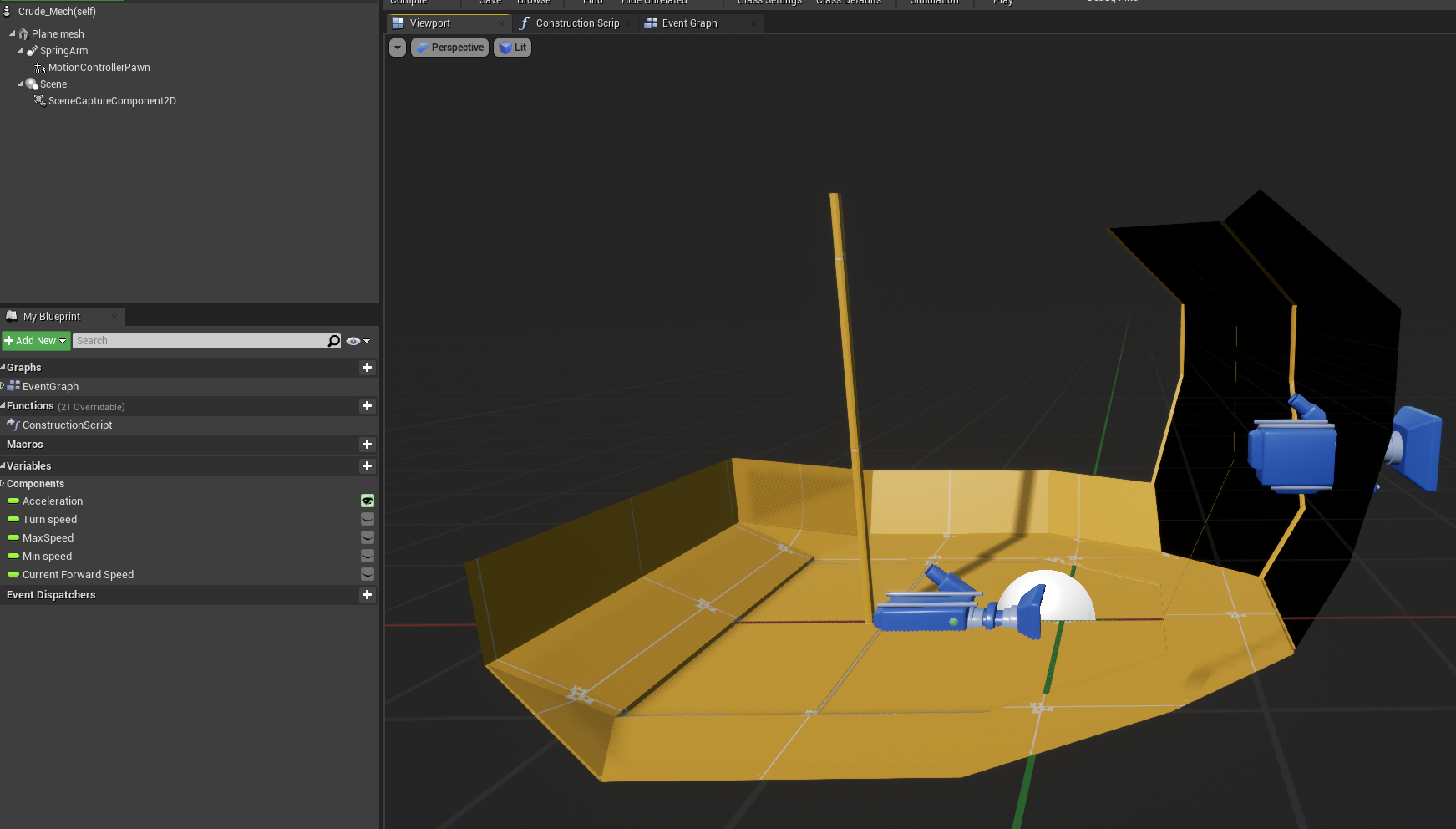

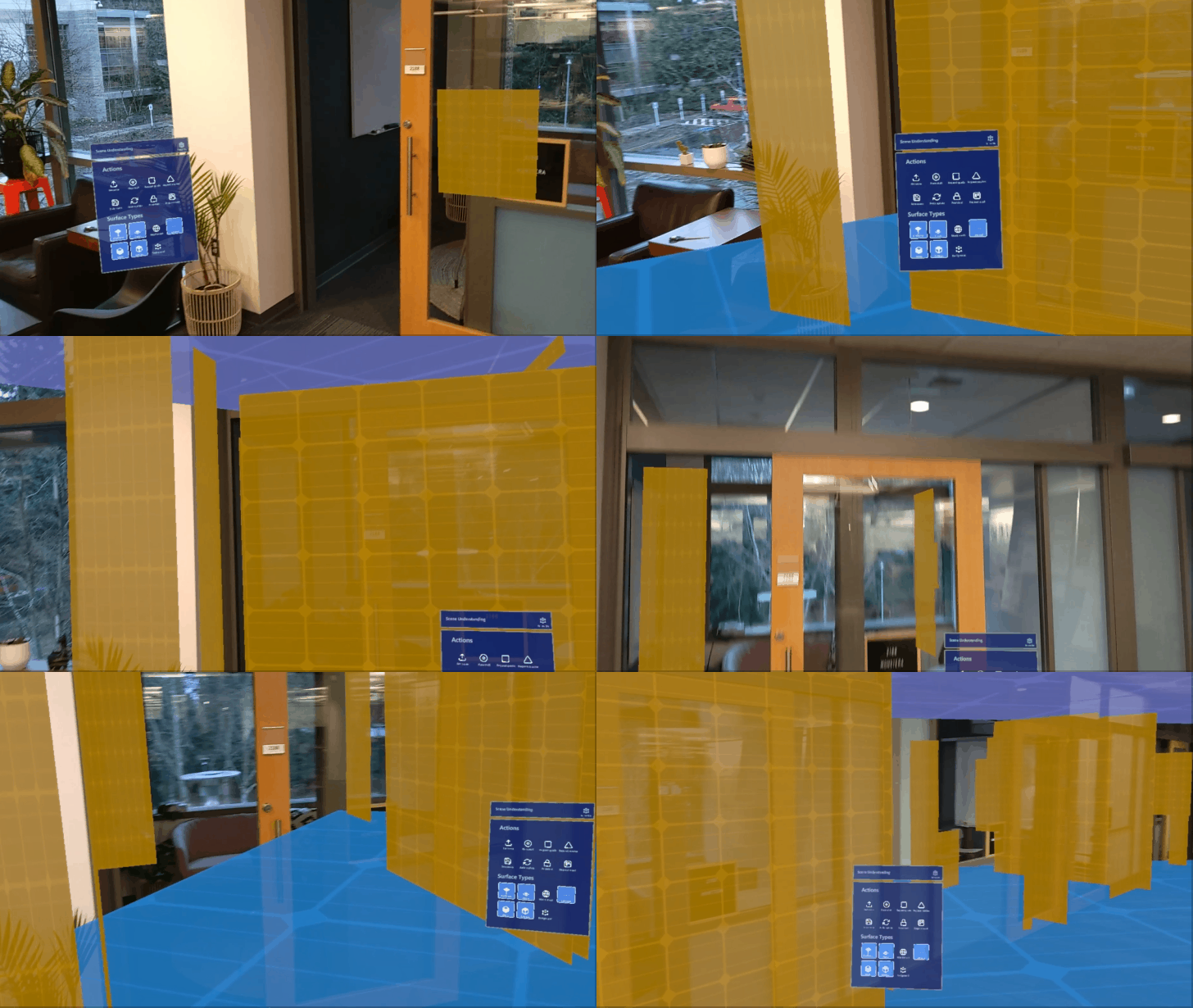


 sturdy coral
@mighty carbon they were pissy with the pavlov dev later, but they screwed the onward dev around the time of touch launch or so
(a year or two later they had him on stage at connect)
mighty carbon
ah, I see
minor hawk
Mini update: I was unable to re-submit via the portal as a submission was already in progress. Their support team has opened it up again and has asked me to submit it again. I'm one step closer to rejection 
shy merlin
Good luck @minor hawk thank you for keeping us posted on all thise
minor hawk
no worries 🙂
ancient sleet
Hey, basic VR Expansion question. If I want to use the Simple_BaseVRCharacter class instead of the default VivePawnCharacter how do I tell the PlayerController to use SimpleVRCharacter? Wasn't sure where this is specified in the default template.
Am thinking of maybe starting with the simpler character controller without the functions I don't need, like multiplayer.
minor hawk
https://docs.unrealengine.com/en-US/Programming/Tutorials/FirstPersonShooter/2/1/index.html - [Setting the Default Pawn Class] might be what you're after
ancient sleet
I found some custom code in the PlayerController that specifies the character controller it's using, so I think I'm all set. I think that would override a default pawn assignment.
minor hawk
yup it will
Interesting recent discussions on Quest approvals. It's all conjecture in my opinion but quite interesting to read.
https://www.reddit.com/r/oculusdev/comments/hyz3f9/oculus_quest_store_rejection/
https://www.reddit.com/r/OculusQuest/comments/ci62ad/quest_devs_with_oculusapproved_gamesapps_are_you/
ancient sleet
Looks like the VRExpansion Simple_BaseVRCharacter is not updated? Guess no one uses it. Looks like it's using pre 4.24 input mappings possibly, and the older version of Get Gripped Actors before it had function pins. Guessing I'll just use the full default template instead then.
minor hawk
Question for MordenTral 🙂 I usually direct everyone to the forums for issues with this plugin. Might get lucky and he's here watching
ancient sleet
Ah, he was here last time I was in this chat, so I figured he might see it, but good to know the forums are the better first place to go.
minor hawk
https://forums.unrealengine.com/development-discussion/vr-ar-development/89050-vr-expansion-plugin
285 pages of questions and answers and updated constantly. I spoke to him for a bit and nothing but respect for what he's created and how he interacts with the community
Unreal Engine Forums
VR Expansion Plugin
Updated: Constantly
[/URL]
Playable Template Demo
Template Packaged Download (filedata/fetch?id=1697558&d=1576159007)
Plugin Website:
[URL]https://vreue4.com/
Plugin Partial Features List:
https://vreue4.com/features
Documentation
https://vreue4.com...
ancient sleet
Thanks! Got it.
radiant garden
@ancient sleet In the VR Expansion Plugin Template project the VR or non-VR Character is spawned in blueprints on the Steam_VR_Player_Controller. It's on the bottom right of the event graph.
If you are not using replication and you are not using the physics capsule from VR Expansion Plugin, you might want to consider a different VR framework. Replication and physics capsule are the main strengths of the VR Expansion Plugin, but those features have also made the plugin a lot more complicated than other plugins / frameworks.
ancient sleet
Oh what I mean is I found where to change it, but it seemed out of date, looking at the blueprint in the screenshot, with Get All Grips.
But I see - I was thinking of using the simpler version to reference the template and build my own character controller, but I now understand what you are saying that it isn't just less Blueprint scripting, but it's a different framework entirely. That's helpful to know, thanks, as I do intend on using the physics capsule.
radiant garden
I think the intent is that you build your own character / pawn from scratch
the template has some really good examples on how everything comes together in the plugin on the Vive Pawn Character
I personally plan on creating a C++ variant of much of the template blueprints when I get time to devote to it. The blueprints have a lot of functionality I don't need.
ancient sleet
Yeah, I basically was looking for a trimmed down version, and was kind of surprised no one has ever released one in the community, as I imagine people are doing it.
radiant garden
Yeah I was thinking the same
I would like to trim down to basic grips and a toggle between basic teleport and joystick locomotion.
ancient sleet
Yup! Same.
I tried having my team start from scratch with the tutorials but they're out of date, so it seems like the template is the simplest way, ironically, despite it being so dense.
radiant garden
Yeah I ran into many of the same issues with out of date tutorials
On top of that, I'm new to UE4 and have had some crazy events in my personal life lately
As a result my progress has been frustratingly slow.
It's awesome that you have a team though.
ancient sleet
Ah, sorry to hear that. Yeah, I'm basically running a class where the students are working together on a project.
I have to say, I'm trying the UE VR template, and in some ways it seems better, at least out of the box. I've only been trying VR Expansion since it was recommended, but I noticed that in the UE template, I get haptic feedback when I touch objects using my Quest, and grabbing/collision feels a bit more precise. I know you can customize VRE, but working with the basics of UE could make sense as well if VRE becomes too unwieldly.
radiant garden
Oh that's so cool! It's awesome that you are so invested in your students.
minor hawk
 I agree it's awesome you're going out of your way for your students. Teachers never get paid enough for the extra work they do
tired tree
@ancient sleet "collision and grabbing" feel more precise because the ue4 template simply attaches the object to your hand
i don't think any of the objects in my example template use that grip mode by default, they are all physically simulating
and @radiant garden that would be fairly short of the full use the plugin, replication and the capsule are only a small portion of it.
though yes, there are many cases where using a base setup is better, people don't always need everything
radiant garden
@tired tree Yes that is only a small amount of your feature set, however they are the primary VR features that you don't get if you use one of the other frameworks available (I'm not talking about "vanilla" UE4 VR). What other features do you have exclusivity on that I've overlooked?
radiant garden
Has anyone else done the "Alyx hands"?
Your feature set is quite large and definitely the best plugin available (even considering Unity)
tired tree
someone has yes, they don't have a welded driver though
so i guess that would be up to how complex you would want those
radiant garden
My point was less about those specific features and more that they contribute to how complex the plugin is for someone new to UE4
Make no mistake. I think you've got an engineering marvel
tired tree
oh i know, i suggest that people not use it if they are beginners, i suggest it everywhere
I was just contesting the multiplayer and character controller being the main features
radiant garden
Ah. Yeah my phrasing was bad
They are there main features I'm interested in
If it weren't for your plugin I'd only be sticking to a solo game on Unity
tired tree
and regardless, really experienced teams should reference anyway
radiant garden
Unreal's rendering engine, content creation tools, and multiplayer support blow Unity out of the water.
And your plugin makes the multiplayer work in VR
tired tree
the guys that made contractors just ripped the controller replication part out and did the rest on their onw
 slim estuary
hi there! does anybody here use the vr editor much? i am encountering an issue
when i launch the editor i essentially have a black square in front of my face
however tiny pixel wide sections of my project are visible at the sides
i seem to not be the only one encountering this issue
but i'm really not sure what to do about it as no answers have been given, that i can find at least, online
it's definitely not like there's 'no' visual information streaming through
more like there is just a black square tethered to where i'm looking
it's super weird
ancient sleet
Thanks re those mentioning my teaching.
@tired tree Oh I see. Re " "collision and grabbing" feel more precise because the ue4 template simply attaches the object to your hand. i don't think any of the objects in my example template use that grip mode by default, they are all physically simulating"
I though the drawers in the test area were setup differently than other objects like the gun to show variety, but maybe that was just referring to more precise colliders vs different physics.
So basically, that 'precision' of the VR template means that when the object is held, it is not simulating any physics, whereas with VRE, physics are emulated (to allow drawing, melee, etc)?
ancient sleet
Just compared and I see how in default UE, when held, objects have no physics and pass through walls unless they interact with other interactable objects, so I believe I see.
 ruby turret
Hey, did anyone try to use Physics Substepping with VR?
For me it breaks dropped objects. Like they don't pass the velocity from before dropping the object.
You can't throw stuff around anymore, they just drop to the ground instantly
tired tree
@ancient sleet attachment grips are a mode you can use in VRE, but yes, by default everything is a type of physics grip instead, changeable on a per object basis. The drawers have examples of sliders as drawers (which are logical grips) but also one drawer showing how to do it with physics only.
minor hawk
from the virtual reality discord #oculus-standalone
Lots of interesting discussion on the topic of Quest approval over there
shy merlin
Wow...
That seems a bit extreme, there have been very successful, polished, and unique titles done by one person or a small team.
ornate raptor
It's also not true. They have accepted solo devs. It's certainly more difficult, but not impossible.