#virtual-reality
1 messages · Page 227 of 1
 exotic halo
 sly elk
hey all- slightly weird unreal / Index controller question. We are trying to get decent index controller binds in our game without using the steam input plug. We plan to look at that later on but for an update today, we want to improve things. Is the B button on the index bound and availible in unreal? 4.22 here
Looking like none of the face buttons bind to it so we can't use it
 sturdy coral
@sly elk have you tried openxr in 4.25?
That might be a way to avoid it
Oh sorry, saw 4.22
I believe there is a way to bind it using the old system but it required some patches, I'll see if I can find
sly elk
thank you
im noticing all of the facebutton inputs want to bind to analog stick inputs as well
which is not very helpful
Ahh, i found it
its a "shoulder" button
sturdy coral
sly elk
sturdy coral
it was for oculus, added it as facebutton5, but I think it worked for index too
I had separate support for the index stick from the touchpad too, but it was more involved because their api broke and it didn't report the stick as an axis or something, can't remember exactly
it detected stick fine for wmr through the legacy steamvr api, but for index it would report it as a button instead of an axis or something and had to be manually modelname checked to see if it was index
sly elk
Cool. I think So far the sticks have behaved themselves. Even if they are doing a double input right now
it appears that they trigger both analog and face buttons at the same time
but our vive/index binds ignore analog anyway right now
We are redoing our VR input layout today and I think its going to be pretty cool. I'll post a video when its done
I posted our "pinch grab" mode a while back but the new changes will let that be persistent and not context specific so you can "pinch" at the air/ do failed pinch grabs
 real needle
Well I'm already back with another question! I've already started most of my game on the VR template the engine comes with... and would like to begin adding IK to my character. However most tutorials online use the 3rd person character template.... is it even possible to do it to the motion controller pawn? 🤔
 rich canopy
Haha I wish there are more proper VR IK tutorials too
Currently can’t seem to find any beyond the simplest arm Ik that has weird elbows
 sonic lake
@real needle @rich canopy For upper body IK you can check out the free UBIK plugin made by @eternal inlet and me.
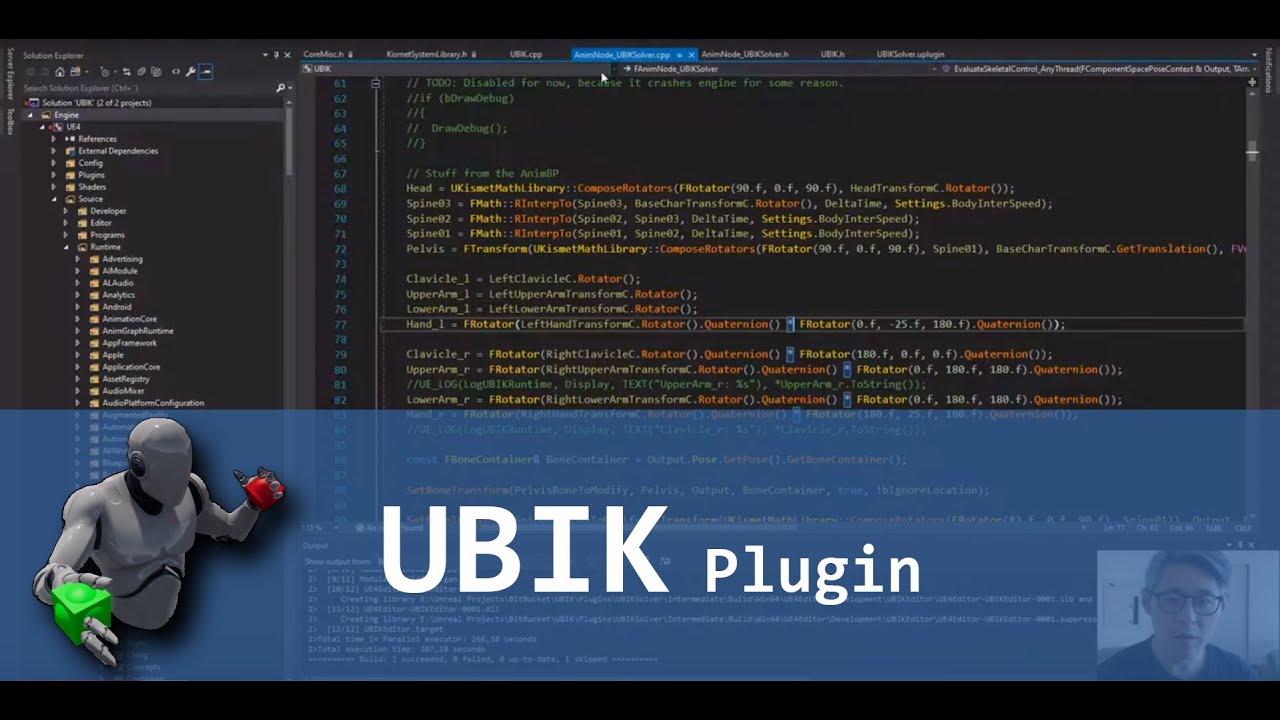
In this video i show how to setup a basic project using the plugin.
I also mention a current limitation regarding the skeleton the skeletal mesh must be rigged to.
Link to repository: https://bitbucket.org/jonas_molgaard/ubik/commits/branch/feature%2F4.23_Plugin
Feel free to...
rich canopy
Thanks @sonic lake what is the benefit of using this v.s. this one here that i tried previously
https://www.youtube.com/watch?v=EKR8ogonD68

This is the easiest way I found to get yourself a VR body with arm Inverse Kinematic (requires Motion Controllers) and full thumbstick locomotion. This step-by-step tutorial shows exactly how to do it. Note that room-scale movement is not supported and you will end up out of y...
sonic lake
@rich canopy my VR body tutorial you linked has a very simple IK, using the FABRIK node which doesn't support any constraint. It works, but you may end up with some weird elbow positions. The UBIK plugin has a more sophisticated upper body inverse kinematic and can deal properly with extreme poses. Makes your character look much better.
sonic lake
So if you want to learn the basics of applying IK to a VR character use my tutorial above, if you want a ready-made solution with advanced posing use the UBIK plugin.
rich canopy
I also notice that when we rotate our wrist, the 3d model at the wrist gets really twisted. What should we do to make this better?
Also is there any tutorials around for lower body ik like in this example? Doesn't have to be very accurate but just roughly will do. https://www.youtube.com/watch?v=LnXNkiXcbng
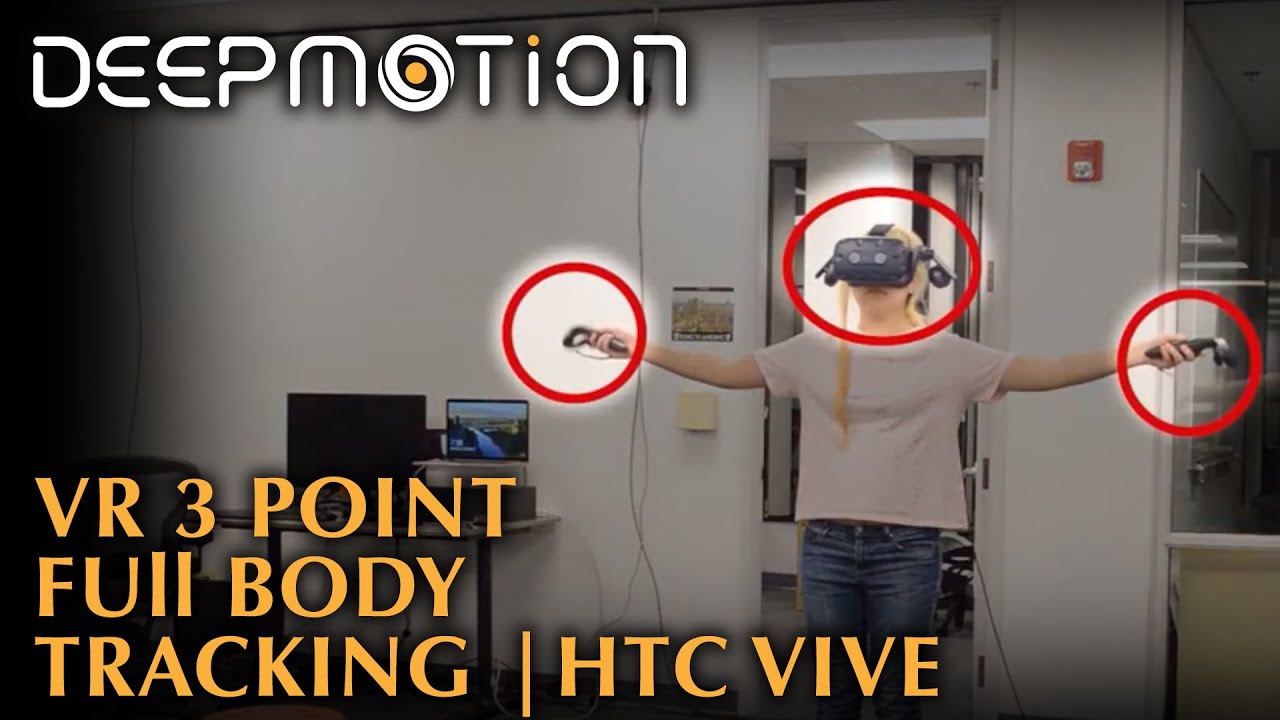
A technical demo showing the generation of full-body avatar tracking while using only 3 tracking points. This demo is created with HTC Vive.
Please SUBSCRIBE:
https://bit.ly/DeepMotionYTSubscribe
Visit our official channels to learn more:
https://www.DeepMotion.com
https:/...
sonic lake
@rich canopy that depends on how you skin the mesh to the bones. We have two bones in our forearm, most rigs use one bone only, so you need to really fine tune the wrist.
@rich canopy there are a lot of tuts on foot IK etc. but not specifically on the lower body that I know of.
rich canopy
Yea i saw lots of tut for foot ik but i dunno why we could get it for a 3rd person character but not for vr
Thanks for your help!
sonic lake
Watching the DeepMotion video, it seems pretty basic foot placement based on the estimated displacement of the hips and hence of the center of mass.
Nice but it looks a bit weird if you ask me.
rich canopy
Yea it seems like pretty basic which is why was quite frustrated when i couldn't get foot placement to even work
sonic lake
I believe they used Q-Learning to train an IK model from motion capture data.
rich canopy
But its been a long time since i tried foot placement, maybe i can try it again sometime.
I will go try ubik first
 covert ferry
Hi guys,
For oculus quest should I be using planar, blob or modulated shadows ?
sturdy coral
@real needle 4.26 roadmap says it is adding a fbik node too
Wouldn't be a full VR setup without work though
@rich canopy @sonic lake this is what has worked for me for the twist bones:

 sonic lake
@sturdy coral thanks for sharing. Some arm poses are tricky, especially hands on shoulders or hands behind the head. Those movements include a displacement of the shoulder, which adds one extra link to the kinematic chain. Definitely having a FABRIK node with constraint handling should help.
sturdy coral
yeah, that's just for calculating the twist bones once everything else is in place
somewhere on a forum thread the guy who made art tools described how they worked
 mighty carbon
After playing both Lone Echo and HL:A I don't see any huge benefit between having full arms and just hands.
It might be beneficial for multiplayer, observing other people as full body avatars
 wispy cradle
I'm having trouble getting vr.pixeldensity to do anything. Is it supposed to update immediately because I see no difference between setting it to 0.1 or 2. Has anyone else had this? Is it being overridden somewhere maybe?
real needle
Thank you marco! I see it says 4.23... does it work in 4.21?
sonic lake
@real needle should be backward compatible to 4.21 but you will need to try recompiling yourself.
sonic lake
@real needle Launch it on the device
sonic lake
There is a Launch button in the Editor
Your Go needs to be connected to the PC and put into Development mode
Once done it will show up under the devices you can Launch on
Describes a quick start for Oculus Quest and Go development in Unreal.
mighty carbon
I wonder which is cheaper (performance wise) on Quest - instanced static mesh component with N-instances (each instance is a quad), procedural spline mesh (same number of segments as with ISM) or beam particle system ?
covert ferry
you think anyone has utilized some kind of speech recognission system to make a game where you have to talk to NPC's instead of selecting dialog boxes ?
surely thats possible with current tech
sly elk
I think using speech recognition would end up being a support nightmare
even if it worked for 90% of users 90% of the time, you would have so many people with issues
mighty carbon
well, you can't expect everyone to be happy with the game..
I think simple voice commands would work though (especially if Oculus would expose their native speech recognition to devs)
sonic lake
@real needle yes that is part of the workflow. Lunch, test on the device, modify, relaunch... many use a Rift S while developing and move to Go/Quest only for performance testing / user testing.
That makes it easier. Also be aware that the Oculus Go is being phased out, so there is going to be no support for it in the near future.
real needle
Ah gotcha ty. One more thing can I build for Android and install from unknown sources through internal memory?
sonic lake
@real needle do you mean sideload an app or what?
The engine does that when launching
mighty carbon
that's a bad practice - to run from UE4 to Quest / Go
make apk, use adb to install it and run it from unknown sources (assuming you turned on dev mode on Go/Quest)
I use Quest + Link to dev and every now and then I build apk and deploy it using adb to make sure performance is good and everything works
real needle
@mighty carbon yea ty. That makes sense
sonic lake
@mighty carbon why would launching from UE4 to Quest/Go be bad practice? What the launcher does it to create the apk and upload it to the device using adb.
Of course if you can develop with Quest + Link or use a Rift S that would make the process easier, but I wouldn't call launching to the device "bad practice". It's just more time consuming.
mighty carbon
@sonic lake because I had several instances where launching from Editor worked fine, but projects installed from apk didn't work
and since Epic did the same thing you advised, they could never encounter those issues
 frigid kite
Anyone ever have one of their motion controllers not visible in game when display device model is enabled? Both of them have it turned on, only one is showing. Made sure I started PIE when both controllers were turned on, also tried restarting the editor with both controllers turned on. When I go into the Steam overlay, both controllers are there and tracking, so it's definitely an issue on the Unreal (4.25) side of things
Hmm seems like there's something more going on, when I draw a debug sphere at the controller's location it doesn't show up either, so it seems the whole thing is missing 🤔
Ah derp, I'm not setting the motion source. Now just to find the right FName
OK, so I should be using RightMotionController->SetTrackingSource(EControllerHand::Right); instead of MotionSource to get the display model to update accordingly as well
 winged patio
Quick question..can I use vr controllers(rift,vive) input to reflect in non vr play mode or non vr editor mode..basically make vr controller behave like normal ip controllers?
sly elk
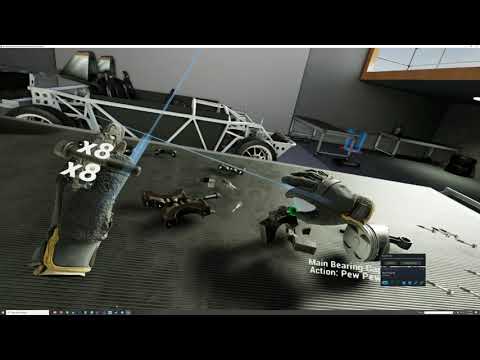
Some new VR input work. We have two grab options, pinch on trigger for precision, palm on grip button for distance grab, heavy stuff, and big things. They do slightly different stuff with grab priorities when there are multiple options. The extra dexterity from the pinch is really helpful in our game and the trigger and grip binds feel like natural uses for those fingers.
Its also nice to have a grab mode you can use up close (pinch) where there is no risk of accidentally distance grabbing something you didn't intend to
mighty carbon
This is what I've been working on:
https://www.youtube.com/watch?v=RiUycN3WB0E
 sly elk
I have never been much a vive player/fan. I don't really like the wands
and until today I thought the shoulder button was some kind of steamVR menu thing
didn't realize we could use it 🙂
covert ferry
Does anyone have recommendations for shadows on the quest ?
For performance should I be using blob shadows or modulated shadows ?
 misty halo
Got 7th on itch.io for VR games :)
Thank you guys for answering my questions way back!
Only a physics demo out now but still! Thank you guys 👌
 errant slate
@covert ferry I actually did a prototype with voice commands a few years ago (it was in Unity though). It worked rather well for simple command chains. I even allowed for some variants. For instance in this video to start you can say "begin level" or "start level" or "begin simulation" etc etc https://www.youtube.com/watch?v=olV-QXLoLGg

Prototype testing of Phaser Deck - a TNG holodeck-inspired target practice game
Anyone got advice for motion controller replication? The VR template does not do it correctly. My google results have a bunch of workarounds with replicated transform variables, wondering if anyone has a better suggestion?
 blissful bear
Use the VRExpansion plugin. It's multiplayer ready and too cool for words.
errant slate
i saw that mentioned a few times, was thinking of using it
blissful bear
I can heartily recommend it. Not for beginners but worth investing time in learning usage. The author is on here and he's a proper guru and all round good guy.
errant slate
awesome thx. can it be set up in a way that allows local testing with multiple instances on the same PC? i've kind of jury rigged a setup right now where i can put one window in a desktop mode but i'm still not sure i've got it setup right
blissful bear
Yes you can do that.
real needle
well wouldnt ya know it im back... When i have a UI component on my actor.. and i try to press a button.. i can only do it once... ever. Even if i try to click a button on another ui component, even if its attached to a seperate actor, i still cant
 arctic saddle
Anyone have tips or links to optimize terrain for VR?
Currently 127x127 Quads
1x1 sections
Resize Mode: Clip
Number of components 4x3
Overall Resolution 509x382
Total Components: 12.
 fading shore
Device - Oculus Rift S
This is the default 4.25 VR template.
OculusVR plugin disabled.
After I go to the cubes and play them, I press the R button that I showed at the beginning.
I was thrown to the floor and this will persist until I close the unreal and steam completely and open it again. Even a second entry into the game will immediately give a position in the floor. This happens for ANY device that uses the SteamVRInput plugin. All manifests are generated.
If you use the Oculus VR plug-in and the Oculus Rift S device, then the position is reset correctly.
If anyone has overcome this, tell me how. Now I'll check it out, in my opinion in 4.23 this was not such bug.
 tired tree
@fading shore the oculus plugins default to eye level tracking, the steam one defaults to roolscale
resetting position and orientation in roomscale will zero you into the floor
ah, nvm i see that you were setting floor level
is that actually taking hold?
because if it is truly in the steamvr plugin only, resetting position and orientation shouldn't have a headset difference, it uses the same offset variable
fading shore
because if it is truly in the steamvr plugin only, resetting position and orientation shouldn't have a headset difference, it uses the same offset variable
@tired tree That the Oculus only resets X, Y ... Z - continues to provide correct height data relative to the floor.
SteamVR resets X, Y, Z completely ... and my standing pose becomes zero point (Floor). How to reset offset in SteamVR without dropping the Z?
tired tree
that is an implementation difference
steamVR is using it "technically" correct, as it allows for seated play in standing
if you want to change that for steamvr you'll need to manually set the offset orientation / location that it queries
its pretty aggravating that there is no direct manipulation of the offsets in BP
fading shore
Thank you very much. I'll try it.
 green sonnet
I didnt know where else to ask this but my project that I packaged and sent to a friend, when he opened it his steam VR was asking him to launch the game in VR. when the game is not a VR game. would there e a way I could stop this from triggering his steam VR somewhere in my project or would he have to change something?
sonic lake
@green sonnet Check if the SteamVR / Oculus VR plugins are active in your game. If it is not a VR game you may want to turn them off.
green sonnet
@sonic lake Thank you so much!
 native sedge
hello, any idea how to get camera tracking on iOS WITHOUT the video stream showed on the Unreal Remote 2 iOS app ?
I want my iOS app displaying the iPad Camera....
 upbeat knot
guys how can i change from time slide mode to fps mode in the sequencer ??
 obtuse spruce
I'm unable to pause in packaged games using the Rift using 4.25.1. Seems like the culprit is that input.ini doesn't have Gamepad_Special_Left show up as a mapping for the Pause action, despite the fact that I have it in the editor under Input.
How do I get that to show up in the ini?
 hard relic
Hi, i'd like to stabilize a bit my Controller. What is the best way to do that? Weighted Moving average Node?
sturdy coral
@hard relic Mordentral's plugin has several methods of that I think
one the same filter they use for smoothing the vr editor laser pointer
you shouldn't do it if you just have hands or controller representations, unless user is pointing at something with a laser pointer or holding a tool, IMO
or unless you are shooting a video or something and just don't want them looking jittery
hard relic
Have success with Dynamic Weighted Moving Average. 50,0.05,0.5 give me the result i need. Thank you for your answer.
 chilly pasture
Hey guys, i have recently updated my project from 4.24 to 4.25
packaging is just fine, but it always crashes in quest
let me know how should i debug this.
covert ferry
I am currently using a media player with my 3d widgets to make illustrated tutorials for the player.
This works amazingly when tethered but on the quest it gets my frames down as low as 15-30.
Is there any way I can improve this ?
frigid kite
What exactly does the tracking origin "stage" do? If I set the player start center at floor level, I'm too short. If I set the player star center at regular height, I'm too tall.
Most importantly, I just want a way that the player start is at the center of my tracking area. Would the tracking origin stage be the correct approach for that, or is there a better way?
sturdy coral
@frigid kite sets where the camera will be based from, you should attach camera to an empty scene component and put that component at the floor if using floor, or eyes if using eyes
Cameras location itself will get overwritten each frame, so you only move it by moving component it is attached to
frigid kite
That's what the setup is currently - player start is clipped in the floor, the pawn as an empty scene object at (0,0,0) and the camera is attached to that
But when starting PIE, I'm often at a random position in the room instead of starting at the player start position, probably due to wherever SteamVR thinks it left off
sturdy coral
Yeah it will be at steamvr origin, center of smallest enclosed rect during room setup
Though I think they maybe recently made it adjustable in steamvr
Someone else was asking about that a while back, I can't remember details, but you can override the spawn function in gamemode to tweak the position to put the player in place
frigid kite
Hmm alright, I guess I can also try messing with Reset position when putting on the HMD, though that puts me through the floor
Yeah it will be at steamvr origin, center of smallest enclosed rect during room setup
But then my starting position shouldn't change in between PIE sessions, right?
upbeat knot
Hey Guys NEED YOUR HELP !
I try to render videos in the new free Canyon scene- it keeps saying that my GPU hasn't enought volume (2080super)... i thought maybe its because the canyon is build out of multiple mashes... is it possible put each part together so at the end its one canyon ?
Hope its understandable ! Really need your help !
Love YA ALL
 dreamy ivy
Hey everyone, Thought id share my new tutorial showing how to do screen fades in the oculus quest which don't destroy performance or require Mobile HDR. https://youtu.be/xRA7hRiXwuA

► Join the Discord: https://discord.gg/xw65fg7
► Patreon: https://www.patreon.com/GameDevXR
► Twitter: https://twitter.com/GameDevXR
► Instagram: https://www.instagram.c...
frigid kite
Is there a better way of making a physics based pressable button than using a physics constraint? It seems that the constraint just leads to very wonky results
 thin solstice
I've seen a couple of different ways, not using physics constraints. Mostly using colliders as the hand begins to press the button
tired tree
think he meant for the button side
and a constraint shouldn't have bad results if you have the settings correct, you likely are running into it having to reproject because you are using a non simulating object to push it, which would have infinite force.
frigid kite
@tired tree Indeed it's not simulating, it's attached to the motion controller
real needle
It is difficult or different to PC develop Virtual Reality games?
I've heard horror stories about virtual reality ...
real needle
Hey there! Ive got a question specifically for you @sonic lake, Ive just watched your vide on Archvis locomotion & gravity. It works almost fine, but when i pick up an object I go flying. How can i tell the capsule collision to ignore all the actors minus the floor and walls n stuff?
covert ferry
@real needle
if you have never developed on pc then you will have to learn all the same things to develop in VR.
In principle it is nearly identical, the main differences are when you are making something for the wireless headsets i.e the oculus quest, because they are so limited in power (cpu/gpu)
real needle
Hmm...
@covert ferry So its better if i buy the Valve index or any VR headset powered by the PC
covert ferry
@real needle if you are only planning on your project being played on the pc yes, if you want it to work natively (not wirelessly through something like virtual desktop or ALVR)
real needle
i think it was more difficulty
@covert ferry I saw videos, but looks like it's okey
And u can use any asset to a VR game?
 radiant garden
@real needle Are you new to games development?
real needle
@radiant garden Ya, I was in unity
radiant garden
Oh hey. I just switched over from unity myself
By and large, VR dev is like any other 3d game dev
There are a lot of tools available now to do the heavy lifting for the VR specific part
I recommend VR Expansion Plugin for ue
Though it is quite complicated if this is your first experience working with unreal. You might want to spend a few weeks taking some tutorials on blueprints and general usage of unreal before getting into VR Expansion Plugin.
 past kestrel
I had no idea there was a VR section 😂
real needle
@past kestrel So?
radiant garden
Yeah it's kind of buried IMO
covert ferry
@past kestrel Amazingly yeah!
Totally depends on what the developer for each game decides is best for their own title, but there is a bunch of ways motion sickness is reduced/ totally removed from the equation.
I have gone with a teleport based system which allows the player to also walk around in there play space a lot for my educational app.
I have tested it with a large range of people, including older people who have never touched a console, nevermind VR, explaining the controlls was the biggest challenge there.
and even a couple of people who are prone to motion sickness in every day life had no problems.
covert ferry
Does anyone know if modulated shadows are possible on the oculus quest ?
or just ANY kind of dynamic shadow, I need 1, just one actor to have a dynamic shadow in my project...
 loud mountain
I’m brand new to UE4 and am working on a hololens project. I’m struggling with AR lighting and the texture showing up correctly. It looks okayish in the screen shot but not on the hololens itself. It’s really bright and shiny.
It’s frustratingly fun 😅
 polar needle
any idea how to trigger an event each time player physically moves in the level but not when he rotates his head on Oculus Quest platform?
 spring magnet
@loud mountain bahaha thats so cool
loud mountain
@spring magnet thanks! I used an artec spider to scan a brain and then ZBrush to make into a usable asset.
spring magnet
good luck 🙂
 ivory magnet
Why don't motion controller components track controllers on a spectator pawn
 brisk spade
can someone test sth for me?
i want to create a sphere in my VRPawn, that is always at the same position in relation to the Camera, but somehow im not able to realise that :/
shouldnt be that hard :/
past kestrel
@brisk spade parent it to your camera.
brisk spade
@past kestrel im so sry i forgot the important part to mention, that i wanna the sphere to stay, when i look up or down (Camera Pitch)
past kestrel
Parent it to the capsule component
past kestrel
yup yup
brisk spade
i dont have any purpose for a capsule besides that
past kestrel
I'm working on my first VR game... it's surprisingly different from the standard games lol
brisk spade
im working on a experience, where you teleport from spot to spot and listen to information^^
past kestrel
Ah, gotcha
brisk spade
and the user shall be able to reset and go back via a gaze m,enu on the buttom
brisk spade
yeah i suck at math, so the capsule is the more safe method
past kestrel
coolz
brisk spade
I can use the capsule for other things as well
is the capsule automatically attached to camera?
past kestrel
camera attached to capsule
brisk spade
ahhh
past kestrel
It's basically a first person setup, with motion controllers
brisk spade
what is if my position in VR Space isnt 0 0 0
the HMD and Controllers snap to the real position but the capsule?
i guess it stucks at 0 0 0
so updating it every tick?
past kestrel
lemme find an example setup. Shouldn't be any tick involved
brisk spade
ty i'm not the best developer, but it's always fun to solve some basic problems and built upon them 😄 finally understood Dispatcher and using it to script a lot
past kestrel

Welcome to another tutorial of Unreal Engine 4 Tutorials . On this tutorial we will learn how to work and start with Virtual Reality projects and how to import or add motions controllers to our game, scene or map. .
Unreal Engine Website link:
http://www.unrealengine.com
===...
This guy doesn't use a capsule. He uses scene components
brisk spade
@past kestrel i attached it to the defaultSceneRout and it hasnt worked, but will try this setup tomorrow
its hard to work as a developer without being a actual developer 😄
brisk spade
yep i have a UX Research background with programming basics, but you cant expect to know everything
but what differentiates the the VR SceneNode from the DefaultSceneRoot on Runtime?
past kestrel
Same
brisk spade
VRSceneNode Location has to be updated, so my camera is independent from the SceneNode, but it always sticks to the VRSceneNode Location with my attached Sphere
past kestrel
The scene should be the parent of the camera and hands
brisk spade
so when i attach my sphere to the default root it stays at this position in my pawn all the time, when i move in VR space it doesnt move
in my current setup
past kestrel
Do you want it to move?
brisk spade
it should be always visable, when pitching the camera down
past kestrel
This is the easiest way I found to get yourself a VR body with arm Inverse Kinematic (requires Motion Controllers) and full thumbstick locomotion. This step-by-step tutorial shows exactly how to do it. Note that room-scale movement is not supported and you will end up out of y...
Here is the capsule component example
brisk spade
and then attaching the sphere to the component
past kestrel
Can I see ur blueprint ? The components
brisk spade
dont have it here at home, but i can send it to you tommorow
brisk spade
but camera pitch is included
past kestrel
You can have a root, then a VR origin scene node, then ur camera and hands
similar to the vid
brisk spade
im not sure, if i have a VROrigin, but i can also mix up things
just a sceneRoot
in my Pawn are just the MotionControllers and the camera
past kestrel
give it a try when u get back to work. It's good to have a root
brisk spade
yep have to get used to the best practise attemps
past kestrel
coolz
brisk spade
so to summarize: have a capsule were i attach the camera and the Menu sphere to
past kestrel
The example scene that ships with unreal is good to study as well.
Yes, capsule or Scne component
as long as your camera is a child of something
brisk spade
i think i used the default example. Maybe got rid of the capsule, because i didnt see any benefit in it
past kestrel
Capsule is the collision...keeps ya from falling through the floor
brisk spade
then it should exist
past kestrel
That's if you have a character style setup
brisk spade
ahhh i think it because the HMD height is set and i dont really have a character
past kestrel
but since you just have a display type experience, with teleport, then u don't need collision.
brisk spade
i just need a root to attach things
brisk spade
so could also attach a scene component to the camera world location and set the Z Component to 0. and attach the sphere to this component?
not attaching to the camera to the scene Root
past kestrel
Attaching a scene to the camera will make anything attached to the scene move with the camera
brisk spade
but how can i avoid it to set it every tick?
wait the camera is also set every tick?
past kestrel
The camera is automatically ticked
brisk spade
i guess thats what attached to does internally?
just adding another call on the tick
past kestrel
it's by default. The vrcamera ticks automatically to keep up the headset
There is no setup needed...that I know of
brisk spade
so i simply set up following:
In my Event Tick i set the WorldTransform of my MenuSceneComponent to the WorldTransform to my CameraWorldTransform and set the Location Z axis to 0
oh and the CameraPitch to 0
past kestrel
You create a Pawn Blueprint, add scene root, add camera
Add ur sphere to the scene root
No need to tick anything. Best to just used the unreal example and add a sphere lol
brisk spade
the scene root is at 0 0 0 so the sphere wouldnt move with the play if they would actually move
maybe i think incorrectly
past kestrel
You'll be teleporting ...so you'd teleport the entire pawn
brisk spade
the person can move freely to some degree
the space is 2x2m that i ll gonna use in the final set up
past kestrel
Cool. I saw a tutorial with a similar setup. I'll try to find it for you tonight
brisk spade
would be super helpful, if you ever need help with UX analysis or UX Research i can help you 😄
technical implementation is another field
past kestrel
Sweet! Thx 😃
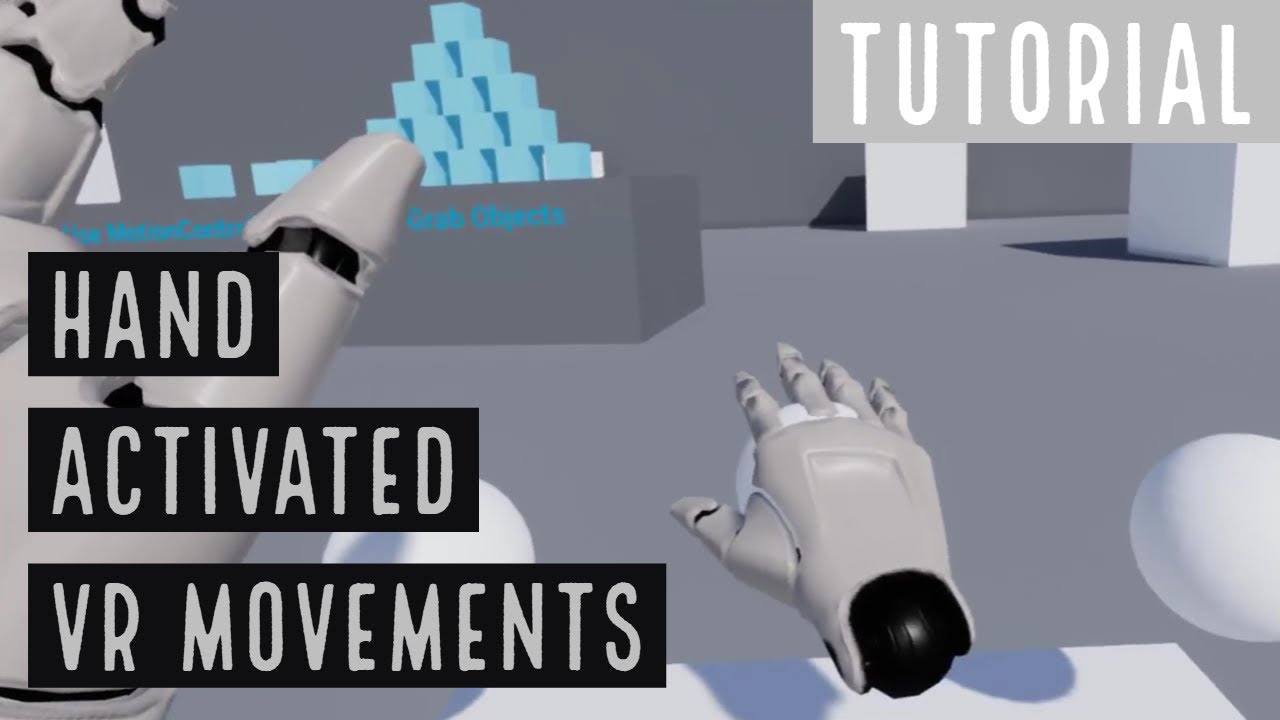
This tutorial shows how to create a VR Pawn with movements that can be steered using the virtual hands acting on internal controls.
This technique can be used for VR locomotion or to control VR vehicles, virtual machinery, space ships etc.
Demo of the finished project at 16:57.
@brisk spade that's basically the setup you want.
brisk spade
i guess i have simply add a scene above my camera will try it out tonight
should be allready sleeping
past kestrel
Hahaha..cool... night!
covert ferry
Hi, guys.
EVEN if just to say it cant be done, can anyone who has tried to do it themselves let me know if they got dynamic shadows OF ANY KIND onto the oculus quest ?
I have been messing with it for days now.
totally being overlooked and ignored in the discord and forums...
either nobody knows how to do it or it is that simple that everyone expects i am going to stumble on the solution myself.
starting to feel like I am screaming into the abyss regarding this and would be very grateful for a tip...
 carmine yoke
@covert ferry I've not found any cheap way to make shadows onto other objects
I have however made an emissive material which self shadows.
I mask out the direction and alter the darkness, getting a kind of fake shadow effect. It's super cheap, I put it on all my movable materials now
covert ferry
if it would work to cast a shadow on my unreal mannequin I would absolutely use it!
@carmine yoke I only have 1 in the scene at any time and I would really like for it to cast a shadow onto the floor...
carmine yoke
Yeah it doesn't cast a shadow onto other surfaces, it only self shadows
If you're trying to get a shadow onto the floor from your character, you could use a (can't remember what it's called one sec)
@covert ferry a Decal
Just project a decal under your awn
pawn*
covert ferry
I haven't figured out how to use decals on the oculus quest, I removed my decals and have had to fake them with meshes...
would this decal be able to actually mimic the shape of the mannequin ?
carmine yoke
Mm not really, most likely just a spot shadow beneath
covert ferry
I could still look into how to do it incase i have no other choice..
polar needle
I was doing something similar yesterday and did it like this, however it uses the tick
It's a sphere surrounding the player attached to the location of camera but it's not rotating with the camera
without the "- device position" the player was not in the middle of the sphere but there was a little offset
 marble frost
I am trying to implement sniper scopes for a VR experience. It is quite easy for Desktop VR as I can use scenecapture2D component. But, scenecapture2D is not supported on Oculus Quest, how do I implement sniper scope for Quest?
sly elk
We are going to experiment with the nvidia unreal branch soon. How many of you all are using nvidia's unreal build? Thoughts on it?
marble frost
I am trying to implement sniper scopes for a VR experience. It is quite easy for Desktop VR as I can use scenecapture2D component. But, scenecapture2D is not supported on Oculus Quest, how do I implement sniper scope for Quest?
Nevermind, scenecapturecomponent works on quest, my bad.
 grave reef
So I moved my pawn, and when it teleports over to the start position, the HMD displays from the start correctly, but the controllers don't offset with the pawn. So I end up with my controllers tracking correctly, but they are like 20 feet away. Is there a way to get the translation delta to where the controllers are supposed to be?
sturdy coral
@sly elk I heard huge results with dlss 2.0, they fixed it to work for vr recently
brisk spade
does some implemented a subtitle system for VR using the sequncer?
as far as i know i can't set audio during runtime
 pastel fern
Trying to query the proximity sensor. Can anybody tell if that works for you on the HTC Vive?
VREvent_TrackedDeviceUserInteractionStarted - The user has started triggering the proximity sensor.
SteamVHHMD.cpp queries the event in OnStartGameFrame but it does not trigger for us.
nvm... after and editor restart it is suddenly working...
 celest crescent
🙈
 ashen dome

Video showcase of my VR grenade system for the Unreal Engine Marketplace.
This Is my very first project I am releasing for the marketplace, and the very first Time I have made a video with Premier pro So I hope Its Ok.
celest crescent
sexy grenade system
 daring pasture
@ashen dome looks good, some typos in the video though.
 frosty geode
@brisk spade are you currently using sequencer already for something in VR? If so, I have some suggestions for that route, if not I might suggest building a fully custom subtitle system using Blueprints and DataTables
also, has anyone had trouble in 4.25 with switching between VR and non-VR at runtime?
brisk spade
@frosty geode i imagine a subtitle system that knows about the current played audio and sets the subs during the audio timeline? would take some time to develop that
 topaz plank
Is it just me or can you not viewport-select actors with widget components with translucent materials in 4.25 anymore? Translucent actor selection is on and works for all other translucent actors, but not for widget components.
frosty geode
@brisk spade another idea is to use the Event Triggers inside of Sequencer. For each event you could just hide/unhide different subtitle actors, or at each trigger, you increment an integer called like "Current Text Slide", and then have the Subtitles BP grab from an array of subtitles the correct subtitle to show
brisk spade
@frosty geode basically start my sequence from zero eacht time from 0, when playing an audio
chilly pasture
Hey guys, Anyone have issues porting there project from 4.24 to 4.25 for oculus quest.
My project builds fine, but stops immediately.
This is the log.
pastel fern
Did they remove the 45fps reduction on HTC Vive? In earlier development stages the FPS was clearly reduced to 45FPS when the scene got more complex and the 45 was kept until the performance was good for multiple frames before returning to 90 fps.
Now it first of does not lock 45fps in case of bad performance but also the frame graph spikes like hell.
The graph is from an earlier version as I'm just checking earlier builds. In the newest version it looks even worse
tired tree
Did you disable the reprojection in steamvr settings?
pastel fern
The new settings only show MotionSmoothing. Does a setting for reprojection still exist?
We also returned to WaitGetPoses in UpdatePoses in the head revision (before rendering). While performance was better in a empty scene, it was even worse in a polluted scene.
 shadow radish
anyone have tips for audio implementation best practices? For my first release I didn't do anything except set attenuation distances, but I'm starting work with a sound designer and she said I might want to consider using W-Wise. I was reviewing a lot of posts and documentation and it seems like using the Google Resonance plugin with AudioVolumes might do just as much if I'm just going with an indie license? Steam Audio and Oculus Audio also have plugins, but from what I can see there's a big tradeoff on implementing them and further complicating building to different platforms.
mighty carbon
what are you talking about @shadow radish ?!
You'd just enable Steam Audio or Oculus Audio plugins in UE4 and they just work
WWise and FMOD just allow you do add bunch of effects in their editors and all you do just play them in UE4.. It's definitely simpler in some instances (like if you want to have birds chirping - in UE4 you'd have to make a BP picking and playing sounds randomly where in FMOD you build your "scene" and in UE4 simply play it)
but FMOD is $2000 per title for indies (unless you make games 1 year apart)
Wwise is not cheap either, unless you have less than 200 sounds per project
I made a project using FMOD for Gear VR. It was a good tool and quite performant.
shadow radish
@mighty carbon: thanks for responding, one of the things I was reading to try and help inform my decision was this person's review of the different plugins
my understanding is there's still an implementation process with each of the different plugins, you have to specify parameters on each sound and in the case of the Steam Audio plugin you have to configure a lot of meshes specifically to occlude with different parameters
that does seem pretty expensive for FMOD--I do want to have birds chirping and environmental sounds for sure, I guess if you do it with blueprints you can just set some random locations on a timer and play the sounds which doesn't seem too difficult?
mighty carbon
I don't know - I've never used anything else besides FMOD.. My current project is a bit far off from implementing audio, but I was thinking to just sticking with Oculus Audio.
shadow radish
in that article at least they rated the performance of Oculus pretty high
mighty carbon
btw, FMOD changed license mid through my project so I am cautious of all these middleware solutions
shadow radish
but I guess if you ship for Vive or Valve Index then you would need something else as well?
oh wow that is good to knw
yeah I am cautious about attaching too much into a middleware also, especially since UE4 native might just get better to the point where those aren't necessary over time
I don't know anything about sound editing though, so I didn't know if there were significant advantages to using Wwise or FMOD beyond just these occlusion and reverb systems.
shadow radish
I will let you know if I learn anything more, thanks for your time!
frosty geode
@chilly pasture yes, I'm having issues with 4.25 right now. Was having an issue like you're describing, then enabled OpenXR to hopefully solve the problem, that didn't work, and now even though I've disabled OpenXR when I build my project (even Full Rebuild) on launch I just get an error message regarding OpenXR. Prior to that on 4.25, packaged builds in VR would crash on open.
chilly pasture
@frosty geode I solved it by using armv64 instead of armv7
first delete your default engine.ini then after opening the project disable mobile hdr then disable Auto enable splash screen for vr, inside oculus Plugin,
then change the architecture inside Android setting and you will be good to go
frosty geode
@chilly pasture thanks! I'm trying these steps and am rebuilding, I'll let you know how it goes!
chilly pasture
delete saved intermediate and binaries too@frosty geode
frosty geode
@chilly pasture solid, thanks!
sturdy coral
@shadow radish look on unreal academy for the ambient audio training thing, re: birds chirping
frosty geode
@chilly pasture thank you! it worked 🙂
radiant garden
@shadow radish WWise is almost certainly overkill for what you need. I worked with it in the past on a Unity project and it cause way more problems than it solved. All it really accomplished was allowing our Audio Engineer to do his job without having to learn a new tool.
shadow radish
thanks @radiant garden, yeah I think it seems to be just for super high end things that it's really necessary
radiant garden
It makes sense if you have a full AAA team working on a project for a few years
But it was excessive baggage for a dev team of around 5 people total when I used it
 quick heart
anyone had luck replicating AR Pawn camera movements ? My client strangely sees what they should (server's movements, and client's movements), but the server only sees it's local updates, and it's as if the client isn't actually changing transforms.
Does setting the camera component to replicate and the owning actor to replicate + replicate movement as well not suffice?
tired tree
No
Replication is only server down
You have to send the data from the client to the server with the local movement s, and then replicate that down from the server to all other clients.
sturdy coral
@quick heart APlayerCameraManager has some support for replicating camera position:
     /** True if server will use camera positions replicated from the client instead of calculating them locally. */
    UPROPERTY(EditAnywhere, BlueprintReadOnly, Category=PlayerCameraManager)
    uint32 bUseClientSideCameraUpdates : 1;
APlayerController:
/** If PlayerCamera.bUseClientSideCameraUpdates is set, client will replicate camera positions to the server. */
    // @TODO - combine pitch/yaw into one int, maybe also send location compressed
    UFUNCTION(unreliable, server, WithValidation)
void ServerUpdateCamera(FVector_NetQuantize CamLoc, int32 CamPitchAndYaw);```but by default I don't think it replicates roll, since UE4 still has lots of FPS baggage
 compact kettle
Hey. Anyone know how you can draw Widgets or UI to the mirror window, but not to the VR view? Any links / hints are appreciated
 upbeat eagle
@compact kettle not sure exactly what you mean but maybe setting owner and owner no see could work with what you are trying to do?
 spare dagger


Currently working with opencv ArUco tracking and an old maze generation algorithm in unreal.
#UE4 #opencv #AR #gamedev https://t.co/h9ugUFPXdI
 Twitter
 devout compass
How would i do a slide for a gun would i just add a constraint that limits movement to one axis when my hand is grabbing it?
marble frost
Has anyone tried the building the Oculus Hand Train Sample project and run it on Quest? The experience always crashes on startup for me. It is working through Oculus Link from inside Unreal though
 maiden willow
@marble frost check it this link by @dreamy ivy . He has a couple tuts to get 4.25 working pretty well on Quest.
https://youtu.be/q-mAEnqZb0M
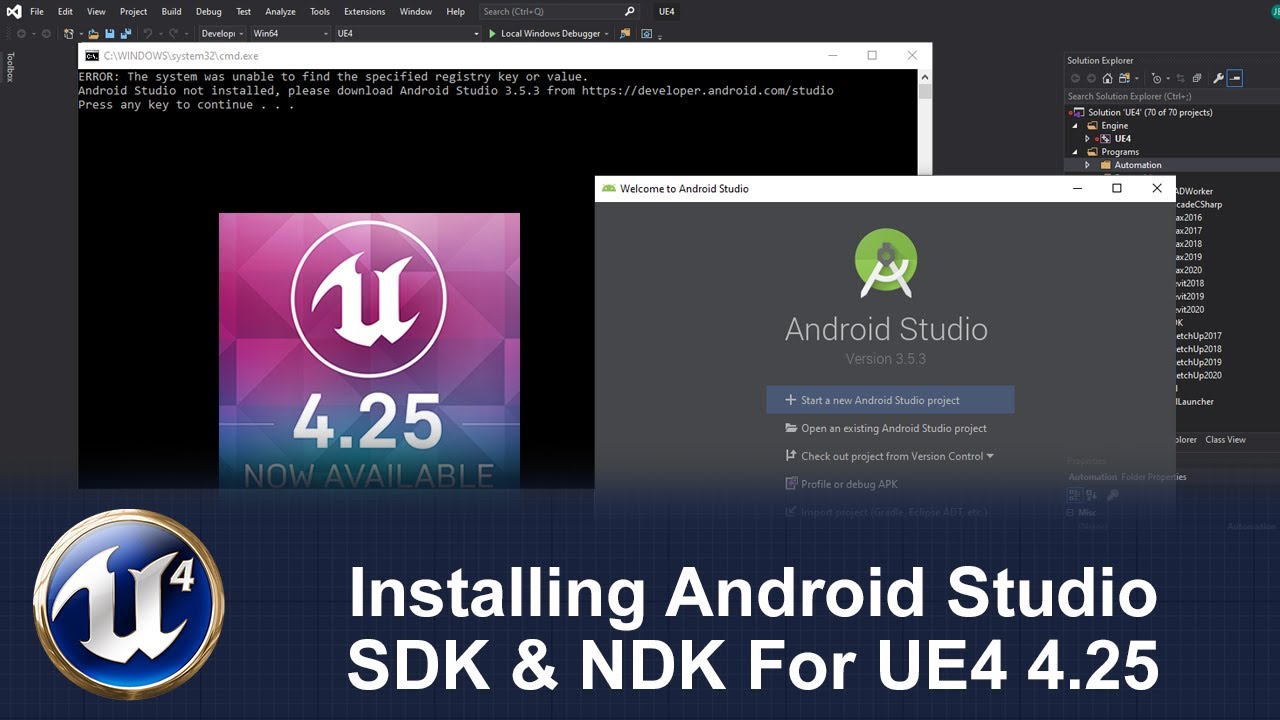
► Join the Discord: https://discord.gg/xw65fg7
► Patreon: https://www.patreon.com/GameDevXR
► Twitter: https://twitter.com/GameDevXR
► Instagram: https://www.instagram.c...
marble frost
Okay will do, thanks a lot @maiden willow
Figured it out, I did not install the required Android SDKs, the one I had installed was not compatible
maiden willow
Good stuff!
 placid spear
Does anyone have any suggestions on how to do fire flames in VR? Is it best to simply optimize the existing fire fx that we know of, or is there a mesh-based trick out there somewhere? Any insight would be greatly appreciated.
covert ferry
Is jumping a bad idea to have in a vr fps ?
I am just wondering why none of the fps I have seen/played have it...
 little scaffold
@covert ferry the best way to know is to test and see if you become sick
 zenith summit
Hmmmmm, okay, I'm having to test making a multiplayer platform for VR, however I only have one VR headset (An Oculus Quest which I just received today), I'm wondering, is it possible to make a project for Oculus & iPhone and connect them both together in the same session?
carmine yoke
@zenith summit yes it would be. I have set up a cross platform lobby between PC and Quest and it seems to be working - I don't see why iOS would be different
But if the end goal is to run mp between Quests, I don't see why that would help you much
maiden willow
@placid spear check out this tut. I've used this truck already and I like it.
https://www.youtube.com/watch?v=B8Gya38KkJY&t=17s

This video demonstrates how to use a spritesheet and a flipbook to create an easy fire effect in Unreal Engine. Topics covered: Material functions, blueprint functions, flipbooks.
I'm back from mid-year holiday :D New videos out at the start of the week, and sometimes before ...
placid spear
@maiden willow cool thanks a lot 👍🏻 I’ll give this a try
maiden willow
Hope it helps!
 cosmic shoal
@covert ferry it is a bad idea, stomach turning.
tired tree
@covert ferry @cosmic shoal not true, there are a decent amount of games that do jumping. Not in VR FPS though, likely mostly because they don't generally have all that well modeled of a movement system, and also its usually a faster movement than most of them have and its harder to flick that M&K
covert ferry
I was wondering what a double jump like what you see in destiny on the hunter class would be possible, as well as the warlock class "jump and glide"
Style jump
cosmic shoal
I can play VR FPS with trackpad locomotion just fine but I do get motion sickness once in a while. Like if I remove the black circles in google earth VR, or the one time I was doing jumping tests and another test where I side stepped to the right while side stepping to the left in VR (I heard that it was bad and I wanted to see how bad)
tired tree
of course its possible
celest crescent
Doesn't boneworks having jumping?
tired tree
yes, and sariento has flips, though that is a different matter all together.
celest crescent
For sure. So I wouldn't say adding jumping is definitely a bad idea, it just is a really important to decision to make
Implementing it in a bad way, or in a game that really shouldn't have it, can make people unexpectedly sick and easily result in review-bombing
frigid kite
Doesn't boneworks having jumping?
Maybe not the best example for non-sickening VR locomotion
celest crescent
Not for non-sickening, but an example of a successful game that implemented jumping
further exemplifying that one shouldn't ask 'is jumping a bad idea in VR games?', but rather 'is jumping a good idea for my VR game?'
tired tree
their jumping isn't exactly sickness inducing compared to a lot of their other mechanics.
carmine yoke
Has anyone been typing into a widget using Mobile VR?
I'm trying to make my own in game virtual keyboard, but when I click on an editable box in my widget it brings up the Android Virtual Keyboard, bringing me out of the VR. Anyone know of a way to disable it from within UE4? Can't find any info online
carmine yoke
whats the 'dialog ' in this context?
0 will do the checkbox from settings, 1 will force new to be on and 2 will do what?
0 will revert to this option right?
which is just switching the type of virtual keyboard, rather than turning it off altogether]
carmine yoke
Alright I'll give it a go and go through all 3 options, see what they do
celest crescent
Oh actually nevermind I misread the 0 description
looking for the 'check mark box setting' it references, wonder if it's just the improved virtual keyboard that you screenshotted
carmine yoke
I had read that portion before but I figured it wouldn't actually turn off the virtual keyboard entirely
Yep, that's my problem - I'll try those console commands anyways, can't hurt....
celest crescent
Use of the virtual keyboard is enabled by checking the checkbox under Project Settings > Platforms > Android > APK Packaging.
Note: You may wish to disable the virtual keyboard with the Android.NewKeyboard console variable when the user is using a language requiring IME.
🤷
not much documentation on it
for the console commands; think it would be either 2 or 0
carmine yoke
yeah that's the thing - having a hard time finding any info. Ofc for a normal android app you would just use the android virtual keyboard. But for VR it kinda pulls you completely out of the VR so you're looking at a stereo scoping version with the overlayed keyboard
like this ^
carmine yoke
Yep, confirmed those console commands just switch between the new and old virtual keyboards, with 0 reverting to the flag in project settings, which again, just switches between the two
If there's no way to prevent the android Virtual Keyboard from popping up with an editable text box, then I'll have to not use that and make a method to circumvent the editable text box's use
Long
mighty carbon
Describes how to enable a keyboard overlay in your app
carmine yoke
@mighty carbon cheers, but unfortunately I'm devving for the Pico Neo 2 now :/
mighty carbon
😦
carmine yoke
Its not a bad headset tbh
 shy merlin
Anyone else experiencing a crash on the 4.25 Oculus source branch when switching to Vulkan Preview mode?
obtuse spruce
Trying to open the HandsTrainSample project from the Oculus branch v18, I get the following error:
"Engine modules are out of date and cannot be compiled while the engine is running. Please build through your IDE". How do I build from VS when it fails to generate the .sln for the project?
@shy merlin Haven't tried Vulkan, but my editor does crash when I switch to ES3.1 preview. Had to switch the project's engine version just to be able to open it and switch that off 😞
mighty carbon
4.25.0, 4.25.1 or 4.25.3 @obtuse spruce @shy merlin ??
shy merlin
@mighty carbon 4.25.3 oculus, updated nvpack and Vulkan sdk. Just like @obtuse spruce said I crash when switching to Vulkan preview.
mighty carbon
have you tried 4.25.3 Epic's build?
basically if you can repro it with Epic's UE4 - report it to Epic. If you can't - report it to Oculus. Otherwise it will never be fixed as only a handful of people use UE4 for mobile VR
obtuse spruce
Crash happened to me using Oculus 4.25.1, v18
mighty carbon
yeah, I get it.. But if you want to get it fixed, you gotta do some leg work
shy merlin
Alright I’ll send in my log and see what’s going on there
So many moving parts with it hard to isolate it
mighty carbon
Editor crash would not be related to your project
(if it crashes on switch from SM5 to ES3.1/Vulkan preview)
 ornate raptor
@obtuse spruce If that happens again, you don't have to switch project versions to recover. Go to your project's Saved\Config\Windows folder and edit EditorPerProjectUserSettings.ini
Change these settings to clear out the preview. Then it should load normally.
PreviewShaderFormatName=None```I may have had the exact same issue, haha
little scaffold
Anyone know if using Run Hardware Benchmark is a good idea for a PC VR application? Is it only optimizing for classic PC games?
sturdy coral
@little scaffold it isn't specific to either. you can take results from it and choose vr settings ok. I think they use it in roborecall
little scaffold
cool thanks @sturdy coral also I guess it will freeze everything when using it so it should be called before any scene is loaded?
sturdy coral
@little scaffold I'm not sure, I haven't set it up. You can look and see where robo recall calls it
little scaffold
@sturdy coral Where can I look for it? Is the source code available?
sturdy coral
@little scaffold yes, you can't copy the source code but you can learn how stuff works from it
it is on the launcher somewhere, roborecall mod kit
little scaffold
Nice I didn't know about that I'll look it up thanks a lot @sturdy coral
obtuse spruce
The Oculus HandSample project in 4.25.3/v19 has hands that are rotated the wrong way and whose fingers don't move when yours do (behaved the same way in 4.25.1/v18)
edit: Just had to open and launch another map instead of the default one, per the docs (https://developer.oculus.com/documentation/unreal/unreal-samples/#hand-tracking)
Overview of the Unreal sample apps and scenes.
celest crescent
anyone use Niagara particles in VR and test performance? I did did 5k particles using mesh-render and some various object location lookup etc and found only 1-2ms frame time difference 

seems promising and Niagara can achieve some really cool effects; more so in VR
mighty carbon
what kind of VR @celest crescent ?
celest crescent
Any type really, but PCVR has the power for particle effects like this; I don't have an Oculus Quest yet to test it
mighty carbon
I have Quest, but I find Niagara confusing.. So I haven't done anything with it yet
btw, I wonder if Chaos destruction is supported on Quest
hard relic
if so... isn't too consuming for the Quest's CPU and GPU?
 wind yacht
So I upgraded my AR 4.23 project to 4.25 and everything is working except the actual AR camera itself. No errors of any kind but I'm getting a black screen where my camera view should be. UI is there as well as AR objects can be placed and even image anchors are activating and working, but view is just blank. Any input?
I also ran the example AR project in 4.25 and it runs fine with zero issues with the view.
mighty carbon
@hard relic 🤷♂️ I only care about chunking meshes offline and dropping some of them based on damage dealt to the actor in runtime. It shouldn't be performance taxing.
devout compass
How would i do a charging handle? Would i use a physics constraint? An animation that plays based off a vector?
 full ibex
Has anybody managed to do a Shipping Build in 4.25 for SteamVR? We're packaging both our own project and the VR Template and neither will launch or even detect headset...
Works totally fine on PIE and Development Build
 warped quail
how would i get the velocity of a motion controller? i tried using the get velocity node on the leftmotioncontroller, but the values just show up as 0
radiant garden
Velocity is just delta position / delta time... I'm not familiar with how to write blueprints so I can't give a suggestion on exact implementation but it should be very easy to figure out.
Track last frames's position and subtract it from this frames position. Divide that by the delta time.
 night linden
whoop my vr game has been approved for the Oculus store. Just want to say thanks for people who answered my queries over the last few months 🙂
radiant garden
Congrats!
mighty carbon
@night linden what game is it?
quick heart
is it possible to teleport the player's camera while in AR mode? (iOS/AR Kit specifically) Or if i want them to start in a certain spot, should I move the whole pawn before starting the AR session? Does an AR Session always reset the camera back to (0,0,0) ?
 spiral pilot
https://prnt.sc/twgr06 hello, my screen is the first one. on my screen the boxes don't show, eventho they should show like you see in the second image

there's 2 render targets that are cameras and they are supposed to project to a widget hud
but they are just invisible like this
polar needle
anyone having problem with "app stopped working" on Oculus Quest and UE 4.24.3 ? apps that were working just keep crashing and saying this
carmine yoke
@polar needle that just means it's crashing, check the crash logs
spiral pilot
I have 2 render targets as renders for scene capture components for side by side VR
but when I try to add post process to the scene, it wont show up in the 2 images, even if it shows in the viewport or regular camera.
how do I add post process for those?
fading shore
Hi! Launching URL in VR cause to lost game focus. is it possible to fix it?
polar needle
@carmine yoke thanks, can you specify where do I find them?
carmine yoke
@polar needle go on your quest's directory, sdcard/UE4Game/your_game/Saved/
then Logs if you want the full log of your game
or crashlogs if you just want the crash
 hushed socket
Has anyone had experience releasing a game with optional VR? (vehicle type game) Im trying to figure out how to make the VR a launch option/arg instead of just always enabled because i dont want the game starting people's steamVR every time they open the game if they dont choose the VR launch option.
sturdy coral
@hushed socket turn off bStartInVR and add a -vr (command line parameter) launch option to steam
hushed socket
thanks, exactly what i was looking for
 modest cliff
@quick heart The AR session does always set the world origin (0,0,0) to the camera position when the AR session gets started
polar needle
are the unreal terrain material layers working on Quest for you guys? I know there is a setting to enable the material layers but they are not working anyway
mighty carbon
for me Landscape didn't work at all in 4.24.x
but, even if it would, it performance taxing
fading shore
Hi! Open level in VR cause to black screen in VR Headset but in editor's preview window all is right? Whats wrong?
little scaffold
@fading shore you mean black screen in between levels?
fading shore
nope. music is playing. bots are moving and so on. all is correct at desktop vr preview window. but all is completely black in vr headset
when I start level I am travelling to directly and don't use open level all is right in headset
little scaffold
try vr.bEnableHMD 1 and vr.bEnableStereo 1
if that is fixing your issues then you need to set Start In VR to true in the projects settings
polar needle
how could I show the fps counter inside oculus?
polar needle
stat fps... found it
 spiral marlin
booo, I'm finding that moving forward while turning in an arc in a vehicle induces nausea. I wonder why I didnt feel nausea when playing driving games?
chilly pasture
Hey guys anyone have experience with Unreal and in app purchases, need some guidance
This for Oculus
frosty geode
Is anyone else having problems packaging for 4.25.3?
night linden
@night linden what game is it?
@mighty carbon KOMBO , it's out today August 12th @ 10AM Pacific Time 🙂
 limber plank
Is anyone else having problems packaging for 4.25.3?
@frosty geode yes I just had some issues
frosty geode
@limber plank what're the problems you're having? Right now I'm getting a UMG DLL issue
@chilly pasture looks like with unreal it might have to be done with C++ manually? Here is some info I found: https://developer.oculus.com/documentation/unreal/ps-iap/, and also the Native setup on this page : https://developer.oculus.com/documentation/unreal/ps-setup/#native
Describes how to set up your development environment and initialize the Oculus Platform.
chilly pasture
@frosty geode Unreal Oculus Plugin, there Purchase interface is null
 tame lynx
Hi guys, is there any brilliant way to detect if UE4 has lost focus?
I'm using VRHeadsetRemovedFromHead and VRHeadsetPutOnHead to swap between game-states, but I realized there is a failure case if the player doesn't put on their headset right away. i.e., I start assuming its worn.
I want to avoid running some initialization code if the player is unfocused from the window.
I can't even rely on VRHeadsetPutOnHead , cause if the player DOES begin wearing it, it won't run unless they take it off/on again.
chilly pasture
It seems like you have created a trap for your self.
mighty carbon
What HMD is that @tame lynx ?
also, why not to NOT check for focus when you start the game? It should just run and then you check for focus when it's already running
warped quail
hey guys, im having trouble getting collision to work with my vr pawn. would anyone be able to help? i would just like the pawn to act like a normal character, with gravity and collision. any help is appreciated
blissful bear
Use the VR Expansion Plugin.
radiant garden
@tame lynx Do you happen to be using the VR Expansion Plugin?
If so there is a handy utility function to check if the headset is currently being worn
I just started using it last night. Let me find it
bool bIsHmdCurrentlyWorn = (UVRExpansionFunctionLibrary::GetIsHMDWorn() == EBPHMDWornState::NotWorn ? false : true);
If you aren't using the VR Expansion Plugin, it looks like the way to check if the headset is worn is: if (GEngine->XRSystem.IsValid() && GEngine->XRSystem->GetHMDDevice()) { return (EBPHMDWornState)GEngine->XRSystem->GetHMDDevice()->GetHMDWornState(); }
If you are in blueprints you are out of luck though. The point of the VR Expansion Plugin "GetIsHMDWorn" call is to expose the functionality to blueprints.
tame lynx
I did find a good solution. Thanks though @radiant garden !
UHeadMountedDisplayFunctionLibrary::GetHMDWornState() == EHMDWornState::Worn
radiant garden
@tame lynx Double check that enum. The UE4 worn state enum has the states Worn, NotWorn, and Unknown
You might want to consider Unknown == Worn
Unknown is reported when the device doesn't support reporting the worn state
 obtuse condor
Not getting any shadow in AR. Helpppp
Using UE 4.25 with GPU Lightmass
Is there any way to get shadows in AR, without faking it was a texture?
 severe stump
Hi all. Got a material question for Oculus.. made a super basic orange mat, why does it package dark gray when I look at it in oculus? Never made android stuff so I might be missing something obvious
I presume it has something to do with android project settings but I'm out of clues
severe stump
nvm got it to work by relaunching directly, not with the project launcher .. maybe it just needed attempts
 verbal kiln
hey pals, im live tracking my handset position and want to use that to drive my camera live in the viewport. The cube is moving as expected but when I parent a camera under the cube it doesnt move with the cube. Any ideas?
 dreamy storm
Hi all.
How can i set the spectator screen to show left or right eye in vr?
little scaffold
@dreamy storm I don't think you can choose between right or left eye
 lethal vapor
i want to make vr game, pls help
mighty carbon
@lethal vapor https://www.youtube.com/watch?v=afodIcU_vK4

Announce Post: https://forums.unrealengine.com/showthread.php?142899
Zak Parrish is back on the livestream with even more info on getting started with you UE4 project! This time he's talking about getting started with VR based on Andrew Hurley's ECGC talk, with extra commenta...
 alpine kiln
Question for you folks. I have a VR project that, for some reason, is chopping me at the knees when I teleport. Any time I move I end up around a foot short then I really am. And it stays this way through out the session. I have set the level blueprint to Set Tracking Option origin to Floor Level, but still ahve this issue.
tired tree
@alpine kiln engine teleport with a normal capsule as the root component you need to offset upwards by the capsules half height
capsules zero point are dead center
hushed socket
can anyone explain what happens when you add to viewport in VR? It seems to like zoom in on a small corner of whatever widget you add.
Kind of hoping to port some non-vr UIs (uninteractable) to vr without going too crazy
 silver brook
Hey folks messing with AR and the Flag Generate Nav Mesh For Mesh data doesn't seem to do anything
Should that alone make a nav mesh for me to get AI to roam around?
sturdy coral
@hushed socket I think somewhere it is hardcoded to 1024x1024
it used to be added to both eye's viewports with spacing and placement from 'GetOrthoProjection', but now it is a stereo layer
hushed socket
Ah, i see
is there any way to modify that stereo layers' resolution?
if i can get a ref to it somehow i can probably operate on it...
 fair hearth
@hushed socket you'll probably want to use 3d widgets and have them attached to the hmd, adding to viewport doesn't really work in vr
hushed socket
i was looking into pushing a 3d widget texture to stereo layer but i ran into an odd problem. So, SteamVR doesnt support textures that arent "UI" compression mode. For some reason the 3d widget's render target is "default" compression mode and changing it doesnt work... which means that steamvr is incompatible with widget stereo layers? kind of silly
sturdy coral
@hushed socket I think it's
HeadMountedDisplay/Public/IHeadMountedDisplay.h
159:    virtual FIntPoint GetIdealDebugCanvasRenderTargetSize() const { return FIntPoint(1024, 1024); }
thanks
 bitter perch
Has anyone encountered this problem with Scene Capture Component for VR spectator? :/ 4.25
 rigid bear
how hard would it be to create a node in c++, that calculates the world coordinate to screen space coordinate for each eye in VR? can anyone help me with that? im trying to do custom post processing effects for each eye depending on where on screen a certain object is located.
mighty carbon
what would be more performant on Quest, several text render components or one stereo layer with dynamic UMG widget rendered into it ?
carmine yoke
@mighty carbon if you've only got one in the scene, the latter. The text is also substantially more legible so take that into account if there is a trade off
I'm not entirely sure about the performance, but I think swapping out several renders for 1 stereo would be a good move
mighty carbon
hmm..
silver brook
Anyone know how to do Nav Mesh Generation in AR?
 sweet oracle
Anyone on 4.25 and getting crashes when playing as client in editor?
Steps to reproduce:
- Launch the editor and change Net Mode to "Play As Client"
- Launch the game in VR and close the game using Alt+F4
- Re-launch the game in VR and the crash should happen
mighty carbon
use NavMesh Invokers @silver brook
sly elk
we are pulling the nvidia RTX branch today. Does anyone know if it includes the other nvidia unreal engine stuff? VRworks, HBAO, etC?
or are we going to have to merge a bunch of stuff?
mighty carbon
doesn't UE 4.25 support RTX as production ready feature already?
sly elk
yeah, I think there are significant perf boosts running the RTX branch
So it looks like reading the github we have to pull in all the branches to get all the stuff
because desktop + VR play modes, and we want some fallback for non RTX users
Has anyone here pulled in VR works lately? Seems to have been abandoned at 4.19
silver brook
@mighty carbon first time I'm hearing about this concept of NavMesh Invokers
There was a tutorial listed here but gone https://forums.unrealengine.com/development-discussion/blueprint-visual-scripting/75418-don-t-understand-navmesh-invokers
Unreal Engine Forums
Build powerful visual scripts without code.
THIS IS WILD
AWESOME
Didn't know about them
silver brook
Seems fairly straight forward
but found one source saying Register
and another mentioning nothing about registering it
to top it off the Register Navigation Invoker doesn't even seem to accept the component
So maybe we don't need to any more?
mighty carbon
doesn't sound like "pretty straight forward" to me 😉
silver brook
SEEMS lol
mighty carbon
I tried Nav invokers only once and I don't recall right now what I did 😦
but I do recall it worked just fine
(in VR)
silver brook
Ok see two ways out I'll try them one at a time
@mighty carbon doesn't seem to work still
The issue I think is with Nav Mesh Generation in AR itself
I tried the Nav Invoker method in a test scene
Adding NavigationInoker component alone seems to suffice for the test scene (non-ar)
but that has a cube for a floor and a Nav Mesh Bound Volume
Moving it to AR with Generate Nav Mesh for Mesh on and it doesn't seem to work with the invoker method either
Which the Invoker method just seems like a different way of handling nav gets calculated, instead of globally locally
mighty carbon
I never worked with AR, but I assume you can create static mesh from reconstructed environment.
Afaik you need static mesh for nav mesh to work
silver brook
@mighty carbon I guess? but I'd think this would just be a turn on and that's that solution https://gyazo.com/1da2d77e95ff64eaba8880dbe25226ff
 mighty carbon
🤷♂️
theoretically
but you know how it goes with UE4 and non-Fortnite features 🙄
silver brook
lol yeah
I looked at source and it looks like its supposed to do stuff
AKA it isn't an empty method that says TODO which I've come across before...
mighty carbon
how do you know it's not working ?
silver brook
I have an AI that I test using normal non ar scene
mighty carbon
I see
silver brook
it works there
Put it in an AR scene aka a world with nothing but the Generated Meshes
Its basically an empty scene
typically you have a navmesh bounds volume to tell it what to generate
That check box sets bUpdateNavMeshonMeshUpdate
which gets used here if (bHasBrickData && bUpdateNavMeshOnMeshUpdate && bHasCustomNavigableGeometry) { UpdateNavigationData(); }
What sucks is I don't know how to tie VS with AR device at runtime to hit breakpoints and see whats up
mighty carbon
UE 4.25 ?
mighty carbon
hmm.. I feel like I am blessed with not working in AR - I'd be too stressed with sh!t not working when it should 😛
silver brook
Yeah it is my curse to want to learn what isn't easy
mighty carbon
@silver brook https://www.youtube.com/watch?v=QNHInJJ1vUk

An original video I've put together for internal use to describe Navigation Invokers feature, dated Jun 18th 2015 but recorded months before that because, as you might notice, I refer to the feature as "Active tiles" was my own temp-name while working on the feature, pre UE4 v...
Mieszko just linked it to me on Twitter.. Btw, you might ask him about AR and nav mesh issues, he would probably know for sure
silver brook
@mighty carbon is he on here?
silver brook
@mighty carbon following his guide the behavior isn't working exactly the same
I have the feature enabled but still builds even if I don't have the AI there or not
silver brook
Is that when you last used it?
I'm thinking since this is NavSystemV1
the whole thing is probably deprecated?
mighty carbon
I didn't see any notes about it
silver brook
Navigation Invoker Register states its target is NavSystemV1
IDK so confused
In any case
with the system on
you'd expecect it to not build until it is invoked
System is on but even if no pawn exists to invoke it builds it
On his video it doesn't which makes sense
mighty carbon
🤷♂️
silver brook
Let me go into the AI channel
mighty carbon


 silver brook
lol
Well remote connection from Unreal to Holo is quite useful can finally hit some breakpoints
looks like the flag does nothing because the other conditions are not being met
like bHasBrickData
and bHasCustomNavigableGemotery
mighty carbon
sounds like it has nothing to do with nav mesh after all
 rotund swan
Hi everyone, Im workin gon a VR proyect, and Id like to know how would you make some grab mechanics like in Alyx,where items have multiple grab points and positions. Unreal will only let you use the origin and not sockets.
 polar valve
My project is crashing on launch on the Quest after updating to 4.25.3. It doesn't happen with armv7, just arm64. There are no game log files. All I get is the following stack trace:
How would you even go about debugging something like this?
Pastebin
Pastebin.com is the number one paste tool since 2002. Pastebin is a website where you can store text online for a set period of time.
sturdy coral
@rotund swan vr expansion plugin: https://www.youtube.com/watch?v=54GYCSPt8T4
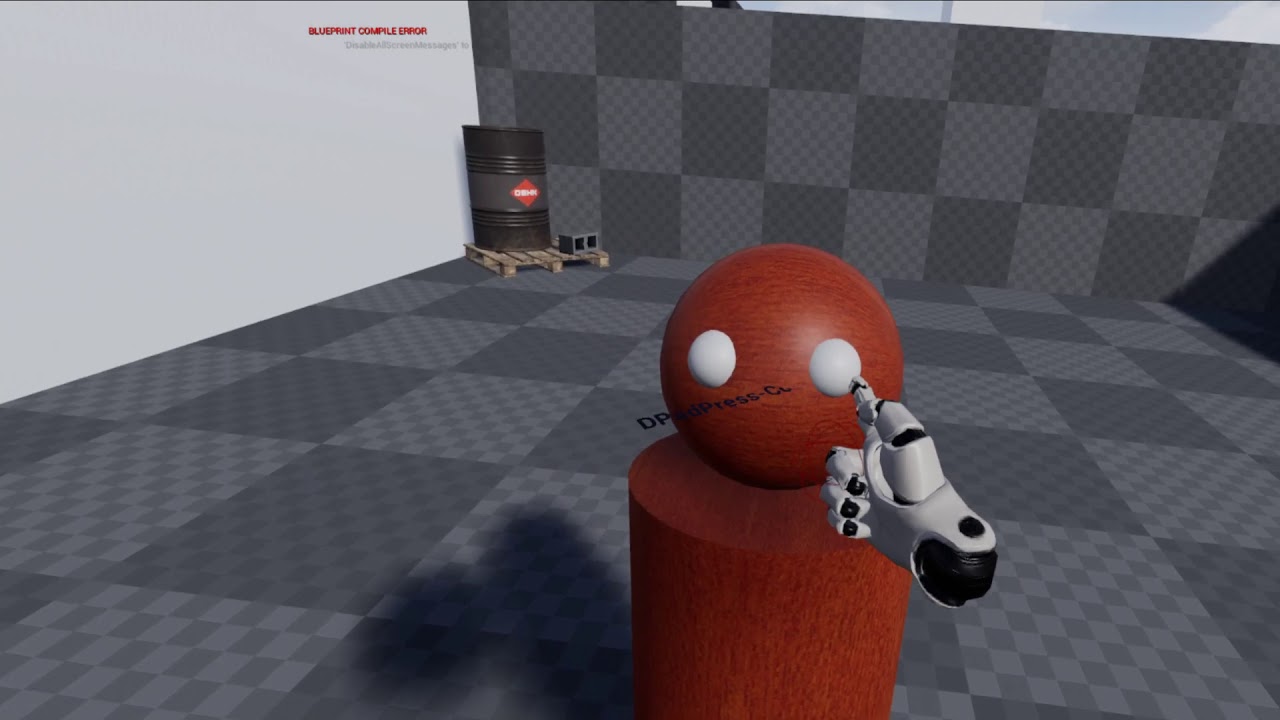
Playing with some welded body jointed hands while waiting for monday
rotund swan
thanks ^^ I just found out about it. Figuring my way through it
sly elk
we updated unreal this week to 4.25 (had been on 4.22) and are getting the new input stuff set up. For WMR support over SteamVR- Do we need to include the WMR plugin?
SteamVR itself seems to recognize the thumbsticks but binding them in our game so far doesn't and its also launching WMR portal on vrpie
 inland trail
hey yall, I work with Alec. We're enabling the WMR plugin and making a few changes, should get us the correct inputs.
we got a ton of extra shader permutations that wanted to compile after we enabled the plugin, which is unfortunate. I'm guessing this is related to some AR stuff in that plugin. Anyone here had the same "issue" and tried to disable that stuff if it isn't needed?
 arctic cove
are the VR input mappings for the Vive trackpad x and y bugged? (Version 4.24 and 4.25)
or is this an bad feature? xd
you need to do this if you want it to return any value other than 0
https://www.youtube.com/watch?v=4Vr7WWDpHYE

In short, i ran into this bug when the Trackpad on my Vive wands returning zero all the time since i upgraded from 4.23.1 to 4.24.3. After a lot of troubleshooting, i found out that there's an undocumented (or well hidden) requirement that the bindings has to be named {myname}...
 hallow knoll
@arctic cove Documentation for the MotionController key deprecation (4.24 and onwards): https://docs.unrealengine.com/en-US/Platforms/VR/DevelopVR/MotionControllerKeyDeprecation/index.html
@hallow knoll
Overview of Motion Controller Key Deprecation and Migration
arctic cove
thx
Still prefer the easy old one
inland trail
@arctic cove If you ever plan on handling multiple controller inputs, the new version makes it much easier to get right. We have been loosely supporting vive/rift/index/wmr controllers, and I just went through fixing up our VR inputs to the new method. It was a pain for sure, but getting clear access to various input functionality will be worth our time in the long run! Good luck.
 willow trail
Hello, my VR desktop preview mirror window seems to not scale with the actual render, so unfortunately (even in fullscreen) I can only see a small portion of the VR render
I've tried changing the VR spectator mode but the issue seems to persist on every mode, any idea?
(I'm on 4.25.3 and I don't remember this being an issue before 🤔 )
 muted scarab
as in the field of view is narrow but still filling the app window
or
There is empty padding around the view?
I cannot recall how you change the modes on the mirror but I take it that you are aware of those (both eyes literal, copped one eye etc)
does anyone here have experience with stereo layers and UMG?
in the image above the top is via stereo layers and bottom one is the widget component (correct)
there is gamma difference. (texture compression type)
is this to be expected? or am I doing something wrong?
tired tree
@muted scarab its a "lighting" difference
stereo layers are unlit
your widget there is taking in the lighting in the level
and any PP
also i don't think stereo layers are - wrong term lol
muted scarab
right I think it is all about the sRGB vs not.
sturdy coral
I think I saw someone else complain aboutt gamma changing for widgets in 4.25
muted scarab
if that is to be expected then what is the most practical way to do the sRGB space conversion in UMG?
I would like to keep it WYSIWYG
I am in 4.24 btw.
could probably upgrade
sturdy coral
probably a different issue if you are on 4.24, and I think the 4.25 one would have made widget component incorrect and not the stereo layer. I tried to find the mention of it in the forums but don't see it now
"We switched to 4.25 last week. It seems that all of our UMG in-world stuff (using widget components) is a lot brighter. The default gray UMG buttons are now white - you can't read the white text on them, Anyone know what changed with that?"
I think I noticed something similar moving to 4.25 too
muted scarab
I'll look into it
tired tree
i'm not getting that on my widgets in 4.25
sturdy coral
I don't see any changes in widgetcomponent between 4.24 and 4.25 that would cause it, I never went back to compare back and forth to be sure I'm getting any difference
muted scarab
you guys testing on rift/vive or both?
regardless thanks for help.
I don't think there are any reasons keeping me in 4.24 so might as well start in it
sly elk
Index controller grip force/strength in 4.25. We can configure that, right? Its defaulting to being extremely light, so much that it is hard to not be gripping.
@tired tree Did you ever config the grip force/strength for knuckles with your VR expansion stuff?
tired tree
yes
its way too sensitive by default, turning it literally all the way up was the only way to get good throwing
you configure it directly in the JSON file or in the steam overlay, its not accessible in engine itself
sly elk
Ugh, thats soo irritating. So players have to deal with this individually?
tired tree
and export those to steam
sly elk
@inland trail
tired tree
the steam input dev section has input debugging options
inland trail
hey morden, is this json file in UE4 or in steamvr settings somewhere?
i've been looking at steamvr input code, it looks like it builds a big action manifest & related json files on the fly
tired tree
the auto generated one is in UE4, when you save over defaults it saves over those, in config/SteamVRBindings or somesuch
it regenerates the manifest and bindings only when you change stuff in input in engine
otherwise it loads those
inland trail
hmm ok. I don't see anything, but I also don't have a steamVR headset on my computer. It would only generate that if it needs the plugin to run due a supported headset being used? Alec might have that config somewhere.
so this is being generated on a users machine?
or you saying as a dev, we could adjust it and fix it? b/c if it generates one for the user when it loads, it would stomp on anything we "ship" with the game, I believe.
do you know the name of the parameter in the manifest that controls the strength? I have seen a few things related to "force" but that code isn't the easiest to follow
sly elk
We make this extra difficult since i have the steamVR stuff at my house and Jim has to write all the code 🙂
inland trail
yea. it's "fun" coding support for 4 different controller configs without having them on hand haha (well I have 1 of them so I can at least do vr)
sly elk
@tired tree Can you screenshot your knuckles json for a sanity check? I don't have any useful params in mine but I think if I go through the steamVR config I can add them?
tired tree
@sly elk @inland trail it doesn't generate a new one when it loads, only if one doesn't already exist
GitHub
VRE Example Template. Contribute to mordentral/VRExpPluginExample development by creating an account on GitHub.
the bindings are on my templates git
specifically the threshold is set to max
inland trail
ok thanks
sly elk
Thanks
tired tree
its obivously a lot easier to adjust in the overlay, either one of you can do that
can do it while PIE as well to fine tune
sly elk
Oh, will the overlay let you load the config while its running in PIE?
it would only let me load our steam release build
which is pre 4.25
tired tree
it auto has your defaults from that config file yes
and you can save over them in the developer menu
in the overlay
then upload those json files to steam as your apps defaults
which then end users can override if they want too
devout compass
How would i join 2 meshes if they are in the right spot? Im trying to make some guns for my game and im stupid as hell
inland trail
you can have multiple meshes on a single actor, so they would move & appear as one at runtime
so in your gun blueprint, add a new Static Mesh Component (if it's a static mesh) and pick the mesh, then you can move it around in the blueprint editor and should be good to go.
unless you are talking about merging meshes at runtime. Usually attaching actors/components is the easiest/best way to do that unless you really need actual meshes to be merged.
devout compass
So your suggesting hiding my actual magazine asset when the gun is loaded, and then showing the one thats in the gun bp?
mighty carbon
Apparently there is no way to create haptics curve asset in 4.25 :/
severe stump
hi! what would be a good approach to make an underwater effect for quest considering it's restrictions with post processing and fog?
willow trail
@muted scarab Hey, sorry didn't see your message, I suppose this is the best way to show it: https://puu.sh/GjQM2/85ee9fe315.webm
The portion of the actual render you see (even if I maximize the video on a 1440p) is actually a very small % of the top-left part of what you see in the HMD
And it definitely looks quite severely upscaled too
willow trail
(btw if anyone has had that issue please tag me so I don't miss your message 😄)
muted scarab
behaves very differently from mine.
have you seen this
https://developer.oculus.com/documentation/native/pc/dg-compositor-mirror/
Describes how to use the Compositor Mirror tool.
sorry if posting obvious stuff - I probably cannot help you
@willow trail see above
willow trail
I'm on a Valve Index (should have mentioned, mb)
But yeah it used to behave fine for me too, I don't know what's changed
sly elk
The new input system has some very specific expectations around how thumbstick actions are set up..
inland trail
(for steamVR)
tired tree
@sly elk _Y and _X on the axis's?
inland trail
yea
tired tree
yeah....
inland trail
just some bug or 2 in the SteamVRInputDevice.cpp big 4k lines of code that makes action manifest 🙂
tired tree
thats not a "bug"
its intentional according to the guy that coded it
to work around something with epics implementation
sly elk
I feel like it should be bolded somewhere in UE4 ui.. It took us quite a while to figure out what was happening. Doesn't help that jim has to give me instructions over chat to try stuff
inland trail
well ... that's ridiculous? I have my UE4 inputs configured to look at single axes of thumbsticks ... and not the best to be relying on _X/Y in action NAMES to get input...
sly elk
Modern: Is there a discussion thread somewhere about this stuff or did you have a private convo with the programmer about it?
tired tree
yeah it is far less than ideal
I gave some alternatives back when originally discussing it with them
they have a steamvr discord
inland trail
even if the manifest needs to fake it to add extra X or Y then not use them when it gets back the vector2 or whatever...
tired tree
valve index developers discord, if you got dev versions you should have an invite somewhere
also that was brought up in their git a couple of times
sly elk
We got our index controllers late
i don't think the ones valve shipped us are developer versions
But I will ask to join
inland trail
ok. well thanks for the input on this. For my single-axes actions, I can add some fake ones in UE4 that we don't actually use anyway
to add the fake _X/_Y ... i'll look for the git repo and see if it's worth asking about there.
sly elk
Jim, is the trigger button thing obvious or worth asking about here?
inland trail
haven't looked enough to tell yet
inland trail
@tired tree I figured out a nice unobtrusive workaround for our thumbstick X/Y input issue...
we don't actually use/read those hack input actions, but it ends up creating SteamVR actions for them, and after looking through the code, I figured out that it only ends up sending controller events back to the engine anyway (not actual input actions) ... so this ends up triggering our other UE4 input actions that use the individual axes
we were also having an issue where we had 2 input actions bound to the same input (Trigger "click") ... this was being reported twice to the engine by SteamVR input, which was causing weird pressed/released behavior in the UE4 input action events. I just removed one of those actions from the manifest/controller bindings json, and now it still reports the correct "key" only once ... which still triggers both of our dependent UE4 input actions correctly
tired tree
@inland trail yeah that duble trigger is a known bug, and if its ever fixed where it won't cross trigger like that likely from your axis's
don't know thta it will ever be fixed though at this point
inland trail
yea, looks like the SteamVRInput was developed by valve (or contractor of) and now it's integrated into "default" UE4 engine plugins and has been modified some by Epic. so not sure anybody really "owns" it anymore heh
sturdy coral
@inland trail I do one steamvr action per button/axis etc., and rely on the keys from them triggering other actions that I hide during the json generation
because the whole design of the plugin (and now the openxr plugin) is broken if you use unreal's input stack
and they don't support action sets
without it there are also a lot of issues where if you have some ambiguity caused by overlapping action bindings on different models of control (wmr, oculus, index,vive), it can trigger randomish actions on the wrong controller
inland trail
sounds like what we ended up with, basically.
although I guess if steamvr did trigger multiple different controller inputs (with user using one type of controller?), i'd start getting some double inputs for some things like you are saying. why would it report inputs for multiple controllers? is that some known issue
sturdy coral
@inland trail
I can't remember the exact scenario, but basically the engine is:
each key triggers one or more actions
The plugin is:
each steamvr action triggers one and only one unreal key (quasi randomly but repeatably picked from the list of motion controller device keys bound to that action), which then triggers one or more actions.
One of the 'one or more' actions will be guaranteed to have been bound to your device, but the 'or more' might happen to be something only bound to a completely different device
runeberg did add something when I was pointing that out that will try to choose the most unique key for a given action that triggers as few other actions as possible, or something along those lines, so for a lot of setups it will end up ok
 jaunty snow
is it really not possible to use the Index controllers without the HMD?
mighty carbon
Why @jaunty snow
devout compass
anybody know why my hand mesh isnt inverted on the other side? idk why but the orientation is exactly the same
sonic lake
@devout compass in the standard VR template the hand skeletal mesh is inverted on Begin Play inside the Motion Controller BP, based on the side (left). Did you modify somehow that BP?
sturdy coral
@jaunty snow it should be possible
you have to have flashed steam controller dongles to communicate with them without an HMD
but if you have the HMD you can use it to do it even when doing 2D
jaunty snow
@mighty carbon I want to do mocap with them
@sturdy coral My MotionController component didn’t seem to do anything when playing, even with the full VR rig on. I hooked up the Index Trigger to an action but that action never fired
And if I’m using Vive trackers, do I need 1 dongle plugged in for each tracker?
warped quail
Hi, I'm trying to rotate the vrcharacter from the vr expansion plugin smoothly using the rinterp node, but I can't seem to get it to work - it's very choppy and doesn't get the rotation I want. Could anyone help me with this problem?
tired tree
@warped quail rotate in place? Need to account for the hmd offset, the SetActorLocationAndRotationVR or SetActorRotatinVR functions already account for the hmd position though. Also if you are trying to do smooth rotation or snap turn, you can use the Perform_MoveAction_SnapTurn node with a delta value to rotate at a set speed.
In multiplayer you need to use a move action so that it's played inline with the movement replay on the server as well to avoid client corrections
warped quail
@tired tree thank you very much!
devout compass
@sonic lake no i didnt. The hand enumerator is still set to one right and one left
devout compass
Also i cant test if its working rn because my oculus is in for a replacement so rip
sturdy coral
@jaunty snow there is a steamvr.vrsettings thing you have to change or something, google it a bit. It is something about enable controllers without headset tracking. Some headset controllers won't work without your head in the headset, like Rift and WMR, but vive wands and index controllers should be able to
the unreal plugin might have changed to try and turn them off when stereo is off, I don't think I've done it since the move to the new input system, but there should be a way to make it work
they controlled all this with vive wands and no HMD: https://www.youtube.com/watch?v=u3ktiewcLpo

Revealed onstage at GDC 2019 during “State of Unreal,” Chaos is Unreal Engine’s new high-performance physics and destruction system coming in early access to Unreal Engine 4.23. This is the full play through of the real-time tech demo, which is set within the world of Robo Rec...
Search for the “requireHmd” key under “steamvr”, set the value of this key to “false”.
that's for using controllers with only dongles and no HMD
jaunty snow
Thanks all, I was able to get this working with and without an HMD.
jaunty snow
OK, now I'm trying to use the triggers and they're not firing input events. I don't seem to be the only one having this issue.
Unreal Engine Forums
Attempted to add mapping for the Valve Index Right and Left Triggers however they never seem to fire off the input event. Adding the 1 to TriggerLeft does get the input to fire successfully.
Using EU 4.24.3 and SteamVR 1.10.32
 sullen cliff
Hey guys never worked on VR before, so I wanted to know if it's possible to test VR interactions without the googles ?
mighty carbon
how?!
 opaque sparrow
Hey there. Has anyone else experienced a 60FPS lock in VR preview mode in the editor?
I've tried setting t.MaxFPS but nothing seems to be changing. This is a map that gets a locked 300 fps without VR.
sturdy coral
@opaque sparrow which headset
opaque sparrow
SteamVR Valve Index
sturdy coral
@opaque sparrow what refresh do you have it set to?
sturdy coral
if you miss 120 you will go to 60
perf graph usually isn't right once you go into reprojection
opaque sparrow
steamvr perf graph isn't right with reprojection?
sturdy coral
once you go into reprojection it can be wrong, you can disable reprojection for more accurate values but the best way to do that has changed over time
sturdy coral
if you can hit 300 without VR consider that VR is usually wider FOV and two views, so more than double geometry burden
and depending on res, more resolution too
opaque sparrow
yeah but in this case I'm 100% certain that this scene would even run 300 fps in VR
sturdy coral
how so?
opaque sparrow
barely any draw calls and pretty empty scene
not using instancing yet but really unusual that the VR preview is low fps
opaque sparrow
seriously it's not a heavy scene
sturdy coral
triangles can come from other sources like if you didn't fully turn off dof
opaque sparrow
we're talking barely 30k triangles here
sturdy coral
with default post processing you may not be able to hit 120 at the resolution steamvr automatically picks for you
if you have dof, ssr, ssao, and other stuff on
opaque sparrow
I'm absolutely certain that this scene could hit max fps even without instancing and rendering both views.
it's gotta be something else
sturdy coral
best thing to do to get a measure is try to turn off reprojection, or failing that, manually set resolution and test at 120 and 80hz and use the 80hz numbers to give you a more accurate measurement, as long as that isn't running into reprojection too
instancing is usually a bit more expensive depending on your bottleneck btw
if you aren't cpu bottlenecked it is generally more expensive to have it on
@opaque sparrow you can also try this pull request and it will respond to the resolution slider changes in real time, so you can slide it down until you aren't reprojecting:
opaque sparrow
@sturdy coral thanks for the help. I was wondering why the res scaling wasn't working with UE. That PR is useful thanks.
just implemented the PR, big nice
 sonic fog
Hello! I can't wrap my head around a location issue. I built 5 levels that are all referencing the real world room size and orientation. I am trying to assign to an InputAction in my VRPawn a bit of logic that calibrates the position between real world and VR scene. Basically how this should work is:
I start the project; I stand in the center of the real room, facing north (so to say); I hit a button and the VRPawn is placed in the center of the VR room, facing "virtual north".I did manage to get this done but only once per each level. I was referencing the location of an EmptyBP in the World, so the VRPawn gets teleported there, facing forward. The problem is that in the following level, the position is messed up again. I don't want the user to re-calibrate at each level. How could I solve this? I tried to use the "Get tracking to world transform" and "Calibrate External tracking to HMD" but I did not find much documentation on those and I don't really know what I'm doing.
willow trail
Hey, I couldn't find a solution to my problem so I'm reposting this in case it grabs the attention of someone who's seen this problem before. I use the preview window a lot for development (not having to put the headset on for simple tests) and it's a big part of the project aswell, but the preview window is extremely zoomed in. This didn't use to be a problem, but I can only see a tiny portion of the top-left of the HMD render :(
https://puu.sh/GldOD/2b6067b441.png

Essentially the render doesn't scale to the window, if I resize it I can see more or less of it, which is very odd.
 daring pasture
I only have this when using the steamvr plugin and oculus plugin disabled.
I call r.setres twice with seperate resolutions to fix it.
Not the best fix but it works
 hybrid plume
Hi guys, so heres a weird first time quirk I'm just experiencing: Although from inside my Vive HMD it looks absolutely fine, PLAY VR Preview window on the monitor is zoomed way in!? I'm using UE 4.25.3 with a HTC Vive. Any ideas whats going on?
willow trail
@daring pasture I'm using a Valve Index, and I'm on latest version so the steamvr plugin is no more (or embedded into the engine I suppose), but that actually did fix it! Thanks 😄
daring pasture
@hybrid plume i just posted how to fix it
hybrid plume
@daring pasture just up above on this thread?
daring pasture
The post right before yours
hybrid plume
dang what're the odds of that?!
but why is this happening? I see you execute console command r.setres, you doing it twice, first time one pixel less
tired tree
@willow trail there is still a steamvr plugin in engine (always has been), and specifically this is related to it and not the input plugin that was seperate before 4.24
willow trail
Oh alright
Should I raise an issue for that or maybe @daring pasture you already raised one I can upvote?
daring pasture
I have not, if you do send it my way and I will upvote it
willow trail
Will do 🙂
hybrid plume
Thanks for the help @daring pasture , it was driving me nuts
willow trail
I submitted the issue, but I can't seem to find a link to it. I feel like the issues raised on https://www.unrealengine.com/en-US/support/report-a-bug aren't made public and just fall on their internal JIRA or something?

Unreal Engine
Unreal Engine is the world’s most open and advanced real-time 3D creation platform for photoreal visuals and immersive experiences.
daring pasture
What is the number I will find it
mighty carbon
when they accept your bug report, you'll get e-mail with issue number and link @willow trail
until then just wait
willow trail
Ok thank you 🙂
wind yacht
Is it safe to assume if you can run Augmented Reality on your phone, Mobile HDR enabled wont be an issue?
fading shore
Hi! how to add watermark to screen shot in vr? All is working just fine with visible widget. But I need no in-game additional widgets, only as watermark on final screenshot.
thin solstice
Photoshop maybe?
dreamy storm
Hi, can someone tell me what is this ViewExtensionPreRenderView?
Sometimes make the game run terrible.
The project is using ForwardRendering
"Event Name","Inc Time (MS)","Inc Time (%)","Exc Time (MS)","Exc Time (%)","Calls","None",
"DeferredShadingSceneRenderer ViewExtensionPreRenderView","7.086 ms","100.0 %","0.000 ms","0.0 %","1.0",
mighty carbon
does anyone know if 4.26 comes with current (beta18) Steam Audio ? If so, how hard would it be to back port it to 4.25 (which currently has beta17) ?
 idle osprey
I'm building some platforms that follow splines to move a player around gaps in a maze. I want the platform to detect when the player steps on the platform, so I had cast the collision to the BP_MotionController to detect that it was my VRPawn that stepped on it. But that only appears to be a collision associated with the hands, not the capsule. I can't find a node for the capsule. Any advice for how best to do this? I'd rather not lift up the collision box too high above the player's feet if I can avoid it.
 pine anchor
heyo anyone want to help? im trying to make a vr survival game like this game called generation zero where robots have taken over and almost everyone is dead but you and 3 others(other players/co-op) with a resistance you lead to claim the US back from the rogue robot army
idle osprey
I think I figured it out. I used a Character. But I'm accidentally double-triggering now when I step off, so I have to figure that one out...
tired tree
just using a character isn't going to solve it for you in roomscale
the collision will be offset
the capsule is going to stay at actor 0,0,0 even when the HMD moves around
@idle osprey
idle osprey
grr, you're probably right. I was doing Seated when I was testing.
idle osprey
Yep, screwed up by being offset.
dreamy storm
I cannot find the input settings for Cosmos controller, how do i get it? Everything else is there. (Project settings/input). On a different computer works well.
Tried steamvr beta, no difference.
I cannot find the input settings for Cosmos controller, how do i get it? Everything else is there. (Project settings/input). On a different computer works well.
Tried steamvr beta, no difference.
sturdy coral
@dreamy storm I think cosmos didn't make the first engine release of the plugin, but I thought it was in now
Is the steamvr plugin loaded on both computers? The keys live inside it and won't show up if the oculus plugin loads instead I think
dreamy storm
Ah, thanks, just solved in this minute. Unfortunately if there is no steam hdm connected, the SteamVR bindings menu does not even show up in the editor.
I had to run the game, modify the bindings, send the json file to the build computer and done. Fkng steam, made so much problem with this plugin...
Still better than WMR
 waxen summit
QQ is it possible to mix VR and Desktop users? I want to keep VR uses as forward rendering and desktop as deferred, but maps build using one method do not work on another (weird double vision going on if a VR client loads a map build on a UE4 project / instance that is uses deferred rendering)
 ashen hatch
Is it currently possible to combine raytracing features with VR?
shy merlin
Anyone know best practices for vignetting/tunneling on the quest? We cant use any post process materials, and using a masked plane would be rather expensive?
 queen venture
You can take a look at how this guy did it maybe: https://www.unrealengine.com/marketplace/en-US/product/vr-tunnelling-pro?sessionInvalidated=true

Unreal Engine
Plug-and-Play VR Comfort. Make your VR game more comfortable using tunnelling to ground the player
 fleet plume
i get this "exception" in 4.25.3 when calling OpenLevel in a BP (while playing in VR preview)
game and editor are unresponsive for some time and then it loads the level
anybody encountered this?
i'am using quest + link
I'am also using VRExpansionPlugin (HEAD), but don't think that it's at fault
fleet plume
could it be related to this? https://issues.unrealengine.com/issue/UE-91174
ornate raptor
Try it without splash screens and see if the problem persists. I vaguely recall there being an issue with them a while back
fleet plume
tried this, still has that long delay
 foggy oxide
Hello, does anyone has any idea how to implement real world occlusion in AR . Does anyone knows if and how Google depth API works ?
frigid kite
@foggy oxide It creates a mesh of the environment using SLAM, which can then be used to do z testing on your scene
 daring shale
Is there a grant program for VR developers like what Epic is doing?
I want to develop a game with eye tracking, full 21 axis hand controllers, haptic suit, body tracking, and it would be expensive to purchase all of the required devices.
frigid kite
@daring shale AFAIK, the MegaGrants are by far the most lenient grants out there. I'm not sure who would be looking to invest in something so hardware intensive as to be only viable in VR arcades though, considering that all VR arcades are shuttering due to fear of contamination.
dreamy storm
I wish, whoever made the controller configuration in editor and steamvr , will burn in hell
ashen hatch
Is it currently possible to combine raytracing features with VR?
mighty carbon
No
 opaque adder
Hey, anyone know about a good VR library? I’ve only seen Mitch’s VR Content Examples, but they’re over 4 years old
dreamy storm
@opaque adder
https://vreue4.com/
ashen hatch
@mighty carbon that's odd...scrolling all the way down on https://docs.unrealengine.com/en-US/Engine/Rendering/RayTracing/index.html, it mentions that it is supported.
mighty carbon
then try it
ornate raptor
It is supported. It's just that performance will very likely become an issue, depending on your project
mighty carbon
do you plan on getting one really soon @ashen hatch ?
ashen hatch
yes, probably the vive pro or the index
mighty carbon
yakes
ashen hatch
Im guessing that a scene with physically accurate realtime water caustics in VR would explode
mighty carbon
when you get HMD, you'll try it
I am with Quest and before I got it folks told me this won't work and that won't work.. I made it work.
ashen hatch
endless tweaking?
mighty carbon
🤷♂️
tired tree
index is best buy overall, quest is a larger user base though currently
but you won't get raytracing on quest
aside from linked, and that throws away the larger userbase anyway
mighty carbon
worth mentioning that Sep 16 is OC7.. err FC7 and maybe they will announce new Quest (potentially higher res/wider FOV/845 or 855 SoC). While it won't run raytracing without Link, with Link it might be a worthy challenger for Index (and you get best of both worlds - 2-in-1 HMD)
or not.. we'll have to see on Sep 16
sturdy coral
I've had the 8K X a few weeks now, it's the new champ
I haven't tried the reverb though
The 8K X is full 4K RGB stripe per eye, only hits 75hz or so at full res, but can also do 118hz in upscale mode
 blazing spade
I'm interested in making a Fate-like dungeon game but have zero idea where to start. I've got some basic knowledge of coding but I have yet to figure out where to begin in ue. Does anyone have any recommendations?
radiant garden
@blazing spade diving into the deep end of the pool is not a good idea when you are just learning to swim. Start with a smaller project and build up. Your going to learn a lot on your first few projects.
This is a really good tutorial for getting started with unreal if you are willing to spend a bit of money on learning: https://www.udemy.com/course/unreale4/

Udemy
Epic Games-Approved: learn the Unreal Editor, master the gameplay framework, and use Blueprint to program without coding
It's been a bit slow for me, but if you don't have game dev experience it's probably perfectly paced
blazing spade
Would blender experience help much with starting? Like would it give me any sort of head start?
radiant garden
@blazing spade Work in blender improves your spatial reasoning ability but is generally more towards the art side while this channel is more geared towards the programming side
blazing spade
Yeah, I've started working on a blank file. Modeling was really the only thing they were teaching us in blender/3dsmax and now I'm trying to learn the code so I am able to begin building game mechanics
World building shouldn't be too hard, it's the inventory system, monster classes, character quests and dungen gen that I'm worried about
radiant garden
A lot of those elements are not substantially different in a VR context
General UE4 tutorials would go a long way towards getting you started
I'd recommend getting a basic non-vr game going (like the survival game in the tutorial I linked above), then you can work on the VR "complications"
If you do decide to buy an Udemy tutorial remember you should never pay more than like $15 for it. The $100+ price tags almost always have 85%+ discount codes available.
Someone else may be able to direct you to some good youtube tutorials. I'm generally not a fan of that format so I don't have good recommendations.
shy merlin
Anyone using Vulkan on a 4.25 source build? I am consistently getting a failed assertion on check(texture->ResourceRHI) when switching to vulkan preview
@mighty carbon I vaguely remember you mentioning you had tested it?
mighty carbon
yeah, I've been using it with Oculus fork of UE 4.25.1 (mobile Vulkan)
and so far it's been great
shy merlin
I was using vulkan on 4.24 no problem.
I have a fresh 4.25 oculus branch compiled
I also installed android studio 3.5.3 as said in the release notes, however, when i go to unreal extras to patch NDK, it can never find my android SDK
i am installing the SDK in android studio though
I did also upgrade to VS2019 as mentioned
im chalking my failed assertion up to the sdk and ndk not being properly installed
shy merlin
I’m not sure what changes I’ve made to the engine to incur the use of rhi
It just happened from prior 4.24 project settings
mighty carbon
I think in 4.24 it was disabled by default for mobile
and in 4,25 it's enabled by default for all platforms, afaik
there is a cvar for it
shy merlin
Awesome thank you
I take it there is a config somewhere for it?
Once I switch a project to Vulkan preview I get it until I deleted saved and intermediate
mighty carbon
oh, I don't know anything about Vulkan preview