#virtual-reality
1 messages · Page 225 of 1
 daring mural
 sturdy coral
@daring mural UActorComponent::SetTickableWhenPaused
daring mural
@sturdy coral I've set tick when paused on the character actor, even on the controller components at runtime
But on pause, they seem to stop updating their transforms
I heard it has something to do with the recent SteamVR bindings system, I'm using VRE and it recently updated to sync up that logic for controllers on pause
I don't know if there's an editor solution
sturdy coral
@daring mural test without VRE before asking in general, then if it is vre specific ask there
 balmy scarab
@frail leaf check in the learning section, a lot of things like that end up there.
 frail leaf
@frail leaf check in the learning section, a lot of things like that end up there.
@balmy scarab Thanks for the reply. I checked, and I'm not seeing anything. Well I see the other learning content examples, but not showdown
balmy scarab
yeah I cant see it there either, sorry
sturdy coral
@balmy scarab I can't tell because I already have them in my library, but I heard couch knights was removed too
 brazen berry
Does anyone know how to change the FOV of the VR preview window?
balmy scarab
I guess it is easier to remove them than to keep them updated
The Vr preview is the left eye iirc
I think there is some cropping function for it
Or you could try make a vr spectator
brazen berry
It wouldn't be something in the engine.ini would it?
balmy scarab
vr spectator uses a render target, so has some overhead.
I am not sure, I havent tried to do something like that since 4.15
balmy scarab
I am still chasing help with enabling oculus mixed reality capture. Would appreciate some help.
https://discordapp.com/channels/187217643009212416/221799478364078081/719937757903847444
I must be missing something simple
 sonic lake
@lunar geyser you may be using the wrong video encoding. Check here: https://creator.oculus.com/blog/encoding-high-resolution-360-and-180-video-for-oculus-go/
 lunar geyser
Thanks Marco, will do !
 chilly pasture
Hey Guys, I have this common problem, that i can solve inside the Normal Character Game, but not sure how I am going to do this in VR.
I want to make My VRPawn Tilt, Tilt is not that much, but not sure how to achieve that, as far as i understand VRCamera is getting the location and Rotation from the HeadSet itself ?
 carmine yoke
@chilly pasture That sounds like it's gonna make people sick if they aren't actually tilting themselves
chilly pasture
I understand.
But this is the requirement so team can see the effect.
do you think it is possible
carmine yoke
Yeah, if you know the location of the headset, and the location of the floor beneath it (using a raycast down, or just knowing the floor z value), you could do trig to find out where the heaset would be for x degrees tilt?
There's probably a better way though
 frigid kite
You can't change the transform of the camera directly, as it is indeed filled in from the HMD. Transforming the parent scene component will do the trick, yes.
chilly pasture
I understand@frigid kite thanks.
One more thing
Does Ouclus Quest supports Camera Fade ?
I believe Without Mobile HDR, Camera Fade does not work
frigid kite
I don't see how those two would tie together, AFAIK it should work just fine
 real needle
any one know what this might mean ??
UATHelper: Packaging (Android (ASTC)): Y:\app\src\main\AndroidManifest.xml:59:3-111 Warning:
UATHelper: Packaging (Android (ASTC)): Element uses-feature#android.hardware.vr.headtracking at AndroidManifest.xml:59:3-111 duplicated with element declared at AndroidManifest.xml:46:3-111
just got the warning when packing project for android ATSC
when i then try and launch from the launch button I get this error which halts it starting in quest
my setting are starting by on the fly
not sure if thats the reason ??
real needle
How come after i build my lighting with them all set to static I don't see the mesh getting light
unless I change all light to Stationary or Mobile ?
chilly pasture
Is it possible to this for VR
actually this is needed
but above one is happening
because the ground remains parllel
I just need the effect
@frigid kite Scene component is working but not everytime
 tired tree
@chilly pasture rotate capsule to face normal of surface, assuming you aren't using a character it will work fine, and the camera being a child of the capsule will rotate with it
though that doesn't take into effect roomscale, but you can account for that
chilly pasture
But camera is linked with HMD< that is making all the issue, because as i rotate, camera tilts, but as the Axis of rotation does not change for camera because of HMD
I get up and down movments
tired tree
@chilly pasture you are just trying to align floor position correct?
root component of the actor is your "floor", in the image case
the camera moves in relative space
real needle
@
How come after i build my lighting with them all set to static I don't see the mesh getting light
@real needle any able to help would be greatly appreciated
 supple kraken
Hi, I'm having an issue with the Vive controller position. It is giving me an offset. Can anyone help?
carmine yoke
@real needle Do your meshes have UV maps?
real needle
yes
they have UVmap 0 for texture then UVmap1 a Lightma from 3d software and UVmap2 which is generated in unreal on import
selecting either unreal lightmap or one from blender dosen't seem to fix it
LogPlayLevel: Error: 06-10 17:38:56.063 7148 7167 D UE4 : [2020.06.10-16.38.56:063][678]LogHMD: Error: FOculusHMDModule::GetPluginWrapper().WaitToBeginFrame 6678 failed (-1003)
i did just get that error above when i just tested it
I also have never had this issue with anything i've built when it been for standard pc before
@carmine yoke not sure if any of that helps at all
that is the lightmap in Blender
carmine yoke
No not really, your meshes not lighting has nothing to do with android/vr
You sure they've imported into ue4 properly? go on the mesh and check the two uv maps. And check that it's assigned the correct uv map to use in the settings panel
real needle
you mean the lightmap coordinate ?
also what renderer would be best to use for VR, the am7 or volken ??
at the moment they are both ticked to be talised
utalised
carmine yoke
check your UVs are imported using this is the static mesh screen
and check that it's using the correct index
for the lightmap
real needle
okay give me two mintues I need to create new from scracth i enable a volken for preview renderer which has broken the file all together
carmine yoke
I use es3.1 because I was GPU bound not Draw bound
and Vulkan is new so I cba to deal with any bugs
and you should use arm 64 for Quest
real needle
with starting a new file is it best to run it and leave all settings standard ?
real needle
so when you make a new VR project using VR template you would go through altering settings optamising etc ??
carmine yoke
Describes a quick start for Oculus Quest and Go development in Unreal.
real needle
or do you leave all settings as they are then once you know things work then change whats needed
yeah I followed that which broke the project wouldn't work on quest at all
on that screen should i set 1 to store arm64 and set 0 of rarm7 ??
real needle
you mentioned something about arm 64 though didn't you
carmine yoke
real needle
cool i've set that and i'm just launched it
how do you launch it
on the fly or by the book?
@carmine yoke
carmine yoke
Supposedly by the book but I do fly cos its quicker
Or tbh I often don't launch at all, just make packages
real needle
when you make a package, how are you transfering that to the oculus quest is that by drag and drop into folder kind of thing
real needle
where is this stored i tried to look for that other day
Also is this normal, as it currently at this stage is this when I should be seeing it running on the oculus ??
and normally how long does this take to do ?
do you also set your preview renderer to be the arm64 as well ?? or do you leave that untouched
carmine yoke
Just let it do it's thing, first time takes a while
I set my preview to es3.1
but that only gets you so far, need to check it in Quest to really see how it looks
real needle
right well I jist ran it in quest the new project I've made seemed fine
I have modelled a simple room which i'm going to launch into once Unreal has finished completing shader compile of like 1400 off
odd
 magic parrot
Hey all, I'm starting to dig into the VR template from Unreal Engine, it already sounds like it has a lot of good information there. Do you know of any other learning resources for making VR experinces in Unreal Engine?
real needle
I have an issue for theres anyone that may be able to answer it
when I load in quest I see this however I don't see floor texutre correctly it's mostly white greyish, and wall where it shows as blue parts actually is black
any ideas please?
real needle
is anyone able to explain why Rect Lights won't work when trying to build for VR ??
I had one in start room however after applying the settings of VR stuff it seemed to stop Rect lights from casting any light etc ??
 covert ferry
Anyone else had to deal with ghosting, objects trailing in VR, for example, my hands leave a trail behind them as i wave them in front of me.
It doesn't stick around for long but its annoying.
 modest cliff
@covert ferry What Anti-Aliasing setting do you have active?
@covert ferry Shouldn't use Temporal AA
covert ferry
@modest cliff I am unaware, that isnt something i have looked into, how may I check/change it ?
thank you for the knowledge btw @modest cliff !
modest cliff
It's in Project Settings - Rendering (if I'm not mistaken) or you can open Project Settings and search for "Anti.." in top search bar
Np
Are you using the Deferred or the Forward Renderer btw?
covert ferry
@modest cliff it is currently set to Temporal AA, should i just test the others or is there a standard ?
I plan on looking into forward rendering too at some point soon as I hear it is best for vr
read my mind
modest cliff
For Forward it would be MSAA for Deferred try FXAA
covert ferry
I see a switch for forward shading which isn't currently in use, I haven't enabled it for fear of messing something up (I am already pretty far into my project.
modest cliff
Just be aware to check which features aren't supported in Forward and if they are of any importance to you
It's a non destructible process to switch between the two...but all the shaders have to be rebuilt
covert ferry
I haven't messed with building shaders yet, So far besides the trailing effect, the project runs nicely in VR preview mode.
I have my fingers crossed that is a good thing as I haven't began doing stat checks/profiling yet, as I still have to learn that process.
very greatful for that information!
modest cliff
No problem and good luck with your project 👍
The shaders should compile automatically though
covert ferry
@modest cliff promise I wont pester you again.
FXAA totally fixed the blur issue of my hands but there are now jaggy's all around me (Almost like AA was turned off altogether)
which are rather distracting.
I may try the forward render with MSAA and see if that works.
 granite idol
Im trying to move a joystick No Man's Sky style for VR. I currently have my box attaching to my hand and it rotates but it's offset and weird. Any tips?
This is what I am talking about
 thin solstice
Good Morning all. I’m developing an experience for the quest. For this experience, users will be walking around in their guardian space. No teleportation, no thumb stick movement or anything. This is an enterprise experience, so we have control over the size of the setup, so that is not an issue.
However, what is beyond our control is where the user might start the experience from. There is a specific place in my level that I want the users to start at to ensure they have room to walk around. But users could start anywhere from within their guardian and when they start in the level, the guardian and the virtual worlds are mismatched so there’s not enough room for them to move around. It’s OK if the guardian happens to be bigger - the user just will not venture into that area.
I need to position the virtual world to line up with the guardian boundary, like at the “lower right” corner of the two worlds. The user will be coming into the experience at an on boarding level, so I can direct them to the starting point location they need to be in when they start the main level. However, they need to be aligned. So ultimately, I have two questions:
- How can I check the guardian space just to make sure it has been defined big enough for the level?
- How can I adjust the levels where it lines up with a point in the guardian space?
Hopefully this makes sense what I’m asking... I drew a crude picture to maybe help. Thanks!
covert ferry
I need a working VR whiteboard for my project. could someone point me in the right direction please ?
please @ me
chilly pasture
@frigid kite @tired tree I did that tilt using Character movement, Basically i would need to tilt the Capsule, and i was using a custom Pawn, So my Pawn started sliding, so changed to Character Class, Did the Tilt. and it worked out fine.
Basically I was not able to do it tilting the VRSceneRootComponent, because it has some weired rotation when you tilt the Actor, so getting forward and right vector from there, was not correct for the math. It should always from the Capsule.
Thanks guys.
tired tree
@chilly pasture i said not to use a character, because if you try to use the primary locomotion mode it will freak out when tilted.
Normal pawns will have no issue being tilted as well, if it was sliding then you had it simulating for some reason or some logic error.
real needle
can anyone help please
pretty much tearing my hair out with this
Normal render, Built lighting, looks fine
Switch to Volken which oculus quest sees I then get this. I'm unable to build lighting as the option to build grey's out after switching
chilly pasture
@tired tree yeah was simulating, because Pawn needs move according to the terrain
tired tree
@chilly pasture don't need to simulate for that
chilly pasture
@tired tree Only Reason for using Character instead of normal Pawn is because of the Gravity that needs, because My pawn does not teleport, it moves
@tired tree Do Custom snapping to Ground ?
tired tree
yeah...well, a stock character isn't going to work on angle ground
yeah you can just apply offset in capsule -Z vector
relative, convert to world
align to surface normal
chilly pasture
@tired tree Yeah it seems like one problem generated another
so you recommend don't use Character ?
granite idol
I need help solving this rotation issue. Any helpful tips will go a LONG way! I've been stuck on this for hours
tired tree
@chilly pasture not if you are trying to use walking mode with it on a slanted surface
granite idol
tired tree
there are custom character movement components that handle that a bit better
but regardless, a stock character doesn't play well with roomscale anyway
real needle
Normal render, Built lighting, looks fine
@real needle any one able to help with my above issue at all ??
tired tree
that capsule being used for collision is stuck center of your playspace
chilly pasture
@granite idol i would recommend doing this kind of thing using physics constraints
granite idol
Dude, if you know how to do this, I will cough over some quarters for you to show me how to do it
Im tired of this problem and need to move forward
chilly pasture
you wan to make your lever , Physics based and Use physics Handle to grab the Lever from the point, Then Use physics Constraints to do the Effect.
Most challenging is a wheel, but lever is fairly easy.
granite idol
Yeah, I'm simply aiming to make a joystick and throttle like No Man's sky but this stinking offsets gonna make me blow my fuse haha
So what then, put a bone in it, then add a new constraight then be able to grab that?
If you have like one hour and a paypal If you guide me through it I will toss you $30 CAD
tired tree
@granite idol I have a 3 axis joystick that is logical and not physics based
if you want the source, don't know if you c++
granite idol
I only know bp my friend
tired tree
can't just port it as is since its in my plugins framework
no mans joystick is pretty bad when you get down to it
granite idol
For sure, makes sense. As long as you know the principals you might be able to assist if you're willing.
Yeah, I was wrestling with the idea of it. I though it was cool, but it can get screwy
tired tree
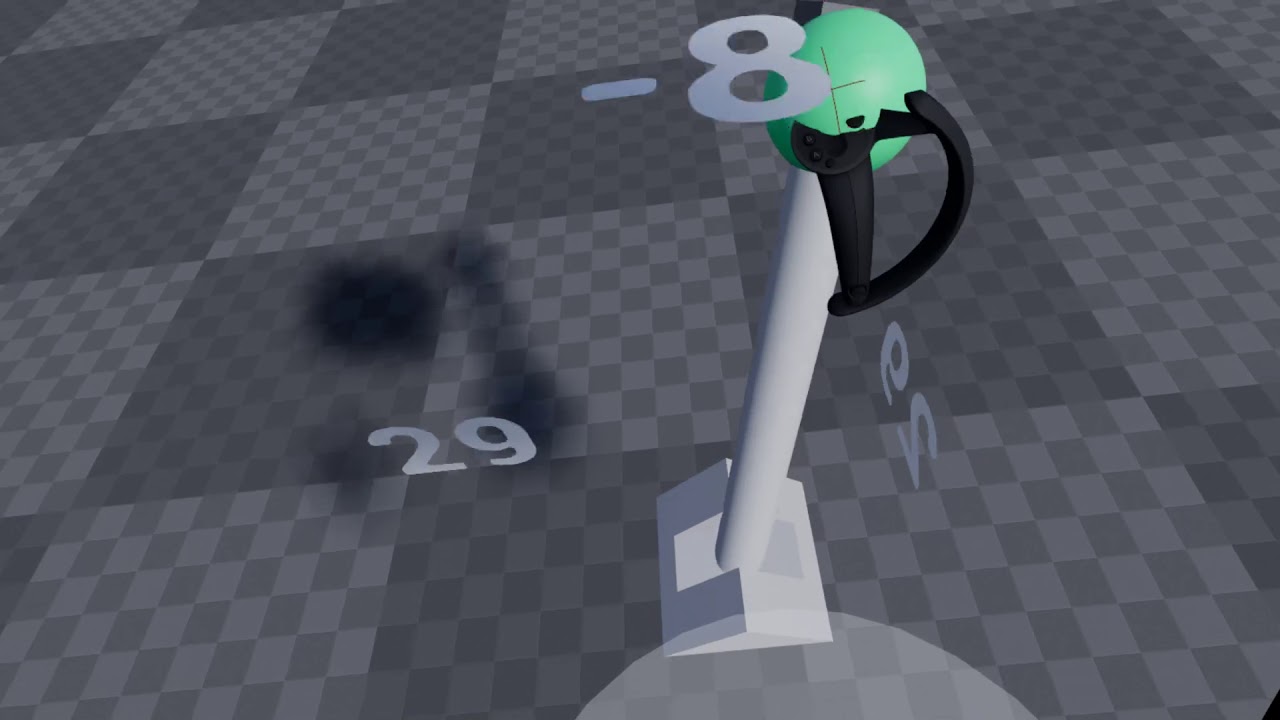
Going over the new flight stick mode of the VRLever, some 4.22 and plugin news, and the new plugin website at: www.vreue4.com
the upside to the logical type is you can control it more accuractely
the downside is it takes more effort
physics based you could run it off of that collision cube without physics handles
if you constrained to it
granite idol
Yeah for sure. That looks good. Do you have a R/V Interp to get it back to base?
tired tree
yeah it returns to 0
granite idol
Looks good. Pretty much what I need to a degree
granite idol
Yeah, I was gonna put Yaw to the left thumbstick
tired tree
without yaw you can emulate it just with a RotateTowards
and then you would have to calculate the angles
granite idol
Yeah man, if you have an hour to walk me through and get it working Im game
tired tree
mmm, wouldn't be able to in an hour, you can pm me and i can give some advice though
granite idol
Sounds good man
covert ferry
@real needle I am just watching a video on the forward render used in VR to optimise my project. About 5 mins into the video he mentions rectangle lights being an issue when using the forward render (as well as possibly fog and spot lights)
I havent watched it all yet but it might be worth your time.

Note: This video is longer and educational, if you are an experienced user feel free to skip around. The intro ends at 2.30.
Learn how to optimize Unreal Engine for VR with powerful built-in features and settings such as Instanced Stereo and Forward Shading. Epic Games de...
real needle
@covert ferry I never knew that part however as them lights only really being what is offered in unreal engine 4 apart from point light if there is an issue with them there must be a fix somewhere
covert ferry
There is a few options and likely some work around for the one with issues.
Hope you figure it out :D
I'm learning all about optimizations now so I'm too new to it to say one way or another.
covert ferry
Is it possible to day outright that vr projects should be using forward rendering ?
covert ferry
Thank you @tired tree !
Is the frame rate in the view port any kind of indication of your vr frame rate ?
As in, if its constantly 120 in the view port, Is that a promising sign ?
 cosmic shoal
Poor frame rate in view port means your VR game will probably be unusable, so a sustained 120fps in non VR is pretty much a must. Of course it depends on your system specs, VR originally targeted a GTX 970. If you want to export to quest even more optimization than that will be needed.
 autumn magnet
Hello and good day, I have a question that I hope can be answered. When developing using the vive or oculus headsets, is it easy to only have one but develop for the other?
sturdy coral
@autumn magnet should be easier after this: https://steamcommunity.com/games/250820/announcements/detail/2396425843528787270

Valve is excited to announce our current and expanding support for OpenXR, the new industry-wide open standard for VR & AR. Thanks to The Khronos Group and the extensive hard work of OpenXR's many members (AMD, ARM, Epic, Facebook, Google, HTC, Microsoft, NVIDIA, Qualcomm, Uni...
still beta support, but now all manufacturers have some openxr support
autumn magnet
thank you for your time
covert ferry
Is there any good tutorials out there for making a VR whiteboard ?
The one by Dean Ashford isn't for sale for some reason even though its on the market place on the internet..
I cant seem to find anything helpful on this yet I believe this kind of thing should be pretty common place by now :/
cosmic shoal
@covert ferry https://www.youtube.com/watch?v=TVZS7BHSEkY

Join the Patreon: https://www.patreon.com/bePatron?c=550670&rid=874324
Any questions? Heres my twitter: http://www.twitter.com/ward_reuben
In this video we'll use Render Targets to create a usable whiteboard in UE4. Once you've finished this, you should realize the potential ...
it's not VR but it should point you in the right direction
covert ferry
Thank you @cosmic shoal ! I will try to adapt it for VR!
sturdy coral
@covert ferry mitch's vr content examples has a whiteboard
 hard relic
Damned, Help. Hi. Do you know why my Dynamic Shadow are shown only when i pitch down my helmet and diseaper as soon i'm looking forward ??
It's on a Quest. Android ES 3.1. My light is a Moveable Directionnal Light.
magic parrot
hello all
I'm trying to add a dragon model from marketplace to my VR project, but I can't seem to be able to see it when build and lunch in the headset, do you know why?
 real eagle
Hey . Is it possible to get a VR (split screen stereo vr view) view in mobile in a AR session .
covert ferry
Thank you @sturdy coral
I believe it is for version 4.22
Would I have to download that version of ue4 to open the file ?
I am just assuming that I wont have the knowledge to port it over to 4.24.2 unless it is literally just a case of copy/pasting nodes.
covert ferry
@tired tree Hey, I have actually downloaded the file and got it working fine (it gave me the option to open in my version).
I cant get it to work when I migrate the parts into my own project though, and I don't think I have the knowledge to make it work.
I tried to migrate what I believed to be all the related items but to no avail.
hard relic
Damned, Help. Hi. Do you know why my Dynamic Shadow are shown only when i pitch down my helmet and diseaper as soon i'm looking forward ??
@hard relic Fixed: my dynamic Shadow Distance MoveableLight was 20000 and not 2000
granite idol
Quick question, any key words on how to get my vr hand to play a proper montage to grabbing a stick. I want to go from "about to grab" to transition to hand parented to object
 eternal inlet
I haven't noticed much pop-in with hzb but I've heard it can happen
@sturdy coral I haven't seen it on Vive either, but noticed it quite a lot on Index
real needle
I have this very small room which when I building lighting the Frame of the door goes black but the room remains normal ?
after light build
cancel that i can see it when I go into the VR the frame is lite by the light just when I look in editor it's not lit
real needle
can any help
not sure why but i am getting when attempting to test launch in UE 4 one eye in the quest is very weird doesn't look right
if i play with VR preview it works fine except for portal door camera view issue thing
sonic lake
@real needle if you have a mesh that turns black after you build the lights, usually it means it has no UV map. Check in the mesh editor. It should have 2 UV maps, one from the 3D software and one created by Unreal to bake the lights.
real needle
it's standard frame thats in starter content which does have one
the other thing is as you can see in picture the oculus headset seems to have gone wierd after me placing in a Portal door effect kind of thing
@sonic lake have you made projects in VR before as if you have I may need to call on your expertise
sonic lake
@real needle I may have done a project or two... 😉
real needle
awsome
sonic lake
Then it is not a UV problem. Materials may not be appropriate for the Quest, there are some limitations. First check that you have the proper project settings.
Did you follow the project setup from the Oculus documentation?
real needle
i'm new to VR and new to creatign things in a way they will be fine for Oculus to handle
I have followed a youtube video online which someone has done which follows documentation but involses some slight differences which apparently the documnetation dosen't say etc
sonic lake
@real needle First thing is to try with the Standard VR template, applying all the Oculus settings. Check that it works fine.
Then switch back to your project.
Describes a quick start for Oculus Quest and Go development in Unreal.
real needle
yeah that's just doing it's for package for android now with nothing being changed to begin with
@sonic lake one thing I am slightly confused at as different poeple say different things this has worked in previous project attempts
however is this something good to do or is setting all three paths reccomed. I know leaving emtpy they defult to certain locations
real needle
@sonic lake what version of UE 4 are you usig for VR at the moment ??
sonic lake
4.24.x
real needle
would you say for now i'm prob best sticking with 4.24 when it comes to VR
i'm not sure if VR is fully stable yet in 4,25 thats thing ?
covert ferry
I am making a tutorial for my project using widgets.
I have tried to follow tutorials on getting media (short videos) to play within the widgets or even on a static mesh but for some reason the videos do not play...
cosmic shoal
The process is clunky but it works, I've gotten video to play in VR no problem.
 fleet plume
anybody built a quest project for 4.25.1 yet?
did that this afternoon and now the GPU takes ~50ms/frame to render when deployed to the quest
up from <10ms/frame
anybody had a similar experience (and maybe solved it)?
oh and some materials don't even show up when running on the device - yet they haven't been changed in the switch from 4.24 to 4.25
covert ferry
Can I remove the (Lighting needs to be built for 10 actors)
from my VR viewport, so it doesn't distract people who are trying out my VR project ?
sturdy coral
@covert ferry do a shipping build and it won't be there, better to fix the lighting issue though because it will impact performance usually
 bright drift
Does anyone know how to set up Unreal Insights for Oculus Quest profiling if there is no UE4CommandLine.txt on the device?
I think it might have been removed in 4.25
 sweet oracle
Anyone tried tracking origin eye level for steamvr?
it seems to be buggy... works fine in oculus sdk
trying to set seated mode
so using eye level tracking for that
@fleet plume are you on steamvr or oculus sdk
oculus sdk has a bit of performance issues that i noticed post 4.24
hard relic
@covert ferry I plan to do this kind of SlowMotion with a Multiply values to all moving things except the pawn...
covert ferry
Hey @hard relic
I figured out how to do it so I will be removing my post.
But in short, I had a time Dilation set up globally when I only needed to slow down 1 actor in the scene.
I put it up in the level BP as
Input event > get actors of class > set custom time Dilation.
My end result is that holding down a trigger slows time (until it is released)
And pressing the B button is connected to a flip flop node allowing me to toggle the play/pause side of things (I couldn't find a way to pause so instead I used a custom time Dilation with 0.000001 as the dilation)
This essentially looks like I have frozen the character when B is pressed.
hard relic
@covert ferry that's look like a way better than my way. I will try to implement that. Thank you for the tip
covert ferry
no problem @hard relic, you'll get the result you are looking for!
tired tree
@covert ferry @hard relic can inverse the timescale on the player character as well and still stay full speed while global time scale is lowered
 dry meadow
Hello there,
I'm trying to make my first VR project in Unreal (4.21), and I've got a major problem that I can't figure out -- my view in both the editor and VR headset is just constantly spinning? Like I can't get it to stop moving.
Anyone got any suggestions?
covert ferry
Thank you for the knowledge @tired tree !
dry meadow
Figured out my issue -- in a way, but please @ me if you have better solutions.
The only way that we could fix the spinning was by unplugging my VR headset. That makes editing a VR game far more cumbersome, so if anyone has any ideas I'm all ears
real needle
need help if someone dosen't mind helping
in VR I have translation setup so the user can move around using thumbstick
but i want it so they can't "walk" off the edge of an object
hard relic
can inverse the timescale on the player character as well and still stay full speed while global time scale is lowered
@tired tree thank you!
chilly pasture
@dry meadow you Camera is spinning or whole Pawn is spinning.
real needle
so would it be nav mesh covering the whole area then just blocking volumes on the parts of the mesh I'm not wanting people to be able to teleport onto
also how can I do it so they can't move through mesh, I've placed in a capsule component with standard collision you would have if it were standard player manaquin etc
I'm not 100% sure whether its camera turning all whole pawn
covert ferry
I remember seeing a demo video of a vr world being rendered only in front of the player (and everything out of sight being culled until the are looking in that direction again)
Is this an automatic feature or something I need to look into ?
Sorry, still new to this!
sonic lake
@covert ferry it's called tunnel vision. Not sure this is still be applicable, but just to get an idea

(Note, this is a repost. Now with licensed theme music!) This tutorial shows how to recreate the “tunnel vision” travel effect from Google Earth VR using Unreal Engine. I demonstrate the use of the material nodes Camera Depth Fade, Custom Depth, Scene Depth and others.
You ca...
covert ferry
Thank you @sonic lake !
I was hoping to figure out if I can squeeze out some extra performance if most of the map was not rendered in when a player is not looking in that general direction.
sonic lake
@covert ferry Then I don't think this will do it. Are you CPU bound or GPU bound?
covert ferry
I have to be honest @sonic lake
This is my first project so I am going to have to learn to profile in this next couple of days so I can get that kind of information.
I was just preemptively enquiring about the culling as I was assuming you can never run 'too' smoothly I would assume ?
The project play tests well and feels stable. But now it is time to learn these things, especially with the fact I would like to try and get it working on the quest..
I know the quest has limitations, but I am hoping I will be able to get away with a lot because the levels are so small, with such a little amount going on under the hood in terms of tick/bp etc ..
 placid spear
@covert ferry I believe the feature you’re referring to (ie frustrum culling) is enabled by default.
An overview of Visibility and Occlusion Culling methods in Unreal Engine 4.
covert ferry
Thank you @placid spear !
I will look at that now.
 dry lodge
Hi everyone! I would like to show you the project we are working on with my VR team
Follow FB: https://www.facebook.com/project.oga
Follow TW: https://twitter.com/ProjectOga
Teaser: https://www.youtube.com/watch?v=NggnBmmmG84
Project Öga, San Miguel de Tucumán. 482 likes · 91 talking about this. A VR survival horror experience developed by Last Minute Crew.

A VR survival horror experience developed by Last Minute Crew.
Tweets
19
Followers
19
 Twitter
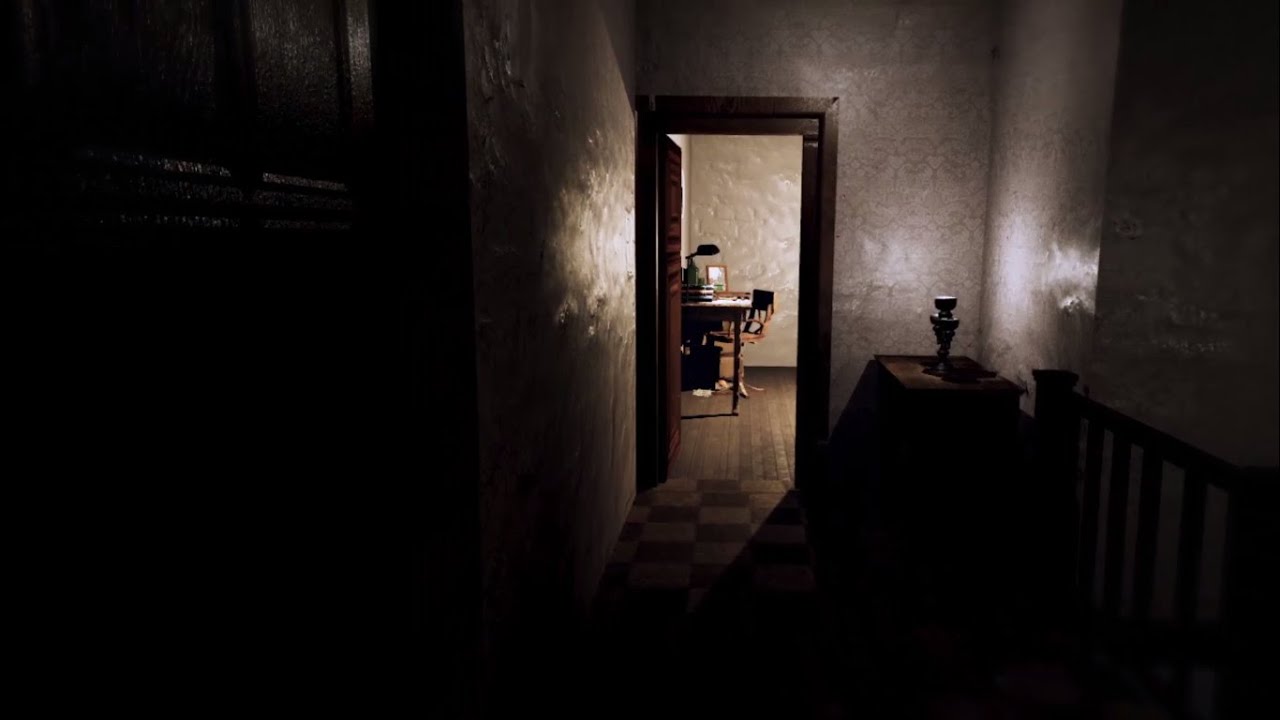
Öga: A VR survival-horror game. Protect your house, craft tools, explore the forest and face evil in the woods.
Will you survive?
We are a gamedev team from Tucumán, Argentina.
FOLLOW US:
https://www.facebook.com/lastminutecrewvj/
https://twitter.com/ProjectOga
https://www....
 quiet vector
Not sure if this or multiplayer channel is more appropriate, but anyone ever do replication for IK hands and custom movement?
I used unreal engine way way long ago like 15-20 years, and recently have been reading on current state, and I think I have a pretty good understanding of the different types of replication, but before I start diving in I'm curious on a more conceptual level how people have tried (and perhaps failed) to do this. For example if I replicate the hand positions of each character, upon receiving those I can simply set the new hand positions but then it will presumably be jumpy. I can lerp it, but ideally you'd lerp until the time of the next update, but you don't really know that, so perhaps you just pick a speed?
 quick cliff
@quiet vector from my understanding it would be just getting it the client tranform information and replicating on the server for all to see. if you want it to be accurate for immersion sake i would do it on tick
quiet vector
that's kinda what I'm thinking, I basically have 4 transforms (scale unused) to represent the player root and also the head and both hands
but somehow that seems too obvious or simple, like there must be something more to it
and for the owned pawn I was thinking of doing mostly local code, but sending enough to server to so that it can check for irregularities or cheating, so that I can (hopefully) avoid local prediction and move queue and all that jazz
since the local pawn needs to move essentially instantly to be in sync with the players actions
gonna think about this tonight, but if anyone has any suggestions please let me know
 naive canyon
I've been having some issues with bindings and the index controllers. For some reason the thumbstick position vector2 list is always empty. Kind of hard to map my character movements if they dont show up in the vector2 list in steam controller bindings
Is this a known issue with the latest release?
sturdy coral
@naive canyon you have to name the action ending in _X and _Y for it to generate right
sturdy coral
Unreal Engine Forums
forumtitle.png
Link to Marketplace (https://www.unrealengine.com/marketplace/smooth-sync)
Hey! I didn't see any way to sync from client owned objects
naive canyon
@sturdy coral thanks, that fixed the issue for one of the projects I was messing with.
real eagle
how can we disable Vr mode while using simple HMD plugin? The normal Enable HMD node is not working
 storm hare
where is this button on 4.25
cannot find it and I have a Assertion failed: Key.IsValid() when I try to run my game that i migrated to 4.25
quiet vector
@sturdy coral thanks I will take a look. Then implement, then figure out how the hell to test it lol
magic parrot
Hey, how can I enable Play Haptic Effect Blueprint, I can't seem to find it. I can see the Force Feedback Effect though
 opaque gorge
Hey everybody I have a simple question. I've been trying to find out how to switch VR hands any kind of hands or hand like message I can make? If anybody has a video about this please let me know because I can't seem to find one.
 hallow knoll
@magic parrot Turn off "context sensitive" in the API library (when you right click in the event graph), or drag out from your player controller reference. The function is in APlayerController, not APawn.
 cedar token
@storm hare If you go to project settings and search for 'steam' there will be a check box for 'Show Steam Vr Input Toolbar Button'
Sorry if this has been asked, but I'm stuck. My VR project (4.25.1) works as expected when launched from the engine. When packaged though, the controller motion tracking is working fine, but all the bindings are missing on the buttons. Is anyone else having this issue? I tried just loading up Epic's default VR scene and just packaging it (made sure to check start in VR), and got the same result.
magic parrot
@hallow knoll Thank you 🙂
opaque gorge
I've been trying to find out how to switch VR hands any kind of hands can someone help?
eternal inlet
Im gonna make a camera controller for pilotting a virtual camera around for a vr scene (trailer), and for that i want to use either a ps3 controller or xbox controller. Which one would you guys recommend getting?
(reason i cant use the mouse and keyboard, is that i use that for a pc-player)
 blissful bear
Xbox controller for sure.
covert ferry
Does anyone know of any courses which talk/walk you through the general optimization process of a project ?
I know its different in every project.
Something that would advise you where to look and what to do in certain scenarios.
I know it is a subject with a TON of parts, but if I can get a general idea, at least I will know where I need to branch off/do further learning for which points...
If I am making sense ?
I'm not asking a crazy question like "How do I optomise my game"
I just need pointing in the general direction..
chilly pasture
Hi Guys,
Anyone who has done something with Hand Tracking for Oculus quest.
I need to know if we can toggle between hand tracking and Controller from inside the code ?
 brittle salmon
what's up with wmr input not going through at all for some buttons
none of the trackpad buttons work, neither do menu buttons
4.25
 radiant garden
@brittle salmon Did you setup actions for the WMR inputs?
I've been having a similar issue for SteamVR where my Index inputs are not registered as button presses but the actions using them still are firing.
@covert ferry I'm no expert on optimization by any stretch, but I can give a few tips
covert ferry
thank you @radiant garden !
radiant garden
First off, measure, measure, measure, and then measure some more. Don't optimize something unless you are certain it needs optimizing. Then have metrics before your optimization and metrics for after your optimization.
covert ferry
as in measure for scale ? @radiant garden
radiant garden
By nature, optimization tends to increase complexity. Increased complexity is harder to maintain. Thus "premature optimization is the root of all evil" (and I am a very evil bas!@#$ in this regard)
The measure depends on what you are looking at
Time spent on the CPU, how long it takes to render each frame in ms (FPS is not a good metric for optimization)
In formal software engineering schools you learn about big O notation. In a nutshell it is a measure of the computational complexity of a given algorithm. You can find a lot of resources online on big O - frequenly expressed as a function of O, IE O(N)
I've only just begun working with UE4, so I don't have any experience with the optimization tools available. However I know there is a way to enable a visualizer that renders the relative complexity of each of your shaders on a colored scale
Always optimize where ever your bottleneck is. Ideally this should move the bottleneck somewhere else. Then you optimize at that somewhere else, until you get to the performance metric you want
There are undoubtedly some "best practices" in regards to performance UE4, however I am new enough to the engine that I cannot say much about what they are.
covert ferry
thank you @radiant garden that's some great information!
I will follow it as best as I can, I think they are some great principles to get me started.
cosmic shoal
@covert ferry https://www.youtube.com/watch?v=o-6EMTjzvns this is how they optimized robo recall for quest, there is also a talk about superhot optimization, it's not for Unreal, but many principles apply https://www.youtube.com/watch?v=hr35o5R7EMA

In this presentation by Drifter's Matt Tonks and Ray Davis, the duo reveal how their small team tackled the challenge of porting Epic's robust Robo Recall to Oculus Quest without suffering and loss in gameplay. Topics covered include profiling performance budgets, game-thread ...

Programmers Dr. Luke Thompson and Mark Schramm take you on a (mostly) chronological journey to get their award-winning VR game running on a standalone HMD, and making it the best version to date. This talk will include the technical hurdles, triumphs, hints, tips and mistakes ...
covert ferry
thank you @cosmic shoal !
 rocky latch
how do I enable unreal insight trace on oculus quest?
 shrewd cobalt
👋
 rotund mountain
after package camera behind my game object, but on game engine all works nice
radiant garden
is there a way to swap a player controller?
I'm trying to figure out how to have a VR and non-VR mode to my game
Mostly for testing
It's looking like I would need one giant player controller to capture motion controller inputs as well as keyboard / gamepad inputs
I was hoping there could be VrPlayerController and PancakePlayerController, or somesuch
magic parrot
how do you add a 'K2 Get Root Component' in Blurprint?
 lament mesa
Hi Devs I pulled the fork of ARCore UE4.21 repo and build it, there were some errors which were persisting in the build, some generic ones which I'm not sure how to fix. I forgot how did I fixed it before. Can you guys help me ? Here is the link of the log : https://gist.github.com/Pranavpaharia/897b22a9ff2a67c205a11bd149fda8b1
More errors are:
C:\Program Files (x86)\Windows Kits\10\include\10.0.18362.0\shared\ndis/version.h(7): error C4668: 'NDIS_MINIPORT_MAJOR_VERSION' is not defined as a preprocessor macro, replacing with '0' for '#if/#elif'
E:\GithubRepo\UnrealEngineARCore\Engine\Source\Editor\MovieSceneTools\Private\FCPXML\FCPXMLExport.cpp(1058): error C4800: Implicit conversion from 'const wchar_t *' to bool. Possible information loss 4> E:\GithubRepo\UnrealEngineARCore\Engine\Source\Editor\MovieSceneTools\Private\FCPXML\FCPXMLExport.cpp(1058): note: consider using explicit cast or comparison to nullptr to avoid this warning
E:\GithubRepo\UnrealEngineARCore\Engine\Source\Runtime\Core\Public\Misc/Attribute.h(43): error C4800: Implicit conversion from 'const OtherType' to bool. Possible information loss 4> with 4> [ 4> OtherType=bool (__cdecl FBodyInstanceCustomizationHelper::* )(void) const 4> ]

Gist
ARCore Unreal Engine build log file. GitHub Gist: instantly share code, notes, and snippets.
UnrealBuildTool : error : UBT ERROR: Failed to produce item: E:\GithubRepo\UnrealEngineARCore\Engine\Intermediate\Build\Win64\UE4Editor\Development\Sockets\UE4Editor-Sockets.lib 4> (see ../Programs/UnrealBuildTool/Log.txt for full exception trace)
 spring imp
Does anyone know where to download Epic's "Unreal Face" app as mentioned in https://docs.unrealengine.com/ko/Engine/Animation/FacialRecordingiPhone/index.html ?
Use the Unreal Face app, ARKit, and Live Link to capture facial animations and apply them to characters in Unreal Engine.
 torpid hawk
some know how i can split my pc screen, I want to my my own VR glasses and I dont know how i can split my pc screen. If someone knows how to do it i'll be very greatful
something like these
is it possible?
radiant garden
You are looking for side by side (sbs) rendering. Not sure how to do it in UE4, but there are several programs that can do that. It really depends on what exactly you are trying to accomplish
 thick plaza
anyone know why my steamvr_manifest.json isn't created or anything for that matter happens when i click on regenerate action manifest/controller manifest
i switched from 4.23 to 4.25 a while ago and i'vebeen having this problem for a while
torpid hawk
thanks
 hot willow
Good morning @tired tree! Is there a way to allow the VR player to climb on physics objects? Kind of like human fall flat to a small degree
tired tree
literally climb, or stand
because yes and yes, but specifically the standing part you have to be super careful with
@hot willow
https://vreue4.com/documentation?section=character-tips scroll to the physics character interaction section
its off by default due to the hazards of letting it happen normally
hot willow
Thank you! You're an absolute legend!
 ionic jetty
Heya anyone here work with quest finger tracking?
real needle
Hi guys and gals could I ask for some help please
https://www.youtube.com/watch?v=TVZS7BHSEkY - i'm following this tutorial to create a whiteboard I can write on in VR
Join the Patreon: https://www.patreon.com/bePatron?c=550670&rid=874324
Any questions? Heres my twitter: http://www.twitter.com/ward_reuben
In this video we'll use Render Targets to create a usable whiteboard in UE4. Once you've finished this, you should realize the potential ...
However this being the code I've done in motion controller pawn it dosen't seem to work
am I placing this code in right place ??
 hybrid plume
Use print strings to debug where it’s not working
 mighty carbon
also, wasn't there a visual debugger for Blueprints ?
 silk lodge
@real needle if you're running VR, alt tab back to unreal to view the live bp debugging
bright drift
@rocky latch I asked about Unreal Insight on Quest on the forums a while ago and never got a response
It's one of those things that was once documented, but the process changed since then due to updates and nobody ever updated the docs
So there are no instructions on that for Quest on 4.25
 surreal bramble
Anyone know what happened to option to create Haptic Effect assets? All the haptic-related assets seem to have disappeared from the menu? A Haptic Effect Curve still seems to exist in the VR template, but AFAICT there's no way to create these assets from scratch?
dupe question here https://forums.unrealengine.com/development-discussion/vr-ar-development/1775438-haptic-feedback-effect-in-4-25
Unreal Engine Forums
A few engine versions ago, there was a possibility to add haptic feedback effects under Add New -> Miscellaneous -> Haptic Feedback Effect <something>, like below:
This option is missing now:
Where did it go? How do I create haptic feedback on the newer engine version (4.25 ...
https://developer.oculus.com/documentation/unreal/unreal-haptics/
The OVRHaptics API is deprecated and only included for legacy support purposes.
So maybe the haptics stuff was developed by Oculus and they didn't keep supporting it so UE pulled the feature?
Describes adding haptic feedback to Unreal apps.
❓ Alternative question
How to do curve-based haptics for Oculus Touch controllers? (using non-deprecated tools)
rocky latch
@bright drift From what I understoon at Unreal Docs, if I launch the executable with these parameters "-cpuprofilertrace -tracefile=/sdcard/UE4Game/foobar.utrace" it should dump the info on that file. Supposedly I could push a file called UE4CommandLine.txt to /sdcard/UE4Game/ with the arguments, but that didn't work for me 😒 the arguments seemed to be ignored (tried -NoSound and failed)
bright drift
That file is supposed to already be there, and you can add the launch params to it, but they took that out at some point
I never figured out how to launch an android app with params when you don't know the main launch activity name or something
Tbh I'm just putting all the Quest stuff off until I've determined whether or not I'd even be able to publish to their store, because my only option otherwise is SideQuest, which I'm still kinda on the fence about
rocky latch
tbh Im saying quest, but I'm really developing to PicoNeo. I assume that they are similar but don't know if that could be the reason why UE4commandline is not working, guess not
I didn't know that you could sell on sidequest : 0
 humble pasture
Hey PEEPS!!! I am new to VR and recently got me a Oculus Quest. I want to tackle some VR projects on UE but I cant get UE to 'play in VR mode'. Any advice? or if you have a step by step web page or something?
sonic lake
@humble pasture You launch the project on the device. Fully described in the documentation, let me know if you need links to it.
humble pasture
@sonic lake Hey please if you can give me links I'd be so grateful. struggling for 2 days to figure out how to set it up
sonic lake
@humble pasture check the engine documentation or on Oculus: https://developer.oculus.com/documentation/unreal/unreal-quick-start-guide-quest
Describes a quick start for Oculus Quest and Go development in Unreal.
humble pasture
@sonic lake Thank you so much!! I really appreciate this
 violet musk
@rocky latch @bright drift The setup here in the middle of the page worked for me to get Unreal Insight working, but I haven't tried on 4.25. https://medium.com/realities-io/oculus-quest-performance-tools-in-unreal-engine-2210f2581c8f

Medium
Quick guide on setting up performance tools such as Unreal Frontend, Unreal Insights, OVR Metric Tools, Logcats and Render Doc for the…
bright drift
@violet musk that's what we were both talking about
step 2 references a file, UE4CommandLine.txt, that is not present in 4.25
so there's no way to tell the quest app about the tracehost
bright drift
no
you need a means of telling the unreal app that we want to log the trace insight info locally
neither of us figured out a way to do that without that command line file because it was removed
the main issue seems to be that the workflow for this was changed, but the documentation wasn't updated to reflect it
violet musk
Well, I'm looking at its contents on my 4.24 version here. So you mean it is not even being used anymore?
I see
bright drift
UE4CommandLine.txt is nowhere to be found
I've looked through all the different files that actually are there, and none of them appear to be analogues for it
violet musk
That's great.. 4.25 has been nothing but problems so far : P
bright drift
well, it's been fine for me
it's quest development that's a pain due to the lack of documentation for IMO fundamental things like profiling
violet musk
I had stuff like flickering dynamic shadows on it, increased shader compile times and editor freezing while compiling (even freezing my 3D application additionally). Re-compiling when restarting my project and opening up an old master material.
Those haptics that errata is talking about are missing.
And I just woke up to the 4.25 Oculus branch compiling with errors.
bright drift
I dunno anything about the oculus branch
violet musk
Which I was hoping provides the haptic features.
bright drift
but it sounds like that's an oculus problem rather than an Epic one
dunno about the haptics thing though, haven't tried that yet
violet musk
The oculus branch has a much more up to date OVR plugin
With hand tracking and other stuff
Official UE 4.25 is 5 versions behind
Overview of the Unreal editor configuration and components.
And I'm assuming the haptics will be in that version again.
bright drift
have you tried Force Feedback?
bright drift
damn
violet musk
That new project I'm working on is only a week old. Might just rip it all out and go back to 4.24.1
bright drift
I wouldn't recommend it
it seems highly unlikely that haptic feedback is entirely broken in 4.25
but I have seen worse regressions 🤷🏾♂️
violet musk
The assets aren't there in the content browser. Somebody said to copy over the asset. But I also don't see any "Haptic" functions to execute in blueprints.
Why would you not recommend it tho? Is there anything crazy in 4.25 for Quest? I wanted to go to 4.25 because the hand tracking implementation was officially supported now. Before I relied on a third party plugin.
bright drift
definitely take what I said with a grain of salt
I'd recommend using the latest version if you're starting a new project, generally speaking
violet musk
Usually using the latest version isn't a good idea because of things like this breaking 😂
bright drift
specifically, it might be better for you to use an older version, but given the reason...
violet musk
But we do try anyways ;)
bright drift
if haptics are really broken, then you can't ship a VR game in 4.25
violet musk
I'm sure there are people who can work it out. Mainly doing BP I'm not one of them.
bright drift
I can't think of a good reason to remove the haptic feedback type entirely
But I also don't see any reference to it in the 4.25 release notes
violet musk
Well, I don't think it would have been on purpose. Maybe got accidently left out for tests or something before release.
bright drift
have you tried the "migrate it from the vr template" workaround?
violet musk
Maybe a hotfix pushes it back in.
bright drift
if anything, it might be worth filing a bug report
violet musk
I only read about it here. But I didn't see any functions to call for haptics in UE 4.25, so I don't know if you can even do anything with that asset.
bright drift
considering this bug currently, afaik, prevents every VR dev in 4.25 from using haptics at all (not just oculus), it's probably gonna go in the next hotfix
hm, you know what
violet musk
hopefully
bright drift
I just checked, and found a Play Steam VR Haptic Feedback node
I think oculus and steam vr handle haptics differently in the backend, so they probably changed it
violet musk
A single steam one yes
bright drift
cause I'm willing to bet this steam vr node would work fine for me
bright drift
there should be some oculus analogue for it in the oculus build
given that you apparently can't ship on oculus with the epic game store build anyway, that's probably it
violet musk
That's why I'm trying to build this oculus branch. But no idea about those errors :(
Oh really?
bright drift
it's weird that you're getting build errors in hololens files on the oculus branch
violet musk
You mean using EGS or just having the functionality active?
bright drift
I mean the binary version of UE4 you can grab from EGS has a very out of date oculus plugin, so you probably can't ship with it anyway
I'd assume you're expected to use the oculus build to ship for those platforms
which should have whatever the current haptics system is built in via the updated plugin
assuming that's why they got rid of the cross-platform HapticFeedbackEffect class
bright drift
oh, you mean sidequest?
violet musk
Select customer headsets
bright drift
oh
violet musk
Will be installed in a show room kind of thing on multiple devices.
bright drift
cool
hard relic
Sometimes, my level start but i do not have my controller. Do you know what i'm doing wrong...? I'm on Quest / U4 4.24.3
sonic lake
@hard relic Not spawning/possessing your pawn. Or your hands may be stuck somewhere under the floor.
Or a tracking issue.
hard relic
aaah sometimes it seems that i'm starting under the environnement mesh. I was thinking that it was not a problem for the moment but it may be the reason i lost my controller, right?
 signal ocean
@sonic lake I saw your forum post on rotation, and how to not make the pawn move when rotating, unfortunately I don't think it works anymre. Could you possibly explain it to me?
Or even show a simpler solution if possible.
sonic lake
@signal ocean you mean room scale rotation? I just published a YouTube tut on that.

Learn how to make a snap turn function for your VR projects which supports Room Scale movements. Even if your player moves in real life the rotation will always happen around the current HMD location.
Jump to 8:00 to skip the theory and go straight to the implementation
#vr ...
signal ocean
oh, thank you!
signal ocean
@sonic lake really weird thing happening, I converted it to cpp and made a mistake using roll instead of yaw. Roll worked, i figured it out and switched it to yaw. But for some reason, yaw is not working at all - bps or cpp. Here's the code.
nvm - figured it out. I have to disable bUseControllerYawRotation
sonic lake
@signal ocean good you fixed it. Is it working now?
signal ocean
@sonic lake unfortunately it still moves the pawn on rotation... no idea why
sonic lake
@signal ocean I need to check the composition of transforms in C++
Maybe the order is reversed
No it is fine, it is A * B
signal ocean
could it be from me interping?
sonic lake
your first step is wrong
wait
It's GetActorTransform() * NewTransform.Inverse()
NewTransform2 = GetActorTransform() * NewTransform.Inverse()
Order matters
It does. A LOT.
Composition of Transforms is non commutative.
So A * B != B *A
signal ocean
ty
sonic lake
Check the rest of the code, make sure the order is respected
signal ocean
i will
sonic lake
Same for Rotators and Quaternions by the way
signal ocean
kk
signal ocean
@sonic lake works perfectly now. Thank you very much!
sonic lake
@signal ocean great! You are welcome.
 fierce sphinx
Is it better or worse making your game in vr (if it is an fps)?
- less competition
- smaller audience
Strictly speaking from a profit perspective for the solo indie dev.
radiant garden
There are a few VR FPS games that have a pretty strong hold on the VR market
Because mod support
And there a several VR FPS games that have died because online only and not enough players to keep match making smooth
I don't really play FPS myself, so I can't recall specific names
Pavlov is one of the more popular games, I think
fierce sphinx
It seems like vr is one of those things that will (in the future) either dominate or tank. I can't tell which one it will be at this time.
 somber tinsel
I'm fine with it just kinda vibing alongside PC gaming
 pine nimbus
Anyone have advice for inputs where you can pick up and drop objects which you can control
But the object in the left hand should be controlled by the left controller, and consume whatever imputs it has
But leaves the other controller free
radiant garden
@pine nimbus Maybe there is a SteamVR demo for this officially from Valve? On Unity there is a SteamVR demo that does exactly this. I'm uncertain if Valve made it for Unreal as well though.
pine nimbus
Alrighty will try look for such a demo
tired tree
@radiant garden the car controller isn't exactly what he is talking about. You can do that just fine easily in ue4, he wants to dynamically consume inputs in BP and i don't think that is possible
radiant garden
Oh I missed the part where they asked about consuming the input events
https://docs.unrealengine.com/en-US/Gameplay/Input/index.html
There's a hierarchy on this page that shows which objects will consume events before they flow to later events
The Input object is responsible for converting input from the player into data in a form Actors can understand and make use of.
Is it possible to setup some blueprint configuration to take advantage of this hierarchy to consume conditionally?
tired tree
I guess if you spawned an actor in to block specific actions
but that is realllllly hackish
when in c++ its fairly easy to do dynamically
he wanted to block on an actor depending on which hand was holding it.
 marble junco
Anyone else experiencing problems with the camera image that is way too dark in Android AR Apps (actually whites are blown out too - but the image from the camera app is fine, so it's a UE4 issue)?
It’s pretty much unusable for any professional use case and I wonder how other AR devs are tackling that problem.
radiant garden
@tired tree Do you know a way to run both VR and non-VR from the same project?
Not at the same time
I'm thinking like a command line parameter for builds or a different run button with PIE
Essentially I'm looking for a good way to test functionality that doesn't necessarily require VR to work.
tired tree
@radiant garden you can check the current run mode in editor and not launch vr and use a proxy pawn
its what I do and what my users do
radiant garden
By proxy pawn, do you mean temporarily set a different default pawn?
tired tree
@radiant garden subclass of the VR pawn, with controllers attached to camera
and keyboard bindings
radiant garden
Oh, so you merge a "VR Pawn" and a "Pancake Pawn" into one class?
tired tree
i base it on the VR pawn, because if set up correctly, it uses the same functions for grasping and the like
so its 1:1 testing aside from 6dof mechanics and framerates
radiant garden
Ah ok. So it is essentially a VR pawn that also has keyboard controls
Ultimately I'll probably use your plugin, but I want to make sure I understand how all the parts come together first
I hate not understanding how the pieces come together
blissful bear
Using that setup I spend surprisingly little time in vr during development. It hugely speeds things up. Recommended
radiant garden
Is there some way to use this to allow non-vr players to play with vr players using the same client for each?
tired tree
i wouldn't recommend it unless you really switch out the vr specific stuff
but yes
you can detect active VR, and spawn a non vr pawn
by not recommending I meant not to use the same pawn typically
blissful bear
I do archviz and it's a big win offering vr and desktop in the same app. Clients love it.
radiant garden
@blissful bear do you have to build a completely different client binary, or is there a command line parameter you can use to launch without VR enabled?
sturdy coral
@radiant garden you can launch with -nohmd
apply this pull request or steamvr/oculus runtimes may launch anyway:
radiant garden
@sturdy coral Awesome! Just what I needed. Really wish that was listed on the command line parameter documentation.
Looks like I can even check the command line parameter passed from code to do special logic for nohmd. Is there a good way to conditionally swap out the default pawn and / or controller with a multiplayer game?
I'm toying with the idea of having a dark souls like co- op game where one player in in VR and his friend can jump in and assist with boss fights using pancake / flat gaming.
sturdy coral
@radiant garden you can modify gamemode to spawn differently by checking that parameter but that will only work for singleplayer
for multiplayer you can add a vr join parameter
to the map URL
I switch back and forth at runtime when taking on and off the headset instead of having a separate pawn for each
radiant garden
In effect does it show each player up have a different game mode?
Sorry if I'm asking very noob questions
radiant garden
I'm still wrapping my head around the architecture
Oh ok. That makes sense
Is there a doc on map join parameters?
It sounds like there is some kind of "on connect event" that may be used to dictate which controller to spawn
sturdy coral
yeah I think it is something like that
the pawn is created after the player controlller
radiant garden
Sweet. If that's the general gist I should be able to track it down
sturdy coral
and before the player controller is created the APlayer is created I think
and that has the url parameters in it maybe
or the place that creates it does
you can look for spectator stuff
there is a similar parameter for joining as spectator
that's what I based it on
radiant garden
Oh I see
So the other event will be near that one in code
Awesome! Thanks for the info.
Now to get over my AP and actually start implementing things
sturdy coral
@radiant garden cpp // Customize incoming player based on URL options ErrorMessage = InitNewPlayer(NewPlayerController, UniqueId, Options, Portal);
I think that line
radiant garden
I feel like such a noob still. I managed to blow up a test project when trying to figure out how to delete / rename / move cpp classes
sturdy coral
    /**
     * Customize incoming player based on URL options
     *
     * @param NewPlayerController player logging in
     * @param UniqueId unique id for this player
     * @param Options URL options that came at login
     *
     */
virtual FString InitNewPlayer(APlayerController* NewPlayerController, const FUniqueNetIdRepl& UniqueId, const FString& Options, const FString& Portal = TEXT(""));```override that to set a vr boolean based on parameter
then on pawn spawn, check that boolean in the player controller or player controller's player
I think 'Options' is the URL parameter stuff
radiant garden
The controller gets a pawn spawn event?
sturdy coral
I think you override GetDefaultPawnClassForController(AController *);
radiant garden
Oh ok. That makes sense
Man this is awesome. I've been so fed up with the weak sauce "OOP LIKE design" in Unity
sturdy coral
in the base player controller's InitNewPlayer they do:
    // Set up spectating
    bool bSpectator = FCString::Stricmp(*UGameplayStatics::ParseOption(Options, TEXT("SpectatorOnly")), TEXT("1")) == 0;
    if (bSpectator || MustSpectate(NewPlayerController))
    {
        NewPlayerController->StartSpectatingOnly();
}```@radiant garden you still may want one common pawn base class in cpp with a boolean for whether it is vr or not, because the inheritence tree will get screwed up
 ivory magnet
is there an easy way to swap controllers ?
I need a way to set left controller as right and vice versa
sturdy coral
you probably want a heirarchy like
BPPawnBase : BPVRPawnBase
BPPawnBase : BP2DPawnBase```because otherwise if you do:
CPP2DPawn : BP2DPawn```

You can't have common BP functionality between the two BP (VR/2D) pawns easilyYeah that would be best, assuming the interactions are made generic enough to mostly be in the base
magic parrot
hey all, i'm trying to replicate unreal vr_template project. at the moment everything sounds identical however I can't get to show the hands when lunch the project into the headset. here I attached parts of the setup that you might be able to help me find why this happens
humble pasture
Hey all you cool cats and kittens!! haha I have a simple question! I am busy with a VR sword fight game project just for myself though, can I use a npc rigged for a RPG game enemy as a npc in my VR game?
radiant garden
Yes
surreal bramble
ok so update on my search for "haptic feedback effect curve asset" editor for the "Play Haptic Effect" node, I'm now running the Oculus build of UE4 and the "haptic feedback effect curve asset" editor is not in that build either. 🤷 Just seems super weird to me that this fairly fundamental feature just disappeared without a word, gotta be some politics to blame.
humble pasture
hey guys sorry for all the Q's!! I set up my enemy AI movements and pawn sensing, but the tutorial I am following is for a RPG game. I have an 'On See Pawn' event and have to cast it to my VR pawn. What do I have to cast it to for my VR Pawn?
I got it for now I think! thanks anyways
sturdy coral
@surreal bramble probably related to: "Deprecated
Buffered haptic feedback is deprecated and only included for legacy support purposes. The API was only supported on the original configuration Rift with external tracking sensors. Non-buffered haptic feedback is still supported on both Rift and Rift S."
https://developer.oculus.com/documentation/native/pc/dg-input-touch-haptic/?locale=en_US
Describes how to use the haptic feedback functionality of the Rift Touch Controllers.
 woeful sundial
Anyone else experiencing problems with the camera image that is way too dark in Android AR Apps (actually whites are blown out too - but the image from the camera app is fine, so it's a UE4 issue)?
It’s pretty much unusable for any professional use case and I wonder how other AR devs are tackling that problem.
@marble junco Many complains about this issue for quite some time, also in forums. But Epic does not react and bug reports by different users for this issue strangely do not get tracked at issues.unrealengine.com for unknown reasons. They do not care. Custom licensee with access to UDN needs to speak up, so it seams.
covert ferry
I need to make an area the player cant leave until they have finished the tutorial..
the tutorial is just a series of slides (widgets).
Ideally they would only be able to move around within a box directly in front of the widgets
until they have either closed the last widget slide or clicked on the 'skip' button on any of the widgets up to that point..
any ideas where I should start with this ?
marble junco
@woeful sundial
Great :S
It looks like the actual raw texture is fine, so I‘ll test whether we can actually use it by disabling the default rendering of the camera and place it as textured plane or widget in 3D space. Sounds like a terrible solution performance wise, but at least worth a test. Still better than not being able to ship Android AR Apps altogether.
covert ferry
I have placed my VR pawn to face towards my in-game menu but for some reason the players orientation
is take into account, so if they are not looking a very certain way in real life when they put on the headset,
they end up with the menu behind them....
is there a way to make them always face the menu on startup ?
sonic lake
@covert ferry you can use Reset Orientation and Position. Pass a rotation angle to it if needed.
covert ferry
@sonic lake thank you for the pointer, are they just nodes I can google then use ?
sonic lake
It's one Blueprint function "Reset Orientation and Position"
covert ferry
will that force the player to be looking in the direction of the pawn they occupy when the game starts then ?
if so then that is fantastic!
would I set that in the level BP of each level then @sonic lake ?
and run it from a 'Begin play'
sonic lake
@covert ferry you set it where it is necessary yes
covert ferry
thank you, and sorry to pester.
sonic lake
No worries. Helping others is what this community is for.
covert ferry
I have been told a few times that Navemesh bounds is only used for AI.
But the whole time I have been working on my project I have only been able to move (teleport) where there is a navmeshbounds path...
I want to make an area the player cant leave until they have read the tutorial widget fully, or skipped it.
Is it possible to change from one Navboundsmesh to another through BP to achieve this ?
surreal bramble
@covert ferry you could probably achieve that without involving messing with the navmeshes at all e.g. add a new custom check in your "can teleport" function that disallows teleport if the potential location is outside your "tutorial volume" (not necessarily a navmesh volume, any volume will do), and player hasn't completed tutorial. You could also do it based on distance from some point.
if you're using the vr template, IIRC what it's currently doing is something like: casting a ray down at the ground, then only allowing teleport if that ray intersects with a "navigable" point on a navmesh
navmesh isn't necessarily "only used for AI"
covert ferry
Thank you for the information @surreal bramble !
I was going to try a blocking volume tomorrow when I attack it again to see if that is enough to block the teleporting.
surreal bramble
unlikely
maybe
yeah actually I guess that could work too
you'll need to block the whole area they could potentially teleport to though, not just a wall. I have a feeling it doesn't check to see whether the spot is navigable from the current position i.e. isn't blocked by some obstacle, rather it just checks whether the spot is valid at all, even if there's no way in or out
covert ferry
Sounds like it is worth a try!
Thank you for your time.
It's only minor but very annoying when the player begins teleporting everywhere, then doesn't finish the tutorial and wonders why they don't know what to do 🤣
 mellow edge
Do we need need to enroll for apple developer program of 99 dollars to test the faceARSample in my ios device??
blissful bear
I'm pretty sure you do.
Before you shell out the dollars be aware that AR in Unreal is a mess. Imho of course.
 sage gulch
so I'm trying to get my 5th Oculus warranty call handled.. since I had multiple CV1 cables die and now my S has been dead for months..
Is anyone doing DESKTOP PC ue4 dev via Quest on USB Link?
like.. does it really, really work? or are there problems? this might be the last time I'm able to make a warranty call and my budget is still in the red on dev work from last year(s)
I'm all about being able to do Quest builds and play with hand tracking.. but my main project is DESKTOP pc, so I thiiiiiink it's supposed to work...
mighty carbon
If you plan on getting official Link cable, should be almost identical to Rift S
It's not the same when using standard USB3 cable
(But still good for development)
 quiet swan
does render custom depth pass not work on vr because of forward shading?
its suppose to look like this
bright drift
@mighty carbon @sage gulch oculus link works with the cable that ships with the quest and USB2 cables in general if you switch the PC Oculus app to the test version
 idle osprey
I don't think you need test anymore.
I was using the original cable with Link, tho I was plugged in to a thunderbolt3 port (MacBook running Windows)
covert ferry
couple of questions for you Superior developers out there!
- I use the generic teleport which comes with the VR project.
But most of the time, If I turn the thumbstick while teleporting I do not end up facing the way the arrow was,
instead, I keep my original orientation.
I have to conciously, slowly lift my thumb from the clicked position pretty slowly, making sure the stick is still in that direction
in order to achieve the proper functionality...
I know the people I get to test out my project are going to have trouble with this...
covert ferry
- Does anyone have any experience adding hand animations ?
I could do with being pointed in the right direction.
 gaunt pumice
does anybody know if there is a function to check if the oculus quest is being put on/off the users head?
sage gulch
thanks, guess I will try it
daring mural
Is it possible to have collisions during game pause? Players are able to walk through walls (in playspace) while the game is paused
tired tree
@daring mural enable ticking while paused
its nothing to do with paused
its the CMC not running
 brisk spade
i finally have a wheel that i can rotate 😄 like a valve 😄
finally after 2 months or so
 sand wraith
@brisk spade how did that?! I want that! 😫
sand wraith
Not it...
Anyone do have link to how-to or tutorial website for two hands interaction?
sonic lake
@sand wraith you can have a look at my tutorial here: https://youtu.be/wxKYgJmc5a8

Learn how to grab and handle a weapon with two hands in VR!
Includes an MK16 and a Katana example. The weapon can be held with one hand or with two hands. Plus it can be switched from one hand to the other on the fly. You can even teleport while holding your weapon.
This has...
sand wraith
@sonic lake thank you! This exactly what I was looking for
surreal bramble
@sonic lake great tutorial.
 smoky valve
Hey all! I was wondering if you could help me resolve this error. Not entirely sure how to go about this.
LogPlayLevel: Error: 06-22 17:30:02.888 4271 4300 D UE4 : [2020.06.23-00.30.02:888][ 0]LogNavigation: Error: Attempt to build nav collision data for /Engine/EditorMeshes/MatineeCam_SM.MatineeCam_SM:NavCollision_2147482599 when we are unable to. This platform requires cooked packages.
I'm building a project via the Oculus Quest.
I wasn't getting this before, and I don't have any sequences or cameras in the scene.
smoky valve
I made some optimization fixes to a master material and rebuilt lighting...now the first error I posted about has mysteriously vanished. not sure how that's related to MatineeCam... 0_o?
smoky valve
Found some more warnings.
Sorry, I'll stop spamming now. Just wanted to give as much info as I can. Still trying to figure it out myself as well.
bright drift
@sand wraith if you aren't already, you should check out the VR Expansion plugin. It already has 2-handed grabbing and weapon handling
And it's open-source
hard relic
Hi there, is Cubemap accessible for Quest user inside a ExponentialHeightFog? It seems that the white tint is all over...
sand wraith
@sand wraith if you aren't already, you should check out the VR Expansion plugin. It already has 2-handed grabbing and weapon handling
@bright drift Where is that? Mr Google wasn't very helpful.
bright drift
@sand wraith https://forums.unrealengine.com/development-discussion/vr-ar-development/89050-vr-expansion-plugin
Unreal Engine Forums
VR Expansion Plugin
Updated: Constantly
[/URL]
Playable Template Demo
Template Packaged Download (filedata/fetch?id=1697558&d=1576159007)
Plugin Website:
[URL]https://vreue4.com/
Plugin Partial Features List:
https://vreue4.com/features
Documentation
https://vreue4.com...
sand wraith
I should have go on forum a bit more! Thank you Roderick!
bright drift
np
That plugin is amazing, and it's not your fault you missed it. It should be stickied
sand wraith
Indeed. Too many misdirection in that forum, cant find what I am look for.
brisk spade
is there any tip how i can test in VR without having the actual PC?
my room has such astrange ratio
mighty carbon
lol, this is a new one.. Usually people ask how to test VR without HMD..
if you have Quest, you can take it anywhere and test your VR app without PC
but you need PC to build it first 😉
hard relic
Hi all, Are you using Vulkan or Es3.1?
hard relic
ok thank you
i suppose it depend if the effect you need is supported or not... or maybe about complexity of the shader?
i'm trying to understand where vulkan is better than ES3.1..?
mighty carbon
do A/B test
it's the only way to find out for sure 🙂
if you are using stock UE4, stick with es3.1.. If you are using OC fork, then it depends on your project
one thing is that currently VK is slower than es3.1 and "eats" a lot more RAM
but that's mostly due to Qcomm drivers .. being sh!t
plus it has some rendering artifacts
however, Oculus is not going to support es3.1 in UE4 with new features - all effort goes into VK
hard relic
sorry, stock UE4? OC fork?
mighty carbon
stock UE4 - launcher. OC fork - engine's fork from Oculus.
hard relic
I'm not sure to understand. i'm using Unreal to make a game for my Quest. I do not find a choice about what engine to use. So i think i'm by default.
But i will stick with ES3.1 for the moment. We will see when Vulkan add necessary improvement... it seems that it is not the case now.
covert ferry
Does anyone know how I can actually get my project onto my oculus quest to test it our wirelessly ?
Or at least know where I can look to learn the process ?
mighty carbon
do you folks ever read official docs?!
sand wraith
Use Sidequest I think? @covert ferry
 mint knot
guys anayopne has a clue why my iphone isnt showing in the blueprints in live link as a subject?
i dont get it
i have checked my firewall settings as well
 obtuse spruce
@covert ferry You can Launch your project on your quest, or you can package it, install the apk on your quest, and then run it from the quest. Poke through here: https://developer.oculus.com/documentation/unreal/unreal-ide-guide-android/
Describes how to debug or test your Oculus Go or quest app.
obtuse spruce
Is there a BP solution for figuring out what HMD a certain Key is for? I'd like to build a function that takes in a key and outputs Mouse+Key, Gamepad, Vive, Rift, etc. based on what input device that key is for.
edit: Made one myself by checking what substring the key starts with
obtuse spruce
BPs are missing VR keys! None in this drop-down list...
covert ferry
Thank you @obtuse spruce !
sturdy coral
@obtuse spruce not built in; you could iterate all keys, put them in a map of key_name->type by looking at their string prefix
my pull request here will let you quickly check if it is a motion controller key without string compares or map lookups: https://github.com/EpicGames/UnrealEngine/pull/6987
(by default you can only tell it is a gamepad key and can't tell gamepad keys apart from motion controller)
obtuse spruce
@sturdy coral That's exactly what I did!
I'll take a look at that pull request
sturdy coral
@obtuse spruce you want to be careful though, the steamvr plugin doesn't even send the key that uses for the action necessarily
it may send one for a totally different controller
they lookup the action, then send any motion controller key bound to that action kind of randomly into the input system
@obtuse spruce what I do is manually check which devices are hooked up through checking model name string
obtuse spruce
@sturdy coral Thanks for the heads-up! I'm future-proofing for VR now, so I'll make a big note of that to resolve later
bright drift
@obtuse spruce FYI on steam you're strongly encouraged to use the steam configurator
even Boneworks directs people to use that for changing bindings
smoky valve
Hey all! I was wondering if you could help me with this error.
The project fails to launch. The words in whiteout is the name of the project.
sand wraith
I wish I can help but I am more artist myself 🙈
Look like Targets was the errors. Try narrowing it down?
 sturdy timber
@smoky valve it is strange, what launching configuration do you use? It seems like it's skipping the build step (compiling the C++ part of the project), but more details would help
 little scaffold
@smoky valve try to compile manually first to see if it really is the problem
daring mural
any idea why 'start camera fade' only seems to affect my left eye?
frigid kite
Are you using instanced stereo by any chance @daring mural ?
daring mural
@frigid kite Yes
frigid kite
That might be the culprit, but someone with more recent UE VR experience would have to confirm
 south trench
has anyone successfully gotten all the HMD inputs to fire in 4.23 using steamVR Input? Is it true Index requires axis to have _X or _Y but Vive ( Cosmos also? ) requires double axis entry (X and Y)?
WMR sticks fire nothing unless WMR plugin enabled which breaks all other HMDs, new standard has Steam VR Windwos MR Controller Joystick X and Y axis but nothing fires
chilly pasture
hey guys, i need some ideas of integrating login system for oculus, what would be the easiest ?
facebook ?
chilly pasture
okay thanks
hard relic
hi, on a Quest VR, i'm trying to get the camera Height location at event BeginPlay. I'm surprise it's 0.0.
The only way i can get the correct height location is after a Event Tick...
doh... it's okay with a delay
 true magnet
Hey, anybody know how to make a rope swinging / web slinging system?
smoky valve
Can anyone tell me how to resolve this?
I'm using ES3_1 for Oculus Quest.
I optimized some things, but not sure how to handle these.
smoky valve
Can someone help me share a build of a vr game to another team mate?
We're developing on Oculus Quest, and a team member needs to play around with the project on their quest.
We're not in the same location or else we would use the same HMD.
Really appreciate the help! 🙂
 maiden willow
@smoky valve You could get them the apk and they could use SideQuest to install it.
thin solstice
Has anyone implemented a curved UI in VR with user interaction? If so, could you point me in the direction to see how you did it?
I'm looking for something like the Oculus Home menus, where I can play videos, etc., from there
marble junco
@thin solstice
widget component (can be curved in the settings) on an actor, widget interaction component on the player (one per hand if two needed).
thin solstice
@marble junco wow, it's that simple? Thanks!
I mean to say, "simple"... There's always a gotcha or two in there
marble junco
@thin solstice I last tested it in 4.17 or something... So not sure it still works that way 🙂
@thin solstice we even created a smartphone with usable touchscreen this way (htc vive touch pad mapped to phone screen) 😆
thin solstice
That's pretty cool. I think I've been implementing UIs the hard way - defining a UMG, then defining a blueprint "controller" that contains the UMG widget which also contains colliders for the pointer finger to press buttons. It works but is tedious and limited on the animations in the UMG
marble junco
Yah.. We started this way too, but it’s just too much work. Widget interaction component works great.
In the end we used overlaps to trigger a pointing animation to let the user know it’s interactable and to let him know where he points at.
thin solstice
That's what I'm doing with the hand, to animate it into a pointer as it comes near the UI (like in Vader Immortal). But the pressing was DEpressing when it came to setting up the interactions. 😉
 tardy sparrow
currently trying to use a stream media source in order to display a udp video stream onto a wall which works perfectly when Im in the editor and use VR Preview. But as soon as I launch to my oculus quest and have it running directly on there, it doesnt seem to work. Would anyone have any kind of ideas why this might be?
 serene sluice
hey just got back to Unreal after a long time. How it's going with AA in VR for Unreal?
anti aliasing*
 neon oyster
got temporal AA and then old school FXAA and MSAA if you use the forward renderer
that's the big question I think with VR right now.... if you are doing VR for PC or maybe PS5.... do you use the forward renderer or the deferred?
A couple years ago I think forward was always the way to go.
 languid night
Anyone have experience with Foveated Rendering for use in Eye Tracking headsets?
I just want to know if it's possible, if so how much of a pain in the ass it is to implement it
hybrid plume
A couple years ago I think forward was always the way to go.
@neon oyster now you're leaning towards deferred?
neon oyster
Now I'm working on a game that is still a few years out and isn't solely VR so I'm using deferred. If I was doing a pure VR game that was coming out in a year I'd be doing some performance testing to figure it out though.
Two years ago though it was very clear that forward was the way to go imho.
hybrid plume
I just wanna be able to manage threads
some work does better on deferred for me tbh
what kinda game?
neon oyster
FP puzzle game. U?
neon oyster
Ahh just make them buy 2080's and you'll be fine 😉
hybrid plume
and I'm really into the VR art space
neon oyster
nice
neon oyster
haha
hybrid plume
the joy of dev
neon oyster
You showing something there?
sturdy timber
Hello everyone! I've got a particle system showing perfectly in the Quest with the Link, but once packaged in standalone mod (as an Android app), the Particle System is nearly invisible, I just can see glimpses of it, just a bit of a texture. It's a fireball (from InfinityBlade FXs). Any idea? I forced the directory containing the assets to be packaged to be sure, I tried to preview in Android ES3.1 in the editor and it's working, so I really don't understand why on the Quest it does not work... Thanks 😄
 velvet pasture
Hello, I would like to add VR on my project. I start with https://docs.unrealengine.com/en-US/Platforms/VR/SteamVR/HowTo/ChaperoneInteraction/index.html But SteamVR Chaperone does not exist. How can I add it ?
Interact with the various components of the SteamVR Chaperone system.
 desert saddle
ello,soooo i'm kinda stuck in a small conundrum,i am trying to setup a wrist interface and it's supposed to be curved
i made a curved one
but the widget interaction was supposed to work on two sided i belived but didn't
i did a hack fix before trying vr to put the widget interaction facing the finger on a offset
but it doesn't seem to budge,it doesn't seem to interact with the widget,but it seems like it does a 2d hit trace on the widget
for reference
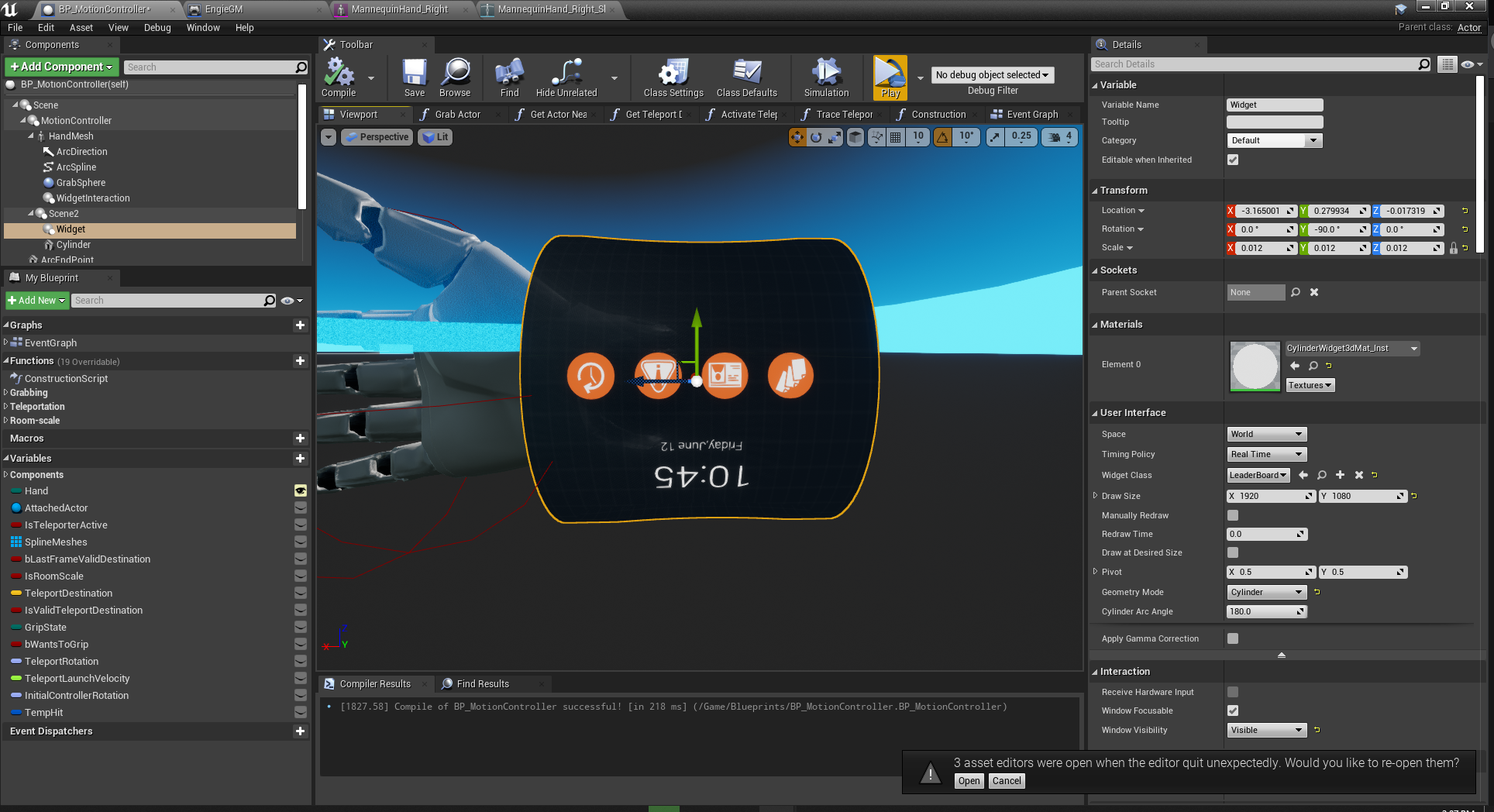
 full frost
any gpu profile gurus up in here? Anyone know why Tonemap 2468x2740 (PS GammaOnly=0) sometimes starts taking over 3 seconds? Its a vr project and only happens in View1 which I think means only in one eye
sturdy timber
PostProcessing is not recommanded in VR projects, it's very heavy. 3 seconds seems to be a lot though
daring mural
Still struggling with fading only affecting one eye, someone here suggested it may be due to instanced stereo being enabled -- can anyone confirm and/or what I can do about this?
full frost
PostProcessing is not recommanded in VR projects, it's very heavy. 3 seconds seems to be a lot though
@sturdy timber im not doing any post processing. in fact i have all the usual suspects disabled for pp
sturdy timber
@daring mural I do not remember exactly but classic camera fade cannot work (on Oculus at least) because of the way it's done. There is another way to do it, I would need to find again the link x)
it was on the Oculus doc I think, something like this page: https://developer.oculus.com/documentation/unreal/unreal-color-functions/
@full frost strange, isn't Tonemapping a post process? I do not work a lot on this stuff so I may be wrong
full frost
tone mapping is a pp yes. i meant that im not doing anything specific. i dont fully understand what tone mapping is but from what i can find its not something that makes sense to just disable like you can with bloom, lens flare etc. @sturdy timber
and its weird because it doesnt happen all the time. just every so often i can see frame timings go up and in profile can see that tone mapping thing. but, like i said, only in one of the views
sturdy timber
ok, I thought ToneMapping needed to be explicitly declared in a Post Process volume or in the post process settings of the projects
eternal inlet
im currently building light and noticed that with some meshes, it seems that the volumetric light makes my skeletal mesh "flicker" from shadowed and non-shadowed... anyone seen this issue before and happen to know how to work around it? 4.25.1
actually in some fully shadowed areas, my skeletal mesh doesn't even get "darkned" from the volumetric light build... i can post a short video showing the issue in a bit
 sturdy coral

We are thrilled that over the past four years developers have released more than 4000 OpenVR titles on Steam, supporting all major PC VR headsets. The challenge we as an industry have faced with many of these titles is that for developers targeting multiple VR platforms, it re...
eternal inlet
did some more testing... notice how the Moveable cube is shadowed correctly underneath the static cube
vs. how it's shadowed inside the building (wrong)
aha... it would appear that the mesh that is casting shadow should have "Dynamic Shadow" flag set for it to work 😦
tardy sparrow
hey there, new to VR stuff. I need some screen shots of a project im working on that is rendered in this type of way, is this easy to do?
 nimble edge
Anyone ever built a "poseable mannequin" like the one in Gravity Sketch? Or something like it? I have a rigged skeletal mesh, and I want to be able to pose it in VR. I don't need to save the pose or animate it or anything.
I feel like I'm hitting my head against a brick wall and there's an obvious door right next to me I'm too dumb to see right now
tardy sparrow
^^ Sorry, I'd help if I could
If anyone knows how to to set the editor to have the screen show this type of view on monitor while playing that would be amazing

got it 😁
 keen prawn
any1 tried blender VR allready?
just seen the 2.83 vid or something and about to download it 🙂
ow , no motion controlls or sculp yet i think
mayB next version 😛
hallow knoll
@nimble edge Use the Poseable Skeletal Mesh component and you can set the location of the bones without having to set it up in the animation BP - I've also seen it done with the skeletal mesh simulating physics and time dilation set to 0, but that's not as easy to work with and limiting
nimble edge
I was going the simulate physics route, I'll try the poseable mesh tomorrow. Thanks @hallow knoll
I had to "push" it around, I couldn't wrap my head around grabbable anchors that the mesh was connected to.
hallow knoll
I'd spawn grabbable actors from an array of bones you'd like to pose, and assign a relationship to the bone
 dusky moon
@hallow knoll Oh amazing how this tip is exactly what I'm looking for too. Poseable Skeletal Mesh seems super underrated haha I'm gonna dig it too. thanks
dusky moon
BTW, I'm stuck with this hope someone knows a solution. So I made this simple rigged alien hand. want to posses this in VR. I used FABRIK with AnimBP to attach the Index bone to Motion controller (world position) and it works perfectly. but I want solve rotation of the root of this Arm too and this is what I'm struggling at. I want to attach the root to VR Camera.
chilly pasture
Hey, Guys anyone has experience with Oculus account linking or face book account linking, basically i want to make a multiplayer version of the app.
 timber bobcat
What's a good first step for making a ping pong type game? I've found an example project from a few years ago but not much else.
thin solstice
I would say the first step would be to identify the platform you want to put it on, and see if the platform will really support a ping pong style game. As much as I love the Quest and the Rift, I'm not sure the inside out tracking would be good enough for a game where your hand is outside your field of view as you keep your eye on the ball AND you are moving your hand at high speed.
An application like that definitely would benefit from basestation tracking
timber bobcat
I have a quest and the game racketnx works well
I think they do some tricks to simplify the physics, I think the ball only moves at a few discrete speeds
and the angle the ball moves off the racket I think is adjusted to make it more predictable
sturdy coral
one of their first demos for quest was tennis which probably has your hands even farther back out of view: https://www.youtube.com/watch?v=70_4zvkZ3fo

Demo of Santa Cruz, now called Oculus Quest, with tennis game at OC5
sweet oracle
is this expected behavior?

if i have two widgets
and i move my slider all the way to the left
and then go past from the first widget into the next widget
the slider still moves
sturdy coral
@sweet oracle yeah it won't get the mouse up event once off and I think something else with hover stuck in the virtual window
sweet oracle
@sturdy coral so its not a bug? If i go to the left widget holding the controller button
My slider jumps from 0 to like 20 percent depending on the width of the widget beside it
Which cant be right
sturdy coral
That must be a tick order thing or something sending one last mouse event to the prev virtual window based on the new one
Does sound like a bug
sweet oracle
its not just one time... when i m on the widget right beside it
i can fully control the slider as long as i have the controller button holding
when i release it... it all resets
i guess i just need to detect if i my mouse is still hovered over the main parent widget or not
sturdy coral
That's strange, I guess the slider widget keeps querying mouse cursor pos, I just thought that pos would get stuck in place not get calced from the other window
I'm pretty sure hover gets stuck in place by default when the interactor traces start missing or go to another window
sweet oracle
it gets stuck when you the interactor traces start missing or leave the widget
but not when they go to another widget 😛
chilly pasture
Hey, Guys anyone has done a account system for any oculus app, needs some information.
Best way to do this for Unreal.
What are the process involved ?
 spare yew
If you need to ask that question then you probably shouldn't be doing it. Look for a third party service that has security
chilly pasture
I am just trying to get an idea, what people has used ?
 rich canopy
Epic online services?
real eagle
App with google vr plugin crashes on launch on mobile. Any help?
 pastel fern
Anyone ever used the SetSplashScreen node in Unreal? Only got trouble with it. We need to do lots of work AFTER the level is loaded. For that we Fade the screen to black and then display a SplashScreen texture that is changed depending on the progress (0%, 20%, 40%, ...). It got this working after some trial and error (as SetWorldToMeterScale also affects the SplashScreen). Though now its broken again. When standing in the center of the play area, the splash screen widget is rotated to the left around the Z axis. How do you do loading screens in VR?
gaunt pumice
question for users of hand tracking and the openVR expansion plugin: which UE version/branch and SDK/NDK/JDK are you guys using?
dont no why but with unreal 4.25 (official release as well as the oculus branch) i am getting crashes or just black screens during launch on the quest
mighty carbon
I am guessing Rift S will be retired next - v18.0 update from Oculus has a ton of new features and fixes for Quest and only 3 items for Rift S, which are Oculus Link related.
In other words v18.0 update is 100% Quest focused
rich canopy
Maybe for pcvr side, they just feel that it is stable since its been around since 2016 and no need for any new changes. I don't think it will go away as long as graphics on pc is way superior.
 misty halo
So, I am working on multiplayer VR, any thing I should be aware of? It is basically a VR racing game
I already have a project with multiplayer. Just anything for VR I should consider before implementing it?
 wintry jewel
Quest is getting the love because it's the future. Although there will be a place for PCVR, Facebook wants to push for the masses and so the Quest is the lowest-cost, easiest option
misty halo
Already developing with it in mind :3 I am getting one for testing/so my employee can test stuff using link
 tame stream
using Oculus Rift S i need to redefine the floor level and play area each time i put the HMD down on my desk during development. this really slows me down. i'm thinking about going back to using the Rift again for development purposes. do you guys have similar issues?
or is there any development mode i can activate or anything...?
 tribal coral
It shouldn’t happen, only if you move location physically where it can’t detect the play area and needs to be recalibrated
 flat shoal
Has anything been said about Unreal Engine 5 and VR?
tame stream
@tribal coral but it does happen each single time... after testing my application i place the hmd on my desk. five minutes later i might have moved objects on my desk (pens, paper stuff, my mouse, keyboard, etc...) and the play area cannot be detected anymore. i'm just wondering how developers are dealing with that.
tribal coral
i never had that issue
and by play area it checks for the surroundings, like walls a furniture
thin solstice
@tame stream I've never had that issue, either. I DID have an issue where it kept making me taller than I should be. When I reached down, I could not touch the virtual floor. Every time I got into it, I would be raised higher where in the "home" area, I could reach up and touch the virtual ceiling. I ended up updating my graphics driver which solved the issue. Maybe try that?
carmine yoke
I'm trying to mess around with the level streaming for oculus quest. I still get frozen frames between the levels deloading/loading. Is there anything I can do to make it more seamless? I know there's the option of splash screens but I'm using an elevator style level transition. t'would be nice if it was seamless
tame stream
@thin solstice I'll try that, thanks
mighty carbon
@carmine yoke no sir 😦
You might want to turn on async streaming and play with the values there, but no matter how much I experimented, there hiccups were always there.
misty halo
Reset oriantation and position and use only the yaw value set to 0.0
carmine yoke
@mighty carbon yeah I saw your post on the forums. I've done all that already 😦
misty halo
using Oculus Rift S i need to redefine the floor level and play area each time i put the HMD down on my desk during development. this really slows me down. i'm thinking about going back to using the Rift again for development purposes. do you guys have similar issues?
@tame stream read my comment above forgot to quote ya
eternal inlet
scenecapturecomponent in 4.25.1 is broken?
it seem to work sort of ok in PIE, but as soon as i package i get insane FPS drop (edit, seems related to this bug UE-86191)
 pulsar reef
anyone here used vr trackers for virtual production stuff?
i've gotten it working, but it seems there's some kind of weird tracking going on
eternal inlet
What is "some kind of weird tracking going on"?
pulsar reef
when i pan left and right it acts like it's a head on a body, hold up, let me post a video
sturdy coral
@eternal inlet didn't you see the same thing with spectator screen scene capture a while back?
though you said it didn't work in editor either then I think
eternal inlet
It was bad earlier, in 4.25.0 yes but now in 4.25.1 its terrible. I can see memoryusage starts to build up too, so maybe a memoryleak of a kind. Will do a blank test project when im back from work
sturdy coral
@eternal inlet one thing to watch out for is if your scene capture size is larger than eye viewrect resolution, I've seen several comments in the code mention bugs related to that
Try those resizemethod commands mentioned before too though (they must go in ini and won't work right from the console)
eternal inlet
i will look into that for sure
in the meantime, i've managed to smack together a dummy project
Google Drive is a free way to keep your files backed up and easy to reach from any phone, tablet, or computer. Start with 15GB of Google storage – free.
@sturdy coral remind me which resize commands that was...
 candid viper
@eternal inlet you're probably looking for "r.SceneRenderTargetResizeMethod=2" and "r.SceneRenderTargetResizeMethodForceOverride=True"
 verbal kiln
Is there a good "cheat scene" for UE VR stuff. For instance a scene with examples for picking up an object with 1 hand, picking up with 2 hands, navigation, etc etc
I would class this as the basics but maybe I'm being naive
 wheat holly
Unreal has a default project with teleportation and picking up objects, it's a bit limited. But at least shows something, if you want more advanced things you probably will have to look at YouTube or Google. https://gyazo.com/f719f4b1910ddbeb3f923291cd36bdf1


There are some tutorials on this channel if you use Blueprints. https://www.youtube.com/c/marcoghislanzoni/videos

YouTube
And otherwise you could probably translate it into C++ based on the concept / blueprints :D
verbal kiln
Thanks @wheat holly - I've just gone through the tutorial from @sonic lake but its not working as expected. Its hard to really understand whats happening with such a complex setup and diagnose the issue. In this example its built upon the example scene, switching out the geometry with a gun but I need to do this from scratch in my own scene, I'm wondering if the example scene has some settings that I'm missing which is causing the issue. Not familiar with UE makes it even trickier 🤦♂️
wheat holly
Then it might be a good idea to spend some more time to get familiar with the engine it self, some time ago I also really wanted to start with VR. But as someone pointed out to me it's really difficult to do if you don't know your way around. Which I think was a good point.
verbal kiln
Yea, I think I was expecting to have a lot more "presets" to work off and figure out. Seeing as a lot of these things are standard in most games. For instance navigation and picking up objects. I was guessing there would be a shelf button that you just click for basic setups
I think you're right, need to go back to basics
wheat holly
Best of luck! Hoping to see some cool things in the future from you 🙂
verbal kiln
I hope so too haha thanks mate
thin solstice
@verbal kiln I totally agree with you, you would think things like movement, custom hand poses as you pick up objects, hand animations and snapping, gravity, changing out hand mesh skins, etc. would be kind of standard but they are not. I honestly don't understand why as it seems we have to start VR project with first re-creating basic functionality. So that being said, I also agree with @wheat holly - take a moment to become familiar with the engine and how it does things and then add in VR. It will definitely help you maintain your sanity.
rich canopy
@verbal kiln this is quite old but what i started with many years ago https://github.com/mitchemmc/VRContentExamples

GitHub
Unreal Engine 4 community VR content examples. Contribute to mitchemmc/VRContentExamples development by creating an account on GitHub.
Also something highly recommended and updated frequently is the VR Expansion Plugin that Mordentral made so you can even poke him here if i need help working on it https://vreue4.com/ definitely should check it out.
If you have some money to spend, this looks good too but i have not test it out myself. https://www.unrealengine.com/marketplace/en-US/product/advanced-vr-framework

A complete VR framework to develop VR applications such as games, VR experiences, Architectural Viz or product presentations. Implementing a huge variety of VR functionalities such as level management, menus, interact objects, panels, maps, catalogs...
verbal kiln
Thanks for the links @rich canopy - I'm gonna take a course for sure!
Even right now, I've got a camera rig setup in VR where you pickup a camera and that camera has an output feed to a monitor. Its got the valve index gloves in there working and also navigation but as soon as I try to load in some custom geo as an fbx my camera decides to disappear... 🤔 - I'm thinking that I'm working in logical steps but UE keeps throwing me curveballs!
Ah, seems to be the default collision shapes, as I'm bringing in a room interior I think it was launching my camera outside of it
sonic lake
@verbal kiln like everyone else in this channel, happy to help you on specific VR questions if you have any.
verbal kiln
Thanks @sonic lake - Very kind! I think I'll go away for a bit, do a basics course and then come back. Save asking obvious questions or causing confusion
sonic lake
@verbal kiln good thinking! If you are missing some engine basics you won't definitely find them in a VR tutorial.
verbal kiln
I'm basically aiming to make what you see @1:24 here: https://www.youtube.com/watch?v=Hjb-AqMD-a4
Do we know if this toolset is availible or wil ever be availible? In the description they seem to say it comes with 4.23

Epic Games has partnered with Lux Machina, Magnopus, Profile Studios, Quixel, ARRI, and DP Matt Workman to put the latest virtual production toolset in Unreal Engine 4.23 through its paces. In this video, we take a more in-depth look at how all of the tools come together to pr...
modest cliff
Hi all. Has anyone of you got the occlusion material (camera overlay) for AR Kit working in 4.25? I've found this: https://forums.unrealengine.com/development-discussion/vr-ar-development/1675228-pink-arkit-passthrough-material and it seems to crash the app on IOS with 4.25.
Unreal Engine Forums
Hello,
Using the AR/Handheld device template, assigning the ARKit Camera Material to the geometry in the BP_Placeable BluePrint, renders Pink on the device
 tranquil pelican
Honestly anyone have any decent ARCore sources to learn from with ue4?
misty halo
Hmm how well do you know ue4 already?
Also, I recommend using 4.24 since .25 breaks VR a lil
Plus read up on theories around vr game dev
Like sound, lighting, etc.
Also, blueprints make VR easier I believe.
radiant garden
Has anyone put together a list of things that have been broken by 4.25?
brisk spade
i want to have an object that i can swing around itself like a wheel
ok im using a physics constraint but when grabing and releasing the object it spins in the wrong direction
 worthy vapor
Also, I recommend using 4.24 since .25 breaks VR a lil
@misty halo I'm about to start a VR project and was about to switch to 4.25. Why should I use 4.24 instead?
worthy vapor
Also, has anybody gotten hand tracking to work on Quest? Trying to follow Oculus Documentation, but can't find Oculus VR in Project Settings.
ok im using a physics constraint but when grabing and releasing the object it spins in the wrong direction
@brisk spade How are you spinning it? Maybe add an + or - impulse rotation?
 final perch
hey everybody. I need immediate help. I can pay whoever helps me get this working $50. Using the Oculus SDK, I need to be able to re-orient the VR headset to a specific rotation (only the up axis rotation needs to change). the user sits in a specific motion chair. We are finding that the guardian determines where the experience is oriented
I cannot rotate the VR camera, or player pawn. This has no effect (im guessing the SDK locks this off?)
sonic lake
@final perch Reset Orientation and Position should do it
final perch
is that an SDK function?
sonic lake
It‘s part of the standard VR interface in Unreal.
You can check in the source code what it maps to for Oculus.
final perch
@sonic lake thank you. that did it. I assumed it was something like that but the team was under the impression that a function like that didnt exist, so we were looking for other solutions
sonic lake
You can give the 50 bucks to charity. 😉
worthy vapor
I think you can just hold the Oculus button for a second and it resets headset rotation
when i grab and spine it it spins in the opposite direction :/
@brisk spade So this is just physics you are working with? If you are using vectors at any point inside a blueprint you can always try to multiply said vectors by -1, so it goes the other way. Not sure if that helps tho. In any case, I prefer to use Rinterp nodes using some information from the physics input, that way you have more control over the object's movement. (If that makes any sense 🤷♂️ ) (btw, it's nice to see you like capybaras 😁 )
brisk spade
@worthy vapor best spirit animal 🙂
yeah physics
i create a physic constrain between my interactor and a wheel
 tough geode
hey guys how do you set things to where the camera only follows the hmd rotation and not the movement?
 errant slate
So I've found how to "shrink" the player by adjusting the World to Meter scale. However now I have what appears to be a scaling issue related to how the HMD is offset from where it thinks my neck is. Any suggestions?
hallow knoll
@tough geode Why would you want to do that? It's important to have head movement to reduce the possibility of nausea
tough geode
well i guess i dont want that but i would like to make the camera's initial position not be determined by the headset
hallow knoll
You move the pawn then
tough geode
well my problem is im doing a cutscene and while everything looks fine outside of vr mode when i enter vr mode the camera moves up and to the right so the initial angle is off
hallow knoll
Depending on the setup, you can also do "Reset Orientation and Position" function