#virtual-reality
1 messages · Page 222 of 1
 brisk spade
 uneven sonnet
Hello, after hitting a breaking point in VR, the inputs does not work anymore. Is it normal ?
 mystic idol
Hey everyone, anyone have any experience using volumetric rays/fog in VR?
uneven sonnet
@mystic idol never tried, it should be impressive !
mystic idol
@uneven sonnet yeah me neither just randomly putting in numbers should probably look up a tutorial
 ebon idol
Hello all. Can someone tell me if the IsHeadMountedDisplayConnected function is actually working in 4.24? I have a check using that node in a blueprint and it's still flagging true even though I've unplugged the headset.
 shadow radish
does anyone have any experience with running a line trace from the player pawn on a loop? I started running a line trace from my vr camera every 0.05 seconds to identify when a player is looking at UI elements
but I am wondering if that is a stupid idea and how expensive it is performance wise
the basic use case is--identify a player is looking at a UI panel--then show lasers to interact with the panel if they are
 woeful sundial
@brisk spade i recommend reading the Human Interface Guidelines for AR by Apple. (Also for android) It sums up design aspects for developers. https://developer.apple.com/design/human-interface-guidelines/ios/system-capabilities/augmented-reality/ also this talk explains important aspects: https://developer.apple.com/videos/play/wwdc2018/805/

Apple Developer
Engaging AR experiences are easy to start and navigate, persuasively realistic, and highly immersive. Learn best practices for...
brisk spade
thank you 😄
 distant spoke
hey guys im trying to dispatch an event from my UI widget into an actor using Bind, i can hover and click on the UI with my motioncontroller but the event does not dispatch ?
My setup: on the level I have a BP actor with a widget component inside,
Then I have motion controller bp (from the default be template), the motion controller bp is referencing BP motion controller which has the interactive widget functionality.
And THEN I have another bp actor where I want to send the events to
motion controller bp is the pawn, which references BP_motioncontroller (where i have my widget interaction)
here's some screenshots
please help!!! i've been trying to figure something out for two days D:
shadow radish
hey mate let me see if I can help you
I am working on UI for bearhammer also
are you using the vr expansion plugin?
with the vr expansion plugin you interact with UI via a pointable laser
I'm not sure how you are clicking in your use case--first step is to validate that your button press is actually happening by putting a breakpoint in your widget class
try binding your event to OnPressed instead of OnClicked
looking at my stuff, I have my events bound to OnPressed
@distant spoke
I'd also really recommend the AutoSettings plugin in general for doing UI
thats what I am doing for my settings
distant spoke
uhmmmm im not sure im using the vr expansion plugin actually !!
btw i manages to get it working from the level BP but i cant still figure it out how to do it in an actor BP
@shadow radish
 wind yacht
Has anyone here worked with mobile passthrough materials for AR? My material looks correct, but I get constant flickering when running in-app. Any way to prevent this?
 waxen summit
I'm a long term user of UE4 for modding but about to kick off my first whole VR project - can someone comment on whether for VR projects it's still ideal to use forward rendering vs deferred? Could you comment on performance differences and whether it's worth using forward? (I've used both in Unity for VR, so know the functional differences)
woeful sundial
@wind yacht using 4.23 or 4.24? that is a bug. Fixed for 4.25. https://forums.unrealengine.com/development-discussion/ios-development/1678029-screen-tearing-jelly-effect-on-4-23-arkit-camera
Unreal Engine Forums
Environment: OSX 10.14, Xcode 11, iPhone XS Max & iPad Air w/ iOS 13.1.3
The screen tearing issue seems only exclusive to 4.23 (and .1), whereas the
mystic idol
Hey all, does anyone know a way to launch a VR preview in editor and be able to retain access to the level editor to fine tune lighting values etc? It's hard to tell what values feel right from the editor window without putting on the headset. Thanks! 🙂
 sudden moat
@mystic idol Which headset are you using? If its oculus I tend to go into virtual desktop and do some tweaking in headset, it does the job but its a bit clunky so if anyone can provide a better suggestion then it helps us both 😄
mystic idol
Hey @sudden moat I'm using an oculus DK2
so not exactly up to speed
i think i can get used to estimating the difference between the viewport and the actual experience of the light in the headset, but it would be nice to change it a little more interactively
im trying to tweak volumetric light rays to feel right
and what makes sense for a screen is really different to a hmd perspective
sudden moat
Okay I'm using the same 🙂 I know there's a VR editor for ue4 but I've never used it! For scenarios like you say i use the virtual desktop (second left from oculus menu) then position my camera in headset and try to get a good sense of it there
mystic idol
in the oculus home app?
the vr editor in unreal you need to use vr controllers
i only have a keyboard and mouse
shadow radish
does anyone have any recommendations for vr hands?
wind yacht
@woeful sundial Awesome. Once 4.25 has full release I'll jump on it, thanks 😄
 gaunt pumice
Hey Folks, i am currently looking for a way to fake "chrome" reflections for an oculus quest app. no raytracing, more like a shperical environment map in the reflection channel. haven't found any good resources regarding that... would be happe if anyone has some info regarding that...
 half otter
If I was to pick up a headset for a bit of development with a side of gaming while being isolated which of the htc/index set ups should I go for?
 ionic jetty
are you set on not going for oculus @half otter I'd say the quest or the rift s are best bang for buck.
Best quality is index.
half otter
@ionic jetty I do a bit of virtual production so room scale tracking is helpful
 cosmic venture
I'm going to buy a Oculus Rift S. Can you still devlop for handless VR controllers like Index or Quest?
 hallow knoll
@half otter @ionic jetty Index is the better option, comes with lighthouse 2.0 and you can use vive pucks as well
@cosmic venture You can make your game work for those controllers but you can't use Rift S with Vive controllers. Depending on how simple your interaction design is, you can say that other controllers are supported, but I would make sure to have someone test before you say that it's supported. Designing interactions for touch controllers and then playing them with Vive or Index controllers won't be the same, there's usually a bit of iteration involved to make it feel right.
 covert ferry
Hi all!
I have been looking around for some advice on VR in unreal and was hoping i might find some here ? (I feel like its a very basic issue)...
I would like to test an Environment I made using unreal engine, I used a VR template but I cant figure out how to preview it it vr WITH hands..
I vaguely remember the initial screen allows you to knock some blocks around with VR hands ?
I would really like to get into my level with them so i would be grateful for ANY help or advice!
Thanks in advance!

The environment i made is the Severn Gymnasium map, I was hoping i could use the hands seen in the above picture to the right to test out my map.
covert ferry

I manged to get the hands in but i cant figure out how to enable locomotion..
Full locomotion instead of teleport would be prefered, having both options would be a bonus though incase i have to show someone who gets motion sickness..
covert ferry
Being able to rotate with the thumb stick would be a start XD
I now have locomotion but cant get rotation with the thumb stick to work, and the teleport sucks because you have to keep the thumb stick clicked in to choose the orientation you end up in when you teleport ... I would much prefer smooth locomotion...
 mint knot
i cant recive the head rotation from live link anyone got an idea?
 brazen tree
Hey guys, question about VR. I modified the VR starter content and added thumbstick locomotion. The problem is the player capsule component stays in the center of the play area and can cause strange blocking issues when the player walks around.
anyway around this?
 tough silo
I've been asked to do a bit of maintenance on a VR demo. The Pawn has a MotionController (L) Trigger event and a MotionController (R) Trigger event.
For some reason, with my Oculus Rift, regardless of whether I press the left touch controller's trigger or the right touch controller's trigger, MotionController (L) fires and MotionController (R) does not fire.
I set the MotionController component's MotionSource between Left, Right, and AnyHand, and the behaviour is the same.
I know that they're saying these events are deprecated, but I'm trying to favour minimalist changes to implement three specific features the current maintainer wants without flipping everything else upside-down (if possible).
Thoughts as to why both triggers would be firing a MotionController (L) Trigger event?
Not that I don't really have much experience with VR (previous projects had motion controllers already setup) so I could be making a stupid mistake.
I also notice that MotionController (L) and MotionController (R) are not even in the list of "Input Key"s anymore.
It's UE 4.24.3 btw
tough silo
The issue might be because I'm using Oculus Rift w/ Touch through SteamVR... hmm...
(They wanted me to use the SteamVR plugin even though I only had a Rift.)
tough silo
Yeah it works correctly with Oculus plugin enabled and SteamVR plugin disabled... so I need to somehow get Oculus touch inputs through SteamVR plugin. Hmm.
 carmine harness
Is it possible to code vr motion controllers for a flat game so you can have a controller in each hand?
 past tiger
@carmine harness Technically yes, but motion controllers are generally not tracked unless the HMD is being worn. You would have to hack a way around that.
tough silo
Yeah so I setup SteamVR to use its own input bindings, and it works now.
 fair hearth
@carmine harness you can do this by adding a tag to the steamvr .vrsettings file to run without hmd
carmine harness
@fair hearth thank you
fair hearth
You’re welcome, ping me if you need help with that. What controllers do you intend to use?
 elfin venture
Hello i have this detail, have some hours stucked, its for an oculus quest, this is the script of my project settings.
 obtuse condor
Unable to change VR FOV at run-time
Help!
elfin venture
Hi, how do I add yaw input to a vr pawn? AddControllerYawInput is not working. (C++)
@signal ocean
I have this on bp but using the vr pawn motion controller but changed to character it works fine https://blueprintue.com/blueprint/1ksjkr_1/
BlueprintUE
 pastel fern
I'm currently looking into preventing performance loss when you open another window from inside your VR application. E.g. pop up a explorer to show the save game folder to the user. I'm already able to spawn the explorer, but the VR window goes out of focus and performance is crushed. The user should not be set forcefully into a low framerate state.
Any clue how to prevent out of focus performance loss?
This solution also works in standalone, but I assume not in packaged game
pastel fern
Just tested with the VR template project. In shipping the problem does not exist. VR Window always has full performance
 runic cedar
Hello, i have a VR question, mb someone knows that.
When i have two levels i rotated in VR and open the next level the level is not forwarding my VR camera (and i see all with the same rotated angle). How to fix this better way ? I know a bad way, on open level rotate all assets forwarding but it's not optimized and a bad idea i think. How i can open the level forward to the camera in the level opens?
 carmine yoke
@runic cedar https://docs.unrealengine.com/en-US/Engine/LevelStreaming/HowTo/StreamWithVolumes/index.html
How to use volumes to control the streaming of Levels based on the player's viewpoint.
Think that should answer your question
mint knot
guys what could be the cause of this function not getting the value? im stuck need some help
runic cedar
@carmine yoke It's level streaming, but i want open level or load forwarded to the HMD or VR camera..
carmine yoke
Oh
Hmm
Let me understand your use case - You're wanting to always spawn into the same spot in the level? Or you're trying to spawn in the correct place based on your IRL location?
runic cedar
Location is fine but rotation is not. I play level 1 and i rotate for 90 in VR. When i switch to another level that new level will not facing me and i need to rotate -90 in VR to be faced level.
carmine yoke
Why not just set location&rotation?
runic cedar
yes mb needs to work with Z rotation from camera to actor
runic cedar
better pawn coz then i needs to take that player start ref to work with it, i pawn i can change Actor rotation (set camera rotation does not work with VR camera)
in begin play do the math and set actor rotation it's just one to be faced on different VR levels.
@carmine yoke but thanks for good idea :)
now i will work on it to do rotate pawn in VR levels
carmine yoke
You could use 'FindLookAtRotation' also if you put something in the world to find the rotation
runic cedar
yea
carmine yoke
that might help you be a bit more modular, rather than figuring out exact rotations for each level
runic cedar
runic cedar
@carmine yoke done i find a great VR node thats reset HMD rotation and i just call it on begin play and it's reset Z rotation like needed 🙂
carmine yoke
Nice 🙂
runic cedar
hope it's will be helpful also for someone.
 tired tree
it throws off your roomscale 1:1, though many won't care
runic cedar
ok i will check it thanks
elfin venture
Unable to change VR FOV at run-time
Help!
@obtuse condor have tried it but its the same
runic cedar
@elfin venture mb try to
lock hmd change fov and unlock hmd
also you can change it and call "reset orientation and position"
runic cedar
yes i know, but with changing problem
elfin venture
To my customer its on other country i cant get his quest
 toxic oracle
Are these versions of inputs gone?
 opaque gorge
@last knot
Okay I have returned but the lot more knowledge. Also I bought a book off Amazon back before the apocalypse happened and I swear it sucks. I'm sorry but I really don't want to redownload an old variant of unreal because a lot of my plugins are with the new
 tame cypress
Is there a plugin around that can display the client desktop in VR?
toxic oracle
@tame cypress is this what you’re looking for? https://youtu.be/0up1Lgmw-Lg

On this week’s livestream, learn how to create a project agnostic, VR spectator camera in your UE4 project. Our team will also demonstrate how it can be used to record trailers for VR games, or to create local asymmetrical multiplayer games.
NEWS
UE powers ILM’s VR virtual p...
Or are you looking for something more along the lines of virtual desktop
 sturdy timber
Hi everyone, hesitated between here and #multiplayer but it's more a VR question: when using the Oculus Platform SDK, do you know if the "Room" features relies on P2P or are the rooms hosted on facebook servers in a classic client/server model?
tame cypress
@toxic oracle looking for a virtual desktop, not the spectator screen. Like display desktop like you can in steam native ui.
covert ferry
Anyone able to give me some advice please ? I want to make a doll in my spin perform a spin animation when a button on the oculus touch controller is pressed (Being able to pause and resume would be awesome too).
the problem is that none of the tutorials for non VR seem to work for VR, i was hoping i would be able to follow along without issues.
I will post a couple of videos as examples of what i was hoping would work for my VR project...
If you need any more help or have suggestions about tutorials join me on discord: https://discord.gg/Npd7TAJ
In this tutorial I show how to create mechanics of opening doors the proper way. In Actor Blueprint with Timeline.
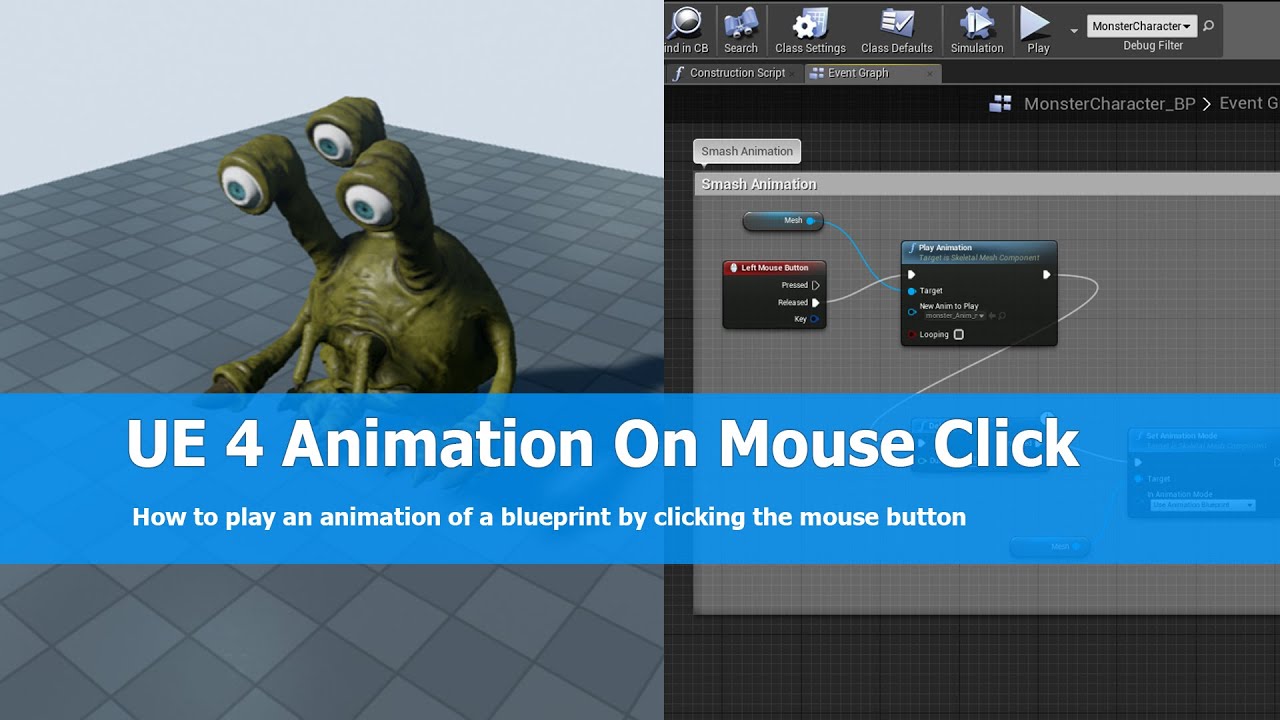
In this UE4 (unreal engine 4) tutorial I show how to play an animation of a character on left mouse click using the Unreal engine 4 blueprint system. I just add a node into my character setup for pressing the left mouse button and Play the animation adding a new node, it's ver...

The Doll in this scene has a spinning animation, it plays continuously when i hit the play button, as i said before i would like it to start with the press of a button on the oculus touch controller, pause and resume would be a massive bonus!
I would be greatful for ANY advice...
covert ferry
AAAAAny help would be amazing, i dont know where else i can seek adivce...
tired tree
all of the non VR tutorials for that should work just fine in VR
you are just replacing the input event with a different one
covert ferry
@tired tree oh yes it would seem like that would work but it really doesnt...
as an example in the video i posted above for play animation on mouse click
the tut uses the character blueprint but in VR that would be the motion controller BP, and i cant seem to get it to work in there for some reason
tired tree
make sure the input is firing and that your logic is running after it
there is no logical difference
covert ferry
@tired tree it is driving me nuts XD

I need somethnig like this

this is what i made but nothing happens when in VR
tired tree
did you bind a key to that action?
and if you did, make sure your inputs are working
steamVR needs manifest regeneration sometimes
covert ferry
if im honest i think its because although there is a skeletal mesh node, i havent done anything to identify what htat mesh is or where it is in the scene
like in the above picture, i want it to play animation with a button press
when you asked if i had bound the key to the action, is that through the engine > input in the project settings ?
covert ferry
So far my efforts have resulted in a button press creating another mesh behind me which plays the animation, stops and teleports around with me, each time i press the button another spawns... i know its the add skeltal mesh
node doing this but i dont know any other way to reference the mesh other thern dragging it in from the content browser...
 shy merlin
Anyone investigate performance hits in Oculus Quest for streaming sublevels? Is it generally bad practice to stream sublevels on android platforms?
 little scaffold
Anyone tried to have a VR experience run on a multi display room using the n-display of Unreal?
covert ferry
Has anyone here ever made a vr interaction where you make an animation play by pointing at it and pressing a button ? if so could you explain how you did it ?
covert ferry
So I followed this tutorial ...
In this UE4 (unreal engine 4) tutorial I show how to play an animation of a character on left mouse click using the Unreal engine 4 blueprint system. I just add a node into my character setup for pressing the left mouse button and Play the animation adding a new node, it's ver...
but because he uses a character BP, I assumed that would be the motion controller pawn... the result i got iss....

Instead of me pressing a button to play the animation of the doll further away, I now have one that spawns with me and plays contunally...

these are the nodes i got from the tut and put into the motion controller pawn
covert ferry
I guess its not as easy to do as i hoped, I cant seem to find any help or advice anywhere, no replys in any VR discord or even the developer forums on the oculus website.
This is very disheartening
 idle marten
[Question] hello everyone.. so I'm using StatUnitGraph to see where my performance is going and I noticed no matter what i do.. no matter how low the gamethread is. it takes 10ms to get through the draw calls.. ive followed guidelines for project settings.. Forward renderer, MSAA, no post processing.. and i've even tried it in a completely empty level.. like no sky box or static meshes or anything.. dark, no floor.. still takes 10ms to get through the draw calls..
idle marten
its also odd to me that no matter what my game thread is... 2 ms.. 6 ms.. it still takes 10 ms for the draw calls..
i've looked into turning "smooth frame rate"off.. and "r.finishcurrentframe"
could this have to do with the hardware im using? im using a windows mixed reality headset
 wild seal
For some reason if I try to bring up the console while in VR preview it gets cut off of the bottom of the screen
 flat shoal
I just turned off instanced stereo in VR in order to get Niagara to work, and I must admit... didn't see a massive drop in performance... what are other people's experience with this?
 wicked oak
run unreal Insights and you will quickly find your bottleneck
 chilly pasture
Hi Everyone ,
anyone using Oculus Quest Hand Tracking.
I am trying to create a product where I can use One Hand From Controller and One From Hand Tracking , Is it possible ?
little scaffold
Anyone have a 3D widget in the world not affected by the lighting of the scene?
 sturdy coral
@flat shoal I think instanced stereo is expected to be a bit slower on the GPU, main savings are CPU
if you render a tiny object (in screen space) it can get some cache coherency benefits of keeping its textures in cache while drawing both instances and speeds up, but the bigger geometry overhead is supposed to make it a bit worse on the GPU overall
I'm not sure how much all that changed after the big refactor adding automatic instancing and stuff, maybe that already has the same geo overhead
opaque gorge
All right I'm back again. I'm trying to challenge myself a bit or at least learn a lot more about the software
that being the case if anybody has any particular piece of coding blueprints like locomotion or guns you think would be interesting for me to try to learn for myself let me know. Basically just give me a challenge for a beginner trying to learn a lot more and I'll try my hardest to make it happen
flat shoal
@sturdy coral thanks... guess I need to check again if I was limited by cpu or gpu on my dev machine
I seem to remember reading also that Unreal's instanced stereo is not the same as nVidia's stereo rendering, which you can only get through the fun house VR thing...
(whereas in Unity, if you choose "single pass stereo", I think you do get nvidia's thing)
sturdy coral
I got them to clarify what was different one time, I'll try and find
I think it had pretty similar overhead
it was on the nvidia funhouse forums but they wiped out the forums at some point I think
elfin venture
hi everyone i have this problem the incredibuilt is in a infinite loop is for oculus quest
 nimble edge
@covert ferry I sent you a DM
 urban canopy
does windows mixed reality work on the vr template?
 mighty carbon


These physics are AMAZING! @valvesoftware #HalfLifeAlyx https://t.co/lHEdtdeJYp
 Twitter
I don't think one can do it with stock UE4... Can you?
sturdy coral
you should be able to do that
 cosmic shoal
@urban canopy it does
urban canopy
@cosmic shoal because it wouldn't let me teleport
cosmic shoal
if I remember correctly it was using the disc
urban canopy
I tried the joystick and the discs and neither worked
cosmic shoal
I used it a few versions ago, and the whole VR input thing changed with unreal after that so that might be it.
sturdy coral
@urban canopy are you runing through wmr plugin, openxr plugin, or steamvr plugin?
urban canopy
steamvr
sturdy coral
yeah I'd check the binding stuff. I'm not sure if they have it all generated by default
urban canopy
well I have mixed reality portal and steam vr open
sturdy coral
ah well that doesn't necessarily mean it is using steamvr, look in project plugins
sturdy coral
but are the others enabled?
cosmic shoal
I have played with phisics in VR with Unreal, and it does work, but it was pretty unstable, things would jitter and explode for no apparent reason.
sturdy coral
steamvr has lowest priority
urban canopy
should I switch it too wmr?
sturdy coral
I use steamvr for everything, even WMR stuff
sturdy coral
the advantage of the WMR plugin is you'll get joystick clicks where steam consumes them for menu buttons
@urban canopy check logs for this:
urban canopy
okay
sturdy coral
to make sure you really are using steamvr
you can also turn on the steamvr mirror window (not wmr mirror)
and if things are showing up in there from engine you are using it
urban canopy
ahh okay
sturdy coral
you can also sort of tell in WMR by returning to cliffhouse and seeing if you have to return to the game by going through a steamvr window in the cliffhouse
if it is running with native WMR or openxr I think you return through a separate thing for the specific app, not sure
urban canopy
ohh wait I just realized when I installed the drivers for my headset, I started using openxr
so should I switch that off?
sturdy coral
I think that is different than having UE4 use openxr
and you shouldn't turn that off in WMR settings
urban canopy
okay
and I checked to see if my engine display popped up in steam vr, and it sort of did
it would flicker between waiting and my engine display
sturdy coral
ah, but if you hit vr preview then look, it is in the steamvr mirror right?
or does it flicker even then?
urban canopy
no not anymore
sturdy coral
@urban canopy try clicking each of these thing in order from top to bottom:
except the last one
urban canopy
alright
sturdy coral
if it still doesn't work after that you may have to add wmr bindings under input settings, I can't remember if they are there by default
urban canopy
they are
at least the thumbstick ones are, hold on
they are mapped to the thumbstick
I think I'm just gonna map the pawn to thumbstick movement instead of teleporting
sturdy timber
silly question here: do you know if I can test multiplayer in editor knowing that one player is in VR and the other is not? Unreal seems to fail to that (4.23)
sturdy coral
@sturdy timber you may be able to do it by querying if the viewport is stereoscopic
sturdy timber
Thanks!
sturdy coral
I modified UGameInstance::InitializeForPlayInEditor to pass in whether it was vr preview or not, but I think it i possible through looking at the viewport
sturdy timber
I will look into this method, never worked with it! Thanks for the hint 🙂 Right now it seems to just shut down the VR Preview when trying vr preview with player = 2
tired tree
@signal ocean its not moving your pawn, it is your headset moving as it is offset in relative space from the pawn cetner
sturdy timber
Ok I know where my problem is coming from: even if my first local player does not need VR, it grabs steamvr. So when the second player connects, it crashes the first as SteamVR does not like two apps wanting it at the same time. It's strange because I disabled StartInVR
(so the first player should not start SteamVR)
should'nt the -nohmd option prevent the launching of SteamVR? Or has the name of the option changed?
sturdy timber
ok it seems that steamvr is started before the UnrealEngine HMD initialization, it seems to be something very low level. Not sure I can disable SteamVR launching without disabling the plugin, which would not work for me 😦
sturdy coral
@sturdy timber I thought you were trying to do it all in one editor session. -nohmd should work for multiple instances
sturdy timber
yes I tried that, but did not manage to make it work
sturdy coral
There were some bugs where they started steamvr even if you used nohmd but I thought they were all fixed by now
sturdy timber
actually I dug into the code, and the initialization of SteamVR is basically forced if the plugin is enabled
it's very early in the RHI thread initialization
sturdy coral
What version?
sturdy timber
4.23
A possible solution I can see (even if I don't know how to properly implement that) would be to create a fake HMD module with a higher priority
sturdy coral
One happened from getting audio device, I think only with oculus not steamvr
The new steamvr input system introduced one or two
But I think it is fixed on later versions
sturdy timber
hmm well, to be honest, I'm using an oculus on steamvr (don't ask me why xD) but it should not change anything, shouldn't it?
sturdy coral
RHI may be another
There was a place where this queries adapter from steamvr
And caused it
sturdy timber
yes it's that
sturdy coral
I'll send you a patch to fix that if it hasn't been merged
sturdy timber
exactly that in DynamicRHIModule::FindAdapter
that's where it triggers steamvr if there is a hmd + steamvr available
so basically the engine will start steamvr if a HMD is detected, even if the game/editor does not use it afterward
WindowsD3D11Device.cpp:762
I believe it's not a big deal as long as you do not need to test multiplayer on one machine
but when you need that, it's kind of a deal breaker
thanks for the patch 🙂
(I'm on 4.23)
sturdy coral
--- a/Engine/Source/Runtime/D3D12RHI/Private/Windows/WindowsD3D12Device.cpp
+++ b/Engine/Source/Runtime/D3D12RHI/Private/Windows/WindowsD3D12Device.cpp
@@ -292,7 +292,11 @@ void FD3D12DynamicRHIModule::FindAdapter()
 #endif

        // Allow HMD to override which graphics adapter is chosen, so we pick the adapter where the HMD is connected
-       uint64 HmdGraphicsAdapterLuid = IHeadMountedDisplayModule::IsAvailable() ? IHeadMountedDisplayModule::Get().GetGraphicsAdapterLuid() : 0;
+       uint64 HmdGraphicsAdapterLuid = 0;
+       if (!FParse::Param(FCommandLine::Get(), TEXT("nohmd")))
+       {
+               HmdGraphicsAdapterLuid = IHeadMountedDisplayModule::IsAvailable() ? IHeadMountedDisplayModule::Get().GetGraphicsAdapterLuid() : 0;
+       }
        // Non-static as it is used only a few times
        auto* CVarGraphicsAdapter = IConsoleManager::Get().FindTConsoleVariableDataInt(TEXT("r.GraphicsAdapter"));
int32 CVarExplicitAdapterValue = HmdGraphicsAdapterLuid == 0 ? (CVarGraphicsAdapter ? CVarGraphicsAdapter->GetValueOnGameThread() : -1) : -2;```aaah so clever, simple and elegant
sturdy coral
you have to do that on b/Engine/Source/Runtime/Apple/MetalRHI/Private/MetalContext.cpp b/Engine/Source/Runtime/VulkanRHI/Private/VulkanRHI.cpp b/Engine/Source/Runtime/Windows/D3D11RHI/Private/Windows/WindowsD3D11Device.cpp
as well
sturdy timber
well, I need to get the engine source but at least it will solve my problem, thank you so much!
sturdy coral
np
oculus fix is:
diff --git a/Engine/Source/Runtime/Engine/Private/AudioDevice.cpp b/Engine/Source/Runtime/Engine/Private/AudioDevice.cpp
index d87938a80e0..2723a4b918b 100644
--- a/Engine/Source/Runtime/Engine/Private/AudioDevice.cpp
+++ b/Engine/Source/Runtime/Engine/Private/AudioDevice.cpp
@@ -6073,7 +6073,7 @@ bool FAudioDevice::CanUseVRAudioDevice()
        else
 #endif
        {
-               return FParse::Param(FCommandLine::Get(), TEXT("vr")) || GetDefault<UGeneralProjectSettings>()->bStartInVR;
+               return FParse::Param(FCommandLine::Get(), TEXT("vr")) || (GetDefault<UGeneralProjectSettings>()->bStartInVR && !FParse::Param(FCommandLine::Get(), TEXT("nohmd")));
        }
 }

diff --git a/Engine/Source/Runtime/Online/Voice/Private/Windows/VoiceModuleWindows.cpp b/Engine/Source/Runtime/Online/Voice/Private/Windows/VoiceModuleWindows.cpp
index d1afb9766eb..4854444d279 100644
--- a/Engine/Source/Runtime/Online/Voice/Private/Windows/VoiceModuleWindows.cpp
+++ b/Engine/Source/Runtime/Online/Voice/Private/Windows/VoiceModuleWindows.cpp
@@ -7,6 +7,7 @@
 #include "VoiceCodecOpus.h"
 #include "Voice.h"
 #include "Runtime/HeadMountedDisplay/Public/IHeadMountedDisplayModule.h"
+#include "Runtime/Engine/Public/AudioDevice.h"
 #include "HAL/IConsoleManager.h"
 #if PLATFORM_SUPPORTS_VOICE_CAPTURE

@@ -269,7 +270,7 @@ bool FVoiceCaptureDeviceWindows::Init()
                return false;
        }

-       if (IHeadMountedDisplayModule::IsAvailable())
+       if (FAudioDevice::CanUseVRAudioDevice() && IHeadMountedDisplayModule::IsAvailable())
        {
                HMDAudioInputDevice = IHeadMountedDisplayModule::Get().GetAudioInputDevice();
}```Thanks! Even if I'm not using the Oculus plugin, just the hardware?
sturdy coral
I think it is fine if not using oculus plugin
sturdy timber
cool thanks
sturdy coral
oculus gives you a specific audio adapter to use, steamvr just changes the system default
so the steamvr one doesn't end up launching the runtime to look for the device
sturdy timber
maybe stupid question but why not using the bStartInVR for the RHI fix?
the Settings system is not ready yet at this stage?
sturdy coral
even if not starting in vr I think if you then turned on vr manually it would break if you picked the wrong adapter
same is probably true of the audio thing, but I guess if you are doing something complicated between 2d and vr with oculus you should handle switching audio devices manually
sturdy timber
ok, thanks for your time and expertise 🙂
sturdy coral
np, I ran into all this and more already because I switch VR/2d at runtime
 misty basalt
Hey! I have to provide my boss with specifications for a new laptop for me to use for VR/AR development. Any recommendations for specific models (in different price ranges if possible, not sure where the boss sets the limit) and recommended requirements? I have done some VR development before, but that was on an old Oculus DK2 so not really comparable to high-end headsets of today.
cosmic shoal
avoid laptop if possible, either way get the best graphics card you can afford, that's really it.
elfin venture
hi guys
i developed an app for a oculus quest and
when i run the apk in the quest it close in that moment
and says the app were closed
 idle osprey
I'd check logcat
sturdy coral
@misty basalt I’d say 1660ti or up
misty basalt
All right, thanks @cosmic shoal and @sturdy coral !
sturdy timber
@signal ocean what are you trying to rotate?
sturdy timber
TheVRPawn ?
When you are in VR, your hmd does not modify the Root location/orientation of your pawn, only the camera
If you rotate the root, it will rotate the camera around the Root , as it is its child
Therefore the camera will "move", like a planet around the sun (sorry for this Bad exemple)
If you want to rotate your hmd using an input, you need to directly rotate the camera @signal ocean
The root of your pawn is the origin of your vr space
I would say grab the camera component of your pawn and do an AddRotation
Basically in VR you want to detect the rotation as "on/off' so put a treshold on the axis value, and when the treshold is reached, apply thé rotation and then do nothing until beyond treshold and upon treshold again
If you use a rotator instead it's easier
You will directly have the yaw value
Np, you can construct a rotator from a quaternion
Cpp or blueprint?
basically the FRotator constructor can take a Quaternion, as easy as that 🙂 https://docs.unrealengine.com/en-US/API/Runtime/Core/Math/FRotator/index.html
Implements a container for rotation information. All rotation values are stored in degrees.
oups sorry you want it the other way
but wait, AddLocalRotation works with a FRotator too
ah yes seemed strange
Mmm, check that the input is correctly fired
can you paste your code?
are you in the controller or the pawn directly?
ah
I'm stupid
It's more complicated than that, your camera rotation will be overriden by your hmd
Try by putting a parent to the camera
and rotate the parent
but the parent need to have the same position than the camera
Ok cool!
Out of curiosity, when you say your scene, you mean what?
Your scene is the Root ?
Do you update your scene position each frame so it's the same as the camera?
Ah yes it would not work
Mmm I don't know... AddDeltaRotation maybe
 dusky moon
Guys I need some tips / I want to to Live streams from VR (with Youtube)
is there a way to load up Live Chat as a widget in VR as an overlay/etc ?!
I thought of a hacky way to do it and put a webcam infront of my screen that shows the live chat but maybe there's a cleaner way
covert ferry
Could i get some advice please, I recently downloaded the "Ability pack - Time and space" from the market place.
I could really use some advice on changing adapting this to work on my VR character (The original is made for 3rd person).
 trail shale
@covert ferry can you show me a blueprint?
So, anything that affects the global time dilation should work because it's a global event
covert ferry
@trail shale Absolutely
trail shale
VR won't make a difference on that
covert ferry
@trail shale well theres a lot of references for character in the BP
but im guessing that would need to be motioncontrollerpawn ?
trail shale
Same thing for movement abilities, if you are physically setting the location, that shouldn't matter, you might have to change where the "future location" is getting calculated...like "get forward vector" of a certain component of the character
not sure
covert ferry
ill show you what they look like
trail shale
what are you trying to get work, specifically, other than everything
in a way, you might just need to delete stuff
Characters are more complex than pawns obviously, so they have things like movement components that you won't have to worry about in VR, unless you are setting up some type of spectator or replay system
covert ferry
Ok so i picked up the abaility pack because i have an unreal mannequin in the scene doing various animations. i would like the ability to slow them down or even stop them with button presses
 trail shale
reach out to the person who made the pack but in the meantime, slowing down animations, if you want to brute force it, you can just do a global time duration
sorry, time dilation
covert ferry
here is where the abillities are, ill show you bp of them now
trail shale
covert ferry
 trail shale
Have you played with just brute force setting the global time dilation?
Also, you're an evil person if you expect me to read that screen shot 🙂

 trail shale
From what I can tell, you really only need to update references, the "math" as it were of that slow motion shouldn't make a difference in VR
Well you need to retarget your movement events to actually hit your "character" which in your case is your VR pawn
I need to head to a doctor's appt (no COVID or anything) but my advice to you would be to look at what is being changed and then maybe look at some of the VR Pawn setup videos
Also, do you want everything slowed down, or just the movement/animations
Global time dilation is very simple but it affects most things
hence, "global"
covert ferry
LMAO @trail shale sorry im just trying to give you a rough idea, i can get closer screen shots for you if needed.
I havent tried time dilation, is that possible to put into a button press ?
trail shale
well I need to go, I can see about chekcing this later but just remember, you need to understand what is different about a character VERSUS a pawn, because that's mainly what this appears to be an issue of, you have a plugin for CHARACTERS but you have a vr PAWN
yes, very easily but it will affect everything, including timers I believe
covert ferry
that would be totally fine !
if i can learn to do that it would be a large chunk of my concept done
hope your appt goes well @trail shale thanks for taking the time to help me with this!
 keen prawn
if i try to delete a sequencer keyframe in VR editor i get this error

like it tries to delete the whole object from the scene
any1 know how to just delete the keyframe like it does in normal editor by default?
elfin venture
 worthy python
Hmm, I'm trying to create a FPS test character based on a VRCharacter, but whenever I try and spawn it using a PlayerStart or VRPlayerStart it always seems to be offset from where it should be
I feel like there's something obvious I'm missing, because I haven't actually made any functional changes beyond dragging the camera up and unlocking the hmd from the camera (and settings the vrcapsule offset to 0)
Looks like I don't have an offset using a VRSimpleCharacter though
tired tree
I manually spawn at them because overriding the default spawn logic would require multiple new classes just for that
have to offset by the HMD's location / rotation
can just SetActorLocationAndRotationVR to the player start
 weak cloud
Is there a best practice for avoiding off-center HMD rotation while rotating player character with the thumbstick.
By off-center, I mean when the pivot of rotation is at characters' origin, but the camera has different x and y position from the character.
sturdy coral
@weak cloud do you have a character or pawn?
weak cloud
@sturdy coral a character
 sturdy coral
@weak cloud if you don’t have a body and stuff on the character, and don’t have direction related movement speeds, you can rotate the vr root around the headset through inverting and composing transforms and stuff
You may just want to use mordentral’s plugin’s character though, it handles that and a lot more
 ornate scaffold
does anyone know a good way to check if the VR player camera is overlapping? for FPS I could easily check if the actor class is FirstPersonCharacter like so:
but I tried the same for MotionControllerPawn and it doesn't seem to pass the equality check
tired tree
@ornate scaffold you need to add a collision body around the camera, cameras don't have collision by themsevles
ornate scaffold
oh freakin brilliant, thank you so much @tired tree
weak cloud
@sturdy coral yeah i figured something out, it works fine for time being.
covert ferry
Hi!
I have a concept for an animation viewer.
I want to use a menu to view different animations being played (it is to learn/critique skills in sports) it will be viewed in VR.
Do I make a duplicate level for each animation and have the manu open up those levels or is it easier to load in each animation Into the same level?
Bearing in mind I would want the existing one to go away when loading I the new one...
I would be grateful for any advice!
 real eagle
i wish to attach the vr camera to the head of my character. so that the character follow my movements in my play area as well. Is this something someone can help me with?
 daring mural
How do we show the splash screen in the monitor preview? Player sees it in the HMD but the preview shows the ugly map loading 😅
sturdy coral
@daring mural https://github.com/ValveSoftware/openvr/commit/26fa19eb86ab3c589af2bdbc77449d61a8ff799b
GitHub
IVRHeadsetView:
- Allows scene applications access the contents of the "VR View" window, including modifying properties of their own instances of that window. See the header file ...
I think the new IVRHeadsetView will let you get the mirror view texture after compositing, so it includes any overlays like loading screens
ornate scaffold
so with the Oculus Quest with Link enabled, what reason could there be for incredible lag while using the headset in play mode?
when I change to a first person character instead of motion controller pawn, everything is great and I move around fine
but once its motion controller pawn and start it up with the headset (or I do stereo on in full screen) the lag is sickening
 left dawn
Can someone help me with vr? I'm trying to cast to BP_MotionControllers through MotionControllerPawn
fair hearth
You shouldn’t need to cast to them @left dawn
When they’re spawned in you can set a variable(s) to represent the controllers
left dawn
Yeah, I got someone to help me but thanks
 random lichen
Where can I find the C++ documetation on events like the ones for vr controllers? https://docs.unrealengine.com/en-US/Platforms/VR/DevelopVR/UsingTouchControllers/index.html
Showing you how to pick up and drop objects using Motion Controllers.
sturdy timber
Silly question here but just in case: if using Oculus SDK P2P/Avatar/VoIP solutions, will it work if the user is using a Vive or non Oculus headset?
carmine yoke
when I change to a first person character instead of motion controller pawn, everything is great and I move around fine
@ornate scaffoldI had that, pretty sure it was because the usb I plugged it into wasn't 3.0
Try a different port
ornate scaffold
thanks for the reply - but the thing is it works great in an empty map, and only happens when I look at an area with a lot of props
carmine yoke
And it works fine when you're just in the oculus home? @ornate scaffold
ornate scaffold
yeah the home "room" and menu specific to oculus link runs buttery smooth
 last knot
Has anyone here actually successfully uploaded a build to the Oculus dashboard? Here's our situation: we're going some in-house development and have several proof-of-concepts that we're wanting to distribute through the developer feed to our 18 scattered working from home people. I could only create Oculus Go/Gear VR apps through the dashboard because I obviously haven't done pitches for facebook for these proof of concepts. I'm wondering if some of the errorrs that are popping up when I try to upload a build are because it thinkgs it's a Go/GearVR app. Here's the four errors it gives me:
* APK install location should be auto (android:installLocation in AndroidManifest.xml). See documentation at: https://developer.oculus.com/documentation/publish/latest/concepts/publish-mobile-manifest/
* APK is debuggable (android:debuggable in AndroidManifest.xml).
* Exclude from Recents (android:excludeFromRecents in AndroidManifest.xml) must be set to true.```
Great news from Autodesk.
toxic oracle
Has anyone here has used the audio capture component on the oculus quest? I’m working on getting it to work but running into some issues
Upon doing some more googling I think it’s PC only
Let’s say I wanted to do something like yelling to blow bubbles in VR on the quest, does anyone have a recommendation on how to go about doing that?
sturdy timber
Which UE version do you use? The AudioCaptureComponent is coming to Android, I even think I saw the source code for android in the 4.24 so maybe it's working in this version.
toxic oracle
UE4.24, I actually think there may be some code to do mic capture on android as in my debug messages there's a fail assertion that causes a crash
Assertion failed: AudioCapture.IsStreamOpen() [File:D:/Build/++UE4/Sync/Engine/Source/Runtime/AudioCaptureCore/Private/AudioCaptureCore.cpp] [Line: 189]
My guess is that it's not detecting any audio devices and when there are no audio devices, it crashes
*audio input devices
I'm also making sure the first thing that it does is request permission to use the mic, so that's not causing the issue either
covert ferry
Has anyone here ever made a quick time event in a vr game/app/experience where the prompt for success was to get your hands into or onto a set location ?
mighty carbon
@sturdy timber that would be nice, if it's true.. Mic input on Android was something I wanted to have since 4.16
sturdy timber
I remember seeing on the forum that it was on the road map, and then seeing on Github that some elements in the source code were there
I don't know if it's working as intended or a WIP, and if it needs something in the config to be activated, but at least some code is there
it seems to be as @toxic oracle says, the default mic detection must be failing
toxic oracle
It seems like it should fail more gracefully than a hard crash
ornate scaffold
should there be any difference in lagginess/performance when "Play"ing in oculus quest VR via Link and FirstPersonCharacter? does anyone happen to know?
or should they have the same performance since they're both using the PC?
 tacit quest
i experienced crashes if i just had an incorrect setup with audiocapture component, but i'm using desktop and recording my wav to file
pastel fern
@ornate scaffold there definitely is a performance difference between Quest VR and non VR First Person
ornate scaffold
hmm do you know what attributes to that difference?
I recently found a way to check via fps - getting like 35 fps in play vr compared to 80 in firstperson
tired tree
It has to render and project much of the scene twice, once for each eye
As well as generally being a decent resolution, while pie is usually a small resolution
 chrome siren
how do I set up device profiles for the oculus quest? I can't find any documentation actually talking about it
 gilded hamlet
Anyone know what the timeline is for getting Quest hand tracking in UE4? (non-source build)
trail shale
anyone here use the index in any virtual desktop application? seems there are no clear winners yet, looks like a tie between OVR/OVR toolkit and Virtual Desktop, with BigScreenBeta up there as well
toxic oracle
This is a little off topic from that but I really like the virtual desktop in oculus dash
It’s light weight and doesn’t make you go into a separate application so you’re testing VR code, you don’t have to take off the headset to write it you can just pin the virtual desktop
random lichen
I have two UMotionControllerComponents as part of my VR Pawn, but when I play the game, the controllers are offset from the camera. They are not parented to the camera, instead the camera and the two controllers are all parented to a box collider
how can I set the initial position of the controllers so that they draw in the correct place?
the structure:
toxic oracle
@random lichen are the components at 0,0,0?
mighty carbon

Steam's Hardware Survey now includes any headset used in the past month, revealing that 1.16% of users have a SteamVR compatible headset! Here's which ones.
random lichen
@toxic oracle I didn’t check but I’m pretty sure they are
Well they’re part of the VR pawn
keen prawn
i thought there would be more normal rifts that rift S
cosmic shoal
there are, "used in the past month" is a different story, still surprising
keen prawn
the rift is sold longer and the S never really got presented as an upgrade to the rift
cosmic shoal
I wonder how many quests with cable those Rifts are.
mighty carbon
None, because Valve tracks Quest + Link separately
 vernal kernel
damn, https://80.lv/articles/3ds-max-indie-will-be-available-worldwide/
@mighty carbon Just use blender, free and far better than max imo
Great news from Autodesk.
mighty carbon
I've been using Blender.. since like 2005
opaque gorge
I am currently trying to use the trigger boxes. The only real problem I have is that when I set up my World blueprint in a way where I can actually use it. It doesn't seem to register I even used a print string just to see if it would.
I feel like I'm doing something very wrong here but if anybody has any advice please @ me.
I'm going to see if I can modify a capsule Collision would that work
 cedar siren
Hello community! I'm about to start an AR project. How good is UE4 for that and what could be my stepbacks or problems?
opaque gorge
@cedar siren depends what are you trying to do
cedar siren
Let say that I want build something like a furniture ar thing
 split burrow
I know this is probably pretty simple, but I'm trying to detect HMD movement left or right of a position recorded when a button is pushed. This works fine when you constrain it to one axis, but I'm having trouble wrapping my head around what this looks like when not along an axis
opaque gorge
@cedar siren
When it comes down to building furniture. You might want to go to blender and use a free add-on they have that allows you to make furniture and then just export it to Unreal. But what you're probably asking about is can you make it touchable for the player?
@cedar siren
If that is the case then I have quite a few tutorials that work for me that you can easily use. Furniture interaction is easy to a degree. Everything else like trying to shoot a laser blast out of your right hand while shooting with your left from incoming bullet is where things get difficult
@split burrow are you trying to use locomotion
split burrow
Right now I'm just grabbing the HMD's y-position in tracking-space and checking if it is positive or negative from that
Think leaning on a skateboard
Yes, trying to do locomotion controlled by leaning
opaque gorge
Yep I'm sorry to say but we should probably get a moderator involved for that one because I can send you a up-to-date tutorial on how to set up locomotion but not too good with just leaning... I tried and it made me sick
split burrow
Well I guess I'm really just concerned with normalizing the coordinates based on which way the HMD is rotated. I know I need the x-pos, y-pos, and yaw, but I can't really envision how to put them together
If there's more to locomotion that I need to consider as well, then by all means
opaque gorge
I'm sorry man I don't think I can be much of any help but if you want to learn more about Locomotion I can send you a link. I'm sorry I can't do more for you.
split burrow
Yeah if you're willing then please do!
opaque gorge
@split burrow https://www.youtube.com/watch?v=EtEYIh9ndkc&list=PLBnizEcPzjJQ2ffJsFoXcbkcAjf93btRy&index=3&t=0s

This step-by-step tutorial shows how to implement thumbstick (aka gamepad or joystick) locomotion as an alternative to teleportation in the standard VR template.
It adds the ability to walk up and down stairs and ramps, making it particularly suited for ArchViz.
This method ...
I don't know what it is but this man has helped me on more than one occasion with his videos. There's no audio but he hasn't failed me once
split burrow
This was helpful, thanks!
opaque gorge
@split burrow
You're welcome man. If I'm going to help somebody I might as well show them pictures and a video because it's much easier seen then said.
random lichen
Where can I find the C++ equivalent to the Blueprint event MotionController (L) Trigger?
https://docs.unrealengine.com/en-US/BlueprintAPI/Input/GamepadEvents/MotionController_L_Trigger/index.html
MotionController (L) Trigger
I'm trying to not use blueprint at all for this project
keen prawn
open the BP and keep goin up the parent
 severe stump
Any place where to get more detailed info on this?
distant spoke
any idea why my fps in VR dropped drastically after building lightmaps ?
distant spoke
@severe stump hey Marta 😄
little scaffold
@distant spoke use the command stat unit and show the result
severe stump
@distant spoke we know each other?:)
distant spoke
@severe stump we follow each other on insta ! And in friend with teaa :)
It's Matteo zamagni here :)
severe stump
@distant spoke oooh Matteo! cheers ^o^
 sonic lake
@random lichen you need to bind a delegate to the input. Check here: https://xrdeveloper.net/2018/11/08/motion-controller-input-for-player-pawn/
In the last part of the tutorial series, we will look at adding code for input handling on the rift’s motion controller. As with the other parts of the tutorial series, this part builds on t…
 nocturne oyster
ummm.. why is there no text chat for windows platform?
 torpid steeple
I converted the OpenCV article that got deleted when the Wiki was taken down into a normal thing: https://gg-labs.gitbook.io/unreal-engine-4-guide/wiki-archives/ar-vr/integrating-opencv-into-unreal-engine-4

This article was originally written by Ginku; Converted by jfaw
 shrewd cobalt
Any Quest developers here? Having a weird issue
Pushed for UE4 to Quest... suddenly my quest runs it in window mode?
not full screen vr, its playing as if it were a movie
shrewd cobalt
Well, I've no idea 😅 Just restored UProject to a point that worked and recommited/built from there. So weird.. Fullscreen immserive was on both times but wouldnt launch in my broken project file
shrewd cobalt
Ooof. Now compiled with Vulkan on and i only get one functioning eyeball..
split burrow
Did you follow all the steps in here regarding Android versioning and Oculus manifests? https://developer.oculus.com/documentation/unreal/unreal-quick-start-guide-quest/
Describes a quick start for Oculus Quest and Go development in Unreal.
 uncut silo
 shrewd cobalt
@split burrow thanks for sharing that. I had bene following a YT video, but this is a lot clearer!
Fullscreen immserive was my issuee
split burrow
You're welcome! I'm glad that the Oculus documentation on the subject is fairly clear. I had to fight with it a little bit, so if you have any other questions, let me know
Ah, I had a feeling it was that problem
 real needle
Hello, I have been making maps for fun for Pavlov VR, I make darker maps, and made a bp flash light, works on my end, but no one esle can see it, other players can pick it up and i cant see the one they have , I have replicated all in the bp, new to this, any ideas, thank you.
shrewd cobalt
@split burrow biggest question: How do I profile this :X I've been using adb logcat -s VrApi but (and I am new to UE4's profiler...) I'm still 30 some FPS, so thinking I need to evaluate how many drawcalls are going on
Do you have any recommendations for figuring out optimizations?
split burrow
That, I don't know. My apologies
keen prawn
any1 know how to delete sequencer keyframes in VR editor, it tries to delete the object from the scene
those keymesh things dont exist in normal sequencer

Google Drive
split burrow
@shrewd cobalt I am using Quest/UE4 for class right now and we all had to fight with the setup process for a little while. I'm not super in-depth in the actual engine yet, but I'm familiar with the setup process
Right now, I just eyeball the performance
shrewd cobalt
I have a feeling we all do that haha
@split burrow as soooon as i make an APK, do yo uwant one
split burrow
I actually don't have access to a Quest right now (global pandemic means I am in exile from campus) so I'm afraid not
split burrow
No I am physically distant from the university
shrewd cobalt
I hear ya. I hope you're able to stay safe 🙂
 jade bronze
Hey guys, I'm developing in UE4. I'm using Oculus Quest.
Building (packaging) for Quest is not a problem.
But how can I package/build for Rift S?
I would like to package my game for Rift S and play my game with Quest using Oculus link. What steps should I do?
I've packaged my project for Windows (64-bit) and when I run it nothing happens in VR headset.
jade bronze
Solution found:
My Quest device wasn't being turned on. Stereo on command solves the problem.
covert ferry
Has anyone here worked with or made a QTE in VR that could give me some tips ?
I'm looking to make one that requires you to put your hands in set locations I to play the success animation (it's for a sports app I am working on)
I would be grateful for any advice!
 rocky latch
Hey guys, anyone having trouble with Skylight on VR?
 maiden fable
Hi all, mb some one know how render scene in texture but only roughness ( use forward shading )
in deferred i use postprocess material, get scene texture/roughness, but in forward...
or other method how use only roughness in pp material on forward
mystic idol
Hi everyone, anyone know how to go about switching the eye that is rendered to the single eye spectator screen mode with an Oculus DK2? Someone pointed me to this post about the Vive which talks about editing the values in a .cpp file and recompiling some code, but i've no idea where to start finding the equivalent for oculus/ue4 or how/what i'd need to re-compile: https://forums.unrealengine.com/development-discussion/vr-ar-development/89298-problem-about-monitor-resolution-display-in-vive-vr-mode?117032-Problem-about-monitor-resolution-display-in-vive-vr-mode=
Unreal Engine Forums
All things Virtual and Augmented reality. Development resources, news, tutorials, and discussion inside.
nimble edge
Just started porting a project to Quest ... wish me luck.
 steel crown
Hi all!, it seems that MSAA + UE4.24.3 is broken for PSVR at the moment, the image is filled with noise squares. 😦
 sturdy canyon
Yeah I’ve had to switch psvr back to deferred
 crude nova
hi all im new to discord does anyone have experiance with samsung odyssey in unreal engine
 eternal inlet
For anyone that might need a VR-upperbody ik solution, @sonic lake and i made an implementation inspired by Mathias Parger, that is now freely available as a Plugin. It's still early days (version 1.01) and it may have issues. But in case you're interrested, give it a go, and send me a PM if you have issues or have suggestions. The Plugin is pre-built for ue4.23, but all c++ sourcecode is available and im using it for my own game, currently running 4.24, with no issues so far. https://bitbucket.org/jonas_molgaard/ubik https://www.youtube.com/watch?v=cxVIBGg59-I
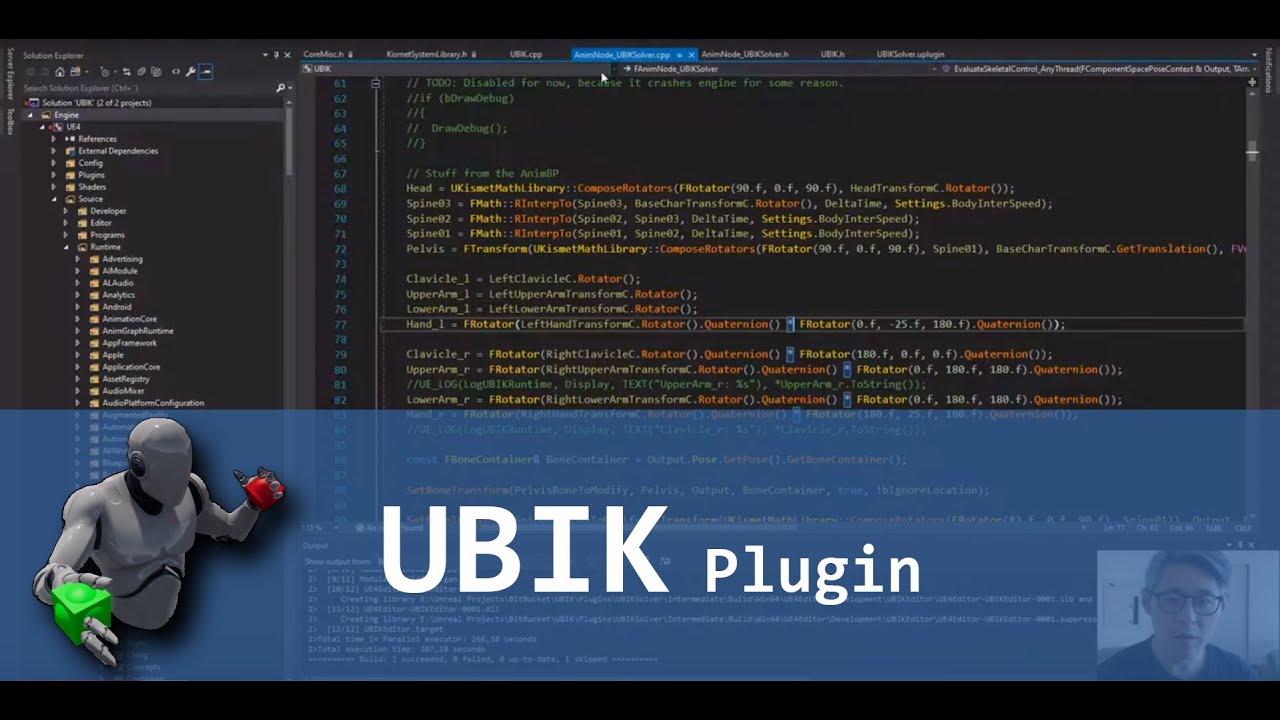
In this video i show how to setup a basic project using the plugin.
I also mention a current limitation regarding the skeleton the skeletal mesh must be rigged to.
Link to repository: https://bitbucket.org/jonas_molgaard/ubik/commits/branch/feature%2F4.23_Plugin
Feel free to...
note, it's currently a 1:1 conversion of the BP version i made a tutorial series over, so no optimizations attempted yet. It's using an avg of 0.03ms to solve, so it should be fairly lightweight still. Any pullrequests are welcome if you want to participate in the project.
little scaffold
very nice job @eternal inlet and thank you for making this open source
 cyan kayak
Any one know how to get AR plane mesh from UE4 ? Can draw a box but cant seem to create a mesh
 full frost
@cyan kayak You looked at the HelloAR example?
full frost
Doesn't hello ar create procedural meshes? Pretty sure it does
cyan kayak
Hmm ill take a look agian
aaah right its a different app i had
Okay cloning now
thank you
Yep got it, thank you
full frost
There's only one c++ class in it and think it does what you want
eternal inlet
hmm, ue4.24 question
isn't this supposed to give me a non 0 value when i move my finger on the left thumbpad?
toxic oracle
Does anyone know if the quest supports an in-line microphone plugged in through the headphone jack?
I can't find anything definitive on it on google
 fickle sky
anyone here with experience in the VRE UE4 Plugin? I got a few questions regarding the snapgrip/snapslots. Like overall I have no clue how to create them and such. Some pointers would be great. Through pm maybe even better?
tired tree
@fickle sky will PM you, there is a tutorial for it on my website
shrewd cobalt
Is it me, or does switching to ES3.1 preview just seem to make the preview material orb and in generalighting dimmer?


ES3.1 just seems dimmer.
 fierce blaze
@jade bronze are you using quest + link to develop? I develop for oculus rift and vive, and I hope I can use quest + link to do that ... did you that before?
last knot
I have a video I need to chroma key on Quest. I already have the green screen areas in the video replaced with pure green (#00FF00). I can use Chroma_Key_Alpha to knock that part out, but only on Quest using Link. If I play the same code as a native app, it leaves most of the green and just masks out a thin border around the person. Is there some way of making Chroma_Key_Alpha work on Quest? I have already tried turning on "Use Full Precision" under Mobile.
 lost kraken
I wonder how a system for VR that tells the person to extend their arm as far as possible, has them press a button when done, then models an in-game arm with a skeleton between the wrist and shoulder would work
Or if it would work at all
mighty carbon

StarVR One, the ultra-wide field of view (FOV) VR headset, has traveled a long and winding path on its way to launch since it was first announced in late 2018 that developers and enterprise would be able to apply for hardware. However now the company has officially opened up s...
lost kraken
Bonus points if it could create limited ball/socket joints for the shoulder and wrist with a “hinge” for the elbow
 honest temple
Does anybody know if pixel streaming is supported for Oculus quest?
sonic lake
@lost kraken scroll up few messages, check out what @eternal inlet has shared
lost kraken
I’ve never tried to make a VR game, so I’m not familiar with the blueprints. I just thought it’d be an interesting idea
mighty carbon
well, Blueprints are used to make any game, not just VR games @lost kraken
lost kraken
I’m aware. I just meant I wasn’t familiar with what Jonas made
sonic lake
@lost kraken you seemed to refer to some form of Inverse Kinematic in your message, this is why I referred you to UBIK
lost kraken
I somehow completely missed the video. I was looking at this, which definitely explains my confusion
sonic lake
@lost kraken yep, the UBIK video. 👍
opaque gorge
Hello I'm having some problems dealing with the trigger box in VR. I can get it to work perfectly in first-person third-person but for some reason I can't seem the figure it out on VR
sonic lake
@opaque gorge the VR Pawn (Motion Controller Pawn) from the standard VR template has no body so it cannot generate any overlap per se.
What you can do is add a collision sphere to it, parent it to the VR Camera and make sure it can generate overlap events.
opaque gorge
@sonic lake
O_o
You have officially become my new favorite person on Discord
sonic lake
😅
opaque gorge
Sorry about that is not every day that somebody actually gets back to me so quickly and with an actual solution. I'm used to people getting back to me in at least six or seven hours
nimble edge
Working on optimizing for Quest : is it better to have a static mesh with ~6 material instances (all the same base material) or a single material using a texture to drive the colors?
 fickle sedge
@nimble edge It's a close call. Probably the latter? If it's being applied in your project at a large scale, it's probably worth profiling.
nimble edge
And I recognize I'm totally ignorant in this - so my question might not even make sense.
jade bronze
@jade bronze are you using quest + link to develop? I develop for oculus rift and vive, and I hope I can use quest + link to do that ... did you that before?
@fierce blaze Yes, I'm using Quest with Link. You can develop for Rift S just fine because for Rift (S) and Vive you are building for Windows 10 and you don't need to have the device AFAIK.
fickle sedge
@nimble edge the built-in profiling tools for UE4 are a good palcce to start; for graphics analysis, my go-to is Intel GPA
sonic lake
@nimble edge the latter as it will be just 1 draw call. Materials instances cost anyway 1 draw call each.
nimble edge
Do I need to set up all the distribution signing settings in the Android Tab within Project Settings to sideload an App onto the Quest or is that just for going through a store?
I can't get the build to complete because I'm getting an error that the distribution settings aren't set, but I have it selected as a Development build. I didn't think that would be necessary for a Dev build?
real eagle
Hi , I am looking into adding a 360 video in my VR scene?
sturdy timber
Hi everyone, I seem to have a strange bug: I created a debug pawn to test my project without VR. It's working fine in PIE as long as I'm Offline or Listen Server. But when I PIE as client with dedicated server, all i see in editor is a blackscreen.
I know the correct map is launched as I hear the sounds, and if I do the same (client + dedicated server) with VR Preview, it's working. What is not working is simple play in editor without VR in dedicated server and editor as client mode.
I'm using Oculus version of the engine, 4.23 branch. Does anybody have an idea of what could be going on?
sturdy timber
mmm seems to work if I play as client standalone
sturdy timber
however it will break elsewhere, the only way to make it work is to start standalone editor and direct connect to the server with command line argument. Starting standalone and then "open xxx" won't work it will freeze the game because ovr will kind of crash
 vagrant sky
Hi there,
So I'm experiencing this weird issue. I'm trying to port an android AR app I made in UE4 to iOS. Works perfectly on Android, but causes this issue on iOS.
Assertion failed: Dimension <= GMaxTextureDimensions [File:/Users/build/Build/++UE4/Sync/Engine/Source/Runtime/Apple/MetalRHI/Private/MetalVertexBuffer.cpp] [Line: 171]
Note: The max dimension my textures have is 2048x2048.
Any kind of help would be appreciated.
nimble edge
I got my quest app running at frame rate for the Quest (thanks for the help!) - but now I'm running in to packaging issues. I'm not submitting to Oculus or anything, just sideloading. Anyone willing to help me out with this? First issue: Distribution Signing, I can't seem to bypass this by going with a Development build, so I made a storekey file and everything, and that's fine, but now there's a com.oculus.svclib error.
I don't know what that is, or where to start poking at it.
fickle sedge
@nimble edge - From Max, at my studio: 'It looks like the generated gradle project is not correctly set up with a reference to some Oculus Java library that's required by the Oculus plugin. Probably something wrong with their Oculus plugin installation, or their android tool setup. Are they on the latest version of UE4 and the Oculus plugin? Might be worth trying a clean build.'
nimble edge
Camille, you are a life saver. I'll try updating everything and see what happens.
fickle sedge
@nimble edge - Also from Max: 'If they're brave enough to build the engine from source, Oculus' fork of UE4 on GitHub is the most reliable version of UE4 for Oculus Quest builds.'
nimble edge
I'm a designer/prototyper that got thrown into shipping something and I have water way over my head in some areas!
Sure, I can try that. I've built from source before.
fickle sedge
@nimble edge - Cool! Best of luck. Let us know how it goes!
nimble edge
@fickle sedge - I will! Thank you! When this is done I'll need somewhere to send the Slurpees or something.
 hard relic
Hi, I'm so stuck that i need to beg an answer here. My export to Oculus Quest from Unreal 4.24 is working fine. But i need to install that apk to a Quest without Unreal. I'm using ADB for that like that: adb install MyGame.apk
This install correctly (my Game in in unknow sources) but i'm not able to launch it. I have a never ending 3 loading dots.
Any idea about what is wrong with my steps?
fickle sedge
@hard relic Max, from my studio says: 'They should do a packaged game for android, which comes with a batch file. If they read it, they can see that it does more than just install the apk - it also puts an obb file on the device.
...Alternatively, they could change a setting (doesn't remember exactly which) in UE4 that lets you have a single file - which puts everything into an apk (without needing the obb as well), which they can then use adb to install like they're trying to.'
nimble edge
Doesn't Android/Quest have a size limit on the APK though?
This blog post has how to install both the APK and .OBB through ADB

Background Over the years I have successfully deployed my own Unreal Engine projects to: GearVR, Oculus Go, and Oculus Quest. But it wasn’t always easy or straightforward. “OfficialR…
@hard relic
eternal inlet
in ue4.24.3, with spectator cam, does anyone know what's the cause of all this reallocates. It results in shit-performance obviously - only happends in packaged
``
[2020.04.11-12.25.04:563][ 24]LogRenderer: Reallocating scene render targets to support 3704x2056 Format 10 NumSamples 1 (Frame:25).
blan project with just this:
inside a char
and rendertarget defined like this
eternal inlet
Fix:
covert ferry
Why does it take so long to reset level when I make a widget and use it to reset in VR ?
the level isnt big or complex, it can take around 30 seconds of wierd glitchy screen before reopening the level.
the level is just the motion controller map of the basic vr blueprints
sonic lake
@covert ferry indeed, that is not normal. Did you try to disable stereo, then reopen the level, then enable stereo again
covert ferry
@sonic lake I havent, im very new to this so i havent learned about that function yet.
would that possibly fix it so I can reset the level and continue without having to take the headset off at all ?
sonic lake
@covert ferry it is a possible solution. For the moment I am just trying to guide you through understanding where the issue could be.
covert ferry
@sonic lake Im guessing Ill find that option in project settings ? thank you
dusky moon
Not VR, but has any1 else noticed the update of substance plugin now asks you to recompile all the substance shaders first time you open your project ? it's now 30 mins 100% CPU load and I'm not sure whats goin on lol
sonic lake
@covert ferry you can use Enable HMD with the stereo option unchecked, then after the level has reloaded, call again Emable HMD with the stereo option checked
hard relic
@fickle sedge @nimble edge Thank You. Sorry. I was doing wrong. Uploading to the Quest from the Binaries folder. Now i am packaging the right way. And it works.
gaunt pumice
is it possible to use SSR (screen space reflections) with the oculus quest or is it just reflection probes?
 unique berry
Is there a way of scaling the VR player at runtime? With the Unity Steam VR plugin, you'd just scale the whole chaperone play volume and everything would scale appropriately. Everything I'm reading about in Unreal points to using the Set World to Meters Scale node and setting your new scale, but the controllers and camera don't scale appropriately so that they aren't tracking correctly with the view, and the IPD scale doesn't seem like it changes so everything still feels the same scale, just that the camera has moved position
Every search I've done online leads me to a bunch of unanswered Unreal Answers threads or Set World to Meters Scale answers that don't seem like they are working as intended
I'm using Unreal 4.24.3
chilly pasture
Hey Guys, I am working on a project for Oculus Rift, I am having this problem where , i Can see Oculus Menu UI inside My Game , and it so much laggy, While one of the other project which is made for VR as well , is working fine.
 idle meteor
Hi, i am working on an app in which you need to place buildings on the desk, i want to be able to scale them rotate them and all of that. UE VR editor can already do those things and i like how they work, is there a way i can use that in my game and not in editor?
unique berry
You'd have to rebuild those interactions for your project
idle meteor
So, there is no quick way of doing that? I am new to unreal and completly new to VR, but i have it as a school assignment ... So i kind of need to do that. 😄
unique berry
No I don't think there's a quick way of doing it, editor stuff is separate from in game
tired tree
The vr editor mode can be referenced for it, but it's all c++
There are also plugins that have that functionality, though likely not as easy as you are looking for
idle meteor
Can you link me to those plugins and to that c++ referencing, would like to read about it.
 long comet
hey guys, im trying to load the default VR template and launch it with rift S but it doesn't work, i dont see anything in the HMD (just three dots, like if it is loading something forever) I used to work with vive time ago and no problems, but now, don't know what's happening...
fickle sky
have you tried starting it in vr preview mode?
long comet
yeah, and i just get a black screen with three dots in the center
do i have to install extra software or something?
dind't see anything in google or youtube...
the led in the HMD remains orange...
fickle sky
check in plugins if oculus is installed. it should be but better check. right?
also the hmd should work regardless of running ue4 or not. when you put it on it should throw you in your oculus hub.
check in your oculus settings if your rift s is properly set up
long comet
i play every day with my rift, what could be wrong? when I click perview in VR it lauches the oculus software, but nothing... thanks man
fickle sky
you wrote about the HMD led remaining orange. that doesn't sound like an ue4 issue
long comet
it's odd because i have the ue4 app running in the oculus soft...
fickle sky
i just tried it. it doesn't run with ther "selected viewport" for play but "VR Preview"
also you could go into maps and try the motion controllermap?
long comet
yeah, im in that map, and i run it thru VR preview option...
doesnt render anything...
I have just downloaded the engine and use a fresh vr template
(though i have been using blueprints for a year with vive)
fickle sky
I didn't download the engine new but I just downloaded the template. switching to vr preview worked.
I would recommend checking why the led is orange. maybe oculus is not allowing a dev connection and you need to set it?
long comet
sounds good
fickle sky
I did allow in my oculus settings in"general" to allow "unknown sources"
long comet
i have that checked
fickle sky
but that was for steamvr
I didn't do anything else. try troubleshooting it with the oculus docs. they have an extensive doc for unreal on their page
long comet
i was there minutes ago, will pay more attention, thanks man for your time
fickle sky
good luck!
also. maybe for the peace of mind. maybe try a restart. 😄
or also reconnecting your rift s completely
when I first connected oculus with unreal. I somehow constantly lost connection to my hmd. It needed some unplugging and restarts till it worked. not sure what happened there
long comet
omg, i restarted the service and now is working...
thanks man, the most obvius solution...
fickle sky
the classic 😄
unique berry
Does anyone know of a fix or workaround for the set world to meters scale node not working properly?
fierce blaze
@fierce blaze Yes, I'm using Quest with Link. You can develop for Rift S just fine because for Rift (S) and Vive you are building for Windows 10 and you don't need to have the device AFAIK.
@jade bronze thanks!
 bright basalt
Hello I'm new to vr development and I was wondering how to set up motion controls, the only tutorials I can find are deprecated due to the 4.24 update.
fickle sky
@bright basalt create a project and select the VR template and look at the character blueprint. That is how most done it.
I can also recommend go into the VR section of the unreal board. There you have quite some "VR Template expanded" and such. Just look how they do stuff.
When you press play in the editor, select VR Preview. The template consists of 3 maps. 1 start and 2 depending what you want. the starter explains what the other 2 maps do
steel crown
@bright basalt you may also want to do this:
go to project settings / Rendering and turn on Forward Shading (this is forward rendering). and use MSAA as a Antialising method. To get a sharp render on VR (just be aware that MSAA on PlaystationVR is currently broken since 4.23 and it seems that we are not going to have a fix anytime soon).
bright basalt
Thank you guys
 languid night
Hey guys, do any of you have any ideas how to display inventory in a VR game?
I'm not asking about technicals, but how something would look.
I'm making a game where the player needs to collect clues
split burrow
I know a lot of games will do something like a wristwatch-type device. That or just pop up a screen within arms-reach
worthy python
Hi, can anyone else confirm that having Splash Screens auto enabled in the OculusVR plugin causes OpenLevel to hang in 4.24?
languid night
Yeah, wrist watches seem to be where a lot of people go with inventory, but I was thinking if there's a more fluid aproach to inventory
Like I dunno, "realistic"?
worthy python
Personally I think my favourite inventory is just "attach to the body", but for something like clues that might not be appropriate
If the clues are small I can imagine them being placed in a rucksack on the player's body
languid night
Would it be like a real rucksack?
gaunt pumice
Hey Folks, a client asked me for an option to control his VR-App with second input device (simple UI to switch products) while his customers are wearing the HMD.. any ideas how approach this?
 blissful bear
This might be suitable to implement what your client wants.
https://www.unrealengine.com/marketplace/en-US/product/vr-spectator-control-window

Want to be able to use Unreal Engine UMG together with the spectator view in your VR apps? You can now do so with our Spectator Control Window plugin!
bright basalt
I have a question, is it possible for me to import most of the assets ive done so far to the virtual reality template? I have gotten a decent amount of work done and would prefer not to work from scratch
Im also only wanting sliding locomotion and all I see in the vr template is teleporting
this includes materials and blueprints
cosmic shoal
@bright basalt make a project with a VR template, go back to your regular project, select stuff and right mouse button menu look for "Migrate"
and select the content directoy of your VR project
 alpine kiln
I was able to get one of my PC-VR projects working on the Quest. I have to say that you have to use level streaming to get the needed frame rate. Also LOD's on models is a must.
bright basalt
thanks
carmine yoke
Has anyone developed for the Pico Neo 2 headset at all? Would be very keen to talk if you have, thanks
alpine kiln
I've never heard about it. Sounds interesting. Is it Android based?
carmine yoke
Yeah its basically the same as the Quest but with none of the Facebook infrustructure
its acually got a better screen, better processor
Lighter too
Its pretty much only useful for business cases though
alpine kiln
Then dev should not be to different. I have no integration in my current project, and may not ever add it. Just make it available via SideQuest.
carmine yoke
I'm more interested in the capabilities and drawbacks that people have noticed. I'm currently in the process of packaging for it, so hopefully should be fine!
gaunt pumice
@blissful bear thx, this looks pretty good but it looks like its just designed for windows...
I am currently testing the web remote control - works so far but only in the editor, not during runtime...
hallow knoll
@carmine yoke Please do share your results
jade bronze
I'm developing using Oculus Quest (Oculus Touch Controllers).
How can I assign an event to (L) Menu Button on Oculus Touch Controller?
I can go to Project settings Tab -> Input and create Action Event, but it does nothing once used.
The same goes for (R) System Button but remapping the system button would be kinda silly since it is essential to projects functionality.
So, my question is:
How can I remap (L) Menu Button for Oculus Touch? Is it possible at all? I would like to use it for Options/settings button.
carmine yoke
@hallow knoll will do
hallow knoll
@jade bronze Prior to the OpenXR input refactor I believe it was "Gamepad Special Left"
jade bronze
@jade bronze Prior to the OpenXR input refactor I believe it was "Gamepad Special Left"
@hallow knoll Thanks for your answer. This works!
I forgot to mention that I'm using 4.24 version. I've just tested it out and it works.
For others looking for similar thing, I also want to mention that I'm using Oculus Quest in Rift S mode (Oculus Link cable mode)
 slender fjord
hi everyone, any chance to create a BP for turn on/off light in oculus quest?
last knot
okay, so i'm running into Yet Another Weird Quest Problem. I mentioned it before but I have better examples of it. I have a material that does this:
(this is just a dumbed down version of something else i was doing, just to show the issue)
you can see the test pattern image i fed it. I did this two ways. first, i have that test pattern image. second, i have a movie i made that's just that test pattern for 3 seconds. i created a material for each of those and applied it to two different planes. then i put the original full color image on a third plane just for reference.
here's what it looks like running natively on the quest:
And here's what it looks like if i run it on the PC instead:
I don't understand why the movie texture version (top left) is replacing the blue square with black on the Quest version. it doesn't do that with the image texture, and it doesn't do that with the exact same app run on the PC
i feel like i must be hitting some weird mobile thing, like when I had to turn on Use Full Precision to avoid some weirdness.
 quiet vector
Does anyone know of any VR C++ tutorials? I know how to program but I find blueprints incredibly difficult to read. I just want to get head and hand tracking (Oculus Touch) working, everything else after that like movement I know how to do.
Specifically I'm trying to set up something like Echo VR, and found a nice blueprint sample that does half of what I need and would be a good reference to work from, but even though I can understand some of what the blueprints do (thrusters, etc) I don't see any obvious way to just make a C++ class with head and hand/touch tracking.
keen prawn
@quiet vector the VReditorpawn is full C++ its on editor time and has lots of stuff u wont need for gameplay but it has C++ tracking UI and all sorts of stuff
also the default VR template has the tracking done in C++
I think
sonic lake
@quiet vector a couple of people have ported the original BP VR Template to C++ and made it available to others. For example: https://github.com/Sombusta/UE4_VRTemplate_Cpp

GitHub
Unreal Engine 4 VR Template Porting Full C++ Project. - Sombusta/UE4_VRTemplate_Cpp
quiet vector
oh awesome, thanks guys!
I know how to do the gameplay stuff so once I figure out the c++ VR "hello world" tracking the rest is straightforward. Making it work multiplayer with IK body dedicated server hit detection is a hurdle, perhaps insurmountable, but at least the gameplay portions are easy 🙂
dusky moon
Wow 4.25 preview 7 ! I think we're going to have a stable ue4 😛
sturdy canyon
I think they were planning to release an unstable 4.25 at GDC, but now they’re taking their time
dusky moon
haha Thanks to the pandemic we're getting a good one
sonic lake
Wow 4.25 preview 7 ! I think we're going to have a stable ue4 😛
@dusky moon Hallelujah!
 grand zealot
last knot
grand zealot
last knot
For the IF problem I posted earlier that only bugs on the Oculus Quest, I've posted an answerhub if anyone is interested or wants to vote on it: https://answers.unrealengine.com/questions/954835/why-does-this-if-node-not-work-on-oculus-quest.html
 elfin edge
It's probably got something to do with the video colourspace still being YUV in the texture - that would be my guess @last knot . You could try replacing the 'and' with a minus 0.99 and a ceil to get the same effect I think or try a dot product if you are doing chromakey
last knot
@elfin edge you think that'd be a difference between Quest/mobile and PC VR? (using the same mp4 file on both)
elfin edge
It depends on how they handle it. The video is likely in YUV space not RGB. So you can either convert it on the CPU to rgb or leave it as YUV and convert on the gpu (which should be faster).
At any rate, the data should be RGB when you get to it in the shader.
But it's possible PC and Quest use a different approach and have different values
It looks like you are trying to get 0.99 out of the blue channel and YUV to RGB isn't an exact conversion (to my knowledge)
I'd use a dot product of the blue vector and as a bonus you have a threshold value
So alpha blending
last knot
I just tried it at 0.5 instead of 0.99, with the same results
last knot
so it seems somewhat of a quirk. I'll also note that I used the Chroma_Key_Alpha node originally, and ALSO had it work on PC VR but fail on the Quest, with the same video and code
I've tried this a handful of completely different ways so far, and they always wind up with no getting correct results on the Quest. perhaps I'll try it a handful + 1 and go with the dot product. I suspect it will fail as well, though
last knot
I switched it around to use the dot product. Still have the same issue. Of course, I could be using it differently than you intended. Feel free to elaborate.
And to clarify, I'm knocking out the green. The blue is accidentally coming along for the ride on the Quest (but not PC VR).
hard relic
Hi, anybody know, how to remove gravity of the teleporter? i would like a straight line. Can't find the nodes.
hard relic
Find it: OverRide Gravity Z = 1.0
dusky moon
Any1 tried this inside VR ?
I'm wondering how it performs:
https://www.unrealengine.com/marketplace/en-US/product/fluidninja-vfx-tools

Bake real-time fluid simulation to flipbooks, flowmaps, materials and vector fields. Create presets. Generate fire, smoke, and fluids for character and environment effects. All inside Unreal Editor.
quiet vector
I still haven't even figured out how to get HMD to work in C++ so.... next week I'll check that out hehe
sonic lake
@quiet vector I suggested you to look into the ported VR template. Didn't that help?
idle meteor
Hi, i am working on a VR game and i want it to have some features from VR editor that is build in, is there somebody who can help me to get them? I opened up UE4 only like a week ago, but i really need it done due to my school project. (tag me or dm me)
quiet vector
Yeah I'm going through those still marco, yesterday I was frustrated with the code side of things so I decided to learn how to prototype a map
figured out how to export a model with texture assignments from fusion 360 to unreal which is great, uv mappings are all borked but it's good enough for now
alpine kiln
Question for folks. Has anyone been able to get an .mp4 video file to play on the Quest? Our app will play it fine on PC, Vive, Rift, but not on the Quest.
last knot
@alpine kiln yes, many times. How are you trying to play it?
Also, have you tried other mp4s, just in case there's something particular about that one?
alpine kiln
@last knot , I have tried playing it, but still doesn't play on Quest. I will try another file.
last knot
Dumb question, but are you sure the movie is being copied over to the Quest?
This was something that took me a bit to grok in UE4, since I'm new to it. If it wasn't in the Content/Movies directory, it wouldn't copy over
alpine kiln
I did manually move the file to the directory prior to the import just in case. I did have a second video file that was a wmv that was listing first in the media player, so that may be the issue. I just deleted it, and will be testing it shortly.
 torn crescent
general question: is there a recognised way of describing VR for mobile and VR for a headset? That's not disparaging to VR on a mobile like 'proper VR' vs 'Crappy phone version'
cosmic shoal
Well I think the DOF (degrees of freedom, as in rotation in 3 axis, movement in 3 axis) is what separates them. Phone VR is 3DOF and the more advanced headsets are 6DOF
long comet
hi guys, one question, im implementing snap turn and so far it wors, but it rotates over VROrigin (center of playspace) so if i move 2 meters away it keeps rotating with that center instead of my current location... any help?
 tribal spear
Hi Guys, i'm trying to work in vr mode. but the menu's are all dark. Am i the only one with that issue?
working in version 4.24 and 4.25 preview 7. It's like the sun is to bright and the camera does not adjust for the dark menu's.
alpine kiln
@last knot Thanks for the advise. I actually made a few changes and we now have video working!
 feral ember
has anyone used vr mode with oculus quest? just curious if it works well
sonic lake
@alpine kiln Interesting. So what was the issue at the end?
covert ferry
Is it possible to create make the unreal mannequin "posable" using your vr hands ?
if so, what would it entail ?
Like you actually had the unreal mannequin in front of you and you could put it into all kinds of actions poses.
@feral ember I use VR mode with the quest to test out my levels and I think it is brilliant.
not having to think about the sensors is a game changer.
The quest also has a feature now where you can double tap the side of the headset to go into and back out of the camera pass through mode (I use this a lot ).
sonic lake
@covert ferry have a look at the UBIK plugin created by @eternal inlet and me. It is free/open source: https://www.youtube.com/watch?v=cxVIBGg59-I
In this video i show how to setup a basic project using the plugin.
I also mention a current limitation regarding the skeleton the skeletal mesh must be rigged to.
Link to repository: https://bitbucket.org/jonas_molgaard/ubik/commits/branch/feature%2F4.23_Plugin
Feel free to...
covert ferry
ah @sonic lake that looks brilliant and I think I will bookmark it because I think I do have use for it!
I don't think i was clear enough with what I was asking though.
I was hoping to find a way to have a mannequin in the scene as an object that you can manipulate into poses (like you would a figurine in real life).
My hope is I can use it to demonstrate various positions an athlete needs to get into in a sports application.
sonic lake
@covert ferry ah ok, since you posted it in #virtual-reality I thought it was related. You want to pose it using VR interaction or what?
covert ferry
@sonic lake yes that's right
I want to use my VR hands (oculus touch controllers)
to pose the unreal mannequin as if it were an object in front of me (a life size action figure if you will)
So if I lifted its arm up and stepped back it would stay in that position, this way I could make it look like it is throwing a punch/ kick or spinning like a ballerina etc...
sonic lake
@covert ferry I am not aware of any ready-made solution to do that. You could definitely do it using effectors linked to the different body parts (head, hands, etc,) and a bit of Inverse Kinematic. Or replicating the functionalities of the skeletal mesh editor in VR. Interesting idea.
covert ferry
@sonic lake thank you, I will have to look up those things to see if it is something I am capable of putting together with my limited knowledge.
sonic lake
@covert ferry breaking it down into pieces:
- Raytrace from the controller to the skeleton
- Identify the bone closest to the hit - provide a visual clue of the bone you are about to manipulate
- Set its rotation while holding a button (it's a kinematic chain so you cannot set locations directly) - maybe you need to cycle between axis or use the MC as rotation proxy
- repeat
Not sure if you have all the necessary functions in BP. It may require a bit of C++.
covert ferry
@sonic lake Very cool of you to lay it out for me like that! makes it much easier to manage, thank you!
tired tree
You could also do it by physically simulating the bone chain and snap shotting the pose on release
covert ferry
that sounds great too @tired tree what would that entail ?
tired tree
Physics constraint from the hand to the bone you are manipulating
 nocturne sundial
Hi, can folk help me? THis isn't necessarily a unreal engine VR question but my vive has been not working properly and I'd appreciate it if folk can help me troubleshoot
 real walrus
@nocturne sundial what's the issue
nocturne sundial
when i try and use my vive, it keeps going "searching"
and whenever it does pick up one of the base stations it flashes blue again
tribal spear
Hi Guys, i'm trying to work in vr mode. but the menu's are all dark. Am i the only one with that issue?
working in version 4.24 and 4.25 preview 7. It's like the sun is to bright and the camera does not adjust for the dark menu's.
oke, figured it out. the directional light on the sunsky was cranked op all the way to 75000 lux. if you bring that down it wil show you the menu's.
quiet vector
Does anyone know why the headset camera would be aimed almost straight up and offset slightly to the side? In this view my headset is on BACKWARDS on my real head in order to have the headset see my player head from above.
I've been looking at tutorials, source, and videos all week and still can't quite get things set up so that my VR player has a body where the camera is in his head.
I'm trying to set up something like Echo VR, where the player character 'center' is their waist or chest, their head is the headset with neck and upper body having IK, their controllers become the hands with arms having IK, and their feet are floaty IK.
I've tried different combinations of object/camera/skeleton/controller hierarchy, in c++ and in blueprint and nothing seems to put anything in the right spot
real needle
Anyone have any idea on how to make the camera be where the controller is.
I did this already, but for some reason vr isn't working in this unreal project.
Am I missing anything?
eternal inlet
@real needle i think you need a motioncontroller component and then get the transform from that instead
sonic lake
@real needle Make also sure the camera is not Locked to the HMD (which is by default) and that you are Enabling stereo.
@quiet vector looks like you are not resetting your Orientation and Position to start with.
quiet vector
Marco do you have an idea what the hierarcy should even be? I'm thinking I want the pawn 'root' to be their waist or one of the spine segments. Then the head/neck and hands/arms would be driven by headset and controllers and IK, so you could lean and your game body would follow, but if you walked out of your playspace center your body would not follow. Collision would be the pawn mesh collision, so if you put your arm through a wall your in-game arm would stop at the wall. This might require an 'intermediate' link object between the headset/controller and the head/hand of the pawn, almost like a "you want to be here but if you can't go there go as far as you can then stop" type of thing. Not sure on that.
quiet vector
I'm thinking more from general logic and game design experience though, so maybe UE4 would need to be set up differently due to how it's specific systems work
hard relic
Hi! May i ask if somebody have experience in Decals with Oculus Quest? Decals is displayed but there is a strange artefact inside them, like a pixelized digital pattern banding, that is moving with the helmet... I can see that into transparency aswell. It may be something due to translucency...
sonic lake
@quiet vector the functionalities you have described would take quite some effort to implement. Basically you are seeking for full room-scale support with smart collisions and physics. You may consider taking advantage of the VR Expansion Plugin, which already does most of that, and/or UBIK for the IK part.
quiet vector
I don't really want room scale at all, the plan is to limit it to sitting-scale evne if people try to use room-scale
yeah I might try one of the plugins, I'm mostly worried that they handle the movement and I don't really want that
so it's sgoing to be pulling out lots of stuff
afk one moment, have other things to add/ask though...
sonic lake
@quiet vector for a purely sitting experience you can probably take an easier approach. You just need upper body IK with physics collisions.
Actually there are two different school of thoughts regarding collisions in VR. One states that you should never take away from the player the possibility to know where their actual hands are, so you won't block them if they try to go through something "solid". According to the other it is ok to do so as long as you provide some kind of feedback/clue to recover from the situation. More recently I have seen many applications implementing phantom hands. The real hands are blocked by the collisions, but the phantom hands keep following the controllers.
@quiet vector
quiet vector
sorry had real work... this would be along the lines of Echo VR where you wouldnt be able to go through objects but the feedback is good so it still feels correct
basically I see different components to making this work
- Basic headset and hand tracking
- having visible head and hands for the player
- have hand-based drag-yourself-around movement
- attach head and hands to a body with IK, as described above for player 'root' and head/hand control with rest of body being IK
- give the body collision
- make this work over networking (possibly done individually for each stage)
The biggest problem I have is that blueprints are overly complex and difficult to read compared to code (for somebody who is a programmer), but most of the tutorials or examples are blueprint based. Without already knowing how everything works it's difficult to translate the blueprints into code. Looking at code examples or plugins, many of them are tightly coupled to joystick or teleport movement, or blueprint focused, or set up in a way that is clearly incompatible with my goal (such as object hierarchy based on a collision cylinder). Finding a reference or base to work from has been incredibly difficult.
This is pretty close and a decent reference but reading the pawn blueprint is really difficult https://forums.unrealengine.com/development-discussion/vr-ar-development/1354452-zero-g-hand-based-movement-locomotion-mechanics-similar-to-lone-echo-echo-vr-updated-1-23-19
Unreal Engine Forums
This is my attempt at recreating a similar Zero-G VR locomotion system to the one found in the Lone Echo/Echo VR games.
It allows you to grab onto walls, and push
sonic lake
@quiet vector as an experienced programmer you should have no problems reading through Blueprints, which are just visual code. A common misconception is that you can use Unreal Engine either with C++ or with Blueprints, but actually to be really proficient with it you need to know both. So it is rather a and.
If that template has already what you need, you should definitely spend some time to understand how it works and later to port it to C++.
Networking is a whole different subject. Again, the VR Expansion plugin has that fully covered, so you may want to look into it, even if just at source code level.
I am trying to help you get productive as quickly as possible, but Unreal has a bit of learning curve we all had to go through.
BTW, there is also a port of the standard VR template to C++ if you are interested.
quiet vector
yeah, my problem is I'm trying to skip a lot of that
sonic lake
which is understandable but not really recommended
quiet vector
do you how long do you think is a reasonable time to learn enough of the engine workings and VR integration to get some of that up and running? Perhaps without networking, or perhaps with networking but only simple collision cylinders and floating hands instead of a body with collision and IK?
float hands and head with a floating sphere as a body might be an easier way to start, and would still let me test out the things that I'm really trying to test
I've been frustrated with what seems like a pretty steep learning cliff just to get anything at all working, but I know once I get something working to a minimal degree the rest I'll be able to figure out, just not sure if the learning cliff is too steep to be worthwhile for what is essentially a hobby test of an idea for another game
real needle
@sonic lake Above you said for me to enable stereo I'm not sure what you mean by that.
@quiet vector In my experience with unity, it is just best to learn it the slow way
it can take many months to years
focus on small projects, don't go too big
quiet vector
unity was suuuuper easy to set something like this up, like within a couple hours, but unity basically has no real networking solution which is kinda a big problem
real needle
There's a price to everything
quiet vector
yeah 😦 I should just pay somebody to set this up lol
it would be less stressful
I just want to work on the gameplay logic and weapons anyways
real needle
Good idea, specializing in one area is sometimes better too.
@eternal inlet Like this?
I'm somewhat new to unreal so sorry for my inexperience. I'm not going to be using it after this blueprint is fixed though.
quiet vector
aha it's Jonas, the latest video I'm trying to follow to learn this VR setup hehe
eternal inlet
Hehe hi there
real needle
Oh you're a youtuber that's cool, still don't know how to get the transform though lol.
is there anyway I could hop in a voice chat for 10 min, just to fix this. It's for a greenscreen project, I just happen to not be very good at blueprints.
or do you have any tutorials on your channel that go over this?
at this point I'll even pay someone lol
It'll take 4-10 minutes of your time though.
tired tree
@quiet vector you can literally reference my C++ replication for the controllers (the VRE plugin), and if you are going fully client authoritative then the rest is easy as far as movement goes. But you are asking for a fully realized movement system in multiplayer, and doing it smoothly takes some effort. Unity may have been easy to setup using frameworks (like it would be in ue4 so I think you are using double standards here).
you don't use unity's native IK for your full body, you use final IK or something of the sort
just like you "could" use ue4's FABRIK or CCDIK for it, but it would be far less than ideal over a third party solution
quiet vector
I've been looking at that also. I was planning on doing server-authoritative with client prediction to see how it feels.
eternal inlet
Im not at my pc atm but from your motioncontroller drag out and type getworldtransform
quiet vector
but I know that there might be too much resync and jitter and other problems
tired tree
no
its fine if you have a robust setup
your issue is going to be that it isn't easy to do
also you can't rollback motion controllers or HMDs, you can just adjust roomspace to correct for movements
characters already do everything you want to do, the issues is that characters weren't built around VR and there is no other networked equivalent in engine until they finish the seperated network prediction module (soonish).
so they take a lot of work around setup if you want to use them
if not, then you are rolling your own
quiet vector
characters have a lot of movement code and stuff though dont they?
that's why I was basing off pawn or base pawn I think
walking and anims and all that stuff are not needed since they would never be used, and a lot of the other pawn stuff is designed for 2d and/or vertical-only player orientation
tired tree
characters have movement "modes"
you don't need to use them, but you can add new ones
that make use of all of the already built in networking
ie: I made a LowGrav movement mode with velocity retention fairly easily
as for your component setup, put a scene component on your root capsule, center capsule is 0,0,0, so you want to move it down by half capsule height
quiet vector
what if there is no capsule?
tired tree
then its not a pawn
quiet vector
sure it is, but it's not a collision cylinder
tired tree
if no capsule then 0,0,0 is foot position
quiet vector
unless there is some different capsule thing
tired tree
oh sorry, pawn isn't capsule forced, forgot
you can just add one though, it only requires a primitive component
characters are default capsule
it won't move with the HMD though
quiet vector
would it make sense to have:
root
- capsule (larger than player, for overlap detection, not blocking collision)
- skeleton mesh (for vis and blocking collision)
tired tree
so if basing on pawn you can have a scene root
you'd have to write your own movement component though
quiet vector
but if I want the 'root' to be one of the waist or spine bones of the skeletal mesh, that confuses me then
I'm going to have to write my own movement anyways
that part is easy
tired tree
it wouldn't be a waist or spine bone
it would be a primitive component
you can make your mesh the root and move it, but you would have to run your collision code logic around a seperate collision body
root component is the actors location in world
quiet vector
can I attach a skeletal mesh to the root via a certain bone? so I have my root component, then attach the skeletal mesh as a child, but use the waist bone for example as the attachment point?
tired tree
no
not unless it is simulating
you can move it so that the pelvis is at 0,0,0
which is effectively the same thing
quiet vector
the idea being that moving your HMD will cause the mesh head to move, and the upper body to IK any leaning you do, but walking out of your play area wouldnt move your character at all
quiet vector
yeah, and you should be able to lean or look around for example, but walking around in real life shouldnt move your character more than your character model could lean or twist
tired tree
that won't change your camera perspective any
you'd have to black out or handle it somehow
quiet vector
camera would have to be locked to the head
quiet vector
so if you step to the left 6 feet, your character model would lean as far as it could to the left then your camera would stop
tired tree
when tracking to an HMD
you can clamp the camera in bounds though
I do it for my seated mode
quiet vector
camera bounds would basically be the character mesh IK limits
or generally speaking, the amount you could lean or twist while your feet are planted in real life
quiet vector
you'd go to the character pose limit
tired tree
def have to put in some camera black out at that point
quiet vector
if it felt horrible it could be changed, but the idea would be that you cant 'cheat' by moving in real life
quiet vector
still 6dof, just not with unrestricted size
tired tree
you can't IK inward on height unless you start bringing in a shrinking spine or weird adjustments around it
quiet vector
problem is not setting those bounds means that by moving in real life you can violate all the game rules about how fast your character can move, etc, and it becomes cheating
tired tree
when your pelvis is always static
quiet vector
there would have to be some buffer area for normal human movements, but it coudlnt be unrestricted
tired tree
you can totally do all of this, for sure
not sure how much people will like it, depends on the final implementation
and REALLY depends on how good the IK ends up
quiet vector
basically it's Echo VR
quiet vector
the only difference is that in echo your body follows your head
quiet vector
I'm not proposing something hugely different though, just mainly preventing a player who walks in real life from moving outside the limits in the game
part of what I want is for the player movement speed to be slower by default, and have in-game things you can do to speed yourself up, but if a player can quickly walk 6 feet in real life and move their player they essentially violate and break that balance and functionality
in Echo it's not so bad because players can all move at the same speed
but if all players couldnt move at the same speed it becomes a bigger issue
mighty carbon
I think 4.25 release might drop this week
carmine yoke
Have they done anything with stereo layers yet? @mighty carbon
mighty carbon
Nah @carmine yoke, haven't messed with them for a long while
I think they are broken in 4.24 anyway
Should be fixed in 4.25
mighty carbon
Has anything changed with setting up widget to be rendered in the stereo layer ?
Used to be a cumbersome setup in BP
mighty carbon
@carmine yoke ^^^
carmine yoke
No its still the same, but tbh I don't find it that bad. Just setup the widget as you normally would, make it invisible and stick in a stereo layer instead. Once you know the process its easy to repeat. I've got all my widgets in quest running on that and they look great.
@mighty carbon
Problem is I'm trying to port to the Pico Neo 2 and they don't support stereo layers. So I'm having to go back to regular widgets and they just look..... trash.
I'm not sure I can justify the switch literally based on a lack of stereo layers. And I can't imagine them working without integration in Pico's SDK for 4.25 😦
mighty carbon
and stick in a stereo layer part is what I forgot how to do 😅 @carmine yoke
carmine yoke
Just get the render target (check its valid first though) and set texture in stereo layer. Might have to mess with settings a little bit like support depth, live texture. But I got them working well on quest. And as I said, the legibility is 1000% better. Like night and day difference
Shame Epic just isn't putting in the work to support them that they should be 😦
tired tree
@mighty carbon you are using the plugin anyway, there is a stereo layer widget component in it
mighty carbon
Ahh, sweet
tired tree
Just place it and set the class
Keep in mind that last I knew, some transparency combinations can brick rift builds
mighty carbon
Got it, thanks
carmine yoke
If you put /OculusVR in the additional assets to cook it seems to get rid of most bugs in 4.23, can't confirm for 4.24
@mighty carbon @tired tree
Like the support depth translucency issue
mighty carbon
I use Oculus fork of UE4, I am not sure about the bugs there
mighty carbon
I see
tired tree
@carmine yoke different issue and occurs in PC as well
 broken fable
Hey guys. Does anyone know why Online Subsystem Oculus plugin has leaderboard read limit of 100? I'm looking at the source code ReadOculusLeaderboards method in OnlineLeaderboardOculus and it has a hardcoded value of 100 that gets passed to the native oculus api. So what if a leaderboard has more than 100 users. Why is it so and how to get around it?
heres the source code
bool FOnlineLeaderboardOculus::ReadOculusLeaderboards(bool bOnlyFriends, bool bOnlyLoggedInUser, FOnlineLeaderboardReadRef& ReadObject)
{
auto FilterType = (bOnlyFriends) ? ovrLeaderboard_FilterFriends : ovrLeaderboard_FilterNone;
auto Limit = 100;
auto StartAt = ovrLeaderboard_StartAtTop;

// If only getting the logged in user, then only return back one result
if (bOnlyLoggedInUser)
{
    Limit = 1;
    StartAt = ovrLeaderboard_StartAtCenteredOnViewer;
}

ReadObject->ReadState = EOnlineAsyncTaskState::InProgress;
OculusSubsystem.AddRequestDelegate(
    ovr_Leaderboard_GetEntries(TCHAR_TO_ANSI(*ReadObject->LeaderboardName.ToString()), Limit, FilterType, StartAt),
    FOculusMessageOnCompleteDelegate::CreateLambda([this, ReadObject](ovrMessageHandle Message, bool bIsError)
{
    OnReadLeaderboardsComplete(Message, bIsError, ReadObject);
}));
return true;
}
 oak ridge
hi, question about ARCore (Android) Does image tracking work now? If so, Are there any docs on how to set it up
 topaz plank
Does anyone know how motion controller <-> UI widget interaction works in VR expansion plugin? I can't find a widget interaction component...
nevermind me, just found it in the teleport controller
mighty carbon
sturdy canyon
There's a workaround. You just need to flip two console variables
r.SceneRenderTargetResizeMethod=2
r.SceneRenderTargetResizeMethodForceOverride=True
This will cause it to eat more memory than needed, but perf will be good
mighty carbon
Thanks.. I probably don't need it on Quest (cuz it will perform like sh!t most likely), but just sad to see it being "fixed" and then not fixed and moved to 4.26
sturdy canyon
I use it on Quest and it's fine
well.. "fine"
It's quite expensive in terms of draw calls
I use it in a few places. to create an icon for the player avatar, it snaps a picture of your sculpted head. When running around with the camera tool, it shows the world on the camera's screen. And I have a comfort mode for linear motion that shows motion on a rendered screen, but infrequently teleports your VR view
covert ferry
Hi all, I use my quest plugged into my pc for vr preview while working on my project...
For some reason today I am appearing like I am VERY tall and I cant seem to fix it
any idea what I might need to do ?
Im looking down on everything that should be eye level...
nevermind, I just had to fix the floor height in my guardian settings