#virtual-reality
1 messages · Page 215 of 1
 past tiger
 nimble edge
Thanks. I'll check it out in just a minute.
 void root
Hi, first off I am very new to anything in UE4 except making it look nice. I currently have 2 VR levels that are identical but with different lighting conditions. I am using a widget interaction to switch between the two levels. I want the player to spawn at the same exact point in the next level so it gives the player the appearance of just the lighting changing and not the player moving. I am using the vr motion control blueprint and pawn that ships with unreal. Thanks!
past tiger
@void root you could store the player location and rotation in the GameInstance.
void root
thanks I just looked it up. sounds like what i am after. I have no idea how to implement it though lol
nimble edge
@void root I can probably throw something together tonight to share with you.
 sweet oracle
I have a 3d widget spawning on the map... it has a transparent background but the text on it is showing up blurry. I am using MSAA. Any idea how I can fix it?
nimble edge
Is the Text part of a texture or a UMG Text Widget?
nimble edge
What's your font size, @sweet oracle ?
sweet oracle
20 and up
nimble edge
Yeah, scale that baby up, then scale your widget down.
At least, that's how I always do it...
void root
@nimble edge that would be amazing
 slender fjord
Hi Guys, can i use a 360 photo in level, simulate a static scene?
nimble edge
@sweet oracle Just to follow up, you should dig into Robo Recall's mod pack. You can see how they set up their UMGs to get clean text. The "Log In" widget when you land on the Holo Pad is at 0.2 scale, fwiw.
and the Zone/Map Select widgets are at 0.1 scale.
sweet oracle
ok will look into it
slender fjord
someone can help me? please?😅
 tired tree
@sweet oracle Yeah pretty sure I mentioned that few times to you
it makes a huge difference
void root
@slender fjord sure you could map it onto an inverted sphere or maybe load it with the hdri environment
HDRI backdrop is a built in plugin you have to turn on
It’s under rendering
slender fjord
i tried it, but i can't map the sphere correctly
void root
Is your 360 a lat long image?
slender fjord
no, it's a office's image like
void root
I’m not sure what you mean. Does it map correctly in a normal 360 panorama viewer?
slender fjord
yes
void root
Do you have a 3d package like 3ds Max?
void root
Does it look correct in maya?
void root
I haven’t opened maya in about 7 years, but you shouldn’t have to apply a spherical map to a sphere. It is created with the correct uvws
For that image
You just need to invert the normals
Is this for mobile VR or PC based?
If it’s PC this will work https://docs.unrealengine.com/en-US/Engine/Rendering/LightingAndShadows/HDRIBackdrop/index.html
Use the HDRI Backdrop to quickly set up product visualization using an HDR image projection with real-time lighting and shadowing.
slender fjord
shure, thanks
void root
 mighty carbon
I wonder if 4.24 has flip normals mesh tool
slender fjord
would be great
void root
Would speed up my data smith pipeline a lot
slender fjord
Jesse, i used another sphere, but now its working
mighty carbon
Unreal Engine Forums
The features of Unreal Studio have progressed rapidly with everyone's feedback since we started the beta program last year. Now we are happy to announce that with the upcoming release of UE 4.24, the features will be freely included in the Unreal Engine, and we will be retir...
void root
I’ve had it since day 1. They have never charged for it.
mighty carbon
just saying you no longer need 2 separate flavors of UE4
nimble edge
@void root Check out the Game Instance BP, The event graph of the Motion Controller Pawn, and the Level Blueprints of the two maps. If you have questions shoot me a message.
void root
Thank you so much!
 fading shore
Hi! please help with VR lighting issue.
in VR I have double light sources. Its look like in right eye light source has some offset
 merry raven
Is there a reason why you cannot select VR if you create a C++ project?
 little scaffold
@merry raven maybe because the template was only made in blueprint
merry raven
can I still use VR in a c++ project?
little scaffold
you always be able to use both c++ and blueprint in the same project
With the VR template your base pawn, motion controller and so on will be in blueprint but you can always use your own c++ code and don't use the template
merry raven
I don't actually plan on writing C++, I just need to create a C++ project for this plugin to work
Could I just copy over everything from a Blueprint project then?
Like, is everything in the content browser that I need?
or does it not work like that
fading shore
@merry raven not copy! Use Migrate tool!
merry raven
thanks!
little scaffold
Is there a way to set a custom focus of a widget interaction component to an editable text box for example so it can receive key char ?
 carmine yoke
Hey fellas, so since there's a bug with stereo layers on Quest: https://issues.unrealengine.com/issue/UE-80927 which won't be fixed till 4.25;
Where 4.22 makes translucent bits black and 4.23 makes the whole thing the default material if you put on support depth;
I'm wondering what do you guys think the best way to present text on the Quest is?
I'm basically using text for signs and essentially powerpoint slides in game. I could make everything into pictures, import it to ue4 and make them into materials - that way they're at least mipmapped - but then its just mildly blurry instead of aliased.
Stereo Layer was the silver bullet, alas... I can't really use them till 4.25 which is like? April?
nimble edge
@merry raven You're probably better off starting with a blueprint project, and then "Add New C++ Class..."
merry raven
@nimble edge I don't actually plan on using C++, I just need to make a C++ project to use this plugin: https://github.com/ue4plugins/VlcMedia
nimble edge
Right, that will convert it to a C++ project
and you won't have to migrate in all VR template stuff
merry raven
Oh I see, thank you, I'll try that!
 formal ether
Hey guys, can somebody explain why the masked part of geometry is heavy to performance? I mean object is jittering in Oculus because of that shader complexity
 lean basalt
@mighty carbon Thanks I'll try! But my scene is already very heavy. So I don't know if I'll get lucky with the glow!
little scaffold
@formal ether when have opacity set to 0 it acts like transparency so it has do more calculations to find another geometry behind
lean basalt
Does anyone know how I can make this node work in oculus quest? In my tests it only works on Rift.. 🤔
nimble edge
I think you need mobile HDR enabled for that node to work.
Mobile HDR isn't supported on Quest.
lean basalt
Well! Searching the Web I found that the fade that works in Oculus Quest is using the node Set Color Sacale.. But now when copying and pasting to the Blueprint Widget I can't create the node Timeline 😕 Does anyone know how I can do this? Thanks again for your help!!
nimble edge
Timelines aren't supported in Widget event graphs.
You could have the On click trigger an event in an actor class
 vocal phoenix
Anyone about real quick
tired tree
for what
 marsh hill
Hey guys, i'm currently on the 4.24 preview 2. trying to get steamVR to work for my valve index.
It seems like its fully integrated into UE now, although i'm unsure how to find the input setup from before.
in preview 1, upon creating a project it would ask if i wanted XR enabled or not.
In preview 2 this option its gone
vocal phoenix
I have this set up at the moment so when an object is dropped it respawns
But it doesnt work
It should be super simple but my brain is just mush
One way around in the > node is permanently spawns the object and the other way around does nothing
 orchid schooner
vocal phoenix
orchid schooner
vocal phoenix
Its clearly firing at some point to lock it in place, but then reversing it does nothing
tried linking it to false instead of true
formal ether
Interesting, that in version 4.23 by oculus everything looks fine in shader complexity
little scaffold
@formal ether I bet there is different rendering settings or you are now previewing in Vulkan or ES3.0 which can be different
formal ether
@little scaffold where can i check?
tired tree
@vocal phoenix if larger than 7596 then respawn to -7500?
that is a very large gap in vertical distance there...
not to mention , that really shouldn't be on tick
or done that way in general
should have a respawn handling container, or at the very least record initial location OnBeginPlay to return too
also i beleive that the vr templates interface has a dropped interface event, you can run the respawn off of that instead of manually checking current location
vocal phoenix
@tired tree That was it, thanks!
little scaffold
@formal ether in the top bar settings of the editor->preview rendering level
if I am correct
formal ether
@little scaffold nah, that's possible a bug of 4.23
little scaffold
maybe you are right
lean basalt
@nimble edge Man sorry for my ignorance, it was clear your idea! But I can't turn on click action with a custom event. Would you know tell me what I have to look for on the internet to achieve this interaction? Thank you very much.
nimble edge
@lean basalt Event Dispatcher is how I'd go about it: https://www.youtube.com/watch?v=sEcoWGrF1Hg

How do I use Event Dispatchers in Unreal Engine 4? Source Files: https://github.com/MWadstein/wtf-hdi-files
Something like this:
On the widget
On the actor that has the Widget Component:
lean basalt
@nimble edge Riley, you just saved my whole project! I was already losing my head! 👏 🤝
 daring mural
3 years of daily VR development, a strong stomach for it overall and I still can't stand smooth turning for more than a few seconds 😅
mighty carbon
I still get nausea with smooth locomotion
mighty carbon
well, so long Carmack https://www.facebook.com/permalink.php?story_fbid=2547632585471243&id=100006735798590

Starting this week, I’m moving to a "Consulting CTO” position with Oculus.
I will still have a voice in the development work, but it will only be consuming a modest slice of my time.
As for what I...
I just hope Oculus will continue to grow
but this sounds like retirement
tired tree
@mighty carbon sad day for VR, but honestly I am waaaaay more excited to see what he can do with a couple of decades into AI
let him play with a new passion and innovate another field
mighty carbon
@tired tree should we (indie VR devs) be concerned about future of VR (Oculus in particular) or do you think it's business as usual ?
tired tree
why would they falter?
they have a great head start and many more competant programmers and the money to throw at them
mighty carbon
dunno.. I guess I just associate Carmack with VR too much 😛
tired tree
JC is going to always do his best work when his passions are the highest for it
he did a lot more than VR
mighty carbon
being nostalgic maybe at the moment
tired tree
and rather have him on AI than anything else at this point in time tbh
mighty carbon
perhaps you are right
 sturdy coral
This could drive anyone to quit:
merry raven
I hope this isnt a really stupid question, but I created a VR project with the template and when I run it and put on my Oculus it just says UE4 is loading even though I can see on my screen that the game is running. How do I test it?
past tiger
Is it an Oculus Rift?
formal ether
@merry raven did you checked Unknown Sources in settings?
 orchid elk
We make mobile AR apps, and right now to have the best possible lighting we build static lighting on our maps with the AR model in it, then we spawn the player at an offset from the AR model to make it look like it stands on the ground.
However, instead of having a simple offset between camera and AR model, we want to spawn the AR model on QR codes, or put it on ground planes without sacrificing lighting quality. Problem is as soon as we want to spawn or move the AR model anywhere it needs to be set to "Movable" instead of "Static", which lowers lighting quality because lighting can't be baked.
Do you know of a way keep the static lighting on the AR model even when moving it? Or perhaps another way to maximize lighting quality on movable objects?
merry raven
I did @formal ether @past tiger yes
past tiger
Is it the Oculus dashboard that you're seeing? @merry raven
merry raven
Yeah, it says UE4 is loading
past tiger
Did you try pressing the Oculus button (on the right controller)?
merry raven
oh my bad, it wasn't the dashboard
its just a grid on the ground with a flat screen in front of me that says its loading
VR Mode works, but thats not the same thing right?
past tiger
That sounds like Steam VR?
merry raven
No I mean this: https://docs.unrealengine.com/Images/Engine/Editor/VR/ActivateVRMode/vrmode_toolbar.jpg

I do have Steam VR installed though and its a major pain in the ass
past tiger
Oh you're trying to use VR edit mode?
past tiger
Ah gotcha. The grid sounds like a Steam VR thing. Not sure why that would be coming up.
merry raven
I went ahead and uninstalled Steam VR but its still the same thing
past tiger
Hmm then I have no idea what that is :/
merry raven
Ohhh, it was a stupid question after all, I had to change selected viewport to VR viewport 😅
past tiger
Glad you figured it out 😄
merry raven
@past tiger unfortunately I have the same issue again when trying to play with multiple players x)
It does show up two windows but both rotate if I move the Oculus and when I put it on, I dont see the game (just UE4 Editor loading)
Do you happen to know if its possible to play one client at a time?
formal ether
Hey guys, can somebody test is teleportation with rotation always work fine in default MotionControllerPawn? Sometimes it's not rotating you 180 degree.
carmine yoke
@formal ether Everytime I make a new project that's the first thing I turn off
formal ether
@carmine yoke well, anyway it's a good feature. but i cant understand, why sometimes its doesn't apply rotation to pawn
carmine yoke
Yeah I'm not sure - I just know it doesn't work properly
Personally I prefer a 90degree snap change of direction pressing left or right on the joystick/track pad
I find that directional in the template can be fairly disorientating
I've never tried to fix it because I don't like it.. Can confirm though - it's broken
little scaffold
anyone has a good practice for linking action mappings to different inputs based on how device the user have ? For example I want to grab using the grip button on oculus but on Vive I want to grab with the trigger
sturdy coral
@little scaffold wait on 4.24, it adds per device keys
Otherwise you have to detect device and add your own rebindings at runtime or do branching
little scaffold
@sturdy coral that's great! I've been waiting a long time for this
I am doing branching and adding/removing keymaps on begin play based on the device name but it's painful and not handy at all
mighty carbon
bah, ARCore is stuck on UE 4.21.. I wonder if that's because UE4 is not heavily integrated with Hololens 2
 cosmic shoal
Just got a nice surprise package. Oculus just sent me a Rift S. I am a registered developer and I did go to Oculus connect this year, but they never announced they were giving anything away (except game codes)
mighty carbon
I am Oculus Start member and they said I can get by with CV1 they sent me last year 😛
cosmic shoal
I got one of those last year too (a refurbished unit but works great so far)
I was kind hoping it was a Quest, gonna have to buy one of those.
 pearl tangle
@orchid elk What you want to do is stream the entire level in rather than the individual object and then you can spawn it in place. If you want to attach it to a marker that will work, if you want to have it keep tracking the marker then you need to have it movable
mighty carbon
@pearl tangle Do you happen to know what's going on with UE4 ARCore for Android ?
pearl tangle
ARcore still works fine. What new features do you need from it that aren't working in Unreal?
mighty carbon
well, I am on 4.23 and moving to 4.24 and ARCore is still on 4.21 (Google's github)
also, UE4's ARCore is still 1.7, while native one is 1.13... So I am sure there were quite a few bug fixes implemented

GitHub
ARCore SDK for Android Studio. Contribute to google-ar/arcore-android-sdk development by creating an account on GitHub.
quite a few improvements and useful features since 1.7
 cloud quartz
pearl tangle
cloud quartz
pearl tangle
@mighty carbon a lot of those are very specific things that don't really add capabilities, the only thing you miss out on is the hdr stuff really which you can still do in other ways
they have their build up there with source version as well so you could just merge that into 4.24 if you need to, but since they don't have any AR improvements then 4.21 is fine still
it's not as if you are just adding on AR to an existing project anyway really
mighty carbon
well, I'd rather work in 4.24 than in 4.21 😉
but I wonder why don't they update like for example Oculus does
 tawdry bough
Does anyone know how to make a VR pawn move forward in the direction the camera is pointing?
Not teleporting, I mean moving
orchid elk
@pearl tangle Thanks for the tip! I've tried this before, but I'll give it another try.
orchid elk
This node did the trick! Thanks for the pointer @pearl tangle
little scaffold
Do you know if planar reflection is more expensive than sceneCaptureCube? With the same settings of course
 trail shale
I know about HMD state, but is there an node for detecting which play mode the editor is in, like VR Preview?
 spice edge
@little scaffold Yes planar reflection is a LOT more expensive, its basically rendering the scene again with a different camera matrix
trail shale
@pearl tangle I'm with you man, I've been trying for over two years to get a true, native, VR spectator screen (for players outside of VR to control interactions).... there's a MP plugin that is a half solution (can't spawn new interfaces after runtime) - I literally have to use this hacky 3D widget to a 2D texture capture and interpolate mouse cursor movement to click buttons
little scaffold
@spice edge yes I understand but SceneCapture is also rendering again right?
spice edge
No, SceneCapture gets baked
trail shale
?
I thought SceneCapture is dynamic? How could it not be?
I'm asking to reveal any misunderstandings I have about those rendering concepts
tired tree
he is talking about for reflections
trail shale
ah, thank you
little scaffold
even with capture everyframe on?
 undone ruin
Hey I was just wondering how I would go about making a game for both VR and Desktop that also has crossplay between the two.
Should I have two completely different game projects or should it just be a gamestate that enables VR?
sturdy coral
@undone ruin one project, you can add a steam launch option for -vr and -nohmd, and/or try to allow switching at runtime
undone ruin
thanks 🙂
 alpine oyster
hey everyone, i am currently creating a gesture based game and for the most basic gesture (essentially a punch), i get velocity data on tick and check whether it reaches a threshold velocity to activate an event. Is there a better way to achieve this?
 tribal coral
There is a free plugin that allows gesture tracking. I’m currently learning to implement it in my project.

GitHub
Unreal Engine Blueprint & C++ VR interaction functions (pre-configured VR Pawn & Grab/Push/Pull, Move, Teleport, Gestures recording & recognition component) for your VR pr...
You can record & save a specific gesture and it can compare gestures and give you a true/false output event
 lost canyon
I'm trying to add a child actor to the left controller only for the motion controller in the User Collaboration Template, when i do so, it duplicates to the right controller too, how can i put it only in one hand ?
 cold siren
@undone ruin im pretty sure its there latter. I have implemented such a system, but i have not published a game yet. Mine has been more B2B stuff so I am in control of the platforms. Maybe some one else can tell me if I am wrong as well
@lost canyon I have not used the User Collaboration Template yet, but if it is like the earlier VR templates, its probably duplicationg the hands and -1 scale in the x axis for the right hand controller. If you want to attach a child you might want to do that after the controller is spawned instead of embedding the child blueprint within the controller blue print it self.
lost canyon
@cold siren yeah it's pretty much similar to earlier template, it's simply duplicating the right hand controller and giving it a -1 value on the y-axis, attaching a child actor after spawning seems like a nice idea ,,, Thank you very much
lost canyon
I'm sorry can you state how can i add this child actor component to the left controller with begin play ?
cold siren
@lost canyon first of all, in your VR pawn BP the controllers should be stored as variables, left and right hand. On begin play, spawn actor from class and select your child actor. then us ethe attach to component node with the target hand being the parent and VR pawn should be the owner (reference to self, but maybe this might not be required)
lost canyon
I did it but i 3d widget does not attach to the left controller yet
@cold siren is this the right way to make it ? or am i doing something wrong ? i've tested it with LHand too , not working
i've connected the execution node of course ,, just removed it when taking the screenshot
cold siren
Oh ok haha
lost canyon
haha , sorry if it's misleading :p
the widget actor spawns but in the world not attaching to the left hand
cold siren
Is this in your VR pawn bp?
lost canyon
yes
cold siren
Ok
I think i know the reason
Do one thing, add a delay node before this
Spawn actor node
lost canyon
aaaaah i seee 😉
cold siren
What is happening is, that on event begin play this is being fired before the left controller is being set or spawned
lost canyon
but in fact i did put it under the spawn of the motion controllers
here it is
i did even put delay to 5 seconds and it appeared after but on the location of the VR pawn under my legs
@cold siren should i try and make that in BP_MotionController?
lost canyon
Thanks, i finally figured it out 😉
cold siren
what was the issue? @lost canyon
lost canyon
cold siren
you could actually attach to actor and attach it to left controller
lost canyon
i had to take the root component for the LeftController
cold siren
instead of attach to comoponent
lost canyon
okay let me try to adjust it and see if it works that way too
no it didn't work that way, don't know why
sturdy coral
has anyone gotten uwidgetinteraction to send touch events instead of mouse events? for things like the built in drag scrolling and pinch to zoom
(having each laser pointer be a finger)
 dusky moon
@sturdy coral bump on that! I really want also for my 3d widget to simply touch the screen but didn't find a proper way to implement
sturdy coral
@dusky moon I think there are some examples out there to do click/release on touch with your physical hand using a collider, but I'm looking for it to send the actual slate touch events
dusky moon
Do you have links for those ?!
 topaz plank
Has anyone working with the Quest noticed low refresh rates with shader animations using Time-nodes? I'm using this highlight material function which just lets an object blink. It works as expected everywhere but on the Quest, where it looks like it's playing in 5 fps...
sturdy coral
@dusky moon here's one: https://www.youtube.com/watch?v=KQexLS2xjOs

Let's create an interactive watch menu with some cool 3D buttons that actually do stuff. Enjoy!!!!
Head to my website for the full project:
https://www.unrealtysimon.co.uk/tutorials
ah n/m, not sure that is umg
looks like 3d buttons
 real needle
Does someone know the solution to close-to-white materials being brighter in VR compared to the editor? The effect is appearing both with the Rift S and the Reverb and is not related to auto exposure (it's disabled in the project).
sturdy coral
@dusky moon pretty sure you can set up manual traces though; you could trace in direction of plane every tick and if the trace enters below a certain distance do a presspointerkey, goes beyond cutoff distance do a releasepointerkey
dusky moon
@sturdy coral yeah that makes sense. hope next month I find time to make it in BPs
would be dope with some haptic feedback
sturdy coral
you'd want to trace perpendicular to plane, not towards center location
sweet oracle
is there any way to have magnifying effect without having a scene component
for example a sniper scope
sturdy coral
@sweet oracle not without modifying the engine; you wouldn't want just a plain zoom or you will make users sick, there was an oculus funded head-look sniper game you might look at
so obscure it is pretty hard to even search for it though
can't remember the name
sweet oracle
@sturdy coral scene component can be so heavy though
sturdy coral
you possesed different robots and zoomed into their view
@sweet oracle https://www.youtube.com/watch?v=KHuzedhh1fU

Designed by: High Voltage
Produced by: Oculus Studios
Genre: FPS
Platforms: Oculus Rift
Release Date: Spring 2016
Price: $39.99
Comfort Rating: Rating Pending
Oculus Rift Exclusive
Scouting the best in virtual reality videos, games, hardware, and experiences.
Visit VRScout ...
looks like they still render the main scene in the periphery during sniping
that was the game I was thinking of
fallout 4 vr blacks out the world while using the scope, for perf reasons
sweet oracle
damn thats a smart option
how would you render an opponent if the vr scope blacks out the world
@sturdy coral
sturdy coral
@sweet oracle I think in FO4VR you just only see through the scope while using the scope, but can still move it with your hands and stuff, everything else fades to black
I never actually played it, I just remember when they first launched they had no scopes, and then they added that
you can see in that damaged core footage they really lower the resolution of the main view
you could potentially do that, and use a stereo layer to display your scope at high resolution
sweet oracle
@sturdy coral stereo layer only works in the hmd though right?
sturdy coral
@sweet oracle I think so
 neon yoke
does anyone know what i'm missing here? I have 2 motion controllers attached to my character, the tracking sources are EControllerHand::Left and EControllerHand::Right, and the motion sources are Left and Right. All the inputs work, but the hands are just sitting there on player start and not moving
i assume i'm missing some setting to make the tracking work
sturdy coral
@neon yoke 4.24?
neon yoke
4.23
sturdy coral
k, in 4.24 I think you have to generate the steamvr manifest before tracking works now
neon yoke
i had to do that in 4.23 too when it wouldn't update my input bindings, but those seem to work just fine now, just the tracking that's being a bit of a dick 😦
neon yoke
i guess using a blueprint and a TSubclassOf<> wasn't as clever as i thought, when i add the UMotionControllerComponent directly to the player character class it does work
tired tree
@sturdy coral it "should" auto generate the manifest
sturdy coral
Oh right yeah I already forgot, it was due to some remnant of something in my steamvr config
From when it was only executable based and not based on executable+project or something
@tired tree btw have you ever tried getting touch events working with widget interaction component?
tired tree
no, the interaction is hardcoded
sturdy coral
I modified it a bit to try but it had weird issues, couldn’t get the touch released events to go through on umg buttons but they worked on some slate ones
The main thing I was wanting to get working is the umg combo box, it has touch scroll support with inertia but doesn’t do it with mouse
tired tree
could subclass it and add mouse intertia to it
merry raven
Is there any way to make this work with VR? I can't see the second player, but I tried it out with a second PC and it appears to work then - I don't want to package up the game for every test though
dusky moon
Does it make any sense to use Precomputed Visibility in VR (speaking high-end) ?!
for optimization.... cuz I'm getting up to 4-5ms for Visibility Commands in my GPU profiler in one of my levels
sturdy coral
@dusky moon that’s usually due to the profiler being wrong
But I’m not sure on how much improvement you can get out of precomputed
dusky moon
@sturdy coral well I tried it didnt help at all. profiler is killing me these days. I had a bottleneck on gamethread saying "World Tick Time" which was actually some dripping water particles in the level : |
 void jungle
I’m working on a project for both PC VR and the Quest. What’s the best way to manage different levels of details in assets, different shaders, and different project settings? Should each platform have its own project??
sturdy coral
@void jungle no, they added a lot of per-platform stuff for level of detail in fortnite
void jungle
How do I manage different project settings then, per what Oculus recommends?
sturdy coral
@void jungle you can have different scalability settings in the Config/Windows and Config/Android folders
but there are also a lot of mesh specific per-platform lod settings now on each asset I think that they added for fortnite
materials can have material quality level switches to turn off expensive calculations
void jungle
Sweet. How do I switch settings like “forward shading” between platforms though?
And how do I manage using combined materials for some platforms and not others?
I’ve done some research, but now hearing about this, there’s definitely more research for me to do
sturdy coral
@void jungle I'd recommend watching some of epic's talks on porting fortnite to android
 white fern
Anyone here used the Vive Hand-Tracking SDK on an Original VIve?
 low cedar
So I'm working on a vr title but whenever I create a VR template it gets stuck at 45%
Task Manager says that 3 ShaderCompileWorkers are working in the background but its just a template, it shouldnt have that many shaders to compile
I only need this template so I can export the input settings and import them on a different project
NVM It opened, took about 20 min and had 5000+ uncompiled shaders
 shrewd cobalt
God bless you lol
I dont know if this may help you @low cedar but it has helped me: https://answers.unrealengine.com/questions/790929/shader-compiling-really-slow.html
cosmic shoal
@shrewd cobalt Which suggestion from that post helped you?
 fleet plume


Work smarter with the #Snapdragon 850-powered @Microsoft #HoloLens2, the device where XR and business intersect. https://t.co/wOIGhxsHbI
 Twitter
was this common knowledge that hololens 2 uses snapdragon 850 instead of custom silicon?
i'am positively surprised by it
cosmic shoal
it wouldn't make sense to compete with Qualcomm on mobile CPU/GPUs if it was easier Intel or AMD would try.
fleet plume
they had custom silicon in the OG hololens
cosmic shoal
I bet some of it is custom, just not the processor
fleet plume
yeah cpu was intel, gpu was theirs
or rather the co-processor was theirs (https://en.wikipedia.org/wiki/Microsoft_HoloLens)
cosmic shoal
Qualcomm has a really good chip line up now, it's so good it's temping to picture a future where they will overtake intel and AMD in the desktop space too.
mighty carbon
Does UE4 have 100% Blueprint support for HL2 ?
little scaffold
anyone using the run hardware benchmark blueprint node in VR and have good results? I'm afraid it is not really meant to be used with VR but more low demanding desktop games ?
mighty carbon

AAt OC6, we introduced Oculus Link—a new way to access Rift games and experiences from a gaming PC on Oculus Quest. Today, we’re excited to share that Oculus Link software is rolling out in beta, so you can now enjoy AAA PC VR games like Asgard’s Wrath and Stormland on ...
lol, 1060 is not a supported GPU.. WTF
sturdy coral
strange, must be some kind of hardware video encoding limitation of the 1060?
I know 900 series is much worse at decoding than 1000 and 2000
@little scaffold pretty sure they use it for robo recall
but I don't know if they use the blueprint node or do it in c++, just remember it mentioned in a talk
 sudden fiber
you also need the right usb 3.0 A to type C cable
mighty carbon
well, they suggest Anker, but from the reviews on Amazon it sounds like crappy cable (at least the 10ft one). I ordered 6.6ft long braided cable (tangle-free, allegedly) cuz it's thinner and more flexible.
sturdy coral
@mighty carbon they updated the table to add desktop 1060 as supported
mighty carbon
yeah, cuz I asked why it wasn't there 😉
hopefully will test Link on Wednesday when I get the cable
cosmic shoal
John Carmack said the USB cable would likely cost $70 but then I asked another rep and he said $85 so who knows
cosmic shoal
Knowing Valve, this will be pretty awesome
mighty carbon
HL2 was overrated IMO
sturdy coral
If they can break as much ground as they did in The Lab it will be really amazing
 granite jacinth
At the very least, this will drive sales for Index
Maybe other HMDs
Especially since if you want to play the next HL...you gotta do it in VR suckas
sturdy coral
A sale on index for Christmas at the same time as their announcement would go a long way
granite jacinth
I haven't touched my index yet
I mean, I opened it up
Never tried it on 😉
If only I had time
sturdy coral
It is good
granite jacinth
I know, I want to, but I can't get sucked into VR dev right now. Maybe after release of NGJ I can go back to it
sturdy coral
first headset that has more or less eliminated pixel structure and is high res and good FOV
and best headphones of any hmd and good microphone
but expensive
nimble edge
Love my Index. Definitely my "daily driver."
shrewd cobalt
@cosmic shoal this one:
Open the file "C:\Program Files\Epic Games\UE_4.22\Engine\Config\ConsoleVariables.ini" in any text editor.
Find the line "; r.XGEShaderCompile = 0" and remove the ";" in the beginning of the line to uncomment it.
Then just restart the editor.
lost canyon
hello everyone,
in the collab viewer template ,, how to make the trigger interact with umg through "widget interaction component"
hovering the laser seems to work, but the trigger is not working.
mighty carbon
@shrewd cobalt well, there gotta be a reason for that cmd to be commented out.. I wonder what it was.
 last knot
has anyone managed using Virtual Desktop to stream to the Quest as if it were a Rift for debugging purposes? (Bummed that Oculus Link doesn't like my GTX 970)
mighty carbon
have you tried it @last knot ? Cuz "not supported" means they don't guarantee for it to work as expected in beta. Doesn't mean it won't work.
last knot
yeah, i had that thought as well, and I haven't tried it. This made me much less hopeful that I could get lucky and it would work:
`Link is able to send the video output to the Oculus Quest over USB 3.0, despite having much less bandwidth than DisplayPort, because the system compresses each frame before sending it over. Most modern graphics cards have a special dedicated video encoding chip for image compression which take this load off the CPU. NVIDIA calls theirs NVENC.
On NVIDIA’s NVENC Support Matrix page, the cards with the NVENC are listed. The supported cards are all listed as featuring the chip, whereas the GTX 1060M (a currently unsupported card) is not listed.`
so it sounds like they used a very specific chip to do it
that was from https://uploadvr.com/oculus-link-beta-supported-gpus/ btw

Are you looking to use your Oculus Quest as a PC VR headset with Oculus Link? Keep in mind that not all graphics cards are supported (yet).
hmmm, there's now a comment that says it "runs great on the 970". okay, guess I'll bite the bullet and try it. the other thing was that it wasn't altogether very obvious how to get it working when I first looked
mighty carbon
I have 1060.. Hoping to try Link tomorrow, when I get my cable
last knot
I already have this cable, so i'm hoping it will work: https://www.amazon.com/gp/product/B07D7S9211
mighty carbon
yeah, it should.. Is it pretty rigid? (Saw that in the reviews and opted out for 6.6ft braided Anker that is thinner and softer)
last knot
it's about as rigid as you want, while still being flexible enough not to be a pain in the ass
definitely more rigid than a normal usb
it's the one I normally used for Quest dev
mighty carbon
I see, cool
last knot
still waiting for the lengthy oculus install. here's what someone says on Ars about the GTX 970. it kinda worked
https://arstechnica.com/gaming/2019/11/oculus-link-for-pc-is-live-everything-we-know-about-cables-gpu-support/?comments=1&post=38285853

Ars Technica
Beta for this wired-VR update is now live; official Oculus Link cable coming soon.
doesn't sound great
mighty carbon
I think it's the same guy who was crying about VD in the Fb post about Link. VD is laggy and most of desktop VR games don't quite work with it (not at full capacity).
Also, Link is in beta - things might change for 970 owners closer to release.
last knot
from reading the uploadvr article, my guess is that without the specific chip support, you fall more on the mercy of your machine's power. we'll see if mine is powerful enough
if this interminable oculus setup ever finishes
oh FFS! "Sorry, the Oculus install didn't work. Restart your computer and try again." (paraphrase)
it better not have to re-download the 7 gigs again
last knot
hoo boy, what fun. rebooted and my pc didn't come back up. manual reboot, then pulled the plug and rebooted. then pulled off the case and could tell there was some activity going on. had a thought and turned on the secondary monitor that i only use while watching videos on my treadmill. and it had decided that was the monitor it was going to show everything on now. facepalm
last knot
and it had to re-download the 7gigs because why wouldn't it?
mighty carbon
lol, crazy suff
last knot
actually, i was wrong. it didn't have to re-download it, so at least there's that. it just had to verify it each time, which took as long as the download. btw, i'm on like the fourth time to try to install it. still won't install. keeps failing on installing one of the drivers. trying to figure it out. this is why i didn't bother trying to install it when i read it didn't support the 970. I figured it'd be a hassle. 😄
mighty carbon
The Climb is coming in ~2 weeks to Quest and is a cross-buy (so I'll have it for free 😄 )
lost canyon
@mighty carbon cross-buy is always amazing for old Oculus rift owners, i got it too on the rift and can't wait to see it on the quest too 😄
i have a question :
in the collab viewer template ,, how to make the trigger interact with umg through "widget interaction component"
hovering the laser seems to work, but the trigger is not working.
cosmic shoal
quake 2 would run on PCs with no graphics acceleration, so it might look all right.
mighty carbon
based on what I saw on Reddit looks super legit
too bad there are no comfort options (someone would have to make a mod)
cosmic shoal
I can move around all day long in VR with no problem, just don't take control of the camera and don't make me jump.
real needle
o
cosmic shoal
quake 2 did have stairs but I don't recall jump pads or things like that.
there are elevators, as long as you close the door I'm fine
mighty carbon
I need slow movement + teleportation
cosmic shoal
I wanted to make a motocross game in VR, I get sick just remembering how sick I got with the prototype.
carmine yoke
How do I find out whether I'm Fill bound or vertex bound on the quest?
I can just use r.screenres, it doesn't do anything with VR
is vr.PixelDensity an alternative?
lower pixel density helps it, so I'm assuming that makes me fill bound
last knot
@mighty carbon well, I got it up and running on my GTX 970. smooth so far. trying to figure out how to make an oculus rift app in unreal since I've never done that before 😄
(RTFMing)
okay, can someone sanity check me? if I'm trying to create just a basic VR app for the Rift, I should be able to just open the Virtual Reality template, switch the map to the HMD+motion controller map, and Launch it as a Windows platform app, right? I'm not missing some obvious step am I?
All the dev I've done so far is on the Quest, which involves a fair bit of finagling with the platforms to turn on Android. But I don't really see that for the Rift.
last knot
Not many Rift folks here, I guess.
fleet plume
that works for me @last knot
i made sure to only have the oculus plugin active
IIRC i used the regular fps template for trying things out (in 4.22 or 4.23)
the character controller there is as basic as it gets for VR 😉
last knot
yeah, the oculus plugin was already active (i disabled and re-enabled it, just for the hell of it)
my app launches on the desktop, and i can see its contents. but it black screens on the quest (which is acting as a rift over oculus link). i have run a non-rift store app (dolphin vr emulator) and it works just fine (well, as good as it ever does)
so it's not that non-oculus home stuff is broken
fleet plume
ah, i didn't get the part with Link
last knot
well, i didn't mention link just then because i was trying to first sanity check
fleet plume
haven't tried it yet, as i miss the cable
last knot
which it sounds like I'M mostly sane
fleet plume
get it tomorrow 😄
last knot
i used a cable i had already bought
works great. and i'm using a GTX 970, which is officially unsupported
fleet plume
i'am going for the anker one
last knot
i played First Contact with no problem, and that Dolphin VR
fleet plume
yeah sorry, no idea what could be broken there
last knot
yeah, i had one of those ordered, but canceled it when i saw no 970 support. but then tried it today because some other people said it worked with the 970 anyway
i wish i had a regular Rift to really check with
fleet plume
i mean you could try with unity3d and a vr dummy project
but i guess it wouldn't really help your problem of getting ue4 to work with link
last knot
right. that's another yak to shave
fleet plume
maybe have the oculus launcher already running and made sure that the quest is selected/active there
then launch and try ue4
maybe make a windows build of your app and try it from there too
last knot
just to be clear, it IS connecting to the quest. it goes from oculus home to the black screen, and if i push the oculus button it jumps out and you see the normal "UE4Project is running" [Quit] [Result] box
by "oculus launcher", do you just mean the Oculus windows app?
fleet plume
that's at least something
what about builds then?
maybe running the ue4 editor + your app is too much?
for your 970?
last knot
just to be clear: i'm fairly a newb at UE and VR dev in general
well, i can run the dolphin vr or the oculus store apps while UE4 editor is still up
so, since i'm a newb, I have to ask: when you say the builds, you mean launching it through the Launch button, with the platform set to Windows? just making sure there isn't some other build process
so far, all my dev has been on the Quest so it was always specifically the android platform launch process which is a bit different
(Quest with no Oculus Link, that is. this gets confusing.)
fleet plume
yeah there's so many options to launch apps from ue4
which one isn't working for you?
launch?
as you've said that vr preview (PIE) works for you?
last knot
HMMMM. just looked in process list and "steamtours.exe" is using 65% of the GPU!
red herring. still doesn't work after killing it
fleet plume
i think steamvr should not be running in the background if you're using the oculus sdk and the oculus app
last knot
VRPreview is working, but not launching using the Launch button with the platform set to Windows
yeah, i always exit steam vr when it comes up, which it does because the plugin is loaded, which it is because the Virtual Reality template has it on, and if you turn it off, some stuff will break on launch
sigh
fleet plume
i never tried the vr template
weird that it has a hard dependency on steamvr (sdk)
you could also check out the oculus branch of ue4
last knot
maybe i should try another template just to see
Yeah, with the steamvr plugin off, starting the project gives you
Failed to load /Script/SteamVR.SteamVRChaperoneComponent Referenced by SCS_Node_11
Failed to load /Script/SteamVR.SteamVRChaperoneComponent Referenced by K2Node_VariableGet_160
Failed to load /Script/SteamVR.SteamVRChaperoneComponent Referenced by K2Node_CallFunction_1038
so, starting back from scratch, which template would you suggest, or would you suggest Blank?
I'm unsure of what the minimum is for just a proof-of-concept app
fleet plume
i tried VRExpansion and the FPS c++ template
the latter (fps c++) might as well be empty 😉

BP & C++ VR interaction functions (pre-configured VR Pawn & Grab/Push/Pull, Move, Teleport, Gaze, Gestures recording & recognition component) for your VR projects. Get up & running quickly with your UE-powered VR endeavor w/ this comprehensive plugin.
(it's on the marketplace but free)
last knot
I wonder if it's something in the HMD blueprint for the vr project template that just doesn't bootstrap right
maybe should just debug it.
tired tree
@last knot there is a component on the pawn that shows the chaperone bounds, you can just delete it from the pawn and that error will go away.
last knot
actually, i figured it out. "Start in VR" wasn't checked. *facepalm*
and yeah, i deleted that component as well, but since i hadn't figured out the other problem, I felt on shaky grounds. the things you'll say to yourself. "Maybe this project uses the steamvr api to talk to the Rift...."
yep, looks like that was all it was. success!
 paper phoenix
@wild seal did you end up solving your 4.23 VR issues? I've just updated to .23, and my VR preview is no longer working. Was working perfectly in .22
slender fjord
Hi guys, someone finded trouble with building vr for win64, using hdri backdrop?
 wild seal
@paper phoenix I updated my drivers and steam and it seems to work now.
carmine yoke
@tired tree Are you using the 1.42 Oculus branch?
The OculusVR plugin settings don't seem to be accessible from the Project settings
Plugin's in the plugins pane, and I can use the plugin commands and my game runs fine - just can't access the settings
they're still there in the defaultengine.ini so I'll edit it there but... weird
tired tree
@carmine yoke think you mentioned the wrong person?
carmine yoke
If I'm honest I get confused between you and @mighty carbon Because you're both active in here and begin with M 😅 sorry
granite jacinth
Now imagine what all the Victors on the server think
mighty carbon
lol
 willow trail
Is there any way for me capture the VR headset render directly?
I just need a screenshot of a reprojected frame essentially
sturdy coral
@willow trail I don't think reprojection shows up in any of the available mirror modes
or in steamvr's mirror
maybe in oculus's with their debug tools
sturdy coral
the only ways I think you could do it I think are camera through lens, extended mode + capture card, or possibly somehow getting something like renderdoc injecting into steamvr
willow trail
I expected as much, but it seems impossible to find an image showing all the weird deformations you get with reprojection, so it's hard to explain to people without a picture
sturdy coral
I'm not sure there is any workable extended mode with valve index
willow trail
Yeah don't have a capture card unfortunately
Don't know how well filming the lense will be
sturdy coral
you could also possibly write a steamvr driver or find if there is one out there for debugging
willow trail
That's the one
Well, the writing a driver for it 😄
Nah it's definitely not worth it, just wanted a picture on some document
sturdy coral
I would just try taking one through lens, set exposure time to be near frame rate
willow trail
I'm the only person concerned even slightly about optimization, framerate and stutter in this company, it's just gonna be a bit harder without a picture, they all seem to be blind to it even though we're running at 40fps and reprojecting like crazy...
sturdy coral
did oculus ever push out ASW 2.0? I'd like to see how well that works
haven't hooked up oculus in a long while though
tired tree
yes
slender fjord
Hi guys, someone finded trouble with building vr for win64, using hdri backdrop?
mighty carbon
 obtuse spruce
Just started having a problem in a project where the app loses focus as soon as I put the HMD (OG Rift) on, preventing any controller input. This isn't happening in any other projects of mine.
Anyone know what could cause this to happen? I've never seen it before.
I fixed it by deleting a super simple actor from my map and then replacing it. Didn't do anything with possession, the camera, the pawn, or anything like that.
...sometimes I don't understand you, Unreal 😑
slender fjord
Intermediate\Build\Win64\VR_teste\Development\Core\SharedPCH.Core.h.pch': No such file or directory
thats the error
 tired jolt
i am having an issue with player scale varing between the rift and vive while in vr, anyone experience this
sturdy coral
@tired jolt did you set tracking origin?
set it to floor for most games, rift defaults to head and steamvr to floor, but floor is almost always what you want
mighty carbon
just tried Oculus Link - pretty cool 🙂
Since I haven't tried Rift S, all I can tell is it's a way better than Rift CV1
 split steeple
Heya folks! We've been quite busy recently and some of it is about giving out some Unreal love 😉
So before everyone gets too distracted tomorrow, just want to quickly announce version 1.8 of the plugin is now up:
https://github.com/ValveSoftware/steamvr_unreal_plugin/releases
Marketplace update submitted to Epic and hopefully up in a couple of days. Release has got SDK 1.8.19, auto-regeneration of controller bindings with overwrite warnings, various bug fixes, convenience func/BP node to wipe user's Input.ini, etc
The release is for Engine versions 4.15-4.23 only.
There will be no release of the plugin for UE4.24 as it'll already be incorporated in the Engine  We've also updated Steam Audio in UE4.24 and gets us a bit closer to Unity plugin feature-parity.

GitHub
SteamVR Input Unreal Plugin - Documentation at: https://github.com/ValveSoftware/steamvr_unreal_plugin/wiki Sample project: https://github.com/ValveSoftware/steamvr_unreal_plugin/wiki/sample/Stea...
mighty carbon
GabeN, please relogin using your actual handle...
orchid elk
Is ARKit body tracking usable in UE4? I want to make an app like in this video https://www.youtube.com/watch?v=bUDjyGvQ3GM where they used Unity

Learn how to use the latest ARKit framework to detect the human body joints in real-time. https://lightbuzz.com/body-tracking-arkit/ Technology: - iOS 13 - A...
 digital musk
If I want to make a scene look like a miniature world - and the VR player be giant - is it easier to just scale the VR player up or to scale the scene down?
 alpine orchid
Hello guys,
Does any of you know how I can make seamless transition from one level to another in VR?
Currently I am trying to implement it using console command - servertravel. But I still get some stutters in the transition level when loading the second map.
Any ideas how to fix that?
 mild trail
So How do I Launch to Oculus Quest Link? Got everything working, but the Quest only shows up in the Launch as usual. Could use a special "Link" button.
topaz plank
How do you guys do object highlight shaders on the Quest? Blinking rim light? And what's your experience how well it works for the users?
 dreamy ivy
I recently read that UNreal now supports Vulkan and HDR on the oculus quest, however when I follow the steps on the oculus site. the right eyes stops working. Does anyone know if I'm missing something?
mighty carbon
@mild trail update your PC Oculus software, update your Quest, launch Oculus on PC, plug compliant cable into PC and Quest, click Enable Link on both.
Internet is full of the instructions for Link 🙂
mighty carbon
where did you read that @dreamy ivy ?! HDR is a no-no for Quest.
@mild trail do you mean Launch in VR from UE4 ? I don't think that works yet.
mild trail
@mighty carbon Oh, thought it was working.
mighty carbon
well, Link is in beta and I think UE4 needs to support it, so maybe in 4.25 ?
mild trail
cant wait that long 🙂
nimble edge
@digital musk Check this out: https://docs.unrealengine.com/en-US/BlueprintAPI/Input/HeadMountedDisplay/SetWorldtoMetersScale/index.html
Set World to Meters Scale
Then you can use "Set World Scale 3D" on your Motion Controller.
or is it the mesh? I don't remember... but those are the two nodes I've used to mess with perceived VR size.
sturdy coral
@alpine orchid there are some settings where you can change the timeslice used by async loading that may help
with mordentral's plugin you can fade to a custom steamvr skybox during the transition
to hide any stuttering (but then it isn't seamless within world)
granite jacinth
mighty carbon
What's that?
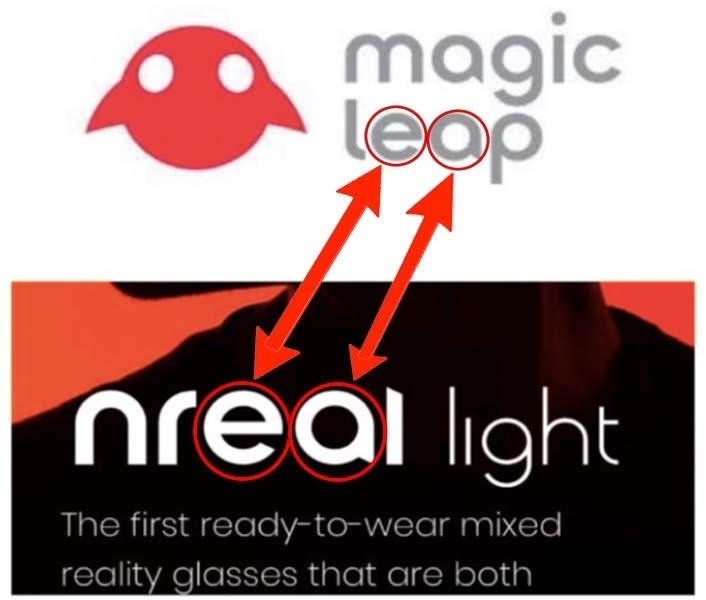
sturdy coral
that's the ar headset that magic leap is suing
granite jacinth
Why they suing?
sturdy coral
it is similar design to the ODG glasses
they are suing because the founder worked for them or something
and claiming trade secret theft I think
granite jacinth
I mean, sure. Looks like glasses
sturdy coral
by design I mean the optics are similar to ODG
but yeah it isn't even similar to magic leap optics at all
no wave guide
mighty carbon
I'll just wait for Facebook AR glasses
sturdy coral
their suit also claims some superficial design elements like their font being similar (to magic leap's) or something
mighty carbon
I guess ML isn't doing great and looking to fill up their budget
sturdy coral
 mighty carbon
Hah
alpine orchid
@sturdy coral thank you. I'll try that.
tired tree
@nimble edge world to meters scale has some late update issues with controllers currently as well
generally have to turn late updates off to use it outside of 100.0f UU
nimble edge
@tired tree One day I'd like to understand late update and tick groups. I've looked into them and I think I understand it, but I don't "get it."
mighty carbon

Half-Life: Alyx is Valve’s VR return to the Half-Life series. It’s the story of an impossible fight against a vicious alien race known as the Combine, set between the events of Half-Life and Half-Life 2. Playing as Alyx Vance, you are humanity’s only chance for surviva...
Price
$53.99
Release Date
Mar 2020
rumor has it that if you purchased Index, you get it for free
granite jacinth

All this #HalfLifeAlyx talk... I am glad #VR is getting a proper full fledged AAA entry from one of the greatest devs on Earth @valvesoftware . My only worry... the expectations from consumers after it releases (especially for #indiedev)
#gamedev #VirtualReality #gaming #...
Twitter
And it's not a rumor
If you purchase Index (or have in the past) you get it and other things for free.
 mighty carbon
so they talk about depth pre-pass here https://developer.oculus.com/blog/pc-rendering-techniques-to-avoid-when-developing-for-mobile-vr/ and why it shouldn't be done on mobile
how do I not do it in UE4 for mobile VR ?
sturdy coral
@mighty carbon r.earlyzpass, but I'm not sure it is on in mobile by default
mighty carbon
I see
fleet plume
did anyone manage to run ue4 + vulkan on quest?
if i enable vulkan in the android settings the app crashes when trying to start it on the device
if i enable vulkan in the android settings the app crashes when trying to start it on the device
mighty carbon
I did, with Oculus 4.23.x fork
Vulkan isn't 100% supported
so you might have something in your scene I don't have, and that something might be crashing the engine
fleet plume
if the fork works i might actually bite the bullet
what isn't working for you with vulkan?
mighty carbon
everything works fine, but memory consumption is higher than with ES3.1
(driver to blame, but Oculus and Qualcomm are working on it)
I think Oculus mistakenly didn't purchase any of existing studios with large gaming IP to be rebuilt (as sequel or prequel or just the same lore) for VR.
Stormland just kinda happened and wasn't really all over the news, even though Insomniac made it.
fleet plume
i tried 4.24p3 with vulkan on quest (for the fun of it)
starts but only renders one eye and then right away crashes with a stracktrace from deep within vulkan
mighty carbon
well, try 4.23.1 from Oculus
fleet plume
just git clone, setup deps and build?
fleet plume
as i've never run a source build before: does this interact/interfere with the launcher?
e.g. the 4.23.1 version there
mighty carbon
no
fleet plume
because that would be bad for me
mighty carbon
download it, unzip it into a folder and once you build it, everything will be in that folder..
so stock and source builds are not connected in any way
fleet plume
cool thanks
 sage gulch
is there a trick to switching pawns with a HMD?
I've tried to do it with actors or with the game mode and it never works right
well.. I can't get it to work anyway
sturdy coral
@sage gulch explain more what you are trying to do. just switch from one pawn to another?
fleet plume
haha i'am just done building
i built the complete VS solution and think that i just should've built the ue4 sub-project
nimble edge
Probably a stupid question: How do I reset orientation and position for SteamVR headsets without losing the height-offset?
Is this the best way?
sturdy coral
@nimble edge I think reset orientation and position is only intended for head tracking origin
what exactly are you building? if it is someone walking around you may instead want to do it by counter-rotating/positioning the vr root
nimble edge
Basically the same thing as what happens when you Reset your position from Oculus Dash.
Basically says "This is the center of my play space, and this is forward."
My play space faces backwards from my computer. I hate having to turn around when I'm doing development.
When I reset, I want to preserve my head height.
That BP works. I just didn't know if it was the best way or not.
nimble edge
Floor
Doesn't make a difference. Both behave the exact same when calling Reset Orientation and Position.
They initialize differently, but once I call Reset it all goes out the window.
sturdy coral
ok, I didn't realize they did
nimble edge
I assumed they wouldn't. I assumed wrong.
That's why I hacked together that BP to save the height and then reapply it.
sturdy coral
I think you probably shouldn't call that if you are doing a floor origined game and should instead just rotate the VR root yaw
mainly I'd be worried about it doing different things on different platforms
since I believe reset orientation and position is partly a platform API call
mighty carbon
@fleet plume if you did that, you'd have half of tools unbuilt
sturdy coral
@nimble edge you may also try recenter orientation only
I don't see it calling into the api to call ResetSeatedZeroPose for steamvr or equivalent for Oculus, but I see some stuff that looks potentially different between the two, with the oculus plugin code looking at tracking origin and the steamvr plugin code not
mighty carbon
HL:A will have 15 hrs of unrecycled gameplay
sturdy coral
@mighty carbon where'd you see that?
mighty carbon
on Twitter!
🙂



@valvesoftware @finalhours I’ve played through HL: Alyx (it took me over 15 hours) and seen it in multiple stages of development. This is a full-blown Half-Life experience, with a rich, vibrant world, immersive combat, great storytelling, and innovative game design.
Retweets
291
Likes
1551
 Twitter
I still don't get why Bethesda undervalues VR
maybe Valve will show them the way with HL:A release
(although I still see bunch of people hate on VR in those HL:A threads)
sturdy coral
@mighty carbon what do you mean? they've had two or three of the top releases even if they were ports
I would love to play doom eternal in VR with smooth loco though
mighty carbon
well, I don't know.. Skyrim looked good, but still felt awkward (and I am not big on Skyrim'ish games, even in VR).. Doom VFR was subpar experience. I've heard that Wolf Cyberpilot was meh. Prey VR was a joke. I haven't tried Fallout 4 in VR (and I am not a big fan of Fallouts anyway)
they didn't have a single game built for VR from scratch (even if it was reusing most of the assets from original games)
Dishonored would translate really well to VR
@sturdy coral have you tried Doom VFR ? I think it has smooth locomotion
sturdy coral
I've got a PSVR copy I think but never had a chance to try it
mighty carbon
it was cool, but it's not a story driven game, so I didn't play much
@sturdy coral you'd probably love this https://www.reddit.com/r/Quake2Quest/new/
 sturdy coral
yeah that and the half life think look pretty cool
half life 2 on dk1 with razer hydra was really cool, valve should have ported it to vive a long time ago but had too many people scared of sickness I think
mighty carbon
HL:A has bunch of locomotion options
sturdy coral
Epic XR Rendering Engineer Steve Smith walks you through the current state of XR in UE4, the new XR features you'll find in the engine, and where we are head...
says they are starting work on support variable rate shading
sturdy coral
yeah, it is in for quest, I didn't realize it was noted for coming to other stuff later
 silver robin
has anyone noticed scene captures having messed-up FOV in VR? in the same project, if I run it in the editor viewport they capture the FOV I’ve set but if I run it in VR they capture either a narrower or closer view
mighty carbon
omg, I hate that UE4 breaks projects
I can import my FBX into an empty project, but not into my project - UE4 crashes
 thin solstice
Hi all, I'm just dipping my toes into Unreal from Unity. I'm developing for Oculus (Quest). I'm wondering about custom hand/grip poses in Unreal. How do you handle this? I love how Vader Immortal does things. It seems so seamless - your hand comes near a UI and it turns into the "finger" pose. In Unity, SteamVR has a pretty good solution but posing for the Quest in Unity is, well painful. Any tips/tutorials would be greatly appreciated.
mighty carbon
you have to make it from scratch
thin solstice
I was afraid that was the answer, but I could always hope it had been solved... 😓
mighty carbon
It would be nice for Oculus to provide a library of default hand poses, but they don't
sturdy coral
the oculus hand sample has some poses
 mystic tinsel
Anyone using the VR Expansion plugin? I'm having issues getting things to snap to my hand properly. I'm not entirely sure what caused the issue. I seem to recall it was working fine before. I worked on a bunch of unrelated stuff, and now I'm back to update some models for things that need to be picked up and instead of snapping into the hand properly, they're kind of all jittery
mystic tinsel
just shaking this while gripping it can cause this. I do have it set with a socket and it's supposed to snap to that socket, but I'm not sure what's going on with it here
digital musk
@nimble edge awseome, thanks - I'll play with those nodes, much appreciated
 obtuse condor
Hey,
Im working on a VR project for Oculus Quest and I have a widget with a Text Input field. When I focus the Input Text field, the Oculus VR Keyboard dosent show up in the app
Im using UE 4.23 Source Build and wanted to know if its a bug in UE or its just that Oculus Quest doesnt provide a VR Keyboard
obtuse condor
Woah!
surprised that such a basic functionality is not provided by them😮
 subtle comet
ye, i would advice you to get a VR keyboard from marketplace 🙂
obtuse condor
I can also confirm that all other Apps on Quest like Youtube VR, Netflix, Firefox Reality Browser are all using their own keyboards.
Oculus should definitely provide this by default in their SDK
subtle comet
but it's not an oculus thing. when you develop a VR app with unreal, unreal is most likely using steamVR which contains oculus sdk. oculus can't just add some features that are only working on oculus
tired tree
@mystic tinsel I just answered in pm on that since it could be a few things
 worldly monolith
Is it possible to use blueprints to stream levels in VR? I tried following the standard recipe to create a blueprint to stream a level, but it doesn't load the level in VR
I am sure I missing something
obtuse condor
@worldly monolith
Yes, you can!
Make sure you have added the Maps in the Levels tab
worldly monolith
I done that
I have my main level, which is the VR template. Then I loaded the 2 levels I want to stream with a blueprint
I believe the issue is with the overlap function
obtuse condor
Click on Window -> Level
Levels Window
worldly monolith
yes, I have my 2 extra levels there
obtuse condor
Add other maps which you have to stream under your persistent level
worldly monolith
I am just opening the scene to show you
so the level is there
but even with the blueprint doesn't load it when I start the VR play
I am using the MotionControllerMap btw
it is really weird
obtuse condor
Right click on one of the sub-level and check the Streaming method is set to Blueprint
And I think the "Eye" icon should be turned on
worldly monolith
it is set to bluerprint
I think I will start a new scene and try it again
before trying this option I used another blueprint to load and unload the levels
and it didn't work in VR
 magic mango
Last I heard there was not one scheduled.
mighty carbon
ok, thanks
sweet oracle
i have a widget inside an actor blueprint that i am spawning on the map. I am interacting with the actor using a laser and its changing the buttons color on hover. However, sometimes when my character re-spawns... the changing color on button hover doesn't work. Even though it logs on hover but color just doesn't change. Any idea why? I have been debugging for hours
tired tree
you are re-spawning the widget interactors without fully destructing the old ones
sturdy coral
@sweet oracle I put my widget interactors on the player controller instead, can keep them through spawn cycle even if you fail to spawn and get no pawn
tired tree
@sweet oracle the laser isn't the interactor
you have to fully deactivate the widget interator or it doesn't unregister until the garbage collection hits
or do like charles is doing and keep it outside of the character area itself
or reuse it on a seperate actor
formal ether
hey guys
https://www.youtube.com/watch?v=lxFqUDW5-fE
this tutorial still actual for stereo layers?

Description: How to render UMG widgets into the resolution independent stereo layers while keeping the benefits of UMG such as interaction. Epic Documentatio...
formal ether
Can i somehow disable depth test for stereo layer?
sturdy coral
@formal ether are you using TAA?
formal ether
msaa
sturdy coral
@formal ether unless your game is running low res I'd just do it with widget component + translucent material instead of layer
with TAA that can cause a lot of additional blur and artifacts due to depth info messing up temporal reprojection but with MSAA shouldn't be bad
formal ether
sounds sad to me(
sturdy coral
@formal ether there is IStereoLayers::ELayerFlags::LAYER_FLAG_SUPPORT_DEPTH
it is in FLayerDesc, should be changable with virtual void SetLayerDesc(uint32 LayerId, const FLayerDesc& InLayerDesc) = 0;
sturdy coral
@formal ether it is a method of IStereoLayers
seems you can get it anywhere with:
IStereoLayers* const StereoLayers = (GEngine && GEngine->StereoRenderingDevice.IsValid()) ? GEngine->StereoRenderingDevice->GetStereoLayers() : nullptr;
then
if (StereoLayers) {
   FLayerDesc NewLayerDescription{};
   StereoLayers->GetLayerDescription(YourLayerId, NewLayerDescription);
   NewLayerDescription.Flags = NewLayerDescription.Flags & (~IStereoLayers::LAYER_FLAG_SUPPORT_DEPTH);
   Layers->SetLayerDesc(YourLayerId, NewLayerDescription);
}```Isn't it exposed already on the stereo layer component? I have it in my umg stereo component and think it was just a port.
sturdy coral
looks like it, @formal ether
    /** True if the stereo layer needs to support depth intersections with the scene geometry, if available on the platform */
    UPROPERTY(EditAnywhere, BlueprintReadWrite, Category = "StereoLayer")
uint32 bSupportsDepth : 1;```defaults to false though so I'm not sure why you had issues with it
or maybe it doesn't work
formal ether
@sturdy coral thx a lot, i'll give it a try
past tiger
The mixed reviews?
granite jacinth
yeah, just read through all the reviews
I'm a little surprised at some of the issues players had with the game. Some are petty. But the vast majority have valid points (well, I suppose all of them are valid in some way or another)
With that backing from Tripwire and the glowing reviews from media. All that hype over the past years. I can see how a lot of them felt disappointed
But, I'll have to play it and see what's what in the end.
sturdy coral
@granite jacinth they are apparently doing a big ad spending campaign on the media so that might help reviews in the media
granite jacinth
@sturdy coral Yeah, noticed that. Paid Promotionals and stuff
That's very III/AAA like 🙂
Actually, most AAA don't even need to do that
I wonder (and we'll probably never know) how Tripwire played into all the "bad" in the game.
I know they helped out financially and with their tech team, PR/Marketing. That's been said/can be seen.
But I'd love to see a postmortem on how it was to work with such a large publisher and then launch.
mighty carbon
what's the biggest complain ?
tired tree
mostly minor things tbh
easily fixable, aside from some of the AI complaints which would take more effort
think the largest complaint is that the motion sickness reduction they have did not age alongside the VR population so by the time it came out the majority of the players didn't want it and its defaulted on and hard to turn off.
most of the negative reviews are "would be good, if they...." and listing annoyances, so it has room to fix things.
for sure wasn't a good time to launch though....
the day before was a rough one to try and follow up
mighty carbon
I see
I guess users nowadays are trigger happy 😦
(in a sense of giving thumbs down quickly)
tired tree
some valid complaints for sure though
formal ether
@sturdy coral i've never used to code cpp before so its difficult to understand what to do with this tbh 😄
formal ether
How can i get layerId?
formal ether
Do you noticed toggling stereolayer visibility causes freeze for a second?
sturdy coral
@formal ether it looks like it already defaults to depth off if you use ustereolayercomponent
merry raven
is there any way to use the sequence recorder with a vr pawn?
formal ether
@sturdy coral how is it possible if my stereo layer intersect geometry?
sturdy coral
@formal ether is supportsdepth checked on your component?
formal ether
The Oculus plugin treats all Stereo Layers as intersecting the scene. This makes the layers behave as if the Support Depth flag is always set to true. To re-order which layers are rendered on top of other, you will need to physically move the layers you want to render first closer to the camera.
thats what documentation says
sturdy coral
Your only option may be to modify engine to turn off depth submission then, but then I think that will make async space warp look worse since it uses depth now
I would probably just use widget component and render it in game
formal ether
thats suck
anyway thanks
so there's still problem with stereo layers: i have umg widget which renders to a texture for stereo layer, any switch between textures, or just toggling visibility of stereo layer causes freeze for 1-2 seconds
tired tree
Yeah it can cause crashes too, but only with oculus
Been a problem with texture submission to Oculus in engine since forever
mild trail
Was asking earlier about launching UE4 for Oculus Quest Link and got a "no go". But then I asked on the forums.unrealengine.com and got this answer. I just dont know how to do what he says and I get no answer to this when I ask. Any help here?
mighty carbon
Have you already played any PC VR games from Oculus Store?
I guess if you have Oculus software installed and Quest connected via Link and Link being already active, you should be able to launch from UE4 in VR as on Rift
digital musk
what would be a good strategy for doing something like A Fisherman's Tale - I want to have a miniature level/map inside the map the player is in - but it's the same map the player is currently in - including showing the player inside the miniature level as well.
cosmic shoal
We did something similar, if I remember correctly the way we solved it was to have two copies of everything one set controlled the position/rotation of the other set, but the parent of the larger items had its sized multiplied.
 sour iris
@mighty carbon @mild trail
Do i understand correctly, that the "VR Preview -> Play" doesn't work yet for Oculus Quest+Link?
I have low-key checked your conversation so.. that's that :D I am confused if the answer is yes or not. I don't have Quest so i can't test it, but i am very curious.
mild trail
@mighty carbon @sour iris The asnwer is no, it does not work for me. As you can see in the screenshot, the quest shows up but only for the usual non-tethered experience. How do I launch for the Linked experience?
digital musk
@mild trail - is this option of yours not available?
mild trail
@digital musk No.
digital musk
@mild trail Did you have the Quest plugged in and connected through link before starting up the project?
mild trail
@digital musk yes, does that matter?
Tried with another scene, and yes its there. Gonna test it.
digital musk
Yes, it does - I have no Quest to test with but any other HMD needs to be plugged in before opening the project or that "Preview In VR" option won't be available
mild trail
Aaaah yes it works! I was so focused on the Launch that it never occured to me that I should just "Play" it 🙂
digital musk
@tired tree I migrated my VR pawn from one project to another and suddenly my Oculus' input are inverted/backwards - the first project still works like it should - any idea what's going on?
Like the HMD is backwards
mild trail
@digital musk Thanks, it saved my day 🙂
digital musk
@mild trail That's great news, so you can confirm that VR preview with Link works?
mild trail
yes
digital musk
Super! hopefully getting my Quest later this week
mild trail
Real nice, I have been doing Archviz for customers and they love it. Just talked to the IT department friday, and now they have ordered a RTX 2080 TI and a 3 meter cable for me 🙂
sour iris
@mild trail Good to know :) and good luck. How is your experience with Link+VR preview? Any latency/artefacts or everything works nicely so far?
mild trail
My experience is about 10 old, so I have no idea. And the cable I got right now is 1 meter so very limited. But im gonna run som tests when I got time 🙂
sour iris
@mild trail ok, i'd love to know your test results if you ever have time :D
mild trail
Sure I will add you and let you know 🙂
tired tree
@digital musk no idea on that one, hmd just does what it gets from the API. Only time that has come up recently is people being on the broken visual studio 19 build and having their transforms calculate wrong.
mighty carbon
Folks, any idea why Landscape doesn't render at all neither with ES3.1 nor Vulkan on Quest?
digital musk
@tired tree Thanks - I created a new level in the same project and in there the camera/HMD works fine - no idea wth is wrong with the other map
 stark pendant
Can I ask you a simple question about the leap motion?
stark pendant
is it a yes then? ahaha
mighty carbon
you could have asked 10 questions already
mighty carbon
btw, while not UE4 related, I feel that I must share this info https://www.reddit.com/r/OculusQuest/comments/e1ft3m/release_quake2quest_is_coming_tomorrow_demo/

reddit
Posted in r/OculusQuest by u/VR_Bummser • 86 points and 15 comments
 sturdy timber
Hi there, I'm mainly developing on Vive but for debugging uses now an Oculus. So Unreal uses Oculus through SteamVR. Tracking data are received but the HMD screen stays black... Do you have any idea about what is happening?
nevermind it works now don't really know why x)
cosmic shoal
I hate this fragmented environment where you load one on top of the other (Occulus + steam, WMR+ steam) I understand why it exists I just think it's inefficient in many ways.
carmine yoke
Isn't OpenXR going to fix that in 4.24 @cosmic shoal
cosmic shoal
Hopefully
tired tree
not in 4.24 it won't
steam doesn't have an openxr interface yet
also there aren't extensions for everything yet either
but its getting there at least
 tidal gull
anyone know of a vr character pawn out there that i can modify? or is the unreal base pawn really the only one. i was looking into buying the weaponmaster vr one but it doesnt support new ue4 versions
mighty carbon
soo, no idea why Landscape would not render on Quest ?
fleet plume
did you disable tesselation?
mighty carbon
I didn't see such option :/ Is it on the landscape actor ?
mighty carbon
material is super basic, made from scratch
so there wouldn't be any tessellation in it
fleet plume
landscape actor has tessellation options though
mighty carbon
I'll check that one out, thanks
fleet plume
i also set mine to stay at fixed low subdivision level
mighty carbon
that won't look good though 🙂
mighty carbon
I see
fleet plume
if i had to guess, just a couple hundred meters square
mighty carbon
I keep my fingers crossed for 4.24 to be released this week 🙂
looks like issue tracker was cleared for 4.24.0 (except for one issue)
tired tree
sure as hell hope not
tired tree
because its unstable currently, lots of engine breaking bugs.
mighty carbon
ouch
lean basalt
Does anyone know how I can load a stereoscopic 3D 180 (Top bottom) image on a Stereo Layers? 🤔
I followed this tutorial, but I can only render for one eye!: https://subscription.packtpub.com/book/game_development/9781789132878/9/ch09lvl1sec51/displaying-stereo-video
Let's begin by creating another map to hold our stereo video screen. With your MoviePlayback2D scene open, hit File | Save Current As...
 pale juniper
hi there, i have the pawn from the vr template migrated to another project, but there its view height is not appropriate (too high, around 5 meters), is there some settings i can tweak to fix this? and what could cause this, since its the template pawn?
silver robin
sounds like the world scale might be off?
 flat shoal
anyone else get flickering shadows and foliage using forward + instanced stereo in VR in 4.24 Preview?
fleet plume
@tired tree i'am using your VRExpansionPlugin and was wondering what the canonical way to notify either the new owner or the dropped object is, when implicitly using DropAndSocket through RequestsSocketing. am i expected to use the OnDroppedObject delegate from GripMotionControllerComponent?
fleet plume
/** Delegate for notification when the controller drops a gripped object. */
DECLARE_DYNAMIC_MULTICAST_DELEGATE_OneParam(FVRGripControllerOnDropSignature, const FBPActorGripInformation &, GripInformation);

// Called when a object is dropped
UPROPERTY(BlueprintAssignable, Category = "GripMotionController")
FVRGripControllerOnGripSignature OnDroppedObject;
also seems like OnDroppedObject is using the wrong delegate (though they're of equivalent definition)
tired tree
@fleet plume the objects interface copy of the OnGripRelease event contains a "WasSocketed" boolean as part of it
fleet plume
but what if it wasn't (attached to anything)?
i'am probably blind but i currently see no way to notify neither owner nor attached object
i tried binding to OnDroppedObject but i can't clean it up anymore as i don't get a reference to UGripMotionControllerComponent in the handler
tired tree
@fleet plume if it wasn't attached to anything then it wouldn't have been socketed...
fleet plume
to clarify: i'am gripping an actor that is lying around and drop it on another actor's socket
the 2nd actor is not the pawn or anything part of the pawn
fleet plume
after the drop, but i don't see a way to do that
tired tree
this isn't a case where I necessarily need to do anything, it would be easy enough for you to expose a socket state on the object
but I would make sense to add the WasSocketed to the motion controllers drop as well
as a convienance
@fleet plume give me 10 and it will have that var on the motion controller as well, think I intended to do it originally since there are two seperate delegates.
fleet plume
i think i've stumbled over GetOwner of the attached object
i see that you do root->AttachToComponent(SocketingParent, TransformRule, OptionalSocketName); in Socket_Implementation but when i call GetOwner during OnGripRelease_Implementation it's still the motion controller
tired tree
i don't reset owner on drops in case they need to stay net relevant
I let the end user decide when to drop that off
fleet plume
well, at least i pointed out the mismatched naming of the delegates 😛
thanks for helping!
tired tree
that was intended
it was the same function signature
think i intended to make this extension originally and forgot about it, which is why it had the drop version in there as well
the WasSocketed will be exposed on the motion controller event as well for convienance in a few mins, if you ever need it ;p
fleet plume
thanks 🙂
// from UGripMotionControllerComponent::DropAndSocketGrip
DropAndSocket_Implementation(*GripInfo);
if (GrippedObject)
    Socket_Implementation(GrippedObject, (PhysicsHandleIndex != INDEX_NONE), SocketingParent, OptionalSocketName, RelativeTransformToParent, bWeldBodies);
@tired tree sorry to bother you again, but i can't get the new attach parent during OnGripRelease as the attachment happens after calling DropAndSocket_Implementation
i guess that's the reason i looked at OnDroppedObject in the first place
tired tree
on dropped is called at the same spot
I have to remove some settings prior to attachment
fleet plume
ah yeah
still, the problem for me is the same
i can add my own delegate and/or callback but was wondering what you think about it first
fleet plume
sorry for coming up with this weird use-case 😉
tired tree
granted its not going to fix it on the client end just to warn you
that has to wait for the replication
fleet plume
i'am not using multiplayer for now
tired tree
its something i have to be concerned with is all
fleet plume
yeah ofc
tired tree
don't want my events behaving differently between client and server
fleet plume
why not add OnDropped or OnDroppedAndSocketed to VRGripInterface ?
tired tree
its already bloated and its not needed
that also still requires replicating the attach parent
i think i have the ordering switched
lets take this to pm though, just realized this was in a channel, spamming it
real needle
Why are there options for Comsos and not Index?
(Asked in general but I think I was interrupting a conversation)
mighty carbon
it's finally out https://sidequestvr.com/#/app/353
SideQuest is a tool to help simplify getting content onto Quest and Go and other VR headsets.
granite jacinth
what the...

pcgamer
Beat Games will keep its Prague office, and support for Beat Saber will continue.
Quite surprising... I didn't think Beat Games needed that financial backing...
I suppose this is so they can get Beat Saber 2 as an exclusive...
Man, I wonder how much this deal was for
mighty carbon
I recall the co-founder said he is ready to invest into VR indies.. I am guessing this offer is out of the window now
carmine yoke
Thats pretty mad, I wonder what Facebook can do to help innovate on Beat Sabre
granite jacinth
?
You don't understand the current market
Or Facebook
This has nothing ( or at the very least very little) to do with "trying to innovate on Beat Saber"
This is a huge investment on a first-party studio for their future exclusive line ups
Everyone's grabbing up big major players, trying to keep them for themselves, to get people to their own platforms
mighty carbon
it's been like that for a long time in the console market
just look at Sony
not a bad thing though
mighty carbon
has anyone tried 4.24p4 already? The rumor has it p3 had a ton of issues in VR
topaz plank
is anyone having issues on mobile with animated shaders not updating smoothly?
still trying to figure out if it's a precision thing
Using full precision fixes it. So does that mean for every animated shader I have to use full float precision? That sounds pretty expensive...
carmine yoke
I didn't mean it in a bad way I just meant I'm interested where the IP will go - sorry if I misspoke
@topaz plank Yeah its something to do with the float precision on Mobile. I think someone mentioned it in Mobile recently let me check
"mobile has floating point precision errors that causes the panner to break over time, to solve this and prevent performance of the material breaking you must check the "Use High Precision" option under the mobile category of the material"
topaz plank
yeah, the thing is, this isn't exposed to MICs, and I'm using a master material for almost all my shaders...
carmine yoke
Unfortunately it sounds like you'll have to have a seperate Master for those 😦
I read another solution somewhere yesterday let me see if I can find it
Nope I misread, it was nought to do with mobile, sorry
topaz plank
damn that really sucks
fleet plume
did anyone profile the difference between low/full precision floats on mobile?
 sly elk
does anyone here use digital ocean for their version control host? After 2 years of happy perforce use we are getting constant disconnects when the connection is idle.. Support was unhelpful and I can't find any odd server resource usage spikes
 unkempt dagger
As this is a more VR related question, I am cross asking it here
Is it possible in Unreal Engine to make "grabbing" in VR have some "strength"?
Like using the trigger as a float 0.0 to 1.0 instead of a boolean value false/true?
That way I can apply "force" depending on how deep the trigger is?
yes
unkempt dagger
What do I have to look into for figuring out the right direction?
cosmic shoal
I don't know if all headsets support it, but when I did some tests on the vive I was able to get a gradual trigger
unkempt dagger
Yeh I played on my Vive, and some games did it. So I wanted to try to recreate it 😄
unkempt dagger
Well right now all I personally own is a Vive, and I am just messing about.
So most of the stuff I do I just want to work on my own personal headset
I've been missing the wording to research it. But "Gradual Trigger" might help me do more research
thin solstice
Maybe try pressure sensitive trigger
cosmic shoal
I wonder if any of the demos or templates out there use that functionality for you to dissect
(When I played with it it was using Unity)
cosmic shoal
unkempt dagger
Ah! Sick
cosmic shoal
I took a screenshot of gamepad, it should be motion controller
er..
Can't look now closed unreal
unkempt dagger
I mean the Motion Controller is above?
cosmic shoal
anyway, it is in there
unkempt dagger
Now I know what to do when I get home 😂
cosmic shoal
trigger axis
tired tree
@cosmic shoal i wouldn't rely on those much
put them to an axis event
not directly reference them
they won't be BP accessible directly as of 4.24 going forward
unkempt dagger
What do you mean @tired tree ?
Putting them on an axis event? (I am a big noob 🙈 )
tired tree
in the input settings
assign the axis to an axis action
so your project won't break come updating
cosmic shoal
the way VR controllers are handled will change to a one size fits all type of thing so MOrdenTral is suggesting a more generic way of doing it.
unkempt dagger
Ah, interesting.
Is there any docs / articles about this change?
cosmic shoal
OpenXR will be in Beta in 4.23 That's my guess
unkempt dagger
So if I have the newest version of 4.23 installed I can already use the new "format" ?
cosmic shoal
I beleive so. Expect bugs and things to change tho.
unkempt dagger
Yeh, that is to be expected with beta versions 😄
Again thanks for information. Shows me in the right direction
lean basalt
Does anyone know how to make a VR Hands Render over stereolayer? 🤔 I am using the Mitch's VR Lab technique to render the UI (UMG) for the stereo layer. Thank you for your help!
unkempt dagger
Another question. Would people recommend building your own VR controls or just use the VR template by Unity?
granite jacinth
What?