#virtual-reality
1 messages · Page 213 of 1
 carmine yoke
 willow trail
@carmine yoke Hmm, thanks, I'll try that. The steamVR plugin is on and otherwise working (although I'm modified it).
I wonder what you mean by "delete all derived files and rederive" though?
willow trail
I've tried moving some of the stuff I'm using from the SteamVR plugin into my own project, but I'm using dozens of projects that need the same core BP modifications. Directly editting some of the assets exposed by SteamVR seemed like the best, quick, idea 🤷
It's working without any issues otherwise
 warm wagon
@carmine yoke unfortunately is not a visualizer because like i say in the previous message this glitch disappear if i translate the camera from the default position (in the default position the camera overlap the ground)
so i think is caused by the overlapping with an object
willow trail
When I tried to move those assets out of the plugin (by duplicating them) I got entangled in a net of dependencies that I couldn't manage to resolve without going insane
warm wagon
and also in the part of the map on my back this glitch happen until i don't rotate myself
 brisk spade
can someonehelp me to implement a simple VR widget interaction?
willow trail
(Also when I say modified I really only mean the default pawn BPs and such)
carmine yoke
@brisk spade there are a few vids on youtube regarding that, check em out
brisk spade
they dont work for both hands
carmine yoke
@willow trail I'm confused, you edited the SteamVR plugin? or the ue4 VR template?
willow trail
Both technically? I mean I say the SteamVR plugin because the assets reside in the plugin folder
Oh no, not the UE4 VR template
carmine yoke
Your error said that you redefined a couple functions so you need sort out that redefinition
willow trail
haven't used that, although I think it's used by the default SteamVR plugin map or something
I really haven't touched functions, as I said, haven't typed a line of C++ on this project
Really only modified BPs, maybe a material or two and a texture
brisk spade
can you send me an easy tutorial
carmine yoke
@brisk spade https://docs.unrealengine.com/en-US/Engine/UMG/HowTo/InWorldWidgetInteraction/index.html
An example of how to create in-game 3D widget interactions.
Thats not for VR but you just get the line trace off your hands instead
brisk spade
thats what i did, but its only working for my right hand
carmine yoke
@willow trail Hmmmm, it sounds like you need to recompile the plugin
But if you haven't touched any of the source code I'm surprised it broke...
brisk spade
@carmine yoke i have the widget interaction in my BP Controller with function for press and releass press pointer
called when i press my motion controller trigger
carmine yoke
As in it triggers the line trace?
Check that the trigger is working - print something to make sure you're using the correct inputs
carmine yoke
What's your Input though?
brisk spade
Montion Controller Trigger
same for the Right
i found out, that my right widget interaction is always active
@carmine yoke can i use activate and deactivate widget interaction?
carmine yoke
Not sure - I don't know the rest of your sitch,
you said it works for one hand but not the other?
brisk spade
only for one yes
carmine yoke
Keep them both active all the time then
If the right one was working with it active all the time?
Tbh mate i'm not sure
Follow whatever youtube vids you can find on the subject, i'm sure its something small you've left you
out*
I've got to jet unfortunately
brisk spade
i made it nearly
but my left mouse button stays on the button :/
when i release the pointer
 crystal oak
@tired tree yeah but then im having issues with visual alignment with base models of different types, i need to be able to offset how forward the camera is, close clipping plane is no good because you cant set it per camera
Im working on a prototype for a full body VR system similar to neos & VRChat. Im familer with the engine and c++, but not general VR work.
brisk spade
i want my widget interaction only active when visible
my pointer stays on the object
even if it doesnt hover
it seems the left mouse button stays on the menu
 tired tree
@crystal oak the camera IS the player perspective, offset the mesh behind the head.....offsetting the camera would throw off the players actual view. You can MOVE the camera in local space on the character by offsetting its root, but generally offsetting the mesh is better so that you retain 1:1 roomscale tracking.
however you are setting your head effector, just add a -X offset to it by the heads rotation on local
or hide the head bone, or handle it a multitude of different ways
but don't offset the actual camera....
crystal oak
Thanks for the info, il take a play around with it 🙂
tired tree
I have some users that have fully body setups and are running with them if you want direct guidance on an IK system you are using. I obviously cannot roll any third party IK into my examples so I don't know how all of the different options handle their offsets. @crystal oak
crystal oak
Any info would be handy, iv been writing my own IK system up kinda, and using vive trackers for Hips and feet, trying to avoid third party solutions, everytime i try one its just trash or the editor is unstable.
tired tree
mm, well editing the third parties has been the general course from what I have helped some of them with
i'll take it to PM
 warm lion
Maybe this is better here but I'm trying to view stereoscopic images in my vr headset. I've used the tool in UE4 to create the image where the left eye is the top helf of the image and the right eye is the bottom half. Now how do I view the image? I thought I could make a material to do the split but I'm just getting the same image in both eyes.
carmine yoke
Does anyone know what the root folder of the oculus quest is?
For example, if I wanted to read an ini file off of my quest, what would be the root?
carmine yoke
^ figured it out, its /sdcard/UE4Game/
 sonic tide
When I use a physics handle, the object always lags behind my hand.
How do i make it stay attached to it?
 runic bough
It might be because of the tick group.
sonic tide
What should i be?
runic bough
Try pre physics
sonic tide
It is
runic bough
the object or the hand?
runic bough
so the object is pre-physics?
sonic tide
they're both pre-physics tho
runic bough
try post on the object
sonic tide
and the physics handle isn't in the object so why does it matter?
runic bough
Are you using a spring arm?
tired tree
Make sure that you turn off late updates to really compare. Regardless though unless you keep the handle really stiff it's never going to be perfect.
brisk spade
I still have annoying problem with my motion controller pointers and widget interaction :/ need help spent 2 whol days finding a solution
Why does my pointer stays hoovering on a button, when I release a pointer key?
 sturdy coral
@brisk spade are you deactivating the UWidgetInteractionComponent on release?
if so it probably stays hovered wherever it was
brisk spade
oh nope im ne to Vr development ans still a beginner
@sturdy coral so what do i have to do? in bp
in the UMG bp ?
i have one button with a WidgetUI
out of the menu i built a 4-ButtonMenu
sturdy coral
I'm not sure it was you, but someone posted a blueprint screenshot showing UWidgetInteractionComponent being activated on trigger press and deactivated on trigger release or something the other day
brisk spade
this?
sturdy coral
ah yeah I think so
so you are turning off the widget interaction component tick on release by deactivating it
brisk spade
yeah thats mine
sturdy coral
so whatever it was hovered when it deactivates it will stay hovered over I'm pretty sure
you can just always leave it activated if you need to hover stuff
set it to auto activate and remove the activate/deactive nodes
brisk spade
what does auto activate does?
sturdy coral
it just activates it on begin play
activate usually just turns ticking on and off
for most components
brisk spade
ah i dont get it exactly
sturdy coral
what activate does for widget interaction component is tell it to start tracing to find widget components and doing cursor events if it hits one
brisk spade
just a refresher my player holds the trigger to sees the pointer and when hovering over a button sees a popup text over the button
sturdy coral
if you deactivate, then you won't get cursor movement until activate again (cursor movement of the virtual cursor/laser pointer)
brisk spade
i have a onHovered event in my UMG bp
sturdy coral
onHover won't happen if the widget interaction component is deactivated, because it won't do any traces to find the widget component and widget
brisk spade
my problem ist, when i set it on auto activate, will it be active when my player presses the trigger?
sturdy coral
if you do auto-activate, you will start getting hover events before the trigger is pressed
brisk spade
so you sure auto activate solves my problem?
sturdy coral
not completely
you said "Why does my pointer stays hoovering on a button, when I release a pointer key" so I thought you meant you didn't want t he hover to stay in place
and wanted it to keep following the controller
brisk spade
the widget interaction is attached to the motion controller
sturdy coral
but what you are actually saying is you only want the hover to happen while the trigger is down, and not happen when it is up, right?
brisk spade
i just want, that the pointer key resolves 😄
yes trigger is down, pointer is visible and the player sees the popup whil hovering over a button
sturdy coral
as it is set up now, deactivate is going to leave the cursor in place wherever it was, hovering over whatever it was hovering over when you let off the trigger, no new ticks will happen so it will just stay in place wherever it was
you need to add something after deactivate to also either move it out of the way, or somehow remove it from the widget component altogether
brisk spade
could i set the interction distance to 0 before deactivating?
sturdy coral
I'm not sure how to remove it, maybe by moving it over a dummy widget component
brisk spade
the will be no interactive elements in the motion controller mesh iself
when hitting an object it won't call my activate WidgetInteraction function.
sturdy coral
maybe, I'm not sure if interaction distance zero will leave the virtual user cursor wherever it was, or remove it somehow
brisk spade
have to test it.
so my only option is to reset my cursor to a spot it will never hit anything, ok
sturdy coral
yeah that's the hacky fix, I'm not sure how to just remove it altogether, but there is some way
brisk spade
yeah its my first real commercial unreal project and im the only unreal developer 😄
i found a thread that removing a cursor is not possible with bp, but i will set a comment when i reduce the distance to 0 and release it.
@sturdy coral i will tell you tomorrow, if my bypass works
sturdy coral
@brisk spade
void UWidgetInteractionComponent::SimulatePointerMovement()
{
    if ( !bEnableHitTesting )
    {
        return;
    }

    if ( !CanSendInput() )
    {
        return;
    }

    FWidgetPath WidgetPathUnderFinger = DetermineWidgetUnderPointer();

    FPointerEvent PointerEvent(
 [...]

    if (WidgetPathUnderFinger.IsValid())
    {
        check(HoveredWidgetComponent);
        LastWidgetPath = WidgetPathUnderFinger;

        FSlateApplication::Get().RoutePointerMoveEvent(WidgetPathUnderFinger, PointerEvent, false);
    }
    else
    {
        FWidgetPath EmptyWidgetPath;
        FSlateApplication::Get().RoutePointerMoveEvent(EmptyWidgetPath, PointerEvent, false);

        LastWidgetPath = FWeakWidgetPath();
    }
}```I think FSlateApplication::Get().RoutePointerMoveEvent(EmptyWidgetPath, PointerEvent, false); will clear it out
brisk spade
yeah thats what i found in the mentioned thread
now i just have to find a way to understand it
rarely worked with c++ in unreal
sturdy coral
@brisk spade I think you just need to add something like this:
WidgetInteractionComponent.h

UFUNCTION(BlueprintCallable, Category="Interaction")
void ClearPointerLocation();
WidgetInteractionComponent.cpp


void UWidgetInteractionComponent::ClearPointerLocation()
{
    FPointerEvent PointerEvent(
        VirtualUser->GetUserIndex(),
        PointerIndex,
        LocalHitLocation,
        LastLocalHitLocation,
        PressedKeys,
        FKey(),
        0.0f,
        ModifierKeys);

    FWidgetPath EmptyWidgetPath;
    FSlateApplication::Get().RoutePointerMoveEvent(EmptyWidgetPath, PointerEvent, false);

    LastWidgetPath = FWeakWidgetPath();
}
inside the c++ file of my widget interaction?
sturdy coral
of the engine's WidgetInteractionComponent.h/cpp
you may be able to create your own subclass and add it there without having to do an engine build
the hacky way to do it if you can only do blueprint though is before deactivating the widget component, manually move cursor off the hovered widget by moving around the widgetinteractioncomponent to point somewhere else; you may have to wait on one additional tick to occur before deactivating as well
brisk spade
what your c++ code does: constructor for a new Pointer Event and then move the pointer to this event?
sturdy coral
yeah the main thing is it tells it to point at an empty widget path which should move the cursor from whatever it was hovering off into the void somewhere
brisk spade
ahhh, i will try if my method setting the interaction distance to 0 works, if not i will look how to edit my c++ files
and add the additional function
sturdy coral
maybe it will work
make sure you let it tick an additional time after setting interaction distance
or it may still leave things in place
brisk spade
is there a node for extra ticking?
sturdy coral
after deactivate put in a delay 0 node
brisk spade
thank you for your help 😄
sturdy coral
I think a 0 delay will wait one extra tick
sturdy coral
set interaction distance to 0, delay 0, then deactivate
brisk spade
yep i will try that, if not i will try to do the hard c++ way
sturdy coral
I think that may work, and make SimulatePointerMovement take that else branch that removes the cursor
brisk spade
so basically i will have an additional function in my bp when editing th c++ code?
sturdy coral
yeah if you add that cpp code it will just create a new blueprint node to call that function (UFUNCTION(BlueprintCallable adds that)
brisk spade
i think cpp code isnt that hard, but you have to start one day
its just not visual
@sturdy coral again thank you for your time 😄
im going to bed its super late here
sturdy coral
in editor you try: file : add new c++ class, and make it a subclass of UWidgetInteractionComponent from the dropdown, then hopefully avoid modifying engine and just add that function to the subclass
then you have to go through and change your existing widget interaction component to use the subclass instead
brisk spade
yep wil do some research on how to use cpp
 pulsar dome
Trying to figure out how to get my packaged VR game to launch steamvr as soon as it opens, not just having to open steamvr then the game?
 languid night
Hey all, how do I get good lighting in the Oculus Quest?
I understand it's using android lighting but I don't have any pointers to work from besides that
willow trail
I don't get any input when packaging on an Index. Tracking works fine, but every other input fails (SteamVR plugin hand animation works fine though). Everything works fine otherwise in VR preview 😕 any idea?
 severe tide
using the mobile preview in the editor helps a lot @languid night, though it's still not matched 100%. So you gotta keep building occasionally to check how it looks
brisk spade
still have the issue that my widget interaction stucks on a button when releasing the pointer
 little scaffold
@brisk spade try deactivating the widget interaction component after releasing the pointer key
also when you move fast sometimes it stays hovered but not everytime
brisk spade
@little scaffold i found a solution releasing my pointer with a delay
 violet musk
Does anybody have a working material setup for a 360 stereo sphere with depending on over-under video?
violet musk
Found a solution by searching for "360 stereo" and read a conversation from october 2018 about this problem between vr_marco, Dice and LifeForLife
tired tree
@willow trail using valves plugin only? They have a consistent issue with that, generally you have to delete your saved/config folder.
 dense wave
Has anyone used the LiveLink plugin in a packaged game and got a valid MessageBus provider out? Is it even possible outside of the editor? I'm following the docs from https://docs.unrealengine.com/en-US/Engine/Animation/LiveLinkPlugin/LiveLinkBlueprintComponent/index.html but can't ever seem to get anything out of GetAvailableProviders
Describes how to work with the Live Link Component in Blueprints granting the ability to establish connections at run-time or in packaged projects.
willow trail
@tired tree I am, I tried removing Intermediate and Saved (I should really look up what those folders are for...) but not Config, I'll try it out
Oh, does Config contain all your project settings... That's rough
tired tree
in packaged or editr
tired tree
packaged stores them in a different place
willow trail
Oh, deleting Saved and repackaging isn't enough?
tired tree
C:\Users{UserName}\AppData\Local{ProjectName}
the config files are stored in app data on packaged games
its likely you have a stale config in there
their plugin does some funky things with key re-mapping, so it fails with config overrides from local changes
think JohnAlch is actually straight up deleting that on launch
which won't really work for games that actually save changes to it
willow trail
I can't seem to find that folder, neither Local or Roaming seem to have a folder with my project name
Didn't really find anything by grepping through the files either
willow trail
@tired tree Deleting the Saved/Config inside of the packaged folder does the same thing too
willow trail
Yeah I really don't get it. it's a bit confusing to me that the hand moves and reacts to touch events just fine, but that nothing gets through the blueprint, even the default touchpad-teleporting
Looking at the game's controls in the SteamVR menu shows up all the actions I've defined too
Really confused
sturdy coral
@willow trail you may want to figure out why it isn't going to AppData/Local first, you maybe overrode something?
I think maybe devel and shipping builds use different locations, but I thought that was only for devel editor with -game
willow trail
@sturdy coral I don't recall overriding anything :/
Ah, packaging a Shipping build instead does create that folder
But the problem remains :/
sturdy coral
ah ok, so pacakaging devel puts Saved in packaged dir?
willow trail
I guess so yeah
sturdy coral
I thought it was something like that but then wasn't sure
mac is even crazier, there are like 50 directories it spreads things out to
willow trail
Yeah looks like the Saved folder is missing in the package output folder for Shipping
sturdy coral
depending if running in editor vs packaged etc.
tired tree
@willow trail are all of your bindings there in the steam overlay?
willow trail
Wish I could screenshot you, but yeah, when clicking the "show controls" on the bottom (if that's what you mean) they all appear
My custom "ARightTouch" actions and such
willow trail
They are for UE4Editor
Kind of struggling to find the bindings for the standalone app
Alright found me, and repackaged just in case
They all look bound to me
It tells me "HeadsetOn" hasn't been bound
Don't know if that's really meaningful, it really isn't in the Editor
I really gotta head out, but thanks a lot for the help as usual... If you got any idea I'll be sure to try it out tomorrow though
thanks again
tired tree
gl
tired tree
@sturdy coral what engine version are you looking at there?
mm nvm, that extra check was added post 4.23 preview 1
#if WINDOWS_MIXED_REALITY_INTEROP__WINDOWS_SDK_VERSION__BUILD >= 18362
#define SUPPORTS_WINDOWS_MIXED_REALITY_SPEECH_RECOGNITION 1
#else
#define SUPPORTS_WINDOWS_MIXED_REALITY_SPEECH_RECOGNITION 0
#endif
looks like its for all?
that original define included "PLATFORM_HOLOLENS" but they deleted it
sturdy coral
ah cool.. I wonder what percentage of WMR users actually have a mic hooked up to the hmd though
really wish they had built a mic into all of them
 mighty carbon

Google confirmed it is ending sales of the Daydream View and that its new Pixel 4 phone doesn't work with the VR platform.
 deft ermine
Hi, I'm working on a WebAR project for mobile devices and was wondering if unreal supports WebGL for phones? From what I googled I cant find any recent news if Unreal supports mobile WebGL
 abstract forum
We’re working on unifying code between the different VR and AR platforms, which will lead to better feature parity, quicker development times for new platforms, and more consistency in interfaces.
Labels
VR / AR
It is done!
WEW!
abstract forum
Yep
willow trail
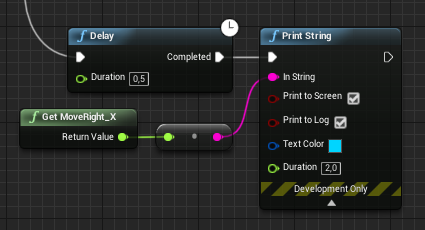
Tried some other things (thanks to some recommendations), like making sure I've turned on "Enable debugging options in the input binding user interface" but still no luck. None of my input work, this for example prints the right axis value on VR Preview, but prints 0.0 on a packaged build https://i.imgur.com/UFEmyBm.png
 fathom epoch
hi is there a way to follow the player character if the player character is a VR character?
get player character is not working
 molten coral
hey guys , any idea on how to use geo referenced 3d models in an AR application ?
 pearl tangle
@abstract forum Doesn't look like it's done. Looks like it is abandoned, thats why they archived it
tired tree
its already pretty platform abstract, and openXR is in engine now
openXR technically kind of superceedes that entire concept
mighty carbon
I see
brisk spade
I need help with my pointers :/
when i release my pointer directly over a button my button widget stay hovered
i have no clue how to solve this
sturdy coral
@brisk spade did you try all that other stuff?
brisk spade
yep
the main problem is that all what i try my button stays hovered
only keeping my widget inteaction active and visible helps, so the hit moves alongside the pointer
sturdy coral
you tried the interaction distance + delay for one tick thing?
sturdy coral
not sure, it may be that no unhovered event happens just from removing pointer, and you instead need to move it to some empty area on the widget
tired tree
they keyup event will remove it as well
brisk spade
key up event helps?
sturdy coral
ah maybe it is also getting a press highlight
tired tree
ran into that a long time ago
brisk spade
set press button did not helped
tired tree
yeah, just checked I had put out a bug report back in 4.16 or so about that
carmine yoke
Has anyone messed around with Vulkan for Oculus Quest? Thoughts?
tired tree
@sturdy coral the interactioncomponent stores current overlapped widget, it would need to throw the pointer off event on deactivation / destruction to that widget if it is valid to work as expected
as is, it just removes the virtual user and leaves everything as it was
sturdy coral
yeah, I gave a function to send that pointer event
not sure she tried that but she was going to try setting interaction distance to zero and waiting one tick before deactivating
@brisk spade have you tried removing your key down key up events? since you just want hover you don't really need them
and your key up was coming after it was deactivated, so may not work
brisk spade
hm
sturdy coral
(press pointer key/release pointer key)
brisk spade
i tried all variation
but it could be that i missed the working one
i want my pointer only visible hwn pressing and holding the trigger and this pointer activates a button
sturdy coral
remove those and try putting a hoverable widget all the way to the edge of your widget component, then try hovering it and dragging the widget interactor off the edge and see if it unhovers
if it won't unhover like that then I think just removing the pointer with that pointer event won't work
tired tree
@brisk spade when deactivating the interator, make sure it is on HitType custom, and send in an empty CustomHit to it.
then delay 1 tick
it will call unhover
and then you can deactivate / destroy or whatever you are doing
brisk spade
i will try it later thank you 🙂
tired tree
i did verify that it works btw, but I was already on custom hit events for it always anyway
brisk spade
so i dont have to change anything in my widget directly?
tired tree
in the widget? no, this is for the interactor
brisk spade
ahhh i inject a false hit result
sturdy coral
@brisk spade aside from this hover thing, you are also clicking separate buttons?
sturdy coral
you may need to move that pointer released event to before the deactivate
if deactivate is removing the virtual user
brisk spade
so setting up everytime i activate the pointer
tired tree
yeah you have to wait a tick after clearing things before deactivating
deactivate instantly removes the user
sturdy coral
@brisk spade release pointer key is going to check if virtual user is valid, and it won't be after deactivate, so release pointer key needs to happen before the call to deactivate in order to work
for your other buttons
brisk spade
can you give me the order of nodes i have to call
sturdy coral
I think release pointer key, then do the fake hit, then delay 0 for one frame, then deactivate
@tired tree does it need set interaction distance 0 after fake hit so next tick doesn't generate new hit result?
or is it always working off the prev hit result
tired tree
@sturdy coral i'm passing in a no hit, no blocking on that hit event
and since it is set to custom hit events
it doesn't "generate" its own
sturdy coral
ok, for without custom hit events it would probably need to be: release pointer key, fake hit, set interaction distance 0, delay 0 (one frame), then deactivate
brisk spade
i have to work on sth else so i wont have the time to test it now
brisk spade
@sturdy coral I made it somehow
I set up a normal interaction and then expanded on it
pulsar dome
Any luck developing to Pimax VR HMDs? Should I be setting tracking origins at eye level or floor level for the Pimax?
sturdy coral
@pulsar dome floor level
the main issue is if you don't have parallel projections turned on in pitool, shadow blending won't work quite right
you can set it to floor level or eye level, floor level is just the default for all steam vr (and eye level for oculus)
but you can set either to either
pulsar dome
Okay so basically for oculus everything works perfectly and then from vive and pimax everything is a bit lower so like they clip through the floor on spawn and in a scene where they are in a car they are beneath the car (all HMDs use steam VR
sturdy coral
@pulsar dome oculus just defaults to eye level and steamvr to floor level, it is usually easiest to default them both to floor level if you are doing anything roomscale
eye level if cockpit and you want them to recalibrate
pulsar dome
Oh okay so if I'm in a cockpit I should set it back to eye level?
Like a sitting environment?
pulsar dome
Okay sweet thank you
sturdy coral
less vive stuff uses it so people may not know how to reset origin through the menu
so you should also make sure to have a reset functionality within your app itself (and not just a hotkey)
there is a node for that
pulsar dome
Yeah I will, that's what I need to work on for tomorrow
Yeah reset orientation and position, I use it for certain things
Thank you so much charles, can I add you as a friend just in case I need help in implementation?
sturdy coral
yeah sure
pulsar dome
Sweet, thank you
sturdy coral
better to ask most stuff in here though in case I'm wrong or someone knows a better way
pulsar dome
Yeah of course, thanks 👍
sturdy coral
np
 cloud quartz
I can't get past 10 fps
I have no shadows, no dynamic lighting, Multiview enabled, no post process, disabled mobile HDR, no Anti-Alias
I do have
terrain, some foliage trees (with LODs)
mighty carbon
try no landscape and no trees
this https://www.youtube.com/watch?v=W0v0-fgIIAo runs at solid 72 fps

Finally got gameplay framework foundation for the game down and working. Next step is to build a section of the dungeon to show basic enemy AI in action :)
@cloud quartz ^^
cloud quartz
geeeeze that is incredible
but
I have to have a forest
so trees are kind of necessary
mighty carbon
then Quest isn't your platform
mighty carbon
thanks
mighty carbon
have you profiled your scene ?
~100k tris in the view, simple materials, baked lighting, avoid transparency, ~80 drawcalls
cloud quartz
got these stats
from the oculus page
72 FPS
50-100 draw calls per frame
50,000-100,000 triangles or vertices per frame
ok so yeah
let's see
Oh one thing first
are you in vulkan?
mighty carbon
ES3.1
btw, that video was recorded on Go, ran at 60 fps
but I ran it on Quest too
are you running Vulkan ?
mighty carbon
maybe landscape isn't supported well ?
cloud quartz
I am not sure...Can't find documentation
mighty carbon
https://www.oculus.com/experiences/go/1122106037877975 << that's on Go

Oculus
In Phaeton Chronicles: Fallen Titan you will be teleported to one of the corners of a mysterious planet Phaeton to take a glimpse into another dominion and encounter some of its unsavory inhabitants.
I had to make mesh terrain cuz back then landscape wasn't supported
cloud quartz
mmh interesting
mighty carbon
and I chopped it into chunks, LODed each chunk
cloud quartz
mmh weird didnt see that value
and im not getting it anymore
oh i had turned on the foliage tool with that on
and it did something to it
mmh i though foliage would do a better job at cluestring
it looks as if these trees are almost a draw call each
 neat moon
Hey everybody i am trying to make a game that teaches you how use construction tools for example a screwdriver is the color red and when it detects the screw driver it plays a video
btw I am new to AR so if you know any forums any videos or plugins that would be greatly appreciated
brisk spade
i thinks its a better place
my teleportation stops working after open level
when i open every level in the preview it works properl<
carmine yoke
@cloud quartz FYI you can use the session front end to send stat commands to the quest while it's launched
I didn't realise that for AGES and now I'm optimising like its nobody's business
You can also profile with it too
I also found the draw calls my editor says are in the scene and the draw calls my quest said in the stat command were very different
 topaz plank
editor stats include all of the editor elements (slate, etc.) in the stats as well 😉
brisk spade
My widget interaction does not collide with a simple actor all set to the same trace channel
brisk spade
does a widgetinteraction component only works with widgets?
pearl tangle
what else should it work with?
brisk spade
@pearl tangle its only for menu, should i use a simple line when i want a sphere button ingame?
little scaffold
Anyone used a world widget with a cylinder geometry mode and tried to have a laser pointing to the right place on it? My pointer directed by the widget interaction component stops like it is intersecting a plane not a cylinder, any idea why?
tired tree
@little scaffold because the collision generated isn't curved
they don't have seperate collision generation setups for the different display modes
little scaffold
Mmmh ok so there is now workaround except calculate our selve the real collision impact?
tired tree
you can override the collision generation and generate it curved instead?
tired tree
@little scaffold its in the WidgetComponent
where it generates the collision structure
I looked into doing it at some point
little scaffold
ok I'll see if I can trick it around when I do my collision test
thanks @tired tree
sturdy coral
@little scaffold @tired tree from my code i have this comment:
            // NOTE: with cylinder widgets, hit.Distance is wrong.  UWidgetComponent adjusts Hit.ImpactPoint
            // after first tracing against the plane but fails to update Hit.Distance, so we recompute from
// TraceStart and ImpactPoint.```for scaling my laser cylinder (which is probably 1m) I have:
auto Hit = MC_Left_WidgetInteraction->GetLastHitResult();
NewWorldScale.X = FMath::Max(FVector::Dist(Hit.TraceStart, Hit.ImpactPoint), .0001f);```there is still the problem that if your hand is in front of the cylinder, but behind the plane, the trace won't hit since it traces against the plane
more of an issue with large curvature and large screens
tired tree
yeah which is why I was going to do the full collision change
I was testing on large surfaces
sturdy coral
after they added widget component they added that thing where traces can query UVs
tired tree
but that would def work as a hack on something smaller
sturdy coral
I'd like to just be able to throw UI on anything and trace against the UVs
to allow a lot of crazier shapes
like L shaped table+screen type thing
apparently it is a project setting so can't be used by default
little scaffold
@sturdy coral that works like a charm thanks very much for sharing
mighty carbon
@cloud quartz did you figure out whether landscape or trees were bogging down performance ?
cloud quartz
Yeah it basically was both
Lots of tris in the landscape
Artist hadn't put any lods
mighty carbon
ouch
 white fern
@sturdy coral Thanks for the UV tracing feature; glad to know that's a thing.
 frigid kite
I'm noticing that on Rift S, when I mount the HMD while a packaged build is running, it sometimes takes up to what feels like a minute before the app is displayed
It's just a black screen or the Oculus logo / throbber
Anyone else have any experience with this?
 sonic lake
@frigid kite that could be the combination of your starting level being loaded and the Oculus stack being started. You should see the Oculus app being started and appearing in your taskbar.
frigid kite
Both the app and the oculus stack is already running
It's when taking off the HMD, and then putting it on again, while the game is already running
sonic lake
@frigid kite Do you do anything specific when your app looses focus? Or if the HMD is not worn?
frigid kite
The app is paused when the HMD is unmounted. When the HMD is mounted again, it checks how long it has not been worn by comparing system time (DateTime.Now). If it's under a threshold time, the app is unpaused, otherwise it switches to another, very small, scene
We've already noticed that the Unreal app completely freezes if you do a scene switch while the HMD is not worn
i.e., it's stuck on a single frame that's being reprojected by Oculus
Simply switching scenes while the HMD is worn takes a fraction of a second
sonic lake
@frigid kite for the sake of testing it, try to disable stereo before the scene changes and re-enable it after it has changed
frigid kite
Using vr.bEnableStereo 0?
frigid kite
Hmm, I'd like to test it, but the S I have available just completely fried
Plugged it in, did a firmware upgrade, everything went fine. Went into VR, clicked the Home button on the dash, and the screen goes black and the speakers output noise. Restarting the Oculus app / PC didn't help, and there doesn't seem to be a factory reset for the HMD itself? :<
frigid kite
Alright, back in action after reinstalling the Oculus app
frigid kite
Hmm, it's still failing 😧
sonic lake
@frigid kite Is that a shipment build? Can you do a dev build to have some tracking of what is going on? Anything in the log files?
sturdy coral
@frigid kite not sure it is your issue because I haven't been testing with oculus sdk in a long time (doing it all through steamvr now), but this was a fix I made:
Date:   Thu Mar 15 00:41:44 2018 -0400

    Fix oculus GetHMDWornState to create a session

    4.17 changed GetHMDWornState to return false when stereo is off because
    the session would be invalid.  This change creates a session inside
    GetHMDWornState if needed.

diff --git a/Engine/Plugins/Runtime/Oculus/OculusVR/Source/OculusHMD/Private/OculusHMD.cpp b/Engine/Plugins/Runtime/Oculus/OculusVR/Source/OculusHMD/Private/OculusHMD.cpp
index 867ecc09346..e207e161671 100644
--- a/Engine/Plugins/Runtime/Oculus/OculusVR/Source/OculusHMD/Private/OculusHMD.cpp
+++ b/Engine/Plugins/Runtime/Oculus/OculusVR/Source/OculusHMD/Private/OculusHMD.cpp
@@ -984,6 +984,11 @@ namespace OculusHMD

        EHMDWornState::Type FOculusHMD::GetHMDWornState()
        {
+               if (!ovrp_GetInitialized())
+               {
+                       InitializeSession();
+               }
+
 compact kettle
Guys, you're all clever, right? Have a logic thingy where some of you may have an idea.
Objective is to accurately measure the length of the users arms and figure out the hands resting position - with one caviat, which is that we cannot just have them drop their hands by their side, as the Rift S and Reverb don't have good enough tracking down there.
We tried this, which obviously would have been the perfect soluton, but the controllers jump too much around when loosing tracking. It also has to be super easy to do (for the user), so currently we're experimenting with just having them hold their hands like a zombie, but then we somehow have to infer the arm length from the HMD location to the hand locations.
maybe some of you have a brilliant idea I just didn't think of yet, which removes some of the guess work
frigid kite
@sturdy coral So you were experiencing similar problems which led you to creating that fix?
tired tree
@compact kettle you can figure it out as well from holding them straight out in front of you
sturdy coral
yes, I don't remember the exact problem and I'm not sure it went away after a delay
tired tree
just have to use a shoulder estimation
not only that, but would be fairly easy to check level as well
frigid kite
@sonic lake Nothing of interest is happening in the logs last time I checked. It's also hard to reproduce consistently, it seems to be more of an issue on the computers on which it is running in the permanent exhibition 😕
compact kettle
@tired tree Maybe you have some better way of estimation than what I thought of so far, but we have to make it really accurate, as that data is used to calibrate some sensitive zones around the users torso. For my body, it works just taking that distance and multiplying it by 1.33, but the thing is that this has to work with anybody
and this 1.33 was just trial and error estimate of me.
frigid kite
@sturdy coral But the pull request was not accepted, then? 😦
tired tree
you could sample across a swing? would get the shoulder pivot and you can rotate to facing straight down by the length and that pivot @compact kettle
sturdy coral
@frigid kite not a pull request, that was just a commit from my branch
frigid kite
ah alright
sturdy coral
I've kept it up to date but haven't tested it since I moved off of oculus sdk
sonic lake
@frigid kite Could be a graphics driver issue as well.
frigid kite
Hmm I'd like to give it a go, but the project is on launcher 4.22, and I don't think I can get the time to work on it to switch to a custom engine build
@sonic lake Could be, but they're all up to date at least
compact kettle
@tired tree Yeah that's a good idea. However, it's a calibration step that each user would need to do, and we aren't a game, so our target audience (sorry to say) may be a bit... well... not so tech savy 😅 We ship to enterprises, and their employees use it. So we try to make it basically idiot-safe
sonic lake
@frigid kite I have had erratic behavior form the latest NVidia drivers. Had to use DDU to uninstall them completely and rollback to the version recommended by the computer manufacturer.
tired tree
@compact kettle easy enough, have them reach straight out to something, then move it down a bit and re-sample at the slightly lower bit
only really need two points, get converging or closest average, treat as pivot
can even make that part of a menu entry
compact kettle
Good idea.. I was thinking about them just grabbing virtual objects and putting them by their side, which would remove the tracking issues, but that really sounds a lot easier..
tired tree
moving objects would work too
compact kettle
Will run it by my boss, he kinda doesn't want it to include any movement, but I think that's a good idea
Well... Actually - could you really infer the shoulder socket from that? I am not great in maths, to be quite frank. Wouldn't that require us to know the angle the hands moved?
sturdy coral
@compact kettle "calibrate some sensitive zones around the users torso" you mean like reaching a holster?
compact kettle
well, not a holster in our case, but essentially a similar system. We are a public speaking trainer and judge the user based on where he has his hands throughout his practice sessions
tired tree
@compact kettle you move the reach point straight down from the original straight up, you can track if the hand moves over
sturdy coral
ah ok yeah that could require something more precise than I was thinking
tired tree
but yeah, inverse of forward vector from plane of hand - hmd to get line back, find converging point on the two lines or closest to converging
should work?
compact kettle
uhhhh... 😂 maybe? Certainly will test it out. I always need quite some time to think about everything concerning rotations
tired tree
might take a bit of work though
compact kettle
thats my weak spot, those god damn rotations 😛
tired tree
for the resting position they could lower their head too
at some point if you want high enough precision, you are going to need calibration
kind of a hard ask unless you are ok with sampling over time and adjusting
compact kettle
yeah that was my first suggestion, just make them look at their hands.. but for some reason by boss doesn't like that idea 🙄
sturdy coral
does vr chat have an arm calibration step?
tired tree
yeah
compact kettle
do they? May check out what they do then
they prob won't need it as precisely as us though
tired tree
they also aren't aiming for perfection though, they keep the shoulders on the models
you can align some things though in it
sturdy coral
ah true
tired tree
pretty much i think their ik is mostly pointing the arms in your controller directions
compact kettle
so, just going back to this zombie-pose for a second.. excuse this monstrosity, but..
essentially, I just need a way to estimate this orange part precisely
so the orange part can obviously be expressed as a fraction of the red part, but the question is, would that scalar stay equal for some tall shmuck like me to someone tiny
and thanks for all the help btw
sturdy coral
maybe just hmd socket to head bone world space delta in ref pose, after scaling to user's height
frigid kite
@compact kettle Just wait for hand tracking to come out for the Quest? 👼
compact kettle
@frigid kite If only we would ship to the quest 😦 😄
Well, with Oculus Link we will, but that kinda wouldn't help in this situation anway, I guess
sturdy coral
you could guess at exact orange part by having them turn their head and solving for the pivot but due to leaning and stuff it could end up less accurate than just a height based heuristic
compact kettle
yeah, I guess the pivot point really would be pretty close to the shoulder joints
tired tree
if they are zombie, the width between the hands should be pretty close to the shoulder width
compact kettle
maybe we'll have them do like an "eye calibration" with "look here, then look there" while having their arms like a zombie. But optimally, it would be a one-action thing. But starting to think that won't be possible without accepting that you have to do some guess work
@tired tree It's not really about the shoulder width for us. Essentially, we also don't care too much about the exact arm length itself, we just need to know the resting position of the hands, like when you just drop them by your side.
(while having both would be optimal though)
tired tree
well you kind of need to model it a bit if you actually aren't going to calibrate to the actual pose is the point
compact kettle
yeah
Just trying to make it all accurate as possible. So, when you have them move their hands extended into zombie and then have them drop it down a little (while keeping them extended) - I think you would be able to calculate the center of the projected circle by this motion, right?
I'll just run some of those new ideas by my boss. Thanks again guys!
tired tree
@compact kettle yeah you can get forward vector from the two hands - head normal, then average that to get forward vector
then you can sample on an extended down swing or three points if you don't want to try and get head pivot, should get enough points to get the circle center
can project them onto the right vector plane of that original forward vector sample
since you'll already know the width from that at the same time
carmine yoke
Anyone been using Vulkan for Oculus Quest?
I'm seeming to get the odd pink artefact for some reason, anyone know anything about this?
mighty carbon
I didn't notice anything like that in my project
carmine yoke
Let me try and take a screenshot]
@mighty carbon
see that bit of pink on the corner of the painting?
I get that kind of thing every so often
Seemingly randomly
Sometimes they dissappear/reappear when I move it over the boundaries of FFR
But theres no constistency like sometime they disappear if i move them in the centre of my vision sometimes they disappear when I move them out into the FFR edge
Proper weird
mighty carbon
what kind of material is that? I have fully rough materials all around.
either way, make a clean project with same settings and same material. If you can reproduce, sent it to Epic and Oculus with bug report.
carmine yoke
Okay, will do, thanks
@mighty carbon
It's not particularly complex
anyway I'll check it out on an empty one
mighty carbon
not complex, but might not be supported in Vulkan on mobile VR
carmine yoke
True
mighty carbon
plug texture sample into Base Color directly and see if you still get artifacts
carmine yoke
Yeah it doesn't have the artefact anymore
So maybe it was something to do with the lightmass
mighty carbon
or desaturation node
 sturdy canyon
@carmine yoke I get that artifact as well.
It’s a texture corruption usually in the mipmaps of not-quite random textures
It showed up in renderdoc inside the captured textures
I don’t know what caused it, and I reported it to Rémi, but he seemed to have more important things to do
I was able to shuffle around the corruption by adjusting the size of my gpu particle texture in the render settings and now it almost always currupts an unimportant portion of one button texture
sturdy canyon
I have seen it in the base texture before. I might just be getting lucky most of the time
carmine yoke
Yeah, tbh I don't see it too often and it doesn't really bother me, I mean we're still at such early stage of quest development, It can only get better
Did you submit a bug report?
sturdy canyon
Not a formal one. Just an email
carmine yoke
Ok I might do it, just to put it on the system
 polar valve
Is anyone using Vulkan for the Quest? Is it worth switching?
 thin solstice
@polar valve Forgive me because I'm really new to Unreal, but would there be a reason NOT to switch to Vulkan?
mighty carbon
not really
but it's a relatively new API and thus still has some quirks/bugs and might not support everything ES3.1 supports
polar valve
Yeah I'm usually wary about switching to new tech mid project. Main reason I want to switch is the hitches I'm getting on the quest due to shaders compiling and setting up caching seems to be a pita. But I tried it with vulkan and the hitches were still there along with some graphical bugs. And somehow the framerate was way worse with Vulkan. I'll do some more testing though.
mighty carbon
what version of UE4 are you on @polar valve ?
cuz shader caching came in with 4.21 https://docs.unrealengine.com/en-US/Support/Builds/ReleaseNotes/4_21/index.html
Release Notes for Unreal Engine 4.21
r.ProgramBinaryCache.Enable=1
polar valve
4.23 custom oculus build
mighty carbon
I never had any hitches, so I never even used that
polar valve
Do you use a lot of particle effects?
mighty carbon
nope
polar valve
I get 70-400ms hitches every time I load in a new particle on the quest
Would be nice if I can get it to work
mighty carbon
perhaps it has nothing to do with shader caching ?
polar valve
From profiling it seems like it's just the shader compilation
mighty carbon
have you reported this issue to both Epic and Oculus ?
maybe the fix can make it into 4.23.1 or .2
polar valve
I think it's a known issue, can't hurt to report it though I guess
https://docs.unrealengine.com/en-US/Engine/Rendering/PSOCaching/index.html this is the alternative I was looking at
The Pipeline State Object (PSO) caching tools help reduce the time it takes to reload an Unreal Engine 4 (UE4) level and it's content.
mighty carbon
has anyone been able to build Oculus fork of 4.23.0 with GPULightmass ?
mighty carbon
nm, just did and then accidentally hit Rebuild on the UE4 project 🤦 fml
 brazen burrow
could someone please help me with packaging for quest on the 4.23 oculus branch? when I click the button to package Android (ASTC), I get redirected to the ue4 docs
here are my android project settings:
brazen burrow
by the way, I can launch and play the game on my quest using the project launcher, but packaging it is no good.
side question: is it normal that "Launching on ..." gets stuck and you have to cancel the task by turning off the quest?
like so:
brazen burrow
ok, I solved the first issue
now it's packaging 😄
for anyone with the same issue, I just had to add a NDKROOT env var to point to E:\NVPACK\android-ndk-r14b
but I'm still wondering about my side question
polar valve
It's normal, it should launch the build on the quest and keeps running until you quit the game
brazen burrow
awesome, thanks!
polar valve
🙂
pulsar dome
(Using VR template) At times in my game the hands for the motioncontrollers can lag a bit behind where they're supposed to be, is there any fix for this or is it just a matter of optimization?
 orchid schooner
make shipping build and check
pulsar dome
Thanks wad, I'll check
pulsar dome
@orchid schooner So I checked with a shipping build, the lag is still kinda bad on just one of the levels which is curious because that's the level with the least amount of stuff so I'll look at that, but besides that it improves
 cold siren
Any one know where I can find the Rift S/Quest Motion controller 3d models with accurate origin and orientation?
willow trail
Has anyone ever seen weird motion controller behaviour like that with the SteamVR Plugin?
This is on UE 4.23, develop version of the plugin with a Valve Index.
https://puu.sh/Ev5q5/4099fe969a.mp4
(Not a tracking issue by the way, it otherwise works fine in the menu)
willow trail
Same thing happens with the 4.24 dev version
carmine yoke
@cold siren They're in the oculus branch of ue4
cold siren
on the oculus git i could only find the CV1 models
i ended up finding them via this https://developer.oculus.com/downloads/package/touch-accessory-guidelines/
tired tree
@willow trail you on visual studio 2019 and the latest patch for it?
willow trail
Yes (if not I'm only a few days behind, installed it very recently)
@tired tree I'm not using VS though, I'm letting the engine compile it itself
But I suppose it's using VS toolchain
tired tree
@willow trail latest VS 2019 is broken with the engine currently
screws over a bunch of the transform calcs
willow trail
Jesus
That's the last place I'd look for
Any easy way to swap out the compiler with an earlier version?
I don't really use Visual Studio
tired tree
think there is a convoluted downgrade method
but likelyeasier to reinstall
on an earlier version
willow trail
Hmm alright, you wouldn't happen to know the last functional version?
You have to update VS to uninstall it.
Love it
willow trail
Downgrading to 16.2.0 fixed it. And I was then able to fix my previous issue of not being able to package a game!
Or rather of not having inputs work correctly in a packaged game
white fern
Anyone know where .pak files are stored on Quest?
carmine yoke
@white fern The unreal game folder? or the exact .pak?
The folder structure is /sdcard/UE4Game/YourGame
pretty sure
mighty carbon
4.23.1 is finally out!
white fern
@carmine yoke I'm looking for the location of the .pak file of an Unreal project on device. I'm not seeing it in /sdcard/UE4Game/*
carmine yoke
I use that root to access my game folder at runtime is all I'm saying
Where the pak is exactly - not 100% sure, would have to check
if you want it as a root on your pc then just plug it in and find it it in the quest's external storage
if you're wanting it at runtime - I think it will be somewhere below that folder i mentioned @white fern
white fern
@carmine yoke I've already looked there, but it appears to not be in that folder. I've had the quest plugged in and have looked at it's internal storage, but what I've found it that certain files clearly don't appear in the shared storage (for instance, installed applications don't seem to show up in that storage until they are run for the first time and generate files in that shared storage space)
@mighty carbon How do I know where the .apk installs to?
carmine yoke
Are you trying to do something at runtime?
Or from the pc?
/What are you trying to do...?
white fern
I am trying to add DLC to an Oculus Quest app.
it doesn't have to be at runtime; from what I understand .pak mounting is done on startup anyway
The point being that add on content doesn't have to be added while the app is running, but it does need to be added after the base app is already installed
carmine yoke
But you're adding it using your pc right?
mighty carbon
@white fern https://stackoverflow.com/questions/2507960/does-android-keep-the-apk-files-if-so-where/32312241

Stack Overflow
After android installs an application from the Marketplace, does it keep the .apk file?
Is there a standard location where Android would keep such files?
white fern
I've seen that @mighty carbon , but /system/ is not visible from my windows explorer.
Apparently the device needs to be rooted.
carmine yoke
You might be able to do it through adb
white fern
Alright. I'll look into it. I'm still trying to learn all of ADB's features. Any easy way to view the whole filesystem?
mighty carbon
better question is how are you going to make an extra .pak file with just DLC content and how your UE4 app going to add content from that pak to the main game
carmine yoke
That is a better question ^
white fern
@mighty carbon Following this approach https://www.tomlooman.com/add-mod-support-to-your-unreal-engine-4-game/ https://www.youtube.com/watch?v=ndHNdUSRpho

Table of Contents IntroductionThe ProjectCreating the modPlugin DescriptorPlugin ContentSetup Launcher ProfilesFull Game ProfileMyFirstMod ProfileCooking your first modLoading a modDone!ReferencesReceive Updates on New Content Introduction I will be running you through the ...
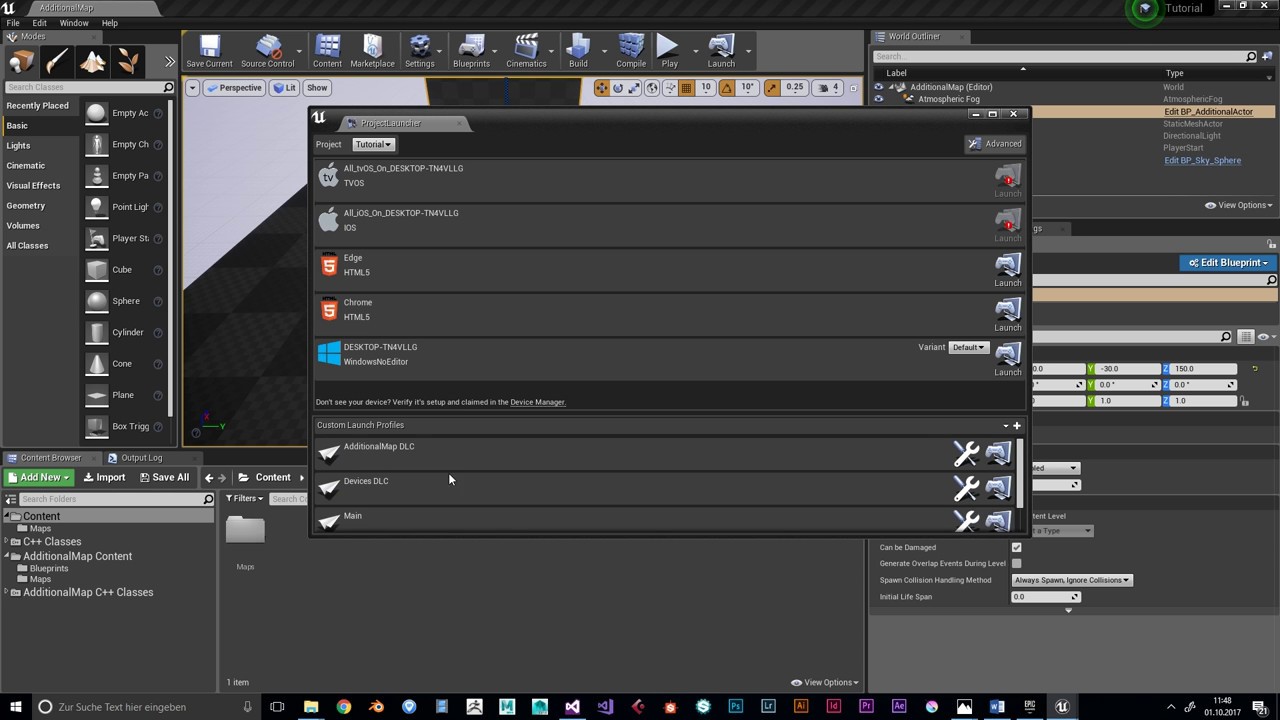 mighty carbon
"Warning: This procedure is intended for early adopters only! The pipeline may change and will receive improvements as it’s still work-in-progress."
I haven't really heard of any work done on DLC support improvements in UE4
tbh, I think RAGE 2 approach to DLC is a lot better and easier (at least it looks that way)
although it requires IAP
white fern
That's unfortunate. Even if it's not easy, I know it's do-able even if I have to do some heavy lifting. Gears 1-3+ and ME 1-2 had DLC map content, so I know it's possible.
Does IAP help with DLC at all?
I thought it was just an authorization mechanism.
mighty carbon
Gears of War ? Those were made with UE3
Only Gears 5 were made with UE4
in RAGE 2 they basically released DLC and everyone got it. Only people who purchased it in-game got access to the content.
Basically you just update your game with extra content. No mess with packaging eternal pak files and whatnot
white fern
@mighty carbon I know UE4 was a significant code-base revision, but I'm sure it's still possible somehow. I just don't know how and am looking for answers. The problem with that latter approach is you end up with a lot of bloat on machines that don't need the DLC.
mighty carbon
well, too bad 🙂
if people don't want DLC, they'll just remove whole app from Quest
no biggie
white fern
On a platform like Quest, where storage space is limited it is pretty important. So, to the point, you're telling me there currently exists no mechanism to do this in UE4 @mighty carbon ?
mighty carbon
I don't know anyone who did DLC for their UE4 projects as standalone content
but like I said, if people want to play your game with DLC, space will not be an issue. If they don't, they won't be getting any updates since most likely they will delete it from their Quest
what game are you making DLC for ?
white fern
Yeah, unfortunately my application is not necessarily for gaming with optional DLC. It's for a modular enterprise application.
mighty carbon
oh, I see
well, those folks can afford 128Gb version of Quest I am sure
and they won't have anything on it but your app
white fern
Yeah, unfortunately the DLC in this case isn't really "optional"
128GB sounds like alot, but when you're talking about 100s-1000s of DLC modules that are between 1-4GB each it adds up.
Thanks for your help @mighty carbon . I'll keep my eyes open for what other options are available. Really wish I had UDN access.
mighty carbon
100-1000s DLC modules sounds a poor design, sorry :/
sign a custom license with Epic and you'll be on UDN 😉
mighty carbon
oh wow, ES2 renderer is removed from 4.24 :/
on the other hand, "Support for the auto-instancing on mobile devices for improved CPU performance by reducing draw calls."
carmine yoke
Wooooop that sounds awesome ^^^
mighty carbon
I wonder how long it will take Oculus to roll out 4.23.1 with integration
pulsar dome
Does anyone have experience with replacing the VR template's hand mesh? I replaced it, changed it so that my grip animations now work, but how do I rotate the new hand skeletal mesh so that it aligns with where my hand actually is? I rotated the skeletal mesh but that messed up my right hand.
In game it looks like this
For some reason they are both appearing as left hands, perhaps it isn't being communicated somewhere which hand is which?
 real needle
Honestly, I wouldn't recommend using the VR template at all
Look up the "VR Expansion Plugin"
pulsar dome
At this point in my project it's too late to backtrack
I've looked into the VRE Plugin before but for my project's needs I really just need the template 🤷 I've expanded on it a ton in the past few months, now I'm just having troubles replacing the hand mesh
real needle
How would you guys recommend calibrating the height of a character mesh in VR? As it stands my character is a fixed height - it looks right to me, but anyone else who plays is either too far above or below the virtual character's head. I want the very top of the character's head to be aligned with the current HMD height at the time of button press.
@pulsar dome I haven't looked at the template too much, but it only uses a left hand mesh - the right hand is just a flipped left hand. If you want to add a right hand with a unique mesh, create a new motion controller component and attach a static mesh component to it. Make sure you delete the old one or the logic that spawns it.
pulsar dome
Yeah I know that, I think I figured it out but thank you Solaris
@real needle I would use the set tracking origin node based on whatever HMD you are using, and then *add local offset * on the Delta Location Z node and then maybe get the HMD Camera's component height subtract by the default player height and plug it into that delta location Z?
That's just what I would do
BTW for anyone who encounters the same problem as me, just go into the motion controller blueprint, and add those three nodes. Your numbers of course will differ based on your model but that is what solved my problem!
mighty carbon

somehow it's even darker on Quest. I don't quite get it :/
I don't have tonemapper enabled
it's nice in the Editor, but too dark on the device and I guess brightness on the video is somewhere in between
sturdy coral
@mighty carbon 4.23.1 mentions something about fixing quest brightness issue I think
N/m, was thinking of this:
Fixed! UE-81524 SunTemple is too bright on the Oculus OpenXR runtime
sturdy canyon
Have you considered bumping up your brightness?
mighty carbon
Here are comparison screenshots in the following order - Device, SM5 preview with Tonemapper on, SM5 preview, Vulkan/ES31 Preview


 flint blade
Hi everyone I have a quick question, can I use occulus services like matchmaking, in app purchase etc for non vr games
Basically my game won't run on occulus at all
I just want to use occulus game backend service
Am I allowed to do this?
If so can anyone share me the official link stating the same.
 raven halo
@mighty carbon First time I've ever seen anything like this happen? Perhaps it's an issue with the color space?
You simply need to add the following tag to the <application> section of the manifest:
<meta-data android:name="com.oculus.application.colorspace" android:value="<your colorspace>"/>
Supported colorspaces are:
Rec.709 - This is the color space used on Oculus Go, and most computer monitors and TVs (often referred to as sRGB)
DCI-P3 - The closest color space to Oculus Rift.
Adobe - A reference color space commonly used for photo editing.
Rec.2020 - The widest gamut, and the default color space on Oculus Quest.
orchid schooner
@pulsar dome turning left mesh inside-out by scaling -1 have some negative consequences. every item what you will attach to this hand will have scale -1 after detaching, and PhysX don't like scale -1, it count it as collapsing object
 rich canopy
@mighty carbon would love to follow up with you if you manage to solve the issue as well. For me its the editor that is too dark and the quest is fine. It works but just irritating to adjust to a brightness I would like my scene to be in.
brisk spade
i have aproblem with grabbing my objects in VR 😦
my user interface is called i think
 dusky moon
just found this node :
https://docs.unrealengine.com/en-US/BlueprintAPI/MotionController/MagicLeap/PlayHapticPattern/index.html
Play Haptic Pattern
I'm wondering what's standard Motion Source names for controllers ?!
Oh sorry I'm stupid. found it in Motion Controller component
thin solstice
@pulsar dome Unfortunately, I don't have an answer to your hand mesh replacement. However, I was wondering how you achieved animated custom grips? I'm new to Unreal (getting too frustrated with VR dev in Unity) and this is an area that is crucial to my project. Thanks for any links/tutorials you could provide.
mighty carbon
Remember there was Rift title called Climb, by Crytek ? Well, apparently it's not coming to Quest any time soon. I just checked their roadmap and I see that Quest support in Cryengine was moved to 2020
pulsar dome
@thin solstice If you keep reading I find my answer. Don't worry, so basically I looked everywhere and there aren't any real guides for how to go about this but if you DM me at around 4 I can definitely tell you how, it should only take an hour
 sly elk
Is there an accurate rift s controller model around?
mighty carbon
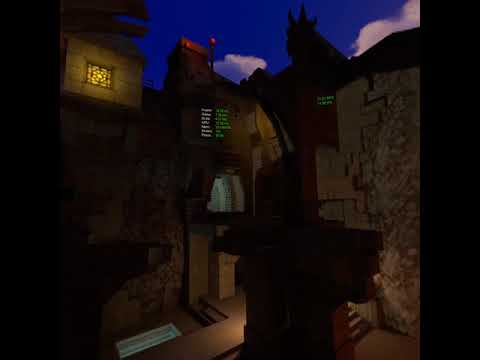
apparently ticking "sRGB" on those textures made materials using them super dark. That's with "sRGB" unchecked. I don't recall having issues like this before.
carmine yoke
The sRBG flag info says 'This should be unchecked if using alpha channels individually as masks' But I assume that's not what you were doing @mighty carbon
mighty carbon
I got no masks
carmine yoke
Yeah... I don't get why that helps you then
I guess all your alphas are just set to 1?
mighty carbon
I don't think there are any alphas in those textures
carmine yoke
Well then - consider me baffed
real needle
sooo the quest has 3 cores which applications can use. How many does Unreal actually use? Game+draw+async physics stuff or just 2 cores out of 3?
carmine yoke
@real needle The Snapdragon 835 has 8 cores, 4 of which are large, fast “gold” cores that run up to 2.3 Ghz. Of the four gold cores, applications have full access to 3 of them, while we reserve the fourth for TimeWarp and other system services. The remaining low-power “silver” cores are reserved for tracking and other system software. Like Oculus Go, Quest supports dynamic clock throttling, so applications can automatically scale the speed of the GPU and CPU up or down depending on their needs at the time. This lets us ensure your application has full power when needed, but also won’t burn the battery when running a lightweight scene.
Think that means they're auto assigned depending on what's necessary at given time
real needle
yeah I was just daydreaming about accessing the third core for async operations since the quest has 3 and UE uses mainly 2 (game and draw)
brisk spade
I have a problem with my motion controllers, when editing my motion Controller with a spring arm i only get two right hands
carmine yoke
@brisk spade In the VR template it Mirrors your right hand mesh to create the left - you must have turned that off or something
white fern
I keep getting a "Failed to install <apk path>" error from adb. Where can I see logs for this? It gives me no additional information on the console; (or, if applicable, what logcat filter should I use)
mighty carbon
@white fern https://twitter.com/motorsep/status/1186732479807479809 << like this one and tell Tim you'd love to see training stream about this subject too 😉

@TimHobsonUE4 Creating DLC pak(s) for Android project (packaging only DLC relevant content) and accessing said DLC content (let's say DLC package was downloaded through 3rd party means - when does it need to go, how to make main game "see" DLC and have it accessible in the...
 Twitter
white fern
Twitter
white fern
So my solution to @white fern from about an hour ago was a good old fashioned reboot of everything.
Anyone else been able to successfully use the built-in Motion Controller Visualization to show the correct controller for a shared Go/Quest APK?
 mental halo
Quick question - does anyone know where to find the hand controller meshes for Oculus Quest/Rift S? Doesn't seem to be inside the engine along with the older models, or maybe I'm not looking in the right places?
 hybrid plume
I have meshes for Quest controllers
Forgot where I found them, but let me know I’ll send it to ya
mental halo
I'd love that @hybrid plume
mental halo
Awesome, I really appreciate it
I'm making a battle simulator where you can play as a war god and create battles or fight on the ground as a mortal. It's an AI sandbox basically - I learned Unreal through it. It's been about a year into it
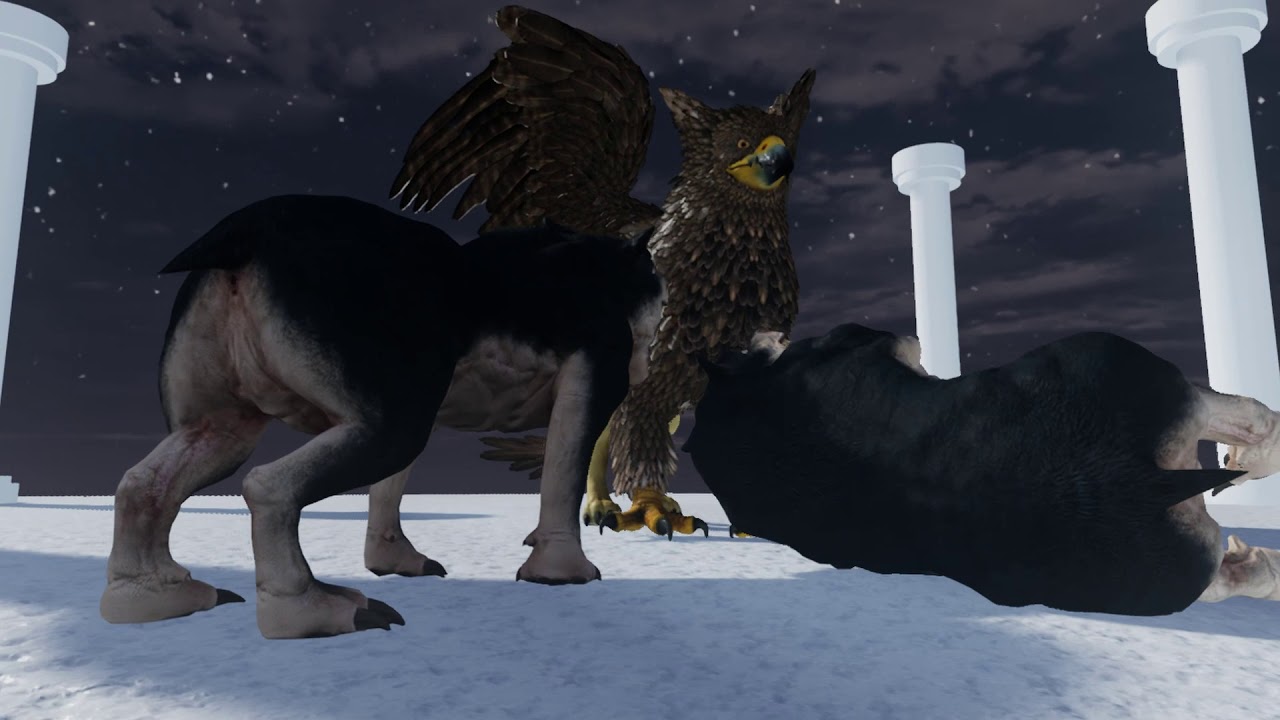
Trailer was made for Oculus Launchpad 2019 application. Cry of Athena is VR battle simulator where you can play god, place units, watch them fight, intervene...
The community Discord is in the description of the video, no pressure to join or anything, just putting it out there 🙂
hybrid plume
hiya
mental halo
Hello
hybrid plume
Quest controller mesh, a not too expensive gift for all you good devs out there
brazen burrow
@mental halo hmm, reminds me of that other game
mental halo
@brazen burrow Totally Accurate Battle Simulator? UEBS?
Asgard's Wrath maybe? They do have the whole switch between god mode and being smaller. I think that's as far as similarities go though since mines is focused on being a sandbox with AI across different time periods rather than a story driven RPG.
 odd garnet


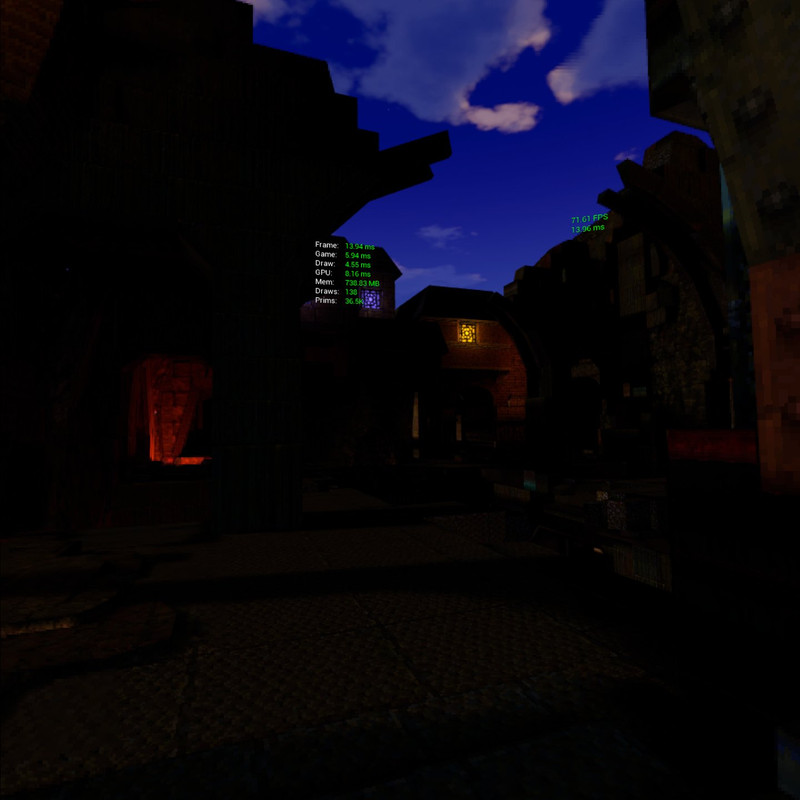
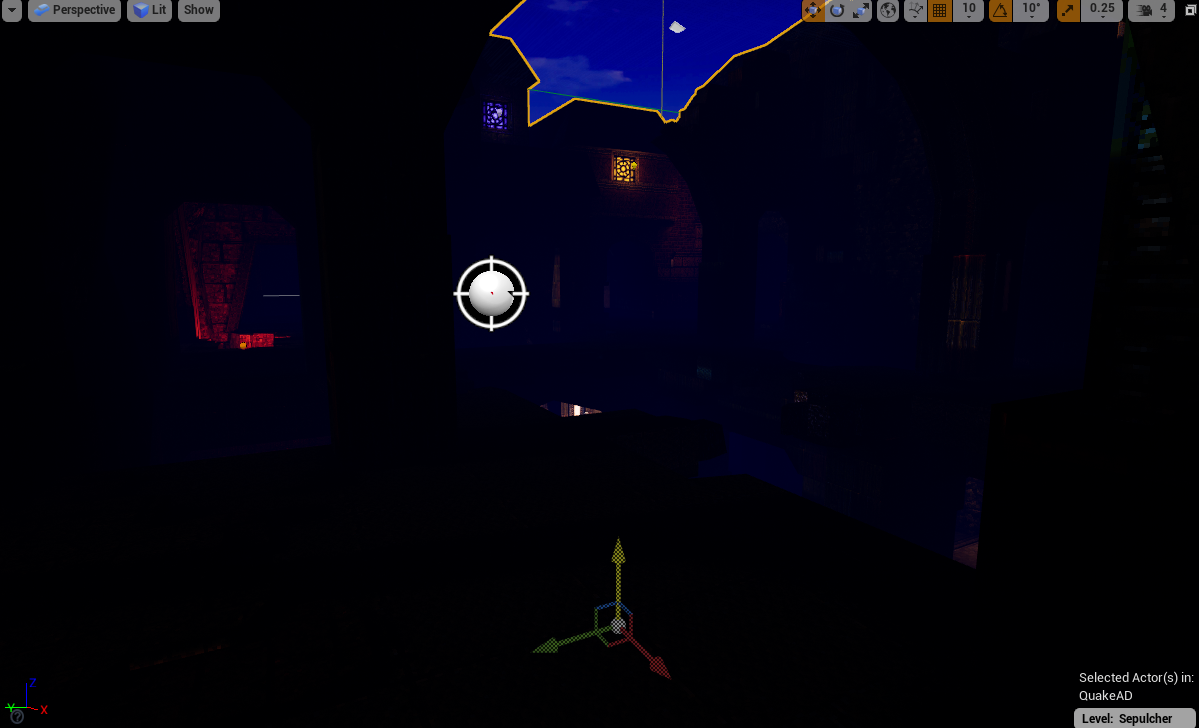
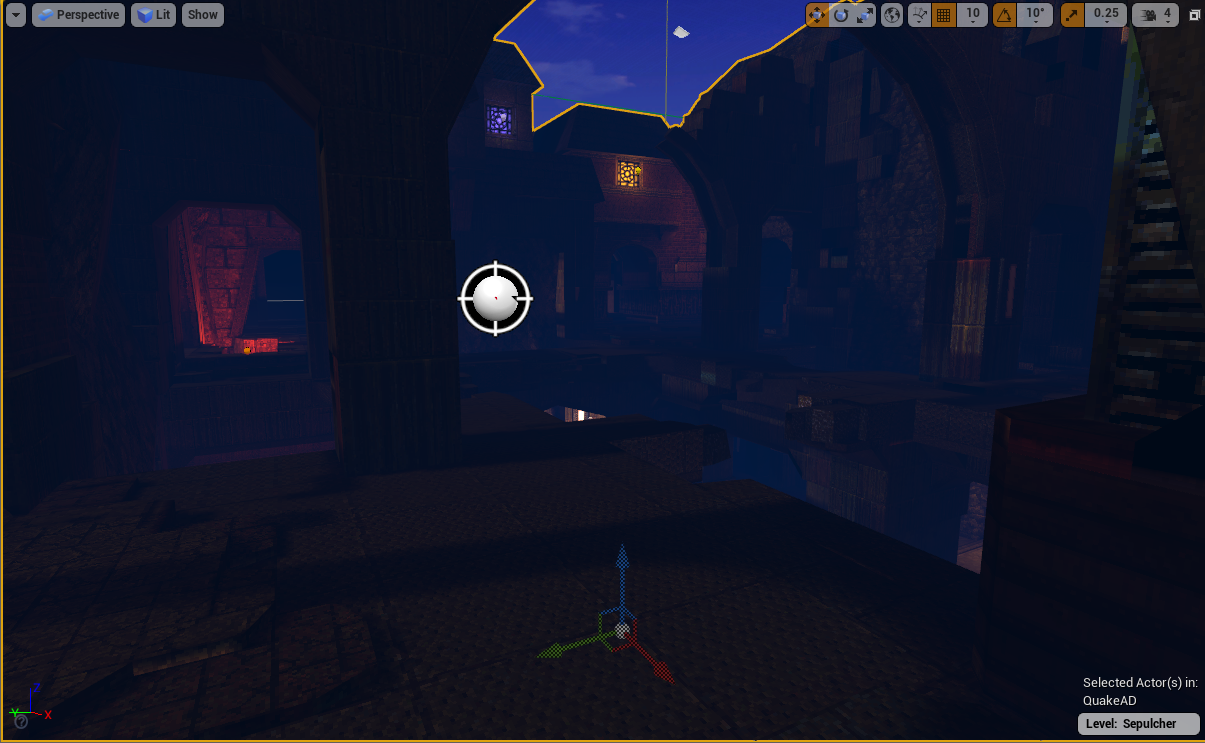
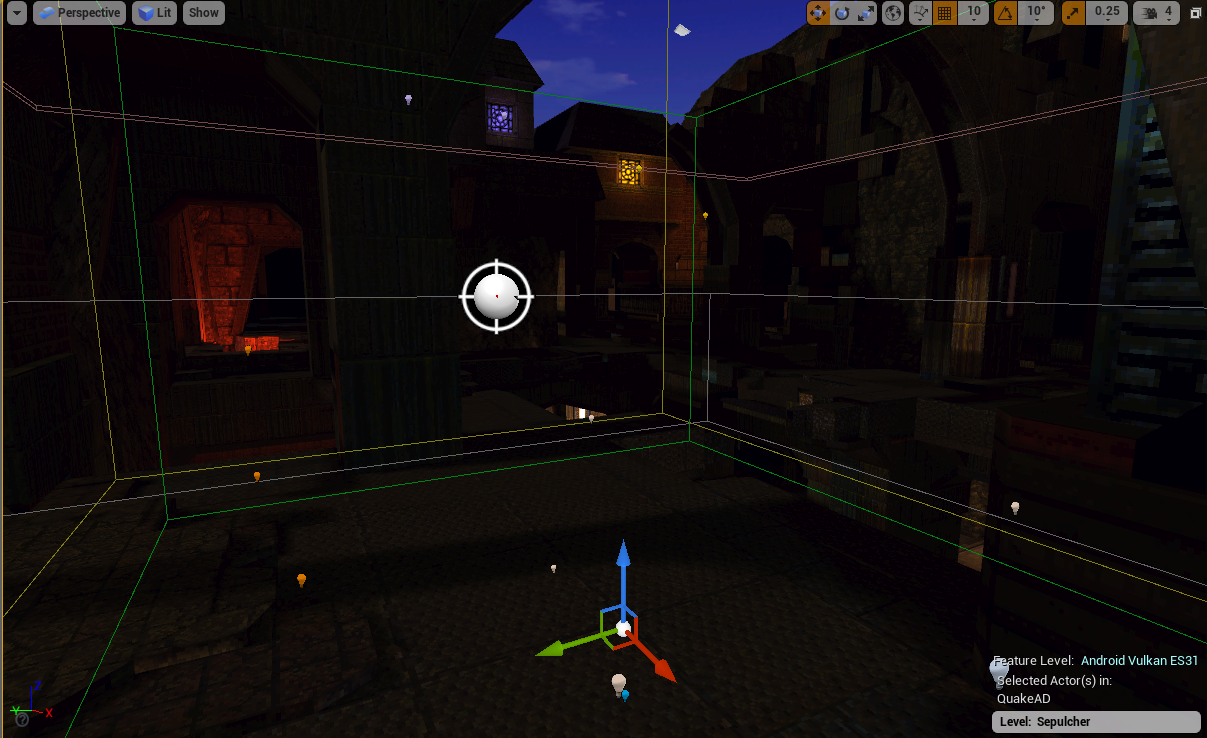 hybrid plume
shaders issue most likely
frigid kite
@mild trail Switch to OpenGL ES3 preview in the editor?
 mild trail
@frigid kite Yeah okey now I see that it in fact is overbright, the real question is what do I do about it.
frigid kite
Figure out what the issue is - start by making sure post process exposure is off
mild trail
right now it is set to manual
I have tried to delete all lights in the scene.
Just wierd that everything works perfect on the pc it self. But in VR its a mess.
frigid kite
The problem isn't VR, there's something wrong with the way your scene is rendered in OpenGL
What does the scene look like in Unlit mode?
And can you try disabling exposure alltogether?
frigid kite
Can you check that all recommended settings are used in your project? https://developer.oculus.com/documentation/quest/latest/concepts/unreal-oculus-utilities-window/
Describes the initial Unreal development environment settings.
mild trail
Select Edit > Project Settings.
Scroll down and select Plugins > OculusVR.
I dont have that
the oculus vr plugin is enabled
mild trail
4.23
tried to turn it off and back on, no help
restarted the engine both times
this says something about the oculus software. But what oculus software?
https://www.oculus.com/setup/ it says oculus rift but im guessing its this software that I am missing.

Download VR software on your PC to set up Oculus Rift S and Oculus Rift. Download the Oculus mobile app on your phone to set up Oculus Quest and Oculus Go.
frigid kite
Yeah you need that tool to do anything with Oculus headsets, I'm not sure how you are using the Quest without it
mild trail
well I have just installed it and it asked if I got a rift og rift S
I picked the rift and went on even tho its not correct.
it told me to update my grapics card driver, so I am doing that right now.
cant imagine this software has anything to do with the Quest. I cant complete my installation because it expects a different headset to be plugged in and sensors too.
I have the app for it on the Ipad, cant do much on that tho.
frigid kite
Ah right, the Quest is set up through the mobile app, nevermind :x
mild trail
And I have done that
frigid kite
Yeah my bad
frigid kite
it is
frigid kite
Ah well, too bad they removed it :x
I've recently discovered that only people who have never installed Oculus software (for Rift) are not seeing the plugin options in 4.23 project settings. I'll need to see if this is intentional.
just started the editor AFTER i launched the oculus software and now i can see the plugin in the list... so alex was right 🙂
Try that?
frigid kite
In the mean time, how are your materials set up? Just pretty basic stuff or anything special, emissive or something like that?
mild trail
it is all vray stuff going thru datasmith. I have tried to remove emissive materials guessed that was the problem at one point but its not.
frigid kite
And did you try rebaking after removing the lights?
mild trail
nope
gonna try that
the build button is now all greyed out
diabling the preview helped
still overbright
frigid kite
So there are no lights in the scene, and lighting has been built?
mild trail
yes
frigid kite
And emissive?
frigid kite
Can you add 1 directional light? It seems to be just unlit now
mild trail
it is in unlit mode 🙂
okey just deleted a bunch of stuff and now it all turned black, gonna back track what I did.
frigid kite
@mild trail well it should be all black without any lights
mild trail
sorry cant share my file
@frigid kite true, so I just have done something right 🙂
is there a way to turn down all lights as a percentage or something?
frigid kite
Reducing the exposure
mild trail
tried that at first but at -30 it was totally blurry
and still overbright
well it is working now but it is with the wrong lights
so I have to find a way to turn down my lights
hybrid plume
@mild trail have you tried to deploy the vanilla VR template to Quest?
mild trail
yes, my template is based on that
you do mean the one with the blue boxes that you can pickup right?
hybrid plume
Yes did that cook ok?
mild trail
yes
I just think that there is too much power in my lights
problem is that it is IES light profiles
If I turn them all down I cant count on the amount of light in the shop.
hybrid plume
Turn off all lights and place a simple “l” + “click” point light on the map
mild trail
dont understand
hybrid plume
Hold down the “L” button on your keyboard and click the left mouse button
hybrid plume
There you go 👏👏
mild trail
been walking around the shop, but problem is still. I need all the spots that the technician have placed in the store.
just found out that I can only do a 60m2 guardian
tired tree
@mild trail you can turn the guardian off entirely if it is 1:1
mild trail
yes, was thinking that I might be able to find a large building in the company 🙂
and spread out some crackers to do the outer bounds, then at least I can hear if I run too far 😉
@tired tree I have now the oculus application running and started up the editor and now I have it!
mild trail
Testing now, all my spot lights are 2308 lm changing them to 10% of the light.
tired tree
@mild trail think you meant LLorkan
mild trail
@frigid kite Thanks for your help, it turned out pretty well. Still got alot of work to do but its a nice start.
carmine yoke
Is it possible to use the GPUvisualiser with Quest?
 chrome tinsel
u mean gpu profile
 nimble edge
@carmine yoke I haven't used the UE4 profiler for Quest, but have you checked out OVRTools?
 sage gulch
what's the best practice for making multilayer procedural animated 2d assets in vr? render a camera view to a texture or something? last I looked there were problems with 2d compositing in certain workflows but that was a year or more ago
I remember the traditional method for drawing HUD elements wouldn't work etc
nimble edge
@carmine yoke This leads me to believe it's possible, just haven't had the need to, yet:
https://developer.oculus.com/documentation/quest/latest/concepts/unreal-debug-quest/?locale=en_US#unreal-profiler-tool
Performance recommendations for the Oculus Quest.
mighty carbon
Quest support. More platforms to come in future releases.
Labels
VR / AR
Sounds like a good thing, right ?
what about this ? https://trello.com/c/NrPjINFb
Deprecation of motion controller keys. Moving to explicit binding methodology based on OpenXR.
Labels
VR / AR
carmine yoke
I mean this one ^
@nimble edge @chrome tinsel
I know you can use the profiler - but that's more helpful with CPU stuff
I need to look at GPU side
and yes, I can use renderdoc, but ngl - that is so complex I barely even know what I'm looking at
carmine yoke
I might try out the snapdragon profiler instead
mighty carbon
what about Variable Rate Shading on Quest ? Shouldn't it boost performance ?
tired tree
yes
mighty carbon
ah, sweet
my guess is that Oculus fork will pop up after new years, which will be probably March :/
mental halo
Anyone use custom depth pass in their VR project? I'm using it to highlight pickups that people hover their hands over but while it works in Editor, the highlights don't appear in the packaged build
pearl tangle
@mental halo What device are you trying to use?
mental halo
HTC Vive and Oculus. Tested it on Vive so far. Good in editor, no dice in packaged build or Launch Game
Custom render depth should work in VR right? Anyone have a project using it and had it work in packaged? Hopefully it's just something on my end and not custom render depth in VR in general
 devout bison
whats up everyone
can anyone give me some insight on how to use screen space widgets with VR?
currently my widgets are rendered once, like without VR
the blue circle marks widgets which should be on the object i marked with blue arrows
currently widgets are rendered like its not in vr
hybrid plume
Are you using widget interaction on your hand?
frigid kite
@mild trail No problem, good luck 👍
mild trail
Anyone know why the floor is not precisely at floor level, and what to do about it? I tried to align it with the controller when I made the guardian shield.
little scaffold
@devout bison look into stereo layers
orchid schooner
it is just a screen widgets, but you need an objects with attached widgets for vr
dusky moon
Since I updated my OBS I can't record my VR Preview "Window Capture" anymore it just shows as black. is it just me ?!
nimble edge
@mental halo It definitely does work. I have a packaged project that custom depth is being used to highlight items when they are within "grabbing distance." There must be something in your project giving you guff.
mental halo
@nimble edge I see, that helps narrow it down. Thanks for the confirmation
tired tree
@sturdy coral nah, that is just the openXR hacky way to get it working for now
they intend to overhaul all of the input pretty sure
so you can directly call actions without keys and the like
sturdy coral
ah ok that could be really nice
brazen burrow
is there a good way to get really accurate motion controller velocity and angular velocity? I know of the "attach a sphere collider" trick but I'm wondering if there's a better method nowadays.
sturdy canyon
You can just cache last frame’s transform and compute it when needed
Some platforms have function calls to directly query velocity, and angular velocity
brazen burrow
by platform, do you mean vive/oculus/etc or steamvr/oculusvr/etc?
 eternal inlet
hi guys, anyone know what good alternatives there are to Ikinema?
 spark atlas
Does anyone have experience with AR and SkeletalMeshes? My test mesh refuses to show up. The StaticMesh I put underneath displays fine.
eternal inlet
alternatively, how difficult will it be to make a reasonable ok ik-solver for hands to chest?
spark atlas
Psshh you of all people probably will find a good way to make your own ik solver! 💪
eternal inlet
me? i know nothing about ik-solving... but wouldn't mind investigating it for sure
i wonder if there are some good starter papers/articles to read up on the topic?
spark atlas
I remember a coworker having done quite a lot of experimenting, since we originally intended to use iKinema as well but then the price pretty much was a no-deal, for only having one or two characters that require it
but there is some premade ik chain stuff in the Animation Blueprints (LegIK, TwoBoneIK, etc) , so if you combine that with tracing for locations (as foot placement tutorials do it, for example) then that should get you where you want to go, I assume X:
tired tree
those ik solutions have no joint limits
only built in IK node with joint limits is the new CCDIK node, and it is a ball and socket limit, so not that useful for say, elbows
you can get away with running arm ik off of these, but you will end up with unnattural poses fairly often
@eternal inlet the parger paper is a reproducable shoulder / arm IK setup with very good results (needs some tweaks from brief implementation) and example code

Early experiments with an Inverse Kinematics-driven upper body model, based purely on tracking data available from commodity VR headsets, namely head positio...
doc-ok did some testing with a modified Quaternion version of it
other than that, there are a couple of ik solutions on the marketplace
and some full limit papers around that could be used to extend the built in nodes
eternal inlet
@tired tree nice, thanks @tired tree i'll look into it and see if it's something i think i can do
on a sidenote, IKinema has been acquired by Apple, so atm everything points towards us indie dev licensees are getting screwed over
 wary yoke
guys how can i record motion controller component's transform to sequencer?
i made a pawn with the components and a mesh child to it, and i dont know where to continue from there