#virtual-reality
1 messages · Page 210 of 1
 fathom temple
 naive fern
@fathom temple what got me started was
https://www.youtube.com/watch?v=jlcj4HB9LX8
https://www.youtube.com/watch?v=KQexLS2xjOs
Dunno how much you know already tho

Oculus Quest Basic Performance Profiling and Frame Rate Analysis: https://youtu.be/N7UfYFq2Xq4 In this video tutorial, I show you how to build the default Un...

Let's create an interactive watch menu with some cool 3D buttons that actually do stuff. Enjoy!!!! Head to my website for the full project: https://www.unrea...
fathom temple
I had the first one, haven't seen the second. This is one I had: https://www.youtube.com/watch?v=hEtu-ciPc7g

This Unreal Fest Europe 2019 presentation by Oclus VR's Software Engineer Loren McQuade shows how to configure, build, deploy, debug, and profile your UE4 pr...
I'm not sure if Drawers are going to prove a problem like they are in Unity or if Unreal has some better code to handle it. It seems in Unity, when you grab an object, your hand becomes the parent of the object and therefore it then rotates freely. It caused some ridiculous movement of the drawer when sliding it out.
naive fern
Unrealty Simon gives you a link to download his stuff aswell, I find it easier to learn that way. I am only making some very basic stuff tho
fathom temple
I'll take a look, thanks. I'm about where you are. I was further with Unity, but I wanted to switch to Unreal.
Are you using 1.39 of the Oculus plugin? I guess I should ask, are you building your own version of the Unreal Engine from Oculus source or are you using what you download from the Epic Game Launcher?
It looks like Unreal 4.22.3 still comes with Oculus 1.32
naive fern
I am using what i downloaded from Epic Game Launcher, 1.32 plugin it says
 mighty carbon
has anyone tested VT in 4.23 in VR (Quest in particular) ?
fathom temple
ok, keep in mind that's an older plugin. I think it's prior to the Quest release, but I can't remember. https://developer.oculus.com/documentation/quest/latest/concepts/unreal-quick-start-guide-quest/ . I've built Unreal from source before. It's tedious, but it works.
Describes a quick start for Oculus Quest development in Unreal.
That pages I posted implies that 1.32 is fine to work with the Quest., however.
naive fern
yeah, it worked fine, but it fucked up in one of the quest updates the last week
 trail shale
@wicked oak TALl these 100%, this is basically a complete waste - do I need to make my bounds greater or smaller? My instinct says smaller, as it would be better to not even generate a cluster if it won't result in any reduced triangle count, but tell me what you think please
 hallow knoll
@naive fern That issue has been remedied in 4.23, but you can work around it in 4.22 as well: https://forums.unrealengine.com/development-discussion/vr-ar-development/1646304-oculus-quest-update-controllers-broken?p=1646553#post1646553
Unreal Engine Forums
As per this Reddit thread:
https://www.reddit.com/r/OculusQuest/comments/chhjb6/oculus_quest_update_broke_sideloaded_apps/
'be aware that the latest Oculus
mighty carbon
does anyone know if people expect 100% physical interactions in PC/Quest VR games or just roll with whatever game offers ?
for example, in my Go project to go from outdoors into indoors, you just "interact" with the door (point and click) and you get teleported into indoors (and other way around)
there is no way to literally have indoors modeled for the houses and simply walk into them (due to art style and performance considerations)
and it's not uncommon on Go
However, since Quest / Rift have 6DoF controllers, I feel that people expect to physically open the door and enter inside
any advice ?
 pearl tangle
Do what you would do in real life. Things work much better in VR when you don't need to explain to somebody how to do something because they already know how to do it in real life
naive fern
@hallow knoll Sounds good! TY chief!
 stark wyvern
I'm trying to create an experience room in which people can interact with things but in sequence. So, I was thinking of having an arrow which guide the user to the next destination but I feel that arrows will "break" the immersion because it is an architectural project. Is there any subtle way of guiding people to the next destination or is there any game/project which does this "arrow guide" well?
 dim iron
@stark wyvern have the next object you want be seen glow a little, or if its an architectural program, have a light turn on that shines on the object, or maybe even floor lighting to direct to the next object.
stark wyvern
@dim iron A floor lighting sounds like an interesting idea. I'll try it out! Thanks for your input!
 dusky moon
guys I'm fucked! I borrowed a friend's base station 2.0 s ... all was good with the index! today with the new fucking update, I tried to update firmware on base stations. it failed in the middle of the process. can't recover either. both stations were with blinking red light. then I tried to manually reset firmware.... now it doesnt even turn on the red light at all ! any help ?
dusky moon
ok so I managed to recover one of the base stations... the other one is although being detected (green light) but not functional
have to send back : /
in nutshell dont update your base stations firmware
 frigid kite
Strange that there isn't a simple factory reset option :/
dusky moon
I bet its some HTC shit. cuz these base stations are for Vive Pro. (and It's going to be such a headache to deal with HTC's RMA)
one question! can I use Valve index with [ 1 Base Station 2.0 + 1 Base Station 1.0 ] ?!
frigid kite
Hmm I don't think it's possible to mix base stations, but I can't say that with 100% certainty
mighty carbon
@dusky moon it's time to get Rift S - no base stations needed 😛
 sly elk
About to finally make hte move from 4.20 to 4.22. With 4.23 coming out soonish, is there anyhting major for VR in there?
Im not seeing anyhting major in the 4.23 preview thread when searching VR
frigid kite
I get the feeling that I've not seen anything major for VR from Unreal in a while
mighty carbon
under the hood tweaks and optimizations
sly elk
4.22 had the instancing which was huge for us
is index controller finger tracking easier to implement now or is it still a from scratch solution in unreal?
 tired tree
@sly elk you can use the valve plugin for it, but you will have to change up how you handle inputs a bit, for native to engine without their plugin? Yea would still be manual.
 zealous light
Hi all, has anyone run into the issue of VR Preview being greyed out while running ue4 on Ubuntu 18.04 with HTC Vive? I have a VR ready laptop and the headset works with SteamVR but when I try to open a project after having SteamVR running and go to VRPreview, it's greyed out. I've scavenged through the forums without much luck, I would really appreciate some help 😃 (I can post more specs if needed)
 supple drum
how do you detect that an image is not tracked any more
I cannot find any exposed callbacks or so in UE4.23 and before
 honest mango
Anyone here used the Robo Recall mod kit?
pearl tangle
@honest mango I would say most people in here have at least played around with it
mighty carbon
not me 😛
honest mango
Idk not many people have seemed to. My question was just if anyone knew if anything changes if you actually own the game, I know with the mod kit you only can play the first level
pearl tangle
changes in what way? You don't get more content in the modkit if you own the game if thats what you mean
honest mango
Just if anything changes, if you can do anything different, I havent done much in the mod kit yet. Im guessing not
pearl tangle
@honest mango nope there is no difference
 slender pulsar
Oculust Quest uses ES2 or ES3 ?
 severe tide
It can use both
slender pulsar
Ty, And is forward or deferred rendering ?
 real needle
Hello everyone ! Does anyone has already used OpenXR with Unreal Engine and can explain me how to set it up and integrate it in the unreal platform?
slender pulsar
okay ty @mighty carbon but on UE4.22 is working with Vulkan ?
mighty carbon
You need Oculus fork of 4.22.3 with 1.39 integrations @slender pulsar
slender pulsar
I just see your issue there on the github
okay
it seems like you have issues with the Vulkan
Will use the ES3.1 then
Go and Quest share same system ?
mighty carbon
I do because I don't have Quest 😭
Quest doesn't have any issues with Vulkan
as far as I know
Do you have Quest @slender pulsar ?
slender pulsar
The company have it
will try today
But from what you told me should use the custom version
tired tree
4.22 should support vulkan on quest
slender pulsar
but from what the web list many changes are only post release on their branch
mighty carbon
@tired tree not the stock UE4.. The whole support thing is in the integration, which is outdated in stock 4.22
@slender pulsar it's as custom as if you build UE4 from source..
tired tree
yeah would have to be the integration
@mighty carbon it was 1.39 that finished up support for that wasn't it?
4.23 ships with 1.37 currently
mighty carbon
yeah, 1.39 added FFR, MSAA, multiview and some other things
looks like 1.40 is coming soon too, so stock 4.23 will be so behind again :/
 sturdy coral
@sly elk 4.23 may be adding rtx support for VR, possibly usable for dynamic ray traced soft shadows
Says it isn't enabled yet but mentions it a bit in release notes, and I think victorlerp mentioned in here support may come in a later preview
@mighty carbon maybe support both ways, on PC stream in the level in the right place when they get near the door, while on go load into the interior level
mighty carbon
well, I can't just stream in a level because outdoor is smaller than indoor 😃 Stylized art after all
so it's either way have to be a sub-level
I am wondering whether to fade view to black when player swings the door open using 6DoF controller and then load indoors level or keep it the same as on Go - point and click to enter
@sturdy coral ^^
sturdy coral
Point and click to enter is probably fine if it is loading them anyway
That's how rec room does it
I think
Or it is like put hand over it and click, but not grab doorknob
tired tree
in recroom the door opens slightly based on proximity and glows
it shows it being more of a portal that way
sly elk
neat. We are talking about doing our own system for low density ray traced ambient/reflection occlusion. Basically it would modulate the existing lighting and reflections on the assembled parts of the car and help with longer range occlusion that SSAO can't handle well.
 carmine moon
@sonic lake I was hoping to ask you a question about the VR climbing system on your youtube channel.
slender pulsar
@mighty carbon well does mobile hdr works with this?
mighty carbon
it does, but it tanks fps
don't use mobile HDR in mobile VR
oh, and I don't know if it works with Vulkan (works with ES3.1 though)
@slender pulsar ^^
 sonic lake
@carmine moon sure, feel free to DM me
mighty carbon
Even if it worked you wouldn't be able to use it @slender pulsar
slender pulsar
why ?
mighty carbon
I guess you missed my chat about performance cost
On Quest you have to hit 75 fps or else. With HDR you will never hit 60.
slender pulsar
yeah seen that one
can use ES3 rather than ES2 ?
without the tonemapper ?
I mean there is a huge problem or something ?
in performance
mighty carbon
I use ES3 on Go
slender pulsar
oh okay
mighty carbon
No HDR
slender pulsar
yeah yeah no HDR or tonemapper but ES3
mighty carbon
But I am not sure if mobile tonemapper works in VR
slender pulsar
Will try to edit the engine sources myself
mighty carbon
I have it on and off and I see no difference in performance
You could have LDR bloom, but you'd have to mess with engine/shaders
It would be nice to have Doom 3 lighting with LDR bloom. I am sure it would perform ok on Quest
slender pulsar
ty
mighty carbon
Oh, if you want to see great graphics on Quest, check out Red Matter @slender pulsar
mighty carbon
Just hire them to get it done 😂
 wary onyx
hey guys i am testing out the handheld ar template the two features i am interested in is the plane detection and hit testing. I wwill like to know if it is possible i can spawn 3D objects without touch input, is it possible to trigger a hit test after a plane is mapped and not via touch input?
 spiral oasis
does anyone happen to know if it's possible to get overlap events out of an MRMesh component? physics collision is working, but I don't seem to be getting anything on overlap. generate overlap events is checked, collision channels should all be fine, static mesh overlap events are working between each other 🤔
@wary onyx there's no need for touch input or a hit test to spawn an object on a detected plane.
wary onyx
@spiral oasis how can i make a mesh spawn on a detected plane?
cause i want the mesh to spawn the detected plane.
cause i am making an ocean floor that covers an actual real world floor
spiral oasis
I've mostly been working with magic leap and not mobile, so i'm a little rusty on what exactly you would need to do. 😦
essentially it should give you an event with all detected planes, and you would need to loop over them and decide what to do with each one. mobile AR might have semantic tags like horizontal, floor, wall, etc, but I don't remember 100%. in the past I have used the lowest detected plane as the floor with decent results.
the planes will have location, orientation/rotation, & dimension values. for an ocean plane i'm guessing you'll ignore the dimension and just make it huge?
wary onyx
yes
precisely
@spiral oasis i am new to ar so what would be the nodes i would have to fire to get what i am looking for?
spiral oasis
i'm not sure exactly since I use magic leap primarily, which has its own plane detection implementation. arkit/arcore are both similar though.
are you going off this example? https://docs.unrealengine.com/en-US/Platforms/AR/HandheldAR/ARHowToHitTesting/index.html
How to do hit testing of tracked geometry in augmented reality.
spiral oasis
if I had a handheld AR project on this computer I would be more help, but it's on my old laptop :(
there should be pretty straight forward ways to get all tracked planes. there is possibly an event somewhere when a new one comes in, or you can run this to get all the plane data: https://docs.unrealengine.com/en-US/BlueprintAPI/ARAugmentedReality/Tracking/GetAllARTrackedPlanes/index.html
Get All AR Tracked Planes
then you can decide which one you want to use as the floor
wary onyx
Awesome, what exactly would i plug this with?
would a screenshot help? i have the project open on my side
spiral oasis
i would run it in tick or on an event when a new plane is detected. find the lowest plane, and move the ocean plane to its location & orientation. handheld AR has a tendency to drift pretty bad and will sometimes put the floor 20 feet below you or something - so that's something that would need to be handled in a perfect world.
not having a whole lot of luck digging around the documentation, but to be fair all documentation regarding AR is pretty bad across all engines 😄
spiral oasis
so nobody knows anything about MR Mesh Component? 😦
mighty carbon
@spiral oasis it seems that no one here is really big on AR (perhaps because you have to hold a phone with tiny screen vs wear VR HMD)
not as exciting as VR imo
spiral oasis
i develop using AR headsets primarily 😄
mighty carbon
which ones?
spiral oasis
magic leap is the main one
mighty carbon
I see
that's another thing - most people can afford Go/Quest/Rift. Less can afford Vive/Index and very few can afford Magic Leap / Hololens 2 (which isn't out yet anyway).
Plus, AR is still isn't as exciting as VR 😛
spiral oasis
not the biggest fan of VR, personally. but yeah, totally on point with the pricing, it's not really consumer friendly yet
trail shale
What is this causing this flickering on the clouds,....only happens on VR, seems to have occured on the update from 4.19 to 4.22
spiral oasis
looks like a problem with HDR to me, but i couldn't tell you why
trail shale
I thought so too...although I realized just now I never updated the Ultra Dynamic Sky....I'm thinking that it was foolish to assume it would update when I converted the project
spiral oasis
4.19 to 4.22 is a pretty big jump 😄
trail shale
I think my dynamic resolution or me using this is broken...what are the correct VR settings for 4.22?
I think steam VR is causing issues actually, I can't see the distortion in the spectator screen
yeah motion smoothing
Yeah, performance is shit and I'm not sure why...the motion smoothing was an easy fix but I'm pull up my previous build for 4.19 and it runs 3x faster
mighty carbon
Has anyone tried Steam Audio on Quest?
tired tree

Unreal Engine
We’re adding a new cvar in 4.19 to control panel resolution for Unreal Engine 4 (UE4) Virtuality Reality (VR) projects and moving away from referencing Screen Percentage. Here’s what you need to know.
granted that is the same setting in 4.19
so shouldn't have changed
trail shale
I'm trying to determine what's so different and why am I frame rate drops big time did they change something with particles?
spiral oasis
@mighty carbon quest is powered by android so if it runs on android, then it should be ok. i never had any luck with steam audio but haven't messed with it in at least a year.
 dim imp
slender pulsar
dim imp
slender pulsar
@mighty carbon Using the today oculus branch one eye works the other is black with Vulkan rolf
mighty carbon
Not for me - everything works out of the box
I downloaded zip from Releases btw, not the master.
mighty carbon
@slender pulsar are you sure your Quest isn't botched ?
also, make sure all the render project setting are in order
oh wow, gotta put it on my wishlist https://twitter.com/NathieVR/status/1159163302137737218 😛


Who is brave enough to try this in VR? https://t.co/kD0MqshdSQ
Retweets
152
Likes
435
 Twitter
mighty carbon
Twitter
mighty carbon
lol, multiview is a MUST
mighty carbon
I wonder if they will really fix https://issues.unrealengine.com/issue/UE-75902 in 4.23.1 or will move it to 4.24
trail shale
so how does screenpercentage vs pixel density work in 4.22...i think they ar the recent for my performance tanking when i updated from 4.19
 sturdy canyon
Now a 1.0 is what 1.4 used to be
trail shale
wait so what should I put it on then if I want 1.0? .75?
sturdy canyon
Probably
This varies by platform
Sort of
The new system varies less by platform
But the old system was crazy
trail shale
what about Get GMDstate...that seems broken too
that and my particles (which I didn't change or even open) seem to be more expensive...what should I investigate as the cause?
could ray tracing have been turned on without me knowing?
also, what about this : 06-04-2019, 07:47 AM
Last edited by User-970075953; 06-04-2019, 09:31 AM. Reason: Add fix``` fickle sky
small question. Is it possible to see what happens on an android device in the editor? or is it cut off and basically android studio is the best I could do?
tired tree
@trail shale always keep SP at 100 now
and adjust pixel density
read the blog post I linked you last night
regardless, this would have been the same in 4.19
mighty carbon
@fickle sky why?
if it's for Oculus, then read this https://developer.oculus.com/blog/developer-perspective-ue4-logging-and-console-commands-for-mobile-vr/ @fickle sky
trail shale
SP at 100 now @tired tree ???
@tired tree I never messed with it from 4.19 to 4.22 so that's why i was looking for other causes
tired tree
SP 100 is 100% resolution, no scaling with it
you adjust the pixel density now, as it is a static scaler for all of the HMDs and is a lot better
 regal cape
Anyone using the OpenXR Plugin Yet?
regal cape
@real needle did you find out how to set OpenXR yet? anyinfo on this?
 clear abyss
Hey, can i change the radius of the navigation arch for VR example?
real needle
@regal cape No I d'ont have an answer yet about that
 warm lion
So I've created a reach and pull movement system similar to lone echo. When you reach out and grab you grab the world and pull the camera through. This works really well but I notice that there is some small shaking (from my hand actually shaking) that causes a small vibration in the camera as it is pulled through the space. I know altering the natural camera can be dangerous in VR so I'm wondering if anyone has any experience with smoothing a camera in VR and what you experienced. I'm wondering if adding just a small , very small amount of jitter reduction would be beneficial or if it gets weird in VR with motion sickness etc..
sturdy coral
@warm lion gorn has movement like that, you may want to test that and see if it has the same kind of jitter or if they are doing some smoothing
also be very careful of tick order and tick dependencies as that may be your true source of jitter
depending on how severe it is
does echo arena have the same jitter for you?
trail shale
4.19 - 22.9 m/s particle, runs fine....
WHY 4.22, WHY -
55.4 m/s
i'm "pretty sure" it's the VR but I'm not sure
WHY
dynamic resolution not supported? I've read only the consoles have it in, could that be my probleM?
mighty carbon
Turn on particles cutouts in the render settings of the prpject
trail shale
I haven't messed with those particles in a year though, but standby
it wasn't on but i don't think that was it
no particles there
the plot thickens
I think I know what that is
I have a VR function that toggles binoculars ....it also drops pixel density to compensate for the 2Dcapture component used to create the effect of binoculars
going to disable and see if that changes
would the profile say the actual name of the resource? it wouldn't would it ?
trail shale
Also this -
could some change in the VR stuff have caused this change in the render?
 quiet badger
posted this in #work-in-progress by accident, but looking for feedback on this mock up of wind waker vr menu/inventory
 fickle sky
@mighty carbon no for pure android. To debug. I would like to have the ability to see how things are from not the user point. see what gets created and so on.
 cold siren
@trail shale sort your profile GPU by time and expand them one by one and see what's taking so long?
mighty carbon
so, back to my question about audio in Go/Quest - has anyone tried Steam Audio and/or Resonance ?
 little scaffold
Has anyone used Vivox plugin in VR?
sturdy canyon
I requested access to vivox and got immediately denied
I think their business model is laaaarge user bases so they reject all VR titles
The vivox plugin doesn't work without an approved vivox account
little scaffold
Ho I see that's why it's free under 5000 PCU thanks for the info but that's ashame because it seems to work pretty great
spiral oasis
doesn't sound like a company worth supporting imo.
 wicked oak

Vertical Robot, the developer of Red Matter, spoke to us about how it created a near-perfect Oculus Quest port, due to release next week.
sly elk

 fleet plume
@sly elk nice effect. dissolve shader?
sly elk
yeah
 valid estuary
Hey all. I was wondering if you could help me figure out how to make apk packages. I'm working on the Quest.
The project builds fine and I can play it on the Quest, I just need to package it and send it off to a team mate.
Or is there a way to extract the build in the Quest itself?
valid estuary
UPDATE: Never mind, I was doing it right the first time, I just needed to remove an unsupported plugin .
pearl tangle
@sly elk Have you tried doing that with an attachment to the hand so that you can peer inside things individually? Works really nicely
 lethal delta
Hey I'm doing some dev on quest and I'm noticing that only one motion controller works at a time. Using an input on that motion controller component will swap to that motion controller component being used. I've searched around on the web a bit and I'm pretty stumped on how people got this fixed. Apparently it showed up in the last firmware update. Anyone have any ideas or know what I'm talking about?
sly elk
@pearl tangle We have bee talking about doing that and/or having it on a slider per axis
severe tide
Yes it's the firmware update @lethal delta. Refer to this post for a fix https://forums.oculusvr.com/developer/discussion/79152/project-issues-with-latest-firmware-integration-update
Oculus
Join the Official Oculus Discussion Forums and talk about Oculus Rift, Oculus Touch, Samsung Gear VR, and virtual reality.
lethal delta
@severe tide ok thanks, I tried these fixes already and its still not right. I think have to upgrade the project to 4.23 because the OculusQuest Dropdown doesn't exist yet. Ill try that out next and see what happens. Ty for the response!
pearl tangle
@sly elk It's quite cool doing with the sphere mask and then you attach it to the hand and look inside the engine, then you can configure it to only affect the engine block but not the pistons etc so you can see it all moving
lethal delta
@severe tide thanks bro switching to 4.23 worked. Apparently the previewer for android shaders is causing a crash in 4.23, so I'll have to preview the style in a different version of ue4 until an update rolls through. Thanks again for the help.
severe tide
I can show you my manifest file tomorrow to show how I got it to work @lethal delta
dusky moon
Guys! I'm having an issue with Exponential Height Fog Lately in VR. It renders quite noisy (static noise) any1 else encountered this ?! (Volumetric Fog is Off - 4.22.3 )
 pastel palm
When running the VR Preview the editor does not show what's happening in the preview, does anyone know if it's possible to turn a feature like this on? I'd like to see the headset move around in the editor in real time when the VR Preview is running. (using 4.21.2)
cold siren
@pastel palm You're probably looking for the spectator screen
 pastel trout
the picture looks scary
 subtle raft
Im tryign to have stat fps run on begin on my pawn but it's toggling the command
Get Console variable bool value doesn't help
 sullen vortex
@mighty carbon have you succesfully used fmod for quest? Every time i build with the plugin activated, the app crashes on quest
mighty carbon
I don't have Quest
sullen vortex
Oh, my bad, thought you been talking about audio on Quest
mighty carbon
yeah, I was talking about Quest, but GearVR is where I had FMOD working
 brittle ether
Does anyone have experience with the scaling of the VR world being off in an Unreal project? I am using Oculus devices and made a child pawn from the MotionControllerPawn so in the begin play it is calling Set Tracking Origin to Floor Level. My scale for the world is 100 but my actors that are 180 units (1.8 Meters) are showing up as super small. Are there any other settings that I could mess with to fix this?
 slate widget
Are you sure your models were imported correctly? Drag a standard Unreal cube in the scene, it's default size equals to 1m x 1m. Does it also appear too small?
brittle ether
When I add the cube it comes up to the characters chest so the character seems to be correct
brittle ether
Yea it is coming up to the same height
brittle ether
Yep I got it set to 100
slate widget
You can set it lower to make the world apper larger
https://forums.unrealengine.com/development-discussion/vr-ar-development/1386183-vr-world-scale
here is a forum post about that issue
Unreal Engine Forums
Hi, I've built an scene using 1st person template of an Apartment, migrated to VR and tested with Vive. In VR, it is not to scale, everything is too small, I
brittle ether
Yea I have been getting around it by scaling things up but I would like to figure out how to get the scale correct because the modelers I am working with are using the 1cm to 1 Unreal unit for the scale so it would be optimal if we are all working in the same units
slate widget
I don't think the problem lies with the models, but with your set up of your oculus
I didn't have the this issue neither with the Oculus or Vive
Maye just redo the whole set up process?
brittle ether
Yea definitely problem is with my setup some how so Ill just keep trying things / create a new project and see if it is replicated there
Thanks for the help!
slate widget
No problem hope you'll get it figured out
 flat shoal
@pastel palm that's a Unity only, feature unfortunately (but try the Visual Logger... it can be made to do something similar)
@cold siren what is the "spectator screen"?
oh... looked it up now... that's for a build, not for debugging
cold siren
@flat shoal can use it to see 3rd person view of yourself acting wierd in VR
I did it a lot when I was trying to optimize my IK for my VR charector
mighty carbon
kinda old news, but it says "Go and Quest" https://venturebeat.com/2019/08/10/unreal-engine-now-supports-vulkan-for-oculus-quest-and-go/

The latest version of the Oculus Unreal Engine Integration adds support for Vulkan on Oculus Quest and Oculus Go.
hallow knoll
@flat shoal You can use it for all kinds of things, I did a livestream that covers a couple of use cases: https://youtu.be/0up1Lgmw-Lg

On this week’s livestream, learn how to create a project agnostic, VR spectator camera in your UE4 project. Our team will also demonstrate how it can be used...
flat shoal
ok, I'll have a look
 polar valve
Anyone developing with the Vive Focus plus? How do you open your own APKs on it?
severe tide
APK? I thought the Focus ran on HTC's own operating system and not android
Oh no I might be confusing it with the SDK
polar valve
Maybe I need to use their SDK for it to show up
severe tide
I'm still waiting for my job to buy one so I don't know unfortunately
mighty carbon
4.23p6 is out
looks like there are still 7 unresolved bugs in 4.23 and a crap load of bugs were moved to 4.23.1 :/
 wide tundra
Is it possible to build a Pure blueprint project for iOS from Windows without a mac??
mighty carbon
oh wow, Nate Mitchell departed Oculus
 jaunty shell
mighty carbon
jaunty shell
mighty carbon
not really sure how to take news like that
on one hand it makes sense to take a break and spend some Fb cash 😃 On the other hand, it feels like they are pivoting to AR and VR will remain where it is now
(which I am not happy about at all)
 chilly ocean
@hallow knoll Were you able to ever take a gander into the mouse input with VR problem? Here is the post I made about it to remind you btw: https://forums.unrealengine.com/development-discussion/vr-ar-development/1650048-bug-with-mouse-control-in-vr-issue-in-a-packaged-game-tested-in-oculus-and-vive-headsets
Unreal Engine Forums
Hello,
I have been getting an issue when utilizing the mouse in a packaged version of a VR experience using both the Oculus CV1 and Vive headsets. In
hallow knoll
@chilly ocean Yes I forwarded it and the team is looking into it
chilly ocean
Sweet, thank you 😃
 ember forum
@chilly ocean have you tied set input mode game and ui in mouse lock mode / lock always
or set input mode game only if you dont use the mouse for UI interaction
i've definitely had this be4 in a packaged non-vr game where the mouse left the game screen, doing that fixed it
chilly ocean
@ember forum Yes, that is one of the first things I tried
I think the headset is overriding that functionality somehow
 copper stag
How can I attach a mesh to my VR hands? I made a socket but I can't get anything to attach into it.
real needle
@regal cape did you find any information about OpenXR on your side ? 😃
wide tundra
I was just wondering if ARKit (ARCore if it works on iPads/iPhones) supports model targets similar to vuforia
Basically looking for this:
 cold siren
@brittle ether Its definitely a setup thing. I am an architect'landscape architect by degree and I used to exclusively do archviz VR until a year back. This was a big problem for me. What I like to do is place one of the motion controllers on the ground to make sure my height is accurate. Most of the times I was too tall and hence everything looked smaller.
pearl tangle
@wide tundra yep it does. You just need to initiate a mode where you scan the object, and then go into the other mode where you are referencing it for placement
mighty carbon
@pearl tangle how (to do that in Blueprints) ?
pearl tangle
you have to provide a candidate object, so you can do that by scanning it in the app or from another app, then you set the session type to object scanning
Get AR Candidate Object
wide tundra
Is there any point in me scanning the object which then exports the .arobject ??
I assume Candidate Object Data -> Array are the points within the object I scanned.
mighty carbon
anyone with Quest, care to support my user voice entry https://oculus.uservoice.com/forums/918559-oculus-go/suggestions/38373601-please-add-microphone-input-support-in-ue4-bluepr ? por favor ?

Currently there is no way to get audio input from the mic on Oculus Go and Quest when building app using Unreal Engine 4. Please add microphone input support in UE4 (100% usable in Blueprints) via Oculus SDK because Epic isn't going to do that any time soon.
wide tundra
@pearl tangle I see that you mentioned that I can can scan it within my app, but I would prefer to provide the data object rather than scanning it first.
fleet plume
with the support of vulkan on quest/go, does that mean geometry shaders would also work now?
mighty carbon
while support is there, it's not 100% usable
so I'd wait for them to fix it before asking for geometry shaders 😛
fleet plume
just wondering if (limited) tessellation might be feasible now
mighty carbon
try it? 😃
fleet plume
😄
pearl tangle
@wide tundra Yep thats just gotta be referenced properly. From memory there is no way in the blueprint to define it in editor, so it can only be loaded up at runtime so just need to grab it from the file storage. As long as it's the correct format and you created it with the iOS app specifically designed for it, it's not just a 3D model you upload
 pulsar dome
So does anyone have experience setting up a door that can be interacted with in VR, I'm trying to use a physics constraint and use the below pickup drop code so that the player can open the door.
wide tundra
@pearl tangle Is there some sort of sample, resources or blog post on how to create a Object Recognition app in UE4. I looked around but I couldn't find anything specifically aimed for UE4 only Xcode
@pulsar dome Can you not just call a Raycast from the specific hand to the doors collider and when hit do something.
dim iron
Morning all, I've just installed 4.23 source from Oculus github, on the Quest and the Rift, grasp no longer works and the hands are 90 degrees out. anyone else tried 4.23 built from source and had same issue?
this is a fresh VR template too
pearl tangle
@wide tundra not that I can remember. Pretty sure that you could just toggle the AR mode from "scanning" to "looking for" from what i remember
pearl tangle
ok yep had a little bit of a play. @wide tundra so you create your ARsession and set it to ObjectScanning
wide tundra
Yeah, I did that and added a candidate object which I created as a Data Asset
wide tundra
In Unreal
Idk how to get the points from the .arobject I looked at loading it at runtime but not sure what to load it in and how to actually open it, as .arobject file itself can't be opened in win, I tried to open it in a mac but doesn't return anything.
I guess in Xcode when loading it it can read the actual file.
pearl tangle
it should pretty much be a point cloud sort of thing
wide tundra
So would the data be loaded into the Candidate Object Data I assume.
This maybe since its also for AR ??
pearl tangle
nah thats a different 1 for recording out
inside unreal if you want to record it you draw a bounding box around the object you are looking at and then convert it to a candidate object
wide tundra
I assume the data can be saved for later use??
wide tundra
Does GetARCandidateObject start the drawing of the bounding box??
Obviously once the AR Session is started and the right session type is selected
Not 100% Sure about the first set
Would the first Set get overwritten by the 2nd, or do only the CandidateObjectData gets overwritten
pearl tangle
that bit you have there is to actually set the candidate object
wide tundra
I assume you are talking about the first Set
wide tundra
Hmm
pearl tangle
you start the session into scanning mode and then change session when you are wanting to track
mighty carbon
Ue4 still comes with severely dated ARCore SDK 😒
wide tundra
can't even use arcore on my phone
When I build the sample and tried to run it, it said I need to download Google Play Service for AR but on the play store it says my phone is not supporting this version so I can't use the app anymore.
pearl tangle
@wide tundra you can just grab an older version to run with
wide tundra
Its fine as I am not that bothered with it, after looking online I found it doesn't have object scanning incorporated at all.
 tawdry dragon
https://www.youtube.com/watch?v=eMZXLD5jiF8&fbclid=IwAR3fhI-7XhQdJVP3diT_APnewcwH1A2pDV6DJFHI_j4uMMi4RybtUaBg24Y seems like more and more are showcasing shared Oculus Quest experiences
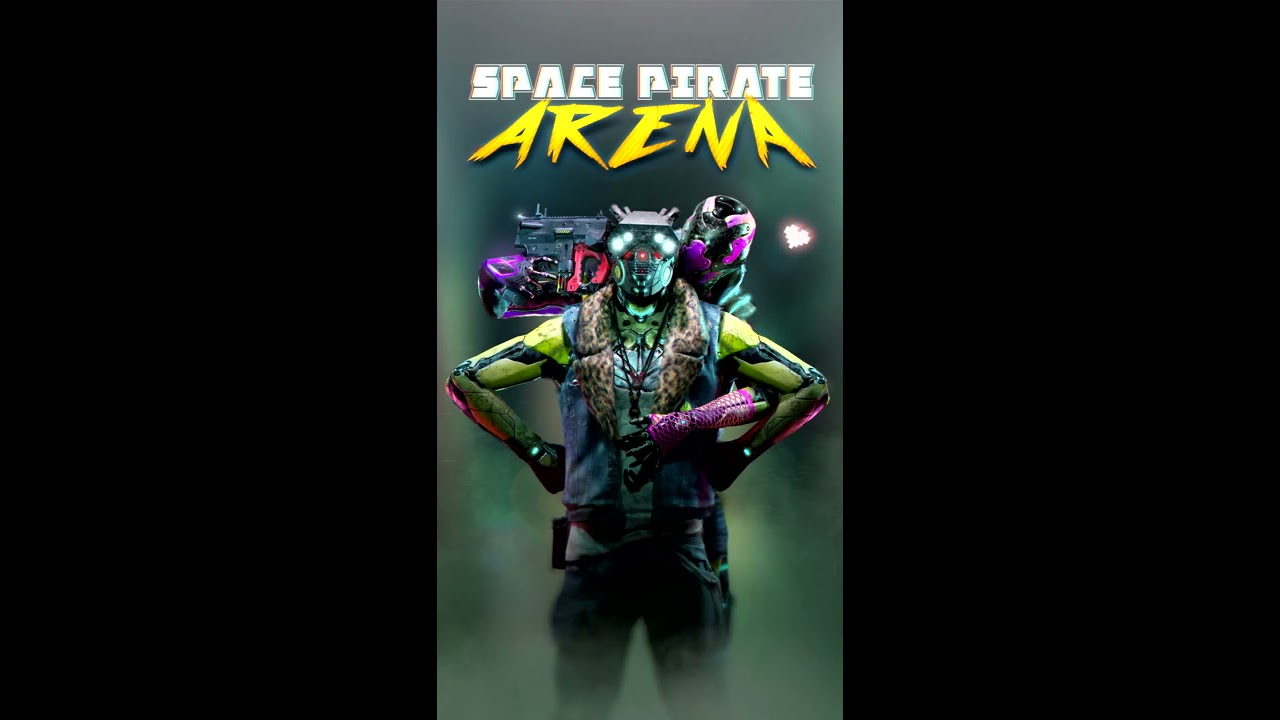
Currently in development, Space Pirate Arena is a glimpse into the future of lasertag. It is a multiplayer hall-scale VR game designed to get players off the...
do you guys know if anyone has released some info on how they do it?
I guess they are using some kind of calibration stage to align the different tracking spaces
mighty carbon
Isn't it just an MP in the same physical space ?
I don't see why would you need anything special for that - there are no obstacles in the middle
tawdry dragon
You need to make the quests sync to same positions
Their tracking origins are not the same unless you can turn them on exactly the same place
tired tree
@tawdry dragon it wasn't a problem for @hallow knoll to handle pretty easily
tawdry dragon
Hmm, Maybe he can share how he did it? 😃
mighty carbon
@tawdry dragon why though? It's the same as playing online being on the different ends of the world or in the same hall - as long as you don't need for players to be in sync in VR as in real-life (and in-sync with physical obstacles in real life). It doesn't look like those players are in sync (although I didn't watch the entire video 😛 )
tired tree
@mighty carbon he WANTS them in sync in the same room
hallow knoll
@mighty carbon Are you ready for the secret?
@tawdry dragon The easy way is simply to stand in the same spot, look in the same direction, and do a center reset :)
We're usually able to high five irl and VR (we use that as a calibration test)
I have another method where we put controllers in the same spot as well
tawdry dragon
But what are you doing as calibration? Resetting World Origin or?
hallow knoll
@tawdry dragon If all pawns are spawned in the same game world location and rotation, simply resetting your playspace (guardian) center in the same real world location/orientation will sync
tired tree
Controllers in the same spot makes more sense to me personally, but it would take more effort
tawdry dragon
Hmm, I dont seem to understand that.. So your shared space is reliant on people standing the same place and resetting the guardian inside the oculus menu
and then you just go about your business inside UE4 as you would any other VR multi player
tawdry dragon
Yeah as MordenTral is saying, my guess would be having the controllers do it would be nice
I think rebasing the world origin would be the easiest way of doing that, but it seems very bugged when doing it while networking inside UE4
tired tree
@tawdry dragon with a common known orientation is isn't hard to rotate the yaw of the pawn and reposition to sync
compare the position and leveled yaw of the controller to the known expected position
or even use the server as the common if it is unknown and calibrate to the servers placement
tawdry dragon
hmm, not sure I quite I understand that. Say you have 3 players, where #1 is the server. His Quests tracking origin(or server world origin) is in the center of the room. The two others tracking origins are offset physically by a couple of meters, so their world origins have different distances from the servers world origin. Now when the server spawns a enemy at a location, that location needs to replicated and changed for each players relative distance from the servers physical origin right? Or am I completly overthinking this
tired tree
@tawdry dragon before gameplay
have the server set its controller or stand at a specific spot
record that as the "server native" location
everyone else can do the same, and you rotate the pawn to line it up with the servers
tawdry dragon
but is rotation the only thing you need to do? Doesn't the world origin and everything need to be completly the same if you are spawning projectiles etc.?
https://www.youtube.com/watch?v=G0WHhNQpf9I is basically what you need to do as far as I can see. But his code and example project doesn't work past 4.20

It got merged into the main ue4 branch, but running his example doesn't yield a result that works
tired tree
@tawdry dragon projectiles are on the server?
you are just aligning the player to the relative loc in the world that they should be from the server
you don't need to do any rebasing
you are adjusting their "real world" position to sync tracked spaces
tawdry dragon
hmm.. I still cant wrap my head around it.
So your flow would be:
- Place the player controller at the same physical location before the game starts
- Record the orientation for the server
- Have each player do the same and rotate their pawn to match the same "ingame" orientation
- Start the game
tawdry dragon
but its only the pawn you're manipulating?
tired tree
you ARE talking about people in the same room right?
tawdry dragon
yep
tired tree
yeah only the pawn
the tracked space is relative to the pawn actors zero point
not the world
tawdry dragon
Not sure I understand. In my head you need all the different players ingame origin(0,0,0) and orientation to match same physical spot in the real world if you want the shared space to sync up
or atleast have code that compensates it
so spawning an actor on [50,50,50] on the server is the same physical location on all the different players quests, even if their initial tracking location is not the same
tired tree
that is the compensation
you are placing the controllers in the same spot in the real world
and then aligning them in the game world
tawdry dragon
Yeah, but wouldnt you need to write that compensation into the very core of actors replication?
tired tree
no
you just move the actor
are you expecting to use locomotion with this?
because yeah, then it gets more complicated
tawdry dragon
I'm just thinking about copying the arena shooter I linked earlier
with projectiles spawning and using physics around the world etc.
tired tree
yeah thats just syncing them into the same space
the game doesn't have to care about their location
you are just making sure that they are oriented correctly and any offsets are corrected for
you aren't moving their game world around, you are moving their Real-Virtual tracked space alignment
tawdry dragon
When you say corrected for, what do you mean by that? Is that when you are replicating the location of the actor from server to client or just offsetting the pawn on the client initially
tired tree
just the offset of the pawn
tawdry dragon
only on the client right?
tired tree
would have to be done on the server if it is server auth movement on the pawn
think about it like this, X is server controller and Y is player controller, if placed in the same real world position they are X Y then you just need to re-position the client by the difference to make it XY
you are lining up the tracked spaces
its easier with steam VR because you can clone layouts to lighthouses
tawdry dragon
Still having the trouble wrapping my head around why that would work, but I guess I just need to try it out in a prototype 😛
So flow is:
- Server starts up, move to physical calibration spot and stores that
- Clients connect, go to the space and sends the offset orientation and location to the server, which then moves that players pawn based on the values
- When all players have done that, game is synced and ready to go
tired tree
should be good yeah
you just need some common location that is known to all in order to adjust
i would assume that this could be done with boundry detection of obstacles from the oculus side of things eventually
but they haven't released anything regarding it yet
 north verge
Hello people, I have a quick question, why does my vive wands trigger axis always returns 0 or 1? Isn't it supposed to be also in between?
pearl tangle
@north verge make sure it's the trigger and not the grip 1 that you have on there, and that it is configured as an axis and float on the other end
north verge
Here is how it looks in the inputs tab
And Im printing it out here to test and its always 1 or 0
north verge
Figured it out, apparently there are two trigger inputs in the axis section, one called trigger and the other trigger axis.
 rich canopy
@tawdry dragon there are ppl looking into using azure anchors for the shared space syncing but thats gonna be more complicated than any manual syncing. Manual syncing works but its gonna be tough to get oculus to approve that unless its just your own project.
tawdry dragon
One would think its crazy to think they didn't include any shared space in their SDK
The other headsets should be able to detect the other controllers and communicate with the other quests in order to triangulate a common tracking space
clear abyss
Hey, if i use the VR example and i drop the VRMotionPawn, it doesn't work and it will "spawn" the default spectator pawn on the last pos of the Editor Camera. What do i have to do? Adding Player start and setting up custom GameMode and selecting the pawn as default didn't worked either and the example maps doesn't have anything like that a yet they work
Could somebody hint out whats the issue or the general principle of which character controller should be used and when?
mighty carbon
@tawdry dragon probably because it wasn't trivial? Carmack said at some point they will add that functionality, but at this time it's at the bottom of priority list
 hoary reef
This seems like the wrong place to ask but I'll give it a shot. In the VRExpansionPlugin there is talk about attaching to sockets, but the way the gun in the example level doesn't appear to match the documentation at all and I can't figure out how it's working. I deleted the entire event graph and it still snaps fine, but the sword which also has a grip doesn't want to snap. Whats the difference between the two?
tired tree
@hoary reef what sword? the ones in the side room?
or the one up top
the one up top has the socket snap range set to 0 so that it won't snap
hoary reef
The one up top for slicing. Also your the guy. Neat
tired tree
yeah it has the socket turned off
as for the gun in the level, it has the VRGripP1 and VRGripS1 sockets
it does follow the documentation
hoary reef
I'll take your word for it and assume I am too new to follow it then. I nuked the entire event graph in the in the example for the gun and the slicing sword. They both still operate in a way that one snaps and the other does not. What section do I need to check for to determine how to modify this snapping behavior?
Trying hard, just very new and taking in a lot. Making my first not simple toy game.
pulsar dome
So after packaging my VR game for testing I found that the fps in the HMD is horrible, but I'm getting 60 fps in the VR preview window, how do I reprioritize?
tired tree
@hoary reef the interface dictates the slots, not the event graph
the event GetClosestSocketInRange is queried, if you don't override it and implement custom logic then it uses the default of choosing by name prefix and range
hoary reef
@tired tree I'm an absolute idiot. I thought I checked all the settings but I see it now. Thanks
hoary reef
For gameplay tags if I want to disable dropping in one hand after forcing something in on beginplay event what set of gameplay tags do I need to put in. If I place something with this in world it works after I grip it.
I think I'm missing something here when spawning programmatically. I think it overrides the default for drop and removes the bindings for it entirely as I understand it.
hoary reef
Never mind got it after closing and opening UE
 prime sonnet

These glasses are taking board gaming to another level. Find out what it is about. Ps. These glasses don't give me motion sickness! Find out more from Tilt F...
severe tide
@clear abyss did you get it working? You need to set the pawn to auto possess player 0
 idle osprey
I'm trying to set up Unreal for Quest dev. I've done a few projects in Unity, but I haven't tried Unreal yet. Do I need to get ADB separately like this one tutorial says or is it baked in to the build chain?
idle osprey
Apparently, I do. It seems Unreal doesn't download the Android NDK and SDK like Unity does. I'm not sure if that's good or bad -- not tying the engine to a given Android release. Probably better.
pulsar dome
So after packaging my VR game for testing I found that the fps in the HMD is horrible, but I'm getting 60 fps in the VR preview window, how do I reprioritize?
severe tide
Running on pc @pulsar dome?
pulsar dome
Yes @severe tide, running on PC
@severe tide why does that matter? Do you have an idea?
severe tide
Well if you developed on pc and packaged for quest for example, it would be different 😊 only that
But no then I’m not sure. What FPS are you getting in your HMD? Even 60 isn’t really enough for VR
pulsar dome
Yeah, so I'm developing on windows and packaging for windows, testing only, and the issue is that I'm watching the preview on my monitor and watching my hmd like by sliding it halfway up my head, and the hmd screen is a whole lot laggier than the preview, so I'm just wondering if that's due to ue4 prioritizing the framerate of the preview over the hmd?
severe tide
I wouldn’t think so, the preview shouldn’t be a bottleneck
Try running some stat commands to see where the resources are going
pulsar dome
I need to do a lot of optimization ofc but I just find it curious that the preview screen seems to be a lot less laggy
severe tide
But again, if you’re running at 60 FPS then that might appear laggy in the HMD but not on the monitor. Unless you think the HMD FPS is even lower
pulsar dome
I believe it is lower, I'm aiming for around 40-60 fps per eye in HMD
Do you know if there is any way to disable the preview, possibly in blueprint?
real needle
Hey everyone, anybody knows how to get the AI Perception (sight) from an AI Controller to see your HMD? Looks like when i Cast to my BP VR Character, the AI only see the player when It can see the feet por nearly the floor position where the player is. Casting to the Camera Will be perfect so that the AI Will be able yo see you when for example turning a corner
tired tree
@real needle is this a custom VR Character class?
tired tree
that is a pawn, but yeah the default sight perception targets the zero point of pawns
I had to make a custom sight sense
little scaffold
Hi there, is there something different in the fps count for the Rift S? when playing in editor or in game it never goes upper than 40-50 fps
hallow knoll
@idle osprey You should install the version that ships with the engine. It's under Engine/Extras/Android if I'm not mistaken
idle osprey
@hallow knoll Hmm, but it doesn't also install ant, does it?
hallow knoll
It will install everything required to Launch on device, and install your development builds
spiral oasis
@little scaffold admittedly i don't have experience with the rift s, but it looks like it targets 80fps and if it's anything like vive, it will throttle to half of that if it can't reach 80fps.
little scaffold
@spiral oasis I've been working on Vive before but never saw that... So it means it can't reach 80 fps or should I consider it as half of the fps?
spiral oasis
vive will typically not let you get 60fps for example, it will be either 90 or 45. you could try loading a really simple level and see if it hits 80
 raven gull
Hi there. Anyone knows of a good basic physics kit I could get online? Something similar to what Boneworks shows. Basic functionnal physics with tweakable values would rock. Thanks
real needle
@tired tree how dos you male it
tired tree
@real needle I added an offset to where it is looking and made a custom VRSight class
real needle
Oh man, am i talking with the VR expansión Plugin dev? I usted your Plugin to try to make my last Game, but i was relatively new yo unreal and i wanst able ti complete It.
I Will check It again for that, thank u very mucho @tired tree
little scaffold
That's the problem @spiral oasis I tried opening a new empty level and still couldn't reach more than 45-50 so I guess we have to double everything
little scaffold
I'm on a 1080 GPU, I just turned the engine scalability to cinematic and now I reach 80 fps
I had it to far or epic but I can't reproduce the behavior now, seems that it triggered something
real needle
where is that option? @little scaffold
spiral oasis
beware I don't think those settings apply to packaged builds when changing it in editor like that
real needle
found it, but my fps still low
 chrome cobalt
I'm having trouble detecting a rifts from a riftcv1 when using oculus systems (not steamvr/openvr). I tried the oculusVR plugin specific "getDeviceName" but it returns CV1 for both rifts and CV1. Anyone know of a Oculus specific way to tell 2 apart?
 limpid lava
Trying to create the ability to restart the level by pressing and holding either trigger on the Quest controller with a progress bar filling up to show the action happening. I can get the level to restart with the widget popping up, but the hold for 3 seconds mechanic or the progress filling bar up isn't working properly. I have all my logic in the widget and Motion Controller Pawn fyi. Any suggestions?
spiral oasis
looks like that function always returns 0
stark wyvern
Hey guys. I'm using a geometry brush to create a odd shaped NavMesh because my building contains alot of weird shapes but whenever I convert the geometry brush into a NavMesh, it still maintains the cube (or square) NavMesh rather than a cylinder or the shaped which I made it into. Am I missing something here?
It looks like this currently!
 royal lodge
Hello I've been trying for a few days to initalize the Oculus subsystem. Unfortunately, I always get the error"Failed to initialize the Oculus Platform SDK! Failure code: -5
and Oculus API failed to initialize!
I work with the current Oculus 4.22 branch and Oculus Quest.
Can some one help me ?
 fair hearth
@stark wyvern nav mesh bounds uses the bounds of the object to create the shape, the bounds of the cylinder is a box.
You’ll need to setup collision on your building and this will automatically redraw the nav mesh based on where the walls intersect the nav mesh bounds volume
sly elk
About to set up my WMR headset in vanilla unreal 4.22. Will I be able to easily bind joysticks now?
tired tree
@sly elk using the native WMR plugin which still has issues?
sure
using SteamVR? not without beta input
sly elk
beta input?
Oh, its a steamVR thing. What does that mean for users? Do they need to install a steamVR beta to have access to the thumbsticks?
Im reading that the unreal WMR plugin breaks oculus controller thumbsticks?
mighty carbon
wow, preview 7 !?
tired tree
@sly elk two engine versions ago Epic added a beta CVAR for the new OpenVR Input methodology (OpenXR like). Its kind of unifinished and has been pretty stagnant since then though
you could use the Valve input plugin though
sly elk
I thin kwe are going to go with the steamvr beta and then fallback to vive bindings for people who don't use it
tired tree
@sly elk its not Beta for SteamVR, its a beta implementation in engine
SteamVR itself is fully on the new methodology, they support legacy apps with a translation layer
ue4 currently is default on that legacy translation layer
tired tree
from the users perspective the only real difference is the names of inputs when they go to rebind them in steamVR
limpid lava
@spiral oasis can elaborate on that response?
spiral oasis
which?
limpid lava
"looks like that function always returns 0" assuming that was an answer to my question
spiral oasis
ah i see, yeah that was for you. i assume that function is hooked up to a UMG element?
limpid lava
Yes, I have that in MotionControllerPawn hooked up to a widget controlling the progress bar
spiral oasis
the return value is hardcoded to 0. it would need to return 0-1 percent... so like: timeHeld / maxTime
limpid lava
Still wrapping my head around blueprints, so if there's a more efficient way of going about it, I'd be interested in trying that instead
spiral oasis
that's the way i would do it
not sure what that anim is doing though
but i'd probably get rid of the branch and return timeHeld / maxTime
limpid lava
Just have the animation of the bar filling up, I was trying to get the bar to fill up, and tried that method
spiral oasis
ah yeah probably get rid of that and just return the percent
limpid lava
But the problem with that is it would probably not fill up as the user held the button down
spiral oasis
probably get rid of the part in red, and add the green
excuse my mspaint skills 😄
maybe clamp that value to 0-1 also
limpid lava
I'm not sure about the max time, but I have the float variable, Hold Time, from the pawn plugged into the return value with a clamp. Hopefully that's what you meant.
spiral oasis
that won't work
you need to divide by the target max hold time (3 in your case), or use map range clamped
map range clamped might make more sense since that's exactly what you're doing
so plug that hold time var into map range clamped, with input range as 0-3, and output as 0-1
limpid lava
Hmm still seems to be instant restart as soon as I press the grip, even with the Map Range Clamp, is it possible something in my Pawn's blueprints are wrong?
 fresh flare
what is everyones prefered method to show stereo videos in Unreal?
 arctic saddle
Are there any recommended tutorials with VR and UMG widgets? Like a main menu, or a searching kiosk style, etc. Theoretically the same as a 3D widget. I have the VR Interaction with the menues, but I want to understand the UMG and it's components better.
 leaden eagle
Hi, anyone using Unreal With Windows Mixed reality?
I've tried everything possible to get them to "walk/teleport" but only my keyboard works
some other people on the forum complained about this as a bug
But, there are no solution there, anyone happen to have any experience with this and know what I can do?
 lament bay
Anyone know if there's a community project or marketplace asset out there that provides a VR pawn/character with the same kind of movement scheme that you get in the UE4 VR editor? Like move hands to zoom, rotate, etc... I realize I could find the source code in the engine and reproduce, but if there's already something out there it'd be nice just to build off of that.. thanks!
little scaffold
@lament bay did you look in the VR expl=ansion plugin of MordenTral?
lament bay
no - I didn't know about that- thanls @little scaffold !
I'm not seeing this kind of movement scheme in the docs- looks like its more for gripping/etc... have you seen this as part of the plugin ? I could just be missing this section
little scaffold
No I don't know if it is there, I just know it is very dense and has a lot of things inside, maybe @tired tree can answer you directly
mighty carbon
4.23 looks like the most problematic release ever - p7 is out and still bunch of unresolved bugs popped up in the issue tracker :/
tired tree
@lament bay its fully possible to do that kind of thing, but my plugin is likely overkill for it unless you are looking for multiplayer
the movement mode isn't that difficult, its scaling by the distance between the hands and then rotating around their central point by the delta with movement
lament bay
Cool- thanks @tired tree - don't think I need multiplayer for now- I'll give that a shot- you're right shouldn't be too difficult- just wanted to see if there was already some template people were using that did that
flat shoal
anyone know why in a newly migrated project I'd just see a single static mesh out of many in a level and have my head placed at the floor?
dim iron
if you are placed on the floor you may need to change auto posses to player 0 on your pawn. dunno about on seeing a single mesh though
flat shoal
nope, suddenly happens in all my projects...
WindowsMR plugin
wtf
even in old builds that were working 2 weeks ago
double wtf
something changed in the Mixed Reality Portal that affects Unreal?
oh, waaaaait... the hmd height is fixed even in the Mixed Reality Portal now... whyyyy?
holy shit, it seems Microsoft changed the way WindowsMR works, forcing a room setup to get HMD height readings?
so they just killed 2 years worth of Unreal based WMR games, unless the developer updates?
leaden eagle
I'm having bugs with HMD as well
I'm new to unreal, and I've been trying for 11 hours to get the controllers to move the character
Do you also have an issue with this by any chance?
@flat shoal I'm not asking you to help me, just asking if you are dealing with a similar issue and it is a bug from unreal (as I found a forum post saying that), or if I should just look further
would love a confirmation either or
flat shoal
before I did the WMR room setup, my controllers wouldn't show up anymore, so yeah, that was a new bug that happened within the last two weeks
after WMR room setup, controllers work in Unreal
leaden eagle
Oh, there is a solution for it? is there a specific tutorial you can recommend?
flat shoal
no, I literally just set up a room boundary in the Mixed Reality Portal to get it working again
something I never had to do before (which was great)
ember forum
trying to fix this type of twisting on the wrist of the hands, anyone done it before? from what i read lots of people with this same issue
mighty carbon

Step into your private digital world with the most incredible QHD Virtual Screen. Sign Up Now to Get 45% OFF!
Unity SDK, but no UE4 SDK in sight 😦
sturdy coral
our grand kids are going to wonder why we were so fascinated by AR whales
sturdy canyon
It's because of Fantasia obviously
The sky whales song was the best song
except possibly for magic mickey
spiral oasis
i tried a headset like that at CES, it was bogus. not sure if it's the same one
sturdy canyon
AR headsets are generally waaay underwhelming for me. Even the quite good ones are just kinda meh
spiral oasis
hololens 2 is pretty sweet
magic leap is just ok, maybe the next version will be good. nreal light looks promising too
sturdy canyon
I haven't tried it. But my understanding is that it's a very slight upgrade over Magic Leap which is currently collecting a lot of dust in my headset pile
spiral oasis
i've tried both, hololens 2 blows it out of the water
sturdy canyon
I suspect it's still not something I would ever seriously consider using
But I'm not the target market anyway
spiral oasis
yeah the target is almost exclusively industrial/military, and location based entertainment
magic leap is pretty confused 😄 they're targeting home users but nobody is going to buy it anytime soon
sturdy canyon
I think they screwed themselves by launching an early confused product. They will have trouble raising more and they grew their burn rate to something insane like $50m/month
I never got to try any of their early demos, but I heard they spent insane money on crazy IP experiences that only ran for internal demos for investors
spiral oasis
yeah i didn't try any of those either
sturdy canyon
Can you imagine being a pre-revenue company spending $20m on demo software that will only be shown to like 100 people ever?
What a world
spiral oasis
i saw some videos of star wars demos, but thats about it. i don't think they even ran on the headset we have today - they were using some sort of hmd hooked up to a desktop computer
this is the better of the new ones i've tried, and it looks like it might actually be affordable. have been meaning to check out their sdk
Nreal Ltd.
Nreal strives to build mixed reality experiences for everyone and empower developers to create apps that can propel a new era of entertainment and productivity.
 trim spire
Hi guys! I posted in the mobile channel but since it's VR I suppose the question could also be asked here... So I was wondering if any of your had previous experience with calling native android methods with UE? I'm making a "launcher" for Oculus Quest and I need to use the StartActivity method to launch another app (game) but I can't find a lot of information on the subject... Maybe I'm not looking at the right thing?
mighty carbon
@trim spire did you ever check Oculus Dev site ? https://developer.oculus.com/documentation/platform/latest/concepts/dg-deeplinking/
Describes the deeplinking feature and how to add it to your Oculus apps.
 wild stratus
hey everyone! o/ does anyone know if Epic has any plans on catching up with the implementation of the current release of ARCore? The new (preview) UE4 release will only feature arcore v1.7, current being 1.10
mighty carbon
probably not @wild stratus
wait for OC6 announcements, maybe Oculus will have some AR shades to show with functionality better or comparable to ARCore
wild stratus
Well I don't have an oculus.
But yeah, I might just switch to Unity as it currently supports the actual ARCore release
Thank you for clarifying
mighty carbon
btw, I am just speculating
wild stratus
I understand that's the only thing we can do as neither the official communication nor the official roadmaps are much clear in this regard xD
trim spire
I will look into that section @mighty carbon ! The solution I found was to call the java method "StartActivity" from C++. I'll try it next week.
Thanks for your answer ;-)
 dense lance
Anyone have any smart suggestions on testing online multplayer VR? My current solution is to run on two seperate machines
Second player does not require VR, keyboard and mouse is fine.
doing "VR Preview (Play)" nearly works second player can do kb/mouse, but VR seems non-functional for the first
 tribal coral
How would I go about getting a 360 image to be mapped out with a floor to move around just like in this video (https://youtu.be/GGGhWISWh6o) are there any tutorials? I’m not sure what else I can search for
tribal coral
Found the answer: https://www.vrfocus.com/2017/01/step-inside-a-vr-recreation-of-the-smithsonian-american-art-museum-by-framestore-and-intel/

Explore three separate pieces of art in the experience.
 crude robin
Hey guys, i packaged my games to oculus quest and the texture resolutions is pretty low.
Do you think, that making textures lowres manualy would help anything? I have 1024 mostly, if i cranked down to 512 it should help right?
Or in better case, is there a brutteforce solution so i could get the best and worry about fps later?
*game
actually archiviz but whatever
north verge
What's the best way of achieving hand collision in VR? I've been experimenting with controllers attached with physics constraints and also physics handles but none seem to be good enough. Has anyone found a better and more practical way?
hoary reef
How does a game like beat saber handle calculating angles before a collision happens. Crazy idea I am currently floating is an invisible collision box attached to forward vector and then mathing out stuff.
Invisible forward vector collision 'cone'-> if collision linetrace to determine no blocking objects-> check if saber collision -> follow through distance and math out the entire angle.
Is there a better way to go about this?
hoary reef
Waaaaait. I'm being stupid. I know the position of the boxes and I know the position of the saber. I can just line trace directly at it and skip this cone nonsense.
 urban jay
Any VR blueprint heroes here? ;o
tired tree
@urban jay kinda vauge there
urban jay
@tired tree Right you are. Just been trying to figure stuff on my own. Also, thank you so much for the work you've done with your expansion plugin!
north verge
Does the vr expansion plugin use a physics handle for hand collision?
tired tree
@north verge not the physicshandle component no, but a custom constraint setup like it yes
clear abyss
Hey, i'm trying to achieve some sorting with the new composer and it seems i can't select the target camera which is on Pawn, but i can choose a Camera Actor which i would add directly to the scene.
Any clue how can i set the camera?
I've tried to get anything from the CompositingElement via blueprints, but i could get as far as the passes, but no reference to any camera variable or anything. Only the Find Target Camera which doesn't help.
Upon starting it creates it's own camera on 0,0,0 and the controls from the VR headset goes there. Am i really unlucky because the feature is in beta, or do i use it not correctly? 😶
 grim folio
Yo guys how do you make text look nicer in VR ? Any good tips ?
 manic ledge
Hi all, currently profiling a VR project and noticing we're getting (predictable) spikes in frame time due to Oculus stat "FinishRendering"
Any way I can get more information about why those frames are taking a much longer time than others? Thanks
@neon egret I know you work with Oculus, don't suppose you've got any profiling tips for breaking down why the above spikes are happening?
 neon egret
Nope, only did gameplay code and session stuff.
manic ledge
Thanks for the swift reply - no problem! Don't suppose you know anyone who might be able to assist with this?
neon egret
Also nope, not really up to date with the VR scene anymore.
manic ledge
No worries 🙂
Additional info for anyone else reading this - I've been able to consistently repro this issue. I understand "when" it's happening, just not the "why"
If anyone can point me to a way to trigger a profile GPU on the specific "Hitch" frames, that would be fantastic
Please AT me for any replies 🙂
dusky moon
I'm wondering 4.23 is at Preview 8 sounds like a stable upcoming release is on the way .... hmmmmm 🙂
mighty carbon
wait until you see how many bugs where moved to 4.23.1 hotfix @dusky moon
probably need 8 more previews to fix all of them
dusky moon
@mighty carbon lol can't wait
for my next project I'm gonna use tons of Video playback so I hope to see some performance improvements in media framwork
ember forum
this is wrong (grabbed from that steamVR input example )
mighty carbon
heh, Carmack is going to be on Joe Rogan show 🙂
tomorrow !!!
it might get intense
mighty carbon
what about differentiation between Go/Quest and Rift @ember forum ?
ember forum
thats a different function
its in the oculus library
@mighty carbon
anyways its valve that stepped on the ball, not epic... since its their plugin (the steamvr input plugin)
i guess it doesnt matter, because you have to deactive the oculus plugin in order to get it to work anyways
and then it just emulates your hmd as steamvr
whatever, its free and it has finger animations, so 👍
mighty carbon
oh, so you can't have both plugins enabled if you release on Steam ?
ember forum
Well from what i tested, the steamvr plugin replaces the oculus plugin so you have no need for it... i might have been able to remap the oculus buttons to make the inputs work, didnt try tho... so not 100% sure
sturdy canyon
I leave both in there
I prefer to play without SteamVR running if I'm on a Rift
Even though I launch through Steam
 shadow radish
@grim folio for text in VR I just try to make stuff really big
like huge fonts
any other vr devs around? I am looking for some feedback
tired tree
@ember forum there has been historical issues with the translation layer of steamVR to the rift api
been a lot of times that users preferred the native plugin
and the engine defaults to the native rift plugin
real needle
What kind if feedback? @shadow radish
ember forum
i thought that input plugin was new though?
i think i might have left the word input plugin out and i get that might have confused things a bit, since its probably a much different thing having the steam vr input plugin and the steam vr plugin... or is that what you meant @tired tree
rich canopy
Any one uses full body IK for their avatar? Was wondering where I can find some tips to make some thing like what Pavlov has.
shadow radish
basically when I show videos of my game, sometimes I get market feedback that they are sick of wave shooters
I'm trying to build a game that can satisfy the arcade market but also have depth singleplayer
so I am wondering what your thoughts are on the market, whether people are truly sick of wave based games or if that's just a vocal minority?
when I look at story based games like karnage chronicles and primordian which seemed very polished and don't do as good in sales as blade & sorcery and GORN--it leads me to think it's just a vocal minority?
@rich canopy I'd also be very curious on your question--I haven't tried doing an avatar yet but want to eventually
tired tree
@ember forum no, the input plugin only functions if you are using SteamVR to begin with, which means that you are not on the native Oculus layer if it is functioning. I did notice the statement saying to deactivate the oculus plugin if using the input plugin, but as far as I am concerned that is something that they need to fix, it doesn't conflict in base engine and it shouldn't with that either.
north verge
I would agree with you there, there are tons of well made single player VR games but most of the time they do worse then poorly put together wave shooters. Its probably best to pick the path which is less riskier in my opinion.
mighty carbon
@shadow radish that is a million dollar question right there
 granite jacinth
Hype wins yet again
Other than some great marketing on both their parts. They each have unique gimmicks that appeals to those that enjoy it (I don't have either game, so I guess I'm not appealed 😉 )
dense lance
@granite jacinth I enjoyed both - looking forwards to B&S single player adventure mode
granite jacinth
Yeah, that game did some great marketing
And delivered absolutely nothing
Well, I can't say nothing. But...from all the reviews I read when it launched
"Not much"
And it's kinda incredible how much players don't mind it
dense lance
Well, mostly I played taking turns with a friend, on ever-increasing difficulties - I sure do agree it could do with more going on.
But hey, solo dev making it, we prob spend more on beer (well, fancy cider) the first evening we were playing than the cost of the game, I'd consider it worth it even if there were no more updates
(though, will still grumble if the promised single-player adventure does not happen - most of the required elements are there, perhaps most of the work needing doing is a bunch of interesting levels. Perhaps he has grander plans though)
mighty carbon
I personally dislike MP games, but working on single player game (for Go) I can tell you it's not the easy route for a solo dev
throw in 6DoF controllers and expected true physical interactions and you just increased dev difficulty 10 fold
(especially if not using VRE or something similar)
tired tree
@mighty carbon actually all of that is fairly easy in singleplayer
physics interactions kind of just run themselves, which is why you see a lot of devs going pure physics
its when it is multiplayer that it gets harder
 chilly pasture
Hi guys, Can anyone help me to setup best rendering settings for Oculus GO
shadow radish
thanks for sharing thoughts guys it's good to get some feedback on strategy
been working on bearhammer for a year and a half so a lot riding on it for me
mighty carbon
I'd love to have Android mic input in BP and I don't understand why Epic doesn't add this functionality to UE4 😦
arctic saddle
Anyone have a tutorial or bp for Vive/Oculus animated button presses for the controllers?
 sharp shell
@rich canopy It's not overly complicated, you reference the left and right controller locations as IK targets for the body, and depending on your locomotion method you can use the pad/joystick values to drive a blendspace or something along those lines
rich canopy
@sharp shell I will try it out
 fossil anvil
Hey Guys how will achieve a good looking level for Oculus Go
sharp shell
try stuff until it works
sharp shell
there are countless tutorials online, start playing around if you are new
Describes a quick start for Oculus Go development in Unreal.
here are the dev guidelines per oculus
from there, start putting stuff together
real needle
wondering if anyone has experienced this type of thing before. ue4.22
https://gfycat.com/meagerscrawnyghostshrimp <-- intended behavior. this is using rft s.
https://gfycat.com/jauntyblissfulasianconstablebutterfly <-- fail. using vive pro. + lighthouse 2.0 x2 base stations.
the issue you can see is my weapon scope sight, which at the moment is just on a flat cyclinder attached to the weapon, is really delayed with the vive pro. also the weapon stutters a lot (cant tell in the video) in the HMD it is really jittery and meltey.
tracking solution is 100%. have turned off all other programs. GTX 1080, i7-6800K. have tested the vive pro with other games.
will post this to the forums and reddit too but if anything stands out to anyone would be appreciated!


 sharp shell
if you go into steam vr overlay, does your controller track smoothly or jerky like in ue4
like, do VR preview, press the menu button or whatever on the controller, does the mesh shown there track smoothly?
sharp shell
are you explicitly moving the weapon around using get tracked device position and orientation?
or are you using the motion controller component
@real needle
also, not that it should cause that level of weird movement, but are you monitoring your framerate to make sure it's stable?
real needle
not sure what you mean about it should cause that level of weird movement. movement is fine with rift s, but borked with vive. uses the same code
kinda fucky hey. this was half from the vr example, and half done by someone else (the top bit)
@sharp shell using motionController component
sorry if im not giving enough info, this is my first project, a work project. seemingly the logic is fine for using the motion controller component but yeah that weird glitchy behaviour in the vive pro gif
sharp shell
@real needle just to satisfy this one potential, can you stat unit or stat fps and watch your fps during play and see if it's consistently 90hz?
real needle
will have to do that tomorrow when im back at work, thanks for the tips will check it out and report back
sharp shell
feel free to message me directly if you need more help
real needle
thanks mate, appreciate it
sharp shell
yep
hoary reef
I’m a bit embarrassed on this but what point is the dividing line on when you want to drag in something like the vrexpansionplugin? I’ve been working with the example but it’s got so much stuff I don’t need that is just confusing me because I’m too new to know enough to know how this whole thing is stitched together.
The main reason I was looking at it was because the of full room replication but is that enough to justify using it?
tired tree
@hoary reef as the creator of that, when you run into a wall and don't have the c++ ability to reference the core code and do it yourself. That example isn't made for a game base, its made as a bunch of reference examples of interactions. Also the plugin itself is on the advanced end of things and unless you need something exclusive to it I don't suggest using it.
That being said, roomscale replication may actually be a breaking point to use it if you need it more than just for the controllers / hmd (body). And even if you do need just the controllers / HMD, those are useable stand alone and without all of the rest of the framework.
sharp shell
Didn't know you were on here ModernTral, thanks for the fantastic work.
tired tree
keep it up at work to answer questions and shoot the shit ;p
sharp shell
fantastic lol
 celest thorn
I'm pretty sure I'll feel dumb once I solve this, but I've hit a bit of a brick wall today. I'm IKing/rotating my head, wrists and such using the HMD and motion controllers, but skeletons in UE generally face forward in the Y direction while level elements, like my VR camera / MotionControllerComponents face forward in the X direction. Because of this, even though everything looks good when I'm facing forward, if hop into game mode and nod my head for example (which is a rotation in my VR camera's Y axis,) my skeleton mesh tilts it's head from side to side (which is a rotation in the X axis but from the skeleton's perspective it is it is the Y axis.) Same thing happens with the hands, essentially everything rotates on the wrong axis. I've used some other people's work as reference and I'm not sure what I'm missing, as they seem not run into this problem despite taking all the same variables into account.
sharp shell
however you are feeding the motion controller/hmd location to the anim bp, just swap the X and Y on the vector
celest thorn
Oh yeah something like that does work and will get me moving along. I can't help but feel that something is wrong and there is a more elegant solution than:
But I'll probably stumble upon the answer as I progress, thanks Kharvey!
 tired jolt
does anyone have any experience putting a game on the oculus store?
 solar steeple
hi folks, just getting started with VR in UE4
the documentation says to install SteamVR's beta branch, but since switching to the beta, I can't get it to recognize my Vive
is that documentation still valid?
I also noticed that there's a big notice in the SteamVR UE4 documentation saying that there's stuff in this valve doc that can't be ignored, only to find a document from, I guess, 2015, that dealt with early devkit Vive-specific instructions on using base station sync cables and such
none of it actually seems to apply. gonna just try the stable build of SteamVR for now
hm, the stable branch reports the same "headset not found" error... the only thing that's changed since yesterday is that windows 10 rebooted overnight for an update
I really hope that didn't just break something
ok, unplugged the link box, replugged, restarted steam, seems fine. I'll just use the stable branch for now, and if I run into issues, see if that process enables the beta branch later on
 silk lodge
@arctic saddle basically have a separate mesh, and change it's translation when it's clicked
silk lodge
@mighty carbon any reason to build with arm64? I'm doin' a quest build
mighty carbon
I don't think there is a reason really @silk lodge
first off, you can't - Audio SDK is still 32bit I believe (the one that comes with UE4 integration)
there are no benchmarks showing performance gains for 64bit over 32bit ARM (at least I couldn't find any), so I don't really see how 64bit is more beneficial than 32bit
celest thorn
For the record, my problem above was cause by me combining the rotators in the wrong order. I was first inputting my HMD rotation, then offsetting it by the axis correction. They had to be swapped. I didn't know there was an ordering difference
 celest basin
So I have an opportunity to do an AR project at work...
I'd like to use UE4/arcore to do it but it no work on my phone 😦
I have a Samsung J8 which seemed like the bees knees when I got it...
Won't do cardboard VR, won't do ARcore...
Thing is, Unity/Vuforia works fine on it
Surely there's a way to get UE4 base AR going on it?
(I have got normal UE4 android stuff going on it)
 smoky gazelle
why my vr menu text is flickering in old ue4 version working fine
my ue4 version is 4.22
sturdy coral
@smoky gazelle they broke velocity vectors on things attached to motion controllers around 4.21, when using low latency update
maybe it is the same for things attached to HMD
sturdy coral
 edgy pelican
@celest basin I literally looked this up yesterday morning for my own reasons. You can run a virtual machine to mimic it, but if you wanna test on the hardware, you have to have the hardware. This is a list of supported mobile devices:
https://developers.google.com/ar/discover/supported-devices

Google Developers
mighty carbon
ARCore and UE4 don't mix well 😦
(Google still has its repo at 4.21 and 1.7 and UE4.23 will be coming out with dated 1.7)
regal cape
Anyone on Oculus Quest.? / Android Development.?
mighty carbon
just ask it @regal cape
cold siren
@smoky gazelle is that using stereo layers? If not maybe try using it?
ember forum
Is ther3 any way to have IK vr hands not go thru the body
It breaks the entire experience for professional work
celest thorn
I don't know if it's entirely viable to have a clip-less IK solution. All you can do is add on more checks, sweeps, and maths to try to make sure the IK solver doesn't put the hand somewhere that intersects with other solid bodies. The only apps I've seen that have self-body interaction are ones that use an active ragdoll for the player
subtle raft
is there anyway to get rid of DFS artifacts in VR
chilly pasture
Hi Guys,
My Scene which looks completely fine in Windows , is too bright for Oculus Go.
Any tips please.
dusky moon
@smoky gazelle I have the same problem with 4.22 . texts on attached widgets to motion controller.
smoky gazelle
@dusky moon you got any solution for this problem
dusky moon
@smoky gazelle as @sturdy coral mentioned try disabling low latency update on motioncontoller component. I haven't tried it yet
smoky gazelle
@dusky moon i already disable low latency update on motioncontroller
dusky moon
guess we should wait for 4.23.1 then : /
sturdy coral
@hallow knoll https://issues.unrealengine.com/issue/UE-78362 "SteamVR is currently not expected to work with anything other than d3d11", does that mean VR raytracing has been pushed back?
aside from that, I still would really like d3d12 support for the improved multithreading
hallow knoll
@sturdy coral I'll follow up after the weekend
sturdy coral
thanks!
tired tree
@celest thorn specifically he seems to have been talking about hands, and you can constrain the hands or sweep them to have them not go through the body. @ember forum
As for full body, you can use physical animation with IK just fine.
chilly pasture
Hi guys , My Oculus GO Camera always comes in 0 0 0 rotation , while my pawn has 0 0 180 rotation.
Which gives me a wierd motion controller .
i dont know how to solve this.
hoary reef
Is there something I'm missing when it comes to tracking head location and having the static mesh follow it. My placeholder meshes stand still in the static space when on the example they follow the HMD around.
hoary reef
Tracked it down after about 2 hours of looking and as expected its something basic and I hate it
sonic lake
@chilly pasture can you show how your pawn is set up? Is it facing the positive X direction? What happens if you issue a Reset Orientation and Position?
sonic lake
@chilly pasture and what happens if you Reset Orientation and Position?
chilly pasture
have not tried it yet. will do and let you know.
@sonic lake and what is the best rendering settings that i can use for Oculus Go
sonic lake
@chilly pasture I suggest you stick to the standard settings of the VR template set to mobile. That's a good starting point.
chilly pasture
and i have shader which does not compile for OculusGo ,
Only when i remove the metallic node, it gets compiled for the platform
Any idea ?
chilly pasture
Hey guys, i saw some videos deploying to vr device , but they seems to deploy it for device but can use editor.
How do they do it ?
How am i suppose to deploy to device and debugs inside editor while running it on the device
chilly pasture
Guys if anyone can help me debug what is the problem with my App.
FPS is very low
 blissful reef
Does anyone know why I get a selection outline in one eye only with an Oculus Rift S? Turning selection outlines off in the settings doesn't change anything in VR. It's really hard to look at
blissful reef
I also tried setting the alpha of the selection color to 0 but that doesn't do anything.
The only way I could work like this is with one eye closed while manipulating actors
blissful reef
Is this a bug or is it supposed to only show in one eye?
blissful reef
Also, is there a trick to getting auto-entry to work? Having that box checked doesn't do anything. I have to press the VR Mode button everytime. It exits VR when the headset is removed but doesn't enter.
blissful reef
Here is the selection outline problem. Such a bummer.
You can see it better in this one
blissful reef
Someone on the forum said that perhaps its a bug because it looks like it's a feature that isn't stereoscopic like raytracing. If that's the case though, then why can't I turn it off in the editor settings? I can't seem to find a VRed. console variable to get rid of the outline.
sturdy coral
@blissful reef try turning off instanced stereo, or turning it on if it is off
blissful reef
Oh man, you're my hero!
It worked.
Now if I can only get auto-entry working then it will be flawless. Thanks a million for the help!
blissful reef
Hmm I think that degraded my performance quite a bit.
sturdy coral
@blissful reef yes you should make the right choice for your game for what you ship with (instanced stereo adds slightly more geometry cost but lowers draw call cost and potentially lower memory bandwidth usage on small objects) and not base what you chose on working around the outline issue in the vr editor
but it at least should let you use the vr editor when you want (after huge shader recompile..)
if you can reproduce it in a simple project I would file a bug report and try and get it fixed
blissful reef
@sturdy coral That sounds like good advice. I did file a bug report so you're right, at least I can use the editor until it gets fixed.
 solar loom
Hi all, I'm trying to get a connection to a BLE Bluetooth device on the Oculus Quest. To do this, I need to allow location permissions. When starting the app on the Quest, I can accept the permission, but then the app keeps stopping. I stripped all other functionality from my app to check if it is just the permissions. Does anyone know why this is? Or is it simply not allowed to set location permissions on the Quest?
solar loom
Got it working! Found the answer here: https://answers.unrealengine.com/questions/821681/ask-for-android-storage-permissions.html
regal cape
issue with Oculus Quest render Target being inverted in the Y. Any Solutions? @mighty carbon
mighty carbon
I don't have Quest and I never even messed with render targets @regal cape
I have Go
sly elk
we are implementing full physics interaction between parts in wrench, including held parts. Is there an expected way for this to work?
idle osprey
I'm just starting to learn how to use the Quest with Unreal.
sly elk
right now the hands decouple from the motion controller positions, which doesn't feel great
I assume its better to have the held object decoupled from the hands and always track the hands correctly?
but i have also seen games on youtube (boneworks) where they clearly break tracking from the motion controllers to the hands.. Are there rules to follow if you do this?
sonic lake
@sly elk my two cents. Decoupling hands from the motion controllers has serious safety implications. You lose visual feedback of where your hands are IRL. You may more easily smash them into a wall or desk or computer screen. I would not recommend going down that path.
Using Physics Handles to grab parts may be the way to approach it. It allows the held parts to interact among them and with the environment and, at the same time, preserves the position of the virtual hands respect to the controllers.
sturdy coral
@sly elk in the new lab physics update when the hand breaks away they render the motion controller separately at its real position
I think lone echo felt the best for me, but I haven't tried some of the newer pure physics stuff like blade and sorcery
if I remember right lone echo does something like show your hand as a skeleton that renders from behind objects when it breaks away
echo arena is free to check out but has less interactions to look at than lone echo
I liked the skeleton on break-away over the controller on break-away; I'm not completely sure if that was lone echo or something else
 bronze raven
How can I get all the locations of the tracked planes?
tired tree
@sly elk ghosting the hand when far enough pretty much the best like @sturdy coral said. Also you may want to test any initial things on oculus for now, as 4.23 brings a fix for steamVR that will bring the latencies about on par with each other. Prior to that the steamVR controllers have a much higher latency on the game thread so its not really a good indication of the real delay.
Also the real world position still triggers any guardian boundries and since its very easy to lose placement of your real world position in VR I wouldn't consider "hitting a screen easier" as a large enough difference to concern yourself around
flat shoal
what is this?
Fixed! UE-71558 Failing to load Windows Mixed Reality Interop Library when enabling the WMR plugin while on valid Windows versions
Fixed! UE-71625 Failing to load Windows Mixed Reality Interop Library when launching onto or running a package on Windows
4.23 regressions?
that's from the 4.22 change log
 barren cairn
how do i make things grabbable in vr?
sonic lake
@barren cairn the easiest way is to make a copy of the BP_pickupcube bleuprint from the standard VR template, edit it to replace the cube with your own mesh and, presto, you have an object you can grab
barren cairn
if i wanted to add some stuff i would just add things right into that bp right?
sonic lake
Define "some stuff"
sonic lake
Your grabbable object can be made of different parts and you can "assemble" them within the same BP. In this case the handle + the laser beam
So yes
sonic lake
You are welcome
sonic lake
@barren cairn facebutton is a generic name. Each facebutton is mapped to a physical button on each different controller. On the Oculus Controllers, they are mapped to A B and X Y.
sonic lake
Are you using a gamepad?
sonic lake
Which device? Vive?
barren cairn
wmr
barren cairn
okay
sonic lake
Unreal Engine Forums
Hi everyone,
I am building a condensed documentation about input mapping for multiple gamepad/vive controller and so on on Unreal
This one is available here
You need to read this ^^^
chilly pasture
Hi guys One question related to Oculus Go.
Performance wise how good is physics simulation .
I have small 40 meshes which are doing physic simulation but whenever i use them , FPS drops to 4 5 .
and how would you create an effect of a mixture of sand salt and iron fragments.
Which can move inside a beaker when beaker is tilted.
It dont need to look very realistic.
Help please.
mighty carbon
sounds like you shouldn't be simulating 40 meshes on Go @chilly pasture
chilly pasture
yes you are right ?
Any idea to mimic the effect, other than physics simulation
mighty carbon
nope, no idea
in fact, you don't want to simulate anything on Go
do it in 3D app, bake it into cache and export into Alembic
chilly pasture
hmm i see.
Thanks for the tip
barren cairn
why wont my packaged game work in steam vr?
it launches then doesnt load in steam vr or anything
nvm figured it out
mighty carbon
by all means, don't tell us what the issue was .. /s
sonic lake
My best guess? Didn't have the Start in VR option flagged.
mighty carbon
"Start in VR" ?
sonic lake
-vr on the command line
Necessary to start an application with stereo enabled
Or is it -stereo on the command line?
Anyway that option
He (or she) was mentioning a packaged application
barren cairn
didnt have wmr plugin on
sonic lake
That explains it as well
barren cairn
gotta redo everything now cause it doesnt work
sonic lake
Make sure you have the Start in VR option checked in your project settings. Not 100% sure but it should apply to WMR as well.
sonic lake
There is someone here who has done a lot of work with WMR but I forget who that is
barren cairn
this is my first go at doing vr stuff with vr
need to figure out how to like
make the hand snap to the lightsaber
sonic lake
I have a tutorial on that
barren cairn
link?
sonic lake

Learn how to make VR grabbable weapons (or tools) that position themselves perfectly in the hand once you pick them up. Weapons can be dropped/thrown and swa...
sonic lake
👍
barren cairn
who was the wmr guy?
hallow knoll
@sturdy coral Multi-view VR support for Ray Tracing will come in 4.24
sturdy coral
@hallow knoll thanks, and dx12 steamvr at that time too?
hallow knoll
I believe so yes, but not 100% sure
 daring mural
Any PS4 devs here
idle osprey
@sonic lake Do you happen to have a tutorial on drawers and doors?
mighty carbon
@daring mural there are at least 3, but most likely they won't reply (depending on your question of course) due to NDAs
so just ask away
sonic lake
@idle osprey not yet
 tender raptor
Hello everyone! I am fairly new to unreal and I am trying to look how to crouch in VR and have it animate using blueprints. Eventually want to learn how to animate players moving in their playspace. Does anyone have any video/tutorials they can suggest?
sharp shell
@tender raptor well generally to crouch in vr you just....crouch
do you mean like moving the players camera down into a "crouch"?
tender raptor
lol @sharp shell . To clarify I am trying to find a way for the mannequin to change into a crouching animation when crouching to a certain height on the HMD
sharp shell
ahhh so you're trying to do full body IK
there's a lot of tutorials about how to achieve it, from my experience it's fairly difficult to implement properly
tender raptor
I tried looking them up, and either they already have the blueprints setup and are showing how they edit or it involves a plugin that costs money......so far
sharp shell
one way I've thought about, but not implemented, was doing some kind of foot to floor IK solver, and to crouch you would reduce the collision capsule half height based on the HMDs height
What I would do to start is to start making your anim bp and add some effectors in the world that will act as your HMD, and controllers, so you can play with them without VR testing until you have something that works
start looking in to things like FABRIK and CCDIK (animation blueprint stuff)
hallow knoll
I walk you through how you to use the animBP for arms and torso. You could add more modify bone-nodes and use a vector or a scene component to drive the effector transform of the feet https://youtu.be/ehK6j6Es-ck

Creating natural-looking animations can be challenging, but with UE4 and a VR headset, you can create an entry-level motion capture setup without breaking th...
sharp shell
omg forgot about that stream
hallow knoll
It won't look amazing, but it works 🙂
tender raptor
This is awesome! Thank you both for the help!
sharp shell
victor, I know you handle torso and arms, do you have a preferred method for crouching a full body mesh?
hallow knoll
I've only done experiments and generally prefer to design without legs, but I'm planning a follow up to the livestream 🙂
hoary reef
Is there a cleaner way of handling widget transitions than just juggling the widget component down as a parameter everywhere?