#virtual-reality
1 messages · Page 207 of 1
 sonic lake
 pearl tangle
hah that makes it easy, gotta build the app, get it approved, and then test if it works..
 sweet oracle
https://media.discordapp.net/attachments/450752027060863016/586394231166468107/unknown.png
I am seeing my hand go through the menu actor... I believe the issue is with my material for my menu
Any idea what may be causing this?
 pearl tangle
@sweet oracle you have that as a 3D widget I am guessing?
sweet oracle
yes @pearl tangle
pearl tangle
disable the depth testing on the material for your buttons
on the actual widget material. Copy the 1 from the engine and then adjust it. Widget3DPassThrough
sweet oracle
That worked! Thank you!
sonic lake
@granite jacinth 🙁 I thought it was an entitlement issue. Well it is. How is one supposed to test the online service? What if I upload the app as dev version to the store? On LAN it works perfectly.
@pearl tangle I am sure there is a way to test the online subsystem but probably not with a sideloaded app.
 true ledge
Anyone give advice to getting this more accurate for the player? Currently I get the force direction and check whether the player is punching in air via a vector length. The force direction * a set speed then gets the velocity for the object. I was given some advice by another user to use a slingshot however it didn't really work out when implemented.
sonic lake
@true ledge I don't think your problem is the speed but the direction of movement. You need to use something like the average direction the hand moves before releasing the ball, not the final one, which could be imprecise.
true ledge
Thats the thing it takes a force direction from a sphere collision on the hand. I don't really know how to make that more precise
sonic lake
Consider also that in a throw the hand makes an arc, so you need to figure out the intended overall direction from it.
Try this: take the delta vectors of the ball over the last 10 frames. Average their direction and length. Use that as throwing direction and velocity when the ball is released. Should make it more accurate.
true ledge
The velocity is fixed so when the player punches in the air or does a flick the ball literally just goes the way they are throwing it ill try get an average over last 10 frames and see how that works
 tacit quest
dunno if anyone has run into switching a user on quest... you have to factory reset the device to switch users, i dunno who thought that was a good idea... some people's children 🤦
trio, i don't know how much it would help your accuracy, but are you transfering the angular velocity as well? might feel more natural
true ledge
Currently no, only linear
 tired tree
transferring the angular velocity would only make it rotate
it wouldnt' change the direction of movement any
might want to alter the velocity to be relative to deeper into the palm of the hand (closer to the wrist pivot)
as a forward vector
true ledge
I cant have it as a forward vector sadly, as the user needs to be able to throw in all directions
tired tree
well...yeah...but that is still relative
and you can use it for the target where they merge
forward vector is relative to facing
you can still throw in all directions
true ledge
No I mean if a player decides to just throw their hand left whilst facing a different way the object will throw the way they moved their hand
tired tree
@true ledge the wrists forward vector, not the HMDs
averaging velocity will still be good though
I believe that the new steamvr stuff averages across 30 frames or so? then picks the highest period of velocity and lowpasses that
true ledge
Let me get a screenshot of my BP, would make it easier for help on this, 1 min
I then take the force direction and * it by speed to get the velocity for the object that is in a different BP
sonic lake
@true ledge just an idea. Why don't you visualize the throwing direction with a debug segment starting from the ball position in the hand and extending in the direction of the velocity vector. It may help to figure out what is going wrong and why the throw seems to be imprecise.
true ledge
Like a trace line?
sonic lake
Maybe you have some sort of collision with the hand mesh when the ball leaves the hand.
Yes, it looks like the debug of a line trace.
Draw Debug Line
For a better debugging you may have to turn off late update on the MC though
sonic lake
Np. VR and physics are both my passions. 😃
true ledge
Alright so I don't really mind that it's slightly off the line but the first throw I do, I was aiming for the boxes. I don't think its a velocity or direction issue. @sonic lake
sonic lake
@true ledge I wonder if it is a perception issue. Can you try to hide the SM of the hand?
Focus just on the ball.
 sturdy coral
@true ledge save the prior 10 ticks worth of velocities and draw them all (using thinner debug lines with less obtrusive colors than the main release)
true ledge
I tried that, it didn't do much good as It takes the velocity from the moment the user releases their hand instead of per frame
sturdy coral
I'm saying do that to visualize them all and see if any of them even went where you want
true ledge
This is without the mesh
sturdy coral
it is also not natural for the throw origin to be at the hand bone origin
most people release from further up the hand and also may snap the wrist a bit at the end etc.
but if you origin at hand bone origin, which is basically the wrist, none of that will get factored in
I guess that's where you are spawning from maybe, you are using grab sphere as the physics origin so maybe it is ok depending on where that is
true ledge
It just spawns via world so where ever it last was then goes from the direction given to it, not attached to anything other than when it's first spawned
sturdy coral
where is your grab sphere in relation to your wrist?
true ledge
In the middle of the hand
sturdy coral
it is definitely reallly hard to get it feeling perfect, most games tend to cheat and auto steer your aim a bit towards targets
how do the pickup cubes feel when you throw them around?
sonic lake
Does it feel better without the hand?
sonic lake
Is your pickup sphere centered on the origin of the controller?
Or offset?
I mean the MC component
The grab sphere should have 0,0,0 relative position for this use case
I can't recall if it is offset in the standard VR template
sturdy coral
maybe just a perceptual thing with throwing without gravity then
they should use that same velocity I think
@true ledge maybe try out the free echo arena practice area and see if you tend to overshoot upwards with with zero g throwing
tired tree
Why use the velocity of the grip sphere and not of the object itself in the first place?
true ledge
? Thats literally just to get whether the player is punching or not. The velocity is the force direction that the punch went * a set speed for the velocity of the object
tired tree
yeah, but you are using the direction of the grip sphere
which is offset from the actual location of the object
unless you snap to it
dont know your setup there
true ledge
Shouldn't make the much of a difference they are basically at the exact same location
tired tree
that was my main question, because if they were decently offset it would make a huge difference
true ledge
Looking at echo arena the way they throw the object where they have to release is what I am going for but without gravity and such. I don't think its my overshooting as I had another friend test it and say that the object throw was slightly off.
true ledge
sonic lake
Ok it is actually a projectile
true ledge
Yeah, however nearly all physics based movement has been turned off
sonic lake
And you are setting its initial velocity
 mighty carbon
Oculus Go is $169 now
true ledge
As soon as the object gets detached from component then yeah I set the velocity
sonic lake
How do you set the velocity? In local space or world space?
true ledge
World space
tired tree
physics velocity is always world space
sonic lake
So the projectile actor is initially attached to the hand and then it gets a velocity once detached. I wonder if the projectile movement component likes that.
The projectile movement component has a function to give velocity in local space.
true ledge
I can try do it in local space
sonic lake
That's why I was double checking that.
I don't think that local space will help. I am doubting more if the projectile movement component likes to be tossed around at 0 velocity and then be given a velocity. Usually it is spawned with an initial velocity when needed.
tired tree
it appears to be working correctly, its just not getting the angle that he wants
sonic lake
Yep, got it. But we still haven't found out why.
I would try to turn then ball into a primitive component and give an impulse to it.
tired tree
well its going to be at the time of the button press/ release, which is a frame different from the visual
plus there is a lot of wrist action
sonic lake
Versus using the projectile movement component.
Indeed it could be a visual/tick effect.
There must be a way to correct for it though.
tired tree
still should be the actual objects velocity
and if its the difference between the late update and the game thread
you'd have to project
by the frame delta
sonic lake
That's why I was suggesting to turn off late update for debugging
tired tree
also, running it off of velocity means that it could happen at any time during the "punch"
its not controlled
could wait for a relatively flat forward vector before releasing if it hit a threshold, or level out the directional vector though
sonic lake
Agree. Needs to have an anticipation of the velocity at which it will be released. Tricky.
tired tree
having it throw based on speed means that the hand could still be halfway through its arc when it happens
depending on when the tick hits vs the motion
true ledge
No, the player needs to release the controller for the event to be triggered for the force direction to be calculated
sonic lake
Ok so you use a button actually
That wasn't clear
Because you have that branch velocity > 250
tired tree
yeah, looked like it was automatic
true ledge
Basically while the player holds the trigger a bool is set to true, which allows event tick to check for the player punching. If the player punches while holding the trigger down and then releases it sets off an event to get the force direction + detach the component etc.
sonic lake
But the release is velocity based
No ok it is trigger controlled
In this case you can try also with 0 hand velocity and simply shoot the projectile
See if you can direct it where expected
If so then the problem is with the hand moving
true ledge
Amazing just tried that now it goes off in completely random directions 😂
sonic lake
Well it still gets the hand velocity which is close to zero
That's your hand shaking direction 😜
Use a predefined velocity and pass the hand forward vector
That is like shooting with a gun to a target.
tired tree
wait, so is that function you posted on tick, or post trigger release
true ledge
Which one? The Velocity set or the get physics?
tired tree
get
true ledge
Basically that happens every tick as long as the player has the trigger held down
tired tree
but you are storing the direction in it
it will be a tick off of the input event happening
sonic lake
But then you are releasing on the velocity of the previous frame
tired tree
all this is done Pre_Physics on the frame prior to the input firing
true ledge
It sets the force direction there but it also sets it after the trigger has released as well. I had the force direction prior to the trigger release just for debug purpose
sonic lake
I would try to delay the throw by one frame
If that is true, if you throw from below you will go lower
If you throw from above you will go higher
Both in an arc motion
In the current setup
true ledge
Alright just delayed by a frame, didn't really do anything
sonic lake
Using the velocity at the delayed frame?
true ledge
Yeah
true ledge
👀 Look down there
sonic lake
I have done VR throwing games before and never had similar issues. I never used the projectile movement component though.
true ledge
I could try use impulse
sonic lake
I would switch to a primitive component and try with that one
Yeah. Give it an impulse on release.
Fire it off.
Impulses are in world space so you are good there.
true ledge
o_o I didn't trigger anything and it just started to float
sonic lake
What kind of sorcery is that? 🤔
true ledge
Alright can I just use the same direction * speed for the impulse?
true ledge
Nice I crashed the engine
sonic lake
Oh well, didn't like the floating thingy
sonic lake
What?
Check your collisions. Now that you are dealing with a physics actor there could be depenetration impulses.
Those can make things disappear pretty fast.
They are shoot in the universe.
That's the technical term of course.
true ledge
Ive set collisions to custom with collision enabled for Query and Physics set all to ignore still invis.
It's whenever simulate physics is turned on
sonic lake
I don't think it goes invisible. Do you get errors?
true ledge
Nope
sonic lake
Look at the BP_pickupcube code. You have to.use the same attach/detach logic.
true ledge
Yeah, already use the same logic
sonic lake
Ok do a Print String of the ball world position on Tick, it should not go invisible like that. Not by itself.
There must be a reason.
Otherwise you can name your game "Invisiballs"
true ledge
... Alright so yeah the thing is still there just invisible
sonic lake
Something is setting it invisible?
true ledge
Yeah simulate physics, if I turn that off then it appears again
sonic lake
Weird
Is it the same if you place it in the level with physics on?
Not attached to anything
true ledge
o_o wtf no it isn't invis but it decides just to have a walk away
Without me doing anything
sonic lake
It's alive!
It must be a simple sphere with no code
Just a static mesh with physics turned on
true ledge
Yeah thats what it is
sonic lake
Which sphere did you use? Can you show its collisions?
Maybe it has collisions much larger than its visible body.
true ledge
sonic lake
Otherwise I would delete it completely and recreate the BP from scratch.
Oh. So it has collisions larger than its body.
true ledge
Yeah
sonic lake
So if you place it with the body on the floor it is actually depenetrating and flying away.
Because its collisions are actually much larger.
true ledge
I mean thats w
sonic lake
If you place it well above the floor and press the End key, it should land exactly on the floor on its collision volume
sonic lake
Ok. So you want the collision volume of the sphere to coincide with the visible shell of the sphere.
Was the projectile the same sphere?
true ledge
Yeah
sonic lake
Duh
true ledge
But the projectile didn't have any collisions at all like I turned them off
true ledge
Nah
sonic lake
Just flying straight
true ledge
Mhm
sonic lake
Projectiles may be built that way because they fly at high speed, so you need to some margin for collision check and depenetration
They typically also have CCD turned on
true ledge
Alright but for some reason the sphere is still invis without projectile on
true ledge
Nope
Its on
Its still the physics simulate thing if I turn that off then it appears again
true ledge
I can't tell whether I got that reference...
sonic lake
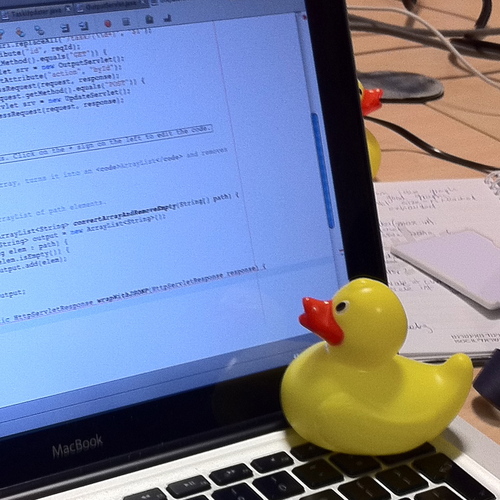
In software engineering, rubber duck debugging is a method of debugging code. The name is a reference to a story in the book The Pragmatic Programmer in which a programmer would carry around a rubber duck and debug their code by forcing themselves to explain it, line-by-line,...
Now you do
true ledge
Yeah thought that was what you meant xD
sonic lake
So. I would create a brand new ball BP.
Place a sphere in it (the standard sphere). Turn physics on.
Forget your old ball/projectile BP for the moment.
true ledge
Alright
sonic lake
Check that it behaves as expected when placed alone in the level.
Like a physical ball.
true ledge
Yeah
sonic lake
Good.
Now you can spawn one and attach it to the hand. Physics must be turned off before attaching.
sonic lake
If you attach something with its physics on I am pretty sure it flies away
true ledge
Alright nice doesn't go invis anymore...
sonic lake
That is good news
Next, when you do the throw, first you detach it, then you turn its physics back on and finally you apply an impulse to it
If you have any collision going on in the hand or grab sphere or anything else, make sure it is set to ignore physics actors
true ledge
Eh ok so I have set the simulate physics but without setting velocity or direction or impulse when I punch in the air it goes in the direction with a set speed...
sonic lake
You can set its velocity to zero when you release it, then apply the impulse
At that point it should feel the impulse only
Otherwise it is inheriting the velocity from the former parent component
And when you apply the impulse the velocities are combined
true ledge
Alright got all that working let me get a video quickly
sonic lake
Nice. How does it feel? Any better?
true ledge
I think its just literally on when you release the controller
Which I don't know if that could be classed as a skill thing for players or an annoying thing
Like I mean look at the last one
true ledge
No just me wording wrong nvm, basically Im just saying that when the controller releases it fires normally but it just feels weird for some reason
sonic lake
Describe weird
How are you setting the value of the impulse?
You can simply use the Set Velocity flag
That will produce an impulse which gives the ball the same velocity as the hand at the throwing time
Otherwise there is a mass effect to take into account
true ledge
Yeah using set physics linear velocity
tacit quest
anyone know if there is any hard limits to polygon count of static meshes on quest? i have one model which when deployed on quest it in has a bunch of the vertices randomly strewn about, crisscrossing through the whole model. this model is probably the biggest single model at around 35k polys i think
sonic lake
@true ledge At least do you feel the throwing direction is better now?
true ledge
Yeah, much better than when I first asked
But it is still a bit off from where I would need it
@tacit quest The mesh rendering shadows / any vfx?
sonic lake
@true ledge At least now you have full control on the throw. For example you can add a bit of orthogonal velocity if needed.
tacit quest
no vfx, just a static mesh, thought the materials might be affecting it so i assigned default world material, but it's just grabbing seemingly random vertices and placing them all over the place... which is wh i was wondeirng if maybe it hits a hard limit and then has random values or wraps the index buffer or something
true ledge
Don't think there is a hard limit, that I know of anyway.
Just seems like the place I am aiming for I am always off it slightly or going a different direction, @sonic lake
sonic lake
@true ledge it could be a matter of perception or training or something else
true ledge
Yeah thats what I am currently thinking
sonic lake
If you aim at something and it is always randomly off then there is something wrong for sure
true ledge
If its a matter of skill, which ill test by having another dev trying it out, then im happy to keep it, adds another level to the game. But if its something else then I need to see what I can do
sonic lake
If it is regularly off, you will learn to compensate it through your oculomotor coordination
Have someone else try it
true ledge
Yeah Ill have to do that later, requires me to package the project
Thx for all your help 😄
sonic lake
You are welcome. Glad we figured it out at the end. I still suspect there was something with your projectile sphere together with the projectile movement component.
 granite jacinth

Integrates Valve's SteamVR Input features in an intuitive and easy to use way for Unreal developers.
tacit quest
wow, valve actually released something
pearl tangle
has anybody tried out trover in VR from EGS yet by the way?
 short laurel
@pearl tangle thinking about buying it right now
pearl tangle
it's fun if you like rick and morty. I have just been playing on desktop, can't be bothered hooking up a headset for it since it doesn't handle the vive or wmr controllers
short laurel
heard its really good from a couple people
sturdy coral
@pearl tangle I picked it up, haven't gotten too far yet. You may be able to rebind things for wmr controllers, because it does support knuckles
pearl tangle
@sturdy coral The VR just kicks in steam VR I am guessing? Was curious what was going to handle VR content on EGS
I think il stick to desktop to play it anyway, roomscale is the only stuff I play VR for
granite jacinth
IIRC they had to force 2D
Even if you have an HMD
Not sure if the option to go to HMD is in the game though
or if you need shortcut toggle
pearl tangle
wow OSVR
granite jacinth
Interesting, wonder if that got changed recently
sturdy coral
it doesn't work if you launch with command line parameters for some reason, they have .bat files and it doesn't work when you launch through those either
I think it is because it is relaunching itself through the store or something when you run the raw executable
and losing the parameters
but if you launch through the store and click launch in steamvr it works
pearl tangle
ah didn't think about subnautica as well
granite jacinth
Yeah, I think I just misread
sturdy coral
oddly it is almost the opposite from that, works through the store but not through the bat files
and doesn't seem to matter if headset is plugged in, you can launch it with or without steamvr through the store
I'm using pimax though so maybe something going on there
downside of not being able to launch it outside of the store is you can't launch it through steam to customize the steam controller with it
having to do that to use steam controller well though is a shitty requirement valve has done to lock people into the store with their controller
I'm not sure if they have native steam controller support on trover though, didn't try
granite jacinth
Well, it is their controller
Personally don't think it's shitty at all
The fact that there are hacks to let people use other controllers for other HMDs and platforms is kinda...well...hacky 😃
Obviously, I wouldn't mind a "One Ring To Rule Them All"
"One Motion Controller To Rule Them All" scenario
sturdy coral
imagine everyone that made hardware did that and you couldn't even launch stuff without loopping it through multiple launchers
granite jacinth
But I just don't ever seeing that happen
Well tbh, this has been happening in hardware since..well forever
Nothing new
My only gripe is coming out with new controllers so late in the game
granite jacinth
Or, god forbid, more controllers 😃
Oh, Steam Controller
Well, still, it's their controller
sturdy coral
knuckles you can configure bindings for outside steam
granite jacinth
They would have to provide support outside of their own store and maintain that
It's a godsend they did a plugin for UE4 in the first place for Inputs
I mean, I get what you're saying for sure
It would be nice to have support for every controller possible in every platform
But, TBH. How many people even have a Steam Controller anymore?
Or use it on a regular basis?
Do they even market it anymore?
sturdy coral
I use it a lot less than I would if it worked without having to add and launch everything through steam
granite jacinth
I have mine in my box. It's been there forever. Only took it out a few times to play around with it myself.
Xbox controller is my go-to
XBox 1
You can't ever go wrong with an Xbox controller
If a game says "gamepad supported", you are basically guaranteed to have it working with an Xbox controller
sturdy coral
steam controller is a lot better than a normal gamepad for fps stuff and playing mouse stuff like into the breach from the couch, and pretty terrible for anything that needs a good dpad
granite jacinth
Eh. Depends on the game.
Old XCOM, Steam Controller is mando. New XCOM, they have Xbox Controller in mind
I think even the newer Civs have Xbox in mind as well
But you're right. If you want to play a KB/M game with controller, SteamController is nice.
sturdy coral
with the knuckles stuff I think they have added some kind of .uproject key or something that lets it distinguish uprojects and use different bindings
I don't think the regular steam controller has that, so if you want to experiment with hybrid gamepad/mouse/keyboard bindings beyond what the normal plugin can do
you have to do it all against ue4editor.exe and launch that through steam and it only works with your one uproject and no more clicking 'play' in visual studio to launch, etc.
huge pain in the ass
mighty carbon
Speaking of gamepad, you can play your PC games on Quest (via Virtual Desktop) and use Touch as gamepad
sturdy coral
that's pretty cool
 abstract anvil
any unreal VR/AR developer looking for work? VC backed company in SF looking for assistance with a Unreal SDK. Can be remote. Feel free to DM
pearl tangle
well that was a productive weekend...
 real needle
Hi guys. Which button do you use as modifier with motion controller? The trigger is used to grab/drop objects, then I need a modifier button to detach/attach them. With kb+m I use shift, LMB to grab/drop, LMB+Shift to detach/attach. With VR that would be Trigger+what?
(I modified VR content example to work this way, but I don't have any VR, so I don't know where to map the "Shift" equivalent)
 orchid schooner
using trigger for grab/drop is mistake, use grip button for this. then use trigger to using objects
real needle
@orchid schooner really? I just used the default UE VR template project, grab is mapped to the trigger. Ok, then it's "Grip" for grab and "Trigger" as modifier, right?
Grip = Grab/Release and Grip+Trigger = Detach/Attach, correct?
orchid schooner
no, not modifier, in VR you have no modifiers
real needle
@orchid schooner When I have an object in the hand I want to decide to simply drop it or to attach it to another object. With kbm I will grab by pressing and holding the mouse, an then simply drop by releasing the mouse or try attach to something by shift+releasing. How do you do something similar in VR?
Here a video. It's the VR template but I move the pawn and the left hand with kb and mouse. Then when I grab a cube I can then decide to let it fall or to attach to another cube. So, when I hold something and I press the modifier key in the same time you see this green preview that will say where it will attach, and the on release it will attach and weld.
pearl tangle
@real needle If you are going to be trying to do VR development you definitely want to be doing it on a VR headset
real needle
@pearl tangle true, but not right now.
Can you easily press Grip and Trigger in the same time? If so I can just use one as grab and another as modifier
pearl tangle
all the VR controllers are different and with different layouts so maybe on rift but not on vive
 golden snow
@pearl tangle Missing the Unicorn
 glad temple
I feel like this is a trivially easy question, but is there an easy way to get a VR player on a moving platform?
Or do I need to give the VR pawn a collision capsule and such
sonic lake
@glad temple the standard VR Pawn (e.g. MotionControllerPawn from the VR template) is just floating in the air and moves around using a NavMesh. It has no collisions nor it senses the underlying floor. For that you need to write a lot of code or make a pawn which uses the Character Movement Component. Or, better, use the VR Expansion plugin.
glad temple
Oh ok, thanks!
 glass topaz
Hey there guys! I'm working on a live motion capture project, involving augmented reality.
I wanted to ask a few questions regarding how AR works in UE4!
Is it limited to mobile platforms?
Does it only support flat markers or does it also have Vuforia-style cylinder tracking, etc.?
I'm currently trying to decide whether to use existing AR implementation in UE4 or writing my own solution using OpenCV.
pearl tangle
@glass topaz You can integrate in openCV or something for windows if you want, but the AR runs on ARcore and ARkit so whatever they work on you can use easily.
The tracking supports whatever arCore and/or arkit support
 ember forum
Ive gotten literally no improvements using the oculus branch of ue4.22 vs using binary ue4.22 .. and loading levels in the editor sometimes everything is just black, i read some posts earlier this month some of yal had these issues? I fell back to the binary ue4.22 and everything was fine again
mighty carbon
4.22 has 1.37 SDK.. So it should work with Vulkan as soon as Oculus patches the OS on Quest
official 4.23 will have 1.36 SDK and current official 4.22 has even older SDK
glass topaz
@pearl tangle Okay, thanks!
ember forum
Yup true, but the editor itself is buggy, a bit busy now but im goi g to talk to some people here that had the same issue and send a bug report to oculus
tacit quest
anyone have any ideas why a mesh would get messed up when deploying to the quest? i have a mesh that ends up with polys stretched all around the model from various points. my best guess is there's a hard limit on the poly count on mobile? not sure why it's changing my mesh at all
ember forum
are you using es3.1 preview in the editor? @tacit quest
tacit quest
no ive just been deploying to device, i was using preview es2 but it was annoying, the lighting going completely black and stuff
how do i enable the 3.1 preview? googled around said it was in experimental settings but i don't see it
granite jacinth
roflsauce on Meat Fortress
ember forum
@tacit quest the quest by default is using es3.1 so thats what you should be previewing..
this is what you r project settings should look like
unless you want vulkan, which doesnt support multiview and ffr atm so its useless
you should be looking at things at how they are going to appear in game, so es3.1 preview is the closet you will get
you could be running shader model 5 with ray traced lighting, ssr, and GI 😆 but that will never show up in es3.1 so its good to know exactly what you are in for by using the correct renderer
tacit quest
ah, old answerhub said it was in editor preferences
ember forum
you should really check ue4 oculus quest on google theres a ton of videos and docs going over step by step
how to set it all up
but yeah
project settings
android section
tacit quest
i have a feeling the problem is on deployment, but i'll ping back here after 15k shaders finished compiling
 spare yew
Anyone here using Oculus branch? Preview rendering is totally bust for me
tacit quest
i'm using binary 4.22
tacit quest
ya my mesh problems are somewhere on deployment. anyone know what processing happens to the mesh when deploying?
spare yew
I've had the same issue btw, despite the mesh appearing fine on my first build. Had to resort to just splitting it into multiple pieces
Even a fresh project with the same settings as the build in which the mesh was fine, it still gets corrupted. Think it might be something on the hardware side.
tacit quest
did your mesh have a high poly count? we're just deleting parts and deplying it to see if there's a threshhold or if there's something particular with the mesh
mighty carbon
anything exciting for Quest at E3 ?
granite jacinth
a few
I mean
Nothing exclusive that I could remember
But a lot of ports
You should watch the UploadVR E3 stream
(well playback)
I say about 25% of it was actual good content
the rest was meh
But overall, the content was decent
But only a few people trying to push the limits
Otherwise, about 20 new zombies games
tired tree
didn't catch the espire vr part
granite jacinth
It was alright
tired tree
did they accounce for quest?
mighty carbon
20 more zombie games? "Nice" :/
mighty carbon
😃
mighty carbon
yeah, that sucks..
granite jacinth
I did think the Tree vs Squirrel game was cool (Tree is in VR, Squirrels trying to get acorns on Mobile)
and obviously Anton's Meat Fortress
I was surprised Valve did that
mighty carbon
crossplay between phone and VR? Interesting indeed!
granite jacinth
Yup, that was pretty cool
Otherwise...all these "Indie VR Studios" with a shitton of money...
Not sure where they are spending it
The one I was super shocked about
Was the Raw Data guys
I already knew that they were working on the Walkign Dead game forever now
But...they showed a "alpha build"
And it was butt ugly
Like... I don't know where they are putting their money at, it isn't at art for sure
But some folks.. they are pretty damn good at new-game-turnarounds
tacit quest
ceo salary
ember forum
so ignore everything i said about the oculus ue4.22 branch
everything is working fine now
mighty carbon
lol
 dim iron
anyone else got a quest they can test to see if they see the debug line from a widget interaction component. Works fine on my rift, don't see it on quest though.
dim iron
what you liking so far from e3
tacit quest
@dim iron https://answers.unrealengine.com/questions/811511/why-cant-i-see-line-trace-or-debug-line-when-launc.html this looks promising to your problem
not much tbh, a lot of cinematic trailers which do nothing for me
dim iron
ah nice one will give that a quick go now.
have to admit i do love a good trailer. just a shame when the trailer is better than the game 😃
tacit quest
they're all so formulaic now, every trailer feels the same to me, line up action to the music thuds, build up to silence, grand finale...zzzz
tacit quest
hrm
ember forum
yeah ive never had a line trace debug line appear for me on the go or quest
line/box/debug sphere.. nothing... but you can do other things like the actual trace
works
just you cant visually see it
so just place something at the points that you need
@dim iron
and i am using the widget interaction component successfully
dim iron
nice one thanks for that, will stop wasting my time. i knew it was just a visual thing. just bugs me when things dont work as you expect 😃
ember forum
yup, peculiar that its that way, but it works, just use the force to imagine where the lines are going
dim iron
usually give it a quick test on the rift first so its not a big deal 😃
mighty carbon

Facebook’s Oculus Quest standalone VR headset hasn’t been out long, but VP of AR/VR Andrew Bosworth says the company is already selling a substantial amount of content for the device. At Vox Media’s Code conference, the exec detailed that in the first two weeks of sales...
I don't think 5M is a lot of money for Oculus.. If it's total amount for all games sold, it's basically nothing :/
pearl tangle
thats around 250k games sold if they average $20 a pop so not too bad really
ember forum
well robo recall free to rift owners
and rec room is lots of fun
so both free
and being a dev you just make your own games, okay we dont count
 abstract forum

Update for driver, have fun. Driver repository: https://github.com/SDraw/driver_leap
 runic cedar
Hello, i want to make VR split menu (like on the image) and what is the better way to do it with 3D static mesh (not 2d Widget) with animations? Thanks
I think add meshes to child of another Actor BP and animate with sequence buttons (for Open and close)
 woeful sundial
@runic cedar not sure if i understand correctly, but to move the static meshes, maybe a good solution is to move along SPLINES? Look in the ue4 content examples in the map for splines or animation, or here https://youtu.be/-2Pxh3Dzb9o

We begin our look at splines and their many uses. This episode we take a look at how we can use them to create moving platforms and elevators. Support me on ...
runic cedar
@woeful sundial mb but now i found how to do it, need use the sequence in the one BP
that is better i hope 😃
woeful sundial
Cool! 👌
 sullen bramble
Does anyone by chance have a good ide on how many polys a monster should be if I want to run it on the vive
 sturdy canyon
Is it like a badass boss monster, or like one in as group?
You can have about a million polys on screen for min specs 90fps
sullen bramble
single stalking monster
setting is forest
also worried about trees if you have any suggestions
sullen bramble
@sturdy canyon
sturdy canyon
Well you get to decide what percent of your budget you want to blow on the forest vs the player hands vs the badies.
If you will only have one monster on screen at a time, maybe it could be like 10% of your budget
Btw number of triangles is very much not a fixed thing. Depends heavily on your shaders and how much post processing, etc
sullen bramble
will using speed tree for the forest be acceptable or do you think the assets are too heavy
ember forum
LOD's are the way to go
instancing
merging actors
reducing draw calls is the game
test it constantly on the device
sullen bramble
how many lod levels do you usually do for dense scenery? Should my culling distance be quite a bit shorter that a regular desktop game
tacit quest
2-3 lod levels, aggressive lod distances, overdraw on the foliage is going to be one of the biggest hits in a scene like that. porting some of our stuff to quest from the rift, it complained about speedtree material nodes, not sure if speedtree itself works on the mobile vr stuff, something to look into

we're using the open world demo trees there which are overkill we were hitting gpu limits with this scene on the rift on those asus ROG laptops
reinaldo has all the advice you need, reduce draw calls. merge meshes, use low complexity master materials
sullen bramble
okay thanks guys
ember forum
Play other vr games and see how they do it
sullen bramble
true I'll pop in robinsons journey tonight
mighty carbon
that's CryEngine 😃
sullen bramble
dang I don't know if I have any equivalent ue4 games
@mighty carbon give me a foresty ue4 vr game lol
the core concepts should still be the same right???
mighty carbon
nope, not the same
different engines, render stuff differently
plus, whatever engine they used to ship Robinson isn't the same as you can access today
I am pretty sure same goes for UE4 - if someone releases a game with lush vegetation for VR, doesn't mean you can achieve the same with stock UE4 publicly available
sometimes people overhaul renderer on low level just to make it work for target platform
I'd say any dev without massive resources and top notch software engineers behind him/her should first do some R&D and see what's achievable with stock UE4 on their target platform and then make a game with those limitations in mind
sullen bramble
true
 tame thistle
I'm working on an enterprise VR project where we have several compiled projects launching each other from a lobby. We have an issue where because they're separate executables Oculus Dash pops up every time a new project is launched.
Because it's an enterprise project our users are.. easily confused, so we need to try and stop that happening. Does anyone know of a way to block or close the Oculus Dash menu without completely disabling the OculusVR plugin?
Disabling the OculusVR plugin prevents it but as far as I can tell we then lose a lot of the Oculus Touch specific bindings.
ember forum
@tame thistle would this setting help you (thats in oculus ue4.22.2 branch)
tame thistle
iirc that makes it load you to the Home space if the button is pressed, rather than toggle the stereo menu. I'm thinking I may need to disable that, set Oculus to use long press to open dash, and try and find a way to make the Oculus Demo mode permanent.
A bit more manual than I'd like, would be nice if I could just block the control through some developer options.
Thanks.
 mystic tinsel
Anyone used this plugin for their projects? https://www.unrealengine.com/marketplace/en-US/slug/full-body-ik-plugin-for-vr

AnimIK Plugin implements human full body IK for VR games in Unreal 4, with the functionality to work together with keyframed animations by blending data
 prime sonnet

Tilt Five, Inc.
Offering augmented reality glasses and a better player experience for tabletop gaming and video games.
sturdy coral
@mighty carbon correction: that was cool:

reddit
474 votes and 341 comments so far on Reddit
granite jacinth
damn
 smoky gazelle
how to block hmd going through mesh
runic cedar
Hello, how can i press the static mesh (like button) in the VR with the controller ?
I want to press from the controller that 3D button and press it down.
and when i press the button it will revert to the start position (like i no press, or touch it)
mighty carbon
@sturdy coral removing SteamVR from Virtual Desktop was cool ?
 odd garnet
golden snow
odd garnet
golden snow
You'd think after the first leg they'd stop moving.
 dim imp
in the vr template how do I disable the square thing around the teleport marker ?
that square in the right image
pearl tangle
@dim imp thats the guardian/ chaperone boundary. Just remove it from the blueprint if you dont want it on there
ember forum
@odd garnet lmao... that is 1 hardcore agent
Recroom paintball is still my favorite game... but it sure as hell doesnt run at a constant 72fps 👀
tired tree
@ember forum wasn't his question about blocking the hmd from entering collision mesh?
ember forum
you are right.. @smoky gazelle ignore my constant tagging you, but do seach this channel , people have asked this question be4
oops
tired tree
mmmm
not really
in roomscale your HMD is offset from the root capsule
there are workarounds for that, but you can't just "move" the root, as that moves the entire actor
ember forum
thats what i do, and make sure the hmd stays attached.. there are ways
butim making a flying game
so...
@sonic lake also has a tutorial on using your root component to move, or am i wrong about this
 quaint frost
Hi guys... I'm looking for a guide like this https://www.imgtec.com/blog/powervr-performance-tips-for-unreal-engine-4/ but I'm using a 1080Ti.. VIVE Pro... I'm not sure if I should be Disabling Early Z-Pass, Disabling Occlusion Culling & Disabling DBuffer Decals... I have 32GB RAM & i7-8700K ....... what would your Project settings, Engine rendering settings be if you have a system like this?

This blog post is a must-read for every Unreal Engine 4 developer that wants to learn about how to optimise for PowerVR platforms specifically, as well as mobile in general. We’ve collected the most relevant tips from our very useful PowerVR Performance Recommendations docu...
I think my 1080Ti uses Tile Based Deferred Rendering (TBDR) architecture... so should I switch these features off?? Disabling Early Z-Pass, Disabling Occlusion Culling & Disabling DBuffer Decals??
tired tree
@ember forum marcos tutorial doesn't move the collision though, its still offset
you can have some tracing track the head and offset the actor to compensate, run two seperate actors and sync them, lock the HMD in place and add its movement to the pawns, or offset the actual physics and tracing of the root to match the hmd
there are a lot of ways
sturdy coral
@mighty carbon I meant that feature now "was cool" instead of "is cool" :/
ember forum
muchcharles have you tried out vridge?
i tried it on the first days of the quest, they give a 5 minute test for free, i thought it was pretty terrible, dont know if its improved much
5 minutes to try out VR is just....
@tired tree
you are right though, im not moving the root (in my case)
its offset
now that i thought about it
its offset, after the hmd has moved/rotated
quaint frost
Has anyone else used this guide to help them develop in UE4 VR? https://www.imgtec.com/blog/powervr-performance-tips-for-unreal-engine-4/ should a 1080 Ti turn off the following? Disabling Early Z-Pass, Disabling Occlusion Culling & Disabling DBuffer Decals??
This blog post is a must-read for every Unreal Engine 4 developer that wants to learn about how to optimise for PowerVR platforms specifically, as well as mobile in general. We’ve collected the most relevant tips from our very useful PowerVR Performance Recommendations docu...
granite jacinth
you literally just asked that an hour ago
 wicked oak
@quaint frost dont give a fk about those. PC gpus arent even close to mobile GPUs
quaint frost
@wicked oak & @granite jacinth so I shouldn't turn those off? Disabling Early Z-Pass, Disabling Occlusion Culling & Disabling DBuffer Decals??
wicked oak
the early zpass is forced on forward
the disable occlusion culling is something you shoul NEVER do on PC
and the dcals are good
quaint frost
@wicked oak thank you 😃
tacit quest
what are the current options for doing outlines on mobile/quest? fresnel, duplicate geo, anything else?
sonic lake
@ember forum my tutorials are (so far) for an in-place experience, there is no support for room scale movements. So if you make a step IRL you will find yourself offset from the pawn or the character. For example, in my IK tutorial you will literally step out of your body. You can use @tired tree 's plugin to properly handle room scale movements.
 valid sentinel
Anyone Online here who has a Rift or Rift S?
Need to test out a small Project. As i dont have a Oculus with my right now. 😃
true ledge
Anyone got any ideas with what is happening here? Just loaded my project now this, even with backups
 arctic path
@true ledge looks like the left hand is getting spawned several times
check the motion controller bp in the nodes where it spawns the hands
true ledge
No its that the right and left hand are merged for some reason @arctic path
arctic path
Ah, well I'd still take a look at the spawn nodes to see the location they are being spawned
true ledge
Will do, 1 min
arctic path
Is that a fresh version of the template?
true ledge
No
arctic path
Did you alter the motion controller bps at all?
true ledge
I did however that is a backup of before I had
arctic path
You could create a new project with the VR template and migrate the motion controller BP into that project to overwrite it
true ledge
Alright so looking at the two Bp's they are the exact same as far as I can tell. Where abouts is the location spawn BP for the hands? @arctic path
arctic path
Let me look
You sure both motion controllers have batteries and are turned on?
If one is off the hand won't snap to the right location
true ledge
Yeah they are both on 😂
arctic path
Just covering the bases
Sorry, not motion controller BPs, the motion controller pawn
true ledge
No idea why but one of those changed to left instead of right without me doing anything, issue solved. Thx for your help
arctic path
Awesome, glad to hear it
 ebon musk
So I tried this vr mode today
Seems fun but super limited
Like no undo. Doesn't seem that I can edit geometry verticies at all
A neat experience though.
ebon musk
Can somebody help with this? When I load the motion controller map in the VR demo and press play, it doesn't actually let me play the map...
What's up with that?
It doesn't let me play with my Vive I mean
ebon musk
I'll double check that next time. Thanks.
 keen prawn
is the oculus quest enviroment closed btw?
or could u just install bunch of stuff on there w/o jailbreaks whatever?
dont mean their store just the device itself
keen prawn
robo recall is free on PC but 30$ on quest 😛
the quest store looks like crap 😛
only like 20 games and most look utter crap 😛
dim iron
if you bought Robo Recall or got it free with the Rift then its free on the Quest
i dont know what you are expecting from the quest but there are some decent titles, and graphically pretty good. Its not as if it has a 1080ti stuck to it.
keen prawn

Oculus
Wander the world openly through the magic of VR. From the comfort of your living room you can teleport almost anywhere in the world - whether you wish to walk across the London Bridge, stroll the gardens of the Taj Mahal, or witness the enormity of the Great Pyramids of Egypt...
something better than this 😛

Oculus
BOXVR brings music enhanced, boxing inspired workouts to Virtual Reality gaming.
Workout Classes by fitness experts
Beginner to Expert Classes
Effective cardio exercise
Set goals and track your progress
Over 100 different music tracks
Make your own Workouts
or this 😛
there is some stuff that look sorta fun, but not really worth the price they ask
pearl tangle
i think there is about as much fun stuff as can be expected for a new release console
keen prawn
30$ for that box VR,, thats just flipnuts
pearl tangle
why? Beat saber is the same price and it looks pretty similar
keen prawn
but doesnt that prove my point? 😃
pearl tangle
that it has the same price point as a similar app?
keen prawn
sorry but ive seen more interesting VR gamjam submissions 😛
a lot on the store is similar with only lil actually interesting stuff
pearl tangle
you are aware the hardware only came out a few weeks ago right?
keen prawn
gamejams get done in a few days 😛
pearl tangle
i think there is a fairly decent number of good games up on there. A lot more than when the rift or vive first came out and a lot more than usual console releases
share some of your VR gamejam games up on here for everybody to try out on the quest then? Pretty easy to drop on there something that has been done for desktop to test out, just do the usual mobile optimization
mighty carbon
Who let the troll in?!
keen prawn
i havent donr VR but ive seen a lot of submissions
i just say the store looks super weak
mighty carbon
Your brain looks super weak
keen prawn
sure make it personal
did i say you are trash or retarded?
i say the store looks weak
mighty carbon
🤷
keen prawn
telling others their brain is weak is a sign of insecurity
keen prawn
thanks
 crystal oak
Anyone in here experainced with the VRExpansionPlugin?
 shell karma
@tired tree
tired tree
@crystal oak whats up
crystal oak
I am just getting in to VR dev, im pretty familer with the internals of some of the engine and such so its not like im a potato, but i was just wondering where i should start to get something like full body tracking working on a mesh with the VRChar
tired tree
any IK setup and attach the mesh to the ParentRelativeComponent
set the PRC to FootMode where it sticks at the floor
crystal oak
Ah okay awesome, that gives me aa base too start with!
crystal oak
now to make some spookie component tool
mighty carbon
I see there is 4.23 branch popped up on Github
mighty carbon
??
ember forum
updates from 3 days ago to the oculus stuff
well you got me hyped, dont ?? me
i think they mentioend at unreal academy though that 4.23 would come out in august
and in any case, will still have to wait for 4.23.x to have all the quirks worked out.. but it doesnt really matter, since we still depending on oculus patches to the headset for any significant related VR update(vulkan ffr/multiview support)
crystal oak
Slowly but surely figuring out this VRC plugin, its pretty nice so far
Getting a full body system is proving a little difficult, but getting there
ember forum
for the quest Rei?
crystal oak
nah
Vive
Trying to get a basic full mesh system like in Sairento to work
then il attempt too add full body tracking on
Getting some odd offsetting issues though
Yeah attaching SKM to PRC is causing an offset when i start thats mashing it up
but then if i offset by HMD, rotation causes my mesh to fly out
😂
ember forum
trying to make sword art online come true are we
ember forum
merge Pat's game into a vr dancing game
crystal oak
lmfao
Got to get this working first
Just figuring out the basics
then il make some comfort turning and such
Actually, i wonder if theres any examples out there
crystal oak
Oh really?
tired tree
as for the offset, don't track to capsule center, that is the point of the PRC, t o offset
Yeah, PerformMoveAction_SnapTurn can be used with a snap, or a delta value, and its performed inline with the character movement component so it replicates fluidly
in multiplayer
crystal oak
Oh thats pretty nice
Do you know of any example work for full body with comfort turning working? pref c++ but im not picky
crystal oak
Rip
tired tree
VRMarco has a basic fabrik setup
crystal oak
I can do my IK solving my self, just trying to get familer with the plugin for a base full body setup
tired tree
in a youtube video
it would work "for now"
but fabrik isn't exactly robust enough for full use
crystal oak
Why do i feel like in games like sairento, the mesh is not attached too the HMD and they are just comfort turning and pulling the mesh towards toe HMD when you make rapid strides
tired tree
the mesh is never "attached" to the hmd
but its also not generally lagging behind like that either
it will have some movement delay, but not to the extreme like actually attempting to catch up entirely
mighty carbon


Just wanna to give an update that Pavlov VR won't be available in Oculus Quest Store for reasons out of my control. However it will be always available as a sideloaded app and in SideQuest.
 Twitter
odd
crystal oak
Quest is weak, you really need to optimise hard for it from what i have seen
granite jacinth
Of course you do 😃
@mighty carbon I wonder...
I highly doubt Pavlov pitch was rejected
But if it was... it could mean too many similar things competing ?
Unless he has OpenVR/SteamVR things
no clue
 daring pasture
They havent responded to him
granite jacinth
Haven't responded to him at all?
daring pasture
Yeah
granite jacinth
Oh, so, he just put that out there for no reason.
daring pasture
Pretty much
granite jacinth
That makes it sound like they DID respond to him
So, he's just stirring up trouble?
Getting people to rise up to get him attention?
I mean, I guess if it works...
tired tree
how do you know that? He worded very much like he was contacted
also he had it running on quest already, it wasfunctional
daring pasture
To his pitch
sturdy coral
he mentioned he can't say much more because of NDAs
granite jacinth
Right, I'm sure
daring pasture
He was contacted that they wanted to send him a dev kit. He did his pitch and never got a response
granite jacinth
Bro can buy his own dev kit now, just like everyone else
That's not what's going on here
daring pasture
This was before release
granite jacinth
This is today we're talking about
Your info is old
He must have had a dev kit to continue working on the port
tired tree
he had it running on quest since the first day it was out
granite jacinth
Which he probably ended up buying just like the rest of us
Yup
So, the issue is something else
Pitch Rejection
Or Pitch Approval with some caveats
daring pasture
He said yesterday in his discord that they quit responding to him
granite jacinth
And he probably didn't like the caveats
sturdy coral
maybe approval with requirement to come to the oculus store on PC as well
sturdy coral
workshop fragmentation
sturdy coral
he'd have to implement his own workshop hosting or something
granite jacinth
Yeah, he'd need to do a custom mod kit
Right
So, yeah, no Oculus on PC, no Quest
That's pretty damn harsh
Unless you do an Exclusive Quest launch I guess
It's harsh but business-sense
sturdy coral
could also be they have a preferred deal with someone else
onward, or something from respawn
granite jacinth
Right, like Onward
Yeah, that's why I said that it could be too many similar competing titles
sturdy coral
the respawn thing is for PC I think, but they could have also spent a shitload of money getting something from respawn on quest post-Apex
sturdy coral
we definitely need some kind of workshop alternative, maybe using ipfs or something
granite jacinth
Something agnostic would be nice
I wonder if anyone would be willing to build (and sell) something of that nature
I mean, I guess you could do UE4 Mod Editor
Well, maybe Epic Games Online service
tired tree
you would really have to trust that service
granite jacinth
Yeah... Iknow
tired tree
and epic game service would have to be allowed in the quest ecosystem as well then....
same potential issues
granite jacinth
Beat Saber has it right now I thought?
sturdy coral
honestly need the government to bust some of this shit up so features are provided by different vendors and it isn't all bundled and tied into some kind of scam of lock in and network effects
tired tree
on quest? i don't think so
granite jacinth
Hmm, I swear I read something
granite jacinth
Hehe, I don't think we want the government in our business man
sturdy coral
we need it in their business 😛
mighty carbon
Onward is coming to Quest.. Maybe they don't want almost identical games early on there..
tired tree
that would be a pretty stupid reason though
they are not at all nearly identical
for that matter, pavlov is much more quest fitting than onward is
so the thinking would be backwards
mighty carbon
just speculating.. Other than that maybe it wasn't hitting performance mark or something else technical.
tired tree
there were people already sideloading and playing it with very few issues.......it would likely be another reason
mighty carbon
🤔 puzzling situation


I guess the dev one of those purists and "my way or highway" ?
 elfin venture
hi guys how i can implement the google gaze dot to use like mouse on a wiget
?
im using this for cardboard and it dosnt have buttons
and i need to display a keyboard
tacit quest
is there a way to bring up the dev console in quest?
pearl tangle
@elfin venture just use a trace from the camera. You will need to build a custom 3D keyboard if you are doing that with cardboard
elfin venture
@pearl tangle so I have the keyboard but it do not show any number to display
Also I'm using daydream
pearl tangle
ah then i think you should be able to just call the daydream keyboard up, but if you are trying to run the daydream 1 on cardboard then it will likely have issues without the controller for it though @elfin venture
odd garnet
This is much better than just toggling
 zenith tulip
Hey all, newly developing in VR HMD. Is there a way to still build/preview/simulate without having to Build and run on the headset each time?
 frigid kite
Using a PC VR HMD? 👼
zenith tulip
No, A Quest, and pushing the game that way
I thought I'd be able to somehow preview in the Editor rather than having to push each time
frigid kite
The best you can do is also making the game playable on desktop, so you can test gameplay outside of VR
That's also the best approach for PC VR, having to put on the headset to test kills iteration speed
zenith tulip
I've had some extra keyu mappings for the motion controllers, assigning them to keyboard keys,
Yeah exactly - debugging and trying a few different things takes time when I have to compile, save, save, build, and wait each time
A lot of the game is motion controller-driven, so makes debugging somewhat time consuming!
Do you dev always hands on building/launching to the HMD each time, or have some form of static virtual motion controller in game?
frigid kite
I only have a Vive, so when I need to test motion controller stuff I do just hit simulate in VR
I don't know if there's a faster way to get a new version on the Quest - if not, there definitely should be one, especially considering Unreal's long packaging time
zenith tulip
@frigid kite but that simulate is in the editor not the headset right? THat's what I'm after, just to see some of the actions I'm working on
@tired tree Yeah, it doesn't take long. 5 secs, but when I'm tweaking bits it soon adds up and slows dev
frigid kite
Oh, it's that fast? Not bad 😮
@zenith tulip With a PC connected headset, you can play directly in VR from the editor
zenith tulip
Maybe 10 seconds, to do a couple of saves, compiles and launch
😃
Yeah, it's connected via USB for a launch each time. Just wish I could see the motion controllers in the PIE
mighty carbon
that's just the nature of devving for VR
zenith tulip
Ok, as long as that's the norm, and I'm not doing something stupid 😉
Was hoping there was a way to test VR in the editor
tired tree
they've given you a few ways of testing VR in editor already...
flat screen aproximation, pc based headset, to an extent streaming to the quest would also work for rough tests
crystal oak
Are vive body sensors just classed as MotionControllers or?
crystal oak
jfc figuring out what tracker is what is a nightmare
If we can do this in steamVR, then i assume we can access it right?
the steamVR plugin is so empty jesus
 severe tide
@zenith tulip when you have an oculus rift, you get the exact same controllers and experience as with the quest. They work incredibly well together for development, as long as you occasionally check for performance on the quest
crystal oak
Anyone here figured out using vive trackers? they seam to not be working half the time
Cant even pull there ID by name for some reason,
zenith tulip
@severe tide I've not used the Rift before - I'm developing with a Quest. Unreal Engine is very nice and intuitive to use however I was looking for a way of simulating the motion controllers in the IDE / PIE without needing to always launch the app to the headset to see a code change. I'm working heavily with gestures and button combinations so it's getting tiresome always pushing to the headset
severe tide
Yeah that’s what I’m saying. You can do that if you have a rift connected to your PC
Because they have the same controllers, you can develop FOR the quest ON the rift
zenith tulip
Ah I see
wicked oak
@mighty carbon they often merge stuff from dev-render into version branches
last time they did merge a fuckton of stuff from dev-render into 4.22
so its very likely it will make it
sturdy coral
@wicked oak do you know if the rhi thread stuff is already in the 4.23 branch on github?
wicked oak
no
sturdy coral
yeah I think they added it for fortnite with opengl
ember forum
im going to try this.. it seems great because holding onto the controllers can get tiring

Help support the channel while making your Quest a zillion times more comfy! https://vrcover.com/oculus-quest-accessories/?itm=278 In this video, I go over a...
i still have not found a comfortable position for the quest headset, but i just cant stop playing paintball in rec room
 ember bridge
Recroom is great 😄
ember forum
and you can use the excuse that its excercise
 toxic oracle
@ember forum I ordered the mamut vr strap for touch controllers
I saw a whole bunch of praise for it saying it basically turned them into knuckles
tired tree
well the knuckles go a little further than just their gripless carry setup
sturdy coral
the new touch controllers do look a little better at emulating it if you had a strap though, the ring would block an open hand on the old ones
odd garnet
runic cedar
Oculus rift and Oculus rift S (new) have the same inputs in the engine ? Like when i press the button on one and on the another ?
runic cedar
like GearVR and OculusGO is the same inputs, but controller visual they are different.
 broken moat
hay, does anyone here know the name to use for the htc vive on set player height node?
sturdy coral
@broken moat in engine or in mordentral's plugin?
broken moat
in engine
 sullen vortex
Trying to launch my project on Quest directly from Unreal is taking for ever, is anyone having the same issue?
mighty carbon
Has anyone got mic working on Go/Quest?
 tough vigil
I'm trying to write a UE4 app that launches other VR apps using a monitored process. That's all working fine, but what I'm trying to find now is how to bring VR focus back to the "lobby" app after those other apps close. Right now, Oculus recognizes the active app is the "lobby" app but I need to actively click the app in Oculus Dashboard to bring focus. I'd like to do this seamlessly. Any thoughts on this one?
@mighty carbon - we've got mic working on Quest using PhotonVoice
dim iron
@sullen vortex only the first time launching to quest should take a fair amount of time. After that it’s literally seconds to launch.
 chilly pasture
Hi Guys , i am having very poor frame rates for application ,
Any way to debug what are the issue .
And can i use breakpoints while playing in vr .
Thank you so much
dim imp
Hi I have a teleport based VR experience and I need ideas for markers on the floor to catch the eye and be clear that it's a place you need to go to
This is what I have now for reference. I want to get rid of the blue ring and do something nicer
odd garnet
mighty carbon
@tough vigil what's Photon Voice ?
mighty carbon
And I am guessing it's C++ only?
 next pebble
I am trying to get mixed reality capture working in unreal engine.
I ran through the setup process, and have VR preview displaying what appears to be the in-game footage that is in the foreground, but there's a mesh where I believe the camera footage should be showing...or that I should be able to get both an in-game background shot, and an in-game foreground shot, in some sort of side by side that I can splice together externally. Anyone done this and familiar with the process?
to help give a better idea of what I mean, here's a shot from VR preview.
I am standing side on to the camera, and have one hand on either side of my head.
If i set the spectator mode to eye + texture, i get the foreground image from the perspective of the webcam, but the eye image is the perspective of the HMD.
 sly elk
finally moved to win10 so I could set up Rift S
The image quality is a much bigger jump than I was expecting
dim iron
@odd garnet that's some crazy shit right there. Love it 😃
odd garnet
Some anime hand launcher attack
dim iron
Anyone got examples of main menus? Are people using static meshes as their menus or widgets? Pros and cons of either?
 silver bone
My favorite main menu is from Space Junkies. The menu is accessible through VR and desktop which I find to be convenient. For space junkies the menu interactions use a laser pointer which makes me think it's a widget. From my experience widgets use a laser pointer/cursor and static meshes are used when the player presses buttons. Static meshes can have animations or reactions that are difficult or not possible to replicate with widgets.
dim iron
@silver bone cheers, yeah i was thinking that about static meshes and animations.
will load up some games and see how they do theirs.
silver bone
Cool! Let us know if you find anything interesting. I would also like to mention the UI from Sprint Vector, the player's hand would snap to the UI and the index finger would be used as a sort of cursor. My friends and I find this to be an enjoyable and solid interaction.
toxic oracle
Has anyone else experienced about a 10 second play screen when playing in editor in VR with it set to a dedicated server? edit: found a fix, disable VR splash screen
ember forum
spends 400$ on a vr headset but : anyone got any links to free oculus quest controller 3d models?
sturdy coral
@ember forum they have the old ones in the oculus engine branch
may check and see if they added for quest
ember forum
Didnt find it, still some colorful looking rift one, for the left hand
ember forum
Im afk now, but its purpleish
sturdy coral
@ember forum you looked in: https://github.com/Oculus-VR/UnrealEngine/ ?
only other thing I can think is see if they have it available in their unity plugin
ember forum
Good idea , thanks 👍
sturdy coral
@ember forum steam has updated to add their models too, should be in C:\Program Files (x86)\Steam\steamapps\common\SteamVR\resources\rendermodels\oculus_rifts_controller_left
I don't know their terms of use on those though
ember forum
Yeah eventually i can buy 1, but for prototyping this is great stuff
mighty carbon
doesn't Oculus SDK come with one?
sturdy coral
ah cool
ember forum
how do you see what oculus hmd you are using? ive been using get hmddevice name but it returns OculusHMD no matter if its GO/Quest/Rift
nevermind could probably get device name, edit* yup...
 silver brook
Silly question but how would I get the player to reset their Orientation such that them looking straight in the real world has them looking up in the virtual world? I've found Reset Orientation and Position but that only works with Yaw? Do I need to make my own version of that exposing pitch?
Magic Leap seems to have set base rotation but no other HMD does?
Also can't seem to find/edit IXRTrackingSystem.cpp to manually make the change
Oddly enough attaching the pawn to an Actor facing any which way via snap to target does the job...
I suppose moving that actor would then move the pawn, seems like a silly hack though
sturdy coral
@finite eagle you should usually attach camera and motion controllers to an empty scene component that you can rotate independently of pawn
then just make your reset function rotate that root the way you want, may need something like inverse transform and compose transform
I would recommend probably doing only yaw and pitch though if you are trying to make something playable laying down or something, changing roll is probably never something you would want (tilts the horizon)
dim iron
Morning, when i try to quit a game using a widget it doesn't quit out on the Quest, but it does on the Rift. Any one else had this?
dim iron
if i tick ignore restrictions, it quits. but on the comment of that it says non shipping only. is there a specific way we are supposed to quit on the quest. id have thought it would have been same as the rift.
dim imp
I have a 2000x1000 logo image displayed on a 3d widget in the end of my visualization in front of the camera. Problem is it looks very aliased and jagged. what can I do ?
frigid kite
Make it POT so it can have mips
dim imp
what's pot?
@frigid kite
Is there a way/formula to get correct screen size in VR for LODs? it's all off
frigid kite
@dim imp Power of two, your texture should be 2048x1024 instead of 2000x1000
Unreal can resize it for you in the texture options
and you should check that mip maps are enabled
Mip maps are required to anti-alias textures
I'm not sure why screen size for LODs is off in VR, haven't noticed it myself
dim imp
Can't change that
frigid kite
Is it a POT texture already?
dim imp
There's a Power of Two Mode I set it to Pad to POT
now I can change the mip gen settings. not sure which one to choose
frigid kite
Aye leave it at the top one
dim imp
whut group??
frigid kite
Level of Detail > Texture Group
Also, don't use pad to POT, you have a black border around your texture now
you should stretch to nearest instead
dim imp
stretch to nearest?
is that an option ?
this is all there is
pad to power of two makes the resolution 2048x1024
and i set the alpha to 0 so no black padding
anyway I can't get a sharp image, it's either jagged or blur
dim imp
What FOV should I use for vr?
severe tide
@dim imp just from observation i work with the rule that the screen size in VR is half of what it is in the editor. So Iæll view something at the appropriate scale in the mesh editor, and then set half that number as the screen size
dim imp
thanks
 gleaming river
Hey all, I'm working on a menu where you can use a vive controller face buttons to move up and down and left and right via an interface implemented on widgets the way I've done it seems really complicated. I was wondering if anyone has ever used a controller to interact with a UI and how the managed it? or if anyone had any ideas to simplify what i've done 😄
ember forum
@gleaming river why do you need the interaction with the widget, if the face buttons are moving the player, why not just have the functions on the button pressed event themselves.. is it just for visual cue?
gleaming river
@ember forum sorry my explanation might have been too vague, but I am using the left controller to spawn some what of an Ipad on it that is a widget face and I am using the left controllers face buttons to navigate that widget
ember forum
set input mode to game and ui (if you still need to have game interaction while the ipad is on, if not just set input mode to UI only) and then you cast from where you have the face buttons registered (player pawn, controller, etc.) to the widget and use the function "set focus" to that button, you can run it through an array of buttons and loop at the last index (so at event construct for the widget, add the buttons that need to be cycled through to an array), increase/decrease int and get button from that array (set focus)... usually ue4 is smart enough that if there is focus on a button it will activate a button press if you press facebutton bottom or left(not sure on vive controller), if not then you need another function to get the focused button and press it @gleaming river if you are using a widget interaction component then completely ignore the above... but i assumed you want to press a facebutton and the selection goes up, press another facebutton the selection goes down?... another thing you can do (since now i realize you also want left and right) is to just go into the buttons themselves in the UI and set them to explicitly go to another button when you are on focused on it and press left or right or up and down
sturdy coral
@silver brook sorry, mentioned you wrong above (I've been told an edit won't notify)
ember forum
it is a tedious process.. but.. it works
silver bone
I'm trying to make a VR experience that is physics based. I started with the hands, by using physics handles to attach the SkelMesh to the motion controllers. This worked but I can't increase the "strength" of the hands. If I place a dynamic box mesh (simulating physics) on a hand, then the hand drops to the floor unable to lift the box. Does anyone have any guidance on how I might be able to do this. Feel free to DM me
silver brook
@sturdy coral Thanks for the insight. I'm not sure why I didn't realize I could move a parent of the pawn to get the pawn in any orientation I want still odd that I can't just move the pawn itself.
sturdy coral
@silver brook what I meant was move a child component of the pawn, heirarchy would be a pawn root component of some sort -> vr root scene component -> vr controllers+hmd
you can't move the root itself without moving the pawn which may not be what you want since some gameplay stuff can depend on where pawn is facing, etc.
but you can move a subcomponent of it that the VR stuff is attached to
(still move the pawn for moving the playing in world, but move/rotate the vr root for doing calibration)
sturdy coral