#virtual-reality
1 messages · Page 205 of 1
 dreamy kestrel
 granite jacinth
I actually have never ran into too many issues with my WMR
 tawdry dragon
Yeah, I couldnt it get to track my office properly, but the Rift S doesnt seem to have the same issue 😃
granite jacinth
But there are some issues
 mystic tinsel
Yeah like that. That should help
granite jacinth
Dunno, we'll see. I need to think about showing my VR projects soon
Last year I did it with Rift/Vive
setting them up wasn't hard. the issue was all the other fuckers with them
And the interference
tawdry dragon
haha
granite jacinth
I had to usually set up a tent
dreamy kestrel
first time animaitng since january lmao
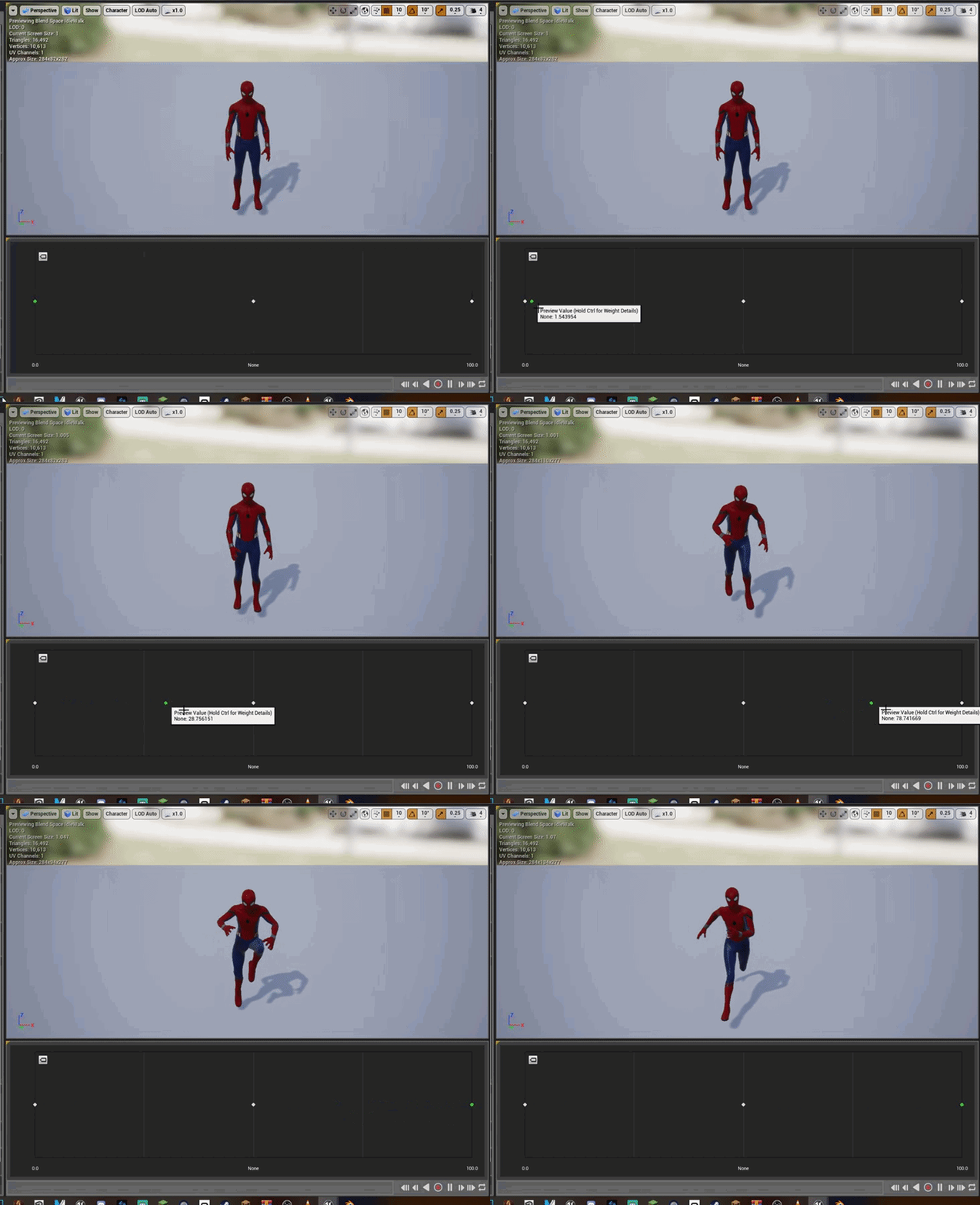
https://gyazo.com/cdec3b6e586e00bdaf22aff604de8bf5.gif what do u guys think
 tawdry dragon
would love to know if the Rift S works with 10-15 other stands near them
granite jacinth
@dreamy kestrel bro, stop spamming here please
dreamy kestrel
Ive literally sent it once before
dreamy kestrel
I didn't spam shit
granite jacinth
Unless you are discussing VR specifically, which 95% of your messages aren't 😃
dreamy kestrel
I want help, i didn't win shit though?
are you sure about that
I was literally just talking about how to fix the arms tracking
not bending
granite jacinth
uh, I meant... "first time wins", as in, when you boast about being proud of what you have been doing for the first time, etc.
dreamy kestrel
I didn't know 1 message was 95% of my messages?
granite jacinth
Congrats on your first time in UE4
dreamy kestrel
It's pretty hard to read sarcasm.
dreamy kestrel
In text it is.
granite jacinth
It's not. Like I said. Trust me. You'd know if I were trying to be "a dick"
dreamy kestrel

granite jacinth
Right now, I'm just trying to have a conversation with like-minded folks on VR, without the random videos and pics on stuff not related to VR
But as you were. I forget we have tools for that.
dreamy kestrel
On the other hand, I'm just trying to figure out how the hell I can implement swinging mechanics in VR
I dont understand
Sorry, english isn't my first language
so I'm not perfect
https://www.youtube.com/watch?v=zzp-HSOcemU would this be usable in a vr environment?

Hi guys! I've created a Patreon, so now you can support me here: https://www.patreon.com/MedelDesign If you support me you will have access to an exclusive v...
 mighty carbon
turning your Oculus Touch into knuckles-like contraption https://www.youtube.com/watch?v=sFdYBAiYw9I

https://www.mamutvr.com/ Mamut touch controller grips, allow you to strap the controller to your hand, so that you can let go and the controller stays put. B...
 stone dagger
Hey guys, quick question :
When I start my scene, the way the HMD faces, is the scene X axis. So if I rotate the HMD before hitting PreviewVR, the scene is rotated too. How can the scene always be "aligned" with the steam VR room config ?
mighty carbon
I wonder how many units of Go has been sold
 sturdy coral
@mighty carbon do you they will keep go as a product if they are able to drop quest price down? (at $400)
I guess it depends on how well quest does
granite jacinth
@sturdy coral Quest won't drop in MSRP lower than $400
They have already stated they wanted to keep Go as newb/poor people platform
I thought you were at OC5?
mighty carbon
they said there are 3 products - Go for media consumption, Quest for untethered play for masses and Rift for VR enthusiasts
granite jacinth
What we will see probably will be temp price cuts though
I am forseeing Quest at $300-$350 for Black Friday
mighty carbon
so, I don't think Go is leaving VR scene
mighty carbon
I think they screwed up with not giving Rift S adjustable IPD
granite jacinth
Well, they didn't screw up
They basically just have a WMR reference design
from Lenovo
sturdy coral
@granite jacinth I'd imagine they could cheapen quest in the future, maybe through a new model
granite jacinth
They screwed up letting someone else do the design
sturdy coral
with an lcd panel or something they could drop it down
mighty carbon
or at least they should still sell CV1 for those with odd IPD and who needs 100% 360 deg. tracking
granite jacinth
@sturdy coral Of course they could do that...but they won't
sturdy coral
the computer vision camera stuff is just getting cheaper and cheaper
granite jacinth
They can't undercut/jump into Go range
sturdy coral
they can if they discontinue go
granite jacinth
Unless they are planning to drop Go prices down as well
They won't and shouldn't
That would be a huge mistake
They have a very very nice lineup in all price points
sturdy coral
maybe, just depends if quest brings a lot more excitement
sturdy coral
they could do like a budget quest with two cameras and LCD
granite jacinth
That would be stupid
Undercutting themselves for no reason at all
No one can compete with them
I doubt...really much...that Cosmos...
Is going to sell at $400
So, who is going to compete with Quest?
Who can compete with Go right now actually?
sturdy coral
I could just seem them go all in on focusing on quest, if they are able to bring cost way down
go could get a lot cheaper too though maybe
I got a shitty walmart 1440p 3dof HMD for $15
granite jacinth
😃
I have a few randoms like that as well
The thing is, the have set themselves up very smart
sturdy coral
the price floor over time is going to be really low
granite jacinth
If they want, they could drop Go down to $150, Quest to $300, Rift to $400 or whatever
But again, that's just undercutting themselves for no real reason since there's NO competition
This is basically like Nvidia
They ain't going to do jack ditty squat until someone big enough can come in and compete on their level
And they shouldn't imho
We aren't quite there yet technologically speaking for Mass-Market
sturdy coral
I think they are too small for that yet and even without competition they will want to do price cuts and improvements to drive adoption
granite jacinth
We'll see in a few months, or sooner on how Quest did
Then we can reevaluate our opinions 😃
sturdy coral
nvidia is in a position where they don't want to cannabalize data center sales that are way inflated over what they sell the consumer stuff for, they had to change driver ToS to not allow consumer cards in data centers
granite jacinth
Next big launch is Index
Also, Pimax did some ninja shit yesterday
Launch on US Amazon, didn't even know that until it was too late
But they freaking RAISED prices
before putting it on sale
sturdy coral
the best outcome of big quest success would be the next model would have enough negotiating power to get qualcomm or whatever to add support for display input
and it would work with PC
granite jacinth
Pimax is just about dead
Even with their new open-source intiative
That worked out so well for OSVR/Razer
Now that's some sarcasm btw
sturdy coral
yeah, I think they just did an amazon marketplace store or something, which takes 10-15% of each sale
so they just raised the price at the same time lol
granite jacinth
That's dumb
Made me not even think about buying one
I was intrigued for about 2 seconds
sturdy coral
at the kickstarter price it was a really good deal
granite jacinth
Then saw the price...and looked at OG price...and was like...wtf
sturdy coral
they will probably go bankrupt before I get my 8K X though
granite jacinth
I bet a lot of people interested also felt the same way
sturdy coral
but that thing will be insane if they pull it off
sturdy coral
it is basically a huge FOV HP reverb
granite jacinth
Not sure where the heck they are getting all this money
They should use it on engineers/programmers 😃
 wicked oak
im not so sure they can drop Quest in price soon
the thing is incredibly overbuilt for 400 dollas
 idle osprey
From what I read, Quest is sold under cost.
I haven't used my Quest much yet, but, wow...such an improvement over Rift. For me, anyway.
idle osprey
yeah, I just have to write a game now. 😊
 zealous cobalt
If anyone wants someone else to test their Oculus Quest app for them to give outsider contact, please DM me.
 wraith sky
what if...someone wants to test Oculus Quest?
 toxic oracle
The oculus online subsystem should work on mobile (Go/Quest) and PCVR right?
 hallow knoll
@toxic oracle Yeah it should
dreamy kestrel
I'm so stumped, I need to get this done by my friends birthday, but I can't find any good Spider-Man swinging VR Based tutorials, or even Melee and enemies, so that he could fight crime, I got the model working and moving, with animations but it needs swinging to properly be a spider-man game.
Can anyone support me with this?
dreamy kestrel
https://www.youtube.com/watch?v=hBMvdYgcrng I just want to make web swinging like this

This is a truly amazing webslinging experience, the kind I'd dreamed of trying since I heard about the Rift. Realistic physics combined with Spidey's abiliti...
I dont care how scuffed it looks
Please help
 real needle
Anyone knowing where does this error comes from ? And How to fix it ?
 ember forum
So has anyone launched to a quest yet ? Im wondering if we will really feel a lot of improvements over the go, since the processor is 30% faster but there is also the overhead of the inside out tracking, i guess I'll find out later today when mine gets here though
mighty carbon
lol, my local Walmart doesn't even know what Oculus Quest is :/
 sturdy canyon
I get back about 30% more draw calls and triangles on Quest vs Go
On Quest you only get access to 3 major cores. The 4 minor cores and one major core are eaten by the tracking and OS
But those 3 cores are decently badass cores
ember forum
Hmmm wonder if 1 could disable all that tracking and switch to 3dof mode 🤔 😂
sturdy canyon
I used one core for rendering, one for voxels, and the third for everything else including game thread and physics
There is currently no way to disable tracking
mystic tinsel
The issue of keeping the capsule lined up with your HMD. Through googling, it looks like a common solution is to get the HMDs delta every frame and offset the capsule and your VRRoot to keep them all lined up. This works, but runs into issues as you get into more complicated stuff. Like a VR avatar that has a full body. The issue with keep the capsule right on top of the HMD crops up as you start to look down/bend over to reach for things. If you look down, you can't really see past your chest. If you start to bend down, the body stays lined up with your head which means your head goes inside the chest. I've temporarily solved this by checking for HMD pitch and height and pushing the character mesh back a little bit, depending on how far down the head is and the pitch of the headset, but this runs into it's own issues. Are there any more advanced methods for solving this issue?
sturdy coral
@mystic tinsel are you making your own full body IK or using one from somewhere?
if doing your own, use ccdik to position the head with constraints that keep the spine from crumpling. Because the spine won't crumple, the ik may not reach your head, so then use a bone delta node to apply a delta of where the head bone should be to where the IK was able to reach, and apply that delta to the hips. Then make sure you do foot IK and arm IK afterwards to fix up where the hips push them to
for third person you should try to mix in some of the hip bounce when animating run/walk into the desired head ik target first, because otherwise doing the above is going to overly constrain things to the head and make the hips seem too rigid
mighty carbon
I think Oculus will bring 3-point IK into SDK soon.. Last 3 surveys I filled out asked about features I'd like to have and 3-point IK + full body avatars were 2 items on the list all 3 times.
sturdy coral
valve has talked about it too, it is bad for the sdks to be doing that as part of the runtime
it should be a separate library
similar problem to valve doing the skeletal compression as part of the runtime
means 2d players or people on native oculus sdk can't see animated hands
 tired tree
valve has been hinting that next skeletal release will have more than hand pose estimation
not entirely happy with the concept, its really nice if you stick to one platform (like oculus's avatar system), but when you try to cross platform its a big ole mess.
not that anyone has to use it though, so there is that
sturdy coral
I think the avatar system now works on multiple sdks
tired tree
still requires a facebook account afaik
sturdy coral
ah
tired tree
for the avatar retreival
sturdy coral
I looked a bit at the plugin, I didn't realize you could do runtime skeletal mesh import
tired tree
the oculus one?
sturdy coral
yeah
sturdy coral
I don't know if they have to have a standard skeleton too or if that is loaded at runtime as well
looks like their Content/ only has materials
idle osprey
I'm confused. I am looking at a video from Oculus posted by UnrealEngine a couple of days ago. In it, they talk about the Oculus Plugins and how to configure them for the Quest and Rift S. We have to install plugins in UE4 for this? I don't see them in my project settings (I'm on a Mac). And I'm not finding somewhere I can download these plugins.
sturdy canyon
Oculus doesn't work on Mac last time I checked
on windows the plugins are built into the editor and default to on
idle osprey
grr...I'm trying to dev for the Quest, which is Android. Whether I'm on a Mac or Win shouldn't matter.
sturdy canyon
Oooh interesting. The plugin should be white listed for android at least
but if you aren't on windows I'm not sure you can adjust the plugin settings in the editor
idle osprey
I can tell Unreal to start in VR under Editor Settings. But I don't see the Oculus VR plugin.
 vale gale
I posted this in in mobile originally but I'm seeing a huge gamma shift on the Quest compared to sm5. I'm using the previewer of course but the shift is concerning and feels like there's some bad color management going on for mobile. I'm surprised I haven't this being addressed at all.
idle osprey
I'll try booting in to Windows and try there, but it'll take some time to get UE4 downloaded again. It'll be unfortunate, but I can live with it if that's the way it has to be.
mighty carbon

UploadVR
Facebook's CTO Mike Schroepfer revealed that the company had "vigorous debates" about whether it was even possible to make Oculus Quest.
idle osprey
I definitely lose tracking a lot, like Rift with only 2 sensors. But still, it recovers fast.
 frigid kite
I've played a bit of RR at the office today on our Quest, and I have to say I am solidly impressed with the headset
The tracking was just rock solid the whole time, and being free of the tether is quite an experience
idle osprey
I've been playing Vader Immortal and setting up Netflix and YouTube VR. Mostly, it's in Oculus Home where I've noticed tracking lost -- I'm not really doing anything that it would matter with -- I just see a frozen/floating controller for a tenth of a second.
frigid kite
Definitely considering getting one for myself
Hmm, I've been fighting FPS issues in my home project for a while, and I can't seem to get a grip on them
mighty carbon
@idle osprey Carmack said that reflections, bright lights and dense patters (e.g. carpet ) will confuse tracking
frigid kite
Even if the GPU visualizer has less than 11ms total time for a frame, I'm dropped to 45 according to stat fps
Anything I'm missing that's causing that discrepancy?
Oh actually, still just above 11ms when including the world tick
Still, all stats are giving me other timings
The GPU visualizer is at 11ms, stat fps at 22, and the steamvr compositor at 17
idle osprey
I guess what I'm saying is, Quest is no worse than Rift for tracking. It's not perfect. 3-sensor Rift is better, but this is completely acceptable.
frigid kite
@mighty carbon I'm impressed with how little the Quest needs to track, our office floors are fully white and shiny, same for the furniture, yet it tracks without a hitch
idle osprey
I did have a bit of a bright light on one side of my bedroom where the setting sun was sneaking in. That might be why. I honestly don't know 'cause I didn't know what direction I was facing in RL. 😃
mighty carbon
I am gonna wait a bit on getting Quest.. I don't really see any urgency on Oculus side for fixing lack of shortcut for passthrough and some other fixes for issues reported ("no ETA at this time" sounds like a few month away based on my experience with Oculus).
tired tree
Meh, quest has significant tracking deadzones and some jitter in specific situations, that being said it exceeded my expectations and its a really solid stand alone.
frigid kite
Yeah I was very skeptical about optical tracking but I'm impressed by what I have seen, though I have to say I've only been able to spend a good 15 minutes with it so far
Still, enough to see that at least the HMD never loses tracking in our office, can't speak for much else
idle osprey
I can get to passthru quickly ...not a shortcut, but just click the roomscale button on Home and you see it.
mighty carbon
well, if you are in-game, you want to be able to double tap Home button on the controller to enable passthrough, just like on Rift S
Oculus
Join the Official Oculus Discussion Forums and talk about Oculus Rift, Oculus Touch, Samsung Gear VR, and virtual reality.
Vulkan updates -
Fixed miscellaneous MSAA bugs.
Added support for sRGB render target.
Added engine-side support for FFR. This feature will require a future Oculus Quest runtime update for end-to-end support.
Added engine-side support for multiview. This feature will require a future Oculus Quest runtime update for end-to-end support.
@sturdy canyon sounds like mobile Vulkan is a go now? (for Quest only I suppose)
mighty carbon
right, but Quest-only or both Quest and Go ?
sturdy canyon
That's a question worth asking
posted the question
oh you beat me to it
the 1.37 update include 4.22.1, but not 4.22.2 yet btw
maybe soon?
mighty carbon
hopefully 😃
granite jacinth
@mighty carbon @sturdy canyon Other than getting the lastest SDK stuff for each engine version. Is there any particular reason to use their build over regular source/launcher build?
sturdy canyon
Oculus fixed a bunch of shit in mobile rendering in 4.22
I don't think those fixes made it to the main branch
granite jacinth
hmm
sturdy canyon
in 4.21 I never bothered to use the oculus branch, but it's worth it in 4.22
granite jacinth
So, I should use that when pushing Quest build
sturdy canyon
I'm still on 4.21 for Quest
I'm tentatively testing 4.22, but I got a few bugs to fix before it's releasable
Like for some reason my sky sphere is no longer attached to the player
so you can move outside it
or maybe it was never attached, it just used to be way bigger?
mighty carbon
@granite jacinth there were a few instances when certain BP stuff was in Oculus branch but was not in Epic's..
probably just because Epic's branch is always behind on SDK updates
 twin lagoon
when i tried to deploy to quest using the launcher version of the engine on 4.22, I was missing some Android packaging settings referenced in the youtube talk (https://youtu.be/hEtu-ciPc7g?t=477 @ 7:57)

This Unreal Fest Europe 2019 presentation by Oclus VR's Software Engineer Loren McQuade shows how to configure, build, deploy, debug, and profile your UE4 pr...
mighty carbon
sometimes I'd find a bug and Oculus would fix it pretty quickly.. So Oculus branch would work fine and Epic's wouldn't until next release or something
twin lagoon
that setting was in the oculus branch when built from source, so from what i've seen you have to build Oculus' branch from source to deploy to quest
mighty carbon
Oculus also recommends using their branch.. They will be more inclined to fix bugs and dig deeper (and even check your project if it's some weird bug/issue) if you use their branch
sturdy canyon
That setting is a one line change
I had to add it manually into 4.21 as well
but yeah you get that for free in the oculus branch
twin lagoon
ahh gotcha
granite jacinth
v1 vs v2
wonder why they don't just do v2 on all
what's this "free" thing
lol
I've never heard something talk about a code line and adding monetary value to it like that lol
sturdy canyon
there's v1 vs v2, but there's also a android manifest tag you have to add for "6dof required"
sturdy canyon
more important going forward, yeah
until like one month ago vanilla 4.21 could package acceptable quest builds
wicked oak
for yall
dev-rendering added GPU Scene (autoinstancing included) for vulkan and opengl3.1 in MOBILE
so likely working right now on quest and go. those support 3.1, no?
granite jacinth
interesting
mystic tinsel
@sturdy coral yes doing my own. I looked at some solution but overall wasn't satisfied
idle osprey
omg, are you telling me I need to download UE4 again?
zealous cobalt
I can fairly easily make out individual pixels and color seems to bleed a bit. Is everyone elses Quest like this or do I have it adjusted badly?
sturdy coral
@zealous cobalt I don't know if quest does this, but Go had the option for some apps to turn off chromatic aberration correction in order to get extra performance (which could cause that color bleed)
does it do it even in the main menu?
mighty carbon
@wicked oak apparently Quest now supports Vulkan (still unclear if Go supports it or not)
ember forum
so vulkan is like 1,789,432 times better than es3.1 in terms of performance right? if thats so, this is really big news... id also like to know how the hell they got robo recall running on the quest (but i think the pixel density is also very low ... so hmmm 🤔 )

Android Authority
How does Vulkan stack up to OpenGL ES 3.1 in graphics and performance? In this article we run multiple tests to determine a winner.
zealous cobalt
Yeah it is like that in the menu
granite jacinth
@ember forum What do you mean how?
It's so scaled down in terms of visual fidelity
90-95% of porting from PC to Mobile is art
ember forum
true.. what i mean is, i want a porting robo recall to quest live stream 🤓
granite jacinth
You might get that
@hallow knoll is already trying to get something together in terms of a Quest Dev stream, so that's not off the table
ember forum
nice, the unreal dev days stuff came out 3 days ago with some quest stuff as well
granite jacinth
I sadly have to hold off on any testing myself until next week 😭
ember forum
one thing he didnt mention (in the ue4 quest video) was the official snapdragon profiler
granite jacinth
Unreal Fest you mean?
granite jacinth
Life
hallow knoll
@ember forum @granite jacinth We didn't do the port, DrifterVR did. I'm planning a "Getting started with Quest", but no plans on when that stream will happen
granite jacinth
Other responsibilities 😃
ember forum
nothing is more important than the virtual world
granite jacinth
@hallow knoll Aye, but you can get them on the stream right?
It's not like you all haven't done it before
hallow knoll
I wouldn't mind that at all! I'll ask them
granite jacinth
Free Publicity is Free Publicity
hallow knoll
I think that would be more valuable to a bigger audience than how to get started 😃
granite jacinth
Depends on the view. If devs are watching and have questions or need help on a project, they may be able to gain some valuable new contracts/gigs.
¯_(ツ)_/¯
tired tree
I was personally suprised at how well rec room runs
the hardware has a higher upper limit than I thought
granite jacinth
Haven't played that yet.
But I don't see why you're surprised
Again, low visual fidelity
It's not like it runs like poop on PC
tired tree
yes, but I would have expected some hitching in paintball or the quests
hallow knoll
What did ya'll think of First Steps? The new user experience, it's made in UE4
toxic oracle
I liked the robo dancing
tired tree
its a trick question
granite jacinth
Yeah, that part was cute and fun
tired tree
don't answer!
hallow knoll
@tired tree ssssshhh
granite jacinth
Nah
toxic oracle
I was really hoping that I’d be able to like pickup and spin the little robot
tired tree
its a great intro to new to vr players
granite jacinth
Hmm, not sure about that part
tired tree
though would be better with a shorter initial tutorial section
hallow knoll
And that's what it's intended to be. Anyone should be able to play through it.
tired tree
and quicker to the gripping / throwing
ember forum
it felt a lot like the rift first contact
granite jacinth
My fiance had issues with the tutorial
hallow knoll
@ember forum Same team
hallow knoll
Whaaa
granite jacinth
She like Sports Scramble better
tired tree
beat saber is overwhelming and not that interesting to older people from experience
granite jacinth
Well, she doesn't like shit flying in her face
hallow knoll
Fair
ember forum
so my game going from go to quest has at least a 20-30fps jump
just did some preliminary testing
granite jacinth
Yeah, that's pretty easy
tired tree
sounds about right
hallow knoll
Active cooling ❤
granite jacinth
Is it wrong of me to just want to see what happens in next gen?
Instead of what's going on now
hallow knoll
@granite jacinth We're waiting for the plug in our neck, so no
granite jacinth
I feel...what's the word...maybe underwhelmed a bit
toxic oracle
I haven’t done much of beatsaber on the quest, I’ve been loving robo recall and super hot though
granite jacinth
I mean, it's great tech, but man... I am ready for next-gen
ember forum
im just waiting for someone to make a quest hack to stream steam vr games
so i can play skyrim
toxic oracle
That’s out already I think
granite jacinth
Super Hot is nice because it's a lot slower pace
Easier to get more people to play that
ember forum
i think vulkan can bring that next-gen stuff to quest though
i mean if you really want next gen ill stand beside with you a pool noodle everytime you take hit damage
granite jacinth
The thing about it is
ember forum
but i know what you mean, like robo recall on rift was amazing for like 2 hours
granite jacinth
I waited... what... 8 months?
I played with it in Sept
And AFAIK, nothing's really different about it
ember forum
and then its just, ok its vr .. it kinda dies down after a while
but being wireless does feel like the tech is moving in the right direction
granite jacinth
In those 8 months, it's just been about getting all the big games on there for launch
Which, to be fair. Very understandable
toxic oracle
Any interest in a VR Kart Racer? That’s my current project but part of me wants to do something more focused on the wireless nature of VR since I love that part of it
granite jacinth
eh
I think there's already one too many
Unless you are going to do it better, maybe not worth your time
But then again... I am doing an FPS Shooter
So
don't take my advice on that
ember forum
someone said it best though, most of the stuff out there now for the GO just feels like a tech demo
and not like "real" games
hallow knoll
@granite jacinth Want to play Contractors for some... research?
granite jacinth
when?
hallow knoll
Like, now
granite jacinth
oh, sure, let's go
hallow knoll
On sale $14
granite jacinth
I bought it awhile ago for research already 😉
hallow knoll
Does it work with Knuckles?
hallow knoll
It works well with most titles actually, except if you touch the touchpad (if there's smooth loco) you move all over the place.
granite jacinth
These guys are terrible with posting updates
I hope Valve allows us to add "Index Controllers" on store pages
mystic tinsel
Has anyone set up tracking without using "lock to HMD". I want more control over where my camera is and it seems that with using Lock to HMD, I basically can't control it at all. There is no way to constrain it's movement, or rotation or anything if I need to. So I set up a test function in BP to get the position and rotation and manually rotate and set the location of the camera. This works, but when Lock to HMD is turned off, the motion controllers go wonky.
mighty carbon
has anyone tried using headphones with their Quest? I see it has (2) 3.5mm jacks (one on each side) and earbuds accessory on Oculus store are mono (each).. So I wonder what will happen if you plug 3.5 mm stereo plug into one of the jacks on the HMD..
idle osprey
I'm told they're both stereo jacks.
From watching Mike on The Oasis, he just plugs in a stereo headset in to one jack.
 grizzled thunder
Hi, in the process of switching from BIK to IKinema for a VR project. Curious if anyone (besides certainly Jonas!) has a lot of experience with IKinema in VR?
toxic oracle
Hey I'm getting the error message "LogModuleManager: Warning: ModuleManager: Module 'OnlineSubsystemOculus' not found - its StaticallyLinkedModuleInitializers function is null." when packaging my app for quest, I have
PrivateDependencyModuleNames.AddRange(new string[]
        {
            "OnlineSubsystem",
            "OnlineSubsystemOculus",
        });
in my private dependency modules
I'm also using the oculus subsystem plugin so I'm not sure what the issue could be, the config is also setup in AndroidEngine.ini and DefaultEngine.ini with my default subsystem set to oculus
sturdy coral
@mystic tinsel you can constrain it's movement by counter moving the root it is attached to
Though you'd have to mess with the late update code to fully do it
And most of the runtimes will do unconstrained reprojection as well even if you turn off lock to hmd
wicked oak
@ember forum the vulkan vs gl thing is a bit more complicated than you would think
unreal engine gets a +10-20% cpu improvement
but the thing with vulkan is that you have a guaranteed feature set that has compute shaders
and draw indirect
and those are absolutely fukcing huge
and also, you have subpasses, which are really, REALLY good for mobile gpus
not as useufl on desktop gpus, but on mobile they are god tier
and of course, the way commands are generated in vulkan means you can frontload your loading to the load screen, and then once loaded the rendering goes by super fast
fun fact
when you tell opengl to compile a shader
it doesnt
and when you tell opengl to upload a texture
it also doesnt
it will compile and upload the stuff whever it feels like it
unreal engine 3 actually loaded 1 quad with the materials and rendered it behind the loadscreen
to force the graphics API to actually upload the damn things
mighty carbon
@wicked oak let's hope it's implemented nicely in UE4 and that Oculus updates OS on Go/Quest to support Vulkan in timely manner 😃
wicked oak
vulkan in ue4 is a tall order
at least for 4.22 forward, the rnder refactor works specially well with vulkan
due to explicit render passes and rendergraph
the issue is that ue4 is too flexible
vulkan works best when you know exactly what you use in your level, and then you just agresively cache everything
this is what doom did
Doom 2016, on the first load of the game, will compile every single material in the entire game
and then on gameplay it will just reuse from the cache
no stutters, perfect framerate
mighty carbon
and UE4 can't do the same for packaged builds?
wicked oak
not really
tho i think they were working on some stuff like you had a playtest or cinematic, and it would gather what shaders are being used to pre-cache them
zealous cobalt
anyone working on modding beat saber for the quest yet?
hallow knoll
@wicked oak You can use PSO caching: https://docs.unrealengine.com/en-US/Engine/Rendering/PSO-Caching
wicked oak
@hallow knoll thanks, thats what i was talking about
hallow knoll
It increases the initial load time of your game, but can prevent hitches during play
mighty carbon
@hallow knoll isn't there a way to build cache before release and release packaged build with that cache, so that initial load is blazing fast ?
hallow knoll
@mighty carbon I've only worked with this once on a project, so someone might correct my explanation here but to the extent of my knowledge, the cache needs to be loaded into memory when the game loads, which will increase the total load time of your game. However, the subsequent loads (levels) will be much faster, since the cache has already been loaded.
What we're talking about here is doing what you're explaining
It depends on the platform though
zealous cobalt
Can I get some help here? I am trying to set up a Oculus Quest app for my first time and can not find something in settings.
That is what it says
toxic oracle
I believe to get that you have to compile oculus' branch of UE4, it's not in my 4.22 either
hallow knoll
@zealous cobalt There's a checkbox for "Oculus Mobile" since 4.22, check that instead
zealous cobalt
hallow knoll
"Configure the AndroidManifest for deployment to Oculus Mobile"
zealous cobalt
Ok thanks!
hallow knoll
@toxic oracle You don't have to compile the oculus branch, works just fine in 4.22
zealous cobalt
do you using the charging cable to download stuff onto the quest?
hallow knoll
@zealous cobalt Yeah the provided cable works just fine, but any quality USB-C cable will do
If you're using usb to usb-c, make sure it's usb 3.0
hallow knoll
They have the same shape, 3.0 should be blue inside instead of black
zealous cobalt
What battery percentage should the quest be stored at?
toxic oracle
My project successfully packages and runs on the quest with the oculus online subsystem disabled, when I have it enabled however, it compiles and goes onto the quest but when I load it I get the following error message:
Warning: ModuleManager: Module 'OnlineSubsystemOculus' not found - its StaticallyLinkedModuleInitializers function is null.
I'm not sure what the solution to this is? The oculus online subsystem plugin is enabled, and it's listed as a dependency in my build.cs file along with the AndroidEngine file and DefaultEngine.ini being setup for it
 marble cloud
Hey everyone, quick question, which headset should I buy if I don't have any and I want to develop for oculus quest? As I understand you can't connect it to pc so you can test only if you build for it, so rift S is a better option I guess?
 golden snow
You can connect Quest to your PC?
And general rule of development is - if you can (which you can in this case) develop on the platform(s) you're going to launch on.
sturdy canyon
Oculus has basically said they won't publish Quest content until it's been released on PC and does well there first
mighty carbon
that makes no sense @sturdy canyon
golden snow
Yea it does. It's basically saying "we won't make let you onto quest unless you're a proven title or developer"
mighty carbon
a game made for Quest specifically will have a very low change to success on PC simply because it will have dumb down visuals.
it might be a big hit (since you never know how things can turn out in video game business), but there is a good chance people will dismiss it because of visuals (yes, PC VR folks are spoiled)
golden snow
glances over to Roborecall
But, no. The PC version doesn't need to be the exact same as the quest version -- it can have better graphics, than quest.
The point is their looking for games that sell. A for-quest game that isn't tested, won't tell them that without background history.
Oculus will be giving more than just a spot on the store front for quest, so they will a stake in how well the game does and can lose money from it if not careful.
mighty carbon
lol, if you read reviews about RR, people don't like it much on Quest. As with anything else, develop for a target platform in mind is a must. So imagine success of RR on PC if it looked like what you see on Quest to begin with. Plus, RR was the very first game for Touch. So it had no competition really. Can't really compare that situation with the market we have today.
Btw, there is a pitch form on Oculus site for Quest devs. You don't have to make VR game that is released for PC first.
Pitch your game to Oculus and if they approve, you go straight to Quest
golden snow
Which is why I said "established developers" too.
And, when pitching a game for quest, wouldn't success with it on PC be a solid bonus?
mighty carbon
that's incorrect again
you don't have to be established dev
if you have time and money and team, sure - go make game for PC VR, PSVR, etc and then port it to Quest
golden snow
Sure. I'm just going to go with Nathan on this though since I know he has experience we may not.
sturdy canyon
The process to ship on Quest is
- ship on Rift
- do good there
- ship in Quest.
The exception is if Oculus funds the content. In that case you will ship on Rift and Quest at the same time.
This may change in the future, but it's official Oculus recommendation
wicked oak
@sturdy canyon you porting to quest?
sturdy canyon
Yeah. I was ready to go at launch, but Oculus decided they wanted only one creative app, and chose Tilt Brush
I should launch this summer
wicked oak
you and tilt brush isnt exactly the same :/
if they said something like Medium, i can understand
golden snow
I'm excited to try it on quest
marble cloud
What I meant by "can't connect to pc" is that you can't try it in unity/unreal play mode, you need to build and load into the headset as there's also no "unity remote" app or anything like that
golden snow
@sturdy canyon done on slack
 opaque adder
Hey whats the best practice for adding collision to VR camera?
The player can pass through walls by default.
sturdy canyon
There's not a best practice. Depending on the experience different apps handle it different ways
opaque adder
I'm making a first person game
sturdy canyon
Some prevent the motion with colliders. Some black out the screen while stuck. Some ignore it
golden snow
Prevent motion is blech, but effective at teaching
sturdy canyon
Prevent motion is maybe the best for competitive physical games
golden snow
Blackout is more confortable, but can lead to player getting lost
toxic oracle
I liked the implementation of apex construct which seemed to teleport you back a bit
sturdy canyon
If you have a narrative experience, probably just don't do anything. Players actively don't want to break the presence
ember forum
@opaque adder your root needs to have collision and you move the root component
Theres some (very few but great) oculus go tutorials that will extend well to oculus quest
mighty carbon
finally got 4.22.2 + 1.37 integration
I see that there is no "Oculus Mobile" option and instead it's "Go/GearVR" or "Quest".. I thought 4.22 changed it to "Oculus Mobile".. Or was it like that in 4.20- ?
tired tree
@sturdy canyon or both, preventing movement and adding blinders during the pushback or darkening vision gets rid of most of the issues that sensitive players have with it.
ember forum
but also allow the option to remove that if you do implement it (like how skyrim vr does), those darkening rings just serve to annoy some players (like me) who have no issues with vr sickness
so did yal read the interview with drifter vr

アンリアルエンジン
How Robo Recall was ported to the Oculus Quest.
wicked oak
@ember forum i know some guy who did a more in-depth analysis of the port
it is kinda shoddy
this guy is making his own port from PSVR to quest and the result is much more advanced than roborecall
for example, they just baked all materials down to diffuse
like
all of them
even metallic objects have their cubemap baked down to the texture
it is kind of comical you grab one of those golden trophies and it doesnt shine, you rotate it and its like a painted prop
ember forum
Yeah thats the kinda tricks we really need to know
wicked oak
also, they HLOD-ed so hard they destroyed decals
they literally left the decals in the meshes
but didnt trim the transparent part of the decals
so you see stuff like an arrow on the floor as a black quad with a white arrow painted on it
the cpu and physics optimization work was stellar tho
mighty carbon
they should have hired you @wicked oak
mighty carbon
I see
I guess they just went lazy on art optimization
(or had no time to optimize it properly)
wicked oak
yeah the art side is a bit shoddier
they just baked everything to diffuse
but there is smarter things you can do
for example, very basic shaders
do a vertex color with a directional light, to give it a bit more tridimensionality
or do a single cubemap for metallic objects
custom shaders tho
what they did there is to just bake down EVERYTHING and plug it into unlit
wicked oak
bake to unlit works like a charm on static objects
ember forum
I would really like a good lesson in mobile/vr lighting
wicked oak
alongside static light
ember forum
Bake materials and aggresive hlods alright lets do it
tired tree
quest actually runs my stock example template...barely..but it does
thats a real surprise
ember forum
funnily enough on the go, i could not get neither a teleport arc (for projectiles) with meshes or particle systems running smoothly at 60+ fps... i just scrapped it eventually since its a flying game but still i found it strange the go could not handle all those for loops (even with nativized blueprints), probably was the extra overhead of the flying mechanics though
tired tree
@ember forum depends on how old of the epic template you were basing it off of
they were originally not batching the spline mesh components
and it was generating them ON TICK
ember forum
i tried a timer as well, still coudnt get it... it would probably run well on the quest though, most of the issues i had are now gone with the quest... and with vulkan around the corner things look really promising for vr
 glossy agate
@tired tree just your base template barely ran on quest? what are the main things dragging performance in it so you think?
tired tree
well...its by default dynamic lighting
so that I don't have to ship any built lighting data
basically fixing that and adding some multires and it runs fine
physics grips are still a little inconsistant, think the physics settings need tweaks on mobile
glossy agate
Ah yeah. Nice. I’m probably gonna buy one next week to build on and see what it can do. Does it get super hot like Go?
Probably going to avoid physics as much as I can with the grips and such. From what I saw with the camera tracking seems like throwing stuff ect can be iffy
tired tree
doesn't really get hot no
still has that annoying nose gap like all rifts that can fog your lenses if you position incorrectly when putting on at first.
glossy agate
Yeah lol. Luckily I got a big ass nose for covering that
ember forum
lmao, i was about to say, this is the first time that has worked in my benefit
mighty carbon
@tired tree so Quest can't handle physics you have in VRE well (performance wise) ?
wicked oak
@mighty carbon its the different fps
VRE stuff is kinda tweaked to work at 90 fps
i think
tired tree
@wicked oak @mighty carbon nah the physics doesn't care about the FPS, the quest just doesn't run the physics thread consistantly, I need to play with settings I think
the RR port guys were talking about how they had to spool up a dedicated untouched thread for physics that wasn't competing for CPU cycles, I can see why
I was just getting less quality of collision than normal is all, it could also have to do with the framerate at the time
I didn't experiment all too much yet, had some unrelated bugs to fix
 languid night
Does anyone know how to track headset movement?
 pearl tangle
@languid night you may want to be more specific than that, since tracking the headset movement is the most basic part of VR
languid night
I have some code that tracks the distance the player walks in the game. If he uses the controller to move, the code works. If he physically walks, it doesn't.
For example, if he walks 100cm through controller input, it'll print 100cm. However, if he walks a 100cm in real life, it prints 0.
I'm using getactorlocation, should I be using getcameralocation instead?
sturdy coral
@languid night yes
When you move in real life, camera component moves relative to the component it is attached to
You can use the actor location too if you had it following the camera
You may want to zero out the z component or trace to the floor otherwise, because you will get added distance from head moving up and down
zealous cobalt
BSMG is working on getting custom songs, maps, and events working on Beat Saber for oculus quest. They are the ones that made the mod maker for the Rift version. If you think you could help out, please do.
https://discord.gg/beatsabermods
pearl tangle
beat saber is built in unity not unreal
zealous cobalt
@pearl tangle pretty sure all the modding just uses code right now
languid night
@sturdy coral Thanks
 dim imp
Does anyone have experience creating a tutorial scene in the beginning of his VR experience ? I need some kind of UMG or any cool idea to kinda overlay a controller (either a model or a picture) and show the player where to press and stuff
creative ideas are welcome
 fleet peak
@dim imp
Attach a Widget component to whatever objects you want the player to notice maybe? I did it that way and it worked. You could also add an indicator (a cone mesh maybe) on top of the object that pulses (making a pulse material is really easy).
To answer your question - once the player overlaps the object, the control for the object can show up on the hands. Try adding a widget component to the hand - it would make a wrist menu of sorts whose content can be dynamically changed.
dim imp
@fleet peak Thank you for your response. I'd like specifically a controller model to show up temporarily and indicate what buttons to press next
fleet peak
Oh right
If it's a 3D model, attach it to a trigger box and make it visible on begin overlap and invisible on end overlap? That way it isn't persistent and shows the player what to do
Regardless of 3D or 2D it can be attached
dim imp
okay thanks!
fleet peak
No worries
Let me know if you want help regarding the implementation
tawdry dragon
@tired tree would you recommend your plugin for the Quest? We are probably starting up a small RnD project with the quest soon and I was thinking about basing all the interaction on your plugin
 elfin venture
hallow knoll
elfin venture
hallow knoll
I haven't had any luck connecting a BT keyboard w Quest. I only have one to test w so could be the keyboard... I find it and I can pair, but it just keeps trying.
tired tree
@tawdry dragon entirely depends, just sticking to the grip controllers would be fine regardless of anything else.
there is no hard answer
I know people who were making GO apps with it for some reason
seemed a little overkill at the time to me
tawdry dragon
@hallow knoll how did the Quest Jam go?
hallow knoll
@tawdry dragon Pretty good, working on a basic lan sessions now
tawdry dragon
cool, shared space stuff?
hallow knoll
Eventually yes!
tawdry dragon
If you find a nice way of syncing the players to the same space, please let me now 😛
hallow knoll
I've got cross-platform sessions working between PC/Quest/Go 😃
Planning on using the PC as a listen server instead of Dedicated for now since it's faster to iterate that way
zealous cobalt
How exactly am I supposed to find that and download it?
nvm got it
Any good video tutorials for making a game for the Quest (using UE4 obviously).
hallow knoll
@zealous cobalt It's so new that there isn't really any, but all 6dof concepts are the same on Quest as they are on PC VR. Rendering features aside, you can use other VR tutorials and apply them to Quest (locomotion, grabbing etc)
For project setup and a deep dive into debugging you should watch this talk: https://www.youtube.com/watch?v=hEtu-ciPc7g
This Unreal Fest Europe 2019 presentation by Oclus VR's Software Engineer Loren McQuade shows how to configure, build, deploy, debug, and profile your UE4 pr...
pearl tangle
@hallow knoll have you tried out the remote stuff for hololens? I wonder how well that sort of setup would work with quest
pearl tangle
after doing a bunch of ARcore projects recently the project compile and push to mobile device was killing me, so much so that I spent another $2k updating my computer since my previous motherboard couldn't handle NVME. Took my build times from 15 minutes down to <5 minutes
i doubt that too but seems pretty close to what we want
i would think between the hololens remote streaming and the virtual camera plugin there has to be enough overlap to be able to get this running for quest
zealous cobalt
I downloaded the go drivers and installed them but when I open console and type adb devices my quest does not show up. I have tried multiple ports and am using the included cable with a usbc to usb3.0 adapter. @hallow knoll
I also tried multiple adapters
pearl tangle
go or quest? you need developer options enabled and whatnot same as regular android development presumably
zealous cobalt
@ember forum thanks man!
ember forum
👍
sturdy coral
@pearl tangle maybe should have waited a bit on a new build 😃 did you see the ryzen 3 announcements just now?
the twelve core one after IPC and clock gains seems to be about 2X the perf of the 2700X
$500 though.. I'm not going to upgrade just yet
pearl tangle
@sturdy coral The project was only 1 month long hah so doesn't help me too much
sturdy coral
ah hah yeah
pearl tangle
i went for 9900 and on the samsung nvme went from my 3.5mb/s on my old HDD because I was out of space on my SSD's to 3500mb/s so gave me a pretty decent time saving. 10% of the project fee on parts but saved several hours worth of time easily
sturdy coral
nice, I did a similar move a while back from an old i7 2600 + constant smallish SSD shuffle to 2700X+big nvme
made a huge huge difference
pearl tangle
hah yeah thats the i7 that I was on as well i think. first generation 1, or maybe I had upgraded once since then. But the SSD stuff was always a headache and my motherboard was from before nvme. So i just grabbed a 1Tb nvme and they are only a few hundred bucks now, well worth it and I have 3 slots on this motherboard for when i run out
pearl tangle
anybody else have issues in 4.22 where exiting VR preview causes engine crashes?
sturdy coral
@pearl tangle starting 4.22.2 I'm getting crashes exiting PIE in general, seems to be audio related (just posted where it crashed in #audio)
Last one was exiting editor while pie was running, can't remember all the others but I've seen it about 3 times
Also, I'm using steam audio, are you using any audio plugins?
 honest mango
How can I get sphere collision on attached to my motion controllers to block against a character and generate hit events?
honest mango
Could use some help on this, a little stuck.
I have a sphere collision attached to my motion controller, trying to get that hit event to fire when it contacts the other character (guy from the 3rd person template)
The bones in the physics asset are set to kinematic atm
pearl tangle
@sturdy coral interesting. I was just testing then on hololens streaming and it was doing it a lot, but I had an issue when an AR project before I tried updating from 21-22 and it was constantly crashing so had to move to Google's 21 branch with the updated ARcore instead
Unfortunate that 4.23 is only integrating ARcore 1.7 instead of 1.9 as well
tawdry dragon
is there any chance that the plugins thats distributed with UE4 will become stand alone so you can update them without having to version up your engine?
I think thats how Unity does it, and it seems like it allows the developers to get the updates more frequent
pearl tangle
@tawdry dragon That is how unity does it which has some minor speed benefits, but now they have also moved to a Unity AR setup like Unreal has, so that when you create something with AR it just works across arcore and arkit
so thats why it takes them longer because Epic updates their own systems to be able to translate it to both of them, so if ARkit releases a feature that isn't available on ARcore then they don't put it in for a while
pearl tangle
@hallow knoll quest ended up showing up today
dim imp
Will the HTC Vive work outside in the daylight?
pearl tangle
yeah the vive doesn't care about daylight
dim imp
cool thanks
 ionic jetty
pearl tangle
ionic jetty
pearl tangle
@ionic jetty are they tracking in steam vr?
pearl tangle
has anybody done a pinch to zoom using the VR world to meters at all yet or like how the vr editor does?
 tacit quest
hey guys, I'm trying to setup to dev for oculus quest, i am following the GO instructions and it says to find "Package for Oculus mobile devices" but that option doesn't exist in settings (4.22)
there is "Configure GoogleVR to support specific hardware configs", but it only has cardboard and daydream in it
zealous cobalt
@tacit quest screenshot of the instuctions?
tacit quest
 zealous cobalt
I just set it up but idk what you are talking about
tacit quest
from here
i'm setting for quest tho, but someone said it's pretty much same process as GO
zealous cobalt
tacit quest
#13
zealous cobalt
use those instructions
tacit quest
oh duh lol thanks
i should have known there would be, i couldn't find it searching around
tacit quest
thanks dude
zealous cobalt
there is some stuff in there that isnt right they changed it so ping me if you get stuck
I can not find the Oculus blueprints
tacit quest
The quest instructions have the exact same instruction #13
i'm also using binary 4.22, is compiling from source mandatory?
zealous cobalt
that second line, I have no clue what that means
for #13, just search oculus mobile and hit the check box
zealous cobalt
How do I find the oculus blueprints?
twin lagoon
@tacit quest you need to use oculus’ unreal engine branch compiled from source if you want to deploy to quest
zealous cobalt
I tried sending my project to the quest and I got this. Can someone tell me where I went wrong?
@hallow knoll Sorry for the ping but you seem to know your stuff
hallow knoll
@zealous cobalt Try to launch any of the default maps (without dynamic lighting) and see if they work. Your error is about HISMs, which afaik are supported on android. Do you have any HISMs in the map you're trying to launch?
zealous cobalt
I got the blank template with no starter content and scalable 2d/3d to work
idk what an HISM is
I thought I disabled all dynamic lighting
hallow knoll
Dynamic lighting won't prevent you from launching it
mighty carbon
From what I recall working with HISMs on GearVR, they did more harm than good (performance wise)
hallow knoll
It just won't perform, but it'll still run
@zealous cobalt Are you packaging or trying to Launch on device?
Oh, it says build successful
Yeah it says completed
Did you look in the hMD?
zealous cobalt
I am trying to launch on device. I just grabbed a desert map that was free a while ago and tried to run it in vr
hallow knoll
Yeah try with just a basic scene
There could be some materials that aren't supported on mobile etc
zealous cobalt
hMD? Sorry I am very new with this. But yeah I got it to work with just a single platform
ah
hallow knoll
HMD = Head Mounted Display
Generic term for any displays that you strap to your face
zealous cobalt
yeah. when it almost finished downloading I put it on, when it finished it went from the oculus home to a loading screen, and then right back to the oculus home
hallow knoll
Try to launch just a basic scene, and make sure that works first
Unless the Marketplace pack you're trying to use says that it supports Mobile you'll probably have a bit of work to do, and even then a lot of VFX won't perform or look right on Quest
zealous cobalt
It did say it supports mobile
hallow knoll
Ok, that's good. But try to launch just a basic scene to troubleshoot one thing at a time 😃
zealous cobalt
working on it
Yeah the basic thing works. I guess I'm just not gonna use that default level
Where do I get the oculus blueprints?
hallow knoll
@zealous cobalt Which ones are you referring to? The samples they provide? They can be found here (you need to have your epic games account linked with your github account to see this page): https://github.com/Oculus-VR/UnrealEngine
zealous cobalt
I think so thanks
zealous cobalt
With the Oculus Quest I am unable to move around on either of the VR template maps
Is there something that I need to set up? I thought it worked with Touch controlelrs
tawdry dragon
Hmm, I just loaded up the VR template and build straight to the Oculus Quest with stock 4.22
tawdry dragon
Yeah
I just went into project settings and changed the start up level to be the same as the editor level
if you use the default startup map, nothing works 😛
(atleast in my experience)
zealous cobalt
So not this?
tawdry dragon
And change the Start up level to be the same as the one set to editor by the template
it should be the level featuring HMD and controller tracking
zealous cobalt
HMDLocomotionMap?
tawdry dragon
thats the one
zealous cobalt
tawdry dragon
Have you changed your build settings for android match the one found in the quest documentation?
zealous cobalt
yeah
tawdry dragon
then you should be good to go mate 😃
zealous cobalt
hmmmm
I did this earlier and I could not actually teleport, i just saw the blue ring. It is downloading atm
tawdry dragon
but you did get it to track your hands and head?
zealous cobalt
there are no hands that I saw on that map. It did track my head though
tawdry dragon
hmm, might be because you were in the wrong level? theres one made for gamepads and HMDs
zealous cobalt
How do I make it not compile shaders and process assets every time?
I used the level you told me too
I tried all three, actually
tawdry dragon
Sounds weird. Are you on 4.22?
zealous cobalt
4.22.2
tawdry dragon
Hmm.. Have you done anything to the template besides opening and changing settings?
worst case, I can try and zip up the template project I made?
zealous cobalt
well, I am actually on a blank project and added the VR content using that green button
toxic oracle
Did you update your gamemode and those settings in project settings?
tawdry dragon
Hmmm, might be something there. Hold on, I will zip up my project and you can try that out if you want to 😃
Seems like you could use a win 😄
toxic oracle
That'd do it
zealous cobalt
one sec
toxic oracle
If I remember correctly the default pawn lets you move your head around with a VR headset on
tawdry dragon
Arent the VR pawns etc. self contained?
Arhh yeah sure
The default pawn has "Locked to HMD" checked as default
toxic oracle
@tawdry dragon are you also doing quest packaging atm?
zealous cobalt
which gamemode should I use?
toxic oracle
Which are listed? I can't remember
The one with motion controllers if thats an option
tawdry dragon
@toxic oracle only had the time to test the bridge
so I just went ahead and tried a launch to see if I could get it working
tawdry dragon
Seems like you might be missing some components?
im 50% into uploading a zip
@zealous cobalt https://we.tl/t-xdkBBRYDAx

1 file sent via WeTransfer, the simplest way to send your files around the world
I can confirm that template is working 1:1 on my Quest. Download it and try it out
tawdry dragon
haha
toxic oracle
got a nice ring to it
tawdry dragon
QT'ing
zealous cobalt
ugh compiling shaders
toxic oracle
I haven't tested this yet but you may be able to skip the shader compile when you launch by selecting "Do not cook" from the project launcher
tawdry dragon
I got my projects running on a i9 machine with NVME SSD
and I still find myself waiting for those pesky shaders 😄
real needle
Hi, does anyone know the max texture size for the quest? I was thinking of 1024X1024.
tawdry dragon
I think the max is 4096x4096
atleast thats what we get on other android devices
but you would have to use many smaller maps to get good performance
real needle
Thank you @tawdry dragon ! I want to get good performance and quality. So, would it be safe when going with 2048x2048?
tawdry dragon
it entirely depends on your scene and complexity
do you have 1 object? sure go head
do you have 100? I would go with 512x512 and LOD versions
Does your object fill up the screen? Larger texture, or is it a small prop? 128x128 or something
You can also look into how EPIC did the insane detail on the Paragon characters
they used many smaller maps that tiles across their objects, and masking texture to blend between different materials
zealous cobalt
how do I move?
tawdry dragon
you mean teleport?
real needle
@tawdry dragon I understand. My scene consists of a larger terrain and smaller props and geometric objects, which are all low – poly (under 512 polys) I think I must find a good balance regarding quality and performance. I’m new to developing for mobile. So, I guess there will be a lot of testing involved. lol. What ms / framerate should be achieved at least for a good experience? I’m waiting for the quest to arrive tomorrow, hopefully. 🙂
tawdry dragon
72 fps
real needle
@tawdry dragon Thank you again for the information!
tawdry dragon
and never drop below that
real needle
Ok.
tawdry dragon
or else you will get motion sickness
My experience with mobile and vr dev is to keep it simple
and test it often. I would start at smaller texture sized and see how it looks
and dont try to go for realism... You will not achieve it and will look shitty 😄
tawdry dragon
yeah pretty much
real needle
so no PBR materials?
tawdry dragon
You can go PBR
its more the artstyle im thinking about
Stylized works very well for VR, thats why 95% of the games use that
cheaper to produce and the hardware can run it
real needle
Ok good, I'm getting excited! 😃
tawdry dragon
it's a cool piece of gear, but the hardware is limited. So keep that in mind
real needle
yeah, it's basically a mobile GPU and CPU processor, right? But it will render stereo.
tawdry dragon
Im not really up to date on the numbers, but its equivelant or faster to a modern high end mobile phone
but all that power has to render stereo in 72 fps
and run android too
real needle
Awesome piece of hardware, with no strings and cables attached!
zealous cobalt
So I opened up your project, did it open it with my engine settings?
@tawdry dragon What you sent me defaulted to the motion control map, but what you told me was the HMDLocomotionMap
and can I build for quest without actually having it plugged in?
wicked oak
damn the quest is really good
it has better image quality than oculus
tho i have 2 things to say
the thing is really fucking heavy
and the hand controllers are not as good as normal oculus
tho they are still quite great and tracking area is big enough to not be an issue
zealous cobalt
@wicked oak Do you mean rift? Because the Quest, Rift, Rift S, and Go are all oculus
zealous cobalt
@tawdry dragon Thanks for the help your zip worked. IDK what I had wrong
tired tree
@wicked oak yeah its pretty impressive
pearl tangle
@wicked oak I have been quite impressed with the thing as well, except for the comfort. I can't find a good way of it fitting my head and it's quite painful, need to keep messing around with the straps but doesn't seem to fit so well, need to throw some foam around it or something i think
ember forum
i saw that you should try and get the strap as low as possible on the back of your head
pearl tangle
yeah i gave that a try
ember forum
its definitely heavier than the rift and the go
pearl tangle
it pinches around the temples or something, cant quite figure out where the issue is but I never used my rift because I also found it uncomfortable but that was mainly due to the heat
ember forum
adjust all the straps the headset itself also moves with those 2 arms so fiddle as much as possible
maybe your just too big brained?
im mostly scared of trying to stretch my neck while im using it and snapping my neck in the process
pearl tangle
hah yeah thats the only explanation I can come up with too
im ok with that, my neck is probably strong from holding my giant head up all the time haha
ember forum
lol
im learning all of the engine things i have been proscratinating learning now that i am forced to , like LODS for everything including particles
going through a cloud of that starter content smoke is just a no go
pearl tangle
its definitely easier now than it was a few years back doing cardboard vr and gear vr stuff
ember forum
i bet
pearl tangle
although it did still take me a good few hours of messing around last night to get a scene up and running since I needed different android SDK's compared with the 1s i had for realtime database stuff, and then also after about 2 hours of slowly getting through other bugs realised I didn't even have visual studio installed on that machine yet...
ember forum
im using stock 4.22 but im building the oculus branch as we speak, i really want to try out some vulkan rendering
pearl tangle
unreal could definitely stand to have some more verbose/ related error logging. especially since I can see a lot of people now getting into VR dev with the quest
ember forum
i think thats also a bad choice for most people, learning game dev and being forced to also learn highly efficient ligthing/rendering techniques, it might be too much to swallow all at once for newcomers
wait what would be more verbose related error logging?
pearl tangle
the error details when you have build fails are quite difficult to debug in general, i think having some suggested fixes in there or even a "fix for me" button in there for a bunch of stuff would be quite helpful. Android development can be quite tricky on it's own, combining VR with android dev will definitely be a steep learning curve for people, as I can see from some of the chats above
and especially while they don't have any remote streaming option or anything to be able to view in editor type of setup on it the turnaround times for fixes and changes are always a massive headache, although i think there may be an improvement in 4.23 but cant remember if it was making it in there or not. Doing some AR projects recently and it was just hours and hours of wasted time for tiny tweaks each test
ember forum
i think it can be overwhelming a bit at the start, but once you learn what those errors are you stop making them... again i think starting game dev and going straight to 3d mobile/vr dev is a bad choice for newcomers but to each their own... i know what you mean about those tiny tweaks, luckily for vr you can use a rift or vive to at least play in editor in VR
maybe you could use a phone to simulate AR and play in editor? (not the same though as a ar headset... nevermind)
pearl tangle
assuming you have 1, something plenty of new starters to VR and game development probably wont have if they just go out and pick up the quest
those errors I find every time i do something on mobile I will come up against a few different problems on each different version of the engine, especially when using different plugins
ember forum
oculus also said, that it will be highly selective of what games they allow on the quest, so maybe starting out and learning while developing on the quest is not the best idea(if they plan on commercial success) - words they said themselves
not trying to scare anyone, as im also in the same boat... but we have to be realistic
pearl tangle
Yeah not particularly something people think about or comprehend when they first get 1 and go "wow I am going to make ready player 1 real on this thing and it will be easy"!
10 years ago it was everybody grabbing unity and either
A) trying to make an MMO and going on the forums to ask "please somebody help me make the best MMO ever, I have a great idea but I don't know how to press the on button on my computer"
B) make a super realistic version of counter strike
And it's great, if it gets somebody to actually pick up the tools and try something then they might start to learn a few things, but starting out in the toughest tools to work with is going to knock you back down hard
granite jacinth
IMHO, since I've started out doing VR Dev primarily (2016), I have found it to be one of the most challenging platforms to dev for
Mobile VR takes that up a notch, a pretty decent one
When I do non-VR gigs...(especially Multiplayer ones), I am astonished each time at how fast I can work
Anyway, failure is a big part of gamedev, you have to learn about it
The sooner you do, the better
pearl tangle
hah yeah, its whether you bounce back from it and keep going with it, if you can't achieve any level of success then it scares people off quite quickly
Definitely I am much happier to not do VR or AR stuff when there are tight timelines, this next project I have pushed to do dome projection mapping with touch screens running UDP to control it rather than a shared VR experience, and even that will be easier than doing something for quest hah
sturdy coral
@wicked oak heavy is the only thing holding me back from buying it
@pearl tangle are you using the ndisplay stuff for that?
toxic oracle
When I was picking a new project to do I was looking at what I didn't know and that was VR, c++ and networking so I figured hey I'll roll all those up into one project
Biggest mistake ever, learning a lot though 😃
pearl tangle
@sturdy coral potentially, I am hoping to just go with a single projector and a fisheye lens though to make it easy to setup since it will need to be at 8 places
pearl tangle
@sturdy coral you played around with the updated ndisplay stuff at all in 22?
sturdy coral
@pearl tangle I haven't messed with it yet. I did update the -emulatestereo stuff to do off-center projections for 3DTV
pearl tangle
@sturdy coral Do you want to? I will know if this project is going ahead by next week. Essentially building a multiplayer lunar lander simulator using inflatable dome and a few large touch screens that will probably just build as web apps talking over UDP
granite jacinth
And yeah, everyone who's tried out my Quest agrees, it's too heavy
Especially compared to Rift
But, there's also a crapton more stuff jammed in there
I know it may look a bit dumb and they probably won't do it. But if they could somehow move stuff around the headstrap
Maybe even the battery to the rear of it
Could help quite a bit
sturdy coral
@pearl tangle that sounds pretty sweet, I'll shoot you a PM
ember forum
i was playing it on the floor looking at the ceiling playing steamlink
straps are too tight
unlike the go
tawdry dragon
@zealous cobalt glad you got it working!
 jaunty shell
shit, wanted to try out VRExp on the quest today
mfw I forgot the headset at home T_T
eh build fails everytime anyways with the Oculus branch...
jaunty shell
@tired tree should I use the plugin as is for the quest testing ?
honest mango
Anyone know if the Robo Recall mod kit changes at all depending on if you own the full game?
 tired tree
@jaunty shell no real reason not too, depends really
jaunty shell
aight
I'm opening the samples
wont be able to test until tomorrow though since I forgot to bring it to work T_T
haha


thats new 😄
@tired tree Make sure your controller class has a switch on device type/caps. Perform your logic from actions VS direct manipulation/query of the motion controls. Is it the case with your samples ?
been a while since I used VRExp tbh
tired tree
thats a thing in general and where all VR backends are headed with OpenXR
I ported my plugin to that type of workflow a long time ago
when i added controller profiles
tired tree
you'll have to disable the steamVRexpansion module btw, it uses a module that doesn't output an android binary (for obvious reasons)
actually
sorry, that ones fine
its the advanced steam sessions module
jaunty shell
aight yeah
gonna do it now
sheesh now I'm regretting not to have brought the quest
tired tree
also, change skylight to stationary and build lighting
tired tree
i have it dynamic only to save on repo space with the .map
jaunty shell
shall I disabled the advanced sessions too ?
tired tree
no need
jaunty shell
or just advanced steam
tired tree
its a generic front end
jaunty shell
aight
tired tree
and if you want to test over LAN, its useful
jaunty shell
true
tired tree
even their home space uses a medium setting on that
jaunty shell
looks like you can define that directly in the Project settings
in the OculusVR plugin params
 nova valve
hey all, super noob question: I got editor streaming to work. How do you get player movement to work with the hololens? What kind of input system do you need to use? camera rotation works fine already. any help would be appreciated
tawdry dragon
Has anyone tried pushing the Quest beyond 500.000 triangles?
real needle
My apologies if this has been asked before, but how can I test / build to quest inside UE4?
golden snow
This Unreal Fest Europe 2019 presentation by Oclus VR's Software Engineer Loren McQuade shows how to configure, build, deploy, debug, and profile your UE4 pr...
real needle
@golden snow thank you!
golden snow
👍
sturdy coral

The Valve Index is here! We spend a week testing the Valve Index virtual reality headset and share our extended hands-on impressions for the wider field of v...
mighty carbon
At that price, it doesn't really matter (for mass market/gaming) how good that HMD is
granite jacinth
I'm over the whole mass market thing until maybe next year
it's just not going to happen anytime soon
golden snow
I crossed that bridge in 2015.
granite jacinth
hehe, I just recently gave up on it
I know the sales are there
If you do a good enough product
So, I'm just over it
 limber tusk
heya , what do you guys think the best unit is from a dev and production perspective? vive still?
mighty carbon
I mean, if you are making something for Vive/Rift/Quest, you can make some money IMO.. But if you are making something for Index, I don't think it's viable.. Maybe for enterprise, yeah.. Not games.
granite jacinth
@limber tusk cardboard
that question is loaded and subjective
so I'm just going to troll you
limber tusk
fair play haha...
golden snow
VIEWMASTER
limber tusk
Maybe i can provide some more context
granite jacinth
Right, whatever your primary target is, use that HMD
golden snow
Come on @granite jacinth -- troll better.
golden snow
(That's ok, the world needs less trolls)
golden snow
And yea, pick your hardware you want to target, design for that. Lots of people go with least-common-denominator. So that'd be like Rift if you want PC>
granite jacinth
I am so bored of them jabbering on about nothing
i don't want to hear their voices for 30 mins
golden snow
When designing our game I made sure it was Rift compatible, and once I knew that I knew it would work with Vive after some minor tweeks.
granite jacinth
It feels like they barely know what they are talking about anyway
limber tusk
@golden snow is quest considered to be targeting mobile then?
golden snow
Goooooood question
granite jacinth
Yes Quest is mobile
golden snow
I would think so, but the differences between Quest and other mobile platforms is substatail.
golden snow
It is mobile, but it's also got PC tracking capabilities.
granite jacinth
And there's very little difference
golden snow
So it's like, the bridge between the two.