#virtual-reality
1 messages · Page 202 of 1
 pearl tangle
yeah thats what datatable is essentially. But it's a read only thing and is compiled so you cant adjust values at runtime. They were working on a writable 1 as well but i think thats fairly low priority at the moment since people use proper databases for it normally
The data table stuff is very useful for balancing and everything else because you can just have an excel file with a bunch of math functions to adjust things per level. EG. character health, damage etc you just have a table with A1+10% etc and then super easy to balance out a lot of stuff
 broken moat
anyone know how to make speedtree ignore roll in VR?
my tree foliage is rotating with the hmd
and I dont want it to
 sturdy coral
@mighty carbon there is also remote config functionality
You can point to a URL to replace a config file
 mighty carbon
oh, I only need to read values from csv file @pearl tangle. Can UE4 do that with csv and data tables ?
pearl tangle
thats exactly what data table is. But you can't update it at runtime though. It's compiled in there, so if you want to do the changes then you need to push a new update to it
mighty carbon
I see, sucks
pearl tangle
a sql database is still your best bet for being able to update and change stuff at runtime remotely. But then you are also pretty much requiring people to be online 100% of the time if all your variables are sitting in a remote database
mighty carbon
https://sqlitebrowser.org/ << I guess I could edit SQLite db with this (as long as SQLite plugin for UE4 works on Android and can re-load db in runtime)
I only need it for balancing.. Final release won't have any such functionality
pearl tangle
yeah plenty of sqlite editors that you can use which will make it a bit more like a csv file
Then easiest way is still just data table connected to a CSV. Means each balance you need to push a new update over to the device, but still fairly quick iteration times and then you just have everything linked through formula's in excel rather than trying to do all the math at runtime or in blueprints
mighty carbon
lol, there is nothing quick about rebuilding project for Go / Quest
quick is pressing a button in-game to re-read values from a file
pearl tangle
thats mobile development for ya. I am doing an AR project at the moment, same issue. Go back 15 years ago and if it only took 5-10 minutes to recompile and test some code you would be cheering/ annoyed because you get less nap time
mighty carbon
even on my i7 it takes 5 min to rebuild
(or more, depends on what was changed)
I wonder if 4.22 is a way faster than that
something like 500% faster as advertised
(but 4.22 has performance drop on Go/Quest compare to 4.21.... "tradeoffs")
pearl tangle
not for just pushing over to a mobile device i don't think you will have much speed improvements
pearl tangle
but if all you want is to be able to do stuff for testing and then package up the data into a data table afterwards then you could just run a local mysql database on your machine and connect to that
mighty carbon
also, I prefer to package .apk and use adb to push it to Go
already had several instances when pushing from Editor worked, but packaged builds failed.. Epic apparently never tested packaged builds on Go as they always say "works fine here" until I tell them I use apk and adb
pearl tangle
yeah its usually more foolproof to package and push across on mobile regardless
but either way for you database stuff just fire up wamp on your machine and then point your phone at your local computer, then you can just export the DB as a csv file and change your code around to use datatable instead
 quiet swan
asa rule of thumb are we suppose to stay away from meshes that have complex material stuff going on?
that right there is a simple floor mesh, and there is alot going on, I would think it would take away from my MS?
pearl tangle
what platform are you building for @quiet swan ?
sturdy coral
@mighty carbon you could open a socket to take remote console commands maybe, and just push the all in through that with a script
mighty carbon
that sounds more complicated than I am willing to put up with 😛
I'd imagine some kind of MySQL plugin where I'd punch in all the info for server and db into the config fields and simply use BP nodes to read db into a map
but apparently none of the plugins on the MP does that
pearl tangle
@mighty carbon that would be exactly what the mysql plugin would do wouldn't it?
pearl tangle

MySQL Integration is a Plugin that lets you connect your UE4 projects with MySQL Server. Easily execute queries from Blueprints to store and retrieve data from your database.
https://github.com/KhArtNJava/MySQLConnectorUE4Plugin or also a free 1, probably needs some updating but im sure the basics work

GitHub
MySQL Database Connector Plugin for Unreal Engine 4 - KhArtNJava/MySQLConnectorUE4Plugin
pearl tangle
probably works easy enough. Just means pushing the file over to the phone each time to update
mighty carbon
yeah, but still much faster than building project
pearl tangle
by the way I think the firebase 1 should still work without play services since it also runs on windows. It's only the ultimate mobile kit 1 that needs that
mighty carbon
well, $25 vs $100+ is a no-brainer math 😛
mighty carbon
do Matrix-style stuff 😛
 odd garnet
gun-kata 
pearl tangle
you get a lot more out of firebase than you do with an sqlite setup
lets you remotely balance and change things on the fly. Then you can also use it for your highscores and everything else if you want as well
 rich canopy
Hi guys, we are making a vr game and we realize that when it is not in focus, certain things like controllers may not work properly, anyone has any idea to solve this issue?
sturdy coral
@rich canopy check roborecall, they have something in c++ to see if window is foreground and if not pop up a message saying to make it
Also, there is a way to make sound work (config setting named something like unfocusedvolumemultiplier)
 nova valve
hey all, we deployed the ARKit kiteboy scene to my iphoneXS semi succesfully. the app launches ONCE while deploying but if you ever close and try to restart it gets stuck in the loadscreen. the build also gets stuck in "Launching on [device name]". we tried it multiple times, after disconnecting USB it went through. we got an error earlier though: [DD] ... Error: Failed to connect to bundle 'com.humarithm.FaceARSample'
pearl tangle
@nova valve What version were you trying to build on before? I was running on 4.21 for the thing i did recently
nova valve
@pearl tangle i tried building on 4.20 before
quiet swan
how is everyone dealing with shadows? IS everyone turning them all of to save MS?
 granite jacinth
Shadows? What are those?
mighty carbon
ughhh... again weird shit with performance on Go
Here is the scene: https://i.postimg.cc/V1Fz4tdH/com-Supranormal-Albergate-Go-06-20190405-230353-1.jpg

and here is the same view but with stat SceneRendering: https://i.postimg.cc/hSFFK4Xd/com-Supranormal-Albergate-Go-06-20190405-230407-1.jpg

54 drawcalls and I am sure polycount nowhere near 100k
yet, unstable fps
how?! why?!
entire scene uses only maybe 2 - 3 textures and 2 materials
(besides lightmaps)
and sure enough, ES2 performs better than ES3.1 (but still doesn't give me stable 60 fps and 16 ms)
granite jacinth
First off, those performance checkers actually eat up cpu time
I never ran into issue while dev for Go
And used Synty assets
Right now, working on Focus Plus stuff, will also be using Synty
Wave SDK is 💩 though
Also, not 100% on this, but I feel like there might be performance issues if you are wirelessly launching
pearl tangle
@granite jacinth wave is the HTC focus stuff right, do they have a direct input for unreal with that yet?
I just tried out the 4.22 remote streaming to hololens now, surprisingly actually works. Even can have rudimentary hand tracking working in it out of the box from the VR template too so you can pick up the boxes and shit
granite jacinth
@pearl tangle They have their own Wave SDK Plugin for UE4. Not sure when it'll get merged to UE4 either, it's poop like I said, so many things that make no sense in their SDk. I don't get why they don't follow Oculus's lead
Oculus SDK is so much smoother/user friendly (even mobile side)
But yeah, it's their Mobile stuff
pearl tangle
not sure why they didn't just stick with the daydream 1 that it was originally setup with either. Guess that's all blocked in china too
anybody been doing anything with magic leap yet? Seems like the sdk for that is quite good
granite jacinth
Aye, I am sure the China thing is one of the reasons
I haven't done anything with ML yet...if they would give devs kits for at least 50% off, I'd consider
Truthfully, 100% off should be for most devs 😃 Gotta support the people who keep the show running for them. But uh, I know...I am asking too much in this day and age.
pearl tangle
yeah might be a bit pricy for giving away to indies. I think I will probably go for hololens 2 instead though. Glad that Tim managed to sort things out with the microsoft guys to properly support it this time around
granite jacinth
heh
Well, Maybe ML2.0 will be a lot cheaper
As for Hololens 2. .. well that's $3500 lol
pearl tangle
seems doubtful at this stage. I think they need to get the quality level up a lot higher first and then focus on getting the price down. It's enterprise that is going to be driving this stuff massively, so you let them buy up the stuff while it's average quality and expensive while figuring out how to lower the price in 5 years time when it can be mass consumer ready
granite jacinth
The thing is, some of this stuff wouldn't be bad to just get it and expense it as business expense right...but it would basically sit on the shelf doing nothing, even if I (or mostly anyone) did dev for either and released something...you wouldn't make back the cost of buying the damn thing in the first place
pearl tangle
exactly why I bought 2 hololens the second I could get them. and they were the only 1's in Singapore for about 12 months before anybody else managed to get 1.
I used it for a lot of initial talks with clients to show off stuff and get them excited, and then get them to spend 6 figure sums on VR stuff instead
granite jacinth
Haha, yeah. Strangely enough, still lots of money in VR
And the hardware is cheap, and it's easy to recoup
Unless you are getting some crazy huge contracts with some military with AR...
It's really not worth it
pearl tangle
ah hololens was just not useful for any marketing stuff. Too fiddly for people to put on, too expensive and easy to break etc
granite jacinth
(well, I am sure there are other industries, such as medical that could have uses)
Aye, that's something you're going to always have to worry about with these $3k toys
pearl tangle
yeah the medical stuff is huge on it. My girlfriend is a surgical nurse that only does robotic surgery. So she actually controls and programs the robot to cut people and insert implants. AR for that sort of stuff is massively helpful
granite jacinth
I don't have numbers, but I doubt Apple's XR phone is really pushing it on mobile AR either
The only time I ever hear anyone talking about AR is on linkedin
pearl tangle
Spark AR is actually going very well for facebook. People love all these effects with their face in it. I have done a few different projects in the last 6 months with that, especially since people don't need to download an app it's great for the stuff in the museums and event things
granite jacinth
Hm, maybe it's just me. But I don't consider that AR
pearl tangle
it uses arCore and arkit for it's other ar stuff as well, so you can place shit in the world and whatnot and the image tracking is much better than either of them actually, although it can only do 1 image at a time
it's also what brands and others want too since it's easily shareable content. Anything that has their face in it people love it
quiet swan
I keep reading we must turn off shadows in VR to save performance
Is everyone turning them off?
mighty carbon
@granite jacinth stat SceneRendering - "Shows general rendering statistics. This is a good starting point to find general areas of slow performance in the rendering process.". Not sure what 's there showing CPU usage.
interestingly enough, where I set CPU/GPU levels to 0 or to 4, changes nothing
 wicked oak
for ref with motorsep issues
he had the software culling system badly configured
and that was nuking his CPU perf
mighty carbon
I wonder if I just need to disable software culling and go with ES3.1 as it supports hardware culling
wicked oak
no
for now, disable software culling
but if you want to use it, make sure to setup it properly
mighty carbon
lol, disabled software culling, switched to ES3.1 - stable 60 fps
mighty carbon
@pearl tangle do you know of any mobile VR HMD with passthrough stereo that can work as decent AR HMD with full UE4 support (BP too, not just C++) ?
 arctic path
Does anyone have much experience with the ARCore template in Unreal? I'm trying to get augmented images working and I can only find this doc (https://developers.google.com/ar/develop/unreal/augmented-images/guide) which is very vague and doesn't show examples.
arctic path
Like which node to use for when an image is detected or how to tell if an image is detected.
pearl tangle
@mighty carbon lenovo mirage solo with their extra add on is the best bet, but you need the dev kit for that which they haven't been handing out too many places
@arctic path download the example files from google on github, they have the image tracking example in there. Works fine

GitHub
ARCore SDK for Unreal. Contribute to google-ar/arcore-unreal-sdk development by creating an account on GitHub.
arctic path
Zoltan - are you referring to the 'AugmentedImages' project example? I opened that and there was an error in the level blueprint that was trying to refer to a 'Get Estimated Size' function that didn't exist. I removed it but cannot seem to get it to output that it's tracking the image.
pearl tangle
what version are you running @arctic path ?
pearl tangle
1.7 doesn't run on 4.21 thats why
you need to use the google branch if you want 1.7
but you shouldn't need it if you just want the image tracking, roll back to 1.6 and use that example 1 then it should work
arctic path
Ah, thanks a ton! I'll try that now.
1.6.0 has the same 'Get Size Estimate' function error, deleting that and trying a build anyways.
Damn, no luck with 1.6.0 either.
Can't get past the 'Fit the image you're scanning' overlay.
pearl tangle
you printed out the image that it's actually trying to track?
arctic path
I am trying to track it from a monitor. I realize that the strobe effect and pixels can lower tracking resolution but it shouldn't completely prevent it. I've been able to successfully do this with Unreal4AR and Vuforia. I will print out tomorrow and try that though.
pearl tangle
yeah it normally works alright on there. image tracking quality is not brilliant with arCore unfortunately but its workable
the get size estimate thing must be 1 of the custom 1s they have in their version of the engine, if you just run their version with 1.6 or 1.7 it should work fine. But image tracking is in the version thats on 4.21 for arcore and arkit
odd garnet
Hey all, my headset stopped working this morning and all I'm getting is 208 and 108 errors
Can I have some help before i go crazy :))
 bitter perch
Hi here! I just updated my project to 4.22 and noticed that my Vive controllers are not tracked / responsive anymore in game. Does somebody have a similar problem? I didn't find any fix.
arctic path
@pearl tangle I'll try a printed image and then the google engine if need be. Thanks for your help!
bitter perch
https://answers.unrealengine.com/questions/887816/view.html Apparently I'm not the only one.
pearl tangle
@odd garnet sounds like you are using a vive? Check the cables on the headset itself and the computer. Pull it all out and plug it all back in again and restart the computer can often solve that
odd garnet
 I did that
it shows the VR button on steam
it shows all my USB is connected

I just updated my graphics card drivers hoping this will help?
Hmmm.... nope
Headset Light Still Red

Any other ideas @pearl tangle ?
pearl tangle
power cable maybe?
odd garnet
? like its partially in or something?
Well the headset red light is coming on.
I've tried bypassing my link box btw.
didn't help
pearl tangle
ah yeah thats usually a good 1. Try getting off the beta maybe?
odd garnet
It does show that the headset is connected when I restart
Yeppp tried that
shows nothing in my devices?
[Port5]: USB Input Device (VID:0BB4 PID:2C87), HTC, HTC Vive, 205C34504E4D
pearl tangle
tried different USB ports and everything too i assume?
odd garnet
Yep tried all different USB portys
pearl tangle
and updating drivers as well
pearl tangle
downgrading drivers?
odd garnet
haha that was the version I was on yes xD
416 to 419
Sat Apr 06 2019 21:50:30.465 - [System] Runtime: 1553729449 250820  STEAMVR
Sat Apr 06 2019 21:50:31.008 - VR_Init failed with HMD detected over USB, but Monitor not found (208)
Sat Apr 06 2019 21:50:31.010 - [Steam] Attempt to connect to Steam
It's def detecting it over USB here, but monitor not found?
I guess lemme try a different HDMI?
maybe somehow mine exploded on itself last night??
Sat Apr 06 2019 21:56:41.113 - [System] Runtime: 1553729449 250820  STEAMVR
Sat Apr 06 2019 21:56:41.645 - VR_Init failed with HMD detected over USB, but Monitor not found (208)
Sat Apr 06 2019 21:56:41.647 - [Steam] Attempt to connect to Steam
nope same thing
pearl tangle
very odd
odd garnet
Riiight?
I consider myself pretty good at the VR stuff, and I'm still stuck
maybe my HDMI in my 3 in 1 cable died?
pearl tangle
or the screen itself i suppose is another possibility
odd garnet
wow.... ok
my 3 in 1 cable failed
from the link box to my HMD
the HDMI didn't work
GOD DAMMIIIIIT
and now I have to order a new one
when in REALITY i just want the index
pearl tangle
hah so plugging another hdmi directly in fixed it?
odd garnet

yeah
Thanks @pearl tangle , for helping me not break down/go crazy
Honestly I just needed the HMD to connect so I could record some gestures with knuckles 😛
pearl tangle
hah, you would think it should still work without the hdmi anyway
odd garnet
The controllers can't connect to the HMD without it being fully initialized
but I made a gif out of it so w/e
pearl tangle
i believe there is a trick to getting that to work actually. 1 of my mates made a spraypainting wall with vive trackers and 3D printed spray cans, and managed to get it to run without having a headset plugged in now
odd garnet
yeah maybe yeah?
I'm sure it's doable
especially since people can use trackers for mocap
they dont really need the HMD
pearl tangle
yeah i know previously we always had to have it in and that was really annoying since it's just unecessary processing wasted rendering it on there
https://github.com/n1ckfg/ViveTrackerExample ah he is using unity for it so probably using this

GitHub
Use the Vive tracker without a headset. Contribute to n1ckfg/ViveTrackerExample development by creating an account on GitHub.
mighty carbon
@pearl tangle back to my AR question.. We got flatbed CNC cutter at work, so I'd like to make it where whoever it going to operate it would be able to put on Lenovo Mirage Solo and see context help / instructions based on what tools they are using (probably using image stickers or maybe even console screen as input image). Would such thing be possible to achieve using UE4 and BP ?
pearl tangle
nah not easily. They have opened up that part of daydream world sense with it but they haven't opened up the ARcore component of it for the image tracking part. Although you could use the other image tracking AR plugin to get that working perhaps. Although just using a phone for now would be your easiest bet
mighty carbon
not quite - they need both hands to operate the machine
pearl tangle
ah well you definitely dont want somebody to be wearing a dodgy vr passthrough AR headset while operating a CNC machine then.
rich canopy
@pearl tangle that's me using vive tracker without headset. But it's got nothing to do with unity
Open <Steam Directory>/steamapps/common/SteamVR/drivers/null/resources/settings/default.vrsettings
change "enable" to true
Save this default.vrsettings file and close
Open <Steam Directory>/steamapps/common/SteamVR/resources/settings/default.vrsettings
Search for the “requireHmd” key under “steamvr”, set the value of this key to “false”.
Search for the “forcedDriver” key under “steamvr”, set the value of this key to “null”.
Search for the “activateMultipleDrivers” key under “steamvr”, set the value of this key to “true”.
Turn on SteamVR and app to test out
@odd garnet You don't have to buy a new 3-in-one, just buy a HDMI cable and swop that part 😃 Make sure the cable head fits in the slot though.
odd garnet
Yeah I know, but jesus I dont wanna have a seperate HMDI cable...
pearl tangle
time to go wireless?
odd garnet
Time to fucking buy an index..........
pearl tangle
my vive is still sitting with a tpcast on it in a bag somewhere. Installed the TP cast 18 months ago, used it once, haven't touched the things since... Moved twice and just haven't bothered to setup the lighthouses again, i just use the odyssey whenever i have to do anything in VR these days. Shame the new rift didn't go for a similar design as the knuckles controllers since they seem like a big step up
still just such a hassle with lighthouse for regular consumers so will be interesting to see what valve is up to on their end with their cameras on the headset as well
pearl tangle
anybody managed to figure out a decent way of capturing screen on mobile, video or photo?
pearl tangle
ok cool for reference this plugin works perfectly https://www.unrealengine.com/marketplace/en-US/slug/rave-mobile-photo-gallery#

Import/Export photos and videos to/from a mobile device's photo gallery, and share to social media.
 odd garnet
quiet swan
odd garnet
quiet swan
is there any way to make using glass VR use less shaders?
odd garnet
not really @quiet swan transparency is a perf killer
quiet swan
oh ok so no windows
pearl tangle
you can do windows fine, additive material instead of transparent
pearl tangle
cant remember off the top of my head but as an additive masked material you can get translucency at a much better performance cost
quiet swan
I changed it from translucent to addative and it looks the same to me in the shaders
mighty carbon
@pearl tangle well, they can always pick up HMD and proceed, after being reminded in AR of what to do. Takes less time and effort to do so, rather than put away a tablet (and usually AR capable tabs are not cheap and fragile).
Hopefully Quest will do passthrough AR better than Lenovo
This way I wouldn't have to get yet another HMD
quiet swan
would change the lights in real time be to demanding for VR?
I am trying to make it so the map has red lights and a button push will make them white, but I also have some emmsissive color there and I would like to change it before I spend hours and days I dont want to find out later it is a performance killer
 orchid atlas
Hello guys, is anyone familiar with 3D CAVES? For a multi screen projection ? Im desperate in need for someone to help me with my graduation project
MediaScreen designed and manufactured a three side wide screen panorama 3D-Stereo Cave projection for SIEMENS.
something like that
bitter perch
@quiet swan If you just set a parameter collection in the material, it should be fine.
quiet swan
yeah so it wont take to much power?
bitter perch
You just change one variable shared by a few materials (or even just one) so no
quiet swan
ok let me look into this
thanks, also what are VR people doing with shadows is everyone turning them off because they cost to much?
bitter perch
It depends of the GPU load you have. It am quite low poly and can afford some dynamic shadows
If you have a static environment, baking lighting is the way
quiet swan
I want to record a video og my game play this week, im so excited, what can I use to record the video and sound?
bitter perch
Nvidia Shadowplay is pretty cool
pearl tangle
@orchid atlas Check out the now significantly updated nDisplay https://docs.unrealengine.com/en-us/Engine/Rendering/nDisplay thats how you can set it up
@mighty carbon More so my concern would be with using dangerous equipment and not having good vision in the real world, seems quite easy for a significant mistake to happen there so a proper AR headset would definitely be a better option
mighty carbon
proper AR headset doesn't exist 😃
but what I am saying is that they can have headset on, then lift it to get back to real world to operate the machine
pearl tangle
hololens, magic leap, custom leap motion headset?
mighty carbon
operating machine is literally setting up tools, running program and stepping away from it
too expensive, my boss will never go for those 😛
plus, UE4 support isn't great for them compare to ARCore afaik
(especially Blueprints)
pearl tangle
leap motion works fine in blueprints. And all you want is image tracking so pretty easy to do with that part of the AR
im sure it's possible to do 1 with a headset, but you haven't got access to ARcore through any vr headset at the moment and likely wont
mighty carbon
Leap motion that is hand tracking bar.. I am not aware of AR HMD from Leapmotion that is readily available
pearl tangle
they dont, they open sourced plans so you can build 1
pearl tangle
nope
it has a passthrough camera module for it with 6dof controllers, doesn't use ARcore
mighty carbon
I see 😦
pearl tangle
yep everything requires some work when you want to try and do something totally custom. But if the people are also just going to be looking at it in AR, taking the headset off and then going to work, it's pretty much exactly the same as just using a phone right?
 lusty lark
Hello! Has anybody managed to load .arobject to use for object detection in ARKit?
I cannot even import it because UE4 says that its unsupported.
There is like zero information on this. 😦
pearl tangle
@lusty lark You can't open an arobject file. It's a reference information piece for multiplayer stuff from memory
lusty lark
@pearl tangle Could you elaborate more information on what the workflow on reusing the scanned 3D object for object detection is?
Now I am using the app that comes with Arkit on Iphone for the scanning part, where I can export the .arobject and then use it in Unity.
But in UE4 I dont know how to reference the .arobject so that I can put in the Candidate Object field inside the ARconfig class.
pearl tangle
wwhat are you using them for/ what are you doing with and how are you creating them for unity? I thought the arobject was just the location information, maybe it's changed?
or has unity just created something that they call a .arobject ?
lusty lark
Arobject is an Apple Arkit file type that has point-cloud information of the scanned object, so that can be used to detect the object.
So basically when you scan the object that will be used for the detection with the ArkitScanner app, so the app is saving a point-cloud of the scanned object. Then exporting this point-cloud information in .arobject file type, that can be downloaded and used as a reference to detect the object.
Its exactly like image detection, but instead using the same picture as reference, you are using .arobject for reference.
pearl tangle
seems there is the session type you can set for object scanning, must be something going on there since it's in the session settings
lusty lark
What do you mean?
Ahh, sorry I misunderstood you, yes this is if you want to make your own scanning app.
Or just to have the scanning ability inside the app.
pearl tangle
no im saying there is a mode you can set in the arsession for it
lusty lark
Yes you are right, I dont know, it seems the implementation is quite half-assed tbh. It seems that image tracking doesnt work too.
Since 4.21 a lot stuff with AR doesnt work as it should.
pearl tangle
image tracking should work alright, it was previously
lusty lark
Yes, in 4.20. It doesnt work on 4.21/4.22
pearl tangle
submitted any bug reports about it?
pearl tangle
stick to 4.20 or dig into the code behind the current object scanner part then i guess is the best option for now
lusty lark
Yep, for now I will be using Unity since a lot stuff are not working well with AR. Thank you for the help!
sturdy coral
Anyone with a 900 series card here?
Trying to get more reproduction on a bug for Epic
 distant nest
Anyone using ARCore that has done any pawn switching?
 hallow knoll
@sturdy coral Yeah I have a 980ti at home
sturdy coral
@hallow knoll what I'm seeing is a hang when running in VR with dx12, can use stock vr template in the motion controller map and hit vr preview and it happens
hallow knoll
4.22?
sturdy coral
yeah
happens in my game as well, but also in stock 4.22
so far for everyone on a 900 series but not someone on a 1080 using creator-ready driver
hallow knoll
Right when you hit VR Preview or sometimes during runtime? Rift/Vive or doesn't matter?
sturdy coral
it has to be through steamvr
or at least that's all I've reproduced it on
I think it may send a frame or two
it happened with a vive, pimax, and a wmr headset, all through steamvr
I've submitted but it got filed into some catchall intermittant bug thing, but I think it may be consistent for everyone on 900 series
hallow knoll
I have a rift on the 980, but I was going to work with the vive in that room anyway so I might just switch it up. I haven't tried turning off OVR and using SteamVR in the editor (with rift), but I can try that first.
I'll set a reminder, not sure if I have time tonight since it's a bit of setup
hallow knoll
Do you want me to run a profiler or will the default output log do? Not sure what I'll be looking for
Just the hang yes/no?
sturdy coral
@hallow knoll yeah just the hang
if you attach a debugger to the hung process it should be in the dx11bridge in steamvr
on one run I had a crash, but all others hung
quiet swan
what world to meters ratio is the best to use in VR the default 100??
 fair hearth
Yes, default is the correct scale.
sturdy coral
@quiet swan one world unit = 1 cm, so 100 "world to meters" is right for 1-to-1 scale
 cold siren
Any one know why my oculus mic won't work in a packeged build but works when I VR preview in editor?
sturdy coral
@cold siren for VOIPTalker?
cold siren
Nope, im using the speech recognition plugin
sturdy coral
ah, not sure, but voiptalker is broken for me in 4.22 when using spatialized audio plugins like steam/oculus
works with stock spatialization
cold siren
I'm on 4.21
Is there anyway to check of the packaged build is even taking any input from the mic?
sturdy coral
@cold siren you can attach vs debugger to running process and stick a breakpoint in VoiceCaptureWindows
or in your case maybe into that recognition plugin
cold siren
Just the words a blueprint only project doesn't want to hear 😂
odd garnet
GoPro on a sword
always fun

#HtHC Changed out the models, this took longer to record because my 3 in 1 cable died :C RIP gimmie an Index PLS
 spark stratus
Hi guys. I need help.
Im playing with AR Handheld sample project and integrate with the 3rd Person project.
After the char spawned i put delay 2s and possess it. But when the char is possessed, it falls endlessly.
Why did this happen and how to solve it?
Thank you 😄
Here's the video for referemce:
https://www.youtube.com/watch?v=69vmz_2yAY8&feature=youtu.be
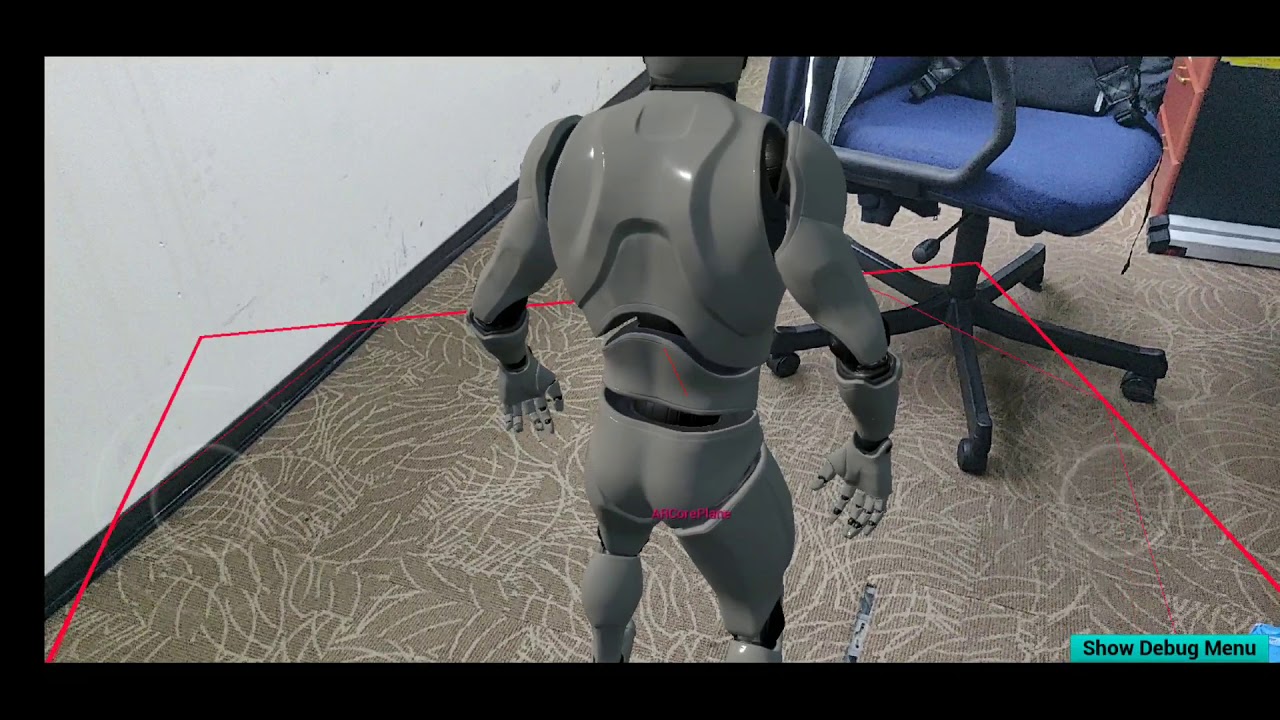
Player not attached to the plane when possessed.
my goal is i want to control it on the AR Plane.
 zinc violet
from GDC2017, just unlocked on vault: https://www.gdcvault.com/play/1024359/VR-Best-Practices-Putting-the
VR Funhouse is a high end experience using the latest in Gameworks technology. We will dive deep into the lessons learned through the production of VR Funhouse and how we tackled the many unique challenge of VR. We'll cover performance, comfort,...
pearl tangle
@spark stratus Because you have no object for the character to stand on
visualizing the floor doesn't actually place a collidable object there. You want to spawn a cube where the floor should be or something for the character to stand on and then it can move on that. You can apply the camera view as a texture to it so that it blends in
 neon egret
@zinc violet Ah cool, the time Amanda was still at NVidia.
neon egret
Yeah, I thiiink she was community manager back over there too?
Something along the line. I met her with some others of our community here at Hamburg.
We did an NVidia Gamejam to create mods fo VR Funhouse.
pearl tangle
was that the 1 that was on a boat?
mighty carbon

From Lead Programmer on Gears of War and its critically-acclaimed sequel to an impressive tenure at Microsoft that included stints as CTO for Xbox and Technology Director of HoloLens, followed by a return to Epic Games as General Manager of Unreal Engine 4, Ray Davis has stre...
looking a way better than that rogue footage from the promo video I posted the other day
 grizzled rose
hi guys, need to pick your brains, anyone have any clue how I would simulate a hose pipe (like one you'd get on a fire engine) in VR? would I be best rigging the hose and trying to simulate phyics with that or should I use the cable actor which seems very buggy to me? I also need to somehow simutate the unreeling of the hose. Also I tried looking for cable pyshics in vr tutorials and could not find any if any one has any resources they could send my way that would be great
 quaint frost
Has anyone here got two 1080ti working in sli for a UE4 VR project?
Just done a search... not looking good with sli in UE4... hmmm
 magic mango
mighty carbon
magic mango
mighty carbon
The Official NVIDIA Blog
NVIDIA Quadro Virtual Workstation is now available on Google Cloud Platform, the first cloud instance to offer Quadro vWS on NVIDIA T4.
 median wedge
When do you guys use the terminology of grab vs grip?
pearl tangle
@quaint frost nvidia has/had a separate fork of UE4 for SLI and their VRworks stuff, not sure if thats still updated or not but thats what you would want
quiet swan
ook im trying to save all the MS I can and someone said my instructions for my textures were to high in the 800 range, they told me make a 3rd person project amd I check the same material and its only around 100 instructions why is the material more in VR, should it be the same material? https://ibb.co/mzdtWsk
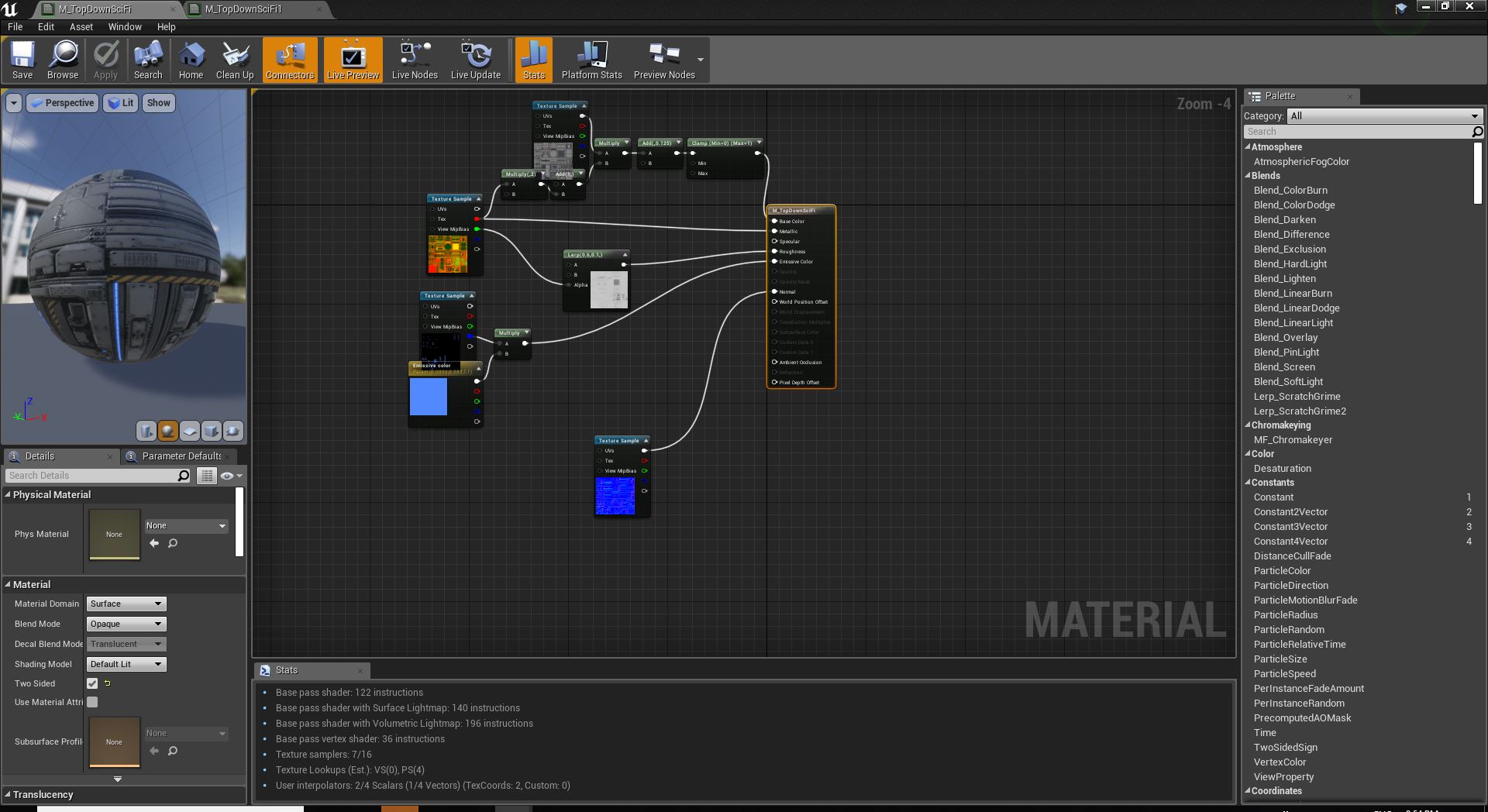
and since it is more instructions on the shaders could this cripple perofrmance"?
pearl tangle
whats the material domain etc on the 2nd 1?
quiet swan
what do you mean
pearl tangle
quiet swan
they are the same
is something wrong with my VR project? corruption?\
its possible this is sucking my milliseconds away
I heard one of the unreal guys say high instruction counts are expensive so I started looking and thats what I found\
pearl tangle
it shouldn't have anything to do with being VR or not VR, that doesn't change anything with the material itself since there is no "VR mode" so to speak. It must be in your actual project settings itself. Did you set it up for low quality and mobile?
quiet swan
I think its because of forward renderin
looks like I re diiscovered a bug
that was never fixedhttps://answers.unrealengine.com/questions/573537/incorrect-material-instructions-count.html
arent we suppose to use forward rendering in vr?
why use forward rendering when its obviously more taxing
pearl tangle
every method of doing something has pro's and cons
quiet swan
what are you using forward or defered
pearl tangle
im not using either, haven't done any VR projects in ages
for some projects i got massive improvements with forward renderer, others got reduced performance. But also just because the material becomes more complex, doesn't mean you will have reduced performance overall. Maybe try testing out some scenes first and compare the differences with the renderers to see what actually happens with performance
rich canopy
Anyone is able to prevent the game from pausing when the oculus headset is remove? I'm doing a multiplayer game where one player host. The game lags bad if the oculus headset is not worn, and I am thinking the reason is that the game is paused by default.
grizzled rose
hi guys, need to pick your brains, anyone have any clue how I would simulate a hose pipe (like one you'd get on a fire engine) in VR? would I be best rigging the hose and trying to simulate phyics with that or should I use the cable actor which seems very buggy to me? I also need to somehow simutate the unreeling of the hose. Also I tried looking for cable pyshics in vr tutorials and could not find any if any one has any resources they could send my way that would be great
p.s I know I'm asking again but I've left this a day with no answer and could really do with some help, thanks
 frigid kite
Hmm that's a tough one 🤔
The default cable component would not be well suited here, since it doesn't have constant length
grizzled rose
Yeah and its too difficult to handle to be honest, at the moment I've rigged a 10 meter hose with about 40 joints and imported that and generated constraints for every bone . I've duplicated the basic pickup blueprint in the vr template and added to pick it up on the first bone and simulate all bodies below which is kinda working
one problem I'm having is setting the end of the hose to be static like it was attached to something and in general trying to tweak the physics as its very jumpy at the moment
pearl tangle
there is a decent rope and soft body physics plugin on the marketplace that might give you a better bet potentially
grizzled rose

A plugin for Unreal Engine 4 to use the VICO Dynamics soft-body physics library.
this the one?
pearl tangle
yeah thats the 1 i ws thinking of
i remember playing around with a demo 1 where you had a little puppet setup in VR and it performed great for the strings
https://medium.com/shopify-vr/marionettes-in-vr-6b596620c3ca @grizzled rose
 grizzled rose
okay, cheers i'll take a look at it 👌
pearl tangle
dunno if he still has the source code up there for that project but I probably have it lying around on a hdd somewhere if its down
grizzled rose
https://github.com/pushmatrix/marionettevr yeah the git hub resource still seems to be there, think I'm going to have to get my wallet out for this one!

GitHub
Playing around with marionettes in VR. Built with UE4 - pushmatrix/marionettevr
pearl tangle
yeah cant guarantee its going to solve all your problems but seems like it's probably the best option. might be on sale still at the moment too
 crude verge
Hello short question,
is it possible to use more than two motion controllers at the same time?
crude verge
thanks
 short ember
hi any advise for a vr googles for archviz on uneral odyssey ?
fair hearth
@short ember check out the new hp reverb
 orchid elk
There are "interactive projectors" (such as Epson BrightLink 536Wi) out there, will the interaction trigger mouse events / what interaction events will fire? Will perhaps use it to create a museum application
pearl tangle
it likely acts as a touch screen
 split steeple
Heya folks!
The Unreal Engine SteamVR Input Plugin now in public alpha that Ive been working on with Valve and some input from Epic.
Supports Knuckles & other controllers in UE4.15 to UE4.22!
Full source code here under BSD-3 license
https://github.com/ValveSoftware/steamvr_unreal_plugin
And a nice video from Keith (Unity plugin dev)
https://twitter.com/zite00/status/1116385601618448384

GitHub
SteamVR Input Unreal Plugin - Documentation at: https://github.com/ValveSoftware/steamvr_unreal_plugin/wiki - ValveSoftware/steamvr_unreal_plugin


We've released the first alpha for the SteamVR Input Unreal Plugin! Skeletal Input, Per controller key binding, one button mapping between Unreal Input actions and SteamVR Input Actions! https://t.co/lVnBcUuAN5 https://t.co/EEl7mTuvUo
 Twitter
 merry temple
I'm using the handheld AR template and I've got a sphere in my scene with a chrome material. I'm using the ARSkylight to try to reflect the environment. The sphere shows up as black except for the edges which actually do reflect the environment correctly. Any idea how to fix this?
I've added a couple of directional lights to my scene and they are casting light, but the chrome material still appears black except for around the edges. I tried creating my own chrome material in unreal and also just texturing a sphere in Substance using the Aluminium Pure material.
hallow knoll
@merry temple I haven't played around with reflections in AR yet, but I think you'd need a ReflectionCapture in the scene, perhaps you're missing that?
merry temple
@hallow knoll Hi Victor, I'm using this tutorial from Joe Graf https://medium.com/@joe.j.graf/ar-environment-probes-in-ue4-4-20-afda05bcc587

Medium
In my previous post, I talked about the support for ARKit 2.0 that will be present in the UE4 4.20 release (link below). In this short…
However, you no longer have to create an ARSkyLight blueprint, since the 4.21 includes an ARSkyLight.
The edges of my sphere actually do realtime reflections of the environment, but for some reason the rest of the sphere is black.
I'm actually teaching an AR college class using Unreal Engine and ARKit. Is there a direct channel to Unreal support or Joe Graf that might be open to me as a teacher?
If Epic has a working sample scene of that Joe Graf tutorial I linked to for 4.21, I'd be very interested in downloading it.
 wary walrus
Hey y'all! I just upgraded to using #nDisplay in 4.22 and I'm experiencing an unusual issue where the nDisplay Launcher isn't starting any listeners; the Start/Stop Listeners buttons are gone and I assume is now integrated into Run. If I manually start the listeners, everything runs fine. Has anyone experienced this? More info here:
https://forums.unrealengine.com/development-discussion/vr-ar-development/1606745-ue-4-22-ndisplay-launcher-does-not-start-ndisplaylistener-s
Unreal Engine Forums
I moved to Unreal Engine 4.22 and really liking the new nDisplay implementation; the configuration of windows, screens, and viewports adds a lot more flexibility.
 flat shoal
@split steeple why would I want to use that plugin over the native Unreal Engine support? (I really did not like to use Valve's SteamVR plugin in Unity, mainly because it was rather complex and very seldom updated, and it was so liberating to find out that everything was just native in Unreal.)
sturdy coral
@flat shoal native support doesn't support hand animations or haptics (with new input system)
flat shoal
@sturdy coral but surely Epic is on that?
sturdy coral
@flat shoal epic store vs steam, all out war 😛
sturdy coral
not sure that is the actual reason or not, they have improved steam online support in 4.22
flat shoal
I think if enough corporations who use Datasmith request it, they might listen
(because screw normal customers, right, they're only a number)
pearl tangle
datasmith is just part of unreal studio @flat shoal . And the subscription fee is (currently still free) fairly minimal
the knuckles controllers aren't released yet so wouldn't really expect epic to be supporting them at the moment with a native plug in
flat shoal
I don't understand your point about Datasmith, but I get the point about the controllers. They might not even be named knuckles because I've seen people refer to them as the Index controllers now too.
But then again, I just expect a few new parameters for finger positions under the motion controller class anyway
(or that enum thing it uses)
pearl tangle
fair bit more complexity on the knuckles controller if you want to do stuff with the finger tracking and everything like what @split steeple has built into there.
my point on datasmith was that "datasmith" is not a paid product. It's something that comes along with an Unreal Studio subscription, which gives things outside of just datasmith. And it will be a paid product, but it's still free. And also the cost that it's likely to be is 1/10th of what a regular enterprise partner costs. Granted most people using unreal studio though likely already are tied in with enterprise support anyway though
flat shoal
right, and that's why I said that those corporations with enterprise support are the only ones who can pressure Epic into natively supporting knuckles/index
indie developers sure as hell doesn't have a voice with Epic
pearl tangle
so enterprise support will get you access to UDN for support, but Epic Games wont build stuff for you with that unfortunately.
flat shoal
I've only been in contact with the Datasmith team and they seem to actually listen and do build stuff
pearl tangle
i think plenty of indie devs on here are able to help out on pieces, and there are always a lot of commits from the community that end up in each release. Expecting Epic to just build stuff that 0.1% of their customer base needs today is quite unlikely though.
flat shoal
but anyway, what more is there to knuckles than adding a new float value for each finger to the motion controller enum thingy?
pearl tangle
dunno. likely quite a bit if you want all it's capabilities, otherwise runeberg wouldn't have gone to all the effort to build something for it i presume
sturdy coral
@flat shoal it isn't just curl values for fingers, it is a whole skeletal transform, has things like pose gripping the controller vs abstract pose as if the controller weren't there (so hand can make complete fist etc.)
The plugin also optionally converts that between the valve skeleton and the epic mannequin hand skeleton
The API will also support hand poses from devices like leap motion
Though I don't think there is a driver for that
And it will be fitted to any new controller without you having to author different animations for each one
flat shoal
@sturdy coral ok, the hand animation thing is extra and I wouldn't expect Epic to add that. Good to know
thank you for the information!
sturdy coral
Np, I haven't integrated it into my project yet but will start pretty soon, it is still early alpha for it but I'm glad they released early instead of waiting until it was farther along so we can give feedback
 tired tree
@flat shoal the ue4 version has been stagnant with no changes since it was introduced, I even have a few pull requests for it that haven't even been reviewed
no real idea when they will get around to working on that eventually, though I do agree that they need to finish it up.
hallow knoll
@merry temple I unfortunately don't know Joe, but his blog seems active, have you reached out to him there? We don't offer direct support outside of UDN, but you can post questions here, on the forums and answerhub. Have you seen the educational section of our homepage? We offer content for educators and students alike: https://www.unrealengine.com/en-US/education
 tired tree
@mighty carbon ??? they left an option to bypass that
r.rhicmdbypass
requires: r.rhithread.enable
as well
to be disabled
mighty carbon
ah, ok.. thanks
 abstract forum

Our CEO, @jeriellsworth, was playing around with some through the glasses video capture recently. We want to share accurate representations of what the t5 system can do. Stay tuned.
 Twitter
Looks like there is going to be a grand unveiling soon 👀
 abstract forum
LMAO
pearl tangle
hey with Facebook and whatsapp down at the moment in a lot of places is Oculus also not operational? I haven't put the Oculus store on this machine
 golden snow
I was just on my go an hour ago and it was fine
pearl tangle
@golden snow Where are you based? Seems like facebook all down in europe and asia at the moment
along with oculus.com is down
pearl tangle
ah cool well guess the Go should be able to. I wasn't sure if the rift needed online connection since it wants to run through the store for everything
mighty carbon
getting ready for Quest / Rift S release probably
rich canopy
What do you guys do to prevent players from clipping through walls? Not just with thumbstick movement but also physically trying to walk through the wall.
I know some people black out the screen which is easiest to do, others prevent it by keeping the wall in your face as if you are pushing the world forward (which I'm thinking of how to implement, if anyone has any idea)
 sturdy canyon
Check how the character movement component works. It's only like 15,000 lines, and it does a good job of keeping players from falling through floors and walking through walls
Actually, maybe you could just have the head camera mirror a player that is using flying locomotion with a height=radius capsule
So when the camera moves 12cm, you give the command to an invisible character to move those 12cm, and then teleport the player to a position that places the camera where your invisible character ended up
rich canopy
Oh I just tried VR expansion plugin and it seems like it works the way I wanted 😃
 shell karma
anyone here managed to get anything deplyoed to Quest ?
struggling to launch basic vr template
I went through pretty much the same setup as with Go
 lusty barn
Tomasz Figas sorry. i don't do VR dev, so i can't really be a help.
 jaunty shell
why are you even answering something in the VR channel then...
 digital musk
Can anyone perhaps do a similar guide for UE4?
https://www.roadtovr.com/vr-game-optimization-for-oculus-quest-mobile-hardware/

VR games need to achieve high, stable performance to look good and play comfortably. Optimization is no easy task, especially with the limited resources of mobile hardware like the Snapdragon 835 processor in the Oculus Quest. But there’s a handful of tools and methods tha...
 ruby turret
Hey guys!
I'm currently trying to work with cable components in sVR. I have a problem though.
Everytime I attach a cable to a motion controller, the cable kinda 'lags' behind. So for example if the cable is attached to the motion controller and the other end is attached to a mesh for example, the attach end doesn't stay where it should. It doesn't update often enough. Is there a way to fix this?
tired tree
that is late updates
and its not really solvable for physics simulating objects
you can turn off the late updates on the motion controller when it has a cable attached
@ruby turret
ruby turret
I already do. It is certainly better that way, but doesn't really fix it :/
tired tree
how are you attaching it?
ruby turret
I only tried it with attaching the component directly to the motion controller component
Maybe PhysicsHandles work better?
tired tree
@ruby turret set a tick preres to the motion controller to ensure that it ticks after the controller
ruby turret
how do I do that?
tired tree
Add Tick Prerequisite Component
ruby turret
Thanks! I'll try that.
 opaque adder
mighty carbon
opaque adder
mighty carbon
lol, Oculus said they have no ETA for integrating Oculus SDKs into 4.22
wicked oak
@mighty carbon be fair to them, 4.22 is a massive rewrite
mighty carbon
hmm
I'd love to use 4.22 though, simply because it has a lot of goodies that are relevant to workflow improvements (I'd use old rendering pipeline for mobile VR)
wicked oak
mobile vr should be getting a neat boost on 4.22
wicked oak
man, my 90 fps on PS4 pro base build just fails
im doing the final touches of the patch, and the 90 fps just somehow drops frames every now and then, and that drop cascades and the hitch causes the TRC fail to pop 😦
feels bad man
its 99% there but not quite
the 120 fps implementation works fine on ps4pro 😦
the worst thing is that this is mostly caused by vsync going wild 😦 fuck
odd garnet

I play about 30 minutes of Eternal Starlight, a great game by WhiteNoise! Kinda feels like Ender's Game :pogchamp: This game is still in beta (it's not even ...
not unreal but still fun
 storm tendon
How do I setup a mesh so that I activate an effect when I click on it with the motion controller?
 daring mural
Who here has or is launching for the Oculus store?
mighty carbon
@daring mural Rift or Go ?
daring mural
@mighty carbon Rift
mighty carbon
hmm.. no , I haven't done Rift unfortunately
 real needle
Can anyone point me to a VRTK like asset for Unreal?
For movement and interactables?
Even a paid one will do
pearl tangle
you mean like the vr expansion plugin?
real needle
In Unity VRTK can handle movement like Teleport, Smooth Locomotion, Dash teleport etc.
Also it can have pickable objects and different types of interactables
It also handles things like levers, doors etc etc
sturdy coral
@real needle vr expansion handles all that + networked
maybe not dash teleport but that is easy to modify in
pearl tangle
thats also pretty much in the default unreal template as well
and the extra details that aren't are in mordens plugin
storm tendon
Is there a way to make a clicked widget trigger a mesh animation?
I want to spin a puzzle tile whenever I click its widget with the motion controller
pearl tangle
yeah, you can just play the animation on it, or play the sequencer, or whatever else it is that you are animating. Just casting to it is the easiest way
 cosmic shoal
just by the error message it's telling you to connect something to "object"
storm tendon
@cosmic shoal I tried it, I get a list of all the possible components of the blueprint I want to cast to, but the object also comes with a Target [self] node entry
And I don't know what's the correct node to link
This
shell karma
that's rather fundamental and I'd advise to read through docs and look into few yt tutorials
storm tendon
@shell karma Thanks, I'll take a look
mighty carbon
@wicked oak https://uploadvr.com/next-playstation-psvr/

UploadVR
Sony has just confirmed that its unnamed next generation PlayStation console will support the current PSVR headset, though PSVR 2 isn't confirmed.
mighty carbon
why?
I thought it would be cool to have PSVR v1 working with PS5 - larger pool of customers
 fleet plume

UploadVR
In the UK and wanting to get an Oculus Quest? Preorders for the 128GB model just went live on Amazon at £499. It's possible this was a mistake.
mighty carbon
heh, leaks
sturdy coral
@wicked oak boo on no psvr 2 announced?
wicked oak
they say they will show stuff later
sturdy coral
what did you think of the rest (I guess no actual specs yet, by 7nm amd looks good)
It will be interesting to see how AMD's ray tracing stacks up
wicked oak
raytracing is the one i didnt expect
i was assuming raytracing to be a 50/50 chance
and SSD to be 90%
the CPU and GPU were 100% confirmed
sturdy coral
I expected AMD to have it soon but not necessarily on consoles
wicked oak
but on SSD, definitely not at that level
i guess they are doing some serious trickery with the SSDs
sturdy coral
because lots of patents on it were from around 2000, I think nvidia just kinda implemented it out of expired patents
"Caustic Graphics" was one, acquired by imagination technologies at some point: https://appleinsider.com/articles/10/12/14/apple_partner_imagination_acquires_cinema_quality_graphics_chipmaker
AppleInsider
Imagination, the maker of the PowerVR SGX graphics processor found in Apple's iOS devices, has acquired the developer of real-time ray tracing graphics technology, which could end up in future Apple hardware.
but I think their patents were from around 2000 or so
wicked oak
there is also some guys making raytracing accelerator cards
they even showed a demo with RTX reflections in unreal 4 LONG ago
like few years ago
and some very fancy stuff
sturdy coral
yeah that might have been img tech
wicked oak
it was a dedicated raytracing unit. No hybrid here, just raw ray crunch power
sturdy coral
looks like they showed an unreal demo:

Imagination
The video below describes the PowerVR wizard ray tracing demonstration that was given by Imagination earlier this year at GDC 2017 in San Francisco.
wicked oak
thats exactly the one i was talking about
sturdy coral
I think that was born out of them acquiring that caustic graphics company
everyone should be able to clone most of the core tech now, newer denoising techniques especially with AI stuff are probably what the next patent fights will be about
fleet plume
the SSD parts sounds a bit weird
NVME SSD's almost saturate 4 PCIE lanes when reading
so either they create a striped RAID and it's basically two NVME SSD's or they use something like Optane which would be way too expensive; or PCIE4 or 8 PCIE lanes / SSD
in reply to this quote from the article but Cerny claims that it has a raw bandwidth higher than any SSD available for PCs
wicked oak
SSDs need to go through a single interface
if you put the SSD modules directly in the motherboard, with direct access, it would be like if you had 4 NVM SSDs in RAID
fleet plume
i guess that would actually possible with sony designing the complete platform/software stack
wicked oak
and thats quite likely
give it 500 gb of motherboard level SSDs
and then 1 tb of HDD, upgradeable
use the motherboard level SSDs as cache
fleet plume
have you seen der 8auer's video with 8 NVME SSD's in a raid, resulting in 27 gb/sec read?
wicked oak
no
another important thing
SSDs, in windows, go through the "normal" device drivers
they emulate being a HDD
if you have total contorl over the stack, you can have APIs and similar that work like SSDs truly work
with completely random read from anywhere and essentially just memcopy-ing random chunks
imagine if then you can also copypaste it straight to GPU
Carmack talke about it
"what if you could just memcopy a memry block from an SSD striaght to GPU memory"
fleet plume
isn't that one of the features of optane?
wicked oak
to upload textures
no. Octane main feature is that it works as literal RAM
so there are tons of cool shit you can do
imagine you had 500 gb of RAM, but slower than normal
for stuff like databases its still gold
fleet plume
those two thing's dont exclude each other
like using DMA to copy from optane/ram to gpu
or am i misunderstanding that?
fleet plume
yeah that's what i meant
i'am actually fine with a beefed up PS5 and some QOL features on top
though i really hope that the next PSVR will be a 2.0-like headset with a release close to the PS5
sturdy coral
The gpus have uniform memory with CPU and don't go through anything like pci-e so definitely possible for SSD to do something similar
And has had some SSD integrated into gpu tech too
For video encoding or something
AMD Radeon™ Pro SSG GPU with design visualization tool provides necessary performance required for complex manufacturing models & accelerate demanding workloads
I think Rage on iOS use virtual memory to read directly from solid state storage in it's virtual texturing stuff, by pre-aligning and formatting all the texture stuff for the gpu on the storage side
real needle
Hey there, is someone able to get a shadow in AR ? '
The suggestion here does not work for me, https://answers.unrealengine.com/questions/687204/object-shadows-with-arkit.html
I Also tried to render the ARKitPassTHroughCamera on a plane, the problem is, that i am not able to align it properly
Using 4.21 right now.
pearl tangle
@real needle there are a few posts around about fixing the alignment actually. or eaier method is to fake the shadows with another material on a plane that you spawn on the floor
real needle
@pearl tangle The easy method you mean by putting some black transparent plane underneath? Thats exactly what i am doing right now.
The most promising thing i see is this one here (currently trying this out) https://answers.unrealengine.com/questions/769285/arkit-passthrough-camera-material-scaled-different.html?childToView=781595#answer-781595
If you have some more info in those post, please let me know
Thanks
mighty carbon
for those who defends Labo VR https://arstechnica.com/gaming/2019/04/everything-i-kind-of-like-and-totally-dislike-about-nintendo-labo-vr/

Ars Technica
There's no "Nintendo magic" here to save this uneven, uncomfortable package.
oh, I guess the wait is over https://unigine.com/en/news/2019/superposition-benchmark-1-1-free-vr-to-everyone
UNIGINE: Professional VR Software Platform for Business
(they used to have VR part of it paid, now it's free)
wicked oak
For yall
OpenXR merged into UE4.22 in github
its 4.22 branch, so will pop for 4.22.1
the plugin is super small
much smaller than oculus or vive sdks
seems to have same behavior
tired tree
nice
ug
still mapping to a single "thumbstick"
// TODO: Refactor the input API so we can trigger actions directly
that note is exactly the thing I want the most
wicked oak
Playstation partner login not working ATM
literally panicking given that im finishing the damn DWVR patch and have the deadline for the day after tomorrow
mighty carbon

Since the launch of 3D photos last fall, we’ve seen people embrace this new way of sharing memories with a fun, lifelike dimension in News Feed—both on mobile and web—and VR, where it’s best enjoyed. Today, we’re announcing three new features for 3D photos on Facebo...
mighty carbon
4.22 with custom shaders ?
sturdy coral
nice
wicked oak
.20
with custom shaders yeah
thats why it goes "below minimum" lol
shader complexity counts number of instructions
this is so low it just sets it to 0 (its like 100 instructions or so)
mighty carbon
hmm.. I wonder why Epic wouldn't provide similar shaders out of the box :/
wicked oak
they do, FullyRough is a good one
and Simple Forward
keep in mind this stuff comes at a cost
the total removal of dynamic light from the material
mighty carbon
yeah, but there is no way to have dynamic lights perform well on Go/Quest (at least not UE4 dynamic lights - I am sure Doom 3 BFG dynamic lights/shadows would run better)
wicked oak
doom lights are not pbr
feel free to implement phong lights, you will get cheapo lights then
best would be to take the Filament PBR lights
Filament has a bunch of PBR light formulas that are quite low cost
mighty carbon
yeah, but there is no point in going PBR in mobile VR
wicked oak
half precision stuff
pearl tangle
@real needle Yep thats the trick. But you run into problems because of the plane tracking if you just create a rectangular plane with that on there then the edges might stick out over the edge of a table and break the illusion. To do it fully you would need to do a procedural mesh wrapping around objects, but from my testing you still don't get something worthwhile. Better off is doing a shadow plane attached to the object and then casting down to the location of it's nearest plane based on the angle of the light
 lament bay
Has anyone run into issues with the rift mic where it limits the mic input volume after a few seconds of singing at a constant volume? I was able to fix this with another headphone mic by unchecking the "allow applications to take exclusive control of the device" in windows sound settings, but the same fix doesn't seem to work for rift microphone, which still auto limits volume..
I've done a lot of searching but have yet to find fix
sturdy canyon
It wasn't hard to implement Phong lights for mobile SculptrVR
I added a bit on top of Phong lighting. A faked skybox reflection that's just a function of Normal.Z
Would be nice if epic offered a super cheap mobile pipeline, though
 dusky moon
I want to implement Epic's new Multi User viewer template to my project to see how it works.... has anyone tried it ?!
https://docs.unrealengine.com/en-us/Studio/UnrealStudioProjectTemplates/MultiUserViewer
I don't have time to learn multiplayer / networking stuff in unreal and hope this would be a quick out of the box solution to get a glimpse
 urban igloo
@dusky moon In my experience, you still need a lot of time/effort to implement multiplayer features.
You'll find yourself needing to imlement MP compatible UI
MP compatible material switching and item placemnt
It is a good starting point though
dusky moon
@urban igloo yeah I believe so. but for now just having another observant in VR being able to see my Virtual character as a guided tour is enough
urban igloo
@dusky moon Guided tours will probably be easy
pearl tangle
@dusky moon Thats part of unreal studio I believe. It's pretty straightforward to setup and get running in VR or desktop mode. It's not designed for games so much though so replication stuff for a game would be required still
tired tree
their HMD / controller replication is using the exact same setup I have been using, its a replicated tracked device struct that they added in 4.22.
tired tree
should be able to use that as is and re-create it if you want
though I think its in an editor only module
pearl tangle
nah you need to package that 1 up and share the exe with people
its the collaborative 1 thats editor only
tired tree
talking about the struct they use to manage the replication
but i'm probably not remembering correctly
pearl tangle
yeah not sure what changes on the packaged 1 vs editor side but definitely for that 1 it's designed as a packaged build only setup mostly so that you can give tours of the content in VR etc
 chrome tinsel
we recently added multiplayer for oculus, leapmotion and omni virtuix combo
yes most of VR multiplayer still need to be done manually
there are no VR character class yet
tired tree
not in the base engine at least ;p
urban igloo
Multiplayer and Widget Interaction are a nightmare to get working together
odd garnet

I changed the lighting model, you can smack baddies thru walls, and some minor other stuff :)
 river dock
hello there, i am new to blueprint and i need help for something, i know what i need to be done but just not with blueprints lol
it would be something like : if button1 isPressed and wielding = true then if button1 isPressed then wielding = false end end
im used to lua... XD
the thing is i dont really know how to let it know im wielding something or not
like if i can get a value in another blueprint to this one
river dock
nvm i got it 😄
 dense lance
Anyone else have a weird thing where their VR PIE "flickers" scale after changing WorldToMeters - but only when there are other tabs open in the editor?
 wintry escarp
has anyone here printed a Rift CV1 Prescription Lens Adapter?
 edgy pelican
I haven't, but I just heard of this and wondered if Unreal has a software solution for vision like this.
https://www.engadget.com/2019/04/18/microsoft-seeing-vr/

Engadget
SeeingVR includes a set of bifocal lenses, a magnifier and more.
As this plugin is Unity-only.
wintry escarp
will need to redesign them to fit lenses I have
mighty carbon
Fun 😕
wintry escarp
could be worse, could need surgery and not get it
 wraith sky


Fascinating to see how #UX shapes user behavior in #VR. Visualizing a ball vs. its trajectory. via @DisneyResearch https://t.co/JtbhuklUt5 https://t.co/na77mIu4Yh
Retweets
204
Likes
300
Twitter
quiet swan
has anyone tried to make a VR game using world composition or its imppssible do to the 11 ms requirments we need for vr?
fair hearth
World comp should be fine to use, it depends on what you put in the world
mighty carbon
Is this legit https://vimeo.com/328725777 ?
pearl tangle
@mighty carbon Yeah it would be. It's pretty easy to mess around with actually. Samsung made some headphones with GVS built into them a while back actually. Not sure if they got released much. Easiest way you can test it out is with some batteries and just tap it to your temple in the right spot. It feels like you are being slightly pulled to the side

Using a safe technique that sends electrical signals to the vestibular system in the ear, Entrim 4D synchronizes the body’s balance system with the changing ...
mighty carbon
Yeah, but I mean as a finished product devs can buy @pearl tangle ?
pearl tangle
dont think anybody has released something. Too narrow scope for usage
mighty carbon
How is it narrow?
pearl tangle
not much use in anything outside of racing or flight sims. So for seated things where you don't move around and all you want is some lateral force then it works ok
but you can't use it in a FPS for example very well
if you are doing installation stuff and combining it with other physical tricks like curved walls etc then you can get some benefit from it maybe
mighty carbon
Hmm... I don't get why not to use it in FPS 🤔
pearl tangle
try it out and see what it does then you will understand. You really can rig up something for yourself to play with in an hour or 2 with some 9v batteries
anybody managed to get the widget interaction working on a cylinder geometry at all? Seems the trace is busted on it still
sturdy coral
@pearl tangle there are a couple problems with it, if your hand is inside the arc it won't work, seems to trace against plane and then project back and just miss plane if inside
And second is hit it returns is wrong, give initial location on plane instead of on arc, making any laser pointer setup using the hit look wrong
I fixed the second issue but not the first
By adjusting the hit before returning it or something, can't remember
pearl tangle
ah thanks. I am using it in AR at the moment rather than VR but seems the same issue but worse. The trace just seems to get blocked entirely
quiet swan
i keep seeing AR in the news
that it will go mainstream in 2023
I think the new devices will allow it
urban igloo
I actually have a Magic Leap
it's awesom tech
but still annoying to setup and keep charged
quiet swan
I think soon we will see 3d projectors like in star tek
where you can make a phone call in hologram
pearl tangle
dont think that tech is magically progressing 20 years overnight unfortunately. It's also largely unnecessary once we figure out augmented reality in a decent form factor anyway
 ivory flower
is VoIP working on Oculus Go? (testing it with the Null subsystem), I set bRequiresPushToTalk=false in DefaultGame.ini and [OnlineSubsystem]bHasVoiceEnabled=true and [Voice]bEnabled=true but I don't hear anything :/
mighty carbon
I don't think UE4 supports (or has it borked?) mic input on Android natively @ivory flower
ivory flower
thank you @mighty carbon , that's what i suspected. I found and option to add microphone permisions but it doesn't seem to work, at least with Oculus Go
mighty carbon
@raven halo @sturdy canyon do you guys know anything about getting input from the mic in UE4 on Android (Go/Quest), preferably exposed to BP ?
 raven halo
no clue :/ haven't had to deal with the mic at all so far. I think there were some issues with there being no echo cancelation. And the mic picking up the sound from the built in speakers. Not sure if that has been fixed yet
mighty carbon
I see
sturdy canyon
I have failed to even get voice chat working
mighty carbon
btw, there is 4.23 on the road map o.O
tired tree
4.23 has been live on master sunce before 4.22 was out of preview
mighty carbon
looks like it's all about particles so far
yeah, but I recall 4.22 features didn't show up on Trello for a long time
wicked oak
4.23 will have preview of Chaos
mighty carbon
I thought it was in 4.22 and 4.23 will have Chaos production ready @wicked oak
sturdy coral
@mighty carbon I think android does have some voice capture support which should feed into voip
@ivory flower class FVoiceCaptureOpenSLES : public IVoiceCapture
@ivory flower did you join on null subsystem through a session or via listen/open?
voice won't initialize without a session
 sullen vortex
hi guys, sorry if its not vr related but since im using vive trackers i thought this is the correct channel. Im using a third person template, that has steam vr activated as a plugin. And im trying to use a vive tracker for moving an object on 3d space. Made a simple actor blueprint that contains a MotionController component and a cube. On my Pawn blueprint im telling on begin play to spawn that blueprint and attach it to my pawn. This is the common way i usually use my trackers in my VR projects and never had issues. But now i just cant find the way to make the tracker work on this one. Any tips or directions how to solve this? thanks as usual
pearl tangle
make sure you are referencing the ID of the trackers properly @sullen vortex
sullen vortex
Already did. Same blueprint and pawn work ok in a vr template project...maybe im missing something else
pearl tangle
the tracker ID's can change though depending on the order they are connected so you want to see what all the ID's you are getting are
sullen vortex
Will recheck tomorrow! Thanks a lot
 sudden moat
Is there a way to have the desktop show a different camera instead of seeing what the VR headset is seeing?
I disabled the SpectatorVR and added a new player using CreatePlayer and had it possess a ThirdPerson Pawn but for some reason the desktop no longer updates at all, and inside the headset its rendering both cameras at the same time. The way it looks is the VR headset is now the third person camera and i can see the other player's 3d character aka pawn but due to some interference moving using WSAD or just rotating the headset to look around makes it so that the entire floor and visible pawn is just stuck to my headset. I also disabled LockToHmd in the 3rd person character's camera settings but that didn't help either
I'm trying to accomplish local multiplayer with the desktop being one player with his own controls and the VR user being player 2 and having his own control
 molten acorn
does anyone happen to have a fix for this? https://issues.unrealengine.com/issue/UE-72551
I have absolutely no idea where to even begin to look to fix it myself (never done anything with the renderer..). and the target for fix is 4.23 ..
i suppose this is more of a question for #engine-source but..
pearl tangle
roll back to 4.21 i guess would be the better bet for anything urgent
 shadow radish
after not playing my vive build for a long while I went back to play it and noticed that I have a jagged kind of outline that appears only in the headset when teleporting
it seems to only appear when I am not hitting frame rate--I notice it more when I have more enemies on the screen
I just wanted to see if anyone else encountered the same thing? It doesn't show for the spectating player on the monitor, only in the headset
sturdy coral
@shadow radish sounds like an asw or motion smoothing artifact
like this kind of thing?
https://cdn.uploadvr.com/wp-content/uploads/2018/10/asw-1-2.jpg
 tired tree
yeah its a motion smoothing artifact
shadow radish
I don't have a video of it, but on my scene I get a whole blur next to the mountain edge especially on the horizon
I saw you can turn off motion smoothing on vive, I'll try that next time I test on vive. Hopefully there is some way to turn it off by default for users when I submit the game
by the way one random thing I am noticing in case it helps any other VR devs--because of the nature of my world, I am trying to do dynamic lighting instead of forward rendering--I noticed when I have fog turned on it significantly reduces motion sickness, something about it makes the world feel much more real, but on vive it slows things down a ton. On oculus for whatever reason it's the same machine, same graphics card but I don't drop any frames.
shadow radish
damn I might have to try doing a forward rendering build on vive then or disable teleport maybe
tired tree
they restricted most of the settings flags from general applications being able to set them
shadow radish
I had forward rendering on before and then switched back to dynamic because I got tired of building lighting, but now when I switched back I keep crashing compiling all the shaders--don't feel like debugging that until the end so for now I'm just pushing on with other stuff. So word of warning to anyone switching also, it might not always be easy to just switch back to forward rendering, my editor just crashes now on that version of the project
sturdy coral
I would almost always debug any major problem like that, or you can get further and further into a bad situation
tired tree
@shadow radish ? Had forward rendering on? And then switched back to dynamic? You mean switched back to deferred?
sturdy coral
yeah.. forward isn't related to whether lighting needs to be built
sullen vortex
@sudden moat maybe you can use some info from here: https://blog.vive.com/us/2017/04/19/new-project-code-and-tutorials-released-for-vive-tracker/

VIVE Blog
The Vive Tracker simplifies development of virtual reality experiences and allows people to track everything from ceiling fans and kittens, to feet and mobile phones. We want to make it even easier to get started working with your Tracker project, so today we’re launching n...
anyone knows how using steamvr on UE is related? still trying to figure out why my tracker works ok on my scene if i hit play on vr in my scene instead of using the pie
shadow radish
yeah I mean switched back to deferred lighting
I have a time of day system which looks really nice but it's kinda hard to do that with static lighting
tired tree
@shadow radish .....you really seem to be confusing things here
deferred rendering != dynamic lighting
sturdy coral
that has nothing to do with built or unbuilt lighting
shadow radish
which is generally the recommended setting for vr games?
sturdy coral
forward shading is whether to apply the lighting while rasterizing the triangles
or write the data to a gbuffer and shade it later (deferred)
forward is generally recommended
shadow radish
hmm it's good to know I could still modify time of day with forward then, I'll try and power through it to see if I can get that project going again
sturdy coral
look at your directional light
is it movable or stationary or static?
that (and other lights) is all that determines if you have baked light or not
shadow radish
it's movable
when I did switch my project back to forward shader, I kept getting this error which was crashing my editor
<ErrorMessage>Fatal error: [File:D:\Build++UE4\Sync\Engine\Source\Runtime\Engine\Private\Materials\MaterialShared.cpp] [Line: 1803] Couldn't find Shader TBasePassPSFCachedPointIndirectLightingPolicySkylight for Material Resource WorldGridMaterial! RenderMeshShaderMap 1, RenderThreadShaderMap 1 GameMeshShaderMap 1, GameThreadShaderMap 1, bShaderWasFoundInGameShaderMap 0 With VF=FLocalVertexFactory, Platform=PCD3D_SM5 ShouldCache: Mat=1, VF=1, Shader=0 MaterialUsageDesc: LightingModel=MSM_DefaultLit, BlendMode=BLEND_Opaque, SpecialEngine=1, TwoSided=0, TSNormal=1, Masked=0, Distorted=0, WritesEveryPixel=1, ModifiesMeshPosition=0, Usage={}</ErrorMessage>
got it for a variety of different materials..then it finally finished compiling shaders and it still threw errors when opening the map, so I got frustrated
sturdy coral
you can try cleaning everything and doing a fresh compile
remove derived data cache etc.
shadow radish
where do you find the options to clean things/cache?
sturdy coral
derived data cache should be in your project folder, there may be one in your engine folder too
some stuff depends on whether you are doing a source build or a launcher build
shadow radish
a launcher build I guess I haven't built the source of the engine myself
I'll add that to my notes to try later, for your VR projects do you keep them all forward shader?
sturdy coral
no, but I'm doing hybrid 2d/vr where I still want some deferred features like screen space reflections
shadow radish
ah sounds cool!
what is your project do you have a link to it? thanks so much for helping me, if you see anything I have in bearhammer that you want to learn how to do I'm happy to help you
sturdy coral
nothing public yet on what I'm currently working on
I may end up moving to forward at some point, the main thing I wanted SSR for I think I'll be able to get out of textured rect lights
shadow radish
I think I could get away without it if my maps werent as big as they are, but like I said it runs on oculus with no problem
sturdy coral
since you are using landscape I would highly recommend not doing dynamic light unless it is really key to the game
shadow radish
I used to never get this jaggedy stuff on teleporting until I guess steamVR pushed some update setting motion smoothing by default or something, I didn't change anything on my end but that just kidn of started about 4 months ago
sturdy coral
I would do stationary light with a small radius of CSM shadows around player, or possibly no dynamic shadows at all depending on your game
shadow radish
I'll have to experiment, I tried turning off fog and everything has this kind of popup feeling where you can't judge the depth enough
so then it gives motion sickness
sullen vortex
Well, found the answer to my question:
sturdy coral
I think it should be possible to use vr controllers outside of VR preview, at least with vive stuff
sullen vortex
Wonder why on the Virtual Production sample project is possible to use a tracker when you hit pie play and and not in vr preview
sturdy coral
oculus gates it based on proximity sensor
sullen vortex
I thought they should work too @sturdy coral but at first glimpse they dont.
sturdy coral
@sullen vortex it may be the vr system isn't initialized until maybe first pie run, but I think it gets initialized at startup since it launches steamvr
I've definitely gotten inputs but I'm not sure about positions/rotations
and I've modified pie a bit to work with multiple instances for testing multiplayer and transitioning in and out of vr to 2d based on proximity sensor, so might be something I'm doing there
sullen vortex
found some workaround at least to block the hmd, i case anyone is interested, https://vvvv.org/blog/using-htc-vive-trackers-without-headset

vvvv
This was long requested and it's finally here! Latest VVVV.OpenVR can use vive trackers without HMD (head mounted device). There is a dedicated pose output on the Poser (OpenVR) node and you c
mighty carbon
hmm.. it seems that 4.22 is no bueno for Go after all https://forums.oculusvr.com/community/discussion/comment/673358#Comment_673358
Oculus
Join the Official Oculus Discussion Forums and talk about Oculus Rift, Oculus Touch, Samsung Gear VR, and virtual reality.
 ebon scaffold
Is anyone using SteamVR Input for ue4? I cant get the joystick axis values to work (action buttons are working), axis mapping is always zero. Input ini has the thumbstick setups, and the steam binding JSON has it as well.
sturdy coral
@ebon scaffold yeah I'm using it, binding looks like:
            {
               "inputs" : {
                  "click" : {
                     "output" : "/actions/main/in/mc_r_altstick"
                  },
                  "position" : {
                     "output" : "/actions/main/in/mc_r_altstick_x_y_axis2d"
                  }
               },
               "mode" : "joystick",
               "parameters" : {
                  "invert" : "y"
               },
               "path" : "/user/hand/right/input/thumbstick"
            },
Are you using it for positioning too?
sturdy coral
be careful that knuckles calls it 'thumbstick' and oculus touch path calls it 'joystick' or something like that
ebon scaffold
From what I can tell the auto generate manifest looks for _X and _Y suffix for axis mappings, but I'm trying to force it to use MovementInputX and MovementInputY axis mappings
sturdy coral
yeah I'm getting axis values out of it
@ebon scaffold you may want to just look into the new steamvr input plugin from valve
before troubleshooting this too much
I'm still on the engine one because valve's doesn't play nice with the playcontroller UInputComponent stack yet (which I need until they support action sets)
but for most uses I think it should work, and it has all the skeletal anim stuff
ebon scaffold
Thanks for the insight, much appreciated 🙏
ebon scaffold
@sturdy coral One more thing I should have asked earlier, do you upload the JSON files for individual devices to your repository, or just the steamvr manifest and the bindings uploaded to steam as default ones
sturdy coral
@ebon scaffold the manifest should get automatically generated into the user's Saved folder
the individual bindings I package by adding to build.cs:
mighty carbon
I just tried Virtual Desktop on Go to stream my PC into VR - crazy cool stuff 😃
sturdy coral
        // TODO OCULUS_STORE probably have to remove if packaging for oculus store
        if (Target.Type != TargetType.Server)
        {
            // steamvr bindings files
            RuntimeDependencies.Add("$(ProjectDir)/Config/SteamVRBindings/knuckles.json");
            RuntimeDependencies.Add("$(ProjectDir)/Config/SteamVRBindings/oculus_touch.json");
            RuntimeDependencies.Add("$(ProjectDir)/Config/SteamVRBindings/vive_controller.json");
            RuntimeDependencies.Add("$(ProjectDir)/Config/SteamVRBindings/holographic_controller.json");
            RuntimeDependencies.Add("$(ProjectDir)/Config/SteamVRBindings/generic_hmd.json");
            RuntimeDependencies.Add("$(ProjectDir)/Config/SteamVRBindings/holographic_hmd.json");
            RuntimeDependencies.Add("$(ProjectDir)/Config/SteamVRBindings/rift.json");
            RuntimeDependencies.Add("$(ProjectDir)/Config/SteamVRBindings/vive.json");
}```if you don't do that they won't get included because Config just goes to the .pak file and steam can't read that
that will force Config/SteamVRBindings to be generated as a non-pak folder in your packaged game
tired tree
@sturdy coral mine was working just with the SteamVRBindings/... to do the entire folder
was it not for you?
sturdy coral
ah probably so
I didn't want the generated HMD ones getting bundled at first because I was setting up generic_hmd.json for proximity sensor
but they broke that with latest steamvr, and it may have not mattered anyway if it was empty
 tough crow
is the VR mode any good for actually making games inside of VR?
pearl tangle
@tough crow yep it's great for it. It's actually just good for level design in general, whether VR or not. Once you get used to it works very well
 leaden ivy
Is there a way to tell UE4 which VR API to use on executable launch? Like using between SteamVR and Oculus API.
sturdy coral
@leaden ivy you can pass -hmd=SteamVR on the command line to override (should be based on the plugin's module name, I think Oculus might be OculusHMD)
or you can edit the engine config to set up the priority
if you want to let the user chose you can setup different steam launch options using that '-hmd=' option
leaden ivy
I will check it out. Thanks! Surprisingly hard to find any information about this.
 river flame
hey guys! was wondering if anyone can point me in the right direction to learning ue4 vr blueprinting, mainly hand interactions. Not a lot of new or solid documentation
ivory flower
@sturdy coral I'm using sessions, I thought it would be easier (it works fine in Steam) so I will look again later, it's not a must have feature for my game. thank you all for your replies!
sullen vortex
does anyone know how to connect the Get Valid Tracked Device Ids into Get Tracked Device Position and Orientation ? thanks in advance
mighty carbon

stevewarner writes: There's a great VR/AR branch for Blender 2.8 that lets you use your VR headset to work in Blender, much in the same way that you can inside the Unreal Engine. The development is currently a branch, but is hoping to be added into the final Blender 2.8 relea...
Expressive Avatars SDk is available https://developer.oculus.com/blog/introducing-avatar-sdk-expressive-update/ (with docs)
mighty carbon

#NOLOupdate NOLO HOME version 1.11 released!
Compatibility with PSVR for playing SteamVR games. (Support the latest firmware)
Available download at https://t.co/dlSincAICI
Tutorial for setting up PSVR+NOLO CV1 at https://t.co/nPSPatbWXr
 Twitter
odd garnet
granite jacinth
Twitter
odd garnet
granite jacinth
heh
 glossy agate
There it is hahaa. Lmk when it’s pushed to steam. Pls post a image or text so I know the moves. @odd garnet
Now that my knuckles are calibrated right
quiet swan
i am profiling my game and was wondering what is everyones thoughts on these spikes
is the unacceptable for VR? does the line have to stay at 90 all the time or is a spike here and there ok?
pearl tangle
@quiet swan depends what sort of hardware are you running? Is that bottom end or top end hardware?
sturdy coral

Magic Leap is donating 500 Magic Leap One Creator Edition headsets for Unreal Engine development via Epic Games’ MegaGrants program, it announced on Thursday during Unreal Engine Build: Detro…
granite jacinth
Yeah. I was lucky enough to get my first VR headset from Epic when they had a similar thing for Vives
I could definitely use one. The only reason I haven't bothered doing AR has been price
I wouldn't mind doing a small project for the ML1 if I got one though.
TBH, I was hoping that the ML1 process was separate from MegaGrants form
pearl tangle
makes sense to have them in there together. Just saves Epic a bunch of money for other stuff if people request for a magic leap instead. They also managed to get 500 Rift's to give away back then too
granite jacinth
@pearl tangle Issue is...since it's on the same form
You basically have to fill it out like you would be doing a project
Sure you can skip the funding part, but there's quite a bit you can't
pearl tangle
well yeah i would expect that you should have to say about a project thats going to use it for them to want to give you 1
granite jacinth
Well, for me, if I am going to do a project for ML1, chances are there will be very little (or zero) return on it. So I would want to get funding
Anyone applying for it and not asking for funding should/would probably already have a kit and/or had prior funding
pearl tangle
so doesn't it make more sense to be part of the megagrants 1 then? So that you can apply for the cash and the hardware together?
granite jacinth
Sort of. Most people that will be applying, probably don't have a prototype, or much of a design doc done for it.
It'll be hard to do either without playing around with it and understanding the limitations truly
It's the same argument I'd give when funny people try to make VR games without a headset
I mean, it's closely related to "FPS", so you could design something
AR's a totally different beast in my eyes
dusky moon
Ah I'm so disappointed by Oculus about quest. They don't ship any dev kit even though I'm solely developing for rift in the past 3 years. .. has any1 here got a quest ?
granite jacinth
@dusky moon You shipped a game on Oculus platform?
dusky moon
yes
@granite jacinth an experience which was free 1 year ago
also got this Oculus Start membership
dusky moon
Did you get one ?
granite jacinth
Sorry, but that's the gist of it. And I totally understand
Nah man. I didn't make them any money.
dusky moon
pfff
dusky moon
Ahhh viveport shit !? 😄
granite jacinth
But, same specs, so kind of easy to gauge performance
Viveport isn't, their Wave SDK is
dusky moon
yeah right I should approach them instead maybe
granite jacinth
Not sure why they designed it that way. They should have just copied Oculus
TBH, you probably won't get one
Not saying I am anything special, but damn if I didn't have to silver tongue one out of them
dusky moon
but yeah I mean it's kind of mean that Oculus don't acknowledge VR veterans (unless you got a big name)
granite jacinth
They are very very very stingy
And supposedly I received the last one, and it's defective lol
dusky moon
Although I got 2 rifts from them last year and a gear vr but they're getting more ignorant over time
granite jacinth
Man, I got really lucky with Oculus
They were the boss for sure
Easily in rankings: Oculus ............Valve...................HTC
For Dev Support
dusky moon
yeah yeah I agree
granite jacinth
Pimax...not sure...they were suppose to send me a dev kit
Not sure what happened there
I haven't bothered, I got better stuff to do
dusky moon
TBH Valve is bombarding me with knuckles lol
granite jacinth
Valve Index... doubltful
granite jacinth
Aye, I've got some knuckles
dusky moon
btw, I was running a Lecture from VR for my project at A Maze festival in Berlin. here's an excerpt :
https://www.youtube.com/watch?v=2S44VnKDEQM

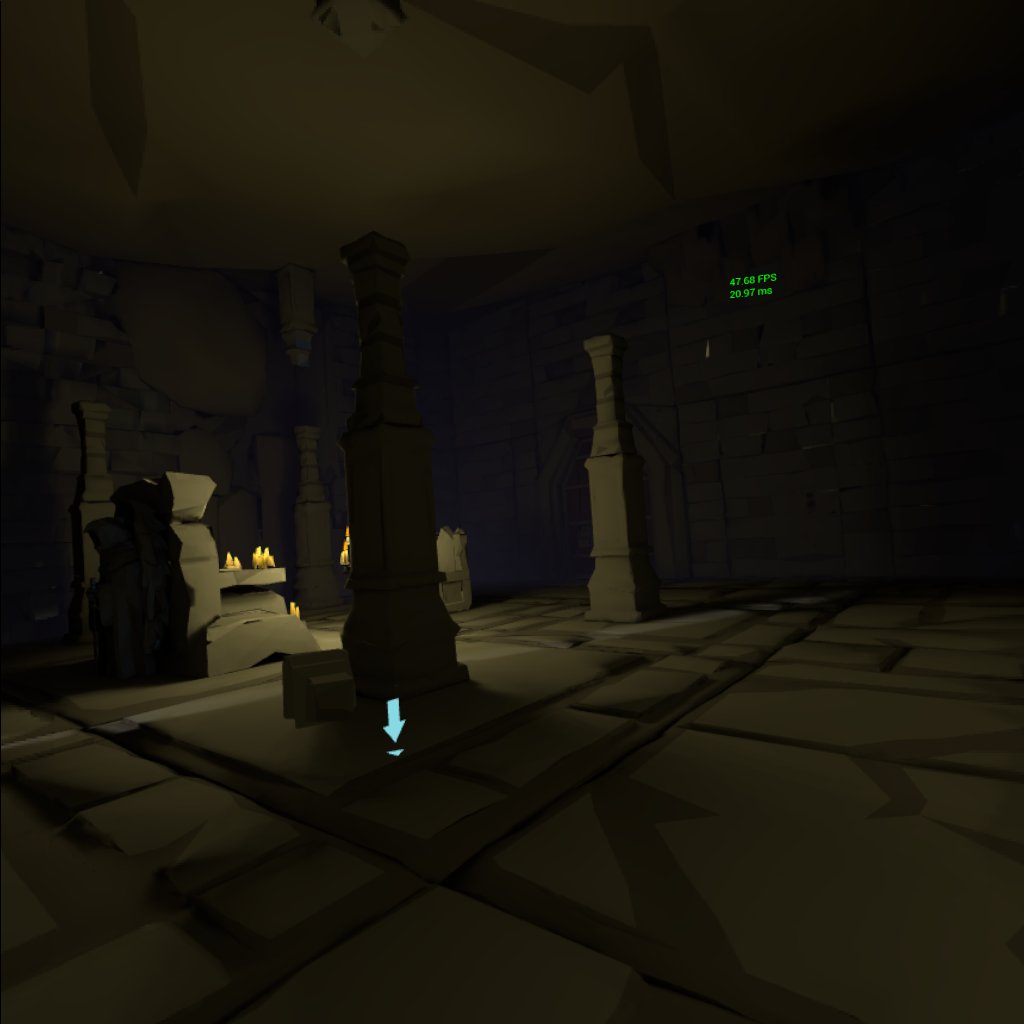
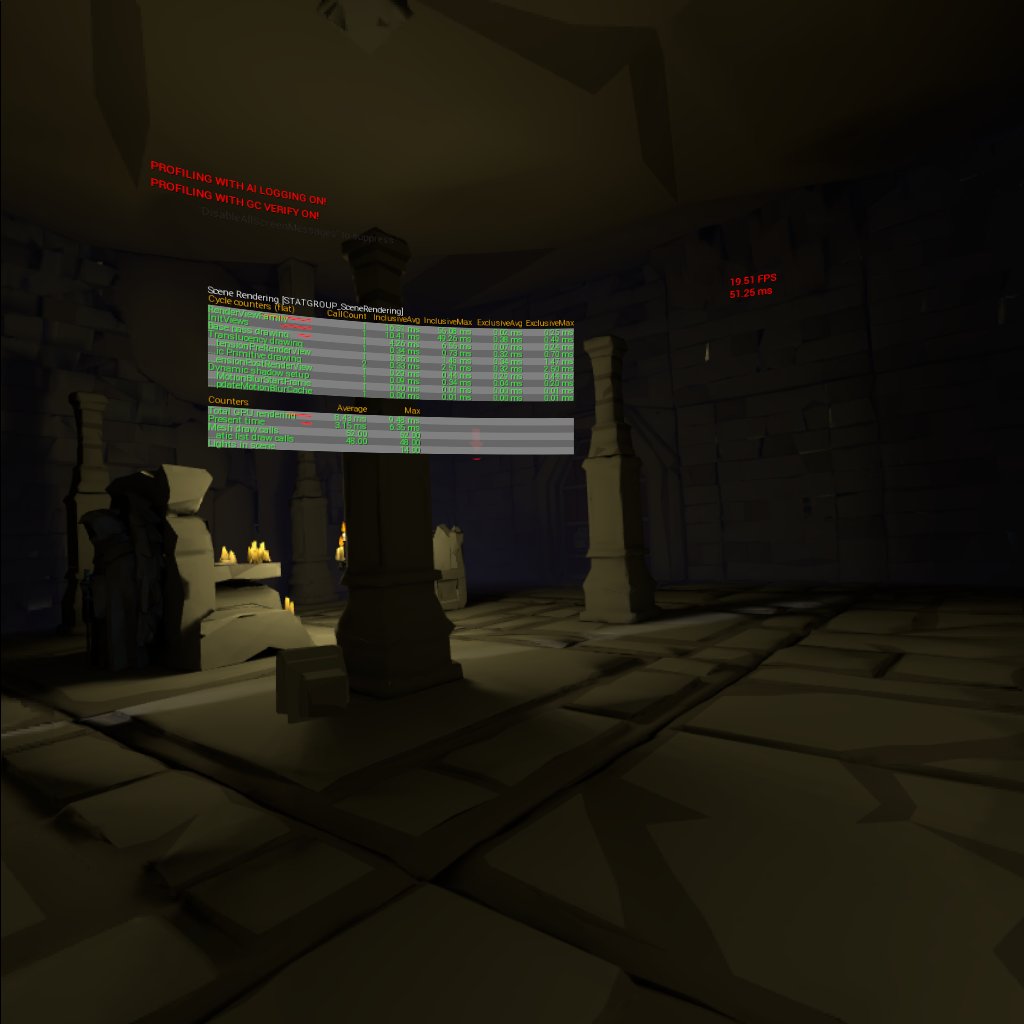


 mighty carbon
@dusky moon there is a separate section on devs portal for Quest application
It's basically like a pitch for a console
Pitch your project to Oculus and they might give you Quest (and funding?)
 red pine
I am kind of stumped on something that is probably super duper obvious. How do I attach my characters hands to the motion controllers?
The example content does not seem to be actually doing this.
All I see is attach to component VROrigin
frigid kite
You need a motion controller component
red pine
Is that the steam VR chaperone?
frigid kite
No, the steam VR chaperone is the play space bounds
red pine
weird I am not seeing a motion controller component in the example?
Where do I put one? On the character or the actual hand object?
frigid kite
In your character BP, yes
red pine
kk I think I see it being used now. its on the hand not the character as far as I can tell
@frigid kite thanks that helped I think
 eager sage
@red pine , is there a body that your hands have to be connected to? Or are they just a regular floating hands?
red pine
I want to do a body
my plan is a VRChat kinda project
So I want full characters with full body
eager sage
then i think you can search in this direction
red pine
I have it working now
One thing I am noticing though is that in VRChat I can rotate my character by looking in different directions
So I guess I need to make sure to update my rotation based on the camera angle?
eager sage
looks like it
hallow knoll
@mighty carbon https://issues.unrealengine.com/issue/UE-72585 has been fixed and should go live in 4.22.2
mighty carbon
sweet 😃
quiet swan
Wait I just updated to 4.22.1 is 4.22.2 out already? All these updates are giving me heart burn because things broke
sturdy coral
@quiet swan no he's just saying that has been fixed and is scheduled for 4.22.2
quiet swan
I dont really like 4.22 its been unstable I never seen such unstableness with crashes and such
granite jacinth
heh
I usually wait for a few hotfixes before I go all in
It's not like 4.21 is terrible either
mighty carbon
but 4.22 has a ton of features that improve quality of life 😃