#virtual-reality
1 messages · Page 201 of 1
 silk lodge
 white fern
Top and bottom
silk lodge
i have a project where that's all I do
lemme see about zipping it up
@white fern I found my project and I'll send you a copy of it, it's about 1gb
white fern
Cool. Thanks @silk lodge . That would help a ton.
 shadow radish
not really sure where to ask this
but I was wondering if anyone has ever put their game on viveport?
I am debating whether to release on just steam and oculus, or also to release on viveport?
if anyone knows of any channels for like serious vr devs where they discuss business related kind of stuff, please let me know--been developing BearHammer for a year full time and getting close to releasing it
 mighty carbon

GeForce RTX delivers up to 2-3 times faster ray tracing framerates, and now, GeForce GTX enables basic ray tracing.
is it cool or a gimmick ?
(especially for VR)
 pearl tangle
@summer jay I have done plenty of work with this, unfortunately Tilt Brush is built with unity so the only way to easily import and have materials on there is to use Unity for it. Google Poly makes it stupidly easy to do it on there.
To have the materials in Unreal you would need to completely rebuild all the materials into Unreal and they have a lot of funky animations so it depends what materials you have used as to how complex that is
 summer jay
@pearl tangle thanks a bunch. I feared this was the case. now I have a blueprint that smoothly does what I need but no real idea about how to translate that to unity.
do you or does anyone in here have scripts or links to scripts that enable me to navigate through models like for example in dreams of Dali? any help is much appreciated.
pearl tangle
@summer jay inside unity you mean?
 wicked oak
@mighty carbon its more to allow people to tinker with RTX on things like a 1080ti
its still likely too slow to be usable
look at the metro comparaison, 1080ti running at not even 30 fps
mighty carbon
I see
summer jay
@pearl tangle yes, I need to work it out with unity
mighty carbon

Working with the creator of Q2VKPT, we present the most advanced version of Quake II seen to date. Check out our debut Quake II RTX video to see it in action.
@wicked oak ^^
 jaunty shell

This is an example video of our VR Spectator Control Window plugin for Unreal Engine which allows you to create normal UMG and use it in a separate window ne...
well this is interesting
 tired tree
its a seperate window
not an overlay
does have a lot of uses
but not really good for specific ones like async gameplay
jaunty shell
nah but as a debug or control menu for stuff like learning tools its awesome
tired tree
yeah its great for that
mighty carbon
https://www.roadtovr.com/hp-rever-hands-on-impressions-pixel-packed-new-bar-for-windows-vr-headsets/

HP today announced Reverb (formerly codenamed Copper), its new VR headset which aims to deliver enhanced resolution and comfort. With a more thoughtful design and pixel-packed displays, Reverb sets a new bar for Windows VR headsets. Having jumped into the VR space back in 2...

I finally had the chance to go hands-on with the Oculus Quest! In this video you will see my first reactions when trying the device and at the end I will giv...
mighty carbon
did they say FOV is smaller than on Go ?
mighty carbon
so, Day 2 and not whole a lot new from Oculus.. Empty hype train ?
 sturdy coral
same weight as rift on that HP =/
shadow radish
that google announcement seems interesting for VR
maybe VR could have the potential to go more mainstream once they can stream it fast enough and you can get stuff to look AAA quality inside a headset
 ocean bobcat
More latent = more barf. Streaming Assassin's Creed to a Chromebook is one thing, but the demands of fidelity and responsiveness might be too much for VR interactivity.
shadow radish

UploadVR
Nvidia today revealed that it's expanding its cloud computing capabilities, which will one day allow for wirelees VR/AR streaming via GeForce Now.
this article from nvidia makes it seem less crazy to me
anyway we'll see the proof is in the pudding, but I'm pretty hopeful. I've taken a risky path to put a full year of my life into VR dev so far so I am hoping it will pay off
ocean bobcat
I suppose it's possible with client-side time/space warp, a heaping of motion prediction and lowered expectations. I remember getting like 60ms latency with the original Rift dev kit and that was acceptable with enough motion prediction. That was even before they had "time warp", I think.
The article claims 5ms latency under lab conditions, but the actual internet is a far cry from that.
pearl tangle
if they are able to do 4k at 60fps at the moment then the latency is not too far off for VR really. Throw in some strong foveated rendering starting to get interesting for the next generation of headsets
 half gale
Hi guys, i have an interesting problem I'm trying to fix. I'm making a VR game with two maps, a main menu and a game map. In the packaged version of the game, when i disconnect my main monitor, it starts to stutter in my vive headset to about 3 fps. But that doesn't happen when i disconnect the monitor in the game map. It only happens in the packaged version and in the main menu map. Anyone run into this problem before?
half gale
okay nvm i found the fix. So basically i was using two different templates for gamemode, one is MainMenuGM and the other MultiGM. There were a few differences but the one that caused that to happen was a console call for resolution. In MainMenuGM i was setting r.setres 1920x1080 f while in MultiGM i was setting r.setres 1920x1080 (thus without the f argument)
somehow the fullscreen argument caused the major stutter when i unplugged my monitors which were acting as spectators screen. Not sure why it happens but my trail and error brought me there. Hopefully this info is useful haha.
 full junco
is raytracing currently still broken in VR with the most recent 4.22 preview?
 real needle
Anyone used vrworks lately? are there any gains?
 orchid elk
Open Level crashes mobile device (iPad), but works well in editor, know any fix?
 digital musk
@tired tree
Thanks so much for this "How to setup video" for openinput
https://www.youtube.com/watch?v=Ftlbi4xx09s
Could you please please please do similar ones for your VRExpansion plugin....I realize it's orders of magnitude more complex, but....that's kinda exactly why we need it. Just imagine all the time you'll save by not having to explain the basics to every noob (like myself) who inevitably stumbles in here 😋

Overview of using the OpenInputModule after initial setup instructions are followed. I forgot to mention that the repository also has a branch that does NOT ...
 violet musk
Is it normal that the Vive tracker orientation changes after some time? (Tracker restart for example)
It drives me crazy that I have this tracker attached to a physical object and again and again it will be rotated by 90° in another direction.
pearl tangle
@orchid elk in your project settings make sure that you have included the level in the packaging. Also you shouldn't need to put the full location of it, just the level name from memory but i could be wrong on that part
orchid elk
@pearl tangle It is included, and I have tried both with full path and only name on the open level node, neither work :/
pearl tangle
@orchid elk have you tried just launching that level on there directly?
Might be something in your level blueprint firing off that it doesn't like
orchid elk
Level blueprint is empty, and the game starts up in that level and it works fine until I try to "reload it" by re-opening the level
pearl tangle
ah so you are already inside the level and you are just trying to reload?
orchid elk
Yup
I have also tried the "Restart Game" node, but it crashes there as well
I work in an AR project for iOS btw
pearl tangle
ah i haven't tried doing that in AR but have you made sure you end the AR session first?
orchid elk
The AR session should be stopped
tired tree
@digital musk orders of magnitude more complex may be an understatement, but yes, one of my "new years resolutions" was to actually get around to making some tutorials. The plugin is fairly stable feature wise now so its a good time.
digital musk
@tired tree Yay!!!!
 rustic cargo
@violet musk There is a newly-created bug for this https://issues.unrealengine.com/issue/UE-71635
mighty carbon
4.22pre6 is out
 sly elk
for those who have sold games on the oculus store, how does payment timing work? Same as steam where its on a 30 day delay? Or is it just the sales for each month disbursed at the end of the month?
 dusky moon
I'm panicking over this Display port 1.2 for Rift S .... should'nt it just be one thunderbold (virtual link) if it's a new hardware ?!
if my laptop only offers an hdmi then it means an extra converter ?! should I worry ?! 😄
 granite jacinth

WIRED
The new $399 headset from the Facebook-owned company features some key improvements. But you still have to plug it into a computer.
As for converter. No big deal. Get one. PC-oriented. GPUs typically have both HDMI/DP, but HDMI has been going away little by little(I have 3 DPs vs 1 HDMI on my 1070ti) Any decent laptop has both HDMI and MiniDP port.
As for Virtual Link. Not enough gpus support it.
No one is going to just buy a new gpu (970+ers), especially now that you can do Ray Tracing on Non RTX cards...roflsauce
Just for Vlink
And this isn't next gen anyway.
This is stopgapgen
sly elk
Personally im excited for rift S.. their inside out tracking is great and I want to ditch my 4 camera setup
I had been hoping it would be priced cheaper for easier adoption
But maybe 6 months out they will be $299 on sale
Any VR folks on 4.22 p6 yet? We ran p2 as a test and it was mostly bug free. Looking to jump to 4.22 for a release build soon.
mighty carbon
hmm.. design is not that great. I wonder about comfort
 frigid kite
Yeah I'm also a bit underwhelmed actually
According to Road to VR it's either hit or miss with the comfort, depending on head shape
mighty carbon
but, it offers AR capability with color stereo passthrough
if that really works well, then it's invaluable for enterprise
frigid kite
Hmm, it's nice, but the new hololens would definitely be more suited to real life enterprise use cases
I'd have preferred it if they added eye tracking to open up foveated rendering, rather than only dropping the refresh rate
Though probably their LCD is only capable of 80Hz and they use the fact that they want to keep the same minimum requirements as an excuse for it
mighty carbon
you can now have beefy laptop in the backpack and walk around with Rift S showing a way more detailed and realistic visuals (and better integrated into real world) than can be ever achieved with any of the current AR system
but, software has to support it obviously, so maybe Oculus won't offer actual AR stuff with Rift S
sly elk
I think the hassle of rift setup is a non starter for a lot of peopl
I have 4 cameras in my office running off of a dedicated 4 controller USB card.. its kind of ridiculous. The setup is soo much easier and that will mean more headset sales = more potential game customers
tired tree
@mighty carbon really really doubt that is true
considering that they were working off of pre-defined spaces for quest
mighty carbon
why?
tired tree
with a set memory of how many they could recognize
sly elk
you can ignore the boundaries and just walk wherever I think
tired tree
the quality of tracking would be reduced unless they are running it much cleaner on the S
the whole reason for remembering spaces was to fill in the gaps
mighty carbon
right now passthrough+ on Rift S is so that when you step out of boundaries, you see real world.. I assume you can do AR with that
tired tree
quest also required a ceiling afaik
mighty carbon
Quest uses mobile SoC.. Rift S uses PC. So there should be plenty of juice for tracking + AR
but again, I am just speculating
sturdy coral
I hope rift S will spur MS to update the WMR reference platform to support more cameras
tired tree
its totally conceptully possible
sturdy coral
I expected something like this out of it, but that price is really bad considering it is so long after rift came out and it is a quasi downgrade
upgrade in some areas, downgrade in others
for the average user who puts two cameras on their desk it will be an upgrade
display wise it will depend on the scene
but should be a big improvement on god rays
sly elk
Im thinking price will come down after a while? Dunno. Maybe its just not going to be manufactured in the same volume as quest so the price per unit is higher on their end
i would imagine demand for quest will be higher than rift s
tired tree
not happy that they are talking about phasing out Rift for it....
frigid kite
I think the hassle of rift setup is a non starter for a lot of peopl
I'm not convinced that that is the main reason
It's that you also need a beefy PC, and still lack of compelling content
Triple A content
Is the convenience a step up? Most certainly, but it's nothing WMR hasn't been doing for over a year
Has there been a large uptake of WMR because of it? Not that I can see, people bought way more Rifts
They have been practically throwing WMR headsets out the door and still there wasn't a large consumer interest
sturdy coral
I think they wanted to start making a margin on hardware
but I don't know, it is still such a small market it doesn't make a lot of sense with their strategy
frigid kite
Just being able to plug in the Quest into a PC would've been a much better move IMO
You get 'em hooked with standalone hardware, and when they're ready for a step up, they only need to invest in the PC, not also get a new HMD
sturdy coral
agree on that
they should have come out of the gate with really good hand tracking from the cameras or something I don't know, just feels like a small upgrade on low-end WMR at a much higher price
and WMR having just put out that 4K HP one at the same time really makes it underwhelming, though that one is priced high so not directly comparable.
frigid kite
But not that much higher
not vive pro levels
(which does have hand tracking and will have eye tracking soon)
It's a probably going to be a good HMD, but not what I would expect after 3 years
frigid kite
Anyone happen to know if it's possible to reduce the amount of components in an existing landscape? It seems like I can only resample the amount of quads within a component
sturdy coral
@frigid kite you can delete individual components
I think it is possible to resample to a lower number too, I think it was in a weird option or tool
frigid kite
I ended up exporting the maps and recreating the terrain with fewer components
But thanks!
mighty carbon
too many wires on CV1 is a turn off for me.. I just don't want to mess with all that to play in VR (not that there are too many games I like to play anyway) and thus I don't play often 😦
sturdy coral
@mighty carbon one problem though is stuff like WMR and Rift S seems to be harder to use with wireless solutions so far
I guess because they are only one way tramsmitter/receiver with slower 2.4/5.8ghz for the usb and microphone transmission back
and that can't handle the tracking cameras well
mighty carbon
like, harder to use it with TPCast ?
tired tree
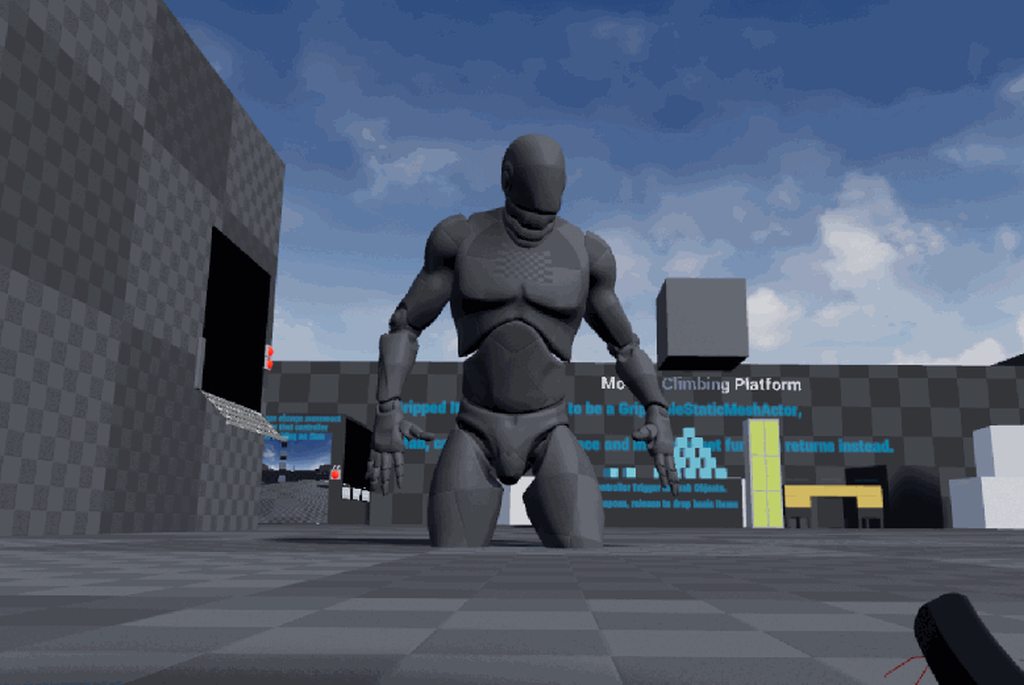
god....avatars are going to be pretty creepy in the future with hand animations, feels sinister on a blank face
 mighty carbon
 sturdy coral
@mighty carbon yeah talking about tpcast type stuff
mighty carbon
I see
 abstract forum

I've just submitted an application for the @EpicGames MegaGrants
https://t.co/5HPYqPjIEd
I'd love to be able to have funding to bring #VRTK to the Unreal Platform and this could make it happen if I'm successful!
 Twitter
Can you guys retweet this?
pearl tangle
@abstract forum What does your VR toolkit do that isn't already available in Unreal straight away or through the VR expansion plugin?
 daring pasture
What can vrtk offer that @tired tree hasn't already provided
pearl tangle
yeah that 1
granite jacinth
@abstract forum also... There are no more grants.
pearl tangle
https://www.unrealengine.com/en-US/megagrants new grant stuff from today @granite jacinth

Epic Games has committed $100 million to support game developers, enterprise professionals, media and entertainment creators, students, educators, and tool developers doing amazing things with Unreal Engine or enhancing open-source capabilities for the 3D graphics community. ...
granite jacinth
Hm. What's the difference?
pearl tangle
yeah they will do $5k-$500k in this 1
sturdy coral

Full agenda of #VEC2019 published (bilingual). @htcvive Vive Ecosystem Conference, Shenzhen, China 3/26. Lots of surprises await. 😜 Live stream will be available. https://t.co/bTdcz4RQEl
 Twitter
mighty carbon
Twitter
mighty carbon
probably going to be even harder to get
it reminds me of Samsung vs Apple wars
Oculus vs HTC
 orchid raft
sorry if this is asked a lot, but is Morden planning on waiting for 4.22 to come out of preview to upgrade vr exp.?
pearl tangle
interesting that Rift S has not gone for integrated eye tracking
orchid raft
yeah everyone is flipping out at 1000 miles per hour in every GDC chat. its realy annoying
I just want to talk about the UE stuff
ocean bobcat
Yeah the Rift S seems more like a crossgrade than an upgrade... LCD screen instead of OLED, slightly more res but slower display (80 Hz). The 4K "HP Reverb" could use some eye-tracked foveation though. That resolution at 90 Hz seems like a lot to ask without it.
mighty carbon
@pearl tangle They are trying appeal to masses and cranking up the price isn't gonna help with that
Plus, they said it's Rift CV1 replacement, not V2 device
pearl tangle
being CV1 replacement would make it v2 wouldn't it? I think that quest is their mass market 1. I would also think that a pretty heft portion of current rift owners (if they still use them at all) would upgrade if eye tracking was in there, especially with their different lenses and no physical IPD adjustment
has anybody done a good ghosted projection in arcore. EG. showing where the placement from a trace on center of the screen, before actually tapping to place? The ARcore line trace doesn't seem to be having much fun
tired tree
@orchid raft it has a 4.22 branch in the template that is stable, I just stopped providing preview version in master because I was getting bug reports on preview errors
the same day its out officially the main repo will be converted to 4.22 on master branch
mighty carbon
@pearl tangle no, it makes it 1.5 (or 1.2 maybe), not v2. Also you think wrong. Most of Rift users got Rift because it was affordable (and they are end-users with average rigs). Vive users are mostly (enterprise) devs.
tired tree
lol what?
 sonic lake
We chose the Rift over the Vive because with its front sensors it has a semi-portable / less invasive setup. Unfortunately it is being affected by Oculus' decision to have a closed system with their store always in front of the users. This won't change for the Rift S.
Unless they will also produce a more enterprise friendly (although more expensive) version of the Rift CV1.
Also, since we focus on movements, I wonder how the Rift S will perform when you hold your hands away from your body (above the head or laterally in a T-pose). Very likely tracking will become inaccurate after few seconds.
Anyone has had the chance to try it under these conditions?
tired tree
think a major issue is more how it handles hands close to the face or under the chin (IE: scoped in with a gun or close manipulation), it blocks a lot of the FOV to determine position
I know that a user of mine has issues with all of the inside out tracking HMDs and his gun system due to this
frigid kite
Yeah Road to vr mentioned this exact problem already with the S
I think that coupling the camera tracking with magnetic tracking could be an interesting solution, but it doesn't seem like anyone is making a move towards this
sonic lake
I was looking at the HP Reverb, but very likely it has the same issue, even though the front cameras seem to have more visibility toward the chin area.
mighty carbon
@sonic lake you are the dev.. A lot more people who got Rift are just VR gamers
sonic lake
@mighty carbon plus we develop for a very special niche, so I am aware that we have very specific needs which don't count as much for the device manufacturers. They are mostly targeting the gaming/entertainment market, which is understandable.
tired tree
@mighty carbon you make a lot of assumptions saying that vive is mostly devs....
you literally have no data to back that up
let alone, rift is actually more convenient for iteration at a desk....
though WMR is more so
sly elk
video capture on quest during gameplay is probably a non starter, right? I assume that would eat up way too many resources
tired tree
didn't they have a pipeline specifically for that / streaming?
pearl tangle
wmr definitely has a lot of issue with close range tracking of the controllers. I had to do a VR spray painting piece recently and just used my samsung odyssey for it since I haven't bothered to setup vive in ages, but really tough to get the fine detail. Hopefully S does a bit better job with that having some more cameras
@sly elk daydream and mirage etc can cast video out and that works fairly well, maybe quest will do something similar through oculus app
shadow radish
anyone have any experience integrating leaderoboards in a multi platform VR game?
just wondering how best to merge oculus, WMR, and steam players for that?
pearl tangle
@shadow radish Why does the platform they are on make a difference? Just use any regular database to store the scores, nothing linked to the headset in particular
 flat shoal
@tired tree I know of very few companies who use the Rift. I've seen a huge amount of companies who use the Vive. If you have been paying attention to the enterprise VR scene, this shouldn't come as a surprise to you.
(Also, I know of zero companies who use VR "at a desk"...) 😃
tired tree
he said it was "mostly" developers
like there was no player ownership to speak of
and plenty of developers use VR at a desk to prototype.......
shadow radish
@pearl tangle thank you for responding--I ask about the platform because that's where you draw the username from and their friends list
I was also just wondering if anyone had made any plugins or anything for VR leaderboards, I know @tired tree: has VR widget examples in VRExpansionPlugin but I searched and didn't see any VR Leaderboard kind of plugins, I might make one
tired tree
well that is because its either one of the subsystems....or you use a remote database like he said
there is no "vr" involved there
pearl tangle
yeah not sure what would be VR specific about it
tired tree
Unreal Engine Forums
Hey everyone,
Epic Leaderboard is an online leaderboard plugin and server.
The goal of this project is to create a plug and play
not sure if this is still active
but it was a platform agnostic implementation
shadow radish
the second half of it, the user interaction, scrolling through with a pointer needs a fair amount of work, beyond the data portion of it, for how you interact with it in VR
tired tree
no it doesn't
pearl tangle
that would just be a UMG element
shadow radish
right, but it's still creating that widget component, making sure it's big enough to be readable in VR, and iterating on it so it feels good and has big enough buttons to be fun to interact with in VR
pearl tangle
yeah not quite a plugin. Thats just dropping it into the level. Somebody may have done example of that somewhere but not sure
shadow radish
all I was driving at is I don't want to re-invent the wheel and spend a week perfecting my leaderboard, so if someone has worked on one and is interested in selling it or sharing it I'd be interested, otherwise I might actually consider putting a user friendly vr leaderboard plugin out there if I do it myself
tired tree
no-one is going to want a umg front end
so unless you do the work of the back end as well, i'm afraid that wouldn't sell
shadow radish
hmm personally I'd be in the market for a UMG front end
stylizing the scrolling of the table, making it feel good, it doens't feel trivial to me
tired tree
its kind of useless without a backend though...
shadow radish
that's true, when we worked on world war toons we used gamesparks for our backend
but they seem to have raised their prices
so I need to investigate whether I can just use steam or oculus' leaderboards function, but have vive players actually pull from oculus' server
pearl tangle
i use firebase for all my stuff, outside of game development too
shadow radish
like oculus shows theirs here
but it's not clear I guess at the outset if I could have a steam player connect to it
tired tree
they have been opening up more of their platofrm
mighty carbon
@tired tree there is no data on anything, but at that price range, Vive is a non-starter for many average users.
tired tree
but think that would still require their launcher
and the reverse won't work, as oculus doesn't allow the steam dlls to be shipped with games on their platofrm
shadow radish
oh interesting, I was wondering about the reverse
tired tree
curious if that same stance will be there for the Epic multiplayer framework
as that also has leaderboards and is a "competing" system
but its cross platform
shadow radish
I imagine theirs will be pretty open to everything, kind of like just using your own third party service like gamesparks?
but who knows lol, so many platforms to keep track of
pearl tangle
other way around he meant. If Oculus will block the epic stuff
shadow radish
@pearl tangle: does firebase have any kind of blueprint plugin?
pearl tangle
yeah there is a good 1 on the marketplace
shadow radish
thanks for the suggestion I might check that out then
or just roll platform specific leaderboards and use steam/oculus' own stuff
pearl tangle
for what will likely be an incredibly small playerbase I would say a unified leaderboard would definitely be the way to go
shadow radish
if anyone catches this conversation later--here is what I am looking to build if you have any recommendations

no way man Bearhammer is going to be the next beatsaber! /s
sturdy coral

UploadVR
A Valve representative confirmed there would be no VR updates at GDC from Valve but that it remains an area of interest and investment for the company.
sly elk
Has the connection for RIft S to PC been posted yet?
one USB and one HDMI or is it a single connection?
mighty carbon
Display Port + USB @sly elk
sly elk
cool
pearl tangle
yeah much better idea. Half the reason I only use my odyssey headset and my rift and vive are sitting in their boxes is because of all the messing around with cables and everything, especially when you have to demo lots
sly elk
Yeah, i have a ton of headsets and setup makes it such a pain
Im excited for Rift S.. Right now I get older/non gamer people asking me about getting a VR setup and I have to pretty much tell them its a huge pain
and my personal experience with WMR is that the tracking struggles in anything bet the best lighting
pearl tangle
yeah I tried to run an event 1 with a WMR before on stage, and as soon as they did the lighting changes it killed it, and then couldn't recover at all without running around the whole room for a couple of minutes. At home it works alright for me for the brief few minutes I use VR these days.
but the close range stuff is definitely a killer for it, and when you come from the vive down to WMR it's very noticeable. For people that don't know the difference then not quite so bad
hows your sales going with wrench by the way @sly elk ?
mighty carbon
has anyone watched State of Unreal at GDC 2019 ? I was told Epic said there will be less training streams now (I am guessing once in a blue moon?)
true or false ?
 pseudo osprey
Anyone have any recommended android AR tutorials?
pearl tangle
@pseudo osprey what do you need to know? The example project file is pretty good and the arCore google 1s are quite good too
tired tree
@odd garnet spawn one of the selfie cameras and video it third person
mighty carbon
@tired tree is it knuckles-only feature or would also work with Touch ? (fingers)
tired tree
@mighty carbon touch doesn't have that fidelity, regardless it is openvr input and touch have an implementation in there as well, all of the controllers currently do
but oculus has its own hand animation setup in their avatar setup
 sullen vortex
Good morning guys! Wonder if anyone has tried using the virtual camera plugin with an android (arcore compatible) device instead of an ipad pro? My guess that the ipad pro requirement is because of its arkit capability. Any thoughts?
I ask this cause i have the mixed reality plugin working ok on my project but i would like to add it a "viewfinder" beside to the webcam/tracker so the cameraman could preview the same output as the viewport i normally see on the monitor when the game is running.
sturdy coral
have any reviewers been able to test Rift S it in their own environments yet?
I'm wondering how it does in low light compared to WMR
mighty carbon

UploadVR
Oculus Rift S now has FCC approval in preparation for Spring launch. The original Rift is no longer sold in the US, with stock running out elsewhere.
it's inevitable
although I thought they still had some old units left in stock
 storm tendon
Hello everyone, I'm trying to test a blank project on an Oculus Go headset, but once UE4 finishes the build, it doesn't launch on the Go
And all I get is the warning about updating the Oculus app
How can I resolve this issue?
sonic lake
@storm tendon no errors whatsoever in the log?
storm tendon
@sonic lake I do get a couple of warnings regarding the mobile and GoogleVR setup
Which is strange, since I set up the project without the Google VR plugin
Ok, they're both LogOnline: Warning: OSS: FOnlineSubsystemGooglePlayModule was disabled
sonic lake
@storm tendon for the Go all you need is the Oculus VR plugin. The other plugins may actually interfere.
So you don't get any error in the UE4 log but the app doesn't launch inside the Go?
storm tendon
That's right, once the build is done all I see on the headset is the update warning
Disabled SteamVR right now, let's see what happens
Same thing, Oculus Update Required :\
sly elk
@pearl tangle They are pretty meh right now. Working towards a larger launch and also working on making the game more accessible. Right now its hard for people with very little car knowledge to play so we are working on a casual play mode.
Anyone know more about the PC system builder landscape? We are bidding a contract that would involve purchasing a large number of low end gaming PCs but we would be on the hook for replacement so we want to find somethign really cost effective but also that uses quality power supplies and doesn't cheap out too much on other reliability related parts
pearl tangle
@sly elk Those contracts are always very tricky to justify, have done some similar government 1s over here and then always backed out once they get into the full on fine print, especially when it involved replacing damaged hardware for 3 years (beyond the warranty of most parts) and within 24 hours, which means you have to go and buy the new part even if it is under warranty so that you can get it in time.
I use the zotak zboxes for a lot of demo installs and things mainly because they are easily portable and you get much better performance than a comparable laptop. Although you do need a separate screen and mouse
 odd garnet
Throwback to this amazing moment @glossy agate 

#InLeagueVR #VR #gaming #video games I freakkkking rekkkt em m8
 glossy agate
I just look disappointed and ashamed after whiffing all those shots 😂😂
sonic lake
@storm tendon you have to leave the device powered and connected to the wifi until it updates.
Oculus
Join the Official Oculus Discussion Forums and talk about Oculus Rift, Oculus Touch, Samsung Gear VR, and virtual reality.
storm tendon
I'll give it a try, hope it works
storm tendon
Now it's working! Go updated to version 3.45, and now it launches
But it doesn't show the headset's POV in the preview
sonic lake
That doesn't happen with the Go as the app is run inside the HMD. You can use the streaming from the iPhone app or the android remote monitor.
 quiet swan
i need to know which uses LESS power Instanced Static Mesh Component and Hierarchical Instanced Static Mesh Component?
 quick iron
Hey guys. Super weird. I cannot see anything when I press on play in the editor.
I can see the sky and stuff but for example no landscape
Using an oculus
so camera works
but I simply dont see my environment
quick iron
nvm. got it working
pearl tangle
@quiet swan neither uses "less" power. It entirely depends on your scene. HISM allows for LOD's to work. ISM does not. 4.22 has a new renderer as well that may negate a lot of your need to use ISM on certain things
odd garnet
Knuckles and having a body is very... interesting
Watch me flail about for 8 minutes lol

"get on my eyes dammit" and "I am fully weirded out"
Having that body really makes you believe you're actually there in VR
and the knuckles just push it over the top
its hecking weird moving my fingers + arm
 eternal fog
This is extremely stupid and annoying but my point lights are not visible in the Oculus Go. What to do?
Has anybody worked on the Oculus Go?
abstract forum

Hello #Developers,
Which game engine(s) do you use for #AugmentedReality / #VirtualReality development? To provide feedback, [Like] the one(s) you use in the comment. Let me know if I missed any and I'll add it.
Retweet, plez?
Twitter
Can you guys like the Unreal Engine tweet?
 edgy pelican
@eternal fog I've been developing something for Oculus Go since the hardware released. There are a lot of restrictions you have to stick to for UE4 because you're basically developing in the same platform as Gear VR.
I found this set of standards to be quite useful while developing:
https://docs.unrealengine.com/en-US/Platforms/GearVR/BestPractices
real needle
Help. My Oculus motion controllers arent working all of a sudden. Specifically button presses aren't doing anything. I am running the default vr template. It was working before
sonic lake
@real needle are you wearing the HMD or blocking the proximity sensor?
real needle
Restarting my computer fixed it
sonic lake
Easy fix
mighty carbon
Oculus Go is weak 😦
I have one material in the scene, low poly scene, not whole a lot of different meshes, definitely less than 100k of tris (plus everything is LODed), baked lighting and it runs like shit
mighty carbon
and yet again performance seems to be better with ES2 than with ES3.1 😦
mighty carbon
@wicked oak is this the latest way of doing HLOD https://www.youtube.com/watch?v=cIgFJz-OOpw ?

On this week's Live Training stream Epic Games Principal Mathematician David Hill and Senior Technical Writer Sam Deiter will show you how to setup and use t...
eternal fog
@edgy pelican Hi, Thank you so much. That helps a lot.
My scene (below) and how it is being rendered in the Oculus Go (above). The following assets are from the standard UE4 tools and starter content.
- Point light
- Spot light
- Explosion
- Fire
- Smoke
- Sparks
- Steam
ISSUES: The lights are not being rendered and look at the fire.
Look at how this fire is being rendered. What to do?😭 😭
pearl tangle
@eternal fog Are you testing in editor in the mobile preview and confirming that the materials all work with that?
@mighty carbon 3.1 doesn't mean better performance, it means you have more capabilities with it, but doesn't necessarily mean it's going to perform better
mighty carbon
I expect it to perform on par with ES2
not worse
going to have to try HLODs (and last resort would be manual mesh merging, but I didn't really want to do that)
 arctic path
Can you detect whether or not the headset is on a player?
By using the light sensor on the Oculus for example
Looks like it may be the 'Get VR Focus State' node
pearl tangle
https://www.youtube.com/watch?v=Jr-GObScPMw some interesting 1's in here actually
For all the best in AR and VR News: http://www.uploadvr.com Follow us for up-to-the-minute updates: 📘 Facebook: https://www.facebook.com/uploadvr/ 🐦 Twitter:...
eternal fog
@pearl tangle So here is something new to my issue, which is good. Here is the screenshot from the Mobile Preview Editor. I feel better but I don't know how to solve this.
Observation:
- The fire is still weird similar to what I saw in the Oculus Go
- The lights work here but not in the oculus.
pearl tangle
check your material for the fire 1, it's likely 1 of them is doing something that can't run on mobile. Also what lights have you got and how are they configured. Movable or stationary etc? @eternal fog
eternal fog
@pearl tangle I have a class at 8. I'll ping you later this afternoon.
eternal fog
@pearl tangle
- Disabling Mobile HDR
- Hi, So I went through the doc to first notice that the Mobile HDR had been enabled. Disabling that I got my lights back not but the fire is not visible now. What do I do about the Fire Particle Effect?
- Enabling Mobile Multi-View
- It is a funny thing, that by enabling Mobile Multi-View and Mobile Multi-View Direct doesn't show my pointer, show I disabled it back.
- About the materials used by particles
-The particle effects materials use Unlit shading model (default) and Additive Blend mode (default) as they are cheapest to use.
eternal fog
- Movable Lights not changing
- So I read I can have at most 4 non-overlapping movable lights, so I did test to code to flicker them on visibility and intensity but non are changing the lights
- They work in the Selected Viewport but not on the Mobile Preview Editor
- Following a writing convention for easy readability (Heading)
- Here i write my comment or observation (Comment)
- Optimization guides for Oculus Go UE4
- Can you refer me any optimization guides you found useful from you development experience on this device?
edgy pelican
@eternal fog Almost all the reference documentation I used was provided by Unreal/Oculus. Here's a link to the pages I use to launch myself to other docs:
And here's a forum thread by @sonic lake from a long while back that helped me figure out controls:
https://forums.unrealengine.com/development-discussion/vr-ar-development/1473440-oculus-go-key-mapping-for-input-events
Unreal Engine Forums
I have started developing for the Oculus Go and as one of the first steps I had to figure out the key mapping. This assumes the MotionController is mapped to the
sonic lake
@edgy pelican Thanks for the mention. At that time there was zero documentation on the input mapping for the Go. Had to devise it experimentally and by looking at the source code. Since then Oculus has vastly improved their documentation.
edgy pelican
@sonic lake Thanks for the update. I'll add that to my list of bookmarks!
mighty carbon
has anyone tried rendering stereo skybox in UE4 for VR project ?
Does this still stand true for 4.21/22 https://www.unrealengine.com/en-US/tech-blog/capturing-stereoscopic-360-screenshots-videos-movies-unreal-engine-4 ?

Unreal Engine
Here I'll walk you through Ninja Theory's particular settings and workflow for capturing 360 stereoscopic movies like the one we just launched today for Hellblade: Senua's Sacrifice. Read on to learn more about using the "Stereo Panoramic Movie Capture" feature which works o...
mighty carbon
interesting
 honest mango
Is there a way to keep UE from starting SteamVR when I start it other than disabling the VR plugin?
storm tendon
@sonic lake Big UP for sharing the control mapping for the Oculus Go controller
Unreal Engine Forums
I have started developing for the Oculus Go and as one of the first steps I had to figure out the key mapping. This assumes the MotionController is mapped to the
 dim imp
Guys need help
I have a VR project and it's fine in vr preview from the editor, but when I build and launch, the fps goes very low.
why the performance hit and how to fix it?
sonic lake
@storm tendon you are welcome! In the meantime Oculus has improved their online documentation. I have posted a link above.
@dim imp which device are you launching it on?
dim imp
fixed nvm
thing was the engine scalability settings not saved in the packaged launcher
had to type in some settings in lvl bp begin play
storm tendon
How can I bind the controls to the VR camera? I mean, the movement inputs are all set up and they work, but when I turn around or back, the controls are fixated on the established input commands
For instance, if I do a 180° and want to walk forward, I'm walking backwards instead
sonic lake
@storm tendon by using the forward vector of the VR Camera instead of the forward vector of the Pawn. In this way you will always move toward the direction you are facing/looking.
storm tendon
@sonic lake Thanks, my mistake was to assign the ForwardVector node to the character's CapsuleComponent rather than to the camera
 hallow knoll
Unreal Engine Forums
For anyone wanting to put trackers in their project. Tested with 4.19, if something is off, please let me know. Free to use for whatever. No need for credit.
 spare yew
Having issues with stereo layers, enabling "support depth" only seems to enable depth sorting with the layers rather than enabling depth intersections with scene geometry as it suggests in the documentation.
Anyone here got experience with working UI in VR?
frigid kite
I believe only Oculus supports depth sorting with the world
tired tree
I'm pretty steamVR may support it now, they allow you to pass a depth buffer in with it. But its never been implemented and I haven't gone and tested.
spare yew
Yeah I've read somewhere there's a few newer features in SteamVR that aren't exposed to the editor yet
Didn't think SteamVR was going to be the issue here though.
Are there any other workaround for clean looking UI in VR that doesn't have the limitation of drawing on top of everything? Currently we're switching on the Stereo layer when it needs to be read but there's still a visible pop in
Also does anyone know what it is in the rendering path that makes 3D widgets look so crappy when not passed to the stereo layer?
 deft temple
Hello!
My studio is working on a new AR project, and we want to use image tracking / object tracking on the project. After a lot attempts, we can't get image tracking to work at all (iOS/ARKit). Regular AR-World projection works just fine, but image won't register. Been following this guide (+ a few others) https://medium.com/@joe.j.graf/arkit-1-5-image-detection-in-ue4-4-20-4dcbefb7a178
I have my suspicions that it's an issue with Apple (either because of the new firmware update, or ARkit update)
I've tried 4.21 + 4.20, various types of images to track(using QR mostly), iPhone XS, iPad gen2 & iPad gen3.
Has anyone else experienced an issue with ARkit atm?
Medium
ARKit 1.5 added support for detecting images within the AR scene, which can be used to align your content to a specific play area or as…
mighty carbon

UploadVR
Despite getting an updated look at the game last week, we've just got yet another new trailer for Insomniac's Stormland in time for PAX East.
mighty carbon
glimpses of Quest games https://www.oculus.com/blog/quest-countdown/

ADD DESCRIPTION
looks like RR didn't translate well visually (or someone dropped the ball when porting it)
tired tree
sure it did
it just had to downscale like crazy
not entirely sure what you expected out of that hardware....
mighty carbon
maybe I am expecting too much from 835 SoC, but that short look at RR on Quest looks sooo dull. Maybe it's just how it looks in the video.
sturdy coral
looked good to me for what that hardware is, but I think it only showed a single robot at a time, I wonder how many it can handle
rec room coming to quest is pretty big news, with that and beat saber it will have the most popular multiplayer and single player
apparently VR Chat too, though I have no idea how they are going to pull that off
they will have to add some kind of automatic avatar LOD or have special rooms that only allow reduced complexity avatars
 idle osprey
I'm curious about ARVL + Quest....if they can get that to work.
real needle
I'm trying to convert hand grabbing of objects in VR so that some objects grab permanently until you press the drop button.
It seems as soon as the trigger is released the object is dropped.
Now what would be the best way to tag objects so that they are hold until drop pressed and release as the trigger is released?
idle osprey
galll...ALVR. I'm so tired
 clever stone
Hey all, I have got a static world with static lighting in the world. I am trying to disable rendering of the static meshes in the world on start and activate them on a button press. I tried the SetEnableWorldRendering node but that disables the AR feed as well. What do you believe my options are to achieve this without disabling the AR camera feed?
 spare yew
@clever stone You want to change the boolean "Hidden in Game"
pearl tangle
@clever stone I use an empty level to do the initial room scan and then just stream in a level on the location i want
 frosty pumice
How do i can get textbox input on VR with UMG?
 tough bone
looking for tutorials arcore for 3d artist in blueprints 😃
frosty pumice
@urban igloo The user will be able to change textbox of content with a keyboard in VR
 urban igloo
@frosty pumice How is it set up now? If your pawn has Input enabled it should just work.
maybe you have an issue with focus?
frosty pumice
Does it create a pad that enables the user to input strinf? using widget interaction components?
urban igloo
@frosty pumice Yes, you can select the text box with a widget interaction component and then it will accept keyboard input.
frosty pumice
From screen of a user on VR? @urban igloo
shadow radish
hi all I am using @tired tree 's vr expansion plugin and trying to do my submission to oculus for the first time
does anyone have any suggestions on how to remove the references to steamVR? I tried just deleting the binaries but it caused a crash when I opened the project afterwards
tired tree
@shadow radish just disable the modules
SteamVRExpansionModule and The SteamVR module
I seperated my plugin for that very reason
shadow radish
okay I will try that thanks so much
tired tree
if you use some of the steam nodes, you'll have to remove them for the oculus build
shadow radish
if my game ends up working I won't forget everything you've done for other devs, hope all your projects are going well
tired tree
@frosty pumice you looking for a actual interfacable keyboard in VR? Like push buttons or a umg button list for interaction? There are marketplace assets for that, I also have an example one in my template but I would check out the marketplace ones first since you aren't using my plugin.
shadow radish
@tired tree when you say disable the modules, do you mean here from the plugins ?
frosty pumice
@tired tree Like something one? https://www.unrealengine.com/marketplace/en-US/slug/vr-virtual-keyboard

A pack of virtual keyboards for Virtual Reality projects.
tired tree
yeah like that one
 quaint frost
Hi everyone. I was wondering if anyone else is getting this issue with their foliage. It doesn't build correctly until I'm almost on top of the next cell... I have a 1080ti & 32GB RAM.. it might be an issue with the VR template.. I've upped the foliage so that it better illustrates my issue.. thanks in advance.
I'm using 4.21.2
It spawns into view, just on the cell border... The landscape is heavily optimized so I'm getting over 90fps for the VIVE..
I've also posted in the terrain section for support...
I can't find a solution anywhere and no one else seams to be reporting this as a bug... it just builds my foliage in the occupied cell and will only build when I'm just about to cross into the next... really odd.. not had this issue before..
Just another note.. the above issue still occurs on the terrain before any optimizations
I've also tested it as painted foliage and from the "Grass" node... Also from world comp... same issue..
shadow radish
has anyone ever dealt with Oculus submissions and the PhySX PDB files? when I run a VRC check on my build it fails because it includes these files
Found pdb file(s) that need to be removed from submission package:
D:\UnrealBuilds\OculusBuildMarch2019\WindowsNoEditor\Engine\Binaries\Win64\CrashReportClient.pdb
D:\UnrealBuilds\OculusBuildMarch2019\WindowsNoEditor\RamboSlice\Binaries\Win64\RamboSlice.pdb
D:\UnrealBuilds\OculusBuildMarch2019\WindowsNoEditor\Engine\Binaries\ThirdParty\PhysX3\Win64\VS2015\ApexFrameworkPROFILE_x64.pdb
sorry the bottom ones are probably most relevant, there's a whole group of PhysX3 pdb files that it rejects
mighty carbon

Oculus Quest is the first all-in-one gaming system for virtual reality. Now you can play almost anywhere with just a VR headset and controllers.
wicked oak
@sly elk I was able to actually get that crazy transform system i was working on to work
updating 100 characters each with around 30-40 scene comps in 2 miliseconds
man animated characters is really the absolute worst case scenario in unreal
if your characters have components attached to the mesh, it can recalculate the transform 3 times PER FRAME
on my benchmark, it can go from 18 ms to 13 ms gamethread
mighty carbon

-- More VR News: https://RoadtoVR.com Follow Road to VR: Twitter: https://twitter.com/rtovr Facebook: https://facebook.com/roadtovr Get the Daily Roundup, th...
 molten fulcrum
hey, anyone knows how can I get the velocity of the motion controller?
tired tree
@wicked oak just skipping the physics send for non colliding components?
wicked oak
@tired tree not only that
literally calculating the entire world transform for everything + bounds in parallel threads
and then doing the few singlethread stuff from a parallel queue
i made a mirror transform scene-tree with ECS style techniques
i use that to calculate the ComponentToWorld matrices of components
and then kind of "skip" a LOT of the code in scenecomponent
tired tree
only for character components right?....
that wouldn't be an insignificant memory load otherwise right?
wicked oak
@tired tree pubg goes to the 30 components per character
scene-comps
due to all the crap like holding weapons in your back and those weapons having multiple attachments
@tired tree its indeed only for characters
i have 0 plans to make it work anywhere else
hell, given the issues im having with prone, i might even only have it activated for players that are standing/crouching
and of COURSE the local player wont have this system enabled (it would fuck up the cameras pretty hard)
and server also wont run it (its singlethreaded, parallel update is not worth the effort)
tired tree
was it actually calling into physics with collision disabled? or was the savings purely the parent child walking being optimizied
wicked oak
virtuals everywhere and then bdisable-ing out
and yeah, the entire parent/child walking was horrid
also, updating 3 times per frame per component
one from actually moving the character in CharacterMovement, another from network smoothing, and another when the character animates, and the bones change
and if you are shooting? the weapon components update a 4th time, from the weapon animation
this is not a problem in fortnite
they only have character mesh component + backpack + 1 weapon
and i think charmesh + backpack get merged anyway
tired tree
yeah I merged the simulate + smoothing steps
in 4.22 they added a flag that does it as well actually
wicked oak
neat
still triggers again on mesh animation 😦
would be lovely if unreal had a way to do deferred transforms. The deferred transform stuff the character movement does is nowhere near enough
tired tree
yeah and mesh animation typically comes in afterwards
and being a fully different tick can't be scoped
molten fulcrum
any idea how to get the velocity of the motion controller?
shadow radish
@molten fulcrum I am not sure but maybe you could try getting an estimate of it by doing a timer function and checking its position every 0.05 seconds or so?
what are you trying to program?
in case it helps anyone else--I am going through the process of submitting my first game to oculus now. After following mordentral's advice removing the openVR plugin, I restarted the editor and then due to some compile errors I unhooked the blueprints that call had openVR specific code in vivepawncharacter and simplevivepawncharacter. I then had to remove a bunch of other PDB files, notably a bunch of ones marked Phys3X, but it didn't seem to have any effect on the game during my testing. I did notice when I run the game in Oculus now my default position seems to be way down below the floor, so I need to double-check if the vive pawn character code I disabledwas doing something to check height or if it's just that I haven't set my oculus play area correctly in a while.
The last step I fail on now when Oculus auto-checks my build is this test: Starting TestSubmitFramesWhenNotVisible
Waiting for the application to run for 5 seconds before testing begins...
Starting test...
Requesting the void...
Number of texture swap chains committed when visible 42
Number of texture swap chains committed when not visible 2
Committed a texture swap chain (called ovr_CommitTextureSwapChain) when application not visible
Please refer to VRC Guidelines: https://developer.oculus.com/distribute/latest/concepts/vrc-pc-input-1/
Cleaning up...
Test FAILED
"
this section seems more complicated..it seems like it relates to Oculus dash which there is a little bit of documentation for here https://developer.oculus.com/documentation/unreal/latest/concepts/unreal-dash/
so I am going to submit to oculus anyway and see what their support says to do
shadow radish
ah nice! how did you achieve it?
molten fulcrum
I added a collision sphere and got its "physics linear velocity"
shadow radish
nice that's smart
molten fulcrum
I am making some kind of drums simulator
so I needed to get the velocity to determine the volume of the sound
u know
molten fulcrum
not really sure what impulse vector is :/
I am kinda new to ue4

and it seems to work really well
shadow radish
@kindred plaza @sonic lake I saw you guys chatted a while ago about the TestSubmitFramesWhenNotVisible test from the OculusDebugTool--I read that documentation but didn't fully understand what I need to implement to get past that, may I ask how you resolved it for your project?
@molten fulcrum: on the event graph for a static mesh try checking out the "On Hit" event and you'll see it has a lot of parameters coming off of it. One tip I might also give you is you might want to try the https://api.unrealengine.com/INT/BlueprintAPI/Audio/SpawnSoundAttached/index.html node here
Spawn Sound Attached
that way you can specify an attenuation setting for how far the sound should travel and possibly get a more realistic kind of sound
molten fulcrum
o
well
I created like an audio thing
and like

like this
so like when the controller overlaps with that thing it plays that sound
and I enabled the attenuation thing
shadow radish
ah cool maybe you don't need that node then, in my game I have a player smash moving toads with flying hammers so it's a bit of a moving kind of percussion element 😃
shadow radish
@tired tree : sorry to bug you again--but if you have time to help I ran into an issue trying to build for oculus--after removing the OpenVR plugin and restarting I had to disconnect blueprint nodes on section you marked red in vivepawncharacter. It also deleted a VRCamera variable of the vivepawncharacter right after the editor restart. Now when I run on Oculus it spawns me at a height under the world--where the prior builds with the plugin included always adjusted the height correctly. I was wondering do you have Oculus specific height code in the latest version of the plugin, or should I write that section myself following some oculus examples? I tried to look at the wiki/forum post first page but couldn't tell
shadow radish
I did notice an error on begin play with one of my actors that tries to do a get player pawn function, which never gave an error before, so it does sound like I am missing something initializing the pawn at the start for sure
I went to town disconnecting connections from this section--maybe there was something there I need to leave with the on possessed?
shadow radish
thanks I will try adding that back!
tired tree
really all you needed to disconnect was anything connected to DT_SteamVR here:
@shadow radish
shadow radish
I might be using an older version than you are referencing
I had these nodes which were giving errors after I removed the openVR (the one with connections in red)
shadow radish
I think the last time I grabbed the pre-built binary was about 9 months ago to a year ago 😃
tired tree
I...doubt that....
your editor is at least on 4.19
since its talking about the hand sources
shouldn't have compiled from a year ago
shadow radish
I'll update to your new one and then follow your advice on where to disconnect from on that switch node, thanks so much for responding this helps so much to know it's not me being crazy about the height tracking thing
ah yeah maybe less time, it's all a blur lol
been working on this game a year and 3 months now I am starting to go crazy
tired tree
I added a note for the 4.22 pawn, its much easier to disconnect now
also i'll put some notes on the documentation website, vreue4.com
shadow radish
nice thank you for doing those updates!
I'm always a bit scared to update engine versions because I don't know what it will break, but I guess this gives me a good reason as any to update again since my oculus side is broken now 😃
tired tree
you can unlink it fine
you just deleted the SetFloorLevel node
add it back in and make sure you call the initialization for the character
this is part of why I suggest people NOT make games from the example template character btw :p
shadow radish
that is a good lesson for me on my next project!
tired tree
its preferrable that people implement most things themselves so they understand what is going on, also so they don't keep features that most games don't need. The template character implements too many things as it is giving examples.
shadow radish
I did the worst then, I added a bunch of other code for summoning weapons and stuff to the vivepawncharacter class..I think my project would make your organized programmer mind go crazy 😄
tired tree
though, the documentation was suffering until recently, now that I started overhauling that, it will be easier for people
anyway, if you have more questions, send me a PM....just realized how much this channel got spammed
shadow radish
in case anyone revisits this chat thread or it helps them, don't want to spam but I found the root of my issue
I had put in the verify entitlement node in steam_VR_playercontroller and didn't notice that node was asynchronous, so it was stalling that whole process and I guess screwing up spawning the character simultaneously with the world, it wasn't related to anything with the VRexpansion plugin at all
so whenever you get to the point of doing VerifyEntitlement with Oculus--make sure you remember it's an asynchronous call
 earnest hazel
(ignore, see my other message below)
clever stone
@spare yew Unfortunately that is not a scalable solution for all types of objects in a level.
@pearl tangle Thanks very much, I'll give that solution a go.
pearl tangle
@clever stone it's the "load level instance (by name) node that I use. Neat trick as well, in the world settings. Change the VR "world to meters" and you can shrink down the full level like a little diorama. Works quite well when you have other levels that are proper size that you want to view in VR, or if you have navmesh etc at play in the sub level. It only works from the parent level though, not the instanced level
clever stone
@pearl tangle Awesome, thanks mate!
pearl tangle
no worries. The only downside I have found with that setup is that there doesn't seem to be an "unload level" function from blueprints and the level visibility track doesn't work on that either so needs to be streamed in instead. pro's and con's depending on what you want to achieve i suppose
earnest hazel
using a marketplace asset, some of the decals render to both eyes. a few of them dont. no idea how to fix this 🙏
any help appreciated, thx
pearl tangle
@earnest hazel if some of them work, can't you just open those 1s and compare to the 1s that dont work?
earnest hazel
@pearl tangle i honestly have no idea what im doing but ill try 😂
im told its just a render setting
i just dont know how to change it?
or what im talking about
pearl tangle
yeah probably in the material setting there is something for it. just compare the working and non working 1s until you see 1 thing thats different
earnest hazel
ok thx
spare yew
@pearl tangle If you're loading level instances and want to unload them, they should have a boolean "should be loaded" that you can set.
@clever stone If get all actors of class won't do for you, use "get all actors with tag." To make applying actor tags easier, I'd recommend creating a blutility that applies actor tags based on selection so you can just select everything in the scene and apply the same tag
pearl tangle
@spare yew ahha thanks that should actually do it. Turns out there is the should be loaded, and also should be visible value that you can set
mighty carbon

The Official NVIDIA Blog
GeForce NOW brings everything that PC gamers love into tomorrow’s cloud gaming world.
not sure how
sly elk
@wicked oak What hardware?
shadow radish
@mighty carbon wow that seems huge
wicked oak
@sly elk i7 8700k
 sturdy canyon
 sturdy canyon
And adjustable IPD 😉
tired tree
yum
pearl tangle
@sturdy coral are yuo sure it has lighthouse in it still? Doesn't look like it from the design or from the previous internal component pics that were released/leaked
sturdy coral
no I no idea if it really has a lighthouse in it
but knuckles definitely don't have any LEDs, I looked at it in kinect IR camera
so there is no way its cameras could track knuckles I don't think
oh I mean like a lighthouse base station in it
it definitely has lighthouse sensors still
even on the valve site image:


I think in that usb slot on the center in mordentral's image it may have a lighthouse projector in the future
but that could be for something else entirely
you could make a solid state short range lighthouse projector with laser fired through LCD
pearl tangle
yeah thats what I thought seems a bit odd. The other images I had seen of the actual pcb didn't seem to have any on there
sturdy coral
or DLP
pearl tangle
I couldn't see those dots on my screen at all
sturdy coral
@pearl tangle is your monitor a TV?
pearl tangle
nope just got the brightness down and sunlight coming through the window at a bad angle
sturdy coral
ah was going to say WMR can mess nvidia into doing the wrong hdmi range on TVs
and clipping into the blacks
I could see it a bit on the stock image
pearl tangle
that certainly is a big ass hole in the front of the thing
got my headsets unplugged. Doing AR work at the moment and steamvr popup keeps pissing me off hah
sturdy coral
it wouldn't make sense for a leap motion type thing to go there
because it already has cameras, seems like that would be a waste weight wise
maybe a standalone module (like a quest like SoC) or a wireless thing, but it seems to be USB connectivity in there I think in some of the bigger images
pearl tangle
yeah leap motion has moved to their different design now anyway, but that hole would look to about fit the older 1
mighty carbon
I wonder about price
 alpine torrent
I bet if you could make special controllers for XR like what use bluetooth to connect like in WMR case it could be cool. but sure it could be more use for beacons like in vive or oculus cases
for making your game with custom controller if you have eletronic DIY knowledge you could make something special with it also rely on Opensource Controller VR sdk to right data what vr platforms understand
granite jacinth
Well. Valve knows the VR market pretty well by now. Price wise I say it will compete with Rift
If they don't launch with knuckles...well... I just don't see how or why they would do such a dumb thing...but who knows
wicked oak
@granite jacinth its valve lmao
i also dont really like knuckles much
i have them... and i prefer Touch significantly more
the grab stuff is super gimmicky i think. And having touchpad (tiny unusable one) + joystick is kind of weird
but mostly the grab stuff is what i dont like, it doesnt work very well
sturdy canyon
Write your own grab
I make grab require a bit of pressure rather than just closed hands
wicked oak
i tried to play old vive games and they all worked like trash
the bindings are all horrible
need to try the proper knuckles demos
tired tree
@wicked oak what version?
the latest has far better curl detection than the first two/3
also you can fully rebind things.....
I like them more regardless of using fingers to grab or not
and hand gestures to open menus and things are great
wicked oak
i have the 3rd rototype
tired tree
ev3?
those weren't that bad
DV1 is better thoughj
they have also been improving the curl detection recently
 noble basin
Hey, I’d like to make a VR marimba, as a fun way to practice, how would I go about making the keys make a sound when hit?
 lapis blade
I'm having issues creating vr camera collisions. Currently, I perform an on overlap for a sphere attached to my camera and assign the hit location to my camera's relative location. However, this always returns a vector w/ magnitude 0 since intersections likely take place inside the collided object. Is there a better way to reset the camera at a point just before the moment of impact?
shadow radish
@noble basin: plug in an on hit event on the static mesh, then do a spawn sound attached node
noble basin
Thanks
 viral pasture
I agree with @wicked oak I prefer Touch over Knuckles as well
idle osprey
I'm hoping ALVR (or something like) will work soon with Quest like some suspect.
pearl tangle
anybody happen to have built a usable joystick inside VR yet? EG 1 that you can grab and then just use as the input for something else to drive around?
sturdy coral
@pearl tangle grab it then use controller joystick like the remote controller in moondust? or do you mean by moving the controller itself as a joystick like ultrawings?
pearl tangle
@sturdy coral haven't tried either of those. Pretty much I just want to drop in an atari style simple joystick, then grab it's position to control an object. Pretty much like the claw game sort of style joystick
sturdy coral
@pearl tangle @tired tree 's example project has a car you can drive with a steering wheel, and I think he helped someone set up a physical joystick like that
I think it was more of an analog joystick and not an 8-way but would be easy to threshold into that
pearl tangle
yeah analogue is perfect
going to be using it in AR actually but just been using the virtual joystick for the time being
tired tree
@sturdy coral it actually spits out a directional vector in XY and then has a seperate angle variable for magnitude
it goes full 360 with the right config tag
but it would have to be referenced obviously, its tied to my plugins gripping system
i'm actually pretty sure that I went too far with the component by now
clever stone
@spare yew Thanks! I'll give that a shot 😃
pearl tangle
@tired tree ah that config seems quite likely what I will need. Will give it a shot and see if i can translate that over to AR with touch events
odd garnet
KNNUUUCCKLLEEESSS
digital musk
How would I go about having an object snap to a plane/position during runtime....like if I pick an object up, I want it to move with my hand but when held close enough to a predefined position it'll rather snap to that place (and then obviously if I pull it far enough away it'll start following my hand again)
 cosmic shoal
have a trigger box, when your controller is in that space unattatch object from your hand and lerp it to the desired transform, when you exit trigger box attatch again.
frigid kite
If you use morden's plugin, you can use the custom grip to handle that logic - when the object is within your threshold distance (or trigger as above, but then you need overlap checks), you lerp to the target position, else you use the gripping hand's position. That way you don't need to de- and reattach, and your gripping logic remains consistent
 dusky helm
Hi, I'm trying to make a multiplayer VR app and the players spawn well but the problem is only the host's motion controller has functionality and when any motion controller moves it replicates to all other player controllers, I could really use some help
frigid kite
@dusky helm you should consider using Morden's VR expansions plugin, it has built-in networking support
Should make your life a lot easier
dusky helm
I haven't come across it yet, I'll give it a try. Thanks! After installing the plugin will it automatically reconfigure the motion controllers to work per player or are there additional set up steps required?
frigid kite
I believe it should just work out of the box, but I haven't yet done any multiplayer myself
Unreal Engine Forums
VR Expansion Plugin
Updated: 03/23/2019
Playable Template Demo
Template Packaged Download (https://drive.google.com/file/d/0B5cM3oP2O4-UOS1jY1hFY3FJMEU/view?usp
dusky helm
I'll give it a try, thank you!
frigid kite
Good luck 👍
storm tendon
I'm trying to make an interactive 3D widget that would open a new map. My VR character is set up with widget interaction and an input event, but when I highlight the 3D widget in game and press the key, nothing happens
frigid kite
Can you enable the widget interaction debug visualizer to get a better idea of what's going on? It shows a laser which interacts with the UI
storm tendon
@frigid kite Done it, I see the laser but still no interaction when I press the controller's trigger (I'm using an Oculus Go)
frigid kite
And the trigger is definitely hooked to pressing / releasing the left mouse of the widget interaction component?
storm tendon
No, I set the key for the trigger, I'll try changing it to LMB
frigid kite
Yes, you need to use inputs that the UI responds to
i.e. the left mouse button
You might also have to change the input response behaviour of your buttons to be mouse down only, instead of down and up
storm tendon
Aye, it worked
frigid kite
👍
storm tendon
That's odd, though. Isn't the blueprint supposed to activate X input with the corresponding key, rather than another key?
frigid kite
You tell the widget interaction to simulate the given input, and UI happens to listen to mouse clicks
dusky helm
I've tried to install the vr expansion plugin but ran into this error during step 12 in the build process. Has anyone encountered it and got it fixed?
digital musk
start your Visual Studio as administrator, then open the project/solution
dusky helm
I've tried that and still got the same errors :/
digital musk
Just confirm your VS says "Administrator" at the top
dusky helm
yea
digital musk
sorry, that usually works for me
dusky helm
No worries, thanks for trying!
tired tree
@dusky helm what folder is your project in
youcan't have the engine version as a subfolder name
and the name length can't be too long
the former being a UBT thing and the latter being a VS thing in general
mm, nvm i saw the full SS you pm'd me
i'll PM
dusky helm
TY!
tired tree
@frigid kite for the snapping, that would be a good activated grip script actually
PauseGrip when over it, let the script handle position, turn off the script and unpause the grip when done
dusky moon
Hey Guys, I'm stuck at finding a solution to stick my VRPawn to the Nav Mesh while doing Smooth Locomotion (using Floating Pawn Movement component)
what should I possibly do ?!
tired tree
@dusky moon project to nav mesh and make sure you can be over it, after the move is complete, if you can't then reset to closest point.
floating pawn movement is dumb to navigation mesh
it all works based off of velocity and direct collisions
you also have to take into account roomscale offset
as the movement is based off of the pawn zero point
dusky moon
@tired tree Does that mean I should do it on Tick and make a custom function for it ?! I felt like there must be a built in function to just enable and get it to work cuz it seems like a very handy feature
tired tree
there IS....in the character class
you are using the most limited movement component
its not hard to make your own movement though
the only difficult thing would be replicating the wall sliding if you wanted too
and that currently wouldn't be working for you correctly anyway
becuase of the collision offset
dusky moon
Cool I see. I'll see what I can do. Thanks!
real needle
Hola! I'm just getting started with VR. I created a project with the VR template
but I can't seem to get teleport to work
Using occulus rift
frigid kite
Did you build the nav mesh?
real needle
Danke!
frigid kite
Gerne
real needle
"Nav Mesh Bounds Volume"?
frigid kite
that's the one
real needle
And do I do anything after I've thrown it in and scaled it?
frigid kite
Press P to see if it worked
real needle
Nothing happens with P
frigid kite
Can you switch to player collision view mode?
Check if the floor has collision and there's nothing obstructing it
You also shouldn't be in G mode
real needle
ah the floor didn't have collision
hmnmm
added a physics volume as the floor
still nothing
I have two objects in the scene and they show a convex hull in collision view mode
frigid kite
Can you show a screenshot of the scene in player collision mode, with the nav bounds selected?
Maybe generate nav mesh is disabled in your project settings
but I believe it should be on by default
real needle
frigid kite
Do the nav mesh bounds encompass the scene? I can't see the bounding box there
frigid kite
Can you try build > paths?
real needle
Will do!
Still nothing unfortunately :(
Hands work and everything, I can look around but when I press be a straight blue cylinder shows up and nothing more.
frigid kite
Yeah you need a nav mesh for it to work
Can you check all nav related settings?
Also for the floor
real needle
frigid kite
Seems fine
real needle
Now it works! I switchad my big floor plane to use complex collision and now it works
thx for the help man
real needle
I thought that the physics volume as floor would suffice
And the floor mesh could just be a mesh
frigid kite
I think blocking volumes do affect nav mesh generation
You can also add a box collider for your floor to use simple collision
real needle
Aight! Will try that out.
 opal harness
Question: Is't possible to develop and test a VR game solely on Oculus Quest or do people need a Rift S? Are there any Oculus Go users here?
 dusky patio
Hi I am trying to rotate my pawn with the left motion controller thumstick. Project settings is ok but I am only getting strafe. I am using the VR template and a total noob. But I did get forward and back working. Any help would be great.
 golden snow
@opal harness I've developed stuff solely for Go. Nothing published, but have developed it.
opal harness
@golden snow How does it work? Is't possible to test directly from the editor or does it need to be ported everytime?
golden snow
You will have to set up the Editor so that when you hit the Play button, it launches to the Go. It'll always have to be connected. It's just like testing out the game on any other mobile platform. You launch it to the device, test it in the device. Editor stays open.
mighty carbon
I'd say don't do that
there was a bug when running from the editor worked fine, but packaged projects would either perform like crap or crash on Go
always package and install apk to the device to make sure it works as intended
rustic cargo
@dusky patio I'd advise against smooth turning since it could lead to motion sickness - Try this implementation of snap turning. ("Scene" in this example is the parent of the Camera - would probably work the same if rotating the camera directly) https://blueprintue.com/blueprint/5s23hws2/
rustic cargo
Speculation about Valve Index - It's called Index because those cameras will do hand tracking (INDEX finger) also - (getting into conspiracy theory level of weirdness) those leaked images were a diversion created by valve - that shiny front area is a surface for AR reflections (no circuitboard like shown in images, you look straight through into environment) :-p
golden snow
@mighty carbon That is correct, but I would not recommend that for just quick changes or general feature development.
You should always do that for proper perf checks
pearl tangle
Gotta say this new Neuro Fractals pack comes in handy for AR and VR stuff. Really cool for using as a bit of a dimensional rift spawn in type thing
sturdy coral
@pearl tangle link?
pearl tangle
https://www.unrealengine.com/marketplace/en-US/slug/neurofractals-pack# just up there today

Line models kitbush
sturdy coral
nice, that does look cool
pearl tangle
yeah il show a video from my AR 1 that i just dropped in. Needs plenty of tweaking but pretty good for tiny bit of messing around
https://drive.google.com/file/d/1OQcb_xB5wBBKgsgTaF7_3Aktz0WXikwl/view?usp=sharing obviously needs plenty of work, also my screen recorder from my phone has a massive lag on the audio so ignore that part
Google Drive
sturdy coral
nice
 supple token
hi, got a question about the headtracking in unreal, i have set it up and i see that it works, when i move my head from left to right i see the blue outline that shows my area to be moving correct with my head but the environment that i am in does not move, it rotates correcly any clue how to fix this issue?
pearl tangle
why would the environment move? Are you meaning that the positional tracking is not working?
supple token
because if your head moves thats the same as when you simply move your body
and not move your head
otherwise its freaking disorientating when you move you head around and nothing moves
dim imp
Forward rendering + MSAA. distant objects have a terrible flickering/tearing effect on the edges. I suspect where polygons are small. any solutions/insights?
(VR)
real needle
Hey! Using VR in unreal with a Occulus Rift, on the right screen cast shadows are floating around when I move my head. Anyone know why?
 woven bear
Hi guys. I'm kinda new to UE and VR. Is the VR sample project running on low setting or have some visual options (like reflections and volumetric lights) disabled?
sturdy coral
@woven bear the built in vr template has a good bit of stuff disabled
woven bear
@sturdy coral Is there a way to enable it, or is it hard-coded? (I checked the project/world settings and I couldn't find anything >. <)
woven bear
@sturdy coral volumetric light, ambient occlusion to name a few things
sturdy coral
I think most of their stuff is done through the scalability settings ini
in the vr template
sturdy coral
yeah I think it is mostly done in scalability settings, there might be some stuff setting the pixel density elsewhere
woven bear
kk, thanks 😃
sturdy coral
you can move it to forward renderer to be more lightweight too if it isn't already, can't remember
woven bear
Forward render was off if i recall correctly
tired tree
pretty sure everyone will end up using it
quiet swan
ok so I am now profiling my game, this is what it looks like, would you say it would be unplayable in VR?
I dont know what might be causing the spikes
sturdy coral
@quiet swan you should be able to selectt a spike and zoom in
and then you should see what is causing it
quiet swan
yes im looking at it now
I think I found the issue
now I have been profiling in game engine and this is the first time Im doing it by packing the game
is the correct way to test to pack the game>
or can a real profile be made in editor
because it takes a while to pack game
pearl tangle
you can get close, but you will only get the full result in a packaged game. You can also make sure the editor window minimizes and make sure it's not still running fully when it's minimized will help
mighty carbon
hmm.. already seeing people reporting poor performance on Oculus mobile in 4.22
supple token
hi, got a question about the headtracking in unreal, i have set it up and i see that it works, when i move my head from left to right i see the blue outline that shows my area to be moving correct with my head but the environment that i am in does not move, it rotates correcly any clue how to fix this issue?
so anyone got this same issue?
pearl tangle
I still dont understand the question @supple token ? What headset are you using? Can you put up a video of what you are talking about? The environment shouldn't move, the player should move
sonic lake
@supple token are you using a Go? Or another 3DOF device?
supple token
Oculus Rift
when i walk around in the real world with the headset on, i want to move my ingame camera to match those movements
even when my guy is stricly not walking around
(i dont have a body so i dont care what happens to that)
@pearl tangle @sonic lake
now only the Oculus Rift rotations are correct the camera does not move around
i do see the occulus saftie blue wireframe areana that i am suposed to walk in, and that does move correct so i know the software/hardware in a way works
supple token
it works in the vr template with the 2 controller options but not in the multie vr template i now discoverd
any clue what the difference is?
sonic lake
@supple token I believe you are trying to use the Rift in a room scale setup with a too small play area.
The blue grid you are seeing is the Oculus guardian = boundaries of your play area as defined during calibration
supple token
so how come it works for one template and not the other
pearl tangle
what is the multie vr template? The 1 in Unreal Studio you mean?
supple token
i think it is ye
supple token
i am pretty sure i got it working once
after i connected a secon sensor, but after that i have not been able to get it working again
pearl tangle
you would know if you are in the studio 1. You need to register for it and then you get a different set of plugins and it's 1 of the example 1s there. If not, then im not sure what it is that you are using
digital musk
@supple token What I understand from what you're saying is - you can see that you are being tracked correctly by Oculus software cause you can see your guardian system, but in UE4 your character stays stationary even though you are walking about in the physical word.
Your in game camera is responding to your head movements(orientation etc) but not your head translation(moving through physical space)
supple token
yes thats what i am saying @digital musk
digital musk
@supple token So does it allow you to see any parallax at all? Like are you able to move your head to look around a pole/something in your line of sight?
tired tree
@supple token did you turn off bLockToHMD on your camera component?
 runic cedar
Hi, Epics are not fixed Daydream visibility controller on the 4.22 ? :/
And now i launch on 4.22 to Daydream my controller is not rotating and invisible. lol
yea not fixed:
https://issues.unrealengine.com/issue/UE-66417
mighty carbon
Daydream is dead pretty much, so, why fix it? 😛
digital musk
@mighty carbon that's a silly statement
mighty carbon
silly how ?
runic cedar
If you create 4.20 and switch to the 4.22 controller works on me but still invisible
but the 4.20 engine is stable for Daydream 😃
pearl tangle
@runic cedar So just stay on 4.20? There is no pressing reason to change to 4.22 is there?
mighty carbon
Well, there are awesome tools in 4.22, like skeletal model LOD tool @pearl tangle
performance in mobile VR is crap though (based on initial responses from folks who make stuff for Gear VR / Go)
pearl tangle
somebody still makes stuff for Gear VR?
mighty carbon
apparently so.. kinda like some folks still make stuff for Daydream 😛
pearl tangle
daydream runs on a lot more devices so i could see more people using that for stuff. Also runs on the mirage solo so you get the room scale. Shame they fucked up the design of that headset so much, but at least using it as a bit of a test bed for their next proper version with 6dof controllers, so hopefully they fix the headset design and make it closer to quest
 nova valve
hello everyone does anyone know whether you can use iPhone XS with ue4 ARKit?
pearl tangle
you can @nova valve
nova valve
THX ❤
you need a mac to deploy right? tried on win10 just now but got some errors
do have a mac aswell though
pearl tangle
yep has to use a mac. Apparently in 4.22 they fixed the remote build bug so you can just set it up as a remote 1 rather than working on there at least
nova valve
alright gonna switch 4.22 then
thx for the heads up!
@pearl tangle can i maybe ask you some questions later on? just starting the project right now and trying ARkit for the first time, trying to deploy the sample project today
pearl tangle
nope you have used up your allotted free answers for the day 😄
pearl tangle
plenty of guys around here that will be able to help out as well so just post in here, I will likely be in bed soon
also just as an FYI @nova valve ARcore works on both android and iOS
runic cedar
@pearl tangle for 4.22 and Daydream you can be, but you need to use default static mesh for controller
but if you want to use great google controller you should be using 4.20 engine version that stable for Daydream
tired tree
So your issue is that its not loading a model @runic cedar
?
didn't that controller get merged into the main controller class?
runic cedar
from plugin controller when you can see touches only that visible mesh is insivible bug
runic cedar
runic cedar

Unreal engine 4 marketplace product for VR Mobile platforms. https://www.unrealengine.com/marketplace/mobile-vr-manager Mobile VR manager is compatible with ...
pearl tangle
you would think you could just grab the model. Seems like it's not grabbing from the engine content or something?
runic cedar
that like on the video
tired tree
it was a procedural model
runic cedar
in editor you can see that mesh
but on the device you cannot see that mesh
but you can add static mesh with model of contholler (daydream)
pearl tangle
yeah what you can see in editor and what gets packaged aren't necessarily the same. Find the mesh in the editor content and move it into your local content and then you might have it again
so then isn't that problem solved if you can already just put the static mesh?
runic cedar
You don't understand..
tired tree
yeah it looks like it just spawns a normal motion controller component and mesh and attaches them to the daydream component
what a weird setup
you'd think they would have subclassed the motioncontrollercomponent instead
runic cedar
like on the video that does not default static mesh.. And when that was not working you can add static mesh for the fast fix, but default static mesh is not so beautiful..
supple token
@tired tree bLockToHMD where can i find this
tired tree
@supple token on the camera component
mighty carbon
ok, this is huge https://uploadvr.com/oculus-expressive-avatars-arrive-with-simulated-eye-movement-and-better-lipsync/

UploadVR
The long awaited ‘Expressive Avatars’ update to Oculus Avatars launches today. The update adds simulated eyes, overhauls the lipsync technology, and adds microexpressions.
Oculus Avatars is available for free for any VR developer to use in their app. This new update was f...
mighty carbon
tired tree
? not sure linking a heaney post about a non oculus product is going to give the best information
let alone one from a year ago....
nova valve
hey all, do you need a paid developer account with apple in order to deploy ARkit projects to iphone X?
storm tendon
I have a problem with a 3D widget: I set up the button to load a map when I interact with it, but it keeps loading the "main menu" level instead (the level I'm currently testing)
Both the blueprint and widget button are set to load the alternative map
mighty carbon
@tired tree hmm.. I didn't even look at the poster. Makes sense
although I thought he was rooting for Vive lately
 shy merlin
I am having major troubles deploying on the vive focus platform
spent 3 days now on it, with oculus GO it took 10 minutes to set up
followed vive focus documentation on deploying in unreal to a T
no information on sdk and build platform version limits
when i do get it to deploy it starts in a windowed mode, despite all my efforts to get it in vr mode
runic cedar
What is the new 4.22 now AR project ?)
lol so much errors:
LogPlayLevel: Error: ERROR: Stage Failed. Missing receipt 'C:\Users\Dima\Desktop\ARFurniture 4.22\Binaries\Android\ARFurniture.target'. Check that this target has been built.
LogPlayLevel: (see C:\Users\Dima\AppData\Roaming\Unreal Engine\AutomationTool\Logs\C+Unreal+Engine+UE_4.22\Log.txt for full exception trace)
LogPlayLevel: AutomationTool exiting with ExitCode=103 (Error_MissingExecutable)
LogPlayLevel: Completed Launch On Stage: Build Task, Time: 1.003876
LogPlayLevel: Completed Launch On Stage: Deploy Task, Time: 0.000036
LogPlayLevel: BUILD FAILED
PackagingResults: Error: Launch failed! Missing UE4Game binary.
You may have to build the UE4 project with your IDE. Alternatively, build using UnrealBuildTool with the commandline:
UE4Game <Platform> <Configuration>
someone know that issue?
 fleet plume
out of curiosity: anybody knows how much RAM the Quest has?
runic cedar
maybe 8 ram
fleet plume
that would be quite a lot
i've got the google pixel 2 xl which also sports the 835 cpu but "only" 4 gigs of ram
runic cedar
but pixel is great for development)
fleet plume
loved it, but sadly daydream didn't anywhere
haven't done any regular app/2d dev work in it
runic cedar
I fix the problem of 4.22 AR error:
i just create new AR project on the 4.22 and coppy old content from 4.21 to the new 4.22 and it's works 😃
runic cedar
nope, it's easy and fast
but you need to know linetrace and how it works.
video how to do it:
@quiet swan https://youtu.be/qfBQpGPwvtE

Hello in this tutorial we will build a simple line trace to open our door blueprint. Making the real first person shooter feel like experience when interacti...
tired tree
@quiet swan you use my template project don't you?
just drop a VRLever in with a door mesh
quiet swan
of course
tired tree
and set it to retain momentum
sturdy coral
anyone gotten dx12 to work in 4.22?
I'm getting hangs and had one other user see them
another was able to run using 'creator ready' drivers instead of game ready, but those don't seem to be available for the 900 series
I also saw the hang in stock 4.22 in stock vr template
and one time got a crash in my modified engine in what looked like the same place
seems to be in the submit call on d3d11 bridge
quiet swan
ok I have a question is this to much for my materials ?
it will cause performance issues? Do I need rougness, normal, ambient occlusion?
pearl tangle
that is a pretty standard material setup @quiet swan
pearl tangle
anybody started playing around with the multi user editor side of things yet?
glossy agate
I got a beta invite for the program if your talking about the same thing, but I havnt messed with it yet
mighty carbon

Until now, ASW has been self-contained in the runtime, where it just works—but we knew it could be better. Today, we’re excited to release the first major upgrade to ASW. ASW 2.0 builds on our previous version, activating to support headset performance in a full 6DOF spac...
finally
sturdy coral
@glossy agate if you are talking about a third party multiuser editor thing, he's talking about the new first party one from epic in 4.22
glossy agate
Oh nice!
mighty carbon
I have a dilemma - I need a plugin for UE4 that would read values for certain variables from MySQL db from my web server (the game is an Android device game, single player, I need this for balancing the game, e.g. healths, armors, ammos, weapons stats, etc.) Is there such thing in existence? Or maybe there is another way to do this ?
pearl tangle
there is a mySQL plugin on the marketplace you can use
I use firebase for all my stuff at @mighty carbon gives you a lot more capabilities
mighty carbon
Oculus Go/Quest have no Android services that are needed to work with Firebase
otherwise I'd get that plugin from GameDNA
(or Google Play services, or whatever they are called)
pearl tangle
ah thats a bit annoying then.
But yeah there should be a mysql 1 there too from memory, you could also just go with a CSV and data table if you don't need it connected to a web 1?
mighty carbon
care to link that MySQL plugin? I talked to a dev of one and he said I'd have to make a dedicated server for my game with hi MySQL plugin, then have my game on Go communicate to that dedicated server to get variables
it's a mess
pearl tangle
you don't need a dedicated server, but you do need a server running an sql database yeah
mighty carbon
well, I am willing to open TXT file and read from it if I have to, if I can edit the file right on the device (Go/Quest)
pearl tangle
ah yeah then just go with data table if thats all you are looking for
pearl tangle
csv file direct link to it
mighty carbon
the idea is for me to not rebuild at all.. Just update values outside of the game, then in game press "refresh" button and all the stuff would be updated with new values
oh... hmm.. I never worked with data tables in UE4
can you re-read CVS file and re-populate table in runtime ?
(from BP)
pearl tangle
nah you cant its a read only thing integrated in
mighty carbon
😦
pearl tangle
what you probably want is sqlite then
or depending on how many things you are actually wanting to mess around with there is another 1 that I used to use for basic config stuff that saved as a plain text file
mighty carbon
I see there are XML parsers on the Marketplace too
btw, this one https://www.unrealengine.com/marketplace/en-US/slug/usqlite-database looks interesting, but I am not sure how'd I edit db.. Looks like it have integrated editor for UE4 Editor

This plugin empowers you to save and load data to and from SQLite Databases in Unreal Engine without forcing you to write a single line of SQL Code (or Blueprint Spaghetti).
pearl tangle
https://www.unrealengine.com/marketplace/en-US/slug/configbp this is the simplest way

ConfigBP is an easy to use blueprint library for working with configuration files.
yeah i haven't used it, integrates in with the editor but you could also use an external editor for it too since an sqlite file is just a text file
mighty carbon
aye, I'll look into it