#virtual-reality
1 messages · Page 200 of 1
 violet musk
How can I offset the view of a Vive hmd? Or just not have the camera follow the HMD?

 sturdy canyon
Lol
 sturdy coral
@violet musk explain a bit more of what you are wanting, there is a way but it is almost never what you really want
and I don't think it will really hold it steady with always-on-reprojection now being the default everywhere
 tired tree
he might just be wanting third person view of a pawn and not understanding how that would work
violet musk
@sturdy coral @tired tree
I have a Optitrack system that is using eSync2 to combine it with Vive.
We're using a modified version of Yuri's Vive Mocap Kit to capture a person with Optitrack rigid bodies. We currently have an odd problem (and not much time ofc) with an offset between the two coordinate systems being fed into UE4 (Vive and Optitrack). The HMD is quite offset behind the characters head at the moment (tho it's rather being Optitrack being offset) and we're trying to offset the HMD by a bit.
It's a closed system, so reprojection could be turned off.
tired tree
would use advanced steam settings to offset coords
sturdy coral
yeah that's what I use to do knuckles + WMR and bring their coordinate frames into alignment
@violet musk for your original question, on the ue4 side, look in camera manager or the camera (can't remember which) for bLockToHMD
looks like it is camera component
tired tree
you can offset it by manually using the same logic that the Re-Zeroing uses
been meaning to go in and expand on that section...since its not even reversible currently, or customizable
but times limit = Advanced steamvr settings
sturdy coral
interesting
tired tree
ug, i hope not
sturdy coral
it looks pretty similar but only one plane of focus
tired tree
that would be very disappointing
sturdy coral
but the hand tracking looks a lot better than anything magic leap has shown
I wonder if WMR controllers will work with hololens 2 too, did they show only hand stuff or also controller?
violet musk
The Lock to HMD option is toggled on by default and didn't affect my camera when I turned it off... tho it was pretty hectic earlier. So maybe I overlooked something :/
sturdy coral
@violet musk are you already moving the camera component through another means?
violet musk
I don't think so, no.
Unfortunately don't have access to the project right now.
And no Internet where I have to work on it 😂
Great ...
sturdy coral
someone's doing military contracting 😃
violet musk
No, but it does feel like it :9
 wicked oak
he said the hand tracking was bugged as fuck when he tried it
couse the software still is not very ready
violet musk
Advanced SteamVR settings is a third party plugin? Or in UE4?
sturdy coral
third party thing
wicked oak
and btw, i have tried the magic leap myself. Its a damn good AR headset
it beats the fuck out of the hololens 1
 tired tree
@violet musk if you literally just want to align them and don't actually care if the tracking is actually aligned
sturdy coral
can't remember which
tired tree
just move the scene component that the camera / controllers are attached too
sturdy coral
I've been using pimax instead of WMR for a while now so haven't set it up recently
tired tree
but if you mean that yuriks plugin is sampling the wrong position, then yea
violet musk
The rigid body actor of Optitrack is having an offset is the thing
sturdy coral
yeah openvr input emulator is what I use to tweak alignments
violet musk
The difference between the center of the setup of the Vive and the one of Optitrack
I can get those pretty closely setup in a range of like 10cm~, but it's ofc terrible for VR lol.
sturdy coral
you need to calibrate spaces with points that are far away from each other
I don't know his plugin, but if you do just a few nearby points the whole thing can be off by small amounts of rotation which compounds as you get farther from center of rotation of the tracking space
tired tree
his plugin just samples the HMD module
violet musk
The rigid bodies are driving his (Yuris) IK, but it's not the problem. Shouldnt have mentioned it :9
The Optitrack UE4 plugin provides rigid body components that get driven by the Motive software. Those are offset
tired tree
curious why you are trying to merge the two, doesn't optitrack offer HMD services? its listed on their page? Or did you not purchase their hardware
violet musk
We started doing the prototype with Vive trackers
sturdy coral
what I do for aligning kinect is just let you grab it virtually with controller and move it around, and with other controller for rotating it
and I do some kind of quaternion thing to make the rotations only rotate at a fraction of your hand rotation
so you can get pretty fine-grained
violet musk
And we're about to merge the systems. So yeah, tracking the HMD with markers as well is possible. But because of some interactivity (beside of the HMD) we synched it with Vive.
tired tree
if you want this really good the best "actually build" method I would assume would be vive trackers with visual markers on them
then you offset optitracks "world" until the align
violet musk
But yes, we did buy it
tired tree
could automate it that way then
violet musk
Oh, yeah
Well, to be frank that's pretty much what we're doing. Just manually in Simulate lol
I guess that would be a way
@quaternion: Yeah... I have such a painful history with rotations.
 spice mural
Anyone struggled with the ue4 VR mirror mode? 😂
sturdy coral
yeah if you can rigidly attach two things tracked in both systems it is supposed to be very easy to get a near perfect rotational alignment with some kind of math
and then just need small positional alignment based on how they were attached
@spice mural which engine version?
it used to have a lot of problems and would parse one of the commands wrong and leave vive mirror permanently blacked out
spice mural
its for the Rift, version 4.21
I tried the HMD mirror commands but they dont really do anything
the standard mirror doesnt reflect widgets nor both eyes
violet musk
Thanks for the answers, will try some more things tomorrow then :)
tired tree
no mirror setting will render screen space widgets....
tired tree
you can manually draw them on
spice mural
ill play with that and see
tired tree
or do a ton of work to get the detection working correctly / use seperate viewports
its been a comment in the new mirror settings since they came out to add a setting with a seperate viewport for the monitor from the HMD
but nothing has moved on that end
sturdy coral
you can use openvr GetMirrorTextureD3D11 to get the mirror texture after compositing which will have screenspace stuff
and compositor overlays though, like steamvr menu
@spice mural not sure if oculus sdk has something similar
tired tree
he is talking UMG
sturdy coral
and beyond that is unreal's limited opaque wrapper of the oculus sdk exposes it..
tired tree
like a spectator menu
sturdy coral
ah "the standard mirror doesnt reflect widgets nor both eyes" and where you mentioned screenspace widgets
I thought you meant widgets drawn to HMD viewport
tired tree
well default widgets don't do that :p
spice mural
Using the Occulus mirror app
tired tree
were you just talking about the Cropping then?
spice mural
"start oculusmirror --RectilinearBothEyes"
No i was talking about the widgets not displaying
this is what the ue4 mirror shows me
tired tree
that is cropping
sturdy coral
are you sure they weren't just cropped?
you can change cropping mode
I don't know if through command line
sturdy coral
yeah it is cropping to the center
sturdy coral
I think it is vr.MirrorMode now
sturdy coral
alias for vr.SpectatorScreenMode
tired tree
SingleEyeLetterboxed UMETA(DisplayName = "SingleEyeLetterboxed"),
should be the one you want
sturdy coral
@spice mural you may want to check out latest livestream, it was on spectator camera
spice mural
vr.mirrormode 2, gave me what i wanted
sturdy coral
but I think covered some of that stuff
spice mural
Thank you for the help, will definetly watch the latest 😃
my headsets been collecting dust for almost 2 years, i litteraly picked it up yesterday 😛
sturdy coral

On this week’s livestream, learn how to create a project agnostic, VR spectator camera in your UE4 project. Our team will also demonstrate how it can be used...
spice mural
this just gets better and better!
tired tree
@violet musk @sturdy coral forgot about these being added with the MR stuff
UFUNCTION(BlueprintCallable, Category = "Input|HeadMountedDisplay|ExternalTracking")
static void UpdateExternalTrackingHMDPosition(const FTransform& ExternalTrackingTransform);

UFUNCTION(BlueprintCallable, Category = "Input|HeadMountedDisplay|ExternalTracking")
static void CalibrateExternalTrackingToHMD(const FTransform& ExternalTrackingTransform);
- Called to calibrate the offset transform between an external tracking source and the internal tracking source
- (e.g. mocap tracker to and HMD tracker).
sturdy coral
ah cool
violet musk
ooh
 sly elk
Has oculus said anything about the rift S launch window? Like roughly what quarter?
sturdy canyon
I have heard absolutely nothing about timeline
But I suspect they won't release it until Q4 at the earliest so it doesn't conflict with Quest
sturdy coral
I wonder how cheap they will be able to go
 mighty carbon
supposedly outlets ran out of physical stock and aren't restocking Rift CV1
probably an indication that Rift S is coming soon
sturdy coral
That's interesting, I didn't know they would discontinue rift at the same time
sturdy coral
yeah
I'd like that + battery and processing on a hip pack to keep it as light as possible
though that makes it a little harder to take on and off
mighty carbon
I mean, you still can buy Rift online, just not in the brick and mortar store
violet musk
Fighting with that offset Optitrack problem from yesterday. Currently much further and tracking mostly with Rigid Bodies.
The problem right now is that we have this IK actor with a camera. Now unreal always uses the Vive tracking for this camera instead of the Rigid body.
The only way I got it working was by making the Rigid body of the camera the pawn root and having the camera as a child.
But then everything else is a child, the IK etc, is a child of that Rigid body moving around
spice mural
UI in VR, do you expect it to follow the head movement or not ?
I imagine following the head movement feels more natural due to the nature of UI. Only way it would show in "real life" was if you had a glass with a display infront of you, like a helmet or google glass or whatever...
guess it also depends abit on the game ..
maybe to generic question
 teal gazelle
I'm needing help with errors in the motion controller pawn but I have no idea how to fix them
mighty carbon
on Gear VR I used to use bluetooth keyboard to bring console down and use "stat startfile" for profiling.. However, I can't do that on Go 😦 I finally managed to hook up bluetooth keyboard to my Go and it seems to be working in the game (at least Esc works), but console doesn't want to come out when pressing ~/` :/
@sturdy canyon have you ever had issue like that in your project ?
sly elk
@spice mural I personally don't like ui that follows the head
sly elk
Autocorrect
spice mural
i mean,
think if you had a health bar
and its down to the left
to not obstruct the view of the player
it would be pretty annoying having to actually look down there
to check hp
sly elk
Why not anchor it relative to the pawn so you can look down to see it
spice mural
sly elk
It make a display on the players wrist
sturdy canyon
I didn't know that startfile and stopfile worked outside the editor actually
@mighty carbon you can just bind them to buttons in your game
mighty carbon
there are only so many buttons on Go's controller 😂 but yes, sounds like a plan.. thanks
wicked oak
@sturdy canyon they do, if its a Development build
in Release you cant use them whatsoever
ive used them on ps4 to good effect
but oh GOD do they nuke performance
btw yall, did you see that Live++ thing Sion talked about?
it works
in PUBG
we got the trial working in about 10 minutes
mighty carbon
Live++ doesn't work for XBO and I am not sure if it works for PS4.. For PC it seems like a cool thing
(at least based on the info on their website)
wicked oak
it works even on the absolute clusterfuck that its the pubg codebase
where we have hot reload disabled becouse it broke enterely
sturdy canyon
I stopped hot reloading years ago. I just don't trust it
Creates more problems than it solves. But I've heard cool things about live++, yeah
wicked oak
this thing only seems to work on function changes, no struct changes
but still
already a massive improvement
mighty carbon
alright, Oculus is going to really curate Quest project
like, a step above Rift/Go in quality control
I am kinda happy about it, but then also concerned
although it's good thing overall IMO
sturdy canyon
Now you gotta be good at handshakes to make the platform
Or have previous success on the more open platforms
 flat shoal
just in case this is more of a motion controller VR question rather than a physics question:
Unreal Engine Forums
First off, I am able to generateEventHits with manually added components:
Click image for larger version Name: image_158603.jpg Views: 1 Size: 256.8 KB
 neat karma
anyone know how to get showdebug text to display correctly in VR in 4.20?
i'm trying to do some debugging but the text is off the screen
got it by disabling stereo rendering
 idle osprey
Does anyone know anything about Oculus Quest support in UE 4.22? I read it was going to be supported in it, but haven't found anything else about it.
I'm trying to figure out what I'm going to need to develop for it. Still C++ & blueprints? Any Java? that sort of stuff, but I can't find anything.
sturdy canyon
It is supported, yeah
mighty carbon
4.22 shows no lightmaps at all :/
 digital lintel
I have a pair of AR questions for anyone with the know-how. AR Core specifically. Using the ARCore Engine from source (4.20.3)
First question: Is there a way to clear the Tracked Images? We need to have a single AR experience running, but also to be able to run different ones when different images are discovered, in no particular order. Currently, we spawn the experience when the AR image is detected (via GetAllTrackedImages) but we can't tell the system to forget that image for whatever reason. I'm currently trawling through the engine code for the ARBlueprintLibrary but its a rabbit hole.
Secondly; has anyone overcome the "Impossible to build augmented image database" build error? I'm well into my googling currently but so far I'm seeing people having the same issue with no solution as recently as January.
 digital musk
I've got a physics component as part of a larger actor.
During runtime - when I set the larger actor from visible to not visible (With propagate to children ticked), this component stays visible but stops moving with the bigger component and stops simulating physics....when I set the larger actor to visible again this component stays visible and once again moves with larger actor and simulates physics correctly.
Any idea what's going on here?
flat shoal
@digital musk using AttachToComponent? with weld simulated bodies?
digital musk
This entire actor is a child actor in my VRcharacter....this scrollwheel mesh doesn't go invisible when I set visibility to false in my VRcharacter...it stays vivisble but stops moving with my character
This works...but doesn't make sense that this is needed
 frigid kite
Anyone here have experience with playing 4kx4k video on the Go? Oculus recommends HEVC at 20 Mb/s, but Unreal refuses to open that as a MediaPlayer
It says to check the output log for the reason why, but the logs remains empty, so there's not much to go on
I tried splitting the video into 2 times 4096x2048 so it fits inside H.264 rather than H.265, but it also won't load that
mighty carbon
Check Carmack's Twitter. I recall he answered a lot of 4k video questions there.
You can also twit his and there is a good chance he'll reply
frigid kite
I ended up using Unity instead 👼
With a plugin for videos, since it doesn't really do it by itself
teal gazelle
Anyone know how to fix coding and such in the motion controller pawn? Everything works but teleportation and hand gripping
 rustic cargo
@teal gazelle Make sure the window has focus. Also check your inputs (try compiling HMDLocomotionPawn to see what I'm talking about, if you've added the VR template to a preexisting project these wont be set up)
 lament mesa
@digital lintel If you want to clear the tracked images, try clearing AR Session, in this way you can reset the image trackers objects.
@frigid kite In Unity its easy to render 4k videos for Oculus Go ?
teal gazelle
How can I fix that? @rustic cargo
rustic cargo
@teal gazelle Edit -> Project Settings -> Input and create/assign the bindings needed
or open defaultinput.ini from a fresh VR project and merge it with your current
 narrow topaz
Does anyone know what it is specifically about a project that makes it try to grab SteamVR's attention? I have an issue where I'm trying to get an asymmetrical VR/PC co-op game to work in packaged form (works fine in editor.) SteamVR/Vive will not let me run two instances of the same package on one machine-- only way it works is if the headset is unplugged. If I can't find a fix for that, I was thinking maybe I could repackage the game with different builds for VR and PC, since I can run my VR package and an unrelated non-VR package together just fine. What would I have to change in the PC build to get SteamVR to ignore it?
Already tried disabling the SteamVR plugin from the Plugins panel.
sturdy coral
@narrow topaz what happened when you disabled the steamvr plugin?
add this and it won't try to launch SteamVR when launched with -nohmd:
--- a/Engine/Source/Runtime/D3D12RHI/Private/Windows/WindowsD3D12Device.cpp
+++ b/Engine/Source/Runtime/D3D12RHI/Private/Windows/WindowsD3D12Device.cpp
@@ -275,7 +275,11 @@ void FD3D12DynamicRHIModule::FindAdapter()
 #endif

        // Allow HMD to override which graphics adapter is chosen, so we pick the adapter where the HMD is connected
-       uint64 HmdGraphicsAdapterLuid = IHeadMountedDisplayModule::IsAvailable() ? IHeadMountedDisplayModule::Get().GetGraphicsAdapterLuid() : 0;
+       uint64 HmdGraphicsAdapterLuid = 0;
+       if (!FParse::Param(FCommandLine::Get(), TEXT("nohmd")))
+       {
+               HmdGraphicsAdapterLuid = IHeadMountedDisplayModule::IsAvailable() ? IHeadMountedDisplayModule::Get().GetGraphicsAdapterLuid() : 0;
+       }
        int32 CVarExplicitAdapterValue = HmdGraphicsAdapterLuid == 0 ? CVarGraphicsAdapter.GetValueOnGameThread() : -2;

        const bool bFavorNonIntegrated = CVarExplicitAdapterValue == -1;```
--- a/Engine/Source/Runtime/Apple/MetalRHI/Private/MetalContext.cpp
+++ b/Engine/Source/Runtime/Apple/MetalRHI/Private/MetalContext.cpp
@@ -146,7 +146,11 @@ static mtlpp::Device GetMTLDevice(uint32& DeviceIndex)
        //        we drop support for 10.12
        //  NOTE: this means any implementation of GetGraphicsAdapterLuid() for Mac should return an index, and use -1 as a
        //        sentinel value representing "no device" (instead of 0, which is used in the LUID case)
-       int32 HmdGraphicsAdapter  = IHeadMountedDisplayModule::IsAvailable() ? (int32)IHeadMountedDisplayModule::Get().GetGraphicsAdapterLuid() : -1;
+       int32 HmdGraphicsAdapter  = -1;
+       if (!FParse::Param(FCommandLine::Get(), TEXT("nohmd")))
+       {
+               HmdGraphicsAdapter = IHeadMountedDisplayModule::IsAvailable() ? (int32)IHeadMountedDisplayModule::Get().GetGraphicsAdapterLuid() : -1;
+       }
        int32 OverrideRendererId = FPlatformMisc::GetExplicitRendererIndex();

int32 ExplicitRendererId = OverrideRendererId >= 0 ? OverrideRendererId : HmdGraphicsAdapter;```but turning off the plugin should have done similar
narrow topaz
@sturdy coral Let me test this and get back to you! When I disabled the plugin for some reason it still killed the first instance as soon as I tried to start a second one
 urban igloo
So , hololens 2.
wicked oak
one dev i know has talked about hololens 2
he comments is basically the same as magic leap
magic leap has 2 depth planes, hololens 1. FOV is similar, and resolution is similar too
hololens tracking seemed better, he says
urban igloo
@wicked oak Thanks. I actually do have a magic leap, and like VR it is much more impressive when you actually put it on and use it.
narrow topaz
@sturdy coral Thank you so much for the help! I got it working 😄
sturdy coral
np
 runic osprey
I am trying to deploy the FaceAR to my iphone to utilize the facial capture feature. I meet all of the pre-reqs (I have an Apple devices membership, a Mac and everything is set up).
I get this error when at the "deploying to device" step
Unhandled Exception: System.DllNotFoundException: Unable to load DLL 'MobileDevice.dll': Access is denied. (Exception from HRESULT: 0x80070005 (E_ACCESSDENIED))'
Any ideas how to solve this one?
i have a mobile.dll installed in all of the correct directories (I believe)
Rename it to mobiledevice.dll?
runic osprey
My iPhone is connected to PC.
runic osprey
I think I got it.
 quiet swan
hey everyone i am running into strange issues. For the past 6 months I have learned unreal and working in my vr game I have never checked the FPS. So I check the fps on my game, and it going from 50 to 90 fps so I then open up a blank VR template project and my frames on there are barely making 90 fps on the blank vr template with just cubes in them
so how much headroom do we even have for VR?
runic osprey
You need a min of 90 fps. Keep in mind you'll also be rendering it out twice. (Apologies if you already know this.)
 fossil crypt
Hey guys I need some help with ARkit, we just cant package it
Anyone here dabbles in iOS?
quiet swan
@runic osprey but my blank VR template barley runs at 90
well it runs an 90 fps and dips down
but still where is the headroom
I have a i5 7600k 3.8 ghz and a water cooled 1080ti
sturdy canyon
Lol
I haven't tested the starter project in a while, but if you set things up well in a blank scene with just a sky you can run in 4ms on a 970 in VR
Post processing will kill you
Super sampling will kill
Your CPU is totally fine. Better than most I've used for VR Dev. Your GPU is better than anything I have
fossil crypt
@runic osprey
basically I cant package for iOS
UATHelper: Packaging (iOS): AppleARKit adding arkit requirement and camera permission to ...
UATHelper: Packaging (iOS): ERROR: System.FormatException: The format of the input string is incorrect.
I dont have any more hair left on my head, I had to pull it out.
quiet swan
is there any way to see the stat fps in my VR headsset?
I came across this thread and they mention your plugin https://answers.unrealengine.com/questions/777677/debug-info-stat-fps-etc-in-419-vr-mode.html
they said epic removed the feature to see ther fps in the headset
 viral pasture
happy to find a group like this finally. I've ran into a problem where facebuttons 1 and 2 work completely fine in engine, VR Preview, on rift, but when I go to package and launch, neither work. I've found someone with a similar problem on the forum, but neither of us can find an answer. Working in 4.21.2 https://forums.unrealengine.com/development-discussion/vr-ar-development/1579581-oculus-touch-controller-buttons-working-in-ue4-but-not-in-steamvr
Unreal Engine Forums
Hi all,
I've been forced to update my project to 4.21 since the previous versions started stuttering badly in VR (I have an Oculus Rift first-gen I think).
viral pasture
rolling back to 4.20.3, this problem doesn't exist... Trying to wrap my head around it, thinking it's a bug...
viral pasture
figured it out on 4.21, if I package as 64bit, it works! If I package for 32bit, it doesn't. Weird??
quiet swan
my vr struggles to get to 90 fps with nothing on the map https://streamable.com/p1v98

is everyone else getting like 120 fps on a blank vr map?
because mine arent that great and people said if I cant keep my frames above 90 fps it will make people sick
sturdy canyon
Your VR runtime will prevent you from going above 90
quiet swan
really?
so where is the headroom?
how can I test to make sure I stay above 90 fps
if I cant even see my real frames
shouldnt it stay at 90 fps flat?
I was under the impression I could add more ai lights ect ect as long as I stay above 90fps
this vr runtime issue makes doing that hard, because im already seeing fps in the 80s with nothing in the map
runic osprey
I had to reinstall iTunes as an admin. Solved issued and I have a successful deployment to my phone.
sturdy coral
@quiet swan SteamVR auto sets your resolution based on benchmarking your gpu
Unreal is usually a bit heavy and you may want to drop res a bit
VR template is pretty optimized though for the main post processing expenses at least
spice mural
If its the rift you got, headroom can be seen with oculus' graphing tool thing
quiet swan
@sturdy coral how do I lower my res ?
is this something I have to do in blueprints or somewhere else
quiet swan
in which INI file is the PixelDensity located?
im going to try this https://www.unrealengine.com/en-US/blog/significant-changes-coming-to-vr-resolution-settings-in-4-19?sessionInvalidated=true

Unreal Engine
We’re adding a new cvar in 4.19 to control panel resolution for Unreal Engine 4 (UE4) Virtuality Reality (VR) projects and moving away from referencing Screen Percentage. Here’s what you need to know.
you know whats weird in my project's Config\DefaultEngine.INI file, under SystemSettings. there is no settings for pixel density
is that suppose to not have it in there?
sturdy coral
@quiet swan vr.pixeldensity
I couldn't get your video to play earlier
Is it Epic's VR template or mordentral's?
tired tree
my template has a slider directly in the level for testing different pixel densities
sly elk
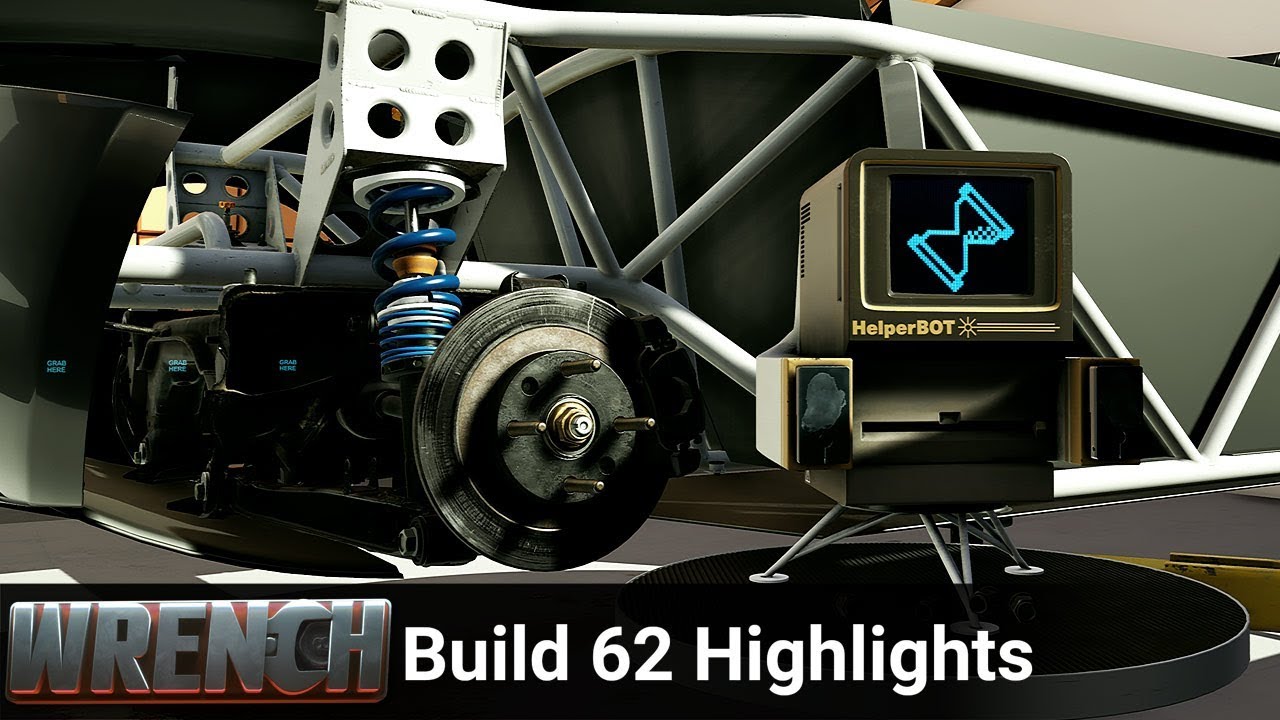
This update is focused around the new helper bot. The helper bot expands on the delegate and fix it for me functionality in the previous builds and also adds...
The VR tractor beam thing is super fun. Need to add something to actually shoot with it
quiet swan
@sturdy coral well I checked both and none have pixel density in the ini like how the unreal documentation says
@tired tree I will run some tests and see, hopefully I can get more peformance
 trail shale
why can't I find that example for writing on walls in VR ? I looked it a bunch and it kept popping up when I wasn't ready for it - now that I am, I can't seem to locate it
trail shale
it's Mitch's VR content examples, the marker/pen and blackboard, but I can't find a video example of it
quiet swan
hey I have particle effects for the bullets when it hits the walls, and it drops my FPS like crazy
we cant use these things in VR cane we:?
trail shale
@quiet swan gotta be smart and find different ways that don't involve physics
or scale down the details
can someone advise why my marker I'm trying to grab with my motion controller is disappearing?
digital lintel
@lament mesa thank you so much! I have 0% idea why I didn't try the Close Session function. I knew it was there but for some reason was under the impression it didn't work. Goes to show you shouldn't take all Answer Hub posts as gospel.
sturdy coral
@quiet swan use gpu collision, SDF or zbuffer
zbuffer requires using a translucent material though
 mental chasm
hmm
does anyone know the reason why we cannot use the PIE viewport to debug when using PIE-VR?
Been super annoyed by this for ages 😃
the PIE should just go into simulation mode in the same scene, that would be amazing
I wonder if the guys are working on that, hohoh
sturdy coral
yeah, that would be really really nice
unity has had that forever
would need to be optional to avoid huge perf cost
in the vr preview window you can enable/disable stereo, but you can't eject and use the editor
sly elk
anyone here have experience with springboard VR?
rustic cargo
@sly elk I saw them present at a VR conference one, no direct experience, but they appear to be #1 when it comes to LBE 'middleware'. Good vibes from team members.
 odd garnet
ROCKET PAAWWNCH
viral pasture
haha, awesome @odd garnet! what are you using for fully body ik and locomotion?
trail shale
I am about to lose my goddamn mind.....WHY is this whiteboard still drawing in yellow....I've changed every color to black, even hardcoded it....WTF
this is mitch VR's content example
can anyone advise ?
viral pasture
Funny, I tried that the other day and it wouldn't draw at all for me.
haha
which branch are you on?
urban igloo
Hey, how do you guys develop projects with mixed VR and Desktop gameplay?
it seems like standalone won't work with VR, but VR preview breaks my Desktop pawn!
Is it just a bad idea to switch form Desktop pawns to VR pawns mid level?
having to launch everytime really slows down your iterations
trail shale
Salm, you just need to figure out a good toggle situation
@urban igloo something along these lines
mighty carbon
4.22p4 is out.. More testing awaits on Oculus Go 🤦
tired tree
yay another long period of compiling shaders......
mighty carbon
that too
trail shale
I've got a competition I need to fly out tomorrow...I'm trying to replicate another motion controller's widget interaction but I'm having collision problems - where do I need to check to make sure because it is getting the actor BEHIND my 3d Widget
I've checked the ignore actors list and even disconnected it and that wasn't the issue
other than the dockable 3d widget in question and it's collision channels, what else should I do (I'm copying these functions from one motion controller to another )
it's that VR integrator plugin from MP
@tired tree Can you help me? I'm scrambling here
whyyyy
I'm colliding there but not THERE
They have the SAME collision channel, that little green bar mesh and the window above it - here is the one that works
here is what is broken
they are the same
so why is it not colliding????|
mighty carbon
 hallow knoll
"'Oculus System Metrics' are now available within the UE4 Profiler Tool, enabling you to access real-time metrics for your Android and PC development builds."
Neat
mighty carbon
yep
too bad no word on mobile VR Vulkan yet :/
@hallow knoll by chance, do you happen to have any insider info about Vulkan working on Go / Quest any time soon ?
hallow knoll
@mighty carbon Unfortunately not, but hoping to leave GDC with as much information as possible
sturdy canyon
Vulkan worked for me on 4.21. but multiview didn't, so it was a net loss
I haven't gotten it to work on 4.22 yet
mighty carbon
right, so it basically means Vulkan is useless on Go/Quest right now
sturdy canyon
True
 rare violet
Does anyone know if there is a way to detect Valve's Knuckles Controllers?
sturdy coral
@mighty carbon the latest on git seems to have fixed my baked lighting issues (I think you said you were seeing something similar)
still broken on preview 4 but in forums an employee mentioned latest git should have fixed someone's similar thing
and it seems to have fixed mine too
sturdy coral
yeah, it seems to have been fixed just this morning:
Unreal Engine Forums
PREVIEW!
Preview 1 of the upcoming 4.22 release is available now on the Launcher and GitHub. We are making this Preview available so that our developer community
sturdy coral
yeah, it should be fixed in the next preview
not sure you had the exact same thing though
@mighty carbon yours only showed up once packaged right?
I had mine in editor and worse in packaged
I haven't gone back and tested packaged yet on the new git either
mighty carbon
yeah, mine showed up fine in the Editor, but were pitch black in the packaged project
 dusky moon
Hey guys.... I'm wondering how is the current state of SSS materials in VR at ue4 ?! does look any good and is it still damn performance heavy ?!
 smoky comet
how do i make something like this? can someone give me tips or any tutorial videos? https://www.youtube.com/watch?v=lHzCmfuJYa4&list=PL9CdB98OxmWkxpnH81AuXguDDXk5Wlb_C

This video presents research performed by Ajoy Fernandes and Steven Feiner at Columbia University Engineering's Computer Graphics and User Interfaces Lab. It...
 granite jacinth
@smoky comet Easy way. Get a plane with a cutout in your fave dcc, and adjust it's scale based on the character's speed. There's a way to do it via material, but that way has changed since 4.19
smoky comet
how do i know the coordinates for my right and left eye?
or is it just one plane with a hole attached to my camera?
sturdy coral
just one plane, otherwise you need really small near clipping
(or more trickery in the material)
you can make it one plane just past the near clip plane, and render translucent and always on top so it won't clip through things. not sure what distance away would look best
do multiplicative blending, not alpha, for perf
 candid viper
@rare violet Query the device properties from OpenVR. UE4 doesn't include direct support currently, you need to use another plugin or code it yourself.
mighty carbon

Kotaku
Coming out of absolutely nowhere, Nintendo just announced a new virtual reality set for the Nintendo Switch, which will make use of the platform’s Labo cardboard-building concept.
sounds like VR might get bad name now (or get a boost in popularity)
 jaunty shell
at GDC maybe ?
digital musk
@tired tree I've tried making a web browser in VR with the VRStereoWidget, but when I try to VR preview it hangs for about 30seconds before starting and then another minute or so later I also lose focus on the player window, I have to click in the preview window again to restore focus and continue in VR.
Is there a known issue with VRStereoWidget?
 neon egret
Given the simplicity of the games for labo, I doubt they release a PRO version
This is just a gimmic for the ones who like to build stuff with the labo cardboard
It's a nice thing if you are interested in becoming a builder of sorts and probably more aimed at the younger generation
 glass sun
Hey, could someone help me with this?
I'd like to scale the world so that it looks like you've "zoomed in" -like how it works in the UE VR Editor or TiltBrush when you grip with both hands? I found someone's blueprints for it here -> https://forums.unrealengine.com/development-discussion/vr-ar-development/96944-using-controllers-to-scale-rotate-re-position-world but as the comments below says, there's a method missing in the screenshots. I've tired implementing a scale on my own, which didn't work, nor could I get the forum version to work. Does anyone know of a way/a guide that could help me in the right direction? I'd really like to do it in blueprints
Unreal Engine Forums
All things Virtual and Augmented reality. Development resources, news, tutorials, and discussion inside.
tired tree
@digital musk is that with Rift? There are issues with Rift and some stereo texture formats
and no its not a problem with the widget itself, its an issue on the back end
digital musk
Rift yes. just displaying a browser in a 3dwiget....but using the VRStereoWidget
tired tree
Yeah, some of the animated scroll widgets also cause it
sly elk
I did an interview with epic. Subtle unity shade: "Aside from Blueprints, the fact that Epic actually uses Unreal Engine to makes games shows through. The feature sets fit together without any major gaps and you can tell that someone has actually thought through potential problems or encountered and fixed them before you. "
wicked oak
@sly elk what interview?
also. great shade there
its one of the main reasons i prefer unreal
sly elk
something for thier blog: https://www.unrealengine.com/en-US/developer-interviews/making-realistic-repairs-in-the-race-car-mechanic-simulator-wrench

Unreal Engine
We chat with developer Missing Digit to find out how Wrench demystifies cars and teaches applicable skills that people can use to maintain and repair their own vehicles.
tired tree
@sly elk As long as the feature was used as part of a prior game :p
 fleet plume

UploadVR
An unknown number of employees at Valve Corporation were let go recently, including people working in VR and hardware.
sly elk
Remember when valve used to put their employee retention rate on the front of their website?
 merry temple
Has anyone been able to get image tracking working with ARKit and Unreal recently? I'm trying to follow this tutorial, but I'm having some issues. https://docs.unrealengine.com/en-us/UE-Dev-Blog/ARKit-15-Image-Detection-in-UE4-420
Unreal Engine Documentation
merry temple
I can set up the ARCadidateImage correctly and my deployed app can recognize the target image. However, I'm not able to set up the blueprint correctly that will add geometry on top of the target image.
I'm not able to connect the "As ARTracked Image" pin in the "Cast To ARTrackedImage" node to the "Target" pin in the "Get Local to World Transform" node. And in the "SpawnActor" node, I don't know what to select for "Class".
This is the example blueprint that I'm not able to follow
merry temple
I was able to get this working. I'll post here tomorrow with how I solved it.
violet musk
I have a VR app in which I want to display UMG for people not wearing the VR headset to press some buttons etc that can be hidden. I thought this was possible in the past, but whenever I start the VR preview the interface disappears. It just works in PIE. Is there a way to get this displayed? With mouse interaction?
rustic cargo
@violet musk yea bru - It's not as easy as that though - download this project for an example https://forums.unrealengine.com/unreal-engine/events/1586143-unreal-engine-livestream-creating-a-vr-spectator-camera-feb-21-live-from-hq
Unreal Engine Forums
VRTrailerCameraForumHeader.jpg
WHAT
On this week’s livestream, learn how to create a project agnostic, VR spectator camera in your UE4 project. Our team will
 tawdry bough
Does anyone know how to make a VR pawn ‘swing’ on a bar or something?
Maybe like Spider-Man or doing a pole vault?
violet musk
@rustic cargo Thank you, I will check that out.
 hasty elbow
Hi there :)
I'm developping an AR app meant to work either with ARKit and ARCore.
I would like to occlude some AR objects behind detected planes, for example when a AR-ball on the floor goes behind the detected plane of a real-table.
I saw in the materials editor that there was a node called "Google ARCore Passtrough Camera", which seems to be what I'm looking for, but is there something equivalent for ARKit ?
(or just another way to occlude geometry than sticking the camera's texture onto objects in screen coordinates)
urban igloo
@tawdry bough I'm sure you can find tuts for swinging mechanics. You could just connect your VR pawn, but I doubt the experience is gonna be pleasant.
 compact kettle
Hey there! Does anyone know how I can project a world location onto the screen-space of the actual left and right eye viewports? Only thing I seem to get working is projecting it onto the mirror-viewport
FVector2D FTobiiEyeTracker::ProjectToScreen_Percentage(const FVector& In, EStereoscopicPass Pass, APlayerController* PC)
{
    FVector2D ScreenLocationPercentage;
    ULocalPlayer const* const LP = PC->GetLocalPlayer();
    if (LP && LP->ViewportClient)
    {
        // get the projection data
        FSceneViewProjectionData ProjectionData;
        if (LP->GetProjectionData(LP->ViewportClient->Viewport, Pass, /*out*/ ProjectionData))
        {
            FIntRect ViewRect = ProjectionData.GetViewRect();;
            FVector2D Dimensions = FVector2D(ViewRect.Width(), ViewRect.Height());
            FVector2D ScreenPosition2D;
            FMatrix const ViewProjectionMatrix = ProjectionData.ComputeViewProjectionMatrix();

            if (FSceneView::ProjectWorldToScreen(In, ProjectionData.GetConstrainedViewRect(), ViewProjectionMatrix, ScreenPosition2D))
            {
                ScreenPosition2D -= FVector2D(ProjectionData.GetConstrainedViewRect().Min);

                if (ScreenPosition2D.IsNearlyZero()) {
                    ScreenLocationPercentage = FVector2D::ZeroVector;
                }
                else ScreenLocationPercentage = ScreenPosition2D / Dimensions;

            }
        }
    }

    return ScreenLocationPercentage;
}
This is the function I added which is basically just PlayerController->ProjectWorldLocationToScreen () but also taking the EStereoscopicPass enum, and calculating a percentage rather than the pixel position
But I don't seem to be able to get it work properly within the actual HMD
so my question would be if anyone of you has done something like this already once
tired tree
@urban igloo its actually fairly nice if you don't allow rotation with the angle of the swing, https://youtu.be/bIKZ2Gbd4aI?t=93
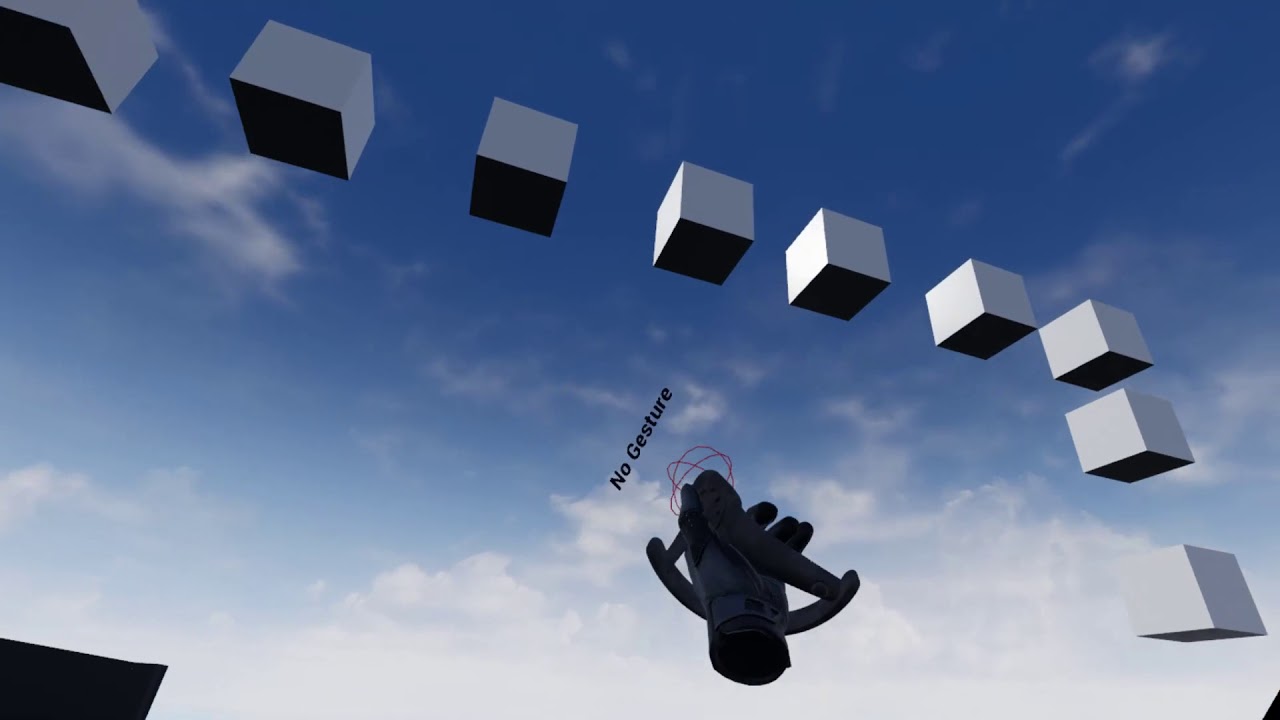
Only slightly embarrassing...... I threw together a gesture detection system in an hour or so today and then merged it with a very old and unfinished grappli...
urban igloo
@tawdry bough @tired tree Ugh, I can't wait for Knuckles.
That does look badass, but I'm completely immune to VR motion sickness at this point. Do you think normies could handle it?
tired tree
Yeah is not that bad
it was only bad in testing when I had the velocities wrong and you would spin around objects picking up speed and then get thrown out of the map
tawdry bough
I can totally handle it
Soooo I’m assuming that’s you since you both have he same pfp, @tired tree if that’s the case can you share code screenshots please?
Wait oh, Knuckles! The Valve thing!
tired tree
yeah i was using the spiderman hand gesture to trigger it
that is an object in my example template for my plugin
tawdry bough
Oooooooh
tawdry bough
Huh
I still don’t know how to add gravity to a VR pawn
For some reason, the last time I tried doing that it sunk into the floor
How did you add gravity?
tired tree
mmm, well that part you would have to add manually, for my gravity I just let the natural falling state of my VR character pawn handle it
but gravity is easy
its just a constant force applied in -z
tawdry bough
Is that a node or do I set some sort of pawn move to thing and enter -Z in the vector with any contradictory commands canceling it out?
(Sorry If I’m frustrating you, my skills are a little primitive)
As for the web swinging, is it possible to spawn a physics constraint between the object and let it swing from there?
tired tree
You move down or store a velocity and add the gravity to it
and its perfectly possible to use physics instead for the swing
and just follow the hand position to the simulating end
tawdry bough
What do you use for the swing instead?
tired tree
manual logic adding force base on a dot product
 median wedge
does anyone now why they made it so that all windows close when you are playing in VR? It makes it very hard to debug things
quiet swan
Has anyone else here struggled to maintain 90 fps?
Any tips or videos that have help you?
quiet swan
I had my settings on max quality
sturdy coral
@median wedge I think it is just because they impact performance a lot
I think there may be a setting for it somewhere
median wedge
ah, that makes sense
I will try to find that, it would make my life easier
Found it, thank you
rare violet
Does anyone know if it is possible to detect Knuckles controllers? Or some c++ method that spits out connected motion controllers?
 robust lotus
Hey guys! I'm relatively new to UE
I used to do RSPS coding but that was just Java scripting
Can someone help me getting a 3PT tracted body? I want to remake level one of MGS3
Tracked*
 pearl tangle
anybody messed around with the augmented faces in the new ARcore build at all?
@robust lotus Not quite sure what it is that you are asking for? What do you mean you want a 3pt tracked body?
quiet swan
hello everyone i am trying to profile my game, and they said to use stand alone mode but when I do it plays as my FPS VIVE pawn
I need to it play as my VR pawn
in stand alone mode so I can run some test
I dont understand why it wont play my vve pawn
mighty carbon
Long time no see @pearl tangle 🙂
pearl tangle
im around here and there @mighty carbon . Hadn't been doing too much VR stuff for a while though
pearl tangle
i had actually spent a lot of last year back on web development instead unfortunately. Started up another new business doing a procurement platform for F&B. Had to finish that 1 off start of this year though so now back at the more fun stuff on a few AR projects and whatnot
https://itunes.apple.com/us/app/ocean-scrub/id1448364928 did build this little game for some artists for 1 of my other not for profit organisations. Got a big showcase on at the moment in Singapore

App Store
OceanScrub is an addictive platform game that brings you to an underwater adventure as you guide sea creatures through polluted waters and prevent them from consuming plastic wastes.
Through an interactive mobile game, OceanScrub encourages you to cultivate the habit of r...
Also made good use of face ID on ipad pro and the kite boy. The whole exhibition is partnered with United Nations so it's about the sustainable development goals. On this 1 when you blink he catches fire. The face tracking stuff is quite impressive for realtime mocap actually
mighty carbon
Nice
pearl tangle
yeah a good bit of fun. Apple has been letting me mess around with a bunch of toys. That was using the new ipad pro, streaming the live link to the iMac pro which was then connected to a 5m wide projector over apple tv..hah
we have a vive on an imac pro as well for a VR piece, but it still doesn't enjoy running on mac so much. Steam VR is super buggy on osx
robust lotus
@pearl tangle sry for the late reply, I mean just having a body that is stuck to the hands and head
pearl tangle
@robust lotus You will want to look into inverse kinematics to take care of that 1 then
robust lotus
Ayy I'll start looking into it, thank you^^
pearl tangle
but if you are new to unreal and vr in general then I wouldn't worry about any of that for a long time. Save it for the last piece of work
robust lotus
I really want to get it working early on but now I'm stuck at this lol
@odd garnet Do I see a runescape healthbar? xD
odd garnet
Hmm?
robust lotus
The gif you shared yesterday xD
oh nvm that was tuesday xD
I was just scrolling up
robust lotus
Why is a basic body so hard to do xD
tired tree
its not really "basic" to do a well rounded VR body
 dusty marten
I guess this is somewhat marketplace related too but Id rather get VR channel feedback. Anybody recommend any VR assets/plugins? I'm very beginner but I'm planning to make a little VR minigame where you can put your hands in different places and do different finger gestures and have it sort of queue the gestures together and if you do a certain order, something happens. I guess a sort of tree of gestures/positions with the outcomes being at the end of a branch. I expect to need c++ for it. I'm going to dive in regardless but Id love some feedback or pointers if someone has an idea. Thanks!
sturdy coral
@rare violet I don't think it is possible by default but it should be possible with mordentral's plugin
@dusty marten mordentral's plugin has spatial gesture recognition
tired tree
mmm, well you can check property model strings for "knuckles"
but generally now with the new open input you should be checking the tracking fidelity variable which will return if the controller supports finger curl / splay as a generic identifier, the only reason to really check specifically for "knuckles" anymore would be to bind keys and that should already be handled by the action input system.
as for the gesture recognition, to do it with fingers would require knuckles, or leap motion, or a glove, but yeah, I support both hand pose and full motion gestures
wicked oak
DWVR 4.22
400 FPS
2.5 miliseconds per frame
at 1.0 pd (rift)
spectacular gains. Good shit
mighty carbon
@wicked oak is it stock DWVR ? (not the one you rewrote shaders / renderer for)
rare violet
@tired tree I am trying to determine IF knuckles are being used, so we can load a specific input config to handle special stuff we do with them.
What property model strings? We are using your plugin, and Ive been going thru it trying to find what it spits out related
@sturdy coral thanks buddy 😃
tired tree
@rare violet oh you are using my plugin? i example it in the example template since 4.21
lemme grab a SS
I didn't make a default node for it like the HMDs because it will change in the future likely
tired tree
so you likely don't use my knuckles controller profile either? :p
rare violet
haha i wasnt aware of it!
quiet swan
are you new astral?
sturdy coral
@wicked oak with dx12?
I've been getting some really good results too, I think I'll be moving to it instead of holding off until 4.23
pearl tangle
They changed things around with the way it renders duplicated static meshes. Essentially makes them work like instanced meshes now and renders them all in a single draw call. So really depends on your scene setup for the difference it will make
sturdy coral
they also seem to have improved multithreading a lot, at least with dx12
 quiet badger
While my main project is compiling I tend to hop on my laptop and experiment with ARcore in UE4. Tracking and performance is so much better in 4.22 preview on my pixel XL now
anyway, trying to do a specific kind of set up and I'm wondering a few things
I want to use the AR to do inside out tracking essentially and not overlay the game in the real world, but rather just know where the phone is in the game world space
second thing I want to know is, why make an AR pawn in the template vs just building all that into the player controller so that the controller can still possess an actor if need be
I've switched over to this kind of set up, but now it seems detected planes stay where they are in camera space but not in the world space, meaning I move and the planes stay where they are, but if I rotate they rotate correctly. Was the AR pawn the world origin or something before? I find default template kind of confusing. It's good to learn whats going on I suppose, but totally not a good template to work with
rare violet
Anyone know if its possible to find the trigger axis on knuckles controllers? seems like a boolean on/off
pearl tangle
@quiet badger There was no update in 4.22 compared to 4.21 right? I am having to run on google's branch at the moment because I need 1.7 for a current project which isn't in 22 unfortunately
tired tree
they have been doing a ton of AR work for 4.22 from previewing all of the commits coming in
pearl tangle
hmm nothing in the version notes for 4.22 though and arcore still on 1.6 so no face tracking in there annoyingly
jaunty shell
struggling to get android stuff to work with 4.22 though
dunno why it asks for android 28 while the target is set to 24
jaunty shell
anyone knows why UE4.22 keeps requesting for android 28 ? Is it a requirement for this version of the editor ?
pearl tangle
maybe there is another plugin switched on which needs it?
jaunty shell
clean project :/
it just says "Requires at least SDK API level 28, currently set to 'android-24'"
I used to build with 24 on 4.20
worked well
project settings are setup to use 24
mighty carbon
android-21 worked for me :/
jaunty shell
blergh something isnt right with my install then
@mighty carbon what are your target settings btw ?
arm, opengl es , etc.. ?
alright seems I fixed it by installing the 28 sdk
but its crashing on start
ah well
I had a similar crash on 4.20, sadly I cant remember how I fixed it..
mighty carbon
I am using ARM 32bit, ES3.1 (also had no issues with ES2)
at work right now, so can't check the target
I think I used 24
but in the settings where you have paths to SDK/NDK, I have android-21 and "match latest"
get logcat to see why it's crashing
@jaunty shell ^^
jaunty shell
aight thanks a lot !
I'm using ARM64/ES3.1
at least thats what is matching my target device (a Samsung Note 8)
@mighty carbon from what I see in the log it say it cant find the librarcore library ?
ArCore is installed on this device though :/
gonna try that
mighty carbon
did you use ANT ? I use Gradle
mighty carbon
ughh, no idea 😃
jaunty shell
gradle -v in the cmd
ERROR: C:\WINDOWS\system32\cmd.exe failed with args /c "U:\UnrealProjects\ARCore_422\Intermediate/Android/APK\gradle\rungradle.bat" :app:assembleDebug
this is the error I'm getting when building with Gradle 😦
env vars are correct
mighty carbon
I use Android studio, not Codeworks
mighty carbon
lol
jaunty shell
it took me a day already to setup Codeworks with 4.22
I might be missing some libs
downloading them rn
@mighty carbon nope, still failing to start because its missing libraries, even with gradle used 😦
hang on its downloading some stuff now
prolly gradle stuff
I switched to phone model instead of the bloated, firewalled network we have at home
now it runs
but I'm locked at the bootscreen of the app
oh well
mighty carbon
https://issues.unrealengine.com/issue/UE-62210 << still not fixed 😦
wicked oak
@mighty carbon stock DWVR. Same DWVR as the 120 fps build, but without the new shaders ported. Engine version is 100% vanilla
@sturdy coral DX11
4.22 is just straight up faster at anything
its just that if your map contains tons of modular meshes (like mine) the gains are spectacular
mighty carbon
cool
wicked oak
including mobile btw @mighty carbon
and not only that, but mobile gets software culling
from fortnite
i know some dev who is porting his game to oculus Quest and using 4.21 for now, but software culling is huge for him
he made a single occluder mesh for the entire map manually
and use that as occlusion
mighty carbon
and in 4.22 he wouldn't have to do so ?
sturdy canyon
mobile multiview still doesn't work on 4.22
Does PSVR multiview work on 4.22? I haven't tested PSVR yet.
sly elk
Anyone know if there is a way to see feedback from steam refunds? It would be great to get a picture of why people refund but poking around the steamworks website I can't find anything like that
mighty carbon
no
wicked oak
@sly elk on the refund page in steamworks you can find the feedback\
i find its one of the most useful feedback you are going to get
becouse its the people who got annoyed enough to refund for some reason
sly elk
so i guess im just blind. where is the refund page? Its not the sales and activation reports
oh, i finally found it
its just hidden under several layers
mighty carbon
@sly elk is it on the site where you see sales numbers ?
sly elk
yeah, but only after I click through a couple of layers
wicked oak
the entire steamworks website is absolute trash
the normal part is workable
the finantial/sales part is horrid
frigid kite
Don't many people just buy early access games with the full intent of refunding them, just to see what the game is about?
wicked oak
no
quiet badger
@pearl tangle I've got face tracking?
pearl tangle
@quiet badger do you?
sturdy coral
@frigid kite if you do that a bunch they block you
 tacit quest
is there any way to disable stereo and keep oculus touch working?
sturdy coral
@tacit quest Oculus will allow the controls to work when the hmd isn't active, but not the tracking
You'd have to tape something over proximity sensor, or set it always on in the debug tool
And then modify probably engine to send small dummy eye buffers to the Oculus runtime
Not something that could be workable in a shipped product, but you could make it work for you if it is just for during dev
Vive controllers and trackers can work without an hmd running though
tacit quest
thanks. i'm making a virtual camera with touch. if i get some vive trackers i can switch to using the virtual camera plugin, just wanted something to test greenscreen stuff
but it's annoying that i can't turn off stereo. and i also have to carry the headset around so the sensors don't turn off
frigid kite
@sturdy coral Interesting, by "they" you mean Steam? They block you from doing refunds, or from what exactly?
 humble skiff
Hi Guys...
I have been trying to record the front camera on my iPhone, but I don't have success. I need to save my front camera together with faceAR working, because I intend to use in the future to fix some fails on case faceAR fail.
As a demonstration, I already have faceAR working and the main idea is when the faceAR it is working, it saves the video together with data blendshapes info in mobile .
https://www.youtube.com/watch?v=2b8SEvxIb_w
How can I do this on the UE4?
Thanks Folks
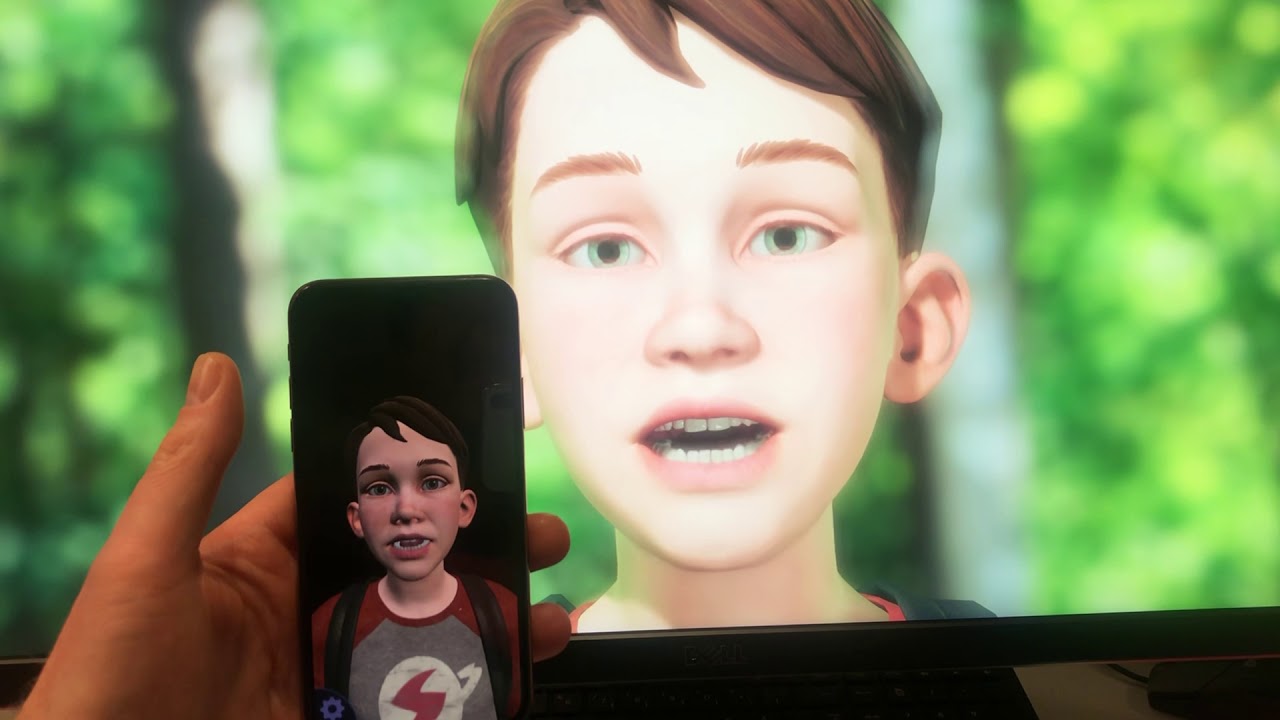
A test of FaceAR via Unreal Engine. Facial data is read from an iPhone XS and sent live to an Unreal application running on a desktop.
mighty carbon
got some VR done last night https://www.youtube.com/watch?v=jbAGW-QzoxI

on Oculus Go
mighty carbon
😊
sturdy coral
knuckles are apparently working with Pimax now in latest drivers.. time to dive back into that
hallow knoll
@sturdy coral I tried the Pimax 5k+, I can't do more than 20s before I get eye strain
I'm on the lower IPD spectrum but it's supposed to support that
sturdy coral
ah that sucks, I haven't gotten any
hallow knoll
The hardware itself was better than I expected
sturdy coral
I think the IPD adjustment only moves the lenses and not the screens behind
so then they are having to do some kind of warp correction
sturdy coral
possibly so, I'm right at 64
unreal has a few issues
shadow fades are done using z buffer cutoffs
and since the screens are canted the z points different ways per eye and you get an artifact
and SSAO is a bit messed up
hallow knoll
Huh, I can't say I noticed that when I played one of my games
I don't use AO though
sturdy coral
yeah I don't use that either, it is affecting cyubeVR pretty bad though
unity stuff seems to all have lots of culling issues at the edges, I don't think I got any of that with UE4
hallow knoll
I didn't, everything seemed to work as intended for me, but I only had an evening and the eye strain got the better of me eventually... I pushed through, because it's not so bad when I'm looking through the HMD, mostly when I take it off
Will I see any of you at GDC?
sturdy coral
I don't think I'm going to make it at this point unfortunately
I've never been to GDC, just to dev days and oculus connect
hallow knoll
I've been to all three, they're all great for different reasons
sturdy coral
I didn't go to oculus connect this year since it has gotten so short and I think there was no UE4 1-on-1 this year
hallow knoll
Dev Days and Connect have a feeling of intimacy that you don't get at GDC
wicked oak
Connect had exactly the right amount of people for the conference, i think
you could talk with people and it wasnt crowded as fuck
GDC looks unholy crowded
plus the host was great. They had tons of quality free food and snacks
and free hotel
sturdy coral
yeah there food was always great the times I went
I probably would have gone if I got the free hotel like you guys 😛
sturdy canyon
Connect & GDC (and dev days when it exists) are my two annual conferences
Connect is better for meeting devs, GDC is better for meeting companies that are not facebook
sturdy canyon
I haven't tried it, but yeah I bet
 real needle
halp
 abstract forum
 bright echo
is there a hotkey to recenter view in VR when you press play in UE4?
or do you have to bind it yourself
real needle
anyone heard of VR preview crashing when you put the headset on? until then it's good
bright echo
never happened to me
 orchid raft
Hey guys, I have a question that may be a long shot
Does anyone know of any UE4 based games, or concepts available that use the motion controls as physics objects? the best "swordfighting" physics currently available in VR that I know of, is called Sword and Sorcery, and it uses this concept to make realistic VR interactions (in Unity) Just wondering if anyone has worked with that idea in UE4.
when I say "motion controls as physics objects": It's more like, your actual controller is invisible, but your hands/weapon is a floating physics object attached to your arm, that follows the invisible motion controller around. The heavier the weapon, the slower it reacts to chasing the "invisible controller" around essentially. giving the impression that the object has weight/momentum (I think?)
sturdy coral

should make it easier to hit min spec for oculus
before you'd have to target dx11 on win7
and still meet their spec
orchid raft
I thought that was included in the October update
was it just now pushed to all?
like BF5 has god rays. that's a DX12 effect
but you need the Oct. update
oh shit
thats windows 7
wtf
tired tree
@orchid raft if you want a basic utilization the PhysicsHandleComponent can be used for physical grips. Its an acceleration based constraint though so it doesn't quite simulate weight that well.
I have an optional branch in my plugin that uses force constraints though for people doing weighted grips that goes a little deeper in that and could be referenced.
orchid raft
Interesting. I'm going to shoot you a quick PM
mighty carbon
but.... but.... MS just announced they are going to end support for Windows 7 later this year
what's the point of having DX12 on unsupported OS ? :/
mighty carbon
Antilatency
Antilatency is a hardware agnostic inside-out optical-inertial positional tracking solution for business. Scalable area, unlimited number of targets, cost-effectiveness.
I know Quest is cool, but this looks promising
@pearl tangle have you heard of that system by chance ^^ ?
hallow knoll
@orchid raft +1 For VRExpansionPlugin
sturdy coral
@mighty carbon I wonder if oculus will end required support for win7 when ms ends support then...
pearl tangle
@mighty carbon never heard of them before but that design looks identical to something i remember seeing a couple years ago, but cant remember the name of it though
mighty carbon
I see
real needle
how to play in VR + standalone game for Fservertravel to work?
tired tree
@sturdy coral did you ever attempt to implement that arm IK solver with the unity example?
been looking at it this morning
mighty carbon

WIRED
"Codec avatars," as Facebook researchers call them, are all but indistinguishable from the humans they represent—and may be a staple of our virtual lives sooner than we think.
jaunty shell
cool stuff !
mighty carbon
they might be showing Rift S on that video too
jaunty shell
would be quite nice to have that tech to replace the oculus avatars with the Rift S
 dim imp
is there any rule of thumb regarding metallic surfaces in VR? my metals look like shit in vr. please tag me if you respond
fleet plume
jfc that avatar work is amazing/scary
sturdy coral
@tired tree just part of it, I based it on the paper and not the unity thing but it looks like the unity plugin diverges a lot from it
I still haven't implemented the constraint part
@dim imp give more details
is it shiny ones, do rough ones look ok, are you using screen space reflections, etc.
tired tree
i noticed that the unity version was referencing another implementation besides the paper
dim imp
@sturdy coral just looks odd, unrealistic. I do use reflection spheres
 sonic lake
@sturdy coral @tired tree you may want to have a look at CALIKO. It is basically FABRIK with constraints support and it has been ported to UE4 as plugin: https://forums.unrealengine.com/community/community-content-tools-and-tutorials/108010-ue4-caliko-port-fabrik-with-connected-chains-and-constraints
Unreal Engine Forums
This is the place to show, share, and link to your stuff!
sturdy coral
@@dim imp You have to size the spheres to the amount of parallax you want out of them, reflections will be traced against them
box reflections can get a much better result in lots of cases, it will reflect against the box and you can pine it up to walls and stuff
Planar reflections are another option, but usually you would only capture movables and still use box/sphere for the environment
Another issue is static lights inject a big blob into reflection captures, you can disable that through one of the visibility settings on them
And another issue is reflection captures are incredibly aliased and can miss small geometry
There is a supersampling define you can adjust to fix that
tired tree
@sonic lake that would have to be heavily reformatted......
its entirely seperate from the animation system...
sonic lake
@tired tree True
tired tree
its actually fairly useless as is
sonic lake
The solver code is there but it is indeed not integrated into the AnimGraph. That would indeed require some work.
I have planned to look into it later this year. Or an equivalent solution.
Are you referring to the full body IK which someone demonstrated some time ago? That one could handle constraints pretty well.
tired tree
pretty sure the guy that ported that didn't fully understand it and just translated it 1:!
he is using their rotation matrix setup directly with FVectors instead of actually using a rotation matrix in engine...and all of his rotations are also FVectors...
sonic lake
Yes, it was a 1:1 translation, as close as possible to the original
tired tree
there is an MIT licensed constrained FABRIK setup here too:
https://github.com/hacoo/rtik/blob/master/Plugins/rtik/Source/rtik/Public/IK/RangeLimitedFABRIK.h

but no, we were talking about that upper body solver video/paper
sonic lake
I just did some fixes to compile it, but it was pretty much it
Ah ok, I remember that one I think
No wait, I don't
Parger?
mighty carbon

What do you do most in VR? Purposefully vague large categories, it's how you think of your time.
 Twitter
mighty carbon
Twitter
mighty carbon
@sturdy canyon do you happen to know if it's possible to get tilt of the HMD in Blueprints ? (Oculus Go)
sturdy canyon
Just grab the camera tilt?
sly elk
Launched on Oculus store same day Oculus goes down 😠
sonic lake
@sly elk Too many people trying to download Wrench!
Looks serious: https://outage.report/oculus
See if Oculus is down or it's just you. Check current status and outage map. Post yours and see other's reports and complaints
sonic lake
That really really sucks @sly elk
Apparently it is affecting also Facebook and the rest of the family
I feel your pain 😦
abstract forum
Is facebook still down?
sonic lake
@abstract forum apparently there are still issues in some locations. Not sure what happened.
sly elk
ugh- i have people in my discord who siad they tried to buy the game and got an error
that explains the really really poor sales
sly elk
anyone know how oculus wishlists are supposed to work? I got confirmation that one user who had wishlisted never got a notification or an email
 elder echo
anyone have an issue with Valve_Vr.fade causing the image to tear up while fading causing a very unpleasant feeling, the worst part is if i use the Steam Vr dev option to mirror the hmd, the issue does not appear in the mirror, so the only way to show you the issue is by recording one of the eye with my cellphone which makes it very cancerous to debug, ever had something similar?
if i had to describe it i would say it's like the screen is melting while fading, only happens during fade and on multiple headset (i've tested 3 of them)
sturdy coral
@sly elk I wonder if instead of queueing the notifications and sending when possible, they just didn't send any while the system was down and now won't go back and try and send again =/
do you have a contact over there who could check into it?
sly elk
yeah, I do. I think they are figuring it out
fleet plume

Beat Saber Sells More Than One Million Copies, Releases First Music Pack https://t.co/Fxs8XbuYyW
Twitter
mighty carbon
noice
 distant spoke
Hey guys I'm about to create an AR project combined with VR,
My idea was to have an oculus headset with attached on top a stereo camera (zed mini maybe ? ) So that I could easily swap in Unreal between AR and VR... What do you think can be the best hardware camera other than the zed mini ? to give real life, immersive stereo vision ?
flat shoal
@distant spoke the ones on the HTC Vive Pro? 😛
distant spoke
@flat shoal nnnnnoooooooooo 😱 😱 😱 😱 😱 😱 😱
flat shoal
it's the easy answer, it already does what you're asking for
also, no Facebook, which is a plus
either that or Hololens
not sure if the WMR headsets also do it
but WMR support seems to be nearing end of life...
distant spoke
Uhm what about a 3D party camera to attach onto the oculus headset ?
sturdy coral
@distant spoke oculus doesn't have an HMD usb port like vive/vivepro/pimax, so it is a bit of a pain
WMR can do it but I don't know if they expose the API (and the camera width is so wide it would be far off of IPD)
distant spoke
I found a good comparison between the Vive Pro and the zed mini

Developers have asked the difference between the HTC Vive Pro's augmented reality, and AR from our own HMD-mounted ZED Mini. Now that HTC's SRWorks SDK is out, we tested Vive Pro AR and ZED Mini AR side-by-side.
I think zed mini has to be the best for my rift
mighty carbon
@distant spoke is there some plugin to make use of ZED Mini + Rift in UE4 ?
quiet badger
@pearl tangle yeah i had to grab some source from a github project, but it's the latest stuff running in ue4, I got it in 4.22 as well
distant spoke
Yeppppp
real needle
4.21.1 lock to HMD on my character BP's camera doesn't seem to work. Still rotating around the character instead of being static. anyone know what's up?
mighty carbon
Hmm.. So Synty's assets are shit for mobile VR 😦 Going to have to re-model most of them :/
Rumor has it that Quest and Rift S is the same device 😃
rustic cargo
Doubtful, It'd be too expensive
although an HMD that can run standalone + wired should be possible
real needle
how to prevent rotation of HMD around thirdpersoncharacter? Lock HMD doesn't seem to solve? some other setting must be fkng it up
real needle
I got the camera functioning the way I wanted it to if anyone ctrl+f this and needs help with something similar I'll try to help you
real needle
packaged VR project has a triangle artifact type thing with blurred colors which appears on the right hand side of of the headset. WMR lenovo explorer if it matters. anyone know whats up?
 cerulean mulch
hi guys can unreal be used to create AR application for both IOS and Android platform? just by using unreal can we achieve one development launch on multi platform ? My company have developed an AR for IOS platform and we need to have on android as well and i have difficulties explaining to my director of the company that UE4 might be the best choice as i love to work on UE4 instead of others.
as our app have an overwhelming responses from the users , they requested to have it on other platform like android and possibly windows phones too
real needle
happens in vr preview for VR template as well for some reason. But it doesn't happen in the VR preview of my main project lol
sturdy coral
@real needle looks like bug in the hidden area mask, I don't know why it would only happen with one project and not the other
are you on steamvr or native wmr
pearl tangle
@cerulean mulch Windows phone is completely dead so you wont get anything running on there. No idea what it is that you have built with AR but UE4 supports ARcore and ARkit and you can publish to both with potentially no code changes at all
ARcore works across both iOS and android as well, compared with arkit which only runs on iOS
 arctic path
Is it possible to have a player in VR but be displaying a different screen on their monitor that is still interactive?
For example on the monitor is a widget with buttons, and in the VR headset is a separate view
pearl tangle
@arctic path yep. Spectator screen and then some messing around
real needle
@sturdy coral WMR but steamvr is installed
arctic path
@pearl tangle Ah good idea. Thanks!
sturdy coral
@real needle but which are you using in your project? steamvr plugin or wmr plugin
real needle
@sturdy coral ah. well I have both plugins enabled. WMR launches when the packaged game launches. Could having both plugins enabled be the probleM?
sturdy coral
@real needle no, it picks them based on a priority
it was broken in 4.19 or 4.20 until one of the hotfixes I think, but unrelated to your problem
it just picked steam over WMR by default until a hotfix, now defaults to WMR
real needle
i wonder if it's a lenovo explorer issue
wmr
i made a post on the AR/VR answerhub ]:
i also made a post on the looking for talent on here for someone to try and help me fix it lol
viral pasture
bad ass @mighty carbon thank you so much for sharing, I've been waiting for this since the announcement at OC5 !
flat shoal
how do you guys test how the change of a float variable impacts the game? do you play and stop between every change?
or is there a way to just adjust the value while playing that I haven't discovered yet?
sonic lake
@flat shoal you can create a 3D widget for that or simply set two keys to increase / decrease the float value. In VR the second option is probably easier.
flat shoal
that's amazing... how come Unreal Editor feels like a decade behind Unity in this aspect? and how come people who use Unreal think this is normal, and most importantly of all, how come nobody is saying anything? There's like 1 thread in the forum about this 😃
 nova wave
It’s not really engine specific, 0lento was suggesting to use midi keyboard to tune values in real time years ago
Otherwise having a widget is enough
sturdy coral
@flat shoal not exactly what you want, but 4.22 adds umg editor widgets
@flat shoal you could make a widget and use this to set any property by name at any time, as long as you can figure out how to pass the object reference you want to set it on:
flat shoal
@sturdy coral but do you do non VR development? if you simulate in non-vr mode, you don't have to do that, I think? just adjust the value in the details panel?
sturdy coral
I don't remember if you can enter a value in eject
You can definitely drag things around
It may depend on the uproperty specifiers
(EditAnywhere)
If you want to change a class default value that is a lot harder to do genericly, things may have already read the CDO at runtime and stored something derived from that value somewhere else, etc.
sturdy coral
in VR you can't eject like that though
flat shoal
I was just talking about public variables that you can access through the details panel of a blueprint actor
wicked oak
4.22 psvr (dwvr) is instacrash on load
mighty carbon
I truly hope that new batching in 4.22 works on Go/Quest
mighty carbon
@sturdy canyon do you know if new renderer works on Go? I'd rally hate to remodel a ton of Synty's assets (which I probably have to do anyway)
sturdy canyon
I finally got a build to run on Go, yes
But instances stereo didn't work, so it was a net loss for me
sturdy canyon
You on 4.22 head?
wicked oak
yes
sturdy canyon
I have encountered a few minor crashes on mobile where I just had to put an if around one pointer
I can't remember if I still have that in or not
wicked oak
im crashing on animation
now that i have the log
00:02:31    odeBase.cpp] [Line: 564]
00:02:31    [2019.03.16-21.23.21:450][  0]LogOutputDevice: Error:
00:02:31    [2019.03.16-21.23.21:450][  0]LogOutputDevice: Error: [Callstack] 0x029501b1  [FExposedValueHandler::Initialize(UObject*, int):0]
00:02:31    [2019.03.16-21.23.21:450][  0]LogOutputDevice: Error: [Callstack] 0x0294fdfd  [FExposedValueHandler::Initialize(TArray<FExposedValueHandler, FDefaultAllocator>&, UObject*):0]
00:02:31 [2019.03.16-21.23.21:450][ 0]LogOutputDevice: Error: [Callstack] 0x0046b566 [UCyborgAnimBP_C__pf1010915279::UCyborgAnimBP_C__pf1010915279(FObjectInitializer const&):0] ```dammit
nativization going pretty wrong here
sturdy canyon
I have zero animations, so maybe I'm in the clear
wicked oak
it runs without nativization
gonna try the release mode
got it to run
there is an improvement, but my 4.20 version is fastaer (due to my optimizations)
the gpu trace capture looks quite different
but i havent gone deep into it to chec kthe autoinstancing
mighty carbon
So basically 4.22 is the same as 4.21.2 ?
For Go/Quest that is
@sturdy canyon @wicked oak ^^^
sturdy canyon
No
For me it's a step backwards. I believe the auto-instancing works, but multiview doesn't
Some apps might get better perf on 4.22 depending on how much auto instancing happens. I got significantly worse perf due to loss of multiview
I have not confirmed that auto instancing works. Just that my total perf is worse for now
mighty carbon
Hmmm
I guess I am gonna have to stay with 4.21.2
I think Carmack said mutiview is a must on mobile VR
So if that doesn't work in 4.22, then it's no use for most projects
sturdy canyon
There is a chance it will be fixed by launch. Or fixed on the Oculus Branch in 4.22, then merged into 4.23 standard
mighty carbon
🤞
pearl tangle
You can just write a script that will automatically replace all your static meshes with instances. I had a good 1 I did a couple of years ago for that, gave insane performance increase when building cities
mighty carbon
On mobile VR @pearl tangle ?
In my experience ISMs don't help much with performance on Go
sturdy coral
depends if draw call bound or not. just instancing everything can add geometry burden because they don't get culled so you have to balance
with the new auto instancing I'm pretty sure it supports culling
pearl tangle
yeah HISM vs ISM is likely more what you want, but every optimization setup is dependent on your stuff in general. Not many fix all solutions
mighty carbon
HISM tanks performance on Go
ISM works, but then LOD is useless for large scale ISM. I use ISM for chandeliers flames for example.
Unity had batching since version 4. Culling worked fine with it.
wicked oak
@mighty carbon you want to run 4.21 due to the fortnite software culler
unity cull is worthless trash
ive worked with it on gearvr games
mighty carbon
So unless it's differently implemented in UE4, autobatching + multiview should be beneficial for almost any scene that is heavy on drawcalls and duplicate geometry
wicked oak
unity does merge drawcalls
actual merging
if you have mulltiple meshes on the same mat, it will try to merge them dynamically
that makes unity significantly stronger due to that. You can do it manually in unreal, of course
but doing it is crappy
mighty carbon
Well, that sucks.. I thought 4.22 batches like Unity
wicked oak
no, its a different thing
4.22 has a renderer that keeps all scene data on gpu, and when its going to render, its only sending the index
it improves bandwidth and "driver stuff" significantly
the autoinstancing is just an extra feature it can do
unreal engine does not try to merge objects becouse they kind of expect their devs to be decent
unity does becouse most unity devs are noobs and use like 10 polygon objects as individual
so the merger is pretty useful
the merging does take a good chunk of cpu power and extra memory, and it fucks pretty hard with the culling
but unity culling is worthless anyway
mighty carbon
Hmm
No wonder most Go games are made with Unity
I guess there is no escape from remodeling Synty's assets 😒
quiet badger
@mighty carbon yes and no
synty assets are terribly made so you should want to tweak them anyway
mighty carbon
Well, you can't really make it too different if want sharp edges
pearl tangle
For my not for profit that I run teaching AR/VR and 3D printing n whatnot to traditional artists, ran a gigantic version of the face ID that operated as a staring contest. If stare at the kid then he starts to grow a forest, but if you blink or look away then it all catches fire. Also managed to find a real life version of the Kite Kid at the same time! hah
mighty carbon
Beat Saber is coming to Quest
 teal heart
definitely


We're dropping some exciting @oculus news later today at 8am PT. Stay tuned... #QuestCountdown #GDC19 https://t.co/eqcHY0cafN
Retweets
126
Likes
416
Twitter
mighty carbon
is there a live stream / chat from Oculus at GDC 2019 ?
mighty carbon
now it's official https://www.oculus.com/blog/freestyle-beat-saber-joins-the-oculus-quest-launch-lineup

Last week, Beat Saber hit a major milestone with over 1M copies sold. And today, we’re excited to confirm that this high-energy fan favorite is joining the Oculus Quest launch content lineup!
hallow knoll
@pearl tangle I love the installation
mighty carbon
@hallow knoll by chance, are you going to be at Oculus booth at GDC ? Just wondering if they announce anything UE4 related (like, working mobile Vulkan or some other goodies for Go/Quest)
wicked oak
OpenXR my mates
and ue4 will support it
i wonder if they will add the plugin for 4.22 release
hallow knoll
I don't think I'll have time to do any demos during the show I'm afraid
wicked oak
just dropped the preview spec
and an actual godot implementation
wich is a pretty big "what in the fuck"
specially given how hard godot sucks for vr
hallow knoll
@wicked oak link?
wicked oak

btw, the related part from the openxr announcement
"Epic believes that open standards like OpenXR are essential foundations for a vibrant, multi-platform VR and AR industry in the coming years. We've supported OpenXR since its inception, including powering the first public demo of OpenXR at SIGGRAPH last year, and hope to see the ecosystem continue to grow with the first public release of the spec at GDC,” said Tim Sweeney, founder and CEO of Epic Games. “Epic plans to continue supporting OpenXR in Unreal Engine 4."
tim says ue4 has supported openxr from a while ago, and they will continue supporting. So i expect the plugin to be public for 4.22
mighty carbon
I'd like to know more about Go/Quest performance optimizations in UE4, if any
mighty carbon

UploadVR
Beat Saber might be VR’s savior in more ways that one according to John Carmack.
Following today’s announcement that the hit VR game is coming to Quest, Carmack revealed an interesting fact. He said that he used the hit game to help refine Oculus Quest’s positional trac...
Carmack at it again 😃
also https://devblogs.microsoft.com/directx/variable-rate-shading-a-scalpel-in-a-world-of-sledgehammers/

DirectX Developer Blog
One of the sides in the picture below is 14% faster when rendered on the same hardware, thanks to a new graphics feature available only on DirectX 12. Can you spot a difference in rendering quality?
Neither can we.
mighty carbon
😃
tired tree
ue4s VR infrastructure got re-named to XR on the back end and a lot of the stuff got standardized from 4.18-4.21
they have been prepping for it for awhile
mighty carbon

CNET
Exclusive: New Snapdragon-powered VR and AR headsets will double as wireless VR for PCs starting this year. Is this the future of Oculus, Vive and even HoloLens?
granite jacinth
@wicked oak So, your best guess when it will be implemented in UE4? Non VRWorks
wicked oak
@granite jacinth read it
they already have it working in ue4
With their initial proof-of-concept usage of VRS in UE4’s Sun Temple, they were able to show a significant performance win.
i guess its not going to take long till its made official
granite jacinth
Ah, missed that somehow
But anyway, still only NVidia cards, but at least that's on the user's end
Intel next
sturdy canyon
Since 4.9 (when I started VR Dev) there's been like 4x improvement just in engine badassery.
I think early launch titles probably have little trouble maintaining similar Fidelity on Quest
Other than triangle counts and crazy shaders, I guess..
 summer jay
hey guys. I'm currently working on a project for a museum exhibition and apologize in advance if I post this at the wrong place. I am pretty much a bloody noob but I want to work my way into this. so, my general question to begin with: can anybody tell me with certainty that it's (not?) possible to import complete tilt brush models (including textures) for further editing in unreal? the most constructive answer I found on the web is to export the model from unity to a file format that works with unreal. can anyone confirm this as the best method? thank you for any help.
 white fern
Has anyone figured out the material wizardry needed to play a top/bottom or left/right stereoscopic MP4 video from a Media texture for mobile VR?
 silk lodge
@white fern I think using instanced stereo breaks that
white fern
@silk lodge Not sure what you mean by that.
silk lodge
@white fern it's a setting in rendering settings in the engine
white fern
Theoretically, all I need to do is find a way to discriminate between each side of the video and plug it into the Mat_Stereo_Image found in the docs.
silk lodge
I had 2 meshes, and offset the UVs so each mesh would get half of the video
white fern
So you didn't use a sphere @silk lodge ?
silk lodge
you're looking for spherical video?