#virtual-reality
1 messages · Page 196 of 1
 frigid kite
 sly elk
No sure yet. I haven't had time to look at that at all. Epic store def looks cool though
next up is oculus store release
 sonic lake
@sly elk LOL true! Hopefully there will be more playing by the users than fixing by you. 😉
frigid kite
is it just you working on it?
sly elk
Two of us
Myself and Jim Ashcraft (former lead core engineer for bosskey)
So for those who have rleased games on steam. Are fake key review requests a thing?
I just got 4 emails, all from gmail accounts, not domains rleated to their websites, asking for review keys. All very similar
 sturdy coral
congrats on launching!
I've see lots of threads on r/gamedev about fake key requests but have no experience
frigid kite
And have you been doing it fulltime or after hours?
 sturdy canyon
yeah lots of fake key requests on Steam @sly elk
frigid kite
I'm also working on a project myself and I'm interested to hear your experience
sturdy canyon
I generally ask people to leave a comment on my trailer to prove they own a YouTube channel
Everyone asking for keys is used to the distrust now, so don't be afraid to insult people by asking for proof
sly elk
yeah
but also in teh scheme of things 10 keys a day being sent out and 1 in 10 is legit and might bring me 50-100k views or something
seems like a worthwhile cost
 ornate raptor
I've been ignoring the requests for multiple keys. Those seem pretty transparently fake
I can't imagine why someone would need more than a single key to review a game for a youtube channel
 mighty carbon
Bosskey.. Is CliffyB also participating @sly elk ? 😃
sly elk
hah, no. maybe we will get lucky and he will retweet
 potent gust
Has anyone tried cross platform chat between Oculus Go and Windows builds?
sturdy canyon
Voice chat?
I tried it in 4.16 or something, but never actually got it working
If you get something working @potent gust please let me know! It's on my TODO list before Quest launch
potent gust
But is it possible?
sturdy coral
@potent gust have you tested?
potent gust
Attempting various ways, but havent gotten anywhere yet. @sturdy coral
What have you got?
sturdy canyon
most online subsystems have their own private voice chat implementations
sturdy coral
I haven't tried, but I've done stuff with steam voice in the past
sturdy canyon
online subsystem null is the only one with engine-built-in voice chat
sturdy coral
they both have the same online subsystem so I think it should be possible
online subsystem steam recently moved to using the built in engine voice chat instead of the steam api
sturdy canyon
ohhh if you're sticking to oculus on desktop, yeah you can probably do cross platform with their online subsystem
whaaaat that's awesome!
potent gust
yeah, but this is more like Android + Windows
sturdy coral
at least for the voice recording part of it, and the voice packet stuff
potent gust
And the android is more like "Wait! Im an Oculus!"
sturdy canyon
I haven't tested any of this in a while
sturdy coral
@potent gust it should work, they usually serialize things in a way that works between android and windows
sturdy canyon
I just gave up on voice chat
sturdy coral
the main thing is if it is based on app-id like steam
the gear vr and desktop version may have a different app id
I'm not sure how that works
sturdy canyon
yeah they have different IDs
potent gust
The engine spacialisation doesnt work in Oculus Go. Wonder what else doesnt work.
sturdy coral
yeah, it may not be possible then without adding your own network layer
or using dedicated servers
sturdy coral
to get around the app id limitation
sturdy canyon
What makes it easier with dedicated servers?
potent gust
What about off market apps?
sturdy coral
peer to peer can only communicate on the same app id
potent gust
Yeah
sturdy coral
with some work you can make dedicated merge multiple app ids
at least on steam
off market apps I have no idea, they probably can't use the oculus online subsystem
potent gust
Well, im my experience, oculus's sound implementation is a 'STEAMING' pile of shit
Using null subsystem
sturdy coral
using null then there is no issue
potent gust
Are you sure?
sturdy coral
yes, you can use voice between android and windows on null I am pretty sure
potent gust
Arent the codecs different?
sturdy coral
both encode with opus and use a packet structure that uses standard enough serialization it should work
but you have to add your own peer to peer hole punching if you want to make that work without a dedicated server
sturdy coral
I'm not even sure you can hole-punch on mobile
sturdy coral
@potent gust you'd be wanting peer to peer over null subsystem?
potent gust
yeah.
sturdy coral
and over the internet, not LAN, with mobile and non-mobile users right?
@potent gust I could work on it, but probably not until sometime in 2019
you might want to wait and see how this shakes out too: https://www.unrealengine.com/en-US/blog/epic-2019-cross-platform-online-services-roadmap

Unreal Engine
Throughout 2019, we’ll be launching cross-platform game services originally built for Fortnite, and battle-tested with 200,000,000 players across 7 platforms. These services will be free for all developers on all engines, all platforms, and all stores. Developers can choose...
no specific mention of oculus, but they do mention cross-platform voice
I'm not sure if they are going to have their own NAT hole-punching stuff etc., but there is some stuff around that in the new pixel streaming API
potent gust
Damn. That's awesome
sturdy canyon
I'm planning on testing voice stuff using NULL with dedicated servers today
or maybe tomorrow I'll get to the testing part
P2P will be interesting...
But currently SculptrVR uses dedicated servers anyway, since it's hard to do cross platform otherwise
sturdy canyon
I'm getting some strange behavior from the head camera on Oculus Go
My perspective is rendered from ~140cm up from the character zero
but when I get the world position of the head camera, it gives me the room center
so the scene is being rendered from a different perspective than the camera position query returns
I need to know the player head pos for networking, etc
anyone know what functions I should actually be using on Go/GearVR?
mighty carbon
get position of the camera anchor ?
sturdy canyon
Camera anchor? Is that different than the camera?
The camera is child of a scene component, but that component doesn't get shifted on Go
mighty carbon
well, since Go is 3DoF, camera doesn't move really
player character moves and camera follows
sturdy canyon
Yeah, but when I call get camera location, it is not giving me the actual camera location. It's giving me a point 150cm below the camera
Maybe there's a height parameter in the Oculus runtime or something and they have chosen to add that in at the last moment and not actually update the camera location
sturdy canyon
I'll look into it! Thank you!
mighty carbon
np, I am just guessing though 😃 I never needed to get camera's position as I am usually fine with player's location
 trail shale
I'm trying to rotate a valve handle, it's working but it doesn't feel right, like something is fighting me or it's just not that smooth.....any ideas? (the axis works correctly)
hand = motion controller
sturdy coral
@trail shale why times -2?
trail shale
the negative inverts the direction, like a flight stick...without it being negative, the movement feels backwards
doubling it because the rotation didn't seem to work as "fast" you kept having to turn your right but it didn't seem to sync with the valve
actually that lets me think of something, I wonder if I need the hand'
rotation to be relative to the valve - thought I could get away with because you usually approach from the same axis angle but it would explain it
sturdy coral
yeah I think you need the compose transforms thing we talked about the other day
to treat the hand as if it is in the same relative space as the valve
trail shale
Is there an inverse transform rotation...i bet there is
sturdy coral
you are also going to run into the issue of degrees falling over 180 and stuff
trail shale
could you elaborate please?
sturdy coral
like 180 == -180, 200 == -160 etc.
since you are just copying rotation and not getting a delta maybe it will be ok
but that's another issue
you are just copying the hands rotation, so the valve could be undone on first tick
trail shale
oh, well yes, if you alter your grip on purpose, the valve will jump to match it's rotation seemingly
It's not the end of the world, it's not something you would necessarily do naturally
sturdy coral
you may just want to grab one of the templates that has a valve type thing
and copy from there
trail shale
and if I make the rotation more intuitive, it won't matter as much
sturdy coral
@trail shale there is a pure blueprint lever here: https://forums.unrealengine.com/development-discussion/vr-ar-development/83197-vr-content-examples?p=777762#post777762
Unreal Engine Forums
All things Virtual and Augmented reality. Development resources, news, tutorials, and discussion inside.
and a lever is pretty close to a valve
trail shale
actually the inverse transform thing got it
sturdy coral
it isn't going to feel right if it snaps to initial pose, most people will grab it the same way but some people won't
@trail shale grabbing like a doorknob vs grab like a valve I end up rotating on orthogonal axises
trail shale
what would you recommend?
sturdy coral
also, be aware that with euler rotations things can get really tricky
using yaw and pitch is usually ok, but with any roll things can get way off, gimbal lock etc.
trail shale
this is a secondary function, basically you are rotating valve to around 90 degree and you are locking the handle, so you can't push it in
sturdy coral
I would probably look at somewhere else that did it and see what all they did
trail shale
firefighters do this when they are happy with a valve and don't want it to get messed with
there is a box collision that the valve will collide with if you rotate it close enough, so I don't have to tick the angle range and check it
mighty carbon

FIRST IMPRESSIONS OF @GoogleARVR #DAYDREAM #6DOF #DEVKIT:
It's really really good. A relief not to recalibrate every time you put the HMD on. The FOV is surprisingly wide, comparable to the #WindowsMixedReality headsets. Tracking also on par. Videos incoming...
#VR #Merr...

 Twitter
 wraith sky

Wrench is a highly detailed race car mechanic simulator that tasks you with maintaining your team's race cars.In this early access release you will:Start as at the bottom as a junior level assistant handling fluid and tire changesEarn XP and gain mechanic levels based on each...
Price
$19.99
 jaunty shell
@sly elk congratz on the EA release ! will buy and dive asap in your game, I love it 😃
think at some point you'll do some form of modding support ? (cant remember if you answered that question)
 pearl tangle
great to see it finally up there @sly elk ! Look forward to the enterprise edition that Mercedes gets you to start working on now!
 kindred plaza
Hi, I test my bild with Oculus Debug Tool and have problem with TestSubmitFramesWhenNotVisible
Test log:
Starting TestSubmitFramesWhenNotVisible
Waiting for the application to run for 5 seconds before testing begins...
Starting test...
Requesting the void...
Number of texture swap chains committed when visible 38
Number of texture swap chains committed when not visible 2
Committed a texture swap chain (called ovr_CommitTextureSwapChain) when application not visible
Please refer to VRC Guidelines: https://developer.oculus.com/distribute/latest/concepts/vrc-pc-input-1/
Cleaning up...
Test FAILED
Link says that "The app must not submit frames or accept input when the user removes the HMD or opens the Universal Menu."
I cant find were i can get this info in BP or C++
sonic lake
@kindred plaza Info here under Input Focus Handling: https://developer.oculus.com/documentation/unreal/latest/concepts/unreal-dash/
sturdy coral

Early experiments with an Inverse Kinematics-driven upper body model, based purely on tracking data available from commodity VR headsets, namely head positio...
 tired tree
gotta love some doc-ok
@sturdy coral he links to the paper he implemented it from: https://dl.acm.org/citation.cfm?doid=3281505.3281529
sturdy coral
yeah I saw that.. I think I'm going to try implementing some of it when I have time
sturdy coral
most of the magic seems to be in this tiny equation with some tuned parameters:
then some stuff around constraint distance maximization
mighty carbon
o.O
sturdy coral
there's unity source here:

GitHub
Unity Inverse Kinematics solution for arms in VR. Contribute to dabeschte/VRArmIK development by creating an account on GitHub.
sturdy canyon
ok changing "base offset in meters to (0,0,-1.4) and then offsetting the camera parent to (0,0,140.0) fixed it so that my head camera is now located where the view gets rendered from
(this is Oculus Go)
sturdy coral
that's really strange, I wonder why it is offset there
sturdy canyon
I have no idea why this is happening now, since it didn't happen in 4.19
sturdy coral
did you offset it in world space or relative?
sturdy canyon
the "Base Offset in Meters" is an oculus library thing
sturdy coral
ah n/m I see camera parent
sturdy canyon
camera parent is just a scene component in the player character
but I'm worried these offsets are maybe to do with my player profile, and I should be adjusting the numbers differently in different situations
sturdy coral
you can query player profile
but overall it sounds like a bug
I would report it on the oculus github issues maybe?
sturdy canyon
note that this doesn't change the location of rendering at all
all it changes is it fixes my call to "get world location" on the camera component
that now roughly matches the rendering location
mighty carbon
btw, speaking of Oculus fork.. I finally tested my project with Oculus 4.21.1 with 1.32 integration and I keep getting red arrow randomly sticking out of the player when I look down (sometimes it's there, but when I turn or teleport to another location, it disappears and then reappears when I move/look again)
and it's red instead of blue (like all character class derived arrows)
I gotta test with shipping build to see if that's still the case
sly elk
So does anyone know why steam vr launches when I load my game in 2d mode through steam?
frigid kite
Because you have a headset attached and the project is built with the unreal steamvr plugin enabled, I reckon
sturdy coral
@sly elk @frigid kite https://github.com/EpicGames/UnrealEngine/pull/4950
it's a bug
sturdy coral
@sly elk yeah, I made that pull request and it has a a fix attached, but they haven't pulled it in yet
you guys can cherry-pick that commit if you want it in
mighty carbon
Has anyone experienced this issue https://forums.oculusvr.com/developer/discussion/72116/depthfade-not-working-on-go-using-es3-1/ ?
Oculus
Join the Official Oculus Discussion Forums and talk about Oculus Rift, Oculus Touch, Samsung Gear VR, and virtual reality.
sly elk
I have a vive user reporting that their vive trackers will randomly lose tracking while playing wrench only
Is that possibly an unreal bug?
pearl tangle
@sly elk what are the vive trackers being used for and how many of them? Because of the way unreal assigns the ID's to things sometimes if it disconnects or whatever it will start tracking a different controller instead
sly elk
- tracking stations
pearl tangle
ah well now that 1 I can't explain, although the lighthouse stations do actually get assigned an ID which is the same as the controllers. So if something fluctuates there then perhaps the controller is taking over from the lighthouse ID instead. Best way to understand that is whether the light changes on the lighthouse itself. If it's losing it's tracking on there then can't be the software, but if it's just the controllers lose tracking then it could be the software side of things
 trim abyss
What would be the best way to debug my vive grip button not firing their events?
frigid kite
@trim abyss : are they possibly being swallowed by another part of your blueprint?
 inner walrus
Hi friends I have an error on Google arcore
I'm downloaded the new version of arcore sdk and sample project. I'm facing an error is get estimate size function error and on my device also arsession is not configured as not supported your device and my device is Samsung Galaxy S8 please Help me ... Help me friends this is important project for me....
 runic cedar
@inner walrus Hi, you can use default AR template from UE4 engine
sturdy coral
My pimax finally shipped and is supposed to arrive today!
mighty carbon
Merry Christmas !
sly elk
does anyone know how to get inline images to work in steam updates/patch notes?
nevermind, i figured it out 😃
sturdy coral
got back from some family christmas stuff and finally got the pimax all set up.. it is unbelievably awesome!
all the hype was real
 tame locust
@sturdy coral congrats! That shit sounds intense. Do you think it'd be too heavy to wear for long sessions?
I ordered a lenovo explorer just because it was light and on sale
sturdy coral
@tame locust I have the lenovo explorer and this feels about as light!
way lighter than vive pre and lighter than rift
it also fits around my glasses really well
 fair hearth
@sturdy coral that’s great to hear! Did you get any accessories with it?
tired tree
@sturdy coral how is your edge distortion?
sturdy coral
@fair hearth I downgraded from 8k to 5k+, so they are giving $100 store credit which is supposed to be able to buy the leap motion module, but I don't think it is available from them yet
@tired tree it is definitely strong, everything I can see through my glasses seems undistorted, then it starts a little bit out of them
I was able to run stuff at full fov even on my 980ti though, but haven't tried a lot yet
Knuckles doesn't work with it yet either :/
It converts knuckles into some Vive wand emulation thing that doesn't fully work
And even with dongles it still seems to convert it
 urban igloo
Now that MagicLeap is integrated into 4.21 I don't need to download the MagicLeap 0.16 version of UE, right?
sturdy canyon
I often hear people fail to get it working on vanilla 4.21
mighty carbon
doom and gloom for VR industry https://uploadvr.com/2019-valve-hmd-editorial/

UploadVR
A Valve HMD with hand-strapped Knuckles controllers and a wider field of view as well as upgraded room-scale tracking are a recipe for an incredible second generation PC VR development kit.
yet again
mighty carbon


when is this coming?
 granite eagle
I'm suggesting to some marketplace dev's to release a VR inventory / crafting system.
https://discordapp.com/channels/187217643009212416/222730877505896458/527789667349692417
 daring pasture
Pretty sure there are a few inventory/crafting solutions already on the marketplace. Would need to be adapted to vr, but wouldn't take a day or so to do.
granite eagle
I've written up my ideas and posted them as a forum thread. The problem I have with most of the traditional inventory systems is that they're not as intuitive (menu based, point click, etc). I'm thinking more along the lines o the weapon VR systems where you pick up items in a more intuitive VR type experience.
Unreal Engine Forums
I've noticed several VR devs on the marketplace asking whether or not certain existing inventory systems support VR. It appears none of the systems available
daring pasture
Imo the forest has the most intuitive crafting/building system. It also doesn't appear to be too complicated to recreate. You could check it out for ideas
granite eagle
Yeah Forest crafting system is great, I'll prob include it as an example later. For now I just wan't to keep things scope generic and simple enough to get started on
trail shale
Button pressing in VR - I have a small series of buttons that have to be near one another, so the motion controllers pointer finger collision has to be small...I've animated the buttons to move back into their recess and pop back out and it is firing the overlap event that triggers the button press. My current work around is to have another invisible button that I use as the collision,that way the movement doesn't retrigger it. With that and a pressing button boolean, it works, but I was thinking there had to be a better way. (I'd love a function I could use for all buttons that just took in the button mesh and name as inputs and handles everything else.
fair hearth
@trail shale https://bvisness.me/2017/08/27/ue4-vr-buttons.html
I use this technique for buttons, it works really well

Or: why the physics engine is not your friend.
trail shale
@fair hearth that is perfect thank you!
 misty elm
this may be a silly question, but who knows - does the FaceAR sample work with the iPhone XS? or is it specific to the X for some technical reason...
sturdy coral
@misty elm I'm pretty sure it would work since they support animoji's on those phones
it would have to be something like they locked out the face apis for it not to, it has the depth camera
misty elm
thanks @sturdy coral trying to suss out if i'll have less heat issues if i purchase either the XR or XS as opposed to the X.. i think the XR is probably what i'm leaning towards
sturdy coral
@real needle do not advertise vr support if it is badly broken, you will suffer in reviews. I wouldn't expose it at all, except you could make a public beta branch marked experimental
oh, sorry just saw it is going to be free.. I'm not sure there, depends on what your goals are
 real needle
@sonic lake have you made any progress with spatial audio on Go? I am running into a situation where on Rift attenuation works fine and on the Go it does not. As I understand you got distance attenuation working on the Go?
sonic lake
@real needle Distance attenuation kind of works. Spatialization doesn't. I tried any combination of plugins / settings but eventually gave up since I don't have time to investigate more in details.
real needle
Did you activate anything else then Oculus Audio for distance attenuation to work?
sonic lake
No, only that one. Works out of the box, but it doesn't have the same dynamics as the Rift version. It's flatter if you ask me.
real needle
yes, the panning does not work on the Go. Which I cannot confirm through Oculus docs. But I can't even get the distance attenuation working. Even though I got it on Rift.
mighty carbon
use FMOD
also check what version of Audio SDK is in stock UE4.. If it's older than 1.18.x, then use Oculus fork of UE4
@real needle ^^
sonic lake
@mighty carbon which audio features did you get to work with FMOD? All of them?
mighty carbon
I haven't gotten to audio yet with 4.21, but with 4.18 I used FMOD and whatever audio SDK Oculus fork had at the time
and all I cared about was spatialization and distance attenuation
those worked
to my ears at least 😃
mighty carbon
but, I want to stop using any 3rd party plugins
cuz if I use FMOD (free), then I am limited to 1 game release annually
(meaning 1 year between games)
sonic lake
Audio management on the Oculus Go is largely undocumented, at least publicly
mighty carbon
Go is a glorified movie player
that's all
it can be more, but Oculus sees that Go is mostly used to watch Netflix and porn
mighty carbon
so, they never fixed controller's d-pad and probably never cared to make sure UE4 and spatialized audio works
 wicked oak
it ended up being quite a good successon Japan
becouse they like to use it to watch movies in train or similar
mighty carbon
(you don't need spatialized audio with Netflix and porn)
wicked oak
you do
for the 5.1 stereo stuff
where you have multiple sounds emitter located around you
mighty carbon
Netflix has no 5.1 stereo
none
I don't even think 180 porn has binaural audio
it's just stereo
the point is that Go + UE4 combo is neglected by both Epic and Oculus
which is a shame, because Go can be a solid gaming platform despite being 3DoF
wicked oak
but Quest isnt
and Quest is more or less same thing
Epic games is preparing a robo recall "lite" for quest launch
real needle
@sonic lake was that the Oculus fork of UE4 on which you have distance attenuation working for Go?
wicked oak
but anyway, i dont think ue4 is good for mobile vr
you need ultra low drawcalls
and ue4 doesnt batch
unity does
sonic lake
I understand that the recommendation to develop for Quest is to use the Rift as base
wicked oak
automatically, unity merges your meshes if they have same mat
sonic lake
@real needle No, it was the Launcher version. 4.18.x if I recall correctly.
real needle
bam!! thanks
mighty carbon
I doubt Epic works on RR for Quest since Oculus bought out everything related to RR
even assets
I think Oculus work on RR for Quest internally
and maybe batching is being worked on (and hopefully it will trickle down to public UE4)
@sonic lake have you tried 4.21.1 and Steam Audio on Go ?
sonic lake
@mighty carbon No, I am not developing with 4.21.x yet. Too young. Will give it a try though.
real needle
@mighty carbon installing 4.21.1 right now. Trying to get it working out of the box
would steam audio be an option for Oculus Go?
mighty carbon
well, it supposedly works on Android, so why not?!
you need to activate UE4's new audio system though
mighty carbon
Unreal Engine Forums
Discuss and get help with the new Audio Engine, sound design, third-party tools/middleware, and share what you're working on!
Unreal Engine Forums
Hey folks,
Feel free to post any Steam Audio related questions or experiments you do here, so we can keep things consolidated and make it easier for people to get
btw, do you guys even submit tickets to Oculus when you have issues with Go?
real needle
👏
sonic lake
Only if it is related to a shippable product. I am anyway extremely disappointed with the latest Oculus policies. They have no interest at all in supporting any business (aka non-gaming) application.
mighty carbon
lol
no wonder they have bugs - if no one reports it, how is it going to be fixed ?
I always report any bugs I find with repro case
(usually just my project)
sonic lake
The audio problem was discussed on the Oculus forum (also the Start one). Didn't see any useful response so far.
mighty carbon
because there are ways to report issues and post on the forum is not the one of them
sonic lake
I am aware. There is a limited number of issues we can get support for and I didn't want to burn one for a non shippable product.
mighty carbon
eeh, that's not how it works with Start
I still have all my 5 sessions (or however many they let Start members have) intact
since reporting bugs and asking general questions doesn't count against those 5 tech support sessions for Start members
sonic lake
They must like you! 😉
mighty carbon
(and I don't even count on those because right now Oculus is busy getting things done for Quest)
I wish they did
sonic lake
When we complained, in a constructive way, about their policy to force updates on systems without even asking the user if it was the right time to install them, they brushed it off as our problem
mighty carbon
well, don't complain for things that aren't essential 😛
they are platform holder and they will do as their please with updates.. No different than PS4/XB1
sonic lake
Well not really, as their system runs on a supposedly open system like a PC is
Go and Quest are more like platforms in that sense
mighty carbon
PC is not open system
Windows 10 updates whenever it needs to be updated
plus, when they push updates for Oculus, it makes it where everyone are on the same page
sonic lake
Not true. You are never forced to run an update and you can choose to disable them altogether.
mighty carbon
it's a way easier to deal with issues when every single user runs the same build
not on Windows Home
sonic lake
That I fully understand.
It is way more practical for them to run one single version worldwide.
mighty carbon
I get updates when I get them.. I can't choose which ones to install and which ones to omit. Plus, it doesn't make sense not to update Windows due to security problems.
sonic lake
At least they give you a choice.
mighty carbon
like what choice ? "Postpone updates for 10 min"
sonic lake
Oculus doesn't. Not even a simple one like deciding whether to install the update now or on the next day.
mighty carbon
I think it's a made up issue..
I never had any problems with updates from Oculus
and even if they screwed up, they always rolled out hot fix shortly after
sonic lake
Sure. 25 customers calling at once that the system stopped working is a made up issue.
mighty carbon
well, you gotta make sure to design your app in a way it doesn't care for updates 😛
or use Oculus fork of UE4, the latest..
sonic lake
Not easy if the VR core is down because it is updating 😉
mighty carbon
It comes with almost most recent SDK
Also, from my experience, when you use the latest UE4 they are willing to help more eagerly than when you use a dated version (4.18 is old by now)
sonic lake
True. On the other hand we need stability and I cannot afford to deploy on the very latest engine version.
The non-gaming world has different rules I guess.
I am seriously considering dropping Oculus in favour of WMR.
mighty carbon
and forward shading ES3.1 finally works with Go
(there are some minor bugs, but that's specific to my project)
sonic lake
Good to know. We aren't shipping on the Go yet. Just experimenting with it.
Will definitely start experimenting with 4.21.x early Jan.
Also we would need BLE support with it.
mighty carbon

Allows developers/designers to access Android's Bluetooth SDK from Blueprint/C++.
although UE 4.21 should support BLE out of the box
considering that Android support in 4.21 is a way better than in 4.18/19
sonic lake
I know that pairing BT devices to the Go is fairly easy, need to check how that comes across to UE4
mighty carbon
it should just work, since Steam Controller is BLE and UE4 works with it out of the box
sonic lake
Yes but different BLE devices have different services / characteristics. Plus some work by polling and others by subscription.
I am confident it will work though.
It does on Windows with an own communication thread.
sly elk
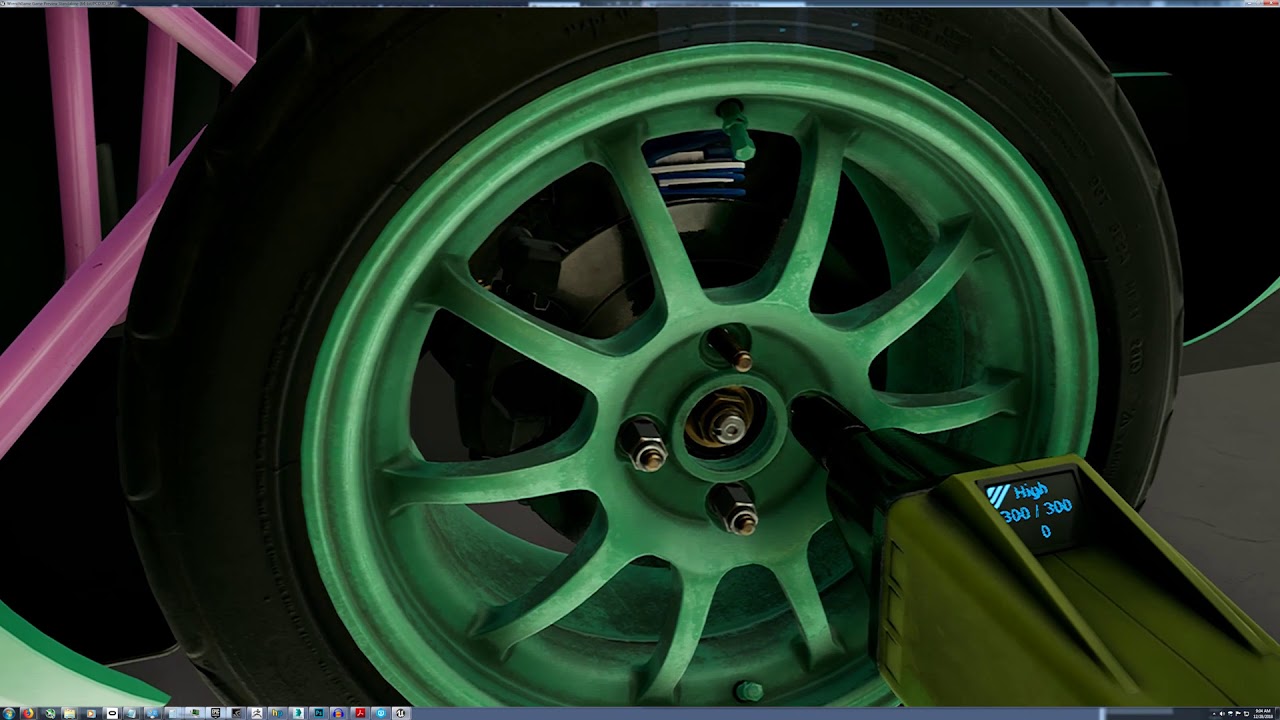 sly elk
Its going okay so far. I think our launch date was about the worst choice possible
the day before the winter sale
wicked oak
it was
sly elk
- press outlets are not in the office
so im not bothering to email until the new year
We are planning a big round of promotion in january
We needed the sales income for December though since we won't get the check until january 30. The game is already in a much better state then when we launched and by the time we starting bringing in bigger attention it will be more improved
Right now its pretty intimidating for new users who don't know much about cars, so we are working on that.
Also we found out the airforce used Wrench to pitch a new VR development initiative: https://www.edwards.af.mil/News/Article/1719563/innovation-f-35-maintenance-virtual-realityaugmented-reality-initiative/fbclid/IwAR3rRhgZfolx2y9AGJkQdogDlUxHy9xNQLmyqjp3taatHBCcCNBIV6aJyfs/

Edwards Air Force Base
Leveraging new technologies is what innovation is all about. Tech. Sgt. Jeremy Neilson had a creative idea to establish an interactive virtual/augmented reality capability at the F-35 Integrated Test
wicked oak
thats super cool
try to contact them for your services
those guys have DEEP pockets
sly elk
Yeah, I reached out.
Holidays though
It seems like if our software is going to be used to pitch something, you would it would be reasonable to be considered to develop something
sturdy coral
@sly elk re: december launch -- it will nice to split initial sales over two years too for tax bracket purposes
sly elk
true
Losing our top seller spot on the steam page as soon as the winter sale started was not great though.
Actually though, steam doesn't make payouts on december sales until January so im pretty sure its all 2019 taxable
mighty carbon
yeah @sly elk
mighty carbon
folks, please upvote this one https://issues.unrealengine.com/issue/UE-67885
sturdy coral
ah yeah, it may all be 2019 then
mighty carbon
so, any help with upvoting that bug? 🤔 😏
sturdy coral
I don't want them to prioritize mobile over desktop 😃
sturdy coral
@mighty carbon where did you hear oculus bought all the robo recall IP?
mighty carbon
can't say 😃
sturdy coral
I still see recent stuff in the changelog for it:
mighty carbon
but I can assure you it's 100% accurate info
sturdy coral
commit ce2ade82dbe8f32e447c0a72c156493e847ac22d
Author: Mieszko Zielinski <mieszko.zielinski@epicgames.com>
Date:   Fri Nov 16 10:56:06 2018 -0500

    Manual merge over from Fortnite-Staging to unblock Odin testing.

    #lockdown nick.penwarden

    Original description:

    Resaved RoboRecall maps that had rogue EQS manager instance #RoboRecall

    Also, added more logging for the case in question.

    #jira UE-66525
    #rb Mieszko.Zielinski

[CL 4572453 by Mieszko Zielinski in Main branch]```but, they may just use the existing robo recall project for regression testing
mighty carbon
well, buying IP doesn't mean for Epic to carve it out of the UE4
sturdy coral
some of the robo recall IP is in infiltrator, the flying robot thing
but I guess they just get the rights to the reskin
or wait maybe that was just in bullet train
I think I saw a robo recall reskin of it though

ArtStation
Modeling work for the VR game Robo Recall.
We had an amazing team and I was honored to contribute to the game. We had a blast making it and hope you have a blast playing it!
Free to download on Oculus Touch now! Check it out!
https://www.epicgames.com/roborecall/en-US/home
...
that's the flying one from infiltrator

and that second one I think uses the skeleton of the one from samaritan/showdown
and maybe shares some of the animations
mighty carbon
hmm
sturdy coral
robo recall HQ is mostly saigon office, including a map of saigon instead of new york or whereever it is really supposed to be 😃

ArtStation
Description:Military office set in Saigon, Vietnam - August 1971This project includes everything pictured with all assets, materials, and vfx created in the Unreal Engine. Each asset was created for realistic AAA quality visuals, style, and budget.Includes:
Over 90 prop asset...
mighty carbon
yeah, I notice that it looked like Marketplace asset 😛
sturdy canyon
I know Epic isn't doing the robo recall port to Quest. I didn't hear that Oculus flat-out bought the IP, though.
 mystic cedar
does anyone know how to make a fire projectile only when you have a weapon
(cant shoot said projectiles till you pick up said weapon?
daring pasture
Add a bool on pickup
real needle
@mighty carbon @sonic lake The attenuation issue still exists in 4.21.1 (Oculus Audio 1.18). My test setup is really simple. A Media Texture, playing video with a Media Sound component attached on which the allow volume attenuation is set. Works perfectly on Rift but not on Go. Any idea what could cause this?
real needle
@mighty carbon 👏 that works. So volume attenuation does not work on Oculus Go with the new audio framework's Sound Component, only with "regular" sound sources.
mighty carbon
@real needle I mean, new audio system in UE4 has simple sound source.
sturdy coral
@mystic cedar if you do c++, shootergame has an example with its rocket launcher
 wide flare
Has anyone found a way to use vive controllers/trackers without the hmd? I just need the tracking portion of the system and would prefer to not be rendering to the headset and an external source
real needle
@wide flare You can try "EnableHMD" set to false on Begin Play, not sure if controllers are tracked at that point but worth a shot
I believe you need the HMD plugged in to initialize the runtime components of Open VR, but you can probably override that as well
In C++
granite eagle
Anyone here got a VR game on sale? Curious about your thoughts on sales, marketplaces, etc
sturdy coral
@wide flare change default.vrsettings:
{
    "steamvr": {
"requireHmd": true,```to false
actually probably add "requireHmd": true, in steamvr.vrsettings under "steamvr": {
default.vrsettings gets wiped out each time you update
wide flare
@sturdy coral Thankyou! Will try it out
sturdy coral
@wide flare I think there is a point where the engine looks to see if a headset is connected before starting steamvr though, not sure on that completely, I've never tried
wide flare
Will need to test but I believe that should be handled by steamvr, which is fine for now as long as I'm not rendering a full scene to the headset in theory
sturdy coral
I think you might need to tweak things in FSteamVRHMD::Startup() to call VR_Init as a non-scene application and not try and reference the compositor, but you can test and see if it works without doing that
wide flare
if it got that far im unsure how much I'd be able to change most limitations I'm facing lately are in how steamvr was constructed and it not being open
mighty carbon
@sturdy canyon does video recording on GO work for you? It doesn't work for me any longer after last update. It records empty video files if run my UE4 app.
mighty carbon
false alarm
somehow Windows shows me 0 size on Go's file system, but if I copy it to HDD, it shows correct size and I can actually play the video
sturdy canyon
File system on Android is super weird
 ivory flower
Is Oculus Go Lan hosting working? If I try to host on PC I can join with an Oculus Go client, but if I try to host with Oculus Go I see It (with another Oculus Go) but I can't Join
 compact kettle
Anyone here packaged WMR yet? Does one need that windows update that is needed to use WMR to package it as well?
Getting those here:
LogModuleManager: Warning: ModuleManager: Unable to load module '.../WindowsMixedReality/Binaries/Win64/UE4Editor-WindowsMixedRealitySpatialInput.dll' because the file couldn't be loaded by the OS. ```On our build server that runs on Windows Server 2012
 shut forum
anyone know why neither of these input methods refuse to fire off when i press the corresponding trigger?
sonic lake
@shut forum Oculus?
shut forum
Vive
sonic lake
Then I cannot help, sorry.
shut forum
.>
sturdy canyon
Is the controller tracking? Does the game window have focus?
sturdy canyon
Other options include: maybe another blueprint subscribed to the event and checked the "consume input" checkbox
sturdy canyon
Also, if you're on 4.21 and you turned on SteamVR Input, that kinda breaks everything
sturdy canyon
You you need a special json file that connects inputs
 sturdy canyon
Only if you turned on SteamVR Input. It's a plugin or checkbox somewhere
sturdy canyon
No, not that one
It might just be called Steam Input, not SteamVR input
It's new in 4.21 and off by default
shut forum
this?
sturdy canyon
I think it's called SteamVR Input System. It might be an option checkbox instead of a plugin
sturdy canyon
Well that's probably not it anyway, since your grips work
Have you tried using the input system instead of directly binding the keys?
tired tree
@sturdy canyon @shut forum its a console command and has to be set in code or in the default console setting ini section as it is runtime read only
shut forum
Explain if you could pls?
tired tree
static TAutoConsoleVariable<int32> CVarEnableVRInput(
TEXT("vr.SteamVR.EnableVRInput"),
0,
TEXT("Enable the new Steam VR Input interface for mapping actions to events.\n")
TEXT(" 0: use the legacy input mapping (default)\n")
TEXT(" 1: use the new Input API. You will have to define input bindings for the controllers you want to support."),
ECVF_ReadOnly);
vr.SteamVR.EnableVRInput
shut forum
I kinda need to get the fix going as you can imagine having no triggers is a big issue
tired tree
regardless that wouldn't fix a "no trigger" issue
you would have had to unbind trigger in SteamVR Input mapping
or your trigger would be busted
shut forum
You've lost me
It was working in the VR template to pickup thinga
I changed triggers to grips for pickup
But now cant use triggers
tired tree
sounds like you are referencing the input in another graph and having it consume input?
sturdy coral
@shut forum use the search all blueprints function
mystic cedar
Go to project setting go to input
shut forum
??
shut forum
i have searched all of the BPs and none reference the Triggers
except where i want it to
shut forum

daring pasture
Where are you calling the inputs at?
shut forum
a BP for a weapon pickup i have, i have it take when the player pulls the trigger
now the controllers arnt working at all
but i know they do elsewhere
shut forum
hmm
doesnt seem to have done anything
so
i cant pickup the object i could previously pick up
its like only 1 BP can actually interface with the controllers at once
because i go to pickup an item and it does the animation but no haptic feedback and i cant press the grips to pickup
tired tree
@shut forum yes....if you consume input on your input events then other BPs don't get the events
you either want to centralize your inputs, or you want to not consume input with them
shut forum
but i couldnt find any other references to it!
as in i couldnt find anything that would consume
sturdy coral
@shut forum did you use search all blueprints instead of just search current?
Also make sure you don't have a named axis with a binding for the trigger, that could be consuming it too
shut forum
i did search all, and no there dont seem to be any axis bindings either
 languid night
Has anyone here launched a level for the oculus go through unreal engine and had the entire level grey?
mystic cedar
Is there a way to change Vr hand rotations upward or downwards? I have a sword in my project but when I pick it up the hands are rotated too high up to where it’s awkward if you were to try and swing to hit anything
sturdy canyon
Make a socket and attach to a socket rather than directly to the hand
mystic cedar
Ty
mystic cedar
@sturdy canyon is there a tutorial for this
I made the socket in the hand mesh
But in blue print idk how to cast the rotation and location of the hand mesh socket in the gun bp
sturdy coral
@mystic cedar attach the gun to the socket; you can use the skeletal mesh editor of the hand to setup your socket placement, select the socket in the skeletal mesh preview and do 'attach preview mesh', and select your gun
or sword
then you can fine tune the placement
mystic cedar
Did that but actually telling the blue print to get it from said socket is the issue
mystic cedar
Basically I’m wondering do I have to do the attach the gun to socket on pickup function in the hand mesh event graph or the actual gun???
I would honestly pay anyone in this chat or discord to run me through this on team viewer ect... giving me such a headache ... there’s no info for this online
mighty carbon
Happy New Year people !!!
 ornate ledge
same to all

Click Here To Subscribe: http://www.youtube.com/subscription_center?add_user=OfficialExtremeBassB Click "Show More" for more details/information. THANKS FOR ...
shut forum
Not here please
 lusty barn
🐷 pig of exceptance
granite eagle
If I spread out assets on a large map instead of concentrated in one area, is this likely to help with performance?
Attempting to optimise this level (removed the PP and glass platform already)
 olive garden
It will help if you have LODs and/or stop rendering assets when they get far away, but not otherwise.
Well, actually,
Having spread out assets will help a little because they won't all be on screen and be rendered at once, but don't rely on that, because if you ever get a vantage point where you see the whole area at once, it will essentially have the same performance as when they are close together.
I'm having a weird issue where when I package my game and use the -vr command line option or turn on "start in vr" in project settings, it doesn't track my location or controllers, the rotation tracking is seriously delayed, and Is Head Mounted Display Enabled node returns false. Has anyone else had this issue?
mystic cedar
I copied a tutorial on how to fire a projectile from motion controller
But I want to put it on a gin on pick up
I put that event graph function in the gun even graph blue print
I put a marker in front of the barrel muzzle do I have to get those location and rotations and plug it in to the spawn transform or do I have to get the controller rotation ?
shut forum
I finally fixed my issue before
And Cali, i made my weapon pickup object handle the firing if the trogger is pressed while holding it. The raycast is done from a small reference object inside the model.
mystic cedar
do you have a bp screenshot?
that would literally save my llife
ive been on this for a week now
smh
@shut forum
shut forum
totally didnt take me a couple hours total, and im just starting UE4
And nope, on phone rn
mystic cedar
damn
shut forum
Look up tutorials on YT
mystic cedar
if you get a chance id love to take a look how you implemented
theres nothing on this topic
in vr
mystic cedar
im a beginner as well so anything helps
shut forum
And there are tutorials
mystic cedar
all the tutorials ive found do not cover this lol
shut forum
You gotta take peices of each and combine them with common sense
But to simply put it
On the pickup bp, have an input for pulling the trigger. This then calls a function in the parent bp for all weapon pickups that checks if its a valid weapon and fires a raytrace
shut forum
Idk
I just have it fire a Line Trace from the origin point of an invisible sphere on my weapon
That works perfectly
granite eagle
In my game and with HTC Vive I'm noticing text seems unusually blurry (especially if the HMD is not perfectly still). Any idea of what might be the cause or how to improve the reading experience?
FYI there's no enabled post processing
tired tree
Make the widget render larger and then scale it down for presentation.
sturdy canyon
You can render the widget on its own stereo layer and increase the layer's resolution, I believe
granite eagle
thanks I'll give that a go
tired tree
Stereo layer have issues though currently, hard to create an interacting laser that correctly overlaps it, doesn't currently support depth unless you are on rift, and until my pull request is merged in the rotations of them in SteamVR are wrong so you can't attach it to anything with a Roll element (wrist mounted, ect). Outside of that they are ok, though/
generally just rendering a larger widget and downscaling is good enough unless you are really picky
 flat shoal
I'm trying to create my own Vive pawn to understand how blueprints work... I see the "lock to HMD" in the Camera settings, but how does the blueprint know what I want to use for Vive controllers?
I'm looking at three different VR examples from Epic, and I don't see the connection anywhere
ooh... found the "motioncontroller" component now... it was apparently a special magic component
mighty carbon
@wicked oak https://www.vrfocus.com/2019/01/htc-vive-officially-endorses-the-finchshift-6-dof-controller/

Qualcomm also confirms compatibility with its Snapdragon 845 VR Reference Design.
flat shoal
anyone know why, often when I run the Unreal Editor and want to do a VR preview, I instead get two game windows labeled "Game Preview Client" and "Game Preview Server"?
sturdy coral
@flat shoal on play drop-down menu do you have multiple players set instead of 1?
flat shoal
yes! 😃 nice spotting... do you know the source of that behavior? beucase even though I have replication on, I don't get control of either viewport... is it because I don't have a default player start?
wicked oak
from my testing, i can see rayshadows actually working in VR
and they are forward-renderer friendly
their cost is actually not that much, and they look neat
could actually end up cheaper than cascade shadows
shut forum
vblanco back at it again with the random RTX testing... making everyone feel poor xD
wicked oak
@mighty carbon well, i dunno on that
shadows cost about 1 milisecond at fullscreen
one ray per pixel
shadows of pointlights and similar are cheaper, becouse they only raytrace the pixels they hit
mighty carbon
aye, I guess we have to wait and see when 2060 comes out
sturdy canyon
Could make even bigger G buffers that add in point light identifiers for each pixel . Then all point lights can be shadow casting maybe
wicked oak
@sturdy canyon you already have such a buffer on the forward renderer
as the light grid
mighty carbon
btw, have been playing CoD IW and just saw a GDC paper about its lighting model..
I wonder why doesn't UE4 have something similar and if it would perform well in (mobile) VR
@wicked oak ^^
wicked oak
unreal already does that @mighty carbon
lightmass + volumetric samples
its quite a similar technique
wicked oak
seems like cod is storing the bent normal AO
i think unreal has support for that
but that being vertex based, that thing needs really high polycounts or it will look like shit
mighty carbon
CoD IW is from 2016
models aren't high poly enough to say it will tank VR performance
looks really good on screen btw
it's around 25k in LOD0
that's for main characters
mechas you see in that paper are less most likely (or not, hard to say)
flat shoal
urr... why does the VR preview not update any pawns in the editor?
flat shoal
anyone know why these never trigger?
doesn't respond to anything at all in fact
but the template from Epic does... hmm...
why do I have motion, but no events?
shut forum
EOBET
I KNOW THIS
I HAD THIS BEFORE!
Consume Input does it!
You think its off but it isnt and breaks it
@flat shoal
flat shoal
@shut forum thanks for the tip! unfortunately, I seem to be having a different issue as that setting didn't do anything for me. Also, the template from Epic (ProductViewer) still has it enabled...
shut forum
Oooh right
I forgot, i rebound the grab controls from Trigger to Grip in the input settings, try that!?
Tbh its kinda wacky at times
Especially when some bps are read only
But if you tinker enough it finally works
flat shoal
ok, when I have the controllers as child actors, it doesn't work
but if I add them directly to a main blueprint, it does work
flat shoal
yes, so it seems
sturdy coral
especially with replication
flat shoal
ah, that's good to know too
mighty carbon
https://issues.unrealengine.com/issue/UE-67885 << they finally repro'ed it in 4.22 and set target fix to 4.22
I know you folks don't care for mobile VR, but in the spirit of the UE4 VR community I ask you to please upvote it
 forest plover
voted 😃
tired tree
Child actors are likely the least stable thing in the engine currently
sturdy canyon
I use them all over. What's the issue?
tired tree
they break constantly
they are done by serializing the actor and spawning one and copying over the serialized data when the owning actor is created
it causes a ton of issues with init order and random things breaking
 torpid steeple
@sturdy coral Do you mean Child BP Actor Components?
sturdy coral
yeah, attaching another actor is fine
just using the UChildActorComponent has given lots of issues
never seems to be tested well and breaks down in a lot of corner cases
mighty carbon
what do you think, folks: https://www.liberty3d.com/Glycon/ ?
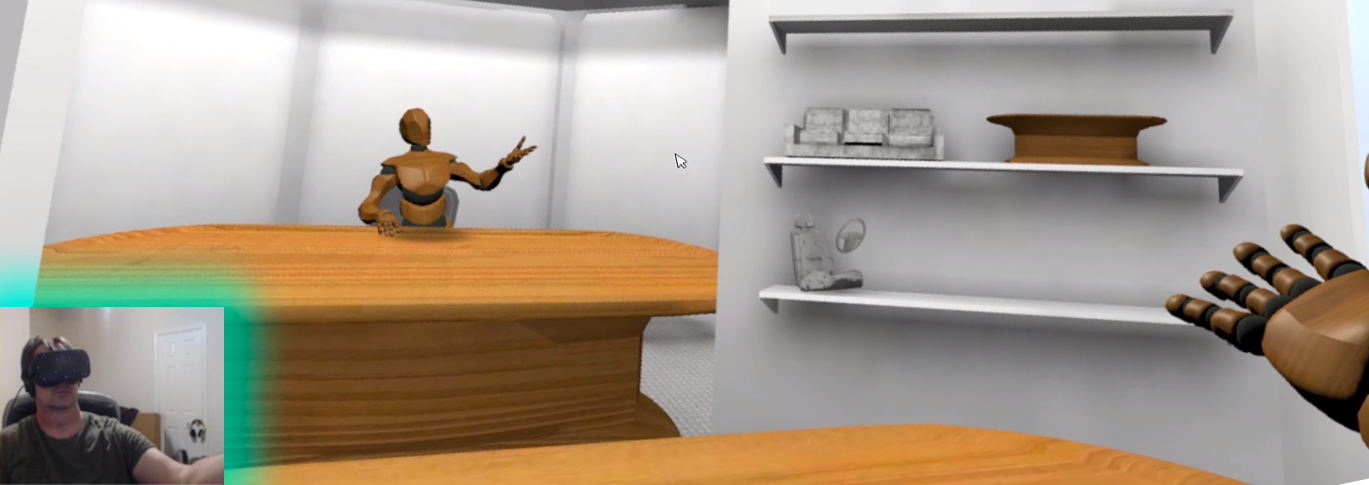
Glycon uses your VR rig as a powerful motion capture platform, for games and animations. It mixes your movements with a full body IK system, and exports FBX files from that. Imagine having your own high precision motion capture system that's as easy to use as a video ga...
mighty carbon
Apparently SSAO in 4.21 works in forward rendering. Has anyone tried it in VR ?
 cunning depot
Is there a specific reason why the documentation in UE for Oculus says to select "Mobile/Tablet" for the hardware? I was under the assumption it should be Desktop since that's what Oculus Rift runs on
https://docs.unrealengine.com/en-US/Platforms/Oculus/QuickStart
Also, is it fine to use Maximum Quality rather than Scalable 2D/3D for it or is Scalable the best option for VR?
sturdy coral
@cunning depot it still runs on a desktop renderer but I think they do that just to set some scalability options on materials and stuff
I would just start from the VR template, it has good defaults for all the post processing and all that kind of thing
cunning depot
Alright cool thanks 😃
flat shoal
why is it so difficult for me to find the vive button mapping diagram in the official unreal docs site? 👺
torpid steeple
@flat shoal Sounds like the premise for a really useful Blog post somewhere!
flat shoal
a blog post is where I first found the picture... but yesterday I also saw it on the official docs site...
today, I can't find it anymore 😦
sonic lake
Unreal Engine Forums
All things Virtual and Augmented reality. Development resources, news, tutorials, and discussion inside.
flat shoal
@sonic lake right, there it is... now, try to find the same image in the official docs site.... I know it's in there, but heck knows where! 😃
sonic lake
This is the general reference on how to setup motion controllers, but it doesn't describe the input mapping of the single controllers: https://docs.unrealengine.com/en-us/Platforms/VR/MotionController
flat shoal
Yes, but I swear that I also saw a page showing a picture of each of the individual mappings for both the Vive controllers and Oculus controllers.
and soon they will need the grippy controllers and gloves too....
sonic lake
@flat shoal you may have seen it in this post here: https://forums.unrealengine.com/development-discussion/vr-ar-development/78620-steam-vr-template
Unreal Engine Forums
All things Virtual and Augmented reality. Development resources, news, tutorials, and discussion inside.
flat shoal
it was late last night, but... hmm... maybe you're right
trail shale
Is there a way to edit and hit play in the editor without stealing VR focus from Steam, if you are in a VR project. But just want to edit some non-vr elements?
flat shoal
so, trigger pressed doesn't fire once per frame as I thought I read in the documentation?
it fires just once until it fires release it seems....
weird
sonic lake
@flat shoal there is a Trigger event and a Trigger Axis event. The one that fires continuously is the latter.
flat shoal
yes, just noticed, thanks 😃
 silk lodge
@flat shoal it's the first pin on the channel 😃
granite eagle
Is there anyway to activate VR in game? I need to be able to switch to and from a VR pawn on command.
If I switch to my VR pawn it just clips the ground and doesn't active VR
sonic lake
@granite eagle Enable HMD with the stereo flag unchecked gets you out of VR. With the stereo flag checked gets you in VR mode.
granite eagle
great that works. Regarding "stereo flag" is this "add stereo layer" the same thing, I'm curious what this does
sonic lake
@granite eagle Not the same, Add Stereo Layer adds a Stereo Layer component to your VR pawn.
 wicked birch
Does VR Expansion support 4.21.1 yet?
tired tree
@wicked birch yes, master/default branches are 4.21
they are always latest released engine version
sturdy coral
new screenshake that supposedly stays comforable:
http://www.zulubo.com/gamedev/2019/1/5/vr-screen-shake-the-art-of-not-throwing-up

Zulubo Productions
Screen shake is an effect that, when used tastefully in games, can really push immersion. To my knowledge, nobody has implemented screen shake in any VR title, because it would be moronic to. Shaking the player’s view is a surefire way to make them motion sick. That’s wh...
 median wedge
how do you guys do slides on guns (specifically pistols)
sturdy coral
@median wedge there is a blueprint template with gun slides on the forums: https://forums.unrealengine.com/development-discussion/vr-ar-development/1381972-uvrf-handpresence-template-for-rift-vive-free-shooting-range-update-1-3-laser-interactions
Unreal Engine Forums
UVRF is ‘hand presence’ cross platform template including hands that are properly placed in space (per platform), properly animated, allows interaction with
median wedge
Thank you for the resource
median wedge
@sturdy coral I checked out what you linked me too and it does not have slide interaction. It has clips, but not slides.
wicked birch
@tired tree alright thank you.
sturdy coral
@median wedge ah I thought it did, I guess the slide just animates when it fires maybe?
@median wedge implementing a slide may be similar to the clips since they are both sliding along a track
I can't remember though if the clips just get sucked in or they slide in
I think there are also some slider ui handles in there that would be similar
can't remember if those are gripped or done with a laser pointer
median wedge
Either way its a collision, then an Automated Action. For my slides I have gotten the delta movement between the start and current grip, then converted it to a ratio and applied it to the animation blueprint. It causes it to look slow and laggy, and it does not keep up with the hand, partially because it is projected onto an infinite line on the weapon, and that changes, changing the amount of the slide that is pushed back.
I tried looking at the VR Expansion slider component (What I used for the prototype) but I cant seem to actually read what the code does without learning the whole detailed api
 shadow radish
hi all, I want to start to try to tackle animating my player's whole arms (not just hands) so I have a responsive character for multiplayer
I saw this tutorial and I'm going to take a look at it tomorrow, but I wanted to see if anyone knew of any other resources for VR character design for multiplayer?
Unreal Engine Forums
I usually don't cross-post my tutorials here, but I thought I will make an exception for this one since some of you asked about it. Here is a super-easy way to get
tired tree
@median wedge the basics of a slider are to have the current position and min / max positions, you track to the hand from its original point to the hand on grip and clamp to those min / max values
and yeah, my slider is not a good learning thing...its got a million features
its also using some tricks for multiplayer syncing
that aren't needed in single player
median wedge
Thank you for the help. So if I understand correctly you caluclate the delta from the initial grip, and then clamp it to the provided vectors, then apply that transform to the mesh?
tired tree
yeah
just get the hands position on grip and track it on your boundries
really easy when you think about it
median wedge
it is. Thank you for the help.
 abstract panther
I am trying to make it that when the linetrace hits the floor a 3D menu will be visible at the motion controller pawn, how would I go on to get that ? , this is what I got for now.
sonic lake
@abstract panther Typically you Branch on the Return Value of the Line Trace By Channel and execute the rest only if true
Second you branch again to check if your hit actor is the floor and execute the rest if true
abstract panther
Thanks for the answer @sonic lake like this ?
sonic lake
Exactly. That should work.
mighty carbon
@wicked oak I believe RTX 2060 was announced already and it's supposedly more powerful than 1070Ti
$350 MSRP
sonic lake
@shadow radish I had people reporting that this IK implementation works well with @tired tree 's VR Expansion plugin and they were able to "meet" each others and interact in multi-player.
mighty carbon

One of the most constantly evolving and frequently cutting edge areas of technology and innovation is gaming. Whether [...]Read More...
frigid kite
Without skeletal tracking like Kinect's I find the uses for realsense to be a bit limited
I wish there was a proper replacement for the kinect
wicked oak
@mighty carbon it beats a 1080 in vr games
as benched
and thats without taking into account possible variable rate shading implementation
looks to be a monster
reminds me of the 970, wich was also 350, but was a fucking monster
definitely a good deal, id say
it has 90% the power of a 2070, and like 70% of a 2080, so thats good on my eyes
sturdy canyon
yeah I'm impressed
people are mad that the 60 version is $350, but I think it occupies a new top spot in perf/$
wicked oak
@sturdy canyon you knew a lot about graphics rendering and stuff, no?
im tinkering with mesh shaders, and i dont know what to use for mesh data storage. Bindless textures, or a bigass massive SSBO with every mesh in the map
they are compute shaders that can output triangle lists, basically
sturdy canyon
I'm really really excited about mesh shaders, but no I haven't really looked into the implementation at all
Sculpting tools run way better with smaller chunks, but that increases draw calls
wicked oak
they are just compute shaders, pretty trivial
sturdy canyon
Mesh shaders will be my hero someday
wicked oak
you just read your mesh data from whatever the fuck you want, as long as you write into the "meshvertices" array
https://hastebin.com/komaperusa.cs this is how mine work @sturdy canyon
it just renders a triangle list, with a maximum of 32 triangles XD
sturdy canyon
This is just to get the hang of the syntax?
wicked oak
yes
this is like the absolute minimum
i want to make it proper, to render a mesh with more than 32 vertices
luckily there is a mesh optimization library that can generate the meshlets, but im thinking on how to architect the memory, becouse my goal is to be able to generate a "forest" with multiple grass types and tree types in 1 drawcall
an entire forest in one drawcall
sturdy canyon
Yeah that's a similar dream to mine: an entire sculpture with all its chunks in one draw call
possibly bad for perf to combine things too much, though
using it for a bunch of instanced geo seems more like its thing
I don't know if my dream is really what mesh shaders are meant for
yours seems right in line
mighty carbon
I guess I'll have to put 2060 on my wish list 😃
wicked oak
@sturdy canyon they render that entire asteroid field in 1 drawcall
tho its the same model with just tons of LODs
LODs and one model is the ez mode, for that is basically just mega-instancing
i want to try it for the "indirect on steroids" case, of rendering an entire scene in one drawcall, or just a few
sturdy canyon
Yeah combining 10 LoDs into one draw call is cool. But it should definitely be possible to combine many LoD'd meshes as well
wicked oak
as long as the pixel shader matches, you can
sturdy canyon
right, yeah
wicked oak
and for the pixel shader, you can use bindless textures
megashader OP XD
or just megatextures
sturdy canyon
as long as you aren't doing super weird procgen swirls or something on your plants
wicked oak
nah, just a megashader
same pixel shader on everything
and same wavey effect on all plants
so probably 2 drawcalls. One for the terrain, and one for plants
sturdy canyon
You can get surprisingly realistic looking moss with crazy shader magic and a quad
wicked oak
good old POM?
sturdy canyon
I meant procedural SDF type stuff
POM can't really do interwoven tangles
I can't find a good example... but not too different than this:
https://www.shadertoy.com/view/4sXcWj
 wicked oak
good ol fractals
sturdy canyon
That full screens on my laptop at 60fps using only 40% of the GPU. And it's got shadows and AO built in
So covering trees in 3D moss should be doable
cunning depot
Did someone above say that the RTX 2060 beats the GTX 1080? wot lol
wicked oak
do you have any idea about my mesh memory dilemma @sturdy canyon ?
@cunning depot look at benches
its equal to gtx 1080 and even beats it in some places
cunning depot
That's insane 😮
sturdy canyon
As far as I know you probably have to alloc a giant index buffer up front
wicked oak
@sturdy canyon that sure, but texture or buffer?
some bindless textures for mesh data, or a megabuffer with the entire world
megabuffer would work for the demo tho
but its not something i think can scale
nvidia seems to use textures in their demo
sturdy canyon
A texture array maybe and store the texture index in the verts
wicked oak
why in the verts? i was thinking of just having like 2 textures
one texture is XYZ pos + UV Y
and other texture XYZ normal + UV X
and use bindless
then i have a array of "mesh data" and an array of meshlets
sturdy canyon
ohh misread your code
I thought it was just returning an index array to an existing mesh buffer
wicked oak
at the moment im just doing 1-2-3-4-5-6
sturdy canyon
Errr vertex buffer
wicked oak
for indices
sturdy canyon
Yeah I see that now
wicked oak
but the indices would be stored in the meshlet array
so i would have a global array of all meshlets, or maybe use bindless texture again
ill go read the papers from nvidai xd
    int vertexIndex = texelFetch(vertexIndexBuffer, meshlet.vertexBegin + v).x;
    vec4 vertex = texelFetch(vertexBuffer, vertexIndex);
    gl_MeshVerticesNV[v].gl_Position = transform * vertex;
}```they use textures
sturdy canyon
with high detail LoDs doesn't that spin a single thread for thousands of loop iterations?
wicked oak
why dont they have any example dammit
thats basically pseudocode
your meshlets should be small
like 32 or 64 vertices
and maybe 120 indices
sturdy canyon
ah okay. So then those high detail LoDs are broken up into hundreds or thousands of meshlets
wicked oak
yeah
each task shader invocation can spawn up to 64k mesh shaders
and each mesh shader is 1 meshlet
so the main idea is that you use 1 task shader invocation per mesh
and that spawns a bunch of meshlet tasks
imagine a 32k mesh
thats 5000 meshlets
so you have one task shader invocation (32 wavefront local size) cull them and pack them
but that only if you are doing it for a shitton of meshes at once
btw @sturdy canyon cool detail
you can do forward lighting at the meshlet level
instead of using an screenspace grid
and have like 4 pixel lights, hardcoded
and if you have more, just emit the meshlet twice
wicked oak
becouse its a compute shader, you could have the lights as an octree or whatever
sturdy canyon
right
wicked oak
keep in mind, branching would work fine
as the rasterizer is calculating the meshlet at once
wicked oak
octree lights is exactly the kind of thing i might do myself
XD
you could assign the lights by checking against the bounding sphere of the meshlet
if the bounding sphere intersects, render that light
sturdy canyon
yeah it shouuuld be pretty easy to pull off
dive through the lights tree until you've collected N effecting lights
or maybe dive all the way and pick the N brightest?
wicked oak
no, just effecting lights
mighty carbon
isn't 4.22 going to support RTX and all the bells and whistles ?
wicked oak
given its state..
sturdy canyon
yup. looks that way
sturdy canyon
as long as dev-rendering gets merged into 4.22
there
's a tiny chance it doesn't
although it's probably decided by now, so someone else may know better
wicked oak
ok, the first thing im going to try
is to render meshes though position arrayy on a texture
no indices nor meshlets
just 3 vertices per tri
sturdy canyon
how are you doing this, btw? Just a barebones C++ project?
wicked oak
luckily i have the code for the stanford dragon from my rasterizer XD
@sturdy canyon there is a random framework called Glitter wich is just a pre-set starter opengl tinker repo
with all the libs already setup, like glad, windowing, assimp, and glm
in a predone cmake
sturdy canyon
ah I didn't realize this stuff hit OpenGL yet
sturdy canyon
What's the oldest cards that support mesh shaders?
is it a software only thing so it goes back before 10xx?
could it conceivably run on a PS4?
sturdy canyon
ah
sturdy canyon
one more reason to be glad the 2060 exists
mighty carbon
lol
 granite jacinth
Anyone buying that should be ashamed of themselves to being suckered into their BS
mighty carbon
between spending nearly $400 on 1070Ti and $350 on RTX 2060, why would you say 2060 is trash ?!
granite jacinth
?
You could have gotten a 1070ti for 350 weeks ago
with 8GB
And they have similar performance
mighty carbon
I didn't have $350 weeks ago
mighty carbon
and 2060 has that new VR port, plus a ton of VR optimizations
granite jacinth
I just don't get what they needed to shuffle up the names
It's a -70 series card called a 2060
(i mean, good strategy if they are making more money than last gen)
wicked oak
@sturdy canyon sending stuff to pixel shader its trivial
granite jacinth
I know what it has
wicked oak
just implemented vert colors
out Interpolant {
    vec3 col;
    vec2 uv;
} OUT[];
and the acompanying "in" in pixel shader as usual
cunning depot
What are these VR ports you speak of?
mighty carbon


It’s not a #CES for me until I do VR...I love Super Hot on the Oculus Quest so much. It’s soooooooo much fun. 🤪
This is the VR headset we’ve all been waiting for.
#ces2019 https://t.co/jDHksiyXIE
Twitter
 cunning depot
Interesting ty
Lowkey I just bought my Oculus rift a few days ago, do you guys think it's worth returning it (amazon so free) and buying the Oculus whatever that's gonna be coming soon, assuming the next VR headset from Oculus/HTC will be either the same or better in all ways ?
mighty carbon
Well, who knows when Rift S is coming and how much will that cost. But there will be no Gen 2 from Oculus until 2020 or even later
cunning depot
Alright ty, I'll stick with my Rift then 😃
mighty carbon
(and we don't even know what Rift S is going to have over Rift CV1)
cunning depot
Mhm
mighty carbon
I'd stay with Rift and get Quest when it comes out
cunning depot
👍
mighty carbon
especially that a few AAA titles are coming to Rift soon 😏
 sullen vortex
guys has anybody used gameworks flex fluids in vr?
mighty carbon

UploadVR
HTC just announced the Vive Pro eye, what looks like a brand new VR headset with integrated eye-tracking for foveated rendering for more.
jaunty shell
Oculus quest like stuff
sturdy coral
two on front and one on each side

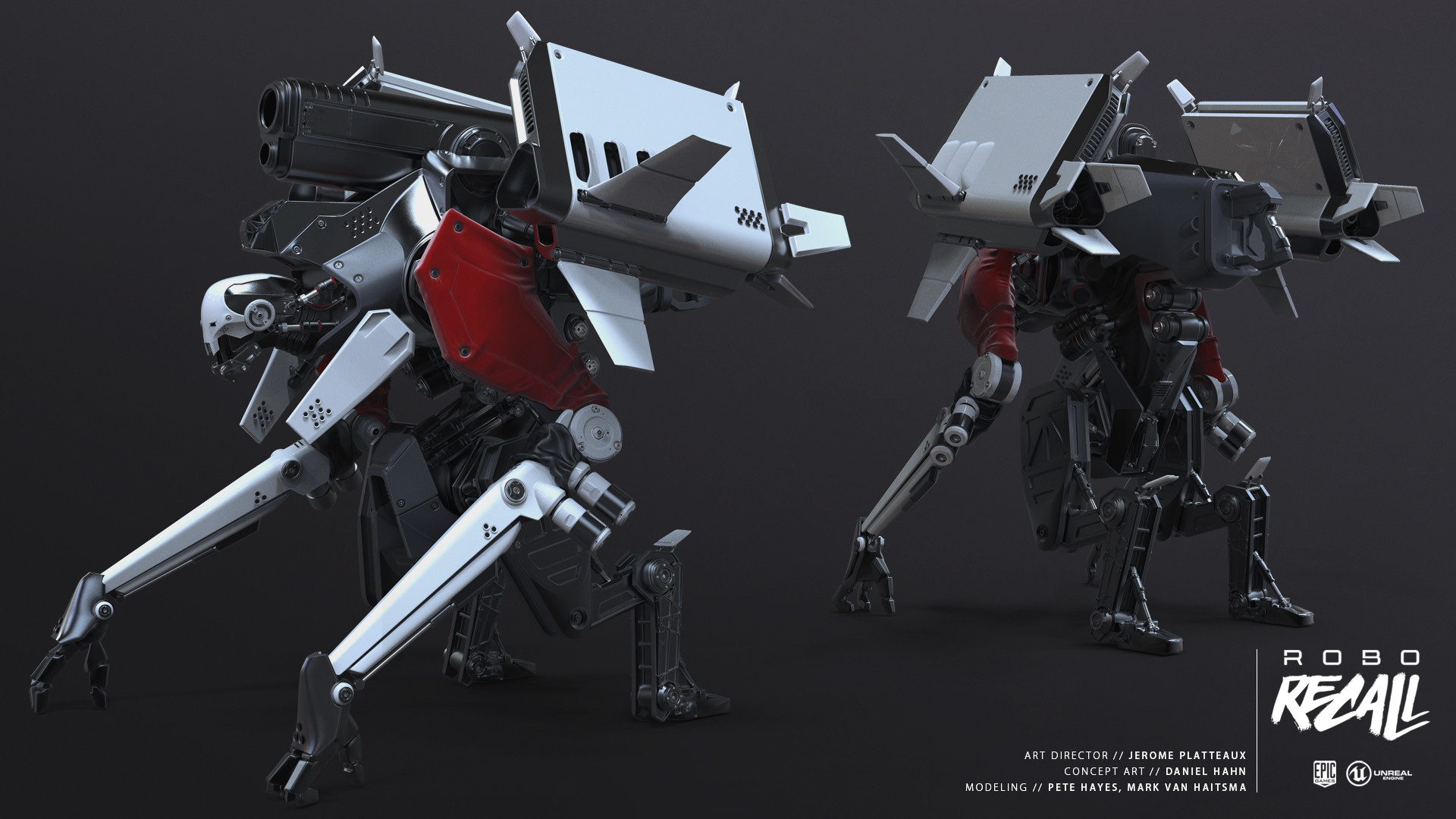 mighty carbon
not whole a lot of buzz around Quest though.. My Twitter is all about Vive Pro Eye 😦
sturdy coral
seems like it so far
sturdy coral
ah nice
says gaming pc or desktop or phone (seemingly)
I hope it isn't just laggy wifi streaming or something
jaunty shell
😬
sturdy coral
controller looks almost exactly like quest controllers
jaunty shell
awesome controller design
yeah was about to say
that's a straight copypaste
well
was not expecting anything
mighty carbon
I am hyped for RTX 2060
and Quest
but I'd like to see more hype around Quest
especially about games for it
so far it's all the same OC5 stuff
sturdy coral
if cosmos does PC and mobile that is pretty big
they gave very few details but did mention that
cunning depot
So basically, as someone on a budget, I made a mistake buying a Rift this late in time considering there'll be better things sometime this year/next year 😭 Ofc I'll still stick with the Rift but I have learnt my lesson not to leave technology for a few years to stabilise because it'll always improve 😛
mighty carbon
Go can do PC with Virtual Desktop.. It's massive, but I don't think people care
granite jacinth
hmmm
mighty carbon
@cunning depot Vive Pro costs an arm and a leg, and lacks awesome games Rift offers.
but for enterprise, Vive Pro Eye + knuckles would be definitely better
wicked oak
that vive could be super interesting to experiment with foveated render tech
specially given that with VRS its easy as fuck to do properly
cunning depot
@mighty carbon Yeah lmao the deciding factor for me, even though HTC Vive was and is huge, is the fact I can literally get a top-end flagship phone at the price of the HTC Vive
cunning depot
Whereas Oculus Rift is like eh expensive but I can manage 😛
mighty carbon
btw, apparently Go doesn't require phone any longer.. But I can't really verify that
mighty carbon
also, what specs Cosmos has? FOV? panel? Sound?
granite jacinth
@mighty carbon huh?
Go only needs smartphone for setup
Actually, you can do it through PC emulator as well
Unless you mean they have done away with the requirement completely, which is nice.
@sturdy coral surprised no actual competitor to Quest was announced though
I wonder if this was a technical issue, or they didn't want to cannibalize Focus sales
Or if indeed the "phone" hint may play a hand in "competing" with Quest
sturdy coral
Quest is standalone or PC from the sound of it
granite jacinth
Ah
Well HTC is dying financially
So, it could be some tricky stuff to get people to buy their phones again
Although, they shouldn't have sold off their best division to Google then
mighty carbon
@granite jacinth I read somewhere that Go no longer requires phone to be activated and used. Don't know if it's true.
granite jacinth
Just got one for my kid over Christmas, still needs it
mighty carbon
also, Virtual Desktop allows you to work on PC via Go (requires 5Ghz router)
supposedly lag free even when playing pancake games on huge virtual screen
(you need kb and mouse to be connected to Go)
 granite jacinth
imho, not "cutting the cord" is better for gamers
mighty carbon
I am guessing HTC is pumping out all this stuff to keep revenue flow coming