#virtual-reality
1 messages · Page 193 of 1
 mighty carbon
 sturdy coral
ok, fair point on that
sturdy coral
but even a cheap asset will get the same reviews as when it is free
synty stuff has already been used in things for years
mighty carbon
Synty's assets are not cheap
and apparently not whole a lot of Internet purchased them, since we'd see a lot of games using their assets
sturdy coral

Out of Ammo is an intense virtual reality strategy game for the HTC Vive that puts you in the commander's seat against wave after wave of soldiers. Built exclusively for room-scale to make use of motion tracking, the game allows you to move around the battlefield to build def...
Price
$14.99
Recommendations
556
mighty carbon
I haven't see any games using POLYGON series
 granite jacinth
@sturdy coral also another game like city sim
mighty carbon
that one uses SIMPLE assets. I could care less those those
sturdy coral

The Romano family has taken over the city. Corrupt politicians and police agencies do nothing to stop them. Become the morally ambiguous champion this city needs as a Sniper in Virtual Reality.
granite jacinth
I care
I am using Simple Assets for my Vive Focus release 😃
damn @daring mural
Those reviews
mighty carbon
@sturdy coral mostly negative reviews... That doesn't help
granite jacinth
But that has nothing to do with his art assets @mighty carbon
mighty carbon
lol, mixing high poly hands and weapons with low poly everything else.. That's genius..... not
granite jacinth
Anyway, I'm jealous, he has two games on Steam
sturdy coral
@mighty carbon I'm not posting that to criticize anything, I'm just pointing out titles that use synty stuff
granite jacinth
I don't know why you're on this strange hate crusade 😭
sturdy coral
there are tons more, they are extremely popular assets
mighty carbon
I only saw SIMPLE assets uses a lot.. Haven't seen that game and any of other games using POLYGON assets.. Never seen any of them reviewed either (and I am on Twitter regularly, signed to all major gaming and VR outlets)
On the market we have now it's always good to have a barrier of entry
paid content is one those barriers
because unique content cost an arm and a leg and in this line of business there is no guarantees, even minimal, you can break even
sturdy coral
I believe the POLYGON assets are still some of the most popular assets out there, on the unity store and UE4
granite jacinth
Yo @mighty carbon , since you social media god, please promote my game for free
We need money
😃
mighty carbon
small devs like me can't take that risk - thus we use assets.. Obviously if the game gets positive reception, one can always upgrade assets later.
granite jacinth
I think you are worried about the wrong things right now truthfully
mighty carbon
nah @granite jacinth , I only retweet those who retweets me and I never got a boost from you 😉
granite jacinth
You were never going to change the outcome that others were using a certain pack in their game or not (same pack(s))
 sly elk
@granite jacinth its on steam. steam page has been live for like a month
granite jacinth
As long as they don't give every single pack out, I don't mind I suppose...
I did purchase a lot of their stuff
So I would feel a bit slighted myself...
But I wouldn't be like...oh, I am going to get shit reviews because everyone can use them now
sturdy coral
@sly elk did you have to go through an initial oculus submission approval (looking at your actual binaries, etc.) before they would put up the store page?
granite jacinth
@sly elk What did you do to branch between Steam and Oculus?
sly elk
Not for this store page. We are doing a free demo for the oculus store and that has it's own store page that is actually going through their process
we haven't put a build on steam yet so no branching eyt
granite jacinth
I just tried it last night and noticed all the damn things I have to redo on Oculus Branch. So just curious what you did to make the transition easier.
Ohhh, so you started on Oculus ?
I guess that's one way to do it
Probably smart way
sly elk
I think its just a few things that need to be changed? Different DLLs in the package and some different entitlement check stuff?
sturdy coral
@mighty carbon are asset packs allowed to go on 70% sale? Isn't that 70% of the way towards free?
granite jacinth
Going from Steam to Oculus isn't hard, but noticed I used a whole bunch of OpenVR stuff
@sly elk Well from Oculus to Steam it's a lot easier when you branch
But Steam to Oculus, you have to disable/delete a whole bunch of OpenVR stuff
If you weren't using any OpenVR for Oculus Build (which you wouldn't need to), you will be good
sly elk
That stuff is being packaged right now but you can just delete the dll from the package build quickly
and it will pass
i don't submit builds often so for now thats the easier way to deal with it
not a long term solution though
granite jacinth
@sly elk wait what?
You just delete them AFTER it's packaged?
I guess it wouldn't ever trigger on Oculus App
So you wouldn't have issues...but still
sturdy coral
that way you wouldn't have to wrap all the blueprint nodes with no-ops
granite jacinth
I'm just not going to use OpenVR api
I only had a few anyway, like SwitchOnHMD and HMDFadeToColor
We'll see, I'm still trying to find a good way to do it
The only thing is Achievements
sly elk
we need to do something for achievements eventually
granite jacinth
Yeah
sly elk
we decided to completely redo our career mode last minute
so thats the main focus getting to release
sly elk
Goal is to have the release candidate end of month
sly elk
A bit. We have a decent amount of content and solid gameplay mechanics. It's just about wrapping it up in a package that has the right reward loops and times things out well
granite jacinth
So, review-wise, should do very well
sly elk
Yeah, the social media reaction is generally super positive
I think it will be well received and grow
granite jacinth
You putting out a free demo?
granite jacinth
Nice, that was what really promoted our game
Hype was crazy
If you can...maybe focus on that first?
Build up that hype until release?
sly elk
Between the first prototype video I did last summer and then the early access trailer I did 2 months ago its got around 10m video views. I also have a few mid to small youtubers (under 500k subs) wanting to play it
so I think that will all help
managing release stuff is just soo much work. And I need to be making content and implementing gameplay stuff.
granite jacinth
😃
sly elk
My only concern is people who haven't paid much attention to development on this and assume there will be a huge library of cars like forza
And then feeling like there isn't enough content
granite jacinth
@sly elk How much content do you have right now?
Will you have at launch?
Hours-wise
sly elk
Its probably 8 hours to get from the early game phase to the end game phase? But the game is open ended
And that time will stretch out as the game builds
Might be more time than that. It really depends on the player
i can slam a complete engine together in like 35 minutes where that might be 1.5 hours for someone doing it their first time
The demo we are releasing will be super useful on that. Its building the bottom end of an engine minus a few parts that are per-assmebled. I'm expecting it to take the average user an hour. We also might do a more casual mode where bolts don't need to be torqued
granite jacinth
That's alot of content
If you can make the average player play 8 hours
You shouldn't need to worry about that
We are still struggling here (for various reasons now) getting content up.
Only roughly 1.5 hours gameplay (for single player campaign, we have Free Roam and Multiplayer). Terrible. Especially after 4 months.
This Halloween Sale was an eye-opener though
Roughly 300% increase in sales during it. But that 300% isn't much when your daily sales are low
 daring mural
Oh yeah that game got butchered on Steam 😂
To be fair when it launched I had to lock off most of the game for several days and people didn't take it well
mighty carbon
@sturdy coral I don't know about that :/
daring mural
I was on the toilet one time & saw that same city pack in a mobile ad for an app, their stuff is definitely widely used
mighty carbon
mobile... 
sly elk
Oculus validation fails for the lowest hardware on win10 but passes on win7?
wtf?
Also they are reporting this kind of artifact?
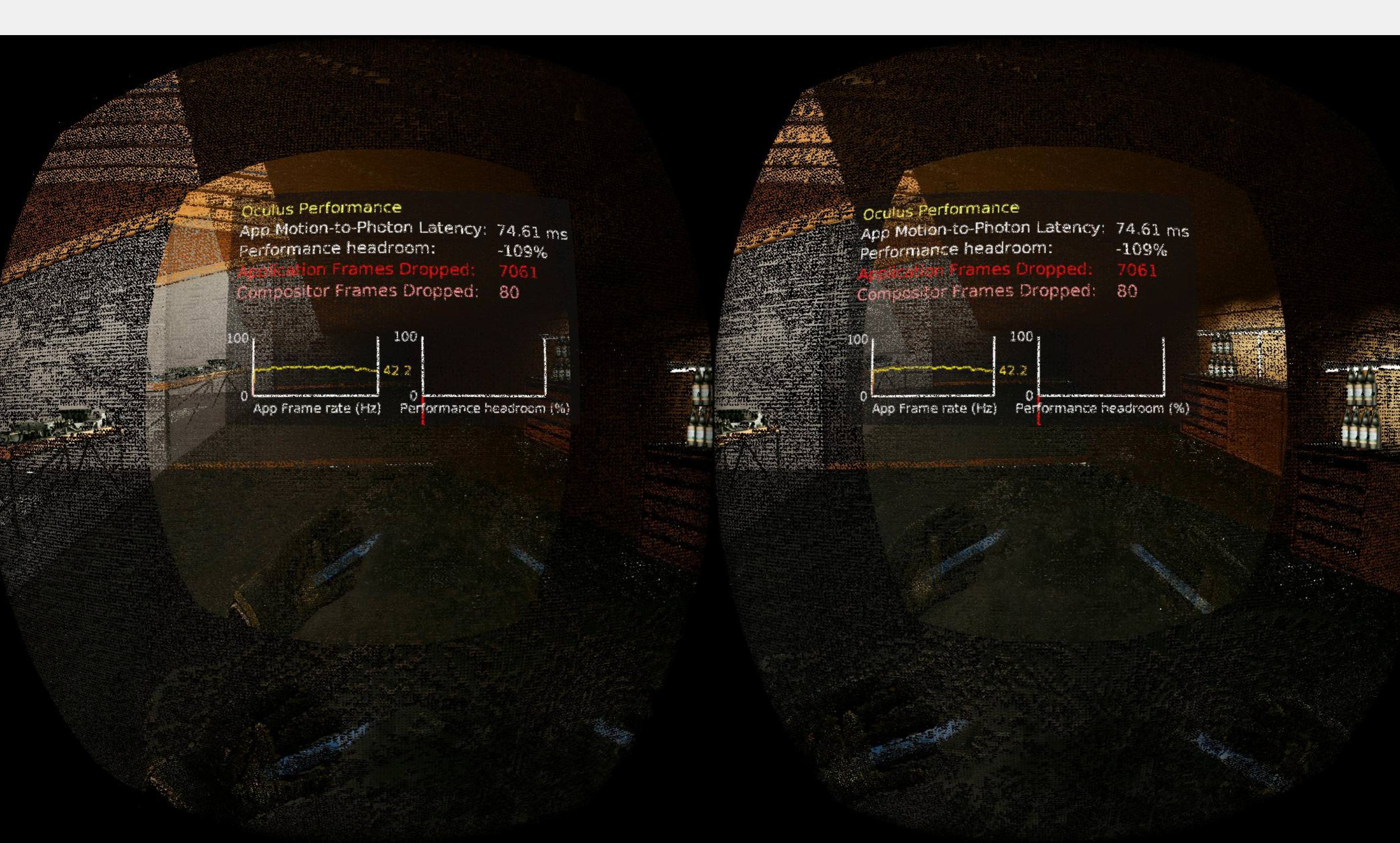
vanilla unreal 4.20.3
Like the game fails hard on win10, not even close to running at 90
but passes on win7
 sage gulch
rift S eh
sly elk
If anyone has experience with win10 performing very differently than win7 in oculus testing please let me know. Im having trouble reproducing it on my 1060 based win10 machine
sturdy coral
I don't think I've ever seen that kind of artifacting.. trying to think what could cause it
sly elk
aparently its an AMD bug
 sonic lake
@sly elk we had many troubles with NVIDIA device drivers on Windows 10. Performance was terrible. We had to roll back to a much earlier version and everything went back to normal.
Latest drivers seem to have fixed the issue. That might be a factor.
Ok, so you found the problem already. 👍
sly elk
yeah
so i guess all amd RX cards on 4.2
So we are reverting back to 4.19
also, it was loading the wrong default video settings - win10 perf is def lower than win7 but im amazed it passed on win7 with the 970 and 290 at these settings
mighty carbon
with Nvidia it's usually all about driver version, not UE4 version
sly elk
1.3x super sample, dynamic shadows, and SSAO
nevermind, turns out downgrading to 4.19 is a huge pain. Custom build now I guess 😦
 tired tree
@sly elk they just pushed a fix for that recently to 4.21
you could go source build and merge it in
mmm, nvm, it was a temp fix and they reverted it already....
they are saying it is an AMD driver bug
sly elk
yeah
I have to go pick up an AMD card for testing
but we are planning to just make the edit in this thread: https://answers.unrealengine.com/questions/822616/directx-vr-issues-in-420.html
@tired tree i don't have github setup, is there a comment about why they reverted it?
tired tree
they said it wasn't reproducable
sly elk
Is there a way to get a preview build of 4.21 other than the newest?
looking at github revision dates 4.21.3 seems to have the fix in it?
tired tree
@sly elk you can pull from github at any revision
sturdy coral
@sly elk the change is small: https://github.com/EpicGames/UnrealEngine/commit/bd51b2429fb5512e30d21d6e9199843c400c1557
you should be able to just uncomment that if block
hmm oh sorry to pull it back into 4.20 may be more involved
it's commented out like that in 4.20 too, you can try applying this:
--- a/Engine/Source/Runtime/Renderer/Private/PostProcess/SceneRenderTargets.cpp
+++ b/Engine/Source/Runtime/Renderer/Private/PostProcess/SceneRenderTargets.cpp
@@ -1854,18 +1854,17 @@ void FSceneRenderTargets::AllocateCommonDepthTargets(FRHICommandList& RHICmdList
                        const uint32 OldElementSize = SceneDepthZ->ComputeMemorySize();
                        bHMDAllocatedDepthTarget = true;

-                       /*
-                       @TODO: UE-61597 (4.20) - Right now there appears to be an issue with the shared depth buffer and the shader param caching system.
+                       /*@TODO: UE-61597 (4.20) - Right now there appears to be an issue with the shared depth buffer and the shader param caching system.
                        The guess is that since SceneDepthZ's resource is changed under the hood and needs to be reset as a param for certain shaders, but
                        the caching system isn't aware of that. For the time being, we've commented out this block, incurring added expense on the deferred
-                       renderer (adding a depth copy that theoretically is unneeded)
+                       renderer (adding a depth copy that theoretically is unneeded)*/

                        // If SRT and texture are different (MSAA), only modify the resolve render target, to avoid creating a swapchain of MSAA textures
                        if (SceneDepthZ->GetRenderTargetItem().ShaderResourceTexture == SceneDepthZ->GetRenderTargetItem().TargetableTexture)
                        {
                                SceneDepthZ->GetRenderTargetItem().ShaderResourceTexture = SceneDepthZ->GetRenderTargetItem().TargetableTexture = SRTex;
                        }
-                       else*/
+                       else
                        {
                                SceneDepthZ->GetRenderTargetItem().ShaderResourceTexture = SRTex;
}```has anyone ever tried this http://antilatency.com/#devkit ?
ALT: Antilatency tracker is an inside-out optical-inertial positional tracking solution for virtual reality. Compatible with all kinds of VR headsets
mighty carbon
@pearl tangle ^^
 subtle raft
how can I fade to black over stereo layers
sonic lake
@subtle raft I assume you can manipulate the alpha channel of the texture used for the stereo layers and make it transparent (while the rest fades to black).
I didn't try myself but it should work
subtle raft
that seems to conflict with render targets Clear Color though
that makes everything transparent if black or whatever
Im not really sure how it works
sonic lake
This seems to contain a solution: https://answers.unrealengine.com/questions/547109/transparency-in-render-target-2d-shows-up-black.html
subtle raft
I saw this, but I guess I don't understand it
 wheat holly
Anyone else had the problem when starting with the VR blueprint template that this happened? (The shaders)
https://gyazo.com/fb1f75936681ee7c757e6589d37e56cf

Or even better: https://gyazo.com/46c570c36303550e6a3ab621a8888f4a
 subtle raft
whats your GPU
subtle raft
def some gpu issue though
wheat holly
Nvm, the moment I started it again it totally bugged out again 😅
Let's see if AMD has any updates
And it doesn't...
 violet musk
https://youtu.be/PyPT-xp9XVk?t=118 Anybody know how to combine/connect a flat 3D surface properly with a °360 video?
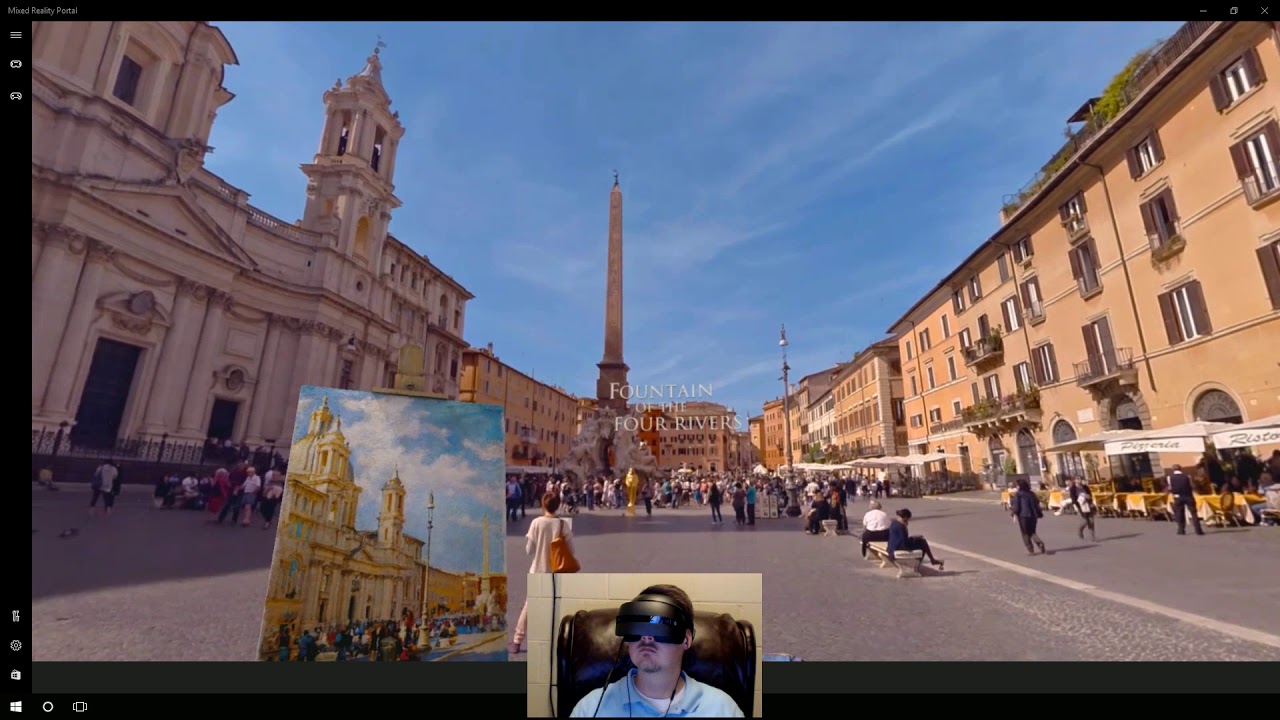
HoloTour on Mixed Reality Headset Back in April of last year, I talked about the top 5 apps on the HoloLens. It was a pretty popular video… I guess “top x” u...
sly elk
Okay, we now have a 4.20.3 enginw build confirmed to not have the Amd depth buffer issue
Had to overnight an rx580
@wheat holly this is the same bug I just dealt with. Its an AMD driver bug that became apparent in 4.20 : Bug is UE-64034
since you are starting from scratch, easiest solution is to switch to 4.19
wheat holly
I'll try it, thanks @sly elk 😃
sturdy coral

Facebook is again looking to whip Oculus into shape for its 10-year journey towards making virtual reality mainstream. According to two sources, Facebook reorganized its AR and VR team this week from a divisional structure focused around products to a functional structure foc...
mighty carbon
Sounds like a good idea at this point @sturdy coral
mighty carbon


A little #OculusGo side project, Bravo: First Strike. Online FPS with bots and different modes. #gamedev https://t.co/xEiPORRBZ5
 Twitter
on Go, with shadows?!
 wicked oak
lmao dem pixels
mighty carbon
what pixels @wicked oak ? jaggy shadows ?
 glossy agate
The real issue is dropping the camera on the ground when you die. That would make people sick
 deft moat
Maybe the guy just flopped on the ground once he died. Just to make for a more interesting trailer.
glossy agate
Could be just for vid effect, but it’s a 3dof hmd so falling down irl wouldn’t do anything
 swift snow
I need at least one more VR user to help me test the steam multiplayer in my project. Main features are in place including an organic build system, storing items, Ai, Physics based melee including throwing damage, Climbing, full body IK and more. Uses the Mordentral plugin and I give big props to him for his work. Graphics are made by me and are still placeholder but are along the lines of the style I'm looking for.
You can attach certain items to your body wherever you wish. Climbing is decent and enjoyable in the setting. The boar AI is surprisingly persistent although they are a little awkward when they fall over and once and a while lose focus or spin like a yo-yo after being hit. You can put put pineapples in the gray bags, the green bags have throwing knives (very large at the moment) and the black looking ones are armor pieces that you can place on your body. The only food so far is pineapple, (which you can use as a weapon ), and the stem will regrow after being thrown on the ground. The trees will break apart into wood posts and planks upon destruction, (until that changes your gonna want to watch your head). You can lock a wood post or plank in place buy pushing a throwing knife into it which will allow it to be climbed.
Most importantly the sword fighting and throwing damage should make for some fun PVP.

Compressed (zipped) Folder
made for rift but works on vive
Hasty pic
 languid night
@sonic lake What is roto-translation? It's in your video's description: https://www.youtube.com/watch?v=kGCS4rJYzoM

This step-by-step tutorial shows how to implement thumbstick (aka gamepad or joystick) locomotion as an alternative to teleportation in the standard VR templ...
Ah found it in the forums.
glossy agate
@swift snow if you put that on steam I’ll test with you.
 tawdry bough
I have a VR problem. I went into the settings thing for the Motioncontrol pawn and changed it from Pawn to Character (to inable locomotion and the ability to fall) and whenever I’m grabbing/hanging onto a ledge with Both hands the camera has a seizure and the hands remain at a fixed height and don’t follow the controllers all the way. What should I do?
sonic lake
@languid night Sorry, just saw your message. Did you find it then? A roto-translation is the transformation you need to give to the pawn's root to properly rotate the VR camera in place, assuming it is offset from the center because of IRL movements.
mighty carbon

This VR racing game built by Master of Shapes has you driving a real go kart through a virtual reality world. Built in partnership with Intel and Canadian re...
so cool!
It would be nice to do that with Quest without any expensive external tracking setup
 alpine torrent
if that was with Windows iHMD headset they have now that spotlight feature so it would be very kart like
 trail shale
every 3 months or so, I check....could someone kindly tell me....DO THEY HAVE A SPECTATOR SCREEN INTERFACE NATIVE YET? This 2D Render of a 3D widget to the Texture Spectator mode is getting REALLY OLD
tired tree
no
sly elk
Spectator screens seem basically unusable as a runtime feature.. Just from a performance standpoint. Maybe for tiny picture in picture windows?
tired tree
spec screen isn't really much extra
its re-rendering the eye texture
sorry..bltting
tired tree
no its not
unless you mean a seperate camera
the default spec screen is a buffer copy, the eye view
sly elk
I guess we are just using different terms. I thought that was just called HMD mirror mode
tired tree
its still the specator screen
but yeah, we were confusing each other
@trail shale their goal is a seperate view for the spectator eventually, which will handle the menu perfectly
but that is a lot of additional changes
dunno, they seem overworked on the VR front anyway
lots of minor features and bugs staying unchanged for multiple versions now
while they are having to implement 4 new VR platforms at once
trail shale
it's odd though ,they just raised like 1.5 billion?
tired tree
that doesn't magically increase the number of people that know that area of the engine
even if they are hiring for it currently
trail shale
You're probably right but I can't believe that this is the only way to capture text input on a spectator screen - the level of hackiness is ridiculous
tired tree
it isn't.....but you are BP only
 odd garnet
Hey I help make a game so I recorded a bunch of footage
Let me know what you think?

#InLeagueVR Tutorial Rundown and Gameplay! Join our discord! https://discord.gg/A3BccZt Follow it on twitter! https://twitter.com/InLeagueVR Buy it now on St...
We're also about to do a bunch of key give aways if you want to join our server
languid night
@sonic lake Thanks for the further clarification!
sonic lake
@languid night you are welcome
violet musk
Does somebody know of a Stereo material setup for 4.19+ that doesn't use the camera vector?
tired tree
@violet musk to discern the current eye?
there is a shader var you can access in a custom node for that
 vernal spear
Hullo everyone,
Like many others, I want to control a virtual reality experience using a spectator screen.
I have everything working for controlling a widget in the spectator view with the keyboard, but I'm having a small issue when trying to get the mouse to work as expected.
Here's what I have so far:
- A pawn with a
UWidgetComponentand aUWidgetInteractionComponentthat is turned to face the widget component. - A function that gets the "absolute location" for a cursor based on the mouse position by getting the mouse x and y and dividing it by the viewport size x and y divided by the pixel density in virtual reality.
- A function that offsets the absolute location for the cursor such that the widget interaction component's location is correctly set face the widget component, which needs a pivot of
(.5f,.5f). - A widget with a
UImagebehaving as a virtual cursor that has is visible to the user only (no hit). - A render target that renders out the real scene and displays it on the UI through a user interface material.
- A behaviour such that when the
Pkey is pressed when running in virtual reality the spectator mode is switched to (and from) texture and the texture is set to the render target of the widget component.
This isn't a hugely efficient setup, as the widget needs to be rendered in world space, but for now it seems to be the best option.
The only big problem now is that the virtual cursor has correct values while not running in VR but incorrect values in VR such that sometimes the cursor is in the incorrect position
It appears that GetViewportSize doesn't actually return the correct values when in virtual reality.
Does anybody know a workaround for this?
If anybody has a moment to take a look at the project to help me figure out why the virtual reality position is incorrect, I'd really appreciate it!
The base code for the solution is MIT licensed in this repository: https://github.com/calben/UnrealVrSpectatorControl
Thanks!

GitHub
Contribute to calben/UnrealVrSpectatorControl development by creating an account on GitHub.
violet musk
@tired tree Yeah, was using that. I got it working now by not using a stacked image, but two single ones for L/R
 fleet plume
@jaunty shell did you ever sort out that "unsupported device class of 5" log spam?
scrolled a couple of pages down from your question and didn't find a fix/solution
fleet plume
tell me more 😄
 jaunty shell
I muted ALL warnings 😂
fleet plume
nooooo
fleet plume
you also got a wireless adapter?
jaunty shell
yup
fleet plume
ffs
jaunty shell
at got that spam since I installed it, everytime the headset is powered off but steamVR still running
got it too ?
fleet plume
yes, but mine is running
jaunty shell
😮
fleet plume
doesn't matter if it's tracking or not
jaunty shell
welp
jaunty shell
yeah I'm using beta
fleet plume
just spent an hour porting from 4.18 to 4.20, hoping it would somehow magically be fixed
jaunty shell
dont hope too much
I also have this bug on 4.19/4.20/4.21
could be related to the steamVR sdk they used
fleet plume
i'am sighing heavily here
tired tree
@jaunty shell 4.21 uses the very latest openVR aside from the one released last week
fleet plume
could it be that the wireless adapter reports the device under a different string/id?
fleet plume
doesn't seem like it
jaunty shell
compared to wired
fleet plume
i mean something most've changed when adding the adapter into the mix or we wouldn't be getting this warning
jaunty shell
the question is... what ?
fleet plume
don't have any questions anymore
jaunty shell
:/
jaunty shell
if you do please ping me in your report 😃
fleet plume
tbh to submit a pull request i'd have to know the source of whatever vr:: stands for to check it's enum
tired tree
TrackedDeviceClass_DisplayRedirect = 5, // Accessories that aren't necessarily tracked themselves, but may redirect video output from other tracked devices
its likely returning that
UE4 doesn't have a supported flag for that
case vr::TrackedDeviceClass_HMD:
// falls through
adding case vr::TrackedDeviceClass_DisplayRedirect :
would fix it
controllers shouldn't be handling that tracked device anyway
fleet plume
would you have clout enough with epic that a pull request would get pulled?
tired tree
i'm making pull requests later today for a few different things, I can add that one in as well
fleet plume
that would be amazing
tired tree
but no, I can't make them merge it :p
tired tree
in openvr.h
its a valve variable
that index is "newish" since the wireless stuff came around
so ue4 hasn't added a check for it yet is all
fleet plume

GitHub
OpenVR SDK. Contribute to ValveSoftware/openvr development by creating an account on GitHub.
tired tree
i'll send it in tonight when I submit some other controller fixes....kind of good timing
fleet plume
much appreciated (no matter if it makes 4.21 or not)
fleet plume
haha
i've been out of the loop for a bit
Log LogSteamVRController off
@jaunty shell
that removes the pesky message without affecting other log warnings
jaunty shell
sweet, gonna test that tomorrow thanks 😃
fleet plume
or just add this to your DefaultEngine.ini
[Core.Log]
LogSteamVRController=warning off
(i totally got that from the ue4 forums 😃 )
jaunty shell
😄
jaunty shell
@fleet plume there's an update for the wireless kit https://www.reddit.com/r/Vive/comments/9uq1cc/new_htc_vive_wireless_update_out_firmware_and/
reddit
12 votes and 19 comments so far on Reddit
 tawdry dragon
I'm having some trouble figuring out how UEs motion controller request and handles the rotation of the controller, anyone ever had any luck getting this from the OpenVR framework them selves?
At the moment, I found some code online that transforms a HmdMatrix34_t to a Quaternion, however since UE4 and OpenVR doesnt share the same world axis, I cannot use this directly:
{
    FQuat q;

    q.W = sqrt(fmax(0, 1 + matrix.m[0][0] + matrix.m[1][1] + matrix.m[2][2])) / 2;
    q.X = sqrt(fmax(0, 1 + matrix.m[0][0] - matrix.m[1][1] - matrix.m[2][2])) / 2;
    q.Y = sqrt(fmax(0, 1 - matrix.m[0][0] + matrix.m[1][1] - matrix.m[2][2])) / 2;
    q.Z = sqrt(fmax(0, 1 - matrix.m[0][0] - matrix.m[1][1] + matrix.m[2][2])) / 2;
    q.X = copysign(q.X, matrix.m[2][1] - matrix.m[1][2]);
    q.Y = copysign(q.Y, matrix.m[0][2] - matrix.m[2][0]);
    q.Z = copysign(q.Z, matrix.m[1][0] - matrix.m[0][1]);

    return q.Rotator();
}```
vp_GameMode->vr_pointer->GetControllerStateWithPose(TrackingUniverseStanding, TrackerID, &controllerState, sizeof(controllerState), &trackedDevicePose);
FRotator vr_TrackerRotation = vp_GameMode->GetVRRotation(trackedDevicePose.mDeviceToAbsoluteTracking);
SetActorRotation(vr_TrackerRotation);
I cannot for the life of me figure out quaternions, so I'm kinda stuck getting the correct rotations out of OpenVR
sturdy coral
I think there is a helper in the ue4 plugin
tawdry dragon
I've been trying to track it backwards in the source, but I'm stuck at
virtual bool GetControllerOrientationAndPosition(const int32 ControllerIndex, const FName MotionSource, FRotator& OutOrientation, FVector& OutPosition, float WorldToMetersScale) const = 0;
In the IMotionController.h, when I peek the defintion it shows a function that handles something from the ARCore plugin, which makes 0 sense.
So if you can point me in the right direction where to look, that would be most helpful 😄
tired tree
@tawdry dragon
OutOrientation.X = -Orientation.Z;
OutOrientation.Y = Orientation.X;
OutOrientation.Z = Orientation.Y;
OutOrientation.W = -Orientation.W;
FSteamVRHMD::PoseToOrientationAndPosition
or for the compact form
FQuat Orientation(Pose);
Orientation = FQuat(-Orientation.Z, Orientation.X, Orientation.Y, -Orientation.W);
tawdry bough
Hey do you guys know if there’s a node that “gets” the hand motion?
tired tree
curious why you are manually checking though instead of using the devices ID and getting it from the tracked device array
tawdry dragon
I'm currently trying to create a framework for virtual production(as in using Vive trackers for greenscreen real time comp) without enabling UE4s VR mode
tired tree
ah, well that is reason enough
tawdry dragon
that way I can create standard widget etc. that can be clicked by mouse
tired tree
FSteamVRHMD::ConvertRawPoses which calls FSteamVRHMD::PoseToOrientationAndPosition
is all that you need
for a reference
tawdry dragon
Awesome
Will have a look, thanks man! I was actually looking through your VRExpansion source
to see if I could find anything
tired tree
I do some conversion in there in an unreleased module actually
for knuckles
think the public one only has location adjustment
tawdry dragon
The world would been a better place if each 3d program used the same goddamn world axis
Instead of everything being different 😛
tired tree
no argument here, but that is a hard thing to standardize
tawdry dragon
We need a next generation of DCC apps that force the same world axis'
Seems to me its something they made 15+ years ago and just stuck to it
UE4 and 3Ds Max are probably some of the worst offenders out there if I remember correctly
mighty carbon
it would be nice if USA adopted metric system looooong time ago, for everything
but no, engineering uses metric (some, not all) and the rest use imperial/standard
 sturdy canyon
And gamedev 👍
tawdry bough
Someone plz
Tell me how i get how fast or slow someone is waving their hands in VR
Is there a “get movement speed” like for the character movement component?
sturdy canyon
Many of them implement a velocty, yeah
languid night
Did you see this @tawdry bough https://forums.unrealengine.com/development-discussion/vr-ar-development/123890-how-to-i-get-motion-controllers-velocity
Unreal Engine Forums
All things Virtual and Augmented reality. Development resources, news, tutorials, and discussion inside.
sturdy canyon
^^ Frame-diff velocity is easy, as well
tired tree
@jaunty shell @fleet plume pull request is up for the fix for your log spam, GL on seeing it any time soon ;P
tawdry dragon
@tired tree hmm, tried coyping the PoseToOrientationAndPosition function to my own class, it returns the location fine, but rotation stays 0,0,0..
My version:
{
    FMatrix Pose = ToFMatrix(InPose);
    FQuat Orientation(Pose);

    OutOrientation.X = -Orientation.Z;
    OutOrientation.Y = Orientation.X;
    OutOrientation.Z = Orientation.Y;
    OutOrientation.W = -Orientation.W;

    FVector Position = ((FVector(-Pose.M[3][2], Pose.M[3][0], Pose.M[3][1]) - BaseOffset) * vr_UnitsToWorld);
    OutPosition = BaseOrientation.Inverse().RotateVector(Position);

    OutOrientation = BaseOrientation.Inverse() * OutOrientation;
    OutOrientation.Normalize();
}```
How it's called:
```TrackedDevicePose_t trackedDevicePose;
 VRControllerState_t controllerState;

 vp_GameMode->vr_pointer->GetControllerStateWithPose(TrackingUniverseStanding, TrackerID, &controllerState, sizeof(controllerState), &trackedDevicePose);

FVector vr_TrackerPosition;
FQuat vr_TrackerRotation;

 vp_GameMode->VRPoseToOrientationAndPosition(trackedDevicePose.mDeviceToAbsoluteTracking, vr_TrackerRotation, vr_TrackerPosition);
 SetActorLocation(vr_TrackerPosition);
 SetActorRotation(vr_TrackerRotation.Rotator());```
You have any clue as to what is going wrong?
BaseOrientation and BaseOffset are both "empty"you can just remove all of the base orientation stuff
that is from their zeroing logic
but no, from that brief bit it looks correct
tawdry dragon
To me it still seems like the rotation is inverted somehow
seems like the pitch is inverted
sturdy coral
the worst to me is ue4 is left hand rule for cross product instead of right hand rule
but apparently that was inherited in lots of 3d stuff from flight simulators for some reason
tawdry dragon
Nwm! I got it now! Im using the Null driver for steam vr
that means my basestation is the true direction
When I position my tracker towards it, all rotation is what you expect
Next up, 1 tracker floor and orientation calibration 😄
jaunty shell
@fleet plume did you get that wireless update btw ? supposed to be with a popup, but I haven't got it so far :[
fleet plume
@jaunty shell thanks for the heads-up
didn't get a notification so far though
also not in a hurry as HTC didn't publish a changelog ... again
 quiet swan
ok I am having an issue, I have an AI that for some reason thiks my "point of origin" is lower then where I am resulting in it firing down at the floor if i am far away and only getting hit when im close as seen here https://giphy.com/gifs/k7pW5LszcsinGGUUl3

how can I get my "point of origin" at the correct place to I can take damage from far away? here is my vive_pawn character
what do I need to change to make it not shoot the floor when im far away
violet musk
You could just add an offset in the Z axis
tired tree
@quiet swan use the VRAIController class I have in there
you'll want it anyway as in non FPS mode it will also not account for the HMD offset without it
tired tree
welp, 4.21 final release was merged in
mighty carbon
Unreal Engine Forums
What's New
Unreal Engine 4.21 continues our relentless
wicked oak
outta nowhere
t, run automated tests to find issues using the new Gauntlet automation framework
WAIT
thats big
new automation test stuff?
tired tree
that pixel streaming is pretty cool
wicked oak
that automater tester thing is neat
you could already do that youserlf
but if its more automated, then its great
 tired tree
the physics abstraction and consolidation and will make it far easier to move to a different physics engine in the future
or even have them as toggled modules
granite jacinth
r.ProgramBinaryCache.Enable=1 wonder if this works on Go/Focus
granite jacinth
@tired tree (pixel streaming) It's pretty nice, but how practical is it for most people?
Other than pre/vis apps.
tired tree
oh
not very useful for us likely
but very useful for people making actual applications
granite jacinth
yeah, more for enterprise stuff
Hmmm, like web apps?
That's interesting I guess. But, damn...that would be much bigger (storage) and less performant way of doing that
Says "lightweight app" but at what cost to the server hosting
 hybrid plume
Downloading 4.21 as I write this
wicked oak
@tired tree spent the entire dayworking on networked vehicles (pubg)
trying to fix some seriously funky shit
becouse someone, some time, broke the vehicles EVEN MORE
so im trying to fix the pubg vehicles when the are inside water
hybrid plume
Wondering what AR improvements lay in wait
sturdy canyon
There's a bunch of improvements for Lumin (Magic Leap)
one thing that jumped out at me for AR is the Get Accurate Environmental Sun Position or whatever
tired tree
@wicked oak if they didn't really change them much from the defaults...then they need a lot of work
sturdy canyon
based on your time of day, date, lat/long
tired tree
didn't know you actually go that job though in the end, grats
wicked oak
its quite changed
i was working on a bug where you could go underwater but not drown while in a car
obligatory "LUL"
and one thing got to other, typical "oh wait half of this happens becouse its broken due to something else"
granite jacinth
HOly poop
That Quick Jump nav...
Best feature in 4.21
@wicked oak How's NewbG going?
wicked oak
the team is extremelly skilled
granite jacinth
Fun?
wicked oak
sure, its quite chill
granite jacinth
Oh? That /s ?
granite jacinth
Or, do you mean your new strike team?
wicked oak
its the highest skilled programming team i have ever seen
granite jacinth
Not the old
wicked oak
of course
granite jacinth
Oh
wicked oak
the new team at amsterdam
granite jacinth
You learning new things?
granite jacinth
Who's in charge?
wicked oak
i answer to a senior programmer who has been fixing pubg for a loong time and has tons of experience in general
granite jacinth
Name?
granite jacinth
Hm, I know a few Eugenes
sturdy canyon
@wicked oak did we meet at OC5?
granite jacinth
Not sure if any Russian Eugenes tho
wicked oak
@sturdy canyon yes, we did
sturdy canyon
👋
tired tree
did they ever de-clientauth those vehicles?
wicked oak
clientauth is by design
client basically runs the vehicle as if its his own pawn
the pilot
tired tree
its also why people were flying around in them, they weren't forcing rollbacks on too far out of expected
wicked oak
the rest dont
oh they do. Its just that its buggy as shit
keep in mind its still unreal vehicles
tired tree
hell..the vaulting movement mode was also not being checked which let you teleport during the animation by altering the movement offsets
wicked oak
so they can go haywire in some cases
sturdy canyon
I finally tried out Fortnite after a bunch of months, and the vehicles feel pretty good in there
granite jacinth
Wish they could have at least told us the controller mappings
wicked oak
fortnite itself is much betetr than pubg
in the gameplay implementation
just miles ahead
 dusky moon
Anything interesting VR related in 4.21 ?! or another yawn version for us ... ?
granite jacinth
wicked oak
pubg suffers from being an oversized shootergame, and a prototype scaled up
granite jacinth
That's it
wicked oak
the same thing happened to me in DWVR
granite jacinth
Official WMR spport
dusky moon
knuckles support no ?
granite jacinth
Need to get this and use thumbsticks
tired tree
round robin occlusion
granite jacinth
Before more people lose their minds
tired tree
and beta steam input
wicked oak
when i made DWVR, it came from Deathwave, and DEathwave was a 3 month project with zero planning that i made as an experiment
sturdy canyon
there's also Round Robin Occlusion Culling
wicked oak
i would have gone better if i just literally rewrote the code
granite jacinth
@dusky moon knuckles integrations sucks right now in ue4
tired tree
also mobile is on vulkin now
granite jacinth
Or is only half working
sturdy canyon
you don't want to do vulkan yet for mobile VR
granite jacinth
@tired tree and @sturdy coral are the only ones I know who have attempted to get it in
sturdy canyon
multiview doesn't work on Vulkan
granite jacinth
I think Mort might have had more luck and is part of his plugin
tired tree
muchcharles? he has a copy of my module, hasn't done anything yet
think you meant runeberg
granite jacinth
Ah
sturdy canyon
and the tiled fixed foveated rendering on Oculus Go & Oculus Quest don't work on Vulkan
granite jacinth
Well, I meant attempt, but yeah runeberg has it working using some strange techniques
RRO is better all around
Good read
If you have some time
quiet swan
hey @tired tree to fix my AI shooting at the floor I need to change the AI controler to VRAIController ??
tired tree
yes
sturdy canyon
SSAO doesn't use the same hierarchy of depth buffers as HZB
granite jacinth
I feel so bad for the Magic Leap
quiet swan
ok im going to try I was trying to figure it out for 2 weeks I thought it was my headset
granite jacinth
It could have been a decent launch, had they invested in giving out Dev Kits and such
And/or funding Indie Studios
Instead, they have huge studios
(only a few, wasting lots of money)
sturdy canyon
I don't know what the hell ML is doing. They have no go-to-consumer strategy, and yet they're funding stupidly expensive consumer games
no way in hell I'm buying one of those headsets so I can launch an app for a market of 3,000 early adopters
tired tree
no reason to build consumer apps for them either if you are third party, there is literally no consumer base and likely won't be one
granite jacinth
4.21 is such a light release, I'm glad
tired tree
its the best kind of release after the last two, lots of bug fixes
sturdy canyon
4.21 is a stability release
yeah
I updated from 4.20 to 4.21 and had only one new engine bug
way less than usual
quiet swan
im still on 4.20 am I missing anything by staying here?
granite jacinth
?
Exactly what I mean
Don't move your project over to 4.21 until 4.21.1 is out at the very least. Or until any plugin you may be using is updated
Lets all the newbs be your Beta testers
sturdy canyon
The advantage to testing it out early is you can report bugs that sometimes get fixed in that engine version
quiet swan
@tired tree I changed the controler to VRAIController on my AI but now my AI wont move, should I just copy the VRAIController to the AI controler?
tired tree
@quiet swan reparent whatever custom ai controller you are using to VRAIController
mighty carbon
I still have to wait for Oculus integration release
sturdy canyon
I've never used any of the Oculus branch specific stuff
other than right before Go launch so I could use fixed foveated and 72 hz
wicked oak
oculus branch has some nifty features
have you seen fixed foveated for PC?
the one with masking
sturdy canyon
Yeah, I haven't tried it though
On PC I'm still on deferred rendering so I can use SSAO
Might help on PS4, though..
wicked oak
SSAO on PSVR is something i would like to try
if they added depth SSAO
becouse in PSVR you need forward
its too much of a change
tired tree
is your enviroment outdoors?
sturdy canyon
I bake AO into the verts on PS4, but it slows down meshing by ~50%
tired tree
curious why you would feel ssao is worth it over forward+msaa
sturdy canyon
I'm making a sculpting app, and AO is probably the strongest shape indicator
without AO it's really hard to understand what you're looking at
I have a solution for mobile and PSVR that bakes AO into the meshes using voxel cone tracing on the CPU
tired tree
should be able to pull that without ssao though
wicked oak
nah you need AO
its very important for sculpting
makes the details pop
AO + Cavity
tired tree
i said without SSAO
he has the mesh data directly realtime
like he is doing for PSVR already
sturdy canyon
I can do it on PC, but it slows down mesh generation and can make the app feel less responsive
and I don't really use the GPU enough on PC, so I might as well put it to use with SSAO
also I don't have a good baked AO solution for our cubey meshes. Only smooth.
so cubey sculpting on mobile and PSVR looks like shit
tired tree
AO on that is a lot easier though
there are a ton of techniques for cubic AO
with very little cost
sturdy canyon
all the techniques are for uniform scale cubic AO
I use an octree with nodes at any depth in the tree
so you might havea 16m block next to a 1m block
you can't really do the light marching trick the same way, and you'd also want to break up the meshes to have higher res AO at the transitions
I'm sure it's possible, though
tired tree
yeah guess you'd end up with a density field technique then
sturdy canyon
yeah, hence the cone tracing. That would work on cubey meshes, too. But I'd need to shoot off way too many cones for it to look right
with smooth meshing, there's one vert per node in the tree. With cubey there's 4+
quiet swan
how do I reparent AI controler to VRAIController ? I search for VRAIController in the content folder area and in content search? I need to reparent the AI controler to VRAIController so the AI stop shooting at the floor
granite jacinth
@wicked oak I tried out the fixed foveated...and wasn't impressed
wicked oak
it does worktho
granite jacinth
Well, at least on my Go
granite jacinth
I couldn't tell a difference
wicked oak
wich is kind of crappy
thats the point mate
you shouldnt see a difference on default settings
granite jacinth
Nah, I should have been able to tell it working at the edges at least
tired tree
not really
wicked oak
thats the idea man, if you want to see edges, put it on agresive
granite jacinth
But I was already at max performance
wicked oak
then you get a 40% perf boost
sturdy canyon
I can only see it when looking at text as it transitions into the corners
it definitely works
granite jacinth
So, it wasn't doing much, I need a better test later
sturdy canyon
and saves quite a bit of shader time
granite jacinth
@sturdy canyon "it definitely works", you just said you didn't use it?
wicked oak
the thing can improve perf by 20% or so on "invisible" settings
sturdy canyon
I don't use the PC solution they have with checkerboards
granite jacinth
Anyway, when I used it, didn't see anything
sturdy canyon
the tiled version on mobile is awesome
granite jacinth
I'll do more tests though
wicked oak
nvidia now has a far improved version of the mobile tiled version
with the variable rate shading stuff
wicked oak
i wonder when they will merge that in ue4 nvidia branch
granite jacinth
They going to make an HMD?
wicked oak
becouse AMD will eventually support it?
granite jacinth
But why?
wicked oak
also becouse variable rate shading its a singular GL call
granite jacinth
neither are being used
granite jacinth
(or we talking outside vr?)
wicked oak
of, nvidia wants to use that outside of vr
granite jacinth
Well yeah, but they rarely get used
wicked oak
for example, think a racing game
granite jacinth
in mobile
granite jacinth
And I've never seen AMD on mobile yet
wicked oak
easy +20% perf
not sure what you mean "in mobile"
fixed foveated is on the mayority of Go apps
granite jacinth
I'm talking phones/tablet
wicked oak
they even force it at the driver level
granite jacinth
"mobile"
wicked oak
for old games
wicked oak
sure
granite jacinth
(unless I missed something)
wicked oak
but nvidia wants to push cool shit to sell gpus
becouse if a dev adds variable rate shading
wich is basically a GL extension, 2 functions
granite jacinth
I'm all game if they can get into the market
wicked oak
takes a day at most
wicked oak
and then everyone with a fancy RTX gpu gets +20% perf
granite jacinth
Nothing they do for mobile is going to have much impact for us
wicked oak
no, nvidia is pc only
btw, on the pc market
have you seen the AMD bomb?
yesterday
ryzen Epyc CPU with 64 real cores
128 threads
sturdy canyon
bananas
wicked oak
and a new Vega gpu that can go toe to toe with nvidia Tesla cards, but cheaper
sturdy canyon
is that a 2 teraflop cpu?
wicked oak
not sure
but its a fucking monster
the absolute MADMEN glued EIGHT ryzen 2 dies into one socket
- an IO die for proper memory interconect
sturdy canyon
I think the cache hierarchies are super weird, so you basically share nothing outside your quadrant
granite jacinth
Aye, but what are consumers getting
wicked oak
now all of that is changed
granite jacinth
that's what really matters
wicked oak
we get 8 individual 8core cpus, and to access memory they all go through the dedicated IO chip
wich i guess its also a L3 cache? would make sense
wicked oak
intel gets rekt
ultrahard
becouse it costs intel FAR more money to build that 48 core thing, that AMD to build the 64 core thing
easily an order or magnitude or 2
so AMD can just price match
granite jacinth
We'll see what consumers get next year
wicked oak
and what you gonna get, 64 cores at 3 ghz? or 48 at like 2.5
granite jacinth
I was thinking about getting TR2 build this Black Friday
But maybe I'll just wait
wicked oak
nah thats for end of 2019
for consumer lineup
just get your16 core TR, its a monster
granite jacinth
This 4-year old 5820k has held up pretty well
sturdy canyon
I wonder if 7nm is the last new fab cycle or if it will be 4nm
I think targeting today's high end, might be the medium end target in 10 years rather than the usual 2 or 3
wicked oak
we will get 7 nm EUV
wich should be about half the size of current 7 nm
and then 4-5 nm EUV
after that....
quantum realm
also EUV is stupid expensive
the laser its created by doing motherfucing FUSION reaction
sturdy canyon
EUV is going to halve current 7nm?
sturdy canyon
so we get 2 more doublings..
wicked oak
yes
and thats about it
and those doublings will not be cheap
EUV is expensive as fuuuuuuuuuuuuuuuuuuuck

Wccftech
Samsung's Galaxy S10 smartphones due for launch in early 2019 will have a big surprise. Take a look here for more details.
we have this rumos
but who knows
https://news.samsung.com/global/samsung-electronics-starts-production-of-euv-based-7nm-lpp-process more details

Samsung Newsroom
wicked oak
true
i expect we will see "funkier" processor
the CPU space is a shithole
locked to x86
granite jacinth
Heh
wicked oak
have you ever heard about the Mill processor?
its a experimental extremelly insane architectural shift from some greybeard maniacs
the main idea of it
is that instead of having a "instruction thread"
it has an instruction belt
granite jacinth
btw
wicked oak
so it runs 10 instructions per clock
granite jacinth
why do they do waffers in circles?
wicked oak
independent
mighty carbon
matcap is important for sculpting
wicked oak
a lot of the layers are done by painting on top of the disk and similar, so the round shape greatly simplifies that
btw
you might think "wtf those edge half-cores, what a waste"
they found that it was better to leave those half-done cores instead of just "not masking" in the edge
granite jacinth
strange
wicked oak
not really, you are just doing every step on the entire disk
lets see what can samsung show with their 7 nm
apple is already on 7nm, but different manufacturing process
mighty carbon
@sturdy canyon have you tried implementing matcaps for your sculpting app instead of using AO/SSAO ? (something like what Blender 2.8 does)
sturdy canyon
No I haven't tried it. it looks like just a cheap way to get PBR using a single texture lookup?
it doesn't include AO or shadows
wicked oak
matcaps look great
i suggest you look at the new blender viewport
what it can do just on matcaps + AO/cavity
(not eevee, the pbr viewer, but the workbench engine for modelling)
sturdy canyon
Does UE4 support matcaps? On mobile right now I do everything with unlit shaders and fake lighting with uniforms and vectors
sampling a single matcap texture seems like it would be cheap enough on mobile
wicked oak
no, but they are extremelly easy to calculate
you take the screenspace X and Y normal, and use it as a lookup on a texture
if you feel fancy, you can use a cubemap
as the matcap
that way you have a stable light even if you rotateit
sturdy canyon
cubemap reflections were by far the most expensive part of the default lit pipeline
switching from default lit to my fake lighting increased our total tris from 100k to 300k on the Go
right now I have zero texture samples, but maybe I could add one in without murdering perf
wicked oak
but thats becouse they merge with the PBR and stuff
im talking about "dumb as brick PS1 era tech" cubemap
just with the exact final color you want in the matcap
or maybe just multiply it by vertex color
sturdy canyon
yeah I'd have to multiply by vertex color and maybe also sky parameters
we have a dynamic sky and positionable sun
bleh. I think that breaks matcaps altogether
granite jacinth
matcaps for newbs: https://blenderartists.org/t/solved-what-exactly-is-a-matcap-and-how-does-it-aid-sculpting/496810

Blender Artists Community
I have seen talk of the use of matcaps in ZBrush and Sculptris but I can’t find anything that explains what they are and how they enhance the sculpting process. Does anyone have any examples of their use? Particularly in blender would be good?
 tired kettle
Is there a viable way to get webvr out of any UE version? Documentation is lacking, but Mozilla seemed to get something done as early as 2015. I wonder why information is so scarce
sonic lake
Who is using any Windows Mixed Reality device for production? I am thinking to switch to WMR after Oculus bombed all our installations with their forced update.
And now you cannot run any experience without their store popping up in the face of our customers.
jaunty shell
@sonic lake what kind of stuff do you want to know ?
sonic lake
@jaunty shell Right now we are using Oculus Rift. How is the quality compared to it?
jaunty shell
worse for all headsets but the samsung odyssey and odyssey +
the screen is lower quality overall
tracking is decent but not as good as the rift or vive
sonic lake
That would have been my next question indeed
jaunty shell
big up for the lack of stuff to install for demos though
sonic lake
Tracking accuracy is very important to us
jaunty shell
setting up the vive takes a lot of time when you demo at clients places
well its decent
sonic lake
Oculus is really overbloated at the moment, software-wise
jaunty shell
:/
the only thing that bothered me with WMR devices is that you have to run their overlay to be able to use the headset
sonic lake
Do they show in the WMR? Or just background software?
jaunty shell
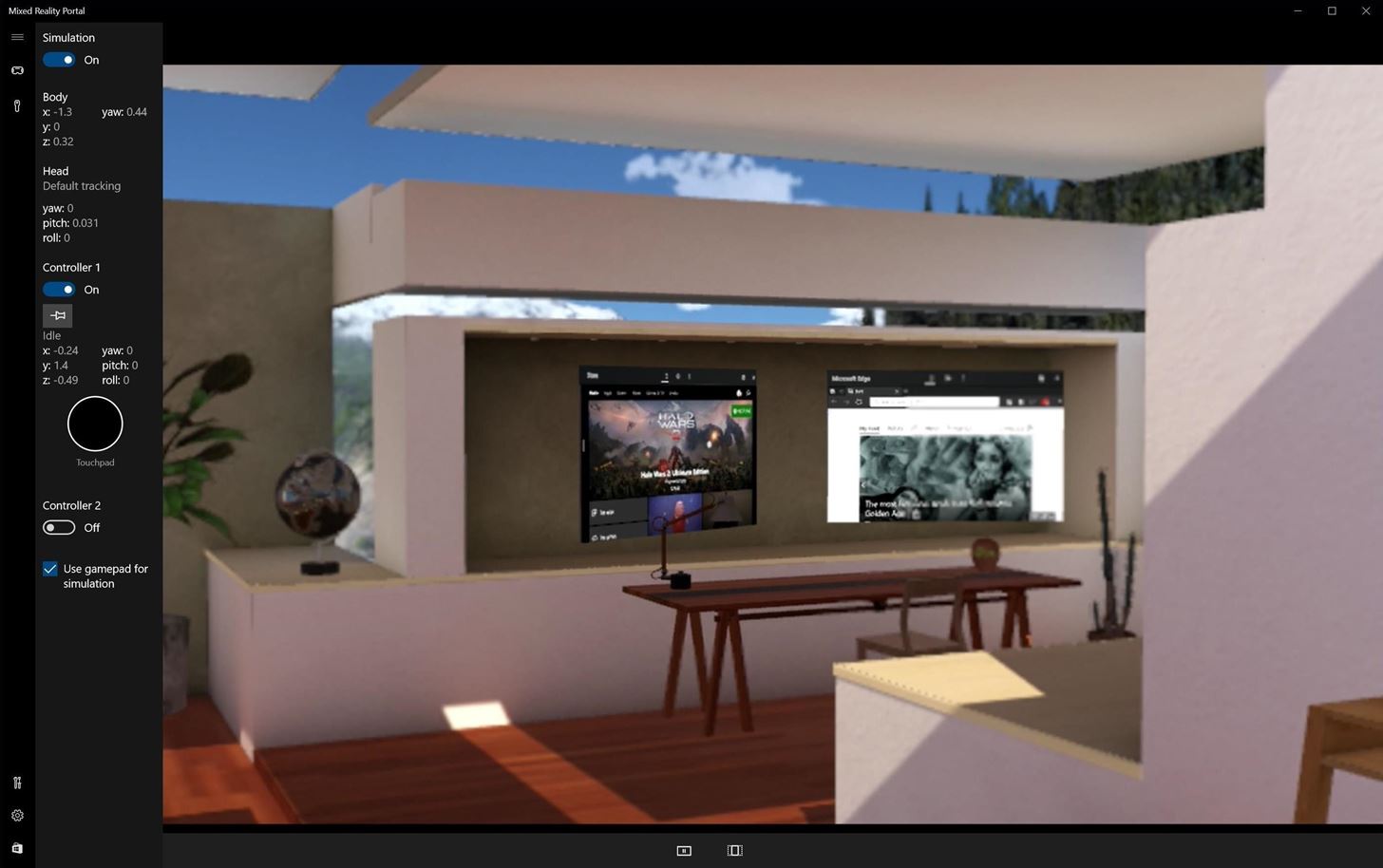
its like steamVR
you can either have an empty scene in between demos, or use some kind of "hub"

this is the window
you can toggle on off the mirroring
but it has to run in the BG
then you can use steamVR if you want (but WMR is now native with 4.21)
sonic lake
We have an own app launcher which is Windows based, but I understand we could also have an own virtual home to use in between experiences.
Or simply a black screen. Right?
jaunty shell
yeah
well its kind of an empty scene
or they have this house scene where you can pop in windows apps as floating screens
 sonic lake
Got it, thanks! I guess we need to get one and try it out
jaunty shell
yeah tbh these HMDs are dirt cheap
sonic lake
We would like to have full control of the experience
jaunty shell
if you want the best quality possible get an odyssey or even odyssey +
we own a dell visor, its alright but far from the UX quality of a rift or vive
the samsung one uses the same screen as the Vive Pro
sonic lake
Great, then we will definitely look into the Samsung.
jaunty shell
👌
sonic lake
I guess development-wise nothing changes when it comes to UE4? I count on the VR abstraction layer to do its job.
jaunty shell
yeah its pretty much the same
the abstraction layer does all the job
haven't tested the WMR device support yet, but I guess you even have the right controllers now instead of having the vive ones
sonic lake
And they also have a guardian system / chaperone?
sonic lake
Sounds good to me! Will definitely get one to play with.
jaunty shell
you just move the headset around your playspace and it maps it like the chaperone
cable length is short as fuck though 😢
tired tree
in 4.21 it has native WMR support too, can drop steam requirement
jaunty shell
could try the extension cables
sonic lake
@tired tree Great! Coming at the right time. 😃
Oculus has become unmanageable for our applications.
sonic lake
Too many "surprise" updates. And their store in the face of our customers. No thanks.
First they had the certificate issue, which bombed all Rifts worldwide.
Recently they pushed Home 2.0 to everyone without any possibility to opt-out / delay. Just like that.
jaunty shell
thats quite funn 'cause I remember talking about this on the forums back when the gearVR was released
"if the certificate stuff gets bombed, nothing will work"
heh guess it happened
sonic lake
S**t happens, no doubts. But the last update was a deliberate choice.
As a consequence their support software became very intrusive, both in the headset and on the desktop which is running it.
Their strategy is to put the store on your face so you will end up buying more from it.
Which is great for consumers maybe, but for enterprise applications it completely sucks.
Hence our interest in WMR.
Sorry for the rant!




 tired kettle
We use Vives for deployment and WMR for salespeople visiting the customers and show our solution. WMR has all features of immersive VR, at a bit lower quality (e.g. controller quality, tracking with low lights). So we can get the client into VR within 5 minutes - compared to setting up a vive and eveerything...
sonic lake
@tired kettle Thanks for sharing your experience Michael. And in terms of development, the same experience runs on the Vive and on the WMR without modifications?
tired kettle
without any modification. the same app runs without a hitch on both
sonic lake
Great to hear that! Which WMR brand are you using?
 ornate raptor
The WMR plugin is still too buggy to rely on, imo
I have three major problems with it, but they should all be fixed pretty soon.
- BaseEngine.ini has an oversight. If you want to make your project run for every HMD natively, you'll need to delete the line "WindowsMixedReality=3". Otherwise it sets the priority lower than SteamVR and you wind up actually using that instead.
- It conflicts with the Oculus plugin and causes incorrect thumbstick values for Oculus users. So, you can't rely on the WMR+Oculus plugin to get native support for both platforms simultaneously.
- You'll need to manually clamp your haptic feedback scale to keep it < 1.0. Otherwise it'll crash.
granite jacinth
@ornate raptor Make sure to submit bug reports! So the get hotfixed!
ornate raptor
Done and done! 👍
granite jacinth
ARIGATO
@ornate raptor Let me know if they don't get back to you in the next week, I'll blast them all over social media
I have no shame when it comes to needing things fixed
And WMR working properly and not crashing affects almost every VR dev
ornate raptor
Oh, they accepted the bug reports a while ago. It was just too late to get those fixes in before 4.21 came out
granite jacinth
hmm
ornate raptor
The crash is targeted to be fixed by 4.21.1
ornate raptor
We'll see about the thumbstick values. That's targeted for 4.22 at the moment... which is disappointing
granite jacinth
oh what?
WMR thumbsticks aren't in 4.21?
Maybe not even worth me upgrading then
ornate raptor
No, thumbsticks work fine for the WMR controllers
They just cause the Oculus thumbsticks to zero out when reaching a value of 1.0
But I prioritize Oculus at the moment. So, I won't be enabling the WMR plugin until that gets fixed
Vote on it! Maybe they'll do it sooner
tired tree
yeah the WMR prioritization fix already got merged, I remember seeing the commit
ornate raptor
@tired tree I'm still seeing the priority problem on the release, 4.21, and dev-vr branches. As far as I know, there was a commit that increased the value, but it left the lower value at the bottom of the list, so it's still not fixed
tired tree
ah
sonic lake
@tired kettle I just realized that as I tried to look it up on Amazon but it wasn't there... Too bad!
We never get the good stuff around here! 😜
sly elk
My oculus demo goes live soon. some keys if anyone wants to play it early:
GWFQJ-PTMKX-64TAK-AWM6F-KHT7E
MFAJH-AXMG9-XAMPW-KMQTC-JG6CX
M4YXN-KE9MM-PP3AW-HXFFM-43KCA
K6QHM-XH7NW-46Q49-9XMP3-G4P6E
HTKRY-YTQF9-K3PRN-7NTJR-F9PPM
trail shale
Anyway to clamp the movement of an object held in motion controller without using a tick event?
sly elk
what do you mean by clamp?
like literally clamp the transform within a range?
Also blake I saw your reddit thread. Seems to be doing well. congrats
Nevermind, its launched now 😃 https://www.oculus.com/experiences/rift/1755851804523719

Oculus
The Wrench Engine Building Demo is free for Oculus users. In this demo you will learn to assemble an inline for cylinder engine.
sonic lake
@sly elk congratulations Alec!!! 👍
sly elk
thanks. Full game release hopefully a month away
trail shale
oh my god Alec I want that
I suck at engine stuff and I am the worst mechanic
it took me like 6 hours to change radiator in my 01 honda ody
sonic lake
@trail shale your chance to learn! 😜
trail shale
add it to the list but yeah, this would be a lot easier
sonic lake
😂😂😂
wicked oak
good shit
granite jacinth
@sly elk glad you prioritized the demo 😃
sly elk
Hopefully people like it. The engine is the most complicated part of the car
and we don't tell people exactly what to do
so that will be interesting
I can't stand games like this where literally every action is a checkbox on a list
granite jacinth
@sly elk You do any marketing push for the demo?
sly elk
Im going to do a reddit thread tomorrow morning
and maybe make a video to post to instagram tomorrow
trail shale
yeah i'd recommend posting to r/oculus
sly elk
Yeah
My experience with stuff like this is posts do best earlier in the day
Oculus analytics are pretty cool. Can see dropped frames%
glossy agate
@sly elk You got a steam link for the demo or is it just oculus for now?
sly elk
Just oculus right now
they helped me with funding last summer so they get an exclusive demo
glossy agate
Ah nice, I have both just prefer vive. Ill grab one of your keys from earlier if any are still available when I get home
sly elk
Oculus ended up launching it today so no key needed
mighty carbon

UploadVR
HTC’s Vive Focus standalone is launching in North America and Europe starting today with a pitch toward enterprise.
The headset is selling for $599 with a single pointer-like hand controller capable of simple gesture-sensing. Enterprise-centric features like a kiosk mode t...
wicked oak
lol
mighty carbon
with (1) 3DoF controller
ornate raptor
That price point is... an interesting choice.
 real needle
Hey all, so this is quite the stretch, but im looking for devs from the netherlands that have access to valve's knuckle controllers
any version will do really
i just wanna implement support for them in my project but my request for my own set has been ignored for serveral months now
sturdy coral
@real needle you should be able to test the skeletal stuff with vive or rift controllers too
real needle
plz elaborate
i want to implement finger tracking etc, how would i do that with the wands? (dont have an oculus sadly)
sturdy coral
they send skeletal data for those based on button presses/cap sense/touchpad
sturdy coral
I think they are deprecating that (curl values)
and only giving skeletal data
it is bone transforms on a hand skeleton
real needle
okay, thanks for the insight! 😃
sturdy coral
@real needle if you enable the input support you should be able to test most of the rest; WMR controllers probably give you the best representation of all of the other inputs
they added support for it in 4.21 though it is a bit flaky
(steamvr input)
real needle
any chance you know if i can buy some seperate wmr controllers somewhere? 😄
sturdy coral
the main input difference is pressure sensors on grip and on the touchpad
real needle
hmms
sly elk
and we found a bug. Anyone know how long oculus takes to approve patches?
glossy agate
If its like steam you may not need patch review, just update the repo
sly elk
We had some parts not loading in the game.. seems like UE4 primary asset system not loading them since they aren't referenced directly in the map
sturdy coral
@sly elk one thing to watch out for is if you reference something from an Editor/ folder it can get stripped out
real needle
@tired tree kk
tired tree
also the skeletal setup works for Vive wands as well, but its a little early to be super concerned about implementing the skeletal tracking
sturdy coral
cause they aren't allowed for redistribution
tired tree
for that matter, if you applied, go directly check on the steam developers page, they DON'T email most people
you have to manually check
real needle
@tired tree i check every few days, and i just want too cuz im making a sort-of milsim and i want to teach people hand signals haha
tired tree
oh...well you will be a bit limited there...
there is no side to side gesturing
only curl
tired tree
I wouldn't be too concerned about it yet though, its not out in consumers hands for a bit
they are still getting workflows down
real needle
i keep hearing that the ev3's are the final prototype and they will release them early 2019
but idk, just rumors i guess
tired tree
its likely
but early could be anything, and really they kind of need a bit of adjustment
real needle
kk ^^
ornate raptor
They definitely need some adjustment. They're promising, but they need another round of revision
granite jacinth
@sly elk You use Soft References and Asset Manager?
sly elk
Already fixed
hey so this occurred to me- What redistributes should I check on the oculus store page for UE4?
trail shale
trying to port this over to VR - what is a good practice for attaching an object in to the hand while still being able to clamp it so it can't get pulled out and wave around and oh my god you broke the truck
tired tree
@trail shale well you don't really want to attach it then unless you on tick update its location, but there are many methods. Not really any "automated" ones though.
 wide flare
I'm trying to use the media capture system in 4.21 to capture VR footage but the media capture output keeps making the hmd the output even though I set a camera up to be the output instead in media capture
must be a bug cause I got it working then it stopped and now that I rebooted it works again weird
 abstract forum

UploadVR
At HTC's Vive event the company announced the 'Shadow VR' standalone headset from Chinese company 'Shadow Creator'.
sturdy coral
4.21:
Bug Fix: Fixed a bug causing SteamVR to always enter full screen regardless of user settings.
granite jacinth
Let's do it
sturdy coral
big if true.. I've run into that many times
sturdy coral
it always happens for me on alternate launches
first will be windowed, close and launch again and it goes fullscreen
over and over
major bugfixes to the light grid used for reflection captures, they were giving me a lot of artifacts in VR and are fixedi n 4.21:
• Bug Fix: Fix for light culling artifacts when view size is not evenly divisible by tile size.
• Bug Fix: Fixed from Stephen Hill for incorrect light grid culling near the near plane.
not sure which of those fixed it, but I think it was this:
        LOOP
        for (uint ReflectionCaptureIndex = 0; ReflectionCaptureIndex < ForwardLightData.NumReflectionCaptures; ReflectionCaptureIndex++)
        {
            if (ReflectionCaptureIndex < ForwardLightData.MaxCulledLightsPerCell)
            {
                RWCulledLightDataGrid[(ForwardLightData.NumGridCells + GridIndex) * ForwardLightData.MaxCulledLightsPerCell + ReflectionCaptureIndex] = ReflectionCaptureIndex;
            }
        }

-               RWNumCulledLightsGrid[(ForwardLightData.NumGridCells + GridIndex) * NUM_CULLED_LIGHTS_GRID_STRIDE + 0] = ForwardLightData.NumLocalLights;
+               RWNumCulledLightsGrid[(ForwardLightData.NumGridCells + GridIndex) * NUM_CULLED_LIGHTS_GRID_STRIDE + 0] = ForwardLightData.NumReflectionCaptures;
I don't use planar reflections atm, but for anyone does 4.21 has a fix for them with dynres:
• Bug Fix: Made planar reflections more stable with dynamic resolution changes by keeping filter size constant in screen space.
 chilly ocean
Has anyone tried the Round Robin occlusion support for VR, and if so, seen any significant changes for their project?
sturdy coral
I back merged it to 4.20 a few months ago and haven't noticed any issues
but I never benchmarked it
chilly ocean
I meant more positive changes lol
I tried it in a map that has a decent amount of occlusion with terrain, and didn't seem to do much