#virtual-reality
1 messages · Page 190 of 1
 sonic lake
 sly elk
Not sure on memory but def on performance
1300 parts in the car right now
when they are all installed there is a fair bit of instancing but its still a shitload of parts
sonic lake
Drawcalls?
sly elk
Yeah, drawcalls being a big issue for santa cruz
also triangles will likely be an issue. Expecting I will need to cut triangles by a factor of almost 10x
sonic lake
or push LOD's further
or maybe not because everything is pretty much as the same distance from you in your case
sly elk
Its more than lods can really handle. Stuff needs to be remodeled in a more stylized way
yeah
eveything is in the nearfield
sonic lake
Which would be a great case of foveated rendering if eye tracking was available
sly elk
yeah
 mighty carbon
depends on the SoC
if it's 845 or 835
and if they have fixed foveated rendering in Quest
(they do on Go)
and if they will have Vulkan API instead of ES2/3.1
sly elk
Without dynamic shadows on right now im often pushing over 2m triangles. Im guessing I need to get that down to under 500k
sonic lake
If you have something very close to you and you explore it by moving your eyes, fixed foveated rendering is not going to help really.
It only helps if you turn your head around and keep looking straight to the center of the lens.
^^^ @mighty carbon
@sly elk With all your fine details you will have to do an awful amount of work to turn them into normal maps, which in VR suck anyway.
"Suck" being a technical term for "don't look good".
 sturdy coral
we'll need that new mesh lod on gpu stuff
probably not coming to mobile socs any time soon, but may on something like tegra
mighty carbon
@sonic lake what are you talking about?! Ofc it helps.. Sure it's not exactly the same as conventional foveated rendering, but it reduces performance requirements.
you can move your head if you want 😉
sonic lake
I was referring to Alec's use case
sturdy coral
foveated doesn't help with geometry burden yet
sonic lake
Where he has a lot of fine details very close to the player and all around it
sly elk
Most of the fine scale detail is currently in the normal maps
but a lot of these parts are more complicated than they look, and simplifying them would break them away from their high res art far enough that they wouldn't bake well and need new high res art from scratch
sturdy coral
yeah, one of nvidia's micromesh examples was an engine block 😃
the meshlet thing
each little chunk it gets broken into can be individually culled on GPU and some level of detail calculation
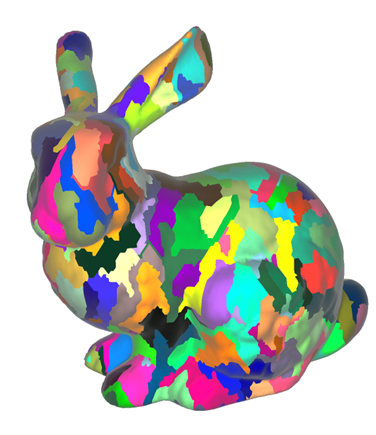
Turing introduces a new programmable geometric shading pipeline, mesh shaders,, enabling threads to cooperatively generate compact meshes on the chip.
not sure how the LOD stuff will work on the seams between the meshlets
but that seems like it could pair well with foveated rendering
sly elk
Yeah, it would be cool if it was possible to scale surface complexity based on where your eye was looking
sturdy coral

Projections is back! We're at Oculus Connect 5 this week to check out new hardware and games, and go hands-on with several VR games coming out in 2019. Here ...
mighty carbon
Adreno 540 supposedly pushes 450M tris /s
sly elk
quest is 90fps?
sturdy coral

 sonic lake
So this physical blocks are actually mapped in VR to VR objects I guess.
sturdy coral
maybe so, I wonder if they just manually aligned things
they didn't show off much room mapping type stuff in the presentation
just a sparse point cloud of features
but not meshing and stuff
sonic lake
He talked about mapping of different rooms.
sturdy coral
just looks for corners and stuff and their relations
meshing takes a lot more memory and performance
sly elk
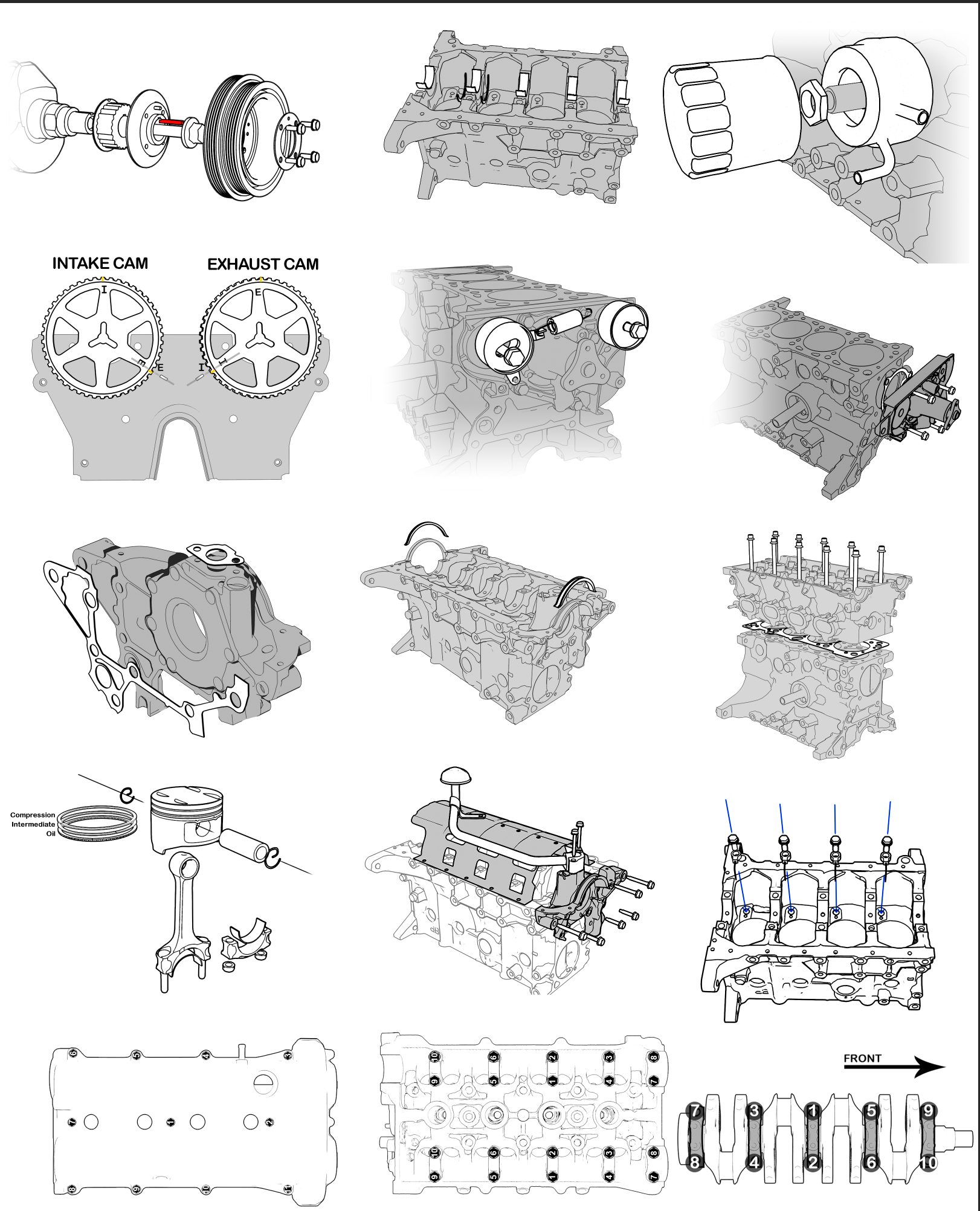
Making diagrams: https://i.imgur.com/V75ZLVn.png
 sturdy coral
what are you rendering those with?
 stable dove

The Verge
Oculus’ next headset is the Oculus Quest: a $399 standalone virtual reality headset that’s launching in the spring of 2019.
It’s supposed to support “Rift-quality” experiences, with a starting catalog of over 50 titles, including well-known existing games like climbing simulator The Climb and adventure-puzzle game Moss.
sonic lake
We run the Rift on a GTX 1070/1080 and an i7 CPU with 32GB of RAM, I highly doubt this power will be packaged in a standalone system.
sturdy coral

As Facebook execs took to the stage during the opening keynote for the company’s VR-focused Oculus Connect 5 conference, one thing was clearly missing, the founding team that had built the virtual reality startup Facebook bought for $2 billion in 2014. None of the five orig...
mighty carbon
well, what would they do there ?
I think it was a good presentation up until the lady started saying "GET HYPED!!!"
 sage gulch
so are they fresnel lenses?
mighty carbon
yep

UploadVR
Oculus says that the Rift is "performing really well" and that Go is "beating expectations", but without proper data it's hard to say what that means.
sturdy coral
maybe they extrapolated one week sales after the walmart purchase 😛
I think it is probably doing pretty well though, I know people who haven't been into vr at all that bought one on a whim
sage gulch
what's up with the haptic gloves?
mighty carbon

reddit
15 votes and 10 comments so far on Reddit
sturdy coral
they definitely have cooler demo setups than any oculus connect in the past
hopefully they make a business licensed version of it or it won't get much use like that in the real world
but very cool to see
warehouse/laser tag/paintball type VR has been a big dream for a while
sage gulch
bah FB video stream skips over the haptics demo
mighty carbon

Santa Cruz turns from prototype into product, and looks all the better for it.
after all, controllers tracking might be not as good as expected
mighty carbon

At OC5, attendees got to try out prototype technologies—arena-scale tracking, mixed reality (MR), and co-location—under development at Oculus with the new Dead and Buried Arena demo.
pretty sweet
sturdy coral
the ipad shows a viewport into the game
from the illustration at least
didn't read the text
is that really mixed reality?
if it did greenscreen type stuff it would be
I guess you could say it is just from being able to feel the obstacles and cover
definitely looks really fun
mighty carbon
they mapped real environment and matched VR with it
and then supposedly (how?) you can see your body in VR using MR
sturdy coral
ah weird yeah, they mention self-presence, seeing your body
but no details
maybe it is just the sobel filter stuff people were talking about earlier
(edge detection view through the cameras)
mighty carbon
still, it's pretty cool
sturdy coral
hmm this is tempting: https://slickdeals.net/f/12084187-ibuypower-desktop-i7-8700k-16gb-ram-gtx-2080-8gb-240gb-ssd-1684-free-shipping?src=frontpage

Slickdeals
iBUYPOWER has their iBUYPOWER Case Builder Steel Gaming Desktop on sale for $1,684 when you apply coupon code 100OFF in your cart. Shipping is free. Thanks Suryasis
Includes:Aerocool Cylon RGB ...
need to upgrade before pimax
not sure 2080 will be enough though
@mighty carbon this mentions the edge detection filter in D&B

reddit
I've only played the Dead and Buried Arena demo so far, but it was incredibly trippy to see the world around me through what was basically an edge...
so their mixed reality/body presence is basically what the vive does?
"The most annoying part which was definitely taking me out of the moment was the tracking that would lag or stop momentarily every now and then, even when I had the controllers right in front of my face." =/
sturdy coral
hopefully it doesn't have issues baked into silicon
if they are using custom chips for it
mighty carbon
"Oculus Quest runs on the Qualcomm Snapdragon 835 mobile chip set"
slight bummer
I guess they wanted to fit it into $399
sturdy coral

Vive Community
HTC VIVE 3DSP SDK HTC VIVE 3DSP is an audio SDK which provide applications with spatial audio, a key factor for an immersive VR experience. With the HTC VIVE 3DSP SDK, the spatial perception is simulated by specific functions and features, such as head-related transfer functi...
mighty carbon
I did not see it in UE4
sturdy coral
I don't want to log into to anything viveport/htc to see
mighty carbon
when is Carmack's keynote ?
mighty carbon
aye
 jaunty shell
soo, do we know what chipset the quest is using ?
I've read an article stating it was the snap 835
but I'd lean more towards the 845 or 850, since the 835 isn't 6dof ready
urgh it is the 835
 full junco

The introduction of standalone means the arrival of more approachable devices and, for developers, a broader range of consumers to target. The good news is y...
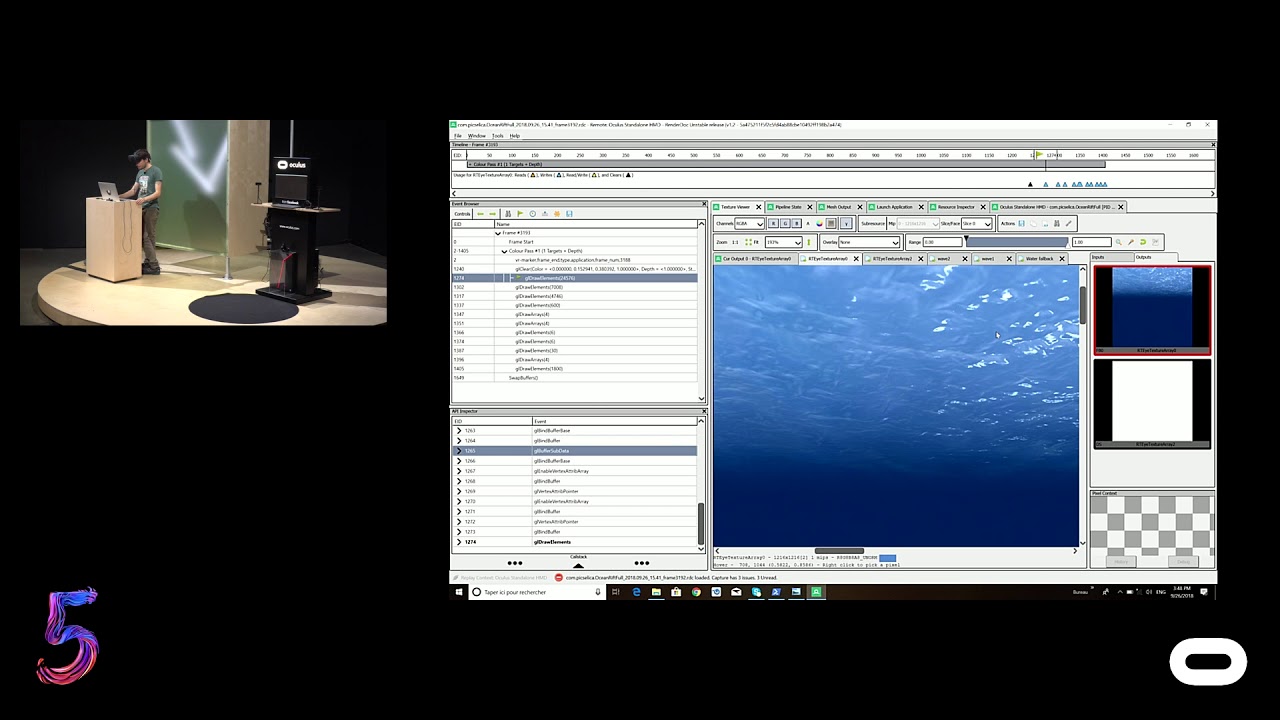
We’ve done a lot under the hood to make your apps shine across our mobile platform. Here, you’ll learn how to make the most of Oculus Go and Oculus Quest's u...
@sturdy coral
@mighty carbon
 fleet plume
@jaunty shell why shouldn't the 835 be "6dof ready"?
there's a high chance that they're running the 6dof cameras on a separate FPGA
and process everything together with the gyro data
jaunty shell
I mean the 845 supports 6dof without an external chip
and is the latest mobile chip on the market
fleet plume
i guess they were too far in on development
fleet plume
hardcore gamers with 2080(ti) SLI setups will probably be disappointed
those are just 0.01% of people though
so i'am personally pretty optimistic
i've developed for daydream on my pixel 2 xl
which has the 835
can't do console graphics obv and dynamic lights will kill you
jaunty shell
still waiting for battery life :v
full junco
@fleet plume I want to make my game with fully dynamic lighting run on Quest though 😉
jaunty shell
the raytraced versions ? 😄
fleet plume
@jaunty shell render at 64px wide resolution, scale up, let AI fill in the rest
😛
call it "impressionistic game style"
win art awards all over the world 😃
 shell karma
gotta get that santa cruz updated, wonder if the engine will work with it out of the box
pretty much same as with go as far as deployment is concerned ?
fleet plume
as far as i understood yes
full junco
@shell karma what are you working on?
oculus said any recent UE4 version will work with quest out of the box
shell karma
@full junco we have a santa cruz at hte office and wanted to finally test it out
since it came no one actually touched it since there was no os
full junco
they sent you a santa cruz without you being able to do anything with it? 🤔 why would they do that?
shell karma
and what I want is just to give it a spin, do some simple prototype with low poly graphics
the updates to the os were meant to arrive at some point
full junco
but other devs that got santa cruz devkits were able to use them I think?
shell karma
they might have, as I said it came months ago, no one at the company touched them since
shell karma
at the time they've sent it there was no docs delivered or anything at all
all you could do is boot it up to see the androids root
jaunty shell
you mean the bootloader ?
jaunty shell
and they didn't actually give any rom to install on it ?
shell karma
at that time no
shell karma
as i said been months ago, first batch of prototypes sent
from what I heard some updates followed with more docs etc, I guess now quest hyped me enough to dig into the santa
full junco
@shell karma why did you get them if you weren't interested in playing around with them? they should have sent it to me instead, I would have been happy to use it without docs 😄
 lusty lark
Hey! Does anybody has some fix on using sprite flipbook with instanced stereo on? My flipbook only renders on the left eye because of the instanced stereo setting.
Or workaround?
I tried with media texture but its too laggy.
shell karma
I've said enough already, it's still under heavy NDA ;p
lusty lark
Anyone?
 violet musk
This (https://answers.unrealengine.com/questions/544566/flipbook-component-in-vr.html) says "Use Translucent blend mode instead of masked in flipbook material" and the issue won't be fixed (https://issues.unrealengine.com/issue/UE-37611)
@lusty lark
Does somebody know where the EXACT center point of the Vive Tracker is in Unreal? I thought it would be the center of the flat top, but my tracked real-life object doesn't match with my 3D model, but instead shifts position when rotating.
lusty lark
@violet musk I tried this but I get the same result.
violet musk
Disabling Instanced Stereo is not an option?
lusty lark
I managed to do this with the media texture, the lagging was because of too low memory caching. I upped the limit and now it works very smoothly.
No, we will have a lot static meshes etc.
violet musk
I see. Well, if that works glad you got it working. I guess this will never be fixed tho if you don't do it yourself in source.
Maybe one of the Paper2D marketplace plugins takes care of it.
lusty lark
@violet musk Thanks for the suggestion, I will check those out. 😃
mighty carbon
Well, I don't have that much time to be in VR nowadays, so I am contempt with 2.5 hrs
(For example, I only had ~40 min yesterday to play Dishonored 2 DotO)
jaunty shell
DotO ?
mighty carbon
Death of the Outsider
mighty carbon
Lol
mighty carbon
Unless you are VR dev or enterprise, or hardcore VR nerd, you won't be in VR for more than 2 hours.
jaunty shell
well
you kinda tend to loose track of time in VR
depending what game you're playing
mighty carbon
The only game I was lost in was Lone Echo and even then I didn't feel too good after being in VR for less than 2 hours
jaunty shell
spent an entire afternoon on elite once
and a full evening in VRChat when it was the beginning
mighty carbon
Oh, those games make me sick instantly
jaunty shell
cockpit games ?
mighty carbon
Sims that is
jaunty shell
weird
it should be the other way
with a reference point cockpit games are the least prone to give motion sickness 😐
jaunty shell
yeah dropping frames are a killer
had some bad CPU bottlenecking with a 4770k
since I have the 8700k my frames are through the roof 😅
be it VR or not
 tired tree
@mighty carbon it is very common to be in VR longer than that.....
you may be a bit out of touch, at the very least with the beat saber community, not to mention skyrim and other longer experiences
mighty carbon
Well, 2 hrs limit is healthy
tired tree
healthy?
let the consumer decide that one..
i'll agree that 2 hours isn't bad, if that is what it is
for everything those headsets are doing, wouldn't expect much more at this point
but it will get complaints if it is around there
mighty carbon
I go by my environment - the only people who have that much time to play games are the single ones or teens
Anyone else got no time
tired tree
your environment is very limited then
mighty carbon
And I am talking about hundreds of people I've worked with in various fields and walks of life
tired tree
so limited then
mighty carbon
That's what average person is - limited, if you say so
Before certain age I was willing to stay up late to play. After certain age i'd rather get extra hours of sleep
I guess those kind of people aren't target audience
jaunty shell
wait, aren't you supposed to sleep less when aging ? 😄
mighty carbon
Dunno, I'd rather sleep more 😆
jaunty shell
could go with a battery pack and a cable going to the back of the headset
but that's ain't really comfortable
 digital musk
how about throwing a battery pack in the cargo compartment of a hydration pack....for those proper marathon sessions 😋
mighty carbon

UploadVR
Oculus Quest, Facebook's new standalone VR headset, is set to get a host of Oculus Rift ports when it launches next year. Here's one running side-by-side with Rift.
jaunty shell
hmm
mighty carbon
basically same art optimizations tricks as for Go
btw, I've yet to see any tweet from Carmack about Quest..
sly elk
So, do you all think the quest will sell well?
do we have any rough numbers for go sales?
And do you think having two entry level options will confuse or cannibalize sales from each other?
mighty carbon
well, Go is for people who travels a lot or prefers watching movies in VR (and do all that VR social crap)
Quest is for gamers who don't have $$ for powerful PC
Rift is for hardcore VR gamers who can shell out $$ for PC and have enough room to do room-scale gaming
personally, while my PC is capable of desktop VR gaming, I'd rather game with Quest because I don't have room to do proper room-scale VR in my PC room. And I hate wires 😃
that's how I see the breakdown anyway.. I might be wrong
sly elk
Yeah. I get the distinctions. Im just thinking that the standalone headsets will appeal to a super casual audience who aren't as liekly to understand the distinctions well
mighty carbon
at $400, I don't think so
sly elk
I thought i had read an oculus GO sales number somewhere
mighty carbon
Spending that much on entertainment is a deliberate decision, while spending $200 is more like buying a new TV
sly elk
yeah
mighty carbon
nah, Fb said "exceeding expectations" - but what does it mean exactly ?
they will never reveal the numbers because of shareholders and all that IPO bs
let's say they sold 5M units.. It sounds great and all, but from shareholders perspective it's a fail
Sony doesn't care because they make money elsewhere and thus revealing PSVR numbers isn't a big deal
Fb/Oculus can't really afford that
sly elk
yeah
Im curious how good the tracking is. If its better than WMR or has a similar latency/smoothing applied to it.
mighty carbon
btw, I have a feeling they won't give dev kits out
dev portal says "you can prototype and build games on Oculus Rift and expect to easily port to Oculus Quest when full documentation launches in 2019."
which is kinda true if you only use front facing setup
I guess I am gonna have to pay for this one 😒
sly elk
So I think for Quest a version of Wrench at $5 where you can assemble an engine. If I cut the engine in half and make it a two cylinder I can get the part could down to around 250.
tired tree
curious what oculus's target draw calls will be for the platform
their talk about profiling for Quest had the projects view taken down to 33 draw calls
jaunty shell
tight budget
tired tree
they have listed stats for their other platforms already
yeah, but 33 likely is just what they accomplished, it doesn't mean a budget
go's target is <100 a frame
would expect much higher on Quest
sturdy coral
I heard about 30% better than WMR on the hands and that it doesn't recover hand quickly enough when they lose tracking
not quickly enough to recover a something like a throw or swing
tired tree
yeah from a couple testimonies they shouldn't have been demoing it with the Tennis game @sturdy coral , was losing tracking on really fast movements.
their talk they showed to consider what happens if the player turns their head away from one hand to look at another a being a total loss of tracking case
the boundry for tracking is a bit less than I expected tbh
thought they would move the side cameras to the actual sides near the band or something
 steady schooner
Do dynamic shadows work with VR?
I’m having in issue where some of my shadows,( I think it’s cascaded shadows) disappear in the middle of the view
mighty carbon
maybe the will fix it by release time in software ?
mighty carbon
@pearl tangle pitching to boss the idea of utilizing AR at work (mostly to do training on the job and for information aid in production). What would you recommend that is less hassle to deal with (something that just works out of the box, has full support in Blueprint and doesn't require to write custom C++ code) ? ARCore tablet? MS Hololens ? (I am hoping Hololens2 will be announced in a few days at MS event)
some comparison between Adreno 530 (Go) and 540 (Quest): https://www.notebookcheck.net/Adreno-540-vs-Adreno-530_7714_7062.247598.0.html
Notebookcheck
and some CPU comparison https://www.extremetech.com/mobile/246415-new-snapdragon-835-tests-qualcomm-soc-820-821
The Snapdragon 835 was shown off this week and it's a potent improvement over the Snapdragon 820 / 821 in many respects, though not in all of them. Despite debuting a new custom architecture for the Snapdragon 820 family, Qualcomm is moving back towards using semi-custom ARM ...
violet musk
I upgraded from 4 to 8 Vive Trackers and now I don't get them connected anymore. Same process (plug 1 dongle and connect it with 1 vive tracker, unpower vive tracker, exchange dongle, connect next tracker etc)
If I do this with 8 then just 1 out of 8 will be connected in the end, after I have them all set up (looking good in SteamVR) and ready to turn them all on
ye
When it went into standby it let me connect 2 more
This is the fourth time I'm setting this all up, such a pain
tired tree
@violet musk are you splitting them up across USB buses?
you likely need to spread them out
that is a lot of data
violet musk
@tired tree Yes, I have 2 USB Hubs with 4 slots each.
One USB Hub worked fine for 4 dongles
violet musk
That's a great question that I was just checking myself when you said that lol
They're both in the front, so very likely
I'm tyrying one in the back
Didn't notice the front one was USB 2.0. And changing the dongles around to other USB ports, SteamVR doesn't even react. In fact I unplugged everything and 2 trackers are still shown as connected... is that the headset picking them up? About to go home tho, thanks for that tip. I'll try to set them up on two different USB 3.0 bus tomorrow.
violet musk
Yeah, with all the fiddling I didnt notice them turning off lol
I feel like this needs to be more comfortable to set up..
Our customer going through that, great :9
 trail shale
My binoculars are almost setup but I could use a little help with the last bit - the media plane is just not quite line up right but I can't seem to affect it in the settings .... size nor moving it away from camera did much
it's just not filling the screen
 deft moat
Does increasing the fill screen amounts do anything?
trail shale
nope
it's odd
oh wait
i'm a dummy
I'm editing the old media plane, not the new one that I create as part of the function
trail shale
deft moat
On an unrelated note, I'm attempting to map my room into VR, so that when I reach out and touch my desk/screen/whatever, it's 1:1 (or close to it) in VR. My problem is that my VRPawn starting point adjusts slightly between sessions, and at one point I made the drastic mistake of redoing the room setup. Is there a way to make my headset (vive) starting point never vary in reference to my base stations?
trail shale
what happens when you use Reset Orientation?
deft moat
It resets it to whatever positionthe Vive is currently in. So it's dependent on me having my Vive located exactly on the floor where I have my VRPawn starting point, which won't be consistent.
Since the VR field of view is technically not just in front of you, could your binoculars be more like a box, where the sides come towards you? Otherwise, could you just edit the image and make the black outside of the binocular lenses just extend further in each direction?
trail shale
wait...do you have a key bound to Reset Orientation in any of your controls?
Because if the VR pawn you are using is IN your office chair and you reset your orientation, it SHOULD put the Vive realigned to the VR pawn
deft moat
Right
Reset orientation makes my current Vive location match the starting point of the VRPawn, which is on the floor.
deft moat
Sometimes slightly up, sometimes slightly back. And sometimes it seems like it's a function of where my current view is within the editor, which is bizarre and makes me think it's some other problem.
How could I get the locations of the basestations in the room?
tired tree
static void GetTrackingSensorParameters(FVector& Origin, FRotator& Rotation, float& LeftFOV, float& RightFOV, float& TopFOV, float& BottomFOV, float& Distance, float& NearPlane, float& FarPlane, bool& IsActive, int32 Index = 0);
its a bp node as well
up/down would be normal Z drift, the floor shifts if you don't reset
back shouldn't happen
and view within the editor would be you not spawning in the same spot
deft moat
That's it then. Why would my editor view affect my spawn location, rather than where I placed my VRPawn?
tired tree
it shouldn't in VR mode
just double check the initial spawn transform
pawn actors loc should remain static, with just the HMD shifting positoon
deft moat
Now my headset is only spawning on the floor. Where would I check/edit the initial spawn transform? Is it not the location of my pawn in the scene?
No, it's not. No matter where I set my pawn in the scene, I start in the same place. I tried to set actor transform after begin play, but that doesn't change anything either.
tired tree
@deft moat you are spawning into a new pawn then from the game mode
mighty carbon
Carmack's unscripted keynote https://www.facebook.com/Oculusvr/videos/265370997649993/
 sturdy coral
hope the streaming quality is better today
it will be interesting to see how much he talks about quest vs go
sturdy coral
same.. fuck
fleet plume
laggy as fuck
sturdy coral
that's how it started for me yesterday too
so stuttery
may have to dust off my gearvr to watch
fleet plume
switched to 360 res
and it seems to be better now
maybe their encoder can't keep up
nah, 360 is just as bad
mighty carbon
yeah, laggy for me too
sturdy coral
yeah I tried that too and it is still cutting out
it doesn't usually lose words, just delays
fleet plume
i'am unable to cope with that 😄
sturdy coral
that might mean it falls behind.. may accumulate into a big lag and then drop out half the video again like yesterday
fleet plume
waiting for the vod upload to youtube
choppy video is something i won't put up with in 2018
mighty carbon
not choppy when using Edge vs Chrome
lately Chrome was a piece of crap for me all across the board
mighty carbon
hmm
fleet plume
maybe a routing problem to europe
sturdy coral
is it off?
mighty carbon
yep, no stream for me
sturdy coral
wtf
mighty carbon
unbelievable
mighty carbon
link?
 sly elk
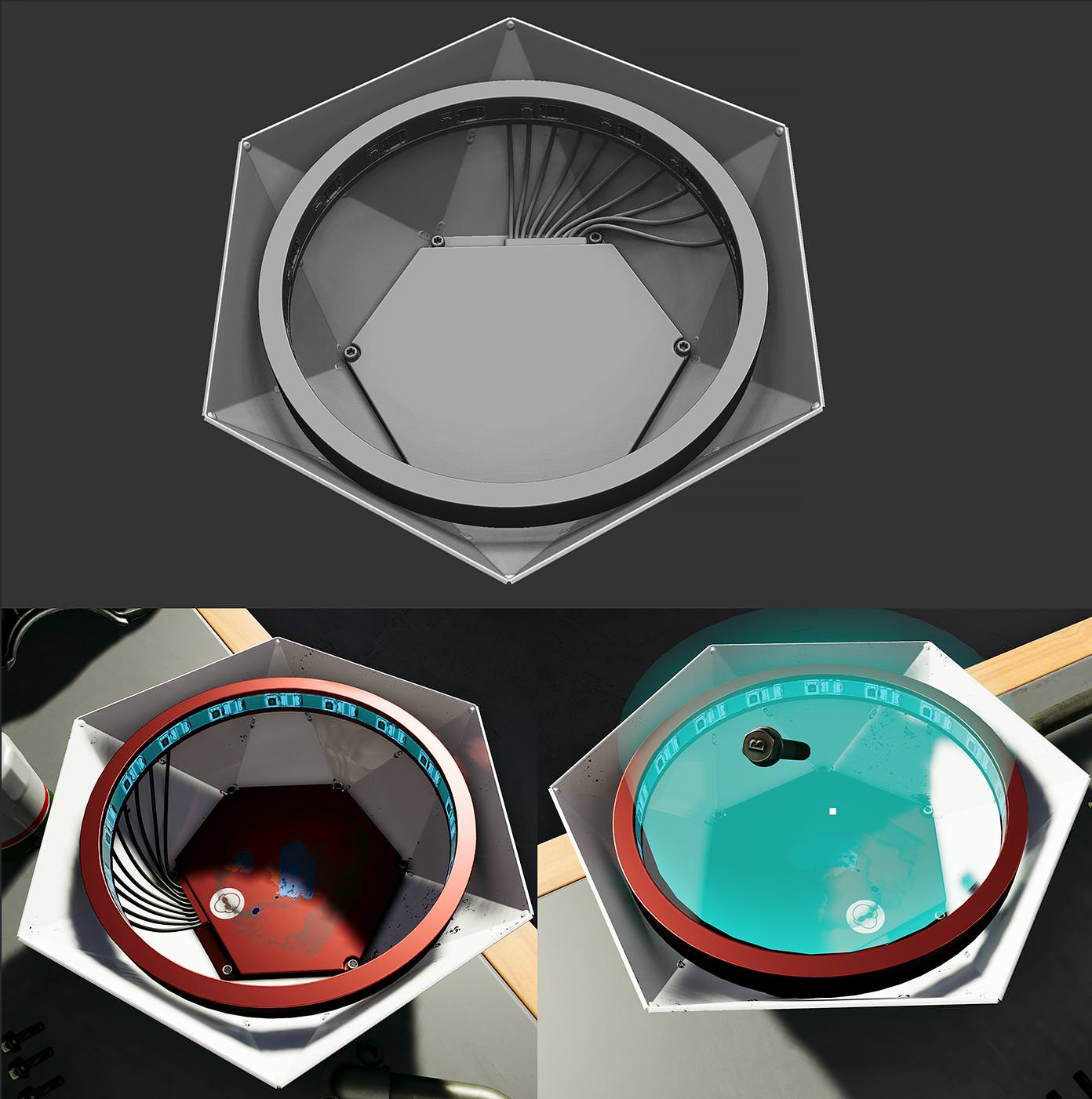
automagical respawn pad for broken bolts: https://i.imgur.com/ly6WYZt.jpg
 sonic lake
@sly elk What does it do? Gets you a new bolt to pickup?
sly elk
yeah. If you break a bolt you don't need to manually order a new one
since its assumed that anything you break, you will want a replacement for
mighty carbon
no Vulkan on Quest 😦
tired tree
he didn't say no vulkan....he said that vulkan isn't worth it yet
mighty carbon
meaning, no Vulkan just yet 😉
maybe they get that extension by release date
stream is choppy again 😦
4.21 is being staged.. does it mean we get preview soon ?
tired tree
likely since main is on 4.22 now
mighty carbon
nice
tired tree
whew, lots of android changes
mighty carbon
in 4.22 ?
sonic lake
@sly elk People should by spare part credits, otherwise no replacement bolts. 😉
mighty carbon
btw, it seems that it's going to be even harder to get on Quest than on Rift/Go
sturdy coral
I did this same chromatic aberration experimentation he's talking about 4 years ago 😛
reddit
12 votes and 6 comments so far on Reddit
mighty carbon
😃
sturdy coral
that was the wrong link actually, this one:
reddit
24 votes and 9 comments so far on Reddit
found the same limitations of the aberration correction being the limit
it would be different when wearing glasses than not and stuff
because they have their own slight aberration
mighty carbon
how dare they do that
sly elk
@sonic lake People do buy replacement parts, and in career mode the player gets charged for a bolt respawn
but this automates the purchase so they don't need to navigate UI
sonic lake
Oh, didn't realize that. And do they pay real money for them?
sly elk
In career mode it's the money their shop earns
mighty carbon

Look out for ASW 2.0 soon coming to an @Oculus Rift near you where we combine PTW with ASW. For more info we'll post our Rift PC SDK talk at #OC5 soon.
 Twitter
sly elk
Twitter
sly elk
Do you all have async loading on and if so what are you using for the time limit?
sly elk
i also had to google it. Yeah PTW is the depth buffer thing
mighty carbon
I have no clue 😃
What I know is that there are no SDKs available unless you are doing something truly amazing and it will ship with Quest at its launch
sturdy coral
they had it as an experiment back on dk2 (but not asynchronous). it took the depth buffer into account during reprojection so it could do positional movements like ASW, but it's main limit was it couldn't deal with translucency
and it didn't deal with animated things like ASW can
combining them should be good
though on UE4 if you are using TAA there are already lots of artifacts on translucency from taa itself doing reprojection using the depth buffer.. hopefully that won't compound with it (shouldn't be an issue with forward/msaa)
 pearl tangle
@mighty carbon You wont get hololens running in unreal easily and you will have to do majority of the stuff from scratch, unless you want to change over to Unity then it's pretty easy to develop with.
I personally have not seen anything beneficial ever with AR from a phone device in training/ education etc. It's all little gimmicky stuff that doesn't really provide any benefit. Head mounted AR is going to be the beneficial 1. I don't know what industry you are in though to really say what is best going to be useful for you though.
Magic leap does still seem like the best AR headset available at the moment and best integration with Unreal as well. It's cheaper than the hololens too so at this current moment if you were to buy hardware I would definitely think ML is a better purchase than a hololens
mighty carbon
aye, thanks
mighty carbon
btw, what's notable coming to 4.21 ? (besides what's on the roadmap already)
sturdy coral

Oculus Lipsync SDK delivers accurate real-time facial animation from audio. This technology is supported across multiple platforms and animates faces across ...
Mentions finally adding ue4 support!
6:15
But only on USB sticks distributed at the conference!?
Says on Oculus go it will use a dsp now to save power
mighty carbon
Oculus
Join the Official Oculus Discussion Forums and talk about Oculus Rift, Oculus Touch, Samsung Gear VR, and virtual reality.
sturdy coral
just saw your comment there
mighty carbon
I wonder if I can use Lipsync to make AI "talk" using WAV files and not actual mic input
sturdy coral
I watched more of the talk
they say that in a week or so they will release the thing they are distributing on a usb stick at the conf
since they have a native api too you should be able to
I don't know if it will do proper look-ahead for better accuracy instead of being tuned for real time
but I think there was some kind of mode like that in the unity integration already maybe
mighty carbon
I see
fleet plume

Die wichtigsten Fakten und Infos zu Oculus Quest zusammengefasst - alles, was bislang bekannt ist.
it's german, but from talking to OC5 attendees they've learned that the battery lasts about 2 hours when using continuously
also RoadToVr states that they're using OLED displays?!
that would be quite the update from the Go's LCD displays
fleet plume
they said 2 hours when using continuously and 2-4 hours in "regular" use
whatever that means
also the 835 already comes with 6dof support

Qualcomm Developer Network
weeeell, actually it's not clear whether the DSP is part of the 835 or the devkit linked above
but there's a high chance oculus went with a similar setup
jaunty shell
no vulkan tho right ?
fleet plume
no idea about that; carmack mentioned some prototyping in that direction
tired tree
@mighty carbon the round robin occlusion setup could be impactful for mobile VR in 4.21
kind of seems like a light release in general though
aside from that massive Android merge from Fortnite
wouldn't mind a lighter and more stable release for once, .19 and .20 were rough to transition too and are still a bit buggy
 manic ledge
Hey all, I've noticed that UE4 supports a VR splash screen, but I would prefer to use the transitional map if possible.
At first glance, it seems the transitional map loads but has some default spectator pawn that doesn't track the HMD properly. Is there a way to change the pawn it uses?
mighty carbon
@tired tree ah, I see.. Stable and performant release would be a good thing.
tired tree
@manic ledge setup a game mode for that transition map..... or manually spawn and possess a pawn
manic ledge
Hmm, game mode is setup in the transition map - I'll double check it, as it's using out default game mode from a while back... don't think I've changed anything
Yeah just checked, the game mode is fine, has our default pawn in it
I'll create a blank game mode for it, let you know how it goes
manic ledge
Yeah was just about to try that haha
@tired tree Not entirely sure what it's doing... Set the game mode in the transitional map to a new game mode, set the pawn as our default pawn, and made a new spectator pawn with a big ol' sphere parented to the camera (several units in front).
It doesn't appear to be playing as the pawn, and it doesn't appear to be appearing as the spectator pawn I created - I'm going to take a look at engine code and see what actually happens
mighty carbon
Finally official AR support on Acer Chromebook Tab 10 has arrived !
@pearl tangle ^^
I wonder if 4.21 will have ARCore that includes the support
mighty carbon
btw, I wonder if one can play using Quest in the dark
tired tree
no
unless you could flood it with enough IR i guess
and then if it isn't ambient you run the risk of killing the tracking
on the hands
mighty carbon
hmm..
mighty carbon
I am surprised @wicked oak was offline the entire OC5
violet musk
@tired tree Hey, just checking in to thank for the tips from yesterday. Two different USB hubs helped getting the 8 trackers working. Cheers!
*bus, not hubs. lol
mighty carbon
@violet musk you know you can edit your text on Discord, it's not IRC
deft moat
I'm trying to make the room I'm in 1:1 in VR. I currently have it set up to be pretty close, but I don't want anything to change if I were to redo room setup in SteamVR. How could I make all of the objects in my world reorient themselves to the basestations at start time?
violet musk
Ye, but then I have to click a tiny button.
mighty carbon
🙄
sturdy coral
@deft moat you can use gravity vector plus position vector between the two base stations to get enough to transform the coordinate space back every time even if room setup changes
Unless the base stations are on top of each other along the gravity vector
deft moat
They are not. Is there a way to do this quickly without having to make a blueprint for every bsp, light, or mesh in my scene?
And as a followup, why is this happening? I reopened my project and basestations had shifted substantially, even without doing room setup
sturdy coral
Take the line segment between the two base stations in your current tracking frame, then solve for the yaw rotation and position translation needed to bring it into line with your stored one
If you bump the basestations a bit it can invalidate your tracking universe
You can check through config files to see if that's what happened
You would need to know guid of previous universe by checking the files before it happened. It might also be in the api
But it should also be prompting you for a room setup if that's what has changed
deft moat
So if I get the difference between where I have the basestations placed in-game and where they move to after I start, is there a node that will modify the whole world accordingly once I have that vector?
deft moat
Apparently math operations for rotators don't exist. Not a huge deal, since I can split it into floats and do each axis manually, but is there a way to get the "difference" between rotators?
sonic lake
Delta (Rotator)
In C++ you can use the - operator between two rotators (FRotator)
^^^ @deft moat
sturdy coral
@deft moat I don't know of a node that will modify the whole world, you should be able to just add the position delta and yaw delta to your VR root's offset
roll/pitch shouldn't change and I don't think you will run into anything like gimbal lock
calc midpoint of line between two stations then subtract to get position delta
project line to 2d and dot productt to solve for rotation angle
or something like that
you may be able to avoid all this if your tracking universe isn't actually changing
deft moat
Yeah I've got the rotator and vectors figured. I was just trying to move the whole world around the VRPawn, rather than changing the VR root.
sturdy coral
you might be having another issue
you may want to ignore Z in position delta to still allow possible floor recalibration
deft moat
Without doing room setup, my basestations rotated ~45 degrees around the center of the tracked space.
sturdy coral
hmm, that sounds like it might be from monitor position calculation
at the step where you point to your monitor I think it can determine your playspace orientation
but if you didn't change that I don't know why it would change
deft moat
Well, figuring this out should hopefully solve any weird steamvr issues and issues that may arise from bumping my basestations
sturdy coral
@deft moat if it is something you are distributing keep in mind with 2.0 tracking there can be up to 4 base stations
there are some ways to get the ids of the stations
that also brings up another issue, you might get 180 off with what I told you to do unless you can disambiguate the base stations
you can probably fingerprint them with pitch or height relative to each other, but there is an id somewhere you can get at too, in tracked device properties
deft moat
I think basestation b has tracking ID 1, and c has 2
0 is the HMD, and 2 and 3 are the controllers. Not sure what it will look like once we can do more than 2 base stations
tired tree
@deft moat you can directly query a list of all base stations
get ID by type, or just that node I linked before that only returns tracking references
deft moat
I haven't had luck with "Get Tracking Sensor Parameters". Just "Get Tracked Device Position and Orientation". The former returns (0,0,0) as the origin no matter the index I set it at.
mighty carbon

reddit
4 votes and 3 comments so far on Reddit
 torn charm
So im trying to setup hands for my mannequin so when i press the grip, and itll go to the grip anim pose, and when ii ress the trigger itll go to the point anim, and when i press both itll go to the grip, i have the anim/poses setuup in the 1d blendspace right i think, but how do i use input to determine which it goes to? any help would be appriciated, just for clarification im using the third person template
sonic lake
@torn charm the standard VR template has a very similar logic to what you are asking. Did you have a look at it?
torn charm
hmm will have to take a look @sonic lake thanks for your tutorials btw, they helped setup my vr body
sonic lake
You are welcome!
@torn charm these nodes are going to be useful to blend your hand poses with the IK. https://docs.unrealengine.com/en-US/Engine/Animation/NodeReference/Blend
Look especially at Layered blend per bone
torn charm
right so ive integrated that with the vr template functionality of switching poses although im not certain on how the grip number is decided, ive set it up exactly the same as the vr template, creating an enum with all my poses too
sonic lake
Looks good to me. Grip State is an enum which then is converted to int 0,1 or 2 then to float and then divided by 2.0. The result is that it outputs either 0, 0.5 or 1 to the Finterp to Constant node which drives the Blendspace.
That ensures a smooth transition between the 3 hand poses.
torn charm
Hmm I have 5 hand poses...guess I'll have to rearrange the enum
 ashen nexus
Hey, anyone know where I could get the "AugmentedImages" sample project?

Google Developers
without having to do all this?...
nvm, found another sample project by cloning this with Git desktop https://github.com/google-ar/arcore-unreal-sdk.git which has 4 sample projects, one of them being AugmentedImages 😃

GitHub
ARCore SDK for Unreal. Contribute to google-ar/arcore-unreal-sdk development by creating an account on GitHub.
sturdy coral
Got my tracking number for knuckles!
sonic lake
@sturdy coral 👍👍👍 expected delivery?
sturdy coral
Looks like 10/1
sonic lake
Curious to know how they feel and perform vs the previous ones.
pearl tangle
@ashen nexus those examples work in 4.20 now, you don't need their branch
tired tree
@sonic lake basically the same
got mine on monday'
no real difference, aside from a few quality of life changes
which means they should be near production ready
tired tree
i'll note that my wands haven't moved since I got the EV2's.....
sonic lake
@tired tree 👍
I guess the new form factor provides a better handling. I am thinking of picking up objects, weapon handling, etc.
tired tree
yes
 daring mural
sturdy coral
daring mural
sturdy coral
nice!
 quiet swan
does anyone body know of a good inventory system that will work with unreal?
unreal vr
maybe something on the marketplace?
sly elk
Things like inventory systems are so integral to your game mechanics, saving and loading, etc. that you should build your own for your needs
sturdy coral
@quiet swan pointed you or someone asking the same thing here:
(for an example)
Unreal Engine Forums
UVRF is ‘hand presence’ cross platform template including hands that are properly placed in space (per platform), properly animated, allows interaction with
 charred portal
If anyone is interested in testing or joining the development please dm me. 7.5 months in and it’s been a solo project. We just picked up a modeler and would be awesome to have you.
sonic lake
Can someone remind me why on earth Get Component Velocity applied to a Motion Controller always returns [0,0,0] ...
 forest plover
tired tree
forest plover
tired tree
@sonic lake GetComponentVelocity is literally only used for character movement components
nothing else I could find implements it beyond querying the physics scene which is the default behavior of it
controllers don't have a physics body, thus no return
kind of better that way though, override it and do some velocity merging for throw speeds
though you would still be lacking the rotational element


 sturdy coral
@mighty carbon any summary?
mighty carbon
@sturdy coral nah, I saw it and posted here.. Haven't even watched it
here is another one https://www.youtube.com/watch?v=aUP0E70btZE

Oculus Quest does full body tracking and hand tracking in Mixed Reality (AR) you don't even need controllers. Anna Kozminski a Software Program Manager at Oc...
(not Carmack, but how they do MR)
sonic lake
@tired tree yep. I knew it then I forgot it again. The misleading part is that it has a bare minimum implementation also for a USceneComponent, which is what GetComponentVelocity for a UPrimitiveComponent falls back to if it is not simulating physics. It just returns Component Velocity which is initialized to 0,0,0. The documentation doesn't mention you need a MovementComponent for it to return a meaningful result. I don't see why it couldn't have a default implementation like (Current position - Last position) / Delta Time. Anyway, I am just rambling...
Ended up (again) with my own implementation...
@forest plover tnx! Yes, not that difficult indeed 😉
 dusky quartz
guys I want the users to see a pop up (option to change the color or material for example) When they point out to an object, How can I do that ?
tired tree
@sonic lake because that would require tracking last position on tick or on TransformUpdate which is wasteful
90% of the time getting the physics body velocity is what you want anyway with a primitive
and non primitives usually don't need velocity tracked
sonic lake
@tired tree the overhead would be anyway minimal, no? Just storing the location at the previous frame and calculating the velocity. But I follow your reasoning. On the other hand Motion Controllers are Primitive Components, so I can't fully understand Epic's logic on that decision.
tired tree
@sonic lake they are primitives without a collision body, and its not minimal when you are talking about every primitive in a scene
even if it is doing it OnUpdateTransform which would be the cheapest location, it is still an extra operation and variable
and Epic likes to keep things as tight as possible
even then, you still don't have a rotational component anyway, which you kind of want for VR, so its not even ideal with the function working anyway
on a per component basis is the best method
motion controllers it is arguable, but I myself specifically didn't override that function on my custom overrides, because rotation is needed and the function can't provide it
think I still have it as a TODO on my feature list for some reason
across frame averaging or Valves 30 frame buffer setup is going to be more useful anyway for VR motion controller velocity checks
whether for throwing or for velocity over time reading
another big reason (against globally doing it) though is that most components don't move on tick in relative space and getComponentVelocity is a relative space node
mighty carbon
so, my wife is trying to get into gaming 😃 I got for her Playstation Now subscription for 2 month and since it's quite shitty (50Mbps isn't good enough for it apparently), I was debating whether to get XBOne or PS4.. When my wife saw OC5 keynote, she said she'd rather go for Quest than consoles. That was quite interesting. I suppose for people who never really played modern games (NES doesn't count), it's much easier to work with natural input using motion controllers than gamepads with a ton of buttons/combinations.
 placid canopy
"Up, Up, Down, Down, Left, Right, Left, Right, B, A, Start".
sturdy coral
I'd say VR controllers are trending more complicated over time, vive wands, oculus touch, WMR, knuckles, each increases complexity
hopefully knuckles at least simplifies throwing for people though... should get them today sometime
mighty carbon
well, it also depends how input/interactions are designed.. Some games have really intuitive controls with motion controllers and some just don't.

It only took 3 hours to achieve.
supposedly has UE4 SDK
sly elk
Quick flashlight: https://www.youtube.com/watch?v=4XCM4ewWtFo&feature=youtu.be
 quiet swan
is anyone here using the VRE plugin for V R?
sly elk
mordentral is in this chat
 warm lion
Anyone use Engine->Streaming->Async Loading Thread Enabled and get a message like this?
I'm trying to figure out how I can track down what is causing this. Obviously something in Ico_BP?
sturdy coral
warm lion
If I run the game in mobile preview I don't run into any problem
sturdy coral
Just arrived
warm lion
It happens when I package to the oculus go or windows device
deft moat
When setting up motion controllers and my Vive tracker, what is happening behind the scenes that causes the MC to recognize the Vive wands as "Left" and "Right" and the tracker as "Special_1". Does it just go down the list of devices in from SteamVR?
mighty carbon
I didn't have this with 4.19.x @warm lion (using Oculus fork of UE4).. Haven't packaged yet using 4.20.3.
tired tree
@sturdy coral good luck finding a method of putting them down that doesn't depress a button now :p
they need a stand
testing hand animations the fingers keep spazzing out when they controllers are sitting
warm lion
@mighty carbon The game loads a level using the BP node Load Level Instance, in this level is the actor Ico_BP placed in the level. The odd thing is if I use Spawn Actor of Class BP node instead (in the same spot the Load Level Instance is) then it works fine. To add confusion the Actor Ico_BP is used to further stream in level chunks so it basically loops through and loads in more levels using the same Load Level Instance function. So why does it break when it itself is streamed in using that function vs using spawn actor from class, then it doing more load level instance BP calls?
sturdy coral
@tired tree does the pressure sensor on the thumb area have directionality?
tired tree
@sturdy coral yes, its a bit hard to use since the range is tiny....tbh it may be down to me having really large hands though
you might have an easier time
warm lion
What is the Event Driven Loader Enabled option
quiet swan
hey tryant are u there
warm lion
yeah
quiet swan
are you using the vre plugin?
warm lion
no
quiet swan
is anyone here using the vre plugin?
sturdy coral
support for google 6dof controller
virtual texturing for lightmaps? https://github.com/EpicGames/UnrealEngine/commit/93feb97617cba6d259ca2e5641af04f7af3e570c
hmm, there is already a bit of stuff in 4.20 around that.. didn't know that existed
./Source/Runtime/Renderer/Private/VT/VirtualTexture.h
./Source/Runtime/Renderer/Private/VT/VirtualTextureAllocator.cpp
./Source/Runtime/Renderer/Private/VT/VirtualTextureAllocator.h
./Source/Runtime/Renderer/Private/VT/VirtualTextureFeedback.cpp
./Source/Runtime/Renderer/Private/VT/VirtualTextureFeedback.h
./Source/Runtime/Renderer/Private/VT/VirtualTextureShared.h
./Source/Runtime/Renderer/Private/VT/VirtualTextureSpace.cpp
./Source/Runtime/Renderer/Private/VT/VirtualTextureSpace.h
./Source/Runtime/Renderer/Private/VT/VirtualTextureSystem.cpp
./Source/Runtime/Renderer/Private/VT/VirtualTextureSystem.h```looks like it is just foundation code:
Virtual texturing foundation code
that's exciting if we are eventually getting that..
tired tree
isn't that on the trello?
at the very least I read that they were coming out with that soon somewhere
@quiet swan I made it....what do you need?
sturdy coral
maybe so, haven't checked the trello in a while
that could have huge perf benefits
steam support for voiptalker:
Thanks to a pull request by erebuswolf, the UVOIPTalker component is now supported with the Steam Online Subsystem as well as the null online subsystem.
PR #4680: Refactor Voice Subsystems (Contributed by erebuswolf)
Labels
Audio
sturdy coral
mostly unchanged
still stagnant growth
growing about as fast as steam, but not increasing as a percentage
quiet swan
I am trying to just use the hands instead of the vive controlers and I removed some stuff in the red box, and the hands now show, but they dont move the fingers and the side grip still changes from the different movement types altough I can move, and I can pick stuff up. so now I guess I would just need to know how to use the grip as grips and not have the options come up when the grips are pressed, but then when I do remove the grip movement options, how can I set locomotion ? the only way I now how to change the movement types is through the drips
@tired tree
tired tree
remove the cycle movement modes call..... Its an example template, there is a lot to remove from it if you intend to make an actual project out of it. As far as moving the fingers, not sure what you expect there, you mean on overlap?
MovementModeLeft/Right vars define the current movement modes, its what cycling through them sets
dusky quartz
Hello guys, has anyone seen the IKEA VR show room , any Idea on how to something similar ?
I want these options to appear on the screen when the user interact with an object
pearl tangle
@dusky quartz there are a bunch of 1's in the marketplace that do that. Also it is just a pretty basic UMG attachment to an object when you click on it so should be able to find some tutorials around that for interaction
dusky quartz
I am totally new to unreal, So UMG is a keyword to research
 north relic
could anyone tell me the differences between vive and oculus development in unreal? I'm an artist looking to do a gradwork on UI in VR and I've been assigned a vive from school, but someone contacted me asking if I'd want to switch since he got a rift
jaunty shell
if you just do art stuff in VR... There's not much difference between Vive and Rift @north relic
sly elk
you can switch between them pretty easily
north relic
I don't just want to do art stuff, I want to make a functioning UI with blueprints
jaunty shell
doesn't matter for ui really
sly elk
The only difference from your end will be button binds/layouts
jaunty shell
yeah
sly elk
since the controllers are different
jaunty shell
and controller models if you want that too
there's a handful of templates made by the community that automatically switch the models depending on the headset you have
north relic
what about interacting with objects? in case I want to go a bit more abstract and make a UI like, for example, fantastic contraption
sly elk
The only difference is how detailed the finger tracking is
jaunty shell
https://forums.unrealengine.com/development-discussion/vr-ar-development/89050-vr-expansion-plugin is a good start if you dont want to bother too much with coding
Unreal Engine Forums
VR Expansion Plugin
Updated: 09/16/2018
10/10/2016 - No longer OpenVR specific, if platform does not support OpenVR the plugin no longer compiles out the
sly elk
Oculus can do some basic hand gestures, vive cant
jaunty shell
Knuckles when 😢
sly elk
But its not that important for UI work. For my game we switch to a finger pointing pose any time you interact with the tablet
tired tree
@jaunty shell I would argue that my plugin is NOT a good start for people new to the engine actually :p
tired tree
he would be better off with the: https://forums.unrealengine.com/development-discussion/vr-ar-development/1381972-uvrf-handpresence-template-for-rift-vive-free-shooting-range-update-1-3-laser-interactions
Unreal Engine Forums
UVRF is ‘hand presence’ cross platform template including hands that are properly placed in space (per platform), properly animated, allows interaction with
its a more basic template
and artist friendly
north relic
I'll look into those
quiet swan
@tired tree actually your plugin is good and is more stable then the weapons template its just there is not much documentation for new people to reference to, and that goes for VR in general
so thats why new people struggle
tired tree
there is plenty of documentation, its just not geared to new users
quiet swan
I am trying to get a flashlight to toggle off and on but the tutorial online uses a reference to the right controller, because im trying to bind the flashlight to one of the right controller keys, but I dont see a right controler on the list, how can we get a reference to the controller in VRE?
 daring pasture
Add the input into your flashlights blueprint rather than the pawn.
 glossy agate
@quiet swan use the ‘on used’ functionality in the plugin for that. Way more easy that way, and generic
quiet swan
on used?
where is the on used functionlity located
I some how got my flash light to work, but I dont know why I need to to have both codes active for it to work, if I remove one it wont work both have to be connected and active for my flash light to toggle on and off
sonic lake
@quiet swan the proper way is to manage the input event in the pawn and then call an event / function of the object (flashlight) to respond to it. Other BP's in the level that are not the pawn do not receive any player input events unless you specifically enable them to.
tired tree
@sonic lake depends, if you dedicate a "use" button its actually fine to bind to input on pickup and consume the button, if you know that your pawn won't need that button during grips. Also there are advanced mechanics that may require sampling current inputs live and you wouldn't want to pass on a ton of them.
but yeah, passing it along lets you stay more flexible for simple stuff.
@quiet swan you are following tutorials that are throwing together blueprints while using my plugin which pretty much already implements all of this.....
i'll PM you a couple of SS's, you could have done that same thing in all of 20 seconds
sonic lake
@tired tree True. I don't know the specific case. My (generic) recommendation was to manage all inputs in one place, ideally inside the Pawn vs. spreading them over multiple BP's.
 mighty carbon
but it sounds like a new cult 😛
if anyone interested, https://www.unrealengine.com/marketplace/polygon-battle-royale

Synty Studios Presents - A low poly asset pack of characters, props, weapons, vehicles, and environment assets to create a Military themed polygonal style game.
sturdy coral
Yeah funny seeing that thread when the Oculus Kickstarter was very similar
Just not as extreme as pimax, but delays and not being forthcoming about them, and misleading depiction of it in Kickstarter video
If you watch the rift Kickstarter video, it depicts it's FOV as bigger than Pimax
Same stuff happened with them with panel supply too
mighty carbon
btw, supposedly Quest has active cooling, which means it would probably beat 845 SoC in smartphones (maybe even 855 ?)
sturdy coral
@mighty carbon have you done a source build before?
You might be able to just cherry pick that change, lots of times it will merge cleanly and work with no effort
tired tree
@mighty carbon lol, directly quoting Heany555 from reddit I see?
" With active cooling, this thing will easily outperform a thermal throttled 845 (and proably even 855)." is speculation, and dependant on the "thermal throttling" part
mighty carbon
@sturdy coral yep, I use Oculus fork, so I am forced to build from source every release
tired tree
(sometimes)
mighty carbon
I see... So even with active cooling performance might not be much greater than 845 ?
tired tree
who knows?
its him throwing out random stuff and overhyping it
he for sure doesn't know how much active cooling with effect its total performance, or even how much they got it clocked to
we can hope that it effects it a lot
sturdy coral
His pimax threads are so hyperbolic.. if they allow you to limit it to the for as Vive it should run about the same, only thing is higher compositor cost
Tom's 120 degree test was I believe horizontal fov, and from render target aspect ratio they showed it looked like vertical was running much higher
And I don't think they use a hidden area mask, so that's another 15% or so that goes to explaining their results, but you get more rendered pixels in corner
Could easily inject a hidden area mask with a simple openvr wrapper
It is definitely possible pimax's OpenVR driver has optimization issues though
Say it was running at 120x140 FOV, that's a huge geometry and draw call cost increase vs 100x100
There could be more shading cost if the lenses have an extreme pincushion and the distortion has to be heavier
Biggest letdown is the far edge FOV sounds like it is still warped to hell
@mighty carbon you played Hellblade right? I just finally played through the intro section, it is pretty awesome how well they adapted it
mighty carbon
I did and I got sick af
(and now I don't plan to revisit it because of that' probably could tweak camera controls)
I really liked it
and on i3-6100 / 1060 6Gb I had decent quality settings
with i7-7700 it should run even better
sturdy coral
Yeah try it again on hiher end incase it was perf related
a fan on Oculus quest could be a big deal, should help singlethread perf a lot vs something like Go
Still seems like something with lots of skinned avatars will be too hard to pull off. Big screen uses unity batching to do it but they are all made up of rigid pieces
mighty carbon
I wish they added VR to Darksiders series
mighty carbon

HaptX Gloves use advanced haptic technology to bring realistic touch, force feedback, and precise motion tracking to virtual reality for business and entertainment.
dev kits are available
quiet swan
hey I am trying to get a desk draw to slide out and open the draw, I put a VRslider on and put the mesh as a draw, all the settings are the same as the desk draw from the example map but it wont open when I grip it, does anyone know why?
pearl tangle
what events fire off when you "grip it"? @quiet swan
tired tree
@quiet swan does it have collision? And if so does it block the VRTraceChannel? Have to register it in the first place to open it
sturdy coral
reading through the new steamvr input stuff.. pretty cool that they let you do bindings for haptic output
so instead of you sending haptic outputs to both controllers when the player gets hit
you do a player hit event, and they can rebind it to a haptic vest etc.
quiet swan
oh yeah the collision was not the same thats why, this is great, Im going to make some lockers to hide in
daring pasture
@tired tree your gunbase blueprint fires 2 projectiles with every trigger pull on the client, server works as it should. Didn't know if you noticed it or not, just thought I'd point it out.
 olive ferry
Do spatialization work on Oculus GO ? I tried so many differents things Like :
- FMOD
- Oculus Audio Plugin
- Google Resonace
- Sound Attenuation
But the sound remain the same and plays in Mono
sonic lake
@olive ferry https://forums.unrealengine.com/development-discussion/audio/1433647-gear-vr-ue-4-19-and-native-audio-spatialization
Unreal Engine Forums
It's been a while since I asked this (last time I asked this it was 4.16), but does UE 4.19 natively support audio spatialization (and reverb/reflections) on
olive ferry
@sonic lake Thank. I tried some of theses but I get no result on GO, I'll start over again today
But event with the plugins enabled I still cant find Submix :
Only getting this :
sonic lake
I believe there are limitations though. You won't get any advanced functionality you have with the high end VR systems, just the basic ones.
olive ferry
Okay I see, thank you, I'll try again what you send me above to see if that make any changes
sonic lake
@olive ferry I think you may be right. Just did a quick test with the same setup on Rift and Go and on the Go spatialization doesn't seem to really work.
olive ferry
@sonic lake Yeah I tried a lot of different things but didn't manage to get it worked yet
sonic lake
The audio fades away correctly in the distance by I don't get the left to right panning when a sound actor passes in front of me in that direction.
Strange.
sonic lake
@olive ferry Also tried many combinations, including enabling the Oculus Audio plugin and assigning it as Spatialization Plugin under Android Project Settings but the sound stays non spatial.
mighty carbon
Did you enable new audio system via .ini file ?
olive ferry
@sonic lake yeah the distance work properly that what I don't understand, why distance but not the left right panning 🤔
dusky quartz
Hello, I want to add spots on the static mesh ( to guide the user or drive their attention to a certain area ), Any examples, ideas, keywords... etc on how to do this ?
olive ferry
@mighty carbon Yep I tried, when I set the Audio to "AudioMixerAndroid" in the .ini [Audio] on /Engine/Config/Android/ no sound is coming out of the device 😶
mighty carbon
That's not it
There is thread on the UE forums in Audio
Read it and follow the instructions
I used FMOD with Oculus Spatializer and it worked wonderfully
olive ferry
On Oculus Go device ?
mighty carbon
Plus, I am using Oculus's UE4 fork
olive ferry
I'm using Oculus fork too
olive ferry
You said you manage to make it work on Oculus Go with FMOD ?
mighty carbon
Maybe it was Gear VR.. I don't recall now. It was a while back.
Regardless, just report it
olive ferry
I'll try it on a Samsung Device to see, thank you @mighty carbon , looking forward for an answer from Oculus
sonic lake
@olive ferry @mighty carbon Got some level of audio spatialization working on the Oculus Go by enabling the Resonance Audio plugin by Google.
olive ferry
What ? But I tried this
sonic lake
tired tree
@daring pasture doubt it matters much since its not really supposed to be done like that anyway for real gunplay, but i'll fix it anyway, thanks for the heads up
olive ferry
Ill try again on an empty project
sonic lake
And you have to fine tune the inner radius and fall-off distance. They don't work like in the Rift.
It works but it is really bad. The 3D presence is almost null.
Even with the earphones on.
😦
olive ferry
Im compiling now to see
Inner radius = 400 ; Fall-off dist. = 600
Oh really ? :/
@sonic lake Just test it out but the sound is the same
daring pasture
@tired tree yeah I figured as much, just thought I'd point it out if nobody else had
mighty carbon
any spatialization needs to be HRTF, not binaural, AFAIK
and sound files that need to be spatialized have to be mono, not stereo
@olive ferry @sonic lake ^^
sonic lake
@mighty carbon I was referring to how the option is called/described in Unreal.
You may have a point regarding stereo vs. mono, need to check that.
mighty carbon
well, the tool tip says: " .... (HRTF, Atmos)...", so it needs to be set to HRTF.
olive ferry
Binaural support HRTF and Atmos, not HRTF or Atmos
sonic lake
@mighty carbon The two options are Panning or Binaural. Binaural is the one mentioning HRTF, Atmos.
And no matter what the settings, it doesn't spatialize it on the Go. Even with a mono audio file.
olive ferry
Steam audio is for Windows
It's really tricky, I think Ill make a thread on Oculus dev forum
tired tree
@olive ferry steam audio itself supports android
mighty carbon
Steam Audio works on Android
tired tree
whether that is finished in engine or not is another matter
olive ferry
Oh, well it doesnt work for the purpose I was looking for
mighty carbon
I am gonna have to pause my endeavors in animations/AI and try messing with audio on Go..
olive ferry
Good luck
mighty carbon
I had no issues with audio on Gear VR
olive ferry
The thing I dont understand is thant they mention Oculus go on this page -> https://developer.oculus.com/documentation/unreal/latest/concepts/unreal-audio/
mighty carbon
(although I was using FMOD + Oculus spatializer for FMOD )
olive ferry
But Event using FMOD didnt worked out for me
@mighty carbon And it worked ? If Yes With GO ?
tired tree
@daring pasture its already been fixed, think you are on an older version
mighty carbon
FMOD was quite fiddly - had to make edits in xml file and such to get it working
daring pasture
@tired tree hmm odd im on the most recent 4.20
sonic lake
@olive ferry @mighty carbon Tried many other combinations but still no spatial audio on the Go. Distance attenuation works fine, but there is no panning between the ears whatsoever.
mighty carbon
maybe it's time to file a bug report with Oculus ?
sonic lake
Or is it rather the implementation in UE4?
mighty carbon
well, I'd file it with Oculus, see what they say (they are a way quicker to respond, especially for Oculus Start members). If they point finger at Epic, then report it with Epic.
sturdy coral
@dusky quartz need more detail on what you want
You know where the spots should be beforehand, or need to trace at runtime and find texture coordinates?
sly elk
I mentioned random performance issues a few weeks ago and someone on here linked me to a bug that was fixed in 4.20. It was something related to CPU profiling or something. If anyone knows what im talking about , can you link me again?
tired tree
Unreal Engine Forums
4.19 & 4.20 Editor & Packaged Games Have Hangs/Hiccups Constantly
near bottom of thread is where they go over resolutions
sly elk
thank you
 patent dagger
Hi All. I'm looking for a way to record a 360 video at run-time. Can this be done from a captured sequence? (or any other way)
sly elk
what resolution do you need?
patent dagger
4k, preferably stacked stereo
 limber rose
Hey @patent dagger, have a look at Nvidia Ansel for that.
patent dagger
Yeah, going through the docs for that now. It looks promising. Thanks!
limber rose
Anyone on here currently using BIK by @lyric beacon ? Curious about the setup with VRExpansionPlugin 😃 I have it running but hand effectors and calibration are not working perfectly
Yeah, Ansel is fantastic
It does 8k as well which looks lovely, and you can tweak several things about it, there is a little utility it comes with
You can do lossless PNG for instance instead of JPG and other things
I'll send you a little more info via DM that should make your life easier
sturdy coral
@patent dagger check 4.20 release notes under xr section
New: Added initial support for omni-directional stereo captures.
not sure where it is exposed
olive ferry
@sonic lake @mighty carbon Thank you guys for your help
Let us know if you have any answer from Oculus 👌
sonic lake
@olive ferry Cool! Fingers crossed. Where did you post it?
olive ferry
@sonic lake I think @mighty carbon says he gonna do it
sonic lake
Ah ok. He wrote "I'd file" which sounded more like a recommendation...
mighty carbon
post what? I don't have a case yet
whoever is having issues now should submit bug report - don't wait on me
olive ferry
OOh ook aha Ill do it
olive ferry
https://www.dailymail.co.uk/sciencetech/article-5874041/Father-discovers-son-12-spent-nearly-700-three-days-Fortnite.html (Wrong channel but keep it FYI)

Mail Online
Steve Harrison, 37, from Stoke-On-Trent, discovered that his son, had managed to spend the eye-watering amount in just three days after leaving his card details saved in his Xbox.
olive ferry
Ahaha so much
deft moat
UE is crashing pretty regularly for me. Typically has to do with restarting SteamVR or turning on controllers once I'm already in VR preview. Should I send the error report every time if I'm not willing to take the time to explain what I was doing? Is it beneficial to them without explanation?
On an unrelated note, if I'm spawning two controller blueprints and tracker, all of which are motion controller components, how can I make sure the controllers are designated as controllers, and the same with the tracker
deft moat
Disregard the second question. I think the motion source is what causes it to be designated correctly.
deft moat
Undisregard the second question. I can't figure out the order in which Unreal assigns motion controllers.
deft moat
Redisregard the second question. Figured it out. When spawned, the motion controllers are assigned in the order of the SteamVR ID's. Which should have been obvious (and which I think someone told me earlier but I didn't understand). So, I just made sure that, whatever the ID's are for the tracker or controllers, they are spawned in the correct order.
olive ferry
@deft moat I think doing it once is enough except if the crash occured from another error than the previous one
mighty carbon
@wicked oak did you get your Quest?
 wicked oak

 sturdy coral
nice exposure @sly elk : https://www.reddit.com/r/gaming/comments/9lk8kk/build_a_working_engine_within_vr/

 peak mural
Has anyone used the google daydream controller? I've been able to successfully launch my game on a pixel, and the hmd works fine, but I can't get it to recognize the controller. The guides i've found online all seem outdated because they mention a GoogleVRController component, which I can't seem to find in my project. I've tried just using a normal VR controller component, but it doesn't seem to be recognizing my daydream controller. Any thoughts?
sly elk
Anyone experienced a sound bug in unreal where if you are wearing the headset when you launch an app (this is a packaged build) you get distorted audio?
sonic lake
@sly elk You mean the HMD? Never had that and we have plenty of experiences starting with sound. We are using Oculus, maybe it is different with Vive.
sly elk
im on oculus as well
basically if I have the headset on my forehead and start the exe I get weird sound. Never happens with PIE
sonic lake
We do this all the time. Something like this happened with older UE4 versions. I think 4.17. The sound was distorted or disappeared altogether.
Is the Oculus Home running?
You can try without it just for test purposes.
sly elk
Yeah, home is running
If it only happens in testing when I manually launch an EXE and not when launching from home then its not a big deal
sonic lake
So it happens only if you launch the EXE manually?
sly elk
yeah
sonic lake
From within home doesn't happen?
Weird.
Unless home is somehow resetting the Oculus Audio before launching another experience.
Than it would make sense.
sly elk
looking around the project settings, how do I set an image for oculus home to use?
instead of the generic UE logo
sonic lake
I have to look it up, we have an own platform / launch system.
I believe it is referenced in the manifest file
Unless it is smart enough to also use the Game Icon under Project Settings --> Platforms --> Windows
pearl tangle
anybody done anything with the GoogleARcore Passthrough Camera material node to do masking for a portal effect yet?
 dusky moon
Hey, Is the Rift Core 2.0 Beta now built-in ?! I have the Oculus Dash now activated and can't see the revert option in Settings > Beta anymore
wtf is going on ?!
mighty carbon
have you folks watched this https://www.youtube.com/watch?v=roMtxYtzQ3A ?

For the first time, Oculus Quest promises Rift-level immersion with a standalone price tag. Its field of view, pixel density, tracking latency, form factor, ...
Nick Whiting was participating
mighty carbon
so, I am not sure WTF, but UE4 takes forever to build even with i7-7700 :/
(source build)
 mental hatch
@mighty carbon Actually just finished watching that video an hour ago.
Kind of what made me look for this Discord chat to find resources for my own project.
Unfortunately, my area of expertice is art, writing, and Autocad, not programing.
mighty carbon
well, if you can design/understand systems and algorithms, and understand how game loop works, Blueprint should be easy-peasy
mental hatch
Hahahaha
Yeah, algorithms is my achiles heel.
Thankfully I'm not gonna have to try and design for the Oculus Go now that the Quest is coming out.
I mean, the fact they got Virtual Virtual Reailty to work on the Oculus Go is just mind boggling. And that it worked so well despite control limitations.
mighty carbon
well, I don't do C++ and I don't have any issues devving for Go
mental hatch
I mean, I merely sculpt and design board games, and watch way too many video game design videos. Best I've been able to do is cobble together a blueprint based off of a handful of tutorials, and yet I still have no clue how any of it works.
mighty carbon
😃
mental hatch
I mean, the most I've made are a few 3D character designs and a game design document and so on.
And just reading and watching all the design limitations for the Quest so that I can make the game work for it.
glossy agate
@mighty carbon last time@I did a source build took over 4 hours haha. Gotta start it before going to bed so it’s done when you wake up.
mental hatch
Haha
mighty carbon
@glossy agate I feel like I wasted money upgrading from i3 to i7, since I could have just keep doing exactly that 😃
mighty carbon
meh, now that I am using i7, I don't see how Threadripper would benefit me in any way..
I've yet to test i7 in VR, but I am sure if I get 2080 GPU eventually, I can get by with this PC for another 10 years
glossy agate
Still def worth the upgrade lol. I3 is tough with vr or any kind of dev. The i7 will help compiling textures, rendering vids ect waaay faster
mighty carbon
aye, I keep forgetting about videos and texture compressors..
mental hatch
I'll need to upgrade in a year or so eventually.
mighty carbon
I had to do it because I am with z170 and Kaby Lake is the latest CPU my mobo supports.. Kaby Lake CPUs aren't getting any cheaper (and Skylake seem to skyrocket for whatever reason). To upgrade to Coffee/Cannon Lake I'd have to basically get new mobo and new CPU. I'd rather invest into 20xx Nvidia.
tired tree
@mighty carbon you can change how many threads VS will use during compilation
it is a multithreaded compiler
mighty carbon
@tired tree how can I do that? Quick Google search didn't reveal much useful info 😦
tired tree
don't remember honestly, I set it and forget it
not the biggest deal unless you have a 12 core system or something
 west lodge
I'm wondering how best to setup my weapon blueprints. I want them to be attachable to motion controllers when held and physics simulated when dropped. Currently I had my static mesh as the root component and just applied an offset to position it at the weapon grip. I've been working on 2 handed holding and wondering if I should restructure the component hierarchy so there is a default scene component as the root but have the mesh as a child but positioned with the gun handle at the origin for easier pivoting when 2 handed. I suppose the question is. Having the mesh and collision as the non root is better for attaching to motion controllers but not when physics driven as it will detach from it's own root. Just sort of curious on best practices for grabbable objects that can also be physics driven.