#virtual-reality
1 messages · Page 188 of 1
 mighty carbon
odd
have you tried cleaning the project (deleting everything except content/ and config/ folders, and keeping the project file) folder and using Oculus fork of UE4 instead of launcher version ?
 thorny niche
Haven't tried Oculus fork version
Oh btw, project builds with SteamVR plugin enabled (it is by default). However apparently it messes up with Touch Input of GearVR and it doesn't work.
mighty carbon
when I build my Gear VR / Go project, I have Google and Steam plugins disabled.
(although I haven't built with 4.20, only with 4.19.2 and earlier)
thorny niche
I had them disabled on 4.18 as well
mighty carbon
saw this https://forums.unrealengine.com/development-discussion/android-development/1519174-4-20-2-can-t-make-apk-without-compiled-so-for-all-4-20-projects on the forums, not sure if it's related or not
Unreal Engine Forums
Just upgraded to 4.20.2. I noticed I'm getting a "Can't make APK without compiled .so" error when building an android package for the GO. It happens now
thorny niche
I've had this issue as well during very first build. Fixed it by copying .so file from UE_4.20\Engine\Binaries\Android
But the one I have now is different
It's really weird that project builds just fine with SteamVR plugin. I am scared to leave it turned on though, I guess there were reasons to not use it previously.
mighty carbon
well, how about filing bug report with Epic ? (I'd try Oculus build first, and if it works, you can reference that in your report)
thorny niche
I guess. I don't want to call something a bug too early, maybe just some my mistake.
mighty carbon
well, if you don't report it early, then you are gonna have to wait for 4.22... If it's not a bug, they'll just let you know about. I believe it's not our job to determine if it's really a bug or not. We report what we believe could be a bug, with evidence, and Epic will determine whether we just don't do it right or if it's a bug indeed.
thorny niche
Yeah, maybe you're right.
 solid elk
hi tracked device ids.. 0 is the headset. What about motion controller right and left?
3 and 4? is that always true?
 tired tree
@solid elk no its not, specifically in SteamVR where vive trackers can get an index
you can query by getting it by type, the HMDFunctionLibrary has a node for that
thorny niche
In UE 4.20 my GearVR project doesn't respond to bluetooth keyboard inputs (apart from Esc and Volume buttons). Do I have to activate it manually from now on? In 4.18 and older it did work out-of-the-box
mighty carbon
could be the issue with Oculus drivers/software (Carmack said they don't really aim to support peripherals; if it works out of the box on Android, it should work on Gear VR / Go) or could be 4.20 issue. I have a love/hate relation ship with this release - a lot of optimizations and a lot of stuff is broken.
thorny niche
I'm seeing statements that Oculus Go is not intended to support 3rd party hardware, maybe it's the issue, same drivers with GearVR or something
 rare violet
anyone know what would be causing a crash in a packaged 4.20 build with controller key remapping? When I try to return from the remapping steamvr view, it crashes w/ an assertion failed invalid key error
 sly elk
Has anyone here put together a steam page?
 quiet swan
steam robs you of how much %?
 vagrant cedar
they dont rob you
quiet swan
Yes they do
how did you learn how to set up your AI
virtus videos on youtube are in complete
 glossy agate
@sly elk Yeah I have done a few whats up?
vagrant cedar
OOf
sly elk
@glossy agate have you done early access on there? I am assuming this early access questions section is public facing?
vagrant cedar

Udemy
Learn C++ from scratch. How to make your first video game in Unreal engine. Gain confidence in programming.
that one has just about everything for making games
quiet swan
no thats in C++
quiet swan
I need blueprints
looking for videos
i think my vr game is almost done
its going to be simple
but its more impressive then if I would have made a side scroller
 sage gulch
imogen heap show in TheWaveVR in 15 minutes
pretty well done, unity based, shared multiuser experience, realtime render
free
 daring mural
@sly elk we're setting up an early access one right now, what's up?
Oh the questions; yeah they are. But from other EA pages I've seen, only the first question is visible right off the bat. I think people can choose to view the rest.
sly elk
@daring mural is there a timeline or approval process when you hit publish?
daring mural
@sly elk you have to get your build approved by Steam first (it's a lot easier than any other platform, they can pass you even with shit performance somehow). You also need to have your store page reviewed and approved. Once the store page is approved, you have to wait 30 days I believe before the game can actually go on sale (this is when people can see the store page as 'Coming Soon', add it to wishlists etc.)
so I recommend submitting the store page for approval asap, even if you want to keep it hidden afterwards, that wait time is a waste
sly elk
I'm just working on getting hte store page approved
I have to guess at a min spec..
I can change it later, right?
daring mural
Yeah
 stable dove
Anyone know how I would go about adding snap turning to the unreal VR template? I've been trying to add a rotation offset but it turns via the center of the play space and not where the player is standing. Is there a reference I can get and simply set a relative rotation for?
 sturdy coral
@stable dove there is a node called rotate vector around axis or something like that
Or you can compose transforms
stable dove
I got it taken care of
thank you
Im using the VR expansion plugin and it has a add actor world rot VR.
 languid night
Did anyone try doing fog for the oculus go yet?
 pearl tangle
hey anybody manage to do anything around painting a spline like tilt brush style in unreal yet? I have to do an AR project like the "just a line" google project, figure i could do it a lot nicer in unreal rather than straight java
 dusky moon
@pearl tangle I have the same question ^^
quiet swan
where can we find out how to set up reloading VR weapons like how they do in onward?\
for example after my ammo runs out I need to have a clip on the floor and place clip in place in gun to reload?
glossy agate
I am. Reloads are like a real gun
sly elk
I am testing out wrench on my lower spec machine (1060, older i5) and seeing some weird performance behavior. I have the settings dialed in to run at 90 fps, I can move around my map and interact with things without any framerate issues. However, sometimes If I stand in place, after a while I see the framerate drop to 45 and stay there. It seems to stay stuck on 45fps until I turn my head to someplace low detail, then if I turn back it stays up at a 90 stable.
Also, is vr.pixeldensity not supposed to be set in game? The build launches with 1.0, if I set it at anything other than 1 (even .9) the game runs much worse
@quiet swan You should start with learning more general blueprint. Setting up gun reloading with magazines isn't different than any other BP task
quiet swan
But with loading them with virtual clips
I don't want to press a button to reload
I want to reload with the clip and such
They sell a plug-in of sorts

VRGunToolKit is designed for a fast and scalable creation of physically interactive weapons for VR.
Now I don't mind buying it but I'm working with the vr expansion plugin
And needed to know if I needed to start all over
sturdy coral
@sly elk are you on 4.20?
There was some fix involving some Nvidia aftermath thing that is only there
tired tree
@quiet swan the creator of that pack actually uses my plugin
but it needs modification to work directly
a few other users also use it
tired tree
don't think so
 upbeat roost
daring mural
upbeat roost
daring mural
Not sure why you'd use that toolkit and VRE at the same time, VRE can pretty much do anything you'd want with guns on its own 👌🏻
sturdy coral
@sly elk fixed in 4.20, maybe in one of the point releases
Unreal Engine Forums
4.19 & 4.20 Editor & Packaged Games Have Hangs/Hiccups Constantly
Moving from 4.19 to 4.20 made vr perf better and more consistent for me, I'm not sure if that was why
quiet swan
I'm scared to update
I don't know if it's even worth it unless something game changing happens
Do game changing things happen alot?
pearl tangle
do you read the release notes?
 next pebble
Hey, i created a translucent material, with opacity controller by a sphere mask, using ScreenPosition
this looks correct for a 2d representation, but in VR, it's messed up. Not only that each eye is offset from one another, that the shape of each eye is not a sphere
wondering if anyone knows what could be the problem/and or the solution
I know how I can address which eye is being rendered in a custom node, but I am really not sure what needs to be done to the transformation to correct the sphere mask
sly elk
Thanks @sturdy coral We will move to 4.2 and hopefully that fixes it. I'm going to scout around a bit but are there any huge bugs in the current 4.2 build you all have run into?
Also, I got my game running at 90fps with dynamic shadows on a 1060. I was pretty sure I was going to have to turn those off for 1060 level hardware but so far so good. +1 for deferred rendering in VR.
So the graphic settings seem to work out to: Less than 1060, set shadow cascades to zero, 1060 you can turn on shadows (and screen space reflections) 1070 you can either add more super sample or run SSAO, and 1080+ you can everything
Also since wrench is slow paced, i find the oculus ASW totally non offensive so I would guess a lot of players are going to run higher settings and be happy at 45fps.. At least that is what I would do If I had a 1050 or 1060
 wicked oak
@sly elk have you tried the VRWorks nvidia branch?
LMS is a straight +30% to pixel performance without losing quality
sly elk
Yeah, I haven't yet but it s on the to do list
we are still running vanilla unreal + BP only
just because our development schedule is really agressive
LMS will only work on nvidia 900 series and higher hardware, right?
LMS and their stereo instancing thing would be huge for us. We are generally bottlenecked on triangles and drawcalls but the LMS would allow way better super sample settings
Also, if you aren't doing much or any skinned meshes/rigging and your transform cost is pure static mesh triangles, you can render a shitload of triangles per frame on a 1060. I was testing it out and I saw 5.5m in stat rhi at 90fps. That was a surprise for me
wicked oak
@sly elk there are a bunch of things in that build
for the 900 series, you have MultiRes
for the 1000 series you have instanced stereo (the vrworks version, wich is better than unreal version), and LMS wich is incredible
MultiRes is like the "beta" version of what LMS does
sly elk
yeah
wicked oak
LMS does 30% less pixels without reducing image quality
Multires can do 20% or so before its obvious that its there
sly elk
yeah, i saw the youtube talk someone posted here
wicked oak
if you are triangle bound, their instanced stereo will really help
sly elk
There is a new build for VR works coming, right? If needed, Jim can integrate it into whatever build we are running
wicked oak
SinglePass stereo they call it
sly elk
but it would be nice to have it be easy/quick
wicked oak
there is also the Oculus build
wich for example has the fixed foveated rendering
wich is like multires but works everywhere
but worse
sly elk
Jim said he wanted to do some core engineering tasks at some point so maybe post release I can ask him to mash those together 😃
wicked oak
what Jim?
sly elk
Oh, the programmer I am working with. Jim Ashcraft
mighty carbon
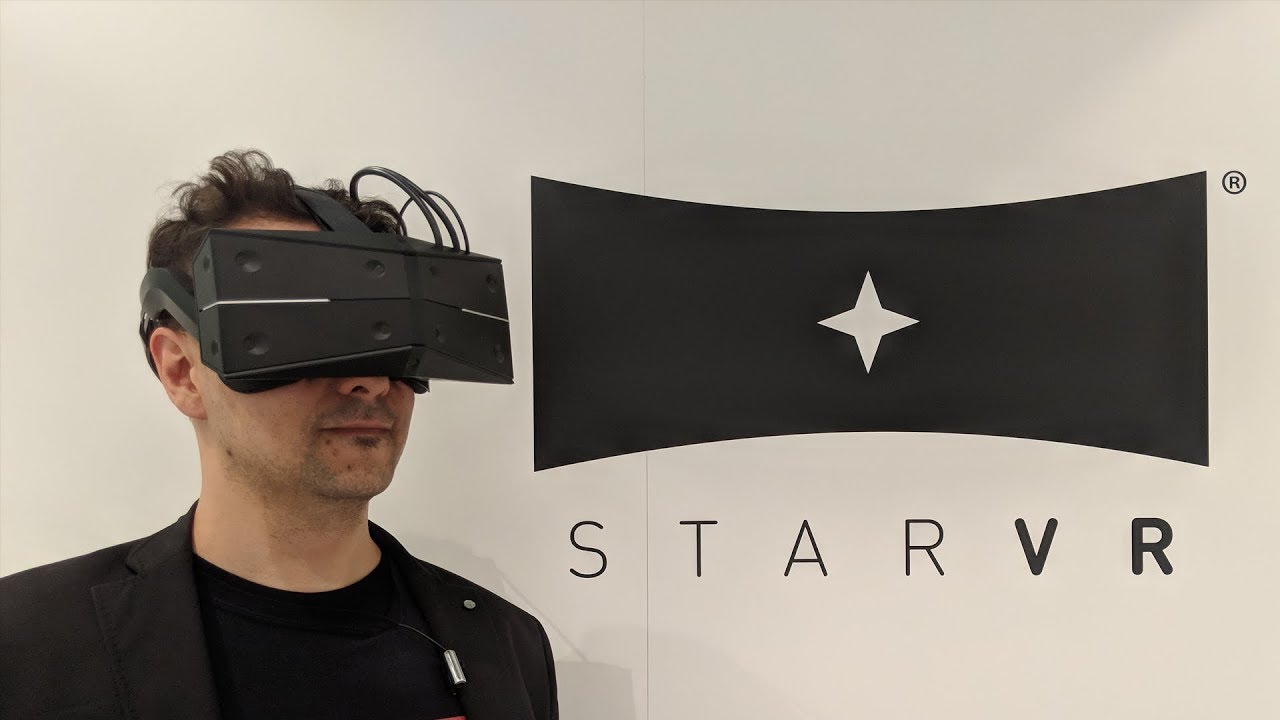
This is the MRTV StarVR One Hands-On Review! The new StarVR One is without a doubt the best VR headset that I have ever tried. At the IFA in Berlin I had ple...
I wonder what it's going to cost
(and I'd imagine with knuckles it will be the best VR there is for quite some time)
sly elk
For those who have launched games on steam: 1) Time as much media and attention as possible on the launch week or 2)Focus on as many wishlists as possible on the lead up to launch
glossy agate
Both if you can pull it off.
You gonna do any ads like fb and google? I’m gonna try some and see what cost per sale comes out too. I use them for real estate but games are a much cheaper product so I have to get a sale for like every $3 in ads to be worth it lol
sly elk
I want to do ads on facebook. I have been testing them out on my facebook page with small dollar amounts and the cost per view and cost per link click are amazing
but it will be a budget thing
Cost for actual video views ran from $0.50 to $2.50 per 1000 views
so if you sold one copy per 1000 views you would be making a lot of profit on facebook ads
cost per view seems to be really closely tied into how well you target
glossy agate
Yeah thats what I gotta find out. In RE we spend like $700-$800 in ads per sale, but if I got a game sale per 1000 views shit Ill spend $250 a day
Or whatever the peak of the max utility curve is
sly elk
Yeah. So I did 7 tests on all different kinds of content
some dev videos
some images
some short/fun videos
and I used dollar amounts from $10 to $250 to see if amount spent had an effect
seems like amount spend does not change the rate at which facebook shows your vid
a big part of having it do well is making something bit size and entertaining. Dev log videos don't do as well
but some game feature or easter egg that lasts 30 seconds does really well
and there is a compounding effect. If you made a video that people really found interesting they share it and it takes on its own life cycle
glossy agate
Gotta hit those first 7 seconds hard. At least fb rates the ad quality for you now so you can adjust your A/B variations based on that and just keep tweaking the short vids. Basically all I’m gonna do. Maybe some banner ads just on the VR media websites. Probably won’t sell much there but you can usually get clicks for around $0.04
sly elk
yeah
daring mural
how do I launch my games in windowed mode? I heard fullscreen preview in VR has a perf cost and I don't care for it
sly elk
when my steam page is live im pretty sure google analytics well help me find out conversion rate from facebook ad to steam page view
sturdy coral
@sly elk moving to 4.20 I had an issue with steam lobbies and an issue with HLOD, but both were fixed pretty fast. No VR issues
sly elk
cool thanks.
tired tree
@sturdy coral there is an issue with the default cameras in multiplayer VR
the host gets both views when the client joins
I fixed it in my camera subclass early on
sly elk
I wish this discord had a business/steam release sub channel
tired tree
I haven't gone back and checked if .1 or .2 fixed it yet
also physics replication in 4.20 got changed to a fortnite modification that is a bit buggy
sly elk
I'm making a promo video for my steam page going up and I want to include info for people to wishlist the game in the video. What is the best way to do that without an actual clickable link? Steam game URLs include a bunch of numbers so people can't really type them in. Do I do something like "Search Wrench on Steam"?
It seems clunky. I wish steam games got URLS that were more verbose
Or maybe I make an intermediary page that redirects to my steam page?
 jaunty shell
yeah how about using an url shortener ?
something like http://bit.do/wrenchgame
redirecting to the steam page instead of your website obviously
and you can follow the tracking here http://bit.do/wrenchgame-
(I'm sure there's a lot of other websites allowing this, bit.do is the first result I found)
mighty carbon
I wonder if there is a way to use ARCore using passthrough cam functionality in Galaxy S8 and Gear VR ?
(and thus getting AR HMD with 100 deg. FOV and bunch of goodies none of the current AR HMDs have)
@pearl tangle ^^ have you tried that by chance ?
 cosmic shoal
Passthrough video is not ready as far as I know on any HMD- it's not a good experience yet. It suffers from latency, lens distortion (or lens correction if you wanna call it that), and resolution. Hopefully we'll get there eventually.
mighty carbon
yeah, that's what I was wondering about.. I tried passthrough on S6 and it was laggy. I was wondering if maybe that was resolved on later models of Samsung phones
 vapid vale
hi guys, does anyone knows how to solve a flickering on far objects?
in fact in a lot of objects......
daring mural
@vapid vale What kind of flickering? Going invisible entirely or around edges?
vapid vale
@daring mural Entirely. like problem with loading or something like it.....
would be good to apply the forward shading in a mobile VR exp?
daring mural
vapid vale
I did not understood....
I mean, I understood how it works, but not understood how to know it would help on my problem
on editor is fine, everything works
but generating the apk and testing on mobile, the problem appears
or maybe I expressed myself wrongly..... on mobile the objects appears and disappears, far or near, is kind of random
pearl tangle
@mighty carbon I did that back with the tango and a google cardboard isntead
it works ok, but the processing required for ARcore from a single camera is too high, unless your VR experience is super low quality.
mighty carbon
I see
how come it works perfectly fine on the phone/tab without HMD ?
oh, what about Lenovo Mirage? Doesn't it have passthrough AR capability ?
pearl tangle
it works fine on there but it struggles quite a bit, thats why ARcore only runs on high end devices. Processing required for SLAM is quite high. Pair that up with the processing required for VR and it's a lot for the phone to take
they haven't enabled passthrough camera on the mirage annoyingly.
i am still chatting with the google engineers to try and open up the damn data that it generates so that I can do procedural meshing from the environment scan. Once that is opened up then can do some really cool stuff. They also have a version where they have fully tracked 6dof controllers as well, lenovo it seems doesn't think there is a market for that and hasn't tried pushing it.... no idea why
mighty carbon
I see
I wonder why no one is working on AR "glasses" that use passthrough cameras and dedicated processing unit for SLAM
I don't think we'll get too far with additive rendering and tiny FOV in current implementations
sage gulch
it's a lot of fill rate to pass and it flattens the entire world into a single focal plane
pearl tangle
yeah it's not great. it works and can be used for testing things out ok, but it's not the right way to actually experience AR. AR benefits are being able to stand and have a proper conversation with somebody easily. it will get there soon enough, just expensive to do
jaunty shell
so, ready to pre order the wireless kit for the vive or you guys are waiting a bit ?
pearl tangle
@jaunty shell tpcast has been out for ages, had mine for at least 18 months now
jaunty shell
yet its a pita to make it work correctly
we stopped using ours because its always a hassle to setup :/
 olive ferry
Someone know if this BP works for Oculus GO ?
mighty carbon

UploadVR
Today, HTC announced that the official Vive Wireless Adapter will retail for $300 and is set to launch on September 24th. We've got all the details right here.
jaunty shell
battery price 
mighty carbon
that's why Oculus isn't rushing to make Rift wireless - it's going to be prohibitively expensive
mighty carbon
well, it is.. Jason Rubin stated several times that price is one of the most critical factors on the way of wider adoption of VR
why would they want to have an accessory that costs $300 and that only a handful of people will buy ?

IDC: The premier global market intelligence company
IDC examines consumer markets by devices, applications, networks, and services to provide complete solutions for succeeding in these expanding markets.
^^ I wonder how much of it is accurate and true ?
sage gulch
I'd rather have a santa cruz, MLO, rift 2 than a wireless adapter
wicked oak
i might buy that wireless adaptor
and it would make a vive my default headset
the cable is a huge deal for me
tired tree
cable is a real pain tbh
 terse nymph
hey guys, I'm trying to get a mesh to show where a Vive Tracker is in VR - The tracker seems to use a co-ordinate system that is y-up, z-forward and x-left, so I've rotated the mesh in 3ds max to match this.
But there's always one axis that's wrong, no matter how I rotate and flip it, and the position/rotation of the tracker is messed up as a result. I think this is because the tracker uses a right-handed co-ordinate system (Unreal's is left-handed). Has anyone come across this problem before?
I guess I need to look into quaternions...
mighty carbon
I think SC is the future (especially if it's comparable to XB1X / PS4 price wise)
 tacit quest
anyone know how to get the oculus sensor positions? seems all the documentation about it are out of date, can't find anything
 manic ledge
Any networked vr games out there: How often to you replicate your motion controller Loc's and Rot's, and your HMD loc and rot?
Obviously you want to keep it as smooth as possible (with the assistance of lerping), but send as little as possible (to minimise bandwidth)
Has anyone found a nice balance? 😃
sturdy coral
@real needle send a relative location to pawn instead of world location and you can save a lot of bandwidth, there are some built in types for reduced precision vectors (FVector_NetQuantizeNormal etc.)
you can send head relative to most likely position on capsule, and send hands relative to L/R offsets from head
next step up beyond that is acknowledging locations on server, and sending updates as a delta on client
manic ledge
I guess it depends on so many things (number of players, what else is being replicated) silly question 😛
I've got it on about 30Hz right now which works pretty well with a lerp, although once we're later in dev I'll probably see how far I can push it
@sturdy coral I'm currently using the struct from the VR Expansion Plugin - only used a couple of things from the plugin so copied the classes rather than bring the whole plugin across. They've not net quantizing happening in their struct (holds Loc and Rot)
Already sending it as a relative Loc too, saves bandwidth
As I said, works fairly well right now, I was just interested in what other developers have done, sounds like we've done fairly similar implementations
Question, how much better is it to do relative position from head to controllers, rather than just the controllers relative location to the VR origin they share with the head?
sturdy coral
probably not too different, I just send it all relative to character capsule (not vr origin)
I haven't bothered optimizing it too much yet
manic ledge
Yeah that's fair, near enough the same here
sturdy coral
@manic ledge the threshold where you will need to look at really optimizing will depend on if it is player hosted or dedicated
manic ledge
Right now player, later on hopefully move towards dedicated
We're only making internal builds so P2P is fine, later down the line when we move towards a live release we would prefer a dedicated system, shouldn't be too bad of a switch. I imagine if it works P2P then it will all be fine dedicated
sturdy coral
the main thing is with lots of players bandwidth cost on the host grows n^2 unless you get into more elaborate stuff, giving mutually distant players lower fidelity or lower frequency updates about each other etc.
if you do it as plain replicated variables you can get some of that kind of thing for free,
manic ledge
Oh yeah of course, I'm aware of Net Relevancy etc, not my first rodeo, always learning but not a beginner haha
sturdy coral
but the engine doesn't do good dynamic bandwidth management
tired tree
@manic ledge there IS quantization happening on those unless you ripped it out
there is also a default htz rate and smoothing setup
as far as relative, the vector and rot quantization is already very very efficient on small values
sturdy coral
this is the engine's idea of dynamic bandwidth management =/:
int32 AGameNetworkManager::CalculatedNetSpeed()
{
    int32 NumPlayers = 1;
    AGameModeBase* GameMode = GetWorld()->GetAuthGameMode();

    if (GameMode)
    {
        NumPlayers = FMath::Max(GameMode->GetNumPlayers(), 1);
    }

    return FMath::Clamp(TotalNetBandwidth/NumPlayers, MinDynamicBandwidth, MaxDynamicBandwidth);
}```it stores total bit count required per element before sending the bits
@manic ledge oh...you wrote "they've not quanti"....you meant "they've got" didn't you
manic ledge
Oh, did I mistype, it's been a long day xD
Yes, I've preserved the Quantization
The default value of 100 Hz is a little much though, creates all kind of lag, seemed a bit excessive anyways when I saw it, tested it and was like WOAH NO haha, brought it down to 30, will crank up slowly every now and again - might as well let new features and their replication take up some bandwidth first before increasing the frequency of those RPC sends
mighty carbon
https://twitter.com/tuxedolabs/status/1037405060379160578 << imagine this in VR


This week I rewrote the entire lighting system to operate on voxels instead of screen space heightfields. Mostly to prove to my colleague what a bad idea it was. I was wrong. https://t.co/6p13rxzxZ6
Likes
333
 Twitter
tired tree
Twitter
tired tree
@manic ledge I have a few people using 30htz, you have to realize that the motion gets less accurate with that as it is skipping 2/3 of the updates then and aproximating the difference, but unless you have really accurate melee then its not going to be an issue likely
manic ledge
@tired tree that's fair enough, I'll probably try and move to 45Hz (half oculus refresh) or even higher eventually.
Right now it's literally just to get a rough idea of what the other players are doing. No mechanics rely on it being accurate
I work remotely and right now our LD is doing a new map, sorting the IK out is helping with being able to point to things in our stand up where we look at the new map changes 😛
tired tree
you'll also have to keep in mind that if you use a dedicated server that you need that htz rate to be AT or below the dedicated server tick rate
sturdy coral
@manic ledge how many players do you want to support at once?
manic ledge
Yup, I'll definitely keep it at or lower than dedicated server
tired tree
@mighty carbon not entirely sure why he thought it would be a bad idea to run lighting in voxelspace when he is making a voxel game......
he already had the data
manic ledge
@sturdy coral right now it's only 4 at once, might move up later on though, of course depends how the game runs with more
sturdy coral
you should be fine at 90hz with that
tired tree
tbh, in profiling the camera/controllers were never the largest network hit anyway
even at 90
mighty carbon
@tired tree hmm.. It didn't look like voxel game when ceiling/floor beams fell driven by physics
tired tree
...that would be exactly WHY it is a voxel game...
mighty carbon
(I always imagine voxel games looking like Minecraft 😛 )
sturdy coral
@manic ledge 10bits per component rot and loc would give you close to ~1mm/.3degree precision and be about 18KB/s out on server with four players (one host) @90hz
tired tree
its likely that the lag was upstream saturation
default upstream settings are very low
which would be why VOIP kills it instantly with default settings
sturdy coral
yeah
tired tree
also charles
no need to custom replicate vectors generally
they get the largest value out of XYZ and state the max bits required for any
its generally FAR less than 10bits per component
at least with default quantized vectors, you can also send set size ones, but they tend to actually cost more overall in my profiling
sturdy coral
yeah I just chose 10 bits because 2**10 is 1024 close to 1000
tired tree
rotators are another beast, they default to short components
sturdy coral
and easy to do math in head
tired tree
but that still isn't that expensive, its half the size
and you kind of need the rotational precision
sturdy coral
rotation with euler representation replicated wastes a lot at the poles
I think we've talked about that here before in the past though
tired tree
long time ago yeah
sturdy coral
@tired tree did you ever look into this any? https://gafferongames.com/post/networked_physics_in_virtual_reality/
unity, but most changes were to physx stuff
tired tree
@sturdy coral unity is a set step physics engine
everything regarding replication / consistant reproducable physics is easier there
sturdy coral
ah I didn't realize that
I do remember a lot of unity games broke with the initial move to interleaved reprojection
they would fall apart at 45hz
tired tree
regardless, my physics grips act like that already
with the caveat that I don't control the objects motion on release
adding that client up would be the same
I just can't control for collisions with sync, because the interactions aren't reproducable like with unity
honestly, don't feel like tackling it considering the hell I have been watching people go through on the forum thread for it
sturdy coral
I think unity isn't fully deterministic but comes close
if it is fixed step
same blog has a lot of stuff on floating point determinism being really hard to achieve
tired tree
his solution is literally the client stating where the object was anyway
sturdy coral
and then I think physx threading can change the ordering of stuff a bit and cause slight differences
tired tree
ue4 physics variable rate entirely screws with his setup
sturdy coral
yeah he is trying to keep both as a close as possible to minimize delta and pre applying quantized stuff on client too to keep them close to same
tired tree
gain some perf, lose consistency and reproducability...
sturdy coral
I don't know if it makes any difference, but it seems like UE4 should be applying net quantized rotator and input vector locally to character movement
I think it uses the raw thing then sends quantized to server
tired tree
no
sturdy coral
ah, thought I read through that at one point
tired tree
it sends the quantized acelleration
and capsule loc post move
the server re-runs the same movement logic and compares to the clients position for correction determination
sturdy coral
yeah, but in calculating the move, it doesn't used quantized acceleration right?
on the client
tired tree
it does i believe
I remember dropping precision off of my HMD movements prior to movement so that it was the same as on the server
and using some of Epics code as a reference
sturdy coral
ah ok it probably does then
tired tree
" // Round value, so that client and server match exactly (and so we can send with less bandwidth). This rounded value is copied back to the client in ReplicateMoveToServer.
// This is done after the AccelMag and AccelNormal are computed above, because those are only used client-side for combining move logic and need to remain accurate.
Acceleration = Character->GetCharacterMovement()->RoundAcceleration(NewAccel);"
// Acceleration should match what we send to the server, plus any other restrictions the server also enforces (see MoveAutonomous).
Acceleration = NewMove->Acceleration.GetClampedToMaxSize(GetMaxAcceleration());
@sturdy coral yup
not the same for cars though, the clients replicate their control states up for those
there is a lot of bad info about the CMC out there that I have read
don't think very many people have had to re-write one yet
so they get a lot wrong
wouldn't trust too much on the forums or answerhub about it...except Jamsh, think he has a few custom ones
lots of people think that movement speed is replicated for one.....
sturdy coral
yeah, I thought I looked through that part though for that specifically
tired tree
see that mistake constantly being referenced as true
sturdy coral
because I was doing some high-speed tribes type stuff and was worried about cases like you are skiing right into a sharp dividing point like corner on a wall
and get a lot of divergence with a small change
tired tree
I re-wrote large swathes of the CMC during my work, some of it I have been considering ripping out and pull requesting
kind of wish I had kept cleaner commits for some of them to make that easier
sturdy coral
that's definitely got to be the most complicated gameplay class in the engine
 gusty flame
Hi all, I'm working on a vr game atm, has anyone done a laser pointer for vive that I can have the blueprint for?
 supple lotus
Hi peeps! Anyone know how the heck to turn off LogHMD and LogRenderer, or at least specific parts of it? During a 30 second gameplay my logs get up to 6-9mb and clogged up completely with Oculus reallocating and scene render reallocating, making it a freaking pain in the ass to find anything in the logs
I mean besides turning them off completely
@gusty flame Look up the default teleport handling. You can do the same thing but instead of predict projectile path, just do a line trace forward from the controller
gusty flame
Hey man, I've got my laser working kind of 😃
looks like i broke it again, did have it displaying, but it was off from the skeletal mesh of my hand for some reason, had it centred on the origin of the mesh in the blueprint
maybe I need to update the position of the emitter in the same place the hand mesh gets moved
Naw can't be that, cos the laser was movign with the hand
I just found https://github.com/mitchemmc/VRContentExamples so I'm gonna go through all that and see what i can learn, I miss using c# in unity :(, c++ feels so different

GitHub
Unreal Engine 4 community VR content examples. Contribute to mitchemmc/VRContentExamples development by creating an account on GitHub.
quiet swan
my radar wont rotate with my VR pawn, what can I change to make it rotate with my vr pawn
sly elk
can you elaborate on won't rotate with your VR pawn? Like your radar isn't updating the pawns angle in the world?
quiet swan
well
@sly elk all radars on the marketplace wont work in VR
meaning they are made for z camera or something
so the issue is, the radar works but it doesnt rotate with the VR pawn
they are meant for 1st and 3rd person
so if the AI moves behind me it will show in front because its not rotating
maybe I can add a camera to the item>?
sly elk
Don't add a camera. Get the HMD orientation and plug that into the system instead of the camera z
quiet swan
I'll give that a try when I get back thanks @sly elk
daring mural
i keep asking late & forget to check in the morning - you guys know how to launch a packaged game in windowed mode?
rare violet
Is there a trick for getting the stat fps & other on screen performance metrics visible when using VR?
cant seem to see them properly when in VR or on my screen
 slim karma
a few versions back it was actually visible in VR, but for some reason that's not the case anymore. I only have a very hacky workaround for print stings, but for on screen stats I still havent found a good way to see them in VR
 robust orbit
@daring mural add -windowed on the command line?
quiet swan
its still not working ok someone with Vr expirence please help, I have a radar that wont rotate in VR mode, because its calling for a z camera movement, I need to tell the blueprint to use some kind of rotation of the item its binded to. how can I call it so it will use the rotation of the object the radar is in?
rare violet
fyi I changed to single eye (not fill) and it shows up...the eye its cropping to is the wrong side to show the FPS and graph lol
jaunty shell
@lusty lark you could try to use the frametime debug from steamVR
in the dev menu of steamvr
"Show GPU perf..."
 lusty lark
I tried it but it shows 14 ms even on empty level...
I am not sure if I am using it correctly
I am using 1080
Is it possible because I am using VR preview and not a Standalone?
I mean the bad perfomance comes from the editor itself?
lusty lark
PC
jaunty shell
alright
lusty lark
I could find my problem just by seeing the stat fps
jaunty shell
well you could always try to build an .exe and retest performance outside of the editor
but it shouldn't get you 14ms on an empty scene
even in preview
jaunty shell
ah yeah, you want to disable a lot of effects that come by default in the engine with VR
blur, AO, fog
lusty lark
Yep! Thank you very much for the help! 😃
mighty carbon
fog works fine in VR
(no significant performance penalty)
a rumor has it that some Rift games will be running on Santa Cruz (RoboRecall?). So if any of those games is UE4 game, I am guessing we'll see a new batch of optimizations heading into UE4 repo from Oculus
mighty carbon

Epic Games' Fortnite
We launched the Android beta of Fortnite and learned valuable lessons along the way!
interesting
(can relate to mobile VR)
"the rapid adoption by over 15 million Android users shows that this approach is sound and can be very successful." << sounds like a lot of those people could run Gear VR, if the game was as bad ass as Fortnite
so, it's not really about hardware.. It's about having compelling software that will make users to go out of their way and buy hardware.
if only we had numbers for Oculus Go..
sturdy coral
@mighty carbon if you read that paragraph bu "this approach" they are partly talking about launching outside of the official store.
can't really do that on Oculus Go or Gear VR
I guess you could use the key system
mighty carbon
right, but what I mean is that there are a lot of people with powerful phones that are willing to engage in non-Candy Crash sophisticated gaming on Android @sturdy coral, given high end engaging game.
(and I am sure a lot of people went out of their way to upgrade their phones just to play Fortnite)
so if there was a solid game for Oculus Go, I am sure people would go out of their way to spend $199 for Go
sturdy coral
yeah I could see people doing that
mighty carbon
although (1) 3DoF motion controller that has broken d-pad isn't going to help attract devs who can make such game
mighty carbon
and I don't think Oculus really cares as much as they should for Go, since there are a few well known issues they are aware of, but literally said not going to fix
wicked oak
and it doesnt support daydream
so yet another fucking sdk
specially bad on unity where i got hired to make it work there
pff, gotta have to increase the price
also, the controller is worse than 5 dollar fake chinese daydream controllers
havent seen a controller this bad, ever
mighty carbon
I have high hopes for Santa Cruz, due to not-Carmack team working on it and Vulkan support for it
wicked oak
the lenses warp around like CRAZY
literally unusable
i have a 15 dollar crappy cardboard housing, and it doesnt have nearly as bad of a lens as this thing
the head band also broke instantly
mighty carbon
@wicked oak but supposedly Chinese people buy it @ $600 a piece
wicked oak
and the app store has fucking nothing becouse random chinese headset with its own sdk incompatible with everything
its so fucking terrible
the fact this is 600 is disgusting
i got mine loaned
but i wouldnt pay 40 dollars for it
mighty carbon
that's why I am really anxious to see SC reveal at OC5 😃
I don't think they will be sending it out to too many small devs like myself, so I might have to purchase it
mighty carbon
why not full-sized RR ? Just optimize shaders and model complexity (and LOD everything) and have it full-sized experience.
unless by "full-sized" you mean 1:1 port
wicked oak
a good amount of things are expensive on the cpu
you would need to simplify things like the physics
and optimzie the fuck out of the game code to a huge degree
sturdy coral
I wouldn't think they'd devote any resources off of fortnite to work on that, but it could be done by a contracted team or something
wicked oak
@sturdy coral a deal for a downsized RR for oculus would have been done before fortnite
i would think epic is serious enough to not cancel everything or do it shit
sturdy coral
but yeah they definitely made some kind of deal when they did the royalty waiver on the store
so it could have had more titles
mighty carbon
not really
Carmack is pro-video, pro-casual VR and thus he doesn't care to make it more advanced and robust when it comes to controls and performance.. He literally doesn't care for it
I don't even know why he is still CTO of Oculus
I don't know why you say Go is shit @sage gulch
sage gulch
I'm just not a fan of headsets without positional sensing.. GearVR had its place I suppose but to have so many headsets with so many SDK, and then know that they plan to launch a 6dof headset 6 months later.. it seems like an incremental cash grab
not really shit, just not worth my interest.. but I have a rift already
sturdy coral
@mighty carbon carmack hasn't worked on santa cruz? doesn't that seem super weird as CTO?
I understood he might not have worked on desktop VR just until the zenimax stuff was settled
but why not santa cruz?
it will probably be too expensive at launch to be a huge hit, but all that camera and vision processing stuff is dropping super fast, and he has expressed a lot of interest in outside in for gearvr in the past
that skydio self-navigating drone with 12 cameras and tons of vision processing has dropped to $2K
tired tree
Carmack cares a ton about performance........
he made most of the perf enhancing core concepts that Oculus brings out
he cares about it mostly on mobile hardware though, its just his focus
sturdy coral
yeah but he was heavily involved in Go, so I don't see why he wouldn't be on santa cruz which is mobile based too
seems like santa cruz could get to the go launch price point within a few years
wicked oak
carmack is on oculus for fun
he is loaded with money, doesnt need to work
he is on oculus due to the research and fun things to investigate
i can really relate to that becouse im on that same mentality
you can bet he is on santacruz doing magic
its either that or some magic for the next generation oculus stuff
sly elk
didn't they put him on mobile VR for bethesda lawsuit reasons?
is that resolved enough that he can do other stuff again?
mighty carbon
Have you people not been following Carmack on Twitter? All he posts is about videos and codecs, and how to boost performance of 4k / 5k video playback. And stereo layers.
That's all I see
He doesn't even think of games and features the software needs to help game devs and streamers.
Yeah, he did that ATW/ASW stuff
tired tree
that doesn't mean that is all that he is working on.....
he also posts a lot about rockets....which isn't his primary work anymore
sturdy coral
plus they could easily have a rule: no writing about santa cruz details ahead of our PR push
sage gulch
I wonder if some next gen AR sets might use a similar varifocal design that was shown in the oculus tech demo units, but with a waveguide instead of a screen
quiet swan
say I bought a prop online and it has doors and stuff that can be moved should I import this as a skelaton mesh so I could move the door?
I mean automate the door so an overlap can open it
cosmic shoal
If every door is a separate entity just move and fix the pivot point to the hinge and rotate it like that, no need for skeletal mesh.
sly elk
Yeah, just use bp to move it. Skeletal is just for meshes with bones you want to animate
quiet swan
Yeah but the mesh is combined as one
sly elk
For those who ahve set up steam store pages. Are these the correct settings for a VR game compiled in vanilla unreal? https://i.imgur.com/bc87fg6.png

 copper stag
Are there any tutorials on how to set up HTC Vive Tracker?
sturdy coral
@quiet swan if it is a door that is completely baked into overlapping textures with the the door frame geometry you are kind of screwed, but as long as the meshes are made of split parts you can export it and easily break it into parts in something like blender
@sly elk do you have any way to remove the 360 tracking req? could cut oculus player base by a good bit
 native cedar
has anyone tried to replicate Eagle Flight VR's movement system?
 sullen vortex
@copper stag you will find a few on youtube
sly elk
I wish some of the steam page controls were better documented
because I think in order to have it say oculus touch, I need to check that box
 ornate raptor
What's the proper place to report a bug with the Windows Mixed Reality plugin in the Dev-VR branch?
Bug report submissions only seem to allow you to pick released versions of UE4
With that plugin and the Oculus plugin enabled, the Oculus thumbsticks zero out when pushed to full. So, MotionController_Left_Thumbstick_Y will return 0 when it should be returning 1 or -1.
sturdy coral
@sly elk not sure. it doesn't show up from the touch checkbox under controller support (above play area support)?
 scenic slate
Hello. Anybody know if there is some prebuild VR Character assets similar to Rec Room / AltSpace that can be used as placeholders?
ornate raptor
There also seems to be a bug with Play Haptic Effect on Windows Mixed Reality. Any scale value over 1 causes a crash. No big deal. Easy enough to clamp.
sly elk
Hopefully the newer steam numbers for WMR headsets will push epic to get better support in vanilla unreal
ornate raptor
@sly elk That's exactly what the plugin I'm talking about is. It's native WMR support that'll be included in UE4.21
 abstract panther
Hey there, I am having teleportation issues, it simply wont teleport https://gyazo.com/43a2d31d223443851bfb6df3ea8407c5 I have checked collison resized nav mesh, aswell adjusted the pawn motion controller location.
 daring mural
Anyone know why voice chat works with SteamVR and inputs/outputs HMD but Oculus SDK forces voice input/output to something other than the HMD? (in my case, my regular PC headphones)
Game audio is always HMD in both cases.
 digital marlin
@copper stag if you find any, let me know. There's FA that I've seen
slim karma
isn't this the kind of stuff that should be posted in #looking-for-talent ? <@&213101288538374145>
 neon egret
Yop, @minor wing Second time, use #looking-for-talent
 minor wing
i couldn't send the message on #looking-for-talent
 keen nimbus
@minor wing Look at the #more-resources channel, it has instructions on how to interact with the @real needle to post job listings.
mighty carbon
Lenovo Explorer is $99

I wonder why they sell WMR so cheap.. Is something new on the horizon ?
wicked oak
@mighty carbon no one buys them, so lower the price to see if they buy it
mighty carbon
perhaps
jaunty shell
these WMR hmds have such cheap screens
LCD on a VR headset
also looks like this link only has the HMD, no controllers
could explain the lower price than usual
mighty carbon
Rift has OLED
I've heard that Go with 72Hz looks better than Gear VR (which has Quad HD Super AMOLED screen)
jaunty shell
the gearVR is 60hz tho
mighty carbon
Yeah, but going 72Hz and LCD is a way cheaper than going with Quad HD Super AMOLED screen
sturdy coral
Lcd headsets seem to be way lighter weight
The Lenovo is nice for that reason alone. $100 is a good deal, you can use your existing Vive controllers with it
sturdy coral
it has been on sale for less than $200 with controllers in the past though
which are nice to have for using with a laptop while travelling/demoing/etc.
sage gulch
72hz, yuk
mighty carbon
have you even seen 72Hz ? I can't really tell 72 from 90
tired tree
I can.....
sage gulch
I can tell 120 from 90
granted that is throwing the psvr tracking into the equation.. and the rift at 90 with improved tracking is much more bearable than psvr at its lower rates, at least that is how it has seemed for me
 misty elm
is there a solid recent VR primer tutorial for interaction?
sturdy coral
72hz with global update (which LCD needs for low-persistence) would put you at ~28ms latency
however for Go they could be using something much faster than displayport/hdmi etc.
and cut that back down to near 20ms which is supposed to be the threshold where you start noticing head latency more and more
72hz with global update (which LCD needs for low-persistence) would put you at ~28ms latency
 hybrid plume
hey peeps much love to all you devs out there
so I'm trying to deploy the Handheld AR Template to my iPhone from a Windows machine
getting this bottleneck: "Remote compiling requires a server name"
mighty carbon
I wonder what kind of refresh rate they'll do on SC
@hybrid plume there are only like... 1 AR dev here and I don't remember who it is (none of the active folks in the channel do AR)
mighty carbon
from PC to IOS you need remote MacOS with XCode
 fair hearth
Not possible, apple locks down all their stuff, you can’t even deploy unless you have a mac
hybrid plume
i have a macbook but its old and slow
mighty carbon
either spin VM with macOS or pay for remote service
from what I understand, you can @fair hearth
remote deployment using either VM or actual remote Mac
hybrid plume
so I want to iterate quickly on my PC, whats the workflow?
mighty carbon
(I am not 100% about VM, but people have done it with remote Mac)
fair hearth
You can do remote deployment, but you still need a mac, and as far as I know it needs to be on your local network
mighty carbon
MacinCloud is a Mac rental service that provides PC and Mobile users remote access to our Mac servers through the Cloud.
fair hearth
That should work, they’ve got a guide for setting it up as a remote build client
mighty carbon
Your Mac Build Server in the Cloud. Built for Developers.
hybrid plume
does remote deployment mean it will use the mac to compile (via xcode or ue4 on osX)/
mighty carbon
@hybrid plume ^^ those two options are your only options
hybrid plume
thanks @mighty carbon & @fair hearth... I guess I'll try setting up a remote build client
sucks though, this should be something that should just work
hybrid plume
yeah but potential market is huge
hybrid plume
kindaaaaa... ar isn't saturated though at the moment
100s of millions of arkit ready devices
vs few million tops for VR
mighty carbon
still the same storefront, isn't it ?
( there is no dedicated AR section in Google Play store)
hybrid plume
is that better or worse though? having a dedicated AR section
mighty carbon
better having one I suppose
mighty carbon
😦
hybrid plume
maybe thats a good thing haha
mighty carbon
as soon as Acer Chromebook Tab 10 gets official ARCore support, I might join AR club 😃
hybrid plume
haha
mighty carbon
I think starting with ARCore and Android is a better idea unless you have Mac, iPhone/iPad and cash to pay for dev account with Apple
hybrid plume
i actually have all those prerequisites
problem is my macbook is 2012 and slow as molasses running UE
my PC is the bees knees and I would like to dev & quickly iterate on it
but I guess all this shit is very beta and I'll have to create some bespoke workflow
mighty carbon
but you only need your Mac for remote build with XCode.. Your UE4 will be on PC.
@hybrid plume
just make your Mac to be a remote Mac, on your LAN
 zinc rose
vive wireless adapter coming soon? hmm... after the disappointing Oculus GO. I might have to look back at VR again
 dire kite
Remember @zinc rose the Oculus Go is a fully mobile setup meant for mobile level VR experiences. The Vive wireless adapter will be for a full VR ready PC. Mobile hardware is a lot different than full VR PCs.
zinc rose
oh I know. I still expected a controller that would be a lot better on the GO. graphics-wise im not that fussy about
hybrid plume
trying to wrap my head around this remote build SSH headache 🤔
pearl tangle
you could also try out the mac as a service platforms too, never tried 1 though.
ARcore you can also publish to iOS and it works very well.
I have been doing some Facebook AR studio projects at the moment. It runs ARkit for all it's iOS stuff as well oddly enough
manic ledge
Hi all, anyone know if it's possible to get the users height setting from Oculus platform settings via C++ or blueprint?
Currently we've got it so that we have a default calibrated height (180cm) and then the user has to calibrate when they enter the game, just wondering if we can automate the process a little more so we grab their height from Oculus platform, and then they can manually override that in user settings
For instance if someone else wants to play without recalibrating the Oculus suite
dusky moon
I want to implement thumbstick locomotion and followed this tutorial :
https://www.youtube.com/watch?v=kGCS4rJYzoM
It's quite straight forward. only problem I have is... I only want my pawn to move on my navmesh boundaries (and also projected on its surface) how should I project the forward/right vector to my navmesh ?

This step-by-step tutorial shows how to implement thumbstick (aka gamepad or joystick) locomotion as an alternative to teleportation in the standard VR templ...
sly elk
I just put my store page live and I will be pushing it out for attention later today: https://store.steampowered.com/app/936720/Wrench/

Wrench is a highly detailed race car mechanic simulator that tasks you with running a motorsports prep shop. In Wrench you will:Build relationships with persistent customers.Logbook and maintain customer cars around their race schedulesRecommend and install modifications base...
Release Date
Fall 2018
Question, does anyone know how to make the notice that the game requires a VR headset go away? Surely there are other games that have VR support but don't require a headset to be played
abstract panther
https://gyazo.com/23b4a057435ba9cffe97e94fac172058 Is there a way to make this widget only be on one of the hands ?
 mighty carbon
@sly elk Contact Valve storefront support ?
Also, for example Hellblade/Subnautica supports VR, but both have it as "VR mode".. So it's either a flag in your dashboard or Steam team makes it so.
sly elk
Yeah, i sent an email
wicked oak
@sly elk very good page
the only thing i would add, is some gifs in the "description" text
just from the videos
wicked oak

From master director Shinji Mikami of Resident Evil fame, SEGA brings PlatinumGames’ revolutionary sci-fi action shooter to PC. Unlocked framerate, unlocked HD resolutions, extensive graphics options: the definitive way to play. War has accelerated.Gear up in the Augmented ...
Price
$19.99
Recommendations
2171
Metacritic
78
example
the gifs are taken straight from the trailer
sly elk
yeah, im putting a few together
slim karma
hi, is it possible to have 3 vive controllers active at a time?
hybrid plume
@pearl tangle dude sorry I fell asleep last night it must have been around 3 in the morning... ok cool didn't know you could publish ARCore to iOS, never occured to me that Apple would let something like that slide. What FB AR studio projects are you working on?
 runic cedar
Hi i have a question about GearVR and GoogleVR
How can i create project for GearVR/GoogleVR project and only change platfirm in the project settings ?
Because i can create two projects from Epics simple projects from documentation.
runic cedar
hmm i need create two different projects only? My question is another
i Ask can i create AR and VR mobile level
now i tried create project and switch GearVR and GoogleVR
only in editor
mighty carbon
right, still, I don't think it's possible
even though both are for Android, signing is different for each project
runic cedar
:/ coz i see some projects in the marketplace
ok :/
thanks
i can do that but issue is my motion controller is not following in the GoogleVR
because google VR in the C++ code from simple epics project
Easy switch but it does not work if you got GoogleVR project and GearVR option.
And always open GoogleVR daydream. But it's okay now I understand I need create two another projects.
sly elk
Reddit rules are so dumb. I just got a self promotion warning because too high of a % of my posts are in my own thread.. So im not supposed to respond to questions/
?
 fleet plume
i'am not a regular reddit visitor, but what about asking one of the subreddit mods to help with that limit? @sly elk
also wow the /oculus reddit is way more active than the /vive one
glossy agate
@sly elk your posts are killing it man. Congrats
daring mural
Is there a way to detect audio input/output devices based on the VR defaults? If Windows is set to a standard PC headset but SteamVR/Oculus Home is set to the HMD, the game uses the HMD but I want to detect what's actually in-use by the headset
sturdy coral
@daring mural all the steamvr ue4 plugin does is use windows default; steamvr itself changes the default
oculus is a bit different
I would just stick to what the engine does, people using an audio headset will likely tell the oculus runtime to use their headset, and if they haven't they probably won't want it to
transitioning VR to 2D is the one place you may want something custom
daring mural
@sturdy coral everything works fine by default but I'm using Vivox for voice chat and it tries to default to the Windows defaults instead of whatever the VR system wants to use
The SDK wasn't built with VR in mind, flat games use the Windows defaults so it tries to mimic that
I got around it for Oculus by checking an array of available audio input/output devices since the Rift literally says "Rift" in the name and is easy to identify and set as default
Vive is the tricky one.
Especially for output.
sturdy coral
@daring mural all the steamvr plugin does is use windows default, so shouldn't that be the same?
daring mural
it's cross-platform, was hoping for a more universal way of detecting the name of input/output devices used by any of the HMDs. By name works fine but Vive outputs can vary so it's prone to bugs
sturdy coral
@daring mural but if all you want is the default, doesn't it do that anyway?
maybe Vivox is loading and chosing the device before the steamvr plugin loads
you may want to try tweaking loading phase
since loading the steamvr plugin can cause steamvr to launch
daring mural
Yeah but Vivox Default doesn't = the VR SDK default. When I run the game with Oculus Home, the voice chat inputs/outputs to my Windows default (a separate headset) whilst the game outputs to the HMD
Might be a timing issue, yeah
sturdy coral
@daring mural the VR SDK default is the system default for vive
sly elk
Thanks, yeah /r/Oculus and r/cars posts are doing well.
mighty carbon
@pearl tangle do you know by chance if Acer Chromebook Tab 10 already has support for ARCore and if UE 4.20.x can deploy ARCore apps for it ?
@full junco your wish came true https://github.com/EpicGames/UnrealEngine/commits/dev-rendering
@sturdy coral ^^
abstract panther
https://gyazo.com/57363f3ff16d6bdca033b7036bc97f72 Hey there, coming from the Bp chat, I have this issue with my button where it only works one time

Here is a closer image of the blueprint https://gyazo.com/2790a5e9ee05a35290715a0878417b80
 sturdy coral
@mighty carbon which commit are you referring to?
hybrid plume
YES!!!! Finally got the damn remote PC to Mac build to work!!!
can now really work on my main machine and iterate iOS / ARKit woohooo!!!
😃
mighty carbon
@sturdy coral referring to rendering branch becoming public, that's all
@hybrid plume you should write a how-to guide 😉
sturdy coral
Oh cool, I had forgot they left that private when they opened the other branches
hybrid plume
@mighty carbon perhaps I will, the documentation online is skimpy
are there others that are struggling in this?
mighty carbon
I am pretty sure I will struggle with that @hybrid plume
hybrid plume
@mighty carbon just sent you a friend request
mighty carbon
accepted
glossy agate
@hybrid plume where did you get the remote machine from? Aws?
hybrid plume
@glossy agate I have a MacBook, but its old (2012) and slow, IMPOSSIBLE TO DEV ON
but rsync lets me remote compile
glossy agate
Ah ok. Didn’t know if you could get instances of mac machines from one of the services
hybrid plume
I believe you can, @mighty carbon suggested https://www.macincloud.com/
MacinCloud is a Mac rental service that provides PC and Mobile users remote access to our Mac servers through the Cloud.
mighty carbon
yeah
hybrid plume
$20 a month
mighty carbon
I am still waiting on official news about ARCore on Acer Chromebook Tab 10.. I'd rather get that tablet than iPad
mighty carbon
meh, small screen is a no-go for me
hybrid plume
dev on small screen would work on bigger tablets
mighty carbon
and that price... ~$350 for Acer vs $800 for decent Android AR capable phone..
my phone isn't ARCore compatible and I am not planning on getting a new one any time soon
hybrid plume
eventually we're gonna be wearing AR glasses
mighty carbon
well, I need to get into the field yesterday.. Can't wait for better tech to pop up (and I will be older by then too)
hybrid plume
I hear ya
share your sentiments
what're you working towards at the moment, if I may ask?
mighty carbon
For AR - nothing yet, but I see a good use-case for AR at my day job. This would be a good opportunity to figure out how to work it, how to properly apply it for industrial use and have a nice piece for portfolio made 😃
mighty carbon
well, I don't see too many AR use-cases without glasses/shades
I see it mostly being used for informational purposes, maybe video chatting with someone.. In the industries it's more useful than in every day life..
so my use-case is to supply information and provide visuals for training
hybrid plume
interesting
I think we're just scratching the surface \
🤔
I have some ideas....
mighty carbon
what else would you do with AR ? (I don't really care for AR aside from applications I described)
and I don't mean some hypothetical AR.. I mean AR we have today and still will have in a few years to come
hybrid plume
well... how about how Pokemon leveraged AR?
the multipeer connectivity framework allows a group of people, each on their own devices to be part of an expereince
but I think the communication potential of AR will be huge
holoportation 🙄
mighty carbon
Lol, I hate that game 😃
 ocean urchin
mmm, got assigned a project in AR. unreal is good for it yeah?
i've got experience in unreal, just never used AR
dire kite
@ocean urchin it’s pretty great so far in my opinion. I’ve made a couple simple apps and tracking seems to be really good. Gameplay and things are nice and smooth, at least on ARkit, I don’t like googles version as much. Android phones are just, not as powerful as iPhones, especially when running metal. Metal is quite the game changer, but on either case its fantastic for me!
 nocturne sky
@ocean urchin this guy from Dev Enabled (search in youtube) is doing a series on a project for AR

This Video: In this video, we create some basic AR implementation to track world geometry, setting up the project for some more interesting functionality goi...
ocean urchin
Cool stuff
 odd garnet
Is there a way to use the side button on the headset as an input (vive)?
I just imagine some laser vision type game where you press that button to shoot lasers out of your face
quiet swan
here is an interesting situation I have this gravity plugin that has been portred over to 4.20 which I need in my game, but I need it for the AI, is there any way I could control the AI in third person to see if the AI can cling to walls and such?
can I control the AI in VR mode to move them around to see if this plugin works?
 warped obsidian
Morning - I hope you guys/gals can help - I'm looking to be pointed in the direction of a VR FPS dev & (MilSim) enthusiast to chat to about a cool (in my opinion) project 😃 Any thoughts?
mighty carbon
@warped obsidian what would be your role in such project ?
warped obsidian
@mighty carbon I'm the ex British Army Officer with a proven successful entrepreneurial background and access to funding. ( aka. Business Owner with connections to ex UK Special Forces to ensure we get everything just right). I, unfortunately am not a developer. Initially I need someone to help take a pre-existing milsim game's source code (which I have access to) and integrate it with a VR player controller (locomotion, reloading, shooting) 👍
olive ferry
Do someone know if I can prevent my FPS drops with media tecture Using MP4 h.264 video on my Oculus Rift project ?
It goes from 60 to -20 sometime
And causes the video to Stutter a lot
mighty carbon
@warped obsidian There is a channel called #looking-for-talent , you might want to try your luck there 😃
warped obsidian
aye will do - just was hoping someone in here may have been able to recommend someone. Was worth an ask. 🤜
glossy agate
@warped obsidian pm me if you want. I have made something similar
glossy agate
@sullen vortex Where is it attaching on the pawn now? Probably just attaching it to the socket will be much better, then just set a relative transform to get it just right
sullen vortex
@glossy agate thanks for the answer, tried to make a socket available on the vrspawn but couldnt figure out how
glossy agate
Oh, you dont have a head or body or anything? Just attach to component after attaching to actor. Put it on the camera or a add a scene comp for it
sullen vortex
i have a capsule
glossy agate
Capsule wont do you any good. Have to attach it to something that follows the camera
sullen vortex
@glossy agate how can i tell on the level blueprint to use the camera component on attach to component? trying to drag from vrpawn bp but doesnt work
glossy agate
You don’t want that in level bp. You want that in the helmet bp and you probably only want it to happen when it close to the head
May actually want to run through a couple tutorials on the the ue4 yt channel to learn the basic flow of BPs. Will help you a lot
sullen vortex
Thanks for answering again. Still dont understand why should i do a tutorial of basics blueprint since the only issue im getting is attaching an actor to my hmd. The rest of the programming on my level and other actors is working pretty well. Thanks anyways.
 warm lion
Anyone else getting a jitter from xb1 controller input (right stick) when applied to capsule rotation? I don't see this effect with the mobile preview, capsule rotates smoothly. When I launch to the Oculus Go the Xb1 controller right stick jitters the capsule rotating (which has the camera attached - yeah I know it's not always a good idea swing the camera in VR).
hybrid plume
@ocean urchin so far so good regarding AR in UE, what sort of AR project are you working on?
 raw gate
Hi guys, anyone know anyway to get the client editor in VR Preview work with dedicated server enable?
ocean urchin
@hybrid plume real simple one for school. Go to specific NPCs in a world, "talk" to them, get quests
Tbh it has potential
Make a Runescape like MMO centered around various universities around the USA
And have students generate daily quests and items and script it all for you
ggez monies
 steady schooner
Hey so I’m not sure where to put this but I want to turn a project in third person view into a standing VR, and then export that as a stand-alone game? Where should I start?
(No experience with vr in UE4)
glossy agate
Lol they have a pack for everything now
And I thought they pretty much already had a pack for everything
 trail shale
Is there any trick to using new viewport to zoom in VR? Found a simple. Tutorial on binoculars I'd like to apply to VR...
wicked oak
whaaaaaaaaaat the actual fuck
so the Turing cards can AUTOMATICALLY morph resultion randomly?????????????????????
seems to be similar to the oculus go multi-res wich is done on the tiles, but much more granular
hybrid plume
strange artifact
trail shale
There's no way currently to change FOV for a VR camera and zoom in, aka binoculars? that can't be right...
this is obviously wrong/not working
sturdy coral
@wicked oak the adaptive part of it looks similar to amds approach from last year
 real needle
@trail shale FOV is set by the VR backend, based on the FOV of the HMD itself
You don't want to change that
sturdy coral
They just used depth variation as the signal for that though, is Nvidia looking at more than that?
real needle
For a binocular I used a scene capture component
sturdy coral
Could potentially find areas with specular aliasing and stuff and increase then
Graphic performance optimizations are important for compelling VR experiences and will be even more important in the future due to expected growth of resolut...
trail shale
@real needle Really? That seems extremely expensive for such a simple feature? You know I might just teleport the VR pawn and toss a binocular widget overlay...wouldn't that be a simpler and less expensive way?
or just toss out a new pawn and possess it temporarily from a certain distance
sturdy coral
@trail shale you can't do it in game correctly anyway because of always on timewarp reprojection
You may have to use an overlay for it
trail shale
@sturdy coral so would just getting a location a certain distance away from the player, spawning and possessing a specialized, temporary pawn, and adding a binocular widget overlay be a good way to go about it?
sturdy coral
@@trail shale The way I've done scopes is scene capture texture with a parallax shader to push it back, for binoculars I would probably do the same
I would just one capture, I don't think you get much stereo perception out of binoculars anyway
Just use same texture on both sides
trail shale
Isn't that expensive? You are effectively rendering the scene twice or do you turn off rendering the current perspective?
trail shale
There's no way to temporarily stop rendering the default perspective
sturdy coral
Yeah you could disable most of it anyway
That's what fallout 4 does to support scopes without blowing through draw call budget
trail shale
I've been away from the engine for a few months - is there a write up or post on this? How do you turn off the default perspective?
sturdy coral
No easy ways to fully turn it off, but you can hide the level
Or teleport pawn to a black unlit box and adjust clip planes to try and avoid almost all draw calls
Cant hide level I guess since you need it for capture
odd garnet
OwO literally whats this: https://www.newegg.com/Product/Product.aspx?Item=N82E16856102201&
dusky moon
@odd garnet wish it had a 1070 inside 🤔
dusky moon
I see... I'm planning to buy a 1070 laptop for VR presentations. any suggestions ?!
as far as I digged, Alienware 15 seems reliable
trail shale
@dusky moon Get a Sager - they are probably cheaper, much better build quality, are extremely modular, meaning you can swap out hard drives, ram, even video cards, without voiding warranty. I have one from 2014 that is still running fine. That or consider a small form factor build
dusky moon
@trail shale Awesome! never heard of it... will dig in more. they seem way cheaper than other brands. almost 500 bucks cheaper than the same spec alienware.
Have you had any hardware issues ?! how is the support ? and any comments on the thermal aspect to get consistent VR usage ...
trail shale
I've had a few singular issues that are related to my actual model - support will depend on which reseller you picked... Generally they are all decent, but you are without your machine for 3 weeks. If you buy any laptop, SAVE THE BOX, so you don't have to buy an expensive one to ship warranty...
I'd really look at a small form factor build - I put a 1080ti in a case practically the size of a shoebox... Remember if you are doing the VR demos, you'll have to set stuff up anyway...
What is your budget?
dusky moon
yeah good to know. but I need laptops rather than Mini-ITX stuff because I'd need to carry it overseas and need the laptop mobility actually
I can afford 2k euros
carrying mini-pcs on planes is a risk
trail shale
Then Sager is your best bet, just make sure you read model reviews and confirm it is vr compatible.
If they allow M.2 drives, get one for your OS definately
dusky moon
Ah yeah great. Thanks man it sounds interesting. the fact that you can swap the 1070 with a 1080 is a win
but then can you sell your used gpu to them lol ?
trail shale
I have no experience with them and they seem very overpriced but they also have those external GPU boxes that let you use a desktop GPU with your laptop... It is an option though
dusky moon
its fine. I always trains myself to be good on a 1070 ... all my builds are doing fine with it so don't care
trail shale
that's actually probably the best thing to do, forcing yourself to optimize every step of the way
mighty carbon
@pearl tangle around by chance?
quiet swan
my game runs at 2 - 40 fps....
 sonic tide
wait does anyone know why this isnt working
it should pick up and drop stuff right
?
tired tree
@sturdy coral kind of weird since they are using UE4 for their internal projects
mighty carbon
I bet the UE4 team at Oculus is a way smaller than Unity team and they have a ton of issues to deal with
real needle
How can I set a custom IPD? I want everything to look larger for smaller characters.
I've tried the VR Set world scale, but it doesn't change thing's visible size and positions my controllers not to where the should be, etc....
IPD might be the wrong term. Just want to scale everything else up (or essentially scale the camera down)
looks like something with late updates is causing the controllers to be off. I'll try changing that real quick
Ok so setting vr world to meters in the world settings works perfectly.
Setting world to meters scale in BP only scales positions. Must be a different node I'm looking for
Ok what....it looks like they're the same but now the World To Meters option in world settings isn't working.
It's flickering between just scaling positions and actually scaling the HMD view
https://lh3.googleusercontent.com/-n5wOXvqmN_o/W5-OsVdFqTI/AAAAAAAADv0/-zD78LPxyko_JEG6pZepIeJDQb_W0BxGQCHMYCw/s0/2018-09-17_06-22-56.gif
Oooo interesting. Setting it in BP causes the flicker
And changing the world setting affects the flicker. It seems to flicker between the world setting's value and the BP value.
And BP seems influenced by world settings. If I set world settings to 50, and BP to 50, BP's looks like 25
It's a known bug: If you have any blueprint tab or anything open except the viewport while testing in VR, this will happen. ✅
real needle
Hello guys, I built a game for PSVR but the fps stuck at 40 fps on PS4? any one have an idea or already have this issue?
wicked oak
@real needle CPU is shit, and GPU is low power
so.. git gud, basically. Optimizing PSVR is not that easy
recomendation, use forward renderer, its a flat 30% improvement
and try a "release" build
then run the build through Razor GPU, perform a "GPU Trace", that gives you exactly what the gpu is doing across a frame
real needle
yes but it is the sample of UE4, it is the level firspersonshooter, and on Razor GPU, the custom sync is blocked to 40fps
on GPU I have 120 fps constant
but I don't know why there is a custom sync on PSVR
I have to disable VSync?
wicked oak
defaults should work well, thats weird
look it up on VR Trace
it gives you the exact way cpu and gpu is syncing with the display
4.20 im guessing, no?
real needle
yes 4.20.1
I have many issues in VR trace:
- Bad Prediction Time
- Frame out
- Reprojection Took Too long
real needle
lot of warning = >LogPS4: Warning: ApplyMorpheusReprojection parameter.label != 0. Ok if you just switched to/from previous context mode.
wicked oak
you must be doing something incredibly wrong
becouse ive tested a brand new project on psvr and it "just works"
real needle
yes I think too, what project you test ?what settings you have to enable to works on PSVR ? plugin morpheus , motion controller
real needle
ok thanks I will test to build on new PC
and you do a package or launch on device?
I have 4.20.2 version of UE4 and SDK PS4 508.341
wicked oak
wait, what sdk?
im gessing you know you need sdk 5.5 to release anything
btw, whats your game @real needle
real needle
I downloaded and rebuilt on other PC and same issues, blocked at 40Hz
on PS4 with PSVR
real needle
@wicked oak you said "just works" but how much FPS have you on devkit ?
real needle
120 on VR trace or with the command "stat FPS" ?
wicked oak
on vr trace
as i said, native
pure 120 perfect FPS
no mispredictions, no latency errors, no missed frames
real needle
amazing, I just create a fps template from ue4 and enable morpheus et start vr
shipping build and install on devkit, still 40hz (fps) and lot of issues in VR trace
I don't understand why is not good
@wicked oak what is your version of UE and PS4 SDK ?
sturdy coral
@real needle fps template has ssao and stuff turned on, try from VR template
And try switching it to forward renderer like vblanco mentioned too
hybrid plume
sup fellas?
mighty carbon
not much @hybrid plume
do you know by chance if ARKit / ARCore can recognize 3D objects (similar to 2D images) ?
hybrid plume
ARKit can for sure, however it probably requires the use of TrueDepth (IR) camera, the likes of which can be found on the front of the iPhone X and the new ones just announced
Eventually this will become ubiquitous, like many features initially found on new Apple devices
hybrid plume
@mighty carbon not currently
one may be able to dev some computer vision code to achieve the desired result though, regardless of camera
sly elk
nervously updating from 4.19 to 4.20.2 this week..
hybrid plume
@sly elk why the nerves, always been smooth for me
sly elk
my project has gotten bigger and im on tight timeline.. I think it will be fine though
hybrid plume
🙏
sly elk
easier updates and not relying in third party tools are a nice change moving from unity to unreal
trail shale
did 4.20 bring a more direct spectator screen interaction? I've been using a clunky 2D Texture Camera off a 3D widget with a mouse interaction...works fine but I would have thought it a simple fix for them to include at the engine level
hybrid plume
sly elk
I thkn they finally fixed the bug that caused black bars on specator screen render targets larger than 1920x1080
fair hearth
@mighty carbon arkit can recognize 3d objects without the truedepth cameras
arcore can not though
mighty carbon
@fair hearth any idea if ARCore will be getting such functionality any time soon ?
fair hearth
I mean, probably not soon. ARCore can't even track a moving image. It's very far behind ar kit
mighty carbon
hmm..
How do you deploy your AR project to iPad ? Is there a way to side-load it from Windows somehow ? (like what I do on Android)
Or do I have to pay a dev fee to Apple, upload it to the cloud and it will propagate to the device ?
@fair hearth ^^
fair hearth
you have to have a mac for remote or direct deployment.
I'm not sure if cloud services will work
you also have to pay the apple developer fee
I have a macbook pro that I package my projects on
mighty carbon
I mean, do you directly upload your build into iOS device or do you upload it to Apple (or whatever place) and then Apple propagates it to the iOS device ?
also, https://www.newgenapps.com/blog/arkit-vs-arcore-the-key-differences << looks like ARCore a way more advanced than ARkit :/

In the latest ARKit vs ARCore, Google’s answer to Apple’s ARKit was ARCore. Spot the key features & major differences to know who leads in Augmented Reality
trail shale
@hybrid plume No, I mean a spectator screen you can actually interact with
hybrid plume
@mighty carbon as far as installing ARKit projects on an iOS device, this is my process: ensure remote build connection is ready between my dev PC & MacBook, package iOS (which creates IPA file on PC) copy IPA on USB & transfer That file to MacBook, open Devices and Simulators on Xcode on MacBook, connect iPhone, drag IPA onto iPhone to install app
@trail shale oh 🤔
mighty carbon
@hybrid plume so I am guessing I have to have Mac to be able to deploy to iPad
real needle
@sturdy coral @wicked oak I changed some settings and now I have 60 FPS stable, but never 120 FPS, can you send me your defaultengine.ini to compare ? thx
sturdy coral
Try the one from the VR template, and you aren't going to hit 120
sturdy coral
vblanco rewrote parts of the rendering pipeline
wicked oak
and its been a clusterfuck
90 is also extremelly hard to do on base ps4
90 on ps4pro is not hard
real needle
so all other dev on PSVR with unreal engine reach at 60fps
hybrid plume
@mighty carbon that would be correct, and preferable, however one may also use Mac in a cloud services if one doesn’t have one: https://www.macincloud.com/
MacinCloud is a Mac rental service that provides PC and Mobile users remote access to our Mac servers through the Cloud.
mighty carbon
yeah, but how would I send my build to iPad using cloud service?
I don't have Mac, so I am trying to figure out how to dev and deploy to iPad without owning Mac
Interesting: https://uploadvr.com/sony-patents-vr-headset-that-combats-simulation-sickness-with-eye-tracking-and-more/

UploadVR
Sony was recently granted a new patent for a VR headset that utilizes a range of sensors to detect when the user is suffering from simulation sickness.
hybrid plume
MacinCloud is a Mac rental service that provides PC and Mobile users remote access to our Mac servers through the Cloud.
robust orbit
that's 60 fps with reprojection enabled, I suppose?
 split steeple
Knuckles EV3... Wider availability this iteration:
https://steamcommunity.com/sharedfiles/filedetails/?id=1508356684&preview=true
Learn what's new with Knuckles EV3...
tired tree
mm, so they left the thumbstick on the opposing side still....
fleet plume
though this is good news:
- The System button has been recessed slightly to avoid accidental presses```@mighty carbon what about it? not relevant to me really
its for large scale games
its also pretty game specific
mighty carbon
well, I figured you do networking stuff in VRE and I saw tweet from Epic about docs going online
so I posted the link 😃
tired tree
they have a lot of pickups
hybrid plume
@tired tree sup dude how are ya?
sturdy coral
Also almost everything is destructible, though I don't know if they handle that through individual replication or some kind of global replicated bitmask or something

Turing introduces a new programmable geometric shading pipeline, mesh shaders,, enabling threads to cooperatively generate compact meshes on the chip.
sturdy coral
Ah, rep graph doc mentions trees are managed by a dormancy list
pearl tangle
@mighty carbon pretty sure the chromebook tab hasn't gotten AR support yet. Late October from what I hear, if that
mighty carbon
ouch 😦
pearl tangle
was trying to use them for a project I was potentially working on for google that is in a few weeks time but nobody within google (even though they were the client) could source them for me either
pearl tangle
galaxy tab supports arcore now?


 pearl tangle
ah cool then yeah that could work. probably easier to do compared with apple stuff if you haven't got a mac
mighty carbon
right
too bad ARCore doesn't have object recognition 😦 I wanted to use that, so that's why I am willing to jump through hoops with iPad (using Mac in the cloud)
pearl tangle
it will happen soon enough. its been in hololens since day 1 and its in facebook ar
and easy to plug in open cv library too for it
mighty carbon
I checked their github and the issue was brought up several times... Official answer is "we don't have it on the roadmap, but it would be a cool feature" :/
pearl tangle
pretty much their roadmap is to offer parity with arkit
so whatever apple does then they will follow suit quite closely behind
mighty carbon
I see
mighty carbon
@pearl tangle what do you think of GalaxyTab S4 ? I know it's less powerful than iPad Pro, but as far as AR goes ?
vapid vale
can I set here to ask for a freelance to a VR project?
mighty carbon
@vapid vale you should post on the Job Board and then come back here, probably 3 time a week, in the morning and announce that you have a job posting available
vapid vale
@mighty carbon and how do I post there? need to send a message to the bot?
mighty carbon
I guess.. I never posted
vapid vale
urgh, okay I will try, thank you very much
mighty carbon
on the very top it says "see pinned messages for instructions"