#virtual-reality
1 messages · Page 180 of 1
 wicked oak
just plug it somewhere
if you want to do normal trickery, remember one thing. Normals need to be normalize
so after you do your trickery, pass it through a "normalize" node
+    UPROPERTY(EditAnywhere, Category = Translucency, AdvancedDisplay)
+ uint32 bWriteOnlyAlpha : 1; ```the fuck is this
added to Material.h
ah, nvm
 sly elk
im not messing with the normals themselves.. Im not seeing any worldspacenormal node
wicked oak
this is for holes in the mixed reality stuff
 real needle
We're live on steam and oculus home! https://store.steampowered.com/app/708760

Social Club VR is an addictive single and multi-player game that allows you to head to a high-class Casino from the comfort of your own living room, where you are in control. Enjoy games like Blackjack, Texas Hold’em Poker and Roulette. You can customize your world, from t...
Price
$17.99
wicked oak
vulkan msaa too
got it
found the foveated mask code
im going to check if there is stuff that makes it too oculus-only
the shader is 100% generic
wow, it touches every shader in the engine
every postprocess
this seems like its beyond hacky
its recalculating the "holes" on EVERY SINGLE POSTPROCESS
this seems like an absolutely huge oversight, i dunno wtf is like this
normally, unreal engine forward renderer goes like
depth -> put lights in a grid-> render all opaque meshes -> perform postprocess passes, one after another
i dont know why oculus didnt make a "fill holes" postprocess beetween the opaque an the "all other posprocess" pass
they are filling holes on every postprocess step
MBFR reduces GPU pixel shading cost by dropping a subset of the pixels in the world rendering passes. But it also introduces extra cost in the post-processing passes for reconstructing the dropped pixels.
then why the fuck not add a postprocess pass before everything that does the reconstruction itself....
 mighty carbon
well, e-mail (or tweet) at Carmack and see what he tells you
mighty carbon
I don't know anyone from PC department
 tired tree
well they have open channels
mighty carbon
and Carmack tends to reply
tired tree
spamming carmack about every little thing is kind of silly
they have support forums...
mighty carbon
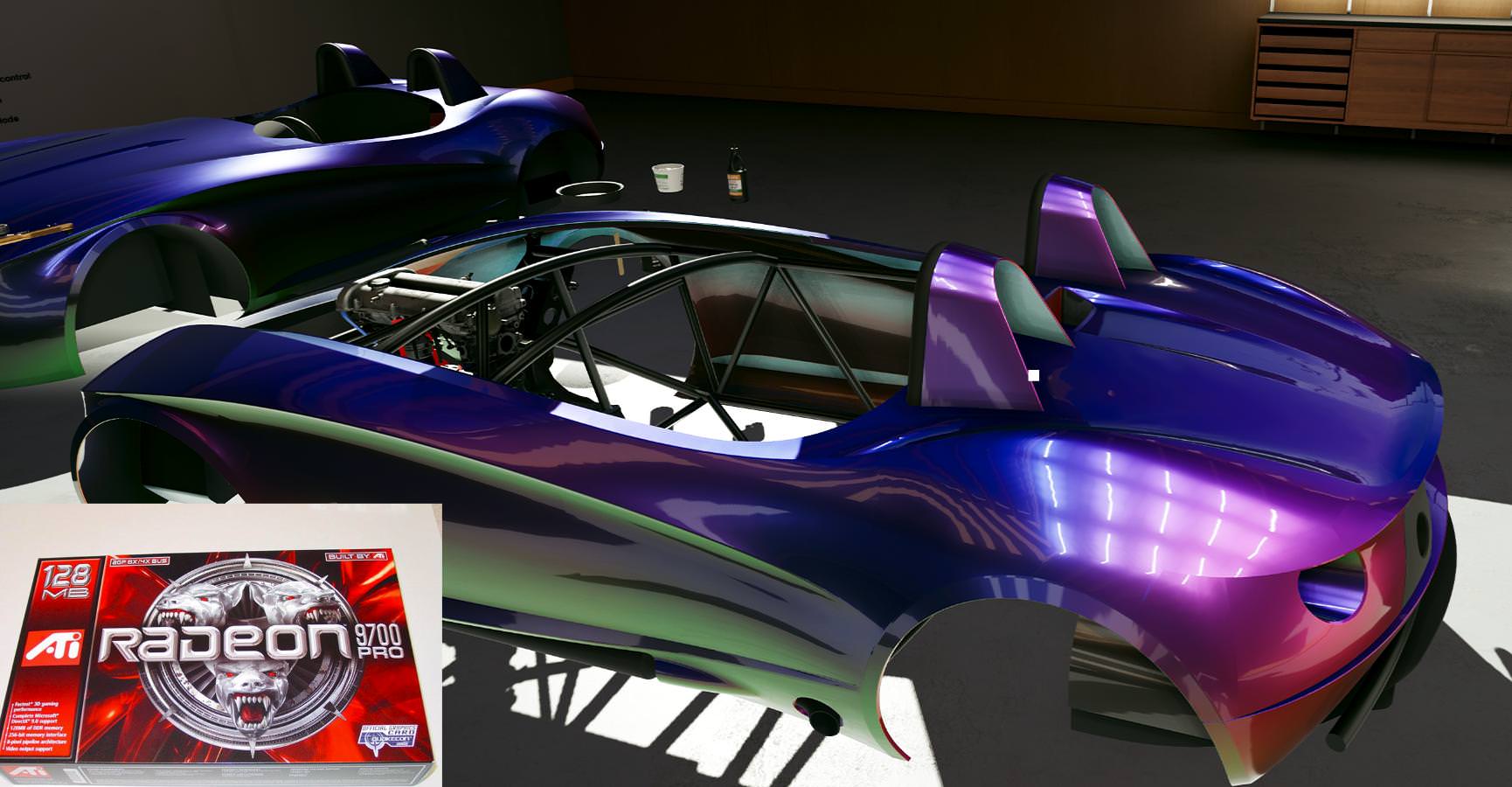
well, this seems like a major flaw in architecture according to @wicked oak
sly elk
 tired tree
and its with UE4, which he doesn't touch
mighty carbon
true.. they have UE4 integration team
probably worth e-mailing through their dev portal @wicked oak
wicked oak
nvm, they actually comment about it
they say that reconstructing in every postprocess ends up being cheaper
for me thats a bit of a "wtf" , but who knows
tired tree
makes it a hell of a lot harder to maintain though...
wicked oak
it does
i think that what is really happening is that only the first postprocess gets to run, and does the reconstruction along its normal things. i think
but some of the passes run from the "base color" render target
those need to reconstruct
yeah this is definitely possible to put on ps4
without much change, probably only oneliners to force it here and there
good shit
 sturdy coral
@wicked oak they mention that in the post
They say a separate pass for hole filling is slow
wicked oak
yes
sturdy coral
Ah just saw you mention it
Are they doing the msaa hack to make it work per pixel instead of per quad?
From Sony's second gdc talk on it
They say "Culling some of the pixels on every wavefront is not necessarily optimal with current GPU architectures. So dropping 50% of pixels may not provide 2x performance.", Which makes me think maybe they aren't
wicked oak
@sturdy coral the msaa hack is something that can only be done in ps4
sturdy coral
Ah, I didn't remember that from those slides. Just remember that I think you couldn't otherwise be using msaa at the same time (they used taa)
wicked oak
@sturdy coral what happens is that they render "squished" horizontally
but alternate the pixel "sampling" with the customizable msaa pattern
so instead of a pixel sampling "at its center", the pixel samples at the side
and they alternate it
then, the ps4 has another unique feature
the ID buffer
alongside stencil and depth, you can generate a ID buffer, wich contains the drawcall number and triangle number
and allows you to create perfect TAA
becouse you solve the problem of ghosting completely
by only allowing the TAA to grab samples from its own drawcall object
sturdy coral
Is the customizable msaa pattern unique to PS4?
wicked oak
yes
the ps4 is low level to the point of absolute insanity
in its graphical demos, they use the vulkan style renderer
but there are many shaders and many shader stuff that isnt done in PC
for example, they actually cull the triangles individually with a shader
instead of letting the gpu do it automatically
to cull backfaces and to cull triangles outside of the screen
sturdy coral
I think there is a ue4 Trello task to start doing that
Or was, maybe before they reorganized trello
wicked oak
the ps4 has pretty much driver-level-access
thats why it has its own custom API
its even more low level than dx12 or vulkan
and that also happens with normal memory. in PS4 you need to grab an actual allocator
and btw, they are pissed with the lasts hacks
they now force you to enable a out of bounds stack overflow check
that fucks with perf if you were doing stack allocations or the like
anyway, things like this is why horizon zero dawn and god of war look like they do XD. they are created specifically with the hardware, and an engine tailored to that
sturdy coral
Did not know about this.. there was work on preculling triangles that were in interiors, under landscapes, etc, at level build time: https://forums.unrealengine.com/development-discussion/content-creation/80013-pre-cull-triangles-volume
Unreal Engine Forums
Talk about Level Design, Static Meshes, Physics, and more.
I wish they would do much more stuff like that.. I'd like custom lightmap uv channels generated at build time based on where shadow silhouettes are on the ground in the placed scene
wicked oak
there is a lot of trickery ue4 cant do becouse its a generic engine
and a multiplatform one
they like to keep platform code to an absolute minimum
becouse if you dont, then its an absolute fucking pain when you add a new algorithm and need to copy it to the code of N platforms
sturdy coral
Yeah
sturdy coral
It is amazing how much they manage to support
wicked oak
and the rest is just on a plugin for online subsystem/etc
sturdy coral
With the webgl stuff etc
wicked oak
isnt that like completely dead
sturdy coral
Someone was posting about it in #cpp the other day so I thought it must still be supported
Maybe not though, definitely something I've never had a use for
 fleet plume

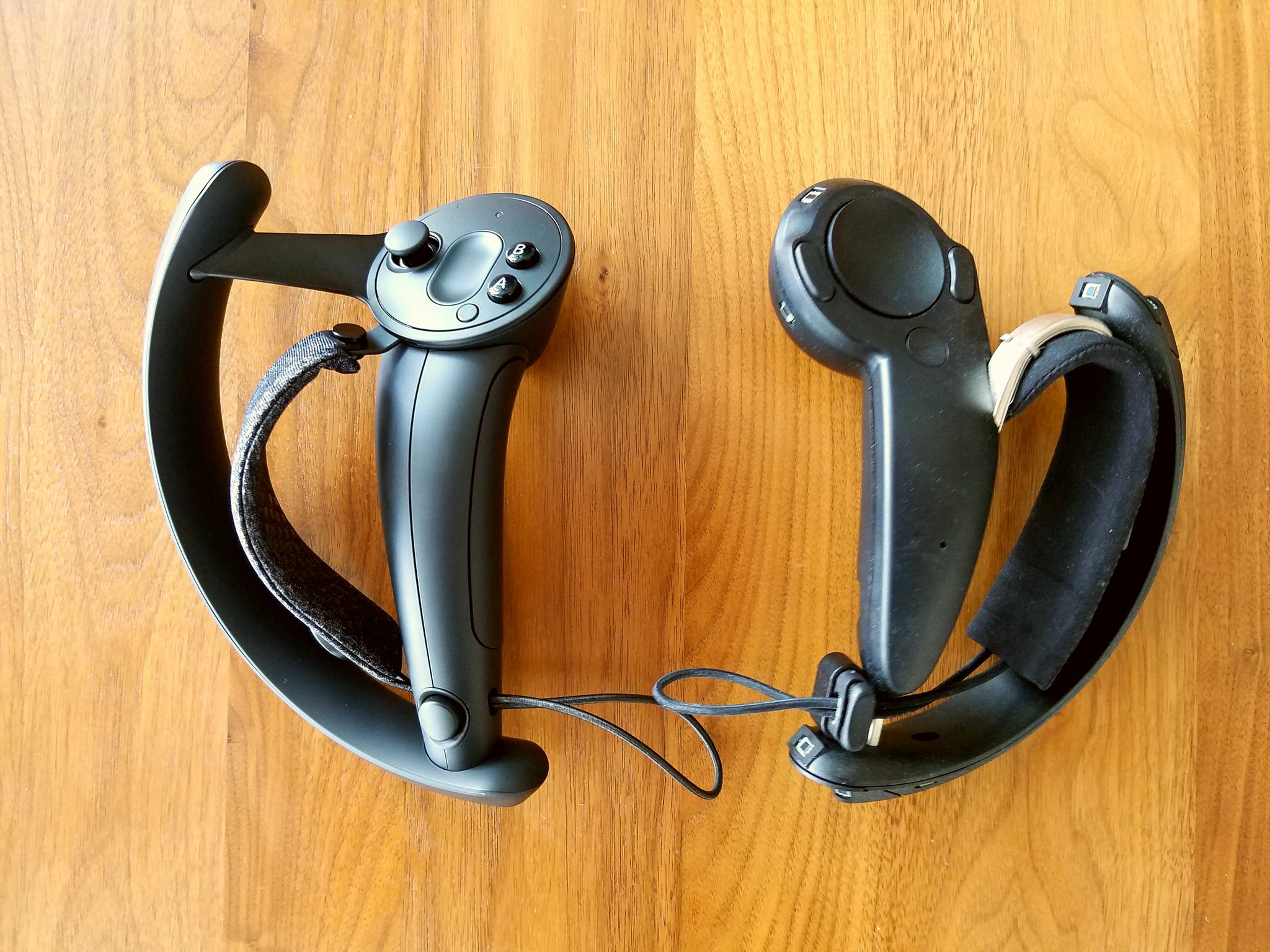
More info here: https://steamcommunity.com/sharedfiles/filedetails/?id=1417294437 Knuckles EV2 is the cutting edge of VR input. Soon, hundreds of developers ...
 jaunty shell
knuckles type controllers will add sooo much to interaction and communication within vr
fleet plume
i hope we'll get time sometime in 2018
but valve being valve .. 😄
i wish they'd do another round of steam dev days
jaunty shell
well devs can still apply to get a pair
I wish we could, but since we're only doing insider jobs 😦
wicked oak
oculus has sent me a total of 5 oculus + a go
valve doesnt even answer mails
btw, is that moonduust demo unreal engine?
the font in the messages and the lens/bloom reminds me of it
jaunty shell
yeah it looks like UE
the blur/aliasing too
but they released the unity sdk ?
this is definetly the default text render from UE
wicked oak
why is valve using unreal, in that case?
makes little to zero sense, they allways liked unity more
plus their own engine
jaunty shell
valve "outsourced" that demo
jaunty shell
rofl
fleet plume
why the quotes around outsourced?
jaunty shell
well the dev from Zulubo Productions worked for valve
he even mentions it in the video
but Zach is a Unity dev
🤔
fleet plume
dafuq he's 17 o.O

Check out this tech demo I made for the newly revealed Knuckles EV2!
https://t.co/ztYsnc9ef6
 Twitter
jaunty shell
Twitter
jaunty shell
:p
fleet plume
the last tweet in that thread 😛
wicked oak
@fleet plume not half bad for a 17 year old
faster than me, but i think i got slowed down extremelly hard due to lack of tutorials/communities at the time
fleet plume
that's friggin amazing for that age
i was a bit surprised when viewing the video the first time
didn't feel up to par with valve's usual quality
but it's amazing all things considered
wicked oak
at that age, i was doing small-ish freelancer jobs with UDK
wicked oak
i tried to be a 3d artist at 13 or so
fleet plume
well, we all have our phases
wicked oak
its very useful to me, i know a lot about 3d art
fleet plume
thank god i skipped the whole astronaut thing
wicked oak
even if i have zero talent
fleet plume
programmer art is where it's at
wicked oak
yup
btw, im compiling that oculus branch
gonna experiment a bit with the foveated thingy
fleet plume
could be helpful on ps4 i guess
wicked oak
it would be great for me
i use dynamic light
but first, gotta try it on my project without the ps4 stuff
and run it through renderdoc
understand exactly what is it doing
fleet plume
can you adjust the size of the hotspot?
wicked oak
yes
fleet plume
what's the size relative to the the full view?
wicked oak
whatever you tell it to
fleet plume
i mean per default
wicked oak
dunno
fleet plume
like 30% or something
wicked oak
they say it cuts 50% of the pixesl
fleet plume
interesting
real needle
just posted something in lounge regarding vr, a new valve title to show off the features of the knuckles controllers
heres just the article for good measure (assuming other links in lounge will scroll up soon) https://steamcommunity.com/sharedfiles/filedetails/?id=1417294437

Developer notes and lessons learned from creating content for Knuckles EV2....
jaunty shell
:p
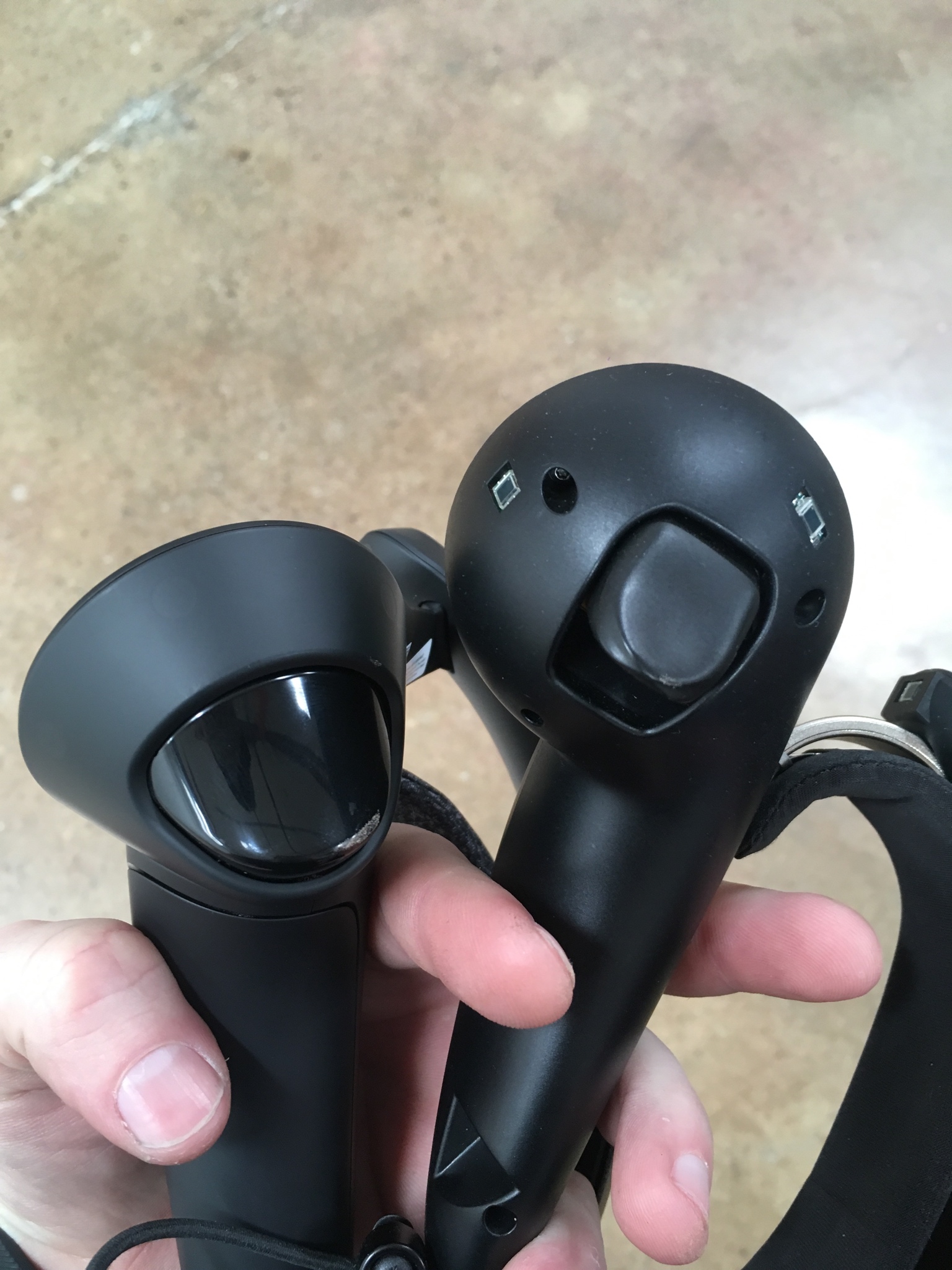
looking at both versions

I wonder if that central seam will be removed on production units
same with the circling seam around the buttons
fleet plume
then they's have to have the seam on the sides
where the panel for the sensors is already situated
jaunty shell
true
fleet plume
they look quite a lot better then the previous version
jaunty shell
absolutely, it almost looks as good as the oculus controllers from a design quality pov
fleet plume
looking at the rift touch, they also have the seam right down the middle
though with a smaller gap
jaunty shell
yeah it looks a lot thinner

Got my EV2s in!
They even came with braided USB-C cables! :O
 Twitter
yay boxes
fleet plume
the touch also have that ring around the top area/buttons
🤔
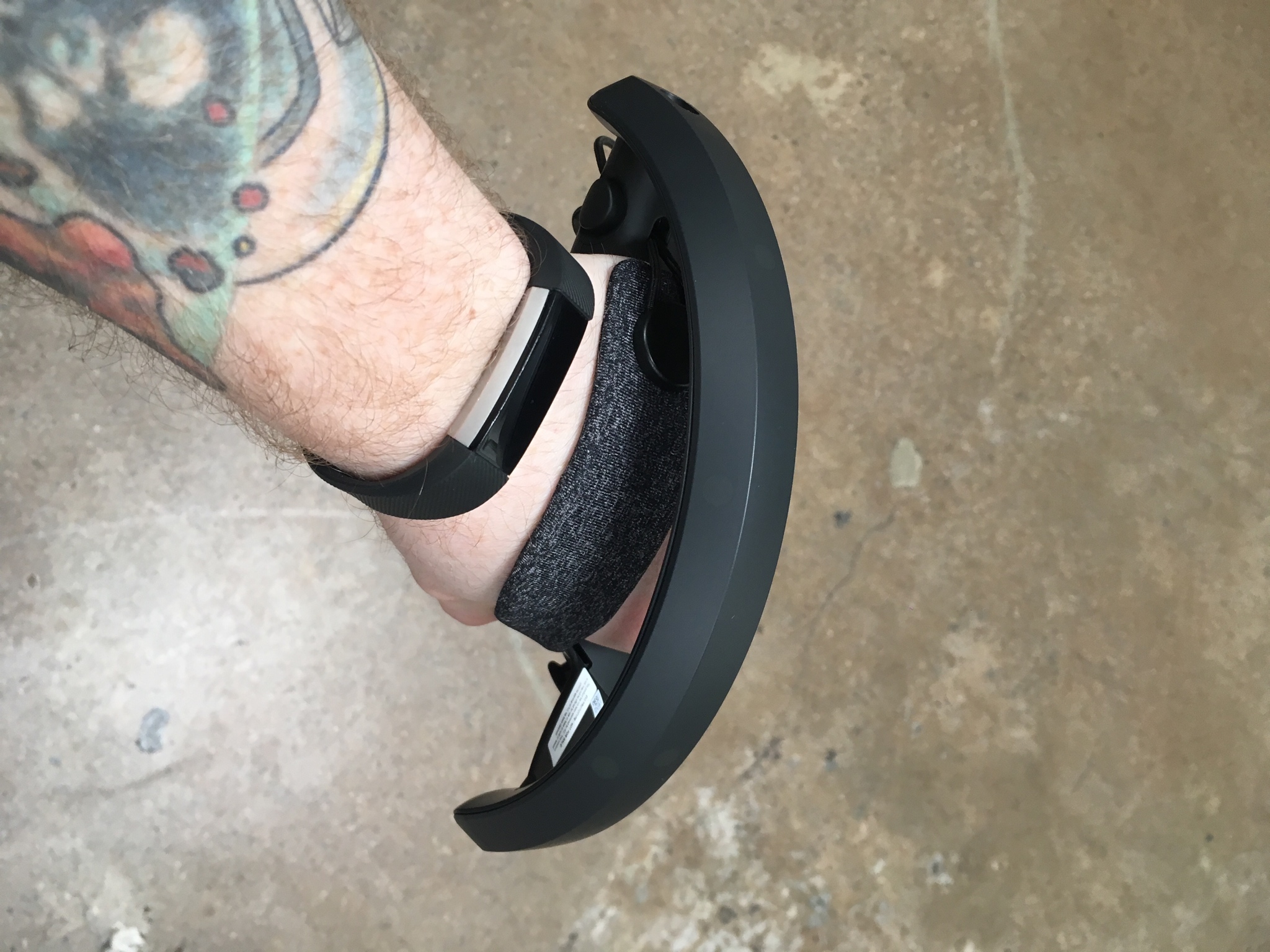
i love the farbric style on the cushions
jaunty shell
well I guess this is inevitable
to heave seams
from an industrial standpoint, you need to get the electronics inside a way or another
unless you mold it around the elecs
fleet plume
oh noes
jaunty shell
but that would be a nightmare to maintain
fleet plume
that would be horrible for yield
also that (maintenance)
also the gap looks thinner on the left-most one - so maybe it;s the lighting
sly elk
Is there a good fallback method for grab input on knuckles?
real needle
@jaunty shell who do i email for these? i need some for me game
fleet plume
inb4 anybody says that the new ones look like saber guards from the future 😄 😄
sly elk
Because im not that interested in implementing a whole new grabbing system for all of my object interactions but the controllers do look cool
fleet plume
they mention something in the moon dust video
real needle
Alec theres still a trigger and i think grip btns too (and if not grip btn can be faked now by that touch stuff)
jaunty shell
@real needle you need to ask for a devkit, there should be a form somewhere on the valve dev website
real needle
so grabbing stuff in games not made for knuckles should be fine id say
ok lifeforlife ty ill snoop around there then
fleet plume
there's also a new skeletal API
jaunty shell
@real needle If you're a developer interested in participating in the developer kit program, you can apply on the Steam Partner page. Log in, and look for "VR Developer Kit Request" along the right side of the page.
fleet plume
i guess you already have to have a game on steam for that?
real needle
ty @jaunty shell
wicked oak
foveated rendering works
very bad scene, with around 4-5 forward lights
from 15 ms to 10
super aggresive foveated settings tho
jaunty shell
@wicked oak are you able to take a screenshot ?
fleet plume
having a laugh here
wicked oak
on a 970
 jaunty shell
 fleet plume
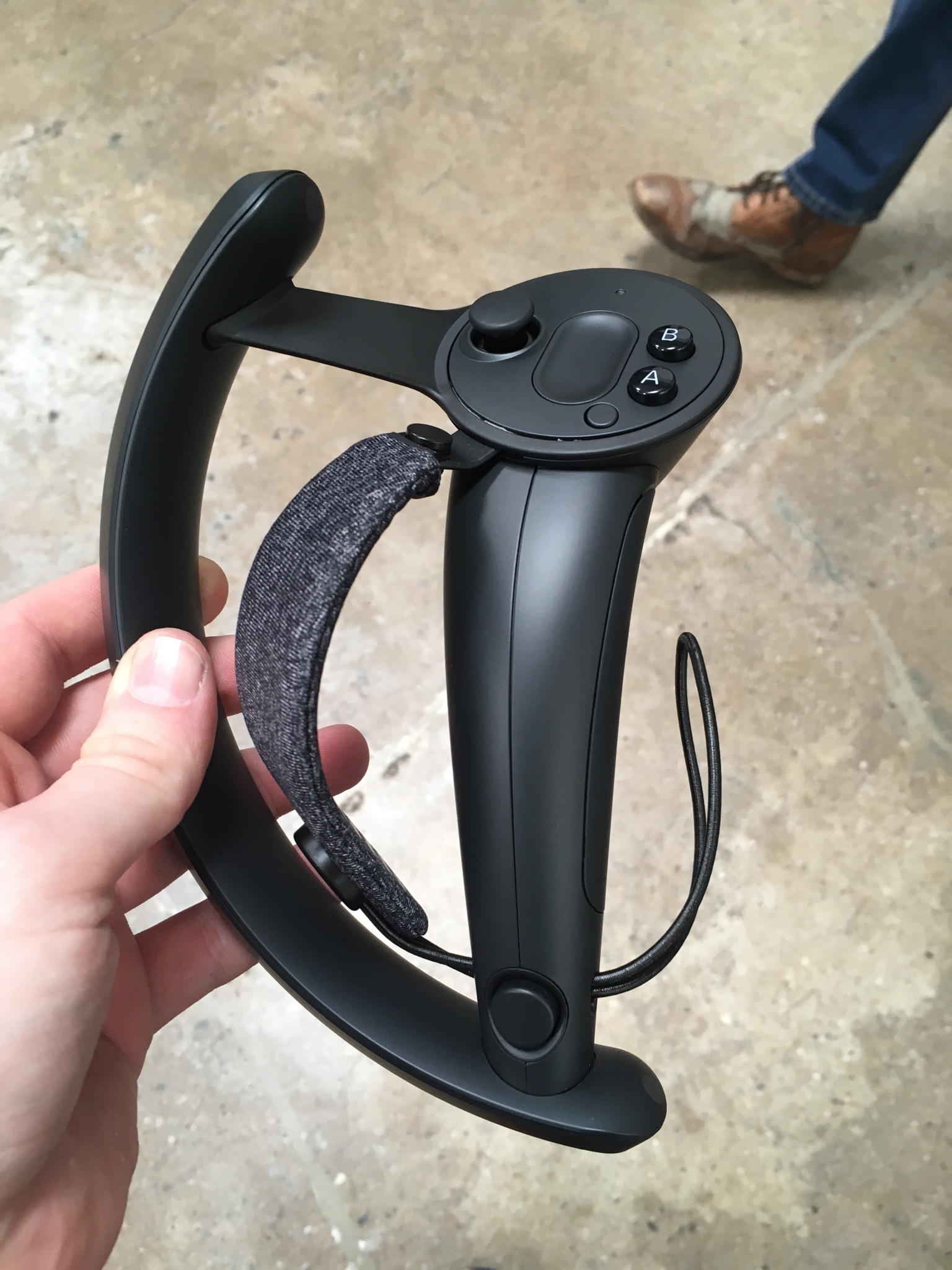
is that glue at the top?
jaunty shell
looks like a bit of glue yeah
jaunty shell
 fleet plume
would love to be an engineer on their hardware team
jaunty shell
dem cloth
 wicked oak
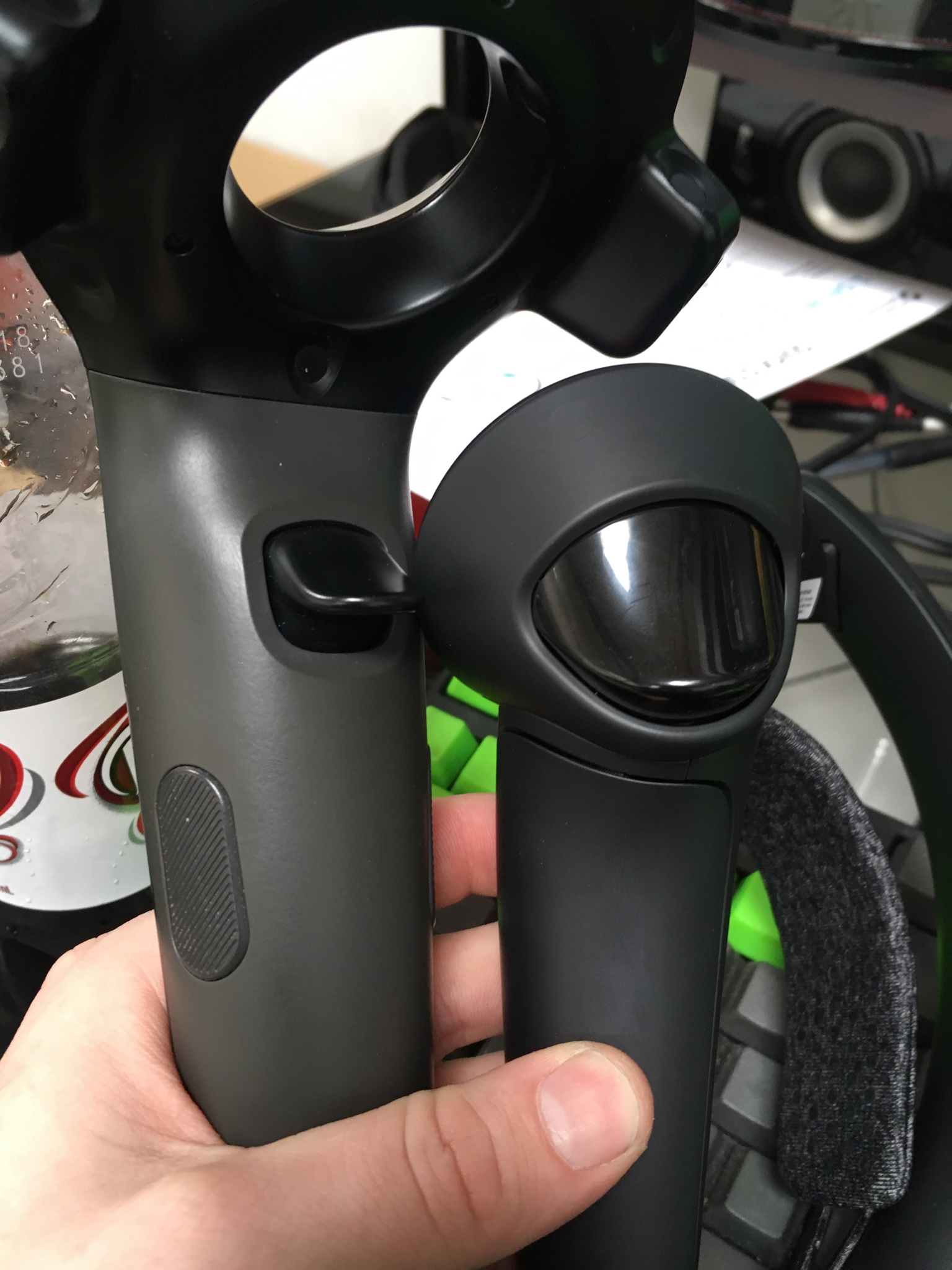
highly doubt its not analog
fleet plume
nice blank keyboard in the BG
 granite jacinth
Hmm, where's my damn Knuckles
 dusky moon
Yo! I just requested two knuckles form steamworks ... any1 got it already from valve ?!
dusky moon
ow damn, they still ship to superstar devs : /
+5k twitter followers would guarantee
Take me back ..... tooo 2016 lol
jaunty shell


Who wants to buy my Rift?
Valve Knuckles EV2 finger tracking: https://t.co/NGUazUGosP
Twitter
dem fingers
dusky moon
is there any hands-on video testing it somewhere ?!
jaunty shell

CNET
Valve tells CNET it'll announce shipping info "soon."
"Valve tells CNET it'll announce shipping info "soon.""
say what
sly elk
Am I the only one who is happy valve stopped making halflife? I loved the first two games but unless they find something really innovative to do with that genre, there isn't much reason to keep making them.
 glossy agate
Even if it was super innovative, the game would get sooo hyped it would never be able to live up to the expectations.
fleet plume
i honestly don't see any reason that valve would not be able to create an amazing HL game
as long as the reach god of war, last of us kind of levels 😄
jaunty shell
@dusky moon https://youtu.be/IVQOcx2aM0g

Got my Knuckles EV2 in today! :) (Suuuuper sorry for all the microphone popping btw, it's like my Vive mic felt like being extra terrible today...) Here's a ...
 fleet veldt
@sonic lake Hi I was following your post for determining which "hand" was set on gearvr/go. Is device tracke dis returning false for me on begin play. did you have to put a delay in there before checking?
 sonic lake
@fleet veldt I don't have access to my dev PC now but I remember doing the check with a timer.
Basically I check every 1 sec if the hand is left or right in case the user switches it on the fly.
sturdy coral
@wicked oak sounds like it will be worth using the oculus branch over nvidia multires/lms
since it will work on AMD too
dusky moon
@jaunty shell Nice, so does the finger tracking actually tracks fingers like the way Leap Motion does ?! or more like the Oculus touch ?
glossy agate
I think it’s similar to touch. No external tracking. It’s just based on finger coverage to guess position like the original knuckles
wicked oak
currently building a bunch of automation tests for the game
i want to have some sections of my game tested in case i break them randomly
turns out you can just create a test map, do stuff on it, and its automatically added to the test system
dusky moon
I hope it's better than Oculus' tracking. it's not so interesting to just interpolate virtual fingers between two states (grip/nongrip)
tired tree
@dusky moon it is very much better than oculus's finger tracking
 tacit quest
really cool, so ugly tho
 sterile warren
hi anyone can help me about oculus go and gear vr how can i use in standart vr template
fleet veldt
@sterile warren what issue are you having?
 wet ether
anyone figure out how to map the WMR joysticks yet?
glossy agate
Its not working in editor? I thought it just didnt work over Steam
sturdy coral
@wet ether yeah, takes cpp changes if you want sticks and touchpad both working
wet ether
sorry, I am noob, cpp changes?
sturdy coral
@wet ether engine source c++, not fixable in blueprint
wet ether
ahh thank you very much for the explanation 😃 I guess it's time to get serious and get an oculus setup. WMR is awesome for the price but seems like a pain to dev with
sturdy coral
epic will probably add stick+touchpad support pretty soon since they added knuckles support before and new knuckles have both
wet ether
that is good! thanks for the info dude, have a great weekend
fleet veldt
anyone had luck using Snapdragon profiler on Go or GearVR to take snapshots? It seems to lockup or crash when i try to view drawcall color data
sterile warren
tmek hi again actually i have gear and oculus go but vr template for htc and rift so if i want to use vr template what can i change for interact in oculus go and gear
i can not find any tutorials about gear vr interaction and go
i know camera origin and camera also need and integer for camera height but how can i addopt
oculus go is running directly in ue4 ? like rift or htc
sterile warren
hi
wicked oak
Did the automated testing i talked about
works quite well https://www.youtube.com/watch?v=SOnFkkQ2eio
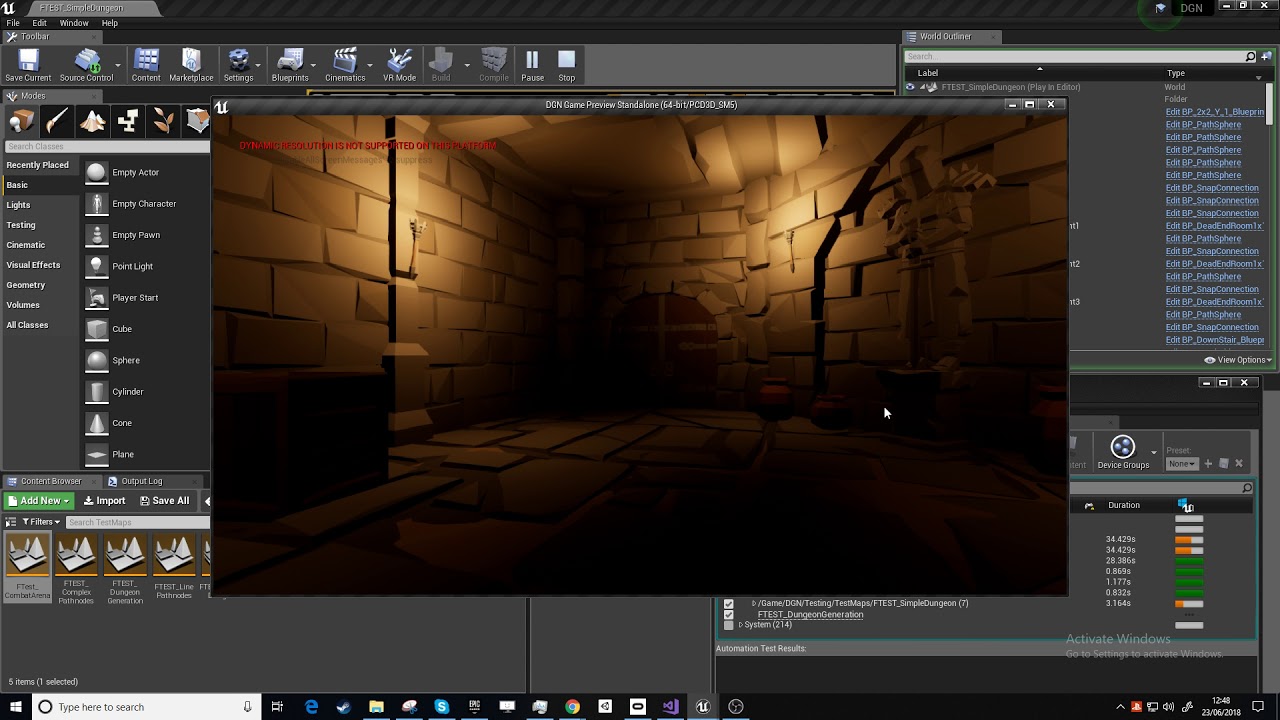
Unreal engine automated testing experiment, for my dungeon RPG. Tests enemies and map generation.
i will write a blog post/forum article/whatever soon-ish, once i understand it a bit better
there is literally no material about this on the internet, anywhere
other than the documentation wich is very broad and doesnt explain much
 edgy pelican
@sterile warren , I'm a newb at this too, but I found this to be most helpful in setting things up for Go. I managed to port my project over using these guides and am almost done setting up (also, don't use VR template. The guide will tell you that too. That's mostly for PC VR):
@sterile warren , also use this for Go's keymapping. I believe @sonic lake posted about it:
Unreal Engine Forums
I have started developing for the Oculus Go and as one of the first steps I had to figure out the key mapping. This assumes the MotionController is mapped to the
mighty carbon
@wicked oak would be nice of you to do that 😄
 nocturne sky
anyone tried this?
https://developer.oculus.com/blog/tech-note-mask-based-foveated-rendering-with-unreal-engine-4-/

Mask-based foveated rendering (MBFR) is a rendering technique that decreases the shading rate of the peripheral region of the eye buffers by dropping some of the pixels, based on a checkboard pattern. It allows you to effectively reduce pixel shading cost from world rendering...
wicked oak
@nocturne sky i did
works
oculus only but can be forced on vive with some sourcecode changes
mighty carbon
How much performance did you gain @wicked oak ?
wicked oak
on extremelly aggresive settings, from 15 ms to 10 ms
gpu time
that one had obvious quality loss tho
with less aggresive settings, it would still be like from 15 to 12-13, wich is nice
mighty carbon
Cool
wicked oak
its worse than nvidia MultiRes and LMS
in LMS you can go from 15 to 10 without much quality loss
but its generic
works on every gpu of every platform (if configured to do so, at the moment is pc oculus only)
mighty carbon
That + fixed foveated rendering should be really good
wicked oak
it would be very redundant
why would you have 2 techniques that both remove pixels from the periphery, it would end up as super low quality past the center
mighty carbon
Do they support FFR on Rift?
wicked oak
?
what exactly do you mean with fixed foveated rendering becouse i think there is a communication issue there
mighty carbon
What they have on Go
wicked oak
thats basically multires
pretty much the same technique
except go has it at the driver level due to how the mobile gpus work
in pc its nvidia vrworks only
mighty carbon
Oculus Go supports Fixed Foveated Rendering (FFR) which enables the edges of the eye
buffers to be rendered at a lower resolution than the center portion of the eye buffers.
wicked oak
thats multires
NVIDIA Developer
almost the same tecnique. Its a great one
free performance
with no quality loss at all if you use the more laid-back settings
mighty carbon
So FFR is for Go only
wicked oak
yes
its a mobile only technique
only works on mobile gpus, due to the way they are made
jaunty shell
We have reviewed your application and decided to leave your application open as you need to have a VR build uploaded to your Oculus dashboard before we can proceed.
aw come on
how am I gonna dev for oculus hardware
without any hardware
🤦
real needle
@wicked oak MRS can be scene dependent, we gained 5ms when turning it off
real needle
@wicked oak I'm not entirely sure what the cause was, but there were many text actors and widgets
 subtle raft
How do I make a calibration button? Like if you press it it'll set the world direction in the direction you're facing
I somehow need to get the difference from the HMD's calibrated foward to the position it is in currently then shift the world that amount?
is that possible with blueprints?
sonic lake
@subtle raft You can call Reset Orientation and Position, with or without a desired yaw rotation.
subtle raft
so it's just a single node?
sonic lake
Yes
subtle raft
and it works on most HMDs?
sonic lake
Exactly.
subtle raft
alright cool thanks
sonic lake
Np
fleet veldt
@wicked oak I had seen the automated testing in the Session Frontend tool and wondered about it. I'm familiar with unit testing frameworks like NUnit. I'm guessing it's not to different from those? Would love a blog or video post on it 😃
wicked oak
@fleet veldt the C++ part is similar to unit tests as in "test a function or two"
the blueprint part works more at the map level
so its more for higher level stuff
examplly of a C++ test
i just try to load my enemy database and see if its loaded without errors
fleet veldt
@wicked oak ah cool 😃 yeah that looks similar
wicked oak
i dont think the pure unit tests are very useful
given how a game project morphs over time
things like this, serialization, are kind of the exception
fleet veldt
yeah unless your doing library level stuff
wicked oak
the blueprint level tests i think are much more useful
for example in the video i just spawn an enemy and see if he kills the player
in there, im testing, all at once:
Player exists and has collision
Health and death system works
Damage numbers pop up
Enemy AI works
enemy pathfinding works
enemy loading works
sword tracing/animations work
ill also implement one of those enemy test for each enemy type in the game
that way i know if some enemy breaks for some reason
and im going to implement "game mode" level tests, where bots play a full level
fleet veldt
is there a reliable way to get the UE4 log on GO?
sonic lake
@fleet veldt adb logcat
The Android SDK provides the logcat logging utility, which is essential for determining
what an application and the Android OS are doing.
fleet veldt
@sonic lake thanks. have you had any luck using anything that traces opengl calls on the GO so you can look through the draw calls / see rendertargets being built up?
sonic lake
@fleet veldt You want to look into the Oculus Remote Monitor
The Oculus Remote Monitor client connects to VR applications running on remote devices
to capture, store, and analyze data streams.
fleet veldt
@sonic lake yep i've been playing with it but I don't see that it has the ability to drill down into draw calls and view textures/geometry of a single draw call like you would with snapdragon profiler
the oculus docs says you should be able to use snapdragon profiler but i haven't had much luck on the GO with it sadly. just enough to get little peeks here and there and then it will freeze or crash
sonic lake
Never tried the Snapdragon profiler. However you should also be able to use RenderDoc. Did you try it?
fleet veldt
oh no, i have seen that mentioned on some of the ue4 wiki. i will see if i can figure out how to connect that to go
fleet veldt
it's pretty close, i found some older documentation on the oculus site that said gearvr supports renderdoc if you use a special nightly build. I got the latest nightly build and was able to connect, find my process and launch it through render doc and it seemed to work for a split second but then it crashes on the GO or worse reboots the GO heh.
sonic lake
I cannot try right now because I have no access to my dev system (traveling), but I am pretty sure it should work.
fleet veldt
i plugged it into a differnet usb port and got a little further
 molten fulcrum
Hey, I am working on a vr project in unreal engine with blueprints, and when I am facing the two controllers forward, the right one just facing the wrong way. Anyone has any idea on how to fix it.

it just swaps weirdly
idk why
wow thanks of the help
sturdy coral
@molten fulcrum does it happen with the unmodified vr template?
molten fulcrum
it is the default vr template
sturdy coral
those hands don't look default
sturdy coral
then we need more details on what you changed
molten fulcrum
wait a sec
sturdy coral
my guess is
molten fulcrum
I got a video
molten fulcrum
I didnt change the sacle at all
molten fulcrum
it is 1 1 1
sturdy coral
the template code is probably applying the scale later
molten fulcrum
wait a sec I am opening the project
sturdy coral
is the forward and up vector of your hands the same as the mannequin hands forward vector and up vector?
sturdy coral
search the code for where it flips things for left right by applying a negative scale, and then just work it all out and see if that is the problem. test applying the same scale to your mesh etc.
molten fulcrum
wait what
this one
that spawns
this is the hand location rotation and scale
Well this may help
now one of the hands are gone
well nvm
thanks for trying to help
Please someone help
I cant make a one hand game
it wont be realistic
3907 people are online right now and non of them can help
great group
sturdy coral
@molten fulcrum I helped; you didn't read through the code for the place that changes scale. it is only changing it to negative in one component, not all
make your mesh match the orientation of the mannequin hands within your mesh asset itself, and you shouldn't have any problems. or read through the code and adjust the place that is scaling it to scale the correct axis and adjust rotation too if needed.
if you want to dismiss everyone here as unhelpful just because you had to wait a little while, you should just pay epic for professional support.
molten fulcrum
okay
sonic lake
@molten fulcrum I would recommend you clear all rotations and scaling (if any) affecting your right hand (assuming the right one is the original one), then look at your mesh and determine around which axis you need to scale -1.0 in order to turn the right hand into the left hand. Only then add the rotations you need to position the hand correctly within the BP_MotionController.
If you try to do everything at once you will get easily confused between the effect of the rotations and the effect of the axis mirroring (scale -1.0).
molten fulcrum
Okay ty
sonic lake
Look at the original skeletal mesh in the VR template. Note down how it is oriented respect to the axis. Give the exact same orientation to your new hand and everything should work as expected.
jaunty shell
good question @eager pine
VR Content examples package has one I think
Unreal Engine Forums
All things Virtual and Augmented reality. Development resources, news, tutorials, and discussion inside.
would be nice to have it integrated directly with the steam/oculus overlay though
 eager pine
prob possible
isnt a virtual keyboard possible?
for the steam overlay?
aaah the overlay
hmm
@jaunty shell is there any new supported versions of that content examples?
jaunty shell
supported ?
as in up to date ? its always up to date
@tired tree is the dev of this package
eager pine
i think you sent the wrong link? 😛 i have mordentrals vr examples already
jaunty shell
well
it has a keyboard
check for the console stuff

no idea if this is still in the package but
jaunty shell
aaaaaaaaaaah
well
it should take your real KB input by default
even if you are in VR I think
eager pine
it doesnt seem like the widget will focus on the editable textbox
jaunty shell
argh
molten fulcrum
it works thank you @sturdy coral and @sonic lake . I did the negative scale and the same rotations as the default hands and played with it a bit until it matches perfectly
eager pine
i dont seem to get any respons even tough using a focus and input mode function as well from the keyboard to the editable text box
only on the button from the widget interaction that attached to the hand
eager pine
got it working 😃
tired tree
@jaunty shell I am not the dev of the VRContentExamples
that was Mitch
totally different thing
eager pine
seems like i loose the ability to click buttons when making edit box focused
so this works which seems weird, after i did set show mouse cursor, if i click the button, it will focus it and then the widget interaction on the controller can click the button
set input mode game only worked 😃
granite jacinth
I am doing it everyday
one subreddit per day
tomorrow is /r/PSVR, wed = /r/Vive and Thurs = /r/Oculus
Friday = Discord
granite jacinth
I have some good ideas every once in awhile
mighty carbon
Oculus TV is out, but it's single-user only 😦 I wonder if multi-user support is coming soon.
real needle
@eager pine Did you get keyboard input working in widgets when VR is enabled? I've only been able to get it to work when disabling VR
sturdy coral
@real needle have you set 'bool bReceiveHardwareInput;' on the widget component?
not necessarily what you want to do as it will eat all motion controller key events too, but should let keyboard through
to work around that you can leave bReceiveHardwareInput off, add a focused viewport widget and implement OnKeyDown OnKeyUp etc. and just forward everything from them to the virtual window of the UWidgetComponent except for motion controller events (returning FReply::Unhandled(); on motion controller keys and they will bubble to the player controller, FReply::Handled(); on other stuff and they should be consumed)
 proud solar
any body here experinced with guns in vr.
real needle
@sturdy coral I didn't check that. Will that override motioncontroller inputs in other classes?
IE Consumed inside the widget, and not the pawn
Even if I don't add events for them
@proud solar It's better to ask you question, and if someone knows the answer they can then answer
Plenty of us have experience with guns
proud solar
thanks. i just didnt want to over spam the discord. ive already asked in 2 other channel with no responses.
granite jacinth
people ignore general questions like that
proud solar
no it was a full question
so ive hit a snag and i feel like i need to learn something faily big before i move forward, and that is whether or not i should use skeletal meshs or static meshes for my vr guns.
i feel im leaning towards skeletal but i know anything about it and instead of animations i need the gun actions like pumping a shotgun or working a bolt action to follow the motion controler and not a predetermined animation(edited)
any advice
proud solar
that one
 pearl tangle
@mighty carbon do you use shared tv watching things much in VR? Or anybody here use them? I have never tried them out, but dont particularly see the appeal
@proud solar you could do an animation and then you are just matching that position on the animation timeline with the movement of the hands if you wanted.
Or you could do it with just a static mesh on it and move it's position based on a timeline on the blueprint rather than an external animation and just animate it by hand like that
I wouldn't give 100% freedom with the movement since it's rather unecessary unless you are going for super realism. Just animating the pumping of the shotgun close to the hand position should be fine
proud solar
ive thought about that but im trying to make sure i get it correct right now. because i plan to add alot of guns. ive got all the logic working. from sounds to mags that properly record the correct bullet types in order, and pass it to the gun. im going very simulation and i have been manually animating static meshes. but the work flow feels wrong and a shot gun seems easy with this method, but its got me stumped on bolt actions
mighty carbon
@pearl tangle I just got Go not too long ago, so I only tried TV today, maybe like 30 min ago 😛
pearl tangle
@proud solar you can still do the animation with a skeletal mesh on some other software and you just want to track it's position along a timeline with an anim blueprint and a float value of the position of the hand (start of initiate position vs current position for the shotgun for example)
@mighty carbon But you were a massive Gear VR nut before that so figured if anybody was going to be into the shared TV watching it was you, since netflix and some other 1's have it for that and for the rift and vive
mighty carbon
@pearl tangle I can totally see my wife and I watching stuff in VR when I am out of town for work
proud solar
ok thats what i felt like i should do.
mighty carbon
I was the only one with Gear VR in my family. Go is different - no need to replace phone or upgrade phone. Or fiddle with it putting it in / out in the Gear VR.. Go rules.
proud solar
since we are on the topic. how would you record a float based on location. and can i get it to work in the style of a bolt action as well. im thinking something like a spline path mabey
pearl tangle
you are just looking for the world location of your motion controller
or depending how you have it setup getting relative may be better
but essentially all you want to do is when they overlap the "triggerable" area of the pump on the shotgun then let them be able to interact.
So they pull the trigger, and you record the current position.
Then you just get the distance between that position and their new hand position and lerp the animation value between your 0 and 1.
EG. Hand position 0. Trigger pulled. Animation at 0%
Move my hand 20cm, lerp to animation 100%
mighty carbon
@pearl tangle btw, Netflix never had support for multiple users
proud solar
ok. that sounds increadibly strait forward. that would settle any slide motion i have (handguns, shotguns, rifles) and i could use the animation events from there. but im still feeling stumped on bolt action. that one sounds a bit more techinal
sturdy coral
@real needle I can't remember. I never set up keyboard text input for a widget component, but I was doing related stuff trying to get key events to work on slate widgets when they were both part of the viewport and when migrated back and forth to a widget component
pearl tangle
ah it was hulu that had the social viewing 1
@proud solar you just have 2 parts to your animation. You want the hand movement for the start to be along the axis relative to the gun itself rather than world position anyway. So you just lock it to the Y axis for the turning part. And then once it's gotten to the end of that bit you lock it to the X axis
proud solar
ok. thankyou. that has had me stumped for a while. i greatly appreciate it
pearl tangle
no worries. You can easily start with just some static meshes and lerp between the 2 values before upgrading to an animated static mesh as well, you may even get all the results you need from that
pearl tangle
is roadtovr.com down for anybody else?
pearl tangle
depends if you have set it to distribution or not. That turns off the print strings. Plus also in vr itself you might not be able to see it once it's there so a for loop 10 times or so makes sure it's in frame
 analog topaz
not on distribution i am still optmizing, but i am eye balling it,
so i was wondering how to show fps on my s8 +gearvr
@pearl tangle and btw roadtovr.com works fine on my side
pearl tangle
then it should be showing on the device itself from a console command, try the for loop 20 times or so to make sure it's there. Or you can just pull the FPS up on a UMG object as well
must be something weird going on with their CDN, down here in Singapore
analog topaz
will give it a try
 untold bobcat
Hello!
Im trying to make a daydream app but cant get it to run on android
https://docs.unrealengine.com/en-US/Platforms/GoogleVR/HowTo/MotionController (the one at the bottom)
every test gives me the same result, after the controller pairing, the screen goes black
sturdy coral
@proud solar skeletal vs static with animated components: skeletal will be less draw calls
if you have a gun with 5 pieces, that could be 20 draw calls or more (velocity, depth, shadows, base pass) * #of AI enemies or #of players using the gun in view
untold bobcat
I got It !

After I got Daydream working with Unity, next I wanted to get a similar scene working in UE4 so I could start to compare performance, workflow, etc. Be warned that this is not nearly as out-of-the-box...
it was the openGL 3.1 and the Forward Shading checkboxes
eager pine
@real needle Yes! I got it working by setting the right focus of widgets and unfocusing when something else is hovered over
 shell karma
what would be the best approach to start the game as non-vr app, with HMD connected, load traditional main menu on the monitor with mouse and keyboard setup, and then when VR pawn is possesed run switch to HMD ?
can this be changed at a runtime ?
it was too simple :3
 digital marlin
@shell karma test if console commands work on packaged builds .
shell karma
will do yeah
digital marlin
I think you'll be fine but JIC
eager pine
trying to setup a animation state of the hand when actor is valid, does this seem like a performance heavy method?
event tick
jaunty shell
Anyone got an idea of what could be causing these spikes ?
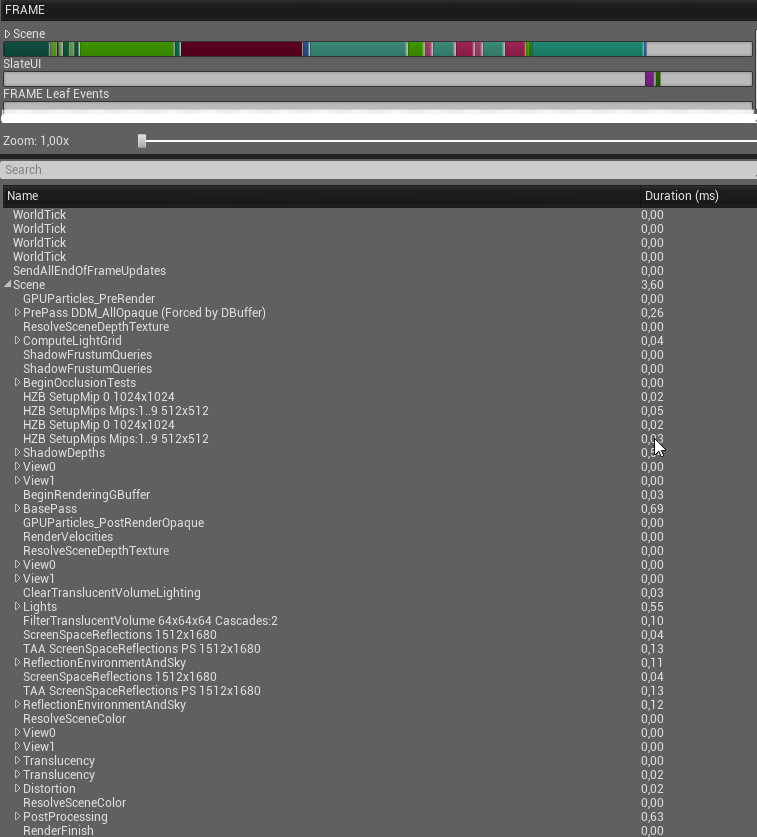
the GPU viz profiler doesnt show much either
eager pine
any bp?
jaunty shell
I'm using deferred + FXAA, all post process disabled
yeah I've got my pawn with quite a bit of stuff but..
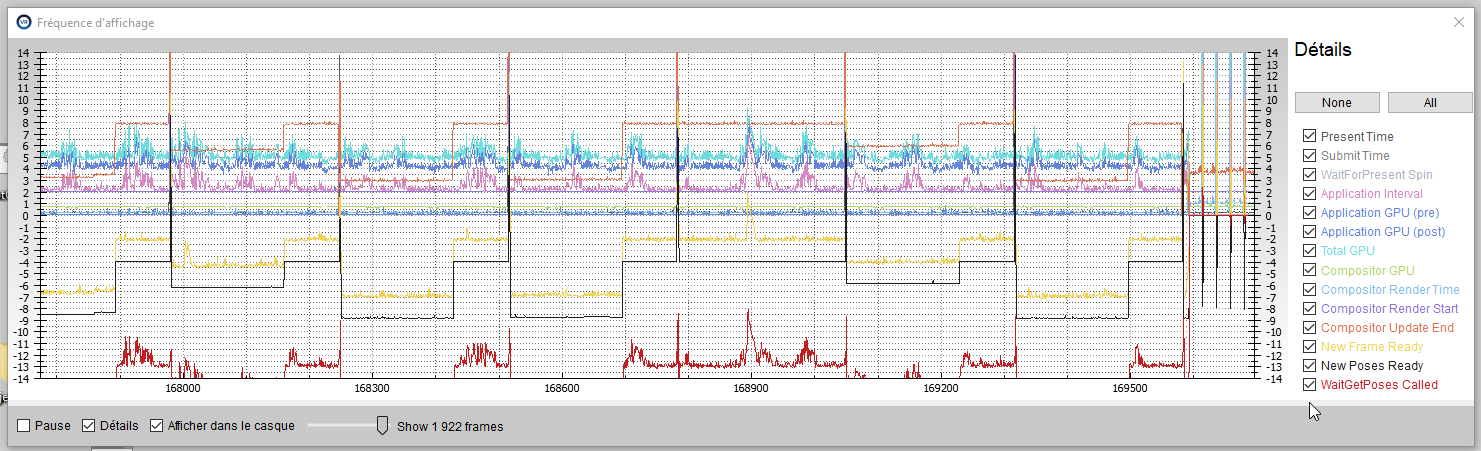
looks like small cpu stalls or something
jaunty shell
these are also present with an empty product viewer template scene from studio
so I guess it is related to that template
gonna try a build
performance is a lot better in build, but I still have some background spikes every 3 seconds or so
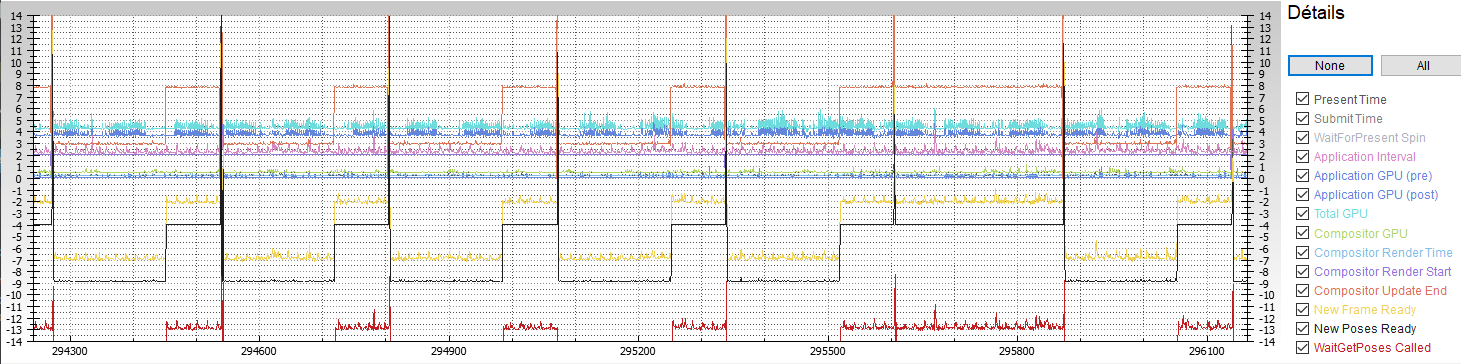 wicked oak
smells like GC. Use the profiler
or some kind of timer you got at 3 seconds that spawns something or similar
jaunty shell
oh not not the garbage collector again 😦
wait what
its still doing it even if nothing is running @wicked oak
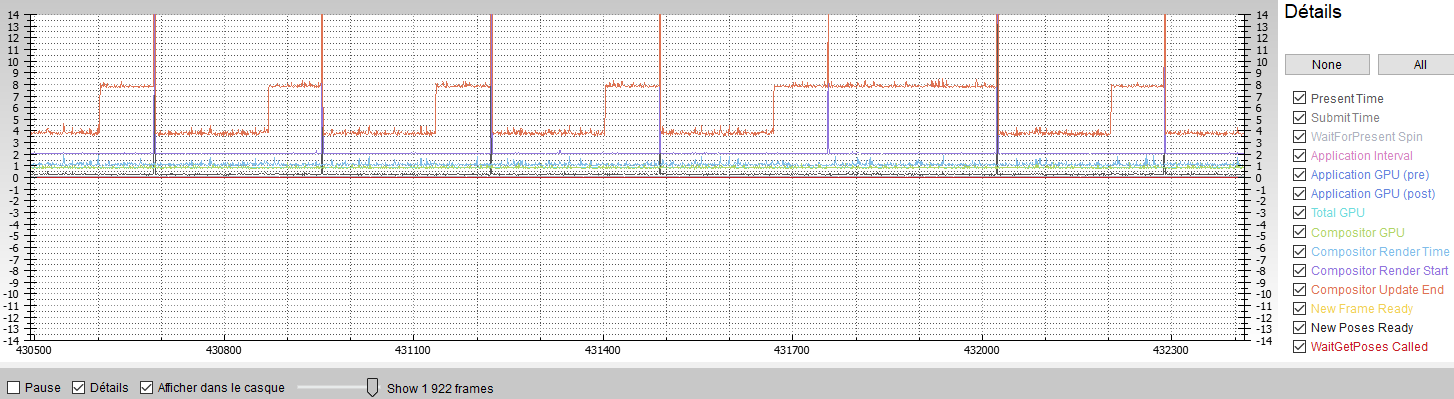
ooh
reprojection does that
 neon egret
Aloah, anyone used Physics Handles to pickup PhysicActors?
While it works as expected (grabs at the properly defined location), I would wish to adjust the way the Actor is tied to the Handle.
Right now i'm testing with a simple hammer, which is grabbed a bit more to the back of the handle (the hammer handle).
The hammer however just hangs loosely from the grab location. I would like it to be "stiff", similar to NVidias FunHouse.
The Damping and Stiffness variables on the Handle aren't really doing anything for me.
Does someone of you have some insight on that?
wicked oak
@neon egret funhouse doesnt use physics handles
tired tree
@neon egret the physics handle should be fine for that, the only caveat is that if the constraint strength isn't high enough to deal with the weight offset of the hammer head. I grip physically constrained objects at their COM generally to ensure there isn't additional forces involved, VR hands are authoritive on position generally.
funhouse likely does the same setup though
kinematic physx actor with a constraint to the simmed object
neon egret
Clients app isnt using hands, so the hammer in this case is the only visible part
tired tree
it is nvidias suggested method
talking about for movement
you wouldn't want the hammer to feel loose in a hand
unless that is the intended effect
neon egret
Correct i want it stiff
tired tree
constraints have the force of the mass applied to them
'if you grip at COM then there is no additional force
neon egret
And only move a bit if clashing against other collision
tired tree
I even go as far as to specifically offset the COM to my grip location
on grip
how loose is it though
like totally?
you should be able to get it presentable just as is
neon egret
Yeah totally
@tired tree
The Actor itself only consists out of a StaticMeshComp as root
Set to Phys enabled
And the StaticMesh has a Socket to easier adjust the grab location
When grabbing, it just hangs downwards and I can fling it around as if it is tied to a small rope
tired tree
then you have no rotational stiffness @neon egret
neon egret
Aka, AngularStiffness?
On the Handle?
That is set to a pretty high number, just for testing. No positive result from that
tired tree
and you are using GrabComponentAtLocationWithRotation
@neon egret
the other one is location constraint only
neon egret
Oh
Well THAT I didn't know
Let's see
That looks a lot more like what I wanted
Now I have to get rid of the jittery correction when colliding with collision. Default stiffness values seem to be too high
That works quite well
Thanks a lot @tired tree
tired tree
set the angular damping to help with that jitter
and linear
you never really want it 0
neon egret
The jitter stopped when enabling the constraints
Alright, will try setting it a bit higher

That works well enough
glossy agate
Should try making a GOW function where you can throw it and make it sweep back dostroying all the stuff in its path
sturdy coral
@shell karma there are several caveats with it, not sure if it has been fixed but if you can go in and out of VR, oculus would reset your tracking origin setting the next time you enable vr again; and it used to be if you started with VR off and enabled on first frame, the oculus plugin would crash (workaround was to wait a few frames which you might be doing anyway)
sly elk
 fleet plume
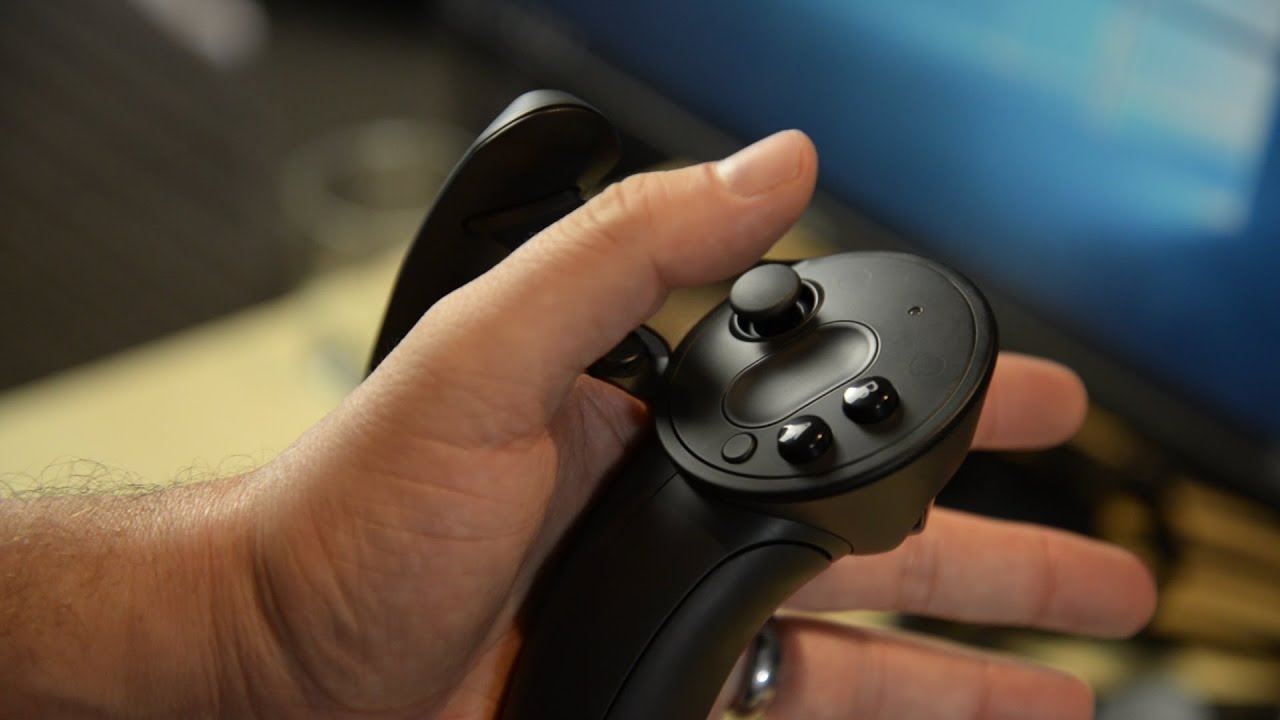
Cloudhead's Denny Unger shows off the latest hardware from Valve and SteamVR with the "Knuckles EV2" motion controllers. SteamVR Knuckles controllers bring N...
nice comparison from first 3d printed prototype to current version
not just another unboxing
 fast spade
@sly elk Engine Punch looks great!
Would like to using a javascript API to interact with the model - any pointers? will share my findings of course...
 tame locust
@sly elk badass
I was working on a multiplayer VR garage experience with some mates but they bailed.
digital marlin
@sly elk awesome
sly elk
Thanks
no multiplayer in wrench yet. Maybe as a post release feature, though its a not a small task
tame locust
heh we discovered as much
sly elk
im curious, did you guys have a plan for dealing with multiple people working on assembly at a time? Like what happens when two people are working on parts that share dependencies ?
tame locust
well the design was to share a garage space and allow everyone to work on their own devices.
so voice chat was enabled
and you could interact with parts and movement/IK was replicated, but physics interactions did not need to be implemented by the server since everyone had their own devices to customize.
sly elk
oh okay. so not people working on the same parts at the same time?
tame locust
Nah. From your use case though, I would suggest associating the sockets with their corresponding mesh blueprints and then excluding player actions from the state of the engine.
I don't know anything about engines, but if two players install a timing belt for instance, the server can simply accept the first player to perform an overlap event
sly elk
we already have a whole system of dependencies but it gets complicated when its possible to do things at the same time
tame locust
and just reject the socketing action of the second player
Yeah it's not trivial, but you will need to make those decisions as the server and manage the pawns as though they were all possible players
with possible valid actions
sly elk
because lag, one of the clients won't necessarily by up to date. Say someone pulls a camshaft gear off (which would be required to install the timing belt) and the other person installs the timing belt at the same time
someone is going to get blocked or have their action reversed
even though at the time they did it, their client view looked valid
tame locust
well I'm not certain being blocked is a game-breaking scenario
and if it's just a race condition, what does it matter to the engine if that part is installed by player 1 or player 2?
I'm assuming your implementation is more sophisticated and intricate than this, but if we were to assume that your engine blueprint carries its own internal state and detects parts as they come near to the appropriate sockets in the appropriate sequence, it won't matter who installs which parts.
glossy agate
@sly elk you would have to have some major lag for that to bee an issue. Should be <1 second delay unless something is wrong. Especially if server maintains control of parts positions.
sturdy coral
you still have to have a way to resolve them even if they are rare
 random river
are there any tutorials for cockpit based games, specifically keeping the HMDs position inside a cockpit while whatever is being controlled moves around?
real needle
@random river The vehicle example project has some things for you to get started
And how to center the player in the driver seat
sturdy coral
And mordentral's VR plugin template has a drivable car you can get in and out of
I think he does some recentering stuff while in, not sure
real needle
Yeah it works in multiplayer too, good fun
random river
Awesome, thanks for the suggestions 😃
random river
Any reason the motion controller axis would always be zero? Can seem them and use them in the level, but axis always spits out zero
glossy agate
Talking about transform info on the controller? I have used that before just getting the pitch and it worked fine.
Just print out a rotation on tick and see what values you get
random river
nah like, trigger input axis etc, it's always zero
jaunty shell
are you sure your controllers are sending info ? Input blocked in ue4 maybe ?
random river
not sure, they track perfectly fine. can use them in the examples to pick up objects and everything
pearl tangle
anybody got any experience with post processing or decals in mobile VR? I am sure i figured out a way to do it a while back but haven't touched mobile VR in ages so can't remember how anymore and seems any documentation has not been touched in quite some time
mighty carbon
no post processing in mobile VR @pearl tangle - too expensive and most likely not supported
no decals either
(but you can roll out your own solution I am sure)
pearl tangle
it's definitely possible to do, I did it before. Think it is within the dbuffer side of things for the decals i will have a play around
what i am building will handle them fine so not going to have any performance issues
mighty carbon
I saw someone mentioned that when multiview is disabled dbuffer decals would work, but you don't really want to disable multiview
sly elk
Has anyone noticed that the controller trakcing on WMR headsets seems to be smoother/smoothed? Everything feels a bit lazy with them, not necessarily in a bad way
mighty carbon
@pearl tangle if you happen to get post process working and decals, do you mind sharing how ?
jaunty shell
@sly elk which brand do you use ? With the tracking system they use I wont be surprised if they smoothen a bit of it
sly elk
samsung oddessy
pearl tangle
definitely the tracking quality starts to become fairly obvious after a while with it. Mine hates my home office lighting conditions
sly elk
mine tracks well in good conditions. It just all feels like it is being smoothed
i do a lot of switching between rift, vive, and WMR so maybe its just more obvious to me
pearl tangle
yeah i think for people that have only got the wmr they don't notice the issues, but coming from a vive it's certainly rather obvious
setup time when you are moving it around a lot is certainly a shitload easier though. I made the mistake of trying to use 1 for an on stage live performance before though. Spotlights and stuff completely destroyed the thing, was a nightmare
pearl tangle
just use microwaves or xrays perhaps?
mighty carbon
I wonder how Santa Cruz will fare in all kind of lighting conditions
pearl tangle
not sure if they are using IR camera 1's like the rift for that, probably can't get enough definition for the positional tracking with it on it's own i would think, but definitely makes a big difference to depth cameras when they combine an IR projector and camera like tango and kinect had
rather surprisingly actually the lenovo mirage has way better tracking in different lighting conditions than the WMR headsets. I can walk around my house in the near dark with it at the moment and it tracks perfectly, even up and down the stairs and also while screwing with my nanoleaf lights
but the samsung odyssey wont track at all in the dark
mighty carbon
ouch
jaunty shell
yeah both lenovo and vive standalone headsets have very solid tracking
I'd love to test em out
pearl tangle
yeah i haven't had much opportunity with the vive focus but the mirage is very surprising for it's tracking quality. I am chatting with google at the moment about 6dof controller tracking with it too and trying to get the sensor data exposed so i can procedurally generate room scan data like i can with hololens
jaunty shell
so what's the 6dof based on for these controllers ?
only gyros and accelerometers ?
or a bit of magnetic stuff ?
 cosmic shoal
for 6Dof you need optics, lasers or another similar system to track positioning. Gyros, accelerometers and magnetic stuff only gets you rotation.
jaunty shell
AntVR
magnetic can get you a bit of position
.ie Hydras
but the drifting is way too big
cosmic shoal
if I was a betting man I'd bet on inside out tracking to win out in the end.
even for controllers
pearl tangle
yeah the mirage and focus 6dof controllers would work the exact same way as the WMR stuff, just use visible light to track the controllers
same as how the rift works too, it's just using IR instead of visible light
jaunty shell
muh occlusion 😦
pearl tangle
during actual gameplay i haven't had much of a problem with occlusion for the controllers with my odyssey. It's just the moving them outside of the camera view that is the annoying part
cosmic shoal
santaCruz solves that by placing 4 cameras instead of 2 and puttin them facing each corner instead of both facing forward.
cosmic shoal
no, but they look much further back than WMR headsets
jaunty shell
hmm
pearl tangle
yeah can always throw more cameras at the thing if necessary, not sure of their total FOV though anyways
cosmic shoal
https://www.roadtovr.com/hands-on-oculus-santa-cruz-ii-prototype-controllers-2017-oculus-connect-4/ check out the tracking fov shown in green inone of the images

Today at Oculus Connect 4, the company’s annual developer conference, Oculus revealed the Project Santa Cruz ‘Prototype 2’ standalone VR headset, including 6DOF motion controllers. Though it might not look obviously different at a distance than the original prototype sh...
jaunty shell
thats better
still has a big part behind the user 😦
I mean not that it will be used much
jaunty shell
lemme run like naruto does
😂
no but seriously for things like I dunno, bow games or similar stuff
cosmic shoal
only place i can see it faling is onward where by default you needed to take the ipad from your back. (they have alternative WMR method tho)
jaunty shell
oh man an onward style game
in multiplayer
on a standalone device
with a place like arisoft/paintball arenas
pearl tangle
yeah the standalone stuff certainly is interesting to play around with
I am using the mirage to build a physical maze for people to go through and using sonar pulses so you can find your way through. Trying to generate the virtual environment from the sensor data so it's fully procedural and will work anywhere
eager pine
need some tips within AR here
Is it possible to get the size of the detected plane and match that size to a mesh?
I want to resize a mesh to fit inside a plane if thats possible
pearl tangle
it creates a polygon for the plane so shouldn't be too tough to get the length of the polygon
pearl tangle
you can get the tracked geometry
and they have a function for drawing a debug plane, so whatever data it's getting for that is what you are wanting
eager pine
yeah this one
i thought about it before and tried it, but not in the way you said, ill try that thanks
mighty carbon
@pearl tangle have you heard much about HoloLens 2 ?
pearl tangle
nah dont know anything about that 1 yet
but i did just get decals to work on the mirage solo though if that helps
eager pine
haha nice
as we are talking @pearl tangle my focus on the camera doesnt seem to autofocus in the ar app, but on my regular camera, you know how to make it autofocus?
pearl tangle
not sure actually, that should be controlled by the hardware and ARcore or ARkit on it's own i believe
mighty carbon
@pearl tangle doesn't really help since it's Daydream and not Go /Gear VR 😃
sly elk
anyone else just get this oculus rift spec change email?
mighty carbon
@pearl tangle es2 or es3.1 ?
eager pine
pearl tangle
i put mobile hdr on but not sure if it actually did anything or not. and the dbuffer
pearl tangle
there is a debug plane function 1 on there that draws the polygon, that's the 1 you should be able to get it out of
mighty carbon
@pearl tangle mobile HDR halves fps on Gear VR
haven't tried it on Go, but I am sure it will do the same
pearl tangle
@eager pine yes that draws a polygon around your tracking geometry, so it's grabbing the bounds somehow to draw that so just need to dig into where/how it's doing that and you should be there
mighty carbon

Across the Oculus Platform—Rift, Touch, and our core system software—we’re continuously working to upgrade and advance the PC VR experience for everyone. Doing so requires taking full advantage of the latest technology.
eager pine
you mean check out the c++?
granite jacinth
https://www.reddit.com/r/Vive/comments/8uaenp/i_am_victor_burgos_lead_programmer_for_contagion/
If anyone has questions related to Contagion VR: Outbreak Dev/Gamer

reddit
1 votes and 0 so far on reddit
wicked oak
@granite jacinth i like your idea of doing 4 AMAs
4 times the exposure
(well not really 4 times, but kinda get the point)
granite jacinth
Yeah @wicked oak, it usually starts off slow. Surprisingly, /virtualreality was the "best" one overall so far
PSVR was good, but it took awhile to get questions in and it was spread out throughout like 12 hours
Vive is sucking balls right now
wicked oak
as usual
granite jacinth
And they don't do Pins for AMA
Same for Oculus
Sort of dumb since virtualreality and PSVR both gave me pins
sturdy coral
@sly elk if win 10 is the new min spec maybe dx12 will become viable
tame locust
Has anyone here experimented with FleX using VR?

PhysX FleX is a particle based simulation technique for real-time visual effects. So far we showed examples for rigid body stacking, particle piles, soft bod...
 eternal inlet
is it just me or has the latest nvidia driver update released 26.6 (398.36) removed most, if not all of the hitching in 4.19.2?
granite jacinth
all in your head
glossy agate
Don’t they use flex in the nvidia fun house VR sample? @tame locust
glossy agate
Oh. It’s free on steam. They had a contest a couple years back asking people to show off what they can with it in VR so it def works.
tame locust
Oh i know it works. I experimented with it on my Vive using NVIDIA's FleX version of UE4 hosted on github.
I'm just curious about everyone else's impressions 😃
most of the samples ran at a smooth 90Hz on my gaming machine
glossy agate
Should tag them with what you are doing. They are giving away 1080 TIs every month right now
tame locust
lol I'm using one
glossy agate
Sell the second free one haha. Could have an extra $800 or something
tame locust
Heh maybe
I'm no longer in development for the money. Now it's just experimentation and learning. It's an amazing process imagining an environment, building, and then inhabiting it. That's why I'm here anyway.
I was messing with the UE4 FleX project today. They've updated it to the latest version of FleX and UE4.19.2
The performance still blows me away and gets my mind racing at what is now possible with particles in VR.
eternal inlet
@granite jacinth ur game.. it's bugged on oculus (havent tried with vive yet), 1st time it crashed, and 2nd and 3rd time i just hangs, and does now allow me to pickup the phone. Also remote tv control does not pickup. and leaning over things push you back, really annoying
soundscape though is really nice generally, and visuals really good, nice gfx
granite jacinth
@eternal inlet Nah, it works just fine
😃
But if you are using toggle, that's bugged
So play like a real person and you'll be fine 😃
Anyway, there's a reason why the demo is in beta
The other stuff no clue, what are your specs?
eternal inlet
Jep i know its expected of betas, just wanted to let u know
granite jacinth
I have been testing with a Rift for a month now
eternal inlet
1080ti, i7-4970, 32gb
Will try tmr again.. seems nice
But i didnt have toggle grip on if thats what u mean?
How do i answer the phone? When holding it in my hand i tried to swipe, point click nothing worked
It was like thw collision did not get detected
Oh and fun fact
I lost my hand in the kitchen somewhere 😂
It gor stuck in some table or wall
So i went ro the living room, but it didnt come back
granite jacinth
@eternal inlet You playing the beta branch of the demo?
eternal inlet
No
granite jacinth
All those bugs sound like old one
Oh
Well there you go
That old one is outdated severely
granite jacinth
tomorrow will be OculusSubReddit though if that doesn't work
eternal inlet
Kk
glossy agate
Why didn’t you guys just push the beta demo to main tho?
Or is it just a way to unveil new content during the announcements?
granite jacinth
?
Why would we push a buggy demo to main?
And waste the "secretive" nature of the beta codes, increasing hype
There's so much to this than just the demo 😃
Fuck the demo
This is about preparing and marketing the main game for Early Release launch on Friday
If I weren't a Game Dev, I think I would do pretty well in PR
or Marketing
glossy agate
Well I mean, the new demo is less buggy than the old one, so I was wondering why it wasnt just put on main
granite jacinth
I just explained why
On Friday I will push out the updated/non-buggy version
Try before you buy
glossy agate
Yeah for sure
granite jacinth
Get them hyped up WHEN IT IS ON SALE
glossy agate
Im gonna play through the coop with a buddy this weekend probably. Is it 2P coop or more?
glossy agate
ah ok
mighty carbon
lol, Oculus-f#cking-Go gives me grief today - refuses to download anything or stream anything 😦
yet, I can browse websites in VR
glossy agate
Porn hub vr is even down too?
mighty carbon
I haven't gotten that far yet 😛
just wanted to watch my Amazon Prime movies
Error 7017: This error occurs when there's a latency problem relating to CDN performance.
hmmm
only in VR, works fine on PC and on the phone
sturdy coral
is there an amazon prime Go/Gear app or is it through a browser?
mighty carbon
through browser @sturdy coral
I restarted my router, which brought back Netflix and Oculus TV, but Amazon refuses to stream in the browser 😦
pearl tangle
sounds like the dns hasn't updated yet.
mighty carbon
I doubt it has anything to do with DNS @pearl tangle
video starts and freezes on the first frame
pearl tangle
it was google's cloud that was having a problem wasn't it? So they are trying to bounce to a different node to actually get the stuff from. but the DNS takes time to flush . a bunch of other services and whatnot were down too from what I sqaw
mighty carbon
oh, I don't know if cloud had any issues - Amazon plays fine on PC and phone
pearl tangle
yeah i think there was some major dns issue stuff again since it was affecting chromecast and google homes and amazon servers as well
mighty carbon
Btw, I would be surprised if Go wouldn't sell in the millions units - it's so convenient and a way better than Gear VR
once Amazon vids play well, it will be my new entertainment system 😃
pearl tangle
i think it's still a rather niche audience for it
mighty carbon
why?
I think hardware is solid and once sofware is polished and offers variety of channels to watch, I don't see why wouldn't anyone and their grandma use it
pearl tangle
i don't even see why i would use it
mighty carbon
I also think it's generational issue - some people are just rooted in old school shit
I mean, if you have a villa with huge screen OLED TV, yeah, I don't see why would you use any VR to watch TV (unless you want to watch it with someone who can't physically be present in the same room)
but people who live in tiny places (me for example) would definitely have better experience in VR vs real TV
by VR I mean Go in particular since neither Gear VR nor Daydream can match FOV / quality
pearl tangle
yeah thats still going to be a very niche use case.
plenty of techy people will already have a big tv. Pretty cheap to buy a 50+ inch TV these days.
and when i have people around to sit and watch a movie i don't see us ever each putting on a VR headset to do that.
I also have no desire to sit in VR and watch a movie. I used to do it on the Gear VR on the plane but that was about it. Then i got a switch and just use that all the time instead
something more like santa cruz i can see having way more legs to it commercially. A lot more industrial use cases for it. Games are way better with controllers and you can do shared space multiplayer things much easier. So guys with big ass arcades can start rolling out experiences without big ass backpack PC's and $200k worth of optitrack cameras
mighty carbon
$1500 isn't cheap at all
and sure, why would anyone put HMD on when sitting in the same room 😃
(unless it's me + my wife + family that aren't in the same town)
I guess there is a huge difference between Asia and US when it comes to use cases..
sturdy coral
it is completely isolating
mighty carbon
and ?
sturdy coral
so I don't think it is going to become lots of people's entertainment centers
multiplayer with 3dof feels weird
mighty carbon
isolating isn't the same as being in the isolation tank or solitary cell
or if you live with people you don't trust
pearl tangle
im not asian anyway, i just live in asia. And people here have way smaller homes than there so if it was going to take off for that purpose here would be a much higher likelihood
sturdy coral
agreed it isn't like a solitary cell, it would sell great to people in solitary cells as a big improvement
mighty carbon
when I am not alone, sure, I don't see why would I want to watch TV in Go (unless it's late night and my wife is asleep already)..
pearl tangle
it's great that you have a use case for it. But it's not something I have seen replicated with the wider market unfortunately
mighty carbon
also, if my house looked like Neflix VR room, I wouldn't want to watch Netflix in VR.. But it isn't and probably never will, so I'd rather watch Netflix in VR
sturdy coral
one good thing would be 3d movies, go is almost cheaper than the extra you pay for a 3d TV
but DRM has kind of killed that
you can't just throw on a 3d bluray
mighty carbon
a good use case is my wife - she wouldn't want to mess with 6DoF controllers for non-gaming stuff.. And since she isn't really a gamer, she would rather use Go than Santa Cruz (or SC with 3DoF controller)
sturdy coral
yeah, I think 6-dof head tracking, even seated, would help for almost everything, but not for media consumption
mighty carbon
and as for games, I personally don't find any good games on mobile VR
sturdy coral
could help sickness a bit in theater environments, but nothing for 360/180 vid
mighty carbon
(rather no games to my liking / interests)
pearl tangle
which is exactly why you wont get gamers buying a current mobile VR headset like the Go
mighty carbon
hell, I don't even play on Rift since I don't like anything that is currently out there
pearl tangle
@sturdy coral thats why i find it a bit odd that lenovo is doing this 180 camera along with the mirage, since it's more suited to the competitors headset
mighty carbon
well, if someone makes a good game I would enjoy,for Go, I'd definitely play it
even if it's 3DoF
sturdy coral
ah yeah that is weird; 180 is extra bad for social video watching too because you kind of have to have your head locked straight forward or the stereo effect diminishes
mighty carbon
so if someone made a good game for Go, wouldn't you play it @pearl tangle ? (unless you not into games)
pearl tangle
unlikely. VR without motion controllers doesn't interest me
mighty carbon
you have 3DoF controller there, which is a motion controller 😄
(and yes, I'd rather play using Santa Cruz too)
btw, it's a lot harder to make games for 6DoF controllers than for 3DoF
pearl tangle
really? I find it the other way around. With 6dof it's just building things how you would do it in real life. Makes things much more intuitive for people to just pick up and play rather than trying to use a laser pointer or something
mighty carbon
eeh, with 6DoF you have so many variable and intricacies that you simply don't have with 3DoF
so it's a way less work with 3DoF
and it's even a way less work with gamepad
pearl tangle
depends what you are trying to do and how you think about it i guess. But for me I can create stuff for vive way easier than i can for mobile vr because I don't have to worry about trying to figure out intuitive faked interaction, i just create actual reach out and grab stuff interactions which is natural
mighty carbon
it's sure more interesting to play and more intuitive to use 6DoF input, but from developer's perspective it's too much work
(that most likely not going to pay off)
also, I don't understand why do 6DoF and not have animated hands and such (especially if art style accommodates fingers and whatnot)
and that alone adds layer of complexity
pearl tangle
it's not too tough to animate a hand model
creating an easy and intuitive control system is a bit part of work, but if you want to create a good experience then it's necessary. 6dof can make that easier than trying to use a laser pointer for stuff.
And remember we aren't looking at single person dev shops as the main developer target for things either
mighty carbon
well, since I am one man shop, I am looking at it from that perspective
pearl tangle
yeah. gotta look at things from perspectives other than your own
you might have use cases for the Go, and you might prefer things a certain way. It's the majority of the market that's the bigger 1 to look at if you want to be able to sell something to them
mighty carbon
right, and I am sure there are people who would play on Go even with 3DoF if it was a decent game
pearl tangle
yep im sure there would be
but it's a hard sell to convince somebody to buy a headset for that 1 thing. That's why oculus is giving everybody free 1's to try and build some stuff for it that will convince somebody to buy it. But from my research and experience testing with thousands of people in VR I don't see the Go selling millions
real needle
Hi Guys, we developed an Unreal VR application called The Kremer Collection (which is now available on steam) but we are having problems deploying to the Oculus Store because we are not hitting 90 fps on a gtx970, which is one of the requirements set by Oculus. We have been trying to get a grip on where our performance bottlenecks are, disabling Planar Reflections and using scalability and screenpercentage to reduce quality but FPS does not seem to improve. Any ideas on how to profile these problems? We have tried ProfileGPU, Oculus Debug Tool, Nvidea Nsight and RenderDoc but we do not have a lot of experience with these tools. Any other suggestions?
 real needle
4.17. Baked shadows and stationary lights but only the controllers are dynamic objects
wicked oak
@real needle stationary lights are your issue
stationary lights are dynamic lights
and they are the biggest resource hit of all unreal things
stationary are completely dynamic lights, but their SHADOW is baked
you need to look at the light complexity metric in unreal
you might also just have horrid CPU usage
do "stat rhi" to see wtf happens
real needle
will do thanks
mighty carbon
I wonder if it's finally over https://uploadvr.com/facebooks-zenimax-lawsuit-payout-halved-to-250-million/

UploadVR
Facebook this week had the $500 million it was ordered to pay ZeniMax Media in a legal dispute last year halved to $250 million.
sly elk
@real needle what are you stationary light shadow settings? By default stationary lights use inset shadows which end up being extremely expensive.
Also are you using forward or deferred rendering?
real needle
we are using forward rendering
sly elk
post your stationary light settings? If the cascading shadow maps distance is set to zero you are using inset shadows. You can probably save a huge amount of performance switching to CSM and rebaking
mighty carbon

UploadVR
Epic Games has announced the recipients of its latest $1 million Unreal Engine developer grants, including three studios working on VR projects.
I thought it was already hopeless
real needle
@sly elk thanks, we are only using spotlights, there is no shadow map distance setting
granite jacinth
https://www.reddit.com/r/oculus/comments/8ujynv/i_am_victor_burgos_lead_programmer_for_contagion/
If you have any questions about Contagion VR: Outbreak which launches tomorrow!

reddit