
#virtual-reality
1 messages · Page 177 of 1
 abstract forum
 sly elk
More tool functionality: https://www.youtube.com/watch?v=yTlm-oQUkhM

 sonic lake
Great interaction @sly elk !!!
sly elk
thanks
 mighty carbon
I wonder when 4.20p1 is coming out
mighty carbon
Oculus
Join the Official Oculus Discussion Forums and talk about Oculus Rift, Oculus Touch, Samsung Gear VR, and virtual reality.
just another reminded that Gear VR and Go are for pr0n / Netflix enthusiasts and socialites, and not for gamers.
 sturdy coral
for socialites?
mighty carbon
whatever you call people who loves hanging out in social apps
"socialite - a person who is well known in fashionable society and is fond of social activities and entertainment" << is what Google says
funny thing is that Carmack said savegame files should be stored in the Cloud, and yet no cloud support is in works for Go
sly elk
Has anyone done dynamic range testing for haptic intensity on oculus and vive controllers?
I think im going to make a test where moving hte controller on one axis changes the frequency and moving the controller on a second axis changes intesnity. then try to map out where the limits are on each controller
sonic lake
@sly elk I have experience only with the Oculus Touch. This page covers in details what can or can't be done with the haptic motors: https://developer.oculus.com/documentation/pcsdk/latest/concepts/dg-input-touch-haptic/
In addition to reporting input state, Oculus touch controllers can provide haptic feedback through
vibration.
I posted the same comment also on the Forum. The two controllers (Vive and Touch) have a very different shape/form factor and way to hold them, so applying the exact same haptic effect to both may still result in a different "feeling" to the player.
 dusky moon
guys, I want this now in UE
https://twitter.com/SethBurnette/status/994190308819730434


Having fun with @compositeredfox and @kevinwatters raymarching toolkit in VR. Check it out! https://t.co/bQoQB77dwI https://t.co/CbRhjfuVe5
Likes
352
 Twitter

Swimming around in a sea of mandelbulbs really puts things into perspective(?) https://t.co/dGRIhQJXQ9 https://t.co/61DqdlBC5w
Twitter
sturdy coral
@dusky moon ps4 Dreams is going to do sculpting similar to the first, but it is cool seeing them move like that with zero gravity
ryan brucks did a stream on metaballs in UE4 : https://www.youtube.com/watch?v=HaUAfgrZjlU&t=747s
Announce Post: https://forums.unrealengine.com/showthread.php?105615 In this week's live stream Ryan Brucks and Sam Deiter will cover the various uses of the...
mighty carbon
is there some kind of trade show going on these past few days? It's been dead here, on the forums, etc.
mighty carbon
oh
 rare violet
has anyone noticed that Get Motioncontroller (L/R) TriggerAxis always comes back as 0 since 4.19? Or am I just crazy/missing something?
put this simple thing on tick and always prints 0
found this because my audio reactivity is tied to trigger axis too and it stopped working...tracked it to this coming back 0
mighty carbon
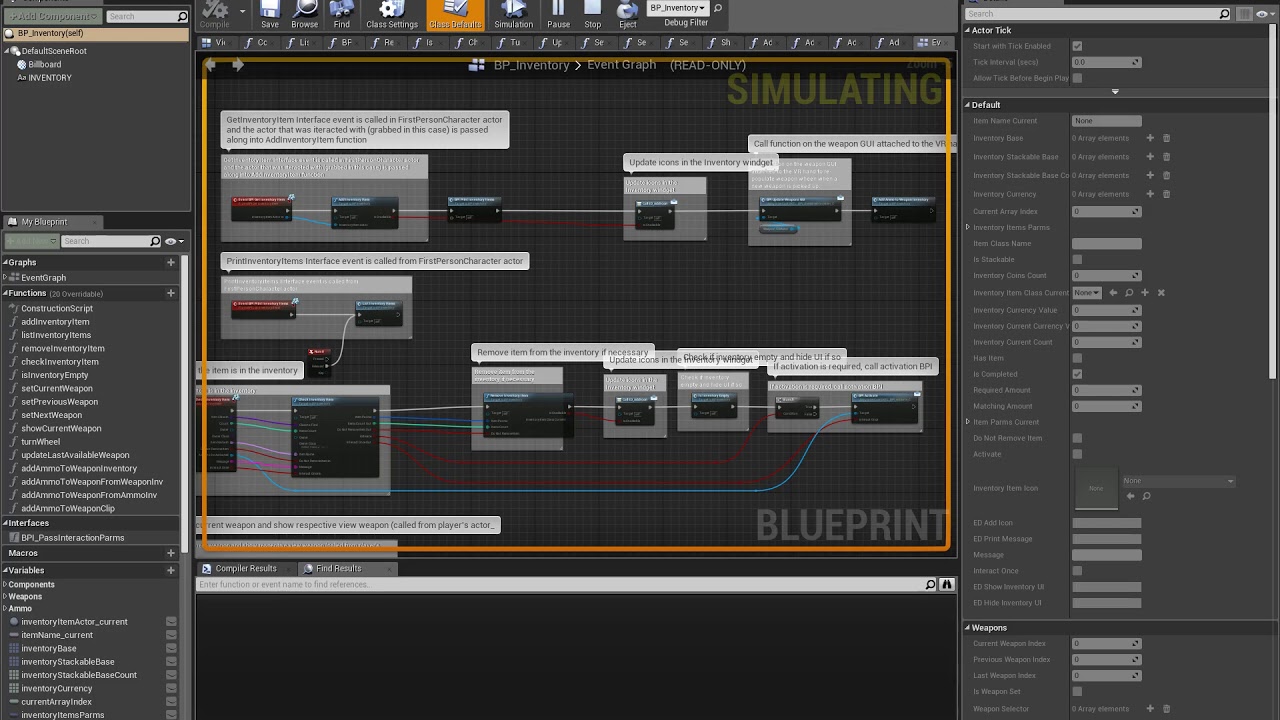
has anyone had issues with 4.19.2 and debugging BP ?
I can only see debugging highlights happening once and then after that it's not happening. However the code is working because Print String nodes fire up where they suppose to
 granite jacinth
Put that bug report in @mighty carbon
mighty carbon
@granite jacinth I will... Meanwhile, have you had this kind of issue https://www.youtube.com/watch?v=4pgwivq0y7Q ?
 granite jacinth
4.19 debugger is bugged
but they won't believe me
so, just report it
the more that do, the more cause for concern they will have
Maybe it'll get fixed in 4.20
mighty carbon
reported
 wanton fog
Guyz I need to know about two nodes which a course I am doing had used. First one is GetForwardVector and Next is a float variable which is multiplied to it. I know float but what is GetforwardVector use and why multiply it.?
For more info I am making the line trace for laser.
sonic lake
@wanton fog This is more for #blueprint or #legacy-physics . The Forward Vector is a unit vector, meaning its length is 1.0. If you want to do a line trace along the forward direction your trace needs to have a length which is much greater than 1.0 otherwise it will not hit anything. This is the reason you multiply the unit Forward Vector by a float, which is the length you want to line trace to have.
wanton fog
Thanks @sonic lake and Sorry I thought its related to vr so asked here.
sonic lake
Line tracing is a generic technique with many applications, not specifically for VR. No worries. In case you need more info please move the conversation to #legacy-physics or #blueprint and mention me so I can follow up.
 tired tree
@mighty carbon @granite jacinth 4.19 debugger has an annoying habit of dropping focus on the debug window back to the preview, makes their new stepping additions really hard to work with
mighty carbon
By chance, did you report that?
tired tree
don't care to tbh, anyone using it will notice it and I am tired of trying to explain things in the new bug reports
not using BP that much anyway
mighty carbon
I see
mighty carbon
at this point I wish I learned C# and Unity a way back then 😦
mighty carbon
well, it's not that it's greener on their side. It's more about Unity actually focusing on the engine and Epic now focusing on particular in-house project and not on general engine development. I don't remember having any Blueprint debugging issues prior to 4.19.2 (and there is no critical fix coming for this). 4.20 list of issues has been red for like 2 weeks.
and don't get me wrong, putting myself in Epic's shoes I'd focus on what brings money.
tired tree
they have never specifically stated anything about pulling resources, and bad patches happen
unless it becomes a constant pattern
you are likely overblowing it
the reason BPs are unstable in 4.19 is because they made massive changes to how they are handled
for debugging
mighty carbon
hmm.. Why didn't they make these debugging features experimental and let users have stable old debugger until new features are tested and ready to become standard ?
 primal sky
having used ue4 since the day it launched i can tell you for certain their focus on their engine has never been more focused. fortnight has proven nothing but a catalyst for more action (specifically around performance for example)
sly elk
Its been about two years since I have worked on a unity project but the 3 years prior to that I did a lot of unity work in both 4 and 5. I constantly thankful I have a relatively stable and feature complete engine to work with instead of having 10 third party tools installed and hoping everyone keeps them maintained.
mighty carbon
I am not going into Unity vs UE4 conversation 🙄
 wicked oak
im using unity right now for a contract
paid really, really, really well
im doing a music game for reebook, and im using Entitas ECS library for unity
damn, that thing makes programming unity stuff a joy
and it scales beautifully
sly elk
I did this for fun but I think its actually not the worst way to deal with broken bolts: https://youtu.be/EBVwmtmsG9o
 abstract forum

THE SITE WAS TAKEN DOWN AS OF UPLOADING Patreon : https://www.patreon.com/valvenewsnetwork Watch my Streams : http://www.twitch.tv/valvenewsnetwork Steam Gro...
rare violet
Has anyone used the VR Splash Screens? I can make it show, but when I actually hit openlevel afterwards, it just flashes and shows the default steamvr environment. Am I wrong thinking the splash screen should show even in the steamvr part?
i guess another question would be, how can u programatically change the steamvr background from UE? seems like the OpenVR stuff has some c++ that can do it...but cant track it down
sturdy coral
@rare violet mordentral's openvr expansion plugin can do it, at least setting the skybox
rare violet
thanks @sturdy coral , I've been looking at the source for it to see if I could hit the methods directly and just expose it myself in my small function library for the project...Tho I am not sure I can pull it off currently super easily...
sturdy coral
@rare violet yeah it is pretty easy to expose, it can take a cubemap or an array of textures, and you can find other places in the api where textures are sent for the eyes to see how it is done from the RHI texture data
rare violet
thanks...I will take it apart to its bare essentials, and find what is the OpenVR code thats actually getting called. You need to import the openvr libraries to your project to access those commands, correct? ExpansionVR is just accessing those and putting togehter useful uses of them?
 charred portal
Anyone in here with a rift or vive wanna help me test if voice chat is working in my listen server?
sturdy coral
either that or modify the plugin code
dusky moon
any chance of having ARcore 1.2 on 4.20 guys ?!
 alpine ore
@dusky moon Its available now from googles github builld, i've been using it since the announcement
dusky moon
@alpine ore wow nice!
charred portal
You guys familiar with advanced sessions?
I have a text component on my characters heads that I’d like to populate on event play with the getplayername but it seems it isn’t updating text with the value 🤔
 west vine
@charred portal if you're referring to the plugin. you can't really get any information out to the players before they join the session.
unless you have some c++ in ya
charred portal
I figured that event play fires once the Session was joined? It in the pawn bp doesn’t that kick off again on player start?
@Luke#6122
 glossy agate
@charred portal just set text should work. When you try in editor is it at least giving you that long string of the computers name?
 daring mural
Did I fuck something up or
Has the grid always been this large? Lol, noticed it when looking at static mesh preview windows as well
 full junco
the Dev-VR branch is available on github now 😃
only relevant branch missing there is Dev-Rendering now
sturdy coral
Nice
sly elk
Who here is using a windows MR headset with unreal?
sturdy coral
I'm using one, the lenovo
sly elk
Any issues with setup? Im considering picking one up for a demo rig being built at the last minute
sturdy coral
@sly elk no issues, 4.18 had problems with the viewport with it but 4.19 is working well (and <=4.17 was ok too)
sly elk
Okay. Is the controller orientation similar to the rift?
I have to switch the starting hand orientation between the vive and the rift.
Also are the haptic motors more like the rift or more like the vive?
sturdy coral
it is lined up similar to how Touch is lined up in SteamVR (so a little different than touch with oculus sdk)
so you'll probably have to do a fixup to your hands if you are using a transform for oculus sdk, but it may work ok with the vive one
haptics only just started working with the windows April update so I haven't had much change to test them
from what I have heard they are more like a dualshock/360 controller's rumble
sturdy coral
I haven't moved mine from place to place, but when remapping the space it seems pretty fast
main thing is you need a good bit of light
sly elk
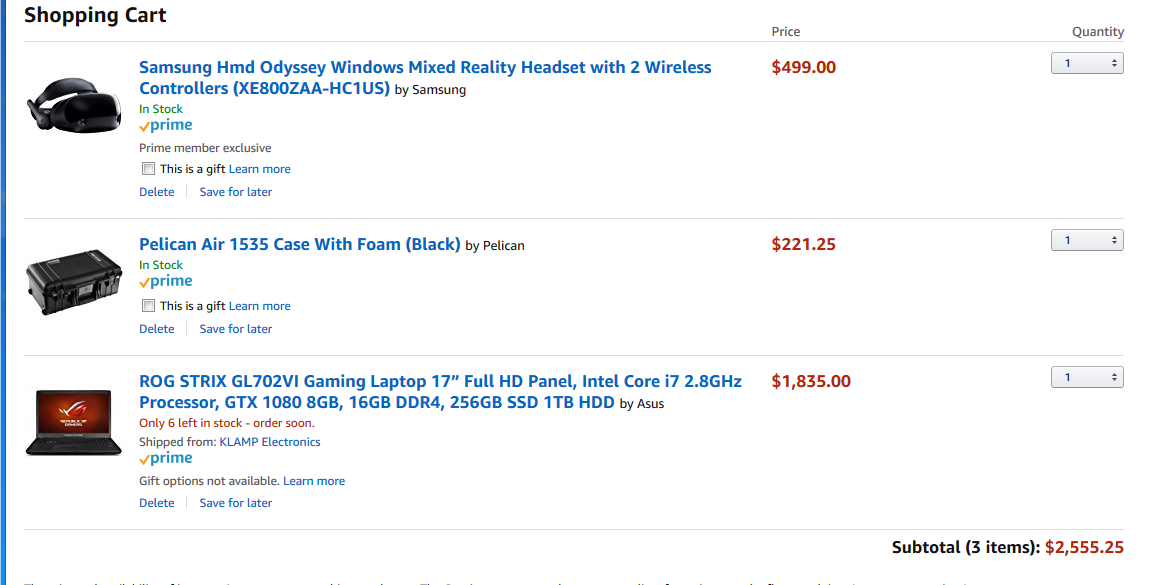
okay cool. This seems like a resonable way to blow $2500: https://i.imgur.com/AzdCcZe.png
 sturdy coral
I think they might have improved it to need less light in the april update
sly elk
For unreal I need steam VR installed, right?
sturdy coral
yeah, there is a windows MR branch that can do native but I don't think it is worth it
and I think their ASW thing only works on steamvr too and not in main windows mr
sly elk
Yeah, we are sticking to vanilla buids
wicked oak
@sly elk what a fucking ripoff of headset
an oculus rift is cheaper
tho, being the samsung oddysey, i heard it has very nice screen
sly elk
I want something just for traveling/demo setups
With that I don't have to setup light stands for sensors
and its easier to fit in carry on luggage
Also I need to get a WMR headset at some point to test Wrench and set up default button mapping
sturdy coral
@sly elk @wicked oak and when you aren't traveling with it, you can use it with lighthouse/Vive controllers
and it basically becomes a vive pro
sly elk
nice. I didn't realize mix and match was possible
I think the controller tracking ought to be fine for my use since Wrench isn't action or competitive
sturdy coral
yeah I think it would work well with it, the grip buttons are better than vive too if you use those a lot
granite jacinth
I have an Odyssey and Vive 😉
Would be interesting to test on the Omni also
See if all those would be compatible
sly elk
So we have been building the screen to VR switching back and forth for Wrench. Its pretty nice to be able to switch back and forth between VR and 2d, especially for debugging
sturdy coral
yeah having that is really nice for debugging multiplayer stuff too where you want to see two clients side by side sometimes but still be able to go in and out of vr
sly elk
The game will be fully playable in either, but I think many people will end up switching out of VR when they are doing things like part ordering
sturdy coral
for multiplayer I haven't figured out how to switch to a different microphone device when switching to 2d yet
dusky moon
@granite jacinth I'm thinkin about getting an Odyssey, Does the headphone sound nice ?! if it's like Oculus' I'm happy ...
granite jacinth
Sound good enough
sly elk
well, I ordered the oddessy. Will report back on my impressions .
 real needle
I sold my odyssey after taking it to a game jam and having extremely poor controller tracking
There was no obvious reason for why it would be so bad. I had good light conditions, no apparent IR interference etc
And I was always able to see that controllers would perform worse the farther away from the PC they were (since bluetooth receiver is attached to PC)
mighty carbon

Digital Trends
Steam gamers aren't convinced that Windows Mixed Reality headsets are a viable alternative to the more established Oculus Rift and HTC Vive headsets. After months on sale, just 5 percent of all VR users are wearing WMR hardware, and those numbers...
 covert moth
Well yeah the branding is terrible. VR headsets that have "Mixed" Reality in the product name causes confusion on what the product is even for, most don't know it's for VR, the name sounds like an AR product on paper.
sly elk
Yeah, I also think if they had targeted steam VR instead of their own windows store from the start it would have been better
mighty carbon
I think they need to bring WMR to XB1X
sly elk
yep
So oculus store uploads fail if they include steam VR plugins.. Is it not possible for an oculus store purchase to be natively compatible with steam VR?
like is there a way around that?
covert moth
They don't want XB1X to have exclusives the basic XB1 can't play, and the XB1 doesn't have strong enough hardware for VR of any kind.
mighty carbon
@sly elk no
sly elk
that's annoying.
covert moth
Also, anyone have any idea how to enable the mesh editor plugin? I know it was pitched as a VR thing at first, so if anyone's tried it, it's probably someone here even though it's for desktop use as well.
dev-geometry just got merged into 4.20, so it's already in there, and it's enabled by default in plugins, just no idea how to turn it on.
dusky moon
Is there a chance of getting 4.20 on June ?!
covert moth
Looking like it, yeah. There's been a ton of merges into master from all the various branches, it might be one of the biggest releases in a while.
mighty carbon
roadmap shows bunch of Sequencer features
sturdy coral
5% market share that fast is actually pretty impressive to me for WMR, with as many partners as they have though each one's individual share has to be miniscule
but most of them aren't really producing much, other than samsung most are just basically shipping the reference platform
apparently the Mirage Solo has a development mode that lets you use the 6dof tracking unbounded: https://uploadvr.com/mirage-solo-android-evolution-daydream/

UploadVR
Here's a deeper look at the Lenovo Mirage Solo and how it compares to Oculus Go.

A developer menu on the Mirage Solo standalone VR headset allows people to turn off safety barriers. It's a little dangerous, but the WorldSense tracking wor...
sly elk
Does anyone know if psvr is ps5 compatible?
or will it be a new headset for the new console?
mighty carbon
no one knows and Sony didn't say anything
mighty carbon
hmm.. just discovered something odd - MotionController Thumbstick Up/Down/LEft/Right press events are discrete in Gear vR (and I assume in Go too)
thus I can't really do linear movement on one of those being pressed (and held)
mighty carbon
I guess I am gonna have to just lerp from one location to another on press
glossy agate
they have no axis input?
sturdy coral

SteamVR supports a lot of different controllers, and it can be difficult for developers to keep up with all of them. Today we are excited to release the first Beta for the new SteamVR Input system. SteamVR Input allows users to build binding conf...
tired tree
yeah its openXR's implementation
basically
will get everyone used to the workflow prior to XR becoming std
its pretty much what I added to my plugin a few months back too, ends up pretty fluid to change input schemes
but ue4 is....3? versions of OpenVR behind that one?
not going to be in engine for awhile.
sturdy coral
I wonder if they will let you override the system button on WMR
not hte WMR system button but the steamvr system button (set to joystick click by default)
I'd like to change that to be press both app menu buttons at the same time or something
sturdy coral
seems to include some sort of skeletal tracking support:
reddit
1 votes and 0 so far on reddit
sonic lake
@mighty carbon Thumbstick inputs on the Oculus Go are linear in the range [-1.0, 1.0]
I have posted the mapping here: https://forums.unrealengine.com/development-discussion/vr-ar-development/1473440-oculus-go-key-mapping-for-input-events
Unreal Engine Forums
I have started developing for the Oculus Go and as one of the first steps I had to figure out the key mapping. This assumes the MotionController is mapped to
Using the X and Y axis.
@storm hare Works fine on 4.19.2. You need to switch on the Development Mode using the companion App. For the rest it is pretty straightforward. Which steps did you follow?
mighty carbon
I don't have Go yet @sonic lake
And on Gear VR touchpad is also a d-pad
So pressing one of the directions is a singular action - it automatically releases
By pressing I mean pressing, not just touching
tired tree
@sturdy coral the skeletal support says "don't use these functions yet" on the API documentation though
interesting though, as they are listed as InputPoses
to be used as actions
sturdy coral
@mighty carbon it should be possible to modify the plugin to not auto release, otherwise you can emulate it on your own using axis values as long as overall press state doesn't auto release too
mighty carbon
I figured it out by moving player on tick
(all the same code, just instead of exec'ing Add Movement Input from input, it's exec'ed by tick)
glossy agate
Anyone else have collision issues on landscapes when LOD changes? I keeps getting stuff like grenades falling through the map. Seems to change over way closer in VR than 2D. Just the landscape though
 limber flower
Anyone here have experience with getting a radial blur working in VR?
sturdy coral
@glossy agate are you going to be using dedicated servers?
@limber flower yes, you mean in a material?
I use it to blur menu ui when it goes behind geometry
glossy agate
Yeah I want to. I’ll be working on that starting next month
sturdy coral
With dedicated servers they should hold all physics stuff at constant lod
limber flower
@sturdy coral Yeah I have a Radial Blur set up in a material, running through a post process volume. The issue I'm having is that it displays correct on the left eye, but the right eye, where the blur is suppose to be, it's just all block except the point of the screen that isn't getting blurred (so the right eye looks like your peering through a pin hole)
sturdy coral
Though I guess you will get messed up simulated proxies of stuff that will rubberband back into place
glossy agate
Ah ok. Was going to try increasing collision thickness and more dense comp count to see if that helped also.
sturdy coral
@limber flower what are you actually trying to achieve?
limber flower
So the character is flying, and when they speed up I have values driving the blur amount. So you get tunnel vision. It works, except it's not processing in the right eye properly
I read I'm suppose to remap it to 0 to 2 uv space, but I don't think I'm doing it correctly
I'm using the Rift headset
sturdy coral
I'm not sure for a post process material, I did one for a tight vignette without any issues but can't remember the full setup
limber flower
How can I get a screen capture of each eye on the rift to help demonstrate whats the issue is, incase anyone else recognizes it?
sturdy coral
There is a mirror mode setting for it, can't remember off hand
limber flower
Hmm, is their a way to use a material that blurs the screen without having it go through the post-process volume?
tired tree
@glossy agate keep objects unsimulating when out of range
unless they are actively moving
don't know if you mean a sitting grenade falls through or a falling one
glossy agate
If I throw it too far into new lod range it falls through
limber flower
Any one know about screen texture lookup?
glossy agate
I think a lot of people are using a sphere around the head for those kind of effects. May be a cheaper alternative if you can make a texture that blurs the surroundings.
sturdy coral
@limber flower this is what I use for sharp vignette for limiting view:
if you feed that camera dot product into radial blur amount instead of trying to drive it on uvs it may do most of what you need
limber flower
Oh I'll try that out definitely! Thank you!
sturdy coral
dof is probably more efficient than radial blur because it uses a mip chain, if I were doing what you are doing I would probably modify the dof shader to be able to narrow the aperture towards the center with a dot product like that
there may be better ways for a streaking/speeding blur though
@limber flower were you basing on this? https://forums.unrealengine.com/community/community-content-tools-and-tutorials/28458-radial-blur-postprocess-material?57646-Radial-Blur-PostProcess-Material=
Unreal Engine Forums
This is the place to show, share, and link to your stuff!
limber flower
Yeah thats how I got my start, correct!
sturdy coral
I'm using spiral blur for my UI thing, not radial; it is more of a defocus effect than one implying motion
limber flower
Okay, I'll definitely tinker with what you have. See of it helps me any. I'm trying out the sphere around the camera solution too
limber flower
@sturdy coral The dot product helps create a nice vignette, much like that from Eagle Flight, so that's rather nice! Though it does not actually cause the blur to work.
real needle
I want to leave this here, because dear satan this helps when working with HMDs that has attached headphones:
For doing audio work, or if you have to use headphones for music
 fair hearth
does anyone know the hmdDevice Name of the mixed reality headsets?
sturdy coral
@fair hearth you have to query more than that, modrentral's plugin has support
by default everything using SteamVR just returns "SteamVR", after checking that to check for Oculus I use:
GEngine->XRSystem->GetVersionString().Contains(TEXT("oculus")
apparently WMR requires a bit more
I haven't had a need to distinguish yet but probably will soon
@tired tree you had to do something different for each WMR HMD or something right?
tired tree
@sturdy coral yeah I found a list of strings for all but the Dell headset
problem is you need to search substrings, because according to documentation the exact string format, and punctuation can differ from system to system and HMD to HMD even if they are the exact same model and manufacture date....no idea why
Still looking for the Dell ID, I can't find anyone that bought it
:p
sturdy coral
latest steamvr beta with the new input stuff broke proximity sensor on WMR btw =/
I don't know anyone with the dell
tired tree
reaaaaally wish the IDs were composed somewhere or not defined in the drivers......
make it unreasonably hard to identify all of them
sturdy coral
there may be a way to do it through usb querying
tired tree
I have a log line now that auto prints the HMD string when its used, but still requires a dell hmd to see
sturdy coral
for kinect you can't query whether it is plugged in through the kinect api without turning it on
but there is some way to do it through windows USB enumeration or something
sturdy coral
you may be able to generically tell if it is windows mr by if it has both a joystick and a touchpad, but that will probably be unreliable if people can now map anything to anything
and wouldn't be future proof
tired tree
"Vive MV";
"Oculus Rift CV1";
"Lenovo Explorer";
"HP Windows Mixed Reality Headset";
"Samsung Windows Mixed Reality 800ZAA";
"Acer AH100";
current strings I have
Vive pro likely has a different one, but should still list vive
fair hearth
I've got a Dell hmd, what do I need to do to find the name?
tired tree
lemme see if steamVR debug lists it
fair hearth
I wonder if you could use the new controller models in 4.19 to detect it, I was able to get the Windows controller model in from steamvr, but it didn't have textures
sturdy coral
@fair hearth on the command line try vr.hmdversion
sturdy coral
mine gives
4.19.2-0+++UE4+Release-4.19, Driver: holographic, Serial: WindowsHolographic, HMD Device: WindowsMR Lenovo Explorer, Driver version: TrackedProp_UnknownProperty
may be hard to read in hmd, but you can read it from the output log after closing vr preview
mine returns nothing when vr preview isn't running
tired tree
interesting
manufacturer for that is returning windowsmr
model is returning lenovo explorer
lemme test my HP
well sweet, manufacturer is returning WIndowsMR now, pretty sure it didnt always
but still kind of need per headset checks at least for samsung
sturdy coral
is driver always 'holographic'?
@tired tree do you have to have different controller transforms for samsung?
tired tree
the controllers are slightly different yeah
I think all of the rest use the reference models
sturdy coral
is there a way to get better shading on the procedural models? is ue4 just ignoring some of the textures?
tired tree
its only generally got a single diffuse
fair hearth
If you're talking about the models using the "visualize model" part of the motion controller component in 4.19 you can over ride the materials on them
sturdy coral
@fair hearth oh cool, yeah they seemed to not even be getting geometry normals so it is probably defaulting to unlit or something
@fair hearth were you able to run that command (vr.hmdversion) ?
tired tree
overriding the materials doesn't retain the openVR skin textures
 pearl tangle
anybody done anything with the lenovo mirage yet? Just got 1 off them today to play around with
 shell karma
hey, was wondering what's the status on HoloLens in the engine, mixed reality branch is no longer available and that was the only lead as far as HoloLens is concerned, Proteous' template seemed to used it, however I don't think is valid anymore
dusky moon
Hey! just uploaded another dev diary video. it's a breakthrough of the new 6DOF tiny spaceship I added to the project and some other stuff:
https://youtu.be/ChRDDsTVadU
Dev diary videos are to break down several features and experiments I'm making for my ongoing VR project "False Mirror". Would love to hear your comments and...
mighty carbon
hmm... I see people are getting their Go HMDs (from Oculus Start). I guess Oculus started fulfilling dev "orders".
 fleet plume
i bought one myself
arrived yesterday
a bit unhappy about the focal point and large gap for the nose
have to reseat quit a lot when putting it on to get a sharp focal point
don't have this problem with vive, rift and daydream
i hope it gets better once it's worn in a bit
anybody else having this problem?
fleet plume
it definitely is
fleet plume
they have different covers
the one from the go is way harder
with the rift you just pull the straps a bit tighter
trying to do that with the go would basically start cutting your face
mighty carbon
there are 2 covers in Go, afaik. One is spacer for glasses and one is actual facial interface, which is said to be a way softer than what comes with Rift
@wicked oak is your Go less comfortable than Rift ?
sonic lake
I find the Go quite comfortable, definitely more than the 1st series Rift with the harder facial interface. The Go is also lighter. In the box there is a glass spacer, which I have mounted, but no second facial interface.
sly elk

im still setting up the laptop i got with it but so far I find the headset to be very comfortable
sly elk
WMR headset software setup is either incredily slow or not working
 glossy flame
I'm using VRExpPlugin in 4.19.2, and am getting lockups on my project in PIE using rift. I didnt have this problem in 4.17 (before updating rift firmware and the plugin). Anyone notice any lockups ever since the latest rift firmware updates?
Have to kill it via task manager. No errors. If no one's experienced this, are there logs somewhere I could check to see why it's locking up?
 fleet veldt
has anyone successfully built/deployed a ue4 project to Oculus GO? (or if you've done recent GearVR you might be able to help too)
 jaunty shell
@sly elk I had mixed results (lul) with the dell one : at home, plug in the headset, download a small software, run, it works ! At work, massive problems with User Group settings, our computers didn't get any update since last year and we had to force download all of them...
What do you think of the screen ? Is it as good as the vive at least ? Dell one feels pale and the lenses are horribad (lots of distortion and chromatic aberration)
sonic lake
@fleet veldt Yes. What's your issue?
fleet veldt
@sonic lake I've been trying to follow the quick startup for gear VR at https://docs.unrealengine.com/en-US/Platforms/GearVR/QuickStart but I'm using Android Studio so i feel like I don't have UE4 setup correctly to build/deploy using Android Studio.
@sonic lake for example I can see my device when i do adb devices
but it doesn't show up as a deploy target in ue4
sonic lake
@fleet veldt Is the Go in Development Mode?
fleet veldt
yeah, well i switched that on from my phone and i see an option for dev stream and normal stream in the go
sonic lake
Can you check under Project Settings --> Platforms --> Android to make sure you have a green SDK connection?
fleet veldt
one thing I feel certain i'm doing wrong is that the older way of doing thigns was without Android Studio using "CodeWorks" which I didn't install because I thought I had read I should now just be using "Android Studio" (I may be confused as to what each of those are exactly)
sonic lake
I am using Nvidis'a CodeWorks as my foundation
But it should work also with Android Studio in principle. Check under Project Settings --> Platforms --> Android that you have something like this
fleet veldt
sonic lake
sonic lake
I set it to 24 after 4.19.2 complained that it needs at least SDK v.23 to deploy
Works with 24 as well
fleet veldt
gotcha, i'm on 4.19.2 as well
sonic lake
You should also check under Project Settings --> Platforms --> Android SDK that you have the correct paths to all SDK's and NDK's etc
fleet veldt
fleet veldt
yeah those are all empty as i couldn't seem to find those using my Android Studio install
sonic lake
You need to find the folders where the respective SDK, NDK etc. are installed in Android Studio and point to them
Here I cannot help because I don't use Android Studio
sonic lake
Very likely it is. https://developer.nvidia.com/codeworks-android
NVIDIA Developer
fleet veldt
@sonic lake thanks for help. downloading that now, will probably head to bed and pick it up again tomorrow. Did you notice anything special about deploying to the GO that was different from the GearVR quickstart docs? https://docs.unrealengine.com/en-us/Platforms/GearVR/QuickStart
sonic lake
No, the rest works pretty much in the same way. Good night!
alpine ore
Woot - Oculus Go dev kit just arrived 😃
sly elk
i got the WMR headset working last night. Just had to run a million windows updates on this new laptop
looking around, anyone have a cheat sheet for button mapping names on the controllers?
googling around... Do we not have full access to the buttons on the controller?
mighty carbon
@alpine ore did you get any e-mail notification and tracking number or it just arrived out of the blue ?
mighty carbon
I wonder what this means https://github.com/EpicGames/UnrealEngine/commit/0b9dee862347cf7af5e215b8b1720197b6d0d72e
alpine ore
@mighty carbon It just turned up out of the blue, no tracking. It was through UPS. Originally got notification back start of April to say 4-6 weeks then got a second email confirming shipment on 7th of May. I'm based in UK so not sure if that changes any delivery times etc
mighty carbon
gotcha, thanks
mighty carbon
I find that building apk and installing it on the device is the fastest way. That works on Gear VR, but I don't know if it works on Go.
 wintry escarp
having to always remove the phone put me off gearvr
alpine ore
@wintry escarp Yes I was able to deploy directly via usb once I enabled dev mode
My game then shows up under Unknown sources in the home menu
alpine ore
Saying that, Rift version of the game is going to need some serious optimization to get working on Go. Screen quality of Go is excellent
wicked oak
you cant do a direct "launch", but if you do a launch, it loads it, and then you can load it from the menu
mighty carbon
@wintry escarp o.O There is an app called SideSync from Samsung and it allows file transfer over the wifi. You still have to take out phone from Gear VR to get logcat.
@wicked oak I just find that installing apk directly is a way faster than any other method on Gear VR
alpine ore
BTW anyone else get a dev version and having probs loading store apps? I've had to raise a ticket with Oculus as when trying Netflix and few other other games it keeps saying "Oculus needs update". According to forums the device needs a manual update
 tacit quest
hey what is the most common vr framework people are using, mainly looking for advanced interactions. i've seen it posted here, should be a pinned message
sturdy coral
@sly elk there is access to all the buttons except joystick click (used as SteamVR home button) and the wmr home buttons
That just leaves the touchpad and the game menu button, mapped same as vive
The joystick axes don't work without modifying ue4 a bit
sturdy coral
VR glove found in SteamVR models directory:

reddit
Earlier I posted about finding some skeletal...
tired tree
Model image doesn't mean anything for that, its a CSGO glove...but interesting that they have the stand in
sonic lake
@wintry escarp Yes, you can Launch directly inside the Oculus Go.
sturdy coral
@tired tree it is the first model with an armature too I think
tired tree
wonder if their skeletal tracking is generic enough for full skeletons or just basic enough for hand skeletons currently
it "should" be able to do both
sturdy coral
@tired tree yeah, even if it has to be rooted at a tracker, you would just have a virtual hip tracker and root it there to do full body I guess
tired tree
that is a pretty bad option for actual poses
they likely are looking ahead for suites / gloves
 thorn horizon
Howdy howdy, anyone any good guides for first time setting up the rendering for a mobil VR game?
I'm having some serial FPS issues and I can seem to get the anti aliasing working at all
sly elk
@sturdy coral can you help me figure out the buttons?
what are they called?
the thumbstick binds work on the trackpad, can't figure out how to access the actual thumbstick
grip button works as expected
and I think the trigger wasn't working?
sturdy coral
it should all map to vive stuff:
sly elk
this is the vanilla unreal branch?
sturdy coral
@sly elk should be MotionController_Left/Right_Shoulder for the menu button, and then FaceButton1-4 for the virtual touchpad buttons, MotionController_Left_Thumbstick for the overall trackpad button

yeah, the only thing that won't work without code changes is the thumbstick
sturdy coral
right
the press won't work even with code changes, it is just reserved as steamvr system
I didn't have any issues with the trigger, can't remember if I am using the axes on them or just press/release though
looks like on the triggers I am just using press/release through an action mapping, and no axis mapping right now
it is probably supposed to work with either but I haven't tested
sly elk
Is this going to get fixed or is epic actively avoiding wmr stuff?
sturdy coral
I'm not sure
I haven't seen anything in the changelogs or source that explicitly acknowledges WMR in any way
mighty carbon
hard to say at this point
they opened up most of the branches in the github, but it seems like commits are scarce
also VR branch doesn't get too many updates anyway
fleet veldt
does anyone have something like the above input mapping for the Oculus GO? or newer GearVR?
mighty carbon
@fleet veldt https://forums.oculusvr.com/developer/discussion/61944/gear-vr-motion-controller-buttons-mapping-in-4-19#latest
Oculus
Join the Official Oculus Discussion Forums and talk about Oculus Rift, Oculus Touch, Samsung Gear VR, and virtual reality.
 glossy agate
😂
fleet veldt
any oculus GO devs have any debugging tips? (easy ways to view output log on device etc)
sonic lake
@fleet veldt I have posted a schematics of the Oculus Go button mapping here: https://forums.unrealengine.com/development-discussion/vr-ar-development/1473440-oculus-go-key-mapping-for-input-events
Unreal Engine Forums
I have started developing for the Oculus Go and as one of the first steps I had to figure out the key mapping. This assumes the MotionController is mapped to
fleet veldt
that looks really nice! thank you
sonic lake
You are welcome. Read also the posts below on how to handle the switch of the controller between the two hands.
fleet veldt
@sonic lake do you have any suggestions, docs, posts you could point me to on getting the best visual quality using the GO class hardware with UE4?
I'm really surprised how capable the hardware seems so far. just curious what the limits of visual features are.
sonic lake
@fleet veldt I am investigating those aspects as well. The documentation is scarce and not very detailed at the moment. For your investigations on performances/visual quality, make sure you install and activate the OVR Metrics Tool here: https://developer.oculus.com/documentation/mobilesdk/latest/concepts/mobile-ovrmetricstool/
OVR Metrics Tool is an application that provides performance metrics for Oculus mobile
applications.
Also read through this: https://developer.oculus.com/documentation/mobilesdk/latest/concepts/mobile-advanced-rendering/
fleet veldt
@sonic lake any idea why I'm not longer able to see my connected GO's file system in windows explorer? (i.e. can't side load movies to or from the device any more even though adb commands and ue4 deploy works)
sonic lake
Quit any test app, unplug and re-plug it, it should come back.
fleet veldt
hmm i'm getting this it seems. I think all the installing/messing between codeworks and android studio and installing oculus adb drivers may have done something to prevent it from showing up. I've tried rebooting the GO. rebooting windows. Nothing seems to work.
got it working again. it did seem to be something related to installing the GO adb drivers. (some forum/reddit posts about it. lots of people having the issue it seems).

@sonic lake behold my GO masterpeice! 😉 Thanks for all your help!
sonic lake
@fleet veldt Looking good! Yes the ADB drivers need to be version 2.0 (the latest). BTW, where did you get the controller 3D mesh? I had to make one myself...
 jovial vessel
Hi guys, would anyone happen to know how to customize the "grey area" that appears on the Vive when I'm loading a level? I'm using Unreal's VR Splash screen functionality right now and what it does on the Vive is show me the splashscreen I've designated floating like a 2d image in that grey default area. Is there any way to change that at all? Even making it completely black would be preferable
fleet veldt
@jovial vessel it's been a while since i looked at the "layers" they use for loading and splash screens but I remember in robo recall they created several planes of textures that surrounded the player in all directions (basically making a skybox)
not sure if this is still up to date but you could try making multiple world locked layers (or maybe a large face locked one that has a zdepth behind your other one?) https://docs.unrealengine.com/en-us/Platforms/VR/StereoLayers
jovial vessel
Yeah doing a loading level like that may definitely solve it but I was wondering if there was any way which was compatiable with the "VR Splash Screen" functionality Unreal has
I'll definitely consider that though as a potential solution
fleet veldt
@sonic lake if you check show engine content AND show plugin content you'll see an OculusVR content folder with the controller meshes and materials.
sonic lake
Oh! I had checked already and I hadn't seen it. Maybe it wasn't there on 4.18.x Thanks!
 honest mango
Anyone know how to go about getting a cursor in VR?
sonic lake
@honest mango A cursor for? If you need to interact with 3D widgets, you can use a Widget Interaction component.
honest mango
Like a cursor on an invisible screen in front of you that can still trace to things in the world behind it
jovial vessel
A visual laser beam together with a widget interaction component coming out of the player's hand/head might be more intuitive for that since it saves the user the trouble of having to visualize the line himself. Or just a laser beam and line trace if not dealing with 3d widgets.
Unless there's some reason that you absolutely must use a cursor over this
honest mango
Im trying to do mouse/keyboard
sonic lake
@honest mango The VR Content Examples already contain a virtual keyboard you can look at. For the mouse, I guess you can always do a linetrace to a plane in front of you and move a mouse cursor actor at the hit point.
honest mango
thanks
mighty carbon
@sonic lake So Go's touchpad doesn't have d-pad in it, like Gear VR does ?
sonic lake
@mighty carbon No d-pad. The top part of the controller where the touchpad is acts as a single click button. That's it. But you can easily simulate a D-Pad using the touchpad + the click button. Just combine the inputs.
So d-pad right would be Motion Controller (R) Thumbstick X > 0.5 AND Motion Controller (R) Thumbstick == Pressed
sonic lake
The alternative would be to modify the OculusVR plugin to remap to the d-pad events.
I have to check the source code.
mighty carbon
but you said there is no d-pad
if there is no physical d-pad, it doesn't matter
if there is physical d-pad, it should work exactly like Gear VR controller
sonic lake
What I am saying is that you can use a combination of the other inputs to simulate a d-pad. You can do it in your game or you can modify the plugin. It may be easier to add them to your game as additional custom events.
mighty carbon
have you tried MotionController Thumbstick Up/Down/Left/Right input events ?
sonic lake
Not yet, I can try them
As a matter of fact the touchpad acts like a Thumbstick which you can move along X,Y and click
@mighty carbon Yes, those are mapped. You can use them.
Confirmed by the source code in 4.19.2
mighty carbon
well, that's what I kept saying from the moment this mapping conversation began a while back and you kept saying otherwise 😉
sonic lake
Ok, you were talking about d-pad, this is not d-pad, it's thumbstick emulation
sonic lake
Anyway, this is the updated map
I am going to update it on the forum as well. Thanks @mighty carbon for pushing me to look again into it.
wintry escarp
s it more accurate than gearvr one? or does it still drift and need recentering
is it
mighty carbon
still drifts and needs re-centering from what I've heard
sonic lake
I don't think drift can be completely eliminated without an external fixed reference. It is intrinsic to the double integration of the accelerometers. Anyway yes, also the Go is subject to some drift in my experience and needs re-centering from time to time.
mighty carbon
but there is no drift in the HMD itself and it doesn't have any external reference
same is with Gear VR - HMD works flawlessly, but controller drifts
I am guessing they didn't want to spend time and money on higher quality IMUs for controllers and calibrate them the same way they do for HMD
mighty carbon
odd.. I have never had any drifts with my Gear VR IE2 and S6.
sonic lake
Any at all? Independently from the amount of head movements and playing position?
sly elk
So having used the samsung WMR a bunch now, I really like it. Its a bit more finicky with steam VR needing occasional restarts if the machine has been to sleep. Of the 3 headsets it wins on image quality, its fairly comfortable, and for me the controllers sit between the vive wand and the oculus
fair hearth
@sly elk we just got the Dell headset, head tracking is great, though we've had some issues where it has a hard time determining the floor height and we have to set it manually using the "room adjustment" app in the cliff house
mighty carbon
Forums seem to be down for me
wintry escarp
ok here
fleet veldt
I played with the up/down/left/right virtual d-pad events on my go and it often seems to not register clicks, especially up
was curious if anyone else experienced that
also since we're talking about input, I saw this yesterday for anyone that doesn't know about it for gearvr/go. https://developer.oculus.com/blog/tech-notes-detecting-reset-view-events-with-unreal/

This post is intended to help developers understand how to properly detect and respond to the Reset View event with Unreal Engine 4.
the VRControllerRecentered event gets fired when the user presses and holds the Oculus Home button for a second.
real needle
@fleet veldt I have the same problem, my first experience was playing Dragon Front on the Go, and I couldn't get past the tutorial step where you're supposed to click the up portion until I spammed it frenetically
sonic lake
@fleet veldt @real needle I have done some more tests on these input events and they work reliably. This said, the Go touch pad has no tactile reference for the Up/Down/Right/Left positions and the area that triggers these D-Pad events is very very limited. Since you don't see the touch pad while holding it because you are in VR, it may happen that one clicks slightly outside the D-pad trigger area. The Up area is especially difficult to reach, which may explain your experience.
real needle
Reliably if you know where to touch :b
The vive have similar issues, you get used to it
sonic lake
True. They could have easily added a little dent or protrusion to give a tactile feedback about those spots.
fleet veldt
@sonic lake hmm i did quite a bit of testing making sure i was touching the 'up' quadrant of the touchpad and clicking it. it might be something that varies from hardware instance to instance.
sonic lake
Yes, that is also possible. We should be getting another Go soon, I will check with that one too.
wintry escarp
stick little things on to make your own tactile areas
fleet veldt
@sonic lake @real needle I did some more playing around with the touch pad today. In the first minute of this video it's working fine. But shortly after 1 minute into the video some combination of clicking buttons or it just flaking out suddenly the trackpad wont register touches in the upper quadrant and then some in the right quadrant. https://youtu.be/VhSspoKEmRw?t=1m
 fleet veldt
(It might just be something like i have dry skin or something)
sturdy coral
vive prototype controllers used to do that and there was some way you could recalibrate them by holding down several buttons when turning it on or something
fleet veldt
wow the flicker difference between 60hz and 72hz is pretty noticeable when you swap it dynamically at runtime
 simple briar
(I haven't messed with UE4 VR since 4.18.1)
How do people have their Rifts set up now with this Oculus Home thing?
Oculus Home keeps taking priority over PIE. Can't find any obvious settings anywhere to disable Home from relaunching every time i put on the HMD to test in PIE.
sonic lake
@simple briar right click on the shortcut to the Oculus home program, properties, compatibility, check Run as Administrator. This will prevent it from starting unless you authorize it.
daring mural
Is there a work-around to gun shell ejection where if you're strafing in the direction of the ejection, it doesn't cause it to eject closer into the gun?
Or would I have to get the hand's velocity
wicked oak
@daring mural thats probably due to the latency beetween render and logic
the only way i know of not having that issue is if you parent the shell to the gun
daring mural
@wicked oak I'm just spawning it at an eject reference loc, setting its rotation and then adding an impulse multiplied from the gun's right vector (+ torque)
I mean I see why my velocity can "catch up" to the velocity of the ejection but not sure what you mean by parenting it or how that would get around this
The ejection velocity would have to increase if my velocity increases in that same direction
(The ejections are physics-based)
wicked oak
the issue you have is that you are on frame F, with the gun on position x=10, and moving towards x = 15
when you spawn the bullet, the position is x = 10, as its frame F
but when that bullet actually gets rendered is on the next frame
and it gets rendered at x = 10 instead of x=15, as the gun moved in the meantime
this is also very obvious on muzzle FX
thats why if you make a muzzle effect its super important that you have it as an attached component, or you "spawn emitter attached"
daring mural
I do have the muzzle as an attached comp that I just activate etc. but I see what you mean
How would I do the same with a shell, though?
I don't have a problem of it spawning at x10 whilst the gun is at x15 on that frame really
It's more-so that the ejection happens at velocity x = 10 for example but my locomotion strafing velocity is at x = 8
So when I'm strafing towards the ejection or away from it, I catch up to the shell or move too far away from it
unrealistic in both scenarios
wicked oak
you can spawn the shell and attach it to the gun, but then do the arc calculation in world space (sorry for complexy..)
or you could just dont give a fuck and add a particle effect to the bullet eject so it gets masked
another possibility is to predict the position yourself
look at the velocity from the gun last frame to this frame, and add that again
sadly it would go to shit if you are wiggling the gun randomly
daring mural
I think the best bet would be to increase the eject velocity so my locomotion speed can't match or get close to it
Because even if I attach it to the gun and calculate an ejection after that, my speed would still be close to the shell velocity
Would this work? Right vector of gun, linear velocity of gun
Multiply from there instead of right vector alone
I could be wrong but I'm assuming this multiplies from the guns velocity
granite jacinth
Wwwwhat the duck
O never got my headphones

OSSIC
It is with an extremely heavy heart that we must inform you that OSSIC is shutting down.
wicked oak
@granite jacinth your own fault trusting a hardware kickstarter
granite jacinth
@wicked oak meh
I've had pretty good luck with them tbh
My keyboard is finally coming
But is 6 months late
wicked oak
i have seen so many hardware kickstarters failing, i trust not one of them
granite jacinth
At least it's coming tho
wicked oak
specially if its complicated hardware
if im interesting, i take note
and ill get one when it actually releases and gets reviews
 blissful bear
@tired tree Hi man, was asking about AR on the forums when I remembered you hang round here. You still around?
daring mural
@blissful bear Yeah he's still around
glossy flame
@sonic lake thank you, I will try that. So there aren't any other settings in Oculus Home or UE4 that need to be set so they don't fight over possession of the HMD?
 abstract panther
Stupid question do you have to setup line trace for the vive motion controllers to interact with menus or does it have from before ?
glossy flame
@abstract panther I dont know what you mean by "does it have from before", but you may want to look into the widget interaction component. https://docs.unrealengine.com/en-us/Engine/UMG/UserGuide/WidgetInteraction
abstract panther
Thought since when you in VRmode there is a linetrace
glossy flame
Afaik, you have to do line traces yourself. I dont think there's one always happening by default.
abstract panther
Gotcha, that linked helped 😃 Thanks 😄
glossy flame
Yeah, I think that thing will get u exactly what you want. I'm pretty sure you just parent it to the left and or right motion controllers.
abstract panther
Yeah I been nobbing my head around how to setup a linetrace for the motion controller by the way im still quite new to vr and unreal. But this is the first time I heard about the Widget Interaction Comp
glossy flame
@abstract panther Cool. Doing line traces in VR is just like doing line traces in any other 2d/3d game. (reference this: https://docs.unrealengine.com/en-us/Platforms/VR/UsingTouchControllers)
and then maybe just look on youtube for "UE4 VR widget interaction". That'll get you tons of videos to get you going.
abstract panther
Oh hey that was a great link! At the pick Up object event part had just what I was looking for! Thanks 😄
mighty carbon
finally, it's here https://www.unrealengine.com/marketplace/polygon-sci-fi-city

Synty Studios Presents - Polygon - Sci-Fi City Pack. A futuristic themed asset pack.
wanton fog
I got an project where i need to show working of Motor but what i dont know is what will the user do? Suggestion needed.
sonic lake
@wanton fog just watch it work, interact with it through virtual controls, disassemble it...
sonic lake
@digital musk Those classes are used by the internal VREditor. I don't think they are covered by the official API documentation, but they are commented in the source code.
 digital musk
thanks @sonic lake a second question, and sorry if I'm just missing it but been searching with no success. is there an unpackaged example project or a template project of Mordantral's VRExpansion plugin.
In his youtube videos' discription he says "The template has the example content in it for reference" - where do I find this template? I can get the plugin built into my engine but template?
sonic lake
@digital musk You can download the example template from Mordentral's bitbucket repository. Please see here for more information on how to use it: https://bitbucket.org/mordentral/vrexppluginexample

Hg repository hosted by Bitbucket.
digital musk
Thank you thank you thank you!!! ...I knew I was just being thick 😅
limber flower
So I took a step away from an effect I was working on because I was hitting a road block. I'm trying to get this radial blur working. I have it working on one eye and it works correctly, much like the below picture shows. The problem I have is that the right eye is just showing a black vignette.
Not sure how to remap the effect so it works on both eye displays of the headset. Anyone have any idea or direction I could try?
mighty carbon
what if it's simply not supported in VR ?
sturdy coral
@limber flower start simpler, first try to do something like draw a dot in the center of each eye using similar HLSL custom node. draw debug grids etc. to find out why the UV changes you did aren't working
mighty carbon

CNBC
CNBC's Todd Haselton reviews the $200 Facebook Oculus Go virtual reality headset.
"If you like it, you might even be tempted to buy the more expensive, and more powerful, Oculus Vive."
OCULUS VIVE !!!!
🤦
limber flower
@sturdy coral It appears to be in my HLSL code, got debug lines drawing on both eyes without a problem. So I believe I need to rewrite the HLSL code as I believe thats where the problem is and why it's not doing the blur properly along the correct uvs
Thanks for suggesting the Keep it Simple Stupid method. I don't know why I didn't try that... hah
glossy agate
CNBC back at it again with that hard hitting accurate news
Saw a video a little bit ago where someone managed to make a mod to put DrangonForce into beat saber. I still need to pick up a copy. Really want it if you can use your own songs now
 hasty girder
This is probably a common question with many possible answers; but why would a UMotionControllerComponent be returning all 0's for location, assuming that a) the Player Index and Hand are appropriately set and b) the motion controller itself is on and moving?
mighty carbon
heh, after several people (myself including) poked the author on Twitter, he fixed the Oculus Vive to Oculus Rift. Good deal 😃
pearl tangle
@mighty carbon an oculus vive sounds like a better idea. Combine the best of both worlds
mighty carbon
😄
pearl tangle
@mighty carbon next best 1 would be an Oculus Odyssey Mirage Vive and we are set
mighty carbon
that would be Santa Cruz @pearl tangle 😉
pearl tangle
hopefully. But I am still not happy with the hand tracking on the odyssey compared with the vive
sturdy coral
looks like Dreams is going to launch with VR support now instead of adding it later:
https://www.psu.com/news/feature-dreams-ps4-delivers-unlimited-possibilities/

PlayStation Universe
We go hands on with Dreams PS4, which is a fantastic experiment that will give the power of creation to anyone who who wants to wield it. Easy to use and hard to master Dreams should be on every creationist's radar, and will arrive in VR on day-one.
pearl tangle
i am quite impressed with the positional tracking quality on the mirage though. I can walk right around my house, even up and down the stairs and I have a big ass loft so figured the void would throw it off
hasty girder
So, I'm still not sure what's going on. The UMotionController component should be pretty plug-n-play right? Drop it in, make sure the Player Index and hand are right and it should just move with the motion controller?
pearl tangle
@hasty girder why don't you just use the VR template 1 and see how it's in there? Should be pretty basic
hasty girder
@pearl tangle Yes. "Should". This is why I'm confused. I am pretty familiar how it's done in the VR template. It's just a MotionController component that is attached to the scene root of BP_MotionController, which is not exactly what I have. I have it implemented exactly as specified in the manual.
That's why I'm asking. There must be some setting I'm missing because the position of the MotionController component is not updating.
I know that because I'm logging the position of the MotionController component, which is attached to my pawn as shown here: https://docs.unrealengine.com/en-us/Platforms/VR/MotionController
glossy flame
@hasty girder Are you doing this in blueprint? If so, can you show the hierarchy of the components and the nodes you're using to get the location?
hasty girder
I was doing this in C++ but moved to BPP to keep it simple. But same result.
@glossy flame
glossy flame
Oh, you're using the Motion Controller as a child actor component on the VR Pawn?
hasty girder
@glossy flame Yeah, I guess. It's not a "Child Actor Component" but it is a child of the root and it is on the pawn.
Had to clarify because:
glossy flame
Nm, sorry, I misread it.
hasty girder
From what I understand from the MotionControllerComponent and UMotionControllerComponent docs, it seems like the component itself should update its transform to match that of the system's motion controller as specified by the Player Index and Hand fields.
So I suspect there is some other step I'm missing, because it doesn't "just work" like I'm expecting it to.
glossy flame
Sorry, it's been a year since I looked at Epic's VRtemplate. What BP is that printstring in?
hasty girder
Pawn as well
glossy flame
You got that parent tick in there though. Is the pawn itself a child?
hasty girder
Yeah, it's the child of a C++ derivative of Pawn
All that's in there is the declaration and initialization of the components you see in the heirarchy, and a visual RayTrace that tracks the actor the HMD is looking at.
I had a MotionController declared in there as well, but it's commented out so I can use the BP component for easier troubleshooting, since It was doing the same thing with the C++ motion controller earlier.
Also, the parent Pawn class doesn't have an OnTick() functionality anyhow aside from the aforementioned raytrace
glossy flame
Can't you just remove it then and get the loc right off event tick?
Or maybe try "Get Hand Position and Orientation"?
hasty girder
Remove what now?
glossy flame
That parent tick
hasty girder
I doubt the parent tick is causing a problem, but I'll take it out and see what happens.
Also, what class is GetHandPosition and Orientation? or is the the MotionControllerFunctionLibrary?
I'm not seeing "GetHandPosition and Orientation"
glossy flame
Sorry I'm away from a VR-capable PC.
hasty girder
No worries, we can't all carry around powerhouse PCs with us 😛
glossy flame
My bad. It got deprecated in 4.18.
 languid night
Do any of you know how to theoretically make a hovercar for vr?
I've got the thrust levers figured out, just need to do the actual vehicle now.
hasty girder
@languid night Streakman I mean... make an actor that stays a fixed distance away from your ground surface.. I'm assuming since you're using thrusters that you want it physics based;
I would go ahead advise against putting anything at the complete mercy of the physics system. EDIT: ESPECIALLY in VR
languid night
Ah. I see. So, it has to be a very smooth ride so the player doesn't get motion sick?
hasty girder
I mean, not necessarily Silk; but I wouldn't get too crazy
just something to keep in mind on the design side
Of course you CAN do whatever you want... doesn't mean you should.
glossy flame
@languid night I'd suggest checking out vrexpansion plugin and repurpose the car he's got in there. Most of the work is already done I think.
hasty girder
I once did a physically based rafting style thing... it ended... very poorly... especially once colliding with obstacles in VR and spinning uncontrollably. I'd definitely advise having good constraints when making use of physics in VR. True of other things too; but especially VR.
languid night
@glossy flame I will do that, thanks for telling me about the plugin. I didn't know it had a car.
glossy flame
@hasty girder Left is the default MC I think. I assume you're moving the Left MC when you're checking the print?
languid night
Thanks!
hasty girder
@glossy flame I'll check that. I have it set to read the right MC, but I've moving both and still get nothing.
glossy flame
If you're moving both it should update. Have you tried just using the default VRPawn? Not the one derived from the C++ Actor?
hasty girder
Yep. No dice :/
wanton fog
Anyone knows how to assemble machine parts and show their name when pickup
need to assemble parts like this video https://www.youtube.com/watch?v=jxSI5pKEPcM
This virtual reality application for HTC Vive enables users to assemble a jet engine from predefined parts. Engineers are taught about equipment construction...
hasty girder
Not really, not off the top of my head.
pearl tangle
nothing too complex in that 1 @wanton fog you just place the copy of the mesh in the place you want it to go and give it a different material so it's either invisible or then changed to outline when the object overlaps it or a larger overlap. Then set the held item to the same location so it snaps into place
sturdy coral
reddit
13 votes and 8 so far on reddit
Google/LG display details
Foveated rendering with eye tracking
Equiv of 20/30 vision
wanton fog
@pearl tangle Can you give me more details like how the held item will snaps to its place? Sorry for disturbing but I am completely new to it. Learning from youtube
sturdy coral
@wanton fog save the relative transform of it when it is in place, then to do snapping take some joint measure of how far off the current position/rotation is relative to that saved one, and snap when that measure crosses a threshold
sonic lake
@languid night I have a couple of tutorials which may be useful to you. The first one is about creating a VR Pawn which you can steer using overlap controls: https://youtu.be/lpDIYd6EEAs
This tutorial shows how to create a VR Pawn with movements that can be steered using the virtual hands acting on internal controls. This technique can be use...
The second one is about creating a hover vehicle: https://youtu.be/ko6lDSSNhV8
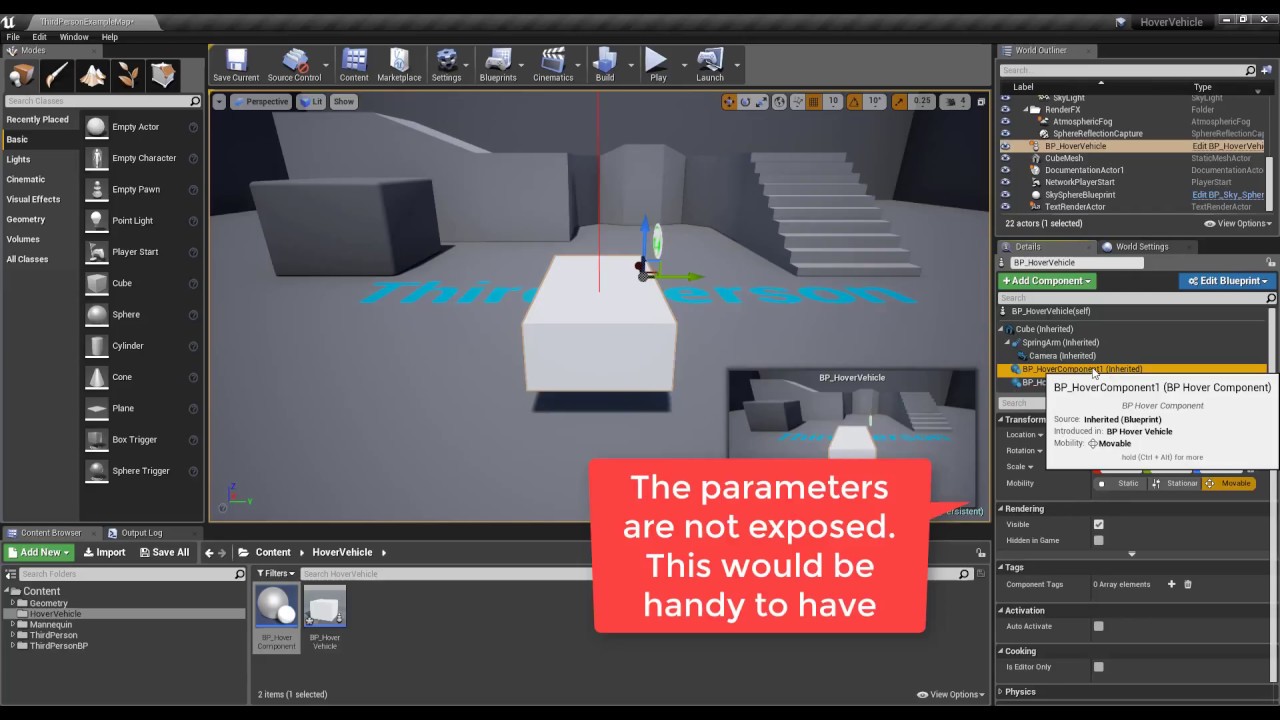
Step by step tutorial on how to create a hover vehicle which uses custom scene components as hover devices. The components simulate a spring and damper syste...
You can combine the two of them and make a VR Hover vehicle. 😉
 eager pine
LogGoogleARCoreAPI: Error: Failed to build augmented image database.
get this build fail on packaging
honest mango
Anyone know should I make my VR character have motion controller components or make seperate motion controller blueprints and attach them to the character on start like in the VR template?
shell karma
depends on what you're planning to do with your pawn/controllers, both ways are valid solutions @honest mango
either way I'd advise to have controllers as separate actors and spawn them along the pawn
honest mango
Just wasn't sure how I should be communicating with the controllers. Do you know how to get the velocity of the motion controllers?
shell karma
Get the world position of the motion controller and put it into a variable called "oldPosition" each tick. At the start of each tick, get the controller position, and subtract oldPosition, that resulting vector is your direction, and the length is the velocity for this tick. Then store the current position to oldPosition so it'll get used in the next tick again.
honest mango
Thanks, is that the only way?
 magic ferry
anybody know where to find vive tracker x unreal documentation or project files?
tryna make a vive tracker/ipad/virtual camera esque device
sonic lake
@honest mango You could use Get Component Velocity but that is relative to the Motion Controller’s parent, so if your VR character moves you may not get what you expect. @shell karma answer is the proper way to do it.
shell karma
@honest mango it's nothing complex, it might sound like it, but once you go step by step following what I wrote you'll be good
there's no blueprint node to get the velocity of motion controller specifically if that's what you're after, you gotta calculate it yourself
tired tree
@sonic lake tracking its world position per tick is still pawn movement relative
you'd have to track its relative position instead
also its more realistic to track it with pawn movement honestly
sonic lake
@tired tree it was about tracking the velocity of the controllers
tired tree
yes but you said his was the proper way to do it
while saying not to do it that way because it factors in pawn movement
also most velocity is for throwing, so depends on what he wants
sonic lake
Would Get Component Velocity return the same result as (Current Frame World Position - Previous Frame World Position) / Delta Time?
Don’t have access to source code now
tired tree
yes?
sonic lake
True, it depends on the application though. If it’s for arm swing locomotion or gestures for example
tired tree
you are getting its movement over time
world space change over time is the same as its velocity
relative space would be just the local velocity
sonic lake
In both cases working with world space velocity would be my preferred way
tired tree
which is the same as component velocity
sonic lake
Ok my understanding of Get Component Velocity was that it would return relative velocity. Then I was wrong.
Thanks for clarifying that.
tired tree
well its...more complicated
if simulating it returns physics velocity
if a root component its the same as world velocity
sonic lake
For a Motion Controller component?
tired tree
it being attached or not has no bearing on a motion comp, i'm working with like 2 hours of sleep here :p
sonic lake
Feeling the same here! 😉
honest mango
Thanks for help, little confused about how the velocity works with the controllers. Im using the tick method, I didnt know how to get the controllers velocity without having a physics object which I couldn't have with the controllers
tired tree
anything attached to the controllers can be queried instead
honest mango
Do you guys know the best way to get a character set up with collision that moves with roomscale?
 lucid ivy
This reticle is left over from the FP Character blueprint (starter content) and I can't seem to get it to go away after deleting the FP Character. any pointers in where to look for this thing? https://i.imgur.com/x6AiOdk.png
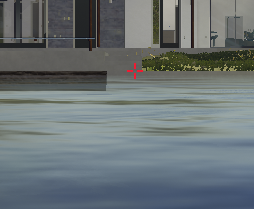
it's a UI element and only appears when I hit play
daring mural
@lucid ivy I think there's a HUD file somewhere that gives you that reticle
Check your default HUD Class
It won't be part of the character BPs
daring mural
I go from a stable 90 FPS down to 45 FPS after a few hours in my project for some reason (in VR preview). I can get back up to 90 FPS if I do a restart. Is it cached shaders or something?
hasty girder
Does a motion controller component need input enabled in order to follow the player's motion controller?
sturdy coral
@hasty girder I don't think so, I thought EnableInput only exists on actors though
mighty carbon
so, Sony has concerns about how slow VR is growing
covert moth
Whether it's because people are waiting for the second generation of headsets to come out or if it's because people aren't interested in VR is hard to judge.
And that's probably what worries them, the second possibility. They got burned pretty hard on 3D TVs
And the PS Move
If VR doesn't meet their expectations by the time the PS5 rolls around, they might not give it another shot
sturdy coral
I think it is only going to get cheaper and cheaper due to the phone market; little reason to drop it
hasty girder
@sturdy coral I didn't think so either; but I'm still struggling to figure out why my MotionControllerComponent isn't moving with my motion controller. I know the Hand and Player Index is set correctly. But I'm at a loss for things to try
I'm open to any suggestions on things that would keep a motion controller component from updating it's position
sonic lake
@hasty girder Which hardware are you using?
sturdy coral
@hasty girder did you upgrade across engine versions? in 4.18 where they added that hand replacement stuff I think they didn't put in redirectors the right way
hasty girder
I'm using 4.19 on vive
I mean, technically developing for VIve and Oculus, but testing on Vive now.
sonic lake
Then I cannot help, I am not a Vive expert. On the Rift you won't get controller tracking unless you are wearing the HMD or bypassing the proximity sensor.
Even though you will get HMD tracking.
hasty girder
Well, I know that I'm getting motioncontroller info because I loaded a test project, quickly set it up, and it works just fine
But in my main project I'm getting all zeros for my MotionControllerComponent tranform
sturdy coral
@hasty girder did you upgrade your main project from an earlier engine version
sturdy coral
in c++ I had to set: cpp MotionControllerL->MotionSource = FXRMotionControllerBase::LeftHandSourceId; MotionControllerL->Hand_DEPRECATED = EControllerHand::Left;
because they didn't do the redirector from Hand to Hand_DEPRECATED right
hasty girder
I will try that out; because It's possible this project started in 4.18
sturdy coral
I think it was introduced in 4.18 so should be ok but I can't remember
maybe it was 4.19
hasty girder
I can't remember because I've had to slide it across a few different source builds now, and I can't recall the versions.
sturdy coral
you can try just deleting and readding the component to be safe
hasty girder
Are there any threads or AnswerHub posts on this?
sturdy coral
it only mattered if a BP derived pawn was serialized with the old version or something I can't remember
hasty girder
Well.... haha, I did derive a pawn from the C++ where I implemented that component. so maybe this affects me. What is MotionSource?
NVM, i'll just do more reading
sturdy coral
they changed from hand to motion source
hasty girder
Ah
sturdy coral
hand was a fixed enum that could be more than just hands
(it could be vive trackers for tracking a mixed reality camera, etc.)
but they moved to an FName to make it more flexible, I think so if a plugin adds a new type of tracked thing they aren't limited by the engine-level enum
hasty girder
Ahh, makes sense. Thanks for the info, I'm assuming that's mentioned on the Blog for the 4.19 release?
Are there any other reasons a motion controller wouldn't work? I'm not seeing Hand_DEPRECATED or MotionSource, even though:
sturdy coral
:/mnt/e/git/UnrealEngine/Engine/Source/Runtime$ ackpp Hand_DEPRECATED
HeadMountedDisplay/Private/MotionControllerComponent.cpp
228:            LegacyMotionSources::GetSourceNameForHand(Hand_DEPRECATED, MotionSource);

HeadMountedDisplay/Public/MotionControllerComponent.h
32: EControllerHand Hand_DEPRECATED;```that's in 4.19
@hasty girder
HeadMountedDisplay/Public/MotionControllerComponent.h
35: FName MotionSource;```Thanks
jovial vessel
Hi peeps, I want to make sure of something. Right now I'm testing my game on various different platforms (PSVR, Vive and Oculus Rift) all with floor tracking.
I noticed that it seems only for the Oculus that I have to take the player pawn and set it along the floor because the player becomes too high otherwise.
For the other two platforms I can just leave the Player Pawn hovering in the middle of the air where the player's head is intended to be and it all looks normal without becoming too high.
Am I probably doing something wrong or does the Oculus Rift indeed deal with Floor Tracking differently from the Vive and PSVR?
sonic lake
@jovial vessel Do you have the same setup as in the standard VR template? That one seems to take care for all variations by setting the Tracking Origin to Floor Level for Vive/Rift and to Eye Level with manual offset of the height for the PSVR.
In all cases the pawn/camera are set flush to the floor in the level.
jovial vessel
I'll need to double check to make sure but a quick search for uses of "Set Tracking Origins" tells me that we set it for Floor Tracking across all platforms
Right now I need to manually lower the camera on the Rift because that's the only one which goes too high
sonic lake
That happens with the Rift if you set the Tracking Origin to Floor Level but do not set the pawn flush to the floor in the level. The initial height of the pawn is taken as floor level.
jovial vessel
Is "Flush to the Floor" a setting somewhere, or is it just me setting the pawn's location?
sonic lake
You setting the pawn location. Have a look at the standard VR template, MotionController Map
jovial vessel
Yeah okay, I'll take a look at what they're doing in there and see about using it on my own pawn. Thanks!
hasty girder
@jovial vessel What vr_marco said: you need to make sure that your pawn transform is placed exactly at floor height and that you have floor tracking and the appropriate eye height set. All of these are covered in the VR template, so if you use that as a reference you should be good. Feel free to DM me if you have other questions.
jovial vessel
Yeah that's what I assumed was the issue, what confused me was that I did no floor placement when testing for the Vive and yet it still displayed normally
My assumption was that if I placed the Pawn in a heightened location with Floor tracking that it would be too high for both Vive And Oculus but the problem only appeared on Oculus
I was wondering why the issue didn't appear on the Vive like it did the Oculus which I assumed it would based on how the VR Template was setup
 idle heron
Hello, I was wondering if anyone is familiar with another solution for casting shadows in AR (virtual objects on real ones)? Right now I'm using a material that takes the camera feed and uses it as a screen mapped texture and it works well but limits us to using modulated shadows only (the only ones that cast on unlit materials) . Modulated shadows are looking too hard edged and I can't find a way of increasing the transparency (only colour).
mighty carbon
PS5 in 2021 and Sony isn't happy about grow rate of VR market. Does it mean PSVR will work with PS5 and no PSVR 2.0 will be coming ?
wicked oak
@mighty carbon in that case they just dont know wtf they are thinking
becouse last time i heard it was the exact opposite
that they were way beyond expectation on sales
you can see how PSVR got sold out everywhere the first months
 atomic spire
anyone know what event your supposed to listen for on GearVR when you hold the back button, and get taken to Oculus Home?
 obtuse spruce
I'm running into a problem in my project with physics objects that I'm dragging around with my VR hand (using a Physics Handle). If I smash the object into a wall, a hit event will register on the object, but often not on the wall. Has anyone run into anything similar?
thorn horizon
@atomic spire In 2014 it was "android back button" . But since alot has changed recently I'm not to certain
heres the only post I could find on it
https://forums.unrealengine.com/development-discussion/vr-ar-development/73783-gear-vr-back-button-behavior
Unreal Engine Forums
All things Virtual and Augmented reality. Development resources, news, tutorials, and discussion inside.
mighty carbon
I figured this might make someone's day: https://twitter.com/ID_AA_Carmack/status/999458499137425408
 covert moth
And just like the prior work Oculus did, it'll probably make its way over to the main branch at some point.
mighty carbon

 digital marlin
@mighty carbon the king!
fleet veldt
@sonic lake hey, I thought you'd be interested to know you can pair a bluetooth keyboard to your OculusGO and then have full access to the UE4 dev console in game. I ordered this mini silver colored bluetooth keyboard that goes great with the GO. https://www.amazon.com/gp/product/B00H09Z50E/ref=oh_aui_detailpage_o00_s00?ie=UTF8&psc=1
sonic lake
@fleet veldt good to know! I think I will still implement a virtual keyboard with a list of console commands, but I appreciate the fact that the Go can connect to other Bluetooth devices. And keyboard and motion controller both work at the same time?
fleet veldt
@sonic lake yup! I made a video but still having that issue where some days the GO doesn't show up in win10 explorer so i can't transfer the file.
fleet veldt

It's possible to pair a bluetooth keyboard the same way you pair an additional game controller to the Oculus GO. This lets you access things during developme...
wicked oak
@fleet veldt damn
that is a great thing
reminds me you can also plug a keyboard and use console in a ps4
mighty carbon
@wicked oak have you tried implementing HDR-less bloom on Go?
mighty carbon
Does Unity offer simple bloom for mobile VR?
mighty carbon
@wicked oak ^^
wicked oak
@mighty carbon yes
ah, mobile vr?
no
lightweight render pipeline can do it
but not in vr
XD
lightweight render pipeline is AWESOME for vr
but sadly
it doesnt support postrocess
any of them
it supports postprocess, but in not-vr
mighty carbon
Hmm... I wonder if it's that performance taxing that Oculus decided not to even offer such rendering feature for mobile vr
wicked oak
it probably is
to do a bloom postprocess in mobile you need a fancy post pipeline
given how vr performs in mobile, i doubt thats a good idea
mighty carbon

UploadVR
GameFace this week launched pre-orders for its first development kit for its VR head-mounted console (HMC) launching later this year.

Multiplatform matters for VR devs. Out of all Apex Construct sales, 46% is on PSVR, 30% is on the Oculus Store while 24% is on Steam. #gamedev #vrdev
Twitter
^^ interesting
Apex Construct sold better on Oculus Home than on Steam
wicked oak
@mighty carbon even more interesting is how high the PC rate was
mine is 80% psvr
more than 80%
and 30% on oculus store is 100% unheard of
becouse oculus store is pure garbage
you better know someone at oculus that puts your game on frontpage, or you dont exist
dusky moon
Hey guys, I got an annoying random issue with my project. I have a VRpawn in my persistent level and user possesses it on begin play till the end. I figured out when streaming sub-levels ... sometimes .... sometimes very randomely ... right after I stream into a new level, my pawn gets unspossessed and the game becomes unplayable because it's almost like no Pawn at all.... what can cause this ?!
covert moth
Sounds like a race condition. You need to change your code to avoid that.
dusky moon
hmm maybe like force re-possessing pawn on each level streaming call ?!
covert moth
I'm not entirely sure how level streaming itself works in this way, but having things sometimes just execute in the wrong order sounds like a standard race condition to me
mighty carbon

At this year’s F8, Oculus Head of Product Management Maria Fernandez Guajardo gave attendees a sneak peek at Half Dome—a prototype headset that incorporates earlier research on varifocal displays and some preliminary perceptual testbed findings with a wider field of view ...
mighty carbon

Qualcomm has been the go-to company when it comes to chips on standalone VR and AR headsets.
I sure hope Santa Cruz will use that ^^
wicked oak

Red Matter is a first-person puzzle adventure set in a strange and mysterious alternate universe, which takes old Cold War rivalries and teases them out to an interesting logical conclusion: space bases, astronaut espionage and a healthy dose of intrigue as you, a member of ...
by @raven halo
Glowing review of his teams VR game
mighty carbon
yeah, looking good
 raven halo
🙌 🙌 🙌 🙌
sly elk
Lots of new stuff here, inclding a first pass at the 2d/non VR mode: https://www.youtube.com/watch?v=CIHvVPc5OQQ My game also has its first simple menu, i feel like having a menu is a big milestone going from prototype to game
 sturdy coral
yeah, looks great
primal sky
yeah wow... very cool
it instantly made me think of the cottage i am building right now and how interesting it would be to pre build the place in VR
so many small problems.. haha
 native cedar
Has anyone ever implemented a "screwing-unscrewing" interaction for VR? How would you go about it?
I need to open a valve with one hand but so far my rotation calculations to determine the screw amount have proven ineffective
sonic lake
@native cedar @eternal inlet Has a whole YouTube series on VR interactables, including rotating handles and dials. You may want to check it out here: https://www.youtube.com/playlist?list=PLT4SeajOa6mavQ09VO3mmPi5vinawYZoM

YouTube
Note: This series only focuses on the Physics implementation. Thus it will NOT play well with Replication unless you do a little bit extra work + it will NOT...
native cedar
thanks man!
 eternal inlet
@tired tree has a much more stable solution
eternal inlet
Looks super cool @sly elk lots of really nice stuff u did there
jaunty shell
@raven halo good job on the game, gameplay looked really interesting ! I do have a question about the visuals though : why is there some kind of greyscale filter applied to the scene once in a while ? Is it to redirect the user's attention to more relevant areas ? 😃
@sly elk have you thought about allowing modding down the road ?
I can definetly see your software being sold to companies as a formation tool, and allow them to use their own part models and assemblies
real needle
did you guys order the oculus devkit? i'm waiting for the 2 they said they will send me ,for almost 4 months now
sonic lake
@real needle We asked for an Oculus Go. In the meantime we bought one. Still waiting for the one from them...
sly elk
thanks. Jim is starting on making the engine and suspension components move. I think thats going to a huge improvement
mighty carbon

UploadVR
HTC is teasing both hand tracking and 6 degrees of freedom controller tracking for the Vive Focus at a conference in China.
interesting
sly elk
Do vive users expect directional teleport like rift users or is a single teleport button more common?
sly elk
Im just trying to work out button mapping. On rift I plan to dedicate the left thumbstick to direcitonal teleport
but for vive users I don't want to take over the whoel touch pad
 cosmic shoal
If you want Vive users to feel at home just mimic how The lab does things, every vive user is familiar with it.
mighty carbon
May goodies for Oculus https://developer.oculus.com/blog/may-monthly-tech-updates/

The latest tech updates from the Oculus software, integrations, and docs teams are now available. Major updates include new features from the Avatar SDK and enhancements to the Unreal Engine 4 Integration and Oculus Utilities for Unity. Read on for more details.
It took me 8+ hrs to build UE4 with 1.25 integration. Now I have to spend another 8 building with 1.26 🤦
sly elk
haha
@cosmic shoal thanks I will check out the lab
im glad we are still on vanilla unreal + blueprint project
makes updating easy
mighty carbon
vanilla UE4 has 1.21 SDK and old ass Platform SDK
Oculus branch has everything current
and of course if there is a bug, Oculus most likely to fix it and push it a way earlier than Epic
sly elk
I think we saw that when we updated to 4.19 but I wasn't involved with fixing it
mighty carbon

The Verge
Sales from Epic Games’ battle royale title more than doubled in just two months
wooo hooo, who can pass up that check?!
forget any VR advancements 😛
 sharp swan
its amazing
obtuse spruce
@sly elk If by "directional teleport" you mean the the system in Robo Recall where you can select not only where you'll teleport, but also which direction will be "forward" in your play space upon teleporting, I'd recommend that only for front-facing VR setups. The other form of teleporting, where you don't rotate at all while teleporting, feels a lot better in 360 setups. The reverse is also true; directional teleporting feels weird in 360 setups, because there doesn't need to be a "forward" in your play space, and rotation-less teleporting feels clunky in front-facing setups, since you'll probably have to turn yourself immediately after teleporting and it's much more fluid to do both in the same action. At least, that's my opinion.
 subtle raft
I feel like they can setup Fortnite and just let it sit and make money without much development after a certain point
once all the core features are in
sly elk
Cost to develop compared to profit ratio is already insanely high, no need to worry about cost of keeping developers on it
wintry escarp
are the rift drivers broken again? I can hear music but get a black scvreen
try a reboot
wintry escarp
beat sabre is more fun than it should be
daring mural
Is it possible to generate a patch for a build that didn't include the -pak parameter?
mighty carbon
reddit
Every now and then i updated my nvidia drivers and my oculus started to show some stuttering here and there. Even in home when i look around i get...
Bizarre
That's why standalone will be much better than desktop
I just hope MS roll out XB1X VR support at E3 and Sony will release better controllers.
Or maybe I am just tired - it's been a long day
dusky moon
@mighty carbon can confirm random hiccups too. also sometimes Oculus' audio goes off and needs a restart to revert back. not sure why they can't keep it stable though. the Audio thing however is super annoying
Good to know it's oculus' issue , cuz I was almost suspecting hiccups were caused by my project
sonic lake
This problem has been there for very long time. I am on 384.94 on my Asus ROG G752VS with GTX1070 and it has been stable and fluid since I rolled back to this version.
dusky moon
I'm a total noob in Multiplayer ... Any suggestions where to start ?! I'm trying to just test having 2 VRpawns in the same level from different machines
 granite sail
@dusky moon I'd start here to make sure you are using each class correctly http://cedric-neukirchen.net/Downloads/Compendium/UE4_Network_Compendium_by_Cedric_eXi_Neukirchen.pdf
That network compendium is absolutely irreplaceable
Seems redundant but I assure you that if youre not well versed in multiplayer youre probably using at least one class incorrectly
dusky moon
@granite sail Great! will check that
mighty carbon
@dusky moon it's not Oculus issues, it's Nvidia's issues.
 tulip surge
So besides : https://github.com/mitchemmc/VRContentExamples are there any other VR examples for like grabbables / physics objects like doors etc?

GitHub
VRContentExamples - Unreal Engine 4 community VR content examples
I tried the physics doors from that example in a VR game but the handle just vanishes
I've also tried some things myself but grabbing things never seem to replicate
glossy agate
Expansion plugin
tulip surge
cool, I'll see if I can learn something from that, thanks Ryan
on second thought , i'm not sure this will be useful for me, I'm modding an existing VR game which has his own VR controllers setup
daring mural
Available on May 29 on PlayStation®4 The Romano family has taken over the city. Corrupt politicians and police agencies do nothing to stop them. Become the m...
🙌
glossy agate
@tulip surge Is it for Pavlov? If so then yeah it def wont work. Would require changing the whole core of the game
tulip surge
Yeah it is @glossy agate
Ive already made a couple fun blueprints for it but the grabbable stuff is where Im stuck at, we could make so much awesome things with it if it worked
dusky moon
Oh is pavlov officially moddable ?!
tulip surge
I mean there is a workshop which gives you alot of freedom like someone made new gametypes like CTF, Domination, King of the Hill etc
I've done some physics ball, shootable chickens, automatic doors, rotating cameras that can be shot,...
Someone else added a light to the head of the player so you can run around in dark places with a lamp on your head
so for example I'm now trying to figure out how to get grabbables replicate so I can add lightsabers and a ballistic shield, someone else wants to use keys to open doors, having swords and shields etc
languid night
@daring mural http://prntscr.com/jn772b
 alpine ore
Anyone got hololens working recently with Unreal?
mighty carbon
@languid night LOL
charred portal

Early mechanics test for Survival Dayz/H1Z1 inspired VR game. Come follow development and help test the game! https://discord.gg/26JMUGr
daring mural
@languid night LMAO
 little oriole
Every other time I "Play with VR Preview" it shows the default camera and my HMD has no effect, I'm using an htc vive, anyone else encountered this?
languid night
@little oriole Is your FPS VR camera in the scene? Also, there are some console commands which could force UE4 to use your VR headset as a camera.
real needle
@little oriole are you running the demos or the vr blueprint template? I encountered my motion controls not working (but looking around worked) You need to load a specific level to actually do anything
little oriole
I started off using the vr blueprint template, but I loaded the appropriate Map according to the instructions. The map where you can pick up the blue cubes etc
real needle
OK that is odd, check if the VIVE is activated in the plugins and if nothing works, a reboot of your SteamVR might fix it ( or reboot your PC)
little oriole
Well it works sometimes, almost literally 50% of the time
It's every other time that I try to play with vr preview
real needle
Has anyone seen a good/realistic full body IK?
Something like Node has done?
Tried Ikinema but didn't like it and couldn't compile the engine with it.
https://www.youtube.com/watch?v=dX3m8HiL-5c
Brandon's team over at Stresslevelzero have been hard at work building the ground work for their new game. After months of work this demo was created to show...
 bright echo
So can you actually use the editor in VR or do you just test in VR?
covert moth
Both, debatable how useful the former is though
bright echo
Wow, I can't believe I haven't tried it yet. I gotta just stop being lazy and put the headset on when I start UE4
sharp swan
designing in VR is like running through custard.
sly elk
Lol yes, you get used to it though
daring mural
Using editor in VR is basically a game in itself. It's fun but I don't think anyone actually devs like that for most things aside from maybe level design
Even then it's more fun than productive
sly elk
I want epic to give us a blueprint flow rendered onto a plane for VR preview
even better, a complete VR debugging tablet
that you can place in the world or add your own blueprints to (like making a pickup object)
sonic lake
@sly elk it would be cool indeed, even if very likely it would kill the VR performances. Even a post morten BP debugger would do the job. For the moment debugging through Text Render components / log file is still the best option.
BTW, the new media framework supports live video feeds, so it should be possible to capture part of the screen and re-project it in VR.
sturdy coral
@sonic lake do you know which version they added that in (live video feeds)?
sonic lake
@sturdy coral 4.18. Read about it here, but I haven't tried it yet. https://docs.unrealengine.com/en-us/Engine/MediaFramework/HowTo/UsingWebCams
I don't have access to my dev system at the moment, so I cannot test it. It could also be a case of wishful thinking which made it to the docs though.
daring mural
How do I utilize OpenVR in Steam so that people can launch with SteamVR instead of forcing the Oculus SDK?
Not really sure how to give players a choice there.
sturdy coral
@daring mural add a launcher option in steam with -hmd=SteamVR
do the same as that but in arguments add -hmd=SteamVR
you have to patch things to support all of the oculus buttons though
daring mural
@sturdy coral Will that force it to launch in SteamVR every time? What if the player wants to use the Oculus SDK instead?
sturdy coral
@daring mural you can provide multiple launch options there
that's Option 0, you can add 1, 2, 3, etc.
 abstract forum
What is the VR launch kit?
jaunty shell
that's what I've been trying to figure out since this morning ¯_(ツ)_/¯
jaunty shell
🚀
fleet plume
what if you're still attached to said HMD? 🤔
covert moth
Then I guess you'll get plenty of frequent flier miles.
sonic lake
😂😂😂 I believe it is this one here: https://www.google.nl/amp/s/www.vrfocus.com/2018/02/streamline-vr-development-with-hps-vr-launch-kit-for-unreal-engine/amp/

HP is also extending its Device-as-a-Service offering to VR solutions.
jaunty shell
what the F are they doing with their CSS



can't even ready properly T_T
and it follows you when you scrolls ffs
`HP created the kit as a way to help streamline and accelerate the VR development process. Features include compatibility with Epic Games’ Datasmith, a Workflow Toolkit for Unreal Engine that was introduced last year; a VR Performance Profiler making it easier for companies to determine the right computer configurations when they deploy their VR solutions, giving them benchmarks and reports that indicate before rendering whether the software will run well on targeted hardware.
There will also be optimisations for real-time performance and templates to provide cross-sectioning and exploded view functionality for models, helping creators get those models into VR – especially usefully for applications like vehicle models.`
so this is a bunch of templates on top of studio
hmm
 olive ferry
Hi everyone, I'm trying to do a 360 video on unreal Engine with video material on a sphere, I try to invert the sphere normal like by scaling it on (-1, 1, 1) so I can see the texture from inside the sphere but it doesn't work, did anyone know how I can do that ?
jaunty shell
@olive ferry use the engine asset mesh called "editorskysphere" or something like that
it has inverted normals already
olive ferry
@jaunty shell I can't see it, where do you find this ?
jaunty shell
you have to tick "engine content" in your asset browser display settings
mighty carbon

itch.io
Import all meshes in gltf file into UE4. https://github.com/code4game/glTFForUE4
@wicked oak ^^^
supports anims
I wonder if that works well with experimental version of glTF addon for Blender
limber flower
So, I found this, which is helping my issue alot with my effects not replicating/drawing on each eye of my VR headset: https://answers.unrealengine.com/questions/783866/ue419-has-broken-post-process-material-for-vr.html
I'm trying to figure out how to combine that custom node of Stereo Index with my ScreenAlignedUVs node. I've attached a little snippet of what I have so far.
I'm trying to follow this answer from Darby that explains him using the Constant2Vector storing the per-eye screen resolution, but not entirely sure how to set it up properly.
mighty carbon

Accessories and replacement parts for all your Oculus Go needs.