#virtual-reality
1 messages · Page 173 of 1
 fleet plume
 wicked oak
for the sony thing, yeah, its about getting the project greenlit
they have to approve the project
they approve everything that isnt porn or child murder simulator
fleet plume
holy crap those categories
wicked oak
but yeah, this is about getting the game approved by sony
fleet plume
and i guess you also have to go through the rating process?
wicked oak
then i get my application ID number and stuff
fleet plume
like ESRB and PEGI?
fleet plume
ah ok


 wintry escarp
what sort of gpu with a rift would ps4VR be about the same as?
wicked oak
GTX 960
biggest difference is actually CPU
on one hand it crunches through drawcalls better than a high end i7
on other hand its 1.6 ghz and runs game logic horribly bad
 primal sky
@wicked oak making it all yourself?
wicked oak
@primal sky almost enterely
assets are all from packs. The only custom thing in the entire game is the final boss (ATM)
the levels are hired to freelancers
some of them made by me
primal sky
nice. good job.
wicked oak
2 months dev time
primal sky
perfect
wicked oak
now another 2 months to the vertical slice, wich is another tileset, + level generator + more enemies + more polish
wicked oak
alliance?
primal sky
 wicked oak
that looks like something that would work super well in PSVR, i could port it for you, or help you with it
primal sky
yeah thats the idea. Yeah i will keep it in mind for sure.. much appreciated.
just going to do our steam launch end of this month and then start port options. (it was designed to be portable to switch as well in a slightly different form)
your game looks good dude. very nice work
smart cycle
wicked oak
there is pretty much no other way with vr dev at the moment
primal sky
I think the key is looking for ideas that worked really well in earlier eras of video games but still have really compelling hooks.. and figuring out how they can translate to VR
wicked oak
you either do shorter lived projects, or you fail
primal sky
yes.
we have the advantage of being part of a much bigger studio for day jobs.
but yes.. 3-4 month cycles.
correctly priced.
wicked oak
i wanted to make a bullet hell. Allways wanted to. Probably will tinker with it as my next project, alongside AR stuff
this one is more then 3-4 months, its going to be 6-7
if we miss the 6 month mark, we go straight ot 10
we cant launch on the middle of the winter season, alongside everyone else
primal sky
ah yeha.. you should.
you might find a hook there
re bullet hell
yeah winter is rough.. squad does its best sales then
wicked oak
and i have the tech skills to run stuff like a procedurally generated city, plus a ridiculous fuck ton of bullets and patterns and FX everywhere
primal sky
hahahah
wicked oak
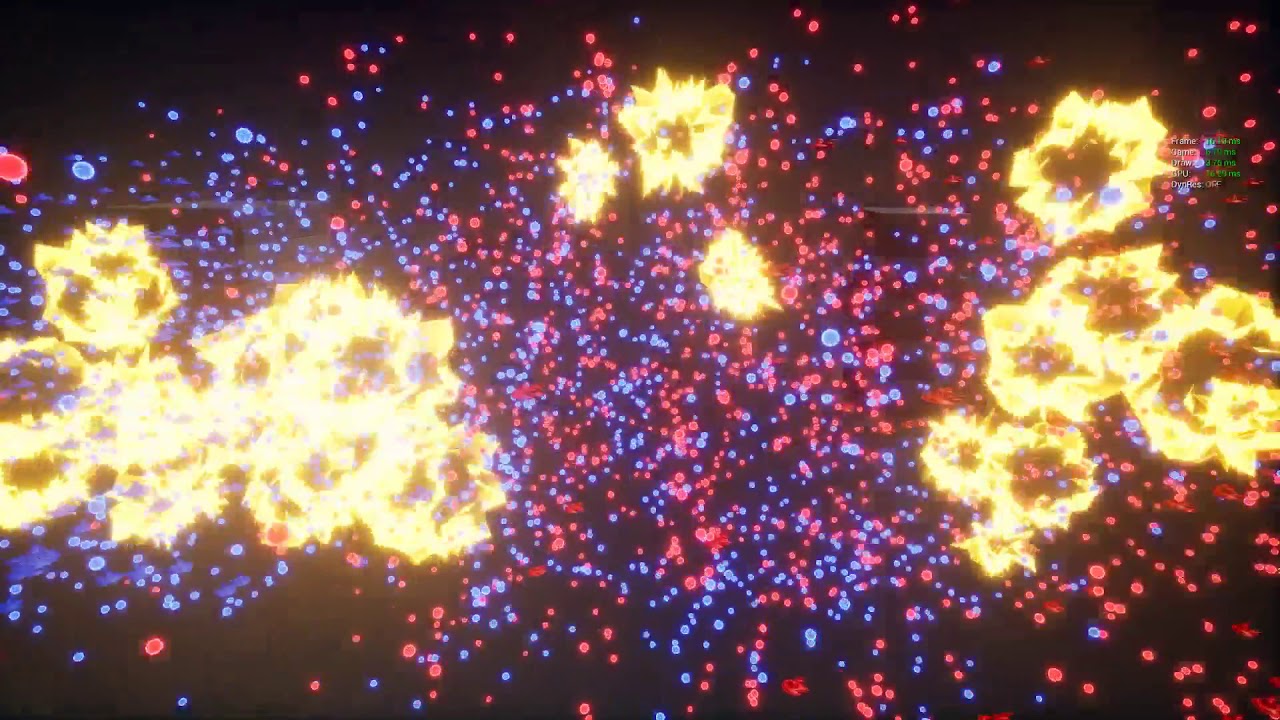
Same as the 3rd, but with better graphics and in a "release" build. 100% stable 60 fps.
primal sky
yeah we have ALOT of ideas..
wicked oak
that tech could be used quite well in a bullet hell
primal sky
indeed
im actualyl thinking of taking the Alliance base and building a ww2 north africa version using the same framework
realistic plane damage but arcade style.
flying over deserts and fightingg other fighters and bombers.. tank of ground.. stuff like that.
wicked oak
good idea
primal sky
we will see how it goes!
wicked oak
i do think im mistaken a bit on making this project
primal sky
in what sense?
wicked oak
what i should really do is to polish old prototypes and go with the shotgun approach
becouse its way too big for me.
wicked oak
its ambitious as fuck
primal sky
it seems cool but scope could get big real quick
wicked oak
but ive wanted to make a dungeon crawler for a looong time
primal sky
i hear yeah
you ever play pixeldungeon?
that.. is brilliant. one life.
tap and go on phone
procedural dungeons
RNG straight up
wicked oak
i have tons of rogelikes in the phone
this is different from a rogelike, its more like Diablo
ive thought of actual turn based style rogelike mechanics in vr
pixel dungeon is amazing. If you want more of the sort, try "Pathos"
Pathos is a "copy" of nethack some guy made
is like nethack, but not retarded
and with some usability
you can also straight up get nethack
but nethack has just too much stuff
primal sky
cool
i will cheers
i love pixel dungeon still
if someone could use beam or other fucntion so you could share that game and play coop sitting in airport for example
wicked oak
pixel dungeon is the same concept, but simplified to its basics, and with actual good presentation and playability
primal sky
MILLIONS
primal sky
that coop on a phone.. yeah ive looked at some
but you are going to make me look again!
wicked oak
the original is open source or something, and there are a fuckton of forks
try Pathos
honestly really good
primal sky
looking for it now

 digital anvil
Somebody needs to make the Oasis (Ready Player One) xD
wicked oak
definitely 100% programmer art
primal sky
oh god.. yeah.. they are and they will
primal sky
haha.. yes
wicked oak
Pixel Dungeon is a traditional roguelike game with pixel-art graphics and simple interface.
you can download it for pc
or buy on steam

GitHub
pixel-dungeon - Traditional roguelike game with pixel-art graphics and simple interface
enjoy
the source
primal sky
what are you guys thinking is optimal VR pricing atm?
wicked oak
primal sky
I have my thoughts but i know the thoughts of everyone are evolving
primal sky
neat
wicked oak
@primal sky flip a coin, select 15 or 20 dollars
seeing your game, just select 15 or 20 depending on what you think
do not go lower
primal sky
and VR market is changing.. (for example im really surprised how many viable VR arcades exsit)
wicked oak
if you go lower you devalue the market
and you devalue yourself
and if people see a cheap ass game, they dont go "hey neat, its cheap"
they go "lul shovelware trash"
if 15-20 dollars is too expensive
primal sky
Hey that I agree with.. Im not into selling myself short by any means.
wicked oak
put it on sale every time you can
primal sky
i would do that anyway with VR.
you look at the Onward VR population and sales increase the last 6-8 months
very much based around smart sale utilization and continuing to add value
wicked oak
@primal sky the way ive thought of a "pure rogelike" in vr, is LITERALLY taking the ruleset of pixel dungeon, and making it first person
primal sky
100k units in VR is good stuff.
wicked oak
so you get a magic wand, and it has a rng 3d model
wicked oak
i have all the models, could just try to do it
primal sky
and procedural no big deal.
wicked oak
dungeon architect for dungeons and done
wicked oak
the game im making its going to have a lot of replay value
its a diablo style game after all
gotta grind
primal sky
yeah. I see pixel dungeon as a proven formula
just not sure how portable
but yes.. im sure you have thought long and hard about it
 real needle
I have a gtx 1070 and I'm locked at 45 fps in an empty level. Where do I start debugging frame time?
real needle
In vr. Can't reach 90 so goes down to 45 is my guess
real needle
My card's at 2037 MHz and it runs well in other games.
Ok thanks
Can't see it in vr D:
Just like I can't see printscreen or stat fps well. Damn this sucks
real needle
If only I could see it lmfao
primal sky
which one is bottlenecked
real needle
If I run without vr I can see it, but I'm getting (surprisingly) 140
In vr, I can't see stat unit because it's off the screen and it's locked at 45
Wow only 140 though
This is weird
primal sky
well i think you can run a mirror to the screen as well. forget what its called @wicked oak
steam VR settings probbaly.
real needle
This is what I mean. See it in the top?
Gpu is actualy 22.3. Just had to click off for the screenshot so it limited fps
I enabled forward rendering, now it's jumping between 45 and 90
This is so weird. All I have is true sky. I'll try removing it.
Even lower fps now 😂
You know what, this just happened when I updated to 4.19.1
I'll try 4.18 and 4.19
Also update graphics driver
 mighty carbon
I'll sell my game for $99
real needle
What?
mighty carbon
why not?!
real needle
Many many reasons why not.
Why's it in this channel?
 sturdy coral
@real needle which headset?
Turn off async reprojection and interleaved reprojection (and on oculus ASW) when checking frame timings
Modify GetOrthoProjection in the steamvr or Oculus source to make stat fps visible in hmd
Use oculus perf hud and steamvr frame timings graph where possible, you can make them both visible in vr
 subtle raft
it's a feature
real needle
Works just fine for me
@sturdy coral Thanks for the info!
I am using a vive. How do I modify GetOrthoProjection. And how do I show timings in the headset. I remember showing it before, but can't find it in the steam vr settings now.
It might be in the SteamVRHMD files, but I'm not sure what values to use
Oh my fps issue might be that shadowplay is on. Haven't tested it with it off yet, but I remember that being an issue in the past
Ooo also the discord overlay
 rocky nimbus
Woah @real needle your fps counter is way higher than mine, that's so weird
mighty carbon
so, looking at this http://cpu.userbenchmark.com/Compare/Intel-Core-i7-7700-vs-Intel-Core-i3-6100/3887vs3511it seems that for single-core performance (games) i7 isn't whole a lot faster than i3
why would VR games require i7 ?
 tired tree
games aren't single core anymore....
its still a big part of it
but its not literally the only factor
mighty carbon
So i7-7700 will be a way faster in modern games than i3-6100 ?
(since there is no way I can't shell out for GPU upgrade, I am thinking about CPU upgrade, but don't want to end up with only 12% faster performance in VR games for ~$350)
mighty carbon
well, give me $1000 @real needle and I will get both 😛
real needle
You don't get out much, do ya
mighty carbon
no, Mr. Red, I am always in my chair, 24/7
rarely leave VR for real-world nowadays
real needle
I can tell through discord.
 charred portal
Yea 4.19 has something strange happening
Performance took a huge dip in my project too ... 4.18.3 it stays
I lost almost 10 FPS
Profiling shows light pass and base taking longer
Only thing different is engine version
real needle
@mighty carbon You been doin this for a while?
mighty carbon
doing VR? Yeah
real needle
neat. how long
mighty carbon
since 4.9
real needle
VR since 4.9? Wow you must have a large portfolio
real needle
Surely doing it that long you would have lots of neat projects. Maybe some work for studios
rocky nimbus
Is this command format correct or do I need to add the = symbol? I saw someone using the = in some places yesterday and not in others..
4.19
 dusky moon
@rocky nimbus Yes That is correct
dusky moon
I'm wondering when I run my packaged project on my own pc ... it should load/stream levels faster than others... because I'm speculating that some stuff has been cached before ?! am I right or is this just a conspiracy ?
 jaunty shell
anyone using the VRExp plugin knows if VOIP should be active by default ?
tired tree
@jaunty shell plugin doesn't have anything to do with VOIP, I have the new audio voip component in the template in 4.19, but otherwise you'll have to either enable it for always on in config, or set up PTT with the sessions plugin I package in with the template
I think I have the correct config settings in by default in the template to help people
but set to PTT, so you have to activate mic
jaunty shell
thanks man I'll have a look at the cfg files
so far the MP is working awesomely, real time saver 😃
in one day of integration we can already do multi user visits of our buildings, with minimal actions required by the users to log into a server or host one
tired tree
yeah.....template wasn't intended to be a...template, but a set of examples, but over time I made it more functional because people were just basing projects off of it.
jaunty shell
you do have to be logged into a steam account for the serverlist to work right ?
tired tree
I would have changed things around if that had been the original intention.....but it is what it is
jaunty shell
:p
jaunty shell
we're gonna create a dumb account with the same ids for every machine then
even when logged on the same account it works no probs
pretty awesome that your template also works for non VR @tired tree
well grabbing stuff isn't the most convenient, but for simple stuff this is more than enough
tired tree
can make more advanced FPS test pawns, that is just all I need for most tests, I extend it for specific tests from time to time but never merge those changes in
don't want to promote actually using that pawn for FPS :p, the VR character has overhead that std ones don't, for VR/Flat combination games really should be seperate pawns entirely
though...it also has some efficiencies that std characters don't have now...I might pull a bunch of those together at some point and pull request the engine with them
jaunty shell
is there a major difference between the Vive_Pawn_Character and FPS_Vive_Pawn_Character pawns ?
we're doing industrial archviz, so a lot of stuff in these pawns are actually too much for us :p
we just need a nice set of movement options, ability to interact with stuff and a pointer that interacts with UI
we already had most of these setup in our own template, but your has all the networking ready to use 😃
only complain I'd have is the navmesh based navigation for teleportation. We'd rather use a surface check since it doesn't require any navigation tinkering
tired tree
FPS one is a child of Vive_Pawn, I just override some key bindings and allow the camera to follow control rotation
also lock the controllers so it can still be used with a headset connected, and a few other things to clean it up. But its base logic is the same, which is why it can be used to test the VR character
as for teleportation, honestly teleportation in that is a direct port from epics template with some optimizations on things they had. I didn't tinker with it much as teleporting is simple and not a primary focus.
jaunty shell
no worries 😃
tired tree
@mighty carbon its a good thing really
jaunty shell
more privacy
tired tree
they can open up an API for direct ownership queries themselves now
since peoplewill want it
mighty carbon
Hmm
tired tree
and allow devs to lock their games from the api if they prefer
that guy was literally trolling peoples accounts to get data
mighty carbon
I hope they do that
mighty carbon
Steam Spy was quite valuable for stats (From indie dev business perspective)
tired tree
@jaunty shell one thing that is different with tele is the character itself, I wrote some manage network teleportation functions, since teleport is a server authed thing in even normally it doesn't play well in network with clients wanting it
I run teleportation client side and notify the server, it plays the teleport as part of the character saved move system
it prevents rollbacks from out of sync, it also allows the server to deny it easier as it knows the actual location at the time of attempt
as well as not having the ping delay
normally its a full round trip wait for teleporting
you don't have FPS pawns trying to teleport in engine generally, it wasn't suited for use like that by default
jaunty shell
yeah sounds like a much better solution
fleet plume
when i start steam vr it defaults to loading the steam vr home
any way to disable that?
jaunty shell
you should be able to swap out the scene in your steamvr settings menu
in VR, not the floating desktop window with your devices
fleet plume
actually haven't thought about that oO
thanks!
jaunty shell
@tired tree have you done anything to the navmesh generation ? 🤔
tired tree
no?
 jaunty shell
aaaaaa
wait where
I've deleted the recast and bounds of the template area
but it still does the stuff in the video i've posted
jaunty shell
right lets try with static
what confuses me is that it worked perfectly this morning
and now UE keeps trying to build a small nav area, and only when I'm interacting with an object ? 🤔
nope, still not working
this makes no sense T_T
where the F does this small area come from, and why is it only appearing when I interact with an object
tired tree
try restarting after turning off dynamic
if its generating when something is moved, its still dynamic
tired tree
that moves the button
I doubt its set to ignore nav
just default static mesh settings
jaunty shell
hmm good call
restarting the project with nav set to static project wide
alright I have the nav in standalone, so it should work in build aswell, thanks @tired tree 😃
 sly elk
Hey all- question for video capture. I'm making a little promo video for castrol to show some of their partners. I want to capture in 4k and downres to 1080p (im on a 4k display, planning to capture with shadowplay). I currently have r.screenspercentage at 100 and am using the VR pixel density controls. Does anyone know what the best way to change the monitor display resolution is?
I don't actually care about resolution in the headset, just want a sharp image on the screen for capture
dusky moon
@sly elk you can set the resolution of VR mirror window on Editor Preferences > Play
sly elk
Oh, I thought that was only for playing in the editor, not builds
dusky moon
you want to capture packaged project ?!
that's actually for editor windows and works fine
for packaged ... afaik if you just set Start in VR enabled it will fullscreen the mirror window
but there is a command that I havent used lately ... r.setres xx*yy
sly elk
Yeah, the full screen mirror is low res. I assume because its a crop of the render target and the render target isn't as dense as the 4k display. Should I continue to increase super sampling with the same vr pixel desnity settings or should I use the old r.screenpercentage setting?
real needle
That's so weird. Having the same fps issues as yesterday. Turned on missed frame warning in the vive headset and it seems to be missing every other one
Just happened in 4.19.1
Also having that weird bug where it takes half a second to place a blueprint node
How long it takes is pretty equal to the compile time of the blueprint. It's as if it's compiling every time I add something automatically.
Check that out (missed frames in mirrored display)
Removed the truesky plugin and it's buttery smooth 🤦
I'll see if it fixed blueprints
Nahh they still seem to be compiling when I update anything, but at least my fps is back.
mighty carbon
mind-boggling mystery
jaunty shell
@real needle https://i.imgur.com/q3Q6IVf.png 
 real needle
@jaunty shell You didn't see anything
jaunty shell
😄
mighty carbon
if I need to build levels in a similar manner Hexen levels were built - hub level from which player goes into branches, do I make it as one persistent level with streaming levels inside, or do I make each level (including hub) as standalone persistent level ?
wicked oak
separated levels
@mighty carbon standalone persistent is the best way
you are in vr, if you were to load/unload level layers, you will lag anyway
separated levels are easier to deal with, usually
if you are going to have streaming levels, remember to have "corridor" type connections
A map connects to B through connector C
as you enter connector C, A unloads and B starts to load
connector needs to be long enough to allow for it, or some kind of way to slow the player
honestly its better in separated levels
mighty carbon
aye, thanks @wicked oak
dusky moon
talking of streaming levels... is there actually a limit on how many sublevels you can add to a persistent ?! as my project is expanding I'm becoming sensitive about it 🤔
 wary onyx
@dusky moon i love vaporwave, i actually realized thats why i was getting so much problems once i used the blue camera everything worked beautifully
i gues i was going too ahead of myself
dusky moon
@ACE GOD ァ印ニ#9718 me too kinda. well you can just add a postprocess volume to your VR Pawn/Character and mess with the colors and stuff to get things the way you want.
rocky nimbus
I set up a 2-handed weapon system once using an event tick that set the position and rotation of the weapon based on some math using the motion controllers, is this how it would normally be done? Is there a more performant way than to use an event tick to constantly be updating the state of the gun, etc.? I know it has to update every frame anyway but it felt a bit hacked.
wicked oak
@rocky nimbus no issue whatsoever
i mean that is 1 tick
you should only worry if you have like 100 doors along the map with Tick enabled
rocky nimbus
@wicked oak Would you consider doors with physics enabled ticking constantly or door BPs with actual event tick nodes in them? I did want to include some physics-based doors and have up to 10 people playing, potentially all of them using 2-handed weps updating constantly.
wicked oak
still no issue
epic games has said that you mind your tickers, just profile them
a lot of ticking stuff can be moved to a timer with 0.2 loop, or similar
tired tree
@rocky nimbus real physics doors when they aren't in use go to sleep
I profiled with literally hundreds of them once in a levle
no impact if they are asleep
and non physics doors, just set Tick to off when they aren't in use
never leave ticking on with something that isn't actually doing anything
wicked oak
tick off does nothing
its still on the tick graph
just doesnt call the blueprint event
tired tree
@wicked oak most people throw at least a branch in ticks if they are using them
to check if it should be doing anything
wicked oak
of course, it doesnt call into blueprint, wich is good
but the best is to have the "can ever tick" tofalse
and rely on events, timelines, timer
i saw they updated Dungeon Architect for 4.19
now that i have my prototype demo done, im going to see how would fully procedural levels perform/work on my game
maybe i eventually do one of the tilesets as pure generated
instead of chunk/module/section based
 granite jacinth
Yeah
TBH, while I definitely advocate against using ticks whenever possible
There are plenty of situations where you have no choice
And so like @tired tree stated, branches come into play
It's still ticking that branch
But it's better than the rest of the functions
tired tree
anything that needs to happen every frame should be on tick, timers have their own overhead and they won't improve there
granite jacinth
Also can just set tick disabled for the actor when you know it shouldn't be ticking at all
tired tree
anything that isn't frame paced...timers should generally be better
granite jacinth
Timers are still better than Tick in a lot of situations though
People still misuse Tick when they should be using a Timer instead
primal sky
I did some tests with our animated player characters
setting every single component tick to 60fps from the normal unlimited
with 140 soldiers in the scene I could cut my game thread time in half.
just on idle ticking of a character.
granite jacinth
Hmm, but where did you do that?
primal sky
on every component in the blueprint
granite jacinth
heh
granite jacinth
TBH
primal sky
it was telling.. we are definitely spending some energy where we should be.
things like ticking through a health component all the time
primal sky
well we do things like throttle anim update rate by distance
and frustrum
physics update rate.
and a whole wack of other stuff
you are making me want to go and dump all the ticks now in a live game
with 80 players
and just see.. wont tell me the rate though I dont think.
amazing though.. i was really surprised to see the gamethread half
granite jacinth
it should
wicked oak
combining dungeon architect with my own path node system
top kek
my query system works
mighty carbon
Q: What i s"kek" ?
A: https://www.splcenter.org/hatewatch/2017/05/08/what-kek-explaining-alt-right-deity-behind-their-meme-magic

Southern Poverty Law Center
A satirical religion with a frog-headed god has become a favorite new way for white nationalists to troll liberals, while spreading their meme-driven strategy.
damn, vblanco
you are full of surprises
🤔
fleet plume
Urban Dictionary
1)A category 10 LOL; and extremely powerful lel; the strongest magnitude of kek possible; boisterously merry 2) Something that generates an extraordinary level of amusement
lol @ level 10 lol
such a tryhard leet hipster 😛
mighty carbon
I don't know about that
I think vblanco is actually Palmer
conspiracy theory is unfolding here
fleet plume
"not fired for political reasons"
mighty carbon
I remember when I just joined this channel back in the days, someone thought I was Palmer 😛
fleet plume
did you dress up as Quiet?
mighty carbon
there is no such feature on Discord
mighty carbon
nah, it was the same "no avatar" avatar
sly elk
Credit for the oil pouring goes to Bruno Afonseca : https://www.youtube.com/watch?v=IPypTFouLoM
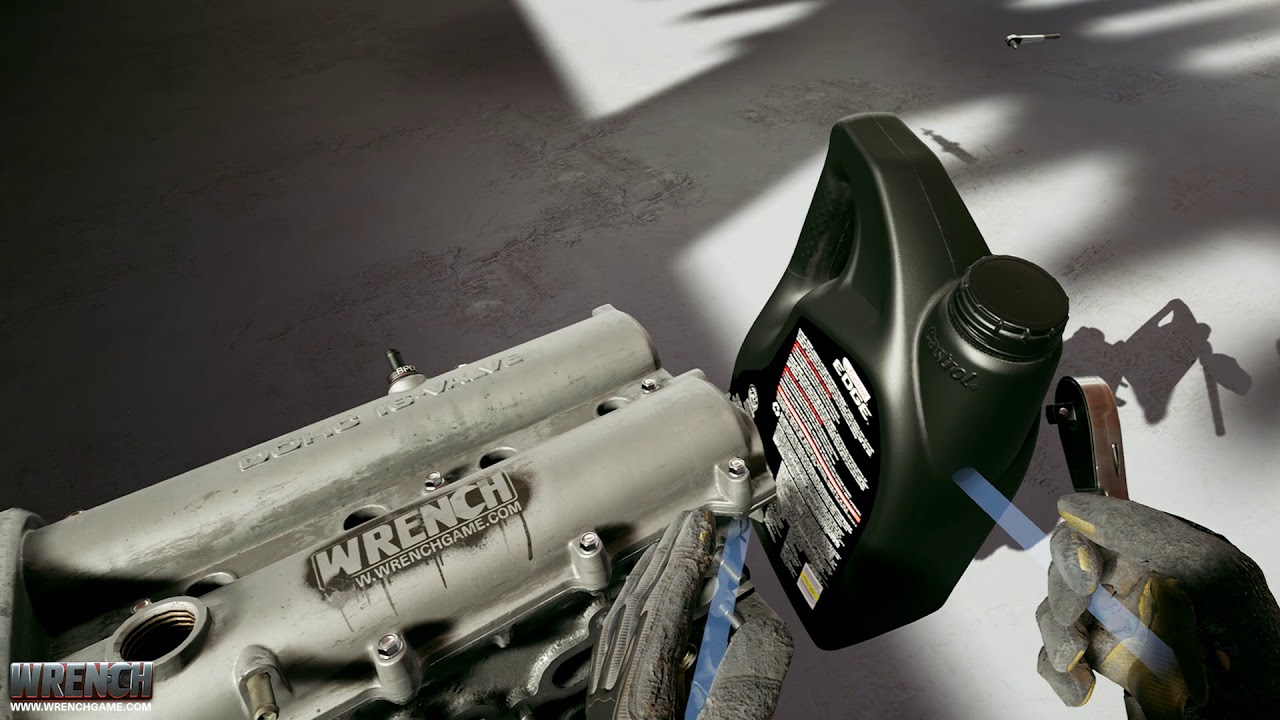 mighty carbon
ha, nice
I don't think I'd have patience to play through a game about tightening nuts 😃
sly elk
Hah. So im making a power tool that speeds thigns up without automating
its going to be an electric ratchet that limits torque in the tightening direction
so you can spin a bolt down until it seats, then to the final tighten by hand
wicked oak
damn thats an awesome effect
is it a spline for the arc, plus a particle effect using 3d splash meshes?
nice Ad too
sly elk
its a skeletal mesh with bones that calculate an arc
bruno could explain it better. he is on here somtimes
 glacial socket
Hi all!
Anybody tried windows mixed reality with Unreal Engine?
My problem is the analog joysticks are not mapped to the vive thumbstick but our game would be more fun with joystick loco+turning.
What are the engine input mapping for those?
Thanks in advance!
wintry escarp
are they mapped to the rift thumbsticks instead?
mighty carbon
what have you been up to @wintry escarp ?
glacial socket
rift: correctly mapped to joysticks, vive: thumbpads
on WMR it would be best to use joysticks however it is mapped to thumbpads
fleet plume
i have a BP actor where one of the components is a stereo layer
when i destroy the actor it's gone from the the level hierarchy, but the stereo layer still gets rendered onto the HMD
do i need to destroy it manually?
tired tree
@no7hing#8688 how old is your project? they switched over to using BeginDestroy for it in 4.18 or 4.19 to fix that very problem
mm, names broken
wintry escarp
motorsep: not much, trying to look at 4.2o subdivs but it crashes as soon as I try anything with them
sturdy coral
@glacial socket you have to do some special work to make thumbsticks work, there are some threads about it (non-ue4 specific) on r/windowsmr
glacial socket
I've tried altering the config file but it causes the room center to move which is not handled in UE and messing up the in-game position tracking
so those tweaks are not enough
fleet plume
@tired tree started in 4.16 IIRC
meanwhile i'am on 4.18.3
i tried setting the texture to nullptr (c++) or nothing (bp); manually destroy the widget where the texture is coming from; disable live texture
no dice
what happened to GEngine->HMDDevice ?
fleet plume
ah, it moved to the hmd function lib
wicked oak
i wonder if i can integrate with my own generation
so it generates automatic corridors beetween the arenas or special areas i create
wicked oak
its a plugin
it has a huge amount of stuff for random generation/rogelike things
sadly, you dont have much control. The dev is working on that tho
its very useful to prototype
fleet plume
maybe i know it's sibling from the unity store
fleet plume
sounds familiar
have you ever had a problem with a persistent stereo layer?
is NOT rendered anymore in editor window, BUT in hmd?
wicked oak
you better control the generator and customize it
becouse its retarded to a huge degree by default
made sure to add a "far from doors" rule
real needle
Has anyone had a chance to try the Zed-Mini and their custom build of unreal?
 tacit quest
@wicked oak can you randomize a dungeon, then bake it to populate it yourself?
wicked oak
yes
tacit quest
hrm, i may pick that up
 eternal inlet
anyone interrested in playtesting my coming game in the current test-state, are welcome to join my channel here: https://discord.gg/UNSpf8u (oculus/vive)
 obtuse spruce
Have any of you guys working on VR projects been in the awkward spot of having to decide whether or not it's worth to upgrade engine versions mid-development? I'm using 4.16.3, where, among other things, lots of optimization viewmodes are broken in VR and standalone doesn't work, so I'm really wrestling with whether or not switching to a new engine version is worth it. Any thoughts or advice?
granite jacinth
stay in 4.16 until 4.19 is fixed
then jump to 4.19
But every version improves upon VR little by little
 short laurel
my personal opinion is that bearing the pain and upgrading as soon as possible is a much better plan than waiting... It is less painful now than it used to be.
granite jacinth
Just depends on close to the end you are
If you are going to release, let's say next week
Don't update 😃
granite jacinth
4.19 is important because it fixes issues with WMR and Pro
obtuse spruce
We are still a ways away from release. Our alpha launched two weeks ago, and it's going to be many months until we launch the full version; we'd like to do that in November. (It's a VR climbing game inspired by 2d platformers like Super Mario Bros. You can try it here if you want: https://catapultgames.itch.io/dont-look-down)
I know what you mean about upgrading ASAP to get it over with, but I'm very afraid of doing that. I was one of the many people whose VR projects were rendered almost unplayable by a bug in 4.17 that was screwing up play space origin location and rotation. Going back to 4.16 and having to re-do all the work I did after upgrading was a massive pain, and I'd absolutely hate to have that happen again.
Is your friend doing VR work in 4.10? I don't even wanna know what QOL features for VR are missing going back that long...

itch.io
VR climbing game with power-ups, enemies, and bonus rooms.
And what do you mean by "until 4.19 is fixed?" What's broken in VR in 4.19 right now?
rocky nimbus
@obtuse spruce Use the 'make a copy' option when opening your project in a newer version and this won't harm your original files in case something's broken in the new one
What version are you using to make DLD?
obtuse spruce
@rocky nimbus We're using 4.16.3. Not super old, but kinda old in terms of VR because of all the small QOL updates they do for VR in every new release.
I think UE automatically makes a copy when you open an old project in a newer engine version. The problem I was talking about was not that I lost my original files, but that I had to re-do all the work I had done after updating to 4.17 because files aren't backwards-compatible.
rocky nimbus
@obtuse spruce Yeah I feel you, I'm using 4.16.3 on one of my projects as well. Upgrading kills all of my dynamic instances and I have to re-create them so I'm not gonna bother
But that project is over, I go back to it if I need to make any slight adjustments. For a long-term project, will definitely have to upgrade
granite jacinth
So, wtf
But how the hell do I get outta WMR lobby crap 😦
I keep going in there sometimes out of nowhere, but others because I hit the damn windows button on the controllers.
But pressing it again doesn't transport me back into the game 😭
w/e, if anyone knows of a sure way to get back into the game after accidently hitting the WindowsKey, hit me up, you'll be in my debt ¯_(ツ)_/¯
(other than alt-tabbing and clicking the VR preview window)
sturdy coral
@granite jacinth there should be a steamvr window inside the cliffhouse environment you can click on
sometimes it can get stuck behind other objects or under the ground
rocky nimbus
Could this be used to handle physics-based 2 handed weapons? I was looking into it for interactive doors but thought it might work here as well
tired tree
Yes, I use a similar method to the physics handle with some improvements and two handed interactions, the component is generally fine though
granite jacinth
sigh, I really can't recommend doing dev work with WMR full time
Well, not the Samsung Odyssey anyway, I don't remember having these issues with the Acer
But could be something new since I've last used the Acer. But I just accidently closed the freaking SteamVR window in Home
And Now I can't play SteamVR in editor until I restart the editor again
It's actually more trouble than it's worth
Other than having to constantly hit Win+Y to work on regular desktop all the time
 hollow mauve
does anyone know where i can disable pushback in the vrexpansion plugin by mordentral?
been looking in vive_pawncharacter and cant find a bool or the radius he mentions in the forum post for shutting it off
tired tree
there is no bool
just don't have it collide with the object, or set the WalkingOverride
either works
hollow mauve
which object on the pawn conroller is the collider check? the head mesh i set to ignore all collisions
tired tree
the character obeys standard engine collision channels, so any object ignoring the pawn channel can be walked through
hollow mauve
i still wanted the callback to work just didnt want the physics effect
tired tree
the capsule
tired tree
no
tired tree
walking overide is to set it so locomotion and free walk have different colliders
so you can be blocked during locomotion, yet still walk through it in roomscale
its a seperate thing
but turning off blocking period
from
hollow mauve
ah gotcha, i am only using roomscale with teleporting, basically imported your example project and am taking it apart to figure it all out/modify
super appreciate your help
hahahaha omg, i just fell through the floor
ok so i need to collide with.. 1 thing
tired tree
You can turn off gravity too though
hollow mauve
i added an enum to the movement to set it to to a none state
i didnt find movement mode none
tired tree
in the character movement component, you should look up characters
its a fully featured one, so most things are the same as any character guide
mostly just additions, not reductions in features
hollow mauve
yeah, im still working my way around unreal. i can code and do algorithms but i dont know all the ins and outs of unreal yet
ok yeah i found disable movement i just assumed that might disable all hmd movement (worried)
i tried disabling gravity on the vr root capsule but am still falling. will keep digging
tired tree
nope, character exclusive, just puts it into a state where it doesn't perform any movement logic
hollow mauve
ahh kk
tired tree
including falling
hollow mauve
but that doesnt include gravity falling?
tired tree
you can pm me with questions though
hollow mauve
ok, i appreciate it
 sinful bobcat
hey vive owners
can i setup the sensors at desktop level?
or do they really need to be standing eye level
real needle
@sinful bobcat You can set them up on the floor if you'd like
Any configuration works, as long as there are no major reflective surfaces or direct sunlight
"re: different online subsystems: UVoipTalker is only supported with Unreal's native VOIP support, which is used in the Null and the MCP subsystems. "
Does this mean steam lobbies are out of the picture...?
Only one way to find out
sinful bobcat
ok cool
sturdy coral
@real needle I'm not sure what MCP stands for, but it does work with steam
real needle
@sturdy coral ah much thanks
I was looking at if it was possible to project the voice back to the player
Also quite important if one want to test effects
sturdy coral
@real needle hmm well maybe not, I thought I saw reference in steam
damn yeah looks like it doesn't
I've already transitioned to it too
my old stuff supported steam
@real needle looks like MCP is iOS..
another case of "not needed for Fortnite, not implemented" 😛
it is weird because the output code before was identical between null and steam other than the compression method
real needle
@sturdy coral I think mordentral set it up in the example, we might be able to test
I think I'm done as well, with voice modulation input lol
Just need to set a source effects chain
sturdy coral
as far as projecting back to player, there used to be a debug define called loopback or something
real needle
@sturdy coral what prevents me from not using steams voip when in a steam lobby?
sturdy coral
@real needle you can probably still use it, I think ittjust isn't hooked up to the VOIPTalker
so it won't be spatialized
we'll need to double check, but I don't see the synth component thing being referenced except in the null subsystem
real needle
Hmm
Well the new audio engine looks amazing
I'll build a Thermin instead
I've had it turned on for a while, but I didn't look into the new libraries
It makes me happy to see midi still being the format
 digital musk
@real needle did you build a theremin in UE?
digital musk
You're kidding ...I literally just had the conversation two days ago with someone who said they want to try to play one and my reply was " I could probably build you one in UE" 🤓
real needle
If I'll get a pair of IMU gloves or Knuckles it would be more impressive
I wonder if the ZED-mini has a hand tracking portion of their api
sturdy coral
@digital musk not UE4, but google open sourced soundstage:

GitHub
Contribute to soundstagevr development by creating an account on GitHub.
I think it has a theremin like thing
real needle
It would be, and I have one somewhere... Not many will strap one to their hmds though, they need to integrate it
From Stereolabs documentation. One could probably repurpose their spatial mapping for hands, but that one is not me
I haven't seen any leap motion projects in unreal for a long time
From their latest videos I'm sure it's pretty good
glacial socket
@granite jacinth I see you tried to develop for WMR. Do you happen to know how to map anything in UE for the WMR analog joysticks?
 ivory flower
Hi, do you know if scenecapture2d is working for vr projects? I tried to do a mirror and it was working fine on editor, but once I launched the game (from command line or packaged) fps dropped to ~20 (UE 4.19, Oculus Rift). I changed it to refresh at 30fps and I got a little better but not enough. I didn't notice any improvement reducing render target texture
rocky nimbus
@ivory flower It does work, I used it to make a sniper scope but it's very heavy
A mirror would be even worse
jaunty shell
what resolution is your scene capture running at ? @ivory flower
rocky nimbus
I had to reduce the capture resolution, overall project resolution etc.
jaunty shell
maybe you can use a planar reflection ?
ivory flower
I tried with 128x128 but there wasn't any difference with 1024x1024
I disabled all the scene flags also
but I don't understand why it's working fine on the editor :/
jaunty shell
@tired tree I've got a weird bug with VRExp where the clients rotation on teleport sometimes gets flipped 180°, is this a known bug ?
ain't the case on the host though
nothing happened @sturdy coral 😄
sturdy coral
apparently + key is next to enter on numpad
jaunty shell
😄
jaunty shell
actually that teleport rotation problem on multiplayer is more of a random angle
sturdy coral
@jaunty shell did you watch his last youtube video? it talked about rotate in multiplayer a bit
not sure if it addressed what you are running into
jaunty shell
oh this might have gotten over my head
I kinda watched it yesterday but was focused on other stuff. Will have a look
hu, so this might be the packet loss related stuff he is talking about then
digital musk
I've been trying unsuccessfully to teleport with a set rotation...was looking inside the default VR pawn for how to set the teleport rotation but I'm missing it. Sorry, who's video are you referring to?
jaunty shell
https://youtu.be/DItj3S7qh2U this one @digital musk
Notes about 4.19 features and upcoming changes VR Expansion Plugin: https://bitbucket.org/mordentral/vrexpansionplugin Consider supporting me on Patreon: htt...
around 14mn30 mordentral talks about the packet loss
digital musk
thanks
 torpid estuary
Hi
Probably it has been asked a million times but How can I define the initial position of the camera in VR?
And is possible to remove the stupid keyboard that appears by default with the Acer Mixed reality headset?
rocky nimbus
@torpid estuary Are you referring to the player height?
@jaunty shell Have you played around with the retain momentum stuff he put together?
torpid estuary
@rocky nimbus Height and position
rocky nimbus
Any idea if that lever at the start of his video can be moved with touch instead of grip?
@torpid estuary Use this node, set it to Floor Level and you'll be as tall in-game as you are in real life
As for position, can you describe what you're trying to achieve?
P.S. run that node at beginplay inside your pawn.
torpid estuary
@rocky nimbus I have a character placed in the scene and I want the game to start with the VR headest looking at the character (of course if the headset is oriented correctly). I'm going to try that node for the height, thanks
rocky nimbus
When you place your pawn in your level you can rotate it to face whatever default direction you want and your real-life front-facing direction will be facing you that way in-game. Or, if you're spawning your pawn you can just set its rotation to the same. @torpid estuary
But make sure when you drop your pawn in your level, you leave it where it is (on the ground)
That way your floor will match your floor in-game.
torpid estuary
@rocky nimbus I'll try that, thanks
rocky nimbus
Np!
tired tree
@jaunty shell what version are you on? it could either be A: packet loss in the older version prior to the MoveAction_Teleport (would have to be fairly old), B: The newest version as of Monday or so and I screwed something up and I need to fix it :p Considering the overhaul touched teleporting.
jaunty shell
I think I updated to the latest version.. Shall I check in the plugin info ?
tired tree
you are on 4.19?
jaunty shell
yup
tired tree
newp, was my bad, will patch in a few mins
jaunty shell
in the end the important thing is that it was fixeable 😄
tired tree
almost all things are fixable
rocky nimbus
Epic servers are down, can't log into the launcher - is there any other way for me to grab an asset pack and 'Add to Project' without the launcher? Haha
mighty carbon
nope
I thought they bounced back last night. At least I was able to log into forums
mighty carbon
hmm.. Marketplace is out too :/
sly elk
yeah, i noticed the forum was down
mighty carbon
Marketplace is still down for me :/
 glossy agate
Bit of progress on our game. Added bots so you can still play solo if nobody else is online https://youtu.be/g-o1RXSobfU

Some new footage thanks to the testers now bots, snap turn, spatial VOIP and loads of bug fixes. Its fun to shoot bots, but we got keys too so join for our D...
mighty carbon
having bots is always a good idea!
glossy agate
Agreed. Makes it way easier to test gameplay flow too
And they will only spawn in empty team slots so you can have have bots to just fill a team if only a few people are playing
rocky nimbus
Is Mordentral's plugin not available for 4.19?
wicked oak
i had it working on 4,19 since preview
but i did get it and edit a couple errors out
nothing mayor, like 1-2 things
rocky nimbus
im just not sure how to download a version of it that will work with 4.19 from that page in the screenshot
oh wait,
got it
 soft beacon
Does anyone know why Set Actor Location for a Pawn works normally in 2D, but in VR it simply doesn't? If I am not in VR mode, it works fine, so i dont think its a blueprint error
rocky nimbus
@soft beacon Nothing happens in VR?
tired tree
@rocky nimbus yeah master branch is always current engine version
I lock older versions into stable branchs and apply selective patches down to them if it applys
soft beacon
@rocky nimbus the player is ust stuck in a random position
this is my BP. Works in non VR mode, but in VR mode the camera is stuck
rocky nimbus
@soft beacon Can you confirm the entire chain is executed whilst in VR mode?
@tired tree The step-by-step said the solution build time could take between 20 min to an hour but it just finished in 1-2 minutes. Did I do something wrong or were build times much longer when the tutorial was written? Haha
tired tree
it was longer
IWYU greatly improved things
though, i didn't write the step by step
he may have had a slow setup
and/or based it on the template which includes another additional plugin
rocky nimbus
Yeah, works great - thanks
obtuse spruce
@soft beacon Unless you just threw that script together for testing purposes and efficiency doesn't matter, I recommending banking a reference to your player controller ahead of time so you don't have to do a cast operation every frame.
soft beacon
@obtuse spruce Interesting, I see, that is awesome, will try
obtuse spruce
@soft beacon No problem! You won't notice inefficient code on small VR projects, but once your inefficiencies add up and your CPU/GPU threads start bumping into the 11ms threshold of life or death, you're gonna have a bad time with all the frame drops. If you wanna learn more about performance and optimization stuff, this talk by Zak Parish (in all his pink-haired glory) is a good place to start: https://www.youtube.com/watch?v=hcxetY8g_fs

This session by Sr. Dev Rel Tech Artist Zak Parrish explores performance concerns for shipping games, focusing on how to track down problem areas on both the...
real needle
I'm seeing a strange behavior on the VRWorks 4.18 branch. When multi res shading is turned on, my draw time is significantly increased. I'm not able to find any information on this topic (like, does forward/deferred matter) and was hoping someone here might have some knowledge working with VRWorks
 foggy burrow
Guys, what I need to make my right hand picking a type of object that cannot grab the other hand(and viceversa)? So I need the left hand can grab an object of tool type, the right hand an object of weapon type... I realized just now working in VR is harder than I thought
Do I need two different Grab\Release interfaces for each hand?
wary onyx
@rocky nimbus thank you sinn for sharing the tips
i was able to get through this like a breeze
sturdy coral
@real needle only thing I know of is if you have something very geometry heavy I've heard it can be worse
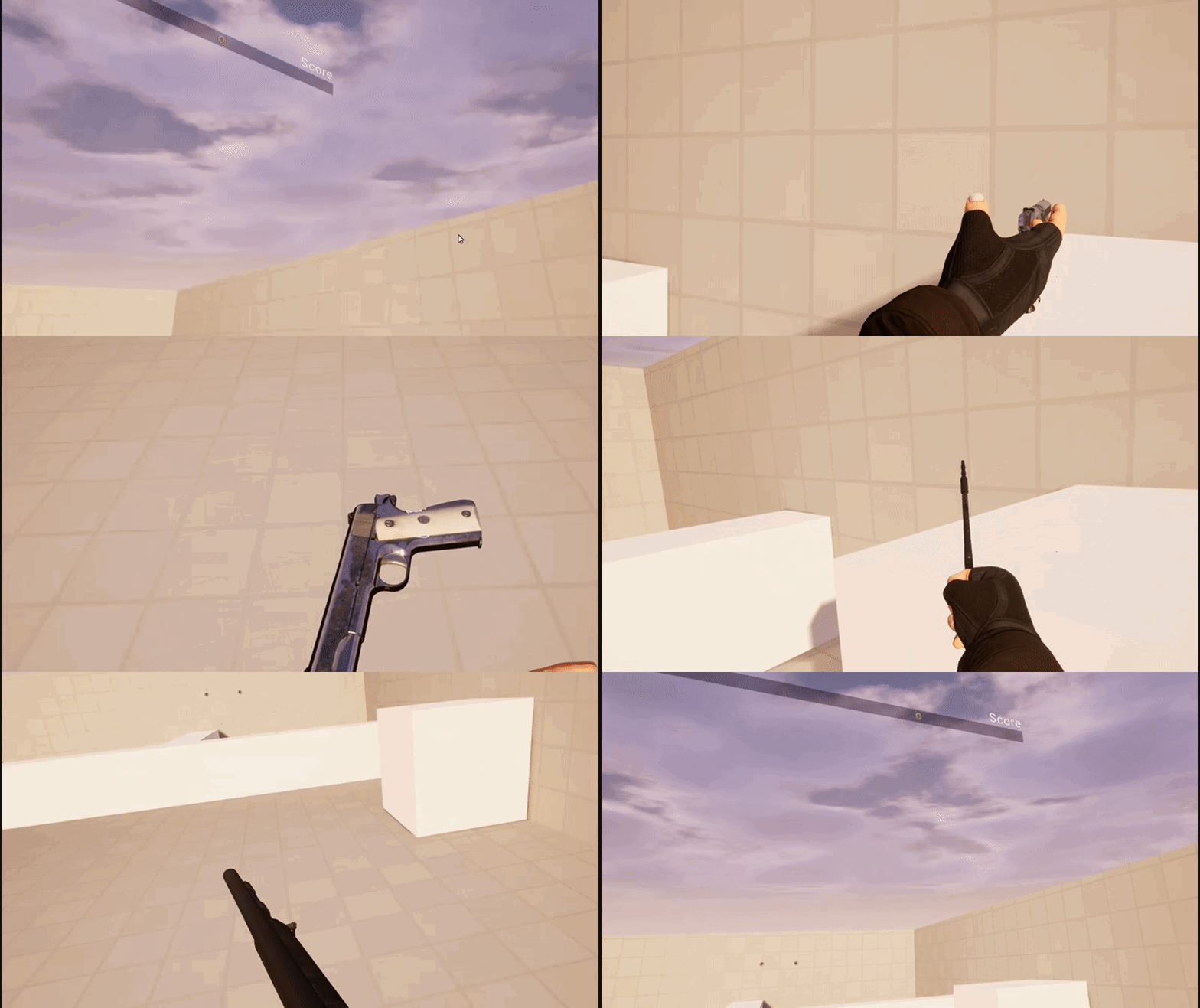 ivory flower
@foggy burrow you can check the motion controllers component hand property to know if it's the left hand or the right hand
jaunty shell
@real needle how about LMS ? Same results ?
 candid viper
@real needle MRS/LMS trade vertex cost for fill rate reduction. Results vary by scene. It's not a case of you can't have higher geometry density, but tends to be more what the balance in the drawcalls for the scene is. If you combination hits the vertex side too much you can stall out the pixel shader which can end up not faster than not having the vertex cost/triangle and just drawing the pixels. I'd strongly recommend getting a RenderDoc capture to verify that you have MRS actually running and also to look through what actual draws you're making before drawing conclusions.
real needle
@candid viper I was interested in ways how I can profile it, I will look into RenderDoc. Gamethread perf is easy to profile but rendering is tricker and stat GPU/scene rendering etc isn't enough for something like this
wicked oak
@candid viper not at all. they are direct fill rate reduction, without barely any extra cost
that is the whole point, its done with some gpu extensions for the multiple viewports
at least it was like that on DWVR
and DWVR has nearly 2 million polygons and nearly 2000 drawcalls
no issue whatsoever, MRS was a straight +20% performance improvement thanks to less pixels
if vertex were more costly, i would be losing perf, but i wasnt
candid viper
@wicked oak The broadcast to multiple viewports is not free. Maxwell and Pascal NVidia gpus have sufficient buffering that they can usually keep that on chip. If you compare the performance increase vrs the fill rate change you'll see that you don't get the full increase. For most workloads it is better, but not all.
granite jacinth
ya, but it's all about that Red Team
real needle
@wicked oak @candid viper I have seen high quad overdraw in a couple of locations, but the scene is relatively simple. 600-1k draw calls, 1mil polys
wicked oak
yeah, but DWVR was probably a worst case scenario, as it was already on the absolute limit drawcall/polygon related, and its perf improved with MRS
this for multires, not LMS
when i tried it
candid viper
@real needle RenderDoc is good not so much for profiling but you see exactly how UE has rendered what you asked it to. Can often be a case of tweaking the UE scene to improve things rather than GPU tweaks. If you're wanting to tweak shader performance more, that is something else.
wicked oak
renderdoc is great, super useful
real needle
@candid viper Shader complexity is negligent in the scene, but I hear yah. There seems to be a good amount of docs and support for RenderDoc, I'll see what I can figure out
wicked oak
renderdoc does have some timing info, but i wouldnt trust it too much, its too granular. Its main purpose is to see if there are weird shit getting calculated that you dont need
you can also see the difference beetween forward and deferred really well with it
candid viper
The problem with usind drawcalls to compare is that not all drawcalls are equal. Depending on what changes between draw calls, the cost on gpu side especially varies. Very simple example. If you're using a material with a basic shader driven by texture data, then one draw to the next is likely just changing textures (likely using the same index/vertex buffer depending on how things are setup). Really cheap. If the materials are more involved then that can require shader changes which depending on what can stall out some of the threads on the gpu during the change. Whether that is hidden or significant is a huge variable. I'm only aiming to illustrate that while draw calls is useful at a very high level it doesn't tell you much at all over than the rough granularity of the scene. Also, I'm not doubting people having positive results with MRS/LMS - just wanted to illustrate when it's not as helpful as expected, what kind of thing typically causes it.
wicked oak
you can see unreal engine likes to sort the meshes by material, lowering the drawcall cost
due to less switching
candid viper
Mostly I'd suggest RenderDoc for figuring out if things are being draw as you expect. What is changing between draw calls? Is there anything enabled I don't expect?
wicked oak
renderdoc is amazing to debug what you just said, as it does point when stuff changes
even like that, on the drawcall switching cost, im pretty sure drivers optimize it
real needle
would I be able to differentiate between say, masked materials and translucent?
wicked oak
when i was doing a shitty render engine, i found that the gpu driver batched my driver calls
like only sending stuff to the gpu every 100 drawcalls or so, to send it at once
real needle
I've been profiling, seen a 0.0x amount of translucency being drawn, but then realized that half the scene was masked or additive
candid viper
Drivers optimise as much as they can, but the underlying hardware has limits on what changes it can pipeline and hide the cost for.
wicked oak
main issue with masked is that it still has to run the normal shader on the transparent parts
it just then skips from opacity mask
but its still much cheaper than any form of transparency
candid viper
Masked cost can depend a lot on the interaction with high/early Z on the particular card. Usually cheap, but you can hit some more expensive cases. UE it self generally does a very good job of stopping you being able to submit anything that hits the really bad cases, but it is still possible.
real needle
oh yes switching from translucent to masked or even additive has a very noticeable impact, but in this particular case it was actually still causing hitches because of the sheer amount. I wasn't able to see that in stat scenerendering for example, apart from BasePass and RenderVievInit
it's a good thought to remember that the built in tools are simplifications of complex data and that one shouldn't rely on them 100%
wicked oak
what you working on @candid viper ?
foggy burrow
@XavierGaro#8824 I tried with the switch on Hand Enum but maybe is missing something... Should I add in the pickup interface a parameter named HandIndex or something like that?
real needle
@foggy burrow Yeah just add an interface event that will return if the actor is held and if so, by which hand. Determine if the player can pick it up from that data.
You should also set which hand is holding the actor once it's been picked up
Which, as you said, you can pass along a "HandIndex" or the motioncontroller component, which you then can "get hand" from
rocky nimbus
Has anyone tried the 'Advanced MultiView IK Character with VR IK' plugin by Dominic Gregory yet?
candid viper
@wicked oak Mostly things that I can't talk about. A mixture of game and enterprise stuff. One I can share is a short project done for the BBC to take a version of the Queen Vic pub (from Eastenders - a UK TV Soap Opera) and make a VR experience with it. That isn't publically released yet, but they did use it to put one of the cast and a YouTube "influencer" into VR. https://www.youtube.com/watch?v=IyLNJuCijVA Skip to 4:30 for the VR bit. This was the BBC demoing - so I cringe at the headset setup etc, but for a short project it's fun seeing none games/VR people play it. It has been used to demo for Universities here. The other game and especially the enterprise work pushes things a lot more, but I'm limited what I can discuss.

HEY!!! Welcome to an extra special vlog. Today I went to the set of EastEnders and hung out with Danny Dyer! We both had some fun trying a VR experience the ...
foggy burrow
@real needle I made this, but it doesn't work: the weapon can be grabbed also with the left hand
the first element in != is the actor which grab, so if the actor wich grab is != left hand, then pickup
foggy burrow
I modified It, anyway is it normal debug strings doesn't appear in VR preview?
nor breakpoints
anyway I'm making some screen
rocky nimbus
oh crap
I thought I was in another channel where I was helping someone
so your screenshots confused tf out of me
hold on brb
foggy burrow
lol don't worry
rocky nimbus
my strings aren't appearing either, 4.19?
I do see them in the output log though, so you can fall back on that
foggy burrow
I've found a topic which show how do that
about the strings I mean
about the weapon grab... it seems not execute
 neon egret
Anyone here used the OculusSubsystem to issue a Game Invite?
rocky nimbus
Is motion capture possible using a VR rig within UE4? Instead of being a character and filming it, to actually bake the animation data and then use it in a cinematic render
obtuse spruce
@rocky nimbus Are you saying that printed strings don't appear in VR in 4.19? They appear in 4.16.3, but they're really hard to see in the corner of your eye if you just print it once.
I'm doing a bit of researching to decide whether or not it's worth updating my project, so learning all these live bugs is important.
 runic phoenix
4.19 behaviour is the same
they're in the very top left corner of the render target and they're really hard to see, but they're there
I've taken to printing strings to the HUD
rocky nimbus
@obtuse spruce Yeah. I tried printing lots of them because I've had problems before where I had to print like 20-30 just to get them low enough to see but they don't appear (not even on my monitor preview)
They did in previous versions
runic phoenix
@neon egret I believe one of my clients has that working in their 4.19 project
oops
@rocky nimbus they were working for me, I'll double check
@neon egret I'm on slack with the guy who hooked it up if you have specific questions
rocky nimbus
Could just be me, ran into this a while back in 4.16 and fixed it but can't remember how. It's probably a local problem
runic phoenix
they were definitely working for me in .18
neon egret
@runic phoenix Main Question is how does he listen to the Invite Request
For Steam I had to hook up the Steam Callback manually
I can send the Invite without problems. It arrives in the other users Oculus UI
But I want an Event in my code (delegate) that I can bind to to display UI and accept/reject the invite
runic phoenix
I'll take a look
tired tree
@rocky nimbus something to note now that you are playing with the plugin, I have a direct Console / Output command window output to texture / stereo layer setup
its....significantly more convenient than checking view space for print strings.
runic phoenix
@rocky nimbus yeah my prints are working in vr preview in 4.19
@neon egret I'm sorry I was mistaken. They are using the Oculus matchmaking system to find and start sessions.
there's no direct invite yet
neon egret
Means they don't have direct invite yet
Or Oculus doesn't support that at all
? :P
I mean I can send an Invite
So I assume it's possible
Guess I'll have to wait for Oculus to answer. Thanks though!
runic phoenix
I don't see a single bit of event driven code in this network blueprint
everything's in response to something it's already doing
sorry 😦
neon egret
Yeah it's also 100% c++ :D
runic phoenix
ahh
neon egret
If you only look at BPs then you won't see that anyway I guess
runic phoenix
are the docs online? I can take a quick look
obtuse spruce
@runic phoenix Thanks for confirming that prints work in VR in 4.19.
Do you know of any live bugs in 4.19.1 that affect VR? I'm scouring the answerhub and bug tracker to see what problems I may run into after upgrading.
runic phoenix
nothing specific to 4.19 yet
we did hit a recent issue with rendering resources not being released after PIE
second run of PIE locks up for ages during startup
got fixed by using a splash screen during loading
we were on 4.18 before for this project, so it wasn't a big jump
neon egret
I tried to look into the docs
But I couldn't find more than a starter guide for UE4
Couldn't find an API or so
tired tree
@neon egret LibOVRPlatform module contains their api headers
looks like room invites are handled through their generic messaging bus
can iterate over an array of pending invites
neon egret
Will have a look at it next week
Thanks!
obtuse spruce
@runic phoenix So that's an issue that appeared in 4.18 and hasn't been fixed as of 4.19.1? I'm using 4.16.3 right now, so I have three engine versions worth of updates and bugs to research 😞
runic phoenix
@obtuse spruce we don't know when it turned up, it was hidden by something else that we exposed at the same time as the 4.19 upgrade
but it's a recent issue supposedly, and happens in a blank project
honestly I'd just try it
no amount of research will prepare you 😃
obtuse spruce
Ok, gotcha. We rarely ever use PIE, so that shouldn't be too much of an issue.
We did a bit of research to know what to expect, but of course that's no substitute for diving in and testing that everything in our project works in 4.19.1.
mighty carbon
@neon egret if you are working with Oculus hardware, you might want to sign up for Oculus Start program and get access to their engineers (5 sessions, one on one). A lot of their stuff isn't supported yet in UE4 (especially in Epic's branches).
mighty carbon
it's free
and it's for devs who use Oculus platform
I am sure you will keep making stuff for Rift in the future 😃
neon egret
Playing is limited. Only game I recently enjoyed was Lone Echo
Deving is a pain. Specially Multiplayer
sturdy coral
you have to mock everything into something that can be crudely manipulated in 2d to stay sane
neon egret
Trust me, I already have non-VR Pawns to test everything non-vr related
But that's personal opinion :P
sly elk
Hey- has anyone here built a game that was playable as either VR or as a mouse/keyboard/screen game? Im trying to think through the way the different store fronts work and how to let people to chose how to launch into VR or non VR
Iracing does this with a popup if it detects the HMD
but I doubt oculus or oculus store users want a popup every time they launch a game from the headset
sturdy coral
@sly elk I have it working for put on the headset and switch to VR, take it off and go back to 2d
I'm not sure about the oculus store, but in steam you can do a different kind of popup that will show up in vr when they launch
and show up in 2d
real needle
@sturdy coral Do you switch pawns for that as well or do you just use one pawn?
My setup involves two pawns, and I don't use the worn sensor I just spawn pawns based on which play mode is active
sturdy coral
@real needle just one pawn, I don't have all the same functionality between the two modes in place yet though
It does switch to a different animation blueprint for others looking at you (one with ik, one without)
real needle
Ah so yours is for players, that's neat
Mine is only for debugging
And when I'm lazy :b
sturdy coral
yeah I have a different one for debugging that is more simplistic, just motion controllers attached to the camera
rocky nimbus
Anyone know what this is about? Very random
I read up it's related to xCode / mobile development but I'm not developing for mobile and I'm not using xCode
Error repeats a lot and the build fails
glossy agate
Looks like you have a sequence missing reference assets? You have cut scenes or videos anywhere?
Or just a render missing something to capture
rocky nimbus
@glossy agate I have a video projected onto a plane for the intro splash screen but for video, that's about it.
real needle
hello all! I don't have any headset, can i start by buying just the 2 VIVE controllers, to learn in UE4?
or do they work with the headset?
fleet plume
you'd also need the basestations (lighthouse)
if you order directly from htc that'd cost you 600 euros
which is more expensive than the complete vive package
glossy agate
Anyone have a link to the docs for voiptalker? I can’t find it for some reason. Just forum posts
glossy agate
@rocky nimbus Yeah thats probably whats broken. Try removing that event and see if it packages
rocky nimbus
@glossy agate Just tried a brand new project and I still get the same errors
I got a BIK license though, excited to try that later tonight if I get this fixed
glossy agate
nice!
 cosmic shoal
@rugged canyon Boura#0661 To learn to develop in VR get a Rift, it's pretty cheap now. I have a WMR headset and they are even cheaper than the Rift but have some annoying quirks while developing.
I swear I can never tag anyone succesfully.
 quiet badger
so I'm trying to do a thing, but I'm not exactly sure how to approach it. I have a camera in my level that is just a camera that is attached to the HMD. On my game pad I can call set world to meters scale in increments of 200. What I also want to do is when that is called I want to reset the location of the chaperone in relation to the game map. So when I scale down I can trace down or get my current x and y and the chaperone will be in relation to where I have walked on the map with an offset to the origin.
this is something I could probably do in the standard vr pawn no biggie, but I do not have a pawn for myself just the camera.
is there a function for setting the location of the chaperone or do I need to make an actor with the chaperone attached???
rocky nimbus
@quiet badger I could be misunderstanding but based on what I gathered, how would the player know their boundaries if you artificially manipulate their chaperone?
There's a node to reset the HMD orientation which will basically take the player's current location and set that as their new center
I used this in 4.16 for PSVR and there was no way of undoing this with accurate values (not sure if that's changed since)
primal sky
@wicked oak how goes the dungeon? let me know if you ever want to partner up with someone who is willing to pound the marketing side out. 😃
quiet badger
@rocky nimbus yes misunderstanding. I figured that what I want to do can be done by tearing apart the teleport code from the vr example
rocky nimbus
@quiet badger Good to hear
p.s. if any of you PSVR lads runs into the lambda tracker errors during clang compiling for package or launch, it's an SDK incompatibility 😫 a whole day wasted
mighty carbon
I wonder if PSVR (with new motion controllers) comes out before PS5
wicked oak
no chance
mighty carbon
:(
I guess Sony is going to milk current PSVR as long as possible
Perhaps even make PS5 compatible with current PSVR hardware
wicked oak
doubt that
if they make it, developers will have to support old psvr
and would make ps5 games shit
they need to break backwards compat (in hardware) for vr games
so devs can start to actually use 360 degrees of tracking
fleet plume
though weren't there rumors about new psvr this autumn?
wicked oak
what could happen is a PSVR headset that sony says will support PS5 when it launches
and it just runs on ps4 too
mighty carbon
That's what I said @wicked oak
wicked oak
i dont think ps5 will be compatible with psvr 1, would complicate development way too much
but psvr 2 being compatible with psvr1 games? most likely
that way, if a game is for ps5, its for psvr2, and forgets about psvr1
and then players that have psvr2 can play every game backwards compat

We've seen some reports suggesting a PlayStation 5 due this year! It's not going to happen, but realistically just when can we see the 6x to 8x leap in power...
given that it havent been invited to this year playstation DevCon, i think they might be trying to keep stuff under wraps, not inviting the pesky indies with a huge mount xD
so basically ps5 confirmed, at least for the bigger devs atm
mighty carbon
So big devs already got dev kits for PS5?
rocky nimbus
Can someone confirm if these are correct:
r.maxscreenpercentage X```I'm preparing to package my VR project to Steam... It supports both Oculus/Vive... do I have to disable Oculus plugin for steam or not ?!
wicked oak
no
 full junco
@granite jacinth are there still issues with 4.19?
glossy agate
@full junco I havnt had issues, but a lot of other people are it seams like. Guess poor editor performance is happening a lot
full junco
ok
granite jacinth
@full junco meh. It's a mix of good and bad
I am only hoping future hotfixes will alleviate the biggest issues soon
full junco
and what are the biggest issues?
granite jacinth
If not..oh wells, 4.20
 abstract forum
0x0
I find it interesting to note that the core fuchsia OS comes with "magma", "escher" and "scenic", which seems to be core OS services for composing one 3D scene across multiple processes ("shadows can be cast on another process without it knowing ...
 Hacker News
·
Hacker News
·
VR / AR operating System
full junco
@granite jacinth and what are the biggest issues?
 spring mirage
has anybody else had issues with button release events not firing on vive? It doesn't happen too often but it's pretty annoying when it does
granite jacinth
I haven't kept a list
Editor issues, blueprint compilation manager and various different VR performance degredation.
To name a few
full junco
@young banectorBurgos#0001 and what is "various different VR performance degredation"?
abstract forum

Have you heard about project

Kanova is a simple, easy to use, VR enabled, 3D sculpting application. It uses the patented 3D Adaptive Distance Field (ADF) technology developed by Foundry. Unlike other tools on the market, Kanova can be used in pure VR form, for creative explo...
Release Date
Coming Soon!
sinful bobcat
is it possible to check if you're running VR?
i mean, not wether its available or not, but if you're using vr preview or regular (non vr)
 harsh cedar
 sinful bobcat
ok thanks