#virtual-reality
1 messages · Page 171 of 1
 tired tree
 icy dirge
Yeah with the Rift
sigh
Worst part is, I've removed the loading screen now an it keeps freezing
tired tree
whats your log read?
 glossy agate
@visual horizon You can get relative transform of the controller so yeah you can fire events when its at or past a certain rotation.
 visual horizon
👍
 sturdy coral
@visual horizon see the VR template too, there is some stuff to use controller roll to adjust teleport orientation (intended for PSVR where there are no sticks or touchpads)
visual horizon
👍
 trail shale
I've updated to 4.19 and switch to using VR Pixel density but my performance is still crap (using value of 1 which should be equilvanet to what I was using...what else should I be doing?) I didn't think I had to mess with dynamic resolution just yet
Did they do something to the way particles are rendered? seems to be more expensive than I remember
sturdy coral
pd 1 is equiv to screenpercentage 140 on vive, 130 rift
trail shale
that's what I am confused about
sturdy coral
I bet your 200 code just wasn't kicking in
trail shale
the old one would be like a pd of like 1.4
sturdy coral
maybe set the wrong way
trail shale
and I'm only trying it at 1 now and it runs worse
sturdy coral
because 200 is way to high for most scenes
 granite jacinth
For practically any
trail shale
i'm confirming that pd is set to 1
trail shale
@granite jacinth My GPU got a bit uppity with me so I am showing it what life as a mining card could be like
sturdy coral
@queen python do you have any supersampling turned on in the steamvr settings?
trail shale
it has been much more respectful since then
sturdy coral
they moved to an auto setting
trail shale
let me doublecheck, i seem to remember it being 1.5 but good idea
 real needle
@trail shale I have terrible performance on one of my PCs with anything packaged in 4.19
Other PC's works just fine
trail shale
yeah it's 1.5
granite jacinth
My WMR users are going to pitch fork against me
trail shale
i need the audio upgrades it offers
sturdy coral
@queen python with that setting you are running at the equiv of: screenpercentage=100*sqrt(1.5*1.4^2) = 171
real needle
Could anyone fill me in where the internet fails, and tell me if I should ignore this FEngineLoop_Tick_CallAllConsoleVariableSinks
It's half of my game thread
sturdy coral
@trail shale what card are you on? You shouldn't have been able to shade a basic scene at 200 before unless it was mostly unlit
sturdy coral
if anything could handle it I guess that would be it, but the old screenpercentage of 200 = 4X pixels of native panel res. At 90hz that is 1.8X as many pixels per second as a 4K monitor at 60hz
tired tree
@sturdy coral keep in mind that they were setting SP to 140 for vive as default to have it at ideal
which is why they did the new system in the first place
 hollow mauve
I have some control questions for UE4. I'm trying to use the default controller from the example, but it seems to run on dark magic.
I basically want a controller that when no valid vr system is detected it will use the default debug mouse and keyboard controller
something I'm doing isn't right though. the actor for the player isnt getting possessed correctly and a different camera/controller is what is being controlled
trail shale
@hollow mauve What is your method of hmd detection
hollow mauve
so that works, I put print statements out on a switch that basically detects 3 hmds
and then has the default case
i do "get hmddevice name"
and do a switch on name
and on default case i set a bool for vr disabled
thats just a bool i created though, i am trying to hook it up to logic on event tick to change the controller
one thing that was annoying me was when the hmd is plugged in i couldnt find a way to disable it's influence on the camera when i wanted to. if i wanted to manually shut it's tracking off
real needle
@silent compass
hollow mauve
@real needle thanks!! that looks like it'll be useful
i think the other issue is just figuring out what im doing wrong with the actor and controller stuff
 wicked oak
SSAO looks so damn good
too bad it is like 2 ms out of 10 budget
on the other hand, im glad automatic res is a thing
im lagging? no issue it downresses
dramatic difference
but i need to see what happens on ps4
hollow mauve
I like the art style @wicked oak
 mighty carbon
@wicked oak so, what happens on PS4 ?
wicked oak
havent tested it yet
im trying to fix temporal supersampling on oculus
im real close
in fact, i fixed it for spectator screen
wicked oak
testing it
 gusty mesa
Does anyone have a simple example for setting a VR pawn with Motion Controllers purely in C++? I've been strugling all day to convert the https://docs.unrealengine.com/en-us/Platforms/VR/MotionController to be C++ only, I managed to set everything up but the Static Mesh Components wont get attached to the Motion Controller...
The VR Blueprint template is quite different from what is shown in the link I sent as well, it basically separates the Pawn scene with the camera from the Motion Controller Mesh, which is built using an Actor that is later attached to the Pawn component
hollow mauve
@wicked oak well maybe it's just lit well, I dunno. I think that people are trying too much realism in vr and that more abstract artsy approaches will age better as tech gets better
 subtle raft
not if all your textures are emissive @wintry escarp
trail shale
Seem to have lost my alignment on my VR spectator screen 2d render target - I have the debug line enabled on the Widget Interaction but it doesn't seem to be visible
can't remember what I did to make it visible]
sturdy coral
@trail shale do you have auto activate = true?
trail shale
yes
trail shale
any idea?
real needle
I don't think debug lines are visible on the render target
hollow mauve
I was curious about this too, is there any way to get the normal screen print debug messages to show in the headset for vr?
sturdy coral
@hollow mauve they should be visible, but often the first line or so will be cut off. You can modify getorthoprojection in the HMD plugin to move it around
mordentral has an in-world console and log widget that is part of his plugin too
or at least was in one of his videos
hollow mauve
hrm ok, thanks for the tip"!
ill look into that
is that the standard hmd plugin or a 3rd party one someone has developed?
i found simplehmd plugin in the plugins and the mordentral plugin, unfortunately mordentral isnt out of beta for 4.19 yet, so im not sure i should use that yet
I dont really understand what the simple hmd plugin does, and i cant find documentation for it "
:\
nvm about the 4.19 beta, they have a release it was just a branch name
wicked oak
i think fixing temporal upscale for oculus is not possible
ive read all the engine code for rendering a frame, and ALL of the oculus code, and still cant find where it sets the final view rect
i think the final view rectangle is done by the SDK itself
wich means that there is no chance whatsosever of having temporal upscale on oculus, at least in this way. If temporal upscale wasnt done by oculus itself, but separated, it could work
mighty carbon
@wicked oak what about SSAO on PS4?
wicked oak
@mighty carbon havent tried to test
looking at the code, dynamic resolution should work on morpheus
but i havent tested
if it does, hell fucking yes
as dynamic res is specially important in psvr
sturdy coral
@wicked oak the Oculus ue4 plugin seems to call into it's own closed wrapper of the sdk instead of the sdk itself or something weird
wicked oak
yup
its weird
i was unable to find the code that submitted the frame to the oculus
there isnt even an oculus begin frame or oculus end frame
wich if you look at the sdk, there should be
 dusky moon
just a quick question regarding VR Audio, Fmod or Wwise ?! and why ? and generally why should one even bother start using them ..
mighty carbon
@wicked oak maybe it's the driver.. Either way, I'd contact Oculus directly and ask for help/explanation
sturdy coral
asw added to windows MR via steamvr..
seems to work ok, similar artifacts to Oculus's version
 charred portal

Testing additions to gameplay.
glossy agate
Flipped poly on the mesh maybe
charred portal
Inverted normal
Export to fbx and import to blender and show normals .... I think ue4 can show normals too but you’ll need something to flip it if so
Unless that’s a window in the wall and your talking about the light bleed on the seam
 rocky nimbus
@charred portal Yeah it's a window, I'm talking about the leaks between the wall/floor
The faint light on the left is a doorway so that's supposed to be like that
But that glowing spill / leak I can't get rid of
I had lots more leakage before I played around with cascade settings but that bottom one stuck
sturdy coral
probably your lightmap is too low res or your UV islands are too near each other
turn on visualize lightmaps and see if the spill is within a texel or two
@rocky nimbus
rocky nimbus
@sturdy coral Which visualize setting exactly?
My LM resolution is 1024 on all the building meshes
The floors and ceilings are one static mesh, walls are one static mesh
 clear lance
Anyone got recommendations which HMD to choose for looking into development for VR? Oculus or Vive (or Vive Pro).
sturdy coral
@rocky nimbus I don't remember what it is under, but it will show the lightmap texels as a grid
mighty carbon
@clear lance whatever you got money for (on top of personal preference)
wicked oak
want a blinder disk?
i implemented blinders for my game
its just that disk with a depth override black transparent material
and i scale it up/down depending on movement
looks like this
 tacit quest
we do a dynamic vignette as well, is there a particular reason you're using a disc instead of a quad?
wicked oak
@tacit quest easier to make
mighty carbon

The NeoSensory ExoSkin is a haptic suit for virtual reality -- it allows you to feel another avatar's touch, the wall you've grazed, the raindrops landing on you, someone shooting at you, a hug, an explosion, and everything else.
 lucid ivy
I think that's cool, but imagine the amount of additional data you have to add to a game to be able to use haptic suit feedback
sturdy coral
@rocky nimbus that might be too sparse on the ground if the wall doesn't have any thickness
a texel lit from outside on the border with the wall could bleed in and reflect on the wall on the next bounce
rocky nimbus
The wall is made up of 2 meshes; an exterior wall and the interior one. The exterior one even goes into the exterior ground, interior one does not (it's aligned perfectly to the interior floor). I tried double sided shadowing but it didn't work
But both of these wall pieces are one-sided
 full junco
@wicked oak why do you need to "fix" temporal upscaling on rift? what's broken? when I tested it with VR it worked fine
hollow mauve
@wicked oak how does your blinder disc work for the multiple cameras inherent in vr? does it create a different circle for each eye?
glossy agate
@rocky nimbus that light bleed has been a constant problem since ue4 launches. A trick is to stick another mesh in the wall that intersects the ground to block it
If the look at the realistic rendering example project they had a bunch of BSP around the outside of the apartment to stop the bleed.
subtle raft
what resolution should you make something for HUD UI
for a rift
1080x1200?
or what is the effective aspect ratio
rocky nimbus
@glossy agate I tried that, it still spilled. I had a basic cube stretched out covering the entire backing of the wall, even the intersection of the two walls
Zero difference
sturdy coral
@subtle raft try and see; it depends how much screen space is taking up and what your perf budget is for your scenes
subtle raft
Im not home, Im going to try it out later
sturdy coral
effective aspect ratio is a bit wider than the per-eye FOV on rift, because the eyes only partially overlap
subtle raft
ya thats where the issue is
how much do they overlap
I Made a 1000x1000 UI object before and theres way more room left and right
 worldly shell
Hey guys!
I had to rebuild my NavMesh and now my teleportation is broken. I can't see the teleportation vector anymore, only this circle. Any idea ?
worldly shell
NavMesh seems correct, I already used correcting nav mesh to make my mesh "perfect"
I mean, navmesh modifier
sturdy coral
hmm, not sure; without a nav mesh the vr template normally gives a little stubby teleport spline section and not a sphere like that
worldly shell
(And they're not the problem, I already tried with them deleted)
It seem to workon my other map with similar nav mesh, really weird
 open grove
Is VR CO-OP Possible? using MSI Backpacks?
worldly shell
Edit : Problem solved. The project is inside a "house" and the house had a problematic collision box. Removing it solved the teleportation issue 😃
subtle raft
told ya ;)
 pale burrow

Immerse yourself in the boots of a pirate, exploring massive islands and uncharted oceans with your friends in VR.
 karmic kelp
Hey all Myproject some times crashes with the following error Error: Assertion failed: !Block.RawRequest && !Block.Processed && !Block.Raw && !Block.CPUWorkGraphEvent.GetReference() && !Block.ProcessedSize && !Block.RawSize && !Block.bCPUWorkIsComplete [File:H:\UnrealEngine-release\Engine\Source\Runtime\PakFile\Private\IPlatformFilePak.cpp]
What might be the reason possible reason for this error and how to resolve it ?
This is a VR Project
n i am using 4.17.2
wicked oak
@full junco dynamic resolution works on rift. but temporal supersampling doesnt
so you cant use the taa upscale
wich is a damn shame becouse it looks so much better than normal taa
wicked oak
@clear lance its not
its a lot more expensive and its not better than an oculus
they are mostly equivalent, with the oculus having better screeen and much better controlers, and also being much more confortable
the vive, on th other hand, works better on huge rooms
i have both, and yet my vive is taking dust
becouse the oculus is just directly better
clear lance
ahh alright. ty! @wicked oak
hollow mauve
I have an oculus with just one camera, and recently got a vive. I like the vive a lot better myself. I don't have the touch controllers for oculus so it isn't a fair comparison, but the tracking for oculus never worked well for me.
 jaunty shell
@wicked oak we'll never get in agreement about which HMD is better looks like 😄
hollow mauve
i do think the oculus touch controllers look cool, i wish knuckles would come out sooner
jaunty shell
Hi5 gloves + something like a wireless wiimote nunchuck would work wonders imo
 eternal inlet
Anyone also get crashes with ue4.19 and vr pie?
My game starts fine, then as soon as i load a streaming level, it crashes with no error in logs, dump didnt really tell much other than error 1
jaunty shell
vr pie is unstable as fuck in 4.19 @eternal inlet
tired tree
most of the crashes are in the render thread due to a motion controller bug
throwing an assert
eternal inlet
Ok, good to hear, then i wont bother debugging any further for now thx
tired tree
@eternal inlet its part of the late update view, you can turn off late updates for now
and it skips the problem part
 manic ledge
Hi all, is there a way to launch in VR in Standalone? I remember aaaaaages ago I used to just hit alt+enter to go into VR in standalone. I've been using VR preview for ages, but certain functionality doesn't work properly during VR preview (such as Game Instance states) and I ideally need to launch in VR standalone
trail shale
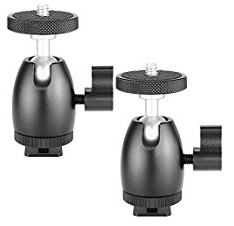
Tripod Mounts for Vive Trackers - There is a screw piece that attaches to the ball at the top of the mount, this screws into the tracker - what is this piece called? the plastic hub around the nut has broken and I need to order more ... .
Ball Head Mounts I guess
If anyone else has had this problem where the plastic around the nut in the Ball Head mount breaks, let me know, I want to order a replacement that won't break this time because I break these down every few days
jaunty shell
@trail shale https://i.imgur.com/ZYbWQDT.png these ?
 jaunty shell
I've got the neweer ones at work and they do a good job
trail shale
found a few on amazong but I can't tell if a certain part is metal or plastic
jaunty shell
lemme check
trail shale
the repeated tightening of the nut into the plastic material eventually breaks it
maybe i'm overtightening
jaunty shell
do you even need to unscrew this part ?
I just screw my lighthouses on it directly
with just enough tightening for it to not vibrate
karmic kelp
Hi guys, Is there anyway to render VR screen to only one eye in the middle of the game for few seconds ?
charred portal
@rocky nimbus what’s your directional light intensity
That can happen if it’s too high
Usually 5.5 to 10 max
Also skylight needs to be about 1
Make sure your lighting build is above preview too because sometimes it will make you think it’s bleeding but it really isn’t
Other than that make sure your wall is not a plane or you will need double sided checked
And even then ue4 doesn’t really like it
@rocky nimbus another thing you can try is baking in your AO as it will cover corner light bleed but can look bad at low resolution LM
@wicked oak yea I swapped back over to forward
The tradeoff for AO was too high and not having msaa sucks in VR
worldly shell
Hey guys ! I'm working with my motion controller and wanted to know if it was possible to use them without plugin the oculus rift (For debugging purpose).
It's kinda annoying to have to put the headset to check if the Oculus touch are reacting correctly
 sonic lake
@worldly shell You can use the Oculus Debug Tool to force the proximity sensor to on. In that way you can use the Motion Controllers without wearing the Oculus.
It's under Oculus\Support\oculus-diagnostics
Oculus is the installation folder of the Oculus software
full junco
@clear lance I have a vive and a rift, and I never use my rift because the vive is just nicer. better tracking, way more extendable (you can buy knuckles when they come out, you can buy pimax without having to buy new controllers/basestations etc) and the image quality on the vive is also nicer
so really no good reason any more to buy a rift
@wicked oak how comes that the taa upscale works great on vive but not on rift?
wicked oak
at least unless you force it in the code
damn
its due to viewport shanenigans
unreal engine oculus impementation is not a normal one
full junco
maybe you should try to disable the dynamic res from the rift
wicked oak
somehow i dont see the code that copys back into screen
full junco
since the vive doesnt have dynamic res
and dynamic res might break the taa upscaling on rift
wicked oak
the dynamic res works fine @full junco
but it works for normal taa
not for temporal upscale
wicked oak
i went through the code, what the system does is to just ask the oculus runtime for the correct screen percentage
but it never sets the viewport for the final screen
it does set the viewport for the scaled down version
but it stays there somehow
full junco
so its super easy to extend it to steamvr?
wicked oak
wich means that when the temporal upscale makes it bigger, everytthing gets fucked
@full junco you only need to write your own dynamic resolution driver
some class that holds the logic for what % to use
and you already do that, no?
full junco
well yeah I already have that of course
wicked oak
so pretty easy to hook it up
full junco
what needs to be hooked up?
wicked oak
dynamic resolution driver
full junco
thats the name?
full junco
but isn't the most hard part again to get the output on the hmd correctly aligned then?
wicked oak
its automatic
full junco
when making steamvr use it
wicked oak
becouse on vive, the steamvr viewport will just be "fullscreen"
so it will render in a corner, and then scale up to fullscreen
the issue with oculus, is that it doesnt keep on fullscreen viewport
it stays in a corner
full junco
ah, because the end buffer is always fullscreen now with the new stuff?
full junco
hm
wicked oak
is the vive viewport fullscreen by default?
for the framebuffer
i think it is, no?
you wrote a patch specifically to NOT do that
and scale the viewport down into a corner of the framebuffer
full junco
I have no idea, I only know how it is for me and there I do always have a lot of black area on the final buffer due to my scaling
I then scale the UVs when submitting it to the HMD
wicked oak
yeah thats the same with the current thing
the scaling is done by the temporalsupersampling
it renders in a corner, then runs the taa upsample on the whole framebuffer
on oculus, the viewport UVs stay in a corner
so it gets fucked
turns out it worked by default on PSVR
with zero effort
so if it worked there, it has a huge chance of working fine on vive
full junco
btw, I ordered a WMR headset now because microsoft is stupid and never even answered my request
wicked oak
fuck em
full junco
you mean it worked by default on PSVR? or did you have to add your own resolution driver?
wicked oak
by default
full junco
interesting
mighty carbon
@wicked oak if you are in Oculus Start, you could literally talk 1 on 1 with Oculus rendering engineers and see what needs to be fixed if anything for your issue to go away
full junco
ha, ok
wicked oak
as you see, it defaults to false in the case vr is enabled
btw, the RHI needs to support it
wich means pc still cant use it
but PS4 RHI does support it
so by just telling it to actually go work, it worked
full junco
? but rift uses it on PC
full junco
not sure what you talk about now?
you just said "if it worked on PSVR, it has a huge chance of working fine on vive"
wicked oak
becouse the vive doesnt have a dynamic res implementation by default
the vive viewport is fullscreen
oculus wasnt
becouse oculus had their own dynamic res implementation
so while that implementation is now hooked to unreals normal system, the oculus viewport is NOT fullscreen
full junco
ah
wicked oak
wich fucks it when using temporal supersampling, but doesnt fuck it when doing normal taa
or even msaa
full junco
well I guess I'll have to take a look at it
@tired tree whats that motion controller assert thing you mentioned?
any link to anything?
I need a bigger SSD to be able to simultaniously have 2 source engine versions installed...
tired tree
@full junco they are running a bp event on the controller in the render thread
they have a commit to fix it in 4.19.1, they just did what I did and nested it in IsInGameThread
full junco
ah
usually epic is way too crazy about IsInGameThread everywhere, so unusual to see them forget it. I have removed dozens of annoying IsInGameThread in my engine
tired tree
the bug report in their system is fairly hilariously mis-reported
but the fix is correct, so w/e
tired tree
yeah its minor
its a big problem for people trying to test without fixing it themselves, but turning off late updates gets around it until then
glossy agate
Skyrim VR on PC has the highest number of concurrent I have ever seen in a VR game. Got good reviews, anyone here try it yet? I want to buy it now, but I know I won't get anything else done that I need to do if I play it.
mighty carbon
lol, same thinking here
worldly shell
@sonic lake I've checked the bypass proximity. What am I supposed to do after that ?
They're still not detected. I still need to plug the oculus. Does your method only trigger the sensor captor in the headset?
granite jacinth
They giving out Oculus Start like candy it seems
And anyway
you only get 5 per year
Of dedicated support, so make it count
full junco
5 what?
granite jacinth
Has anyone actually bother to read the fine print on the UE4 Royalty Free?
@full junco 5 Dedicated Support with Oculus Devs
Basically 5 tickets
full junco
so like, 5 questions? lol
granite jacinth
When you get into Oculus Start
yeah basically
So, make it a really nerdy, super awesome techy question
full junco
why would a company limit amount of tickets
granite jacinth
that you can't figure out on your own but need help from them on
Probably because Dedicated Support costs money
And is an extra for most businesses
full junco
well, I still don't see why I would sell anything on the oculus store anytime soon
granite jacinth
Other than not having to give 5% to UE4?
no clue
Because I am sure you still have to give up whatever the % is to Oculus, probably around 30%
But 5% is 5%
full junco
yeah, but dealing with issues in 2 different SDKs is not really worth those 5% I think 😄
when everything goes through OpenXR I would be much more open to selling on whatever store exists
wicked oak
its more sales @full junco
dwvr has sold 3000 dollars on oculus store
wich is 3000 dollars more than if it wasnt
im not in oculus start, to be fair im in some kind of weird ass limbo
mighty carbon
5 sessions, not 5 questions
wicked oak
guess ill aply to start
given the weird limbo i am in
they told me im getting Go, but ive had ZERO communication since then
should have arrived already
mighty carbon
you aren't the only one
I guess they gave Go to the top tier devs and now ramping up for release.. After that we should be getting ours.
wicked oak
they send them to us before release @mighty carbon
we act as line 1 betatesters
this went very well with the rift
as the developers betatested the hardware
sonic lake
@worldly shell the whole system needs to be active, but in that way you can avoid having to wear the Oculus for debugging. You can simply hold it in your hands or leave it on the desk.
worldly shell
Kinda boring for GPU usage. Because Oculus dash use quite a lot of useless power when the oculus is not directly used but active.
mighty carbon
@wicked oak I hope so
mighty carbon
Did you know about this http://www.chrisevans3d.com/pub_blog/python-ships-unreal-engine-4-19/ ?

ADDING THE PLUGIN For anyone with version 4.19 of the engine or later, you now have access to Python. It’s marked ‘experimental’, enable it under plugins: You then can enter python through the command line: As the Python implementation wrap...
nm, it's for Editor / tools, not for runtime
tired tree
its for cad
 wintry escarp
there's no way to export epics characters in a rigged state is there? so you can add your own animations in maya/blender/max
mighty carbon
well, export mesh, re-rig it and animate it
it's impossible to get rigged mesh from UE4 to Blender, animate it and use anims as-is. You'd still have to retarget anims.
wintry escarp
do mixamo animations target properly to them inside ue4?
mighty carbon
if your Blender rig is a replica of UE4 Character rig, they should
glossy agate
Yeah they can, you just have set up all the corresponding bones and adjust the pose. It doesn't look completely right and you have to adjust but its pretty close when you change all the bone vs anim recurssive settings
rocky nimbus
If you export a rigged character, normally you do get the bones imported into your 3D software for animation, but I use 3ds max so I'm not 100% sure about Blender. Shouldn't be any different
wicked oak
@rocky nimbus you need to use fbx
fbx is a coordinated sabotage attack against blender
so fbx support in blender is absolute garbage
you cant import a mannequin from unreal, do an anim on it, and then export back and be compatible
in fact, when you import that mannequin, his bone transforms will be 100% completely fucked
rocky nimbus
Better start singing shantys and hop on that 3ds max / maya train
mighty carbon
if you make your characters from scratch, Blender is as good as MAX/maya
wicked oak
sadly, i cant use pirated software
clear lance
yep. its all about you.
wicked oak
nor i can use education versions
nor i can even use indie versions (becouse they would be worthless)
clear lance
blender, maya, max. doesnt really matter nowadays.
wicked oak
i would need to use the FULL nearly 2000 dollars a year versions
it does matter when FBX is a fucking disaster
thats why im so hyped about glTF
blender can make, rig, and animate characters as good as maya and max
definitely better than max
clear lance
well... okay hehe blender and fbx might be a thing.
wicked oak
probably worse than maya as maya has lots of rig stuff
clear lance
tho i know guys who have zero issues with blender -> ue4
skel meshes, static .. whatever
wicked oak
the first issue is that bone weights are different
wich means that your weight paint in blender, and your animations, will look different
the second issue is that export settings are finniquy to an incredible extreme
the 3rd issue is that bone rotations are often borked, wich means fucked up retargets, and issues when trying to reuse a skeleton on multiple characters
clear lance
but why would you need the (granted) pricey version?
something specific LT doesnt offer?
(which is a lot depending on what you want.. i know)
wicked oak
pllugins
what is the point of using vanilla maya
if you cant even instal the cool plugins that make maya useful
or something like epic games ant
wich lets you do instant mannequin compatible rigs and placeholder models
clear lance
aye. thats one thing that prevents me from getting LT as well
so i'm stuck with 2011 😄
wicked oak
can you proof it? i was looking at it and couldnt find anywhere saying that it works
maya LT, not maya apprentice or similar
clear lance
PLE isnt around for years anymore
so its either LT or the full deal
BUT Autodesk said they're working with plugin guys to bring LT support for selected plugins
mighty carbon
I have never had issues with rigged/animated model exported into FBX from Blender and brought into UE4
everything looked / worked as expected
clear lance
then again A.R.T isn't developed anymore. And A.R.T 2 is a freetime project of Jeremy..now that he has left Epic games..
@mighty carbon Yup. I can confirm that the guy i was working with had no issue with Blender to UE4
glossy agate
Wait I had education version, but I thought that was LT, not sure its been a couple years
But yeah its not developed anymore, so I kind of forget about it because I only used it few times. Mixamo has auto rigger so it saves a bunch of time from Fuse so I just use that now for biped
wintry escarp
does any 3d app export materials/shaders properly to ue4, or just the colour texture
wicked oak
@wintry escarp glTF does
if you use glTF, you can import the file and it setups materials and textures automatically
substance suite supports it
mighty carbon
I understand that if you make stuff in 3D app and need to render in 3D app and then transfer everything as-is into UE4 for whatever reason.. But that's not the case for game dev usually
wicked oak
thats what gltf is for @mighty carbon
mighty carbon
again, why?!
wicked oak
a format to send game scenes from engine to engine
becouse its a really nice thing to paint your asset in substance and import it directly into ue4
and it gets setup correctly
and for gltf, its use is for web apps
its designed to be uploaded to the web, and then the user sees the file in some viewer
mighty carbon
I don't care to waste time setting everything up in Blender.. I haven't done so in years and I don't see myself doing it - not comfortable, no way to properly organize stuff so that it ends up in the folders I need (in UE4)
glossy agate
Was gonna say datasmith too
wicked oak
glTF is literally supported in windows
you can doubleclick a gltf file and open it in windows itself
glossy agate
will make all the major programs work
wicked oak
its optional @mighty carbon
mighty carbon
glTF was designed as format to be used in runtime as-is, not as exchange format
wicked oak
literally nothing says you cant just export mesh only and then import textures separately as usual
yes, thats exactly what gltf is
and unreal just renders your files
if you were talking about going from software to software, preserving scene settings and rigs, thats what Collada tried to do
and failed miserably
glTF works great for games as you just model your model in Blender, in 2.8, with the PBR viewport, and then the model gets imported into unreal as-is, with coherent material
thats a huge boost
glossy agate
Blender actual has decent texturing?
mighty carbon
you are gonna have to re-work you material unless it's literally bare bones PBR setup
wicked oak
it has a texture painter yes
mighty carbon
so, wasting time
wicked oak
and you can combine it with cycles materials and bakes
to do some kind of guetto as fuck substance
you are better on substance btw
@mighty carbon mate, not everything needs ultra-complex materials. And again, you dont have to click the "include material" checkbox on the glTF exporter
if you dont want
but if you dont export material, and restrict to mesh only, its still better than FBX
becouse glTF does not fail at normals or scales
glossy agate
Ah ok yeah I use SP. I used to try and texture stuff in Zbrush before substance but it wasnt as robust, figured blender was similar
wicked oak
your normals and scales will be correct by default
every time
no need for you to tweak import/export settings
it just works perfect at the first try without touching any setting
wich does not happen with fbx
mighty carbon
it does if you save settings 😉
it's an exaggeration that Blender's FBX exporter is hopeless.. It does the job.
eternal inlet
@tired tree is it this one? it's actually "off" and still crashes, so maybe im hitting a different bug...
trail shale
What is the overall opinion on the dynamic resolution in 4.19? I'm assuming it's not a silver bullet but maybe it can be used as sorta temporary bandaid till better optimization can be done.
dusky moon
best thing about gLTF is getting rid of the nasty Autodesk's FBX with it's stupid versioning every year that only produces errors in the pipeline and makes you import your stuff several times to get things right.
@trail shale I tried it once in my oculus project and was kind of buggy. although didn't dig that much. I think it should be used carefully for VR as every new feature that epic provides can be unstable in VR in the beginning
 wary onyx
My VR project wont compile in 4.19
tired tree
@eternal inlet ticking it on is off, but yeah, that one
you may have a different crash then
rocky nimbus
CharacterMovement components aren't optimized well (from what I could tell in 4.16), I had performance drops with only 3-4 enemy AIs using it at the same time. Is using the Character class for players in a multiplayer game going to be a bottleneck? 10 players on a small map. Now on 4.19
tired tree
use navmesh movement mode
and fortnite and pubg use CMC's
with 100 player servers
as does UT
they can be heavy, but I wouldn't blindly fault them for per issues
mighty carbon
what's CMC ?
rocky nimbus
Fair enough
I did read up about using navmesh movement mode, testing that now and reducing overlaps where not necessary. It's from an early project so lots I'd do differently
Thx
 digital marlin
Quick Q - anyone using Unreal Studio + AR Kit?
digital marlin
🎖
wary onyx
so nobody has any idea what i can do to fix the error i displayed above?
granite jacinth
@ACE GOD ァ印ニ#9718 Don't get it. Is that supposed to be VR related issue?
glossy agate
@ACE GOD ァ印ニ#9718 did you delete intermediates ect before making the new vs file to build for 4.19?
wary onyx
UATHelper: Packaging (Windows (64-bit)): LogOutputDevice: Error: [Callstack] 0x00000000FD07EEEB UE4Editor-UnrealEd.dll!UnknownFunction []
UATHelper: Packaging (Windows (64-bit)): LogOutputDevice: Error: [Callstack] 0x00000000FD08022D UE4Editor-UnrealEd.dll!UnknownFunction []
UATHelper: Packaging (Windows (64-bit)): LogOutputDevice: Error: [Callstack] 0x00000000FD08BC59 UE4Editor-UnrealEd.dll!UnknownFunction []
UATHelper: Packaging (Windows (64-bit)): LogOutputDevice: Error: [Callstack] 0x00000000F9609751 UE4Editor-MovieScene.dll!UnknownFunction
Never had this problem with the other engines
wicked oak
@young banectorBurgos#0001 15 enemies in DWVR tank the frames on ps4
feels bad man
character movement
mostly due to it not being multithread, and ps4 cpu being kind of pure garbage
wary onyx
nevermind i fixed it myself
my movie files were missed placed
due to the migration i think
 fleet plume
dammit, that resolution upgrade on the Vive Pro looks amazing

Vive Pro ist das erste Upgrade einer VR-Brille im Smartphone-Stil. Vier Tage lang hatte ich Vive Pro im Vergleich mit HTC Vive und testete Apps und Spiele. Im Testbericht ziehe ich ein erstes Fazit und nenne Für und Wider.
see the comparison pictures in the middle of the article
wintry escarp
so vive pro recommends 1070, up from 1060
clear lance
hmm 1200€ with accessories. I dunno.
fleet plume
lol i'am not buying it either for that price
mighty carbon
There are a few articles saying HTC showing middle finger to their core user base with that pricing
Saying the improvements aren't that crazy to cost $1000+ USD
fleet plume
i think even the 600 euros for the old vive are overpriced at this point
it's been out 2 years
and that's not even including the DAS
wicked oak
the thing is that oculus prices super aggresive becouse they have the storefront
vive cant do that
its VERY clear than an oculus costs more money to manufacture than a vive
fleet plume
i also don't understand how that thing can cost that much and not include the new lenses
fleet plume
nah
wicked oak
and the headset itself is a lot more intricate and lighter for oculus
fleet plume
lighthouses are better then cameras
wicked oak
but im talking about cost right now
cameras are definitely more expensive than lighthouse
lighthouse is a better system
without a doubt
fleet plume
yeah
wicked oak
if oculus had lighthouse 2.0, vive would have absolutely zero chance
wicked oak
dont worry, lots of paranoid people with wireshark pointed at the pc
it would get spotted super fast
now, metadata?
like player height, or player movements, or what he does?
thats definitely being sent
fleet plume
have you read the kent bye thread on that?
thing exploded and oculus co-founder tuned in

THREAD where @chetfaliszek speaks out against Facebook's surveillance capitalism practices. It'll get A LOT worse with Oculus Go because Facebook will completely control the full stack from hardware to OS to software with an open-ended privacy...
 Twitter

@kentbye @Slayemin @chetfaliszek Hey Kent - The team is reaching out, would love to chat.
Twitter
people are not happy at all after the recent headlines about facebook
(not that it's really news)
wicked oak
the whole "change adds depending on people color" is something every single advertiser does
you arent going to advertise golf courses to the guetto
you are going to advertise it to the white mid-upper class in their 40s
fleet plume
this is not about that at all
fleet plume
ah k
i meant this stuff:
It'll get A LOT worse with Oculus Go because Facebook will completely control the full stack from hardware to OS to software with an open-ended privacy policy for capturing biometric data.
wicked oak
i personally dont care too much, but i recognice facebook is creepy as hell
i wonder if a competitor will come with a strict privacy policy
btw, doNOT INSTALL FACEBOOK APP
in phone
fleet plume
i mean you're paying top dollars for that headset and STILL are the fucking product
now to be served ads in virtual reality
wicked oak
on the creepy as fuck tracking
china is going ham on it
they are giving every citicien a score
and they track internet behavior to that score
fleet plume
MATE WHAT'S YOUR SOCIAL SCORE?
wicked oak
if you have friends who are extremists, your social score drops
fleet plume
have to stop talking to you if it's too low
wicked oak
thats some black mirror level dystopian shit
wicked oak
the one that will be creepy as fuck is magic leap
as it tracks and understands the outside environment
and its by google
the biggest data tracking company in the world
fleet plume
magic leap is not affiliated with google, right?
wicked oak
magic leap is owned by google
mighty carbon
Lol, conspiracy theorists
I've been with Facebook for like ever and it had zero impact on my life and privacy
wicked oak
facebook is shady to the highest degree
ive hated social networks since day 1
thats why i do not have a personal social network account
none
mighty carbon
You should write a book about your theories and it will probably generate more cash than games 😂
wicked oak
no twitter, no facebook, no instagram, no nothing
just never liked them
im writing a personal website right now becouse honestly i should have a mark when people search for me
and to act as portfolio
fleet plume
@mighty carbon that's saying a lot about the state of the games industry 😆
wicked oak
the only info about me on the internet is on random forums and places as vblanco or other nicknames, and linkedin
mighty carbon
Vblanco has paranoia most likely, so...
wicked oak
nah, not really
just never found social media had any value, so never made it
only for my game projects when i need to advertise
mighty carbon
Well, if you think someone is there out to get you, then I don't know what it is (unless you are some kind of VIP and we don't know about it)
wicked oak
you should act as if you are a vip
becouse some day, people will google you
for job or similar
its very common for companies to look up info about people on the internet
fleet plume
it's already common
wicked oak
everyone does it
mighty carbon
Social media is what makes you or breaks you nowadays. Even if you have deep pockets, your PR/ads are going to happen on social media
wicked oak
thats one of the biggest reasons i dont have a personal social media accounts
i just dont want to eventually slip off and be a fucking idiot publically, forever
fleet plume
it's becoming a mandatory entry
wicked oak
there are exactly 1 photo of me on the internet. My linkedin profile photo
mighty carbon
So, when people Google you, they will not see too much of social media presence and that will be a red flag
clear lance
even if you have a social media account. Just say you dont have one... 😛
fleet plume
yeah @wicked oak show us your highschool drunk pictures
fleet plume
well, that means insta-suspect @clear lance
mighty carbon
I am dead serious - lack of social media presence is a red flag nowadays
Just don't shitpost too much and you'll be fine.
wicked oak
thats why i have a linkedin
and why im not an ass either on forums or reddit
some slip ups might happen. But i try to correct those
everyone is an idiot at some point, but with social media, that slip up is now public
better to avoid that
mighty carbon
Well, don't hate on minorities, black people and Jews, dont be overly political and religious online. The rest is fine.
wicked oak
== dont post anything
mighty carbon
True, but I still argue with people online 😅 😝
wicked oak
its pretty much impossible to not offend someone
mighty carbon
Nah, it's extreme @vblanco
fleet plume
well arguing with somebody is one thing, calling them the n-word something completely different
fleet plume
naaaah
wicked oak
and its not even that extreme
fleet plume
which reminds me, i should watch some twitch
mighty carbon
Right, but you still can call them something, like "dipshit" 😆
fleet plume
not disagreeing there
though twitter can be a hateful shithole at times
and twitter doesn't care about that because it means more ... engagement
moar tweets, more ad impressions, moar monies
wicked oak
yeah, twitter is very volatile
due to the network effect of retweets
ONE slip-up, and it can go ballistic
there was this history of a random middle age woman who made a racist joke, and it went so ballistic millions of people tweeted about it
one has to re-read everything multiple times on twitter
mighty carbon
Well, don't make such jokes
I mostly promote my projects and talk to tech folks on Twitter (along with liking/retweeting stuff)
I might joke around and shitpost a bit on Reddit 😅 😆
Facebook doesn't really work for me 🤔
And that's all I use for social media
YouTube doesn't really count since I only upload videos without any drama or commentary
fleet plume
there's pretty high correlation between somebody making racist jokes and being racist
just .. don't; online as well as offline
mighty carbon
I don't do any of that
Btw, interesting https://uploadvr.com/common-sense-report-vr-risk-kids/

UploadVR
A new report from Stanford researcher Jeremy Bailenson in partnership with Common Sense Media outlines what parents need to be thinking about if their children are interested in trying VR.
Common Sense Media operates a site with reviews that help...
wicked oak

The KAT Walk mini is the world’s first universally compatible treadmill for VR that doesn’t restrict your body and arms movement. The new, completely re-imag...
jaunty shell
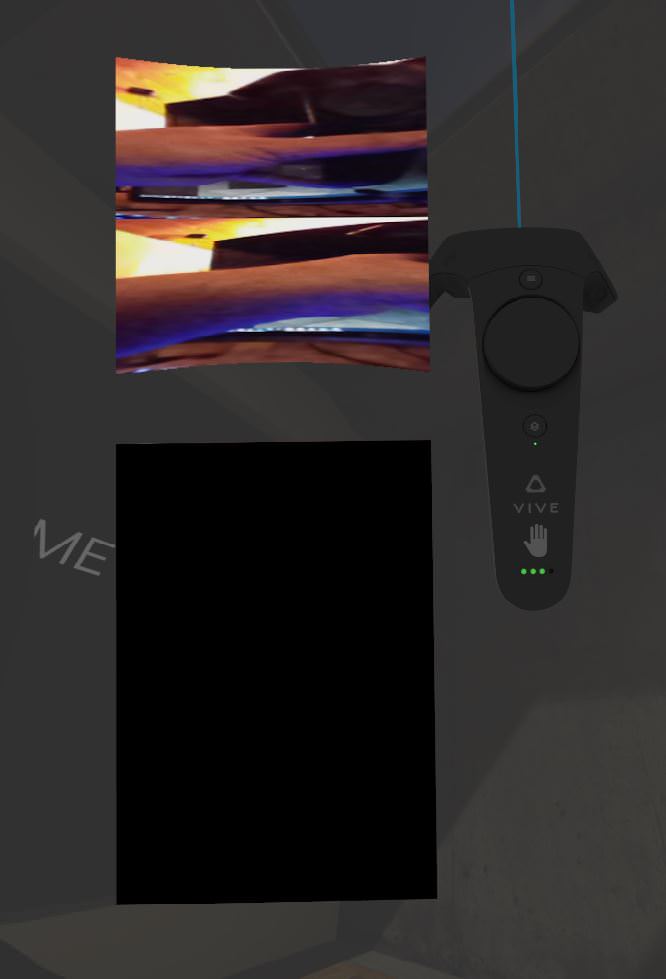
so what do you guys think is going to be in that black box ?
(source, Vive Pro on beta steamVR, seen on reddit)
jaunty shell
Someday we'll have some kind of full feedback exosqueleton attached to an arm like in the RPO book
maybe in a few years who knows
tired tree
deep dive > feedback systems
jaunty shell
ofc ofc :p
tired tree
full dive is a long time out :p
jaunty shell
well maybe there's going to be a breakthrough in quantum computing soon
and we'll be able to interface brains with machines easily
jaunty shell
what I mean is that we'll be able to process a fuckton more data
thus get closer to how a brain is working
tired tree
will we?
tired tree
it doesn't really help there
you are still bandwidth limited, and unless something specifically is good with non binary computation it won't help any
jaunty shell
I'd be quite content already with full body immersion in our lifespan
trail shale
I'm trying to debug my Spectator Screen Menu - somewhere I changed something and now I can't see the red debug line that mimics the position of the mouse (the reason for me wanting this back is that the alignment seems to be off (click on a button and it doesn't always work on a certain area) - I have debug draw line on my WidgetInteraction Component so I'm trying to figure out why it's not being displayed
mighty carbon
apparently Skyrim VR on PC can run with mods for Skyrim SE
trail shale
technically it should be able to run with any odd shouldn't it?
mighty carbon
well, why do you need old mods? 😃
also, it won't run any mods with scripting involved
trail shale
what was that script that was a big deal? SSE?
tired tree
jeez....there is going to be a lot of weird videos from that....
mighty carbon
I saw bunch of awesome visual mods, immersion mods, etc. If all that works and I can keep good performance on my 1060, I think I will get lost in the world of Skyrim and get nothing done 😦
wicked oak
all "model replacement" mods works
high res textures, new models, that kind of thing
and for the degenerates, the lewd mods work too
fleet plume
@mighty carbon haha that wasn't aimed at anybody
granite jacinth
Anyone ever have this happen to their character in PIE

This is how it is in Standalone Game https://gyazo.com/b48e963d02dcdb966e4ceadea5e41281


The camera is offset and rotated
in PIE, but fine in Standalone
Have had it mess up twice now under brand new base classes
mighty carbon

reddit
**EDIT: I've gone ahead and made a spreadsheet where you can add any mods you have tested yourself. Go...
wow, I am almost ready to buy Skyrim VR o.O
fleet plume
i will probably also buy it
but will hate myself for it 😃
because of that price tag
owning skyrim on PS3 and PC already 😑
mighty carbon
I bought Skyrim a looong time ago and instantly hated it 😛 Since I got it on sale, I don't feel too bad
glossy agate
Gonna have to make my 4th or 5th 1 handed melee plus magic build but in VR. I always plan to switch it up but my character just ends up becoming the exact same thing everytime.
mighty carbon

reddit
http://store.steampowered.com/hwsurvey ###0.33% (1/300) run Linux ###0.4% (1/250) own VR Good progress!
lol
eternal inlet
@tired tree appears that i was in fact affected by that late update bug you mentioned. After digging a bit more into it, i found that i my menupawn did infact have lateupdate enabled, which fixed it when i disabled it... I assume Epic knows about this right?
tired tree
@eternal inlet yeah its fixed in 4.19.1, whever that is coming out (should be soon)
eternal inlet
that's good news
full junco
@tired tree what I find quite annoying is how 4.19 still has that issue with controllers "jumping" around sometimes
mighty carbon

Synty Studios Presents: POLYGON - Western Pack. A Western themed asset pack.
Westworld in VR anyone? 😃
glossy agate
Red dead redemption low poly VR
mighty carbon
or that, but in first person
glossy agate
Yeah and they are usually huge!
 sage gulch
when my hands spawn I get duplicates.. looks like they are offset a hair. I did some strange stuff nesting various blueprints to get my stuff working the way I want. When I move, one set of the hands stay at the spawn point, still responding to their local rotation and translations. The other pair moves along with my 3rd person character. What can I try to check for to fix this?
glossy agate
Is this ongoing? Had that happen before but I just had to restart steam VR and UE4. One of the controllers was blinking and never connected right or something
sage gulch
yeah the controllers are ok otherwise.. issue persists even if I create a new map to start clean
steam is installed but not open. I would think it's some sort of replication issue but when I change the spawn node and attach node settings it never really works right
glossy agate
oh are you testing networked?
sage gulch
well maybe replication isn't the right term to use, but some sort of spawning / hierarchy issue
no
well.. I don't think so.
I want it to be multiplayer but haven't really looked at that stuff yet to be honest
glossy agate
Probably not then. Now it just sounds like you are spawning the hands twice
sage gulch
it's possible I set it up that way somehow.. but I would think the offset duplicate would still move around then
instead of being locked to the spawn location (and, perhaps of note, not at world zero)
glossy agate
Yeah it will. If I set to 2 players another character will show up that Im not posessing but will follow my arm movements
You probably have a duplicate spawn thats running
sage gulch
both sets of hands follow the motion controller input, one set doesn't scroll around with the character though.. the other moves around with the character within the world like is intended
hmm
glossy agate
Yeah thats what I just described. Is your motion controller also a second actor thats spawning its own hand mesh? Like the epic VR template example?
sage gulch
yes
I was just trying to be clear. I started with both the 3rd person and VR templates and put them together heh
So the root actor is the ThirdPersonCharacter BP, which has the MotionControllerPawn BP inside of it. And when the level loads up in the editor, you can see both in the Outliner.
But, MotionControllerPawn spawns BP Motion Controller as part of it's process
If I try to disable spawning at the root level, nothing shows
can't really figure out where the duplication is happening 😦
full junco
@tired tree I'll try to record a video of the issue with the controllers
it did happen back in 4.15 and still happens in a clean 4.19, I hoped they would have improved it
charred portal
Just got Skyrim VR as well ... ready to get my rpg on lol
rocky nimbus
@granite jacinth any idea which button on the MOVE controller is the Options button?
charred portal
Does it look ok with taa?
Fallout was a blurry mess with taa
I’ve read that you can switch to mxaa or turn taa down to .5 and super sample
F4 allowed switching to mxaa so I assume this will be similar
rocky nimbus
@charred portal this is probably related but, why is text so distorted when I rotate my head whilst looking at it? It's almost impossible to read until I stop moving my head and then it sharpens up perfectly
I'm using TAA
charred portal
That is probably some of the reason
Text is hurt really bad .... try typing in the console
rocky nimbus
I don't have access to the console while testing, it's on PSVR
charred portal
TAA hf 0.5
rocky nimbus
can I just execute that on beginplay then
charred portal
Hmm any reason you can’t use forward rendering?
charred portal
Hmm any reason you can’t use forward rendering?
It has msaa and honestly best option
rocky nimbus
1 sec I'll see what it looks like with MSAA
charred portal
Swap to msaa in project settings
rocky nimbus
mhm I did, launching it now
pretty sure I had issues with MSAA I can't remember exactly why
will let you know in a couple min
rocky nimbus
holy crap
the text is so sharp now
it's perfect
I did notice a strange issue, though...
charred portal
Best thing since sliced bread huh
rocky nimbus
LOL
check this out:
I have this flat menu-type thing attached to my camera
It's mostly a texture, but it has 2 textrenders attached to it
To change values dynamically (balance, ammo hold etc.)
When I rotate my head now, all the text everywhere is very sharp and clean
But those 2 textrenders lag behind the menu itself
There's a very noticeable delay
Is this related?
I think maybe it's because they're attached to the market menu and not the camera
If I attach them to the camera, should sync up
charred portal
That’s because the draw calls for those are attached to different objects
rocky nimbus
Yeah, it has to get the loc of the market menu to pass it down to balance, then pass that down to ammo count
rocky nimbus
Okay will do, this MSAA thing helped a lot thank you
rocky nimbus
Porting 2 PC releases over to PSVR now yeah, thanks ❤
charred portal
Cool .... yea I may get into psvr eventually but the project I’m working on is my first indie so I’m pc only for now
rocky nimbus
Porting and publishing it on PSVR is slightly nightmareish but Blanco and I are doing it so when that happens, feel free to ask questions (I bet my left nut you'll have lots haha)
full junco
@tired tree well I wish I could nicely record that controller issue, but with a 60 hz monitor its quite hard to record...
is there any way to record steamvr stuff with 90 fps even when not having a monitor that can show that much?
either a way to directly capture the image from steamvr, or maybe a way to use a "fake" refresh rate of 90 hz in the graphics driver (similar to downsampling the full windows rendering)?
full junco
the tracking is fine, so when I enable the steamvr overlay the controller moves smoothly there but sometimes "jumps" in UE4
tired tree
I've seen that with thread hitches
but it was solved in default wit hthe new late updates
haven't seen it since?
they use proxy variables now to avoid it
full junco
hm
it mostly happen when the GPU is quite busy
so in the VR template I need to go to vr.pixeldensty 1.4 or so to really see it
then I just move the controller continously left/right and sometimes it "jumps" a bit
tired tree
1.4 is a lot...
full junco
well, just something to make the GPU go to ~8 ms
if its too bored you don't see the issue
 pearl frigate
Anyone here interested in working with me to make a VR fighting game?
full junco
the vr template is pretty empty, so you need quite a bit of res to make the GPU busy @tired tree
can you test it and see if you also see the jumps on the controller?
tired tree
i've seen jumps when i cant keep frames yes
jitter
you can see it on the steamVR profiler even
but never at 8ms
full junco
I talk about jumps that look like the controller is moving for 1 frame to where it will be in 3 frames
and continuing its regular path the next frames
sage gulch
I think I must be spawning hands that correspond either to the SteamVR data or that are being created automagically somehow by the ThirdPersonCharacter BP being used in VR mode. Is there some way to enable or disable these things?
real needle
@sage gulch aren't you just accidently playing as two players? look in the play dropdown and make sure players is set to 1
sage gulch
Thanks but it is set to one
real needle
kk, just making sure. I've accidently done that a couple of times
sage gulch
Heh I appreciate it
there's so many things to check .. I'm sure that was entertaining 😃
sage gulch
aha
so if I turn off the MotionControllerPawn that is a component of ThirdPersonCharacter, one set of the hands disappears.. the set that moves with the headset as is intended is gone. The pair of hands that remains in the scene is locked to the spawn location, relative to the third person pawn itself!
they still react to motion input like before , and are still locked into that spot. But I'm not wanting to spawn them. And they are spawning a slightly altered form of the hands blueprint..
the one I am trying to call from my MotionControllerPawn
go figure
I do not want to spawn a set of hands with the Third Person Character.. and I even copied and altered the name and behavior of the other BP so I have no idea why it chooses to spawn those instead of the defaults it shipped with, even if I turn off that child actor... :S
sage gulch
I reordered the hierarchy a bunch of times just trying to see if I could get it.. finally put it back to how it was and it's cleared it up somehow. ffs
pretty sure i've seen it before too
kerrazy
sage gulch
now if I can just surmount the graphical tearing issues
rocky nimbus
TSAA makes far-away text sharp but close-up text blurry and distorted
MSAA makes close-up text sharp but distant text blurry and distorted
🙄 ?
sage gulch
I have some weird draw issues when I get active scenes with lots of movement.. my project draws a lot of lights, particles, transparency, glows, etc.. not really sure if I'm starting to hit a performance wall or what
I turned off TSAA and set it to forward render MSAA etc
rocky nimbus
@sage gulch How are you profiling?
sage gulch
haven't really gotten into that yet but any suggestions or pointers are appreciated
rocky nimbus
Here are a few ways you can find your performance bottlenecks:
Commands via console:
stat fps``` A good start to see whether it's drawcalls, the GPU or something related to your code/BP set-up.
Then you can try this command:
```stat scenerendering``` to see how many drawcalls you have (look towards the bottom). If this isn't enough, you can get an in-depth look at exactly what's causing it by doing this:
1. Run your game, use this command: stat startfile
2. You may experience FPS drops during this but that's okay. Let it run for 30 seconds and do what you would normally do when you experience performance drops.
3. Use this command to finish it: stat stopfile

Once you've done that, you can go to Window > Developer Tools and use the session frontend (which will have a profiler tab in it). 'Open' and find the file you just created, somewhere in your project folder > saved > profiling. That'll open up a new window to help you track down your bottlenecks. You can see spikes in the timeline, click and drag to select a portion of the timeline where it spikes up. Click 'maximum' to show info at the highest peak and then scroll down to the subcategories, find 'Game Thread'. This is where you can find information about what's slowing you down.

You can find more info on each of these online if you run into problems or don't understand something.@sage gulch
sage gulch
Thanks!
rocky nimbus
Np! p.s. to turn off the first 3 commands, just execute them again via the console and the stats will go away.
sage gulch
That will help. I've ran it a couple times with different shader visualizations and I know I'm hitting it pretty hard now, so I'm probably overdue for some optomization sooner than later
rocky nimbus
Yeah for sure; optimize as you go along. I didn't optimize my first project at all and when it came down to actually running it at 60 FPS on the PSVR, I had to make it look like shit just to hit minimum requirements
sage gulch
"Pretty hard" being a relative term of course, and I'm a little spoiled with a 1070, but I come from more of a prerendered Maya background and wanted to see what I could get away with. I've only hard crashed it a few times 😉
 tawdry dragon
Hey guys, any of you played around with the AR light estimation in 4.19? Looking around it seems like documentation is really weak. I wanted to figure out if its possible to get the light estimations direction?
tawdry dragon
nwm.. seems like i misunderstood how the lightestimate work
mighty carbon
@wicked oak rumors about PS5 pending announcement have been circulating, along with rumors about readily available dev kits.
wicked oak
ill go to playstation devcon next month (i guess), so ill see it if they say something
but for now
mighty carbon
VR is a native feature now, supposedly
wicked oak
absolutely zero info
so i guess its only for tier 1 devs
im tier 4 so....
(tier 1 first party, tier 2 AAA externals, tier 3 stablished indies/medium studios, tier 4 garage indies)
mighty carbon
Probably

This is Steam version.Looking for a unique VR experience? Well, look no further!In VR Kanojo, you can hang out with the lovely girl-next-door, Sakura Yuuhi. You'll practically feel her breath on your cheek and the warmth of her fingers on your ar...
Release Date
Coming Soon
Lol, interesting
I wonder if it's all censored or if Steam will be swamped with complains
dusky moon
So has any1 tried TAAU with Dynamic Res with Oculus ?! for me it fucks up hmd's screen parallax
mighty carbon
I don't get why you guys can't contact Oculus and ask to fix this issue ?! Or contact both Epic and Oculus.
wicked oak
@rustic jackalllesss#9041 ive tried very hard to fix it, i was unable to do so
becouse oculus has its own ue4 specific closed source sdk thing
so i couldnt do it
it works on Vive and PSVR, but needs some fixes
dusky moon
@wicked oak ok so I think it's better to report the bug
wicked oak
i have it working right now on my prototype. Upsampling on PSVR, and just basic TAA on oculus
wicked oak
to get best readability, you need to setup your mipmaps
not use antialasing
you do not need any antialiasing for good text
in fact, antialasing just fucks the text
dusky moon
@wicked oak ah nice tip! Totally neglected mimpaps
wicked oak
Carmack says it...
the best text in DWVR is the intro text
becouse its a texture
that i setup mipmaps correctly
dusky moon
Ha good point
granite jacinth
@wicked oak lol, you got a review from carmack?
dusky moon
I'm also a bit confused on new Primary/Secondary sp while using dynamic res
like on VR.pixeldensity 1.4 .... dynamicres: 100% x 100% means I'm getting 1.4 pixel density or does it override pixel density to 1 ?!
sry I've read the documentation and didn't get it rly 😄
wicked oak
@granite jacinth i didnt
but its something he says on the reviews for other games
@rustic jackalllesss#9041 bruh
vr.pd 1.4 is fucking absurd
you know pd 1 is already 1600p?
on rift
granite jacinth
hmmm
wicked oak
pd 1.4 is rendering at more than 4k
granite jacinth
I guess ima upgrade to 4.19 this weekend
wicked oak
since they changed pixel density stuff
dusky moon
wut!
wicked oak
having "pd 1" is the "perfect" resolution for that screen
dusky moon
wow I thought 1.4 is like classic sp 200
wicked oak
@rustic jackalllesss#9041 in rift, pixel density 1 is SP 140
tired tree
yeah it defaults to native res
dusky moon
@tired tree hmm so the Dynares is pretty conservative. cuz I'm getting 11ms on pd 1.4 in a scene but with dynares it's 80%x80% ...
although I have to say I only set the min/max sp of dynares... there are tons of other commands that I don't really understand how to set properly for oculus
rocky nimbus
Can I switch AA method in real-time?
wicked oak
yes
rocky nimbus
Between TAA and MSAA?
I can't get distant and close-up text to be sharp simultaneously. TAA works good at a distance, MSAA close-up. Luckily in this case I can switch between them depending on how far away the text in the level is but it seems like a shit fix
Will increasing AA quality make TemporalAA text sharp close up and far away?
mighty carbon

FARHOME is an adventure-type science fiction game for virtual reality devices with focus on cooperative walkthrough and on the use of the characters’ special abilities.You are in for a perilous journey to the Wasp-21 Ariadne system to explore i...
Price
$29.99
interesting
sturdy coral
@dusky moon SteamVR changed pixel density around the same time, so VR.pixeldensity 1.0 is no longer ideal for the screen, but (unless the user has overridden) ideal for the GPU. If your title is more GPU heavy than average you would want to lower it
Unreal needs to add a way to query how many pixels per second pd 1.0 corresponds to
Though then you might undo intentional supersampling from the user
rocky nimbus
@mighty carbon ouch that snap turn on left and movement with right is off-putting but the concept looks amazing
mighty carbon
I haven't looked into it, but I thought controllers can be re-mapped and teleport locomotion is present too :/
dusky moon
@rocky nimbus changing to MSAA doesnt see to make sense if you're not using Forward shading. just sayin