#virtual-reality
1 messages · Page 169 of 1
 mighty carbon
835 and 845 SoC is as good
I don't know what FBR will be like on mobile, but maybe even 820 SoC would do (Galaxy S7)
 wicked oak
being the big map it is, drawcall overhead can be a reason
Vulkan edition would be possible
im 100% sure it will use Metal on IOS
mighty carbon

UploadVR
Beloved new PlayStation VR (PSVR) game, Moss, has debuted well in the PS Store sales charts, though several other new releases are absent.
"Apex Construct, the debut VR title from Fast Travel Games, is surprisingly nowhere to be found in either chart."
😦
wicked oak
well, neither was mine
Apex construct is only really a bit higher budget than DWVR, its made from a lot of asset packs and has pretty simple stuff
mighty carbon
that's irrelevant
if gameplay is satisfying, whether a game made of assets packs or not, it would be in the charts because people would play it. I guess motion controllers are not popular on PSVR.
wicked oak
@mighty carbon they are popular
i have stats
but the thing is that its not a good marketed game
its coming more or less out of nowhere
other games are much higher budget
or are just charming, like moss
people love the cuteness of the moss mouse
 fleet plume
moss was popping up on my feed left and right
quite the buzz around it
to add an anecdotal datapoint 😄
 granite jacinth
what's up with moss?
And f* uploadvr
because supposedly they don't do press releases on demos
/spit
But anyway, definitely have a lot of support from the PSVR community
I think the demo will make people go a bit crazy when I get it on there
mighty carbon
hmm.. I didn't really know about Apex Construct until it was released.. But I wonder if PSVR market is getting saturated already that releasing a game without much marketing will result in low sales.
wicked oak
@mighty carbon not gettign saturated
look at the amount of games releasing a week
still sub 5
compare it to steam dozens
 quiet badger
i have the weirdest bug with the engine right now
PIE shows 70-80 fps
vr preview 30-50 fps
if I toggle stat unit the performance jumps to 80-90 fps
wtf
i filed it here
mighty carbon
that's normal..
try disabling Nvidia compositor using GeForce experience (it used to help me, but now it doesn't have any effect)
quiet badger
i'm not running geforce experience
 sonic lake
@quiet badger are you on Oculus?
quiet badger
Vive
 lyric spoke
Any of you found problems when packaging your game for VR? I just tested a packaged build today, to find that the headset tracking and everything works... but the display in the headset is not on, and the framerate / tracking is very stuttery... it is like it does not recognize the oculus as a display, however, tracking works, and from various debugs I can see it is getting information from the HMD itself
I also checked the vr.EnableHMD and vr.EnableStereo commands (or whatever they changed it to since) and both were enabled
We successfully packaged and played a build on the same engine some time ago, so I'm confused as to why it is happening
I am currently running through revisions and packaging them to see if I can narrow down when it happened
 rocky nimbus
@lyric spoke What version of UE4 and have you upgraded at any point during the project?
quiet badger
@lyric spoke did you do a switch for oculus specific? Oculus and vive do things different like how they find the floor. Dunno if it would also do something for the hmd display itself
sonic lake
@lyric spoke A packaged experience doesn't start automatically in VR unless you check the Start in VR option in the Project Settings or use the -VR command line switch. As an alternative, you can use EnableHMD with Stereo checked on your Begin Play event.
@quiet badger If you do not explicitly set your Tracking Origin, Oculus uses Eye Level while Vive uses Floor Level.
quiet badger
I probably shouldn't have assumed he had start in VR enabled
sonic lake
@quiet badger Regarding your performance issue, I have had problems with other applications tapping into the DirectX pipeline. NVidia's screencast (in-game overlay) does that and I keep it disabled. Some default Asus utilities also gave me problems and I had to uninstall them. In same cases CPU/GPU overclocking can also cause stuttering issues. Last but not least, some of the latest NVidia drivers are known to cause stuttering issues with VR (especially with the Oculus but could apply to the Vive as well). Many had to roll-back the drivers. I am currently on version 384.94 which is very stable and performant.
If you are using 4.17 you should upgrade to 4.18. 4.17 had tons of performance issues/frequent quirks with VR.
quiet badger
I'm on 4.18 and actually had way better performance on 4.17. across the board I was at 8-9 Ms until ai started spawning densely. Still gotta optimize ai and multithread etc
 fluid chasm
How to make a door that interact with motion controllers... Like if I hold motion control and open the door it should open..
sonic lake
@quiet badger Looks like we are all having slightly different experiences depending on the combination of engine version, VR hardware, development PC etc. Not easy to pin point where the problems actually are.
@fluid chasm Look at Mitch's VR Content Examples here: https://github.com/mitchemmc/VRContentExamples

GitHub
VRContentExamples - Unreal Engine 4 community VR content examples
Or Mordentral's VR expansion plugin: https://bitbucket.org/mordentral/vrexpansionplugin

A plugin for Unreal Engine 4 that adds some additional VR related features / components.
fluid chasm
OK tqsm @sonic lake
fleet plume
does anybody know a VR game with a floating HUD which lerp's into place instead of being locked to the player's headset?
wicked oak
robo recall
fleet plume
cool, thanks
 dusky moon
So Any1 else have this problem with Oculus+UE 4.18 ... after some VR previews in the editor suddenly I get massive performance hit and Oculus screen goes black, then after a while it transforms my pawn to Floor Level ... when this happens, it stays this way until I restart my pc ! whats happenin ?
 sturdy coral
@dusky moon I believe I've seen the plugin lose the tracking origin floor setting when disabling and reenabling the headset
It wouldn't stay that way til a reboot though, I just call set tracking origin again
dusky moon
@sturdy coral It's not only the tracking... but the overall performance gets ruined as well. I'm updating to nvidia 391 now hope it fixes it
also randomely when I VR Preview, the headset doesn't show anything while it still tracks (according to the Mirror screen)
lyric spoke
@rocky nimbus @quiet badger @sonic lake So after way too long of trying everything I could think of, enabling Start in VR in options, reinstalling oculus drivers (I thought it could have been a messed up install from that whole debacle from the other day) AND moving backwards through commits... I found an infuriatingly simple solution
I simply added a 1 second delay before enabling HMD, and it worked
sturdy coral
@lyric spoke I had to do something similar a while back, otherwise got a crash if enabling stereo on first tick with oculus
lyric spoke
@sturdy coral Fun stuff, am I right?
I'm also having another very annoying bug, where the first time I load up the editor and play in VR preview, and get "killed" I restart the level to the last checkpoint
Which loads almost instantly, and all is great
but once I manually exit the preview, then relaunch it, whenever I restart the level after death it takes a full 20 - 30 seconds showing the oculus timer in the headset for most of the time
Which is making balancing really annoying
Also, something that may be related, so once I respawn after restarting the level and waiting
I respawn at floor level, so it looks like the oculus eye height does not take effect
sonic lake
@lyric spoke did you take a look at the Oculus log file through the Oculus Debug Tool? Any hint of tracking issues in it? Maybe a stupid question, did you freshly calibrate your system?
sturdy coral
@lyric spoke every time I enable stereo I set the tracking origin to floor again, because the oculus plugin was wiping it out. that might be related with your enable stereo delay
but my stuff turns stereo on and off any time you put on or take off the headset
lyric spoke
@sonic lake I did go through and re-calibrate it this morning, what is the Oculus Debug Tool though?
@sturdy coral I might try playing around with that. For me stereo is turned on all the time, even if I take off my headset - I think?
sturdy coral
@lyric spoke yeah, I'm tracking worn state events to turn it on and off
But if you are setting floor origin before enabling stereo that might be your problem, might have started after you added the delay
sonic lake
The Oculus Debug Tool enables you to view performance or debugging information within your game or
experience.
Useful also to turn on/off the performance HUDs, bypass the proximity sensor, view the low level log files.
rocky nimbus
@lyric spoke Are you running any other nodes before Enable HMD? On beginplay in the level blueprint, I possess the pawn and inside the pawn, on beginplay, Enable HMD is very close to the start of beginplay so maybe on your end there's a conflict somewhere
 eternal inlet
am i the only one that has strange jittering in editor with Vive? especially(but not exclusively) if it's a bit close to dropping frames, it will jump my view up and down like really fast, but not happening in packaged game.
hmm, nevermind... i was opted into a wrong beta in steamvr lol 😑
 full junco

if that thing actually works, which it likely will, that means 2-3 ms less time spent on render thread
so thats super nice
4.19 + the recent dev-vr merge seems to be a great engine version to be on, so I guess that's what I'll update to whenever I update
eternal inlet
im also just waiting for it to come out of preview 😃 so much usefull stuff seems to be in 4.19
wicked oak
im literally working on preview
btw, there is a bug that crashes the editor in load
if you have renderdoc and some specific settings
i was messing with config stuff until the engine crashed on load
then had to revert
full junco
you couldnt just fix the crash?
eternal inlet
this might be a long shot, but was wondering if any of u have experienced a sort of similar bug: if i attach a staticmeshcomponent(A) to a childactor's staticmeshcomponent(B), then later detach it again, and clear the childactor class, the staticmeshcomponent(A) seem to loose it's physics body or something
wicked oak
internal shader errors?
on some random part of the engine render core, with threading involved?
nope
i just reverted the config and thats it
and this time didnt try to use renderdoc
fluid chasm
Hii.. I have a 3ds max model with vray materials.. I need to get the model into 4.18...
What I have done is exported the file as datasmith from 3ds max.. Then imported into 4.19. Then migrated from 4.19 to 4.18
But iam not able to get the model.. The imported folder is showing empty..
Any other way??
 glossy agate
You cannot go back a version like that, only forward
And data smith only works through 4.19
sturdy coral
@eternal inlet I've had so many issues with child actor I have ended up completely avoiding it
but I don't think I've seen that one
eternal inlet
yeah, it's a strange one... i have a feeling im missing something obvious somewhere else
 wintry escarp
does datasmith try to convert the materials?
 trail shale
what's the trick to stopping unreal engine from stealing VR focus; I'm working on some non-vr assets but I have some friends who want to try some Steam VR games
other than just turning Steam VR off on the editor settings?
sturdy coral
@trail shale launch with -nohmd
trail shale
THAT"S what it was...thank you
@sturdy coral Is my project settings overwritting that? I'm just adding that command line to the shortcut to the editor and opening up my project from there
Ah, that last bit did it, (tried making a shortcut of my non-vr project but I'm guessing that doesn't accept command lines)
glossy agate
Anyone have ideas on creating “volumetric” looking smoke that will actually perform decent in VR?
It for smoke grenades so single sprites don’t really work because it has to lower viz within a whole spherical area
wicked oak
@glossy agate get fukd

i tried and failed pretty hard
you can see how, while actually 3d and volumetric, it has some weird rendering issues
i think you can do some stuff, fog style, if you abuse the stencil buffer
and then draw the clouds as a postprocess
but thats not easy
glossy agate
Yeah haha. That may be overkill for me. Unless I’m trying to lag other players out of the match.
wicked oak
if your cloud is "fully opaque"
glossy agate
That’s Houdini right?
wicked oak
there is a trick you might be able to do
do a sphere
and do a "fog" material inside the sphere
there is also another thing, if you do EXCLUSIVELY spheres
you can actually do volumetric formulas
wich could be a nice trick
but if you have 2 sphers overlapping weird shit will happen...
yeah its houdini @glossy agate
its a vertex anim smoke effect
glossy agate
Was thinking of doing just a bunch of cross hatch sprites like how you would make a bush, but some other games do that and it doesn’t look great
wicked oak
yup, it doesnt look very good
have you tried if actual volumetrics coulld work?
talking about actual 3d texture volumetric clouds
a low res one might even work
glossy agate
Maybe a tessellated fog sphere like you said and just run it with a particle and a mask with offset so it looks kinda bubbly
Like how they did the explosion plumes in the VR example project from epic with the big robot shooting stuff.
wicked oak
those are opaque
completely opaque
for other things like the rockets, they use dithering + TAA
glossy agate
Yeah, I could make it translucent though. Then that gets back to the problem of wanting it to run decent though haha
wicked oak
no you cant, translucent will look flat
glossy agate
Man ideally I would use the new volumetric fog, but I’m not sure if I could make that into a shape
wicked oak
and another huuuuuuuuuuuge issue with translucent, is that triangles might render on top of other triangles
no, but you could try a box with a volumetric texture inside
they have shown some of that in unreal
its expensive, but i dont know how expensive that would be
glossy agate
Oh yeah, they have an example of that I think we can download. Could just give that a check I guess
I guess worst case I can just make it same as my Molotov fire and spawn 4-5 copies of the particle with x,y location offsets
But that’s a bit pricey too. For gameplay though as long as players can hide a hostage in smoke for a rescue it will work
sturdy coral
You need dynamic res
 pearl tangle
much easier to transport kit than the vive requires thats for sure
 jaunty shell
compact setup, nice !
wait the computer is inside aswell ?
@pearl tangle
looks like a brix
pearl tangle
nah zotak 1070.
jaunty shell
just the GPU ?
pearl tangle
no its a zotak zbox 1070
pearl tangle
yeah have been using those mini PC 1s for all the VR stuff since they came out like October 2016
jaunty shell
if they'd pack more punch we might have gone that route instead of a fat laptop
how do you like these MR hmds btw @pearl tangle ?
only had a try once in a supermarket, couldn't test the tracking as much as I'd want
pearl tangle
I have a 1070 laptop and also had the water cooled asus laptop too back when it was the only portable thing that could run VR. Now these 1070 boxes do enough, it's worth losing a little bit of power to gain the portability
I have only played around with it for about half an hour so far but it seems to do the job pretty decently. Seems like you can't disable the damn windows button on the controllers though and that then takes you back into the stupid home thing where it's then very hard to get back into the application so running the events with this is going to be a problem
jaunty shell
yeah quite a few times people are like "uuh what is that big window doing here ?" and you try to remember if you ever put a window in your demo 😄
where its only the steamvr ui popping because they clicked all the buttons when you are telling them to press the BIG RUGGY BUTTON AT THE CENTER OF THE CONTROLLER
pearl tangle
yeah steam vr you can block. You jsut turn on arcade mode in the settings and it stops that button from working
on the windows 1's there doesn't seem to be a way to turn it off. And also pressing it again doesn't take you back to the application. A little popup window on the screen for steam vr appears in their home thing and then it gets placed randomly around the room so you then have to try and point at it and click on it to go back to the app
jaunty shell
uuh
wasn't aware of the arcade mode disabling the home button
thanks for the tip !
pearl tangle
yeah just go into the settings then developer and it's in there
there is even a playlist 1 so that you can get it to go through a loop of different games over set times and stuff too which is really handy for demos
with 1s like the lab you can even deep link straight into a specific level in there as well
jaunty shell
yeah that's how I discovered the arcade mode, during a demo on a vive booth using arcade mode to manage the length and content

Using Virtual Reality (VR) for architectural visualisation (arch vis) seems like a complete no-brainer. Rather than looking at an image or a short movie you have the opportunity to be completely im…
very interesting post
the part about teleportation and how people who never used vr use it made me chuckle
and cringe at the same time, since that's exactly what a lot of people do
jaunty shell
anyone here uses the ProteusVR template ?
We want to transform our single user experiences to multi user and I don't want to go too deep into networking since I wont have much time to work on it
the idea of having avatars and compatibility with all devices is quite interesting
 gleaming river
Hey I've got on overlap event of a button that is using a flip flop to do different things, from what I can tell it someones fires multiple times on one overlap. Is there a way to stop it from overlapping multiple times, I was thinking set a bool on begin overlap and then reset that bool on end overlap so you cant press more than once does that make any sense?
sonic lake
@gleaming river It should not, but if it does you can use a DoOnce node after each flipflop output and from it 1) drive what you want to happen on begin overlap and end overlap 2) drive the reset pin of the other DoOnce. In this way only one Begin Overlap event can execute, followed by an End Overlap, which then re-enables the Begin Overlap and so on.
 alpine torrent
haptix inc have someshort of vr glove for vive
mighty carbon

UploadVR
Fast Travel Games is heading to GDC 2018 with a mobile port prototype for Apex Construct running on Gear VR with inside-out tracking.
@wicked oak ^^
also in the news: https://www.roadtovr.com/google-feature-wide-fov-high-resolution-vr-oled-display-sid-2018

Google announced at last year’s Society for Information Display (SID) Display Week that the company was actively working on a VR-optimized OLED panel capable of packing in pixels at a density heretofore never seen outside of microdisplays – a...
jaunty shell
18 Mpixel 4.3-in. 1443-ppi 120-Hz OLED oh my 
 mighty carbon
I don't know... The motion is vomit inducing :/
Got headache just from watching video 😦
it seems like I lost any resistance to motion sickness I gained a while back
wicked oak
being first person, of course
the 3rd person view shows the gameplay better
its a LOT of fun
but nowhere near easy
and needs better feedback, like more particle effects on hit
wicked oak
its a damn shame everything here is working from random animations
if only i had a proper animator, or just mocap it
and could have the exact type of attacks i want
fleet plume
do you have a vive?
fleet plume

IKinema is developing a novel technology for low-cost, full body mocap from HTC Vive hardware. http://www.ikinema.com/Orion Full body animation is delivered ...

IKinema Orion is а low-cost, high-quality Motion Capture system using latest hardware technology by Vive. With just 6 or 8 tracking points and minimum calibr...
glossy agate
Wait which project is this? Doesnt looks like the procedural shooter you were making before. Looks like that crawler from a while ago
fleet plume
i'am offline now, but that IKinema looks pretty interesting
if i'am not imagining it, there's even a video where somebody combined it with glove-based finger tracking solution
wicked oak
mocap is still very hard to clean up
and ikinema capture is expensive
you need those vive trackers + the software
mighty carbon
iPi Soft is good, or so I've heard
or do body suit mocap
they just released Perception Neuron v2
@wicked oak ^^
 abstract forum

I'm speaking at #GDC18 !
"Procedural Tools for Building VR worlds"
It's at the @sidefx booth: here's the full schedule:
https://t.co/yqiY7M86jb
#vr #houdini3d #sidefx
 Twitter
sturdy coral
Twitter
sturdy coral
@mighty carbon I haven't tested it yet, but it looks like 4.19 finally allows batching/instancing for landscapes
        {
InOutLODData.UseCombinedMeshBatch = true;```Oh, sweet
wicked oak
@glossy agate its indeed based on the crawler from quite a while ago
the shooter got canceled becouse i just cant level design for it
at least on this i can abuse assets to a huge degree
abstract forum
Ok so - I am doing some performance tests with landscapes right now. I am comparing 4.19 preview 6 to 4.18.3
I am getting 110 FPS in 4.19 preview 6 opposed to the 40 FPS in 4.18.3.
As long as you are not rendering the entire scene you should be good though

From 4.18.3
from 4.19 preview 6
eternal inlet
looks super nice @wicked oak very impressive looking melee controllers from the looks of it
wicked oak
yeah, im focusing a lot on it
its much better when you are playing it XD
the boss is killable but you better parry everything
he does like 30% hp per attack hit
eternal inlet
yeah i could see a lot of hard work was put into it
wicked oak
now the thing is to do the rest of the game 😃
i plan to have it be some kind of diablo thing
procgen maps, ever increasing dungeon depth, with loot and rpg progression
 real needle
Hi there. Having a question which might be very specific: Does someone know under which circumstances a shader/material(skin for a human npc) looks different for each eye (left eye looks correct, but right eye looks very pale) when you use a oculus rift? My boss has this issue with an already built version of our project.
quiet badger
@lyric spoke omg lol
wicked oak
@eternal inlet the older prototype got canceled due to me being unable to make it run on ps4
and too much competition
but then turns out the competition was all trash
and the ps4 problem got fixed with the Z Target system
eternal inlet
ouch, that suxx to hear
wicked oak
 eternal inlet
what Z Target system?
eternal inlet
aye, i remember seeing that
wicked oak
look how the game autorotates to follow him
eternal inlet
hmm, at what time in the video is that?
eternal inlet
ah in the new video?
wicked oak
yeah
eternal inlet
ah lol i was looking at the old
so u mean to say that you can't look away from him?
wicked oak
its a button
eternal inlet
i see
wicked oak
when you press it, it rotates you to the target
eternal inlet
pretty nifty
eternal inlet
good idea
wicked oak
it also works by targetting the enemy you are looking at
wich means that if you want to target an enemy that is 90 degrees to your left
you rotate your head, look at him, press the button, and it auto rotates you
eternal inlet
im mostly used to vive, and normally when i get rotated without doing it myself, i get seasick
unless it's a snapturn
wicked oak
in here, your eyes are tracking the enemy you are looking at
you are focusing on him, not the world randomly rotating
so it feels a lot more natural than what you would expect
eternal inlet
aha sounds like one of those things u have to try yourself
wicked oak
yup
at the moment it completely roflstomps every other dungeon game that i know of
including skyrim vr wich gets stomped super hard
eternal inlet
roflstomps?
wicked oak
just completely leaves it in the dust
and thats at its very early state with shit animations and no effects
eternal inlet
it sure looks cool yes
the game im working on, is somewhat different, but borrow concepts from the RPG universe
wicked oak
what are you making?
eternal inlet
it's a storybased FPS with RPG elements
wicked oak
FPS allways works great in vr
eternal inlet
Metroidvania type of maplayout
a bit old progress video is here:
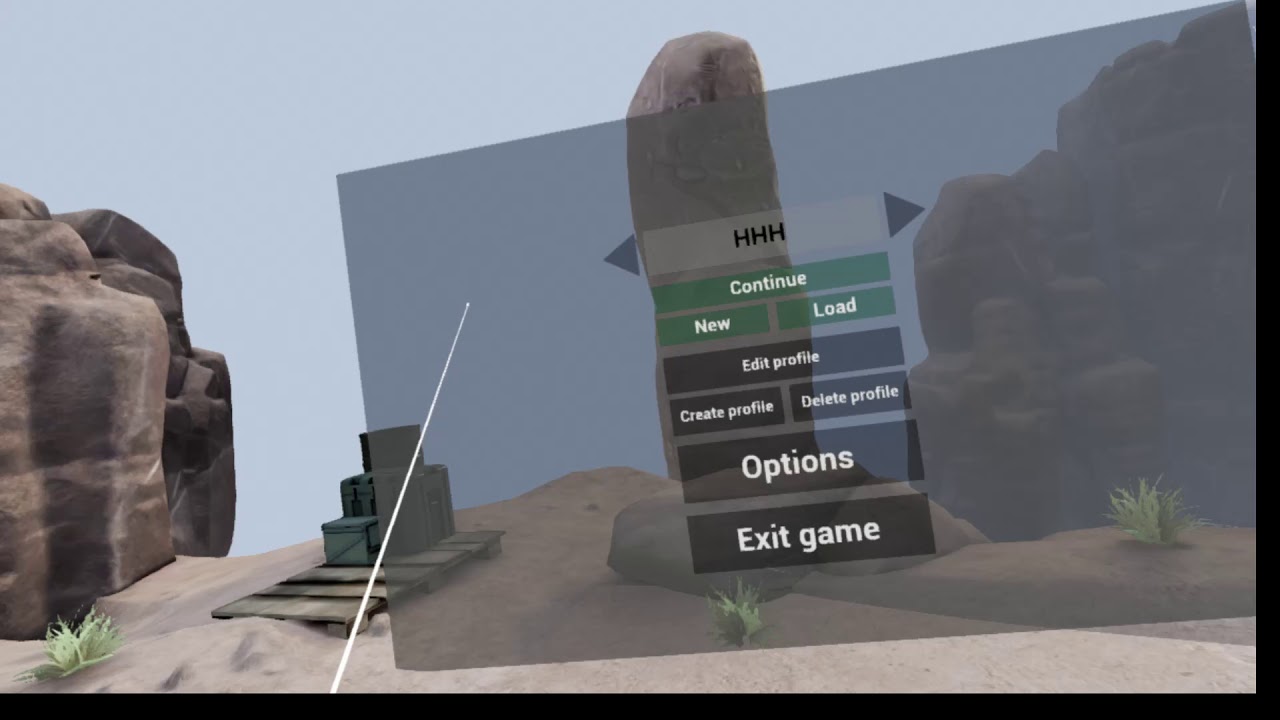
Now named: Tall Order - Inventory Tabs, Missions, Dialogues, InfoTexts, Story mode.
im gonna release a new one in a week or so with the crafting concepts and loot + few more enemies
wicked oak
looks really good
if you manage to have it be longer than a couple hours, you can have huge success
people want longer games
eternal inlet
yeah i know... i'll do my best. Was aiming for 5-6hrs of content, but will see how far i can take it with the relative simple story i got plotted out
there will be lots of secrets, hidden stuff, optional quests so i guess you could speedrun the whole game in 1hr if u decide to skip most of the content
but for a completionist i think there will be enough to keep you entertained for quite a while
wicked oak
i want mine to last like 10 hours for main quests
but then offer plenty of extra stuff
eternal inlet
sounds solid
wicked oak
huuuuuuuge bottleneck on the art part
eternal inlet
as a first game i release i won't aim for anything perfect, but for next game i make i'll definetely draw on the exeprience from this one
wicked oak
i can make it, but the art is an issue
eternal inlet
yeah, same for me
i bought all my stuff, and do som re-texturing and only minimal modelling when i can't find what i need
another huge issue for me, is that im bound by blueprints, that's all i know
im a c# developer by heart, but simply havent been able to wrap my head around the c++ transition ever
wicked oak
you need to start gitting gud with C++
blueprints are impossible to mantain
you need to start trying to move functions from blueprint to C++
specific functions, for now
wich is the easiest way to get started
eternal inlet
sigh!
🙄
for next game i'll start doing that
but good strategy to move parts to break it up
wicked oak
the boss i showed above is 90% blueprints
behavior tree AI + tasks are blueprints
attack tracing/damage system is C++
eternal inlet
ah, makes good sense
wicked oak
blueprints just fit so well for behavior tree tasks, as you can use the delay nodes, sequences, etc
eternal inlet
aye, some things are just so soothing to make in BP
while other things are a spaghetti nightmare
at normal work i code C# and i often catch myself thinking, wow, this would have been so difficult to make with BPs
ie. "trivial" things like double linked lists is just so shitty to implement in BP
wicked oak
my bp tasks are a spaguetty nightmare
eternal inlet
i mention that as an example, becoz i did it recently, but it wasn't fun
wicked oak
due to all the random code flow and delays/timers everywhere
eternal inlet
i've gotten pretty good at prettyfying my BP code because its 100%, otherwise i would never be able to maintain a game at this size
but i see the point of packing away some of the crucial parts of the code in c++ for sure
wicked oak
i dont give a fuck until i care, and when i care it becomes C++
so in general my blueprints arent aligned or commented at all
eternal inlet
makes good sense for sure
indeed makes sense
wish i had the skill set as i have with c#
i can code almost anything with that, but can hardly do a hello world in c++
wicked oak
this is how the melee combat task works
but a lot of the functions its calling are implemented in C++
due to all the delay/indirection, it would be annoying to code it in c++
and much worse to iterate
eternal inlet
i guess it's a complete seperate skillset to recognize what is best to make in bp and what to make in c++
wicked oak
my general way of thinking is:
is it prototype stuff - > blueprints
is it getting entangled real hard -> c++
does it have tons of math/branching/for loops -> c++
general "infrastructure" for classes -> c++
needs lots of timer type dependencies? like "if this then wait then that" -> blueprints
eternal inlet
that's a pretty good formular u got there
eternal inlet
i got 12534 kilometers of noodles😛
mighty carbon

►NEW FORTNITE MOBILE GAMEPLAY! Fortnite Funny Fails & Best Moments #11 (Fortnite Battle Royale) 🔔 (Turn on notifications) 🔔 ★ 5,000 V-Bucks Giveaway: Hi El...
it has shadows !
I wonder if those would work in VR and if fast mobile shadows are in 4.19
glossy agate
Im curious to see if it actually has dynamic shadows, or if it was just looking good for a promo vid.
They didn't show any full mobile UI gameplay that I saw
wicked oak
thats not mobile gameplay
look at the input
its PC keybinds
you feel for the clickbait
glossy agate
Yeah, just the very beginning is the mobile trailer, the rest is just clips from twitch streamers
mighty carbon
oooh, this is cool: https://twitter.com/bigpotplant/status/967420501617410048


Haptic Links: Bimanual Haptics for #VR using variable stiffness actuation. From #Microsoft research. https://t.co/B0Qbm5nl4D
Retweets
181
Likes
425
Twitter
glossy agate
That one with all the balls on it looks real nice.
mighty carbon
should be made out of titanium - light and sturdy
 lucid ivy
How did I not know about this channel?
fleet plume
we're hiding down here because the others always got motion sick around us
wicked oak
https://www.youtube.com/watch?v=wAaLolSsRCc new video of the bossfight, with a lot of improvements since last time

damn shame i didnt have the recording with working sound, dammit
oculus headphones being weird
quiet badger
what is this and where do I buy it
wicked oak
its my new project
quiet badger
i like the synty stuff
are you doing this solo? do you want help?
do you have early access or patreon or something
quiet badger
got any other roles you want filled? I can do it all aside from sound creation
wicked oak
not really
quiet badger
well let me know how the progress goes. I really want to play this
wicked oak
i can send you a beta key, im looking for testing
quiet badger
hell yeah. I got a code for you for End of Days if you want it
eternal inlet
Tall Order - Dev blog 5 with most recent changes: https://www.youtube.com/watch?v=wvX7wifKjGM&feature=youtu.be

Sound options, Calibration Shotgun and sniper enemies Crafting and loot drops
sturdy coral
@wicked oak when you do blocks are you reversing the animation, or are you using physical animation?
granite jacinth
Poor WMR
@jonas_molgaard#1272 It's looking nice! Ours is going to be somewhat similar also
 digital marlin
hey, anyone know if streaming* 3D video is possible in Unreal 4?
ugh, not 3D video - 360 video. I believe it is, but just wanted to know if any of yall had done it?
granite jacinth
360 yes
Well the framework was put it awhile ago
Not sure if they ever enabled it

Unreal Engine
Here I'll walk you through Ninja Theory's particular settings and workflow for capturing 360 stereoscopic movies like the one we just launched today for Hellblade: Senua's Sacrifice. Read on to learn more about using the "Stereo Panoramic Movie ...
there are some MP assets out there as well
digital marlin
yeah there's a few things on capturing 360 video, I just want to play it via a stream.
I'm 99% sure it's possible via the sequencer.
granite jacinth
hmm
digital marlin
I'll have a play around
granite jacinth
probably not seq
But, the Media Framework
They had something in there for it
Not sure if they activated it yet though
@digital marlin https://www.reddit.com/r/unrealengine/comments/5xybq4/load_a_360_video_in_a_vr_environment/

reddit
Hey there, just wondering if it's possible to load a 360 video whilst in a VR environment, ie say you walk up to this kiosk...
Hmm pretty sure it was in Media Player
They had a stream on it awhile back
pearl tangle
has anybody made a simple 3D launcher for WMR to be able to launch an unreal steam vr app yet?
dusky moon
Speaking of 360 playback... any1 tried stereo 360 as well in UE ?!
want to know if it's possible to playback 360 stereo while user can control buttons with motion controller to stop/play/etc the playback ? like VR player apps
 icy dirge
Hey guys, real quick question
I've enabled SteamVR etc. in my project to start porting it to VR, but now the non-VR version of the project always launches in VR by default
even for people without any headsets whatsoever
How can I prevent this?
 shell karma
quick thought would be to check for whether HMD is enabled anywhere you need differentiate between vr and non-vr, and run the logic accordingly ie. spawn either vr pawn or non vr pawn based on the bool you get
depennds if the project of yours is somewhat two different games vr/non-vr
icy dirge
I did that already, no dice, but I found the -nohmd option though which works
dusky moon
also make sure you haven't checked "Start in VR" in project settings
icy dirge
Checked already
and it doesn't start "normally"
only through Steam did it auto-start in VR
Steam has a mind of its own...
shell karma
indeed it has
icy dirge
Anyone managed to get the MotionControllerComponent to work outside of a Pawn?
nevermind, I'm an idiot
abstract forum

UploadVR
Valve today introduced a major new update to SteamVR that allows it to check the speed of a GPU and resolution of a VR headset and render apps accordingly.
wicked oak
around 1 year later than oculus
but the fun part is that it seems automatic
oculus has it, but needs to be implemented
ue4 has some console commands for it
jaunty shell
this automatic sampling + eye tracking = no need for ultra high end gpus anymore
wicked oak
ill remind you of one thing
multires extensions are now part of Vulkan 1,1 CORE features
jaunty shell
one step closer to foveated rendering
wicked oak
wich means that vulkan support in SteamVR/Oculus sdk can do multires at the SDK level, for all gpus
jaunty shell
except vulkan ain't completely stable in UE 😄
 tired tree
pretty sure it can't do multires at the SDK level
app is still submitting pre-rendered frames
the resolution works because it requests a different res for the HMD
/ adjusts the percentage scaling in app
which is still broken with UE4 until 4.20 right?
granted newest openVR also offers depth buffer support and I believe that multiple views were added to ue4 to support the PiMax
icy dirge
Is it just me or do motion controller thumbsticks not generate actions?
Like I'm trying to do an action for MotionController (L) Thumbstick Up
wicked oak
@tired tree Go does multires at the SDK level
but being a tiled gpu is kind of cheating
basically it just still does its typical GPU tiled rendering, but with different resolution on different tiles
and everything Just Works automagically
tired tree
yeah thats kind of different
sonic lake
@icy dirge You can use the Axis together with a value threshold to simulate Up / Down
I use ABS(axis) > 0.7
And the sign
icy dirge
Yeah unfortunately I can't do that in my case since that would require me to fundamentally change how I handle input
sonic lake
Strange, you can always use that code to reproduce the Thumbstick Up Down Left Right events.
Maybe I am missing something.
icy dirge
I know, but this isn't a fresh project where I can just willy-nilly go and mess with months-old input code to add a hack for dealing with VR input.
sonic lake
Sure. Maybe someone else has some other ideas which you could implement.
mighty carbon
do you think 4.19 is going to be released this week ?
wicked oak
yes
icy dirge
Odd
my start menu map won't start in VR, and afterward VR is disabled in the editor until I restart
jaunty shell
testing with VRpreview ?
icy dirge
yea
jaunty shell
VRPreview is broken af :p
icy dirge
Yeah but it runs fine in my other maps
eternal inlet
@granite jacinth u mean similar gamplay wise or the crafting?
jaunty shell
can't even play more than a few seconds without an engine crash or freeze in vrpreview
full junco
@abstract forum @tired tree @wicked oak that dynamic res stuff from valve seems to be quite lame
based on the comments on r/vive, they seem to just do a GPU benchmark when you launch SteamVR and then calculate one good supersampling level that fits the GPU
and then use that level constantly in all games
so its not really "dynamic" res, only resolution adjusted for how powerful the GPU is in generel
abstract forum
ah ok
full junco
someone posted this on reddit:
SteamVR benchmarking GPU, vrcompositor.txt:

Wed Mar 14 2018 13:31:22.218 - MeasureGpuMegaPixelsPerSecond(): Returning 953 MP/sec. Total CPU time 0.16 seconds.

Wed Mar 14 2018 13:31:22.224 - GPU Vendor: "NVIDIA GeForce GTX 1080 Ti" GPU Driver: "388.59"

Wed Mar 14 2018 13:31:22.224 - GPU speed from average of 4 median samples: 953

Wed Mar 14 2018 13:31:22.225 - HMD driver recommended: 1512x1680 90.0Hz HiddenArea(16.35%) = 382 MP/sec

Wed Mar 14 2018 13:31:22.225 - New render target scale = 2.50 = 2391x2656. Total CPU time 0.17 seconds.
@eternal inlet crafting.
full junco
@tired tree @sturdy coral when I first saw it I hoped it means I no longer need my dynamic res in the game, but unfortunately that's still same needed as before...
granite jacinth
Hmm
eternal inlet
Ah ok. Well feel free to borrow ideas
granite jacinth
This auto rendering thing is dumb
full junco
it makes sense, SteamVR can't force a buffer resize for games every few frames
that would be super slow
granite jacinth
Yah, thought so. It is just to cover their ass for Vive Pro GPU cries
I am not saying it doesn't make sense
full junco
it means a game like mine only has to scale from 70% to 120%, so I don't need to go up to 200% any more
granite jacinth
@eternal inlet heh. The blueprint idea is something my creative lead wants, something akin to Rust
full junco
games only need to dynamically scale considering the different GPU usage in different scenes in the game now, not considering different GPUs
eternal inlet
I should probably get Rust to see how they do it
granite jacinth
I don't like it though. So I am going to prototype something a bit different. Nothing revolutionary.
@eternal inlet just watch YouTube
granite jacinth
The only thing I already knew I was doing is what you do with attachments
Only allow them on the crafting table
eternal inlet
My system will also allow crafting weapon upgrades like max ammo, mag capacity, firerate and dmg
granite jacinth
Yours is mobile, so it might not matter much
eternal inlet
In a similar fashion
granite jacinth
@eternal inlet you are doing a single player game right?
granite jacinth
@full junco people still crying about their min spec not working for your game?
eternal inlet
Its already in there and good fun, but not a priority in anyway
So might not include it
full junco
@granite jacinth I have added a min spec warning to the main menu that tells them in big red letters "your hardware is below min spec, you probably want to refund"
I think that helped
granite jacinth
@full junco ROFL
full junco
I only show that warning based on CPU/RAM
I dont care about GPU
GPU my dynamic res can scale down to 70% and that works everywhere
eternal inlet
About mine beeing mobile, well the switching on and off of crafted attachments yes, but in order to actually make an attachment/upgrade, u still have to find a crafting station
So in that sense its stationary
Some upgrades are also passive btw
And some apply to a specific weapon while others apply to the player
I’ll showcase that more in a coming video
dusky moon
Few days ago I asked about my poor performance in VR Preview using Oculus. now I know it was all due to the fcking Nvidia's In-game overlay. disabled it.... all good
tired tree
@full junco yeah that is what I figured they would do
full junco
@tired tree its pretty boring though
tired tree
openvr doesn't request render sizes every frame after all, you just query the requested res once on init
you can pull in the dynamic resolution in UE4 directly when its sorted though
mighty carbon
@wicked oak https://www.unrealengine.com/marketplace/polygon-war-pack << could make wolfenstein-like VR game with that 😉

Synty Studios Presents - Polygon - War Pack. An Action themed asset pack.
wicked oak
yup
screenshot i was making for the press thing tomorrow
all polygon pack except the wraith king thing
mighty carbon
finally, 4.19 is out
btw, Void engine (Dishonored 2) uses foveated dynamic resolution (image is always higher res in the middle and lower res going out to the edges)
not sure 4.19 uses the same thing
wicked oak
called it
tired tree
mmmm
that means that the VR editor crash went through to live
after 4 previews of it being reported...
great
mighty carbon
ouch
tired tree
literally can't work in VR if it happens to you in 4.19
mighty carbon
I am guessing they don't work much in VR, thus they decided to de-prioritize the bug :/
dusky moon
4.19 out guys 😄
mighty carbon
lol, Oculus runtime 1.17... It's already 1.24 o.O
dusky moon
will reach 1.24 on 4.20 then
mighty carbon
highly unlikely
will be 1.18 in 4.20
I don't recall them ever skipping runtime version
jaunty shell
@tired tree so this is something a few people have already
crashing on vive here
well I'm glad this isn't an isolated problem
tired tree
i only tested it on vive, but yeah, its a garbage collection loop
never finishes cleaning up something
mighty carbon
https://forums.unrealengine.com/unreal-engine/announcements-and-releases/1413780-unreal-engine-4-19-preview?p=1443497#post1443497 << try reporting again ? 😦
PREVIEW!
Preview 1 of the upcoming 4.19 release is available now on the Launcher and GitHub. We are making this Preview available so that our developer community
tired tree
loops forevery, infinite stall in the editor
happens in default template as well
@jaunty shell in 4.19 you mean?
jaunty shell
yep 4.19
actually since 4.18 I think
right now I have no choice but to compile then start the build
dusky moon
So this final 4.19 means it supports ARCore 1.0 ?!
full junco
@jaunty shell that TAA upsampling is relatively expensive
its a pretty constant cost that matters more at 90 fps than it does at 30 fps
jaunty shell
argh
mighty carbon

UploadVR
Skyrim VR is now available for pre-purchase on Steam for $59.99.
If they have teleportation, I am gonna have to give it a go
eternal inlet
so 4.19 is out of preview...
 tropic zodiac
Is it intended that when using GoogleVR and switching to non stereo mode, GoogleVR also stops tracking the devices rotation ?
On 4.17.2 my devices rotation is still tracked when turning off stereo. On the other hand 4.18+ it will also stop tracking the rotation 🤔
Scenario:
Right now I'm using 4.17 to have some kind of "Magic Window" Mode (Camera is tracked by the device rotation) in combination with another Player using a Vive Headset. I would like to switch to 4.19 to get the support for Asus MR Headset, but there the tracking of my mobile player doesnt work anymore.
fleet plume
wow, 60 bucks for a VR port oO
mighty carbon
well, back when Doom 1 came out (in 90s) it was $50.. So games are relatively cheap nowadays, considering inflation and amount of work is put into them
granite jacinth
sooo funny
Skyrim VR discussions
Garbage at $60 tho
But people will probably eat it up
4.19 is full release really?
glossy agate
I really want it, but only if they did a better job porting than FO4
granite jacinth
They didn't
hmm 4.19...
hmmm
release notes, where are thou

Unreal Engine
Unreal Engine 4.19 is now available for download. With it, over 120 improvements have been added by our community and new features include temporal upsampling, dynamic resolution, a new unified Unreal AR Framework and an accompanying project te...
glossy agate
Figured. Yet to see any major studio do something innovative in VR
Besides epic with RR
mighty carbon
you mean besides Ready at Dawn with Lone Echo ?
I don't like Skyrim on PC (I just don't like its grind and interface/interactions), but I just wonder that VR version is totally mind blowing ..
wicked oak
it is
the PSVR version is great
also, skyrim grind how?
the world scales with you, in fact it just gets easier over time
you just roam around and do random adventurer stuff
sadly, interface is the same @mighty carbon
glossy agate
I would consider ready at dawn mid size like CD Projekt Red. And they self publish, but yeah they make good games
I neve felt skyrim was grindy though. Doing main quest only you can beat it in like a day or 2 maybe
wicked oak
skyrim is about fluffing around the world doing random stuff
the main quest is fun, but its main purpose is to have to roam around the map
mighty carbon
lol, just looting bodies and organizing inventory takes so much time, in my book..
Diablo 3 and Deus Ex HR/MD didn't feel grindy at all compare to Skyrim
sturdy coral
@granite jacinth I think you are right about it being for Vive pro, they probably saw windows mr was already cheating the system by asking for a 1.1x "ideal" buffer and degrading the meaning of "ideal for the screen" into "comparable pixels/sec to the original Vive" and didn't want things to get to ridiculous with vendors all doing the same thing
It would end up like user agent strings, where every browser's string starts with "Mozilla"
granite jacinth
Hah, yeah
mighty carbon
@tired tree now that I thought about D3 more, it did feel grindy when I got to snowy castle level with that fat demon boss.. That's where I killed my mouse and stopped playing 😃
mighty carbon
do you have any issues with Rift ? People claim pre6 worked fine and now there is no image inside HMD
lucid ivy
There was a global rift outage a few days ago. Could possibly be realted. May want to check with Oculus to see what the fix was
dusky moon
Ok I went through the whole 4.19 documentation and nothing mentioned about the version of ARCore sdk that it supports .... does it mean it's still ARCore 0.9 Preview SDK ?!
(which sucks if true)
mighty carbon
Welcome to Light Fields. Experience real-world reflections, depth, and translucence like never before in VR. Explore the Gamble House, Mosaic Tile House, and the Space Shuttle Discovery. These navigable stills showcase the emerging technology Goo...

@dusky moon I saw ARCore 1.0 commits to 4.19 branch
dusky moon
@mighty carbon Should test it then with the Handheld AR template
just tested it and got crash on my s8 with ARCore 1.0
sturdy coral
The new Proxy LOD system is an experimental Plugin for producing low poly LOD with baked materials for multiple meshes.
Does that mean they actually bake in the right normals for LODs?
mighty carbon
it would be really nice

Oculus
Join the Official Oculus Discussion Forums and talk about Oculus Rift, Oculus Touch, Samsung Gear VR, and virtual reality.
I am guessing it worth building UE4 from source from Oculus branch
Oculus
Join the Official Oculus Discussion Forums and talk about Oculus Rift, Oculus Touch, Samsung Gear VR, and virtual reality.
sturdy coral
@mighty carbon did you try the lightfield thing? it crashes for me every time
mighty carbon
nah, at work
sturdy coral
@mighty carbon "Unreal Sample - Platform SDK 1.24 contains an updated Unreal sample that demonstrates the use of many of the Platform features. See the Sample Apps page for more information."
do you know where the "Sample Apps" page is?
mighty carbon
Oculus provides samples which illustrate basic VR concepts in Unreal such as Touch,
haptics, and the Boundary Component API for interacting with the Guardian System.
but I don't see any Platform samples there
I am guessing it's inside PlatformSDK download
it sucks that GDC is next week - if there are issues with 4.19 release, no one will fix it until a way after GDC :/
dusky moon

Google
Resonance Audio is transitioning to an open, community-driven development model.
mighty carbon
Open sourcing isn't always a good thing
granite jacinth
@wicked oak you said you used the PrefabTool in your recent game? I just finally got around to adding it to the project... I mean, I think I get why it's cool. But, all it's doing is creating a BP with child actors in the end once you're done editing the PFA asset
Meh, it's cool anyway. I like how it updates the BP in the end, after applying it in the level.
wicked oak
@granite jacinth for lights or static meshes it actually turns them into components
 grand chasm
Has anyone messed with the mixed reality framework plugin in unreal, i cant find any documentation on it.
mighty carbon
@muchcharles#2724 were you able to find new Platform SDK samples?
sturdy coral
@mighty carbon no I haven't had a chance to look yet
@mighty carbon did you ever get to try the lightfield stuff? google guy suggested an nvidia driver upgrade but it still crashes for me
ah they replied a bit more:
Yes, we require AVX2 so unfortunately your CPU isn't going to work for this application.
mighty carbon
nah, I am on the roll implementing weapons system 😊
ehh, what kind of CPU do you have ?
sturdy coral
old i7 2600
I was getting very close to upgrading my desktop but I've decided to wait now until all these cpu vulnerabilities play out
mighty carbon
Advanced Vector Extensions (AVX, also known as Sandy Bridge New Extensions) are extensions to the x86 instruction set architecture for microprocessors from Intel and AMD proposed by Intel in March 2008 and first supported by Intel with the Sandy ...
sturdy coral
next generation could get a decent boost over latest stuff just from putting in some workaround on that stuff
(spectre/meltdown)
mighty carbon
apparently Ryzen has its own Spectre-like issue
sturdy coral
yeah
mighty carbon
I wonder what Ice Lake would be like.. and when..
sturdy coral
@full junco I don't think dynamic res will be too hard to hook up in 4.19 for steamvr, there is an example in the oculus plugin, just an interface you have to implement
4.18 had some non-functional code that implemented the Vlachos GDC algorithm for picking resolution changes, but wasn't hooked up right
could be ported and tweaked for whatever timings are needed for TAA (not sure whether it can be done every frame or if needs to wait 8 frames between changes like the 2d impl seems to do)
dusky moon
Guys, I'm a bit confused on what Sound Plugin I should use for my VR projects. now that we have Resonance Audio / Steam Audio / Oculus Audio / has any1 messed with them ?!
seems like Steam Audio provides more features than others ....
also in doubt if using Steam Audio would work for Oculus out of the box ?!
granite jacinth
Oculus is easiest to implement
Steam I heard was better overall though, a bit more involved to setup
dusky moon
Yeah true, I'm starting to mess with Steam and seems like the Occlusion setup of steam is going to be damn useful
just hoping not to get caught with packaging headaches by using these beta plugins overall
dusky moon
ooops... found the first big problem with Steam Audio. for Occlusion and Reverb calculations you have to bake them per-level. meaning that it won't support sub-levels as far as I tested :/
dusky moon
Ah you mean Probe Volumes ?! I actually meant "Export Scene" function of steam audio
sturdy coral
anyone know how to distinguish which VR plugin is in use in 4.19?
in 4.18 it had gotten pretty convoluted: if (GEngine->XRSystem.IsValid() && GEngine->XRSystem->GetHMDDevice() && GEngine->XRSystem->GetHMDDevice()->GetHMDDeviceType() == EHMDDeviceType::DT_SteamVR)
that seems to be gone now though
granite jacinth
They need an editor toggle switch up top in level editor
sturdy coral
seems to be GEngine->XRSystem->GetSystemName()
granite jacinth
@sturdy coral does that have something for WMR?
sturdy coral
@granite jacinth to tell if oculus is running via steamvr I used:
device type to check DT_SteamVR, then check GEngine->XRSystem->GetVersionString().Contains(TEXT("oculus"), ESearchCase::IgnoreCase)
there might be a similar search that will work for WindowsMR but I haven't needed it yet since it acts enough like a vive
and now we have controller models built in
mordentral's plugin exposes the steamvr command that tells you the underlying device type I think; searching the version string was the only way I found to do it without it
granite jacinth
hmm
I think he may have mentioned that to me before actually
I just might want to remap keys in WMR vs Vive in SteamVR
having it called "SteamVR" is lame
since now there's technically two different (well 6-8) HMDs
but two sets of controllers
sturdy coral
vive controllers, rift controllers, wmr controllers, and don't forget the valve razer hydra steamvr plugin 😛
granite jacinth
ya, lame
eternal inlet
@pearl tangle is this you that made that post? https://answers.unrealengine.com/questions/246046/certain-bp-class-properties-keep-losing-value.html?page=2&pageSize=15&sort=votes
in case it was, i was wondering if you ever found a workaround for it, since i also see it in 4.18.3
pearl tangle
@eternal inlet nah that wasn't me. I have my stuff in the closed off UDN most of the time
eternal inlet
meh ok damn
i get hit with that strange bug quite often for actors that inherit from a base actor (which is kinda almost always), but for some reason only for some, and only rarely... but enough to make it a russian roulette when making changes
never know what i mess up all my design time settings in an actor accross the entire level
 tawdry dragon
Anyone here used Mixed Reality headsets with UE4 and SteamVR? Im trying to find some reference on the input mappings of their controllers without any luck
more specific. The thumbstick click opens SteamVR overlay, I want to use it for something else
 lunar geyser
Good Day Everyone 😃
May I ask if anyone knows how to keep 3D Widgets unaffected by Post Process Volumes?
Struggling with this... any help would be appreciated.
sonic lake
@lunar geyser Have a look here: https://forums.unrealengine.com/development-discussion/rendering/81686-how-to-disable-depth-test-for-3d-umg-widget
For discussions about Materials, Textures, Lighting, Particle Systems, and Post Process Effects.
lunar geyser
Will do Marco, thanks mate !
tired tree
@sturdy coral @granite jacinth in 4.19 I actually re-wrote that and have a dedicated SteamVR node that checks for headset types
charles if you need the strings for WMR, I have them and can paste to you
sadly they do not all share a common syntax and there is even a warning that they may have changes PER platform and PER computer, so its just the sub string search again 😦
 alpine ore
@tired tree Any idea when you will be able to compile your plugin for 4.19 😃
tired tree
it was compiling on 4.19 in preview 1
its been the official version since 4.19 came out yesterday
master branch is it an the binaries are up
alpine ore
Awesome, many thanks!
tawdry dragon
Whats the most efficient way of getting a UMG widget(with transparent background) on top of my spectator screen? My guess I could do it a with a render target where the UMG is just behind players camera, but that seems terrible inefficient
mighty carbon
Does native "new" audio in UE 4.19 support Oculus Audio SDK for Win/Android ? (reverb, spatialization, etc.)
also wondering if all that works for Vive and WMR too, or if those platforms have to use Steam Audio or that Google Audio stuff
dusky moon
@mighty carbon I'm not 100% sure about Oculus one. but Steam Audio is multiplatform and it doesn't matter which Headset you're targeting.
 mighty carbon
Yep, but from what I understand Oculus Audio SDK is the most performant, which is critical for mobile VR
tired tree
?
no its not
maybe live and dynamic it would be
but why would it beat baked occlusion
tired tree
has anyone actually profiled them?
afaik oculus does the box method for faking those
so its likely very fast
but it doesn't mean its faster
mighty carbon
I guess I can just try Steam Audio and see what's up..
dusky moon
I'm also implementing Steam Audio currently in my project. only worried about it's level streaming support
as it relies on baking scenes/levels and afaik it doesnt take sublevels into account
mighty carbon
@dusky moon ask on the audio forum if streamed levels are supported ?
dusky moon
@mighty carbon just did earlier...
it's really sad that every single feature that adds in the universe won't support Level streaming at launch :/
mighty carbon
I wonder if volumetric lightmaps support streaming levels.. They didn't when it was first implemented.
dusky moon
Oh that! I just tried to visualize volumetric lighmap probes using Level streaming and it actually shows them correctly for sublevels now. not sure if it means it works now in 4.19
mighty carbon

UploadVR
Eye-tracking company Tobii partnered with mobile chip manufacturer Qualcomm to produce a reference design based on its latest Snapdragon 845 mobile VR chip.
dusky moon
Any knows of a workshop/masterclass in SF for VR that teaches Unreal ?! asking for a friend ...
mighty carbon
well, why don't you teach your friend ? 😃
granite jacinth
Friends don't let friends dev newb
dusky moon
lol I'm not in SF and she's apparently not a self-learner
not a threat I promise 😄
Unity classes are fkin everywhere
mighty carbon
well, there is Skype.. Nowadays no need to be physically present to teach. Or better yet, teach inside VR !
sturdy coral
hmm, it seems you can't add a socket to a procedural mesh? I wanted to change the render model code to put a socket for all the render model areas:
static const char * const k_pch_Controller_Component_Base = "base";         // For controllers with an unambiguous 'base'.
static const char * const k_pch_Controller_Component_Tip = "tip";           // For controllers with an unambiguous 'tip' (used for 'laser-pointing')
static const char * const k_pch_Controller_Component_HandGrip = "handgrip"; // Neutral, ambidextrous hand-pose when holding controller. On plane between neutrally posed index finger and thumb```@full junco https://forums.unrealengine.com/development-discussion/rendering/85035-vulkan-status?p=1444329#post1444329
For discussions about Materials, Textures, Lighting, Particle Systems, and Post Process Effects.
full junco
@sturdy coral use the rmc, not the pmc
might also not support sockets, but is way better with anything else
@mighty carbon thanks
epic will likely announce some vulkan stuff at GDC
wicked oak
@mighty carbon they need vulkan for fortnite android
you can expect vulkan becoming class 1 platform due to that XD
at least on mobile
also fortnite linux?
full junco
interesting thought
wicked oak
they have directly said they want to make vulkan the default linux platform
wicked oak
opengl
mighty carbon
well, I sure hope Vulkan 1.x will come to Go (I don't hold my breath for Gear VR)
wicked oak
@mighty carbon i think thats almost confirmed
have you seen the commits on vulkan for oculus sdk?
sturdy coral
they added Go controller models to the oculus plugin content folder
dusky moon
Wish there was Fortnite VR ... would be VRdev heaven for us
mighty carbon

GDC kicks off next week, and we can’t wait to join the VR developer community at the Moscone Center in San Francisco! Last week, we highlighted two must-see sessions featured in the main GDC program. Today, we’re excited to reveal our current...
"Developing for Project Santa Cruz"
sounds like hardware is already being shipped
sturdy coral
they fucked up motion controllers in 4.19.. MotionSource and PlayerIndex are both public variables
but if you set them nothing happens.. they should be private if making changes to them needs extra steps
the blueprint version of MotionSource uses a custom setter but that is a bad precedent if it is basically being used as a private variable to blueprint but still exposed public to C++
mighty carbon
ouch
tired tree
@sturdy coral yeah I complained about that on Preview 1 if you remember
sturdy coral
I'd rather blueprint setters not exist if they are going to use them in that way
they are a fine feature, but you to maintain the encapsulation in both C++ and blueprint or it is just broken
tired tree
well they set motion source themselves in the constructor
Is it the delayed motion source init that is missing that bugs you?
dunno, they did a lot of additions but left some of my bug reports alone
model loading still uses BGRA instead of RGBA so the colors are wrong
pretty sure FMotionDelay is onyl for the mixed reality recording btw
they still retain their original late update scene view
sturdy coral
@tired tree MotionSource was less of an issue since it was a new variable name and you had to look at the code anyway, I was setting that in the constructor so things were ok
but I was changing PlayerIndex outside of the controller and it wouldn't get picked up
FMotionDelay still seems to get used without mixed reality, I guess it just sends a non-delayed version or something
tired tree
the setter for that just sets player index
its not used in any code outside of the mixed reality plugin
sturdy coral
nah it calls:
tired tree
think its just how they decided to link it across modules without requiring the module to be active
sturdy coral
{
    PlayerIndex = NewPlayer;
    FMotionDelayService::RegisterDelayTarget(this, NewPlayer, MotionSource);
}```for me if I construct with -1 as player index
tired tree
and they still use the scene view late update
sturdy coral
and then set player index to 0 at runtime
it fails unless you call that registerdelaytarget or something else that calls it
tired tree
what fails?
tired tree
even with the motion source set?
sturdy coral
yeah I was setting motion source in my constructor, but since motion source is only registered with that thing based on player index
it gets messed up
sturdy coral
yeah I'm not sure what is going on..
FMotionDelayService::RegisterDelayTarget wraps everything in
if (bIsEnabled)
tired tree
yeah
sturdy coral
@tired tree seems to be that setting motion source in constructor gets lost by the time things are playing, and then what I had done was fix it by calling SetTrackingMotionSource again
I had added that in before seeing SetAssociatedPlayerIndex
tired tree
i'm setting motion source in my player constructor and its not getting lost
sturdy coral
I added in those checks and the second one is failing with MotionControllerR->MotionSource being equal to Left
my constructor has:
    MotionControllerR->SetupAttachment(VRRoot);
    MotionControllerR->SetTrackingMotionSource(FXRMotionControllerBase::RightHandSourceId);
MotionControllerR->bDisplayDeviceModel = false;```and no other changes to it.. weird that it goes back to left
sturdy coral
yeah and mine was having the same issue I think before moving to the setter
because I would only end up seeing my left controller
very weird..
sturdy coral
@tired tree ok.. I think the root cause might be this:
if (Ar.CustomVer(FVRObjectVersion::GUID) < FVRObjectVersion::UseFNameInsteadOfEControllerHandForMotionSource)
{
LegacyMotionSources::GetSourceNameForHand(Hand_DEPRECATED, MotionSource);
}
the debugger shows that gets hit
seems to wipe the hand back to left even though constructor puts it as right
the motion controller probably needs to be marked transient on my player controller
sturdy coral
transient didn't help
seems they don't have a redirector for Hand -> Hand_DEPRECATED in BaseEngine.ini
 dark crystal
@dusky moon Are you still having issues with ARCore 1.0? If you are, can you file a bug report?

 minor hawk
Is anyone using the VRExpansionPlugin and would know why VRGripInterface doesn't have virtual functions? I'd like to inherit GrippableStaticMesh and override functions like TickGrip
ahh looks like I just missed MordenTral
mighty carbon
minor hawk
Ahh i see they're BlueprintNativeEvents. The *_implementation is virtual. Dumb ass question 🤦
sturdy coral
@mighty carbon weird they don't list a price, even though it has already been publicly anounced at $199 right?
you think it might go cheaper?
pearl tangle
@sturdy coral it will be interesting to see how that 1 goes against the standalones with positional tracking on them, wonder how much consumers would care and whether it's worth the price difference for them
dusky moon
@dark crystal Thanks for the link. I did submit an issue
dusky moon
Ah ok should dig how to use logcat... will attach asap
 zinc violet
tired tree
zinc violet
tired tree
@sturdy coral yo, as long as you are playing with motion controller stuff, might want to add a IsInGameThread() check prior to the OnMotionControllerUpdated() call on the Poll function
it sends a blueprint event out but that same function is called in the render thread
I'll report it to them, but its causing crashes for some people, you might run into it too
mighty carbon
@pearl tangle 6DoF HMDs are useless without 6DoF controllers and large library of content. I'd say people either will get Go or wait for Santa Cruz or will get both.
why fork over $400 for that lenovo daydream 6DoF HMD when it's inferior to Santa Cruz
pearl tangle
Well because it exists and is usable as a standalone piece. Santa Cruz is just tech demo at the moment. 6dof with 3dof input actually works for a decent number of use cases still in the mean time. Not sure what santa Cruz will cost but I'd imagine still more than $400
wicked oak
3dof on 6dof headset is all sorts of useless
what can you do with it? pretty much nothing
 surreal hearth
Hi there. I've been developing for VR for a while, but this is my first foray into AR with ARKit. I've noticed a problem with matching passthrough video via blank scene and that of the ARKit Passthrough material node. They don't match. I have a simple test scene based on the 4.19 AR template that has a plane in a blank scene. The plane has a material with the passthrough material on it (in screenPosition). But it does not match the rest of the scene. I'm left with finding fiddly offsets to try to match it up. Any thoughts? Here's my material:
dusky moon
I know it's not VR related ... but guys ... "Light as if static" is removed from 4.19 😑
sturdy coral
@tired tree ah thanks. will it only crash if you find that event?
tired tree
I never got a crash with it, someone else was
but its still calling into a blueprint event from the render thread....
sturdy coral
@mighty carbon DK2 was 6dof and most people didn't have 6dof controllers for it
mighty carbon
Mobile VR
sturdy coral
@tired tree opps, meant bind that event, got auto corrected
mighty carbon
Plus DK2 was first of a kind
tired tree
he wasn't binding to it when he was getting the crash no
in fact the event is totally unused by default in the engine currently
sturdy coral
I'm am getting a crash with the epic VR template motion controller map, I never can open it but I can open the main one
the backtrace looked like it was in an Nvidia dll or something though
 spare dagger
Hi everyone, curious to know if anyone here has experience building a vr multiplayer game with either the Proteus template or the UE4 Standard VR template. I know that may seem pretty broad but could really use some expert knowledge
glossy agate
Its called advanced sessions plugin. also included in the vrexpansion plugin example project
spare dagger
@wicked oak , @glossy agate Thanks for the suggestion just installing it now. I'll let you know how it goes
dusky moon
I was pissed off by oculus so I had to write this open letter :
https://medium.com/@alless91/an-open-letter-to-oculus-ae9cf185a86f
abstract forum

Lenovo’s Mirage Solo standalone VR headset, which was announced last year and fully revealed back in January, is reportedly set to launch on May 11th, priced at $400. The standalone headset is set to compete with the likes of the Oculus Go and ...
mighty carbon

UploadVR
According to multiple unnamed sources that have spoken to Variety, the Oculus Go standalone headset is poised to launch this May near the F8 conference.
@dusky moon I think you won't get any hardware now - national resident means you were born and live there. Legal resident means you are from North Pole originally, but currently legally live in one of those countries.
So if you were born in any of those countries, but live in US, EU, etc. you should have fine
Also, stuff like that has little to do with business entities and has to do with government regulations.
So, blame US government, not Oculus
dusky moon
@mighty carbon I have to dig into that residency thing mentioned but thanks for telling.
about who to blame part. honestly I've seen some restrictions from oculus that have been shocking. like this response from their dev rel team : "The sanctions regulations also prohibit facilitation. This means that we also can’t facilitate the friend of the developer uploading the app to our app store on behalf of the Iranian developer.""
which means I can't even ship content through a representative! while this option is still fine with steam afaik.
eternal inlet
Btw i live in Denmark and applied for gear abou a month ago, never heard from them, not even a declined letter or anything.. will write them again i guess 😦
fleet plume
they probably didn't want to apply the 400% VAT on it 😛
mighty carbon
@dusky moon well, welcome to the modern world
minor hawk
@tired tree Hey Morden, with regards to your VR plugin I think in NotifyGrip of GripMotionControllerComponent.cpp you need to call Execute_OnGrip and Execute_SetHeld in the case statement for ComponentGrip when the owner actor implements the GripInterface (that's a mouthful..) Currently it only calls OnChildGrip
Line 1407 in my version of the file. Haven't updated to 4.19 but I looks like it hasn't been changed in a while
Unless it's by design for some reason that's not obvious to me
I think the confusion is that the interface could be on a component or an actor so there's lots of checking for both scenarios?
tired tree
If you grip the component then it calls it on it
child grip is correct if the component itself is gripped
it would be improper to call it on the actor since it can have multiple sub components being gripped
The component gets those events instead, because it is the one being gripped
minor hawk
Yup the component is being gripped (it's an object of type AGrippableStaticMeshActor). However once it's gripped VRGripInterfaceSettings.bIsHeld is still false. Am I supposed to set that in OnChildGrip?
tired tree
no
the component returns bIsHeld true
its not the actor that is held
you can use an actor grippable instead if you want it all in the actor
if you want to check if ANY sub component is held, sure, you can assign a boolean or something on child grip
minor hawk
right I'm gripping by passing in the component but I'm checking on the actor (IVRGripInterface::Execute_IsHeld(ActorObj...)
tired tree
and checking on the actor in incorrect
check on the grip
itself
gripped object that is
minor hawk
i'll try this now
tired tree
i'll; PM you, this is outside of this channel
rocky nimbus
I've got a strange bug, I think it's due to the execution of certain nodes in the wrong order
I'm setting my tracking origin to Eye Level because I'm attaching the player/HMD to a scene component/actor (used as a mount) at a fixed height. Then I run some logic to center the player to that spot relative to his playspace
Like so.
This is the order in which this happens:
In my pawn: Enable HMD > Set tracking origin > Set relative location (as seen in the image above).
In my level BP: Possess > Attach to mount
Outcome: sometimes the player spawns far below the mount. other times, he spawns in at the correct height. If he spawns in too low and fails/restarts the level, he spawns in correctly.
So this bug isn't happening 100% of the time
Any ideas why it might be?
eternal inlet
how many of you guys are still waiting with upgrading your vr projects to 4.19? The kinda feel i got from it, was that it wasn't rdy yet?
dusky moon
@rocky nimbus well you might want to set tracking origin to Floor again
if it happens sometimes it reminds me of my issue with oculus that randomly kicks my pawn into the floor
rocky nimbus
@dusky moon I have it set to floor on most levels but in some levels when the player is inside a vehicle, I re-center them for that level alone so that it feels realistic. Otherwise they'd spawn clipping or being too tall for the interior etc.
I think I found a fix,
testing now
dusky moon
@eternal inlet I did migrate my project and nothing weird happened. for now the first thing I found strange in 4.19 is that they silently removed "Light as if Static" for static meshes!
dusky moon
lol yep
eternal inlet
but i heard others say that it was locking up, even in the default template
dusky moon
you mean the editor ?
dusky moon
Has any1 here successfully ran "Handheld AR" Template on 4.19 with ARCore ?!
glossy agate
@eternal inlet I heard the same. Like garbage collection crashed the whole thing at least on Vive
rocky nimbus
I have a bunch of planes set up inside windows to have some scattered lit up windows in a night scene but on the HTC Vive, these flicker in and out of existence based on gaze. On the Oculus, they do not
I'm thinking it may be a Bounds issue but since it only occurs on one HMD and not the other, I doubt it
sturdy coral
@rocky nimbus are there LODs involved? wider FOV on Vive means bigger LOD transition from center to periphery due to lod basing things on screen pixels
rocky nimbus
@sturdy coral So a Bounds increase could compensate for the Vive's larger FOV? Issue is, I've seen gameplay from both and the Vive flickers the planes in and out when they're not even that far out to the side
But I'll run a test with a Vive
sturdy coral
@rocky nimbus if it looks like z-fighting you can check that you aren't running with a differing near/far clip plane on oculus vs. vive
for HMDs it is separate from the normal engine near/far clip settings
 lament mesa
Enable HMD node when used in my pawn class causing game to crash.
sturdy coral
@lament mesa if it is with oculus you need a delay before enabling
sturdy coral
ah not sure then, I've only had it with oculus if enablign on begin play; wait a few frames with it and it is fine
probably a different issue if you are seeing it with vive
sturdy coral
I just waited a few frames to enable
pearl tangle
@sturdy coral you were doing some screwing around with the WMR stuff right? Do you know if they got the fixes into 4.19 for that?
sturdy coral
@pearl tangle yeah, at least in some of the release candidates it seemed ok
I haven't tested with the final release yet
dynamic res doesn't work with steamvr with it yet though
pearl tangle
ah not a huge issue i guess. Got any better way of ensuring the left and right controllers get assigned properly? I haven't bothered to change any of that code around yet. Was trying to build a WMR 3D launcher for the stuff since it's impossible to disable the stupid home and windows button
sturdy coral
@pearl tangle in early WMR->steamVR builds one joystick would open the steam dashboard and the other would swap the hands
but now both seem to open the dashboard for me
I haven't had the hands end up wrong yet, not sure if that is an issue
pearl tangle
yeah with the default VR pawn it is because it never cared with the vive
guess it should be the same with the rift
what i really need is just a way to enable arcade mode on there to kill that stupid button
jaunty shell
yeowch the Vive Pro price


Today we announced that the HTC Vive Pro™ Head Mounted Display (HMD) will be available for $799 with global pre-orders starting now.
The company also announced a $100 price reduction for the current Vive full kit.
Get all the deta...
Twitter
tired tree
welp...
jaunty shell
good thing we've got a documentaion for that price >_>
lament mesa
Hello VR Devs. I want to explicitly invoke HMD from c++. I have tried doing this. But its not enabling HMD in the game build.
``IHeadMountedDisplay& hmdm = FModuleManager::LoadModuleChecked<IHeadMountedDisplay>(TEXT("HeadMountedDisplay"));
const EHMDDeviceType::Type hmdType = hmdm.GetHMDDeviceType();

V_LOG(LogViz, "Trigger Activated. Enabling HMD.");

hmdm.EnableHMD(true);


if (hmdm.IsHMDConnected())
{
    V_LOG(LogViz, "HMD is connected ");
}
else
{
    V_LOG(LogViz, "No HMD is connected ");
}


if (hmdType == EHMDDeviceType::DT_SteamVR)
{
    V_LOG(LogViz, "Steam VR Detected. Trying to start the rendering ");
}


if (hmdType == EHMDDeviceType::DT_OculusRift)
{
    V_LOG(LogViz, "Omg Oculus Rift Detected ? Which hardware are you using ?  ");
}

if (hmdm.IsHMDConnected())
{
    V_LOG(LogViz, "HMD is connected. Hurray! ");
}
else
{
    V_LOG(LogViz, "HMD is not connected. Sad Face! :/  ");
}

if (hmdm.IsHMDEnabled())
{
    V_LOG(LogViz, "HMD is Enabled ");
}
else
{
    V_LOG(LogViz, "HMD is not enabled  ");
}
``
And I'm not yet able to see in the hmd.
 tawdry bough
@dusky moon According to the release notes: Added Force Surface which replaces b Light As If Static Improvements to Volumetric Lightmap quality needed for static geometry.
Not tried it yet though.
rocky nimbus
@lament mesa What version of UE4 are you using and is this function the first thing that happens on BeginPlay?
lament mesa
@rocky nimbus hey I got this solution fixed. Closed everything. Added this code when I press grab button, build it, again started uproject file and its working. Btw I'm using 4.18.3
tropic zodiac
a 880€ upgrade for a better display 🤔
You can buy 2 Acer headsets for that price 😂
mighty carbon

It is finally time to release the first version of the Impostor Baker tool! This is currently uploaded to github since I could not get access to the ue4 community server:
https://github.com/ictusbrucks/ImpostorBaker
Notes:
Currently for UE4.19 ...
minor hawk
damn that's impressive
mighty carbon

UploadVR
Oculus today introduced official hardware reports for Rift and Gear VR, giving developers statistics to bear in mind when making content.
neat
@wicked oak ^^
wicked oak
@mighty carbon have you seen magic leap stuffs