#virtual-reality
1 messages · Page 168 of 1
 cosmic shoal
Except it has full inside out 6dof head tracking that works better than WMR because it has 4 cameras placed at the edges instead of two in the front, and the controlers seem really nice and are also fully tracked.
For simiple games, like Job simulator, the experience would be like using it on an wireless Rift
 wicked oak
thats not Go
thats SantaCruz
wich is high end all in one with windows MR style (but much, much better) tracking
 mighty carbon
let's wait and see what Samsung has in store, if anything, for new Gear VR
cosmic shoal
that is correct, I got the go confused with santa cruz
They are working on their own version of Santa Cruz too.
not called that, but similar in features.
mighty carbon
Monterey
 pearl tangle
nothing in store for new gear vr I don't think. S9 is pretty much the same as the S8 anyways
mighty carbon
hmm.. do you think they will announce something (anything) in the next few days? I was hoping it would be revealed when they revealed S9/S9+, but I guess not
pearl tangle
im pretty sure they announced that they wont have a 2018 gear vr
mighty carbon
I see.. I am guessing 2017 version would be the last one in the Gear VR family
pearl tangle
yeah probably. No real point to upgrade it with another new version, not sure what difference they would put in it
mighty carbon
they could take on Santa Cruz and offer 6DoF HMD/controllers, but with all that new hardware coming out from everyone and their grandma, they probably don't feel it worth investing money into new mobile VR hardware
pearl tangle
they definitely wont be doing that with a mobile device. It's way too processor intensive to try and handle that on there. It can only work on the other standalone devices because they don't have all the rest of the OS running on there and the thermals on it are way better since it's not squashed everything into a phone
mighty carbon
aye, true
 granite jacinth
@pearl tangle what's the lastes/coolest hardware you've tested lately?
pearl tangle
@granite jacinth been a bit out of touch lately since I have been working on non game/ non VR stuff. Gotten a fair bit into AR at the moment so done some ARcore stuff and starting on converting those to work on the ARkit instead since the tablets are much better for it. Although I would prefer to focus on ARcore since it will have much better realism pretty soon and it's tracking and plane detection is much better
i played around with the vive pro for a while but they are delayed to get me 1 by another month or so. Got some Samsung Odyssey's turning up this week, and should be getting 1 of the prototype lenovo/google standalones in the next couple of weeks
 real needle
@pearl tangle Def want to hear about the standalones
pearl tangle
pretty much should just be all the tango hardware thrown into a headset with daydream
 jaunty shell
@mighty carbon ah FFS my newly bought note8 is already VR obsolete (in response to that article about 6dof gearVR) 
 fleet plume
do you think facebook might release/announce santa cruz at facebook's f8 conf? with the oculus ceo announcing the announcement of ... something?
 shell karma

Virtual reality (VR) is getting a lot more attention at Facebook’s annual F8 developer conference this year: The event, which will be held in San Jose next week, will feature a number of sess…
fleet plume
that article is from april last year 😃
though i've been wondering whether they will merge f8 and oculus connect at some point
shell karma
apparently yeah, well either way there are some news on "something big" vr wise to be shown on this years F8
fleet plume
my bet is on the release of oculus go and santa cruz
i'd be heavily surprised if they release/announce e.g. AR glasses
real needle
Does anyone know how to detect the Type of HMD connected? The GetHMDDeviceName node only tells me SteamVR but I want to switch controller models depending on Vive/Windows MR/Oculus. Can't seem to find anything in c++ either. SteamVR plugin only has private functions as far as I can tell.
 sharp swan
@real needle
real needle
yeah so that doesn't tell me what actual device is connected
just that its running steamvr
sharp swan
well it tells you if its an oculus, steamvr or psvr. Is that not what you are looking for?
real needle
The steamvr could be a vive but could also be a windows mr headset
the controllers for these are different so i want to switch the models in my game accordingly
sharp swan
yeah I see. Have a look at the Get HMDDevice and maybe you can get more info
it looks like you can do some custom types with this Enum in combination with the Get HMD Device type functionality to return specific types. https://docs.unrealengine.com/latest/INT/API/Runtime/HeadMountedDisplay/EHMDDeviceType__Type/
The family of HMD device.
Also this has some more functionality for determining the device types. https://docs.unrealengine.com/latest/INT/API/Runtime/HeadMountedDisplay/index.html
 tired tree
No
SteamVR always returns Type SteamVR
those types do as well
you can either get the string information from a node or directly query steamVR via their api
GetVersionString()
for HMDs returns a ton of information from the SteamVR module
vr::Prop_ManufacturerName_String, vr::Prop_ModelNumber_String,vr::Prop_TrackingSystemName_String
but its as a conjoined string, you'll have to break it apart or search through it
It also won't be enough to differentiate between normal / knuckles controllers eventually
so safest bet is to manually query: VRSystem->GetStringTrackedDeviceProperty, and check with a controllers device ID, or the HMD and filter by types
sharp swan
I sense that could be cleaned up and put into a nice little node or two if anyone's interested 😃
tired tree
I already did that
but it requires linking to openVR
so it would have to be in a seperate module
I actually have an entire seperate module of OpenVR functions though that could be referenced
provides camera, steamkeyboard, deviceproperty, and hmd type functions
as well as the skybox overrides and some misc things
sharp swan
awesome
mighty carbon
4.20 features starting to pop up on the roadmap
wicked oak
man you hyped me and its only 1 thing
but then i look at that thing and thats actually a pure gold thing
mighty carbon
yeah, it's pretty cool
tired tree
Combined with the extended stepping and debugging for BPs in 4.19, going to save a lot of people a lot of frustration
granite jacinth
yes it will
mighty carbon
what BP nodes do I need to look at for rotations/tilts of the motion controllers?
 sonic lake
Just Get World Rotation on the Motion Controller components.
 sturdy coral
@mighty carbon depending on what you are doing you probably want get forward vector, get up vector etc. to avoid euler angle poling issues
sonic lake
@sturdy coral True. Internally it is all managed through Quaternions anyway, but depending on the logic it may be easier to avoid using Euler angles. On a side node, the definition of FRotator FQuat::Rotator() const in the engine source code is odd and funny at the same time. Especially some of the comments! 😄
 violet musk
I have a GearVR setup with a video being played via the media framework in a material that is applied to a sphere. This 360° video works fine, but just with OpenGL ES3.1. If I switch to OpenGL ES2 the material is blank and I just hear the audio. Is that normal?
mighty carbon
@muchcharles#2724 I just want to get tilt / rotation from Gear VR controller so that I can use simple gestures for stuff like reload of weapon and whatnot
@violet musk I have never messed with videos in VR, but no, it doesn't sound normal. You might want to report it as bug to Epic and send it as bug report to Oculus.
violet musk
@mighty carbon Mhm. I've made an answerhub post, will see if that gives some more insight and then possibly a bug report.
mighty carbon
AH is technically defunct now. Epic doesn't really pick up bugs from AH after they launched new bug report system
mighty carbon
@wicked oak have you had a chance to dig more into glTF ? It seems that folks that are making official Blender exporter having issues exporting multiple anims (Actions) into glTF.. Limitations of glTF format or something like that.
wicked oak
gltf actually supports multiple animation tracks
this part in the spec pretty much confirms multiple animations
@mighty carbon just saw your issue
they do confirm that its a exporter limitation at the moment
nice of you to provide fbx and blend files, those are very useful
mighty carbon
I hope they fix it @wicked oak
wicked oak
the Godot guy did some stuff and did a PR to the spec to clarify
mighty carbon
Following the conversation on github it seems that they can't fix it or something like that 😦
wicked oak
that yes, the Animations array is meant to be for different, separate, animations
if i wasnt busy i would try to fix it myself
after all i do know blender scripting and python and ive worked with file formats
 soft beacon
For MordenTral's VR Expansion plugin, does anyone know how to grab 2 levers by only grabbing a single lever? I am creating an aircraft flight stick. The shaft is a lever and the handle is a lever. They both work indepdendently correctly, but can anyone help me figure out how to make them both move when you're grabbing just the handle? Thank you lots
mighty carbon

UploadVR
HTC has debuted a new version of its Vive Tracker peripheral that supports SteamVR's upcoming 2.0 refreshing at MWC 2018 this week.
also, rumor has it that Vive Pro will be $800
 glossy agate
@soft beacon does it fall apart or something if you grab it with 2 hands? If setup correctly with 2 socket grips I think it should just work
If properly constrained
soft beacon
@glossy agate its 2 seperate levers, so when I grab one the other does not work. If I grab the shaft with one hand and the handle with the other it works perfectly, but that isn't how it should function
they are attached and moving independently correctly. they move together correctly to, but the shaft needs to be triggered to move and be effected by motion controllers when I grab the handle, that is my goal
glossy agate
mm I don't know what your BP look like but you could prob use a physics hinge on the shaft like how the doors have it so they follow just the handleand have the base stuck somewhere
But actually maybe a skeletal mesh would probably work too
soft beacon
its a blank bp, lever on lever
I am down to try the door way, but not sure how to contrain the handle to be on the same rotational axis as the shaft lever
Wish there was a remote grip function, almost like "the force" grab
Oh wait, I think I see what you mean! DO you have a tutorial for doors that follow hinges?
tired tree
...there is a remote grip..you literally just call grip
glossy agate
its in the example project for the plugin
tired tree
I already told you that in PM
only thing saying when you can / can't grip something is you, the plugin doesn't handle that on purpose, just call GripObjectByInterface on the handle
Again though, would have been better off as a dedicated interactible that you hand coded for your function, though I understand your time limits getting in the way
mighty carbon
I have several hand poses (many, in fact). I need to blend some poses into other poses and back. For example A > C > D > F > C > A. On top of that, there are intermediate poses, for example, A can't just directly blend to C. It has to blend into B first as A > B > C (although A can blend to let's say F without any intermediate poses). How do I do that ?
some kind of many-ways blending ?
glossy agate
blendspace wont work?
soft beacon
Am I doing something wrong?
tired tree
yes, pass in the levers world transform, you are passing in an empty transform which isn't relative, going to screw everything up
PM me with more questions though
not in here
 sly elk
Hey all, trying to work through a problem in my head and would appreciate some feedback. This is the kitcar I licensed for my game: https://i.imgur.com/FCKlK6B.jpg
I'm thinking about a system to allow for some dynamic vertex based AO from the body panels to the chassis tubes as the body panels get removed. The thought is that I could bake vertex color based AO for the tube chassis with each panel individually, put them on separate channels and multiply them together in the shader to get the complete ao. As panels are removed or installed I toggle the input of that channel.
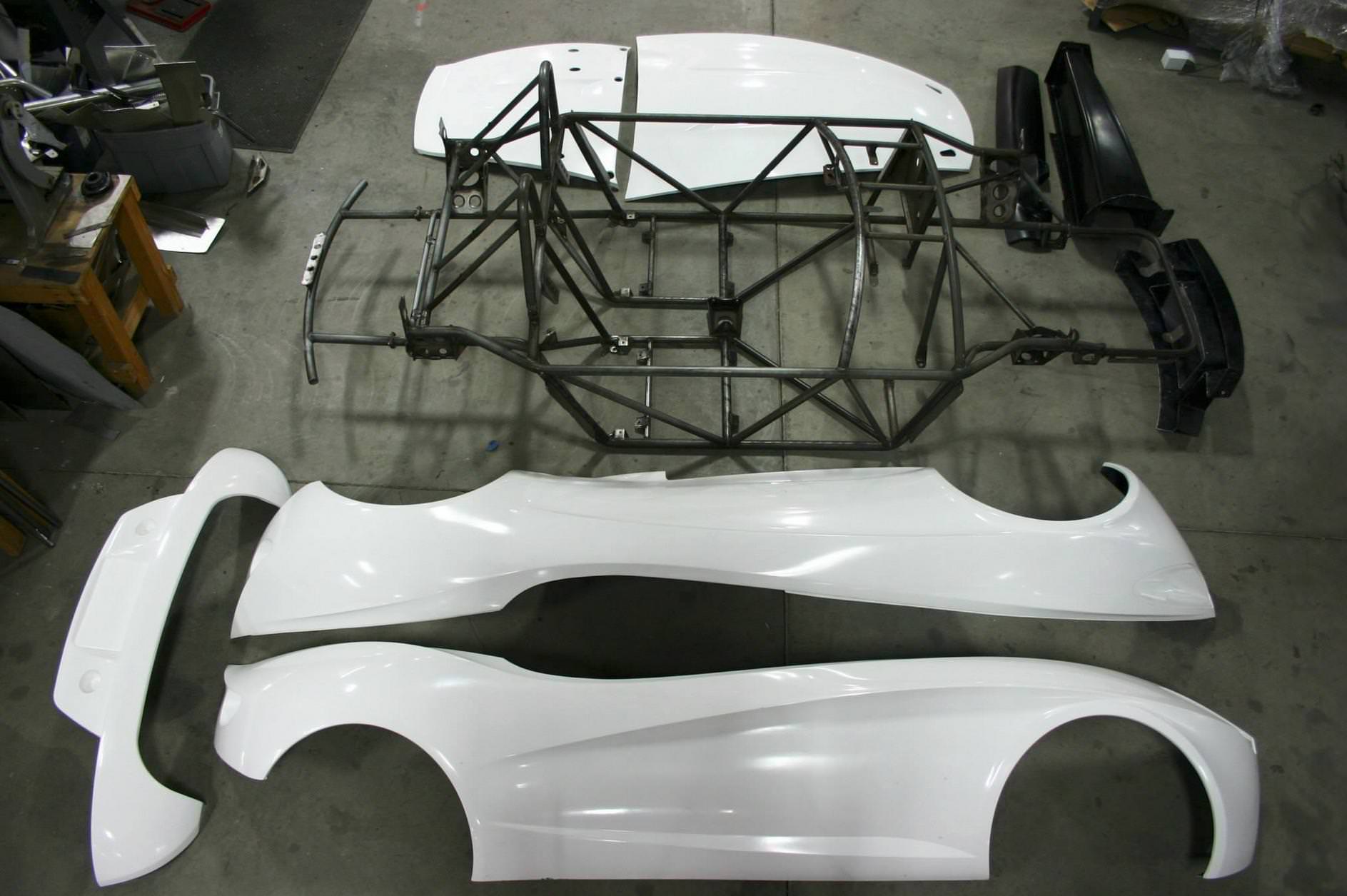
Thoughts?
wicked oak
that is very, very hard. But you can do some tricks
my recomendation, use baked AO
in a texture
and just "toggle it" on-off
depending if its plugged into place or not
glossy agate
Or use that render target re texturing thing epic showed showed to mask and un mask areas where panels are between an mat instance with AO and one without
sly elk
Yeah, i could do it on a texture and then use RBGA channels for each panel
Or seperate texture files but that is wasteful
fleet plume
@mighty carbon where did you get that 800$ number? if that's for the headset alone (no lighthouses, no controllers) ... then they've lost their mind
mighty carbon
on reddit
I am sure it's the whole thing, not just HMD

MobileSyrup
MobileSyrup managing editor Patrick O'Rourke goes hands-on with HTC's latest iteration of the Vive virtual reality headset.
again, it's a rumor.. Could very well be $1000
fleet plume
i mean at this point it's already really weird that they have neither announced a launch date nor a price
mighty carbon
@wicked oak http://svr.thundercomm.com/en/svrproducts
although I couldn't find UE4 plugin for it :/
glossy agate
^What makes that thing special for $1,500? To me it just looks ugly and has no controllers.
violet musk
They said somewhere its not gonna be cheaper than the Vive at launch
(the set)
Somebody know where to find some 3d model of a Gear VR Controller that's not paid? There has to be something official? Haven't found anything yet.
 neon dove
Hello! Does anyone have experience with VRIK ( and perhaps messing with 4.19 preview) ?
sonic lake
A bit on the first one, not yet on the second one. What are you trying to achieve?
neon dove
Im trying to get VRIK to work with a teleportation that mimic's VR Chats, where when you press down the thumbpad, the player's avatar/mesh body moves to the place where they want to teleport to
I have it to the point where I Deactivate VRIK inputs while pressing the thumbpad, but I can't seem to make moving the body to work
Someone told me to use AI and it just doesn't seem to work for my pawn which has an AI controller
So Im wondering if its an issue with 4.19 or if it has to do with VRIK
sonic lake
Did you ask Yuri? He is very responsive
neon dove
I have not asked onto his support page yet, I was thinking that would be more of a last resort
Also he stated that 4.19 should be released in a couple days and some things might be fixed
granite jacinth
Nah
First Resort
Why ask some strangers instead of the plugin developer themselves
Not that he helped me out though 😉
Had to figure out the solution on my own
Which was clearly missing from the docs
sly elk
i haven't been in VR chat much lately. anyone have an oculus go dev kit or know if there has been any info on draw calls, triangle targets, etc...
im guessing since I can't find anything on google about it that those kinds of numbers aren't known
neon dove
Well I posted on his support forum and it has to go through moderation queue XD
I was hoping it wouldn't be too specific to vrik that was my issue
pearl tangle
@mighty carbon the vive pro as a package with the controllers and lighthouses is replacing the business edition version of the vive and it's going to be priced quite similarly if not exactly the same
jaunty shell
soo
1100€ ?
controllers are roughly sold at 100, lighthouses aswell
so price might hover between 700 and 800
pearl tangle
good possibility yeah
they are not targeting consumers with the vive pro
hence it being the business edition replacement
jaunty shell
LH prices must be lower with the 2.0 version though, since there's less parts and all
yeah
pearl tangle
yeah maybe, but you are buying in for support stuff as well if you buy it
jaunty shell
yep true, business has a bunch of perks you don't get with consumer
like that sweat damage warranty 😄
pearl tangle
hah yeah the current 1 is a rip off
but i dont quite get the design of the thing. its got really good headphones in there, which make up a big chunk of the cost as well. not overly necessary for enterprise stuff
jaunty shell
yeah
most of the stuff we show to our clients has no sounds at all (and you need to direct them a bit when they haven't done any VR before)
real needle
Anyone else having their HMD on SteamVR stop showing video randomly? Tracking and everything works fine but the screen is black. On latest NVidia drivers.
Requires restart of PC to fix.
pearl tangle
usually changing the usb port around or pulling the plugs out from the headset itself and plugging them back in may help if something has gotten a bit loose
also changing around hdmi vs displayport side of things can often fix it
oh which reminds me @jaunty shell the vive pro only has displayport and there is only a single plug coming out from the headset
jaunty shell
good riddance
hdmi sucks 😄
that single cable looks pretty nice
proprietary though ? Or thunderbolt based maybe ?
pearl tangle
yeah it cant handle the bandwidth requirements for the new headset anyway so can only work with displayport now at that refreshrate
dont think so. just the same as the current single cable version i think
didnt pull it apart to look though
pearl tangle
yeah was just testing it out. vive came out to show it around. was meant to have 1 now but they have been delayed by a month or so.probably not till april now
jaunty shell
Vive Pro + New nvidia gpu bundles is what I'm hoping for :p
pearl tangle
if its a quaddro bundle you are looking for then maybe
jaunty shell
I'd rather have something like a Titan A + Pro bundle :p
pearl tangle
titan A?
pearl tangle
ah hadn't seen that.
jaunty shell
Volta for workstations, Ampere for gaming, and another name I' can't remember for crypto
well these are just rumours so
ah Turing for crypto
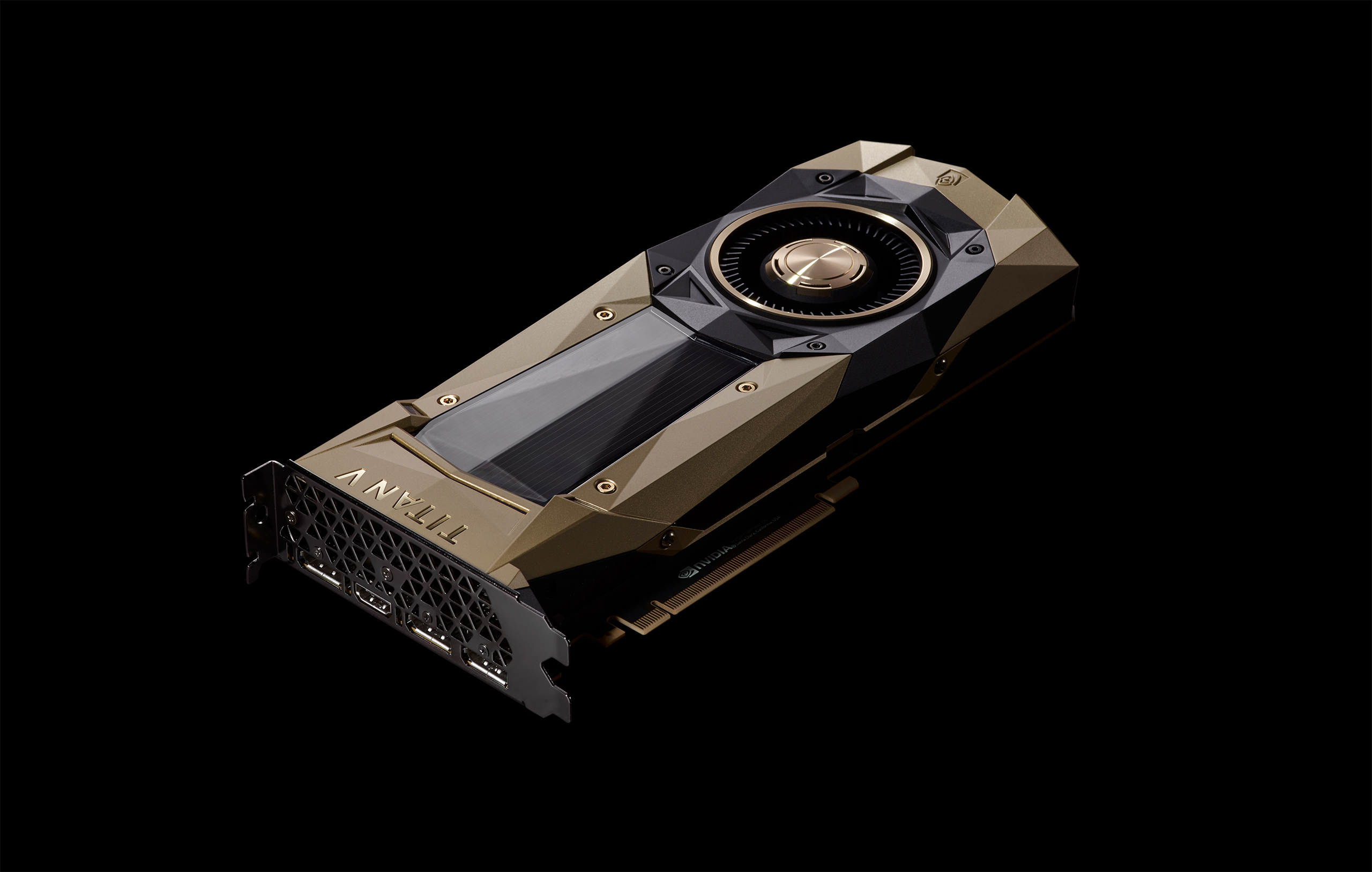
Wccftech
NVIDIA is reportedly readying a brand new lineup of GeForce GTX graphics cards based on its upcoming 12nm Ampere graphics architecture for an official debut at this year’s GTC in late March, a mere month away from today. Ampere has been a frequent subject of leaks and rumors in the past several months. The codename …
real needle
Oh wow a card I can't afford anymore
pearl tangle
GDDR6?
real needle
Are they limiting crypto capabilities on the gaming cards, or just trying to make the mining cards more enticing?
pearl tangle
amd and nvidia were both working on dedicated mining cards
real needle
So is intel I think
Hopefully they help fix the market
Just...after I sell my 1070 on ebay 😂
real needle
Yeah I was sad to see AMD use that
They were so proud of using HBM2...but do gamers care?
jaunty shell
@real needle I think they make a separate category for mining to avoid what is currently happening with GPUs prices inflating and being out of stock
real needle
If mining cards go out of stock, they'll just return to graphics. Hopefully they're mass produced.
pearl tangle
i dont think they really care about that. I think it's just an extra way to market to people
real needle
So is it just a card with no output nor sli?
real needle
That'd kill re-sell value.
 rigid orchid
The "Get Orientation And Position" blueprint node for HMD should return the position of the HMD compared to the sensors right? The way you have calibrated it in the oculus app...
For me when I start my game from the editor while sitting it returns around 0 for the Z position, and then -30 when i was going a bit lower, and 60 when standing. So this seemed correct. Then I tried it starting while standing once and once from a lower position. First it seemed ok, but it wasn't exactly the same value as before. Then I tried it again from a standing position, and suddenly standing was -40 instead of 60 which it was before... So seems like very unstable values.
Bottom line, I can't get the position of the player camera correctly when I don't have stable values to work with and it keeps changing the height of the player depending on starting the game while sitting or standing. How can I get this right? It also doesn't work properly in the VR template project 😦
I tried it in Robo Recall and there it works fine, so it should be possible I guess
real needle
Can you use 2d widgets in VR? They don't seem to align for me
rigid orchid
So the problem was not what I mentioned before, but this. The VR template is using this exact same switch, but it is incorrect, the oculus device name is not called Oculus Rift but OculusHMD. So because this was wrong it didn't set a tracking origin and everything was acting weird... Seems to be fine after changing this to OculusHMD
@real needle They do not align indeed, I have used 3D widgets before to fix this because the project I worked on allowed that, but it is not an ideal solution for everything
real needle
The plan was to display a warning when you put your head into an object...but you can't use 2d because it doesn't work and you can't see 3d because you're in an object.
tired tree
Use a stereo layer, they are just textures composited after all of the rendering
they are specifically for that purpose
real needle
I've never heard of those till now. Thanks
Can the stereo layer be a UMG widget instead of texture somehow
tired tree
manually, yes
you can pull the texture from a umg widget and send it to the stereo layer with live updates enabled
mitch has a tutorial for that somewhere, its a little inefficient as it double renders, but it works
not much use though doing that for head in wall
can't interact with it unless you skip tracing the level geometry
real needle
Was going to test it for a scoreboard or a mic status. Something that needs to be blueprint controlled.
Mic status could use texture. Scoreboard is where my mind was at
mighty carbon
oh, 4.19 will have ARCore 1.0 after all
 quartz bay
I don't get it:
How is an NVIDIA Geforce GTX 1050 below the min spec of a NVIDIA GTX 970?
 quaint loom
Minimum Specs
Graphics Card NVIDIA GTX 1050 Ti / AMD Radeon RX 470 or greater
Alternative Graphics Card NVIDIA GTX 960 4GB / AMD Radeon R9 290 or greater
they moved the field goal likely
as did Vive
@quartz bay
cosmic shoal
@quartz bay the 970 is 84% faster. I'm surprised how many people think the 1050 is better than the 9 series just because it's new. It's utter garbage. http://gpu.userbenchmark.com/Compare/Nvidia-GTX-1050-vs-Nvidia-GTX-970/3650vs2577

well looking in detail the 970 it not 84% faster, it's just 84% better in their score, it is still way faster.
 lime dagger
I will say surprisingly my 7870 was better than the 1060
quartz bay
wow, well that's misleading advertising then... I always thought that the minspec was 970+, so any number greater than 970 was sufficient for VR
real needle
hi guys 😃
im looking for a coder to work on a VR project
more details feel free to contact with me
quartz bay
You should post in the looking-for-talent section.
real needle
Good luck trying to google for "knuckles". Thanks VRChat
pearl tangle
@real needle they aren't going to be mass producing the knuckles unfortunately
real needle
Yet!
pearl tangle
at all
pearl tangle
too expensive and too many fragile parts prone to breaking apparently. so theyt have gone back to the drawing board
real needle
Huh that's more than I knew
Hence why I was googling about it
Makes sense why I never got a pair
They probably never made the batch that I was in line for
pearl tangle
yeah they pulled the plug on it apparently and are looking at how to make it viable for mass production before they get more out there
real needle
I still want a pair to test with my slinger locomotion
pearl tangle
hah yeah i want some too to play robo recall with :p
but yeah from what I have heard they went through the product development investigation phases with HTC and it came out to be unviable for manufacturing. so hopefully they can figure out a way to make it viable because they seem to be pretty damn good
real needle
They are!
I have proof that I tried them: https://www.rollingstone.com/culture/news/meet-your-new-favorite-vr-controller-w445117

Rolling Stone
Valve's new HTC Vive controller uses velcro to bring virtual reality groping one step closer
A bird whispered something about booth 5 at 3pm during Steam Dev Days...
Damn that second headline is terrible
pearl tangle
yeah not entirely sure what the manufacturing issues were but it must have been pretty major. maybe tail end of this year we will start to see some stuff from it. Seems likely htc will be manufacturing them
real needle
Lets keep our fingers... on the grip buttons for now
pearl tangle
hah well i haven't picked up my vive in months. maybe when the new stuff comes out i will get back into vr gaming
mighty carbon
hmm.. Nvidia's online shop is still out of stock
since mining craze won't go away in the next few years, I'd say PC VR market is going to be a shitty place to be on 😦
pearl tangle
you could turn your cards on to mine as well @mighty carbon and get them to pay for themselves?
mighty carbon
lol
nah, I used one of those calculators and I'd get not whole a lot of profit mining all day every day on my 1060
pearl tangle
you don't base it on the current price tag of the currency
mighty carbon
and then I would only be mining, not working on VR stuff
pearl tangle
nah you just setup inactivity scripts in windows so that it mines when you are not doing anything then as soon as you move the mouse it turns off
I setup 10 machines in the office to be doing that for a couple of months. Works fairly well since they just go at it overnight and on the weekend too uninterrupted
mighty carbon
what I meant was that not whole a lot of people can afford VR capable GPUs at the current prices
and that's even if they can find those available
so market growth is going to be super slow
I think Oculus Go/ Santa Cruz / PSVR will grow a way faster
pearl tangle
idno if the gpu price is the bit that stops people getting into desktop VR stuff really. It's a big investment across the board to set it all up, can't really be just 1 component that causes the problem.
Definitely think the standalone VR stuff will be a big boost, but they need to sort out the controller 6DOF stuff for it to really take off
pearl tangle
1070 is the most cost effective miner from an nvidia standpoint
granite jacinth
then again...I don't want my office room to be a million degrees when I come back to work in the morning
pearl tangle
it also kills the lifespan of your cards too, thats why if you buy a 2nd hand card now and it's been mining good chance it will die sooner rather than later
granite jacinth
Damn 2nd floor already goes up 10 degrees when I turn on this PC
Yeah meh
I'm not a cryptogeek
Don't really care for it.
pearl tangle
well be thankful you don't live in singapore where its constant 27-32 degrees celcius with 90% humidity year round 😉
granite jacinth
If it makes a bunch of people some money, good on them for taking that risk
mighty carbon
I'd say GPU prices and shortage is one of the main factors
pearl tangle
yeah i made $40k in 2 months from crypto end of last year. I have another business partner who invested $200k in Ether at $19, then he sold it at $1400. Made $10mill. Another friend who made over half a mill
none of them have ever bothered to mine though. 99% of the time it's better to take that money you would invest in the hardware and just buy the currency instead. but if you have a tonne of hardware lying around doing nothing then thats handy
pearl tangle
like $450 USD over here on ebay
sturdy coral
@pearl tangle did you say HTC was selling vive pro early at cost to devs or something like that?
pearl tangle
dunno if they are doing that to everybody. but yeah I was told I can buy some at cost, but it's all been delayed
sturdy coral
@pearl tangle how did you think the weight was compared with vive 1 and rift?
pearl tangle
its heavier from pure numbers
but it's much better distributed. the new strap on there works much better. Although the size adjustment bit is still stupid and not well designed, slips through your fingers too easily like the das version does
sturdy coral
it looked like it has friction joints for the tilt like oculus
pearl tangle
it also blocks out light a lot more since it fits around the face better, but it means you can't flip it up easily, so for dev testing may be a bit annoying
sturdy coral
that was my big disappointment in DAS, it still flops around and relies on the top strap to hold tilt steady
yeah for dev testing windows MR has been ideal with the flip up stuff
just not great for actual game playing because of the controller tracking limitations
pearl tangle
yeah the vive pro seems like the best headset for gamers really. brilliant headphones, comfortable fit for long term usage, vive trackers, the cameras can also do basic hand tracking although they haven't shown that publicly yet
sturdy coral
something about OLED must just be heavier in general, cause the samsung odyssey is pretty heavy too
I think it is maybe bonded to thicker glass as part of the production than LCD has to be
pearl tangle
im waiting for my 5 i ordered to get here. had to send them to the chicago office and the guys have been slow to forward them over
granite jacinth
Oh, I got my Odyssey today (and a working Acer)
Finally tried out WMR in Editor, was pretty nice
Odyssey obviously didn't work though
Which I was sad
4.19.1 needs to hurry up
pearl tangle
@granite jacinth whats the issue with the odyssey vs the acer 1? some bug in 4.19?
granite jacinth
@pearl tangle 4.18
Something with the display overlapping
@sturdy coral actually wrote up a PR somewhere
I am like 99% sure they fixed it in 4.19 already
I just haven't been on 4.19 yet to test
I guess I could pull it down tomorrow though
pearl tangle
ah gotcha. i have been on 4.19 for AR stuff but haven't tried any vr
granite jacinth
Ah. Yeah, would be cool to do some AR stuff
pearl tangle
yeah the newer stuff available in arcore and arkit isn't in there yet though so no vertical detection or object tracking
thats coming in quite soon but unreal needs to keep up
glossy agate
The newer stuff will let you detect vertical and horizontal at the same time? That’s really cool
 dusky moon
Last week's Livestream was an intro to arcore right ?! can't find the video yet ... I'm getting curious to try it
pearl tangle
its on their twitch 1 but didn't get put up to youtube yet @dusky moon
it's pretty basic, mostly stuff you should be able to figure out on your own with the 4.19 version pretty quickly
 pearl tangle
i see your IK rig is going very well there...
sonic lake
😂 😂 😂
 ivory haven
Anyone had problems getting VR template to work recently? In 4.19 created brand new project based on VR template but it doesn't work correctly. HMD position is at arbitrary position, detached from pawn and Motion Controllers do not respond to movement. Buttons do work though.
Other VR projects on 4.19 as well as other games and VR Mode works fine so it has to be something related to VR template.
rigid orchid
Hi @ivory haven It might be related to a problem I had with the VR template. Check the part where it sets the tracking origin to floor/eye level in the template. For me it was using a switch between Oculus Rift/Steam VR and PS VR. But the name of Oculus Rift was not correct. When I printed the HMD name it was OculusHMD instead of Oculus Rift.
So basically check if tracking origin is being set correctly on begin play and is actually executed, maybe that helps 😃
ivory haven
Thanks for the tip @rigid orchid . The HMD position fixed itself after restarting the editor but still can't get my motion controllers to work. This is really strange. In tick I printed out world location of MotionController and it doesn't change
rigid orchid
That is weird indeed if they work fine in other projects and games
They are working fine for me in I believe 4.17.2 in the VR template, but I have not tried 4.19
Did you try to recalibrate just to be sure?
ivory haven
Not yet. Checking if it's going to work on 4.17
 trail shale
Can anyone offer me a workaround for a spectator screen interface? I know it involves using a Render Target pointed at a 3D widget with some interaction component but it would be really helpful to find more specifics rather than me trying to reinvent the wheel
 candid viper
@ivory haven IIRC the VR template doesn't set the motion source. That is a change C++ side in 4.19. Rather than using the EControllerHand enum, you now have to set MotionSource. For the left motion controller you want "Left" and the right "Right".
ivory haven
you're right!
that did the trick
well, vrtemplate alread set the motion source as expected but it seems that it changed how ENUMS are converted to NAMES.
Right now it's something like ENUMCLASS::VALUE
but in vrtemplate it expected to be just VALUE
dusky moon
Guys, I just installed 4.19 Preview 5 and tried building the HandheldAR template for my S8. but when I run the app in my phone it shows the splashscreen and then crashes. Am I doing something wrong here ?
pearl tangle
@dusky moon have you installed the correct arcore APK on your phone?
dusky moon
well I used the Install......Bat file which installs the correct one I guess
pearl tangle
thats your app
you also need to install arcore to your device, pretty sure its still the older version in 4.19
jaunty shell
get an older apk ?
pearl tangle
yeah you need to install the older 1 from their github
has all of that in their documentation
dusky moon
oh wow thanks I will but it sounded very depressing lol
pearl tangle
you will need to use the google branch of unreal if you want 1.0
dusky moon
hope they actually support 1.0 in 4.19 stable
jaunty shell
they will
dusky moon
cool
pearl tangle
don't think so actually
jaunty shell
uh ?
dusky moon
my god
jaunty shell
420 then ?
pearl tangle
yeah most likely
it doesn't support the 1.5 arkit on 4.19 either im pretty sure so no vertical or image tracking in there yet
dusky moon
it's terrible meaning that you basically demand your consumers to download the older ARCore Apk ?!
pearl tangle
and that stuff will be in ARcore in the next 2 weeks as well which will be after 4.19 is released
no.
you just download the google branch of unreal
dusky moon
oh got it 😄
pearl tangle
the 1.0 release of ARcore supports a bunch more devices and has a few other features in there, but it came out after 4.19 went into bug fix mode. same as iOS 11 with the updated arkit
but ARcore 1.5 and ARkit 1.5 will have feature parity so they will be in unreal 4.20 most likely
dusky moon
@pearl tangle Can u confirm if this is the right apk? :
https://www.apkmirror.com/apk/google-inc/arcore/arcore-0-91-171127093-release/arcore-0-91-171127093-android-apk-download/
 pearl tangle
just download it from their github would be the safer bet
dusky moon
ah fine
pearl tangle
yep definitely dev preview 2 on 4.19 it would appear
dusky moon
ok I just installed preview 2 from github. and still get the crash :/
restarted the phone
pearl tangle
might have to uninstall arcore 1 as well potentially, not sure if they like each other being on there. Have you tried through the launch button rather than doing a package?
dusky moon
arcore 1 is already uninstalled but have to try the launch
crashed with the launch as well... I guess I'm going to re-create the AR Template and start fresh
android dev is a headache
 novel roost
hii everyone do u have any idea why my VR project lag a lot on android (tested on s8 , s7 ,s6 ) but it works smoothly on IOS (iphone 6s , 7 ) ??
pearl tangle
yeah usually something going on there. Need to make sure you have the 24 version ndk installed and have that listed as the minimum version you support
novel roost
thx for the replay @pearl tangle yes yes i have set minimum version support to 23 also all sdk are installed from 19 to 27 :/
pearl tangle
@novel roost I was saying that to alless sorry
in general google cardboard probably will need a lot more optimization on there. If you are running it on gearvr it will probably perform ok
novel roost
i will try to look into it more and see if i can optimize more thxxxx
 tropic zodiac
🤔 is it possible to just display one eye on the screen for cardboard devices ?
With cardboard I can use a better rotation tracking, but I dont really need to stereo view, so I want to switch to a normal 2D View
Also: 'vr.bEnableStereo' does change the view to 2D again but also disables the head tracking :c
dusky moon
Ok I'm giving up on ARCore now... checked everything (NDK-24 ... started fresh project, etc) but still getting the crash. guess I'm waiting for Final 4.19 to try it again.
 alpine ore
@dusky moon I have an s8, just used the preview 2 apk from here: https://github.com/google-ar/arcore-android-sdk/releases and the 4.19 preview 5 and got it working fine with the template

Under project settings just enabled android, accepted the sdk, made sure min sdk was 24, gave the project a package name and set orientation to portrait
Target platform was mobile/tablet and scalable 3d/2d
 stable shadow
Hello guys, I'm going to buy leap motion for my VIVE, I want to know can i use the existing USB port on HMD for that or that port doesn't have enough bandwidth ?
tropic zodiac
@stable shadow we also use a leap motion x vive combination in the lab, afaik you cant use the usb port on the hmd itself. We use a usb extender to extend the long usb cable
setup guide: https://developer.leapmotion.com/vr-setup/vive
Leap Motion Developer
The VR Developer Kit is available only from the Leap Motion web store. This setup guide will get you started in minutes. _
stable shadow
Ok thanks
tropic zodiac
🤔 so I found out that the cardboard app has one screen that is exactly what I want to reach: https://i.imgur.com/Myd1q2n.jpg
It shows a 2D View of a camera controlled by the rotation of the device.
How could I achieve something like that ?
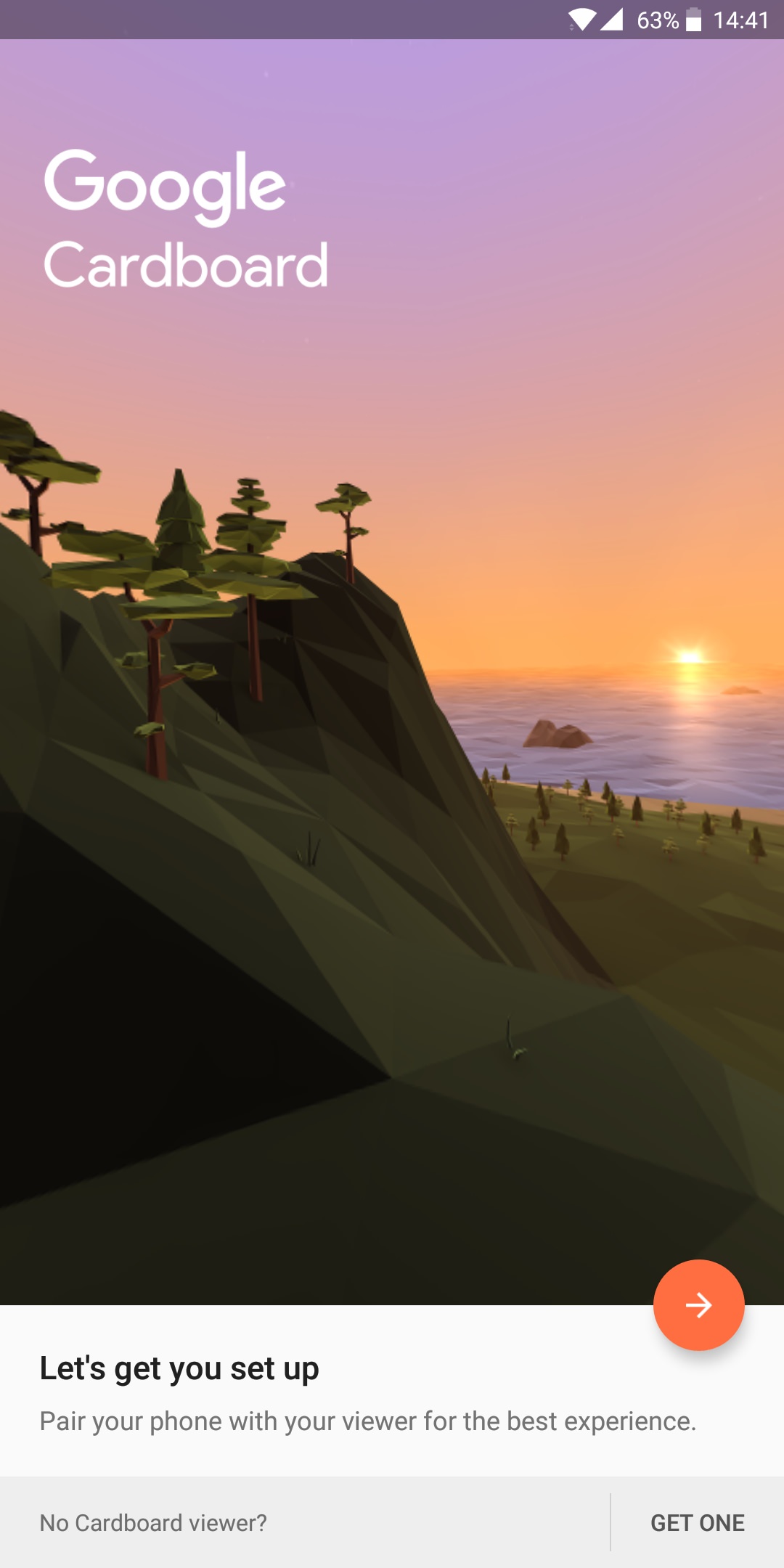
I already can control the camera with device rotation, using googlevr in UE4. But then the camera will be in stereo mode, and I don't need the stereo view.
when disabling stereo view, it will also stop the rotation tracking 🤔
jaunty shell
override it ? ¯_(ツ)_/¯
like use a different camera with the gyro as rotation
and switch to the googlevr camera when you need to go in the cardboard
tropic zodiac
yeah if I use the gyro as rotation (from motion state) I can't get the right/left turn smoothly. It will always have a little shaking to it.
jaunty shell
argh
tropic zodiac
I tried interpolating it, that makes it smooth but makes it lags behind
fun fact: in googlevr the left/right turn is smooth 👌
so I wanted to switch to that and just change the mirror mode to single view
 balmy surge
ive got a full bosy rigge character is there anyway to make it my vr full body charactrer
granite jacinth
Yes
Purchase the IK VR Body plug-in
Or do some custom stuff yourself
@balmy surge
tropic zodiac
@balmy surge if you go with doing the IK yourself, here is a good video series explaining a workflow: https://www.youtube.com/watch?v=iadJsmIBbLo

In this video i make some preparations in UE4 and 3dsMax. You can do this in Blender or Maya if you're more familiar with those.
novel roost
@tropic zodiac i didn't try it but in https://wiki.unrealengine.com/VR_Console_Commands there is a command called "vr.SpectatorScreenMode" does it help ?
tropic zodiac
@sudden moat yeah tried that, sadly didnt work :c
it does work on my htc vive
I was able to disable the distortion and black borders
novel roost
yepp i just try it on an s7 didn't work too :/
tropic zodiac
Yeah I think it's just for the preview windows for HMD (steam vr display mirror)
novel roost
i found this https://forums.oculusvr.com/developer/discussion/38289/is-it-possible-to-change-the-monitor-mirroring-mode-to-single-eye i don't know if does work only on oculus or all vr platform

Oculus
Join the Official Oculus Discussion Forums and talk about Oculus Rift, Oculus Touch, Samsung Gear VR, and virtual reality.
tropic zodiac
🤔 yeah those are the same commands as in the vr console command wiki post

Google Developers
will try to trigger that directly
thanks for your help btw 🙏
novel roost
ohhh sorry wrong link my bad
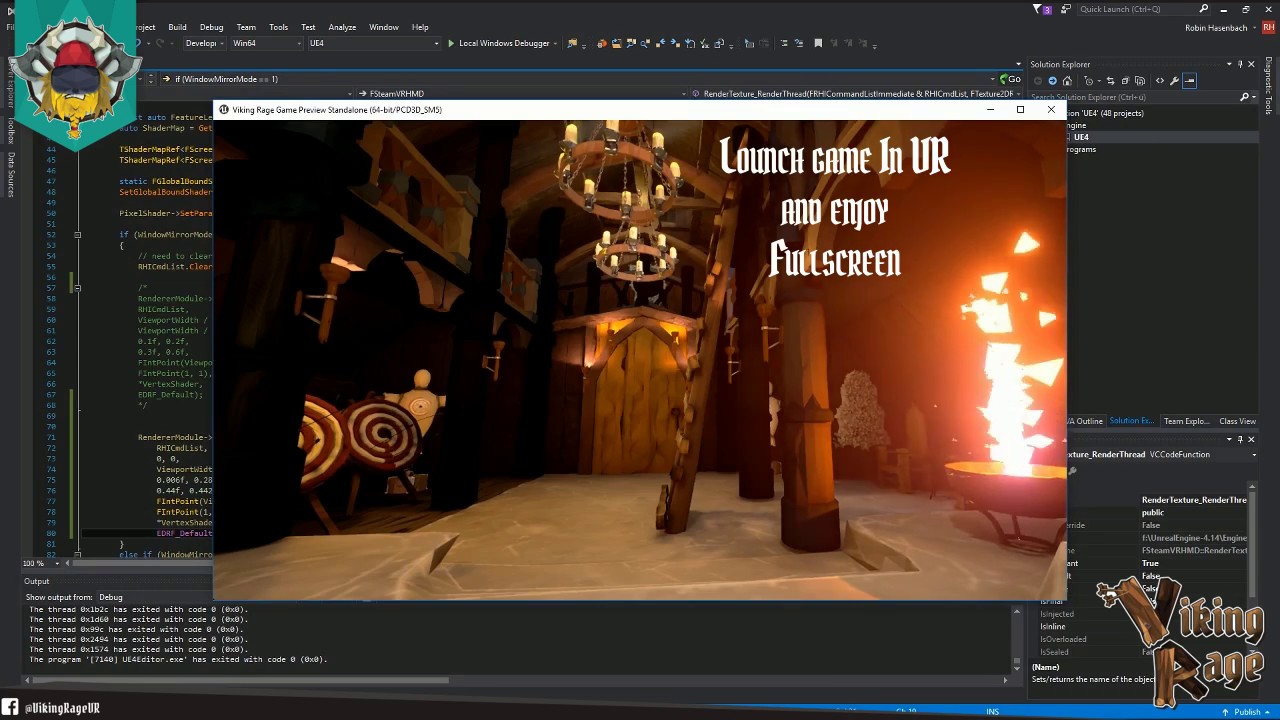
Edit: This is supposed to work with Unreal Engine 4.15 or lower. For Unreal Engine 4.16+ this is not necessary anymore due to VR Spectator Screen! For more i...
oh yes yes u can i did that too for my project i was having a problem with google vr UI layer and disable it by modifying the plugin source code (cpp)
tropic zodiac
oh yeah, will save that as final resolution
🤔 vr.bEnableStereo 0 works for the view, but also disables the hmd tracking
sly elk
Hey all- I posted in the jobs board but I'm looking to hire a contract programmer for primarily blueprint work.
glossy agate
Saw you latest vid man. Looking really good
sly elk
thanks
I'm about to hire a core engineer but we are going to need second person to hit some deadlines
glossy agate
When you trying to get to alpha?
sly elk
Thats a complicated question...
Sorry, can't elaborate on that in public until I have a contract signed next week
fleet plume
out of curiosity: what are you working on?
sly elk
So I need a VR min spec machine and I need a computer I can take on vacation. Does anyone make a mid tower or smaller VR ready machine? Like I5 + 1060 or something?
wicked oak
@sly elk get a 1060 VR laptop
will do both things
act as minspec, and work for demoing around
sly elk
i kind of want to be able to swap in my 1080ti for demo use with high settings
but yeah, that is probably the smart move
a 1060 laptop is probably the true lowest spec user I have to worry about
fleet plume
what about using an eGPU?
wicked oak
my new dungeoning game is starting to get shape
now that i have full control, you can throw weapons robo recall style, and block/parry/etc well
the core combat is now quite fun to play, its really going forward
novel roost
heyy does any once know why when i use Forward Shading Renderer in VR and build the project on android the scene is totally dark ?
wicked oak
forward render on-off should have no effect on android
android does a different thing
mobile has its own render code
novel roost
ohhh niceee thnx a lot @wicked oak is there is any alternative for it cuz im having a bit of problem my vr project run smoothly on ios but on android it lag :/
granite jacinth

When you are testing something out that you've done 100 times easily over and over again with no change...then on the 101th...there is a change...
(super rare bug (0.00001%)
glossy agate
working on the loadout system. All client side so everyone will only see their own loadout. https://youtu.be/Dg2Hn_ppyDk

 spring mirage
Does anyone @here know how to fix SteamVR supersampling in 4.18?
I've got two reports of oculus users getting cross eyed vision which I think i've fixed with this change: https://github.com/EpicGames/UnrealEngine/pull/4354/files
but also i've got people complaining that steamVR supersampling is totally broken. in my tests it literally does nothing
i know this is what I get for using the newest version in production but I had very little choice as UMG was borked in 4.17
 vocal mist
Hey guys, Just released a huge update for our awesome VR game! REFICUL - Rogue-Like Open World VR Survival Horror has just had a huge update! Be sure to check it out on steam! http://store.steampowered.com/app/698110/Reficul/

Designed Exclusively for VR, Reficul is a rogue-like open world survival horror game. With realistic weapon handling, magical relics and a horde of dark spirits. Expect a challenging action-packed, atmospheric apocalyptic survival horror game. ...
Price
$19.99
spring mirage
@sturdy coral I've already applied this pr https://github.com/EpicGames/UnrealEngine/pull/4354/files which supposedly fixes oculus/wmr compatibility, but it still doesn't allow me to use the steamVR supersampling slider. Does that one?
 rocky nimbus
Any PSVR devs here aside from Blanco and I?
sturdy coral
@spring mirage yes
spring mirage
1 million thanks @sturdy coral
 shell orchid
hello guys, I'm currently starting in VR - implemented in BP. At the moment, I'm trying to make a drive-able car (like rotate the steering wheel and using the gear shift-thingy [sorry I haven't known how to drive yet so I dont really know how to call it) and I plan to use Motion Controller to play this. Now tbh, I haven't had any clue how to implement it yet, like do i need a whole 3D car model or just need the inside, and do I need the steering wheel is a standable mesh and add to the car's mesh ? Then to the driving part, to turn left,right the car, I need to get the steering wheel rotation then do what? I know reading this you might think:" You lil lazy ass don't even try to think for a second ?" But really I don't have any clue, I just need some main key, then I'll do the research then implement it myself. Thank you for reading and helping !!!
 fair hearth
I would take a look at epics vehicle templates
sonic lake
@shell orchid Have a look at Mordentral's VR Expansion Plugin. In his examples he has a ready made fully driveable car you can learn from.
novel roost
Unreal engine crush when I hit play after disabling SimpleHMD , I did remove all use of it but still crushing ?!
pearl tangle
@novel roost crushing?
novel roost
@pearl tangle Hihi yepp :p when I activated again it works and the scene is played
I'm working on the mac version 4.17.2
pearl tangle
I assuming you mean crashing, or do you mean something else? Since it's the SimpleHMD are you doing this on mobile or desktop? Pretty sure that simple hmd 1 is only for mobile
novel roost
Let me explain a bit more :p it's a long story haha I'm trying to create a vr/non vr game on iOS and Android I have used Google Vr for the job and everything work great on Android but once I have build from iOS and in the non vr mode I get that Google Vr ui layer showing off ! So I decided to make 2 version for ios separately but once I disable the Google Vr and the simpleHMD , i load my main menu and once I click to load the map the game engine crush I have test it also for Android and iOS same thing the menu show but once I click on load scene crush again
pearl tangle
crush = crash right? As in the software stops working? I don't know if you are trying to say crushing = something different like the image gets distorted
novel roost
Yep like in software crush or application that crush it stop working and show the crush send report yepp
It's wired too cuz I have search about it and found nothing that indicates what did happen
 main ether
@pearl tangle yes of course he means crashing.
the same way wired probably means weird
pearl tangle
@novel roost run the android debugger while you have it connected and you will be able to trace whats going on with the CRASH
novel roost
@pearl tangle oki dokii i will , sorry I can't speak English very well
pearl tangle
no worries. Just wasn't sure if you meant something different
novel roost
thxx a lot i will post the result once i run the test
dusky moon
Ok so Today I hooked up VR Stereo Layer into my VR Pawn ... works nicely... but idk why it shows me a black rectangle right on top of every stereo layer I have ... ?! bug ?
sonic lake
@dusky moon Could it be related to this one? https://issues.unrealengine.com/issue/UE-52353#
dusky moon
@sonic lake not really, I found that the Black Offseted overlays will show up only on "Support Depth" enabled.
It's weird bc it shows stereo layers correctly using Tracker Locked but also shows a black rectangle on top of each layer
sonic lake
There are a number of issues open regarding Stereo Layers, so I guess they are not yet 100% mature
wicked oak
the issue with stereo layers is that they are different on all platforms
to fix that, epic now provides a "default" implementation of stereo layers
basically it will render the layers on top of everything after the full render is done
and if the layer is supported by the driver, it will use that driver
psvr has no layers whatsoever...
Rift has good support, but not all of the types
GearVR has all the types, but it can only handle like 4 max or something
and Vive is a disaster all around, has layers but they are broken by default from steam sdk
sonic lake
@wicked oak That beats my definition of "not yet 100% mature"
wicked oak
epic games tries, its just a shitshow generally
sonic lake
I guess I have the advantage to be developing for 1 target platform only (Oculus Rift)
Cross-platform stuff definitely takes more time to work properly, also because the SDK's of the platforms themselves are changing continuously
wicked oak
no you dont. You need to support Vive (unless you are doing an exclusive)
the vr market is already small enough for one dev to just forget about half the users for no reason
wicked oak
if it isnt a game, i guess it makes sense
for a game, just being exclusive "just becouse" is an absolutely huge mistake
sonic lake
They are not games, they are experiences for a very special group of users
wicked oak
can you show what is it? or is it secret
sonic lake
we do VR for elderly people and people with special needs
wicked oak
thats very cool
wicked oak
ive found that elderly or disabled people really like vr games, specially if they can do things they normally cant
fun enough, some elderly and wheelchair people really liked DWVR
sonic lake
they absolutely love them exactly for that reason!
wicked oak
becouse it was very fun for them to zap around the map and just shotgun a skeleton
sonic lake
We don't do shooting stuff, but I imagine it can be fun as well
wicked oak
what kind of experiences do you create for them?
sonic lake
They all combine mental stimulation with some sort of physical activation
We have a hot air balloon ride, a walk in a winter forest, a kind of word game and more
Currently experimenting with some new devices and interaction models
We have to be careful with the experience dynamics and interaction models. Keep everything simple and avoid them getting confused or, worst, getting VR sickness.
mighty carbon
hmm.. UE 4.19 might be one of the most stable releases when it comes out.. I don't recall seeing 6 previews in the past.
spring mirage
@mighty carbon i'm really hoping so. I miss 4.16 so bad at this point, there's been insane regressions in 4.17 and 4.18
mighty carbon
hmm.. like what?
spring mirage
i had to complain loudly on answerhub to even get epic to fix VR preview in 4.18
initially it would just crash the editor after 5 min
scrollbars in umg were broken in 4.17
destructible meshes can't be referenced by characters in a packaged build in 4.18, i have to load them at runtime using a string
there's been more but i can't recall off the top of my head
mighty carbon
I see
spring mirage
oh, in 4.18 oculus/windowsMR is totally broken due to screenpercentage changes, and external supersampling does nothing
mighty carbon
I didn't have any issues with VR preview in 4.18
spring mirage
it was fixed in 4.18.2
mighty carbon
ah, well, then the issue doesn't count 😉
spring mirage
but initially they said it wouldn't be fixed until 4.19
craziness
oculus/WMR is still broken and the pull requests aren't being merged because "it's in 4.19 already"
idk
point is... i miss stability 😛
high hopes for 4.19 though
spring mirage
@sturdy coral i just added your PR and it actually does not seem to fix the SteamVR supersampling slider. It's possible that I did it wrong but are you sure you didn't miss something? Also what VR plugins do you have enabled? Somebody told me today that enabling the oculus plugin fixes the screenpercentage issue, so I'm thinking that may be a factor in this one too
sturdy coral
@spring mirage not sure, I sltested it with changing screen percentage in game which was broken too, not changing the slider externally, so maybe that fails for some reason
spring mirage
ohhh i see
the plot thickens.
I've already added an screenpercentage option to my game, but it's pretty odd that the usual method is broken. Was working in 4.17... wonder if it works in 4.19
spring mirage
@sturdy coral just tested 4.19 preview 6... SteamVR supersampling is still broken
still works in other steam games i tried (compound) so it's probably not SteamVR being broken
on the upside, you PR seems to be way more stable than the other one as it doesn't break everything if screenpercentage has been modified when the game starts. so thanks
submitted a bug report, we'll see what happens i guess ¯_(ツ)_/¯
 charred portal
https://1drv.ms/u/s!ArlMtU4-teLahVfyu0dNntZ59HR8 so I finally got dynamic day/night cycles with cube mapping for skylight and worked around a bug in 4.18.3 for AO so shadows didn’t look horrible with a movable light source and skylight. Wish me luck that it doesn’t perform like a turd in VR now. Ran fine before switching from forward rendering to deferred for AO

PNG Image
https://1drv.ms/u/s!ArlMtU4-teLahU-bDRLRGQSMubyL before AO .... what a difference

PNG Image
 tired kettle
I fucked up my motion controller template. I deleted the box brushes, drag my own room into and now I can't teleport anywhere. Actually, I managed to rebuild the navmesh part (navmshboundsvolume), it intersects with the floor and I get a green area where it should be walkable, but again, the teleporter arc doesnt fire, it' s stuck after 20cm in mid-air (can't find valid teleportation spot I guess). Should the teleportation script work on any navmesh or do you have to setup it in a certain way?
jaunty shell
hey lads ! Say, how would you get better performance with deferred without too much quality sacrifices ?
the lack of SSAO in forward makes our projects look like crap 😄
pearl tangle
@jaunty shell you should pull up robo recall and have a look through there. It gives some pretty good examples. They also have a couple of good youtube videos about the process they went through
jaunty shell
yeah I've check the stuff they did on robo recall
its really good for a gaming workflow
but for our CAD workflow it'll require too much work to setup each project 😦
wicked oak
@LifeForLife🤔#1313 you can bake AO with lightmaps, and you can bake AO in the textures for the objects
SSAO in Vr is very problematic
jaunty shell
 wicked oak
it is super expensive and can ghost really hard when moving the head
jaunty shell
I'm not sure we'll be able to bake anything 😄
wicked oak
also it can cause depth discontinuity
jaunty shell
as in ?
tired kettle
I deactivate baking alltogether and lights with dynamic spots and points, some with shadow, some without, I kinda try to fake gi by adding them to the right spots (from top, from bottom etc)
lights = light
UE lighting is far smoother than on unity
sonic lake
@tired kettle Check your collisions. If the arc stops mid air it has hit something.
tired kettle
at first I had only a sphere at the hand, figured out, that happenes if you hit your own hand, but that mid air thing is just attached to your hand it doesnt chang with the angle you hold your hand or anything, the arc looks static. Anyway, setup a new template.... migrating everything meh...
on a new vr template project (with starter content), I deactivate static lighting (UE wants to restart afterwards) how comes it needs to compile +3300 shaders? where do they come from?
sonic lake
That may very well be the starter content
tired kettle
I think you're right
charred portal
When designing a dynamic day/night cycle zombie game it’s almost impossible to bake anything @wicked oak. If I get too many performance issues I guess I can go back to forward rendering without AO but this is the best it’s gonna get with a movable skylight and no AO https://1drv.ms/u/s!ArlMtU4-teLahV5zslUlu4iX9j6C

PNG Image
Even when lit with StationaryLight you end up with this nasty film https://1drv.ms/u/s!ArlMtU4-teLahVPB2GSDz86FUJmB as marked with the red arrow.

JPG Image
If you want a day/night cycle it looks like your VR project will suffer in the looks department. I guess I could remove all direct lights and bake in the skylight AO for the insides of houses but even this will look horrible as the intensity changes from mid day to night time and filtering through assets for baking will double the time of the project
charred portal
@fathom slateael#2081 create a new VR tutorial project beside the one your working in. Copy only the working uasset files over to the new one
@tired kettle
You can also right click and migrate assets but if the are broken then don’t do this
They•
mighty carbon
@charred portal use lighting scenarios with baked lighting
tired kettle
I am learning a lot the hard way right now... went step by step, imported vr basic hands, went by tutorial, now my hands are gone, arghhh.... I am dying
charred portal
U can also simply copy the working blueprints
charred portal
@mighty carbon I’m not trying to bake as my project has a dynamic sun with dynamic sky cube materials
I’m saying if I did bake it then it would look off
I’m going to have to put StationaryLights in the houses and bake it for that regardless of what the outside light is doing
This is still going to look bad
mighty carbon
I understand.. But in VR you have to sacrifice and compromise :/
 fathom slate
hey uno u mentioned me 😃
charred portal
I typoed sorry but hi 👋
tired kettle
anybody tried runebergVR instead of the vr template? can you exchange hands easily?
dusky moon
Something I got to point about AO, Of course it does make things look good but keep in mind that in most cases AO is too intense by default. just suggesting ... keep it low and don't get greedy about it. this mentality helps letting go of problematic SSAO 😄
 tacit quest
hey guys, after getting some performance problems in vr, i enabled forward rendering, and now it renders the default brick texture into the right eye, and the left eye renders the scene normally
any ideas?
tired tree
Let your shaders finish compiling
gotta reset the editor and wait for the shaders to compile after that
otherwise you get that
tacit quest
shaders compiled but i didn't restart afterward, trying it now
still doing it
any other ideas?
jaunty shell
that's a weird behaviour
do you have any post process activated ?
or are you using a special UE4 branch @tacit quest
charred portal
@rustic jackalllesss#9041 I agree that in its current state we simply don’t have a VR friendly solution for dynamic ambient light. Basically we are forced to bake everything we can and restrict our gameplay ideas to what was possible before dynamic worlds. I’m sure if I had a team of artist that could spend the time baking all of the AO into Lightmass and get creative from an artist standpoint. Currently a single dynamic light source with day night cycles can happen in VR but the ambient lighting has to be faked until DFAO is added to forward rendering
@dusky moon
It’s either that or require a titan z for the game 😂
tacit quest
@jaunty shell no post process, no branch, just default editor from launcher, i just switched back to deferred
jaunty shell
titans zs are obsolete @charred portal, today the young lads all have Titan Vs ! 😄
tacit quest
trying to optimize where i can, spline meshes are a huge hit for perf for some reason, so i baked those doesn to static meshes, didn't realize i could do that
jaunty shell
yeah be ready to merge a lot of your meshes together too 😄
charred portal
Group? Or merge?
tacit quest
i think translucency is our next big perf problem, but i'm not sure how to make good fire without transparency. i tried switching up the default fire to GPU particles and used masked/dithering for the material but it looked like garbage
jaunty shell
Both increase drawcalls unless you use instancing @charred portal
And yeah translucent stuff is the bane of vr
We got a good glass material for archviz but the instruction count is something like 370
tacit quest
instanced static meshes is somehting i couldn't get working either, renders fine in one eye, and does some translucent garbage in the other eye
^ on a mesh with no translucency
charred portal
Instanced static mesh’s don’t reduce draw calls
If they have a material instance they still use a draw call
But instanced materials will not require an additional call
So 2 meshes with 2 mats = 4 calls
2 meshes with 2 mat instances of a single material = 3 calls (2 for meshes and 1 for parent material)
jaunty shell
Yeah there's that
rocky nimbus
Quick q
I'm playing an idle animation on my hand but this may be preventing me from moving the position of the mesh
Whenever I launch, it starts at 0, 0, 0 even though I've moved it in the pawn
I'm assuming it's because the animation is at 0, 0, 0 in relative space
Is there any way to play the animation but in the position I set the hand in within the pawn?
Example: I move the hand mesh and rotate it, launch the game and it starts at 0, 0, 0 both pos and rot
spring mirage
@tacit quest are you on oculus?
tacit quest
yes
spring mirage
@tacit quest had a hunch. are you also using the SteamVR plugin and not using the Oculus plugin?
tacit quest
no steamvr
spring mirage
hm
in any case there's an open issue where screenpercentage gets set wrong on oculus. supposedly it only affects steamVR but what you're describing sounds similar. basically the output to both eyes is too large
4.18?
tacit quest
ya
spring mirage
can you get a mirror of the actual oculus output?
idk how to do it without steamvr
like so
in any case it might make the issue a bit more obvious
Also wanted to mention @tacit quest that I had WAY better performance on a modular VR map using instanced static meshes instead of merged. Basically I just made a BP that adds meshes dynamically on construct, then I've got exposed int's for the size. So I can just place a wall BP and set it to be 3 high and 5 long and it changes instantly and the whole thing is instanced so only 1 draw call per mesh type
anecdotal evidence, but it did work better for me
charred portal
Yes instances of meshes allow the gpu to memory cache better than non instanced meshes
tacit quest
thanks for the info. would have liked to test instanced static meshes, but sadly didn't work in vr, sounds like there's a bug there according to some forum posts
charred portal
The modular houses pack I’m using does bp instances of meshes
Really good vr performance
tacit quest
i am trying merging meshes/materials now, getting good draw call savings
unfortunately our artist is the only one with our target hardware, i've basically stripped him of a day of work just so i can test
charred portal
I think my entire map uses 11 parent mats
Everything else is instanced
Weapons and characters share mat parent
Houses use 11
Actually 9 cause 2 are foliage
novel roost
hell everyone i have quick question can VR Forward Rendering be used on mobile devices ?
ref : https://docs.unrealengine.com/latest/INT/Platforms/VR/VRPerformance/index.html
Information on different performance optmizations for VR.
pearl tangle
@novel roost if you are using gearVR it has been on forward renderer the entire time
novel roost
@pearl tangle thx for the replay , no im using cardboard "google vr plugin" for samsung s8 and oneplus 5
pearl tangle
ah then im not sure
novel roost
@pearl tangle im gonna test it and see if it works :p
 raven halo

@OculusSupport Hey - colleague and I both just started getting the "Cannot reach Oculus runtime" error. Service is defo running on our machines. Is there an update actually going through?
 Twitter
this is happening to us as well
anyone else having problems?
mighty carbon
well, good news - Go is finally approved by FCC
tired tree
@raven halo reddit is up in arms, they signed their dll with a 2018 expiration date and it expired
raven halo
yup
already figured out that you can work around the problem by changing the date
I guess USA will be waking up shortly
 full ibex
Anybody else had trouble running the arcore-unreal sample project?
I can't get it to rebuild the .dll on load
This is on 4.18
jaunty shell

Magic Leap, the augmented reality headset manufacturer, has added another couple hundred million dollars to its Series D investment round, this time $461 million led by The Public Investment Fund, Saudi Arabia’s sovereign investment arm, Tech Crunch reports. According to the report, the Saudi Arabian fund raised $400 million of the investment, while Magic Leap says …
bloody hell
not again
leap is a billion worth company now I guess
sly elk
Anyone have thoughts on pouring and draining fluids like motor oil in VR? Particles would be cheapest and look terrible
wicked oak
@sly elk no chance but particles
maaaaybe something like nvidia flex
but even nvidia flex wont be very realistic
glossy agate
Yeah I was about to say Nvidia too
wicked oak
if you are reaaaaally clever with your meshes/anims, you can simulate a pouring animation
but thats nowhere near a simple effect
glossy agate
If it looks good enough maybe you can get a free GPU through that contest
sly elk
It doesn't need to be super reactive or have physics on it
im imagining a pour arc athat changes based on bottle angle
and then has the ability to taper out
sly elk
splines and a flip book mesh to get some liquid moving look?
wicked oak
in the bottle/thing
glossy agate
Yeah and motor oil has a pretty solid looking pour
sly elk
if anyone is interested in putting this together for me, can well for it. DM me
I have so much on my plate at the moment but this is a priority
*can pay well
glossy agate
Spawn a procedural mesh maybe and the material can have a tex coord to fake movement
wicked oak
i could try to it, but im hella busy until the 15th or so
sly elk
So this has been about 6 months in the making but I just signed a deal for all my in game lubricants (motor oil, bearing grease, brake fluid, etc) to be castrol branded. Getting the liquids to look good is something they will appreciate
glossy agate
Nice man! COngrats, thats really cool
sly elk
Thanks. I should be able to hire someone full time leading up to release so I will be able stick to what im good at and stop doing blueprints
sly elk
Yikes- thats a big issue
mighty carbon
@granite jacinth https://www.reddit.com/r/oculus/comments/82r47p/outofdate_certificate_workaround_temporarily_per/

reddit
Method #2 works for me and doesn't require that you mess with your system...

Ars Technica
Updated drivers that support the latest version should be out today.
wicked oak
@mighty carbon includes multires as a official feature
so now epic can implement multires as a engine feature when they finish their vulkan implementation (lul)
mighty carbon
yeah, right..
it's been in development for like ever..
and I wouldn't be surprised if they can it like they did with real-time GI
wicked oak
they wont
they have explicitly said that they want vulkan to be the default driver in Linux
and vulkan is also high in demand for mobiles
Epic is basically owned by Tencent
Tencent does TONS of mobile stuff
high end mobile future is vulkan
wicked oak
its basically a overclocked S7
S7 supports vulkan
the thing is, does oculus support vulkan with gearvr?
if gearvr supports it, go will
mighty carbon
@wicked oak no, Oculus doesn't support Vulkan for mobile VR (Daydream does). Hopefully Vulkan 1.1 has those required extensions Oculus needed to offer mobile VR support
rocky nimbus
When I try to move the position of my hand mesh (under motion controller), only my right hand translates that position to a launched game. Left hand is always at 0, 0, 0 no matter where I move it. When I rotate the left hand controller in place, I can see its root is off to the side a bit as well. Any ideas?
wicked oak
@rocky nimbus on PSVR?
rocky nimbus
@wicked oak Yes but I'm assuming it's a general issue. It was happening with my right mesh as well but I parented the mesh to a scene component, rotated that and it came out looking right. Left hand mesh doesn't work that way, or the regular way (just rotating mesh)
They're both skeletal meshes
wicked oak
PSVR has a good deal extra tricks
for example, it can only track 2 things + the head
that means, that if its trying to track a Aim controller, or a Dualshock, then it wont track the hands
rocky nimbus
It does track my hands and my head, I can move both hands around but their positions were way off. I fixed the right hand, left hand keeps defaulting to 0, 0, 0
Both rot and pos
My dualshock is on but not used in-game
wicked oak
disable the dualshock tracking plugin
just in case
or make sure that its NOT being tracked
rocky nimbus
But if it was being tracked, wouldn't it freeze one of my hands in place? Instead it lets me move the hand around but its default rotpos I can't change
wicked oak
wtf
rocky nimbus
yeh been mind fucking me for days now
tweak, package, install, test, fail, delete, tweak, package, install, test, fail
takes like 25min just to test
wicked oak
@rocky nimbus there are ways to speed it up massively
basically you do a "Launch On", and then you can use the debugger in visual studio
but its still annoying as fuck
rocky nimbus
via project launcher? I ran into some problem failing to connect to the IP, my set-up is kinda weird I'm using a 2nd router with a VPN so I'll need to sort it out later but I'm about to submit for 1st review
did you see the Bravo Team reviews? lmfaoo
people shat on that game
 icy dirge
Pardon my french, but Oculus can go eat a bag of dicks
I spent 7 hours reinstalling their software and troubleshooting startup
I didn't look online because this sort of ridiculous bug would never have even crossed my mind
Especially since it worked before I restarted my PC... and there was no update I would suspect of bricking it.
mighty carbon
eeh, why didn't you look online in this digital age ?!
icy dirge
It would never have occured to me that this is an actual service outage, nothing even remotely hinted at that being a possibility.
It's such a stupid scenario were it part of a hacking movie starring Jason Statham I'd call it cheesy.
icy dirge
I know it's not technically a service outage... but the service is not working 😄
mighty carbon
😃
rocky nimbus
@wicked oak Nvm, I had an event tick checking for grip states that was attaching the mesh to the MC's rot/pos on beginplay. Attaching it to a scene component and using that as the master rot/pos for the mesh works. I don't know why VR hands are so whack with MOVE controllers, I have them in different positions and rotations and somehow that translates to 1:1 in-game
granite jacinth

@oculus Can't wait to see those FREE CREDITS/GAMES in our accounts after this is over :) Thanks for being awesome @facebook @OculusRift @OculusSupport @Oculus_Dev #indiedev #gamedev #Videogame
Twitter
Retweet and heart it
People deserve goodies
granite jacinth
Okay...
They would only have to ask
It's the right thing to do afterall
But Valve has Steam, so they can just give me Steam Credits
Same for Oculus
mighty carbon
lol, this level of entitlement...
I don't see why should anyone get anything for free.. Just wait till it's fixed..
granite jacinth
You're right. I am entitled to have my Oculus Rift working whenever I want.
Especially if it's my only HMD for Development.
(it's not, but I'm just giving an easy example to your ignorance)
Do you realize how much money people lost today?
How many Enterprise side demos and such got rekt but this?
mighty carbon
don't care... when your Internet goes out, do you get anything for free? When your game has a bug, do you give something to your users? I didn't think so
granite jacinth
Which is the most important side because it makes the most money 😃
Being facetious there, but seriously. The ignorance is crazy.
mighty carbon
no, it's not ignorance.. it's being grown up and level headed..
mighty carbon
things happen.. doesn't mean anything has to give you something for free, just because things happen
mighty carbon
I noticed it's American thing..
Americans have the highest level of entitlement on this planet
not all, but a lot of
sturdy coral
you wouldn't be saying the same thing at all if this happened to vive
mighty carbon
not really
sturdy coral
when he says they should give out free games I don't think he meant without compensating the devs of them
granite jacinth
^
Yeah, Oculus can pay for their mistakes
And giving Rift owners compensation for their stupidity
mighty carbon
We lose Inet at work all the time which = loss of money.. Yet, never heard my boss saying we should be compensated by the ISP
sturdy coral
I'm sure they will do some conciliatory stuff like that, some kind of credit or free game
granite jacinth
Whoever was in charge of that cert definitely got fired
If not, lucky guy or gal
sturdy coral
yeah, I had no idea there was even a way to time bomb it like that by messing things up
I knew you could for website certs and stuff but not for drivers
you lose inet all the time = in most cases you are served by a monopoly company and you don't complain or think of wanting concessions because everyone hates the cable/internet company and doesn't expect anything out of them
but for the record comcast refunds the day if you ask any time you have an outage, even if it is for a few minutes 😛
granite jacinth
Yeah
I always complain
Same for Electric Bill
I mean, $20 on average everytime I call in
Worth it imho, they need to know that we don't like it...
If they don't know (by us not complaining or requesting compensation) they'll think it's okay.
Just like little kids
sturdy coral
I guarantee a lot of the people who bought the "business licensed" oculus are raising hell over it
granite jacinth
Oh, there were folks that were on that thread/twitters stating so
They were in front of investors
And tried for an hour to fix it
Then found the thread
I mean, how freaking embarassing
Most of those folks have no clue. They just know the dude(t) in front of them didn't deliver...
sturdy coral
damn that would be a worst case scenario
or someone with a VR arcade on the brink that isn't going to make their rent if they miss a couple days
mighty carbon
@sturdy coral doesn't Comcast have metered traffic ?
cuz Spectrum here is unmetered traffic. Maybe that's why they don't refund anything
also, expressing dissatisfaction is one thing, demanding free games is another..
granite jacinth
You've never heard of the expression: hitting them where it hurts before I suppose
Quite the valid tactic in life
mighty carbon
yeah and you aren't at war
perhaps if such thing happens again, then I think all bets would be off..
although I don't understand why it's taking all day to fix certs
sturdy coral
@mighty carbon there is a cap at half a terrabyte or something but no metering until you exceed that.
honestly expecting some kind of concession out of Oculus is actually a compliment. it would be almost an insult if people assumed they wouldn't do anything to try and make it right
the steam controller was supposed to ship with mac support and they got delayed until a while after launch. they gave everyone the full valve collection of games as a concession
 full junco
@wicked oak no idea why you said that, there is no "multires" stuff in vulkan as far as I'm aware
with vulkan 1.1 they added multiview support to the core, so maybe you misunderstood that
dusky moon
@granite jacinth In Oculus' case I'm with you and I think they deserve every complain they get already! because what's happening now world wide with oculus is what used to strike me when I first got my Oculus and tried to hook it up. it didn't let me download the driver/store for 2-3 weeks because I'm from Iran and sanctioned.
it was insane and I used dozens of VPNs to workaround but they blocked every known IP sets from vpns as well. It's really a shame how much effort they put behind banning people like me from accessing their stuff.
dusky moon
anyways:
https://www.oculus.com/rift-patch/

Download the Rift Patch to get back into virtual reality.
sonic lake
Does it really require a full repair/reinstall?
sonic lake
ok thanks, applying it now
wicked oak
@full junco thats exactly what i was talking about
vulkan 1.1 has multiview as standard, and multires is built on the multiview extension
mighty carbon
So, has anyone already tried Rift patch?
wicked oak
it works
mighty carbon
Cool, I'll update later today
Sounds like people, who used Rift after Feb 1 2018 and got affected, will get $15 store credit.
mighty carbon
This just landed into UE4 master https://pastebin.com/DViTLAzg


a lot of MR stuff.. I wonder if they are ramping up for XBX VR support..
(if such thing is coming soon anyway)
tired tree
nice, VR with dedicated server
oooooooo, openvr 1.0.12 adds depth support for the compositor texture submission
should allow for depth clipped stereo layers
mighty carbon
Sounds like 4.20 will have bunch of VR goodies in it.. Too bad Vulkan in UE4 is so behind 😦
tired tree
4.20 only updated to openvr 1.0.11
just noticed that .12 and .13 had some nice additions
Epic will have to re-write their input system for OpenVR when they go to 13
dusky moon
What's the pros of Vulkan for VR ?! is it really something to be hyped for ? just curious ...
wicked oak
@rustic jackalllesss#9041 biggest problem in vr is drawcalls
forward renderer vr is LITERALLY 4 times the drawcalls
LITERALLY FOUR TIMES
vulkan makes drawcalls a lot faster
mighty carbon
if only Oculus brought it to Gear VR and Go, and Epic had timely support for it in UE4...
I think Epic dropped the ball on https://www.epicgames.com/battlebreakers/en-US/home I was hoping for a lot of mobile goodies trickle down to Gear VR / Go (not VR related, but perhaps some optimizations)

BattleBreakers
mighty carbon
:/
dusky moon
@wicked oak Neat! have you got any clues about how it handles translucency ?! 😛
because mainly my #1 problem is that most of the times
sturdy coral
Adapting CL 379023 from Partner-Valve, SteamVR : fix lockup, improve performance , use PostPresentHandoff and SubmitExplicitTimingData APIs
I wonder if that fixes the slate/scene capture issue
Why?...
Change 3901656 by Zak.Parrish
> Adding 3Lateral's kite boy head to DevVR
GDC shenanigans?
mighty carbon
do you think 4.19 is going to be released today ?
mighty carbon
but why?! They should bring 4.20 to GDC
wicked oak
they release 4.19 right before GDC, like the week befor
and then show 4.20 AT gdc
alongside the new 4.19 and studio features
mighty carbon
I see

Hello Windows Insiders! We’re excited to offer our Fast ring insiders a sneak peek at the latest features coming this spring to Windows Mixed Reality! Our favorite new updates in Insider Preview Build 17115 include: A brand-new environment. In October we mentioned that the Cliff House was the first of many environments you’ll be able …
mighty carbon
hmm.. Bunch of Sequencer updates on the roadmap for 4.20
wicked oak
no wonder, they are banking so hard in unreal for movies/cinematics
Actors that you want to record and the paths their animations/sequences are recorded to can now be saved as profiles that live with the map.
oh god fuck yes
having it become random animation assets was super annoying and wasteful
this is much more useful
i tried to use the recording feature for DWVR trailer
failed spectacularly
granite jacinth

Kotaku
This is called the “V1" and claims to be a fully-automatic VR self-pleasuring device. The V1 is “hands-free.” Of course, it is.
NSFW BTW
But it does amaze me how the sex industry is banking on VR
Or maybe it's the other way around
glossy agate
Well I know what Im asking my mom for christmas this year
granite jacinth
VR is banking on VR porn and sex machines :)
mighty carbon
bizarre machines.. They needs to compact it and put it into RealDoll 😆
granite jacinth
But glad Oculus did the right thing with $15 credit
mighty carbon
only for those who used Rift after Feb 1st.. I don't think I used it in February
I'd rather see Oculus funded DLC for RR 😄
there isn't much to buy for $15 in the store right now
mighty carbon

GitHub
!! Feature request !!
Would it be possible to add glTF export to TrenchBroom ? (geometry, texture coordinates, materials/textures, lights)
This would allow painless export into Unity/UE4/any other ...
wicked oak
lol @mighty carbon
with trenchbroom is not that much needed
hammuer gets much better results
tho
gltf could store the textures alongside the scene
that.. would be pretty damn useful
mighty carbon
I can't get a hold of HammUer author @wicked oak
I'd rather map in TrenchBroom and export to glTF for painless import into UE4
wicked oak
that would indeed be pretty useful
a hard thing with trenchbroom is all the multiple textures
but gltf supports multiple textures and materials
so it can just import the whole thing, as 1 object per material
and each material with the texture
mighty carbon
well, Trenchbroom is CSG level editor.. So you have to go by the rules of CSG design.
mighty carbon
so, I've been brainstorming weapon system for my game and I don't see a reason to have view hands as one model, and weapons as separate models. I figured each model of view weapon would have hands.
Can someone please tell me what's the gain having one model of hands and bunch of weapons vs having hands with each weapon ?
single player game, first person view
(I get the benefit when making true first person view with full body or 3rd person view)
wicked oak
@mighty carbon vr or nonvr
remember you can just do what robo recall does
you "detach" the hand from the motion controller, and attach it to the gun
and play a specific animation
so the hand grabs the gun well
mighty carbon
it's for VR, but without motion controllers
with controllers I'd definitely attach weapons
mighty carbon
anyone?
spring mirage
well my knee jerk reaction would be that it'd be a pretty big ass pain to manage 12 hand models for all your weapons
but that's all i've got
mighty carbon
how?! You are gonna have the same model anyway and different anims for every weapon regardless how you do it
except that if I export hands with each weapon, I don't have to worry about syncing stuff and other headaches
from the art perspective it's basically identical either way.. But on the engine side (BP) I don''t see any benefit of having hands separated from weapons
but, that's just me.. thus I am asking pros here 😉
spring mirage
what if you need to change the hands?
glossy agate
Well you would want an anim for changing weapons so you may as well use poses cause a majority of pistols/rifles will have a pretty similar pose.
mighty carbon
or I could just animate it as it was done in many games before, where hands were part of the view weap model
@spring mirage I am not talking about using motion controllers.
jaunty shell
I'm curious, how many shadow cascades are you guys using on your VR projects with dynamic directional light ?
tired tree
none preferably
granite jacinth
test
mighty carbon
Epic brings Fortnite BR to iOS with crossplay between all platforms (except Xbox). No Android love 😦
(meaning whatever UE4 optimizations for mobile will happen, only will happen for iOS most likely)
jaunty shell
android will come later
mighty carbon
I see, would be cool