#virtual-reality
1 messages · Page 166 of 1
 full junco
the stuff that also existed in 4.15 etc
what do you mean with "manually changing the base resolution"?
 sturdy coral
yeah I don't know if the oculus adaptive is wired into the TAA stuff but I assumed so when they mentioned it on the stream
I don't know if base resolution is the right term
you basically set your render target resolution with vr.pixeldensity
and then r.screenpercentage tells it how much of that to render to
and it will TAA upsample to the vr.pixeldensity amount
full junco
dont get why "upsample"?
sturdy coral
they should have called it temporal supersampling or something
full junco
well I dislike that new system with vr pixeldensity whatever
I want 100% to be 100% of the available pixels
but doesnt matter much
sturdy coral
pixeldensity 1 means the recommended render target size
full junco
yeah I dont care at all about what "others" recommend
sturdy coral
due to lens warping, to get 1-1 in the center you need more than 100% of screen pixels
and other HMDs might have more or less distortion
so you wouldn't want to worry about what it was relative to screen pixels
if the relation to screen pixels was different per hmd anyway due to how strongly it warped things
full junco
but the thing with manually changing the res was that changing the screen percentage causes a buffer resize
and it will be same now I would think?
sturdy coral
I don't think so, I think they reworked that underneath
full junco
the buffer needs to be at some size
sturdy coral
the buffer size will come from pixeldensity
full junco
there is still a constant cost associated with having it too big
sturdy coral
and r.screenpercentage now will tell what percentage of that buffer to render to
but when the TAA history buffer will now always be vr.pixeldensity
size
full junco
so you mean I would set the vr pixeldensity to 1.7 - 2.0 and then just modify the screen percentage?
sturdy coral
and your rendering to the smaller one will get sparsely sampled into the TAA history buffer
yeah, set vr pixeldensity to whatever your supported max will be (lower on 4GB cards)
then you should just drive r.screenpercentage
but there might be more details on the "right" way to do it to feed into the new dynamic res system
full junco
I dont believe changing the r.screenpercentage has no constant cost any more
r.screenpercentage is still the regular way to change stuff for non-vr games?
so how does that work there?
sturdy coral
I think there is a difference between VR and non-vr now
but I can't remember the name of the commands for everything when doing it in non-vr
full junco
are you fully sure the TAA upsample stuff is used in VR?
sturdy coral
yeah
full junco
almost no one even uses TAA in VR
sturdy coral
I haven't looked at it on a demanding scene, with foliage etc.
I think their shader doesn't really support going lower than 50% in each dimension
full junco
50% of what?
sturdy coral
for vr, r.screenresolution
full junco
well that would be bad. at the moment my max is 200% SP and it can go down to 70%. so min is less than 50% of max
sturdy coral
you can still do it, I just don't think the shader will search far enough and you might see some artifacts
mainly on scrolling textures and stuff
full junco
can you disable that TAA upsample stuff and do regular upsampling?
sturdy coral
the old shader only searched a cross pattern of neighboring pixels, the new one expands it to all 8 neighbors and I think if you go much below 50% that won't be enough
you could probably use some of your old code to resize the viewport when going below 50%; just basically allowing you to change vr.pixeldensity without hitching
but without getting the benefits of the new stuff when you are in that regime
full junco
how much better does the TAA upsample actually look like?
sturdy coral
If nothing is moving you basically can change it without noticing the change
on a real scene though I don't know. probably for things with lots of specular aliasing and stuff you will notice them sparkling more
for scrolling textures you will notice more ghosting when something moves in front of them across them
sturdy coral
yeah your biggest issue may be foliage
because the velocity buffer is going to be doing the reprojection of the history stuff
and it is going to be very low resolution in some situations
I think velocity already runs at 50% resolution normally , I don't know if they are doing anything special for taa upsample, like always running velocity at a higher res
full junco
they probably have a reason why they dont want to make dynamic res support VR yet
something has to look bad if you change the screen percentage too often
 tired tree
they specified that different platforms require different thresholds
for when to scale, how much, ect
and they didn't want to release on untested platforms
sturdy coral
for things like specular aliasing, you are going to be undersampling it by more so they will sparkle more
tired tree
that was after being specifically asked about VR for it
sturdy coral
with normal TAA if a pixel's neighbood changes too much beyond what it predicted from history and velocity, it just forces a stronger weighted update of that pixel
with the new way
it will have to force an update of the pixel and its neighbors
it might make for a blocky update around moving things on the silhouette where the velocity stuff is running at too low of a resolution and is mispredicting
but I think they do some kind of a gaussian thing, so it might just be blurrier
but that could make like all foliage look blurrier, etc. really thin things like grass that are now too undersampled in the velocity buffer
without wind or vertex animation it should be better
@full junco when you reach 50% it also isn't going to perform as well as really running at 50%, because it is going to still be sampling textures at the same mip level as if it were 100%
so it will use more texture bandwidth
full junco
hm
 mighty carbon
how is your game doing @full junco ?
full junco
@mighty carbon quite well I think
full junco
not yet 😄
but thats fine
I dont expect a crazy amount of people to buy it in the current state
I just want to have an active community that helps me develop the game further
and that I have
so I'm happy 😄
mighty carbon
cool stuff
 glossy agate
Yeah you got quite a few people in there. Really cool
 real needle
hey guys
is anyone around here, who went through all that pain in the **s what is packaging a game with the leap motion plugin in UE 4.15 ?
packaging finishes successfully, but the executable crashes somewhere utilitzing the async loader..
 hard bear
@tired tree Hey Morden, working just to setup a blank 4.18 project with the VR plugin and pretty much all is working except for one thing so far which is trigger/grip on objects. I've migrated over the gun, car, etc objects from the example project over and doesn't seem to jive. The example and my project are both 4.18 so I wouldnt' think too much would be different for it not to work, probably something simple but I was looking at the wiki/thread and didn't see anything yet on why.
tired tree
@hard bear the template uses a custom trace channel and a gameplay tag table, both need to be transferred if you want it working the same. PM me if you have more questions though to not flood here.
hard bear
Ah will do! thank you!
 quartz bay
Is there a way to get the launcher to recognize a source build version of the engine?
 candid viper
The changes with r.ScreenPercentage and vr.PixelDensity make TAAU when used with VR more confusing than it might have been. I'd have preferred vr.PixelDensity of 1 meaning equal to render resolution, then have an api to query the recommended vr.PixelDensity for the hardware. Anyway, potentially the interesting use case for VR is for lower end gpus. Originally, you'd lower the screen percentage so the size of the framebuffer presented to the graphics driver was lower, saving rendering cost. With TAAU, you keep the size of the frambeuffer being presented the same, but you lower r.ScreenPercentage. So the GPU renders the scene at a lower resolution, then the TAAU upsamples that lower resolution render to the higher resolution framebuffer.The TAAU shader cost goes up a bit - say something like 25-50% higher than the original TAA cost. Provided that extra cost is lower than what you gained back by lowering the resolution rendered at, you win back some gpu time, or rather get higher quality for the same gpu cost. There are some useful pictures on this older Intel article on it. https://software.intel.com/en-us/articles/dynamic-resolution-rendering-article Look at figure 5 - that shows how TAAU (a much more basic version than UE4 has) results for upsampling for a render 71% of the final framebuffer size. Now dynamically changing the render resolution, like the Oculus Adapative Pixel denisty (and the version @full junco did for SteamVR) adds some complications - depend on change rate etc, it interacts with the TAAU. That may or may not cause issues - I think for now Epic are being cautious with that side of things.
 jaunty shell
Hey lads, throwing a guess here, do you think two Titan V would work for VRSli, even if the cards use the -similar but not the same as sli- nvlink ?
We're looking to get a V to considerably boost our workstation and get the smoothest experience possible for our engineering building models without having to optimize the F out of them
 pearl tangle
The titan V doesn't work in SLI at all does it?
pearl tangle

TechPowerUp
Earlier today, we brought you a story about NVIDIA TITAN V setting you back by up to $7,196 for two cards and two $600 NVLink cables. We got word from NVIDIA that the card neither features NVLink, nor supports SLI, and have since edited it. The NVLink fingers on the TITAN V card are rudiments of the...
hah first article on google
jaunty shell
yeah I mixed up techs 😂
pearl tangle
just SLI 1080 TI's on there if you want to go for SLI
jaunty shell
I have a few problems with going for a sli actually
pearl tangle
yeah sli is a bitch, not worth the effort
always causes more headaches than it solves
jaunty shell
75% of our software has been made to work with single GPUs
the only one that CAN use sli would be UE4, and it requires building stuff on the VRWorks branch
but I cant use it, because I'm tied to Datasmith, which will only work on launcher UE4 😦
pearl tangle
did you do the survey they sent around this morning?
jaunty shell
not yet
pearl tangle
didn't realise they were going to go that route, should be interesting though if they are changing around the enterprise license model to focus on that. Since I am an enterprise partner at the moment and we pay a shitload more than what they are indicating that would be at
jaunty shell
We uuh
are not declaring anything 😂
we're not really selling anything with UE4, so I guess we're in the free licencing model
but yeah, I had a quick look at the survey yesterday and am surprised at how expensive some tools can be
@pearl tangle I got the greenlight from the boss to get a V earlier this morning, but I'm still not sure about the real gains it will get us compared to a single Xp
pearl tangle
you can stay in that. I get the enterprise agreement so i have dedicated support etc
jaunty shell
I mean the benchmarks are showing a nice performance bump
Oh dedicated support is sweet indeed
pearl tangle
oh yeah it's a big boost for sure. But over the 1080ti that already has 11gb ram compared to the 16gb in that, the price difference is not really worthwhile. You doing arch viz or something i assume?
we get access into the UDN as well so ticketed support system and better access to stuff
jaunty shell
Even heavier, I'm doing building engineering
pearl tangle
on which side of things?
using VR in unreal to understand space better or just to illustrate concepts or pulling in more electrical and fire and whatnot?
jaunty shell
BIM related stuff
first one
our company is doing the conception and construction of massive buildings
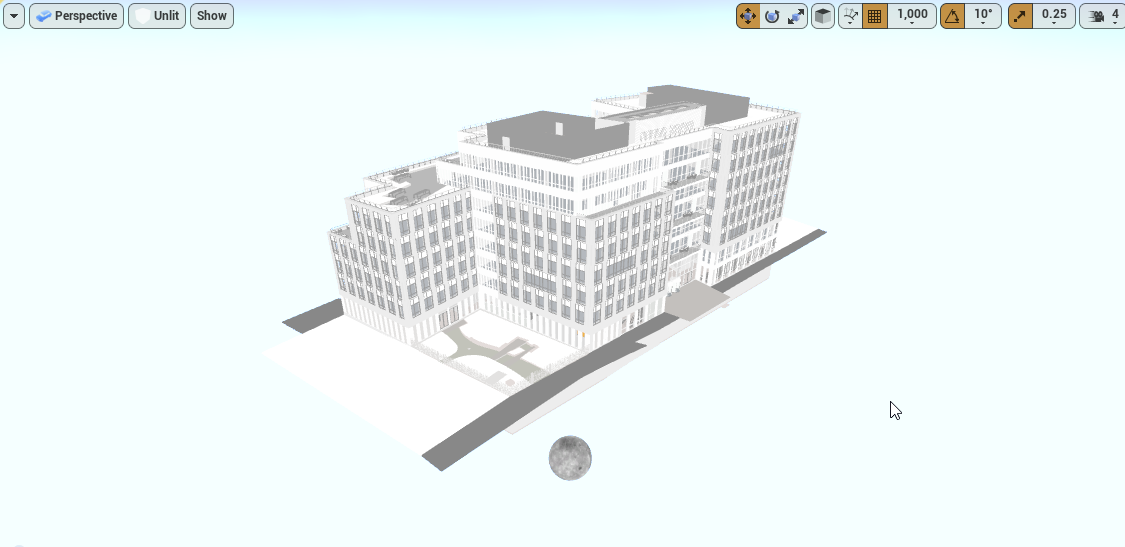
this is an example I imported a few days ago
every part must retain its shape, we can't merge stuff
that's why I need brute power
pearl tangle
nice. You tried any of the open street view integration? I was just playing on twinmotion's integration with it today
jaunty shell
yeah we're using it with TM aswell
I tried to get the OSM plugin for UE4, but my C++ skill is not enough to improve the one available on git
pearl tangle
need to just take that part out of there and integrate it as a proper plugin with that exact functionality into unreal and i would be happy. The adding characters and bikes and cars in is nice, but not quite high enough quality. interesting software though
pearl tangle
the OSM plugin 1 works fine. My only annoyance with them all so far is i can't get the elevation from them, need to try merge that in later. The datasmith integration with cityengine is relatively decent
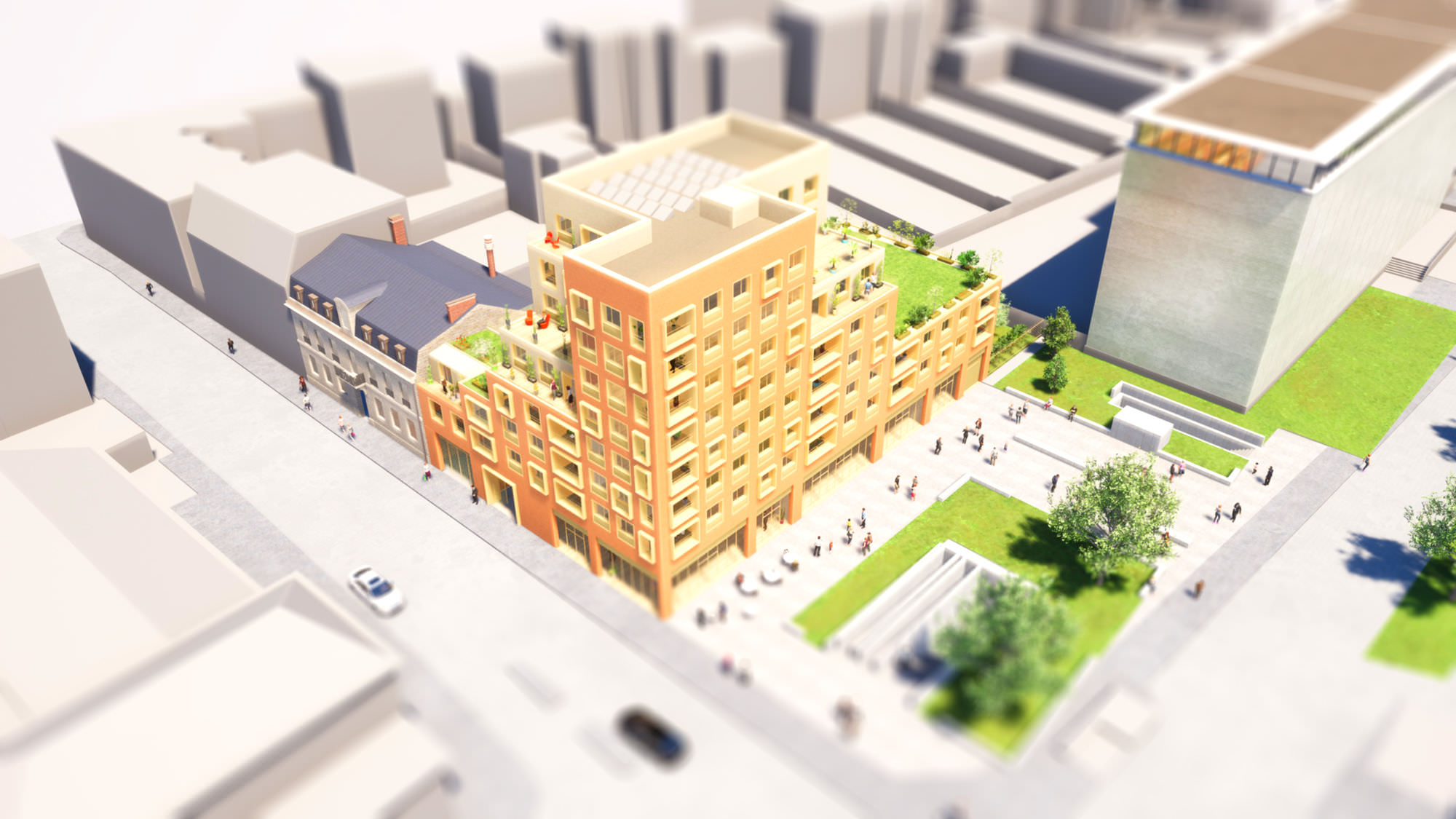 pearl tangle
i feel like thats sitting on the twinmotion site somewhere
jaunty shell
haha nah :p
I guess I could send it to them for demonstration purposes
the workflow for this kind of visual stuff is a bit different, since we can merge assets by material
this is currently 50% of what I do for work, but we want to bump up the BIM related part (that's where Datasmith and the Titan V are important)
our models are so complex that performance is very low even on pancake realtime
pearl tangle
the python scripting stuff will be coming into datasmith by 4.20 i think
that should let you optimize the import pipeline more to tweak things a bit like disabling shadow casting on different things and whatever you need automatically and run other things straight in the engine
jaunty shell
the first iteration is already in since 4.19/DS 0.18 I think, just not documented at all
pearl tangle
yeah its available to switch on i think but not really done anything with the pipeline
jaunty shell
yeah it sure is going to be a great addition. But then we'll need a python coder 😂
pearl tangle
a lot of 3D places already have them doing all the other stuff so should be able to start to merge in those kind of functionality to unreal, or at least hopefully those guys start to release their stuff
jaunty shell
yeah hope so
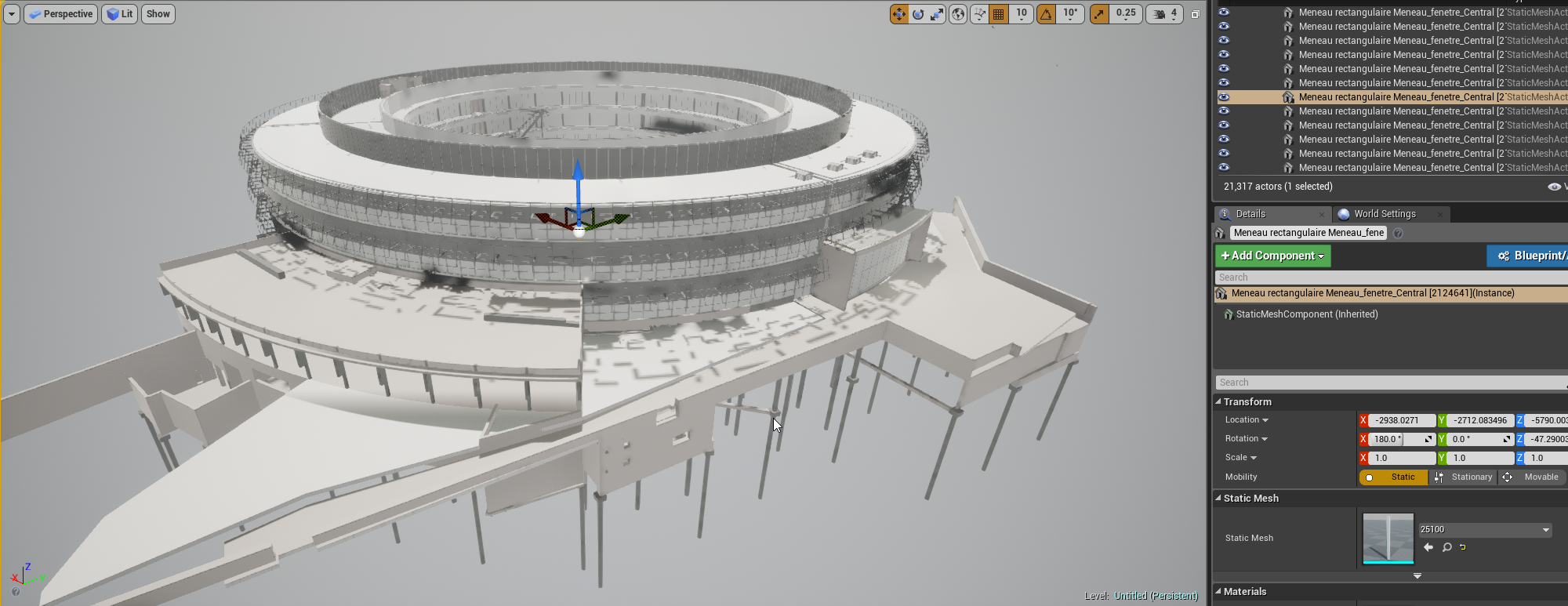
another one I found
using a bit of DF stuff here
performance is rather nice compared to cascaded shadows
shame its not completely VR compatible
pearl tangle
I wrote a blueprint before that would let you convert things over to instances and back on the fly that gave massive performance increases. I think somebody actually released 1 similar on the marketplace too, that might help you out performance wise for VR viewing
jaunty shell
yup, the HISM tool, I've bought it
its awesome...
... when the models are setup to use instances...
... which is not the case here 😂
pearl tangle
yeah I created a tool which doesn't require them to be the same 1, so that you can have them at different scales and materials etc and it will still handle it. You just "group" the objects to what you want to put into the instance
haven't used it in a couple of years though but that was the same thing I was up against, but there were enough things that were similar or based off the same model they just needed slight variations between them. The datasmith python integration should let you do that grouping and conversion on the import I would think
jaunty shell
indeed, a python script to optimize your scene would be awesome
maybe an automated ISM/HISM, LOD and HLOD pass in a click
heck, even a script that would piggyback on datasmith and do the optimization when importing your datasmith asset would be awesome
I really want to see what they have for us regarding material swapping too
pearl tangle
yeah thats definitely in there with the python integration part of it, the epic guys were showing me a demo 3-4 months back when they were over here
both of those
 wicked oak
@jaunty shell doesnt work like that
ive used plugins to blanket turn everything into instanced meshes, performance tanked
you need to do it manually on the correct parts
jaunty shell
that would require way too much time/work :/
we are looking for a way to get as close as the "one click" solutions you can get in softwares like Enscape or Twinmotion (to some extent)
but these softwares are merging assets by materials, thus won't allow us to get all the meta data we want when exploring the model in VR

 granite jacinth
Doesn't matter at this point inho
Vive and Rift have already dominated the PC market
VR home brand names at this point
If anyone is going to get a new HMD they will wait for their brand to release a newer version
Pimax will be in 3rd if they can ever get their issues sorted out
But let's not forget about that elusive WMR HMDs that come in all shapes and sizes
And colors
mighty carbon
but the FOV !
 nimble edge
Does anyone know how to modify the stock VR template so a new "pickup cube" is spawned in your hand when the trigger is pulled? When I spawn it, it ends up on the floor at my feet.
 sonic lake
@nimble edge it drops to the floor because you are not grabbing it, so it is not attached to the motion controller
nimble edge
@sonic lake It appears on the floor. I was expecting it to show up and then drop, and I'd figure out attaching it later.
sonic lake
Ok then it is very likely a collision related issue
nimble edge
Ok, thanks. I'll look in to it tonight when I get a chance. This is all new to me.
tired tree
@nimble edge you are probably getting the actor/vrrrootcomp transform to spawn it at, get the motion controller transform instead
mighty carbon
interesting... no commits to the repo for 4.19 today, at all
I wonder if entire Epic participates in the jam
tired tree
snow storm
granite jacinth
wtf
Manus gloves 4x the original price
Either that, or I don't remember the original price right
But swear it was $250
granite jacinth
hhmm
Anyone have any issues with their VR game always being in Fullscreen mode in 4.18?
Using this node in Editor works...not in Packaged though
Alt-Enter does nothing
glossy agate
Did you try setting it in settings instead? under the "play" tab or something like that?
granite jacinth
Yeah, going to see about hardcoding it in config now though
granite jacinth
hmm damn
even the hardcode that didn't allow me to switch in editror
still causes the damn thing to go fullscreen in packaged. boooo
real needle
@granite jacinth I think its hardcoded to be fullscreen
granite jacinth
Pretty sure I never had this issue before 4.18
oh wtf
since when
It cause peopel with 4k screens...
glossy agate
Oh I thought you were trying to get it to be fullscreen haha
granite jacinth
to well... go 4k res
I don't want it to be fullscreen
I want the player to have the choice
real needle
I've never had the start in fullscreen etc do anything for me since "start in VR" became an option
glossy agate
Cant you set it to a smaller resolution though?
real needle
You can set res of preview window but I think it acts as "fullscreen" even though it's a windowed window
glossy agate
If its a perf issue
sturdy coral
The oculus branch used to have some customizations around setting mirror fullscreen separately
 rocky nimbus
Is there an easy way to pause game when the HMD is taken off? It's mandatory for the Oculus Store now but I can't seem to find a simple solution (it should be)
sturdy coral
@rocky nimbus you can register a callback for the worn state
rocky nimbus
@sturdy coral Any references you can send my way? So far I've not found anything native to UE4
I'll see if anything like that exists when I hop back on in an hour or so
sturdy coral
Search the HMD module or plugins for "worn", I don't remember if it is exposed to blueprint. You can query the worn state as well as register a callback/delegate
tired tree
its exposed
sturdy coral
Look in the plugin code not the plugin list
It isn't a plugin called worn nor is it in the description of the HMD plugins
rocky nimbus
What do you mean 'plugin code'?
sturdy coral
The source folder for the Oculus plugin if you are targeting the Oculus store. It should also be in the common HMD interface though
rocky nimbus
That's not in BPs by default, it seems. Also, would I need to run this in a loop?
Shouldn't the delegates I screenshotted work if I set them up to custom events?
sturdy coral
'Put on head' etc may be a synonym for the worn delegate through some blueprint renaming thing
It also may have changed version to version to different names
rocky nimbus
I'm using 4.16 as well, it may have been re-named
Yeah
'Connected' likely doesn't mean Worn though
sturdy coral
Probably not
You may get no initial event when the game starts if it starts with HMD on
That may just be a SteamVR plugin bug, I can't remember
 idle plinth
Hey Vr people. So im having a problem with editing in Vr mode in unreal engine. The text on the UI is very blurry until im about one feet away from the text or closer. which makes it almost unreadable
anybody know why this is?
tired tree
worn wasn't fully exposed / fixed back in 4.16 I don't beleive, think they "fixed" it in 4.17 @sturdy coral @rocky nimbus
that event either
wasn't being thrown when it should have been
exact fix commit date is hazy though
 proper osprey
Hello. I have a question. I have a high end computer (gtx 1080 ti, i7 6700k). How can I make sure my project will run on lower spec computers? Is there a way to simulate various computer specs?
mighty carbon
so, I hooked up AnyKey node and saw that nothing that Epic's docs have matches actual buttons on Gear VR motion controller.. 😦
glossy agate
Thought you were done with mobile? Or are you building something for Go when its released?
mighty carbon
well, if I don't get Go, I'll buy it for sure
so I'd rather have working template now than later
plus I designing a house and I think mobile VR is less cumbersome when you want to show it to various people
glossy agate
Good idea
mighty carbon
also, as much as I love 6DoF, it's a magnitude more work on design and implementation side when it comes to gameplay
than for 3DoF
I hope that Go will sell enough units
wicked oak
@mighty carbon the dinosaur game i worked on got 4k dollars in sales
im working on adding controller support
not having it day 1 was a HUGE mistake
absolutely huge mistake
turns out 70% players use controller, so the game lost a lot of good reviews due to the controls being headlock only
mighty carbon
controller as motion controller or gamepad ?
mighty carbon
oh wow
wicked oak
but i just built a prototype
and damn, it is a huge improvement
much better than headlook for the aiming XD
even if its still not completely accurate becouse 3dof
but it kind of becomes a "mouse pointer"
wicked oak
pretty much every one
granite jacinth
New gear gets it included ?
wicked oak
yes
granite jacinth
Well that's why
Just saw Olympics ad for it
Heh, Samsung is funny
They showcased Gear VR not Odyssey in the ad
Intel also did a VR ad
Guess they have some VR cameras placed all over so you can Live view
granite jacinth
Haven't looked at it yet
granite jacinth
Heh
glossy agate
My buddy texted me yesterday wanting to buy VR after seeing the add. Asking which one to buy for watching the olympics. Think its only mobile VR though
wicked oak
i only really care about the martial arts
its winter olympics
no martial arts
so i give 0 fucks
granite jacinth
But some of the events this time around are pretty competitive
When will VR eSport be Olympics event?
granite jacinth
You never know
wicked oak
the main reason is that no e-sport can really "be" in the olympic comitee
at least right now
granite jacinth
Times are changing
wicked oak
in sports, the rules are public
in games, the rules are controlled tightly by a central organism (game dev)
this is a huge difference
granite jacinth
I men. Imagine a VR Battle Royale Olympics event. Definitely could happen.
wicked oak
becouse olympics are every 4 years, in 4 years how many games can become popular and stop being popular?
what game do you choose for the olympics
granite jacinth
Every country competing
granite jacinth
Hmm yeah. Team sport
wicked oak
it would be so politized it would 100% be on the game dev that pays mre
(so LoL and overwatch)
and it wouldnt have good reputation
keep the olympics for olympic sports, we already get really cool game tournaments
glossy agate
haha have Dr Disrespect running the olympic torch up
 silk lodge
hey!! I have to buy a bunch of games that cost $5.00 (not 4.99) - preferably something I could get a written agreement that I can play at free public VR demos- because I just made 8 new accounts that need activating
do any of you have suggestions for games that are friendly, fun, and easy on first time users?
real needle
@silk lodge Not where you'd be able to get a commercial license for sure..
silk lodge
I work with developers to secure licences
but this time around, I've gotta buy a bunch. I can't be given keys
mighty carbon
@silk lodge "I work with developers to secure licences" <- what do you mean ?
silk lodge
I mean that I don't just buy games and play them. I make sure it's cool with devs to play them!
mighty carbon
oh, I thought you secure licenses for developers.. Like 3-rd party IP licenses
silk lodge
I run a VR group - http://austinvirtualleague.com/ - and we play pvp vr irl
mighty carbon
Austin.... I miss living in Austin 😦
silk lodge
it's nice! 😃
mighty carbon
that why I miss living there 😉
mighty carbon

The Interior Scene test in Blender Eevee, it's amazing, all in realtime. The original scene is the 3ds max version that I download from internet, obj to blen...
Blender 2.8, all real-time
I wonder why UE4 can't render like that
silk lodge
it can
tired tree
eevee is "realtime"
its still re-rendering on viewport shifting
its not game engine realtime
also I don't see that it supports "realtime" GI, it has the irradiance volumes
its still taking longer than a normal frame to render the view
wonder why the aliasing is so trashy in that video though....
 cosmic shoal
Eevee is progressing better than I tought
and yeah it does have some artifacts still that are very distracting, aliasing could be eliminated if you just render at twice resolution and scale it down (dunno if eevee suports that tho)
mighty carbon
any idea why TraceByChannel works differently than TraceByObject in 4.19 ?
when I trace by channel, the hit point sticks to the surface, as expected. When I trace by object, there is some kind of padding and hit point is always above the surface :/
on top of that non-line traces by object get stuck inside player's character :/
tired tree
sounds like one you are using(tracing) complex collision and the other you aren't
 craggy obsidian
Or ask in the forums as it could be a bug?
wicked oak
@motorsep#8292 unreal cant becouse unreal needs to run fast
blender eevee is all sorts of spectacular overkill
becouse even if you have 3 fps is completely fine
and honestly if you bake lights properly you can do a lot better than that blender scene
that blender scene is such a massive overkill for reflections
it literally just renders the whole scene a ton of times, per reflection
thats why when he is editing it you ssee stuff popping
thats from the scene captures getting rendered
i also think that scene does use baked light a bit
cosmic shoal
For Unreal arch-viz it's the same way, I use reflection planes everywhere and generally don't care about performance, turn everything to 11, use huge lightmaps etc. I have to turn settings to low when editing the scene just to not go crazy.
wicked oak
@main gustn#6226 exactly
unreal actually has a good deal more features than blender eevee at the moment
cosmic shoal
Yeah, but for people who use Blender it's a huge thing to keep everything under one app. It's convenient enough that it's got me exploring the switch myself.
wicked oak
thats the idea
eevee + gltf can allow you to author your scene in blender, and export it as a whole to unreal, keeping materials and textures
with the materials getting translated automatically
also, blender eevee would allow movie stuff better
after all, blender is a MOVIE software
 dusky moon
I absolutely love eevee but I don't know why I still prefer to create materials inside UE . it just feels more safe to me even if that gltf thing is smooth already 😄
wicked oak
@dusky moon the idea is that you could preview the mats in blender when sculpting/modelling
and just export the model all ready
substance also supports gltf
so you can export mesh + material setup in 1 file from substance, and not having to setup the mat inside unreal
cosmic shoal
I have oly dabbed with Blender so it's all pretty alien to me, and yeah I'm pretty confortable making materials in Unreal also.
wicked oak
they are working on having the materials integrated
they arent still fully integrated cross render engines
so the same PBR material you make for eevee will work the same way in Cycles pathtracer, and if you export it, it will also work in unreal/unity
dusky moon
@wicked oak that is certainly awesome! I'm hoping that it's flexible enough workflow for iterations as well.
cosmic shoal
substance.. man all the stuff we have to learn (and buy) just to play with the big boys..
cosmic shoal
I've seen the unreal to substance tutorials, so cool.
wicked oak
absolutely massive improvement
dusky moon
I just switched to substance from Quixel and my life is better now
Anyways, I'm really stuck with fixing Aliasing on MSAA for a texture I made in Substance ... It's a 'Tile concrete wall" and I get massive aliasing on tile edges using MSAA ... any tips ? I lowered the intensity of Normals but it still sucks
Also used this "Normal to Roughness" thingie which doesnt seem to help much
pretty obvious here :
mighty carbon

A very cool new game to play !!! Everyone will have so much fun !!! Game based on the great classic of the past Marble Madness !!! Lots of laughs, Many breasts and we will still be helping to spread the campaign of prevention and fight against br...
Release Date
Feb 20, 2018
^^ so Steam doesn't give a damn about what they are letting on
@dusky moon you can't AA on textures with MSAA as MSAA works with actual geometry only
sturdy coral
@dusky moon there are two different normal to roughness things I think; one bakes into roughness texture and one is based on screenspace normals
For roborecall I think they said they used both
dusky moon
@sturdy coral yes, one should be applied inside roughness texture (compositing) and the other is inside the material "Normal curvature to roughness". I used both and didn't help
@mighty carbon well does that mean I should forget normal maps as long as I use MSAA ?! didn't know it's that rough
dusky moon
yeah, well as I'm relying on text msaa+forward is a must so I'll compromise normals I guess. thanks
wicked oak
getting sent more free hardware from oculus, sweet
real needle
@dusky moon What is your supersampling %? I was able to get rid of the aliasing using the texture technique. But I'm running at 150% which is probably helping
dusky moon
@real needle I'm at 200 % actually. maybe I should test lower ones though. thanks for reminding
speaking of free hardware, is Vive still generous to hand out dev kits for the pro one ?!
@wicked oak Do you know if Oculus ships standalone one yet to devs !?
wicked oak
@dusky moon hahahahah
you wont get shit from vive/valve
valve has NEVER been generous
i asked them for a second Vive after actually getting 40k installs on VRMultigames
and they took the time to answer the email with "go buy one"
dusky moon
oh well, I used to get 1 from Valve last year actually 😄
maybe HTC
I'm actually looking forward to see unreal dev grants like 2 years ago which were dedicated to VR equipments only
good ol times haha
wicked oak
oculus is sending me an oculus Go
4 weeks till it arrives tho, its going to almost be release XD
i wonder if i should try to prepare something for Go
but, what?
dusky moon
oh thats nice!
well one thing that needs to be cleared is its platform
is it gonna be oculus store
or gear vr store ?
wicked oak
ive seen gearvr doesnt really bring much profit
the dinosaur game i got hired to port has got 3k dollars
and it launched in "Games", and frontpaged for a good while
looks like gear people really like their movies and "experiences" more than games
dusky moon
Yeah absolutely, in gear 360 stuff can sell real well. but anyways this oculus go thing .. I hope it's not another whole separate branch in terms of dev/shipping because the market is already chunked badly
dusky moon
Fine, anyways seems like the new feature in 4.19 "Proxy LOD" is super handy for making optimized distant objects. so I guess we won't need to merge actors into one mesh by hand anymore.
wicked oak
you could do that before
with instalod
it doesnt work as well as you would think. Material/texture quality tanks SUPER hard
and lightmaps go to shit, so they can artifact a bit
 main ether
@jaunty shell that looks like the Apple spaceship a bit 😃
jaunty shell
@main ether it does look massive in VR, even more when you look at the real WIP building 😃
main ether
has anyone done something with climbing in unreal? (in c++ preferably)
 tawdry dragon
Hey guys, might be missing something really simple here. I have a BP actor with a widget that I want to always try and be infront of wherever you're looking. Im trying to use "Get forward vector" on the VR Camera's rotation, but it doesnt really make the Actor follow my gaze
Anyone got a hint to what I can do? 😃
nwm me... Im stupid.. Forgot to add the location to my multiplication
pearl tangle
@tawdry dragon Why not just attach it to the camera?
tawdry dragon
mostly because I dont want it to follow the camera at all times
only when it gets out of view
its a ingame menu, so moving around all the time when people look at the different parts is not ideal
So i have a VInterp function running when it gets out of view, nice and steady 😃
jaunty shell
hey everyone, I'm trying to troubleshoot a reccuring problem I have on all my projects with VR enabled
Frequently, when starting the VR preview, the whole window freezes
I'm using the VR template on the current projects, but I also had this kind of freeze with a custom made template using the VR examples content package
anyone had something similar ?
rocky nimbus
I'm seeing this error when I open my project
My packaged game plays the video file on Oculus but not on Vive
The 2 files it's referencing in the MediaPlayer aren't actually in the media player
What's happening?
(It started when I upgraded the project from 4.16 to 4.18, some kind of cache?)
wicked oak
go back, and upgrade to 4.17 as intermediate
they did a lot of changes to media stuff, so no wonder stuff broke
usually its best to upgrade one version at a time
rocky nimbus
@wicked oak I deleted all the media-related assets in the MOVIES folder and re-imported, re-created the media player and the error doesn't show up on launch anymore. Hopefully Vive can see the video in the packaged ver.
 gleaming river
Hey peeps, If I was wanting to sit in a real chair whilst in VR what would be the way to always know the location of that chair. Should I be using a vive tracker?
jaunty shell
@gleaming river yeap, or if you don't need both controllers, you can use one of em instead of a tracker
gleaming river
@jaunty shell Thanks, I will give it a go and see what happens :d
jaunty shell
feel free to report back 😃
 cold siren
Hey guys, I'm trying to get a Light Fixture working in VR that has tweakable dimmer. My problem is that stationary lights start overlapping. I dont need the lights to cast dynamic shadows but I want other the properties of stationary lights like changing the intensity and colour. I turned off cast dynamic shadows in the lights, but the stationary lights still have X on them signifying overlapping. When I uncheck "cast Shadows" it works fine, but I now lose the shadows from the light fixture it self. Any one know how I can use the stationary light features but not have them be dynamic?
wicked oak
@cold siren bruh
thats ridiculous
for the love of god dont do that, it will run at 1 fps
use a emmisive material
and add one light to do the general lighting
cold siren
@wicked oak yeah obviously its performing poorly atm
my fundamental question was whether the features of stationary lights are all expensive? Dynamic shadows vs changing of intensity? I assumed (could be totally wrong) that the dynamic shadowing is the largest cost while changing intensity and colour have very low cost
is there a way I could use the latter 2 features and not the dynamic shadowing of a light? maybe through editing the engine?
wicked oak
stationary are very expensive
they are the same cost as fully dynamic lights
the difference is that their shadows are baked (for static shadows)
if you want "free cost" lights, use fully static ones
cold siren
ok so you are saying that stationary lights features are all the same cost as a dynamic lights except for parts that it can bake for static meshes
wicked oak
yes
cold siren
Ok so my best bet would be to change properties ina post process volume im guessing
@wicked oak I can't use one singular light for the space with emmisive material because I need these shadows cast by the light fixture itself
jaunty shell
how about faking it even more and using a light function ?
not that it will simple to translate it to a LF though, that's a lot of lights for a single fixture 😄
cold siren
Light Function, I didnt think of that
but maybe it could be possible
Aren't light functions expensive as well though?
jaunty shell
not really, its basically a texture projection
it'll be a lot less expensive than using multiple dynamic shadowed light for sure 😉
@pearl tangle @hard light @wicked oak Alright so I've made some progress with getting good performance with CAD imported models while keeping a way to get the individual entity Meta data available
I've setup the scene to only display the merged version of the model, and keep the "notmerged" model hidden
Raycasting is done on the hidden model, aswell as a highlight effect on the raycasted hidden part
performance is pretty good so far considering the scene is using dynamic lighting
still getting that nasty crash after a few seconds though, I've got no idea on how to debug that 😦
 hard light
sounds like progress
jaunty shell
at least we're not talking about reprojection for each frame now, values are under 11ms 😂
mighty carbon
any idea how it's done https://twitter.com/grossbloy/status/962614315202371584 ?


so it turns out softbody physics objects are pretty satisfying in vr...
rendered in real time in @unrealengine | #indiedev #ue4 #vr #screenshotsaturday https://t.co/qXiYydKhhw
Likes
299
 Twitter
jaunty shell
Twitter
jaunty shell
@mighty carbon flex nvidia branch ?
NVIDIA Developer

Small test for NVIDIA Flex API utilized in Unreal Engine 4. Spec: Asus Strix GTX 970 Intel i7 - 6700K 32 GB RAM DDR4 2333 You can download packaged project h...
the softbodies in that tweet look quite similar
mighty carbon
hmm... I thought UE4 has soft bodies physics out of the box
tired tree
you are likely thinking of the faked soft body effect that people were pulling off with distance fields
mighty carbon
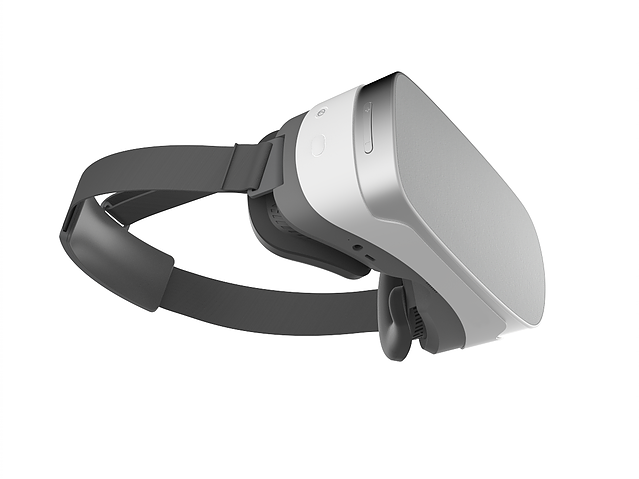
Pico Interactive | VR for all - instant, easy and ultra portable
Pico makes VR headsets for everybody. Our all-in-one VR products are easy for people to just pick up and play. No wires, no phones, no hassle. Users first!
I wonder if Santa Cruz will cost about the same
(assuming specs are comparable)
wicked oak
that looks comparable in spec, except oculus is 4 cameras not 2, and has tracked controllers
the snapdragon and screen seem fairly comparable
mighty carbon
Pico claims controllers are 6DoF too
mighty carbon
I have a feeling UE4.19 will be released either tomorrow or on Wednesday
tired tree
sure hope not
mighty carbon
there have been no commits to their repo for several days, and it's not due to bad weather
they haven't fixed multiview/direct crash either
full junco
my game is at "Very Positive", thats good 😄
@mighty carbon I know you disliked some stuff about the steam reviews, the only major issue I see with them is that people below min spec can write negative reviews. apart from that, I'm quite happy
mighty carbon
mine is very positive too, but before I became that way it was mixed... But, if you saw the link I posted a few days ago... Steam is a big dump.
and Valve isn't even trying to hide it
full junco
but you complained about the review system specifically a while ago
mighty carbon
yeah
just saying on top of that
you should release on Home and see if it gets more visibility than on Steam
for science 😃
full junco
no, thats not a place to release the game in the near future
its not made for early access
and I only have 25% rift users
mighty carbon
there is EA option when you release
mighty carbon
oh, just saw Oculus reply to my bug report and sounds like 4.19pre5 is on the table with multiview fix.
unless it was merged into p4 somehow
granite jacinth
Hmm, anyone have issues with players randomly freezing?
Seems like a Memory Leak
But this is a full BP project
Only thing I can think of is maybe some infitnite loop.
But it happens on both Rift and Vive and only started happening in 4.18
It doesn't happen to everyone
 sharp swan
does the world free or just the player?
(freeze
btw. there is no harm in adding a custom c++ class to convert it to a c++ project and then using the debug symbols in VS to find out the issues. It's my main argument for not making blueprint only projects.
 noble crater
anyone know if there's a way to get the HMD "eye" in a Material? I want to have a different stochastic seed per eye
looks like ScreenPosition could work
sturdy coral
@wicked oak @mighty carbon I think that (pico) is the same one you posted a few weeks ago. it was 6dof through using ultrasound if I remember right
@mighty carbon I don't think he can release on oculus home, don't you have to be compatible with the oculus min spec?
unless you are on gallery apps maybe?
mighty carbon
no, you don't have to be
and if you submit as EA game and get accepted, I think you end up in EA section of Home, not in the Gallery
I can only speak for mobile.. On mobile I would specify min spec platform and it would have to pass. For example, I said S6 is minimum (ignore Note 4) and that's what they would use for passing the bottom line
fortunately with multiview my project ran at 60 fps on Note 4 too , so I think they didn't black list Note 4
vblanco would be the one to ask about Home release on PC
sturdy coral
@mighty carbon hmm yeah Onward seems to be able the spec (recommended 980, not sure min), but is in that early access section
proper osprey
Do you guys know the best way to use mirror material in VR? Tried planar reflection, but it hits hard on the system and doesn't work properly with VR. On the Oculus Dreamdeck App there is a scene where they copied the room to the other side of the mirror mesh and it looks great. Is there a way to have a portal like mirror where I can create a copy of the room but making it so that it doesn't show the copy on the other side of the wall? It's for a bathroom in a house and the other side of the wall where the mirror is located is the kitchen.
glossy agate
@proper osprey You try scene capture cube? You can make it "reflect" anything. Im guessing you are doing arch viz, thats probably the easiest way
proper osprey
yeah I tried it. It doesnt work very well, it streches the reflection, and for some reason the scale is way bigger than the reflected mesh. I guess I will try it again and see what I can do with it
thanks!
pearl tangle
you have to mess around with the placement of the camera for that and the output resolution of the texture
glossy agate
Yeah and make sure it’s using Tex cord so it doesn’t run off the size of the mesh
rocky nimbus
@proper osprey As long as you don't see any moving parts in the reflection, a replica of the bathroom might work best performance-wise
A capture component doesn't work well in VR as a mirror because you're forcing a mono view through the mirror
jaunty shell
planar reflections work rather well with VR @rocky nimbus , but performance wise... that's another thing 😄
rocky nimbus
@jaunty shell Oh yeah, I meant just using a 2D capture component and then projecting the camera onto a flat surface
Is costly and would look 2D in VR
jaunty shell
yeah looks like ass for mirrors
rocky nimbus
I had to use it for a sniper scope and even then it looks like ass
jaunty shell
😄
well you could force the 2D capture to be displayed in one eye only
and have two of em
but then the frametime would go through the roof
rocky nimbus
Yeah, even with just one I had a hard time getting optimal FPS. Low-res, too
Basically rendering the scene 3 times or more when you start using 2d captures in VR
mighty carbon
has anyone here tried Teamviewer to work on your UE4 project from a lesser powerful device ?
(I'd love to work on my project from work, connecting to my home workstation where UE4 is running)
real needle
@mighty carbon Yes, using the tools are fine, but playing in editor with wasd + mouse = no
jaunty shell
also, scene view doesn't take long key presses @mighty carbon
if you want to move using wasd, you have to do multiple key presses to go forward for example
 jade saffron
just came across something: a lot of vr games just come with generic video setting to choose from, mostly only graphic profiles (low, medium, high) and antialiasing level. is there any reason why you wouldn't want users to change more specific settings (e.g. shadow quality)?
mighty carbon
not VR, but crazy stuff https://dotesports.com/pubg/news/pubg-2-mobile-games-china-75-million-preorders-20968
Dot Esports
The thirst for PUBG on mobile is huge.
I am sure mobile VR market in China will be lucrative with Oculus Go release
mighty carbon

Our latest pack is jam packed with content to create a really cool War based game. Check it out on the Unity Asset Store! https://assetstore.unity.com/packag...
cool if someone wants to make Wolf-like game for VR 😉
wicked oak
@mighty carbon i would do it, if i had any level design skill whatsoever (wich i dont)
 eternal inlet
hi guys, im currently troubleshooting something which could be a loose connection with my vive, but which may actually not be the case
every time i start my game, it runs fine the first time
second time the HMD content is blank
if i issue a stat unit cmd, i can see it drops frames insanely
like 33ms
and if i then run r.screenpercentage 100 followed by 140, most of the time, i end up getting hmd image back
anyone know of this?
actually it seem to come and go kinda randomly
when i don't have anything running, i tend to get these spikes too
my cpu is i7 4990 + gtx1080ti
and gpu seem to be just ideling
wicked oak
could it be GC ?
wicked oak
thats exactly what gc does
nearly every time its a spike every n seconds its gc
profile it?
eternal inlet
hmm, wouldn't i see it always then?
wicked oak
the profiler can see the spikes
wicked oak
yes
eternal inlet
ok
well, i just found out that if i put down my hmd, it starts with the spiking
but if i put it on, and it shows the steamvr home garden, it runs smooth
how odd is that?!?
never had this issue before... pretty stumped
mighty carbon

UploadVR
Qualcomm invited me onsite to benchmark their latest Snapdragon 845 SoC and platform.
glossy agate
Maybe a problem with "worn state"?
eternal inlet
it does seem like it
but why? i don't recall changing anything recently... it just started all of a sudden
mighty carbon
I hope Santa Cruz will have 845 inside
mighty carbon
@granite jacinth Go uses 820.. There is no reason for Santa Cruz not to use 845 and beyond - they don't have to fit into $200 budget
eternal inlet
profiling didn't show up anything usefull other than 30-33ms stalls
so i tried switching on reprojection, and then it went back to normal
i've been running without reprojection enabled (any of them) for atleast 2 months now, i wonder what causes this now... 🤔
well, almost goes away... it's just much less
still does some odd hitches
mighty carbon

reddit
Via the Steam Community: ### General: * Rewrite of the Vive’s...
mighty carbon
UE4 needs this https://www.youtube.com/watch?v=shcAvnYp9ow

Trailer for TrenchBroom 2, a free, cross platform level editor for Quake engine based games. Website: http://www.kristianduske.com/trenchbroom Github: http:/...
I think I'll use it for my projects 😄
glossy agate
They came out with the fancy new geo editing tool early last year.
has all the extrude, bevel, slice ect. Probably OK for blocking out, but I don't know about using it for a modern looking game
mighty carbon
CoD series still use same old BSP levels with decorative meshes
the core is blocked out with BSP brushes anyway
and TrenchBroom allows such blockout to be done with unprecedented speed
it would be nice to have the design flow and tools like that built-in, in UE4
wicked oak
@mighty carbon that does look good
cant you export it to obj or whatever?
there is HammerUE wich can load hammer maps, maybe that could owrk
glossy agate
Reminds me of the old "red faction" level editor that came with the game back in like 2001. Was so fun, and it had procedural destruction for all meshes if you wanted
wicked oak
@mighty carbon can you use it to do ue4 maps?
their BSP CSG stuff would be of use to me
for prototype geometry
blender and houdini are both kind of crappy with booleanspam, so doing CSG is a lot more annoying for greybox type stuff
mighty carbon
@wicked oak you can make Quake map, and then import it to UE4 using HammUer plugin
mighty carbon
I don't know about OBJ.. Kinda defeats the purpose of brushes
sturdy coral
@eternal inlet GC shouldn't happen every second so I don't think it is that. many people have reported issues with MSI afterburner causing stalls every second
eternal inlet
i ended up reinstalling my entire pc actually
it was acting really weird
so i suppose those stalls were related to that
sturdy coral
if you do have afterburner, people say to make sure to close the monitoring graphs that show GPU temp and stuff while in vr
eternal inlet
ok
sturdy coral
or every time it polls it it causes a hitch
sturdy coral
it is just an overclocking utility
eternal inlet
ah, i don't have that then
sturdy coral
they say other apps that monitor gpu temp etc. can do it too
eternal inlet
im almost done with re-install now, so it's hopefully gone then
sturdy coral
I think GC happens every 60 seconds by default
unless you run into memory pressure and it needs to run earlier
eternal inlet
yeah, i've seen it run about once every minute too
sturdy coral
I never got around to it but it would be nice to have GC happen during click turns and a few other events like that
maybe bias it to prefer running when the character or hmd isn't moving much too
eternal inlet
that would be nice yes
granite jacinth
hmm
Survios
From Raw Data to Sprint Vector
glossy agate
You play it yet?
I played closed alpha a bit and it was pretty fun. has a bit of a learning curve and needs actual skill to win
eternal inlet
what version of visual studio is the "correct" one to use with most recent engine version?
i had vs2015 community version before i reinstalled, but would like to install 2017 if that's better?
glossy agate
I use 2017 no problem. It should compile any 2015 stuff no problem
But Im no expert on VS
real needle
@eternal inlet Yeah I didn't have any problems switching to 2017, it still compiles the project as 2015
eternal inlet
oki, i'll go with then too then i think
 supple lotus
Hey everyone! Anyone has ever met the issue, where you have a mesh (character) position and rotation set via the HMD, but in the game they end up at a different spot, compared to the actual HMD position?
In our CharacterBP, the camera component is bound to the HMD, and then the character location/rotation is set based on the camera pos/rot. We are printing the HMD location/rotation, and it shows different values than the actual actor loc/pos. For instance, the HMD says the location is x= 50, y= -90 and z = 0, but the mesh ends up on the x=50, y=-86 z=0. If we move around, we get the movement relative to the wrong mesh location, and not relative to the actual game center. Any ideas?
glossy agate
Still on the struggle bus with this. So here is the vid when I kill the player with a hot key. https://youtu.be/zMAEqwJ7Dzw
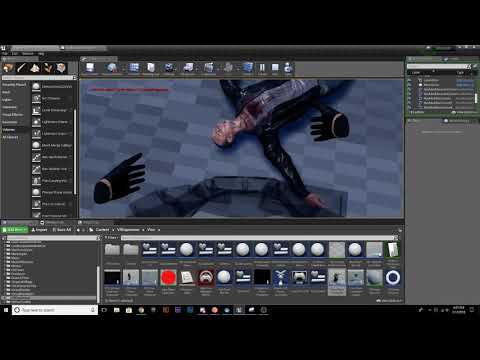
Kill logic
just putting the mesh back in the respawn sequence
Im using the BIK plugin but every other disconnect works fine with diff anim states. With physics though I disconnect and simulate the whole thing, there is a floating crucified mesh flashing. Any idea what Im doing wrong? Have tried a bunch of stuff
Well one part solved. on detach I needed keep world, so no floating mesh. Now its just a flashing mesh on the ground
granite jacinth
Who has received a WMR Dev Kit, and do they remember if it came from Vegas?
 ripe vault
Curious if anyone else has had problems with vr preview working in UE4 4.14 or 4.15 with latest oculus version?
sturdy coral
@glossy agate have you tested the same mesh without bik? make sure the physics asset is good in a simple project
glossy agate
Didn’t have it before bik or any other game. Hostages have the same phys asset and they work fine
sturdy coral
@glossy agate shooter game does:
GetMesh()->SetSimulatePhysics(true);
GetMesh()->WakeAllRigidBodies();
GetMesh()->bBlendPhysics = true;
glossy agate
Hmm I’ll look at that blend. I simulated from spine up with no flashing, but all the way to root makes it flash
gleaming river
Hello Everyone, If I model a box that represents a box in real life and I want to walk around the box in both VR and real life, how do I make sure I spawn in the correct location in VR to what I am putting my headset on in the real world?
main ether
you need to know where the box is in relation to your tracking volume
if you dont have that, then you can let the user touch the box with the controllers or the hmd to get the location
mighty carbon
finally managed to get remote desktop working. Now I can do some game dev while at work 😛
 humble echo
i used chrome remote desktop for a while till it fucked the world
jealous of you all, hopefully getting a vive here soon
mighty carbon
well, I can't really do actual VR using remote desktop.. Just BP stuff that I can test in PIE

The Verge
Magic Leap is planning multiple editions of its augmented reality headsets, with the cheapest starting at the price of a "higher-end mobile phone to higher-end tablet."
lol
Hololens looks better


 dusky moon
Guys, I'm trying to resemble the feeling of a slow-mo in VR. Thinking of adding a delay to my Motion controllers to get this feeling ... just wondering how I can possibly do this with blueprints ?!
 shell karma
you want to slow mo the controllers or the environment ?
mighty carbon
eeeh, you control your own time.. If you want for your hands in VR to do slo-mo, then move slowly
otherwise there will be disconnect between your physical movement and the hands you see in VR
shell karma
even if you'd come up with a way to force slow the controllers that'd be very bad decision, design wise, can't force real person to slow their movements based on slow movement in game
slow motion feels great with everything around you slowing down, ie actors, enviro etc
dusky moon
well enviroment wise it's easy to do so
but I would like to test the slowmo on the controllers
it's for a research
so the desync doesnt matter honestly
shell karma
you'd then have to do it manually every frame then
I mean controller world transform
dusky moon
like I should do it on Event Tick using VInterp to ?!
shell karma
I'm afraid you'd have to dig deeper into MotionControllerComponent
which is c++ and engine source
dusky moon
Oh well, sounds scary ... but will try
shell karma
well basically what I can imagine is that you'd perform some normal/fast movement of your arms and then your hands in VR would slowly follow the route to some extent. Still can't understand why, player would just stand and watch the hands moving
dusky moon
the thing is ... I want to test how if actually feels in VR. so you can watch the trace of you bodily movements. but it may feel very wrong though
shell karma
well you could always came up with some sort of movement recording feature, you'd save world transform of a desired component and play it back at some point
dusky moon
True, it's already possible to record movements with sequencer. hope it was possible to use it on run-time though
shell karma
not sure about sequencer, but I've seen some time shifting blueprint stuff on the marketplace, it might have something useful for your case
dusky moon
ah cool, will check .. thanks man!
shell karma

An easy to edit drag-and-drop system, which allows to reverse or manipulate time and rewind actors' locations in real time.
cheap as hell so might be worth looking into
dusky moon
Wow seems super cool! even if it didn't work with Motioncontrollers ... already great for actors!
gleaming river
When you are running steam VR room setup does pointing at the computer screen and pulling the trigger affect the direction in which my HMD will face.
proper osprey
Hey, how do you guys deal with this? If I change RecastNavMesh setting it breaks teleportation
I want to have collision on walls because of physics objects
glossy agate
@proper osprey There is an "agent radius" or something like that you can adjust for more precision
proper osprey
unfortunaly if I touch it it breaks teleportation. I tried doing it directly on the project settings and it doesnt look good
mighty carbon

Oculus
Join the Official Oculus Discussion Forums and talk about Oculus Rift, Oculus Touch, Samsung Gear VR, and virtual reality.
"A latency reduction for late-update has been integrated into this release. This is particularly helpful for Oculus mobile platforms."
@wicked oak ^^
proper osprey
Found a fix. I changed runtime generation to dynamic. Though I don`t know yet how bad this is for performance
Agent radius has a bug that apparently isnt fixed yet
mighty carbon
report it.. otherwise no one will fix it
glossy agate
Is the scale of everything super small in your level or something?
Like one of the rooms isn't even getting any nav mesh
proper osprey
the scale is right. Im building an apartment using real world scale. I used UBX for wall collision. And the bug has been reported by other users already. Over a year ago. That's how I found out the fixz
mighty carbon
care to share a link to the fix?
mighty carbon
@proper osprey ^^
mighty carbon
oh, that's not a bug
I use that setup for my open world level
(with navInvoker component added to player's character)
real needle
@dusky moon You don't have to dig into motioncontroller component, just move a different component towards the location of motioncontroller etc
You shouldn't offset the motioncontroller component other than for debug afaik
full junco
I wonder what DX11 quad buffer stereo rendering is and what effects it has? @tired tree @sturdy coral
full junco
what CAD work?
full junco
ok
I just tried the temporal upsampling in 4.19 for the first time
its really way better than I thought
and crazy expensive 😄
1.4 ms just for the upsampling
and its not listed in stat gpu
(bug)
when reducing the TAA samples from 8 to 1 it honestly doesn't look much worse, and the TAA upsampling time is down to 0.6 ms
1 sample looks way worse on a still screenshot, but when you have the headset on your head the minimal movements you make are enough so that the image looks way better
mighty carbon
why don't you use forward + MSAA @full junco ?
full junco
because I need SSAO
and with the new TAA upsampling TAA is way nicer anyways
screen percentage 40 with the TAA upsampling really looks essentially same like screen percentage 100
but I also havent yet tested with foliage
I guess the biggest problem will be something like the sky
mighty carbon
I see
pearl tangle
anybody got the samsung odyssey headset?
full junco
I asked MS for any WMR devkit 3 weeks ago and they have not reponded at all...
pearl tangle
ah yeah you need to go tothe manufacturer for that. Lenovo will give you some
pearl tangle
Dell also was giving some out to developers as well i know
well yeah thats the general entry point to it, but usually not the best or fastest. Lenovo loaned us a bunch of free equipment for some museum exhibit stuff I did and via google I am getting their standalone headset in a few weeks. Just gotta show them some project stuff that will sell hardware for them or get them good PR and they are all over it. Microsoft is big and slow
full junco
does samsung send out odysseys?
pearl tangle
Samsung is shit. They are my client and we do millions of $ worth of work for them each year, even do the advertising campaigns for their phones. And they wont even tell us anything about the phone beforehand or send us 1 hah
can't get anything out of them. I just ordered 5 of them through the microsoft store since they are on sale, have to get them sent to my chicago office and then posted over here though. At least less tax to send to chicago office rather than new york office
full junco
well its understandable they dont want any info to be leaked..
pearl tangle
we had to install a secure fingerprinted room with no internet and have a security guard that stands outside to check everybody. Not even allowed to have paper in the room. And this is just for doing stuff that doesn't even show anything about the phone
the information we have to go on is leaks from internal 1s that are all over the internet anyway and they pretty much just advise us to go and google the stuff since they already know it will have been leaked
pearl tangle
nor to singapore
full junco
I dont get why they limit it that way
pearl tangle
test markets first, it's an experiment rather than a full product launch
even Oculus doesn't ship to Singapore yet
but facebook her is desperate to try and get it. I am in talks with them about doing stuff in china for it at the moment which is rather interesting
full junco
ok
pearl tangle
not sure why they don't ship to singapore still. Only took vive about 6 months to start doing it, and now Singapore was the first market where they were doing developer outreach on the vive pro
full junco
how can I get htc to send me a vive pro? 😄
pearl tangle
where are you based?
full junco
germany
pearl tangle
ok their europe head is based down in Barcelona. I have his business card around here somewhere will try and dig it up later.
they wont send you 1 for free but they have told me they will sell to me at cost
full junco
my game looks great, has very positive reviews, they should be willing to send me hardware
thanks!
pearl tangle
not the vive pro. They aren't trying to sell that to consumers. It's too expensive. It is their replacement for the business edition version
hows the sales going for your game anyways?
full junco
yeah
mighty carbon
@pearl tangle got any info about any GearVR products in 2018?
pearl tangle
@full junco so around 3500-4000 odd sales?
@mighty carbon I think you should just give up on GearVR hah. Im sure they will probably update it with S9 but dunno. They should try and make it on the A series and J series would be a good idea, the specs are pretty damn similar to the S series anyway
mighty carbon
they already made it on A
well, it's not that I am haven't given up on it, I just want to know if it will continue to drag on
(I wonder if they kill it off when Go is out officially)
pearl tangle
Go isn't done by Samsung though it's just Oculus on their own. Samsung likes to try and take ownership across the board for things. That's why they keep fucking with android so much and try to push samsung pay instead of android pay, bixby instead of assistant and a range of other garbage software. They are good at hardware but their software is terrible
mighty carbon
well, with Go no requiring phone and being overall better than Gear VR and at $200, I don't see who will be buying Gear VR
Bixby... lol.. I hate that assistant .. Dumb is a rock
it seems like it doesn't even understand English
pearl tangle
yeah google has had years of figuring stuff out with voice, samsung is starting from scratch. It took google 5 years before it got half decent
sturdy coral
@full junco they should probably reduce the neighborhiod samples if you are running at 1.0 and increase when running lower, if they don't already. Maybe even entirely use the old shader at 1.0
full junco
@sturdy coral I have tested foliage with wind now, and that does indeed look quite bad
sturdy coral
@full junco ah, yeah I thought it probably would. Anything where taa rejects the history is going to look bad probably at really low base resolutions
If you could make velocity buffer run at full res instead of half it might be better, but then way more expensive when running near target res
full junco
@sturdy coral I'm not sure if a higher res velocity buffer would really improve it..
sturdy coral
@full junco how is grass with wind turned off? (Turn off velocity in the material too so it uses depth*camera change)
full junco
@sturdy coral with wind turned off it looks great
I'm not testing grass, I'm testing trees
@sturdy coral also, changing the screen percentage is still doing reallocate for the render targets every time
it prints LogRenderer: Reallocating scene render targets to support XxY Format 26 NumSamples 1 (Frame:2214). in the log after every SP change
@tired tree why did you delete what you wrote? 😄
sturdy coral
It probably doesn't reallocate in 2d when dynamic res management is on, it may require something like your old patch but not as involved
@full junco There is an r. something setting to change the reallocation policy somewhere, but I think we found it didn't work in vr before on earlier versions
full junco
in 4.15 there was no way to change any "reallocation policy"
sturdy coral
@full junco this was what I was thinking of, it was in 4.15
    TEXT("r.SceneRenderTargetResizeMethod"),
    0,
    TEXT("Control the scene render target resize method:\n")
    TEXT("(This value is only used in game mode and on windowing platforms.)\n")
    TEXT("0: Resize to match requested render size (Default) (Least memory use, can cause stalls when size changes e.g. ScreenPercentage)\n")
    TEXT("1: Fixed to screen resolution.\n")
    TEXT("2: Expands to encompass the largest requested render dimension. (Most memory use, least prone to allocation stalls.)"),
    ECVF_RenderThreadSafe
);```it might have only applied to scene captures or shadows or something
full junco
ah
sturdy coral
it does mention screen resolution
it is still there in 4.18, you could try setting it
I don't think it helped any with hitches on 4.15 etc. though
sturdy coral
weird
@full junco this is the guy who did most of the commits on it I think: https://forums.unrealengine.com/member/35222-guillaume-abadie , maybe message him or mention in the 4.19 thread
eternal inlet
looks super cool @full junco
eternal inlet
anyone with a vive or oculus that would like to participate in some testing of my game, pls DM me
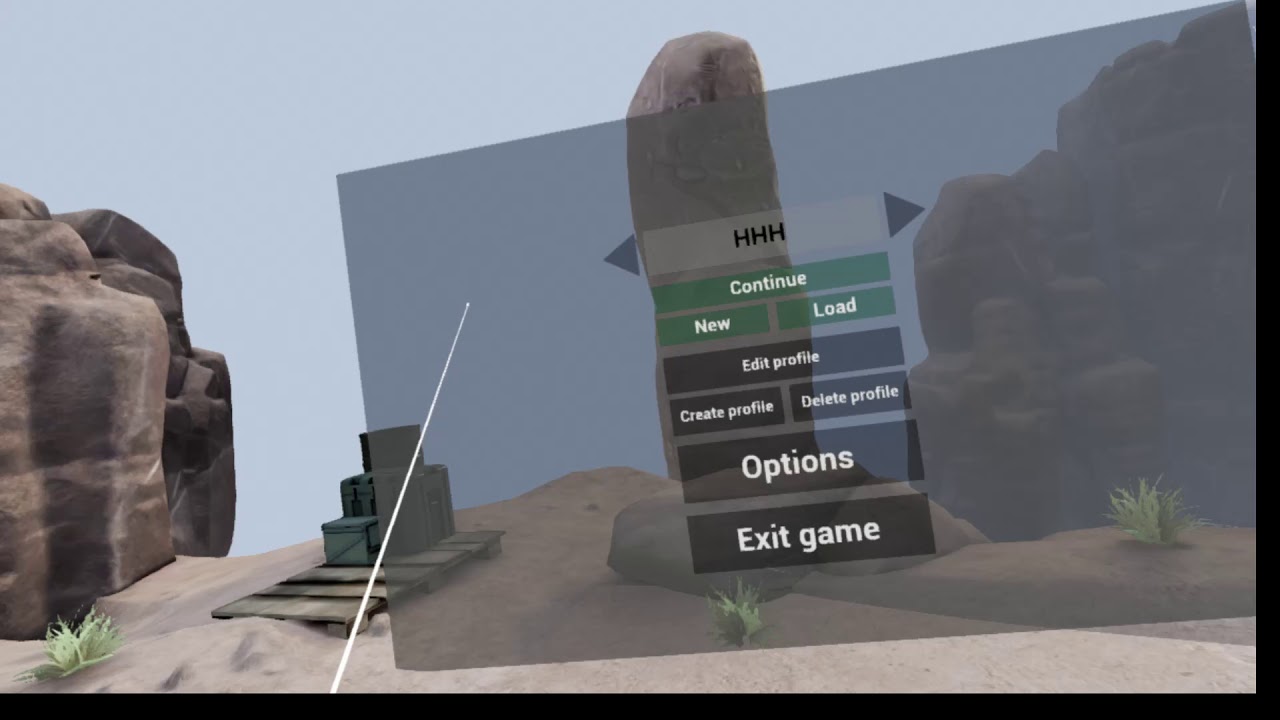
Now named: Tall Order - Inventory Tabs, Missions, Dialogues, InfoTexts, Story mode.
tired tree
@full junco worded it terribly and realized no-one probably understood what I meant :p
was heading to bed
and yeah, 2 on that CVAR is what I was talking about
if it is going to hit the max res ever, then why not stick with that size render buffer to avoid allocation
its not really saving memory in the end since its going to require it at some point anyway
granted, maybe it already works like that normally like MuchCharles is saying
 fleet plume
@eternal inlet what are you using for the floating menu (as seen in the screenshot above)? StereoLayer + UMG?
eternal inlet
3dwidgets and UMG
fleet plume
i tried 3d widgets some time ago but something bothered me. it was either that they weren't as sharp as a stereolayer and/or that they were affected by post processing
can't remember which one
yours are looking great, so maybe i should give them another try 😃
eternal inlet
i think they're fine yes
i run with 140ss, in the video, which is sort of the default for vive
fleet plume
i probably did something wrong when using them
also, the waypoint/distance beacons are 3d widgets too?
eternal inlet
they're actually planes
placed and scaled according to the target + the HMD looking direction
so the arrow will place itself at the same distance as the target is
i have two planes
one semitransparent ignoring zdepth
and one solid with occlusion
fleet plume
thanks for the detailed explanation! just starting out with ue4/vr/c++ so glad for any pointers
jaunty shell
oh damn @granite jacinth you guys are looking for a tech artist ? 😮
mighty carbon
hmm.. no github updates, no news, no releases.. Is Epic waiting for GDC to release 4.19?
jaunty shell
that's in a month 😦
granite jacinth
@jaunty shell Always looking for quality
jaunty shell
I'd apply if I wasn't tied to my current job :p
how many lads do you have in your team so far ?
mighty carbon
what's the optimal way to go about first person weapons? Would it be better to spawn and attach weapon as BP_Actor on weapon pick-up/switch, or would it be better to just have all the meshes for weapons lined up and attacked inside player's character and hide/show them when needed ?
not UE4, but makes sense.. https://blogs.unity3d.com/2018/02/15/probuilder-joins-unity-offering-integrated-in-editor-advanced-level-design/

Unity Technologies Blog
We are excited to announce a powerful new addition to our creative tools suite: ProBuilder (with other great tools) and its creators, have joined Unity. Pl...
sturdy coral
@fleet plume they aren't as sharp (in world UI vs stereo layers); if you are using TAA you can set them to use responsive AA in the material to make them sharper; has to bea translucent material for that and it will make everything behind it aliased, but you can put opacity at 100% to avoid that mostly
@mighty carbon the "optimal" way for performance is maybe to combine the weapon meshes with the player meshes at runtime but it would make your asset pipeline more difficult
shooter game uses separate weapon actors for each weapon
and inside the weapon actor there are multiple meshes, but that is mainly for supporting split screen
fleet plume
i disabled TAA for now, as i show debug graphs on a CanvasRenderTarget2D and the overdraw (?) made it gross to look at
glossy agate
@mighty carbon gun logic can get complicated. I just have separate actors for weapons
fleet plume
does the forward renderer even support TAA?
sturdy coral
@mighty carbon shooter game has two so it can have first person OnlyOwnerSee, split screen third person OwnerNoSee
@fleet plume yeah it supports it
glossy agate
And like Charles said some of the actions on my weapons use relative space so it wouldn’t work inside the pawn
sturdy coral
I don't know if it supports the responsive AA flag in forward though
there are various things missing in forward rendering in different places, responsive AA uses a stencil bit somewhere
fleet plume
i got that right though, that the forward renderer is the preferred renderer for VR?
sturdy coral
yeah seems to be for most people
glossy agate
It has better perf and supports msaa so people like it.
I’m still on deferred though. Will have to re work a ton of materials to support forward so I haven’t done it
sturdy coral
@fleet plume stereo layers are still going to be a bit clearer in general, the compositor can run at a different resolution and the layers can be rendered after timewarp on some platforms which can avoid timewarp resampling
fleet plume
though MSAA looks worse than TAA imho
sturdy coral
I use TAA, it adds blur but it is just more compatible with lots more assets
fleet plume
i haven't fiddled with any options (there are none in the rendering options?!)
would super sampling help with reducing aliasing?
sturdy coral
@fleet plume yeah
TAA basically super samples, accumulated over multiple frames, but ends up blurring some too for several reasons
but you can also directly supersample with TAA and MSAA, at much higher cost
if most of your aliasing is from polygon silhouettes and not shader aliasing a higher MSAA sampling rate is much more efficient than supersampling though
fleet plume
SS would be r.screenPercentage and MSAA quality r.MSAACount ?
how does r.PostProcessAAQuality play into that?
sturdy coral
yeah that's it
mighty carbon
I see
sturdy coral
postprocessaaquality doesn't do much, I think it moves TAA into different sample numbers and jitter patterns, but there is no real cost to doing the highest quality gaussian random jitter thing
mighty carbon
I guess pickup actor would have it's own model (world model, so to speak) and player could have view model. World model would be simplified compare to view model and would be used on 3-rd person player's model (that's if I ever go with multiplayer).
sturdy coral
it might be something you want to tweak if you are also tweaking the TAA history contribution and stuff. it all probably changes a bit in 4.19 with the new temporal upsampling stuff too
fleet plume
any recommendations for sensible MSAACount values?
(i wish the console would have inbuilt help :))
sturdy coral
aaquality might do more on other AA types, FXAA and stuff.
@fleet plume I think 4 is the highest it will go and I would use that
glossy agate
Let the player pick if you can
sturdy coral
MSAA is a good one to change dynamically too
fleet plume
depending on fps?
sturdy coral
it is less jarring with msaa to drop from 4 to 2 samples msaa and back than to drop resolution
fleet plume
ah ok
eternal inlet
i still have issues with my vive, would like to hear if any of you have suggestions to what else i can try. I've written down some notes
Symptoms:
- when loading any game, the blue loading screen jitter around when i move my head from side to side, like i got really bad FPS
- when starting up ue4, sometimes it runs with 11ms, but usally subsequent starts of a game, results in 33ms
- when running 33ms, i can switch to console and as soon as i type in r, it switches back to 11ms
- when running 33ms, and it doesn't switch to 11ms when i type r, i can switch r.screenpercentage 139 (anything different from what it was) and it will switch to 11ms
- when the hmd goes idle, it will show a spike in the performance viewer in steamvr every second
This is what i've tried:
Reinstalled PC
Tried with different gfx drivers
- 390.77
- 390.65
- 388.71
Tried bypassing cable
Tried different USB ports (several hubs)
Tried different ue4 versions
Tried both SteamVR and beta
...and problem persists in all scenarios
sturdy coral
@fleet plume taa can smooth over resolution changes really well, but requires a patch to the code; 4.19's taa upsampling stuff will make it even better but res changes with it aren't fully working in VR yet without hitching
fleet plume
thanks! also looking forward to 4.19 now 😃
glossy agate
Anyone else reporting the problem? @eternal inlet I can giv it a try tonight, but I havnt had any problems with your game before
eternal inlet
ah sry, i tried with all recent versions, 4.16, 4.17, 4.18, 4.19preview
im quite sure it's not hardware related (or not only atleast), since i can touch things in ue4 for example to get it to switch to normal
but it might be hardware on a lower level, but HTC support said all the system info was looking good
fleet plume
could it be focus related? when i am running PIE in VR and the game loses focus, the log gets hammered with compositor warnings
eternal inlet
don't seem to be focus related no, i can see my controlers move and can interact with stuff
fleet plume
also some motherboards have a specific BIOS flashback USB port and somebody on reddit reported problems with the vive when using that port
eternal inlet
@glossy agate that would be nice if u could... just note, i also just added in ikinema solver for the sniper, so that might have an effect on performance. Fantasiful reported it was killing FPS for him on oculus atleast