#virtual-reality
1 messages · Page 165 of 1
 willow trail
 mighty carbon
well, you need to have 2 meshes - one for volume, one for level
cut volume with a plane, and cut level with the bottle itself (if possible at all)
willow trail
I'm not sure what you mean
mighty carbon
let's say you have spherical bottle / vial
willow trail
in my case I'm just using a single slice, cutting the liquid (which is a convex shape that's basically the inside of the bottle capped off and with the normals flipped), with the plane I determined through my volumetric testing thingy
mighty carbon
the inside volume of the liquid would be a chopped off sphere
willow trail
yes
 tired tree
it also doesn't support waveforms or surface effects
mighty carbon
on the forum
mighty carbon
why do it every frame though ?
willow trail
it might not be necessary, but if the level only changes once every two frames I'm afraid it'll show. Either way only doing the slicing/volumetric stuff every other frame would be an easy fix, it's not causing any perf problems at the moment though so it's not a priority
this webm more than 3 months old but it sort of shows what it looked like early on https://gfycat.com/IlliterateConsiderateGar
 mighty carbon
if you are going for a physically correct simulation in a consumer entertainment product - you are doing it all wrong 😃
willow trail
I don't care about the correctness of the simulation, but it's gonna be one of the main mechanic of the game, I'd rather have it feel good
same the volumetric accuracy, I don't care about it on paper, but everything tends to look off when containers have a very low content by using estimations (based on the bounding box and such)
mighty carbon
maybe use timeline to drive "animation" ?
mighty carbon
or do what @full junco does - ignore average user and have i7-4core or AMD Threadripper as minimum specs 😃
tired tree
you sure about that "NoPerf problems" statement? When pouring one into another you added 2-3 ms to your units in that gif
willow trail
I believe that was coincidental, I use physX waking to wake the whole liquid calculation up (that's gonna be changed, but that was the case when I recorded this gif), and objects wake up when in proximity of a woken up objects
both objects would have been going through the entire calculation even before I started pouring
 full junco
@mighty carbon >90% of VR gamers have i7 and above
tired tree
that wouldn't explain why the perf hit sustained across pours tho...
willow trail
I've got an old *ss i5-3550 @3.30, I'll just assume if it runs on my CPU it'll run on any realistic VR conf
tired tree
and dropped after
willow trail
well the pouring handling would have been on the blueprint side then
oh yes, at the time pouring into another liquid caused it to tick
so any poured-in liquid would tick twice per frame
that has been remediated
 supple coyote
Hi everyone
tired tree
well, in the end, this is nitpicking, if you feel you can hit your targets as is, you already have a working solution
it might not be the best one, but the best isn't always required
the literal best would be the nvidia branch anyway
supple coyote
Im facing a problem here in Stat GPU
tired tree
that bartender game uses it for actual fluid simulation
supple coyote

there's an [unaccounted] fee taking up a lot of time
only in packaged Oculus
not in editor
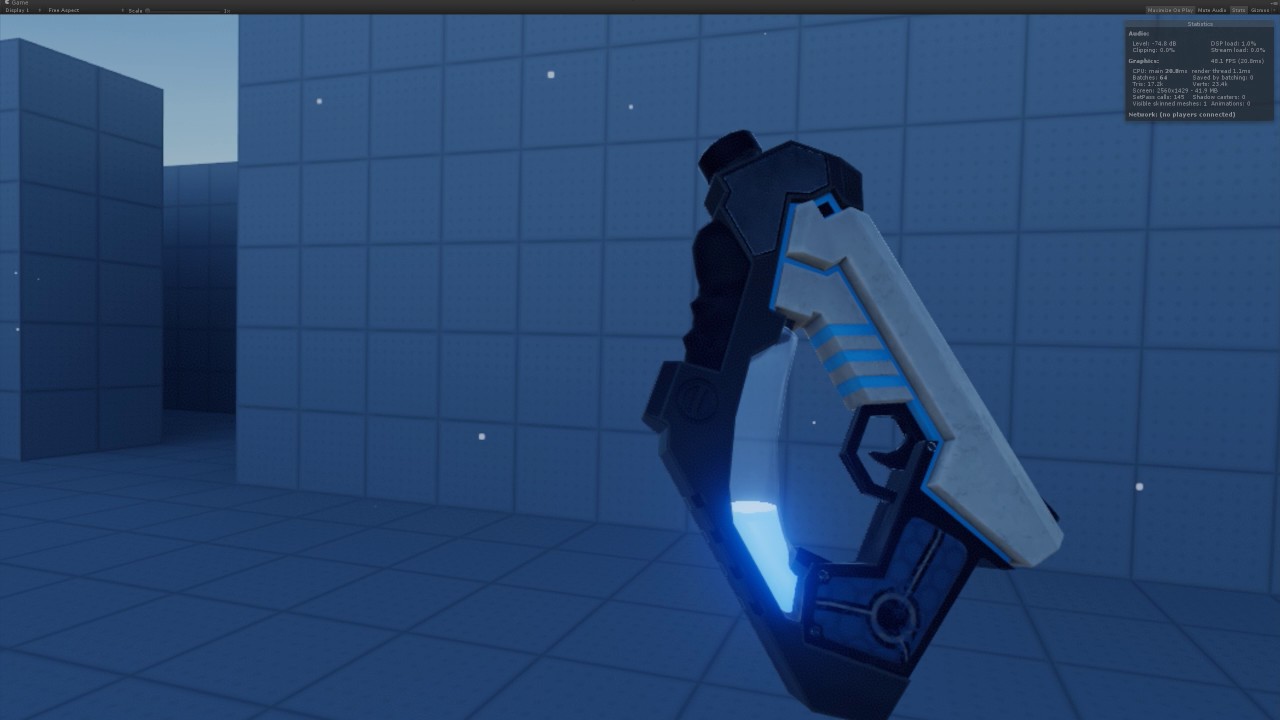 willow trail
Ah I can tell you it's not the best one for sure 😛 but I found out that this wasn't even the cause of my slow downs, and I haven't even done any optimization pass yet, I'm confident I can shave a very significant time off of that.
supple coyote
I found this:
GPU work that isn’t explicitly instrumented will be included in a catch-all [unaccounted] stat. If that gets too high, it indicates that some additional SCOPED_GPU_STAT events are needed to account for the missing work.
willow trail
@sturdy coral this looks like it's using the bounding box and just lerping on height, putting the plane position at the center, and shifting the normal, which is what I used to do, but you can clearly see in that picture that the liquid seems to vanish or suddenly double in volume when jolted around. this is probably completely fine for this use case, but I wouldn't be happy with that in my game since it's a core mechanic
@tired tree would you have any links regarding volumetric materials? I can't find anything but stuff relating to volumetric fog
mighty carbon
@supple coyote are you working on Scorn for VR ?
this Scorn https://scorn-game.com/
Scorn
Scorn is an atmospheric first-person horror adventure game set in a nightmarish universe designed around the idea of being thrown into the world.
tired tree
@willow trail its kind of the same thing, except you only have to use one plane and its at the cutoff point
to cap the mesh
mighty carbon
why use volumetric material for liquid in a bottle ?
willow trail
In theory because it could be more performant than slicing (which I wouldn't need anymore) and also because liquid within the bottle would probably look much better
although I'm afraid that I might need too high particle resolution to avoid sudden drops in level/irregular water surface when not axis aligned
 sturdy coral
@willow trail how about this one? (unity though) https://forum.unity.com/threads/liquid-volume-by-kronnect.432114/

Unity Community
Liquid Volume is a powerful and highly customizable shader that simulates realistic and animated liquid containers. Can be used in 3D scenes and 2D UI...
I don't know if it has the same problems as that gun one
tired tree
that one caps the geometry i beleive in the vert shader
@willow trail you didn't like the bounding box method because it retained too high/low depending on orientation right?
did you try getting current total fill and the volum from the angle and the bounding box extents?
should be able to adjust the liquid level by lerping from widest to narrowest axis of boundry
based on angle
mighty carbon
why not to create a cap by cutting a plane with the liquid volume mesh ?
willow trail
@tired tree What do you mean by angle?
Oh you mean analytically determine the actual volume of the bounding box instead of the bounding box's bounding box?
this works, but then you're limited to cube shape, and it would behave very poorly for anything, including simple scenarios like speres
tired tree
no
get the % of volume on say X vs Z
and lerp fill as it approaches the axis so that it doesn't fill up less / more than it should
for spheres it wouldn't do anything, it would be the scale scale on all
50% would be 50%
willow trail
Not sure I get you :/ Like make a axis/volume graph on each axis and lerp between them?
mighty carbon
I just made a simple setup in Blender with 2 volumes and 2 liquid planes
tired tree
well you can get unrotated size
mighty carbon
(using booleans)
tired tree
and use that for % of total volume on each axis
willow trail
I'm gonna blame the fact that I'm just done working out and my head is spinning like crazy and I might actually pass out anything second now, but I might need a drawing 😦
willow trail
alright 😛
@mighty carbon I believe this is what I'm already doing, using the BP slice helper function you can automatically create a cap
this generally behaves fine, limitations would be that I can't easily animate that top surface if needed, but I find that having an inertia in the liquid when shaking it is really close enough to reality, especially in smaller containers
 granite jacinth
hmmm
Who has WMR and can play games in 4.18?
Because supposedly some folks can without that visual issue
willow trail
Also regarding the "Liquid Volume" Unity plugin, I think it also just lerps on height without keeping track of the volume. I'm not sure, but finding the volume of a concave* shape (like the round bottom flask) adds significant complexity, it becomes much less trivial, and you suddenly have to simulate communicating vessels if you don't want your container to feel like it can teleport liquids around. I'm pretty confident this plugin doesn't do that
mighty carbon
@willow trail aye, but if you don't use that built-in function and have a cap as second mesh?
https://twitter.com/Oculus_Dev/status/958761930541412353 << I hate Unity 😦

Attn all @oculus Rift @unity3d : our newest Oculus Utilities for Unity provides a significant #GPU performance improvement of 15-20% ! Check out 1.22 now! #VR #VRdev
 Twitter
willow trail
Twitter
willow trail
@mighty carbon the function already create a second mesh, but what's your issue with the slice function?
mighty carbon
well, if you don't use that capping functionality, maybe you'd be able to animate top surface, since it's a separate mesh ?
(I don't know much about procedural meshes in UE4)
tired tree
proc mesh is the same thing
willow trail
well it is already a separate mesh that you could animate, the issue is that you'd have to also animation the newly created sliced vertex on the main mesh, and do all that consistently with the container
mighty carbon
can you limit where animation happens using vertex color mask ?
also, what kind of animation are we talking about ?
willow trail
I expect if I really wanted to I could change or copy the slice function to use a simple vertex displacement field on the vertex before slicing, but you'd probably have issues with normal calculation and all that jazz, don't really wanna open that can of worms
I don't know some simple sinusoidal animation? maybe? I'm not even sure, I don't like the exagarated and slow animation of the unity plugin, but having some quick ripples (as in speed of sound quick) when moving it around could look nice?
I think the plane normal inertia already does a good job
sturdy coral
@granite jacinth I think odyssey users can
the issue happens if the screen aspect ratio is different than the recommended aspect ratio
and on windows MR it misdetects the screen aspect ratio as being the vive aspect ratio
it breaks on rift because it gets a different recommended target aspect ratio than the screen
I think odyssey is the same aspect as the vive so is possibly ok
mighty carbon
@willow trail if you can mask edges of the volume and cap with vertex color, you can have displacement (or however you want to do ripples or whirlpool) without deforming/affecting the edges
willow trail
I don't know if it's worth it, I'll try to see if I can get a good enough ripple effect on the normal when pouring or dropping something in though
 glossy agate
Have you thought about using the Nvidia branch with the liquid stuff they have?
tired tree
@mighty carbon "Improved Occlusion Mesh handling that provides a significant GPU performance improvement"
the unity changes don't necessarily mean that they improved it over ue4
sounds more like unity had bad occlusion meshes that they fixed
a recent thing that ue4 also had to fix...
sturdy coral
@tired tree when was that changed for UE4? just want to look at the details
sturdy coral
oh yeah lol or reported it at least
sturdy coral
I thought you mean occlusion culling meshes
mighty carbon
I see
I just never see them posting "UE4 got this awesome improvement!".. It's always unity..
sturdy coral
they have had the occlusion mesh in the ue4 oculus plugin since around the bullet train demo timeframe
tired tree
@mighty carbon they directly push to ue4
I have seen commits from the oculus branch being added in
seems more like for unity they have to have a closer hand to release for it is all
mighty carbon
aye
glossy agate
Anyone here using a third person cam on a boom for spectator screen instead of HMD? Is there any significant overhead for it?
glossy agate
or is it worth it, like your cam actor you made?
glossy agate
Hmm. Thought it would just be cool for streaming vs the FPS view that can be kinda hard to watch, but I may have to just save the perf
mighty carbon
Epic will have stream about 4.19 tomorrow.. I wonder if that means that release is near (in ~2 weeks)
also, interesting read https://area.autodesk.com/blogs/journey-to-vr/the-real-magic-behind-the-void/

Area by Autodesk
Curtis Hickman Chief Creative Officer and one of three founders of THE VOID reveals what it takes to fool and entertain the masses
glossy agate
Is it just getting more buggy with every release or something? Haha. Seems like people have more and more problems with every version
supple coyote
hey guys
I asked a question earlier today
about Stat GPU performance issue in packaged
I see [unaccounted]
which takes up from 5-7ms
but doesn't exist in PIE
seems to be something other than the direct Unreal rendering pipeline
is it OculusVR?
any thoughts?
@mighty carbon ever seen this?
mighty carbon
nah, I don't recall I have, sorry
supple coyote
Okay thanks for reply
tired tree
@sturdy coral 4.19 p3 fixes the worldtometers issue
still having total program freezes with vive though 😭
mighty carbon
what about with Rift @tired tree ? No freezes ?
tired tree
haven't tested with rift
 trail shale
Just reading over the 4.19 preview - is Dynamic resolution as big of a thing as I am thinking it is?
@supple coyote Try deleting like having of all the static meshes to see if that is from draw calls, and package, or remove all lights and just make it unlit and see if it changes after you package
I know there is an option in Steam VR that can alter performance as well, see if you can get someone with a Vive to try that out and see... I think it's the Advanced Supersampling and Always-on Reprojection.... play with your Oculus settings, maybe the editor is able to detect these differences more
 quartz bay
Today I discovered that there is another person with my first and last name working in VR. He’s in Illinois, I’m in Seattle. It is blowing my mind right now. My last name is somewhat rare with finnish origins. For there to be another person with my first and last name in the world is already very small, but for two of us with the same exact name to also be working in the same exact industries at the same time? That’s like a one in a billion chance. No, it has to be even smaller because the VR industry is very small. This would almost be enough to convince me of higher powers at work or some sort of predestined fates.
willow trail
you have to contact this guy and make a company with you guys' name
you just have to at this point
quartz bay
boy, that could be confusing for other people 😃 "Go talk to Eric", "which one?" "The one with the last name..."
willow trail
nicknames!
quartz bay
I've always thought that if I ever stepped into a cloning vat and a perfect clone of myself emerged, we would just nod to each other silently and then go sit down at a chess table and play a couple games against each other. Who would win, when we think exactly the same but don't know what the other is thinking?
willow trail
white probably
quartz bay
if we switch colors each game, and play 50 games, would it be a 50/50 win/loss split?
willow trail
the question is could you last 50 game without breaking down in a massive existential crisis
either way, you have to contact other Eric, there's a solid chance he won't take you seriously anyway, just think it's failed attempt at spoofing him or something
quartz bay
without a doubt, but you might be trying to refer to an identity crisis instead.
willow trail
probably both honestly
I'm not sure it would be an identity crisis either really, I suspect we'll need a whole new type of crisis when we get there
quartz bay
working in VR kind of already creates an identity crisis in some ways. Everytime I play my game, I possess the body of another character with a different identity. Is my identity the characters identity, or is the characters identity mine?
there's a lot of research to do on cognitive dissonance and VR
willow trail
well it depends I suppose, if it's an RPG it might be a mix of the two, if you're memeing on VRChat it's probably neither
I don't know about you but my first day in VR, and especially my first time waking up in the morning were extremely weird
for twe weeks in a row I'd wake up absolutely marveled at how amazing the physics of my blanker were
and how the IK on my arms was impossibly accurate
I wish I was joking
quartz bay
lol, I know what you mean. Working in VR has made me look at the real world in a much more discerning way, marveling at the detail of the mundane.
willow trail
yeah, for some reason sometime I look at a piece of metal in real life and find it beautiful, just because I spent so much time in VR looking at golden objects with nice PBR
willow trail
have to snap back to reality to tell me it's just a piece of wire
quartz bay
I have a story script planned out where a faction of magicians, masters of illusion, have gotten so good at crafting illusions that they can recognize illusions, and... they've started to recognize that the whole VR world they inhabit is an illusion and their quest has become to find a way to escape the illusion of their world. That's going to melt a lot of brains, if I ever get to producing it.
willow trail
huh that's interesting
quartz bay
one of them will say, "If we escape this illusion, how do we know that the reality we escape into isn't also an illusion?"
willow trail
It's weird though, if they can identify that their reality has been crafted by a conscious mind (because I suppose their own consciousness was emergent rather than handcrafted), wouldn't they come to the conclusion that they had a god rather?
Ha I suppose there's probably some nice fable about how men want to join/meet the gods that you could take some inspiration from
by the way that sort of is the plot of Yathzee Crosshaw's "Mogworld", which is a great book
quartz bay
heh, that's interesting to think about. It's like an argument for intelligent design in a way. But if I'm the creator of their world and them, then they would call me their god, but we both know that I'm just a creator, not a god. I have no godlike attributes, or if we want to still define me as a god, then we need to revise the defining characteristics of a god.
willow trail
ha, I feel like the definition of god/deity has to be a nice wikipedia rabbithole
quartz bay
these magicians happen to worship a god as well, they call it the "god of mystery" because their god works in mysterious ways or something
but the magical powers of every magician stems from a small peice of the gods they worship, so it would be really fascinating to explore how the belief systems of the illusionists change when they realize that their god doesn't actually exist and that their world is an illusion, crafted by some other creator, but is that creator a more powerful god then? A god which created all of the other gods the other magicians worship? Or, if their god is a god of mystery, and everything about their god is mysterious, how do they know that their god and the creator of their universe aren't one and the same?
at the end of the day, this is a really cool way to explore metaphysical philosophy through the medium of VR 😃
willow trail
reminds me of a make believe religion we made way back in highschool with some friends, in that context (and otherwise french words), god was the algorithm, the creator a conscious being that created it's seed (but couldn't understand it anymore)
you could view all your gods as different algorithms
Neptune god of the water physics
quartz bay
The illusionist wizards will be enough self aware that they have started to realize that themselves and various other characters are temporarily "possessed" by external beings (players), and their experience of this possession is a big blank in their memory, as if they blacked out for several hours and woke up somewhere else completely different.
So, one of the ways they're going to try to escape from their reality is to capture a character which is possessed by a player.
I'm currently thinking that these illusionists will try to interrogate the player to glean some knowledge of their external reality.
willow trail
Concept is lovely, very similar to Mogworld again (which I highly recommend, especially the audiobook which is narrated by the guy, as long as you don't mind his intense british cyninism oozing from every word), I'm wonder if it might be better suited for another format though. If I imagine the scene you just described as the player, I'd find it pretty cheesy, even if it wasn't necessarily the intention, it might appear as just a constant breaking of the fourth wall, which can pull you right out of it
You'd have to realllly ease the player in, not make they instantly realize that their "uniqueness" detected by the NPC wizards was just the fact that they were players
quartz bay
The illusionists will eventually realize that they cannot leave their reality in their current state, that they are somewhat trapped in their plane of existence, but they can escape their reality in other ways. They believe that people die twice: First when their mortal bodies stop working, second when there is no trace of memory of their existence. So, the illusionists decide that they will try to imprint the memory of their lives in the possessed characters, so when the player takes off their HMD, they still remember the life of the character, and maybe, the illusionists petition the players to cosplay and roleplay them in real life, thus extending their existence to an external reality.
oh yeah, this is the final story series in a set of five stories, and each set contains 3 episodes, but it will certainly be a slow burn in terms of reveal.
I'm certainly going to be breaking the fourth wall here, but maybe the other way to look at it is that I'm just extending the fourth wall of the VR world to encompass our reality as well?
some people may not like it and think its cheesy, but maybe other people who are willing to suspend their disbelief enough will have their minds blown?
willow trail
haha I'm not sure that's how this works, the 4th wall is meant to be between the audience and the play
well yes, there are amazing games that break the 4th wall, it's not impossible
pony island, oneshot being examples, undertale to some example to
all highly revered games
quartz bay
lol, true, if you think of it as a play, then VR kind of changes it all completely: The play and the audience are the same.
willow trail
well I think that's the origin of the 4th wall, it would seem like it anyway, being the one wall that doesn't exist (in theater) but is implied. In games in general, VR or not, I suppose the 4 wall is more conceptual
or maybe it's your screen
quartz bay
yeah, I generally view "breaking the 4th wall" as being something which ruins the audiences suspension of disbelief and takes them out of the experience. But, this story could be an interesting way to blend the two worlds together
willow trail
tons of stuff you can do though that might ease the cheasiness, you could stack walls, Inception like, like Superhot does
It doesn't ruin it if done right I think, I tend to hate it for comedic relief (looking at the camera because something silly happened, laugh tracks in generaly) but some do it really nicely
of all the good examples I can think of, it is either to deliver an actual intelligent and meaningful message (when touching the player through the character isn't enough anymore), or when they stack the 4th wall, which you could do in your example. You could play a player in that world, the reality the player comes back out of the world of the illusionists might not be your own but another one even crazier than your own
quartz bay
at the end of the day though, the intent is to use this VR experience as a proxy for teaching the audience about metaphysical philosophy and teach players to think more deeply about what they're experiencing in real life through their senses and cognitions. If I can expose people to 10% of Descartes ideas and have people become more skeptical, I would be happy.
willow trail
so essentially do the work of hallucinogens through VR 😃
quartz bay
It'll be quite a trick: Players enter into the VR world expecting to play a game, but instead they got a deep lesson on philosophy through first hand experience.
willow trail
I think just raw VR already goes quite a long way to make people think about what is reality and the difference between reality and perception
quartz bay
I agree, and this would be a good way to take it one step further. I want people to ask themselves, "What is real? How do I know? How can I tell?" and maybe trigger mild existential crises
willow trail
that's the opposite of what you want to do to people though 😦
quartz bay
"How do I know I'm not currently being possessed by someone else?"
willow trail
what is you! what is else!
quartz bay
anyways, this idea is probably never going to see the light of day because its at the tail end of my production projects and if any of the predecessors fail financially, I can't fund the next projects.
trail shale
Everyone has read Ready Player One but I would be surprised if anyone here has read "Surface Detail"
willow trail
Ian Banks terrifies me
trail shale
That novel would
willow trail
I hear he invented an actual hell 😦
trail shale
Makes you never want to go anywhere near VR
There are virtual hells in his book, yes
willow trail
you're trapped for basically eternity, years and years simulated in constant suffering in the blink of an eye
trail shale
He wrote it (imo) to show the lengths that societies will go in terms of being barbaric and yet sophistcated
willow trail
it's not you per say but still, I don't know what to make of that 😦
trail shale
Seriously, grab it on audible or something, it's a trip
willow trail
I started listening to one after being recommended it multiple times by a collegue, I need a new audiobook, I might try it out again, Expeditionary Force isn't doing it anymore
trail shale
Start with Player of Games
willow trail
is it nothing but bleakness and mindf*ck?
trail shale
No, not at all
In fact the first few chapters are actually boring, because he describes a utopia, which, by its nature, doesn't have any tension in it
willow trail
I've always wondered if you could write a good book about a utopia, I expect you can't though :/
so first chapters of Culture 2 are utopic still?
or are you talking about the first book
trail shale
No, the Culture itself, is a form of utopia
Most of the stories take place OUTSIDE of the Culture, as they try to help other societies without interferring directly
It's a bit like the Prime Directive from StarTrek except they WILL interfere but their plans take centuries because socities take time
willow trail
not familiar with Star Trek, but I get the idea, I'll give it another chance
 pearl tangle
anybody done much playing around with ARcore/ARkit stuff yet?
mighty carbon
I am waiting on S6 support.. They just added S7 support, so I am still hopeful 😃
quartz bay
I realized a little while back that if you're writing a fiction piece on some sort of pleasant idea, such as a utopia or a benevolent AI, or whatever, it's inherently boring because there's no conflict. So, if you're going to write about something "nice", then you have to make it interesting by showing "but wait, it's not actually nice!", and that narrative always ruins public discourse and perception.
pearl tangle
@quartz bay I think that's what they teach you back when you are 10 and learn about writing don't they? The whole protagonist, antagonist, conflict, resolution etc?
 novel roost
hey every one i have question about google vr and iOS ? can someone help me ? thxx
pearl tangle
@novel roost ask and we can try?
 eternal tree
hi, i'm trying to play sequence , but it doesn't work properly .. sometimes ue crashes, sometimes it works almost fine (camera rotation fails). when i build for standalone everything works fine, but i need it for vive...does anyone know whats wrong
?
 cosmic shoal
hmm no idea, never had crashes with sequences, and for the vive, you should never ever animate the rotation of the camera or you'll make people sick.
eternal tree
@cosmic shoal yes thank you, u re right about rotation :S did u make some sequence in VR ? does it work fine ?
cosmic shoal
No I use sequencer for ArchViz projects.
eternal tree
me too, i'm creating archiviz project in VR.. so now i
i'm trying to make something like tutorial in VR... with sequencer..
and don t understan why ue crashes sometimes.. when i add some changes :S
novel roost
@pearl tangle hiii thx for replying , well I had this application made for vr/normal mode it has a main menu flat when I build for Android every thing works perfectly but when it comes to iOS I get the Google VR Layout (Barr in the middle and setting buttons ) on my menu ? So my question is there any way to hide Google Vr UI Layout on iOS ? Thx I'm stuck on this thing for like a week :'(
pearl tangle
@novel roost you can enable and disable the HMD display with a node, can't remember what the node is called though
novel roost
@pearl tangle yes yes I did it in Android every thing works as it should talso in the iOS only thing is the Google Vr UI is showing in non vr mode when hmd is inactive :/
Now I'm trying to comment the code that show that UI layer inside the engine plugin finger crossed
cosmic shoal
it happens to me when I change maps(levels) you can reasign them if you still need them.
mighty carbon

Oculus Go seems to be making its way to developers as they are posting photos of their standalone VR headset devices. In the picture above, you can see the Oculus Go
eternal tree
@cosmic shoal could u tell me how to do that ? i'm new in ue. so i don t know a lot...
mighty carbon
Interesting: https://trello.com/c/O97YnVNB
Oculus Audio plugin has been updated and includes a reverb plugin, as well as support for Android and playing back Ambisonics files.
Labels
Physics/Anim/Audio
Epic added quite a few things to the Roadmap for 4.19
cosmic shoal
@eternal tree right click on the actor name in sequencer and select "Assign Actor" then select from the list
eternal tree
@cosmic shoal yes i did it, and it helps with pawn, but hands (motion controllers) still missing
cosmic shoal
are they in your scene?
I've only played around with VR in unreal, so I dunno if they get spawned by code or if they are present in your scene when you have a vr template.
eternal tree
i think , no, hand mesh is not in my scene... so should they ?
cosmic shoal
for sequencer to move them.. I think so
I have no idea what you are trying to do, but in some instances stuff gets added to secuencer when you manipulate it, but it should not be there.
granite jacinth
Is there a way to switch eyes for specator mode?
(so vr left or right eye choice)
eternal tree
i'm just trying to record gameplay video..
but motion controllers re not there and i also cant move...
mighty carbon

We are proud to announce the new VRC Validator for Rift applications.This easy-to-use and effective procedural tool can quickly identify issues prior to app submission!
 wicked oak
testing some stilyzed rocks
the fun part is that they are on a fully automated pipeline. This rocks were made in zbrush at high res, and then were all baked in houdini + automatic retopo and UV
trail shale
@granite jacinth This was the only reference I could find in code, I'm sure there are others
DefaultSpectatorScreenController.cpp
You could try putting Right Eye there and see what happens
glossy agate
@granite jacinth have you tried the different modes the steam VR thing gives you? I think one of the options may show right eye instead.
granite jacinth
Aye
But I wanted to know if there was one for specator mode via BP already
That I didn't catch
I think @trail shale is right but that didn't make its way to BP
glossy agate
Yeah as far as I know, there isn’t a BP option
tired tree
they tend to hard code a lot of little things like that
glossy agate
Dont know if its always been there but vrlfg shows VR supported games also. Dota2 apparently has VR support and is number one by a loooot
mighty carbon
who plays Dota2 in VR?! 😃
glossy agate
No idea haha. I should look it us and see if they have some kind of tabletop environment or something. I have never played Dota before though so Im not sure if that would work
Tried Lol like 3 times. I just can't seem to get into it
wicked oak
its for spectating
and its GREAT
reaaally good
to watch tourmanets with random people and such things
glossy agate
Oh nice. They should do a stadium spectator for the big contests. Seen pictures of it before. Looks like super bowl sized crowds
wicked oak
it would lag too much
the current one is great
i think it can hold 16 people
you can watch the actual stream (for international/others) in the big cinema mode
or you can go into the world
and see the stuff happening beetween your feet
glossy agate
My little brother would love that. I think thats mostly all he does at work all day. Watch dota and starcraft
tired tree
dota2 vr spectate is pretty cool yeah
 real needle
Have anyone else played around with ARCore? I changed from esgl2 to 3.1 and the camera is now applying a blue filter to everything
I'm guessing no one really knows because there are no troubleshooting posts online at all
Pioneering, great stuff!
supple coyote
hey
does anyone know why setting up the Oculus Touch button in this way freezes my HMD orientation?
glossy agate
what else is going to it? Looks to me like everytime you touch the joystick it will reset you
glossy agate
oh. Shit I didn't realize all the buttons had cap touch
the other 2 keys work for you though?
glossy agate
Well Im not really sure how cap touch works, but you can put all those into your input settings as an action instead of stringing them all in like this
supple coyote
right.
supple coyote
Has anyone here had worsening performance in a packaged version in Oculus? Currently talking about 4.17
vague question I know. but PIE performs more smoothly than packaged
real needle
@supple coyote I have the exact opposite in 4.18
Do you have oculus dash enabled?
@mighty carbon Did you ever try out the Android camera using esgl3.1?
You're the only one I know here who've done lots of work w android
I'm getting a blue filter on the camera after I turned off esgl2 and enabled esgl3.1
supple coyote
nope no dash
I may have solved it in fact
firstly turning off Framerate Smoothing seemed to help
also
do ini settings not transfer to package?
I found that entering them in my development package helped
which means they arent being transferred
real needle
@supple coyote I enter them in device profiles
 rocky nimbus
If a game is intended to be played standing or sitting in one place but allows you to walk around if you wanted to (without any real reason), would it be considered a playspace game as well as sitting/standing?
I'm not sure where we draw the line between standing and playspace because not a lot of games force you to walk around even though you can if you chose to
 uneven phoenix
anyone have resources or documentation on how to do Physics simulations while you are holding an object in VR? im struggling to find something useful
mighty carbon
@real needle I only worked with Android in regards to Gear VR.. Didn't do non-VR mobile or AR..
and no, I couldn't get ES3.1 properly working in VR using launcher version of UE4
 sharp swan
@uneven phoenix im actually doing that right now. What you need to know?
sturdy coral
@supple coyote axis events usually fire every frame regardless of new input
pearl tangle
@real needle I have done some android applications before, working with ARcore at the moment on some stuff but it handles the camera stuff fine
tired tree
@uneven phoenix basic physics grips are pretty easy, just use the physics handle component, it covers 90% of what you will want, the other 10% requires custom setup
sharp swan
^^. And dont forget you can set physics weight below a variable bone. Which is super handy when you want to grab an arm and not ragdoll the entire thing
uneven phoenix
basically, when i pick up an object, say like a cloth object or something, i don't want the cloth simulation to stop. Im working on a sushi game and i want floppy fish
sharp swan
thats related to what I said then. not sure about cloth as ive not worked with it, but any general bone structure can be set to where you hold a specific bone and the rest ragdolls
tired tree
yeah you'll have to use a physics constraint of some sort then, the attachment can't be simulated unless you run it as a another component
again though, those are easy to use, specific bones can be passed in directly, and they work for most cases
uneven phoenix
hm, got any videos on this?
tired tree
there are a ton of tutoritals for handles...
even a wiki page
the reason to use handles btw is that they use a created kinematic physx actor which doesn't take simulation as the constrained to object
so no back and forth, it sets its location and the constraint drags along the gripped object
uneven phoenix
but the reson not to is lag afaik
tired tree
?
oh you mean late updates
yeah you would have to manually apply those if you wanted them
mighty carbon
watching UE 4.19 stream and Epic kinda avoids answering questions about future development of forward rendering and real-time GI 😦
tired tree
no they didn't
they straight up said that they didn't see a valid solution for GI that supported their goals for the engine yet
pearl tangle
yep the GPU guys are making their own stuff for it
datasmith / secret new word for it is making some big strides to bring in the different enterprise industry guys who are wanting some alternative rendering solutions. AMD is building their own alternative GPU powered version of lightmass and Nvidia already has their own branch for realtime GI. Octane will likely be bringing their renderer into Unreal as well later this year @mighty carbon
mighty carbon
aye, but those aren't as universal as let's say LPV
plus they aren't for games/VR.. Mostly for enterprise, where you can have latest Titan SLI and not worry about performance
trail shale
WHY IS THIS SO HARD for Epic to Recreate? Look, a specator menu with a menu you can operate!!1
tired tree
its not, they just haven't gotten to it yet
just because you have a specific need doesn't mean they aren't doing things
trail shale
It is a shit ton of functionality VR devs are missing out on
If it is a feature that takes a long time to develop, I get that
What irritates me is that I feel that in a few hours this functionality could be written in
You are literally just allowing widgets on the spectator screen
real needle
@pearl tangle Are you using esgl3.1? It's a little hard to troubleshoot this since as you said the camera is just taken care of
trail shale
and tweaking the way windows handles focus with the mouse
real needle
@trail shale there are problems with focus and user inout
I got it to work as a hack
trail shale
with a keyboard?
real needle
No, no typing, just mouse
trail shale
really?
does it look like that screenshot I posted just then?
are you using a 2d render target ?
real needle
Yes and yes
trail shale
DM incoming
real needle
It's just a 3d widget infront of the scene capture component ;)
And I simulate the mouse using an interaction component
@trail shale I'm going to answer here, no need in dm: It was easy to set up, just tweaking
trail shale
How do you do the interaction component?
real needle
I move it in world space
trail shale
before I was getting the mouse position and picking from a range
so a button might between 300, 400 on x and 600-700 on y
real needle
It's all one class
I'm in a rush right now but I was going to write up a blog post about it
trail shale
Please do, I'd love to hear about it
tired tree
its the same thing I told you that you could do before
you just manually implement the input...
and no, it isn't a "couple hour hack" for them to do it
they have to re-organize their viewport system
currently spectator screen is still under player 1's screen
so it breaks how the engine handles input
sturdy coral
I wish we could have separate viewports of the same scene open during play in editor, like unity can do
The new Proxy LOD system apparently converts the meshes to distance fields and back to union them together.. you could make something like Medium out of that if it were fast
More from 4.19 stream:. "landscape rendering optimization" sounds bad for VR. landscape component LOD selection will be based on screen pixel coverage instead of distance now. hopefully you can turn that off
real needle
Now wtf is this:
It's been fine for months, added another timer to the event graph and boom
eternal tree
hi, can anyone tell me how to play some simple intro video (logo startup movie) before level begins in VR ? i know how to do it for just standalone game, but in VR ?
i mean startup movie in VR...
 shell karma
which engine version @real needle ?
shell karma
tbh with you I didn't have any problems with the timers
although yeah, I always cleared the timer from saved variable
shell karma
@eternal tree you'd have to use move texture and just play improted video on the plane placed in the empty level
not move, movie*
your video needs to be in 3d space and not playing as if normal video would, user would end up with movie attached to their head
tired tree
thats kind of bad practice anyway though @real needle should be saving that out
the handle that is
real needle
@tired tree Yeah I'm cheap and thought I could save bytes that way
But that's just blueprints storing them internally which is why I understand if it breaks
tired tree
probably shouldn't have said "kind of bad practice" it is very bad practice
real needle
yes sensei
mighty carbon

UploadVR
Sony CEO and Chariman Kaz Hirai is stepping down from his role after overseeing the launch of PlayStation VR (PSVR) and much more.
odd
sturdy coral
He was CEO of sony. "Overseeing PSVR" is really angling for a VR story lol
Sony is much bigger than PlayStation/PSVR, he was probably barely involved in PSVR
mighty carbon
heh
sturdy coral
He was probably more involved with aibo https://img.wennermedia.com/article-leads-horizontal-1400/gettyimages-902752758-d1859f10-df09-43d5-bf46-807b4ed2be0c.jpg
 eternal tree
@shell karma ow, thank you. i m trying to do it.. could i place this plane for 3-4 seconds on certain distance from head and make it always in front of , then just destroy it. so maybe i could handle without any other level.. ?
shell karma
not sure what you mean by saying without any other level
just set up either level streaming or just load whatever level you want.
for instance you want a level with your video to load when app launches
- make the empty level with your video as first to load (project settings -> maps and modes)
- in the level blueprint of said video level call OpenLevel function with your next level in mind with whatever delay you want
- your game opens your deisred level after playing your plane video in VR
@eternal tree
eternal tree
@shell karma got it , thank you... by saying that i mean if i could play video in my level not empy one.. so if plane always is in front of head..and then just destroy it. I just wondered if it s a good way..
shell karma
@eternal tree personally I always put it in front of the player whenever level is loaded, player can look around, it doesn't have to be empty level for sure, and yes, you can destroy the actor/plane with your video after it plays or whatever you want
eternal tree
@shell karma thanks a lot )))
rocky nimbus
Anyone else having problems with Oculus drivers?
mighty carbon
??
@rocky nimbus ^^

The new locomotion sample in the Unity Sample Framework provides a framework for moving an avatar through an environment, with support for linear movement, teleports and related input, and visual effects.
^^ Oculus hammering out stuff for Unity really hard lately
rocky nimbus
@mighty carbon Idk, one of my sensors keeps reading driver update needed in the Devices menu and it forces my HMD to shut off (orange light, no display). It goes on and off and running the driver update in the Oculus folder doesn't help
I just did a clean GPU driver install so hopefully it wasn't actually a problem with the USB driver for the sensor
 wintry escarp
4.19 p3 got anything intresting in it?
glossy agate
Its got a VR hentai example level they put in
wicked oak
checking the polygon dungeons pack
damn
its packed with a fuck ton of assets, enough for a whole game
rocky nimbus
yeah ^
wicked oak
finishing my dungeon prototype into a full game with that seems definitely factible
rocky nimbus
I'm using some of those assets, they work well if you mix with other Synty products
wicked oak
yup
and they being lowpoly and stuff, is not very hard to create your own extra assets that fit
wicked oak
wich one?
i just think ive failed at trying to design art for my shooter
2 months of doing literally no progress or just throwing it up due to being useless
rocky nimbus
The pirate pack, dungeon pack and adventure pack mainly
I noticed all the Synty stuff looks like crap in Unity (naturally)
So UE4 ftw
wicked oak
lets see how it goes
for the new dungeoning prototype
i mostly didnt do it due to PSVR tracking
but given that people is fine with skyrim wich is a lot worse than my older prototype...
rocky nimbus
you know of any low-performance explosion pack?
wicked oak
nope
FX in DWVR were made out of asset packs i had, destroyed, and then remade
nearly all effects are custom effects made of pieces from other effects
with some custom stuff

for example
this is custom mesh with custom material, and the flames are one of the infinity blade effects i think
but toned down massively
glossy agate
Doesn't synty have exlosions too? What did out of ammo use?
wicked oak
the explosion is basically just scaling + fading down the fireball itself
glossy agate
Anyone try this one yet? Looks pretty well made, and its all procedural too http://store.steampowered.com/app/605450/In_Death/

In Death's dream kingdom, Heaven is abandoned. Amongst its crumbling ruins, forsaken souls, angelic creatures and demons alike have run amok. Only a courageous hero that dares to venture deep into the Afterlife will be able to restore Harmony.A V...
Price
$17.99
pretty quiet release but the reviews have been good so far
mighty carbon
@wicked oak I got dungeon pack.. stop stealing my ideas 😂 😝
mighty carbon
@glossy agate so, is it any good? (In Death)
glossy agate
I didn't try it yet Im still working. I figured blanco would have though since hes working on something in a similar vein
mighty carbon
Ah, I see

VR Notes: Death Horizon
https://www.oculus.com/experiences/gear-vr/1164252963696830/
This is a zombie shooter, so I definitely Have Opinions. 😊
My biggest issue is that the core shooting mechanic...
Carmack said it's applicable to all VR shooters
glossy agate
Isn't he just stateing the super obvious? "The gun model should move as a result of firing".
OH its for mobile vr
real needle
We all got the dungeon pack @mighty carbon
 dusky moon
Hey guys, any suggestions to create very far objects in VR like mountains/etc that look nice ?! I have a scene in my experience where user can look through a terrace like this and want to fill the distance with some Mountains,Towers but also maintain good performance.
wicked oak
@motorsep#8292 fun how many of those i actually do in DWVR
instant feedback for shooting: yes. Instant flash: yes, punchy sound: yes (but kind of garbage sound tho). Recoil: yes, sparks on hit: yes
what i do not do is eject animations, and the firing sound is kind of garbage
also no "dink" sound on hit, wich was a mistake
wicked oak
@dusky moon actor merging, but you shouldnt have much of an issue with a few objects
dusky moon
@wicked oak yeah good point. I'm about to try some mountain billboards (just some 2D textures in the distance) and see if it looks ok or not..
mighty carbon
@wicked oak why don't you ask Carmack to do public critique of DWVR? I could be a PR boost regardless how reviews turns out
mighty carbon
Oh
mighty carbon
Aye
sturdy coral
@dusky moon baking pixel depth offset can make the fog apply with depth variation even to billboards, bug mountain like things usually LOD pretty well
 lapis glen
I tried packaging my VR game, and something strange happened.
The Vive seems to not respond when I run the game, but the window shown on the desktop display the intro level and shadows from the vive handcontrollers that move when i move them. Might there be anything missing dll- or binary wise, or is my vive setup perhaps bad? (SteamVR can see a process running utilizing the vive, but shows that said process isn't responding.)
And it works when running from the UE4 editor.
 dull bane
Hello Unreal Slackers! first post in this awesome discord. I was looking for some advice settting up an inventory system similar to every game in VR so far, that allows you to 'clip' items to your body. For example, here's a quick mock up of something I did in VR: https://vimeo.com/252073025. Forgive the generic game itself. But I currently have to pick up my items from the floor (like the flash light and the gun), when I'd like to 'attach' them to my waist. Does any one know of any documentation or tutorials on how to do this? Thanks for reading.
This chap seems to have achieved it here, at 1 min 30seconds: https://youtu.be/nmZuCJXUFjI?t=93

House of Horrors is a fictional haunted attraction that opens to the public in October. This attraction features several different areas based off common pho...
glossy agate
You can just attach to a socket, like attach to parent
Your game looks really cool so far
just run overlap check on drop to make sure its overlapping the right thing to attach
We are redoing our attachment system right now though that uses enums to attach items to the right slot so I can drop anywhere on the vest and it will go to the right spot
but my game has to do everything really fast and reliable cause inventory is used so much
dull bane
I think the oddest thing is the fact the VRPawn in UE4 template doesn't have a physical body for me to establish where the users waist would be
i guess everything just needs to be done on the camera facing direction perhaps
Looks like there's a fair amount of documentation on the VR pawn so I'll have a good read through all that
 wanton spindle
I have an issue with vr that I cant figure out a solution for if anyone can give me a hand

So this is my little level, you can see the navmesh is setup
but when I go to test it in VR
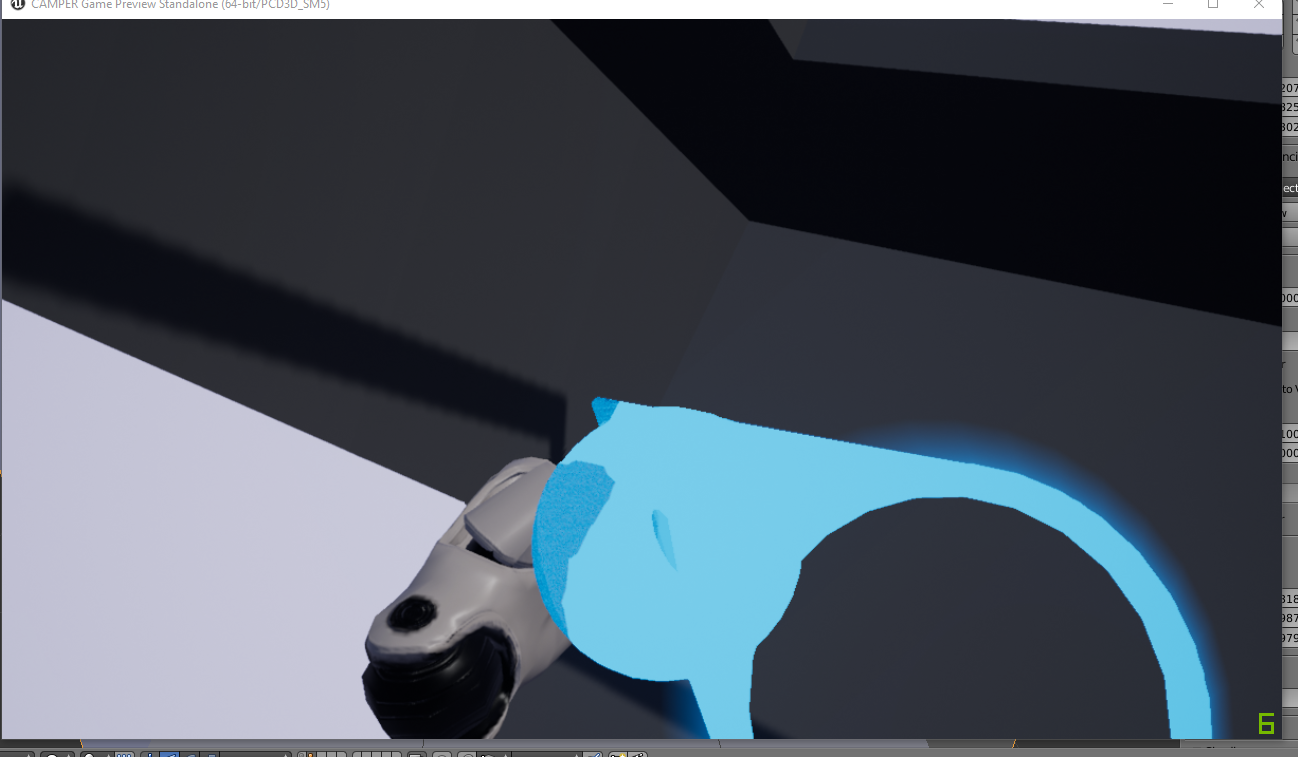
I get this weird issue, where there's a ball in my hand and no arc between my hand and the arrow thing
and I can only move about a foot or two in any direction
glossy agate
Well it kinda looks like your level only has a foot or two of space to move in? It’s moving fine on a bigger plane?
 fair hearth
@wanton spindle you've got a collision object in your scene which the "laser" is hitting, check your skysphere
wanton spindle
Oh I forgot to update this, my apologies
I did figure it out though, didn't realize the mesh collision was on in the level even though I disabled it in the content browser
 slim raft
If anyone has a used Vive Tracker they would like to sell, send me a PM
 crystal light
wicked oak
crystal light
wicked oak
i made a sword for a prototype using @tired tree plugin
he has some VERY impressive physics stuff for grabbing objects
mighty carbon
Indeed
rocky nimbus
I don't understand Unreal's profiling system. Let's say I get 10ms. I cull distant objects, remove shadows and do various things to reduce the performance cost of a scene and the profiler then says 11ms. How can that be?
dusky moon
@rocky nimbus Well you need to have a common sense of the profiler's mood 😄 at some situations I found it doesn't tell the truth unless I re-open the project and profile again.
had this alot with transluscency cost in profile gpu, where it gave me 6 ms although I've hidden all transluscenet stuff. so the restart helped


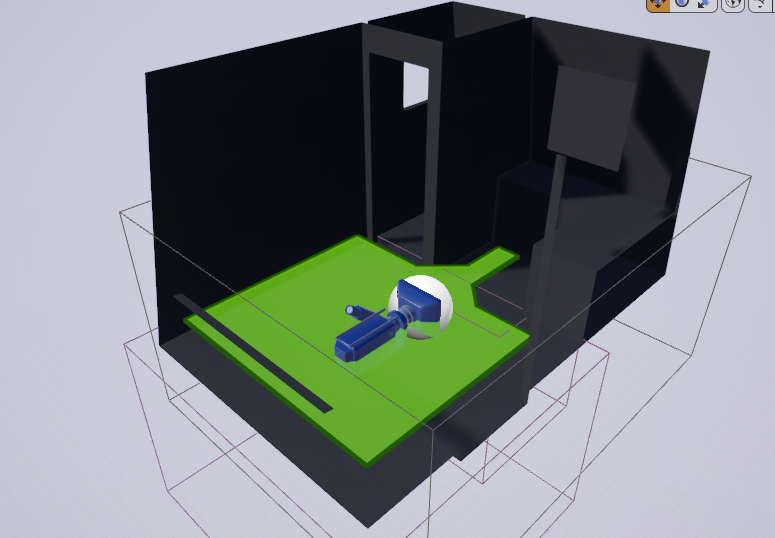
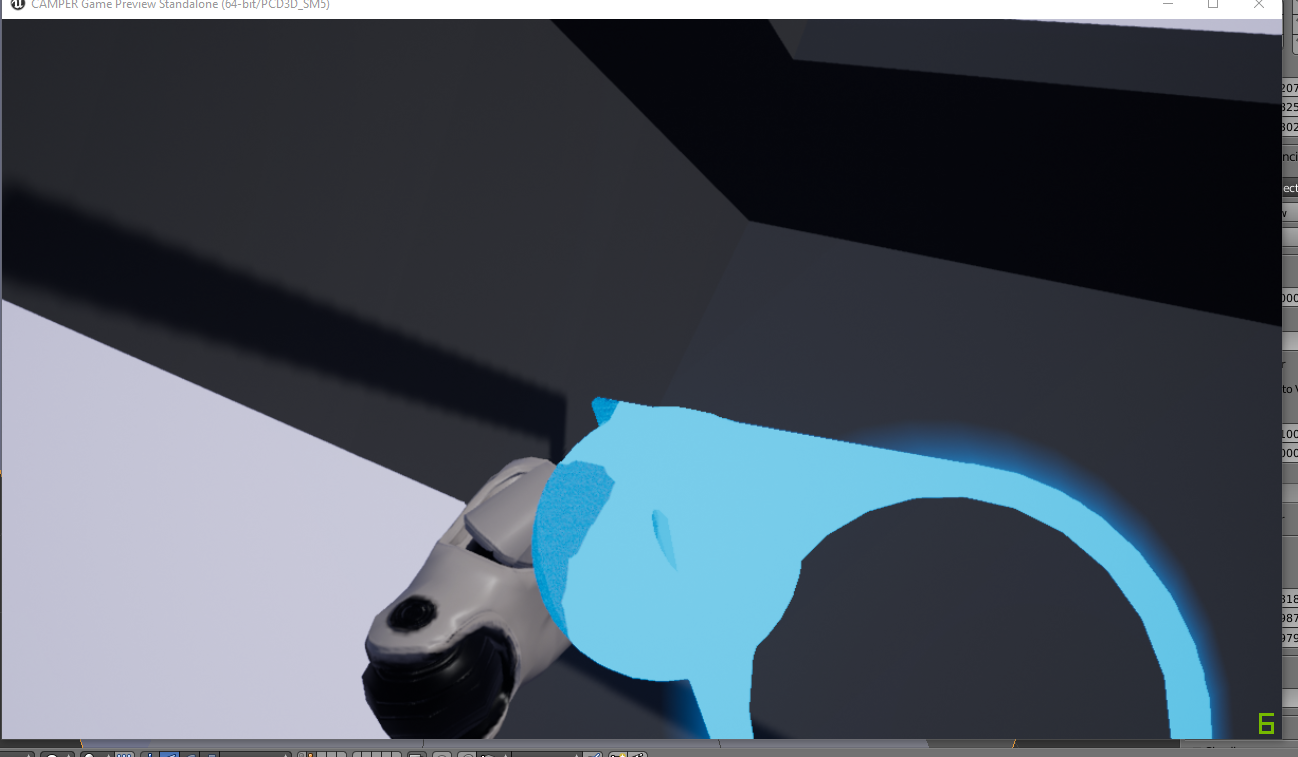
 tawdry dragon
Anyone had a similiar issue when launching a cooked build from 4.18?
seems like an issue with the motioncontroller? Atleast the only component/actor I see that has anything with SetHand
Works fine when I run it from engine
real needle
How would I do left or right movement based on Head Tilt (VR, including mobile devices) or device tilt (Left - Right)?
tawdry dragon
Read the rotation of the HMD camera and base your movement inputs on that
more specifically, read the roll of the camera
if its negative, go left, positive go right
tawdry dragon
Agreed, people tend to roll their heads when looking left/right
tired tree
looking to your left and getting forwards / lateral movement would be, not ideal
real needle
First Thanks @tawdry dragon I'll try that
I don't have a VR atm, trying to get one in few days, so yeah that control scheme might be not a great one for VR
mighty carbon
hmm.. 4.19 got no fixes for mobile VR yet 😦
real needle
Any other thing you guys can comment on how should one approach left right movement while the camera in going in forward direction (Endless Runner) 😐
tired tree
with no actual controller?
you can keep tilt if you give it a threshold and require holding for a bit
but that is slow
for an endless runner
but endless runner I guess there isn't much reason to look around anyway
real needle
not to look around to avoid obstacles by moving left or right from origin point
if i tilt right i move 200 units to right that is set location to right
tired tree
yeah, I would lerp that
not just move over 200 like the normal runners
like a fast teleport
real needle
yeah the movment wont be insta
tired tree
otherwise they are going to get realllllly confused with the perspective changes
tired tree
they are going to get it anyway
endless runner is forced movement and its not area tracked
real needle
can I use tilt input action ? @tired tree
I will try to mitigate that by slow and constant speed and less left right movement
the similar idea is there - brain cells (game)
tired tree
I don't know mobile inputs, I just know VR :p
not aware of what works with what platform for the bindings
regardless, you are likely going to have to manually handle tilt
as you aren;t screen orientation tilting
real needle
hmm got it
i will try it with camera rotations and timers
 proper osprey
Hey I want to create a VR pawn with the oculus controller as a hand. When the user presses the button I want it to show inside vr the button being pressed. Whats the best way to do it? Importing animation from blender or creating it via blueprint?
proper osprey
Hey thanks. One more question. Im adaptating the vr pawn blueprint for my needs. On mine I have two motion controller components instead of just one from the original blueprint (which they inverted the hand mesh to create left hand ). Do I have to do everything twice for the other hand or is there a workaround? At the moment Im modifying the get actor near hand function
how can i check for overlapping actors on both grab sphere?
 zinc rose
@proper osprey if you handle them separately like that you technically have to do everything twice yes. you can mitigate this a bit by creating functions with inputs and at least reuse functions and just pipe the proper hand in. If you do your hand actor as a completely separate class and simply attach a copy of that class to each motion controllr component then you only have to edit the one class to affect both hands. which is probably what the template youre talking about is doing if its just one hand.. which makes the most sense
 split steeple
@supple pawn -- sorry missed the entire thread, been out of touch for the holidays, move and projects... I guess you're all sorted now with mord's plugin and sorry you felt it was a bit advanced, my aim is to make it easy for devs... just drop me a line in the UE4 forums (link in UE Marketplace & Github page of the plugin) in case you revisit mine at some point as that I try to check more often.
Taking on another job in a couple of weeks and might be able to do more with the plugin if they find it useful in the company Im moving to, although they are primarily a Unity shop.
mighty carbon

Oculus
Join the Official Oculus Discussion Forums and talk about Oculus Rift, Oculus Touch, Samsung Gear VR, and virtual reality.
Dynamic Room Modeling for Rift
(audio)
 iron haven
anyone have an idea if PSVR has particle lighting restrictions? IE - will not allow particle light components to light up particles?
glossy agate
Anyone know if the audio volume using reverb will work fine with sounds using the Steam Audio spatialization settings in VR? Seems like less hassle than trying to make and apply phonon materials and baking it out ect.
 harsh cedar
Anyone had an issue where a built project would "freeze" i.e. stop tracking head movement and show loading hourglass?
tired tree
@harsh cedar is it 4.18.3?
harsh cedar
@tired tree yes mate, 4.18.3 launcher
tired tree
no plugins? just based off of template?
tired tree
I have noticed a garbage collection loop in 4.19, and several people have been talking about 4.18.3 freezes too
tired tree
haven't seen it in 4.18 myself
harsh cedar
that would make sense
it happens usually after an "interaction event"
appreciate the heads up tho dude, could well be it...
mighty carbon
finally I figured out Gear VR motion controller issues - apparently the camera root (which is also controller's root) must be Scene component. I had it as Static Mesh component and that broke controller's stereo rendering.
mighty carbon
Does anyone have a good advice for camera height in VR and scene scale to make it feel more or less realistic? (working on a small archviz project and I need to make sure room feels of appropriate scale when in VR)
 plain glade
Hi there. I would like to create an external window for VR Runtime to give some AI order. Is it possible to create an external window for VR ? I hear something about VR Spectator but I am not sure this is enough for my purpose .
I mean there will be one player and the other one will give order to AI via external window or whatever. I already did it via WebSocket but I dont want use third party tool. just want use Unreal Engine .
pearl tangle
@mighty carbon You should be using proper scale when you are doing a real archviz side of things. You shouldn't have to fuck around with stuff to make it feel realistic since it should just straight away be realistic
anybody else manage to try out the vive pro yet? I got to give it a go last night, should be able to get a couple after CNY from them thankfully. Resolution bump is definitely noticeable, headphones are way way better than anything else around too and it's more comfortable to wear
 quartz acorn
Has anyone tried ARKit with Unreal Engine ? Are you able to detect the surface properly ?
Which version of Unreal Engine, has best support for ARKit ?
shell karma
I used to do stuff in 4.16 and more in 4.17, skipped 4,18, currently the most mature implementation of AR (apple and android) is in 4.19
tracking has been improved through out all of aforementioned engine version, with 4.19 supposedly being most up do date as far as SDKs go
pearl tangle
@quartz acorn I am doing an ARcore 1 at the moment in the 4.19 version. works fine on the pixel
4.19 has an AR template in there that works across ARcore and ARkit
quartz acorn
Alright, Thanks, Let me install that
 native cedar
will this ever work?
 jaunty shell

forgive me for posting unity stuff
but this is quite interesting if you never tried the hololens (and is pretty accurate)
supple coyote
it drives me nuts why I have better performance in-editor than in a packaged build
seems so backwards.
tired tree
are the resolutions equiv?
supple coyote
you mean vr.oculus.pixeldensity values?
tired tree
for one yes
supple coyote
ya same
for two tho?
also, HZB was at 4-5ms, so I did showflag.AmbientOcclusion and that got rid of HZB completely! thank goodness
tired tree
4-5 ms in packaged?
supple coyote
yea
supple coyote
I thought so too
but it seems to fix it when I turn off showflag
it seems to me unclear whether my ini settings are being transfered to my package ;\
trail shale
Is there a way to trick the editor into doing a VR preview without having a headset? Do you simply have to have stems Vr installed and running?
supple coyote
@tired tree do you know if ini settings are automatically tranfered to packaged game?
tired tree
they can be mixed up, the editor stores last saved from preview
outside of your default configs
@trail shale I actually just recently ran into the fact that SteamVR has a hmd emulation driver
I hadn't known about that
you can set it as the default driver and emulate without an HMD
trail shale
Awesome thanks
supple coyote
son of a gun...
supple coyote
now showflag.ambientocclusion 0 doesnt change HZB at all
only did it that once
fucking HZB
mighty carbon
interesting https://www.youtube.com/watch?v=3lO1q8mQrrg
also, Oculus were able to repro my bug with multiview in 4.19. Said they are working on the fix. I wonder if they manage to squeeze it into 4.19 release.
sturdy coral
@native cedar there is a pull request to fix that on github somewhere
glossy agate
@pearl tangle Do you know if engine supports windows packaging an iOS AR project yet? Epic said they would add support like a regular app but I havn't heard anything new on it
pearl tangle
You can't package an iOS app from windows in general with plugins, you need to do that on a remote mac
glossy agate
Yeah I packaged regular iOS before, was just hoping ARkit worked now too. Chance Ivey said they would support windows packaging at some point, but I guess not yet
 eternal inlet
the new vr.pixeldensity = 1 means i have the equivalent of 140 screenpercentage in 4.18, but what do i set vr.pixeldensity to to achieve the equivalent of 200 screenpercentage in 4.18?
tired tree
its kind of different, its more than 1 == default res of HMD
140 was a hack to get it correct
pixel density 2 would be double res
eternal inlet
so that would correspond to 280?
tired tree
no, it scaled differently
eternal inlet
but about 1.4 should be close to equivallent to 200?
tired tree
here: https://www.unrealengine.com/en-US/blog/significant-changes-coming-to-vr-resolution-settings-in-4-19

Unreal Engine
We’re adding a new cvar in 4.19 to control panel resolution for Unreal Engine 4 (UE4) Virtuality Reality (VR) projects and moving away from referencing Screen Percentage. Here’s what you need to know.
that is a better writeup than i can do in here
eternal inlet
yeah i read that, but they don't explain excactly how to achieve the same as screenpercentage 200
Number of pixel drawn = 2 x HMDs ideal width x HMDs ideal height x (vr.PixelDensity)²
that's the formula they give
eternal inlet
i suppose that last pic 1.419
tired tree
sqrt(1+1)
eternal inlet
on my calculator that is actually 1.414
i just tried profile the same scene with excact same location (screenpercentage 200) in 4.18 total 9.60ms base 4.19ms
and then (with vr.pixeldensity 1.414) in 4.19 total 7.72ms base 2.88ms
so either it's off, or they improved something quite drastically
eternal inlet
yeah
tired tree
pixel density does not
eternal inlet
i noticed 😃
tired tree
2x pixel density can be less overall than 200 SP
wicked oak
screen percentage was a huge pain
eternal inlet
oh yes true
wicked oak
i literally had a headset switch on my startup
at least now everything is on a default
and then you can tweak settings
eternal inlet
aye, i can get rid of that switch too now
wicked oak
probably ill try to run PSVR at pd1, and psvr on the pro at pd 1.3 or something
no msaa on ps4 😦
feels bad
eternal inlet
im on deferred anyway, so for me it doesn't matter
wicked oak
forward is 30% faster for me on ps4
probably due to bandwidth
and its going to be 50% or more faster once i bring the feature cutting scissors and create a couple optimized shading models
eternal inlet
shiit, ok that's a lot
tired tree
MSAA is what brings the forward speed back down
if you don't use it, it is a significant increase
eternal inlet
ah right true
glossy agate
Anyone else notice that a lot of VR players prefer to just have no AA, and just use SS instead? MSAA seems to get a lot of complaints about blur. That may just be developer error though.
mighty carbon
I never had any issue with MSAA
glossy agate
Talking about consumers. They don’t like edge blur. SS samples everything not just the edges so it’s sharper.
tired tree
MSAA IS SS
to a point
regardless you get diminishing returns on SS
and edges can be cleaned up more with AA after a breaking point
mighty carbon
I used to play non-VR games without AA, because my hardware was always weak. When I tried VR without AA, it was horrible. Good thing now I can play non-VR games with AA 😄
 neon egret
Any Oculus Multiplayer people here?
Ran into this issue: https://forums.oculusvr.com/developer/discussion/61909/ue4-18-3-joinsession-node-is-not-traveling-to-the-servers-map/p1?new=1
Oculus
Join the Official Oculus Discussion Forums and talk about Oculus Rift, Oculus Touch, Samsung Gear VR, and virtual reality.
Might be that someone faced and slain that already
tired tree
i saw that reported already
for oculus, on their boards
they said they were fixing it, don't have a direct link atm though
mighty carbon
Well, Falcon Heavy made history today!
native cedar
thanks for the reply, I have read it only just now. Good to know there is a fix, at least somewhere. Right now I am using .bat files to test with dedicated server
glossy agate
launching that roadster right into space
supple coyote
I nearly had tears in my eyes watching the two thrusters land
hey guys - still struggling here with UE4.17 and a packaged game
my performance is worse in package
particularly facing stuttering
people in that thread seemed to be having similar issue
i've been tryna figure out what the heck is going on for days
glossy agate
Just oculus or both?
supple coyote
am not testing with vive
so oculus
is it possible that the new mirror mode may be affecting it?
or does mirroring not matter at all
what used to be hmd mirror mode
and is now vr.spectatormode
I think i've heard that mirroring doesn't affect performance
but need confirmation
glossy agate
I havn't noticed it. One of the other devs on the project has oculus and he hasn't mentioned any problems either on 4.17. Have you profiled to see whats going on?
supple coyote
I have- saw no identifiable difference between dev package and PIE
in terms of numbers
above forum thread talked about it being a tracking issue. and the effect feels that way
but that it was affecting a bunch of us and had probably more to do with Oculus SDK and the ATW/ASW
just wondering why that wouldnt affect my PIE
and would affect package ;\
mighty carbon
what video drivers ?
glossy agate
Yeah thats strange. Seems like lately a lot of people have been complaining about pie perf, not the other way around
supple coyote
gtx 1080 - was on newest drive
mighty carbon
390.xx are bad for VR
supple coyote
ahh
im on 384.94 now
shouldnt have rolled back
thanks dude
and happy Falcon day to you.
mighty carbon
👍
proper osprey
Hey whats the proper way to interact with physics actors? Doors for example. Instead of attaching to the hand just controlling its rotation, or location (in case of drawers)
I know about physics constrain, and I can't figure out physics handle for vr
pearl tangle
@glossy agate I haven't tried packaging the Arkit 1 with 4.19 but it's got an AR template there now by default which is handy so maybe they have. Will probably give it a play around next week
glossy agate
Let me know. If it works I may pay to renew my dev license for the honor of putting my own app on my own phone haha
pearl tangle
yeah too much fucking around to test at the moment. Haven't got itunes or anything installed on this machine and I hate installing that damn thing
glossy agate
Prompts updates about as often as Steam. Real annoying haha
pearl tangle
anybody done anything in the arkit/arcore side of things with dragging and dropping actors in the same way that the AR stickers works in the android camera?
shell karma
has anyone ever had any kind of issues with no audio when running unreal based game builds on Vive ?
personally I sometimes have to click anywhere in the app window to make it active, it sometimes runs in the background however i've never considered it a bug, yet HTCs QA seems to make a big fuss about it
they say it's common across Unreal based games
@fringe umbra any experience with this kind of issues ? my more in depth post over at forums https://forums.unrealengine.com/development-discussion/vr-ar-development/109086-no-sound-in-vr-game-for-a-customer?p=1424666#post1424666
tawdry dragon
Not directly UE4 related, but you guys might have some experience: have anyone found a way to install the Oculus drivers without internet connection?
Since Oculus dont have an official offline installer
 smoky furnace
@tawdry dragon AFAIK it is impossible. Even distribution of offline oculus drivers is violation of their license agreement 😦
I have a multiplayer game in VR. Everything was working fine in UE4 VR preview. But now I'm starting with dedicated server and the loading screen in VR HMD (Oculus) is not going away. While I can see on pc's monitor that game is running ok and I'm spawned properly. Have someone seen the problem?
granite jacinth
@shell karma make sure that you are focusing to game everytime you change levels
Just put it in char/pawn or PC to make it easier
shell karma
are you refering to focusing with widgets @granite jacinth ?
not sure what you mean to put in pawn/char
into*
cause yeah, I'm doing quite alot of level streaming and level openings
and game runs in fullscreen
granite jacinth
Set Focus In Game
set focus viewport
Whatever the nodes are called to ensure that you're focused inside the game/viewport
I don't have any audio issues in my VR game and there are plenty of others that don't
(Vive or rift)
Just ensure that you are focusing back into the game
I agree, probably some dumb bug.
But not a Vive issue. Though. Steam VR.
shell karma
will look into that thanks, not sure how widget specific functions could affect that anyway, the only function that fits the bill would be this one
granite jacinth
...
Well I mean, just because it's under "widgets" doesn't mean it isn't applicable if you know what they're doing exactly.
shell karma
yeah, will look into that
mighty carbon
mighty carbon

UploadVR
Software developer Jimmy Gray is working on a modification to the HTC Vive's controllers so they work much like Valve's Knuckles prototypes.
mighty carbon
The Dynamic Lighting Portal System provides an easy way to optimize dynamic lighting performance in large levels. Optimization is the key!
I wonder if it works well in VR
wicked oak
@mighty carbon if it works "at all", it will work vr
i have an idea how that might work
mighty carbon
portals is what Doom 3 has
I am just puzzled by why Epic doesn't take care of this out of the box
(whether with portals or however else)
wicked oak
it probably creates a graph from the zones, and saves the lights inside it
then it does frustrum against sphere (light) check for the culling
every other light in the world is set to invisible
sturdy coral
from @real needle
real needle
😄
rocky nimbus
Anyone know if enabling the Online Subsystem Oculus plugin can interfere with HTC Vive-related variables?
Suddenly get HMD device name can't recognize anything but Oculus it appears
pearl tangle
@mighty carbon I found out that the knuckle controllers wont be getting manufactured. They are too expensive to make apparently so it's back to the drawing board on that annoyingly
mighty carbon
😦
glossy agate
well hopefully they just freely give out what they have left so we can mess with them
mighty carbon
I wish I had Go already.. Gear VR doesn't want to cooperate with 4.19
pearl tangle
samsung probably focussing more on their own stuff now anyway
i wouldn't mind getting 1 of their windows headsets, seems pretty decent
mighty carbon
but $500
glossy agate
I thought they all dropped to like $300 or something?
pearl tangle
well I also know the costing on the vive pro and $500 isn't so bad. The resolution bump definitely makes a big difference and it's the same as the vive pro
glossy agate
nevermind it is 500
pearl tangle
yeah vive pro is taking over the business edition so it's around that price point, definitely not a general consumer focus with that 1 though
smoky furnace
has anyone used UE4 multiplayer with VR?
I have a problem with loading screen doesn't disappear. Looks like something is not running on VR client... But what?
glossy agate
Man that is pretty vague. You running it through steam?
smoky furnace
no. It's just LAN mode. I'm just running it from UE4 Editor in VR preview. If I start the game as a server - that works just as expected. When I start dedicated server and run the VR preview as network client: I can see the window with game working fine on my PC's monitor but inside of my HMD loading screen ("Please wait" with UE4 icon) never disappears
mighty carbon
I have a feeling stereo layers are broken in 4.19 on Gear VR
smoky furnace
I found the topic: https://answers.unrealengine.com/questions/491177/i-cannot-play-vr-multiplayer-client-side-within-ed.html --- exactly the same problem. I can't believe it wasn't fixed since 4.12 (2016) 😦 And I still can't find an answer...
mighty carbon
hmm... WTF did Epic change stereo layers behavior :/
mighty carbon
lol, Epic's official docs don't work for my Gear VR controller 😦
granite jacinth
@pearl tangle how exactly did you get that Vive Pro Price Point?
pearl tangle
@granite jacinth was trying out the vive pro with vive on Monday ;) I can get some at cost price at least but only from the initial supply
granite jacinth
@pearl tangle hmm. So it's $500+ you saying just for the HMD?
@pearl tangle how was your experience overall with it?
pearl tangle
The biz edition replacement version will come with new controllers and the new lighthouses
Hmd on its own I'm not sure
pearl tangle
Both options I believe
All I know for sure is that the business edition vive is disappearing and the vive pro kit is replacing it and it will be a similar price point
granite jacinth
Business is $1200
Original Vive $800
Let's presume HMD was Half the cost/value
$400-$600 just for an HMD upgrade. Hopefully leaning towards the lower of the range.
I think it will sell out regardless, but if they wanted that impulse buy... Selling it at $350-$400, easy win over Rift for a good while.
mighty carbon
I don't know.. Touch controllers hard to beat
also one would need even beefier PC to run at higher resolutions
pearl tangle
Definitely this is not a replacement V2 headset. They are only targetting enterprise users with this version but yeah a lot of regular people will still buy it but complain about the price at the same time
 main ether
Hey guys
New to this channel
@granite jacinth LOL i was just viewing one of your videos on YT , so uncanny to see you here
just getting back into UE4 after 1 year of using Unity , thought i should join a slack/discord community and found this one.
main ether
Thank you!
It's funny, i saw your game in a VR community on facebook not long ago. Then while looking for VR tutorials in UE4 i saw like last night that you were also twitching dev streams
I have your demo sitting downloaded in my Steam account 😃
granite jacinth
Ah yeah, doing daily streams on the game I am working on.
Well, trying to do daily streams anyway.
You should play it. Let me know what you think.
main ether
Yeah will do tonight!
How large is the team working on it?
i worked on a spooky/puzzle game a while ago but i couldnt figure out what to do with it so started working on something else
it was so exhausting both writing code and do all graphics so i'm decided to do something that is more programming and less art assets
shell karma
@sturdy coral @real needle much appreciated guys !
pearl tangle
@granite jacinth you did some tutorial stuff on procedural mesh 1s before right?
jaunty shell
hey vr devs ! I just moved some projects to 4.19 and I see there's something with Dynamic Resolution now ?
Is there any doc about it ?
shell karma
it's still preview, I guess docs will come after official release
jaunty shell
doh :p
shell karma
there was a blog post or a forum post by Chance somewhere about how it changes
shell karma
yeah
jaunty shell
nah there's nothing about the DynRes in that post
pearl tangle
it's not designed as a VR thing. it's just a general thing
jaunty shell
ah alright, thanks for the tips @pearl tangle I guess for now VRWorks is the only adaptative res branch available
pearl tangle
It might work in VR as well I'm not sure, but I am pretty certain that 1 is not designed just as VR
 cold siren
Any one here from Germany? Im looking for help renting a pc and an oculus rift headset for a week for a showcase in Frankfurt in March.
tired tree
they list VR as "not ready yet" for it
mighty carbon
@wicked oak https://trello.com/c/QMUeEmKF
We’re happy to announce that with the release of Unreal Engine 4.19, MSAA is now supported on the PlayStation 4 (PS4)! This means that all PS4 content using the Forward Rendering path can now use MSAA (if desired). This should be especially u...
Labels
VR / AR
wicked oak
oh hell YES
this will improve the quality of my next game a lot
becouse i wont really have specular highlight as a huge amount of stuff will be fully rough
mighty carbon

UploadVR
Occipital's new tracking system allows for lighthouse-level tracking accuracy without any need for external cameras and sensors.
cosmic shoal
I read the article and fail to see how it's better than WMR except on the tron overlay they put on real objects, but that's just software..
mighty carbon
I see activity in staging-4.19 branch. Does it mean 4.19 release is imminent ?
tired tree
yeah kind of funny that they specifically ignore WMR
as well as the downsides to such tracking, mostly concerning additional tracked devices
wicked oak
@tired tree they also ignore oculus santa cruz
tired tree
that as well
wicked oak
wich did public demos that were very positive
and santacruz seems to be like WMR but better (4 cameras vs 2, different angles, carmack at the helm)
tired tree
yeah santa cruz has multiple cameras tracking around it, it appear much better
its actually not "that" hard to get gen1 lighthouse level tracking
wicked oak
what i do wonder is how far can you take it
can you do "world space" tracking with that? or its more designed for interiors
lets say you are in a field, will that work?
just from the ground
tired tree
yes
@wicked oak already video of a guy with a laptop walking around a city park with WMR
wicked oak
neat
wicked oak
so we will finally be able to do "proper" redirected walking research?
by putting santacruz/wmr on a football field
or similar
tired tree
nothing special
he might have had to override the boundry limits actually, come to think fo it
mighty carbon
nice
that makes me wonder if WMR is a better choice for enterprise than Vive Pro
especially Samsung Odyssey
wicked oak
santa cruz will be the best
tired tree
they always were
wicked oak
due to being all-in-one
tired tree
they have higher res, and don't require as much setup
wicked oak
if you want business use (not arcades, but things like archiviz/design), santacruz would be the killer thing
becouse they need to take the vr headset from place to place
mighty carbon
Santa Cruz can't render what laptop with 1080Ti can
wicked oak
for example an archiviz business would need to show the stuff to different people on different places
carrying the full gaming tier laptop, setting it up, and everything, is a massive fucking pain
a lot of business use phone vr precisely becouse its all in one
even if its shit
so santacruz would get bought by all this people
archivz people would fucking love it
mighty carbon
lol. how is it a pain? Plug HMD into USB and HDMI and you are golden
wicked oak
specially becouse due to no cables you can let the client literally walk inside the vr house
i carry my vr setup to demo stuff
it is a massive fucking pain
mighty carbon
I am not saying Santa Cruz is no good for enterprise.. Just saying its application will be limited.
by its not so great processing power
wicked oak
one of the main reasons im hyped for santacruz is precisely becouse i would be able to demo my games easily
currently its a massive pain
and enterprise wont care about slightly less realistic graphics if they lose the cable + huge tracking area + convenience
mighty carbon
I still don't see how laptop + WMR is a massive pain

The wait is over, adrenaline junkies! Fresh of its closed beta, Sprint Vector is now available on Rift. The mutiplayer parkour racing game pits up to eight players against each other in a high-stakes intergalactic competition run by Mr. Entertainment. In your quest for glory, you’ll have to scale towering pyramids, plunge into alien ruins, and sprint for your life. To celebrate the launch, we spoke with Survios CCO and Co-Founder James Iliff about Sprint Vector’s smooth locomotion system, hectic gameplay, and more.
oh, this is huge https://techcrunch.com/2018/02/08/facebook-brings-animation-tools-to-its-quill-vr-painting-app/?ncid=rss

After having declared last year that the app would receive no future updates, Facebook is delivering a big update to its VR painting tool Quill. The update..
mighty carbon
Allright rig plugin for UE4 is aiming to bring animation tools into VR Editor
wicked oak
i think animation is a great thing to do in vr
i think posing the stuff properly is kind of a pain to do
in vr you can just grab stuff and pose it in its place
like doing claymotion
mighty carbon
when we get full body suits, it would be even easier to animate in VR 😃
glossy agate
^tesla suit. Would be sweet
 alpine torrent
this suit https://teslasuit.io/

Teslasuit - full body haptic VR suit
Teslasuit is a full body haptic suit that let you touch and feel virtual reality, has full body motion capture and climate control systems
mighty carbon
I know, just messing around (since Tesla shot Starman wearing Tesla's spacesuit to Mars)
mighty carbon
I wonder if that is related to my crash report when using multiview/multiview direct
@wicked oak https://www.facebook.com/syntystudios << War pack is massive... I wonder if someone will re-create something like Wolfenstein using it 😛
 warm estuary
does unreal have a way to read in and render the curves from quill?
mighty carbon
no?
full junco
@sturdy coral @tired tree have you looked at the dynamic res in 4.19 already and how suitable that is for VR when mis-using it for that?
I'm wondering what I should do when I update my engine version from 4.15 to 4.19
try to port my own dynamic res stuff (would mean to completely rewrite it since so much stuff changed)
or try to hook up the new dynamic res stuff and try to make it work with VR
wicked oak
@full junco the dynamic res stuff does not work for vr, they say
full junco
I know what they say
wicked oak
i do wonder if the new TAA would work with your system
full junco
yeah thats also interesting