#virtual-reality
1 messages · Page 161 of 1
 full junco
then a million and one is still fine
 granite jacinth
Would you pay?
full junco
sure
granite jacinth
Let's say $20/month
full junco
absolutely
full junco
once I have my game released, yes
 wicked oak
i definitely would
50 might be too extreme for such a service tho
but the 20 a month? i would definitely pay
for the answerhub, back when it was on the rocket beta
where epic people actually looked at it, and it was only serious people and noot ultranoobs
full junco
stayed where?
granite jacinth
at epic
 glossy agate
But where did they go?
Not sure what the normal turn is though. I think at google and facebook at the higher end tech positions its like 3 years
full junco
@granite jacinth have no idea what you talk about, all the important people are still at epic...
important people are DanielW for example
or Mieszko
 mighty carbon
well, we don't know who was on the time limited contract and who was integral part of Epic
I see a lot of folks are no longer with Epic.. Some joined that infamous AR company, some are on their own..
full junco
again, what important people left epic?
 tired tree
I think the largest problem with the new bug reporting revolves around whether they changed the default "time out" behavior of the bug tracker or not.
glossy agate
Yeah I think a lot of it is just normal turnover
tired tree
unless they changed behavior, after a set time bugs are auto labeled as "won't fix"
full junco
that will still be the case of course
tired tree
you can't bump it anymore like in AH, would have to resubmit a duplicate in that case
full junco
and reenter all the information...
glossy agate
Statistically right now if you change companies every two years you can outpace average wage growth by like 8%
mighty carbon
@wicked oak any sales numbers for that game you ported to Gear VR ? Any plans for Daydream port ?
apparently one wouldn't be able to walk around with Mirage Solo 😦
it's confined to 1.5 meters radius (or diameter) around user
kinda odd
granite jacinth
I'll post here also: https://youtu.be/TUd1Lok2dUs

Contagion: Outbreak, the latest from Monochrome, taking place in the same universe as Contagion. Though technically not a Sequel, Contagion: Outbreak, utiliz...
If you want some Beta Demo keys, let me know.
Here's some gameplay footage: https://youtu.be/c--hQhFh-oU

voici la clé du discord si vous ne pouvez pas le télécharger sur steam https://discord.gg/3rN9DAd
glossy agate
Its fun. I played it.
granite jacinth
Not alone. I've only been doing the code side.
mighty carbon
ah
granite jacinth
Tell you what though
even if you have one more person working on it
Does wonders
But anyway, Anims dude is busy, so that's why I needed some help on that end.
glossy agate
So much better with a team. Easier to stay motivated when you see other members adding in awesome stuff
 sturdy coral
hah I could totally see pubg having affected things
I know two friends who did big upgrades for it
mighty carbon
I see
sturdy coral
There is almost no Pimax news or impressions out of CES even though they have a booth
 real needle
what happened to the source contagion thing i heard that was left behind @muchcharles#2724
 sly elk
Im doing some performance testing for a demo and I'm seeing substantially worse perf than the last time I tested. On 4.17 Oculus. Last time was 4.16
Googled and saw other people reporting issues but no resolution
wicked oak
have you upgraded oculus itself?
Dash is a huge resource hog
for me it makes nearly all games unplayable if they are half complex
sly elk
no, i avoided dash
sly elk
ah, i found part of the problem. I still had r.screenpercentage over 100
mighty carbon

Pimax, the Chinese VR startup honing in on a consumer headset with a huge field of view, is said to soon be shipping the first Pimax “8K” headsets to Kickstarter backers. While the company executed a very successful Kickstarted and parlayed that into a healthy investment, it remains to be seen if Pimax can go …
 frosty prawn
Most have probably seen this, but:
https://www.youtube.com/watch?v=uAQR2IaP9Aw
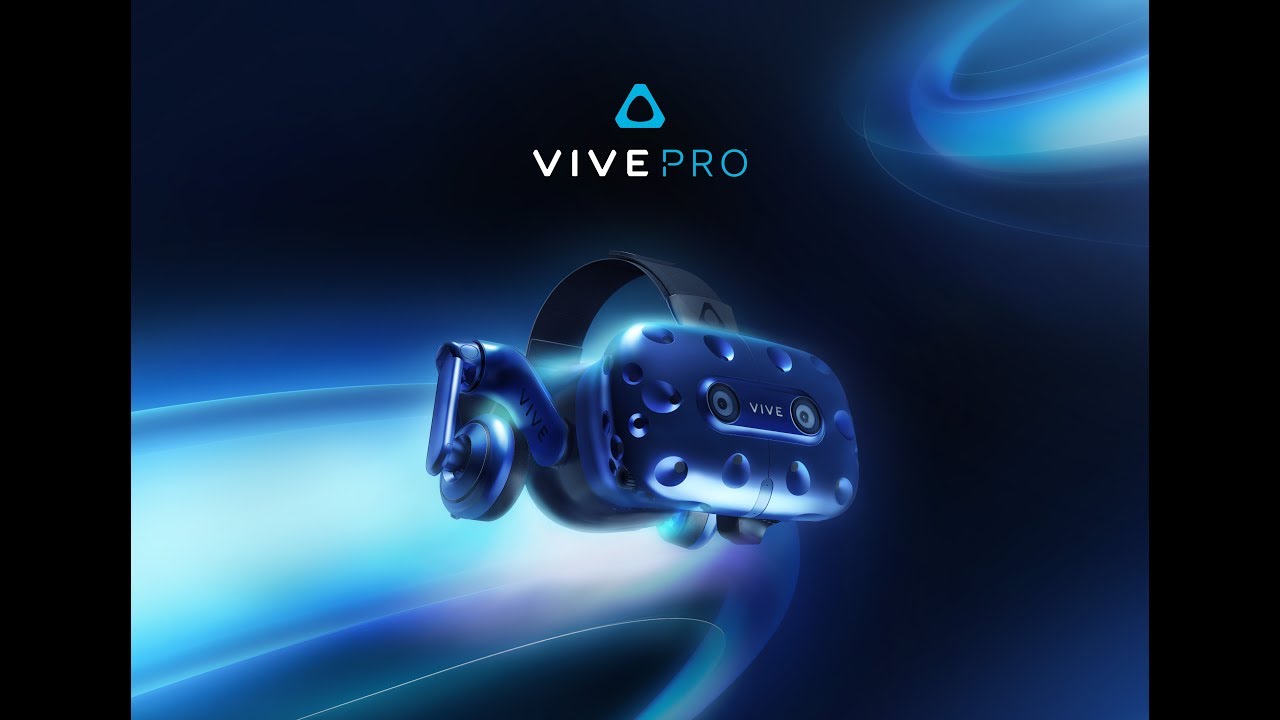
Vive Pro is a new HMD upgrade from Vive, built for the VR enthusiast and enterprise user who wants the best display and audio for their VR experiences. Music...
sturdy coral
@real needle source contagion?
real needle
@sturdy coral you know contagion the source game? thats what this vr thing is based off right?
tired tree
ouch, all pimax impressions so far are pretty terrible
mighty carbon
did you help Kickstarter'ing it @tired tree ?
wicked oak
i just know hardware based kickstarters are 99% fails
and china can NEVER be trusted
so its like 2 red flags at the same time for such a campaign
if it ends up being good, then maybe ill get one
but after people get theirs
 hollow mica
Does anybody knows how to activate VR mode for the mobile platform?
full junco
in HTCs renderings, the vive pro looks great. in real photos, the blue is super ugly
I dont get why they didn't make it have the color of their renderings
mighty carbon
3D printer didn't have right filament ? 😛
full junco
even 3d printed stuff you can paint 😛
granite jacinth
@real needle Source Contagion has nothing to do with UE4 or VR. But I'll answer your question as diplomatically as I can... 😃
First and foremost. I wasn't part of the original team that had the KS, and just got on board back around Sept.
The old team definitely had their issues. A lot of mismanagement. TBH, it's almost typical for first time studios who "get big" through their Indie game.
So after a lot of missteps and the lack of talent to further Contagion (Source). They chose a simpler Engine to prototype something new and try to make some money, so they could hire someone who could not only take their new game somewhere, but also jump back into Contagion and fix up some of the mess they had left behind.
Enter Victor
They did not want abandon their first game. But they had no choice. They had no programmer capable enough to sort of all the crap that was built up in their source code (over 4 programmer rotations worth)
They had to get full time jobs to support themselves and their families over the past year and a half.
Victor will not let them fail.
This time around. I've been ensuring full transparency as humanly possible anywhere and everywhere, so everyone knows wtf is going on.
But yeah...
Next time, just read announcements from Contagion Steam Store Page 😉
real needle
right will do
granite jacinth
 real needle
thanks for answering
 runic cedar
Hi i got three warnings in the VR vive, maybe someone know how to fix this, because i cannot compile blueprint actor pawn..
lol okey)
granite jacinth
Did that help though?
tired tree
GetTrackedDevicePositionAndOrientation is I think the node name now
that deprecated warning is a bit wrong
granite jacinth
It is
Beacuse I just looked it up
Get Tracked Device Position and Orientation
So you can spank me
runic cedar
so it helped but the laser does not come from the controller but from the helmet but it is very cool
tired tree
have to set the tracked device index
0 is always HMD
they do it this way now becasue with trackers and single controller HMDs the total tracked devices varies from 0-12
this is more scalable than a left/right hand node
tired tree
I wouldn't hard code it, should use the GetTrackedDevice node
mighty carbon
if only Valve implemented ATW/ASW analogy (and as robust as Oculus' one) to Steam VR..

Gizmodo
When the Oculus Rift and HTC Vive came out in 2016, we entered a new era of virtual reality. No longer would people think of half-assed fever dreams like Lawnmower Man, or ambitious but profound failures like Nintendo’s Virtual Boy anytime VR gets mentioned. Even so, modern VR still hasn’t caught on. It’s awkward, it’s expensive, and most of the games and apps still feel like tech demos. But earlier this week, a new piece of VR tech reminded me why the headsets are much more than gimmicks.
"even with Vive’s latest advancements, it’s still easy to remain skeptical about the future of VR" - really? some people still doubt VR has bright future?

Medium
$349 Q1 Headset Only & $799 in Q4 2018 with the Lighthouse 2.0 Trackers. There is also a visual comparison of the Vive Pro with the Vive…
tired tree
no, its stereo passthrough
mighty carbon
I wonder if $800 is with knuckles or original wands
sly elk
anyone know what the deal is with oculus developer portal rejecting any builds that have steamvr dll in them?
wicked oak
steamvr conflict
they dont want games that support steamvr on oculus store, becouse it can actually interfere when launching an oculus game
so they make sure by making you fully remove any steam related dlls
granite jacinth
Sounds legit to me
@wicked oak does VIveport do the same?
I would almost feel like they should
wicked oak
they give 0 fucks so no
wicked oak
yeh, they should indeed do more or less the same thing
but viveport doesnt review much, i think
they give 0 fucks, so they wont care even if you are lagging
granite jacinth
Aye, I doubt they are making a ton of money from Viveport
granite jacinth
I don't understand why they did it...other than to try to compete with Oculus App
wicked oak
trying to model some kind of spaceship door for the game
sly elk
im submitting an alpha build for them to look at, not somethign for the store. This is a pain in the ass for no reson
granite jacinth
Looks good @wicked oak
wicked oak
for them to look at?
@granite jacinth like the tank before, its procedural. This lets me change the panelling shape from just a few very basic curves
ive been iterating it for a while
shittier version
glossy agate
Viveport doesn't require much at all. They used to require a empty c++ class if it was BP only, but I think they dont even need that anymore. Just have to pick the DRM you want
sly elk
turns out im not actually using the two dlls it flagged. just deleted them from the build without issues
mighty carbon
@wicked oak https://80.lv/articles/textools-for-blender-2/

Check out a free add-on for Blender called TexTools.
sly elk
Been using textools for max since it was a thing. Somehow the autodesk implemented versions from a few years ago aren't as good
mighty carbon
I wish Cycles could bake displacement maps without any hassles
granite jacinth
INSTAFUCKINGBUY
$800 seriously...
If they can do that for tracker 2.0 and knuckles..
sturdy coral
I'd pick it up if it it is $349
granite jacinth
@sturdy coral Ya, it's a no-brainer imho
mighty carbon
$800 is for the full package, for those who still doesn't own Vive
Btw, Zoid left Valve
glossy agate
Got the hostages for hostage mode done. Got real dark haha. Also I have characters to pick from on the adventure. https://youtu.be/3XDvoJU21oA

gotta work on the physics asset though. These are really bouncy haha
 remote finch
I've been experimenting with arcore in Unreal, and it's really cool. Since we only have horizontal surface detection at the moment I prefer the idea of making a game with small characters that people can look down at while they play. I tried just scaling down my assets, but that creates all sorts of issues. I could create all my assets with this smaller scale in mind, but that's not really feasible for me right now. I saw this article for Unity about scaling the camera and the planes up so that the game's world looks smaller because it is farther away.
Source: https://blogs.unity3d.com/2017/11/16/dealing-with-scale-in-ar/
I've been playing around with implementing this, and scaling up the camera does cause the characters to look smaller which is great. What I'm struggling with now is scaling the planes and the google cloud point component. No matter what scale I set it or the root of the actor containing it to, it seems to stay the same. Has anyone else tried anything like this yet?

Unity Technologies Blog
During our talk at Unite Austin 2017, we brought up scaled content and why you would want it. We also discussed why you would not want to scale the content...
glossy agate
Did you try the world to meters setting in world settings? @remote finch
I never tried ar so not sure how it works
remote finch
I haven't tried it yet @glossy agate but I had read that it didn't work for ar, just vr
remote finch
@glossy agate Changing world to meters actually does work, and it would appear as though that's all I need to change to get it to behave correctly. I've learned a lesson in not attempting the obvious just because the forums said it wasn't supported a month ago...Thank you!
 mortal cove
Ive read that in 4.19 supposedly they will add a scaling feature for AR similar to what currently exists in VR (fingers crosssed).
full junco
@mighty carbon thanks for posting interesting stuff about the vive pro 😄
granite jacinth
mofo Vive Pro
full junco
349 would be a great price, would definitely buy that
full junco
@mighty carbon who is "Zoid"?
granite jacinth
Wand 2.0
full junco
@granite jacinth says who?
granite jacinth
Refresh
Says your mama
And Uploadtovr and HTC
and Valve
and crapton of other people
full junco
link?
granite jacinth
😭

HTC says that the new Vive Pro controllers, due out later this year, will be an updated version of the current Vive wands, rather than Valve’s anticipated ‘Knuckles’ controllers. Upon unveiling the Vive Pro earlier this week, HTC demonstrated the new headset with the original Vive wand controllers but said that new controllers, compatible with SteamVR …
full junco
also it really doesnt matter for anyone who already has a vive
full junco
if you already own one, you will buy the vive pro, new lighthouses from valve and knuckles from valve
granite jacinth
you aren't getting knuckles this year...
we'll be lucky to get them next year
Wand 2.0 this year
boring
full junco
well but it doesnt matter if HTC sells them or not if you can buy them from valve
full junco
and I fully expect youll be able to buy knuckles this year
its stupid to expect anything different
dev kits shipped in mid 2017, they won't wait more than a year after dev kits were ready
so I say before end of august you'll be able to buy knuckles directly from valve
and they will probably be quite cheap
like, less than $120 for 2 controllers
valve needs every current vive owner to quickly switch to those
mighty carbon
@full junco not knowing who Zoid is ... is like coming from under the rock or being too young 🙀
full junco
probably both, so who is Zoid?
its not like I ever followed the names of employees of game developers...
mighty carbon
I figured you'd google him by now
full junco
I know sweeney, I know carmack, and maybe 2 other guys (like gabe)
mighty carbon
the guy who created original Threewave CTF for Quake back in the day and then some.. Also worked for Valve for a long time and was one of the key Dota 2 devs
full junco
well I don't like quick shooters and I also don't like and never played any MOBA 😛
mighty carbon
Wikitroid
David Kirsch, nicknamed Zoid, is an American video game programmer. His career began when he created Threewave CTF, a highly successful Capture The Flag mod for Quake. He was then hired by id to...
I don't play MOBAs, but Threewave CTF was the thing back in the days
the point is that a bunch of key people left Valve recently
Valve seems more like Steam service center and VR R&D house nowadays..
wicked oak
lol R&D you say
full junco
well, primarly definitely steam service center
wicked oak
lots of people from there got hired by oculus (kind of shady) and others left
full junco
they have no need for other stuff any more
wicked oak
Valve is Steam
and Valve is automation
they could fire literally everyone in the offices, and just keep steam running for pure profit on no effort
and would last a few years
mighty carbon
someone still works on Lighthouse and knuckles at Valve.. So I assume not everyone in the VR field left for Oculus
and not having knuckles for Vive Pro is a bummer... I can't stand wands after using Touch.
full junco
have you ever used the vive controllers?
mighty carbon
yeah, in a showroom in the mall
full junco
sure touch feels better, but its not a huge difference
mighty carbon
eeeh, huge difference in ergonomics and how it feels
full junco
yeah, but something like getting rid of the cable is way more important for immersion than better controllers
so I'm kinda wondering why valve doesnt work on a wireless solution
mighty carbon
for me, at this point, it seems that more natural input contributes to presence a lot more than HMD
mighty carbon
that's why I am more hyped for Santa Cruz than for anything else
full junco
I am still not
mighty carbon
(I think I will get hyped for Vive Pro if they release knuckles as standalone product)
full junco
everything that makes VR devs dev for low end hardware is a kinda bad thing
mighty carbon
how so?
full junco
it is important that the mainstream meaning of Vr is the 1080 ti experience you get from a vive or rift with good tracking and good graphics. and I know it is not at the moment due to all that cheap cardboard and gearvr stuff, but I wish it would be
VR needs to be seen as that really good thing
doesn't matter if no one can afford it, but everyone should wish they could afford it
essentially just how tesla made the electric vehicle sexy. not with electric vehicles that are "fine" and affordable, but with expensive electric vehicles that only very few can afford but everyone kinda wants to have
if someone thinks "electric vehicle", they think about tesla now. not about some golf car.
so if someone thinks about "VR", they should think about vive/rift, not about VR with mobile chips
mighty carbon
good luck making profit in the market of 1080 Ti owners
full junco
I dont care about profits
mighty carbon
a solid product for Santa Cruz will make more money that a product for 1080Ti and Vive Pro simply due to the number of users
oh well
full junco
yeah and thats bad
I dont want that devs have a reason to move away from the really good VR that you find on PC and also console
I count PSVR on PS4 pro also as good VR
wicked oak
im very, very very hyped for santa cruz
fully wireless, no cams, works everywhere with no setup (assuming it chaperones the walls with the 3d sensors)
@full junco but that you say its pretty much exactly what oculus is doing
Oculus IS a sexy as fuck product
just compare the design of everything oculus, vs everything vive
Oculus is taking a clue from Apple handbook
they are going the apple way, of making it look good and not going directly with the tech, but with "look at how cool it is, new experiences, blahblahblah"
Vive is a ugly as fuck headset
absolutely hideous
it gives a more "its for tinkerers/enthusiasts" feel
while oculus tries to go for "mass appeal"
I predict oculus go selling really well
full junco
I dont care at all about how it looks from outside. I only care about the experience inside
full junco
you didnt get my point
wicked oak
just need to market it well
sure, but oculus is still much more ergonomic and has a higher quality screen
(comparing to vanilla non headstrap vive)
full junco
but that isn't related to my point
I want rift/vive/PSVR to succeed, thats all good VR
I want VR that runs on a TDP of less than 30W to fail as much as possible
thats bad VR
for gaming. for movie stuff its fine of course
mighty carbon
it all comes down to money
(and ease of use)
no one says hi-res no-SDE wireless VR is not worthy of working on / using. It's just too damn expensive and will get more expensive (due to GPU/RAM costs rising)
full junco
GPU cost won't rise, they will come down like they always did
mighty carbon
in the real world priorities are very different - there are far important things to spend money on than VR / VR-ready PC
mighty carbon
and if I don't have PS4 ? Then it's the same issue
when that happens...
If XB1X gets support for Windows MR HMD, I'll be quite excited
full junco
microsoft said it will
mighty carbon
(not that userbase is huge for XB1X)
full junco
in half a year the userbase of xb1x is quite big already
mighty carbon
hopefully much bigger than PC VR userbase
wicked oak
windows MR in xbox is pretty much confirmed
the question is "when"
they are ultrasecretive or they arent even giving devs the tools yet
mighty carbon
I see.. Interesting
full junco
I wanna preorder a vive pro and I wanna know the price of the htc wireless thing
mighty carbon
The new proxy LOD system is an experimental plugin for producing low poly LOD with baked materials for multiple meshes. The new system is used by HLOD and is a replacement for Simplygon.
Note: At this point only Windows builds are supported.
To...
Labels
Physics/Anim/Audio
nice
and this one looks useful too https://trello.com/c/qeZ6H8eJ
It is now possible to configure .pak file signing and encryption fully from the Editor via a single unified settings panel. These features can now be controlled in Project Settings, under the Project section, in the Crypto panel.
From this panel...
Labels
Core
 trail shale
What's the fastest way to check for replication in VR, since I can't get the VR preview to work across Lan with another editor?
glossy agate
Fastest way is probably to create a proxy pawn that runs in non VR for testing
Just place hot keys to run all your functions that you want to replicate
trail shale
a lot of my current events target a specific VR pawn....
so I should maybe just set that VRpawn's reference to the proxy
glossy agate
Yeah just make a child pawn that is non VR, then you can play it multiplayer
trail shale
no difference in using two instances of the editor versus across two computers, as long as you can ping one another?
glossy agate
Not that I know of. It just creates multiple instances of the game to test across
trail shale
could I actually test the VR components and then the second instance is the non vr ? in the same editor? or will VR preview not let that happeN?
glossy agate
I don't know about that. VR multiplayer testing won't work in editor. Thats why you just make 2D pawns and use hot keys to test if they replicate correctly
trail shale
okay thanks for your help
How do I make a child of a VR pawn and have it not be VR though?
trail shale
So, why is 2 player instance local not starting the game...nothing is replicating, both standalone windows have authority
They are simply not connected to each other
mighty carbon
@full junco cryptocurrencies are going up again, so I don't see how that helps GPU shortage/pricing.
full junco
that's a very short term issue
with new gpus, price per performance is coming down of course
volta/ampere, Navi etc
so in 2 years you will get much more performance for the same price like now
trail shale
crap guys I'm an idiot
this isn't multiplayer, let me delete all this crap
that's better
sturdy coral
@mighty carbon nice, that's over half a tennis court
mighty carbon
it would be nice if LH 2.0 could have been placed inside rooms and hallways connecting rooms
sturdy coral
I'd mostly rather have separate tracking universes per room as is supported now
mighty carbon
so one could map out a house or whatever building/structure inside with LH 2.0 and basically merge physical boundaries with virtual
sturdy coral
because so many games do stuff based on center of playspace
but just some tool to switch the center would be enough too
mighty carbon
has anyone opened Vive's wand to see how much of empty space it has inside ?
I can totally see myself making it closer to Touch (mostly to make grip button matching Touch), 3D printing it and moving wand's inside into my custom controller 😃
sturdy coral
@mighty carbon that proxy LOD/simpligon replacement thing is huge
I'm glad they are adding that and hope it works well
tired tree
@mighty carbon that won't work unless you specifically keep the tracking sensors in the same orientation and position
they form a matrix that is optimized and known to the internals of the wand
glossy agate
More stuff than I expected to be in there
mighty carbon
@tired tree looks like there is stuff in the handle.. I simply wanted to make handle shorter and like a pistol grip, with more accessible grip button.
everything else would remain the same
sturdy coral
@mighty carbon might be easier to use a vive tracker in that case
tired tree
Vive trackers don't track as well as the actual wands for some reason
but yeah, that would be the obvious solution, they are made for that
granite jacinth
Trackers are garbage man
So is this blaster thing I have
Trackers are garbage man
Trackers are garbage man
wicked oak
really?
how the fuck do they track bad if they are kind of the same thing as the crown in a wand
and they are 100 fucking dollars
mighty carbon
well, modifying wand takes some Solidworks work and 3D printing. Making whole new controller with tracker is whole another story.
sturdy coral
some sensors in the middle of the vive wand are visible from below too, where with the tracker whatever it is mounted to blocks that a bit
@mighty carbon yeah the hard part would be adding a touchpad to the vive tracker based one, unless you can take one out a steam controller and it hooks up ok without a lot of adapting
mighty carbon
that's the idea
use guts of the wand in a new body
but, with that long pcb board it's not possible
(not possible to make short pistol grip a la Touch)
sturdy coral
I wish touch was a tiny bit longer and grippier
though grippier is easy to fix on your own
fundamental flaw of the vive wand is the symmetry
if they make the grip button too easy to grip, then the grip button on the palm side becomes too easy to accidentally press
and if they make the palm side hard to accidentally press, the grip button becomes harder to use
if I modded anything it would be replacing the grip button with a clicky key from a mechanical keyboard and covering the palm side so it can't be activated
mighty carbon
but Touch grip button isn't just on/off button
and it has some stroke to it, so even if your fist lightly closed, it doesn't count as "completely closed grip"
sturdy coral
I haven't ever found a use where that mattered, only for social gesturing
mighty carbon
(or maybe it's on/off, but due to longer stroke there is no issue with accidentally triggering grip)
sturdy coral
I'd rather have a click so I know exactly when something is released in e.g. a throw
that's my only concern with knuckles too
sturdy coral
you use the grip
but you don't use the analog part of it
other than for hand animation, for gameplay stuff there is always an activation point
from what I have tried
mighty carbon
that's what I am wondering - grip just works well due to long stroke of the button or because it's analog
sturdy coral
I haven't tried the climb with touch
mighty carbon
my hands get tired quickly when playing Climb as you gotta grip controller tightly when climbing 😃
sturdy coral
windows MR has a clicky grip and I like it alright
I don't have any real preference for it over oculus's, but the windows MR grip button is definitely better than Vive's
sly elk
Rift and Vive had hardware resolution parity where we could basically build for the same min spec. Now we have windows MR with a slight resolution bump, vive pro, ect.. What are peoples thoughts on how VR min specs work when there are devices out there with radically different render target sizes?
Giving customers 4 different min specs for each headset seems like a great way to have people misunderstand, get angry, and return the game
glossy agate
What would that effect though? maybe screen space LOD's? Only complaint I have heard about windows MR is touch pad not being sensitive enough, and no support for switching to joystick.
wicked oak
@sly elk min spec vr is min spec vr
also the other headasets are just higher res of the same thing
i wonder if unreal engine new "PD" stuff will be native even on things like the vive pro
but you just leave a setting for lower res and thats it
you can just say
min spec, 970 GTX at Rift CV1 native resolution (1200p)
games do more or less the same thing, a lot og games say min spec is 30 fps 1080p or something
granite jacinth
Aye
I mean I just added options for people
I am about to push it live tonight
They can pick between low.med.high settings
and see the FPS result
Obviously everyone will have different specs. It's nice to aim for low end min spec
But fuck that
Just give people options
glossy agate
You using engine scalability settings, or just SS values?
wicked oak
i just had antialiasing mode + screen resolution slider
granite jacinth
I'll show you my monstrosity setup in a bit
wicked oak
after all DWVR does not have effects, its designed specifically for one spec
if you are on a stronger GPU, you are better increasing res
i believe that for VR
glossy agate
Yeah I am using the slider. Most players have advanced settings anyway and set SS value through that
granite jacinth
Has anyone tackled Melee in VR?
glossy agate
Yeah, I have some melee mechanics that are kinda important for gameplay
granite jacinth
Any solid tips?
I put together a proto last night, but it was meh
Going to redo it later
glossy agate
Mine is set to use velocity. You have to make one long solid swipe to do damage.
wicked oak
enemies dont have the same rules as the player
granite jacinth
See, I want hit reactions from the zombies though
wicked oak
play an anim
granite jacinth
So I need to use point damage
glossy agate
Physics anim based on bone hit
granite jacinth
@glossy agate aye, that's how the melee weapons are set up
wicked oak
if you do that, hitting an enemy will move him back, and you wont be able to keep hitting them superfast
granite jacinth
But I tried to "fake melee weapon" hands... and the results were garbage
wicked oak
also, if you do a edged weapon, do perpendicular traces
granite jacinth
Also, I was tired of killing my walls and mic
wicked oak
not linear one on the blade shape
glossy agate
like it doesnt match up with controller?
wicked oak
one of the best melee combats is the one i developed for my dungeoning prototype
but GORN is really fucking good, and Raw Data too
Gorn cheats
by making the weapons be jelly
granite jacinth
I need to see how Gorn does it
wicked oak
but raw data does it well
granite jacinth
@glossy agate oh, it matches up just fine
I might just need to tweak multipliers
I don't know, we'll see, but yeah
I am going to try to fake as much as I can
wicked oak
careful with physics anims
granite jacinth
I'll have proc slicing
wicked oak
they are highly volatile, getting them right is SUPER hard
robo recall does it fairly well, but i think its actually some sort of ik or something? it was done before phys anims existed
on my newer game, i use phys anim for hit reaction, and its kind of bouncy as hell
problematic
granite jacinth
Hmm, maybe I'll look at the RR mod kit again
I actually dont' remember ever using melee in that game
Not that I played much of it
wicked oak
robo recall does it really well
its the best implementation, you can punch or whack the bots
glossy agate
Yeah I think orbus uses multiplier based on velocity for the damage. You could also multiply the force by velocity to get a bigger reaction
In my game they won’t be used much. You get double point for melee executions so it’s more planning to get in close to a maimed player to pull it off
Just didn’t want the wrist wiggle kill to happen
tired tree
Mmm, Gladius VR has a decent implementation Victor, he has hit reactions and fully simulated weapons. I could get you his contact information if you wanted to talk. Its UE4 + plugin as well.
granite jacinth
@tired tree Nice, yeah if you could, I'd appreciate it
Not that I foresee a lot of players really going to punch zombies all the time, but it could be a fun diversion..
 wicked oak
wicked oak
wicked oak
wicked oak
wicked oak
i cant read moonrunes, but this looks like capacitative stuff to me
granite jacinth
Looks like a crapton of buttons
granite jacinth
Hopefully it's egronomic
wicked oak
its some kind of weird chain
granite jacinth
gears
tired tree
thats is a ring extension
wicked oak
too expensive
tired tree
they likely won't even use that part, but throwing in overarching concepts gives them leverage
wicked oak
all this gear shit costs $$$ sone are total cheapass
extended
thats actually a cool thing
seems to be the main focus of the patent
most of the stuff is about this thing
tired tree
would require a cloth covering on those zones
but I guess if they intend to put one at each zone....
that would be a ton of battery usage...
wicked oak
its complex as fuck lol
tired tree
it "could" be feedback for grip strength too
mighty carbon
ha, Magic Leap ordering some stuff we make at work.. Surreal seeing them ordering something that's not related (perhaps even indirectly) to VR/AR.
tired tree
you can get tension on the motor from a setup like that
sturdy coral
@sly elk just use auto-resolution, it solves everything but screenspace LODs
I think the calculations for those used to be based on a normalized 1080p screen, not sure if they still are
 worthy ravine
Hello! I'm trying to detect which headset is being used on start, and online I've found that I can use "GEngine->HMDDevice->GetHMDDeviceType();" However, it appears that I do not have HMDDevice as a member of of GEngine when I try to implement it
Any suggestions?
 rich jackal
I'm having trouble understanding what the Frequency curve is (vs the Amplitude curve) for Haptic Feedback Effect Curves
Specifically in the context of the Touch controller
@worthy ravine Are you sure you're #including what you need?
Looks like Runtime/HeadMountedDisplay/Public/IHeadMountedDisplay.h might help (see https://docs.unrealengine.com/latest/INT/API/Runtime/HeadMountedDisplay/IHeadMountedDisplay/GetHMDDeviceType/)
worthy ravine
Yup, I've got that included
It seems like it's a part of GEngine which requires "#include "Engine.h" but it's not coming up as a member
glossy agate
So what’s up with the zero delay? Supposed to be like a timer by event type of outcome?
granite jacinth
@glossy agate 0 delay = one frame
Nice if you need to stagger something super close
sly elk
yep- I use 0 delay like that pretty often
sturdy coral
@worthy ravine the new form is: if (GEngine->XRSystem.IsValid() && GEngine->XRSystem->GetHMDDevice() && GEngine->XRSystem->GetHMDDevice()->GetHMDDeviceType() == EHMDDeviceType::DT_SteamVR)
and you may need:
#include "IXRTrackingSystem.h"
sturdy coral
np
tired tree
something to keep in mind with that though is that Oculus ran through SteamVR still returns DT_SteamVR with that code
have to query OpenVR itself to tell the difference
worthy ravine
So if both plugins are enabled, how can you tell which one it will use?
tired tree
if both are enabled it shoudl be running through the oculus one by default
worthy ravine
even if a vive is plugged in? sorry if these are dumb questions, i'm a unity developer
tired tree
no, not if a vive is plugged in
worthy ravine
Ok gotcha. Is there a way to figure out which headset if it comes back as SteamVR? Because that could be a vive, or windows mixed reality headset, or another headset that uses the SteamVR SDK
In Unity you can distinguish headsets so if there was a way in Unreal that would be ideal
tired tree
yeah, you need to query the OpenVR SDL
in unity steam directly supports the integration so its all kind of done for you
not so in UE4, going to have to manually call in
worthy ravine
gotcha
i'm guessing there's some documentation somewhere that will show me which functions i need
tired tree
 granite jacinth
What's the best way to Capture VR footage/screenshot now?
Like if I want to have the best resolution and FOV
I'll be using OBS
Well on Steam you can just choose the launcher settings also
remote finch
I use OBS as well
granite jacinth
Yeah, but just curious if anyone knows of a nice little guide or tips
remote finch
Are you trying to record for another game or a game you're making?
remote finch
Ah, that sucks. I can't help you there, I have a Vive, but hopefully someone else will know
sturdy coral
@worthy ravine you can use this, probably want to do it once in one place and save the results because it is doing string compares:
{
  if(GEngine->XRSystem->GetHMDDevice()->GetHMDDeviceType() == EHMDDeviceType::DT_SteamVR)
  {
    if (GEngine->XRSystem->GetVersionString().Contains(TEXT("oculus"), ESearchCase::IgnoreCase))
    {
      // oculus via steam, the oculus motion controllers need a transform adjustment to line up with steam versions unless you are using the oculus meshes from the steam render models
                //MotionControllerLSKMesh->RelativeLocation = FVector(-5.0f, 0.77f, -.255f);
                //MotionControllerLSKMesh->RelativeRotation = FRotator(0.0f, -90.0f, 40.0f);

                //MotionControllerRSKMesh->RelativeLocation = FVector(-5.0f, -0.77f, -.255f);
                //MotionControllerRSKMesh->RelativeRotation = FRotator(0.0f, -90.0f, 40.0f);
    }
    else
    {
      // vive or windows MR or other thing via steam
    }
  }
  else if (GEngine->XRSystem->GetHMDDevice()->GetHMDDeviceType() == EHMDDeviceType::DT_OculusRift)
  {
     // oculus via oculus plugin
  }
}```@granite jacinth I use nvidia shadowplay, and I use one of the letterbox spectator modes...
wicked oak
@muchcharles#2724 i think there is a literal enum of the headset type
better than testing strings that is easy to get wrong
sturdy coral
@wicked oak I don't think so, unless it is in 4.19. There is EHMDDeviceType, but that doesn't distinguish oculus via oculus plugin vs. oculus via steamvr
wicked oak
you should be using oculus via steamvr
engine automatically launches oculus plugin unless you disabled it
sturdy coral
@wicked oak I give both options, but yeah @worthy ravine, it will load the oculus plugin with a higher priority so you will never get oculus via steamvr unless you don't include the oculus plugin or you let the user choose steamvr
to select steamvr when the oculus plugin is enabled, you pass -hmd=SteamVR (you can prompt for multiple launch options in steam and it will let the user chose from a menu when launching)
tired tree
The strings are incorrect too
there is no distinction between GearVR and OculusHMD in the headset type names
I had to roll a mix of enums and strings to fix it in 4.18
I had planned to throw out my custom HeadsetType node until I saw it was still not correct >.<
But yeah "GetVersionString" is new isn't it? I calls to the OpenVR SDK functions, its what they use for the console command
think it was opened up in 4.18
pretty sure before that it was just in the actual console command function
it returns a lot of extra stuff though too
const FString Manufacturer = GetFStringTrackedDeviceProperty(VRSystem, vr::k_unTrackedDeviceIndex_Hmd, vr::Prop_ManufacturerName_String);
const FString Model = GetFStringTrackedDeviceProperty(VRSystem, vr::k_unTrackedDeviceIndex_Hmd, vr::Prop_ModelNumber_String);
const FString Serial = GetFStringTrackedDeviceProperty(VRSystem, vr::k_unTrackedDeviceIndex_Hmd, vr::Prop_SerialNumber_String);
const FString DriverId = GetFStringTrackedDeviceProperty(VRSystem, vr::k_unTrackedDeviceIndex_Hmd, vr::Prop_TrackingSystemName_String);
const FString DriverVersion = GetFStringTrackedDeviceProperty(VRSystem, vr::k_unTrackedDeviceIndex_Hmd, vr::Prop_DriverVersion_String);
return FString::Printf(TEXT("%s, Driver: %s, Serial: %s, HMD Device: %s %s, Driver version: %s"),
hmmm, no it was still there in 4.16 too
sturdy coral
@tired tree yeah, I still don't think it is possible to determine in a stock blueprint project, unless they have added a way to read console command output. And all that complicated string building it does would make it slow compared to just comparing with the constant c string from checking the right property from steamvr
but as long as you aren't doing it every tick it is a decent workaround for it not being exposed
tired tree
yeah, good thought
I never considered it since I exposed the actual functions themselves before that function existed

 raven halo
m.....mmmmaybe?
mighty carbon
so, how is it compare to Gear VR ?
raven halo
if I had my hands on the oculus go, I'm sure I would have signed an NDA 😛
mighty carbon
I see
worthy ravine
@tired tree which library do I have to include to get access to the GetFStringTrackedDeviceProperty method?
tired tree
#if STEAMVR_SUPPORTED_PLATFORM
#include "openvr.h"
#include "ISteamVRPlugin.h"
#endif // STEAMVR_SUPPORTED_PLATFORM
openVR
will need module in build.cs too
if (Target.Platform == UnrealTargetPlatform.Win32 || Target.Platform == UnrealTargetPlatform.Win64 ||
(Target.Platform == UnrealTargetPlatform.Linux && Target.Architecture.StartsWith("x86_64")))
{
PublicDependencyModuleNames.AddRange(
new string[]
{
"SteamVR",
"OpenVR",
"SteamVRController"
});
}
granite jacinth

Incoming to a @steam_games Store Page near you (very soon)... Created in @UnrealEngine . Hit us up @UploadVR @pcgamer @VRScout @VRFocus @RtoVR #virtualreality #indiegame #videogame by #indiedev
#vr compatible with @htcvive @steamvr& @oculus @OculusRift, later @PlayStation #psvr

 Twitter
tired tree
Twitter
tired tree
@worthy ravine sorry was missing STEAMVR_SUPPORTED_PLATFORM def
// #TODO: 4.18 check this
#define STEAMVR_SUPPORTED_PLATFORM (PLATFORM_LINUX || (PLATFORM_WINDOWS && WINVER > 0x0502))
its private in their source, so I re-define it
tired tree
that looks good
wicked oak
trying to create a lobby map for the game, the robots are there for scale
tired tree
aren't the bright reflections a bit much in VR though?
glossy agate
Looks cool. How many maps are you starting with?
wicked oak
this one and a scanvenger cave tileset
the cave tileset is done (mostly) but needs to be made prettier
for the demo ill pregenerate a bunch of random maps, and whitelist them
so the generator doesnt give them garbage, it just selects a random level from the whitelist XD
glossy agate
What kind of budget are you using for the new game? Been doing the math on my game and trying to figure out what I need
So far its a lot less than I expected to spend
wicked oak
@glossy agate 40K DOLLARS
total
but keep in mind i do not pay myself
of that, 35k will be used on freelancers, and 5k on going to demos and shit
its... spread thin
really thin
its a considerable more ambitious project than DWVR
well, not really 40k, thats like the absolute maximum. My goall is 15-20k
mighty carbon
are you sure you'll be able to return the investment and make as much on top of that ?
glossy agate
Cool. Yeah that seems like a reasonable budget for a risky market. I was thinking 10-15 to get to ea, but I’m way lower right now
wicked oak
@mighty carbon yes
the concept is much superior and has much more appeal than DWVR
it should sell FAR more than DWVR
im also more experienced now
glossy agate
If you land in the top 10% you should easily make that number. That budget is serious so I think you should make it. Noticed you have no slot for marketing budget? Or is that included in the demo budget?
mighty carbon
I think out of 40k, 20k should go for PR/Marketing..
granite jacinth
And finally, here ya go: https://twitter.com/victorburgosG3/status/951914269242773505

As promised: @steam_games Store Page:https://t.co/yNKNnCnnir Created in @UnrealEngine . Hit us up @UploadVR @pcgamer @VRScout @VRFocus @RtoVR
#virtualreality #indiegame #videogame
#vr compatible with @htcvive @steamvr & @oculus @OculusRift
@amandambott @Serellan @iveytron https://t.co/KWcfCq8UOK
Twitter
I'd appreciate any retweets 😃
mighty carbon
RT'ed
wicked oak
@granite jacinth thats actually a pretty fucking good video
the "how many oh shit moments you gonna have is 100% brilliant
its a really good trailer
granite jacinth
You liked my trailer?
I did that this morning
Thanks
Telling you, if I ever fail or quit at programming, I might do PR
wicked oak
its probably the best trailer ive seen in this discord
i really like it
have you already posted it to reddit?
wicked oak
im literally lead artist lead designer lead programmer holy overlord in my project
wicked oak
they are useless a lot of the time
granite jacinth
No comment
wicked oak
good ones are very useful
but finding a good one is hard
a PROPER memelord is worth his weight in gold
sadly, most PRs arent proper memelords
granite jacinth
@wicked oak which subreddits you think?
wicked oak
vive/oculus
and r/games and r/gaming
given the trailer is fairly memey, it could work in r/gaming
granite jacinth
ah damn. It's only one subreddit
per post
omfg
Now I think I remember why I don't like reddit
vivel.l doesnt do videos lol
hnm actually, lots of them dont
I guess I'll upload to YT first
heh UnrealEngine does
wicked oak
for r/gaming you need a gifv
no one checks youtube videos there
so you would need to make a cropped gifv of part of the trailer
and then link the game and trailer in a comment
glossy agate
You can just embed the YT vid though on the post right?
wicked oak
but it doesnt autoplay
mighty carbon

UploadVR
At CES 2018 this week we got the chance to try out a ton of upcoming headsets but the Pico Neo was the only 6DOF solution with two 6DOF controllers.
sturdy coral
hah I knew they would be ultrasound when I saw the little mic holes
hopefully it is more accurate than the powerglove 😛
 sour halo
hello, i tried to make an elevator in a level with my oculus rift and oculus touch, but my character is passing through the elevator like there is no collision, how can i fix it?
glossy agate
Does it collide before it starts moving?
sour halo
no collision but i can teleport on it
glossy agate
If there is never collision you just have to turn that on.
Should just work I think. Although, Im not sure how you do an elevator if the teleport is nav mesh dependent. I havnt worked with teleport much. Maybe there is some kind of real time nav mesh generation?
sour halo
where do i turn it on?
i dont know :/
the elevator is this simple cube
there is collision on it
but my character doesnt have any, like when i put him in the air he doesnt fall
this is the character
glossy agate
Have you checked the collision on the capsule for the pawn. Not sure why it doesn't have gravity though
sour halo
because if it have gravity when you play on vr you will get sick by falling maybe lol
and you cant move, only teleport
id like to change that, teleport + move like if you have a xbox controler
 gritty remnant
im trying to set this up so the player rotates at +/- 45 degree incraments when they tap the right thumbstick... any idea's?
this is what i have so far :/
gritty remnant
dw... got it working.
just need to add in some more control
gritty remnant
there we go... All working how i want it... + set it up so i can let the player tweak the rotation rate
sour halo
so does anybody know how to put gravity on the character in the motion controller map?
sturdy coral
@sour halo it uses a pawn instead of a character so it doesn't really have gravity and proper collision and stuff unless you implement it yourself. I recommend you use mordentral's template and plugin
sour halo
where can i find this?
sour halo
ok thanks
tired tree
@gritty remnant is that for roomscale or seated?
for roomscale that code won't work how you intend
glossy agate
You have to get the xy offset from the center space and rotate based on that right? Or it will swing the player around
gritty remnant
@tired tree seated (for now)
tired tree
k, it will work for seated
if you ever go standing you need to accoutn for the HMDs local position
gritty remnant
wont i just need to change the "AddLocalRotation" to a "AddLocalRotationAndLocation" then just plug in the Location of the VR_Camera_Root?
tired tree
no
you'll need to create an offset location
easiest way is to rotate the hmds location by the original rotation, and then by the new one, the difference between the two is the additional offset you'll need
rotate around axis can do this in BP i believe
gritty remnant
will look at playing around with that
gritty remnant
i plan on adding in standing play later... but im more interested in working on my core mechanic
glossy agate
whats the core mechanic?
gritty remnant
Sniper system...
glossy agate
FINALLY got my game to build! Plugin im using added a key DRM thing, and decided to require engine install vs project install apperently. Fucking painfull hahha. Works now though
gritty remnant
its how im doing the "sniper system" thats should be fun and hopefully different
glossy agate
nice. Sounds cool. You working with pro tube or any noob tube setups for compatability?
gritty remnant
no... my intention is to build the Bipoded sniper system so you only need 1 hand
that way you can adjust the Range and focus of the scope with your other hand
and a few other things
glossy agate
really cool. so like the real deal where you have bullet drop wind ect and have to dope?
gritty remnant
have you watched the "phanom Bullet" story arc from Sword art? (Season 2 part 1)
there is a visual Readout it has that shows where the bullets heading that pulses with their heartrate... i sort of want to see if i can set it up so the "VR headset" picks up the players breathing so the calmer they breath the less violent it pulses
i'm only playing around so dont see it going anywhere
though if it works and people like it, i have a small game idea i might put it in to
mighty carbon
I don't know if it's due to Meltdown/Spectre patches on Win 10, but even with GeForce overlay off, I still get 20 fps in the Editor :/
real needle
@mighty carbon You're using the rift aren't you? I have the same problem
sturdy coral
did you turn off the beta? I don't know if Dash caused any slowdown, but it messed up my mouse
so I ended up disabling it
I haven't tested with Rift in a while though, there may be a different issue
wicked oak
@granite jacinth congrats on contagion, you are frontpaged on Vive with really, REALLY good comments
told you posting on r/vive would be good
granite jacinth
@wicked oak huh? really?
wicked oak
the vive post you put there has great comments
very positive
btw, the dino game i worked on for gearvr has great reviews
people say it has great graphics and runs incredible
they also say that only headlocked aim is not good, they want controller support
ill probably work on it
its got more than 200 sales already (2 days, gallery i think)

Experiences | Oculus
First Person Shooter action game. Keep yourself alive in a rescue mission on Dinosaur Island.
i went at it with debuggers and lots of crazy shit to try to optimize it a lot
gritty remnant
kind of confused how the offset works even though nothing is plugging in to "Angle Deg"
Forgot to add the printscreen
mighty carbon
@sturdy coral I don't have Dash installed yet
sturdy coral
@gritty remnant
you have to add the rotation after the offset
basically things normally pivot around the vr root, and the player/hmd ends up sweeping out a circle
instead this sweeps the VR root around a circle (rotatevectoraroundaxis) and that cancels out the movement that happens later when rotating the VR root
if I wrote that code now I'd do it differently directly with transform conversions
gritty remnant
@muchcharles#2724 the thing is... what i put there works <.<
its meant to be a incrimental or "comfort" rotation
actually... it wasnt and thanks for the fix @sturdy coral
sturdy coral
np
gritty remnant
end result =
sturdy coral
@gritty remnant one thing to watch out for is applying it in two steps like I did (offset, then rotation of root) might cause you to trigger overlap volumes you didn't mean to, it would be a bit better to calculate the transform then apply it all at once
gritty remnant
im not a coder... but if the mini project goes anywhere i will probs go back over it anyway
im just working on the basic stuff at the moment
mighty carbon

Revealed this week at CES 2018, HTC has announced their own Vive Wireless Adapter which promises to break the tether on the Vive and Vive Pro. We went hands-on to see how it handles. One year after announcing their intent to create a wireless adapter in collaboration with Intel at CES 2017, HTC revealed the …
 frank furnace
hi people
I was wondering, how hard is to track things with oculus?, I mean hacking it somehow to track ir markers in, for example a tablet? And furthermore, how hard would be to make that tablet stream a camera projection of a VR enviroment from that tracking?
mighty carbon
man, performance in PIE VR is even worse after Meltdown/Spectre patches to BIOS and GPU drivers update
sturdy coral
@frank furnace wouldn't be easy, the camera shutter only lasts a few microseconds and is synced to the LEDs
they do have an API for using a third controller as a tracked object now though
frank furnace
i'm thinking in that
in fact i think the first step is to attach that third controller to a hat and use the monitor as a screen
doing head tracking should be accurate and problably easy for thoe who know some stuff,
the hard part to me to approach is the 2d projection on the screen

Using the infrared camera in the Wii remote and a head mounted sensor bar (two IR LEDs), you can accurately track the location of your head and render view d...
but it's doable
it might be a great way to make still use the sensor even when you dont have the hmd on
hey dude, are you the same @sturdy coral from here https://forums.unrealengine.com/development-discussion/rendering/113256-setting-the-projectionmatrix
sturdy coral
yeah
frank furnace
dope, such a coincidence, I was looking post, so you deal with this before?
sturdy coral
not other than wanting them to add it
there are several people on youtube who have done things like that johnny lee video using vive trackers
but I don't know if any were with unreal engine
frank furnace
oh, i have to search those videos, Any tags or links?
sturdy coral


Primeras pruebas de interactividad del videojuego holográfico desarrollado para 3D WIRE. Utilizando el sistema Steam VR (HTC VIVE) sobre una pantalla estereoscópica. Early…
this is a bit different but close to what you are wanting with a tablet

Hey folks, This is a quick prototype I've built which allows a phone to be used as a 2D window to a virtual environment. A 3D printed mount is used to attach...
frank furnace
head coupled perspective, awesome, I didn't had that term in my personal dictionary
sturdy coral

The HTC tracking system can used for real time projection mapping onto moving surfaces. Using some rubber bands and a calibrated projector, the controller al...
frank furnace
damn, I bought the wrong hmd, damn,
sturdy coral

Thanks to Johnny Lee for making the calibration method like ten years ago. https://www.youtube.com/watch?v=XgrGjJUBF_I Head tracking stuff is finally doable:...
yeah, Oculus controllers won't even track if the HMD isn't worn
@frank furnace ^
sturdy coral
@frank furnace with lighthouse you can even embed sensors into other devices. it costs a bit of money for a kit though:
but HTC also sells a standalone tracker that isn't shaped like a controller that you can screw to any tripod mount
Vive Tracker brings any real-world object into your virtual world! Add it to specially-designed accessories to play your favorite games. Attach it to a camera and put yourself in your own mixed reality videos. The possibilities are endless!
frank furnace
damn... so much i didn't know
the trackers I did know, but I read about the third oculus controller and hope filled me
sour halo
is it possible to make the character move in the motion controller map with the left joystick? (and teleport with the right joystick for example)
sturdy coral
@sour halo no, it uses a pawn instead of a character so it isn't easy
sour halo
what is a pawn?
sturdy coral
mordentral's plugin includes both kinds of movement in his template project
and you can select between them for each hand
Core systems, such as game rules, player input and controls, cameras, and user interfaces.
@sour halo a pawn is the base class of character. it is an entity that can be possessed and controlled by the player, but it doesn't have a lot of movement or replication logic on its own
a character is much more complicated, replicated over the network, and handles lots of different kinds of movement modes (walking, swiming, flying)
sour halo
okok
too bad
is it really complicate?
because it can teleport on every surface
so there is collision
but why cant he move with a joystick?
sturdy coral
I just told you
as a pawn, you can make him fly with the joystick pretty easily, but that's about it.
sour halo
oh how can he fly?
sturdy coral
sour halo
thanks
sour halo
ok ill see that
frank furnace
muchcharles, your awesome, very helpful, I'm diggin all the vive stuff and learnig a lot. Soon I'll have some time to develop some experiment and this info is very helpful
do you work in epic?
sturdy coral
@frank furnace nah just working on a VR game on my own
frank furnace
very active in the community nontheless, thanks for sharing your time
what is about your game?, anything published?
sturdy coral
@rocky nimbus looks like you need a bigger shadow bias
 rocky nimbus
@sturdy coral That did it nicely, thank you
sturdy coral
@rocky nimbus you need more bias when the shadowmap resolution is relatively low, hard to tell how high res it is from the screenshot without know how far up from the floor it is
rocky nimbus
Very close to the floor. The further I am, the less noticeable the lines are. From a certain distance, about human height, the floor in some places looks as if there are overlapping duplicate meshes. It gives off that effect, but adjusting the shadow bias did solve it and I have perfect shadows everywhere now.
@sturdy coral
mighty carbon
well, everything that ran at 90 fps is now running at 45. "Thanks" to MS patch for Meltdown and Spectre.. I wish I had a choice to opt out of those 😒
or maybe it's a video driver... rolling back to 388.43 to see if that's the case
sturdy coral
@mighty carbon your CPU is too weak anyway though, it is around the oculus min spec
the editor takes a lot more processing power, checks aren't compiled out, extra editor related processing goes on, etc.
mighty carbon
Well, it worked just fine
I mean, my shipping build ran at 90 fps
Without Editor running
sturdy coral
I wouldn't want to opt out of those patches, there were even browser vulnerabilities from them I believe
@mighty carbon what does your shipping build run at now?
it goes into asw too?
mighty carbon
45 fps all the time
sturdy coral
well yeah that's different and that sucks
mighty carbon
Used to run at 90 and sometimes drop to 45
sturdy coral
I wonder if oculus will be as stringent if it really is due to those patches
or if they will have to raise the min spec, since a lot of stuff is already released
have you tried robo recall? are you getting reprojection there?
mighty carbon
I haven't yet
sturdy coral
they disable some features based on CPU benchmarking so it might not happen
mighty carbon
Trying older video driver in a bit
sturdy coral
but, their benchmarking isn't heavily testing system calls and stuff so I don't know that it would give an accurate reflection of your performance under meltdown/spectre patches
mighty carbon
That's why I think Santa Cruz and consoles is the future for mass VR
sturdy coral
@mighty carbon because of one security patch? you realize there were patches for ARM too...
sturdy coral
consoles will potentially need to be patched too, since they have webbrowers etc.
mighty carbon
Imagine people got min specs PC and then got this nasty surprise
MS already reported Meltdown and Spectre don't affect XB1 family
sturdy coral
ah yeah, well they are AMD I guess
I thought that was still affected by spectre and not meltdown, but I haven't kept up with it lately
mighty carbon
😅 Seems like it was Nvidia drivers
90 fps with 388.43
sent a tweet to Nvidia

@nvidia It seems that 390.65 @NVIDIAGeForce driver causes massive performance drop in @UnrealEngine VR apps running in @OculusRift. I had to revert back to 388.43 driver to get my fps back to 90 when developing with #UE4
Twitter
plz RT if you can
well, batteries lasted for quite some time in my Touch.. They are quite energy efficient.
real needle
Has anyone found a good way to detect when the headset camera is looking through something?
Want to stop players from looking inside meshes (example: making an outline of the mesh you're looking in and disabling sight of everything else so you can't look through walls, but know where the wall is and how to get out
 rustic cargo
@real needle Best stuff I've seen is where you push your head against the wall, and it pushes you backwards. Hypatia implements it, also there was a demo that did it (Forget the name - Doom style graphics, running around in sewer shooting things)
gritty remnant
is there a way to get the Camera's height in the world?
glossy agate
Yes. You just get the relative position of the z axis
gritty remnant
ah... sounds easy
wicked oak
testing main menu for the vr game
the blue panels will end up having actual UI stuff instead of being RNG panels
sturdy coral
@real needle one way is to make unlit black back faces on everything and make every mesh water tight. You'll still be able to see through some things due to near clip plane though
 alpine torrent
that have improved a lot @wicked oak
wicked oak
full pic
im still using the simpler code for the other tables (the blue ones)
some weird ass plating, but i left it there for the cool factor
sturdy coral
loooks real good
wicked oak
i still think it needs more stuff
but, what
thats why i went and HD-d the panels
its getting closer to gettting finished, thats for sure
trail shale
What's the trick to grabbing the user's camera for VR and making it look at a location (I know this is to be used extremely sparingly....I just want to nudge them very, very slightly (they are already looking at the object in question....I want to lock their view and zoom in for just 2 seconds and then release
wicked oak
you cant
glossy agate
I have never seen it pulled off good. Have you tried it?
wicked oak
do not EVER do it
there are tricks, like using sound
to catch the attention
and also using lighting
glossy agate
Its really jarring and just feels like the game has frozen
wicked oak
you could do something like blur everything except the target, too
most games just do cinema style tricks with light and dark to do it
trail shale
context
escape fire simulator for kids, roomscale
they are instructed to close that door
however, if they touch the knob, I want to get their focus
right now I time dialate to freeze everything

 glossy agate
yeah just an emissive indicator should be enough
trail shale
and a sizzle sound
can it be done? I want to play with it
they are already looking their
*there
I'm sensative to VR motion sickness so I'll know if it will affect others and I'll mnimize it
glossy agate
it can be done just setting the cam transform probably. Serious same VR tried that with cut scenes. Nearly made me fall over, and I never get VR sick
they changed it right away
trail shale
I'll treat it like using a hot poker to wave a bug off someone's shoulder
 dusky moon
@trail shale In your case, to direct user's attention you can also use 3D Motion Graphics... like a 3d Line that traces from user's body and points through the door . if it fits your design though
trail shale
that's a thought, thank you
tired tree
@royal anchor Alcatraz#2916 @sturdy coral @wicked oak
Damn it
// No VR platforms are officially supporting dynamic resolution with Engine default's dynamic resolution state.
const bool bIsStereo = GEngine->StereoRenderingDevice.IsValid() ? GEngine->StereoRenderingDevice->IsStereoEnabled() : false;
if (bIsStereo)
{
return false;
}
return GRHISupportsDynamicResolution;
tired tree
how they are currently doing it wouldn't work for VR
wicked oak
why not?
tired tree
I had hoped they would use a seperate method, but I guess not?
wicked oak
well, fuck
guess im on my own implementing john alcatraz dynamic resolution for psvr
the one he uses works on steam, he has a PR somewhere
tired tree
i assume it will be added someday...
mighty carbon

UploadVR
Yaw VR is a new portable motion simulator seat for VR headsets that recently launched a Kickstarter crowd-funding campaign.
I don't know if such devices can be made any cheaper...
sturdy coral
@tired tree the actual temporal upscaling does work in VR though, so I wonder what is wrong with their dynamic res?
the only thing I did see is that their dynamic res has an 8-frame delay before changing or something like that, because of the way the upsampling filter is dealing with neighbor pixels (each pixel neighbors 8 others)
sturdy coral
@wicked oak I think it may just be a rate limit and not a delay (no changing more than once every 8 frames)
I'd have to look through again
tired tree
its so they can sample perf
otherwise you can get jumps up and down
since they are averaging
sturdy coral
nah it was commented in their specifically for something with the upsample filter
but they do do a lot of stuff like that too
rejecting outliers, etc.
preventing oscillation in different ways
tired tree
surely they aren't running TAA's history across 8 frames?
sturdy coral
TAA even now defaults to something like 4% contribution per frame
but there are a lot of filters that will increase the contribution
if too many neighbors also changed
sturdy coral
the old TAA used a cross hatch thing for that, I think just the pixel above and below and to the sides, this one since it is moving to sample over a broader area than just subpixels has to use a fatter surrounding area
wicked oak
any changes?
sturdy coral
I haven't tested it again since I last talked about testing it here
but it worked in VR
wicked oak
but was it any use?
sturdy coral
I never tested it on a demanding scene unfortunately
it worked in the VR template entry map, which had some text on the walls and stuff
but not a lot of motion
or really any motion other than your head
tired tree
don't think you are going to get many players that find TAA acceptable
regardless of cost
sturdy coral
I posted a profiler thing but I don't remember, it was pretty high
wicked oak
game will run at 90 fps on base ps4, so taa will work "better" than at 60 fps
sturdy coral
@tired tree if they can run at a higher effective resolution I think they might, and if it makes dynamic resolution less jarring
tired tree
I ran TAA at super high upscaling with multires
AND i adjusted a ton of its variables, and it was still like having something smearing on the screen
UE4s TAA is just very very blurry
sturdy coral
it still depends scene by scene too, tessellated ground with lots of rocks looks a lot better with TAA than with MSAA
tired tree
Sports bar ran a naive sharpening filter for TAA which helped clean it up a bit
sturdy coral
and certain things with lots of shader aliasing
wicked oak
isnt there a forum postprocess that essentially postprocess TAA with border detection?
like, only running TAA blurring on edges
tired tree
it is, but it has a few artifacts and the dev hasn't posted since 4.17
sturdy coral
a mip bias can help too, but adds perf cost; I think taa upsampling automatically does one because otherwise you can potentially be using mip maps targeting something that is 50% of your real resolution when it dips down
tired tree
they implemented dynamic res with MSAA too right?