#virtual-reality
1 messages · Page 159 of 1
 sturdy coral
with a toon version you'd probably want it to squash into a smaller hightlight as it enters shadow
 wicked oak
what i will do is to remove the "base" pbr on it
sturdy coral
I don't know how you'd achieve that without 2d signed distance fields
wicked oak
its kind of like it renders the object as usual, and then just adds the toon highlight
sturdy coral
with baked lighting I think you can get the shadow information for stationary lights as a 2D SDF
but not useful for characters and moveables
 fleet veldt
@sturdy coral that video is fascinating that was 1 year before I was born 😮
wicked oak
victor be tweakin
added faloff to the light, i didnt like it being constant
this light looks good
wicked oak
yup
this is a test character ive had since ages

Direct Oculus Rift footage for a new prototype. It was done in 1 week. In this game, you go from cover to cover, while enemies appear to stop you. You can us...
they were made for this prototype
where i needed an enemy, but had no time to do aynthing
so i got my character artist to do a reskin of mannequin
and then i kept it for prototypes, becouse it looks great
i think this is pretty much final
sunlight only
with the muzzle pointlight to simulate shooting
 mighty carbon
well, what's different about it? It could be all done in material
mighty carbon
eeh, no, but with a little trick you can make it looks like that
mighty carbon
I do that in my project. Can be used with lit and unlit materials. Looks as good.
downside is that potentially only works well with directional light and isn't affected by color of the light
I wish Epic had this in stock UE4
mighty carbon
it would be nice if someone cleaned it up, made it easy to integrate into UE4 and had support for both deferred and forward, for both lit and unlit scenarios. I'd pay for such asset.
wicked oak
that is exactly what im doing myself
right now
sadly, its a unreal mod
not a plugin or an asset
but an engine fork
mighty carbon
well, that's fine as long as it "complies" with what I posted above.. Sadly a lot of promising forks left unfinished and unsupported.. Reminds me of good ol' open source scene.
wicked oak
mighty carbon
no AA on ink outlines ?
mighty carbon
oh, so it's not forward ?
wicked oak
it is
it looks REALLY good in VR
but it has a minor eye disconnect
due to the different normals
i wonder if i can have it calculate the reflection with the center camera position, instead of with each eye
mighty carbon
I thought TAA is no good in VR (and creates ghosting)
wicked oak
TAA is best i can do for PS4
mighty carbon
what about PC ?
wicked oak
i dont care about PC
mighty carbon
lol
mighty carbon
did you see how much money PC VR games made in 2017 ?
wicked oak
its just such a massive difference. And PC is getting swarmed real hard
 glossy agate
@mighty carbon What are you using?
mighty carbon
?
glossy agate
Im on deffered with FXAA still
mighty carbon
forward + MSAA
fleet veldt
I used to know but can't remember, can someone tell me the name of the noise reduction / smoothing algorithm people use in VR that gives you the "bendy laser pointers"?
glossy agate
Not sure what its called specifically, but this MP pack has it. https://www.unrealengine.com/marketplace/vr-integrator-radial-and-dockable-menus

Easily integrate to get VR Radial Menus that expand to any number of categories. Plus Spawn Dockable Menus in the world that can be dragged and set quickly. Finally add our Smoothed Laser pointers to your hands for comfortable and non jerky movements.
fleet veldt
nice
wicked oak
This week we'll be diving into Post Processing in UE4. Tom and Sam will go over some basics of post-processing before building a couple small shaders, one for an outline and a toon shader, which will be combined to create a sample cel-shaded look.
its just a post process
like the one in the example
that means that no, its not a good toon shader
mighty carbon
I know.. Just saying that we've been discussing it here and Epic has training session coming this week about the same subject
fleet veldt
@wicked oak this would require serious effort but have you read through this series by Matt Hoffman (LordNed)? https://medium.com/@lordned/unreal-engine-4-rendering-overview-part-1-c47f2da65346

Medium
Learning to write custom shaders!
mighty carbon
I am guessing it accent here is on PP and not on a good cel shading per se.
wicked oak
thanks @fleet veldt , i had a look a while ago
but it is more relevant now
In our next tutorial we will cover creating an outline shader by adding a Geometry Shader to the deferred base pass
eagerly waiting for the next part 😃
but geometry shader? duude what
its so unnecesary
and overkill to hell
sturdy coral
@fleet veldt 1€ filter
@wicked oak that last screenshot looks really good, looks like the light falloff is resulting in some cool looking bloom
wicked oak
yes
there is a last thing i want to do
currently, the reflection vector is the typical Eye to Normal to Light
but i dont want that, becouse it depends on Eye
so im moving it to only depend on Normal to Light
wich is completely view independent
(the character will have the exact same colors at each exact same location no matter where the camera is)
but i found a limitation on the forward renderer
it disallows me from giving it a "shadow" color 😦
it just defaults to red
ill look if i can plug it to other pin
sturdy coral
@wicked oak you could maybe do "center of eyes" to normal to light
wicked oak
currently the shadow color is from the code i was given, and that code used the subsurface color gbuffer
but that one isnt not on forward
@sturdy coral but i dont have such vector
sturdy coral
so you get no stereo disparity but still get changes when you move your head
wicked oak
would need much bigger changes
and i think the other is what i want
my older shitty toon actually used normal to light vector
it was view independent
got it
my new algorithm is 100% view independent
sturdy coral
to do between eye you'd need to add an IPD global, there is already eye index
wicked oak
it looks a lot cleaner
the shading lines do not warp if you move the head a bit
wich makes them stereo perfect
it also looks WAY better in the environment
becouse that way it doesnt warp
i was getting really annoyed that the environment did weird shit
it was SUPER evident in the boxes
wich dont have perfect normals
they would warp a lot
material ball
 raven halo
I really want to know if you can add that stepping to the reflection pass
I’m curious to see how that would look
wicked oak
why not? of course its possible
its just multiplying by "numsteps", then doing Ceil, then dividing by "numsteps"
but making it reflection is super problematic in VR
raven halo
Show us!
wicked oak
it desyncs real hard beetween both eyes
but i already closed ue4 😦
shader dev is a bitch, damn recompiles
but more or less, its changing the "normal to light" vector by the "reflected eye to light" vector
and everything else stays similar
raven halo
Ahhh good point, reflections stereo disparity looks good, except when you are doing toon shading I guess
wicked oak
@raven halo the stereo disparity is quite big, due to the stepping
but more than anything, everything "warps" when you move
this looks absolutely horrid in VR
wicked oak
by making it dependant exclusively on light vector, it makes the toon shading stable
becouse it will only change if you move the object or the light
of course, the enemies would be running around
now i need to test if it runs on PS4 (should run fine)
raven halo
Another thing that could look cool is instead of using the camera vector to calculate the incident ray of the reflection vector, you use the center camera vector, and in order to avoid the terrible look of stepped reflections, you could maybe clamp it so that only the bright parts of the reflections show up. That way your character could reflect static lights around him
wicked oak
makes sense
i was also thinking on adding a fresnel, fresnel often looks fairly good
but that one just added as "rim light"
wicked oak
for mobile its completely different btw
this is for the deferred render
sadly, i cant use the mobile renderer in ps4 😦
shaders fail
damn shame
i wanted to use that one becouse its much lower overhead in general
raven halo
Recently I was trying some fresnel effects in gearvr, and it’s prone to make aliasing more noticeable
wicked oak
the thing with this one is that its using all the light pipeline
so overhead is pretty much the same as normal rendering...
i need to look deep into it to see what can i cut
raven halo
Yep, that’s very cool
wicked oak
becouse maybe i can see what Unlit model does
wich doesnt apply reflections or anything else
raven halo
Btw, I’m curious. What type of source control do you use? Git?
wicked oak
source control its not going to be much use when you need to merge in the ps4 code
and the engine has tons and tons of random files that become problematic
so the engine is kept off source control
raven halo
Not even git?
raven halo
Oh shit
wicked oak
so many random files from ue4 git just becomes worthless
i tried
but beetween the huge PS4 code merge, and all the stuff that gets installed through Setup.bat...
couldnt get source control to work for the engine
personally i only do very small code changes to the engine
i never do big edits
so often, a //@wintry sparrow_triangles tag is sufficient
raven halo
Well at least the content could stay the same between engine branches right?
wicked oak
alongside of commenting the older line
when i need to switch version, i do a search of all the // @wintry sparrow_triangles edits, and just remake them
most of my edits are single/double line
raven halo
I see
wicked oak
rarely more than 5 lines
 wintry sparrow
lol hello
wicked oak
@wintry sparrow well sorry XD
wintry sparrow
😛
sturdy coral
@raven halo best bet with fresnel aliasing is to stick with blue, red and magenta
since pentile already downsamples blue and red
sturdy coral
yeah but he does gear stuff
wicked oak
im leaving soon, but tomorrow ill see how do my weapons look with this shader
and hands
the older single direction toon shader didnt look good on the hands, it was too flat
but this one gets lit by environment and ill probably add a light to the player
make the player shine
that might look interesting
one fullscreen overdraw light tho
light overdraw is a very serious worry for me
cuz ps4
i know forward render helps with it, but still
in this game im using simpler materials than usual, and i have my own custom culling system, so the lights not culling is not a concern
i need to benchmark this stuff
sturdy coral
adaptive res in 4.19 should help
wicked oak
is it confirmed for vr in 4.19?
they already branched 4.20 in Master
and didnt develop it much more
so im not sure if it will come for 419
but i will just upgrade
sturdy coral
it didn't work a few weeks ago when I tried it
wicked oak
also, i wonder how the adaptive res works with forward render
sturdy coral
but the only thing that doesn't work is the auto scaling, manually scaling up and down works
wicked oak
becouse adaptive res is good and all, but i need the forward render
sturdy coral
as long as you are using TAA it should work with forward
wicked oak
no problem with the auto scaling becouse i can query GPU % on the ps4 easily
 real needle
Could someone explain how this works and how I could do it in my own interface?
Should I pass the class and then create an object once the interface event is called?
sturdy coral
@real needle looks like it uses a TSubclassOf
sturdy coral
hmm, weird seems they are sort of singletons
* functionality. They should never be stateful.```so it shouldn't be constructed like I'm trying to do?
 zinc violet
@wicked oak I could have sworn they had adaptive resolution on trello
but I don't see it anymore
it was initially for one platform tho
glossy agate
I was just going to use damage type to feed in stuff like explosive, melee, fire, and bullet. They would just be a class in the master of each weapon class. Not sure if thats right though.
But I think we are going to switch to any damage instead for ease of use, so I can't remember if those have damage classes
real needle
@glossy agate they do
As long as you're using the built in interfaces you're fine
That's not my prob
I just need to know how it's done so that I can use it for my own interface
glossy agate
guess we can still use it. Just need it for stuff like fire class damage causing the hit actor to scream ect.
real needle
yup
glossy agate
Would be nice if you could set it up like physics materials, and you would just have them in an array you could call from
sturdy coral
@real needle I don't know, I think you can construct multiple instances of it, but it looks like iti s saying all instances should be the same within a given subclass
real needle
@sturdy coral I probably have to destroy the object manually as well using that construct node..
glossy agate
Heres a german tut, but it gives a basic idea of how it works. Probably just make a function for each damage type instead of putting all into the damage system though https://youtu.be/_MM0XpFip3Y

Hallo Leute! :-) mein erstes Unreal Engine 4 Youtube Video, zum Thema Health System, und ein paar anderen Spielereien. Ich scripte aus dem Kopf ohne vorlage,...
 trail shale
I have a gaming laptop and a Main Rig with a 1080TI - I am able to get them working fine via local network, including a packaged build that deploys a VR pawn and a "instructor" pawn on the laptop - getting replication and everything to work was a pain but it does work ----but there's one thing I'm curious about
I began with zero UE network understanding so I had decided early on to make the Main VR rig the host for the server....but now I am thinking maybe I should use the laptop as most of the "control" needs to come from the laptop - the instructor uses a widget as a control panel to run different scenarios, toggle on effects and events....this would be a lot easier if this was coming from the server
so my question is - will I lose any performance on my VR player if the laptop is the host - after learning the little i did regarding networking, I wouldn't think there would be any noticable loss, since the rendering is done clientside and there's very little code replicated back and forth...(mainly the movement of two different pawns and that's it)
wicked oak
    if (bIsInstancedStereo)
    {
        // Clip at the center of the screen
        OutClipDistance = dot(Output.Position, EyeClipEdge[EyeIndex]);

        // Scale to the width of a single eye viewport
        Output.Position.x *= 0.5 * ResolvedView.HMDEyePaddingOffset;

        // Shift to the eye viewport
        Output.Position.x += (EyeOffsetScale[EyeIndex] * Output.Position.w) * (1.0f - 0.5 * ResolvedView.HMDEyePaddingOffset);
} ```literally most of the code of instanced stereo
 granite jacinth
op
wicked oak
i thinking on starting to #ifdef toon_shading stuff to nuke stuff
remove as much pixel shader as possible
whhy the fuck do i need fancy light math, for example
and i want to use a simple ambient color instead of the full skylight cubemap
becouse the cubemap doesnt look very good
@upbeat kestrel i can share back my edits
couse my toon formula is different
and i plan on doing things like fully removing reflections from it, and having a base ambient color, instead of skylight for indirect light
 upbeat kestrel
@wicked oak I've solved the ambient color via an emissive base in the master material
and aye, that's what I'm planning to do too, just haven't gotten around to messing with it again 😃
wicked oak
i dont like how the emmisive base looks
upbeat kestrel
it currently still uses static lighting and such
wicked oak
becouse it affects the highlights too
upbeat kestrel
hmm, you sure?
upbeat kestrel
alright
upbeat kestrel
just use environment intensity in the level perhaps
needs baking, but works fine as ambient
wicked oak
in fact, shadow color would be the best for "ambient"
upbeat kestrel
also affects highlights though
wicked oak
becouse you could plug the texture but reversed, or other fancy stuff
uhm, i gotta test that
upbeat kestrel
it's the standard lightmass ambient light
 frosty hull
i am having issues picking up an actor (ragdoll) using the pickupable interface. @fleet veldt thanks again. you helped me out with the rocket which worked just fine, but the same trick does not seem to work on a ragdoll
when picking it up, it just "slips" through my hands...
fleet veldt
Are you grabbing a bone?
When grabbing a skeletal mesh you need to provide a bone name too @vince
frosty hull
that might be the issue..
@fleet veldt Do I have to provide a bone name as "socket name"?
fleet veldt
@frosty hull Yup 😃 usually to the left of the image above you would have some sort of trace that on the hit breakout would have a bone name
or for testing you can just type in something you know will be there like "pelvis"
mighty carbon
wicked oak
ive seen that
and it was a very good idea
send 50k euros to 20 studios
the shotgun approach
much, muuuuch better than sending 2 million to an stablished studio
fleet veldt
@frosty hull Hey by the way, I don't beleive you can use "AttachToComponent" to manipulate a rag doll. You might need to use a PhysicsHandleComponent instead. Basically anything that has a physics constraint on it has to be manipulated by a physics handle (not 100% sure that's true but pretty sure)
raven halo

reddit
Hello everyone, I am pleased to announce that version 1.141 of the Fallout 4 VR Optimization project has been uploaded. ...
god damn it bethesda
 spiral zephyr
Gonna try and make a trailer for my AR app/game/thing now. Now how the fudge to do that nicely??? To get a nice image, I can capture vid on device, but to show fingers interacting, i need to film the screen IRL..
Dang compromises
spiral zephyr
Still, glad i have a phone with aux, so it's easy to capture stereo sound(its important in this project). We don't all have that luxury anymore :p
mighty carbon

With wireless VR being too expensive and glitchy, I tried lots of cable management options. Nothing worked well enough until I stumbled on this setup tonight...
who needs wireless VR when you can do that
😏
wicked oak
i went, scissors in hand, to see what can i cut from the shaders
ive cut from 570 instructions to 380
by #ifdef Toon_Shading everywhere
 slow swift
@wicked oak I don't know the problems that are keeping your engine code out of source control, but are you familliar with .diff files? They are a saved summary of the changes in a diff which can be merged into a new version of engine code. You could diff your edited code base with the released version that it's based on to get a single diff file of all your changes automatically. Then you could use the patch command to merge all of your changes into the new engine version automatically. You'd have to deal with the conflicts by hand, but that's work you'd be doing by hand anyway.
Generating .diffs and patching them in is pretty straight forward:
https://en.wikipedia.org/wiki/Patch_(Unix)#Usage_examples
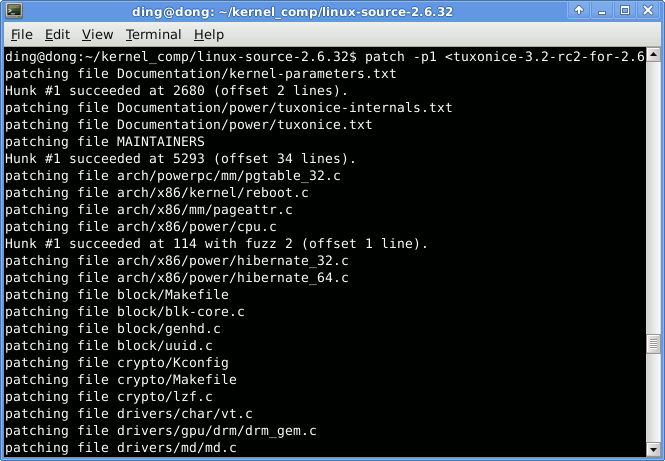
The computer tool patch is a Unix program that updates text files according to instructions contained in a separate file, called a patch file. The patch file (also called a patch for short) is a text file that consists of a list of differences an...
The download link for the windows version can be hard to find though, it's here:
http://gnuwin32.sourceforge.net/packages/patch.htm
wicked oak
feels good man
270 instructions on the toon shader
forward render, its its total cost
of those, around 70 or so are per-light. But it can be further optimized
mighty carbon

In our first two Rift Core 2.0 Dev Diaries, we heard from Oculus Head of Rift Nate Mitchell and Rift Core 2.0 Product Manager Brandon Dillon on the origins of the redesign and what it means for the future of Rift. Today, we dig into the audio techniques that bring your new Home to life.
cool
wicked oak
height fog support in the shaders
costs 120 instructions
on the vertex shader
120
out of 200 total
jesus christ
glossy agate
You try volumetric fog VR yet?
wicked oak
lol no
glossy agate
I tried and it looked like shit. Was seeing if you had better luck haha
was like textures were stuck to your eye
wicked oak
lol
im quite happy with my current results with the toon shader
cutting lots of unreal bullshit (like fancy specular, cubemap support, AO, etc) has allowed me to cut the performance cost of lighting in my toon shader by a huge amount
glossy agate
Yeah it looks cool. Point light on shoot was a good idea. More dramatic
glossy agate
Yeah, you arent using any shadows anyway and thats where all the cost is
Is that close to the cost of like an additive emmissive?
wicked oak
@glossy agate opaque emmisive is the cheapest light model, by far
this one has 60 instructions on the pixel shader
(default or just colors plugged into the material, no logic on the material graph)
my current toon shader has 120 pixel instructions if keeping it to "only a single directional light", and 250 if i allow multiple number of pointlights
default unreal shader has 600 pixel instructions
glossy agate
Oh shit thats really good. You will get more room for other stuff, like a shit load of enemies
wicked oak
its mostly about pixel cost
number of enemies is CPU cost
( couse anims/AI/etc)
my interest is on having more lights
to have cooler environment and FX
like the gif example of the enemy shooting, that looks super cool
now i want the old tonemapper
the one that didnt white the highlights
and you could have like, shiny red
instead of going into orange/washed out
glossy agate
well the lower rendering cost would still help with rendering more enemies on screen too right?
wicked oak
nope
cost of 1 enemy vs 20 would be mostly the same (just higher amount of polygons)
pixel shader cost is more about the lighitng, to be able to run more lights
glossy agate
ah ok
I adapted this to VR a while back and had VR newbies try it haha. May put the enemies in my new game as like a halloween special or something. https://youtu.be/ek-zB8QO8As

But I was asking about the rendering cause perf got pretty bad fast with it
wicked oak
went to try to do the thing they did in the stream
for the outline
sadly, i cant use normals
becouse no Gbuffer
i only have scenedepth
granite jacinth
Is it just me, or does it just look bad
@wicked oak Do you like that?
I mean, I do like cel-shading, but I guess whatever solutions everyone is coming up with doesn't seem like the way I remember cel-shading in bigger AAA games
wicked oak
i do like this one a lot
in movement it looks really good
of course, the current art just sucks
no algorythm can do better than shitty art
wicked oak
i have no problem doing that
its just... how
this outline is same as the one in the stream, but the toon shader is mine
and i went to optimize the shit out of it
by disabling unreal shader features
this only works for desktop forward
granite jacinth
Hmm
wicked oak
ONLY works there
granite jacinth
Can you package it up as plugin and sell it?
wicked oak
i havent tested but this breaks in deferred
nope
cant add new lighting models in plugin shaders
granite jacinth
that's...limiting
granite jacinth
And there's no way to do a separate plugin for that then?
wicked oak
shading models are literally a bunch of #ifdefs around the core deferred supershader
ive been editing all the core shader files of the enigne
just adding #ifdefs everywhere
granite jacinth
AH hmm
Maybe one day I'll venture in to that realm
I have my hands full on just gameplay stuff 😉
wicked oak
ive been able to edit the internal shaders for a while
but it was Jans diff in github (for his implementation), and that unreal shader architecture article what got me started
now i know the really useful skill of adding new shading models to do whatever the fuck i want with them
wich can be super useful if do mobile stuff, becouse i might be able to create a "simplified lighting" model that has less and faster stuff than the default mobile shaders (god those are super overkill)
 static mountain
hello
i have project with gearVR
when i had pluggin victory plugin the game dont launch
someone know why ?
granite jacinth
@static mountain nope, ask rama
static mountain
himself 😃 ?
wicked oak
@granite jacinth their simpler version of the edge detect allowed me to improve my own edge detect
sadly no normals couse forward render, so depth only
its good enough anyway
there is a problem with such a postprocess tho
its defined by pixels
like, 1 pixel wide
but what happens if i go and have dynamic resizing?
wich i would like to have
now my lines get thinner/fatter depending on the res
granite jacinth
I wonder what the performance is though for VR
wicked oak
its fine
granite jacinth
We have a few PP's going right now
wicked oak
TAA is 3 times as expensive
or more
man, merge them
each blendable is a full screen pass, i think
overdraw is a bitch
so if you can, merge them
granite jacinth
Hmm, yeah, I'll let the artists know
granite jacinth
nah
granite jacinth
lol
wicked oak
stat gpu works
granite jacinth
forward renderer is the issue
I remember trying to look at optimzation modes
and it being all jacked up also
wicked oak
prepass is botched becouse editor shanenigans
postprocessing 1.7, of wich 1.5 is TAA
basepass 0.6 lol
its clear how much faster this shader is in comparaison to default lit
raven halo
I want to see how high you can push screenpercentage on the PS4 with this shader 😄
wicked oak
im just going to go for native
i want to do 90 fps on base after all
poor thing already chokes enough
i prefer FPS over graphix, specially in this game
i was testing the shader, and it looks really good in motion
raven halo
nice!
wicked oak
now i need artists
😦
right now its technically solid, and fast, but im going to have serious trouble making use of it
glossy agate
Thought you had an artist on your team. Or is it all programmers?
wicked oak
a single character artist and me
and the character artist only does stuff from time to time
so its not fulltime or anything, barely part time
 atomic spire
can anyone help explain how to use the levers in the VRExpansionPlugin?
I can grip GrippableStaticMeshActors just fine, but I can't figure out why I can't use levers
glossy agate
You in the sample project?
 tired tree
@atomic spire from your forums post you are manually gripping the levers instead of GrippingByInterface
basically bypassing all of their custom logic
 full junco
@wicked oak can't you still enable the old tonemapper?
 dusky moon
Hey guys, I'm planning to capture my VR Experience with stereocapture plugin to prepare a 360 version of the experience. I've been asked to give the costs of the production. What would you charge if you wanted to capture 10 minutes of experience into 360 ?! I have no Idea how much time/effort it can possibly take.
wicked oak
after doing some serious benchmarking
of this kind
the toon shader i have is around 30-50% faster than normal lit
pure white unlit: 0.05ms, toon shader: 2.8ms, normal shader 3.6-4.3ms
for basepass (forward render)
at 1080p btw
 sage gulch
nice
fleet veldt
Hi, is it a known issue that stacking the cubes doesn't really work in the 4.18 VR template or is it just something on my machine? I noticed the odd behavior in my own VR app i had built from scratch so I thought I would see if i saw the same issue in the 4.18 VR template and sure enough it's an issue there as well. I remember from 4.15 or so you could stack those cubes in the VR template pretty reliably but now they just do all kinds of crazy things.
(crazy things like simply dropping a cube about an inch above another cube and it will 'pop' off the bottom cube like it was made of flubber. or it will just knock the bottom out of the way unrealistically.)
 silk frost
hey, how can I rotate a player which moved away from the origin via room scale. If I rotate the actor he does get rotated around the pivot point (his origin). I want to have rotation on his camera point. I don't believe that I have to counter that pivot by adding a Rotate Around Point component and update the pivot and delta rotation each frame. Also teleport itself does not apply rotation, only Set Actor Rotation does influence the rotation of the vr player, but it should, shouldn't it?
please u.u
spiral zephyr
@fleet veldt Did you try messing with "enable stabilization" in project settings, as well as CCD and stuff? Also hows that framerate?
havent booted up vr template in 4.18, so cant doublecheck for you
fleet veldt
@main basin hey I did try "enable stabilization" but it caused ue4 to crash (but only after a few drop tests) 😦 I did some "cube drop/stacking testing" testing in both in 4.15 and 4.18 VR templates and there does seem to be a quite a difference (4.15 seems more stable). I notice these physics project settings changes in ue4.18 (4.15 is on the right). I guess this is becoming more of a physics question than VR.
 scenic tundra
Hello there
I have a little problem with vr
could somebody tell me how can I walk in real life
and the player location should update based on that
I mean
when I walk in real life
only the camera moves
not the capsule
any idea?
granite jacinth
If you're talking about Walk In Place/Run In Place
otherwise, no idea what you want
granite jacinth
If you're talking about room-scale
scenic tundra
with the vr hmd on
scenic tundra
I am pretty new to vr
granite jacinth
So you want to know how to do room-scale?
You should read a book or watch some videos
And learn the terms
Do some research before just diving in
But anyway
scenic tundra
if room scale means
granite jacinth
How about you just Google it?
scenic tundra
real life loc to game loc then I will look it up
granite jacinth
"VR Room-scale"
"VR Run In Place (R.I.P.)"
"VR Locomotions"
- UE4 if you want UE4 specfic stuff
Once you know what you want, come back
But you probably want room-scale
Which TBH is just done for you.
So not sure what issues you could be having there.
scenic tundra
alright
so I looked it up
it looks like I already knew what it was but didnt know what its name was
now
the problem is
that the capsule collision does not move along with your roomscale location
because the camera is not the parent of the capsule collision
that means that I need to make the camera parent of the capsule
any other option? @granite jacinth
granite jacinth
@scenic tundra Well
You can just use @tired tree VR Expansion Plugin
wait
I need to check that actually, pretty sure that actually doesn't
That stays in center
I had to make a new Capsule
tired tree
yes and no
tired tree
the physics rep and rendering moves, but the root component can't move from 0,0,0
tired tree
so movement logic is driven off of the offset
granite jacinth
Because I had to come up with a custom solution
To trigger Zombies attacking room-scale players moving around
And also to trigger Trigger Boxes
likewise
granite jacinth
Hmm, do you have notes on that?
I might have to read them and update it if it's more performant
Not that the game is running crappy now, but meh
@scenic tundra Well, read what he just stated, looks like it's good now on his plugin
tired tree
its just a custom AI controller? you use it as the parent, kind of how robo recall had to do it
granite jacinth
Custom AI controller attached to what exactly?
granite jacinth
I thought we were talking about the player in roomscale
tired tree
and you were complaining about zombie targeting
granite jacinth
Ah yeah
I just made a HMD locator device
Basically the zombies target that (which is attached to the HMD)
instead of the VRCharacter itself
wicked oak
i do have a similar thing
granite jacinth
Yeah, I found that the easiest way for me
wicked oak
FVector GetPointOfInterest(AActor * Target)
if Target is a vrpawn, get head location
if not, just get location
granite jacinth
But I'll look into this "AI Controller" that RoboRecall did
I guess I need to look at the ModKit again
I only glanced at it once
And was like wtf...who did these BPs..
wicked oak
on my next project im testing a "AI point" component
tired tree
they didn't do it the same way
wicked oak
mostly so i can "test" AI by making it shoot at a random object that isnt a player
tired tree
how blanco is talking about is how i also did it
though I overrode a few other things
GetPointOfInterest works with the standard AI setups
RR's method was just recoding part of the AI....kind of...not optimal
granite jacinth
heh
Yeah, I mean, I need these zombies to always be attacking the player though, kind of the point
They don't have guns 😉
tired tree
yeah, just replacing the base AIController with VRAIController works
though there are also Detour versions now
for crowds
granite jacinth
But actually, I need to recheck my logic because they are a bit buggy now
Ah, going to look into that then
wicked oak
WHERE
for that Detour thing
becouse damn detour crowds not working too well, i havent been able to get the right
tired tree
oh wait, you didn't override targeting? You just added a new function?
that shows the functions I overrode
tired tree
there is also a function that is part of characters that is called to for AI focal points that I overrode
glossy agate
Victor is your demo released yet? I’ll check it out
trail shale
What are the recommendations for customer launchers settings out of the Editor - I can get it deploy/launch but is not in VR mode even though I am using -vr in the command line
glossy agate
Do you have the checkbox set for start in VR in project settings?
trail shale
hmm let me check.;..
well, one client doesn't use VR
so i'm only using the Vr command line on the host launcher
granite jacinth
@glossy agate Sadly still waiting on Valve for store page. Two things to consider for everyone
If you release a Demo version
you have to do a separate "store page" and build for it
which has its own approval process
BUT
You can't download the demo unless you have the MAIN store page up..
so...
glossy agate
Did you check the include c++ redistributables box? Everyone gets kicked back at least once on that haha
granite jacinth
Valve has killed off Demo Store Pages
But... there are still Demo Hub/Communities
But I have a key
and you could play it, but don't tell anyone 😉
(but i need to upload the newest build)
glossy agate
Yeah man PM me and Ill check it out this weekend
sturdy coral
wow, I did not realize this existed: https://docs.unrealengine.com/latest/INT/API/Runtime/Engine/FSkeletalMeshMerge/
Utility for merging a list of skeletal meshes into a single mesh.
glossy agate
What do you do with it? Human centipede as one mesh?
sturdy coral
@glossy agate hah nah
granite jacinth
same as sm merge I suppose
sturdy coral
you can have a gun become part of your character mesh
granite jacinth
just with sk
sturdy coral
you have to do texture indexing and stuff to make it all work
gun would have to use the same material as the character with different texture indexes
glossy agate
Ah that’s true. A little savings but they still have all their own anim assets running
sturdy coral
it would mainly help in something with customizable characters with a lot of armor pieces and stuff
the draw calls get insane with that
glossy agate
Yeah that’s what I was thinking. Like skeletal hair mesh
sturdy coral


 sturdy coral
yeah looks like it
sturdy coral
yeah probably new lenses and higher res screens
granite jacinth
hmm
sturdy coral
maybe the new lenses that valve is subsidizing
granite jacinth
Either Vive 2.0 announcement or HMD upgrade option?
Would be nice TBH if we could just have upgrade paths
Trackers are what $100 each?
sturdy coral
are the current ones glued in? defintiely wouldn't be an easy upgrade
wicked oak
but then its 2 packages to build instead of 1
wicked oak
unless they reuse current wands and trackers
granite jacinth
devs would be able to switch on demand
wicked oak
then its easy as pie to just offer a "headset only" version
granite jacinth
SteamVR1.0 and SteamVR2.0
That's how I would do it anyway
Right
You would use current wands/trackers
Until those were out as well
And you'd support just the same
sturdy coral
yeah, it will probably just be a revision, maybe including knuckles
granite jacinth
I mean TBH, this would be way better than having to purchase the whole kit at once
sturdy coral
same basic design, new lenses, maybe the displays from the odyssey or low persistence LCD, newer revision tracking sensors
I bet it is mainly a response to LG too and LG will announce final stuff at CES
tired tree
if only LG would go with a half decent color scheme, not svelte matte black
trail shale
Morden, what practice do you recommend for quick back and forth testing of VR / Non VR - I'm experimenting with the IsHeadsetConnected but when the editor starts up with SteamVR, that's always going to be a yes....I'm sure there is a better way
sturdy coral
@trail shale you can query the worn status
trail shale
perfect that is what I needed, I'll play with that, thank you @sturdy coral
sturdy coral
@trail shale by default it doesn't fully read from the proximity sensor on SteamVR and uses movement detection instead
you will probably want to lower the movement threshold a bit if you keep the HMD right beside you, by default I think it is half a meter
it is configurable
trail shale
I have a stand it is resting on
I'm going to play with it - it doens't seem to like enums to names and then using a Switch on name.... I guess I'm using a enum == node then
hmm
It's giving me the default pin, which means the state is neither unworn, nor worn, nor unknown...am I missing something about this enum?
it says unknown even though I'm wearing the headset and I'm using it in VR Preview
That's based off a direct enum boolean
says it's not worn lol...and I'm wearing it
wait...isn't that something I need to tick to check ?
sturdy coral
if you start steamvr while wearing I think it fails to give the initial worn update
trail shale
My problem is I'm trying to switch back and forth and I can never switch back
I can switch OUT of VR but not INTO it
sturdy coral
I can't remember, I modified all that stuff heavily because lots of things were broken andI wanted the proximity sensor to feed into it
are you sure you just aren't moving it far enough (movement threshold I mentioned)
trail shale
I'm not even using that enum anymore
I'm just using a manual event
it fires fine but it doesn't put me back, I just get the steam splash screen loading
sturdy coral
the right way is to leave vr enabled and enable/disable stereo
trail shale
AH
sturdy coral
if you disable vr it will mess things up
trail shale
that's what I was missing
sturdy coral
and on oculus through oculus plugin there is a bug in 4.18 where if you turn off stereo you can't query the proximty sensor anymore or something like that
can't remember exactly but I had to patch that
trail shale
that's why I am just doing a manual switch for now
is that a node or a console command ?
trail shale
you are correct in recommending on NOT use the enable HMD node
that shit broke steam vr
@sturdy coral do I need to do something else other than vr.bstero on? tracking is completely off....i use execute console command vr.bstereo 1 and then spawn in a VR pawn and possess it
wicked oak
you CAN do screen normal outlines on forward renderer
but itis a HUGE hack
and it aliases like mad
wicked oak
i was doing a huge hack by using DDX/DDY to "recreate" the normals, based on depth
but ddx ddy are not magic, they are dumber than i thought
at the end i was just recreating the normals from 2x2 blocks of depth values
granite jacinth
Contagion VR: Outbreak: Vive/Rift: Steam Key: VMNFX-05AWE-9WWTY
(if someone grabs it, let me know)
sturdy coral
@granite jacinth grabbed it
granite jacinth
@sturdy coral Sweet, I hope you enjoy. Just a slice of the single player. Much to improve and add upon before Early Access
sturdy coral
cool, I'll check it out
granite jacinth
https://www.twitch.tv/tocafita Contagion VR Playthru

 knotty schooner
Hey guys, quick question.. I've been trying the VR Editor today, but it seems I cannot see / edit spline components while in VR Editing mode. Is this not possible?
sturdy coral
@trail shale I'm not sure what's going wrong, vr.bStereo on/off should work but there might be something else I've changed.
 tepid flame
i think you have to enable HMD first, then use Stereo
 sly elk
Hey all- I'm trying to diagram out/pseudo code a whole new system for my parts snapping/assembly mechanics. I'm going to get rid of the socket based system where each part casts to its paren't object and replace it with a system where parts snap to scene components. There are a bunch of reasons to do it this way but the basic goal is that I don't want parts making any direct casts or communication with the parts they attach to, only the scene components where they attach. This makes the system flexible for swapping out different version of assemblies that have differing numbers of parts or configurations. The part I am stuck on figuring out: I need to be able to establish AllowInstall and AllowRemoval rules and that requires knowing the status of parts in the entire assembly. My thought is to have a game object that tracks everything that is installed. Parts can query this third object instead of their receiving part to control their behavior. A few complications that a tripping me up: 1) The game object that tracks status needs to be flexible, not a fixed set of slots/bools. If I swap in something like an aftermarket brake kit, it will have a different number and configuration of components. Essentially this game object needs to be a branched hierarchy where it generates it's structure/slots from the parts as they are assembled. 2) I'm trying to work out the most efficient way to do blueprint communication from many pieces to one object. The trick here is that there could be multiple cars being worked on at a time and it would be good to have the flexibility of having parts be movable between them. Thoughts on how to approach a system like this?
also some footage I made yesterday: https://www.facebook.com/WrenchGame/videos/1818966134844526/
 sturdy coral
@sly elk are their situations where you might end up attaching a car to a car? 😃 can any piece attach to any other compatible one or does it have to build towards a schematic (with variations on subtrees)
sly elk
nope, you can only attach part to compatible scene components
glossy agate
@sly elk Those graphics 👌 How did you even UV that engine block? Must have taken a while
sly elk
Yeah, uvs were miserable
Especially with no edge flow since the low is from scan
Basically 3 8 hour days of selecting edges to make islands while fixing topology errors as I find them
glossy agate
Damn haha. Results look great though.
sly elk
Thanks. If substance painter was better at handling seams I could probably automate more of it
glossy agate
Using tri-planar projection doesn't work for you?
Then your smart materials should wrap perfect. I love substance painter
wicked oak
@sly elk you should get houdini
to automate stuff from your pipeline
i found its auto UV systems and integrated baking to be quite legit
and of course you can do the boolean cuts and other fixing from there
sly elk
Nope . Substance doesn't mask on things like curvature correctly on seams
On my phone but I'll pull up a example later. I use almost no grunge textures or tiling maps
 shrewd shuttle
helllo.... is there anyone who knows how to dev for GoogleVR? i need help with the crosshair
pls help
arigato!
dusky moon
Guys, I want to reduce the Headset On/off times during my dev. so I want to setup my BP_Pawn in a way that when I'm playing inside the Editor (non-vr) It shows me the user's front view. I just don't know how to get this play state bool inside BP ... any suggestions ?!
like is there anyway to get to know if game is running in VR or not ?!
nvm, found it ... had to use "Is Headmounted display Enabled"
 eternal inlet
Hi guys, im on vive only atm, but wanted to make a few changes so my game can also run on oculus. I execute the console command set screenpercetage 100-200 in game to adjust supersampling, but i cant figure out what commands work for oculus. Now i saw this will be unified for 4.19 so i might just wait for that, but was just curious of what people use now. The problem is that with 140, it runs fine in vive, but lags like crap on oculus.
dusky moon
@eternal inlet Months ago I had some issues with Oculus in 4.17 which is discussed in this thread:
https://forums.unrealengine.com/development-discussion/vr-ar-development/125481-performance-hit-and-odd-stuttering-when-compared-to-steamvr-in-4-17
som1 mentioned two Oculus specific commands in that thread you might want to check :
https://forums.unrealengine.com/development-discussion/vr-ar-development/125481-performance-hit-and-odd-stuttering-when-compared-to-steamvr-in-4-17?p=1351260#post1351260
eternal inlet
Cool thanks man will do that 👍🏼
sly elk
I want to create variables / game object structure at runtime. Googling around, json is the way to do this? Here's a high level sketch of how the game status object would work:
wicked oak
@sly elk json is a good idea to put data in a file
its also very easy to read and write from code
ue4 has native support for it (not like ive really tried it yet tho)
but thats all on C++
sly elk
are there other ways to do this. Basically, is there a way to make variables at runtime with blueprint?
wicked oak
what do you mean variables at runtime
sly elk
The structure of this game object needs to by dynamic, its not a fixed set of bools/slots
wicked oak
just have bools/slots that can be disabled/enabled
sly elk
it needs to look at parts that are installed, read from them in some way what scene component/slots they have and populate its own structure based on that
wicked oak
oh, you mean you need to know all connections, to get the "final" availible slots?
thats graph stuff
sly elk
yeah
wicked oak
of course you can, but the code is not going to be that easy
sly elk
so if you expand that example, two possible upper control arms have a different set of parts
wicked oak
that sounds similar to what im doing for my random dungeon generation
sly elk
both attach to the same location
wicked oak
wich slots different map sections together
and makes sures to not add 2 on the same slot and keep stuff and then i do logic on it
it can be done in blueprints yes
good fucking luck
sly elk
lol
I handle the don't put two in teh same slot by just checking the bool at the scene component
wicked oak
just due to the code complexity and functions and data structures
but the idea is that you would have an "abstract" represetntation
sly elk
but I need more intricate allow install and allow removal rules that check the status of other parts in the system
wicked oak
of the WHOLE machinery
think of it as blueprint nodes
you have 1 node for each part
and the node has the slots to both sides
that connect to other nodes
sly elk
exactly
wicked oak
you then can find what "slots" dont have anything connected
to do that, you would need a struct for each node
this struct has all the piece data
and has an array of connections
this connections array is just an array of a connection struct
that has a pointer that points to the connected thing, and holds what type of connection it is
sly elk
okay, ill do some reading on structs. I haven't used them yet
wicked oak
then, from one node you can plug into others
so if you want to find what sockets are empty
you would go through all the nodes/parts
and find what items in the "connections" array of each has no "connection"
but, to avoid selecting all the pieces on the floor
you start the search from a central piece
and search over the pieces connected to that central piece, and then over the pieces connected to those (avoiding loops)
sly elk
its a plugin that lets you create json objects/arrays from blueprint

Low Entry Java Library: http://public.lowentry.com/#files/LowEntryUE4/java Music by http://audionautix.com/
wicked oak
i guess it uses the normal unreal code
thats kind of shit
unreal json can directly serialize ustructs
you just send an ustruct and it serializes it properly
sly elk
I'm in the process of hiring an engineer so perhaps I will jsut put this off for a month and let them deal with it. Seems like it should be tied into the saving and loading system as well
sly elk
yeah
wicked oak
how many pieces you have?
sly elk
At the moment about 200 unique pieces. Eventually that number will be much larger
but not all of them are in use at once, variations and aftermarket alterntive parts
A whole car is going to end up around 800-1000 parts
wicked oak
damn
in your case, you would create this "node" thing when the part is spawned
the code for the "node" just looks at the socket settings on the blueprint, and creates an abstracted version
to make going from one object to other easier
and that way actually fully attaching objects and merging them would be a bit more doable
zinc violet

pcgamer
Could this be a 4K per eye VR headset? We'll find out at CES.
wicked oak
tomorrow
at CES
lets see becose it can be very promising
i hope its not a super high res vive becouse it will make me switch sides real fast (and get a 1080 gpu)
granite jacinth
of course it will be
I dont think it'll be 4k though, but I would loveit to be
More than likely, like others have speculated. It will be Odyssey lenses
I just hope grabbing a new HMD won't cost more than $200
But more than likely, it'll run aroun $300
which sucks for anyone who grabbed a 1.0 version recently
 wintry escarp
desktop vr should jump to 2560 per eye
wicked oak
@granite jacinth we cant even do multires properly
and you talking about foveated
step by step XD
first get motherfucking LMS and/or multires standarized
did you know Oculus Go actually has multire inside the actual GPU driver
its enabled for EVERY SINGLE GAME
all of them
automatic multires support
they run it at a "conservative" setting
wich is still easy as hell 20% perfmance gain
but of course that is a different type of GPU
mobile GPUs are tiled
so essentially they just run some tiles on a lower resolution
and it works with 0 overhead
granite jacinth
@wicked oak multires?
wicked oak
NVIDIA Developer
squashes borders and corners, ending up with less resolution on those parts
thus saving total pixel count
in desktop, we use deferred rendering and shanenigans,so doing this to the pixels messes up the postprocess a bit
but in mobile, its a tiled renderer, and fully forward, wich makes this a LOT easier
and thats why its now 100% automatic on the driver on the Go gpu
sly elk
Yeah, I want a higher res panel and some kind of center vs edge resolution control. Just having more pixel density in the center 20% would be a huge improvement
wicked oak
that cant be done in fact
in hardware
displays need to have constant density
for multires, you can try the nvidia branch @sly elk
granite jacinth
I have had my devkit for awhile now
I was sadly working on getting this demo out for release, so haven't touched ps4 yet
Which reminds me I need to send Epic that thing so I can get access or else nothing will ever get done
sly elk
Yeah, i just meant in software
wicked oak
you will see first hand how fucking terrible the CPU is
lol
be ready for your project running at 30 fps due to CPU
at least mine did
until i started really optimizing it
did you know
that the template teleport arc
the one from the vr template when you create an object
was using
8 miliseconds
of CPU time
wicked oak
not the traces
granite jacinth
plus that spline shit
wicked oak
also overlaps are really fucking expensive on skeletal meshes
granite jacinth
for Desktop, doesn't really matter
wicked oak
becouse they get called per-capsule
wicked oak
you should never rely on overlap or hit on your projectiles, but just do traces/sweeps
granite jacinth
Aye, I've have so many overlap issues in VR
I've gotten a lot sorted out, but still, it's a pain
Collisions in general in UE4 just don't behave like you would think they do imho
Case in point. Let's say I have an EndOverlap event but it's only set for one channel...
all other channel are ignored...
how the heck does the damn thing still fire off on non-overlap/block-enabled collision objects
tired tree
@wicked oak its not actually doing that anymore, at some point they went in and started re-using spline components
though they got dozens of projects off to the wrong start I assume first before fixing it >.<
sturdy coral
@wicked oak "that cant be done in fact
in hardware" it sort of is, pincushion distortion of the lenses makes the center of the display viewed through them have higher pixel density than the periphery
wicked oak
i meant on the display itself, not lens
sturdy coral
yeah I've never seen a display that does it, but you pretty much always view the display through a lens
or reflector
you could intentionally choose lenses with higher distortion to make the center even denser, but it would probably have more pupil swim
 pale heron
Hey guys - I've recently purchased a Rift, and for the life of me I cannot get UE4 to display on it
Is there something I need to do?
pale heron
I managed to get it sorted.
It just wouldn't appear on my rift
I'd hit the play in vr
granite jacinth
Ah
pale heron
And it just wouldn't come up on the rift display
No idea what caused it, a few restarts and It fixed itself, I think it's something to do with VR process/services or something
granite jacinth
well
you have to have Oculus App open
and working
and allow unsomething sources
 abstract anvil
Hey everyone! @here we are looking for a Unreal VR developer to join us, we are a SF invested company http://Liv.tv. It would be a full time job with stock options, remote work ok. Thanks! Example of our tech:
https://youtu.be/Rh-DO0Cb0Ms
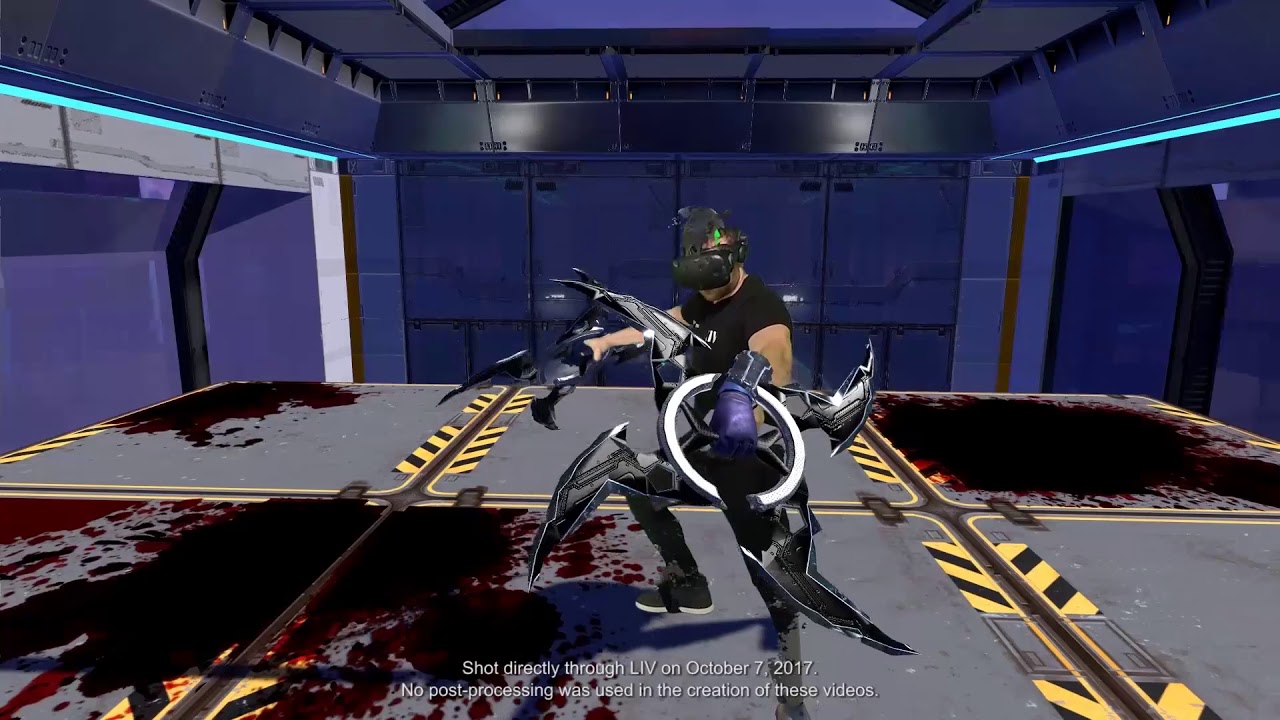
Sign up for our beta! at https://liv.tv If you want to make content in VR join our discord at http://liv.chat Our Twitter: http://twitter.com/liv Our Instagr...
DM me if interested 🙂
eternal inlet
what is the trick to make good looking foliage in VR? it seems FXAA and transparency is insta-kill on performance
 primal sky
never tried yet tbh!
glossy agate
Was just messing with it today. Doesn’t look great
Like palm trees and stuff look good but my pine trees look like a blurry mess
sturdy coral
nvidia at CES: http://www.nvidia.com/object/ces-2018.html

Stop by the NVIDIA booth to see the latest breakthroughs in gaming, VR, AI Computing, self-driving cars, and more.
I missed the beginning, anything major?
real needle
@eternal inlet Turn off instance stereo, try to design levels so that there isn't a lot of overlap on the foliage, and heavily use higher lvl LODS without transparency
sturdy coral
looks like UE4 for their self driving simulator thing:
kinda scary, looks like it will be expert at dealing with LOD transitions in the real world
granite jacinth
CES started?
I thought it was Monday
fml
I missed out on the new NUC
VR capable NUC...

Engadget
Intel's new NUC will finally be a decent gaming box thanks to AMD's Vega GPU.
But, I wonder what the price for that monster will be
https://www.theverge.com/2018/1/7/16862054/nvidia-4k-hdr-gaming-monitors-bfgds-g-sync-ces-2018 this is cool too

The Verge
Giant gaming monitors with G-Sync, perfect for a high-end gaming PC.
sturdy coral
no gaming news at the nvidia keynote, seemed to be all deep learning and cars unless there was some gaming stuff at the very beginning
granite jacinth
The TV thing
granite jacinth
I wasn't expecting huge things like GPU from Nvidia at CES
I mean they announced Titan already
Titan V
But a lower cost Titan could have been cool
Titan Xp2
sturdy coral
well they announced a bunch of data center chips that basically aren't really consumer oriented, the car ones I guess are
granite jacinth
or whatever
That Intel/AMD deal is looking nice though
I have a 1060 Max-Q laptop and it runs VR great
SO, if this thing is a little bit faster than that... I can believe VR-capable for sure
And if they price it just right, it could be the defacto go-to for new VR setups
IF
sturdy coral
yeah, I thought you pay a premium for compact like that though
granite jacinth
I don't know, last NUCs ran from 300 to 600ish
sturdy coral
ah I've never looked at them, so it is a kit?
granite jacinth
You still need to pay for Storage and RAM
Yeah, basically
And OS
everything else is included
I wanted one for a long time for Perforce server
If they can price this around $600 for the higher end model..it's a instawin
Still need $100 for windows, $60 for RAM, $100-200 for storage
I mean, $1k VR ready PC with a small footprint...
But knowing Intel...they will overprice it
eternal inlet
@real needle oh nice tips there
sturdy coral

PCWorld
Ryzen 2. Threadripper 2. Navi at 7nm. And that's just the beginning. AMD lays out plans for the next two years of CPUs and GPUs, and it rolls out APUs and a mobile discrete GPU.
granite jacinth
oh wtf
Threadripper 2
that's all I fucking wanted to know
April
Hmm
I guess I can wait a little for my workstation update
damn
second half.
Well not bad annoucements, nothing to surprising. Just wish the dates were closer.
wicked oak
threadripper 2 sounds very, very interesting