#virtual-reality
1 messages · Page 152 of 1
 analog topaz
i have used screenpercentage but the client needs more , and i have no idea what else i can do so i told him i will ask around
analog topaz
wants the resolution to be higher
 tired tree
higher than what? for the preview? for the HMD screen?
analog topaz
yes
tired tree
you get diminishing returns on the HMD screen
analog topaz
i used vr.screenpercentage / r.screenperecntage 150%
tired tree
so he is trying to record gameplay and the preview isn't good enough?
analog topaz
no he ain't recording anything , he just want it to look better
although on my side i find it similar to other games on the store
resolution wise
 glossy agate
He can buy a pimax 8k. That might help. You just cant add pixels to the vive though
tired tree
there is a limit to how much "better" you can make it look
screen percentage raises the screens rendering size based on the HMDs native resolution
150% is HMD res + 50%
you won't notice much difference past 180%
glossy agate
Im guessing he wants the screen door effect to be gone
analog topaz
fps drop after 150% for me 😄
tired tree
you can't display more pixels than the HMD has....
tired tree
r.sp is the correct one
analog topaz
cool
tired tree
but i'm saying, that there is a limit to how much difference downsampling can make
you are still in the end limited to how many pixels the HMD screen has
analog topaz
i can alrdy see the oculus leds that's why i was wondering hwo far i can get if i can already see the screen leds
tired tree
screen percentage is effectively increasing resolution for the rendering, then it samples it back down to the screens actual size
analog topaz
ok i will let him know if he didn't like the last build
also one last question if u don't mind
he has both oculus and dell visor, the engine will automaticly adjust to dellvisor right? cuz am only testing on oculus
glossy agate
I think you just need to explain it to the client, if he thinks its possible to match HMD to a nice monitor. Just wont happen right now, but his Dell will probably look the best right now
analog topaz
great thanks now i can explain it to him with rock ground
glossy agate
Show him a movie in VR and have him compare to what a monitor looks like
 sturdy coral
@analog topaz try the nvidia branch, you can get better clarity at lower resolution with MRS or LMS
but it isn't on 4.18 yet
but yeah there is still a big limit from the screen itself
 wicked oak
do you know if its possible to use SimpleForward and MSAA?
becouse ive moved my game to Simple Forward given that i will use mobile renderer and custom shaders
btw, looks good and performs better
i can push up resolution to 200%
but TAA becomes like one third of my frame time, so i would prefer to use MSAA wich also looks better
 glossy flame
@tired tree <just woke up> ill try a vr template tomorrow and place a fresh desk set to the scale of the one in the jacked project in there. I'm not hopeful, tho, because my HMD screen flickered to the grey steam room at certain rotations other than default last I did something similar.
glossy agate
You probably need to reinstall steam VR . Have you tried playing a game to see if it’s just broken?
glossy flame
Hey, rvan. Yeah, this is after reinstalling steam and steamvr and making sure tracking was good in The Lab. This prob is only with UE4 stuff.
I was wondering, does HMD calibration data get saved somewhere in a project's folder? Wonder why the issue occurs on rift, too.
glossy flame
Thanks for the info!. What would you do? Just remake everything from scratch? Or migrate stuff over piece by piece until the issue pops up? There's prolly no easy way to find the cause yeah?
Regardless, ill see if vr is still jacked up on a new vr template before trying anything else. Thx a lot for your time, MordenTral.
 trail shale
What is the general outline trick to making the Player's hand / motioncontroller translate physics realistically to say, close a door? Do you just enable physics on the door upon collision or do you use a time-line and get the velocity of the Player's hand and somehow pipe that into alpha? Also Happy Thanksgiving
 full junco
honest reply from Daniel about dynamic GI in UE4: https://puu.sh/yrOWg/7a64556193.png
 glossy flame
@Blakestr if I were you I'd take a look at how MordenTral set up the Door_Actor BP in the vrexpplugin template after reading Warner V's questions about doors, and comments from Mordentral regarding them, here: https://forums.unrealengine.com/development-discussion/vr-ar-development/89050-vr-expansion-plugin/page121
That'll give you a good idea of things to consider in regards to using physics and doors I think.
Btw, that door actor's got a physics constraint on it.
 mighty carbon
Happy Thanksgiving to US folks

I should have been able to move at least 700 copies of a niche game at a low price and stay in business. I did not - this is a warning to other developers out there who work full time on their games!
This is my tale.
Not VR, but kinda shows about the state of indie game dev
 sly elk
I want to make it possible to turn the engine over with a wrench on the crank bolt.. anyone have a suggestion for how to handle the timing belt? The only thing I can come up with is to do the belt teeth with displacement and offset uvs for belt movement
For those that don't know what a timing belt looks like
wicked oak
@AlecMoody#7918 UV + offset is a typical technique
there is another technique, but its more complicated. In houdini you can create "mesh" animations
you could create an animation with a few frames, and loop it at infinity
UV + offset is probably your best bet. You can control the displacement with vertex colors, and actually have displacement with the mesh
essentially you tile a height texture, and you have it scrolll
sly elk
Bringing it in as allembic would probably be expensive. I'll look into that though. My only concern with displacement is the front edge looking stretched
wicked oak
@sly elk not alembic
houdini has a vertex animation textures thing
essentially it stores a texture with the position of each vertex
and then the material just offsets the vertex to that position
and scrolls down for each "frame"
this is what it can do

its only downside is that the textures for the animations are uncompressed. So be careful with them
but their runtime cost is very low
another possibility
but this one is a bit hacky
is to store an "offset" on the vertex colors
then in the shader you move by that offset, in a loop
the offset would be the vector difference beetween 1 of the things and the next
that way you "scroll" the geometry
but only for the teeth, the other part stays static, but maybe with a scrollling texture
 wintry escarp
rift is down to £349 this week
 plain glade

Enter the enterprise VR age. VRHero 5K is the high-resolution enterprise-ready VR headset. The first of its kind, it is poised to transform how professionals across industries work with virtual reality.
sly elk
I wonder how many pixels per degree the center vision area is
its only slightly more vertical res than the rift (1440 vs 1200) and if it has more vertical fov then its probably about the same pixel density
full junco
@plain glade they do the same wrong naming like pimax. it's not 5K. it's 2560 x 1440 per eye
so just 2x2k
and not even aimed at consumers
so no one will buy that if there's the pimax
@sly elk Pixel per degree it significantly lower than rift I think
wicked oak
as allways, FOV is a tradeoff
more fov = less resolution in the center
honestly i prefer resolution
full junco
I absolutely prefer FOV. FOV is the most important thing to improve in VR currently
people that tested the pimax say it makes a super huge difference to have an almost realistic FOV
resolution currently will never be close to perfect, that would be 16K or 32K, but FOV can be close to perfect
it should be possible though to use lenses where the majority of the pixels ends up in the center
so that a 4K screen looks like 16K in the center and 1K on the edges
wintry escarp
no stream today?
full junco
stream for what?
wintry escarp
ue4
full junco
well epic doesn't work I guess? some holiday?
wintry escarp
right, eat dry meat day
glossy agate
Yeah it’s thanksgiving here in US so everyone is off work.
Gotta go watch relatives argue about politics and eat loads of food.
wintry escarp
wait until theyre all argueing then blurt out, "its all lies we're celebrating the start of genocide"
that will lighten the mood
glossy agate
Haha. Gonna go steal some land after
full junco
just thought about, wouldn't it make sense if epic would completely drop Dx11 support after vulkan is on that performance level?
that would allow epic to completely have the renderer optimized for low level apis, without caring about the old slow stuff like dx11
or is there any reason why they should keep dx11?
wicked oak
low end pcs
thats why unreal actually works with DX10
my Aquila prototype is starting to actually be lit
just implemented variable enemy scaling depending on how far you are on the generated level
plus loots
improves the prototype quite a bit when now there are multiple different enemies
 cold siren
Hey guys, quick question about multiplayer vr. So I have my project setup such that in the game mode I call spawning and possession of pawn per player controller. I have also set up a pawn similar to the archviz pawn incase the person running the build doesn't have a hmd. I do a check for "is hmd connected" and depending on the resulting Boolean the appropriate pawn is spawned and possessed. Now since I am calling this node on the game mode it returns the server's hmd connection Boolean and spawns both client and listen servers VR pawns.
My question is, should I be running this check in player controller or player state and having the game mode read it from there so that the correct pawn is spawned per login?
wicked oak
@cold siren multiplayer VR is harder than usual multiplayer
have you tried to replicate all this stuff with buttons, for example?
the problem you have is a typical one
its solved by doing a callback from the client to the server
essentially, doing a flow like this
cold siren
Correct
wicked oak
default pawn is empty, it only has the HMD check
it calls a server function, that tells what pawn to ACTUALLY spawn
and then server respawns the player, this time on the correct pawn
for the server, HMD does not exist
becouse its a client only thing
so the only choice is to callback from the client to the server, to "request" to be spawned with a VR pawn
cold siren
Client to sever, the server can get variables from player controller or player state? Or both?
cold siren
I intense to use only a listen server and client, not dedicated server
wicked oak
server to client can be via replicated variablles or Client/multicast functions
cold siren
Intend*
cold siren
Hence the listen server will essentially always have an hmd connected to it
wicked oak
listen vs dedicated is mostly becouse dedicated doesnt run graphics and doesnt run a player. but its similar
grab Exi network compendium, is a great book
and try to "simulate" some of this stuff without vr
maybe with button presses or random or whatever
cold siren
I have it working without vr
If there no hmd check
Also read the compendium, thats how I even know this much lol
I am not a programmer at all, I am an architect :joy
@wicked oak can you expand on the this?
"for the server, HMD does not exist"
"it calls a server function, that tells what pawn to ACTUALLY spawn"
I have also been looking at the proteus template to reverse engineer the setup, which has got me so far
wicked oak
have a key that calls the server to respawn
to test
and then, when you check hmd you call that function
full junco
@wicked oak "low end PCs"? essentially all PCs support vulkan
low end usually just means integrated intel gpu
and Intel supports vulkan on all their relevant cpus I think
and they also support dx11
dx10 is needed because of windows Vista I think
there vulkan also runs
wicked oak
not really. Vulkan isnt supported by old gpus
for example nvidia sub 400 gen will not support it
plenty of DX10 gpus that cant run vulkan but can run ue4
full junco
who has such a GPU
wicked oak
also vulkan is hard, ue4 doesnt even support DX12 properly yet
and yet, it supports DX12 (xbox one) and GNM (Ps4) just fine
its just PC low level what is a huge issue
full junco
I said after vulkan is at dx11 performance in ue4
wicked oak
well DX11 could be dropped, but i dont see it happening really (keeping low end render at dx10 level)
or hell just opengl it
btw @full junco . Im running my game on Simple Forward right now
full junco
OpenGL is the real problem, that can't be dropped because of old phones
wicked oak
given my toon shaders and stuff, as i have literally 0 dynamic light
looks good and performs stupidly fast
full junco
simple forward works with vr?
full junco
did it just work out of the box?
wicked oak
but it has far too many drawbacks, its only really useful if you, like me, have a toon style and dont need lighting
yes
full junco
no ssao there I guess
full junco
do you know about any shipped ue4 game that uses simple forward?
wicked oak
my current "red fog" prototype level
no clue
i think some games enabled it for the absolute lowest setings
i think fortnite has it
for the "all min" spec
full junco
I meant, shipped vr game
wicked oak
no idea
full junco
how much faster is simple forward for you compared to regular forward?
wicked oak
quite a bit, but i dont have exact metrics
this view
its 1.5 ms
to render
+0.5 ms due to TAA
full junco
is it like 100% faster or more like 20%?
wicked oak
seems to be twice faster
but it is a very simple scene, keep it in mind
low drawcalls
even on the final game ill have low drawcalls
150 drawcalls nearly a million polys becouse culling be damned
of course ill implement my own culling for this
full junco
ok
wicked oak
but this same view on normal was around 4-5 ms
its now 2
of course in such a weird scene, wich isnt final quality, i dont get that much of a boost
i did try it in DWVR
but it was glitchy as hell
so couldnt even test it
and uuuugly
due to no normal maps
and everything on fully rough
it was faster tho
i think twice faster
but the game looked ugly as sin
full junco
ok
but normal maps aren't nice in vr I thought?
they look bad due to the difference on the eyes
so no normal maps shouldn't be a big issue
wicked oak
you still need normal maps for detail
the issue with simpleforward is that it sends you back to 2004
no roughness, no metallic, no normal maps
well i tihnk it does have metallic
but again its fully rough
full junco
well, I actually don't use roughness, metallic or normal maps in my game, almost all my stuff is fully rough. I definitely need lights and ssao though
wicked oak
as im going to bypass most shaders with unlit... its good that all those get nuked
full junco
roughness, metallic and normal maps are not needed at all for good graphics
my game looks very good without I would say
you only need PBR if you need realistic lighting
wicked oak
yeh
this thing just has a skylight to provide ambient light
and thats it
literally no other lighting
you can see that the enemy pops up in a quite absurd way, but i quite like it that way
enemies are suuuper easy to see
full junco
skylight is stupid expensive
wicked oak
skylight is a cubemap
full junco
maybe it's rendered differently in simple forward
wicked oak
depends on the type of skylight
but skylight is a weird thing, it controls AO, does cubemap, etc
full junco
but the skylight is a bloated thing that's taking a huge amount of time
in regular renderer at least
wicked oak
also the different types of skylight are VERY different
static vs stationary vs dynamic skylights are completely different things
full junco
ah, I only ever used the dynamic one
wicked oak
fully static one doesnt even affect dynamic objects i think, its just for lightbaking, but does some extra things. stationary also bakes AO, and dynamic seems to be mostly a cubemap or DFAO
full junco
I definitely saw that it takes a huge amount of time so I had reason to not use it any more and instead do my own ambient lighting in the lighting shader directly
I think skylight was at least 0.5 ms per eye on min spec gpu
 gusty mesa
Oculus Rift is 50$ off on Amazon! Yay! Get your sets quickly 😄
wintry escarp
its $50 off on oculus
gusty mesa
Right, thats what I meant! 😅 I got my own pair right now from Amazon though 😃 (duo to shipping location not supported from their official website)
But the Oculus Rift package (which has the Touch + 2 Sensors) is up for 349$ now on the official Oculus website
 uneven moon
If using the Character parent class, should I move my camera to the bottom of the capsule to avoid issues with height?
tired tree
@uneven moon entirely depends on how you are using the character class....
and for that matter,why you are using it
glossy flame
@wicked oak There's a DWVR 30% off on steam that was released in September. Are you talking about a different DWVR?
tired tree
no, should be his
glossy flame
Gotcha thx.
@tired tree Just got back in at work and loaded a brand spanking new VRTemplate. The tracking seems messed up just like in the other projects where looking in certain directions shows the grey steam room. (I created the template after verifying the 4.18.1 Engine install 2 days ago.)
Didn't import anything into the project just loaded up the motioncontroller map and played.
SteamVR shows everything as green and ready.
fwiw, ive never interrupted a firmware update on vive
Killed the VRTemplate > UE4 launcher > Steam VR. Launched The Lab and have no tracking probs.
glossy flame
Killed The Lab > SteamVR, created a brand new VRTemplate on 4.17.2 same prob. Basically, bad tracking only in UE4. SteamVR reports no errors and HMD is always dead center of both base stations.
In both cases the grey out happens within 5 seconds of play, so long as I look in the right direction.
tired tree
that sounds like a lighthouse not tracking
glossy flame
When i put the cursor over either of the base station icons on the SteamVR overlay it says its tracking. How might one not track only in UE4? I guess I can try some other, non-steam games
tired tree
they grey out is lost tracking
glossy flame
That makes sense. That's what I've always thought.
glossy flame
Weird. According to Room Overview, one of the lighthouses is red. But in SteamVR overlay it's green, powered and tracking , and the LED on it is solid green. Anyone ever seen that before?
glossy flame
Ah well. Guess UE4 isn't at fault here. Just coincidence that a lighthouse went bad when UE4 crashed. Thx for the help and Happy Thanksgiving!
full junco
@glossy flame the steamvr software can't detect when a lighthouse is broken
glossy flame
Ah cool. I didn't know that.
full junco
one of mine stopped working many months ago, and the software didn't notice at all, I just saw that tracking with that lighthouse doesn't work any more
but in my room every lighthouse sees me at any point, so headset was always tracked correctly
just with controllers I noticed it
@wicked oak you have released on switch yet? 
glossy flame
Thanks for the info John_Alcatraz.
wicked oak
@royal anchor_Alcatraz#2916 i would if i could
and im definitely up for porting it into MR for xbox
 sharp swan
Do people use methods to resize environments based on player height and if so, what methods would they use considering problems that might occur?
 neon egret
Well, I haven't played a ton of different games yet where it would matter, but I know that Diner Duo for example lets you completely resize the kitchen.
And Raw Data used it for UI height
Well and character model scale I suppose
wicked oak
a thing you can do is to mess with the scale
if the world is meant to work with a 1.8 meter player
and the player is 1.5
sharp swan
my game requires ducking behind objects but I want to base the objects of being just over waist height. Im tempted to forego anything special in technique and just virtually resize the player but I worry that it wlil reduce immersion if you feel taller than you are in real life. eg. Game is set for 180cm player height but a 5 year old plays it
wicked oak
then you scale up the pawn, including the camera, to 1.8 meters high
this makes everything in the world smaller, due to IPD stuff
so your player is now a gigant on a small-ish world
this "could" work,but i think its more for MP games that need to have consistent heigth on players
neon egret
Wait, if you resize the character, so the camera is higher, wouldn't that make the player float if he's only 1.5
wicked oak
thats why you scale it
if you scale a camera, the IPD scales with it
so you just need to parent your normal camera and the hand controllers into an "VR Origin", and scale that one
bigger camera = more ipd = world is smaller
given the scaling, everything will still work
or should
if it still doesnt, you change the world scale a bit
but im pretty sure this works
the 1.5 player would "become" 1.8 meters
so for him, the world will feel smaller
sharp swan
that would cause issues with locations being offset though wouldn't they? So if that scale changed, locations would change, so everything would need to account for that right?
wicked oak
nope
again, your controllers are parented to that scaled vr origin component
so if you move your controllers half a meter
if the vr origin compnent is x2 scale
then the movement will be 1 meter
you would give your player ogre hands unless you scale down the hands a bit tho, or use "world scale" on the hands
sharp swan
I messed with the World To Meters Scale and found a few issues. first time I fell through scenery from my spawnpoint. It also increased the size of the models used for the controllers so they looked chunky
wicked oak
try what i did, have your vr camera and vr controllers parented to a component
and scale that one
im sure it worked well in some tests i did
sharp swan
they already are I believe. Ill try scaling that and see what happens
controllers are parented to the camera, the camera is parented to NetSmoother scene component which is attached to a VR root reference component.
 finite haven
what's recommended maximum of meshes and drawcalls per frame for current VR generation?
wintry escarp
whatever you can get away with on your target gpu
sharp swan
thats kind of moot. It's more about how long they take to process. If you are loading thousands of new meshes, then the overhead is massive too. If you have complex materials that take up too many milliseconds, it reduces the amount you can get away with. Just keep track of what adds what in terms of rendering time. Profile religiously.
cold siren
Hey guys any ones knows if I can have two different set of oculus reside in the same space? Will the trackers be able to distinguish between the two set and track them seperately?
cold siren
True but i thought maybe each hmd has a different constallation to track and pair
full junco
it is possible (at least in theory) to track multiple vives with just 1 pair of lighthouses
cold siren
yes vive i have heard is possible
i already have an oculus rift, and since its on sale again, i was considering getting another one
full junco
rift tracking technology is lame compared to vive
it's not even really designed for roomscale
so making it work with multiple hmds in roomscale will likely never work
cold siren
3 trackers give me decent room scale
cold siren
you have tried it? @wicked oak
wicked oak
but ive demoed MY rift at the side of other rifts, and it worked
the reason is that rift is not a dumb led
they flicker
the flickering is synced with the camera, and this allows the camera to track the exact led each white dot is
this makes it a lot harder to disrupt
meanwhile while demoing PSVR i had to point the camera to the floor becouse the bright lights confused it...
cold siren
even the motion controllers?
cold siren
thats awesome to hear
i guess that means i will be getting another oculus
@wicked oak when you were back to back did you have a 3rd camera from each of your backs? or just 2 in the front?
trail shale
I haven't messed with using the haptics on the Vive through blueprint? Do i have to necessarily use a force feedback asset or can I just use the set haptics -- that worked but I either got one single pulse or an infinite loop (this is an on overlap event)
trail shale
@full junco thanks, i will check that out...didn't come up in google searches
I know this is blueprint but I feel like this is a very VR specific issue - I'm trying to simulate getting out of a vehicle....this works decently but the player isn't looking at the exact same spot when they get out....is there a way to make it sync up with what they WERE looking at, would I use GetForwardVector of the camera component maybe?
cold siren
dont reset orientation?
sturdy coral
Yeah, unhook the delta rotation pin
trail shale
@cold siren @sturdy coral It's weird...it doesn't seem be facing the same time every time I do it .... this truck is an actor that gets teleported aroudn the map and with it, the player and everything else.... the arrow there is the postioner I am using to move the player out....but I'm only takin the location data like you suggested...but the orientation is still off.....I tried getting the forward vector of the controller mesh and added like 100 to the X value but that put me at 0,0,0 on the map basically
Not sure why it's going to world pos 0,0,0 when the controller should be with the player
glossy agate
About to pick up Payday 2 for 75% off to try the VR. Anyone else here grab it yet?
sturdy coral
@glossy agate I grabbed it when it was free and want to try it, but away from my PC for the weekend
full junco
@glossy agate a friend basically bought a vive for that game, he says its great. he's a huge payday fan since payday 1 though, so no idea if its great if you never played payday before
he's just annoyed by that its a beta where you have to start in the game from 0 again
he wants to be able to use all the stuff he unlocked in his 1000 hours he played payday 2
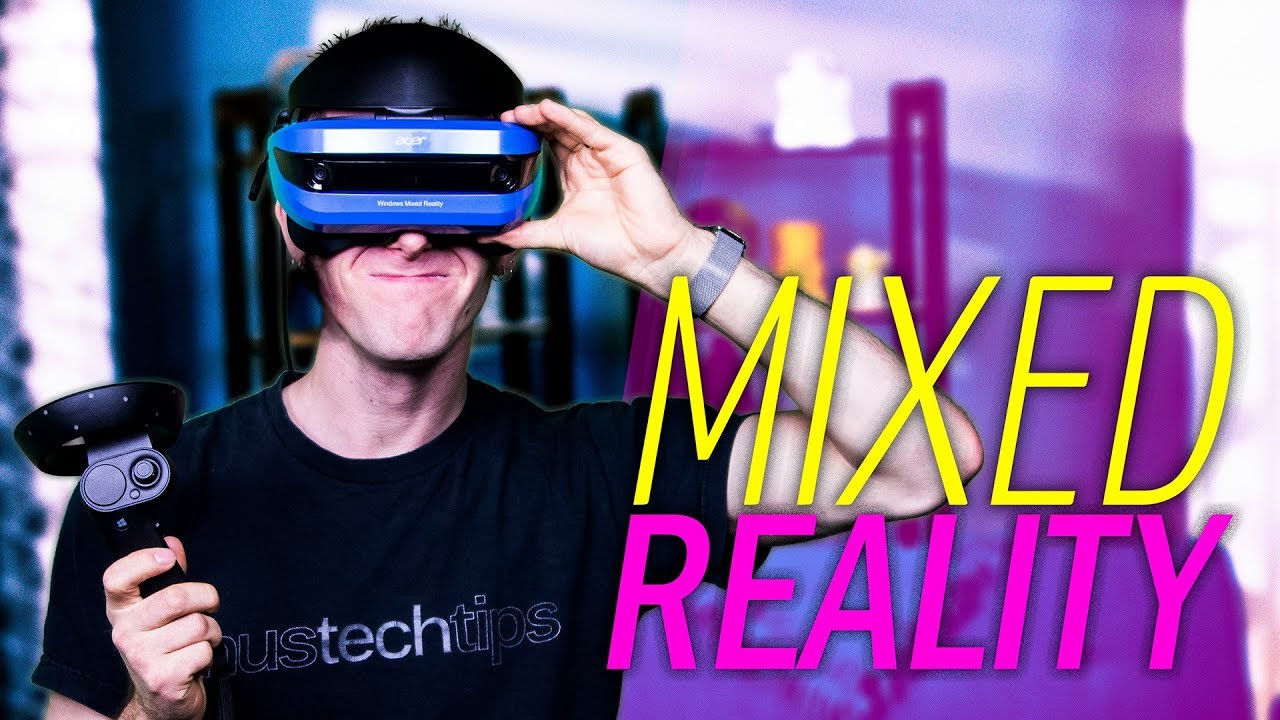
Windows Mixed Reality platform is here and we got our hands on an Acer headset..but can it compete with the Rift and Vive? Receive an additional $25 credit f...
interesting review from linus
he says "if the controllers are moved beyond the field of view of the front facing cameras, they may glitch out for a second while they recalibrate, and, well, traditional outside in tracking will always be more accurate, especially if you're using 3 or more satellites. So this, combined with the LCD display already disqualifies the headset for gamers and probably high level content creators."
disqualifies the headset for gamers is not really what you want to hear about a product that would mostly be used by gamers
sturdy coral
They need optional outside in from cameras you can hook to your PC
 alpine torrent
@sturdy coral well close where it have blind spot is close to the headset so need to figure that point how to track when controllers are closer but in behind and using backpackPC then the pc there could help for location
trail shale
Does SteamVR work fine offline? I'm doing a demo at a tech conference Monday and there's no way I'm paying over a thousand bucks for an internet connection
gusty mesa
1000$ for a connection? sounds really expensive, can't you get some mobile LTE USB modem or something?
glossy agate
It should work. I had it on last weekend when my internet was being upgraded.
Just turn the internet off on your computer and try it.
 wraith sky

Stealth Hounds
Japanese Virtual Reality arcade @vrzone_shinjuku is hosting a Field VR multiplayer experience based on Ghost In The Shell
https://t.co/O52QMGrK7z https://t.co/LXmBu7t0Bu
 Twitter
 glossy flame
In the video of the first link it says "you can see sound", and "forms/shapes vanish". According to the site you can do 4v4 in a 20m x 12m arena. ~30m playtime. ~$34 for 1 person, 1 time. Or ~$42 for 1 person 4 times. (They got other vr things like this too. ) Uses a vive, backpack pc, 3 trackers on the body and 1 handgun. Sounds like there was a hacking objective in there.

近未来制圧戦アリーナ 攻殻機動隊ARISE Stealth Hounds - VR ZONE SHINJUKU
大空間を自由に動き回り敵を撃つ!チーム対戦型のフィールドVRアクティビティがついに登場!草薙素子が召集した特殊部隊のルーキーとして、テロリスト集団の制圧に参加せよ!
 humble spoke
Does anyone have any experience with Melee (sword and/or sword&shield type deal) in VR? I've done melee weapons offensively, but never for the AI. I'm curious how people go about it. I'm going to experiment with making my AI do a sword swing and if their sword hits the player sword, they switch into a hit anim instead of continuing to play the sword swing. But im not sure how well this will work in-game. Gotta find out I guess!
 alpine torrent
very monster like @wicked oak
wicked oak
monster like?
alpine torrent
the monster energy drink logo looks like in the table
alpine torrent
the shape in it and it's green both
sly elk
I'm planning to do some crowd funding in 2-3 months. anyone here have an opinion on patreon vs kickstarter? My concern with patreon is that it would be hard to do any hiring on a monthly income that fluctuates. Anyone here used either? I also don't want to do a kickstarter with a bunch of stretch goals and feature creep my game
wintry escarp
well patraon is 'as is', there's no need to promise things or meet targets.
wicked oak
@sly elk in your case, that had such a great following, you might even succeed with a patreon
making a game for gearheads, and you keep updates coming with new parts to swap and new cars
but a kickstarter wouldnt be a bad choice at all
for the product itself
you already have kickass demos that would allow you to create a great kickstarter page
sly elk
My plan is to work towards a slice of the game I can release as an early access sort of demo. Probably engine building in detail (measure clearances for bearings, stretch gauge on rod bolts, torque wrenches for other fasteners, make timing the engine part of the assembly process). I worked on the forest a few years ago and it seemed like early access was their only real launch. There was never the same media attention as the game made incremental progress. Ideally, I want my game to get judged/reviewed on its finished state at not as an alpha/beta
and then use that demo as a backer reward + a way to get player feedback while in development
wicked oak
good idea
so essentially kickstarter is early access launch
keep in mind one important thing
you can "release" in steam
but not really release
you upload the game to steamworks, and get beta keys
and distribute those before launch
you give them as backer reward, essentially getting a game key
then you just upload patches through steam
and you get the forums and everything
later, when the game is going to be buyable publically, you go and put the store page live
you could do that. Kickstarter the launch, and then maybe get a patreon for constant updates. But people might get mad that it could be too greedy
trail shale
I'm happy with the way this looks in editor (for a first pass)
but look what happens when I put on VR headset
am I missing why this happened? It can't be an LOD thing can it, or is it a forward rendering thing?
mainly I'm losing the lights and heat shimmer
So, when I turn on the modules in the higher LOD's this works but am I missing a connection here, just because my pawn is the same distance doesn't mean my screenspace (that's driving LOD right?) is the same...is that what is happening?
sturdy coral
yeah that looks like particle lods
it tries to estimate screen pixels covered by the object to choose lod
@trail shale try setting the editor viewport to same resolution and FOV of a single eye in vr
trail shale
that must be it @sturdy coral
trail shale
anyone want to help me troubleshoot my motion controller? the teleport function is colliding with something like, righton top of me
wicked oak
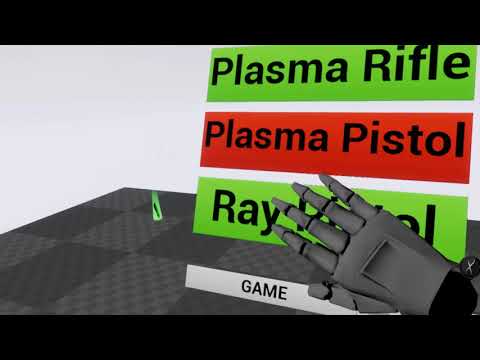
new video of my new project
showing 3 different "runs" on 3 different weapons
the pop in in some cases is due to my own custom rolled culling, wich makes only the room you are and the one next to it visible. Ill add doors later
uneven moon
Is there a way to shift the player/camera to the location of the HMD? For example, the player normally stands etc. but in some scenes, they're sitting in a car. In this case, I'd like to allow them to press a button to "re-center" themselves at a pre-defined height inside the car, in a sense. This way they aren't forced to position themselves in the real world (primarily in height)
wicked oak
you do stuff with the VR origin
when you do a vr game, ALLWAYS have your vr camera and vr controllers parented to a VR Origin component#
just a typical scene component
becouse then you can move it around as needed, like in this case
tired tree
though that screws up the chaparone bounds component that Epic made
would have to also be on the origin
but yeah, the origin lets you do a lot of fun little things
trail shale
http://cdn.edgecast.steamstatic.com/apps/steamdevdays/slides2016/VRWithUE4.pdf this should be like a sticky here, ...if we had stickies
wicked oak
@trail shale reminds it of me
i launched DWVR in 3 months
of wich one of them was fucking around, and i was nearly alone
tired tree
You know....I still don't know how much of my code those guys used
I should contact them
really curious
wicked oak
@tired tree probably nothing
their games are very simple wave shooters
reaaaaaally simple ones
its just that they were a launch title
so they were the first
tired tree
nah
island 359 used it
they gave me a free copy of the game
back when they were adding locomotion and platform riding to it
mighty carbon
so much for my open VR world - vertex deformations (wind) don't work on instances, LOD doesn't work with procedural foliage
I can have grass/rocks and non-instanced trees, but that's about it 😦
actually, wind works with ISMCs (but those aren't what grass/foliage system uses), but I'd have to make custom system for it and distance culling doesn't work with ISMCs 😦
wicked oak
hey @mighty carbon , did you see my video? im running on Simple Forward, maybe you can take advantage of that
Simple Forward removes metallic, non rough materials, and lights. Its a ultra-low-end renderer.
if you are using toon shading you dont need normal lighting anyway
wicked oak
nvm then
im messing around seeing if i can run this thing on gearvr
with the culling, it doesnt go past 100k polys
and very low drawcalls
mighty carbon
I used GLES 2 in my GVR project and standard lighting - had no performance issues
 chilly thicket
So, I'm making a vr menu, and I'm trying to use actual meshes for the menu, instead of trying to use UMG or anything.
My question is, how do I animate meshes that are part of a pawn?
glossy agate
@motorsep#8292 why not just use the foliage system with streaming distance?
wicked oak
some art tests for some panels ill use in ramps
no textures
all vertex colors
also no postprocess
sly elk
hey, do you guys use stat rhi or stat scenerendering to track your draw calls? Also, can someone clarify exactly a primitive draw call is?
*exactly what a
wicked oak
@sly elk when one does OpenGl/directX, there are a few things you do to render stuff
first, you setup the correct state (material and shader)
then you select the mesh
and then you call "Render"
mighty carbon
@glossy agate what do you mean by "foliage system"?
wicked oak
drawcalls is the amount of times the engine calls the render function
that render function has to go through the GPU driver and into the gpu to start drawing. and contains the state you setup before
unity does batching for static meshes, if they share the exact same material
instead of calling Draw several times on the same material, it builds a mix mesh of a bunch at once and renders it in one go
unreal doesnt do that
unreal just renders each static mesh and each skeletal mesh
sly elk
so a primitive call is the total of those?
i guess im not following how that description is any different than the working definition of a draw call I have been using for the last 15 years. A mesh actor (with a single material) in my project costs about 2.5x more in primitive calls than mesh draw calls
sly elk
this is just in the editor
sly elk
With shadows disabled im at 4 primitive calls for a single actor (one mesh, one material)
in editor
Should I only check those kinds of numbers in a build?
sly elk
im in deferred
wicked oak
try instanced stereo
your game is drawcall bound, instanced stereo cuts drawcalls in half
your game would look at LOT better on forward render
with MSAA
given your detailed meshes
but of course that might go over budget
sly elk
i have done a bunch of a/b between the two
budget is the main issue
i have a lot of parts
wicked oak
merging them is possible, but it would be a huge fucking headache
specially if their textures are different
if their textures are different, you pretty much cant merge
sly elk
It would need to be done dynamically
wicked oak
if they use the exact same material, it would be possible to merge a bunch of static meshes into a single one
dynamically, at runtime
sly elk
because I can't predict the configuration of parts
wicked oak
you would use the custom mesh render whatever thing
essentially you create a new mesh
that is mesh A + meshB + meshC
repeat how much you want
sly elk
yep
wicked oak
that wouldnt be hard, but you would need C++
to do it and keep playability, i would do it on the "second" ones that get added
imagine you have piece A
and you add pieceB
then you add piece C to piece B
now you merge A and B
and you add piece D to C, then you merge AB with C
that way you will be able to remove the last piece
and if the last piece is removed, then you restore the old state when the meshes were separated
or easier, you merge all the meshes you cant remove at the moment
sly elk
yeah. every mesh has a bool calls AllowRemoval can be used for stuff like that
i get the same numbers in the vr preview, they are just a lot harder to read
wicked oak
multple material?
sly elk
single mat
wicked oak
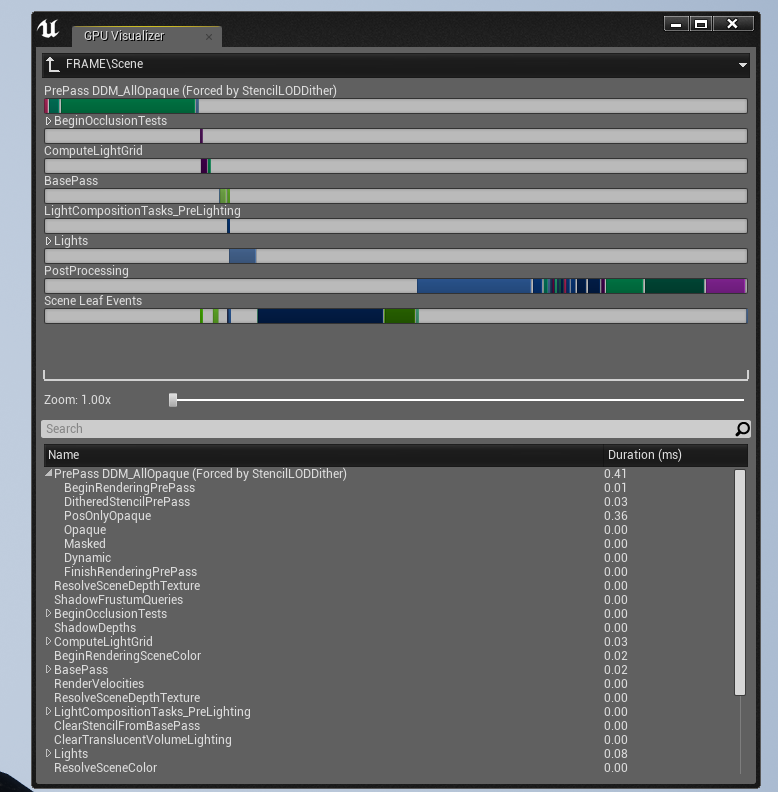
are you doing Z prepass?
wicked oak
you sure?
you check with the GPU debug
the one on control-alt-comma
any way im leaving now


 glossy agate
Just the regular foliage painter
sly elk
I'm estimating the final car to end up around 1000 parts total with about 500 of those being fasteners or small parts I can hide from ~1.5 meters away. Another 100ish parts are engine internals that are easy to hide on a switch based on the assembly state of the engine.
Thank @wicked oak - I was still paying for early zpass with the stencil lod dither left on. im now at 2 draw calls per part as expected
mighty carbon
@glossy agate not really looking forward painting on 10km^2 terrain
glossy agate
Oh yeah haha, didn’t think about that. Probably just have to use procedural.
chilly thicket
Okay, so, complex question incoming.
I have a 3d widget that's part of my VRPawn, and it has a quick test UMG UI on it.
My question is, how do I get input from motion controllers on specific buttons/sliders of the UI?
I only see how to test if if the motion controller is overlapping with the whole UI, not specific parts of it.
 real needle
@chilly thicket You use the WidgetInteraction component on your motioncontroller. It does a trace based on your parameters and you can then interact with the WidgetInteraction referencing the interaction component using "pointer event (something)" mouse down
There's a full page on how to do it in the docs
chilly thicket
Ah, okay, found it, thank you.
trail shale
I'm having that same issue, I can't seem to get it to work and google has me filtering out trigger volume events for the last few 90 minutes
My other inputs work, including keyboard
I've checked all around the
other blueprints by doing "motion controller" and "trigger" and cannot find duplicate triggers that somehow overwrite it
glossy agate
I think you can set priority maybe on the inputs to override what you have in project settings? Haven’t tried it myself, but I thought I saw it in there before
tired tree
You can set input priority in the settings for it yea
trail shale
It's weird guys, It's like that entire trigger on both controller is broke but they work fine in VR
all other motion controlls work, including thumbpad and shoulder buttons
This has me and the developer BAFFLED
The left trigger events work fine but not the right
at the very core, for whatever reason, I cannot get the Unreal Engine to recognize the Trigger Key on my Right Motion Controller
It CAN detect the Right Trigger Axis
This is for VIVE btw
trail shale
In the interest of posterity and for future searches, I am an idiot and had a Right trigger event elsewhere that overrode this.
I am sorry.
glossy agate
Haha that’s what I figured. You may want to rethink how your logic is running though if you are doing this with a bunch of input based functions. Use an interface if you are going to write this for everything you are going to hold.
trail shale
@glossy agate This is the reason I think people are forced to develop better practices. I used an input key in an actor blueprint to test a function, I guess I need to keep all my inputs in one single blueprint and just have a test key that fires a test event that I can call on any BP
 rich citrus
Hi guys kinda struggling right now, working for a vive app trying To optimize vegetation tried many things. i know there is no secret with opacity mask and culling etc but i feel like im missing something any advice? thanks!
rich citrus
yeah i know, but even without using foliage tools i have something like 15 To 30 frames drop with a very little amount of trees
mighty carbon
that's due to overdraw
VR doesn't like transparency much, especially overdraw, which happens when you have leaves
I don't have any transparency, so I have no performance issues with foliage
but I have other issues
trail shale
Crap, what is the quick way to maximize the VR preview window? I had it setup for the longest time working and something changed and now it's only half the screen
rich citrus
yeah that's the idea, wanted to know if someone had other idea, thanks @mighty carbon
trail shale
annnnd steam VR decides to solidly fuck me in the ass with a 208 error that restarting and changing usb slots does not fix, literally 40 minutes before the conference opens
any tips would be appreciated, I'm scrambling on google
fuck you SOOOOOO much Steam VR
and no rhyme or reason why it's fixed
sharp swan
dodgy HDMI cable perhaps?
tired tree
just unplug and re-plug the HDMI cable...
its a display boot order issue normally
with windows
sharp swan
hey Mordentral. hows the plugin expedition going? Also didn't you have a baby recently?
tired tree
yup, baby slowed it down a bit, but other than that all is well
what about the plugin?
sharp swan
just wondering if you had any new additions planned. Been playing with it this weekend. It's nice
and yeah. I have 4 kids. they slow everything down except money flying out of my wallet
tired tree
yeah...I have a 100+ item list on a private trello that I don't show people.
and an update coming out this week with a ton of new additions and cleanups
been talking to your friend that made Reficul, guess he transitioned over to it?
sent him some materials this morning to alleviate some confusion.
sharp swan
yeah he had some collision issues so he switched out to VREP. Seems to have done the trick
Not sure if he's combined it with the VR IK plugin yet or not but he was looking into using that too. I really wanna get my hands on it but I dont wanna scalp a free copy of it from it . It seems worth the money
tired tree
dunno, haven't played with outside IK before, only some minor custom stuff, there are a lot of solid options from what users have been telling me though
sharp swan
A basic two bones Ik setup might be nice for the plugin. Just to get some arms in
trail shale
@tired tree Congrats on the baby, is it your first?. ALso, thank you, i will remember the HDMI cable issue, that makes sense now
tired tree
newp, 2nd and last
sharp swan
I said it was my last when I had my second. Apparently my penis thought otherwise.
My wife was on the pill when we had the third. They don't tell you that about it. It's been discovered to be less than 80% effective now
trail shale
I will probably jinx this but I've successfully used "Coitus Interruptus" (It's a real thing, google it) for nearly five years
I've got two and that's just enough for me
sharp swan
Im just not willing to risk that. I keep enquiring about other entrances but its a no go 😦
 deep falcon
okay so i just walked in and i'm not sure what this has to do with vr but just fyi, vascectomies are incredibly cheap and low risk
tired tree
^^
regardless, back on track? - Basic two bone IK can be done with FABRIK for arms.
but rather promote good 3rd parties anyway for IK than try to roll my own and support it
sharp swan
I considered vasectomy but 10% of men who have it end up with a permanent pain. Thats about 9% too much chance for me.
back on topic though. do any of you guys develop with vive? If so, do you have a workflow for not having to get up and down every 2 minutes to test things?
deep falcon
I hold my vive headset at arm's length in my left hand, hold the vive controller in front of it with my right, and stare at the monitor. My long term plans involve either using the 3DConnexion spacemouse or using UnrealJS and making a system that lets me project "vi" onto a screen in the vr space
tired tree
2D pawn
I test everything in 2D and put on headset for specific things
uses same character based but with locked hand and head positions
deep falcon
Note, I've only used Unity with the vive and am in the process of moving to Unreal. Unity's VRTK has a vr simulator but it's not as good as i hoped it would be
tired tree
moving to unreal for VR? pretty backwards from most peoples choice.
sharp swan
I figured a regular pawn would be the way. I can still use motion controlls without VR preview though?
tired tree
I don't use motion controls, I simply have a 2D pawn capable of grabbing and moving and doing everything
like I said, specific things HAVE to be tested in VR
but the vast majority of iteration I can do at screen
sharp swan
yeah im early on in prototype so most of it has to be for now. My back is killing me though :/
deep falcon
i have spent the last year trying to get unity to do what i want it to do and failed utterly. i heard about a year ago that unreal was about two years behind unity in terms of vr support. i hear it's "better" now but i'm concerned about whether it will be better enough.
tired tree
vives pretty bad for in seat testing unless your comp is in play space
then its not a problem at all
sharp swan
mine is fortunately
deep falcon
@sharp swan this is a silly question but have you considered getting a $30 wheeled rotating stool
tired tree
@deep falcon what specifically are you looking for
sharp swan
@deep falcon yeah. I currently sit in an armchair at my desk. The arms are perfect for long term mouse usage. I could switch it for the dev period though
wicked oak
can confirm 2d "emulator" pawn
with mouse and keyboard controls
and debug keys for days
deep falcon
I got a wireless keyboard with a trackpad on it. I really am quite curious about a workflow with just not leaving VR and using the "desktop" feature of vive or a hacked-in editor. Maybe unrealistic, dunno.
sharp swan
I had a play with the VR editor the other day. Can't really say I like it but it's functional 😄
deep falcon
I'll be very interested in unreal's vr editor once the geometry brushes are supported.
sharp swan
yeah it seemed ok for positioning things and adding a mesh. But I didn't spend too much time with it. Seemed like I was heading backwards in workflow speed
deep falcon
@tired tree "I want to make stuff". My concerns with Unreal are that it will not be performant on important target computers (i hear this was a real problem in vr before the forward renderer) or that I won't have access to popular libraries like VRTK or like, idk, steamvr's knuckle sdk, and will spend a lot of time reimplementing basic stuff like grab/drab object. The reason I gave up on Unity was it seemed too rigid in certain ways, and extending it or making it flexible seemed to involve relying on undocumented APIs that are at high risk of changing. Like I made something simple and was like "ok, now i wanna add some multipass rendering to punch it up" and the way to do this turned out to be like well put some handlers on camera objects and hope that both the camera invocation order doesn't change in some future release or that some other object isn't doing something fancy your code accidentally collides with
glossy agate
I just test mostly seated. Have a player start in front of a little in game work bench where I put stuff for testing. A lot of times the vive is just sitting on my forehead so I can test a lot really fast
still a bit of a pain in the ass
tired tree
@deep falcon the bad news is that there isn't really a VRTK equivilant generally, there are a lot of small cluttered packages of utility and then my one monolithic plugin, but how Unity is constructed in general makes it a bit easier to pick and place functionality (scripts)
deep falcon
but mostly i'm just looking for something that lets me experiment with different things and doesn't get in my way
The main thing I used VRTK for was the vr simulator, ie, i could do things either through VRTK or through SteamVR but if i did it through VRTK i knew i could use it with the simulator later without rewriting absolutely everything. It seems like Unreal might have enough abstraction i don't really need that layer (ie the 2d pawn mentioned by others above?)
I think the only VRTK utility i really used was the radial menu, which was pretty great. I wanted to set up a thing where i could like point and click at floating interfaces but never got there.
@tired tree What's your plugin?
tired tree
well, the second pawn would be up to you
but I really don't suggest it be used by people new to the engine
deep falcon
hm
ok, well, if i'm new to the engine (modulo spending a week or two fiddling with non-vr content) is there somewhere you'd recommend i get started if like… say all i want to start is "allow the user to see the controller they're holding, and let me feed position/orientation vectors into a blueprint or something"
if i just type "vr" into the documentation search am i good
or is there some early hump to get over i should be warned about
glossy agate
There is a VR template project you can dig through right in the launcher.
Parts of it are kinda wonky, but you can also use the FPS template in VR, but you would have to add your own roomscale support
tired tree
yeah just use default template
you'll end up implementing everything from the ground up with it, which is why I said there isn't really the ecosystem like Unity has
deep falcon
ok
tired tree
however i'll note, from what you have been saying you strike me as a Coder...there currently is no c++ VR template in default engine
only blueprint
deep falcon
you can add c++ to a blueprint project tho right
glossy agate
You can, but when you read whats there to learn it will be BP only
deep falcon
ok. thanks for the warning. honestly as someone who knows C++ very well my feeling is that it's better to use C++ for as little as possible. when i'm doing my own game engines i try to use c++ as a base and push as much as possible into lua. so "push it into blueprints until something has to be c++" is maybe ok to me.
actually i spent the last two weeks trying to get unreal.js working! ^_^; but i think i've decided that's not a good place to jump in.
anyway thanks, maybe i'll come back with more questions once i've poked a little ^_^;
glossy agate
got some pretty nice sales going in the marketplace today. 👍
tired tree
@deep falcon well the very very large upside to BP is that the iteration time is insanely fast
and they are fairly simple to port back to code
sturdy coral
@trail shale makes sure the HDMI cable is plugged in in the right orientation, one end is marked differently for the headset
sturdy coral
@deep falcon once you have converted a project to c++, you can also right click on any blueprint node and see the C++ source behind it, so you can use that in the VR template to see what a C++ one would do
if you download the roborecall modkit you can see an example of setting up a 2d pawn that emulates vr, probably similar to what the vr simulator provides in VRTK
(can't use code from roborecall in your own project though. but it is a pretty simple setup)
 dim pond
Currently trying to create a 3D drawing tool. I have started with creating a spline and attaching a ribbon emitter to it, but my frame rate drops significantly. I have also attempted spine mesh generation in realtime, but the results are the same. I was wondering if anyone could point me in the right direction of what I should be doing. From all the games out there I know it's a mesh being extruded along a spline, but I can't find anything on how this can accomplished. Also any information on optimizing the ribbon emitter or mesh for framerate increase would be helpful too.
mighty carbon
@deep falcon what VR platform are you aiming to develop for ?
deep falcon
@mighty carbon I am currently targeting vive/oculus but long term i would like the option to release on playstation vr
i'm only testing on vive right now
mighty carbon
in that case you shouldn't really worry much about performance in VR
(not more than you would in Unity anyway)
deep falcon
on a related point does it matter whether i select "maxium quality" or "scalable" when i create a project?
for vr purposes
deep falcon
thanks
trail shale
@sturdy coral I ended up getting to to work....the frustrating part is there's no rhyme or reason why it seems to work or not
but thank you
trail shale
Is there a truck to making the windows 10 VR preview window consistantly full screen.....sometimes hitting windows + UP works, sometimes it doesn't , I can't figure out why
Just so anyone who finds this, I finally found it....the TILDE key is your friend, hit it TWICE and you can actually hit the stupid maximize button
 little nacelle
Hi there, where could I find the ARSample project presented in this video ? https://www.youtube.com/watch?v=xi1u287Kyhw

If you've been wanting to develop an AR project, but weren't sure where to start, then this is the stream for you! Chance gives a brief overview of AR develo...
trail shale
Try searching for "ARSample" at answerhub or UE forums
sturdy coral
@trail shale you can also hit shift-f1 to get mouse focus which should let you hit the button
real needle
Are anyone successfully using the rift with oculus plugin disabled, steamvr enabled? I see the same image in both eyes, and if I stare at the edge I can a line from rendered pixels and none, so the cameras aren't at the proper eye distance
mighty carbon
you have to have Oculus plugin running afaik, always
real needle
I was under the impression that steamvr runs oculus runtime natively now
sturdy coral
@real needle I am using it
what you are probably running into is there is a bug if the oculus input plugin is enabled
real needle
no I already checked that
sturdy coral
ah ok
real needle
In fact, I couldn't even find it in the plugins list
sturdy coral
I'm on 4.16 but hopefully will be upgrading to at least 4.17 soon and will see if it all still works
@real needle yeah I think they consolidated the input into the oculus plugin at some point so it might not be a separate thing anymore
john alcatraz is using rift via steamvr too but he is on 4.15
I've got it where you can chose between oculus sdk or steamvr on the commandline and had to fix some stuff to make it work. input thing is the only one I remember off hand
real needle
hmm yeah well I didn't have the problems that led me to trying disabling oculus sdk before 4.18(.1?)
and I don't need oculus sdk for anything really
mighty carbon
so, what did you folks buy from the MP on Cyber Monday ?
tired tree
crickets
@sturdy coral lol, stop debating returnoftheyellow on reddit man
its just a troll account
sturdy coral
@mighty carbon I forgot about the sale, did you get anything?
I'm about to check it out
@tired tree yeah yeah I know 😛
real needle
I'm receving this crash: https://pastebin.com/tKwygLhe
Or my head is at the center of the floor after a very long load of the map (usually takes ~1sec)
Same content has no problems on the vive, and running steamvr instead of oculus sdk fixes the height but screws with the displayed images...

Pastebin
mighty carbon
@sturdy coral got Prefab tool and Instance tool from Nate
sturdy coral
@mighty carbon any good tools on sale outside of UE4? last year had some deals on substance and stuff
sturdy coral
@mighty carbon found a big list: http://www.gamefromscratch.com/post/2017/11/23/Black-Friday-2017-Deals-For-Game-Developers.aspx
I picked up rifle animset pro https://www.unrealengine.com/marketplace/rifle-animset-pro

This is a set of 126 motion capture animations for a TPP character with rifle
mighty carbon
aye, cool
not whole a lot of useful stuff on sale this cyber monday 😦
also hardware prices are bizarre - I bought 16Gb of RAM last year for ~$90. It's $140 today, with discount o.O
mighty carbon
 glossy agate
I grabbed a cool ballistics Fx pack. It’s better than I expected. Also got a pack of grenades and an iron belly weapon attachment pack I haven’t looked at yet.
Everything for $95 which is pretty good cause ballistics was $100 when not on sale.
@mighty carbon yeah that seems high. Isn’t 8gb around $80 or so usually when not on sale?
@sturdy coral I am pretty sure substance is on sale right now if you haven’t got it yet.
sturdy coral
damn I didn't think they would stop the sale on eastern time
 sharp flame
Hi, have a question about performance measuring: Are there any differences measuring with or without a vr set connected?
I do run it in vr mode, so I get the double screens, but are there other overheads that just doesnt show up if I run it without the set?
full junco
@mighty carbon RAM prices are crazy, yeah
at current prices, I wouldn't have bought 48 GB I guess
but back when I bought it, it was cheap
I paid $167 for 32 GB in 2015
and in 2016 I paid $120 for 32 GB again
I always bought the cheapest RAM that was available
and now the cheapest available seems to be like 3 times the price
 fresh laurel
They will be coming down in price soon
full junco
@fresh laurel why would you think that? the prices are expected to further rise
wicked oak
@full junco and i just paid 350 euros for 32 gb of ram
medium tier RAM
RAM > Ryzen
fucking absurd
full junco
@wicked oak I excluded VAT from my prices to make it more comparable with what motorsep mentioned
your 350 is probably including VAT?
wicked oak
yes
but its still a fuckload
and thats in euros
would be 350 dollars if you remove VAT and go 1 euro = 1 dolla
still ridiculous
full junco
yeah
its because there aren't enough manufacturers of such chips, and ram for phones is manufactured there too
wicked oak
and one of like the 3 companies got fukushima-d
they also build SSDs on the same plants
and memory cards
Nintendo is also having trouble finding enough cards for the switch memory
they are bitting against Apple
so there is plenty of stuff this companies would make BEFORE pc ram
full junco
yeah, exactly
wicked oak
thus , low amounts of ram manufactured. High demand low supply = prices up
 wooden moss
Hey, im new to VR and i am a college student tasked to make a VR experience as an assignment. I was thinking about making a first person shooter experience with AI targets but i have no idea how to start this task, any suggestions?
sharp swan
- goto this link. https://docs.unrealengine.com/latest/INT/Platforms/VR/index.html
- Pick your locomotion carefully. FPS is a difficult thing to do right in VR without inducing motion sickness
- Keep it simple. Maybe use some pre-configured bots. Don't try to over-extend yourself. Just make guns that shoot, don't even bother with the hands for your first attempt.
Information over developing for virtual reality platforms.
there are also VR tutorial projects. Both in the launcher and online. The Epic VR project you can create from the template in the launcher should be enough to get you going and it's simple
full junco
@wooden moss should it be an "VR experience" or should it be something that actually has gameplay?
thats a huge difference
if you only need an "experience" then it would be way easier if you wouldn't bother with AI
sturdy coral

reddit
Via the Steam Community: ### General: * Display solid color...
In release notes they say to report any issues with haptics
Maybe you can get them to fix that rift haptics bug under the guise of the beta :P
full junco
well, "let us know" how. I never heard anything back from them related to the issue I opened on github
they have no good place to let them know about anything
sturdy coral
I guess that steam community post that is linked
Yeah they don't have any active bug reporting thing where they actually seem to respond
full junco
and the comments there sound like "this update broke everything"
uneven moon
I'm trying to force the HMD to start off inside the red circle
But based on the player's height and location
It may be way off
So no matter where they are in their play space
I want the HMD to automatically spawn them in that spot
Is this possible?
To force the HMD's starting point?
I want it to ignore their real height etc.
trail shale
@uneven moon have you played with reset orientation?
uneven moon
@trail shale Yeah, I found that right after I asked and it worked out fine
It just doesn't let me define the height
But it's fine
tired tree
@uneven moon it also adds a permanent offset to roomscale positions.....I'd advise against using it unless the entire game is seated
there is no blueprint method of reverting to natural pose afterwards
 gleaming river
Have any of you guys worked with mixed reality in Unreal, I've seen a few outdated plugins and that's about it. Wondering if there are any good guides out there
tired tree
well you can play with it right now and do a bunch of custom stuff
or wait till 4.19
and use the build in mixed reality framework :p
gleaming river
Ahh so they are releasing support in 4.19.
full junco
@gleaming river you talk about the windows headsets or other stuff?
"oudated plugins" doesn't really make sense related to the windows headsets I guess
trail shale
@tired tree Regarding the reverting to natural poses, could you get around that by recording various vectors in the world that would be the position of a "natural pose" and then physically move the player there, and reset orientation?
gleaming river
@full junco I mean using Vive headset with three controllers, was looking at mixed reality game trailers
full junco
@gleaming river you should have mentioned that you talk about that 😄 asking for mixed reality support most people would interpret as asking for support for the windows headsets
recently, thats just the most common usage of "mixed reality"
gleaming river
@full junco I've watched this talk on mixed reality with vives https://www.youtube.com/watch?v=UEcvZIYpS38 its really interesting but mostly for Unity

In this 2017 VRDC at GDC session, video editor Kert Gartner and Northway Games' Colin Northway explain how they created the mixed reality livestreams and tra...
tired tree
@trail shale ????? no
the reset is based on the current pose frame of the HMD
it takes that and considers it zero on the HMD plugin side
it has nothing to do with the actor position
trail shale
I know but what if you added a transform to actually move the actor at certain points
to mimic the natural pose
tired tree
nothing to do with actor position
trail shale
I know it technically doesn't but there is a pseudo relationship
tired tree
with how it currently works, you would literally have to go and sit your HMD down dead center on the floor of the tracked space
no there isn't
trail shale
let me try context
we might be talking about two different things
my tech demo has people starting in a fire truck, however, since I"m moving all over the booth, (i might start the game with the headset in my hand and then walk it over to them)
so, when I get to them, from their vantage point, they are OUTSIDE of the truck, sitting somewhere else in the world
as far as the game goes though, they are still in the truck
reorient literally does just that
tired tree
yes?
but you aren't thinking about it correctly
how do you then go back to room scale, correctly
without manually adding a reverse offset back to the camera
it forces a permanent offset to the tracked space, that only changes if you reset again
so that original position is now 0,0,0
if in Floor tracking mode
and heres the kicker, at least for the SteamVR plugin since this is all implemented manually on Epics end, switching from Eye to Floor tracking DOESN'T RESET THE OFFSET
which is likely...a total bug
trail shale
that...makes sense
could you use the positions of the controllers as an aid? or are the essentially the same class as the HMD when it comes to tracking
tired tree
the offset applies to all tracked objects
FVector Position = ((FVector(-Pose.M[3][2], Pose.M[3][0], Pose.M[3][1]) - BaseOffset) * WorldToMetersScale);
they quite literally just -BaseOffset there
when getting a location of a tracked object
the node was entirely built around being used for eye level
works fine for that
its not intended for roomscale
trail shale
ah, hence the "need to wait on epic"
You think think support will coincide with the wireless headset tracking spreading?
tired tree
don't have to wait on anything
easy enough to offset your pawns yourself or the VRroot
then you don't have to play with tracked settings
and it won't screw up the chaperone component either
trail shale
I need to read up on that more
uneven moon
@tired tree Wait
If I re-use the same node to recenter the player on the next level
Wouldn't it work?
tired tree
no
uneven moon
My problem is, the player goes between standing outside and sitting down inside a car. So I transition him into a level that tells him to physically sit down in real life
In order to make sure the HMD is in the car
I have to re-center
tired tree
no you don't
attach the pawn to the car, then either offset the pawn or the VRRoot scene component
so that their head is positioned correctly
when you use ResetOrientationAndPosition (at least with steamvr) your current head position becomes your new feet position
and is considered center of actor
tired tree
relative
basically can just -camerarelloc
so it offsets
you would have to handle rotation too
but it works
uneven moon
It would work, I'm just confused because
The pawn and the car are separate BPs
So how would I accurately offset the camera in relative space
Within the pawn BP
To match up with the car's interior
uneven moon
And then would I offset the VROrigin to the eye level I want them to have in relative space, or
tired tree
then you just drag that component to where you want the camera to be and face
and in the pawn, you offset the origin so that it counters the HMDs rot and pos
so actor 0,0,0 is then HMD 0,0,0
and it will jsut work for you
uneven moon
Once I set up the scene comp in the car's BP to the eye level and rotation I want the HMD to have, how do I offset the origin to counter the HMD's rot and pos?
Not sure what you mean by counter
tired tree
then you can also keep them within a boundry and run darkening logic when getting too far outside sitting bounds
uneven moon
Wouldn't it work if I just cast to the car BP and attached the Origin to the scene component and that's it?
tired tree
no
uneven moon
darkening logic already in place
tired tree
the HMD and controllers are offset from the Origin
uneven moon
So the origin is attached to the scene comp in the car BP, and then the Origin itself is offset in the pawn BP itself
Not sure how to do this offset, the only thing I've ever done similar to this is rotate the pawn around the HMD using the Origin instead of rotating the play space
tired tree
Attach pawn to scene comp -> offset origin so that HMD is at actor 0,0,0
same thing as origin rotation really
you already have the logic for it
uneven moon
so we want the Origin to be at 0, 0, 0 in relative space
tired tree
counter rotate by HMD yaw, position at -HMD pos
uneven moon
I think I know what you mean, so if the HMD is at 0, 0, 0 in relative space it would be 1-to-1 with the scene component I attached the Origin to and not offset in world space
tired tree
and if it is at 100,0,0, the origin needs to be -100,0,0
uneven moon
so am I updating this offset every frame?
tired tree
when you leave the car you just set the origin back to 0,0,0
no
that would lock you in place
couldn't turn or move
uneven moon
if what is at 100, 0, 0?
tired tree
the HMD
uneven moon
is this still in relative space? because if I manually move the HMD in the pawn BP to 0, 0, 0 shouldn't it be 1-to-1 with the scene component's location when attached?
tired tree
just check if they stay inside of a set distance, fade to black within a distance from that limit, and counter the offset if they hit it
uneven moon
alright I'll give this a shot brb
mighty carbon
uggh, now I have no choice but to roll out my own procedural foliage system 😦 (going to make it for small groups of trees / boulders for performance and sanity reasons)
tired tree
@mighty carbon how is he doing the wind for those
because I have to tell you...there are plenty of projects with grass and tree wind with landscape tools
mighty carbon
I am using wind shader
(came with some trees from the marketplace)
it works with ISMCs, but not with HISMCs
and procedural foliage / grass are HISMCs
it seems that simple wind shader works, but complex one (used with those trees I purchases) doesn't work
my grass uses simple wind and it works with landscape grass
so I assume if I have trees that don't sway and simply have leaves rattling by the simple wind, it would work (but I haven't tested)
also, there is no saying where those plenty of projects use complex wind and engine built from source with necessary fixes, or simple wind and launcher version of the engine
tired tree
simple wind is a world position offset....
it just means that the logic they use for the offset is flawed with instances
there is a full wind node too
not just simple wind
tired tree
and the speedtree wind node can be used with non speedtree assets :p
mighty carbon
full wind is what is used afaik
I'll see about speed tree node
it could be a bug in 4.18, since i didn't see any reports for 4.16 and earlier (and it looks like a lot of people are still on 4.16)
tired tree
really doubt it has anything to do with 4.18
full junco
might be a bug in 4.18 then. I'm on 4.15
 smoky furnace
Does anybody know how to tell UE4 not to set location of Oculus HMD?
full junco
but if you just use materials without understanding how they work, then you will see issues like that @mighty carbon
if you know why every single node in a material is there where it is, you shouldn't see such issues
tired tree
@smoky furnace think that is on a list of bugfixes for 4.19
smoky furnace
seriously? There is no way to fix it right now?
@tired tree I found something like this https://wiki.unrealengine.com/Oculus_Rift_Separate_View#See_also but there is no such settings for PlayerCameraManager
full junco
you can surely edit the source and make it do what you want it to do
tired tree
you are talking about the initial location? trying to keep it to calibration facing?
or something else
smoky furnace
no, I just need the camera to stay at the initial location. Now it is flying around the scene
I have another source of head location and I need to use it instead
tired tree
@smoky furnace you running a custom tracking?
bLockToHMD will remove the camera lock to the tracking
but it also removes the late update to the scene
smoky furnace
@tired tree what is bLockToHMD?
smoky furnace
@tired tree Yes, I have custom tracking that is similiar to OptiTrack
tired tree
@eternal inlet HeadMountedDisplay category, its just tracked device position now
if you type that prefix in it will be visible, forget the full name
smoky furnace
@tired tree Found it. Thank you! However it looks like it won't use rotation also
I think I can get rotation from oculus and apply it... will try 😃
 eternal inlet
this one?
tired tree
yes
eternal inlet
and device id has to be derived from whatever i set on the respective motioncontrollers?
eternal inlet
hmm ok
tired tree
yes