#virtual-reality
1 messages · Page 151 of 1
 mighty carbon
 wicked oak
could be
btw @mighty carbon , im testing some things on my toon shaders to give them more depth
a "cubemap"
just some very blurry cubemap reflection in the shader
to give them a bit of extra illumination past the pure toon light
mighty carbon
Why would you do that?
wicked oak
becouse toon looks far too flat
mighty carbon
Got a comparison screenie to show?
wicked oak
at the moment im abusing the skylight for the cubemap, let me show
well, nvm. Im doing other things with the shaders and they are half-made
ill show next progress pic once i got it.
basically i found "Pure" toon shading to be a bit too flat in my maps
so im testing more things apart from pure toon shading, like giving itsome lightmaps and other things.
for enemies i think ill keep them pure toon shading becouse i cant bake light on those
wicked oak
this picture i posted a couple days ago shows the style im experimenting with atm
of course the materials and the art arent done at all
ill probably leave this here until i get a concept artist to create a better style that ill then try to do realtime for cheap. Got everything i needed for a prototype now
mighty carbon
So, what's the difference between standard default lit and special toon with cubemap? (I assume that's what you used on the walls)
wicked oak
toon + cubemap would be incredibly cheap
to render
but im still doing testing with all this stuff. My goal is to not have default shader at all
nor any light
mighty carbon
My toon is default lit material
mighty carbon
Then you won't have shadows cast onto surfaces
wicked oak
i know it is perfectly possible , know incredibly high quality games doing that. it would let me do completely custom lighting in the game
no i wont
i might do blob shadows
but you dont want shadows anyway on VR
mighty carbon
I do
wicked oak
for static shadows ill need lightbaking, but i cant use unreal default lightbaking
mighty carbon
I don't like shadowless games
wicked oak
my map is RNG generated and you cant use unreal lightbakes with that
good that houdini can bake lights, once i get how the fuck that works ill have my own lightbakes as part of the pipeline for the modules
for enemies i will do a improved version of the blob shadow i implement in DWVR
where i have 2 balls attached to the feet of the enemy, and they have a transparent shader that reads scene depth and calculates distance to center
then adds black
mighty carbon
Blender bakes lighting too
if your level is randomly generated in runtime, baked lighting isn't an option no matter the package that will be baking it
 tired tree
yes it is....
Blender isn't houdini
Houdini's entire "thing" is generated levels
also he isn't generating "live", he is generating in editor
though it likely only generates a texture to add to the material, but he is working off of flat shading, so he can likely get away with it.
wicked oak
yup, exactly
my current pipeline is a very low poly collision/guide mesh
that gets sent into houdini, wich details it and adds effects
so in the same automated steps i use to generate the final mesh, i could just use the new "auto uv" thing it has, and bake normals/AO/lightbakes all at once
they showed that baker yesterday
on the houdini advert
i mean, stream XD
tired tree
Basically blanco is trying to get to the point he can push out a level a day :p
tired tree
pfft, gotta play test em
wicked oak
true
but having all this pipeline weird stuff
means that i can do dramatic changes to the base geo
easily
and in less than 5 minutes have it all on the "final" geometry
mighty carbon
if you generate levels offline (in the Editor) you can bake lighting with Lightmass
and with new volumentric lightmaps it will look sweet
wicked oak
basically going from greybox into near final geo automatically
but i cant @mighty carbon
dynamic levels are part of the game concept
mighty carbon
why not? \
tired tree
why would be anyway if he is working off of singular light directions
wicked oak
the game concept is a bit like Warframe
Warframe has different rooms it assembles for a full level
im doing exactly that
i do design each room separately and all of that
but as each of them gets spawned in and moved, you cant use lightmass on it
funny enough you can in unity
tired tree
which is why the toon shader works so well
wicked oak
exactly
tired tree
you can pre-bake set angles for lights
wicked oak
or even just code the light in the vertex colors
tired tree
yeah
mighty carbon
so you want lighting to be baked into each module and then you can re-arrange them randomly in the Editor and insta-test them ?
wicked oak
yup
mighty carbon
I see
wicked oak
i already have the automatic arrangement thing
even if i only have a couple modules done
but the workflow is starting to be very good
as i can create new modules really, really fast
and if i do changes to the "base tileset", i can update all the modules with the new graphics quite fast
for the "final" quality of the game, modules will be more personally made, with more props and more detail
but for the current testing, having such a workflow is gold, as i can test how the game runs with interesting graphics instead of greybox
this is an incredibly simple hallway section
panelling on the floor and rocky style walls
original geometry
currently seeing if i can bake that light into textures
mighty carbon

UploadVR
Skyrim VR is a truly amazing accomplishment and easily one of PSVR's best titles, but that doesn't mean the platform isn't holding it back from better.
tired tree
I would buy it on PC....but my play style kills the game, I couldn't even complete it on release on PC
dont think VR would go any better for me
 glossy agate
Are the menus and stuff easy enough to use in Skyrim VR? Seems like it’s gonna be hard to get right in this and FO4
wicked oak
@glossy agate same menu as console
instead of using dpad to navigate (moves dont have dpad) you move the move in the direction you want
glossy agate
Like setting fav spell hot bottoms work? And you can eat 500 cheese wheels fast?
wicked oak
yes
its all the exact same skyrim as usual
just with motion controls for combat and a VR camera
glossy agate
Well if we get a PC VR version I’ll have to get it.
tired tree
we are, its just down the road
wicked oak
and we are getting fallout soon
wich is a much better fit
GUNS > everything in vr
becouse guns just work perfect
 sturdy coral
I still thing the bow in the lab is one of the best things in vr
 alpine torrent
@sturdy coral not that VR Funhouse?
tired tree
dunno, fallouts guns look very basic so far...
mighty carbon

The Dark Tower (2017) Movie Info: http://www.imdb.com/title/tt1648190/ Thanks for watching and don't forget to like, comment and subscribe. Visit my channel ...
still want to have reloading like this one done in my game 😃
sturdy coral
@@alpine torrent The funhouse one had better fire, but the speed and pull back strength variation etc. wasn't tuned as good as the lab to me
mighty carbon
after massive shitstorm Payday 2 devs added Oculus support: http://steamcommunity.com/games/218620/announcements/detail/2472902157225017046
glossy agate
Yeah the excuse for why it wasn't working sounded a little fishy haha. Especially cause people with revive were having problems with it too
wicked oak
more testin
finally managed to bake AO on the rocks
testing some props that use the fully dynamic toon style
tired tree
@mighty carbon their official response originally was that it was unintended
and that they had just never tested with a rift
tired tree
dunno
its their own engine, not unity or steamVR
and the HMD loaded, the controller just didn't
I could see it having issues and not loading the controller hwen it couldn't bind to the correct buttons for play
its a plausible excuse, still silly to not even try to test on a rift though, since SteamVR supports them
 neat karma
hey dudes
anyone know of any issues in 4.17 where the engine would return false for IsHeadMountedDisplayConnected() with the Vive?
 full junco
@tired tree @sturdy coral there was a dev-rendering merge to master now, and it looks like Epic added some "dynamic TAA upsampling", seems to be some sort of dynamic resolution stuff that uses TAA to upsample more efficiently...

there are way more commits about the stuff in that merge
@wicked oak
wicked oak
rip in pieces
btw TAA upsampling with dynamic res sounds AWESOME
specially for VR
thats like what doom in the switch has
it renders at like 500p but does temporal upscaling to 720p
full junco
though it will need TAA, and most VR games don't use TAA
so I think its not primarly targeted at VR. also because they say VR plugins are broken, so they never even tested it in VR
seems to be more targeted at consoles like switch
wicked oak
most likely
but you could use it with 150% screen resolution for vr
specially on higher frames, TAA looks better on more frames
as the frame differences are smaller
im targetting 120 fps on PSVR becouse im insane with the next project
after all i wont have ANY light
full junco
yeah, that might work
wicked oak
and btw. Damn shame but dungeon architect snap MAP builder is as broken as usual
unreal just cant handle levels inside of levels at runtime
it breaks
lots of crashes and errors ive tried to debug, and turns out they are problems on the motherfucking task graph general ticking system
or garbage collector
ill have to use everything with blueprints
mighty carbon
Why wouldn't you use BP modules @wicked oak ?
tired tree
@full junco you sure that dynamic res will require TAA? Its been in the works for awhile and the text on there looks like it is just packaged in with the same pull
full junco
it might be completely seperate
tired tree
I haven't looked at the changes yet, but from comments they made previously it was going to just be an engine wide feature
they were talking about rolling it in specifically for VR
and I doubt they would require TAA for that
full junco
they already had the dynamic res stuff for ages now, but only for rift
tired tree
thye didn't even do that
this is intended for all games, all renderers I think
they had it listed as an upcoming feature in a recent talk
full junco
ah, what talk?
tired tree
think it was the RR one
going over perf
they mentioned wanting to bring dynamic res into the engine fully
full junco
ah
tired tree
as a "future goal"
full junco
do you think it will be better than the rift dynamic res in any significant way?
full junco
in what way can it be better though?
tired tree
well..everything can use it
and it can't break with changes being part of core
they want it in 2D
I didn't look into oculus's implementation or their new one
no idea if they differ
full junco
well, the existing oculus stuff of course only works in VR since its taking the higher res buffer and scaling that down while sending it to the headset essentialy
but I use that for a long time now in my game
so their new stuff will surely be more general, not just VR
tired tree
mmmm
it appears pretty robust
DynamicResolution.cpp
also: else if (bStereoRendering)
- {
-
// Change screen percentage method to raw output when doing dynamic resolution with VR if not using TAA upsample.
yeah, its a totally seperate feature, they just had to make accommodations for the new upsampling.
I wonder how it will behave with the new spectator screen setup they plan on adding, since this system works in viewport namespace
"should" allow the spectator screen to dynamically resize seperate from the VR one
@full junco wtf...how did I miss this? 4.18 added "vr.SteamVR.PixelDensityAdaptive"
they removed it again in 4.19 when they made the global system
but its in 4.18
tired tree
kind of, it lists it as "steamVR's" implementation nvm
feel bad for the poor guy that had to implement it only to have it removed a month later though
it might be a direct oculus implementation port dunno
never looked at that code base
" // If we've actually changed, we need to disable TAA to avoid artifacting, and then restore it the next frame.
if (FrameSettings.CurrentPixelDensity != AdaptivePixelDensityBuckets[CurrentAdaptiveBucket])"
and that would explain the TAA changes in 4.19
sturdy coral
@tired tree @full junco I think the new TAA upsample is they use a higher res history buffer and write to it with the offset from the camera jitter
so instead of just supersampling at a subpixel level, they get supersampling to a higher res target
not sure though, but just assuming that because they have some stuff in there for mip biasing
mighty carbon
When is preview of 4.19 coming?
full junco
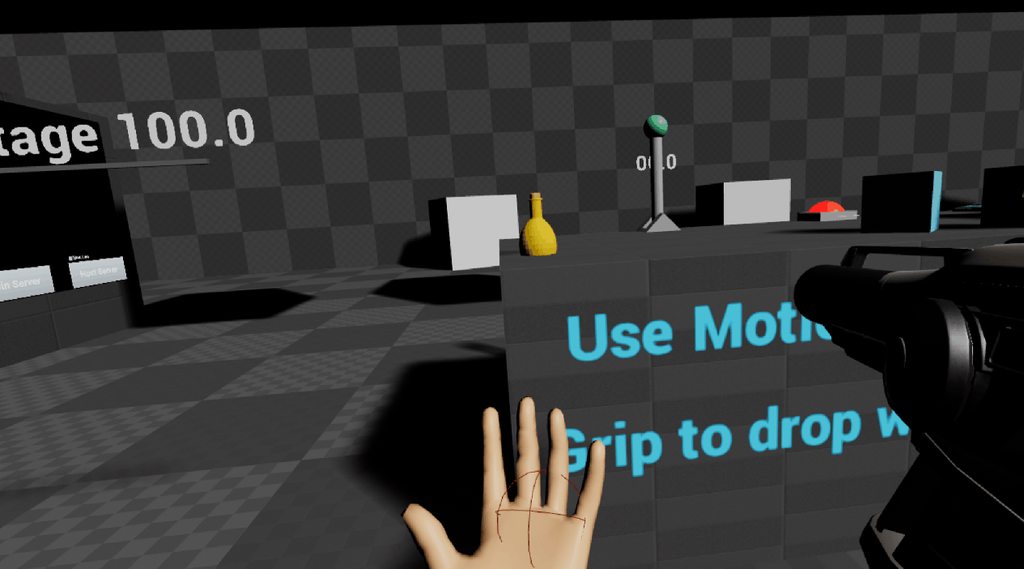
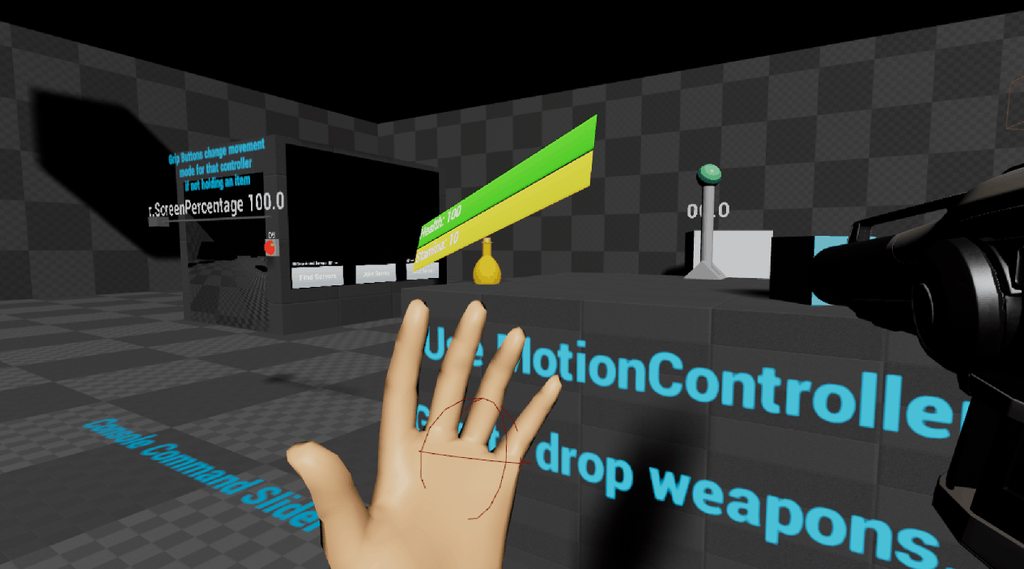
@tired tree disabling TAA for one frame doesn't sound like a good solution though
 odd garnet
 tired tree
@full junco that was what they are doing in 4.18, I meant that they probably implemented the dynamic TAA scaling in 4.19 to handle that better.
glossy agate
out of body. Ill upload again. Looks like it broke trying to strip the music out
Okay lets see if this one works. Setup by @odd garnet https://youtu.be/1C3z2bwWuzc
 tired tree
ah nice, you are using the OOB camera I set up for a death anim
thats a cool idea
generally people decouple into ragdoll
but I like that concept
glossy agate
Yeah you bleed out in 20 seconds so you gotta get a heal, or it will rag doll when Im done
For testing though it just respawns right away cause I unhooked the rag doll bit
@tired tree not sure if you have any ideas on it but currently the pawn will just face same as HMD while crawling, and movement is still just motion controller relative. Not sure if it would be better to de couple everything and have it control like a top down game when maimed. Problem is players will be moving controllers so that would be hard to figure out
I also gotta turn off gun viz, and disable any type of input for it while maimed or you can still shoot people haha
odd garnet
"dead man walking"
tired tree
@glossy agate don't attach to the parent relative during the crawl
glossy agate
Its not attached
tired tree
then it shouldn't face the hmd
glossy agate
doesnt HMD set the capule rot though?
When it crawls away, capsule and everything goes with it
tired tree
capsule yes
not actor
if its not attached to the parent relative then its not following the capsule
ask me in the other discord though
this is plugin related
glossy agate
ooooh. I got it NVM.
 eternal inlet
very nice looking @glossy agate
glossy agate
Thanks man
eternal inlet
im working on vroptionsmenu now, and made a setting for controlling sfx,music and master volume, so that means i need to make a lookup everytime i spawn a new sound. is it ok to store such things in ie. gameinstance or are there some performance penalty to doing that?
actually i also need to store references to all ambient, looping sounds and change them, so they update with volume setting changes
kinda suxx to have to cast everytime, but i suppose i can make som interface to call so all active actors get updated values stored locally instead
 uneven moon
Any1 here doing PSVR?
full junco
@uneven moon lol, how often do you want to repeat that question? you know theres exactly 1 person here doing PSVR and you know exactly who that is
uneven moon
Damn
Was hoping others would've hopped in by now
FPS cut in half on PSVR rip, I thought the PS4 was more powerful than min-spec VR PCs
full junco
no, the PS4 pro is still below min-spec VR PCs
and the regular PS4 is way below
even the xbox one x is only roughly min-spec VR PC
so you need to do a lot of optimization to get your game run good on a PSVR, unless you were compeltely draw call limited before on PC
uneven moon
yeah it was optimized to hit 90 FPS on min-spec PC and even at bare minimum on everything on PSVR it's still hitting like 45 fps and the res is really shit
gonna have to make some big changes
full junco
yeah
full junco
with a lot of optimization probably
sturdy coral
@uneven moon london heist uses something like multires shading

Sony London Studio has recently developed a number of virtual reality experiences for the Sony PlayStation VR, including
they have a newer talk too but it only has slides
 real needle
@sturdy coral You usually know the answer to these things: Any idea why vr.benable stereo false/true doesn't work in a shipping build anymore?
sturdy coral
@real needle not sure, I'm still on 4.16 atm
wicked oak
its also Phyre engine
a very simple engine that is more of a toolset to build your own engine
pretty sure you can use exactly the renderer you want and simplifiy the graphics
@uneven moon use forward render
+30% speed on ps4
also check the CPU time
@real needle becouse they changed how this stuff works
the commands and all of that
there is a blueprint node "enable stereo", use that
wicked oak
i was playing FF14
and found something interesting
it is a great example of how BAD antialiasing can be
it is trully horrid
its using "masked" materials on all of its vegetation
this means the pixel crawl when running around in any area that has any vegetation is completely insane
and thats after fxaa applied
without fxaa its laugable
just look at this shit lmao
see all the dots?
uneven moon
@wicked oak Yeah I'm using the forward render with instanced stereo, but it's definitely hardware limitations considering my PC build which ran at 90 FPS on a min-spec PC. The benchmark on the PS4 GPU scores half of the GTX 970 so running the game at 45 FPS made sense. I got it up to 60 FPS which I think is good for PSVR, am I wrong?
wicked oak
no you arent
but it needs to be 60 fps whatever happens
make sure to enable the TRC errors/warnings on the debug configuration
in the devkit
that way if you ever drop below 60 it will show a warning on the screen
uneven moon
Ah fair enough, thank you.
@wicked oak I haven't been able to find anything for the PSVR input mappings, how'd you find them? I know trigger is the same, for example. I may just have to experiment with Face Button values to figure it out on my own
glossy agate
@uneven moon which game are you putting on psvr?
uneven moon
@glossy agate Wraith and The Perfect Sniper both
real needle
@vblanco I missed that in the patch notes... Time to read again. Thanks a bunch
wicked oak
@muchcharles#2724 i got a job offer to be one of the vr programmers for that sony london studio
but i answered that it was complicated as someone from spain, and they havent replied...
 wintry escarp
you don't wanna move to London, filthy cesspit it is
wicked oak
its the mercenary life tho. It would have quite good salary
and it actually wasnt for a "junior" spot, but a bit higher than that. So it would look impressive on resume
wintry escarp
£10,000 a week to live in a cardboard box in london
wicked oak
im aware of that
once hearing about final salary, work location, and time needed to be at office, i was going to do research of where i could live and similar
i wanted to get a job in UK mostly so i can practise my english well, and salaries tend to be way higher than spain
sturdy coral
@wicked oak is it just complicated because of brexit, or even before?
sturdy coral
@full junco what do you use to decide if you have a rift or a vive controller when using only steamvr?
tired tree
Use the OpenVR hardware queries
@sturdy coral

Pastebin
thats the section from my openVR plugin pulled out into pastebin so its less confusing
sturdy coral
@tired tree awesome, thanks. do you use Prop_ManufacturerName_String ?
tired tree
yeah generallyu
but you can directly query for model fo the controllers as well
IE: knuckles or wands
sturdy coral
ah right
yeah that's probably going to be important eventually with MS and pimax too
tired tree
all 1000 series are generic, all steamVR devices have them
HMD, controllers, trackers, ect
the rest I prefixed and noted
the string values are the most useful generally, but there are float, int. int64, matrix, bool ones as well
don't mind the storing enum values in meta btw :p
can't actually do the full values in a blueprint enum
since they only allow bytes
I was managing a prefix on the number originally but OpenVR balooned in how many enum values it had in the last update
sturdy coral
@tired tree does UE4 automatically include your LICENSE.txt file when packaging?
tired tree
nope, I am pretty sure I could force it to
but I feel like that would be intrusive
there are many ways to include that
sturdy coral
yeah, they have some system for doing it
tired tree
eh?
sturdy coral
might be tied to ThirdParty directories or something
tired tree
maybe
rather give people the choice though
some like the one folder with all licenses in them
/ one txt file
full junco
@sturdy coral well you got your answer already 😄
sturdy coral
looks like rift via steamvr maps everything to different keys than rift via ovr?
shoulder instead of ovr facebutton2, nothing for ovr facebutton1?
@full junco is there any existing event for button X, button A? didn't see them trigger anything in the debugger
full junco
@sturdy coral I don't know
isn't one button there something like that upper button on the vive controller?
haven't used my rift for a few months
real needle
Hey all - I've been tearing my hair out on this. My VR mode only works in a compiled build or in "VR Preview".
If I just run the game via either "Standalone" window or just the default I can't get VR running
Is this normal?
full junco
@real needle yes, thats how its supposed to be
real needle
Damn.
full junco
why are you "tearing your hair out on that"?
real needle
So, in the app I'm working on I have a button that enables VR mode.
full junco
you can enter VR from a standalone game
real needle
I've got a teleport issue I'm attempting to debug - which I cannot do from a compiled build.
If I boot in VR Preview I don't get the menu or functionality of the game.
So, I'm kinda stuck.
full junco
why do you need the menu to debug a teleport issue?
if you debug VR stuff, you dont need the "2d stuff"
if you debug "2d stuff", you dont need vr
real needle
I make architectural visualization software. The real estate agent clicks an "Activate VR" button to activate the VR experience, or they can click "Activate Desktop" to just walk around with WASD. They press Esc to come back to the main menu.
We move into and out of VR based on the user experience requirements.
sturdy coral
@full junco yeah Y and B seemed to be mapped to the shoulder like the upper button on vive, but I didn't see anything for X and A
full junco
Y,B,X,A? I only see X/Y buttons on my rift controller
sturdy coral
@full junco left has x/y, right a/b
or maybe that changed, I have prototype ones
they also have two system buttons instead of a system anda menu
but the left system button still works as menu
uneven moon
Whenever my AI get near me, my FPS drop
Using 'Stat Unit', the bottleneck is on 'Game'
Any idea why?
sturdy coral
@uneven moon probably a question for #gameplay-ai
you should try the profilers though and see if you can see if ai is where the cpu is going
full junco
@sturdy coral ah yeah, forgot about that left/right controllers arent both called same
 plain glade
Hi there. Im working on a VR project. I m writing a documentation. I just wonder . Have you met any problem when you develop a VR project?
uneven moon
@plain glade You'll be re-writing Harry Potter and LOTR with a question like that haha
Every day is a problem developing VR
Most of the industry exists on top of carefully disguised nightmares
full junco
@uneven moon ?
 dusk vigil
@real needle Should be possible? https://answers.unrealengine.com/questions/569987/toggle-vrpc-mode.html
Possible Caveat, maybe only works for Oculus?
mighty carbon
@wintry escarp I used to live in London. It was magical 😊
 trail shale
Is there a way to start the game in one mode (for like setting up and inputting text) and the nshift into VR mode????
tired tree
look like two posts up...
mighty carbon

The company formerly known as AxonVR, which has raised more than $5 million in venture capital, is rebranding to HaptX, and revealing a feature prototype of a VR glove which uses micro-pneumatics for detailed haptics and force feedback to the fingers. After trying the prototype for myself, I came away impressed with the tech. The …
damn, that's a one huge gauntlet
hmm.. UE4 forums are down for me (trying to load the page and it takes forever)
anyone else having the same issue ?
sturdy coral
@mighty carbon yeah they have to shrink that down a lot, it also has a huge air compressor and control box off to the side
looks like cool tech though
tired tree
don't think those seem like they would have much resistance
mighty carbon

UploadVR
The UK sales charts for the last week of videogame software suggest that The Elder Scrolls V: Skyrim is a system seller for PSVR.

UploadVR
This month sees Drifter Entertainment's Gunheart get a new campaign with nine new missions and a bunch of side-missions in its third free update.
sturdy coral
makes sense, skyrim was good even on DK1 with a gamepad in VR
mighty carbon
I wonder if Gunheart has teleport locomotion like RR
@glossy agate have you purchased Gunheart ?
glossy agate
Yeah I have it. Ill have to check the update.
Game was pretty good. Its pretty simple, but the coop is fun
glossy agate
@mighty carbon its a mix of teleport and free locomotion
wicked oak
i did it first lmao
btw im going to record a video of my latest prototype for the Aquila fps prototype
finally got worldgen working
and enemies spawning ahead of you
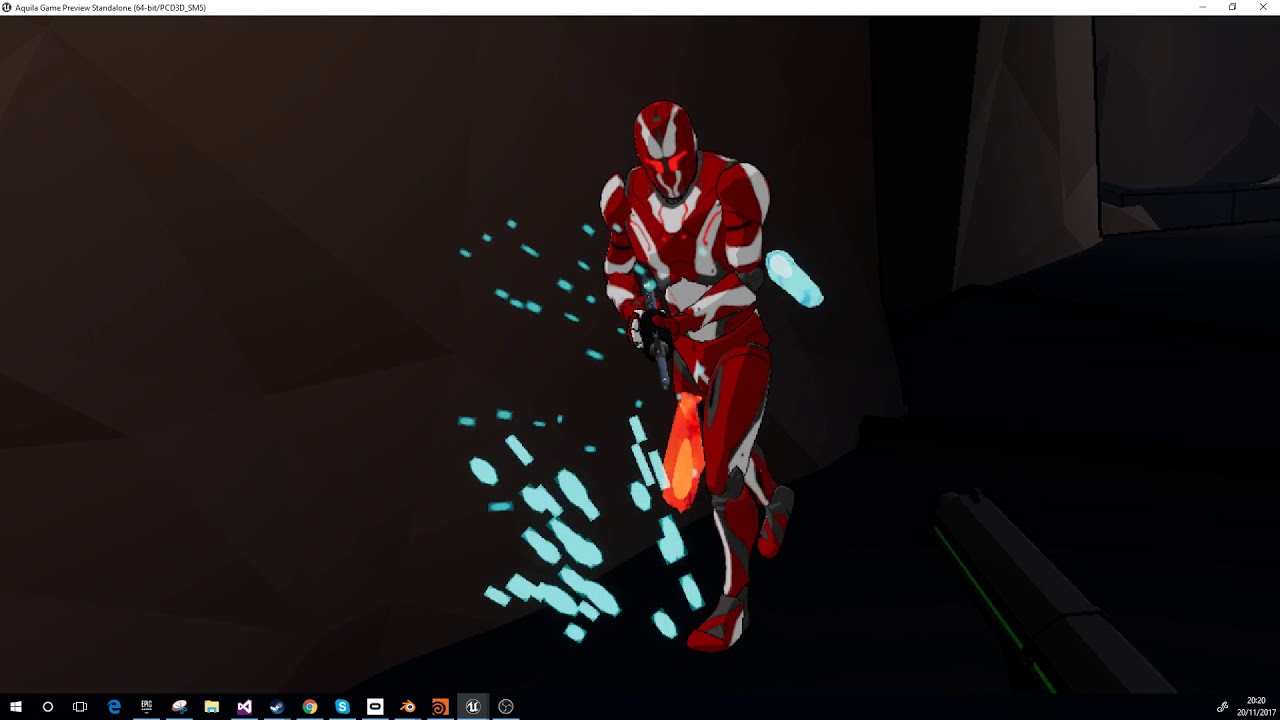

looking quite good even if ridiculously rough of course
specially on those rocky walls, all the characters going through them becouse the collision isnt accurate XD
 lime dagger
@wicked oak do you have a vive?
lime dagger
awesome could you do me a solid and run a very quick vive test? I am experiencing an issue where the vive seems to be tracking 100% and setup 100%. Rift also works but for vive the function UHeadMountedDisplayFunctionLibrary::IsHeadMountedDisplayConnected is returning false on 4.17
wicked oak
i cant
lime dagger
is there anyway you could?
wicked oak
i dont have the vive setup
wicked oak
is SteamVR on?
lime dagger
yeah from what I can tell
says steamvr enabled: true
in uproject
is there anything else to enable?
should be it right?
wicked oak
the plugin itself
wicked oak
thats pretty much it]
lime dagger
yeah... hmmm okay thanks I will keep poking at this.
wicked oak
@lime dagger bout the youtube comment
it is indeed not for the faint of stomach
but for final version ill add blinders and allow blink teleport
and smooth rotation is only there due to prototype, i will have snap turning as default
given the way it works "run based", you will have a breather beetween runs
lime dagger
ah very cool. There are also some interesting ways to counter act that stuff like by breaking the world into "screens" and etc
btw when you said instead of isconnected to use getheadset
what function specifically is getheadset?
GetHMDName?
wicked oak
no, GetHMD i think
if it returns nullptr then there is no headset
gethmdname will return "none" if there is no headset btw
sturdy coral
@wicked oak that looks cool. Does your pipeline require that your physics mesh is based on the really simplified geo though? I think I can see some clipping into the detailed geometry of the cave walls
wicked oak
@sturdy coral thats exactly how it works
at the moment, my pipeline works as this:
i create a mesh in blender, setup 2 materials. a Cave material, and a Floor material (for this ones)
then i import it into houdini by OBJ
then OBJ separates the 2 materials into 2 meshes, and performs 2 different generators on them
then it merges it
and then it merges it again with the base geometry. But the base geometry becomes the collision geo
you can clearly see how the collision mesh is super low poly
i might try to perform snapping or similar to make the low res mesh more accurate to the stone
sturdy coral
the stone is low poly enough it wouldn't be expensive to use directly would it?
wicked oak
its still 30k polys or so
i would really, really like to avoid a high res collision mesh
specially with all the enemies running around
sturdy coral
yeah, that's probably lots of tracing and stuff for AI
I haven't done any bot stuff other than just dropping in the shootergame bots to different levels
@wicked oak that's a really cool workflow though, you'll be able to generate a ton of variety. are you going to do wave fighting or more mission based stuff?
wicked oak
the prototype will have a wave defense mode and a "kill everything mode"
on the kill everything, you just go from start to end of the level murdering every enemy
on the defense mode, you go from the start of the level into a special zone, defend that zone for a couple waves, and then go to the end
another things that can be done is a scort (scort an npc from start to finish), or something like destroying/hacking/whatever several objects in different branches of the map
and of course, a direct boss run, of a linear level with a boss at the end
after the prototype is done and i have the core mechanics done, ill start the project again and make sure the code is configurable and prepared for multiplatform
sturdy coral
@wicked oak did you see this today? somewhat similar style that comes off well(not vr): https://www.youtube.com/watch?v=vy6iAEi7Ym0

Wishlist on Steam: http://store.steampowered.com/app/704000/GUNHEAD/ Gunhead is a fast paced open world FPS where you take the role of a pirate mech with a g...
mighty carbon
I know Lee
wicked oak
i did
that is a lot like what i wanted to do
just more excessive
but that is defintely the style i want
not as borderlands-y tho
too grungy and excessive
a more sleek version of it is what i had in mind
 analog topaz
guys hwo can i increase resolution for both oculus and dell visor ?
glossy agate
Like set screen percentage?
glossy agate
@mighty carbon Just looked at their publishing record. Those dudes are just cranking out games. Really impressive
mighty carbon
@glossy agate who?
glossy agate
That lee guy you mentioned earlier that you knew
mighty carbon
yeah, I think he is one guy + contractors
he's been around and in business for a while
uneven moon
Can anybody tell what's dragging me down here?
For some reason the 'AnimGameThreadTime' on the right hand of a pawn that is inactive and invisible is weighing me down
This is repeated on several pawns that are all inactive and invisible with no animations playing
mighty carbon

GeekWire
A month ago, Facebook CEO Mark Zuckerberg called his shot: He wants to get 1 billion people into the virtual reality universe. To make that goal a reality, Facebook-owned Oculus is now looking to…
too bad it's not in TX 😦
sturdy coral
@uneven moon make sure to set Mesh->MeshComponentUpdateFlag = EMeshComponentUpdateFlag::OnlyTickPoseWhenRendered;
uneven moon
@sturdy coral I'll try now
sturdy coral
@uneven moon just beware that it applies to things that are culled too, not just stuff explicitly invisible
so if you have something like footsteps driven from anim events they might not go off when the AI is behind you
real needle
So, today I've been debugging why our VR teleport keeps changing the height of the playpen when it executes. I've been through what I thought was the teleport script forwards and backwards - couldn't find anything.
Then I finally discover the truth.
There was a second teleport function that had been created (it's a legacy project I'm inheriting.)
This teleport was directly on the controller rather than being ina more central location.
WHY
Sure enough, Vector + Vector with +50 on the Z. I wanted to punch something and scream in triumph at the same time. Still feel like an idiot for not finding it sooner though.
 graceful junco
@real needle May I suggest? https://rewindgravity.com/2017/06/14/how-to-keep-your-blueprint-code-organized-and-easy-to-read/
real needle
Oh, I'm going to go through this part with a blowtorch and a crowbar now I've found it.
But yes - thanks 😄
 glossy flame
Sorry to barge in. I've got a bit of a problem where it seems my VR player character is smaller than it used to be. I'm using the VRExpPlugin, posted some error logs on the VRExpPlugin thread, but it's looking like it's not related to the plugin itself. Appears to be an issue with my Vive not being calibrated properly somehow. MordenTral said it's lookin like OpenVR's not detecting the HMD properly. I'm on 4.18.1 (upgraded a project from 4.17 to 4.18 then 4.18.1, the game crashed and this issue appeared)
tired tree
?? you said that it literally didn't work at all
not that it was smaller
did you edit the world scale by accident?
glossy flame
? If I said that I was totally wrong. Sorry. I meant to say it seemed like my torso was stuck in the ground. No, I haven't ever touched world scale. Is that the set meters to world scale node? I just found out about that yesterday.
Basically everything in the world is "almost" twice the size of me. Outside of scaling individual objects in a level, having selected them in the outliner, I've never had the need to muck with world scale before.
In an attempt to fix it, I tried parenting everything in the level that has a root component to a 1,1,1 scale dummy object, and then scaled the dummy object. That fixes the scale issue. But I've got some 3d UMG widget locationshard coded in BP and those get messed up when I scale everything in the world. That leads me to believe the prob is with the Player Character.
glossy flame
the latter is likely...
tired tree
you said it was doing it in all games?
glossy flame
when i first mentioned it yeah. but after having uninstalled/reinstalled steam/steamvr it's only happening on the 4.17 project I upgraded to 4.18/4.18.1
I verified that the 4.18 template shows the right scale.
tired tree
and did you check your world scale setting?
glossy flame
I nuked the intermediate and saved folders. And I get this crash. Same as before i think. https://pastebin.com/yexz8fZe
Where is the world scale setting?
tired tree
world settings
glossy flame
I'll check it out. Thanks!
I looked for it in there yesterday, all I saw was color, so gave up the search.
tired tree
its called WorldToMeters
i think everyone just ends up calling it world scale out of habit
glossy flame
Ah. Shoot thanks. Says it's 100
Seeing as the BP node defaults to that, I'd assume it's default.
glossy flame
there's the default x-8 vrcapsule offset on the VRRootref
it'd either be an offset on the vrrootreference or the vrreplicated camera that would cause me to look like I've shrunk , no? i can bring the same character into the default template level in it looks like the scale is right. I'm 5'7'' and the handles on the top cabinet doors align with my nose.
The replicated camera transform is unchanged 0 on loc/rot, 1 on scale.
glossy flame
yeah, right. That's got nothing to do with height....sorry
tired tree
wait
glossy flame
netsmoother is default transform: loc/rot: 0 scale: 1
tired tree
same character BP in a different level works?
glossy flame
seems like it's ok. i checked out your vids. The work table with the rigid body boxes and gun comes up to my waist and the top cabinet door handles align with my nose
I'm guessing you're like 6' maybe?
full junco
there was a dev-vr merge to master today, thats one commit in it: https://puu.sh/yqoO9/1daa87f731.png


seems like epic is testing VR stuff on xbox one
@tired tree also this: https://puu.sh/yqp1V/383a37048b.png

 sturdy coral
That code (late update) has way too many issues
I guess the motion delay buffer is for matching up to laggy video, I did that for kinect
Since I was networking the game to a spectator instance running Kinect I just used the net delay stuff
@glossy flame are you using rift?
And are you the guy who was enabling/disabling stereo? (It resets tracking origin on Rift which could cause you to be partly through the floor)
glossy flame
@sturdy coral Sorry for the laggy reply. The issue was first found on Vive at work. I deleted intermediate/saved folders and ran it on my rift at home and the player character's scale was still messed up. I'll try to remember that enabling/disabling stereo resets the tracking origin on Rift, though.
I don't think I'm the guy who was enabling/disabling stereo. I've never touched those settings before.
Is it possible that having an effload of static meshes in the world could cause the HMD to not get detected properly on start? I have 5 - 600 static meshes in one large room. It was all running fine on 4.17.2, and 4.18. But after upgrading to 4.18.1 and adding about 60 movable lights, the game crashed and then this strange issue surfaced.
glossy flame
Is it best to use Steam VR beta with UE4?
Edit: nm - this particular issue I'm having (where my character's short, and the lighthouse tracking is fidgety in a specific level) occurs on both beta and regular...
wicked oak
so xbox one vr confirmed
mostly as expected
i should try to contact them
to port DWVR to xbox
😛
or my next game
 gleaming river
Hey, I've got two Quadro P5000's on my machine and was wondering if I can set these up to use SLI in VR
I had a quick google and came across VRWorks
mighty carbon
@wicked oak when did MS announce VR support for xb1x?
mighty carbon
Oh
 cold siren
Hey guys, any one here successfully able to setup multiplayer for VR?
I am trying to get it going but not successfully 😦
 proud shard
why would a packaged project not get inputs from motion controllers even if they're showing up
cold siren
@proud shard I had the same problem, but when I had this problem, I had mgrated my Map to a new project to leave behind the clutter and avoid any packagin problems I was having in the previous project.
proud shard
hm noticed that there's a mouse and ui input in the packaged game
that could be it
evne tho not in-engine
cold siren
are you able to run fine in VR preview in engine?
proud shard
yeah
cold siren
so your pawn is spawning
proud shard
yeah
and now on tick in level bp set it to game input if it's VR
that seemst o do it
cold siren
ok how have you setup for possesion of your pawn?
seems like your pawn is spawning but not being possesed by your player controller
proud shard
It works now.... :p
cold siren
haha great!
tired tree
@full junco @sturdy coral yeah....not sure i'm going to be a fan of those late update changes if they end up moving the FSceneView into the plugins and passing the late update information in via the late update manager
would pretty much lock out most custom logic from it without direct plugin edits
tired tree
newp
wicked oak
it means unsuported layers and psvr layers all dont have depth
fuck
skyrim vr has depth layers and its why its hud looks good
tired tree
@cold siren whats your issue with multiplayer?
basics are fairly easy
"Adding XR Blueprint library functions for accessing specific device information (tracking, modeling, etc.)." oh good, they also started merging in the modelling stuff in 4.19. About time
cold siren
Hey @tired tree
I am not sure if I am doing everything correctly
I am not a programmer or game developer so my knowledge is limited
I went through Cedrics network compendium
and got some good information that was lacking in the epic docs
So basically this is what I am trying to setup --- > two VR pawns existing in the same world and can see changes made by each other to the world (mainly using this for archivz)
tired tree
so you aren't sending the controller and HMD transforms?
because that is step #1
or you won't see anything
tired tree
the controllers and HMD are moved client side
and all replication in engine is Server Down
cold siren
OK
tired tree
so you need to update the server from the client with RPCs
tired tree
once it is on the server, you can set a variable that is RepNotify and condition Skip_Owner that will set the relative position on clients
cold siren
on tick?
cold siren
if not tick then?
tired tree
can do it on tick or timer, but limit the htz
you'll want to send FVector_Quantize100 in the RPC and in the repnotify
rotators are fine, they compress themselves on netserialize
cold siren
Is there any documentation on this? Specially updating the transforms to the server?
tired tree
no?
look up RPCs
think there is still a blueprint template that does this, Proteus's
but his isn't very optimized, but if you are LAN anyway, then it doesn't really matter
cold siren
I know a little about RPCs, I have been able to setup my door opening season change etc via rpcs
I will try to reverse engineer protues in that case
thanks, will be back when i fail :p
tired tree
so they added model / mesh extraction for the motion controllers natively in 4.19 now and functions for the HMD too. Looks like I can finally throw out all of my temp nodes.
cold siren
4.19 preview is out?
wicked oak
nope
tired tree
they must have been in a hurry to finish support for it since trackers are selling with attachments now
@full junco @sturdy coral @wicked oak Removing Oculus call to reset tracking origin on initialization (so we respect the play space that was calibrated in oculus setup) - ensuring parity w/ Vive (fixing regression).
good news
tired tree
I think it might be in 4.18.1?
dunno, someone said it works for them in 4.18, so they might have thrown it in with the .1 patch
this is going to be one hell of an upgrade version....the character changes and VR changes at the same time...ug
wicked oak
@tired tree best way to add a label/watermark to the screen?
i just want a "pre alpha build X,Y,Z" text in the mirror screen
not in the vr device
tired tree
use the eye + texture mirror mode
wait..you are on older ver
should check out where they copy the texture to the screen in the VR plugin, each are seperate sadly
like how RR did its ui
can add any overlay you want there
wicked oak
then perfect
does the texture render on top of the view?
for now i just want an overlay
wicked oak
very nice
and for texture i use the classic UMG trick
did you find a better way to UMG render to texture than going through a 3d widget?
in DWVR i have scale 0.0001 widget on the back of the head of the player
wicked oak
and i just plug its texture into the stereo layer
tired tree
that is what the world widget uses after all
wicked oak
i just wasnt able to get that working well
so i do have a widget
but you wont see it
b ecouse its on the back of the head xD
tired tree
I had made a custom widget that did that and output to texture for the mirror mode
wicked oak
very nice
tired tree
but threw it out when the collision meshes needed to be split for Stereo....
tired tree
decided to wait on their viewport changes
not like the 3D widget
um
here easy way
there is a widget class that renders to texture, forget the name of it, it is used to set material based postprocesses
I overrode that, and rendered that texture to a render target
its a pane
so any widget that you have the children contained in that pane, you then had a texture you could access for it
wicked oak
alright. But seems it will be easiest to continue the hack im doing
tired tree
yes
wicked oak
just a 3d widget and then lift its texture
wicked oak
one thing
how do you deal with stereo layers crosspawns and crosslevels?
as i had all my UI on the Pawn, it meant that respawning had to clean it up and then restore the hud
didnt have much luck attaching the UI stuff in controller
tired tree
put them in a component, on unregister, remove the stereo layers
oh
why not on the PC?
wicked oak
had issues with the 3d widgets and stereo layers
but this was also on DWVR wich is a huge hack
tired tree
they should work
wicked oak
im getting close to "first prototype" of Aquila. After that im nuking it
and start the actual "vertical slice" stage
tired tree
stereo layers are API side once made
shouldn't remove them unless the plugin resets or uninits
wicked oak
so for that next stage i want to make the code "final" and grossly crossplatform from the beggining
all the config/platform shit was a disaster on DWVR
ill probably do the same architecture i did in DWVR after a couple rewrites
tired tree
I like how Epic is removing the GetHMDType node, while their new GetSystemName node is still broken...
wicked oak
VRHand has gestures and input, and sends abstracted input events to the controller. Then the controller uses the config to do stuff with it, and finally performs the actions on the Pawn
that way i was able to switch the VRHand depending on platform, and have different controls
but still keep all the configuration similar
for next i might try to subclass Controller depending on platform
for some extra changes that might be needed
wicked oak
becouse i dont want pawn having any input/platform logic
pawn will be the body and nothing else
tired tree
are you switching pawns during gameplay a lot?
wicked oak
yes
not a lot, but a bit
for example the dead ghost pawn, the "loading screen" pawn, or the main menu pawn
tired tree
and what are you handling in controller that is specific?
wicked oak
config and input logic
tired tree
....
tired tree
sounds honestly like it should be on pawn to me
wicked oak
the controller calculates differences beetween smooth locomotion or teleport or dash
and just updates the pawn accordingly
for example for the "teleport" logic, it would be as follows
(teleport with an arc)
player presses Grab button (oculus)
VRHand_Oculus sends a "Teleport Pressed" event to controller
controller checks that we are in teleport mode (not smooth), and that teleport is allowed
wicked oak
then it sends a StartTeleport(Hand) to the pawn. This starts the rendering of the arc
when player depresses, hand calls TeleportReleased on controller, and controller checks the state of the teleport arc, and if its valid it calls "TeleportTo(location, teleport type)" on the pawn
teleport type being config
@tired tree i did exactly that
before this overengineered system
it had huge issues with configurability
tired tree
so does that
wicked oak
having all the "config" options on the controller made a logical separation
tired tree
if you ever do anything with different movements or abilities per pawn type
wicked oak
definitely could.
but if i wanted to have different input types on the hands
i would need to repeat that code several times
becouse each hand works different (platform)
and then you have the thing that is dualshock controller or AIM
now its not 2 hands, but one
4 different "hand" classes
thats why hand classes dont do configuration
and are completely dumb, just sending input events to the controller
tired tree
i'm just saying, if you ever end up with multiple pawn types, that becomes a huge mess
tired tree
lol
wicked oak
Hands still have the same code that just sends input events
wicked oak
becouse i will have 4 hand classes (minimum)
tired tree
and?
tired tree
a lot of it is alreayd done anyway with clean bindings
wicked oak
thats why now i have the hands be quite dumb
the original way i did it, the controller didnt even exist
it was just hand to pawn
it became a big problem the moment i tried to add configuration, becouse i had to take it in mind on the 2 hands
tired tree
w/e, its all preference anyway, and I don't think you are doing anything where that is going to be a mess anyway with your current projects
playercontroller > pawn is common
I just don't like it for purely generic implementations
wicked oak
there is the whole part where pawn can get deleted/respawned and controller keeps its place
tired tree
what place? current movement mode? generally on respawn that would be reset anyway
wicked oak
some of the stats, mostly
and some configuration stuff too
well, and probably the most important one
my Pawn actor was already fucking huge
i wanted to keep all the config code outside of it to have it more split
mighty carbon

UploadVR
Looking glass Factory today revealed Holoplayer One, an interactive lightfield display that projects holograms that you can interact with.
gleaming river
Are there any good guides for setting up mixed reality in vr?
sturdy coral
@wicked oak I do it all on playercontroller, keeps place during respawn and works with characters and pawns (spectators are forced by inheritance to be pawns)
I'm now using SetupInputComponent to do all the right bindings for each vr system so I don't have to have ifs and switches after input events everywhere
(though you still need some of that if you are synthesizing actions out of gestures and stuff)
wicked oak
thats the thing, my different VRHands are completely different
due to the differences of the platform
having to add AIM support was the hardest
all the core dealling with left/right hand when now i just have 1 hand
sturdy coral
do you support gamepad too?
are sales still doing a lot better there than on steam? they seem to be getting a big bump from skyrim and should get another one from black friday
mighty carbon
I wonder if retail XB1X is a dev kit, just like XB1 is
wicked oak
yup
i do support gamepad
@sturdy coral im selling 1500 dollars a week
right now
total sales are 25.000 dollars
vs 8000 in steam
once i receive the cash ill have to pay Ue4
sturdy coral
nice, you will have to compete with doom soon I guess but I bet you will still get a christmas bump
wicked oak
i cant compete with doom
sturdy coral
yeah that's gotta be tough, it might drive some spin off traffic though from people looking for more
trail shale
I've got MSAA up to 8 but it looks like crap in the game believe me...everything seems like it's moving/flickering...unless I use TXAA which helps (but it is less performant and is blurry)....any advice?
well, i probably wasn't on 8, it defaulted it to 1, but I put it to 4 and it looks so bad from far away....trees look like they are artifacting
tired tree
@sturdy coral yeah re-binding per platform and PC - pawn is likely the best overall
and also available to blueprints now I believe, used to be c++ only
wintry escarp
use oculus tray set to 2, see if its just a scale issue you cant control
trail shale
it seems to be edges...like fences do it a bunch...but it is also in trees
it's difficult to capture the effect because it's a video thing let's see
wintry escarp
crawling flickering edges
trail shale
i'm using vive, does that mnatter?
wintry escarp
I don't know,i guess vive has its own way to increase draw quality
i have supersampling set to 1.5
house must be too cold, rift steamed up badly when i put it on
trail shale
Hmm...I tried uping sample count to even 5 and I didn't see much difference...i think it's an engine thing
I'm going to use Temporal AA for now but does anyone have some recommend settings for temp aa?
analog topaz
guys is there away to make things look better in vr? like higher quality or better reoslution ?
anything to make it sharper maybe
trail shale
I'm working on that right now @analog topaz .... having similar problems
I have change the same count AND the temporal aa current frame weight and they don't seem to make a difference
analog topaz
i wanna give msaa with higher msaa count with forward shading a try
btw msaa only works with forward shading as the tooltip mentioned
trail shale
highest count is 4 I believe
analog topaz
have utreid that yet?
sturdy coral
@trail shale you should see a difference with temporal aa current frame weight; set it to 1 and everything should be fully aliased
trail shale
Will try, thank you...
sturdy coral
you probably need to set it to .01 or something for those fences and increase the sample pattern (I think it may only loop around 8 positions by default)
I think beyond 8 it just moves around in a guassian distribution
analog topaz
r.TemporalAACurrentFrameWeight 1 is it set to 1 by default ?
sturdy coral
I think it is .04 by default
wicked oak
@sturdy coral i think you could improve VR TAA if you removed the jittering
becouse the tracking already jitters
sturdy coral
yeah I've tried that
analog topaz
how can i remove jitter?
wicked oak
i wanted to find it but didnt found the jitter code
sturdy coral
main issue is if you are in a chair with your head still
what I've looked at next is increasing the jitter when your head is still, lowering it when it is moving
trail shale
@sturdy coral you can set it specifically for items or you have to change the material parameters
sturdy coral
it depends how much stuff is close by too though, positional headmovements give you enough variation on near stuff but not on far stuff
I'm looking forward to seeing the changes they have in master, though they apparently don't work in VR atm
@trail shale it is for the whole view, can't be set for items
well that isn't quite true
for particles you can turn on responsive AA
analog topaz
in my cast setting the r.TemporalAACurrentFrameWeight 0 is better cuz anythign higher than that jitters alot
sturdy coral
and it will write to a stencil mask
and tell it to use less AA behind the particle
@analog topaz 0 is nonsensical, so it probably just falls back to some other value
you need to set it to a small fraction to avoid seeing the jitter
analog topaz
emm even 0.1 jitters 😄
sturdy coral
@analog topaz do you mean aliases or jitters?
try setting it to .8 and you will see the jittre
sturdy coral
jittering is the shifting of the view
analog topaz
those are wiggly columns in the scene that show weird jittering once i increase temporal aa
oh no i meant the aliasing
sturdy coral
yeah, that's like a worse case scene for aa
analog topaz
i just wonder why screen precentage ain't helpign with resolution quality like desktop scenes
sturdy coral
@analog topaz I'm not sure, I'm on 4.16 and they have moved some of those commands around
in later versions
analog topaz
i had to move from 4.15 to 4.16 to 4.17 to 4.18 to avoid weird bugges thankfully 4.18 was ok till the resolution thing came up :/
trail shale
hmm
analog topaz
and indeed ihave another project on 4.16 vr as well, and screen precentage workign fine
sturdy coral
@analog topaz I think it is vr.pd or vr.screenpercentage instead of r.screenpercentage
trail shale
So, I have a map with many BP actors and static meshes....is there a general guide or rule of thumb for how much optimization you can get from say, merging those static meshes into a single actor? How does it reduce the draw calls? you only have to worry about materials and not the indivual static meshs, is that how it works? So if you two fences with 4 materials each, alone, that's 5 + 5 for 10 sdraw calls and if merged, you have either 9 drawcalls or as few as 5, if they use the same materials?
Am I understanding this concept correctly?
analog topaz
vr.screenpercentage not working 4.18
r.screenpercentage works perfectly on 4.16
sturdy coral
@trail shale one draw call per material per object
plus depth if you have prepass enabled
plus velocity if it is movable
trail shale
but when they merge they merge materials that are the same correct?
sturdy coral
check and see
I think normal mesh combine does something slightly different than hierarchical LOD mesh merging
analog topaz
btw r.screenpercentage changes the resolution of the consol command while typing in it while wearing the vr headset ( oculus ) but it doesn't affect the scene itself, any idea if this is caused by something i did? also it reacts the same on the vr template project
sturdy coral
@trail shale also all materials will be combined into one for depth and shadows, except for masked materials
@analog topaz the old oculus command that worked best was hmd pd
I'm not sure what it is in 4.17 and beyond
glossy agate
Normal merge wont merge mat (last time I did it), but HLOD system will combine them.
analog topaz
gonna dig behind that , btw thanks !
tired tree
it does effect the scene itself....
its r.screenpercentage
you just can only change it so much
weren't you running it at 150 base?
analog topaz
yes 150 , but wheneve ri go higher or lower only the concol sommand line get affected the scene resolution stays the sa,me
even if i hit 10, or 300
emm, that's in play mode tho , should i try in standalone launch ?
trail shale
wtf 4.18, why is it failing to save the assets???
mighty carbon
@wicked oak I wonder if XB1X will take regular Windows MR HMD or some special HMD
wicked oak
mostl likely some whitelisted models
tired tree
@analog topaz if r.screenpercentage isn't working for oculus in 4.18 then its a regression and should be reported
as that is supposed to be unified
analog topaz
ok i will report it
tired tree
make sure that you put the word "Regression" in there, and say that it worked correctly in older versions :p
100x more likely to get noticed
analog topaz
i was planning to do that on answer hub, or should i be doing it somewhere else?
i reported some bug on answer hub before but i haven't report a regression
tired tree
answerhub
analog topaz
cool i will also let u know if i had a work around thanks for the help
tired tree
I can't test it, don't own the hardware, but they did revert some changes in 4.19 that were made in 4.18 to the oculus plugin
don't remember what atm
analog topaz
they're playing dice with our souls ! 😄
sturdy coral
maybe the perf hud stuff, motorsep wasn't able to find that in 4.18
"hmd setint" commands
mighty carbon
I am wondering if it even works in shipping builds
(but then it didn't work in PIE either)

Road to VR
Taeyong Kim, VP of Samsung Electronics and Head of Graphics R&D, took the stage last month at the company’s annual developer conference to talk a little bit about the future of VR for the company. While no big reveals were expected for the talk, Kim actually mentioned to the crowd that the company is actively working on a […]
sturdy coral
I wonder if it uses the same qualcomm reference platform stuff the Vive one uses
mighty carbon
most likely 845 SoC
and OLED
or all new Exynos
so Oculus vs Samsung.. it will be an interesting battle
trail shale
anyone know the trick to level streaming in VR? I'm teleporting the actor to a persistant STAGING LEVEL and while they are there, I am loading another level.....but the system hangs (the steam vr thing comes up) .... what can I do about that?
sturdy coral
@trail shale you can at least change the steamvr skybox to something themed to your game
Mordentral added support for that to his plugin recently
tired tree
speaking of that...now that trackers are working correctly and I don't need a custom override
its time to de-couple those two plugins
so that the steamVR one can stand alone
totally forgot
mighty carbon
@wicked oak have you ever tried building Windows UWP with UE4 ?
(that would be a requirement for XB1X VR)
not VR related per se, but how on Earth can Epic compete with these guys when it comes to serious sims: https://sim.unigine.com/?utm_source=newsletter&utm_medium=email&utm_campaign=itsec17
UNIGINE 2 Sim — 3D visualisation SDK for professional simulators.
wicked oak
that one is useless
its strictly a render engine
fancy render engine
but only render engine
no physics no cinematics no AI no PS4
wicked oak
maybe the cinematic/AI/animation tools are more useful
but i am not sure, ue4 doesnt have support for curved screens and multiscreen and that kind thing
or 64 bit coordinates
trail shale
@sturdy coral Maybe I'm doing something wrong....I have a happy little box I put the player in the PERSISTANT level...... when he is there doing his thing, I want to load a streaming level into memory....however whenever I do this, it literally interrupts the VR player's vision...am I using the wrong node?
sturdy coral
@trail shale I was just giving a way to mitigate it
trail shale
It seems like there HAS to be a way to make it run more in the background or something
sturdy coral
look in the project settings screen for the async loading options
you may get it to work, but I don't think anyone has had a lot of luck
trail shale
hmm
Are those BOTH frames....I can spare additional frames because they are going to sit there for like 10 seconds...so if I know that, do I want to make less frames so it doesn't take a total hit? how do I go about that
wait a second....could the hitching I'm seeing be partly because of the engine trying to figure out the visibiilty of the loading level? (it's got a different sky)...??
YES, that makes it load instantly (in terms of player being aware)...the only problem is, how do I enable visibility on the level AFTER it is loaded?
sturdy coral
@trail shale what makes it load instantly?
trail shale
@sturdy coral when you don't make it visible when you use the load node... Leave make visible unticked
I just don't know how to make it visible after that point
Maybe a get all actors and toggle visibility?
That still might cause some hanging but you could play with how much is toggled
glossy flame
@tired tree I take back what I said yesterday, where that calibration/player character scale issue only happens on the project I upgraded to 4.18.1.
@anyone I've verified the issue actually still happens on the 4.17.2 version of the project that I'm 100% sure had proper scale (and calibration) before being upgraded.
Something I think I should mention > Before this issue popped up on 4.18.1, I was getting a "Only 1 game instance allowed" SteamVR error every time I shutdown the project. I didn't try to rectify it. Just Dismissed it, checked the project wasn't running (in the taskbar/not task manager) and continued to develop.
About the 4th time after launching the project, the game crashed - likely because I added too many dynamic lights to the scene. Ever since that crash that "only 1 instance error" ceased to appear, and all scale/calibration hell broke loose.
Edit: (Japanese) Windows 7 64bit Enterprise.
sturdy coral
@trail shale on completed add a getstreaminglevel node, then set 'should be visible' on the result
trail shale
@sturdy coral THANK YOU
glossy flame
Could any of these errors/warnings explain why SteamVR/OpenVR wouldn't work correctly on UE4 projects? (By working correctly, I mean the display greys out when looking in certain directions.)
- LogOnline: Warning: STEAM: Steam API disabled!
- LogWindows: Failed to load 'aqProf.dll' (GetLastError=126)
LogWindows: File 'aqProf.dll' does not exist - LogWindows: Failed to load 'VtuneApi.dll' (GetLastError=126)
LogWindows: File 'VtuneApi.dll' does not exist - LogWindows: Failed to load 'VtuneApi32e.dll' (GetLastError=126)
LogWindows: File 'VtuneApi32e.dll' does not exist
glossy flame
I can shoot a gdrive link to any kind soul willing to take a look.
This is weird:
odd garnet
 glossy flame
Just so y'all know...I've been hung up on this calibration issue ever since 4.18.1 released. Spent a good 30 hours checking all the bases I could think of. I could list every single thing I've done in detail (which is in fact important), but I'm guessing even fewer people would read it then, kinda like the turnout on answer hub. With that said, aside from formatting C and remaking the project from scratch, any pointers as to where I should take this issue to would be great. I don't want to intrude anymore than I have...
wintry escarp
no idea, I fixed a project by deleting the binaries folder and letting ue4 remake them all
glossy flame
Sweet thanks. I haven't tried that.
glossy flame
Ahh. Didn't work. Let Ue4 rebuild it, tried it, still small. Tried to rebuild it myself, but I'm still small. Thanks a lot, though. I'll remember it as a viable option.
full junco
@glossy flame do you only see the issue with ue4?
glossy flame
Ps: I tried the binaries nuke on my home, rift pc.
@John Alcatraz Yes. Both the post-upgrade version of the project where the issue surfaced (4.18.1), and even the pre-upgrade version of the project where the issue didn't exist (4.17.2). The Lab on steam seems fine.
tired tree
yeah
but you are still getting a warning IN STEAM
that you are missing steamVR
never mind that it runs anyway
did you actually re-install steamVR yet?
glossy flame
Sorry for the leggy reply. Yes, I installed it again after posting that weird ss.
glossy flame
The level I put together is my workplace. Before upgrading to 4.18.1 I made sure everything was at the proper scale.
tired tree
did you try a blank ue4 VR template project
glossy flame
I tried to migrate that broken level to a blank template project - added inputs manually and that's it. The tracking and scale issues were the same. I didn't try just a blank one though.
Day after tomorrow I'll stick a desk, set to the same scale as one in the broken project, in a new blank proj. using a default VRCharacter from the vrexpplugin.
glossy flame
(Sorry, meant to say I migrated it to a blank template proj., not a blank vr proj - heh, wtf is that?? I edited it in italics)
tired tree
I meant make a normal VR Template
and test it, without the plugin and without the level
analog topaz
Is setting vr game resolution to for example 1440 x 1440 will that affect how it looks on hmd ?