#virtual-reality
1 messages · Page 150 of 1
 sturdy coral
 full junco
thats a very good idea, yeah
 tired tree
@sturdy coral yeah, the late update doesn't consider the new world to meters value correctly and repositions them visually as if they were still 100,0f
they are at the correct location in gamethread
the late update GETS the correct world to meters though, its justnot applied to the final transform
sturdy coral
yeah they would have had to have caught it if they did
cause it changes scale all the time
tired tree
but late updates would be bad for all of the menu manip and placement
you would get hitching on release as it sticks back to its actual location
no real reason to have it on for the editor
 lament bay
well @sturdy coral and anyone else who was wondering... reinstalling 4.18 did indeed fix the issue... so weird. .. Anyway thanks for the help everyone!
sturdy coral
strange, probably windows malware service or something
 mighty carbon
Bizarre optimizations in Id tech 6 - https://mobile.twitter.com/idSoftwareTiago/status/929153362972561409
 analog topaz
yo! is it hard to stop the vr hand from going through objects?
 blissful wind
Anyone who's had some succes with the nVidia VRWorks fork of UE4? I've tried it about half a year ago for 4.15 and also tried it this week for 4.17. However, both LMS and MRS actually heavily decrease the performance instead of increasing it. Only single pass stereo improves performance, albeit by a small margin. Also updated the drivers and tried the forward shader, but to no avail. I'm at a loss, anyone who can help me?
 wicked oak
@blissful wind ive used it
+30-40% performance improvement
with multires
i guess you are on nvidia? this stuff wont work on AMD
blissful wind
Of course, yeah I'm on a powerful W10 machine with a GTX1080
My frame timing shoots through the roof after enabling level 1 LMS
It gets lower with 2 and 3 respectively, but still on 3 the frame timing is slower than baseline

To my disappointment, after compiling everything to enable the vrworks optimizations, all of them actually slowed everything down. Here's one of the examples...
this is a video of half a year ago with the 4.15 fork, but today at 4.17 I still have the same problem
Given the timings, even the most optimized option of multires descreases performance over baseline: https://forums.unrealengine.com/filedata/fetch?id=1126119&d=1491588861

same story for lens matched shading unfortunately: https://forums.unrealengine.com/filedata/fetch?id=1126118&d=1491588845
 wicked oak
that is very weird
i was able to get massive boosts
have you tried on fully built game?
also, are you drawcall or pixel bound?
this techniques improve pixel bound games massively, but drawcall bound games not that much
essentially they let you have the same speed, but at higher resolution
analog topaz
@wicked oak thanks, any idea how to make that ghosting? or what should i be searching for to find the method online ?
wicked oak
just switch the material when collisions are found
tired tree
@analog topaz yeah like Blanco said, ghosting is probably preferable, even if you constrain the hand mesh or stop it on contact you will still get dissociated physically and need a ghost hand anyway during the stop, at that point why bother? Best to just ghost in the end.
though stopping the held object is often good
blissful wind
I would have to run some performance analyses on what my applicatioin is bound to actually
 eternal inlet
hi guys, is it possible to make such hover menu effect with umg?
Gyazo
this example is from spacepirate trainer (if someone was wondering)
sturdy coral
not easily
there are some shader tricks you can do by packing depth info into different color channels and doing parallax
@eternal inlet
eternal inlet
ah ok, so i'll probably better off doing my own stuff then
i can easily do this with 3 planes animated on top of each other
but obviously would like to use umg if i could
 wintry escarp
is there a way to cancel out the player height?
I want player on ground level whether theyre sitting or standing
 noble charm
That would probably cause motion sickness
Means that the player moving up and down wouldn't do anything in game
Disorienting to say the least
 cosmic shoal
yeah, fixing your height, or modifying it is very nauseating. I started to make a monster truck simulator and it was so nauseating I scratched the idea.
 fossil stratus
Hi, Anyone have any idea what to do if this error shows up when you open a project
I got this error after installing nvidia codeworks..
 fresh laurel

Running VR On An Ultrabook? Dream Come True? ----------------------- Samsung Odyssey Video: https://youtu.be/vQL6yx7EyZY ----------------------- Laptops Feat...
 raven halo
As a developer how should one manage different quality settings on windows MR?
Let the user turn features on or off?
sturdy coral
@raven halo epic talked a bit about what they did the roborecall talk at connect
I think they used cpu/gpu benchmarking at startup to bucket you into tiers
wicked oak
@raven halo you could start by looking at the cpu model/speed and the gpu model/speed and setting defaults
the benchmark idea is also great, but doesnt that take time?
mighty carbon
All good things take time
sturdy coral
I don't think they take too long to run, and I think they only run them once on the first startup (which might not be great if the user upgrades in the future)
Engine/Source/Runtime/SynthBenchmark/Private/SynthBenchmarkPrivate.cpp has the benchmarks, it is built into the scalability system
you can also see how to query some GPU details like memory size in there
 gleaming river
Hey guys I've been using the vive for design review and only just started to apply materials, the vive seems to have more saturated colours and higher brightness and contrast. Is there a way to preview the vive appearance on my desktop or calibrate my screen in such a way?
 stiff nest
Hey guys
Does anyone know if I run a level in "New Editor Window (PIE)" mode and then switch to a level which invokes the use of VR, if the editor purposely keeps the new level opened running in Windowed mode and blocks the invokement of VR mode in the level?
stiff nest
I found the answer to my own question. If you run in a windowed mode and then try and invoke VR mode, the editor stops it but if you run in VR mode through the editor, you can then switch between VR and NonVR mode by using console commands in either the terminal or blueprints
 echo thorn
hello people , has anyone tried WebVR??
 trail shale
@eternal inlet Have you messed with the WidgetInteractionComponent? I'm not sure it might have something to do with that
trail shale
what was the answer because I could see myself having that problem
sturdy coral
@stiff nest if you are using Oculus you will run into a problem with that (camera will be tilted after transitioning). there is an easy fix if you need it (it only happens in editor with Oculus, not in standalone)
if you are on vive or oculus via steamvr it isn't an issue
stiff nest
@sturdy coral our in-house programming has created a nice little node which resets hmd's orientation and position. Don't ask me how I aint a coder lol.
tired tree
? thats a default engine node
full junco
@gleaming river no, the vive uses OLED and no regular monitor can come close to the image quality of OLED
sturdy coral
@stiff nest it's a little different of an issue (leaving VR leaves your view tilted).
if anyone needs it the fix is in bool FOculusRiftHMD::IsHeadTrackingAllowed() const
change ( GEnableVREditorHacks || EdEngine->bUseVRPreviewForPlayWorld ) to
(GEnableVREditorHacks || (EdEngine->bUseVRPreviewForPlayWorld && IsStereoEnabled()) )
wintry escarp
does a flat quad work as a laser in vr, or should I use a tube?
 glossy agate
Probably use a cube instead with emissive mat. Flat quad will just not be seen from certian angles
sturdy coral
@wintry escarp yeah, the polygon savings probably isn't worth it. A cube with only interior faces may be the way to go, you would see that from everywhere even if you put your head inside of it
but you may want it all facing out so the end caps face out depending on the look
wintry escarp
whats the ue4 equivalent of unitys Time.deltatime, for use in functions that don't have a Tick passed to them
just create a variable and pass the value into in something that does have a tick?
tired tree
Get World Delta Seconds
don't think that takes time scale into account though
while the EvenTickDoes
wintry escarp
into the I'm doing c++
tired tree
so you would want to manually apply time scaling if you are usin it
wintry escarp
bp make no sense
tired tree
World->GetDeltaSeconds
but at this point, google would probably be faster fyi....
Also FApp::GetDeltaTime
the world version should be adjusted by time dialation
wintry escarp
thanks
mighty carbon

UploadVR
We've been playing a lot of From Other Suns lately and here is what we think of this space exploration cooperative action game that's hitting Rift.
sounds like am saving a lot of money by not buying Sp games for VR 😦
full junco
@mighty carbon ?
mighty carbon
"Really lackluster as a single-player game"
it just seems like no one can get even close to Lone Echo when it comes to SP
tired tree
that game wasn't really made for sp?
wintry escarp
I couldn't get float timer = FApp::GetDeltaTime(); going but FApp::GetDeltaTime works fine
World->GetDeltaSeconds
hmmm strange paste bug
mighty carbon
oh, I was under impression it was Sp game with coop :/
tired tree
@wintry escarp the world version is likely the one you want anyway
since it works with time dilation
trail shale
is there a way to fire an input event that OVERRIDES all other events? I'm not able to get something to worki because of the basemotioncontroller
tired tree
ConsumeInput tick box
trail shale
I have that ticked
trail shale
I'm working on the VR integrator like you suggested
able to do most of what I needed, I just wanted to do a global keypress when a widget is active
I have the logic hooked up but the button isn't even clearing test mode here
wintry escarp
but the world one is the one I couldn't get going
tired tree
@wintry escarp did you have a world instance to work off of?
@trail shale what is the action binding for those?
trail shale
tired tree
where are you using those already? In the pawn?
wicked oak
why dont you use the events directly
if you are just going to rename them like that?
the input system is so you bind to things like "Move Forward", or "Jump"
trail shale
I'm still confused about the inputs in this whole VR setup
wicked oak
and add multiple keys to that
trail shale
I know but it doesn't fire period
wicked oak
you might had that event on other place
trail shale
in blueprint I tried just using the hardcoded inputs like that are listed there
doesn't override take care of that?
wicked oak
higher priority inputs override lower priority
tired tree
you need to manage the priority yourself, default is the same for all
so first to receive will consume
if you even have inputs enabled on your motion controllers in the first place that is
they are a seperate actor in Epics setup
pawns auto register input
trail shale
so just set basemotioncontroller input to 1 to make it go lower in the stack?
wintry escarp
i have UWorld* currentworld; in the .h file and currentworld = GetWorld(); float timer = currentworld->GetDeltaSeconds(); //store deltatime in the .cpp
ue4 instantly crashes when run even though it compiles
wintry escarp
i though the game would create one that getWorld would point to
tired tree
it will, eventually
where are you first calling it
wait..why are you even storing currentworld
just get it when checking
wintry escarp
in my player initialisation
tired tree
why are you getting frame delta seconds in your init.....
that doesn't even really make sense for like 99% of cases that I can think of
wintry escarp
the getting the timedelta is in the play movement function
i get the pointer in the initialisation
tired tree
then the world isn't init'd yet
or you transfer out to a different world
just get it when you need the delta time
you aren't supposed to store world references, they can go stale
GetWorld() == nullptr is a valid state
 silk lodge
has anyone been able to build a project that uses vive tracking pucks with unreal 4.18?
tired tree
what do you mean build? they are just treated as motion controllers now, shouldn't have an issue building a project
wintry escarp
thanks, moving the currentworld = GetWorld(); to player beginplay fixes it, i will add a note saying it can stale in case bugs show up later
sturdy coral
@wintry escarp is this a UPlayer or something else
silk lodge
@tired tree I've tried to build the project and the tracking pucks are no longer detected. I'll check the motion controller component
tired tree
what are your input states for the motion controller? the enum for hand is different as of 4.17 I think for pucks
finally
wintry escarp
its my player pawn that's parented to various VR axis
I'm chopping and cganhing various examples to get a ship moving about with touch controller
changing
sturdy coral
@wintry escarp do liike mordentral says and get the world each time you get delta seconds 😛
world can change from seamless travel, etc.
tired tree
if you are doing movement based on delta time it would generally be better to flag "inmovement" and run it in tick
sturdy coral
even if you don't think you need it
silk lodge
I'm guessing it's special 1?
tired tree
yeah
silk lodge
ill give that a try
tired tree
they finally have them fully supported since 4.17, the special enums are for extra devices
it used to just be treated as a partial motion controller, which wasn't correct at all
silk lodge
well that's way more convient than the older approach
mighty carbon


#UE4 + #WindowsMR (#WinMR #Acer) + Infinity Blade で無限に歩けるやつを作った with @Ash_Yin https://t.co/tEGjwfbOwR
 Twitter
cool 😃
mighty carbon
how can I make my standalone app to run full screen? I'd like to record video when I am in VR, but the app runs windowed :/
mighty carbon
anyone?
mighty carbon
thanks
what if my screen is 16:10 ? (1920x1200)
will it maintain proper aspect ratio with r.setres 1920x1200f ?
wintry escarp
do i need to push a player ship with physics to have collisions work? I'm currently setting position directly and i can go through scenery
wintry escarp
i'll test it tomorrow, should also allow for a little momentum in moving
sturdy coral

Revolutionary standalone VR headset, powered by Qualcomm Snapdragon 835 chipset, free of wires. 6 degrees-of-freedom head-mounted display with world-scale tracking, giving you the freedom to wander. Optimized by VIVE Wave VR Open Platform, Content by VIVE
seems like a turd without a six-dof controller
sturdy coral
I don't think so
6 dof tracking in the headset will at least help a whole lot with motion sickness relative to the Go
people are saying it is targeted at china only
trail shale
I'm trying to check whether an event is firing .... how do I arrange the windows so I can see the event graph while having the VR preview on?
full junco
@trail shale I thought you are a firefighter, you should be able to see if something fires or not! 😛
trail shale
@full junco One would hope.... it's not the fires you SEE that kill you, it's the ones you don't
But seriously....how do I setup the debug filter to make a certain BP active while the VR is previwing
full junco
don't need to, you just have to add a breakpoint there
then the game will stop when it fires
trail shale
What if I want to see AS it fires without interrupt?
full junco
thats a concept that doesn't really apply in programming. you don't watch your code live in real time
a function can run a million times per second
trail shale
you know what I mean, the regular way when you can see all the events as they are firing , the data flow if you willl...normally in regular mode it happens naturally
full junco
yes, but thats something you never really have in regular programming, and its super inefficient/inaccurate to use that for any debugging purposes, so better forget about it
fresh laurel
Well that sucks 😐
Wait if the target market is china why do they have an english page?
sturdy coral
@trail shale can you not just drag the windows around?
trail shale
@sturdy coral I tried, no change, even event tick didn't work
sturdy coral
@trail shale so you do see the BP window but just the lines aren't highlighting?
It may just be a limitation, I thought I've seen them activatigpng before while doing VR preview though
Sometimes you have to select between multiple instances (like between client server or different pawns in the world)
glossy agate
@trail shale I use sound to debug functions a lot just because it’s easy and quick. Just make it fire sounds at different points till you find where it’s broken
full junco
interesting way to do it, but I've never used sounds for debugging. much prefer not having to stop the music thats running just for debugging stuff 😄
in c++ I just step through the code, and in BP I use breakpoints and sometimes I fill everything with prints
glossy agate
Yeah. I just use stuff that really stands out like random gunshot, or glass breaking. Print string was just too hard to see without the additional setup I just never implemented yet
Mostly for me it’s really specific functions though like when I was working on the inventory system I had to test only in VR
mighty carbon
So, I was unable to record video using OBS from full screen mirror of my standalone VR build :(
mighty carbon
How do you folks record your videos ?
 shell karma
I used geforce experiance
it captures standalone build as an app so records whatever is running
wicked oak
@mighty carbon I use OBS
for my own videos
allways been able to record fullscreen no issue
and if you use the nvidia encoder, you dont get the highest quality, but you get quite usable files that dont fuck performance while recording
the purely CPU encoder in OBS is slow as fucking balls, but its very very high quality
mighty carbon
How do you run your VR game mirror in full screen? @wicked oak
By default mine runs windowed
mighty carbon
What does that cmd line look like? R.setres XxYf ?
Also, Oculus or Vive?
Maybe mine doesn't record due to ATW/ASW
tired tree
and ATW/ASW has literally nothing to do with window present
mighty carbon
Well, if I run it windowed and record display, video gets recorded
wicked oak
there is also another trick ive done @mighty carbon
specially good for you
keep the windowed
BUT
remove the bottom bar
mighty carbon
If I run full screen and record display, only desktop gets recorded
wicked oak
you can hide the bottom bar
then you just record windowed
and then you cut the top off
given that you have a 1200 vertical screen, you have 120 pixels that need to be cut
so you can just cut the window title
some of my DWVR videos were done like that
once i finally got how to record
i just recorded windowed and then zoomed in
mighty carbon
If I record game (specified. Exe) I get only first frame and the rest of the video is frozen
wicked oak
then record the window
i allways do that, and it allways works
as i said you have pixels to cut off from the window anyway
use the nvidia encoder in OBS
unless you want to do a final quality trailer
mighty carbon
I suppose.. it's not going to be 1080p though
wicked oak
and even in that final quality trailer
becouse using the CPU encoderwill bottleneck the game
what professional streamers do is that they have 2 pcs
and have one pc dedicated exclusively to the encode
that way the main pc works perfect
you could do that with a laptop
@mighty carbon your screen is 1200p
trailer video will be 1080p
you cut off 120 pixels
thats why you can cut off the window header
when you record video you will record it at 1200 p
tired tree
you won't get video in record .exe with a full screen app unless you focus the app
also why not borderless windowed in the first place?
mighty carbon
I did.. but like I said I had first frame for the entire video.
wicked oak
that too, borderless
i just run the command Fullscreen
and it works for me just fine
recording the screen btw
also, as i have 2 screens, i have OBS on the second, and this lets me see if everything is going well
mighty carbon
Well, I did t want to run windowed in the first place, but I suppose I'll test that today
wicked oak
i then run the video through editing to cut start/end
wintry escarp
i thought NVidia shadowplay was supposed to record without crippling games
mighty carbon
https://www.roadtovr.com/htc-cancels-plans-vive-focus-standalone-daydream-us-europe-western-markets/

HTC revealed their new standalone Vive Focus headset today, poised to launch into the Asian market. Earlier this year the device was teased to be heading to Western markets as part of Google’s Daydream platform in 2017, but now HTC confirms they’ve canceled those plans. The Vive Focus headset was actually first announced for the …
btw, more items popped on 4.19 roadmap.. Nothing too exciting :/
maybe they are gearing up for pre1 release
wintry escarp
is there a good example anywhere of the synth thing?
 real needle
Does anyone have a suggestion where I might find good (preferably free) step sounds for my vr experience?
 sly elk
I had the best luck recording with shadowplay at a high resolution
mighty carbon
how/what did you do to record mirrored VR on PC ?
sly elk
I recorded my video from a 2560x1440 window on my 4k monitor. For third person cameras I used spectator screens + render target
so the footage was 4k and I cropped it in premiere
glossy agate
I need to try shadow play again. It wouldn’t work for VR for me before so I use OBS instead now. Maybe something has changed since last time I tried
mighty carbon
hmm
I didn't expect that recording video would turn into clusterf#ck. Gear VR had native capacity to record gameplay videos, so it was never an issue
tired tree
its really not that hard man....
I literally just have a single capture input in OBS that I switch out when running from editor each time I record a video
mighty carbon
I am probably missing something.. Will experiment more tonight
mighty carbon

Big news from Gunfire Games today: From Other Suns is now available on Rift! We’re also excited to share that Gunfire Games is incorporating Touch support for Chronos—Game Informer’s 2016 VR Game of the Year—on November 17.
if anyone tries it, please let me know if SP is any good
sturdy coral
I thought you didn't like user reviews 😃
wicked oak
@mighty carbon it is fine solo
but its a coop game
playing solo its nowhere near as cool
its just jump, board something, shoot some bots on mediocre combat, and continue
on coop some people board, the others defend the ship, other guy does repairs...
its much cooler
mighty carbon
meh, I am going to skip it then
@sturdy coral this wouldn't be user reviews, it would be recommendations 😉
wicked oak
if you want to shoot some shit, artika 1 is a lot better
tired tree
honestly
didn't care about it
until you said that one guy does repairs
sounds way more fun that first glance now
I want startrek (show not vr game) level repairs, pulling out CPU bio cores and putting new plates in and scanning for problem areas
that would translate wonderfully to VR
wicked oak
@tired tree its FTL VR
you play as one of the guys inside the ship
literally the same flow as FTL
thats why its better as a group, becouse one guy is the commander and controls the NPCs and similar, and the rest go board the enemy or whatever
to command npcs you need to go to the bridge, and interact with a panel
tired tree
nice, that is a good concept to port
tired tree
now we need xcom
wicked oak
if you play solo you either leave the npcs on autopilot, or micromanage from the bridge
if you yoloboard the enemy ship you wont be able to know shit about whats happening on the ship
mighty carbon

Unreal Engine
As with any open world game, one of the main challenges is to create a world that doesn’t get boring - both from a gameplay and visual point of view. Today, we want to talk to you about a solution that we created in Unreal Engine 4 that will help us with the latter.
wicked oak
thats the kind of weird bullshit im trying to do mysellf
in fact, im working on something very similar to it
mighty carbon
@wicked oak doesn't DA do the job ?
wicked oak
its not the same "level"
dungeon architect has basically 2 modes
the "rogelike style" generation
where it has a grid, and it adds modular meshes
and the "snap" generation
where there are a bunch of pre-made modules that get assembled
mighty carbon
did you not see Ali showing off town generation with DA ?
wicked oak
yes, but thats town generated from nothing, just with a grid
in the thing above, they create the roads themselves
mighty carbon
I see
wicked oak
and their tool adds buildings around the roads
making sure there is no buildings inside other
but you see in the video
first, they have an autobuilding tool
and then they lay down the roads, and let the citygen put a lot of autobuildings on the roads
then they start tweaking stuff
thats similar to what im trying to do. My goal is to have procedural generation be an augment, but not a generator
currently im still experimenting and improving my "automap" concept
where i create a greybox, and then the generator details it
that way i can have near final graphics on the greybox stage
and i can iterate really fast
on the autocity thing, they arent even the first
Ghost Recon willdlands does automatic towns
in their own engine
they even edit the terrain to make the city part more planar
wicked oak
no, its outside of the scope of dungeon architect
he should make the dungeons a lot more customizable
make the plugin more useful than something to use for a quick prototype
next thursday, houdini guys will be on the unreal stream
they will show the tools they have for game development
mighty carbon
Houdini isn't cheap
full junco
its funny that the microsoft headsets actually work really well outside. so you can walk around outside ansd have like 50x50 meters of play area

heise online
Mit Acer, Dell, HP und Lenovo bringen die ersten Hersteller Brillen für Windows Mixed Reality auf den Markt. Während sie in puncto Software künftig gleichermaßen von Steam VR profitieren, offenbaren sich bei der Hardware kleine, aber feine Unterschiede.
scroll down a bit, theres a video. its german though
wintry escarp
you couldn't really go out with vr here, if you didn't get ran over you'd get mugged
glossy agate
There is a park in my neighborhood where we sometime have Larpers. Maybe one day Ill see 50 people with HMD's having an ultimate deathmatch out there
 digital marlin
Sorry if I'm behind on this regarifng AR Kit but I've been able to successfully do a compile, but it works only once or twice then it throws an error despite me only making light changes to a BP (i.e. translate something differently etc) .
mighty carbon
finally recorded with Nvidia Shadowplay: https://www.youtube.com/watch?v=nQ0JBlfxq3s
 full junco
looks ok, but you dont need to have the stat stuff on the screen all the time, thats ugly when you want to record stuff
mighty carbon
thanks.. it's just a test, not for general public
noble charm
Does it run at 90 without shadow play
sturdy coral
@mighty carbon is it using landscapes or did you go back to a mesh
mighty carbon
@sturdy coral landscape
@noble charm 90fps, sometimes drops to 45 fps, but then goes up to 90 fps again. People with 1070+ and i5 should have 90fps all the time (although I am just starting, so who knows what I end up with, complexity wise)
 uneven phoenix
anyone have a link for a tutorial or something on making Hand based VR raytrace interactions?
 sly shoal
Hey guys! I'm looking at the documentation for the VR Spectator Screen, and at the bottom they mention that "it's recommended to limit the Spectator Screen output to 30 fps"... I'm just wondering.. how do you do something like that?
My spectator screen is a scene capture 2D so the drop in performance is very noticable in VR
Asked awhile ago but didn't really get an answer 😃
full junco
I did give you the correct answer to that
I could repeat it, but I don't think that's needed
sly shoal
Hmm, @full junco so what you're saying is that my other monitor with the spectator screen will still be running 90fps but will skip 1st and 2nd frame and only capture 3rd frame, resulting in a spike? or am I understanding it wrong?
Is there a better way to do something like this then? I just need a static camera to show what's happening, hopefully at around 720p without completely destroying the performance
stiff nest
Hi, to get the absolute position of the tracking camera in Unreal I was previously using ovr_GetTrackerPose and then subtracting that from the base position using Settings->BaseOrientation / Settings->BaseOffset.
Since 4.17 the plugin has moved from LibOVR to the condensed OVRPlugin and the functions I was using have now disappeared and I can't see a direct replacement (although I may have missed something obvious!)
What is the best practice way now of getting the true camera position relative to the HMD which would allow a box to be drawn where the tracking camera is in the virtual space as in the OculusRoomTiny CameraVolume example from the SDK.
tired tree
@sly shoal just run the capture every frame at a lower res render target
John is right, you either accept consistent every frame slow downs, or intermittent every 3rd frame hitches. The former is kind of better.....
sly shoal
I tried having the render target output to 1280x720 but that was laggy as hell, but when I put it back to 256x256 it was still laggy in VR
tired tree
are you manually capturing or letting it do it itself?
I run full 1080p captures and it drags things down, but its not terrible
sly shoal
I just created a new actor and set it to be spectator with texture, and then point to a render target as the texture
Have not touched much more than that, since I don't know what to change 😄
tired tree
so you aren't writing to the render texture?
sly shoal
All I have done is create a new render target, create a new actor, add a scene capture component 2d and point it to the render target, and then add this to the bp
That was all I could find out through the documentation 😄
tired tree
nah thats it
sly shoal
But then what could make my VR experience lag so hard compared to how you experience it?
I have a GTX 1060 (3gb) btw
analog topaz
hey guys quick question, does Dell VR headset share same motion controllers as oculus ?
cuz my client suddenly said he wanna use Dell VR headset for his scene and i have no idea what should i change to integrate the scene to Dell VR headset 😄
 analog topaz
so any idea on how windows mixed reality controlelrs should work on a normal oculus scene ? ( i can't test it )
tired tree
All controllers use the same base class now (gearvr used to be seperate)
and the MR headsets use steamVR
the button mappings will likely be off though
mighty carbon
4.18.1 is out
wintry escarp
hurrah!
sturdy coral
@Mr Manly#9583 it could be CPU or GPU; if you run a separate process and do things over the network you can get gpu parallelism between the two views, and CPU parallelism for their draw call submissions
stiff nest
@mighty carbon don't tell my boss that. He only just got us onto 17.2 lol
sturdy coral
my approach now is just capture everything into a network replay, then you can run it on its own at 4K 30fps or whatever for recording
mighty carbon
lol
sturdy coral
if your game isn't networked though, it is too much work 😛
tired tree
Fixed! UE-51855 Cannot package project with assets contained in a folder named "Wolf"
best fix yet
sturdy coral
hah yeah, people were complaining about a wolf asset getting dropped or something
wolf was code name for switch
so they had an exclusion rule for any assets to avoid breaking nda
tired tree
thats....kind of silly
I mean, yeah, easy, but they didn't anticipate that screwing over people?
sturdy coral
I think it might have been at a higher level
wintry escarp
wolf seems very specific
sturdy coral
like a rule that applied to ps4, xbone, etc. anything in a console list
wintry escarp
ah ok
 tawdry dragon
@tired tree regarding the Mixed Reality Headsets, are they already supporting SteamVR?
Thought its something they would release later
tired tree
people have been using them with it
and it was a little buggy
but last windows update and SteamVR update resolved the issues
sly shoal
@muchcharles#2724 it's for showcasing a room that has some simple interactions, so no networking :D
So what should I do in my case? And is it something that I could find tutorials for? Since I'm probably too noob to figure it out by myself ^^
sturdy coral
@tired tree @tawdry dragon they have a page but nothing to download yet http://store.steampowered.com/app/719950/Windows_Mixed_Reality_SteamVR_preview/ , do you have to request a beta code from them or something I guess?

Imagine the thrill of VR combined with a phenomenal sense of presence. That’s the magic of Windows Mixed Reality, where you can escape to the most immersive experiences – touring top travel destinations, getting inside the most exciting game...
Release Date
Coming Soon
wintry escarp
did someone post a fix here a few days ago that fixes ue4 starting with things rotated wrong on rift?
sturdy coral
@wintry escarp yeah I did
what I posted fixes things being rotated wrong when you disable stereo in the vr preview
wintry escarp
does it need the full source version?
tired tree
I don't think so? Think people are just on the beta branch of SteamVR, some guys have been playing all the normal SteamVR games with them.
sturdy coral
yeah it needs source, it is a small change to the oculus plugin
wintry escarp
oh ok
sturdy coral
@sly shoal not much you can do, you can try running everything at 45hz and just dealing with interleaved reprojection or ASW, but 45hz doesn't divide into any common video frame rates well
@sly shoal package and do a shipping build and you will get a lot more CPU headroom
wintry escarp
I'm currently developing with fps locked to 45
wintry escarp
no I locked it to 45, got sick of hearing fans whirring
full junco
@sly shoal running a scene capture also has a pretty relevant constant cost, it's just expensive, so it will always be an option that you need to toggle so that those that have a 1080 ti can enable it, others not really
spectator screen is useful for recording trailer stuff, but not really for being enabled in a shipped game at the moment
wintry escarp
: spectator screen must waste gpu/cpu time
full junco
@wintry escarp controllers do look bad on 45, at least with steamvr, not sure if ASW makes that more acceptable
@tired tree any idea when valve will release something similar to ASW?
tired tree
lol?
one guy was working on it
no-one heard anything for months now from him
who knows if they ever will
sturdy coral
valve have been really quiet lately
I bet they are working on a 2D PUBG clone like everyone else 😛
sturdy coral
with dota numbers going down
tired tree
and "3 vr titles"...sure
tawdry dragon
@tired tree so you can only get access to the dev version of SteamVR if you get assigned a Dev Kit? 😦 We're getting our hands on the Dell Visor next week and it would suck not to get a head start on porting our Oculus/Vive apps for it 😦
tired tree
I don't know currently how the application process works, people have been using bought hmds with it
it is supposed to open up now that its stable though
I wouldn't worry too much
tawdry dragon
Cool. Inside out tracking really have the chance to fix one of the most frequent complaint from our customers
tired tree
setup?
tawdry dragon
yep
tired tree
for non games, it is truly holy grail level
tawdry dragon
Even with training they hate it
tired tree
for games....it is...sufficient from what I hear
tawdry dragon
Our sales team have a small Pelicase with an oculus rift+touch and a Asus Laptop. They have so much diffulty setting up the system when they visit a client
looking forward to just put the microsoft hmd into that case and let them run along
sturdy coral
@tawdry dragon you can run lighthouses off of batteries and have a bit easier setup than having to wire it all back to the PC
but yeah, inside out that just works is definitely the easiest
tawdry dragon
We're not even recommending the Vive atm because the lighthouse stuff is sooo sensitive regarding the environment
sturdy coral
ah yeah that's true, if it is on tripods it can suffer vibration from people walking around
tawdry dragon
yep. Or when at trade fairs, IR stuff from other boots can really mess it up
Had a talk with a friend where somebody had an IR light beside their booth. each time the light turned their direction the tracking messed up and somebody got so sick they nearly threw up 😛
tired tree
for the rift?
tawdry dragon
Vive
tired tree
mmmm
sturdy coral
kinect can interfere if it has the basestations within its field of view
because it is going at 60hz which is some multiple of the sync signal
if you use a sync cable it fixes most IR interference issues, but that complicates setup too
tired tree
gen2 lighthouses shouldn't really have that issue
tawdry dragon
Yeah. In the end our clients really think VR is pretty cool, but they dislike anything related to setup
full junco
for gaming lighthouse is still best though, gamers use the same room all the time so no issue to have the setup be limited to 1 room
tawdry dragon
yep
full junco
I am always using the vive sitting down, just have to turn left in my chair
1 lighthouse is seeing me there, and that's completely enough
I mean, my vive is seeing 1 lighthouse
sturdy coral
yeah with the 120fov I'm able to have my desk outside of the play area and still get coverage
tawdry dragon
Im pretty excited for the Vive Focus though
even if the hardware is not very powerful
glossy agate
@tawdry dragon I just got an email saying dev support for windows MR today, along with support for all windows MR customers to play steam games starting today. You should be good to go
tawdry dragon
Awesome man
glossy agate
Yeah, but he thought he could only support windows MR if he got granted a dev kit
sturdy coral
there was also supposedly a windows patch today or yesterday that fixed perf issues with it
full junco
is there anyone who actually got a windows mr devkit?
tawdry dragon
Next week is gonna be cool! New VR headset and a new car! I cant wait 😄
sturdy coral
pimax has already delayed
glossy agate
Let us know ifthe controller pitch is closer to Vive or touch when you try it
sturdy coral
sort of, they say the headset will still be january
base stations and controllers will be april now, they had told people february I think
full junco
well makes sense
valve isn't able to deliver high amounts of base stations in February
glossy agate
Yeah those delivery dates were pretty aggressive to start I thought
sturdy coral
yeah, and all the 2.0 base stations are just totally rebranded stuff with valve as the OEM
full junco
do you think they will even rebrand it?
sturdy coral
I'm not sure, I think they showed some pimax base station that had their color scheme on it
full junco
everyone knows it's valve. it's not like anyone rebrands the steamvr software
sturdy coral
but people said it had a sync blinker and was a 1.0
full junco
the 1.0 had to be their own because only HTC manufacturers them
though Linus tech tips was actually demoed the pimax with 2 vive controllers
 full junco
yeah everyone had their own 1.0
LG and pimax too because they don't want to use HTC stuff of course
but with the new being manufactured by valve, it's fine to just use that
sturdy coral
yeah, should save a lot of duplicated effort
same on lenses
and microsoft is doing the same too with providing the tracking
full junco
yeah
and the Microsoft ones will likely be super cheap soon for that reason
our best vr journalist here in Germany expects the windows headsets to be at $150 around Chrismas
full junco
yeah they feel super cheap and all use the same stuff from Microsoft, so he thinks they really start way too high now but there isn't much manufacturing cost, so it will very quickly drop
tired tree
this christmas is going to be big for VR regardless
even now when I am in stores there are always multiple parents asking VR questions in the tech sections of stores
wicked oak
@full junco unlike oculus, MR headsets are sold at a profit
wintry escarp
rift sales must be through the roof compared to this time last year
wicked oak
LG or HP do not get ANY profit other than the margin on the sale
Vive has all its viveport stuff, with is a bit, and Oculus has their store, wich is a lot
wintry escarp
oculus cant be losing money now, they've had over a year to cost reduce
wicked oak
but they have also cut cost in half
they can reduce that aggresively due to typical manufacture cost reduction + the fact that they dont care about profit ATM
they are going the console model. Control the whole platform and sell at cost or even at loss to grow that platform
tired tree
there is a reason they have been so aggressive about keeping SteamVR binaries out of games on their store and trying to get exclusives....
though they have been relenting on that as of late
full junco
@wicked oak yeah, and the profit they make at the current prices is likely huge
especially medion is really known for doing the cheapest stuff possible
aldi is always selling medion tech
mighty carbon

pcgamer
CFO Blake Jorgensen discusses unannounced projects, and scope for 'uncapped monetisation'.
full junco
ideas no one has seen before, but they surely give you a sense of pride and accomplishment 😛
mighty carbon
whole new level of monetization 😛
full junco
I find it great how whole reddit just hates on EA the last few days
tired tree
they did before, it just wasn't pitchfork level
anyone with half an eye on the gaming market hates EA
glossy agate
New idea: pay to win campaign
full junco
yeah, EA was the most hated company a long time ago already
I just always blamed that john ricatiello guy and thought he's the evil guy
but it seems to be whole EA
mighty carbon
I actually don't mind pay2win, unless they make it where you are gonna have to end up paying to progress
(and I am guessing there is not easy way around that)
full junco
I would never even start playing a game that has microtransactions for non cosmetic stuff
unless the game is completely free to play
and fair to earn everything by regular playing
glossy agate
Its just bound to happen once you are publicly traded. Fiduciary duty is to the shareholders instead of the customers at that point. In the US shareholders can technically sue for not maximizing profits if they really wanted to.
mighty carbon
yeah, but I don't want to spend 100 hrs (unless it's that good of a game and hours don't come from pure grind)
think of it as a club @full junco
you pay your enrollment fee (cost of the game) and then you pay your monthly fees (subscription/DLCs/microtransactions)
I don't know where you are from, but it seems a wide spread norm in US for people to belong to different clubs. And guess what - they don't mind this system, even though it's all the same bs every time club meets (BBQ, gossip, etc.)
glossy agate
This is the kind of stuff EA really cares about https://finance.yahoo.com/news/electronic-arts-sees-acceleration-digital-020400532.html

Big game releases fuel strong growth in key metrics.
mighty carbon
it's a generational shift IMO.. Next gen of gamers won't be crying wolf about IAP
tired tree
lol
no they won't
because hopefully it will be complained about enough now to be reigned in
full junco
EA is currently doing that AMA
its hard to find their replies without going to their profiles because they are likely downvoted a lot
tired tree
is the ama actually about battlefront or is it that other game
full junco
its about battlefront
tired tree
them trying to keep it on message has got to be hilarious
mighty carbon
so, why do you see it as a problem? (again, perhaps the way EA did that was a bad way, but there should be a good way to go about pay2win)
tired tree
there is no good way to go about pay 2 win
mighty carbon
how so?
tired tree
I thought you were all about the art of games?
mighty carbon
If I want to buy more powerful weapon to progress faster, let me
glossy agate
Would rather pay more for a full game, (I get prices have to go up with general inflation) instead of games trying to trick me into just buying more shit, or even worse, trying to trick me into buying a chance to get what I want
tawdry dragon
I mean, the entire collectable card game genre has pay 2 win deep in the mechanics
tired tree
motorsep....battlefront is a MULTIPLAYER game....
full junco
EA actually said if the AMA becomes too negative, they will stop: https://www.reddit.com/r/StarWarsBattlefront/comments/7d4ec6/ea_has_also_informed_us_that_if_the_ama_becomes/

reddit
It cannot be overstated, do NOT waste this opportunity to ask genuine questions and maybe get some answers. EA have already been and will continue...
mighty carbon
oh.. 😦 I thought it was SP
tired tree
it has a very short, very terrible SP campaign, it is primarily MP
mighty carbon
(I don't follow EA games as you can imagine 😛 )
tired tree
even in SP, paying to unlock content is widly frowned upon
let them just unlock it in that case
adding more montary overhead to make up for poor design choices or slow progression is shady as hell
when the base game is already $60+
tawdry dragon
pay2win has no place in a $60 game
but if Battlefront 2 was free off the bat like League of Legends, sure
put it in
mighty carbon
I mean, imagine Diablo - you need gold to buy stuff. Why not to let people buy gold with real money?
tired tree
they tried that
tawdry dragon
yeah
tired tree
it got shut down
tired tree
I had a nice $500 WD dagger though for a bit :p
imagine a game built around finding gear and upgrading it over time
mighty carbon
well, I don't want to shop at the auction (if it's like RL auction).. I just want to pay for in-game gold. Like buying credits for arcade machines. Like,$0.50 for so much gold, $1 for even more gold.
tired tree
then imagine a world where people with massive amounts of money could just buy the best gear in the game right away and breeze all end game content
it happens anyway on 3rd party
but built into the game kills all sense of accomplishment
tawdry dragon
well, in league
I have used real money in order to skip grinding their ingame currency for buying champions
so it can work out. I would be pissed though if League of Legends was not free
glossy agate
One way that may be alright, is an ingame storefront where its all just player to player trading and company can take a cut. less reason for people to think the developer is adding in extra grind to pry open wallets.
I think Wow had stuff like that. Never played it though
wicked oak
@tired tree dota 2 crates are very fair
first of all you can outright buy the stuff from the steam market
the mayority of normal skins are sub 3 dollars
also, if you do buy crates, you cant get duplicates
tired tree
oh I know, its just below POE level
wicked oak
i consider dota2 above POE
tired tree
meh
wicked oak
becouse in POE you look like SHIT unless you pay, and you gotta buy those stash tabs
mighty carbon
has anyone had this issue https://answers.unrealengine.com/questions/726010/418-will-not-build-from-source.html ?
tired tree
@mighty carbon why are you even on a source copy of the engine?
mighty carbon
I was thinking about Nvidia VRWorks and saw that AH post
I am using launcher version currently
tired tree
....
wicked oak
i have it preordereed
damn shame i cant play it on the devkit and run the debuggers 😃
ill give a detailed "tech analysis" once i get it
given that im going to do that tech analysis anyway, same as ive done in other games
mighty carbon
I can't wait for Dec. 1, when Doom VFR is out.. I hope it works on Rift.
wicked oak
by taking care on analyzing other games and noting what works/doesnt work, i can have that in mind for my own projects
its kinda why DWVR is that smooth to play, if still ridiculously low budget
Doom VFR is another thing ill buy
and analyze
ill probably get the Ps4 version and pirate it on PC
same thing as im going to do with skyrim
on PSVR to do a tech analysis, and PC to actually play it
mighty carbon
lol, pirate .. shame on you 😛
wicked oak
im already buying the game at full price
the same game in fact
in the more expensive way (becouse ps4 is more expensive than pc)
trail shale
https://answers.unrealengine.com/questions/300056/calling-event-in-level-blueprint-from-widget.html I'm trying to do this with a dockable window to itneract with the level blueprint (it's just for testing I know) but it's not working, I think there is some confusion between the level's reference to the widget as an asset versus an instance? in any case, it doesn't work for me ...the event fires from the widget but never communicates to level
also says cast fails
this is on the widget blueprint
dragged into the level blueprint from the event dispatcher
obviously I'm not getting the reference here but the VR component screws me up because the widget exists in the world but not because of the level blueprint , so do I need to cast to the BP that somehow spawns the dockable widget?
mighty carbon
@wicked oak so if you buy PS4 and then you want to buy second PS4, you go ahead and steal it because you already paid once for it ? 😉
mighty carbon
that's besides the point
full junco
I agree with vblanco, I wouldn't buy a game twice
makes way more sense to pirate it then
but I also don't own any consoles, so I never need to have a game twice
mighty carbon
o.O
full junco
I hope my game gets uploaded quickly to some warez site after its released, is there anything I can do to make that happen more quickly?
mighty carbon
well, in that case why don't you let us all here play your game right now ?
full junco
because it isn't done?
mighty carbon
who cares.. we can provide some useful feedback 😉
full junco
well, you are below my minimum specs
wicked oak
i would give steam keys to PSVR buyers of DWVR
and reverse
without any problem
on other things, my automap procedural bullshit got a huge boost in quality
panel and rock generators got redone, wich means the rocky walls are now much better, and the panelling in the floor doesnt have holes or other weird stuff
mighty carbon

Multiplayer PvP action shooter game set in the War Robots universe.
looks cool on gifs
glossy agate
$130k, and they will be releasing spring 2018. Looks cool, but I don't think either of those targets will be reached if they need that much money to finish it
You try the free demo experiment they released?
mighty carbon
nah, I am at work
full junco
always chatting while at work
mighty carbon
😃
eternal inlet
guys, i come accross a weird behavior... if i change the world to meters in the world settings, my chaperone floor sometimes seem to either raise or sink
you've seen that happen before and have an idea what that could be caused by?
seem to happen quite consistently if i call pause game
so tried not having the game paused initially, but then pausing it after 1 sec, and then unpausing again after 2 sec
still my floor screws up....
i set the World To Meters value to 200 in the editor
full junco
the steam audio implementation in UE4 curently does not support dynamic objects
@tired tree
full junco
the valve guy "played around with it" but doesn't ship the functionality currently
mighty carbon
too performance taxing ?
full junco
I dont know
wicked oak
most likely
static so it generates some stuff at build time
to make the ray bounces for sound better
silk lodge
the Nvidia ray traced audio does work with active object movements, but it's a huge cpu hit
wicked oak
also becouse you can prebake a lot of audio info
for example you can calculate how "open" is a zone, to create reberv
full junco
@silk lodge CPU hit? doesnt nvidias stuff run on the GPU?
silk lodge
It ran on my 3rd gpu just fine on a 6core system
but on a 4 core system with 2x 1080s it lagged hard
 storm hare
does anyone have a good solution to load streaming levels without performance hitches?
as soon as I start to load a streaming level I get the steamvr grey until the loading is finished, kind of defeating the purpose of streaming levels
wicked oak
@storm hare ive tried
no
i tried to use async loader and limit load time, but still not enough
you are better making sure your levels load FAST
and can async load models/textures all that is possible
storm hare
ahh, that's not good news... wondering if this is a problem specific to VR or if the level streaming is just a hard to control section of the engine
wicked oak
it is a fucking disaster
truly is
i just want to load random levels in random places...
but nope
engine cant
(for procedural map generation, doing that is buggy as hell)
storm hare
I really don't mind if he would take 2 mins to load the level slowly in the background, I just want him to not impact the game thread
full junco
nvidia hasn't even updated VR works audio since 4.15 @silk lodge
wicked oak
i tihnk you can limit the time spent by the async loader
its on the options, have you tinkered with that
i think i did get usable stuff, but it was too much trouble for my needs
storm hare
yes, no impact, at least I don't notice any difference
wicked oak
and believe me, vr users wont give a fuck about a single load screen half life 2 style
UE4 loads SUPER fast
like absurd fast
i load DWVR levels sub 2 seconds
around 5 seconds on ps4
mighty carbon
I stream level in the background in my Gear VR app. Turned out to be pretty smooth.
trail shale
This happens sometimes and is it because the VR pawn is in the world? why do I have two hands?
tired tree
@full junco yeah I saw that, the API supports it but he was talking about having to tie into engine traces to do it correctly
digital marlin
ugh anyone using remote build from windows -> Mac?
mighty carbon
is there VR on Macs? o.O
hmm... more issues with that damn pack for outlines from the Marketplace: https://www.youtube.com/watch?v=jNPHHe-399E

(and it seems that dev doesn't really rush to support his asset)
tired tree
??
you would have to apply the vertex offset to the outline as well
thats not exactly his fault
mighty carbon
well, it's no ones fault. It's just he had to include support for that.
I don't want to dig his nodes and whatnot.
btw, just tried that War Robots VR game about mechas.. Moving in WASD fashion did not make me sick (I am guessing because there is a cockpit around me). However, the way they made aiming is bizarre - almost puked
basically you aim with your head, except that when you stop turning your head, the camera doesn't stop and continues turning slowly decelerating
😫
tired tree
he doesn't "add support" for that
he doesn't know that you are animating it...you have to add that to it
also that mech system sounds stupid...
glossy agate
Yeah, so the motion controllers do nothing interactive in the world in the mech game?
Just controls locomotion? Seems like a waste of VR. Hopefully it will be fixed for the final game
mighty carbon
yeah, head is to aim, left stick is to move, one of the buttons on the left is for rockets, triggers are for miniguns
officially that demo doesn't support Touch or wands
I am surprised input worked at all
glossy agate
True, it was like a port of their mobile game as a test or something
mighty carbon
wow, still feeling sick from that damn game
digital marlin
reckon skyrim VR will be any good?
mighty carbon
not a fan of the game, so don't really care for VR version either
sturdy coral
@mighty carbon but if you don't buy any copies that's going to cost them more than @wicked oak only buying one 😃
tired tree
it will over steamVR
mighty carbon
can't they have a check for Vive, and if Vive isn't detected - quit the game ?
full junco
yes, they could
full junco
and someone would hack it and release a version that works on rift
tired tree
rerift
mighty carbon
lol
so, I managed to get PP ink outlines working in forward and it looks like shit 😦
- horrible aliasing
going to try deferred + TAA
full junco
TAA fixes everything
mighty carbon
I just tried FXAA and it wasn't that bad at all
real needle
Why doesn't vr.benablestereo true/false work in shipping builds any longer? Or is this just an occurence on my end?
I use it to switch between flat pawns and VR, and it has worked well up until 4.18
mighty carbon
oh well, PP outlines look bad in VR no matter what I do
deferred + TAA isn't that blurry as folks make it out to be, but no use for me anyway
glossy agate
Well killing floor incursion was released on steam today. Not getting a good reception though. Anyone play it yet?
eternal inlet
if anyone would care to try my repro project and comment on the issue on answerhub, i would very much appreciate
 limber rose
hi all, @grizzled thunder and I are currently in Paris and will be spending time in London this weekend as well. VR meetup of any kind in Paris/London would be cool 👽
eternal inlet
@trail shale when u have 4 hands as shown on the screen, try tab to the editor and verify u dont have an extra pawn or or hands that you shouldnt have.. thats all i can think of
trail shale
@eternal inlet yeah, that was it... But I don't understand how the game can spawn my actor without having it exist in the level, I know game modes specify that it's just a but weird...
tired tree
@mighty carbon you can smooth out outlines....I ran several iterations that looked fine in VR, and a ton of games run outlines for highlighting
eternal inlet
i guess if you have a pawn specified in your game mode, it automatically spawns one, and if you also have one in your level, you will end up with two
.. or something like that
mighty carbon
@tired tree how would you smooth out post process material outline in forward rendering?
eternal inlet
i would really appreciate if someone could test out the project i uploaded on this answerhub question and let me know if it also happen for you: https://answers.unrealengine.com/questions/726196/bug-vr-pause-menu-3d-widgets.html
its driving me crazy and means that i can't scale the world while the game is paused
tired tree
@mighty carbon I wouldn't do a full scene PP in forward rendering currently
for outline
at least not with MSAA
mighty carbon
I see
I figured I can just ink characters and items, but leave scenery uninked
This way I can keep using that AllPlatformOutline pack
At this point seems like a decent compromise
tired tree
you can manually add that vertex offset that your tree's were doing due to wind
or remove the wind effect all together
like I said before, it isn't his fault or duty to provide support for that, because it entirely depends on the asset
mighty carbon
@tired tree I tried doing that last night. Kinda sorta worked, but since I am not big on shaders, especially complex ones, I am not sure how to fix it. Hopefully the author can give me a hint.
tired tree
you should literally just be able to copy the wind effect to his shader offset
from the tree
unless he is scaling his mesh in the material, then you would have to add the offsets together.
mighty carbon
yes, he is doing a lot of WorldPositionOffset stuff in his shader, so I need to combine it with Wind effects (which is also a bunch of WorldPositionOffset nodes)
and I added it, but it's out of sync
 dusk vigil
@eternal inlet can give it a spin later tonight, but thats like 6 hours from now effectively
eternal inlet
@dusk vigil it would mean a lot man, and no worries if it's gonna take some time
very much appreciated
dusk vigil
shall do so
eternal inlet
🤗
sturdy coral
@mighty carbon yeah you just need to apply the wind offsets before he applies his, and anywhere he queries the original non-offset position, you need to feed him the position after the wind offset instead
you may need a bit more, inflating isn't just scaling and depends on the vertex normals
eternal inlet
sry for spamming about this pause issue i have, but could people pls vote for this: https://answers.unrealengine.com/questions/726196/bug-vr-pause-menu-3d-widgets.html
i did some testing in 4.15, 4.16 and 4.17 and it works better in all those versions
like, the floorlevel does not get offset
but in 4.18 it gets offset and will stay offset until you restart the editor
dusk vigil
by pausing you mean pressing the pause button in editor i guess, since there is no pause gui button?
all round I think you could parse the post a bit clearer :
) what is the floor offset changed? down or up? how is it wrong exactly?
) what graphics artifacts should I be expecting to see? I see some blur/sharping in the text
Maybe add a UI button that does the pause ingame?
ah now i get it, the test scene does an autopause after 6 secs ok
my controller disappears completely during the pause
so, for me :
I dont notice a chaperone issue ( on oculus )
My controller disappears completely, but seems to react to buttonpresses
Graphics artifacts most noticeable as text sharpness / unsharpness
I seem to have heard a lot of complaints about 4.18 being a bit bodgy
sturdy coral
@eternal inlet I'm not sure it is related but there is a bug where if you turn off stereo and then turn it back on, tracking origin will get reset on Oculus
(if you had it set to floor, it will go back to hmd)
that's on 4.16 though, not sure about later versions
eternal inlet
@sturdy coral not sure about anything either, but since it works ok'ish on 4.15-4.17 it does not seem to be related
@dusk vigil thx for testing it out, and the floor offset only happen if you change the world to meters
full junco

The PAYDAY 2 VR beta begins! If you own a HTC VIVE VR headset you can now enjoy PAYDAY 2 in Virtual Reality either with up to 3 other VR players or any mix o...
that will be the most popular VR game soon
one of my friends just bought a VR headset for this (before the beta was even out)
Payday is huuuge
glossy agate
Yeah that looks so cool
dusk vigil
@eternal inlet I think you should break the problem up into discrete pieces, right now it's a bit of a mash of different things. Report each issue separately and clearly, I mean
Mmmm kinda tired of violent games but definitely gonna give PayDay a go, got it for free earlier this year
dusk vigil
@eternal inlet your 1 post now has 3 issues going on, so if I was a developer wanting bug reports, I would send back email to QA to break it up, cypress hill : )
eternal inlet
reason i reported things together, is because i think they're related... i realize it's a mush of different things
dusk vigil
Have you got any promo stuff ready, website, demo, etcetera?
eternal inlet
not besides my channel, but not much to show yet
im still working on it... hope to have something rdy to show before christmas
dusk vigil
twitter channel? nice tits there
eternal inlet
wut?
dusk vigil
your twitter channel has only some game posts, most noticeably juggernaut character with huge bazooms
from like 2012
I just followed you : )
Maybe you have another channel for the game itself?
mighty carbon
Payday 2 VR doesn't seem to support Touch :/
full junco
@mighty carbon because its officially only for vive
mighty carbon
so I suppose that's how Doom VFR will be 😦
trail shale
@full junco oh shit why did you tell me about payday....I have so much work to do
sturdy coral
Damn, if Payday, Doom, Fallout, and Skyrim all don't support Rift that will be pretty brutal
I see bethesda's reason but not the payday people, though apparently they are tied in with StarVR?
wicked oak
so payday 2 doesnt work native touch?
i guess it works through typical shitty steamvr "emulation", no?
full junco
its not shitty
and I don't know about the payday devs motivation, but they might have some partnership with HTC or valve
they always talked about it being for vive
or they might just prefer to not support a closed platform where their own headset (starVR) won't work with
starvr will be steamvr compatible I think, but not targeted at consumers
payday vr seems to be really good though
friend who played it said its better than he expected, it feels more like a native vr game than a game that was ported to VR
sturdy coral
SteamVR integration works well, except for that one haptics bug
But yeah payday is disabling support I guess with headset detection
full junco
hm, why do you think that?
sturdy coral
Well I'm not sure, maybe it is something else, people just said it didn't work with touch
I guess it still boots up and let's them look around?
wicked oak
it boots up and let you look aroudn
controllers arent detected at all
OpenVR emulator hack does work
sturdy coral
The emulator just presents it as a Vive?
full junco
ah, so they really actively try to not make rift work?
sturdy coral
Same as the Google Earth workaround?
wicked oak
google earth was an actual DRM style check
sturdy coral
I wonder if their multiplayer cheat detection will ban for injectors
full junco
the google earth multiplayer cheat detection?
eternal inlet
@simrak#0804 gotta be someone else u followed.. its not me atleast 🤔
mighty carbon
reddit
1 points and 0 comments so far on reddit
dusk vigil
basic games with no oculus support tend to be pretty bad, particularly when made with unity : for example guns dont point forwards but down, and buttons dont work. Thats why I like Unreal, the input abstraction layers are considerably more solid.
Very sad to hear payday not working nice, will verify for myself soonish
I prefer Oculus at home, Vive at work just due to space/setup issues
sturdy coral
@eternal inlet seems to use the same profile :)
tired tree
the gun facing is a controller orientation thing
sturdy coral
I see what he is talking about too, looks like just a mobile game that hijacked your feed
tired tree
the "input abstraction" has nothing to do with it, touch and vive have different orientations in UE4 as well
dusk vigil
sure, but they are so small and easy to fix. no reason to not support both plats
sturdy coral
Yeah you have to use a different pivot to use the same model for Oculus via OpenVR vs Oculus via OVR
dusk vigil
one extra day of work...
tired tree
i'm just saying that your main complaint there is an issue with both engines
dusk vigil
ok, maybe we confuse the issue. but so far as ive seen unity is not as easy to support both as ue
will check on that soon, since i will be running a week'long gamedev course with unity, and i havent used it for vr since 2016
tired tree
considering the vast majority of VR games are on Unity
willing to bet you are incorrect there, or at least didn't use the popular tool sets available from the community
dusk vigil
best brush up on it : ) I got the impression that you choose one or the other
and have to merge the two yourself, unlike unreal where the abstraction handles input
last time i looked, unity you had to have the steam controller code to add input control
but yeah, vrtk probably takes care of it, best i check how that is working now
i am talking out of the box
tired tree
vrtk has a unified input, they don't do anything special
dusk vigil
yes sirree bob. but vrtk is not the assumed entry point for any and all devs
therefore may i be righteous and say ue4 vr entry is slightly easier
dusk vigil
Morden, can we just say so : if somebody devs with unity, and assumes vive, it will work slightly less well than the same situation with ue4 : ue4 demands only some small fixes
whereas with unity you will ( without a layer like vrtk ) have to work it out yourself to support rift
am I wrong?
tired tree
yes I think you are
dusk vigil
Will verify next week, good if it is so
tired tree
there are entirely different input events for oculus over vive in UE4 as well
seperated by two different plugins
and unity acordding to its documents treats them as joysticks with agnostic inputs
same for oculus api in unity
dusk vigil
excellent link, thank you... it was just a week ago that somebody was hacking into the vive controller code, and i did not know to guide them better
tired tree
treats it as a joystick
hell, considering that valve directly implements OpenVR in Unity, it has a ton more first party support anyway
I had to manually implement the api in a plugin for people....
dusk vigil
Any other things that come to mind if you had to give people a crash course in VR dev ? My plan currently is to have day 1 of theory and brainstorm, then 4 days of getting hands dirty
5 day course
My main fear is the limitation on how many devices the place will have, I hope to have 1:4 ratio minimum...
dusk vigil
I will brush up on it in the next couple of months, no fear of that... but i dont want to plunge them into ue, since that would take more time. course start in January/February
It is no problem, a good question is whether to push them into clean environment or with vrtk f.ex
tired tree
easy stuff, then vrtk, then if they want more they can implement themselves
you won't get anything "impressive" done otherwise, and VRTK if nothing else is an implementation reference
dusk vigil
Actually, have been working with a unity prototype made by some other guy, but it was oldschool vive only, he hooked it up direct to vive controller, thats why I was under the impression unity has not got their shit together on the controller abstractions
tired tree
you should read the documentation, I don't even use Unity, I just keep up on it because some of the implementation is better than UE4 and is worth porting
dusk vigil
I figure I would challenge them to make either a) pong or similar minimal game b) a gui experiment with vrtk c) free project
Then run around the class playing mentor
rather hands dirty than just a paint by numbers job
In other news, tracker pucks seem to be free for all https://www.vrfocus.com/2017/11/vive-tracker-accessory-bundles-available-to-pre-order/

Vive Tracker for VR accessories and full-body tracking is available to buy now.
 mighty carbon
not VR, but DAAAAAMMMNNN: https://www.youtube.com/watch?v=fRj34o4hN4I

I guess everyone is out
 odd garnet
I want to do this https://youtu.be/2CIzFMQFt78
but for VR
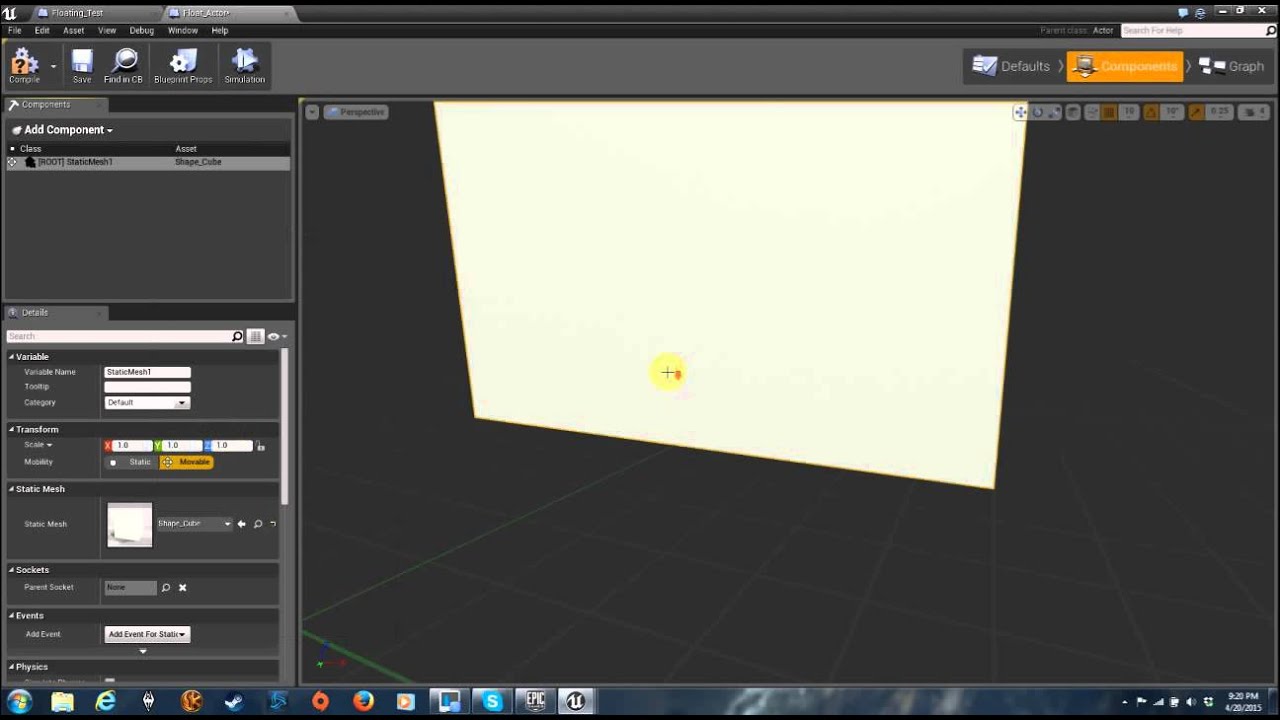
A simple way to add floating combat text to your project. NOTE: If your text is not centered on your object check your setting, inside engine scalability set...
Any ideas gents?
full junco
@mighty carbon I never understood why google sold them
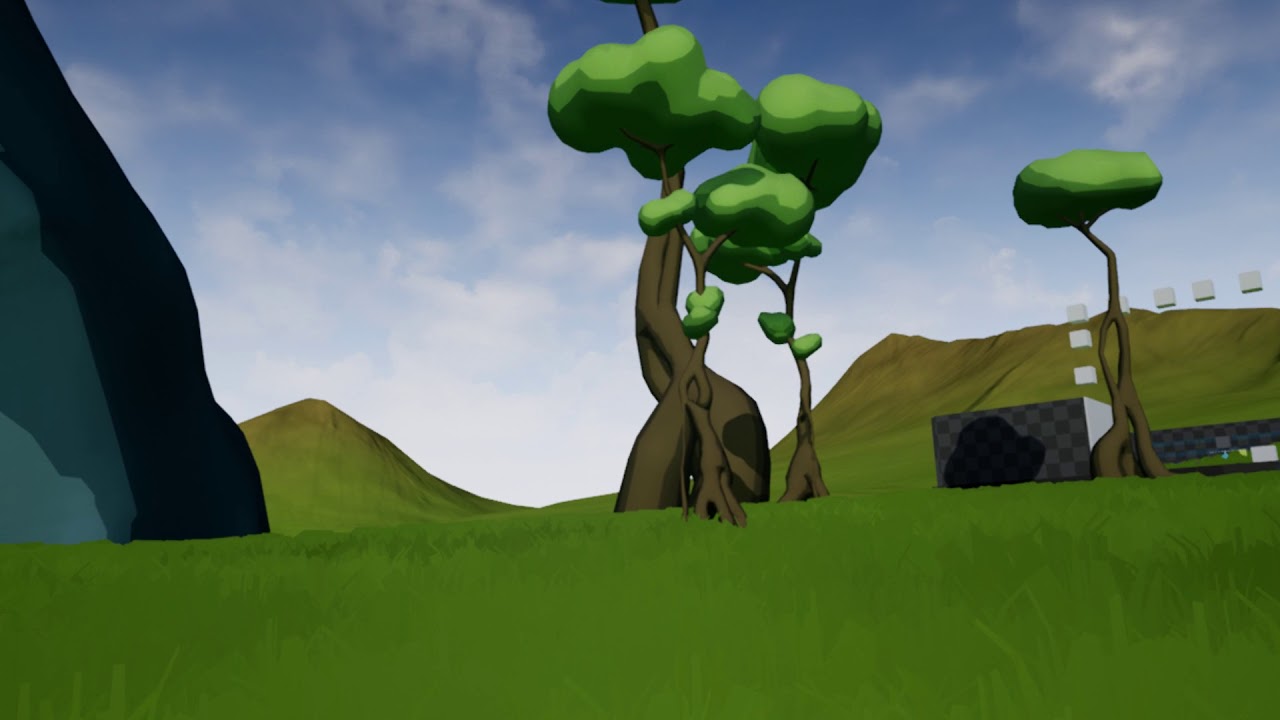
 wicked oak
its impressive how much skyrim vr gets hit due to no Dpad/joystick
gets hit MASSIVELY
also bow is completely unusable due to the moves
@mighty carbon looks great
i love that grass
im seeing you are using postprocess effects on the toon, while the terrain (most of the screen) doesnt have toon effects
i can send you my toon shader, its very easy to use
and that way you dont need a postprocess other than for outline (unless you use mesh outline)
mighty carbon
No TAA
wicked oak
then why its kind of blurry?
mighty carbon
Forward + MSAA