#virtual-reality
1 messages · Page 146 of 1
 sturdy coral
I don't think it will cache the whole map
the shadow caching stuff works mostly for spotlights I think
I wouldn't change your lighting that radically just because of an issue like this
I'm just suggesting checking static just to see if it goes away and narrow down some potential issues that could cause it
but not switch to static permanently or anything
 uneven moon
the vehicles are just props, I'll work around it by avoiding the few spots it darkens them at, it just seemed odd given the circumstances
Thx for your help
sturdy coral
ok, makes sense as long as this isn't a big project or anything
otherwise I would usually lean towards figuring out why something like this is going wrong
so it doesn't keep biting you in the future
 wicked oak
shadow caching barely works becouse even if objects are not casters, if they get close they trigger the regenreation
i tried it for my vr levels, and keeping all my objects without shadows
all dynamic ones
the map itself was also dynamic, but didnt move
and lights also dynamic, but didnt move
couldnt trigger caching properly
 wintry escarp
does vr expansion plugin let you test touch controllers without having hmd on?
 limber brook
hello. Does anybody tried to project google VR view into Ue4 Sphere ?
 mighty carbon
@wintry escarp if you really want to get it done yourself, check out Mitch's tutorials or buy his book (although I didn't like the book much)
mighty carbon

UploadVR
One developer has used Google's ARCore technology to enable positional tracking on Samsung and Oculus' Gear VR mobile headset.
mighty carbon
it's usable, but if you see fps counter it's pretty sad
 alpine torrent
tango to gearVR
 sharp swan
Guys sorry if this is advertising and not welcome here, but my old employer has made a new VR horror game due out on Halloween. The trailer was released today and im trying to help spread the word. He made it with a tiny tiny budget and basically spent everything he had on it. Any help spreading the word is appreciated. https://www.facebook.com/reficulGame/videos/128206974465122/

REFICUL - VR Survival horror game - Releases This Halloween for Oculus and HTC VIVE
 trail shale
Anyone recommend the best way to highlight a door using the controller or headset look...all I want it do is highlight and say press any key...so that involves a 3D widget component and a material swap but it's been a long time
Literally all I want to do is literally have the player close a door
sharp swan
you can trace from the centre of the camera to whatever is in front of you. Then check isHighlightable = true. If so, apply a custom depth to it. Tom Looman's site has more info on it but whether there will be issues with VR im not sure. I dont think its a screen space depth buffer but I really dont know
 sly elk
Use a BP interface and a trace to get the reference. WIth a BP interface you can trigger an event and have any other objects that use a look event do their own functionaltiy
 tired tree
tom loomans highlight is for edges and occluded highlight
if he just wants to highlight it a normal emissive and color add should be fine...
wicked oak
again, a "highligh" component
personally, my highlight logic is part of my interaction component
what i do for highlight, is that highlight will allways set the material isntance parameter called "Highlight"
so i just try to set that scalar parameter on all components that are added to the "highlight components" array in the interaction component
its the one you can see here

this one probably shows it more clearly
if you are using the deferred renderer (not sure if its possible on the forward one, havent tried)
you can use stencil
but thats a bit fancier on the material side, while it doesnt need you to add "highlight" logic to all materials
 glossy agate
That way looks good, and keeps it simple. Don't you need PP effect for outline? May be more costly than its worth.
tired tree
no you can do outline in the material itself
 white fern
So, I'm using the VR template and I've added a socket to the UE4 Mannaquin hand to be used for carrying a melee weapon. For some reason, when I use the right hand, everything works fine, but when using the left hand the objects I'm holding don't snap to the socket properly Per the template, the left hand is identical to the right except a ENUM variable called Hand has a different value and the left hand mesh (skeletal -- where the socket is) has a world scale of <1, 1, -1> that of the default (right) hand.
wicked oak
@glossy agate the "PP" style effect is what i said with the bounding box
instead of having the outline PP material be fullscreen, you have it just be a cube scaled to the bounding box of the object
that way you only run the "postprocess" on a region of the screen
and you can use like 50 different effects without having a insane postprocess chain
they do that in paragon
that way they dont need a postprocess effect for each different status effect added to a character
glossy agate
Nice. I gotta see how I did it before in an arch viz project. For some reason I removed it for VR, but I probably had a single unbound box
I was brand new to VR at the time, so I'm guessing a lot was wrong haha
wicked oak
im thinking on making my next project for gearvr, and get it on oculus go and santacruz
sadly, im looking at unreal for mobile and im really, really unsure of it
ill try to create the same logic in both unity and ue4 and see wich one will work better
in unity at least i can write the shaders myself
to have simplified stuff
or even code my own techniques like stencil shadows
glossy agate
Santa Cruz is gonna be so cool. I'm a first day buyer for sure if I can't get a dev kit
wicked oak
im going forward with my prototypes, so ill try to get it for gearvr
luckily, my new porting job (unity/gearvr) means the enployer is giving me a gearVR
wich i can use to test the stuff for my own projects
i already have a gearvr, but not the new one with hand controller
wich will be mostly the same as oculus go
Oculus already knows ive sold 3500 dollars in their store, so im an stablished dev
and did gave me free oculus
wintry escarp
can unreal4 shaders affect the vertices for ripple and pulses etc?
 alpine ore
Hi all, if a user launches a vr game through steam but using an Oculus headset what is the best way to check for that in Blueprints, does Get HMDDevice name work, ie will that return OculusRift or would it still return SteamVR because it was launched from steam?
 granite jacinth
@alpine ore ?
The applications doesn't matter
The HMD device is the hardware
 real needle
@granite jacinth I'm not so sure about that, last time I tried all of those they return the platform, not the device
IE oculus on Steam will still return "SteamVR"
alpine ore
@real needle Yes I was concerned that may be the case, hence why I was asking is there any other way to check
real needle
I've tried what I believe to be all solutions in blueprint and none works very well if you're using both the Oculus and SteamVR SDK in your project
alpine ore
That's disappointing , i'd rather not have to try and do C++ but are you aware if there is a method to do additional checks in it
real needle
@tired tree Implemented a "DeviceProperty" string in VRExpansionPlugin but I need to use the Oculus SDK when the Rift is used on steam and so that doesn't work for me
glossy agate
Would just be nice to call controller name instead.
Because pimax will be able to use multiple controllers, and that what you actually need different settings for.
alpine ore
My game is using VRExpansionPlugin too
Sounds like would have to try and release on Oculus store for oculus version then and removing Oculus from the steam version 😦
Not ideal 😦
trail shale
Im having a heck of a time positioning my player... When I start it moves it a bit from where the player start is... Is roomscale screwing it up? I'm starting in one of the corners of my play space
Also I'm too tall and I can't reach the ground in the game (I hit the ground real life before I can reach)
I'm confused about which controller I'm supposed to use for VR in my default game mode
real needle
@alpine ore I implemented a manual switch
For now
@trail shale You can use a default Player Controller
trail shale
What is the best way to sync up your physical play space to align with your chaparone? Rotating player start doesn't seem to work as well as if like
I was able to use world to meters and adjust world scale which helped
real needle
But you usually want to set the player start halfway through the floor, and set it to "Always Spawn, Ignore Collisions"
tired tree
@real needle why do you need to use the oculus sdk when launched from steam? SteamVR nativly uses the oculus runtime now
you shouldn't need to switch plugins for steam
real needle
@tired tree That's what I meant, and when Oculus Runtime is running, the DevicePropertyString fails
I tried it extensively
real needle
I need the Oculus Plugin for the Cap Touch input
tired tree
mmmm
epic hasn't done that yet? pretty sure its supported with openVR
since knuckles support is in and they use it
trail shale
@real needle where do I change that always spawn setting... I saw it earlier
real needle
@trail shale Just click the player start actor, and look at the bottom of the details panel
@tired tree I tried it a month and a half ago, and when I turned off the Oculus plugin non of the cap inputs worked
tired tree
4.17 is when knuckles was implemented with capacitive touch
I didn't specifically check if they made it generic or not
but i would assume they did
real needle
Well, that's "Steam Touch" input events
The Oculus has their own
I'm pretty sure I tried in 4.17 as well
tired tree
thats just input bindings...
i'll look into it later, can't test but I can def look at it
real needle
That's lovely
tired tree
steamVR uses their native SDK now
real needle
I kind of like the manual setup I just did though, but I'd rather it be automatic
trail shale
No I broke something, because I can't see my hands in game, and the moment I hit the system button, I can see them
Where do I need to look, I reset the world scale and my hands were working a few minutes ago
tired tree
@real needle sending you the button mappings
real needle
@trail shale Restart the editor?
Sometimes playing with values makes meshes dissappear
Also, make sure you don't have two projects open
trail shale
Hmmm
That's pretty weird
That worked though,, THANK YOU
So there is no good way to change the world to match the chaparone bounds? Or is it just mainly rotating the player start
real needle
Your forward direction during SteamVR room scale setup will be the same as the Player Start forwar
trail shale
Son of a bitch I wish I had known that earlier thank you
So that's the point towards monitor part?
real needle
Correct, but forward becomes opposite or 90 left or right depending on your setup
You can see the arrow once the setup is done
trail shale
Would it help to reset headset position?
real needle
In editor?
trail shale
In steam
real needle
Not sure
trail shale
Can you do that in editor? God i wish I hadn't been so rushed
How does player eye height and height come into play as well?
trail shale
Why is my VR player not colliding with a box collision when my default pawn does?
trail shale
That's the problem, when I use a VR Player for some reason it doesn't want to collide but the default pawn does collide, what am I missing here?
tired tree
as in block movement? or as in throw overlap and events?
mighty carbon
@wicked oak controller and Gear VR are independent. You can have older Gear VR and have controller. That's what I have.
trail shale
@tired tree I'm not sure, I only know that I get collisions when I use default pawn and they correlate with worldspace, the VR player seems to have no correlation
real needle
@trail shale You have full authority over where you are in your playspace, you need to implement custom logic to hinder players from physicall walking through objects
Mordentral has a good solution in the VRExpansionPlugin but I would suggest getting your feet wet before you dive into that
If you're doing teleport you can just not allow the player to teleport into objects, and detect when he's overlapping something -> move him back or fade out the view
There has been many "solutions" to the problem
trail shale
@sturdy geyser for context, this is supposed to be an area that there is smoke that triggers a postprocess material, then when you duck your head out of the "smoke" your visibility returns (reverts post processing)
trail shale
How would I pull that off?
sturdy coral
@real needle at least on 4.16 the oculus input plugin uses a different OVR sdk version than steamvr does and you can't use both at once
there is actually a bug that if oculus input is loaded at all it breaks specififying hmd=steamvr on the command line
it took me a while to realize what was going on, because the HMD would track but inside the HMD it would say the app isn't responding
for a fix I added:
        FString ExplicitHMDName;
        bool bUseExplicitHMDName = FParse::Value(FCommandLine::Get(), TEXT("hmd="), ExplicitHMDName);
        if ((bUseExplicitHMDName && (!ExplicitHMDName.Equals(FString(TEXT("OculusRift")), ESearchCase::IgnoreCase))) ||
            (FParse::Param(FCommandLine::Get(), TEXT("nohmd"))))
        {
            UE_LOG(LogOcInput, Log, TEXT("Aborting OculusInput initialization because nohmd or a different hmd was set on the command line."),
                TEXT(OVR_FILE_DESCRIPTION_STRING), TEXT(OVR_VERSION_STRING));
            return;
}```to the FOculusInput constructor body
otherwise (on 4.16) steamvr will itself call ovr_Initialize(&initParams); with one version of the API, and OculusInput will call it with another and it will have weird behavior, and even if 4.17 or 4.18 happen to use the same version of OVR as steamvr, it is something that could break in weird ways in the future when steamvr updates
 dawn cipher
Does anyone have a good solution for building Oculus and SteamVR builds (ie: swapping the plugins)
sturdy coral
@dawn cipher you can pass -hmd=OculusRift or -hmd=SteamVR on the command line
steam will let you setup launcher options that choose between the two; are you needing something more due to the oculus store requirements stuff? (they don't allow any trace of steamvr if I remember right)
 full junco
theres no need on steam to have two different options
on steam you can easily have both plugins enabled and ue4 will pick the right one automatically or you just only enable steamvr
sturdy coral
yeah ovr will be prioritized automatically
I'm assuming some people want oculus via steamvr to be able to message people on steam and stuff
full junco
I only use steamvr and keep the oculus one disabled
sturdy coral
that might be less of an issue once that oculus dash stuff is out
dawn cipher
Yeah Oculus will reject your submission if you have the SteamVR dlls in it hah
So if you want to deploy to both storefronts you end up awkwardly juggling plugins (or deleting them afterwards I suppose)
It's getting easier now that more of the HMD code is platform agnostic though
sturdy coral
@dawn cipher how does that end up working for blueprint nodes, if they have a compile error from referencing missing nodes will things still package?
dawn cipher
@sturdy coral That's the snag :p
sturdy coral
I guess you could make dummy versions of the nodes that do nothing if steamvr isn't loaded, but oculus's detection script may be looking for those node names or something?
 wraith sky

GlobeNewswire News Room
Funding Will Bring Research-Grade Eye Tracking to Consumer VR/AR Headsets
 wintry escarp
I thought they already had good eye tracking, just need to bring down price so it can be added
wicked oak
they already it good AND cheap
but its still not 99.999% reliable
for what oculus has shown, they do have very advanced eyetracking tech for HMDs
the issue with it is that there are people with weird eyes, and they want to make it work for those too
so it works on pretty much all cases
and that prediction in the video is investor hype bullshit
you plain cant predict like that
wicked oak
or just use a glass style transpaent material with refraction
the issue is that that stuff is 100% screen space, so it wouldnt work well on weapon sights, for example
trail shale
Why would my default pawn collide successfully with my box volume blueprint but my motion controller pawn will not? Context, the box volume is a "cloud of smoke" that starts a postprocess material, when you duck your head, you end collision and the material reverts and you can see again
I've made the box visible in game and when I fly into it as default pawn , it works as intended, but not when I am playing as the motion controller blueprint
wintry escarp
how do you move it in the bp? are you moving its position or apply a force to move it?
trail shale
@wintry escarp its just an on overlap node
 native cedar
boys
this might've been asked several times
but, steam vr is starting whenever I run UE even if I don't have the headset connected
I don't like that very much
trail shale
where are the mesh collisions for the motion controller located? just right in the BP? (I'm doing a collision check with the hands
I'm a bit confused as to which BP to put the collision on so it can collide with a door blueprint, the motion controller has single right hand, I can't see the left hand unless it is mirrored and just spawn in the construction script
 covert drift
yo, for my height maps i've used tesselation which gave some good results, tried to use POM which gives artifacts, i guess because i use MSAA(TAA-issue/4.17?), but the best results in my mind i get with just bumpoffset and the default values. any tipps or experience?
trail shale
what's the quick way to stop a playre from walking through the walls....?
change the BP's collision channel?
full junco
@dawn cipher you should make all stuff that relies on either plugin custom nodes defined in c++, because in c++ you can make sure that some code isn't even compiled if the plugin is disabled
alpine ore
Has the Oculus Verify Entitlement node been removed from the engine, can't seem to find
mighty carbon
You need to enable Oculus OSS to have it appearing
alpine ore
@mighty carbon Doh!! Thanks, forgot that. Working now 😃
mighty carbon
Np @alpine ore
Not VR, but funny https://mobile.twitter.com/devolverdigital/status/921759318986211330
😂
wintry escarp
someone who should be made to play 1980s games, where you didn't just start from the beginning of the level...you restarted from the beginning of the game
mighty carbon
ha, true
trail shale
My teleport locomotioj us putting my users in the ground, is there a way to modify it easily?
I keep telling kids, no, that's broken, it puts you the ground
That, and my hands keep disappearing requiring me to restart editor
trail shale
Seriously...does ANYONE know how to keep my hands from "dropping out" when I am switching between demos? they appear in the game as static meshes but they do not get added to the player controller, (yet the function fine, and if you hit the system steam button they appear in your hands again, so I'm assuming it's an Unreal issue
real needle
@native cedar Disable the SteamVR plugin
native cedar
Aye that works, thanks!
wintry escarp
what do people cover the rift head sensor with that doesn't leave any residue?
mighty carbon
I don't cover it
btw, tweeted 5 keys for my Gear VR experience in the morning - still 0 keys have been redeemed 😦
wintry escarp
hmmm
got you a free rift didn't it?
ok, locking it to 45fps stops my pc fans revving up when I test it
mighty carbon
No correlation between free Rift and lack of exposure
(Or rather having hard time getting exposure)
granite jacinth
?
Did you do any marketing @mighty carbon ?
Is the game worth exposure?
Well, it's not a game right, more like an experience?
So, I suppose you'll have to take that into account. That experiences from "unknowns" would do worse than "knowns". Especially if no marketing has been done.
mighty carbon
Yeah, I guess you are right @granite jacinth
No, I didn't do any marketing besides posting on Twitter and Reddit
I am not even sure go to market small experiences
It's much easier with games (especially with hours of gameplay)
sturdy coral
@wintry escarp use the Oculus debug tool, it can disable the sensor in software
 slow swift
I'm using @tired tree 's VR Expansion plugin and I'm trying to prevent my player from being able to fall. When I set the gravity multiplier on the VRMovement component to 0.0, I can't walk any more. I tried setting Can Fly and a few other things, but I still fall. Does anybody know how I can prevent falling and still allow walking?
Though, maybe what I'm trying to do needs to be a little more complicated, because if you try to walk down stairs you would end up floating
But I guess I could do something like the opposite of step up height
when you use slide movement
sturdy coral
@slow swift maybe set a really high gravity so that falling is so extreme it happens instantly
that would potentially solve stairs too
wintry escarp
put hidden colliders around the edges of anything you can fall off?
trail shale
My Vive is teleporting my players into the ground (the native motion controller teleport with the parabolic arc).... what is causing this? the ground is composed of static meshes directly ontop of the landscape, in the details each static mesh says "player can step up on" .... as long as the meshes themselves have colliision on, what else could be causing this? What do I need to do if I want to adjust the player's location in blueprint to just bump them up 100 units or so?
slow swift
@sturdy coral There are some bottomless pits you would disappear into.
@wintry escarp That wouldn't fix the physics objects I let players teleport onto unfortunately. :(
@trail shale You can turn on navmesh rendering. I think the hotkey is N?
@trail shale Kinda looks like your headset height isn't calibrated right. Are there any surfaces you DON'T sink into?
trail shale
I manually added an offset by breaking the vector in the Handle Teleport part of the motion controller blueprint
it's probably a map design problem but this was a quick fix
 fair hearth
does anyone know if unreal currently supports the new windows headsets, was thinking of buying the acer one for development
tired tree
@slow swift "CanFly" just means that you can enter flying movement mode, not that you "fly" around
you have to specifically chage movement modes for flight
which you are free to do btw...
what you are looking for though, the ability to hover but still step down and up is a hybrid movement mode
kind of has to be handled custom
that or invisible colliders over your "pits"
trail shale
Probably a blueprint problem but I'm trying to make a object pick upable, how do I copy the script over, it changes the event calls
slow swift
I'll try that out now
tired tree
@slow swift i erased bCanWalkOffledges as I think that would only work correctly with the simple char
I noted to possibly try and fix that with the main chare
but normally invisible blockers could be used for that
slow swift
@tired tree I must be using the simple character, because it works for me
slow swift
There are some weird cases where you can teleport off a ledge, so I'm going to look into tracking those down, and I think that will be good enough to prevent any falling
slow swift
Ah, nevermind. With bCanWalkOffledges on, you can still walk off them in roomscale and fall
uneven moon
I'm going to be trying this later tonight but,
Is it possible to attach my pawn to a moving/animated matinee actor?
trail shale
What's the trick to make a pickup object snap to the VR template's proper orientation
sturdy coral
@uneven moon it should be. See the showdown demo project for an example, though that is with a camera track and not a pawn
 vagrant mantle
Enable HMD Crashes the editor, is there a fix for that?
vagrant mantle
@trail shale instead of keep world use snap to target
 weak tide
Is there a better chan for AR-based topics?
vagrant mantle
@wintry escarp 4.17
 south summit
changing near clip plane doesn't seem to affect anything in vr
wicked oak
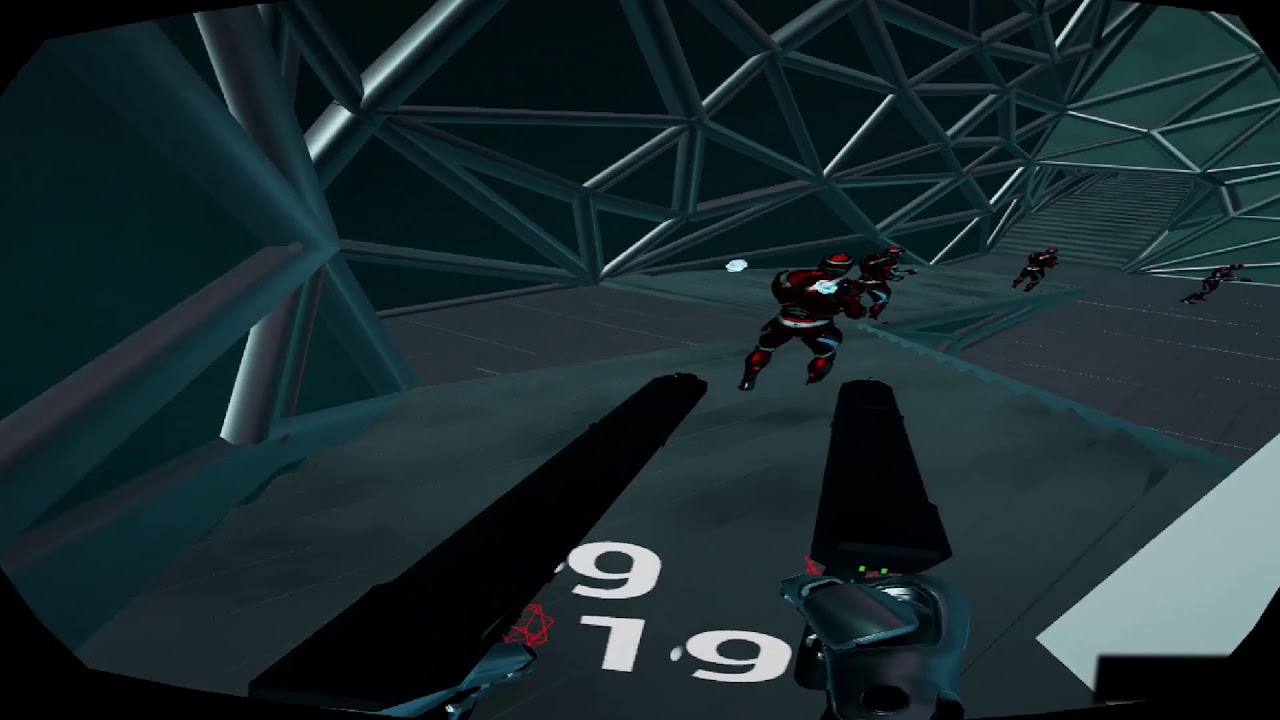
testing some crazy shit for my new game
its a lot of fun, but its definitely not for the weak
btw this is already better than sairento
 tired kettle
Anybody knows when unreal will support windows hmds? My Dell Visor arrived today
wicked oak
of course
i developed the pool system for DWVR so i copypaste it
the bullets here also arent projectile movement component
they dont do physics
the bullets there do simplified movement with a basic projectile formula, and just trace beetween steps
they dont have substepping yet, but a goal i have is to make their tracing async and centralized
so the tracing is done in a separate thread
right now this is mostly a prototype thing, im not taking care of anything
when i have the stuff i want clearer, i will start brand new
and actually completely forget about CharacterMovement stuff and the like
roll my own movement for me and enemies, and develop everything for max performance
there is the fact i want to make it able to downscale to mobile VR...
so gotta design it well
sly elk
anyone happen to know the name of the font the unreal editor uses?
wicked oak
roboto
sly elk
thank you
sturdy coral
@south summit VR has a separate near/far clip plane setting
I've only done it through an hmd related blueprint node, would need to look at it s source to see what it calls in C++
glossy agate
@wicked oak that jump dash looks like a lot of fun!
mighty carbon
@wicked oak don't you get motion sickness from such crazy locomotion ?
tired tree
@mighty carbon plenty of extreme locomotion VR games out now, lots of players acclimate, enough for a playerbase at leas
You have people who have been in roomscale VR for over a year now on average, who can get their legs are getting them now.
wicked oak
it does indeed cause a bit of motion sickness
and i have good resistance
but mostly due to the rotation i think, and the fact that its way overtuned
sly elk
I still find full locomotion disorienting. Every time I run forward it feels like im falling.
mighty carbon

Nice to see some oficial bits: among 1 billion updates, we switched to new streaming solution and idTech now also supports optional Deferred Rendering path, from our tests, most GPUs run faster forward, but not all hence the option, we want all users to get best exp. on their hw)
 Twitter
interesting
also:

An update to DOOM VFR’s PlayStation Store listing suggests the videogame may be PlayStation VR Aim compatible.
trail shale
I'm trying to figure out why my VR demo runs so bad..... what does the Epassdraw type 1 and 0 mean? I've tried tlooking through Overdraw and Shadercomplexity and it doesn't see mto tell me much....
mighty carbon
scene looks quite complex
@wicked oak is Simplygon for UE4 free now ?
(InstaLOD decided to drop Indie support, so everyone who purchased it for UE4 are potentially f#cked)
wicked oak
yeah fuck instalod
i bought it becouse it worked, and now it has insane DRM and i cant use it
mighty carbon
so, what's the catch with Simplygon ?
wicked oak
the ue4 integration (free) is limited
but i dont know how much
the unity implemtation is forgotten and incredibly clunky to use
mighty carbon
I see
wicked oak
with incredibly clunky its on the "how can they be so fucking retarded" level
instead of having LOD integrated or anything, or at least "in place"
you select a bunch of meshes
and it generates the lod
but it just stores the new static mesh
it doesnt replace nor anything
mighty carbon
I just got reply from InstaLOD - they will stop updating exiting indie license and eventually will introduce a new indie license, and sell it to us all over again (and maybe, just maybe, we will get a discount)
uneven moon
@wicked oak did you have to wait 3-6 months before releasing DWVR on PSVR?
wicked oak
nearly 3 months beetween "game is done lets submit it" and actual release
2 months and something
and europe not release yet becouse PEGI
uneven moon
was it any one thing that took up most of that wait time?
or the different submissions collectively
I just got the GPP approved and wondering how long from now it could actually release, the more I read into it the more I see mentions of "3 months before release" or "6 months before release"
wicked oak
the different submissions
if your game is finished NOW, then get it working well, and once you have it working well, then book a slot for review
wicked oak
when i did, it was way stacked, and it took 2 weeks to get a slot
uneven moon
damn
wicked oak
so use those 2 weeks to go very serious with the TRC
uneven moon
did you buy a devkit or did they loan you one?
wicked oak
do nothing but go through every single item (180!) and make sure its fixed
and general bugfixes
i bought mine
forget about getting one in a loan unless you know a sony guy personally or have a kickass game
you dont have a kickass game and neither do i
uneven moon
yeah I figured
sturdy coral
@wicked oak did you have to get your game rated in north america too from ESRB, or is PEGI/Europe the only main mandatory one?
sturdy coral
oh cool
that's pretty good, so I guess you can put off PEGI until you are sure north american sales justify pursuing it
wicked oak
wich is exactly what ive done
mighty carbon

PAYDAY 2, the multiplayer bank-heist game by Overkill Software, is soon to get full VR support as PAYDAY 2 VR, which will also allow VR and non-VR players to play together. Update (10/23/17): Payday developer Overkill Software hosted a Q&A on the development of Payday 2 VR. A beta offering VR support for the game has …
glossy agate
Apparently they only have dash locomotion for the VR version, but MIGHT add more options later. Kinda dissapointing.
sturdy coral
I think a lot of companies are cautious, they don't want someone trying payday 2 vr at a friend's house and forever associating the franchise with nausea, even though the friend should have started them on teleport
wicked oak
companies know that the rabid locomotion squad is like 10% of players
so its logical to focus on the 90% if you are a bigger company
for indies, we can try to use that rabid bunch as marketing, to fill that niche
glossy agate
@trail shale You probably want to follow along with this vid. https://youtu.be/WhcxGbKWdbI

Announce post: https://forums.unrealengine.com/showthread.php?128448 Ian, Alexander, and Tim Hobson take a look at the Hierarchical Level of Detail system in...
And learn about level streaming
real needle
vr is so boring
sweat, big fat glasses, you don#t see you environment o.o you cannot walk
wintry escarp
make a different type of vr game then
real needle
we need the technology for it
wintry escarp
wheres the oculus debug tool? I don't see it in the sdk
meh got it, its part of the driver installation, not the sdks
mighty carbon

Hi Futurists,Thank you all so much! You know what this means: a $100 coupon for the wireless transmission, your chosen module (based on the open vote), is now included in your Kickstarter package!So now that the $2M goal is here... we are excited to announce our next stretch goal: $2.5 million - three pieces of selected content will be added to your pledge! Here are more bonuses when we meet the $2.5M stretch goal:
We plan to use part of our budget to initiate a conference for VR content developers.
VR content developers - we will pull resources to further facilitate the process to integrate Pimax SDK with your current content on Steam VR/Oculus Home, so gamers can open your games/apps directly with PiHome.
Gamers - For those popular tools, e.g. vorpX, we plan to enable direct support based on Pimax SDK. We are working with our partners on this. Name your favorite apps here or in the Pimax forum http://bit.ly/2iwnAHE We will try our best to make your wishes come true!
Best Regards,The Pimax Team
8k HMD and wireless!?
where is my banhammer...
mighty carbon

This plugin use multi thread to simulate big flock fish!
pretty cool for VR Ocean projects
mighty carbon

VRCircle - Virtual Reality News and Guides, VR News, AR News
eMagin, makers of OLED microdisplays are said to be shipping units for consumer HMD devices for release in Q2 2017.
wintry escarp
I see a new update is out
mighty carbon
@wintry escarp ??
wintry escarp
4.18p4
mighty carbon
it's been out for a while
I hear 4.18.0 release is out, but no release notes are on the forum yet
wintry escarp
I just got a new update but it said p4
ah now it says 4.18
cool
working on a rift game yet?
mighty carbon
yea, but making content first this time

Everysight
Featuring patented BEAM™ projection technology, Raptor is optimized for the great outdoors. Learn more…
wintry escarp
what sort of game this time?
mighty carbon
action-adventure based on my old game
wintry escarp
that mars desert thing?
mighty carbon

YouTube
Development videos of our upcoming FPS game - Steel Storm 2. Steel Storm 2 is a spin-off from Steel Storm: Burning Retribution. Player will explore virtual w...
wintry escarp
am I the only one who thinks it makes more sense to buy a 2nd set of touch controllers then to buy an extra sensor?
than
alpine torrent
aspnet core 2.0 codename was phaeton
mighty carbon

Archiact has announced its next VR project: co-op shooter Evasion.
wintry escarp
oh well, 4.18 seems to be still a buggy pile o crap for VR
wicked oak
why?
wintry escarp
p4 crashed when I tried to read touch controller, final just went haywire andi had to reboot windows
back to 4.17
oh ffs, it even corrupted my rift setup. it thinks I have a new rift and wants the setup redone
meh
tired tree
did it crash with a "bad matrix" or "nil matrix" call?
mighty carbon
4.18 seems to be a lovely update
I wonder if Vulkan is usable now, especially in VR
so, in 4.18 "Volumetric lightmap Does not currently support level streaming" - does it mean no level streaming at all or no streaming of level pieces in the current level ?
glossy agate
Sounds like it may just not bake into your sub levels? Are you going to try it? I just want to see how different it looks
wintry escarp
no idea what final did, mouse just started clkicking everything and only a full reset fixed it
mighty carbon
@glossy agate it will definitely look better than regular baked lighting. Just not sure why it wouldn't work with streamed levels if they streamed as individual levels (when switching from one level to another). I understand it wouldn't work with pieces of the same level streaming.
sturdy coral
it probably just still takes memory and is present even when the rest is unstreamed
sturdy coral
anyone know what this means, from the 4.18 changelog:
Bug Fix: Vive spectator flat rect expanded to match other platforms.
glossy agate
Think they just used a larger area. When they got rid of black bars in 4.17 the spectator area is super tiny I noticed.
To record that 4 by 9 ratio or whatever it is.
Hopefully it's now the same settings as people got doing the engine changes cause that looked real nice
 silk lodge
yeah, it was super tiny @sturdy coral @glossy agate I figure that's what the change was.
 ebon scaffold
Can you have two Rifts connected to one PC playing coop, somehow faking a camera view into the 2nd HMD but all input is registered as if one player through a single game instance?
Like if you wanted to make an ATV game where one person drives and one observes, but they're both indpendently tracked.
glossy agate
So how are other people here ajusting a gripped hand animation to match the item being held? ie my hand goes streight up the controller when open, but then i hold a bat i want the shaft to match controller, so I need to make the hand rotate around 90 degrees to match.
I can either edit the grip animation, which is just a shit load of trial and error, or just snap hand mesh to a tranform maybe? then go back to normal when released. Didn't know if anyone else here figured it out, and could give me a pointer.
@tired tree Oh nice. Didn't realize that was default, just thought it was the custom trick. Looked really good
sturdy coral
@ebon scaffold no, right now you'd need to network it; it would otherwise require heavy engine modifications
sturdy coral
@glossy agate you could start with it open, and then drive a blend for each finger into a closed fist state with a bunch of traces to determine at what point in the blend it hits. Then stop the blend at that point and bake out the pose or just save a set of blend value for each finger
if you don't have tons of objects, manually posing may be faster than building a whole system like that
The Gallery posted a video of a grip system that was dynamic at runtime using something like that, can't find the video
glossy agate
Yeah I'm not going too deep to start. Just have a single grip pose so far that will work for most objects. At least the 18 or so weapons I have. Basically I can match the anim to my real life hand on the controller, or set the transform to a gripped object. Wasn't sure if anyone had insight to help me not work myself into a corner. I'm going for cheap though cause it's all multiplayer
sturdy coral
you can add the weapon to a socket as a preview mesh in the skeleton editor and adjust the grip, then bake it out as a pose
and then there are animbp nodes to apply the pose only to the hand bone and beyond
glossy agate
Leaning towards the transform method though because I have a scene component driving my full body IK hands for better accuracy and if they are tied to the hand transform it will look good for the other players looking at each other. Have no idea how to run that on an animation now that I think about it.
That's another issue because it runs the other way. The hands don't have sockets, just the object has them so the preview doesn't work for this. I tried it already
sturdy coral
I'm working on similar stuff, trying to make sure I support mesh scaling too and still have good grips
I'm expecting scaling to cause the grip to clip a little bit, but I'm just trying to make sure it all looks decent
glossy agate
Yeah decent is all I'm going for too
Luckily Most handles are similar shape and size for me. I'll just have to make some poses in the future for better grenade ect holding.
I'll PM you once I get the mesh snapping working if you are interested in how it works. Just gonna give that a shot for now after talking about it more.
sturdy coral
@glossy agate you may just want something like pose gripping of a cylinder of of 1cm radius and pose gripping one of of 4cm radius, then lerp between the two for different objects
glossy agate
That is a really good idea. Would solve for all my other items
sturdy coral
@glossy agate you could also bias the lerp value based on mesh scale (someone who is calibrated to 5ft is going to have hands that are 25% off from someone 6 ft 6in)
glossy agate
@sturdy coral is that how in depth your system is going? That is super detail, I want to see how it looks when you are done. Mine just scales the ik mesh other players see. Was just leaving the only owner see hands to default. Have no ipd or world scale adjustments beyond that.
sturdy coral
@glossy agate definitely don't touch IPD, that gets set automatically when the user adjusts it with the dial
I haven't done it yet, but yet you could scale the hands to match the size of the hands on the ik mesh other players see and things should line up between the two perfectly
I'm still working on some of that
depends if you want to do things as attached to a socket on the hand regardless of whether it is first person or the ik thing, or you want to just move the ik thing mostly in place (the latter is all I have right now)
 eternal inlet
@glossy agate I tried something similar to what @muchcharles#2724 suggested, but using a bunch of sphere traces along 5 keyframes in a grip animation to find the best contact pose. It obviously is quite expensive, so i abandoned it and now just use a number of pre-set hand poses for each item i need to hold in a specific way (which is mainly weapons, like guns and grenades)
real needle
hey all, wondering if someone here has that Vive deluxe audio strap, im looking at buying one but would like to know if its as good as advertised (mostly comfort wise, but also audio quality)
 cloud quartz
Hey guys,
I have a huge issue with oculus in ue4. Basically I've just tried echo arena and the tracking behaves differently from my game.
When I turn my head around facing the opposite side of the tracking turrets I get this magnified view in my game.
I thought this was just what the oculus did when losing tracking but that's not the case in echo arena.
Has anyone faced this issue? if so, did you find a solution to avoid that magnified view?
tired tree
@real needle its not entirely required, but devving became way more enjoyable with one. The audio isn't half bad either. But my retainers did break on it so it makes a grinding noise if I pull the front too much, still functions, just teeth grating.
real needle
@tired tree ye i mostly want it for devving tbh, getting annoyed having to fit the thing every 5-10 mins
what do u mean about breaking retainers tho, the only retainers i know (as non english/murican person) are the ones ppl wear on their teeth lol
tired tree
it has springy sliding retension arms on the side
something in them broke from pulling out a little too hard, I would suggest always using the dial to get it off and on if you get one
which is easy enough anyway
real needle
ah ok so the parts that say vive on em broke internally?
thats sorta, shite
you should at least contact htc
anyway yea, that was some good to know infos, tyvm
hmm, seeing 2 year warranty, f- it, if i manage to break it ima just harras htc till they replace it 😛
ordered ^^
 fluid pelican
I’m currently making a vr swat sim. I’m able to pick up a gun and have it snap to the proper position, however when I try to use the trigger nothing happens. I m using the vr template as a base and I created a blueprint interface for guns specifically. Can anyone help me make the triggers work?
 little nacelle
Hello guys, I'm trying to have my hands colliding with the environment.
I have an IK with only the hands and the forearm, the effector is driven by the motion controller.
I turned on collisions on the skeletal mesh, but the ankle joint tends to break apart when I'm colliding because the effector tries hard to reach the MC position but the physics prevent it from doing that. I just wanted to know if there is a way to force the Physics asset to keep the joints together whatever the situation is?
mighty carbon
so, how is 4.18 in VR? Any performance improvements? Any more render features implemented from non-VR to VR (volumetrics?) ?
sturdy coral
@cloud quartz tracking turrets? 😃
I've never seen a magnified view like that, can you post a video? depending on the extent of it it may be an illusion due to losing positional tracking
but if it is severe I don't know what it could be
tired tree
could be timewarp artifacts from lost tracking maybe?
sturdy coral
@fluid pelican you will need to post a lot more details
@tired tree ah yeah possibly timewarp artifacts. I heard Oculus is using a cubemap now instead of blackness for rotational timewarp
mighty carbon
what version control system do you guys use for your projects? (not for C++ code, but for the rest)
sturdy coral
svn
mighty carbon
local or on the web?
sturdy coral
I have it setup on a $5 digital ocean box
mighty carbon
I can't find any reasonably priced SVN hosting 😦
sturdy coral
have my git stuff there too
mighty carbon
https://www.digitalocean.com/pricing/ << this one ?

DigitalOcean
DigitalOcean provides straightforward pricing starting at $5/month for servers and and $0.10/GB per month for additional Block Storage.
sturdy coral
yeah, I've gone beyond the 20GB so I've added storage too but it is just a few bucks more
their storage option is pretty new so they only have it in a few regions
mighty carbon
is 1Tb monthly transfer enough?
sturdy coral
it has been for me, I haven't come close to that
if you do lots of lightmass builds I would advise just not checking in the .builtdata files
since you can regenerate them anyway
mighty carbon
I see
thanks, I'll look into that
that's just running an instance right? No front end, nothing installed there?
sturdy coral
right, just running ubuntu headless
mighty carbon
so, I'd just install LAMP and then Subversion ?
sturdy coral
I do it all through ssh authentication, so you don't need any lamp stuff
mighty carbon
I see.. I'll dig it. $5 is more than a fair price
wicked oak
i now have my own server
but still dont have it fully setup
for now ive given it FTP and perforce
and shits fast
i think it would be equivalent to the 20 or 40 monthly version
costed me 300 euros to build (but with 1 tb of disk)
honestly those 20 gb of space are far too low @mighty carbon
they would get filled real fast
you should look at a server provider that offers more HDD
you dont need more than 4gb of ram or 2 cores, but you do need tons of hdd
@sturdy coral what are you running in your servers?
glossy agate
@mighty carbon Im on Plastic SCM. Has some cool features to it. Think I am at $15 a month. Then $5 for every additional users you can ad or remove at any time. Its like a mix of Git and Perforce
Actually my total last month was $25 for 3 users and 15GB.
 dusky moon
got really disappointed to see "Volumetric Lightmaps currently Does not currently support level streaming" ... I can't imagine a single project without using level streaming
does that "Currently" means we won't get it earlier than 4.19 ?
glossy agate
Fortnite PC version finally got VOIP a little bit ago. Hopefully the system gets some attention, and new features rolled out to us soon.
white fern
Hey guys, If I use SetWorldTransform on an actor and check Sweep, does the whole sweep happen in one frame? What potential effect does this have on performance?
mighty carbon
@wicked oak where do you have the server, physically ? I have an old 3-core 8gb RAM 500Gb HDD PC collecting dust. But I would really like to have an offsite mirror if I run SVN server at home. I wonder if getting NAS and using that would be even cheaper.
mighty carbon
but, I am thinking I could run SVN on my work machine and SVN would use NAS to store data (if that's even possible)
mighty carbon
not VR news, but ... https://www.theverge.com/2017/10/25/16542870/microsoft-kinect-dead-stop-manufacturing

The Verge
Microsoft is finally admitting Kinect is truly dead. After years of debate over whether Kinect is truly dead or not, the software giant has now stopped manufacturing the accessory. Fast Co Design...
a big blow to those mocap solutions that rely on Kinect (Brekel Kinect for example)

There's clearly two main competitors when it comes to PC based VR headsets: the Oculus Rift and HTC Vive. Both of these headsets and manufacturers have their pros an
wintry escarp
what am I missing on this page? I only ever see image 2...no image 1 for comparison
 halcyon island
is there an AR channel?
mighty carbon
it's right here
halcyon island
Even the channel's pivoting!?
😃
anyone used the new 4.18 for AR, i have had some success getting a character into AR but i haven't managed to create an anchor on a table yet
i can generate a character at the hit test point but he won't stay there
as the ipad is moved around the room
mighty carbon
while this channel serves AR audience, I don't think anyone who is currently active here uses AR :/
alpine torrent
I do both AR and VR
halcyon island
in Unreal?
sturdy coral
@wicked oak @mighty carbon just svn and git. 20gb isn't a lot but extra block storage is around .10/GB
and linux doesn't take up very much of the 20GB
silk lodge
I just run my own p4 server on an old laptop
you can get it to work with free dynamic dns services
wicked oak
testing some random stuff
again, level is autogenerated. im trying some of the stuff the chameleon postprocess has
mostly for stylized rendering
uneven moon
That's sick, looks like you're in a comic book
wicked oak
works fine in VR. but this is still just trying random stuff
uneven moon
you could probably avoid most shadows with that style too
wicked oak
thats the idea

prototype looking like this in motion
i kind of add too much rocks, but thats my generator becouse i dont want too many gaps XD

 real needle
when I turn on msaa all specular gets very flickery, is there a way to improve this_
?
Im using forward shading and msaa, and the scene looks much sharper than in TAA, but all speculars get very flickery
 analog topaz
how bad is this for vr :D?
real needle
@analog topaz you're hitting reprojection with 14ms, your target should be <11ms
Is there any flag (r.MSAACount is limited to 4), to improve the quality of msaa?
analog topaz
where can i chk that?
i've just set it to 1
so i guess it was set to default alrdy
it's a 3000 actor scene with interior and exterior
sum tries is 3 800 000 tringles
but it works on 40 fps to 90 fps ( capp)
am trying to stablize it
real needle
@analog topaz anytime you hit over 11ms you'll automatically go to 45 fps
(reprojection)
analog topaz
i will work my way to 11 ms then, that's the first time i try to opmtize so am googling alot lately :d
real needle
the main the moveable blueprints
the main thing that is causing you performance issues
analog topaz
yes it had a movable light i turned it to static to see the visual hit
if it worked fine hopefully it goes well
real needle
anytime you have moveable actors casting dynamic shadows you'll have big performance issues
analog topaz
if i have movable meshes that has their cast shadows off, will that hit perfomance as well? should i make them static? ( i'd rather not to make lightmaps from them )
real needle
try to fake the shadows whenever you can, they are very expensive for VR
you can turn off the shadows yes
 supple coyote
hey are you guys using the forward renderer?
if so - is it difficult to port existing assets to forward?
I know it affects materials
like SSR stuff
fair hearth
clear coat materials don't work, other than that I didn't have much issue
you'll also have to rebuild your lighting etc.
supple coyote
is there any other difference I should be aware of?
 pearl tangle
@wicked oak maybe a little bit too agressive on the edges there, tone it back slightly and you have the cool borderlands style for sure!
analog topaz
how many poly are too much and make it impossible to acheive 90 fps in vr mode?
cuz my scene has 2.4 m poly , 3.8 milion poly (sum total)
supple coyote
good q
 raven halo
@fair hearth clear coat materials absolutely do work with forward!
wintry escarp
that's a lot of polys to draw 90 times a second
 gleaming river
Has anyone got some tips to getting the best lighting results using dynamic lighting in my scene?
pearl tangle
@gleaming river good tip is to not use dynamic lights in your VR scene
gleaming river
@pearl tangle Yeah i'm starting to get that idea, the problem I am seeing is if I want to open a door of a room the interior wont be affected by lighting. How would you get around that problem?
pearl tangle
You can do that with stationary lighting rather than static but you won't get proper light propogation with dynamic lights anyway
 torn scroll
Hi all, somebody try 4.18 with oculus? you have problem with what you see?)
trail shale
Can someone tell me why forward rendering did NOT make a SINGLE DIFFERENCE in my demo?
fair hearth
oh they must have updated since the last time I ported materials! @raven halo thanks for letting me know!
tired tree
@trail shale as far as what? performance? Visual fidelity? Did you leave it as TAA or switch to MSAA?
trail shale
FXAA barely registered on my GPU
no difference between epic scalability and LOW no change at all
wish I knew more about base pass stuff
overdraw for sure but when i delete, no signifcant change
AND WHEN i LOOK DOWN, performance isn't much better
Culling appears to work normal
Things I've tried : Set all Lights to Static (I STILL can't bake precomputed visibility because it takes forever, 18 hours gets me to 2 percent, lightmass is set to a scale of 4, not one)
Screenresolution changed to 50 % with no improvement
All foliage actors removed shows minimal improvement
tired tree
@trail shale try packaging to dev and running it, that HZB mips cost has been an ongoing issue with the slate system when the editor is running
I haven't had it myself, but there are tons of reports on it
trail shale
when I tried to build it, there was a filename error...can I do a test to find that error before it builds for a few hours and then fix that
trail shale
it's turned off
tired tree
and screen space reflections?
someone posted code showing those two trigger the HZB build
trail shale
where is the screen space reflection setting?
trail shale
is a reflection capture resolution of 128 very high? It wouldn't let me go less than 64
I can't find it, I don't have a post process volume
wintry escarp
the game gets one in the settings, I always need to disable it all.
tired tree
set SSR intensity to 0
you can do it in project settings
if you don't have a global post process volume
HZBOcclusion, SSR, and AO all are triggers for building it
trail shale
Take a look at all this
crap, look at the bottom first
you can see the dynamic light on the foliage and it doesn't make a difference
tired tree
dynamic light isn't the huge perf killer, its dynamic shadow casting
trail shale
but do you see how removing foliage didn't change anything
tired tree
you are being frame locked to 45 fps so you won't notice on stat unit
turn off reprojection in steamVR settings so you can see the actual variability
trail shale
HZBOcclusion, SSR, and AO - I can't find them except for AO
reprojection was never on
I'm looking in project setting and searching for phrases like "screen" and "occlusion"
What about instanced stereo
wicked oak
worked a bit on the toon shaders for that prototype
unity default shader for this looks a lot better...
i should try to see its formulas and replicate those
 noble charm
anyone know where they moved the HMDDevice reference to in 4.18
used to be GEngine->HMDDevice
tired tree
its XRTrackedDevice now
IXRTrackingSystem* XRSystem = GEngine->XRSystem.Get();
    auto XRCamera = XRSystem->GetXRCamera();
    if (XRSystem->IsHeadTrackingAllowed() && XRCamera.IsValid())
goddamit seems i would need to do a good amount of changes
tired tree
yeah across the board all VR is passed through a new compatibility layer now
its cleaner over all though
a lot of things specific to some plugins got merged so they all work the same
during the presentation talking about it they followed up the "new XR Layer" with a Kronos OXR logo slide....so, guess it is pretty obvious why its being done
 willow trail
I'm going back to the VR template to test some stuff out, but I can't figure out why my character won't move. I can see the pink trace just fine and all, but AddMovementInput just seems to be ignored, I'm pretty sure this used to work, any idea? https://puu.sh/y7EnZ/e5eb624350.png
 tired tree
there isn't a movement component in the VR template
willow trail
Oh, right. The reason I'm going back the VR Template is because I'm trying to put some fairly basic functionality in my VR game, but your plugin is just too much for me, there are tons of stuff in it, lot which I don't need like all the network stuff, climbing, crouching...etc and it's really hard for me to plunge into your existing code (especially your movement component, this stuff is pretty huge), I've really been torn for the past few days between keeping your plugin and just taking the time to understand what I'm looking for or going back to the default VR template and building the couple functionalities I need myself (head push-back and stick movement mostly) :/
tired tree
yeah, I mention that its not for everyone
its intended for advanced mechanics
you can get runebergs plugin and modify it
as a halfway
it is very basic in a general sense, and easy to understand
willow trail
Hmm I might take a look at this plugin then, thanks a lot 😃
tired tree
granted, all of that movement component code is generally...just engine character code modified to work for VR
shouldn't need to actually dig into the source
wintry escarp
anyone know why my rift keeps showing a white F and a red C in the bottom right of the hmd
?
is the debug tool causing it?
hmmm, no its still there with the tool off
ah, settings stay even after the tool is closed
its a frame drop warning
mighty carbon
 tired tree
so an only slightly cheaper and worse 1080?
mighty carbon
sounds like it.. Not sure if it's slightly cheaper (haven't shopped around). I'll probably get new CPU and more RAM for my next upgrade . I think 1060 6Gb is going to last me for quite some time.
tired tree
its $50 less
than a 1080
doesn't seem worth it at all
and on sale 1080's are the same price...
wintry escarp
I only get every 2nd or 3rd gen
glossy agate
I guess somehow the windows MR HMD's still let you play games where you have to grab stuff behind your back https://www.reddit.com/r/Vive/comments/78paxo/i_tested_windows_mixed_reality_with_steamvr_the/

reddit
Hi guys, first I want to say thank you to @eminus (find him on Twitter, he also has a Youtube Channel, check it out!) that he made it possible for...
mighty carbon
I am sure they had to change some things in those games to make it possible.. Cheated most likely 😛
glossy agate
They didn't. Would have been in the changelog. Also Pavlov is UE4 and as far as I know we have no official support for Windows MR yet.
I wonde how the character looks to other people when the controllers are out of FOV though. Like if they get stuck in last tracked world space or follow relative space when moving.
alpine torrent
@glossy agate no need it when you can track controllers with bluetooth
mighty carbon
@glossy agate what do you grab behind the view in Pavlov ?
mighty carbon
well, I've read somewhere that if you do it quick enough, it remembers your last position and thus you get an illusion you don't lose tracking
one dev wrote how he'd trick the system assuming your hand doesn't go in totally different location after tracking is lost (some VR game about bow and arrows)
glossy agate
Yeah, dude said it was a bit jittery coming back up till the tracking was re established, but I was surprised it worked at all.
mighty carbon

UploadVR
Rushfire is a team-based competitive shooter currently in alpha from Phosphor, the developers behind The Brookhaven Experiment.
glossy agate
I signed up to test just now
silk lodge
I'm seeing a lot of better developed games come out that are going to wipe out the current gen of games
mighty carbon
how do I set polycount for Landscape and LODs ?
mighty carbon
so the smaller the number the less polys landscape gets ?
analog topaz
nad lods here
yes
i mean the one i sent u is 120k poly and when it was 64 quads it was around 500k polys
mighty carbon
aye, thanks
analog topaz
np happy to help
hey guys any idea what are those 2 stand for?
considering that all the lights in the scene are static
and few stationary lights that doesn't cast shadows.
mighty carbon

Major updates this month include our newest PC SDK with the release of version 1.19, our newest Mobile SDK with the release of version 1.9.0 and new tools.
 granite eagle
look what I just stumbled across!
https://www.youtube.com/watch?v=_oxrQDBr6Mo
The dev hasn't posted in over a year, lets hassle him to continue developing

Demonstration of in virtual reality character posing using Unreal Enigne 4, rigging and all the hard lifting is handled by http://alexallright.com/allrightri...
full junco
@tired tree SSAO can work great in VR
tired tree
I was talking about his hzb hitch he was getting
it can be caused by having iton
but true problem ended up being the 16k draw calls....
full junco
lol, 16k
mighty carbon
where do those drawcalls come from ?
full junco
btw @mighty carbon , VSTS gives you free git source control with unlimited storage and bandwidth, I use that and I'm happy with it
mighty carbon
what's VSTS ?
mighty carbon
it doesn't look like a good solution to store non-code assets
full junco
it has git lfs
might not be as good as perforce for large binary files, but I don't see any issues with it, it works great
mighty carbon
I see
pearl tangle
git lfs can still be a little bit fiddly sometimes but definitely helps a lot compared to trying to throw your 500mb textures onto regular git
full junco
I wouldn't call it fiddly, it just works
pearl tangle
have you tried running it across multiple machines and OS's though?
with a large team
full junco
no
glossy agate
@mighty carbon I think he is using some assets from the same company I got some from cause I see him on that channel. All those DC are probably from too many assets without streaming and they have some super fancy materials you would be better off baking out into maps.
pearl tangle
yep thats when the fiddliness can kick in.. sometimes. sometimes it just works flawlessly.
had lots of issues on 1 of the guy's mac machines for ages with a specific repo, but when he created it from his side it was fine
full junco
ok
mighty carbon
damn, Landscape sucks performance wise 😦
super low res and with aggressive LOD - 160 drawcalls o.O
and that's without any materials
sturdy coral
git LFS should be fine, the issue I had with it self-hosting was there weren't many good open source implementations
there is a sample LFS implementation from github that says it shouldn't be used in production but that a lot of people seem to use
mighty carbon
Trying static mesh. Drawcalls are down to like 10. My mesh has 96k tris.. Blender shows that and Static Mesh Editor shows it. However, when I do "stat Engine" in the PIE, I am shown almost 1M tris.. Why?! (4.18)
sturdy coral
and then there are like 50 minor ones
lod doesn't play into landscape draw calls
it doesn't coalesce segments or anything
full junco
@sturdy coral well I have no idea what implementation microsoft uses for git lfs, but it seems to work
and its free
sturdy coral
I think the major providers all have their own implementations
not sure on that though, there may be one that is well supported and stuff, it was just hard to find when I was looking into it
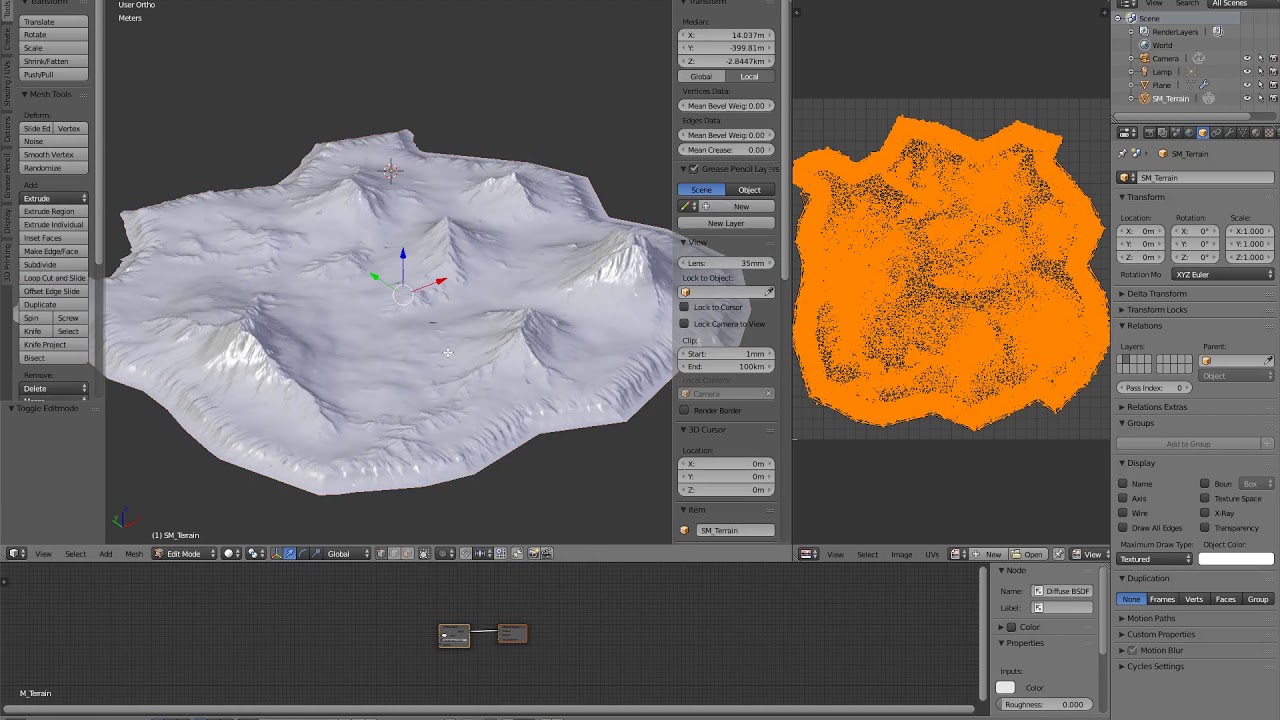 full junco
someone is using the ue4 editor and walking around with a first person character in the level
mighty carbon
yeah, but why 96k tris mesh is rendered as 1/2 million tris mesh ?
full junco
it isn't, its likely something else
mighty carbon
what do you mean? engine bug?
mighty carbon
no, it's the only mesh with high polycount there
full junco
just remove your mesh and tell me what tri count you have then
mighty carbon
~8k tris if I remove my terrain mesh
full junco
and if you have dynamic shadows enabled its probably just because it has to render every triangle once for every shadow cascade
and if you have a two sided mat, that doubles it again
if you have a depth prepass, there you have it another time rendered
full junco
soon when UE4 is fully optimized for the new low level APIs, draw calls won't matter any more 😌
soon = in 10 years
😛
but I hope I'm still working on my game in 10 years, so thats fine
mighty carbon
heh
performance seems to be better with mesh, even in non-VR
it's just I probably won't be able to do grass and foliage on the mesh based terrain vs Landscape 😦
full junco
landscape grass is very expensive, you won't be able to get good fps with that likely
especially in recent engine versions it became way slower I heard
I think I read that the kite demo is pretty unusable due to that in recent engine versions
performance in kite demo was way better back in 4.11 (or was it 4.7?)
mighty carbon
ouch 😦
little nacelle
Hello, I've found out that the BP sky sphere is kind of heavy to render in VR, did you noticed the sane thing?
full junco
how did you find out its heavy to render?
a sky usually fills much of the view when you are outside, so it always has a relatively high pixel shader cost
even if the material is simple
little nacelle
@full junco It actually depends of the place it takes into the screen.
On the VR template, there are 4 walls all around us that limits the place that the sky takes in the view when you just look forward.
I put a simple hammer asset on the table with all the blue pickup boxes. Everything worked just fine.
I created a new blank project that comes with the map with the squared plateform, a BP sky, a directional and an atmospheric fog. I deleted the atmospheric fog and started to drag into the scene the pawn that I've migrated from the VR template. I put my hammer asset on a simple cube shape that I've dragged into my scene and started to play arround.
My first notice was that when I had the hammer in my field of view, and try to move my head around, I dropped under 45 fps, it took 22ms to draw, that was horrible!
I passed 5 hours to profile, and try to optimize the hammer asset. I really thought it was comming from there, because when I removed it from my scene it worked quite fine. But that QUITE fine wasn't good enough, I still had some 13~14ms spikes. So I started to think that it's comming from something else, something that is not present into the VR template.
Then I've noticed one more thing, the FPS drops happened when I was moving my head around while looking toward the horizon (Where there are all those clouds), when I was looking to the floor everything was super fine, to the zenith as well.
I've just very randomly deleted the BP sky from the scene and EVERYTHING worked just fine 😶 !
I've concluded that the BP sky sphere shouldn't take too much place into the render view. Maybe it's just the horrizon that shouln't take too much place or just not be visible at all. It would deserve a try.
full junco
@little nacelle well theres no reason why the sky alone should make your frametime go to 13-14 ms
the sky is cheap to render
unless you are on a gtx 1030 or something like that
little nacelle
Yeah I think the same, why a simple sky would slow down my frametime, and it's only happening when I move my head slowly while looking at the horizon. Really weird. I'm on a gtx 980m, maybe it's because of that. But it's weird, I've never had problems to make VR stuff and run VR apps.
but it's obviously the sky
I tried to have about 100 000 poly in the scene at the same time, It worked fine until I look to that freaky sky
full junco
a gtx 980m is too slow for VR
its below min spec
its 11% below a AMD RX 470
a gtx 1060 is 42% faster and a gtx 1080 is 148% faster
so with your gpu, you can be quite happy if you can get constant 45 fps (22 ms) in a regular scene
little nacelle
It's not that slow I promise, I can run any regular scene at 90fps, even at 120fps. the VR template, the VR showcase, etc...
100 000 poly in the scene everything's fine, nothing but a sky sphere and I have 22ms spikes. I really don't think it's comming from my gpu, either it's my project, or simply the BP sky.
full junco
it is that slow, its a measured value: http://gpu.userbenchmark.com/Compare/Nvidia-GTX-980M-vs-Nvidia-GTX-1060-6GB/m15596vs3639
 little nacelle
yeah if you want, but I have one Inside of my computer and I can tell that it's not
full junco
well, epic has very likely never tested any VR stuff on a gtx 980m, it is possible that there are architectural differences to modern gpus that cause strange effects, like a surprisingly slow sky
 graceful junco
Btw, 22 ms spikes doesn't necessarily mean your GPU really takes 22 ms to render the scene, If you can't get 90 fps, it get's halfed to 45 fps = 22 ms. So in those cases you might actually have managed to get 80 fps. There's a setting somewhere to unlock that, which helps with profiling. It's in the steamVR settings iirc.
full junco
a gtx 980m doesn't support async reprojection I think
little nacelle
@full junco Hmm yeah, maybe it's something like that. I'll still have to try stuff
@graceful junco I could try that, I didn't go further in the profiling when I noticed that my spikes was coming from the sky, as I don't need it in my project I've just removed it
full junco
"nothing" is always cheaper to render than "something", so when you remove the "something" that fills much of the view, you will get better fps
little nacelle
Yeah of course. If it happens that I would need it, I think I'll occlude it with stuff, like in the VR template.
eternal inlet
any of you clever heads know how to convince ue4 to bake AO into static light? when i check the box in lightmass, and visualize, the scene is all bright white, no matter how much where i look on the map (both directly or indirectly lit
analog topaz
can someone plz give me a hint on those lines plz ?
i mean what should i be editing to reduce or help the gpu to calculate them
ty
graceful junco
@eternal inlet the buffer visualization is the SSAO. My guess is you've turned SSAO off. I actually don't know if lightmass just bakes the SSAO or it uses a different algorithm to calculate better AO. If it's not using SSAO I don't think you can preview it.
eternal inlet
which is perfectly fine, if i just would see any AO differences at all
the reason i was looking for it in the visualizer, was because i could not see it had any effect at all
i assume im doing something wrong, but most people doing VR are probably using baked AO right?
graceful junco
I don't know. Personally I've not baked AO yet in ue4, so I don't think I can help you any further. It might just be that your settings/scene makes it hard to see any difference. Have you tried baking in a simple test project?
eternal inlet
@graceful junco yes i tried a simple non-vr project and i must be doing something wrong, becoz i can't get those settings right... all the archwiz people have awsome looking AO in their scenes and to my understanding, they also use baked AO
maybe combined with SSAO too though
sly elk
@mighty carbon early Z pass double triangle count
add in dynamic shadows
and it goes even higher
mighty carbon
:(
sly elk
you can disable early z pass if you are in deferred
mighty carbon
Do I need it in forward ?
sly elk
yeah, you can't turn it off in forward unfortunately
im planning to transition my VR project to deferred for that reason
but the tradeoff of pixel fill cost vs triangle cost is going to be project dependent..
also im pretty sure stat rhi will show another triangle count doubling with stereo rendering. so in my game im paying ~8x cost for triangles in forward + VR + dynamic shadows
eternal inlet
u have dynamic shadows on? isn't that insanely expensive?
sly elk
yes and no. Depends on your project and if the cost is worth it
eternal inlet
if it causes drops in fps i wouldn't say it's woth it no matter what
i tried initially with some dynamic lights and shadows, but hit the roof with even small scenes
and that's on a 1080ti and i7 3.6ghz
sly elk
Well thats not right at all. My game runs great with dynamic shadows on a 1070 and shadows can be turned off for scalability
sly elk
not large. Also, how many lights where you using?
im only casting dynamic shadows from a single light
Lots of dynamic lights in forward is slow
eternal inlet
think i had 5-7 spotlights with minimal attenuation
my shadow costs was about half the entire gpu
so i dropped it very fast
sly elk
This is about 40% gpu usage on a 1070 https://www.youtube.com/watch?v=YlsobMyM8rQ

Wrench is an indie game about preparing cars for motorsports. More information about the game at http://www.wrenchgame.com I am developing Wrench for both VR...
*peak
eternal inlet
hmm looks nice
how many polys did u have there at max?
and is that the spectator cam using a scenerendertarget2d?
sly elk
yes to spectator cam
mesh triangles, about 500k
as rendered after stereo, dynamic lights, early z pass... a few million
mighty carbon
has anyone tried using modulated shadows ?
eternal inlet
no clue what that is
but im trying to get AO into baked lightiing, which i can't get to work 😦
still 😛
someone suggested that there was a ini setting that wasn't exposed in the ui, i had to enable for AO baking to work
mighty carbon
@eternal inlet https://docs.unrealengine.com/latest/INT/Platforms/Mobile/Lighting/HowTo/ModulatedShadows/
Setting up Modulated Shadows for mobile games.
I don't know if it works on desktop
eternal inlet
ah, never tried that because i do desktop yes
i use capsule shadows though
seems straight forward... does it show on the mobile preview?
tired tree
still not generating distance fields Jonas?
Distance Field AO and shadowing were what I was suggesting to you
sly elk
last time I chcked, distance fields were ignored in VR
mighty carbon
I am thinking doing the same thing I did in Gear VR project - making mesh terrain and splitting it into chunks, instead of going with Landscape.
I am just not sure what I will lose by not using Landscape
tired tree
Ah, you are right, DFAO isn't considered in
VR
sly elk
yeah, I really wish they supported it. DFAO would be perfect for my game
lots of shiny parts in an assembly sitting in shadow
its hard to make them not look like they are glowing
tired tree
their statement on the bug tracker was "we would like to support it but it is too much effort at this time"
understandable back when it was reported, they were doing RR, wish they would get around to it though, they also stated it wasn't a big hurry because "you don't want to use dynamic lights in VR anyway"
sly elk
yeah. Which is really narrow minded. Not all vr games have the same requirements
tired tree
guess distance field shadows work in VR but was never tested and they hitch like mad? at least from last anyone reported on it
doubt it has been changed since then
sly elk
I tried them in 4.16 and they just turn off as soon as you enter VR
sly elk
im doing some training content for a client on the side, even more than my game, distance field lighting would be a huge help. Simple art built from cad, can deploy on serious hardware, and the project has very few draw calls/triangles and simple materials
I made a new topic on the forums as an attempt to nudge them.. https://forums.unrealengine.com/development-discussion/rendering/1376254-revisiting-distance-fields-in-vr
mighty carbon
pretty sad Epic isn't even trying hard to push VR boundaries when it comes to rendering
playing it safe
sly elk
I'll still take unreals forward rendering features over unity any day of the week
mighty carbon
btw, if distance fields don't work in VR, does it mean I wouldn't be able to do texture blending using distance fields ?
sly elk
Last time I checked, the conclusion I came to was that distance field data is just thrown away
but I didn't test that specifically
Here is something a little different- I iterated on this bed design with VR to make sure I liked how the design looked in real life https://i.imgur.com/NfBNYc2.png


 storm hare
is there any way of ejecting while playing in vr?
it's hard to analise what's going on when playing in vr if you cannot eject and take a look at the map...
mighty carbon

UploadVR
Vive Studios just launched its second app of the week in interior design app, Truce Scale, for the HTC Vive on Viveport and Steam.
little nacelle
Do you guys always start from the VR template for any new project or you start from a blank project?
willow trail
How do you guys handle tables? As in I'd want the player to be able to lean on it but not just walk through it like he's effortlessly gliding over it?
eternal inlet
@willow trail personally i allow a short distance of overlap (thik it's like 60cm) and after that, i teleport player back
i know some people bias this distance based on height of the hmd, i haven't done that myself tho
trail shale
Why can't I move arond in my sublevel? it won't let me teleport like as if I don't have a navmesh bounds but I clearly do
eternal inlet
@tired tree sry i was otw home, but no DFAO is not an option
@trail shale navmesh is in the persistent level?
trail shale
yep, I can move aroudn in the persistent level fine @eternal inlet
 boreal walrus
I personally do actually rely on dynamic lighting
So I'd very much appreciate being able to use it
sly elk
that one is old and resulted in them saying it wasn't a priority. Maybe add on to my post from today? https://forums.unrealengine.com/development-discussion/rendering/1376254-revisiting-distance-fields-in-vr
eternal inlet
i mean, try take your navmesh and place it in your persistent level and you should be able to move in your sublevel
(unless i misunderstood what you wanted to do)
btw, regarding baked AO, think someone mentioned it, but it does not show up on the visualize AO (will just show white all over), so that's probably for SSAO only
but it does actually produce different results
@sly elk how many polys did u have there at max?
and is that the spectator cam using a scenerendertarget2d?
(that preview you linked)
sly elk
yes to spectator cam
mesh triangles, about 500k
as rendered after stereo, dynamic lights, early z pass... a few million
eternal inlet
oh nice
you seem to have 16bit colors on that movie too.. i've been struggeling with that and the scenerendertarget2d which only seem to produce the right tone of colors if i use LDR
mighty carbon
I think the more non-VR titles bring Epic cash, the less they will have incentive to work on VR. Also, the less we will see support for public requests and proposals.
sly elk
Yeah. Im working on some non game stuff on the side and its too bad epic has no way to monetize things that aren't games
they seem to be putting some resources into that stuff though
trail shale
@mighty carbon I agree with you completely. I'm a firefighter and public safety could really USE Epic's involvement. We have really shitty training products and if Epic wanted millions in government contracts, they could EASILY get it....
sly elk
epic isn't going to build the content. There are a lot of companies out there that do that kind of thing. The issue with public safety type stuff is it would have to be taxpayer money and that would need to come from the local or state level
trail shale
You're right but someone has to have the product first
sly elk
Yeah, thats jsut not how any training content works though. There are a bunch of companies that do this kind of work but it start with a client who needs something, then they bid it, get paid a portion up front, build it...
trail shale
you're right. Someone needs to make a PLATFORM
sly elk
yep
trail shale
working on it....a few issues with that though
No one has tried using procedural generation in public safety, building scenarios based on a few inputs...granted, the workload would be collosal to build that but I'm putting together some simple examples to illustrate the point
sly elk
There might be grants for some of that stuff
trail shale
I'm sure there are but it's hard to do a grant for a technically for profit business, a lot of metrics/requirements You have to satisfy
sly elk
Not really. You should look into. Plenty of grants are for private business to use
 rain plank
Has Anyone tried making their own Virtual desktop inside unreal?
 frail portal
Rafel: I haven't but with those upcoming 8k headsets, I feel like we're finally getting to a quality level that can replace a standard setup.
just need to make them more comfortable/handle weight on the neck
trail shale
@frail portal we are getting there but we need more object tracking, if I can see my hands, my mouse/kb, and my beer, that will be a game changer
frail portal
I think MS's approach to that is novel Blak
they have basically these AR/VR mix headsets, with the camera's on the outside.
Could just overlay screens on a streaming 360 video of your actual space
tired tree
those headsets use low res black and white cameras for world tracking
they are not actually AR
sturdy coral
@mighty carbon distance fields work in VR, just not DFAO
 crimson tide
anyone mess with carboard much?
wintry escarp
not recently
little nacelle
How do you usually debug your VR games, print string is always off screen
sturdy coral
you can modify GetOrthographicProjection in the steamvr plugin
and move it inwards a bit, thats what it uses for projecting the slate widgets which includes debug text
@little nacelle I think Mordentral's plugin has an in-world log along with his in-world console
mighty carbon
So, I read up on the open world tools in UE4 and it seems that all of them work with meshes, not just the Landscape. I guess I am not losing much going with mesh-based terrain.
sturdy coral
triangle count vs draw calls
mighty carbon
not really...
Landscape that looked worse than my mesh clocked in 1.5M tris and 150 drawcalls. My mesh-based terrain was at 500k tris and 50 drawcalls.
(with default directional dynamic light and default dynamic shadows settings)
the mesh itself was 96k tris
sturdy coral
is your mesh in a regular grid or decimated/simplified?
mighty carbon
decimated
I made heightmap in World Machine, made 5M tris mesh in Blender with it, decimated it to 96k tris
actually it was 10M tris
I am just surprised it looked a way more detailed than Landscape made from the same heightmap. With LOD on Landscape it looks like round hills, while mesh terrain retained all nice features and contours
sturdy coral
physx performance testing against a mesh that complex may be a lot worse than against a heightfield
mighty carbon
how would I check physx performance ?
sturdy coral
for a small terrain a decimated one like that will win out on triangles, especially if it is fairly smooth terrain where decimation doesn't take much away, but once you get pretty big with lots of sections it shouldn't
mighty carbon
10km^2
sturdy coral
10km^ at 10M tris in world machine would only be around 3 meter resolution right?
silk lodge
@trail shale what sort of training do you want?
trail shale
@silk lodge Something with high frequency and high variability....right now most products there are maybe a few scenarios and these are local based simulators or web training (which sucks)....part of the reason I started into this is because I was lookign for something to train on and couldn't find anything good...too many niche companies that do contracts, there's no real platform to speak of

Live Simulator
Virtual Reality Emergency Medical Training in a portable package! Contact us for our Incident Command Demo, learn how to get the best paramedic training online
Ugh, I got to fix that default page message
mighty carbon
@sturdy coral I am not sure.. I rendered out 4096^2 heightmap, then created landscape, then scale it up to be 10km ^2. Did the same with mesh.
sturdy coral
ok yeah that would be 2.5m resolution
that will look pretty bad in VR but depends if you are still going for low poly or not
mighty carbon
stylized look.. Not photorealistic in any way. Not low poly either.
trail shale
@sturdy coral Is there a general guide to estimating draw calls on a static mesh before you put it in a scene? I know lighting and position of camera will obviously affect drawcalls but i'm looking for a better understanding on how materials, vertex/triangles add up to draw call
mighty carbon
@sturdy coral https://www.youtube.com/watch?v=X8XiMP9cES4 that's mesh based terrain in the beginning of the video.
frail portal
@tired tree are you sure? They keep saying they're "mixed reality" headsets
tired tree
yes?
they are using that naming convention to stand out
maybe some day they will support AR with NEW headsets, but not those...
frail portal
Lord, that's so underhanded 😃
I wonder how many people are going to buy those thinking they're AR
sturdy coral
@trail shale I don't know of one. I think it is generally one per material, and a single one for each shadow it shows up in (can be more for for a directional light if it has multiple cascades)
there are also more for shadows if it has multiple masked materials or a mixture of masked/unmasked. if all the materials are non-masked it just renders the whole thing solid in one call
if it is movable you get more for drawing velocity
trail shale
@sturdy coral even if velocity is zero?
anyone recommend some well optimized VR assets for houses, like a neighborhood. I want max realism but, obviously, optimized. Also a pony while i'm asking for something
frail portal
@trail shale Nothing on the marketplace for that?
glossy agate
@trail shale maybe try merging the mesh of the houses if they are in a lot of pieces. Came across a person doing that for mobile in order to make the draw call limit for mobile
Maybe it will work for you. Also those are poly pixel assets right? Those are just heavy assets to begin with.
Node mentioned their next game and it sounds similar to mine. Guess I gotta work fast 😦
glossy agate
Well all they said was 2 handed weapons and inventory system.
mighty carbon
how much does it cost to be on UDN ?

pcgamer
This is how developers see the biggest store in PC gaming.
except Steam won't do shit about it because its market share doesn't change from year to year (Itch.io seems to be growing though)
rain plank
@frail portal I can purchase virtual desktop from steam ,, but. How it can be integrated in ue4 is a problem . Like from media framework video can be played on but to play 360 video in vr inside the editor is a challenge
frail portal
ah, well, I would recommend making your own.
not sure how you'd take a compiled application and itegrate that with UE.
crimson tide
anyone know if its possible to start a google vr build in 2D?
crimson tide
hmm, then how would one go about making an app that supports both 2d and cardboard