#virtual-reality
1 messages · Page 138 of 1
 cosmic shoal
 slim raft
Thanks, MordenTral
cosmic shoal
That's bad news Tyrant, I haven't pushed it enough.
 warm lion
I'm seeing bad performance on a realitively empty scene. Co
Same project scene file between 4.15 and 4.17 and there is a noticable stutter
cosmic shoal
can't test now or I would.
warm lion
I'm having to do weird things to get even passing performance, like setting console commands and changing the render resolution lower, and the pixel density lower
 sturdy coral
@warm lion that is normal if you are using default post processing
@warm lion have you tried the built in VR template?
warm lion
I've seen someone suggest that but I would prefer to transform my current project to whatever allows the VR Template to work
Also in terms of post processing I've gone through the steps I've seen online to optimize for VR on the post process side
And, What would cause these to be different between engine releases?
 tired tree
I didn't notice any appreciable performance differences in 4.17
sturdy coral
@warm lion I don't know what would change it between releases, unless volumetric lighting was turned on by default or something (pretty sure it isn't)
slim raft
My VR portal isn't rendering right... I must be missing something
Works perfect in non-VR
I couldn't figure out the VRSystem thing so I just hard coded the FOV for now
VFOV = 111.469296f;
HFOV = 105.756425f;
I calculated those from the projection matrix
tired tree
you are running two captures and showing only one to each eye?
tired tree
whats not rendering right
slim raft
Its not aligned properly, and the IPD feels huge, but the ipd probably just feels wrong due to the bad alignment
tired tree
well you have to adjust by Headet to eye transform
unless you are just directly duplicating HMD transform at a different location with two cameras
sturdy coral
HMDs can also use oblique projection matrices, not sure if vive does
slim raft
I'm using the PlayerController->GetPlayerViewPoint(WorldLocation, WorldRotation);

Non-VR mode is working well, but VR mode is having some trouble.
tired tree
its also suffering from no late update on the image, which is why it is jumping around like that
that comes in from bLockToHMD in the camera component
regardless though the Camera is set to the HMD location but the actual eye location is inset from that
unsure of where the view location is in relation to that on the camera, but it won't be matching
slim raft
Ok, So to start I need to add the hmd to eye offset
 sly elk
I think @wet jasper was also working on something like portal for VR
 full junco
that Pimax 8K headset looks very interesting. I just dont get why they didn't demo it with real 8K to Tested, but only with upscaled 4K
tired tree
because it takes two cables?
full junco
but why would you demo the upscaled version if you would have the native version working? whats the issue of connecting two cables?
full junco
they say
Only for those who own a PC with at least GTX1080ti (still testing, may need 1080Ti SLI, or the next generation graphic card e.g. Nvidia Volta)
but for a nice demo they should be able to find two 1080 ti
they dont have to use a laptop to demo it
tired tree
thats what they brought I believe though, who's to say they are done with the 8k anyway?
full junco
well it seems they don't have the 8K version working yet actually
and they shouldn't even call it 8K, since it isn't 8K
their resolution is half of 8K
full junco
8K is 33 MP, they have 16 MP
and upscaled they use 8 MP I guess
if they use "real" 4K there
if their 4K is also just 2 times 2K, it would only be 4 MP
sly elk
I want to get a pimax but it seems to me the huge fov is a bit overkill.. Maybe its partly a side effect of using two panels that size and orientation. I think I would rather have something like 4k total resolution spread over ~150 degrees.
slim raft
Anyone know the function for getting the Eye offset?
full junco
@sly elk why? I think the almost real FOV is the best part of it. 150 degrees would still feel like you have black areas around it
sly elk
i guess im just not that bothered by the fov in the rift/vive and I would rather have more pixel density with less rendering cost
tired tree
@slim raft are you already using the stereoprojectionmatrix for left / right eye?
full junco
@sly elk well the guys from tested said after trying the pimax they didnt want to go back to vive/rift because that felt bad regarding the FOV then
tired tree
yes
tired tree
yup

Special guest Mike Mika of Other Ocean Entertainment joins the gang to talk about hacking software, video game easter eggs, and the mysterious incident of NE...
 granite jacinth
so long
full junco
where there?
granite jacinth
wtf
full junco
its not all about the pimax I guess
granite jacinth
timestamp that shit please
lol
I mean, I won't lie, I am still on the edge about grabbing one
But, I just don't know. I know Vive/Rift 2.0 are right around the corner as well
Are they going for 8K? nah
But, do I really WANT 8k? Will my PC be able to handle it really
Any game?
full junco
well you need a very good PC
full junco
Only for those who own a PC with at least GTX1080ti (still testing, may need 1080Ti SLI, or the next generation graphic card e.g. Nvidia Volta
@granite jacinth
thats about the "8K" headset
so you should have at least two 1080 TI
full junco
who knows what oculus or HTC or whoever else will have announced till then
 supple coyote
Hey all maybe some brilliant minds can shed light on this
anyone experiencing similar shit? Stutter/judder in 4.17
for me and for a few others on this thread, disabling "vr.oculus.bUpdateOnRenderThread=0" appears to mitigate the issue a decent amount
specifically im having trouble with alembic's geometry cache causing stutter
despite having 90fps, and when I turn off UpdateonRenderThread, it appears to correct the issue
anyone know why this is the case?
slim raft

I have all the maths in order, but It seems I've hit a wall when it comes to compensating for the late update rendering.
Anyone know how to get around misalignment from the late update rendering?
slim raft
Yeah, been working on it the last few days
supple coyote
Ah nice will be interested to hear how it's coming along
im using this currently : https://www.youtube.com/watch?v=IcHTAEF5Eoc

Collection of portal mechanics, get them here: https://github.com/FreetimeStudio/PortalPlugin Forum Thread: https://forums.unrealengine.com/showthread.php?14...
Not sure if i'm seeing the same "late update rendering" thats going on with your thing. But I do end up seeing something odd on the edge of my screen
comparable to when you use Planar Reflection in VR and have to compensate by adding FOV degrees in Planar settings
sturdy coral
the most unfavorable thing they said in that updated tested video was they didn't back it
as long as I can use it with my own stuff at native FOV and res I'm happy, even if it has compatibility issues for other titles
but the whole thing seems really sketchy
supple coyote
muchcharles - you mean the Pimax?
full junco
yes he does
supple coyote
cant help but feel like whatever progress they're making, fb/oculus must be at least on par non?
full junco
in theory yes
tired tree
pimax is pushing out tech too early if what they are doing is true
its not going to work with the majority of users
full junco
@sturdy coral in that new tested video they make it sound as if you can't render it with real FOV unwarped because you would need multiple render passes and you can't do it with 1 render pass, but I think thats wrong
tired tree
Oculus would likely not do that
full junco
@tired tree well yeah. oculus and HTC have no real reason to sell something that will only work if you have at least two 1080 ti
tired tree
@full junco multiview from nvidia should be able to handle that unwarped
full junco
why multiview? it should work without any of that stuff
the eyes are already rendered seperately, multiview you would only need if you have multiple camera transforms per eye
and thats not the case
full junco
that doesn't matter I think
you just render each eye with an ingame camera of 140° FOV or something like that and thats all
 wicked oak
actually, multiview is the answer
it can do separated cameras
they made it for 3 monitor gaming setups for racing games
that have 1 camera per monitor
to have proper FOV and no insane warping from linear
full junco
multiview is for multiple monitors, you don't need that for VR. its something that can help with performance in VR, but its absolutely not needed for a realistic image
wicked oak
like instanced stereo, uses the same drawcall to render to multiple cameras
it is if you want tons of FOV
can get you a better image
full junco
no
wicked oak
as you can approximate a cylindrical warp instead of a planar warp
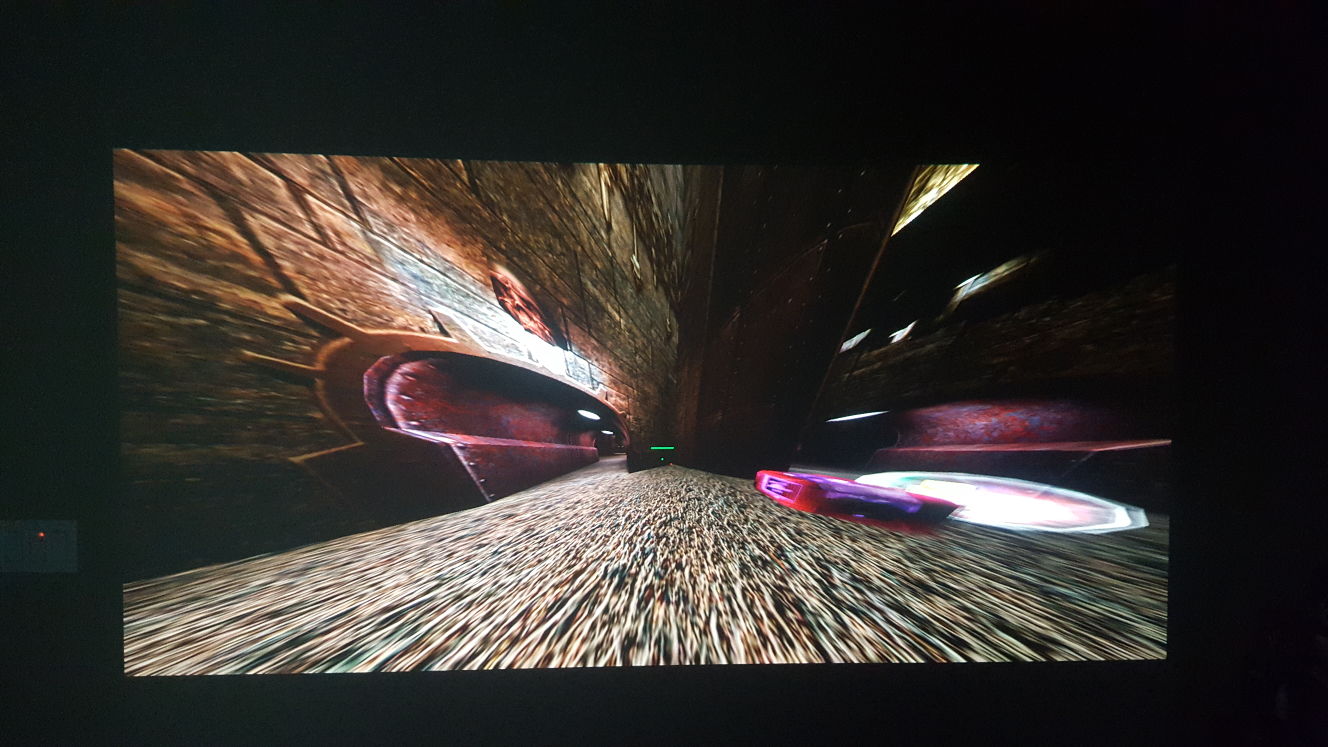
have you seen that video of different projections with Quake?
they get to 360 fov

Download, details, and source code: http://github.com/shaunlebron/blinky Standard 90: 0:00 Standard 120: 0:07 Standard 150: 0:15 Standard 170: 0:22 Standard ...
all those work with multiple cameras
full junco
you don't need to go to 360 though, and you see that 150 still looks fine on standard
and 150 is all you need for VR
wicked oak
remember that the part that needs the most detail (the center) is small in normal projection
while the periphery gets huge
full junco
well yeah, thats not ideal for pixel density
wicked oak
and something like that would be even better for curved screen
tired tree
the problem is that without eye tracking you can just look at the edges of the panel and have a warped image
full junco
why warped image?
what tested is talking about is how games are rendered with the FOV for the vive and then the pimax driver is warping them up to the 200° FOV, thats why the edges are warped
thats not an issue when you create your game with the correct FOV for the pimax
tired tree
they ran tests forcing games to render at the full 200 FOV and they also had stretching....
there are SS's in their forums
full junco
link?
tired tree

Pimax Forums
as you red above, Pimax never really confimed they don't support "the true fov" neither that they're "stretching it". They're saying "it works well". In other words, this will probably not be fixed, stop complaining before even having it. The same goes for the 8k X, stop asking, they DON'T have ANY 8k X functional yet, not in the labs, not on their desk. It's in their minds, today. Stop asking! Pimax already created something remarkable, let give them some credit. But we'll have to wait f...
wicked oak
you cant go past 180 degrees with normal projection
full junco
@wicked oak its not 200 per eye
tired tree
they say their games render in native 200
wicked oak
mostly becouse it goes backwards
tired tree
they overide the FOV
wicked oak
and 180 is a case of divide by 0
tired tree
they don't stretch it
full junco
@wicked oak per eye its siginficantly less than 200 obviously, and every eye has its own camera
its same with rift and vive
@tired tree haha, that comment: https://puu.sh/xGlsG/bf902982fc.png 😄
 tired tree
lol

The emergence of consumer VR has strained against several longstanding "reasonable" assumptions about realtime 3D graphics. The easiest one...
that might help
was trying to find a concise write up
infini eye used 4 seperate renders, two per eye for their 150 degree per eye headset
full junco
this screenshot that the pimax devs posted does in fact look pretty bad: http://forum.pimaxvr.com/uploads/default/original/2X/f/f87284cb690d94bcfb30a247e6f105ba7a0d20dd.png
 full junco
but they say "currently it works well"
wicked oak
lmao
thats a fucking disaster
and the whole headset is meant for that
lenses and all
what a waste of resolution at the sides
full junco
yeah...
tired tree
like I said...without eye tracking to re-center the fov or multi view / multiple projections to correct the stretch.....its pretty bad
nice for immersion as long as you look forwards
full junco
I think it would look horrible with eye tracking
you would move your eye and stuff would strangely warp around you
I guess multi view is really whats needed then
both nvidia and AMD support it, so its just that the engine has to support it too
how many views do you need per eye to get a relatively unwarped image?
4?
tired tree
think 70 degrees is around best case?
2 per eye should do
like I said, that is also what infinieye used
but they just re-rendered 4 times
 wet jasper
@slim raft I think there's a blueprint function called break hmd profile or something like that
inside it there's the IPD
tired tree
I showed him the StereoCameraOffset and StereoProjectionMatrix functions
shouldn't need IPD seperately with those
slim raft
Everything seems correct now, just need a way to deal with the latency
I have all the maths in order, but It seems I've hit a wall when it comes to compensating for the late update rendering.
wet jasper
I haven't figured out the latency yet, but where's this stereo projection matrix function? how are you using it?
sturdy coral
yeah, Pimax will pretty much require smp/lens matched shading or multires shading
lots of extra CPU to do more FOV too, just more objects in view and more draw calls
I think there are gradiations of foveated rendering people aren't considering too
sly elk
this is the next pile of parts I have to build.. http://www.digitalmistakegames.com/wp-content/uploads/2017/09/headandclutch.jpg
sturdy coral
you need extreme low latency to match foveation to the eyes, but you can pay more perf and render a larger foveated area than necessary
 glossy agate
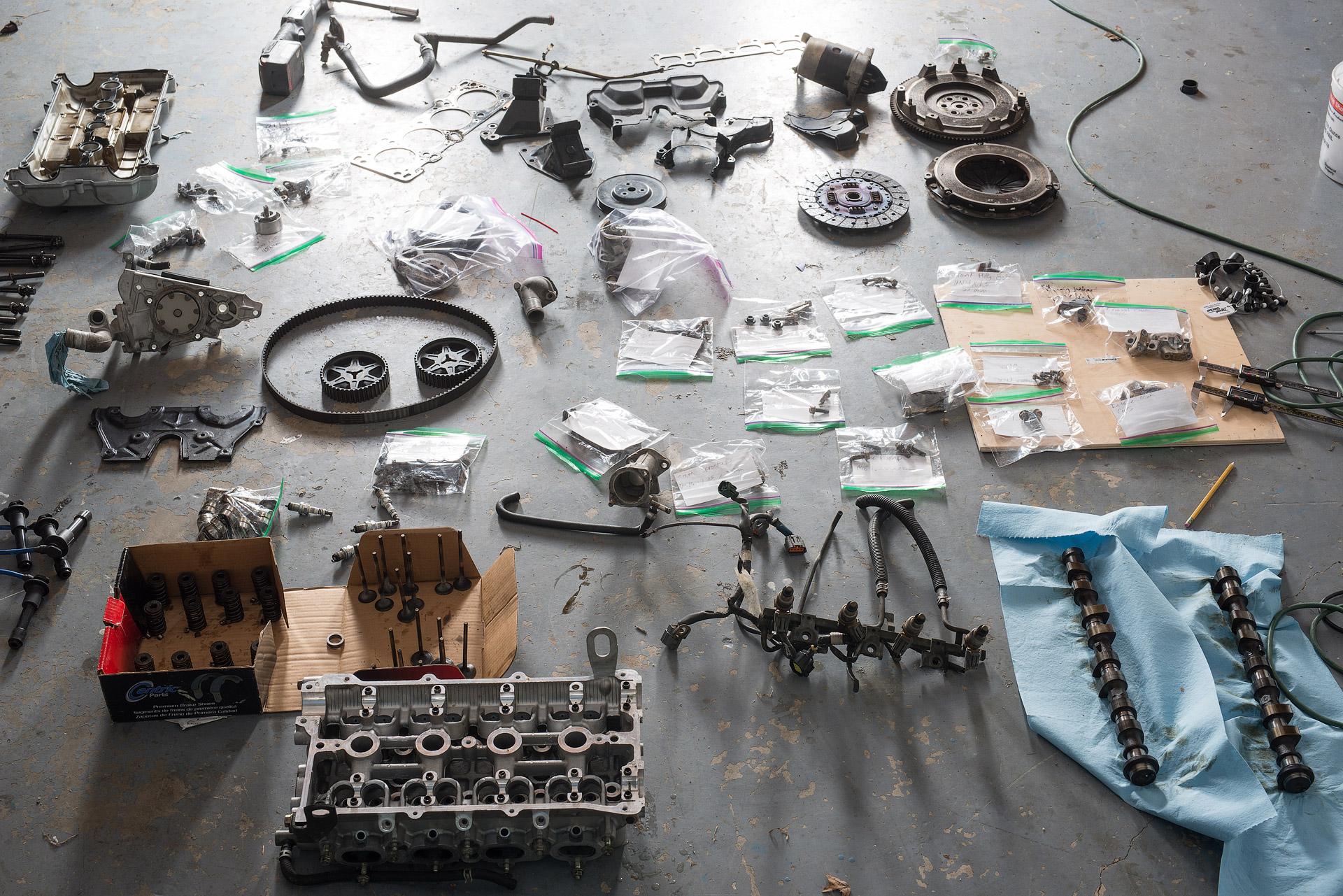
Does the camshaft blow apart if you aren't careful so you have to put it back together like a puzzle?
sly elk
finding the line between making people do things the right way and punishing noobs without them understanding why is going ot be tricky
I htink its going to come down to context based help
sturdy coral
another issue with pimax might be ipd adjustability, from the first tested video it sounds like they thought it might be software only
sly elk
so that is just cylinder head and clutch. Need to take apart the bottom end next
sturdy coral
with the canted screen design it is probably hard
sly elk
also on the pimax discussion. huge FOV is always going to involve either tradeoffs with huge amounts wasted pixels in the peripheral vision and perspective distortion
right?
at least with flat displays. Seems like for huge fovs like 200 degrees you would want a concave display
tired tree
@wet jasper you can pass in custom projections to scene captures and set it to specific stereo passes as well
for the late update ,the view is updated just prior to rendering in an ISceneViewExtension for the HMD
scene render components however have a batched renderer array they are pulled from, unsure how best to tie in a late frame view position/rot update to those without some re-writes
wet jasper
hmmm I see, that's some good info, thanks!
 chilly thicket
What would be the best way to setup an arc teleporting system?
Right now I just have a straight line casting one.
 dusk vigil
chilly thicket
dusk vigil
chilly thicket
Thanks.
sly elk
copy off of the VR template?
chilly thicket
I'd rather not use that template.
dusk vigil
Oh yeah, VR Template already has arced... Why on earth not? It works fine, it is unoptimized since it recreates itself every frame but that's easy to fix
chilly thicket
Oh.
dusk vigil
) you can do it yourself to learn how
) you can change the look of it it that is the problem
) you can improve the perf if needed
dusk vigil
thats a good way to think : ) so in that case, try to work it out yourself as far as possible, then start looking at the 2 known solutions for tips when you get stuck
chilly thicket
Okay.
 dusty dew
just would like to share something about testing on Oculus Rift. If the oculus rift's sensor (on the HMD) doesn't detected a head in the HMD, it will not fire any buttons event from the controllers.
Just spent some long hours debugging this to only now realize it. (thought the editor was broken)
so if you are like me that tests some stuff just holding the HMD with your hand (not in your head), make sure to have something in front of the sensor to make it think it has a head on
dusk vigil
Yeah, I see a lot of headsets with bits of tape in place over the sensor : p
Would be nice to have some master override for it somewhere in settings
sturdy coral
anyone know how to read the Touch capacitive axis values from c++?
FOculusKey::OculusTouch_Left_IndexPointing gets unresolved linker errors, I guess since the header is in /Private
tired tree
you can reference headers in /private
had to do it back in the day for steamvr before things got cleaned up
sturdy coral
what I have is #include "Private/OculusInputState.h"
then I reference FOculusKey::OculusTouch_Left_IndexPointing and get error LNK2001: unresolved external symbol "public: static struct FKey const FOculusKey::OculusTouch_Left_IndexPointing" (?OculusTouch_Left_IndexPointing@FOculusKey@@2UFKey@@B)
some stuff says the plugin needs to put a *_API thing
like steamVR has STEAMVR_API in front of some stuff, but OculusInput never puts OCULUSINPUT_API on anything
I stuck it in and it seems to work
{``` candid viper
@sturdy coral you can just add an axis mapping in the input configuration, then BindAxis from the input component. That avoids the link dependency on the Oculus plugin. I use that approach with different actions/axis for Vive/Rift and only bind at runtime the ones I need for the current configuration.
full junco
@tired tree I've posted the stuff explaining the FOV problem in that thread in the pimax forum
 willow trail
@MordenTral#2571 Do you know why randomly when I start PIE my character moves very slowly and feels like I'm on ice?
@MordenTral#2571 Hmm it's like the boolean for when I'm in air is not resetting
full junco
@wicked oak http://forum.pimaxvr.com/uploads/default/original/2X/7/744d7501cddc2144d71ba8cbe78c2e0329e6dcfe.jpg
 wicked oak
wasted space by the tons lol
full junco
that pimax forum is surprisingly active
granite jacinth
TBH
It's good either way if Pimax delivers or not
Now others know that the market is there
And people want it
Which may mean, a lot of the HMD makers might go back and up their resolutions on their 2.0 or 1st iterations
Which is why i've 100% decided not to back Pimax
wicked oak
i do not back hardware kickstarters
granite jacinth
Something is always going to come out better. But this isn't the next Oculus Rift
wicked oak
i find they fail constantly
wicked oak
even in the case they dont, they arent worth the hype
well, board games is perfect for kickstarter
the board game is already made
wicked oak
the kickstarter is just to be able to print it in bulk
granite jacinth

X-Bows' unique key layout allows for you to type faster and for longer. It is the evolution in keyboards that we have been waiting for.
But...they just announced the price on their numpad attachment...and I pretty much told them off
wicked oak
what the fuck is that
granite jacinth
(while still backing their kb)
wicked oak
im still running my razer blackwidow wich is 4 years old
wicked oak
runs fine except a coule keys wich are a bit more stuck
becouse i dropped water on it
granite jacinth
to fine the perfect one
wicked oak
like 4 times
granite jacinth
Also, I am a firm believer in Ergonomics
Having experienced pain in my wrists and back for years without worrying as a kid
Now in my 30s...I feel that shit easier
Well, not anymore with my setup
sturdy coral
@granite jacinth that looks nice, I've got an ergo dox but don't use it because I code from a big recliner now and it isn't very lap-able
I need to get some kind of backplate to join it all into one piece
what doesn't look great about that one is it looks flat instead of tilted for each hand
when I did use the ergodox it took a good while to relearn touch typing without staggered keys
granite jacinth
I tily my keyboard down
I have a underdesk ergo keyboard thing, and just tilt it down, way better on my wrists
this is the exact one
Probably one of the best purchases in my life
(down, I mean up higher on my side, going lower away from me, very slight negative degree, but noticeable when you stop having pains in your wrists and shoulders)
tired tree
@willow trail make sure you aren't applying pitch/roll rotation to the character, the default character setup does not like that
it works up to a point but "disttofloor" screws up eventually with enough angle and never stops phys_falling
 iron talon
havent tried it yet but out of curiosity, if i have the vive controller pad where i hover over to move around, is it possible to set it to say if i click the left side my vr char jumps left or if i click the right side it jumps right? (sry for stupid question x.X) would assume so, but just want to double check before I attempt it (if anyone knows off the top of their head)
glossy agate
Yes
 hybrid plume
of course @iron talon just map the inputs
 real needle
@dusty dew @dusk vigil You can disable the proximity sensor using one of the other preview modes "hmd mirror mode X" (can't remember which one does that
real needle
Hey everyone - I'm trying to get the VR template working on my machine (HTC Vive, Unreal 4.17.3)
willow trail
@tired tree I haven't changed the way the pawn acts at all. It seems to happen either when I fall from too high, or perhaps when a mesh I can pass through is between me and the floor (I haven't see how dist to floor works, maybe it stops the ray but the object hit is not regarded as floor?)
real needle
I make a new project, open up the "Motion Controller Map" , and hit "Standalone Game" build - VR doesn't kick in though.
Am I missing something?
tired tree
@willow trail will pm you to not spam ehre
real needle
I'm not launching in "VR Preview" mode - is that the issue?
glossy agate
Launch in vr preview @real needle
chilly thicket
So, I have a grabbing system, and right now I'm just teleporting the actor to the players hand when they press the grab button.
But if I want to hold certian items at different angles than the default, what would be the best way to go about doing that?(edited)
I have a couple ideas, but I'm not sure what the best way would be.
glossy agate
Use a socket with an offset
 pure peak
okay, virtual reality template, i need to code a bench to swing out and back through use of the vive motion controllers (in the vive level) so that when in vr i can swing out the bench for use and put it back into place just like in real life
i have no idea where to start
dont know how to set a constrained track, set it up so i can grab it and move it, doesnt need to be overly complicated just work
 digital marlin
Sounds like the swing needs to swing on a pivot, obviously.
So look into physic constraint maybe?
pure peak
ive figured out how to do a matinee etc i just need to know how im supposed to code that into the motion controllers
so when either one clicks the trigger on it it sets off the animation
digital marlin
Well - onClick
Animation play?
Did you create a specific animation or actually use the matinee?
 eternal inlet
Any recommendations on using lods in vr? It serm to be very noticable when lod meshes are switched. So is it just a matter of multiplying the screensizes that work for normal desktop by an appropriate number, or is there another trick?
wicked oak
@jonas_molgaard#1272 have you tried the stencil LOD dithering?
essentially transparents one mesh into the other
and yes, you need to tweak lods differently
becouse LODs work by screen size
and screen size in VR is, well, HUGE
on the other hand low lods at a distance are fine, as resolution is low
i eyeball my LODs in DWVR
and in fact have them be quite aggresive
eternal inlet
@wicked oak hmm stencil LOD dithering u say... u happen to have a good article about that? or i can ofc google abit around too
wicked oak

from 4.11 release notes
it does add a bit of performance hit
so use it only if you need it and on the objects that make sense
willow trail
https://gfycat.com/FatherlyDisastrousIlladopsis I don't know why this happen... VRPawn collides with static mesh but not instanced versions of it, other objects collide just fine

 granite eagle
Regarding Vive, does anyone know how to view the front camera fullscreen in the headset?
Ideally in full colour
tired tree
@willow trail set the instanced mesh to static or stationary, can't be movable, the balls work because they are physics colliding.
@granite eagle it is really low res, doubt you want to do that, even applying it to a "tablet" in engine that was fairly large it was headache inducing
like really low res...https://www.youtube.com/watch?v=rDi-OxX1GaQ
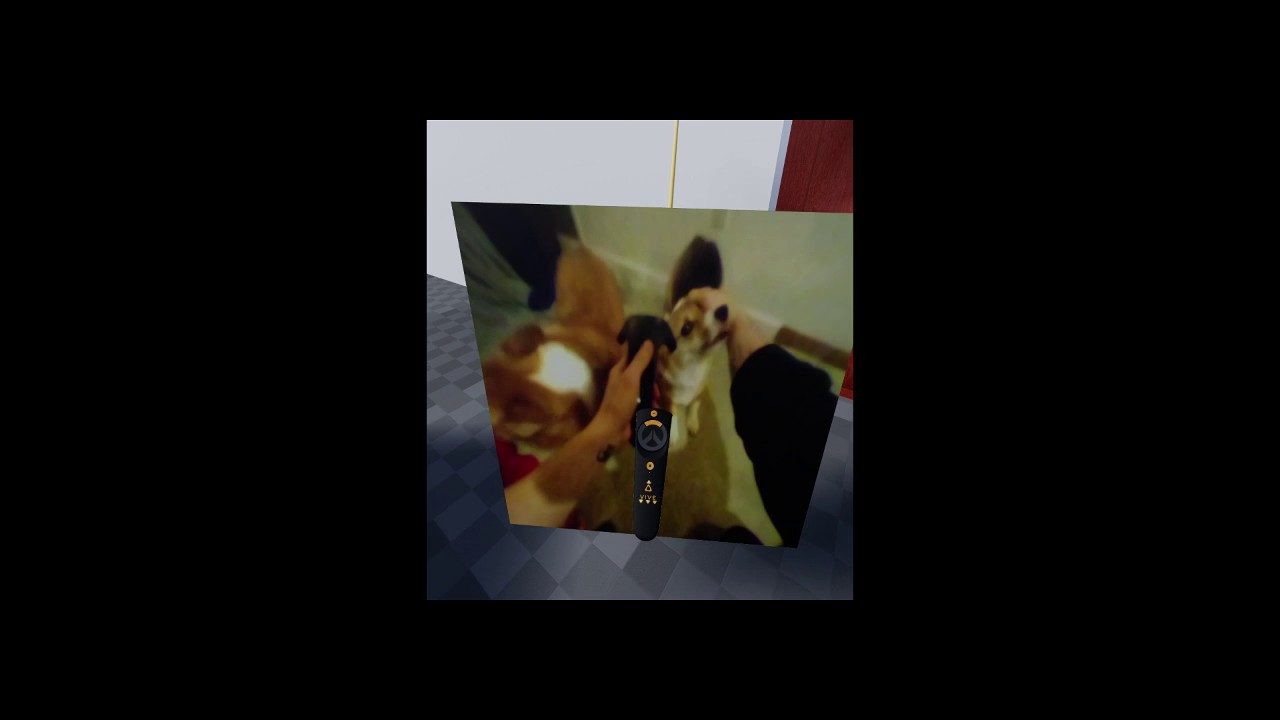
Playing around with capturing the vive camera into a texture. New nodes have been added to the plugin to support this. Still beta.
willow trail
@tired tree I'm creating the instanced static mesh in blueprint, I thought that was the problem, but I can't find the node to change mobility
Nevermind, I keep forgetting there are options in the details pane in BP...
 dusky moon
Guys lately I'm overusing the "Reduction Settings" for my meshes and crank down the poly count. my question is ... lets say I have a 600k poly mesh and I reduce it's default LOD0's polys to 20k ... will unreal treat my mesh in the levels as a 20k mesh ?! cuz I'm thinking I might have to sort of export the current reduced state of my mesh ... or am I wrong ?!
supple coyote
@dusky moon Alllesss what do you mean>
600k sounds a wee bit high in the first place
dusky moon
@supple coyote I reduced it to 20k through UE4's mesh editor (Reduction settings) ...
 brave adder
When attaching an actor to the hands on pickup, the velocity of the attached object is always 0. Is there a way around this? I can switch to physics handle, but the attach seems smoother.
granite jacinth
What's a pretty cheap way to highlight an object in VR.
sturdy coral
@granite jacinth if it doesn't need to be seen from behind other objects, fresnel emissive
digital marlin
If I dev a VR level with a player start at a specific location and then on a differenet VR setup the player start is about 100 uu away, could that be a calibration issue with the VR or something wrong in my pawn / player start?
tired tree
its because they are in a different location in roomspace
you need to adjust by the HMD location
digital marlin
yeah I do actually reset the HMD specifically to a point.
granite jacinth
@sturdy coral Alright, I'll try that tomorrow thanks. Just needed something for the player to be able to tell apart items when they grab it.
digital marlin
er okay, so yeah I think MY positional tracking is off. What's the best way to change that on beginplay so my positional tracking matches where I want my camera to be?
 pearl tangle
anybody done any playing around with the unified ARcore/ ARtoolkit stuff in 4.18 yet?
digital marlin
@pearl tangle yeah, a bit
My deltacopy breaks all the time though making remote building impossible.
also, is there a way to set my player start position to be at the 0,0,0 of the HMD, so the player start is consistent on different play areas?
pearl tangle
@digital marlin did you get it working alright over android at least, even if you couldn't test the iOS side of things? I haven't had a chance to play but I helped the Google guys with the Tango plugin assuming it should be pretty similar just a bit less complicated
digital marlin
@pearl tangle I think it's the build from Windows 10 to Mac, TBH.
pearl tangle
yeah but did you get the thing to run alright on an android device? It should only run on the pixel and s8's at the moment i think. I did get to have a little bit of a play around with the Pixel 2 last week though 😉
pearl tangle
yeah it's not quite what I was expecting for it. I did know about the HTC stuff a couple weeks ago too, which I think everybody would already have realised is so that Google has the manufacturing capability in house now specifically for devices like this
digital marlin
yeah, once I sort out this VR event thing for this client I'll dive back in
It's an absolute balls up
And for some reason one of my acots has just decided to start floating in the air
This is good.
brave adder
Anyone know why my mesh has no velocity when attached to the VR hands?
digital marlin
I'm guessing your hands don't have simulate physics enabled?
 deft badge
G'day all 😃
I'm struggling over here with getting started with ARKit. Is this a good channel to ask specific questions?
digital marlin
hmm maybe? mobile has some stuff too
deft badge
thanks @digital marlin
I'm just trying to set up my provisioning
But All the docs are pointing me to developer.apple.com, and then to Certificates, Identifiers & Profiles
I don't see a 'Certificates, Identifiers & profiles' section at developer.apple.com
Is that old documentation? Are there account limitations?
I can build the ARKit examples and run them on my iphone
ie. I've updated IOS, and xcode (to beta)
And outside of UE4, I can test and deploy ARKit examples
I just don't get the UE4 workflow
brave adder
@digital marlin They don't and the attached object is 'welded' However i can still get a linear velocity of the attached object, so i'm hoping that will work.
digital marlin
jjjams you've got a paid-for app dev account?
deft badge
@digital marlin I don't. You don't need one to deploy from xcode to your own phone (for dev purposes)
Do I need one to use UE4 and arkit?
digital marlin
Certificates, Identifiers & Profiles is part of the paid-for app dev kit, AFAIK
I had a free account and could only see limited options.
deft badge
Right, which would explain why I can't see it.
digital marlin
yah
deft badge
Thanks man, I'll bust out the CC
digital marlin
Yeah I had too 8(
digital marlin
@deft badge are you deving on windows or mac?
deft badge
osx
digital marlin
ah right.
digital marlin
I know, right?
deft badge
😉
digital marlin
Don't they know you came to play?
deft badge
😃
digital marlin
hey how'd you get the AR Texture stuff to work? It's no longer there on the preview update for me.
deft badge
me?
digital marlin
yah
deft badge
The examples I got running are not the UE4 examples
digital marlin
UE4 had examples?
deft badge
They're the swift examples
digital marlin
ooohhh
deft badge
right. No paid developer account required.
digital marlin
Ah that sucks
deft badge
All good, I appreciate your help man
When I can get going, I'm happy to take a look at the AR Texture stuff.
IS the camera not showing through or something? Or is it the red tint propblem?
digital marlin
Well I found solutions for that stuff actually - no it's more related to doing a remote build from win to mac
deft badge
Yeah, I'd be down for that workflow as a preference too
digital marlin
Well my deltacopy randomly shits itself
Like I could do 3 -4 builds fine then suddenly it'll just say it's not found and that's it.
granite jacinth
Yo, dumb question incoming: what's this thing called? https://i.gyazo.com/9b96493f51fb9ee30169758b88443be2.jpg
Is it OculusHome or OculusApp or what?
 granite jacinth
Hmm, but that's inside your HMD
deft badge
oh, Oculus Store?
granite jacinth
Is the Desktop App anmed the same?
Well, I just want to know what to call the damn desktop app 😉
Like, we have SteamVR
deft badge
 deft badge
Oculus App apparently
granite jacinth
thanks
deft badge
No change buddy
granite jacinth
I obviously can't read
digital marlin
later mate
 uneven moon
If you've released on Steam for both Oculus and Vive, please PM me.
 mighty carbon

“Today we’re going to tell you everything that went wrong with Raw Data ,” said Survios design director Mike McTyre, alongside Survios CT Alex Silkin at VRDC Fall 2017 today.
Good read
wicked oak
The game’s biggest cost was enemies moving around the world, “so we just kinda refactored our systems to not have as many things attached” to things in the world. After a lot of time and effort, they had something that could stand by itself on PSVR.
top kek
i had the exact same thing on DWVR
tired tree
I like how they said that 20% turn on sliding motion when its not advertised and their game doesn't really play any better with it
Raw Data was never a game that really needed it
mighty carbon
the key takeaways are: 1. small minority whines about conventional locomotion in VR and then even less use it. 2. MP is overrated and SP is what most people are in VR for
wicked oak
@mighty carbon but they will shittalk your game to oblivion
they are really, really, really vocal
thas why ive said several times to just go and implement smooth locomotion even if half assed just to shut them up
mighty carbon
that doesn't matter IMO because they talk down about the feature most don't care about
if I read "the game is shit because it has no smooth locomotion" I ignore the rest of the review (if there is the rest at all)
I just glad to hear MP is overrated.. I'll just focus on SP then.
tired tree
the key takeaway is that if the game isn't better with smooth locomotion then it isn't better with it
wicked oak
it only has MP as an extra and smooth as an extra
tired tree
there are plenty of games that would be terrible with teleport only locomotion
like onward
mighty carbon
that's arguable
mighty carbon
I can't play those kind of games
even ginger ale is no help when it comes to smooth locomotion 😦
tired tree
you say that...without having tried onward?
ok...
its the original game that people found out that smooth isn't even that bad when implemented properly
wicked oak
Fixed! UE-48413 Crash running dedicated server with fixed framerate
Fixed! UE-48228 Instanced Static Mesh components that are part of a Blueprint aren't visible in Standalone Game
pretty important bugfix
tired tree
you may still be affected...but you talk a lot of shit about stuff you haven't fully tried
lots of good bug fixes in 4.17
.2
jeez that really shows how bad off 4.17.1 was though...
"Fixed! UE-49009 Blueprint needs to be compiled if another blueprint sharing an interface is compiled"
that one was tons of fun
mighty carbon
If Onward had a free demo, just so that people can see if they get motion sickness, I'd try it. Otherwise I have a better way to spend the money.
mighty carbon
I prefer old school demos
tired tree
why the hell, would you prefere a snap shot of a game, possibly its "best section" over the full thing for a demo experience
more so with multiplayer
there is no single player
for that game
mighty carbon
maybe it's just me, but in VR motion sickness test is what most people need to experience. Thus just a demo showing that would be a good thing for many games.
As a game, Onward is not interesting to me at all. If it was something I wanted to play (SP game), perhaps I could have used refund system on Steam if I couldn't bear the locomotion.
being developer myself, I hate to see sales come and go (due to refunds). Thus I try not to do the same to other devs.
tired tree
lots of people would never try the game without the refund
its not a 2 hour or less experience
 vagrant mantle
How to do like this runtime, moving meshes like that using line trace?
mighty carbon
@tired tree I only used refund system once since it launched o.O There used to be no refunds at all not too long ago.
mighty carbon
and I am actually against it
tired tree
where it hits hard is short experiences or games
mighty carbon
there is no refund system for movies for example..
tired tree
for everything else, its generally a good thing
you seriously can't equate a movie ticket to a game purchase.....
mighty carbon
(on Amazon, if you purchased movie, but haven't started watching it, you can get a refund. Once you clicked Play, you can't.)
again, that's arguable
it's like saying you can't equate a short experience to a cup of coffee
tired tree
you can download entire movies from amazon servers too....and movies are 1.5 - 2 hours long
mighty carbon
(which you absolutely can)
tired tree
games are typically expected to last longer, and provide more content
mighty carbon
Amazon movies are DRMed, aren't they ? (I haven't tried downloading them yet from Amazon or Netflix)
expected... sounds entitlement
I guess it's a good thing we have separation between games and experiences in VR
but then some people don't get that and tell me that my "game" is too short, when I clearly states it's not a game, it's a bite-size experience o.O
tired tree
then it is what it is
they would complain anyway
experiences are a hard medium to deal with, you either blow them away, or it was "meh"
mighty carbon
true
vagrant mantle
Anyone?
mighty carbon
ohh, this one is on point https://twitter.com/charlesrandall/status/911992032213835780

If more people accepted that it's okay to dislike a game and move on, rather than doubling down on harassment, things would be more open.
Retweets
120
Likes
884
 Twitter
mighty carbon
Twitter
mighty carbon
one thing I totally hate about working alone is that there is no one to bounce ideas off 😦
(especially when it comes to story/lore)
sturdy coral
@vagrant mantle all the code for that is under UnrealEngine/Engine/Source/Editor/VREditor/
vagrant mantle
@sturdy coral ya, i just want to make the movement part
sturdy coral
yeah, that code is in there too
vagrant mantle
@sturdy coral can't understand the concept in that
sturdy coral
@vagrant mantle look at void UVREditorPlacement::StartPlacingObjects(
it has most of the stuff you need
ViewportWorldInteraction->FindPlacementPointUnderLaser(
sturdy coral
I don't know, you'll have to look through
I know it uses a type of interpolation on top of it for the bendy looking movement and stabilization
it uses this:
vagrant mantle
@sturdy coral saw the page, what it tells exactly
@sturdy coral im looking for a simple method
sturdy coral
it just tells about a method of filtering that maintains responsiveness and stuff but tried to eliminate jitter, I just saw in a live stream that that is what they use
vagrant mantle
@sturdy coral i just want to move static mesh actor x, y and z has to be locked with the line trace
full junco
@wicked oak @tired tree I found this blog post about the high FOV issue with the Pimax 8K, he says the planar projection with suich a high FOV is actually not an issue: http://doc-ok.org/?p=1649

There is an on-going, but already highly successful, Kickstarter campaign for a new VR head-mounted display with a wide (200°) field of view (FoV): Pimax 8k. As I have not personally tried this hea…
what do you think about that?
wicked oak
that is a HUGE waste of screen
tired tree
well you can't look at the entire screen anyway...
wicked oak
have you seen Nvidia talk about future tech?
full junco
well maybe read the blog post before commenting on it
tired tree
but you at least need to keep clarity for the distance you can look
full junco
he describes it in detail what he means
wicked oak
from "literally lazors" to 1000 fps screens to "GPU on the pc, but headset has a Tegra at the screen to do fancy timewarping"
tired tree
I read that article yesterday
full junco
ah
wicked oak
@full junco i also read it
full junco
I don't understand what he means with "rendered at 170° FoV, photographed at 170° actual FoV"
wicked oak
becouse the FOV doesnt match. You right now have X fov to your screen
so a fullscreen image at that exact FOV will look best
full junco
how can this: http://doc-ok.org/wp-content/uploads/2017/09/20170923_232107.jpg look like this when "photographed" in any special way?

 full junco
tilts?
mighty carbon
Oh, I can see that
tired tree
the perspective of the screen with the camera perspective corrects for the warp

How to draw a floating/levitating cube. 3D trick art on line paper anamorphic optical illusion. Materials used: 110lb cardstock, HB pencil, 2B pencil, Blue b...
there
full junco
ah, so no special lense on the camera?
wicked oak
no
tired tree
on a somewhat related note, perspective trick games would be amazing in vr
glossy agate
Yeah. Someone had a free template a couple years ago where when you picked up a object it would resize based on screen size. Would make a cool vr puzzle game.
sturdy coral
one thing to keep in mind on waste of screen is that pincushion distortion of the lenses compresses the center and balloons the periphery
it may not be enough to overcome the perspective distortion that compresses the periphery
but it should alleviate some of it display wise (not render wise)
that still takes multires, etc.
mighty carbon
I just don't get why they designed controllers just like Vive's. Could have designed it similar to Touch and make it a bit more ergonomic.
sturdy coral
I just bought the hmd without controllers, too skeptical of them and it should work with existing vive stuff and eventually knuckles
full junco
yeah
I still dont really understand the FOV issue though, the blog post says that it can be fixed just with software?
sturdy coral
yeah, read the addendum at the end
full junco
the center of the screen has by far the lowest pixel density then though
isn't that stupid?
sturdy coral
that is considering it without lens distortion
the barrel distortion you see in old mirror views of oculus dk2 and stuff is the inverse of what the lenses do
full junco
this is what the game renders though: http://doc-ok.org/wp-content/uploads/2017/09/Pimax8kScreenshot.jpg

anything steamvr does it later
sturdy coral
yeah but that's before the compositor applies lens distortion
in reality that view should be much higher res than the overall screen
full junco
but that image there is where the rendered pixel are
you can't add any pixels any more for the center
sturdy coral
yeah, it will take multires shading or LMS etc. to do it well
but display efficiency wise it isn't necessarily as bad as it looks
render cost, yes
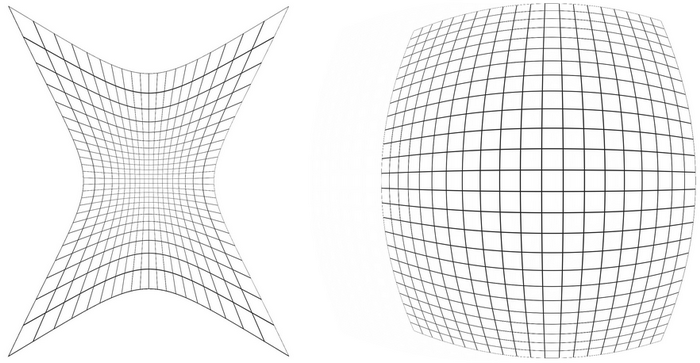
image on the left is what the lenses do to the screen:
(HMD lenses in general) : https://roadtovrlive-5ea0.kxcdn.com/wp-content/uploads/2013/10/grid_pin_barrel_2.png
 glossy agate
Found it. Someone should try this in VR. Would be pretty cool with a sense of scale you can get https://youtu.be/rNMKzrjoWfc

Everything made in Blueprints! No C++
sturdy coral
can forced perspective work with stereo vision?
tired tree
they made that example after that one game released that was based on forced perspective
sturdy coral
it gives you a conflicting scale cue
tired tree
ah they even mention it
@sturdy coral plenty of cases of real world forced perspective
never been in one of those carnival silly houses?
or something like this? https://www.youtube.com/watch?v=SdF9K0IBBVw
 sturdy coral
true, I guess the disney castle is considered forced perspective too
the stuff at the top is miniaturized windows and stuff and makes it look bigger
but some of that because it is out of the range of your depth perception and may look more apparent if you looked at a smaller model of it
glossy agate
The video I posted you can download the project free on the forum. Might work in VR, and its all BP, just don't have the time right now to mess with something new myself. And I don't know anything about puzzle design
tired tree
there are a ton of real life visual illusions, like Ames rooms, mirrored mazes, tilted horizons
sturdy coral
I'd imagine with stereo vision an ames room would just look like this no matter from what vantage point: http://richannel.org/images/BruceHoodgivingthe20.jpg

oddly the thumbnail brings back some of the illusion
but viewing it in a big window it looks different
tired tree
?
you can walk through them in real life, you don't enter the room when viewing the illusion
you stand outside of it at a window
that is why it is "forced perspective"
also that video earlier of the archways leading to a statue is a real place that he re-created in VR
mighty carbon
has anyone succeeded in making portals in VR (similar to what you see in Portal games) ?
sturdy coral
there is a portal vr experience for free, I don't know if it has any actual portals
glossy agate
Have seen a few people doing it
sturdy coral
it is ue4 though I'm pretty sure
@tired tree yeah I guess it still has an effect, I've definitely been in a disorienting room in a carnival with lots of scale stuff
glossy agate
unity has a marketplace asset for sale with VR portals too.
tired tree
there is a portal plugin for UE4 already, touts VR support but its all shader so likely not perfect
sturdy coral
like an image like this: http://www.oneikathetraveller.com/wp-content/uploads/2015/12/IMG_4946.jpg

you can close one eye and hold your head still
and kind of see in real life
tired tree
was helping BlackFang get one going using actual HMD projection matrix's but needs late update correction
sturdy coral
but you won't generally see it unless you are trying to
mighty carbon
I'd be ok with portal rendering in 2D in stead of actual VR, as long as everything can go through the portal and be seen on the other side
mighty carbon
is it on the Marketplace ?
tired tree
mighty carbon
oh, a freebie .. cool, thanks
mighty carbon
yeah
 frigid kite
Hey @tired tree , I bet you know all the quirks of sweeping and collisions
I'm making a hands setup where the hand meshes collide with the world (once they are stuck, you still have non colliding ghost hands of course, lone echo style)
The hands are skeletal meshes, set up with collisions in the physics asset, set to respond to both traces and physics
However, they're colliding with something that's far from the actual collision meshes, at the root of the hand instead of the finger tips - when I use a fixed box collider as the hand actor's root, it works as expected
wicked oak
@frigid kite you need to have a physics root to have physics on the actor
this has brought me some trouble, as i wanted to have a weapon that had a Scenecomponent as root
but it has to be a mesh
if i want physics to work well
frigid kite
A "physics root"? The object that needs to collide with the sweeps must be the root
so I can't use anything but the skeletal mesh itself as root
wicked oak






or a static mesh
there is also some weird shit with this stuff (this does direct attachment, so it keeps low latency). You cant change collision modes as it will "delete" its velocity
frigid kite
Hmm
In my case, I can't have the hands attached directly to the motion controllers - they need to sweep each frame to check for collisions
However, they're set up in morden's late tick for the motion controllers, so they only set their transforms after the motion controllers' tick, making sure there's never a frame delay between the hands and the controllers
slim raft
I still don't have any ideas on how to fix the late update issue.
wicked oak
im trying to have perfected physics and handling for guns and random items
as i want a robo recall level of interaction in my next game
slim raft
Ideally, I don't want to do any engine changes to make the portals work, as I want to keep it easy to move between engine versions.
slim raft
The only thing I can even begin to think of would be a custom camera class with a late update even to bind to
mighty carbon
does anyone know if it's possible to set min/max visibility for actor in the runtime ? (using BP)
slim raft
What do you mean by 'visibility'?
glossy agate
@wicked oak You doing the dungeon crawler still or the PVP again?
mighty carbon
@slim raft err, draw distance is what I meant
wicked oak
@glossy agate back to dungeon crawling, but full shooter
i was unable to get good melee mechanics for psvr
tracking too bad and limited, and i dont have joysticks for smooth movement
glossy agate
Ah. PSVR exclusive, or just less interactive PSVR version. Because you cant have full reload mechanics like your vid
wicked oak
you can
remember raw data and arizona sunshine are on psvr
raw data next week
both of those have advanced interactions
but i want a bit more than just that. Kind of like an arcadey version of H3
with a hint of robo recall (you can grab stuffs at a distance and throw them)
the reason the rifle is an m4 is becouse i have no imagination
so i just grabbed the first real gun that came to my mind
instead of modelling a scifi gun myself
glossy agate
Oh, AZ sunshine has that hip hitbox reload though, but I guess the PS controller sticks will work for all that
For the advanced reloading
wicked oak
i havent implemented yet, but i want to have slot inventory
4 slots like robo recall (tho the 2 "up" ones ill have to test tracking)
plus an actual inventory
weapons would just reappear in your belt if you throw them
and you would be able to put stuff into slots automatically
i want this to be kind of a loot game, so you would be able to grab enemy weapons
any enemy weapon
put your current weapon in the belt, grab the enemy one (while ammo lasts)
glossy agate
Yeah I have slots in mine. 6 free slots plus one melee, 1 primary, 1 secondary. Spawns them through the loadout menu, and you can add more to your slot while looting in game
wicked oak
for the enemies ill make them a bit like the raw data ones
slow-ish and as physically simulated as possible (but not to robo recall levels)
more realistic in general. DWVR went too arcade
for the level im currently shamelessly copying sections of doom maps, i suck at level design (will probably get someone to do it for me)
just to have somewhere to test gameplay
i want to have the main mechanics locked down before even looking for an artsyle of final levels or story
mighty carbon
I am actually going backward with my new project - developing lore / assets, then will dive into BP stuff when I have enough assets for the first slice
wicked oak
arent you doing more story/atmosphere related stuff?
normally im very, very mechanics based
as its what i do well
mighty carbon
nah, I am going for desktop VR game
well, yeah, story is important of course
but gameplay mechanics matter too..
except I am not going for Oscar in innovative gameplay..
😛
just solid recognizable mechanics that make it fun to play the game
hybrid plume
cool stuff you guys are doing
we all have our own approaches to approximate an abstraction
wicked oak
tomorrow is the day
finally on ps4
at what hour does playstation store update?
ill have my stats ready
granite jacinth
@wicked oak Nice!!!!
@wicked oak Do you have time to share your experience on here with everyone?
Or actually, could be a nice little blog post
wicked oak
ill probably do a postmortem once i have the data
granite jacinth
Ok, yeah. Basically, I really want to know if it was worth it.
wicked oak
i need 400 sales to break even
granite jacinth
I know a lot of other devs are doing cross-platform because you want to maximize your playerbase
I think PSVR has over 1million sold?
wicked oak
1.5 million
wicked oak
on DevCon they said it was 1200.000
and then they said they sold half a million in summer
granite jacinth
So, if you can't make any money on it...I'll be super disapointed.
wicked oak
so you can guess beetween 1.500.000 and 1.800.000
granite jacinth
I really want to know along the lines of... all the extra coding you had to do
granite jacinth
Basically, how much more time was it to dev for it
granite jacinth
"small"
wicked oak
yes, small
granite jacinth
as in how many lines of code do you think?
wicked oak
bunch of places, sub 10 lines on each
granite jacinth
BUt pretty trivial you say?
wicked oak
its was more about how to put those edits than the edits themselves
digital marlin
@wicked oak awesome man, congrats.
wicked oak
as i had to read the engine code for the stuff to find why stuff doesnt work and then do the small edit
frigid kite
Oh, grats on the release, @wicked oak!
wicked oak
@granite jacinth copypaste it into normal github buildd
wicked oak
Epic doesnt have source control for console devs
unless you are full license
they give you access to an FTP server
that has .zips with all the versions
like one zip a week or so
made on the latest "master" version
or with the different builds
so they just uploaded the .zip for launcher 4.17.2, for example
copypaste it on top, download dependencies, compile
should work fine
granite jacinth
Interesting
Well, I wish you the best tomorrow
Did you do any marketing @wicked oak ?
wicked oak
badly/no
granite jacinth
lol
glossy agate
You get keys pretty easy though to give out to content creators?
digital marlin
Is there some kind of negotiation or pitch you have to do?
mighty carbon
congrats @wicked oak
wicked oak
@digital marlin yes
mighty carbon
do you support Aim controller ?
digital marlin
ah neat.
mighty carbon
damn
wicked oak
we are talking 5 different control peripherals
digital marlin
lol oh man
digital marlin
I can barely get WASD to feel good
wicked oak
at the end i settled on having higher level input commands on the controller
and handling the mapping on each of the Hand actors
so the Hand Actor gets "PSMove button pressed"
then sends a "TeleportPressed (right hand, other data)" to the controller
and if i can teleport
glossy agate
I bet. So does PS let you check controller type/name so you can default the other interactions ect?
wicked oak
then the controller tells the pawn to perform teleport logic
ahaha
no
i have a configuration menu
essentially i have a sequence. I set PSVR Aim and Dualshock as the initial tracked devices
and then, if the aim is actually tracking (not erroring), i offer "press triangle to use AIM"
there is also "press cross to use Dualshock"
there are also other 2 texts
Left PSmove not tracked, press the Move button(central button) to track
and same on the right
the move button of each psmove sets its tracking enabled, and as there is a max of 2 tracked devices, then it drops the tracking for the aim controller
and once both psmoves are detected as tracking, i have a text of "press central button to use move"
the X button is allways there, for gamepad mode
so, for a player to use AIM, they just have to make sure its on, turn on the game, and press triangle
if they want to use a gamepad, then they turn on the game and press X
and if they want to use the moves, they have to press the central button on both, and once the game detects them, press the central button on the right one (i have labels on them)
then the game configures stuff properly and spawns the correct Hand actors depending on the devices
mighty carbon
but why support everything ?
glossy agate
wider market
mighty carbon
I'd only support the best/most suitable available input
wicked oak
wider market
mighty carbon
if software is that good, people will buy peripherals for it
wicked oak
less than half psvr players have Move controllers
and very, veeeeery few shooters support dualshock or AIM
glossy agate
Probably most people have dual shock, then move second, and probably the least people have AIM (Im just guessing though)
wicked oak
and anway my aim and dualshock implementations are damn legit
the game is playable quite well
but you lose the really cool sword and magic fireballs
mighty carbon
I'd go for dual shock and AIM - everyone has dual shock and they can play it, and if they really want to - they'd buy AIM.. From what I've read Move seems to be the worst input option for PSVR
(due to poor tracking)
sturdy coral
move was sold in lots of bundles
wicked oak
but my game is a pcvr game, designed for hand controlers
mighty carbon
true..
glossy agate
VR without motion controllers was great, until I tried VR with controllers. Night and day. I wish PSVR would come up with a cool roomscale upgrade
wicked oak
wont
need psvr2.0 for that
i dont see them selling Move 2.0
they 100% know
but devs would be annoyed
like "come on, again"
now, if said move 2.0 are backwards compatible
then sure
that way players can get them becouse they work well on games that support them, but they still have better tracking on every other game
sturdy coral
one way I could see them achieving it is a separate processing box or new camera with built in processing
just to process the camera data and send the tracked positions over to the PS4
wicked oak
they can add lighthouse style tech
and in fact, it would improve performance in games
currently devs need to run the tracking api, wich is fucking slow
due to all the image processing
the reason oculus uses IR is becouse that way the image processing is only 1 channel, and its much, much simpler
as the kernel is smaller as the tracking point is small
and lighthouse is literally free cost
sturdy coral
yeah, and since the camera is used for nothing else they can run it at tiny exposures
like a few (hundred?) microseconds
lighthouse isn't as free as it was first made out to be at this point
you have to process it on PC with a proprietary driver
wicked oak
it is. in lighthouse the calculations are SO trivial they are done on the device itself
you dont even need the pc
sturdy coral
that's not true, the timestamps and stuff are done on device
but the pose reconstruction is done on PC
there were some stirrings of onboard processing going forward in later versions though:

reddit
79 points and 16 comments so far on reddit
all the people who have shown things like day dream with a vive tracker and stuff so far have had a PC in the mix
some people have had success reverse engineering parts of it and doing their own reconstructions, but the licensed devices right now have to have a PC
wicked oak
well, thats more about the valve implementation than the hardware itself
if you get a bunch of those lighthouse trackers, you can definitely build your own tracking in an IC on-device
sturdy coral
right now I think one issue is something needs a global view of all of the devices to help converge the estimate of the tracking universe (position of base stations relative to each other)
you could do it all individually but you just get worse results. like the HMD has more spread out sensors and tends to have a more accurate idea of where the base stations are, and that can feed in to making the controllers have a more accurate idea of where they are relative to each other and to the base stations
sly elk
so i haven't followed the last few unreal releases. It doesn't look like we have had anything nerw since spectator screens?
sturdy coral
@sly elk XR refactor, but it doesn't really change anything important
tired tree
@frigid kite are the hand meshes constrained to the hands by you directly, or are you using a grip method.
tired tree
i'll dig up where to insert the view modification tomorrow if i find time
full junco
@sly elk well, the last release was the one with spectator screens, so you didnt miss any new releases
in a few weeks 4.18 will be released without anything major new
pearl tangle
@full junco I take it the new mixed reality spectator mode 1 didn't make it into 4.18 at all? I haven't checked the release notes yet but assume everybody would be all over that already if it had been
full junco
@pearl tangle hm? you mean that one with greenscreen?
thats in 4.18 as far as I know, I forgot about that already
mighty carbon

Neowin
Spotted by Microsoft leakster WalkingCat, it appears that Samsung is working on a new head-mounted display for Windows Mixed Reality, which likely has the same specs as the rest of the lineup.
uneven moon
anyone release on Steam for Oculus/Vive?
full junco
@uneven moon why do you ask the same question pretty much once a week or so? 😛
pearl tangle
@full junco that is still a big step up for them with providing the same capability as Unity for the mixed reality stuff. Definitely comes in handy for promotional stuff to be able to do the greenscreening. Although I think they were also working on another integrated, non green screen depth sensing version but not sure where that was up to
full junco
@pearl tangle how should "depth sensing" work without a depth sensing camera?
pearl tangle
there are a few ways you could do it. Marking out the bounds with a controller and tracking the camera position can help. Or they could be suggesting a depth camera for it im not sure. I just remember seeing some mentions of it on the UDN that they were looking at ways to integrate it in there
full junco
I dont see how knowing the bounds and camera position should help with that
pearl tangle
makes image processing much easier and faster
full junco
why? the camera still just has a 2d image without any depth information
pearl tangle
same way that DSLAM methods currently work with arcore and whatnot. Having the cropping information and a tracked camera can just speed up the process. You can also do image matching techniques so that it can easily recognize the fixed background elements separate from the moving actors. Depth cameras definitely makes things easier and faster but it is still technically achievable with a single camera
full junco
@pearl tangle "DSLAM"? google shows me this: https://en.wikipedia.org/wiki/Digital_subscriber_line_access_multiplexer

A digital subscriber line access multiplexer (DSLAM, often pronounced dee-slam) is a network device, often located in telephone exchanges, that connects multiple customer digital subscriber line (DSL) interfaces to a high-speed digital communicat...
pearl tangle
mostly just refered to as SLAM these days. (Simultaneous Localization And Mapping) D is for Dynamic but everybody uses different terminology for the stuff now. essentially SLAM methods with capability to also handle moving objects
 alpine torrent
@mighty carbon the platform give OEMs to easier way than build whole ecosystem themself
mighty carbon
Ehh?
mighty carbon
Was that related to my post about Samsung WMR?
mighty carbon
soooo, apparently 99c for a bite-size experience is too much money to pay according to some Gear VR users.. F@ck mobile platforms altogether... They want full length games, even in VR, for $1-$3. Bizarre.
uneven moon
Yeah, VR consumers are starting to go beyond the "Omg VR is so cool" where anything is great
We did a horror wave-shooter and literally everyone was like "Brookhaven 2" haha
sly elk
I think VR consumers wanting more fully realized games will end up being a good thing
mighty carbon
but at what price level?!
sly elk
but fuck mobile people 😛
mighty carbon
back in the days, Doom used to cost $50. That's 90s we are talking about and the cost of development was a way lower back then
(and cost of PR/marketing)
alpine torrent
microtransactions they get but not 99c
mighty carbon
in no way indies can afford to build full length VR games and sell it at $1
sly elk
Yeah. Low sale prices are terrible
mighty carbon
to be able to make money off microtransactions a game needs to have a massive user base
mighty carbon
sure, but if your game has too few users, whales won't come to it
tired tree
I find it interesting that Oculus doesn't publish user reviews and feedback on their store
mighty carbon
there isn't a single profitable f2p game with small user base
they do.. only when you use their app :/
alpine torrent
if you have interesting game it could bring new users
alpine torrent
in quantum era?
mighty carbon
it was the case in early 00s. One could have made a decent game and get away with having no PR/marketing
one could literally make a lot of money without heavy investment into PR
tired tree
times change.... there is more competition, and both better and worse games than back then out there in the indie scene
mighty carbon
(and there was a way less games, so visibility was there)
here is an interesting example - I've been tweeting about my Gear VR release and got very few retweets. Then someone asked what engine I used and when I said I don't use Unity, I got shit load of retweets. WTF!??!
like, "oh, look, he doesn't use Unity!!! Gee, weirdo.."
I am thinking making a gif with my cat and maybe put a poster with my game's name to be visible in the frame too.. maybe that would work as PR and gets retweets 😛
cuz, you know.. cats get a ton of retweets on Twitter
tired tree
if you don't have followers in the first place twitter isn't your medium, have to partner with people that do
mighty carbon
while I don't have a lot, I do get retweets on some stuff.. Just not when I post about my projects 😦
I should probably put KEK logo into the game, create controversy like Destiny 2 did, then remove it due to popular demand 😛
risky and dirty, but probably will get massive free PR
😄
@wicked oak can we see your game in PS4 store through web browser ?
mighty carbon
doesn't look like it
they also don't have PSVR filter o.O
I assume it will be in Shooters category, right ?
has anyone used Landscape in VR ? Is it too performance taxing ?
uneven moon
@mighty carbon Depends, I put together a fairly large landscape and it didn't make much of a difference
i7700K, 1080, 16gb ram
mighty carbon
duh
I am aiming for i3, 1060 and 8Gb of RAM
with that hardware config of yours seems like nothing will bog down the performance 😉
4.18pre2 is out
glossy agate
7:30 on the west coast here
sturdy coral
@mighty carbon the main issue is landscape in VR kills you on draw calls if you aren't careful
mighty carbon
I'll probably stick with mesh-based ones as I found out that ink outlines should work fine with modular geometry as long as vertex normals match on the seams
(if it wouldn't work, I'd have to go with Landscape)
sturdy coral
they need to instance the landscape components that are of the same LOD level when rendering shadows, right now far shadows will explode your draw calls
mighty carbon
ouch
sturdy coral
baked with dynamic shadows nearby is all I've been able to get by with
mighty carbon
I would imagine baking 10km x 10km Landscape would be tough unless one has good hardware ?
now official congrats to @wicked oak
wicked oak
neat
sturdy coral
no, you just bake at a really low resolution
you still get cascaded shadows up close
mighty carbon
ah, I see
sturdy coral
it isn't too bad
I don't think you could get a big landscape with dynamic time of day in VR for a good while though
without heavy modifications/hacks
mighty carbon
why not ? dynamic light is too slow ?
wicked oak
yes
mighty carbon
(with mesh-based terrain though, not Landscape)
tired tree
it doesn't matter
wicked oak
on the test i did, no issue. But dynamic shadows were a huge no
wicked oak
its impressive how slow they are
mighty carbon
😦
I am just puzzled why Epic doesn't optimize that stuff well
don't they need it for Fortnite BR mode ?!
mighty carbon
well, if it can run at 120 fps, it could be good for VR 😛
tired tree
fps isn't a straight devision for VR, and you are doubling the most costly part of it there
sturdy coral
vulkan should make a lot of things better eventually
Switch with weak arm cores is able to run doom 2016 since they can actually use parallelism
wicked oak
switch is 3 cores
no parallelism at all
helper core, render core, game core
its actually impressive on the ps4
where its 6 cores and 7th for audio
tired tree
doom on switch is also not full original quality
sturdy coral
I thought switch is t210, 8 cores
wicked oak
seems to be pc on low
tired tree
hell even on ps4 it wasn't full quality
sturdy coral
is it like phones where they can't all be used at once?