#virtual-reality
1 messages · Page 118 of 1
 pearl tangle
 glossy agate
Raw data looks like its getting Free loco PVP. May actually pick that one up now
 opal bobcat
so now instead of lan parties
we'll have vr parties?
everyone brings their rigs and sets up
 tired tree
Zoltan
don't use array
do a rolling average
you won't have to store previous values, get to set a threshold count, and its performance light
@pearl tangle forgot to tag
I use two rolling averages, high / low, low is a smaller sample size and controls start / stop, high is long term smoothed average
 clever sky
@tired tree Is there a specific rolling average function? Or is lerp the way to do it?
tired tree
oh
didn't link it
newAverage = lastAverage (input from last frame result);
newAverage -= newAverage / numSamples;
newAverage += newSample / numSamples;
you just keep one variable, and each sample you modify it by the new sample
numSamples is across how many samples you want to average
its an averaging low pass filter basically
there is also a simple exponential low pass that doesn't require stored values, but I haven't got a clean result from it yet
 wintry escarp
does ue4.16 work with the gearvr controller yet?
 mighty carbon
it does
 vale matrix
I got it running the other day with the ball roll Epic example, its nice
 wicked oak
@tired tree how are you testing Editor vs VR vs editor VR?
im trying to get a simple way to testing if im on vr or not for debugging
i remember you had something, but i dont remember what you did
tired tree
i check if the currently editor mode is vrpreview, or if it is in game with an active headset, if not than i use a fps pawn
well..a derived character with fps settings
wicked oak
i want it to flip a switch on the vr pawn
that turns off tracking and makes it work with WASD + mouse + debug keys
tired tree
i just have been using the non vr window modes in the editor
during play swithing is pretty easy
sent you the detection function
don't like to paste filler in here, obscures conversations
glossy agate
I think the default fps project has a simple version of it so you can play both in and out of BR
Vr*
wintry escarp

ALT: Antilatency tracker is an inside-out optical-inertial positional tracking solution for mobile virtual reality. Compatible with all kinds of VR headsets
opal bobcat
yeah
saw that looks awesome
unlimited room scale, multi user, with motion controllers
and it appears like it could be cheap enough to buy a lot of
 real needle
I just opened up 4.16 for the first time on a terminal and a tab named "OdinPluginGenerator" was opened by default?
I believe Odin was the name of the custom version of the engine epic was using for RoboRecall
mighty carbon

Ars Technica
Fallout 4 VR, Skyrim VR need to do a lot to convince us they’re VR-ready.
opal bobcat
just read that
doom definitely looks like the most fleshed out of the 3
really looking forward to it
real needle
Hey guys I have a very concerning issue with the grip buttons on the vive controllers: Occasionally, they will not return "Released". I have provided a unity build and a 4.16 unreal project where it can be reproed, and I would appreciate if some of you could possibly test it out as well: https://drive.google.com/open?id=0B6tHV5YjeUu8OFZTRDBxbFItalE
The simple repro turns off visibility when the grips are pressed, and turns it back on when they are released
I've now tested on 6 different vives (pre's and consumer version), and on some the issue is more prevalent than the others
Since I was able to reproduce it in both unity and unreal, it could be a hardware problem or an OpenVR problem. I doubt it's openVR at this point because otherwise the same problem should appear on other buttons
 deft badge
@real needle : Google Drive... "You need permission"
deft badge
grabbing 4.16 version now
real needle
❤
 digital marlin
hrmm
real needle
I also went ahead and emailed valve directly
I'm surprised this hasn't been discovered yet
But this is actually the first time I'm using the grips in a great way, before they've just been annoying at best
mighty carbon
any graphics (materials) gurus here ?
digital marlin
Ah my co-worker is pretty good with that stuff.
I'd be happy to pass on a question to him.
deft badge
@mighty carbon, what's up? RE materials
mighty carbon

Finding doctors who are willing to implant experimental hardware is really, really hard.
 Twitter
deft badge
Twitter
deft badge
@real needle : Love your level design. 😉
mighty carbon
^^ is he going to implant common sense ?
@digital marlin @deft badge https://forums.unrealengine.com/showthread.php?102400-Dynamic-blob-shadow&p=723013&viewfull=1#post723013
deft badge
The grips buttons work fine, except for one instance, when the left controller stayed invisible.
mighty carbon

reddit
Rift Release 1.16 is now rolling out to all users. Release notes are listed below. ######Features: Mixed reality capture: We've...
digital marlin
lol Palmer Lucky
real needle
It won't reset itself until you click it again
And since the release is what you need to time in my game, it breaks gameplay
deft badge
Yeah, it was stuck on, even though I had released the grip
It happened once in about 100 tries
digital marlin
@mighty carbon lemme see what he says.
real needle
Yeah, it seems to vary between controllers and how much they have been used
digital marlin
He's my go-to guy for materials themselves, not sure if he knows a lot about sockets etc but we'll see.
real needle
Like I said in the post, it's sometimes as often as 1 in 5 and then 1 in 100
glossy agate
Ill Give it a shot too @real needle Im on pre
real needle
Thank you guys, I just need more people to chime in so that it doesn't get dismissed as a problem with my 6 vives :b
deft badge
😃
real needle
I've also tested on 3 different computers
real needle
Yeah they are pretty weak
digital marlin
How much milk are you drinking?
real needle
I only played drums for 19 years
digital marlin
Frail.
mighty carbon
tacos!
digital marlin
Beer is also a substitute for calcium.
real needle
@digital marlin And a great Vitamin b12 boost
digital marlin
8D
digital marlin
o rly?
digital marlin
I think it makes me more likable and attractive.
mighty carbon
well, don't know about all that, but it seems like WorldPositionBehindTranslucency doesn't work in ES preview and on ES2 device
real needle
I realized this conversation could go somewhere else lol, so I'm just gonna stop there
digital marlin
Fair enough
deft badge
@real needle Best vr drumming experience?
real needle
Real Life
opal bobcat
 real needle
I haven't played any that I was super stoked about. All of them is missing a kick pedal and it doesn't make sense to play without one
real needle
I did a small game called "Drums of War" during the GGJ, where you combated archers by pounding war drums
I got the hit detection to feel good

Our entry for Global Game Jam 2017. Completed in 36 hours, this rhythm game pits the player's drumming skills against a horde of invading vikings. Your arche...
glossy agate
Works fine for me. Failed once out of a couple hundred click
real needle
Yeah like I said, it's either 1 in 100 or more frequently depending on the controllers
1 in 100 is actually still really bad for my game
Because you use the grip buttons to climb in a special way
glossy agate
I tested both side grips, and tested with clenched fists
real needle
I discovered something while testing this. And that is that you can't click both grip buttons on one controller at the same time
When one is held down the other is locked
digital marlin
Yeah
real needle
Same here, which is why I was super stoked when I built a mechanic that the grips makes sense for
glossy agate
I like how Onward used them for just grabbing and holstering weapons.
digital marlin
Though it's a nice way to do a reload mechanic for a gun game
real needle
I can invite you guys to the closed test builds on steam if you want to try it out
glossy agate
Yeah, send a key!
digital marlin
Sure
real needle
Do you own The Nest?
glossy agate
I do not
opal bobcat
you wrote the nest?
real needle
Yeah
opal bobcat
nice
opal bobcat
yeah i thought the scope mechanic was very cool
real needle
Thanks 😃
mighty carbon
@deft badge so, could you please look at my material issue ?
real needle
I tried playing Hotdogs Horseshoes and Handgrenades yesterday. And even lying prone on the ground I couldn't hit shit with the sniper. I love the game in general, but the sniper is just way too hard
opal bobcat
yeah, does the nest work with oculus too?
ive only ever used it with vive
my vives not setup at the moment
real needle
The single player does, but you should set the alignment of the rifle under the customization settings
Multiplayer is prepared for Rift, and just needs a little bit of work to function atm
real needle
It's not public, been working on it for 8 months
PvP atm, which is me figuring out issues related to latency etc
opal bobcat
nods
real needle
Co-op has always been the grand goal for me, but I've been doing this on my own for a long time now and haven't had a character artist on board
opal bobcat
i just did a small mutliplayer pong game for my VR class project
it was fun but we just worked over localhost so the latency was nil
real needle
I'm doing listen servers so for me it mostly depends on the hosts internet connection
deft badge
@motersep, yeah I'll take a squiz
real needle
But I'm trying to do some faking to give the local player a better representation of the game when the host is saturated
opal bobcat
nods
so do you actualy shoot at the other player? or do you both shoot at the androids
and its whoever gets the high score
real needle
Nah it's PvP ala Overwatch style
opal bobcat
ahh ive only ever played where you duck behind the wall
opal bobcat
are you a solo dev?
real needle
Still is, publicly. A multiplayer game needs a userbase, and the game needs to be good enough to keep the users to play it for that user base to happen
Mostly. My company has another artist but he's been busy doing other things.
opal bobcat
ahh so you did the art yourself?
real needle
The new art style is sourced from the asset store and modified by me
I have a level designer who helped me with the first PvP-map
opal bobcat
what forms of locomotion did you implement?
real needle
There are currently three kinds, but I'd rather not mention them here and just have you play the game with me in a couple of days
I need to leave my office for today atm
opal bobcat
sounds good
real needle
The grip bug I mentioned earlier breaks the best one of them
opal bobcat
does that mechanic work with the touch at all?
real needle
It's a new take on climbing that works in junction with fast paced action, and I haven't had many complaints about locomotion sickness, and for the really sensitive they can play another character that doesn't use it
Yes, touch sholdn't be a problem
opal bobcat
i would label myself as really sensitive, but i can atleast give it a shot
real needle
The sniper class will be for you then, but I think you can play the other one as well
opal bobcat
ahh you're doing ctf style classes?
real needle
Think World of Warcraft/Overwatch
opal bobcat
ive definitely played wow
real needle
You can just take a look at an overwatch video and see the types of locomotion
I've spent a good portion of the last year prototyping a system that is still in the works, and will be released with the third character class
I really gotta go I'll talk to you guys and we'll play later. Thanks for reproducing for me! If you could go to the answerhub post and chime in with your findings that'd be appreciated ❤
opal bobcat
yeah, overwatch looks pretty sickness inducing
real needle
haha indeed
just the design with the "rock paper scissor" between the classes
is what I'm aiming for
deft badge
@motersep, got blob shadows working.
Works on slopes
Has one issue, that I'll leave to you to fix
It casts onto the players foot as well as the surrounding geo
@mighty carbon
- Add some geo around the feet
- Apply this material to them
The material needs to be set to transparent.
Results
pearl tangle
@real needle I saw another VR arcade in dubai on the weekend that had the nest up there
also this thing with a giant vive headset on a moving rail hah
they have some vibrating vest stuff and a gun controller as well @real needle
mighty carbon
@deft badge thanks, I'll try it now.. Unfortunately I was never good with materials / shaders in any engine, so shaded foot is bound to stay :/
pearl tangle
You could just disable shadows on the player?
deft badge
That one is better, doesn't shade the foot, but also doesn't work on surfaces higher than the foot (ie clipping). But that's smoothed out as well
couldn't help himself
mighty carbon
what about setting color of the shadow ?
(this way it can be used in lieu of dynamic lights)
deft badge
Plug a colour in to the base colour node
mighty carbon
ah, cool
well, it doesn't work in Android preview :/
going to deploy to device and test there

Snapdragon S7 / S8 can decode 5760x2880 30 fps video when encoded as h265. It doesn't work with h264. It also doesn't work at 6000x3000.
Twitter
nice stuff in the comments
mighty carbon
@deft badge tested, seems to be working on the device
mighty carbon

I haven't, since I think casting shadow on the slopes is a good thing, even if it shadows character's feet
@deft badge how can I tweak intensity of the blob in either of the setups ?
deft badge
Add a multiple node just before the opacity input
Multiply by 1 does nothing. Multiply by .5 halves the intensity
deft badge
No charge
wintry escarp
motorsep did you get the controller working?
mighty carbon
I did
Now I need to redo my BP code where I trace, so that it accounts for controller.
wintry escarp
is there a simple check you can do so you can just set up 2 control paths?
mighty carbon
It.has.nothing.to.do.with.check
clever sky
@pearl tangle did you get a chance to try out any japanese VR stuff? Seeing cool stuff from Namco Bandai...
pearl tangle
Nah they didn't have anything there last time I was there. Haven't been to Tokyo since January. Will probably be heading back in s couple months and will check out the stuff in Shinjuku
The Mario 1nwill be interesting. The evangelion 1 could be cool too
Oh also got my average speed working perfectly with array and averaging out the 50 values and it works well because it accelerates and slows down more like a real bike would like that
mighty carbon
😏
clever sky
Nice
So what kinda terrain are you using for your bike?
personal fitness bike game.
What a time we live in.
pearl tangle
I'm gonna make 1 where Pacman is trying to eat you and you are a ghost rubbing away
clever sky
rubbing away. Sounds kinky!
tired tree
@pearl tangle did you miss where I linked you a better averaging method?
pearl tangle
I must have been asleep by that stage didn't see it. Will scroll back up when I get home and check it out!
tired tree
yeah, it is waaaay less calculation intensive and cleaner
pearl tangle
Mine ended up pretty clean and only took me 5 minutes too, could be similar. Will screen grab after as well
tired tree
doesn't use an array
its a rolling average, you recalculate the average as you go
only need current sample, the variable, and how many samples you want to use it across
pearl tangle
Yeah that's the same way I'm doing it I just use an array to do it across the most recent 20-60 values at the moment and just keep dropping the first item from the array
Keen to see how it's handled without the array but sounds like the same method just different execution
tired tree
its the same result, you just don't have to store 50 values, and it doesn't have to loop through them
 fair hearth
has anyone been able to get the vr splash screens working so that it doesnt kick back to steamvr when loading levels?
mighty carbon

Today, we’re excited to announce the Summer of Rift—a season of special events, deals, game launches, and announcements to celebrate cutting-edge VR and our amazing community! We’ve got weeks of activities and promotions to carry you through the summer. If you’ve been looking for great deals on hardware and software, now’s the time to jump in.
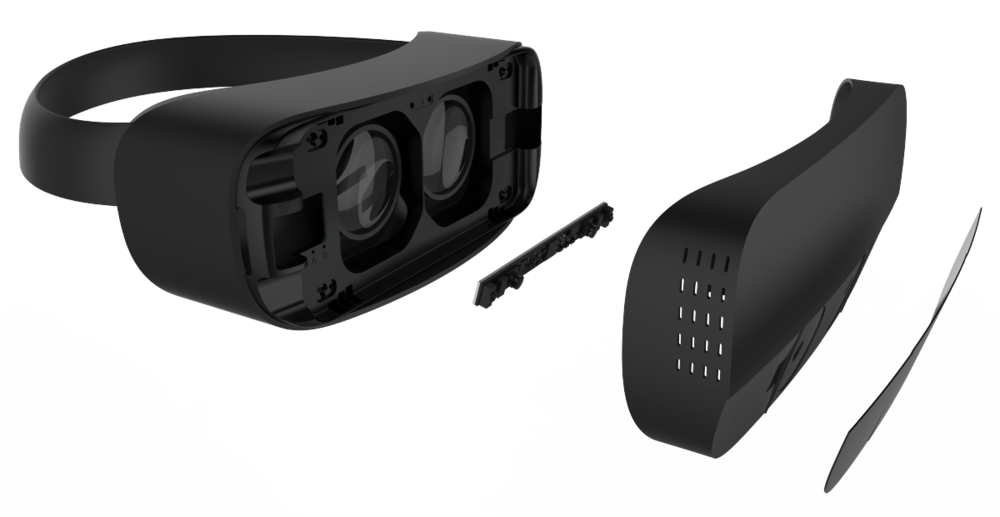
In December, Leap Motion has announced a new hardware, its 2nd generation version, with a companion mobile faceplate, that suited
tired tree
Rip leap
 subtle island
oooh, are they not continuing to work on the gloves as peripheral?
wintry escarp
I saw rift offering £100 worth of games, £100 off would be better
but clearly that would cost a lot more
mighty carbon

The Verge
Earlier this week, Bethesda Softworks gave fans two big virtual reality announcements: VR versions of beloved RPGs Fallout 4 and The Elder Scrolls V: Skyrim. You could argue that these kinds of...
subtle island
Complaints mainly boil down to: game developed not for VR isn't amazing inVR because of sparse areas
Clickbaity titles
mighty carbon
I still think teleportation is the way to go in VR, not WASD
subtle island
Agree, I can get used to floating around but it just feels off putting
mighty carbon
eeh, I've spent quite some time in VR and teleport locomotion has not become sour.. Anything else takes me out of VR world, literally 😦
 sturdy coral
because of sickness?
real needle
@pearl tangle Can you believe that those are the first pictures I have ever seen of the actual setup
It's been there for months
wicked oak
my favourite by FAR is the one i use in DWVR
of dash teleport
but i prefer when its instant
i want it to be really fast to use, which is why in my games you have perfect interaction in that way
there is no animation, no charging, it just works
real needle
@pearl tangle And the vibrating vest is a proprietary wireless subpac solution
sturdy coral
I've used just a splitter to an FM transmitter to get wireless bass
I guess you could split directly from the vive audio jack to a subpac too right?
tired tree
they should have just gave the players a motorcycle in f4VR
F2 had cars, give people cycles in F4 and the long drawn out travel is easier
sturdy coral
as anyone done good motocycles in VR?
tired tree
haven't seen them at all yet
sturdy coral
that recent one where you have motorcycle hands looked cool, but also looked really sickening because it would rotate the horizon and stuff
sturdy coral
who's done that well? I remember there was a horse combat one on DK1 but I never tried it out
tired tree
somejousting game on steam I have does it ok, don't remember the name, been a couple others that implemented horses that i haven't tried
glossy agate
I saw a medieval battle game where you can have a horse. Can't remember the name though. Came out last month I think
Had some pretty big crowds so it looked cool
tired tree
yeah thats the newer one
glossy agate
I don't think throttle Powah actually rotates the horizon though. I think the guy recording the trailer bent over and turned around just to give a cool effect like you can do tricks.
tired tree
rotating the horizon while not being in a cockpit is terrible
sturdy coral
ah ok, maybe it only does pitch? I remember some loops and stuff and that would be hard to emulate by turning around
mighty carbon
@sturdy coral yeah, have to remove HMD because of sickness. Doesn't happen with teleportation.
sturdy coral
yeah, that's a shame. have you tried onward, etc.? stuff without artificial rotation
real needle
@sturdy coral some people here in seattle have been making motorcycle games for the VirZOOM
My friend is also making a motorcycle game for the gear called "Redline"
clever sky
@tired tree apparently rotating the horizon just sucks period. Cockpit reduces the suck, but it's still preferable to not move the horizon line!
My own testing in UE4 seems to confirm that notion... tested with some basic vehicle templates but unchecked the rotation lock (to the car) on the camera.
Felt much better to me than camera locked to car.
tired tree
yeah i'll agree there
the cockpit only helps some
its the direction of gravity vs view point clash that is the killer
clever sky
And not for all users. I know because I'm one of the users that cockpit doesn't help that much.
Or maybe it does, but not enough for me to really enjoy VR driving games 😛
tired tree
i'm a long term sports guy, done a lot of flips and stuff in real life...VR flips turn my stomach in circles.
sturdy coral
I'm fine in project cars and stuff, only thing that gets me for some reason is going in reverse
tired tree
can't get over the body disassociation.
sturdy coral
especially after going forward at a lot of speed for a long time
but I can go backwards fine in FPSes
clever sky
Reverse is a weird one. Some people get hit by it hard
Well... motion sickness in general is just a mess. The matrix of things that will cause motion sickness vs reduce or solve it is highly individual.
Even have people that consider themselves immune to motion sickness complaining about some stuff that normally helps everyone else as a cause of motion sickness - like teleportation.
Although TBH, I think those users are largely conflating the disorientation (itself a sort of unpleasant feeling) with motion sickness, which tends to lay people out for longer.
I know 90 degree snap turns suck like that for me.
sturdy coral
yeah, reverse doesn't make me actually sick, but just feels really unnatural
clever sky
Yeah that's a fair call.
I think it's because we associate our neutral posture with forward motion...
sturdy coral
I like snap turns at a smaller increment than 90
clever sky
real backwards motion kinda shifts your weight and posture so proprioceptively it feels quite different
Whereas VR back is just thumbpad down.
tired tree
snap turns are worse for me than any form of sliding locomotion
turning in general that isn't directly controlled is out of my comfort zone
sturdy coral
yeah I still prefer no snap turns but use them a lot while deving just to stay in my chair
clever sky
I'm not a fan of snap turns either.
Best turning in VR I think is Robo Recalls tele-turn...
real needle
Snap turns actually make me queezy, and some teleportation fades has made me feel weird too. I can do artificial locomotion no prob. We're all different 😃
sturdy coral
hah I hated that tele-turn
clever sky
Well... the 180 version sucked!
clever sky
But the 360 version is how it should've been.
tired tree
i'll say, does anyone know someone that can't handle climbing?
real needle
@tired tree Yes
clever sky
I've met a few
tired tree
it seems to be far easier for most to take
clever sky
But most users seem to handle climbing quite well.
tired tree
its direct hand to motion
clever sky
It works off the same basis as armswinger.
real needle
I think that people who has been using VR for a while has an easier time with climbing
glossy agate
For some reason when I first tried the climbey demo I got a little sick. I think it was more that it was super glitchy though
clever sky
in terms of resolving the visual-vestibular conflict.
real needle
New players have a harder time
clever sky
i.e. it creates the illusion that you're not moving, but your arms are moving the world around you.
clever sky
I've got a fake armswinger going on in my stuff as an option.
closer to speed to motion though.
Direct arm motion is a little weird... I think Art of Fighting uses that?
That doesn't sound right. What's that game called? The counterstrike VR thing?
sturdy coral
art of the fight
clever sky
Ah yeah.
glossy agate
I set up a system using mordentrals plugin last weekend where you slide loco to walk like Onward but to sprint you click the trackpad and run in place. Thought it was cool because you are way less accrate sprinting and shooting without faking bullet spread.
CS VR you are probably thinking of Pavlov
tired tree
direct motion armswinger I hate, but I am also not the largest fan of armswinger anyway...so w/e
glossy agate
Onward, or BAM
clever sky
No, I was talking about Art of the Fight 😛
glossy agate
Oh, art of fight does swing I think
sturdy coral
what about the war of art
clever sky
Never heard of it!
But for some reason my brain jumped from war of art to shogun board game to karateka.
Karateka! The memories! Also probably shows how old I am 😛
sturdy coral
I never played it, but played PoP
tired tree
you are pretty young I thought....
sturdy coral
jordan mechner has a really good thing where he posted his journals from developing prince of persia after karateka
clever sky
Mid 30s. old enough to be a young kid when Karateka was still been passed around on floppies 😄
real needle
It's more of a drag
clever sky
Haha... 😛 I'll take that as a compliment I think!
glossy agate
anyone here try Breach it yet? Ue4 game
clever sky
Prince of persia was good times too. I love how the gaming world somehow took Prince of Persia and turned it into Tomb Raider.
sturdy coral
ah cool, didn't realize breach it was UE4
glossy agate
Yeah Im curious to know if the damage replication is accurate at all
when you bust through walls
clever sky
Lets take Prince of persia's tile based movement mechanics, exploration driven nature with some light combat sprinkled throughout... and make a 3D game out of it! Oh, we need a sexy female protag.
wicked oak
with pointy tits
glossy agate
4 poly each
clever sky
3D modeller: "oops, we made her boobs too big." supervisor standing over shoulder: "No, that's good. Keep it."
clever sky
Yeah 😄
wicked oak
im preparing a 2.0 version of the Aquila prototype
for now ive got class based movement types
i have a ninja that can move AND teleport to slash people XD
glossy agate
Whats the premise now?
clever sky
Sounds intriguing!
wicked oak
much more variation beetween the classes
glossy agate
So like overwatch VR? still MP?
wicked oak
it goes from the idea that MP games really struggle to balance different movement types
clever sky
It's the new halo so I'm told!
wicked oak
so what about making the game around that
for now i ported the bowman from older Aquila, and he has purely teleport
sturdy coral
that's what I'm doing for teleport, different classes
wicked oak
there is a gunner with onward style control
and i have a guy with a pistol that can both move and teleport
currently rewriting the thing using concepts from several different prototpyes
glossy agate
My next one is going for LOU style MP mechanics, tactical. But characters and style like classic Manhunt. Just barely started so Ill see if it actually gets finished
wicked oak
a thing i made sure this time
is that the game is fully playable witohut VR
for testing
in the fact that i can use WASD to move and right click to force teleport and things like that
clever sky
I like the idea of making different classes for different locomotion types.
Should just be a thing that VR does whenever it can 😛
wicked oak
and a fuckton of buttons for different actions
and btw this time i do have a greybox map
glossy agate
Do the classes have like different health balance ect, like tank and healing players?
wicked oak
they will
right now im making sure the menu works, and then ill make sure that dedicated server works and just leaves the game "on" repeating matches
and then ill do a playtest
clever sky
OTOH... kinda sucks for people that can only play one type of character that they don't like the playstyle of...
wicked oak
but depends on how far i ll get tomorrow
clever sky
So maybe not!
wicked oak
becouse next week is stacked to hell
i have TWO final exams, and i present DWVR in a convention
sturdy coral
the main thing is just the VR player base is so small
you can't balance a ton of classes
clever sky
But Star Trek Bridge Commander had great jank.
glossy agate
Only 2 really have constant servers. You have to get 10k downloads to really have it stay alive
clever sky
I like it.
wicked oak
btw that part at the right
sturdy coral
I'm leaning towards having a 2d mouse/keyboard class as well as several classes for different movement styles in VR
clever sky
@sturdy coral if you're going that far, might as well make it a multi-client game where desktop players can join in alongside mobile and VR players!
wicked oak
its not that big
clever sky
Because damn, that'd be sweet 😄
glossy agate
Serious sam does that with fusion
clever sky
mobile players get a top down view
sturdy coral
does UE4 networking work ok across different endian architectures?
clever sky
... I don't know D:
tired tree
ue4 networking doesn't even work across mobile and non mobile platforms
clever sky
That's a shame
tired tree
you'd have to make your own subsystem intermediary
sturdy coral
yeah that's about what I expected =/
clever sky
What was that MMO back end company that recently got major funding called?
Would their tech handle that sort of thing?
sturdy coral
the british one?
clever sky
I think so?
wicked oak
Spatial OS
clever sky
Yeah
wicked oak
thats some SERIOUS black magic
sturdy coral
thing powering worlds adrift
wicked oak
of course, its mmo tech, you need lots of money to host it
its meant to be hosted on microsoft/amazon type clouds
tired tree
they don't mention mobile at all do they? and its a server partitioning system
wicked oak
its platform generic
tired tree
mmm
wicked oak
i mean, its just a networking layer
for unity and unreal
i guess it would work with its own login
tired tree
yeah...but talking about the connection
real needle
@wicked oak Are you using steams online subsystem with your dedicated server builds?
wicked oak
yes
well, still not dedicated
just this whole thing where some player hosts the match
real needle
So still listen then?
clever sky
You guys heard about this?
http://www.roadtovr.com/gameface-shows-lighthouse-tracking-android-aims-first-vr-headset-support-steamvr-daydream/

GameFace Labs, one of the earliest companies to begin development of a standalone VR headset, is back with the latest version of their prototype device now featuring SteamVR (AKA Lighthouse) tracking running on the Android-based system. We’ve been following the GameFace development story since back in 2014 when they showed us what VR looked like …
wicked oak
yes it is a listen
clever sky
mobile VR compatible with Steam VR via lighthouse tracking?
tired tree
steam dedicated servers work fine for the most part, but you'll need that authentication pull request to cover your butt if your game gets popular
sturdy coral
is it wired for tracking or wired for display?
real needle
I've noticed that if a player has a bad internet connection and hosts a listen, I start to see significant latency when there are 4+ players
wicked oak
wich i would try to do for final game
real needle
So I'm looking into doing dedicated servers instead, but the workflow seems to be slow
wicked oak
my idea was to just add like 10 cloud servers for launch
maybe that amazon thing where it automatically resizes
clever sky
@sturdy coral probably display/power... because having hardware onboard to render for daydream doesn't mean it can wireless receive signals for full bore VR 😛
sturdy coral
you have to do dedicated stuff if you want to do a demo that can play with your main game (or you have to write your own subsystem to do hole punching and stuff)
real needle
I believe most are self hosted, but Cowbots and Aliens have dedicated servers I know that
clever sky
Question about scoreboards... that's stuff that Steam hosts for you right?
wicked oak
yes
real needle
Not sure about onward acutally
clever sky
Yeah
clever sky
Does it come in a specific format that you have to use, or can you pull the data and format it?
wicked oak
ill see if i can add some very very basic bots just to test gameplay
with myself
just run around RNG and shoot at you when on line of sight
sturdy coral
I wish steam networking was possible between two app ids
clever sky
e.g. instead of grabbing 1-10 of a list, I grab 100 samples from the overall list.
wicked oak
@clever sky lets you get a list
essentially you can get "friends" or "global", and you can then get them ascending or descending
from X to Y
sturdy coral
you can probably check out how robo recall does it, presumably uses the online subsystem api
clever sky
So you can't do something like grab every position divisible by 10 or something like that?
wicked oak
no
clever sky
Ok. Is there a limit to how much you can grab per go?
wicked oak
you can check the exact details on the steamworks website
clever sky
Ok 😃
sturdy coral
is this for a freedom locomotion leaderboard 😃
clever sky
Nope! 😛
sturdy coral
fitness tracking is all the rage
clever sky
I'm just trying to think of ways to make better leaderboards
I want to do a scatter plot instead of just X-Y lists
Because that shit is meaningless to me as a player that never gets in top X 😛
tired tree
A maximum of 100 users can be downloaded at a time, with only one outstanding call at a time. If a user doesn't have an entry on the specified leaderboard, they won't be included in the result.
sturdy coral
I bet a detailed scatter plot kills self esteem of half of your player base 😛
clever sky
Hehe 😃
tired tree
also...damn.. they re-did the steamworks documentation and site with the Steam Direct release
it looks nice now
clever sky
Yeah, just noticed it too
tired tree
about damn time
clever sky
The login screen is at least
sturdy coral
so I don't have to log in
clever sky
I couldn't log in.
tired tree
its better searchable and has a tree view for documentation
its....good.....
very unlike valve to make good documentation
must be the work of demons
clever sky
The work of their customer service team housed in a building seperate from main Valve staff.
probably 😃
glossy agate
Onward still hosts on Photon I think. Pavlov uses AWS gamelift. Not sure about the others like Rec room.
opal bobcat
does onward actualy have any vr elements in it
or is it just an fps shooter with an hmd driver tacked on
from the videos ive seen it seems more like the later
glossy agate
Its all VR. You have to grab gear off your body, reload, physically revive people with needles, pull pins ect and type on the ipad. All roomscale
opal bobcat
ahh, i guess i missed that in the videos i saw,
but its also a non vr game correct? so all of that is just achieved by hitting keyboard keys for non-vr players?
glossy agate
Probably my fav VR game. Have almost 100 hours in it, but its tiny compared to what the other players have
No its VR only
opal bobcat
i see
yeah i wouldnt even bother buying it personally
it uses locomotion that causes me to barf
glossy agate
Yeah, not for everyone. I like it cause it requires teamwork and tactics to win. Its like playeing in hardcore mode with no respawns, so if you suck you spend a lot of time waiting which turns people off
opal bobcat
refuses to purchase vr software which refuses to provide non-sickness inducing locomotion
glossy agate
Hard part is finding loco systems that work in PVP that are not sliding and don't handicap any players
opal bobcat
could care less about pvp, never cared much for it
sturdy coral
@opal bobcat which games or demos have you tried with onward style locomotion?
glossy agate
Im all PVP so I can talk mad shit haha
opal bobcat
much: afact onward style locomotion is just striaght fps style locomotion
unless im missing something
sturdy coral
it is controller-relative
opal bobcat
touch vs vive motion?
sturdy coral
so can be a lot less sickness inducing than HMD relative
sturdy coral
the direction is relative to where you point the controller, lots of older FPS style locomotion was relative to where you were looking
glossy agate
yeah. gotta have controller based. @opal bobcat you can try it with the default fps template in VR. Its setup for pretty much the same motion. Mordentrals plugin also has it if you want to try it out
opal bobcat
huh
sturdy coral
many people got sick from e.g. half-life: VR that don't at all from onward style
opal bobcat
let me try, most likely if it moves frame of reference ill get sick, but maybe
glossy agate
actually the template you may have to just swap out in the BP to make it relative to controller forward vector. Takes like 10 se
sturdy coral
onward is also pretty slow movement, the template is probably pretty fast
glossy agate
yeah just set it from 600-300
opal bobcat
is there any free example of this locomotion in either app store?
glossy agate
In the one im working on walk is set at 300, sprint is set at 1000. Probably pull it back to 800 though
sturdy coral
@opal bobcat https://notdead.itch.io/compound
 glossy agate
I think you may still be able to install the Pavlov demo. Its the same
sturdy coral
that has it (without strafing, just all controller direction based) and is free
sturdy coral
it is grip to move the way you are pointing on it, and also has teleport on the touchpad
sturdy coral
I'm not sure
opal bobcat
ok
mighty carbon
GameFace Labs, one of the earliest companies to begin development of a standalone VR headset, is back with the latest version of their prototype device now featuring SteamVR (AKA Lighthouse) tracking running on the Android-based system. We’ve been following the GameFace development story since back in 2014 when they showed us what VR looked like …
I thought that firm died a while ago
 ashen nexus
Hi everyone, i'd like some help on something if anyone could: I am trying to make functionality for both the Vive's trackpad and the Rift's thumbstick, and I need to determine which the user has. is this correct, or is there a better way?
unfortunately i don't have a Rift to test with, only a Vive
sturdy coral
@ashen nexus I'd add an HMD check against GetHMDDeviceName
but that unfortunately doesn't tell you whether the user is using a rift with SteamVR
ashen nexus
no steamVR just a standalone exe
what are the device names?
Oculus Rift, SteamVR, PSVR ?
ashen nexus
alright cool, hopefully that's right. thank you
sturdy coral
I'd like to patch the engine to have checkboxes for the different HMDs inside the input configuration
similar to checking 'ctrl' 'alt' etc.
ashen nexus
sturdy coral
Yeah, that should work. If you end up using it all over the place you may want to make it a macro or enum you can switch on
ashen nexus
cool, thanks again!
opal bobcat
yeah tried that controller move deal, didnt feel any different to me than regular translation
tired tree
that shouldn't work for SteamVR....
it returns HMDName SteamVR for everything
oh you already mentioned that
anyway, you can get the device information from SteamVR to identify oculus on the platform
clever sky
@ashen nexus The VR Template has platform switching functionality in the pawn. It's one of the first begin play nodes. Pretty much what you've done, except it has an enum to make it even easier.
ashen nexus
yea i realize that they have tried to make it as agnostic as possible and work for Vive and Rift, but I had to make a certain functionality work for the Vive touchpad AND the Touch joystick (the joystick snaps back to 0 so my functionality had to be modified) therefore i had to split the MotionController (R) Y-Axis into 2 entirely separate functions depending on the controller used. is there a more elegant way to handle that? (another thing that sucks is that I have to rely on the client to tell me if the functions are even working since I don't have a Rift :l )
clever sky
I see. So you need input to behave differently depending on headset. I'm doing similar stuff with my app
But slightly differently. No big difference until the project gets really complicated. But I essentially log the inputs and then pass them on to their relevant functions
And the functions are making the call to seperate functionality based on the active HMD
sturdy coral
@tired tree is that exposed to the hmd api or blueprints, or do you have to call into the DLL (device information from SteamVR)?
pearl tangle
thats what the new "OpenXR" stuff should do. allow for that sort of stuff to be handled through that api directly so you don't have to care
wicked oak
thats kind of what i do. I handle the input in the "Hand" actor
i have Vive hand, PSVR hand, Oculus hand
each of them just end up calling functions on the Pawn
or on other things
tired tree
@sturdy coral its in the openVR api, now that epic finally updated steam versions in engine it also doesn't require direct dll loading anymore either
@pearl tangle OpenXR wouldn't fix the button layout issue, which is what is going on here. An open standard for VR software isn't going to specify standard button layouts more than SteamVR already does, there will always need to be adjustments made
A nintendo OpenXR controller is never goign to play identical with the same button mappings as another manufacturer.
and VR has a lot of room for weird accessories and different controller setups
sturdy coral
yeah, for things like touchpad swipes vs some alternative on joysticks, virtual buttons, etc. you are never going to be completely device agnostic and you will have to do different techniques (even more so with PSVR)
tired tree
i'll be honest,kind of jealous that Valve is directly handling the openVR plugin for unity
for them its just " return vr.hmd_TrackingSystemName;"
I built a framework around it, but would be nice not to have to keep tabs on what changes with every openVR upgrade
wicked oak
OpenXR makes it so lots of different runtimes and headsets can work
so basically, what unreal engine HMD interface does
wich means, like with UE4 interface, that you still need to do input properly
but in a similar way, you would be able to compile your game and make it run everywhere
at minimum both oculus and steam
without having to make sure to launch unreal with one or other HMD plugin
sturdy coral
@wicked oak openvr does that already though
wicked oak
but it isnt really open tho
sturdy coral
it will probably be a bit more optimized once both companies have openxr implementations instead of valve wrapping oculus, but functionality wise not much changes
wicked oak
openXR would definitely be an open standard like opengl or vulkan is
openvr is still too tightly controlled by Valve
problem with Khronos is that they are slow as balls
design by comitee, by the time they get an agreement they are outdated
at least they have learnt for Vulkan, and made the api very very extensible by default
so vendors can do their extensions easily
sturdy coral
I'm thinking of dropping oculus native SDK support just because steam overlay stuff like invites doesn't work, only shows up on the 2d mirror window
or not really dropping support, but not defaulting to it for oculus
wicked oak
then you will make the game run much worse for oculus
basically forget about the overlay
use steamworks to do stuff alongside ingame menus
im taking some stuff from ShooterGame right now
for the game flow
i didnt have that on the last Aquila prototype
for start match, restart the game when it ends, add optional bots, handle players joining in and stuff
bots just run around randomly and shoot at you if they have line of sight
sturdy coral
yeah shooter has a lot of stuff worth keeping
wicked oak
i need bots to test some multiplayer mechanics
sturdy coral
I just base everything on it
wicked oak
see how it goes when there is a bunch of stuff happening
as im developing pretty much alone
wicked oak
nice, got bots respawning and players too
plus a kill/death score
they do nothing but run around XD
mighty carbon
how is your PSVR game going?
wicked oak
quite well. I will show it this thursday
just wanted to switch gears a bit
for a couple days
Tomorrow i go back to it, to prepare a Steam and Oculus update now for the sales
im also waiting for some interface concepts from a team member
ive added a way to set a loadout for the weapons you want to use ingame, alongside a way to unlock weapons
and a new score system with a score window
its just all ugly as fuck as its not had a HUD pass, so its just all default texts and default UMG
oh, and smooth locomotion for PC
oculus only ATM
due to the joystick
mighty carbon
aye, cool
Oculus sale is already live: https://www.oculus.com/experiences/section/rift/319181121843636/

is Eagle Flight any good ?
wicked oak
i dont know wtf oculus doesnt tell devs of the sale
i received nothing
and so, my game is not on sale
mighty carbon
so, make a free game where IAP is required and make DLC for it
this way no one will be eligible for refunds 😛
wintry escarp
can I convert a HQ lightmap to a LQ? or do I need to rebake?
mighty carbon
rebake
wintry escarp
somethings broken, I have my sig file in place and oculus/gearvr plugins enabled, but 4.16.1 keeps trying to launch it as a cardboard vr app
mighty carbon
what place is it?
mighty carbon
lol, still haven't decided what to get from Summer Sale :/ Didn't think it would be an issue
 umbral hatch
Hey does anyone here know how to have two separate levels, one for VR and one without VR?
These are the two levels I have
But when I run the normal "Main Menu" on in PIE it loads the VR level on top of the normal MainMenu level. It is like it combines them. No where in my code or my blueprint am I calling to load MainMenuVR
clever sky
@umbral hatch Have a blank starter level that detects if the player is using VR, then load into the non VR or VR versions?
Also rename MainMenuVR? 😛
real needle
Since vr.bEnableStereo is the new command to use instead of "stereo on"
What is the command to disable it?
umbral hatch
@clever sky thanks I'll try the blank starter level. Also, should the name of the level really matter?
real needle
@umbral hatch Names matter, and if you set yourself up to do it properly from the beginning then you'll have a much better time developing 😃
I would recommend to read through this: https://github.com/Allar/ue4-style-guide

GitHub
ue4-style-guide - An attempt to make Unreal Engine 4 projects more consistent
umbral hatch
Sorry didn't realize I was doing it improperly 😂
real needle
The folder hierarchy section of the documentation is very important for future collaboration and keeping your project organized
umbral hatch
Right now I have the game instance detecting if there is a headset and then choosing the VR vs Non-VR level
real needle
I load "InitMap" on startup, just a blank level that does all the checks
umbral hatch
This is more a boarder question, but what if someone has a VR headset hooked up to their computer but wants to just play a standard version of the game. Steam usually prompts users to choose which one they wish to use if the game supports both. Does unreal have an API for this?
real needle
@umbral hatch That is set up using steams services, you can make a shortcut to the game and add -nohmd to launch it without VR enabled @sturdy coral I saw you talking about this earlier
In 4.16 patch notes:
"New: Social Screens for PlayStation VR (Early Access Preview)
PSVR Social Screen preview provides support for Social Screen separate mode, where the the Monitor and HMD display different things. "
I completely missed that. Should mean that they'll make it available for PC as well at some point
umbral hatch
Interesting. I'll have to give it a read in the patch notes. Thanks for the reference!
digital marlin
https://github.com/Allar/ue4-style-guide is pretty good
GitHub
ue4-style-guide - An attempt to make Unreal Engine 4 projects more consistent
umbral hatch
Just curious as to why a blank level is necessary/superior to just using the game instance. Or is the game instance class not intended fro controlling hmds?
I like to learn and understand 😁
clever sky
blank level is just an easy way to do it. You can usually achieve the some outcome via many different solutions
Depends on how robust you want the solution to be
how reusable and powerful.
My general rule of thumb is, if you have to learn something to do it once, don't bother - get someone else to do it, or do it the easier way.
If you're learning to learn and do it multiple times.... then figure out the best practice! 😛
digital marlin
guys.. learning Unreal C++ whilst hungover is really, really shit.
Just a hot tip for yas
real needle
@umbral hatch You don't need to have logic for initialization in memory during the entire game, which happens if you put it in the gameinstance class. IMO it's just easier to handle in a separate level where there is no "real" gamelogic
umbral hatch
Gotcha. Makes sense
real needle
@digital marlin How about playtesting The Nest? Think you can do that hungover? Or is VR the last thing on your mind right now? 😉
clever sky
That does sound like good practice. OTOH, it seems like the extra code in logic to parse between levels to load is trivial in today's day and age 😛
digital marlin
heh @real needle i'm not in the office until tomorrow
And yeah, VR wouldn't really be a good idea at the moment.
 agile kite
hey guys I need some help
if I play in VR with multiple players, each player spawns in with a random rotation of an increment of 90 degrees despite the PlayerStart facing only one direction. Any idea why?
real needle
@agile kite As in setting number of players to > 1 and play in editor?
agile kite
yep
real needle
Could be anything, can you even see proper stereo in the HMD?
I always get all the windows overlayed ontop of eachother
agile kite
like, does VR work?
real needle
yes
 real needle
yup. I recommend writing most of the networked logic with a flat pawn, and then testing as client while running a second computer as the host w flat pawn
unless you want to put hmd's on and off. I did that for a while...
agile kite
what's a flat pawn, non-VR?
real needle
stomp them
agile kite
@real needle hang on, is it possible to run the flat pawn server and the HMD client on the same pc or
real needle
I'm sure you could do it somehow
agile kite
and do you know why there's no stereo even if I run it as client to a dedicated server?
real needle
no, I don't do dedicated
agile kite
aw ok
 stable shadow
Hello guys,
Where i should add VIVE port ID and VIVE port Key ?
wintry escarp
the sig file is here. C:\Game_Engines\Epic Games\UE_4.16\Engine\Build\Android\Java\assets
mighty carbon
Then you have to figure out settings of your project @wintry escarp
Can't have settings for Google VR on if you are working on Gear VR project
 granite eagle
Anyone have any youtube footage of their VR game? If you send me a link I'll feature it on XAXISvr 😃
real needle
i'm using the oculus forward renderer - is it possible to get light shafts with it? i've replaced atmospheric fog with exponential height for, but can't get the shafts to work
wicked oak
@real needle did they update the forward render for 4.16?
real needle
possibly, i am on 4.11 oculus branch
too committed at this point to risk an upgrade
4.11.2
sturdy coral
@real needle what do you mean risk an upgrade?
sturdy coral
yeah if you are close to finishing I wouldn't bother
sturdy coral
but as long as you use source control it should be easy to test and revert if things don't go well
real needle
in general, do you know if light shafts work with forward rendering in general?
just in theory
or is it a deferred thing
sturdy coral
hmm, I think they should be able to because forward does have the depth buffer
and they do some culling against that
real needle
okay, do you think itd require shadow casting on the occluding objects?
sturdy coral
wait, do you mean screen space light shafts from directional lights
or the new volumetric lighting?
real needle
screen space light shafts
sturdy coral
ok yeah, that just uses the depth buffer
so doesn't need shadow casting
the new volumetric stuff is based on shadow maps and does I think
real needle
okay so ill keep playing. appreciate the guidance!
sturdy coral
yeah, it may just not be implemented in the oculus branch
you can try out 4.16 with a test project and turn on forward rendering
and see if it works there
sturdy coral
yeah I know
wicked oak
and needs to do a depth prepass
honestly i should be using the oculus one for DWVR
but i need 4.16
sturdy coral
yeah I wish there was a way to turn off the depth prepass with it
I want to turn it off just on scene captures for a low-FOV sniper scope
lightshafts shouldn't rely on a depth prepass, as long as the zbuffer is written during the main pass they should be ok
but the Oculus renderer may just not have it implemented
real needle
bit of a longshot, but do you know where i could look to determine if they implemented it?
they've left in plenty of the functions
they do a depth prepass in this
sturdy coral
@real needle you can find everything in the shaders directory
they probably have some kind of define
it might be in the C++ code somewhere telling it to skip that light shaft post processing step entirely though
I would just take their branch, diff it with the baseline, and do case insensitive grep for lightshafts
real needle
ahh "as it is a forward renderer, normal screen-space effects or techniques that utilize a gbuffer are not supported (SSAO, SSR, the fancy subsurface shaders, decals, etc). "
light shafts are a small price to pay for the performance increase, i guess
wicked oak
Im going to do a playtest of my new MP shooter in around one hour or so
PM me for instructions on how to join
clever sky
@pearl tangle that bike thing you're doing might become quite relevant for business!
https://vrscout.com/news/stationary-bike-vr-fitness-machine-sensor/

VRScout
VirZOOM is back with a more affordable option for exercising in virtual reality. You might remember VirZoom as the VR stationary bike that features an array of fitness-based experiences such as lassoing bandits atop a galloping horse, cutting tight corners in an Indy race car and flying through the clouds on a mystical Pegasus just to name a few. The intuitive peripheral was also responsible for a game developer pedaling off an incredible 50 pounds. In fact the only perceivable downside to the device is the steep price tag of $400. Well if your finances were the only roadblock keeping
Bike app for gyms. Yay.
subtle island
that thumbnail looks so weird
sturdy coral
@real needle yeah but forward still should have a depth buffer and none of the other gbuffer stuff (normals, material types, roughness, etc.) is needed for directional light light shafts
opal bobcat
anyone know if this kind of shader animation is possible on ue4: http://forest-wave.glitch.me/ ?
gpu particles are kind of the right idea, but you'd need to be able to combine meshes with the gpu particles
near as i can tell
sturdy coral
@opal bobcat you may be able to do that all with a geometry shader and give each box different UVs
in the forums there is a point cloud example in a thread ryan brucks is in
and either he or someone else does this cool tornado type shader on top of it
opal bobcat
you hapen to have a link to that thread?
real needle
anyone here familiar with HISM (hierarchical instanced static mesh) culling?
as an instance approaches the edge of my camera, it is vanishing too soon
subtle island
Only thing i've had that was similar is when an animated skeletal object has its bounds/collision set wrong
sturdy coral
just millions of quads moved into place with a geometry shader
I can't remember where I saw the tornado thing, I don't see it there
@opal bobcat ah, found it, on ryan brucks' youtube: https://www.youtube.com/watch?v=EcbDhAPUWVw

Example using Curl Noise to advect point cloud data for @moontoad. Material graph shot at the end. Point cloud data captured by UE4 forum user as3ef2th1. Mor...
opal bobcat
yeah im reading it now
theres people at my university that use a lot of drones and point cloud stuff
i think most of it is via unity thouhg
sturdy coral
is it with photogrammetry or lidar?
opal bobcat
yes
they have grants to go to middle east sites
w/archeology departments
i think they do both but mainly lidar
sturdy coral
that's cool, all I've messed with is kinect
 quartz bay
I'm totally naive about all this, but it seems like this almost starts to enter into voxel domain. Probably the most efficient way to render all of these points is with vertex colored quads
 zenith charm
Finally wanted to get some video out on the progress of my game! https://youtu.be/nULxWbyysBk
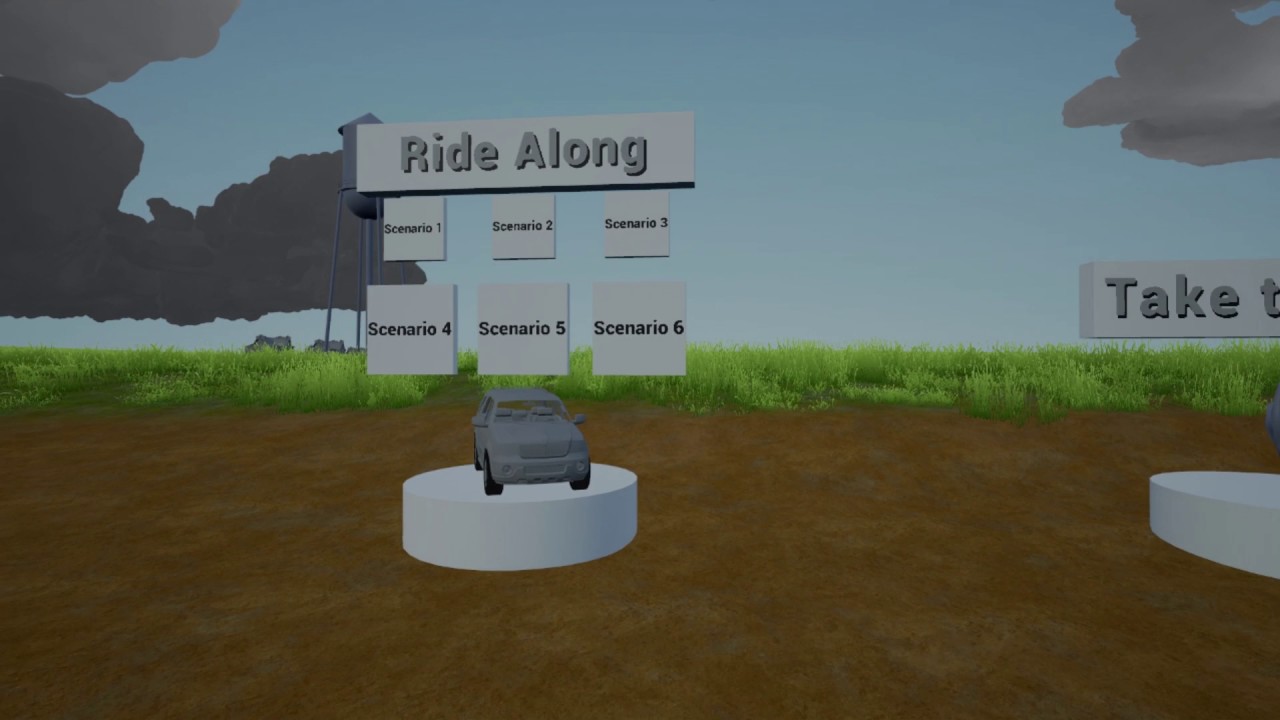
This is an early prototype currently in development for the Vive and Oculus Rift. Gameplay Modes - Ride Along - Take the Wheel - The Classroom -RIDE ALONG- T...
opal bobcat
utitanxsi: that looks awesome
i want to know what happens when you just drive straight into one 😛
zenith charm
Thanks 😃 Right now it'll fade the screen to a dark grey where you can barely see anything until it passes then it'll return to normal
sturdy coral
hah cool.. we were just talking about tornado particle systems
opal bobcat
yup
sturdy coral
ish
opal bobcat
you could punish the user for going into it by just hurling the whole car crazily
that'd be wild
zenith charm
I'd love to if it didn't make anyone sick lol
Or even more incentive to avoid them.. that'll be perfect
opal bobcat
yes thats a good goal
but then again theres the overwatch folks, they would probably enjoy it
 marble trail
Does anyone know how to exit the VR editor mode?
Can't seem to get back to normal editor
 uneven moon
[PAID]
Looking for a UE VR consultant.
Willing to pay either one fixed fee for the duration of our project or a fee per solution or consultation.
PM me here or email me at:sinn@sinnstudio.com with "UE4 VR" in the subject line.
real needle
Jobs can only be posted in the #jobs channel.
 jaunty shell
@sturdy coral if someone ever comes up with a point cloud reader plugin for UE4, I'd happily throw money to em
pearl tangle
@jaunty shell Im pretty sure I have already seen that done before actually. I did a hacky version with particles and potentially the new tango plugin might have something along those lines too
jaunty shell
@pearl tangle Well the problem is not really reading the point cloud, but rendering it efficiently
the solution in that forum thread works pretty good, I'd just love to get my hands on a complete solution
gonna have a look at the tango plugin too, thanks !
https://www.unrealengine.com/marketplace/tango-plugin for the curious
hmm
4.12 only 😦
And the sample project's point cloud part is full of empty stuff
hmm there's even a mesh to 2D texture coordiantes baker in this one. No colors though
pearl tangle
yeah that tango plugin is dead
google is building a new 1. I have some prototype hardware from them at the moment and am helping with stuff on the new plugin. Should be in 4.18 most likely
i managed to make a fake point cloud using depth imagery and then made the particle colours match from a colour image and it kinda works. did that with the particle extensions plugin i think
jaunty shell
@pearl tangle that's for relatively small clouds right ?
pearl tangle
well it wasn't a point cloud to begin with but I did a few million particles for it. It could also handle real time changes too if you were updating the texture with a movie file. So was there to work with visualizing the depth from the kinect actually just with the depth image and colour image cameras
jaunty shell
hmm
pearl tangle
i know there are some better ways to do things. I know McLaren has a 1 click importer from their CAD/CAM software straight into unreal now too. takes it a few hours but still, single click to bring in all their stuff
jaunty shell
oh damn 😐
pearl tangle
this guy did a good job with it too but im sure you have seen that already
thats running on my 1080 at 110fps
hes done it a bit diferently by creating a giant quad mesh and then using a material
jaunty shell
yeah I've got the project running at the moment
I'm tinkering with CloudCOmpare and MeshLab to find how to clean our point clouds
pearl tangle
whats your scan of?
jaunty shell
Whole buildings
@pearl tangle Current one I'm working on
around 16M points
and I've reduced it by quite a lot while importing to CloudCompare
pearl tangle
yeah should make a pretty huge difference. What are you trying to do with the end result, just look at it in VR or have interactive stuff? Consider converting it to a mesh or trying to stick with particle type rendering?
jaunty shell
nah for starters just viewing in VR
idea is to have a fast workflow
the first results I got with cloud to mesh aren't really good, but that's probably cause



with these softwares
digital marlin
heh
One guy in the introduction channel was like "Hey, how do I learn Unreal?"
"You don't, you just try to keep avoiding fucking up."
jaunty shell
dev in a nutshell
jaunty shell
in the end its just coordinates
digital marlin
Dev might be different.
pearl tangle
thats why using the particle system for it is actually decent since it's designed to handle millions of data points essentially. You just need to tell it where to put them
jaunty shell
could use the runtime mesh component too
@pearl tangle what kind of input data do you use ? .txt/.csv or image based ?
wicked oak
@pearl tangle maybe you can use unreal engine renderign apis "directly"
to render a bunch of points with the GPU point stuff
basically doing a rendering call on a vertex buffer with your data, rendered as GL_POINT or equivalent
pearl tangle
yeah in the next iteration perhaps. apparently it's not goood at doing the stuff with that based on what the tango guys at google have been saying. they were trying to do realtime visualization with the runtime mesh but it wont do it. i saw its on the backlog
I did image based stuff
There are definitely ways you can do it for sure. Im just not smart enough and/or have enough time or money at the moment to dig into doing it but obviously if other visualization things can do 10s of millions of points on a screen then unreal would be capable of it too
jaunty shell
need to get a hand on a simple, standalone based pointcloud to image conversion tool then
wicked oak
its kind of hard, some systems i see render it on a shader
by storing the pointcloud in a octree or similar and then "raytracing" it
sending 1 ray per pixel
pearl tangle
although seems like nobody has been doing much with it in a fair while. was tied in with open cv a bit when i was screwing around in there a few years ago
sturdy coral
This guy is doing surface splatting: https://forums.unrealengine.com/showthread.php?114433-Volume-rendering-with-Voxels-Splats-Marching-cubes-and-points
I don't know exactly what that means, if it has any Geo or it is all shader
wicked oak
splats is what that Dreams game does
sturdy coral
Dreams uses splatting and they say they are all in the shader
sturdy coral
Yeah, is that what splatting means in general though or is that just their technique?
wicked oak
im not sure if its the same technique
sturdy coral
He pointed me towards this potree project for similar techniques to what he is using:

GitHub
It'd be nice to get High Quality Splatting working again in the rewrite.
jaunty shell
some progress on the point cloud => matlab => ue4 workflow
I got the script to partially work and output the color of my point cloud
sturdy coral
@jaunty shell what are you using that building scan for, do you work with architects?
jaunty shell
@sturdy coral structural stuff in buildings yeah
point cloud in VR is one of the things we want to show during demos
I kinda have the workflow working now
but that blueprint from the thread is weird
sturdy coral
yeah I think he says in there he would do it a different way if redoing it
tired tree
@jaunty shell does that program have the ability to output just the points with pre-calculated point normals?
jaunty shell
I don't see why not
It's what I get in my csv
XYZ, RGB, Nrml
Or something like that
tired tree
so all of the pre-filtering is done ,you are just looking for the display method
jaunty shell
Yeah
Either from an imported CSV or from a depth image
The fastest to render wins the contest
But I think the depth image based process is going to be limited considered the point cloud density (down to mm)
tired tree
mmmmm, that guy doing the layered material instance slives
in ue4
don't like that method much
all of the textures are vertically orientated
it breaks down terribly when spaced or from above
generated billboards like that are way better
jaunty shell
billboards do look better
jaunty shell
Bit of progress, now using 1024*2048 maps
2 097 152 points total
dunno why there's this weird segmenting though 🤔
subtle island
I've been paying only partial attention to what you guys have been talking about, are these point clouds from photogrammetry / 3d scans OR straight up 3d models?
jaunty shell
nah, that's lidar data, no 3d models 😃
subtle island
oh cool, so what's the purpose of getting the data into unreal?
jaunty shell
yep