#virtual-reality
1 messages · Page 115 of 1
 midnight carbon
i guess i must wait for 4.17 and try alternatives by thn 😦
 wicked oak
uhmmm
if i enable MSAA on the settings
its MSAA and does not let me turn it off
if i put TAA in the settings it lets me change the aa, but doesnt let me use MSAA
in forward
MSAACount 1 should disable msaa
but it doesnt
midnight carbon
hmm
wicked oak
not in 4.16
 tired tree
CVarMSAACount->GetInt() <= 0
wicked oak
it does nothing
tired tree
they changed it to 0
tired tree
i just checked the source for 4.16
0 makes more sense honestly
but was unannounced
TEXT("0: MSAA disabled (Temporal AA enabled)\n")
TEXT("1: MSAA disabled\n")
TEXT("2: Use 2x MSAA\n")
TEXT("4: Use 4x MSAA"),
 mighty carbon

UploadVR
The Oculus Touch controller has nearly a 1:1 attach rate with Rift owners since price drop according to a recent talk from Oculus itself.
tired tree
they better have, its 3x the experience with it
mighty carbon
😃
 clever sky
That's cool and good to know.
And confirms what I'm saying when I say VR is only proper VR with good motion controller support.
Well... you really also need 360 with a bit of space to maneuver around in.
Rift w/ Xbox = VR 0.5
Rift w/ Touch = VR 0.9
Rift w/ 3 sensor = VR gen 1.
Vive = gen 1.
Gen 2 will be wireless, improved res, eye tracking
mighty carbon
wishful thinking 😉
 subtle island
What method would you guys suggest for having floating boxes with buttons the player can point at and click?
Right now I have no idea so I just need a suggestion to try and investigate
And by bfloating boxes I basically just mean a floating square with text & a button
It's only for a short demo so simple & lightweight will work, doesn't have to be too flashy or full featured
clever sky
@subtle island Why not just use widgets and widget interaction components?
It's not 3D, but it's functional UI.
Otherwise you can line trace and pass interface calls to the box
subtle island
Do widgets work when placed in 3d space? I haven't much gone into UI yet
 jaunty shell
@subtle island yup, works no problem
subtle island
Nice i'll have a go with that, cheers guys 😃
 subtle island
Good to know! that goes waaay above and beyond what I need right now but definitely good to know it's expandable
 mighty carbon

HTC have announced that, in addition to its TPCAST wireless add-on, it’s also working with Intel on a WiGig powered wireless VR solution and it’s keen to find more partners to work with on further solutions too. HTC seems to be ‘all in’ on ensuring its Vive VR headset is well supported for wireless upgrades …
tired tree
Star Trek Bridge Crew came out today
should be interesting seeing reactions, supposed to be fairly polished
clever sky
Nice.
Looking forward to giving that a shot.
Although I suspect the first thing I'll do is stand up and check out the space and break the IK rig 😛
tired tree
its seated, will break everything
wicked oak
@tired tree any luck with Canvas for vr?
i need a very basic hit marker in VR, for when you get hit
basically a "triangular" arrow in the screen
tired tree
drawing it to screen directly?
wicked oak
canvas would be the easiest and fastest way to do it
wicked oak
wich is exactly what i want
i want it to appear on the very edge of vision, without depth, on top of everything
i would use a stereo layer, but im already using a few of them and rotating it like that would be annoying
canvas would be a lot simpler
tired tree
I ran a custom canvas overlay with a plugin module I was playing with for awhile
not sure I have any of it remaining
wicked oak
how exactly did you make that work
to be fair im now thinking a custom canvas texture to a stereo layer would probably work
tired tree
i'm loading up to remember the class override
sec
virtual void PostRenderView_RenderThread(FRHICommandListImmediate& RHICmdList, FSceneView& InView) {} was one of them, in the ISceneViewExtension
but i had another method
trying to find
post render view is what the new default stereo layers is using
oh yeah, other method was an overridden GameViewportClient class, think I tapped into Draw() and rendered custom Canvas after the rest of draw was complete?
void UGameViewportClient::Draw(FViewport* InViewport, FCanvas* SceneCanvas)
 sturdy coral
@mighty carbon that headline isn't accurate
the "Nearly Every Rift Owner Has Bought Touch Says Oculus" headline
mighty carbon
no headline is accurate nowadays 😉
 wintry escarp
can still buy them separate here
it needs another price cut, the early adopters all have them now
mighty carbon
while lower prices are always welcomed, there is still not whole a lot of content
so imagine it becomes $499 for the whole bundle with 3 sensors
bunch of people buy it, play a week and then start whining that there is nothing to play
wintry escarp
at $499 id give it serious thought, just suffer my gtx780 until I can afford a new gpu
mighty carbon
well, between $500 and $600, it's just $100
so, tbh I don't see why people keep saying $600 is expensive, but $500 is not
wintry escarp
£600 here, the pound recovered value but prices didn't go down again
$772 US
I have £1100 saved for driving lessons, what isn't used will go on a rift or new gpu, unless I'm a really shit driver and that isn't enough 😮
burning through all of that on lessons would be depressing
sturdy coral
@wintry escarp just do your driving lessons in project cars instead
mighty carbon
o.O
damn, I paid $45 per driving lesson for my daughter (maybe 5 lessons total). UK and EU seems to be crazy expensive.
wicked oak
UK IS crazy expensive
mighty carbon
@wintry escarp why do you want to drive when your public transportation system is superb ? Do you have a car that just sits in the garage and collects dust ?
wintry escarp
she passed after 5 lessons?
mighty carbon
oh, you don't have to take lessons in US
wintry escarp
so I can tick the box when applying for jobs, that I have a valid license
mighty carbon
you take a written test first. If you pass, you proceed to driving test.
wintry escarp
i did theory test last week
mighty carbon
my kid took written test when she was 16. Then she practiced with our car on the roads without heavy traffic. Then when she turned 18 she took those driving classes on busy streets and highway (she already knew how to handle car well; just needed instructor with extra pedals for safety) and once she was confident enough, she went to take her driving test.
she also did it in a small town 😉
passed first time
wintry escarp
i don't know anyone with a car insured for other people, so it will have to be lessons
mighty carbon
ha, I am glad I don't live in UK 😃
Most insurance policies in US include so called uninsured driver case
(let's say you don't feel good and someone needs to drop you off to a doctor - they aren't on the insurance, but if they drive you and get into accident, you are covered)
wintry escarp
got to be insured, taxed and MOT'd here
mighty carbon
anyhow, only jobs that require you to drive around need you to have driver's license
(I lived in UK for a bit and at that time that was the case)
wintry escarp
lots of things like computer repair, IT support don't specify it but it can sway an application
mighty carbon
odd, but ok
wintry escarp
if they have 1 person who can only use public transport, and one who can go anywhere at anytime...
public transport also basically stops at 11.30pm here
i don't live in london
filthy cesspit that it is
mighty carbon

At last week’s Display Week 2017 conference, Samsung showed off a new ultra-high resolution display for VR headsets that more than triples the pixel count of the displays in the Oculus Rift and Vive. A new display from Samsung targeting use in VR headsets packs a whopping 2,024 x 2,200 pixels into a 3.5″ form-factor, …

HTC will launch a wireless version of the Vive virtual reality headset in early 2018. Follow PCWorld for all things PC and Gaming! --------------------------...
Intel's solution might be better than TCPCast (or whatever the name it was) ?

To kick off our Spring 2017 Commencement, we asked honorary doctorate recipient, John Carmack, to speak to students and community members on campus here at U...
 full junco
better display = nice
would be great if you could just replace the screen in the rift and vive
so take it apart, disconnect old screen, connect new screen, put it back together
screen probably isn't more than $50
in theory it should work. you might have to replace the whole thing including hdmi port though, not sure if the hdmi port supports so much res at 90 fps
 granite jacinth
@full junco HDK
And the screen is probably the most costly

Razer
Features an open-source platform aimed to work with any VR-Gaming product, and is focused to provide game engine plugins to support and facilitate the development of VR-enabled games.
$220 for the screen upgrade and that's not the same res
Which I would expect to be higher cost
full junco
the iphone 7 screen is 39$
and thats bigger. screen cost likely scales with size, not with resolution
so a small 3.5 inch screen won't be much more expensive, even with a very high res
granite jacinth
@full junco Hmmm, so you're saying that they would not have some sort of upcharge due to "VR" and just because?
Also, screens incur cost from Resolution as well as Size
full junco
well they surely would want to make it more expensive just because of "VR" 😄
 glossy agate
Well the cost will go down if sales go up. Get a better deal for ordering in bigger bulk.
granite jacinth
More hotness for my VR Multiplayer Game: http://www.therookies.co/game-of-the-year/goty-virtual-reality/centauri/
 mighty carbon
Carmack rocks... If you watch it you see how much VR has to go to be better.
mighty carbon
so, got some stats taken from my Gear VR project: https://postimg.org/gallery/1r3z4jate/a3e8fe44/

Provides free image upload and hosting integration for forums. Free picture hosting and photo sharing for websites and blogs.
what do you think ?
 trim flower
hey guys, I got a simple climbing mechanic down, but it doesn't work when I try to climb an object that moves. My character just stays in the same position and doesn't attach to the object. (I dont think 'attach to' is what I need to use though. I'm using setactorlocation. Does anyone know what the solution might be? Mordentral has it in his plugin, but it's made with custom nodes and I would rather not rely on it too heavily. Thanks for your time!
granite jacinth
@trim flower Just get source and use the same code
 pearl tangle
@mighty carbon does that say 18 969 60 Static mesh triangles?
sturdy coral
@mighty carbon have you tried precomputed visibility?
mighty carbon
no other visibility is possible on mobile
so, that's what I have there
I can't test if culling is working as "freezerendering" cmd does nothing on the device
works in PIE though
 primal sky
full junco
primal sky
full junco
@pearl tangle a few months ago, did you mention stuff about how to improve the quality of the focus of a cinematic camera?
pearl tangle
the focus? I was having a lot of issues with the rendering and AA issues, nothing particular about the focus though. Whats your issue?
 pearl tangle
FXAA?
full junco
when the difference in focus is quite large (very low aperture), the blur looks very low res
I use TAA
pearl tangle
the cinematic camera will work better with FXAA from memory. You can also increase the aperture a bit to not force the focusing so much can help.
full junco
with a higher aperture it looks very nice

I just sometimes want to have a huge difference
FXAA doesn't look better, it just looks slightly worse
there has to be some setting to improve the quality of the blur?
I thought you talked about that a few months ago...
pearl tangle
my issue was with moving objects around them creating the spotted issue. I render out at really high frame rates to solve that problem. The focus on super close vs super far will be problematic with really low aperture because you go outside of realistic realms
full junco
is it unrealistic?
clever sky
Played a bit of Bridge Crew
pretty cool.
Although camera positioning shits me.
I mean, I get that they don't want us to break their nice IK rigs and all that
full junco
I think something like this is still realistic? http://www.slrphotographyguide.com/camera/settings/images/blurredbackground.jpg
clever sky
but giving us blackout when we hit the small artificial boundaries is kinda annoying.
I guess they didn't want players looking at the female avatar panties.
Or lack thereof!
Also, got some furious vection from the title screen of all things!
Because you're sitting in the shuttle touring around the outside of the Enterprise
and it's slowly rotating around the ship as it should be.
full junco
@pearl tangle the quality is affected by r.DepthOfFieldQuality
there just doesnt seem to be a very high setting
pearl tangle
yeah i mean a super low aperture setting on the camera. physical cameras can only go so far but you don't have an upper or lower limit in unreal
i dont know if that setting works on the cinematic camera
full junco
well it works, but can't go higher than 4
I guess I could go into the source, see what it affects and add an even higher quality mode
full junco
I guess its just impossible for UE4 to do it with a higher quality due to the DOF being a PP effect
pearl tangle
im not entirely sure how the cinematic camera handles things compared to just tweaking the post process volumes but it should be a lot more realistic with it's stuff, just need to figure out a lot more on how physical cameras work and go with that. For still shots rendering out from it you should in theory turn off AA entirely as that caused a lot of problems with mine and close up type shots
https://www.youtube.com/watch?v=4nLyImK8GS0 here is 1 i did with a lot of those close up sort of shots

once you are super close up it does have some issues, when im really close to the leaves or the bottle it gets those sort of artefacts if the focus is a long way out of whack
mighty carbon
@primal sky based on stats culling works
tired tree
@trim flower My climbing stores a relative offset from the being climbed component instead of a world space location, so it works on moving objects. Also yes my climbing is overkill if you just want a simple setup, its multiplayer and has built in step up and collision, if you only want to do simple climbing than installing an entire plugin is less than ideal.
trim flower
@tired tree your plugin is definitely the one I go to for a VR character. It's just in this instance I want to learn how to implement this relative climbing. If I use the template 100% I won't learn it. I'll try out storing the relative offset though. Thanks for everything.
mighty carbon
so, back to the Gear VR performance subject: https://postimg.org/gallery/1r3z4jate/a3e8fe44/
Provides free image upload and hosting integration for forums. Free picture hosting and photo sharing for websites and blogs.
any ideas ?
wicked oak
just implemented a very simplistic version of PSVR AIM support in my game
and daaaaaamn forward ue4 in psvr is fucking gold
i can increase resolution by 30% and still have performance to spare
mighty carbon
well, it's getting boring with all that blah blah blah.. Show us some videos 😉
wintry escarp
point your camera at a screen and tell people its a retro filter
tired tree
what does psvr aim have to do with your res? Or were you just excited about two things at once? :p
wicked oak
both things
tired tree
how does the accuracy feel like with it? Late updates tends to cause a ton of scope jitter
but with actual solid base it should be better
wicked oak
much better than moves
tired tree
you are just re-orienting to it right? or do they actually provide it as a tracked base already for you
wicked oak
i dont have a mesh
ive tricked my game to change the tracking of my right hand
instead of tracking with the right hand, it changes to "gun"
then i detect it from my "hand"a ctor
and change the attachment offsets
to do it properly i would need to change more things
but it does work quite fine
im still using the teleport mode
i could try to add smooth locomotion but players would fall off the map CONSTANTLY
tired tree
forgot the aim was a single device, had the two motion controllers attached to it in my head
of course it works like that
yeah that would be far more solid
mighty carbon
so, can anyone please look at the screenshots I posted and let me know where I am having issues with performance?
Provides free image upload and hosting integration for forums. Free picture hosting and photo sharing for websites and blogs.
jaunty shell
@mighty carbon uuh that's a pretty low fps indeed
tired tree
the stat rendering tanks it though
shouldn't pay attention to the right hand fps with those windows up on mobile
mighty carbon
yeah, fps counter will be low when stat cmds are used
tired tree
motor, does stat startfile work with mobile?
 thorny niche
@mighty carbon hell a lot of a draw calls
84 is huge, I'm targeting 15-20
draw calls is a biggest issue on GearVR, hands down
 polar hazel
hey, are there any decent VR ready GPUs for under $300?
mighty carbon
default lit, fully rough
thorny niche
And recently biggest hit on performance for me was Android 7, apparently Android became much heavier and ruined my performance budgets so I have to re-do all the tests again now
mighty carbon
they didn't day explicitly that I have to use unlit materials with 100 drawcalls
thorny niche
Do not forget their advises were based on older Android versions
mighty carbon
that was advised before N came out and I am still on M
thorny niche
Yup, M had much better performance figures
mighty carbon
but not really in my case
thorny niche
the best thing is to use Profiler tool to get in-depth look at stuff ('stat start/stopfile')
thorny niche
CPU stalls on a Game thread?
wicked oak
the profiler is slow as balls
ridiculously slow
you cant take its actual timings seriously as it makes everything much slower
thorny niche
you mean it takes some performance by itself to wright log files right?
granite jacinth
Profiler actually works?
thorny niche
it is
thorny niche
what do you mean? I'm using in right now)
granite jacinth
Found a bunch of errors
thorny niche
ah
granite jacinth
Instanced Stereo has its own issues as well.
thorny niche
well, I haven't tried it with Deferred so I don't know the difference, what errors have you found?
granite jacinth
But if you aren't using it, then yeah, should work as intended
mighty carbon
@thorny niche I don't recall now, but I don't really have any heavy game logic (no AI, only a few ticks and 2 traces, etc.)
like I said yesterday, my scene is as simple as Quake 3, or even Quake, with no AI.. Gear VR should simply power through it like nothing
thorny niche
@mighty carbon the thing is CPU stalls on Game thread mean CPU waiting for the GPU to render previous frame, CPU stalls on a Render thread mean GPU waiting for the CPU's base pass to get what to render. Is it clear?
So if you have CPU stalls on Game thread that means GPU is bottleneck in your case
Which leads to graphics issues - draw calls, tris count (least of a problems really), shader complexity, transparency
From what I've seen on your screen shots I can say reduce draw calls (combine static mesh objects), use atlas material for them (every material slot is a draw call), remove Normal maps (they are very heavy), remove transparency.
wicked oak
normal maps heavy ?
isnt it a quite basic shader? you only need to sample the texture and offset the normal vector from that
thorny niche
Do you mean 'create' Nmap in material editor from diffuse texture?
wicked oak
i mean all a normal map is (usually) is just a texture sample + offseting the face normal
mighty carbon
normal maps are not heavy
as they are only used for baking
it's all baked lighting
(unless UE4 does per pixel lighting even with baked lightmaps)
thorny niche
Well my tests showed normal map is costly - test scene with single simple plane and normal mapped material heavier then same stuff w/o normal map
mighty carbon
It just seems to me UE4 is really not made to be performance in mobile VR
well, if I don't have normal maps and whatnot, might as well just not develop for Gear VR
for games it's quite acceptable. For experiences - it's not.
wicked oak
@thorny niche that is really weird, becouse a normal map is barely a couple instructions
thorny niche
Normal maps are not as flexible in VR at first place, because of 3d you can see it's fake
mighty carbon
normal maps for small and medium details work really well
it's been said many times, including by industry pros
thorny niche
Well, for me making small distinctive things (like buttons etc.) is a no no
natural textures of some sort is ok though
rocks, wood
granite jacinth
Who's used volumetric fog so far?
In VR project...
Any performance hits? Look good?
clever sky
Normal maps are ok for mm sized features
Or larger CM sized features that you can't get closer to.
mighty carbon
in the perfect world that is.. I think it's not a big deal to use normal maps in most scenarios at this point since tech is still too limiting .
tired tree
Normal mapping was originally frowned on in VR, but that has been backtracked by pretty much everyone since then, including Carmack.
thorny niche
The fact is it's a minor picture seller and on GearVR it is better to get rid of in favor of performance
mighty carbon
lol, minor seller ... It's a major seller for experiences.. Who wants to look at early 90's graphics.. Like I said before, for games it's not a big deal. For experiences, where you just chill or experience stuff, it's more about visuals than about "gameplay"..
sturdy coral
@mighty carbon are any of your materials messing with UVs? could cause a dependent texture read which is slower on mobile
I don't know all the details of it but I think world-space textures can cause it sometimes
mighty carbon
I use custom UVs on a few materials since it's much faster than messing with UVs in pixel shader
(per Epic's docs btw)
but for the most part it's just diffuse and normal map, fully rough
 copper stag
Hi everyone! How can I make my VR Pawn to move with the object that it stands on? Currently the object moves back and forth under my character but the character doesn’t move with it.
mighty carbon
you can get location and orientation every frame and apply that to your pawn
mighty carbon

This is what you can expect with an Oculus Rift (or any VR headset) and a 60 FPS camera. The main problem is that when you move your head fast, the image is ...
pretty cool

Today, we’re excited to announce Chromecast support for Gear VR! Now, you’ll be able to share all of your Gear VR experiences directly from the headset by streaming to your TV in real-time.
this is even cooler 😃
copper stag
That looks awesome!
yes I was thinking about that motorsep but I'm still almost a complete beginner with blueprints!
pearl tangle
@mighty carbon the AR toolkit works fairly well with the VR headsets, only tricky bit is the offset from your face of the camera
mighty carbon
looks pretty responsive
mighty carbon
can it work with larger markers ?
What about occlusions ? (real world objects occluding virtual ones)
pearl tangle
it needs the whole marker in view for it to work but you can use images and other stuff instead of the glyph @mighty carbon
and you can't occlude things, no AR system is capable of doing that currently. I have a project that I am building with Google for the Tango with their new plugin that will do that but it's only because we have 3D models matching the locations of the physical objects and then doing depth testing to do the occlusion
mighty carbon
That figures
sturdy coral
@pearl tangle in OpenVR I think this gives you the offset for Vive: Prop_CameraToHeadTransform_Matrix34
pearl tangle
im talking about the physical camera
sturdy coral
?
pearl tangle
the same way using the vive camera it feels a bit awkward because of the offset
pearl tangle
nah that bit is easy now. the AR with a VR headset is the annoying thing :p I did it back on the DK2 with a webcam and the free AR plugin as well. It becomes even more awkward when you have it done on a mobile phone since the camera is off to the side of 1 eye
in other news, got a VirZoom bike in here today finally. should be good fun to screw around with
sturdy coral
yeah that will be fun
 raven halo
@wicked oak for the PS4... are you using a testkit or a dev kit?
wicked oak
devkit
raven halo
it's quite expensive isn't it?
we are thinking about getting the testkit, which is cheaper. But we are not sure what we would be missing
pearl tangle
they have come down a long way in price from the old $20k from what ive heard
i just picked up a little zbox 1080k today. keen to see how that goes compared to the 1070 version which is less than half the size and weight. tiny little box with water cooling though is quite impressive
wicked oak
ps4 devkits were never 20k i think
maybe the very pre-release prototypes
but 20k was for the ps3 ones
ps1 devkits were outrageously expensive
mighty carbon
so what's the price range for PS4 devkits ?
wicked oak
there is a polygon article
they are quite close
NDA doesnt let me tell how much they cost
thos is the model i have. grabbed from google
pearl tangle
yeah they lke to keep those details pretty quiet but also because they charge different prices to different people on them too
wicked oak
looks like there is a hack for retail ps4s to turn them into a testkit
i should definitely try that one
free testkit yo
pearl tangle
well not quite free, you still need to buy a ps4
mighty carbon
cheaper than actual test kits
plus no need to comply with any of the Sony's dev requirements
except that it's pointless because one needs to be a registered dev to get PS4 UE4 😦
wicked oak
thats the idea, cheaper than actual testkits
LITERALLY testing on retail hardware
that way you can get them easily and much cheaper
than having to grab a testkit
i wonder if it actually does work
i do have all the dev software that interfaces with testkits and similar, so no hax shanenigans if it does indeed enable testkit mode
mighty carbon
so, you still register as PS4 dev, but instead of dev kits, you buy PS4 and hack it to become testkit?
(registering as PS4 dev is a problem for me, due to static IP requirement)
mighty carbon
because I can't just pay extra for static IP.. I have to open business account with my Internet provider
and I'll end up paying more for inferior Internet
wicked oak
you can use a VPN
basically, you get a cloud server, and use that cloud server as VPN
you have to ask permission to do that kind of thing, but they will be fine
its on the docs themselves
the IP thing is a whitelist
so no one can access the critically important websites even if they steal your credentials
they still need your IP
and hack your wifi too
mighty carbon

A new launch trailer has been released.
 ornate elbow
Hi Everyone,
I have a 360 spherical video. I use this video as a texture on a sphere. Inside the sphere is a camera and this functions as the setup for my Virtual Reality experience. Pretty basic.
I have some x,y coordinates of the video on which I would like to place a hotspot/marker in VR. How do I translate these x,y coordinates into their position on the sphere it is being projected? Any leads would be helpful. TIA
glossy agate
I thought sony sent dev kits free as loaners, and you have to send them back when you are done?
wicked oak
yes
they can take them back anytime
but there are fucktons of indies now, so only the best and most interesting are the ones who get the devkits
also people who has connections with people at sony
granite jacinth
Maybe the last trailer for my final school project: VR Multiplayer Game: https://youtu.be/tirOLVnXh3c

Centauri is a First-Person Shooter / Platformer in Virtual Reality. You are a scavenger sent to an alien planet in an attempt to find advanced alien technolo...
granite jacinth
@wicked oak Ha, doubt we'll sell it.
granite jacinth
@glossy agate Hmm, not quake. It's more strategic. You have to collect the relics to win, but sure, you COULD play it like quake, but you get no score for kills.
wicked oak
i can publish it for you if you dont want the hassle, i got plenty of APPids and everything set up
granite jacinth
@wicked oak Can't, all assets were created under education license.
wicked oak
what the fuck is that
granite jacinth
Other than code obviously
@wicked oak Pretty much, since all of us were students, we could use any Autodesk product for free
granite jacinth
With the stipulation that we can't use it for commercial
wicked oak
say its on blender
granite jacinth
Haha
Pretty sure that's illegal also 😉
But yeah, I am sure others have done it
wicked oak
pff, as if half the people here have bought the full 3dsmax
alternatively, subscribe for 1 month
then unsubscribe and tell you "use blender"
you can get a few thousand dollars of that easily
do you really hate money? 😃
granite jacinth
There are other complications anyway with money.
The team barely hung in there together until the last bit
I couldn't even imagine what they would want as far as a cut
wicked oak
just saying you are sitting on a couple thousands dollars and doing nothing on it
granite jacinth
Nah, that's too much BS to worry about, I am just going to do my own thing and sell that lol
granite jacinth
That could be possible, I do have Steam Dev account
I'll need to tweak it a bit more for Steam proper though
granite jacinth
I hardcoded some things because it was only going to be used for school.
Yeah, it's not a big deal, only a few days work to make a proper server selection
wicked oak
gets real triggered from waste of fine art XD
granite jacinth
Haha, it's not optimized
Well
I did my best as far as engine/code was concerned
There's still a lot on the GPU side that kills my FPS
But it does hold steady at 90FPS about 95% of the time
It's just those 5% times, that bug me, overuse of particles
too much crap in the vision of the player at once
@full junco You like the music?
wicked oak
and i have no one and had to hire a freelancer
granite jacinth
and three of them said they knew UE4 and would do sound cues and HRTF...and well...they didn't
I had to implement all the sound at the last minute
One thing I learned, sound sucks
@wicked oak Freelancer for what?
wicked oak
for a few sounds
much better than school projects where i live
where i could do it better in 2 days
literally
full junco
@granite jacinth I like it yeah, fits very well with the rest of the art
wicked oak
but then i go to those schools, ask for collaborators, and get "but i want to just get a job"
granite jacinth
lol
wicked oak
as if they would ever get a job lul
not a single good school on the zone
absolute trash tier
but i knew some of them had talent and could be tought a bit
good luck not knowing shit about PBR while on your 3rd year of the course tho.
i have huge issues due to being more or less alone
who were the artists there @granite jacinth ?
granite jacinth
Um
I just put that up
Yeah there were only two good artists imho
Travis was the Lead and definitely the best one
he did all the environment art, including props. Nothing in the ship though.
tired tree
Good job man
granite jacinth
@tired tree Well, couldn't have done it without your plugin 😉
I did mention you in there also
Hmm, people are scoping my Linkedin, should update that now that I graduated and all that jazz
wicked oak
wow, it took far more time than DWVR and VRMultigames together
Monet Gardiner - Sound Designer
Parker Knowles - Sound Designer
Luke Young - Sound Designer
Michael Britt - Sound Designer
Chris Wasleck - Sound Designer
Juan Stevenson - Sound Designer
Nicholas Squires - Sound Designer
what the fuck
my advice would be to join with those good artists, build a small team, and actually get to publish small games
this is pretty much your chance of having a team. outside of uni groups its just solo dev or paid
granite jacinth
@wicked oak LOL. yeah, we have more sound devs than core team
And we still couldn't get the proper sound implementations
wicked oak
in every school group project there is a 20% that does everything, and an 80% that watch
get those good people, and build a small actual team
you can look for work meanwhile, but you could do small games and put them on sale, looks great on portfolio
granite jacinth
@wicked oak Also, while it WAS technically 20 weeks... I also had TWO other classes to contend with, and they had their own projects.
So, this VR project got the most time, but still, it wasn't 100% of my attention
More like 35-40%
wicked oak
i just added a bayonet to my rifle for the PSVR AIm, so you have a way to deflect bullets and stab stuff
what i just did is grab the rifle blueprint, create a duplicate of it, and grab the sword weapon and add it in a child actor component
XD
and damn, the game really plays great with that gun controller
granite jacinth
lol
granite jacinth
@wicked oak lmfao, looks fine though
granite jacinth
haha
wicked oak
im definitely adding this to the PC version
as a special weapon or whatever
its really fun to use your rifle to bat the bullets of the enemies and slash them
granite jacinth
So, @wicked oak , what if you got an offer for an incubator program. They would pay you room/board. Meals, mentorship, company start up fees, give you a place to work at...all for free PLUS a $10,000/quarter stipend, $40,000 total. For one year.
wicked oak
not free
wicked oak
how much of the company do they want?
granite jacinth
20% of the company
wicked oak
uhm, not bad at all
granite jacinth
I just got an offer from school
wicked oak
i wanted to join a similar program that was 10%
granite jacinth
Literally just got off the phone
wicked oak
those didnt give you any money at all, but did offer everything else
granite jacinth
Yeah, but 20% of the company is still quite a bit
wicked oak
keep in mind one thing
granite jacinth
Plus everyone else's cut
wicked oak
you just have to create a new company once you know how everything works and have the full team
for your first games you do them there. Then you create your own company, different from the last one, if you want
but before anything, be really sure of what you sign
actually go and hire a lawyer to review that
granite jacinth
@wicked oak Yeah, of course. I wouldn't trust their lawyers
That's what happened in Facebook movie
lol
mighty carbon
4.16.1 is out
mighty carbon
there is a Gear VR fix 😃
wintry escarp
I fixed the lightmap issue myself
 undone kite
Anyone have experience with the widget interaction component here? I'm getting some strange results
granite jacinth
@undone kite I heard someone knew something about it and made a tutorial: https://youtu.be/tgWWwiHQmzY

Please consider supporting me with as little as a dollar a month! https://www.patreon.com/victorburgos. Every bit helps in making sure that I can continue do...
undone kite
Hopefully you can help then 😄
One of my pawns click using it and 3D wigets receive a click event
A different character clicks and the widget receives a pressed and a released event
but no clicked
same button
granite jacinth
@undone kite Hopefully not a multiplayer question
undone kite
nope
undone kite
no multiplayer just selecting a different avatar
undone kite
yep
granite jacinth
Same controller?
undone kite
same controller
granite jacinth
Where is the WIC at?
undone kite
pawn
granite jacinth
So
You would still need to change the index?
Since you are using the same controller but different WIC
undone kite
well it'se still sending pressed and released and hover events
granite jacinth
no idea, never done it before. I just know how to do it in multiplayer and it works in MP
The issue may be in the widget itself
Not the WIC
undone kite
The widget is just a button in an overlay with events that print text at the moment so I kinda doubt that but I can look into it more.
 odd garnet
Wheres that mixed Reality at?
undone kite
@granite jacinth the widget itself is stupidly simple too.
granite jacinth
@undone kite Watch my tutorials, and if you still don't get it, let me know.
mighty carbon
not directly related to VR, but http://www.pcgamer.com/rimes-denuvo-protection-cracked-less-than-a-week-after-launch/

pcgamer
This presumably means that it will soon be removed from the game officially.
mighty carbon

UploadVR
HTC and Intel's WiGig Wireless Vive solution promises to offer less than seven milliseconds of latency according to the former company.
undone kite
@mighty carbon yeah. I know a guy working on the chipset. It's very promising
this one is from a few days ago.
https://blog.vive.com/us/2017/05/30/vive-partners-with-intel-to-make-wigig-wireless-vr-accessory/

Vive will manufacture the WiGig wireless VR accessory, and continue provide users with the best VR experiences available.
undone kite
Not if it's being developed for Vive. I know the chipset is a seperate company though so maybe one day.
 lavish violet
anyone here have any experience with post processes in VR?
i made a zoom blur post process but it only seems to be rendering properly in one eye rather than both
undone kite
Are you adding it to the scene with a volume?
undone kite
It shouldn't. I found adding it to the camera helped for me though
lavish violet
word
what's the best way to add it to the camera? i'm still trying to figure out the post effects stuff
undone kite
Cameras have the post process fields under rendering features
so select the camera and scroll down
If it's a material make sure to add it to the post process materials array in the same section
lavish violet
that makes sense.
do i need to create a new camera or is there one that i can use on the viewport?
undone kite
if there is on there you can use it. If not, just add one.
lavish violet
okie doke
undone kite
Character have cameras already I think
lavish violet
thanks for your help, JDooley
undone kite
Careful with VR and post process though
I think blur is actually to be avoided in most cases. Take a quick read over the best practices for VR article by epic. It goes over PP stuff
lavish violet
right
i'm not looking to do anything huge
trying to get some blood on the screen
 real needle
@lavish violet You won't be able to add screenspace effects and have them properly displayed
Work with particles or a sphere mesh with inverted normals around the players head
Or just a plane right infront of the camera
lavish violet
shoot. so there is currently no way around it at the moment?
tired tree
you can actually get the HMD location in shader nodes
or if all else fails, pass manually in locations via a material property
lavish violet
basically fake lining up the texture?
tired tree
i wouldn't do it for blood splats and the like
stereo layer effects would work better, but its not very realistic to have "blood splatters" in VR anyway
if you can think of a better visualizer
lavish violet
realistic or not, the interest is more about getting it to work in both displays
i certainly appreciate the help and information, folks!
lavish violet
sweet. i'll check it out. thanks a bunch!
 lament bay
Hey everyone- I'm seeing an intermittent glitch with my gearvr game where a few minutes in the camera just snaps rotationally (yaw) about 20 degrees... I don't think this is a performance/judder issue because it happens sometimes whenalmost nothing is going on... has anyone run into anything like this?
mighty carbon
something is always going on under the hood
yeah, I've had this issue.. For me it usually happens on spawn.
mighty carbon
damn FMOD
I can build it for Win32/Win64, but not for Android
some bs with error : extra qualification on member 'FMODInteriorSettings'
https://pastebin.com/eY5bdKLQ << there is the issue, but I am no C++ wizard 😦

how do I fix it, so gcc plays nice with it ?
granite jacinth
@undone kite You didn't figure it out?
I go over Virtual User Index
maybe not in the first video, but the second
undone kite
Nothing to do with Virtual User Index
granite jacinth
Because you tried right?
undone kite
Yep
undone kite
What do you mean?
undone kite
4.15 but I'm telling you it's not the virtual user index.
mighty carbon
nm, I think I fixed FMOD crap
granite jacinth
4.15 k, haven't played around in 4.15, so let's see
Could be a bug
You try it on 4.16?
Just to confirm, you are unpossessing one character and possessing another, using the same controller.
undone kite
Nope.
undone kite
Start using one pawn or a different one
granite jacinth
So. You have some character selection?
undone kite
same controller. different default pawn
undone kite
no
granite jacinth
Or you are just literally changing the Default Pawn class in gamemode
undone kite
correct
undone kite
like I said
granite jacinth
You have the same exact code in both your pawns?
undone kite
Don't worry abot it Victor. I appreciate the enthusiasm but trust me I've been using unreal for a long time and I'll get it eventually.
I remember when UMG wasn't even a thing 😃
granite jacinth
Okay, if you say so.
mighty carbon
It feels like 4.16.x takes much longer time than 4.15.x to package builds for Android
granite jacinth
nice
mighty carbon
tomorrow I shall test shipping for distribution builds, nativization and multi-view + mono rendering on Gear VR
real needle
I'm getting these ensure conditions when packaging in 4.16:
Ensure condition failed: GetSuperClass() [File:D:\Build++UE4+Release-4.16+Compile\Sync\Engine\Source\Runtime\Engine\Private\BlueprintGeneratedClass.cpp] [Line: 1236]
A couple similar ones as well
And I'm unsure how to fix them... I just packaged a fresh project with the same plugins without issues
I changed the module rules and got rid of those warnings
 twin pulsar
@all hi again. I haven't been able to solve my issue with vr testing so I'm posting here again hoping someone might be able to help:
I am working on a game where one player uses an htc vive and another player plays in regular 3d (non VR) with the keyboard.
My problem is with testing 2 player interaction within the editor. I specifically have 2 problems:
1- When I do VR Preview inside the editor, with 2 players, I cannot make the VR window fullscreen and borderless.
This means I have to focus on one window at a time for it to receive input. So I cannot test 2 players at the same time: one with keboard and the other with vr controllers.
2- At least in 4.16.1, when I start a 2 player VR Preview, it always alternates between having both windows go VR and both windows going non VR.
That is, I click VR Preview once: both windows are non vr and non responsible to the hmd. I hit ESC. Back in the editor I click again VR Preview: now both windows are VR. I hit ESC. Repeat.
wicked oak
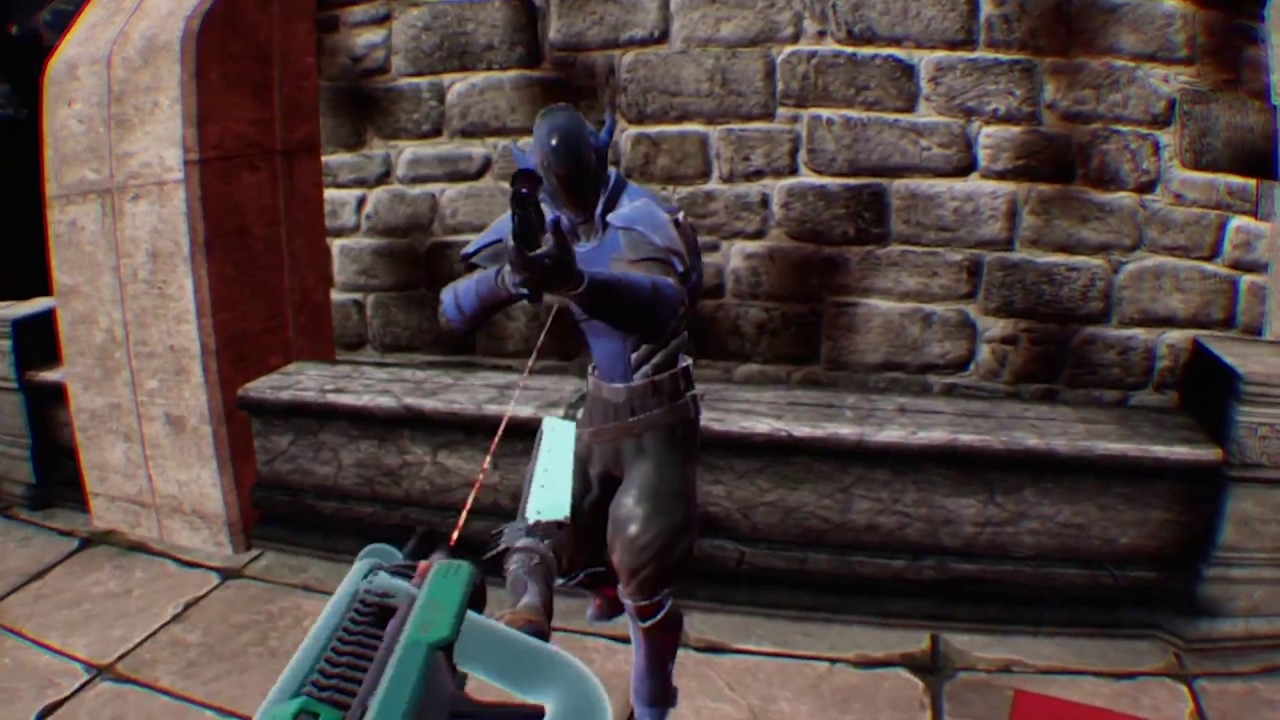
Gameplay of the pre-release DWVR ps4 version.
recorded some gameplay from my PS4 version
how do you think it looks?
i know it has intense fisheye, its taken directly from the psvr feed
glossy agate
Looks cool man. Is it snap turns I am seeing?
wicked oak
yes
ill give this smooth turning becouse its a goddamn joystick
im not sure if i should put it on the psvr reddit
glossy agate
Seems like the snap turn is preferred over smooth yaw, but you could give both options to users maybe.
Yeah put it up and get some hype and feedback.
Everyone says Reddit is the second most toxic place on earth, but people have been pretty nice from what I have seen haha
mighty carbon
lol, same bullshit with UE 4.16.1 - can't build distribution for Gear VR
UATHelper: Packaging (Android (ETC2)): [javac] Z:\src\com\epicgames\ue4\GameActivity.java:705: error: package com.oculus.svclib does not exist
glossy agate
Were you able to to build before? Do you have all the required packages added to your VS?
mighty carbon
what does VS have anything to do with packaging BP-only project ?
yeah, I was able to package for distribution with 4.13
and now I can only package dev builds (with 4.15 and 4.16), but not for distribution
glossy agate
You need all the C++ distributables still to package. Thought you may have needed some of the android packages too? Thats strange.
This may have an answer for you https://answers.unrealengine.com/questions/489703/android-gear-vr-shipping-distribution-package-fail.html
mighty carbon
that's not a fix - Oculus requires entitlement check
otherwise it won't get accepted to the store
what they suggest is to disable entitlement check (at least that's what I am reading)
they - people on AH
glossy agate
The thing I saw was the verifyEntitlement BP function, so I thought that may have helped.
mighty carbon
yeah, I use that
mighty carbon
I guess I have no choice but try that hack
tired tree
that doesn't seem like much of a hack to me, if they removed that file but the xml still shows up, commenting out the line is a quick fix
mighty carbon
yeah, I guess
btw, with 4.16 my S6 "overheated" instantly
the phone isn't hot to touch, but Oculus Home told me it's overheated and I need to remove device to cool it down
bizarre
and in 4.16 I can't use ~ on my bluetooth keyboard to bring console and type stat cmds 😦
but, on the bright side multi-view + direct multi-view work and it seems like my project runs butter smooth with it.. However, can't confirm without stat cmds :/
twin pulsar
If this is not the right channel to post my question please let me know. I'm just trying to figure out if I am doing something wrong or it is just not possible to do in editor (VR Preview or PIE) testing of VR listen server + non VR client and have the server window in fullscreen unbordered so that the window receives input (i.e. vive motion controllers) even if the client window has focus for that player to play with the keyboard. I don't see this documented anywhere.
 dusky moon
Guys does Steam Audio support Oculus as well ?
mighty carbon
@full junco would know
tired tree
yes
steam audio is platform agnostic
its also not ready yet btw
they say 4.17 for stable version
dusky moon
@tired tree Thanks, but is it really not ready ?! I've seen some documentations in about UE4 integration in 4.16
tired tree
its integrated, but the Valve guy integrating it said it won't be stable until 4.17
its for testing and pipeline talks right now
it doesn't even package out for most builds at the moment...
dusky moon
uhum , I mostly need it for it's sound occlusion , pitty can't kick it in builds
tired tree
if you intend to move to 4.17 you can play with it to learn it
or try and merge 4.17 changes back after its done
but considering that audio engine is also likely going to see changes that might be a large merge
dusky moon
hmm true, Any estimation about 4.17 release date ?!
dusky moon
yeah just saw it, Q3 2017 :/
glossy agate
You may be able to use FMOD for now if you plan on releasing before Q3
It's free for 1 game a year I think.
Actually looks like it's free for games with less than $500k budgets
dusky moon
@glossy agate Good to know! I was a bit hyped by Steam's realtime audio occlusion calculations.
not sure if it's a feature in FMOD as well
tired tree
aren't people manually tracing for occlusion with FMOD?
which is nowhere near as good or fast as steam audio's
dusky moon
Ah and one last question, Any1 knows if the new ue4's sound engine works well with Gear VR ? like the synthesiser plugin ?
glossy agate
Oh dang. Looked online and people said it had an HRTF option, but it wasn't working
dusky moon
Ha, not surprised ... mobile vr is too lazy when it comes to unreal
mighty carbon
ue4 sound engine doesn't work with Gear VR at all
all it does is it plays mono sound
sturdy coral
@dusky moon the engine already supports occlusion, steam audio is more about bounces and I think partial absorptions
dusky moon
@sturdy coral yeah but engine's audio occlusion is good for static scenes. not for dynamic stuff
mighty carbon
well, monoscopic rendering still doesn't work for me
mighty carbon
alright, I managed to package distribution build 😂
 zenith charm
@tired tree Hey there, I just looked in the main plugin thread and couldn't find what the issue was I am facing, maybe you have a quick minute? I have a working project with a previous 4.14 plugin and I just upgraded to 4.16 and just compiled a new plugin. it loads fine but the vive_pawn has all these errors now the VRExpansion function Library : stating its not compatible with the function library reference.
tired tree
vrexpansionfunction library is no longer a component
they finalyl updated steam
you can use all of the functions without a reference now
so delete the component from the actor and call the functions directly
thats in the patch notes, but i understand its hard to read through them all
 alpine torrent
https://channel9.msdn.com/Shows/OEMTV/OEMTV1769 show new mixed reality headset

Channel 9
Microsoft's Peter Han shows off the latest Windows Mixed Reality headset designs from ASUS, Dell, Acer, Lenovo, and HP during the Microsoft Keynote at Computex 2017. These headsets, coming to market t
mighty carbon
so, no Gear VR users?
glossy agate
I have iPhone or I would test, but when are you releasing? @mighty carbon
mighty carbon
@glossy agate at this point I have no idea.. I am fighting the tech more than making the app 😦
glossy agate
Haha. That's what it feels like most of the time for me too! Spend 8 hours trying to make it work>sleep>wake up> shit starts working in 15 minutes but you don't know why
Actually I do know why. I ask a question>sleep> wake up to advice that actually works
mighty carbon
hehe
it's different with Gear VR though.. Only a handful of people use UE4 for it and only 1 or 2 hang out here
plus Epic doesn't really care much for Gear VR, not Oculus seems to have it on their priority list
Hell, I feels like Carmack and maybe 1 or 2 more folks in Dallas are the entire mobile team at Oculus 😦
and Carmack isn't fond of UE4 for Gear VR
now that I moved to 4.16 and managed to build the for the store, I feel a bit better
btw, just tried Mission ISS - I can confidently say I am pro-teleportation locomotion only

Steam Blog
lol, $100 is what Greenlight used to be. What difference does it make? :/

pcgamer
A VR FPS from some of the people behind Halo and Gears of War.
alpine torrent
@mighty carbon I going to test Windows Mixed reality with my phone soon
wintry escarp
I'm a gearvr owner
mighty carbon
So, Rift can use Vulkan now
wicked oak
yes#
wicked oak
oculus ue4 version for sure
this pretty much improves the performance of forward even more
as now you dont care about the duplicated drawcalls
my game runs faster on a ps4 pro due to the low level gpu API
with PC vulkan i would probably get mad gains
mighty carbon
nice
I am guessing 4.17 will bring us that goodie

reddit
11 points and 9 comments so far on reddit
niiicceeee
now I will be able to track my cat!
lol, it turned out to be harder than expected to find anyone to test Gear VR app o.O
wintry escarp
yes I'm on s7
mighty carbon
@wintry escarp PM'ed you
subtle island
Is there a way to visualise what is causing the most fps drop when running in vr?
It's hard to narrow down in editor mode because it's not double rendering
OH I used a shader complexity visualisation, seems objects with translucency are causing issues
Is there an easy way to optimize planes with opacity maps for leaves?
without having to just go and remodel the planes into the actual geometry?
wicked oak
@subtle island stat GPU
command
shows you the timing of the GFPU stuff
and what you said its automatic
it already optimizes sprites
its a thing you can enable for the texture i think
subtle island
aah cool cheers
mighty carbon
so, I tried Gear VR controller with Dead and Buried - had to recenter it a way to often 😦 But it's kinda fun I guess
 eternal inlet
is it just me or are the black debug artefact in hmd in 4.16.1 still?
mighty carbon
@raven halo how do I set up Gear VR controller? (possibly with a check if controller is active)
tired tree
thye are, haven't been fixed yet.....
 icy basin
Have any of you worked on Inverse Kinematics before? I'm developing a game for VR, and I've never done it before. I've found a lot of resources for IK to display arms/shoulders but I want to be able to aproximate where the player is standing. That way if they step off a ledge, they can fall.
For the record, I know that there's inherit sickness concerns with falling, I believe I have a solution for that.
icy basin
Yeah, but I'm thinking a simple way of doing it. I don't need to know all the info about the body, just an estimation of where the feet are.
 digital marlin
oh
icy basin
I've seen it done before, in a couple other games
digital marlin
Well, wouldn't an assumption be it's the floor Z of the transform of the HMD?
Not sure of the exact fidelity of that though.
icy basin
Yeah, but I also want to make it so where you could potentially lean over a ledge without falling. Detecting basic bends at the waist essentially
digital marlin
I suppose you could look at implementing a tracker or a third controller for the waist / leg
Then using trig. determine where the person is standing.
icy basin
I know, but the point of it is using the basic Vive or Oculus kit. There are ways to use inverse kinematics for this, without using additional gear or anything
odd garnet
Hey everyone! I made a gesture recognition thing for the Vive trackpad
Would anyone be interested in that?
 fair hearth
hi @odd garnet im really interested in that! would love to know more about how you made it 😃
odd garnet
Well I'm debating about whether I'm going to make it into C++ as a plugin or release it on the market place.
How it works is that it Checks for what "zones" your finger goes through
We're using it to recognize what spell a player is wanting to caat
Cast
@fair hearth
mighty carbon
@pearl tangle @raven halo what's the trick about implementing Gear VR motion controller?
pearl tangle
dunno haven't tried it. daydream has a very easy motion controller bit to drop in and it works out of the box and then has a box of options you can tweak
mighty carbon
not this one 😦 There a component that I added to player's actor, but the "arm" doesn't seem to work and buttons don't work :/

Oculus
Join the Official Oculus Discussion Forums and talk about Oculus Rift, Oculus Touch, Samsung Gear VR, and virtual reality.
(my setup)
wicked oak
TFW im bordering 10.1 ms out of 11 in the game thread on ps4 pro and i cant drop frames
i just went and optimized all my anim blueprints just in case, doing random shit like making sure it doesnt do any blueprint calls
with the fast path thing
mighty carbon
so, what does it mean?
real needle
@shanowzer are you doing a combination of "hold finger on X degree zone on touchpad and push trigger to initiate spell"?
real needle
Hey y'all hope everything is well. im reaching out because i am wondering if anybody has any experience using a FLEX-FLOW-HAIRWORKS Unreal merged engine and installing the VRExpansionPlugin
I've gotten quiet a few errors when trying to build. I'll be happy to share if anybody has any experience
 deft badge
Were you able to build it without the plugin. I remember having to make a few changes to work with the latest version of VS
I mean the FLEX branch specifically
I did get it working though
tired tree
Jawn, you'll have to uncomment the "FLEX" module addition in the plugins build.cs
that module is specific to that engine branch, so while I have it in the build.cs for people convienance it is commented out by default
ah nvm you posted in my thread
i'll post it there too, but you are using 4.16 branch with the 4.15 flex
they changed how modules work in 4.16
 runic wave
Hey, does anyone know how to exit VR editor mode?
the assigned keyboard shortcut is impossible to execute on a german keyboard, just like the open console key...
 graceful junco
isn't it just escape? Or am I mixing this up with something else?
 wise thunder
I'm not sure if the editor exit is different from PIE exit, but all of the shortcuts are customizable in the editor settings
icy basin
Have any of you ever done something to predict where the player's feet are in VR?
runic wave
escape doesn't work, vr editor mode is apparently Alt + ` which also doesnt work
mighty carbon
has anyone here implemented Gear VR motion controller in their BP projects?
pearl tangle
seems pretty unlikely you will find help with that at the moment considering how few people are doing Gear VR here in general
mighty carbon
I know, but Norman did it (or rather his programmer did).. I was hoping you had some ideas too 😃
pearl tangle
nah i haven't bothered touching gear vr stuff in ages. I would have assumed it would be very similar to daydream but guess not
odd garnet
@real needle @fair hearth Sorry I've been busy working all day!
It actually is just directly checking the floats of both axis and doing a TON of math
Also just got done with an accidental workstream
fair hearth
i havent done work with the trackpads before aside from input events, is there a specific blueprint node you used to get the finger location?
@odd garnet
pearl tangle
you can just hook it up in the input and you get the float for X location and for Y location
fair hearth
oh that sounds super cool, ill give it a go at work tomorrow 😃 thanks!
pearl tangle
has anybody done anything with displaying extra information on the mirror view with a vive. EG. I want to use the extra screen space to show high score list and instructions which would both be in UMG
pearl tangle
http://store.steampowered.com/app/645340/Relax_Walk_VR/ really can't believe this thing got made. Literally just purchased 5 packs from the marketplace and threw them in with a level selector

Visit 6 Beautiful Places in VR and Relax.6 EnvironmentsMarsForestOceanChina TempleOasisApocalypseThe game supports both HTC Vive and Oculus Rift.
Price
$1.99
digital marlin
loool
mighty carbon
@raven halo ping me please when you are around
raven halo
yes, sorry, I've been in meetings since forever
tired tree
@pearl tangle can't imagine that it hits 90FPS if that is the case, the marketplace assets are generally heavy as hell
wicked oak
as if steam cared
its barely sold anything
the mass of games released ATM means this one gets completely buried as it should be
mighty carbon
@raven halo another PM (I wonder if you get highlights when I PM you)
pearl tangle
yeah there is definitely a hell of a lot of garbage on there for VR stuff. they really should stop just letting it all go through now
wintry escarp
are they being sold as vr assets?
wicked oak
@pearl tangle they have used VR as a experiment for their "OPEN DA FLOODGATES" thing
and to be able to brag about "oh so many vr games on steam"
pearl tangle
Yeah they are still charging $100 on the green light stuff at least
wicked oak
not for VR games, those pass without any control
i wonder if they will still be completely free to publish
mighty carbon
Steam Direct is $100 - no difference from Greenlight
wicked oak
you need to get approved on greenlight
its super easy
but you still need to get aproved
also

i told you that, steam. 3 months ago
lazy bastards
glossy agate
$100 per game with direct instead of a 1 time fee.
wicked oak
this is on a logged off view of the website
on microsoft edge
with private/no cookies mode
mighty carbon
$100 will be recouped in no time
so even with $100 per project there will be no less junk on Steam
wicked oak
100 is absolutely nothing
glossy agate
Yeah I guess they give it back when you pass $100 in sales.
mighty carbon
plus, on top of everything, it's already filled with junk.. So I don't see any benefit to better discoverability with Steam Direct
even in 10 years all games that are there now will still be there + new games that will accumulate on Steam within a decade
glossy agate
Maybe they should have done $500-$700 up front and you get the whole thing back when you make the $100 mark. More risk for releasing that way.
mighty carbon
btw, there is more room to grow in CPU design https://www.theverge.com/circuitbreaker/2017/6/5/15740500/ibm-5nm-gaafet-transistor-faster-more-efficient

The Verge
IBM, in partnership with Samsung and GlobalFoundries (which manufactures chips for Qualcomm and AMD, among others), has developed a process for building 5nm chips. Two years ago IBM unveiled a 7nm...
wintry escarp
steam direct is $100 per title isn't it, greenlight was $100 for access to it all
mighty carbon
doesn't matter since you get your money back
glossy agate
Correct. Direct is refundable too
alpine torrent
Metal support for VR in Mac
wicked oak
they are showing one damn monster of an all in one
its just going to be spectacularly expensive
and who the hell does rendering/machine learning on an all in one?
people grab a 4 titanX SLI-d machine for that
5k dollas
for 8 core xeon, vega GPU, and 128 gb of ram
and one of those gorgeus screens
wintry escarp
5k isn't bad for the spec but its not upgradeable
wintry escarp
i'd rather have it 1" thicker with the ability to swap bits in and out
I think 5k got you 32gb ram
alpine torrent
@wicked oak other ones was less than Xbox Project Scorpio
I get touchscreen with that money what is powerful pc
wicked oak
?
alpine torrent
well devkit had 5.5teraflops and Xbox Project Scorpio have 6TeraFlops
wicked oak
pokemon Go is going to use the new apple official AR kit
that does inside out tracking with the camera to do "proper" AR
that tracks the ground
neat
wintry escarp
did they announce any ios VR?





 wicked oak
ue4 AR neat
wintry escarp
they had a lot of waffle on the speaker but no mention of it frequency range ability or anything
undone kite
Hey Guys, Any advice on how to set the default position of a HMD on possess. Like wherever it is when you start is it's 0,0,0 point.
alpine torrent
@wicked oak yeah and I would love to use in WIndows mixed reality as well
digital marlin
I'm keen for that audio strap.
Though I'm gonna wait until the next version of VR
Dumb Q - how does AR stuff work in Unreal at the moment?
pearl tangle
I'm picking up a prototype Tango device from Google today and have been helping their developers work on a new plug-in for it, should be released maybe end of this month or sometime next month
Hololens does also work on the UWP branch of ue4 but you will need to be doing c++ for everything
digital marlin
I haven't even thought about hololens TBH. I can't get my hands on it at the moment
Though we do have some clients who are interested in AR - if we can dev stuff using Unreal that works natively in Tango / iOS.
Then that'd be a big win.
pearl tangle
its good fun, i have a couple of hololens for over a year but haven't had a chance to do much dev work with them and I don't like going back to Unity to do it
I told Tim Sweeny about it and he just laughed though annoyingly hah. they wont put any work into it until microsoft makes it not UWP locked
you can already use the older Tango plugin that Opaque media put together but it's pretty average. the new 1 will be much better
apple didn't announce the hardware stuff they are puttin in for AR did they?
digital marlin
Not from what I saw - though I didn't sit and watch the whole thing - I just picked up a 10 minute overview.
pearl tangle
yeah didn't look like it, just watched the video.
it's already up on github to test out anyways
digital marlin
I can't imagine they won't do something for it.
I think they saw Pokemon go and went 'oh...'
digital marlin
Ooooh thanks.
pearl tangle

Apple has announced support for VR on Mac, and ILMxLAB unveiled a Star Wars scene with a live demo using the Unreal Editor in VR Mode. Apple has also announced AR for iOS. It’s high-end, powered by Unreal, and early access support for ARKit is available now on GitHub!
pearl tangle
just sign in
 quartz bay
I can't seem to get my foliage to cast shadows from a directional light which is set to static, even though I have "cast shadows" enabled on my instanced trees.
digital marlin
yah
sturdy coral
@quartz bay make sure you have cast static shadows set.
quartz bay
yes, I have that set.
sturdy coral
you'll want to ask in #graphics unless it is only happening in VR
they can usually help you out pretty quick
quartz bay
I have "Cast Static Shadow" set to on, and my directional light is a stationary light, not a static light.
sturdy coral
oh if it is stationary
make sure if you are using cascaded shadow maps with it
that you have dynamic shadows on on the foliage too
quartz bay
I turned off dynamic shadows on the foliage because I thought it might be costing too much
sturdy coral
in the directional light search for cascaded shadow maps and turn that off
quartz bay
My trees don't move and my light source doesn't move, so I just want all of the shadows from the trees to be baked into the level
sturdy coral
stationary can do a blend of sort of static (still dynamically shaded with analytic specular) and dynamic with shadows
so make sure you aren't doing that if you don't need it, it has a big performance cost
quartz bay
yeah, I'm trying to keep everything as minimal as possible because shadows kill performance in VR
pearl tangle
Yep foliage shadows in VR are going to be a massive performance hit
sturdy coral
yeah, I wish there was built in mega texture for that
baking all directional light shadows to a plane would be much more efficient in a lot of cases than lightmapping everything
pearl tangle
If nothing moves why don't you use static instead of stationary anyway?
sturdy coral
static doesn't get analytic specular so you don't get good highlights that pop a lot of times, but if all you have is a directional light it can be ok
mighty carbon
when building engine from source, what do I need to build to be able to work in UE4 and deploy ?
glossy agate
Is it no shadows anywhere or just on the landscape?
mighty carbon
got it, thx