#virtual-reality
1 messages · Page 107 of 1
 tired tree
 wicked oak
so if your plugin doesnt support that layer, UE4 will render it itself
yup
check DefaultStereoLayers.cpp
it renders them there
directly
wicked oak
that i dont know
but its quite probable
its just rendering it on top of everything when the time is needed
tired tree
out of post process?
wicked oak
RendererModule.DrawRectangle(etc)
creates a pipeline, creates vertex and pixel shaders,and directly renders them
nvm
no depth
GraphicsPSOInit.DepthStencilState = TStaticDepthStencilState<false, CF_Always>::GetRHI();
the "false" and "cf_allways" basically are equivalent to No depth
wicked oak
this also means the change is this line
change the CF_Allways for cF_less
it still just does them as "draw rectangle" wich is weird
what about the cylinder layers
wicked oak
seeing the viewport, it does seem like it just renders the rectangles directly on top of everything else
but no depth and no cylinder layers
what a shame, cylinder layers are great for big HUD panels
wicked oak
the "supports depth" bool in the stereo layer is by far the most useless button in the whole ue4
it never works
tired tree
it works for oculus right?
its not implemented for steamvr since they don't support it anyway
but the oculus plugin implements it
I need to play around with this, if I can just scene view extend a quad onto the screen I might as well throw away all of the HMD code for my StereoLayerWidget and just use a bastardized version of this
tired tree
?
wicked oak
what are you doing there?
tired tree
UMG to stereo
without the blueprint hacks people have been using
it just renders directly to a stereo layer instead
tired tree
yeah
tired tree
I don't have it make its own render target, I intialize a stereo layer and set it to use that target instead
tired tree
and yeah it can switch between the too
wicked oak
oh thats very useful
tired tree
I don't render on the game thread?
i pass in a different render target to umg
so it directly renders to the stereo layer render target
that is sampled
wicked oak
ah
 valid ether
How can we deal with StereoLayer Cylindral shapes with UMG and make their collisions work? Any ideas guys?
wicked oak
you cant
but you might be able to "sync" a stereo layer with a 3d widget
then set the widget to use a fully transparent material
that still gets collisions
that would work
i did that myself
but i had issues becouse the layers didnt have depth and they blocked the ray i was using for selection
valid ether
but they're on different shapes, and maybe the button on which I should have looked at, is not in the same place, but little moved because of the cylindrical surface
tired tree
shcolf there are ways of getting UMG to look "passable" in engine, its not going to be as clean as stereo layers but if you were getting "shimmer" like you said than you had something wrong.
valid ether
Well I've tried multiple methods, including FXAA, MSAA, TAA and so on, nothing worked that well, just as stereo layer
StereoLayer by itself is a "mesh", am I right? If so, then can we get somehow it's vertex data and procedurally generate that mesh?
wicked oak
what do you recomend for that @tired tree ?
to improve its look
in ps4 i cheat by using higher resolutiono graphics on the main menu, so all text looks better
still no generic adaptive resolution...
tired tree
thats basically it though :p setting the rendering target for it higher
wicked oak
i see myself trying to implement it for ps4 on my end
tired tree
and of course not using TAA
 clever sky
@valid ether If your main issue is readability...
Then why not just make bigger menus with bigger text?
I have a shit load of text on my menus.
But they're about 1m wide
or even bigger.
No one complaining about readability 😛
valid ether
@clever sky Naah, my main issue is not readability only, the whole scene was shimmering, and that's quite annoying
clever sky
Increase render resolution?
tired tree
shimmering as in white dots? Or as in alias'd / low res? Also are you on the forward renderer?
wicked oak
oh i see, adaptive resolution asks Oculus for the performance stat each frame
it just asks oculus what is the adaptive resolution to use
valid ether
@clever sky I've increased screen Precentage up to 140, fps up to 90, still same effect. @tired tree my text letters are bouncing up and down because of this, and also because my text is white, shimmering is happening as black dots on text letters.
wicked oak
i had to switch to a more readable font in my game
clever sky
Hmmm
tired tree
Your letters are bouncing?
clever sky
That sounds wrong
tired tree
and black dots on white text?
valid ether
yes
tired tree
sounds like you have something set up really wrong? what headset are you using?
valid ether
GearVR SM-R323 with Galaxy S7
tired tree
oh its mobile, what fps are you getting?
valid ether
almost 60
tired tree
with the phone almost 60? 60 is the target, I don't know if Gearvr reprojects or what kind of artifacts would appear when it does
might be time to call like the one guy that actually does mobile around here @mighty carbon
see if he has noticed anything like that
clever sky
You guys ordering the pro vive strap?
valid ether
I think mobile isnt the issue, because I'm also seeing shimmering with editor. I'll try to capture
 winter venture
wish that strap let you flip the hmd up
tired tree
if you are seeing shimmering with the editor then you defiantly have a setting wrong in engine.
valid ether
I've set those settings for mobile, lemme capture the rendering settings I use
tired tree
try loading up a template project or something out of your project first
valid ether
ok I'll try to make a template, also here are the settings.
rendering settings
by the way, the project is inside 4.14.3
valid ether
After numerous of failed experiments, yes, I've eventually turned that off
Also removed post processing volume after thaty
valid ether
What settings do you recommend?
tired tree
I don't know the best mobile settings, I would start with what the mobile settings are default and talk to Motorsep since he has spent months playing with them
I have no idea how hard it is to hit 60 on gearvr so I wouldn't want to give recomendations
 jaunty shell
@tired tree super hard
it was a nightmare on Unity, had to merge everything, reduce polycount and texture resolution pretty hard too
tired tree
I assumed
thats why I don't want to provide bad answers from the perspective of what is good enough on PC VR
also some things may be more/less costly on the mobile renderer
jaunty shell
as a hint, we had to restrain drawcalls to 50 per eye or something on a Galaxy S6
valid ether
@tired tree Thank you for your help
jaunty shell
and even with that value the phone was heating up quite easily
 main fjord
what fade-to-black solutions do people use for VR? I have tried using this one, but there are gaps in the corner of my eyes! https://wiki.unrealengine.com/Global_Fade_In_out
 mighty carbon
almost 60 fps is how much ?
58.xx-59.xx is what you will hit with UE4 and you will never hit 60 fps
especially because it's v-synced and mobile screen is like 59 Hz
 eternal inlet
@main fjord i actually just use my FOV limiter to fade to black (or whatever color i prefer) when i stick my head into things
i assume that's what you mean?
my FOV limiter is just a 5x5m plane with a simple texture on
main fjord
was thinking on level start/end to hide loading hitching, but yeh, similar
eternal inlet
u doing c++ or bp?
coz i only do bp, so wouldn't know what to say with c++
then u gotta ask Mordentral or vblanco i suppose
tired tree
Epic teleport has a blueprint full fade in/out in it
eternal inlet
u know what it does behind the scene M?
coz from what i could tell, it just tones down colors
tired tree
never bothered to check
I don't do fov limiting myself
leave that up to people to handle how they want
eternal inlet
i personally also dont like fov limiting
tired tree
though the teleport fade isn't an fov limit
wicked oak
im going to add a fov limited soon
eternal inlet
but i just used the same material to blank out view when i was sticking my head into things i didnt want people to look into
wicked oak
as part of the confort features of the final game
tired tree
I helped someone with thei game briefly, and checking back on the bug reports they received like 50% of them were saying how much people hated the FOV limiting
def leave it optional
eternal inlet
i used to use stereolayers for that too, but a simple plane was much better
eternal inlet
yeah
wicked oak
alongside "full" teleport instead of dash, and smooth rotate
main fjord
I might checkout the VR template then if they have some cunning fade
eternal inlet
as @tired tree said there's a handy node for that
main fjord
I used a dynamic post-process material before for another title, but that was crazy expensive
wicked oak
hey @tired tree best way to do damage numbers in vR?
i would love to just do them on Canvas, but cant
canvas is hella broken on VR
tired tree
and you don't want to just text render?
honestly best is 3d text
but I know the work you would go through, and the available options for 3d party are meh
eternal inlet
@mighty carbon oho, is that new they added those anims to trello?
wicked oak
what about screenspace size?
if you snipe enemies the number will be too small if idont do them screenspace
mighty carbon
they also chopped off most of the stuff for future releases and now we have no clue what and when is planned
eternal inlet
doh yeah
tired tree
can always scale based on distance, 3d is still the best effect. Screen space you can deproject to a stereo layer attached set to the hmd
or hell, just don't put damage numbers on the enemies
put it in HUD
eternal inlet
@wicked oak i assume you're looking for a technique where you scale size differently from the location where it's actually at?
you still want to keep the depth cue in there
tired tree
some guy made a 3d text system using instanced meshes, the font is limited but i'm pretty sue that end goal that is the best looking and feeling option for vr when feasible
then again RR did damage numbers right? people liked how they did it
eternal inlet
im gonna do something similar with an aim reticle that also needs to be drawn in the distance, but i don't want it to be so small that i can hardly see it
tired tree
are players going to know total health / weapon damage directly?
tired tree
or would it be better to just have a health bar indication?
mighty carbon
how is UMG isn't aliased in RR ?
(at least it didn't look aliased when I played it)
tired tree
its downscaled
eternal inlet

In this 2016 VRDC talk, Force Field VR's Joost Peters explains the process that Force Field VR went through to design a proper interface for VR twin-stick sh...
this video talks about a lot of relevant stuff for us all
 glossy agate
Yes! That was the video I was trying to find when you said you were trying to make those grapple indicators use screen space
wicked oak
does robo recall render that 3d umg in a different texture then put it on the screen?
you can do that with separated translucency, but it will also do that for particle fx wich will murder performance really hard
wich also remembers me, i can abuse that for my main menu
render the separated transparents to 150%
tired tree
yeah no
its just umg widgets auto rotated to face the player
at least for the combo counter
they also scale it by distance to player
text is really stylized and bold though
clever sky
For draw over everything UI...
you can render the occluded parts differently from the non-occluded parts.
i.e. darker or something.
Wilson's Heart has a pretty awesome solution for hand occlusion that's similar to that.
They do X-ray vision when you occlude your hands behind or into objects.
So the portions of the hands that are occluded are x-ray and the portions of the hand that aren't are normal.
wicked oak
that actually is illegal says Sony
i was doing that on some stuff, and they told me to remove it
becouse its messes with the depth perception
clever sky
According to Sony, darkened glass with film on top messes with depth perception 😛
Seriously though, if you do it right, it works, because that's the resulting effect - where it's almost like a selective glass surface that lets opacity through from a specified object type.
The problem comes when you render the occluded portion too similarly to the non-occluded portion.
mighty carbon
finally figured out my sh#t : https://www.youtube.com/watch?v=jg0tH5Y2k9Q
 eternal inlet
@mighty carbon what was the problem?
mighty carbon
I couldn't figure out how to do that and the "IF" node method doesn't work with gradients and it's hard to control (plus it creates non-linear "fill rate")
wicked oak
i need some "final" feedback for the final release of DWVR
if you tried the game, please just tell me what would you add or fix for final release
clever sky
@wicked oak just loaded DWVR - there's a red bar in compositor
appearing over the UI attached to face in menu screen
Also suggest that you put difficulty onto the right panel after you click on the mission.
As opposed to listing all the difficulty/mission permutations.
wicked oak
it was like that before
bad idea
im going to make the missions unlockable
in a graph style, instead of just a list
so it makes sense for it to be like that
clever sky
The mission preview graphic isn't changing either.
Yeah, that health bar is super broke. It's near the middle of the screen
and it stays on 😛
wicked oak
Vive, no?
Blame Vive stereo layers being fucked
on Ps4 i just have it on the playspace as a 3d widget
any stuff about the "general gameplay" part?
mighty carbon
I blame Vive for everything 😛
wicked oak
its what im focusing now
valid ether
Guys, is there a chance to not lose a transparency of rendered textures on StereoLayer?
mighty carbon
you shouldn't lose it
tired tree
Blanco, I think that Epic might be using the wrong transform for SteamVR Stereo layers btw
they are using: const FRotator InRot = In.Rotator();
FRotator OutRot(InRot.Yaw, -InRot.Roll, -InRot.Pitch);
which is incorrect, only X should be inversed
 full junco
has anyone here compared the oculus HRTF with the steam audio HRTF now?
tired tree
A Valve employee is repsonding to people in the 4.16 thread telling them that its not going to be "stable" until 4.17
tired tree
on ue4 forums none the less too!
full junco
I know what the valve guy said, but that doesnt matter
I just want to know if anyone compared the oculus HRTF with the steam audio HRTF
wicked oak
i highly doubt valve one is better
for one specific vresion
oculus one is tuned exactly to the rift headphones
valve one is generic
full junco
well I'm not using rift headphones
and I wont ship my game for rift
so I really dont care about that
tired tree
HRTF is likely better for oculus with their plugin, but every other feature of the audio should be worse since its aproximated.
though likely faster
full junco
@wicked oak those 50k people that have touch just don't matter for now, not worth getting a rift and testing on it just for those. and my game should only be played with perfect roomscale
full junco
it is, zoltan said that and was very confident about that number
wicked oak
nvm im having the numbers wrong
whats the sources for that 50k?
VRMultigames in oculus store has 22.000 installs
full junco
you have to ask zoltan for what the source is, and he won't tell you obviously 😛 but he's very sure its correct, and if he says that so am I
and people that have 3 cameras will be even less
just not worth caring about rift for now
maybe a few months after I released it on vive I will port it to rift
wicked oak
if you send the request to Oculus after releasing on Vive, you get guarnateed headsets in literally no time
its the biggest argument for them to give headsets, so you can port it
full junco
well, getting headsets alone is lame, I have to make the game so good that they pay me $50k to port it to rift 😛
 fleet veldt
has anyone had issues with headphones/audio out on their Oculus Rift lately?
wicked oak
absolutely zero issues
fleet veldt
mine has just completely gone out. I noticed it was happening sparaticly towards the beginning of the week then just quit altogether. I thought it might be the cable but i borrowed a cable from another unit and still had same issue.
wicked oak
i ran into a bug in 4.16
huge one
it resets my blueprint variables
some time
even ingame
while the game is running
it resets the variables mid-game
full junco
only BP variables or also variables declared in C++ and exposed to BP?
wicked oak
declared in C++ as Uproperty
a component, in fact
a component that is declared as a VisibleDefaultsOnly, then it has properties
and the properties get reset mid-game even
its like WTF is this shit
 vagrant mantle
How to rotate steer a car using motion controller?
mighty carbon
@wicked oak I got only 1 kit - HMD + Touch, and also got Gear VR controller
wicked oak
only 1 kit?
mighty carbon
yeah
wicked oak
thats hella weird, they usually send 2
mighty carbon
well, I don't know :/
wicked oak
you know, for 2 devs, or just if one is broken or similar
first time i hear of someone getting 1
tired tree
you specify number on the application now, was it not always like that?
wicked oak
it wasnt
i asked for mine "directly" to oculus
only the 3rd time it got answered
once i released VRMultigames
mighty carbon
there is a submission form now
and you specify number of units needed
I didn't want to get rejected, since my project is small, so I only asked for 1 set
wicked oak
i asked for exactly 2 Touch sets
becouse i had 4 headsets but only 2 touch sets
so i had to get the 2 extra
got them quite fast
full junco
@mighty carbon what project did you show them? your gearvr thing?
@wicked oak well I guess you will report that bug now so that its fixed soon?
wicked oak
i need to do more testing
maybe its something wrong on my end, and its kind of strange to replicate
ill try to do the exact same code on a empty project, see if it happens
it only happens on the massive clusterfuck that is DWVR
a project that was started on the 4.7 days
so go figure
im working on remaking and refactoring some chunks of the game
most of the enemy code that is reaaaaaally old and i have better versions now (from the dungeon prototype)
tired tree
I haven't had any uproperties resetting on 4.16 for me yet
but who knows, shit is wacky sometimes in engine
wicked oak
in fact, this blueprints that give me errors have been there since 4.10
so there is a very high possibility this is due to their internal stuff being borked due to so many upgrades and so many hot reloads on them
wicked oak
it is definitely a hugely extreme case
this blueprints have gone through hundreds of hot reloads and changes and reparents and engine upgrades and stuff
anyway im going to absolutely Nuke them
out of existance
and replace them with the code that was on the enemies of the dungeon game
wich is faster, works better, and its much, much better to mantain
ill keep the animation tree tho
full junco
hot reloads shouldnt matter at all for this
and blueprints losing values is a very old issue in UE4
wicked oak
but something as extreme as it being "mid game"?
full junco
happens too in BP only projects without C++
full junco
I havent seen mid game, but I have seen that they reset on the launch of the game
wicked oak
the damage text works
for a few times
then it stops working
and starts throwing warnings that its trying to spawn a null class
wicked oak
literally this
DamageTextClass is a variable
it goes null mid-game
as a property
wicked oak
no, the spawn fails
and it returns nullptr
wich i do check
this is what i get
mid-game
full junco
well that sounds like the GC decides that class is no longer needed and unloads it
that wouldnt be an issue with BP variables
tired tree
Is that dmgtext variable a uproperty?
tired tree
not the class
wicked oak
that i spawn
tired tree
the variable
wicked oak
spawned actors have World as outer
they dont delete themselves
unless you tell them to
tired tree
if you call delete on it though, then that pointer would go null
wicked oak
but the only thing i do is spawn it
tired tree
its not preventing it from GCing
wicked oak
and call "set damage text" with the damage dnumber
then i "leave it be"
while the thing shows the damage number and moves up for 1 second, then deletes itself
i dont store that pointer anywhere
wicked oak
no, not the initial
its the reverse
it spawns properly for a few times
then the Class variable becomes null
and then it complains that you are trying to spawn without a class
and then, when you open the blueprint again
its null
class is None
tired tree
i heard some people having that issue, sounds like the bug John was talking about
mighty carbon
@full junco yep
mighty carbon

UploadVR
We went hands-on with Acer's Windows Mixed Reality Development Edition.
“Some people say ‘you just need to get your VR sea-legs’ [in order to avoid nausea in VR]—I say no, if you’re saying that and you’re a developer, you fucked up [by not designing your game for comfort],” he said.
thank you, CliffyB
 red beacon
All HRTF sources should be mono, yes.
BTW John, your AQS patch plays nice with VRWork's Multires.
full junco
ok
wicked oak
AQS?
red beacon
His Adaptive Quality Settings
wicked oak
how does that work? only Oculus has a adaptive quality thing
he made a patch for general support for it?
red beacon
Yes - a branch.
full junco
I ported the oculus AQS to steamvr
full junco
same like the oculus one
 wintry escarp
any of you do archviz with ue4?
wicked oak
could you link me to that patch or stuff?
full junco
mighty carbon
long time no see @wintry escarp
fleet veldt
@wicked oak have you played with "Gameplay Abilities" stuff?
mighty carbon
@wintry escarp how is it going with your Gear VR projects ?
wicked oak
@fleet veldt a bit
Aquila dungeon prototype has used Gameplay Abilities for the enemy attacks
so they are synced
it also uses gameplay abilities to "report" a parry to the server
but only that
really basic
i intend on investigating it a lot more
mostly becouse everything gets replicated and synced
as its made for Paragon and Fortnite
fleet veldt
@wicked oak i'm just now going through the tutorial on the wiki and was curious.
@jade elm I haven't really done an archvis project but I did a demo project for a client and based it off of the lighting content sample and things I'd read in archvis blog posts. https://www.youtube.com/watch?v=ggBvkQjycAY

and assets from the UE4 realistic lighting sample obviously heh
wicked oak
i see what you are doing @full junco
so you have a big render target, and just scale the render viewport
ill try to port this to PSVR becouse honestly i really need it
full junco
well thats what oculus is doing
wicked oak
i dont see anything that changes the resolution, how do you change it?
oculus just asks the sdk for a new percentage
wicked oak
might be
full junco
my code will likely be completely broken in 4.16
wicked oak
and how do you change the adaptive density at runtime
do you check the gpu time and act accordingly?
full junco
you have to fill the struct, yeah
red beacon
You can get frame time via VRCompositor
full junco
well I dont know if you can with PSVR
red beacon
Yeah, I wouldn't know about PSVR
wicked oak
i can still find a way
there was this dev who worked on eve valkyrie, maybe he knows something
mighty carbon
this is why I needed that animated masked material: https://www.youtube.com/watch?v=Cu4oojWccAE
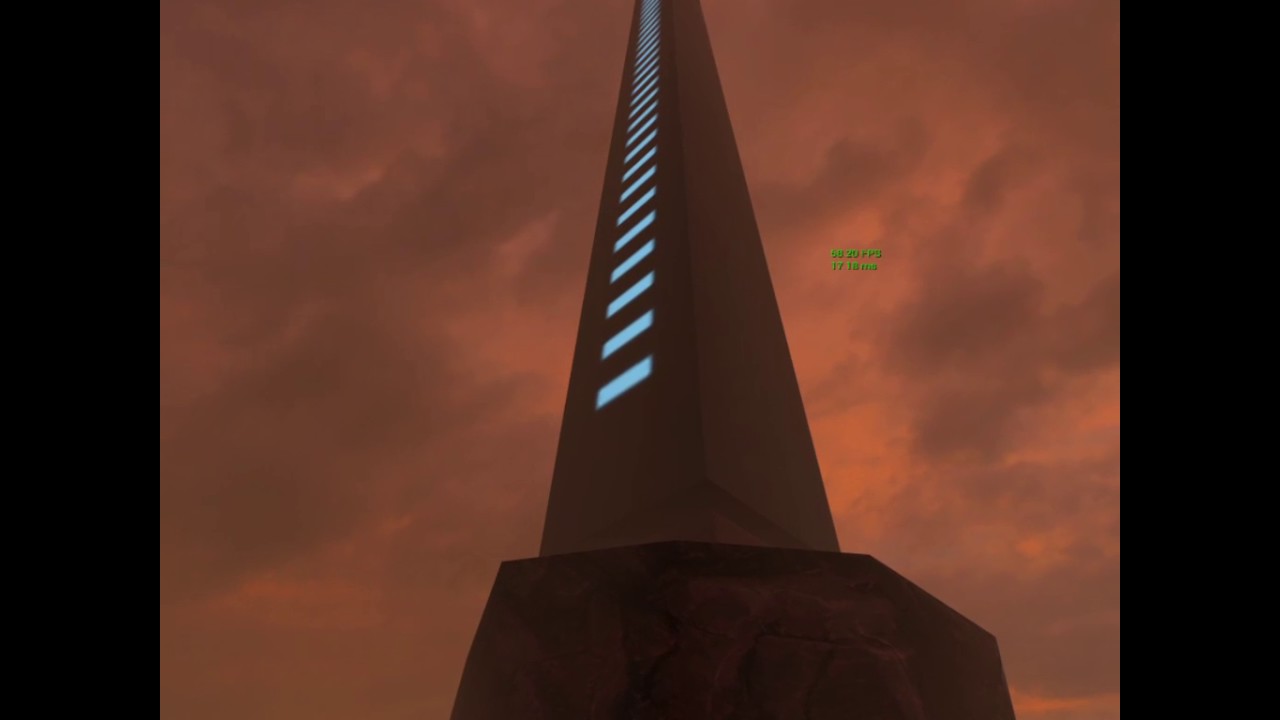
(still WiP)
wicked oak
very cool
full junco
finally not everything there is red 😛
mighty carbon
haha
thanks folks 😄
it's not red, it's brown, like Quake was one day.. It was trendy 😛
 real needle
@full junco It says your AQS works with TemporalAA, would it require any work to make it work for MSAA?
full junco
MSAA always works with it
making TAA work with it was the hard thing since it relies on the last frame that might have had a different res
MSAA only looks at current frame, so thats simple
real needle
cool
If 4.16 isn't too unstable I will lock down that as my engine version so that I can implement the source changes I've been waiting to do
full junco
well I guess when its released it wont be unstable
I definitely want to release my game with the 4.16 preview
real needle
I released the demo for The Wake on 4.14 preview, worked just fine
full junco
I won't move to 4.16 though before everything I need in my game is in the game so that when I test it and everything works, I really know it works with 4.16
and if I spend all that time with fixing a million merge conflicts, I dont want that new commits in the preview break stuff again
so I will still wait a bit
real needle
I would wait for 4.16 stable, maybe test in preview if you have the time
full junco
I want to release my game before 4.16 stable is out 😛
real needle
Well that's exciting!
full junco
I agree 😄
real needle
Shouldn't be more than two weeks before stable is out though
full junco
its still more than a month
preview is usually more than a month
especially on big updates like 4.16
real needle
Is that how long it usually takes? I guess I work more in previews than I should
mighty carbon
sounds like Audio Engine isn't ready for Gear VR 😦
and I am wondering now if it will be ready for Rift's Audio SDK
real needle
@mighty carbon Any reason why you wouldn't want to use Steam Audio?
I don't know if it's supported on mobile
And you really don't have to use the new audio engine unless you want to use any of the new featuers
The single biggest improvement for me is that the audio and game thread are synced
eternal inlet

Totally just figured out how to get it to play something, so i hooked up some random stuff to the motioncontrollers of my Vive. There are tons of posibilitie...
fleet veldt
@eternal inlet yeah i'm looking forward to playing with that stuff 😃
mighty carbon
so, Rift is wife-approved gadget now 😃
and like I said, VR lacks interesting experiences (I haven't tried Lab yet)
and I don't mean gimmicky stuff like what we have right now on both Vive and Rift. I mean stuff like theBlu is what we need in VR
@real needle supposedly Steam Audio isn't stable in 4.16 and there is no word when it will be. Knowing what Valve's time is, I'd say by several more releases.
Also, while it has all the goodies that Rift doesn't have, it's slower than Oculus Audio SDK. Also, Steam Audio is from Impulsonic they acquired not too long ago. Their tech was slow in general back before acquisition.
I don't dismiss it, but I'd just have to wait and see what to use after practical comparison
VR audio is >50% of immersion, so I'd definitely rather have more fanciness if it performs well
full junco
@mighty carbon where did you see that steam audio is "slower" than oculus?
I mean, if you compare steam audio with occlusion enabled to oculus audio with no occlusion, then yeah the steam audio will surely be slower, but if you only compare HRTF of the two?
tired tree
steamaudio occlusion is also not entirely dynamic, it shouldn't be all that slow
plus should be configurable since you specify what counts as an occluder currently
mighty carbon
tested Gear VR on my mother in-law - she loved it 😃
so, the question is why isn't pushed harder by Samsung to the masses ?
full junco
will she buy one now?
mighty carbon
if she upgrades her phone, yeah.. But older people tend to hold on to old things. So chances are pretty slim that she will upgrade her ancient phone.
hell, if she upgrades her phone, I'll get her Gear VR as Christmas gift 😄
f#cking people - when VR is 4k and runs at 90 fps on mid range PC, then I'll use VR
a lot of newer AAA games don't run at high fps on mid-range PCs
it's as if these kids never played in 320x240 on VGA screens at ~24 fps or even less sometimes

Conan straps on an Oculus Rift headset and immerses himself in a magical black and white world. More CONAN @ http://teamcoco.com/video Team Coco is the offic...
mighty carbon
for @wicked oak https://uploadvr.com/raiders-of-erda-vr-preview/

UploadVR
We went hands-on with Raiders of Erda, an impressive VR dungeon crawler that boasts engaging combat and exciting cooperative multiplayer.
jaunty shell

UploadVR
The TP Cast wireless solution for the HTC Vive virtual reality headset is expanding its slate of products to include a multi-user device.
interesting news, arcades are gonna love it
clever sky
Paging @pearl tangle Your prayers have been answered!
jaunty shell

UploadVR
Eye tracking is one feature that could benefit the performance of high-end virtual reality headsets. The HTC Vive will put that theory to the test.
this too, thats two good hardware news for one morning !

For all the best in AR and VR News: http://www.uploadvr.com Follow us for up-to-the-minute updates: 📘 Facebook: https://www.facebook.com/uploadvr/ 🐦 Twitter:...
looks like it works pretty well in union with MultiRes
full junco
very nice
now the question is when HTC can ship a vive including tpcast and eye tracking for $600
jaunty shell
when production cost of a vive will be around 300$ maybe ?
wicked oak
@motorsep#8292 fucking hell
nvm Aquila dungeon is cancelled
this is too much, dungeon games everywhere
this is wave shooters all over again
man the combat is the fucking same
ill think about the "scifi" version of Aquila, with guns and in spaceships
pure fantasy setting is getting ridiculously crowded
jaunty shell
@wicked oak 😦
wicked oak
doesnt matter, i was 50/50 beetween the fantasy setting and the scifi setting
for the ones that tried it, why do you think i had pistol and assault rifle around XD
i liked the fantasy one a bit more personally, but the scifi one works far better for PSVR (i can use DWVR controls) and basically becomes warframe vr
 wicked oak
and i did both in DWVR and was a disaster
i dont have the artistic vision to make that work
that doesnt mean that i wont do "D&D future"
with still magic and fantasy stuff
jaunty shell
wants a painkiller vr
hmm, found something interesting on the Nvidia Funhouse mod doc
"Be careful about using multiple VFX module in the same game. This can reduce performance if not balanced correctly.
Performance was tuned for VR Funhouse using a baseline target of 90 fps.
Performance is budgeted at about 500,000 triangles ( each eye) for a given game.
Flex particles are limited to about 15,000 for performance."
500k tris per eye
wicked oak
seems about right
my original plan for Aquila was to be a scifi game in fact. I ended up deciding to make it a fantasy setting as it was simpler
but now its back to scifi
wicked oak
fantasy has massive amounts of material to build upon
you can grab D&D books and similar for the monster designs
its much harder with scifi
and the mechanics are simpler too. I dont need to make enemies that take cover and things
anyway, the warrior now gets a gunblade XD
wicked oak
that too
i was also having issues with the controls in PSVR
as you have no joystick, "smooth locomotion" is extremelly hard to do
on the other hand teleporting is easy
i have it working on DWVR with massive success
im going to give it a similar teleport to DWVR, but nowhere as "broken" as DWVR teleport
jaunty shell
ie less permissive ?
wicked oak
yes
or with a cooldown
DWVR teleport is instant, and is infinite
that kind of thing in a dungeon game would be too broken
to just dash all the dungeon in 3 seconds
jaunty shell
scifi = teleport device having to cool to be usable again
or maybe small TP = small cooldown, long TP = long cd
wicked oak
yup
that was what i was thinking
basically a energy bar depending on how far you teleport
Raw Data does this
jaunty shell
yis
wicked oak
im also going to try 2 "versions"
one being basically warframe VR
and other being a bit more grounded
jaunty shell
haha
wicked oak
ima lift that jumping around sairento has
jaunty shell
warframe vr sound like pukefest
😄
@wicked oak do you know if UE4's standalone editor mode works with vr ?
can't get the camera to switch to vr mode, even with "stereo on" and switching to fullscreen
wintry escarp
good maoning
valid ether
Hey guys. Still bothering with StereoLayers and the problem is transparency of rendered textures. Is there any way to not lose alpha channel from rendered texture? I want to use a UMG widget to apply on hud. Any ideas?
valid ether
I have an idea that Widget3DPassThrough_Translucent material instance might be handy, while looking at the source code of WidgetComponent's UpdateRenderTarget method. Any thoughts?
real needle
hey everyone, I'm trying to compile a resource list for learning VR development... if anyone is interested in that, any especially if you have suggestions, please share them here or or in the post or wherever 😃 https://www.reddit.com/r/learnVRdev/comments/682l7v/heres_my_big_list_of_vr_developer_resources_and/

reddit
I often see folks asking how to get started in Unity, UE4, Maya, etc... so I started putting together this list a few months ago. It's starting to...
mighty carbon
has anyone tried https://www.unrealengine.com/marketplace/ai-behavior-toolkit in VR ? (or not in VR) Is it any good ?

Create believable AI characters within minutes using a powerful and flexible Behavior State system.
eternal inlet
Not me, but looking at, seems like it's a pretty good study project for learning ai
mighty carbon
well, sure, but would one use it in a commercial project ?
eternal inlet
no matter what, i think it would require a bit of tinkering and few changes
isn't it how BP packs usally work?
or maybe it's just me hehe
never bought a BP pack anyway, so not sure
vagrant mantle
How to steer using motion controllers, is that possible using physics?
eternal inlet
u mean like a steering wheel?
a vehicle?
how do you guys draw your laser pointers? just a thin cylinder with some material on or some other way?
wicked oak
yup
cylinder
there is one in the engine in fact
it has exactly 1 unit of lenght
so you can just scale it on X with the distance you need
vagrant mantle
@eternal inlet rotate the steering physically?
wicked oak
use a physics handle
eternal inlet
ah neat, thx @wicked oak
wicked oak
make the wheel have a physical constraint so it only rotates in one direction
and then, use its rotation to control whatever you need
eternal inlet
yah, definetely the easiest way
may wanna save the "grab" position and calculate the angle from the motioncontrollers position relative to the grab position
relative to the center of the steering wheel to get the correct angle of the steering wheel
vagrant mantle
Oh, but the physics handle just attaches the entire mesh with the controllers
eternal inlet
well u will have the physics constraint on
so it only rotates on ie the x axis
then you can add a transform relative to the center of the wheel
wicked oak
just use parenting
eternal inlet
which you can use to rotate / drive the physics handle
wicked oak
then you can use the local rotation to handle the turning
eternal inlet
true, that's also an option
except from the experiments i did with something similar
i got better results if i had a point that i moved around on the rotation plane to drive the position of the physics handle
since im was tracking the delta between the grab position and the current position
which ofc won't be on the rotation plane
vagrant mantle
It Seems like I have to do more calculations
vagrant mantle
Ya might be
I saw your ik tutorial, and want to know how you attached the camera exactly at the head
eternal inlet
hmm, think i covered that in one of the videos
can't recall how, but it was something inside the IKinema rig
where i positioned the HMD
vagrant mantle
@eternal inlet 4.15 didn't have the ikinema plug in, is there a link to download
eternal inlet
it's a paid plugin
from IKinema
it's not standard ue4
google and you shall find 😉
but yeah, www.Ikinema.com
Anyone know if there's a reliable way to stand on a physics object with a character or if it's not a good idea?
vagrant mantle
In vr?
eternal inlet
in general, but yes also in vr
vagrant mantle
@eternal inlet I don't have any idea
real needle
@eternal inlet does it need to simulate while you're on it? otherwise i would turn physics off when you're standing on it
eternal inlet
hmm, not necessarely no
but i did some experiments with it already and as long as i give it a fairly high weight, it's not a problem
real needle
weight and damping
eternal inlet
only case i've seen it do weird stuff was when i was pushing it with my hands and moving at the same time
then for some reason it allowed me to push it anyway
yah damping could do something too
oh wait... ofc i can push it with my hands, because the collision is on the hands which are kinematic
lol
😂
 rare violet
hey guys, anyone know how to accurately disable HMD control? Having an issue w/ turning it off...still controls the camera even after I EnableHMD false
tired tree
set the camera bFollowHMD to false
glossy agate
Build fails when I try to nativize the BP's. Is it even worth it to do that ie better vr performance? Or should I just not worry about it and do a normal build.
tired tree
only nativize the expensive ones
and if they use interfaces the interfaces have to be as well
mighty carbon
I had similar issue
turned out I was setting a var to itself in Construction script and that what was causing the crash
there was a stream about nativization past Thursday
full junco
@mighty carbon did you report the issue?
the nativization still isn't perfect so they still have to fix some edge cases that they didn't hit with their own games
@tired tree on PC, you should just nativize everything
mighty carbon
I did
Epic said they won't fix it as I shouldn't set a var to itself
told me to rethink my code instead
tired tree
I wouldn't say should so much as can
have to be really careful with how your BP scripters do their job
as it doesn't have automatic NULL checks in the generated code
though yea it would be prefeerable to fully convert
mighty carbon
btw, got Mitch's book (haven't opened it yet)
full junco
@mighty carbon hm? setting a var to itself is really not something too bad, where did they tell you you should rethink your code? answerhub?
glossy agate
@mighty carbon I think I did the same thing actually haha. On a few actors that were using cast.
mighty carbon
😃
 turbid blade
Hey guys! Recently joined the discord, so far I've been reading a bunch of chats and learning a lot. 😃
Im working on a VR game currently in unreal, and am wondering if you could recommend any good resources on how to make a drawer
I've checked out the VR essentials kit, and the VR content examples, but they seem quite complicated to port to my own project
mighty carbon
Buy Mitch's book
mighty carbon
Yep
I just started reading it :)
I don't know yet if he wrote it with multiplayer in mind, or if it's single player only
Either way, IMO it's a good way to jump into desktop VR
turbid blade
Sweet, definitely will check it out
mighty carbon
does anyone know what engine VR Kanojo is made with ?
wicked oak
unity most likely
what other engines are used? ony ue4 and unity
and ue4 is very easily spotted
full junco
why is ue4 more easily spotted than unity?
full junco
well most UE4 VR games now use the forward renderer with MSAA I think?
wicked oak
maybe the new ones
full junco
well mine won't, but only because of SSAO
for most games SSAO isn't super important it seems
mighty carbon
nothing fancy is super important
Quake in VR is pretty immersive and it has ancient visuals and no effects
could you please remind me how is it that Doom 3 single player code for example, could have been adopted for MP and in UE4 single player BP code has to be completely redone from scratch to add MP support ?
full junco
you can modify SP code to work in MP
the more stuff you just run on the server the easier it is
I would always start a game with only SP and once that works make it work in MP
eternal inlet
@turbid blade I'd say the VR essentials kit has a ton of good stuff in it. Invest some time in studying it, or otherwise implement it yourself. It's a good excersise. And if not, i will be posting a series on how to make such things very soon.
@full junco normally i'd do the same, but since i never done MP before i wouldn't instrinctly know what to avoid. Now since i've heard that physics simulation should only be run on server, i now know that it's a bad idea to base your entire pawn capsule on a physics capsule, but that is somethign i only learned after i did it, which meant i had to rewrite it all from scratch
turbid blade
@eternal inlet will do! Thanks for the advice. Will be looking forward to checking out your content
eternal inlet
so if you don't know anything or much about MP, then i'd say its not always a good idea to only do SP, unless you're ok with redoing major parts if needed
i for example, haven't got a clue if my new pawn/character based VRcapsule implementation works in MP, since i don't know how to do that stuff, but i've been trying to avoid teleporting my capsule and only use the basic charactermovementcomponent methods to move around in the hope that it works fine in MP
wicked oak
SP to MP needs an almost complete rewrite
keep that in mind
if the SP part is your "quick prototype" then its ok
having a full game in sp and "patching" mp is not going to happen
full junco
no, you are wrong
wicked oak
its happened to me twice...
full junco
well maybe you had really bad luck and setup your stuff in a way that was really bad for MP
but usually it works completely fine
eternal inlet
that was kinda my point John
eternal inlet
you seem like u know what works in MP and what doesnt
wicked oak
and turns out i now need to rewrite the whole AI
eternal inlet
so you instrinctly avoid some things
wicked oak
and make the enemies "sync" their stuff and animations
and rewrite the weapons to be synced MP
full junco
why would you rewrite the whole AI? the whole AI stuff (where they go, who they attack etc) can run on the server
wicked oak
but it was created to fight agains 1 player
not several at once
to be fair, DWVR is a clusterfuck
full junco
well but that doesn't really have anything to do with MP
wicked oak
its basically prototype code taken too far
full junco
you can also have them fight against multiple enemys in SP
eternal inlet
what is DWVR?
wicked oak

DWVR is a fast paced virtual reality action FPS where you fight waves of enemies using firearms and magic. It uses motion controls to put you in the shoes of an action hero. Don’t just click a button to shoot, but extend your arm to aim your gun...
Price
$9.99
the issue with DWVR is that is patched over Deathwave
eternal inlet
ah
wicked oak
Deathwave was basically the same but not vr
and it was meant to be a "not really commercial" project, made in 3 months from the start of the project just to see how Steam works
it also was 100% unplanned
i just kept adding features and enemies as i saw fit
DWVR then "hacked together" VR on top of it
DWVR is FAR better than deathwave ever was, due to VR and much better mechanics
but for my next game im going to do it properly
my new prototypes (like that dungeon game) have much cleaner code and are MP from the start. They also follow a better structure of more stuff in components so i can mix and match
i just added a unified damage system, with critical hits and headshots, into DWVR
its going live next update
it comes from the dungeon game, where giving headshots with the bow would do critical damage
before, i had damage logic on the base enemy, on the mage enemy, and on the flying drones
that means that any change to logging or damage formulas would need to be done in the 3 places AND in the 15 blueprints of them
now i have a damage component on everything and done
full junco
well you should have just always done it like that
wicked oak
yup, but here it comes the part i said about "putting stuff on top without planning"
i only had the basic enemies first
so they got their damage logic
but when i added the flying enemies, turns out they cant inherit "BaseCharacter" as flying enemies just use Pawn with a custom movement component instead of character movement component
so they got their own damage/health system
ive been rewriting chunks of DWVR lately, to polish stuff for the final release
tends to happen when "throaway code" ends up NOT being throaway
thats a reason im doing so many prototypes and stuff for my next project. I want to have it very clear from the start what im going to do
and plan properly
glossy agate
Did you abandon the dungeon crawler, or is that still your new game?
wicked oak
abandoned
at least the fantasy version
im going to try a scifi version, more like if it was Warframe VR or Destiny with RNG dungeons
but fantasy is getting spectacularly overcrowded
UploadVR
We went hands-on with Raiders of Erda, an impressive VR dungeon crawler that boasts engaging combat and exciting cooperative multiplayer.
im not going to compete against AAA level funding with 0 budget
you tried my game @glossy agate , compare the combat video in their game with mine
even the goddam bow works exactly the same
glossy agate
Ah, so similar but sci fi. I thought it was a good idea because it's randomized and mp. More replay value
Yeah, I have I seen that game around. Looks like a more polished spell fighter.
wicked oak
ill test it with teleport like the DWVR one, with some limits, not as broken as the DWVR one
full junco
why is the DWVR one broken?
wicked oak
its limitless
and very fast
and gets fairly far
you can zip around the map at completely absurd speed
Raw data has limits, sairento has limits and its slower, Robo Recall is just slower to create the arc
mine is instant, and very fast
this kind of movement in a dungeon crawler would break the flow massively
glossy agate
Yeah, going that fast you need some absurdly fast enemies to match haha
wicked oak
exactly
this is already a thing in DWVR, enemies are SUPER aggresive
you compare it with Sairento or Raw Data and its not even close
full junco
well I havent yet played any games with limited teleport
wicked oak
Sairento ones have so bad of an AI they just run in circles
full junco
I only know the lab 😄
wicked oak
Raw data ones walk around slowly
glossy agate
Is the teleport in az sunshine limited? I have only tried free loco
wicked oak
yes
i dont remember exactly how, but it was
i dont know of any game with such insanity of movement as DWVR
glossy agate
I know in free you have like a stamina meter on it.
wicked oak
mostly becouse it has some serious design issues
its far too broken if you keep moving, the melee enemies wont ever get to you, and by the time the ranged enemies fire, you arent there
but its fun so i left it like that and balanced around that
i mean you run around dual wielding huge rifles
glossy agate
I think in serious Sam they have some kind of lerp teleport which is decent. Fades you out while moving. Always a set distance and based on controller orientation similar to free.
wicked oak
yup, its like a few meters of a dash
glossy agate
It's decent because it makes mp death match playable still.
wicked oak
thats a thing i found
deathmatch in DWVR
with the limitless movement and dual wielding dps
is insanity
becouse you can just teleport on the back of people and spam them at point blank
or just one after the other dashing around the map
but found that coop is not as good with the current design of DWVR, and just not worth it to rewrite the whole game to add it
glossy agate
Yeah haha. That was my problem with rec room paintball. You can't lead targets eaither cause they vanish.
Kind of important if you have sniper rifles or anything. And projectiles that are realistic.
wicked oak
instahit is kind of broken when you have little to no cover as i had in my maps
i just didnt find it to be fun with the design of the game
its too PvE
glossy agate
Yeah dwvr seemed to more more aggressive gameplay wise. All run and gun like doom.
Which is fun, but hard to translate into death match probably.
wicked oak
and that kind of mechanics (but heavily nerfed and slowed) is what im going to try to get working as a coop rogelite
man i really need an artist
 quiet spruce
Hi guys, is it just me or the Github link to VRWorks is dead?
https://github.com/NvPhysX/UnrealEngine/tree/VRWorks-Graphics-4.15
 wise thunder
Seems to work fine for me, are you getting a 404?
If so, you need to be signed in with a GitHub account connected with Epic
quiet spruce
Ho you are right I was using the wrong account, thanks 😅
 tribal citrus
Hello, I'm working on a VR project with a small team and we are having issues building our project with the Oculus Spatializer plugin. Everything has been set up according to the instructions and everything works fine in editor (UE 4.15 that is) and all integration are up to date. Here's what we're getting from our output log, any help would be greatly appreciated 😉 : https://pastebin.com/unQnYvuX

 dusk vigil
Stream playing DOOM on a ROVR : https://www.twitch.tv/evacrity

 vocal maple
I posted in graphics, but its pretty lonely there and my game is in vr, so I'll just post this here in case somebody here who models in blender could tell me the right way to export from blender to UE4.
Here is my armature with the hierarchy in blender:

Here is the skeleton and hierarchy when I export with "add leaf bones"

So the bone that is called "neck" in blender here is called "neck_end"
And the bone named "neck" in UE is actually named "upper body" in blender

When I uncheck add leaf bones, the neck is the upper body just like in the pic above, only neck_end is completely missing. How can I export from blender and have the bone hierarchy match?
mighty carbon
@tribal citrus do you have your plugin setup correctly in project settings in uE4? Does fmod studio build into correct content/fmod folder in your ue4 project?
vocal maple
I really don't understand leaf bones. Can some one advise me on them?
vocal maple
@mighty carbon Can you look at my images please? I have those three bones and I just can't properly import them. When I import with "add leaf bones" it works I guess, but the bone hierarchy is all shifted. How would you set up the bone hierarchy if you just needed those 3 bones?
vocal maple
@mighty carbon what do you mean?
mighty carbon
you import FBX from UE4 into Blender ?
vocal maple
Yes
mighty carbon
so, import mesh and rig your character from scratch
vocal maple
I don't know actually lol. I'm confused. You mean do I know how to export a skeletal mesh from UE into fbx and then open it in blender?
mighty carbon
use same bones names and axes, same hierarchy as you see it in UE4's Persona
vocal maple
Oh, I rigged this mesh. I mean i put those 3 bones there
In blender
Do you mean rigging in blender or in UE4 in some way?
mighty carbon
in Blender
vocal maple
@mighty carbon Are there any specific steps? I just created the 3 bones and then exported. The hierarchy gets messed up though
mighty carbon
sorry, I am away from my PC right now
I haven't had any issues before
if you think you can use UE4 skeleton and export anims from Blender to UE4, you can't
vocal maple
@mighty carbon No problem. Sometimes things just randomly not work for some cases. I'm gonna probably try to remake the armature
mighty carbon
also, it's not easily possible to export UE4 compatible rig from Blender and use anims from the anim pack
vocal maple
I figured out what is causing my problem. Blender counts the armature itself as the first root bone.
But I don't know how to make it act differently
This is neat as fuck:
It has just one root, which actually makes sense
vocal maple
See I have SK_Character and Armature. They are not bones, just abstract needless roots because blender to UE4 is so messed up
mighty carbon
basically you have to treat armature as your root and have no root inside if your armature
Blender was never meant to be game dev app
it was VFX movies app
and it still is seen as such by the boss of Blender Foundation
so that concept of Armature keeps dragging on and they plainly refuse to fix the issue
so all that is left to do is work around it
vocal maple
Yeah, but this isn't a problem with its architecture. This stuff can be made sane just by editing portions of a few python scripts. This isn't even on the level of how the format handles data. I think that Blender just parses the armature and everything attached as a bone for some reason
mighty carbon
I spoke to the devs, specifically FBX export/import dev
he said do not use that "fix"
vocal maple
What does he suggest?
mighty carbon
like I said, have no "root" inside Armature
start your rig with "hips" or "pelvis"
so when you export, you will have no redundant root bones
vocal maple
But if hips is the first in the hierarchy it would get chopped off just like that. Or does he suggest making a useless "root" bone and attaching everything to it just so it would get consumed instead of actual bones?
mighty carbon
no, just like I am saying Armature object has pelvis as the first in the hierarchy
rename Armature object to "root"
when you export, you will have proper hierarchy
vocal maple
I need the LowerBody bone to exist. Should I create a useless root bone and attach LowerBody to it then?
mighty carbon
if your second "root" is "pelvis", then yes
vocal maple
So basically I need a root bone just to parent everything on, right? It will get chopped off but it doesn't matter. Does the Blender developer offer a more elegant solution?
mighty carbon
ok, I figured it out - VR Porn games is what's missing on the western market ! 😄
too bad it would need mocap and I doubt Epic would be happy about UE4 to be used for a porn game :/
full junco
epic is fine with it
full junco
ue4 license is allowing it, unity isn't I think
or was it cry engine that didn't allow it?
tired tree
lol, there are guys making obvious porn games in the forum with screenshots asking about engine help
isn't it lumberyard with that restriction?
full junco
well I just know that ue4 license allows it, but it doesn't allow making control software for a nuclear power plant
mighty carbon
not to mention most of the monologue is in Japanese 😦
mighty carbon
although I am guessing such game won't be allowed on Steam or Oculus Home
 odd garnet
First VR esports tourney happened at Dreamhack yesterday
mighty carbon
Btw, Oculus already has Facebook sign in on their dev portal, in addition to good ol' non-Facebook login.
You folks thought Facebook is bad? Read this: https://www.vrfocus.com/2017/04/acer-reveal-upcoming-windows-10-vr-headset/

Development kit for new Windows 10 VR devices from Acer is now available.
"The HMDs are designed to work with the new Creators Update which has recently been rolled out to Windows 10 devices and will use the Microsoft app store to purchase and download, though will mean that Oculus Rift and HTC Vive apps will not be compatible."
wicked oak
oh god no
this is much worse than oculus, Oculus at leasts works with vive
but microsoft store is embedded with the OS
its much, much more dangerous
and windows store is spectacularly bad
mighty carbon
Yep :(
But on the other hand, it lack content and MS might give you PR for your game/app for free
There is like no competition in their store
mighty carbon
Gamepad
wicked oak
i guess its ok for gearVR style programs
mighty carbon
Like like tethered Gear VR with positional tracking
But, the problem is you can't deploy from UE4 to Windows Store. No support for that, thanks to TimS
Unity however supports MS store 100%
mighty carbon
Not natively
And that Windows Store fork of UE4 is unofficial and outdated
And buggy
Oh, yeah, I forgot that UE4 doesn't support holographic either
Well, that's what happens when people go with their heart and not mind when it comes to technology
wicked oak
it is perfectly possible to write the vr plugin
you can check the size of the code for oculus or steamVR, its very contained and not that much
 alpine torrent
I wear hololens while watching this chat
mighty carbon
I guess DX12 isn't high enough of priority since we are on 4.16 and it's still work-in-progress
Imagine you do enterprise VR work and all of a sudden your client is willing to shell out cash for Hololens
Since UE4 doesn't support it, you'll lose project (unless you can add integration yourself or hire someone to do that)
alpine torrent
it's perhaps that DX12 one
mighty carbon
Well, right now I am concerned with ability to put VR porn game on Steam and Oculus Store :D
wicked oak
you could write the hololens plugin yourself
well, hololens not sure
but windows holographic probably.
just grab the Oculus and Vive plugins and use them as example to write a 3rd with Windows API
tired tree
some neat mechanics in the rick and morty game
but their physics grip is pretty terrible, surprised they didn't just modify one of the unity communties offerings instead.
glossy agate
Is it worth the price you think? @tired tree
Thought it was pretty steep, but I guess the franchise is popular so they can charge premium
tired tree
of course its not worth the price for the gameplay, too short
its worth it to show to fans though
so...meh
mighty carbon
How much is it?
tired tree
$30
mighty carbon
Not too bad I guess
I paid around $50 for VR Kanojo
For science, of course
RR is more fun though
glossy agate
Haha I just looked up vr kanojo. Got those tiddy physics.
mighty carbon
It's not that realisticactually. The game needs more thought and polish to be good.
alpine torrent
http://variety.com/2017/digital/news/netflix-hololens-app-ar-1202403359/ so think about it if we have good support for DX12

Netflix has plans to build an app for Microsoft’s HoloLens augmented reality headset: Plans to support HoloLens were mentioned in one of the company’s recent job listings for a Windows …
mighty carbon
Why would anyone want to watch Netflix in Hololens?!
Can buy OLED TV with that money + PC + Rift
full junco
it's obviously bad how Microsoft tries to force people to use their platform. it really shows that Tim Sweeney was completely right with what he said about UWP, and thanks to people like tim Sweeney Microsoft will hopefully fail with what they do
(talking about the acer vr headset that @mighty carbon shared a link of)
mighty carbon
Ah, Acer HMD.. yeah
alpine torrent
@mighty carbon think you are conversation with someone while watching show from netflix and not look like you are playing with the phone or tablet
mighty carbon
Lol
alpine torrent
think this way you are watching movie with your friends in shared experience but you have different native languages so they want to have subtitles so everyone get the subtitle setup on
netflix could do mixed reality shows
tired tree
motorsep that is $30 for like 2 hours max
mighty carbon
@tired tree hours don't matter
The fun factor is
By the time I got to 3rd "challenge" in VR Kanojo, not only I couldn't figure out how to complete it and got frustrated (and quit to play RR), but I also thought that VR "sex" will never even get close to watching conventional porn if devs keep making stuff like VR Kanojo 😂
Therefore I must take on the journey of making exceptionally good VR porn game 😝 😅 🙀 (j/k)