#virtual-reality
1 messages · Page 103 of 1
 pearl tangle
 mighty carbon
what about that plugin for UE4 to render out 360 videos?
pearl tangle
that does't work while you are playing the game
mighty carbon
oh, I see.. Yeah, I didn't mean capturing 360 video while playing
 full junco
while playing would be waaaay too expensive
pearl tangle
yeah ansel lets you capture the 360 pics during gameplay
full junco
pics is different
full junco
360 video needs at least 4K res and even thats still kinda low res
thats also the issue I see with 360 videos, they are always low res
a 360 video on youtube in 4K res still looks like 480p
pearl tangle
most machines cant handle 8k video
mighty carbon
360 stereo stills is what I mean when talking about Ancel
pearl tangle
ansel does do stereo 360 too
mighty carbon
how?
pearl tangle
drag the slider right to the end and select stereo 360
mighty carbon
I wanted to capture some 360 deg stereo from a few new games and I can't
pearl tangle
have you tried activating it inside unreal before? The plugin is built in now

Hello in this video i will show step by step how to make 360 stereo photos in Nvidia Ansel and how to use them with you Gear Vr headset, Oculus rift users an...
mighty carbon
I mean in non-UE4 games
pearl tangle
that video shows it too. You just enable and disable functionality as you want, maybe those games turned off stereo 360
mighty carbon
thanks, will watch
pearl tangle
also @full junco YouTube's compression is super super agressive, it does 30mbps on 4k as opposed to the 150-300 that you would export for super high quality so we actually have to throw noise filters over the footage to try and reduce compression artefacts
pearl tangle
because it breaks up the solid colours, especially in shadows. the compression will try and make it all 1 single colour and wont notice the slight variations, so you just put some noise on in post to make the colours have more variation so that it cant group them together as easily
mighty carbon
oh, only a handful of games supports Ansel :/
pearl tangle
yeah it only came out like 12 months ago
full junco
won't that make it look worse since it needs to spend more data on those areas then and can spend less on others? @pearl tangle
@mighty carbon yes, only very few games support it, what did you expect? every game has to manually integrate it
mighty carbon
I see.. I though it was some way Nvidia does it without integration
pearl tangle
it doesn't have an allotment for the video as a whole, it's per frame. You are always doing a lot of fiddling to try and get the detail where you want it. We export footage from unreal at 8k 120fps 360 (2Tb raw per minute of footage) and then downgrade that to 4k 30fps (4gb per minute) and then you go through multiple different uploads to youtube which gets it to about 200mb per minute
nope. It's a plugin, the game needs to handle being able to pause and unpause and whatnot and let you take over the camera. You can also style the interface and do other stuff with ansel if you wanted
full junco
can you link some video that you produced like that?
pearl tangle
https://www.youtube.com/watch?v=_HKZ-s4PEao this is the final version of 1, which you will see still has a lot of issues with the darker areas and the moving grass in the 2nd scene

https://youtu.be/ZK48WnNGjOA?t=54s and an earlier version before doing noise on it

the grass gets really bad and shadows are terrible
even to watch this on a gear vr we have to lower the quality from the actual output file since we need to shrink it below 4gb to be able to play it
pearl tangle
so our highest quality 1 is done at the best possible output but yeah to practically get things to people you have to deal with a lot of issues
give it a look in VR and the blurring and issues on the grass will become pretty obvious
full junco
the video is quite laggy actually, likely because I'm currently compiling
pearl tangle

YouTube recently added support for video files up to 8K, so we thought we'd give it a try. Is your computer beefy enough to handle the 8k stream? Let us know...
that 1 i mean. 8k stereo 360
your computer will barely be able to do anything with it
pearl tangle
nah youtube handles it. 4320s
it's just nobody has a computer that can actually play the stuff
full junco
well like I said even your 4K video laggs currently here, since I'm compiling
usually 4K 360 runs fine
pearl tangle
once you finish compiling you still wont be able to run the 8k stereo stuff
full junco
why would playing an 8K video be more heavy than rendering 3D stuff?
its just a video
if it doesnt run then the video player is bad
pearl tangle
download the video and try and play it on your machine then and see what happens
you need to be on nvme drive to get the bandwidth necessary. Same reason the drone I have requires $1000 drives to store 15 minutes worth of footage since it records at 5.2k
pearl tangle
not the 8k version its not
pearl tangle
ive used this 1 before for the downloads https://www.videodownloaderultimate.com/en/?cid=chrome

used to be a free 1 on the chrome store but google started blocking them
full junco
jdownloader seems to have an issue with 8K
pearl tangle
actually the old version of the virtual desktop software was really handy for downloading 360 video from youtube
pearl tangle
then its definitely not the correct 8k file if its 48mb
full junco
it is
it only has 10 MBit's bitrate
the video is a timelapse, it only has like 10 fps
so it doesn't need much bitrate
the youtube 360 player is extremely laggy at 8K though, yeah
 brave bison
https://www.youtube.com/watch?v=SSbevc_ezho VR Classroom

This is a multi-user platform to teach in VR. Features: * VOIP (so teacher and students can comunicate) * Digital chalkboard * Multimedia (Videos, Images) * ...
 glossy agate
Are those videos made with the stereo pano plugin? Or did you use the one off the marketplace? Must have taken like 2 weeks to render with the built in one!
@pearl tangle ^
mighty carbon
well, it sure takes long to render, even in Blender on GPU
full junco
@pearl tangle I just watched that 8K video with the vive using this software: http://www.kolor.com/gopro-vr-player/download/

its smooth, no issue
its just the youtube player thats an issue
glossy agate
With the built in one it took about 1min per frame for mine
mighty carbon
well, I rendered with Cycles on 670GTX and it wasn't that fast for sure (in 4k)
I haven't rendered anything yet with my 1060
glossy agate
You get back to unbox your rift yet?
 raven halo
@mighty carbon have you ever gone through the Oculus submission steps for gearvr?
is there any way to opt-out of support for Note 4?
never mind, I think you have to manually type it in the "notes" text box before submitting
mighty carbon
I haven't, but yes, you have to add notes
pearl tangle
yeah kolor is made to handle the stuff since thats how we stitch our 360 captures with.
using the monoscopic renderer took us about 3-4 seconds per frame at 8k compared with about 40+ seconds for stereo so we just did mono. not worth it for the time difference
mighty carbon

UploadVR
While Oculus' chief scientist believes full AR will be an incredible leap in human-computer interaction, we're a bit far from it being a reality.
I believe him
pearl tangle
did anybody ever think that it would be sooner than that?
pearl tangle
yeah iPhone will have AR stuff in there to the level of tango. "Full" AR that he is refering to is based on heads up displays, not on a handheld device
pearl tangle
not necessarily. just something that sits over your eyes to overlay things on the world. A handheld is like a window to augmented reality so will always be super restricted compared to something like hololens
mighty carbon
oh, yeah.. I thought Hololens isn't really a full AR
pearl tangle
well you cant reach out and grab an object like you would want to but it has good hand tracking built in and whatnot. For me AR needs to have better object awareness but that just comes down to time for machine learning stuff to kick in better
pearl tangle
anybody have experience connecting more than 3 vive trackers?
ok seems like each USB hub can only handle 3 trackers at a time @real needle
mighty carbon
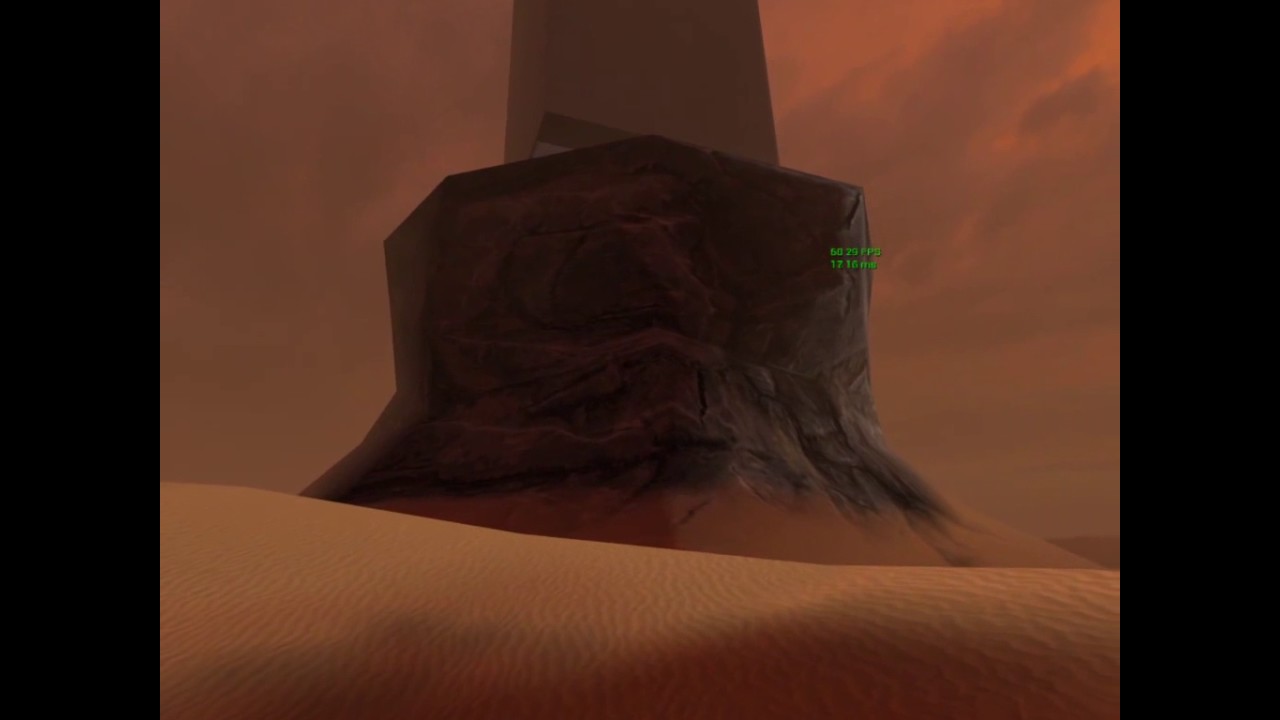
OMG, just snapped 360 stereo from Dishonored 2 - awesome!!!
 jaunty shell
@pearl tangle vr mocap ? 😃
pearl tangle
nah we have mocap suit for that sort of stuff. this is more for tracking objects
jaunty shell
damn lot of objects then :p
pearl tangle
thats the plan 😉
 blissful bear
@pearl tangle Thanks for the Ansel tip btw! 😃
 real needle
@pearl tangle now juggle them
jaunty shell
Ansel is damn great
pearl tangle
@real needle I tried that. Then i remembered that I can't juggle...
real needle
don't break your toys
pearl tangle
also I just grabbed the powered 7 port USB hub from the gopro omni to plug a bunch of the dongles into. still annoying that you can't run 2 or more off the 1 dongle. expected it could run at least 2 from it
 clever sky
@pearl tangle Are those trackers for the big multiplayer thing you guys have planned?
Is that going to be multiple VR headsets at once in single space like before? So you'll be getting like... 10 backpack PCs along with it 😛
pearl tangle
Ive got the 1 backpack PC so far that we will do stuff with, but will pickup another 1 soon.
 tired tree
Why did it take me so long to try Google Earth VR? what they are doing with photo reconstruction is seriously humbling
jaunty shell
@tired tree would be awesome to have a (curated ?) way to improve their 3D data too
tired tree
well..i mean, its not user made anymore for a lot of it
its being generated from the photos
normal google earth has had the ability to upload models of buildings for a long time
 sturdy coral
@tired tree yeah I think google earth vr is the most impressive thing in VR right now
I hope they add multiplayer/telepresence
tired tree
I quit coding for the night when I saw chicago's dockyard have correct cranes
always wanted to play with photo reconstruction for 3d models, i'll just accept that they will have essentially solved it by the time I would get around to trying
sturdy coral
have you tried destinations or realities?
tired tree
yeah, much less impressive to me
multiscan photo array reconstruction I understand more fully
two to four photo 45 degree reconstruction of that quality...
sturdy coral
yeah google earth also lets you traverse and experience scale in a way you never experiencein real life
in the high detail places it supposedly uses aerial photography sources
so it is somewhat similar to the photogrammetry in the others just at a different scale
tired tree
most impressive part is that its essentially 3d mapping the entire earth. The scale of data and the fact that it streams in so well and seamlessly...wow
sturdy coral
yeah even though the trees are basically just blobs
it is crazy going to yellowstone and seeing every tree mapped out
it will be insane over time as the quality goes up and if they add time-scrubbing to it
mighty carbon
Is there a way to listen to music why being in Google Earth? Or is it all silent ?
sturdy coral
so you can see how cities you have been to have changed
tired tree
yeah
sturdy coral
there is some music when you do the canned tours
you may be able to sub in your own
tired tree
just play music to output on the computer....
sturdy coral
yeah, especially easy in steamvr since you can get to your desktop
I can't believe they haven't added a desktop view to oculus home a year after launch
sturdy coral
hah
I wonder if their webvr stuff will let you use it while using something else
then you could use VNC: https://www.youtube.com/watch?v=glelhXxqjRU

This is the web-based VNC client I'm using: https://kanaka.github.io/noVNC/ And I'm using TightVNC on the desktop: http://www.tightvnc.com/ One thing I forgo...
jaunty shell
Getting closer to a good ribbon by using Runtime Mesh Component !
Need to handle controller rotation and UV generation now
mighty carbon
Is it like a racing track?
jaunty shell
@mighty carbon nah, aiming at something like in tilt brush, and visually like this
this one uses particles, and thus gets pretty expensive when drawing a lot
mighty carbon
I see
jaunty shell
The Runtime Mesh Component method uses a lot less drawcalls (1 stroke = 1 mesh drawcall)
 wicked oak
its going quite good @jaunty shell
jaunty shell
@wicked oak still a good amount of work required to get the visuals of the particle method 😃
wicked oak
you are very close
jaunty shell
This is something I have never done before too, so small steps
jaunty shell
can't figure out how to define my uv array :/
sturdy coral
@jaunty shell nice, you should be able to have multiple strokes in one draw call right? (one call per material)
jaunty shell
@wicked oak does it ? my vertices are 3D vectors, no orientation data
wicked oak
oh. it doesnt let you put the full vertex information?
of color + normal + uv + position
jaunty shell
@sturdy coral well for now I am keeping each stroke as its own RMC, to be able to remove easily each stroke (each stroke is stored in a map array)
sturdy coral
ah right
jaunty shell
@wicked oak well I can fill in all of these, but the question is how I create them ? For vertices and triangles no problem, but I have no idea on how to get the rest
wicked oak
maybe its a limitation on the RMC?
check the different functions it has
i guess one should allow custom UVs
or you mean how to CALCULATE the uvs?
tired tree
it allows it
wicked oak
for the Y value just put 0 or 1 depending on the vertex
for the X value put the lenght of the spline at that point
tired tree
but you can keep each stroke as a RMC section instead....
tired tree
its less than an entire extra component per
jaunty shell
@tired tree ah yes, god call about the sections
wicked oak
btw, do you have a tutorial about the GameplayAbility stuff?
i think it will be useful for my stuff
wicked oak
gameplay abilities are more about the multiplayer spells and stuff, no?
they were made for Paragon and Fortnite
jaunty shell
@wicked oak no splines involved, maybe I should use them in combination of RMC instead of dumb Vectors ?
wicked oak
vectors are fine
in that case, just add +1 to X each of the "rows"
so the first 2 vertices are X 0, then X 1, then X2 etc
jaunty shell
alright
wicked oak
damn gameplay abilities seems real cool
gonna test it with the play montage ability
to replicate enemy montages around
tired tree
Yeah back in UDK I had to make all of that myself for a project, if this existed.....
 tribal citrus
@mighty carbon did you use Olmo's blend material ? that transition from landscape to rock was so good
mighty carbon
Not sure which one you are talking about. The ones on the forum all use distance fields and that's too expensive for mobile VR
My material is just simple 2-way vertex color blend with height map mask
wicked oak
im coding that stuff myself right now on the dungeon prototype
but honestly, if this stuff can replicate the effecst well...
mighty carbon
(I'd love to use method from the forums, so that there is no edge between 2 meshes)
wicked oak
it will make my life far easier
than having to manually replicate everything that happens
tired tree
blanco, its async as well
tribal citrus
Also a general question for y'all , Im in the optimization stage in our student level atm and will start merging all assets to reduce draw calls which I assume is our theif atm. would you recommend merging a few actors to bigger chucnks before using HLOD or would HLOD to a better job of that you think?
@mighty carbon Ah ok, yeah I ment that one.
wicked oak
async?
jaunty shell
@wicked oak it applies UV to only half of the ribbon somehow (there's a delay when drawing the ribbon, UV lags behind)
wicked oak
thats highly weird
maybe its limited range
do this instead. Set your "first" sector to the x UV 0 to 0.33
the other sectors from 0.33 to 0.66, looping (each quad has it)
and the end of the stroke, from 0.66 to 1
jaunty shell
it may be how I do my stuff aswell
This is the current implementation, a basic flip flop to set Y, and using the size of the ribbon array to set X
wicked oak
just for testing
use a modulo 1 there
on your X
to see if your issue is that UVs cant go past certain size
wich is probable
wicked oak
some kind of looped UVs
sturdy coral
what does it look like if you render it as red for U and green for V
once you get to the broken part
jaunty shell
@sturdy coral with a texturecoordinate material
sturdy coral
is that with modulo too?
sturdy coral
it looks like at the bottom edge of the first picture
the UVs are getting rotated or something
red to the bottom instead of red to the right
jaunty shell
hmm
dang, will have to see about that tomorrow, I have an appointement and gotta leave
My interpretations of your tips are probably bad aswell, I'm a total noob when it comes to procgen of meshes
ohwell, thanks and catch yall later, I'll try to clear everything tomorrow !
wicked oak
i got a PlayMontage ability working
my enemy plays the anim in loop
but it doesnt trigger replication
 alpine torrent
http://www.theverge.com/2017/4/19/15345738/facebook-surround-360-video-cameras-f8-conference-2017 cameras for you?

The Verge
Facebook today announced the second generation of its Surround 360 video camera design, and this time the company is serious about helping potential customers purchase it as an actual product. The...
 safe herald
@alpine torrent Did you check out the OTOY plugin as well?
Realtime lighting changes to the streamed videos in Unity! Hope there's a UE4 plugin planned too.
raven halo
@mighty carbon FYI, we are running into issues with OpenGL ES 3.1

Oculus
Join the Official Oculus Discussion Forums and talk about Oculus Rift, Oculus Touch, Samsung Gear VR, and virtual reality.
mighty carbon
Maybe you got "gray" phone? :)
Oculus recommended ES2 in UE4 for Gear VR, so I went with that. Kinda makes sense to go with what they recommend :)
raven halo
where have you seen that recommendation?
I've seen them actively recommend things like ASTC which only works on 3.1
glossy agate
I was looking at those cameras yesterday, and got excited. Then it said the old ones were $30K or something like that? A little expensive for me right now haha.
wicked oak
@tired tree do you know how can i send variables to abilities?
i want to send a "parry" event to an enemy from a character ability
wicked oak
maybe giving the enemy a GameplayEffect of type Parry, that has a lifetime of 0.1 seconds and just cancels the attack ability and starts a parry anim ability
sounds hacky
full junco
has anyone here already tested the steam audio in UE4?
tired tree
Have they released their plugin for the 4.16 upcoming?
tired tree
oh shit? its default into the engine?
full junco
yeah
full junco
"updated"? its still super new, so why would "updated" matter? 😄
full junco
ah, yeah
tired tree
Means everyone can fully plan around it being available for long term
mighty carbon
@raven halo ASTC works with GLES2.0
raven halo
I would have been 100% sure it does not work with GL ES 2.0 if it wasn't because you are saying otherwise
alpine torrent
@mighty carbon are you thinking to get VR/360 cameras?
mighty carbon
Nah, too expensive
I wanted to get new Gear 360, but I saw video made with it and stitching is still awful.
 eternal inlet
any one know if it's technically possible to get something equivallent to ScreenAlignedUV's material node just for HMD?
which i suppose would mean that we had to get a pair of UV's for each eye?
or how to modify the existing function
mighty carbon
Any idea when 4.16pre1 drops?
eternal inlet
ok, other question, in Unity i heard you can render to custom layers. Is that possible with the new forward renderer somehow?
 graceful junco
custom depth?
 south blade
So I'm a bit stuck. Don't know what to search online to fix this. Maybe you guys can give me some depth.
Working on a VR project.
I moved the camera in game and now I lost the ability to move the character.
I was moving the character by looking at a certain direction and clicking a button to teleport.
 fleet veldt
@eternal inlet since screen is just split in two for vr could you nto take that into account for what you posted above?
eternal inlet
@graceful junco i tried that yes but as i was trying to recreate a portal thing, i think i need both to mask out things and also render two different textures and show one for each eye
fleet veldt
are you using scene captures to render the insides of the portals?
eternal inlet
I was trying first yes @fleet veldt
But cant get the uv size correct
Wasnt hard to do with a normal screen
But for vr i cant use screenaligneduv
fleet veldt
@eternal inlet I did something similar recently. I wanted to render my space backgrounds in mono and have them be at a much smaller scale than reality so i could use standard rendering features
the issue i ran into was the scene captures will lag behind at least one or two frames

so the background in that video (the sky and "planet") are stereo scopic scene captures
but as you can see in the first 3 seconds they wobble around. it's not that noticable in video but in VR it's awful
eternal inlet
Oh how did u manage to create those stereoscopic scene captures?
I see the lag, but its looking quite nice tho
fleet veldt
created a "stereo camera" blueprint that just had two scene captures (left eye, right eye) sperated a bit
then on my pawn i attached a plane that takes up my field of view (90deg) to my pawn camera with a matial that draws the two captured textures for each eye.
eternal inlet
Ah wasnt that hard to get aligned up perfectly?
fleet veldt
visually it is perfect except for the lag. you would not know you weren't just looking at a normal scene in ue4 VR
it is easy to get correct my scene captures are set to 90deg fov so i just had to put my plane at a distance (based on it's size) such that it also took up exactly 90degrees fov (which happens to be the same as it's size) so if i have a 1000meter quad i just put it 1000meters away from pawn camera to have it take up 90degress
raven halo
@mighty carbon do you happen to have an S6 Edge, the american model?
does anyone here for that matter?
we are having an issue where Oculus claims that our game crashes on launch. Unfortunately this does not happen on the international version
mighty carbon
Nah, just S6. Sorry.
south blade
So I did some troubleshooting for my problem.
When I make a new project it solves it.
But for my exsisting project. It does not work.
Any ideas on what I should do?
My problem is that I cannot move by teleport anymore.
 dusk vigil
@south blade You need to start learning to debug. See what is happening. This channel is more for in depth Vr development, not basics.
You have actually started learning to debug by verifying that the original works as intended.
Now you need to work your way through the changes you have made and figure out what goes wrong where. Breakpoints are nice, version control is also very useful
south blade
on it
 wraith sky

"Every once in a while, a revolutionary product comes along that changes everything." - Steve Jobs To me this applies to the Oculus Rift & Touch in combinati...
dusk vigil
Goro is wicked
real needle
Quill is getting animation tools huh
fleet veldt
@wraith sky that was pretty slick. I wanted it to keep going 😃
wraith sky
Have anyone seen Riftcat VRidge? Looks like nice idea.

Use VRidge with your PC to turn your Cardboard into powerful PC VR headset. Play games designed for high end quality headsets.
mighty carbon
folks, does anyone know how can I achieve this https://forums.unrealengine.com/showthread.php?142828-quot-Animating-quot-emissive-texture-elements-discretely-how&p=697783#post697783 ?
sturdy coral
maybe different UVs for emissive so there isn't a bunch of wasted texture space
then use a flipbook
If it can be continuous, use a gradient over object coordinates
and mask by you emissive
wraith sky
@mighty carbon i guess it's more like #graphics question...but You could make simple continous growing texture and apply clamping
sturdy coral
only problem with clamping it in steps to do the three lights is at different mip levels it will clamp different
you could separate each light into a different color channel
wraith sky
@sturdy coral only if you clamp after mixing
mighty carbon
hmm.. I hate materials 😦 Do you know of any tutorials about the subject ?
sturdy coral
not on that
if you want an object space gradient example look at the pac man ghosts material on the multiplayer content examples
wraith sky
not sure if there's exactly this one, but yt has some on animated bars
mighty carbon
aye, will check
I kinda have an idea about continuous fill as I made spinner indicator when I started with Gear VR dev
but I can't wrap my head around discrete fill
sturdy coral
@mighty carbon this one has some discrete clamping: https://forums.unrealengine.com/showthread.php?54527-Progress-bar-in-a-progress-bar-Material-for-health-bar
to do it before mixing with the emissive texture with angled lights makes it tricky
easier if they are laying flat top to bottom or right to left
mighty carbon
aye, @sturdy coral , I'll take a look. Thanks
pearl tangle
there is a really nice spinner material 1 on the marketplace that helped me a lot. some really handy stuff to learn from @mighty carbon
mighty carbon
got a link?
glossy agate
@mighty carbon try looking up lerp materials and dynamic mask materials may help. I came across some tuts before when randomizing clothing for a zombie horde a while back.
Sounds like that would work for what your going for
mighty carbon
aye, thanks.. will dig it.
pearl tangle

Material for creating a Circle Gauge.
glossy agate
Only $5! I'm going to pick that up too
mighty carbon
I did something like this using opacity. Tried using same setup for opaque material and that didn't work
$5 isn't a big deal, but if it's based on opacity and unlit material, it would be a waste of $5 for me
 jaunty geyser
hey all, anyone got a rift and a vive setup on the same computer? Having problems that I have to disconnect one in Unreal so that I can view my project. Anyone know if there is a way to leave both connected so I can test the project without disconnecting either?
real needle
Hey guys you got a good tutorial on how to make a bluepringt for a VR physics door? So I can grab a handle and pull/push the door in VR with motion controllers? All I find online regarding VR is picking up stuff...
 polar hazel
tired tree
polar hazel
tired tree
Physics handles and simulating doors is the way to go, most "realistic" behavior and quick to iterate over new setups
eternal inlet
@real needle I will make a few videos on that matter next week
full junco
someone put a VR keyboard on the marketplace: https://www.unrealengine.com/marketplace/vr-virtual-keyboard

A virtual keyboard for virtual reality projects that includes a standard message box and web browser widget functionality.
I hope no one spends $25 on that. you get a UMG vr keyboard for free in that free plugin where I forgot the name, and you can use the SteamVR keyboard for free which is far superior
tired tree
steamvr keyboard has a lot of downsides
what plugin has a premade one? because i'll agree that marketplace one is kind of bleh
tired tree
oh? didn't know he added a keyboard too, but his isn't a plugin.
steamvr keyboard activates the steam overlay
and eats controller inputs
full junco
what do you mean with steam overlay?
full junco
not here
controllers look exactly like before when I enable the keyboard
I also didnt notice lighthouses
tired tree
do you have late updates on?
full junco
yes
full junco
you dont move your hands quickly while typing on the keyboard
full junco
well if it is, then its not noticeable I'm saying 😛
tired tree
thats not even the main issue, main issue is that it eats controller inputs
on both hands
full junco
I dont see why you wouldnt want controller inputs to be limited to the keyboard while its opened
I want that
full junco
I think in a VR game you only need a keyboard in menus usually
typing isnt fun, so it can't be part of regular gameplay
the only VR game I know where you have a keyboard is audioshield, and there its also just in the menu
wicked oak
dont challenge me to make a piano spellcaster in my dungeon prototype XD
full junco
piano? lol
wicked oak
or you have to write "FIREBALL" on that keyboard
while dodging my extremelly aggresive sword enemies
full junco
oh yeah that surely makes a lot of sense and will get you very good reviews 😛
wicked oak
i just made the dungeon generator to sync beetween players, and enemies now drop GOLD
it "dinks" when you touch it XD
full junco
"dinks"?
wicked oak
gold is not replicated. I use a "pool" uobject that creates gold, it responds to a multicast
it does a coin sound
when you get close
full junco
ah, it "dinks"
I hope to soon also work on sounds
sounds is the last thing I care about
wicked oak
yeah. But in my game ive added combat sounds for example
and haptics
they are super important for the feel of the combat
no other sounds
full junco
yeah they are super important
its nice that I can pretty much start implementing sounds with steam audio being available
tired tree
Oculus headsets tracking center is actually neck offset in their software right?
does anyone know if that holds true in SteamVR's use of their sdk?
because the vive's tracking is based on around the front of the headset
wicked oak
hey, can you help test me with my VR ddungeon game later?
i want to get 3 people or so playing
my character artist, wich is the one i send one of my free Oculus headsets, is having inmense stability issues and cant stay connected
pearl tangle
what hardware do you want to test against? my oculus is still sitting in the box at home right now but could try get it out
just network issues you are having problems with?
mighty carbon
@pearl tangle so that $5 asset with various progress bars, is it done using unlit material with gradient on opacity?
pearl tangle
wicked oak
@pearl tangle oculus OR vive
more than network issues, i want to see how enemies and multiplayer combat work
wicked oak
they have dynamic aggro selection, but for now they just run to the closest enemy. And they are super aggresive
i want to see how they behave with more people around
pearl tangle
@wicked oak ok i have a vive hooked up at the moment I could do a quick test for you if you want. im in singapore but on gigabit internet
pearl tangle
ah cable isn't sitting right so im on 100mb at the moment but still decent enough
nah i don't think i have 1
mighty carbon
@pearl tangle well, that's the kind of setup I have (but a way simpler). Doesn't work with opaque material.
wicked oak
pmd you a key. You can try to download it on steam and play the deathmatch arena to check the combat
Create Dungeon hosts a multiplayer dungeon
you grab objects with the grab button in the vive. left menu button switches your class
pearl tangle
@mighty carbon this 1 is a transcluent unlit material it's using
wicked oak
bow works like the VRmultigames one, and the spell book creates spell with the other hand trigger
pearl tangle
downloaded already @wicked oak
gimme 15 mins, just eating will jump in. you want me to host 1 rather than join 1?
wicked oak
best would be both
the dungeon is now fully rng
so i dont know if it will create a Library room that spawns 5 enemies right at the start XD
pearl tangle
hah ok will give it a crack
wicked oak
tell me when you are ready
real needle
Has anyone tried developing for local (same tracking space) VR multiplayer? I am facing an issue where two pawns which spawn at the same Player Start end up 90 degrees offset. Any way to fix this?
tired tree
in steamvr? if so sounds like the "forward" direction of the tracked space is wrong
for one
real needle
Yes, steamvr. Both have the same forward direction of tracking space.
pearl tangle
are you sharing the same space setup?
real needle
Yup, sharing the same space.
real needle
Yeah, copy pasted it.
pearl tangle
is the oritention correct in steam vr and your player start location? maybe you have the 2nd player spawn rotated?
@wicked oak jumping in now
 wicked oak
@pearl tangle ill host a dungeon match
use the server browser to join
when you hit Join, wait a few seconds
tired tree
@mighty carbon that is mitches book, its likely pretty decent
pearl tangle
man i wish valve would fix the "waiting to exit" bug already
mighty carbon
@tired tree ah, I see. Thx
wicked oak
thanks for the help @pearl tangle
seems everything is going smooth save this few 0,0,0 location errors
pearl tangle
yeah few bits and piecces that you will be able to fix im sure
wicked oak
the hardest part wich is enemy syncing and parrying works fine
pearl tangle
seems to. some optimization on the enemy animations and ai and it should be good fun
wicked oak
i need to work on the "gameplay" part
getting the levels to be more interesting, and providing the gameplay hook of LOOT
and some kind of lobby level where you can hang out with other people and then go dungeoning
tired tree
blanco how are you replicating your tracked device transforms btw?
wicked oak
by cheating. Hard
i call a server RPC on tick from the Player
this RPC contains the location and rotation of the hands and head
tired tree
thats not cheating, thats normal
wicked oak
the server then puts it on replicated variables, for everyone else
tired tree
i'm talking about how are you replicating them
wicked oak
yeah, but doing it on tick
tired tree
using quant?
wicked oak
i replicate this ones
3 of them
head + 2 hands
it works very smooth, becouse on the plyaers
i interpolate to them
with a really basic lerp
wicked oak
this is the code that runs for the thing
i just do a shitty lerp
(yes i know this one depends on the tick speed)
tired tree
on tick its 90htz for VR
wicked oak
but you could lag
tired tree
less than native character movement with < 10 players
wicked oak
if a player was lagging, interpolation would be less speed
tired tree
yeah
wicked oak
lagging as in FPS
tired tree
I use naive smoothing as an option for mine too
wicked oak
but honestly, it works great
i was playing with @pearl tangle wich is in literally the other goddamn side of the world and it all worked great
only some bugs with projectiles and similar
mostly the bow being kind of broken
but ill try to fix that now
magic balls working, but with a top speed. It didnt let you have several of your magic balls in the air
while the server can spam them to infinity
full junco
what is quantize_100 doing?
tired tree
quantize is literally 0 decimal places of accuracy
wicked oak
ah, true
tired tree
10 is at least two
wicked oak
read it wrong
tired tree
i meant 1
tired tree
just replicate as NetQuantize_10 or 100
full junco
well a bit more or less doesnt matter I think
tired tree
its the rotation that you can save bits with
wicked oak
becouse it wont go past 200 units
tired tree
can pack the rotator to shorts
wicked oak
how do you write your own custom packer?
for a given ustruct
becouse i think ill just do that
and compress the shit out of it
rotator to shorts, and the float to a smaller one
wicked oak
ill have a look at it
full junco
you can put it into a FArchive with implementing the << operator
tired tree
no need for farchive
wicked oak
i only need enough bits to do from 200 to 0.1 precision
tired tree
thats overkill
full junco
why is it overkill?
tired tree
its just a vector and rotation for each component
wicked oak
honestly it could just be a short
full junco
I have never done networking in UE4 with c++, so I dont know much about it 😄
tired tree
net quantize and bit packing is just as good, if not better, due to no compression overhead
full junco
@tired tree what the issue with compression overhead? compressing a few bits doesnt take long, it doesnt hurt to spend 0.00001 ms per tick with that
tired tree
not cpu overhead, byte overhead
tired tree
for very small data structures it either won't compress at all or will with a small header
full junco
ah
tired tree
either way has to be flagged for that
wicked oak
with 10 bits i have 1024 possibilities. This could let me pack into 256 and then 2 bits for the decimal place
full junco
well he could send something like 200 transforms at once compressed
tired tree
well yeah...if he had 200 transforms...
wicked oak
@full junco im sending 3 of this things, 90 times a second, per player
plus a 4th one that is a full FTransform for the player location itself
full junco
see, then you could also do it once per second with 90 things at once and make use of compression! 
wicked oak
(could be removed by doing movement component replication like a normal person)
im still not using custom component
tired tree
yeah I pass the hmd location into the movement system
so it gets the offsets right during collision
I still manually replicate it and the controllers though
so the live representation is correct
full junco
I dont like the VAX colors
wicked oak
the clients just read the transform replicated variable and then interpolate there
how do you use the packed rotator?
does it have a name? (well it has, but wich one)
full junco
don't you think my colors are nicer than the VAX colors? 😄 http://puu.sh/vry6Y/85f696ce6d.png
 sturdy coral
If you replicate the hands as offsets from the head you can save a lot of bits
wicked oak
i see you go full with 4:20 @full junco
too low contrast
beetween variables and functions
full junco
@wicked oak what is 4:20?
tired tree
unless you intend to break replication past a point from hmd
wicked oak
@sturdy coral im already doing that
sturdy coral
@tired tree you can break it if your game doesn't need it (like you disallow it anyway)
wicked oak
but not to the hand, but to the player position
full junco
@wicked oak functions are that bright red color while variables are green, isn't that enough of a difference?
wicked oak
but the thing is, the player position is aligned with the head
sturdy coral
or you can a single bit to tell it to go to a larger sized quantization
wicked oak
so its like "torso" locked
sturdy coral
when it is too far
tired tree
you are saving like 1 bit per though, why bother to limit them to less than roomscale distance?
wicked oak
not even like that. With 30 bits you have 10 per float, wich lets you do 250 CM with a quarter of CM as minimum precision
a quarter of a cm as minimum precision is enough
and its 2.5 meters
from the camera location
tired tree
//Orientation = NewRot;
YawPitchINT = (FRotator::CompressAxisToShort(NewRot.Yaw) << 16) | FRotator::CompressAxisToShort(NewRot.Pitch);
RollSHORT = FRotator::CompressAxisToShort(NewRot.Roll);
wicked oak
thats interesting
one thing
does movement replication do stuff if the object doesnt move?
sturdy coral
can't remember exactly you something like 1mm precision with single byte components if you offset from head
wicked oak
becouse im generating my dungeon on the server
and then letting each room as replicated
tired tree
no
wicked oak
@sturdy coral no way in hell unless its a floating point
and then its variable resolution
a byte gets to 256
256 milimeters are 25 cm
full junco
and you want negative values too, so 128
sturdy coral
right yeah it is a couple mm
tired tree
small mm precision would break down REAL fast in roomscale if you have controllers a distance from hmd. its such a small savings for such a large downside
sturdy coral
you can model more of the head to rule out some areas where the shoulder can't be
wicked oak
forgout about the negatives
but i was going to pack them in 32 bits
wich lets me 2 extra bits for negative X/Y
keepin mind i wont have negative Z
becouse Z starts from the bottom of the capsule
full junco
it really doesn't matter if you send 1000 bit per second or 2000 bits 😄
wicked oak
but that could wreck on a 2 meter player that extends arm up....
sturdy coral
@tired tree you just add one bit that tells it to fall back to a larger value
full junco
even in a RTS with hundreds of units just using UE4s replication of character movement components worked great
wicked oak
the absolute madman
sturdy coral
if you do acknowledgments and send things as deltas from previous acknowledged data you can go even tinier
wicked oak
requires fixed physics
not feasible in ue4 just like that
it would desync real fast
full junco
you could send the full data once a second
wicked oak
that too
wasnt the character movement component doing this kind of thing?
sending movement offsets
full junco
but it really doesnt matter, in a game with 3 things that you sync 90 times per frame you can also use long doubles for everything and its fine
tired tree
character movement component sends velocities, and current position at time of velocity
full junco
@sturdy coral servers are fast, the limiting thing should always be the client
ok not sure, do you have dedicated servers?
wicked oak
no
full junco
if you don't, then yeah, at some point someone with bad upload who is the host might be an issue 😄
wicked oak
no budget or expertise to get that right
at least beyond something like 10 dedicated servers total
that i would use for lobbies
once a player group goes into a game, one of them hosts
sturdy coral
with long doubles (assuming for rotation too) you are a full packet frame per update
full junco
well I think that amazon gamelift stuff should make it relatively easy for a game like yours, right?
wicked oak
dunno
sturdy coral
err 1/8th of one
wicked oak
i can barely get to compile the fuckin dedicated server
still got a bunch of stuff to learn until i can get that done
biggest issue is "muh money"
amazon stuff costs money
full junco
I have never tried any dedicated server stuff with UE4, but I hope I will at some time
wicked oak
but if it can grow/decrease dynamically, it helps me massively
VR MP games dont usually get that many concurrent players
full junco
amazon has that nice "you only pay what you use" stuff
so when it idles, you pay nothing
sturdy coral
unfortunately you have to do dedicated to have a demo that is also playable with purchasers
or do your own nat hole punching
wicked oak
hey, Gamelift has a specific ue4 plugin and sdk
full junco
yeah
sturdy coral
@wicked oak not for demo cross play
wicked oak
Steam matchmaking "just works"
sturdy coral
you can only match with the same app id
wicked oak
but i dont care about crossplay. I really dont have the resources to implement it
ah, demo stuff
i could do the full version as a dlc
leaving the base game free
full junco
amazon gamelift is unfortunately only for session-based games
sturdy coral
yeah
wicked oak
session based games?
sturdy coral
I figured DLC would be too much of an impediment to sales though
full junco
is amazon offering any "real" dedicated servers?
session based meaning, people join, play a round, and leave
like most FPS
wicked oak
gamelift is hella expensive
full junco
is it?
wicked oak
i can make a bunch of digital ocean servers for that money
full junco
hm?
sturdy coral
@full junco not sure if the amazon thing is similar to the titanfall architecture but if so it only really makes sense for session based stuff
full junco
how much do you pay for good digital ocean servers?
sturdy coral
there was a talk on it somewhere
wicked oak
8 ram
sturdy coral
the main thing was keeping servers in a kind of dormant but primed state
wicked oak
1 core
wicked oak
16 gb ram /2 cores is fucking 100 dollas a month
full junco
I would need at least 64 GB ram and 16 cores for my game on a server
full junco
and then it gets expensive
sturdy coral
I haven't looked into ram requirements for dedicated
wicked oak
so i doubt i can just run 4 instances on 1 cpu
sturdy coral
but it doesn't need any of the texture data and stuff right?
wicked oak
no, no textures
wicked oak
and the meshes it depends
(for raycasting)
same with animation
and of course, not a single FX
a game lobby of mine might be 10 people
for the "tavern"
so basically a bunch of interactive trash + 10 users
kinda like rec room main room, the "minigame" being the ACTUAL dungeon crawling
full junco
I wish servers would be cheaper 😄
glossy agate
Try hosting on photon first, it's free up to a certain point
wicked oak
btw, amazon Medium instances are indeed 30 dollas a month
but those are 1 core, and only the hyperthreaded part XD
i wonder if i can run a lobby on that
full junco
lol
glossy agate
I thought if you used aws instancing or gamelift you could only pay per use when a user spins up a server instance?
wicked oak
yes
full junco
@glossy agate photon is $199 a month with only 16GB RAM and 4 cores
wicked oak
i wonder how exactly would i matchmake
i guess by reading the Session list, and looking at the "lobby" type sessions
and then joining one that has low ping
letting players host their own lobbies
for friends and stuff
sturdy coral
yeah, if all lobbies are player hosted and the host leaves the lobby it's a bad time
wicked oak
yeah, but i would do a few "dedicated" lobbies
glossy agate
Says it's free up to 8000 active players?
wicked oak
that are a dedicated server
 wicked oak
one can run a whole bunch of instances on that
full junco
well I could only run 1 server on that
wicked oak
but for those pirces, you are better going to Gamelift
is more expensive but has the balancing thing
full junco
gamelift is only for those session based games
sturdy coral
amazon and google charge way too much for bandwdith too


 sturdy coral
Dedicated hosting with a Ryzen might be the budget way to go
wicked oak
uhm, so i would basically just have 1 lobby on each region (USA/EURO) to start, and if the lobby gets filled i run another instance
full junco
@sturdy coral I don't think thats cheaper than intel
especially since ryzen is new, server ryzens aren't even out yet
sturdy coral
yeah not sure on motherboard stuff, but it is way cheaper than xeon
wicked oak
the thing is, steam takes months to give you the cash
so i would need a considerable loan to run servers if the game is popular
goddamit
full junco
and I would love to have AVX 512 on a server that runs my game.
ryzen can't do AVX 512 currently
it can't even efficiently do AVX 256
sturdy coral
avx 512 is only brand new xeons right?
wicked oak
one of those 1 core 2 threads with 8 gb ram
sturdy coral
how are you going to make use of all those cores in one instance of your server anyway?
(not talking about avx)
full junco
my code is doing that
wicked oak
would you need all the fancy generation for a DEDICATED server?
full junco
it uses 100% of my 12 threads if I would let it do that, and it could scale up to 100 threads without any issues I think, as long as theres enough RAM bandwidth
wicked oak
daaaaaaaaaaaaaaaaaaaaaaaaaamn
sturdy coral
what are you making 😛
wicked oak
mine doesnt. Just some basic game and AI code
full junco
@sturdy coral secret
wicked oak
one thing
can you "travel" players from one server to other?
while keeping the current replication state
full junco
on gamelift?
wicked oak
in ue4
full junco
ah
wicked oak
ah, i see what you mean with gamelift being session based
it just hosts a "match"
and when its over the instance closes
full junco
yeah
wicked oak
thats fancy
alpine torrent
have you guys used AR with UE4
I have mixed reality project but VR should be easy to do but AR stuff as it's in site as well
wicked oak
to be fair i dont think UE4 would be good for AR at all
i wrote that on lounge, but i would roll my own engine for AR
you cant really do level design in AR, it needs to adapt. You also wont have a whole environment, but only a few meshes around
you would only need a glorified model viewer
tired tree
the advantage of UE4 is how well done the PBR is, with AR this makes it a lot easier to get it looking realistic
as well as all of the scripting and animation and physics
wicked oak
hey @tired tree I was finally able to get gameplay abilities working. Ive used them in the enemies to trigger attacks, and on the player to trigger enemy parry
im going to try to use them for the bow (wich is broken at the moment) to see how would it sync it
tired tree
it looks like a really nice module
wicked oak
its in dire need of documentatino
not an "api reference" like what we have now around the wiki
but about actually "how to do X with it"
tired tree
most of the engine is, comes with ue4 :p
wicked oak
for sure
i remember writing the first tutorial about behavior trees
they were in a state similar to how gameplay abilities are now
basically unknown and highly exprimental with no official docs of any kind
if i end up understanding how the fuck does this thing work, ill try to make a wiki page or tutorial about how to use it PRACTICALLY
that forum thread you linked is basically all the documentation there is
there is a wiki version of that same forum thread
but that one explains what it does and its general overview, it doesnt really show how to use them in real gameplay examples
tired tree
mmmmm, they pushed some Switch related things yesterday night to 4.16
its default the Clustered Forward renderer
Wonder if they intend to default all consoles to the clustered renderer in the future
wicked oak
it makes sense on the switch
but not sure on consoles
consoles have pc tier gpus
the swithc is a mobile tier gpu
mobile gpus are normally tile based
so its logical that it goes better with clustered forward than with pure deferred
but who knows, maybe the bandwith improvements of the forward mode (no gbuffer) actually are positive on consoles
i would love to be able to use the forward renderer on PSVR
but its not there yet
if its on 4.16 ill be really happy with psvr
social screen features are in
just checked myself
they also fixed some issues we had with the reprojection
tired tree
If they finish the clustered forward renderer it will have a lot of advantages over the pure deferred one
wicked oak
and changed the broken as fuck layer system
4.16 looks to be a awesome update for VR and ps4
and im getting ready to push the "Gold" version of the game to review
all this dungeon crawler stuff is while waiting till 4.16 and to test some features like the melee combat and enemy AI in a simpler environment
tired tree
you back porting the melee to your game?
wicked oak
yes
the moving around wont be there as DWVR is strictly a teleporting game. But ill add the parry stuff
probably even allowing you to parry stuff with your guns
so melee enemies can be much more aggresive but not be pure bullshit as you can just stop their attacks
full junco
4.16 also has steamvr + vulkan for linux
not sure if it works on windows
@sturdy coral made me aware of that, I thought they only added support for opengl
full junco
theres a #define STEAMVR_USE_VULKAN_RHI 0 now
theres a VulkanBridge class for steamvr
and a OpenGLBridge
hmm
its wrapped in a #elif PLATFORM_LINUX
wicked oak
for now ive only investigated PS4 code. We got SDK 4.5 support (as promised) and the Social screen, plus bugfixes
i think 4.16 does have this social screen ALSO for pc
can you check it? is there code to change the image on the game window?
full junco

 wicked oak
ah good shit
full junco
I don't care about social screen stuff 😄
was like a month ago or so that I saw that social screen commit, and I think it was only for PSVR
I wonder why they wrapped the vulkan code in the #elif PLATFORM_LINUX
vulkan should run same on all platforms
tired tree
isn't vulkan not entirely feature complete in engine yet?
that was a pull request by someone to get a vulkan linux build right?
full junco
yeah, it was a PR
wouldnt have expected that they accept that PR
This PR is kind of in a hurry I assume, sorry for not being to clean here. Most important part is I guess the Vulkan Bridge. I added 3 methods to VulkanRHI. If they are unneeded please ignore. I didn't have time to go into detail for cleaner code.
that doesn't sound like a PR that would quickly get merged 😛
but it did
tired tree
got it working with linux, likely why it wasn't also enabled for windows there for steamvr
full junco
what?
tired tree
rush job
tested only on linux by the dev
I wouldn't have allowed it in windows Steamvr either yet
full junco
why?
if someone runs the game with -vulkan and steamvr doesnt work at all thats not "better" than if it crashes
tired tree
might be broken? It got accepted so fast don't know that they put it through platform testing
full junco
lol, the guy who did the PR has a patreon page

Patreon
Follow Yaakuro on Patreon: Read posts by Yaakuro on the world's largest platform enabling a new generation of creators and artists to live out their passions!
"Yaakuro is creating Patches for the Unreal Engine 4 better support on GNU/Linux"
interesting that you can get $500 a month for that
I didn't even know about that patreon page
full junco
yeah sure, its awesome
here's an interview with him 😄
there he says he doesn't even have a vive, so he's doing all the dev stuff without a vive connected
sturdy coral
yeah that's pretty awesome, sounds like he probably has one by now
they sent him one right as he left the country so he had to develop without it
I wanted to move back to linux for dev really bad until the windows subsystem for linux came out
full junco
and that stopped you?
I sent the guy a PM and asked him if he thinks his vulkan stuff will run on windows too
sturdy coral
only moved to windows for UE4 dev but yeah that linux subsystem thing probably will mean I stay on windows even when the ue4 steamvr linux support is mature
full junco
he probably doesn't have any windows installed, so I get he wrapped it in the linux defines since he couldnt even test if it compiles on windows
sturdy coral
ah yeah maybe it is workable
full junco
don't let microsoft keep you just because they added that linux stuff 😛
the reason to use linux is to not have that american company spy on you. that linux subsystem doesn't help you there.
if I would know that I could do everything I do now on windows on linux, I would kinda think about switching... at least maybe try it for a week or so. see if I can do everything without ever touching the terminal. I dont like that. I know that makes linux a bit less optimal for me
sturdy coral
yeah microsoft is being pretty insidious with it.. and it is working
I need to try out the state of code-completion with clang and stuff
full junco
I want to still see a world where everone uses open source OS on their PC
either that or everyone will use some super locked down microsoft ecosystem
wicked oak
so, like now?
full junco
now windows is still quite open
sturdy coral
the debugger is nicer and then just the code completion and lookup works better, those are the only two things I like about visual studio, but I haven't gone back and done much linux dev to see the state of C++ dev on it in several years
full junco
can I run visual studio on linux?
 lapis glen
I was just told that the HTC Vive and the Oculus rift renders to each eye separately with a 10 ms difference. So that means 45 frames per eye per second instead of 90 frames for both eyes per second. That is wrong, right?
full junco
yes, that is wrong
sturdy coral
@lapis glen yeah that's wrong, gear VR does use a rolling refresh though so there is a difference
even then it is rendered at once and timewarped to make up for it
lapis glen
I see.
Because I got some feedback that makes zero sense to me.
You state a need of sending 2 frames at 90 fps. The need for 90 fps must be explained. VR headsets have a tendency of presenting the halves of a single split screen to each of the eyes, so the 10ms difference between eyes is not an issue. What do you mean by reprojection in this context?
Why would a VR system need "one pass for each color, ie. RGB"? To the best of my knowledge, from VGA to HDMI, all 3 color signals are sent in parallel, meaning that they must be available in the render buffer at the same time. Also, frame rate requirements have a relation to the FOV provided by the device's size and position relative to the user. If you put a user very close to a large LCD screen (maybe even curved) showing a single view, you must render at 100fps to satisfy the human peripheral vision's temporal resolution. The limited 60 degree FOV of the HTC Vive does actually simplify this. So, I'd say you need a reference as foundation for your 90fps claim as well as for your 50fps statements.
sturdy coral
I think DK2 used a rolling refresh too
lapis glen
That was the feedback that made no sense to me at all.
full junco
where did you get that "feedback"?
lapis glen
From my supervisor.
sturdy coral
vive isn't 60 degrees
lapis glen
I am writing a masters thesis on vr in scientific visualisations.
sturdy coral
so your supervisor is way off
lapis glen
Yes, it is also not a single screen.
full junco
yeah, the FOV is something like 120° I think
lapis glen
110 degrees I believe.
full junco
tell your supervisor he's fired 😛
sturdy coral
is he a 90s VR researcher? 😃
lapis glen
Hehehe. Can you see what he meant with 100 FPS if you are close to the screen?
No, he works on image analysis and networking. Lately he has started working on GPGPU and VR.
full junco
that 100 fps thing doesn't make any sense
no idea how you should tell him that he has no clue what he's talking about
sturdy coral
he's probably done visualization with 3d glasses
lapis glen
So FPS isnt an acronym for something other than FRAMES PER SECOND?
full junco
he definitely doesn't understand current VR
lapis glen
I see. Well, that I didnt know.
sturdy coral
fps generally is rendered frames and hz is the rate the display scans out, but sometimes they get used interchangably
wicked oak
fps is Frames Per Second. hz is a unit of frequency. 1 hz 1 per second, 30 hz 30 per second
hz is for many things, fps is just refresh speed in that context
full junco
rift and vive run with both 90 hz and 90 fps, unless I'm completely wrong. if the fps don't match the hz, that would be very bad in VR. unless its like fps = hz / 2
wicked oak
you could say your game refreshes at 60 hz
not just hz/2, but hz/N
you can run native 30 fps in a 90 fps screen
as you are rendering one in every 3 frames
wicked oak
thats why 120 monitors are the best
the 24 fps in a movie is a direct divistion (by 5) and 60 fps is exactly half
i run my 144 hz monitor at 120 when games are locked to 60