#virtual-reality
1 messages · Page 94 of 1
 sturdy coral
ah yeah that's the one
so @ripe kindle use hmd mirror [0-2] and it will work, hmd mirrormode will black you out
 dusky moon
@sturdy coral I still haven't tried FCATVR by Nvidia yet .. but it seems to be a nice tool to benchmark and get some useful info on frames
sturdy coral
@dusky moon ok yeah I'm going to download that now
I've been hearing about it off and on
dusky moon
tell me if it worked with ue4
 ripe kindle
@sturdy coral ill try that if i can get back into my project. cant find the right ini to edit to let me open
dusky moon
and I saw a video on youtube by nvidia telling what it actually does
sturdy coral
@ripe kindle you can move Saved/ to Saved.bak and it will work again
@dusky moon yeah I hope it isn't just for standalone and doesn't get confused by the vr preview
ripe kindle
@sturdy coral thank you very much
 odd garnet
We got some 360 degree vr footage from sxsw
When my friend is done stitching and everything I'll share it
If you have virtual desktop it just works
 full junco
@candid viper I've now added a "LastFrameViewportSizePercentage" variable that holds how big the viewport was last frame compared to this frame, so if the current frame has a pixel density of 1.0 and the last frame had 0.9 then the value is 0.9. I bind that to the TAA shader and use it to multiply the PostprocessInput1Size.zw with it
 deft badge
Crazy, I said just the same thing to my wife.
full junco
@deft badge I guess that was not related to what I said?
deft badge
Rubbish, I chat wife Kell about LastFrameViewportSizePercentage issues daily
It's what holds our marriage together
shuts up
full junco
😄
full junco
well still trying to make the adaptive pixel density look best with TAA 😄
Brian found that line where the size for the TAA history is calculated
so now I try to let it calculate the correct size there
full junco
so just like this: https://puu.sh/uR1WQ/7b225fe162.png

wow, I think this actually works pefectly!
 stable shadow
Hello guys, I want to know if i use motion controller component, does work with Oculus touch too ? I've a project setup for VIVE but I want to add Oculus touch support for that too...
full junco
motion controller component works with all existing motion controllers, yes
at least all that I know of
stable shadow
Thank you john another great help from you 👌
full junco
btw, I've also implemented this now in 4.15: https://github.com/EpicGames/UnrealEngine/commit/af9d6262473492e4e9850133a128c95663ebb5be#diff-21c28f9e689b5345850555c6108735feR2292
it was added to 4.14 as a hotfix, but never to 4.15
1 ms less render thread time for steamvr
 pearl tangle
@full junco whats the actual end result/ benefit of your stuff above with the adaptive pixel density?
full junco
@pearl tangle which stuff?
pearl tangle
you got that working right? Or still can't get it configured how you want?
you were trying to make it scale based on current performance yeah?
full junco
just wondering if you asked about that commit there or only about the pixel density stuff
pearl tangle
just the pixel density
full junco
I have not really tested it much in the real game, only tried to make it work
if it works the way it should work and I dont find any more issues then it should improve visual quality and make sure that the game always runs at 90 fps
pearl tangle
but the idea was just to raise and lower based on current performance yeah, nothing around eye tracking type deal for foveated rendering yeah?
pearl tangle
i have a fove sitting here i haven't touched yet
full junco
I mean, if you get it to work without any new hardware on vive or rift
 fleet veldt
has anyone else here been diging through the robo recall project source? I've been going through figureing out how they did certain things and one thing I'm curious about is how they play music aross loading scenes. they don't seem to be using level streaming (although maybe it is and i'm just looking at the wrong thing)
pearl tangle
dont think you would be getting any kind of eye tracking on the current versions of rift and vive. You can do some approximations and just assume they are looking straight ahead all the time for the foveated rendering and get some decent improvements
fleet veldt
ah derp.. that was easy.
pearl tangle
hah that looks like a handy node for that
fleet veldt
yeah, they spawn it with that and save a reference of the returned instance in the GameInstance blueprint so they can turn it off when they want to after the next level loads.
pearl tangle
yeah sounds like a decent way to do it
fleet veldt
The way the loading screen is done is kind of neat too if you haven't tinkered with that. They call a function that sends textures with associated 3D transforms to the oculus/steam runtime and the HMD runtime/drivers actually show those textures in 3D space with head tracking while the level loads then when the level loads you tell the Oculus/Steam runtime to stop showing that scene. If you search UE4 blueprint nodes for "splash screen" you can see the related functions. I'm on master but i'm assuming these are in 4.15 too.
pearl tangle
yeah i saw that was a new 1 in 4.15
 clever sky
This... this is good chatter 😃
pearl tangle
damn project files didn't generate properly trying to grab the new vr editor branch
full junco
@candid viper @sturdy coral just saw this: http://puu.sh/uRefN/3fa37297cb.png

was added to master a while ago
pearl tangle
hah so you spent a tonne of time trying to do it yourself and they have already got it going for 4.16?
pearl tangle
ah not so bad then
im trying to rebuild master at the moment and getting this damn thing. searching through all the files to actually figure out which 1 would be throwing that
full junco
never saw that
is it clean master?
also, there was this optimization for those who use the forward renderer: http://puu.sh/uRer4/530ed9bdf8.png

I hate how its not possible to cherry pick individual commits... 😦
pearl tangle
yeah just pulled down all of it ran setup and i get that issue on the generateprojectfiles.bat
you can
rebase just those modifications
full junco
they are always part of giant merges
since 1 commit on github includes hundreds of invividual commits theres nothing you can do if you only want a specific one
pearl tangle
ah depends who is doing the commits as to how often they do that i guess.
a bunch of the daily commits are just 1 or a few files
full junco
I talk about how they merge their dev branches to master as a whole
they always wait at least a month or so before merging them, so theres a lot of stuff in them
pearl tangle
yeah but you can just pull that 1 out of the dev branch
full junco
no, they are not available on github
epic said they would like to improve that in "early 2017"
so I really hope they soon do
pearl tangle
well I would like to actually be able to build the engine files too so hopefully they fix that 1 soon hah
something odd with the xml in the unreal build tool but it looks fine to me
full junco
maybe try to see what stuff was changed in the last few days
or just get master from a week ago or so and try to generate project files there
and if that doesn't work, get master from 2 weeks ago
I don't think its broken for weeks
pearl tangle
seems like it might be having an issue with visual studio. another guy on UDN i just found had a similar issue and 2017 VS solved it
full junco
ah well, all epic devs are probably using VS 2017
pearl tangle
will see what happens once 2017 is on there
full junco
always use 2017, it's so much better than 2015
fleet veldt
this may be what you were just talking about but i tried to build master recently with 2017 and it wouldn't build. can't remember what the error was
pearl tangle
ah well i am on 2015 and it wouldn't build...
Hey Tim,
A user on IRC who had a similar issue to mine posted this:
either change WindowsTargetPlatform.WindowsTargetSettings CompilerVersion to VisualStudio2017
or change the order in UEBuildWindows.cs GetDefaultCompiler // Second, default based on what's installed, test for 2015 first
it goes 2015, 2013, 2017
change to 2015, 2017, 2013
until they fix the -2017 passing which should override it anyway
seems the windows 8.1 sdk may be the culprit actually
full junco
IRC lol
 wicked oak
gonna ask Valve for a 3rd Steamworks AppID for my new game
 mighty carbon

Bloomberg.com
Investors impatient for Apple's next breakthrough will be happy to know that Cook is serious about AR.
mighty carbon
how long does it usually take from getting approved for dev hardware with Oculus and until it gets shipped to you ?
wicked oak
not much
mighty carbon
aye, thx
someone said it took several month to be shipped to them :/
interesting http://edition.cnn.com/vr
CNN
Immerse yourself in 360 videos from around the globe at CNN.com/vr
I wonder what fake news + VR can muster 😛
 plain badger
😂
sturdy coral
@full junco grr, apparently the nvidia branch forces r.SceneRenderTargetResizeMethod to the slow resize method
if you are using multires shading
 tawdry dragon
not directly UE related. But our latest VR project was a huge success running on two trade shows in Las Vegas and Bali with around ~800 visitors. There is a good market for VR in the industrial sectors 😛
#paddingmyselfontheback
also, thanks for the help you guys !
 glossy agate
Nice, what industries
tawdry dragon
not disclosed to say, the project type and client is under heavy NDA 😦
mighty carbon
military ?
mighty carbon
ha
glossy agate
Ah. I am working on some real estate stuff because I'm a broker for my day job. I have gotten some bites but still waiting on landing a good client.
tawdry dragon
Personally I had some RnD using it for more visual presentations like real estate, furniture etc... but those companies dont seem to have budgets large enough to support VR.. yet
however huge industrial companies dont mind spending large amount of money on it
atleast, thats the state in Denmark
glossy agate
Yeah, that's what I am seeing. Even in CA the margins are too thin for a big budget right now.
tawdry dragon
That being said, the barrier of entry is always high on the first product. The savings come from doing it repeatily 😛
mighty carbon
I wonder if SpaceX and Tesla in US have the money to spend on VR 🤔
glossy agate
Was trying to set it up as a value add for a smaller fee in order to finance a whole development as a partner.
tawdry dragon
That or do subscription based services 😛
glossy agate
Yeah. Financing the deal grosses us about 5k per house between 4 people so 50-100 units per year would make it pretty good for us on top of our existing business.
mighty carbon
for subscription based you'd have to roll out your auth server and see if they paid their fee to extend license. I don't really see other way to ensure you get paid.
tawdry dragon
well that depends on how you will be pusing out content
glossy agate
New homes get us closer to 10k though.
tawdry dragon
most real estate brokers dont have 3d models of their homes, so you could team up with a 3d artist and have a fixed fee for making the content, and then monthly/yearly payments to use the system
glossy agate
I am the artist.
tawdry dragon
there you go
mighty carbon
me too! 😃
tawdry dragon
there you both go!
Without your 3d services, their subscription would be worthless
glossy agate
I just know a bunch of people here in the industry from doing it for 10 years. I also offer mobile and desktop versions. Been trying to get a good streaming version using x.io also but it's still laggy
Yeah, most new homes near me are in the 500k range. Trying to push some heavy volume.
But margins are in the 15-20% range and shrinking because the new bills haven't gone into effect yet. One of my friends is starting on some big custom homes so I asked him to throw me a bone haha
glossy agate
Me too! Building a game for now to boost my VR dev skills while other companies try to sell builders on the idea haha.
tawdry dragon
I really miss having some VR hardware at home 😦 So many small demoes I want try and make, in order to further my skills
I have applied for the Oculus Dev hardware, havent heard back since they requested a portfolio
glossy agate
Nice, I got a vive through the unreal grant program, got really lucky.
tawdry dragon
not bad 😛
I hope to hear back from them, but dont expect it. I dont think Oculus is gambling much on VR that isnt targeted at the average user
like trade show experiences for the industry(where my expertise lies)
glossy agate
Try vive maybe. They seam to believe in enterprise a bit more.
tawdry dragon
well, to be honest I could just ask my company and borrow a kit home, but my guess is that would come with the expectation that all I do should be in the interest of my work
I'd rather be autonomous 😛
glossy agate
Yeah, more freedom to realy play around wilder ideas.
tawdry dragon
yep. I could also just stop being a cheap ass and buy the rift+touch. They are not very expensive anymore 😉
 eternal inlet
anyone that has more than 2 motion controllers connected to their vive, where additional controllers are hooked up via USB cables? I noticed since a few days ago, that the one being connected to the USB cable keeps falling asleep, and i have to pull it out and reconnect after 20-30 secs in order for it to stay awake
it goes into that pulsing green mode
sturdy coral
@tawdry dragon pretty much if your stuff isn't consumer facing, they consider you a consumer
(same with Valve)
@eternal inlet only with UE4?
eternal inlet
nope
right now all 3 are tracking
and live
but after a while the one connected via USB goes idle and starts pulsing
sturdy coral
hmm, do you see any difference between the steamvr beta branch and stock?
eternal inlet
how do i use steamvr beta?
sturdy coral
right click steamvr under library/tools then click properties
tawdry dragon
@sturdy coral that is what I thought. Bit funny as the industrial clients dont mind spending money on buying 10-20 pieces of hardware for tradeshows
sturdy coral
and there is a beta tab
tawdry dragon
but in the broad image that is just pennies to oculus anyways
eternal inlet
inside steam?
eternal inlet
nice, got it
sturdy coral
right click it, click properties, click betas tab
np
anyone know what the magnitude of the performance difference talked about here is:
Added in a new CVar vr.SteamVR.UsePostPresentHandoff, which defaults to 0. When set to 0, we do NOT use the SteamVR Post Present Handoff, which costs some performance GPU time. When 1, we use the call, and get some extra GPU performance. However, this call is NOT safe for scenes that have frame-behind GPU work, like Scene Capture components and Widget Components.
For users that were using 4.14.1, and seeing a GPU timing improvement, that behavior is now off by default. You can re-enable it by setting vr.SteamVR.UsePostPresentHandoff on your project to get it back. Be aware that SceneCaptureComponents or WidgetComponents may cause async reprojection in SteamVR to fail in that case.
?
from the 4.15 release notes https://www.unrealengine.com/blog/unreal-engine-4-15-released
eternal inlet
sorry no
eternal inlet
@sturdy coral motion controller still falls asleep, but i figured it had something todo with my usb ports... i plugged it into a different port, and now it stays awake just fine
sturdy coral
@eternal inlet ah, strange. maybe a powersaving option
people have fixed some rift camera issues by messing around with the powersaving settings
eternal inlet
could be.. just couldn't find any thing special, and it used to work
will have a look later.. thx again
sturdy coral
@real needle there is a pull request on github that fixes it
 real needle
@sturdy coral Darn, I'm not in source build for this project
I can work around it for now, atleast I know it's a bug
sturdy coral
@real needle you can also start it outside of the editor and then connect, but yeah then you can't debug the blueprints of it
real needle
Yeah that's how I usually test
full junco
@sturdy coral I'm using that PostPresentHandoffThing
it improved performance quite a bit
real needle
@full junco It was on by default in 4.14 but it broke several things
full junco
I'm using it since I saw the github commit that added the cvar
real needle
Doesn't work with CaptureComponents and has an issue with 3dwidgets as well
real needle
Yeah it was just unexposed in 4.14 but it broke our main mechanic so we got valve and epic to fix it 😃
sturdy coral
@full junco in the release notes for 4.15 it says it only breaks if ATW is on
real needle
Or interleaved reprojection
sturdy coral
(and you are using scene captures or UMG)
real needle
I tested with both widgets and scenecapture components, it broke both in 4.14
sturdy coral
from looking at the render target resize code it seems scene capture uses the same gbuffer as the main viewport?
full junco
and since AMD doesn't support it I can't use any async reprojection and so I can't see any issues with it
sturdy coral
maybe that's the reason
well I don't know the final output buffer would have to be different
full junco
and also widgets are really not important in my game and I have no scene captures
sturdy coral
yeah I have widget components.. hmm
full junco
well I also have, but they aren't important
and I guess moving then to stereo layer would probably fix any issue with async reprojection and that cvar
so I could always do that if I would see an issue
but for now I'm just happy about better performance
and I've actually implemented that other cvar thing, forgot how it was called, but it should make that postpresenthandoff thing unnecessary
that UsePostInit or something like that
 tired tree
mmm, actually right now I'm making a VRStereoLayerWidgetComponent, using Mitches good idea of hacking around the stereo world locked not working currently
sturdy coral
@full junco I do see a black flicker with rift when changing screen percentage, probably the TAA thing
full junco
@tired tree oh great!
if there would be a simple way for making widgets work with stereo layer that would be really awesome
@sturdy coral screen percentage?
tired tree
yeah. not doing it in blueprint means that I can just pass the rendertarget in directly, make it one component, and if VR is not enabled fall back to standard rendering
sturdy coral
@full junco yeah just when changing resolution
mighty carbon
how complex is Robo Recall BP stuff? Is it well organized and commented ?
tired tree
its "ok"
full junco
@sturdy coral well but you aren't doing it too often I think? because of performance issues I mean
mighty carbon
aye, I hope it wouldn't be too hard to add new weapon or something like that
sturdy coral
@full junco yeah not doing it often, just thought I remembered you were looking for someone to test on rift and see if they worked around it somehow
@full junco what was the main change for speeding it up in your new method for doing it on Vive?
 crimson tide
is it possible to see how they did the mirror overlay in robo recall in the modkit, or did they do custom engine stuff for that?
sturdy coral
@crimson tide the modkit has all the engine source and game source
crimson tide
cool I'll check it out, thx
full junco
@sturdy coral main change? well there wasn't one main change... just many small ones
well maybe the main change is to set the ViewRect on the FSceneView
that's what's basically doing the same like setting a screen percentage
and I was wondering if the rift had the taa issue with their adaptive pixel density, not with setting screen percentage
sturdy coral
@full junco ah I thought their adaptive pixel density went down the same code path
 candid viper
@full junco Those commits look to be some little performance tweaks added for RoboRecall. I'm surprised at how quick they tend to be at getting things out - they work in Perforce, have to manage/sync the branches there, QA and update Github.
 zinc violet
 full junco
@candid viper yeah, did you see what I wrote earlier today/yesterday about the TAA stuff?
full junco
@wicked oak http://puu.sh/uSaw3/5be0fa50f0.png

would fix all your draw call issues I think
full junco
yeah, and vulkan would make PC as great as PS4 for that
I like how DX12 is pretty much dead already 😄
real needle
@full junco Well, Microsofts 300$ HMDs will have a say about that :b
Easiest set up out of all the pos tracked vr units
Since it's markerless inside out
And low cost
If it's decent, it'll make a big splash
full junco
I believe that when I see it 😛
real needle
Hehe
full junco
and a HMD alone doesn't make DX12 popular
real needle
nooope but if it's anything like the psvr market then we'd all probably want to jump on the bandwagon
Although I'm doing as best as I can staying out of PSVR just because I personally don't think it's good enough for my games
pearl tangle
yeah i think microsoft's headsets will have a gigantic impact on the industry because it's going to flood the market with another 10 headsets by this time next year most likely
bit of a long shot but is anybody going to be heading to the Unreal Open Day next month in Shanghai?
pearl tangle
it's legacy stuff. will be updating to Niagara soon hopefully
odd garnet
pearl tangle
is potato face the game or the company?
clever sky
Company. The game is a dungeon crawler
pearl tangle
hah yep I have his prototype here to test and didn't get around to it!
 fleet veldt
nice! really love the atmostphere and sound effects
mighty carbon
thanks 😃
fleet veldt
anyone on that has built master with vs 2017? was there anything special you had to do?
full junco
@fleet veldt I'm not using master currently, but I was a few months ago, and then there was nothing special you had to do
also using VS2017 for like forever now
sturdy coral
@eternal inlet new beta changelog says it fixes the power down issue
"Fixed issue that caused Vive controller to turn off while they were being used."
pearl tangle
I tried removing 2015 and got a different error @fleet veldt
Gotta do a restart and see if anything fixes. I think you need the windows 8.1 SDK in there from what I could gauge. Epic guys couldn't reproduce my error
fleet veldt
I noticed when I firs ttried to open the ue4.sln in vs2017 it offered to update the SDK to windows 10 and the toolset to 2017 (which i wasn't sure if i should accept that or not)
fleet veldt
ah yeah you have to install .NET because the unreal build tools are written in c#/.net
pearl tangle
running windows 10 it's already in there but seems having VS 2015 and then changing to 2017 had some issues
eternal inlet
@muchcharles#2724 ah, nice spotted. I'll have to try again tonight
pearl tangle
hah now back to the XML issue again
 native cedar
does anyone have a link to that source code tweak guide to have the vr preview full screen on the monitor when someone is playing?
pearl tangle
 native cedar
thanks!
real needle
I have an issue with a map of mine and the htc vive and hopefully someone can help me, because with the oculus everything runs fine... When I start or travel to a certain map the htc vive has problems to possess the vr pawn, kind of breaks and kills the framerate... the vive can possess the same pawn in an other map. So maybe this is an issue with the map? But then why does the oculus work perfectly smooth with the map where the vive breaks =/ Even after shutting down the play-mode when the issue appears the frames are very low
pearl tangle
does the rift work fine with it running through steam vr rather than the Oculus plugin?
 sharp swan
works fine for me
mind you, I cant say with CV1 and that is at the office so I use a dk2 atm
real needle
hmm good question, I guess yes, but I never enforced it on purpose to test it (Sometimes the steamvr opens up, but I don't know if the rift will use that or the plugin). How may I do that?
pearl tangle
disable the rift plugin and switch on steam vr and I think you should be running through steam vr
real needle
Plugins -> Oculus Rift -> Uncheck Enabled? Disable like this?
pearl tangle
yep
pearl tangle
thats the theory anyway
real needle
hmm but SteamVR should not be the issue because other projects or games work fine
with the vive
rift works with steamvr
i found the source of the issue. It has something to do with my post processing volume
full junco
I have pushed the steamvr changes for supporting adaptive pixel density to github: https://github.com/JohnAlcatraz/UnrealEngine/commit/063df74ba8bbb47eed1f79f16b17cf569ac0b8ed
@candid viper @sturdy coral @deft badge
real needle
and apparrently it was connected to "screen percentage", after I changed that the vive worked until one of my lighthouse sensors somehow lost connection but that is a different issue
 vagrant mantle
How to draw gaze pointer instead of line trace line in be?
real needle
what do you mean by "gaze pointer"? Are you talking about the point where your gaze hits an object, so you know what you are looking at?
If yes, then you should do the line trace and use the location of your hit for the location of your representative mesh or something 😉
sharp swan
widget interaction component is pretty good for that stuff. I have made a gaze cursor before that was available and it was a logistical nightmare as you were controlling the position of the mouse and that introduces user unfriendliness
vagrant mantle
I have did the line trace, instead of red line I want a mesh or texture like reticle in unity
sharp swan
so spawn a mesh at the start of the trace and rotate it's forward vector to point to the end
if you use a simple cylinder mesh, you can set the cylinder width as thick as you want the line, then scale it along one axis to stretch it, and point it to the end
vagrant mantle
@sharp swan I can't get what your saying can you provide me an example or something
sharp swan
not unless I either write one (because i cant share my code, under nda) or google it for you. So if you need a clearer explanation, I can give that, but I can't implement the solution
vagrant mantle
@sharp swan ya need a clear explanation
sharp swan
@vagrant mantle : Ok you have a trace. It has a start location and end location. Then you have a hit location when the trace hits something. You could have a mesh/texture, that has been spawned already, move to that location. Then you tweak it for your purpose (such as checking the hit normal direction to rotate according to the angle of what it hits and so on).
 strong tendon
Anyone who has got getnamo's Leap Motion plugin working in 4.15?
vagrant mantle
@sharp swan but I want to the mesh to be in the center without hitting anything
sharp swan
so you want a screenspace cursor?
vagrant mantle
I'm creating for the gear vr
eternal inlet
@John_Alcatraz#2916 What is adaptive pixel density excactly? sorry for the noob question
sharp swan
@vagrant mantle : you can just place a texture in the centre of the viewport in front of the camera then
sharp swan
get the camera location. spawn the texture there. Then move it along the forward vector until it doesn't get affected by the stereo effect
sharp swan
you need a 3d widget. You can't use screenspace in VR in such a way.
you could literally just attach it to the camera in the blueprint though. Just make sure its enough units away so it doesn't appear in stereo.
tired tree
@full junco nice, didn't take that much to change either.
deft badge
@full junco congrats on seeing it through.
native cedar
anyone having issues with single pass stereo from nvidia vrworks and instanced meshes?
 shell karma
anyone got any experience with doing glass shaders for VR (Oculus/HTC), I udnerstand that doing translucent one kill the performance, wondering if anyone has any alternatives
mighty carbon

UploadVR
A job posting to the Oculus career page indicates that it is currently searching for postdoctoral research scientists with experience in psychophysics.
sharp swan
is he watching VR porn there?
mighty carbon
Hah, no.. She is shooting webs being Spiderman in VR. At least that's what they want us to think 😉
sharp swan
wel it's just.... ahh nevermind 😃
sturdy coral
@full junco awesome, good job man!
mighty carbon
does Rift have the same issue with adaptive pixel density ?
sturdy coral
@mighty carbon I need to test more and see
mighty carbon
@raven halo have you tried 4.15.1 with Gear VR? Any issues so far ?
sturdy coral
@mighty carbon they have an issue with it in their 1.11 SDK release notes where adaptive pd will force rift into permanent space warp
but it is fixed in the 1.12 release
you can disable spacewarp through the debug tool to test probably
mighty carbon
doesn't make sense to stick with 1.11 since it's plagued with tracking issues, right @sturdy coral ?
sturdy coral
I'm on the nvidia branch which forces r.SceneRenderTargetResizeMethod to use the reallocate method
 raven halo
@mighty carbon no yet! Saw the fix we were talking about regarding the GearVR plugin not being properly included! :D
Because we are doing it through code we don't need it right now. Our programmer has the changes in the engine locally and he is the one doing the builds right now. We will update to it so that we don't need any custom changes of the engine and we can simply use the launcher version. Maybe tomorrow we will update. I'll let you know if anything strange comes up.
sturdy coral
@mighty carbon tracking issues are mostly fixed in the 1.12 runtime, even if you use an older SDK version
UE4 is still on the 1.11 sdk by default
but the 1.12 runtime apparently doesn't fix the adaptive pd issue if you are on the 1.11 SDK, so you have to upgrade that
mighty carbon
I see.. I guess 4.16 or current Oculus github should have 1.12
thanks @raven halo I saw FMOD finally released 4.15 compatible plugin and since 4.15 has monoscopic rendering, I am thinking it's time to upgrade 😃
mighty carbon
yeah, it has a lot of nice improvements and additions
4.16 should be better though 😄
(especially for Gear VR)

TrustedReviews
Samsung privately showed off some new technology recently, and revealed its goal to develop a display with a 1500 pixel-per-inch density.
interesting
sharp swan
and it only needs a £1500 phone to use it :p
raven halo
uhmmm
the screen might have that res but... there is no way you can render that out
if the S8 has the Snapdragon 830 in it... then it could render at higher res than the S7 for sure
raven halo
for sure?
mighty carbon
(or equally powerful Exynos)
yep
Samsung bought out entire first batch of 835, so S8 will be the only phone using it, at launch at least
mighty carbon
you can actually get controller only
it pairs to your phone via Bluetooth anyway
I still use Gear VR IE2, so I am getting controller for it. When (or even if) I get S8, I'll get Gear VR 2017 or whatever they come up next with 😄
raven halo
that is true
I want to know how much higher res I can go with my current game on the S8 before it burns
😄
wicked oak
when resolution reaches 1,500 PPI, it will significantly solve virtual reality sickness, including general discomfort, headache and stomach awareness."
Read more at http://www.trustedreviews.com/news/gear-vr-2-to-offer-a-staggering-1500ppi-resolution#p2FzdWIqiETzvUA2.99
TrustedReviews
Samsung privately showed off some new technology recently, and revealed its goal to develop a display with a 1500 pixel-per-inch density.
lul
what about the 60 FPS and the no positional tracking?
raven halo
+1
I cringed at that part as well
they should bump it up to 90fps before increasing resolution imo
mighty carbon
60 fps doesn't make me sick per se
wicked oak
and FOV
mighty carbon
FOV is 100 deg, also doesn't get me sick
raven halo
I do see the flickering unfortunately, it doesn't make me sick, but it gives me a headache
mighty carbon
lack of positional tracking doesn't make me sick either if I use swivel chair
but I'd take all these articles with a grain of salt
they got info from a "legit source" that one of the upcoming Gear VR's will have built-in screen at 1500 ppi. They take that and roll with it assuming a lot of stuff and adding on top of that
the takeaway from this article is that potentially one of the future Gear VRs will have built in high ppi screen 😃
that's all
raven halo
I'm a bit confused with that concept anyway
a gearvr with built in screen? what for?
what's the point?
mighty carbon
I don't see any flickering :/ I don't see flickering on conventional monitor either and it runs at 60 Hz too
raven halo
if you tell me it's a standalone device, then that's another thing.
mighty carbon
that I don't know.. Streaming from the phone in your pocket ? Standalone mobile HMD is a fail if it costs as much as cheap VR PC + Rift
raven halo
@mighty carbon it's different than regular monitors. The screen in the gearvr turns off between frames to achieve low latency
wicked oak
the ps4 one doesnt do that
but it runs at 120 fps
im still finding myself having to clamp to dark grey to get no smear
mighty carbon
I see flickering only if I turn on dev mode on the phone. Otherwise I don't see any flickering when wearing HMD without dev mode being on.
raven halo
@wicked oak for PSVR?
I have just recently clamped values bellow 5 to get rid of the smearing with the samsung screens
mighty carbon
how did you do that? with tonemapper ?
raven halo
because all my materials are unlit and I'm doing all the shader work there... I just add a clamp after the tonemapper
mighty carbon
I see
I like deep black colors. Helps with 3D effect.
I don't particularly care for smearing of black colors.
raven halo
It's very ugly in my game, I do fade to black sometimes
and as it does you can see a 100% blackness crawl it's way into the scene
mighty carbon
I see
raven halo
like, there is no transition betwenn 100% black and 90% black
it's a bit disturbing, cause it looks like... I don't know
mold
😛
mighty carbon
ha 😃

UploadVR
Todd Howard to Pete Hines: "Fallout 4 VR is the most incredible thing you've ever seen in your life." Bethesda will also be showing a new demo at E3 2017.
I wonder if it will run with Rift / Touch
sharp swan
the game is like Unreal really in that its scalable and does so pretty well so it will run with a loss of quality overall but then they will have gone deep into refactoring everything to squeeze the performance out that they can. One thing you can always rely on with Bethesda too, is that they do proper R&D when it comes to new techniques and VR is a perfect platform for that
mighty carbon
I mean, can they block hardware of a specific vendor ?
sharp swan
shrugs
mighty carbon
is anyone here up for collab (when I get my Rift) ?
sturdy coral
@mighty carbon a conventional screen is high persistence and is in a narrow part of your FOV where your eye is less sensitive to flicker. Even with low FOV lots of people did see flicker with CRTs at 60hz and would run them at >70 to compensate
cause CRTs had a lot lower persistence than LCD
@mighty carbon they could potentially hardware block like Google Earth did or like Oculus did for a while. it should be easy to work around it though
sharp swan
I kept a CRT for years. Still kind of miss it but I love 4k monitors. So crisp
mighty carbon
I still have 1 CRT left (and it still works!), but I don't really care for it after years spent with IPS screens
so, collab, anyone?
(will be looking for a programmer, BP and maybe just a tad of C++)
😦
mighty carbon
oh well, I guess another solo "adventure" for me 😒
raven halo
@mighty carbon do you recall what the cvar was to change the resolution on gearvr? I might change the res on S6 a tiny bit
mighty carbon
@raven halo quoting from Oculus forum: "The command to set the pixel density in UE4 is hmd pd"
mighty carbon
oh, I don't know.. That thread was about Gear VR
so I assume Oculus was talking about Gear VR
candid viper
@full junco No, I'd missed the view rect. Glad you got it all working.
mighty carbon
@raven halo did it work for you?
raven halo
haven't tested yet
programmer will take care of it while I do other stuff
I'll report back!
raven halo
all I want to say is that S6 sucks big time compared to the S7 XD
mighty carbon
how so? (besides obviously being less powerful and not having special cooling system as S7 )
raven halo
it's less powerful... supposedly it's just 10% less powerfull if I recall correctly
but it feels more like 50% less powerful
mighty carbon
damn
raven halo
I've had to turn off normal maps, tonemapper, and I have to use regular cubemaps instead of parallax corrected ones
eternal inlet
does anyone know how to replicate HMD and MotionControllers?
just came off the Replication stream, and maybe they mentioned it, but i missed it in that case
im looking for a good example... preferably in BP
tired tree
its pretty easy in BP, clunky but easy
send location to server via RPC, replicate it back down to clients from the server, ignore the replicated value on the owning client
you don't have to change authority settings with motion controllers anymore since 4.14 i beleive
mighty carbon
ok, I believe this source more than the one I linked earlier : http://www.techradar.com/news/next-samsung-gear-vr-could-have-a-built-in-super-high-res-display
eternal inlet
@tired tree ah ok, thought it was harder
tired tree
no, it used to be a bigger issue because the controllers had bad authority code
if you want to do it better I would quantize and pack the data a bit though
and maybe do some naive smoothing and lower the update rate
eternal inlet
ok
any particular reason to use RPC? or is it just me that don't understand differende between RPC or call to server and ask it to replicate to all clients?
eternal inlet
aye
so client sends position to server
server makes a multicast or whatever it's called
and owner ignores
others update
right?
and smooth possibly
eternal inlet
sounds pretty doable
tired tree
though instead of multicast
eternal inlet
ah, so make a var and set that to replicate and then just read it off from the other clients
tired tree
then on Rep_Notify set the pos on the clients
eternal inlet
ah ofc
gotcha
will try that once i get to the replication
other question... not sure u know, but is it possible to have two vive sets in the same room? i mean 2 light houses, but 2 hmd's and 4 motion controllers
hooked up to same pc, possibly two if it's not doable
eternal inlet
oho, how does that work with two pcs? where are the lighthouses connected to then?
tired tree
why would they be connected
the usb cable is for updates
and if setup correctly they can wirelessly update
tired tree
this ain't rifts USB tree of doom :p
eternal inlet
😄
speaking of rifts... how many of their microphone stands (or whatever they're called) can you connect at max?
eternal inlet
ok that's what i thought too
i was talking to some people which hoped to track 15 people with Rifts
15!
in a 300m2 area
i told them no way
tired tree
lol no
eternal inlet
would need something totally different
mighty carbon
@eternal inlet you should probably read this before getting into multiplayer stuff https://forums.unrealengine.com/showthread.php?111608-Free-Network-Compendium-Gets-you-started-with-Multiplayer!-Current-Version-1-5-0&p=534686&viewfull=1#post534686
eternal inlet
ah yes, i planned on doing that
it was mentioned on the stream too, thx @mighty carbon
mighty carbon
👍
eternal inlet
@tired tree you think i could do location replication the same way as the controllers, with the capsule? since my capsule is a physics simulating one, i suppose i need something more reliable
 storm hare
Hello, is there any good solution to record a video in VR without the black borders and distorted rendering?
fleet veldt
@storm hare which headset are you using? I know oculus has a mirror mode 4 that is nice
storm hare
I'm using Vive
fleet veldt
vive might have it too now. here's what it looks like https://www.youtube.com/watch?v=r_nf6jveyNI

(watch full screen)
fleet veldt
yeah try typing "hmd mirror mode 4" into console while playing. although i'm on master branch so it may be something new. The first time i noticed it was playing with robo recall.
I notice master branch has the new VR editor changes (but not mesh editing yet or at least I can't find how to enable it) https://www.youtube.com/watch?v=WiyjQAbXv-s
 storm hare
does not work on the vive
actually
it causes a black screen
need to revert a saved config to get back the window 😄
fleet veldt
doh
storm hare
these guys are doing it

for example
and it looks so high quality
the recording
wondering how they recorded that video, I can only get the black borders
mighty carbon
maybe they recorded it in non-VR ?
fleet veldt
you can use r.setres 1920x1080f to make the mirror window full (or higher if your monitor supports it)
then record that
then crop the video in handbrake
to 16:9
that looks to me what's probably going on here
storm hare
this is what is looks like at 1920x1080f
big big black bars, if I crop that, it's going to be very low resolution 16:9
@mighty carbon but they are using the vive controllers and interacting with them, I don't think you can do that without being in the VR preview
fleet veldt
here's what i get. it's not too bad, especially once you put it in motion http://i.imgur.com/ifVgzqM.png
 storm hare
I'll get the latest branch, maybe they changed the way they are rendering it
fleet veldt
when you compare a full screen grab from your video example it seems pretty much on par with what I showed above. the scene is a lot "softer" (there's much less contrast due to it being mostly all bright/white environment) but just judging on fidelity it seems about the same.
 mighty carbon
well, isn't it possible to record a demo in VR, then playback it on PC and record conventional video ?
(by demo I mean a gameplay session, like back in the days when playing Unreal / UT or Quake)
fleet veldt
probably but not without some work. i don't think there's an out of the box method to do it
mighty carbon
I see
fleet veldt
also you're game would have to be setup for replication
if you were to use the built in recording/playback features
(although after thinking that may not be true actually i haven't it tried it)
mighty carbon
nah, it shouldn't be that complicated.. Initially you couldn't record multiplayer anyway. Epic added that capacity in more recent versions of UE4.
fleet veldt
yeah i guess you could follow this https://docs.unrealengine.com/latest/INT/Engine/Sequencer/HowTo/SequenceRecorder/
Record your actions with the Sequence Recorder, and use that data inside of Sequencer.
tired tree
@eternal inlet not likely, at least not in a way that supports when they go out of sync,
sturdy coral
@storm hare you can modify the coordinates the mirror view uses in the plugin; you basically want a crop zoom of the right aspect ratio
@storm hare you can turn off the hidden-area mask as well (black circular borders), but it will impact your performance
storm hare
@sturdy coral what plugin are you refering?
sturdy coral
@storm hare the SteamVR plugin (part of the engine)
storm hare
ah, got it 😃
sturdy coral
@storm hare UnrealEngine/Engine/Plugins/Runtime/Steam/SteamVR/Source/SteamVR/Private/SteamVRRender.cpp
search " if (WindowMirrorMode == 1)" in there and you will see the place here it sets up the crop for mirror mode 1
RendererModule->DrawRectangle(
RHICmdList,
ViewportWidth / 4, 0,
ViewportWidth / 2, ViewportHeight,
0.1f, 0.2f,
0.3f, 0.6f,
FIntPoint(ViewportWidth, ViewportHeight),
FIntPoint(1, 1),
*VertexShader,
EDRF_Default);
fleet veldt
@sturdy coral very cool 😃
eternal inlet
@tired tree hmm but how are the capsule different from the replication of hmd or motioncontrollers?
tired tree
@eternal inlet well you are having your movement driven by physics, so replicating that is not going to work like you want. Also player on player interaction is going to have issues because you don't have server enforcement and there is no play back of movements
eternal inlet
Ook.. and how is that different from the hmd and mc?
I meant to: on client, send location of where i am to server, let server keep track of that either using rep_notifiers or multicast
tired tree
your movement base is simulating.....
eternal inlet
Hmm im missing a point here..
So isnt it possible to not simulate on the clints then?
I should probably just read up on replication and do some experimentations
mighty carbon
sooo, is anyone open for a collab project ?
fleet veldt
proly everyone is already so busy. there just aren't enough hours in the day sadly.
i could maybe collab on something if it was a very smalllll in scope.
fleet veldt
@eternal inlet sounds like you've already done this but I noticed there was a replicated motion controlelr class used in robo recall. I've seen a lot of multiplayer support coded in there. They must have had plans to include some multiplayer support but dropped it for time. http://i.imgur.com/JhIvVg6.jpg
 mighty carbon
one thing about UE4 + Oculus + FMOD is that their shit is never in sync 😦
 viral sparrow
I have an oculus and would be interested in a collab project, but I too am very busy
still could commit some time
tired tree
Figure out some neat new interactions that I haven't already implemented and i'm down to help you motorsep. Running out of ideas to add to my plugin at this point, its pretty stable.
sturdy coral
@tired tree how about VR "magnesis" (new zelda)
tired tree
well, thats not really hard
its just a wobbley constraint
so...already done with the plugin
sturdy coral
yeah, the pointing it around part seems easy
full junco
is there some way to prevent different LODs from being used for the eyes?
can look really bad sometimes
sturdy coral
@full junco shouldn't instanced stereo fix that?
full junco
I'm not using instanced stereo, thats too expensive
sturdy coral
ah
full junco
only makes sense for makes with many draw calls
sturdy coral
I have found LOD levels changing when you turn your head feels pretty bad too
full junco
yeah
sturdy coral
there is some code that tries to get how many screen pixels an object is taking up
full junco
I wish it would stay constant no matter if its at the edge of the screen or at the center
tired tree
I got that stereo rendering widget pretty much done today. Think its best use is still in headspace not world space.
sturdy coral
and you don't want hard cutoffs, you want it to transition and then stay in place with some hysteresis
not sure if there is anything in place for that
full junco
I primarily have this issue with foliage. sometimes turning your heard makes it switch from geometry to billboard, and that looks really ugly. but it also looks really ugly when one eye shows the mesh and the other one the billboard
sturdy coral
that makes it require state instead of just calculating on the fly what LOD it should be
yeah differences between eyes would be really bad
full junco
it looks like its completely off, yeah
sturdy coral
@tired tree yeah I noticed a little floatiness with what mitch had when it was in world space
full junco
so instanced stereo is the only way to make sure that both eyes see that same LOD?
sturdy coral
might have been due to spacewarp or something, I was using rift when I checked it out
@full junco I don't know that for sure; seems like it should be possible to change the calculation
I looked into the code that did it one time, I don't think it was customizable but it might be
full junco
@sturdy coral it would be great to actually do something once without having to dig through UE4 source for days lol
glossy agate
Is instanced that much more expensive than forward?
sturdy coral
@tired tree hmm I thought he had it doing some occlusion, I was wondering how that worked, the app would have to send the z buffer or something and it wouldn't work with translucency
tired tree
they draw in front of everything, its a totally seperate later
full junco
@glossy agate that question doesn't make much sense, you usually use both
sturdy coral
@tired tree there is a supports depth checkbox on stereo layers
tired tree
doesn't do anything
tired tree
its not all platforms
glossy agate
Oh I thought robo recall was using some new forward shader to replace instanced stereo. I'm still using 4.13
sturdy coral
@tired tree that sucks, cause I was thinking of using it for a sniper scope
and lower the game res while it was up
tired tree
it def is cleaner than normal widgets
also has the issue that it doesn't show up in miror window
real needle
Lol that would make for some funny game previews if it was a sniper scope
sturdy coral
I guess you could still throw it in game as well
real needle
I've been looking into rendering different LODs in the SceneCapture VS the HMD render targets, but my foo wasn't enough
sturdy coral
ah yeah that was the other thing
I wanted to use HLOD to lower the draw calls
but still have the high lod in the scope
the draw calls shouldn't be too bad there because a scope will have a very narrow FOV
real needle
I currently can't have any LODs because when you zoom in it all looks terrible, so have to design levels to look good up close but not be too expensive
sturdy coral
@real needle hmm, LODs are supposed to be calculated from screen pixels right? so at a zoom (low fov), the high LODs should show
real needle
I'm not sure about that. My experiment just led to the conclusion that either I change source or low quality LODs won't work because when you zoom in on them they don't go to LOD 0
glossy agate
So that's what I was wondering too for LOD too, is it double the screen space calculation in VR?I'm using instanced stereo but they all seem to update closer than they should.
full junco
as far as I know the LOD a scene capture renders is completely independent from the LOD the regular camera renders
real needle
I tested this in 4.10, could this have changed?
full junco
there was a major rework of how LOD sizes are calculated since then
real needle
No just regular for meshes
glossy agate
No hlod in my game yet. I have big buildings but I have to get pretty close for them to update so it looks bad.
May have to just not degrade them so much and compromise somewhere else.
full junco
since the FOV is a lot higher in VR, all objects are a lot smaller and that means they more quickly fade into higher LODs
or lower LODs
glossy agate
That's what I'm thinking. I'll try it later and adjust the screen space requirements.
full junco
always not sure if LOD0 is higher or lower than LOD1. the number is lower, but the detail is higher 😛
glossy agate
0 is the best one
full junco
yes I know
sturdy coral
does the dithered lod transitioning look ok in VR?
full junco
the nice thing about teleport is you dont need any transitions
you want to turn all transitions off
sturdy coral
@full junco 4.11 release notes have this:
New: Added support to tie update rate optimization directly to LOD level instead of selecting the amount based on screen size.
grr n/m
that is for skeletal
sturdy coral
yeah, robo recall has insanely small culling distances
but since you are mostly only teleporting it is ok
you can see everything popping like crazy when you fly through the robo recall levels in editor
full junco
lol I just noticed, if you look at a flat surface from a flat angle then UE4 shows super high mip levels of the texture
so super low quality
sturdy coral
for VR I think you basically want distance based LODs instead of screen size, and then to keep the transitioning from ever rapidly going back and forth but also keep from having state on every static mesh I think you basically would want to calculate some kind of bounding sphere of the player's recent head movement
full junco
the issue with screen space LOD is also that with adaptive pixel density, the LODs can constantly switch
at least a bit
sturdy coral
ah right
sturdy coral
MSAA probably really wants certain lods at certain pixel densities for more reasons than performance
I think in the robo recall stuff they talked about having to bake the upper window geometry details into textures
because anything with a lot of dense geo gets bad aliasing with MSAA
and I guess causes bad performance
full junco
but with distance based LOD you would still have the same issues with the eyes seeing different LODs
since eyes have different distances to objects
sturdy coral
yeah it would need to be a distance based on a virtual center eye
full junco
yeah
sturdy coral
or just pick one eye
full junco
would also work, yeah
sturdy coral
but I don't know if the code where that stuff happens has the right info easily available
with artificial locomotion I'd rather it just be centered on the play space or something
and never change lod from walking around or moving head in real space
only change it when moving artificially
full junco
yeah, right
sturdy coral
wouldn't work for like doing LODs in something like job simulator obviously
or like an intricately detailed japanese tiny apartment simulator 😛
there was a talk on ghost recon wildlands that had an interesting thing of calculating a LOD bias heatmap over the whole world
precalculating
and then using that to use more aggressive LODs in areas that were more dense with objects
full junco
if there wouldn't be that evil word "precalculate"
sturdy coral
yeah
you could also do a dynamic bias since you are also dynamically adjusting the viewport size now
if you aren't hitting framerate you could assume it was due to CPU I guess and go to a more aggressive HLOD level
wouldn't help if the slowdown was from GPU geo processing
if you are using something like HLOD though you are precalculating anyway I guess
raven halo
John_Alcatraz: so instanced stereo is the only way to make sure that both eyes see that same LOD?
yes afaik :/
sturdy coral
@full junco I wonder how it works for shadows, if they calculate their own LOD to use (with a shadow bias to avoid self shading errors from differing LOD)
full junco
@raven halo hm
sturdy coral
or if they can calculate from a different viewpoint
if there is some kind of hook for that you could possibly abuse it to tell both eyes to calculate LOD from the same viewpoint
sturdy coral
@full junco this says "target fix" 4.14: https://issues.unrealengine.com/issue/UE-34057
marked as duplicate of this which says fixed in 4.15: https://issues.unrealengine.com/issue/UE-35028
(but doesn't look like the same issue)
fleet veldt
@full junco Hmm that objects more quickly transition into lower LODs in VR due to the higher fov is very interesting, i never thought of that.
fleet veldt
@pearl tangle It's on master now, i made a quick video of it. Still takes some getting used to though. https://www.youtube.com/watch?v=WiyjQAbXv-s
the thing i wanted to do the most that I couldn't figure was rotate my teleport destination, like you do in robo recall
pearl tangle
@fleet veldt I was trying to get master updated on my machine but keep having issues rebuilding the damn thing. You managed to solve your problems I see
fleet veldt
@pearl tangle yeah, i just created a new git repository of UE4 master and started from scratch and it seemed to work. I was also able to build it in vs2017
pearl tangle
im still getting this bastard trying to generate the project files
i just want them to add a feature where you can use controls more like in a game and just walk over and pick up an oject rather than using the floppy laser
fleet veldt
hehe "floppy laser" . that is weird i wonder why they did that.
pearl tangle
gotta be some reason for it i guess but it does seem a bit odd
did you try out with the vive as well or just touch?
fleet veldt
i like your name for it though 😃
pearl tangle
trademarked 😉
fleet veldt
just touch so far
although i imagine it works the same on the vive replacing thumbstick with touchpad
pearl tangle
hopefully
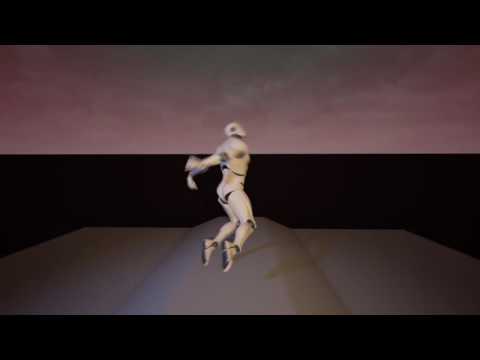
just saw this 1 that you did too, love it! https://www.youtube.com/watch?v=oQuK2T2hkbE
 fleet veldt
ha, ty XD i should make something out of that
pearl tangle
have you seen the puppets 1 somebody did using the touch and the string physics plugin?
did you just drive that guy around and try and time it up with the music?
fleet veldt
yeah I just moved him with WASD controls
I think i did see the touch puppets.. but i'm getting so forgetful that i can't remember what it looked like.
just turned 45 this month bleh
pearl tangle

https://medium.com/shopify-vr/marionettes-in-vr-6b596620c3ca#.x4v3n7ntg @fleet veldt haven't fired it up yet to play around with but keen to give it a try when i have some time

Medium
Turns out puppet shows in VR are surprisingly fun and hilarious.
fleet veldt
oh yeah i did see that on r/oculus. it really looks cool 😄
pearl tangle
yeah I need to find some time to actually setup a rift again and do something with it. too much effort plugging in all those stupid usb cables and whatnot hah
fleet veldt
i like that it's easier to achieve roomscale with the Vive but I love the ergonomics of the Rift. It's so easy to put on and off and just pick up the controllers since they don't take up much space..
 flint pasture
That demo is great. And yeah, I like that I can just slide Touch controls further onto my hand and start typing or using the mouse without setting them down (although kind of awkwardly). Hopefully more controls will become available for all platforms.
pearl tangle
yeah i like that too, but the heat from the damn screen gets really annoying to me
I also think the grip on the touch controller needs to be a bit bigger personally, about 3-5cm longer or so and it would hold in the hand a bit better for myself, another dev here has the same thoughts
really keen to get the audio strap for the vive once those come out and that ergonomics of the headset at least should be cancelled out but the controllers are still better with touch for our stuff. for simple ease of use I think the vive is closer but still not amazing either
at least the tracking pucks will let us start to do interesting custom stuff
flint pasture
I don't have a cat to put in VR anymore :/
Hopefully in the next year or two there will be an open standard that can adapt to whatever hardware you're using, instead of having any kind of "platform wars". Mixing up hardware designed for different devices, etc.
pearl tangle
well thats where they are trying to get with things with the openXR stuff or whatever it is
keen to see what the next entrant into the PC vr space is going to do. I have the fove but don't see it succeeding but the tech from it will be interesting for the other bigger players
flint pasture
Yep.. Saw an 8K headset but what hardware is going to be needed to run games for it? Would likely make the GraniteSDK mandatory.
pearl tangle
you don't need to run at the native resolution anyway, the higher res just gets rid of a lot of other issues
full junco
@sturdy coral in 4.15 there was that refactor of the screen size calculation stuff, yeah
it made things better, but its still based on screen size so it still has the issues
pearl tangle
@fleet veldt seems like my bug has bigger issues with the building. I can't actually run an android package at the moment either, even though I can launch on the device oddly enough...
eternal inlet
@fleet veldt No actually i haven't done it yet, i'll have a look at that in roborecall for sure when i get to it. thanks man
@MordenTral#2571 Ook.. and how is that different from the hmd and mc?
I meant to: on client, send location of where i am to server, let server keep track of that either using rep_notifiers or multicast
on other clients i would then turn off physics, and have the position be driven by the owning client's location... but that might be a bad practice?
full junco


 real needle
Hey everyone 😄 Does someone know why a change in light scenario with the vive is more troublesome than with the rift? I'm doing some archviz stuff and i have 3 lighting scenarios which work fine on rift, but when I try to use them with the vive, the program stutters, shows me the steam vr loading screen from time to time or kicks me back into my mainmenu for some reason
I have the same issue like this dude, but nobody answered him as well https://answers.unrealengine.com/questions/528340/414-lighting-scenarios-vr-lag.html
I'm using 4.15.1
tawdry dragon
Anyone here tried something like this yet?
http://polycount.com/discussion/184728/distance-based-tessellation-in-ue4-for-virtual-reality-applications

polycount
For those of you who've worked on assets for VR games, you may know that normal maps don't appear properly when trying to simulate large details.
and how it performs regarding hitting 90 fps
clever sky
That looks pretty slick.
But honestly, getting up close to things in VR doesn't seem too bad.
I mean obviously, you see the blockiness more... but it doesn't seem to be particularly immersion breaking.
Ideally that solution would be imperceptible, meaning you can't tell when it's transitioning in.
If it's like LOD that pops obviously, it's probably worse for immersion than just leaving it.
Better for screenshots, but worse for everything else 😛
That's what it's like... reverse LOD!
tired tree
distance based tessellation doesn't have pop in
it lerps from min to max value
its also nothing innovative and is fairly expensive
tawdry dragon
well, since Sony has added it as a part of their PSVR sdk, it seems to me like they might have found a way to make it feasible
tired tree
the earliest tessellation demos were doing that back when dx11 was first touted, the problem was getting the mapping right so that it didn't tear / intersect
they are likely baking a high poly to a height map for it
tawdry dragon
yeah, tesselation by it self is nothing new, but adding it to VR was expensive, like you were saying - so for Sony to add it and showcase it at GDC makes me wonder if they have cracked the code and got something working
like Pixar did with OpenSubdiv
tired tree
if its on characters then doubtful they did anything special, its not going to kill you like terrain
but who knows
mighty carbon
"OpenSubdiv is a set of open source libraries that implement high performance subdivision surface (subdiv) evaluation on massively parallel CPU and GPU architectures. This code path is optimized for drawing deforming surfaces with static topology at interactive framerates."
nothing to do with distance
mighty carbon
https://www.linkedin.com/today/author/0_0u7PS3t43RknAjhjuX3uj1 << could be interesting read (I haven't read it yet)
mighty carbon
ah, I see
mighty carbon
do you think 4.16 will have all dynamic lights supported in VR ? What about LPV ?
sturdy coral
@mighty carbon I want distance field AO
mighty carbon
what's missing from FR that is in DR ?
sturdy coral
not sure of everything, I think point light shadows still aren't supported
but they are really expensive anyway
some stuff that only works well with TAA still isn't in even though you can use TAA with forward, like SSAO
mighty carbon
I see
point light shadows are only expensive when you have bunch of shadow casting lights, and have them overlapping
tawdry dragon
Can you actually see what they are working on for 4.16 somewhere?
or do you need to follow github closely?
storm hare
@tawdry dragon that's actually something I've always wondered too if we can know what they are working on atm
tawdry dragon
I know they have a Trello board
with a roadmap etc., but its not easy to look through it all
storm hare
yea but sometimes they have cards there that are more wishlist than actual development, would be nice to know what's actually scheduled in for 4.16 for instance
this one has been there for a looong time
really wish they would do this one
mighty carbon
I remember @full junco was posting excerpts from github commits showing what they implemented in the master.
full junco
@mighty carbon what?
mighty carbon
or was it someone else? :/
I remember someone was posting screenshots with commits to master (selected features)
I could have swore it was you 😃
mighty carbon
but there are notes about what was in those monolithic commits, right ?
full junco
@mighty carbon well I have surely posted it, but I have no idea what you talk about, so just tell me what I have posted
tired tree
you can browse through them, but they are sometimes too large for github
epic has subbranches up for awhile that has commits too but a lot of it is pushed all at once from offline
 heady parrot
yeah I just cherry picked a few CLs from that checkin 😃
mighty carbon
this one is rendering commits https://github.com/EpicGames/UnrealEngine/commit/2826204161186f948cca2061f89d41febc31e723
get a cup of coffee, a pastry and get to it - it's a massive read 😃
tawdry dragon
Starting up my next RnD project. Step-by-step installations inside VR... No idea how to go about it yet, but I guess it will be fun 😄
wicked oak
i got VOIP working over Steam
tired tree
what about it
wicked oak
had to edit some bugged source code
by basically comenting a bandwidth test, and telling it to make the voice packets reliable
not the best, but seems to work
tired tree
you don't want voice reliable
wicked oak
ill do a playtest with a few people later to see how that thing works
tired tree
people have been getting around it by upping client bandwidth limits
wicked oak
@tired tree it drops everything if its not
nope, couldnt do that
i upped everything to 1000000 and still all dropped
every single voice packet
tired tree
?
there are two settings
did you adjust configured speed AND max internet client rate?
mighty carbon
Does Rift have mic on it ?
wicked oak
@tired tree i did
it was bugged
no matter what you do, it will drop every single packet from voice
thats why i commented out the bandwith check on it
heady parrot
all 3 big HMDs have a mic on it
wicked oak
and the rift one is quite high quality
really high quality
ive had several microphones on headsets, and not a single one was even close to the Rift microphone
Vive one is worse
heady parrot
yeah its quite good 😃 the only thing so far that rival it is my Blue Yeti hah
tired tree
which is why I was asking if you tried all of the bandwidth settings btw, its working for other people on steam in 4.14 and >
mighty carbon
having mic on HMD is a good thing, cool stuff
heady parrot
we are doing our own voice solution using a Teamspeak backend. If you use Steam or Oculus voice you cannot do cross platform
tired tree
waiting on that discord API
heady parrot
yeah Id love to use Discord 😃 the Opus codec is sooo nice
tired tree
they have a SDK already, but its private testing
heady parrot
ooohhhh
tired tree
they spool up voice servers like discord, on app / game basis
heady parrot
our community guy has contacts there, I'll ask him to poke peoples
tired tree
sounds fantastic
mighty carbon
how hard would it be to make NPCs understand voice commands, kinda like what Siri/Google Assistant/Alexa do ? (using UE4 of course)
tired tree
when its open i'm making an engine plugin for it, since its game by game basis currently wouldn't be allowed yet
its not that hard using open source libraries that already exist motor
mighty carbon
I wish someone made a plugin already 😄
heady parrot
tbh if they release that SDK they could make money from game devs wanting voice hosting
tired tree
well. licensing wise a lot are probably not compatible with ue4
they plan on releasing it, its too alpha for general use form their info page
heady parrot
is there any public info on this?
tired tree
Discord
Step up your game with a modern voice & text chat app. Crystal clear voice, multiple server and channel support, mobile apps, and more. Get your free server now!
heady parrot
cheers
mighty carbon
https://devpost.com/software/pennapps-2016f << interesting
 tired tree
looks like it has been iupdated i nlast week or so
might be out of closed access
page design is different and has users listed now
heady parrot
that "build custom UI and submit for approval" is a bit weird
heady parrot
well sure, but what if you just want to use the voice part? chat isnt great for vr 😃
tired tree
then no ui?
heady parrot
aye
tired tree
also branding probably requires discords logo
heady parrot
thats fine
wicked oak
making VR mp is such a headache lol
cant test without doing massive test systems that "emulate" vr movements.
and everything needs to cheat to be low latency or it will feel really wrong
you guys got it easy with the spaceships @heady parrot XD
heady parrot
we do a mirror guy opponent 😃
tired tree
everything has to be client side pretty much, thats how I default it in my plugin
heady parrot
I stopped working on spaceships .. 8 months ago 😃
client side is prone to hacking 😃 so we tend to do server-authoritative with instance client updates, then the server corrects you if client is wrong (within a threshold)
wicked oak
right now im dealing with players that can pick up and use weapons. Ownership ends up having to change midgame, and things having to get replicated to others but not the owner
i finally got my weapons to work well, but damn
tired tree
movement is server auth for the plugin, grips turn off movement replication and move locally client / server, with server having final say on drop
wicked oak
i do client side movement
tired tree
its still server auth, but the objects "act" local
wicked oak
then update the locations to the server
i had massive problems with the server correcting my movement
tired tree
for your pawn?
wicked oak
yes. Becouse im cheating the pawn in a way that it keeps the capsule directly below the head
even if you walk IRL
tired tree
did you inject the movements into the saved movmeents array?
wicked oak
no
tired tree
i use a character for the plugin, you have to do that
otherwise replication ordering can be off
use the built in character saved movements setup, override the RPCs to the server with custom FSavedMovements
wicked oak
i ended up turning off the movement replication and doing it on my own, but i lose the great interpolation the character movement has
uhmm, gonna have a look at that
tired tree
i have a simple character that does it without major refactors
and a complex one that re-writes the character pretty much totally
wicked oak
so those FSavedMovements help if you are doing arbitrary "add world offset" to the character?
tired tree
oh yes...
tired tree
if you aren't doing Add Input then when it replays moves on the server it will have the wrong offset
saved movements aren't always going to be played back in order with your replicated Add World Offset
so you place the world offset in the FSavedMoves, the client and server play back the same moves in the same order then
you basically get full default character functionality in VR
mighty carbon
I would imagine if you do stuff on server and send small essential packets to client for update, it should be quite performant
like events based system
tired tree
thats not going to work with relative offsets due to tracked objects
client has to be authority on head position
wicked oak
i do that
i call RPCs to the server with the head and hand positions
other players just interpolate to those
tired tree
talking about multi user collision
I don't send controllers / head via saved movements btw
just the capsule locaiton
which is set based off of those
wicked oak
my capsule location is allways below the head. Head movements offset the capsule in the XY plane so its aligned
tired tree
in your case it would be that offset
 ripe vault
Trying to find some samples or tutorials for google daydream but there just isn't much out there. Does anyone have any good resources? I have some point and click features working with the controller using a tutorial online but I'm trying to figure out how to do more fluid character movements like in the wonderglade game. Where you use axis inputs on the touch pad to direct the movement of the object or character. I have no frame of reference though. And the tutorial I found on YouTube by Strigifo just discusses action mappings for movement, but not axis, which is what I think one needs. Any ideas?
tired tree
yeah yours works like my simplechar, you would just want to add your HMD offset to the saved movements
instead of replicating World Offset setting
mighty carbon
playing MP games maybe fun for some (although I'd play something big, like Westworld), but ultimately you need a truck full of money and well staffed team to support MP in a long run. Otherwise it's not worth the effort implementing MP and making the rest of the game mediocre
tired tree
lol
@wicked oak I inject the hmd offset in the simple char in the movement modes here if you want an example: https://bitbucket.org/mordentral/vrexpansionplugin/src/debfd149e170f3d140ed4154970e816494cb24ba/VRExpansionPlugin/Source/VRExpansionPlugin/Private/SimpleChar/VRSimpleCharacterMovementComponent.cpp?at=Master&fileviewer=file-view-default
wicked oak
damn, you rewrote most of it
mighty carbon
you should have just used @tired tree 's plugin 😉
wicked oak
i heavily dislike gameplay plugins
tired tree
not really, I just had to inject it like the root motion animation offsets
a lot of it is commented out code from the other character which is a total refactor
sturdy coral
I just have the character folllow the head when walking around IRL and the VR root stay in place, and then have VR root follow the character when moving with joystick
mighty carbon
@wicked oak it's like Unity or Epic saying they dislike middleware 😉
sturdy coral
no changes to character movement
tired tree
are you handling multiplayer charles?
sturdy coral
yeah, just sending head and hands with world rotations and location relative to player capsule
tired tree
ah, i'm talking about full server validated multiplayer though
sturdy coral
head is relative to player capsule, hands sent relative to head to use lower precision
mighty carbon
@ripe vault No one here works with Daydream 😦 I'd try pinging Google
tired tree
oh, you are using two actors?
that is how I suggested to Jonas to handle it in blueprint
sturdy coral
nah, but I'm updating the VR root location and rotation every tick
tired tree
yeah or that
sturdy coral
to keep it in place
tired tree
thats what my simple one does pretty much
sturdy coral
so what validation scenarios do you get with the complex one?
ripe vault
@mighty carbon I'm using ue4 to make apps for google daydream. Trying to at least.
sturdy coral
with the way I'm doing it people can definitely stick their heads through walls and stuff, I will probably adjust it to teleport back to the capsule if you get too far from it
tired tree
the complex one actually repositions the root components collision to the relative offset
both of my characters have character collision like a standard character, I figured using collision channels to control that is good, people that want walk through (like Zaptruder did with it) can do it
sturdy coral
have you seen trello has an item for decoupling character movement from character?
tired tree
that would be nice
sturdy coral
yeah.. right now spectators are fucked
tired tree
they already denied me asking for pathfindings root position to be decoupled
sturdy coral
and tons of the game framework code has spectator stuff hardcoded
they are stuck with flying pawn movement and no replication
sturdy coral
yeah, problem is you can't make a spectator that is a character
tired tree
the fact that the engine is missing a simple replicated movement for just lerped motion is pretty sad
sturdy coral
yeah