#virtual-reality
1 messages · Page 91 of 1
 clever sky
For real. It kinda gives a nice kick in the nards to the main benefits of VR as well.
But having said that... I've seen some people reporting preference for head look as forward.
Most people prefer controller direction as forward.
 sturdy coral
yeah, I may put it as an option in what I'm working on
clever sky
But some people... ... are weird.
clever sky
Eh. I think it's a learned preference.
i.e. they can unlearn that shit too!
The only context in which head look as forward can occur is in VR!
sturdy coral
yeah, I wouldn't want someone to use it because they think it is their preference and they just check it before spending any time without it
clever sky
So that means bad developers have trained some users to like that stuff.
sturdy coral
yeah, maybe give them a drug/alcohol test with and without it
make them walk in a straight line
while looking at a bunch of stuff
clever sky
Haha... good idea.
 vagrant mantle
Why the custom render depth does not work for GearVR
clever sky
@sturdy coral I found it! The BS that's caused some devs to adopt head look as forward.
https://developer3.oculus.com/documentation/intro-vr/latest/concepts/bp_intro/
"Teleporting between two points instead of walking between them is worth experimenting with in some cases, but can also be disorienting. If using teleportation, provide adequate visual cues so users can maintain their bearings, and preserve their original orientation if possible.
Movement in one direction while looking in another direction can be disorienting. Minimize the necessity for the user to look away from the direction of travel, particularly when moving faster than a walking pace."
Outdated best practices guide.
sturdy coral
Eww yeah, I guess they were mainly seeing it as a solution to avoiding artificial yaw
and thinking with gamepads and mice
 mighty carbon

UploadVR
Striker VR used the opportunity of GDC 2017 to showcase its high-end virtual reality rifle and to tease the next generation of mixed reality firearms.
they are using Rift with backpacks. How is this possible ?
sturdy coral
maybe orientation only?
oh
it says in the article: "The Optitrack large-scale positional tracking system provided enough positional horsepower to turn 50 square feet of show floor space into [...]"
maybe they have markers on the headset somewhere you just can't see in the images
in fact look closely and there is a shell over the HMD
over the front of it
mighty carbon
I see
 glossy agate
Dude, that things slick! Would be cool if it has a slide motor for recoil.
Says it does in the article
 normal thorn
i just shot a missile in my face by accident in VR and had one of those OMGAARGH ...oh yeah VR
hhah still gets ya
normal thorn
its funny when you are in a generally stable environment those kinda of things are all the more jarring
my mind is like ah this is all safe here, go into no worries mode
mighty carbon

The transportive magic of VR is even better when it’s experienced with other people. Late last year, we launched Oculus Rooms and Parties to let you hang out with friends in VR. Now, we’re adding a new dimension to social VR with exciting updates to the Rooms experience for Gear VR, plus the launch of Oculus Events.
sturdy coral
that snow globe is the perfect metaphor
lock yourself in a bubble where you can't interact with people on other hardware
mighty carbon
you can't be in Google Hangouts and chat with iPhone or Facebook users
you can't be on Skype and chat with someone with Facetime
I can go on
you can't even cross play between PC and consoles
or even between consoles
https://uploadvr.com/social-vr-experiments-google-daydream-labs/ << Same thing - Daydream only.

UploadVR
Two developers from Google's Daydream Labs discuss experiments with trying to perfect social VR interactions during a panel at GDC 2017.
sturdy coral
those are supposed to be good things?
sturdy coral
hangouts and skype work on lots of hardware
mighty carbon
nor do millions of consumers
sturdy coral
facetime seems similar though
sturdy coral
exactly, that's what seems similar
mighty carbon
you just being political
that's all
Unlike Sony, for example, Oculus doesn't bind devs to make truly exclusive titles for Rift
sturdy coral
explain what you mean
mighty carbon
there are bunch of games I'd love to play on PC, but they will remain Sony exclusives for life
sturdy coral
are you saying all oculus exclusives are only timed exclusives?
mighty carbon
like Killzone series, or this last game, something Horizon
hell, you can already play Robo Recall on Vive
also, while I would make my project only available for Rift at the beginning, I'll definitely make sure it's released on Vive as soon as I have hardware to work with.
sturdy coral
I'm trying to understand the sony thing
are you saying all oculus exclusives are only timed exclusives, or did you mean something else?
mighty carbon
yeah, that's exactly what I mean
I don't even know why you asking, if you know that Robo Recall was Rift exclusive, yet you can play it on Vive
sturdy coral
one != all
@mighty carbon Oculus have publicly said all partially funded titles will only be timed exclusives, but fully funded titles will not all be timed exclusives, some will be fully exclusive, so I believe you are wrong on that
it was in a Jason Rubin interview
mighty carbon
Time will tell
even so, why do you cry about it? How come you don't bash MS or Sony for not releasing their exclusives on PC or another console ?
sturdy coral
that would be waste of my time
what MS and Sony do is already their established practice and it would be very hard to convince people to care
but on PC, having exclusive games for monitors isn't the established practice, so people care that it is happening
mighty carbon
well, no monitors in VR
There are games you run on Windows, but can't on MacOS or Linux
sturdy coral
VR headsets are monitors + tracking
mighty carbon
again, this bashing of exclusives is political agenda and not understanding how business works.
this early adopters wave is small and wave of mass market is huge
sturdy coral
I understand how business works--making a PR stink about exclusives is the only way to stop them
mighty carbon
people don't care whether it's open source or if it's exclusive - if it's good, they will get hardware that works with it.
sturdy coral
if they were good PR, everyone would do them all the time
mighty carbon
and price is important as well
and the wave of mass market will drown this political small wave of enthusiasts who don't care about long term well being of the market
sturdy coral
if Oculus were just trying to make a gaming console out of rift by bootstrapping on PC I wouldn't really put a lot of effort into speaking against it even if I didn't like it
but they are trying to own the next computing platform
mighty carbon
oh, so you are jelly
sturdy coral
it will be your facetime example times 100
mighty carbon
I don't really care for things like that
If Vive did what Oculus does and Oculus did what Vive does, I'd go with Vive because it will provide better stuff
sturdy coral
what they see in the future is you will be at a party where everyone is talking about some virtual globe they can all see and pointing to where they went on their latest trip
and if you didn't buy their brand of headset, you won't be able to see what everyone is talking about
they want winner-take-all for the next computing platform, and they want it locked down worse than apple
mighty carbon
lol, government already knows what you do and where you are
it has known a way before Fb was a thing
sturdy coral
I didn't say anything about caring who knows what you do and where you are
mighty carbon
nm, misread your post about virtual globe
that's my point - jelly
you don't want to buy their hardware, but you want the same benefits
sturdy coral
benefits of everyone being able to communicate and share the same reality?
mighty carbon
even in communist China there is no equality
Oculus vrAPI is open - make your own universe where Vive and Rift users can co-exist without any issues
also, this is the beginning of VR era
it has to be this way to succeed
sturdy coral
 mighty carbon
once it's mainstream, there will be more players (vendors) and more platforms
well, TimS got 10M from Oculus.. why should I listen to him?!
anyhow, when VR is ubiquitous, there will be open platform with the same kind of goodies Fb has now (rooms, streaming, etc.)
to get there, we need exclusives and closed platforms
 tired tree
no we don't
sturdy coral
Carmack told me in the hall at Oculus connect that he wanted Oculus to follow the PC model, but the rest of the company won out and wanted an Apple model
mighty carbon
Steam was walled garden once.. It reached critical mass, and opened up (and turned into shit hole, but that's another story)
Linux was always open and could never beat Windows
tired tree
Carmack is likely very upset about Oculus's practices to be honest, he is generally all about open software
mighty carbon
Carmack said he wishes he never released his engines under GPL
because now he can't use them for VR
(he wishes he did so under MIT or BSD)
mighty carbon
MIT can be used in closed source forks
tired tree
it can be used for everything
mighty carbon
GPL can't
tired tree
its less restrictive
mighty carbon
GPL spawns more GPL
sturdy coral
MIT can be used in GPL
sturdy coral
GPLv3 you mean?
mighty carbon
so, if Carmack was still pro-FOSS, he would have gone to Valve
tired tree
lol
sturdy coral
Carmack never released anything under that as far as I know
mighty carbon
all engines from ID up to RAGE are GPL v2 and GPL v3
tired tree
Valve is not the correct working enviroment for Carmack
sturdy coral
v2 can go on consoles
tired tree
you can't argue that
and oculus was the future at the time, he was going with the boy
mighty carbon
and you can even add VR to them using async timewarp/spacewarp. Just can't release on Oculus Store or use all the fancy things like Platform SDK.
v2 can not, absolutely can not go to consoles @sturdy coral
sturdy coral
@mighty carbon PS3 shipped with linux
mighty carbon
There was game called Nexuiz that was developed using Quake fork called Darkplaces engine. It was going on PS3. Sony rejected it due to GPL v2 license. They had to switch to CryEngine.
mighty carbon
No, I mean games that use engine under GPL license can not be released on PS or XB
not even on App Store
sturdy coral
sure, they can't link with the platform stuff that isn't GPLed
mighty carbon
exactly
sturdy coral
but that isn't what you said
mighty carbon
but if source was under MIT license, you could
don't be a dick
you know exactly where I am going with all this
sturdy coral
no, I really don't
I said carmack said he wanted the PC model and the rest wanted the apple model
and you went off on a tangent about GPL that
PC isn't synonomous with GPL
mighty carbon
Carmack said he is ok with exclusives, because that's what requires at this point
and he would like to see open platform, but that's not feasible at this point
sturdy coral
he told me he pushed for the open platform and he thought it was the way they should have gone
that doesn't mean he will fight the decision
mighty carbon
hell, Gear VR, that is Carmack's baby, is worse than Rift in that regard - you have hardware DRM
again, if Carmack was you - he would have left to Valve or HTC
sturdy coral
he said that is a samsung requirement, same as he has said in other talks
mighty carbon
but apparently he is ok with walled gardens and closed platforms
sturdy coral
he will go along with it, but he didn't think it was the approach they should have taken
mighty carbon
same goes for the whole team of scientists at Oculus
there is a big difference between thinking that it can be one thing, and going around bad mouthing platforms simply because they are not open.
sturdy coral
if I had golden handcuffs of potentially $100million+ like Carmack I doubt i would be bad mouthing anything
mighty carbon
you can think that it would be nice not to have exclusives and not go out of your way and trash Oculus. However, you chose to do otherwise.
you are extremist !
😛
and you also have double standards
tired tree
most of us don't talk about a particular company every day all day long
mighty carbon
I only respond to injustice 😉
mighty carbon
I respond to the chat room.. whether it reaches someone, that's not my concern
tired tree
no-one really cares though, I prefere Steams practices, i'm not going to "Trash Talk" oculus though, they do a lot of good too
you don't need to defend them constantly
no-one here is all that militant about it
sturdy coral
@mighty carbon which double standards? I'll prefer Daydream over Gear even if it has exclusives. That isn't a double standard--there just isn't a credible alternative that is more open. And in comparison to Gear it is way more open. I would support OSVR way over OpenVR, but its headsets and controllers right now don't provide a credible alternative. I'm not going to waste time talking on r/ps4 about how the PS4 should allow general purpose computation for everyone, because it isn't going to get anywhere and would be a waste of time. The bad PR backlash for Oculus from lots of people has gotten somewhere. It got them to drop hardware DRM.
mighty carbon
but yet "if I had golden handcuffs of potentially $100million+ like Carmack I doubt i would be bad mouthing anything"
hardware DRM should come back
this way I would sleep better knowing my game doesn't get pirated as much
sturdy coral
yeah, with $100million in future payouts I'm sure I would hold my tongue
the hardware DRM caused the DRM to be broken whereas no one had even bothered to break the DRM before
it had the opposite effect
mighty carbon
consoles have hardware DRM
and it actually does help with piracy
sames goes for Gear VR
sturdy coral
but the oculus hardware DRM didn't and we are talking about it
mighty carbon
I assume Vive users were the ones whining about it
sturdy coral
a pretty broad slice of people didn't like it
mighty carbon
Why would Rift users cry about DRM ?
sturdy coral
because the DRM just served to lock away their library from them
if they ever changed headsets in the future
mighty carbon
I mean, what did they have to lose by having hardware DRM ?
sturdy coral
lol
mighty carbon
hmm
I guess
but, you can't play Steam games without Steam
because Steam injects DRM into exe
so, if Steam goes down, or you chose to close your account, you lose your library of games
sturdy coral
A) steam DRM is optional
B) a user of a gen 1 headset is more likely to change in gen2 than for steam to go down
mighty carbon
while DRM is optional, 99% of devs use it
and yes, Steam is unlikely to go down, but that's not the point
if Oculus would create something like Steam, why would you walk away from that ?
sturdy coral
your point was "Why would Rift users cry about DRM ?"
mighty carbon
valid point
sturdy coral
because something is fairly likely to happen as a result of it
"Why would Steam users cry about DRM?" couldn't be symmetrically answered with "something is extremely unlikely to happen as a result of it"
mighty carbon
I mean, being locked out of your library is a valid point
sturdy coral
that's what I mean by don't assume there is some double standard going on all the time
you often point out some similarity in the character of some thing
but in practice and reality they are totally different
like why not spend all day talking about the closed PS4 platform: because it isn't going to matter and would be a waste of time
mighty carbon
can you buy from Oculus Store being Vive user ?
sturdy coral
too much inertia, etc., even if in character it is similar to what oculus is doing
now that the DRM is gone you can, using unofficial support provided by a third party that they have implied they won't intentionally break but in the past they have gone back on that type of statement and done something totally opposite
mighty carbon
I still think it's just what it is - if you switch from PS4 to XB1, you lose your library.
If I switch from PC to Apple, I will lose most of my games in Steam's library too
so, I still don't think it's a big of a deal
sturdy coral
@mighty carbon but that would never be something you would ask for as a feature
a feature request to lose your library?
sturdy coral
so if it wasn't there when the platform launched and you bought into it
and then it was added
mighty carbon
I guess as long as they have DRM that is tied to the account in the store and purchase verification system, then it's fine
sturdy coral
you might expect some users to "cry"
mighty carbon
while we are debating here, Squarepusher is typing an essay
 carmine gulch
Actually not. Just trying to fix my keyboard
But I'm following your discussion;)
I'm not a big fan of DRM, too. And that is why I bought a vive.
mighty carbon
ha, looks like you are typing a wall of text 😄
carmine gulch
I was a big fan of the rift from the first day I saw it. I even got a the DK2 and till the last two weeks, before I bought my Vive, I was clear for me to bye a Rift.
It
Buy... 😒
sturdy coral
yeah I backed it on kickstarter, lots of talk about open source and stuff
never would have backed it if I knew they were trying to do a big "platform" play using the open PC ecosystem to bootstrap something closed
and it turned out before the kickstarter even started they had already raised more money in investments than the entire goal
I'm sure those investors knew it was going to be a platform play lol
carmine gulch
Yes, me to. But I'm not mad at oculus about that. They are a company and they want to earn money.
It just changed my opinion on buying a hmd
sturdy coral
yeah, I do think they should have been up front on that in the kickstarter though, that they had already raised more than the entire goal in other funding
carmine gulch
Of course
sturdy coral
I do see why as a company they didn't do it though, the kickstarter wouldn't have been as successful
 eternal inlet
this node... whats the math to convert that so it's relative to an actor?
if i compose the Actors Transform with the loc/rot, i get something pretty far away
basically i want the same as getting a MotionControllers location in worldspace
 real needle
@eternal inlet Why don't you just get the active player pawn camera's world location?
eternal inlet
ah forgot to mention it's for a 3rd motioncontroller
 candid viper
@eternal inlet I've not tried this, but looking at the code they are in the tracking coordinate system , same as if you read the controllers with GetControllerOrientationAndPosition. So that position and orientation are relative, not world. If you query the relative transform from a motion controller placed near the extra tracker you should see the values are similar. Since you want the new tracked device relative to an actor, add a SceneTransform node to the actor, same parenting as your motion controller/camera and then set the relative transform on that to what you get from GetTrackedDevicePositionAndOrientation.
eternal inlet
@candid viper is that the same as having a Cube in my actor and setting the relative location/rotation from the GetTrackedDevicePositionAndOrientation?
candid viper
@eternal inlet Yes, if you have a cube with the same parenting in the actor as the motion controllers and call SetRelativeLocationAndRotation and feed in the location/rotation from GetTrackedDevicePositionAndOrientation the cube should appear in the Unreal world where the tracked device is.
eternal inlet
hmm, will try
candid viper
@eternal inlet The main actor transform positions the roomscale tracking volume into the world, then the tracking results are relative to that.
eternal inlet
yeah i noticed that..
jup u were right
works, but wish i could figure out the math to do it manually
just to understand how it would be done without parenting
i mean as an excersice
candid viper
@eternal inlet Ah, okay. It isn't too bad. The actor's transform has an location and an orientation. The tracking results are relative to that frame, so they need to be adjusted. So for the tracked location, rotate it with RotateVector using the rotator from the actor. Add the result of that to the actor's location and you should get the world location. For orientation, I haven't tried using rotators (usually work with quaternions C++ side), but you just need to combine the two. Think of the rotator on the actor as saying how the world is rotated from relative to the world origin. Then the tracked orientation is relative to that. So it's just applying a second rotation after the actor's rotation. You should be able to do that with CombineRotators using the actor rotator and the tracked one.
candid viper
@eternal inlet Just checking the source - CombineRotators is actually ComposeRotators which multiplies the two as quaternions then converts back to a rotators - so it works as I'd expect. As more of a C++ programmer, I miss not having quaternions in Blueprint.
Try the location first - that is easiest to see if it matches. Since you have the parented version working, you have a reference.
eternal inlet
@candid viper sry i got sidetracked with bugfixing... will have to try it tomorrow, but thanks for the help mate
mighty carbon
alright!!!

<a href="/author/lucas-matney/" title="Posts by Lucas Matney" onclick="s_objectID='river_author';" rel="author">Lucas Matney</a>
In its quest to embrace a virtual world, Oculus has had to spend a lot of time navigating the legal world. Today, they seemed to have caught a good break. A..
btw, do you have to stand in one spot during combat in Robo Recall or can you teleport around and shoot ?
 sharp swan
teleport
clever sky
Didn't know about Oculus getting more funding than their Kickstarter prior to the kickstarter. But it makes sense - given that the company attracted the help and assistance of pretty respectable industry vets like Iribe.'
Before the kickstarter.
 dusky moon
Has any1 tried recording VR pawn's movements (hands+head) to a sequencer ?! I'm wondering it could be a nice way to record VR trailers ...
sturdy coral
dusky moon
@sturdy coral I tried the method and it works so nice! the good thing was It even recorded all the movements of the attached motioncontroller Actors! I expected to encounter a flood of Issues but it went well
sturdy coral
@dusky moon cool I haven't tried it but I have wanted to
glad it works without issues
dusky moon
Oh and By the way, Whats the easiest way to get World position of MotionControllers from other BPs like Level blueprint ?! everytime I get the location from my level blueprint it has an Offset (seems like the world position of all the components inside pawn is mapped into the center of the actor)
sturdy coral
weird, never seen that
you should just be able to do get world location on the components
dusky moon
yep I get the world location and it's in the middle of my play area all the time
haha nevermind fixed it! donnow why but just restarted the editr
weird
 ebon musk
Hi guys, just started learning unreal. I am trying to get it to work with my steamVR, but in the plugins it says the steamvr plugin is beta? what is that about?
real needle
@ebon musk Don't worry about it, a lot of plugins are set to beta
And yes sometimes you'll have to restart editor and SteamVR 😃
ebon musk
ok. Thanks :). I literally started learning today, I'm just going thru the tutorials. I am hoping to learn about how to make noise in Unreal. and in VR too would be fun 😃
 pearl tangle
anything to do with VR is beta pretty much
clever sky
Hey, do you guys know how to determine how many camera units there are for an Oculus Rift in Unreal?
real needle
@clever sky Camera unit?
clever sky
The Constellation trackers
I'll have a peak at Robo Recall 😛
it's doing it somehow in there.
Because it turns on/off a warning if you've got roomscale or not.
 stable shadow
Hello guys, I need some help on this topic about just render UMG in desktop window
https://answers.unrealengine.com/questions/574432/show-umg-only-in-desktop-monitor-in-vr.html
sturdy coral
@stable shadow look into the robo recall mod kit, I think they render a high score UI over the mirror window
mighty carbon
 dusk yoke
Does anyone know if UE4 forums support embedded Panaromas? It's something I'm experimenting with but only a few sites support (Facebook,Flickr,Tumblr,Youtube).
pearl tangle
You can embed it in there as an image. It's not going to put it into an actual panorama though
best bet is to just throw on google photos and provide a link
@clever sky if it's coming through steamvr yes. if its through the Oculus plugin I am not sure if you actually can or not
you would think it should say whether its in standing or 360 mode
clever sky
@pearl tangle Figured it out. There's a HMD function that figures out the number of sensors
pearl tangle
ah that is handy
anybody know how to add a program to the steam vr dashboard? Like the vive home is added on so it's accessible through the bottom menu and you can add in big screen but also Kingspray I noticed you are able to which pretty much just makes it launch as soon as you open steam vr
real needle
I would like to ask if someone know how to make an animated loading screen when changing LVL for HTC ? I followed many tutorials but with VR you always see the HTC room when loading a new lvl. I am not able to make it works 😦
Oh and I am only using blueprint.
clever sky
@real needle Download the robo recall mod kit. It teaches a lot of cool things.
Among which include a nice level change transition.
Although you'll have to dig for the answer, because I haven't looked for it myself - but nearly all of Robo Recall's source code is accessible via BP.
Also don't copy the code - just look and learn.
real needle
@real needle Okay perfect I will check it out. Thank you so much
@clever sky I saw that this demo is only for Oculus. Would this affect the blueprint's code. Maybe my only problem is some settings with HTC.
clever sky
@real needle It shouldn't do. It has some Oculus specific code, but that's relatively clearly marked out
You just won't be able to try it
Unless you run revive
pearl tangle
level streaming is usually the key. Although there was some recent updates with the steam vr code which changed the loading screen stuff a bit too
pearl tangle
More new toys
 digital marlin
coolio
clever sky
@pearl tangle That's a sexy drone. Tracker is cool too. Gonna make hardware with it? 😃
pearl tangle
at the moment going to be strapping it to a rugby ball for an event 😉
drone should be good fun too but for different stuff.
clever sky
Ahhh
So that's why you guys are doing all this multi-vive in a large space stuff.
But... hurling a tracker even on a ball? That's ballsy!
digital marlin
Rugby ball eh
clever sky
Pun intended.
digital marlin
Yeah, how's that going to work?
Could put it into a ball and duct tape the shit outta it.
clever sky
Or it could be a transparent ball with a tracker inside it.
But that'd mess up the incoming light rays something fierce 😛
digital marlin
ah gp.
pearl tangle
hah it's not going to be thrown (hopefully) but it's a throwing game and it's much more natural to hold that rather than try and use the controller
clever sky
Ah ok. That makes more sense I guess 😛
Are you going to be mounting it to a ball controller?
pearl tangle
at the moment it's on the top of the ball with a tiny tripod and a lot of electrical tape while we test. but likely im going to take the bladder out of the ball, stuff it with foam and use a metal rod that goes right to the end and put a screw thread on the end to mount the tracker, that way it wont move at all
clever sky
Ok. So how do you 'throw it'? Normally on a controller it'd be releasing the trigger or grip button.
Just a velocity/momentum thing?
pearl tangle
nah not for this. Will be no button presses or anything but if i wanted to go further I would do pressure sensors and then have it on a short leash around your wrist
clever sky
Ah ok. Clever 😃
pearl tangle
yeah pretty much all the stuff we have in place at the moment will work. Just instead of releasing the trigger it will be more of gesture recognition which we can train or just once it gets a certain point past your body at a certain speed we release it
clever sky
Pressure sensors in a foam body sounds pretty cool.
Like you'd squeeze it to hold it, and then 'release' to drop it... are there decent easily available sensors for this kinda thing though?
Or would you be building and integrating component parts into a custom controller?
pearl tangle
yeah i have a whole box full of that kind of stuff
clever sky
Seems like that approach might have decent potential as a general VR controller if done well 😃
pearl tangle
hah maybe. Would need to make a lot more football games for it thats for sure!
pearl tangle
hah yeah we are using a smaller womans ball for this and left it partially deflated at the moment but will be grabbing a bunch and tearing them apart to see what will work best
stable shadow
@sturdy coral Thank you , I'll find it
pearl tangle
decided to go with some metal wire instead of tape for now
clever sky
Dayum. The tracker is huge
Well. I guess as big as the tracker on the Vive controller.
Lookin' good otherwise.
pearl tangle
it's a small football
closer to kids size
its pretty small and light but if it was 25% smaller would be really good for sure
clever sky
Can't really judge that without physically playing with it myself 😃
So I'll take your word for it!
pearl tangle
For most controllers you would use I think it should work fine. Easy to clip onto a gun controller or whatnot. For smaller instruments like you may want on something like medical training equipment it's not ideal
clever sky
Yeah... but there's probably min spacing requirements between the diodes
pearl tangle
yeah that would be the reasoning for it im sure
I didn't get to go along to the course thing so still don't know all the technicalities around it
pearl tangle
Well you can still attach it to the larger components and then you use the inputs on it to rig up with some other sensors
Like if I wanted to build a physical control panel that had some small levers and buttons and such on it, I would track the control panel
and then use the API from the tracker and some microcontrollers to handle the levers and buttons
clever sky
Yeah, that'd work. I was more thinking pens, paint brushes and scalpels as mentioned earlier. Small independent components.
pearl tangle
yeah would have to do that different kind of tracking on them whether they are connected back with other tools or something
so you get the motor positions rather than positional tracking
clever sky
I think... my best answer is to simply represent your hand and orientation accurately and put the virtual tool oriented to that hand.
clever sky
So you're still holding the controller... but at least you have a 'natural grip' on it.
Tried them?
pearl tangle
nah waiting on getting a pair
the other gloves are coming out now too but they want like $1k each
clever sky
Powered by unicorn blood I'm sure.
pearl tangle
would have to be for that much
clever sky
Hehe 😛
pearl tangle
I definitely plan to put the tracker onto a real bow once I get those gloves though
actually having to pull back the string will be awesome. did some archery on the weekend and realised how unfit i have gotten hah. although I was hitting the bullseye a lot so maybe all the vr helped 😉
clever sky
@pearl tangle Nice. Will be a nice hardware challenge to get the bow draw registered in VR though.
But real hardware is definetly that next level seperation between home and out of home entertainment
pearl tangle
dont need to. If you are wearing the gloves you are already tracking it
you have the vive tracker puck on your wrist. so it's just the distance between your 2 hands
love how fast it is to get stuff going with vive
digital marlin
@pearl tangle is that for mocap purposes or for actual interactivity?
pearl tangle
it's going to be the actual game
pearl tangle
this is just a target hitting sort of game but if we had a lot more time and money would have gone for something more like setting up a pass for a touchdown type deal. Give different scenarios running through in slow motion and you have to make the pass then you speed up time once you let go of the ball. Would be awesome fun i think. like a sport version of superhot
pearl tangle
yeah i just need the clients to give us an extra 6 months and add a couple of zeros to the price and we would have built that
digital marlin
ha
 sullen burrow
Did anyone already explored RoboRecall mod ? How does it store and retrieve scoring information for the current player ?
Trying to learn from that
sturdy coral
probably the online subsystem leaderboard stuff
sullen burrow
aha found it. thanks @sturdy coral
 wicked oak
damn, they turned the lightbakes to 11
sturdy coral
I wonder how different the settings are for the hub vs the levels; static scale changes how dense the samples are in the indirect lighting cache right, so has some runtime impact
but for a small scene may not matter
 raven halo
They also increased diffuse lighting of the lights. It's funny how they talk about PBR and physical correct lighting and then they have to resort to fudge values
mighty carbon
sometimes I feel like going back to my old engine :/
raven halo
I just hope they do a top to bottom revamp of the lightmapper
but I'm sure it's not a high priority for them :C
mighty carbon
does anyone know how to work with anim montage notifiers ?
clever sky
Have launched my game on Steam. Also totally Rift compatible now.
https://www.reddit.com/r/oculus/comments/5z5frb/freedom_locomotion_vr_on_steam_fully_rift_touch/

reddit
0 points and 1 comments so far on reddit
mighty carbon
👍
mighty carbon

Qualcomm has debuted an updated version of their VR Headset Reference Design now with Leap Motion’s new 180-degree hand-tracking to bring gesture control to mobile VR headsets. The new headset and Leap Motion tracking module was shown off during last week’s GDC 2017. Qualcomm’s VR Headset Reference Design has been upgraded to the company’s new …
wicked oak
there is a thing ive thought, why not use a magnetic system?
like razer hydra or sixense
and put it on the headset
while the headset has inside out tracking
and then, "recenter" the hands when they come in view with the frontal cameras, wich will happen often
mighty carbon
Rink for Gear VR was doing something like that
apparently wasn't robust enough
180 deg. hands tracking isn't bad at all, but can't compare to 360 deg. tracking 😃

Kickstarter
Comfortable. Sweatproof. Lightweight. Works with VR & PC platforms & games. 16 positional haptics sensors & vibration nodes. Feel VR.
They funded it 😃
btw, just saw article HTC bitching about Oculus exclusives.. I think they are threatened (otherwise they wouldn't be bothering to complain about it every time they can)
wicked oak
of course they are
clever sky
Launching on Steam was poop compared to Itch 😛
so much trouble.
The worst bit was the uploading process.
Shit kept throwing errors at me and cutting out.
Also didn't let me know if it was resuming (it is) or if I was reuploading the whole thing.
Stressful day that one! 3 gig upload with 50-100KB/s upload.
With about 50 drop outs to boot.
mighty carbon
welcome to Steam 😃
clever sky
Yeah. :p
At least the updating process was decent.
You've got stuff on steam right @mighty carbon ?
mighty carbon
yeah
not VR stuff, but I assume the process is the same

Oculus
Join the Official Oculus Discussion Forums and talk about Oculus Rift, Oculus Touch, Samsung Gear VR, and virtual reality.
wicked oak
@clever sky odd you had issues with the upload
i just click my "UploadDWVR.bat" file and up it goes
clever sky
And other times it just gave up.
Yeah, it was probably particularly crappy on the day I uploaded it.
Oh well. At least I've gone through it now.
So I know what to look out for.
wicked oak
just set your .bat properly
i make one per game
so i just click the button and it gets uploaded
cant get easier than that
clever sky
Yeah. I figured that out after the initial upload 😃
wicked oak
becouse it links at the same folder unreal engine saves the build
mighty carbon
did you see the goodies that come with updated SDK for Rift ?
mighty carbon

UploadVR
The cost of virtual reality headsets created using Intel's Project Alloy reference design is going to be "closer to $1000."
Tempting, especially that it's more powerful than Gear VR, has positional and hand tracking
and does AR
glossy agate
@wicked oak Do you know of a vid tutorial on uploading it like that? For me I hade to use Steam cmd and do the build thing through those little script files where you set the directory.
mighty carbon
everyone has to do that @glossy agate
clever sky
@glossy agate in the steam builder directory there's a .bat file you can edit.
glossy agate
Ah okay.
clever sky
It's basically the same commands you've been entering in manually into the command prompt.
glossy agate
When you push updates do you do it the same way? I launched one but it wouldn't push until I uninstalled and reinstalled the game.
clever sky
What do you mean?
It's basically the same process as the first upload.
Just paste over the content files with the new files
Or point the bat towards the new content files.
Preserve directory structure.
And the system will figure out changes and upload those as needed.
glossy agate
Yeah, thats what I did. It just didn't update automatically. I got a message out to the rep from Steam to just see if its a bug or I missed something really simple.
glossy agate
Yeah I did that a few times. I saw in the dev group a few other people had problems with it sometimes and one of the Steam staff just pushed the update for them.
So it might be a bug.
sturdy coral
ah could be
mighty carbon
yeah, that happened to me in the past too
vagrant mantle
Custom depth pass for meshes not working for GearVR, any suggestions?
mighty carbon
don't use them?
Gear VR is like mobile, but more limited. Not everything is going to work. So you have to be very conservative with your design.
vagrant mantle
@mighty carbon but somehow I have to highlight the meshes, what are the ways
mighty carbon
not offhand
maybe some material change will help
or don't highlight anything
it breaks immersion
work around platform's limitations
vagrant mantle
@mighty carbon but I have to, at least indicate while looking at a mesh
mighty carbon
ok
vagrant mantle
@mighty carbon another doubt, when I Teleport the character the camera position is set to center of character, what is the issue?
mighty carbon
sorry, I wouldn't know. I use FPS Template and have no such issues. UE 4.14.x
mighty carbon
Oculus
Join the Official Oculus Discussion Forums and talk about Oculus Rift, Oculus Touch, Samsung Gear VR, and virtual reality.
interesting
 alpine torrent
http://www.digitaltrends.com/computing/windows-mixed-reality-devkits-shipping-soon/ what was posted earlier belong to mixed reality devkits what was in windows 10

Digital Trends
Today at GDC, Microsoft announced a new slate of OEM-produced headsets that start shipping to developers later this month.
this is good to know too when doing vr http://www.digitaltrends.com/virtual-reality/nvidia-fcat-vr-render/

Digital Trends
Nvidia's GCAT VR will make measuring your PC's capabilities in virtual reality easier than ever when it debuts in mid-March.
mighty carbon
well, if anyone gets Windows VR, please let's us know how it's compatible with UE4 and how is it compare to Rift/Vive. I have my reservations.
I wouldn't be surprised if MS would require UWP, which Unity supports, but UE4 doesn't
alpine torrent
yannick i think is getting hands on those
alpine torrent
@mighty carbon did you see Nvidia JetsonTX2 VR scanner
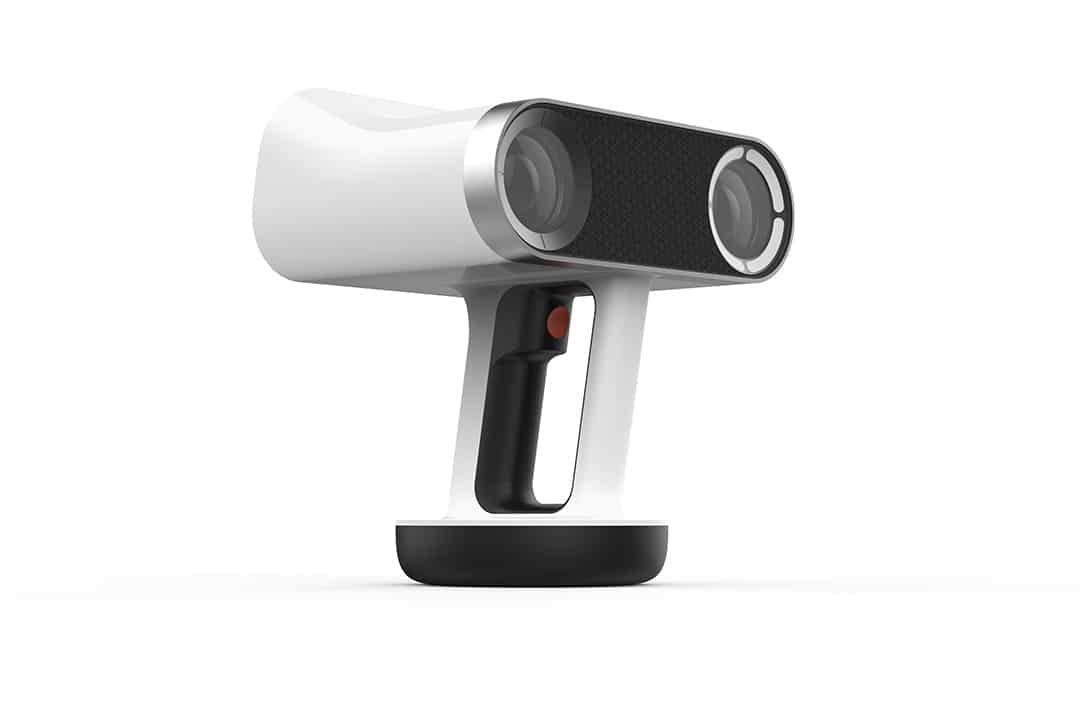
The Official NVIDIA Blog
At today’s NVIDIA Jetson TX2 launch we showed how the platform powers the workflows used to create VR content.
I am curious how this could communicate with Unreal Engine
digital marlin
hmm that's interesting.
mighty carbon
@alpine torrent I have no doubts it's cool, but https://www.artec3d.com/3d-scanner/artec-leo
It's $26k, Carl !!! 😱
mighty carbon
that's a lot of money
alpine torrent
@mighty carbon well Nokia Ozo VR camera is $65k
mighty carbon
that's why I don't have it 😃
raven halo
@mighty carbon have you by any chance tried to compress HDR textures with ASTC for gearvr?
I believe Epic has not implemented such functionality in the cooker (probably because ETC2 is not capable of it, so no one at Epic bothered?)
so my HDR textures are left uncompressed in the packaged build 😦
mighty carbon
nah, I tried ASTC in my project and I didn't see much of a difference between ETC2 and ASTC, except much longer build times and larger apk, @raven halo
and I believe HDR has to be uncompressed
raven halo
ASTC supports HDR compression though
I've tried it myself with Mali's standalone compression tool
a 2048x2048 HDR texture that is 48MB in size uncompressed turns into a 2MB compressed texture :C
just came across this
not only does there seem to be a problem with cubemaps set to default DXT compression, but HDR cubemaps are clearly left uncompressed
I just think that whoever implemented the ASTC compression just made sure to have feature parity with ETC2
and never implemented the extra features ASTC has to offer
:C
mighty carbon
yeah, probably a bug then
upvoted
why do you use HDR btw? Isn't it limited to small resolution in UE4? (maybe I mixing it up with something else)
in 3D apps / offline rendering HDR equirectangular images are used for image-based lighting and as environmental probes
raven halo
I'm using my own lightmaps baked in 3dsmax
up until now I was encoding the HDR lightmaps into regular 8bit RGB images
which works "fine"
you sacrifice some saturation
and some detail
but unfortunatly also some performance
as you have to de-encode it in the shader
I mean, if I have no choice I'll ship this
but I'd rather have proper HDR compressed support
so I can gain detail, saturation and performance by not having to do de-encoding in the shader
shipping with HDR uncompressed is not an option. as my game final package size increases from 200MB to 799MB
it's ridiculous
mighty carbon
yeah, I hear ya
pearl tangle
That's what high def stuff will do to you
raven halo
it shouldn't if ASTC is "implemented" xD
but they are clearly not taking advantage of its awesome features
pearl tangle
The HDR shouldn't compress though or you lose the quality
Odd that the other version handles it though
raven halo
you have to check out Mali's Compression Tool then
pearl tangle
Worth throwing something up on the answering perhaps
mighty carbon
yeah, ASTC is a good compression. Not lossless, but really low artifact compression and is good with gradients (sky for example)
has anyone here worked with animation ? Seems like a black box system 😦
 granite jacinth
Nothing too crazy, but I'd like to share what my 4-man team put together in 10 weeks (while also having two other classes) https://youtu.be/45vGMQ4ite4
 pearl tangle
also it would seem that @mighty carbon has found a gear vr buddy in @raven halo ?
raven halo
yeah
sometimes I feel like we are the only two working on it 😛
it's his name that pops ups whenever I google something related to gearvr and unreal lol
pearl tangle
hah i definitely feel like you are the only 2 working on it. I was about to be doing 2 client projects for gear vr and I just went ahead and bought another 5 Pixel XL's and daydream views instead 😉
raven halo
haha
pearl tangle
@granite jacinth looks pretty interesting for 10 weeks work. whats your locomotion system on that?
raven halo
I'll be moving to daydream soon as well 😛
mighty carbon
😊
granite jacinth
@pearl tangle It's actually analog thumbpad
I wanted RIP
But, I couldn't get it to work satisfactory in the time I had allotted
So, I chose to do something simple, you don't see it in the gameplay video, but I also have FOV Reduction on movement
mighty carbon
I don't think I will be moving to Daydream
pearl tangle
yeah the FOV reduction is quite an interesting little trick
if i was you I would be targetting every platform you can. especially since gear vr will technically be "daydream compliant" with the s8
pearl tangle
yep pretty much the only way to get any kind of money out of VR at the moment is to put it in as many places as possible
granite jacinth
yeah, I don't own a Rift, but I was pleasantly surprised on how easy it was to get Rift setup for my Vive VR game
pearl tangle
yeah rift to me is just super restrictive to be actually playing the games in when you are stuck with the front facing setup
if you hadn't come from the vive and a big room scale setup you probably wouldn't feel the same way but it's definitely an issue for me
granite jacinth
Right
But, you know
With touch and 3 cameras
you can have full room now
I might grab one just for shits/giggles anyway, since they are pretty cheap now
Also, it will make my life a lot easier debugging VR Multiplayer
pearl tangle
I can't even order the extra cameras over here though. I can at least get the rift on amazon now, but not the accessories. I just bought 2 new rifts +touch 2 weeks ago as well just before the price drop
granite jacinth
I had to use fake VR characters for my MP testing, and it wasn't always that great
pearl tangle
but you also need to assume that 90%+ of people that have the touch still only have the front facing camera setup too so depends on what you are trying to achieve
granite jacinth
They won't do price match being so close @pearl tangle ?
And yeah, you're right
They should have included two cameras
not one
with touch
pearl tangle
I can probably get the $100 back from the controllers. But since the price of the headset itself didn't get reduced, it actually got discontinued since you can't buy just the headset anymore, you can only buy it bundled with touch now
real needle
Hey guys, I would like to do something like this : https://youtu.be/WMA73ukITj4?t=11m4s for VR. I did nearly the same like this tutorial. But I am not able to center my image correctly. The VR's resolution make my image really weird. Can someone help me to make a blood effect widget with VR ? thanks
 pearl tangle
You don't want to use widgets like that for VR. It would be right on your eyeballs like that
real needle
Yeah I saw that widget doesn't work correctly with VR.
But I would like to see the blood around my eyes.
So I could know that I got attacked
pearl tangle
yep I get the intention but you never want to use UMG like that in VR. Probably better off using a post process effect
granite jacinth
I mean
I wouldn't use it
But, I never tried it either
I agree with ZoltanJR that it would be right up on your eyeballs though
As long as that doesn't jar the player, eh
Also, Widgets work fine in VR
you just use 3DWidgets instead
real needle
OKay, I never heard of that. I will check it out. What would you recommend to do in VR when u got attacked?
granite jacinth
Hmm, I did damage on my hands and head meshes
real needle
The problem with the widget is that it wont appear in 360 degree
granite jacinth
Yeah, with VR, you have to think outside the box
You won't be able to use traditional gamedev methods usually
Especially when it comes to UI
pearl tangle
yep you dont actually see little patches of blood if it actually hits you in the eyes in real life
real needle
I know XD
granite jacinth
I mean
pearl tangle
yep so think more around that rather than game design principles. All you want is to make the screen blurry and red, post process handles that easily
real needle
Okay thanks i will keep that i mind
in *
I was thinking to do like COD but probably not the best way to go.
Thank you guys.
digital marlin
@granite jacinth looks good.
granite jacinth
Thanks
clever sky
@real needle Robo Recall uses a half spherical mesh with animated texture applied
To simulate that sort of damage effect.
pearl tangle
yeah like a helmet
real needle
@clever sky Thanks, Robo Recall really has a lot of useful things.
clever sky
Yep.
Don't take the code, but it's definetly intended as a learning tool for UE VR devs.
To see UE approaches for a lot of common problems, like level load transition, damage to player, etc
granite jacinth
wait what?
real needle
I am a programmer so I am new with BP. I will check Robo Recall, Thnaks
granite jacinth
RoboRecall is out for us to pick through?
clever sky
@granite jacinth Well it's available for download as a mod kit.
And the source is 95% in BP in that kit.
clever sky
Again, don't copy code - but I don't see how they can avoid having people peek through and see how they've solved various problems 😛
granite jacinth
Right
real needle
I think that they are using 4.16, so we can not copy it directly.
clever sky
Well, there's definetly some 4.16 stuff going on in there. But most of its is still applicable to 4.14-4.15 users.
pearl tangle
yeah generic blueprint nodes are fine. Also you can just grab the master branch off github and you have all the new VR editor stuff to play with too
real needle
@pearl tangle It did exactly what I wanted with post process effect. 😛
clever sky
GJ!
pearl tangle
figured that would be the easiest bet
real needle
It was easy indeed.
pearl tangle
did you use an image on the post process as well or just turn it red?
cant remember who it was on here doing the medieval style sword fighting game where he had the blood in your eyes when you die and you had to wipe it off with your hand to respawn
real needle
I just turn it red with grains and I added some bloom. It's good enough for now.
I added some camera shakes also
pearl tangle
camera shake? that sounds like a bad idea for vr
granite jacinth
Are you even testing this on VR?
real needle
Yeah, I tested with HTC. The shakes are very little. Just to make the player know that something just hit him.
clever sky
You can get away with some inadvertant camera motion if you know what you're doing. Keep the movement and time of motion small. Even so have an option.
Because even if you're hitting 80-90% of users, you're still making some of them sick.
real needle
Yeah, I realized that issue. That's why I changed my motion controller to teleport instead of walking. Many people are getting sick with VR. Very strange.
pearl tangle
yeah thats probably a better bet
or just rig up a robotic hand on their headset that slaps them in the face
real needle
Yeah I already used the Force Feedback for the controllers when shooting.
I will need to test with many random people how they feel about it.
pearl tangle
more as a vibration on death/ damage type thing I would say thats a better indication of damage rather than shaking the camera
real needle
I am aware of this, but I'm just following the specs XD.
 full junco
I've implemented adaptive quality / dynamic resolution scaling (just the exact stuff Alex Vlachos talked abut at GDC 2016), and it looks horrible, UE4 doesnt seem to be able to have constantly changing screen percentages at all. it flickers like crazy. might be the temporal aa that doesnt like when resolution changes. has anyone here implemented it in UE4 and saw different results?
the issue mostly seems to be temporal AA, disabling that helps a lot
full junco
I have created a thread about it: https://forums.unrealengine.com/showthread.php?139528-Adaptive-quality-dynamic-resolution-scaling-issues&p=680492#post680492
wicked oak
man, almost every frame?
its a system to use only every X frames
btw, in Oculus, its already integreated into the engine
not sure about others, but for oculus you set a min PD and max PD
and its hmd pdadaptive 1 to enable
 zinc violet
@full junco I think @heady parrot explained some months ago how they did that
unless I confuse people now
@full junco do a discord search with "we implemented adaptive quality/resolution on the PS4 version" and you get the jump button to the discussion
 fresh laurel

UploadVR
Valve shared some interesting VR usage data during GDC, providing an easily missed but important update about the market after Oculus Touch launched.
mighty carbon
Tl;dr version?
tired tree
@full junco Changing screen percentage every frame re-creates the buffer in engine
its going to hitch like mad
doing it properly would be changing it farther up the pipline and down/upscaling instead
mighty carbon
So, has anyone worked with anim montages?
candid viper
@full junco Look at how Oculus imlements PixelDensityAdaptive inside OculusRiftHMD.cpp. IIRC they keep the render targets sized to support the max resolution and just change the viewport. I think changing the actual resolution will recreate all the render targets which will clear out the TAA history buffer.
tired tree
the target recreation hitching alone would cause frame drops and detect as needing the lower settings with that setup
ie: every frame sampling
 heady parrot
We implemented a system for Valkyrie where the buffer is not recreated every frame but simply cropped. This was necessary mostly for PS4 perf.
We got really good results with our implementation, but it was not implemented by me.. I onlyl advised a bit on the idea behind it
And people here are right, when the algorithm is done correctly it does not change the res every frame
- if you use MSAA (which we did not at the time) you can actually use this to control your MSAA level as well
zinc violet
just noticed that all content from last years VRDC is now free ( http://www.gdcvault.com/browse/vrdc-at-gdc-16 )
this years talks: http://www.gdcvault.com/browse/vrdc-at-gdc-17
heady parrot
oh cool it seems most of the GDC 2017 talks are online too
heady parrot
poking someone about our studio Vault sub 😃
zinc violet
too bad that the only talk I really wanted to see was behind paywall (and I don't have access)
heady parrot
yeah quite a few are for Vault sub only
zinc violet
yeah, well, at least now they put them free after 2 years
heady parrot
oh nice, didnt know that
zinc violet
all 2015 and older talks are free
and all from last years VRDC (as mentioned)
what kinda bugged me on this years content was that they usually put the slides free even if the talks were not
but this years GDC vault content often didn't have any slides for members only talks
heady parrot
odd. yeah I've seen some authors post their slides on their own sites etc
zinc violet
yeah, DICE does that for example
heady parrot
yep
full junco
@heady parrot it won't change the res every frame, yeah, but in theory it could increase it every 2 frames and reduce it every frame, even though it mostly stays stable for a while
@heady parrot when you say "cropped", that sounds to me like things on the edges are no longer rendered, and that would be something different?
heady parrot
we did a bunch of modifications to make things look better, and I believe we had some AA changes in there too. But I also remember the buffer resize (not reinit) caused some issues like PP and HUD things being cropped, so we had to change all those to be aware of a constant size but cropping buffer
You keep the same size buffer in memory the whole time instead of re-allocating a new one every frame
then when rendering we just draw in it what we are using
full junco
setting r.SceneRenderTargetResizeMethod to 2 should cause the RT to no longer be reallocated when res is changed
heady parrot
so one frame we perhaps draw only 80% of the frame size, then do a copy of that 80% for what we display
Like I said I didnt implement this code, but the PS4 drove a lot of our implementation details.. there were some restrictions there not in place for the PC
full junco
hm, ok, thanks
@tired tree like I just said, setting r.SceneRenderTargetResizeMethod to 2 should make the stuff to no longer get reallocated when size changes
heady parrot
but the dynamic res looked really good, I dont think no one has ever noticed any flickering
full junco
@candid viper I will look at the oculus implementation, thanks. didn't know that exists
@heady parrot did you use it with TAA?
full junco
@wicked oak the algorithm would not with with "half a second or 0.1 increments", it needs to happen every 1-2 frames (the check). obviously when performance is relatively stable, it doesnt have to change res so often
wicked oak
@heady parrot hey, hows it going?
heady parrot
hey man, pretty good 😃
heady parrot
excellent news!
full junco
@heady parrot well I found TAA to be the best thats currently available, mostly because I need SSAO and all other AA looks very bad with SSAO
wicked oak
FXAA looked too pixellated for me
but then TAA looks blurry as hell
i have TAA becouse i prefer blurry to too pixellated
full junco
I increased the current frame weight for TAA
wicked oak
at 90 fps it doesnt run as bad
heady parrot
yep Valkyrie used FXAA, but for our new project we are using MSAA.. and had to do our own impementation for that on the PS4
heady parrot
we are using it 😃 but yeah the MSAA was a problem initially
still working on PS4 perf, as usual the CPU is the first issue
full junco
ha, my game would run horrible on PS4 then 😄
good that I never plan to port it to Ps4
heady parrot
if you do, I hope you are ready to do some threading work 😃
we havent been able to get the new BP to native compiler working with our graphs, so Im continuing my warpath killing BP logic 😃 mwuhaha
full junco
well I do, but even in a i7 5820k @ 4.2 Ghz the CPU spends a lot of time at ~90-100%, so it would take forever on PS4 I guess
heady parrot
oh yes
full junco
its my own code, nothing UE4 related
wicked oak
and by pooling the projectiles
heady parrot
I converted a VFX in BP to native code and saved 6.5ms alone in that 😃 BPs are sloooowwwww
wicked oak
no instanced mesh fancyness (XD) but just the pooling was good enough
wow
that much?
heady parrot
ah great that worked out for you 😃 yeah pooling and instancing meshes ftw
you really should look into mesh instancing 😉
wicked oak
i might do it
but right now ive cloned the bullet trails of Robo recall
that use a fancy material
heady parrot
we did some benchmarks in Valkyrie a while and BP ticks on average were 30x slower
heady parrot
yup insane
I havent dug into the new BP compiler but I hear that has substantial gains
wicked oak
they did it for Robo Recall
wich is a high percentage of blueprints
even if the logic itself isnt really that heavy
full junco
no, they did not do it for robo recall
unless they worked on robo recall more than a year ago
heady parrot
I heard they used the BP compiler in Robo Recall
heady parrot
they did improvements on it specifically for cases they ran into there, Im sure I heard that on one of their livestreams?
full junco
they used all of their projects for finding the last remaining issues with it
wicked oak
at least they are very ordered
have you seen the Nvidia FunHouse?
its 100% blueprint and 100% insane
wicked oak
i dont have access to that 😦
ive emailed playstation spain, as they have some offices near where i live. To ask them if i could go test the game there
playstation london actually allows devs to go there to test stuff
there is a way to reserve a day for that XD
heady parrot
oh cool!
wicked oak
one thing, how did you do loading screens?
im having somewhat of a problem with them
for PSVR
just go to 2d mode and do a load screen like in a normal game?
heady parrot
looonnnggg question 😃 the simple answer is its all built into the latest UE, including stuff for PSVR
no
wicked oak
oh, that system?
i havent been able to get it to work well
you mean the "add loading splash screen",no?
heady parrot
are you getting the latest PS4 codedrops from Epic too? (they arent distributed on Github as you know)
heady parrot
the splash stuff yeah
heady parrot
there is an implementation for PSVR there that uses reprojection.. basically it displays a frame before loading, and then relies on reprojection to not headlock it
wicked oak
right now im using the morpheus "2d splash screen" one
to add a giant LOADING banner on the middle of a huge black space
and nothing else
no spinner or anything
heady parrot
yeah? and its not working?
wicked oak
good that even on the devkit "slow HDD simulation" it loads under 3 second
yes, but im not sure it will pass the TRC just like that
it just drops into a black void with a giant LOADING screen, and nothing else, no spinner, or loading bar, or sound, or anything
heady parrot
I believe the TRC states something needs to be animating on the screen, and I think having a non-headlocked image does qualify
wicked oak
uhmm
heady parrot
yeah I think we did a spinner for the PSVR version
that was being done when I was leaving the project, so not sure exactly what was done.. It was also before Epic implemented any of this
wicked oak
another thing is that it doesnt fully load the texutres
it loads ultrafast, i spawn in the level, and textures load
i was thinking on starting that spawning with a black screen, and then fading it out
heady parrot
lowres textures that then pop in?
wicked oak
yes, very low res textures then they pop the higher res ones
heady parrot
aye thats due to the texture streaming
wicked oak
i think that black fade should help
heady parrot
I think we ended up disabling that and doing our own
you can disable it to get rid of the popping
 lament bay
Hey everyone! I posted this in jobs forum but thought it could be appropriate for here as well... https://forums.unrealengine.com/showthread.php?139575-PAID-Looking-for-a-technical-artist-to-work-closely-with-for-a-VR-project&p=680706#post680706
mighty carbon
sounds like developing for consoles is still an utter mess and pain 😛
heady parrot
Epic can be very helpful if you ask them 😃
mighty carbon
maybe if you are paying customer 🙄
heady parrot
true, we are on UDN
mighty carbon
I've been struggling with animation system (it's a f#cking mess compare to older non-UE engines) and still Epic is not being helpful at all (although I am not on UDN, so..)
clever sky
Dynamic res isn't done via set res is it? 😛
Because set res causes a momentary hitch.
wicked oak
i was on the true UDN
but not anymore 😦
i dont know if console devs can get there
its the place for full licensees
its basically their own answerhub
same software in fact
but its an answerhub that only the elite devs access, and thats closely monitored by Epic staff
heady parrot
pretty much 😃 I also email them directly occasionally
clever sky
Was it of a significantly higher quality?
wicked oak
not even close
its super serious
very professional
the best one was the answerhub on the Rocket beta days
heady parrot
UDN tends to be used for much harder problems than answerhub or the forums
clever sky
Sounds about right 😛
wicked oak
when it was from the forum guys who got betatesting ue4
so it was only experienced people on there
that one was great
it was on a happy medium. beetween the ultra-serious-business of UDN, and the free for all noob-filled answerhub
mighty carbon
at this point it feels more like "we give you UE4 for free and you dare to ask for help and docs and tutorials from Epic ?!"
wicked oak
epic staff still roams around the forum and public answerhub
but the UDN is from the $$.$$$ minimum licensees
mighty carbon
yeah
heady parrot
heh, I think Epic is doing a stellar job 😃 they are only so many people
wicked oak
@heady parrot do you have extra ps4 documentation?
heady parrot
and the engine is huge
wicked oak
on the UDN docs
becouse the normal ue4 docs have NOTHING on ps4
just the "ps4.pdf" on the extra pack
heady parrot
not that I've seen
mighty carbon
that's where it becomes clear that UE4 isn't a good fit for small indies
sturdy coral
does ShooterGame meet all the platform certification requirements for PS4?
mighty carbon
everything was somewhat easy and cool until I dug into animation system (and probably will get worse when I get into AI)
full junco
I don't like how epic only has answerhub where no hard thing ever gets an answer, and UDN that almost no single dev can afford I think
it's basically a "pay to win" system
heady parrot
its not really that black and white 😃
I use the public forums way more than UDN
the UDN questions tend to be super specific and deep in the engine
full junco
but I so often have questions about "why is this code in the engine done in this way" and usually no one knows that apart from epic guys. and they usually never answer in the forums
heady parrot
probably since the few people that do know are simply too busy 😃
full junco
yeah, sure they are busy
heady parrot
would you rather their lead engineers continue making the engine better or spend half their time on the forums?
mighty carbon
Here is an example - I recorded a video, showed what I do and how I do it with montages, asked Epic anim programmer on twitter a few times about it and got no useful help. Then ask Epic's awesome community manager (he is awesome, no sarcasm here) for help. He brought in the same person to the forum and I got this: "You can play montage using Montage_Play on the animinstace. You can also add notifies in the montage." Well, no shit Epic, that's what I've been doing and you can see it on my video, except that doesn't work in my case.
full junco
I would like them to write detailed docs once so that I can know stuff without asking
wicked oak
its how i got my game to run fine XD
heady parrot
I do agree, but the problem with documentation is it gets outdated so fast
mighty carbon
it just depends on a person - if they are willing to go out of the way and help, if they capable of converting from programmer's mentality to instructor mentality, etc. etc.
heady parrot
its just very hard to keep that dual mentality
mighty carbon
well, anim docs are plentiful, but dry as dirt and all over the place
full junco
@heady parrot I mostly mean stuff like "how is the ue4 renderer working, how do the different classes work together" and stuff like that. it stays pretty consistent
heady parrot
Dont get me started on that stuff John 😃 believe me, I could rage for hours about actor and component lifecycles
full junco
I don't want "instructor mentality" from programmers
@heady parrot but you can ask about it on UDN and get an answer, I can't
heady parrot
the lifecycle that objects go through when spawned is absurd and depends on way too many variables.. "Oh you are running in editor, then you need this call.. but that never gets called in cooked builds"
honestly sometimes I'm close to sacrificing a goat and hoping for the best
believe me, UDN isnt the cure all 😃
wicked oak
and then you enable the profiler and it drops fps to half
happens to me on ps4
on pc the profiler doesnt seem to us that much performance
sturdy coral
@wicked oak good to hear, I've been keeping things based on it pretty strictly so that I can merge when new engine releases come out and they make updates to it
wicked oak
but on console? it blows the fuck out of the frame times
even with the "use 7th core for stats" options
mighty carbon
well, I do actually want to more visual and practical training materials. I don't see how one can deal with visual stuff like animation by following dry docs that are written by programmers. It's nonsense.
heady parrot
rendering engineers tend to use different tools when profiling the consoles, like that Razor tool
wicked oak
yeah, gotta do proper captures with that
the cool thing is Razor CPU Live
ALL THE GRAPHS
all of them
full junco
does renderdoc work for consoles?
heady parrot
bbl, lunchtime
full junco
I just hope I find a way to make the adaptive quality stuff work
sturdy coral
does robo recall hitch when it switches res?
full junco
the gpu load is just very different depending on where you look at in my game, so it would improve visual quality and lot
I guess robo recall uses that oculus implementation
sturdy coral
I think that Oculus implementation just tells you which res to use
and has some hysteresis
wicked oak
it just does it automatically
sturdy coral
but underneath it still just does calls to hmd sp
sturdy coral
yeah I'll have to look at the difference
I assumed it still did the same kind of changes to the render target
does r.screenpercentage force a reallocation or something?
full junco
not a reallocation if you set it do not do it
but it still recreates all the render targets I think
and then the game thread spikes to 50 ms
I kinda think hmd sp will do something more intelligent than r.screenpercentage
sturdy coral
@full junco both seem to end up just changing the result of NeedReAllocateViewportRenderTarget, but the Oculus plugin uses the result in a CreateTextureSet method that it implements, where SteamVR seems to not use it at all (and I assume the HMD base class or some viewport code picks it up and does the change)
still haven't found if the Oculus plugin is really doing it efficiently or not
full junco
@sturdy coral hm ok, but reallocating is bad
 short locust
@wicked oak Hi, I see you mentioned the Splash screen thing needing you to toggle the Auto Loading option. I tried that but it didn't seem to work. When were you setting it and ticked or unticked?
Thanks
wicked oak
thats the thing, i was unable to get it to work well
damn Oculus allways throwing me a black screne
and when that loading screen worked it was randomly
some times it would work once
but not again if i forced it
short locust
Grr. It works in Robo Recall and I can get the screen to load when I bound it to a key. But I'm getting the same as you,Oculus is calling a black screen after loading
heady parrot
in the past when I've had issues with the loading screen being black its been one of two things:
- The texture format, a while ago alpha wasnt supported.
- A bug in the 1.10 Oculus SDK, manually integrating a new SDK fixed it
short locust
It's doing: [2017.03.13-17.22.03:683][477]LogHMD: FOculusRiftSplash::PushBlackFrame
heady parrot
are you using 4.15 @short locust ?
short locust
Yeah
heady parrot
that does have OVR SDK 1.10, which should have the fix I'm thinking of.
Are you building the engine yourself or using the launcher?
short locust
Launcher
heady parrot
last time I had the black frame issue was in 4.14, and I solved that by integrating Oculus's latest integration manually
short locust
Once the black frame is on, I can still switch the LoadingSplashScreen on and off too
short locust
I can try that I suppose
heady parrot
one sec, I'll see if I can dig up the emails I had with the Oculus engineers about it
short locust
Thanks
heady parrot
ok the issue is in the 1.10 SDK, it was 1.10.1 specifically that fixed the issue
I think UE 4.15 is still 1.10.0
the problem was that something was constantly overriding the texture set. I modified their code to push the loading frame EVERY frame and even that was flickering
short locust
So they must use that in the Robo build, maybe it'll hit 4.16
wicked oak
in robo, they spawn an actor that has a bunch of stereo layers
and then they trigger the loading
heady parrot
Robo runs off a feature branch thats a bit ahead of release yeah
wicked oak
a thing i tried, is to do the layers myself
short locust
That's how I'm doing it