#virtual-reality
1 messages · Page 50 of 1
 pearl tangle

Run for President of the United States as one of dozens of past or present presidential candidates or create your own ideal candidate. Give speeches, go on talk shows, hire unsavory operatives, and do whatever it takes to win on election day.
 wicked oak
that second one is actually quite a bit of an effort
pearl tangle
similar numbers at $10
wicked oak
its quite afunny game
 granite jacinth
Nope @alex
wicked oak
not only about the trump, but in general
 upbeat holly
Check it out
granite jacinth
Political Machine was out for awhile though
upbeat holly

Linden Lab, best known as the creator of Second Life, is starting to take the wraps of its new virtual world: The company is sending out first invites to Project Sansar to creators this week, and p…
We are gonna have a digital dimension to the universe
granite jacinth
I didnt like Second Life
upbeat holly
This is CRAZAY
granite jacinth
I doubt it will be all that
upbeat holly
Another dimension! Created by us 😄
granite jacinth
Second Life wasnt for me
granite jacinth
But people were selling asteroids for $1million a piece
Damn my phone and fat fingers
upbeat holly
Yea its just people gaming the system of marginal utility
there were similar sells in ultima online 5 years before
upbeat holly
lawl
upbeat holly
indeed
 mighty carbon
give me Westworld in VR!
pearl tangle
that was a different game with the asteroids
upbeat holly
Westworld is the best series out there atm
granite jacinth
@pearl tangle
pearl tangle
and then that game shuts down and your million dollar asteroid is instantly worth zero
upbeat holly
goddamn
pearl tangle
yeah i remember that game was also setting up banks
you could apply to create a bank in the game but you needed to have at least $400k in capital to fund it and another $1.5mill or something guaranteed
i believe they actually converted over to Cry engine at some point and totally redid things too
upbeat holly
its so myopic in vision though
its like why even create banks lal you could create so many different economic mechanisms
its like its YOUR space
pearl tangle

Entropia Universe
Official site for Entropia Universe, the unique 3D Sci-Fi MMORPG Multi Virtual World Real Cash Economy Experience. Learn the Basics, read news, tutorials or Create Your Account.
upbeat holly
dude will be famous 4 ever
pearl tangle
nah people will forget about that pretty quick. im sure some kids have wasted more of their parents money on candy crush and shit by now
microtransactions are insane money makers and 99% of their profits comes from <5% of the users
south park actually has a really good episode which goes into pretty good detail about the psychology of freemium games
the ium is latin for not really
upbeat holly
yea there are good courses about it (MOOCS) like gamification those ideas
pearl tangle
well essentially its all just mental manipulation and addiction targeting. exactly the same way MMO's work and poker machines
none of them are actually fun, they are just addictive
mighty carbon
if it's a compelling living world, why not to spend some cash inside 😃
pearl tangle
thats the same thing they say in the red light district :p
mighty carbon
VR world is different 😃
pearl tangle
the vr red light district?
mighty carbon
yeah, that works
back to Westworld subject, they (guests-characters in the TV show) paid a lot of money to get in. And it was a time limited experience.
Since software sells hardware, why don't you think similar VR metaverse wouldn't sell VR hardware today ?
upbeat holly
hmmmmm
mighty carbon
(sure, we won't have life-like graphics, same sophisticated AI as in Westworld; however, AI can be significantly better than in any of conventional games and stylized visuals would definitely beat uncanny valley graphics)
upbeat holly
not sure i agree with your reasoning but great comment
We probably will have lifelike graphics in the future
mighty carbon
that software sells hardware? It's a fact
upbeat holly
uh.....
I mean....
yea
but
the graphics part 😄
I think essentially conventional power structures will gain a stake in the market and create hardware etc like microsoft and playstation have done etc
mighty carbon
I like Crysis 3, don't get me wrong. But I also equally enjoy Darksiders (original, with low-res textures) and Quake
upbeat holly
just how power works in the modern world
yea sure there will be a place for stylized graphics
I just dont think it will be the mainstream
I think lifelike immersive experiences will be the norm
just because of the rewards of such experiences
mighty carbon
Overwatch is stylized and sold whole a lot more than Crysis series altogether, and probably than any of realistic looking games with bleeding edge visuals
upbeat holly
I think it will be interesting to see how people communicate living on distant planets (mars etc) through VR
and haptic feedback
mighty carbon
Dishonored 1 and 2 - same story. Deus Ex HR / MD - same story.
In other words, the best selling games have stylized visuals.
upbeat holly
sure but what happens right now is not necessarily an indicator for the future.
And its a good point, i think art can be more aesthetically pleasing than reality
mighty carbon
future without us? That very well may be
upbeat holly
thats why anime is so great
mighty carbon
but I'd like to play it (and hopefully be a part of the team making it) before I retire 😛
upbeat holly
its my plan @mighty carbon you cant have it
tm
C
PATENT PENDING
I think though it is a place where this great technology can be implemented
or like simulating environments that havent been built yet, to think about design considerations and flaws,
like space architecture or whatever
mighty carbon
on the other note, pro-tips from Epic about multiplayer in VR https://forums.unrealengine.com/showthread.php?33504-Getting-Started-with-VR&p=626837&viewfull=1#post626837
Here are a few helpful links to documentation, videos, and tutorials to help you get started with VR Development in Unreal Engine 4.
DOCUMENTATION:
Virtual Reality Development
Virtual Reality Best Practices
VR Cheat Sheet
Test Out VR Content
Oculus Rift Quick Start
Oculus Rift Development
Maybe even underwater habitats and so forth
mighty carbon
that's true of course, but nothing makes money like entertainment 😃
(maybe food does too)
upbeat holly
good point
ok thanks for the talk, had a great time, i gtg now
see ya later all
and the links, they are pretty informative
mighty carbon
has anyone signed up for this http://layoutvr.com/ ?
(not sure if it's old stuff or something new)
mighty carbon
when picking mobo for new PC build (for VR) what should I pay attention to ? (LGA 1151 Z170)
 native cedar
how do you start stereo on on a packaged shipping build? I tried executing it at begin play but on some pc works, on some others it does not
wicked oak
by adding -vr as launch parameter
you can add that -vr as launch parameter on steamworks
if not steamworks, its the same on Oculus
native cedar
as a commandline in the .exe?
wicked oak
if not steamworks, its the same on Oculus
native cedar
no wait I have to do it on steamworks
okay
I'll look that up, thank you!
just to be clear, is it as easy as chaning a .ini file?
wicked oak
there is a "bStartInVR"
it works, but for me it crashes the editor
so i just do the -vr
native cedar
I thank you.
pearl tangle
there is a checkbox in the publishing settings too
mighty carbon
http://www.newegg.com/Product/Product.aspx?Item=N82E16813132566 << is this mobo good for VR? (USB ports)
Buy ASUS Z170-A LGA 1151 Intel Z170 HDMI SATA 6Gb/s USB 3.1 USB 3.0 ATX Intel Motherboard with fast shipping and top-rated customer service. Once you know, you Newegg!
 pallid echo
@mighty carbon Yup
mighty carbon
thx
hmm
Buy GIGABYTE GA-Z170XP-SLI (rev. 1.0) LGA 1151 Intel Z170 HDMI SATA 6Gb/s USB 3.1 USB 3.0 ATX Intel Motherboard with fast shipping and top-rated customer service. Once you know, you Newegg!
vs
Buy ASUS Z170-A LGA 1151 Intel Z170 HDMI SATA 6Gb/s USB 3.1 USB 3.0 ATX Intel Motherboard with fast shipping and top-rated customer service. Once you know, you Newegg!
almost identical mobos
Gigabyte has 1 more SATA Express and 1 more USB 3.0 port
tough call :/
pallid echo
I've personally never used a Gigbbyte mobo but I've built people computers with them and they haven't had any issues. I personally use Asus and haven't had any issues, plus amazing customer support 😄
upbeat holly
hey moto im starting to make a VR build also 😄
I uses ASUS Mobos and they are great too
 real needle
@pallid echo Asus is the way to go 👍
upbeat holly
I need to use my build for photogrammetry also
wut u guys think,
titan x or gtx 1080?
real needle
Gigabyte is ok, I currently have one comp with their Gaming 5 Mini-ITX boards, they come with bluetooth and wireless which is nice
@naive river 1080
real needle
OR if you can wait a bit, wait for the HBM2s
real needle
Because Titan is the old architecture
You can't use any of the new features they implemented for the 10 series
upbeat holly
u seen the new 1tb ati card?
ok nice, i like the 12mb ram though
useful for scans and textures etc
but thanks man ill keep that in mind
 winged shale
I have a Gigabyte Gaming 7 and it's wonderful
Oc a 6700k up to 4.7 on air just fine, running DDR4 Up to 3200 MHz
Very good sound too, high quality and user replaceable DAC if that's a thing you care about
mighty carbon
I never had anything from Asus, except for my monitor
Don't recall good memories about Gigabyte mobo I had long time ago 😃
I guess it's a matter of reliability and if I need 1 extra port
 silk lodge
why would you go quadro?
 jagged vale
just got the vive, wanted to check is it normal for everything to look a little cross-hatched? I've adjusted the PD and the focus (the circular knobs where straps attach)
waiting on a light stand ;)
http://i.imgur.com/it1Mjgs.jpg
 silk lodge
It really depends on what you're doing it for
my first card was a quadro 'cuz I wanted to run maya
upbeat holly
3d scanning photogrammetry,
yea same
i use maya for work all the time so yup thats an important one
silk lodge
do you get benefits from quadro in that tech?
upbeat holly
some but not loads.....
silk lodge
or does gtx stuff run as fast?
silk lodge
you get double floating point percision boosts iirc
that'll help with some rendering pipelines
silk lodge
but you gotta research which pipelines use it
upbeat holly
sure
yea I just like to get peoples thoughts also
westworld is such a classic lul
silk lodge
yeah, but thoughts don't matter if it doesn't render on the stuff you use
upbeat holly
i had no idea about the fp boosts
silk lodge
nvidia cripples it's gaming card's cuda cores to force people to pay more for quadro cards
upbeat holly
yea i heard
silk lodge
I'm doing cuda rendering right now
10xx series cards are more energy effecient than 5xx cards
but the 5xx cards could render very nicely
also it's nice to have 12gb vram
upbeat holly
yus
silk lodge
I can fit way bigger scenes in my cards
upbeat holly
yup thats essential
silk lodge
well, it depends what you're rendering
you can just layer and composite most of the time
and most of the time that's what you'd do
upbeat holly
right on good to know
upbeat holly
ok got you
 wintry escarp
for games work a 1080 would be better
 clever sky
Oh man...
I'd forgotten that f.lux was an asshole for VR frame rates.
So I've just been putting up with hitches in VR
because I've got VR legs for dayyyysss
mighty carbon

AndroidHeadlines.com |
For all the hype and hoopla surrounding virtual reality, the sector continues to remain fairly niche, especially when compared to the near-ubiquity of smar
clever sky
I'll be interested to see actual final numbers rather than analyst predictions.
 fresh laurel
Same @clever sky
clever sky
Especially given that they're providing numbers that contravene the figures that we already have available.
I mean... I'm not saying that 600k for the Rift vs 400k for the Vive is impossible, or even highly improbable. I'm just noting that the Rift are currently behind the Vive in known sales figures... and that both of them are way way behind on the estimates (at least again, the known figures that are out, which are probably fairly off by this point).
Could VR see a 3 fold bump during the Xmas period? I'd be hella surprised.
clever sky
hehe
fresh laurel
Trying to test the upper limits of blender
Importing Open Street map data is fun
2.21 GB of it too
fresh laurel
Alright blender stopped reponding goood
I am importing a good chunk of NY city into Blender
😄
WOO!
clever sky
Oh well. Gotta bring it in, in smaller chunks
mighty carbon
supposedly Vive and Rift are sold with $100 discount now
clever sky
Haha 😛
mighty carbon
Although I am not seeing any discounts on Oculus' website
fresh laurel
SOON!
clever sky
@fresh laurel But the way it tried to rape/aggressively force you into upgrading wasn't proof? 😛
clever sky
Haha. Same 😛
fresh laurel
Rushed product IMO
clever sky
But hearing about how they went about upgrading customers in the last month or two was hilarious and heinous
clever sky
BTW, your free upgrade to Windows 10 will happen, unless you disconnect your internet for a month!
fresh laurel
yep
clever sky
Sike. Just kidding.
We already preloaded the updates.
You're still getting the upgrades!
clever sky
Haha.
fresh laurel
Nope
Going to import it and try to make a GTA like game. Old school retro kind that is
GTA 1 or 2
for referance
fresh laurel
Top down with a VR Option
clever sky
Oh.
fresh laurel
I want a first person experince in a city
So when you get in a Car or what ever you put on your HMD
clever sky
You're going to ask the player to put on and take off the HMD?
fresh laurel
Yes
clever sky
Well... I'm sure there's a niche out there that'll appreciate that!
fresh laurel
I am looking at tank combat games as well.
clever sky
With motion controllers?
clever sky
Aw.
fresh laurel
Anyway
clever sky
But it'd be awesome to operate many buttons and levers with motion controllers 😛
Steel battalion style!
winged shale
@clever sky and interested parties: new blog as of last night: http://www.acebananz.com
Added the 'Ropeller'
fresh laurel
Ok it is working kinda
fresh laurel
178mb and no crash yet
clever sky
@winged shale Pretty cool pretty cool. Are those big blocks the size of your planned space ship modules?
So you'll be wandering around in that?
wandering around in the cube space ship after you've assembled them
winged shale
Yeah, that's kind of the first draft size. 3m cube
But I'll also have some irregular modules too
clever sky
So the gist is you go out in your space suit and weld big module blocks to your space ship?
Some reason I kinda pictured been inside the space ship and welding smaller parts together 😛
Like building a new gun, or repairing electricals, etc.
winged shale
Yeah 😊 and you'll be able to weld small things too inside, but most of ship construction happens outside
And yeah you'll do all of that too
clever sky
Interesting! How are you finding vection with the ropeller?
Seems to be stretching the limits of self-caused motion... but it seems to work for you?
winged shale
It's perfectly fine for me, but I think I'm going to add a Google earth VR style remove the periphery of your vision thing, that kicks in and scales to your speed relative to your space ship
clever sky
Probably not a bad idea!
winged shale
Have some kind of hysteresis too so it's not just jumping around
I'll have a setting for it
clever sky
Intriguing to see the limits of vestibular expectation been pushed to this degree!
winged shale
On low tolerance mode it will turn down lots of things, like angular velocity max and FOV elimination
winged shale
Yeah I'm having to push the boundaries of how this stuff is done
And yeah some dampening on how much angular velocity you can incur maybe
clever sky
Ah ok.
winged shale
I don't have the answers, I just have a bunch of things to try and a wife who gets motion sickness easily
clever sky
If not, then just strap it to her head before she wakes up
winged shale
Ahahahaha
clever sky
heheh
winged shale
'VR is just R now baby'
fresh laurel
hehe
clever sky
wakes up
"Aaaaahhhhh! WHERE AM I!?"
"Shh bby, s'ok. this is your r now."
winged shale
She's just floating away in space
clever sky
But at least she'll have the ropeller to keep her comfortable.
winged shale
Yes! Can't get too far with that
clever sky
Er... to comfort her
winged shale
Hehe
I think the primary reason it doesn't cause too much vection is that I only add linear force to your body when rappelling around
So it doesn't turn you at all, just moves you
Also maybe I'll fire some haptic feedback that feels like rope vibrations when it's stretched
And when it winches in your hand
clever sky
Yeah that'll be good.
 lusty tiger
question , I dont have my VR stuff yet but can i still develop stuff without it? Or is it hard to use like a FPS template and convert it to VR mode?
 silver brook
Does anyone know how I can get controller velocity ? I'm in the VR Template
real needle
@winged shale This would probably be cool to use for you: https://www.unrealengine.com/marketplace/vico-dynamics-plugin
A plugin for Unreal Engine 4 to use the VICO Dynamics soft-body physics library.
I'm currently using the default cable actor as well, but I tried the plugin and it's good. Just doesn't work very well in a networked game
@silver brook Here you go: https://gyazo.com/31887f8e3743683bb05cf3ea905b3aed

Do that on Tick
silver brook
Im trying something a bit different
To get the right controller on hit
But I get a casting error
real needle
@silver brook This is a good one: https://www.youtube.com/watch?v=EM_HYqQdToE

 real needle
Attach parent returns the BP_PickupCube
silver brook
Get ATtach Parent Returns the Motion Controller
Since it gets attached to the motion controller on pickup
Yet I can't cast to it for some reason
real needle
You are casting to a blueprint, and referencing a scene component
set BP_Motioncontroller as the owner of BP_PickupCube
And then from the first cast node there, get owner and plug that into BP_Motioncontroller reference
Have a look at the blueprint communication tutorial up there, it'll help you. Casting is very limited
silver brook
Oh I think I just had to do Get Owner off of Get Attach Parent
Now the cast is good
but I can't get the velocity from it
real needle
show me how you get the velocity
And you have to set owner manually somewhere, it's not automatic
silver brook
 real needle
Check to make sure that when you "Get Owner" that it actually returns a valid owner
silver brook
The cast is good so it must be fine right?
real needle
No
The cast not giving errors just means you're giving it the right data type
It doesn't mean that "Get Owner" won't return Null
real needle
cool
silver brook
but I get no velocity
real needle
I've never had any luck with "Get Velocity" for motioncontrollers. You might want to do what I showed first, and cast that var
winged shale
yeah you can't get velocity of a non-physics object
real needle
there we go
real needle
and get velocity from a component only returns relative to parent
winged shale
and calculate it div by deltaseconds
real needle
yeah there's a screen of the nodes further up
clever sky
So anyone using a bunch of widget components in billboards? 😛
silver brook
You mean you have to manually calculate it?
clever sky
Got a weird issue where it won't use the specified widget on level load and instead use the default one.
silver brook
I thought I saw people just getting it right off the controller?
real needle
Yeah there's no automagic solution
clever sky
Even though if I load the level directly in editor, it's fine...
silver brook
I swear I saw people getting angular velocity and linear from the controller
winged shale
that VICO thing is pretty cool
real needle
If they had an object that was simulating physics, using constraints and such then that would work
@winged shale Right!? Cloth sim is up on the github repo
Will be included in next patch
winged shale
unfortunately I want to keep perf in line, and I need MP support
real needle
yeh, that's where it fell apart for me
winged shale
I can probably fake it because I get access to each particle of the cableComponent
clever sky
What's VICO?
silver brook
so It seems I have to get it from a collision sphere
real needle
A plugin for Unreal Engine 4 to use the VICO Dynamics soft-body physics library.
winged shale
so I can dynamically find the stretch at the last node, and use that to modify my x calculations for the springing
of the rope
clever sky
Cool. Is that what let's people do stuff like highly deformable destructible cars?
real needle
Nah, check it out
winged shale
 real needle
I've seen it
winged shale
this makes me giggle
real needle
I'd make a game with that as the main mechanic. Just a difficult hose to control
clever sky
So why would I use VICO when Unreal now supports that sort of pipey thing? 😛
winged shale
not physically simulated
real needle
@clever sky It has a TON of more features
winged shale
it's only aesthetic
clever sky
Ah ok
silver brook
Yea much easier to get velocity from the collision on the motion controller
better IDK, but pretty easy
jagged vale
what are you guys using for AA? or rather what's a decent starting point for rendering, forward+MSAA not good?
 cobalt relic
Depends widely on your project
MSAA will probably be good but you need to forget about lots of engine features at the moment
Truth it, right now UE4 has no solid AA method for VR
jagged vale
sounds about right, thanks @cobalt relic
before i get to my main project i'm making a simpler game to gain experience, i can work with this for now and my main project will take ages so features will come before i need them 😄
pearl tangle
seems like its better to go for higher scaling on things and go with lower aa anyway
cobalt relic
FXAA + 200% screen percentage looks quite good
Temporal + 200% even better if the ghosting is okay
pearl tangle
yeah and performance is about on par with 100%-120% with MSAA
still a rather annoying time to be screwing around with VR compared to just doing something on a monitor thats for sure hah
jagged vale
thats ok, we get to be the pioneers
😉
thanks for the advice
i'm... not going to be sleeping tonight, happens when i think of an idea i want to prototype
jagged vale
with OSVR will the SteamVR functions automatically work on all supported headsets?
pearl tangle
pretty sure it should be fine on the osvr since its just the display and you can rig up the hydras and whatnot
clever sky
I recommend Forward with 180-200 screen% and FXAA for text heavy (or high contrast thin elements) and TXAA for everything else.
MSAA is just not performant.
Which is pretty much what everyone else here is saying 😛
jagged vale
ty 😄
native cedar
yeah msaa is still unusable. Even rendering an almost-empty level properly on a 970 involves frame skipping
jagged vale
almost impressive that they managed to make it cost that much 😉
wicked oak
makes a lot of sense
msaa is supersampling after all
on triangle borders
so those borders get rendered 4 times
its a good amount of extra "pixels" that have to be rendered
it scales worse with high polygon count stuff
and, after all, the pixel shaders of ue4 are goddamn huge
gotta be careful with msaa
native cedar
I think UE4 went deferred for a reason, it will take a lot of time before forward will do it's thing properly. Or maybe not. The VR showdown used to run on a forward renderer and the performance was much better
wicked oak
that one was on a Oculus one
less features
more performance
we have official forward, wich is a depth prepass tiled forward renderer, wich runs mostly the same shaders as the deferred counterpart, but without a gbuffer i think
official deferred, really fat gbuffer with a shit ton of stuff
Oculus fotward, wich is a less featured forward renderer, but it doesnt depth prepass
in my game, depth prepass easily takes 2 ms out of the 10 needed
so oculus forward would probably give me quite a speedup
you can also grab Nvidia builds
with multires and the like
that one is one hell of a speedup
much less pixels to calculate
i wonder if it actually goes with the forward renderer
pearl tangle
multi res makes a big difference
wicked oak
becouse forward + multires could let you do 160% superresolution AND msaa with the same performance as normal resolution and no msaa
pearl tangle
not sure if they have integrated in sli 1 to their branch yet
 digital marlin
Anyone know if we can edit stereo with VR?
I'm scaling up my VROrigin and I think it's expanding the stereo.
 hard light
'scaling up' VROrigin?
digital marlin
Yeah
So setting the player to a scale of 1 to 100
Basically changing a small person to a giant
hard light
ah okay
it's hard to suggest what's happening exactly, but I guess it depends on how the stereo camera offsets are calculated behind the scenes
IMHO, it should be scaling it with the player
hmm, tasked with implemented mouse+keyboard controls for use with a Vive HMD
it has presented an interesting conundrum
if you want to do yaw on the mouse as an example, you can rotate the player, but the HMD determines the camera location, which can be considerably offset from the pawn
you could rotate the camera, but then the pawn itself hasn't rotate with it
you can't have the camera as the root because the character natively defines the capsule as the root
fun times ahoy!
digital marlin
Yeah, it's an interesting one.
So, in my game, the player is a monster that eats things and as it gets bigger it scales up.
Right now these are constant values - so like 10 x the size, 50 x and 100 x
Right now we're defining that by the WorldToMeter variable inside the HMD.
The issue is the motion controllers scale along those same lines as well - so the hands stay the same size, and appear to be 10x further away or 50 etc.
That actually makes sense.
So maybe I need to set the relative scale of the hands? But it's not really a scalability issue for the MC's, but maybe it is 8\
wicked oak
just scale the components too
hard light
yeah, you need to scale your components too
wicked oak
the whole character dillema its why im not doing traditonal locomotion in my action game
it would super hard to not glitch the hell out of it
hard light
because when you're 10x taller, your hands are still normal sized xD
personally I tried to avoid locomotion entirely
wicked oak
on other cool things, ive got my PSVR game working
wicked oak
with 2 psmoves
hard light
ah nice
wicked oak
its not been hard
just a couple days of trash compiling
until you get every setting right
but the MotionController interface is very neat
hard light
I've got the PSVR implementations, but haven't got dev kits and haven't really looked into it yet
wicked oak
you need nothing else but to enable the plugins
they go through the interfaces
and there ya go
hard light
neat
wicked oak
same for the headset
hard light
do you actually need a dev kit to get it working?
wicked oak
yes
hard light
fair, figured that would be the case
wicked oak
there is a strange way of sending the headset data to the pc
so you can use psvr and motion controllers from ue4 pc
through the devkit
i havent been able to set that up correctly, but i guess its so needed
runs well, actually
hard light
if deploying to the kit is fast enough, I wouldn't bother with it
wicked oak
doesnt seem to lag too much or having shitty framerats
its not lol
its like when you press Launch
it has to repackage most of the game
and any code change means a FULL ENGINE recompile
hard light
when I was working on the 360, it'd take several minutes to get the game onto the kit each time, so playing on PC through the dev kit was kind of handy
hard light
I used to work on the Fable series
wicked oak
nice
digital marlin
oh cool
wicked oak
this is the first time i tinker with devkits
digital marlin
Did Peter promise to pay you 3 billion pounds and then only pay you 30k?
wicked oak
and im my own boss, so i have no higher up to ask about stuff or a publisher to deal with testing
digital marlin
8 D
hard light
haha, I rarely had to deal with Peter, thankfully
hard light
he's kind of gone off the grid after Godus
wicked oak
that new god game...
digital marlin
He was such a legend.
hard light
which probably isn't a bad thing
wicked oak
he basically did a mobile style tap game...
digital marlin
Should have left it at B&W
hard light
his new game made a bit of a splash, but it's been much quieter without all the controversy
digital marlin
If he just shut the hell up things would go way smoother.
hard light
it looked interesting, but it's mobile, so meh
hard light
Godus isn't the new game
hard light
can't remember the name
it's basically about doing a very long distance hike
which sounds silly, but it looked interesting
it was almost a survival game, mechanically speaking
aha The Trail
hard light
The Trail will lead you to adventure and fortune!
if it were a PC game and not free to play, I'd probably give it a fiver and a couple of hours of my time
digital marlin
Hrmm
Sorry to keep banging on my issue.
Should I be editing the HMD at all, do you think?
hard light
no, I don't think so
wicked oak
no
you say that just scaling the root component of the character givesyou wrong settings?
digital marlin
Issue is if I scale everything up, the stereo seems to.. widen?
wicked oak
thats the whole point
if you dont, then it doesnt look like you are big
it looks like you are flying
digital marlin
Sure. Except when I turn my head, there's almost like a parallax happening with large objects
digital marlin
So just scaling the root component up worked fine?
I mean, it does scale up and it works fine, but rotating my head to the left means I can see around buildings.
pearl tangle
are you just trying to scale the person up and down?
what you are looking for is the world scale. its default at 100. adjust that and you can grow and shrink yourself easily
ah i see you are having the hands issue not the scale issue. I solved that 1 last week too actually, you just have to apply the scale on the correct thing if you are using the default vr template. I will have to look through my project though to see what thing needed the scaling though
hard light
hmm, it appears there is no way to manually set the camera rotation whilst using a HMD?
if you add relative rotation, it is ignored
native cedar
the camera will lock to hmd I gues
guess*
but you can change then pawn root rotation
there is certainly many more ways of doing this
on oculus there are many commands to reset the thingy
on vive it's a little different because it's room scale and if it's in a certain position&rotation in the room you can't just tell him it's elsewhere
hard light
it'll be because the HMD is locked to the camera rotation
you can't change the pawn root, this is incorrect
because if you do this, the camera is offset from the pawn and you don't get so much a rotation, but a rotation around the pawn
so yeah, the Vive setup is the problem, like you describe
if I unlock it in the character, it works fine, but then I lose translational head tracking
hard light
ergh, I found native functions to handle the stuff I want, but none of it is exposed to blueprint
pearl tangle
i have done that on 1 before but we do it during the scene transition so you don't notice it but we want to make sure the next scene has you facing forwards so we just rotate the vr pawn to have their current forward direction face where we want them to
wicked oak
you can math it up
you would make a pivot point from the location of the camera and rotate it there
but needs some math
native cedar
is multires in the nvidia funhouse branch enabled by default?
wicked oak
no
vr.multiresrendering 2 to enable
and vr.multires 1 to let shaders compile (this one is better enabled at the Rendering config)
dont use the funhouse branch, its older
they have the VRWOrks branch, at 4.13, wich has allll the neat stuf
for vr
unless you need the fire/water FX
hard light
@pearl tangle - needs to be done at run time using the mouse.
@wicked oak - yeah, in theory I could do the whole thing in reverse and calculate the transform for the character for a given transform for the camera, but this is a little unpleasant.
I'm just going to expose the additive offsetting function and see where it gets me
native cedar
I need to make heavy use of flex to simulate a very idealistic floating, molten gold
I found the funhouse branch to be the only one that suits my needs
pearl tangle
use the mouse to change the vr persons orientation?
wicked oak
ambershee, add another component parent of the camera
that way you can use that component to offset the camera
hard light
@wicked oak - it already has one. The problem is the HMD camera's offset is from whatever it is parented to, and I do not want to wipe out the HMD rotation
basically in CalcCamera, it is hard coded to use whatever transform the VR system gives it
anyway, exposed the stuff that looks like it does what I need, so finger's crossed that after rebuilding parts of this BP, it works as intended
 quartz pewter
i'm trying to implement a screenshot button on the vive, the only problem is that when i trigger the screenshot command, it momentarily skips to the Steam VR white dome environment before switching back to the game
is there any way around this?
native cedar
@quartz pewter I have tried that already
I ended up with a render texture
the thing with the screenshot is that the resolution and size are all messed up since the vive renders willby wobbly circles
so the best way I think it is is: implement an actual camera
quartz pewter
does that also avoid it cutting away from the game when taking the shot?
native cedar
indeed, a scenecapture is a bit heavy but it won't kill your fpses that much
the problem is that when you do a screenshot unreal becomes unresponsive for a moment, thus the vive stuff kicks in
quartz pewter
yeah, to counteract that i wanted to do a shutter animation, fading to black quickly
but obviously that wont work ha
native cedar
it would if you override the compositor cubemap
but I think a camera or a simple scenecapure from head would be much faster and versatile
I made a freaking birdwatching experience where you could take photos of birds and they would be pinned to a bamboo
the scenecapture part was about half a day of work
quartz pewter
ok, so i guess the idea would be: 1. press screenshot button 2. spawn scene capture actor 3. take capture with new actor 4. destroy actor
native cedar
or you could have a scene capture be there all the time and activate it when needed
quartz pewter
ok cool will give that a go
cheers
@native cedar do you know how you set the resolution of the capture through bps?
native cedar
should be the resolution of the render texture you capture to
I don't think you're able to access that in bp
or change it dynamically
clever sky
@native cedar Override the compositor cubemap?? What is this magic man you speak of? 😛
native cedar
@clever sky all I know of it, is that it's possible. It's what they did in raw data.
clever sky
Show us your tricks rawgods!
native cedar
btw you can have multiple render textures at different resolutions and change the capture destination in bp, so you can switch between -say- 512, 1024 and 2048
 uncut galleon
@quartz pewter it's taking the resolution from the renter target texture. you can't directly create one in bps yet but can use a simple c++ function that you can put in a BPLibrary. or just have one or multiple rendertargets sitting there waiting to be used. switching them in bps is easy
 sturdy coral
@clever sky for overriding the compositor cubemap:
virtual EVRCompositorError SetSkyboxOverride(

there is also a simpler way to fade to a color
clever sky
Oh yeah
sturdy coral
virtual EVROverlayError SetOverlayColor( VROverlayHandle_t ulOverlayHandle, float fRed, float fGreen, float fBlue ) = 0;
clever sky
I'm down for the easy way.
Ok ok.
I guess I stick that in an engine file or something? 😛
sturdy coral
so you can use that to fade the compositor to black during your shutter
you have to add it to the steamvr plugin
and expose it to blueprints
clever sky
Ah...
That'll be handy.
So when I do make that change, do I rebuild the project in C++?
sturdy coral
yeah
I think this will fade out the floor grid:
/** Fading the Grid in or out in fSeconds */
virtual void FadeGrid( float fSeconds, bool bFadeIn ) = 0;
the other color fade may wipe out the floor grid anyway
but you want to take as much stuff off screen as you can, in case the compositor itself gets choppy
clever sky
Yeah. I pretty much just want white.
Alright. I'm going to have to give that stuff a shot!
sturdy coral
the new timewarp stuff may warp in a black color, so black may be better than white
native cedar
so that does not require a source build, we're just editing the plugin code right?
sturdy coral
I'm not sure, but keep that in mind that black may get warped in from the edges
clever sky
Ah
ok. I see.
Well, I'll try both. If it's exposed via BP, it shouldn't be too hard to change
sturdy coral
@native cedar yeah, requires an engine build but not a source build of your project
if you expose it to blueprints
Allar has a pull request to make the steamvr plugin have a more public interface
if they ever merge that you could do it without touching editor source but you would need a source build of your project
native cedar
isn't that the current unreal issue
'oh so you want this feature, better recompile THE FULL ENGINE'
mighty carbon
Oculus
I've been working on a mod for Doom 3 BFG edition for a while, and it might be ready for an alpha test.
sturdy coral
like 40 minutes to an hour
clever sky
Related question; is that what I need to do to integrate the nvidia stuff?
sturdy coral
if you already have a build, it is just updating a plugin so it will go in less than a minute
but if you haven't made a build yet you will have to do one first
clever sky
Ah ok.
sturdy coral
yeah would be a good time to integrate nvidia too
clever sky
Well, I built something to use the VRExpansionPlugin... and that took a bit of time.
clever sky
Yeah. Migrated to 4.14 a couple days ago 😛
Guess I'll have to wait for Nvidia to update to 4.14!
sturdy coral
yeah
I'm guessing it may take a while if they do the whole forward rendering integration
but should be epic performance
if you can do multires/lens matched + forward rendering
clever sky
VR performance will be in a good place.
And then we'll just waste it all on screen res!
sturdy coral
my main scene looked a good bit worse with forward rendering, I have a tessellated ground material and you end up seeing lots of jaggies popping in and out all around it
and lots of specular aliasing, though there is a workaround you can do per-material that I didn't try yet
(converts high normal map variation into roughness)
native cedar
I'm lucky I still have a source build sitting around, I'll play with the plugin thingy thingy
quartz pewter
@native cedar ok no prob, how do i export the capture as well??
cant seem to work it out
native cedar
in the content browser you right click on the render target and there is an option to export it
there is probably a way to export it during play time but I don't know it
and it surely involves c++
pearl tangle
ok so unreal does not like playing 4k video still regardless of where its coming from
i managed to create a Youtube 360 video player in unreal but 4k is too much of a killer for it can only handle 1080 which is annoying since the quality goes to shit with youtubes compression below 4k
uncut galleon
@quartz pewter have a look at the victory plugin, there's some code in there to save images to disk from bps
 spring pond
why won't my VR project start on my vive anymore 😦
hard light
have you recited the incantations?
spring pond
I see the dreaded dashed line title bar 😦
hard light
I don't think I've ever seen that
spring pond
hey, sweet our app is in the community spotlight in the launcher!
pearl tangle
dashed line title bar?
spring pond
For vive apps the title bar should look like a regular W10 window, but if it comes up dashed like the UE4editor title bar it means it couldn't find the HMD
winged shale
Oh man I had the craziest dream last night
I was in a DOOM VR thing
Er, DOOM styled
Finger tracking was a thing, and there was real haptic feedback for your whole body
You could like, drag a dead security guard around, take off his holster and buckle it around you any way you want
I wore it like a Miss America sash
And there was a revolver, so cool, just blasting shit and reloading it, but the best part was MP with the wife, blasting demons away together in a progressive experience
It was like what I expected Serious Sam VR to be like, or what HL3 VR might be
spring pond
Just wasted an hour of time because steamvr can't see the vive
stuff usually works well but when the steamvr stack fucks up it goes damn near nuclear
unplugs, plus in Oculus
winged shale
Whiteboard too
spring pond
no, like steamvr doesn't even start, despite uninstalling the USB/VR runtime and reinstalling
it just doesn't see the HMD anymore
it started with a 308, which goes away if i run steam as admin, but then unreal can't find the vive, but if i run as non admin, i get either a 308 or no HMD found
i give up, i'll just use the touch today
silk lodge
could be the rift is messing with the vive
spring pond
could be, i've usually been able to flip between them
hard light
hmm, packaged Vive project is rendering black - anyone have any experience with that
AH suggested it might be a config problem, but didn't specify where
silk lodge
@spring pond HAve you tried the remove USB devices button?
@hard light did you set it to run in vr? Also, is the default level correct? it might be running a blank non vr map
hard light
both good questions - the first is done via console command on level start, the second, I should check!
bingo, hah, good catch
 sullen stirrup
👀
hard light
usually when I get a project from a client you expect these things to be set up already xD
sullen stirrup
is there any reason you guys prefer enabling vr thru a console command
hard light
yeah, because I can initialise the game in different ways depending on whether an HMD is plugged in, and which one it is
sullen stirrup
well it doesn't differ that much from having 'start in VR' enabled and doing it manually
does it
I meaan, it's less stuff to handle manually
spring pond
@silk lodge yeah, i did the remove USB and all the usual tricks. I'll fix it later, I just want to get work done right now
sturdy coral
@pearl tangle how are you playing the 4K video? Through a dynamic texture or through the media stuff?
I'm having the same issue with SteamVR as you guys potentially, I wonder if it was a beta update
If I add a chaperone component on my pawn and restart the editor, I'm getting an error that the component doesn't exist
but I can still play in VR fine
wicked oak
clever sky
More human/gloved than the mannequin hand.
clever sky
Not familiar with that
wicked oak
in the shootergame example, the characters there got some kickass materials
so i stole them
clever sky
Ah ok.
wicked oak
and modified them to fit my needs
hard light
I always find vive controller 'hands' kind of offputting, tbh
clever sky
Well, they're there for the taking!
hard light
feels wrong xD
clever sky
I'm not a fan off vive hands either.
wicked oak
i am
clever sky
Especially after I've gotten used to mannequin hands 😛
wicked oak
but not for oculus
wicked oak
for oculus i HEAVILY prefer a hand
becouse it gets way better aligned to your actual hand
clever sky
And set trigger to grip animation.
@wicked oak Yeah, you definetly have to adjust the mesh position for the Vive hands.
wicked oak
you know this hands rest pose
clever sky
I'd recommend making the mesh a child object to the controller
wicked oak
its human A pose?
so you have to move them to the center
(just oculus touch examples thing)
clever sky
the index fingers touching and thumbs touching each other pose?
and the rest of the fingers interlocked
wicked oak
clever sky
I don't know what you're showing me! 😛
wicked oak
the skeleton for the hand
clever sky
Your hand mesh with the skeletons
wicked oak
this is the same skeleton as the oculus example
clever sky
Hmmmm... what's that bone that's out so far?
clever sky
Ah... then what's the rest of the bones doing so far from the root bone? 😛 sorry, my frame of reference is the mannequin hand skele mesh
oh... that's the actor position?
And you chuck the mesh onto the VR actor itself, rather than using a child actor?
Anyway. I think we're both making similar points. Hands are fantastic as long as they're correctly positioned.
Seems like the method for doing so differs on the Vive and the Oculus tho
with the Oculus been a lot easier going by your reaction 😛
While the Vive in my experience... well that was a fun challenge!
wicked oak
no, the reverse
the Vive you add the Vive mesh component
without any kind of transformation
and it lines up PERFECT with the IRL one while in vr
thats why i like Vive wands on the VR world
they line up absolutely perfect
clever sky
Ah... so you prefer the controllers if they line up?
But the touch controllers don't line up with their touch meshes??
Automatically?
wicked oak
no
and anways, the oculus hand controller can do hand animations
wich is awesome
so making it work with hands its a plus
clever sky
That seems like a significant oversight....
Ideally you'd want both.
hands and controllers to line up easily.
clever sky
Depends on what you're doing. A good example of where having the wand show up would be beneficial is...
When you want to show the player what the controls are.
e.g. press menu, your controllers show up transparent/glowy
wicked oak
sure
clever sky
Another would be having physical collision on your hand... but then turning on the controllers when they're dislocated from the hands.
So the player gets the sense of solidity through the way their hands react, while still understanding where their actual hands are in relation.
jagged vale
is it safe to assume the reason the motion controller track pads aren't used for locomotion because of motion sickness? meaning that if a game's camera wasn't influenced by them, in theory they could be viable for moving a character?
granite jacinth
@jagged vale not true at all
Track Pads are being used for locomotion in all different types of games
jagged vale
i'm seeing tons of games with teleport where the trackpads may have been viable
granite jacinth
And I am very motion sick prone, so it does take some getting used to
But, my experience hasn't been terrible
I am tired of games with teleport tbh
Just seems like a "copout"
granite jacinth
But, in some instances TP does work and is the best choice
jagged vale
the lab is my only real exception, but even that could have used locomotion
granite jacinth
It depends on too many variables
jagged vale
yeah
 stuck hamlet
is there a way to make 1 cm seem like 1 meter in VR? like... scaling the camera maybe?
obviously you wouldnt want to scale EVERYTHING in the scene up
stuck hamlet
yep, thats what I would use
thanks
ah okay so its basically just setting the number of unreal units that equal one meter
100 is default, which is equivalant to cm
since 100 cm = 1 m
simple enough
Im considering doing something where you can zoom into a tabletop, so I'd turn it down to 10 to make everything look bigger when you are in the table top game
granite jacinth
lol
sturdy coral
@jagged vale don't use the trackpads alone, depending on what your users are doing with their hands you probably want to factor in controller orientation
that's what I did in these examples: https://www.youtube.com/watch?v=-T3o1DWa3O4 https://www.youtube.com/watch?v=Fo2u38WmF-o
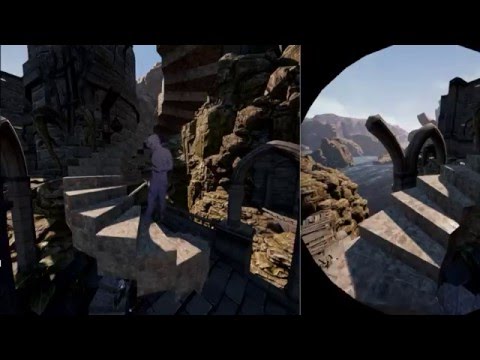


what it does is lets you turn your head independently without throwing off the direction you are moving in
Onward does it like that and lots of upcoming stuff
clever sky
@sturdy coral That's a pretty cool way of green screening.
jagged vale
@sturdy coral noted, my game is looking down at a world though and moving characters inside it 😃 so.. bit different
thats looking neat btw
 velvet gulch
@sturdy coral Look amazing, great job.
 astral thistle
Is anyone else having problems with the ' get screenpercentage ' node not working?
jagged vale
i tried it just to see what it did recently, only got 0.0
clever sky
I hate to say it... but I make cool things in VR 😛
I made these models right... and then I made toy sized versions of them and made it so you could pick them up.
proceeds to spend the next hour fucking around with large model toys in VR
clever sky
In what sense?
hard light
literally on a button press or similar - consider enabling / disabling the HMD and stereo rendering
I've got a curious problem where the HMD position is being put in the floor after enabling the HMD
however if you simply start in VR, it is fine
clever sky
Hmmmm....
hard light
makes me think something isn't being initialised
hard light
if you start in VR, you toggle into normal fine, but when you toggle back, you're in the floor again
clever sky
That sucks.
hard light
I'm guessing device position is being zeroed out, and not reset
clever sky
What happens if you get camera location?
of the HMD
or even the device position
Do a print string when you toggle to HMD
If that's coming back as 0,0,0, then that's the problem 😛
hard light
probably going to have to static debug the lot of it, yeah
clever sky
If not, then modify actor location by the offset?
hard light
was just hoping someone might have seen this before, it's not that unusual a thing to be doing, heh
oh lawd
clever sky
Ah.... this is what it means to be a pioneer! 😛
 neon egret
@hard light Hm, even if it's zeroed out, the Headset itself is just a relative Camera Location.
So it's really weird that this happens.
Did you check if the relative location is in fact 0 again?
Does the Actor itself move during that process?
hard light
got a lot of stuff to log out, so will have to report back in a bit xD
hard light
@neon egret - I'm thinking this issue is almost certainly to do with how HMD position is handled / initialised by the engine, more info to follow shortly
so yeah, here's what's happening:
If you start the editor, launch PIE, it starts in VR with the correct perspective, you can toggle to 'flat', then back to VR, and it's at the wrong perspective
If you exit the game, relaunch PIE, you start at the wrong perspective.
this looks like it's because the Vive's device position and orientation are being zero'd out
the first time the game runs, it is correct, but if you toggle out and back in again, it gets zero'd and is never corrected
basically, I think it forgets where the original tracking origin was and that's what fucks it up
pearl tangle
Just left the Epic office in London. Pretty cool setup there
Finally got a chance to test out the touch controllers hah
hard light
hehe
I assume you mean Guildford
it's a nice office
Lionhead used to be a couple of doors down, and 22 cans is next door, true story
clever sky
How do you guys get in? Just tell them you're a UE developer and they invite you in? 😛
hard light
I worked in the 'Sunderland' office (which is nowhere near Sunderland, fyi), which is nice enough but a real pain to get to
clever sky
Oh you used to work with Epic?
hard light
the Guildford office was just Keith sitting at home in his underpants in those days
I worked for Pitbull, doing work for Epic, which is now Epic Games UK
clever sky
Cool
hard light
in short: Yes.
in long: Sort of.
@pearl tangle - so what are you up to now, heading straight back?
pearl tangle
Nah I'm in London city now working from our office here for the rest of the week
@clever sky in setting up enterprise licensing with my company and they are running the enterprise side of the business from here so stopped in to have a chat on that
hard light
ah fair
also, witness horror manifest:
https://snag.gy/6fHhk9.jpg


I think toggling between stereo and non-stereo rendering may be unreliable
sometimes you get this going back to 'flat'
(but not always, it seems to be pot luck)
clever sky
@pearl tangle fair enough! Just funny that two guys on at the same time have been there, so I had to ask! 😛
pearl tangle
Well amber lives over this way and is in game development so much more likely for him to be there than me hah
clever sky
Were you there for some sort of tradeshow as well?
native cedar
Guys, is it just me or dynamic shadows in vr are a bit tricky?
they move as I move my head
at least some of them
mighty carbon
what are you smoking?!
upbeat holly
the good stuff
 zinc violet
just.. wow

Xbox Wire
At Xbox, we’re continuously exploring new ways for you to get the most out of your gaming experiences by providing the choice to play how you want, where you want and with whomever you want. With the launch of Windows 10 and the Xbox app, we first delivered the ability to stream your Xbox One games to your Windows 10 PC over your home network – and now, we’re bringing that experience to life, in partnership with Oculus, completely for free. Today marks an evolution in our ongoing partnersh
sorry if that was linked already
that just sounds really silly
why would you want to play 2D games on virtual screen on a headset?
like 2D projected games, not 2D games
I guess if you want to experience the big screen or something
mighty carbon
http://www.newegg.com/Product/Product.aspx?Item=N82E16814487259 VS http://www.newegg.com/Product/Product.aspx?Item=9SIA2F84BC9696
Buy EVGA GeForce GTX 1070 FTW GAMING ACX 3.0, 08G-P4-6276-KR, 8GB GDDR5, RGB LED, 10CM FAN, 10 Power Phases, Double BIOS, DX12 OSD Support (PXOC) with fast shipping and top-rated customer service.Once you know, you Newegg!
Buy EVGA GeForce GTX 1070 SC GAMING ACX 3.0, 08G-P4-6173-KR, 8GB GDDR5, LED, DX12 OSD Support (PXOC) with fast shipping and top-rated customer service.Once you know, you Newegg!
what's the difference?!
(besides price)
this one is even less pricey http://www.newegg.com/Product/Product.aspx?Item=N82E16814127947 and seems to have the same specs as the other two
Buy MSI GeForce GTX 1070 DirectX 12 GTX 1070 GAMING X 8G 8GB 256-Bit GDDR5 PCI Express 3.0 x16 HDCP Ready SLI Support ATX Video Card with fast shipping and top-rated customer service. Once you know, you Newegg!
upbeat holly
hey dude
im looking into gpu cards also
so the difference is,
that the vendor (i.e. MSI / EVGA / NVIDIA) configures some of the capabilities differently e.g. max overclock, clock speed etc so its important to pay close attention to the specs so you now what your getting
(the type of ram etc)
Also the first one has something called ACX (a quick search shows this is a type of cooler design). So it probably has a custom cooler
clever sky
@zinc violet If you don't have a big screen, VR is a pretty good way to mimic one.
I'd say that... come gen 2/3, I too might switch over to VR big screen, despite having a 100" projector screen
Depends on the resolution and FOV and comfort.
wicked oak
if you are low on cash, get a 1060
its 100 dollars less on average
and its still very good
its stronger than a 970
mighty carbon
well, I better just get 1070 and not worry about upgrading for another 10 years 😛
1060 has 192bit memory bus, and 1070 has 256bit. Pretty big difference.
upbeat holly
@mighty carbon Depends what your using it with and for
im gonna go with a titan probably
but i work with heavy scan data and meshes
mighty carbon
titan is OLD
upbeat holly
yea but GOOD
mighty carbon
but it's not even optimized for VR
upbeat holly
yea but you need to sort whats marketing hype from real benefits
remember the whole SLI thing
mighty carbon
eeeh, have you even worked with VR ?
upbeat holly
yes thats my joab
mighty carbon
multiview and probably other VR features are only in 10-series GPUs
cobalt relic
SLI sucks, tbh
wicked oak
multiview is on series 9
multiview = multires
and multires is on series 9
not sure about lens matched shading
but i think it runs on 9 too
the 10 series is kind of just a smaller buil 9 series
clever sky
What's lens matched shading?
cobalt relic
If you were going to buy a Titan, I'm not sure AMD will have anything for you @upbeat holly
upbeat holly
@cobalt relic Yea sure, atm I was thinking maybe they would bring a contender
mighty carbon
http://gpuboss.com/gpus/GeForce-GTX-970-vs-GeForce-GTX-1070 << don't know how much you trust this, but 1070 seems to be quite better in every aspect over 970

GPUBoss
We put the older 1 GHz 970 to the test against the new 1.5 GHz 1070 to find out which you should buy, the Nvidia or the Generic.
upbeat holly
It depends on what you need it for 😄
pearl tangle
why would it not be?