#virtual-reality
1 messages · Page 34 of 1
 clever sky
 pearl tangle
actually good exercise with that and an omni treadmill
clever sky
Hahaha
 sly chasm
what I found weird was that whenever I got up reeeal close to a corner, it got blurry
even if I closed one eye
pearl tangle
yeah thats going to happen because of how cameras render things in game
clever sky
@sly chasm That's probably software functionality in that game
prevent you from going cross eyed
clever sky
Because you can definetly get things close to your face in other Rift experiences.
Speaking of which, I actually want to add that functionality to my stuff. I just don't know how to do blurring across the whole camera D:
sly chasm
does it really only apply for the headset, and not the mirrored screen?
clever sky
Depends on how they do the mirrored screen output.
Sometimes they get the data before they apply distortion and all that other good stuff.
So the blur is probably added after that.
distortion to correct for the lens distortion
sly chasm
I thought it was pretty cool
 dry fjord
- make model
- model looks great
- try model in VR
- time to remodel more detail in
 full junco
is it possible to somehow tweak the bloom quality so that its less expensive in VR? I dont think so, but I'm just asking
dry fjord
yeah
full junco
ue4 doc says "Bloom can be implemented with a single Gaussian blur. For better quality, we combine multiple Gaussian blurs with different radius. For better performance, we do the very wide blurs in much lower resolution. In UE3, we had 3 Gaussian blurs in the resolution 1/4, 1/8, and 1/16. We now have multiple blurs name Blur1 to 5 in the resolution 1/2 (Blur1) to 1/32 (Blur5). We might add Blur 0 for full resolution blur if ever needed."
dry fjord
check your post-process settings
full junco
but I don't find any way to reduce it to something like a single gaussian blur
@dry fjord I looked there, but there are no quality settings
dry fjord
the number of blur steps it uses is determined by postprocess quality
full junco
only settings regarding the look
dry fjord
but yeah PP settings are only for controlling what it does
you need to go into engine settings to adjust the PP quality
full junco
where?
dry fjord
under settings
full junco
you mean the general PP scalability setting?
dry fjord
Settings -> Engine settings -> Post process quality
full junco
there is no "engine settings"
full junco
if you mean the scalability settings, thats just setting some console variables, and none of those affects bloom, so PP scalability of lowest still does same amount of bloom like the highest PP scalability
dry fjord
well I guess you're fucked then
there are more engine settings beyond what's in the scalability UI but they may involve researching and reading
I don't actually know where a list is
dry fjord
find another bloom setting
if there isn't one then you can't disable pieces of bloom
epic have said plenty of times that if there's a "best case" button they'll take the button away and set the value to true
I imagine that's the case with bloom
having more levels of bloom probably cost nothing
full junco
there is r.Bloom.Cross, setting it to 1 makes bloom ugly, but it still renders the same amount of bloom resolutions
dry fjord
they do their bloom blurs by using mipmaps
so adding more levels of bloom isn't exactly costly, unless you go for full res
full junco
you see all the different blooms in the gpu profiler
thats like 10 different points there
each between 0.01 and 0.02 ms
so one bloom resolution would be fine, but not 5
dry fjord
maybe this is a question for the forums
it might be that before VR it wasn't even a consideration, now it would be
full junco
yeah, without VR I wouldn't care about whether bloom takes 0.6ms or not, but with VR wasting 0.6ms on bloom is too much I think
bloom enabled: http://puu.sh/rQlSv/3b78fffd65.png

bloom disabled: http://puu.sh/rQlUp/a70722839c.png

and I'm just testing in the vr template at the moment...
dry fjord
not sure why you're using bloom anyway
every performance guide for UE4 VR says to disable it
some things you just do at the moment
if you need a specific thing to bloom, fake it
full junco
bloom looks very nice. everything emissive needs bloom to look nice
the sun needs bloom to look like a sun
and with a single blur it would just be like 0.05 ms and still look way better than no bloom at all I guess
so I did what you suggested, here's the forum post: https://forums.unrealengine.com/showthread.php?126528-Reduce-bloom-quality-to-a-single-gaussian-blur&p=612589#post612589
The doc about bloom says:
https://docs.unrealengine.com/latest/INT/Engine/Rendering/PostProcessEffects/Bloom/
I would like to reduce the amount of Gaussian blurs to 1 to save performance. How to do that? I did not find any settings that affect the performance of the bloom. All settings in the PP volume are purely cosmetically it seems with no impact on performance (apart from setting Intensity to 0). Then there is r.bloomquality, 0 disables bloom and 1 is default. And r.bloom.cross,
I just looked through my older threads and saw I asked a somehow related question a while ago (already forgot about it): https://forums.unrealengine.com/showthread.php?109388-Render-Light-Shaft-Bloom-at-lower-resolution
Is there a way to render the light shaft bloom at a lower internal resolution and then just scale it up? It's bloom, so it's really not a problem if it's a bit blurry, and it's quite expensive:
91495
I'm fine with editing the source or global shader files or whatever is needed to change this to a lower resolution. Any idea where to look for it?
never got an answer there
 tawdry dragon
Just tried my project in the 4.14 preview
Seems like Forward Rendering + MSAA produces much more crisp results in my case
so awesome!
full junco
not just in your case, in all cases 😄
the question is just if all those missing things in forward are acceptable for a project
tawdry dragon
True. I really hope they get a stable release out before december as our current project really could benefit from the forward render 😃
full junco
it is considered stable in 4.14 I think
 wicked oak
""stable""
in my test, that msaa is heavy, but it looks perfect
ima see if i can lower the msaa
full junco
heavy?
full junco
TAA was already quite slow
dry fjord
POM is amazing for VR btw. should be used on all of your ground surfaces if you have frame budget left.
TAA is the fastest AA in UE
full junco
POM is horrible for VR
 zinc violet
Msaa multiplier is 4 by default
dry fjord
horrible in what sense?
full junco
horribly expensive
zinc violet
You could lower it to two
dry fjord
"if you have frame budget left"
full junco
you never have that in VR 😉
tawdry dragon
In our current demo we're having a interactive 1.2 mill triangle mesh with animation, 15 materials and some logic running behind, we're hitting 90 fps no probs
But its also very simple compared to what games usually show
I do however need to learn the profiler so I get start getting some more headspace for the next parts
dry fjord
hahaha
I just solved a problem the manual way
light leaking from modular geometry? make cubes, hide them, set them to cast a shadow anyway
that was fucking easy
clever sky
Oh yeah
dry fjord
clever sky
So you made a BP and added a hidden box in it?
clever sky
Fair call. That looks pretty good.
dry fjord
the user never even needs to know the boxes are there
cheers
about to try it in vr
brb
clever sky
Cept for the fakey shop interior texture!
That's gonna look like a fakey shop interior in VR :p
dry fjord
I am slowly fixing that too 😉
this is for situations where it's at least better than a flat interior texture
clever sky
True that.
Is that a red light district you're modelling?
You're making a VR porno game!
I want in!
dry fjord
well that was surprising. it looks perspective correct.
I just need a better detail heightmap
haha
I'm just making example shit for the shopfront asset
even in daylight it looks good
clever sky
Sounds good. You making it for the marketplace?
clever sky
Sure!
dry fjord
hehe ok
just trying a couple of things
lots of problems with it, so just try to enjoy the filth
check ou the cobblestones, POM works really good on them
clever sky
Sounds good 😃
clever sky
Yeah. I can imagine it'd be pretty heavy to run.
clever sky
Oh
dry fjord
uploading
clever sky
Oh yeah, you're in NZ.
dry fjord
even though I'm capable of 60MB/sec
it's annoying
I need a better file host
I guess I should try amazon
clever sky
shrug If you use file hosting enough to justify the cost sounds good.
dry fjord
like constantly
clever sky
1.5MB upload will never be a problem for me.
dry fjord
you'd think that
then you have someone waiting for an upload and you're all "this could have been done in 5 seconds"
MEGA provides free cloud storage with convenient and powerful always-on privacy. Claim your free 50GB now!
clever sky
Well... I'd need a much faster internet connection, but there isn't one available here.
dry fjord
yeah I hear your net is pretty bad over there in aussie
clever sky
Because the australian government are pawns to Rupert Murdoch
and torpedoed our chance for decent fiber internet
dry fjord
that guy sucks balls
clever sky
because he wanted to keep his cable company propped up
rather than competing against internet video solutions.
So they just ran non-stop shit posting of the party that was in power that was trying to get fiber internet installed
And when elections game the opposition got in and dropped the good fiber for the bad plan under the pretense it'd be much cheaper.
... it's not, but it is much slower as they promised.
wicked oak
honestly, i know an australian guy who has explained that to me
and its a shitshow
yeah, lets add coper lines
on 2015
when fiber is both a lot less expensive and way better
25 mbps has to be enough for everyone
wicked oak
i mean, its quite literal sabotage
clever sky
Well... us aussies get what we deserve for been racist cunts.
Most of that election cycle was about boat people.
wicked oak
its sabotaging the internet infrastructure
clever sky
people arriving on boats.
wicked oak
doing it wrong, on purpose
dry fjord
yeah nauru is pretty bad
wicked oak
and wasting a ton of resources doing so
dry fjord
it's one thing to be a refugee, it's another to run from death straight into torture and rape
one day a lot of aussie government employees are going to go to jail
with luck
clever sky
Hahaha... same luck that'll send American banksters to jail
wicked oak
its important, becouse internet is super, SUPER important
clever sky
@wicked oak What are you talking about vblanco? 8mbit ADSL is plenty good enough for our needs!
wicked oak
global communication
wicked oak
its clear that good internet lets more internet companies emerge
startups and stuff
a good internet infrastructure helps business
just not HIS business
so he sabotages it
clever sky
Yeah. Most aussies are deaf ears for the technical details of the internet.
wicked oak
internet helps every business and all the people. The only 3 that are against the internet is the TV companies, religion, and government
clever sky
Murdoch has his bony fingers over all 3!
wicked oak
the main thing with internet, is that it has to be controlled by the government, or regulated
becouse if not, america happens
look at america internet case with data caps and expensive
meanwhile, in Rumania, a forgotten eastern europe country
has 1000 mb internet for 10 dollars
wicked oak
they do, they got one of the best internet worldwide
i think south korea has better, but that place has insane population density
so the cities have very good internet
also government
spanish as pretty good internet on the main cities
becouse the internet company was once public
and when it became private, laws were made that said that the company that puts lines has to rent them
for obivous reasons, if they dont rent the lines, they get hold of the national monopoly
just that "simple" law means that there is a market, becouse only 1 "line" comes to my house, of fiber
wicked oak
but 3-4 companies can provide me with fiber internet
competition
in romania, it happened becouse romanians were HUGE pirates
dry fjord
also asian companies seized the internet and made it not really worth the effort to connect to a foreign site
dry fjord
haha that's awesome
wicked oak
just to share files
clever sky
@dry fjord performance totally tanks when you get up close to POM 😛
dry fjord
yeah I know
wicked oak
when internet companies came, they just took over those lines
clever sky
but totally adequate for something like a driving game
clever sky
All good. I got VR legs for miles
wicked oak
MSAA looks glorious but it is very expensive on my game
dry fjord
yeah I figured driving, whatever. doesn't even have to be VR. VR just set the quality target
wicked oak
im doing tests, but i think deferred runs faster due to not having to render the scene twice
the problem with forward is that its a depth prepass forward, it renders the scene twice
in vr, 4 times
clever sky
Oh... forward doesn't do single pass rendering for both eyes?
dry fjord
should ASW the second eye
wicked oak
what it does is that it first renders the scene in depth-only
dry fjord
I don't know why it isn't a thing
wicked oak
then calculates the lights, and what parts they affect. And then it renders the scene AGAIN, this time with shaders
doing depth testing
to eliminate overdraw on solid geometry
the second time, it puts the depth buffer on "equals" mode, and it doesnt write back to it
so if half the mesh is ocluded, it only runs the shader on the half that isnt
clever sky
I see. All a but beyond me! But that sounds plausible!
wicked oak
but of course, rendering the scene twice...
clever sky
all a bit*
dry fjord
technically the first pass is quite quick
like negligible
it's lighting that starts to cost a lot in forward
clever sky
So if you want a lot of dynamic lights, better in deferred?
dry fjord
yeah it's scene dependent
it sounds like you should be using deferred
which sucks because you want MSAA
dry fjord
VR should be using static lights everywhere all the time, with special exceptions
wicked oak
basically a box
clever sky
Real question - if you do procedurally generated maps... how do you bake lights for static?
wicked oak
you see that there, the depth prepass is nearly nothing
its like 20 meshes rendered
at most
but check this
see how big the prepass takes
dry fjord
you bake the lighting externally and put it into the material
wicked oak
this is on my more complex map
dry fjord
for each module
wicked oak
wich is 100% static light btw
clever sky
Oh
wicked oak
that map runs faster on deferred
clever sky
So the light fixtures are baked in to the module
wicked oak
due to not having to render 2 times
clever sky
And each module shouldn't overlap lighting too much with the others?
clever sky
Fair enough.
dry fjord
if the modules have overlapping lighting lightmass throws a hissy fit as it is
wicked oak
i need to start doing instancing and merging meshes
becouse it does seem drawcall-bound
dry fjord
fuck you should have been doing it after 600 drawcalls 😛
you'll get a much bigger improvement from that
then go back and test forward rendering
clever sky
So you can swap out arms and legs and stuff?
Or for the background?
Side note. Did a blink step/short teleportation mechanism that uses controller direction as heading.
Works surprisingly well.
Like... so well it's like, why haven't other devs done this yet?
clever sky
Are you talking about your dash teleport?
That's a different mechanic
I'm talking about instead of pointing at the ground, you just take a step forward with each teleport
Pointing at the ground independent teleportation!
clever sky
Yeah. I mean, there's a 'blink step' mechanic in Technolust
but it's not as good, mainly because it's controlled by HMD and Xbox controller
 mighty carbon
@wicked oak why don't you do instanced meshes to reduce drawcalls ?
wicked oak
i got sent the map as is
 sturdy timber
Hello, has anyone managed to run a build against the NVidia VRWorks 4.13 fork? I managed to package mine but it crashes after one minute and less
(nothing in the log and no crash report generated)
wicked oak
ill probably check it soon
DAT multires
its just too good to pass
in my game, i can abuse it to do highres antialiasing, and it runs faster than msaa on the forward branch XD
due to the drawcalls
sturdy timber
yes, currently the hardcore way to have sharp lines is to do oversampling
wicked oak
or msaa in the forward mode
ill try nvidia full vrworks 4.13
4.14 still isnt ready
my plugins arent updated yet
sturdy timber
forward mode => not in 4.13 :p
wicked oak
it is
just no msaa forward
and crashes on packaging
so useless
the whole point of forward in VR is msaa
too bad it runs bad on my game becouse 1300 drawcalls...
sturdy timber
oh ok, did not know that the forward renderer was already in 4.13, I thought it was introduced in 4.14
wicked oak
its slightly different than the oculus one, btw
oculus doesnt do a depth prepass
but has more overdraw
3 renderers...
total insanity

For Farlands, the Oculus team wrote an experimental, fast, single-pass forward renderer for Unreal Engine....
the new one is more like the doom one
Adrian Courrèges
DOOM pioneered fundamental changes in game design and mechanics back in 1993, it was a world-wide phenomenon which propelled to fame iconic figures …
the new one, with depth prepass, has a faster base path
but has to do a depth prepass
bad for my DWVR, but on VRmultigames, wich im testing now, its a godsend
it improves in a massive way
due to the geometry simplicity of vrmultigames
mighty carbon
how is all that related to idtech 6 ?
(which is of course super fast and good looking in non-VR, even on my super old PC)
wicked oak
becouse UE4 new forward renderer is very similar
is the exact same high level technique
what happens with IDTech6, is that its tailored for Doom
they only have 100 shaders
in total
mighty carbon
idTech 6 has a hybrid render
wicked oak
for the whole game
mighty carbon
some stuff rendered in deferred and some in forward
wicked oak
its forward
mighty carbon
Tiago told that on twitter. It's not forward.
wicked oak
it has a light gbuffer for postprocess
well, to be exactl, is a depth-prepass tiled forward renderer
mighty carbon
it's hybrid
wicked oak
it calculates light in a forward way, it just does postprocess with a small gbuffer
Oculus and Epic call it forward
well, forward+
the biggest bulk of rendering in doom is rendered forward
and it doesnt calculate lighting with the gbuffer, but on the objects themselves
no "roughness/position/albedo" gbuffer
mighty carbon

Eurogamer.net
It's been a while since we've done one of these! While putting together our tech analysis for id software's fantastic Doom reboot, one thing became clear -…
"Tiago Sousa: From the start, one of our goals for the idTech 6 renderer was to have a performant and as much unified design as possible, to allow lighting, shadowing and details to work seamlessly across different surfaces types; while keeping in mind scalability and things like consoles, MSAA/good image quality and MGPU [multi-GPU] scalability.
The current renderer is a hybrid forward and deferred renderer."
aye
so, is idTech 6 renderer faster than UE4 renderer ?
full junco
why is that a reason to be faster?
ue4 has a lot of stuff, but ideally you should be able to turn off everything you don't need so that its as fast as possible
wicked oak
becouse the whole renderer is around doom
their levels have some preprocessing for best culling, they use megatextures and special decals
and the whole material and stuff systems are very very optimized for the exact thing doom does and nothing more
full junco
well but thats not fair, I want to have same good performance like doom has 😛
wicked oak
you can get close to doom if you build your game correctly
but the thing with doom, is that they created idtech 6 FOR doom
and every design choice in the engine is for doom
wicked oak
but the whole engine and passes are build around what doom does and how its going to be
mighty carbon
I mean, there is no difference between FPS games, fundamentally
wicked oak
for example, they designed the engine so it works on Vulkan and consoles well
and they have a very low number of shaders
waaaaay less than a normal ue4 game
becouse they needed that
full junco
why is a low number of shaders good?
full junco
thats really something relevant?
mighty carbon
how is that? if my game uses 2 shaders, why would UE4 use all of them at once ?
wicked oak
they have had a ton of problems with that
in vulkan, you build "pipeline objects"
wich are basically information about the gpu programs
all the shaders, and some stuff like depth testing on-of etc
full junco
which notes? I watched rolandos talk he gave at siggraph and I read though all github commits regarding vulkan, but I never read about that
wicked oak
with few of them, less switches
you basically put one pipeline, "1 material" and start rendering everything
or most of the stuff
i remind you, its using megatextures
so its 1 material
for almost the whole map
mighty carbon
no it isn't
wicked oak
it is
so then in vulkan, they set 1 pipeline, and they start stacking geometry render commands
that is very fast
mighty carbon
MrElusive
it's definitely not 1 material
it's 1 virtual texture image, but not 1 material
and that was with RAGE, initial concept
wicked oak
in the doom thing, they say they have 100 shaders
in the whole game
i go to my game after a rebuild
"compiling shaders: 10.000"
mighty carbon
well, that's something to ask UE4 engineers
wicked oak
its just their material system, to allow for super flexibility
doom engine can do that becouse its tailored specifically to doom
mighty carbon
if a game uses materials that utilize only 10 shaders, why use 10k of shaders when the game is running?!
wicked oak
keep in mind you can improve this by a lot in ue4
mighty carbon
also, maybe it's pre-building all shaders, but in runtime it uses only 10
wicked oak
if you use material instances
mighty carbon
I really don't see how number of shaders is relevant at all
wicked oak
less shader switches on the gpu

btw, news
check below
"high fidelity vr"
oculus xbox confirmed?
or maybe even also vive
mighty carbon
even in Doom 3 BFG there are like 20 shaders, but only so many used based on what materials you use.. There are definitely a set of shaders like interaction shaders, shadows, etc. that are always in use. But 10,000 shaders to be used in runtime? I don't believe that
 spring pond
@full junco nice catch 😄
full junco
"catch"? 😂
they do these merges once a week roughly, so I'm always looking forward to the next one
and dev rendering is definitely the most interesting branch
dev-core is also nice
 junior prism
They've said for ages it's going to be Oculus on Xbox One @wicked oak
spring pond
I wrote Daniel Wright about a bunch of fwd bugs I saw right before going to connect and sure enough I get back this week and everything works perfectly 😄
full junco
missing dynamic shadows from movable lights is a big problem
spring pond
The github commit messages are so useless compared to before, everything is a big chunk of commits and the log is filled with doc/localization updates
our project has no dynamic lights, so i didn't notice
mighty carbon
@junior prism I wonder if PC Rift + Touch will work on Project Scorpio out of the box or if they will have some special edition
junior prism
Most likely not
If it was the other way around sure
Since OpenVR is platform agnostic (SteamVR's new name)
But Oculus' SDK is not
full junco
@spring pond surely easier to not have dynamic lights, I have everything being dynamic...
mighty carbon
well, that would suck :/ I was hoping that same Rift will work between PC and XB
spring pond
Dynamic + VR was just too low perf for us when we started
full junco
well it's hard, yeah
spring pond
oh man those lightmap storage changes are so nice. Lightmaps are now separate from the level. Going to be so much better for P4 usage
wicked oak
hell yes
you have no idea how good that is for a team member i have
who has limited and slow net
full junco
I don't have any lightmaps, at least one advantage of fully dynamic stuff 😄
wicked oak
just got DWVR to work MP, first iteration
hands and weapons replicate, head too, and you can move around
if you hit an enemy, he respawns
incredibly hacky, lags even on LAN
ill work now on making it work properly, first get it to work, then improve it
to replicate head + hands
i just added 3 FTransforms, replicated
and if its the local player, he calls a server function that updates those 3
 silk lodge
@spring pond are you sure lightmaps are separated? That'd be great!
spring pond
Look at the things related to "lighting scenarios" by Daniel W
Lighting Scenarios and lightmaps moved to separate package
* Levels can be marked as lighting scenarios (eg Day, Night). Lighting is built separately for each lighting scenario with actors / lights in all other scenario levels hidden. Only one lighting scenario level should be visible at a time in game, and its lightmaps will be applied to the world.
* Most outputs of the lighting build now go into a separate _BuiltData package. This improves level Save and AutoSave times as the separate package will only be dirtied after lighting rebuilds.
* If a lighting scenario is present, all lightmaps are placed inside it's _BuiltData package. This means that only the currently loaded lighting scenario's lightmaps will be loaded (Day or Night, but not both). This also means that lightmaps for a streaming level will not be streamed with it.
* For backwards compatibility, existing lightmaps are moved to a new _BuiltData package on load.
* Reflection captures and precomputed visibility were not moved to the separate package. Reflection captures are force updated on load of a lighting scenario level, which can increase load times.
wicked oak
that is very, very nice
spring pond
I thought it was a 4.15 thing but someone on the forum mentioned that it is in 4.14p1`
mighty carbon
I wonder if it will work on mobile VR too
spring pond
i don't see why not
mighty carbon
maybe takes up too much RAM ?
btw, it sounds like there is no way to blend between day and night scenarios 😦
junior prism
Well if Lightmaps are now kept seperate from map files, you'll be able to brute force it no doubt
mighty carbon
well, blending isn't in the notes and it says "his means that only the currently loaded lighting scenario's lightmaps will be loaded (Day or Night, but not both)"
I wish it would be at least possible to stream lighting scenarios. Load up day, then put player into intermediate room, unload day, load night, put player back.
junior prism
Rule #1 of 4.14p1 is you don't use 4.14p1 😛
 wintry escarp
i'll do one more test, let this deploy finish, save it all, restart and deploy again...see if it tries to recompile it all again
 still marsh
Did anyone's "Shader Complexity" go all red ("Bad") after upgrading to 4.14's forward renderer?
This scene used to be green
Is there something the forward renderer no longer does well I should know about and turn off?
 real needle
@wicked oak Check out the VRExpansionPlugin, it adds custom motioncontroller and camera that are replicated
full junco
@still marsh you just can't use that visualizer for forward
forward "jams all features into one shader" , so shader complexity will be super high (in theory)
still marsh
@full junco Is there a better way to visualzie GPU load then? I'm getting bad framerate on a GTX 960 but really haven't changed much. It's a pretty simple scene.
full junco
can't you just profile?
still marsh
Yep, just wasn't sure if there was a way to better visualize it directly. Thanks!
real needle
I'm seeing quite bad performance in just the default template levels with 4.14 Forward Shading Model. I've set all lights to static and baked, and it's still dropping to reprojection
console command "profilegpu" doesn't do anything for me either...
and any stat command is as usual impossible to read with the hmd
I'm running a 980ti i7 6700k and I can run at a much higher screenpercentage on heavier levels with deferred
So not sure what it's about
I see a "VRNotifications"-component, I haven't seen it before and I can't seem to find any docs on it
"OculusRiftBoundary" is also new
CableActor with collision is killing performance
And it doesn't seem to interact with dynamic objects
clever sky
Dammit. I hate that 'kinect 2 isn't fast enough' is a meme that gets repeated again and again without verification.

reddit
24 points and 35 comments so far on reddit
And I know Carmack said it wasn't fast enough... but most people failed to understand the context of what he was saying.
Which is you can't use kinect 2 for head tracking because its latency is above the nausea/immersion threshold
But you can certainly use it for body and limb tracking!
real needle
"The console variable ‘r.MSAACount’ controls how many MSAA samples are computed for every pixel. ‘r.MSAACount 1’ has special meaning and falls back to Temporal AA, which allows for convenient toggling between Anti-Aliasing methods."
Would anyone know where to find the other values for the command?
wintry escarp
you cant deploy to gearvr while phone is in it can you
silk lodge
@real needle couldn't you just go from 2-16 like usual msaa?
full junco
yeah, but in vr you probably don't want to go higher than 4, which is default
mighty carbon
@wintry escarp No, you can't
you can turn on dev mode and use WiFi for preliminary tests if you don't want to pop your phone in and out of Gear VR
basically you'd copy apk into your phone via WiFi, run it there (tracking will fall back to internal IMUs), tap screen as if you are tapping touch pad, rinse/repeat
technically you could buy some used Gear VR, rip out USB port and use it for development as if it was a cardboard (with dev mode on). This way you don't abuse USB port on your phone
wintry escarp
seems to be a lot of confusion about my new phone doing daydreamvr, all mention has been removed from their website
I have 1 day left in which I can return the phone
i can keep it and hope, switch to Samsung/gearvr, pay 2x as much and get pixelxl
full junco
@real needle the stat commands are absolutely readable now in 4.14
wintry escarp
bigger font?
mighty carbon
@wintry escarp Just return your phone and wait for S8. It should be both Gear VR and Daydream compatible
it will be 4k HDR screen, 6-8Gb or RAM, all new 10nm SoC, etc.
or you can get S7 and Gear VR to make sure your apps run on S7+ devices and cover larger install base. Make money with that, get S8 or S9
wintry escarp
I cant wait till next year, this is my actual phone. MS are slowly killing off win8.1 devices 1 app at a time
mighty carbon
then get S7 Edge
wintry escarp
MS should just pull out of phone market, they blew it
mighty carbon
well, MS phones don't do VR anyway
apparently Project Scorpio works with Rift and Vive
if that's true, then desktop VR is the thing to pursue, not mobile VR
mighty carbon
disaster was with Note 7
Galaxy is what whole family of flagship phones called
it's highly unlikely they would ditch that name
S7 and S7 Edge never had any issues. Those are the best phones ever made by Samsung.
so S7 and Note 7 aren't the same phones
full junco
@mighty carbon mobile VR can never be good in the near term future, thats quite obvious
mighty carbon
it can be
not as good as desktop, but with positional tracking and motion contollers it can easily be
the thing is that Samsung isn't going for it and Oculus doesn't need to compete with itself
Samsung positions Gear VR (and I bet they always will) as media consumption device
so they technically discourage any game dev for it and encourage production of 360 deg. videos/pic/educational sofware
most of Gear VR owners don't even own bluetooth game pad (and not rushing into getting one, even after Minecraft was ported to Gear VR)
so even with S8 having great specs, there is no positional tracking or controllers coming
wintry escarp
that's the one nice thing daydream has, a controller you can see in vr
mighty carbon
when you try it, you can tell us if it's comfortable 😉
It's not the same as Vive/Touch or even PS Move
with Project Scorpio working with Vive/Rift (and hopefully their respective controllers too) I can see desktop VR userbase getting huge really quickly
and while it will be smaller than mobile, I think the market will be more lucrative as you can so much more there, than on mobile
wintry escarp
mobile is big market but people want it free/cheap
mighty carbon
and you can keep it relevant by upgrading your PC (and since several gens of Intel CPU will use same socket, you can be sure for the next 5-10 years you don't have to replace entire PC)
wintry escarp
that's what I thought when I bought my 4770k
mighty carbon
not only they want free/cheap, but they also want quality and breadth of PC/console market 😉
wintry escarp
the 5770k used a new socket
safest now just to assume the motherboard will only take the cpu generation its bought with
mighty carbon
read up on it, @wintry escarp next few gens of Intel will stay with 1151
wintry escarp
4770k still meets requirements, its the gpu that falls behind
mighty carbon
at least Kaby Lake will use 1151
still, even if you have to replace mobo and CPU, you can still keep your GPU, HDD/SSD, RAM, case, PSU, etc.
unlike with phones or consoles, where you have to replace whole thing
CannonLake might need a new socket, but after that if they stick with 10nm process socket shouldn't change for a few gens
mighty carbon
I am sure with Kaby Lake you would really just replace GPU every now and then
wintry escarp
but that's all fine, its the gpu that falls behind too quickly
mighty carbon
well, my PC is ancient, so I can't really upgrade without getting whole new PC
so if I go with 1151 socket and Sky Lake, I am sure I'll be pretty set for the next 5-7 years
(hell, or even 10 years)
wintry escarp
yes, consumer cpu speed had hardly moved since the 4770k
rumour is next one will move to 6core consumer cpu
so the -e cpus should jump to starting at 8cores
sly chasm
oh my god
the oculus controllers are so good
they have like 3 different touch control sensors on it
I didnt know they would be so comfortable to hold
wintry escarp
can they tell with you open and close each finger?
wintry escarp
no idea, ive never seen a vive or rift
sly chasm
lets see
on the oculus controllers I used, they had a touch sensor on the analoge stick, one of the face buttons, and the index trigger
wicked oak
as i said before, i like them a lot more than the vive ones
wait what, they added 3 differnt face ones?
on my unit, those dont work well
there is trigger, grab, facebuttons/joystick
sly chasm
you have one?
sly chasm
wait
wicked oak
from a tiny 10 year old kid who could barely wear the headset, to a big man
ah,
no there are more
grab does it too
the grab button
and i think final version has more
sly chasm
realy?
wicked oak
wich version you have?
sly chasm
the oculus one?
wicked oak
ah, thought they sent you one
wicked oak
i asked oculus for thme
im preparing my game, if everything goes right i should be able to release with touch, in december
sly chasm
for real?
sly chasm
theyre not just giving them to developers right?
sly chasm
;ajsdf;lkadsijio;sd;jnif
wicked oak
but i need the newer versions asap
make something that works for vive, tell them you wanna port, easy free oculus
sly chasm
yeah
wicked oak
the thing is that they send it to DEVS
you need to show that you are one
took me 3 emails
sly chasm
wow
wicked oak
i wouldnt have accepted myself the first 2
sly chasm
total?
wicked oak
second one was after i released Deathwave on steam, but still didnt hit
i sold my oculus on ebay, got a vive, made a game in 3 weeks, released it, and after that they listened to me
wintry escarp
aren't vive making new smaller controllers
sly chasm
I wish I had money 😢
wicked oak
as if i had funding of any kind..
im paying stuff with freelancing money
and with 10k dollars i would make the game inmensely better
but cant even get that
becouse i dont have artist
no concepts no funding, even with good prototypes
sly chasm
you have a second job?
sly chasm
ah, I get minimum wage at Dominoes
but at least it's something
but having school as well doesnt help
full junco
-featureleveles31 is an argument you can launch a game with
so I guess you can also do -featureleveles30
 inland acorn
JEsus... adding Motion Capture Animation to the enemies adds so much immersion that it's freightening...
dry fjord
nice
 fresh laurel
@inland acorn - Got a vid?
 winged shale
is there affordable mocap out there yet?
fresh laurel
@winged shale - One sec
mighty carbon
Perception Neuron
mighty carbon
finally almost got that damn door working https://www.youtube.com/watch?v=zFpqCb9M7jc
 clever sky
That's cool. I've also been working on a door 😛
All mine does it let you open and swing it with a motion controller.
Swing it open or shut. For people that like been jerks to doors! 😛
dry fjord
yay like in job simulator 😄
dry fjord
anyone up for trying a typical clubbing experience where you're stuck outside on the street and you're never, ever getting in?
requires vive
dry fjord
MEGA provides free cloud storage with convenient and powerful always-on privacy. Claim your free 50GB now!
feedback welcome
wicked oak
im looking for devs with Oculus Touch, to test multiplayer stuffs
if someone is interested, PM me
Vive works too, but runs better on oculus
wicked oak
how?
real needle
He has one of those fancy suits
wicked oak
cool stuff
real needle
I do mocap for money
Just saying
You will hopefully be able to fight the prodigy of said mocap around halloween
clever sky
@dry fjord Nice upgrades to shopfront. Enjoying those character models 😉
Pretty cool though. Would work super well dressed up with extra street stuff like street lamps, bins, planters, etc.
dry fjord
yeah
working towards it
at the moment I'm just figuring out the workflow
I think I have it down now though
thanks for trying it 😄
clever sky
Cool. No worries!
dry fjord
it should be a bit faster than it was too
clever sky
Yeah. But still tanks when up close 😛
clever sky
Because of all the post process filling the screen
clever sky
What's the point at which meshes become more performant than POM?
dry fjord
after about a quarter of the screen is filled I suspect
dry fjord
but POM is definitely better when the thing being drawn is tiny, like a view of an entire city
dry fjord
have to try more of them and see how it goes
clever sky
Yep.
 dawn perch
Hello! I need desperate help, something happened to my Vive controllers. They just suddenly disappeared, the inputs from them are working but they are... I dont know kind of dont get tracked anymore or something like that.
Has anyone encountered such problem?
clever sky
Need more details
Stopped tracking in Unreal editor? stopped tracking everywhere?
Stopped tracking in your project?
But works in other projects?
dawn perch
Btw, I tried the same character bp to a new level and noticed that the controllers are way offset
from the origin
this thing is too random for me....
to happen like this from nothing
dawn perch
They are tracking, just the level was dark and I didnt noticed that they got offset just from nothing.
dawn perch
yes, but the controllers are at 0,0,0
which is really strange that they got offset like this
clever sky
What kind of controller interface are you using? Motion Controller component?
dawn perch
let me check this, tho I tested another project of mine and the controllers there are working as intended
clever sky
In that case the issue sounds like it's localized to the BP.
Make sure you don't have any weird setters that you've overlooked or that if you are you haven't unplugged some node.
Right click on the motion controller component and find references
if you really can't figure it out, make a new BP and start pasting code across until you isolate the problem
But no, can't say I've had my tracking break like you're describing it (then again, I haven't really made any functions that alter the motion controller component itself).
dawn perch
the strange thing is that I was setting a box line trace (before this everything was working normally), then I run the preview the controllers were gone
Thats why I said that this was just too random to happen such strange offset.
clever sky
Yeah... strange things have happened to my BP too. Either I forgot/misclicked or the BP bugged out upon saving. A few nodes disconnected that I don't recall disconnecting.
But it's only happened once.
And I can't remember the precise details
dawn perch
The good thing is that I discovered that the controllers are working inside this project. I will try to setup a new bp, to see if this will fix something.
dawn perch
Fyi, everything is fine now. Geez the panic modes UE4 can induce to us sometimes....
@clever sky Thank you for the assistance. 😃
clever sky
No worries
full junco
here someone from valve talks about implementing something like ATW: https://steamcommunity.com/app/250820/discussions/0/341537388320793951/
"This first iteration will be a rotation-only correction for the camera, so you'll still get positional judder when an application fails to make frame rate. This is particularly noticeable on any non-static objects such as tracked controllers. I plan to work on a motion-vector frame generation technique next"
 noble crater
has anyone managed to get a 3-in-1 cable replacement without having to send off the existing cable?
mighty carbon
what does "cheap" mocap cost?
wicked oak
2 kinects
plus software
thats pretty much the cheapest you are going to get for a half-solid thing
there is also full body perception neuron
wich seems quite interesting
but you need to calibrate beetween takes, it can drift
mighty carbon
nah, I mean services, like what @granite jacinth was offering
 granite jacinth
@mighty carbon i work with each client individually to meet their needs and establish an affordable option
mighty carbon
if I were to setup my own mocap, I'd go with Xsens instead of Perception Neuron (although maybe re-calibration doesn't sound too bad)
winged shale
wow the perception neuron is pretty cool, and looks pretty damn affordable (compared to outfitting a room with the whole camera-reflector crap), has anyone had any good/bad experience with it? @wicked oak you mentioned the drift, what's that like?
also Xsens looks more geared towards non-rigged capture, and the connectors look bulky
wicked oak
you can also do kinect
granite jacinth
It is
Only have one thing I think, and it was something silly, the only thing I've posted on there, not sure what else I am allowed to post other than the anims, without characters themselves. I have been too lazy to update my portfolio/website. www.GalacticallyGrittyGames.com
mighty carbon
@winged shale Xsens doesn't require constant re-calibration I believe and less sensitive to electromagnetic fields. What do you mean by non-rigged capture? It looks the same as Perception Neuron.
winged shale
https://www.xsens.com/products/ this is the page that I landed on, and they don't share pricing or anything. Looks to me more like a build your own 6dof than mocap solution
Xsens 3D motion tracking
also inertial motion capture 😬
granite jacinth
...
mighty carbon
@winged shale https://www.xsens.com/products/xsens-mvn/

Xsens 3D motion tracking
The Xsens MVN portfolio consists of full-body, wearable motion capture...
winged shale
I assumed so
looks marketed at research and professionals
and while I could get my advisor to pay for one, I couldn't use it for my stuff
winged shale
blegh
granite jacinth
and yearly sub
winged shale
just like SMI


 winged shale
"starting at around $12k"
wicked oak
damnn
granite jacinth
But anyway
winged shale
hardware is a tough business
wicked oak
that one works with kinects
granite jacinth
If you can't afford a Perception Neuron, then just give up
granite jacinth
Or go Kinect/Eye setup
wicked oak
and given that its kinects, you can pick them second hand for not much
granite jacinth
Those are pretty much the only reasonable choices for indies
winged shale
I don't really even need mocap, my game's not story-or-NPC-interaction-based, just interested for the future
granite jacinth
You also have to factor in the clean up applications
and time
and a bunch of other factors
It's not an easy thing to just get into.
mighty carbon
Perception Neuron seems like a good solution as you don't have to deal with occlusions
but the anims look jittery 😦
clever sky
What's wrong with a multi-kinect setup?
winged shale
Kinect is craaaaap, but maybe two of them would provide enough sensory fusion and error limiting in the algorithms
mighty carbon
smaller capture area than with PS Eyes and software might only support 1 Kinect at a time
clever sky
Also combine it again with Vive motion controllers like antidamage has done.
But man... motion capture seems like a deep, deep, deep rabbit hole.
granite jacinth
About 40% of actions wanted are crazy stunts that the average person can't do.
And those actors cost a lot of $$$
mighty carbon
hmm
winged shale
indeed
clever sky
Well... hopefully someone will comeout with a robust VR animation tool.
granite jacinth
So yeah, like I said, MoCap is hard.
winged shale
SAG is striking currently against huge companies that are asking too much of their actors for voice and mocap for videogames, like EA
granite jacinth
But it's fun.
clever sky
That lets you pose mannequins in VR space.
winged shale
there's no compensation in that line of business
granite jacinth
Well, there can't be really
clever sky
Because that'll probably be easier and cheaper for 80% of the quality level.
granite jacinth
Actors are doing crazy shit
They are bound to get hurt eventually
No one wants to pay for that
winged shale
"Scream like you got hit by a bullet" "Now do it 100 times" and then the VOICE ACTOR is out their VOICE for the next 20 days, missing work for 800 bucks for 4 hours of screaming
granite jacinth
Aye
But yeah, MoCap is good side money for sure.
But you have to have a proper setup for it.
clever sky
You got a studio space setup for it?
clever sky
Fair enough. Still. Cool stuff.
granite jacinth
Too hard on my poor body
junior prism

I had the strangest bug last night
Also, anyone got an idea how raw data did the wrist shit? That shit is dope
junior prism
Where it has like the wrist and forearm on the mesh and it deforms correctly
winged shale
ohhhh
junior prism
my tests haven't attached to the bone properly for some reason
winged shale
they use a 'rotator' bone weighted on a gradient, and twist it to interp the arm between elbow and wrist so it looks like the chub on the arm rotates at a gradient along that vector
junior prism
Fantastic, cheers bro
winged shale
I'm guessing your wrists are pinching to a 1mm singularity and collapsing on themselves?
junior prism
They were bugging out render wise and going all MC esher on me hahaha
winged shale
also I'm secretly dreading moving from Manny because of his ballsocket joints making wrist motion so smooth
lol
junior prism
*Tim plate 😛
winged shale
ehehe
 last trail
Evening
or morning :p
what's the quickest way to attach an orb to my hmd position? I just want the position to float custom meshes around the hmd location
tawdry dragon
you could just parent it to the camera in your Pawn
last trail
if I plain parent it to the camera, then the the orientation gets passed thru aswell, but I just want the position
tawdry dragon
You could just do a Get World Location on the orb/camera then?
last trail
want to play with custom animated meshes (cartoon 'dazed' stars twirling around)
tawdry dragon
that shouldnt take the orientation into account
mighty carbon
get transforms from camera and set them on your actor, every tick
(just location is what you need if you don't want for it to orient same way as HMD)
dry fjord
@junior prism that's looking good
winged shale
oh yeah, @junior prism , for your floating wrist, did you author another model for that, just scale all the bones down, or is there another way to snip a model down to a smaller subset? I would like to have a glowing transparent hand place itself on grabbable things when the player moves their hand near, but I don't want the whole damn skeleton to be lagging me away if I'm not going to display it
clever sky
A principled mixing of lo-fi and hi-fi elements is actually a really nice artstyle.
full junco
@sly chasm different than what?
sly chasm
oculus rift
not including the dev ones
like is that the only version of the oculus rift there is?
full junco
yes, there is no consumer version 2 yet 😛
clever sky
Which controllers?
sly chasm
the motion controllers
sly chasm
ok, thanks
clever sky
So... how well do you guys think a retro VR motion controller Zelda 1 would do?
full junco
I never played any zelda 😄
full junco
probably, yeah
 pallid echo
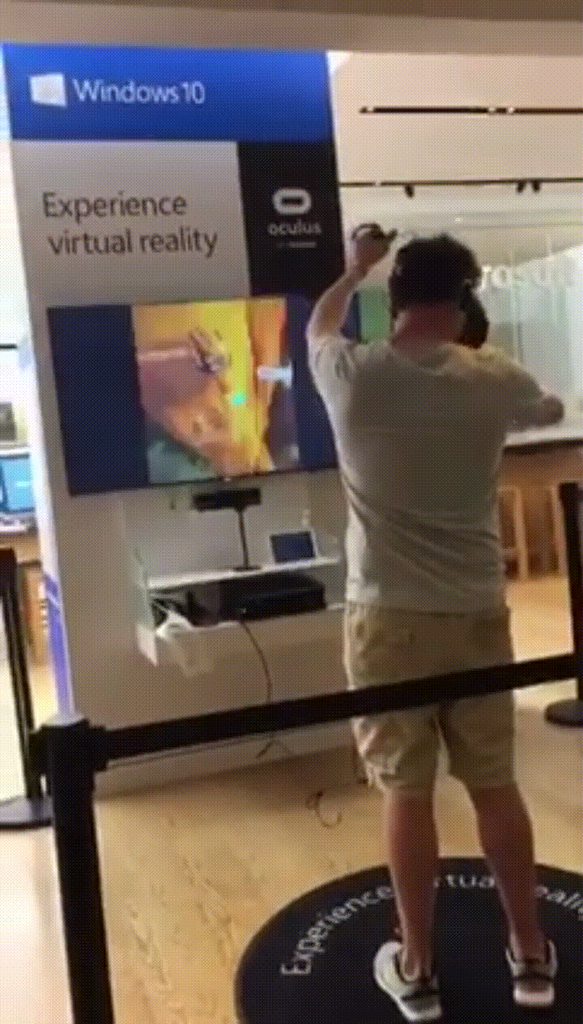
Imgur: The most awesome images on the Internet.
I see an Oculus Rift running on a Xbox One unless there is a PC behind that display.
pearl tangle
looks like a pc in front of the display to me
fresh laurel
To me it looks like an XB1
Then again Microsoft did say they would have a XB1 with VR support
Would not make much sense for it to be out in the wild
pearl tangle
plenty of rectangular black computers as well, and I can't imagine they would be accidentily revealing they have VR running on it in a store demo
winged shale
"Oops we shipped a prerelease prototype out to our store to use as a VR box, and they set it up and got it working okay" either biggest failure or biggest success
fresh laurel
^
clever sky
Man... if your game has movement on touch, I'm going to refund it. My thumb rests on the thumb pad. If it has forward movement on face, I'm going to refund it. I like to look around when moving.
Non-negotiable! Unfortunately RuinsCity_VR has both these cardinal sins (and so did Solus Project before the outcry forced the devs to improve it significantly).
Pity, because zombie minecraft in VR seems like a cool concept.
dry fjord
I discovered the other night that UE's default teleport controller lets you rotate the cage with the touchpad
annoying as shit
it's getting disabled
also I noticed with UE you don't get the cage bounds with teleport still in packaged projects
surely that's gotta get fixed soon
pearl tangle
you can disable that functionality very easily. depending on what you are doing though it comes in handy and potentially without it you can lock people out of accessing things
i removed from 1 im doing just because the audience is not vive owners but people using for the first time for 5 minutes so that was unecessary complexity so just reverted it to the circle and forced the look direction to be whatever direction they were looking so its a straight jump forward
clever sky
@pearl tangle I don't know why you'd bother forcing that... when you could've just used the non-motion controller template to achieve the same result 😛
Also I super hate using face to teleport if I have motion controllers. Like, that's also a refund right away.
pearl tangle
yeah its basically just the HMD navigation 1
but using the controller instead of the hmd to navigate
clever sky
The rotation stuff isn't great.
But standard Lab style teleportation is pretty intuitive.
For most people I feel.
pearl tangle
yeah im not a fan of the room rotation 1 its not too intuitive. especially when you accidentilly are pressing a direction which is pretty common
clever sky
I say rotation stuff isn't great... but you know what VR experience does do teleportation and room rotation quite well?
... Honey Select + VR mod!
The guy that's modding that is a genius! Eusth.
pearl tangle
hentai game?
clever sky
Yeah it is.
pearl tangle
then im probably not gonna check it out at work right now
whats special about the navigation?
clever sky
Hahaha. Yeah, leave it for later.
Main difference is the way it previews the navigation.
Honey Select VR previews on touch.
UE template previews on click.
So you can easily cancel and reorient in Honey Select VR, where as once you press in UE, you're committed - letting go will teleport you.
pearl tangle
hmm yeah pros and cons I guess. I think I tend to rest my thumb on the trackpad but never really paid much attention
clever sky
It's fine to rest thumb on pad - as long as doing so doesn't do anything important.
pearl tangle
I just dont like using the trackpad for navigation in general since it chews up what is potentially 4-6 buttons of an interface unless you have it locked to 1 hand or something
pearl tangle
i think maybe the grip buttons to start teleport and then trackpad to choose direction might be more intuitive. although I have found that most people just trying vive cant figure out the grip buttons easily, takes a lot of instruction
clever sky
Honestly, VR interaction should offload as many buttons to menu as possible (e.g. you really don't need a seperate show map button)
The grip buttons take too much force.
Good and bad. Good you can't activate it accidentally, bad that most people don't realize you can activate it.
Until told.
Then the rest of VR interactions should be natural motion controller based. e.g. instead of Press A to hold, you grab it and hold it in hand.
Instead of press A to open, you press a VR button.
pearl tangle
yeah too many stuff happening on menu instead of natural interaction
thats why im building physical props for everything instead of UMG just because it seems more natural to people that don't know vr. you see a big panel in front of you with a bunch of shiny red buttons it seems natural to push them
clever sky
So skeumorphism taken to its logical conclusion
winged shale
I've found that virtual touchscreens and VR work well together, because at a certain point the interfaces we designed IRL to take the input of our hands will become intuitive in VR. Still prefer huge buttons and levers, they're just more fun 😃
clever sky
Yeah, interested to see that approach. But touch to use menu (as opposed to pointer to use menu) is a bit ergonomically less friendly. e.g. Art of Fight uses a touch based rather than pointer based menu... and it doesn't do it as well as it could've done - hard to tell when you're hovering, when you've touched it, or when you're activating it.
So the design has to be carefully considered.
pearl tangle
yeah but touch screen devices are never as obvious as seeing a giant physical button that you can push with a big "DO NOT TOUCH" sign
clever sky
For physical representations. Definetly can work - just need to make the buttons large enough and responsive enough.
pearl tangle
i was screwing around with levers instead but it just didn't quite feel right
clever sky
Depends on what the levers are for. Toggles you can use a light switch.
pearl tangle
when im building some physical sets with tracked physical levers will definitely go that way, but with the vive controllers not so much. touch controllers maybe different because of how you hold your hand
clever sky
Sliders you can use a mix-table style slider.
winged shale
yeah when I did it I gave haptic feedback, and there was kind of a 'latex sheet' effect on it, so it would have a deformation at the point you touched to easily see how far you're pushing into it
clever sky
And having rumble makes the whole thing a lot more satisfying.
pearl tangle
im screwing around with different controller models to make buttons better to use. im not a fan of the hands for this 1 but a pointed finger maybe works better
i might just go the same style as accounting and do the 2D mouse pointer as 3D object style
winged shale
yeah just interpolate the hand between palm open and finger pointing as it gets closer to button
clever sky
It's quite cute that method. Big advantage is most people intuitively know what the actual target location is.
pearl tangle
yeah i will add overlay spheres to the buttons so that it changes when its in range
clever sky
Nice. So you can do that per object then depending on what it is.
lever = grab hand, buttons = finger point
Big button = open palm to slap it.
pearl tangle
yeah would be pretty easy to do that actually. couple of different states and you are just playing an animation so you feed it across a value 0-1 for the blend state