#virtual-reality
1 messages · Page 30 of 1
 fleet veldt
I also ran into the issue that even if you tell your project to "start in VR" it really will start in non-vr mode for a few frames. so you have to put a bit of a delay in before you check. it's currently is a bit of a pain and even after working on it for a while mine feels hacky. I would like to be able to switch between vr and desktop repeately at runtime but I ran into bugs although I didn't look into them much further.
 dusky light
thanks @dry fjord - I'll give that a try
 tropic heart
hey all
does anyone know how to buy a htc vive in unsupported countries? India does not show up in the list in their site while ordering and I don't see a way of buying it from other channels
 wicked oak
cant you ebay or amazon?
there is no region lock on the vive
you can also travel to a country where you can buy, and then "smuggle" it
wicked oak
i think there are services that let you buy stuff and then they mail it to you
i remember some of them that did that to buy amazon USA stuff, and ship it to countries where amazon isnt valid
of course, they charge extra
dont buy a vive anyway
why, if a oculus is same price now with Touch
and its better
on that side, after touch releases you are going to see some cheap Vives on ebay
tropic heart
ok. I heard vive have better tracking?
tropic heart
ah ok
wicked oak
but the oculus Touch is smaller, so occlusion can happen more easily
its still busllhit, my action game can be played on 1 camera on a 270 degree tracking range
(forward facing)
you can also get the extra camera, and use 3
wicked oak
Oculus rift headset is better than the vive (better quality, more stylish, lighter)
and Touch is also better than the vive wands(much smaller, more "hand presence", buttons and joystick, finger tracking, and wayyyy more confortable and smaller)
and oculus then works with all Vive games
so after Touch, HTC better drop the price of the vive
beccouse they have no chance at all at the same price
 dry fjord
can you mount a gun controller on the touch controllers?
wicked oak
i guess you could
similar to Vive
the Touch comes with some attachment thing
that is used for rock band vr
so i guess you could use that to mount it to a gun thing
but i wouldnt think its a good idea. in difference from the Vive wands, the oculus touch is a hand based controller,with finger tracking
so probably better if it stays in your hand
dry fjord
all a gun mount does is bind two controllers together for support and accuracy, often with a stock

 clever sky
Should be a bit of fun. But it'll still be a wave shooter D:
dry fjord
they are the best
clever sky
At least it's the original* wave shooter *not really
dry fjord
interesting crowd management in that one
clever sky
Hahaha... I wonder if you can actually kill them like that?
Seems like shooting them while you're on top would just kill you?
dry fjord
it would
clever sky
Need some sort of super jump boots 😃
wicked oak
i really dont think wave shooters are bad
do you REALLY expect a full lenght campaign shooter this soon?
its not like Raw Data is a bad game
or that serious sam game
Doom VR will be the first actual shooter in VR
cant wait for that 😃
clever sky
As far as I know... no locomotion system in SSVR right?
wicked oak
thats why MY wave shooter has ridiculous movement you cant find anywhere else
no, no locomotion
you are in a roomscale square
clever sky
Yeah.
clever sky
I mean SSVR will be the best turret shooter. But... it's still just a turret shooter!
wicked oak
silly weapons, silly enemies, things like that
little kids loved my game when i showed it at barcelona
clever sky
Yeah I can imagine
wicked oak
dashing around at ridiculous high speed shotguning enemies in the face is fun
clever sky
Feel powerful.
wicked oak
important to note that i did not encourage that kind of hardcore movement
clever sky
That's fun! Who'd thunkit? 😛
clever sky
Haha
wicked oak
you see little kids who arent higher than 1.40 meters, and the enemies are around 1.70
 snow raft
About-Blank. 24,434 likes · 1,890 talking about this. Follow us and support our quest to discover Music, Art and Designers. Let the creative be heard ->...
 shell karma
quick question, I've got volumetric clouds particle and it does show up in the editor although when playing in VR it doesn't show up at all, has anyone encountered issue like this ?
 south fractal
Question. I'm running into an issue with VR and Trigger Volumes. The issue is, the Trigger Volume works great when you walk into the volume. But if you teleport via VR controller, the Trigger did not register that you entered the volume. How can I set a triggerbox to activate once something occupies anywhere in the volume?
south fractal
@granite jacinth Is that an answer for me? The trigger isn't set on my controller, its set on a volume box. So its all internal in UE.
@granite jacinth Basically when I teleport into the Trigger volume in my scene, the trigger box on my HMD does not activate. It only activates when it is walked into the Trigger volume in my scene.

 fresh laurel
Also

Polygon
Christopher Grant
"PC VR is more affordable than ever"
I know that I am late but New VR Min spec
This means that I can run a VR Headset now
😮
wicked oak
you can run an oculus
not a vive XD
but have care, that 960 tier its becouse it runs at 45 fps with async spacewarp

 full junco
what you talk about? @fresh laurel @granite jacinth
something new related to the vive shown?
 fresh laurel
@full junco - Vive on linux
full junco
using vulkan or opengl?
dry fjord
HTC or Valve better get cracking on ASW
it's just a software thing, no reason for it not to be done already
fresh laurel
^
full junco
yeah!
fresh laurel
@full junco Probobly Vulkan but unsure
full junco
@fresh laurel I'm quite sure its opengl... dont have much hope for vulkan
fresh laurel
Why is that?
full junco
well khronos said vulkan next will be focused more on VR, I interpret that as the current vulkan has some limitations that dont make it work well with VR
fresh laurel
Interesting
full junco
but I really want to have vulkan support
don't care about linux, but if it would run on vulkan that would be really interesting 😛
full junco
is there no more info about that linux support than that one image on twitter?
 vale matrix
This question has likely been answered but is there a way to emulate the Vive (using the Epic VR template) when you're not close t your VR setup?
Actually scratch that, I just realized my question makes no sense....😳
dry fjord
we talked about it last night
add a first person pawn and a vr pawn
use blueprints on beginplay to decide which one to possess
although there's no good ways to decide if the headset is being used or not, tmek made a blueprint function that exposes a hidden C++ property that's reliable
vale matrix
ahhh good idea
I'm fine with manually telling the engine which pawn to posess
I just want to make sure certain collisions, etc are working.
with the pawn, I don't see a way to emulate the actual motion controller easily
Thanx @dry fjord
 inland acorn
has anyone of you managed to get a melee weapon working with collisions? As soon as I attach it to a controller, I need to disabled Physics and therefore no hit events are generated. But using the overlap is no solution either, because there are no Normals and bones informations in it for me...
dry fjord
add a collision box to it? not sure otherwise. I don't see why hit events would stop working.
inland acorn
forget my question... sweep result is the new hit result for me 😃
dry fjord
ah 😄
inland acorn
nhö... doesn't work
using a collision sphere could work. But as soon as I enable physics, it falls of my club.
dry fjord
what does your setup look like? in the viewport of the actor
you don't enable physics for collision boxes btw
you just attach them to sockets
you only enable physics for things that need to be affected by physics
inland acorn
welcome to the club
the collision object is not attached to a socket
do i really need to attach it?
inland acorn
inland acorn
dry fjord
does it have a viewport or is it purely a data class?
like is it based on scenecomponent?
inland acorn
just data
dry fjord
ok
I can't think of what to do off the top of my head, but you do need collision geometry of some kind somewhere
otherwise there's nothing to collide with
usually the staticmesh has the collision geometry
full junco
@inland acorn you can't really do something like that without stuff like physics handles (I think thats what its called?)
inland acorn
well... they suck... they always lag behind
I think I will use overlap and traces
this will need some coding but it will look nicer
full junco
I dont think so
inland acorn
Let me give them a try... one moment
full junco
no matter if you use physics handle or manually trace and set positions, it will always be behind 1 frame I think
dry fjord
it won't matter when ASW is always one frame behind too 😉
full junco
@dry fjord but thats another frame then, additionally
dry fjord
shouldn't be
I think
actually it's independent
ASW just kicks in when it wants and UE doesn't even know about it
it's still doing the major frames and ASW is adding some interp in between
so yeah, kinda two frames behind, but not really since that frame is an interim one
full junco
well but your point that it wont matter is wrong 😄
dry fjord
you're right, if anything ASW will make the correction more obvious
smooth world, weirdly jittery club
fresh laurel

Steam Database
The first day of the Steam Dev Days 2016 is upon us! Devs from all over the world are in Seattle to talk about Steam, VR and more!
Lots of cool stuff in there
dry fjord
the new vive controllers are cool, but I guess this means we're going to need dedicated gun controllers to mount them in
fresh laurel

UploadVR
One of VR's biggest obstacles is the cord, so Valve is investing in Nitero, a company looking to take it away forever with an innovative wireless solution.
dry fjord
excellent
fresh laurel
@dry fjord Totally 😃
dry fjord
ah I see, it has a component that straps around the hand too
looks finnicky to put on
I hope you can do non-vr hand stuff without fully taking them off

More photos of the new Vive controllers! #SteamDevDays #Vive #VR
more pics
going by that you can definitely still use your fingers with the attached
so that's good
I found @granite jacinth https://twitter.com/shawncwhiting/status/786351861892644864

Victor of @invrsestudios trying out the new Vive controller prototypes. #SteamDevDays #Vive #VR https://t.co/fgvOjvjprB
there is definitely finger sensing going on there
fresh laurel
😮
 granite jacinth
Heh, different Victor though
 tawny storm
Dang, new controllers!?
granite jacinth
I've been having problems with watching videos on twitter lately
dry fjord
me too today
granite jacinth
Anyway
dry fjord
won't load
dry fjord
they look quite nice but how will I attach a stick and a stock to make a gun
granite jacinth
I like that they went smaller this time
Well, I am sure you'll adjust somehow 😉
And anyway, they are not killing off the old ones
dry fjord
true
granite jacinth
I am curious as to why the new lighthouses though
new controllers sure, I like touch better
this will compete
but lighthouses, makes me wonder what is up with that
Maybe you can't use the new controllers without the new lighthouses?
Hmmm
dry fjord
are they doing some significant changes to the lighthouses?
fuckin lighthouses need body tracking like the kinect
even if it was loose tracking
as long as it was consistent
granite jacinth
Yes, new lighthouses coming out next year also
Maybe it's just preemptive for Wireless Vive?
Oh, so many theories, tbh, had I know the hurricane was going to get me
I would have gone to Seattle
tawny storm
if they are doing new lighthouses i wonder if they've altered them to be able to handle pairs with more than 2 per single area (e.g., 3 lighthouses in an area for occlusion resistence - i knwo there are some issues with doing that though, related to how the sweeps work)
not really important for a single user case but for multiple users in the same physical space that becomes more important (as does wireless)
granite jacinth
This is why I used the link cable
dry fjord
I think it was invite-only so if you got one and didn't take it, what a dick. but otherwise your hurricane was the best bet for entertainment this week,
I finally got rid of some furniture. I need to reposition my lighthouses to get more room and better coverage.
I know where a third lighthouse would go if it was an option: above my desk.
for tracking seated VR
granite jacinth
"invite only" but you could have registered to go
which is how a lot of folks got in 😃
fresh laurel
@dry fjord Did you do the florida huricane check list?
dry fjord
yep. first item was "are you on the other side of the planet, if so skip to step 12: relax."
then I enjoyed some hurricane videos in a non-ironic way
fresh laurel
Heh
granite jacinth
I think I have almost all my gameplay scripting done
fresh laurel
ROBO Recall will be free?
granite jacinth
And then it's going to be a mad dash for story
fresh laurel
Oh my
granite jacinth
oops wrong channel


 lyric beacon
@modern lantern Thanks for your input about VR. But if you could move the camera infront of the head then you wouldn't need to hide the head wouldn't you ? It would be an easier setup for end users.
dry fjord
if you move the camera in front of the head you can't see your body
and animations are still likely to pass through it
lyric beacon
Well your eyes are not at the center of your head
dry fjord
suit yourself
lyric beacon
This is for VR controller though, so no animations will be played currently.
lyric beacon
Why wouldn't you be able to see the body if you move the camera 15 cm in front of the head center ?
This is from an old build, things are better now, but just to get a sense of what I am trying to do : https://www.youtube.com/watch?v=ZimBHuUneXw
 dry fjord
give it a go, trust me when I say I've done this
lyric beacon
But the question is how to move the camera
dry fjord
don't move the camera
ever
let it track to the HMD and stay there
or it's pukesville
lyric beacon
Right, move the skeletal mesh back
dry fjord
yes
lyric beacon
Makes sense
dry fjord
so that's pretty trivial to do
thing is, the body sits where the pawn is
so you have to manually make the body follow the camera regardless
lyric beacon
Well I have the body effector follow the camera's movement on the ground plane.
dry fjord
ok
lyric beacon
I guess I will just move the head effector back as well. But then I am a bit concerned about arms being a bit off
have to give it a shot, otherwise it is transparent material time
Thanks for the input.
dry fjord
nah don't do transparent
actually delete the head
then reattach it to the camera as a separate static mesh
just put it IN the camera
Owner No See
then it'll look good from the outside, multiplayer, render targets, etc
lyric beacon
Right, that makes sense.
dry fjord
no extra work to make it track
hmm
I might try scaling the head tonight
modifying models is admittedly work
be easier to just make it zero scale
whee solved
and not replicate
lyric beacon
Great !
clever sky
Figured out a way to get good full body avatar with base Vive level tracking.
... but I'm not knowledgeable enough to implement it! Woeee
About animations that is. I haven't done any bone/skeleton animation work in UE4.
clever sky
Haha... thanks for the offer - not working on it at this point, as I've got other things to work on first
fresh laurel
ok
clever sky
But the basic idea is simple enough... just use camera + actor position to drive the movement of a normal third person style avatar.
Hide that thing from owner and IK the hands/head to the body.
So you're not getting the Z height from the camera - because then you get all sorts of funky popping and locking
Pretty sure that'd look good.
fresh laurel
 clever sky
Magical.
dry fjord
that song calmed me
clever sky
It's the best.
For some reason, Diana Ross' It's your move slowed down to half speed speaks to our generation.
dry fjord
I can just do that on youtube too, slow it down
oh man
that is good
I am developing to this
clever sky
It's soooo chillll
Go to a vapor wave concert and people just lying down on the ground everywhere, or slid out of their seats.
Side note: Thought about a concept for a new restaurant; Hedonism. You lie in a day bed and order finger food.
dry fjord
that's not what I associate hedonism with. is finger food a euphemism for something?
clever sky
No. It's an extension on the idea of reclining and eating grapes 😛
That's like... the classical roman-grecan imagery of hedonism. Plus the futurama vision of it too.
You can of course jazz it up with extras. Smokes, drinks, drugs (that are legal to sell in the state), scantily dress waiters and waitresses, etc.
But the core concept is to lie back and grab food and stuff it in your mouth! It has to be finger food because it's not really a position you can use utensils from!
clever sky
Haha 😛
I could imagine some eccentric millionaire or son of a billionaire thinking - yes... yes, that's a great idea.
Millions of investment and most of the year later.
People line up around the block.
couple hours later, ambulances out the front and up chuck all over the couches.
dry fjord
so an ideal hedonism evening then 😉
clever sky
Totes
clever sky
I don't know how many of you have grabbed UE learning demos and tried VR out in them.
But the landscape map learning demo works amazingly well in VR without modification.
You're flying a hang glider in that experience.
snow raft
Does VR work with HTML5 builds?
 hard light
doubt it
 mighty carbon
some news for Vive fans http://arstechnica.com/gaming/2016/10/steamvr-support-coming-to-os-x-and-steamos-soon/

Ars Technica
Plus more virtual reality news leaking out of the Steam Dev Days conference.
 pallid echo
^ Aw yeah, my boy @real needle is in that photo.
 real needle
Aka Fanta-handmodel
south fractal
Has anyone had an issue with the new "WidgetInteractive" component and using VR controllers? I am able to get the menu to work with roll-overs, but when I click with the assigned button, it does not register a click. It had worked before, but its not working anymore and Im not sure how to fix it.
 abstract gale
@real needle awesome. 3rd controller in your pocket?
@south fractal you figure it out?
south fractal
@abstract gale thanks for responding. No I have not do you have any suggestions?
abstract gale
your motion controller trigger something?
made sure its getting called?
Using the press pointer Key call, and assignment to widget interaction as target? key set?
nothing got disconnected or reset?
abstract gale
@south fractal I just did a fresh implementation, it def works..
just dbl check your setup..
4.13.1
if u have issues show some BP, assuming your using that
south fractal
@abstract gale Sorry for the late reply. My monitor blew right after I sent a message to you! It was due, 10 years old. But yes I do have my motion controller triggering something on a button event. I also have a "Press Pointer Key" with the target assigned to one of my "WdgetInteraction" components. Key is assigned to Left Mouse Button. I am using two WidgetInteraction components, one of left controller, one for right controller. Left is set for "Virtual User Index = 1" and Right is set to 0 .
My menu opens correct. The point over events are working (meaning if I point at a menu option, it changes colors telling me the point detection is 100% working.
abstract gale
so.. 'hover' works.. but the trigger doesnt?
south fractal
exactly.
abstract gale
VR right? 4.13.1?
south fractal
yes, Vive setup
abstract gale
and it worked before? same version?
south fractal
yes. The strange part is that I had this exact same issue about a month ago, and the only thing I did was delete the blueprint that created my UI Menu, and recreate it. Didn't change code or anything. The only thing in the blueprint that is driving the UI is a "Widget" component. I tried this again, but this time it didn't solve it. Its very strange. I have a feeling I have encountered a bug.
I'm going to test again in the morning and double check a few variables.
abstract gale
so this is all through BP yes?
south fractal
yes
abstract gale
did you try recreating and re-ref the BP components?
and re-link them to the point vie?
sometimes the BPs dont get refreshed
delete and redo the component BP refs, and relink to the pressed/nonpressed
same thing with vars, if diff or new or recreated in the BP component
delete, compile, drag them back out, and where does the debug end?
also can enable debug line in interaction to make sure the current one is actually the highlighting one..
south fractal
Yeah I had relinked everything....
south fractal
Basically what's going on is 3 steps. The Widget BluePrint has the buttons. The buttons are scripted to do functions that I know works because it has worked before. Next another blueprint creates the Widget Blueprint and places it in 3D Space via the "Widget" component. The last step is the VR Pawn which has two controllers components. Both controller components have the "WidgetInteraction" components as a child. The two controllers both have a Press Pointer Key event attached.
I did do a print screen on various locations, the one that was the strangest was the print screen at the end of my Widget Blueprint button. It was not printing when clicked. This tells me the button was never being executed.
abstract gale
Are you a developer or tester?
south fractal
developer.
Unfortunately I can't test again till the morning, because I'm not in the office anylonger.
abstract gale
so when u run in debug, with a break set on the motion controller trigger, does t hit the break point?
ahh ok
south fractal
I'll have to try that. I know I do have a Boolean to check if the Left controller button is clicked or the right button. I'm going to bypass this for testing purposes tomorrow as well as adding a break set.
I could also provide screenshots then.
abstract gale
i mean, it should be a simple instance, to widget, to variable, back to trigger connection..
a default setup works np
no...
make sure its left... in Key
south fractal
I have "Left Mouse Button" on the Press Pointer Key if that is what you mean?
south fractal
I also have a "Active" that follows the script that creates the menu.
abstract gale
I mean... id remote debug, but yea.
south fractal
Where "Set Active" is set to my currently targeted WidgetInteraction component.
abstract gale
and your sure its triggered?
south fractal
Yeah, 100% about this.
abstract gale
if u set up a dummy, its wokrs wihtout issue, or should. try that?
takes like 2mins
a dummy interactive on hand..
atach it to mo
maybe active isnt triggin for some res
south fractal
I'll check that, but I do not see why it wouldn't. Nothing is stopping it and it is the next executed code following the spawn location of the menu.
Are you stateside?
abstract gale
yea, FL
makes no sense really why it wouldnt work
default temp with basic IO - for - solution works
send BPs if needed.
south fractal
Yeah, let me try all of your advice tomorrow and get back to you. I appreciate your time and suggestions
clever sky
@south fractal The problem that you're having with the Widget Interaction Component is... drum roll
The keys for press down and press release isn't asking for the key you want to use on the motion controller.
It's asking for the standard key you want to emulate
i.e. Trigger should probably be Mouse Left
While say... touch pad click should probably be mouse right.
Or you could make touch pad -1 on X left click and 0-1 on X a right click.
Oh wait. You set that already.
This is the problem with jumping into conversations late.
Will need to see BP of your widget interaction press/release key wiring...
It should be a relatively simple affair to set it up. But that's what I got wrong for a few minutes yesterday before figuring it out.
dry fjord
awright, increased my space to 2.7x2.7m
clever sky
What was it?
Before?
Also, teach me make good buttons!
Trying to get a button to go green and the text to stay white.
But it'd rather make the text go green and make the button stay grey D:
dry fjord
2.6x2.4 I think
I moved the stations to be able to see the WHOLE area too
so they're both set back from the play area
rather than one being right in the corner this time
clever sky
Yeah. Plus having the base stations out of the way lowers the risk of knocking them
dry fjord
nah they're up near the ceiling
oh yeah
I stick shit to walls with 3m 13kg tape
I have the stands and ball adaptors now but I don't have much use for them
maybe I should mount the kinect like that
I almost feel cheated by how easy my setup for this place was
apart from moving and selling and buying furniture to suit it
 pearl tangle
yeah i re-arranged half of my house to get a better play area. I have to push my couch back into the kitchen each time though which is a bit annoying
clever sky
@dry fjord haha 😛 I preppred a year and a bit before the launch of VR.
By converting my room entirely, adding a murphy bed and a couch with lockable roller wheels
And a height adjustable desk. Oh man this thing is so good with VR development
You don't even know!
If you're not developing with a height adjustable desk shit's painful! Get out of chair, push it away, test, get back in chair, repeat 30 times per hour.
 frigid spire
What if you have more than 1 developer in your room 😉
clever sky
You get more room? Or you make do with less space?
Or you have a VR dev PC that gets shared among the devs?
pearl tangle
yeah definitely going for the height adjustable desks when we setup the new office
clever sky
Ah crap. ViveX is an incubator program
I thought it was free money.
They make you go to them and work there.
Which is on one level pretty bloody awesome.
But on another level - not sure if want to uproot life.
Oh it's a 4 month thing.
Dammit. I need money to hire people to do my bidding! ahhhhh I don't need 'vr specialists' telling me shit I know! D:
pearl tangle
hah did you really expect somebody to just throw you free money with absolutely no strings attached?
clever sky
Maybe? 😛 I know Valve is paying devs to not take on exclusivities
I thought HTC was all - we'll give you money as long as it's interesting and you're making it for the VIve!
Like... this ViveX thing doesn't sound like they're giving you money. They're just spending a ton of money to get promising VR devs together with other VR people to incubate something. Which sounds TBH, kinda cool. Just not what I was after.
pearl tangle
the valve "funding" is also not quite free money. it's a loan
clever sky
Oh yeah. It's a loan on top of steam receipts.
You pay it back if you make money from Steam.
Sounds like a good deal to me.
pearl tangle
HTC is just minimizing their risk and getting better access to your IP through it. rather than just give somebody money with no guarantee they actually release the game
yeah there are lots of other strings attached to it but basically they are working on the assumption that if you are going to release a VR game that uses motion controllers then you will make it work for the vive and that you will most likely release it on steam. they just want to stop occulus locking people into exclusivity and selling stuff through the oculus store instead of steam
clever sky
Yeah. As a side note... why are there so many escape the room VR games coming out? 😛
pearl tangle
i think if you just want free money than kickstarter is the best bet. plenty of people still throwing away money on there
clever sky
Yeah... in any pathway that I'll be taking, the first step will still be to release a demo of my locomotion system. And I'm working on polishing it up
pearl tangle
whats your locomotion system?
clever sky
It's a walking in place solution. That works.
I know I'm biased... but it's about as good as large scale VR locomotion is gonna get with this current hardware paradigm.
pearl tangle
using the position of the head tracker or a combination of hand and head?
clever sky
Both.
Movement directionality feels very natural (can look and move independently) as does movement scale (i.e. the range of slow to fast)
pearl tangle
i have still been waiting on the damn virtuix omni for the past 2.5 years that it was meant to be out, that will come in handy for that sort of stuff but i definitely like being able to just properly walk around in a room and bend down properly without a big harness in the way
clever sky
Oh yeah. this locomotion solution is going to torpedo ODTs.
Not that was my main intent. It's just going to be 90% of what you want out of an ODT, without the cost, the space and movement limitations.
pearl tangle
i think all different locomotion systems will have a different use. it's good to have a proper natural walking solution. walking on the spot doesn't quite feel natural
clever sky
Fair call! Well, hopefully I can convince you with the demo! 😛
pearl tangle
oh i will definitely give it a try. but i have done plenty of different walking in place solutions already with kinect, perception neuron, head + hand tracking and I haven't found it too comfortable since I have damaged cartilage in my knee and ankle slamming it up and down on the spot has not been helpful
clever sky
Yeah, that's problematic.
Well, I have factored in people with accessibility issues.
But mainly as an option that just lets you move around without having to move your head.
Alternatively, you can 'cheat' it by simply bobbing up and down.
I'll provide some info on the best way to move with walking in place (land on the balls of your feet (forefoot) and use it as a suspension mechanism.
Which is how you're actually supposed to move anyway!
mighty carbon
Does anyone know how to apply for Oculus VR grants ?
wicked oak
ive asked oculus themselves for that @mighty carbon
and sent them builds of my 2 games
mighty carbon
who did you ask ?
I asked community manager on the forums in PM about the subject, but he isn't anywhere to be found (usually he was pretty responsive)
asked that lady who presented the grant at OC3 on tweeter - no response either
south fractal
@clever sky Hey, continuing the issue with my widget menu not accepting button input, this is what I have for my Press and Release Key -
@clever sky That might be hard to read, here is a zoom in -
clever sky
Is the left of that stuff the input function?
south fractal
@clever sky Left goes straight into the Left Controller's "Shoulder On Click and Release" function.
clever sky
What happens if you auto activate the widget interaction component and turn on the debug line?
Also try Press Pointer Key
instead of press and release key
drag off from Widget Interaction -> Press Pointer Key
south fractal
Press Pointer Key was what I had first, and it wasn't working. So I changed to Press and Release. Auto activate did nothing.
clever sky
How did you set up the widget?
south fractal
Manual "Set Active" is working as I had tested with a Breakpoint and it broke.
wicked oak
is your interaction component long enough?
might be too short and you arent even hitting it
south fractal
The Widget Blueprint has three buttons with a HoverOver that changes colors. A separate Actor Blueprint has a single "Widget" component that loads the Widget Blueprint. My VR Pawn creates a menu when the shoulder button is clicked by loading the Actor Blueprint with the Widget component. My VR Pawn has the WidgetInteraction attached.
wicked oak
becouse im doing literally that and it works
south fractal
Yes, its set to 3000
clever sky
That's a possibility. Turn on debug line
wicked oak
you know it works if it actually does highlighting on buttons
clever sky
Well that's not going to be the problem 😛
clever sky
Oh. You've got a child actor with a widget in it attached to your VR actor?
south fractal
with the controller pointing at the menu buttons. The buttons change color.
clever sky
I had problems doing that earlier.
An actor with a widget in world space works
as do widget components directly in the VR actor
south fractal
I have actor with a widget in world space.
clever sky
I think my issues were of the 'why isn't the widget showing up' variety though.
Hmmm... Well what you describe is basically what I did.
Best bet is to create a blank VR project and try it in there, following the basic widget interaction tutorial exactly.
If that doesn't work, you know something's very wrong!
south fractal
Its strange, because the buttons change color when pointing at it...
south fractal
But clicking does not..
clever sky
Mmmmmmm
south fractal
It just doesn't accept the click events.
clever sky
... The UI button on click code is all kosher?
south fractal
Yep. 100%.
Even replaced it with a simple Print String for testing. Clicking is not registering at all.
clever sky
Ouch.
Well... I'm stumped. Basically went through everything I did to get widget interaction working on my end.
Still, probably worth trying that new project test if you're totally stumped. Otherwise you can ask on the forums/UEAnswerHub... but those tend to be much slower in response time D:
Good luck!
south fractal
Thanks bud, yeah I'll test in a new project.
wicked oak
you can test it without actually VR
do an actor with one, place your widget on the world
do it on Begin Play, in simulate
its how i did the testing for it
 tawdry dragon
So I have a problem with using unreal and its image filtering. We've been doing a 360 stereo viewer for the GearVR. We produce the spherical maps our selves and have been using the native oculus photo viewer for showcasing them to our clients. On the Oculus app, we can use 18k x 1.5k cubemaps that delivers a very nice and sharp result
however using it in UE, the images become VERY alive/flickery/aliased because the image filter is not doin a very good job at downscaling it to the mobile device resolution. Solution so far is to downscale to a 4k texture, however that leaves the image blury
is there anyway to fix this?
 dusky moon
Hey guys! I need heeellp 😄 ... There is a bug in unreal 4.12 that is fixed in 4.13 :
https://answers.unrealengine.com/questions/488647/sequencer-in-packaged-vr-project-does-not-work-whe.html
but I can't move to 4.13 ... is there any solution for this ?!
south fractal
@clever sky I noticed something new and interesting. When I play my Blueprint with only the widget component into my scene (editor view). The widget does not display. It only displays when I click the "Play" button. Isn't that strange? It is two sided as well. It worked in an empty new scene (VR Template). Even when I created a NEW Widget and a NEW Widget blueprint. It does not display when placed inside my editor. This is point more to a bug than a problem on my end.
clever sky
Seems like it! report to answerhub!
 digital vault
Quick Question: If i start VR Preview how can i stop the editor to minimize?
south fractal
Question. When I create a Build, I get several warnings identical to this - "LogLinker:Warning: Can't find file '/Game/Materials/M_MasterWood'"
This was a material I had deleted a long time ago and I thought I had replaced all the surfaced with a new material. How do check what objects or code is referencing a Material that is deleted?
 frozen crystal
Try a 'Map Check', in the building tab thingy
real needle
@abstract gale No lol it's swedish snus
clever sky
@south fractal Right click on folder and clean up redirections and references if you haven't already done that.
full junco

GamingOnLinux
Well, news from SteamDevDays is starting to trickle into my feed and I will do my best to keep up with it all for you. First up is Steam VR which will finally support Linux and the big news is that it will use Vulkan to do it.
not sure if thats correct but I hope it is
 lapis glen
What is the best way to record VR gameplay?
full junco
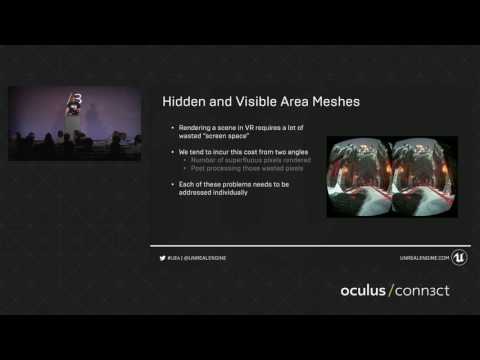
thats a nice video: https://www.youtube.com/watch?v=y92tmn1pCbg
 fossil stratus
Has anyone been able to successfully get regular WASD type controller movement to work with room scale VR?
I've kinda got it working but then I start drifting out of control in one direction
full junco
@fossil stratus what do you mean with "WASD type controller movement"?
fossil stratus
instead of teleporting around I want to be able to move around with the motion controller like you can with an xbox controller..
full junco
are you sure you want to do that?
fossil stratus
yes, my plan is right controller for teleporting which I already ahve set up and left for WASD type movement
i can upload a file to show how I'm trying to go about it
full junco
ok
fossil stratus
uploading file..
tawdry dragon
Hmmm.. might be a stupid question. How would you guys go about and determine the visual bounding box of a static mesh in relation to your HMD view?
fossil stratus
ok here's my unreal projects .. its just under 200 mb https://drive.google.com/open?id=0BwIgIjjJQ_AieGZGSWlpZ3VqQ2c
Google Docs
full junco
@fossil stratus I'm a bit too lazy to connect my VR stuff now to test it 😛 I thought you would send some kind of video showing your problem
fossil stratus
Np . I can show what I set up ..one sec
lapis glen
@tawdry dragon The visual bounding box does not exist as far as I know. In the first place meshes have no bounding box.
What are you trying to do?
tawdry dragon
Im trying to attach text to an object that be grabbed by the player. The trick is the text must always be visible to player
full junco
so you want to attach something like a widget component, just that it shouldnt be able to get hidden behind other meshes?
tawdry dragon
2 sec, let me do a quick sketch
tawdry dragon
so this is a simulated end result for the player
As you can see, the mesh in this case is uneven in its volume, so just calculating the position using the bounding box would result in the text getting displaced a lot
So, the text will always be on the right of the mesh and it will always face the camera
full junco
hm
tawdry dragon
its not that important that I get that feature working, it would just be icing on the cake 😃
inland acorn
two nights later and I have this physics stuff working with attached actors and components... what a hack...
fossil stratus
cool
so your able to attack AI and they are reacting to the bat with physics or responding by triggering hit animations?
inland acorn
they react by physics
first I did some capsule scaning from my club towards swing direction and on impact i added some force
@fossil stratus But i spent the last 2 hours to rewrite everything and now I use physical based animations. Its easier to handle. https://www.youtube.com/watch?v=N1tDjbFXeOo
 real needle
I'm not able to change near clip plane on the rift. Using world to meters to scale down, anything attached to motioncontrollers clips several cm infront of view. "Set Clipping Planes" at runtime does nothing, and neither does setting it in the .ini file. Same scene works without issues on the vive, would anyone know what might be going wrong?
@inland acorn I made a very similar system for our melee zombie game back in february. I saw the physical animation addition to the engine and realized it would take me less than a day to do what I did in weeks...
fossil stratus
Lars- oh cool
I'm working on grabbing and rotating knobs or pulling doors open and shut .. not nearly exciting as beating people up in VR lol
inland acorn
btw: do collision boxes and capsules have a parent class they derive from?
fleet veldt
anyone know the name of the upcomming VR feature that renders distant actors in monoscopy (ones that are less than a pixels distance in stereo view).
full junco
monoscopic rendering 😛
fleet veldt
hmm, the reason i ask is because in my latest build from the 4.14 branch i'm only seeing the distant most geometry in my scene. (i.e. stars in a space game) so i think it has something to do with an early version of this feature and i'm trying to find perhaps a console variable to disable it.
dry fjord
@real needle the minimum clipping plane is 0.1
or it'll ignore it
or mess up
Magnetic controller mounts
got magnetic charge cables coming too
so I'll just be able to grab and pull with the HMD on
fleet veldt
hmm, you know Oculus had magnets on their battery compartments for Touch initially but they took them out because other metal in the controllers became magnetised. (and they would cling/attract to each other at certain points which was distracting from the VR experience)
dry fjord
these attract from about four feet away
they'll lock together if you let them
I dig it
nah it's not that extreme, but they will stick together
it hasn't been a problem
why does the touch have a "battery compartment"?
do you have to change the batteries when it runs out? can it charge?
fleet veldt
they each take 1 AA battery. but it runs for 80 hours
oh wait
maybe that's 30 hours
misread that heh 3 looked like an 8
dry fjord
I guess they're just driving LEDs and a bluetooth connection for button presses
still
I don't like that
it just feels a bit last millennia
fleet veldt
yeah, i don't think there is any port on them let me look
dry fjord
technology should be magical. like the way you see the battery level on the controllers in VR space
clever sky
@tawdry dragon Your best bet is probably to check out the blueprint level under the Unreal Learning resources. The signage there rotates to face you.
 pearl grove
Just a heads up to everyone, we will be running a closed alpha test of Yore VR over the next couple of days, if you want in and feel like giving us your thouoghts of your experience please register at http://forums.playyore.com , reply to the alpha test thread and PM me saying you're from the UE4 community so I can bump you up to the top of the list
 clever sky
@pearl grove What's your forum handle? BMoreCurrant?
pearl grove
My forum handle is Ryan
pearl grove
cheers
clever sky
No, cheers.
dry fjord
keen
pearl grove
Incase anyone is wondering what kind of hardware the average VR user is running we've been running this survey for a month now and just set it up so you can see the results at the bottom: http://www.playyore.com/vr-user-hardware-survey/
 clever sky
So basically your average Yore alpha user has a pretty bad ass PC
pearl grove
Well not the average user as we tend to choose people who don't have teh most badass pc's as testers as it gives us interesting results that we might not see on our rigs here in the office
clever sky
Ah. 😛
dry fjord
this survey needs to tell me how badass I am compared to other people or there's no gratification
dry fjord
haha
clever sky
Not many people talking about Quell4D...
But it's the first real Single player FPS!
in VR
dry fjord
if you're into chunky and flat though it's the game for you
clever sky
Still. It's the first VR FPS that provides level exploration and free roaming!
And proof that these are the mechanics we need for a compelling gameplay, not just turret or even teleporter style FPS
dry fjord
it can't be the first, people have made thousands of them
clever sky
Commercially available? 😛
clever sky
I mean.... I know there's Onward. but that's MP
Oh wait... 5089 has free roaming mechanics.
I just never tried it because it looks... so bad.
Anyway... the rest of the games that turn up under VR, first person and single player aren't shooters, or are static, or they're cockpit games like Sublevel Zero
Then you've got fancier looking games like The Assembly (not a shooter) with face teleportation mechanics.
Bloody hell Oculus. The insistence on not-quite roomscale is holding back VR!
clever sky
Yes boss!
wicked oak
im working on the MP for my new VR game
it will be complete insanity
becouse you have fast teleporting around, with little to no cooldown or similar
so players will be able to zip around the map at high speed
ill probably add a stamina bar for it to prevent absolute abuse
tawdry dragon
abuse or sickness from high paced VR teleportation :p
wicked oak
strangely enough
no sickness
when i let more than 200 people play it
ill keep matches short
tawdry dragon
hmm crazy. I've been doing some tests with the company Vive, and even though we're only 50 people at work, I have found I have a very broad test audience. Some people cant even stand in the HMD for a few minutes without getting sickness
Actually one of the test made the boss so sick he had to lie down on a couch for 15 minutes, just before a client meeting 😛
tawdry dragon
excellent
tawdry dragon
Seems like you have nothing to fear then 😃
wicked oak
its still short 10 mins
ill do it quake style, with deatmatch at 5-10 mins
and health powerps
if you can zip around that fast, then if you have regenerating health means you can zip around the map to hide while you get health back
with health powerups, people will try to take it
tawdry dragon
Cool, will the teleportation have any visual clue to the enemies new distination?
wicked oak
yes
tawdry dragon
So far the MP games I have tried dont feature any way of knowing which way your enemy teleported
wicked oak
my teleport is fairly high in distance, and it is a smooth dash
unless you disable it in options
being a dash, lets you do things like fire midair
or use the sword and slash stuff in your path
wich will be a way to play in mp
zipping around with only a sword
tawdry dragon
Interesting. Crazy that high speed dashing doesnt cause sickness
wicked oak
that is something that can end in absolute insanity
2 "ninjas" vs each other, trying to dash though each other
becouse if you dash through someone with the sword you will kill them
tawdry dragon
sounds cool
clever sky
Apparently 'dashing' falls under the amount of time it takes to activate the vestibular visual system
wicked oak
mine is very fast
clever sky
sub 100ms movement bursts don't seem to trigger the disjunct.
wicked oak
so it takes nearly no time
who put that 100 ms thing?
mine arent timed, they are just at high speed
clever sky
Hmm. Don't recall the exact source - just remember reading it in an article from one of the VR researchers
(of which there are many).
 clever sky
Yeah, I played your game already 😃
It's the kind of fast dash that falls under the threshold.
Similar to the dash you get in the Vive home application.
clever sky
Yes
clever sky
That's right. You get enough frames to provide orientation cues
within the environment.
Spatial orientation and scale. Where as a blanking removes that information entirely.
clever sky
Motion sickness?
wicked oak
yes, its just terrible when you arent seated
and even if seated, its suboptimal
its so lazy
clever sky
Fair call. Yeah, joystick movement is definetly the one that causes motion sickness in most users right now.
But... for the people it doesn't make sick, they quite like it.
wicked oak
i dont get as much motion sickness, but i still dislike it a lot
from the laziness, and the fact that it tends to be super confusing
doesnt feel right
its strange you have the floor move below you
constantly
clever sky
Fair enough. I think the implementation matters. I've tried pretty decent ones.
wicked oak
windlands does it fairly well
tawdry dragon
Just a quick stupid BP question. How would you guys go about determine the center location of a Text render component?
wicked oak
but you spend your time flying, not on ground
clever sky
The ones where they use the motion controller position as the forward vector are quite good.
Because it lets you move your head independently of look.
@tawdry dragon clicking on the component doesn't show the transform axis?
Or the big A billboard?
wicked oak
set the text as center aligned
both vertically and horizotntallty
and thne just use the component world location
its what i do myself
tawdry dragon
I was trying that vlbanco, but the problem is my text will be right aligned to an object
so no matter what I will have to offset it somehow
and calc the width of the text, as the text is generated from a variable
clever sky
Ah
wicked oak
make a basic 3d widget
tawdry dragon
So the easiest way that I see is to calculate the center of the text and use it for the lookAtRotation calc
tawdry dragon
I tried doing that using this setup to spawn som test cubes to visualize it
this is the result though.. They cubes get spawned way way from the text(inside the object)
clever sky
Don't know what that is, but it doesn't look right 😛
tawdry dragon
thats like 80% of the stuff I do 😉
clever sky
Seems like we go through a similar process. Bang on the knobs and levers until something looks like its going our way!
Side note... what's the deal with the number of Escape the room VR games?
Seems like a niche genre that just happens to be extremely popular for VR?
wicked oak
i dont see that big of a popularity
clever sky
Or is some course out there showing people through an escape the room style programming course?
wicked oak
but i had planned one of those since a year ago
i didnt do it becouse i cant design the puzzles well
but its a "genre" that works very very well in VR
clever sky
Yeah.
wicked oak
my plan was to try to contact one of the old people who did the flash scape the room games
clever sky
Or at least better than it does in not VR!
wicked oak
and talk with him to design the stuff
then i make everything else myself
after all, the assets in that can be done like Job Simulator
wich is super easy to do
clever sky
Ah
wicked oak
oh, its a volumetric shader
clever sky
Ah... is it a flip book approach?
wicked oak
its volumetric raycasted clouds
clever sky
slices of 2D cloud organized into volumetric 3D?
wicked oak
true volumetric
i think its like that
but yeah, they do look super fluffy and awesome
wicked oak
To be honest, I am not sure this should be here, but I felt the other topics were even less relevant as I am talking about rendering. Just not the standard methods in UE4. Feel free to move if I placed it in the wrong area.
To start, let me be transparent. I am working on a masters thesis using VR and scientific visualization. I saw potential in the merging of UE4 and scientific visualization for students, scientists, gamers and all graphical artists alike.
Before I start discussing
this is the thread
clever sky
Ah yeah. I think I saw that one. Cheers for relinking it!
tawdry dragon
That volume rendering is pretty damn sweet
clever sky
Coz of the bots?
that grab your face?
Bloody Vive cable. why you gotta hurt my feet so bad?
It's like one of those RPG merchants. "Saving the world eh?! 10000G for this phoenix down!"
inland acorn
Any Idea how I can stop makine the mannquin responst so exagerated to physics when I push him?
real needle
is there a way to have the VR preview fullscreen to record game play video?
right now its not filling the entire screen and its kind of bad
clever sky
Not going to lie. Feel a bit cheated by the Yore dude. "gonna give preferential access to unreal dev community"
takes all our data
"well... we're really looking for people with PCs that are different from our good PCs."
lapis glen
Yore dude? @clever sky
 wintry escarp
is there no control to tighten up the bones so they react less?
tawdry dragon
How do you guys handle text in VR? My conclusion is that the Vive is actually very bad at showing text based content unless you're able to make the font size very large
clever sky
@tawdry dragon Make it big, and turn up screen resolution to 150 and set AA to FXAA.
Because damn, TXAA murderizes text so so bad.
What? You wanted something readable? Sorry, have wonky mud shapes!
But yeah, beyond that, you just have the limitations of stretching 2k pixels over 100-110 degree FOV as well as the fact that things aren't rendered to the pixel in VR meaning that text legibility is significantly reduced, requiring much larger text sizes for readability!
Treat all text in VR as signage text.
full junco
use forward renderer with msaa
clever sky
Yeah, once 4.14 finalized, definetly the way to go.
full junco
I haven't yet tried it
clever sky
Forward renderer buggy for VR in 4.13
full junco
it's not really in 4.13
clever sky
For me it's rendering shadows on moveable objects with a 30-50cm offset.
Yeah... it's 'experimental'.
full junco
the checkbox is just disabling the gbuffer in 4.13 epic said at that oculus conference
clever sky
Fair enough.
But then isn't the 4.14 just disabling the gbuffer except for the depth pass?
Or are they adding a lot of forward rendering specific features to it?
full junco
it's doing more then just disabling the gbuffer I think
full junco
they don't add more features apart from msaa I think
clever sky
Need me some of that Unity style sharpness in my VR.
full junco
forward renderer should have less features than deferred
clever sky
Yeah. But it'll have its own set of features as well - like MSAA. So not a straight swap for less features/more performance.
full junco
well msaa is like the only new thing I think
clever sky
Sounds like it'll be useful for my needs though (more architectural style rendering).
full junco
yeah they said deferred with temporal aa is better for organic stuff and forward with msaa better for sharper stuff like architecture
tawdry dragon
Agreed. At the moment it feels like VR in unity is of much better rendering quality
Specially the dynamic screenpercentage scaling of the Valve Renderer
tawdry dragon
yeah. It will adjust your screenpercentage in order to hit the 90fps
so if your computer has no problem rendering 90 fps, it will scale it up for better quality
if you go below, it will adjust the setting
full junco
and there's no good way to do that in ue4?
clever sky
Wonder if you can just jimmy together that in UE4?
tawdry dragon
No clue, havent played around with it. I just think its pretty cool you just download the Valve renderer and enable it and you're ready to go
clever sky
Get frame time, command console - r.setscreenpercentage
tawdry dragon
full junco
has valve written that valve renderer for unity?
clever sky
per tick
tawdry dragon
yes
full junco
@clever sky Yeah that should be quite simple
clever sky
You'd be guessing at the values to set it down to... also not sure how expensive that setscreenpercentage command is.
But if it's not too bad...
Could be an easy scabby way to mimicking dynamic screen percentage!
full junco
oh, the lab is done in unity?
tawdry dragon
yep
full junco
didn't know that
tawdry dragon
So far I haven't seen any Unreal VR game come close the crispiness of The Lab demo
full junco
I thought they would use their own engine, source engine. why would they use an engine from another company?
clever sky
Yeah... looking forward to seeing what Epic can pull off with Robo Recall.
tawdry dragon
I think they use it as a selling point for developers, and very few are looking at the Source engine.
clever sky
Although it's not a direct comparison because the Oculus SDK is generally better.
tawdry dragon
So makes sense to test their SteamVR products using the most used engine
clever sky
Especially now with ASW...
clever sky
Because they hired John Carmack.
full junco
valve also has really good guys
clever sky
But really, if you've read the stories about the reemergence of VR, you'll know that John Carmack is essentially the man behind it all.
And that he's the reason that Oculus is even a thing!
So he was always going there if he was going to do VR.
tawdry dragon
What I really dont like is the close source nature of what Oculus/Facebook is doing
Forcing people on their own game store
clever sky
@full junco Yeah, no doubt. But they took a different philosophical bent to the reprojection stuff, and now they're playing catchup because ASW works really quite well.
full junco
can't they just implement it too
tawdry dragon
source is probably closed
clever sky
They were more about - lets just cull the unseen pixels efficiently and ensure that developers use best practice to maintain 90fps
full junco
@tawdry dragon yeah I agree
clever sky
@tawdry dragon For VR to thrive, we need healthy competition between multiple stores. As inconvenient as that is for the steam user.
Because Oculus can't survive off hardware sales.
And they're certainly not going to be sealing up the VR market.
tawdry dragon
Thats true, but it seems like their solution right now is to throw money at devs in order to make the titles exclusive
clever sky
So they're just playing aggressive in order to fight the gigantic PC incumbent.
tawdry dragon
which is good for devs, but creates a bad market for people using different HMDs
I get the reason for doing so, it makes sense. I just dont believe the end user is a winner
clever sky
Well. Not directly.
And certainly not in the short term.
@full junco The reason SteamVR can't just implement it is because they'll need to reverse engineer ASW and reimplement it in a way that doesn't earn the ire of Oculus
full junco
well stuff like revive still works, right? so who cares about what oculus is doing exclusively 😁
clever sky
I assume that the algorithms behind the tech wasn't trivial.
@full junco Well, that's true for the most part. But Touch controllers do have feature differentials from Vive controllers.
Mainly an extra button or two and capacitative touch functionality on the buttons.
If devs create experiences that use those functions in a critical manner, then Revive users will be out of luck.
full junco
@clever sky well but relatively similar
and few oculus games use touch
so wasn't a problem yet
clever sky
Yeah. But with the touch launch, a lot will.
And a lot more again going forward.
I'd be surprised if say... Oculus Medium would work well with Revive.
I'd wager that Oculus has used all the functionality on the touch controllers to emphasize... well... the functionality of the touch controllers.
full junco
but oculus touch will have the kinect problem, why would devs dev for extra hardware that most oculus users don't have
it's a lot better with the vive
clever sky
Well... because VR is incomplete without motion controllers, and sometimes devs want to work on awesome things?
full junco
most oculus games will probably stay for game pad
clever sky
And because consumers will want awesome experiences?
full junco
but many won't pay that extra money for touch
clever sky
I think the proportionality of controller only to touch users will shift significantly across 2017.
You'd only develop for controller only tech if you were targeting Gear VR or Rift 2016.
full junco
I think rift 2017 will still be mostly gamepad only
clever sky
The only people that aren't interested in touch for the Rift are people that are either already bored of VR and have set aside their Rift for a while... or niche users that are buying the Rift for use solely/primarily for Simulators.
Everyone else seems like they'll be won over by a function of price and amount of content available
And given the sort of push Oculus are making for the Touch controllers (feels like its bigger then their initial launch)... there should be some pretty decent Touch content out there!
full junco
is oculus giving away free dev kits or would I have to buy it to test my game with it? at the moment I'm only deving for vive since I do roomscale only and don't own a rift
clever sky
And... even if you're right, that doesn't mean that there won't be a clear trend going forwards. I'd be very surprised to see the percentage of Touch to controller owners stagnate.
They were giving away free dev kits - you just needed to show them a working demo.
I applied a while ago, but I didn't even know how to code at that point... D:
full junco
ok
clever sky
Spurn me will you Oculus! You won't see my revolutionary locomotion system until a couple months after the Vive showing!
clever sky
Yeah.
tawdry dragon
strapped around your palm so you could release your grib
clever sky
Kinda similar in concept to VR controllers I designed before any of this stuff was shown!
(when the only VR controllers we knew about were stem controllers)
Er... I mean concepted, not designed.
Just in case you think I actually made VR controllers 😛
I had a rubber band that would wrap around the users hand instead of a strap.
So that they could open their hands and close them.
tawdry dragon
If you guys where to buy a HMD for home dev, would get the vive or oculus?
clever sky
At this point in time? I'd go for the Rift with Touch controllers and 3 camera setup.
... I say this because I am deving from home. And I have Rift and Vive.
and when I get the touch controllers, I plan on moving to them for deving.
tawdry dragon
Im not really doing game dev at this point, my focus is on production companies and trade faires
Did a DK2 stand for a danish company at my old job which was a huge success. So now I'm working on getting my current job to move on roomscale VR for our clients
clever sky
Nice stuff.
clever sky
Ah. Visualization?
tawdry dragon
Cadesign form is a full-service, 3D multi-media agency that offers a unique combination of 3D visualisation and visual communication solutions. We tackle all types of projects ? at very competitive prices! 3D images, 3D animations, websites and graphic design.
clever sky
Yeah. I have a background in that stuff too.
tawdry dragon
Our biggest thing is photo real kitchen renders, however I dont work in that department 😃
clever sky
Interior designer turned 3d modeller, visualizer, product design, etc.
Like Ikea style renders?
tawdry dragon
yeah
clever sky
Fun stuff.
clever sky
If game dev doesn't work out for me, I'm planning on falling back on VR arch exp.
With operable doors, lights, drawers, etc. 😄
tawdry dragon
Thats also what our guys said first time they tried the Vive. "Ohh... we can open drawers now!"
clever sky
Once the coding is in place... it'll be as much work as normal visualization.
Except for the building all the cabinetry interiors bit.
tawdry dragon
exactly what I'm moving on right now the demo I'm doing
tawdry dragon
setting up a template that allows us to import step models we get for our movie productions
clever sky
But you're working with a company! 😛
tawdry dragon
The stuff I'm using right now I'm not allowed to show outside the company, sorry 😦
clever sky
Yeah I get that 😛
tawdry dragon
Using a full production model from one of our biggest clients
1.2 mill triangles, Unreal just eats it no problem
clever sky
Yeah, it's pretty excellent like that.
Well... modern GPUs are pretty powerful. We're entering a period of medium-poly meshes
10k to 200k on objects in games.
Leaving Arch viz requirements in the dust.
tawdry dragon
https://www.youtube.com/watch?v=SqdHElcYlTs this is the case from my old company where we did the DK2 experience
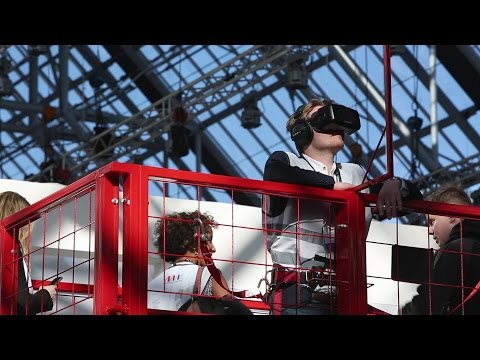


not the prettiest demo, but it served its porpuse
clever sky
Ah... looks like you've got a fun job.
A lot like game deving, without the slave wage of game dev! 😛
tawdry dragon
exactly 😉
At my old company, we were only 2 3d artists capable of modelling for realtime.. At my new job we are +20 who can do real time models
clever sky
Nice.
tawdry dragon
so the internal resources are much larger for me this time around, so I should be able to hit a much better visual quality
tawdry dragon
yeah
clever sky
Me... I'm a sketchup guy! Lol ... ah sketchup man... It's...
so bloody fast in the things that it can do. But it can't do so many things!
tawdry dragon
For basic prototyping its very nice, but I really think it lacks a lot when you're doing focused modelling/shading/rendering