#virtual-reality
1 messages · Page 29 of 1
 sharp swan
 granite jacinth
If anything, next gen headset should do retina scans
So it can calibrate automatically
 wintry escarp
pffft it should lose the screen and project directly into the eye
sharp swan
@granite jacinth yeah once they get that, they can let kids use it. I have been preaching that for the past year
granite jacinth
Aye
wintry escarp
is there any little wand you can buy for gearvr?
 hard light
Timewarp on GearVR would be redundant
most phones have a 30Hz screen, some 60Hz
you can use an XBOne controller with Gear VR
 mighty carbon
Timewarp is on Gear VR
Phone has low latency mode and it runs at 60Hz
As a matter of fact async timewarp came to Gear VR first and only then to Rift
@wintry escarp no wands, but you can use any bluetooth gamepad for Android or Xbox One S gamepad
wintry escarp
I found out last week you can plug an x360 wired gamepad into android devices and they work
sharp swan
yeah I can plug a ps3 or 4 controller into my phone. It's a sony phone tho so I guess you should be able to :p
wintry escarp
#oculus on freenode is totally dead, no-one has said a word in hours
sharp swan
should get all the #unrealengine folks on freenode to come over here. ¬_¬
mighty carbon
@wintry escarp you can't with GEar VR, unless you are using 2016 version with USB-C
https://www.twitch.tv/oculus/v/93564552 << if anyone missed live keynote from Carmack

Twitch
Oculus Connect 3 - John Carmack Keynote @ 1:30PM PT
wintry escarp
I thought gearvr had a usb passthrough
mighty carbon
no
wintry escarp
hmmmm that's a bit sucky
mighty carbon
2016 version can use USB-C port for peripherals and for data storage
previous releases with micro-USB can not
wintry escarp
so 2016 has passthrough
mighty carbon
that's what people on reddit said - they tested it
I haven't gotten around getting 2016 version yet
wintry escarp
prob not worth it if you have 2015
unless you need that passthrough
could gearvr do that luckys tale to look the same as the desktop?
I have a windows phone so I odnt really know what a modern phone can do
he seemed to suggest the exynos chip was better than the snapdragon
wintry escarp
do you want new Samsung things on your head?
mighty carbon
Carmack said Snapdragon is better than Exynos
wintry escarp
bit I saw said he reported a snapdragon bug that still hadn't been fixed
hmm I saw it all
mighty carbon
sure
but that's driver bug
not hardware
Based on what I am seeing in his keynote, he is still pro-Gear VR, but Samsung doesn't want to do what needs to be done and cell phone providers add more junk into Android that doesn't allow usage of hardware at 100%
wintry escarp
yes he seems to be leaning towards a standalone mobile headset
so he can run cpu flat out instead of worrying about throttling etc
I still think they should do that but split the processor from the glasses
you could go from a headset to bono style glasses
mighty carbon
ha, he called out loading times for apps on Gear VR...
UE4 takes forever to load on Gear VR 😦
also it seems JC doesn't think UE4 is a good choice for Gear VR 😦
 clever sky
Well UE4 is a little heavy weight.
Will be good in the future.
A few years in the future. Or good on desktop now 😛
mighty carbon
well, it works okay'ish, but things like loading times, unoptimized instancing, etc. really kill it 😦
mighty carbon
art is not optimized perhaps, or lag
wintry escarp
im guessing cardboard is broke on ue4, or its broken on exynos
normal mode was lovely and smooth, VR looked nice but as if it was tracking movement at 5-10fps
 scenic mason
Is there a way to Check if a HMD is Plugged in?
Via Blueprints? or C++?
And is there a way to See if its a Oculus, or Vive?
clever sky
Kinda Bioblaze.
There's a function called - get HMDDeviceName
And can be used with a switch on name selector
scenic mason
:X Yea that Prone in VR is serious Shit
clever sky
Oh yeah
scenic mason
Your Friend, isnt joking. Dead on Aim prolly
 dry fjord
Yup
scenic mason
need some sort of like laydown thing
clever sky
that reminds me, I should make a prone crawling state for my locomotion system 😛
dry fjord
First shot ever hit the far target
scenic mason
Nice.
dry fjord
I threw him some cushions
scenic mason
yea,
 snow raft
news just in John Carmack scarred for life in freak accident when he pushed mobile CPU too hard and it exploded on his face
clever sky
No johny carmack nooo
snow raft
I would actually be a tad worried about that reality if I were testing mobile VR quite frequently, first thing Id code is an overheat warning
clever sky
😛
snow raft
its all well and good to be running 90fps with MSAA and all that but if your face is getting roasted it makes you wonder if its worth it
I honestly havent used VR for more than 20 mins at a time yet where in the regular gaming space people sit for hours easy, GearVR just wouldnt last that long, youd get maybe 1 good hour
 frosty geode
From a high level, what do you guys think would be the best approach to making a 3d paint gun/drawing tool similar to the one in Rec Room? Mesh instancing?
clever sky
How well does the Rec Room one conform to curved surfaces?
There's draw to texture functionality in UE 4.13
That I'd explore as my first port of call here
frosty geode
Rec Room's is very simple, it looks like mesh data is being stretched between recorded vectors
 clever sky
Hmmm
How do they move the verticies so that the last tube aligns with the new tube?
Can you manipulate vertecies at run time directly?
clever sky
Bloody people. No sense!
We have a 1 lane drive way
and a sidewalk that goes past it
With walls and trees around it. Tight space.
So my brother's daughter's friend parks in the front of the driveway. blocking the sidewalk, blocking my car from entry, blocking me from even using my verge properly
The 1 lane drive way is deep enough to fit 5 cars simultaneously
5 or more. It runs down the entire side of the house.
Sorry. Just had to bitch D:
 stuck hamlet
huh, this is a silly question but why is it that when i rotate my pawn its not rotate my headset view?
its like the headset isnt attached to the possessed pawn
except it is because i can move its location just fine
...just not rotation?
this is for vive, if it matters
ok apparently the camera stuff for HMDs cahnged in 4.11
i didnt even know
 real needle
Has anyone experienced issues when attaching components to motioncontrollers and not receiving late updates on all of them?
I'm only noticing it client side, which makes me very confused.
I have a child actor, and a static mesh component both as children to the motioncontroller. The child actor updates perfectly, but the static mesh updates as if late update was turned off
clever sky
Dag nabbit
Spent $70 on a market place arch viz asset
And the BP is all in chinese!
real needle
lol, was the description in english?
clever sky
Yes.
I mean, to be fair, it's still useful
And it's not like I can't understand it with some effort.
It's just annoying D:
I think I'll just copy and paste things into Google translate.
Also for some reason this guy doesn't know how to place shower heads.
One has the shower head at eye level - so I'd bang my head into it.
The other one is at ceiling height, and I have to reach up to grab the knobs.
Which is amusing because most of the rest of the space looks great.
dry fjord
my avatar thing is coming along. I switched from the nasty-ass kinect-only solution to an IK rig
I have hands, head and elbows tracked
also figured out a nice solution for if a user only has a vive too, can still get relatively believable elbow movement by using the hand rotation as the joint target
trying to figure out the body IK now
tedious
clever sky
Nice work antidamage
stuck hamlet
Im not doing head, just head and elbows
clever sky
Looking forward to buying that marketplace asset!
stuck hamlet
hands*
clever sky
Or if you can't sell it because you're building off someone else's work, then share it around! 😄
dry fjord
haha
nah it's all me
it's not hard
it just uses the unreal 4 kinect plugin, which is freely available
someone other than bonezone and I is doing the same thing as well
it's not worth selling the IK stuff alone. the kinect rig perhaps
clever sky
Yeah. I've seen you guys pimping your IK stuff. Want to use the best 😛
dry fjord
d'aww haha
clever sky
So. I wanna do light trails that fade when a weapon clips through an object.
Like a lightsaber trail.
What's the best bet? Texture draw?
Need me a good texture draw example to crib.
Ooh. nice. Texture draw with burny fade and mesh slice...
means you can create a light saber that can actually slice through things in VR 😮
stuck hamlet
Im cheating though, im just using the ue4 IK solver
Im not actually doing my own rofl
are you writing yours from scratch?
clever sky
Dammit. Ever since tmek told me about his project it's been an itch in the back of my mind.
I wanna play it!
Or at least an idealized version of the idea!
VR FTL! brilliant!
dry fjord
use decals
that fade out and remove themselves
or particles
@stuck hamlet nah I'm using the UE IK solver too. no reason not to
clever sky
Decals eh. Yes. Makes sense.
dry fjord
the kinect is such a bitch to work with
thing's inaccurate as fuck and the plugin can't get your position in world space
just relative to other bones
so I track the elbows relative to the neck
then set the avatar neck to line up with the HMD, which is far more accurate
then I track everything else relative to the spine base
clever sky
Makes sense.
dry fjord
was all going swimmingly, now it appears the kinect can't tell if you're facing backwards
so I have to track rotation somehow and remember
also this plugin, when you ask it for the spine orientation, it halves it for some reason
clever sky
Sounds like time to buy a second kinect!
dry fjord
I've solved a lot of the jitter though
haha then they can both think they're facing my front?
clever sky
True that!
dry fjord
actually a 90 degree offset would make sense
I haven't even tried that yet
dunno what will happen if I move the kinect
when you ask for bone coordinates they're also relative to the kinect, obviously
so I need a way for the user to calibrate it
clever sky
Kinect foot ends up as a kinect hand.
clever sky
Haha
Fuckin' youtube. What the hell, why are you feeding me videos of some white chick living in tokyo?
And how do you know I'll watch it?!
dry fjord
it just knows
clever sky
Pretty decent recommends for the most part... but sometimes I wish I could hide or reject some of them.
Because my niece comes and wants to watch some vids
and the next few days I'll have suggestions for stupid kiddy crap all over youtube! D:
wintry escarp
hmmmmm gearvr forum says last update broke it on a lot of phones
mighty carbon
They already fixed it
wintry escarp
i wish Samsung would announce daydreamvr support
I wonder if its jus ta sensor speed issue, could they make a small usb addon that adds new sensors
patents add on sensors
snow raft
whats wrong with the sensors?
wintry escarp
someone in here suggested they were slow, that's why gearvr added its own
is the new gearvr supposed to cost much more than the old one?
$130
snow raft
honestly you cant really move around that much when youre blinded anyways 😛
sensors seem totally fine for a seated experience
good luck getting 1 billion people off their fat arses 😄
way Im hearing peoples intepretation of Carmacks keynote is they expect to see groups of VR tai chi people out in public parks or somethin
wintry escarp
most I got was he wants a mobile system made for VR, so he can run it flat out without heat throttling
mighty carbon
sup
mighty carbon
huh?
wintry escarp
it was £80, now its £100
wintry escarp
the new black one?
mighty carbon
ya

Samsung Electronics America
Visit Samsung today for Mobile Virtual reality. You'll find product reviews, answers and support information. Imagine what Samsung can do for you!
wintry escarp
wtf, uk is third world..Samsung uk doesn't have new one
mighty carbon
Samsung Electronics America
Select and compare the latest features and innovations available in the new Gear 360 Gear VR Virtual Reality. Find the perfect Samsung virtual reality for you!
and I checked Amazon Co UK and indeed no black Gear VR there :/
wintry escarp
new one seems pretty necessary, to avoid having to unplug it to deploy from unity/ue4....then plug it back into gearvr
repeat....
mighty carbon
I wonder if it's $99 + delivery to UK
I don't see how it can be more expensive in UK otherwise
wintry escarp
I'm right aren't I? the new pass through stops that being necessary
uk always get s screwed
look at pixel phone, free headset in usa
£100 is the uk price, even from pcworld 😦
silly question but when you use rift on ue4, do you need to deploy a desktop exe to see it on the rift, or can you press play in the editor and see it sent to rift in realtime?
wintry escarp
so we're talking an order of magnitude faster for development, none of this deploy to test...deploy to test crap
wintry escarp
does the rift camera thing have to be centred in front of you? or just somewhere where it can clearly see you
dry fjord
it has to be on a surface that vibrates lots
to keep it active
nah anywhere in front of you is fine
wall is best
real needle
We're playing multiplayer with these atm
They're made by iliumVR, and it's called the persuader
I'm hoping people will buy into gun controllers, because I don't want to make rifle games for the vive-motes when these things exist
If you're wondering about the rifle or their unreal support, just ask
dry fjord
nice!
how does it work?
oh I see, made it bigger
that's awesome
does it have buttons?
dry fjord
Haha
mighty carbon
holy moly
so I am planning on getting 512Gb SSD for upgrade and I still think it's a good idea to have projects on conventional HDD :/
(I wanted to just have UE4 and projects on SSD for performance reasons)
I like your vivefle, @dry fjord 😄
clever sky
I have a 1TB that I bought to put games and apps on.
... at first it was games. then it was like... the good games.
then it was good and reasonable sized games
Soon, it'll have to be important unreal projects 😛
Each time shoving off the lesser priority programs off to HDD
real needle
@dry fjord Yeah it has a thumbstick and 4 gamepad buttons on the other side
You can reload by pushing the magdrop, and the mag drops down a bit, then push it uo
There's also a chamber slide
dry fjord
Awesome! How much?
clever sky
Hmmm
Anyone know why I'd be able to hide an actor in game dynamically... but not its attached point light?
I'm using the BPCelingLight that comes in the starter pack
and I literally have both point light and the BPCeiling light set to hidden at start.
And a light switch that toggles them.
The ceiling mesh itself toggles fine! But the point light stays stubbornly on!
Meh. Worked around it by calling the set intensity function directly.
dry fjord
I added two more magnets and now the controllers snap into their docking position from about four inches away
eeeexcellent
they stay there too until you pull them off
my god VR is awesome
clever sky
Whatcha been playing with that thing?
Onward?
H3VR?
Would you believe before they showed off touch and vive controllers... I 'designed' an awesome VR motion controller... that'd still be pretty awesome if it was made now? 😛
One of its features was the ability for things to clip into the bottom, kinda like the Wii motion controllers.
So that players could clip battery packs and even a rail onto it.
A rail with one of these things:

Looked like this: http://i.imgur.com/MW5WmKM.jpg


Newer version of the StrikerVR stuff...

realistic haptic for Hand gun, assault rifle, mini gun, chainsaw, plasma rifle, etc.
dry fjord
@clever sky H3VR. I just tried the nest too but it sucks
not a real scope
I nailed the last watermelon on the sniper range on the second shot with the barrett
having a proper thing to hold is that good
clever sky
Yeah, I can imagine.
But I'm not big enough into shooters to rig something like that up.
dry fjord
having some haptic feedback would be awesome, but I do really like just having the controllers dock in
keeps them functional, you can just let the gun mount swing down if you want
not sure if the oculus touch can easily take a setup like this
but in retrospect the design of the vive controllers is genius
clever sky
Because you can do that? 😛
dry fjord
yes 😃
clever sky
#accidentalgenius
Seriously though, I'd like to have seen more buttons on these controllers.
The ones I designed have 12... each!
I was thinking about doing 3D modelling in VR... and I wanted as many hotkeys as possible
 silk lodge
they need MORE GRIP BUTTONS EVERYWHERE
real needle
@dry fjord Thanks for hating on my game, too bad you don't like arcade style :/
clever sky
grip buttons are the shift buttons of VR.
dry fjord
aww sorry, I was a bit harsh. I knew someone here made it too.
I actually like it but I want two things very dearly:
- option for a real scope
- fallujah setting with a real gun and real targets
clever sky
Real scopes are tough D:
clever sky
Also, I quite like the fake video scope in out of ammo anyway 😛
easy to use!
Like using a video camera with a sniper rifle attached. hahaha
Watching FFXV gameplay stream. Kinda makes me think of what an up to date AAA Ultima game might be like.
Because you run around the world with team mates.
Ah crap
I forgot to do the Orbus VR MMO stress test!
Noooo... I missed the first VR MMO experience ever!
clever sky
@dry fjord Why's your fur shader look so good cept for that weird black spot in the middle?! D:
@dry fjord if you've fixed it, you should update the vid on the marketplace 😛
dry fjord
the black spot is gone but I need to release an update
yeah I know
I gotta redo all the asset screens
I have such a huge backlog I'm in some kind of work frozen panic, a real slow motion one
clever sky
I was looking at it a while back thinking - that'd be handy when I need fur stuff. ... and that black mark is offputting D:
Is it dynamic? Can I interact with the fur?
dry fjord
at the moment it can be set up to respond to movements
or you can paint the length using vertex painting
waiting on forward rendering for it to be really good though
clever sky
Nice.
Would be nice to figure out a way to get some Vive controller interaction with furry stuff.
dry fjord
hmm
clever sky
Like a thick pile rug.
dry fjord
could do a velocity map instead of a single value
clever sky
And then it vibrates
dry fjord
then do render to texture
dry fjord
basically translucent fur looks far better but it has messed up z sorting, so I was sort of waiting on that and taking the bad PR
yeah, a convolver
clever sky
what's a convolver? Sounds like a fancy pistol.
dry fjord
an operation you iteratively do on an image
clever sky
Fair enough!
dry fjord
but yeah it sounds like an escaped pistol
clever sky
Hehe
 hard lagoon
Anyone got any solutions to these two problems? https://forums.unrealengine.com/showthread.php?125286-How-to-test-Steam-Achievements https://forums.unrealengine.com/showthread.php?117032-Problem-about-monitor-resolution-display-in-vive-vr-mode
Ran into a slight problem.
So in UE4 the only way to test Steam achievements is by running a stand alone preview.
However when running standalone it says "Standalone game VR not supported, please use VR preview"
And the VR preview doesn't connect with the steamworks api so I am unable to test steam achievements.
Has any UE4 Vive developer found a way around this?
As displayed below, everytime I pack up the project, it always display in a vertical scale (960 x 1080)in monitor(not hmd).
How can I set the display resolution to (1920 x 1080), like other unity vr games (as below) do?
101916
clever sky
Why wouldn't ASW work with traditional games?
Got people on reddit guessing at why it wouldn't. None of it sounds really that plausible. ASW gets directional input data and the last two frames to create an updated third frame.
Nothing about that seems like an exclusive to HMD kinda deal.
mighty carbon
why do you need ASW on non-VR games?
mighty carbon
my 12 yo PC can run DOOM 2016
sure, but hardware needs to evolve
if you don't buy new hardware, there will be (economical) consequences
clever sky
So you're saying that if ASW was available for use with whatever game, and you were a developer... you wouldn't use it...
So as to ensure that people would buy more hardware?
mighty carbon
for once it needs to be used automatically in the driver.
And yeah, if I don't have to upgrade for another few years, I wouldn't. And there are plenty of people like me.
clever sky
Ok, so you're Nvidia. If you could implement ASW across the board... you wouldn't, because you want them to buy more hardware?
mighty carbon
So, why innovate hardware when old hardware works fine ?
clever sky
What if AMD made this functionality available?
mighty carbon
AMD sucks
clever sky
Haha. Ok.
mighty carbon
they have good hardware and awful drivers
(GPU hardware that is, not CPU)
the point is if we all could still play on RivaTNT, we wouldn't have 1080 around
btw, can someone please guide me with this issue https://forums.unrealengine.com/showthread.php?125210-Reducing-loading-times-what-tricks-available ?
Watched Carmack's OC3 closing keynote and he asserted that long loading times is a very bad thing for Gear VR apps (long loading time can be a big turn off for users and I bet Oculus can even not let the app on the store due to loading times).
UE4 is notoriously slow when it comes to loading on Gear VR (development builds for sure) :(
What tricks are available to ensure shorter loading times? (project settings, etc.)
Thanks
 lusty vortex
Store everything in a single pak file can already help a lot, in case you're not doing that
mighty carbon
yeah, doing that
lusty vortex
Experiment with compression on/off, to test if you're CPU or IO bound with loading
mighty carbon
have to have compression - it's mobile stuff
lusty vortex
Also making sure you only load what is needed and use streaming levels
mighty carbon
what's I am wondering about if I have proper setup for streaming levels
lol, did you even read what I posted ?
lusty vortex
Didn't read the forum post, sorry if it was mentioned there 😛
Only the header discord gave me, thought might as well give some pointers
mighty carbon
I already use streaming levels
I am just not sure I do it correctly
it seems that all assets from all streaming levels load first, and then actual levels load as directed
where I want for first level load with assets that present on that level, and then second level load in the background with the rest of the assets used on the second level
and that doesn't seem to happen
lusty vortex
What's your streaming setup? Are you sure your assets are placed in the specific levels, etc, many things can be the case
mighty carbon
set up is in the forum's post
lusty vortex
Alright, let me read it 😛
mighty carbon
well, first level is a black room. So there is only that, player and black texture
second level is where everything else is
lusty vortex
"Invalid Attachment specified. If you followed a valid link, please notify the administrator" when I click on the attachment :\
lusty vortex
Still saying it
 lusty vortex
And in the world outliner you can confirm the actors are in the correct levels?
That they aren't saved in the persistent level or something like that
lusty vortex
Then I don't see anything wrong with this setup for level streaming
mighty carbon
apparently it's actual engine's issue https://issues.unrealengine.com/issue/UE-36835
lusty vortex
Still on 4.12 myself
Wonder what's changed in 4.13 that causes it
This ticket doesn't mention streaming levels though
mighty carbon
Download our developer guides for the SDKs, best practices, engine integrations, and more.
damn, tighter requirements for mobile now :/
wintry escarp
why must they keep 60fps if the new timewarp lets you run 30?
 inland acorn
vr hands drive me crazy. I mirrored the left hand to the right with scaling 1,1,-1 and rot 180,0,0but then the Sockets are inverted, but not rotated...wtf.
mighty carbon
why not to have 2 hand models ?
 barren rose
I decided to route holes though my walls to hide the power cables for my lighthouses
First lighthouse turned out great
Second one... can't fish anything down the wall and come out the other side
ghdfjgd
So now I have two holes in my wall and still a cable
dry fjord
use a coathanger
a wire one
you feed it through, hook the cable, pull it back through
I would have just used small routing ducts tbh
like they have in offices to cover cabling
wintry escarp
2 strong magnets? pull it down the wall from other side
wintry escarp
wassat
mighty carbon
https://en.wikipedia.org/wiki/Fish_tape @wintry escarp
A fish tape (also known as a draw wire or draw tape) is a tool used by electricians to route new wiring through walls and electrical conduit.
Made of a narrow band of spring steel, by careful manipulation, the tape can be guided through confined spaces such as wall cavities. The goal is to push toward an area where guide string has been dropped inside the confined space and to pull it through, so the guide string can then be used to pull through various types of wiring, such as phone wire, network cables or...
dry fjord
yeah that'd do it too
dry fjord

It’s easier than ever to be successful with Oculus and Unreal Engine 4.
it doesn't look like they're demanding oculus store exclusivity either
I think Palmer's shit came at just the wrong time for them, this looks like a recovery move
I'd take them up on that
 fresh laurel
mighty carbon
fresh laurel
mighty carbon
Was just about to post it 😉
@dry fjord sure, but if you sell outside, you will pay Epic royalties on the sales outside Oculus Store
@fresh laurel tbh I don't see why they include second tag with pinouts for people to build motion controllers. I'd rather pay less for 1 tag and then separately buy from them motion controller.
dry fjord
that's ok, it's still free sales on the oculus store, which is where most rift owners will be
mighty carbon
Rift already doing better thanks to Fb money 😃
clever sky
Probably the Rift. But I wouldn't discount the Vive.
They've got a strong foothold in China
thanks to HTC. You know they've got a netcafe with 100k stores in operation?
For reference, McDonalds has 17k worldwide.
To clarify, the netcafe isn't theirs, it's some big chinese netcafe company. But they've got VR stuff setup in those netcafes.
clever sky
Or the Nokia and Ericsson.
mighty carbon
I see what you did there @clever sky
clever sky
( ͡° ͜ʖ ͡°)
dry fjord
I wonder if AI will look back at the time they were unsentient, unaware corporations and wonder what gave rise to the beautiful desert planet they now inhabit
with its wealth of silicates and occasional carbon biological infestation
none of them will be named Nokia though
clever sky
What are you talking about? Nokia will be a common AI name, like Blackmage2000113141002
dry fjord
hahaha
clever sky
What's the best way to turn on/off tick on event?
Don't want a bunch of objects in the level ticking when they have no reason to be.
clever sky
It took half a day, but I made a light switch that I would switch nicely in VR.
that would* (not that I would)
... because it actually has a gradient of movement before clicking off.
 wicked oak
timelines?
clever sky
Not quite. Using trigger input to drive
Clicks off when you click in the controller button.
Otherwise it snaps back to its previous position. Like a real switch would if you don't press it far enough.
It's actually really excessive for a light switch. But it'll also work for things like door handles!
real needle
Nice
I made a 3d mesh menu that I just need to feed strings into, and it dynamically creates text and collisions
Then I realized I also could use it to just spawn 3d text instead of using widgets. Pretty neat.
clever sky
That's pretty sweet.
Spawn against a plane or a rectangle with a blur material
for maximum aero feel.
Time to see if my system works with guns.
Bought the projectile pack.
Bloody epic projectiles in that thing.
wicked oak
wich one?
clever sky
'The projectile pack'... I think. The name is a bit basic, but it has things like rail guns, blackholes, homing and interceptor missiles
among other things.
 dusky light
Hi all.
clever sky
SAup
dusky light
I've created a navmesh in my scene and some grabbable boxes on the floor. When I package and play, the grabbable boxes jump up off the floor, above where the navmesh lies.
Anyone else have this?
clever sky
Or at least, the default boxes in the VRtemplate just collapse on themselves as opposed to stay neatly organised
Haven't bothered to research that yet.
dusky light
OK. At least I'm not alone 😉
clever sky
You might also notice that the chaperone bounds that shows up in the editor when teleporting
doesn't when packaged D:
Or if it does show up for you when pacakged, leet me know what kinda settings you've used!
dusky light
I've packaged a few projects and the chaperone doesn't appear at the end of the teleport arc - I assume it was something I did.
clever sky
Nah. It's something to do with the SteamVRChaperone component
Doesn't work when packaged. Not sure why. No response anywhere D:
dusky light
I am struggling to find answers to my questions on VR-related things. Perhaps it is too new for many people to be using it yet.
I also think this might be a problem with UE4 being 'free' as there is no real support from UE themselves.
I don't suppose you know how to prevent the NavMesh from being blocked my moveable objects do you?
clever sky
There's an option in the instance that lets you prevent it from acting on navmesh
dusky light
ah - let me look for that.
...is that in the BP for the movable object, or the object itself?
 radiant cairn
What am I doing wrong; everything is black inside of a sphere, where my player spawns. Spheres normals are towards inside.
Im deving on gear vr.
clever sky
@dusky light It's under the actor instance (in the map), but also under blueprints - collision - can ever affect navigation
dusky light
Zaptruder - thankyou! Awesome!
radiant cairn
Yes i have, and outside
radiant cairn
Nope
clever sky
Dunno then. I had an issue where scaling to -1 during run time for instanced meshes would flip their normals.
dusky light
This moveable object 'jumping' at the beginning of play is annoying. I don't think it is to do with NavMesh as I have just told the moveable objects not to affect the NavMesh
clever sky
Yeah... it's a bugger. Not sure what the fix is to be honest. I've kinda just lived with it for now, because it hasn't impacted me yet.
dusky light
Iit means all my moveable objects are just floating off the floor during game play.
clever sky
The stack of cubes on top of each other?
dusky light
Yes - I know the cubes
clever sky
They collapse onto themselves in the packaged version.
But stay stacked fine in the editor.
dusky light
Mmm.
clever sky
I haven't tested it beyond that.
 signal roost

In a west lab of Lop Nor, staff were infected by virus and become to Zombies. Soldier 9527 discovered the threaten and entered the town to investigate what happened in the town. You have to survive by killing all the zombies you met.
dusky light
It's as though they have an invisible contact region around them - like a buffer or something. Having said that, they do rest on top of each other as they should, but just floating off the floor. I'll have another look at the template...
wicked oak
does it happen without navmesh?
dusky light
vblanco - are you referring to my issue?
wicked oak
yes
wicked oak
then its not a navmesh problem. Most likely your collision boxes are too big
dusky light
Interestingly, I reimported the cube mesh (an FBX) with the pivot point in the centre of the cube rather than the centre-base of the cube. The cubes no longer seem to move when I play. (Collision boxes are exact same size as cube)
I tried manually moving the pivot point of the chair to the centre, but it doesn't seem to make any difference with them. I will have to re-import the chair with its pivot in the centre and see if that helps.
clever sky
Sup
dusky light
Yes
real needle
great
dusky light
...actually, I don't think I have solved the cubes bouncing into the air at start of play. I moved the pivot to the centre, but the collision shape was still higher up, so it gave the impression that it was working! Bugger
real needle
i just wanted to ask what would be the most easy straight forward way to set up a triggerable sliding door with thwe VRPawn. i have a feeling the normal way wont work because the vrpawn doesnt have collision
clever sky
Put a collider on the VRPawn. Like the head or something.
Attach a collider to the camera.
clever sky
Hehe 😛 gl
dusky light
What 'room' should I post a simple question about lighting in?
clever sky
general/leveldesign
dusky light
ta
wicked oak
im going to create a far improved code version of the Oculus hands
might release it when im done
gonna email oculus soon to ask for the final touch, new hand 3d assets, and maybe funding
clever sky
@wicked oak What do you mean far improved version? Sounds intriguing....
wicked oak
from my older version

you can see some gameplay here
in some moments when i use spells, the hand can be seen
i do have finger tracking from Touch, but its kind of half-assed
clever sky
Bad ass. Like what you're doing there.
clever sky
Nice work.
Maybe we should team up. I've got an immesive locomotion system in the works 😛
clever sky
Fair call. Looks pretty good as is.
clever sky
Never!
wicked oak
i told everyone in barcelona to play standing
but to keep their feet glued to the floor
becouse this has no chaperone
and its forward facing becouse i had no space to put the camera behind
so around 270 degree tracking
clever sky
Yeah
Well... if you want to tap the biggest early VR market it's the PSVR
and that's pretty much only forward facing and standing
wicked oak
im finalist on Playstation Talents
clever sky
Nice stuff!
wicked oak
thats why i was in barcelona
and ive also become a playstation partner
im waiting for developer access
but they are extremelly busy with PSVR launch
wicked oak
yeah, i spoke with Playstation Iberia boss about that
well, im trying several things
first, i want to have it for Touch launch
in december
i think its possible to do that
a Playstation Europe tech boss also really liked the game
becouse this build is really optimized, and runs smooth as butter
clever sky
Dayum. You been working on this long?
clever sky
Well played. Kinda looks like what doom VR sounds like
although I haven't actually seen Doom VR footage
you slow down the world on teleport?
clever sky
Hahaha. I'm sure they arrived at it independently 😛
wicked oak
if you dont take in mind the rotation, this movement system is awesome
i have 5 rounds + a boss
by round 2-3 people already got it
people new to VR
and were zipping around the map at high speed
clever sky
Makes you feel like some kind of super-hero I bet
wicked oak
yes
clever sky
Nightcrawler with sword and gun.
clever sky
hehe
wicked oak
kids loved it
they often were waving around the arms, aiming 2 sides at once and similar
some non-gamer people played in a more "conservative" way
clever sky
So what hand work did you actually do, because I was kinda distracted by the rest of the game tbh 😛
wicked oak
like a turret
its a oculus touch hand implementation
animations change depending on your fingers
clever sky
Haha... probably need to show a seperate video specifically to show off the hands to demonstrate the tech
They're out of view too much.
But cool stuff man. Did something similar (although much more basic) for the Vive controllers
Use the trigger to drive the grip amount. Felt a lot better instantly.
wicked oak
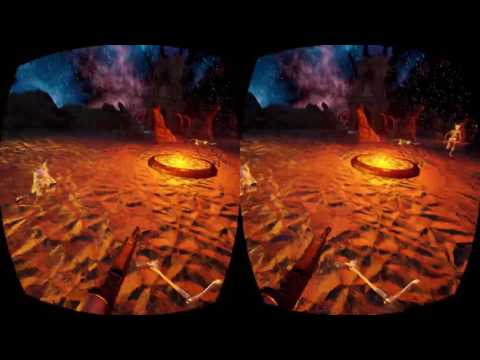
what about this one
first video i have about it, couple days work
started with another game i had, added "VR support"
the newer version has far better balancing, weapon handling, maps, and AI
this is from another game, i just picked the map and the enemies
clever sky
Still hard to tell. They look natural... but also like canned animations. Did you create a bunch of situational animations, or are the hands responding entirely to controller input/gesture tracking?
Because the latter makes it super impressive.
OTOH, I haven't got the touch controllers/haven't experienced the touch SDK first hand, so I don't know what it comes with
clever sky
Ah.
wicked oak
beetween different poses and animations
clever sky
So they react more intelligently/appropriately to the action.
Yeah... that's probably the way AAA VR will have to do it for best visual presence
wicked oak
better games have their own hands
this ones are from Toybox
that first Touch demo
and bullet train
clever sky
You do this stuff all in BP or use C++ too?
clever sky
Cool... do you have world collision with the player?
wicked oak
no
clever sky
Fair enough. You're encouraging to stand on the spot and move fast with teleportation anyway.
wicked oak
yeah
clever sky
Good stuff man. Looking forward to playing it. Touch exclusive or Vive too?
wicked oak
works on Vive ATM
works better on oculus
due to the extra button and joystick to rotate
wicked oak
i can send you a key
clever sky
Sure thing. I'll give you a gut feeling comparison between the other things I've already tried.
Alright. back in a bit.
wintry escarp
not a fan of this teleporting around
has anyone tried detecting the rocking motion of walking, to walk in vr
 woeful blaze
i have a question
woeful blaze
i don't have a Vive but i need to make something for somebody where he has to hit a button
can i do that with the 4.13.1 vr template?
dry fjord
should be able to I guess
clever sky
@wintry escarp Yeah, I'm working on that right now.
dry fjord
it's a bit tricky without having an HMD to test it on though
clever sky
Polishing up the rest of the functionality.
dry fjord
how does it feel zap?
clever sky
But the actual walking in place functionality (as I've implemented it) feels fantastic.
Not perfect mind you.
dry fjord
"walking in place"?
woeful blaze
oh thanks
clever sky
But once you get used to it... everything else is a bit meh 😛
'rocking motion of walking'
I assume he meant the way your head bounces up and down when you walk on the spot.
woeful blaze
so how can i make it so that the motion controllers get detected by an onhit or overlap event?
should i cast to the motioncontrollerPawn blueprint and then check if the other actor is equal to the left/right controller?
could anybody help me with this please?
would this work?
 clever sky
Seems like it should work. But you should debug with print strings to figure out where the logic is failing if it is.
dusky light
Anyone have any good solutions for 'architectural glass' in a UE4 project? I'm talking about glass balustrades, large glass windows etc. My first attempts following an online tutorial weren't too hot (very wobbly/distorted)
This is the tutorial I followed:- https://www.youtube.com/watch?v=sRQ5z8i_SV8
 clever sky
@wicked oak Thanks for that. Great stuff. Solid mechanics all around. Just the sword needs more work, but I'm sure you've already been working on it!
@dusky light arch glass for VR?
Kill all the refractions.
wintry escarp
no, just rocking from side to side...the way you would while walking
slight rock, not something silly
clever sky
Ah well. I mean, you can rock side to side in my system and get some movement. Just not a whole lot.
dusky light
@clever sky So how do you make a transparent material that has no refraction?
clever sky
Grab the starter pack glass material and unplug the refraction node.
Done.
Also set up cubemaps or sphere maps and use that to create fake reflections on the glass.
dusky light
Ah - I need to check out the starter packs.
If I'm brutally honest, I'm not even really sure how to grab a material from a starter pack. Can I just import a material from somewhere into my current project?
clever sky
Yeah. Open a new project, add starter pack. Migrate the material to your project.
Right click on the material, one of the sub menus - migrate
dusky light
So you have to actually create a new project in order to migrate a material from it?
clever sky
There's probably an easier way. I just don't know it off the top of my head.
Look in engine content?
dusky light
ok - cheers
mighty carbon
@wintry escarp are you getting Galaxy S7 after all ?
wintry escarp
nah, i have an axon7 coming from Germany that will do daydream eventually
unless this phone turns out to to be rubbish i'll keep it
I was actually swaying towards getting a cheap plain phone and a rift, if this phone isn't as good as reviews say that's what i'll probably end up doing
mighty carbon
If I had powerful enough PC, I'd already grabbed Rift
wintry escarp
it seems my pc is now powerful enough
the gpu was marked as not good enough but I'm pretty sure it was fine
with the drop in requirements I'm now within the limits
sharp swan
I do ok with a 970 and a rift. If you are using a VR game/app that has taken into account the rules of the road, it should be fine on anything close to that or above.
wicked oak
keep in mind most of the VR optimizations are for the 900 series and above
so maybe not
mighty carbon
1060 is under $300
wintry escarp
but in normal use its no faster than my 780
well 1060 might be but not my much
by much
they don't seem to have updated the system checker app
sharp swan
it has a different chipset though right? Pretty sure pascal came in the 9xx series.
wintry escarp
nah, 9xx was Maxwell, all it added was a hardware global illumination addon that isn't used cos its still too slow
mighty carbon
@wintry escarp I am sure there is a good reason different architectures exist and Oculus recommends going with Pascal.
although 780 has wider bus
1070 would be a better choice
~$450
wicked oak
it did much more than that VXGI
it has Multires wich is +40% performance in VR
and way better async timewarp support
woeful blaze
could anybody help me with this issue?
I need to make something for somebody, but I don't have a Vive, so I tried using simulate to check if the collision/overlap was being detected and it was, but when the other person tried it out in VR Preview it didn't detect anything.
It didn't matter what collision channels I used.
On both BP_MotionController and buttonTest I have this:
Simulation generates hit events is enabled.
Generate overlap events is enabled.
On BP_MotionController I have this, it doesn't matter what the
i have been trying to figure it out for the past 2-3 hours
but to no avail
mighty carbon
Note 7 is dead
woeful blaze
?
mighty carbon
Samsung stops manufacturing/replacing them
some kind of design flaw they can't fix
I hope they rebound with S8
mighty carbon
yeah
mighty carbon
heard of Gear VR ?
woeful blaze
yeah i have
mighty carbon
I don't have Note 7
just posting info about it since some folks here interested in Gear VR development and loss of Note 7 is related info
mighty carbon
it was suppose to be top smartphone for top mobile VR
especially that it had HDR screen
mighty carbon

The Official Samsung Galaxy Site
Experience the best entertainment out there from HDR videos to Vulkan games on Galaxy Note7
scroll down
mighty carbon
good thing Gear VR 2016 has both micro-USB and USB-C ports
otherwise it would be collecting dust until S8
woeful blaze
i don't even know if my phone supports GearVR or Google Cardboard
dry fjord
did you hear what happened with samsung notes? they worked out why they're blowing up
apparently tom cruise ordered "a bunch" for mission impossible 8 but they got confused and manufactured "a bunch more" and released them to the public. Now they all self-destruct within 10 seconds.
da da daaa, da da daaa, da da daaa, da dah
dry fjord
mcdonalds has a theme song?!
dry fjord
we don't have to learn the mcdonalds national anthem at school I guess
 full junco
 keen pumice
I am using a 3d widget in world space as my crosshair. I enabled instanced stereo rendering to try that out and that caused issues with the 3d widget where it produced double vision for the widget. I disabled instance stereo rendering but the double vision for the 3d widget persists. Any ideas?
Weird. Adjusting the widget components relative location fixed the double vision even when returning to the previously values.
wicked oak
all phones can explode or burn
but after its been widespread
a phone burning is news good enough for big websites
so public perception is 100% fucked
samsung just lost its brand
 deep skiff
is everyone know why motioncontroller grip axis all way is 0?
wicked oak
grip axis doesnt work on Vive
its for Touch
and there it works, at least ive tested it
im using it for animations for the hand, becouse my needs are just "pressed/depressed"
deep skiff
ummm, thanks a lot
clever sky
Dayum.
Oculus killed Gear VR for Samsung Note 7s
So what do you think the rebrand will be?
sharp swan
galaxy note 8
clever sky
Galaxy Note 8 - The Unexplodable
 digital vault
Anyone here who could help me with a Collision problem (locomotive movement)? It's seems to be a common problem and many ppl just solve it with plugins but i think there could be another solution.
clever sky
What's the issue?
digital vault
PN... Maybe it's stupid but it already cost me too much time.
dry fjord
Fisher Price Super Safe Galaxy Note 8
digital vault
So anyone use the VRExpansionPlugin when handle collision for a User?
clever sky
VRExpansionPlugin is pretty heavy weight for just handling collision. But it's also the easiest place to start. Next step is to delve into it and reengineer a BP version of it.
digital vault
I'll try 1-2 things before i use it...
clever sky
Fair call. Let me know how you go! It's a problem that I'll have to deal with as well!
clever sky
Not entirely sure. My editor is affected by a bug.
real needle
hmd mirror mode breaks the preview window and its freezen
clever sky
Where the first time I play from VRPreview, it'll full screen the game.
And then it'll just do the small window after that.
Not that I'm complaining. But I have no idea what's causing it, or what I might've done to set it off.
 quartz pewter
does anyone know if its possible to change the viewmode that the stereo panoramic plugin renders in?
tried using the viewmode console command but even though it changes in the viewport the renders are still in lit mode
real needle
Hey folks. I've made a setup which allows for several viewpoints. One is first person, another third person fixed perspective (more like controlling an object remotely whilst stood in the level), the last is an overview mode. Currently in this mode I change the "Set World to Meters Scale" value to 5000 which gives a great feeling of looking at the level as a model (and still allows the character to be controlled remotely). The only issue is that when in this mode, I want to be able to pick up and move objects in the level around. Changing the scale as I mentioned, however, doesn't adjust the tracking distances of motion controllers so it's no longer 1 to 1 movement, but rather tiny amounts of motion. If there a way to change the motion controller tracking scale as well?
clever sky
I'd suggest multiplying motion controller movement by world scale relative to 100cm
100cm been 1:1
But then you have to account for your own offset probably and ensure that the solution captures that.
Also scale up your motion controller mesh sizes.
real needle
The meshes aren't really an issue (I've actually got a second Motion controller in the location of the overview camera anyway). It's purely the location / movement distances that don't change. Increasing the scale of the MotionController object in the BP doesn't change how it tracks. Got no idea how I'd access that info.
clever sky
Get local location of motion controllers. Get world location of actor. Set motion controller world location to actor + location + motion controller local location x world scale
Per tick.
That's what I'd try.
Interestingly enough, my issue with scaling seems to be the opposite. My mesh doesn't scale, but my movement is fine.
real needle
Makes sense. So effectively the motion controller is tracked in the same space, but the object representing it is offset based on the world scale changes I've made.
Just seems strange that there's no obvious way to scale the entire VR setup (if that makes sense). That way the "floor" would remain at the same height in the world, but your player height would increase and hand movement would adjust accordingly.
clever sky
Yeah. Well, I guess they just haven't gotten around to building that functionality in as an automatic thing yet.
A bit annoying, because when I have to fix the issue myself, it always feels like I'm hacking it together! 😛
real needle
yup
real needle
heh, that's 80% of blueprint dev for me (I'm an artist, not a coder)
clever sky
Yeah same. Came from a 3D modelling background.
But I seem to be doing ok? I think understanding 3D just helps a lot with this sort of work.
real needle
Yup, it's done me no harm 😃
real needle
can't really say, just prototyping some ideas at work
clever sky
Fair enough!
real needle
Just tried your suggestion of scaling the relative location of my controller representation object and it works perfectly. Cheers 😃
mighty carbon
iPhone 6s burned many times, yet you don't see headlines about that
obviously Note 7 went overboard with number of units burning
if S8 doesn't burn/blow up, I'll get it 😃
clever sky
S8 should be fine. I'm looking forward to it been relatively cheap to help restore some of their brand/good will.
I mean S7 is fine now.
mighty carbon
shit happens to any device/machinery. There are recalls in auto industry. I just don't see how people can't wrap their head around that errors happen and as long as no one dies from it and manufacturers fix the issues in the next generation (or fix it in the same gen and re-issue fixed products that don't fail all over again) there is no need to bury manufacturer
S8 won't be any cheaper than S7
especially with all the new features they are packing it
clever sky
See how it goes! Currently have an S6 so due for an upgrade with the S8. OTOH, I'm not that excited about mobile VR, so maybe I'll just keep waiting 😛
mighty carbon
in order for manufacturer to be mistrusted in my book, they have to hide the issue, it has to cause damage to me and my wallet without recovering the costs (no refunds)
clever sky
Positional tracking by S9 would be a must buy.
That's good @mighty carbon rational approach to the situation.
mighty carbon
so, Samsung is still awesome in my book 😃
clever sky
But you must understand that most people don't operate so cooly rationally.
mighty carbon
yeah, and that sucks 😦
clever sky
Despite what classical economists would like to tell you!
wintry escarp
shops here expect S7 to pick up the slack, a few have raised prices
mighty carbon

UploadVR
Sony has warned that users experience PS VR tracking issues should get light sources and mirrors out of the way of the camera.
lol
wicked oak
i tried the VR editor 4.13 with oculus touch
doesnt work well 😦
such a shame, touch is very confortable to use it in the editor
the gizmos are broken
i can only move stuff
not rotate or scale
so pretty much useless
and this one is a case where using it actually makes a bit of sense
sharp swan
we are having some really annoying issues with Oculus runtime atm with 4.13 . The window management has messed up somehow and now when you start the game you have to click the window and it borks the UMG focus when you do. Nailed it down to the integration of the runtime used in 4.13 but no idea how to fix it.
 normal thorn
Having an issue where play in vr in editor works fine (on the Vive). Build and VR doesn't seem to be working. Headset sees grey scene, nothing seems to be tracking
I have enable HMD in BP but hmm
normal thorn
I have stereo on set in console command on event begine play after enable HMD
camera just starts at player start but not VR movement or tracking seems to be enabled
in build
edit my short cut to be E:\Build\WindowsNoEditor\Airplane.exe -vr
I like to keep the windows no editor 😉
but still not working
-vr worked but it took a little messing about. Not wure what I did to finally get it working
 lyric beacon
Hello guys, does anyone know how I would add an offset to the camera position w.r.t tracked HMD transform (obtained by enabling lock to HMD in the Camera settings in Pawn)
dry fjord
wrt?
the pawn is the center of the room space, always
the camera is the HMD's location in that space when it's locked to it
so just get the pawn location in the world
 reef reef
hi
mighty carbon
From AMD: "Support for Oculus’ Asynchronous Spacewarp (ASW) feature on select Radeon RX 400 series graphics products. ASW compares previously rendered frames, detects the motion between them, and extrapolates the position of scene components to create a new synthetic frame. Using this technology, synthetic frames will accurately approximate the fully-rendered frames they’re designed to replace."
So, if you don't have RX 400 series, you get mo ASW :/
 fleet veldt
i played with ASW on my project, worked really well. there was a couple of very minor issues that could be worked around. definitely a win
reef reef
Can somebody help me,
I have an error when animating a mesh, attached to the camera, when the animation crouching??
fleet veldt
i typed "hmd mirror mode 0" on the vive. and mirroring went black and i can't seem to get it back, any suggestios?
lyric beacon
@dry fjord : I am using full body IK, so I need the camera to be a little in front of the head so that it doesn't intersect the body, However, I want the arms and the rest of the body in the correct location wrt the controllers, so I can't just move "everything else" back.
@fleet veldt That happened to me as well, I think there's a config file you need to change to fix that. There are some answer hub posts about this issue.
fleet veldt
@lyric beacon ah thanks i think i found a forum post on it 😃
just got a Vive today, man "The Lab" is awesome. any other "must try" experiences? (particularly ones that showcase breakthrough VR gameplay)
i'm planning on trying onward and Job Simulator
and tilt brush
stuck hamlet
has anyone gotten haptic feedback to work for vive? I see the Haptic Feedback curve asset in misc. as well as the play haptic feedback function in the player controller....
but maybe Im not setting up the asset right
what is the units of frequency in the asset? it doesnt display the units. Im assuming its hertz?
wait, there it goes I think
Im confused about the frequency though, I cant tell a difference when i set it to high or low
I think it might be broken, it feels like the frequency is always 100 hertz or something
lyric beacon
@fleet veldt I think The Lab and Tilt Brush is where its at currently.
dry fjord
what is "wrt"?
@fleet veldt get Hotdogs, Horseshoes and HandGrenades
then build this: http://imgur.com/a/bvvVj

Imgur: The most awesome images on the Internet.
onward is quite bad
job simulator is quite good
space pirate trainer is good
fleet veldt
@dry fjord whew "The Lab" was amazing. so much fun. tired of standing a bit though 😄
what's the one where you can see a 3D scan of the Valve offices / lobby
 slim raft
@fleet veldt destinations
fleet veldt
@slim raft ty
dry fjord
yep. VR is all about sore feet, and you can't wear comfy shoes because you'll step on the cable
@lyric beacon I'm doing IK vive controller/kinect stuff at the moment, the vive side of it is straightforward
for the head you want to make it a separate material so you can turn it invisible when possessing
or do what I did and lop it off, attach a new helmet and make it "owner no see"


 slim raft
Vader for me
dry fjord
btw best trick I've found is to use the rotation of the vive controllers to set the elbow IK target
90% of the time it matches up to the player's arm in real life
at least from what I've seen once people grip something they do very little wrist manipulation away from the basic IK position you can get
slim raft
It's great to see your progress
dusky light
Morning all. About to embark on a new VR project (using the Vive). My dev machine doesn't have the Vive connected to it - that is set up in a different room connected to a different PC. During development, I want to be able to 'play' the game on my local dev machine to test everything works as it should - however, when I 'play', the controllers (mouse/keyboard etc) don't function as it is set up for the Vive motion controllers.
How do I easily switch between setups? (I am fairly new to UE4)
@dry fjord that storm trooper thing is amazing!
dry fjord
check for the vive and possess a different pawn
probably the first person pawn
so add both to your level
let neither of them auto-possess or auto-receive input
and choose programatically
fleet veldt
and maybe have both inherit from a base pawn so they can share common functionality
fleet veldt
there's a node to get hmd name lemme check
dry fjord
ah yeah
fleet veldt
there's a problem with it though.
dry fjord
it comes up as SteamVR or something doesn't it?
fleet veldt
even if you start in desktop mode (no -vr or auto start in vr)
that function will still return whatever headset is connected to your system
dry fjord
ah right
fleet veldt
so.. i added a static pure funciton to determine if the game is running in stereoscopic mode or not

 dry fjord
ah that'd help
fleet veldt
which you can do dirt simple just by reading the boolean from GEngine global. http://i.imgur.com/qpVBDbH.jpg


that's the only way i've come up with to determine if i should switch between desktop (mouse/keyboard) controls vs VR controls
there is also this node: but it didnt' seem to work for me correctly http://i.imgur.com/nPs8kb4.jpg

 dry fjord
hmm