#multiplayer
1 messages · Page 589 of 1
 rose prawn
Hi people, I have a question. In listen server, save load is simple to me. I save all the data on host. When others join or left the session, the host keeps the saved data on its computer.
But how does this work on dedicated servers? Imagine a game like The Forest or Minecraft. I’m not making MMO. Can dedicated servers keep the save files? How can you keep player data on dedicated servers? Do I need to use MySQL or other stuff for this?
Just trying to get an idea about how it works.
 agile wraith
Hi guys i need your help with any video maby ho to make a voting system in unreal cous i am working on a Amung us but 3d and know idk how to set a random imposter or how to vote to the imposter please help me
 winged badger
@unkempt tiger if you don't need the roll
just turn the rotator into FVector_NetQuantizeNormal
you won't be able to restore roll information when you turn the vector back into a rotator client side
 unkempt tiger
wdym not be able to restore? it should always be 0
wait, how will FVector_NetQuantizeNormal benefit the networking? what does it do differently?
Oh
wait
you mean just in the net serialization, turn the rotation to an FVector, net serialize, then back again to a rotation?
unkempt tiger
what does it fundamentally do differently?
winged badger
and you don't need the vector magnitude if its essentially a rotator
so you can use the 16 bits per component compression
(NetQuantizeNormal)
unkempt tiger
is 16 bits per component compression equivalent (or better) than serializing the pitch and yaw of the rotator?
winged badger
that would be 48 vs 64 bits total
plus the code to restore it and the function signature are more elegant
unkempt tiger
which function signature? :P
unkempt tiger
oh, we are talking RPC but one that accepts an FPlayerCharacterInput struct, which holds an FRotator
winged badger
plenty of examples in engine
    /**
     * Normal of the hit in world space, for the object that was swept. Equal to ImpactNormal for line tests.
     * This is computed for capsules and spheres, otherwise it will be the same as ImpactNormal.
     * Example: for a sphere trace test, this is a normalized vector pointing in towards the center of the sphere at the point of impact.
     */
    UPROPERTY()
    FVector_NetQuantizeNormal Normal;

    /**
     * Normal of the hit in world space, for the object that was hit by the sweep, if any.
     * For example if a sphere hits a flat plane, this is a normalized vector pointing out from the plane.
     * In the case of impact with a corner or edge of a surface, usually the "most opposing" normal (opposed to the query direction) is chosen.
     */
    UPROPERTY()
    FVector_NetQuantizeNormal ImpactNormal;
from FHitResult
well, not quite the same
 summer tide
@hybrid zodiac On the NPC i have an interface called Interact, so can I connect and cast to player controller from there then call the Shop Comp server event fromt he player controller?
winged badger
it is the most bandwidth efficient way to transfer a rotator if you don't need roll tho
and you can just do
UPROPERTY()
FVector_NetQuantizeNormal Rotator;

FRotator GetRotator() const { return Rotator.Rotator(); }
void SetRotator(FRotator InRotator) { Rotator = InRotator.Vector(); }
oh yeah
thanks for this, good stuff!
sometimes I forget I can just simplify my shit with getters and setters
summer tide
So I've a NPC AI with Interact interface and a shop component. Whenever the player interacts, I want to call a server event in shop component which will open the shop widget with items in it. Currently in multiplayer it only open the widget with items in Server.
winged badger
@summer tide the way i'd go about it
is have a ShopComponent, inheriting from ActorCOmponent
have all the RPCs required for shopping in it
and just spawn the component on the player/PC when he interacts
winged badger
if you don't fancy keeping it around all the time
summer tide
Is it better perf if the parent has all the code versus the comp which was included with the NPC
So all the shop related code is in Shop Comp.
unkempt tiger
Is there any way to force my character's replicated properties to replicate together with its weapon's replicated properties, in the same packet?
its kind of crucial for me, since the character's state's tick ID needs to be same as the weapon's tick ID, so that I can build a reliable state (comprised of both weapon and character stateful properties) to correctly synchronize players / do stable prediction
 sacred spire
I am using Random Bool to spawn either Crewmate or Impostor. Apparently the server fire only 1 role fixed since it bool, what is the other way to fire randomly for all roles according to the number of i set?
what kind of other random nodes that will fire both True and False together?
anyone knows?
not working
 meager spade
another AmongUs clone on the way 😄
sacred spire
is learning how to make popular games considered cloning as well? @@
that way my entire class was cloning stuffs all along lol
unkempt tiger
im contemplating making the weapon my character is carrying an actor* component, maybe then it'll necessarily replicate when the character replicates
 slim mist
Hi all, question regarding pawn and character. I have a mech which is moved via a character movement component, however the mech is co-piloted by two players. Is this possible to have the character object (the mech) be usable by two other characters?
I guess it could be a mech character object inhabited by two pilot character objects?
 terse prawn
before I can even try, can you use the server travel console command to move levels even when a session haven't been created? or will that not work in a "singleplayer" enviroment?
 peak sentinel
@sacred spire spawn everyone as it is do not make any other process by yourself
after everyone spawned execute an event on gamemode
and give them colors
sacred spire
ok i am here
peak sentinel
when controllers joined they will be spawned by default
only choosing the spawn point is a problem but thats not the topic
when they join a session they will spawned automatically
what you should do is after stored them like that
make another for loop for Impostors and give them colors
or make a replicated "isImpostor?" boolean on them (character class / or playerstate) and set it true in that for loop
sacred spire
so the GetAllActorsOfClass on "Player Start" on the level should not actually be there? (on my Function Spawn Players actually)
peak sentinel
that way you can give permission to make impostor actions
you just drag playerstart on level and gamemode does the job
you dont need to spawn them
sacred spire
i see, i already set 10 there, which then shuffled
peak sentinel
they gamemode just selects them randomly
you need to adjust it in c++ afaik
but thats another topic
sacred spire
alright, i re-read your sentences few times trying to understand. I am kinda slow
i might as well delete the whole thing and re-do
peak sentinel
http://cedric-neukirchen.net/Downloads/Compendium/UE4_Network_Compendium_by_Cedric_eXi_Neukirchen.pdf did you read this before?
sacred spire
been days since i am making this one gamemode, to think it is too difficult
yeah i read that, i have not much of the clue but understand where's client/server roughly as mentioned
i am not going to touch Dedicated Server, i am just learning. Listen Server is more than enough for me to learn
 solid sable
Hi there, I am new to Unreal Engine and Multiplayer. I got a question. how does it work when I have multiple matches running on the same time?
peak sentinel
gamemode is as its name, you only select gamemode features, which is enemies, enemy count, win conditions, lose conditions etc
sacred spire
correct
peak sentinel
so you can choose who is the impostor there and you should store them there
sacred spire
at first i was doing this on Actor Blueprint only
peak sentinel
you already did that
solid sable
I may not use Steam as the server frame work.
sacred spire
then i moved to GameMode BP days later
peak sentinel
anyway i am sorry i need to leave now but someone else can explain better than me, just copy my blueprints and put several playerstarts, you dont need to make a spawn event
sacred spire
@peak sentinel it's alright. I just removed the Spawn Players function and the characters don't spawn anymore. Might ask you again next time. Thanks a lot
terse prawn
I have a node to execute a console command, the command being "servertravel City" and I do have a level called "City" but when this executes it just opens the "MainMenu" level
any idea as to why it would bring me to the main menu rather than the city map?
 dark edge
@terse prawn have you tried just typing that command manually and confirming that it works?
 kindred widget
If you're testing in a packaged build, double check your included maps.
 somber glade
are there significant replication delays, even in editor? Scenario: Player joins a session, game mode assigns a value on the player state and then calls a function on that player controller. if that function is called right away, and the value is printed, the value is the default amount. If a delay of 1.0 is entered and the game mode sets the value, waits 1.0 second and then calls the function on the player controller which prints that value, it's the correct value.
kindred widget
@somber glade It's likely that the delay would work even if it was to the next tick and not a full second. When values are set on the server, they're not actually replicated until the next tick on the server. Well, technically they're not updated til their next netupdatefrequency is reached, but even with a really high netupdatefrequency, it wouldn't replicate til the next tick. Server would of course have that value since it was set there, but clients wouldn't.
somber glade
I actually tried both 0.2 seconds and 0.5 seconds and neither one worked.
it still printed the default value after those delays
kindred widget
That's odd. Are you replicating a lot of data all at once at the beginning?
somber glade
not really
and this is in editor
I would expect it to be pretty snappy
player joins server, server checks what player number to assign them, assigns the number, adds their "card" to the MP lobby and then calls the function on the player controller which prints the value
kindred widget
If you're sending more than 10,000 bytes, the data will get throttled by the engine. Even in editor.
somber glade
the only thing the client is passing to the server is it's name in string, and that's about it
kindred widget
Hmm. I'm at a loss on that one. Only thing I know of that affects replication like that is the throttling, or the netupdatefrequency.
somber glade
It's all default, I haven't messed with that at all
I've noticed some other delays after join as well, even though there isn't really that much going on
so I think I'm just going to build in a 2 second "loading" screen after join
and have it called on bind or something when I'm sure everything is done
kindred widget
For testing, I'd add this to your project's DefaultEngine.ini in the Config folder. I doubt it's the issue if you're not intentionally replicating a lot of data, but who knows. Still good change to have for testing stuff. Beyond that, maybe catch someone like Jambax, Zlo or Kaos when they're around.
[/Script/Engine.Player]
ConfiguredInternetSpeed=1000000
ConfiguredLanSpeed=1000000

[/Script/OnlineSubsystemUtils.IpNetDriver]
MaxClientRate=1000000
MaxInternetClientRate=1000000```okay thanks, I'll try that 🙂
 soft shell
If I have multiple variables that replicate and I need to wait on them all being viable; what is the best method to do this? I mean the crude way is to have them all RepNotify and test whether each is "valid" (and some ref counter).. is there a better solution?
 chrome bay
put them in a struct
when structs are gathered all their (changed) properties are sent at once
To be extra safe you can create an IsValid() function or something so that code checks before using it
 grizzled stirrup
If you had many small and short maps that all players play in sequence, is it wiser to only seamless travel once from the lobby to a persistent level with all of these short levels hidden as sublevels, or seamless travel to each short level individually?
The only downside I can see of streaming them all is that my navmeshes are no longer building correctly when all sublevels are in one big persistent level
kindred widget
@grizzled stirrup Your main level needs it's own NavMeshBoundsVolume that encompasses anywhere else that you stream in a level that also has it's own NavMeshBoundsVolume, I believe.
grizzled stirrup
Yep I did that
But every time I hide or unhide a sublevel, the navmesh rebuilds
Even though its static everywhere
even in the recast actor
I'll probably give it a shot again but I really went over everything and made sure that it was set to static generation, static recast, fixed pool size and I tried building paths both when all were loaded in the persistent level and individually
Same result
kindred widget
Ah, fair, I wasn't considering static navmeshes. Just remembered that from some testing, but I was using runtime nav generation.
grizzled stirrup
Yeah it will probably work with dynamic but I don't want clients having to rebuild
Just because there's no need and it'll add probably the same delay as seamless travel does
which is why I was considering streaming in the first place
chrome bay
IIRC NavMesh is not generated on clients by default, I think you have to explicitly enable it
grizzled stirrup
Ah of course the clients don't even need it
What was I thinking
Server only needs it for pathfinding
In that case players would only have to wait for the host to generate the navmesh which is a bit better
Would still prefer it to work with static as I assume the load times would be fastest that way
 odd iron
Hello guys goodday
I want your suggestion about Co-op multiplayer ..
How can i syncronize the save or the progress when the player joins after the server start ... i want the fastest way please and thanks
Mostly Variables need to be syncronized
kindred widget
Unless I'm mistaken, I don't think you're supposed to synchronize anything. Server should have the data and save the data. Client logs in, server replicates stuff. Beyond that, you should just have stuff that needs to be updated, replicated. The rest is magic.
odd iron
Yes everything will be replicated
If the missions replicated when client logs in will be updated ?
Ok last thing how about save and continue later ?
kindred widget
Well, whatever variables that drive missions would be replicated somehow, or at least the ones the client needs to see. They'd get those updated when they log in to an existing session. As for saving and continuing, most games just save on the server alone and load on the server alone. On load, set the values for your replicated data and then allow clients to join.
odd iron
Ok cool i was thinking about something that if it load game the server will update clients
When its run
kindred widget
The only immediate difference I could see to that is if you're doing something like Outward, or Diablo where people can join with existing characters from their own saves, all you need to do is have the client load their character's values from that save and then tell the server what those values are so the server can spawn a character and set those values to be replicated back. After that, the client would probably want to save their own character values at times when stuff like character stats, inventory, or equipped items change, so that if they go back to their own game, they can keep their progress. You might also not do that. Just depends on your design decisions.
 fallen oracle
For coop multiplayer, if you dont have backend and dedicated server, you should have a "progress" data, which contains every mission state, and whatever. When joining a server, your client should send the progress, and the character data to server, it will spawn actors, etc, which will replicate to clients.
When doing a save (checkpoint, mission completed, whatever event you want), server should do the save for every player, then send the progress and character data to the clients. Clients should save it locally, and you are done.
Now the real funky part is, what are you doing with different progresses? Are you only allowing people to play together from beginning to end? Then server should store the progress for every client.
If you are allowing different progresses, its harder. You should restrict what people can join together (like prevent people joining to the last boss when they just made their characters ). Also, when saving multiplayer progress, client should not save the progress received from server by itself, but make a merge between the locally stored progress, and the progress they achieved while doing multiplayer. Its a hard topic, there is no one "good way", you should think about what is best for your game
 rose egret
how do I know that an actor became relevant or irrelevant in server ? is there any notification or time variable ?
rose egret
@chrome bay I need the per connection event on server.
or maybe something else that can tell me my struct is being serialized for initial bunch or update
🤔
chrome bay
There is no event for that
There are Pre/Post NetInit functions in actors
That are called client side only
rose egret
😿
chrome bay
Game code really shouldn't care about relevancy though
it should just be resilient to it
rose egret
I am currently trying to use NetDeltaSerialize but its a little complex and costly I guess
yea but mine is not game code, I am trying to write my own replication over UE4
😁
chrome bay
what on earth for though
rose egret
less bandwidth, less CPU cost and lots of other features in my mind 🤔
kindred widget
You might manage less cpu cost. Maybe. But I doubt you're going to manage less bandwidth? I mean the only real way is to change datatypes, like compressing rotations of just pitch and yaw rotators from 3x4bytes into 2x1byte uint8s and reconverting them on the client for use as a rotator. But that's a design decision.
 shrewd tinsel
how to tell if actors is replicated or the real one?
rose egret
@kindred widget I am compressing those stuff as much as possible, but yet default UE4 replication waste lots of bits. for instance a replicating bool takes 1 bit as value and 8 bit for property handle, I don't have property handle and so for bool properties I just send 1 bit.
kindred widget
@shrewd tinsel Usually you check if the code is running on Server. If it's on the server, it's the 'real' one.
shrewd tinsel
if i attach child actor to hand of character on server, will it attach on client?
kindred widget
I suppose if you're going crazy with optimization for some form of MMO or something that might be worth it in the end. Considering normal usage though, the normal replication system works just fine. I mean replication graphs and such support up to a hundred or so concurrent players.
shrewd tinsel
does onrep variable replication function excecutes on server?
chrome bay
not in C++
They do in BP, but they aren't really OnReps in blueprint.
Still not sure why Epic decided that was a good idea
unkempt tiger
when structs are gathered all their (changed) properties are sent at once
@chrome bay Woah! Wait a second, this is huge news for me... are you saying that everyUPROPERTYvalue I have in my struct is going to be networked independently, even if the replicatedUPROPERTYitself is the entire struct?
chrome bay
yeah the engine will only replicate the properties of structs that have changed, i.e. as deltas
unkempt tiger
What if my struct has a custom net serialize?
chrome bay
If you use NetSerialize then no everything you write in NetSerialize is sent
unkempt tiger
hmmmm, got it!
unkempt tiger
Dude, what this is so good
That means that I can store my weapon state on my character
In a struct, and it'll just, work
😍
I'm guessing it's recursive and all that?
chrome bay
I believe so yeah, and it should also work for arrays so long as their size hasn't changed
unkempt tiger
So if a struct holds a UPROPERTY thats a struct that holds more UPROPERTIES, those will be delta sent as well?
Epic
Kudos to UE4, I thought the implementation was a lot more barebones than that
really convenient
Hmm I suppose that TSharedPtrs dont get to enjoy this delta serialization?
Since they cant be UPROPERTIES...
chrome bay
yeah, only stuff that's natively part of reflection will benefit from that IIRC
unkempt tiger
Unfortunately I am doing something clever in my net serialization, oof
terse prawn
@dark edge Srry for the late response I had gotten off before you said something.
But I just tried manually typing it out and the same thing happens. it just goes to the main menu
(I know the servertravel command only works in standalone so that is what I've been testing it with at the moment should that make a difference)
 twin juniper
How does the character/pawn movement work internally? Is it sending input to the server through rpc and the server is then moving the character?
Whenever the user presses a key/clicks
terse prawn
resolved my issue by renaming the map 3 times and fixing up redirectors each time. Just odd. didnt think It was a level.
chrome bay
@twin juniper it's complicated:
https://docs.unrealengine.com/en-US/Gameplay/Networking/CharacterMovementComponent/#replicatedcharactermovementin-depth
 eternal briar
Is it possible to change the gamestate class at runtime? If so, then how to tell the clients that the gamestate has changed and set it on all the clients?
twin juniper
I don't know if that's possible but in what case would you need to do that?
Because each level/map can have its own gamestate class.
eternal briar
That is true! I did not think of that, thanks that solved my problem
twin juniper
Np :)
 mighty zinc
Hi
I'm trying to launch my project for windows and linux but it is showing an error one of my classes
Even tho it compiled successfully before
This is the error
chrome bay
You're missing some WITH_EDITOR preprocessor guards
 vocal cargo
anyone here have built a dedicated server?
 slender arch
I do not understand the limitations of the steam plugin...
So when I Play In Editor, I can only test LAN?
When I Play standalone, LAN sessions work as well as Internet sessions
but... the connecting player doesn't spawn and ends up in 0,0,0. 🙃
(This worked in LAN)
vocal cargo
I'm getting this logs in my dedicated server... they just keep repeating. Doing the same build process in an empty project works and creates a working dedicated server
 ember osprey
Are BPs(networking) viable for MOBA games up to 15-20 concurrent players in a match?
 bitter oriole
Blueprint networking is the same as C++ networking
 vestal compass
Hi guys,
whats the preffered unreal engine multiplayer tick rate?
 hidden thorn
Depends on the game I would say
For a shooter I would say the higher the better, for RTS or casual game 64 would suffice
This are from playing CS their servers are 64 and everyone is complaining about them hence why they pay to play on other ones that have 128
 empty matrix
What's up guys! How are you? Anyway... how can I make a group system in Multiplayer UE4, like Fortnite in the lobby, call friends?
kindred widget
@ember osprey MOBAs are simple enough that I'd probably say yes. Depends on where you optimize things and the type of moba. LoL/Dota style, definitely. more Paragon FPS/TPS full 3d style, hard to say. Just do some math and consideration. What does a single client need to update most of the time? Can those values be trimmed down from floats and compressed in uint8s/bytes? Great example, you can turn a location vector into two floats if your game is played on a flat map, that's 4 byes out for every single property replicated for location. Are you planning on showing full health stats or just a bar/approximation? Don't need a full float all the time, you can replicate a 256 byte as a percentage and trim off 3bytes from a float to a single byte. Take into consideration the craziest scene your game is likely to see for up to twenty or thirty seconds of hectic replication, and determine if a common connection you plan on targetting can handle it.
ember osprey
@kindred widget Thanks for those points of consideration. I appreciate it very much!
odd iron
@kindred widget yes bro its just the server who will make progress but the clients who will do that like farming simulator
@fallen oracle thanks bro i was thinking if i can use Steam Save Cloud for this stuff saving the server's Current progress
@kindred widget Also many thanks you are always in frontline with Answers 

 pallid mesa
which of the 99999 clocks unreal have shall I use for latency compensation? 😄
 cloud ledge
If you're making an external plugin, to make it even more complicated and messy I suggest somehow hooking into the synchronized clock inside a CMC. Ha ha ha
 quick flint
Is there a way to limit the number of RPCs a player can send for a specific RPC? For example, I have a chat box, which sends an RPC to the server but if someone were to make a macro i think they could just spam this feature to flood the server
 fossil spoke
Just create some threshold mechanism on the Client side that gates the RPC from being called.
 signal lance
^
cloud ledge
I don't have a specific answer to your question, but @quick flint the client & server will both respect the total bandwidth limit, so if you create a macro like that, it'll just saturate the bandwidth hard limit as set by the settings. I don't have in-depth familiarity with these mechanisms, so I would suggest also looking into the low level parts of UE4 networking so you can fine-tune these behaviors
I don't know what happens if the client exceeds bandwidth threshold, what is the action done by server - but you can most definitely kick the client once their average data rate exceeds the threshold dictated by server
Without actually focusing on specific messages/packets/RPC's, this is a more general way to solve this kinda issue
If your rate is set to 50 kb/sec, then no matter how many RPC's you spam with a macro, the client will never send more than 50 kb/sec to server (and at some point client risks being timed out since all of the ping/keepalive stuff will also get throttled lol x3)
quick flint
If your rate is set to 50 kb/sec, then no matter how many RPC's you spam with a macro, the client will never send more than 50 kb/sec to server (and at some point client risks being timed out since all of the ping/keepalive stuff will also get throttled lol x3)
@cloud ledge Do you know where these limits are set, and why they are set to how they are set?
Is the amount of data literally just dependent upon the average bandwidth of players?
Like DSL internet is like 5 mbps i think
cloud ledge
You can change these limits in the engine ini file. The amount is set by design
quick flint
or is there something more about it than that?
cloud ledge
I believe, the default limit is 10 kb/sec per player or something like that. You have to set this limit based on the expected target conditions in which the players will play, and they can be further fine tuned by server owners
quick flint
Yeah it's set to 10,000 something
but i wasn't sure what that was exactly
10 kb/sec is pretty slow i feel
compared to the average internet speed lol
 red musk
Hi guys, I have a space based battler thats multiplayer - I have destructible meshes in the player's ship for taking damage; but when the ships are moving I can't get the debris to fire at the right direction, its always inconsistent if the ship is moving, anyone have experience with that?
cloud ledge
@quick flint yes, but I mean, 10 kb/sec x 100 players = 1000 kb/sec, that's already somewhat hefty for a VPS. That's the kinda consideration that you'd set the rate from
In my game, we have the rate set to 50 kb/sec based on our data rates in-game and the player count
 steel vault
@red musk are you sure this is a multiplayer question? It sounds to me like you would have this same issue on a moving ship for local testing, no?
I have a bandwidth vs. server CPU general question. In most cases, if you are able to do math and calculations on a client and then RPC to the server with the information is that considered better overall because you are reducing CPU load on the server but increasing RPC/network traffic? Or is it better to just let the server do line traces and calculations itself and save yourself an unnecessary RPC? I guess I’m thinking long run when either calculations stack up or RPCs stack up and I’m unsure which I would rather have.
cloud ledge
@steel vault the question you're asking is about authority and not strictly CPU efficiency
If you calculate on client, then server and other clients have to trust the clients calculations, which may be falsified
If you calculate on server, then server is the central authority that defines truth for all clients, in which case there is no falsifying that is possible
So while moving calculations to client does give you more total CPU time you can use (server CPU time + client CPU time, instead of just server), you are moving into territory of non-authoritative results
red musk
I am not entirely sure, but I thought it might be a replication issue where the server snaps the character to a different position as the damage force is applied
cloud ledge
You can't trust a client to tell you who he killed because he'll tell you he killed everyone instantly
So if you will be setting up some sort of a balance between what calculations are done on server vs on client, consider what kinda game you're making, if there will be competitive aspect, consider that any possible data packet from client can be falsified and emulated with perfect accuracy
steel vault
@cloud ledge there are plenty of games that still use client side authority for certain things that dont suffer from needing hack protection and can still use server side checking to make sure things match up as well. The question still remains, what affects performance worse and which would you rather have?
cloud ledge
The 'ideal' situation for competitive FPS games was implemented in the Quake engine like 25 years ago - the client extrapolates the local calculations (the client calculates the bullet trace locally, creates special effects and blood particles locally based on this calculation), the server then does the same calculation again (by rewinding the entire world state back to the world state as seen by the client when the client made the shot), does the trace, then sends correcting information to all clients
Or in other words, the 'ideal' competitive approach is to do calculations both on client and on server, and the server ones are especially expensive because you will rewind the entire world state to check your trace
quick flint
In my game, we have the rate set to 50 kb/sec based on our data rates in-game and the player count
@cloud ledge so you set it to 50,000?
cloud ledge
Yes
quick flint
Honestly though
The game I'm making is only going to have 10 players, what would you suggest setting it to
cloud ledge
@steel vault I would rather simulate on both client and server most of the time. On server for authority, on client for extrapolation. And then send only corrective data in the meantime. So in other words, I would use client + serverside simulation to compress the amount of network traffic
quick flint
It's a 5v5 moba
cloud ledge
By only sending the packets when these two simulations diverge
quick flint
AllowPeerConnections=False
AllowPeerVoice=False
ConnectionTimeout=60.0
InitialConnectTimeout=60.0
RecentlyDisconnectedTrackingTime=120
TimeoutMultiplierForUnoptimizedBuilds=1
KeepAliveTime=0.2
MaxClientRate=15000
MaxInternetClientRate=10000
RelevantTimeout=5.0
SpawnPrioritySeconds=1.0
ServerTravelPause=4.0
NetServerMaxTickRate=30
MaxNetTickRate=120
NetConnectionClassName="/Script/OnlineSubsystemUtils.IpConnection"
MaxPortCountToTry=512
ResolutionConnectionTimeout=20.0```these are our current settings lol
cloud ledge
@quick flint I'd keep it down to 10 kb/sec tbh, but always test it with real settings/real pings and latencies and instabilities
@steel vault that being said, in our game we employ a lot of processing jumping between server and client
steel vault
I think im missing the mark with being specific. Say a player can do a line trace and check distance to see if you can play a sound or not and does that quite often. This is not a necessary hack proof feature because I dont care if they send up a ton of requests to play the sound because I can just throttle it on the server. The question is, would it be better to have every client ticking these traces and sending up rpcs to play the sounds or would it be better to let the server tick the line traces and replicate the sounds itself?
cloud ledge
There are different modes to how our server works, it's one of:
- The clients simulate the complex simulation behavior of the vehicles, the server only routes the data around and syncs it up
- The clients simulate the complex simulation, the server runs the same simulation, the results are synchronized (transitional mode)
- The client only simulates some extrapolation things (simplified simulation model), the server simulates the complex stuff, the results are synchronized/smoothed out
@steel vault I would implement the sound system as:
- The server manages all the sounds and determines which sounds any player can hear
- The server builds lists of sound events for each player (a list of pairs
{ time when sound happened, information about what sound happened }) - The server then periodically dumps these lists to client (when it can), sending the full list (compressed) to client
- The client then simulates those sounds occuring one after the other on time of arrival or simply acknowledges them all together or whatever
So the server does line traces at the time when sound actually happens, makes a clock-synchronized record when sound happened precisely (to maintain precise relative timing between sounds), then sends that data to client
The client in the meantime does the same thing based on whatever means it can, trying to play same sounds as server (but the client only does this so the game seems smooth and responsive, not because the actual outcome of the client calculations matters)
steel vault
I think you are overcomplicating my generalized question. I want to know generally what is more preferable at higher amounts, math and calculations on the server or lots of RPC calls from client to server. I know how to implement things I am asking more of an informational question.
cloud ledge
The short answer to your question is simply, "do what is most reasonable for the very specific situation that you have, there is no general answer"
So
Implement things in the most reasonable way is what you should do
Does that answer seem more useful? 😄
At higher amounts, you need to tailor your networking solution to the specific patterns of information travel that happen in your game
For high-load systems, you need to customize and tailor all the data paths to serve the kinda data you're sending here and there
The way you split calculations therefore depends on the exact patterns of how that data/the results of those calculations are used
Maybe it is reasonable to spam RPC's from client to server, maybe it's not reasonable. You can only answer this for a specific system lol.
There is no magic "do it all make it happen well" multiplayer. Either you have to tailor it and make a great solution or you try to deal with existing solutions, in which case it's all a free for all game, you should do anything that actually works 'in the field' x3
If it feels intuitively wrong to spam RPC's, then don't, that is a sufficiently strong argument (in this case)
steel vault
I would definitely think there is a more definitive answer for spamming server rpcs vs doing more calculations on the server to save those rpcs but what do I know. If anyone else happens to know, I’m all ears. Thanks.
Thanks for your explanations.
cloud ledge
If your RPC spam works out in the real test (with ping and limited bandwidth) and that's the easiest solution you could obtain for your system, then it's a good solution
If your RPC spam is too large and doesn't fit in the bandwidth or you're not satisfied with the overhead, then it's a bad solution
In general case, you should approach every element that is networked individually and make the decision on how to synchronize it based on the patterns of that specific element, but that might not be a reasonable amount of engineering to invest
So instead you have to e.g. deal with the replication system. Whether you calculate on clients or server is mostly a question of authority, whether the clients have to maintain a constant upstream of data to server, or a downstream of data from server, or they should not do anything but corrections - all three solutions are reasonable, you must pick one or come up with your own for the specific case you have
@steel vault can you give more specifics on what exactly is being networked? Maybe then I can give a more relevant answer?
steel vault
Without going into super detail I will be doing a line trace per character tick and then doing some angular math between vectors on that tick to determine some information to then play a sound. If I can play the sound I will notify on unreliable rpc to the server to let others know I am playing the sound as well. I could just skip that RPC by doing the logic on the server but as you ramp up players that involves a lot more player load and calculations on the server instead a simple play sound event while letting the clients do the math. That is why the question was scaled to the nth degree because i’m just curious what would happen at larger scale.
cloud ledge
Is the sound being played important for the gameplay reasons or no? Is it something that makes other players change their decisions, or is it just background flavor kinda thing?
steel vault
Not for this feature no which is why i would unreliable rpc it. If it was i would still consider client side calcs based on the fact that I am still wondering if client calculations will help the server at load
But hacking this feature is a non issue. Its a flavor add
cloud ledge
If it's just a flavor type feature, then it would be most reasonable to do all calculations on the client and then only notify server when the event happens
Because the feature is not changing other players decision, you want to offload it from the server as much as you can, so minimizing both calculations & RPC overhead together - sticking to just sending notifications about sound events or even sending some data that helps other clients calculate these sounds
For example, the server may be in charge of sending the data (player position, current time, current random seed) that generates those events - but each client then performs ALL calculations for ALL visible clients in range on their own. In this case, this flavor event is synchronized because it shares same random seed/initial parameters (as set by authorative server), but the actual line traces sent and pseudorandom calculations can be done on all clients
This way you don't have to send any RPC's to server and each client can do all calculations on their own. If the calculations have a random element, by synchronizing the seed you can synchronize the randomness too
So for a flavor kinda noise thing, you could avoid any networked traffic upstream and you would only need to share a seed + some parameters downstream :V
You don't always have to synchronize events, you can just synchronize conditions for events (random seed, other conditions)
steel vault
The information for calculating the line traces and vectors is sent up unreliably already so doing the calcs all client side is a bit too unreliable which is why I was considering still rpcing up the event
cloud ledge
Nothing wrong with just RPC-ing the sound event
Better to have a simple reliable system than deal with complex synchronization of random seeds and other things - but that's certainly an option if you wanted to get extreme edges of performance out of it
steel vault
Yea it was again more of an informational question. Is it somewhat worse to have too many calculations or too many rpcs or are they both just as bad and it doesnt matter for consideration
cloud ledge
The answer is "it's complicated"
If you have too many RPC's, you're killing the network bandwidth
If you have too many calculations, you're killing the CPU time
Apples and oranges kinda
The ideal solution is to avoid having RPC's and avoid having calculations
The fastest code is the one that does not run - if you can eliminate the need to do these calculations explicitly and the need to have RPC's, you would attain best total performance
@steel vault I suppose the answer is "they are both bad, you should try to avoid having to do calculations and avoid having to send any RPC's"
steel vault
deletes all code for maximum efficiency
Lol jk, but yea I know what you mean for sure. No simple answer I guess.
cloud ledge
I mean, you can totally delete a part of your program and replace it with something that replicates the behavior, just quicker
E.g. instead of calculating a complex mathematical function, you can just turn it into a table lookup
The fastest way to calculate a complex function is to not calculate it, but just take the result from a table
winged badger
because you called it twice
winged badger
well, breakpoint th eone call you do have
kindred widget
@steel vault In general, rely on more CPU more than more RPC as often as you can. If you have to make a CPU do ten times more work to avoid an RPC, do it nine times out of ten. Because networking is always unreliable and slow and inefficient. But as for your sound thing, it's hard to brainstorm or help without knowing your project style.
steel vault
@kindred widget cool that’s good to know. I think I was more concerned though with where to do the CPU work. Is it better to do things client side and RPC or server side and replicate a variable? I’m not saying the calculations are super taxing, but if things started adding up I wanted to know if I should be offloading more calcs onto clients rather than the server. Thanks for responding.
kindred widget
What is the actual use case though? Like, first person line trace from camera? Movement based sound?
steel vault
Line tracing on tick or some frequent interval to check distance between two actors and then also calculating the angle between them to verify if a sound should be played. Close enough and oriented correctly.
So imagine doing that a bunch on client and then possibly sending the sound RPC event every second or would it be better to do the calc on the server even though that would mean the server is doing it for 30 players worst case all at once
kindred widget
Initially it sounds like data that any client would have access to? Actor location and rotation. I'm not even seeing a networking necessity yet. Where does the RPC come in?
steel vault
Positional data for the actors is client driven from inputs extremely often and sent unreliably so if you depend on the other clients to see and do the calcs it might be wrong
Which, may not be the worst. But I was still asking in a more general sense if the server would ever overload the cpu trying to do lots of calcs like that
signal lance
yeah I don't think that's something you should be even replicating
The server is replicating actor location/rotation so if the sound depends on those the local calculation should be fairly accurate to the point where it doesn't matter if there are only slight differences
I don't think there is a need to be replicating that
usually sounds are driven locally from already replicated/known data
otherwise it's a waste of bandwidth
steel vault
Right. So again, I will more than likely not be doing this, I was asking a hypothetical informational question as to if you run into a situation that must require you to RPC often or just do the calcs on the server instead, what is the lesser evil when one of those two begins to be too much.
kindred widget
If it's something like characters, then other client input is what it is. But the theory should revolve around that is that that player should be at a disadvantage, not the people with okay connections. But there's not really a networking need here because this is something like movement footsteps in a game. You do NOT want to allow a client access to when those play, or you can end up with hackers making themselves mute. It should be state driven based on what is happening in the actual game.
signal lance
well hacker can only fu*** themselves up since other clients are still simulating sounds locally from the server authoritative state
kindred widget
Right, in a normal situation. But if you program it that footsteps are from an RPC rom that client.. Instant sneak mode for that client.
signal lance
that yeah, if client deciding when the sounds are played and the server is just accepting it blindly
steel vault
Right so the sound example is a bad one I just used it because it got me thinking about what is worse sending RPCs often but offloading calcs to client or using calcs on server to avoid RPC. Do you see what im asking?
signal lance
Btw Xero if I had to choose between more CPU load or more RPCs I would choose CPU load since a network connection can get really easily over-saturated
steel vault
Thank you. These are the generalist answers I was trying to provoke. I did a bad job lol
signal lance
hehe
steel vault
I always ask informational questions to try and better my understanding and my specific examples arent usually a good premise for the question itself, but I’m glad usually someone understands what I’m trying to get at. I agree, less network traffic seems to make sense to me.
signal lance
Yeah I get what you mean
Bandwidth/network connection usually won't ever be a problem is something like counter strike or similar, there is not much going on so you can afford replicating more stuff
steel vault
I don’t know how server services work either but I assume if you decrease network traffic you end up saving yourself a ton of money if you aren’t running your own system?
kindred widget
Usually. And technically you still save a ton even if you are running your own. Less hardware and network need means a cheaper ISP plan as well.
peak sentinel
At the current engine version (.25) there is no way to replicate physics right? At least its not wise to try?
steel vault
There are ways to replicate it and get it close but none of it is super simple. It also depends if you need both clients to interact with it at the same time or not which makes it extremely difficult.
I was hoping chaos would be ready and solve a lot of those issues, but alas.
If you want my opinion on it, wait for chaos and see what it’s capable of when they have it all fixed and working nicely instead of trying to roll out your own solution right now. Someone can correct me if that sounds like blasphemy.
peak sentinel
@steel vault thanks for the reply, i'll wait for chaos then
mighty zinc
Im trying to build for linux and windows and am using steam
 lost inlet
why are you trying to build for arm64?
mighty zinc
idk im new to this
lost inlet
well "AArch64" is arm
mighty zinc
Should i not use it??
lost inlet
steam on linux only supports x86-64
mighty zinc
So I have to build for linux then
 twin onyx
Hey, I got a question with regards to FPS multiplayer, I was wondering which is the better strategy, to have the camera stick to the character's head and then deal with all the animation mechanics like that, or to have arms + weapon that only the player sees and the others sees a different but corresponding character.
I think Apex Legends uses this other method where as Warzone uses the actual character
which one will be easier to implement?
 fossil fable
 vernal light
Fix what @fossil fable
 gloomy wind
Hi, anyone knows how I can deploy a html5 game for free. It's just single player for now. I've seen itch.io. Is there any other option?
 hoary sun
@fossil fable Add a projectile component in your BP for the projectile. Can’t remember exactly what it’s called but in the upper left click Add New and do a search for projectile
 surreal plaza
Do online multiplayer games considering cheating ever account for the rate at which a user input occurs and whether that speed is viable? For example, if I have a competitive typing game that is calling server side functions for every keystroke, do they actually limit how fast successive keystrokes come?
I realize that network speed greatly complicates that effort.
steel vault
@surreal plaza yea I would definitely have some type of verification on the server that rate limits the received input. If you have someone typing at 1,000 words per minute or higher you can almost surely assume some type of cheat. You could end up sending a time stamp of sorts for each input and then do some math on that to find out how many inputs happened in a specified timeframe and then decide to kick a user based on that or simply not allow the input.
 meager fable
Suddenly multiplayer stopped working on my project, join session makes the client join correctly but without traveling to the map. Tried reverting back to the project version everything worked on and that didn't fix the problem. Here are the logs from the client, the server doesn't get any info about him joining
[2020.11.17-14.04.52:668][738]LogBlueprintUserMessages: [BP_DT_PlayerCharacter_vbH_OCULUS_C_0] 3sessions found
[2020.11.17-14.04.52:668][738]LogBlueprintUserMessages: [BP_DT_PlayerCharacter_vbH_OCULUS_C_0] joining session
[2020.11.17-14.04.52:930][741]LogOnlineSession: STEAM: Using P2P Data for Connection Serialization
[2020.11.17-14.04.52:930][741]LogOnlineSession: OSS: Join session: traveling to steam.76561199060211091:7777
[2020.11.17-14.04.52:930][741]LogBlueprintUserMessages: [BP_DT_PlayerCharacter_vbH_OCULUS_C_0] joined session
[2020.11.17-14.04.53:026][741]LogNet: Browse: steam.76561199060211091//Game/Multiplayer/StartingMap
[2020.11.17-14.04.53:026][741]LogNet: Display: SteamNetDriver_0 bound to port 7777
[2020.11.17-14.04.53:027][741]PacketHandlerLog: Loaded PacketHandler component: Engine.EngineHandlerComponentFactory (StatelessConnectHandlerComponent)
[2020.11.17-14.04.53:027][741]LogOnline: STEAM: Adding user 76561199060211091:7777 from RegisterConnection
[2020.11.17-14.04.53:027][741]LogNet: Game client on port 7777, rate 10000
Is there a safe way to send timestamps that can't be fuddled with?
meager fable
I`m not sure why would that find 3 sessions since me and my friend are the only ones testing it
chrome bay
What app ID are you using?
twin juniper
hello, does anyone have any clue why this is failing? I'm trying to pull is reloading from the shooter component, and assigning it to a replicated reloading variable for the animation.
the server can execute this perfectly, but the client cannot. it's like I need to get an owner check but I'm not sure where I should do that
chrome bay
@surreal plaza there's not, but character movmenet does some complex work to keep track of clients trying to fudge timestamps for speedhacks
meager fable
[/Script/Engine.GameEngine]
+NetDriverDefinitions=(DefName="GameNetDriver",DriverClassName="OnlineSubsystemSteam.SteamNetDriver",DriverClassNameFallback="OnlineSubsystemUtils.IpNetDriver")

[OnlineSubsystem]
DefaultPlatformService=Steam

[OnlineSubsystemSteam]
bEnabled=true
SteamDevAppId=480

[/Script/OnlineSubsystemSteam.SteamNetDriver]
NetConnectionClassName="OnlineSubsystemSteam.SteamNetConnection"
yeah, so you'll see sessions from all other developers using appid 480 too
chrome bay
yeah that's all it is
Once you get the app setup on Steam, you get your own app ID you can use
steel vault
@twin juniper can you clarify a bit more what you are trying to accomplish? From what I see your function named TellClientToReloadStart is being called on the server instead of the client.
 upbeat basin
Is it possible to have my game on both Steam and on my own launcher? Whenever I open it from the launcher steam also show me playing my game since it's attached to it
steel vault
Also, for what it's worth you don't need to set owner more than once, so setting it on a function like that seems unnecessary.
twin juniper
@steel vault I have an input action to tell the server to reload start
and then theres a has authority switch to call the client side
it calls the reload event of the shooter component, and assigns it to the player controllers replicated reloading variable, which is given to the anim bp to execute a networked reload animation
-the server is able to reload perfectly as intended, and the client can see it
-the client cannot reload
-if i unplug the shooter component -> is reloading and manually set "is reloading", that works
so its like the client isn't getting the components reload variable
chrome bay
Is the component replicated?
The Actor, the Component and the Property must all be marked as replicated
steel vault
As Jambax said, make sure everything is marked as replicated properly. Also, I don't know how the reload event is triggered. If you are saying that simply setting the variable triggers the animation, then technically the replicated variable should change as well and it should happen. I would create an OnRep for your replicated variable to make sure it's changing client side.
And put a print inside of that OnRep
twin juniper
yep, the component is replicated and I just ticked the "is reloading?" as replicated, but still the same results
steel vault
I also forgot to mention that your setOwner call is setting owner to nil
You don't need that in there I don't think
Get rid of both of those SetOwner calls @twin juniper
meager fable
Okay, with further checking the logs I'm connected to a session but that's not the session my friend has started but some random guys session. Why can I connect there if that's not even my game and how to avoid it?
twin juniper
i got rid of them
steel vault
Hmm... what does reload event do?
Is that where the reload actually takes place?
If so, then your issue is that you are only calling a reload event on the server and you need to multicast to clients to perform the reload event or you need to OnRep the variable and perform the event on the OnRep.
grizzled stirrup
Does anyone know how to ensure that the player controller from a specified GameMode gets used after seamless travel (when passing the gamemode in via ?game=) ? Currently it works for the first hard load to the lobby GM / PC, and first seamless travel to the gameplay GM / PC, but after going back to the lobby via seamless travel, it uses the lobby GM with the gameplay PC still even though it should be using the lobby GM / PC
winged badger
generally, pulling input pins from other part of the BP in RPCs is pretty dangerous
because its not evaluated on the same blueprint instance on the other machine
grizzled stirrup
Sorry adding to my question: Or should non seamless travel be used when returning to the lobby just to make sure the right GM / PC is used?
winged badger
seamless travel will swap the GM/PC if required
grizzled stirrup
It works from lobby to game
but not from game back to lobby
It uses the game PC even though it should be using the lobby PC
grizzled stirrup
Hmm I'll debug further
twin juniper
@steel vault the reload event is the actual reload, yeah
and the event is a reliable multicast
steel vault
So if you are on the server, you call a multicast RPC, the client should receive it. You should throw a print in the reload event and switch HasAuthority() -> false and do the print to see if the multicast is getting called.
Wait, is the reload event reliable multicast?
twin juniper
yes
hidden thorn
@chrome bay Quick question, you were talking to @meager fable about seeing other peoples session, how exactly does it work as I am sure that I would've ended up seeing more than 1 session in my life. But I've only ever seen the sessions that I started only
meager fable
yup that's the problem
I'm joining some random guys session
no idea how is that possible
twin juniper
if I set it to Run on Server, as the client, it passes through/ignores the "reload event"
meager fable
I even get disconnecting from [hisSteamID] when alt+f4
steel vault
@twin juniper it's hard for me to just debug from what you have but I can explain how things should work at least. You click a button, that button calls a Server RPC if you do not have authority. On receipt of that server RPC, you should call a normal reload event so that the server will reload and then also call a separate multicast event that will cause the clients to reload.
If you are the server, you need to just play the event and then call the multicast
hidden thorn
Hmm that is weird, its never happened to me before, I knew that when searching for sessions you want to set the max result to a really higher number +2k other have gone to +10k but I've never personally seen anyone else which seems strange. Does anyone how are they filtering the servers? As based on that logic everyone who is searching for a session at the same time should get tons of results.
meager fable
I have set the limit to 500
but previously I have been using 20 and never failed to find a session
that's how I'm doing it btw
twin juniper
@steel vault I'm really lost on what I should do
it's not really the event as far as I know
if I set the reload like this it works fine
but if I give it the is reloading from the component, the client can no longer reload
its like it isn't reading it
steel vault
Why do you need to set is reloading to Shooter Component's IsReloading? If you are calling the reload event, you should be reloading so your top implementation seems fine. Setting it to true.
twin juniper
because then you can trigger is reloading without actually reloading
ie if your ammo is full, you can still set "is reloading" to true, even though you shouldnt be able to
hidden thorn
@meager fable I've only ever done it through c++, the idea is more or less the same though, I am having an issue now where it won't find any servers but I will have to check it once I am done with work.
steel vault
@twin juniper hmm ok. I'm a little less familiar with BP since I do everything in C++, but I would try separating the shooter component out so that only shooter component goes into target for reload event and then you pull a new shooter component with IsReloading off to set it afterward just to be safe. You also need to check the value of it with a print to make sure it's actually what you think it should be. If it's still false then your issue is that it's not being set correctly to be able to set your other variable.
grizzled stirrup
@winged badger When logging out it says Sending NotifyLoadedWorld for LP: LocalPlayer_0 PC: GAMEPLAYPC_0
But when logging out the GM that was loaded, it says the correct PC class
It just seems to not be spawning the correct PC and letting the old one persist
grizzled stirrup
Nothing is being called on my lobby PC it seems
winged badger
eh
NotifyLoadedWorld is called before the PC swap
so its called on the departing PC
not on the new one
fun, isn't it?
grizzled stirrup
I'll try logging on PostInitComponents on the lobby PC to verify it exists
haha it sure is
winged badger
then it goes to ServerNotifyLoadedWorld
then GM reacts to that by calling HandleSeamlessTravelPlayer
which actually swaps the PC
for a new class
grizzled stirrup
I have a strong feeling it's not getting swapped and is allowing the old one through for some reason
I'm using AGameModeBase not AGM so maybe there are differences
Logging now
twin juniper
@steel vault it does stay false as the client, but the server can access the variable perfectly as intended
grizzled stirrup
@winged badger Ok post init components never fires on the lobby PC
So I'll have to dig into HandleSeamlessTravelPlayer and debug
twin juniper
i also placed the component on the set as you mentioned
winged badger
@grizzled stirrup it should be re-instantiated
you can run standalone (deveditor) and attach a VS debugger to the game
and step though the engine functions, see what's going on
grizzled stirrup
Do you just use the attach to process features?
And find your standalone process?
grizzled stirrup
Debugging seamless sucks haha
Thanks
By stepping through, do you place a breakpoint at the start of HandleSeamlessTravelPlayer and then go line by line?
winged badger
getting the engine symbols loaded in a full packaged DebugGame is not simple
grizzled stirrup
Luckily I have the entire HandleSeamlessTravelPlayer overridden
winged badger
i'd start at ServerNotifyWorldLoaded_Implementation
grizzled stirrup
So don't need engine symbols for this one possibly
winged badger
that does leave some room for error in the override itself
grizzled stirrup
IT does indeed
Maybe I made a typo
haven't had to switch the GM and PC over seamless travel before this
winged badger
just keep in mine NotifyWorldLoaded functions are called on departing PC
easiest mistake to make
grizzled stirrup
Good to know will keep that in mind thanks
Looks like HandleSeamlessTravelPlayer isn't even getting called when going back to the lobby
But is in all other cases
Time to download symbols
winged badger
that might imply you didn't enable seamless on the game level game mode
grizzled stirrup
Nah bUseSeamlessTravel = true; is enabled on my parent GM that all GMs derive from
And not ever set false
and works when going from game level to game level
Just not when switching to another GM
Ok somehow it gets all the way through PostSeamlessTravel including the PC->HasClientLoadedCurrentWorld() check which is directly before HandleSeamlessTravelPlayer but it never actually calls it
So strange
                if (PC->HasClientLoadedCurrentWorld())
                {
                    // It gets here
                    HandleSeamlessTravelPlayer(Controller);
                }
How is this even possible?
It just seems to break from the loop after hitting where the comment is
But doesn't actually execute HandleSeamlessTravelPlayer
Is a non seamless travel fine just for returning to the lobby after finishing a match?
winged badger
dpends
mostly on your game
i need an avtor transferred back to lobby
also seamless will keep the tea, together
grizzled stirrup
avtor?
winged badger
actor*
grizzled stirrup
Ah cool
I just need all players back in the lobby fully reset
Is non seamless perfectly reliable for this?
winged badger
non seamless, clients will reconnect
grizzled stirrup
So they potentially might not reconnect successfully
But it's still a valid approach?
winged badger
and it doesn't really do well with steam sockets
grizzled stirrup
Ah I'm using steam sockets
winged badger
or at all
grizzled stirrup
Damn
Ok
Back to the problem then
Do you have any idea why HandleSeamlessTravelPlayer(Controller); doesn't get called?
There is definitely an old controller
And I literally removed all checks and just told it to call it on all old controllers directly
But it just magically doesn't call the function somehow
I am logging at the very first line of the function and execution is getting to the line before in PostSeamlessTravel
Yet it just somehow doesn't execute
    for (AController* Controller : OldControllerList)
    {
        if (Controller->PlayerState)
        {
            UE_LOG(LogTemp, Warning, TEXT("IT GETS HERE!"));
            HandleSeamlessTravelPlayer(Controller); // Doesn't call this
            UE_LOG(LogTemp, Warning, TEXT("AND HERE!"));
        }
    }
I am so confused as my HandleSeamlessTravelPlayer looks like this:
void AMyGM::HandleSeamlessTravelPlayer(AController*& C)
{
    UE_LOG(LogTemp, Error, TEXT("HANDLESEAMLESSTRAVELPLAYER"));
Surely if both logs get hit in the above segment, at the very least the log in HandleSeamlessTravelPlayer would be hit too?
It just magically doesn't get called at all
winged badger
that looks like postseamlesstravel
chrome bay
My guess is there's a child of that game mode which has it's own HandleSeamlessTravelPlayer?
Maybe not calling Super?
winged badger
im my experience when you override GM, you rarely want to call Super
chrome bay
yeah that's true
winged badger
its not really structured all that well
grizzled stirrup
Ughhhhh I'm the biggest idiot ever
Thank you @chrome bay
I was putting all my attention to the parent class
No super call in the lobby GM durrrrr
chrome bay
The best thing is when you have a Blueprint native function you implemented and forgot about and can't work out why your CPP code isn't being hit -.-
Many evenings lost
winged badger
@chrome bay im particularly fond of the effect you get when
1 - You make an editable UPROPERTY
2 - Derive a BP and change it
3 - remove the edit specifiers
end up with BP ninja overriding native defaults without it being visible anywhere
grizzled stirrup
I hate that BPs have "ghost" properties serialized even if you remove them entirely
Wish you could do a cleanse without remaking the BP
Technically if you did heavy work changing a big class like a weapon class that resulted in many renamed and changed properties, wouldn't all the derived BPs now have loads of old stale properties forever serialized?
Without recreating them from scratch
I guess the moral of the story is- get it right, stable and clean first, then make BPs
but easier said than done
winged badger
rider is quite superior to VS for tracking blueprint native events
as it will have "Implemented in N blueprints" and an expandable list that can open those assets as long as your editor is running
right next to the function declaration
chrome bay
If you resave them @grizzled stirrup they do drop that serialized data
grizzled stirrup
Oh that is great to know thanks
Makes me feel better about not remaking all BPs after making big changes
chrome bay
Take that with a pinch of salt but yeah in my experience that seems to be the case :d
winged badger
that doesn't always help
grizzled stirrup
However I'm sure I had a case where I had an old property name that was dropped and a week or so later I reimplemented it and the BPs had their old default values
Maybe I didnt' save them but I'm sure I would have
winged badger
like if you change the name of the component in a constructor
chrome bay
Yeah once you start doing that stuff... game over 😄
winged badger
you actually have to rename a member holding the poitner to it
for the blueprint to get the message
grizzled stirrup
Yeah so in that case you pretty much have to have your naming final before committing to BPs
Or else you have to create a new BP or make a new component with the same name then remove it later
winged badger
personal favorite (no known workaround)
- 1 using FObjectInitializer, change the default subobject class
- 2 derive a BP
- 3 change the subobject class again in c++
chrome bay
oooof
grizzled stirrup
How does a game like fortnite manage to avoid these kinds of things with constantly changing code over 100s if not 1000s of BPs?
chrome bay
God I wish they'd let us change subobject types in BP classes
grizzled stirrup
I'll play it safe and try to use test BPs until the code is stable
Then recreate a new BP when it's unlikely to be changed much more
grizzled stirrup
Again picturing fortnite with 100s of weapon BPs alone...
How do they keep it all working
Magic
chrome bay
well fortnite is all GAS I think
so just data BP's for the most part I believe
#thedream
grizzled stirrup
Have to look more into GAS in that case
I heard it can make it more complicated for simple stuff
But if it leads to data only stuff everywhere that'd be nice
chrome bay
yeah IMO the setup involved is much more, but once you get rolling it's easier to make new stuff I think
grizzled stirrup
I mean my BPs are only used for default properties
winged badger
we have almost no code in weapon blueprints
one blueprint native event that can modify the weapon damage in a custom way, implemented on 2/20 weapons
thats it
chrome bay
that's what I wish I'd done. Though I was being clever with my fancy modular weapons with components
noop
grizzled stirrup
Feels nice to keep it all in C++ when possible, I've no BP nodes in my entire project (just for fun and to learn not convenience). Other than animBP state machine
chrome bay
just made my life harder
winged badger
we have them modular
there is like 15 different objects involved in firing a weapon and changing weapon states
chrome bay
Ah yeah relatively similar then in that case.. really what I need to do is combine the "common" logic into a few game-specific CPP classes
winged badger
but most of those are tiny
chrome bay
I kept it all modular so I could have fun creating crazy weapon behaviours
And 90% of them are still "MyFirstCannon"
So lots of duplicate script everywhere
winged badger
like don't let weapon transition to this state if this condition otherwise do Super
 sweet atlas
i want to make a multiplayer game with procedurally generated level. the level will have to exist on server and clients, of cource. i was thinking about using a seed so the server and clients can generate the same level on their own. but what about actors that arent just static walls, but enemies and destructable objects, etc? they would end up being the same class spawned in the same place, but they wouldnt be considered the same actor across all clients and the server. how would you do that?
grizzled stirrup
The enemies would be replicated from server so wouldn't need to be on the client
The destructibles could be spawned on the sever too, or clientside via the seed
winged badger
you override IsNameStableForNetworking() and IsFullNameStableForNetworking() to return true for those instances
you spawn them with exact same name
you set bNetStartupActor and bNetLoadOnClient to true
and you do not let those Actors replicate to clients before that client has finished procedural generation
@sweet atlas
chrome bay
you need to write a blog on that @winged badger 😄
sweet atlas
wow, thanks
chrome bay
hah yeah that's the trouble
vocal cargo
Hey guys, I asked here before a couple of times and still no answer, and I cant seem to figure out how to do this..
I'm trying to create a dedicated server.
When I do it in a relatively empty project, everything seems to work fine, and I can join through my game builds. But in my actual project, the server runs but doesnt seem to work. It just keeps logging non-stop
winged badger
@sweet atlas you'll also have to resolve any in-editor set references, if you have them via FGUIDs
vocal cargo
Here's what I get..
winged badger
also not that i do not recommend using this technique to spawn actors after world calls BeginPlay
vocal cargo
it just keeps repeating and saying "Servers cant open network URLs", "Connection Failed"
winged badger
so you'll need to delay if while the proceudral is working
sweet atlas
@winged badger how do i "not let actors replicate"? you mean just have bReplticates be false and then turn it on later, when all the clients have generated? ... now that i think about it, i would want client to be able to join later. maybe i should just do all generation on the server only and replicate it?
vocal cargo
Even though my process is the same for when creating a dedicated server on a relatively empty project
winged badger
my clients report as they generate blocks of actors - prefabs
via server RPCs
also comes in handy for per-player progress loading bar
until they report they are done
all those actors that need to be replicated (and share the same base with basics to run this) will return false for IsNetRelevantFor when queried for that PC
if your client receives a package for a static Actor with some static NetGUID, then ends up spawning that Actor dynamically afterwards
you'll end up with a NetAddressable Actor that will refuse to replicate
sweet atlas
thanks @winged badger ...will have to google a lot now 😄
winged badger
make sure you understand the concept of NetAddressable well
you also have to spawn all your procedural Actors as static actors (static NetGUID), bNetStartupActor, bNetLoadOnClient are basically lying to the engine in order it thins those actors are static
otherwise they will get destroyed once they leave net relevancy
which won't be... great
steel vault
Would definitely appreciate a blog post/tutorial for that if ever possible. That sounds pretty advanced.
winged badger
Kaos and me spent over a week digging through the engine until we got it working
plenty of details to handle aside from the networking itself
like if you're going to procedurally generate the level, you really do not want to package the actors the level has in editor that just get replaced
steel vault
You two aren't human 😉
sweet atlas
what game are you making, @winged badger?
winged badger
The Red Solstice 2: Survivors
steel vault
How long have you been a UE dev?
winged badger
me? 4 years
 obtuse moon
Anyone got a minute to spare? I'm doing simple C++ FPS template and I'm trying to replicate the projectiles to no success. BP no problem, I run a Spawn on server and it works replicated, but the same function in C++ runs locally regardless of whether I call it (Client, Reliable) or (Server, Reliable)
works
is this correct for declaring?
It's shooting it locally... even though I thought they wouldn't have rights to do that? If the function is server side
I mean runs on server
meager spade
why are you calling it like that?
why are you calling the _Implementation also?
just call TestSpawn_Server(Blah, Blah)
and i highly recommend using TSubclassOf over UClass*
void ServerSpawnProjectile(TSubclassOf<ANGProjectile> Class, const FVector& SpawnLocation, const FRotator& SpawnRotation);```{
//Spawn code here
}```then just call ServerSpawnProjectile(Class, Loc, Rot);, no need for ANGCharacter:: and do not call the _Implementation directly (unless you want to skip the rpc call...)
@obtuse moon ^
obtuse moon
Oh you're not supposed to use the implementation? It skips the rpc?? Really sorry then. I got used to using the implementation since the whole BlueprintNativeEvent, where I believe I'm supposed to use that one instead and leave the base one alone
and i highly recommend using TSubclassOf over UClass*
What's the benefit of this?
Thanks a lot, I'll try it out
@meager spade
meager spade
you can filter the selection
TSubclassOf<ANGProjectile> will only allow Projectile classes, and will only show projectile classes in Blueprint
obtuse moon
Nice
 fleet minnow
hello there,i am new.is there a guide for beginners on how to make multiplayer games(blueprints)?
 limber gyro
my code inside #if ue_server is not running, it was running before but it stopped working since i've put it inside a switch statement, any ideas?
 tranquil yoke
is your switch working correctly ?
limber gyro
ye
tranquil yoke
you want to make it run for server only right ?
limber gyro
ye
tranquil yoke
can you show your code ?
limber gyro
sec
doesnt allow, too big
letme make a paste bin
Pastebin
Pastebin.com is the number one paste tool since 2002. Pastebin is a website where you can store text online for a set period of time.
its just calling backend stuff
fleet minnow
hello there,i am new.is there a guide for beginners on how to make multiplayer games(blueprints)?
@fleet minnow ?
limber gyro
google and youtube are your friends
 bleak hawk
FUdpSocketBuilder: Failed to create and initialize socket UdpMessageMulticastSocket (last error: 0)
For anyone struggling with or searching for this error, make sure Hamachi or similar programs are not running.
That was an annoying bug to squash.
 topaz shuttle
Anyone know why this doesn't toggle voice on?
I can hear voice just fine with bRequiresPushToTalk=false, it's just the toggle that doesnt work.
winged badger
wild guess? command is ToggleSpeaking or ToggleSpeaking=1
console commands ignore ecverything but exact input they expect
topaz shuttle
🤔 weird that the guide wouldn't specify that. Ill give it a try
winged badger
you can try to manually enter it into the console
to figure it out
instead of restarting and recompiling the BP
topaz shuttle
yeah ive been trying that too lol
steel vault
I'll be trying to get VOIP working very soon myself. @topaz shuttle are you able to test this in PIE somehow?
topaz shuttle
yeah thats what im testing it in
https://couchlearn.com/the-easy-way-to-add-voice-chat-into-your-multiplayer-unreal-engine-4-game/
I've been using this, though there's probably something better around
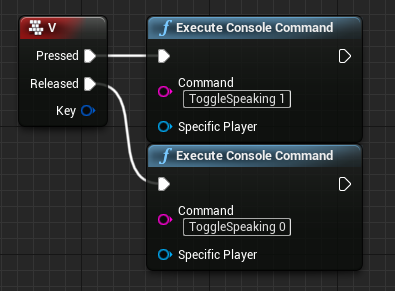
With most games becoming multiplayer focussed or having a seperate mode for multiplayer, many users expect rich features on launch. Features even in early access stages of development such as voice chat, friends lists, inviting to parties from AAA to indie titles. With only a ...
steel vault
Yea I implemented that a while ago but never got my mic to work across PIE
topaz shuttle
try setting bRequiresPushToTalk=false in your defaultgame.ini
Also, the mic seems to be really quiet, or at least mine is.
steel vault
LogVoiceEngine: Error: OSS: StartLocalVoiceProcessing(): Device is currently owned by another user I think this is preventing it from working
topaz shuttle
hmm. im a complete novice myself, so i cant really help you.
but maybe discord or some other program is claiming it
steel vault
Np, I'll do some googling. That's a very good point.
grizzled stirrup
Does COND_InitialOnly replicate the first time a property replicates, or just when the actor first spawns?
As in could a property be replicated once using this if it's only set once in the middle of the match?
"the initial bunch" sounds like it's just when the actor spawns unfortunately so it'll have to be a normal replicated property in this case
winged badger
all replicated properties replicate when actor is spawwned
grizzled stirrup
Right even if their value is default / matching the clients
winged badger
server has no clue whats matching the clients
grizzled stirrup
Makes sense, thanks!
vocal cargo
Hey there, can someone help me? I created a dedicated server, but whenever I try to join I get this:
It seems that the line
NotifyAcceptingChannel Control 0 server World /Engine/Maps/Entry.Entry: might be the problem, but I have the server map set as something else...
vocal cargo
that's fixed, thanks anyways
I do have another question though... I have done this previously and the replication was fine, but now the movement is too janky
this is what I mean
limber gyro
guys my #if ue_server code is not being triggered at all in the server any one care to givea hand?
 agile beacon
Guys, is someone able to answer that question? https://github.com/MultiplayerBook/MultiplayerBook/issues/16

GitHub
I'm implementing a shooter based on the teachings of the book (I have a physical copy) and many other reading materials. The problem I'm facing now is that a malicious client can tr...
It might not be specifically related to the UE networking
 floral crow
Ok, so I'm facing this super weird behavior:
USTRUCT()
struct FMyBaseStruct
{
    UPROPERTY(VisibleInstanceOnly, BlueprintReadWrite) float Timestamp;
    UPROPERTY(VisibleInstanceOnly, BlueprintReadWrite) int OrderIndex;
}


USTRUCT()
struct FMyStruct : FBaseCustomStruct
{
    UPROPERTY(VisibleInstanceOnly, BlueprintReadWrite) float Value;
}


UCLASS()
class AMyActor : public AActor
{
    // ...
    UPROPERTY(ReplicatedUsing=OnRep_MyStructArray) TArray<FMyStruct> MyStructArray;

    UFUNCTION() OnRep_MyStructArray()
    {
        MyStructArray.Insert(FMyStruct());
    }
    // ...
}
Now the issue: when I set a new Array in the way of MyStructArray = InArray the values on the client will not always be correct, after the first time they start being shuffled. What is going on? Why can't I make changes on the client array and expect the replicated version to stomp all my local changes on the client?
 swift kelp
I was asking questions in CPP and just moved to multiplayer because #cpp was overcrowded.
 fervent spoke
maybe this is a dumb question but I'm spawning an object serverside and it's replicated to the client. the server and client are on different tickrates. why does the object ever appear to spawn AHEAD of the client? shouldn't it always trail behind?
https://streamable.com/0bhowm
 dark edge
@fervent spoke The position of the object on the server should be ahead of the client unless there's some sort of prediction going on
fervent spoke
doesn't the position of the player on serverside lag behind their position on clientside?
this object is being placed directly in front of the player's camera
if i use net pktlag, for example, the object will trail further and further behind as i increase the lag, as expected
dark edge
It's being placed on the server and the client view doesn't have the local prediction that the Character has
are you using Character?
fervent spoke
yeah
dark edge
or just a basic pawn?
Yeah so when you spawn the actor, you are telling the server to spawn it based on the server's version of where the Character is
so yes it'll lag behind
or rather
your local view is AHEAD
fervent spoke
so why is this object ever being spawned ahead of my local view
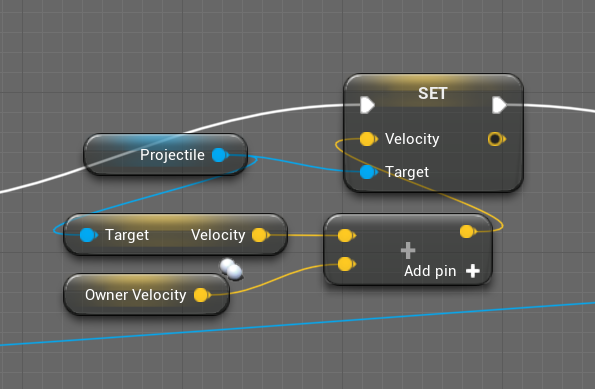 dark edge
and what motion component is it using, or just updating position by velocity * timestep?
Could be that sometimes the server gets 2 ticks in before the client does
What are the tickrates?
fervent spoke
i think in this case that's impossible, the server is on 20 tickrate, client is on like 300
dark edge
Are you using a motion component or just moving it on tick?
fervent spoke
using projectile movement component
dark edge
Try to estimate the distance it is ahead and see if it's 1 ticks worth
Could be ticking before replicating or begin play
fervent spoke
it gets close to 1 server tick ahead
fervent spoke
you mean where it appears to spawn relative to local view?
dark edge
ya
dark edge
in your video it looks like it happens like half the time
dark edge
Yeah that's fucky.
I think it comes down to an aliasing between the tickrates really
the stock Projectil Movement Component might not be robust enough for situations like this where pawn and projectile velocities are so similar
fervent spoke
the real problem i'm having is
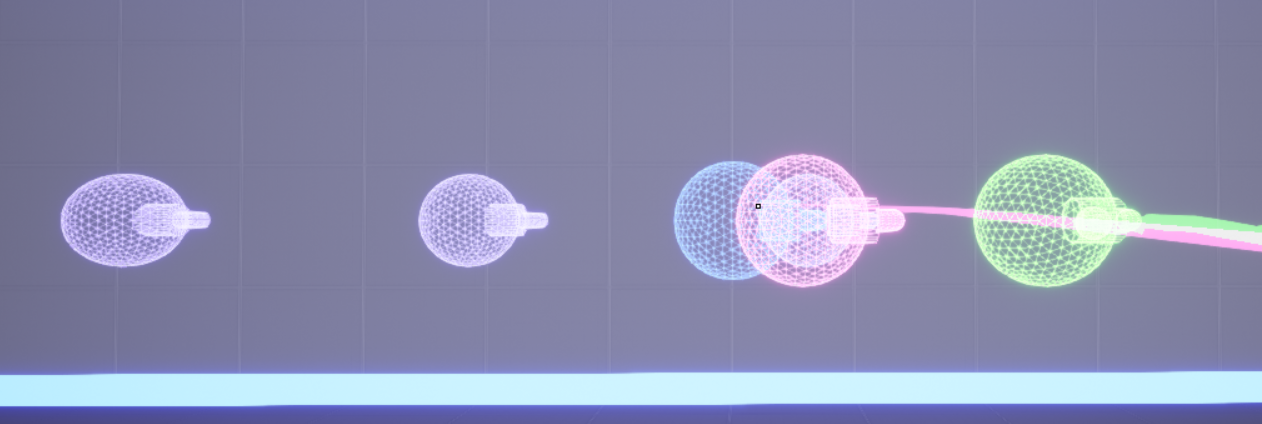
i'm implementing lag compensation
purple is the recorded locations of where the projectile was. pink is where the server thinks it was when it got hit. green is where the client thinks it was when it got hit. blue is lag compensated position
when i play in editor, it works perfectly
but in standalone the tickrates aren't sync'd up so this happens
green should never be ahead of pink
on 0 lag they should be on top of each other
 wild frost
Quick question. If I were to create a variable that is replicated and then put it inside an array, will it still be replicated inside the array?
fervent spoke
btw if i set client fps to the same as server tickrate, the object always spawns either exactly 1 tick ahead of where it should be, or dead center where it should be. so it's definitely some fuckery with ticking velocity once before displaying clientside, or something like that
@dark edge i figured it out
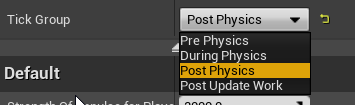


you lead me in the right direction, thanks
nvm
that didn't fix it, thought it did
rofl
 sweet robin
What's the proper way to catch if the Host DC's? I'm trying to fire off the engine HandleNetworkFailure by creating a binding in my game instance but it isn't firing.
kindred widget
@wild frost It wouldn't still replicate. The Array itself would need to replicate because what you're actually doing is copying the value from the variable to the array.
Well, to clarify, the value in the array wouldn't replicate. The original variable would still replicate if you changed the original variable again.
 quasi tide
Is there a better way to do this? I'm trying to keep my clients in sync for the animations. The event dispatcher MovingCharacter (this is just quick code, hence poor name) is what will tell the anim bp that the character is moving and they should be doing the walking animation.
But having these two identical timer by event nodes just seems...wrong?
wild frost
@kindred widget Sorry for getting back late, thank you! That saves me a lot of time testing!
 thin stratus
@quasi tide
- The 2 SetTimer Nodes make no sense. If all execution paths cause the same outcome you can just use one node.
- Usually your animationBP queries the Velocity for this. This seems yo over complicate things.
- For this specific feature there is no need to sync. Velocity will be synced more or less anyway due to the characters movement component
quasi tide
- I agree, but the characters were stuck on the idle animation on the clients without the remote pathway - hence the question
- I have the anim bp only set things up, instead of calling update animation, which is why I'm using the event dispatchers.
- Kind of ties into response for #2.
kindred widget
@quasi tide By 'clients in sync', are you saying that you want all clients to play an animation at the exact same time? Or just that you want them to be relatively correct?
Also, beginplay plays on all machines. You would get the same result by getting rid of one of those timers and putting the SwitchHasAuthority after the timer.
upbeat basin
If I open a dedicated server and create a session on BeginPlay, travel to the map I want to play in does it means that I have a session? If I connect to the game server with PlayerController->Travel function, does my client joins the session as well, without using join session node?
rose egret
in a FPS game with more than 30 players, how u guys manage FP and TP version of guns? I have an actor containing two separate mesh component, FP and TP. then I use bOwnerNoSee and bOnlyOwnerSee to adjust them.
but I guess it has some disadvantages, aside from memory consumption and more spawn cost, there are some redundant stuff like updating transfom, bounding box, etc.
any suggestion ?
🤔
 empty axle
Why do you have two versions?
We went fine with just one mesh of the weapon. We had two meshes for the character though
meager fable
How does character movement replication work? I'm adding input like this in my player controller class and if server moves everything gets updated correctly on the client, the client can move but the server doesn't see the movement, the pawn just stays in one place.
does the add movement input need to be called on the server?
I always added movement on the client and everything replicated correctly
also if the server doesn't get the movement why is it not correcting the clients location
these are my pawn's replication settings
rose egret
@empty axle because they have different config and materials, FP arm and weapons have different materials
empty axle
@rose egret if your current setup works I wouldn't do anything actually. If there were any performance issues I would probably start from detaching FPP component for non-owners
But if your weapons doesn't have several attachments then it shouldn't be an issue
 robust ivy
@meager fable does your characters replication work properly once the game has been packaged up? I've been having an issue where it works fine in the editor but clients to a listen server can't use wasd :(
I'm just curious if it's a me thing haha
meager fable
Haven't tried that on a packaged game yet, I'm testing with my friend by rmb->LaunchGame on the project file
chrome bay
You just call AddMovementInput on the client
That's all you need to do, the movement component takes care of everything else
The most important part is that the client controller moving the pawn needs to be in possession of it
meager fable
yeah it always worked for me, but it doesnt right now
and I'm using getControlledPawn->AddMovementInput
so I guess it must possess it or nothing would have happened
chrome bay
Probably best to just bind the inputs in the character instead of doing it in the controller
meager fable
are you certain it will never work when called from controller? It would require quite a refactor to move the functions to character since I'm having different controller classes
chrome bay
It might work, but since character input is specific to the character class it makes more sense to be there
Even more so if you're making different controller classes
meager fable
okay problem solved, calling the add movement input inside pawn makes it replicate
so i just replaced the add movement input with a call to event inside pawn that calls add movement input
any idea why it needs to be done that way? Whats the difference between get player->AddMovementInput and GetPlayer->CallAddInputEvent->AddMovementInput?
the event is not even an RPC
 royal rampart
hey guys 🙂 just a small question, in the animation blueprint state machine stuff
how can I transition on an event instead of a bool for example
 sweet marsh
Hi guys, can anyone explain to me why i would be getting different results when using a NetMulticast function between a listen server and 1 client = works fine listen server and 2 clients = (function doesn't apply the impulse on the mesh)
royal rampart
@meager fable the addmovementinput node for characterpawns is authorative movement, it is automatically replicated with the build-in system
@sweet marsh if it is a mesh that is controlled by the server, then you don't need to multicast it. Just add an impulse on the mesh with the server!
winged badger
@royal rampart put an event dispatcher in the event, subscribe from the anim blueprints, set the bool
😄
sweet marsh
without the multicast the mesh only gets thrown on the server
royal rampart
did you check the replicate movement checkbox for that mesh?
sweet marsh
so its a bit of a weird setup, but a gameplay ability calls a function on the actor (throwable actor) and that tells it to launch the item
Yeah let me show you some code
virtual void ServerLaunchItem(FVector LaunchDirection, AIGCCharacterCrab* LaunchOwner);```{
ServerLaunchItem(LaunchDirection, LaunchOwner);
}```{
Super::LaunchItem(LaunchDirection, LaunchOwner);
DetachFromActor(FDetachmentTransformRules::KeepWorldTransform);
// Allow the physics object to bounce around when dropped
ModifyItemCollisionStates(true);
// The vector to launch the object with
FVector LaunchObject;
// If we are just given a normalized vector (direction with no magnitude) then multiply by Blueprint values
if (LaunchDirection.IsNormalized())
{
LaunchObject = FVector(LaunchDirection.X * LaunchForce, LaunchDirection.Y * LaunchForce, LaunchForceZ) * LaunchForceMultiplier;
}
else // We are being given the full trajectory
{
LaunchObject = LaunchDirection;
}
// Multiply by mass for more reliable values
StaticMeshComp->AddImpulse(LaunchObject * StaticMeshComp->GetMass());
//LaunchItem(LaunchDirection, LaunchOwner);
}
bool AIGCCarryable::ServerLaunchItem_Validate(FVector LaunchDirection, AIGCCharacterCrab* LaunchOwner)
{
return true;
}
the anim blueprints work off thread if you don't do any blueprint logic outside its event graph
as its then thread-safe. all the data it needs is already prepared in BlueprintUpdateAnimation
sweet marsh
winged badger
and won't change during the anim phase
if you do anything, but read the prepared variable from AnimBP prepared in its event graph, you'll force the entire animation on game thread
sweet marsh
the mesh is a subcomponent of the actor (the root), and the actor replicates and also replicates movement
royal rampart
so to grab a mesh, you attach it to your character, and then you want to detach it, to throw it correct?
then you need to make sure your attach and detach are multicasted! but once it is detached for everyone, adding an impulse on the server should be fine since you replicate your movement for that "throwable" actor haha
winged badger
add impulse doesn't really sync well over network
there is no guarantee it will do exact same thing on same machine running twice from identical setup
winged badger
physx is not deterministic
winged badger
avoid using physics in networked situations, and go for smoke and mirrors every time
quasi tide
@kindred widget Yeah, pretty much. I was able to solve it by having the custom event that is tied to the timer, call another event that is a multicast. It seems that you can't change the replication settings of a custom event that has an event connection in the delegate pin. It definitely seems convoluted.
I get that Begin Play gets ran on all machines, but isn't the idea that the server is the actual game and everything else is just a viewport? So the server should be the one that tells everyone else what is going on?
royal rampart
avoid using physics in networked situations, and go for smoke and mirrors every time
@winged badger I have 0 idea of what you mean with smoke and mirrors ;p
sweet marsh
So are you guys saying add force and calculate it in the tick
 solemn hedge
smoke and mirrors = faking shit
royal rampart
ooooo haha makes sense
winged badger
i would actually calculate a target for the thrown object
sweet marsh
Ok @royal rampart thanks for the help, will give that a go and see if just doing the attach and detach gets some good results
winged badger
make sure every machine can calculate more or less matching trajectory from the target vector
then let every one of them run the object's flight on its own
if applicable
if it needs to bounce and stuff, it becomes much more complicated
royal rampart
@sweet marsh take my advice with a grain of salt! I am a noob myself xD
sweet marsh
@winged badger ahh i see, but are you saying you then move the item to the location rather than let physics determine it
surely as long as the forces are fairly low the movement replication will handle any odd issues with the item getting out of sync?
winged badger
let one machine (owning client or server) calculate the target, im leaning towards owning client
sweet marsh
@royal rampart No probs, its all helpful
winged badger
sent the others the target vector
let each one of them make a trajectory on its own to the target
and do not replicate thrown object's movement in flight
sweet marsh
Yeah it does need to bounce a little otherwise it would be very rigid
royal rampart
wait so @winged badger, so you are saying that the throwing client should calculate the trajectory for the object you throw, and then let the other kinematically move it to that position?
winged badger
just build a spline and move it via keyframes
with something like simulating or faking physics
sweet marsh
@winged badger Thanks, i'll give it some consideration, i was thinking as first pass i'd just let the replication handle any desyncing of the movement as the forces are fairly low
winged badger
always go for simplest networking solution
then fake it until it looks more or less real/ok
btw, projectile movement will do ok, unred most scenarios
*under
it just needs to know the velocity, then each client can run it on its own with no replication
as its basically locked in ballistic trajectory
it can do bounces, but any bounce will make the final position increasingly unreliable as far as network sync goes
so not a bad idea to leave those on, but without gameplay effect, just cosmetic
sweet marsh
Ok thanks, to be honest these are items that don't move too fast, as they have some weight and the force applied is quite low, it is odd though as you'd imagine if all clients apply the same force from the same direciton, the item should move roughly the same across all players, and it if desyncs a little it'll get corrected automatically, i guess you then get snapping around of items
winged badger
yeah, but when you glance a collision in flight
the impact normal can be vastly different
on each machine
just because whatever you collided with is few pixels off
sweet marsh
ahh ok, well you see the shapes are fairly simple, but it's something i'll look into to correct the behaviour if it gets bad. However i still have the issue with it working correctly for listen server + 1 client, but not for listen server +2
the item does not get thrown with listen server +2
quasi tide
So - last night, I ended up having many of my AI related things set to multicast, and I was wondering if that is the common approach. I have a few flags that I flip through event dispatchers, currently I have flags that determine if they are walking, dead, or getting hit. The event dispatchers that handle these are all on a custom event that is multicasted. (Note - I am not currently using the Update Animation event in the AnimBP).
I was thinking about future things that I'd like to do with my AI (overall, still relatively simple AI) and I was thinking about scale as well. It seems that multicast makes the most sense because both the server and the clients need to know what is going on with the AI; however, at the same time, it may be doing too much. (No actual tests, I know, I know, always test)
Should I instead try to find a way to get things to work through onrep notifies?
winged badger
@quasi tide multicast are just a matter of time before they explode
clients out of net relevancy range don't get multicasts
or late joiners
which means you'll end up with AI in invalid states on clients as soon as you go beyond simple PIE tests
 silent valley
Is there any way of testing voice chat without having two machines? 🙂
winged badger
what you're doing sounds like a job for a replicated FGameplayTagContainer
quasi tide
No idea what that is. Off to ol' Google I go.
So - I could have the flag get flipped on the character BP and then in the rep notify, call the event that updates the anim bp. But this would pretty much mean that I would have to duplicate/mirrored variables on the character BP and anim BP 🤔
 hybrid crown
Third Dumb Ask->
🔸 Imagine we have 100 actors, we want to send data to 95 of them, is it more optimised to netmulticast,
or to send 95 owner RPC to them ?
🔸 When we send a pointer over network, like a pointer to a Pawn. This is only a "weak" reference to the pawn right ? and not the fully object.
🔸 Is unreal auto-optimise RPC ? And how unreal handle multiple RPC who come on the same frame for the same function :
Imagine we fire with a weapon, and send 1 RPC per shot, if two shot (or more) are received on the same frame by the guys who don't fire (Imagine a OnHit event) : is OnHit call multiple time on the same frame ? If yes, is the order of received shot will be always correct ?
chrome bay
Client RPC makes no sense since the clients will most likely not own the object you're calling it on
If two RPC's arrive in one frame it will execute both one after the other.
You should really use a replicated property for a hit instead
Depends on the use case of course, but they replicate often enough to show most of the hits
Actually the TL;DR is it all depends
But Client RPC makes the least sense of all
hybrid crown
The idea is how avoid send RPC to players who is far, but not enough to be considered network culled.
chrome bay
You can't avoid that
If it's relevant, the RPC will be called
They should at the very least be unreliable
But this is also why properties are more useful here than RPC's
The engine will try to prioritise the properties of actors closer to you
hybrid crown
The fact is, how "fire" a property one time ? Like for the moment when we do that our solution is to have a boolean who automatically reset himself on a local side.
With a repnotify
chrome bay
Use an incrementing counter instead
hybrid crown
Oh, look smart, yup.
chrome bay
a uint8 is usually more than enough, and it's only a byte. you could even wrap it in a struct and make it smaller if you wanted to
hybrid crown
Look smart, so tu resume
instead of fire RPC, this is better to repnotify an integer we increment
chrome bay
Check this: https://jambax.co.uk/better-burst-counters/
hybrid crown
Damn, you even wrote something, thanks a lot !
chrome bay
That's a useful example for muzzle flashes for example
hybrid crown
Exactly why i'm looking for.
chrome bay
Need to get around to adding those videos to it though 😄
hybrid crown
Yeah, so instead of : Client who shoot > RPC Fire()
Client who received shoot -> Repnotify.
I go to read, thanks for the help.
chrome bay
Yeah. What we do in HLL at least is we do all the firing effects locally for the shooter, but all other players use the OnRep callback from the Burst Counter
So it's only replicated to non-owners
hybrid crown
Oh just an ask cause i know you are quite experienced and i let you alone
chrome bay
For automatic weapons, we also start/stop an automatic loop based on whether they are firing or not, as this helps with jitter and low update rates
But you can only really do that if the fire rate of the weapon is constant I suppose
hybrid crown
Our game was going fine, and we spend 4 day to profile strange hitch who go worst over the time (UE4.23). We manage to see Visibly the issue come from we profile in testing without using "-NoVerifyGC -NoAILogging". Is it normal ? i'm quite uncomfortable with this.
And asking myself if it's something can happen with the verify CG. I know it can produce Hitch, but... hitch who go worst over the time ?
chrome bay
Might be that you're just spawning more and more stuff that GC has to worry about
quasi tide
@chrome bay Can I get your 2 cents on my approach (I've noticed a lot of your forum posts)? Hopefully it'll be short and sweet.
chrome bay
ya sure
hybrid crown
We don't, for the spawn. I will assume this was the issue, i hope, thanks a lot for the help.
quasi tide
So currently, I am not using the update animation event for my AI AnimBP. I am only setting it up and then hooking up to events in the AI character BP to change variables that change the state.
Before I was using multicast and now I've switched over to using onrep notifies. The code smell I see here is that the AnimBP and the Character BP must have the same variable pretty much.
What I'm doing is when the server variable value changes, the notify method just calls the event that will update the anim bp.
So my question overall, I guess, is, does this make sense? Or is it convoluted for the sake of being convoluted. I'm aiming to have the server do all the logic and the clients just get their viewport updated pretty much.
chrome bay
It's a fine way to do it IMO, RepNotify is certainly preferable to multicast in that case IMO - but tbh where possible I would try to drive as much animation as you can from stuff that is available locally already
otherwise there's the danger the anims won't look very smooth in a real world connection
we've done all we can to avoid running any kind of animation logic on the server in our case
just want the server to run as fast as possible
quasi tide
That was my idea behind setting it up the way I am. Maybe I didn't accomplish it though, and instead just have this mess of a solution 🤔
(First fore ray into networking really - did some light stuff in Godot, but that's about it.)
chrome bay
I mean sometimes it's unavoidable, like if a character is sprinting that's probably a replicated bool that the animation responds to
But you can just tick to check for that
What you also don't want is your animation somehow getting into a state that doesn't match or something
winged badger
and update animation, pulling all variables from pawn each tick might seem inelegant
but its what allows animations to run on different thread
quasi tide
I thought that as long as fast path was enabled on the node, it ran on the different thread 🤔
quasi tide
Yeah, that's what I read.
winged badger
even as simple as calling a blueprintpure function or anding 2 bools
quasi tide
My goal is to be able to have 80-90 AI on screen at 60 FPS. Which is why I'm doing things early. I've already tested that I could have 60-70 at 60 FPS in SP with no optimizations or anything like that. So I'm trying some different approaches.
quasi tide
Yup 🙃
But I have my goals and I am doing the most important stuff early. Going to get it working, then benchmark constantly.
limber gyro
is there any way to see server logs when you run the game in the editor?
hybrid crown
Output log sonic.
 vivid prawn
hi guys
I have a question, I'm trying to do "canvas render target" but when i test it in multiplayer, it mess up the render, as in if one of the player try to look at the camera other player see what other player sees
is this related to replication? or... I'm doing something wrong?
i mean the camera rendering in one file so it should override the file right?
silent valley
Guys - I'm trying to enable VOIP chat for my game (persistent dedicated server, drop in/out clients) but it's not working because I have no Session.
Clients currently connect via IP directly.
Can anyone help me understand what I need to do to get one?
vivid prawn
figured that out
 gloomy tiger
Howdy! What a Replicated Variable means? And am not asking in the philosophical sense of the question; instead, when a Replicated Variable change, what happens under the hood?
Wish to know that from both client and server perspective.
empty axle
@dull lance yes of course it is sending a copy of your struct. Without const & you would actually have 2 copy operations IIRC
It would make a difference for a CPU, but for bandwidth I am not sure. I would say that array would take less bandwidth, but I don't think that it would be that much noticeable
floral crow
Why is it unsafe to make local changes to a replicated array on the client? Why does setting the array to a new object -on the server- not fully override whatever changes the client had done locally?
meager spade
cause arrays have no state tracking
FastArraySerializer if you want client to predictively add elements.
server only checks elements are the same. Server doesn't check if elements inside hasn't changed.
hidden thorn
Has anyone got an idea why I can't find any server after calling ReturnToMainMenu from the client?
 open quail
is there a way to make character jumping reliable? as in, retry if packet loss
 vivid seal
Wait what does FastArraySerializer do that allows client prediction of array elements?
Can you mark item as dirty from client?
winged badger
it allows callbacks per-item
it doesn't help with prediction any more then TArray does
hybrid crown
So according @chrome bay explanation (thanks a lot for you'r article, help a lot). I'm trying to push some event on RepNotify.
I'm actually pushing a door behavior with rep notify for small event instead of RPC.
Door movement is handled by network (smooth sync plugin).
And cosmetic event are fire by a Rep Notify, a simple bool we switch when we want to fire a sound.
To avoid playing sound when actor became relevant, i use as Jambax show, Get Time Since Creation node.
The fact is this is working well with actor who spawn and are netculled but,
it's not working with actor who are place on the map natively and will not unspawn (destroyed) : they are not in relevancy but they still exist locally, so time creation node solution is not working as she is not equale to zero.
Any idea for a workaround ?
winged badger
your sound shouldn't really propagate that far